After years and years of anticipation, GTA VI will finally ship this week. In fact, the game may have already pre-loaded on your console if you pre-ordered it. Regardless of whether you pre-load the game or download it later, it will take up a lot of storage.Rockstar says you need up to 212GB free to pre-load GTA VI, depending on your device.With the game being so large, you'll likely want additional storage so you can install GTA VI without clearing out other ga
After years and years of anticipation, GTA VI will finally ship this week. In fact, the game may have already pre-loaded on your console if you pre-ordered it. Regardless of whether you pre-load the game or download it later, it will take up a lot of storage.
With the game being so large, you'll likely want additional storage so you can install GTA VI without clearing out other games to make space.
The good news is that the XBOX Series X and XBOX Series S support seamless storage expansion. The bad news is that stock of supported cards is extremely limited.
You may be able to find select individual XBOX storage cards in stock, but the only one I've been able to find available online consistently is the 2TB SANDISK Optimus GX C50 Xbox Storage Expansion Card.
This expansion card slots seamlessly into your XBOX Series X or XBOX Series S. Its performance matches the speed of the built-in storage of your console, allowing you to play games directly off the card.View Deal
Is the SANDISK Optimus GX C50 a good XBOX storage card?
(Image credit: SanDisk)
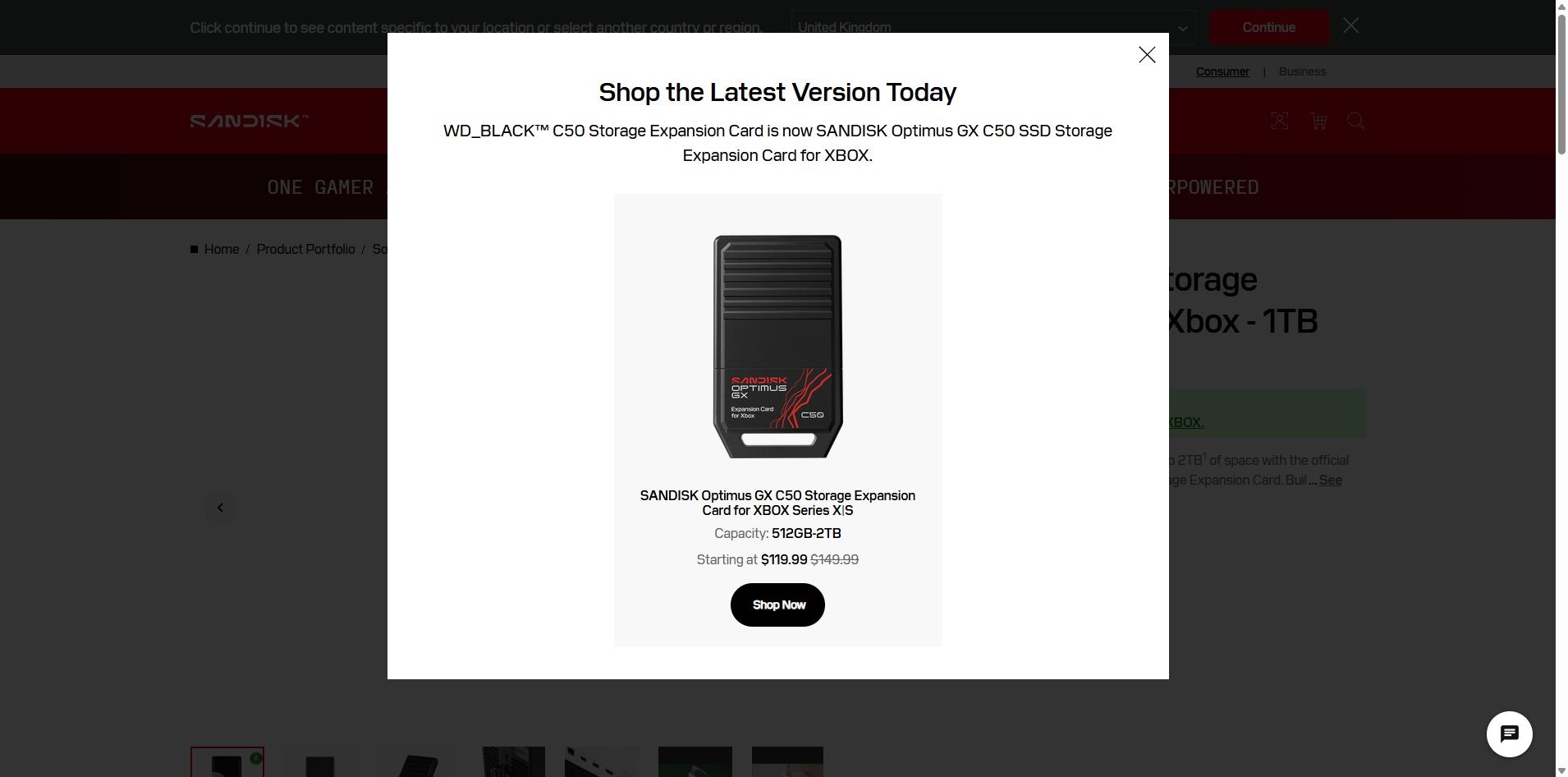
The SANDISK Optimus GX C50 is the WD_BLACK C50 Storage Expansion Card under a new name. If you search for the old WD_BLACK card on SANDISK's website, you'll see a prompt explaining the change (shown above).
Regardless of the name, the performance of the card is excellent. The SANDISK Optimus GX C50 fully supports features like Xbox Quick Resume. You can quickly transfer games back and forth between the card and your console as well.
In short, using the SANDISK Optimus GX C50 should feel exactly like having a game stored directly on your XBOX Series X|S.
Unless you care about the graphics and logo on the card, you can take a deeper dive into the SANDISK Optimus GX C50 by reading our WD_BLACK C50 Storage Expansion Card review. I'll warn you that doing so may make you cry when you see the launch price of that card.
Is now a good time to buy XBOX storage?
If you haven't shopped for a console or gaming accessories for a while, you're likely shocked by the price of additional storage. The $479.99 price of the 2TB SANDISK Optimus GX C50 is more than an XBOX Series X cost just a few years ago if you found a good deal.
The XBOX Series X launched at $499.99, but for years it was easy to find one for less. Heck, Verizon used to literally give them away if you signed up for broadband. But like laptops and other gadgets, gaming devices have skyrocketed in price over the years due to the global component shortage.
So, through the twisted lens of current gaming prices, you could almost say that $479.99 is a "fair" price for 2TB of storage. Maybe a better way to say it would be to call it an "expected" price.
With GTA VI pre-loading on consoles starting November 10 and the game launching on November 19, now is the perfect time to expand the storage of your XBOX Series X|S.
Join us on Reddit at r/WindowsCentral to share your insights and discuss our latest news, reviews, and more.
Wired earbuds staged a comeback a couple of years ago, helped by Gen Z deciding a dangling white cable looks cooler than an AirPods case. Wired gaming controllers could use some of that goodwill. 8BitDo’s new Ultimate 3C+ Wired Controller for Xbox skips the battery entirely and plugs straight into your console over USB-C. It costs $39.99, carries an official Xbox license, and brings tunable TMR sticks to the lowest-priced model in the Ultimate 3 family. You trade a little freedom of movement fo
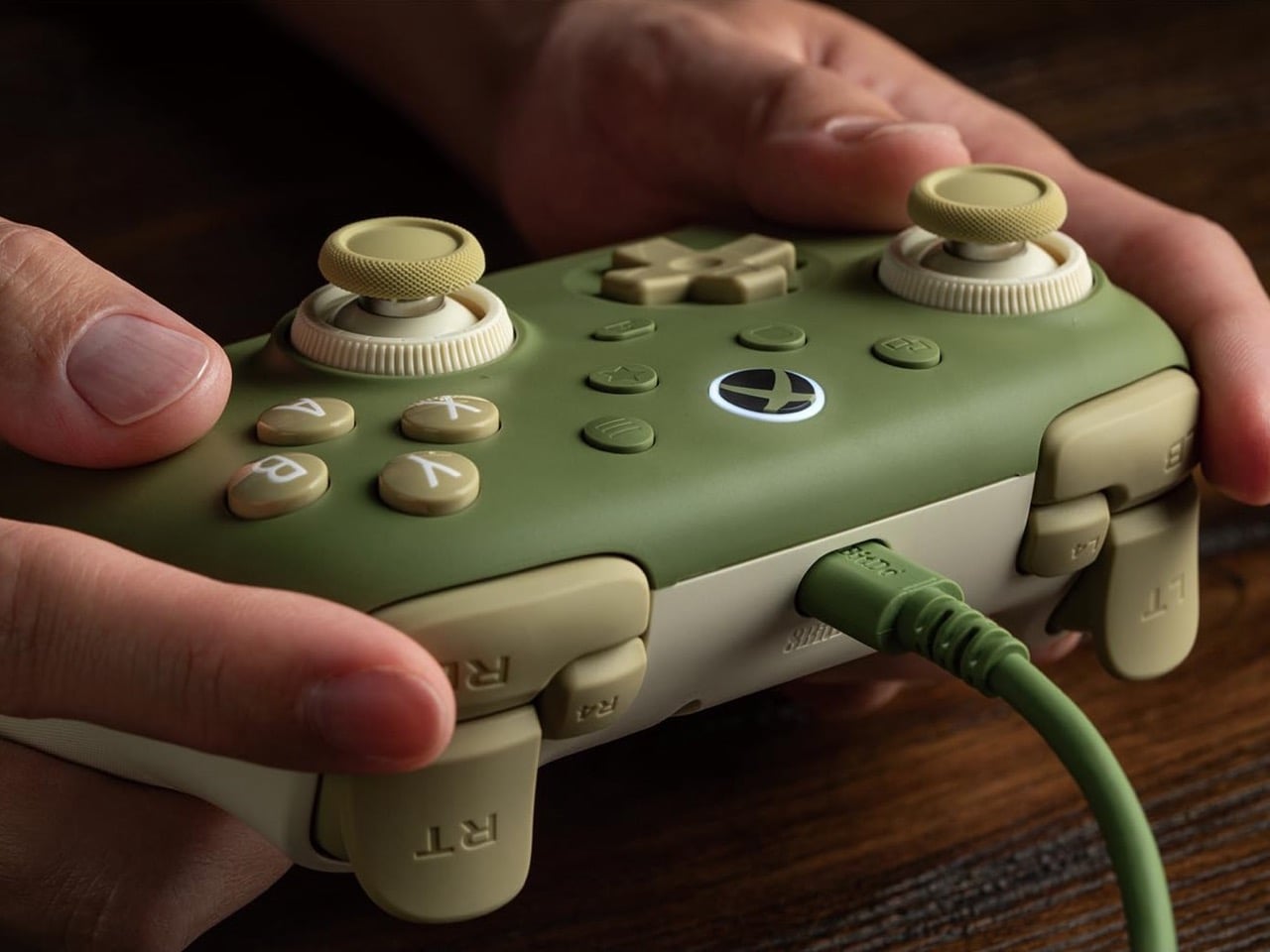
Wired earbuds staged a comeback a couple of years ago, helped by Gen Z deciding a dangling white cable looks cooler than an AirPods case. Wired gaming controllers could use some of that goodwill. 8BitDo’s new Ultimate 3C+ Wired Controller for Xbox skips the battery entirely and plugs straight into your console over USB-C. It costs $39.99, carries an official Xbox license, and brings tunable TMR sticks to the lowest-priced model in the Ultimate 3 family. You trade a little freedom of movement for a controller that never needs charging, pairing, or a panicked hunt for a dongle.
There’s no battery to degrade over years of late-night Call of Duty sessions, and a 3.5mm jack sends game audio straight to your headset. The controller works with Xbox Series X|S, Xbox One, and Windows 10 or later. It arrives a few weeks after the wireless Ultimate 3C+, which launched in October for PC and Android at the same price. The Xbox version is built for console players who would rather never think about charge levels again. The included cable stretches 8.2 feet (2.5m), so measure your couch distance accordingly.
Designer: 8BitDo
TMR sticks you can tune for shooters or racing
8BitDo’s Dual Force Ring sticks combine adjustable tension with a soft-stop silicone ring under each stick to cushion the moment it hits the edge of its travel. Increase the tension if you prefer firmer resistance when aiming in shooters, or loosen it for the long, sweeping inputs of racing games. A 12-bit ADC sampling chip and a 216MHz processor read the stick position, which 8BitDo says improves precision and response. The sensors are TMR, short for tunneling magnetoresistance, and track stick position magnetically, without sliding electrical contacts. Potentiometer sticks rely on contacts that physically wear, which can cause stick drift.
Earlier this year, 8BitDo’s fanciest stick tech lived in controllers costing $99 and up. The Ultimate 3 series kicked off at CES 2026 with the $149.99 Ultimate 3E, and the $99 Ultimate 3 for Xbox brought force rings along in May. Now that adjustable tension sits inside a $39.99 controller with a cable hanging off it. Compare that with Microsoft’s Xbox Nano Controller, a $49.99 pocket pad that still ships with conventional potentiometer sticks. If your last Xbox controller died of drift, that difference in sensor tech may be the most persuasive line on this spec sheet.
Switchable triggers, extra bumpers, and lockable back buttons
A switch flips the triggers between linear Hall Effect mode and short micro-switch mode. Linear gives you the full analog pull for feathering a throttle, while micro-switch turns each trigger into something closer to a mouse click. Impulse Trigger rumble lives inside the triggers, with more vibration tucked into the grips. 8BitDo says a dedicated rapid-stop chip cuts vibration off quickly, so a gunshot’s rumble doesn’t linger. The idea is that when an explosion fades on screen, your palms stop buzzing too.
Two extra bumpers, labeled R4 and L4, join the standard shoulder buttons and can be remapped without software. Two back buttons sit under the grips, and a lock disables them when you would rather not trigger a reload by accident. 8BitDo describes the D-pad as clicky but smooth, says it has refined the ABXY buttons, and lists wear-resistant stick rings. It also widened the grip angle compared with the older Ultimate C Wired, stretching the body to 5.96 inches (151.5mm) long. It weighs 7.9 ounces (224g), just 8 grams more than its predecessor, with the revised grip intended to offer a more relaxed hold.
Ten dollars less than the Xbox Nano
Compared with the wireless 3C+, the Xbox model drops the turbo function and its sibling’s polling rate of up to 1,000Hz. It also skips the cardboard DIY stand that ships in the wireless box, a minor tragedy for anyone who enjoys a little arts and crafts with their unboxing. In return, you get the headphone jack, full Xbox console support, and an official license. Competitive players chasing every millisecond may miss the higher polling rate. For couch play, cable reach is likely to be the more immediate concern.
At $39.99, the 3C+ Wired undercuts the $49.99 Xbox Nano by ten dollars and Microsoft’s standard $64.99 controller by twenty-five. It also costs just $5 more than the older Ultimate C Wired for Xbox, which paired Hall Effect sticks with an RGB light ring. 8BitDo swapped that light show for tunable TMR sticks, which seems a useful trade for anyone more interested in stick feel than desk glow. Pre-orders are live on the 8BitDo eShop and Amazon in the US, with Matcha Green and Charcoal Gray units shipping November 16.
Japanese gaming giant SEGA has disclosed that a data breach at its third-party newsletter provider, ARARA, exposed the email addresses of 2.2 million newsletter subscribers. [...]
Japanese gaming giant SEGA has disclosed that a data breach at its third-party newsletter provider, ARARA, exposed the email addresses of 2.2 million newsletter subscribers. [...]
Oh boy, the very thing that made World of Warcraft and, indeed, World of Warcraft: Forever popular is now becoming the subject of intense debate. World of Warcraft: Forever is Blizzard's take on the "Classic+" pitch, where fans asked the firm for years for an old-school alternative to World of Warcraft: Retail. Now, Retail has become a bit of a chore in recent times, with various systems on timers and deadlines making the game feel a bit more like work than an ac
World of Warcraft: Forever is Blizzard's take on the "Classic+" pitch, where fans asked the firm for years for an old-school alternative to World of Warcraft: Retail. Now, Retail has become a bit of a chore in recent times, with various systems on timers and deadlines making the game feel a bit more like work than an actual game. To compensate, Blizzard made a big effort to boost "convenience" in Retail, even at the cost of immersion and general quality.
World of Warcraft: Forever is supposed to be an alternative option that's closer to the original experience: meditative, more methodical, and crucially, slower-paced. The friction that exists in Classic-style WoW makes the victories and loot far more meaningful than in Retail-style WoW, which practically hands out the best gear for free these days. Retail has become about timers and racing to the finish line, and it's a fun race, admittedly; but the gameplay style has undoubtedly led to the game's decline in recent years.
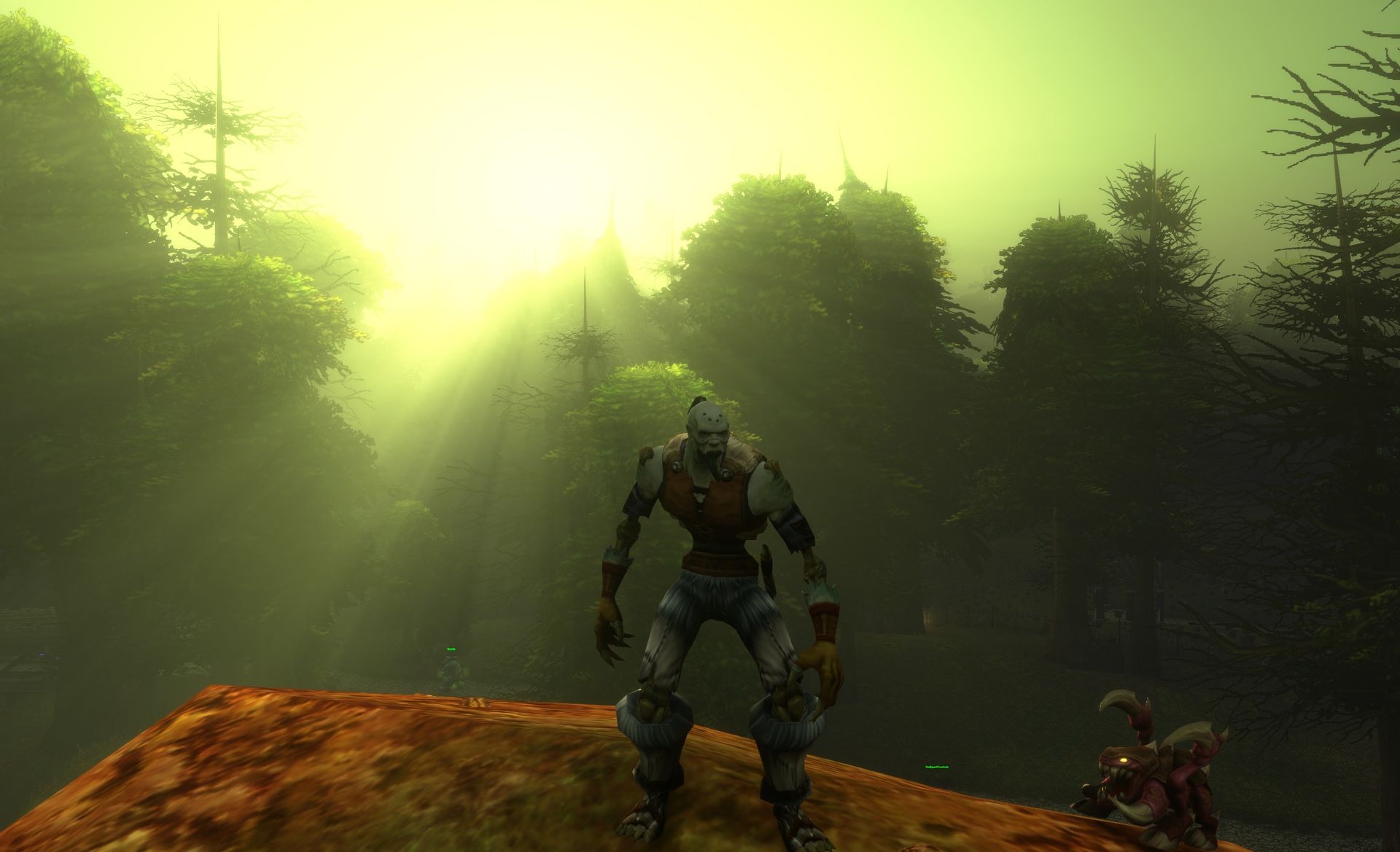
World of Warcraft: Forever is attempting to emulate the old-school feel of the game, with modern takes on balancing and boosted retro-style visuals. (Image credit: Windows Central)
World of Warcraft players have been flooding in to play WoW: Forever, which is mechanically more simplistic than Retail on the surface. Instead, it's designed to reward perseverance, planning, socializing, and methodical play over rapidity.
Indeed, much like other friction-heavy games like Elden Ring, World of Warcraft: Forever encourages player interaction and socializing, asking questions, and strategizing, something modern WoW's timer-oriented gameplay undermines. Ironically, it's suboptimal to chat in World of Warcraft these days, with dungeon runs operating in complete silence unless someone gets angry and yells at you for a mistake.
Yet still, some players aren't happy with the way WoW Forever asks players for patience.
Across WoW communities from Reddit to X, players are debating "convenience" in World of Warcraft: Forever, with Classic fans dubbing those who make calls for making WoW:F more convenient "Retail Andys."
@Lotharemas You retail Andy’s are really pisses me off complaining about everything lolNovember 9, 2026
seeing some of the problems people are having on wowf is making me realize why wow is so dumbed down nowNovember 8, 2026
"We wont play retail cus its soulless trash" but you'll use an addon that invalidates all questing and the charm of the Forever experience for convenience? Damn. You need an addon to wipe your ass too lil fella? Ignore this. Go in blind like intended. Especially first timers https://t.co/bUraRchZLANovember 7, 2026
Blizzard has already begun addressing feedback regarding WoW: Forever, buffing dungeon mob EXP gains by 50%, and some are calling for them to buff it even more.
It'll be interesting to see if Blizzard continues to cave to the loud calls for simplifying World of Warcraft: Forever, given that oversimplification and homogenization are what have essentially killed World of Warcraft's main retail arm.
Games need friction
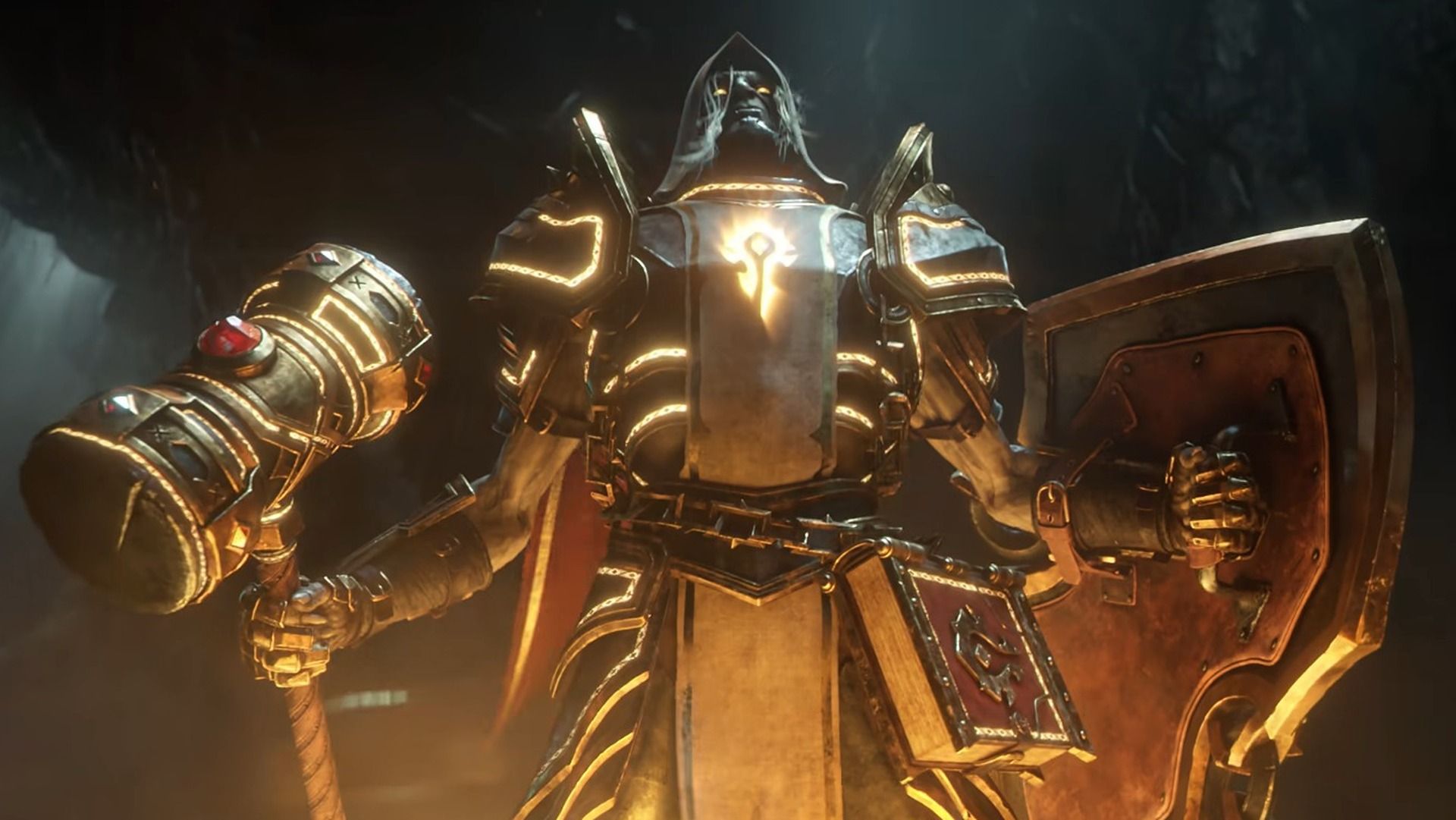
World of Warcraft: Forever brings undead Paladins to the mix for the first time. (Image credit: Blizzard Entertainment)
A good example of a game that went hard on "quality of life" features to its detriment is Monster Hunter Wilds, and arguably even Monster Hunter World before it.
Monster Hunter is a franchise that revolves entirely around the hunt, which previously included gathering materials, crafting specific counter-armor sets, studying monster behaviors and weaknesses, and so on. In Wilds, Capcom dumbed down every aspect of the game to try and appeal to a so-called "wider" audience, and the game suffered for it. The convenience undermined the game's core gameplay loop, robbing hunts of a sense of challenge and accomplishment.
I think there's certainly something to be said for having "too much of a good thing." Humans are hard-wired to seek convenience and the path of least resistance, and the calls to dumb down World of Warcraft: Forever already emerge from that.
When something becomes too easy, it becomes trivial and arbitrary. I can't remember the last time I was excited for a drop in World of Warcraft's modern setting ... but I was excited to get a basic-ass green dagger on my level 10 rogue earlier today.
Gear and boss kills have become essentially meaningless in modern World of Warcraft, as free loot is handed out simply for logging in. Blizzard gave out the free loot because ultimately, players asked for it. But the decline of the game showcases why listening too much to calls for convenience and difficulty nerfs isn't always a good idea.
Either way, World of Warcraft: Forever has been a resounding success story for Blizzard so far. Let's see if they can avoid messing it up ...
Join us on Reddit at r/WindowsCentral to share your insights and discuss our latest news, reviews, and more.
The PlayStation 5 is having a wild autumn. Modders have cracked it wide open, and people are now hauling Steam games onto the console and PS5 games onto their PCs, like two neighbors who swapped houses just to see what happens. Meanwhile, an eBay seller called arcadeplug has gone in the opposite direction, building a PlayStation-themed bartop arcade cabinet that plays the original PS1 library old-school style, standing up with a joystick in hand. It runs on a Raspberry Pi 4 with RetroPie, uses
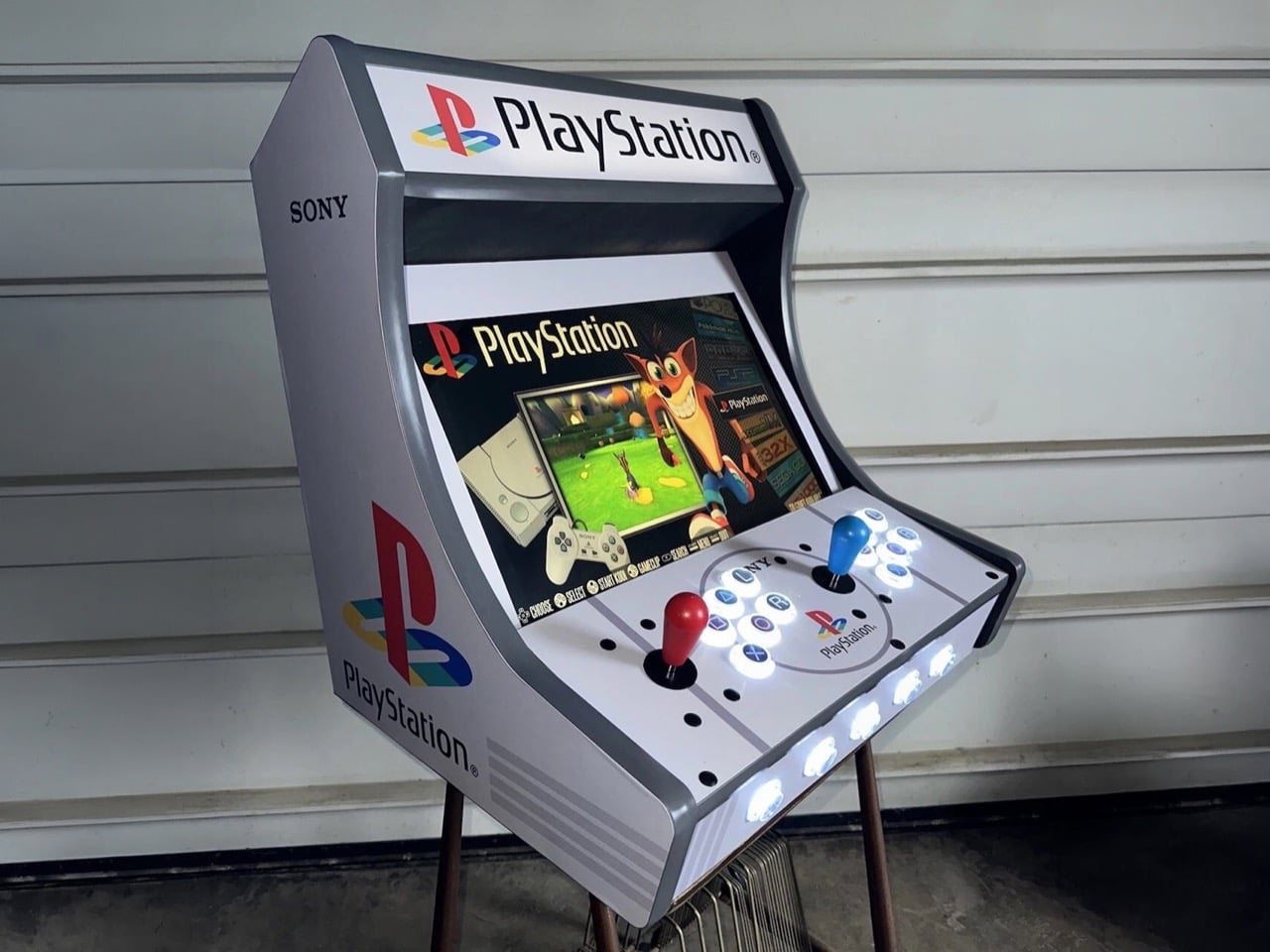
The PlayStation 5 is having a wild autumn. Modders have cracked it wide open, and people are now hauling Steam games onto the console and PS5 games onto their PCs, like two neighbors who swapped houses just to see what happens. Meanwhile, an eBay seller called arcadeplug has gone in the opposite direction, building a PlayStation-themed bartop arcade cabinet that plays the original PS1 library old-school style, standing up with a joystick in hand. It runs on a Raspberry Pi 4 with RetroPie, uses a 19-inch screen, and costs $1,029.99. Sony never made this machine. Somebody with a lot of vinyl and a free weekend decided the universe needed it anyway.
I’ll admit the first photo got me. The gray body, the four-color PS logo on the side, and the glowing triangle, circle, cross, and square buttons hit the same part of my brain that still remembers the PS1 boot-up sound. It’s a fan build in official-looking clothes, and the clothes are excellent. The funny part is the history, because PlayStation hardware actually powered ’90s arcade cabinets, running Tekken on Namco’s System 11 board months before the console launched. Those machines wore other companies’ art. This one wears Sony’s art with zero Sony hardware inside, which is a deliciously backwards way to close the loop.
Designer: arcadeplug
Sony Snuck the PlayStation Into Arcades Before It Hit Living Rooms
Tekken’s road to the arcade ran through a 1993 meeting where Sony’s Ken Kutaragi walked Namco’s Shegeichi Nakamura through the early PlayStation specs. Namco had been building Tekken for its pricey System 22 board, a machine meant to slug it out with Sega’s Virtua Fighter 2. After that meeting, the project moved to System 11, a cheaper board built on PlayStation architecture. The plan was simple economics, leaving Sega the big arcades while Tekken chased the smaller ones that couldn’t afford premium hardware. Bringing the game home was easy, since the arcade board and the console were basically siblings. An upgraded System 12 followed, debuting with Tekken 3 in March 1997.
Sony also built its own arcade boards, the ZN-1 and ZN-2, and handed them to studios like Capcom, Taito, and Tecmo. Street Fighter EX, Battle Arena Toshinden 2, and Tetris: The Grand Master all ran on PlayStation-derived silicon, though nothing on the cabinets told you so. Sony kept the boards unbranded, letting each publisher put its own name and art on the outside. My favorite slip comes from Acclaim, whose NBA Jam Extreme manual casually calls it the “Sony Play Station Arcade Board.” Sony’s arcade boards were PlayStations in disguise. This cabinet is the disguise with no PlayStation inside.
Why the PS1’s Graphic Design Looks This Good Blown Up
Teiyu Goto, the designer behind the original PlayStation and its controller, picked shapes for the face buttons because every rival was using letters. Each shape carried a meaning, with the circle and cross standing for yes and no, the triangle for a viewpoint, and the square for a sheet of paper or a menu. He gave them colors too, and had to convince management that the red circle and blue cross were intentional. Three decades later, those four shapes work as a logo in their own right. On this cabinet, they sit on translucent arcade buttons lit from within, and you can read them from across the room.
Manabu Sakamoto’s 1994 PS logo takes over the side panels, printed big enough to study how it works. Sakamoto wanted the mark to suggest 3D without simply adding thickness, so he stood the P upright and laid the S flat behind it, using four primary colors. At cabinet scale, that illusion of depth looks better than it ever did on a console lid. The body borrows the PS1’s light gray, and a ring around the center of the control panel frames another PS logo, which reads to me like a nod to the original console’s round disc lid. All of it is laminated vinyl, and it sells the fantasy completely.
A Raspberry Pi, Six Buttons, and a $1,029.99 Price Tag
Inside sits a Raspberry Pi 4 with a 128GB build running RetroPie, the open-source software that bundles emulators for the Pi. Games play out on a 19-inch LCD, backed by a pair of 4-inch speakers, Sanwa-clone joysticks and buttons, and LED lighting throughout. Each player gets one stick and six buttons, the four PlayStation symbols plus an L and an R. That layout drops the original controller’s second pair of shoulder buttons, which suits Tekken and Street Fighter Alpha far better than a 40-hour Final Fantasy run. You’ll also be standing the whole time, which feels right for a fighter and slightly brutal for a JRPG.
On eBay, the Custom PlayStation Multicade cabinet goes for $1,029.99 or best offer, shipping from Ohio with a one-year warranty covering the speakers, buttons, and Pi. For scale, Arcade1Up’s licensed Street Fighter II cabinets run roughly $350 to $650, and a SuperStation One FPGA console costs about $210 to $250 if you just want PS1 games on a TV. Neither comes dressed like this, though. The timing makes me smile, because Sony is ending physical game disc production in 2028, and here’s a shrine to the console that made CDs the default for a generation. Modders are prying the PS5 open to see what it can become. Somebody in Ohio gave the PS1 the arcade cabinet it never had.
As fans mark N7 Day today, the annual November 7 celebration of the Mass Effect franchise—the community-led #SaveMassEffect campaign has dramatically escalated its visibility by taking its message directly to Electronic Arts. Following the digital billboard placement in Times Square, the organizers at "We are Mass Effect" dispatched a mobile billboard truck to circle both EA and EA Sports headquarters in Redwood City, California, yesterday. Mobile billboards hi
As fans mark N7 Day today, the annual November 7 celebration of the Mass Effect franchise—the community-led #SaveMassEffect campaign has dramatically escalated its visibility by taking its message directly to Electronic Arts. Following the digital billboard placement in Times Square, the organizers at "We are Mass Effect" dispatched a mobile billboard truck to circle both EA and EA Sports headquarters in Redwood City, California, yesterday.
Mobile billboards hit EA headquarters
(Image credit: We Are Mass Effect)
The truck featured a new sign with a QR code and a website URL directing curious onlookers to SaveMassEffect.com. According to "We are Mass Effect" organizer Mer, who spoke to IGN, the primary goal of the truck was to "spread the word and bring as much attention to the movement as possible," and as a reminder, this isn't all about Mass Effect. The campaign also seeks to offer a message of unity for fans of BioWare franchises and raise awareness about the human beings affected by the recent changes. "We want to remind people that real people have been impacted by the closure of BioWare and the cancellation of the game. We wanted to show them that there is a community that deeply cares about the legacy they’ve created. For us this has never been just about the IP but the people behind it and their work."
There is another billboard planned to drive around The Game Awards ceremony for about four hours next month.
N7 Day mobilization
(Image credit: Reddit )
The momentum continues today on N7 Day. Another mobile billboard is scheduled to appear near BioWare's former offices. Additionally, "We are Mass Effect" has been putting the finishing touches on a special video featuring contributors, fans, and original Commander Shepard voice actors Jennifer Hale and Mark Meer. To further drive home the franchise's enduring popularity, the group is pushing an "N7 Play Day" in an attempt to boost Steam player numbers for Mass Effect: Legendary Edition.
Upcoming documentary in the works
Next year, the story of BioWare will be told in MASSIVE EFFECT: THE BIOWARE STORY, a new documentary that chronicles the history of the company and its sad closure by Electronic Arts.I was honored to be interviewed for it earlier this year. https://t.co/928LPZWK7HNovember 5, 2026
Perfectly timed just days before today's N7 Day, a new documentary chronicling the studio's rise and tragic closure has also been announced. Titled MASSIVE EFFECT: THE BIOWARE STORY, the Edmonton-led film is slated to premiere in 2027. Created by Shane Fennessey and Adam Scorgie, the project actually began filming two years ago, long before the studio knew it would be shuttered.
The documentary will feature interviews with a massive number of original BioWare developers, alongside major industry figures like Geoff Keighley, Casey Hudson, and former EA CEO John Riccitiello. BioWare co-founders Greg Zeschuk and Ray Muzyka provided a touching joint statement for the film's reveal: "We're proud this film honours those who made it all possible. The best stories never really end."
The filmmakers are now calling on the Mass Effect community to help finish the story. They are actively inviting players to submit their own BioWare history, including fan art, cosplay, convention photos and videos, and personal memorabilia, for possible inclusion in the final documentary. For a fanbase currently fighting tooth and nail to save their favorite gaming universe, the opportunity to cement their memories in a feature film couldn't have come at a better time.
Join us on Reddit at r/WindowsCentral to share your insights and discuss our latest news, reviews, and more.
World of Warcraft is the game that absolutely refuses to die, and in fact, it's potentially now bigger than ever. Confirmed today on the official Warcraft social media channels, Blizzard said that World of Warcraft Forever represents its biggest launch in history by peak players, beating even the likes of Wrath of the Lich King from WoW's previous height almost two decades ago. "Congratulations, you made HISTORY!" the post reads, "WoW: Forever has achieved the bi
World of Warcraft is the game that absolutely refuses to die, and in fact, it's potentially now bigger than ever.
Confirmed today on the official Warcraft social media channels, Blizzard said that World of Warcraft Forever represents its biggest launch in history by peak players, beating even the likes of Wrath of the Lich King from WoW's previous height almost two decades ago.
"Congratulations, you made HISTORY!" the post reads, "WoW: Forever has achieved the biggest launch in WoW history by peak concurrent players," and also confirmed that it has "the highest number of returning WoW players in history" as well.
Congratulations everyone, you made HISTORY!WoW: Forever has achieved:🔹The biggest launch in WoW history by peak concurrent players🔹The highest number of returning players in WoW historyThis is all because of you, the players. From all of us, THANK YOU! https://t.co/MQxQXmNDbANovember 7, 2026
The retail version of World of Warcraft has strayed intensely from the game's original vision in recent years, leading to players leaving the game and potentially even the genre en masse. World of Warcraft Forever is essentially a remix and polish of the original vision for World of Warcraft, with minimal handholding, a boosted sense of risk and reward, a reduction in "convenience" features that reduce in-game social interaction, atop a boost in visual quality. WoW:F also has thousands of new quests and stories, taking place in an "alternative timeline" of sorts that exists a year or so before World of Warcraft's original base game.
It remains to be seen if WoW:F can maintain the momentum it has seen, but the whole ordeal leaves World of Warcraft's main arm, currently dubbed Midnight, with a bit of a headache in my view.
The only game that could kill WoW was, in fact, WoW itself
Many games have tried to kill World of Warcraft over the years, but none have truly succeeded. WoW and Final Fantasy 14 remain the only large, populated purely subscription-based MMORPGs at least in the West as of writing, with incumbents relying on free-to-play business models to entice players.
World of Warcraft's subscription model ensures it can pump out huge amounts of content at a rapid clip, although in recent years, many have been wondering if it has become too rapid. World of Warcraft's main "retail" arm has seen a huge decline in quality, with players asking the firm to slow down to focus on the details and polish. Blizzard so far has ignored those calls.
WoW:F represents a complete reversal on what WoW retail has become in essence. World of Warcraft retail has abandoned all forms of immersion, friction, world building, and outdoor levelling gameplay for a focus on arcade-style endgame content which, while admittedly still fun, is frankly quite exhausting. World of Warcraft's story writing has been dismal for years, and bugs have been more prevalent than ever before.
The WoW:F team exists separately from the WoW: Retail team, and the divergence in philosophies are stark. WoW:F's focus on social systems, in-game immersion, understated and environmental storytelling, and slower, more methodical gameplay seems far more inline with what lapsed WoW players actually want.
I feel World of Warcraft's retail arm has focused on "data telemetry" over good human design instincts and it has led to the game's hollowing out. Hopefully, World of Warcraft: Forever can give Blizzard a hard lesson in listening to players directly — something I feel the retail team no longer does.
Join us on Reddit at r/WindowsCentral to share your insights and discuss our latest news, reviews, and more.
It's a tricky time for new PC gamers. Building your own desktop rig is definitely an enjoyable (albeit sometimes stressful) adventure, at least when prices are reasonable, but that isn't the case right now. Component prices are up in a few categories, especially memory (RAM) and graphics cards (GPUs), but there's a clever workaround: pre-built PCs.Letting someone else build your computer is a shortcut, but when the total cost saves you money, it's hard to pass up
It's a tricky time for new PC gamers. Building your own desktop rig is definitely an enjoyable (albeit sometimes stressful) adventure, at least when prices are reasonable, but that isn't the case right now. Component prices are up in a few categories, especially memory (RAM) and graphics cards (GPUs), but there's a clever workaround: pre-built PCs.
Letting someone else build your computer is a shortcut, but when the total cost saves you money, it's hard to pass up. Besides, I've tested iBUYPOWER's rigs firsthand, and I know that they're built with care, so it's definitely worth pointing out when some of its more affordable pre-built gaming PCs get even cheaper. Plus, you can grab a bargain rig from Best Buy, which makes things even easier.
A great starting point for PC gaming newcomers with room to upgrade later, it offers plenty of storage and NVIDIA's modern RTX 50 Series GPU tech, paired with AMD's modern AM5 CPU platform. Bargain.View Deal
If you know for a fact that your favorite games are CPU-heavy, or you just want a (mostly) all-white build, the Element gives you a jump to the 8700F with extra cores and threads. If you need the power, you can still save cash.View Deal
Why I recommend iBUYPOWER PCs to beginners
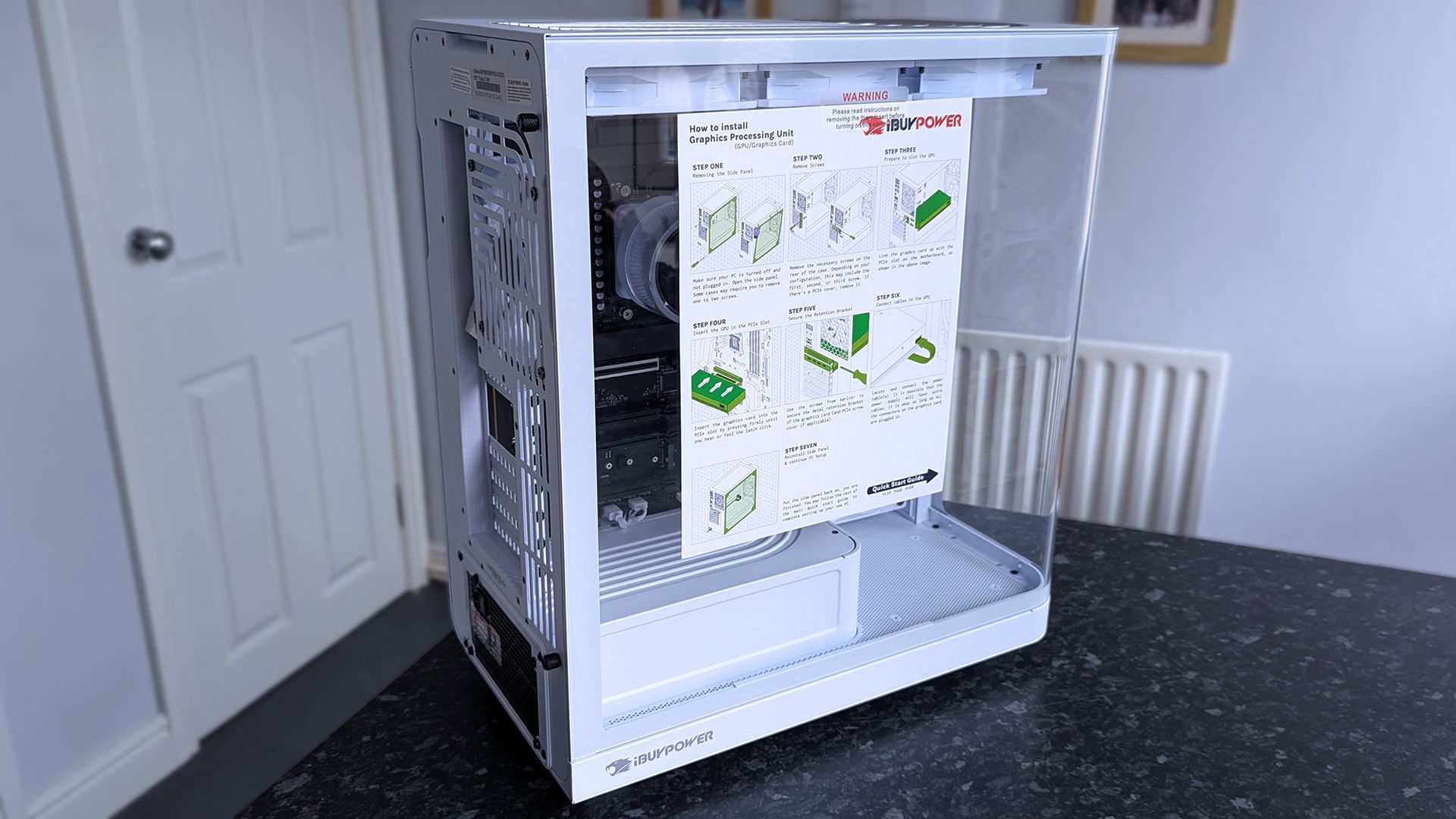
iBUYPOWER's RDY Trace X is a high-end variant, but the unboxing experience is the same. (Image credit: Ben Wilson | Windows Central)
I understand the apprehension that often comes from seasoned PC gamers who regularly build their own rigs, but I don't mind anyone opting for a pre-built machine. I've done it myself — quite a few times, in fact. Sometimes the package deal is a better financial option, and for others, it skips the stress of installing expensive components for the first time.
The only thing you have to do with an iBUYPOWER PC is install the graphics card, which is basically like slotting a cartridge into place and connecting a couple of nearby cables. You can't plug those cables in incorrectly either, because they're molded in a way that prevents that. Besides, they send their rigs with plenty of extra-clear instructions, and I'm confident that any newcomer would handle it just fine.
I tested a Trace X PC from iBUYPOWER, which is somewhat of a far cry from the more affordable offerings at Best Buy, but the principle is the same. They're boxed safely, come with a mouse and keyboard for a complete setup, and built-in Wi-Fi makes the whole process easier — even if you opt for a cabled Ethernet connection to your router later.
Are iBUYPOWER gaming PCs good for beginners?
Yes, they arrive mostly assembled and include detailed setup instructions for the final step of installing your graphics card, and typically come with a mouse and keyboard.
Do I need to install anything when my iBUYPOWER PC arrives?
Beyond running through a first-time Windows 11 setup, you might need to update your hardware drivers to ensure maximum gaming performance.
Can I upgrade an iBUYPOWER gaming PC later?
Yes. Most iBUYPOWER desktops use completely standard PC components, meaning extra RAM, storage, a stronger graphics card, or even a new CPU are all viable options.
Join us on Reddit at r/WindowsCentral to share your insights and discuss our latest news, reviews, and more.
Now that Season 1 has arrived for Call of Duty: Modern Warfare 4, that means that Warzone has now integrated with this year's game. With it comes two new maps, and in the case of the Resurgence map, Zodiac, we're starting to find some secret challenges with rewards to claim. Below I've rounded up what I know of so far, either through my own play or from other community members. Here's what you can get and how to do it. How to unlock the DRC Prototype Vel 46 Bluep
With it comes two new maps, and in the case of the Resurgence map, Zodiac, we're starting to find some secret challenges with rewards to claim.
Below I've rounded up what I know of so far, either through my own play or from other community members. Here's what you can get and how to do it.
How to unlock the DRC Prototype Vel 46 Blueprint
There's a secret weapon blueprint to unlock, and it's pretty easy to get. (Image credit: Windows Central)
Zodiac is hiding a secret weapon blueprint you can get, and it's actually pretty straightforward to unlock.
You can do it on any mode, so I recommend doing it in Rally Point while it's still around since it's easiest, and we don't know how long it'll be in the game for.
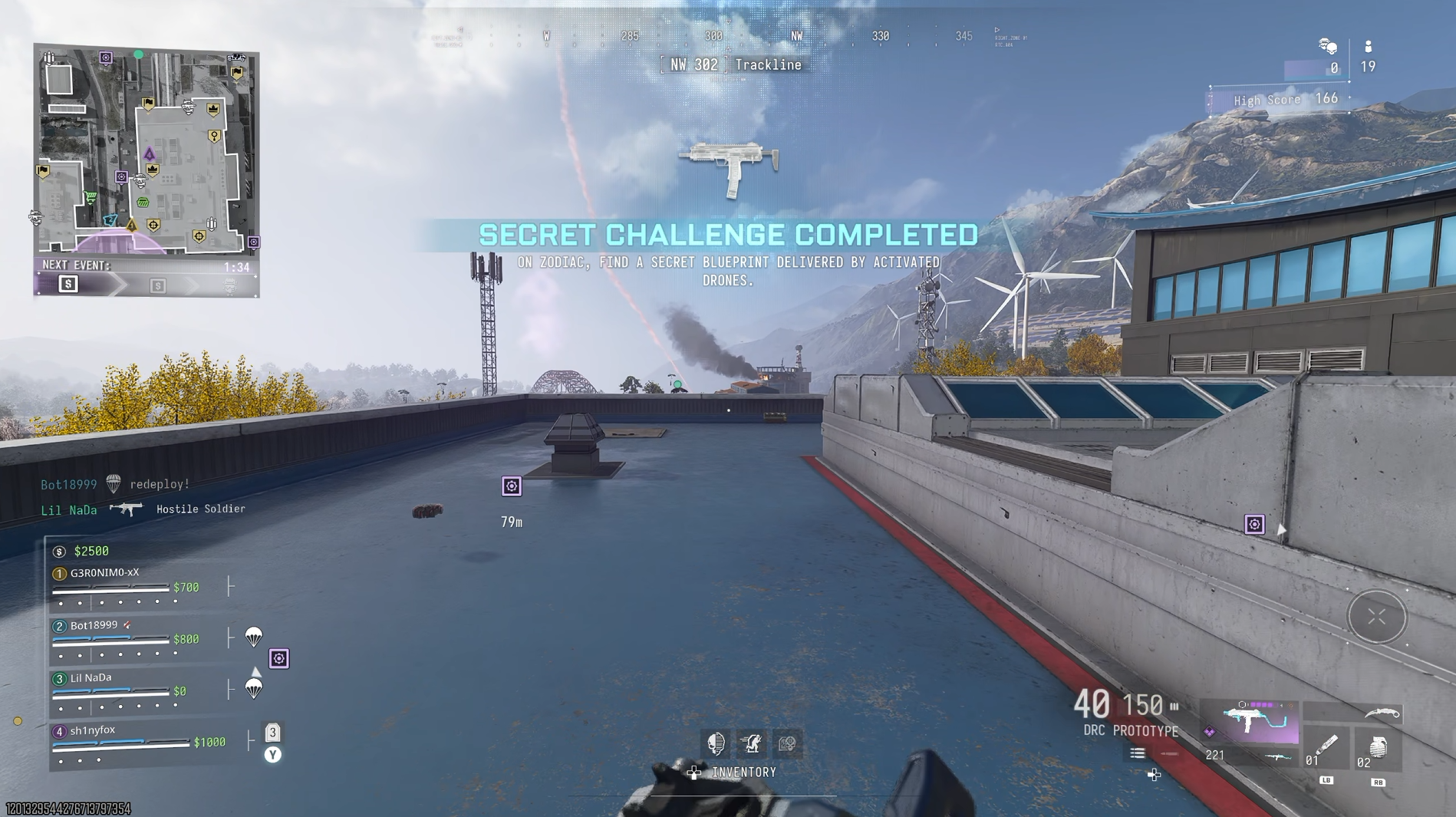
Drop into Trackline and head immediately for the room on the roof at the far southeast corner. Inside you'll find a computer you can interact with to call in a drone. It may not trigger the first time, so give it a few seconds, then try again.
Pick up the weapon one time and you'll unlock the blueprint. Windows CentralIt's actually a pretty solid blueprint, too, and you'll be able to craft it for free in DMZ. Windows Central
Then you have to wait for the drones to come over. I recommend leaving it until they land with all their supplies rather than shoot them down. This is because they'll come to you on the roof, and you won't lose the box you need.
Ignore everything except the orange crates. Open all of them, and inside one should be the "DRC Prototype". Pick it up, and you'll complete the challenge and have the blueprint to use in any of your games across Modern Warfare 4 and Warzone. Which includes a free one-time crafting in DMZ, too.
Call of Duty: Warzone Zodiac secret calling card challenges
One of the secret challenge calling cards available on the new Zodiac map. Windows CentralOne of the secret challenge calling cards available on the new Zodiac map. Windows Central
So far I've unlocked two calling cards on Zodiac for secret challenges. They're not necessarily must-haves, but for completionists, you'll be wanting to go and get them.
Here's what you have to do:
Tourist Trap: Visit every point of interest on Zodiac.
Fame: On Zodiac, get featured on the smart displays 8 times.
Look ma, I'm famous! (Image credit: Windows Central)
Getting "Tourist Trap" is easy enough. Drop in, and make sure you go to each POI at least once.
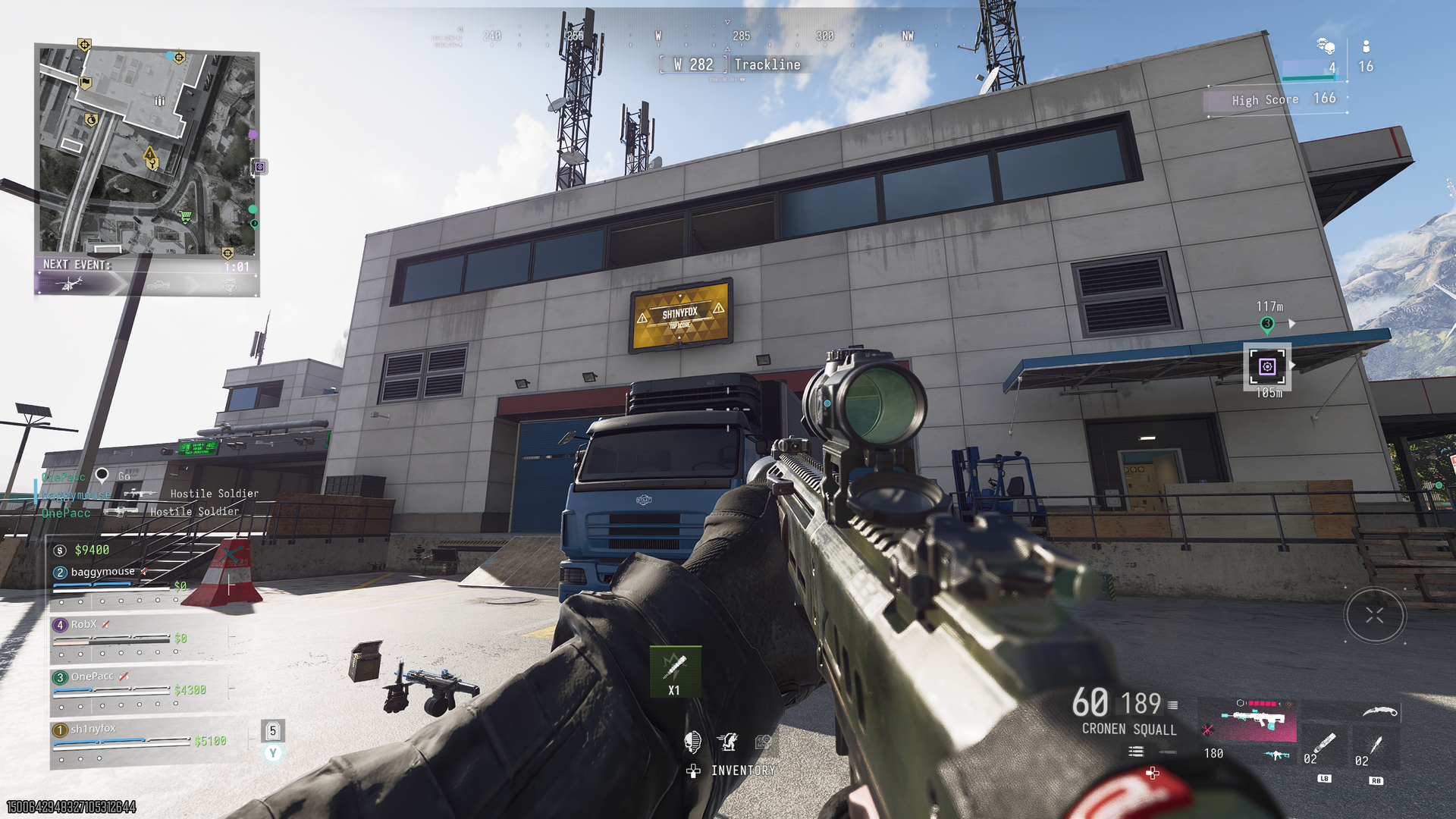
"Fame" is a little trickier, because it relies on you getting leading stats in your lobby. Be it a high score or most eliminations, you need to get your name on one of the screens across Zodiac. And you need to do it 8 times.
The good news is you can do this right now in Rally Point, the almost-endless mode (see below for more on that). I saw my name on there a few times for the highest score, so just do everything. Kill bots and real players, loot every crate you see, do contracts, and then do more contracts.
The reward for Fame is an animated calling card, and I kind of like it.
Drop a nuke on Zodiac, end the game, and get a weapon blueprint
I haven't done this one myself yet, so a hat tip to Incredilags on YouTube, where I've seen it first.
When you're playing Rally Point, there is a mode challenge to drop a nuke on Zodiac. But this is pretty tough, especially solo or with randoms who drop out. The only known way to drop a nuke on Zodiac right now is to buy it from a Buy Station, and it costs $1 million.
The first time you get one, you'll also unlock a blueprint for the Han 86, the "Perfect End" which you can see in the Incredilags video above.
How to unlock the EXE Phone weapon charm on Zodiac
Here's where the bunker is...Windows Central...but if you can get it open you're doing better than I am. Windows Central
For Resurgence cash building teams will want the EXE phone. We all know what it does, but its locations have already been found.
If you drop in just south of Solar, there's a bridge, and directly south of the bridge is a sewer tunnel. Inside here there's a keycard scanner, and some are saying that triggering the scanner and taking the card opens the door.
Except it hasn't worked a single time for me. I've tried in Rally Point, Casuals, and normal Resurgence, and after many tries, the door still hasn't opened for me.
I'm not sure if I'm doing something wrong, if it only works if a certain keycard comes out, or if there's a step that those who have done it so far don't realize they've done.
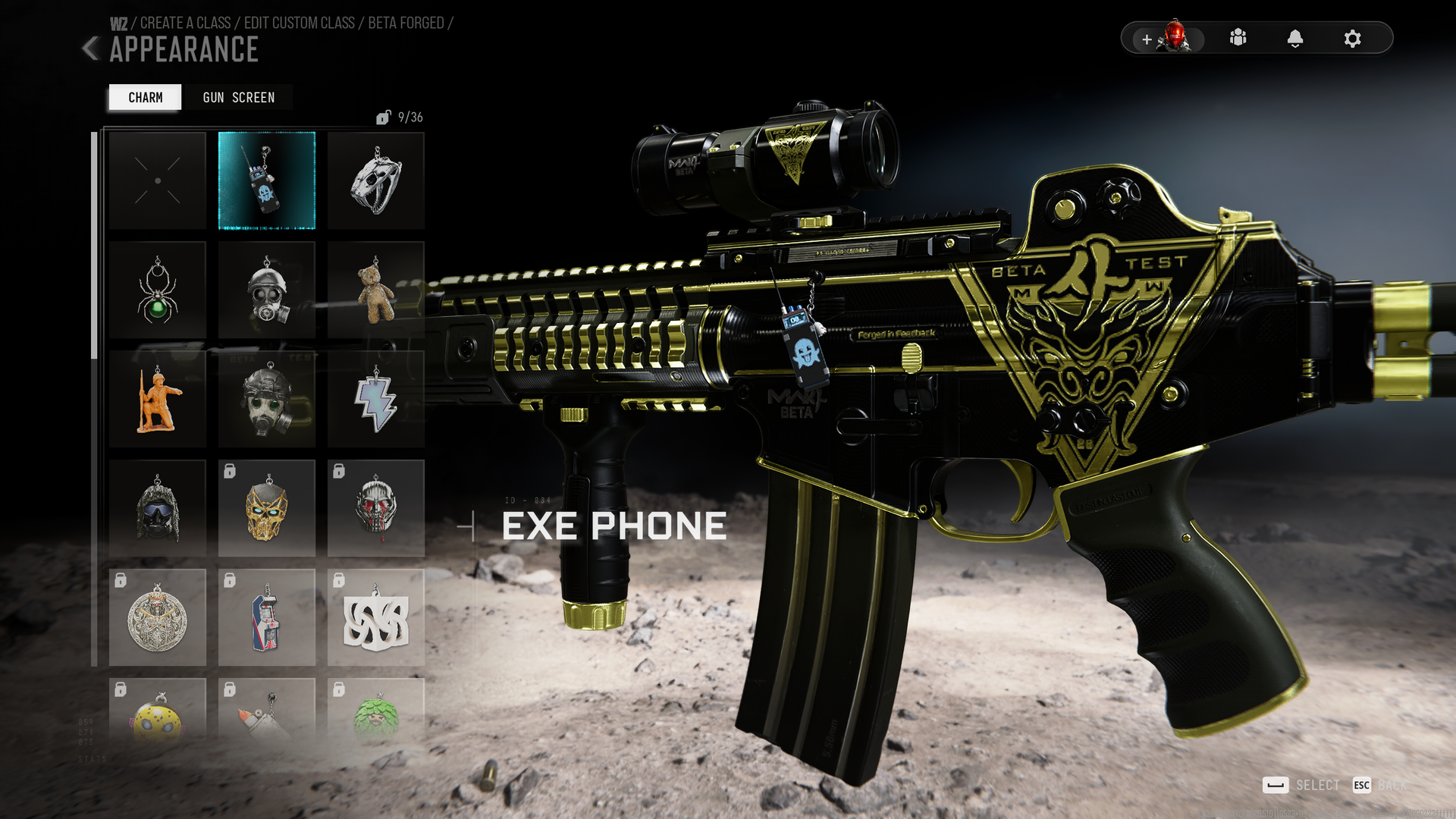
The EXE Phone charm is your reward. (Image credit: Windows Central)
Someone has suggested to me it only works after you've completed the existing secret challenge to get a keycard on 27 different days, which I have only just completed, it seems. So I guess I'll have to wait until tomorrow to see if that tracks.
But you can also get one by completing the Firing Range challenges, the Solar challenge, and the Furnace challenge, all of which are detailed below. Pick it up in six different matches and you'll complete a secret challenge and get yourself a weapon charm.
Violet Striker camo exclusive to Rally Point
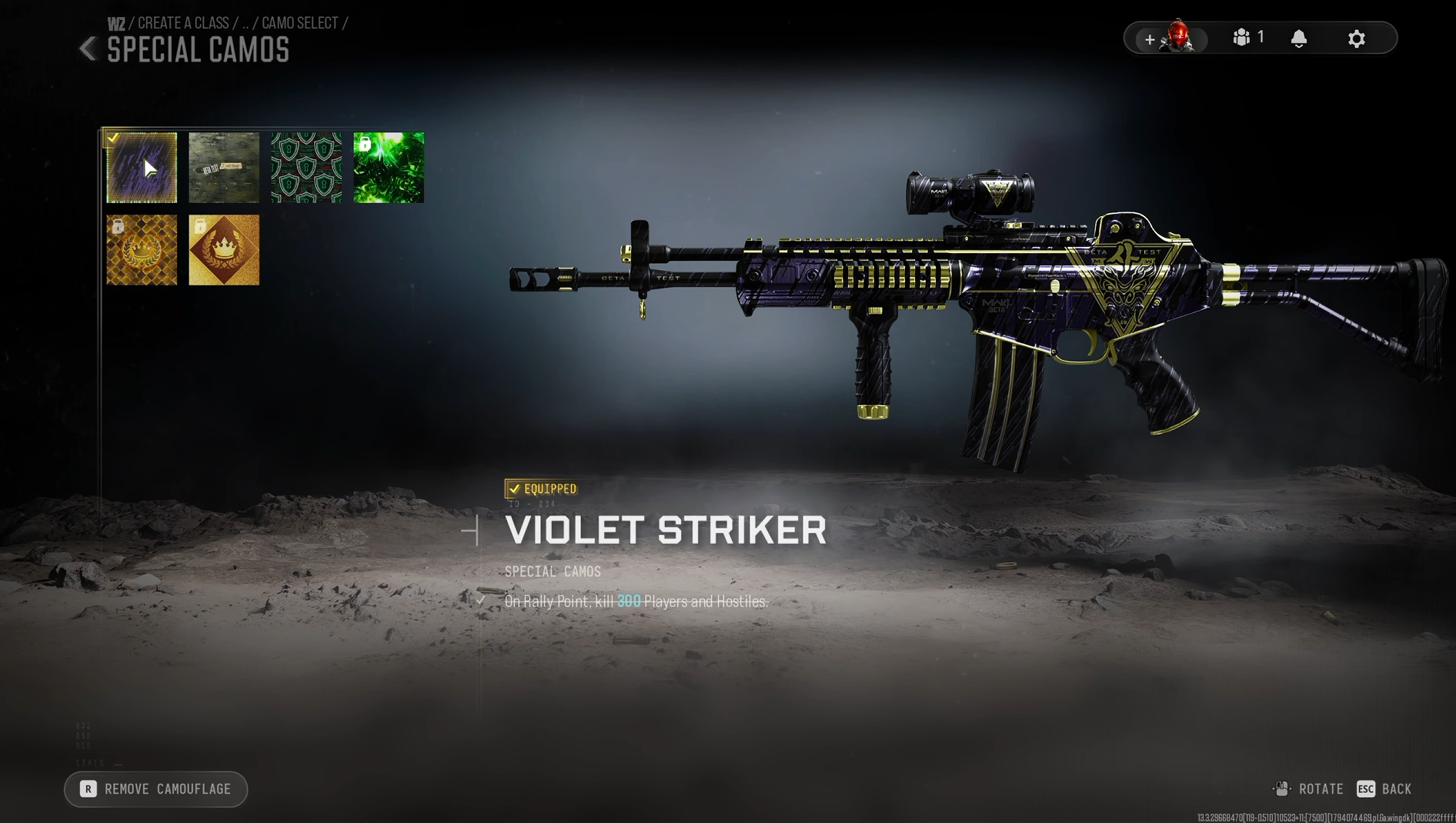
Rally Point has its own exclusive camo reward for playing. (Image credit: Windows Central)
To get the "Violet Striker" camo, you'll need to play the new Rally Point PvPvE mode. Unlocking it is pretty straightforward, though it may take a little time.
To get it, you simply have to get 300 kills on enemies in the Rally Point mode. Players and AI count equally, so make it as easy on yourself as you can and go after the bots.
How to complete the Zodiac Firing Range and Metal Detector secret challenges
Do this challenge while you do the Firing Range easter egg. (Image credit: Windows Central)
If you go to Sentinel on the far right-hand side of the map, on the ground floor on the very left of the POI you'll find a door that leads into the Firing Range.
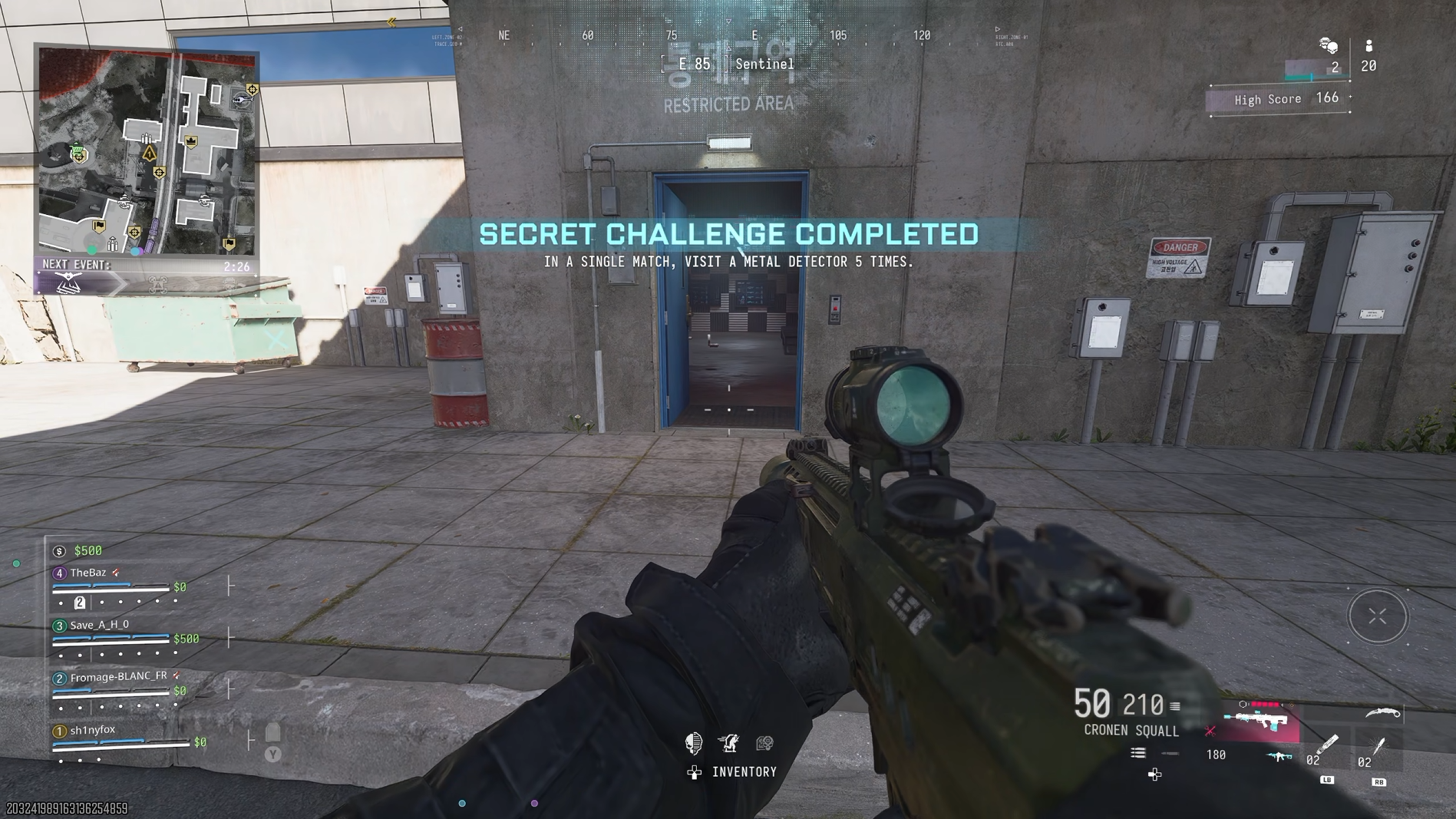
There are two easter eggs here. The first requires you to visit a Metal Detector five times in a single match. As there's one at the entrance to the Firing Range, simply run through it and trigger it, and keep doing it. It takes a few seconds to reset, but it's really easy.
You'll get a completion message on screen, but it doesn't seem to have a reward.
The reward is very meh, but it's part of a bigger picture if you want to get the mastery reward for all the challenges. (Image credit: Windows Central)
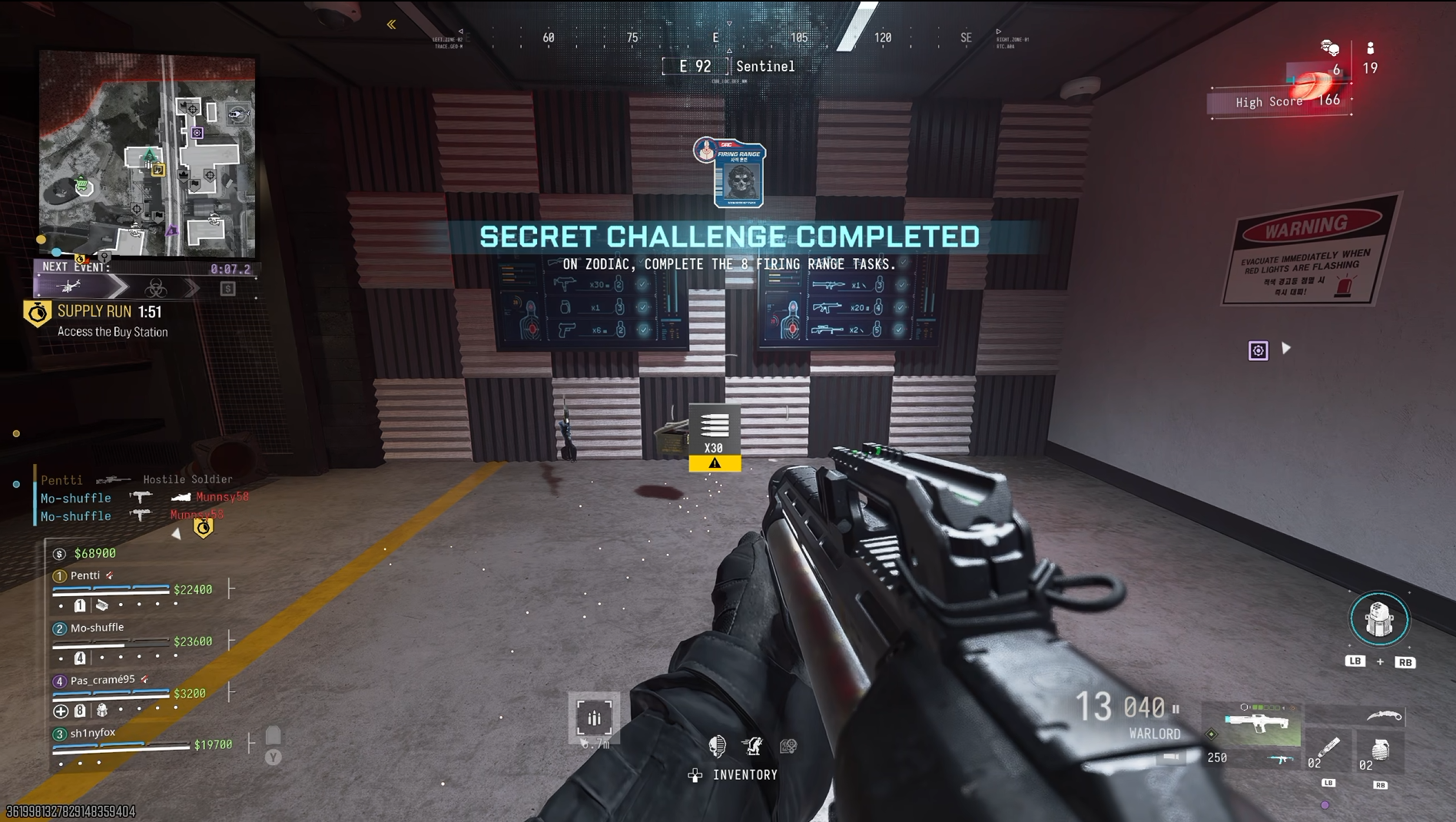
The second is a little harder to do, but I'm going to give you the easy way to make sure you get it done. On the wall in the Firing Range you'll see a pair of video screens.
It will show you each category of weapon, which lane you need to stand in, and how many shots you need to land on targets. The kicker is that to complete the easter egg, you need to do it all in a single match.
First up, do it on Rally Point. The next thing you should do is make sure you have a frag grenade in your loadout, because you need one of those to do the challenge. After that you have two choices. You can either load in and make sure you have each category in a loadout on your operator and down yourself so you can switch between them quickly.
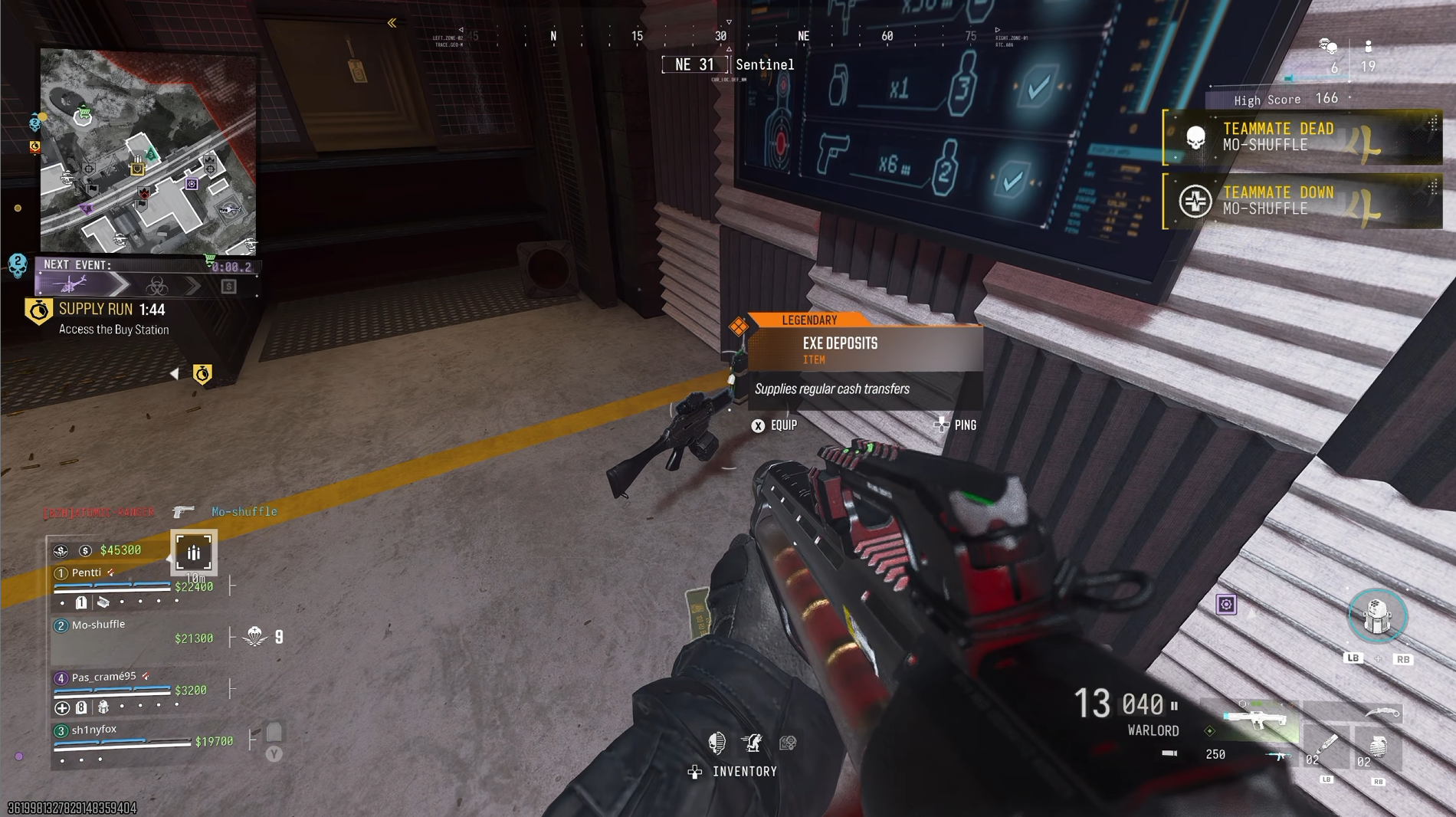
After 7 and or 8 challenge completions in the Firing Range, the phone will drop. (Image credit: Windows Central)
Or as you complete categories, new weapons will spawn under the screens. In my experience, the two that I couldn't get from here, or from looting crates, were pistols and launchers. So if you load in with those in your loadout, the rest should drop for you as you run through it.
You'll know you completed each weapon when you see "Weapon Tested" on the screen. When you complete all 8, you'll finish the challenge, and the reward is the "Hot Range" weapon sticker.
After 7 or 8 challenges you will also get the EXE phone drop. So if you coordinate with your squad, this could be a quick way to get a phone in regular Resurgence matches.
How to complete the Solar secret challenge on Zodiac
Solar's secret challenge will reward you with an emblem and a supply drop. (Image credit: Windows Central)
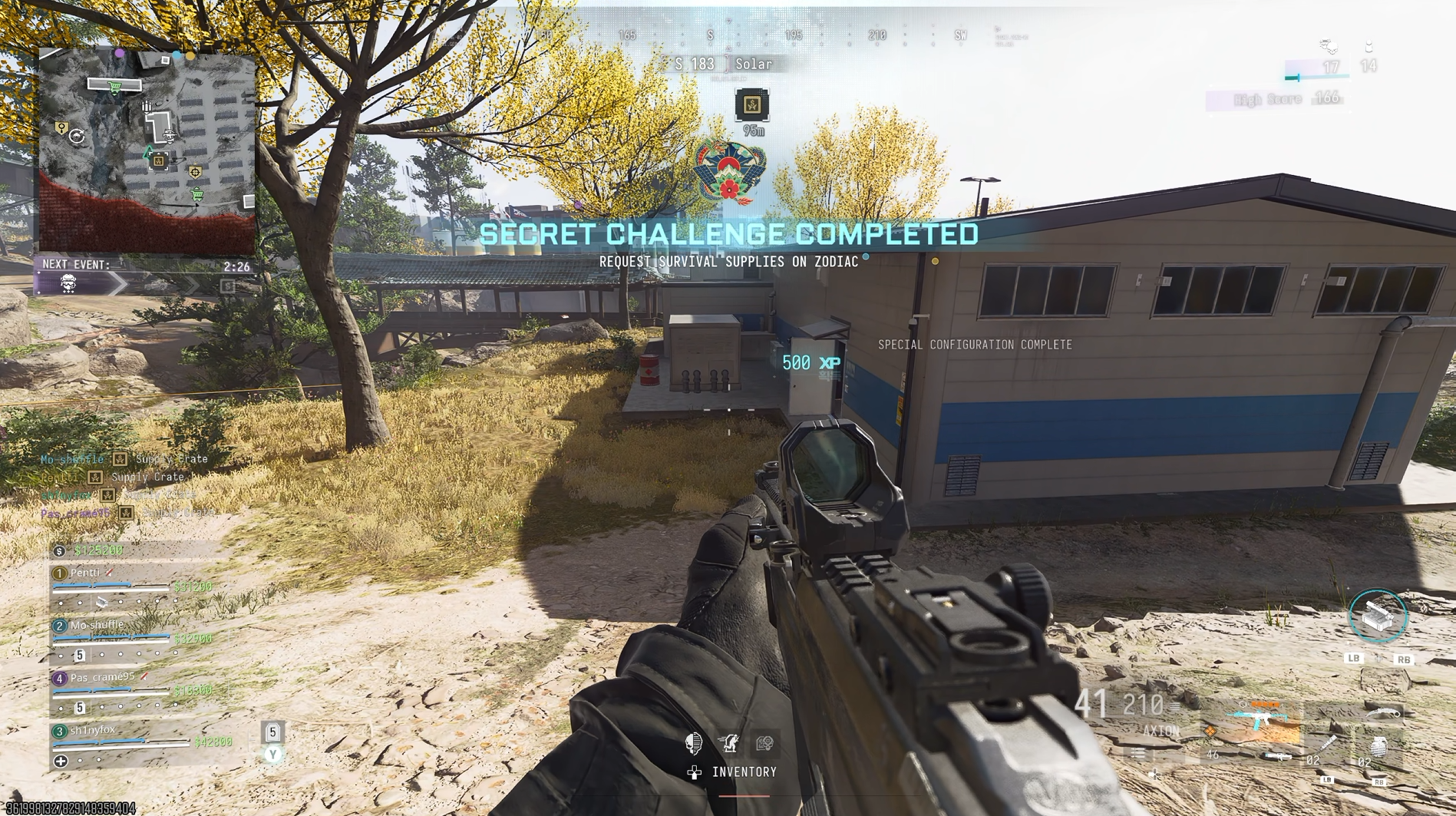
At the Solar POI on Zodiac there is a secret challenge relating to aligning the array of solar panels.
Drop in and go straight into the building and find the PC with a note next to it. Read the note, then look at the pattern on the PC screen.
It tells you whether each of the solar panels should be vertical or angled. Take note of the pattern, and on the back of each solar panel there is a button box to interact with.
The PC will show you how the layout needs to be. Windows CentralChange the panels that need altering with this button box on the back. Windows Central
Not all of them will necessarily need changing, but simply match up the pattern and you'll complete the challenge.
The reward is the "Scaling Energy" emblem, but you'll also get a supply drop full of goodies, including one of the all-important cash phones. So you can redo this in future matches (if you can do it quick enough) and get some great gear and a phone to help you on your way.
How to complete the Furnace secret challenge on Zodiac
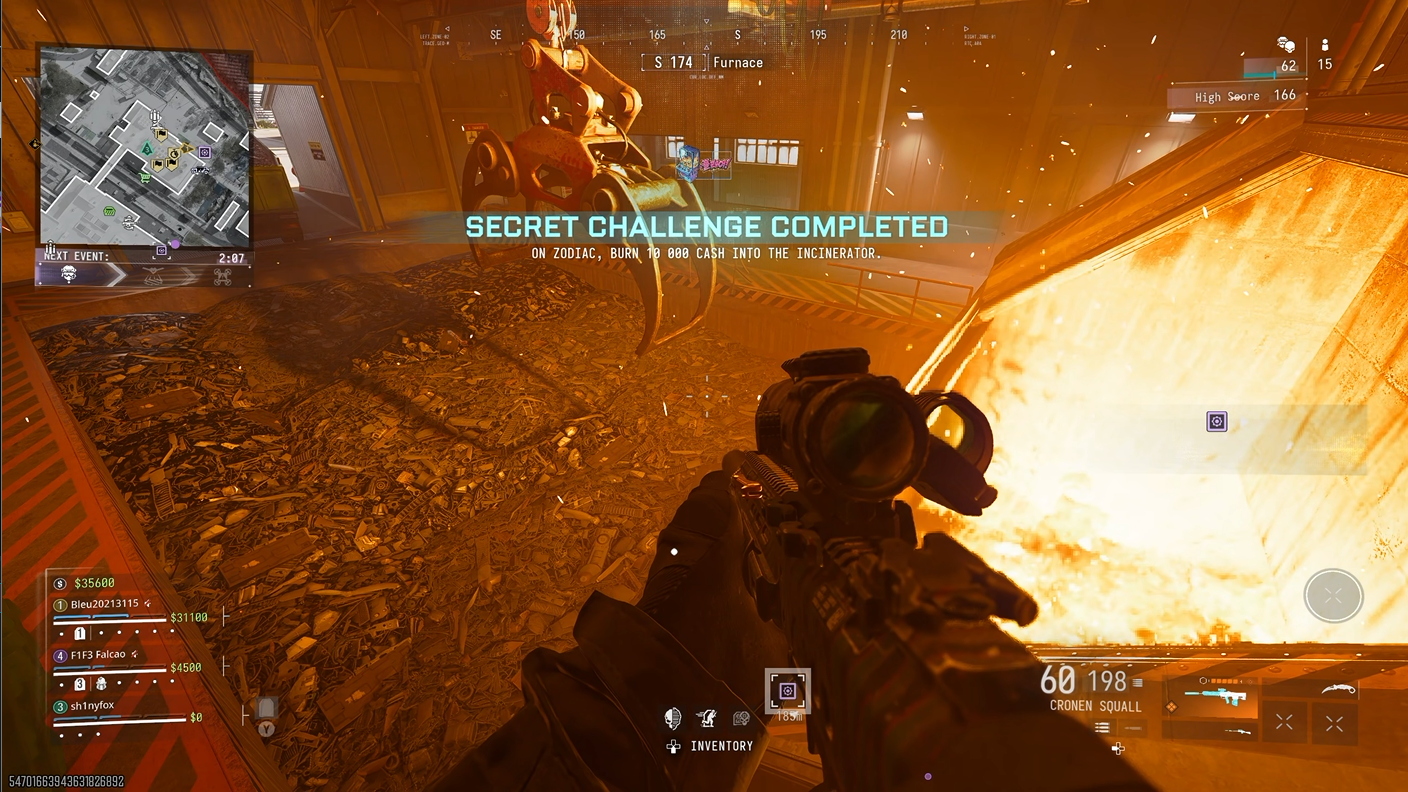
Literally throw your money into the fire. (Image credit: Windows Central)
This one's really easy to do, but you will need $10,000 in cash first. Once you have that, head to Furnace and go inside.
Go to the actual furnace and drop $10,000 into the flames. The reward is the Fire Arcade weapon decal, but it'll also drop a cash phone every time you do it.
Whether it's worth tossing your cash for, you decide, but considering one of the challenges is dependent on getting the phone in six different matches, it's an easy way to also do that one.
How to unlock the Zodiac Railway loading screen
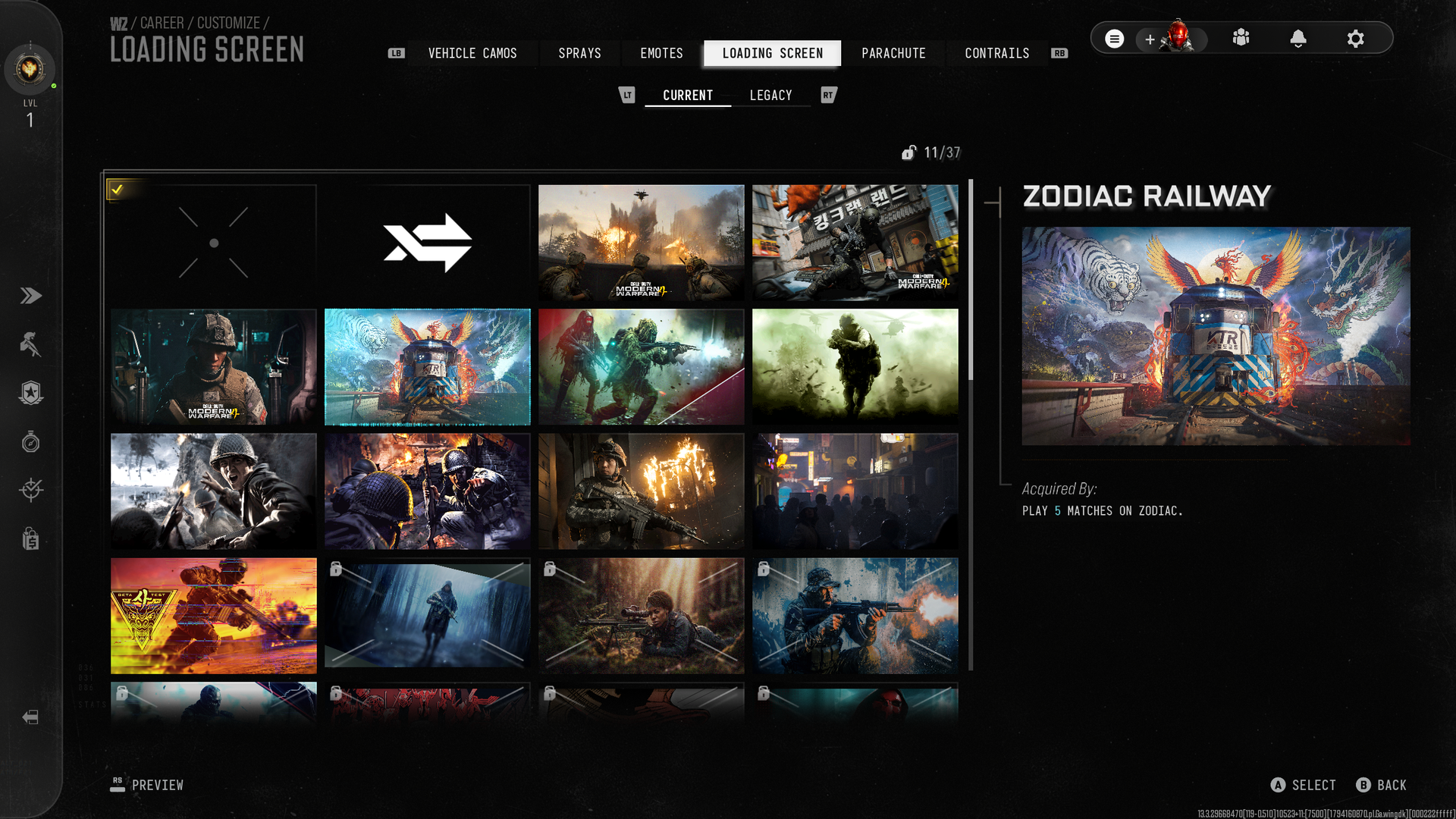
Probably the easiest reward to get since you'll unlock it passively doing the other challenges. (Image credit: Windows Central)
Chances are you got this one without even noticing, especially if you're working on the others. Simply play five different matches on Zodiac, and the Zodiac Railway loading screen is yours.
How to unlock the Unserialized weapon blueprint on Zodiac
Trade your weapons enough and get yourself a blueprint!Windows CentralTrade your weapons enough and get yourself a blueprint!Windows Central
To unlock the Unserialized Signal 50 blueprint, you simply need to trade your weapon at one of the weapon trading lockers on the map 25 times.
It doesn't matter what you trade or how many matches it takes; all you need to do is to do it 25 times and you'll unlock the reward.
The blueprint can be used in any mode, including a one-time free crafting in DMZ.
How to unlock the Chemical Trail contrail on Zodiac
Blow up 30 gas cisterns on the train...Windows Central...and get a new contrail as your reward. Windows Central
Contrails are the colored smoke you emit while deploying in Warzone and there's a new one to unlock via a secret challenge on Zodiac.
To complete the challenge, you need to blow up a gas cistern on Zodiac 30 times. How do you do that? It's pretty easy but will take a few matches, even on Rally Point.
When the train goes through, blow up the yellow tanks on it by firing until they catch fire and explode. You don't want to be too close, as it'll affect your health, but do that 30 times and you'll get the Chemical Trail contrail.
How to unlock the Classifed Weapon camo
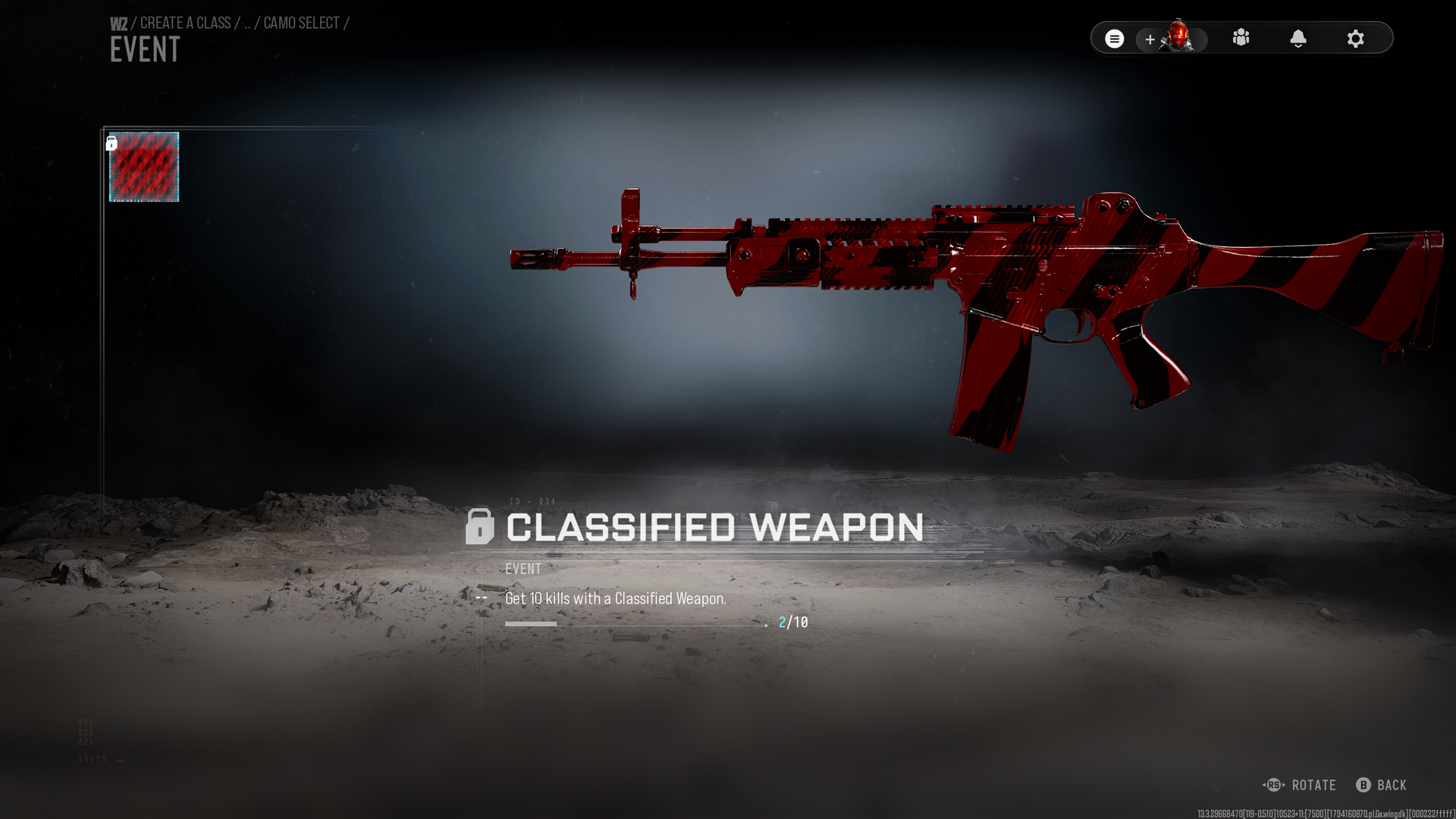
10 player kills with a Classified Weapon and the camo is yours. (Image credit: Windows Central)
For getting 10 player kills with a Classifed Weapon you can unlock the camo to use on any of your loadouts. So how do you get those?
On regular Resurgence, you'll need to grab the weapons from the crates that drop with them in or from operators you eliminate that already got them.
In Rally Point, get your score up to 100, and the purple supply drop you'll be rewarded will have Classified Weapons inside. And on Rally Point, you will always respawn with that weapon.
They have to be player kills, though, not bots. Once you get 10, the camo is yours.
The Zodiac secret challenges are still being discovered, and it's possible there are still more out there. There's a new parachute in the game, for example, and so far nobody has worked out if that's locked behind a secret challenge or not. This guide will be updated as and when they're solved.
Join us on Reddit at r/WindowsCentral to share your insights and discuss our latest news, reviews, and more.
In the lead-up to Call of Duty: Modern Warfare 4's release, the developers made the controversial announcement that the console versions would require VRR monitors in order to run at 120Hz in Performance mode.Players who didn't have or couldn't afford VRR monitors were mad at this last-minute decision, and the developers took notice because, as of today, they have reversed it as part of Call of Duty: Modern Warfare 4's Season 1 update. Call of Duty: Modern Warfar
Players who didn't have or couldn't afford VRR monitors were mad at this last-minute decision, and the developers took notice because, as of today, they have reversed it as part of Call of Duty: Modern Warfare 4's Season 1 update.
Call of Duty: Modern Warfare 4 Season 1 update will bring console 120Hz back to all 120Hz+ monitors, regardless of VRR active "We have opened up "Performance Mode (120Hz)" for all PlayStation 5 & XBOX Series X|S players with 120hz displays, regardless of VRR support." https://t.co/jl79uwMIlLNovember 5, 2026
According to the Season 1 patch notes, the developers stated, "We have opened up 'Performance Mode (120Hz)' for all PlayStation 5 & XBOX Series X|S players with 120hz displays, regardless of VRR support. For the best experience, VRR is recommended."
So while VRR monitors are still needed to achieve the best frame rate performance possible, at least those who don't have VRR monitors won't be forced to buy one just so they can have smooth, optimal gameplay.
But will this and the rest of Season 1's content be enough to attract more players to Call of Duty: Modern Warfare 4 and help offset its worrying 32% sales drop? Only time will tell.
Experience the dark, climactic finale of Captain Price's personal war from the shadows as long-running storylines reach their heart-pounding breaking point in Call of Duty: Modern Warfare 4. In addition to an epic campaign, Call of Duty: Modern Warfare 4 offers thrilling multiplayer modes such as the DMZ mode.
The new Xbox PC app, which we recently dived into in its earlier forms, is finally going live for testers today. Here's what you need to know. On Xbox Wire, Microsoft's VP for Xbox Experiences, Jason Beaumont, revealed that the latest Xbox PC app iteration offers 60% improved launch speed and detailed some of the usability refinements we previously saw in earlier versions. I demonstrated the upcoming Xbox PC app in a couple of videos recently. It is a web app, bu
The new Xbox PC app, which we recently dived into in its earlier forms, is finally going live for testers today. Here's what you need to know.
On Xbox Wire, Microsoft's VP for Xbox Experiences, Jason Beaumont, revealed that the latest Xbox PC app iteration offers 60% improved launch speed and detailed some of the usability refinements we previously saw in earlier versions.
I demonstrated the upcoming Xbox PC app in a couple of videos recently. It is a web app, but it's orders of magnitude faster than previous versions, and rubber banding on devices like the Xbox Ally X has been virtually eliminated.
"We’re also bringing the refreshed XBOX web experience to more players and rolling out updates to XBOX cloud gaming apps on supported TVs and VR headsets," Beamont explained. "These changes are part of our work to make XBOX faster, simpler, and more familiar wherever you play."
Indeed, the Xbox Cloud Gaming app has also received a similar overhaul, the interface of which has been in testing and early rollout for a few months. The idea revolves around unifying the different Xbox experiences across PC, TV, mobile devices, cloud, consoles, and handhelds so that the most familiar parts of the apps are always within muscle memory.
Download the Xbox Insider Hub on your PC from here.
Navigate to Previews from the left panel.
Scroll down to find "PC gaming."
Click "Join" and wait while it says "Pending." You can leave the app.
Check 10-15 minutes later to see if it now says "Manage." If so, you're now enrolled.
Reboot your PC and check the Xbox app and Microsoft Store for an update.
The Xbox PC app has improved leaps and bounds
The new app performs far better on desktop PCs and on gaming handhelds. (Image credit: Windows Central | Jez Corden)
The Xbox PC app still has a big feature gap compared to Steam, for sure. There's a lack of community tooling, in-app mod delivery and curation, and the search functionality is often slow to catch up with recently launched products. There's also still a big catalog gap between Xbox's PC store and other platforms, although Microsoft's initiatives with Xbox Play Anywhere have been doing some strong heavy lifting recently.
As someone who primarily games via Xbox, I've found recently that I don't really need Steam at all anymore for new PC games, given that so many now support Xbox Play Anywhere across devices.
I'd love to see more customization features go live in the Xbox PC app to line up with what we have on console. I'd love to see more community tools and ways for developers to interact with their audiences. I think Microsoft's game recommendation is very poor overall (why are you recommending me Roblox when you literally know I'm in my 40s, Microsoft?).
But the work is being done; Microsoft has uncharacteristically stuck it out with this aspect of its platform despite being very late to the party, and it's great to see as an Xbox customer. But it remains to be seen if Microsoft can win over non-Xbox customers in a PC universe dominated by Steam.
Join us on Reddit at r/WindowsCentral to share your insights and discuss our latest news, reviews, and more.
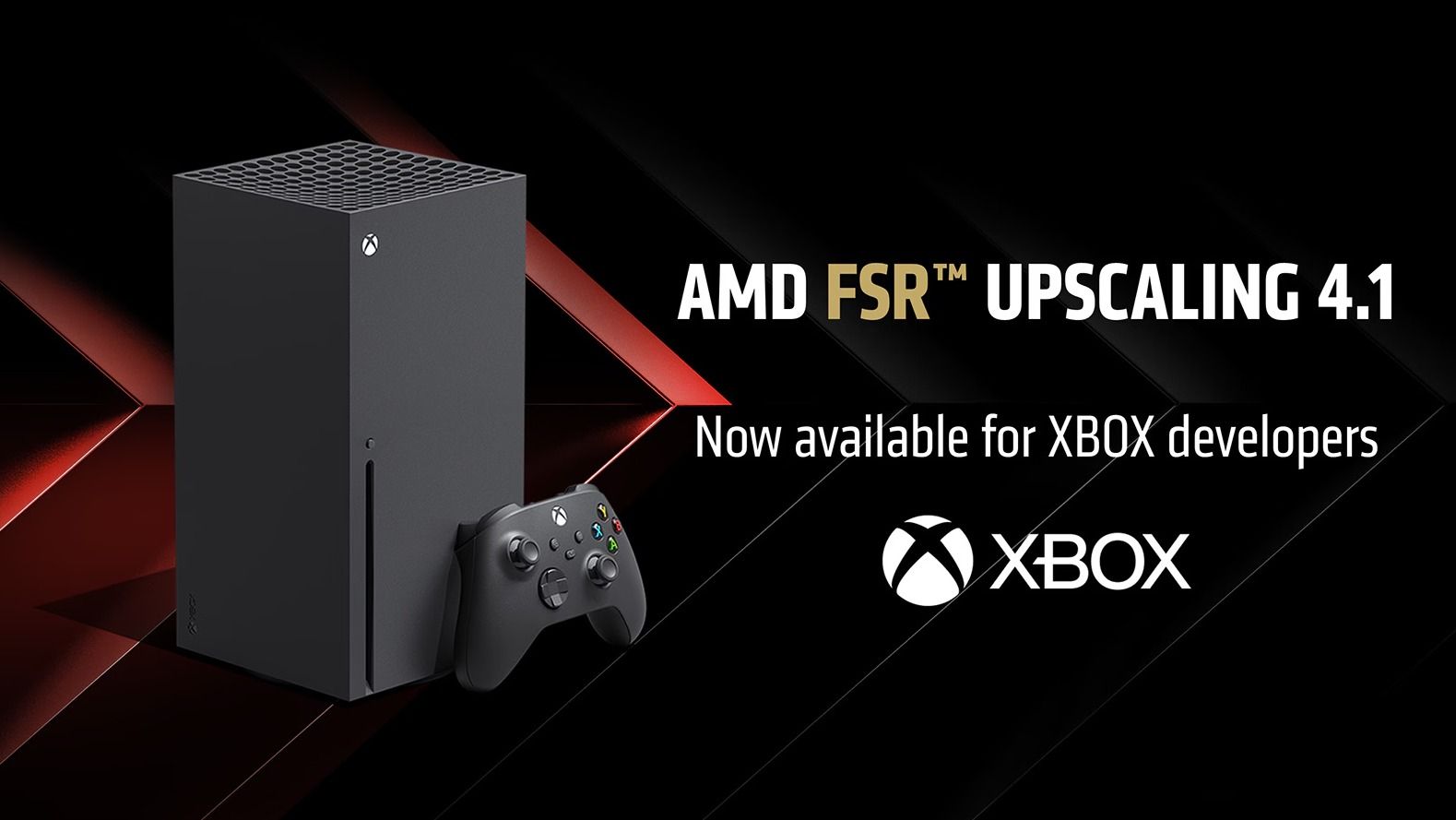
On October 23, 2026, AMD began rolling out FSR 4.1 for Xbox, starting with beta drivers for Xbox Ally handhelds. Now, AMD has announced that FSR 4.1 is available for Xbox developers working on Series X|S games.FSR 4.1 is the latest version of AMD's AI-powered upscaling technology, rendering games at lower internal resolutions before reconstructing them to a higher output resolution while preserving detail and improving performance.It's also part of Microsoft's wi
It's also part of Microsoft's wider push toward a more unified Xbox ecosystem across consoles, handhelds, and desktop gaming PCs. While the tech has mostly been showcased on Xbox Ally X hardware so far, early beta driver results showed meaningful improvements to image quality and frame rates, at least in supported games.
AMD FSR Upscaling 4.1.2 on XBOX Series X|S is available to developers today! Our new GDK sample demonstrates both Full and Lite models, optimized for each console. Thanks to our partners at @AMD for the great collaboration! We can't wait to see what developers create with it.https://t.co/geZTRYNW5pNovember 5, 2026
Certain games that previously appeared noticeably soft or blurry in their Quality modes on Xbox Ally X also showed substantial image-quality improvements while maintaining strong performance, even in games that show dozens of enemies on screen at once, like Warhammer 40,000: Darktide.
How much of a difference FSR 4.1 makes on Xbox Series X|S will depend on per-developer implementation, and we already know that certain games that rely on ray-traced lighting, like Silent Hill 2, need more work. Still, those early Xbox Ally X results suggest FSR 4.1 could act as a software-driven mid-generation upgrade of sorts, helping developers squeeze more performance out of existing hardware. Good news.
Join us on Reddit at r/WindowsCentral to share your insights and discuss our latest news, reviews, and more.
After months of anticipation, World of Warcraft: Forever, the reimagined take on the World of Warcraft's "classic" era, has finally gone live on PC via the Battle.net store. Normally, whenever a new MMORPG or expansion for one comes out, its launch is usually riddled with server stability problems or log-in queues so long that it will take players hours to log in (like FFXIV: Endwalker's infamous launch, for example).Very stable launch for World of Warcraft Forev
After months of anticipation, World of Warcraft: Forever, the reimagined take on the World of Warcraft's "classic" era, has finally gone live on PC via the Battle.net store.
Normally, whenever a new MMORPG or expansion for one comes out, its launch is usually riddled with server stability problems or log-in queues so long that it will take players hours to log in (like FFXIV: Endwalker's infamous launch, for example).
Very stable launch for World of Warcraft Forever. Huge amount of people spawned in all at once, no lag, mob spawns rapid, good stuff.November 5, 2026
However, World of Warcraft: Forever's launch appears to have gone more smoothly than expected, thanks to its "Megaserver" architecture, which handles more players at once than individual "realm" servers in regular World of Warcraft.
Our own Jez Corden tested World of Warcraft: Forever and described it as a "very stable launch", which suffered no lag while spawning dozens of players and monsters at once.
At the risk of jinxing things, so far so goodish which is crazy by itself. The team prepared a lot since the wildness of Beta. And this launch was crazier than the insanity we imagined but thankfully the team built plans and contingencies. They are incredible imo. 😲 #WoWForeverNovember 5, 2026
Blizzard's vice president, Holly Longdale, has also made a post on X saying World of Warcraft: Forever's launch is "so far so goodish which is crazy by itself". Judging by the huge wave of replies to that comment, players seem to agree.
People are calling it the best launch World of Warcraft has ever had, with minimal queue times when logging in that last only a couple of minutes, minimal server lag, and no constant disconnects.
Windows Central's take
I myself have briefly logged into World of Warcraft: Forever to mess around with it before heading to work and was surprised by how fast I was able to log in (only a few minutes tops) and how smoothly it ran at max settings.
Granted, I haven't visited one of the major player settlements yet, so that will be when I can truly stress test this game's stability. But right now, I'm looking forward to playing this game when I get off work tonight and see if it can make up for the many gameplay, storytelling, and microtransactional shortcomings World of Warcraft: Midnight has put players through.
Join us on Reddit at r/WindowsCentral to share your insights and discuss our latest news, reviews, and more.
Wireless earbuds can make a short gaming break depend on whether you remembered to charge their case the night before. Razer’s Hammerhead V3 Chroma takes that worry off the list with a cable that carries audio and power through USB-C. There’s no headphone jack involved in this return to wired listening, and the angled plug has been shaped around the hands holding your phone.
The connector has a 90-degree bend, letting the cable run alongside a compatible device rather than sticking straight int
Wireless earbuds can make a short gaming break depend on whether you remembered to charge their case the night before. Razer’s Hammerhead V3 Chroma takes that worry off the list with a cable that carries audio and power through USB-C. There’s no headphone jack involved in this return to wired listening, and the angled plug has been shaped around the hands holding your phone.
The connector has a 90-degree bend, letting the cable run alongside a compatible device rather than sticking straight into your palm. That matters when you rotate a phone for a game and wrap both hands around its ends. It’s a small adjustment to an unglamorous component, but one that addresses one immediate objection to putting a wire back into a handheld setup.
The wire also gives Razer somewhere to put controls that don’t have to share space with an ear tip. An in-line remote handles volume, playback, and active noise cancellation (ANC), with raised controls you can locate by touch rather than tapping an earbud. Its omnidirectional microphone supports calls and team chat, keeping the interactions on the cable instead of behind another phone menu.
Of course, subtlety isn’t really the point of a bright green cable hanging from black earbuds. Circular outer caps carry illuminated Razer logos, with Chroma RGB offering 16.8 million color options. The glossy housings and short stems aren’t particularly dramatic by themselves, but the color makes the whole arrangement unmistakably gaming hardware, even when you’re simply listening to music on the bus.
Inside each earbud, a dynamic driver works alongside a dedicated tweeter, dividing the work between lower and higher frequencies. Razer includes feed-forward ANC, intended to reduce surrounding noise during a commute or a match in a shared room. Noise cancellation brings a familiar wireless-earbud convenience to a wired pair, although neither the driver arrangement nor the connection guarantees great sound on its own.
Four presets cover Gaming, Music, Movies, and Call, alongside a custom equalizer profile for anyone who prefers adjusting the balance themselves. Moving to a PC adds THX Surround Sound 7.1 through Razer Synapse 4. That’s a software-dependent extra, not something the earbuds automatically deliver on every phone, so the same connection doesn’t mean an identical feature set everywhere you plug them in.
The IPX4 rating allows for splashes and sweat, which makes sense for earbuds that might move from a desk to a drizzly commute. It doesn’t turn them into waterproof gear. The cable needs managing: it can catch on clothing or pull against the phone when you reach too far. A bent connector changes its direction, not the distance you’re able to move.
Launched on November 5, 2026, the Hammerhead V3 Chroma costs $79.99 in the US. The trade is straightforward: fewer batteries to remember, but a cable and an occupied USB-C port in return. If that’s your phone’s only charging connection, you’ll need another way to top it up while listening. The earbuds need no charging, but your phone doesn’t get the same night off.
Si vous jouez sous Linux avec une carte ou une puce Intel Arc, alors forcément XeSS tourne chez vous dans Proton. Pour rappel, XeSS c'est la techno d'Intel qui fait tourner le jeu dans une définition plus basse. Ça reconstruit l'image à la définition de votre écran grâce à l'IA, et avec sa frame generation, ça invente carrément des images intermédiaires pour gonfler le nombre d'images par seconde. Mais sous Linux, ça le fait en empruntant la voie de secours DP4a, et pas sur les unités XMX du GPU
Si vous jouez sous Linux avec une carte ou une puce Intel Arc, alors forcément XeSS tourne chez vous dans Proton. Pour rappel, XeSS c'est la techno d'Intel qui fait tourner le jeu dans une définition plus basse. Ça reconstruit l'image à la définition de votre écran grâce à l'IA, et avec sa frame generation, ça invente carrément des images intermédiaires pour gonfler le nombre d'images par seconde. Mais sous Linux, ça le fait en empruntant la voie de secours DP4a, et pas sur les unités XMX du GPU, qui sont des cœurs matriciels prévus justement pour ça. Et ça c'est sacrément dommage car XeSS a été taillée POUR ces XMX, sauf que sous Proton, elle ne trouve pas de pilote Intel pour répondre à ses questions et se rabat donc sur sa version générique. Snif.
Cette version générique tourne ainsi sur n'importe quelle carte graphique récente mais via l'instruction DP4a des unités de calcul classiques. Résultat, les XMX se tournent les pouces et surtout, la frame generation reste bloquée en x2, soit une seule image générée par image calculée, alors que sous Windows, une Arc peut monter jusqu'au x4 ! C'est couillon non ?
Heureusement, le projet communautaire
xess-xmx-linux
change la donne puisqu'il permet de faire tourner la vraie XeSS d'Intel, super résolution et frame generation incluses sur les XMX dans les jeux Proton.
Pour y arriver, ce projet ne touche ni à Proton ni à vkd3d-proton mais glisse dans vos préfixes une DLL qui se fait passer pour le pilote Intel, igdext64.dll (le "shim"). Ensuite, un pilote Mesa ANV patché compile à la volée les kernels de XeSS avec le compilateur d'Intel. C'est hyper expérimental vous vous en doutez mais ça évolue très vite.
La fiche du dépôt sur GitHub, qui annonce XeSS sur XMX pour les Arc Xe-HPG, Xe2 et Xe3 (image : GitHub)
Avant de vous lancer, mesurez quand même vos attentes qui je le sais, sont grandes ^^. Sur le GPU Arc B390 de l'auteur, Cyberpunk 2077 gagne 28 % au benchmark intégré, avec 61,3 images par seconde, face à Mesa 26.1.2 en DP4a. Comment expliquer ce "saut" sachant que les XMX ne font qu'environ 5 % de mieux que DP4a. En fait, cela provient de Jay, le nouveau compilateur de Mesa 26.3, celui-là même que Mesa utilise par défaut sur Xe2 et Xe3.
Ce que le projet dont je vous parle aujourd'hui apporte vraiment, c'est surtout de la génération de frame de XeSS en x3 et x4 sur XMX (sans l'extension d'Intel, elle plafonne à x2), et Cyberpunk 2077 monte ainsi à 117 images par seconde en x3 dans le même test.
Et quand la frame generation est active, il ajoute un mode faible latence qui empêche les images de faire la queue devant le GPU comme vous à la caisse d'Auchan. Sur Wuthering Waves, à fréquence d'images égale, la latence passe également de 69 à 35 ms quand le jeu est limité par le GPU, comparé à la même frame generation sans ce mode.
Bref, encore une fois, c'est à prendre avec des pincettes car tout ça a été mesuré sur une seule machine, avec un seul passage par jeu, et la qualité d'image n'a pas encore été évaluée...
Avant de commencer
Il vous faut un GPU Intel avec des unités XMX, sur le pilote noyau xe ou i915. Ça couvre les Xe3 (Panther Lake, l'auteur développe également sur l'Arc B390 d'une ONEXPLAYER 3 sous SteamOS), les Xe2 et les Xe-HPG. Lunar Lake et Arrow Lake-H sont également détectés mais pas encore testés (si y'a des volontaires, hein...). Et Meteor Lake est totalement hors jeu puisque son GPU Xe-LPG n'a pas d'unités XMX.
Voilà... Et côté système, les pilotes livrés sont compilés sous Arch et exigent la glibc 2.38 et libwayland-client 1.24 au minimum. L'auteur a vérifié cependant qu'ils se chargaient bien sur SteamOS, Arch, openSUSE Tumbleweed, Void Linux, Fedora 43 et Ubuntu 25.10, mais hors SteamOS, c'est uniquement le chargement qui a été testé en conteneur, et pas dans des vrais jeux sur du vrai matos. Quant à Debian 13 et Ubuntu 24.04, ils n'ont pas cette version de libwayland-client et obligent donc à recompiler le pilote sur la machine (je ne couvre pas cette étape ici).
Il vous faudra aussi le client Steam natif, car la version Flatpak n'est pas supportée, ainsi qu'un Proton récent et des jeux en DirectX 12. Le script d'installation a aussi besoin de curl, ar (paquet binutils), tar, zstd et python3, plus unzip ou python3 pour récupérer le SDK XeSS.
Voilà, je pense que j'ai fait le tour des pré-requis.
Par contre, gaffe aux jeux en ligne car dans un jeu avec un anti-triche, cette DLL pourrait se faire spotter et vous pourriez être considéré comme un de ces affreux tricheurs et vous faire bannir...
On installe !
Téléchargez l'archive de la dernière release depuis la page Releases du dépôt, et décompressez-la dans un dossier où elle restera, car pour la déplacer ensuite, il faudra d'abord lancer uninstall.sh. Depuis ce dossier, une seule commande à lancer :
Le script téléchargera alors le compilateur d'Intel (environ 95 Mo), les bibliothèques du SDK XeSS (77 Mo) et les fichiers FidelityFX d'AMD (87 Mo), puis il faudra redémarrer ou fermer et rouvrir la session.
Ensuite, chaque jeu lancé depuis Steam passera par le pilote patché, sans option de lancement. C'est aussi simple que ça ! Notez bien que ça touche toute votre session puisque le pilote patché devient LE pilote Vulkan Intel 64 bits qui s'applique à tous les jeux.
Sachez aussi que si votre Steam a été installé via le APT de Debian ou d'Ubuntu, il se trouve dans ~/.steam/debian-installation, et il ne sera pas trouvé par le programme d'install. Ça devrait être corrigé dans une future release mais en attendant, l'auteur conseille de lancer la commande install comme ceci :
Enfin, pour n'activer le projet que sur certains jeux, il est possible d'installer ça jeu par jeu. En gros, vous lancez enable.sh avec l'identifiant Steam du jeu, puis vous mettez le chemin de xmx-launch.sh devant %command% dans ses options de lancement et voilà...
Maintenant, dans le jeu, choisissez bien XeSS, et sa frame generation si elle est proposée, sur le rendu DirectX 12. Comme le premier lancement compile les kernels XeSS du jeu, ça prendra une à deux minutes mais une seule fois, donc pas de panique si ça semble figé !! Ensuite ça ira plus vite.
Et le reste se configure par les options de lancement de Steam (Propriétés, Général), devant %command%. Sachez également qu'un jeu dont la version de XeSS est plus ancienne que la 2.0.2.68 ne verra pas le GPU Intel, et rebasculera en DP4a. Il ne pourra donc pas proposer de frame generation XeSS. C'est le cas de Cyberpunk 2077, et le paramètre XESS=latest lui permettra quand même d'utiliser les bibliothèques du SDK d'Intel juste le temps de la partie, puis remettra les originales en place dès que vous quitterez le jeu. Ça permet à Steam de retrouver le jeu tel qu'il a été installé.
XESS=latest %command%
XESS_FG=4 %command%
XESS_FG, lui, force le multiplicateur de la frame generation, x3 ou x4, même quand le menu du jeu ne propose que du x2 comme dans Cyberpunk. Pour cela, la frame generation doit rester activée dans le jeu. Vous pouvez aussi, si vous êtes très très chaud, tenter le x5 à x8 mais là on est dans l'hyper expérimental car au-delà de ce qu'Intel supporte. Gardez donc un limiteur d'images, celui du jeu ou de
gamescope
, sinon les images générées arriveront à l'écran de façon très très irrégulière. Et ça on ne veut pas car vomir c'est pas cool !
Ah et oubliez le plein écran exclusif, car XeSS-FG le refusera. Le jeu ne pourra donc tourner qu'en version fenêtrée sans bordure.
Comment vérifier que ça passe bien par les XMX ?
Les images par seconde ne prouvent rien ici, puisqu'une bonne partie du gain vient de Mesa 26.3 et pas des XMX donc le signe le plus simple, c'est d'aller dans un des menus qui propose la frame generation et de voir si y'a du x3 ou x4 proposé car XeSS dans sa version générique plafonne uniquement à x2. L'inverse, en revanche, ne prouve rien, puisque certains jeux comme Cyberpunk ne proposent, comme je vous le disais, uniquement du x2 même sur XMX.
Et pour en avoir VRAIMENT le cœur net, ajoutez XESS_LOG=1 devant %command%. Le préfixe du jeu, dans ~/.local/share/Steam/steamapps/compatdata//pfx/drive_c/ (ou dans le dossier steamapps de la bibliothèque, pour un jeu sur un autre disque) reçoit alors un fichier igdext_trace.log qui liste le GPU détecté, chaque appel à l'extension et chaque kernel. Si y'a pas de fichier du tout créé, ça veut dire que le shim n'a pas été chargé et que c'est XESS=dp4a qui a fait tourner le même jeu sans les XMX.
Et si ça casse
Franchement, y'a des chances hein ! Mais si c'est le cas, suffit de relancer install.sh. Si un jeu se comporte mal uniquement avec Mesa 26.3 (qui est encore une release candidate), mettre MESA=26.1 avant %command% le renverra sur le pilote Mesa 26.1.2 du même paquet. Et si les XMX ont disparu après une mise à jour de SteamOS, sachez que l'utilitaire ~/.cache/xess-xmx/driver-status vous dira si les pilotes patchés se chargent encore, et le script tools/rebuild-driver.sh en reconstruira un tout frais tout beau pour votre nouvelle version de Mesa.
Et puis si vous voulez simplement revenir en arrière, et abandonner la luuuuttte finale , y'a toujours ./uninstall.sh qui lancé depuis le dossier du paquet annulera tout ce que l'installation a fait ! Ouf !
Le premier Wing Commander, celui qui tournait sous DOS, peut maintenant êtré joué en coop dans votre navigateur, chacun le cul posé dans son chasseur. Suffit simplement d'entrer un petit code pour rejoindre un salon et retrouver votre ailiers intergalactique pour une partie endiablée.. Et ce n'est pas un remake puisque c'est le jeu d'origine qui tourne dans un DOSBox compilé spécialement pour le web, avec donc ce mode multijoueur greffé dessus à force de rétro-ingénierie.
Ch
Le premier Wing Commander, celui qui tournait sous DOS, peut maintenant êtré joué en coop dans votre navigateur, chacun le cul posé dans son chasseur. Suffit simplement d'entrer un petit code pour rejoindre un salon et retrouver votre ailiers intergalactique pour une partie endiablée.. Et ce n'est pas un remake puisque c'est le jeu d'origine qui tourne dans un DOSBox compilé spécialement pour le web, avec donc ce mode multijoueur greffé dessus à force de rétro-ingénierie.
Ce clic autorise une connexion à Google : adresse IP transmise et traceurs possibles.
En savoir plus
Si vous voulez tester, vous devrez donc vous rendre sur la
page du jeu
et y glisser-déposer l'installeur GOG de Wing Commander ou un zip de son dossier. Tout est ensuite décompressé localement dans le navigateur sans que vos fichiers ne soient téléversés nulle part, et surtout ils y restent pour la prochaine fois. Ensuite vous entrez le code de salon et un indicatif, vous envoyez le lien à votre pote, et le premier pilote arrivé lance la partie pour tout le monde ! Ça se joue à deux, ou à trois si l'hôte ouvre un siège de plus, soit au clavier, soit à la souris ou à la manette.
Cet exploit a été réalisé par 2 frères, Daniel et Patrick, qui gamins jouaient déjà à deux sur le même vaisseau, l'un aux commandes, l'autre aux lasers et à la postcombustion, en rêvant de voler côte à côte. Puis en octobre 2015, Daniel qui était en train de jouer dans DOSBox se dit que ce serait carrément possible de retrouver les coordonnées de son vaisseau et celui d'un allier dans les fameux 640 Ko de mémoire. Et s'il retrouve ça, il pourra piloter l'allier via le réseau...
Alors il se met au boulot, copie la mémoire vaisseau à l'arrêt, donne un petit coup d'accélérateur, et compare avec le résultat... Et voilà comment des années plus tard, à force de jouer avec le debugger de DOSBox et de reverser la mémoire, ils arrivent en 2017 à mettre au point un protocole réseau avec le meneur qui envoie la position de chaque vaisseau à chaque image.
Seulement, pour y jouer, il fallait retrouver le jeu, récupérer une version bricolée de DOSBox, s'échanger ses adresses IP et ouvrir des ports sur les firewalls... Bien relou donc... Et le projet s'est donc endormi sur GitHub.
Mais l'IA est arrivée et a permis à Daniel et son frère de ressortir le jeu avec une communication WebRTC, jouable directement dans le navigateur ! Comme quoi, il ne suffit pas de grand chose pour dépoussiérer de grandes idées ! Les frangins se sont même un peu enflammés et on ajouté dans le jeu un chat vocal !
Bref, le mieux c'est encore de tester ça avec vos amis. En plus comme c'est la GRÊVE GÉNÉRALE !!, vous aurez un peu de temps pour lancer ça sur Chrome (oui Firefox et Safari, ça n'a pas été testé donc je ne sais pas ce que ça donne).
Ah et notez aussi que le dépôt du projet annonce aussi Wing Commander II en multi, et les
sources sont sur GitHub
pour ceux qui voudraient héberger leur propre salon.
GOG is one of the world's most popular digital storefronts for PC games. It's beloved by players for releasing PC games without DRM restrictions and releasing long-awaited ports of classic games like Breath of Fire 4 and Dino Crisis, fully updated to run on modern PCs.GOG has reached its 18th anniversary this year. To celebrate, it will be hosting its first-ever gaming showcase event called the "GOG Showcase" on November 5, 2026, to reveal new games, new features
GOG is one of the world's most popular digital storefronts for PC games. It's beloved by players for releasing PC games without DRM restrictions and releasing long-awaited ports of classic games like Breath of Fire 4 and Dino Crisis, fully updated to run on modern PCs.
GOG has reached its 18th anniversary this year. To celebrate, it will be hosting its first-ever gaming showcase event called the "GOG Showcase" on November 5, 2026, to reveal new games, new features, and more surprises as it enters a new chapter.
The GOG Showcase will be broadcast on GOG's YouTube channel at 7:00 PM CET / 1:00 PM ET / 10:00 AM PT / 6:00 PM GMT.
However, when it comes to providing games players can keep forever with their own dedicated launchers and with no DRM to hinder their performance (with a 30-day return as a bonus), GOG has its competition beat in that regard.
So I'm looking forward to seeing what retro games from the past GOG plans to bring back next on PC when the GOG Showcase begins tomorrow (fingers crossed they bring back the PS1 JRPG classic, Legend of Dragoon).
Join us on Reddit at r/WindowsCentral to share your insights and discuss our latest news, reviews, and more.
The Xbox Nano's worst-kept secret is finally out in the open, and Xbox Cloud Gaming is more accessible than ever. We’ve been following the ultra-portable Xbox Nano Controller since its initial reveal, and while its pocket-friendly, SNES-inspired design has been the main talking point, we were pretty bemused by the lack of Wi-Fi capabilities. However, as the controller landed in reviewers hands, it turned out there was indeed Direct to Wifi connection included but
The Xbox Nano's worst-kept secret is finally out in the open, and Xbox Cloud Gaming is more accessible than ever.
We’ve been following the ultra-portable Xbox Nano Controller since its initial reveal, and while its pocket-friendly, SNES-inspired design has been the main talking point, we were pretty bemused by the lack of Wi-Fi capabilities. However, as the controller landed in reviewers hands, it turned out there was indeed Direct to Wifi connection included but Microsoft had kept it a secret for some unknown reason. Today, Xbox officially revealed the news officially. The much-anticipated direct Wi-Fi connection feature, officially dubbed "Cloud Connect", is rolling out in preview.
But the real surprise reveal lies in the rest of the announcement. Xbox have also announced a brand-new feature that lets you use your smartphone as a virtual controller for Xbox Cloud Gaming on supported Smart TVs. This will truly open Cloud Gaming up wide to loads of people who want to try it out.
Here is everything you need to know about the new updates and how to test them out.
The Nano's secret weapon: Cloud Connect
(Image credit: Windows Central | Adam Hales)
If you caught our preview of the Xbox Nano Controller, you already knew this was coming. Up until now, playing Xbox Cloud Gaming on a TV or web browser meant connecting your controller via Bluetooth. While functional, Bluetooth does introduce an extra layer of input latency before your command even begins its journey to the cloud servers.
Cloud Connect bypasses that entirely. By using a direct Wi-Fi connection from the Xbox Nano Controller straight to Microsoft’s cloud servers, input latency is significantly reduced, making gameplay feel noticeably more responsive. It is the exact same approach that Google Stadia's controller used, and bringing it to the Xbox ecosystem is a massive win for cloud players.
How to try it out:
Currently, the Cloud Connect preview is restricted to players in the US, and it is limited to supported Smart TVs and web browser experiences.
To set it up, you will need to configure the Nano Controller to your home Wi-Fi network. You can do this using the Xbox beta app on Android, or the Xbox Accessories app on PC (note: PC setup requires you to be enrolled in the Xbox Insider program). Once connected to your Wi-Fi, simply launch a supported Xbox Cloud Gaming session and sign in with the same Xbox account used during your setup. The controller will handle the rest.
The best news, your phone is now an Xbox controller?
Some Xbox Cloud games have in built touch controls, but now you can use your phone as a standalone for all games and play on the TV. (Image credit: Windows Central | Jez Corden)
The Nano getting Wi-Fi Connect wasn't really the biggest news today. If you want to fire up a cloud game on your Smart TV but don't have a physical controller handy, Microsoft has rolled out a solution: your phone.
In a new global preview available on supported Smart TVs where Xbox Cloud Gaming is live, players can now use an iOS or Android smartphone as a virtual gamepad.
The controls load entirely within your phone's web browser, meaning there is no bulky companion app required to get started. Even better, Xbox confirmed that some games will feature custom-tailored touch layouts specifically designed for how they play, rather than just slapping a generic digital gamepad on your screen.
How to try it out:
To access the virtual phone controller, boot up the latest Xbox Cloud Gaming app on your supported Smart TV and navigate to Settings > Account. Toggle on Preview Features. From there, whenever you launch a game without a physical controller connected to the TV, you will be prompted with an option to link your phone for that session.
Both of these features are still in their testing phases, so expect the occasional hiccup and a limited roster of fully supported titles while Microsoft gathers telemetry and player feedback. You can check out the official support page for guidance.
Behold the sheer convenience of using your phone for a quick Vampire Survivors run on the living room TV!
Join us on Reddit at r/WindowsCentral to share your insights and discuss our latest news, reviews, and more.
RedMagic’s 12 Pro starts at $949 in the US. Explore its gaming specs, charging features, software support and November sales dates before buying.
The post RedMagic 12 Pro Launches Globally With $949 US Starting Price appeared first on TechRepublic.
Finding a place for a game console usually means clearing a shelf, not making room for a reptile. Microsoft’s Xbox Series X-BITE puts a working Series X inside an artificial alligator measuring more than five feet long. The one-off creation trades a discreet electronics box for something closer to a wildlife exhibit, complete with a controller between its teeth.
The alligator rests on slim posts above a rectangular, wood-grain base, with its legs hanging below and its tail curling toward the fl
Finding a place for a game console usually means clearing a shelf, not making room for a reptile. Microsoft’s Xbox Series X-BITE puts a working Series X inside an artificial alligator measuring more than five feet long. The one-off creation trades a discreet electronics box for something closer to a wildlife exhibit, complete with a controller between its teeth.
The alligator rests on slim posts above a rectangular, wood-grain base, with its legs hanging below and its tail curling toward the floor. Dark, ridged scales and a lighter belly give it the appearance of a mounted specimen. That familiar display format does much of the work, making the oversized enclosure feel deliberately theatrical rather than like an ordinary console wearing a novelty cover.
A raised section on its back interrupts those scales, with an illuminated Xbox Nexus symbol worked into the surface. It’s the clearest clue that the animal has supposedly swallowed something it shouldn’t. The branding stays small against the length of the body, allowing the fabrication to carry the joke before the glowing logo explains why there’s an alligator underneath your television in the first place.
The head gets a less subtle treatment. Xbox-green irises surround pupils shaped around the Nexus symbol, turning the creature’s stare into another brand reference. Between the open jaws sits a custom Xbox Wireless Controller with artificial bite marks. It gives the sculpture a little unfinished business, as though the console wasn’t quite enough of a meal and the accessories were next on the menu.
The commission went to creature-effects specialists, who used 3D modeling, sculpting, and fabrication to build the animal around the hardware. That process gives a promotional console the attention normally associated with a film prop. Florida supplied the inspiration, according to Xbox, although the animal itself is entirely artificial. No actual alligators were used or harmed in creating this unusually elaborate console enclosure.
For the person who eventually owns it, the obvious challenge is finding a suitable place to put it. More than five feet of reptile won’t disappear into the usual gap beside a television. Its long base asks for a substantial display surface, and the raised mounting makes the whole assembly something to plan a room around rather than tuck away.
There’s also a qualification behind the playable-console claim. Xbox says the Series X inside works, but its fine print recommends the finished creation for display. The announcement doesn’t explain ventilation, access to ports, or servicing inside the sculpted body. That leaves a distinction between functioning hardware and a practical replacement for the console you switch on every evening after work.
Only one Series X-BITE exists, and it’s being offered through a sweepstakes rather than a retail release. There isn’t a shelf price to weigh against a standard console or a choice of less toothy finishes. The appeal is owning the fabrication itself, with a working Xbox as its unlikely inhabitant. The controller has a home, provided you don’t mind the teeth.

 Connexion