❌

Vue normale

  • ✇Yanko Design
  • The $179 Magic Screen gives any MacBook a touchscreen with stylus support
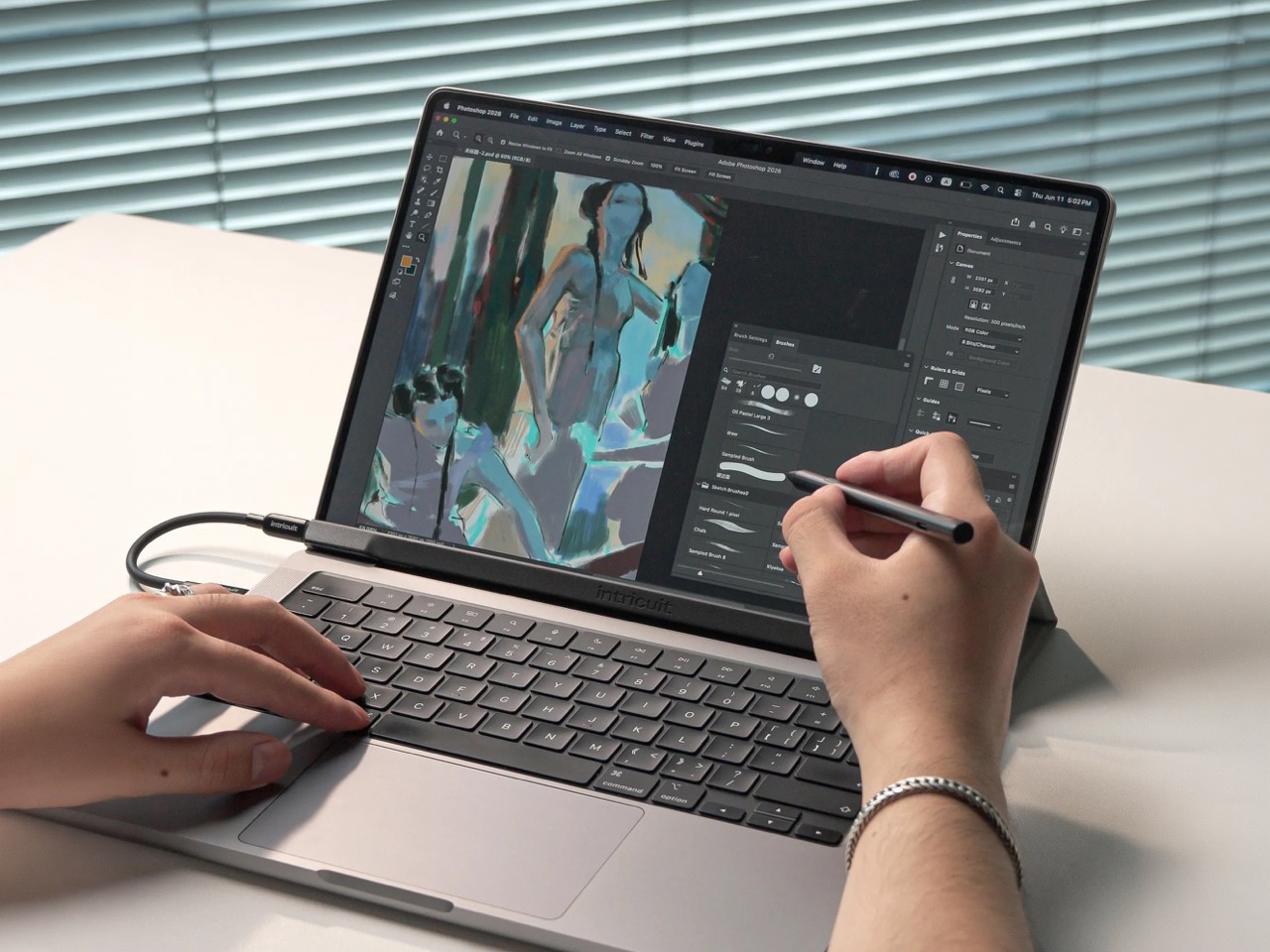
    Hidden around a modern MacBook display are magnets used to tell the laptop you shut the lid. Intricuit, a small hardware startup, looked at those magnets and saw a free mounting system. Its Magic Screen uses them to snap a touch-sensitive glass panel over your display, adding tap, swipe, and pinch controls to the MacBook you already own. It costs $179 on Kickstarter. Apple’s approach is the new MacBook Pro with PROLED XDR Display, which starts at $2,899, or roughly sixteen Magic Screens with ch
     

The $179 Magic Screen gives any MacBook a touchscreen with stylus support

9 novembre 2026 à 15:20

Hidden around a modern MacBook display are magnets used to tell the laptop you shut the lid. Intricuit, a small hardware startup, looked at those magnets and saw a free mounting system. Its Magic Screen uses them to snap a touch-sensitive glass panel over your display, adding tap, swipe, and pinch controls to the MacBook you already own. It costs $179 on Kickstarter. Apple’s approach is the new MacBook Pro with PROLED XDR Display, which starts at $2,899, or roughly sixteen Magic Screens with change left over for snacks. That’s a whole laptop rather than an accessory, but it’s a steep entry price if touch is all you’re after.

Apple integrates the touch sensor into a tandem OLED panel and uses a stiffer hinge designed to limit screen bounce when you tap it. It also supports zero styluses, Apple Pencil included, which is a little funny coming from the company that sells the Apple Pencil. The Magic Screen ships with a pen that reads 4,096 pressure levels, previews its tip position as it hovers, and supports palm rejection while you draw. Intricuit lists compatibility with M1 and newer MacBook Pros, M2 and newer Airs, and even the $599 MacBook Neo, bringing that last combination to $778.

Designer: Intricuit

Snap, Plug, Tap: How the Glass Registers Your Fingers

The panel is tempered glass with a capacitive digitizer built in, the same kind of touch technology your phone uses, tracking up to ten fingers at once. Intricuit lists transparency at 99% or better and a response time of 8ms. A single USB-C cable carries the touch data and draws a claimed 0.6 watts from your MacBook, so there’s no extra battery to babysit. The 14-inch MacBook Pro version weighs 4.3 ounces (122.8 grams), and the 16-inch version comes in at 6.1 ounces (172.6 grams). Basic touch works without the app; Intricuit’s software for macOS Sonoma or later adds further controls.

Tom’s Guide spent three weeks with a Magic Screen and came away convinced macOS is far more touch-ready than Apple ever let on. Taps open apps, a press-and-hold summons the right-click menu, and familiar trackpad gestures carry over to the glass. Intricuit demos it triggering clips in Resolume Arena, orbiting models in SketchUp, and shoving sticky notes around Miro boards, all situations where reaching for something directly has an obvious appeal. It also works with iPhone Mirroring, letting you tap through your phone’s apps on the larger display. Fingerprints land on the overlay rather than directly on your MacBook’s screen.

The Stylus Apple Skipped Comes in the Box

The included pen uses USI 2.0, the Universal Stylus Initiative standard supported by compatible Chromebooks, and reads 4,096 levels of pressure. That gives you control over line weight, from a light hairline to a fat brushstroke, while palm rejection is designed to let you rest your hand on the glass as you draw. Hover detection starts about 0.4 inches (10mm) away, previewing the tip’s position before it touches down. Intricuit rates the battery at 100 hours, with a 40-minute USB-C recharge and no Bluetooth pairing required. Your Apple Pencil isn’t compatible, though it won’t work on Apple’s new MacBook Pro either.

Pop the Magic Screen off and it becomes a flat pen tablet, a familiar setup for anyone who has used a Wacom. Drawing on an upright laptop screen means working against gravity and a hinge, while laying the panel on a desk lets you rest your arm. The folio case folds into a stand for this mode. When the panel goes back on your display, the case braces against the lid to reduce wobble under your fingers. Apple’s Sidecar offers another route to drawing on a Mac, but requires an iPad and an Apple Pencil alongside the laptop. Intricuit puts the touch panel and pen in one $179 box, provided you already own a compatible MacBook.

What $2,899 Gets You at the Apple Store

Apple’s price buys a complete laptop with a tandem OLED panel rated to peak at 2,000 nits and an integrated touch sensor. The hinge is stiffer, the 14-inch body weighs 3 pounds, and the glowing Apple logo is back on the lid for the nostalgics. That package costs $400 more than the equivalent standard MacBook Pro. The Magic Screen comes with its own compromises: a cable occupying a port and a panel you need to remove before closing the lid. Intricuit built a stopper into the bottom edge to keep the lid from closing onto it, a bit of idiot-proofing that could save an expensive mistake.

The Magic Screen is available for $179 after a successful crowdfunding run, a $60 discount off its planned $239 retail price. Pick your size carefully, since each of the five versions is fitted to a specific MacBook display, and the M1 MacBook Air sits this one out. Each box includes the panel, stylus, folio case, USB-C cable, and a polishing cloth for the inevitable fingerprints.

The post The $179 Magic Screen gives any MacBook a touchscreen with stylus support first appeared on Yanko Design.
The world's first Snapdragon X2 Elite mini PC is now available in Europe

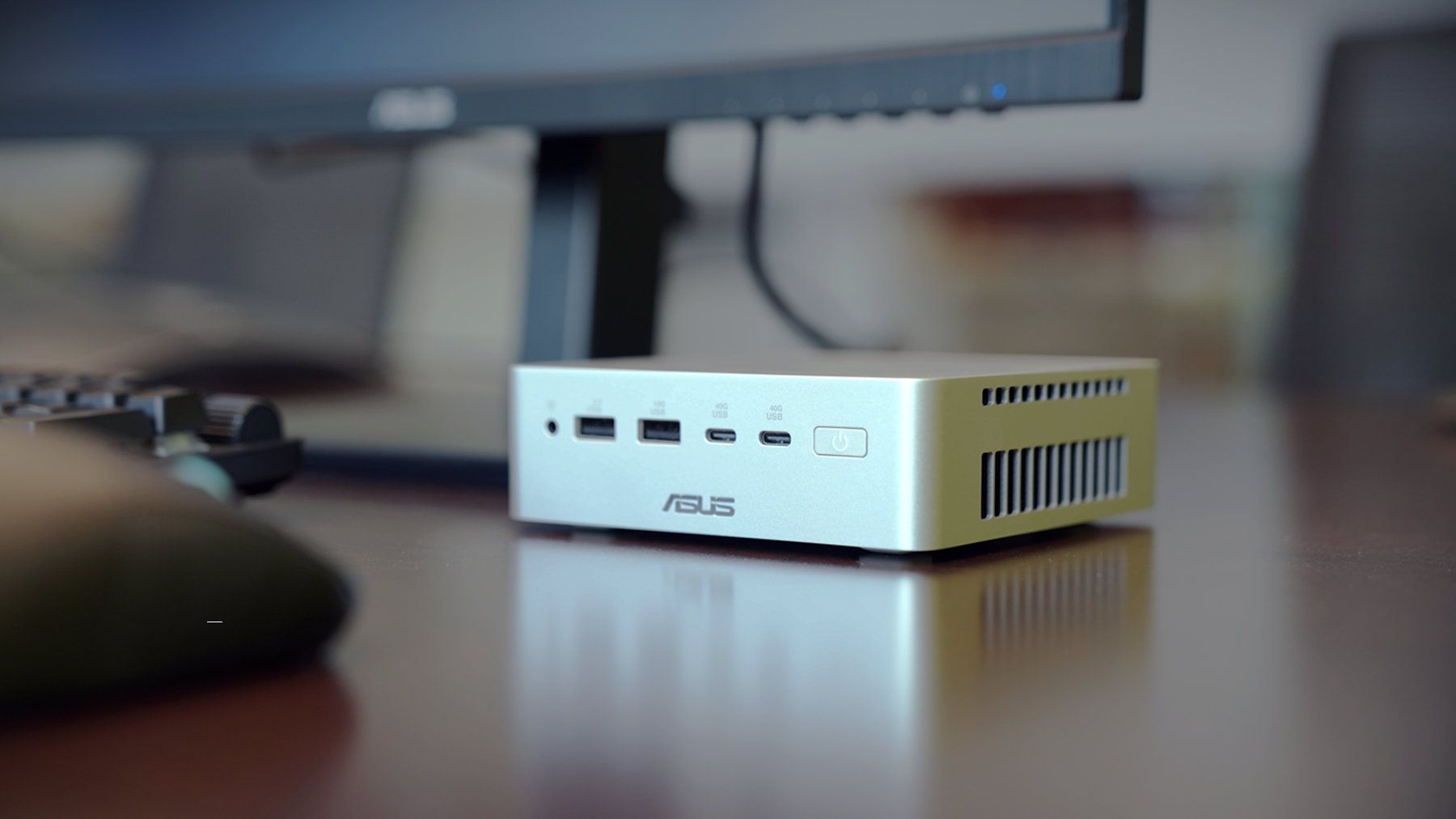
The first mini PC powered by a Snapdragon X2 Elite is now available in Europe. The ASUS Ascent QN10 launched in the United States back in September, and it is now for sale in Germany, Austria, and Switzerland.

Thanks to the Snapdragon X2 Elite inside, the Ascent QN10 has an NPU with 80 TOPS that can handle language models, image processing, and automation workflows.

Unlike many mini PCs, the Ascent QN10 has an anodized aluminum chassis rather than a plastic one. That 0.7-liter body is 13 x 13 x 4 cm (5.1 x 5.1 x 1.5 inches), meaning it should fit comfortably on a desk or tucked away.

The Snapdragon X2 Elite is the star of the show, but the Ascent QN10 has some other tricks. For example, it is designed to keep heat from its CPU and SSD separate. The mini PC takes fresh air in from one side, then splits it.

ASUS Ascent QN10 Specs

Processor

Qualcomm Snapdragon X2 Elite (18-Core Oryon CPU)

Graphics

Qualcomm Adreno X2-90

NPU

Qualcomm Hexagon (Up to 80 TOPS)

Memory

Up to 32GB LPDDR5x

Storage

512GB, 1TB or 2TB

Ports

2 x USB4, 2 x USB-A, 1 x 3.5mm audio jack (front), 1 x USB4, 1 x HDMI 2.1, 2 x USB-A, 1 x 2.5 Gigabit Ethernet (rear)

Connectivity

Wi-Fi 7, Bluetooth 6.0

Dimensions

5.1 x 5.1 x 1.5 inches

Weight

1.6 pounds

Despite recently launching in Europe, the ASUS Ascent QN10 is already discounted in some countries. The PC has an MSRP of €2,195, but it is currently available for €2,005 on ARLT (German retailer).

There have been consumer mini PCs with Arm processors, but the Ascent QN10 is the first with a Snapdragon X2 Elite. The mini PC from ASUS stands out from many competing devices thanks to its metal body, processor, and cooling.

Closeup of an ASUS Ascent QN10 mini PC showing two USB ports, two USB-C ports, a power button, and a headphone jack.

ASUS
Ascent QN10 Mini PC

This mini PC runs on a Snapdragon X2 Elite and has an NPU with 80 TOPS of performance. Those specs allow it to handle AI workloads efficiently despite the compact body of the mini PC.

Click to join us on r/WindowsCentral

Join us on Reddit at r/WindowsCentral to share your insights and discuss our latest news, reviews, and more.

Dell launches Black Friday prices on productivity PCs and 2-in-1s for students

After decades, Dell still offers a massive catalog of consumer laptops, but some models with modern components can quickly become expensive, given the industry's ongoing memory (RAM) shortages.

Thankfully, Best Buy's early Black Friday sale cuts hundreds of dollars off two of Dell's more compact and portable options.

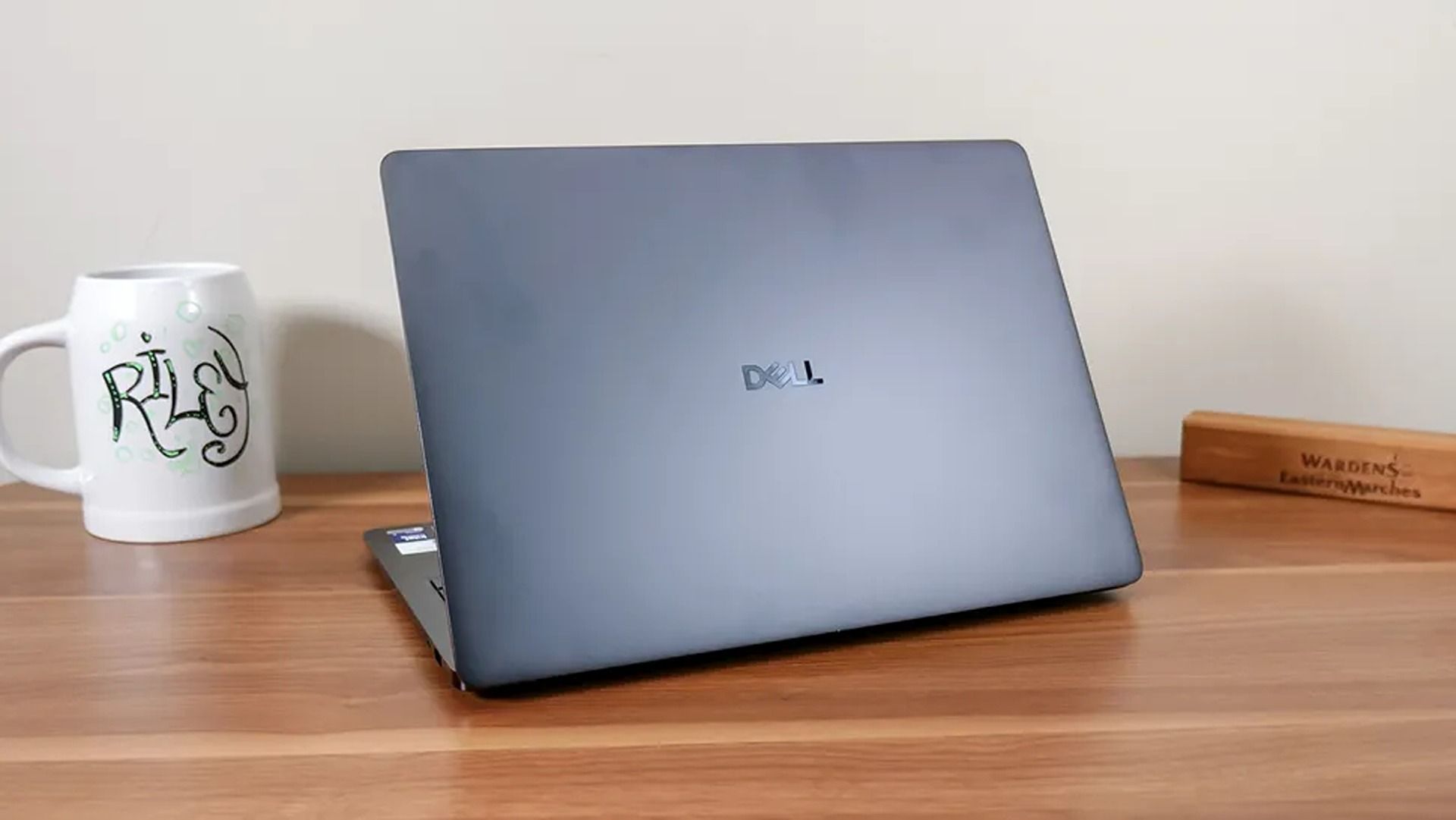
You can grab the 14-inch Dell 14S for $999.99 at Best Buy (was $1,449.99), saving $450 on a productivity-focused laptop, or pick up the more affordable Dell 14 Plus 2-in-1 for $799.99 (was $1,299.99) as a flexible convertible 14-inch option for note-taking, sketching, and regular everyday use, with a $500 saving.

14S (Ryzen AI 7 445, 16GB RAM, 512GB SSD): was $1449.99 now $999.99

"The Dell 14S is a compelling choice for a variety of users thanks to its long-lasting battery life, OLED touchscreen, solid performance, and relatively affordable price." — Sean Riley, Freelancer Writer, Tom's Guide

Tom's Guide review: ⭐⭐⭐⭐View Deal

Plus 14 (Core Ultra 7 256V, 16GB RAM, 512GB SSD): was $1299.99 now $799.99

"The Dell 14 Plus 2-in-1 is a great convertible laptop option for those on a budget (like students) who want more performance and functionality than you'd find in a Chromebook." — John Loeffler, Components Editor, TechRadar

TechRadar review: ⭐⭐⭐⭐View Deal

Which Dell deal should you buy?

An open laptop on a blue desk mat displays the TechRadar website, with “What’s hot” and “Latest news” headlines visible against a plain white wall.

The Dell 14 Plus on display (Image credit: TechRadar (John Loeffler) | Dell)

While both laptops offer durable designs, portable 14-inch displays, and dedicated NPUs for local AI features, they're aimed at different users depending on your wants and needs. Before you spend during Black Friday season, it's worth looking into the specs a little deeper.

If you're after a productivity laptop, the Dell 14S (31% off) is better. It comes equipped with a long-lasting battery, an OLED 2K touchscreen with deep contrast, and a modern AMD Ryzen AI 7 445 processor paired with 16GB of RAM to boost multitasking with multiple web browser tabs, creating documents or spreadsheets, video calling, and plenty more.

Otherwise, if you're shopping on a tighter budget or want a Windows laptop that's equally useful for school and everyday use, the Dell 14 Plus 2-in-1 (38% off) is a good fit. It still offers good productivity performance with substantial standby power efficiency thanks to its Intel Core Ultra Series 2 (Lunar Lake) 256V CPU coupled with 16GB of RAM, a 120Hz 2K touchscreen that makes scrolling and digital sketching with compatible (but sold separately) pens feel seamless, and a solid design so it can pull multiple duties as a notepad, movie viewer, or regular laptop with ease.

Should I wait for Black Friday for a better deal?

Even if you're hesitant to buy before Black Friday, Best Buy's 'Price Match Guarantee' may allow eligible customers to request a refund of the difference if Best Buy lowers its own price during the applicable return window: "If our price goes lower during the holiday season, we’ll match it."

Can you upgrade their RAMs and SSDs?

Both of these laptops have their RAM soldered permanently, so they can't be upgraded. Their default 512GB SSDs, however, can be swapped with larger 1TB, 2TB, or 4TB SSDs to upgrade their storage capacity.

Are they good for gaming?

Neither of these laptops is made for PC gaming because their integrated graphics cards limit their ability to run the most graphically demanding games beyond lighter, casual titles.

Click to join us on r/WindowsCentral

Join us on Reddit at r/WindowsCentral to share your insights and discuss our latest news, reviews, and more.

❌