Si vous avez eu une boîte à goûter M.A.S.K. dans les années 80 pour transporter vos BN, alors celle de
RadioactiveArtist
va vous plaire. Dans sa boite à goûter, pas de Princes ni de Balisto... lui, il embarque un Raspberry Pi 5, un écran tactile de 7 pouces et une IA qui tourne sans internet.
Le clin d'œil est calculé puisque M.A.S.K., c'était ce dessin animé de 85-86 dont les objets du quotidien planquaient tous une seconde vie. Fermé, l'engin reste donc une boîte à goûter d'épo
Si vous avez eu une boîte à goûter M.A.S.K. dans les années 80 pour transporter vos BN, alors celle de
RadioactiveArtist
va vous plaire. Dans sa boite à goûter, pas de Princes ni de Balisto... lui, il embarque un Raspberry Pi 5, un écran tactile de 7 pouces et une IA qui tourne sans internet.
Le clin d'œil est calculé puisque M.A.S.K., c'était ce dessin animé de 85-86 dont les objets du quotidien planquaient tous une seconde vie. Fermé, l'engin reste donc une boîte à goûter d'époque. Mais ouverte, elle devient un cyberdeck complet, avec clavier et enceintes noyés dans la partie basse + un écran qui se redresse sur sa propre charnière.
Un cyberdeck, pour ceux qui débarquent des âges farouches (vous l'avez ?), c'est un ordinateur portable assemblé à la main dans un boîtier détourné, fait pour être réparé et modifié plutôt qu'acheté.
Dedans, y'a donc un Pi 5 avec 16 Go de RAM et une microSD de 128 Go. L'alimentation passe par un HAT UPS Geekworm, la carte d'onduleur qui se clipse sur le Pi, nourrie par 4 accus 18650. En façade, des lecteurs de cartes, des ports USB 3 et un jack casque, plus un hub audio USB Waveshare qui pilote les enceintes. Par contre, on ne sait rien de son autonomie...
L'Ethernet a été une vraie plaie apparemment puisqu'aucun adaptateur du marché ne rentrait dans l'espace disponible. Il a donc poncé à fond un connecteur RJ45 nu jusqu'à ce qu'il clipse dans le port. Les charnières, elles, se sont révélées bien plus dures que prévu, et les pattes du circuit imprimé de l'écran n'étaient pas faites pour encaisser cette tension. Une plaque ABS récupérée sur une vieille caisse de transport a réglé le problème.
Et la boîte ressort intacte !
Puis je sais pas si vous avez vu dans la vidéo, mais il y a aussi un LLM là-dedans. Un modèle de 3 milliards de paramètres via Ollama, qui répond sans la moindre connexion. L'écran de boot, l'écran de login et les icônes maison, eux, ont été codés avec Claude Code, qu'il a installé sur la machine le temps de la configuration.
Microsoft's Surface Laptop 8 launched this summer, sporting new Snapdragon X2 chips. The flagship laptops promise a premium experience, better battery life than the previous generation, and improved graphics performance.The bump in performance is expected considering the Surface Laptop 8 has a brand-new chip inside, so a different improvement is more noteworthy. The Surface Laptop 8 is one of the only devices to support Windows 11's new advanced haptics feature.
Microsoft's Surface Laptop 8 launched this summer, sporting new Snapdragon X2 chips. The flagship laptops promise a premium experience, better battery life than the previous generation, and improved graphics performance.
The bump in performance is expected considering the Surface Laptop 8 has a brand-new chip inside, so a different improvement is more noteworthy. The Surface Laptop 8 is one of the only devices to support Windows 11's new advanced haptics feature. It's the only laptop to support the feature.
Advanced haptics sends a subtle bump through a touchpad, mouse, or stylus to let you feel Windows 11. For example, rearranging windows on your screen through Snap Layouts gives a clear indication of when you've hovered over a different layout.
Our Senior Editor Zac Bowden said "Windows 11's new 'Haptic Signals' feature is a quality of life upgrade [he] didn't realize the OS needed until [he] tried it." Now, you can experience the same thing since the Surface Laptop 8 is available for purchase.
The haptic touchpad of the Surface Laptop 8 sends subtle vibrations when you perform certain actions, such as moving a file within File Explorer. (Image credit: Daniel Rubino)
As a quick point of clarity, the Surface Laptop 8 with Snapdragon X2 is what recently became available. Microsoft launched the Surface Laptop 8 for Business earlier this year. The business model runs on an Intel processor and comes with features you likely do not need as a general user.
Both the consumer and business versions of the Surface Laptop 8 support advanced haptics, but I recommend the consumer model to most people.
Advanced haptics is one of those small touches that makes Windows 11 feel polished. I appreciate UI changes and other Windows 11 improvements, but I'm more interested in features like advanced haptics because it changes the hands-on experience with a PC — quite literally.
"The new advanced haptic touchpad is a joy to use. It provides subtle tactile cues that confirm your actions," said our Editor-in-Chief Daniel Rubino in our Surface Laptop 8 review.
Our friends at Tom's Guide came away similarly impressed when reviewing the Surface Laptop 8:
"I’m also fond of the touchpad, which delivers satisfying haptic feedback when pressed. With some apps, you will even feel haptics when hovering over the X button on a window, which is quite fun and intuitive."
Right now, Windows 11 is the main way that you'll experience advanced haptics. But there's an API for the feature, so third-party developers can leverage it. Filmora, Affinity, and other third-party apps either already support the feature or will soon.
The only other way to use Windows 11's advanced haptics feature is to have a Logitech MX Master 4 or a supported stylus like the Surface Slim Pen 2. Over time, more devices should support the feature, but the Surface Laptop 8 beat everything else to the punch.
Join us on Reddit at r/WindowsCentral to share your insights and discuss our latest news, reviews, and more.
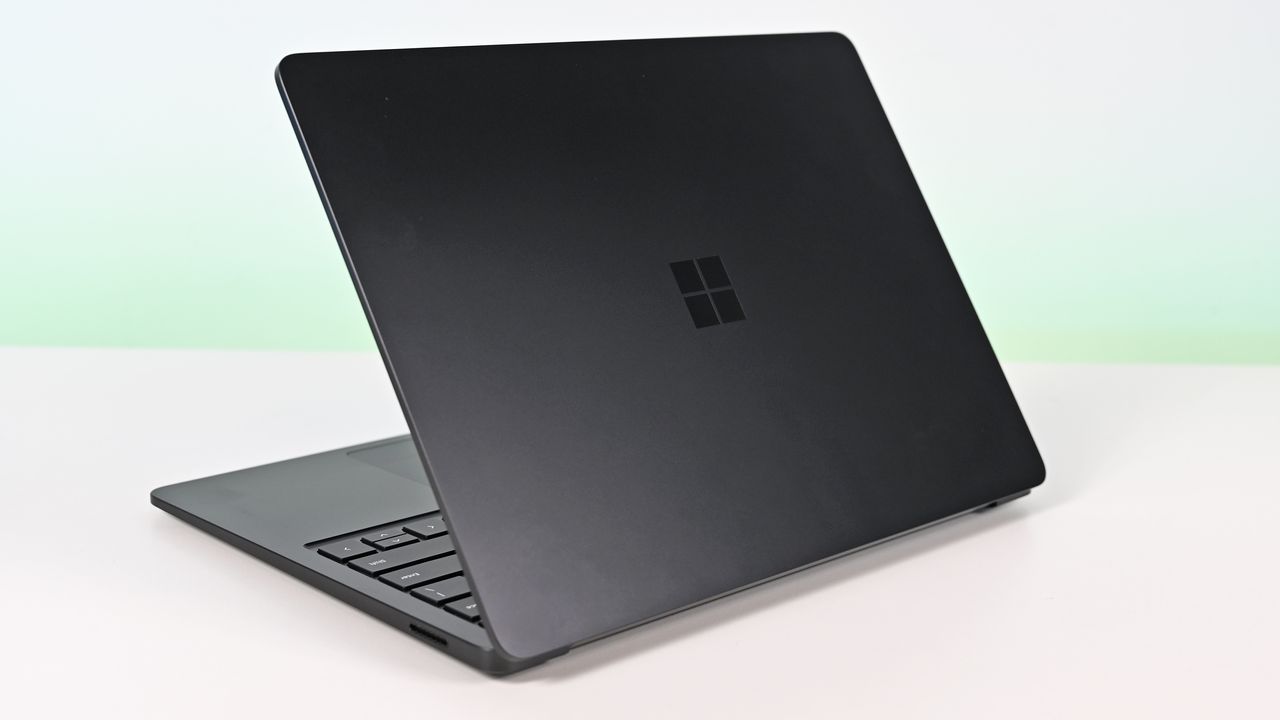
Surface Laptop for Business 8th Edition with a closed screen featuring a Windows logo, resting on a white surface. The background is a soft gradient from light blue to green.
Surface Laptop for Business 8th Edition with a closed screen featuring a Windows logo, resting on a white surface. The background is a soft gradient from light blue to green.
Best Buy is hosting a Back to School sale, giving major discounts on various gadgets and gizmos to help aspiring students get through their summer semester.One of the more lucrative products on offer through this event is the fast-performing, long-lasting Samsung Galaxy Book6 laptop, which is currently having its steep $1,449.99 listing price cut down to $899.99 at Best Buy."I’ve been using the Samsung Book 6 for a while now and honestly it’s been solid. It’s lig
Best Buy is hosting a Back to School sale, giving major discounts on various gadgets and gizmos to help aspiring students get through their summer semester.
One of the more lucrative products on offer through this event is the fast-performing, long-lasting Samsung Galaxy Book6 laptop, which is currently having its steep $1,449.99 listing price cut down to $899.99 at Best Buy.
"I’ve been using the Samsung Book 6 for a while now and honestly it’s been solid. It’s lightweight, looks premium, and the battery easily gets me through most of the day. Performance is smooth for studying, browsing, videos, and everyday work." ~ VALENTIN, customer review
4.8 out of 5 Stars (based on 40 Best Buy customer reviews)View Deal
Why buy the Samsung Galaxy Book6?
Major spec highlights of the Samsung Galaxy Book6 laptop. (Image credit: Samsung)
Samsung produces some of the best laptops in the business, boasting gorgeous screens and solid hardware that can tackle any workloads thrown at them, and the Samsung Galaxy Book6 is no exception.
It can handle running multiple browser tabs; it can launch and run heavy-duty programs like Adobe Photoshop or multiple lightweight programs from Microsoft Office, and multitask these activities and more without a hint of slowdown thanks to its solid Intel Core Ultra 7 processor, 16GB of RAM, and 512GB SSD storage unit.
It also features a 16-inch 2K LED touchscreen that displays images with bright, vibrant colors and rich details for viewing documents and videos with clear HD definition while allowing you to tap and swipe app windows in an instant compared to using a mouse.
Other notable features of the Samsung Galaxy Book6 include a slim, lightweight design that's also sturdy enough to withstand some punishiment, a plethora of USB, HDMI and microSD ports, a long battery life up to 24 hours, Copilot+ integration for AI tasks, and the ability to wirelessly connect your phone via Galaxy Book6 Touch so you can respond to phone calls and text messages directly from your PC while turning it into a monitor so you can multitask more easily.
How long will Best Buy's Back to School Sale last?
Best Buy's Back to School sale will last from mid-July to early September.
Is its RAM and storage upgradeable?
The Samsung Galaxy Book6's RAM is soldered into the motherboard, so it can't be replaced with a different one. You can, however, upgrade its storage capacity by fitting an SSD into its second M.2 slot.
Is it good for gaming?
Due to its Integrated graphics card for productivity rather than gaming, the Samsung Galaxy Book6 can't handle playing mid to high-end PC games compared to its Samsung Galaxy Book6 Ultra counterpart.
Join us on Reddit at r/WindowsCentral to share your insights and discuss our latest news, reviews, and more.
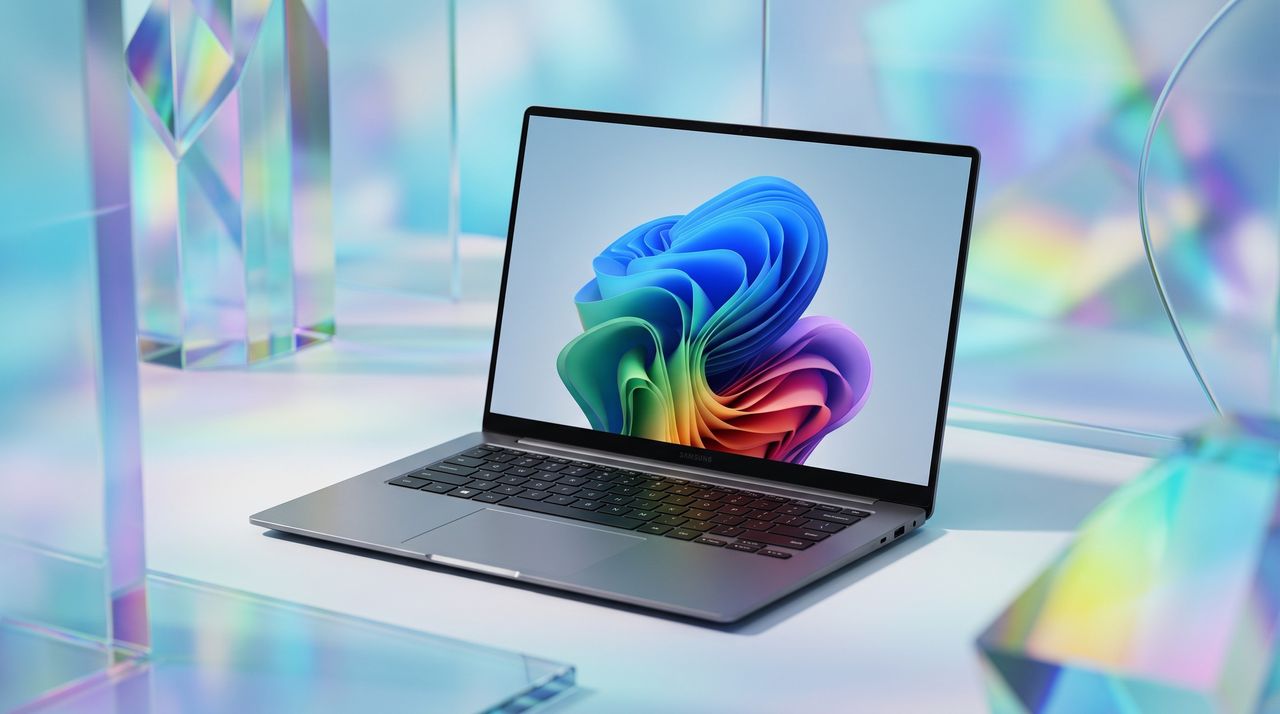
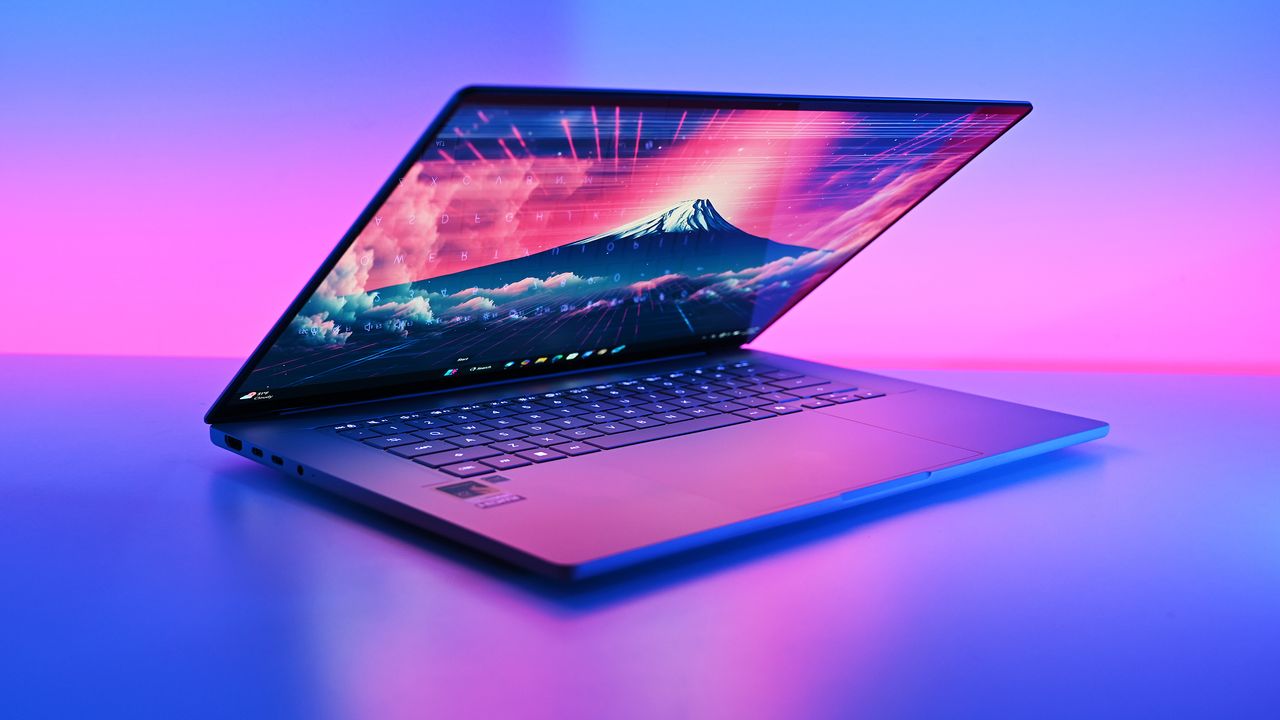
A sleek laptop with a vibrant abstract design on the screen, surrounded by colorful geometric shapes and reflections.
AI-generated image of a Samsung Galaxy Book6 laptop
AI continues to wreak havoc on the tech industry, driving up the prices of processors, RAM, motherboards, and more PC hardware so companies can keep up with its hunger for more power (and RAM).Fortunately, Newegg is offering a limited sale on several discounted bundles containing AMD processors we've tested and rated highly for their solid performance, alongside compatible motherboards and 16GB RAM modules to help these CPUs reach their full potential.So, if you'
AI continues to wreak havoc on the tech industry, driving up the prices of processors, RAM, motherboards, and more PC hardware so companies can keep up with its hunger for more power (and RAM).
Fortunately, Newegg is offering a limited sale on several discounted bundles containing AMD processors we've tested and rated highly for their solid performance, alongside compatible motherboards and 16GB RAM modules to help these CPUs reach their full potential.
So, if you're looking to upgrade your PC with some of the best CPUs for gaming or productivity content creation, along with the best motherboards and precious RAM to maintain their stability, this round-up could be your next best solution.
"True to its word, AMD has specifically targeted gamers with this affordable powerhouse, and I expect my upcoming tests only to cement its place in your next rig." — Ben Wilson, Senior Editor
"In a masterclass of performance-per-watt efficiency, AMD offers incredible single-core performance scores that beat its intended 14600K rival and even challenge the 14700K." — Ben Wilson, Senior Editor
This bundle contains an AMD Ryzen 5 9600X processor along with a compatible MSI B850 GAMING PLUS WIFI6E motherboard with fast WiFi 7 wireless connectivity and two 8GB RAM sticks.View Deal
This gaming-focused bundle contains an AMD Ryzen 7 7800X3D processor, a GIGABYTE B650E EAGLE WF6E motherboard that offers PCIe 5.0 and Wi-Fi 6E, and two 8GB RAM sticksView Deal
This bundle contains an AMD Ryzen 9 9900X processor with an ASUS TUF GAMING X870E-PLUS WIFI7 motherboard that features two onboard PCIe 5.0 M.2 slots with fast Wi-Fi 7 and two 8GB DDR5 RAM sticks.View Deal
FAQ
How long will these discounts last?
These discount deals will last from July 14, 2026 to July 31, 2026.
Are these AMD processors good for gaming?
Indeed, they are. AMD's Ryzen 9 9900X, Ryzen 7 7800X3D, and Ryzen 5 9600X processors all offer good to exceptional performance for boosting frame rates and smoothness, particularly the -X3D chips.
Which of these processors is good for productivity?
The Ryzen 7 7800X3D productivity performance is somewhat underwhelming, while the Ryzen 9600X fares much better with creative apps and solid single-core performance.
Join us on Reddit at r/WindowsCentral to share your insights and discuss our latest news, reviews, and more.
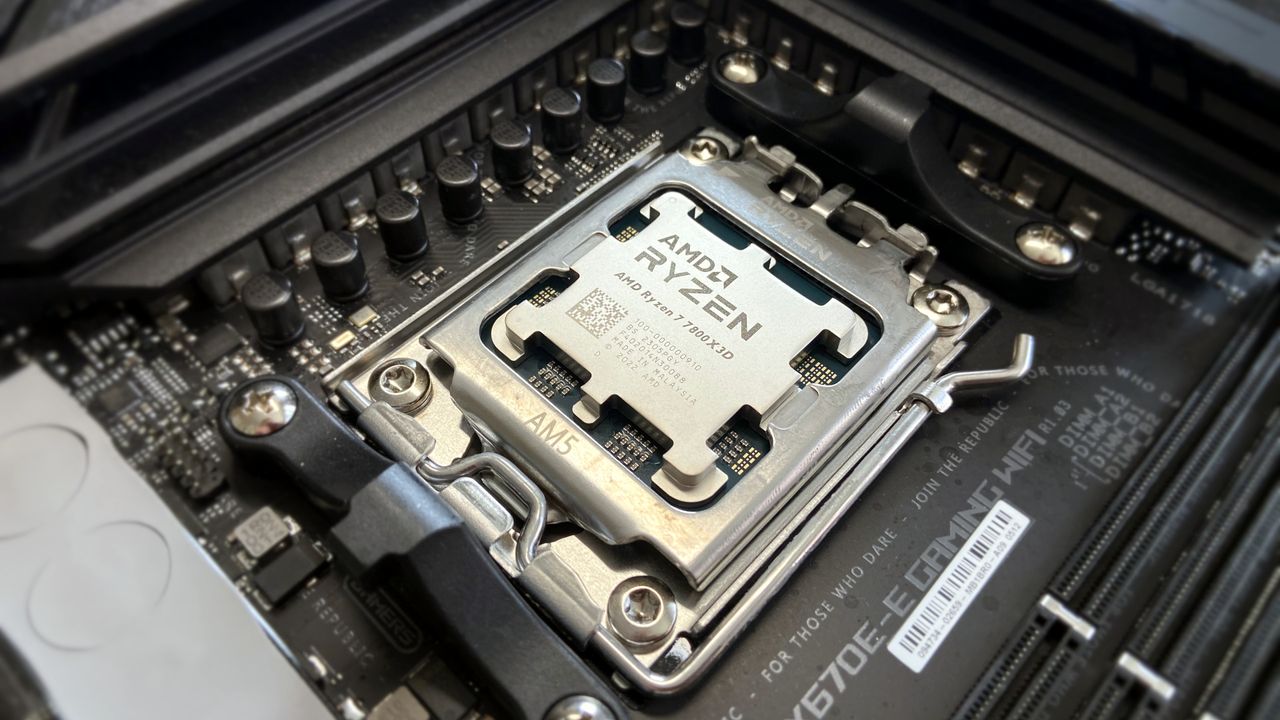
AMD Ryzen 7 7800X3D in socket
AI-generated image of an AMD processor with an MSI motherboard and Team Group RAM.
An entry-level Alienware PC almost sounds like a contradiction; it's long been the all-out brand you could choose when money isn't a concern, and you'd rather have a guarantee your games will run. So, does the Alienware 15 need to exist, or is it just competing with the tantalizingly new category of high-end gaming handhelds?Including NVIDIA's RTX 5050 graphics certainly piqued my interest, because until now, I've never seen what this low-end laptop GPU can actua
An entry-level Alienware PC almost sounds like a contradiction; it's long been the all-out brand you could choose when money isn't a concern, and you'd rather have a guarantee your games will run. So, does the Alienware 15 need to exist, or is it just competing with the tantalizingly new category of high-end gaming handhelds?
Including NVIDIA's RTX 5050 graphics certainly piqued my interest, because until now, I've never seen what this low-end laptop GPU can actually do. Is it worth picking the 50 Series chip for the benefit of cutting-edge DLSS upscaling, or is it too weak to be worth your time? I had so many questions, and these are the conclusions I reached from my testing for this review.
How much does the Alienware 15 cost?
Alienware's modern design language still peeks through in parts of this entry-level laptop. (Image credit: Ben Wilson | Windows Central)
The Alienware 15 starts at $1,399.99 on Dell.com, featuring the same AMD Ryzen 7 260 processor as my sample but with a previous-generation NVIDIA GeForce RTX 4050 discrete graphics card. Memory and storage remain at 16GB of RAM and a 512GB SSD, but upgrading to an RTX 5050 GPU increases the price to $1,459.99.
A third and final variant of the AMD model increases storage to 1TB with an RTX 5060 GPU for $1,849.99, but the CPU remains the Ryzen 7 260. Alternatively, an Intel-based Alienware 15 starts at $1,499.99 on Dell.com with a Core 7-240H CPU, RTX 5050 GPU, and 16GB/512GB of memory and storage, though you can upgrade to RTX 5060 graphics and a 32GB/1TB RAM and SSD combo.
In the United Kingdom, the AMD-based Alienware 15 starts at £829.00 with a less powerful Ryzen 5 220 processor, RTX 3050 graphics, and 8GB of RAM and 512GB of storage. At the time of writing, an Intel-based Alienware 15 starts at £849.01 with a Core 5-210H CPU, RTX 3050 GPU, and the same 8GB/512GB RAM/SSD.
This gets you exactly what I tested, or an upgrade to a more powerful RTX 5060 GPU and 1TB SSD will cost you $1,849.99. If you aren't confident in self-installed upgrades, you should strongly consider it.View Deal
Is the Alienware 15 well made?
180W AC power requires an outdated barrel jack, but Ethernet, HDMI, and USB-A/C are all welcome.Ben Wilson | Windows CentralWired headphones and another USB-C port on the right side will likely be well used.Ben Wilson | Windows CentralAn elevated portion of the underside holds the cooling fans, and they work hard.Ben Wilson | Windows CentralThe touchpad feels small, but it's good enough to navigate Windows 11.Ben Wilson | Windows Central
The Alienware 15 is a bit of a mixed bag, starting with a relatively plain exterior design featuring an iridescent alien head logo and thick air vent panels underneath, synonymous with the capable cooling you'll see in this category. And while its most striking first impression is how heavy it is — at 4.89 lbs (2.22 kg) — it still isn't much different from its rivals. Gaming laptops are just heavy.
Its 15.3-inch screen sits on a gapped hinge, which looks strange at first glance, but I can feel airflow around the gap while it's in use, so it makes sense. The backlit keyboard is unremarkable, sticking to a single color and including a number pad that I'm sure most gamers will never use, and, as usual, I wish the space had been saved for larger speakers.
The 180W AC adapter needs an old-school barrel jack, but you can charge up to 100W with USB-C.
Admittedly, despite my gripes with the lack of any significant bass response, the sheer volume of the fans during games likely nullifies the appeal of its speakers anyway. As with all gaming laptops, I'm recommending you use headphones here. A small 5.5-inch mechanical touchpad only clicks properly in the bottom half, but you'll probably use a dedicated mouse for most games.
A 3.5mm audio jack pairs with a USB-C 3.2 Gen 1 port on the right side, while a single USB-C 3.2 Gen 2 is available on the left side, along with two traditional USB-A 3.2 Gen 1 ports for dongles, HDMI-out 2.1 for external monitors, and gigabit Ethernet for wired networking. The 180W AC adapter needs an old-school barrel jack, but you can charge up to 100W with USB-C.
How fast is the Alienware 15?
Counter-Strike 2 demands a smooth frame rate, and 165 FPS is attainable with the RTX 5050.Ben Wilson | Windows CentralYou barely have to tweak the settings in CS2 to keep the FPS high enough.Ben Wilson | Windows Central
Starting with Counter-Strike 2, the game recommends 'High' settings with AMD FidelityFX Super Resolution and vsync disabled for native, uncapped rendering at 1920 x 1200. While spectating a few rounds on Dust II, I saw the frame rate remain around the 165 FPS target when I was connected to AC power and Alienware's 'Performance' mode was active.
However, the laptop's fans were extremely loud throughout, keeping the CPU and GPU temperatures at around 68 °C and 60 °C, respectively. Switching to 'Stealth' mode reduced the fan speed, but no amount of graphical tweaks brought them down to a comfortable, more inconspicuous level. This is a loud laptop, and you'll have to get used to wearing headphones when you're gaming.
Cyberpunk 2077 is quickly becoming the poster child for DLSS because it works so well.Ben Wilson | Windows CentralCertain visuals will look better than others, but upscaling certainly helps the game run smoothly.Ben Wilson | Windows Central
In Cyberpunk 2077, I found that the 'High' preset with ray tracing and upscaling disabled most consistently achieved a native 60 FPS baseline in the game's built-in benchmark. Of course, the game supports DLSS 4.5, so setting Super Resolution to 'Balanced' and Multi Frame Generation (MFG) to 4X in the 'Ray Tracing: Low' preset has the Alienware 15 scaling to 171 FPS, up from ~42 FPS.
I have to assume you're considering a gaming laptop with NVIDIA's RTX 50 Series graphics to take advantage of realistic, ray-traced lighting. Luckily, that is quite possible with the RTX 5050 in the Alienware 15, depending on your feelings around MFG and "fake frames". If, on the other hand, you don't care so much about those visual luxuries, then it runs quite smoothly without ray tracing.
PUBG: BATTLEGROUNDS dips in busy areas, but I was able to stay above 100 FPS.Ben Wilson | Windows CentralApex Legends fared better with frame pacing, though it needed more fine-tuning in the settings.Ben Wilson | Windows Central
For other popular multiplayer titles, PUBG: BATTLEGROUNDS generally runs above 60 FPS with the 'High' preset at render scale 100, but you can push it to 165 FPS or higher by switching to the 'Medium' preset and further lowering some settings. Similarly, Apex Legends can reach 165 FPS and beyond with a little time spent in the settings, but the laptop's fans will be loud.
Performance benchmarks
Geekbench 6 CPU benchmarking shows the Ryzen 7 260 being beaten by years-old handheld chips.Ben Wilson | Windows CentralWhile the 512GB SSD is limited in capacity, it reads just as fast as the SSDs in Alienware's high-end laptops.Ben Wilson | Windows CentralYou'll see the RTX 5050 suitably appearing in plenty of entry-level gaming laptops like this.Ben Wilson | Windows Central
To put the specs of Alienware's cheapest laptop into perspective, the Ryzen 7 260 is a "Hawk Point" processor built on AMD's previous-generation Zen 4 architecture and ranks as the second-fastest CPU in the Ryzen 200 Series mobile range. That 8-core, 16-thread chip pairs with NVIDIA's entry-level RTX 50 Series mobile GPU, the GeForce RTX 5050.
However, benchmarking the Alienware 15's CPU in Geekbench 6 burst performance tests placed the Ryzen 7 260 even lower than I perhaps expected, even falling below the original ASUS ROG Ally gaming handheld from 2024. Cinebench 2024 failed to run any extended CPU stress tests after complaints of insufficient memory, so there's sadly no reprieve for this processor.
(The RTX 5050 is) faster than the last-gen RTX 4050, but of course, it still falls behind the 4060.
Testing the RTX 5050 across 3DMark's full gamut of GPU-centric tests yields a reasonably consistent and unsurprising conclusion: it's faster than the last-gen RTX 4050, but of course, it still falls behind the 4060. If you were choosing between a gaming laptop with an older GPU, such as an RTX 3060, and the 5050 in this Alienware 15, you'd choose the Alienware.
Finally, the PCIe Gen 4 SSD hits around 7,023 MB/s read speeds in CrystalDiskMark, while write speeds drop closer to 5,962 MB/s. It's a fast drive, and one that sees the Alienware 15 running neck-and-neck with the high-end Alienware m18 R2 from 2024. The 512 GB SSD has limited storage capacity, but it performs as expected.
Does the Alienware 15 have any issues?
After installing only four PC games, I started seeing warnings about low storage space. (Image credit: Ben Wilson | Windows Central)
Above all, the most significant issue I had during my time with the Alienware 15 was its limited 512 GB SSD, reporting a usable 477 GB with only 332 GB of free space on its first boot into Windows 11. It simply isn't enough, and no amount of optimizations offered by the pre-installed 'SupportAssist' app can help that. After installing only four games, I was out of space.
Alienware advertises"user-upgradeable options" for "up to 1TB PCIe SSD (Gen4) storage", promoting "the flexibility to adapt for whatever comes next", but the ongoing memory crisis stunts that notion. It isn't Alienware's (or Dell's) fault, but I quickly learned that 512 GB isn't good enough in a gaming laptop, and upgrades are extremely expensive in 2026.
Holding up a decibel meter during gameplay demonstrates how loud the fans really are.Ben Wilson | Windows CentralThe keyboard gets warm during gameplay, which eventually made my fingers uncomfortable.Ben Wilson | Windows Central
Otherwise, the loud fans (~58 dBA) are difficult to ignore and will likely annoy anyone around you. Booting into a game switches the Alienware 15 into 'Performance' mode via the Alienware Command Center companion app, which quickly ramps up the fan speed. Profiles like 'Stealth' mode advertise the laptop as "ideal for any environment", but it's only true if you aren't gaming.
Despite the fans working as hard as they can, the keyboard still gets quite warm during gaming, and it felt a little uncomfortable after a while. I could solve it by plugging in my Steam Controller or by using an external keyboard and mouse, but at that point it feels like I'm hardly using the laptop. Using a thermal camera, I detected a temperature of 46°C around the WASD keys — not abnormal for a gaming laptop, but not exactly ideal either.
Should you buy the Alienware 15?
Switching power modes with F6 and F7 wrangles the fans a little, but it doesn't stop the overall roar. (Image credit: Ben Wilson | Windows Central)
You should buy this if ...
✅ You want a modern, entry-level NVIDIA gaming laptop
✅ You don't have space for a full-sized desktop PC
You should not buy this if ...
❌ You're looking for quiet, portable AAA gaming
The biggest problem with entry-level gaming laptops is that they immediately compete with high-end gaming handhelds, like the Xbox Ally X, which will be more tempting for its versatility alone. However, if you're looking for a stay-at-home gaming machine that occasionally travels with you — with an 180W AC adapter included — the Alienware 15 keeps up with modern gaming by leaning heavily on NVIDIA's RTX 5050 GPU.
Its 512 GB of storage will fill up fast, so you'll either have to be happy with regularly switching between installed games from your library, or rely on an external hard drive to transfer backups. This laptop is loud, restrained, and heavy, but it will play your games, particularly so if they support NVIDIA's latest DLSS upscaling technology. If you're pondering the Alienware 15 on a budget because it's on sale, then I say go for it.
Alienware
15 (Ryzen 7 260, RTX 5050)
NVIDIA's GPU does all the heavy lifting, with DLSS upscaling helping this entry-level gaming laptop to keep up.
Join us on Reddit at r/WindowsCentral to share your insights and discuss our latest news, reviews, and more.
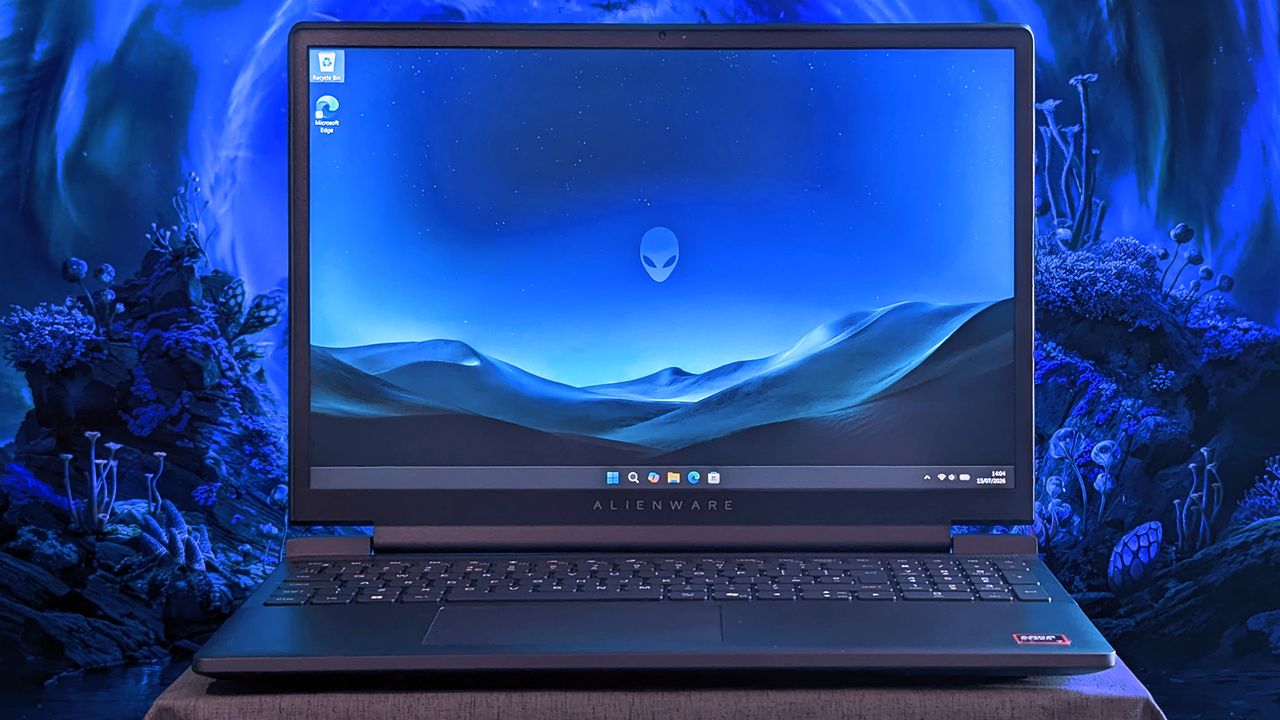
An Alienware 15 laptop sits on a cloth surface with its display showing a blue landscape wallpaper and the Alienware head logo. The background behind the laptop features glowing blue sci‑fi scenery.
Does Alienware need to offer "low-end" hardware in the first place?
The most exciting new Surface features in years are now available on a PC with a Snapdragon X processor. The Surface Laptop 8 for Business can now be purchased with a Snapdragon X2 Plus or Snapdragon X2 Elite.For those who prefer a 2-in-1 over a traditional laptop, the Surface Pro 12 for Business (13-inch) is also available with a Snapdragon X2 chip. Like its clamshell sibling, the Surface Pro for Business also had an Intel model launch earlier this year.The offi
The most exciting new Surface features in years are now available on a PC with a Snapdragon X processor. The Surface Laptop 8 for Business can now be purchased with a Snapdragon X2 Plus or Snapdragon X2 Elite.
For those who prefer a 2-in-1 over a traditional laptop, the Surface Pro 12 for Business (13-inch) is also available with a Snapdragon X2 chip. Like its clamshell sibling, the Surface Pro for Business also had an Intel model launch earlier this year.
The official names of the new PCs are "Surface Pro for Business 12th Edition" and "Surface Laptop for Business 8th Edition" but I've referred to them as the Surface Pro 12 for Business and Surface Laptop 8 for Business in this piece for ease of reading.
The standout feature of this year's Surface lineup is the privacy screen seen in the Surface Laptop 8 for Business. That display can be set to obscure content on your screen when people try to view it at an angle. It's similar to Samsung's screen on the Galaxy S26 Ultra.
The built-in privacy screen of the Surface Laptop 8 for Business combats creeping eyes from all angles, as opposed to third-party privacy screen protectors that only work from the sides.
The Intel version of the Surface Laptop 8 for Business launched earlier this year and received high marks from our Editor-in-Chief. The vast majority of what makes that laptop great extends to the Surface Laptop 8 for Business with Snapdragon X2, which are now available to order.
The Surface Laptop 8 for Business is the only version with the built-in privacy screen. (Image credit: Daniel Rubino)
The haptic trackpad of the Surface Laptop 8 for Business is also a key addition. Thanks to a recent update to Windows 11, you can now feel the operating system and supported apps as you interact with them. Haptic buzzes occur when you drag files in File Explorer or perform certain actions.
The Surface Laptop 8 for Business is one of few devices to support the new haptic experience.
The new Surface Pro 12 for Business is largely a spec bump when compared to its predecessor. The Snapdragon X2 chip inside delivers better graphics performance than the first-gen Snapdragon X.
The Surface Pro has matured over more than a decade of refinement, so it's hard to complain about Microsoft sticking with what works.
What's special about Surface for Business PCs?
When Microsoft first introduced Snapdragon X chips to its Surface hardware, a split was formed that saw Intel on business PCs and Snapdragon X on consumer hardware. That's no longer the case, since you can order Snapdragon X processors in consumer or business PCs.
Notably, there are no new Intel-powered Surface PCs for consumers in 2026.
Access to the cloud-based Surface Management Portal
Native corporate domain onboarding pathways during initial setup
Intel models available
Most of the features seen in the Surface for Business PCs are options general consumers would never use. The exception being the privacy screen that I wish was available on consumer versions of the Surface Laptop.
One key difference between the Snapdragon X2-powered Surface Pro 12 for Business and its Intel counterpart is that you can only get 5G connectivity with the Intel model.
Anyone can purchase a Surface for Business device. You don't need to own a business or have some sort of special account. But again, you're likely paying for unneeded features compared to the consumer Surface PCs unless you really need a privacy screen.
Join us on Reddit at r/WindowsCentral to share your insights and discuss our latest news, reviews, and more.
A sleek laptop with a black keyboard and a modern design, displaying a blue abstract swirl on its screen, set against a light gradient background.
A sleek laptop with a black keyboard and a modern design, displaying a blue abstract swirl on its screen, set against a light gradient background.
This RAMpocalypse is getting worse by the day, making vital components for PCs like SSD units for storage and RAM chips for boosting performance cost hundreds of dollars by themselves.During such a crisis, it's easier to find essential parts built into pre-made desktops. One such example is the Geekom A7 Max AI Mini-PC, a compact form-factor desktop built for crushing heavy workloads while being capable of light to mid-level gaming thanks to its 1TB SSD and 16GB
This RAMpocalypse is getting worse by the day, making vital components for PCs like SSD units for storage and RAM chips for boosting performance cost hundreds of dollars by themselves.
During such a crisis, it's easier to find essential parts built into pre-made desktops. One such example is the Geekom A7 Max AI Mini-PC, a compact form-factor desktop built for crushing heavy workloads while being capable of light to mid-level gaming thanks to its 1TB SSD and 16GB of RAM.
Fortunately for workers and gamers alike, the Geekom A7 Max AI Mini-PC is now on a limited-time 29% discount for$594.00 at Best Buy (which is nearly half the price of a Steam Machine) just for today.
"The quality of Geekom’s build quality is exceptional, and right from the box the largely metal construction of the A7 Max is a delight." ~ Mark Pickavance, Writer at TechRadar
Why buy the the Geekom A7 MAX AI Mini-PC over the Steam Machine?
The Geekom A7 Max AI mini-PC on display. (Image credit: Tech Radar (Mark Pickavance) | Geekom)
The Geekom A7 MAX AI Mini-PC is a handy desktop for work and 1080p gaming on the side. It's equipped with an AMD Ryzen 9 7940HS CPU, an AMD Radeon 780M GPU, 16GB of RAM, and a 1TB SSD (the latter two of which can be upgraded to 64GB RAM and a 2TB SSD, respectively).
With these specs, the Geekom A7 MAX Mini-PC will suffer little to no lag performing productivity duties like typing or opening internet browser tabs while being capable of running light indie games at 60fps and even some AAA games at 1080p resolutions/30fps (with FSR enabled) at medium settings.
Another notable feature of this mini-PC is its large number of USB and HDMI ports, which allow it to connect to four monitors simultaneously, making it incredibly useful for those who want to open multiple programs at once without having to juggle their positioning on a single screen.
So, if you want a compact-sized, desk-space-saving mini-PC to play light games like Minecraft or indie games like Mina the Hollower on the side while tackling never-ending paperwork at the office, the Geekom A7 MAX that's now$594.00 at Best Buy could be your next best workplace buddy.
Just be aware that this deal is only available until July 15, 2026, so think fast if you want to get it.
FAQ
Can it be upgraded?
Yes. The Geekom A7 MAX AI Mini-PC's RAM can be upgraded up to 64GB via two SODIMM slots supporting dual DDR5 RAM and its storage space can be upgraded to 2TB max via inserting SSDs into its M.2 2280 PCIe Gen 4 SSD slot.
Is it good for productivity?
Indeed it is, the Geekom A7 MAX AI Mini-PC was primarily designed as productivity desktop that chew through heavy office workloads like typing reports, creating spreadsheets, editing videos, researching information on the internet.
How many ports does it have?
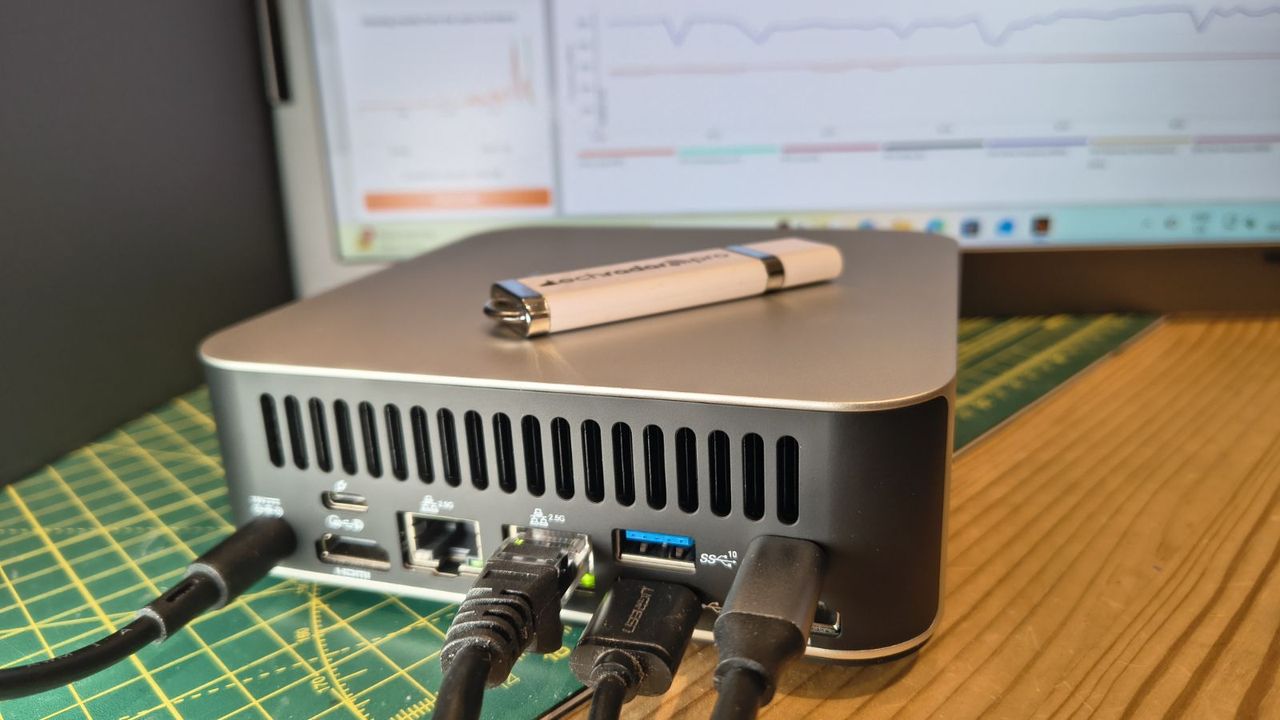
The Geekom A7 Max AI Mini-PC features 15 ports which includes two USB4 and two HDMI ports so it can support multiple monitors at once, two ethernet ports, six USB-A ports for accessories, an SD carder and a 3.5mm headset audio jack.
Join us on Reddit at r/WindowsCentral to share your insights and discuss our latest news, reviews, and more.
A Geekom A7 Max mini PC with multiple cables connected sits on a desk, with a USB flash drive on top and a computer monitor displaying graphs in the background.
The Geekom A7 Max mini-PC's collection of ports.
Qualcomm continues to flirt with gaming on its Snapdragon X processors. The latest update to Snapdragon Control Panel redesigns game library navigation, improves the software update experience, and helps you get the latest Hexagon NPU drivers.The overall gaming experience on Snapdragon X PCs will be better following the update, though you won't see a graphics boost.Snapdragon Control Panel is a piece of software that helps you optimize your gaming experience on P
Qualcomm continues to flirt with gaming on its Snapdragon X processors. The latest update to Snapdragon Control Panel redesigns game library navigation, improves the software update experience, and helps you get the latest Hexagon NPU drivers.
The overall gaming experience on Snapdragon X PCs will be better following the update, though you won't see a graphics boost.
Snapdragon Control Panel is a piece of software that helps you optimize your gaming experience on PCs powered by Snapdragon X chips.
Redesigned Game Library navigation to be more consistent and intuitive, including clearer favorites add/remove behavior.
Redesigned the Software Update page with a consistent experience for Snapdragon Control Panel, Adreno GPU drivers, and Hexagon NPU drivers.
Improved update status feedback so users can more easily understand available updates and current installation state.
Removed the top-level back button to simplify navigation.
Expanded the clickable areas for items in the Help dialog.
Added support for saving and restoring the navigation sidebar state.
🧠 Hexagon NPU driver updates
Get access to the latest Hexagon NPU driver releases directly from Snapdragon Control Panel.
🎮 One-Click Game Optimization robustness improvements
Improved the reliability of One-Click Game Optimization workflows, including optimization, revert, and refresh behavior.
Note: One-Click Game Optimization is currently supported only on first generation Snapdragon® X Series devices.
🛠️ General improvements and bug fixes
Includes additional reliability, usability, and maintenance fixes across Snapdragon Control Panel.
Gaming on Snapdragon X PCs is in an interesting spot in 2026. It's very clear that Qualcomm aims for its Snapdragon X chips to power gaming PCs eventually, but most mentions of gaming on the processors feel reserved.
"Best Commuter Laptop: extreme performance for multitasking, gaming, and creation," reads the ASUS listing for the Zenbook A16 (emphasis added).
Just two months after unveiling the Snapdragon X2 Elite Extreme and Snapdragon X2 Elite, Qualcomm announced Snapdragon Control Panel. That program lets users optimize game settings and update game drivers.
At some point, Qualcomm may fully embrace the gaming capabilities of Snapdragon X chips and make that a major part of its marketing. Until or unless that happens, the company will continue to work with partners to optimize gaming on Snapdragon X.
Join us on Reddit at r/WindowsCentral to share your insights and discuss our latest news, reviews, and more.
Studio photos of the 2026 ASUS Zenbook A16 laptop featuring the new Qualcomm Snapdragon X2 Elite Extreme processor.
The ASUS Zenbook A16, which runs on a Snapdragon X2 Elite Extreme, can run many popular games well.
The highly anticipated upgrades to the Surface Pro and Surface Laptop just launched. Both PCs pack the latest Snapdragon X2 processors from Qualcomm, promising better performance while still delivering great battery life.The biggest upgrade in the lineup is performance. Microsoft promises up to 53% faster graphics performance on the Surface Pro than the previous generation. The Surface Laptop sees an even larger bump of up to 58% when compared to the last generat
The highly anticipated upgrades to the Surface Pro and Surface Laptop just launched. Both PCs pack the latest Snapdragon X2 processors from Qualcomm, promising better performance while still delivering great battery life.
The biggest upgrade in the lineup is performance. Microsoft promises up to 53% faster graphics performance on the Surface Pro than the previous generation. The Surface Laptop sees an even larger bump of up to 58% when compared to the last generation.
Those improvements are thanks to the Snapdragon X2 processors inside the Surface Laptop and Surface Pro.
Now, Best Buy has a wide range of configurations available for the Surface Laptop and Surface Pro. I've included a mix of various colors, storage options, and processors. But there are plenty of other configurations up for grabs if you want to mix and match.
The new chips from Qualcomm perform well and let your PC last all day. Exact performance will vary based on the full specs of a PC, but the Snapdragon X2 Elite competes with Apple's M4 Pro. The Snapdragon X2 Plus stands toe-to-toe with Apple's M3 Pro.
Benchmarks and spec sheets aside, any Surface with a Snapdragon X2 chip will handle a wide range of workloads and tackle productivity tasks easily.
While the Snapdragon X2 chips are the stars of the show, they're not the only upgrades worth checking out in the new Surface Laptop and Surface Pro.
This Dune-colored Surface Laptop stands out in a sea of black and silver laptops. It does not come with Dave Bautista, but it does feature a Snapdragon X2 Plus.
This Surface Laptop has a 15-inch, 3K display with the 3:2 aspect ratio Surface is known for. It provides an excellent space to work without taking up too much space in your bag.
This is the best choice for those who love the Surface Pro form factor but don't need the most expensive processor or a massive amount of storage. It's the most affordable way to get the latest Surface Pro.
The first Surface Pro Flex Keyboard launched alongside the Surface Pro 11. The accessory is still the best way to use your Surface Pro like a laptop, and it can also be used when detached for even more flexibility.
The Surface Slim Pen 2 is excellent for natural note-taking and drawing, and it now supports Windows 11's updated haptic feedback experience to give you tactile cues while you navigate.
What's new with the latest Surface Pro and Surface Laptop?
(Image credit: Daniel Rubino)
There are more display options than ever across the Surface lineup. The new Surface Pro is available with either an OLED display or an LCD screen. The new Surface Laptop 15-inch has a screen with 262 PPI, which is much higher than the last generation offered.
But the new Surface Pro and Surface Laptop are more than a spec bump. While they share much of their designs with the last generation, both offer a new way to use haptics.
The Surface Laptop now features a haptic trackpad that allows you to feel Windows 11 and supported apps. The Surface Pro delivers a similar experience when paired with the latest Surface Slim Pen.
The new experience comes courtesy of Windows 11's new haptic feedback system. That system sends subtle vibrations when you perform certain tasks, such as dragging files in File Explorer or snapping windows.
The new Surface Laptop and Surface Pro build on over a decade of refinement by Microsoft. The overall form factor has matured, but Microsoft has figured out how to squeeze innovation from designs that were already almost perfect.
Join us on Reddit at r/WindowsCentral to share your insights and discuss our latest news, reviews, and more.
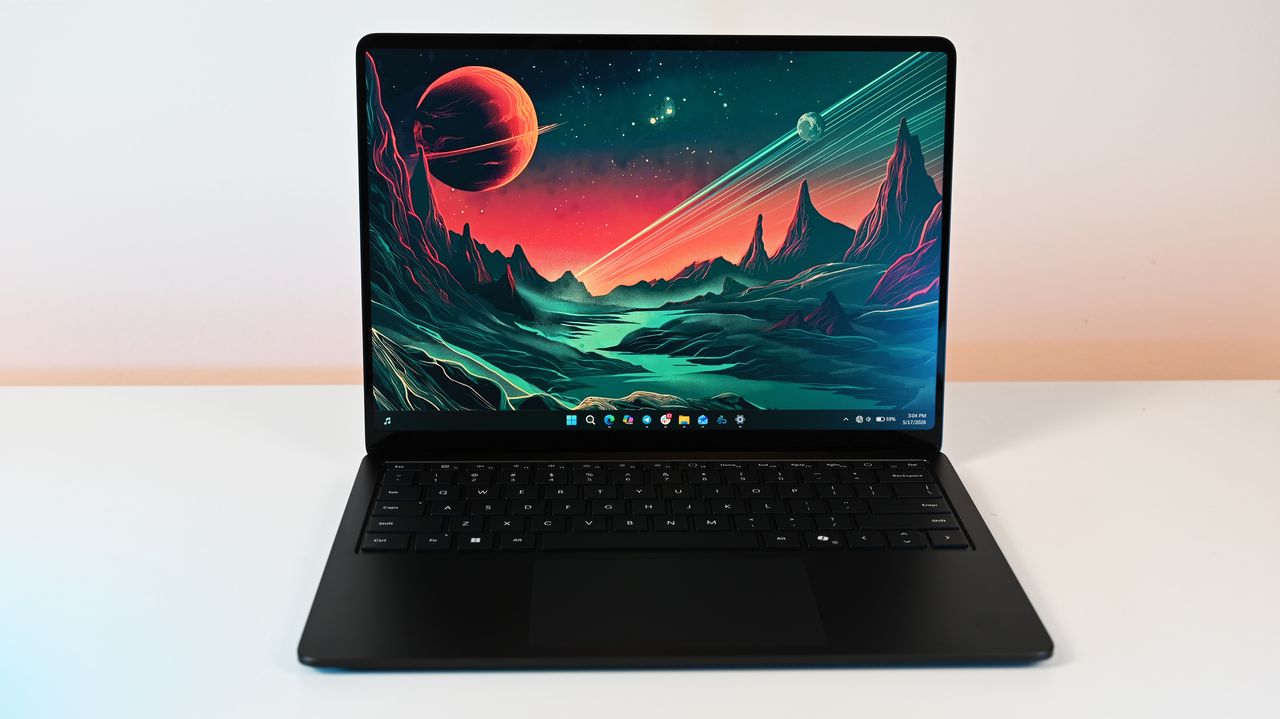
Surface Laptop for Business 8th Edition sits open on a white surface, displaying a vibrant sci-fi landscape wallpaper with a red planet and mountainous terrain.
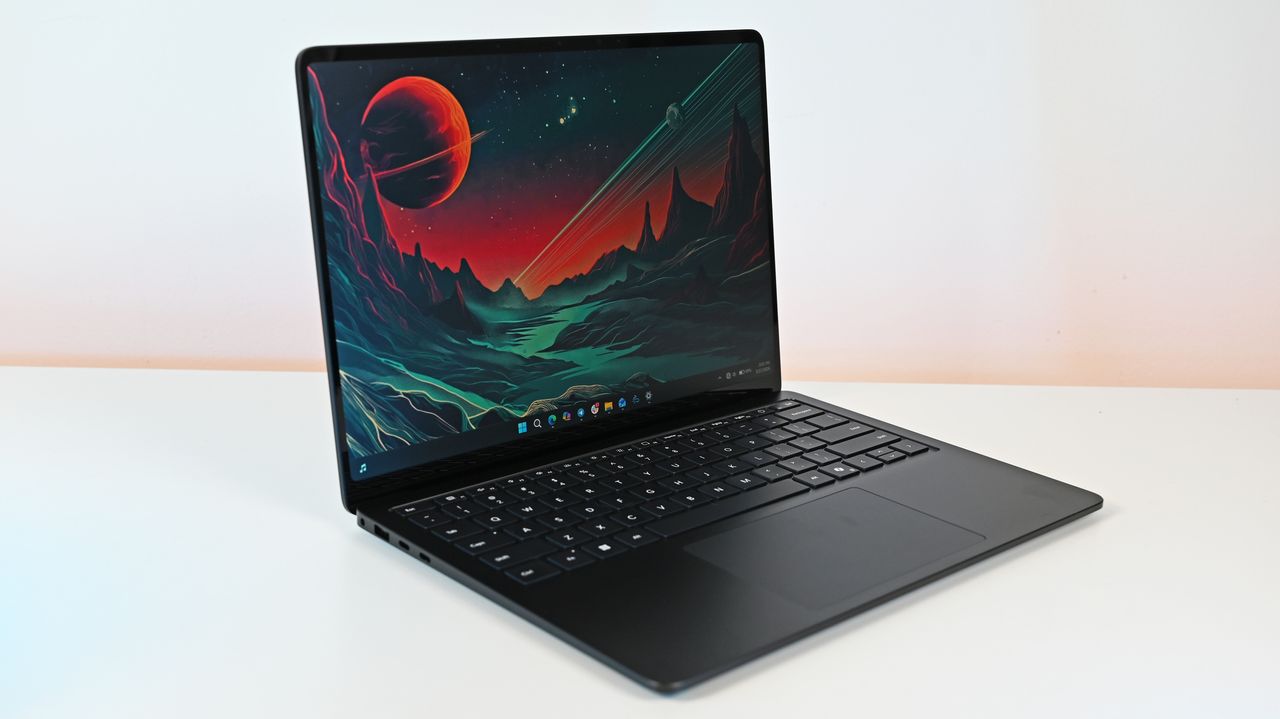
Surface Laptop for Business 8th Edition sits open on a white surface, displaying a vibrant sci-fi landscape wallpaper with a red planet and mountainous terrain.
When it comes to productivity in the classroom, in the office, or even at home, HP's Omnibook laptops are among the best value-for-your-money Windows laptops.The Omnibook 5 features an OLED 2K display, solid performance, a long-lasting battery, a sturdy build, and other useful features that help justify its cost, even amid a memory crisis.And now, the 16-inch OmniBook 5 AI PC is on sale with a 26% discount for only $809.99 at Amazon.With the power of Qualcomm's S
When it comes to productivity in the classroom, in the office, or even at home, HP's Omnibook laptops are among the best value-for-your-money Windows laptops.
The Omnibook 5 features an OLED 2K display, solid performance, a long-lasting battery, a sturdy build, and other useful features that help justify its cost, even amid a memory crisis.
And now, the 16-inch OmniBook 5 AI PC is on sale with a 26% discount for only $809.99 at Amazon.
With the power of Qualcomm's Snapdragon X processor, 16GB RAM, 512GB of storage, and Copilot+ PC certification, this 16-inch 2K laptop makes for an effective and reliable tool for handling daily workload tasks such as typing documents, hosting meetings, researching, and more.View Deal
Why buy the HP Omni 6 16" Next Gen AI PC?
The specs of the HP OmniBook 5 16" Next Gen AI PC. (Image credit: HP)
The 16" version that's on sale today features similar levels of computing horsepower but with a larger 2K OLED display capable of rendering images and videos with strong contrast.
This configuration of the HP OmniBook 5 is equipped with a Snapdragon X processor, 16GB RAM, a 512GB SSD, and an NPU with 40-60 TOPS to support its built-in Copilot+ AI feature.
With these specs, this laptop will reliably and effectively run productivity tasks like reports or spreadsheets in Office, perform AI-related tasks like researching and compiling information online, open multiple browser tabs without lag, host video meetings, and more.
Other notable features of this laptop include a gargantuan estimated battery life of 34+ hours, a lightweight yet sturdy thin build that makes it easy to carry or store for long-distance travel, a built-in FHD IR camera, and pre-installed Otter.AI to automatically take notes during meetings (which I personally love as I'm regularly forgetting to take notes during fast-paced or long-winded conversations).
So, if you're looking for a dependable workhorse laptop, you can't go wrong with the HP OmniBook 5, especially now that it's on offer for $809.99 at Amazon instead of its usual listing price of $1,099.99.
FAQ
Is its RAM and SSD upgradeable?
The RAM is not replaceable and upgradeable due to being soldered into the laptop's motherboard. It's factory-installed SSD however, can be replaced with a larger one (up to 2TB) should you need more space for files.
Is it good for gaming?
No, not really, as the HP OmniBook 5 was built for productivity workflows, meaning it will struggle to run most PC games.
Join us on Reddit at r/WindowsCentral to share your insights and discuss our latest news, reviews, and more.
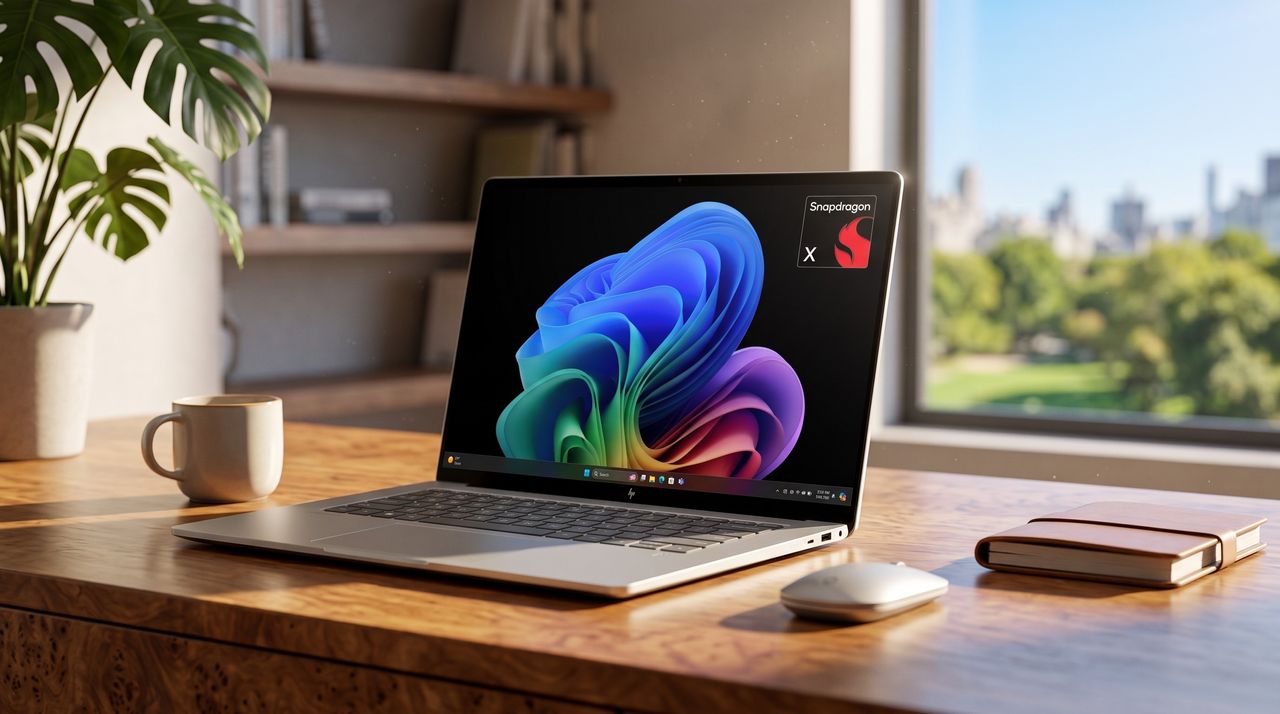
A laptop displaying a colorful wave pattern on the screen sits on a wooden desk beside a mouse, a notebook, and a cup. A window reveals a lush, sunny view.
Summer is taking a heavy toll on us all. Not just because of the heat, but also because of rising tech prices across the board, driven by RAM-hungry AI and other economic factors.Fortunately, Dell has come to cool off the frustrations of PC gamers and desk workers alike with a collection of advanced laptops, desktops, and monitors now on sale for a limited time, such as a 46% discount on the Alienware 16X Aurora Gaming laptop for $1,729.99 at Dell and a 38% disco
Summer is taking a heavy toll on us all. Not just because of the heat, but also because of rising tech prices across the board, driven by RAM-hungry AI and other economic factors.
Fortunately, Dell has come to cool off the frustrations of PC gamers and desk workers alike with a collection of advanced laptops, desktops, and monitors now on sale for a limited time, such as a 46% discount on the Alienware 16X Aurora Gaming laptop for $1,729.99 at Dell and a 38% discount on the Dell 14 Plus Laptop for $859.99 at Dell, to name just a couple.
The Dell 15 Laptop is simple yet effective for tackling light workloads, whether it's searching for info online or writing up documents, thanks to its Intel Core i5-1334U CPU, 16GB DDR5 RAM, and 512GB SSD.View Deal
"It’s not perfect... but for the price and the performance on offer the [Dell] 14 Plus is easily one of the best Windows laptops going, and should be at the top of the list for students, remote workers, and just about anyone else who needs a solid notebook PC without breaking the bank." ~ John Loeffler, Components Editor at TechRadar
The Dell Tower Desktop is a mighty PC that will plow through intensive workloads thanks to its Intel Core Ultra 7 265 processor, 32GB DDR5 RAM, and 1TB SSD, making it an ideal companion for office workers or those at home.View Deal
The Dell Slim Desktop offers similar high performance and install space as the Dell Tower Desktop, but with a more compact design, so it doesn't take too much space on your desk.View Deal
"The Alienware Aurora laptops target the mid-range with great all-around performance and a practical design, and the more powerful 16X makes some smart upgrades to justify its added cost." ~ Zachary Boddy, former Staff Writer,
"The Alienware 16 Area-51 stands out with an eye-catching design that sets a tough standard for competitors. Underneath, it delivers impressive gaming performance, an excellent keyboard, and capable speakers." ~ Ural Garrett, Staff Writer at TechRadar
"Designed to keep up with any task you throw at it, the S3225QC has brilliant contrasting and picture quality, and is perfectly suitable for design tasks, casual use and even as a multi-purpose display with its integrated speakers and AI spatial audio calibration." ~ Zachariah Kelly, Staff Writer at Tech Radar
"The Alienware AW2725D is everything an OLED gaming monitor should be for less money than the competition. With tons of color and premium performance, it will satisfy all players from casual to professional." ~ Christian Eberle, Contributing Editor at Tom's Hardware.
The Dell 14 Plus Laptop, Dell 15 Laptop, Dell Tower Desktop, Dell Slim Desktop, and Dell 32 Plus 4K Monitor are best suited for productivity tasks as they were built specifically for rendering images with crisp detail, typing words and spreadsheets fast, and opening multiple browsers while researching info online without suffering performance hiccups.
Which are good for gaming?
The Alienware 16X Aurora and Alienware 16 Area-51 laptops, along with the Alienware 27 Gaming Monitor, are the best devices for PC games, as they are designed to help them run at high graphical settings while boosting frame rates for smoother gameplay.
Join us on Reddit at r/WindowsCentral to share your insights and discuss our latest news, reviews, and more.
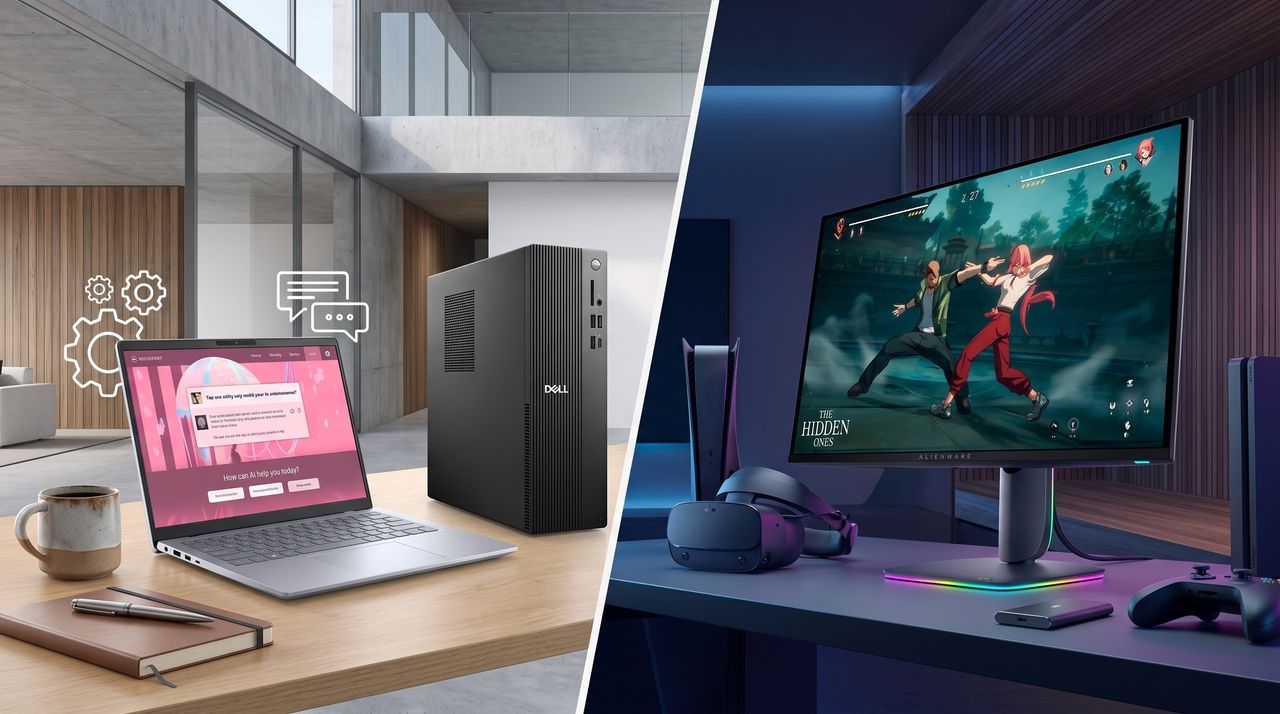
A split image shows two setups: a work area with a laptop displaying a webinar, pen, and mug on a table, and a gaming setup with a monitor, VR headset, and controller.
Dell is offering a selection of highly advanced PC devices, from gaming laptops to workhorse desktop towers, with a wide variety of discount deals for a limited time.
Alienware makes gaming laptops and desktops, sure, but the line I enjoy looking at most is its QD-OLED gaming monitors. They're immensely popular after being the first to market in 2022; they're generally well-rated, and they're usually competitively priced.One of the most popular Alienware gaming monitors is the AW3425DW, and it has now received a significant update for 2026. Dell let me get my hands on the new AW3426DW ultrawide monitor early so I could get a t
Alienware makes gaming laptops and desktops, sure, but the line I enjoy looking at most is its QD-OLED gaming monitors. They're immensely popular after being the first to market in 2022; they're generally well-rated, and they're usually competitively priced.
One of the most popular Alienware gaming monitors is the AW3425DW, and it has now received a significant update for 2026. Dell let me get my hands on the new AW3426DW ultrawide monitor early so I could get a true feel of what it's like, and I'm here to share my thoughts on whether or not it's worth a buy.
Dell had no input, nor saw the contents of this review, prior to publication.
It's worth noting that the older model is currently sitting at $649.99 after a $150 discount, and I wouldn't be surprised to see that price drop stick around now that the new model is here.
Here's a closer look at the specs that make up the Alienware AW3426DW.
Alienware AW3426DW
Size
34.18 inches
Panel
Samsung QD-OLED Penta Tandem (RGB stripe, 5-stack)
Resolution
3440x1440
Refresh rate
280Hz
Response time
0.03ms
Peak brightness
1,300 nits
Typical brightness
300 nits
HDR
HDR10, VESA DisplayHDR True Black 500, Dolby Vision
The main change arrives for the Quantum Dot-Organic Light Emitting Diode (QD-OLED) panel. It's using Samsung's new fifth-genPenta Tandem tech that was revealed earlier this year, which the company says has twice as long a lifespan as well as 1.3 times better brightness. Text should be easier to read, and there are improvements to dark colors in bright ambient light. More on that below.
Alongside the higher brightness, the monitor now has an anti-reflective coating to better combat glare. And, finally, the refresh rate has been raised from 240Hzto 280Hz.
What I like about the Alienware AW3426DW
The small Alien head and the power button are the only RGB elements you'll find. (Image credit: Future)
From a purely design standpoint, the Alienware AW3426DW hasn't changed much compared to the AW3425DW. Its case has a pleasant Interstellar Indigo color scheme, with minimal interruptions on the back panel.
An Alienware head logo is off to the left of the stand, and there's the secondary AI logo on the other side. These logos are surrounded by venting, altogether offering a clean look.
For a bit of extra jazz, the Alienware head has customizable lighting. The same applies to the monitor's power button on the bottom edge of the casing.
The front of the monitor features Alienware branding, and that's basically it. Bezels are nice and slim, and the rounded stand seems like a perfect pairing.
I like the bubbly, rounded look of the AW3426DW's stand. (Image credit: Future)
On that note, the stand is plenty sturdy. It doesn't offer much rotation (this is an ultrawide, after all), but there's enough tilt and swivel to keep me happy. If I were keeping the screen, it'd go onto my MSI dual-arm VESA mount thanks to 100x100mm compatibility.
All OSD settings are controlled with a single joystick. There are a ton of menu options to play around with should you want to tweak the picture, and the monitor includes quite a few presets for different tasks and gaming styles. You can also change shortcuts for easier control.
The OSD menu is controlled with a single joystick.FutureOSD menu controls in the Alienware AW3426DW are quite extensive.FutureOSD menu controls in the Alienware AW3426DW are quite extensive.FutureOSD menu controls in the Alienware AW3426DW are quite extensive.Future
Smart HDR, Dolby Vision, refresh rates, and much more are all customizable. You can choose how the monitor handles multiple inputs. And, for those who game and work on the same screen, I'm happy to report that the Picture-in-Picture (PiP) and Picture-by-Picture (PbP) features work flawlessly.
The older AW3425DW's OSD menu, or "Command Center," had issues with freezing and closing randomly, but I've not seen those issues in the newer AW3426DW model.
How is the Alienware AW3426DW's color and brightness?
It's hard to convey through photos how great the Alienware AW3426DW looks. (Image credit: Future)
Thanks to the new fifth-gen QD-OLED panel, Alienware's flagship line of ultrawide gaming monitors has never looked better.
One of the biggest complaints about the older model was that black colors often appeared purple when in a bright room. That's been significantly improved here, and it seems that no matter how much light is falling on the screen, dark colors remain dark.
This latest model includes a new anti-reflective finish that Dell says reduces glare by up to 30%. I can't test for that precisely, but I can say that the only time I had issues with glare was in a sun-drenched room with direct light hitting the screen. If you're in an office or a gaming room, you should have no issues.
The Alienware AW3426DW's brightness and contrast readout. (Image credit: Future)
It also helps that brightness has gone up from a 250-nit cap to 300 nits. Whereas the AW3425DW tested for roughly 252 nits of brightness, I saw the AW3426DW hit 330 nits in SDR, and it goes up to about 1,300 nits with HDR enabled. This additional brightness pushes its HDR certification up to VESA DisplayHDR 500.
You can see for yourself the brightness, color, contrast, and white point ratings in the above chart that I pulled from my SpyderX Pro colorimeter.
(Image credit: Future)
Color reproduction has actually improved slightly compared to the previous generation. Whereas we previously tested for 97% P3 and 94% AdobeRGB coverage, the new model hits 99% and 95%, respectively. It otherwise remains at 100% sRGB.
Is Alienware's AW3426DW good for gaming?
You're going to love gaming on Alienware's AW3426DW. (Image credit: Future)
Thanks to a curved panel, an ultrawide 21:9 aspect ratio, a 3440x1440 resolution, a 280Hz refresh rate, and a 0.02ms response time, the Alienware AW3426DW is an outstanding gaming monitor.
The resolution hits the sweet spot for most gamers, and once you go ultrawide, you'll find it's very hard to go back to a 16:9 aspect ratio. The 280Hz refresh rate has plenty of ceiling for high-end performance hardware, and it's fast enough that you shouldn't mind using it for competitive titles.
Because it's an ultrawide with room for (at least) three separate windows, it's also great for productivity. Text is easier to read with this generation of QD-OLED panel, and you might be surprised at how crisp everything looks if you're coming from an older model.
What I dislike about the Alienware AW3426DW
Ports on the Alienware AW3426DW are a bit more limited than I'd like. (Image credit: Future)
There's not much to dislike about this monitor from a display quality standpoint. But there are some drawbacks you should know about before buying.
The port selection is notably a bit lacking. There's no 3.5mm audio jack (and no built-in speakers), and for data, there's just USB-C (15W) and USB-A, feeding off an upstream USB-B port.
Alienware's AW3426DW is easy to love, whether you're gaming or working.
Video inputs include dual HDMI 2.1 with Fixed Rate Link (FRL) for uncompressed 4K@120Hz gaming, but the single DisplayPort is 1.4 standard with Display Stream Compression (DSC). Some newer monitors are shipping with DP 2.1 with less compression, and I'd say it only really matters for enthusiasts.
Should you buy the Alienware AW3426DW?
Alienware's AW3426DW is an outstanding gaming monitor, but it's also handy for productivity. (Image credit: Future)
You should buy this if ...
✅ You're looking for a competitively priced ultrawide gaming monitor featuring fifth-gen QD-OLED tech.
✅ You have a gaming PC that can handle a 3440x1440 resolution and that can make use of a 280Hz refresh rate.
You should not buy this if ...
❌ You're a competitive gamer who mostly plays at a 16:9 aspect ratio.
❌ You just want a QD-OLED ultrawide and don't care about the generation (go with the AW3425DW from last year that's now usually cheaper).
I loved my time with the Alienware AW3426DW, and it's something I'll recommend to anyone who's searching out a new QD-OLED ultrawide for gaming.
The 280Hz refresh rate is perfect for most people, the fifth-gen panel is better than ever, and the overall design is sleek and balanced.
Although some might complain that the port selection isn't generous enough or that the RGB lighting is lacking, others might not mind those drawbacks nearly as much.
And considering how many perks the monitor has, it's easy to see why this line of monitors from Alienware is so popular. I have to return the review sample, but the AW3426DW is at the top of my list for when it comes time to upgrade.
Penta Tandem
Alienware
AW3426DW
Alienware's AW3426DW makes several important upgrades over its predecessor, including a new Penta Tandem QD-OLED panel that ups brightness, improves color, and makes text easier to read. It's an outstanding option for work and for play, just as long as you can live with the (minor) downsides.
Join us on Reddit at r/WindowsCentral to share your insights and discuss our latest news, reviews, and more.
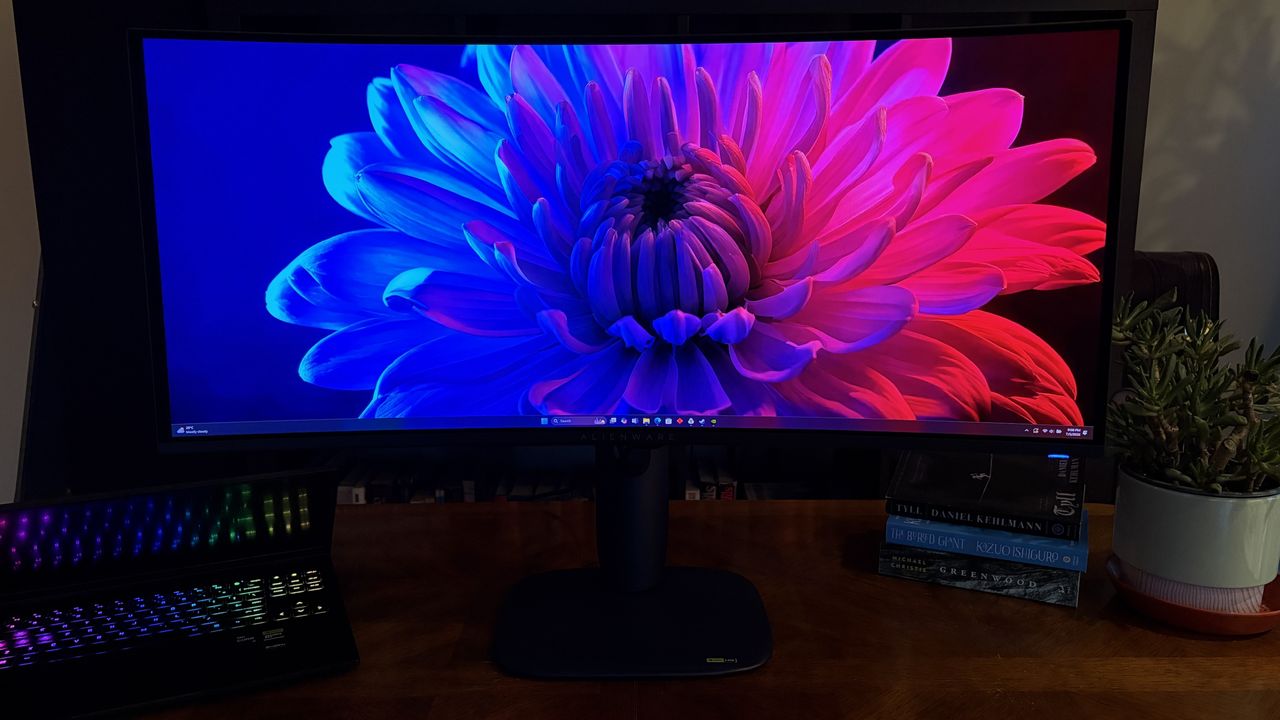
A curved Alienware AW3426DW widescreen monitor displays a vibrant flower image on a wooden desk, next to an open laptop with a lit keyboard, books, and a potted plant.
Alienware's new AW3426DW has landed with a host of improvements.
I'm a huge fan of all-in-one computers, and have pretty much daily driven one ever since Microsoft launched the first Surface Studio in 2016. Everyone agrees that the Surface Studio is in a league of its own when it comes to AiO design, and while other OEMs have tried to match it, none have come close.So when Microsoft killed off the Surface Studio, I was incredibly sad. Although I never really used the Surface Studio's unique canvas hinge, I did very much enjoy
So when Microsoft killed off the Surface Studio, I was incredibly sad. Although I never really used the Surface Studio's unique canvas hinge, I did very much enjoy its design and display, and so when the time came to replace it, I was never entirely satisfied with my options. I moved to the HP Envy 32, then the HP Envy 34, before switching to a Lenovo Yoga AiO 32 line last year.
I've been happily daily-driving my Lenovo Yoga AiO 32 for over a year, and while it looked good on a desk, it wasn't a head turner. Well, it appears Lenovo has taken that criticism to heart, as the follow-up is a complete redesign that puts sexy front and center.
The new Lenovo Yoga AiO i 32 Aura Edition is a true sight to behold. Complete with a transparent display chin that incorporates RGB lighting, a new upside-down V-shaped stand that's unlike anything I've ever seen, an incredibly thin but capable computer built into said stand, and the best display I've ever seen on an all-in-one.
I've been daily driving this AiO for the last three weeks, and this is my full review.
This review was made possible via a review sample supplied by Lenovo. The company had no editorial input and did not view the contents of this review before publication.
Yoga AiO i 32 Aura Edition: Price and specs
Prepare to be mesmerized by its design. (Image credit: Zac Bowden / Windows Central)
The Lenovo Yoga AiO i 32 Aura Edition is a mouthful of a name, but it does make it easy to find online. You can find the device available for purchase directly on Lenovo's website for an eyewatering $3,097.99. There's only one configuration available, so there's no wiggle room on that price for now.
That configuration comes with an Intel Core Ultra X7 358H, paired with 32GB RAM and 1TB m.2 SSD storage. It also includes the Intel Arc B390 GPU, which drives the incredible 32-inch 4K OLED panel at 165Hz. Unfortunately, there are no configurations with a dedicated GPU from NVIDIA or AMD.
Lenovo's new Yoga AiO i 32 Aura Edition is a sight to behold, complete with a unique design that features a transparent display chin with RGB lighting, the best 4K OLED I've ever seen fitted to an AiO, and incredible performance. View Deal
Yoga AiO i 32 Aura Edition specs
Specification
Details
Processor
Intel® Core™ Ultra X7 358H (E‑cores up to 3.50 GHz, P‑cores up to 4.80 GHz)
Wireless Mouse; Wireless Helios Gen 2 Keyboard (Seashell, English US)
Connectivity
Wi‑Fi 7 2×2 BE & Bluetooth® 5.4
Warranty
1 Year Mail‑in
Color
Seashell
Xbox Game Pass
Included
Part Number
F0JK0009US
Price
$3097.99
Yoga AiO i 32 Aura Edition: What I like
These ports and buttons are easily reachable on the side. (Image credit: Zac Bowden / Windows Central)
In a word, the Lenovo Yoga i AiO 32 Aura Edition is sexy. It's probably the best-looking desktop computer you can buy right now, and that's thanks to its absolutely insane design that places the entire computer in the stand that holds the screen up, allowing the display to take all your attention.
From a normal sitting position, you can't even see the stand. Unlike traditional stands that have a base that sits on the desk, the AiO's stand is more like a kickstand, with the weight of the display leaning against the stand, and the bottom of both the stand and the display chin making contact with the desk to form an upside-down V shape.
This is unique on its own, but when paired with the awesome-looking transparent display chin, the result is an all-encompassing 4K OLED display that looks like it floats. It's honestly super mesmerizing, and with the built-in RGB lighting enabled that shines through the transparent chin, the whole thing just looks amazing.
That RGB lighting can be controlled via Lenovo's included Vantage app, or by Windows itself using Microsoft's new Dynamic Lighting feature. This is the first time I've been able to use Windows 11's native RGB controls, and they're quick and awesome. You have a number of settings, including gradients that let you choose two colors to alternate between, and it's overall very easy to set up.
The transparent chin is a sight to behold. (Image credit: Zac Bowden / Windows Central)
It's an incredibly eye-catching design that will turn heads whenever someone who has never seen it before comes across it. While the light-up chin is the first thing they'll notice, the second thing they'll be blown away by is the sheer quality of the 4K OLED display that sits on top of it.
This 32-inch 4K OLED panel is amazing. It's a true 10-bit panel at 165Hz, making Windows animations and scrolling look super smooth and games feel incredible to play. This is undoubtedly the best display you can find on an all-in-one PC right now, blowing the iMac and the last-gen Lenovo 32-inch AiO out of the water.
This is undoubtedly the best display you can find on an all-in-one PC right now, blowing the iMac and the last-gen Lenovo 32-inch AiO out of the water.
Colors simply pop on this screen. It's also incredibly color accurate, with a 99% DCI‑P3 and 100% sRGB rating making it great for video editors and photo artists. It's plenty bright, with up to 1,000 nits peak brightness in HDR content too. The display is surrounded by thin uniform bezels, with a metal frame that's cold to the touch and feels incredibly premium.
On the right side of the display is a USB-C port, which makes plugging in flash drives and other peripherals super easy and convenient. There's also a 3.5mm audio jack on this same display edge, which is nice for plugging in headphones. The rest of the ports are located on the stand, most of which are at the very back.
There's a door that covers this USB-A port. (Image credit: Zac Bowden / Windows Central)
On the stand, you'll find a single USB-A port on the side of the stand, which is designed for a wireless keyboard and mouse dongle (but you can plug anything into it) behind a door. On the back, there are two USB-C ports, two USB-A ports, an HDMI port, and that's it. I do wish there was maybe an additional USB-A and USB-C port, and an Ethernet jack wouldn't have gone amiss either.
Along the top of the display is a 16MP webcam that looks great and is a significant upgrade over the last gen Lenovo AiO. It's much clearer, and Windows Hello face unlock works a little faster as a result. There's a webcam kill switch on the right side of the display that's easy to reach for when you don't want anyone looking at you.
The AiO comes with a nice keyboard and mouse as well. These are automatically paired with the PC when you unbox, as the wireless dongle comes plugged in from the factory. The keyboard is hefty but premium-feeling, featuring a chiclet-style typing experience that's quiet yet satisfying.
Yoga AiO i 32 Aura Edition: What I don't like
It's pretty even from behind. (Image credit: Zac Bowden / Windows Central)
Unfortunately, there are some things about the Lenovo Yoga AiO 32 Aura Edition that aren't my favorite. While this device is overall amazing and I would recommend it to pretty much anyone, that does come with a few caveats.
First of all, the design of this computer does have a few trade-offs. Firstly, the space required to set up the computer optimally on your desk is a significantly larger area than your usual AiO that sits on a normal stand with a base. The upside-down V-shape nature means that to angle the screen comfortably, you need to widen the gap between the two points of contact on the desk.
This isn't going to be an issue if you have a large desk, but for those on smaller desks, you might find the display ends up being slightly too close to you, or the stand ends up uncomfortably close to the edge of the desk. The underside of the stand is covered in a grippy texture, so it won't slide anywhere, but it's still a little unnerving.
It's incredibly thin. Where even is the computer? (Image credit: Zac Bowden / Windows Central)
You also lose usable desk space with this design. Sure, you can put things behind the display between it and the stand if you wanted, but that would mean you'll need to reach around the display whenever you need access to whatever it is you've put behind it. Plus, the transparent chin means you can see all the mess behind there at all times.
On the subject of that transparent chin. I love it, I really do, but my goodness, is it a dust and fingerprint magnet. Be prepared to be cleaning it on the daily. I don't know how fingerprints even end up there, as I'm never actively touching the chin, but somehow I'm always cleaning them off.
On this new model, you have no choice but to get up, lean around the display, and fondle your way into plugging your peripheral in. It's quite annoying.
This design also results in the position of the ports being really difficult to reach. While there is a single USB-C port on the side of the display, which is super easy to access and great to have, all the other ports are on the stand, most of which are at the back on the very bottom. This makes them basically impossible to reach when sitting in front of the display.
I complained about the position of the ports on the last-gen AiO from Lenovo, but at least on that device you could reach through the display stand to get to the ports from a sitting position. On this new model, you have no choice but to get up, lean around the display, and fondle your way into plugging your peripheral in. It's quite annoying.
These speakers have a problem... (Image credit: Zac Bowden / Windows Central)
I'd also argue that for a device being targeted at creators, it's quite lacking in the port section. There are just two USB-C and three USB-A ports on the whole device, four of which are on the back. Plus, there's no Ethernet jack for wired internet, and no SD card reader of any kind. I do wish that it had an SD card reader at the very least.
The last thing I don't like about the AiO is the built-in speaker system. In my testing, I can't help but think there's something wrong with them. Whenever the audio channel is open, an audible hissing/whooshing noise is present. This noise is present regardless of the audio being played, but is more noticeable when the volume is on medium or low settings. It's even audible when the device is muted and an audio track is playing, and it goes away entirely when the audio channel is closed.
It's so noticeable that I reached out to Lenovo to request a new review unit, thinking mine was defective, only to find the second sample has the same problem. So, I don't know if this is a hardware defect or something that can be fixed via firmware updates. I couldn't tell you what's causing the noise, but it is there.
If you've ordered one of these AiOs, let me know if this issue is present on your unit, or if I just somehow received two defective models back to back. This problem is easily solved by using an external set of speakers, which is what I do, completely bypassing the built-in speaker system. Still, it's not something you should have to put up with when paying this amount of money for a device, so if yours has this issue and you're unhappy, be sure to return it.
Yoga AiO i 32 Aura Edition: Performance
The transparent chin does have logos etched into it. (Image credit: Zac Bowden / Windows Central)
This AiO is one that strikes a perfect balance between performance and quiet operation. This thing is whisper-quiet for 99% of the time you'll be using it, with the fans only spinning up under heavy sustained load for long periods. Even when on full blast, the fans aren't offensively loud.
Powered by the Intel Core Ultra X7 358H (Core Ultra Series 3) and Intel Arc B390 GPU, this AiO is well equipped to handle your usual day-to-day tasks, as well as high-intensity tasks such as video and photo editing, rendering, and 3D modeling. It's even a competent gaming machine, though I wouldn't buy one for dedicated gaming.
This thing is whisper-quiet for 99% of the time you'll be using it, with the fans only spinning up under heavy sustained load for long periods.
The Intel Core Ultra X7 358H CPU is where this machine truly shines, flexing massive numbers in multi-threaded tasks thanks to its advanced architectural efficiency. With a Geekbench single-core score of 2,851 and a multicore score of 16,964, it breezily handles heavy multitasking, AI workloads, and complex data processing.
In everyday productivity, it achieved a CrossMark score of 2,128, which means it has snappy execution across office applications. For rendering workloads, the Cinebench benchmarks reveal a single-core score of 501 and a robust multicore score of 4,927. The device has minimal thermal throttling, and as mentioned above, rarely gets loud.
The Yoga logo sits proud in the middle of the transparent chin. (Image credit: Zac Bowden / Windows Central)
The inclusion of the Intel Arc B390 GPU elevates this machine beyond your usual standard integrated graphics. It's a highly efficient, modern graphics solution that I'd describe as more than good enough for light to moderate gaming, intensive content creation, and smooth video editing. Here are our 3DMark benchmark results:
Benchmark
Score
Performance Context
Night Raid
48,631
Excellent for esports and casual titles
Time Spy
7,793
Solid DX12 performance for 1440p gaming
Time Spy Extreme
3,630
Handles moderate 4K workloads
Steel Nomad Light
5,633
Great lightweight cross-platform performance
Steel Nomad
1,100
Pushes the integrated graphics to its limit
It's clear that the Intel B390 isn't going to be great at running the latest games at their highest settings at 4K 120Hz, but bumping things down to medium-high graphics settings and 1080p or 1440p will result in a perfectly fine gaming experience, which should be more than enough for those who are only gaming casually on their PCs.
Games like Halo: The Master Chief Collection or Hitman run great on the AiO. Cyberpunk 2077 also runs really well when set to 1440p high settings. Older games like GTA V run at high frame rates with all their settings maxed out, even at 4K. So it really will come down to the kind of games you play and how graphically intensive they are.
The Intel B390 is a step above your typical integrated graphics, but it's no dedicated GPU from NVIDIA or AMD. So expectations should be tempered if you're looking to game. Most modern games should run more than fine if you set their graphics settings to medium 1080p. It's fair to say the Intel B390 is better served for content creators, being an excellent GPU for rendering video, 3D models, and more.
The Intel B390 is a step above your typical integrated graphics, but it's no dedicated GPU from NVIDIA or AMD.
I do wish Lenovo offered the PC with the option of being configured with a dedicated GPU, as the B390 on its own might be disappointing for some, especially at these prices.
The last-gen flagship Lenovo Yoga AiO featured an NVIDIA RTX 4050, which provides roughly the same level of performance as the Intel B390, but I've found that some games run slightly better with smoother frame rates on the older NVIDIA card. So we're not seeing any real performance upgrades across generations, outside of the fact that the Intel B390 is a more efficient GPU overall.
For storage speeds, the CrystalDiskMark results are top-tier, clocking in at an impressive 7,008.27 MB/s read and 5,807.32 MB/s write speeds. This should mean boot times, app loading, and file transfers stay nice and fast.
Conclusion
I mean, c'mon. Just look at it. (Image credit: Zac Bowden / Windows Central)
You should buy this PC if...
✅ You want a beautiful Windows all-in-one
✅ You want one of the best OLED displays on a Windows PC
✅ You're a creator who focuses on video and photo editing
You should not buy this PC if...
❌ You have a small desk
❌ You frequently need to plug in and unplug peripherals
❌ You rely heavily on built-in speakers
❌ You're a hardcore gamer who wants to game
Overall, I believe the Lenovo Yoga i AiO 32 Aura Edition is an almost perfect all-in-one. It's definitely at the top of the list when it comes to an aesthetic design point, but those design choices aren't without their own minor annoyances. For me, I'm happy to sacrifice easy port access in exchange for sheer beauty.
With that said, there's clearly a problem with the built-in audio setup on two of the units I tested. Once again, I'm hoping that this issue is software-related and can be fixed via a firmware update. Some may not even notice the hissing noise, but it's very audible and distracting for me.
The lack of a dedicated GPU option may also upset some people, especially those that are wanting to game. While the Intel Arc B390 is good, it's by no means great, especially for the over $3,000 you'll be paying for this PC new.
Those issues aside, I have to say that this AiO is the first one I've used since the Surface Studio that has blown me away. It's just jaw-droppingly good to look at, and it's something I'm proud to have sitting on my desk. There's nothing boring or corporate about it; it's simply mesmerizing.
The design, paired with the glorious 4K 165Hz OLED panel and great performance under the hood, results in an incredible experience at a high cost, which unfortunately can't be helped given the ongoing component pricing crisis. If Lenovo is able to get the speaker issue sorted, this device is a clear winner in my book.
Lenovo
Yoga AiO i 32 Aura Edition
Lenovo's new Yoga AiO i 32 Aura Edition is a sight to behold, complete with a unique design that features a transparent display chin with RGB lighting, the best 4K OLED I've ever seen fitted to an AiO, and incredible performance.
Join us on Reddit at r/WindowsCentral to share your insights and discuss our latest news, reviews, and more.
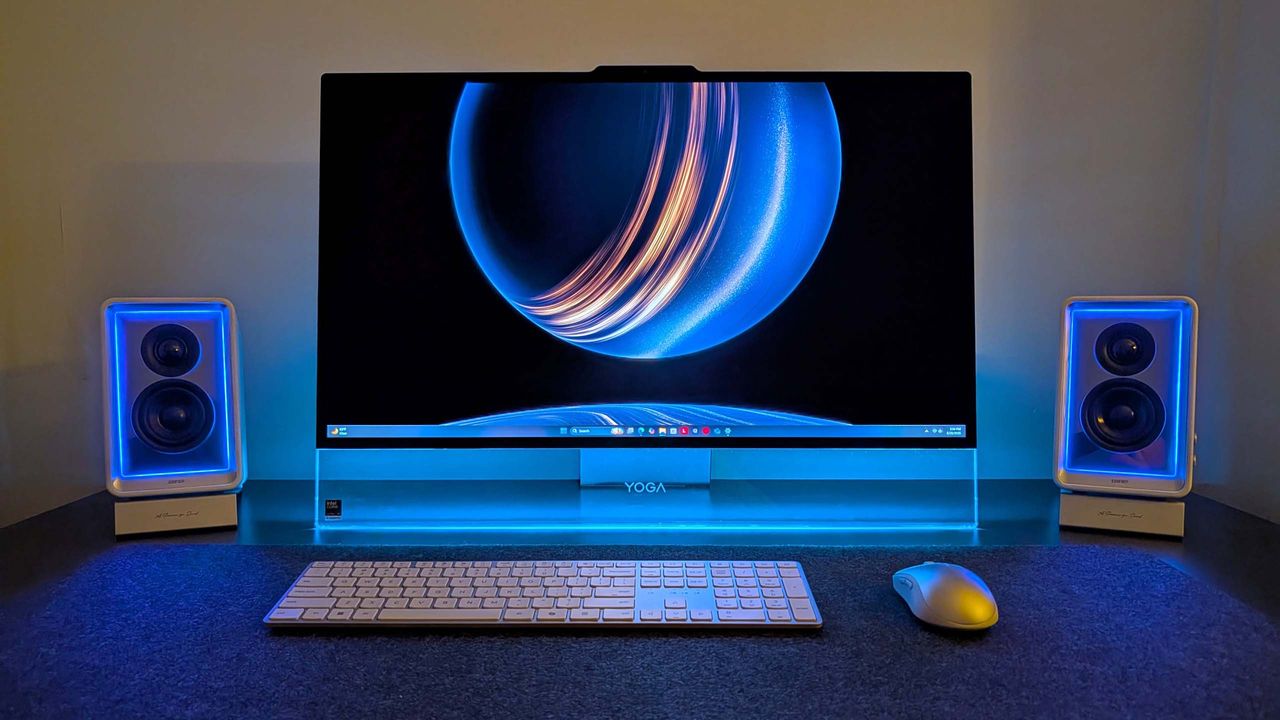
Lenovo Yoga AiO i Aura Edition
Lenovo's latest flagship all-in-one might be the best-looking Windows AiO we've ever seen.
Dell's laptops can be pricey, especially in this turbulent economy. Still, the vast majority live up to their high asking prices thanks to their sleek, portable designs, strong performance for daily productivity and creative projects, and long-lasting batteries.The Dell Pro 16 laptop is no exception, and its steep $1,529.00 listing price has been taken down a peg to $1,229.00 at Dell for a limited time.Cut through mountains of daily workloads with the Dell Pro 16
Dell's laptops can be pricey, especially in this turbulent economy. Still, the vast majority live up to their high asking prices thanks to their sleek, portable designs, strong performance for daily productivity and creative projects, and long-lasting batteries.
The Dell Pro 16 laptop is no exception, and its steep $1,529.00 listing price has been taken down a peg to $1,229.00 at Dell for a limited time.
Cut through mountains of daily workloads with the Dell Pro 16 laptop. This configuration is armed with an Intel Core Ultra 5 235U vPro CPU and 16GB of RAM for solid performance rates, a 16" FHD display for crisp visuals, and 512GB of install space.
A full render of the Dell Pro 16 laptop (Image credit: Dell)
The Dell Pro 16 laptop has received much praise from over 1,059 customers on Dell.com (average rating: 4.5), citing it's top of the line build-quality, performance, and features. And of those, 828 were perfect 5-stars from customers who bought it.
This configuration we're spotlighting is armed with an Intel Core Ultra 5 235U vPro CPU and 16GB of RAM, which enables it to boot up as quickly as a fingersnap and operate productivity apps like Microsoft Office and open multiple tabs in web browsers like Microsoft Edge with ease and no performance hiccups.
Not to mention it has a sleek design that can take a lot of punishment while being ultra-thin enough to carry in most travel bags with minimal issue for easy portability.
Other notable features include a large 16" FHD screen so you can see images and text with clear definition so you perceive them better, a built-in camera so you can host video calls at 1080p+30fps, an optional fingerprint scanner during checkout to add extra security, and a respectable battery life of roughly 9 hours before needing to recharge.
So, if you're looking for a premium-grade laptop that can topple any productivity obstacle thrown at it so you can clock out of work early, then the Dell Pro 16 could be your next best ticket out of the office.
FAQ
Is its RAM and SSD upgradeable?
The Dell Pro 16 uses DDR5 RAM which can be removed and installed with a different one up to 64GB. Same goes for its factory-installed SSD which can be replaced with a larger one that fits the laptop's M.2 slot.
Is it good for gaming?
Generally, no, as it's built for office work tasks like typing documents, collating spreadsheets, and researching info online rather than playing video games. So, if you try to run AAA PC games on it, they will either struggle to load properly or only function at their lowest graphical settings.
What ports does it feature?
The Dell Pro 16 includes a USB-C, a Thunderbolt 4 port, two USB-A 3.2 ports (one with PowerShare), an HDMI 2.1 port, a 3.5mm audio jack port, a RJ45 Ethernet port, a power-adaptor port, and an optional contacted smart card port.
Join us on Reddit at r/WindowsCentral to share your insights and discuss our latest news, reviews, and more.
A laptop displaying a "Time Management Strategies" document on a wooden desk, next to a clock and pen. The setting is modern and well-lit, conveying productivity.
The ongoing memory crisis has taken a heavy toll on tech, forcing PC prices to rise regardless of how much we need them in our daily lives, whether that's communicating with family or working with remote colleagues millions of miles away (or simply watching Netflix).But we'll always find deals on a range of Windows laptops so you can enjoy fast performance, crisp displays, and sizeable storage that regularly drop below $1,000, with this recent collection being a
The ongoing memory crisis has taken a heavy toll on tech, forcing PC prices to rise regardless of how much we need them in our daily lives, whether that's communicating with family or working with remote colleagues millions of miles away (or simply watching Netflix).
But we'll always find deals on a range of Windows laptops so you can enjoy fast performance, crisp displays, and sizeable storage that regularly drop below $1,000, with this recent collection being a prime example.
This roundup includes the speedy and reliable Dell 14, now 43% off at $699.99 at Dell (list price $1,229.99), or the most budget-conscious ASUS Vivobook 14, now on sale for $519.99 at Amazon (list price $639.99).
"This laptop is the perfect all-rounder for my studies and professional work, offering a seamless experience that has completely transformed my daily productivity. It is incredibly fast, handling dozens of browser tabs and demanding multitasking without a hint of lag, while its near-instant boot-up times make it reliable for jumping straight into meetings or lectures. The build quality is exceptional yet light enough for easy portability." ~ Sandile, customer review
"The Dell 14 Plus 2-in-1 is a great convertible laptop option for those on a budget (like students) who want more performance and functionality than you'd find in a Chromebook, but its display is lackluster, which might be a dealbreaker for some." ~ John Loeffler, Components Editor at TechRadar
"The Asus Vivobook 14 won’t win hearts, but it will quietly help you meet deadlines with a focus on ergonomics, decent mid-range performance, solid battery life and an affordable price." ~ Jason England, Managing Editor at Tom's Hardware
"Lenovo's 16-inch Yoga 7i 2-in-1 has strong positives for travelers who refuse to compromise on screen size and would benefit from a transforming screen." ~ Ben Wilson, Senior Editor
"The Lenovo IdeaPad Slim 3x is a remarkably cheap laptop, yet it delivers good performance and amazing battery life in a slim, elegant chassis with a comfy keyboard." ~ Stevie Bonifield, Writer at Tom's Guide
You generally can't add more RAM to many of these modern laptops, as the memory is usually soldered to the motherboard (LPDDR). Where applicable, models with SO-DIMM memory can be upgraded. You can, however, often add extra storage space by replacing internal M.2 SSDs with larger ones or by connecting external SSDs.
Are these laptops good for gaming?
No. The laptops in this roundup are primarily designed for productivity tasks, not for PC gaming, so they were never intended for intensive AAA titles.
Join us on Reddit at r/WindowsCentral to share your insights and discuss our latest news, reviews, and more.
Four laptops with diverse screens are surrounded by gadgets, including a smartwatch, smartphone, and chargers, on a gray surface. The vibe is modern and tech-savvy.
Dell's 14 Plus 2-in-1 joins this week's bargain roundup.
David Noel Ng, un chercheur installé à Munich, en avait marre du pile ou face et des tirages de dés truqués par les ordinateurs, alors il a construit une machine qui pose directement la question à l'univers. Son engin, le Beam Universe Splitter, fabrique alors du hasard pur en laissant une particule de lumière choisir à votre place. Et la réponse n'est pas 42 ! ^^
Le principe c'est qu'un photon, un simple grain de lumière, fonce vers un miroir semi-réfléchissant. Au moment où il y parvient, il a
David Noel Ng, un chercheur installé à Munich, en avait marre du pile ou face et des tirages de dés truqués par les ordinateurs, alors il a construit une machine qui pose directement la question à l'univers. Son engin, le Beam Universe Splitter, fabrique alors du hasard pur en laissant une particule de lumière choisir à votre place. Et la réponse n'est pas 42 ! ^^
Le principe c'est qu'un photon, un simple grain de lumière, fonce vers un miroir semi-réfléchissant. Au moment où il y parvient, il a alors 2 possibilités : Soit il le traverse, soit il rebondit. Et dans l'état actuel de la science, absolument rien au monde ne permet d'anticiper ce qu'il fera. Un détecteur attend bien sûr de chaque côté... Si c'est le premier qui capte le photon, ça donnera un 0 et si c'est le second, ça donnera un 1. C'est la nature qui tranche, sans algorithme.
Pour rendre tout ça palpable, David a surtout branché sa machine sur une sorte de boule magique en ligne (les fameuses 8-ball). Vous tapez votre question existentielle du moment, l'appareil fait défiler ses bits quantiques en direct depuis sa cave bavaroise, et il vous sort LA réponse (non, c'est toujours pas 42).
Et comme l'expliquent certains experts de la physique quantique, chaque possibilité qui s'offre à vous, arrive forcément quelque part dans un univers parallèle, vous ne faites finalement que tomber sur le votre. Oui, je sais c'est barré.
L'Univers m'a dit que
Patreon
, c'était mal barré...
Pour repérer ses photons, il a fait de la récup et a chopé deux photomultiplicateurs Hamamatsu sur du vieux matériel de labo d'analyse de protéines parti à la benne. Ensuite, c'est piloté via une carte FPGA Red Pitaya qui a pour rôle de trier les signaux des millions de fois à la seconde. En ignorant au passage les affreux rayons cosmiques qui viendraient parasiter la mesure.
J'adore ces histoires de physique quantique. Puis ça bouge dans tous les sens en ce moment, entre
l'informatique quantique qui passe en open source
et les physiciens du CERN qui
fabriquent un qubit avec de l'antimatière
. Mais là, avec sa 8-ball directement branchée à l'univers, il n'a pas eu besoin d'un labo à plusieurs millions mais juste d'une LED, d'un miroir et de pas mal de débrouille.
Après pourquoi se donner tout ce mal alors que votre PC sait déjà cracher du hasard ?
Hé bien parce que JUSTEMENT, le hasard de nos ordis c'est l'arnaque. C'est basé sur un algo qui imite très bien le chaos, mais qui reste prévisible si on connaît son point de départ. Tout le défi, comme
le raconte David sur son blog
, ça a été de prouver que ces bits sont du vrai hasard quantique et pas juste les ratés de son détecteur qui jouent les imposteurs. Mais bonne nouvelle, sa machine a passé tous les tests statistiques de référence du NIST sur 1 milliard de bits. Donc je pense qu'il est bon, y'a pas de schéma prédictible caché dans sa machine.
Après si vous voulez vous en faire une pour prendre toutes les décisions importantes de votre vie, sachez quand même que c'est lent de fou. On est à 2300 bits par seconde et comme ça tourne dans le labo de David, ça peut parfois se retrouver hors ligne.
Mais peu importe, c'est génial comme idée je trouve ! Bravo à lui !
*-- Contient des liens affiliés -- *
La
Steam Machine de Valve
vient à peine d'arriver dans les salons que le youtubeur ETA Prime l'a déjà éventrée sur son établi. Et je sais pas vous, mais moi j'ai bien envie de voir ça avant de lâcher les 1039 euros qu'elle va couter. Ce petit cube vient de sortir d'usine avec ses 16 Go de mémoire et un SSD de 512 Go ou 2 To, et la vraie question que tous les geeks se posent c'est ... roulements de tambour ... : Est-ce qu'on peut l'ouvrir et bidouiller dedans
La
Steam Machine de Valve
vient à peine d'arriver dans les salons que le youtubeur ETA Prime l'a déjà éventrée sur son établi. Et je sais pas vous, mais moi j'ai bien envie de voir ça avant de lâcher les 1039 euros qu'elle va couter. Ce petit cube vient de sortir d'usine avec ses 16 Go de mémoire et un SSD de 512 Go ou 2 To, et la vraie question que tous les geeks se posent c'est ... roulements de tambour ... : Est-ce qu'on peut l'ouvrir et bidouiller dedans ?
ET BIEN OUI ! Et c'est même plus facile que ce que vous pensez !!!
Tout commence donc avec deux vis T8 à l'arrière (qui ne tombent pas, elles restent solidaires du châssis, c'est qualiiii) et quatre autres sous les pieds. La façade avant, elle, tient juste avec des aimants.
Un coup de
spudger
, on fait coulisser tout le bloc hors de sa coque en plastique, et là vous tombez sur un gros radiateur en aluminium avec ses caloducs en cuivre, une alimentation intégrée, et la carte mère prise en sandwich au milieu. C'est propre et ça permet d'éviter le gros bloc d'alim qui traine sous la TV.
Le slot M.2, les ports USB avant, le lecteur SD, les USB arrière et l'Ethernet sont montés sur des petites cartes filles reliées par des nappes, ce qui rend le tout très modulaire. Ainsi, si le connecteur USB vous lâche dans 2 ans, bah y'a juste qu'à remplacer le module concerné et basta !
Même le Wi-Fi et le Bluetooth, soudés sur la carte d'entrées-sorties avant, se changent en remplaçant ce seul bloc. Notez que le seul élément un peu fermé, c'est le ventilateur car il est custom, dessiné spécifiquement pour la machine, donc oubliez votre rêve de coller un Noctua à la place. Et pour accéder à la RAM, par contre, il faut sortir le ventilateur et son carénage, débrancher les antennes Wi-Fi, puis dégager le radiateur.
Bonne nouvelle aussi, y'aura pas besoin de refaire la pâte thermique puisque la carte mère se soulève d'un bloc pour libérer les deux emplacements SO-DIMM en dessous. Valve n'en utilise qu'un seul d'origine, avec une barrette de 16 Go en DDR5 à 5600 MT/s, en single channel. ETA Prime a viré ça pour deux barrettes Crucial de 32 Go, soit 64 Go au total.
Au reboot, SteamOS Holo lui a par contre affiché 62 Go de mémoire système (?). Et pour le stockage, le SSD d'origine est un format court
2230
, mais il y a la place pour un 2280 classique. Du coup notre Youtubeur y a mis un Kingston Fury Renegade de 4 To, cloné depuis le disque d'usine avec
Etcher
pour garder ses jeux et son compte.
La barrette SO-DIMM DDR5 d'origine, à côté des Crucial de 32 Go
Côté tripes, le menu système le confirme bien... La bête contient un AMD Custom CPU 1772 en architecture Zen 4, six cœurs et douze threads à 4,86 GHz, accompagné d'un GPU RDNA 3 (un Navi 33, pour les curieux) avec 8 Go de VRAM. Malheureusement (et là, vous allez chialer), ces 8 Go de mémoire vidéo sont soudés et donc non extensibles. Donc même avec 64 Go de RAM système, vous ne gagnerez quasiment rien en jeu, puisque c'est la VRAM qui fait le boulot graphique. C'est couillon...
Le menu système après upgrade : 62 Go de RAM, mais toujours 8 Go de VRAM
Cela signifie que vu les prix de la RAM en ce moment, ça ne vaut pas le coup de l'upgrader sur la Steam Machine. Les 16 Go d'origine suffisent largement pour la plupart des gens (Le prix de la mémoire était justement une des raisons pour lesquelles la Steam Machine coûte plus cher qu'une PS5 Pro, haha).
Pareil pour le SSD, payer un M.2 4 To, c'est se faire mal au portefeuille pour rien alors qu'un disque dur externe USB de 5 To coûte trois fois moins cher. Un peu plus lent au chargement, certes, mais c'est largement suffisant pour stocker votre ludothèque.
Mais je suis quand même content de voir que Valve a sorti une vraie machine ouverte, réparable avec un simple tournevis, là où la concurrence nous soude tout comme des déglingos et interdit le moindre accès.
Decrazyo vient de sortir
ANES
, un mod hardware qui transforme votre vieille NES en lui collant un deuxième PPU, la puce graphique de la console.
Résultat, plus de couleurs à l'écran, plus de sprites, et même du parallax scrolling, ces décors qui défilent sur plusieurs plans comme sur les bornes d'arcade. Que des trucs que la petite Nintendo de 1985 n'a jamais su faire, la miskine.
Le hic, c'est qu'il vous faut deux NES pour ça. Une qu'on garde, et une qu'on démonte pour lui piquer son PPU (
Decrazyo vient de sortir
ANES
, un mod hardware qui transforme votre vieille NES en lui collant un deuxième PPU, la puce graphique de la console.
Résultat, plus de couleurs à l'écran, plus de sprites, et même du parallax scrolling, ces décors qui défilent sur plusieurs plans comme sur les bornes d'arcade. Que des trucs que la petite Nintendo de 1985 n'a jamais su faire, la miskine.
Le hic, c'est qu'il vous faut deux NES pour ça. Une qu'on garde, et une qu'on démonte pour lui piquer son PPU (le fameux RP2C02) pour ensuite le greffer sur la première via une carte maison bardée de logique. Ensuite (et attention, ça devient technique), un démultiplexeur 74LS139 aiguille le processeur vers l'un ou l'autre PPU selon l'adresse mémoire, un latch 74LS373 verrouille les signaux, et 8 Ko de RAM statique dédiée alimentent le second PPU.
En gros, le CPU jongle entre deux cartes graphiques au lieu d'une. C'est tout ce que vous devez savoir.
Pour comprendre pourquoi c'est énorme comme news, faut bien se rappeler les limites de la bestiole. La NES affiche 25 couleurs à l'écran maximum, piochées dans une palette de 64. Et elle ne dessine que 8 sprites par ligne horizontale, d'où le clignotement légendaire des persos quand ça se bouscule (les vétérans de Mega Man voient de quoi je parle). Alors qu'avec deux PPU qui bossent en parallèle, vous doublez le budget graphique d'un coup.
Decrazyo est le premier à reconnaître que personne ne va se lancer là-dedans parce que c'est bien relou à faire. Faut déjà sacrifier deux consoles, sortir le fer à souder, dessouder des puces et se taper du wire-wrap sur une carte prototype. On est dans de la bidouille de l'extrême, celle qu'on fait
pour la beauté du geste
.
Sauf que, bonne nouvelle les amis, vous allez pouvoir goûter au résultat sans flinguer la moindre console puisque decrazyo a forké l'émulateur Mesen2 pour simuler le double PPU. C'est dispo en build "Dual PPU Mesen 2.1.1" sur Windows, Linux et macOS, Intel comme Apple Silicon. Vous chargez la démo, et vous voyez de vos yeux ce que donnerait une NES dopée.
Ça me rappelle vraiment pourquoi j'adore toujours la
scène homebrew NES
, 40 ans après. Ces gens sans amis, ni famille (je plaisante, humour, humour, pas taper !) qui continuent de
tordre ce hardware
dans tous les sens juste pour voir jusqu'où il peut aller, c'est fou ! Les schémas KiCad et le code sont
sur le GitHub de Decrazyo
, sous licence GPL, si vous voulez fouiller.
Le bidouilleur Starlarkus vient de sortir son nouveau projet, le
GB-Link USB V2
qui n'est ni plus ni moins qu'un petit adaptateur permettant de brancher une VRAIE Game Boy sur le net.
Le truc se fait passer pour un câble link tout ce qu'il y a de plus normal, et la console n'y voit que du feu. D'un côté y'a le port link de la Game Boy, de l'autre un port USB-C que vous branchez sur un ordi ou un smartphone Android. Et là, tout passe ensuite par le navigateur en WebUSB. Vous ouvrez une page web e
Le bidouilleur Starlarkus vient de sortir son nouveau projet, le
GB-Link USB V2
qui n'est ni plus ni moins qu'un petit adaptateur permettant de brancher une VRAIE Game Boy sur le net.
Le truc se fait passer pour un câble link tout ce qu'il y a de plus normal, et la console n'y voit que du feu. D'un côté y'a le port link de la Game Boy, de l'autre un port USB-C que vous branchez sur un ordi ou un smartphone Android. Et là, tout passe ensuite par le navigateur en WebUSB. Vous ouvrez une page web et vous pouvez retrouver un autre joueur et enfin échanger des Pokemon comme en 1999 ou vous mettre sur la gueule avec un Tetris, tout ça à distance.
C'est magique ! Sous la coque en plastique de l'appareil, on retrouve surtout un PCB maison monté sur une puce RP2040 (la même puce que dans le Raspberry Pico) et ça cause avec la Game Boy, la Game Boy Color et la Game Boy Advance, et même avec les
clones FPGA modernes
.
Côté jeux, ça va de Dr. Mario à Advance Wars en passant par tous les Pokémon de la première à la troisième génération.
Le firmware, le client web et le launcher sont tous open source et le GB-Link USB V2 en lui-même sera bientôt dispo dans un
crowdfunding
.
Si vous avez encore une Game Boy qui prend la poussière dans un tiroir, c'est peut-être donc le moment de lui offrir une seconde vie connectée !
If there ever was a golden age of cheap memory and storage, I'm sorry to tell you that it's over.The 2TB NVMe SSD you bought early last year? It now costs three times what you paid. The 32GB kit of DDR5 RAM that was $90 last summer? It's now somewhere between $300 and $500, if you can find it for sale at all.The effects of the RAM crisis are being felt downstream in tech markets everywhere. Xbox just announced this week another console price hike. Apple announced
If there ever was a golden age of cheap memory and storage, I'm sorry to tell you that it's over.
The 2TB NVMe SSD you bought early last year? It now costs three times what you paid. The 32GB kit of DDR5 RAM that was $90 last summer? It's now somewhere between $300 and $500, if you can find it for sale at all.
The worst part of this whole RAMpocalypse? No one really knows when it's going to end.
Why are memory and storages prices still going up?
Memory prices are sky high ... get it? (Image credit: Ben Wilson | Windows Central)
So what happened? AI happened. The way the world's memory market is set up relies on three major companies to supply everyone else with DRAM for consumer memory and storage.
Samsung, SK hynix, and Micron realized early on in the AI boom that they could make a whole lot more money by moving away from consumer memory and into high-bandwidth memory (HBM) that's used in AI datacenters.
Profit margins are enormous on the other side, and I really don't find it surprising that these massive corporations made the shift, as companies like Microsoft, Google, and Amazon have essentially offered blank checks to buy up as much memory as possible.
The fallout of these moves by the three big memory manufacturers, of course, is a strangulation of the consumer memory market. And this isn't a typical supply crunch like we've seen in the past that can be remedied by a new manufacturing plant coming online.
This time around, the memory crisis is a reallocation of the world's DRAM manufacturing capabilities, and there's no real end in sight.
I don't think RAM and SSD prices will drop anytime soon
My collection of old RAM and storage becomes more valuable by the day. (Image credit: Future)
I'm not expecting to see tech prices drop anytime soon, and you don't have to take my word for it.
Counterpoint Research confirmed in February that memory prices rose in Q1 2026 by 80% to 90% compared to Q4 2025. Late last year, Kingston noted that it had seen a 246% increase in NAND wafer pricing compared to the start of 2025, the steepest ever in the company's 29-year history.
In February 2026, Gartner released findings suggesting that, by the end of 2026, DRAM and SSD prices could surge by 130% compared to 2025, which could raise PC prices by 17%. I believe we're already seeing that estimation come into play, and this same study predicts that global PC shipments could fall by 10.4% this year.
By the end of 2026, DRAM and SSD prices could surge by 130% compared to 2025, which could raise PC prices by 17%.
It gets worse. Micron CEO Sanjay Mehrotra signaled earlier this year that the RAM crisis would continue beyond 2026. This week, Micron announced that most of its DRAM has been bought up via long-term contracts through 2030, and that there's almost certainly no end to the crisis.
SK hynix, another one of the three big DRAM players, stated in 2025 that its HBM, DRAM, and NAND manufacturing capacity is sold out through 2026.
Micron's Idaho fab won't be ready until the end of 2027. (Image credit: Getty Images | NurPhoto)
OK, I know that's a lot of numbers, but I'm trying to drive the point home: the RAM and SSD crisis isn't likely to end in 2026. It probably won't end in 2027, either. 2028 could be our lucky year, but that's relatively far into the future and harder to predict.
The problem is compounded by the fact that it takes a very long time to create new fabrication plants, not to mention the billions of dollars required to get the project going.
Samsung and SK hynix, meanwhile, are focusing on raising production in their existing plants, as new fabs won't be ready until the late 2020s.
Most of the analyst forecasts I've read rightfully point to some relief coming no earlier than late 2027, and I'm not talking about 2024-era prices. If those prices ever return, it will be at the end of a long, slow decline as the market levels out.
If memory prices drop, will PC prices also fall?
Surface prices went up recently, and not by a small margin. Will they come back down?
I certainly enjoy entertaining more conspiratorial ideas, and the one question that I don't think enough people are asking is about PC prices after memory and storage markets return to normalcy.
Will the laptops, PC components, consoles, tablets, and other affected tech products drop in price once RAM and storage markets return to normal?
If I'm being optimistic, then yes, I do believe that a correction in component costs would also lead to a correction in PC and console pricing.
If I'm being optimistic, then yes, I do believe that a correction in component costs would also lead to a correction in PC and console pricing. History suggests that this isn't out of the ordinary. There was a glut of memory and storage in 2023 and 2024, and I recall consumer prices did soften a bit.
However, I don't think 2026/2027/2028 is at all the same as years gone by. PC makers are expecting to see a major hit in worldwide PC shipments in 2026. As mentioned, Gartner predicts a 10.4% decline. IDC research points to an 11.3% decline.
The twist is that by raising prices for consumers, the PC market is still expected to grow by hundreds of billions of dollars in the coming years.
The new Dell XPS 13 showcased at Computex starts at $699 ($599 for students), and even that price might not stick around for too long.
This is what I find particularly frightening. If the volume of sales drops but profits keep growing, is there really any financial pressure that will make PC makers drop prices?
I don't think most PC makers will care that entry-level buyers are priced out of the market when enthusiasts and enterprise customers continue to shovel money their way. Why bother with discount laptops at thin margins?
I'm very glad I bought an RTX 5070 Ti when I did. (Image credit: Future)
I can reference the GPU price spikes from a few years ago during the crypto boom and pandemic shortages. GPU prices went up, the market leveled off, and GPU prices came back down. But they didn't go all the way back down, resetting at a higher baseline than before.
Consumers had become used to paying inflated GPU prices, and there was really no incentive to drop prices back to 2019 levels. I think the same logic applies to the PC market.
The Chinese wildcard could save us all
Will Chinese DRAM manufacturers save the global market? (Image credit: Getty Images | Anton Petrus)
Competition is likely the only thing that can save us, barring a collapse of the AI boom and a bursting of the market bubble.
Samsung, SK hynix, and Micron currently control about 90% of the world's DRAM production, which makes it painfully easy to coordinate pricing. I'm not saying it's explicit collusion, but it's certainly something.
Samsung, SK hynix, and Micron currently control about 90% of the world's DRAM production, which makes it painfully easy to coordinate pricing.
The best chance of breaking up this oligopoly comes from China. Companies like YMTC and CXMT have been steadily growing their share of the NAND market with newfound production and new fabs.
If these competitors can indeed scale up production and get their products out to international buyers, I don't see how that wouldn't disrupt the oligopoly. It's not exactly smooth sailing for China's manufacturers, though, as issues with exports, access to advanced equipment, and geopolitical concerns are all hurdles they must pass.
What does this mean for you and your next PC?
Rising prices are making a new PC a tough buy for a lot of people.
Gartner expects PC lifetime for regular consumers to increase by 20% by the end of this year. The cheap PC upgrade cycle has all but come to an end.
When new DRAM factories do come online, I expect them to serve AI customers first. Consumers will get the scraps, just like they are currently. Chinese DRAM makers might enter the international market and force prices to fall, but I doubt by enough to make a serious impact.
If you're waiting for the RAM crisis to be over before you buy your next device, I have some bad news. The most optimistic predictions put easing as early as late 2027 or 2028, while the most pessimistic push the dates into the 2030s.
Should you need a new PC now, I recommend buying one that will last for years to come. What some thought was a brief blip on the PC market's graph has some serious staying power. What it will look like, if it ever returns to normal, is anyone's guess.
Join us on Reddit at r/WindowsCentral to share your insights and discuss our latest news, reviews, and more.
Collection of Corsair Vengeance RGB Pro memory box, several RAM modules, an XPG SSD, and a SK hynix M.2 drive on a dark wooden surface.
Collection of Corsair Vengeance RGB Pro memory box, several RAM modules, an XPG SSD, and a SK hynix M.2 drive on a dark wooden surface.

 Connexion