Vue normale

  • ✇Yanko Design
  • Your Second Screen Can Finally Work With No Cables and No Outlet
    Desks are overrated. So are the cables that come with them. The 4URPC is a 15.6-inch wireless touchscreen monitor built for people who’d rather not be chained to an outlet just to get a bigger screen. It’s slim, self-powered, and ready to mirror whatever’s on your phone, tablet, or laptop the moment you need more room to work, watch, or play. Cutting the cord doesn’t mean cutting functionality. The monitor mirrors an iPhone or Android device through a peer-to-peer wireless connection, no home W
     

Your Second Screen Can Finally Work With No Cables and No Outlet

Par : JC Torres
8 septembre 2026 à 21:45

Desks are overrated. So are the cables that come with them. The 4URPC is a 15.6-inch wireless touchscreen monitor built for people who’d rather not be chained to an outlet just to get a bigger screen. It’s slim, self-powered, and ready to mirror whatever’s on your phone, tablet, or laptop the moment you need more room to work, watch, or play.

Cutting the cord doesn’t mean cutting functionality. The monitor mirrors an iPhone or Android device through a peer-to-peer wireless connection, no home Wi-Fi or app required. For streaming platforms like YouTube, Netflix, or Hulu, connecting to Wi-Fi and tapping the built-in TV Cast icon sends video to the screen. Either way, there’s no dongle to lose or cable to untangle before the movie starts.

Designer: 4URPC

Click Here to Buy Now: $219 $399 (45% off). Hurry, only 451/600 left! Raised over $181,000.

The more interesting trick happens after mirroring starts. The 10-point touchscreen can send input back to the connected phone, turning the monitor into a larger, shared control surface. Flip through photos with a friend, walk a colleague through a presentation, or hand someone the reins without handing over your phone. It’s a shift that makes shared screen time less awkward.

None of this would matter much if the monitor were bulky. At half an inch thick and just over 2 pounds, it’s built to disappear into a backpack rather than dominate it. The matte, textured shell keeps fingerprints and glare to a minimum, and a fold-out kickstand on the back means setup takes seconds on a desk, a kitchen counter, or the arm of a couch.

A built-in 4,000 mAh battery backs up that portability by taking the wall outlet out of the equation. Setting up on a train, in a hotel room, or on a patio doesn’t mean scouting for the nearest plug first. That same battery can lend a charge to a connected phone, turning the monitor into a backup power bank when the moment calls for it.

Plug it into a laptop with a USB-C cable, and the 4URPC switches roles, becoming an extended display rather than a wireless mirror. Dragging a browser tab, a chat window, or a reference document onto the second screen takes a second, and the touchscreen works over the wired connection. The laptop stays focused on the main task while the extra display handles everything else.

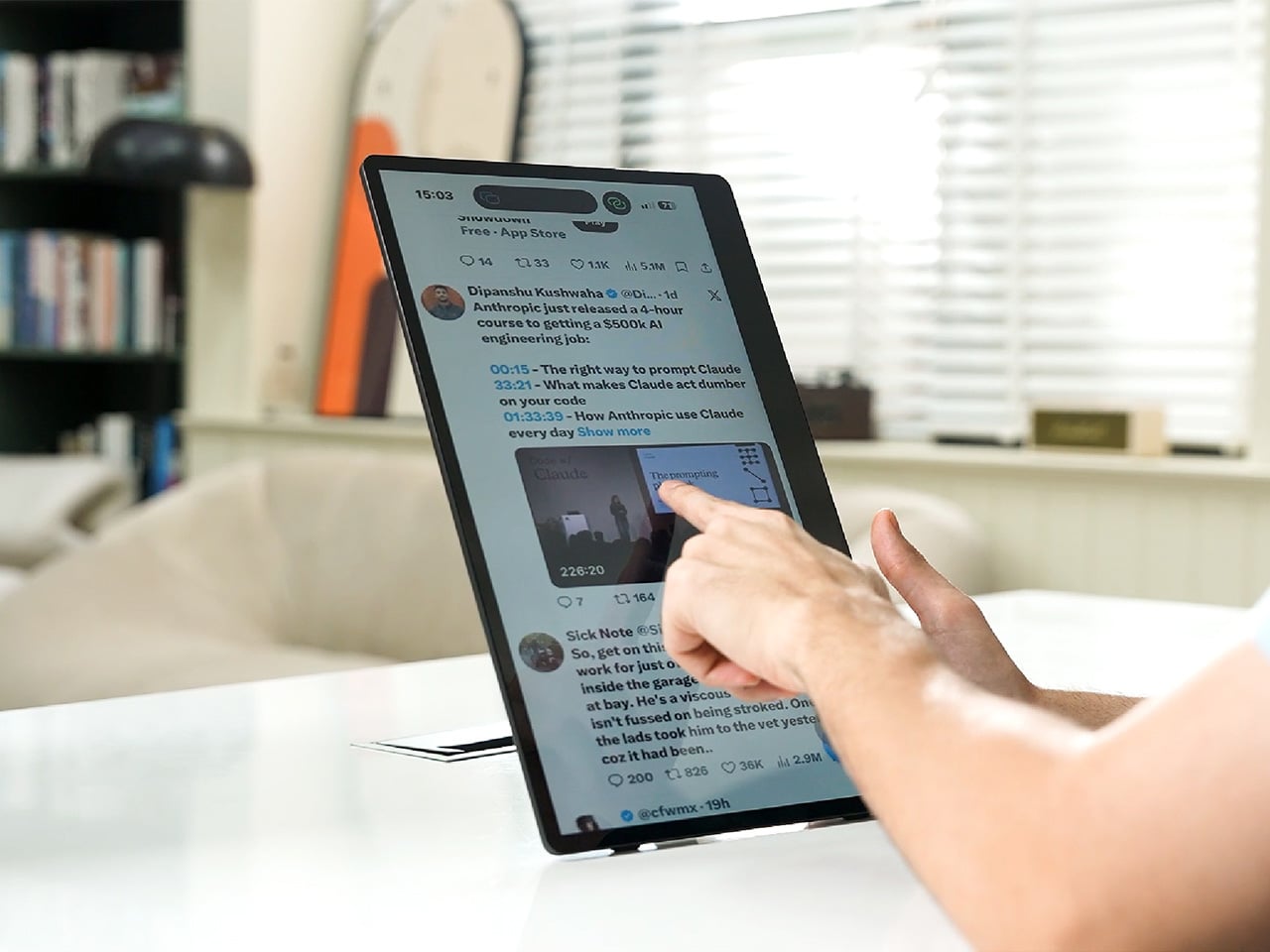
The screen also rotates between landscape and portrait without any fuss, which sounds minor until it changes how you use it day to day. Landscape suits video calls, games, and spreadsheets, while portrait mode fits scrolling through documents, reading long articles, or checking social feeds. Switching between the two takes a twist of the stand, not a trip through a settings menu.

Compatibility runs wide enough that most people won’t need to think twice before connecting. Wireless mirroring covers iPhones, Android phones running version 10 or later, MacBooks, and most Windows laptops, while the wired USB-C or HDMI input works with game consoles, streaming boxes, and the Nintendo Switch. There’s no software to install and nothing to configure; connecting the device and turning it on is the entire setup process.

Under the glass sits a 1920×1080 matte IPS panel running at 60 Hz, built more for comfortable, glare-free sessions than eye-popping color numbers. Dual USB-C ports split power delivery and video duties, small stereo speakers cover casual audio, and a VESA mount plus a standard camera screw thread add mounting options beyond the built-in stand. It’s a practical set of choices rather than a flashy one.

There’s something telling about a monitor that assumes you won’t always be sitting at the same desk tomorrow. Work has scattered across kitchen tables, coffee shops, and airport gates for a while now, and screens are only starting to catch up. The 4URPC doesn’t try to be the sharpest or brightest display around; it just tries to be wherever you happen to land next.

Click Here to Buy Now: $219 $399 (45% off). Hurry, only 451/600 left! Raised over $181,000.

The post Your Second Screen Can Finally Work With No Cables and No Outlet first appeared on Yanko Design.


Anthropic Walks Away From Reported $6B Decart AI Deal

8 septembre 2026 à 15:35

Anthropic reportedly ended talks to acquire Decart AI for $6 billion after due diligence, though the companies could still pursue a future partnership.

The post Anthropic Walks Away From Reported $6B Decart AI Deal appeared first on TechRepublic.

China Is Turning Its Humanoid Robot Boom Toward the Battlefield

8 septembre 2026 à 15:04

China’s military is exploring humanoid robots for urban combat as the country’s commercial robotics industry dominates global shipments and manufacturing.

The post China Is Turning Its Humanoid Robot Boom Toward the Battlefield appeared first on TechRepublic.

Australia Proposes to Make Social Media Algorithms Optional

8 septembre 2026 à 13:52

Australia plans to let social media users choose algorithmic or follow-only feeds under new digital safety rules targeting platform design and control.

The post Australia Proposes to Make Social Media Algorithms Optional appeared first on TechRepublic.

Anthropic Moves IPO Timeline Toward Mid-October, Report Says

8 septembre 2026 à 10:14

Anthropic's IPO timeline reportedly shifted toward mid-October as investors weigh its financing, growth projections and a potential $2 trillion valuation.

The post Anthropic Moves IPO Timeline Toward Mid-October, Report Says appeared first on TechRepublic.

OnePlus Ace 7 Series: Latest Specs, Rumors, and Release Clues

8 septembre 2026 à 08:40

OnePlus Ace 7 series leaks reveal a 185Hz display, active cooling, huge battery tests and possible Pro hardware, with availability still unknown.

The post OnePlus Ace 7 Series: Latest Specs, Rumors, and Release Clues appeared first on TechRepublic.

Singapore Employers Put AI Higher on 2027 Agenda as Wage Plans Cool

8 septembre 2026 à 08:02

Nearly half of Singapore employers rank AI as a 2027 priority as wage caution grows and implementation barriers remain.

The post Singapore Employers Put AI Higher on 2027 Agenda as Wage Plans Cool appeared first on TechRepublic.

Philippines’ BSP Proposes 12-Month Payment Operator Freeze as QR Rules Tighten

7 septembre 2026 à 09:14

The BSP is proposing a 12-month pause on new payment system operators as it tightens QR merchant identification and transaction-tracing rules.

The post Philippines’ BSP Proposes 12-Month Payment Operator Freeze as QR Rules Tighten appeared first on TechRepublic.

Meta Says Muse Spark 1.3 Beats GPT-5.6 Sol at Coding — Independent Tests Are More Mixed

4 septembre 2026 à 14:06

Meta launched Muse Spark 1.3 with stronger coding performance and efficiency claims, but independent tests show higher task costs and mixed benchmark results.

The post Meta Says Muse Spark 1.3 Beats GPT-5.6 Sol at Coding — Independent Tests Are More Mixed appeared first on TechRepublic.

CISA Flags Old ownCloud Flaw After Reported Philippine Nuclear Data Theft

4 septembre 2026 à 11:53

CISA added CVE-2023-49105 to its exploited-flaws catalog after researchers tied the old ownCloud bug to reported Philippine nuclear data theft.

The post CISA Flags Old ownCloud Flaw After Reported Philippine Nuclear Data Theft appeared first on TechRepublic.

  • ✇Yanko Design
  • Cloud AI Means Someone Else Has Your Data, MINISFORUM Fixes That
    Running a serious AI model at home usually means renting someone else’s cloud server and hoping your data stays private along the way. MINISFORUM built its newest pairing to remove that trade-off entirely. The AI Agent NAS N5 MAX-P495 and AI Mini Workstation MS-S1 MAX-P495 combine for up to 131 TOPS of AI compute performance, 192GB of memory at 8533 MT/s, and up to 160GB of graphics memory, enough headroom to keep the heavy lifting on a desk instead of in a data center. The N5 MAX-P495 takes th
     

Cloud AI Means Someone Else Has Your Data, MINISFORUM Fixes That

Par : JC Torres
4 septembre 2026 à 00:00

Running a serious AI model at home usually means renting someone else’s cloud server and hoping your data stays private along the way. MINISFORUM built its newest pairing to remove that trade-off entirely. The AI Agent NAS N5 MAX-P495 and AI Mini Workstation MS-S1 MAX-P495 combine for up to 131 TOPS of AI compute performance, 192GB of memory at 8533 MT/s, and up to 160GB of graphics memory, enough headroom to keep the heavy lifting on a desk instead of in a data center.

The N5 MAX-P495 takes the shape of a compact black cube, but what it holds inside matters more than how it looks sitting on a shelf. It combines powerful AI computing with up to 200TB of local storage, enabling users to store, manage, and process large volumes of data within a single AI platform. That capacity turns a spare corner of an office into a private archive large enough to hold years of project files, footage, or research without ever touching a third-party server.

Designer: MINISFORUM

Storage alone doesn’t make an AI system useful, so MINISFORUM built the N5 to run the AI itself. From RAG knowledge bases and AI models to embeddings, databases, and AI agents such as OpenClaw and Hermes, N5 MAX-P495 keeps data and AI workloads local, enabling continuous and private AI operations. A small business could lean on that setup to run its own customer-support agent without routing conversations through an outside company’s servers.

That local-first approach extends to how the N5 fits into a larger setup. Designed to work alongside AI computing devices, N5 MAX-P495 serves as a centralized backend for data, models, knowledge, and long-running AI workloads, bringing storage and computing together at the edge. It’s less a standalone gadget and more a quiet engine room, built to keep working in the background while something faster handles the parts people actually interact with.

That faster half of the pairing is the MS-S1 MAX-P495, a compact tower wrapped in a ventilated, diamond-textured front panel that looks more like a piece of desk sculpture than a workstation. It delivers powerful local AI computing for demanding model inference, AI development, and computationally intensive workloads, built for intensive local AI tasks, engineering, and workflows in an ultra-compact footprint. Developers get workstation-class muscle without giving up desk space to a full tower case.

Speed matters just as much as raw power for certain jobs, and MINISFORUM designed the MS-S1 with that in mind. Designed for low-latency AI workloads, MS-S1 MAX-P495 enables responsive local inference for AI agents, computer vision, generative AI, and other real-time applications. A security camera system or a live creative tool built on generative AI benefits directly from that kind of immediate response instead of waiting on a round trip to the cloud.

Connectivity rounds out the workstation’s role in a larger setup. With extensive connectivity and expansion capabilities, MS-S1 MAX-P495 serves as a powerful AI compute frontend, supporting models, applications, and connected devices across flexible edge AI environments. That flexibility means the same box can sit at the center of a home lab or plug into a small studio’s existing hardware without forcing a rebuild.

Paired together, the two devices split the work the way a good team would. The MS-S1 MAX-P495 and N5 MAX-P495 form a complete edge AI computing system, delivering high-performance AI compute at the frontend while integrating compute, massive storage, data, and AI knowledge at the backend, providing a powerful foundation for real-time inference, persistent AI workloads, and scalable local AI applications. It’s a compact answer to a question more households and small teams are starting to ask: whether AI still needs to live somewhere else at all.

The post Cloud AI Means Someone Else Has Your Data, MINISFORUM Fixes That first appeared on Yanko Design.

Anthropic Wins Back Trump Administration’s Trust After Pentagon Fight

3 septembre 2026 à 17:53

Anthropic is rebuilding ties with the Trump administration after its Pentagon fight, potentially reopening the door to federal AI contracts.

The post Anthropic Wins Back Trump Administration’s Trust After Pentagon Fight appeared first on TechRepublic.

Acer DualPlay Mini: Can a Gaming Handheld Replace Your Laptop?

3 septembre 2026 à 16:20

Acer’s DualPlay Mini combines gaming controls with a physical keyboard, but can the 8-inch handheld replace a travel laptop for everyday work?

The post Acer DualPlay Mini: Can a Gaming Handheld Replace Your Laptop? appeared first on TechRepublic.

China’s AI Crackdown Removes 5.6 Million Pieces of Content

3 septembre 2026 à 14:54

China removed 5.6 million pieces of AI-related content as regulators tighten rules for AI models, online platforms, labeling and app stores.

The post China’s AI Crackdown Removes 5.6 Million Pieces of Content appeared first on TechRepublic.

Singapore, Thailand Expand AI and Digital Cooperation With New Regional Push

3 septembre 2026 à 11:41

Singapore and Thailand are deepening AI, digital trade, and payments cooperation as both countries prepare to shape ASEAN’s next phase of digital integration.

The post Singapore, Thailand Expand AI and Digital Cooperation With New Regional Push appeared first on TechRepublic.

OnePlus 16 Camera Leak Reveals 200MP Main Sensor and New 3x Telephoto

3 septembre 2026 à 08:03

OnePlus 16 camera leaks point to a 200MP main sensor, larger 50MP 3x telephoto and new ultrawide, but global availability remains unclear.

The post OnePlus 16 Camera Leak Reveals 200MP Main Sensor and New 3x Telephoto appeared first on TechRepublic.

  • ✇Yanko Design
  • This $119 Ultrasonic Cutter Sense Materials And Auto-Adjusts To Cut EVA Foam, Resin, PLA 3D Prints
    There are power tools, and then there are smart tools. A power tool gives you brute force; a smart tool gives you controlled, consistent results. Think of a simple drill that just spins versus one that manages its own torque to avoid stripping a screw. For delicate work like trimming EVA foam for a cosplay project or cleaning up support structures on a 3D print, you definitely want the smart one. The problem is, most handheld cutters are pretty basic, giving you one speed and just hoping for th
     

This $119 Ultrasonic Cutter Sense Materials And Auto-Adjusts To Cut EVA Foam, Resin, PLA 3D Prints

2 septembre 2026 à 21:45

There are power tools, and then there are smart tools. A power tool gives you brute force; a smart tool gives you controlled, consistent results. Think of a simple drill that just spins versus one that manages its own torque to avoid stripping a screw. For delicate work like trimming EVA foam for a cosplay project or cleaning up support structures on a 3D print, you definitely want the smart one. The problem is, most handheld cutters are pretty basic, giving you one speed and just hoping for the best.

The SonicMax Slice 10 is aiming for that higher IQ. It’s a cordless ultrasonic cutter that senses the material you’re cutting and adjusts its own power output in real time. Slice through dense plastic and it pushes harder; trim the thin walls of a resin print and it eases back. This adaptive system, combined with cooling that prevents heat-related power drops, makes it feel like proper workshop equipment in the palm of your hand. It runs at 40kHz, delivers up to 50 watts of dynamic peak power, and does all of this without a single cable getting in your way.

Designer: SonicMax

Click Here to Buy Now: $119 $215 (45% off). Hurry, only 13/500 left! Raised over $124,000.

Most ultrasonic cutters on the market use transducers with a mechanical quality factor, or Qm, somewhere between 150 and 250. A higher Qm means the transducer converts electrical energy into vibration more efficiently, which directly translates to less heat generated during use. SonicMax claims a Qm of over 500 for the Slice 10, and lab data backs that up with a verified measurement of 541.1. That’s roughly two to three times higher than a typical competing tool, and it’s the foundational reason the Slice 10 can sustain longer sessions without thermal drama. That single transducer decision cascades into everything else, from runtime and cut quality to how comfortable the tool actually stays in your hand.

As the blade meets resistance, the Slice 10’s Smart Material Auto-Detection reads that feedback and adjusts power output and vibration frequency without you touching anything. Cutting through a stiff chunk of EVA foam feels different from trimming the thin walls of a resin print, and the tool responds to each material accordingly. You’re not locked into a fixed setting that works okay for most things but perfectly for nothing. The system also preserves cut quality across a long session, where material resistance can shift as the blade warms. The result is consistent cuts from the first pass to the last, regardless of what you’re running the blade through.

Heat is the reason most cordless ultrasonic cutters force you to stop every five to ten minutes, and the Slice 10 attacks that problem from two directions. Corded bench tools sidestep this issue by drawing steady power and dissipating heat more easily, but you give all of that up the moment you cut the cord. The high-efficiency transducer generates less heat from the start, and the built-in active cooling fan manages whatever thermal load does build up during a session. Overheat protection kicks in automatically at 80 degrees Celsius at the motherboard level, so the tool protects itself without you having to babysit it. You only appreciate how good this is after you’ve spent a session on a cutter that kept shutting itself off on you mid-cut.

A 5000mAh 21700 lithium-ion battery powers the Slice 10, and SonicMax made it user-replaceable, which you’ll end up appreciating far more than any spec sheet number. The 21700 is a high-performance cell format found in premium flashlights and power tools, so sourcing replacements from SonicMax or compatible third-party brands should never be a problem. SonicMax’s own branded replacement cell is rated for 500 charge cycles at 80% capacity retention, a reasonable lifespan for a tool you’re actually putting to work regularly. An 18W USB-C pass-through charging system brings it from zero to full in about 70 minutes, and the tool keeps running while plugged in. Claimed runtime sits at up to four hours, and when you run low mid-project, swapping in a spare takes seconds.

Blade choice gives the Slice 10 a lot of its bench-tool personality. SonicMax offers five blade styles that let the same handheld body take on very different jobs: a Standard Utility Blade for everyday trimming, a Precision Long Blade for tighter access and more delicate reach, a Fine Chisel Blade for careful cleanup work, a Heavy Duty Chisel Blade for more aggressive material removal, and a Wide Flat Scraper Blade for broader surface work. That range matters because it turns the Slice 10 into something closer to a compact cutting system than a one-trick knife. If you’re the kind of maker who bounces between foam, plastic, supports, edges, and surface cleanup in the same afternoon, this is where the tool starts looking properly versatile.

Lift-to-Activate sensing turns the tool on when you pick it up and off when you set it down, keeping your fingers away from controls mid-session and preventing accidental activation on the bench. A small OLED display shows real-time power output and battery level, so you’re never left guessing how much runtime remains. Built-in LED lighting illuminates the cut line, which sounds like a minor detail until you’re trying to trace a clean edge on a dark-colored print at your desk at some ungodly hour. Auto-shutdown kicks in after five minutes of idle, and low-battery protection activates before the cell drops to a damaging voltage. Together, these details make the Slice 10 feel like a tool that respects your workflow rather than constantly asking you to manage it.

The Slice 10 measures 260.5mm long and 28mm across, weighing 236 grams, keeping it firmly in single-hand, pen-grip territory across long sessions. Just the Slice 10 is available for a discounted $119, and ships with 10 replaceable Standard Utility blades. Upgrade to the Maker’s Bundle for $169 and you get the Slice 10 along with 50 blades spread across the five blade profiles (standard, precision long, fine chisel, heavy duty chisel, and flat scraper) as well as a 5000mAh replacement battery. If you’re looking for versatility and pushing your prints to the max, the $50 price bump does bring a fair share of value. You can also buy extra blades and batteries as add-ons. Shipping is expected to begin mid-October 2026 with worldwide delivery available, and SonicMax has not publicly confirmed warranty terms at the time of writing.

Click Here to Buy Now: $119 $215 (45% off). Hurry, only 13/500 left! Raised over $124,000.

The post This $119 Ultrasonic Cutter Sense Materials And Auto-Adjusts To Cut EVA Foam, Resin, PLA 3D Prints first appeared on Yanko Design.

  • ✇Yanko Design
  • Finally, a Compass That Works Without Opening Google Maps
    Anyone who has wandered around an unfamiliar neighborhood searching for a boutique that Google Maps insists is “on your left” when it is actually tucked behind a parking garage knows the specific frustration I am talking about. Small, independent stores rarely have the budget for a flashy storefront, and a pin on a map that is close enough to be tantalizing and far enough to be maddening is usually all you get. A Pow Studio designed something to fix exactly that: a small NFC-embedded fixture ca
     

Finally, a Compass That Works Without Opening Google Maps

2 septembre 2026 à 17:30

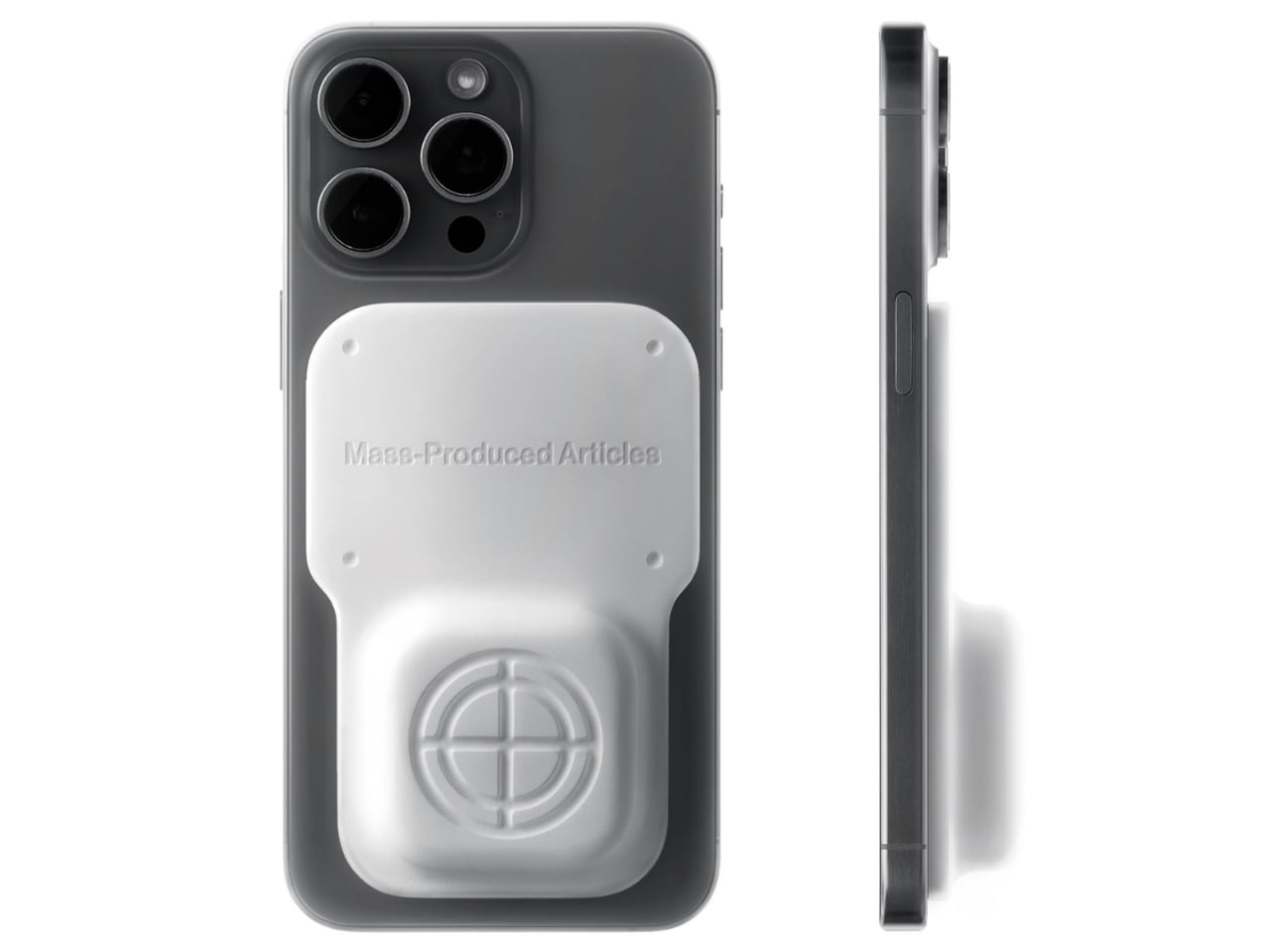
Anyone who has wandered around an unfamiliar neighborhood searching for a boutique that Google Maps insists is “on your left” when it is actually tucked behind a parking garage knows the specific frustration I am talking about. Small, independent stores rarely have the budget for a flashy storefront, and a pin on a map that is close enough to be tantalizing and far enough to be maddening is usually all you get. A Pow Studio designed something to fix exactly that: a small NFC-embedded fixture called the Navigation Tool that turns a single phone tap into a live compass, guiding you down the block to a physical destination without asking you to download anything.

That solves the first problem. The second one is subtler but just as real. Even after you find the store and walk through the door, most brands have no clean way to hand you off to their digital world. You try something on, feel vaguely inspired, and leave with no easy path to the website, the product specs, or the broader catalog. The Navigation Tool closes that gap too. The same NFC chip, this time embedded into the store’s hanging display system, redirects your phone tap to an online page loaded with product details and brand information. Two taps, two problems solved, zero apps required.

Designer: A Pow Studio

The mechanics are genuinely elegant. Outside, you tap your phone on the tool and a search bar appears asking for the coordinates of your destination. The system pulls from Location-Based Services and your phone’s built-in gyroscope to calculate real-time distance and direction, then renders everything as a clean, minimal compass interface on your screen. MagSafe compatibility is built in so the phone can physically attach to the tool while you navigate, which is a small detail but the kind that signals someone actually thought about what your hands are doing when you are half-lost and moving.

No app to download, no QR code cluttering a window decal, no clunky onboarding screen asking you to create an account you will use exactly once. You tap, and it works, the same quiet mechanism already living in Apple Pay or a subway fare card, just pointed at a completely different problem. American shoppers are already fluent in tap-to-pay and tap-to-unlock behavior, so repurposing that same gesture for navigation feels less like a gimmick and more like an overdue extension of something we already trust.

It also lands at an interesting moment for retail. Brick-and-mortar shopping has been quietly reasserting itself as something people actually want, not just tolerate, but brands still need their physical spaces to feed the digital ecosystem that keeps the business running. A tool like this treats the store not as a dead end or a photo backdrop but as one stop in a longer, connected journey. That feels like a more honest way to think about retail design than another Instagram wall ever could.

The visual language matches the intention. The compass interface on screen is stripped back to the point of being almost architectural: a circle, a crosshair, a tilt reading, a direction bearing. Nothing decorative, nothing unnecessary. It looks like something a navigator or a cinematographer would recognize before a tech blogger would, which feels right. Precise without being cold, minimal without being precious.

I do wonder about scale. A single boutique installing this is a lovely, considered gesture. A mall trying to retrofit hundreds of storefronts with individual NFC compass units is a different logistical conversation entirely, and I am not convinced every brand needs this level of ceremony just to get someone through the door. But as a proof of concept, it is a genuinely smart answer to a problem most retailers pretend does not exist. Sometimes the best design solution is not a flashier app. It is a small, physical object that refuses to overcomplicate the walk from curiosity to the front door.

The post Finally, a Compass That Works Without Opening Google Maps first appeared on Yanko Design.

  • ✇Korben
  • WhatCable - Trouvez le câble qui bride la charge sur votre Mac
    Je ne sais pas vous, mais chez moi, mes câbles USB-C se ressemblent tous. Et dans le tas, j'en ai qui chargent mon MacBook deux fois plus vite que d'autres. Et franchement, en les regardant, je ne peux pas vous dire lesquels sont les plus efficaces. Alors que mon Mac, lui, apparemment, il le sait déjà. En tout cas, c'est ce que j'ai compris en allant lire le site de WhatCable. Ce qu'ils expliquent, c'est qu'à chaque branchement, le contrôleur de port d'un Mac Apple Silicon envoie un message à la
     

WhatCable - Trouvez le câble qui bride la charge sur votre Mac

1 septembre 2026 à 05:24

Je ne sais pas vous, mais chez moi, mes câbles USB-C se ressemblent tous. Et dans le tas, j'en ai qui chargent mon MacBook deux fois plus vite que d'autres. Et franchement, en les regardant, je ne peux pas vous dire lesquels sont les plus efficaces. Alors que mon Mac, lui, apparemment, il le sait déjà.

En tout cas, c'est ce que j'ai compris en allant lire le site de WhatCable. Ce qu'ils expliquent, c'est qu'à chaque branchement, le contrôleur de port d'un Mac Apple Silicon envoie un message à la puce que certains câbles embarquent et récupère sa fiche d'identité : débit annoncé, ampérage, fabricant. De ce que j'ai compris, macOS range la réponse dans le registre IOKit sous forme d'objets bruts, et ne l'affiche nulle part en clair. Snif...

Et c'est cette réponse que WhatCable va chercher, puis traduit. L'app vit dans la barre de menus, vous branchez un câble, et elle vous dit alors instantanément lequel des trois maillons plafonne la charge : Soit le chargeur, soit le câble, soit le Mac lui-même quand sa batterie est presque pleine.

Et vous obtenez le même verdict côté débit.

L'app confronte aussi la fiche du câble à sa spécification USB-PD et lève un carton jaune quand quelque chose cloche. Ça peut être l'identifiant fabricant à zéro, les bits réservés utilisés de travers...etc. Moi, je parle bien ici de contrefaçon de câbles, mais l'app reste très prudente dans sa formulation. Elle signale juste des trucs bizarres, et elle ne dit jamais qu'un câble est une contrefaçon.

Après, la plupart des câbles sous 60 W n'ont aucune puce à interroger, donc il n'y a rien à lire, et certains ne répondent correctement qu'avec un appareil branché à l'autre bout. Sur les ports USB-C en façade d'un Mac mini ou d'un Studio, aucune donnée de câble ne remonte non plus. C'est à cause de l'architecture d'Apple.

Côté matériel, il vous faut donc un Mac Apple Silicon sous macOS 14 minimum, les Mac Intel ne publiant pas ces données du tout. L'app est gratuite et son code est sous licence MIT, sauf le dossier des fonctions Pro où là, faudra débourser environ 10 €.

Si vous avez Homebrew, vous pouvez installer l'app rapidement comme ceci :

brew install --cask darrylmorley/whatcable/whatcable

L'app est même en français si vous avez séché les cours d'anglais. Bref, de quoi trier votre caisse de câbles sans vous planter...

❌