After years and years of anticipation, GTA VI will finally ship this week. In fact, the game may have already pre-loaded on your console if you pre-ordered it. Regardless of whether you pre-load the game or download it later, it will take up a lot of storage.Rockstar says you need up to 212GB free to pre-load GTA VI, depending on your device.With the game being so large, you'll likely want additional storage so you can install GTA VI without clearing out other ga
After years and years of anticipation, GTA VI will finally ship this week. In fact, the game may have already pre-loaded on your console if you pre-ordered it. Regardless of whether you pre-load the game or download it later, it will take up a lot of storage.
With the game being so large, you'll likely want additional storage so you can install GTA VI without clearing out other games to make space.
The good news is that the XBOX Series X and XBOX Series S support seamless storage expansion. The bad news is that stock of supported cards is extremely limited.
You may be able to find select individual XBOX storage cards in stock, but the only one I've been able to find available online consistently is the 2TB SANDISK Optimus GX C50 Xbox Storage Expansion Card.
This expansion card slots seamlessly into your XBOX Series X or XBOX Series S. Its performance matches the speed of the built-in storage of your console, allowing you to play games directly off the card.View Deal
Is the SANDISK Optimus GX C50 a good XBOX storage card?
(Image credit: SanDisk)
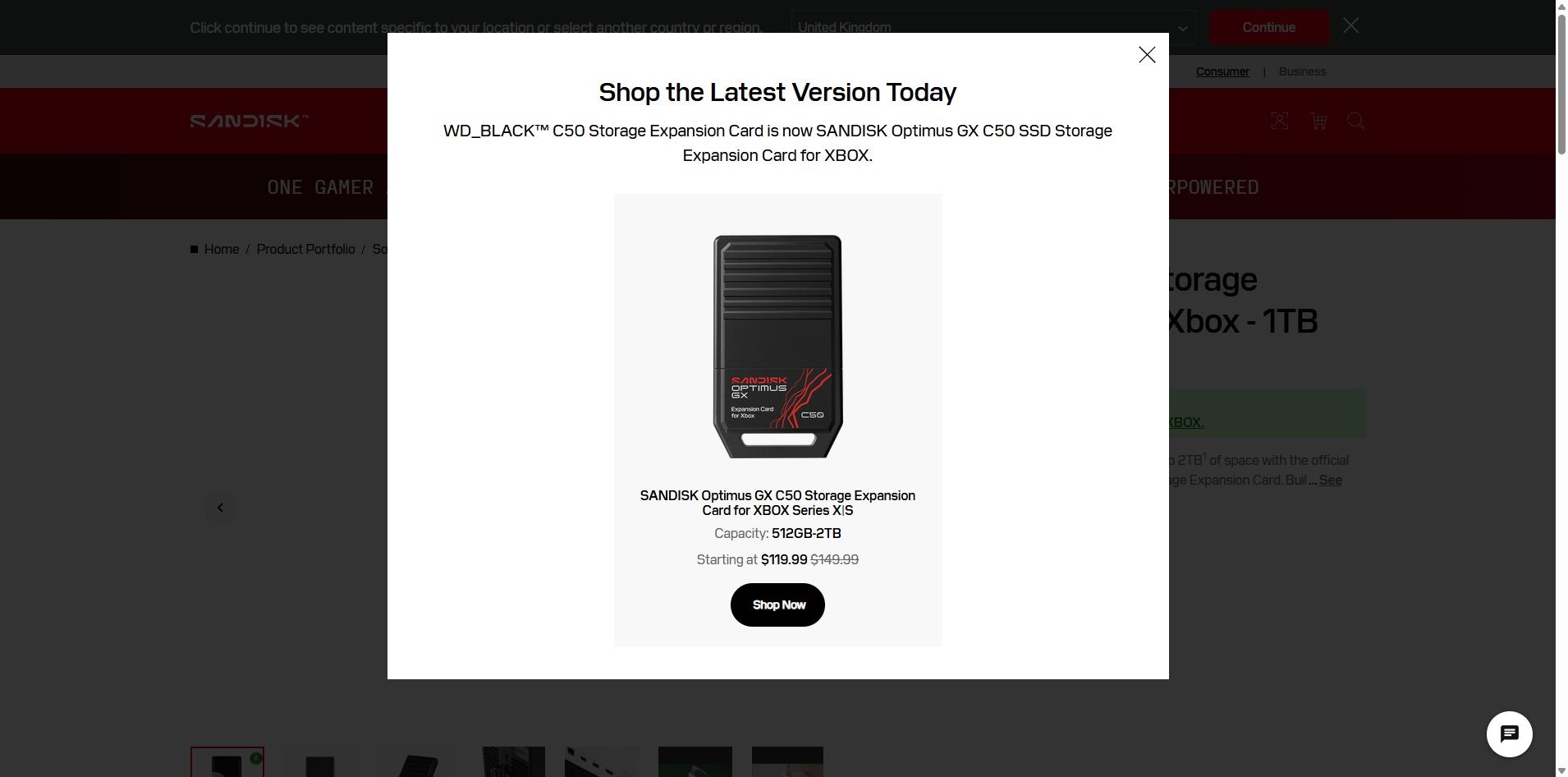
The SANDISK Optimus GX C50 is the WD_BLACK C50 Storage Expansion Card under a new name. If you search for the old WD_BLACK card on SANDISK's website, you'll see a prompt explaining the change (shown above).
Regardless of the name, the performance of the card is excellent. The SANDISK Optimus GX C50 fully supports features like Xbox Quick Resume. You can quickly transfer games back and forth between the card and your console as well.
In short, using the SANDISK Optimus GX C50 should feel exactly like having a game stored directly on your XBOX Series X|S.
Unless you care about the graphics and logo on the card, you can take a deeper dive into the SANDISK Optimus GX C50 by reading our WD_BLACK C50 Storage Expansion Card review. I'll warn you that doing so may make you cry when you see the launch price of that card.
Is now a good time to buy XBOX storage?
If you haven't shopped for a console or gaming accessories for a while, you're likely shocked by the price of additional storage. The $479.99 price of the 2TB SANDISK Optimus GX C50 is more than an XBOX Series X cost just a few years ago if you found a good deal.
The XBOX Series X launched at $499.99, but for years it was easy to find one for less. Heck, Verizon used to literally give them away if you signed up for broadband. But like laptops and other gadgets, gaming devices have skyrocketed in price over the years due to the global component shortage.
So, through the twisted lens of current gaming prices, you could almost say that $479.99 is a "fair" price for 2TB of storage. Maybe a better way to say it would be to call it an "expected" price.
With GTA VI pre-loading on consoles starting November 10 and the game launching on November 19, now is the perfect time to expand the storage of your XBOX Series X|S.
Join us on Reddit at r/WindowsCentral to share your insights and discuss our latest news, reviews, and more.
Razer has released so many keyboards during 2026 that even I sometimes need a minute to remember which Huntsman does what.I've reviewed the $499.99 Huntsman Signature Edition, the excellent Huntsman V3 Pro Low-Profile TKL, and more recently Razer's $139.99 Huntsman V3 HE Magnetic. The latter brought adjustable Hall Effect switches and Razer's increasingly sophisticated competitive gaming features to its flagship keyboard family. And yet the Razer keyboard I keep
And yet the Razer keyboard I keep coming back to isn't a Huntsman.
It's the Reclusa.
Razer first introduced this new enthusiast-focused family with the Reclusa X Mini 65%, a remarkably good little $49.99 keyboard with hot-swappable mechanical switches, dual-layer dampening, south-facing LEDs, and that distinctive black, white, and mint-green tri-tone design. I loved typing on it, and its price-to-quality ratio made it ridiculously easy to recommend.
Now we have its considerably more ambitious sibling.
At $129.99 (Best Buy or Razer.com), the Razer Reclusa Mini 65% costs $80 more, but Razer has stuffed most of its premium gaming technology inside while preserving what attracted me to the cheaper keyboard in the first place.
I've used it as my primary keyboard for two weeks. And despite having plenty of alternatives sitting nearby, I don't particularly want to switch back.
Razer had no input, nor did it see the contents of this review, prior to publication.
Same Reclusa formula, considerably more hardware
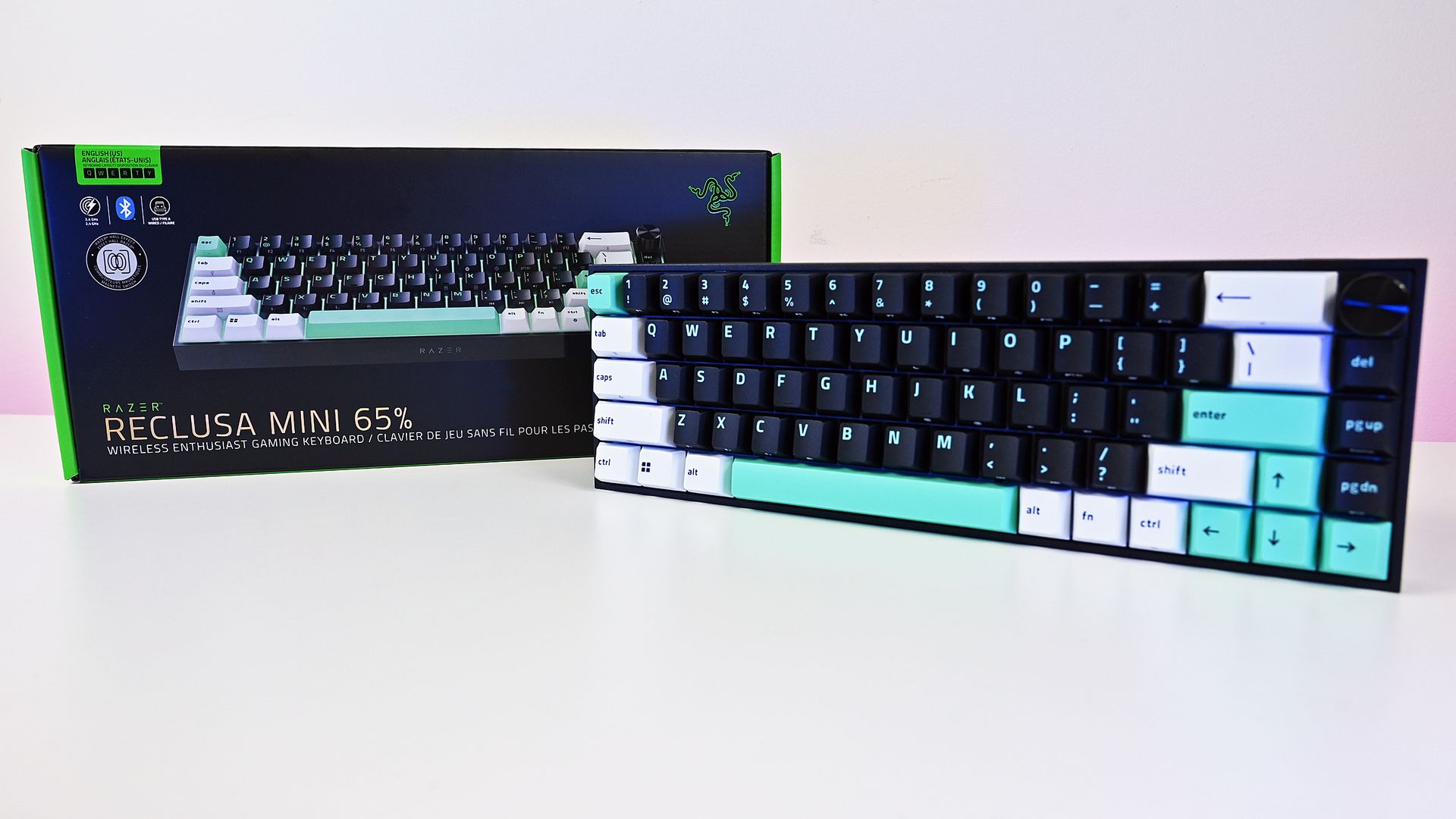
The compact 65% layout preserves dedicated arrow keys while eliminating the function row and numpad, leaving considerably more room on your desk. (Image credit: Daniel Rubino)
The overall aesthetic of the Raze Resclusa Mini 65% remains fantastic.
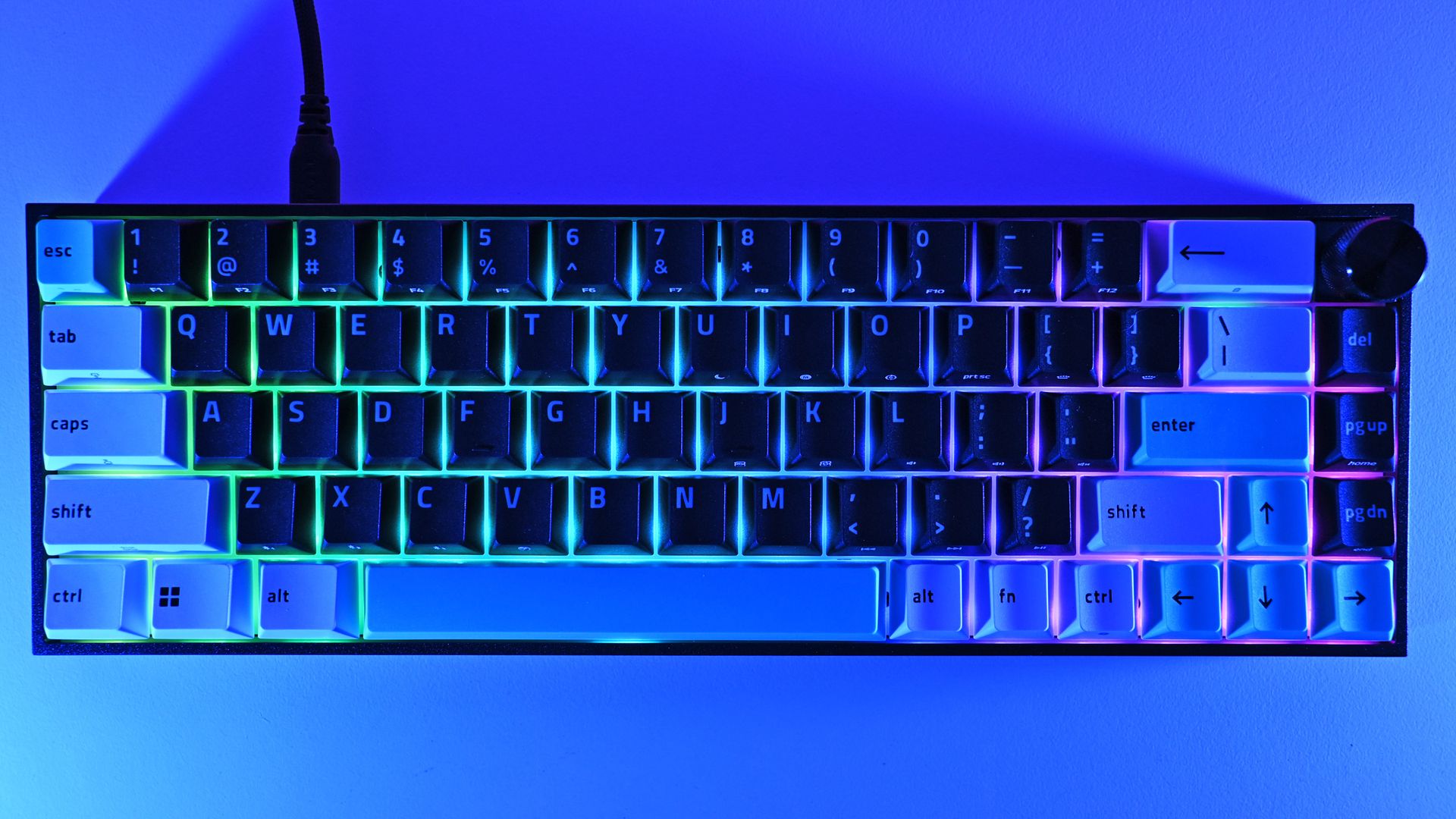
You still get the compact 65% layout, tri-tone keycaps, and bright mint accents that prevent this from becoming another anonymous black gaming rectangle. The lighting comes from south-facing per-key RGB LEDs rather than shine-through legends.
After two weeks as my primary keyboard, I don't want to take the Reclusa Mini 65% off my desk.
I do miss having the legends themselves illuminated, especially in a dark room, but I understand the decision. The Reclusa is supposed to feel like Razer's enthusiast keyboard family, rather than another variation of Huntsman.
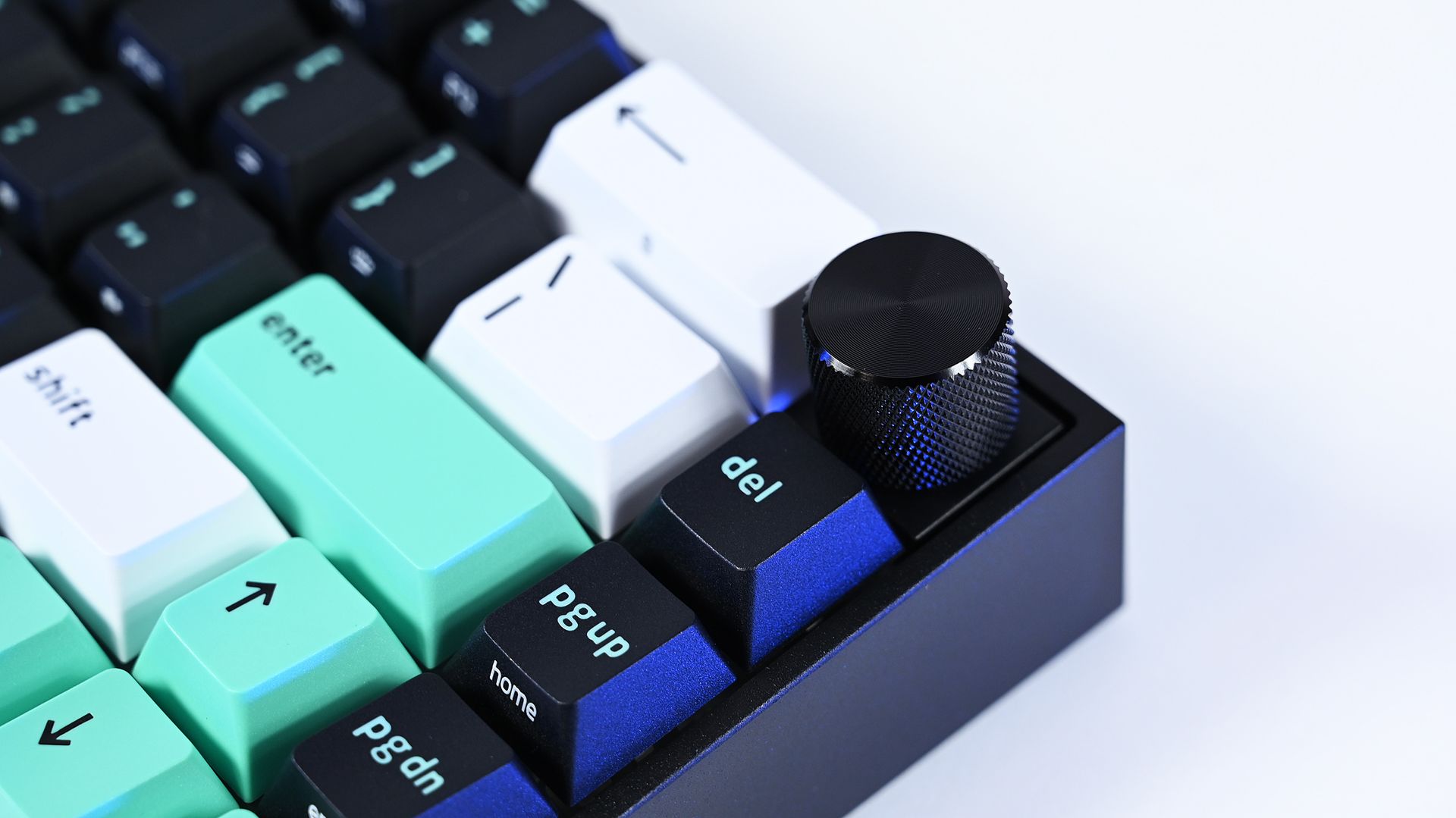
Where the premium model immediately wins me over is the multifunction dial in the upper-right corner. After missing dedicated media controls on the Reclusa X, having a conveniently positioned dial back for volume and other controls makes a surprisingly big difference to my everyday use.
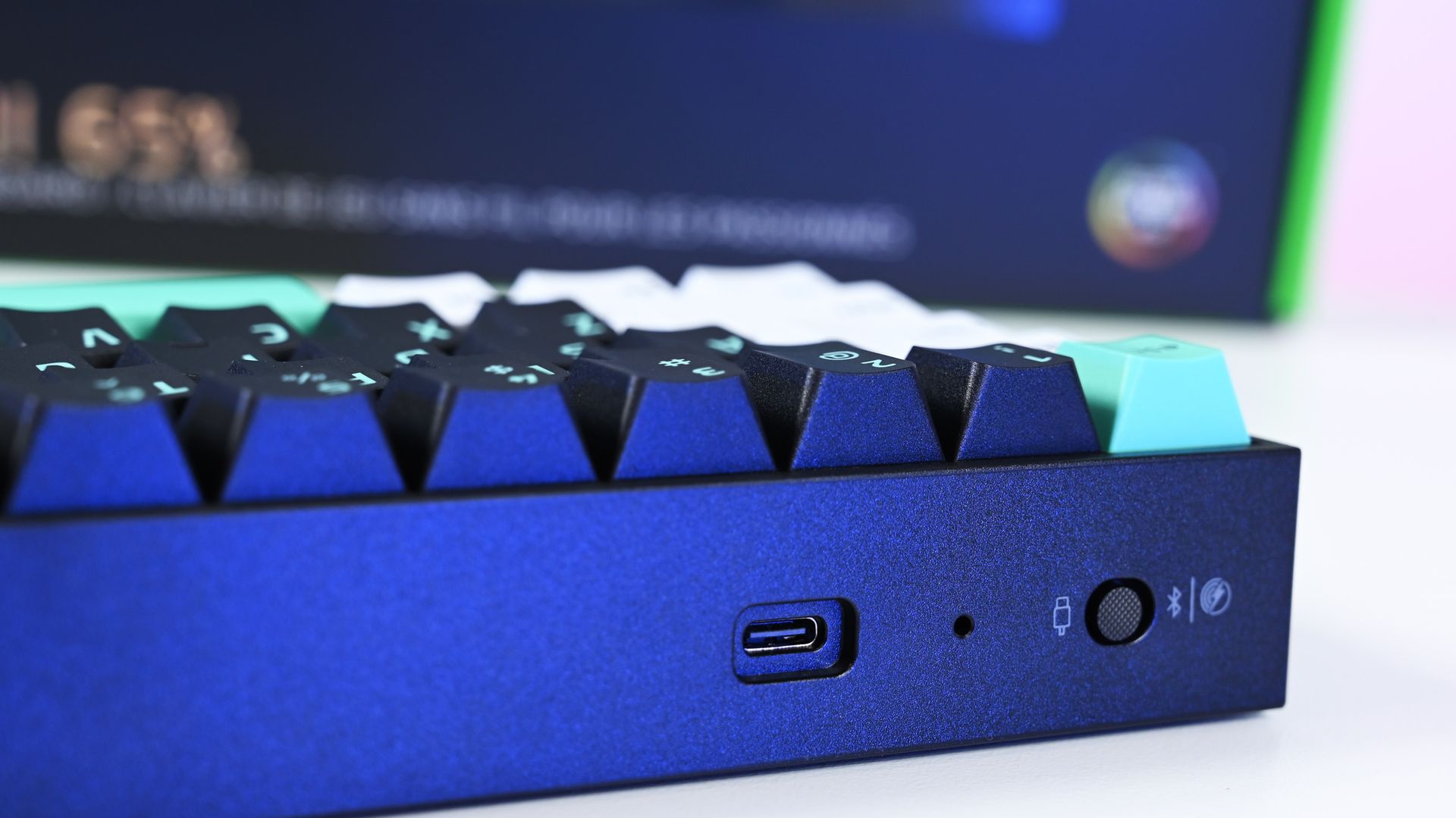
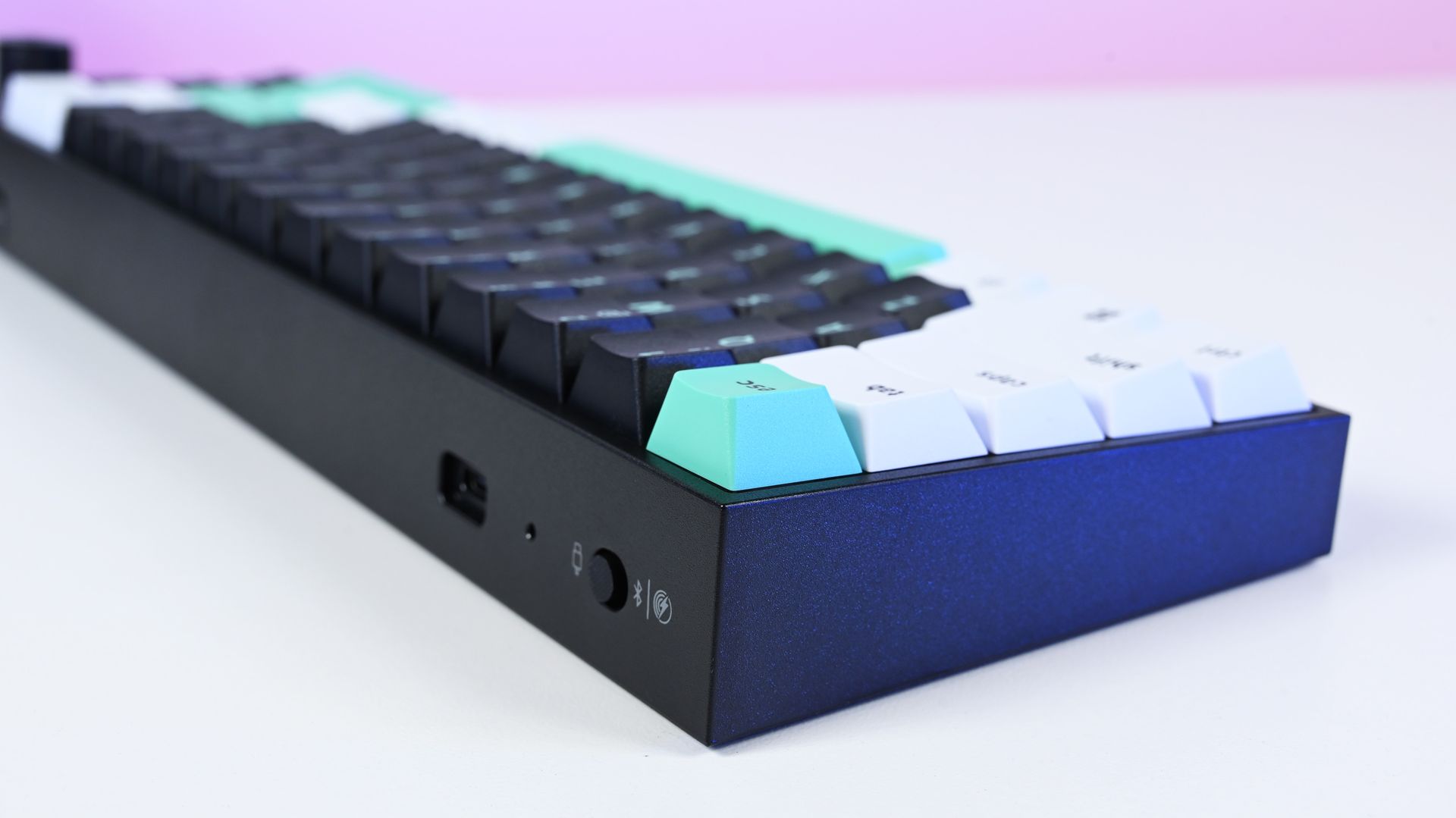
The Reclusa Mini 65% supports wired USB-C, Bluetooth, and 2.4GHz Razer HyperSpeed Wireless, with up to 8,000Hz polling available when wired. (Image credit: Daniel Rubino)
There's also more going on underneath those keycaps.
Razer uses a PPS plate, lubricated stabilizers, IXPE switch foam, and dual-layer silicone dampening. According to my product briefing, the IXPE layer was specifically added over the Reclusa X's acoustic system to further reduce unwanted resonance.
I can totally hear (and feel) it.
The Reclusa Mini sounds more controlled and dampened than the X. It's audible without producing the higher-pitched clacking that can become irritating in an office. The best way I can describe it is a satisfying"plunk."
Few gaming keyboards I've used strike this balance between excellent everyday typing, enthusiast customization, and genuinely advanced competitive features.
More importantly, this is probably the best typing experience I've had on any Razer keyboard.
That's quite a claim, considering how many Razer keyboards I've tested this year. I mean, they've all been great, but my hands feel happy with this one.
Reclusa goes magnetic
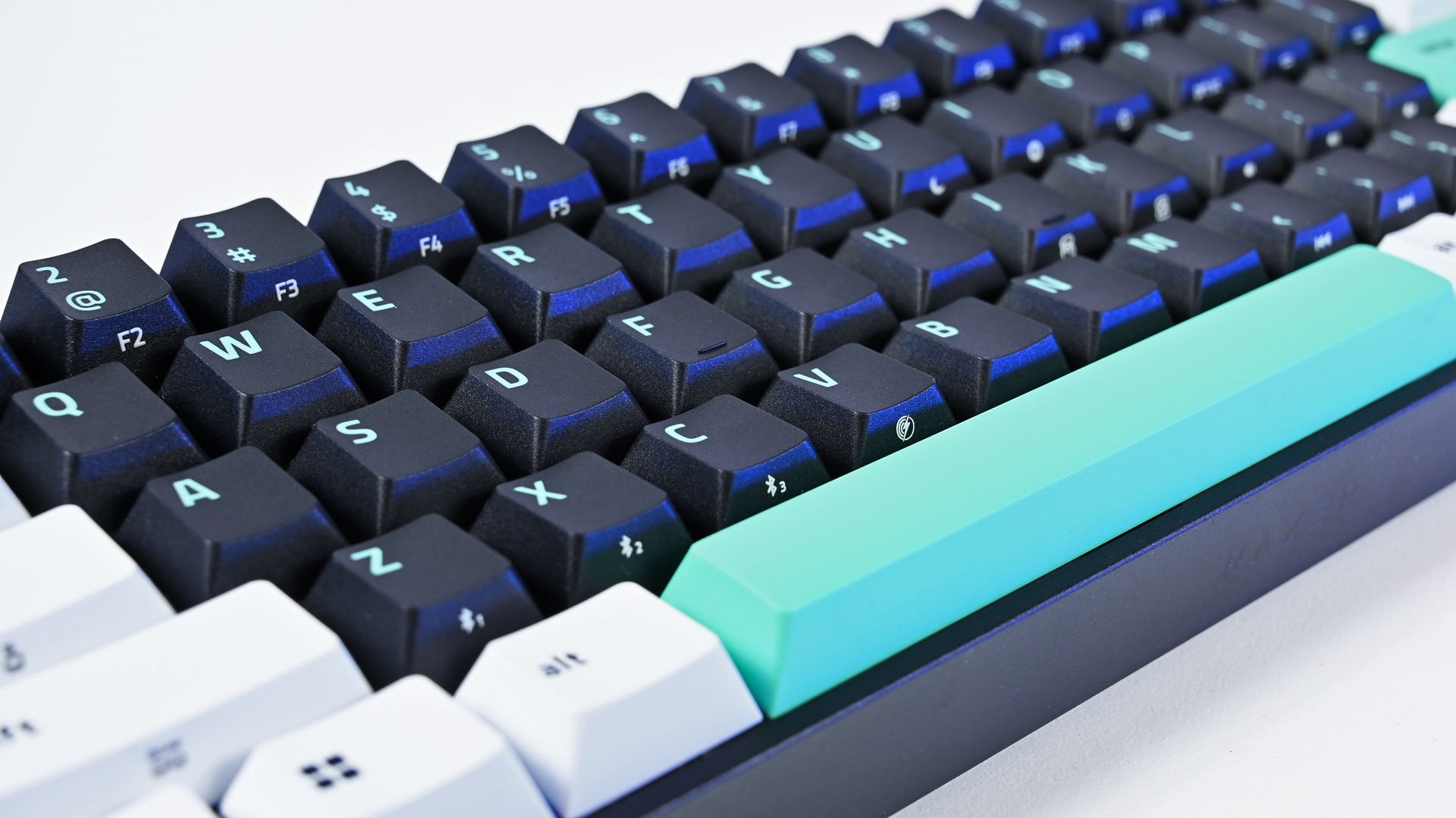
The Reclusa Mini 65% keeps the excellent tri-tone aesthetic of the cheaper Reclusa X, mixing black, white, and mint-green doubleshot ABS keycaps. (Image credit: Daniel Rubino)
The biggest change is replacing the X's conventional mechanical switches with Razer's linear Hall Effect Magnetic switches (read our primer on HE switches for controllers to get an idea of why they're great).
Actuation can be adjusted anywhere from 0.1mm to 4.0mm, compared with the fixed 2mm actuation of the Reclusa X, and the magnetic switches are hot-swappable for compatible third-party alternatives.
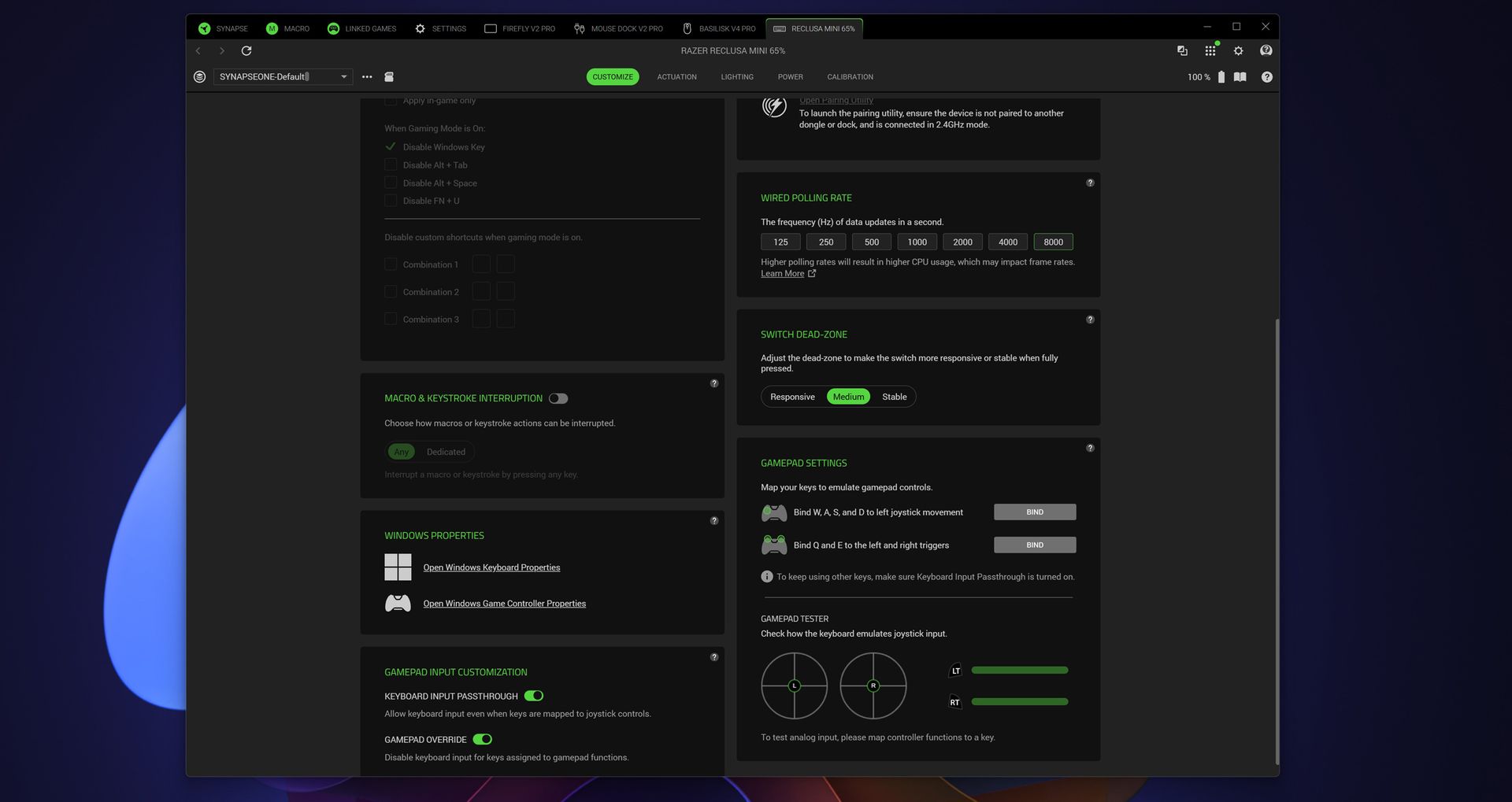
Razer Synapse exposes even more enthusiast-level controls, including up to 8,000Hz wired polling, switch dead-zone adjustment, and gamepad input customization. (Image credit: Daniel Rubino)
That opens the door to Razer's current collection of advanced input features, including Rapid Trigger, Snap Tap, Snap Flex, Dynamic Keystroke, and Dual-Keypress Priority (I explain those a bit more in my recent Huntsman review). Razer Synapse, its love/hated software, also provides individual switch calibration, something particularly useful if you begin swapping magnetic switches.
There's an enormous amount to play with, or you can just use some of the presets and not worry about it.
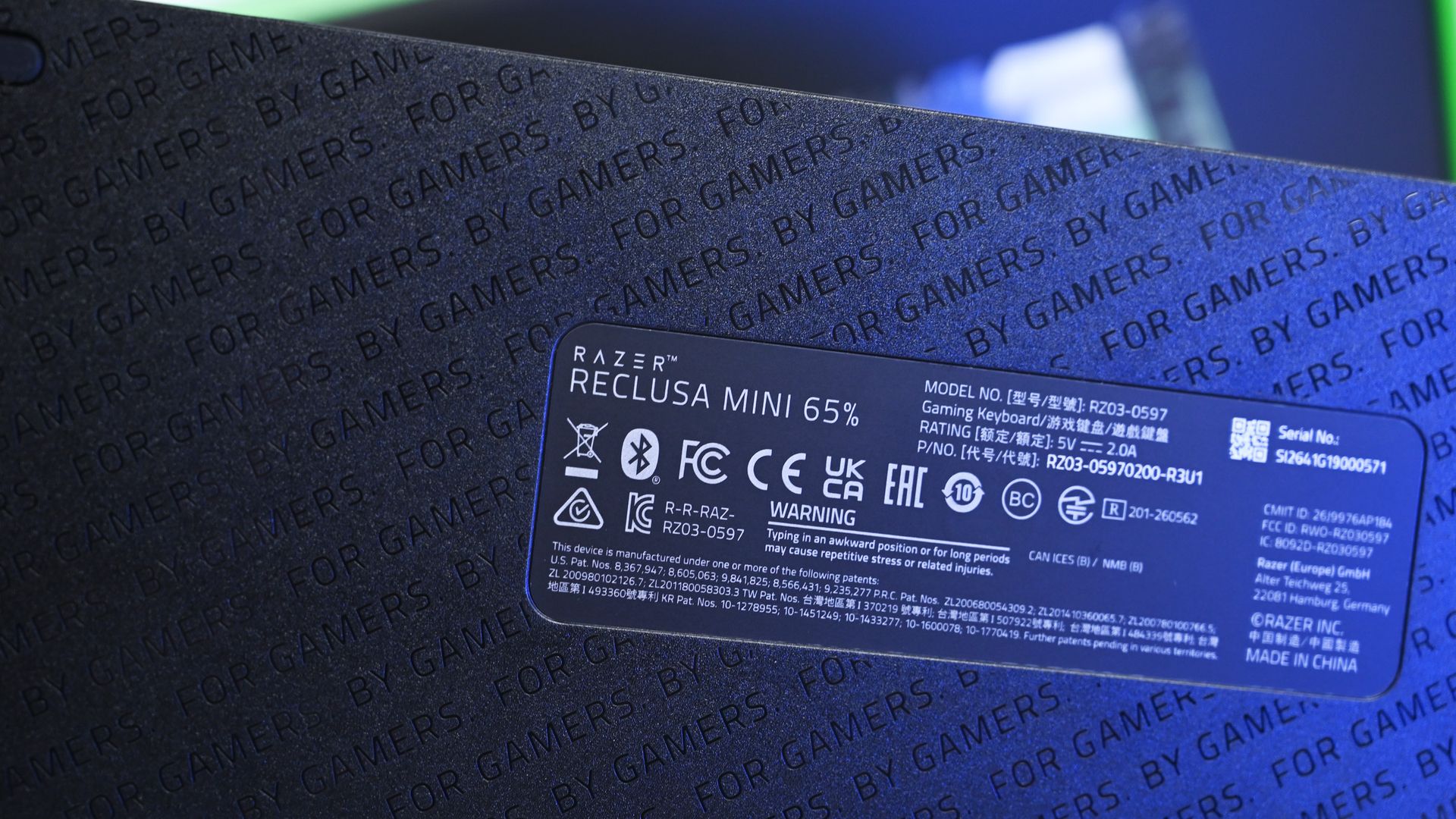
Even the underside receives some attention with Razer's repeating "FOR GAMERS. BY GAMERS." pattern, although there are no adjustable rear feet. (Image credit: Daniel Rubino)
I won't pretend every person buying this board needs to spend hours configuring individual actuation points, either. I'm perfectly happy using the Reclusa as a fantastic typing keyboard most of the day and taking advantage of its speed while gaming.
But if you're the kind of player who does obsess over these settings, Razer gives you the tools.
Polling jumps from 1,000Hz on the Reclusa X to 8,000Hz when wired, while wireless operates at up to 1,000Hz. The Reclusa Mini also supports 2.4GHz HyperSpeed, Bluetooth, wired USB-C, multi-device HyperSpeed pairing, and switching between three Bluetooth devices.
That's the real argument for paying $129.99.
An awkward $80 question
This little multifunction dial is a surprisingly important upgrade for me, restoring convenient volume control that I sorely missed on the cheaper Reclusa X. (Image credit: Daniel Rubino)
Ironically, the Reclusa Mini 65%'s biggest competitor might be Razer's own $49.99 Reclusa X Mini 65%.
I gave that keyboard 4.5 stars in my review because it nailed the fundamentals for an almost comically low price.
The premium Reclusa is better. It feels more substantial, sounds better, adds wireless connectivity, returns my beloved dial, dramatically expands switch configuration and brings Razer's current Hall Effect gaming technology along for the ride.
At $129.99, it's also competitively positioned within the enthusiast Hall Effect market. For context, Razer's own Huntsman V3 HE Magnetic TKL launched at $139.99, while the Mini 65% was $119.99. Wooting's plastic 60HE v2 launched at $179.99, with its aluminum version reaching $239.99.
A physical selector quickly switches between wired USB-C, Bluetooth, and Razer HyperSpeed Wireless connectivity, one of the biggest upgrades over the $49.99 Reclusa X. (Image credit: Daniel Rubino)
If you're plugging a keyboard into one PC, don't care about Rapid Trigger or adjustable actuation, and just want something excellent to type and game on, save the $80. The X remains absurdly good.
The Razer Reclusa Mini 65% delivers the best typing experience I've had on any Razer keyboard.
It's also worth mentioning the lack of adjustable rear feet. Curiously, this didn't bother me despite normally raising the back of my keyboards. The default angle works well enough that I stopped thinking about it.
And naturally, 65% remains 65%. I love the extra mouse space and compact footprint. If you depend on a function row or numpad, nothing about this keyboard will change your mind.
Should you buy the Razer Reclusa Mini 65%?
South-facing per-key Razer Chroma RGB creates an underglow around the keycaps, although I do miss having illuminated legends when using the keyboard at night. (Image credit: Daniel Rubino)
You should buy this if...
✅You loved the idea of the Reclusa X but wanted Razer's premium gaming technology.
✅You want adjustable Hall Effect switches, Rapid Trigger, 8KHz wired polling, and serious customization.
✅You need both excellent wireless connectivity and wired performance.
✅Typing feel and keyboard acoustics matter as much to you as gaming performance.
✅You want a compact keyboard without sacrificing a multifunction dial.
You shouldn't buy this if...
❌You don't need wireless or Hall Effect gaming features. Buy the $49.99 Reclusa X and pocket the $80.
❌You need a full-size or TKL layout.
❌Adjustable rear feet are important to your typing position.
Bottom line
I'm almost annoyed by how much I like this keyboard.
I've got Huntsmans. Lots of Huntsmans. Some of them have more premium materials, some have different switches, and one I've reviewed costs nearly four times as much.
But for the last two weeks, the Reclusa Mini 65% has been the keyboard sitting in front of me, and I'm in no rush to replace it.
Razer's $49.99 Reclusa X remains the rational recommendation for most people. It nails the core fundamentals and punches ludicrously far above its price. The $129.99 Reclusa Mini takes that unusually good foundation and adds the stuff enthusiasts and competitive gamers are more likely to appreciate: magnetic switches, adjustable actuation, 8KHz polling, sophisticated input controls, wireless connectivity, better acoustics, and that incredibly handy dial.
Do I need any of it?
Probably not.
But I'm keeping it on my desk anyway.
Razer
Razer Reclusa Mini 65% Wireless Gaming Keyboard
The Razer Reclusa Mini 65% takes the excellent foundation of the $49.99 Reclusa X and piles on nearly every enthusiast feature I could ask for: adjustable Hall Effect switches, Rapid Trigger, 8,000Hz wired polling, Bluetooth and HyperSpeed wireless, hot-swappable magnetic switches, better dampening, and my beloved media dial.
Join us on Reddit at r/WindowsCentral to share your insights and discuss our latest news, reviews, and more.
The RAM Crisis continues to worsen, driving the prices of our beloved PC gaming upgrades we took for granted to unaffordable levels for the common man.Fortunately, Newegg's latest offering from its ongoing Black November Doorstopper campaign has unlocked a massive sales bundle for a plethora of highly sought-after PC gaming components, including a CPU with 8 cores and 4.2 GHz clock speeds, 16GB RAM, and a 1TB SSD, to name a few.One of our favorite deals from this
The RAM Crisis continues to worsen, driving the prices of our beloved PC gaming upgrades we took for granted to unaffordable levels for the common man.
Fortunately, Newegg's latest offering from its ongoing Black November Doorstopper campaign has unlocked a massive sales bundle for a plethora of highly sought-after PC gaming components, including a CPU with8 cores and 4.2 GHz clock speeds, 16GB RAM, and a 1TB SSD, to name a few.
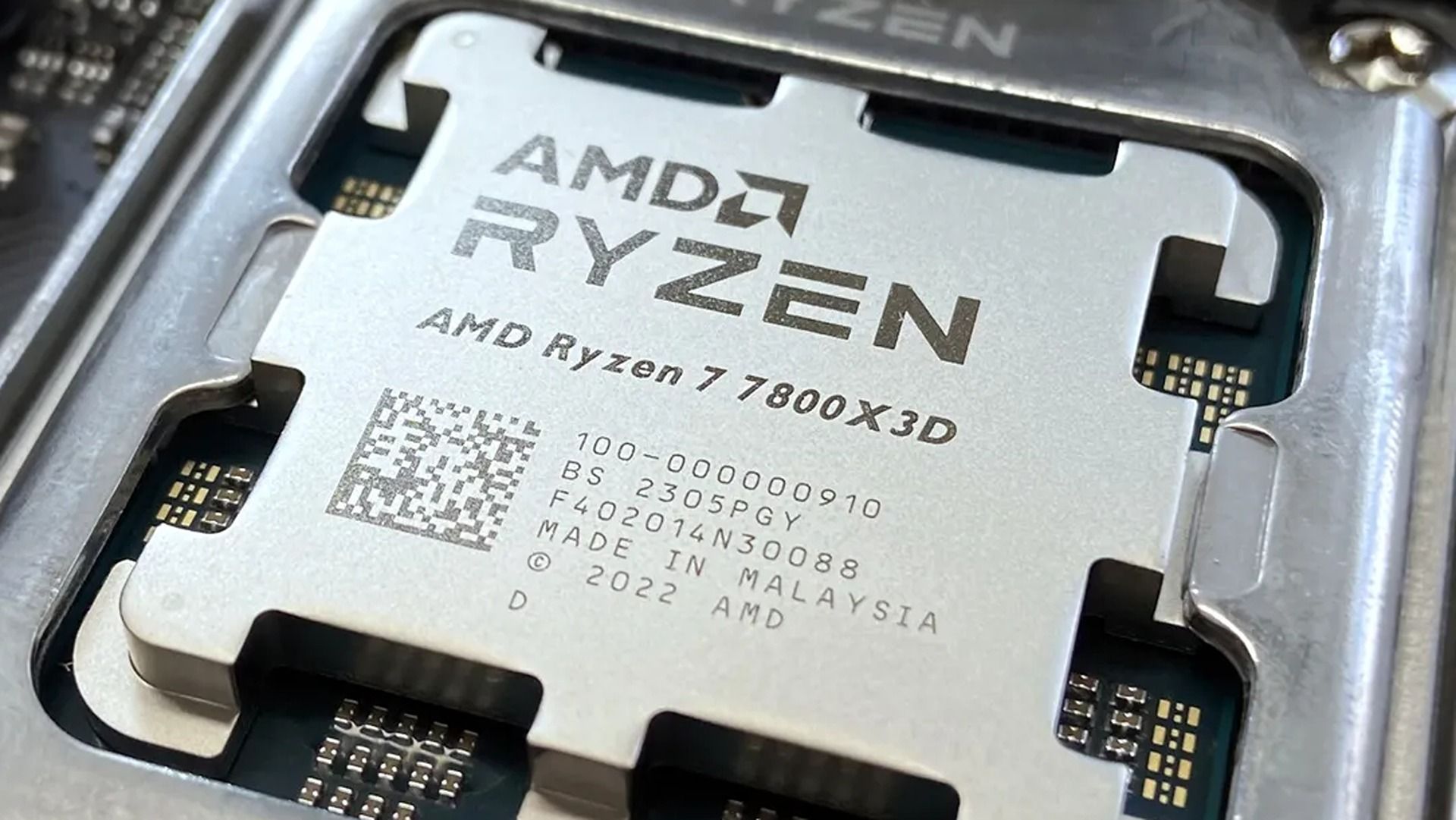
One of our favorite deals from this package is the AMD Ryzen 7 7800X3D that's now 33% off for $299.00 at Newegg (was $449.00). This powerhouse of a CPU, coupled with a capable GPU like the GIGABYTE Gaming Radeon RX 9070 GRE (now available for $499.00 at Newegg), will ensure your rig has the power to run demanding PC games like Cyberpunk 2077 at high settings while keeping your computer from overheating using efficient power management.
"Meaningful upgrades, such as a new proprietary controller and support for PCIe Gen 4, drive drool-worthy performance on this humble PC component that's worth an upgrade if you're a PC enthusiast, dedicated gamer, content creator, video editor, data scientist, or 3D modeler." ~ Chuong Nguyen, former writer
"Dominate any game at any level, the Ryzen 7 7800X3D offers ultimate performance with 8 cores, 16 threads, and up to 5.0GHz boost clock backed up with 96MB L3 cache." ~ Ben Wilson, Senior Editor
"The GPU is built for gamers worldwide, offering forward-thinking options like RDNA 4 performance, AMD FidelityFX ™ Super Resolution 4 (FSR 4), and an incredibly cool fan system that means you’ll barely notice it." ~ TechRadar
"The Corsair Vengeance RGB DDR5-6000 C36 performs just as well as it looks -- maybe even a bit better." ~ Zhiye Liu, News Editor, RAM Reviewer & SSD Technician at Tom's Hardware
This motherboard will make a fitting, compatible home for all the components in this roundup thanks to its efficient power delivery, speedy 2.5 Gbps networking Ethernet, and future-proofed M.2 PCIe 5.0 x4 slot.
Give your rig the power it needs to run all the advanced components in this roundup using this non-modular power supply, capable of 550 Watts of continuous power at 85% efficiency under typical loading conditions. It also comes with a 5-year warranty.View Deal
Should I wait for Black Friday for a better deal?
Newegg's Black November Doorstopper deals will last less than 15 hours once a day's particular product deal goes live. So unless you're willing to risk waiting until Black Friday for potentially a better deal on any of these components, I highly recommend striking this bundle now while it's hot.
Do they come in limited quantities?
Yes, they do. Once the limited number of Newegg Doorstopper discounted units are sold, their deal ends and the item returns to its retail price.
How long will Newegg's Black November Doorstopper event last?
Newegg's Black November Doorstopper event will last until November 30, 2026.
Join us on Reddit at r/WindowsCentral to share your insights and discuss our latest news, reviews, and more.
The first mini PC powered by a Snapdragon X2 Elite is now available in Europe. The ASUS Ascent QN10 launched in the United States back in September, and it is now for sale in Germany, Austria, and Switzerland.Thanks to the Snapdragon X2 Elite inside, the Ascent QN10 has an NPU with 80 TOPS that can handle language models, image processing, and automation workflows.Unlike many mini PCs, the Ascent QN10 has an anodized aluminum chassis rather than a plastic one. Th
The first mini PC powered by a Snapdragon X2 Elite is now available in Europe. The ASUS Ascent QN10launched in the United States back in September, and it is now for sale in Germany, Austria, and Switzerland.
Thanks to the Snapdragon X2 Elite inside, the Ascent QN10 has an NPU with 80 TOPS that can handle language models, image processing, and automation workflows.
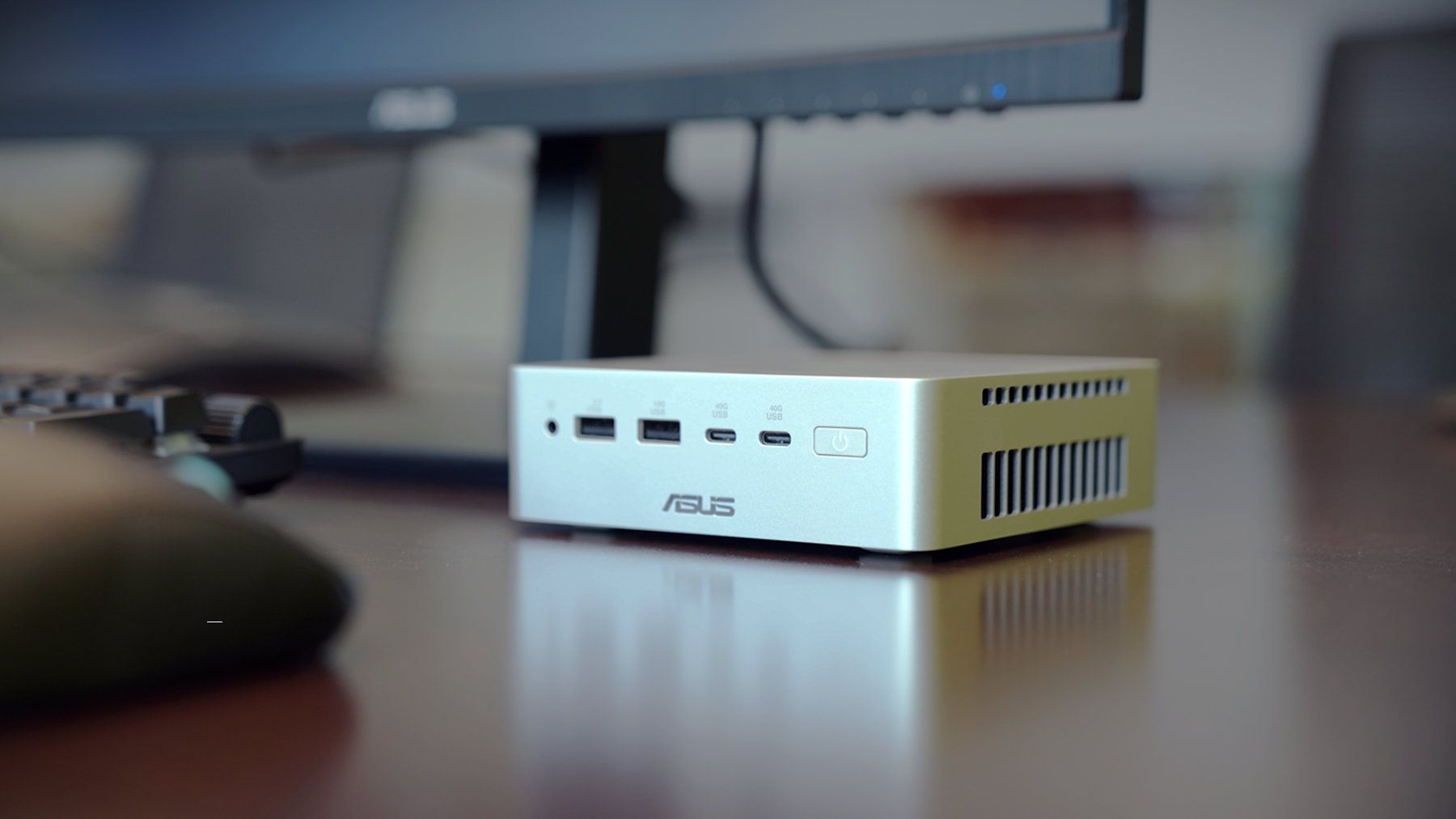
Unlike many mini PCs, the Ascent QN10 has an anodized aluminum chassis rather than a plastic one. That 0.7-liter body is 13 x 13 x 4 cm (5.1 x 5.1 x 1.5 inches), meaning it should fit comfortably on a desk or tucked away.
The Snapdragon X2 Elite is the star of the show, but the Ascent QN10 has some other tricks. For example, it is designed to keep heat from its CPU and SSD separate. The mini PC takes fresh air in from one side, then splits it.
ASUS Ascent QN10 Specs
Processor
Qualcomm Snapdragon X2 Elite (18-Core Oryon CPU)
Graphics
Qualcomm Adreno X2-90
NPU
Qualcomm Hexagon (Up to 80 TOPS)
Memory
Up to 32GB LPDDR5x
Storage
512GB, 1TB or 2TB
Ports
2 x USB4, 2 x USB-A, 1 x 3.5mm audio jack (front), 1 x USB4, 1 x HDMI 2.1, 2 x USB-A, 1 x 2.5 Gigabit Ethernet (rear)
Connectivity
Wi-Fi 7, Bluetooth 6.0
Dimensions
5.1 x 5.1 x 1.5 inches
Weight
1.6 pounds
Despite recently launching in Europe, the ASUS Ascent QN10 is already discounted in some countries. The PC has an MSRP of €2,195, but it is currently available for €2,005 on ARLT (German retailer).
There have been consumer mini PCs with Arm processors, but the Ascent QN10 is the first with a Snapdragon X2 Elite. The mini PC from ASUS stands out from many competing devices thanks to its metal body, processor, and cooling.
ASUS
Ascent QN10 Mini PC
This mini PC runs on a Snapdragon X2 Elite and has an NPU with 80 TOPS of performance. Those specs allow it to handle AI workloads efficiently despite the compact body of the mini PC.
Join us on Reddit at r/WindowsCentral to share your insights and discuss our latest news, reviews, and more.
Oh boy, the very thing that made World of Warcraft and, indeed, World of Warcraft: Forever popular is now becoming the subject of intense debate. World of Warcraft: Forever is Blizzard's take on the "Classic+" pitch, where fans asked the firm for years for an old-school alternative to World of Warcraft: Retail. Now, Retail has become a bit of a chore in recent times, with various systems on timers and deadlines making the game feel a bit more like work than an ac
World of Warcraft: Forever is Blizzard's take on the "Classic+" pitch, where fans asked the firm for years for an old-school alternative to World of Warcraft: Retail. Now, Retail has become a bit of a chore in recent times, with various systems on timers and deadlines making the game feel a bit more like work than an actual game. To compensate, Blizzard made a big effort to boost "convenience" in Retail, even at the cost of immersion and general quality.
World of Warcraft: Forever is supposed to be an alternative option that's closer to the original experience: meditative, more methodical, and crucially, slower-paced. The friction that exists in Classic-style WoW makes the victories and loot far more meaningful than in Retail-style WoW, which practically hands out the best gear for free these days. Retail has become about timers and racing to the finish line, and it's a fun race, admittedly; but the gameplay style has undoubtedly led to the game's decline in recent years.
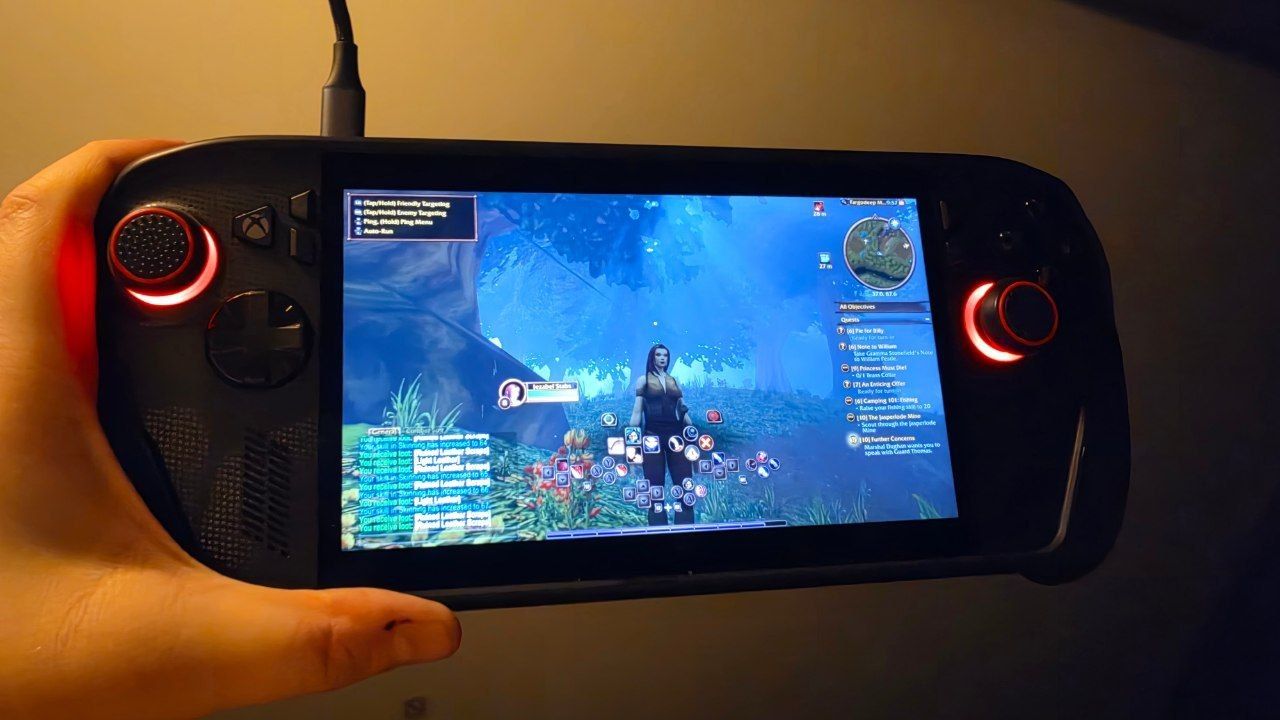
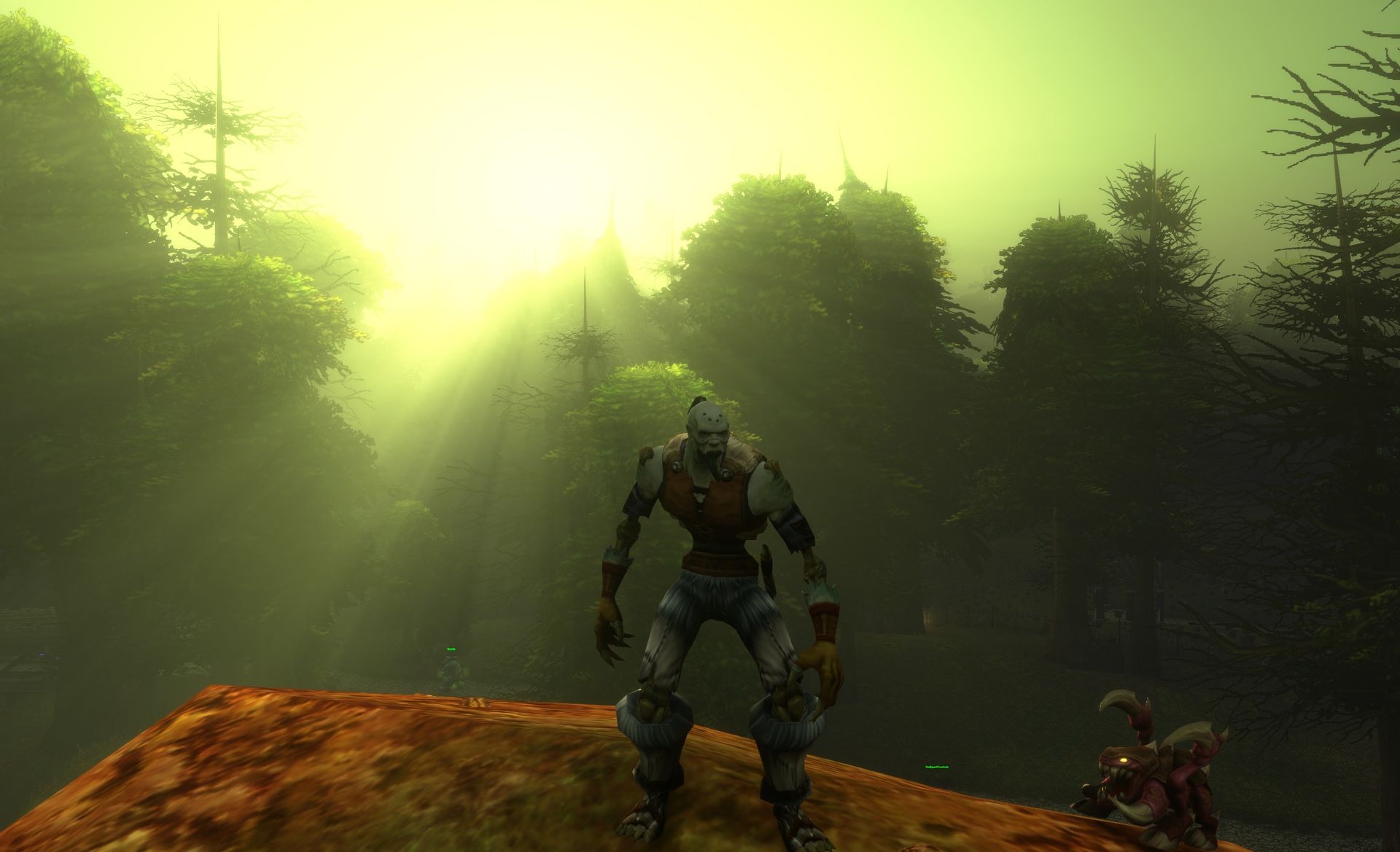
World of Warcraft: Forever is attempting to emulate the old-school feel of the game, with modern takes on balancing and boosted retro-style visuals. (Image credit: Windows Central)
World of Warcraft players have been flooding in to play WoW: Forever, which is mechanically more simplistic than Retail on the surface. Instead, it's designed to reward perseverance, planning, socializing, and methodical play over rapidity.
Indeed, much like other friction-heavy games like Elden Ring, World of Warcraft: Forever encourages player interaction and socializing, asking questions, and strategizing, something modern WoW's timer-oriented gameplay undermines. Ironically, it's suboptimal to chat in World of Warcraft these days, with dungeon runs operating in complete silence unless someone gets angry and yells at you for a mistake.
Yet still, some players aren't happy with the way WoW Forever asks players for patience.
Across WoW communities from Reddit to X, players are debating "convenience" in World of Warcraft: Forever, with Classic fans dubbing those who make calls for making WoW:F more convenient "Retail Andys."
@Lotharemas You retail Andy’s are really pisses me off complaining about everything lolNovember 9, 2026
seeing some of the problems people are having on wowf is making me realize why wow is so dumbed down nowNovember 8, 2026
"We wont play retail cus its soulless trash" but you'll use an addon that invalidates all questing and the charm of the Forever experience for convenience? Damn. You need an addon to wipe your ass too lil fella? Ignore this. Go in blind like intended. Especially first timers https://t.co/bUraRchZLANovember 7, 2026
Blizzard has already begun addressing feedback regarding WoW: Forever, buffing dungeon mob EXP gains by 50%, and some are calling for them to buff it even more.
It'll be interesting to see if Blizzard continues to cave to the loud calls for simplifying World of Warcraft: Forever, given that oversimplification and homogenization are what have essentially killed World of Warcraft's main retail arm.
Games need friction
World of Warcraft: Forever brings undead Paladins to the mix for the first time. (Image credit: Blizzard Entertainment)
A good example of a game that went hard on "quality of life" features to its detriment is Monster Hunter Wilds, and arguably even Monster Hunter World before it.
Monster Hunter is a franchise that revolves entirely around the hunt, which previously included gathering materials, crafting specific counter-armor sets, studying monster behaviors and weaknesses, and so on. In Wilds, Capcom dumbed down every aspect of the game to try and appeal to a so-called "wider" audience, and the game suffered for it. The convenience undermined the game's core gameplay loop, robbing hunts of a sense of challenge and accomplishment.
I think there's certainly something to be said for having "too much of a good thing." Humans are hard-wired to seek convenience and the path of least resistance, and the calls to dumb down World of Warcraft: Forever already emerge from that.
When something becomes too easy, it becomes trivial and arbitrary. I can't remember the last time I was excited for a drop in World of Warcraft's modern setting ... but I was excited to get a basic-ass green dagger on my level 10 rogue earlier today.
Gear and boss kills have become essentially meaningless in modern World of Warcraft, as free loot is handed out simply for logging in. Blizzard gave out the free loot because ultimately, players asked for it. But the decline of the game showcases why listening too much to calls for convenience and difficulty nerfs isn't always a good idea.
Either way, World of Warcraft: Forever has been a resounding success story for Blizzard so far. Let's see if they can avoid messing it up ...
Join us on Reddit at r/WindowsCentral to share your insights and discuss our latest news, reviews, and more.
After decades, Dell still offers a massive catalog of consumer laptops, but some models with modern components can quickly become expensive, given the industry's ongoing memory (RAM) shortages.Thankfully, Best Buy's early Black Friday sale cuts hundreds of dollars off two of Dell's more compact and portable options.You can grab the 14-inch Dell 14S for $999.99 at Best Buy (was $1,449.99), saving $450 on a productivity-focused laptop, or pick up the more affordabl
After decades, Dell still offers a massive catalog of consumer laptops, but some models with modern components can quickly become expensive, given the industry's ongoing memory (RAM) shortages.
You can grab the 14-inch Dell 14S for $999.99 at Best Buy (was $1,449.99), saving $450 on a productivity-focused laptop, or pick up the more affordable Dell 14 Plus 2-in-1 for $799.99 (was $1,299.99) as a flexible convertible 14-inch option for note-taking, sketching, and regular everyday use, with a $500 saving.
"The Dell 14S is a compelling choice for a variety of users thanks to its long-lasting battery life, OLED touchscreen, solid performance, and relatively affordable price." — Sean Riley, Freelancer Writer, Tom's Guide
"The Dell 14 Plus 2-in-1 is a great convertible laptop option for those on a budget (like students) who want more performance and functionality than you'd find in a Chromebook." — John Loeffler, Components Editor, TechRadar
The Dell 14 Plus on display (Image credit: TechRadar (John Loeffler) | Dell)
While both laptops offer durable designs, portable 14-inch displays, and dedicated NPUs for local AI features, they're aimed at different users depending on your wants and needs. Before you spend during Black Friday season, it's worth looking into the specs a little deeper.
If you're after a productivity laptop, the Dell 14S (31% off) is better. It comes equipped with a long-lasting battery, an OLED 2K touchscreen with deep contrast, and a modern AMD Ryzen AI 7 445 processor paired with 16GB of RAM to boost multitasking with multiple web browser tabs, creating documents or spreadsheets, video calling, and plenty more.
Otherwise, if you're shopping on a tighter budget or want a Windows laptop that's equally useful for school and everyday use, the Dell 14 Plus 2-in-1 (38% off) is a good fit. It still offers good productivity performance with substantial standby power efficiency thanks to its Intel Core Ultra Series 2 (Lunar Lake) 256V CPU coupled with 16GB of RAM, a 120Hz 2K touchscreen that makes scrolling and digital sketching with compatible (but sold separately) pens feel seamless, and a solid design so it can pull multiple duties as a notepad, movie viewer, or regular laptop with ease.
Should I wait for Black Friday for a better deal?
Even if you're hesitant to buy before Black Friday, Best Buy's 'Price Match Guarantee' may allow eligible customers to request a refund of the difference if Best Buy lowers its own price during the applicable return window: "If our price goes lower during the holiday season, we’ll match it."
Can you upgrade their RAMs and SSDs?
Both of these laptops have their RAM soldered permanently, so they can't be upgraded. Their default 512GB SSDs, however, can be swapped with larger 1TB, 2TB, or 4TB SSDs to upgrade their storage capacity.
Are they good for gaming?
Neither of these laptops is made for PC gaming because their integrated graphics cards limit their ability to run the most graphically demanding games beyond lighter, casual titles.
Join us on Reddit at r/WindowsCentral to share your insights and discuss our latest news, reviews, and more.
"Do you want to turn on Sticky Keys?" has likely popped up on your PC at some point. That prompt appears after you press the Shift key five times and allows you to enable the feature. Soon, Windows 11 will make it easier to stop that message from appearing.In one of the latest Windows Insider builds, Microsoft introduced an updated version of the prompt. Windows 11 will soon let you permanently disable the Sticky Keys shortcut directly from the prompt itself.The
"Do you want to turn on Sticky Keys?" has likely popped up on your PC at some point. That prompt appears after you press the Shift key five times and allows you to enable the feature. Soon, Windows 11 will make it easier to stop that message from appearing.
In one of the latest Windows Insider builds, Microsoft introduced an updated version of the prompt. Windows 11 will soon let you permanently disable the Sticky Keys shortcut directly from the prompt itself.
The same change is also coming to the prompt used for Filter Keys, another accessibility feature that can be enabled through a keyboard shortcut.
Windows 11 already lets you disable that shortcut, but it requires a couple of extra steps. Within Settings, you need to navigate to Accessibility > Keyboard > Sticky Keys. That section has other controls, such as turning off Sticky Keys when two keys are pressed at the same time.
The current Windows 11 prompt includes a quick link to that section of the Settings app, but the process will soon be streamlined. The updated prompt still includes a shortcut to all Sticky Keys settings.
Sticky Keys is a useful feature that improves accessibility. It lets you press one key at a time instead of holding multiple keys at once. For example, instead of pressing Ctrl + Alt + Delete simultaneously, you can press Ctrl, then Alt, then Delete.
The shortcut to enable Sticky Keys by pressing Shift five times has been part of Windows for decades. While useful, it can be triggered accidentally. Last week, I was in a creative program and pressed Shift five times as part of my normal workflow and accidentally summoned the prompt to enable Sticky Keys.
I took the opportunity to disable the shortcut through the Settings app, but soon that won't be necessary since the prompt will include a check box that prevents it from appearing again.
Join us on Reddit at r/WindowsCentral to share your insights and discuss our latest news, reviews, and more.
In this episode of the Windows Central Podcast, Daniel Rubino and Zac Bowden break down a major architectural efficiency victory in Windows 11 under the ongoing Windows K2 initiative: reducing memory footprint and improving responsiveness by 20% on 8 GB RAM machines through WinUI conversions, OEM memory budgets, and memory compression.We also analyze reporting on upcoming Windows 11 default wallpaper refreshes and detail why a full-blown Windows 12 release in 202
In this episode of the Windows Central Podcast, Daniel Rubino and Zac Bowden break down a major architectural efficiency victory in Windows 11 under the ongoing Windows K2 initiative: reducing memory footprint and improving responsiveness by 20% on 8 GB RAM machines through WinUI conversions, OEM memory budgets, and memory compression.
We also analyze reporting on upcoming Windows 11 default wallpaper refreshes and detail why a full-blown Windows 12 release in 2027 is looking increasingly unlikely. We discuss platform fragmentation across Germanium and Bromine codebases, component cost inflation ("Ramageddon"), and why Microsoft could move toward iterative annual OS branding rather than forced migrations.
The conversation also tracks Copilot’s new opt-in integration into Windows Search, its discontinuation on LG and Samsung smart TVs, and hands-on impressions of the major performance rewrite of the Xbox PC app on handhelds like the ROG Xbox Ally X20.
This episode of the Windows Central Podcast is sponsored by Surfshark VPN. Unlimited devices, access your content from anywhere, and auto-block malware on Windows, Edge, and other platforms from $2.50/mo, with 3 months extra FREE. Sign up today!
[05:41] – Windows 11 Uses Less RAM (Windows K2): How moving system UI to WinUI, stripping WebView dependencies, enforcing OEM memory budgets, and revamping RAM compression saves up to 1 GB on 8 GB PCs.
[09:54] – Responsiveness Benchmarks & Mac Comparisons: Testing 26H2 multitasking performance, 20% responsiveness gains, and parity with 8 GB macOS systems.
[17:26] – AI & NPU-Driven OS Optimization: Exploring machine learning prefetching to optimize system resources based on individual app usage habits.
[20:55] – Copilot App Overhaul & Reasoning Models: Daniel’s impressions of automated model selection, conversational depth, and critique of the Chromium-wrapped desktop client.
[29:39] – Copilot in Windows Search (Opt-In): The evolution of the former "Ask Copilot" taskbar feature into an optional, native WinUI search integration without forced AI prompts.
[37:27] – Copilot Discontinued on Smart TVs: Microsoft ends Copilot support on LG and Samsung smart TVs as the platform pivots away from consumer assistants toward productivity.
[44:12] – Why Windows 12 Is Unlikely in 2027: Analyzing Tom Warren's wallpaper leak, dual platform codebases (Germanium vs. Bromine), enterprise upgrade friction, and component shortages delaying an OS cycle.
[50:03] – Annual Windows Naming (Windows 27?): Comparing Microsoft's release cadence to macOS and Android annual versioning instead of disruptive numbered leaps.
[01:00:05] – Major Xbox PC App Rewrite: Massive performance boost (60% faster) on the newly overhauled Xbox Insider app, handheld scaling, and instant artwork loading on the ROG Xbox Ally X20.
Have a question you want us to answer on the podcast? Send it to us at [email protected]
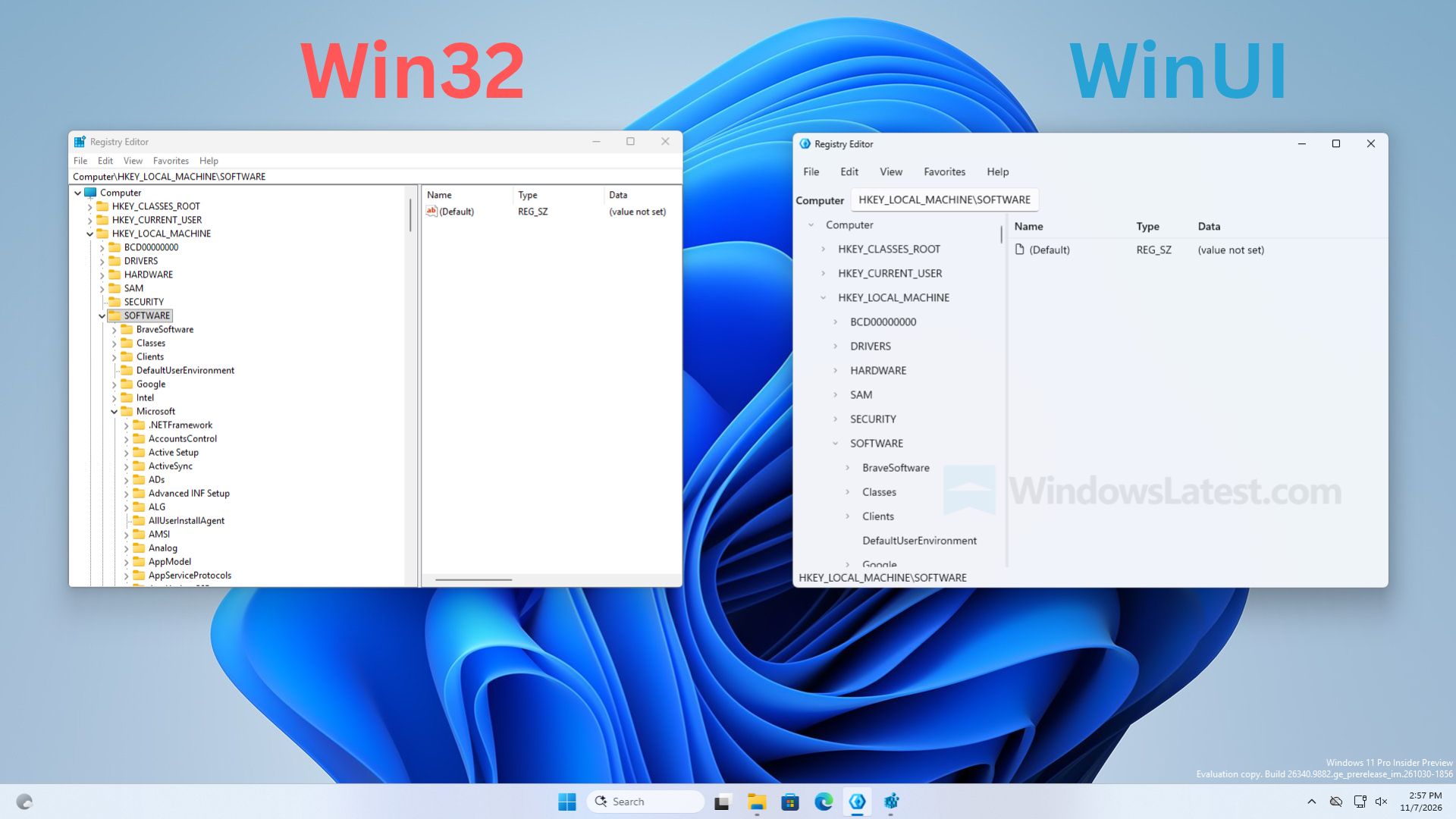
Microsoft has pushed back against reports that the company has built a modernized Registry Editor app for Windows 11, clarifying that the newly discovered modern Registry Editor is just a sample app, and not intended to ship in Windows.Windows Latest was first to report on this new Registry Editor app, but stated within their article that the app is "not a mock-up," which led some people online to believe this app is a real replacement for the existing Registry E
Microsoft has pushed back against reports that the company has built a modernized Registry Editor app for Windows 11, clarifying that the newly discovered modern Registry Editor is just a sample app, and not intended to ship in Windows.
Windows Latest was first to report on this new Registry Editor app, but stated within their article that the app is "not a mock-up," which led some people online to believe this app is a real replacement for the existing Registry Editor.
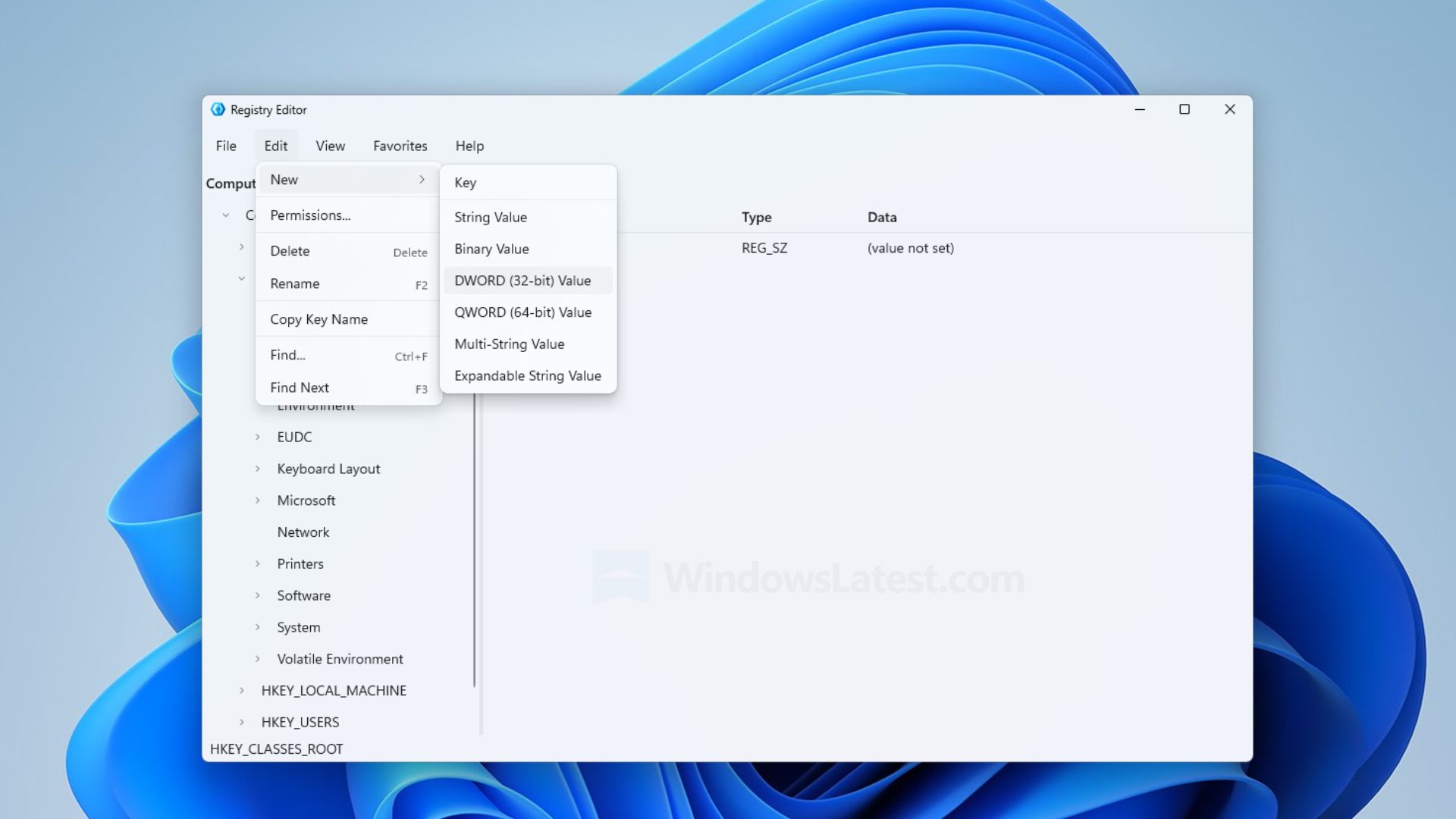
It appears that the app is a mockup, designed to showcase Microsoft.UI.Reactor technology, meaning it was only built to show developers what is possible with the tech and not representative of any modernization work ongoing by the Windows team.
Left: The existing Registry Editor. Right: The sample Registry Editor being mistaken for a real app. (Image credit: Windows Latest)
"It’s a sample. You say it’s the new one and then in the last line of the tweet you point out it’s a sample," Microsoft VP Scott Hanselman said in a reply to Windows Latest on X. This was followed up by a post from Windows Insider lead and CVP Marcus Ash, who said "Right. A sample. Not a developer preview of a new regedit."
So, that's confirmation from Microsoft that this new Registry Editor is not coming to Windows 11, and is just a sample app designed to showcase to developers what is possible with Microsoft.UI.Reactor.
With that said, this doesn't mean the Windows team isn't working on a modernized Registry Editor. My own sources tell me the Registry Editor is on the list for a modern rejuvenation under the Windows K2 effort, but there are other pillars and higher priority items that need to be addressed first before the Registry Editor can be tackled.
The good news is a modern Registry Editor for Windows 11 is unlikely to look like the sample app being depicted in recent reports, and that a modernized Registry Editor is on the docket for the future.
Join us on Reddit at r/WindowsCentral to share your insights and discuss our latest news, reviews, and more.

 Connexion