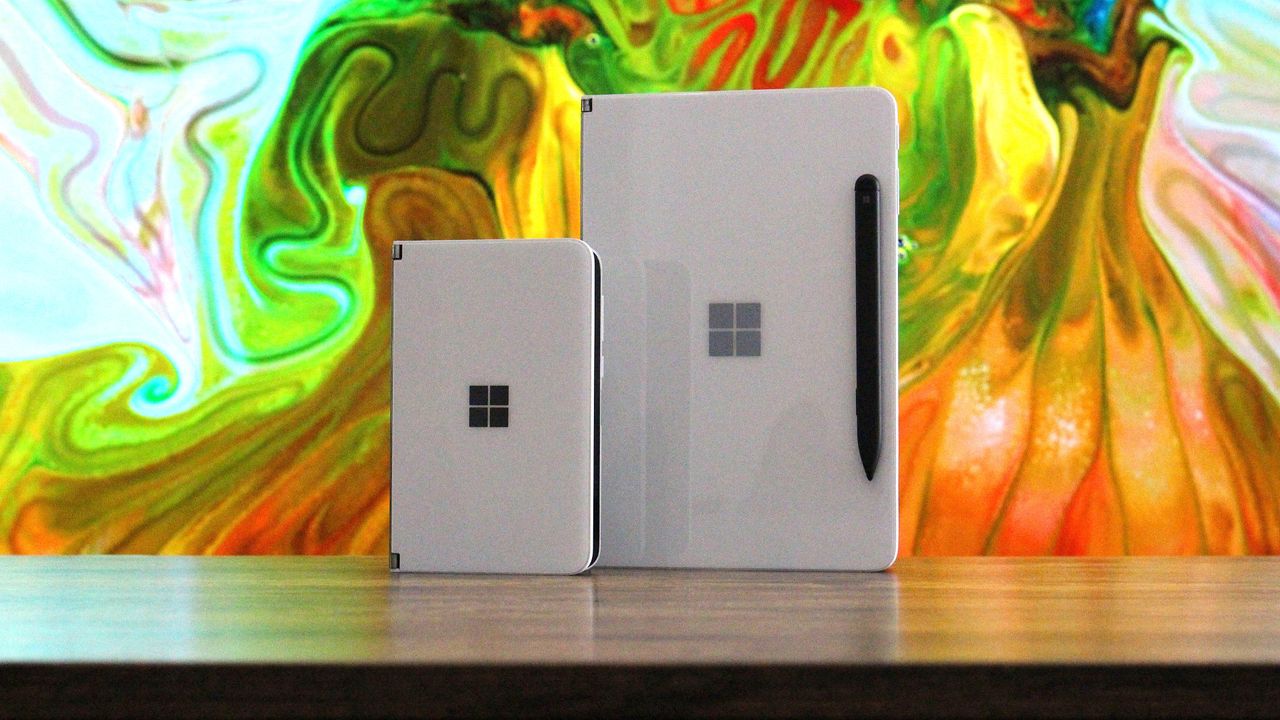
I loved my Surface Duo a lot. It was a unique folding phone with two screens instead of a single foldable display, supported pen input, and was the thinnest of its kind when it launched in 2020 (see our original review). It was a mesmerizing bit of kit, but it failed to gain any real mainstream attention. And although it never shipped, its bigger brother, the Microsoft Surface Neo PC, was also something a lot of us Windows fans were looking forward to at the time
I loved my Surface Duo a lot. It was a unique folding phone with two screens instead of a single foldable display, supported pen input, and was the thinnest of its kind when it launched in 2020 (see our original review). It was a mesmerizing bit of kit, but it failed to gain any real mainstream attention.
And although it never shipped, its bigger brother, the Microsoft Surface Neo PC, was also something a lot of us Windows fans were looking forward to at the time. A dual-screen laptop, to complement my dual-screen phone? Sign me up! In 2020, it really did seem like Microsoft was building out its own unique device ecosystem to compete with Apple, Samsung, and Google.
The Neo and Duo were clever names for these devices. Both names had dual meanings to them, too. Neo, meaning "new," referred to the form factor, as well as being a reference to "The One" from The Matrix. And Duo, obviously signifying the device's unique "duo" screen setup, but it was also a reference to the fact that it was a surprise second device in a pair, alongside Neo.
When Duo was announced, it was a true one more thing moment during the event. There had been rumors that Microsoft was working on a folding phone for years prior, but recent reporting at the time had suggested the project was dead. So when Duo was announced alongside Neo, it was a rare true surprise to those in attendance and watching online.
(Image credit: Future)
Cut to 2026, and it's all dead. Microsoft gave up on Duo after just one iteration (Surface Duo 2 review), and it never even gave Neo a chance. The company's boneheaded shortsightedness led to the death of unique Surface hardware, and now today we're left with boring laptops and tablets from the Redmond giant.
It was inevitable that the Neo and Duo would forever be relegated to the history books, a hall of fame of unique devices that tried and failed to capture the market. Now, Apple has stormed in and stolen these names for their own products, which will only serve to further bury Microsoft's efforts.
I'm sure there are some Apple fans out there who think Apple never even thought about Microsoft when it named the MacBook Neo and iPhone Duo, but I think that's a lie. Apple is clearly aware that Neo and Duo were strongly tied to the Surface brand, but decided that didn't matter, which is the correct decision.
The MacBook Neo is an almost polar opposite of the Surface Neo. While Surface Neo was supposed to be a super expensive dual-screen flagship laptop, the MacBook Neo is Apple's cheapest laptop, undercutting much of the market. I don't know why, but that feels like an F.U. to Microsoft's vision for its Neo.
And now, there's iPhone Duo. This one hits much harder, as they're both playing in the same game. Surface Duo was a thin folding phone with pen support, and the iPhone Duo is pretty much exactly that. Of course, Apple's iPhone Duo refers to the fact that it's both an iPhone and an iPad, but seeing the Duo moniker on an Apple product just stings.
The iPhone Duo is a modern day Surface Duo. (Image credit: Apple)
If anything, it's just reminded me of what was possible had Microsoft pushed through and continued to innovate on the Surface Duo. The company had started working on a third-gen Surface Duo in 2022, which was going to pivot to a single-screen folding setup not dissimilar to the iPhone Duo.
But Microsoft just can't see a good thing through. Because Surface Duo 1 sold poorly, and Surface Duo 2 sold even less than that, the company decided that it was not worth continued investment in this category, which is just wrong. Folding phones were and still are the future, but Microsoft decided to pack it all in.
Now, Apple has just stolen the crown for the Duo moniker, with a product that seemingly does everything the Duo set out to achieve, but better in every way because Apple isn't going to give up after just one iteration. I get the impression that Duo is here to stay in Apple's lineup, unlike the Duo in Microsoft's lineup.
I'm mad that Apple has stolen the Neo and Duo moniker, but frankly, they deserve it. Microsoft clearly isn't doing anything with them, and they are cool product names for devices that stand out. MacBook Neo and iPhone Duo certainly do that, even if they're not in complete harmony like the Surface Neo and Surface Duo were supposed to be.
Congratulations on the launch of iPhone Duo, Apple.
Join us on Reddit at r/WindowsCentral to share your insights and discuss our latest news, reviews, and more.
Microsoft dropped a surprisingly substantial batch of Xbox Insider features today, ranging from nostalgia-fueled startup animations to higher-quality Remote Play streaming. While none of these additions are major enough to warrant their own showcase, they're all pulling Xbox in the same direction: making the platform feel more personal. This latest update suggests Xbox sees that shift coming and wants to be the platform that adapts to the player rather than askin
While none of these additions are major enough to warrant their own showcase, they're all pulling Xbox in the same direction: making the platform feel more personal.
This latest update suggests Xbox sees that shift coming and wants to be the platform that adapts to the player rather than asking the player to adapt to it, and I like where that is going.
Looking through the feature list, it becomes clear that Microsoft's biggest focus is reducing friction, not just adding new features for the sake of it.
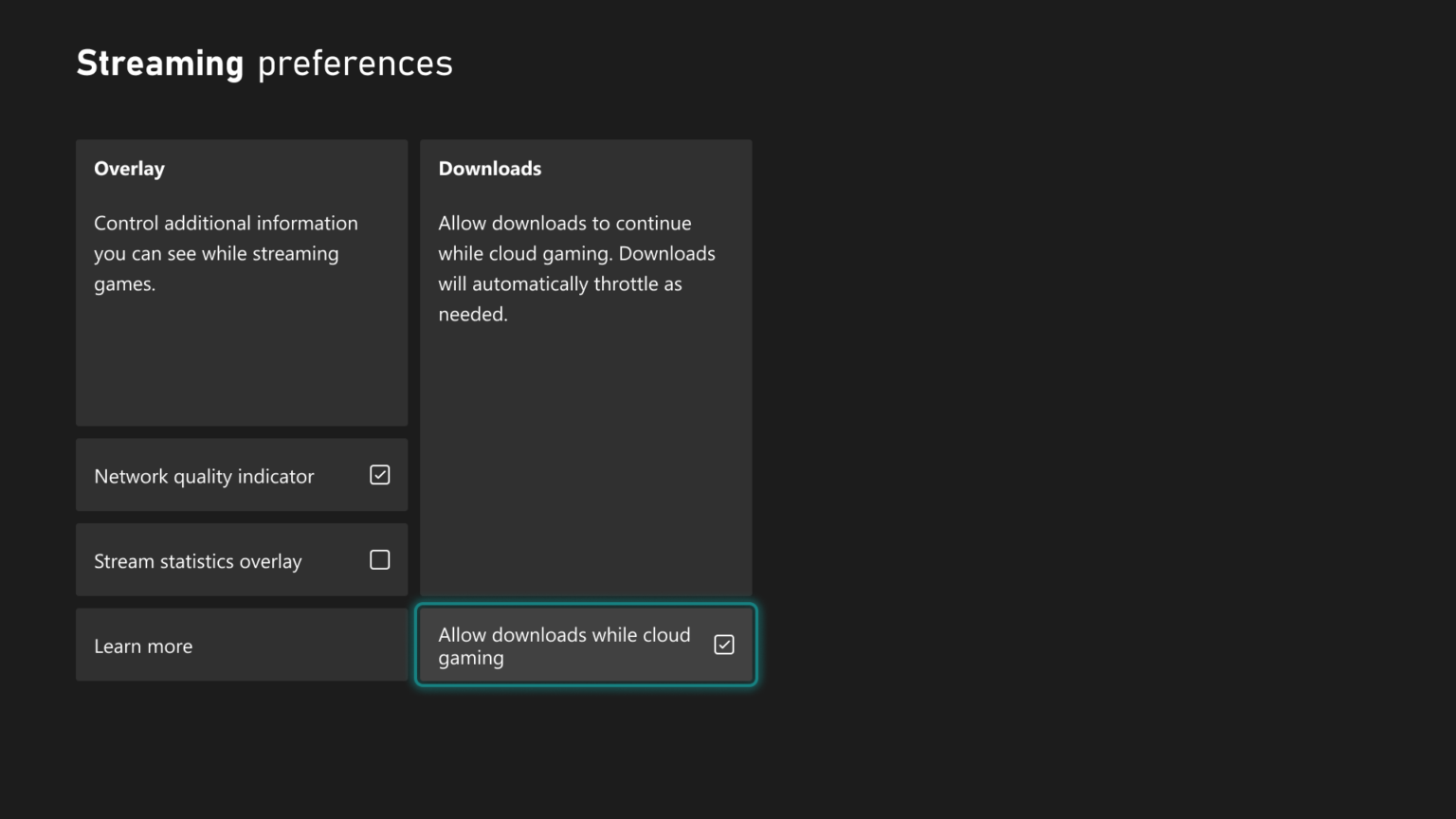
Xbox Streaming preferences menu highlighting the option "Allow downloads while cloud gaming" with a checked box. (Image credit: Microsoft | XBOX)
That philosophy appears in the new cloud gaming improvements. Xbox Insiders can nowcontinue downloading games in the background while streaming, reducing one of the small but persistent friction points that come with digital gaming.
These updates may not be groundbreaking, but they represent the kind of quality-of-life improvements that users want, which contribute to making a platform feel more refined and complete.
The new personalization features tell a similar story.
Being able to select startup animations from different eras of Xbox history may sound like a cosmetic addition, but it reflects a growing recognition that players often have a deeper connection to gaming platforms than companies traditionally acknowledge.
Users can now pick from Xbox One, Xbox One X, Xbox Series X|S, or We Are Xbox, which is kinda cool.
Xbox System Startup menu displaying startup animation choices like Xbox One and Series X|S alongside a TV preview screen. (Image credit: Microsoft | XBOX)
Remote Play is also getting some new improvements.
The company is now testing support for up to 1440p streaming and higher video bitrates through Xbox Remote Play for Xbox Series X|S users in select Insider rings. The technical upgrade matters, but the broader implication matters more.
A few years ago, Remote Play felt like an extra feature. Today, it feels increasingly central to Microsoft's vision (though we're not thrilled with those new Cloud gaming caps).
Microsoft has spent years talking about making Xbox available wherever players want to play. At first, that messaging was often interpreted as a cloud gaming pitch. What we're seeing now is something more nuanced.
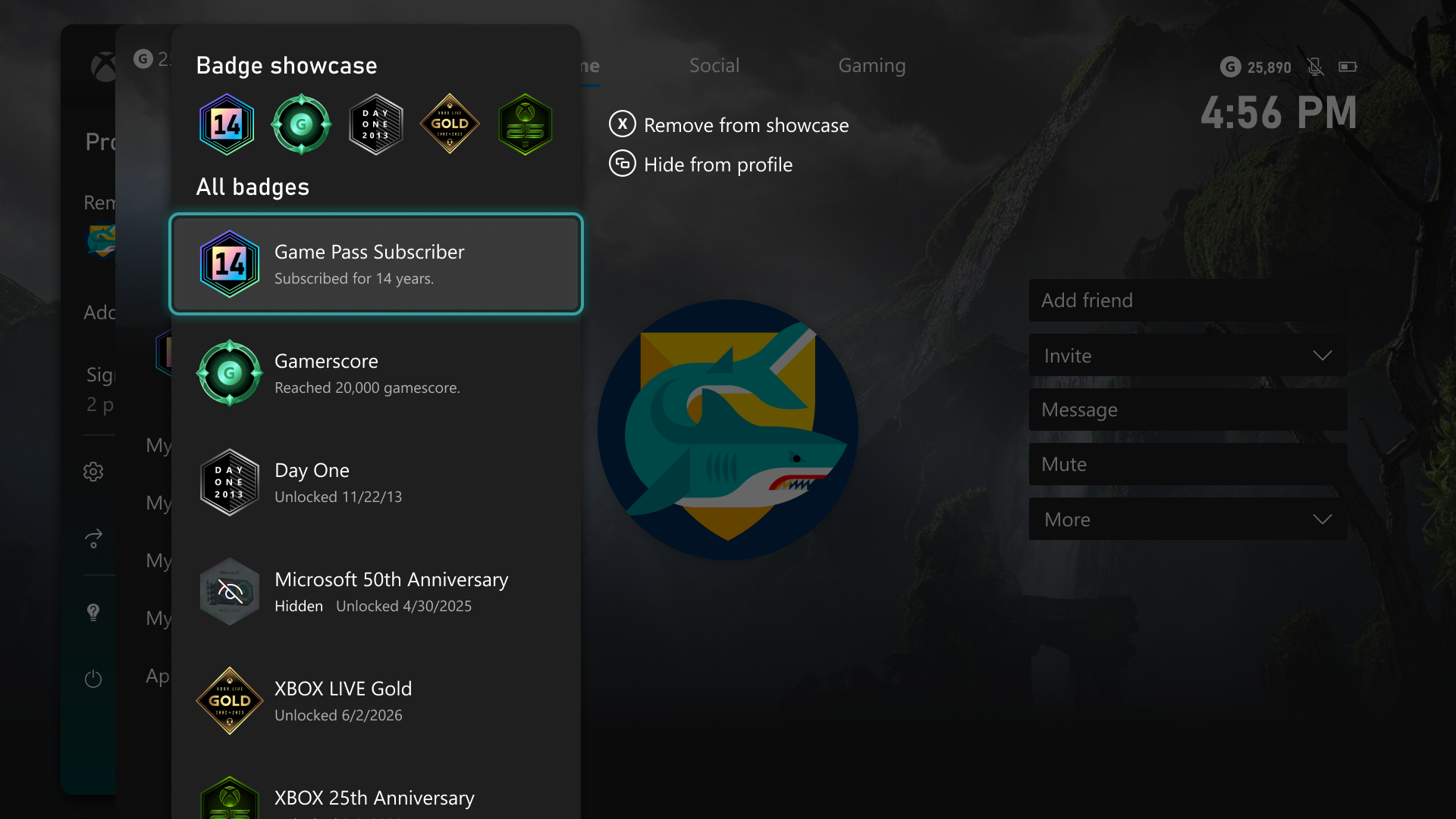
Xbox Badge Showcase menu displaying user profile badges with options to remove or hide them. (Image credit: Microsoft | XBOX)
Microsoft now seems more interested in letting players decide which parts of Xbox's history they want to keep with them.
That trend extends to profile customization, where users can choose which achievements and badges are visible and which remain private. If Nintendo's strength is iconic franchises and PlayStation's strength is prestige gaming, Xbox's emerging niche may be flexibility.
Play your games where you want.
Show off your profile how you want.
Start your console how you want.
Access your library how you want.
That seems to be a definable pattern, at least for this update.
Finally, Microsoft is also testing a new Voice Clarity feature for Xbox Series X|S, designed to reduce background noise and improve voice communication in party chat and supported games. Clear communication remains one of the foundations of online gaming, particularly in co-op and competitive titles, so this is a nice nod.
The update also arrives alongside broader backend improvements aimed at making Xbox parties more reliable and secure.
Again, there's no single standout feature here (although you may disagree), but the bigger picture is that Microsoft is apparently focusing on letting users make Xbox reflect more of their personality and preferences. That's something PC fans are used to, but it's a bit new for console users, where you're more boxed in (pardon the pun).
Of course, you could always say this is what Xbox should have been like for years now, but I'm happy to see these changes and like this direction of giving users more choice.
At a time when hardware is becoming unaffordable, the Xbox user experience is becoming the real battleground to keep fans interested, and Microsoft seems to have gotten the message.
Join us on Reddit at r/WindowsCentral to share your insights and discuss our latest news, reviews, and more.
Windows 11 now includes new family safety features that can reduce how much adult content children are exposed to or able to view. Microsoft has a pair of blog posts on the topic, one that focuses on consumer-facing features and another that covers how APIs and Microsoft accounts are used to make the Windows experience safer.The first change Microsoft highlighted is not a new feature, but a speed boost to an existing one. Granting parental approval is now faster
Windows 11 now includes new family safety features that can reduce how much adult content children are exposed to or able to view. Microsoft has a pair of blog posts on the topic, one that focuses on consumer-facing features and another that covers how APIs and Microsoft accounts are used to make the Windows experience safer.
The first change Microsoft highlighted is not a new feature, but a speed boost to an existing one. Granting parental approval is now faster than before, which allows parents and guardians to quickly approve things like additional screen time, access to specific apps, and purchases.
Speed is important when it comes to family safety. Occasionally children run into blocks when trying to access content that is required for homework or that is otherwise age-appropriate. Delayed approvals leave children sitting around and can cause frustration for kids and parents.
Microsoft has also made it easier for parents to keep track of web activity, app activity, and spending. Managing family groups has been improved as well, including options that make it simpler to add or remove members.
The importance of Microsoft accounts
Some people complain about Microsoft accounts being a requirement to use certain services. Microsoft has budged a bit in this area. For example, it's now possible to sign in to Microsoft Edge with a Google account.
But managing family safety settings relies heavily on a Microsoft account, as explained by the company:
"At Microsoft, we believe safety should be easier for families to understand and easier for developers to build into experiences for children to use. On Windows, that starts with the account. Microsoft account is a trusted foundation through which Windows brings age-appropriate protections and parental choices into more of the digital experiences encountered by children and teens every day."
Setting up accounts for children is a requirement to set parental controls for individuals. Microsoft accounts also allow Windows to know if a user is a child, teen, or adult.
Microsoft has introduced a new API to extend age awareness beyond the OS and across the entire Windows ecosystem. The Windows Age APIs can verify a user's age and then send that verification to an app without sharing personal information. It's a bit like Windows Hello but for age verification.
The new Windows Age APIs are available now to Windows Insiders and should ship to all Windows users soon.
Join us on Reddit at r/WindowsCentral to share your insights and discuss our latest news, reviews, and more.
It still feels like a dream that Spyro the Dragon, one of my childhood favorite platformer games, is finally getting a true successor to the classic PlayStation One trilogy with Spyro: A Realm Beyond.Fortunately, Toys for Bob is here to remind me that it's indeed real by showing off a sneak preview of Arcadian Vale, one of the first locales you'll explore in the game, as part of a special event celebrating Spyro's 27th anniversary called Spyro Community Day.DEAL:
It still feels like a dream that Spyro the Dragon, one of my childhood favorite platformer games, is finally getting a true successor to the classic PlayStation One trilogy with Spyro: A Realm Beyond.
Fortunately, Toys for Bob is here to remind me that it's indeed real by showing off a sneak preview of Arcadian Vale, one of the first locales you'll explore in the game, as part of a special event celebrating Spyro's 27th anniversary called Spyro Community Day.
Something from the Realmis hiding below.But what could it be?There’s only one way to know.Start in the center.Let the fire spread.Burn away the questionand see what’s ahead.#HappyBirthdaySpyro pic.twitter.com/NfWBZjb9mYSeptember 9, 2026
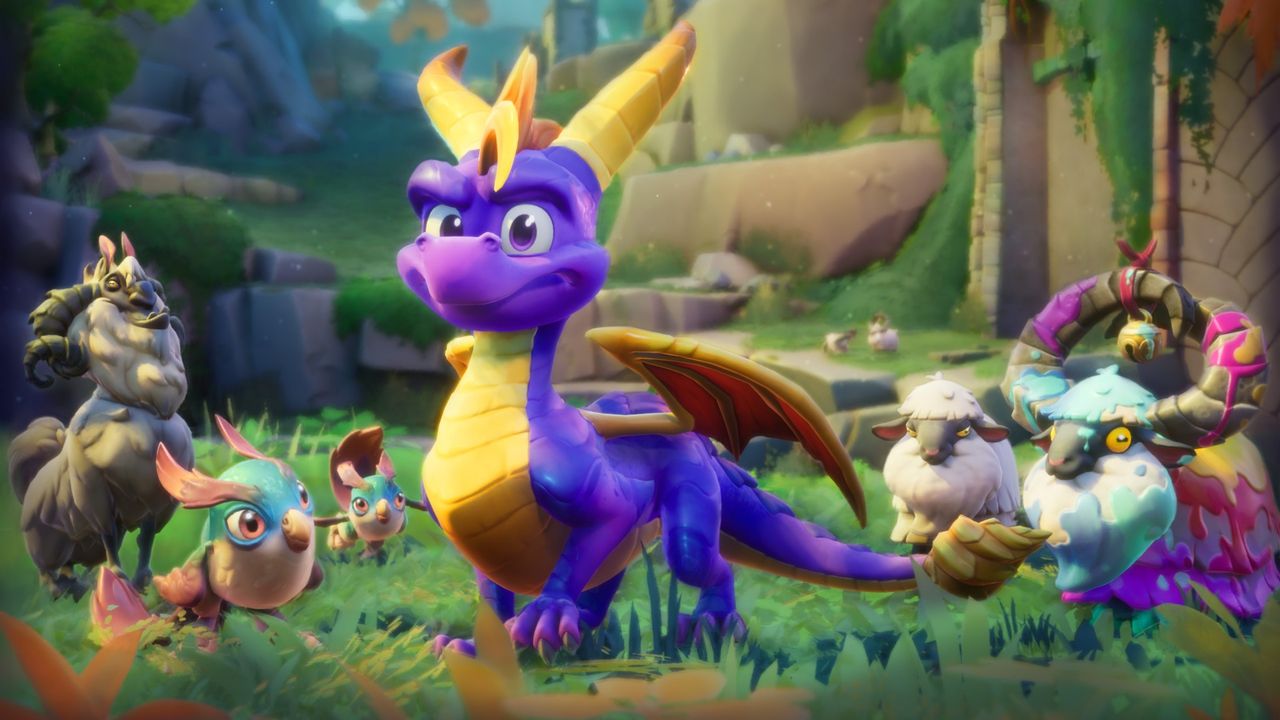
As you can see from the concept art, the Acadian Vale is a lush and colorful locale that perfectly captures the childlike wonder you'd normally associate with Spyro games, complete with cascading waterfalls, ancient buildings, and cutesy critters running around (which I totally won't roast alive to spawn butterflies that will replenish my health like in previous games).
The art also implies that the Arcadian Vale will feature a fair degree of verticality, most likely to help players practice the new free-roaming flight mechanic that will allow us to fly anytime, anywhere instead of specific levels and boss fights like in previous games.
It's going to be a long, painful wait until we get to play Spyro, but in the meantime, you can celebrate Spyro's legacy by showing off fan art, appreciation messages, and other content for Spyro Community Day on social media platforms like X with the hashtag #HappyBirthdaySpyro.
Windows and Windows Phone users struggled with the app gap for years, often leading to frustration when their favorite app was unavailable. But recent advances in AI have led to a different kind of problem: an explosion of development. Microsoft recently shared the challenges caused by AI accelerating the development of extensions for the Edge browser."How do we keep up with the pace at which the ecosystem is growing, while maintaining a high bar for quality?" as
Windows and Windows Phone users struggled with the app gap for years, often leading to frustration when their favorite app was unavailable. But recent advances in AI have led to a different kind of problem: an explosion of development. Microsoft recently shared the challenges caused by AI accelerating the development of extensions for the Edge browser.
"How do we keep up with the pace at which the ecosystem is growing, while maintaining a high bar for quality?" asked Microsoft's Edge team.
Microsoft approves extensions that appear in the Edge Add-ons site. Since AI can speed up the process of developing or updating apps, Microsoft has more submissions to take care of. To better handle the workload, Microsoft has automated some validation checks for extensions.
The company emphasizes that it still has the same standards for an extension to pass. The automation centers around common problems so humans can focus on more complex cases.
If an extension passes enough quality checks, it will earn a "Featured" badge in the Edge Add-ons site. Microsoft now refreshes Featured badges every 15 days.
"With this more frequent cadence, high-quality extensions can earn recognition sooner, and developers receive faster feedback on their investments in quality," said Microsoft. "At the same time, users benefit from a more up-to-date view of the extensions that meet our quality standards."
The Edge Add-on site is receiving more submissions and updates due to AI, but uBlock Origin is still going away. (Image credit: Future)
Edge extensions have come a long way. The browser first required developers to put in a lot of work that was exclusive to Edge. That changed when Edge was relaunched as a Chromium browser. That switch greatly improved compatibility and resulted in more extensions being in the Edge Add-ons site.
Being based on Chromium also comes with some downsides, however. Microsoft is following in the footsteps of Google by moving from Manifest V2 to Manifest V3. There are a variety of effects of that change, but the one many care about the most is it means uBlock Origin will no longer work on Edge (it already does not work on Chrome).
Microsoft revamped the Edge Add-ons site with a better browsing experience and new categories last year. The new site shows better suggestions as you type and lets you install extensions without having to jump to a different page.
With that refresh and the recent uptick in extension submissions, it should be easier than ever to find a quality extension.
Join us on Reddit at r/WindowsCentral to share your insights and discuss our latest news, reviews, and more.
This web-based recreation of the iconic Xbox 360 avatar creator features tens of thousands of clothing and prop items from the original marketplace, and it's even more impressive when you learn that '360sona' was the project of a single person, Ezra Kruger. Shared across Reddit and YouTube, it also carefully denies any direct affiliation with Microsoft.21,425 items across every collection Microsoft released – 2,644 props and every one of them plays its animation.
This web-based recreation of the iconic Xbox 360 avatar creator features tens of thousands of clothing and prop items from the original marketplace, and it's even more impressive when you learn that '360sona' was the project of a single person, Ezra Kruger. Shared across Reddit and YouTube, it also carefully denies any direct affiliation with Microsoft.
21,425 items across every collection Microsoft released – 2,644 props and every one of them plays its animation.
Ezra Kruger
Built primarily with JavaScript and WebGL, 360sona.com is a "pixel-for-pixel" representation that lets you accurately rebuild your old-school Xbox avatar and even embed it into your personal website via an iframe. The whole project includes "every animation, every camera the console had, drawn the way the console drew them", and each part looks exactly how you remember.
"Well, bam, there it is"
I was enamored with the idea before I even opened it, as the first images took me on an instant nostalgia trip, and I love nostalgia trips. 360sona has everything I remembered, and I rebuilt my original avatar in minutes, including the Max Payne outfit I never removed back in the day. Armor from Halo, Gears of War, and Mass Effect is also here, all authentically rendered.
If I wanted to, I could even export my finished avatar as a .glb model, rigged and ready for inspection in free 3D software like Blender, with baked textures included. It's all built around a basic account system and, importantly, 360sona never asks for your email address. You only need a simple username and password (and you're given a one-time-use recovery code).
Every item, texture, animation and piece of artwork in the catalogue was created by Microsoft Corporation and its partners and licensors. They are the rights holders.
360sona Terms
The branded elephant in the room is the absolutely gigantic collection of licensed content, including logos of major sports franchises, movies, and real-world clothing icons. Again, Kruger explains in 360sona's terms that you shouldn't expect to reuse absolutely anything exported from the project, stressing the intention of personal, non-commercial use.
Still, I can't shake the feeling that a potential DMCA takedown request could be looming, even though 360sona doesn't feature any on-page ads or other money-making schemes. At face value, this is a purely fan-driven hobby project that exists only to let long-serving Xbox fans spend some time reminiscing about the Xbox 360's heyday. That hasn't stopped mega-corpos in the past, though.
Join us on Reddit at r/WindowsCentral to share your insights and discuss our latest news, reviews, and more.
Windows 11 will finally support automatic switching between dark mode and light mode. The most recent Windows Insider build that shipped to the experimental Channel shows strings for the feature, though we still lack key information about the option.It's been possible to schedule shifts between light and dark mode on Windows 11 for a while, but it has required a third-party application. Auto Dark Mode works well and is a must-have app for Windows 11. The ever-pop
Windows 11 will finally support automatic switching between dark mode and light mode. The most recent Windows Insider build that shipped to the experimental Channel shows strings for the feature, though we still lack key information about the option.
It's been possible to schedule shifts between light and dark mode on Windows 11 for a while, but it has required a third-party application. Auto Dark Mode works well and is a must-have app for Windows 11. The ever-popular PowerToys can also handle theme switching through its "Light Switch" feature.
While both those apps are great, some features need to be built into Windows 11. People shouldn't have to search for an app or install a multi-tool utility to automate theme switching.
"This prevents the mode from changing while you're working or in meetings"
"Turn on location services to automatically schedule dark mode. When location services are turned off, dark mode is active from [START] to [END]."
Since there are likely many other strings about the feature, we only have a small idea of how auto mode will work. But the snippets we can see now look promising.
It appears that the feature will support shifting between modes based on your location to better match sunrise or sunset. Alternatively, you'll be able to schedule switches for specific times.
The feature also looks like it will have the option to only switch themes when your PC is idle, which should prevent a jarring change from happening in the middle of important work.
Again, this functionality is already available on Windows 11 through apps, but I'll be happy to see it ship to Windows 11. I love tinkering with apps to customize my PC, but general users shouldn't have to do that to get such a straightforward feature.
This app switches the theme of your PC at scheduled times, such as enabling dark mode after sunset. It's always been a bit odd that Windows does not have this as an option by default, but Auto Dark Mode does a great job.View Deal
Microsoft PowerToys is a collection of utilities that often outshine similar tools on Windows 11. It already includes a utility that lets you schedule switches between light mode and dark mode.View Deal
Join us on Reddit at r/WindowsCentral to share your insights and discuss our latest news, reviews, and more.
Capcom has released its 8th weapon showcase trailer for Monster Hunter Wilds: Ascendance, and it covers all the changes coming to one of my all-time favorite weapon types of the entire Monster Hunter franchise: Gunlance.The base game of Monster Hunter Wilds already did an amazing job giving this normally underpowered weapon type the explosive and defensive capabilities it deserved.DEAL: Get Surfshark VPN 86% OFF with Windows Central 🦈But in this DLC expansion, Gu
Capcom has released its 8th weapon showcase trailer for Monster Hunter Wilds: Ascendance, and it covers all the changes coming to one of my all-time favorite weapon types of the entire Monster Hunter franchise: Gunlance.
The base game of Monster Hunter Wilds already did an amazing job giving this normally underpowered weapon type the explosive and defensive capabilities it deserved.
But in this DLC expansion, Gunlance has been made even better with some insane new techniques while incorporating a mechanic change fans have been requesting ever since the Gunlance was introduced in 2006's Monster Hunter 2 (a.k.a. Monster Hunter Dos) on the PlayStation 2.
First off, Gunlance can now let you perform Boost Driver attacks that make you dash forward while blocking incoming attacks with the shield thanks to this DLC expansion's new Boost Bracer mechanic.
At the end of this Boost Driver dash, you can either impale the enemy with a drill launched from the Gunlance or perform a rising uppercut Offset attack that can counter an enemy's attack. The uppercut can also be followed up by a forward aerial divebomb attack to close the gap with enemies.
Once you activate the Boost Bracer's Boost Gauge, the Gunlance gains the following enhancements while it is active:
Regular and Shelling attacks become faster.
New combo attack paths,
Reduced knockback while blocking attacks with a shield, so you can recover faster to counterattack.
The ability to side-step while reloading your gunlance's ammo and block attacks simultaneously.
Being able to mount a monster, pierce its body, and fire a Wyrmstake Cannon inside it for massive damage.
We finally have Elemental Shelling for Gunlance, dreams come do true
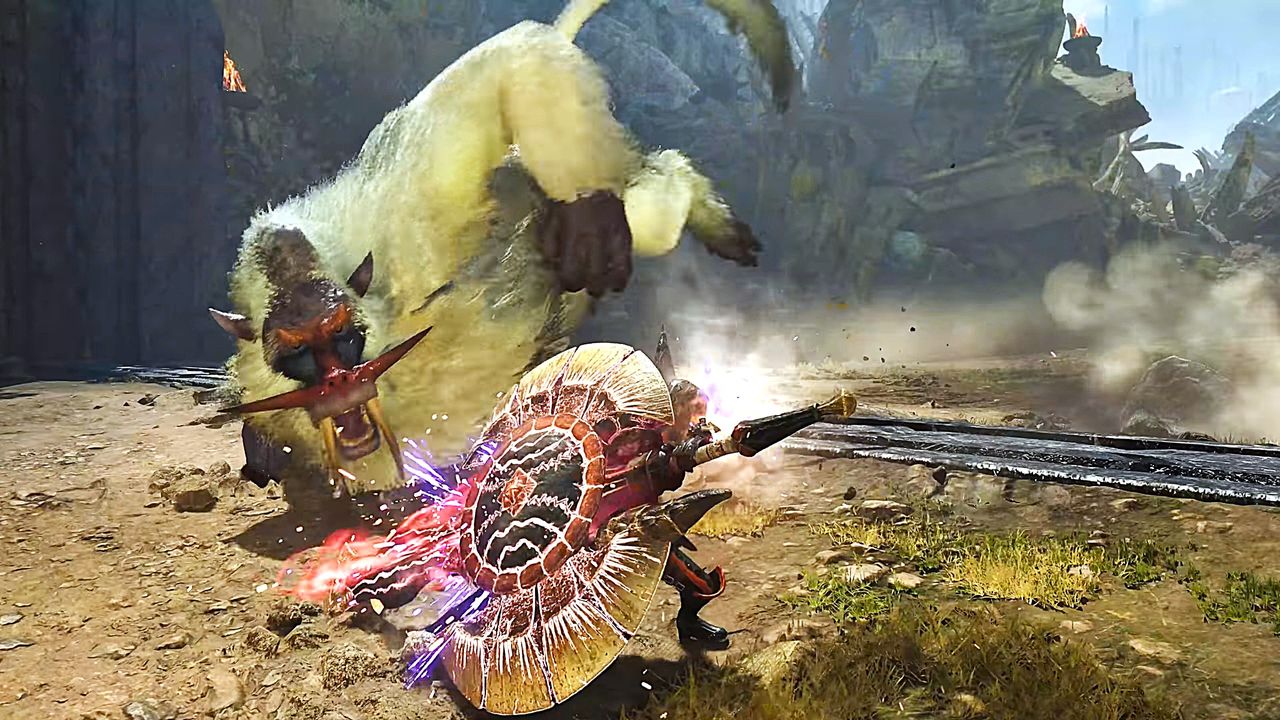
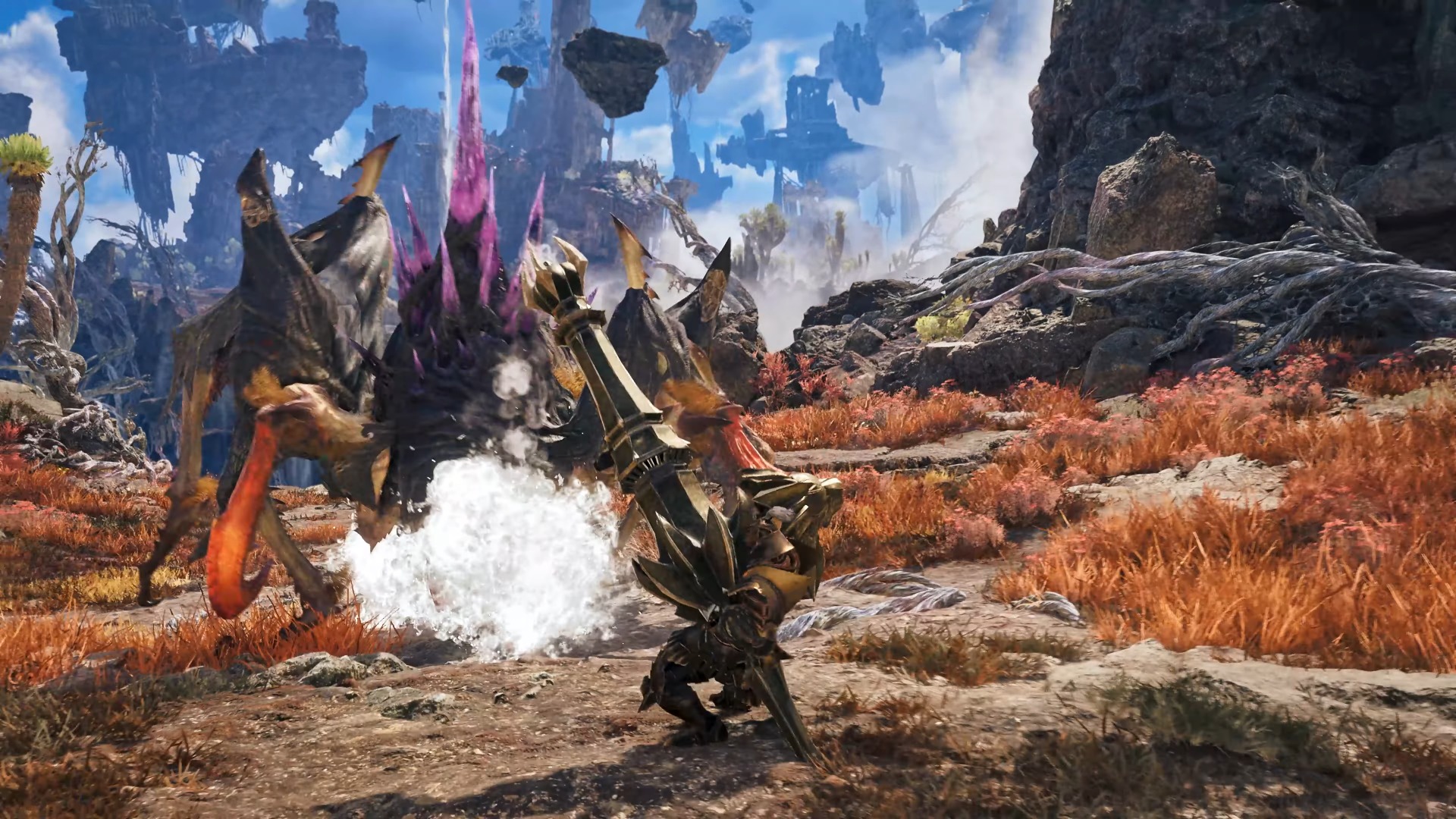
A hunter firing an ice-elemental Wyvern's Fire attack with the Kushala Daora Gunlance. (Image credit: Capcom)
All these gameplay improvements are pretty awesome by themselves, but the biggest change I'm most excited for in Gunlance is that we're finally getting Elemental Shelling attacks! This is confirmed near the end of the trailer, where the player fires a cloud of icy wind at a monster, which is a special effect normally associated with weapons that deal Ice elemental damage.
This is HUGE because Monster Hunter fans (myself included) have been wanting the Gunlance's Shelling attacks to include elemental properties for years.
This is because in previous games, a Gunlance's Shelling attacks normally deal fixed amounts of damage with some additional but pitiful Fire-elemental damage. This forced players to stick to non-elemental Gunlances to get the most damage possible out of their physical attacks to compensate for the lacking Shelling damage (especially for Master Rank quests where Shelling damage falls off hard).
With this change, combined with the balance adjustment the base game made that allowed Shelling damage to scale with a Gunlance's raw attack power, Elemental Gunlances can finally be useful.
We can use the elemental Shelling attacks to deal extra damage to monsters that normally resist physical attacks but are weak to elements like Fire, Water, Thunder, Ice, and Dragon. Not to mention, it will open up so much build-crafting variety so we're not stuck using the same one or two Gunlances by the time we reach the endgame content.
I'm so happy Elemental Shelling is finally in Monster Hunter that it makes me wonder if Gunlances that deal Status effects like Poison, Paralysis, Sleep, and Blast will be able to apply them with Shelling attacks too now.
Either way, I can't wait to blow things up with Gunlance again once Monster Hunter Wilds: Ascendance launches in 2027for Xbox Series X|S, PlayStation 5, and PC via Steam.
Venture into Forbidden Lands to discover uncharted lands and hunt giant monsters alongside your friends in online co-op to protect nature and mankind in Monster Hunter Wilds.
Empower your weapons with the new Boost Bracer, explore a mysterious land floating in the sky, and hunt down ancient Elder Dragons in Monster Hunter Wilds' epic DLC expansion, Monster Hunter Wilds: Ascendance.
SteelSeries, one of the world's leading brands for making the best Xbox accessories, has recently unveiled its latest creation – the SteelSeries Aeon Pro Controller.This device features the world's first QuickSwitch Dock System for Xbox, PC, and Mobile devices (Patent Pending), which allows you to switch the controller's connection between platforms without the need for cables or re-pairing wireless connections.DEAL: Get Surfshark VPN 86% OFF with Windows Central
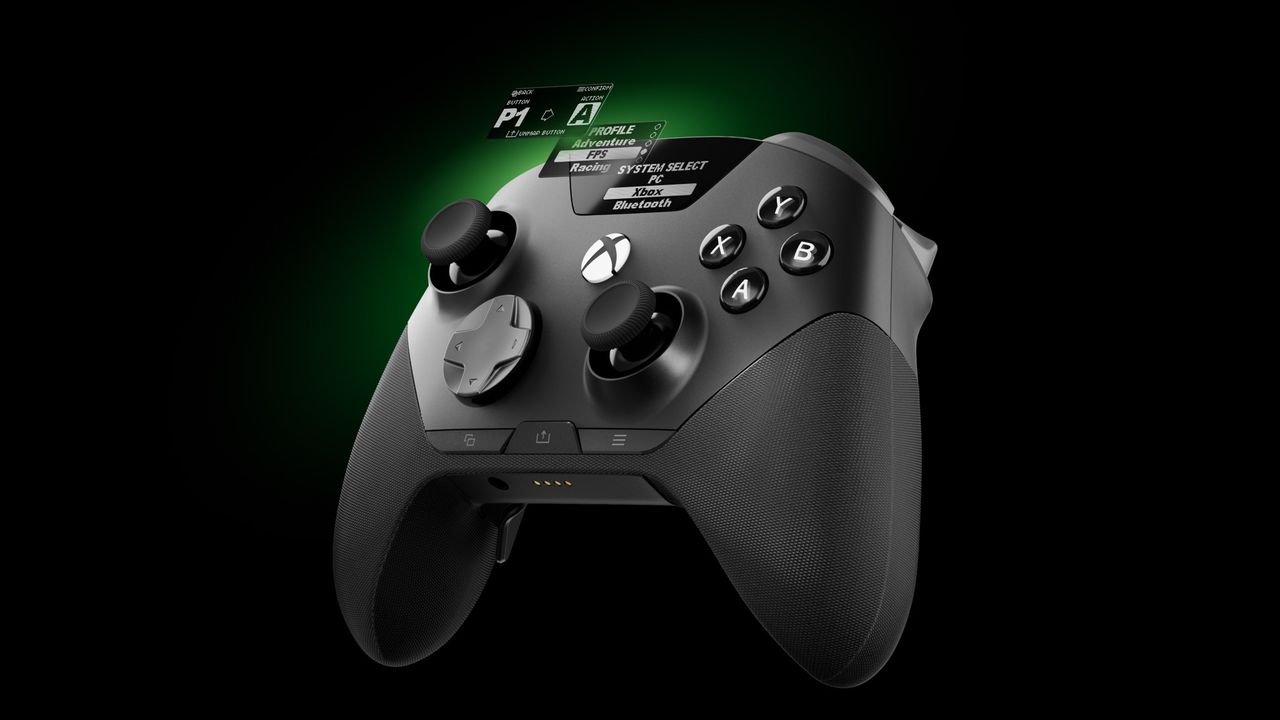
SteelSeries, one of the world's leading brands for making the best Xbox accessories, has recently unveiled its latest creation – the SteelSeries Aeon Pro Controller.
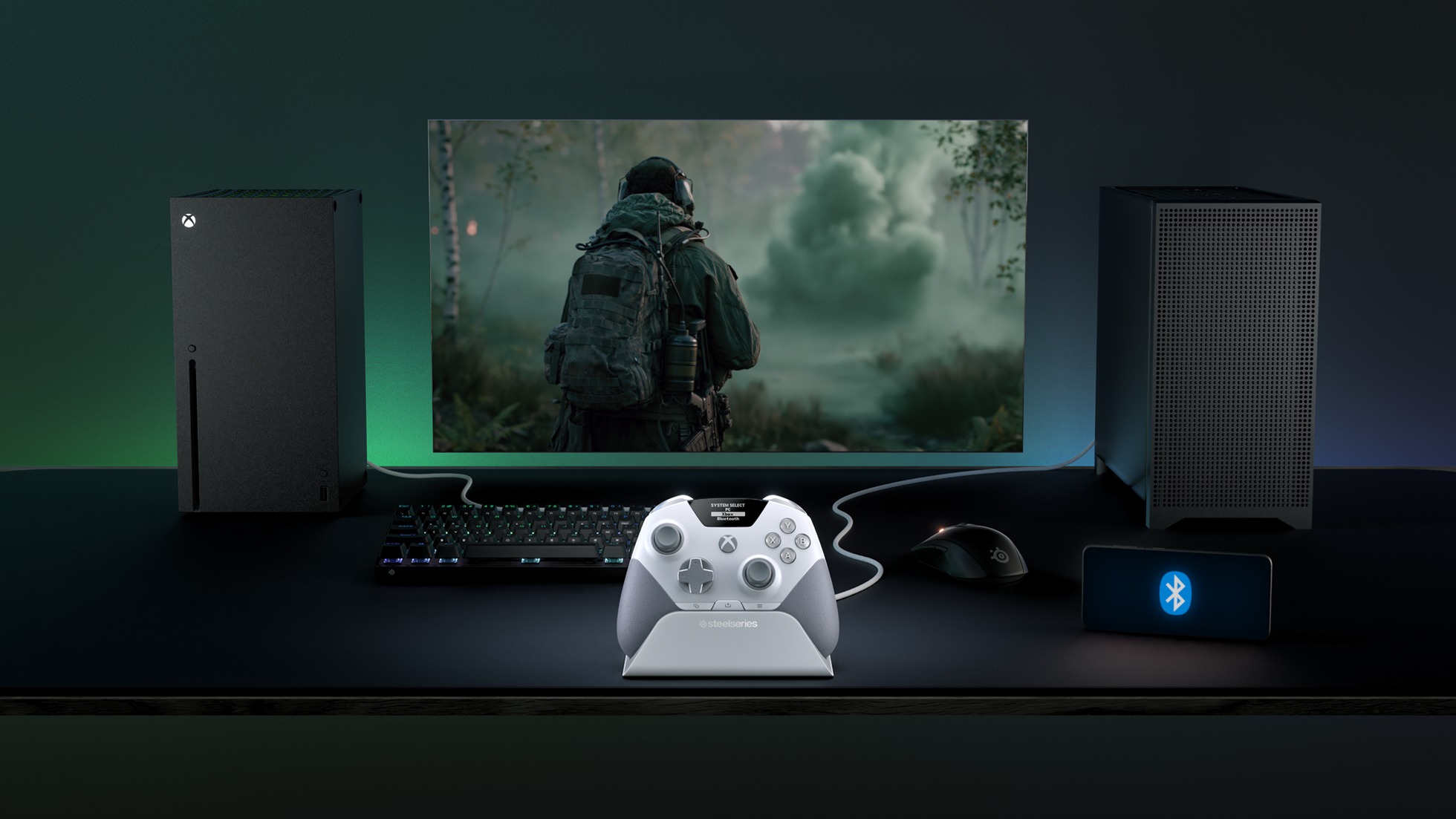
This device features the world's first QuickSwitch Dock System for Xbox, PC, and Mobile devices(Patent Pending), which allows you to switch the controller's connection between platforms without the need for cables or re-pairing wireless connections.
The SteelSeries Aeon Pro Controller also includes an Infinite Power System with dual hot-swappable batteries, so you never have to worry about losing power while gaming.
On top of that, the SteelSeries Aeon Pro Controller has fast and precise controls thanks to its first-rate triggers, mechanical switch buttons, and Hall Effect Thumbsticks, all of which can be customized, and their changes saved on user-made profiles using the controller's Onboard OLED Screen.
The SteelSeries Aeon Pro controller can swap connections between Xbox and PC without any fussing about disconnecting and reconnection cables or wireless pairings. (Image credit: SteelSeries)
Its features don't stop there, as the SteelSeries Aeon Pro has a Modular Stick Systemthat lets you swap out thumbsticks (with standard concave, tall concave, and short convex options), extra remappable Contoured Back Buttons, and a Wrap-Around Textured Grip to make it easier to hold.
Finally, this controller is compatible with the SteelSeries GG Software Suite app so you can customize every aspect of it, including its button and trigger inputs, rumble sensitivity, custom GG and Sonar integrations, and power settings on PC.
The SteelSeries Aeon Pro is now available (in black or white) at SteelSeries.com and select retailers worldwide for $259.99 | £229.99 | €259.99.
It's a very sleek Xbox controller rife with features to make your gaming life easier, but does its quality match up to its high listing price? Stay tuned to find out, as we're hoping to review it soon and let you know if the StreelSeries Aeon Pro is actually good and worth your money.
Stay connected with your Xbox and PC games at all times without re-pairing or reconnecting cables with the new SteelSeries Aeon Pro controller.
This controller will meet your gaming needs with its unlimited battery life, OLED Smart Display, Hall Effect Thumbsticks, and vast customization options through the SteelSeries GG software app.View Deal
Join us on Reddit at r/WindowsCentral to share your insights and discuss our latest news, reviews, and more.
Microsoft's long-rumored disc-to-digital program for Xbox went live in testing last week, and it has grown to supporting hundreds upon hundreds of games since. So far, there are well over 1,000 games available as part of Xbox's disc-to-digital testing program, which gives you digital rights for disc-based games. Simply inserting a compatible disc into an Xbox One or Xbox Series X console gives you the ability to attach it digitally to your account, giving you the
Microsoft's long-rumored disc-to-digital program for Xbox went live in testing last week, and it has grown to supporting hundreds upon hundreds of games since.
The disc doesn't become inert after licensing the digital version either. If you sell the disc or give it away, the next user can grab the digital license from your account. You won't lose your cloud save either, so if you re-acquire the disc or buy it outright digitally later on, you'll be able to continue on as normal.
Some users have been disappointed with the initial roll out, however, as some major publishers have so far not opted in.
Some outlets went with headlines today decrying Ubisoft and others for their apparent decision to boycott the system. Ubisoft has long been the target of game preservationists, given that Ubisoft's shuttering of The Crew and other games led to stronger calls for digital rights. Ubisoft denying access to digital versions from disc-based games already sold would seem a bit like their M.O. in that universe. It seems the anger was premature, though.
Microsoft has always stated that this initial testing phase doesn't represent the full scope of content coming to the disc-to-digital program. Indeed, many publishers are still likely going over the contracts and ensuring that the legalese all matches up before going ahead with it. SEGA, Square Enix, Bandai Namco, and Ubisoft were among those apparently not honoring the program.
Today, it seemed that Ubisoft games have now gone live in the system for Xbox Insider testers in the Alpha and Alpha Skip-Ahead, however.
Yeah, I just converted my Ubisoft games. Trials Fusion with the season pass, AC Ezio Collection, AC Syndicate and Far Cry Primal.September 8, 2026
As you can see in the X (Twitter) thread above, Ubisoft games are now fully available on the disc-to-digital program, with titles like Far Cry Primal, Far Cry 4, Trials Fusion, Assassin's Creed titles, and many more going live.
I received a DM about an hour ago informing me of the change, and it seems other titles are now following suit.
It remains to be seen when (or if) other publishers come on board. Given how aggressively Square Enix has supported forward-facing Xbox initiatives like Xbox Play Anywhere and Xbox Cloud Gaming, it's fairly obvious to me that Square Enix will jump on board pretty soon. I'm told other publishers are just going over the detailing before committing, which is standard practice for any big corporation.
Xbox's disc-to-digital program is one of the most impressive innovations we've seen from Microsoft's gaming efforts in recent years, although it was originally pitched in 2013 as part of the Xbox One. It was pretty poorly presented back then, though, and users in 2026 are far more knowledgeable about the potential benefits of digital gaming. Still, there's more Xbox could potentially do here to sweeten the deal. With PlayStation committing to the phase out of discs entirely by 2028, many are wondering (and hoping) on whether Xbox will continue the disc-based torch with the next-gen Xbox Helix.
What publishers are you hoping to see jump on board? Hit the comments, let us know.
Join us on Reddit at r/WindowsCentral to share your insights and discuss our latest news, reviews, and more.
Microsoft has just announced a set of new Windows 11 preview builds that are packing some notable improvements and changes that are now in testing with Insiders. This week's preview builds come packing an upgraded set of settings for sound and audio devices on Windows, enhanced cross device features that sync with your phone, and new family safety options.First up, Microsoft has introduced a new design for the volume sliders that appear in the Sound Settings area
Microsoft has just announced a set of new Windows 11 preview builds that are packing some notable improvements and changes that are now in testing with Insiders. This week's preview builds come packing an upgraded set of settings for sound and audio devices on Windows, enhanced cross device features that sync with your phone, and new family safety options.
First up, Microsoft has introduced a new design for the volume sliders that appear in the Sound Settings area of Windows Settings. The sliders now also show audio activity for when music or video is playing in the background while you configure your settings, making it easier to dial in exactly where you want your volume.
Microsoft is also porting over more Control Panel sound settings to Windows Settings, including the ability to set default devices, and the ability to allow hardware acceleration for devices that support it.
The new live audio activity indicator. (Image credit: Microsoft)
Here's a list of the new sound settings coming to Windows 11:
We've updated the design of the volume sliders in Sound Settings so that they display audio activity on the side when audio is playing.
If your audio device supports hardware acceleration, an option to allow hardware acceleration is now available in the Advanced section of the device's properties.
You can now configure exclusive mode for an audio device in the Advanced section of the device's properties, so you don't have to go to Control Panel.
You can now configure adaptive communication sound levels, which reduce the volume of other sounds when communications activity is detected, directly in Settings.
The option to set an audio device as the default sound device for communication now always appears in Properties. The option is unavailable if the device is already the default instead of being hidden.
We've updated the text for allowing audio devices to make it clearer.
We've added a new banner when mono audio is enabled to make it clear that some properties don't take effect while mono audio is active.
We've updated the All sound devices page:
You can now change default devices from this page.
We've adjusted the page design so that you can filter whether you're viewing input or output devices.
We've added toggles so that you can choose whether to hide or show disabled, disconnected, and unplugged devices.
We've also updated the input and output audio properties pages in Settings to include jack information for devices that need it.
Another new feature in testing is the ability to quickly download the Windows app for a phone app that appears in the Taskbar via Phone Link. If you use the cross-device sync features that comes with Phone Link, hovering over an open app such as your phone's browser on the Taskbar will now let you quickly pick up where you left off without missing a beat.
Quickly resume web browsing activity from your phone from the Taskbar! (Image credit: Microsoft)
In addition to the new sound settings, Microsoft has announced major upgrades to the family safety features in Windows 11. The company says family safety is a top priority for the company, and is addressing key issues and concerns from parents.
Key areas of focus include:
Parental approvals for offerings like screen-time extensions, app access, and purchases now happen faster, so kids aren’t left waiting and parents stay in control.
We restored clear visibility into web and app activity so parents can trust what they see in their reports.
Made spending more transparent, with wallet balances.
We also gave adults in a family more control over their own experience, making it far easier to add, manage, or leave a family group
"Each of these improvements came from a real family experience — from issues parents told us mattered most: speed, accuracy, control, transparency, and peace of mind." Microsoft Distinguished Engineer, Rob Mauceri said. "This is the compounding effect of a team that treats every piece of customer feedback as a commitment to do better."
These improvements are welcome to see, and a sign that Microsoft continues to modernize and improve Windows 11 for the masses. These improvements are part of Microsoft's ongoing Windows K2 effort, which is focused on fixing Windows 11's biggest flaws.
Join us on Reddit at r/WindowsCentral to share your insights and discuss our latest news, reviews, and more.
Another record-setting Patch Tuesday is here for Windows 11. The operating system has a massive number of security patches and fixes that are now available to hundreds of millions of PCs.At the time of publication, we do not have the change log of the latest updates. You can, however, grab the most recent builds through the Microsoft Update Catalog. We will update this piece as more information becomes available.According to The Verge, this month's Patch Tuesday
Another record-setting Patch Tuesday is here for Windows 11. The operating system has a massive number of security patches and fixes that are now available to hundreds of millions of PCs.
At the time of publication, we do not have the change log of the latest updates. You can, however, grab the most recent builds through the Microsoft Update Catalog. We will update this piece as more information becomes available.
According to The Verge, this month's Patch Tuesday update includes more than 650 security fixes just for Windows. That's a six-fold increase over what we normally saw in a usual month until recently. But advances in AI have sped up the process of discovering vulnerabilities as well as the need to patch them swiftly.
This is a breaking news story. It will be updated after Microsoft releases the change log for this month's Patch Tuesday updates.
Thanks in large part to AI, it's now common to see hundreds of security patches ship on a Patch Tuesday.
AI is a useful tool for Microsoft's engineers, but it can also be used by malicious actors. We're seeing an AI arms race for discovering and patching vulnerabilities.
In addition to helping discover vulnerabilities, AI can help malicious actors take advantage of vulnerabilities that have been discovered or disclosed. That process has been accelerated greatly by AI, putting pressure on organizations and IT admins to test security patches quickly so they can be rolled out.
Join us on Reddit at r/WindowsCentral to share your insights and discuss our latest news, reviews, and more.
BlizzCon 2026 kicks off in full next weekend, and for the Blizzard faithful, hype is reaching fever pitch already. Last month, Blizzard President Johanna Faries declared internally that the Warcraft division is now the "top-performing" within Xbox, beating out Bethesda, Call of Duty, and other franchises. It follows a massive year for Blizzard, where Diablo IV's Lord of Hatred expansion landed incredibly well, and a resurgent Overwatch reconnected with its audien
There still exists enormous untapped potential within Blizzard franchises, in my view. World of Warcraft has yet to reclaim the heights of the Wrath of the Lich King days, although I would argue the potential still exists therein. Dormant franchises like StarCraft are waiting in the wings for a big-budget revival, and even classic games like Heroes of the Storm would likely have a new audience with the right business model and investment.
We haven't seen BlizzCon since 2023, as the firm now typically waits for a wider variety of announcements to coalesce before spinning up the event. As such, I'm expecting this year's BlizzCon to be perhaps its biggest and most important yet — in an age where competition for Blizzard's staples is also more aggressive than ever.
Here are some spoiler-free hopes, dreams, speculations, and information about what to expect from Blizzard Entertainment's big show.
The big one: StarCraft at Blizzcon 2026
Long dormant, StarCraft remains one of Blizzard's most beloved and nostalgic franchises. (Image credit: Blizzard Entertainment)
StarCraft is coming back this year, after a long period in cryostasis.
StarCraft is Blizzard's flagship sci-fi franchise, although it has been dormant since the conclusion of StarCraft II: Legacy of the Void back in 2015. If we're talking about major tentpole releases, the wait has been even longer.
StarCraft is set in a bleak future where humanity is besieged by futuristic Protoss and Alien-like infesting Zerg. StarCraft and Battle.net were both instrumental in legitimizing esports in general, particularly in Korea, where the game's demanding real-time strategic gameplay won over millions.
In the Activision era, former CEO Bobby Kotick preferred franchises that could reach mass mainstream audiences, and eschewed "niche" genres even if their fans were incredibly engaged. Now under Xbox, which arguably specializes in "niche," there's every chance we could see StarCraft see a bombastic revival.
Even in 2026, the classic StarCraft games more than hold up. We all know about the long-rumored StarCraft shooter, but what about a revival for the RTS games too? (Image credit: Blizzard Entertainment Inc.)
Blizzard has been hiring for an "open world shooter" for many years, seeking disciplinary expertise for vehicular gameplay and first- and third-person combat. I've personally seen some early test footage of the project Schreier first reported on, featuring playable Terran marines battling Zerg threats in what appears to be an open-world setting, complete with high-end visuals and cinematic campaign treatment.
It's unclear exactly what the finished product will be like, but I'm expecting and hoping for a full-blown co-op campaign with multiplayer PvE content, akin to Gears of War's new Siege mode, for example, or perhaps something broader like Helldivers 2. Schreier recently said on his podcast not to expect it to be an MMO-lite akin to Destiny, but StarCraft would surely be a ripe option for multiplayer PvE content on the side, or maybe even PvP content, pitting Protoss, human, and Zerg players against each other somehow.
I'm also curious if Blizzard plans to revive some of the StarCraft RTS games as well. Nexon has reportedly pitched to Blizzard to build a game within the StarCraft IP. I've heard rumors that Blackbird Interactive, which was a co-dev on Warcraft Remastered, might also be once again involved in Blizzard's classic RTS efforts — although perhaps that is for Warcraft itself again. Speaking of ...
Warcraft at BlizzCon 2026
The conclusion of Xal'atath's story arc should be revealed at BlizzCon 2026. (Image credit: Blizzard)
Warcraft remains Blizzard's most visible franchise, more than likely, as the industry-leading subscription-based MMORPG enters its third decade.
I'm fully expecting that Blizzard will reveal not only the next major content patch for the current expansion, Midnight, but also give us the full rundown of The Last Titan.
World of Warcraft is in a bit of an odd place in my view, with something of an identity crisis. Warcraft's writing team seems intent on making it more "cozy" and appealing to broader audiences, at the cost of the franchise's historical bite and edge. Horde and Alliance faction war has been edited out of the story, and the game's writing in general has been a lot more "gentle" in recent times.
I've long thought World of Warcraft still has a ton of untapped potential to reach its old-school audience; whether that comes in the form of gameplay or story direction (or a combination of both) remains to be seen, but I'm expecting Blizzard to over-deliver for World of Warcraft in the near future. Why? Blizzard potentially has some serious competition looming on the horizon in the form of the League of Legends MMO, long in development at Riot Games. Final Fantasy 14 has also proven itself to be a viable alternative. Blizzard tends to do best when it has competitors biting at its heels.
With RTS games like Age of Empires and WH40K: Dawn of War getting a lot of love this year, could Blizzard circle back on classic Warcraft RTS games too? (Image credit: Blizzard)
Beyond World of Warcraft retail, there are strong rumors of a so-called "Classic+" reveal on the horizon.
Blizzard has been trying to deliver two separate experiences of WoW for some time, with the more RPG-leaning classic rendition of the game re-emerging as a separate experience. Fans of that gameplay style want something more, leading many to think that codename "Camelot" might represent a World of Warcraft Classic "prequel" of sorts, taking place in Azeroth's ancient history.
On top of that, there are also rumors that Blizzard might be exploring Warcraft's RTS roots again. A title, "Warcraft Chronicles," emerged alongside the Camelot codename, and given rumors I've heard about RTS aficionados Blackbird Interactive being on board with Blizzard again, perhaps we could see new expansions for Warcraft 3, or remakes of Warcraft 1 or 2 even.
It does seem like a general industry trend right now to bring new content to older games. Witcher 3 is getting a new expansion, for example, and Microsoft un-canceled expansions for Age of Empires II and III both, as the franchise finds a small but very passionate audience. I think new content for Blizzard's classic RTS games is something I personally highly expect, given what we've heard.
Overwatch, Diablo, and ... Heroes of the Storm?!
Could we see an Age of Empires-style Heroes of the Storm revival? (Image credit: Windows Central)
Finally, we have Overwatch and Diablo. Overwatch is arguably Blizzard's biggest franchise now, enjoyed by millions across the world. Blizzard's strategy of over-delivering a huge tranche of heroes all at once really helped Overwatch regain popularity, and remains one of the few big service games capable of tapping both Gen-Z and Millennial audiences in equal measure.
I'm expecting Overwatch to continue its upward trajectory with new hero announcements, and perhaps, finally, we'll see some form of transmedia announcement for the franchise. Overwatch's lore and characterization have received a ton of investment in recent months. What better way to top that off than a big-budget Netflix Anime or perhaps even an animated movie?
Speaking of, I'm also expecting Diablo to get the same transmedia treatment. I've been hearing for months that Diablo has a TV show in development. It's unclear whether it's at Netflix or Amazon or whoever else. Perhaps we'll see that revealed in full here at BlizzCon 2026, if it's indeed true.
Lillith's story arc might be over, but Diablol (Image credit: Blizzard)
I expect we'll also hear what's next for Diablo. One thing I've heard is that Blizzard wants the waiting time between tentpole Diablo launches to be shorter, although it's probably still too early for a reveal of Diablo 5 if I had to guess. It's more likely we'll see a big season reveal for Diablo 4, and if we're lucky, maybe more classic content for Diablo 2 like the recent Warlock DLC. This is one area where Blizzard could surprise me, though.
I'm not expecting a new Diablo 4 expansion right now, instead with resources flowing towards Diablo 5. But I could be wrong; I'm excited to find out what they're cooking here.
Beyond that, we'll likely get new content for Hearthstone (perhaps the long-awaited Monk class inclusion?), and I wouldn't be surprised if Blizzard also announces other new mobile game spin-offs from third parties, such as Overwatch Rush.
But what about ... Heroes of the Storm? Blizzard's long-dormant MOBA has been getting an uptick in love recently, with updates filtering through, and it even has some esports tournaments at BlizzCon this year as well. A little birdie has been teasing me that this upcoming weekend could be exciting for Heroes of the Storm fans ... what would it look like if Heroes of the Storm got a similar Overwatch-style multi-hero announcement?! Let me have my hopium ...
What do YOU want to see from BlizzCon 2026?
Heroes of the Storm is ready for a revival in my view. Bring on the classics! (Image credit: Blizzard)
Blizzard is one of the game industry's most legendary outlets, on par with the likes of Nintendo. Few studios have managed to deliver so consistently for so long, creating so many millions of fans across such a wide variety of genres.
I have my issues with Blizzard's direction at times, particularly with World of Warcraft's writing, and the lack of love for games like StarCraft and Heroes of the Storm. BlizzCon is always an opportunity to see Blizzard addressing feedback, however. And we know that they can do it: Overwatch is proof that awesome games can be revived with the right amount of love and investment. Diablo 4 is proof that Blizzard can still deliver top-shelf story writing, too.
BlizzCon 2026 feels like the first time in years every major Blizzard franchise has real momentum again.
I'd love to see Heroes of the Storm get a console port to Xbox, PlayStation, and even Nintendo Switch. MOBAs absolutely can work on console, and with an eclectic cast of known characters, I think Heroes of the Storm could find a huge new audience, especially if they opened it up to third-party characters. Microsoft-owned characters like The Doom Slayer, Master Chief, and even weirder stuff like Banjo would be a perfect fit for the game in my view, even if some Heroes fans might consider it sacrilegious ... it hardly makes a ton of sense for Tracer to be fighting Deathwing in the first place, no?
Adding new content to Warcraft 3 or remaking classic RTS titles like StarCraft 1 or Warcraft 1 and 2 would also help the genre's resurgence. I'd love to see something surprising and new for Overwatch too, beyond new heroes, and I'm intrigued to see where Blizzard takes Diablo from here.
Writing a spoiler-free BlizzCon predictions/preview/hopes and dreams article today. What do YOU want to see?September 8, 2026
Either way, there's still so so much potential within Blizzard in my view, despite how big it already is. BlizzCon is becoming an industry event in its own right, now featuring content from third parties like CD Projekt RED for the first time. Could we eventually see it evolve to include even more games and franchises? It's exciting to think about.
Let me know what you want to see from BlizzCon 2026 in the comments. I'll be out there, so say hi if you see me!
Join us on Reddit at r/WindowsCentral to share your insights and discuss our latest news, reviews, and more.
Reçu — 8 septembre 2026⏭Windows Central - News, Forums, Reviews, Help for Windows 10 and all things Microsoft.
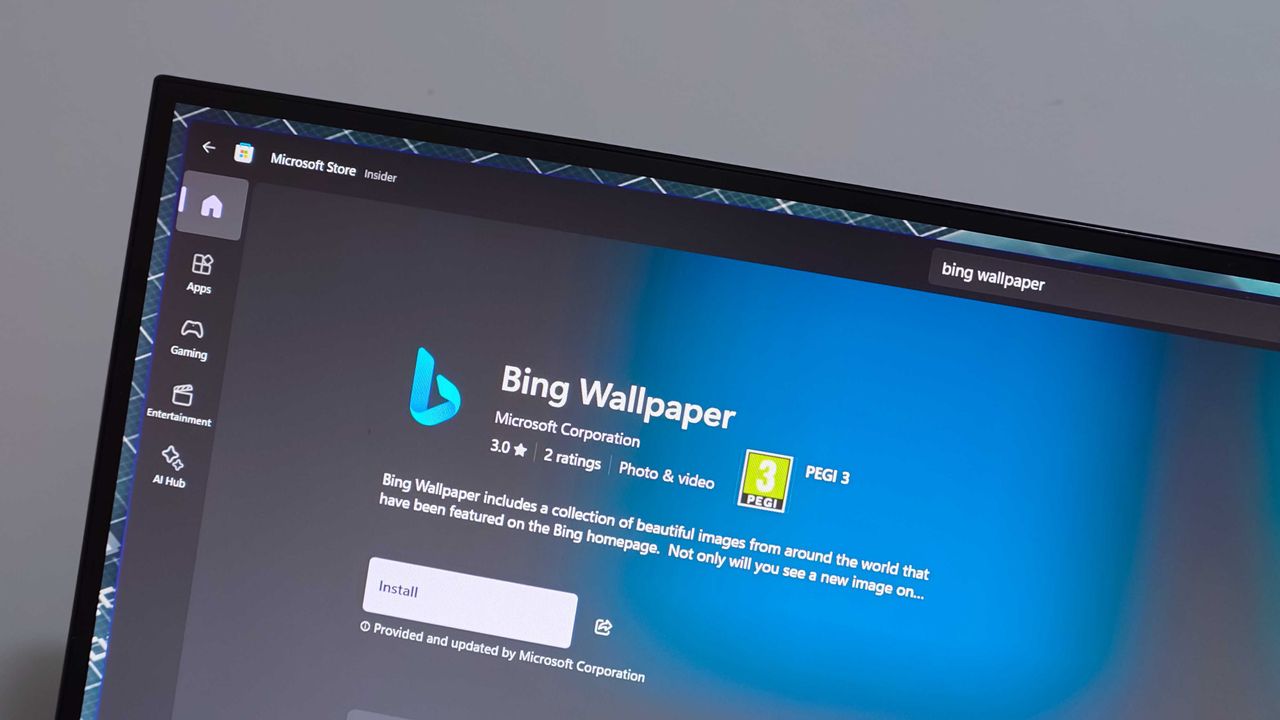
The Bing Wallpaper app is one of the few items under the Bing brand that's praised. The app provides beautiful images that can be set to rotate as your desktop background. But the app is in the headlines for the wrong reasons this week.Some unlucky users have had their desktop background swapped to a fullscreen ad for a collection of Harry Potter and Fantastic Beasts films.People have taken to Reddit to complain about the ad-filled wallpaper. A Microsoft Learn po
The Bing Wallpaper app is one of the few items under the Bing brand that's praised. The app provides beautiful images that can be set to rotate as your desktop background. But the app is in the headlines for the wrong reasons this week.
Some unlucky users have had their desktop background swapped to a fullscreen ad for a collection of Harry Potter and Fantastic Beasts films.
There's often debate about what counts as an ad on Windows 11. For example, prompts to use OneDrive are called ads by some but are viewed simply as optional features by others.
Promotional content isn't entirely new to Bing Wallpaper. The app frequently cycles through images tied to popular movies or Xbox games. Perhaps I'm splitting hairs, but I view the new Harry Potter wallpaper differently than a normal background image.
Bing Wallpaper features a gorgeous clean image of David Corenswet's Superman. It's a well-framed shot with dynamic lighting that captures the hopeful tone of Corenswet's rendition of the character. While the image is from Superman (2025), it is not a promotional poster with text about how to buy the movie.
In contrast, the Harry Potter wallpaper is specifically about the 11-film collection. The lower-right corner of the image says "AVAILABLE NOW" in all caps.
If the image were simply of Hogwarts and the surrounding area, it would be different. People are passionate about Harry Potter and other franchises. It's completely natural to enjoy a wallpaper showing off a favorite character or iconic setting.
I'd be just as bothered if the Superman image featured prominent text telling me the movie is available on Amazon. If Microsoft needs to monetize the Bing Wallpaper app, that needs to happen without crowding the images. Clicking to learn more about an image from a movie and being told about the film is fine. A big promo on my desktop is not.
Bing Wallpaper is an optional app, so it's not as if Microsoft is pushing more ads through Windows 11's settings. But as mentioned earlier, Bing Wallpaper is one of the only parts of the Bing brand that's well received. Tarnishing it with ads is penny wise, pound foolish.
Join us on Reddit at r/WindowsCentral to share your insights and discuss our latest news, reviews, and more.
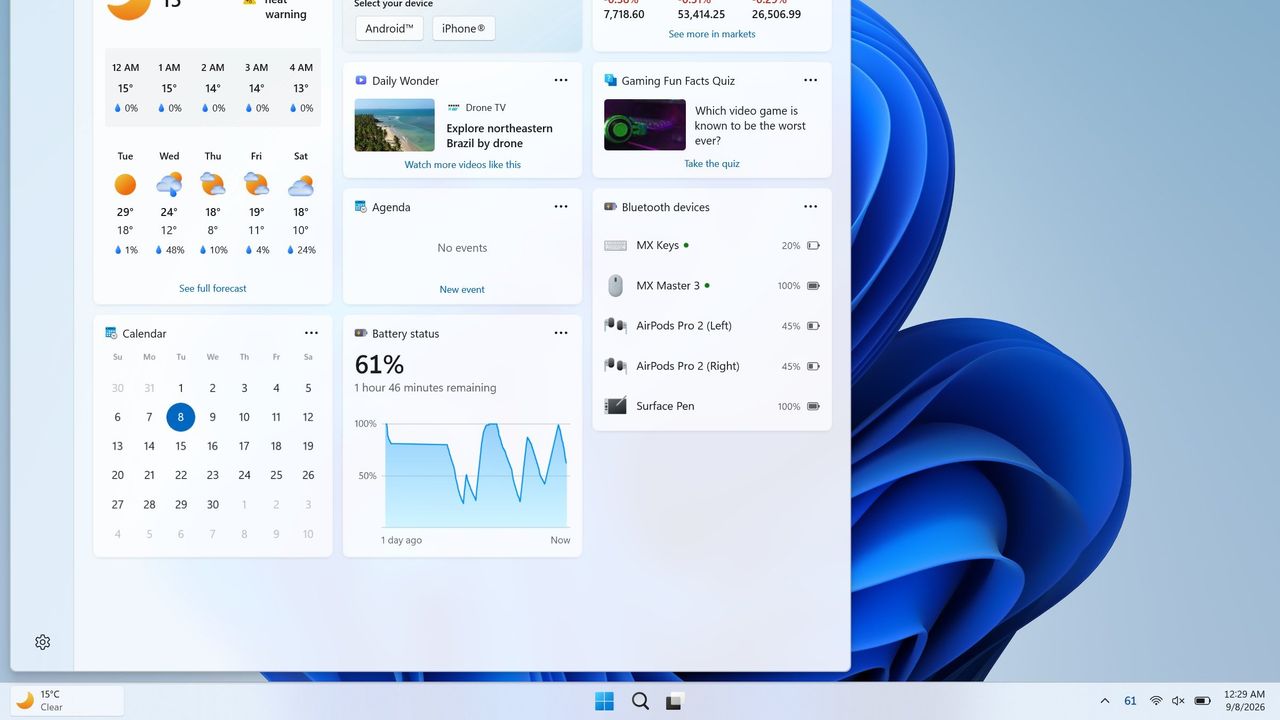
Windows 11 will soon feature a Battery Status widget that you can pin to the Widget Board or your PC's lock screen. The feature is still in the works at the moment, but you don't have to wait for it to be finished. Third-party app "Battery Flyout" already supports a Battery Status widget and is available right now.Just like Microsoft's widget that's in progress, Battery Flyout's widget shows the battery status of your PC and connected devices. It's a quick way to
Windows 11 will soon feature a Battery Status widget that you can pin to the Widget Board or your PC's lock screen. The feature is still in the works at the moment, but you don't have to wait for it to be finished. Third-party app "Battery Flyout" already supports a Battery Status widget and is available right now.
Just like Microsoft's widget that's in progress, Battery Flyout's widget shows the battery status of your PC and connected devices. It's a quick way to check if your keyboard, mouse, or other accessories are charged.
The Widget Board has been underutilized since it launched in 2021. There are fewer than 100 widgets available, many of which are tremendously niche. I hope the existence of the Battery Status widget indicates that Microsoft is going to invest the time needed to grow the library of Windows 11 widgets.
Microsoft has made some other improvements to the Widget Board lately, such as turning off the MSN feed by default. I hope this is a turning point for the feature. If not, at least we can rely on third-party developers to use the space.
If you had a previous version of Battery Flyout installed, you may need to update the app before being able to use the widget.
As a built-in feature of Windows 11, the Battery Status widget will be available for free. Battery Flyout costs $3.19 (on sale from $3.99). But some lucky Windows Central readers will be able to get Battery Flyout for free. The app's developer shared a code for a giveaway and I'll run that on the r/windowscentral subreddit. Make sure to subscribe there and keep an eye out.
Battery Flyout lets you monitor the battery life of your Windows 11 PC and connected Bluetooth accessories, including mice, keyboards, and pens. It features a dedicated widget for the Widgets Board, native ARM64 support, and detailed power usage insights.
Join us on Reddit at r/WindowsCentral to share your insights and discuss our latest news, reviews, and more.
Grand Theft Auto 6 will finally launch on November 19, 2026, at midnight in your region. Technically, that means New Zealand gets it earliest, as 00:00 NZDT (New Zealand Daylight Time) aligns with 06:00 EST (Eastern Standard Time) on November 18, while the rest of us wait for our own clocks to tick over. Dedicated fans at GTAVice.net spotted the regional launch plans, but there's a catch.The timestamps come from Sony's PlayStation Store listings, which is actuall
Grand Theft Auto 6 will finally launch on November 19, 2026, at midnight in your region. Technically, that means New Zealand gets it earliest, as 00:00 NZDT (New Zealand Daylight Time) aligns with 06:00 EST (Eastern Standard Time) on November 18, while the rest of us wait for our own clocks to tick over. Dedicated fans at GTAVice.net spotted the regional launch plans, but there's a catch.
The timestamps come from Sony's PlayStation Store listings, which is actually better news for Xbox fans. PS5 users can't change their console's region so easily to trick the system, while Xbox Series X|S gamers can still head to their Settings menu and change their Language & location settings to match New Zealand's kickoff of the rolling midnight launch.
PlayStation 5 owners can put extra effort into making a new account, but that also means finding a way to buy the game in the local NZ$ currency. If you already pre-ordered on Xbox in your own country, switching to a region on the furthest edge of the time zones should be a relatively simple trick for eager Xbox gamers looking to play GTA 6 early.
How to change your region on Xbox Series X|S
Find the Settings cogwheel at the top of your dashboard.Windows CentralNext, navigate to Language & location.Windows CentralFinally, change your location and restart.Windows Central
From your Xbox dashboard, enter Settings (the cogwheel)
On the left menu, scroll to System
Move to the right side and select Language & location
Choose your new region, e.g., New Zealand
Select Restart now to apply the changes
Is this trick guaranteed to work for GTA6?
Lucia is the the other playable half, waiting for a November release. (Image credit: Rockstar Games)
In theory, I can't think of any compelling reasons this shouldn't work on an Xbox Series X|S, as it has in the past for digital games with rolling midnight launches. However, that doesn't mean Rockstar Games and its publisher, Take-Two, don't have a trick up their sleeve to prevent GTA 6 from being playable a day earlier with the same region tweak we used on titles like Call of Duty.
Even though Grand Theft Auto VI doesn't have any multiplayer components planned for its launch, that doesn't mean it's a strictly offline experience. It's reasonable to assume that stat tracking will apply during the single-player campaign, presumably shared among players when their console is connected to the internet.
Otherwise, if the game verifies your previous purchase and confirms your new region is a valid location (and the game doesn't require a day-one patch to launch), we might be able to play the story of GTA 6 entirely offline. Personally, I'm not feeling the same level of excitement as many others, so I'm willing to wait, but I don't see why this wouldn't work for anyone who already pre-ordered in their local currency.
In XBOX's official messaging, the brand warns of regional caveats. For example, any local currency tied to your account will not transfer over, and Microsoft can't help with that. If you were planning to buy any GTA 6 "Ultimate Edition" add-ons, you'll need to do it before changing your region. Still, it's easy to revert your Xbox console to its original region, so it's certainly tempting.
Join us on Reddit at r/WindowsCentral to share your insights and discuss our latest news, reviews, and more.
Last week at IFA 2026, Microsoft announced Project Zenith, the codename of a new class of devices aimed squarely at developers looking to build apps and local AI experiences on top of Windows 11. The announcement came out of the blue, which naturally caused a bit of confusion online.So, what is it? Well, Zenith is an effort to formalize a baseline for "developer-ready" hardware: devices that meet a minimum bar for performance and are ready out of box to begin cod
Last week at IFA 2026, Microsoft announced Project Zenith, the codename of a new class of devices aimed squarely at developers looking to build apps and local AI experiences on top of Windows 11. The announcement came out of the blue, which naturally caused a bit of confusion online.
So, what is it? Well, Zenith is an effort to formalize a baseline for "developer-ready" hardware: devices that meet a minimum bar for performance and are ready out of box to begin coding and compiling. This means the configuration of Windows 11 that ships on these devices is different from normal PCs, with different default settings and pre-installed apps.
To be clear: This isn't a new or different version of Windows 11. Zenith devices will almost definitely still ship with either Windows 11 Home or Pro, depending on the OEM. It's simply how Windows 11 is configured out of box that differentiates these developer-class devices from normal Windows 11 PCs.
There's seemingly also a hardware component at play, too. Microsoft says Zenith devices must ship with at least 64GB of unified memory and be capable of 250GB/s of memory bandwidth if they want to ship with this specially preconfigured version of Windows 11 for developers. All other hardware will ship with the normal configurations of Windows 11.
In recent years, there has been an uptick in developers making the switch from Windows to Mac for a variety of reasons, including OS quality issues or lack of capable hardware in the wake of Apple Silicon. Developers have also complained that it just takes too long to set up a Windows PC for development, sometimes taking hours or even days from the first power-up.
The developer-focused apps and frameworks that come preloaded on Zenith PCs. (Image credit: Microsoft)
Zenith removes this friction. These devices are certified high-end and ship from the factory in a state that is ready to code, with apps like Visual Studio and GitHub Copilot already installed and ready to go as soon as you reach the desktop. They also ship with Windows 11 in a configuration that already dials back the annoyances that developers have complained about.
Out of box, "File Explorer shows file extensions, hidden files, the full path in the title bar, and the details pane, with long-path support enabled. Recently used files and folders and sync provider tips are turned off for a cleaner workspace. In Search and Start, Command Palette is enabled, while Start menu tips and account notifications are turned off to reduce distractions."
These are small but meaningful changes to the default Windows configuration, one that can save minutes of setup time. If you're managing a fleet of developer devices, this will save you hours of configuration time. The good news is these settings aren't unique to Zenith PCs.
If you don't fancy spending the money on a new Zenith device, you can manually configure your existing Windows 11 PC to match the configuration that comes preloaded on Zenith PCs. Of course, it'll take longer to do, but you'll save yourself the cost of a new PC in the process.
Ultimately, the goal of Zenith is to signal to developers that Microsoft is listening and wants to position Windows as the preferred platform for on-device AI and app development. The first Zenith devices to ship will be ones powered by AMD's Ryzen AI Halo chips, with other chipmakers such as the RTX Spark expected to follow.
No word on which OEMs will build Zenith hardware, or when the first Zenith devices will begin shipping just yet. We'll keep you posted when we know more!
Join us on Reddit at r/WindowsCentral to share your insights and discuss our latest news, reviews, and more.
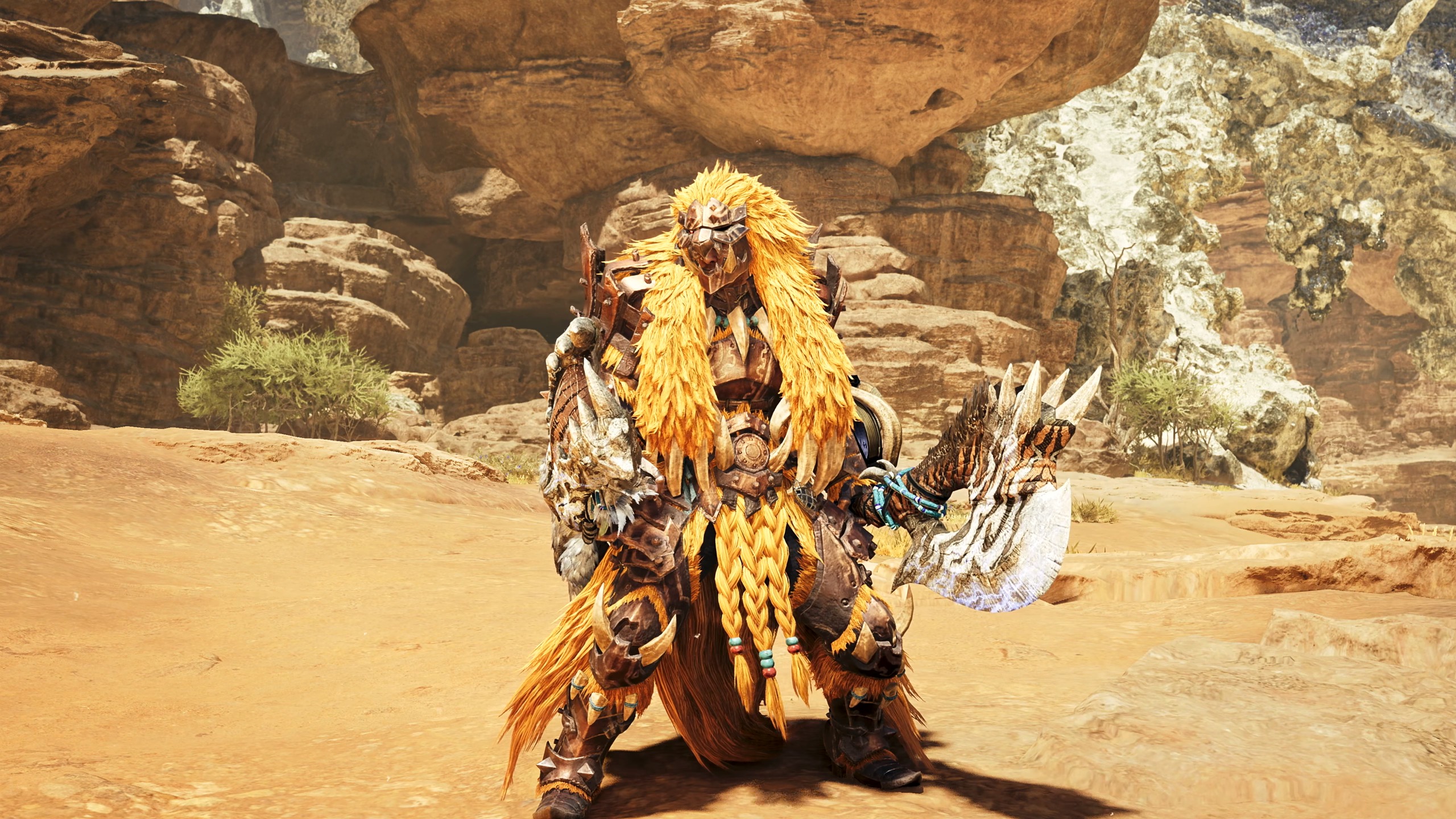
Over the last few days, Monster Hunter Wilds: Ascendance has released a slew of new weapon trailers showing off the new Boost Bracer mechanic's enhancements for the Hammer, Light Bowgun, Charge Blade, and Sword & Shield weapon types.DEAL: Get Surfshark VPN 86% OFF with Windows Central 🦈Additionally, these trailers hint that some of these weapon types are receiving balance changes or even new mechanics unique to them (and not tied to this DLC expansion's Boost
Additionally, these trailers hint that some of these weapon types are receiving balance changes or even new mechanics unique to them (and not tied to this DLC expansion's Boost Bracer gimmick). Here's what we can gather from these trailers for one of my most anticipated Xbox games of 2027.
Hammer
First off, we have a new trailer for the Hammer, a simple yet effective weapon for cracking monsters' skulls open. In Monster Hunter Wilds: Ascendance, the Boost Bracer will allow you to jump across the battlefield or lift off into the air to perform rocket-powered spinning attacks with the Hammer.
Additionally, the Hammer's attacks will become faster and gain new combo paths once the Boost Gauge is activated.
Next up, we have the Light Bowgun, which has been given some drastic enhancements thanks to the Boost Bracer and possibly a balance change to one of its ammo types.
With the Boost Bracer, the Light Bowgun can fire bullets like an automatic machine gun via the Boost Driver attacks and phase through enemy attacks while the Boost Gauge is activated.
Additionally, while your Boost Gauge is active, you can jump on monsters to perform aerial shot attacks, you can side-step much farther after each shot, and even perform an Offset counter where you fire a grenade onto a monster.
On a side note, the trailer hints that we may be getting new Recoil mods for Bowguns. This is because the player is seen using Spread ammo (think of it like Shotgun ammo) at one point, and the recoil on it in Monster Hunter Wilds: Ascendance is very light compared to how it is currently in the base game, where using Spread ammo on bowguns will send you flying backward.
Next trailer on the chopping block is the Charge Blade, a complex weapon type that transforms from a sword and shield into a two-handed battle axe that explodes with every hit.
Charge Blade's main game plan revolves around building Phial energy by hitting enemies in sword and shield mode and unleashing that pent-up energy in axe mode. This normally slow playstyle is getting a massive speed boost in Monster Hunter Wilds: Ascendance, as the new Boost Bracer's attacks will let you build energy for axe mode in mere seconds.
Plus, the Booster Bracer will grant the Charge Blade a new Offset counterattack in axe mode, new combo paths, and an enhanced version of the weapon's ultimate attack, where it discharges all of its Phial energy into one massive yet swift explosion.
Finally, we have today's trailer, which covers the classic Sword & Shield weapon type, and it's the one I'm most excited for. The Sword & Shield is another simple yet effective weapon that slices enemies, blocks attacks with a shield, and bashes monsters' faces in with said shield.
This agile weapon is now even faster thanks to Monster Hunter Wilds: Ascendance's Boost Bracer mechanic. With it, Sword & Shield can dash across the battlefield to smack monsters in the face, open up new combo attack paths, and grapple hook onto a monster's wounds to pop them just like the Clutch Claw mechanic from Monster Hunter World: Iceborne.
However, the most exciting change Sword & Shield is getting isn't related to the Boost Bracer; it's a brand-new attack called "Bladecoating Slash". This attack has you destroy one of your items with the weapon and coat its properties onto the blade to give it unique effects; for example, smashing a healing potion will give Sword & Shield the ability to restore a player's health with every hit.
Out of all the changes I've seen from these trailers, the Sword & Shield trailer has got me the most hyped because its new "Bladecoating Slash" attack marks the return of the Oil Coating mechanic from 2015's Monster Hunter Generations.
It was an exclusive Sword & Shield mechanic where you coat the blade in oils to boost its attack, crit rate, or even grant it the ability to exhaust and stun monsters, kind of like The Witcher series.
It was so well received that fans have been begging Capcom to bring this mechanic back for Sword & Shield for nearly a decade because it was used in 2017's Monster Hunter Generations Ultimate, and now their wish is finally being granted.
Sword & Shield was one of my most used weapons in Monster Hunter Wilds' base game, so I can't wait to see how this new "Bladecoating Slash" will drastically alter its playstyle (like potentially coating my Sword & Shield in Gunpowder to give it explosion attacks with every swing) when Monster Hunter Wilds: Ascendance launches in 2027for Xbox Series X|S, PlayStation 5, and PC via Steam.
Venture into Forbidden Lands to discover uncharted lands and hunt giant monsters alongside your friends in online co-op to protect nature and mankind in Monster Hunter Wilds.
Empower your weapons with the new Boost Bracer, explore a mysterious land floating in the sky, and hunt down ancient Elder Dragons in Monster Hunter Wilds' epic DLC expansion, Monster Hunter Wilds: Ascendance.
Nobody can accuse Lenovo of lacking imagination.Over the last several years, the company has become the PC industry's unofficial concept lab, routinely showing off hardware that seems pulled from science fiction. We've seen rollable displays that grow taller, gaming laptops that transform into ultrawide displays, foldable PCs, attachable screens, rotating displays, and enough unusual form factors to make even the most adventurous laptop enthusiast pause for a mom
Over the last several years, the company has become the PC industry's unofficial concept lab, routinely showing off hardware that seems pulled from science fiction. We've seen rollable displays that grow taller, gaming laptops that transform into ultrawide displays, foldable PCs, attachable screens, rotating displays, and enough unusual form factors to make even the most adventurous laptop enthusiast pause for a moment.
Some of those ideas have remained concepts. Others have eventually become real products. The ThinkBook Plus Gen 6 Rollable (yes, they actually ship some of these!) is perhaps the best example, evolving from an eye-catching prototype into an actual shipping device. But even as Lenovo's concepts have become increasingly impressive from an engineering perspective, I've often found myself wondering how many of them actually solve a problem that regular laptop buyers have. Making a display expand is certainly cool. Convincing people they need it is the harder challenge.
That's why Project Swan immediately stood out to me.
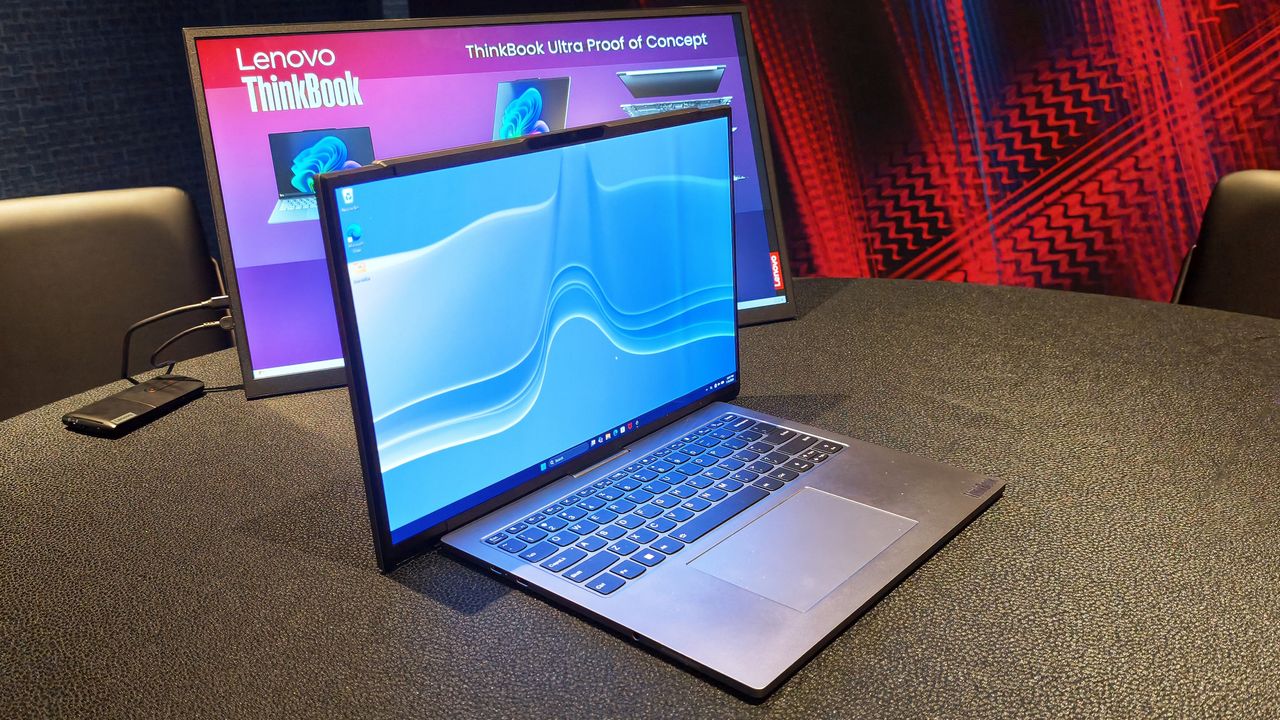
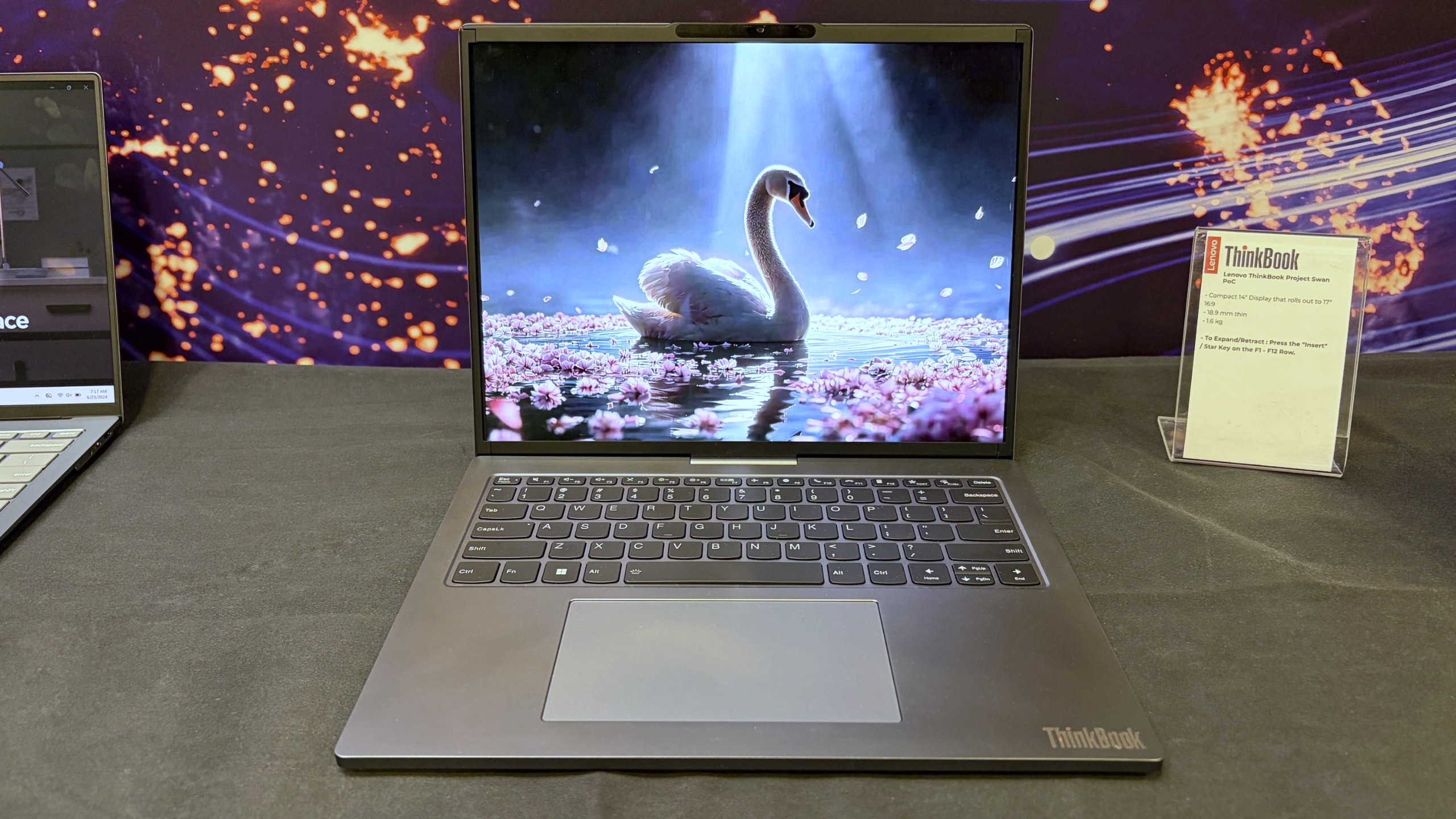
Lenovo's Project Swan laptop in "normal" mode at 14-inches. (Image credit: Future)
Officially, it's another Lenovo proof-of-concept device, but after spending time with it in person, I came away thinking this may be the company's most practical display concept yet. Not because it's the most ambitious, but because it's arguably the least ambitious.
And that's exactly why it works.
Lenovo finally found a sensible use for a rollable display?
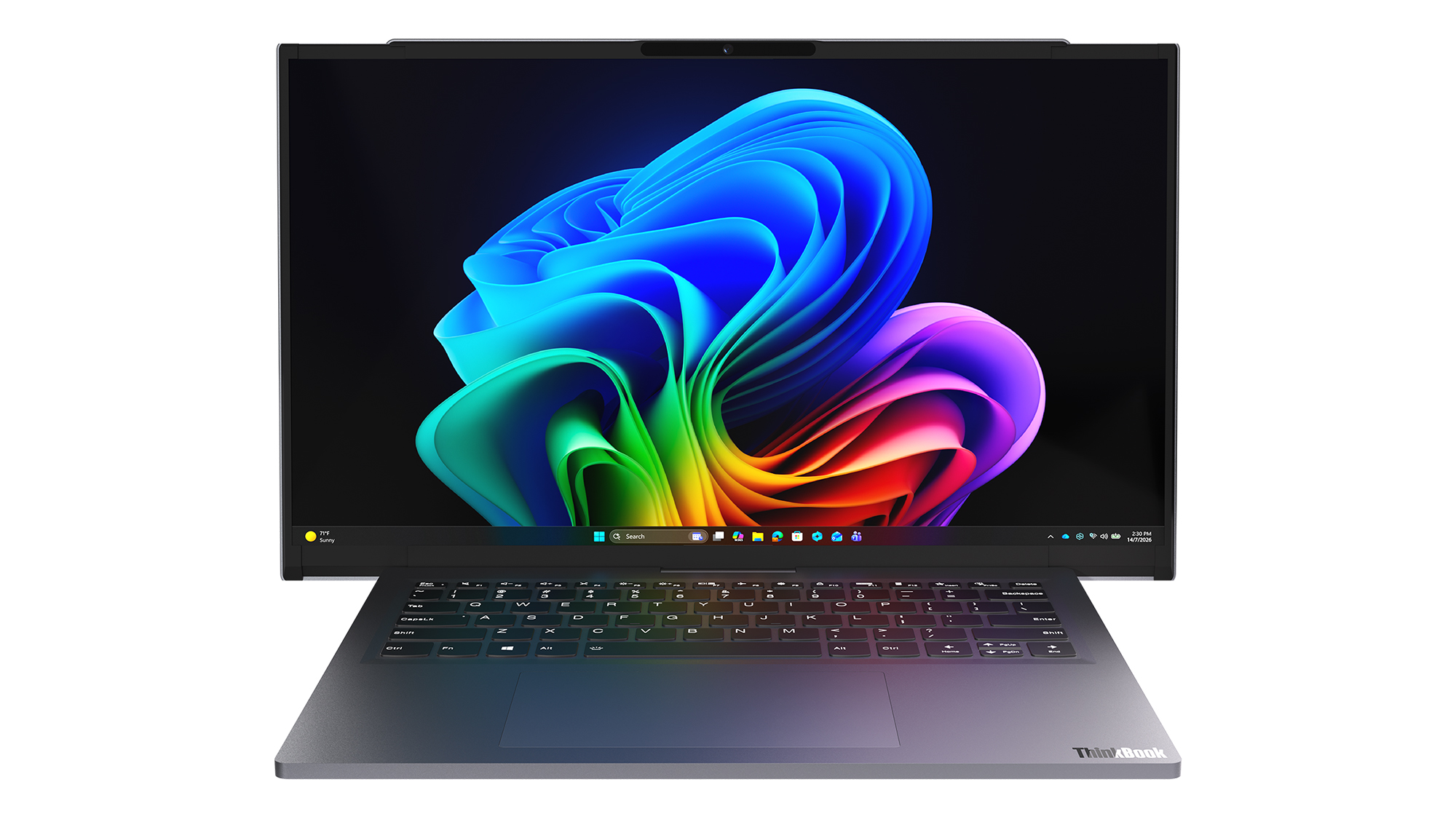
The Lenovo ThinkBook Project Swan begins life as a fairly normal-looking 14-inch laptop.
At 17.9mm thick and weighing 1.6kg (3.5lbs), it isn't trying to break weight records or compete with ultra-premium featherweight notebooks (like Lenovo's new AeroBlade concept). Instead, the focus is on creating a laptop that's comfortable to carry throughout the day while offering something extra when users return to their desk, settle into a hotel room, or need more space for serious work.
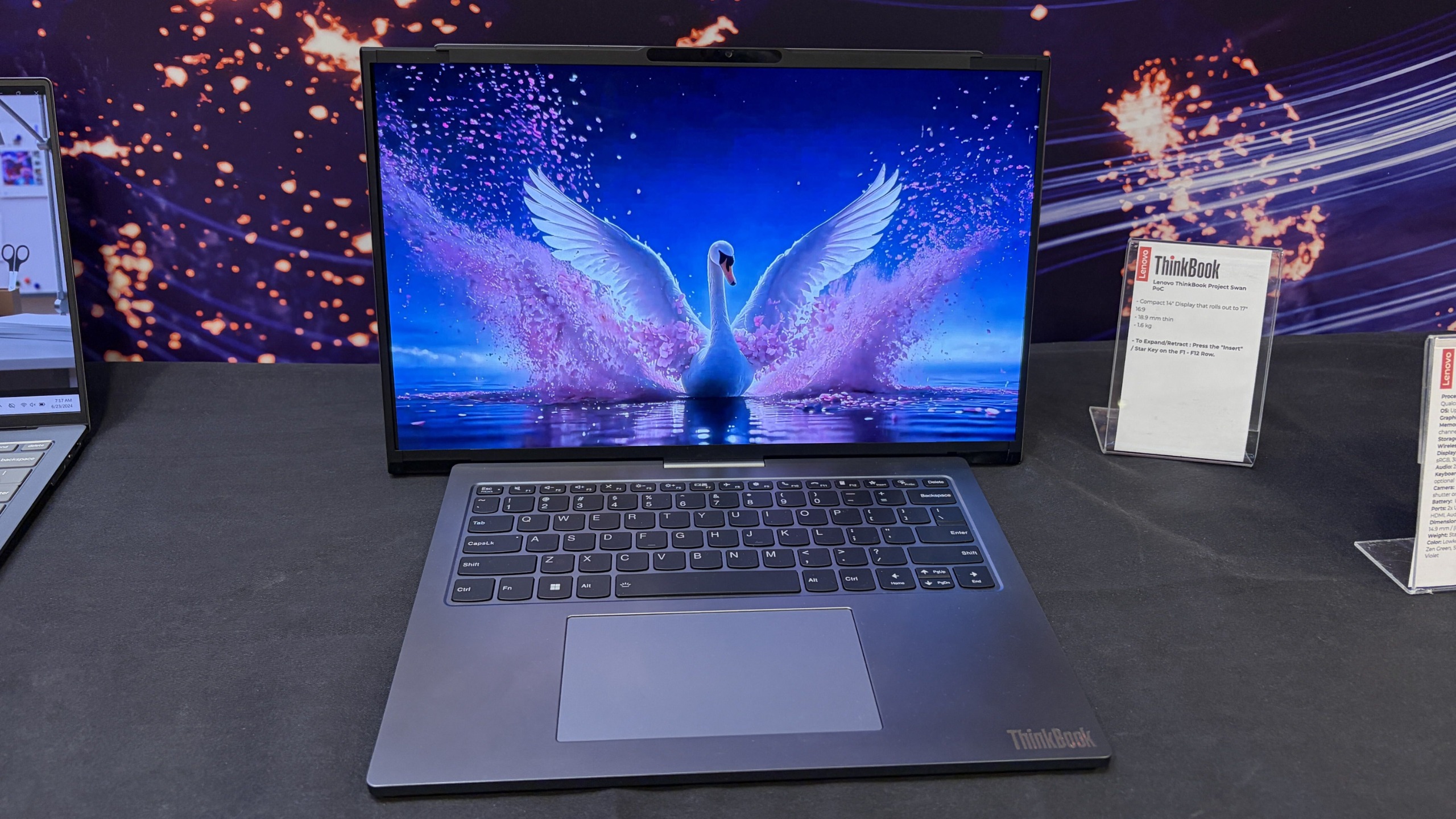
That "something extra" is a rollable display that expands horizontally into a 17-inch 16:9 workspace.
Unlike Lenovo's previous rollable designs, which generally expanded vertically, Project Swan widens itself by extending the display out to the sides. It's all done with a touch of a button (see my video below), and it only takes a few seconds.
The result feels much more like using a traditional external monitor than using an experimental form factor. You suddenly have enough room for side-by-side documents, large spreadsheets, dashboards, presentations, browser windows, Teams chats, and everything else that tends to compete for space on a 14-inch screen.
Lenovo's Project Swan laptop in extended mode, where the display reaches 17 inches. (Image credit: Future)
The transformation is dramatic enough to get attention, but conservative enough to feel practical. During my hands-on session, that was the first thing that struck me about the device.
Many of Lenovo's earlier concepts felt designed to answer the question, "Can we do this?"
Project Swan feels far more interested in answering the question, "Would people actually want this?"
That's a subtle distinction, but it's an important one.
This feels like the next step in Lenovo's display experiments
Lenovo Project Swan concept laptops side-by-side, demonstrating the screen in standard view versus expanded rollable view. (Image credit: Lenovo)
Project Swan didn't emerge in a vacuum. In many ways, it feels like the natural evolution of everything Lenovo has been experimenting with over the last few years.
The ThinkBook Plus Gen 6 Rollable demonstrated that expandable OLED displays could successfully transition from concept to commercial product. Lenovo's Legion rollable gaming laptop concept showed how flexible displays could create an ultrawide experience without requiring users to carry an enormous machine. Other projects explored foldable displays, secondary screens, and entirely new ways of interacting with PCs.
As impressive as many of those concepts were, some occasionally felt like technology showcases first and products second.
Project Swan reverses that equation.
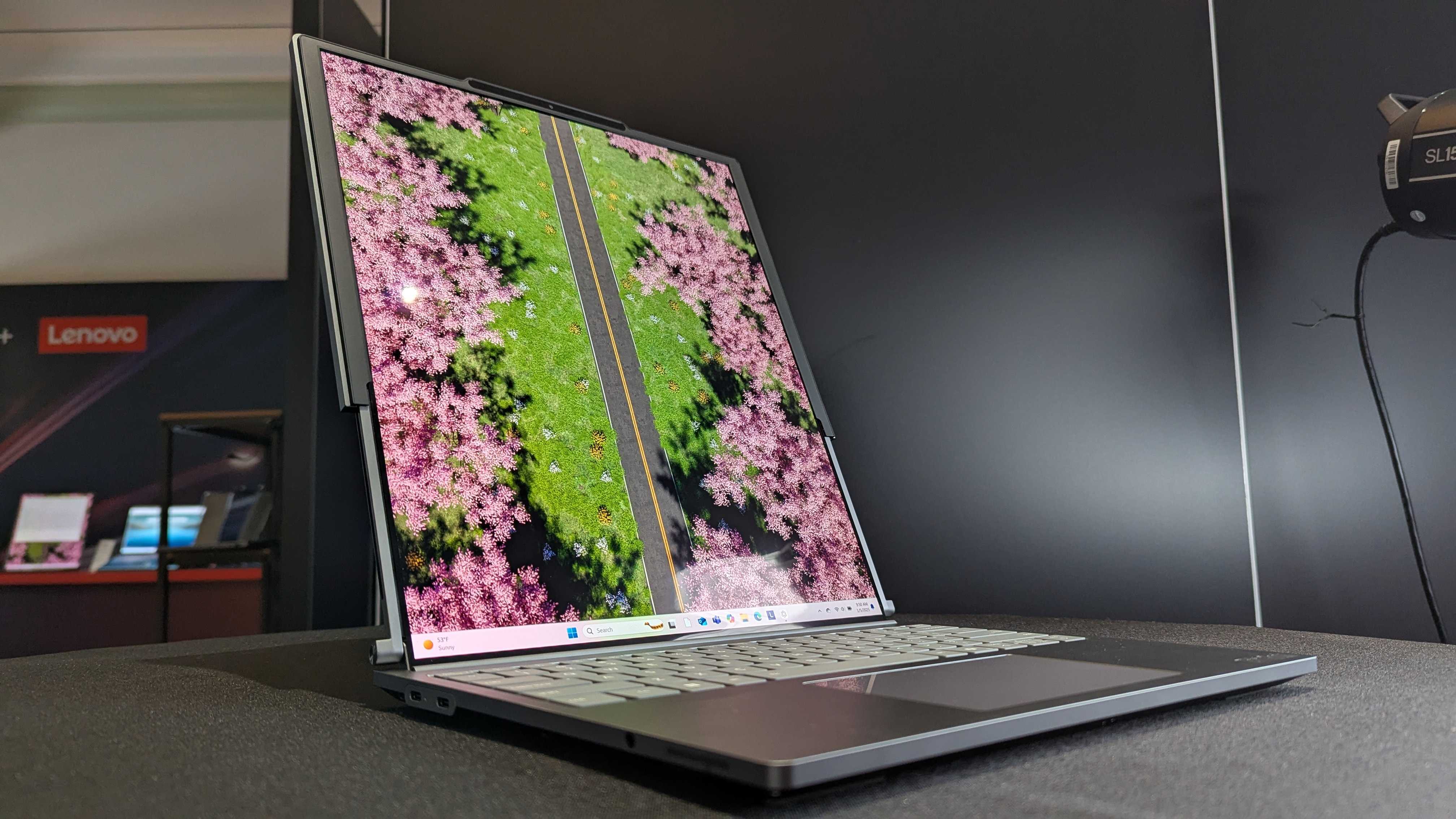
Lenovo ThinkBook Plus (Gen 6) laptop and its vertical rollable display at CES 2025. (Image credit: Windows Central | Zachary Boddy)
Rather than dramatically changing how people interact with a laptop, it simply gives them more screen real estate when they need it and gets out of the way when they don't. That's a much easier benefit for consumers to understand and, perhaps more importantly, a much easier benefit to justify paying for.
After all, most people already know the dilemma.
A 14-inch laptop is ideal for travel. A larger display is ideal for work.
Project Swan attempts to deliver both.
The idea makes sense. The challenges are obvious.
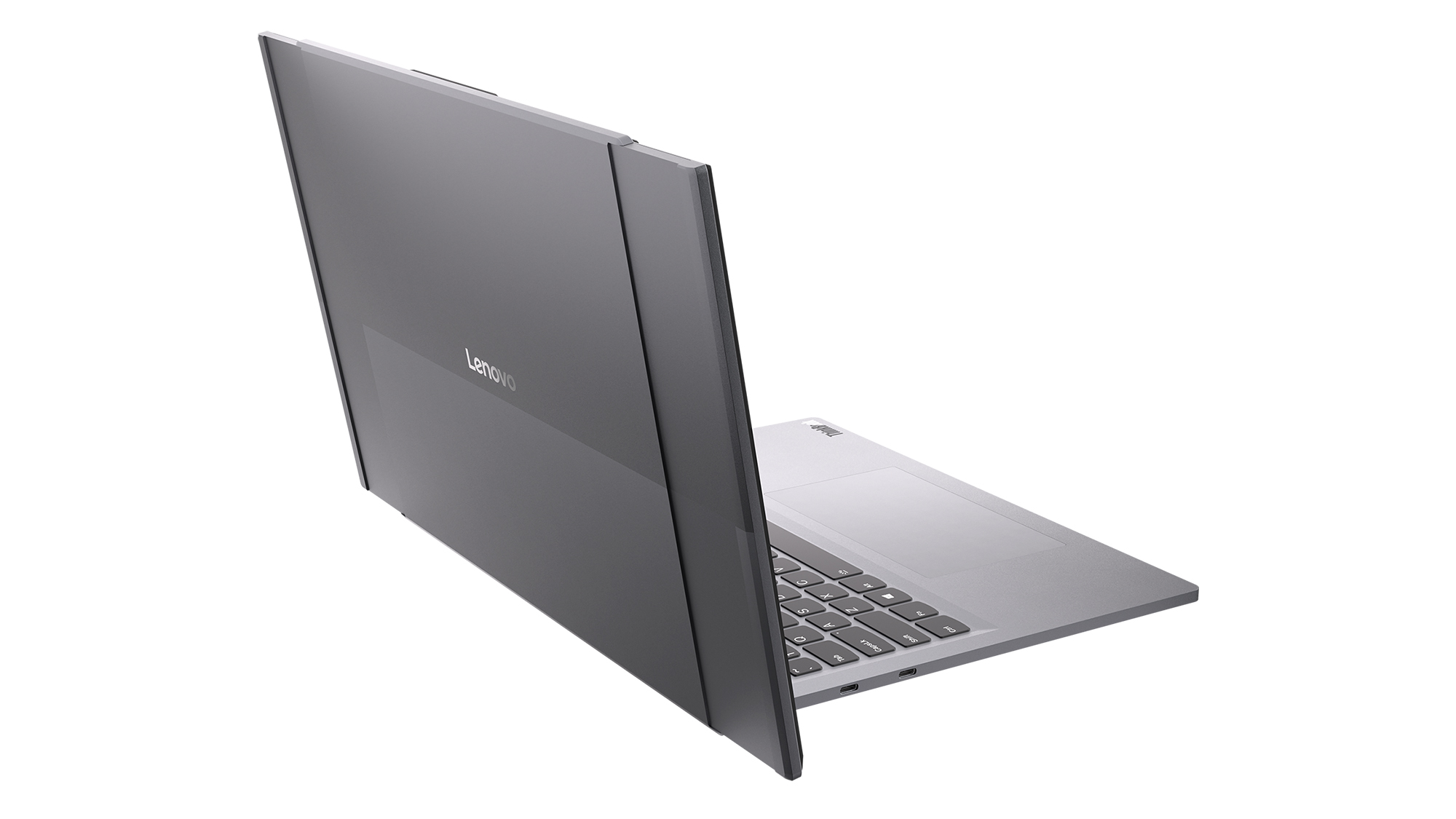
Read image of the Project Swan laptop cover and its motorized rollable display. (Image credit: Lenovo)
That isn't to say there aren't trade-offs.
The first thing I noticed when using the expanded display was that the system becomes somewhat top-heavy. That's hardly surprising given the additional display hardware housed in the lid, but it was noticeable enough that I'd expect Lenovo's engineers to still be looking at ways to refine the balance.
Pricing is another obvious concern.
Rollable OLED displays aren't cheap (it's $3,499 for the ThinkBook Plus Gen 6 Rollable), and if Project Swan ever becomes a commercial product, it's almost certainly going to carry a premium compared to a traditional clamshell laptop. The value proposition may be easier to understand than some other concept devices, but consumers still need to be convinced that expandable screen space is worth the additional cost.
Then there's the question everyone asks whenever a company unveils a rollable or foldable display.
How durable is it?
Flexible OLED technology has improved dramatically over the last few years, but long-term reliability remains an important consideration. How will the mechanism hold up after years of daily use? What happens after thousands of expansion cycles? Will buyers trust a laptop that contains moving display components?
The technology may be ready, but consumer confidence isn't something that can be engineered overnight.
The bigger question is whether people want these new form factors
That's really the challenge facing every laptop manufacturer right now.
The industry has spent years experimenting with alternatives to the traditional clamshell design. Foldable PCs promised tablet-sized displays that fit inside a laptop footprint. Dual-screen systems like the Lenovo Yoga 9i attempted to replace physical keyboards with additional displays. Rollable devices have explored several different directions entirely.
Some enthusiasts love these ideas, but many consumers remain perfectly happy with the laptops they already own.
That's what makes Project Swan so interesting to me. It isn't asking users to learn a new workflow or completely rethink how they use a PC. Instead, it's enhancing something people already understand: bigger screens are often better, but bigger laptops are harder to carry.
Whether that argument ultimately resonates with buyers remains an open question, but it's certainly the clearest pitch Lenovo has made for a rollable display so far.
Lenovo deserves credit for keeping the experimentation alive
Front view of the open grey Lenovo Project Swan concept laptop with its rollable screen expanded horizontally beyond the keyboard base. (Image credit: Lenovo)
Even if Project Swan never reaches store shelves, I appreciate what Lenovo is doing here.
The PC industry can sometimes become obsessed with processor upgrades, AI features, and specification sheets while overlooking more fundamental questions about how people actually use their devices. Lenovo's concepts consistently ask those questions, even when the answers occasionally seem, well, strange.
What's refreshing about Project Swan is that it feels grounded in reality. The company isn't trying to reinvent personal computing or create an entirely new category. Instead, it's exploring a straightforward idea that almost everyone who has worked on a laptop can relate to.
Sometimes you want a compact machine for travel.
Sometimes you wish that same machine had a much larger screen.
Project Swan is the most convincing attempt I've seen yet to bridge that gap.
I still have concerns about durability, balance, pricing, and whether consumers are truly interested in another alternative laptop design. But after trying it for myself, I'm more optimistic about this concept than many of Lenovo's previous experiments.
Ironically, that's because it feels less ambitious. Rather than trying to change how we work, Project Swan simply gives us a little more room to do it.
And that may be exactly what makes it one of Lenovo's most promising concepts yet.
Let me know in the comments what you think about Project Swan. Should Lenovo continue to push this concept of an expanding display, or focus more on other ideas (and if so, which ones)?
Join us on Reddit at r/WindowsCentral to share your insights and discuss our latest news, reviews, and more.
A "ready-to-code distraction-free Windows experience" is on the way for developers. Microsoft just detailed how Windows 11 will be optimized for people with developer-class devices.The idea behind Project Zenith is to save developers time by preinstalling apps and having Settings pre-enabled that are optimized for development. For example, File Explorer will show file extensions, hidden files, and the full path in the title bar.Those options are not new, but they
A "ready-to-code distraction-free Windows experience" is on the way for developers. Microsoft just detailed how Windows 11 will be optimized for people with developer-class devices.
The idea behind Project Zenith is to save developers time by preinstalling apps and having Settings pre-enabled that are optimized for development. For example, File Explorer will show file extensions, hidden files, and the full path in the title bar.
Those options are not new, but they can take a while to set up when you also have to install a bunch of apps and tweak other settings.
We already knew about some of these experiences because of announcements made at Build 2026, but we now know a name for the project and more information about how Windows 11 will be optimized for developer-class devices.
Those devices will be able to run 30B+ parameter models locally and unmetered and use a variety of tools out of the box. Windows Terminal and Visual Studio Code are pinned to the Taskbar by default. GitHub Copilot, PowerToys, WinAppCLI, and Windows Dev Skills will also be preinstalled, according to The Verge.
Project Zenith will launch first on AMD's Ryzen AI Halo devices, but it will make its way to other systems over the coming months.
To classify as a developer-class device, a system will need at least 64 GB of unified memory and at least 250 GB/s memory bandwidth.
The best version of Windows 11
A natural response to Microsoft's blog post is to ask, "don't we all want a distraction-free Windows experience?" I don't know anyone clamoring for more distractions on their PC. But I believe Project Zenith is specific to developers for a good reason.
Many developers have a similar workflow or rely on a set of tools. What would be considered a useful preinstalled app for developers would be viewed as bloat for general users.
Similarly, the enabled settings viewed as useful by developers would make Windows 11 feel crowded for everyday computing.
A better approach would be to tailor Windows 11 to different use cases. We're starting to see that with Xbox Mode on Windows 11 and now Project Zenith for developers.
Of course, Project Zenith devices, PCs running Xbox Mode, and all other Windows 11 devices benefit from the general improvements to Windows 11, such as reducing memory usage and improving Search and File Explorer. Many of those changes can be seen in the latest major update to Windows 11.
Join us on Reddit at r/WindowsCentral to share your insights and discuss our latest news, reviews, and more.

 Connexion