Vue normale

I can't believe Microsoft is this desperate to push AI — its latest rebrand reeks of corpo speak

The Microsoft 365 Roadmap is gone. This week, the site was rebranded as the "AI at Work Roadmap." The baffling change raises questions about what's going on at Microsoft and why its leaders think they can label anything as AI.

The roadmap lets you track features and updates to a variety of apps and services from Microsoft. Microsoft justifies the name change by highlighting that the roadmap now includes features from Dynamics 365, Power Platform, and Dataverse as well.

But the AI at Work Roadmap still details plans for thousands of features that have nothing to do with AI.

Neowin's Usama Jawad shared an editorial on Microsoft's latest rebrand already, and I'll echo some of the same thoughts. But some decisions are so astonishingly stupid that they require editorials from multiple outlets.

The name isn't even accurate

Microsoft Teams app seen displayed on a smartphone screen and a Microsoft Teams logo on a laptop in the background.

The "AI at Work Roadmap" lists hundreds of features that have nothing to do with AI. (Image credit: Getty Images | SOPA Images)

Microsoft is so eager to push AI that its decision makers have not even considered if the new name of the Microsoft 365 Roadmap is accurate. Yes, the roadmap includes AI features across the Microsoft 365 suite. It also now outlines changes to Dynamics 365, Power Platform, and Dataverse.

But there are a massive number of features discussed in the roadmap that do not use AI in any way. Let's look at the entries that appear on the "AI at Work Roadmap" when filtered to list anything new or updated within the last week.

  • Microsoft Teams: Coordinated meetings support on Teams Rooms on Android
  • Outlook: Manage multiple inbox rules at once.
  • Microsoft Teams: Hide organizer name in the calendar view on Teams Panels and MTR-A
  • Microsoft Teams: Breakout room support on Teams Rooms on Android
  • Microsoft Teams: Report a message or an external user for security concerns in Gov clouds.

As far as I can tell, none of those are AI features. Perhaps there's some AI-written code in there or AI working in the background, but I doubt anyone would refer to breakout rooms support as an AI feature.

Microsoft, what are we doing here? Have we reached a point of desperation so extreme that the option to hide an organizer name needs to fall under the AI umbrella? I suppose if every single feature to ever ship to Microsoft 365 is considered AI, that metrics measuring AI use will trend upward.

A history of bad branding

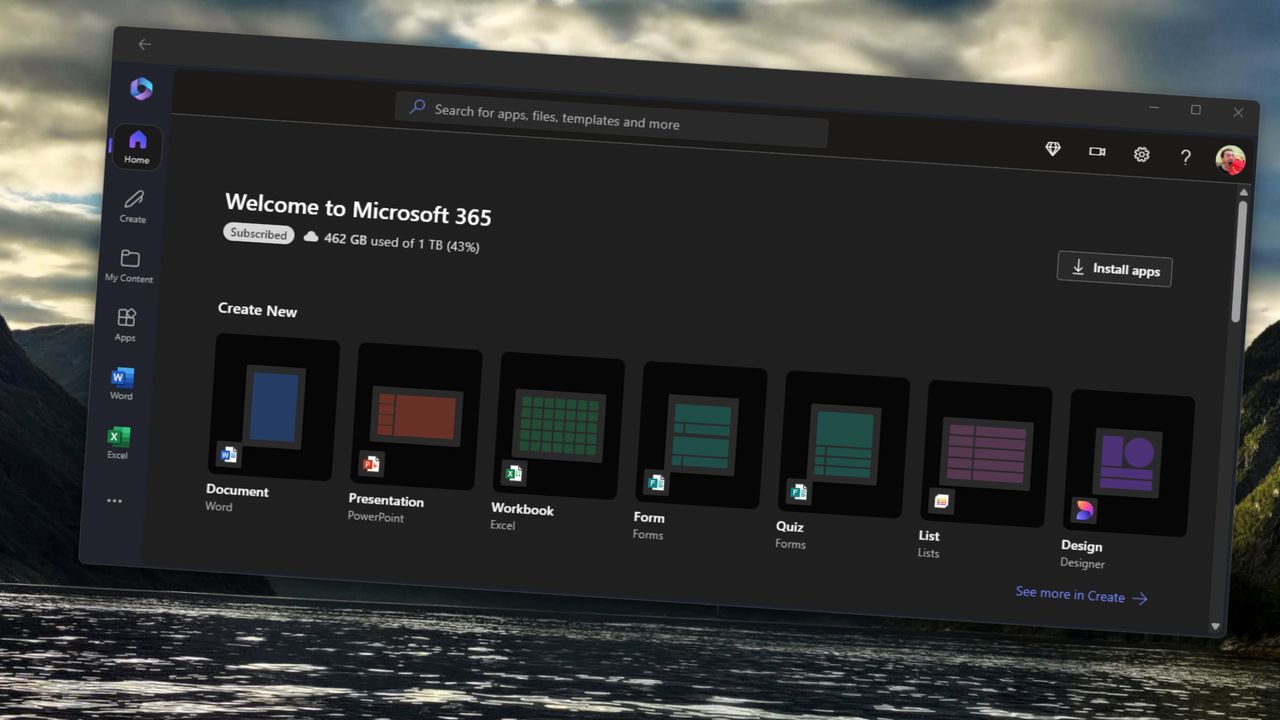
Microsoft 365 home page on a Razer laptop

Microsoft rebranded its Office subscription to "Microsoft 365" several years ago. (Image credit: Jennifer Young - Windows Central)

Microsoft already had an established brand name recognized around the world in "Office." But the tech giant decided to rebrand its productivity suite as Microsoft 365. While that decision drew criticism, it at least made sense because Microsoft 365 includes several pieces of software that are not Office apps.

In 2025, Microsoft announced the baffling decision to rebrand Microsoft 365 as "Microsoft 365 Copilot." Our Executive Editor Jez Corden took Microsoft to task for that, and rightly so:

"The rebrand of Microsoft Office was dumb to start with, trampling on a legacy spanning decades. The second rebrand attaching Copilot is even more dumb, and follows the Copilot+ PC thought process of firmly putting the cart several miles before the horse. Copilot hasn't earned the right to be showcased alongside [technological] cultural milestones like Microsoft Excel or Microsoft Word."

Microsoft went on a spree in which it renamed a bunch of services to include some form of Copilot. The company had so many types of Copilots that it had to merge Copilot and Microsoft 365 Copilot.

Microsoft's dumbest rebrand in history just got EVEN dumber. https://t.co/qtzIvgLyfjJanuary 16, 2025

That obsession with Copilot begs another question: If Microsoft needs to rename the Microsoft 365 Roadmap to mention AI, why not call it the Microsoft 365 Copilot Roadmap? I'd still hate the change but at least it would be somewhat consistent.

The idea of slapping "AI" onto anything is still silly, but at least Microsoft would be reusing a name that appears elsewhere.

Click to join us on r/WindowsCentral

Join us on Reddit at r/WindowsCentral to share your insights and discuss our latest news, reviews, and more.

Windows 11

Windows 11
This Microsoft 365 bundle deal gets you a year of NordVPN for free

Microsoft 365 is a must-have software suite for millions of people. I've had a subscription since the days of SkyDrive and Office 365. I stack up whenever I find a great deal. Whether you're an experienced subscription stacker or paying for your first Microsoft 365 subscription, now is a great time thanks to a pair of deals.

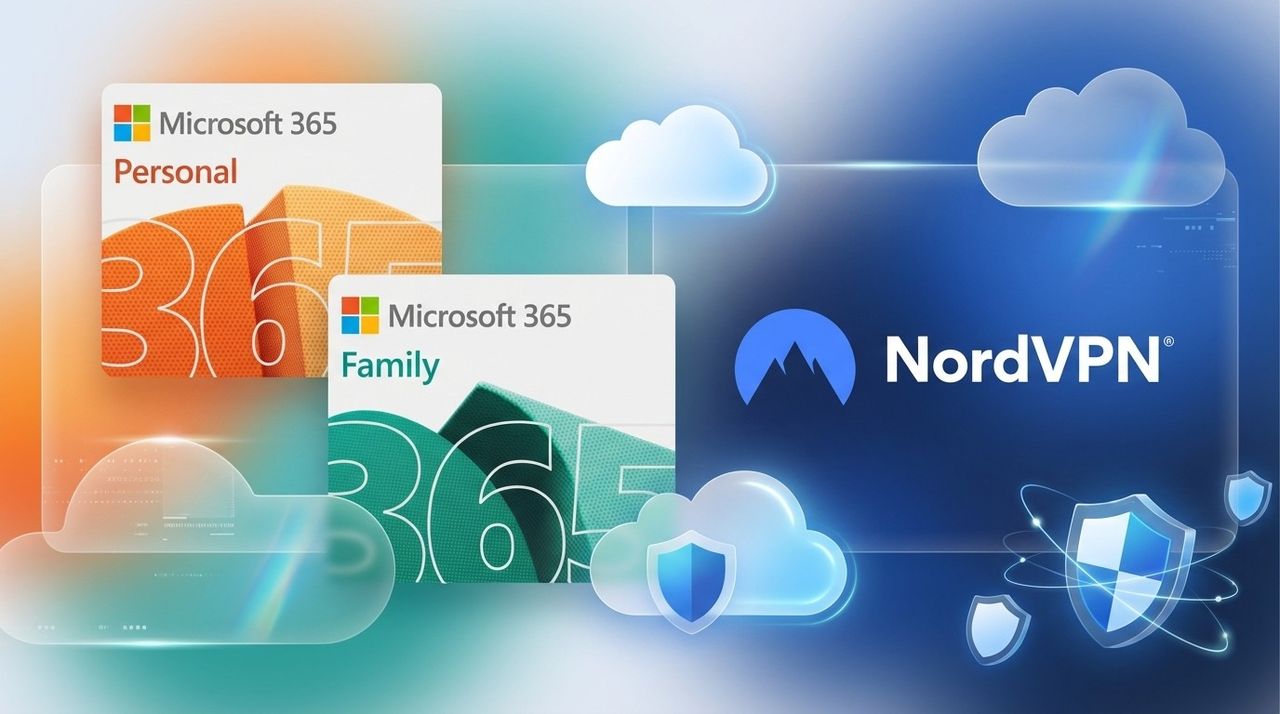
Newegg has discounts on two bundles, one that comes with Microsoft 365 Personal and NordVPN ($61.99) and one that comes with Microsoft 365 Family and NordVPN ($84.99). Both bundles get you 12 months of each included piece of software.

365 Personal (12 months) + NordVPN: was $149.98 now $61.99

This bundle is the most affordable way to get a year of Microsoft 365. As an added bonus, it comes with a year of NordVPN Basic, which is a $49.99 value on its own.View Deal

365 Family (12 months) + NordVPN: was $179.98 now $84.99

Microsoft 365 Family provides access to the software suite for up to six people. Each of those users will have their own copy of apps like Word, PowerPoint, and Excel plus 1TB of OneDrive storage. This bundle also includes a free year of NordVPN Basic.View Deal

Is now a good time to subscribe to Microsoft 365?

Right now is a great time to subscribe to Microsoft 365.

I've kept track of the best Microsoft 365 deals for years. Every once in a while, the most affordable way to get a subscription is to pick up a bundle. Even if you have no intention of ever using NordVPN, the bundled prices for Microsoft 365 and NordVPN are lower than the cost of Microsoft 365 on its own.

I don't mean to discount NordVPN. It's a great service on its own and I have used it regularly for years as well. I just assume people seeing this bundle are more interested in Microsoft 365. If you use both Microsoft 365 and NordVPN, the current bundles are incredible.

FAQ

Can you stack Microsoft 365?

Yes, it is possible to stack Microsoft 365 subscriptions, meaning you can extend your current plan rather than having to wait for your current subscription to expire. Microsoft 365 allows customers to stack up to five years.

Can I use Microsoft 365 on multiple devices?

Yes, Microsoft 365 apps are available across just about every operating system and type of device. You can use those apps on up to five devices at once with your Microsoft 365 subscription.

Does Microsoft 365 come with OneDrive storage?

Yes. Each Microsoft 365 user gets 1TB of OneDrive cloud storage. That means a Microsoft 365 Personal subscription comes with 1TB of storage and a Microsoft 365 Family subscription comes with up to 6TB (1TB per user).

What is NordVPN?

NordVPN is a highly rated VPN that can improve the security of devices by hiding your IP address and rerouting internet traffic. It can also encrypt data and bypass regional locks for streaming content.

Microsoft 365 and NordVPN Cyber Monday deal

Microsoft 365 and NordVPN Cyber Monday deal

Cancel Microsoft 365 and Get Microsoft Office for Life for $50

7 septembre 2026 à 09:00

Microsoft 365 costs $99.99/year, but Microsoft Office Pro gives you the same apps for life for only $49.97.

The post Cancel Microsoft 365 and Get Microsoft Office for Life for $50 appeared first on TechRepublic.

Microsoft Forms just gave me another reason to prefer it over Google Forms

Microsoft Forms just got a major upgrade thanks to Copilot. Microsoft 365 Copilot chat now lives within Microsoft Forms, adding a familiar tool to those who use AI in Word, Excel, and PowerPoint.

Copilot in Microsoft Forms can suggest improvements to your polls and forms and present insights from responses.

The Copilot integration is available now to users with Microsoft 365 commercial Copilot licenses.

Microsoft listed all the changes to Forms in a blog post:

  • Smarter suggestions & refinements: Get targeted recommendations to improve your form’s structure, clarity, and effectiveness. Copilot can also apply refinements directly to the form, so you can save time making edits – just describe what you want, and watch Copilot make it happen.
  • Deeper analysis: Copilot can now analyze your results in-depth to provide clear insights and actionable takeaways for you and your team. You can even ask follow-up questions to help parse and summarize your data and unlock your next step.
  • More settings: Review and update form settings with ease, such as applying custom thank-you messages and close dates, so your form is ready to send. You can also adjust question settings in bulk, such as making questions required.
  • Open-ended chat: Copilot chat gives you access to a broad world of capabilities, whether you’re seeking inspiration on survey topics or consulting on how to configure your form – the possibilities are broad with Copilot at your fingertips.
  • Basic branching: Apply basic branching logic directly through the agent. (Note that some complex scenarios are not yet supported, and you should continue to review your branching logic prior to sending your forms.)

I use Microsoft Forms to gather feedback from my American football team. I admit that I first tried it because my job centers around knowing Microsoft products. But after using Microsoft Forms for a while, I grew to prefer it over Google Forms.

Microsoft Forms can sync with Excel documents, making it much easier to stay on top of responses. I'm deeply entrenched in the Microsoft ecosystem, so anything that works seamlessly with the rest of my workflow gets bonus points in my book.

I also prefer some of the features of Microsoft Forms, such as question-level branching. That feature makes filling out forms feel smoother when a poll includes branching questions because it keeps you on the same page.

The layout of Microsoft Forms also presents results quicker because if you want to look at a chart, you don't need to open a separate spreadsheet.

The new Copilot experience in Forms could also be a boon to the platform, though I'll have to see it in action to judge. In my experience, Copilot as a general tool is good at suggesting improvements, performing bulk edits, and creating summaries, so it should thrive within Microsoft Forms.

Click to join us on r/WindowsCentral

Join us on Reddit at r/WindowsCentral to share your insights and discuss our latest news, reviews, and more.

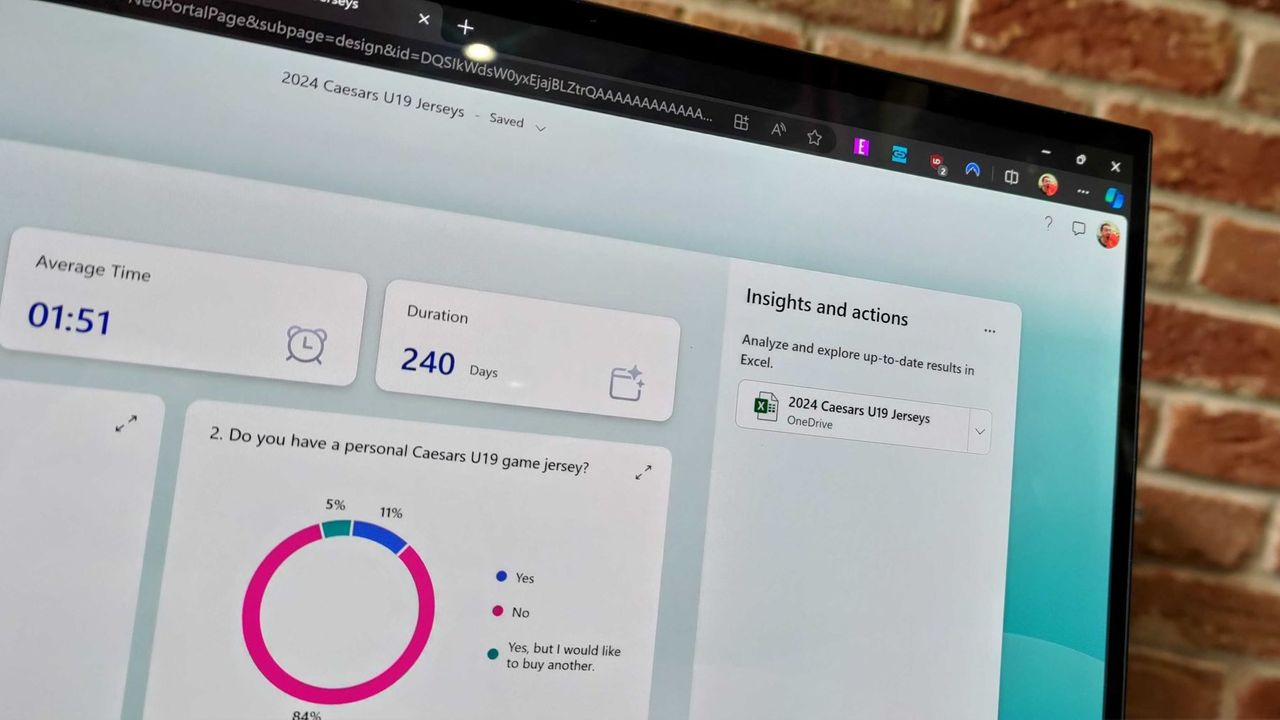
Microsoft Forms results page

Microsoft Forms results page

"The Lotus guys probably figured it didn't matter to be wrong": Excel thinks 1900 was a leap year because of a small shortcut taken in the '80s — I'll think of this next time I want to cut corners

Microsoft Excel was originally created as competition for Lotus 1-2-3, which has had lasting effects on my favorite spreadsheet software. Here's how a small shortcut taken in the '80s has lasted through until 2026.

Excel spreadsheet with checkboxes

The upcoming checkboxes feature in Microsoft Excel makes it easy to visualize certain data.

Microsoft 365 is paywalling most of Copilot in Office apps — what's changing?

Microsoft is stripping Copilot Chat from Office sidebars for non-licensed users on April 15, 2026, rebranding the included version as "Copilot Chat (Basic)."

The Microsoft 365 Copilot logo appears on a smartphone screen in the Apple app store

Copilot Chat users will need to use the Microsoft 365 Copilot app rather than rely on an integrated version of Copilot in Office.

Microsoft 365 subscribers in the UK are frustrated as price hike reminders arrive with barely any time to cancel

Microsoft has reminded UK Microsoft 365 users of an upcoming price increase, leaving just enough time to cancel or explore cheaper alternatives.

Microsoft 365 home page on a Razer laptop

Word is changing forever—your new documents will now live in the cloud by default

A new update for Word has changed how the app handles new documents. Going forward, the app will automatically save everything to OneDrive with autosave enabled.

Microsoft Word Editor

This Microsoft 365 deal makes me homesick every year — here’s why you should grab it

Microsoft 365 Family is on sale for $99.99, offering apps, OneDrive storage, and more for six users in a limited-time deal.

Excel spreadsheet with checkboxes

Microsoft Excel gets more AI — and this time it’s actually useful

Microsoft is adding a COPILOT function to Excel, letting you use natural language prompts inside formulas to analyze, summarize, and categorize data.

Excel spreadsheet with checkboxes

Microsoft Adds OneNote’s Best Pens to Word, Excel, and PowerPoint — Here’s Why It Matters

OneNote’s popular fountain and brush pens are now in Word, Excel, and PowerPoint, giving Windows users more natural-looking digital ink.

Inking Windows10 Drawing

Get Lifetime Access to Microsoft Office 2021 for Just $30

Whether you're starting a new business venture and need Microsoft Office's help or you just want to get better organized in your personal life, it's a good time to take advantage of this deal.

The post Get Lifetime Access to Microsoft Office 2021 for Just $30 appeared first on TechRepublic.

Stack years of Microsoft 365 — this deal would have been a bargain in 2013

Microsoft 365 is down to $64.99 for Personal and $99.99 for Family. You can stack up to 5 years and get Word, Excel, OneDrive, and AI features at a major discount.

Microsoft 365 app on Windows 11 with shortcuts to create documents in Word, PowerPoint, Excel, and other Microsoft 365 applictions.

Grab Microsoft Office Pro 2021 and Windows 11 Pro Bundled for $35

Whether you’re building a startup or trying to manage a distributed team, Office 2021 and Windows 11 Pro provide the tools you need.

The post Grab Microsoft Office Pro 2021 and Windows 11 Pro Bundled for $35 appeared first on TechRepublic.

❌