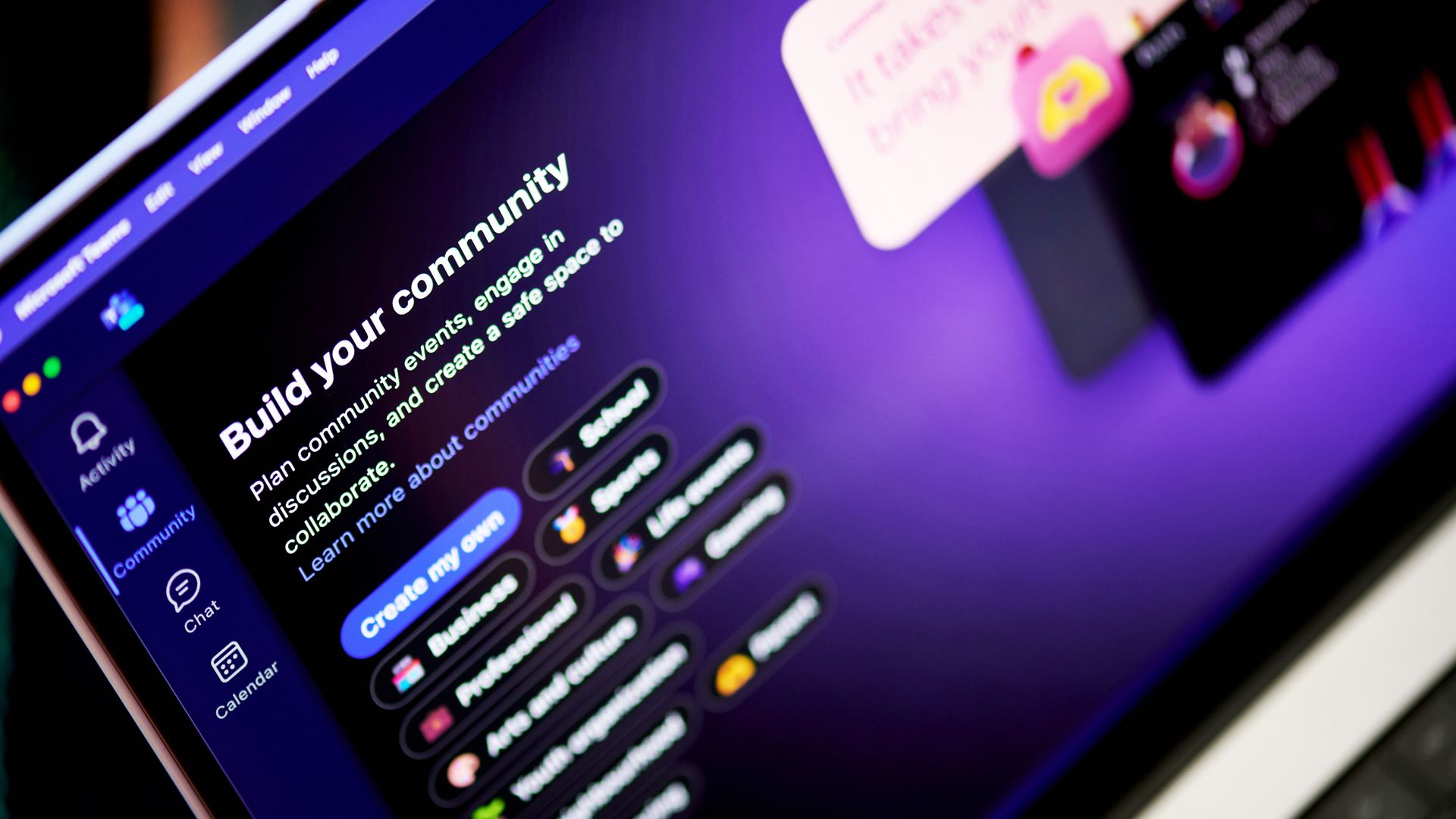
Microsoft Teams will no longer show a shortcut to the Copilot app in the Teams chat list. The change is expected to roll out in mid-to-late October and will affect the desktop and web versions of Teams.Right now, there are two ways to navigate to Copilot within Teams and the two entry points lead to different experiences. Microsoft explained the need for the change through the Microsoft 365 Message Center (archived here):"Today, users can access Copilot either fr
Microsoft Teams will no longer show a shortcut to the Copilot app in the Teams chat list. The change is expected to roll out in mid-to-late October and will affect the desktop and web versions of Teams.
Right now, there are two ways to navigate to Copilot within Teams and the two entry points lead to different experiences. Microsoft explained the need for the change through the Microsoft 365 Message Center (archived here):
"Today, users can access Copilot either from the Teams chat list or from the Copilot app in the Teams app bar. Beginning in October 2026, we will remove the Copilot entry point from the Teams chat list and direct users to access Copilot through the Copilot app. The Copilot app provides access to the full set of Copilot capabilities, while the chat list entry point provides a more limited experience."
The Copilot shortcut in the Teams chat list made Copilot more visible, but that entry point led to a limited experience. My guess is that some people only knew about the Teams chat list icon and ended up using a limited version of Copilot.
After October, there will be a single entry point for Copilot in Teams and those who use it will be presented with the full experience.
The mobile versions of Teams are unaffected by this change.
Copilot in flux
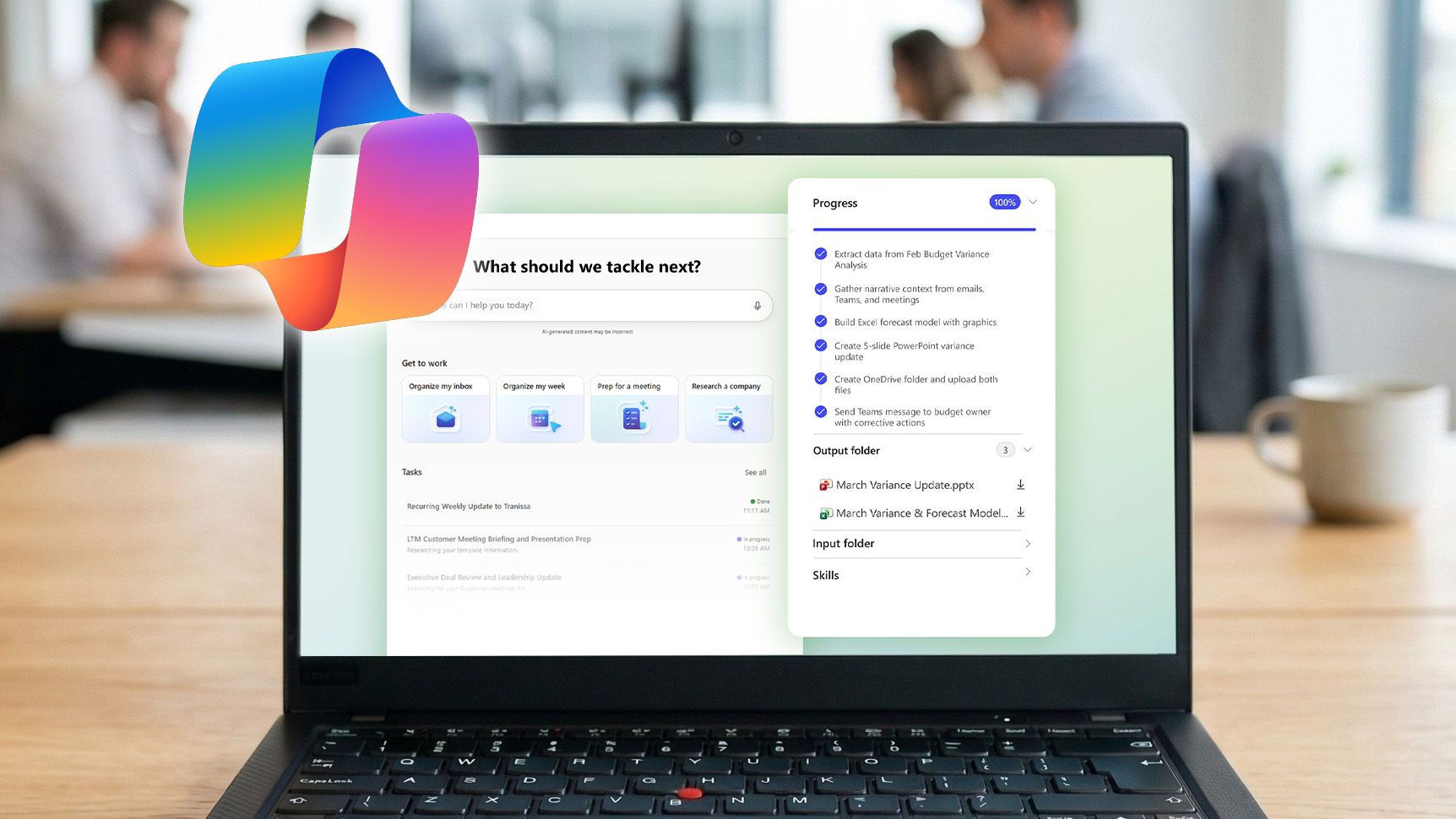
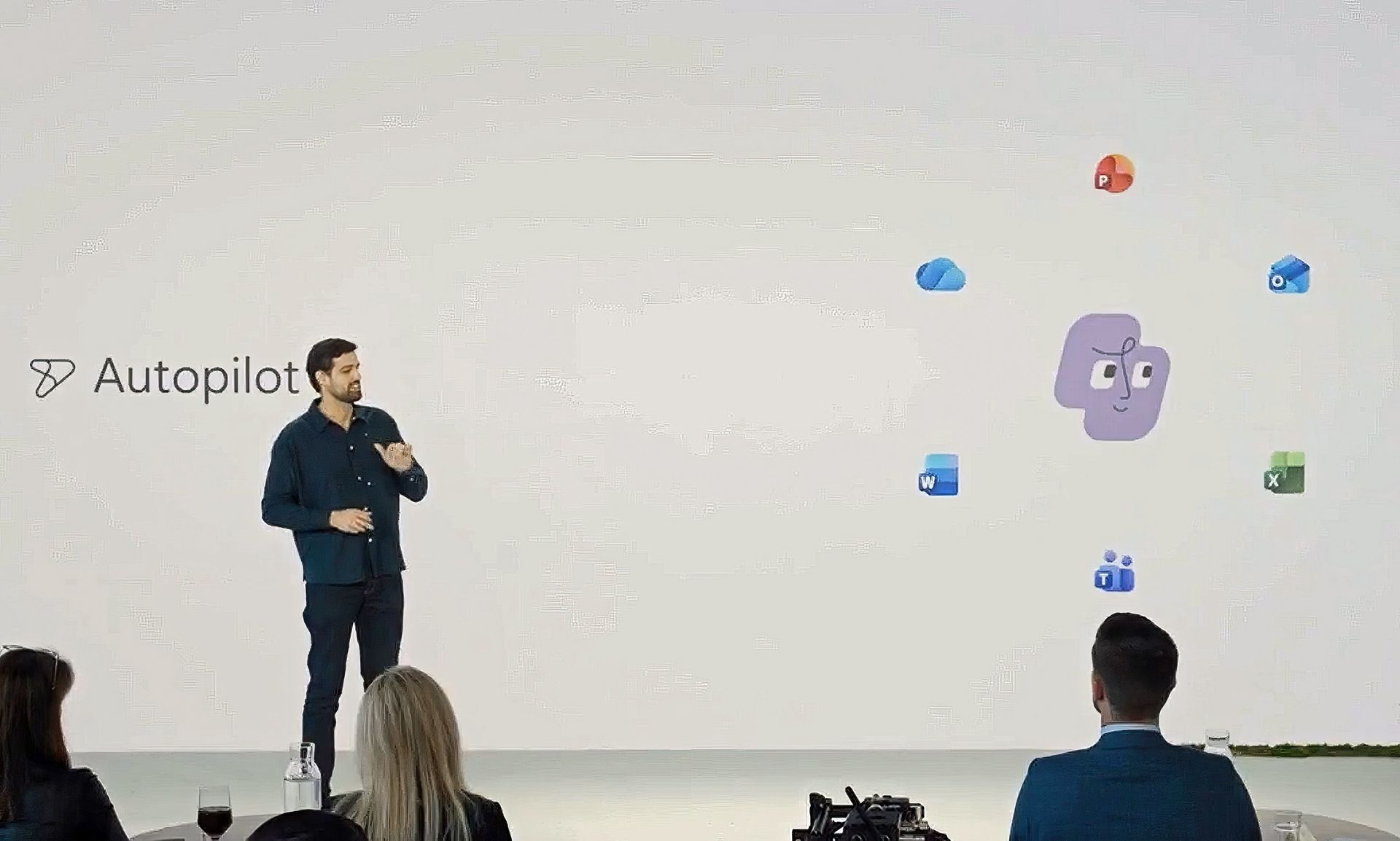
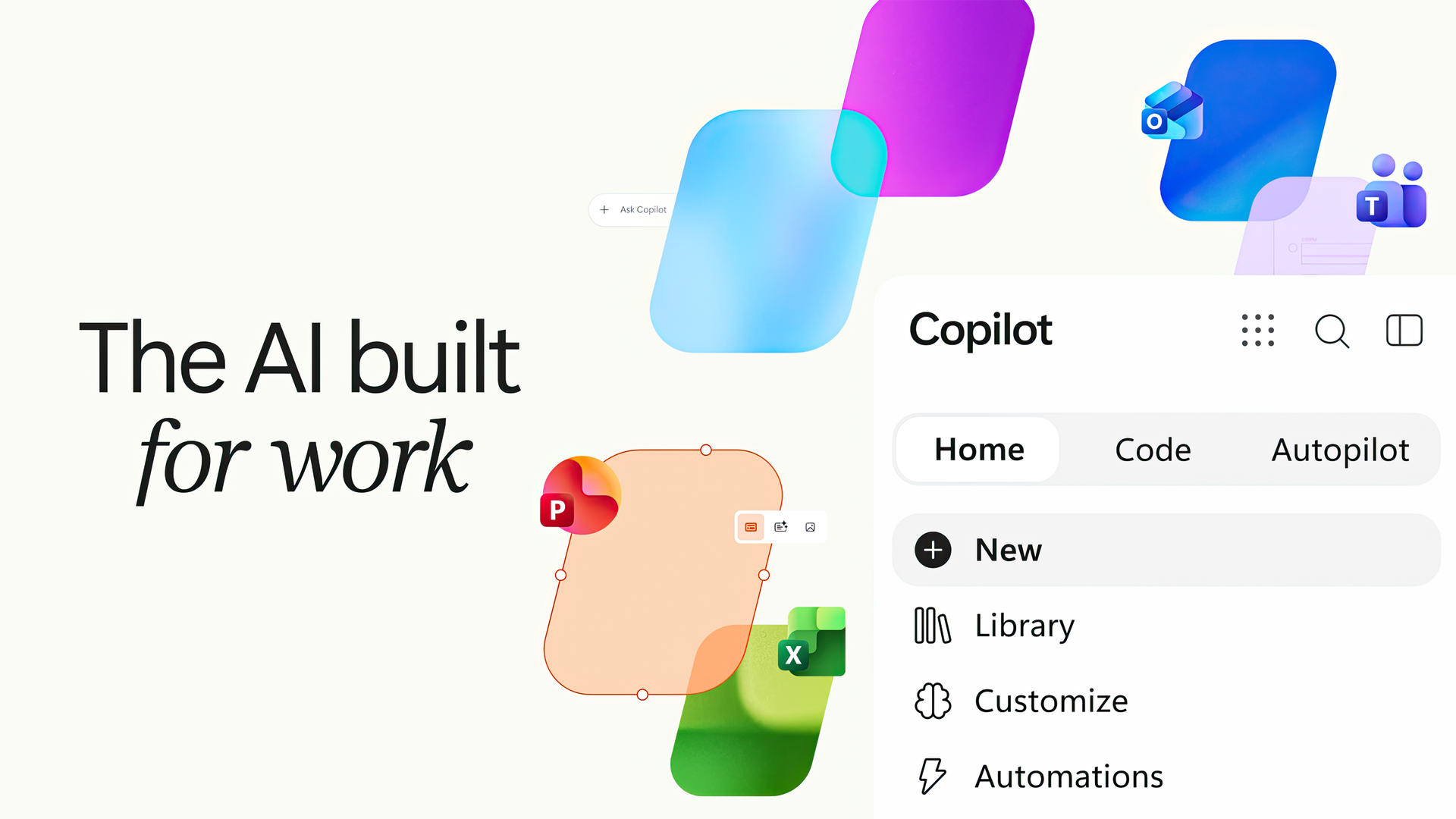
Microsoft wants AI to feel more natural for non-enterprise customers. "Autopilot" is a digital teammate that automates tasks and connects things across Microsoft 365. (Image credit: Microsoft)
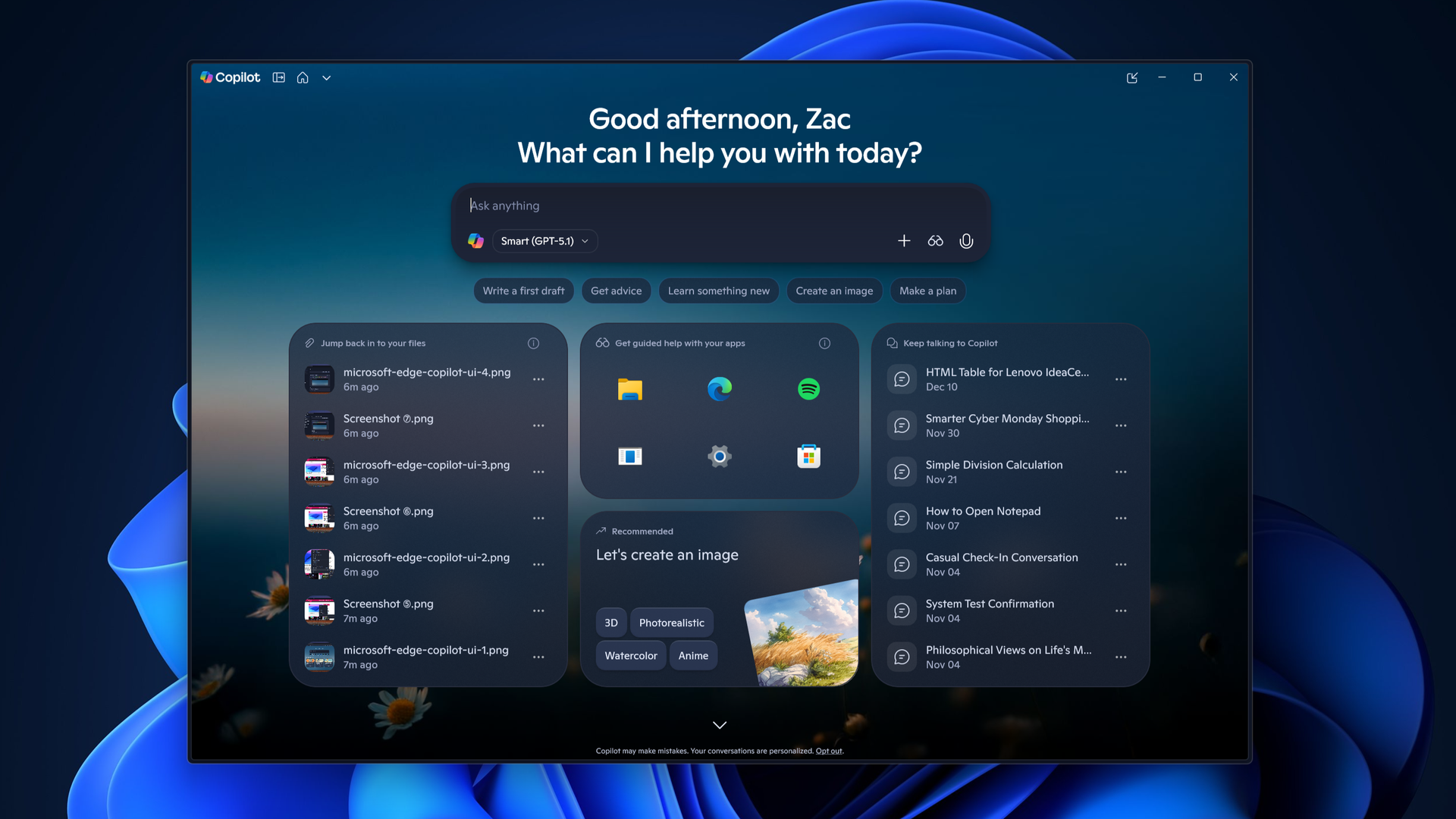
Copilot finds itself in a state of flux. Microsoft just announced a massive shift in its Copilot strategy. A major update to Copilot flips the approach Microsoft is taking. Rather than have Copilot sprinkled across Microsoft 365, Copilot will act as a unified workspace that connects documents, conversations, data, and tasks.
Microsoft CEO Satya Nadella went as far as to call the update a new operating system. Three new landing spots for Copilot will provide new ways to interact with the tool, such as Home serving as a landing spot. Changes then permeate throughout relevant Microsoft 365 apps.
The exact features and experiences you will see will depend on what type of Microsoft 365 subscription you have.
More details about Copilot are expected at Microsoft Ignite in November. The key takeaway for now is that while Microsoft is shifting where it uses the Copilot moniker and how people access Copilot, the AI tool is very much an integral part of the company's plans.
Based on the upcoming change to Teams, it's clear that Copilot will still be accessible through apps. But Microsoft may emphasize different experiences or streamline the entry points to the tool.
Join us on Reddit at r/WindowsCentral to share your insights and discuss our latest news, reviews, and more.
"I think we are way too self-obsessed as an industry," said Microsoft CEO Satya Nadella in a recent interview about AI shared by Alex Heath of Sound Ventures. Nadella explained that AI leaders can get caught up in the wrong parts of AI and lose touch with what people need."I think the real world wants to know... that this is technology that they can use for their benefit, they can control, they can have an economic future." He also talked about how people need to
"I think we are way too self-obsessed as an industry," said Microsoft CEO Satya Nadella in a recent interview about AI shared by Alex Heath of Sound Ventures. Nadella explained that AI leaders can get caught up in the wrong parts of AI and lose touch with what people need.
"I think the real world wants to know... that this is technology that they can use for their benefit, they can control, they can have an economic future." He also talked about how people need to see that data centers can lead to an economic surplus in an area and benefit the people surrounding it.
Nadella added that tech leaders should ask "what did we get wrong in the west," alluding to recent polling data that suggested AI is viewed more favorably in other parts of the world.
He emphasized the need to earn the trust of consumers and communities as well.
Nadella concluded the snippet with a warning against celebrating technology for its own sake: "Just any amount of celebrating technology for technology's sake is not working."
Windows Central take
Microsoft AI CEO Mustafa Suleyman has pushed back against critics of AI. (Image credit: Mustafa Suleyman | X)
Nadella may want to send an internal memo to Microsoft employees reiterating his comments from the interview. Microsoft's AI leadership has often been criticized for being out of touch with everyday users.
Microsoft AI CEO Mustafa Suleyman has shared several controversial thoughts and opinions that drew criticism.
"Jeez there so many cynics! It cracks me up when I hear people call AI underwhelming...The fact that people are unimpressed that we can have a fluent conversation with a super smart AI that can generate any image/video is mindblowing to me."
Suleyman is far from the only AI leader to draw criticism or be accused of being out of touch with everyday users. OpenAI's Sam Altman is often called out for similar comments. I'm curious to see how AI leaders across the industry respond to Nadella's comments.
Perhaps more important than existential threats or the creepiness of an AI knowing you intimately, many people simply fail to see a real-world use for AI. Early this year, Dell said that consumers don't care about AI PCs and that "AI probably confuses them more than it helps them."
Microsoft is quietly shifting away from the Copilot+ PC brand. Despite meeting the technical qualifications to be Copilot+ PCs, the new Surface Pro 12-inch and Surface Laptop 13-inch will not be branded with that term.
The Copilot+ PC brand failed for many reasons, but one factor is that many users do not see the real-world benefit of AI.
Nadella's recent comments show that he is aware of the gap between AI's capabilities and AI's everyday usefulness.
Join us on Reddit at r/WindowsCentral to share your insights and discuss our latest news, reviews, and more.
Anthropic has just announced a new Claude Marketplace, and it brings all AI-related tools into one place, including plugins, connectors, agents, and more. [...]
Anthropic has just announced a new Claude Marketplace, and it brings all AI-related tools into one place, including plugins, connectors, agents, and more. [...]
Anthropic's Claude Opus 5.5 appears to be changing how it writes, with new analysis showing fewer obvious AI writing patterns, shorter sentences, and simpler wording compared with Opus 5. [...]
Anthropic's Claude Opus 5.5 appears to be changing how it writes, with new analysis showing fewer obvious AI writing patterns, shorter sentences, and simpler wording compared with Opus 5. [...]
Anthropic now allows you to run Claude Code via cloud sessions without signing up for the research preview, and it's offering up to $250 in free usage credits, so more users can give it a try. [...]
Anthropic now allows you to run Claude Code via cloud sessions without signing up for the research preview, and it's offering up to $250 in free usage credits, so more users can give it a try. [...]
You can't say Microsoft isn't trying everything when it comes to AI, even rolling back some consumer pushes around its PC strategy. Today during its Copilot event, Microsoft announced a major update to said Copilot, and after going through the material myself, it’s clear the company is aiming for something bigger than a simple AI upgrade. In a surprise to no one, Copilot is becoming the center of the Microsoft 365 experience. Instead of living inside individual a
Today during its Copilot event, Microsoft announced a major update to said Copilot, and after going through the material myself, it’s clear the company is aiming for something bigger than a simple AI upgrade.
In a surprise to no one, Copilot is becoming the center of the Microsoft 365 experience. Instead of living inside individual apps (yes, we're all tired of that), it now acts as a unified workspace that connects your documents, conversations, data, and tasks. This shift shows how Microsoft wants AI to feel natural for everyday users, not just enterprise customers (even though the latter will benefit the most).
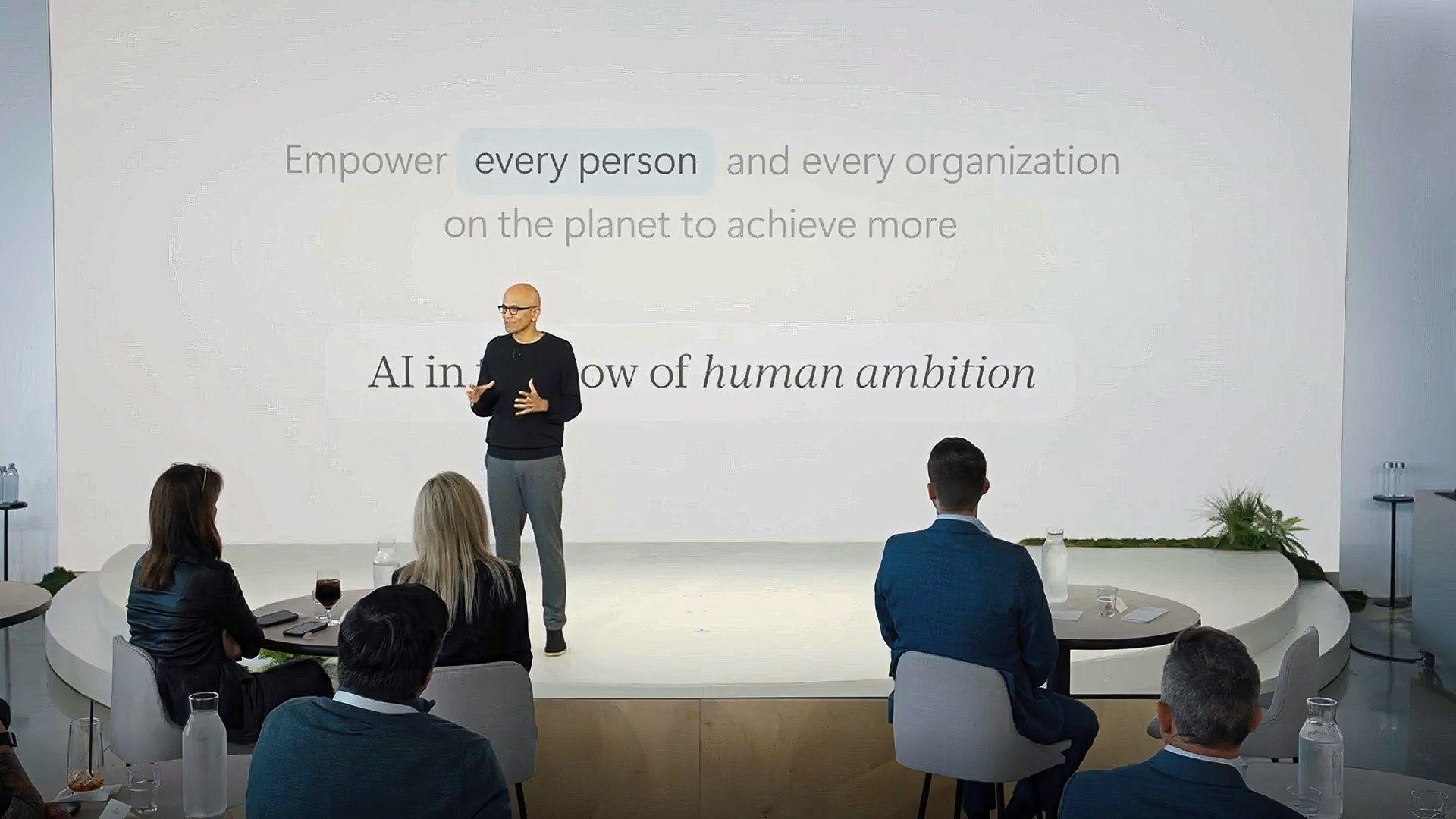
Microsoft CEO Satya Nadella set the tone for this direction in his keynote. He thanked the Frontier program participants and connected Copilot’s evolution to Microsoft’s long‑standing mission “to empower every person and every organization on the planet to achieve more.” He described this new era of AI as a continuation of that goal, shaped by two design principles. The first is keeping humans “in the flow of work,” and the second is helping organizations build systems that learn continuously. Nadella said the aim is to design AI so that people stay in control of their tools and use them to expand their own ambition and creativity.
Satya Nadella gestures on stage in front of a white slide reading "Empower every person and every organization on the planet to achieve more," facing an audience. (Image credit: Microsoft)
He also talked about how Copilot reflects a deeper shift in how Microsoft thinks about intelligence. “AI has to be shaped in such a way that it’s working for your firm to create and retain more knowledge,” he explained. That idea of compounding human expertise is central to Copilot’s design. It treats intelligence as something that grows through use and collaboration. Nadella’s framing gives the new Copilot a clear purpose. It is meant to amplify human judgment through context, automation, and shared knowledge rather than replace it. Hearing him describe it this way makes the rest of the update feel more intentional and more connected to Microsoft’s long‑term strategy.
This brings us to the actual news with three new Copilot experiences called Home, Code, and Autopilot, each focused on a different part of work. Together they create a more complete picture of what Microsoft thinks productivity should look like in the AI era.
"Home", a place where work actually comes together
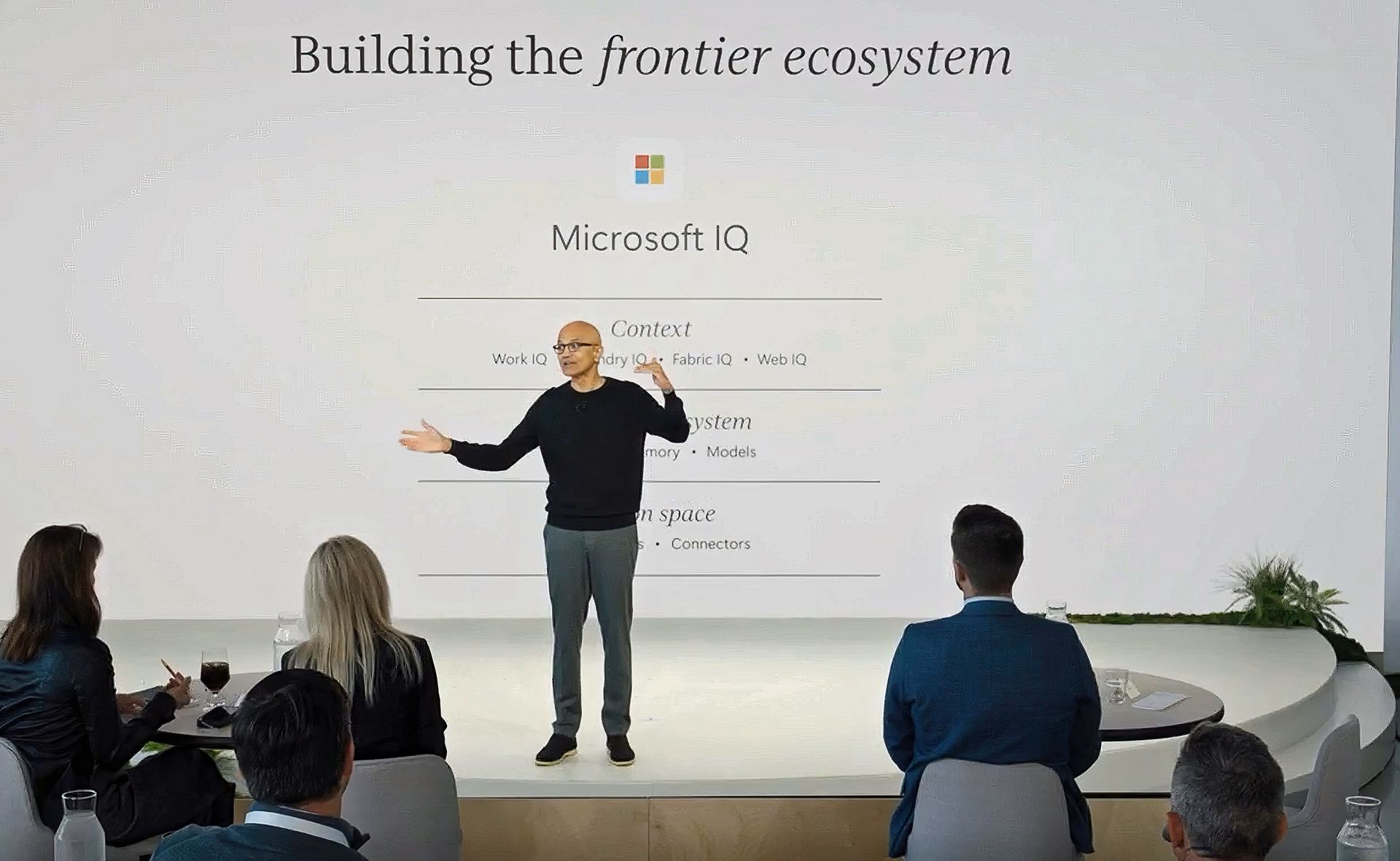
Microsoft CEO Satya Nadella thanking the frontier ecosystem and attendees. (Image credit: Microsoft)
Home should be obvious. It's the new landing spot for Copilot. When you open it, you'll see your recent activity, suggestions for what to tackle next, and a clear view of the tasks Copilot can help with. It seems more like a dashboard than a chat window. You can do the usual AI stuff like asking Copilot to draft a document, summarize a meeting, or help prepare for a presentation, and everything stays connected across Word, Excel, PowerPoint, and Teams.
Microsoft is also improving how Copilot works inside those apps. PowerPoint keeps slides on brand automatically, Excel explains changes in plain language, and Word can refine a document while you collaborate with teammates. It seems to be more cohesive than before, and it makes Copilot feel like part of the workflow instead of a separate tool.
At least that's the goal here.
Home also includes a new feature called Today, which acts like a personal command center. It highlights missed emails, meetings, and tasks, and it helps you catch up quickly.
In typical Microsoft fashion, not everyone gets this on day one. Today enters private preview in October, and Microsoft plans to expand it across Outlook and Teams later this year.
"Code", a way to build without being a developer
Code" and live interface code snippets, with an audience and camera equipment in the foreground." src="https://cdn.mos.cms.futurecdn.net/Km8kgZdAwWwedYEWprjMA4-1920-80.jpg" mos="" align="right" fullscreen="1" width="2408" height="1355" attribution="" endorsement="" class="pull-rightinline expandable">
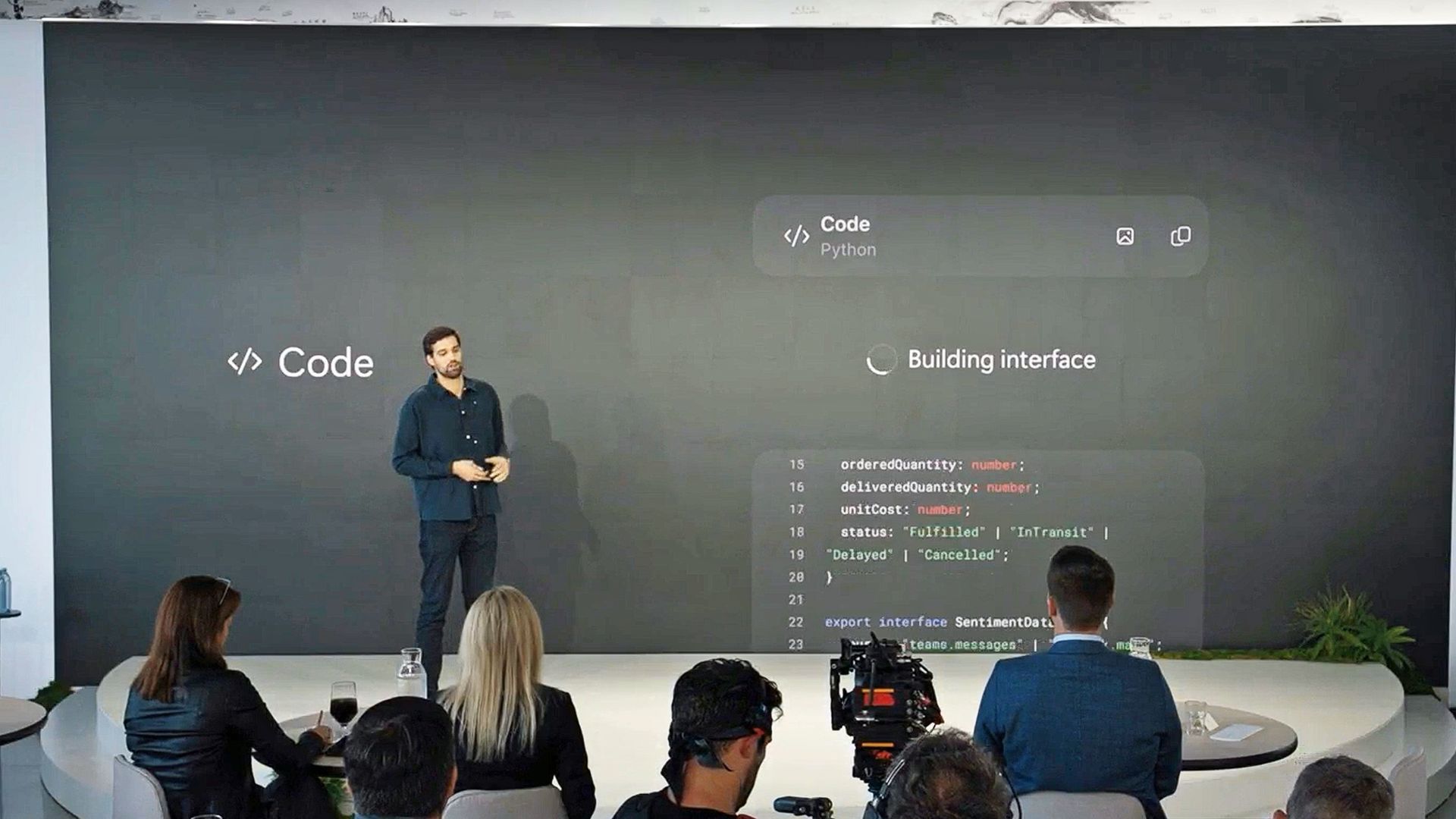
Jacob Andreou stands on stage talking about the new Copilot Code feature. (Image credit: Microsoft)
Code is one of the most interesting additions, in my opinion. It uses the same underlying technology as GitHub Copilot, but it’s designed for anyone who wants to automate something or build a simple app without writing code. Basically, I can describe what I want in plain language, and Copilot creates it inside my Microsoft 365 environment.
The result might be a dashboard, a workflow, or a lightweight app that connects to live business data.
I think this is a smart move for Microsoft because it opens up automation to people who have never touched a line of code (including myself). Developers still get deep integration with GitHub Copilot, but everyday users get a way to create tools that fit their needs. Code runs in a secure sandbox, connects to Microsoft IQ for context, and syncs with the rest of the workspace.
Basically, as noted in the event, creating apps via Code feels the same as creating (and sharing) a Word document, which is certainly intriguing.
Code enters the Frontier program later this month, with broader availability "coming soon," likely before year's end.
"Autopilot", a teammate that keeps working
A visual representation of Autopilot is shown on stage by Microsoft's Jacob Andreou. (Image credit: Microsoft)
Autopilot, previously known as Scout, I believe, is the most ambitious part of the new Copilot. It acts like a digital teammate that manages ongoing work. I can give it a name, a role, and a goal, and it handles tasks like scheduling meetings, managing reviews, and keeping projects moving. It sounds very Meta Muse-ish, but it's better equipped for Microsoft customers, as it works across Teams, Outlook, and other apps, and it keeps going even when you are offline.
Autopilot has its own identity inside a Microsoft 365 tenant, which means it can participate in conversations, track decisions, and follow up on action items. It understands how an organization operates, and it uses that context to make smart choices.
This kind of automation could change how teams handle routine work, freeing people to focus on strategy and creativity instead of logistics.
A smarter foundation for everything
Diving into all the nitty-gritty enterprise jargon (forgive me), we can say that all of this is powered by Microsoft IQ, a unified intelligence layer that connects data, workflows, and context across the Microsoft ecosystem.
Basically, Copilot now understands not just your documents, but your business environment. With Fabric IQ and Work IQ, it can pull insights from Dynamics 365, Power Platform, and other systems, which helps break down silos and reduce the need to switch between apps.
Microsoft is also introducing a plugin registry that lets IT teams and developers extend Copilot with custom or partner-built integrations. It’s similar to an app ecosystem, but built for AI. This gives organizations more control and flexibility, and it helps Copilot adapt to different industries and workflows.
Since AI costs are becoming a real concern, Microsoft is adding FinOps for AI, a framework for managing and optimizing AI spending. Businesses can choose between fixed-cost subscriptions or usage-based billing. Copilot’s Auto mode selects the best option for each task based on accuracy, speed, and cost. It’s a practical way to keep AI powerful and predictable.
Why This Matters
Microsoft's new (new new) Copilot with slogan. (Image credit: Microsoft)
After reading through everything, it’s clear that Microsoft is treating Copilot as the future of its productivity ecosystem. I think we've always known that was the goal here, but it's taken Microsoft a few iterations and market maturity for AI/LLMs to get to this next level, based on customer feedback.
The company is blending creativity, automation, and collaboration into one experience that feels more personal and more capable than before. For small businesses, this means the same AI that powers enterprise workflows will soon feel approachable and useful in everyday tasks. For Microsoft, it’s a strategic shift that positions Copilot as the centerpiece of its long-term vision, which, let's be honest, is the right move.
What about regular non-business consumers? Well, you'll get access to some or all of this based on your M365 Premium or Pro subscription. Whether you make use of it all depends on your goals.
We’ll see more of this at Microsoft Ignite in November, but even now, the direction is obvious. Copilot is becoming the place where work happens, and Microsoft is building the tools to make that feel natural for everyone.
Join us on Reddit at r/WindowsCentral to share your insights and discuss our latest news, reviews, and more.
The Microsoft Copilot app will soon include a built-in browser for more users. Microsoft started testing the feature back in March, but the broader rollout of the built-in browser will begin in late November. The idea is that when you click a link within the Copilot app, you'll stay within Copilot rather than jump into your default browser. Microsoft described the feature through its message center (archived here):"Microsoft Copilot app now supports in-app browsi
The Microsoft Copilot app will soon include a built-in browser for more users. Microsoft started testing the feature back in March, but the broader rollout of the built-in browser will begin in late November.
The idea is that when you click a link within the Copilot app, you'll stay within Copilot rather than jump into your default browser.
Microsoft described the feature through its message center (archived here):
"Microsoft Copilot app now supports in-app browsing on Windows and Mac, allowing users to open websites side-by-side with chat. Available via admin opt-in now, with broader rollout in late November 2026. Users can manage tabs, toggle full-screen, or open links externally. Data is stored locally, similar to Edge."
You can resize the Copilot conversation and built-in web browser within the Copilot app. (Image credit: Microsoft)
Copilot's behavior is similar to what you see in Microsoft Teams. It's normal to see apps open in their own browser. X, Reddit, and other popular sites do the same thing.
The question is whether Copilot having a built-in browser will change workflows. Will people start a session by asking Copilot a question and stay in the app, or will they stick with their preferred browser and use Copilot inside it?
It may seem like a distinction without a difference, but getting someone to change their default habit is a massive challenge. Google has had some luck in this area on mobile devices. I often find myself using Gemini and then browsing the web, which effectively gets me to use a different browser. I'm sure Microsoft would love to get people to do the same thing with Copilot on their PCs.
Microsoft may have better luck retaining users who already use Copilot than trying to convert Edge users by forcing Copilot into the Sidebar. The actual experiences are quite similar, but the entry points are different.
Join us on Reddit at r/WindowsCentral to share your insights and discuss our latest news, reviews, and more.
Microsoft Copilot will soon support Grok models from xAI. Word, Excel, and PowerPoint users in the Microsoft Frontier Program can test Grok models now, with general support expected to roll out in the future.Grok models are being added to Microsoft's Online Services Subprocessor list. By offering different models as subprocessors, Microsoft can give customers access to those models without people having to switch away from the overall Copilot experience.For examp
Microsoft Copilot will soon support Grok models from xAI. Word, Excel, and PowerPoint users in the Microsoft Frontier Program can test Grok models now, with general support expected to roll out in the future.
Grok models are being added to Microsoft's Online Services Subprocessor list. By offering different models as subprocessors, Microsoft can give customers access to those models without people having to switch away from the overall Copilot experience.
For example, Researcher Agent in Microsoft Copilot works with Claude AI models from Anthropic. Other Copilot experiences may use multiple AI models to complete tasks.
"Our multi-model strategy gives customers access to leading AI models while maintaining the trusted Copilot experience," said Microsoft in a Tech Community post.
For different models to appear as options, admins need to enable them through the settings of their respective organization.
During the testing period, Grok models will not be available in the European Union, European Free Trade Association, or the United Kingdom.
What is a subprocessor?
Subprocessors are third-party providers that help Microsoft deliver online services. Microsoft has an expansive list of subprocessors used for everything from powering data centers to completing tasks in Copilot.
Using Grok as a subprocessor helps Copilot tackle different tasks and provides redundancy that protects against outages or issues with other subprocessors. But users should not expect the witty or irreverent tone and style that Grok has become known for on X.
Subprocessors sit under Microsoft's system prompts and enterprise guardrails, so the generated responses will still be professional. Essentially, you get the benefit of Grok's multi-step logic and mathematical prowess but within Copilot.
Once an admin enables the integration, you can set Copilot in apps like Word, Excel, and PowerPoint to automatically pick the best model for a task, or manually pick between GPT, Claude, or Grok directly from a drop-down menu in the interface.
Join us on Reddit at r/WindowsCentral to share your insights and discuss our latest news, reviews, and more.
Google Gemini now competes with Microsoft Copilot for space on your keyboard. Google just released Gemini for Windows, and that app uses the same keyboard shortcut as Copilot (Alt + Space).That shortcut is popular and those hoping to use Gemini may have to remap some shortcuts to perform other tasks. In addition to summoning Copilot, Alt + Space opens PowerToys Run.The Gemini app is available for both Windows 11 and Windows 10. You can download it through Google'
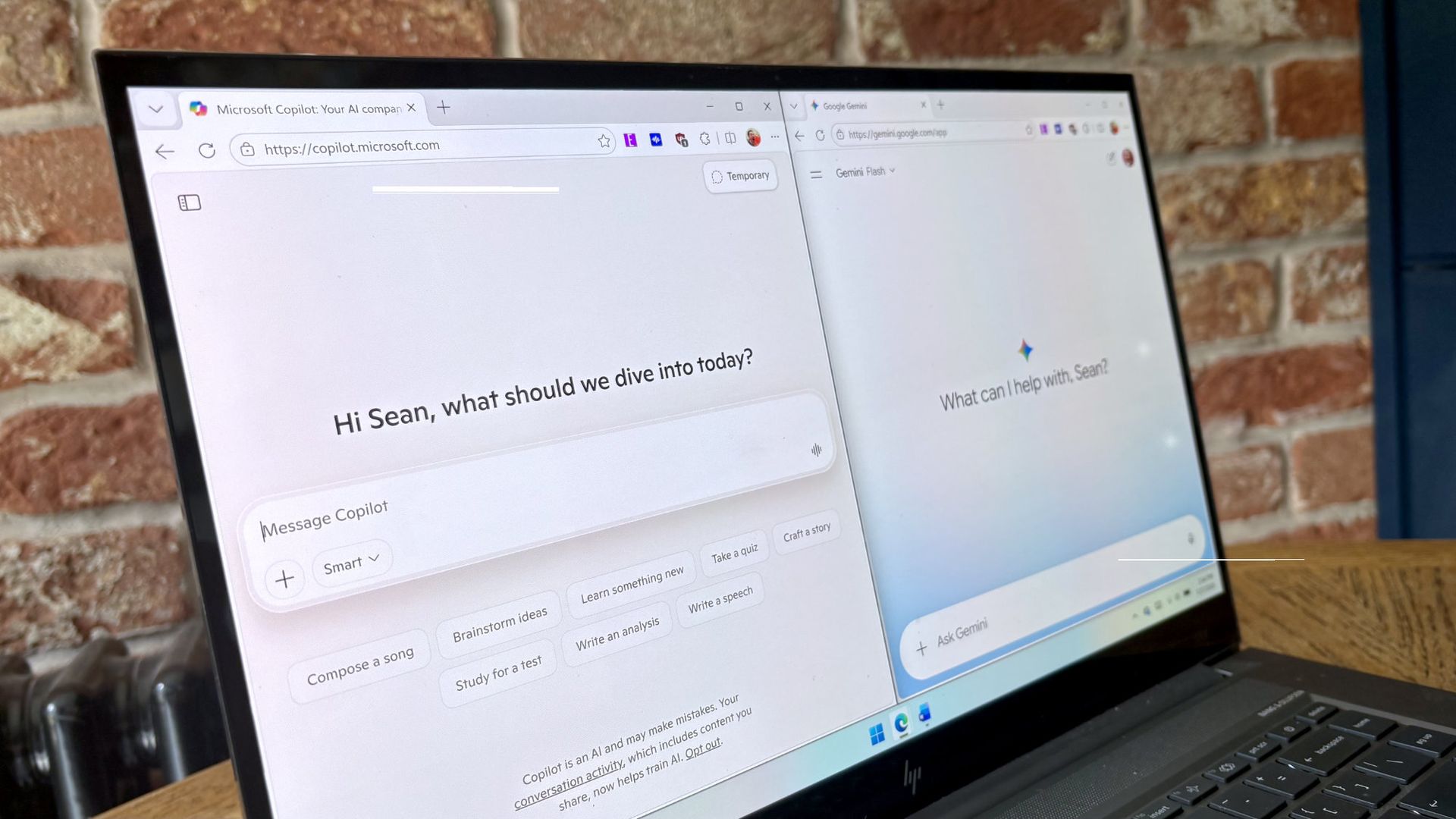
Google Gemini now competes with Microsoft Copilot for space on your keyboard. Google just released Gemini for Windows, and that app uses the same keyboard shortcut as Copilot (Alt + Space).
That shortcut is popular and those hoping to use Gemini may have to remap some shortcuts to perform other tasks. In addition to summoning Copilot, Alt + Space opens PowerToys Run.
The general functionality of the Gemini app is similar to Gemini's web experience. One key difference is that you can summon the AI tool with a keyboard shortcut, which allows you to launch it quickly.
The macOS version of Gemini supports sharing your screen and other native capabilities, such as dictating by pressing both Command keys. Google explains that more native features will ship to the Windows version of Gemini in the future.
I prefer Gemini over Copilot for many tasks. I recently swapped to Google's AI tool for a month to see how it performed as an editor. While Copilot felt more personal, Gemini was often more accurate when it came to correcting tasks.
"In my specific use case, Gemini felt like an upgraded Microsoft Editor while Copilot felt like a modern Clippy," I said a couple months ago.
Both Copilot and Gemini have their strengths and weaknesses, but Google's option is better for my workflow. Our readers disagreed.
21% of those who voted in our poll about proofreading with AI use Microsoft Editor. Another 29% of participants use Microsoft Copilot. Only 11% of voters rely on Gemini to proofread documents.
Of course, Gemini and Copilot can do a lot more than proofread documents. Google recommends the new Gemini app for fact-checking documents, coming up with titles for a presentation, and creating images and videos.
For more complex tasks, you can hand things off to Gemini Spark within the app.
Join us on Reddit at r/WindowsCentral to share your insights and discuss our latest news, reviews, and more.
Picture a courier walking up your driveway while someone else quietly tries your side gate. A normal pan-tilt camera picks one of them and forgets the other exists. Reolink’s OMVI 2i Ultra handles it by carrying two cameras at once: a fixed 4K wide lens on top that never stops watching the full scene, and a 5MP pan-tilt ball below that spins 355 degrees to lock onto whatever the wide lens flags. Both feeds record at the same time, and you can tap anywhere on the wide view to slew the turret str
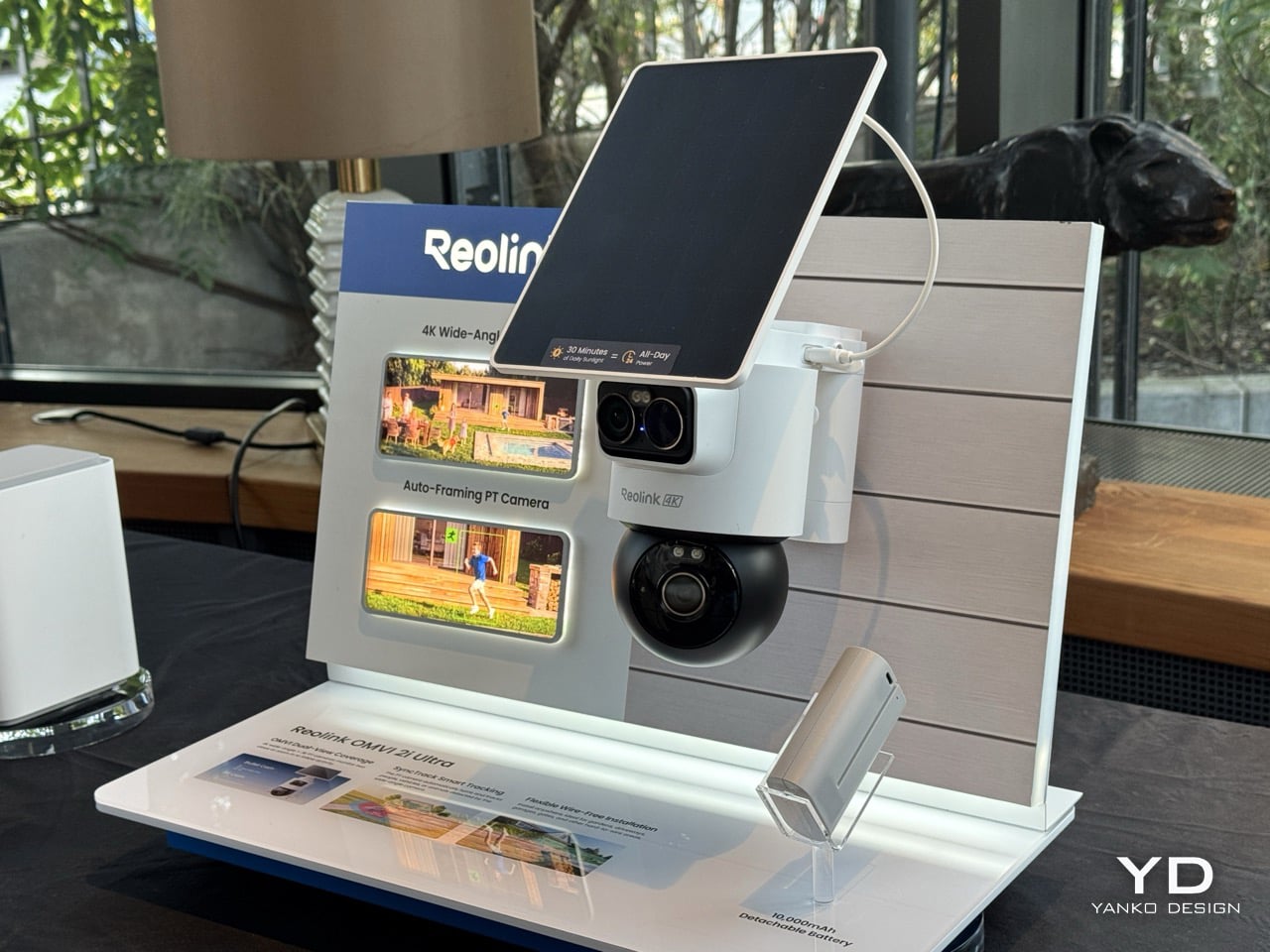
Picture a courier walking up your driveway while someone else quietly tries your side gate. A normal pan-tilt camera picks one of them and forgets the other exists. Reolink’s OMVI 2i Ultra handles it by carrying two cameras at once: a fixed 4K wide lens on top that never stops watching the full scene, and a 5MP pan-tilt ball below that spins 355 degrees to lock onto whatever the wide lens flags. Both feeds record at the same time, and you can tap anywhere on the wide view to slew the turret straight to that spot. It debuted at IFA 2026 in Berlin, ships late October, and costs between $200 and $250.
A detachable 10,000mAh pack claims six months per charge, and the 6W SolarEase panel says it needs about thirty minutes of daily sun to stay topped up, against the one to two hours Reolink quotes for rivals like Eufy’s S340 and the Tapo C675D. Those are Reolink’s own numbers, so hold them loosely until somebody leaves one on a north-facing wall through a British winter. The rest is easier to verify. Wi-Fi 6 across both bands, up to 512GB of local microSD with no subscription attached, colour night vision from twin spotlights, a siren, and IP65 sealing. At a kilogram with the bracket, it is a proper lump of hardware rather than something you tuck on a shelf.
Designer: Reolink
Pan-tilt cameras have quietly lied to buyers since the format existed. Sell someone a camera that turns to follow motion and you have also sold them a camera that stops watching everywhere else the instant it does. Reolink’s fix is embarrassingly simple once you see it. Stop asking one lens to be both the guard and the chaser, and give it a second lens that only guards. The wide 4K unit up top runs at 110 degrees horizontal and never rotates, so the scene it opened on is the scene it keeps recording no matter where the PT ball below it wanders off to. Reolink calls this SyncTrack, but the actual idea is closer to division of labour than any clever algorithm. One camera commits to context, the other commits to pursuit, and neither has to compromise for the sake of the other.
This is the third time Reolink has built this exact idea in 2026, and each version has been a slightly different argument about what matters most. The X16 landed at CES in January as a 24MP full metal flagship with 16x optical zoom, but it needs an ethernet run to function, which puts a hard ceiling on where it can live. The 3i followed in June with PoE and wired Wi-Fi options at $319.99, still asking for a nearby outlet even in its most flexible form. The 2i Ultra drops the combined resolution to 8MP plus 5MP and, in exchange, cuts the cord entirely. The trade-off is the clever bit, because being able to pop a camera on a fence or a backyard without worrying about wiring is much more convenient than haggling over megapixels.
A squared-off dual-lens head sits above a separate motorized ball, with a solar panel tilting on its own hinge overhead, and the whole assembly weighs a full kilogram once the bracket is attached. Compare that to Reolink’s own Argus MagiCam, a 108-gram cube you stick to a fridge with a magnet, and the difference in ambition is obvious at a glance. This is not a camera trying to disappear into a bookshelf. It reads more like a small piece of maritime equipment bolted under an eave, and that visible mechanical presence is doing some of the deterrence work before the siren ever gets involved.
That dual-lens design is quite literally baked into the name. OMVI reads like omni-vision, a camera built to watch in every direction at once instead of picking a lane. Arlo’s Ultra flagship still wants a wall plug or a proprietary base station to unlock its best tricks, and Nest’s outdoor cameras have quietly stayed wired-first for years now, which makes the 2i Ultra’s fully wire-free build feel like it is actually catching up to how people install things rather than how manufacturers wish they would. No drilled conduit, no hub tucked in a closet, just a battery, a solar panel, and a spot on the fence you actually wanted the camera to go.
That is the real flex against the flagships twice its price. You are not paying for a wall socket you have to plan your whole install around, and you are not paying for a bulky base station eating an outlet indoors either. You get two lenses doing genuinely different jobs, a battery that outlasts most of the category on paper, and a name that finally means something instead of just sounding techy. At $200 to $250, the OMVI 2i Ultra is the version of omni-vision security that shows up ready to mount anywhere the moment you take it out of the box.
Running a serious AI model at home usually means renting someone else’s cloud server and hoping your data stays private along the way. MINISFORUM built its newest pairing to remove that trade-off entirely. The AI Agent NAS N5 MAX-P495 and AI Mini Workstation MS-S1 MAX-P495 combine for up to 131 TOPS of AI compute performance, 192GB of memory at 8533 MT/s, and up to 160GB of graphics memory, enough headroom to keep the heavy lifting on a desk instead of in a data center.
The N5 MAX-P495 takes th
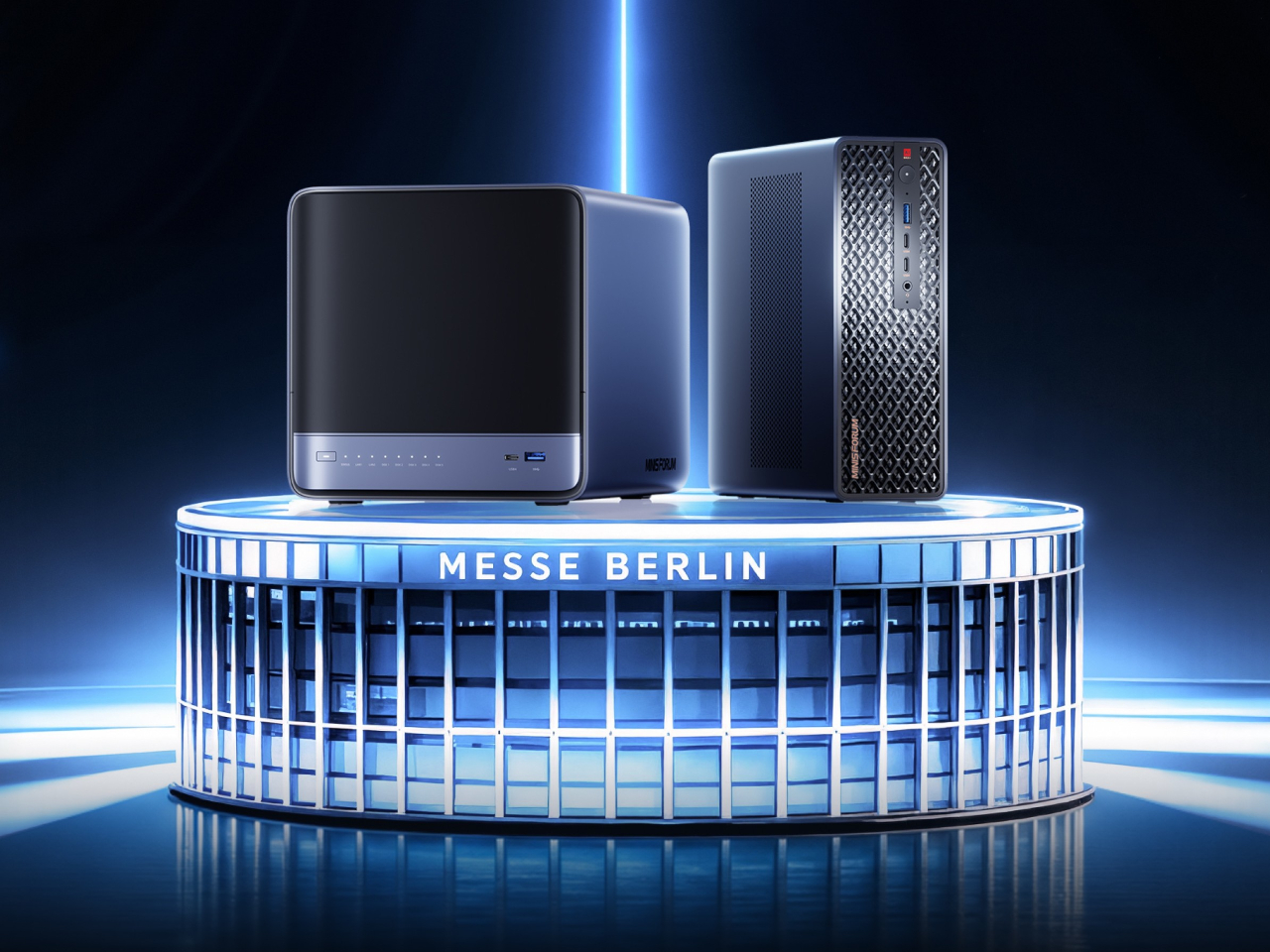
Running a serious AI model at home usually means renting someone else’s cloud server and hoping your data stays private along the way. MINISFORUM built its newest pairing to remove that trade-off entirely. The AI Agent NAS N5 MAX-P495 and AI Mini Workstation MS-S1 MAX-P495 combine for up to 131 TOPS of AI compute performance, 192GB of memory at 8533 MT/s, and up to 160GB of graphics memory, enough headroom to keep the heavy lifting on a desk instead of in a data center.
The N5 MAX-P495 takes the shape of a compact black cube, but what it holds inside matters more than how it looks sitting on a shelf. It combines powerful AI computing with up to 200TB of local storage, enabling users to store, manage, and process large volumes of data within a single AI platform. That capacity turns a spare corner of an office into a private archive large enough to hold years of project files, footage, or research without ever touching a third-party server.
Designer: MINISFORUM
Storage alone doesn’t make an AI system useful, so MINISFORUM built the N5 to run the AI itself. From RAG knowledge bases and AI models to embeddings, databases, and AI agents such as OpenClaw and Hermes, N5 MAX-P495 keeps data and AI workloads local, enabling continuous and private AI operations. A small business could lean on that setup to run its own customer-support agent without routing conversations through an outside company’s servers.
That local-first approach extends to how the N5 fits into a larger setup. Designed to work alongside AI computing devices, N5 MAX-P495 serves as a centralized backend for data, models, knowledge, and long-running AI workloads, bringing storage and computing together at the edge. It’s less a standalone gadget and more a quiet engine room, built to keep working in the background while something faster handles the parts people actually interact with.
That faster half of the pairing is the MS-S1 MAX-P495, a compact tower wrapped in a ventilated, diamond-textured front panel that looks more like a piece of desk sculpture than a workstation. It delivers powerful local AI computing for demanding model inference, AI development, and computationally intensive workloads, built for intensive local AI tasks, engineering, and workflows in an ultra-compact footprint. Developers get workstation-class muscle without giving up desk space to a full tower case.
Speed matters just as much as raw power for certain jobs, and MINISFORUM designed the MS-S1 with that in mind. Designed for low-latency AI workloads, MS-S1 MAX-P495 enables responsive local inference for AI agents, computer vision, generative AI, and other real-time applications. A security camera system or a live creative tool built on generative AI benefits directly from that kind of immediate response instead of waiting on a round trip to the cloud.
Connectivity rounds out the workstation’s role in a larger setup. With extensive connectivity and expansion capabilities, MS-S1 MAX-P495 serves as a powerful AI compute frontend, supporting models, applications, and connected devices across flexible edge AI environments. That flexibility means the same box can sit at the center of a home lab or plug into a small studio’s existing hardware without forcing a rebuild.
Paired together, the two devices split the work the way a good team would. The MS-S1 MAX-P495 and N5 MAX-P495 form a complete edge AI computing system, delivering high-performance AI compute at the frontend while integrating compute, massive storage, data, and AI knowledge at the backend, providing a powerful foundation for real-time inference, persistent AI workloads, and scalable local AI applications. It’s a compact answer to a question more households and small teams are starting to ask: whether AI still needs to live somewhere else at all.
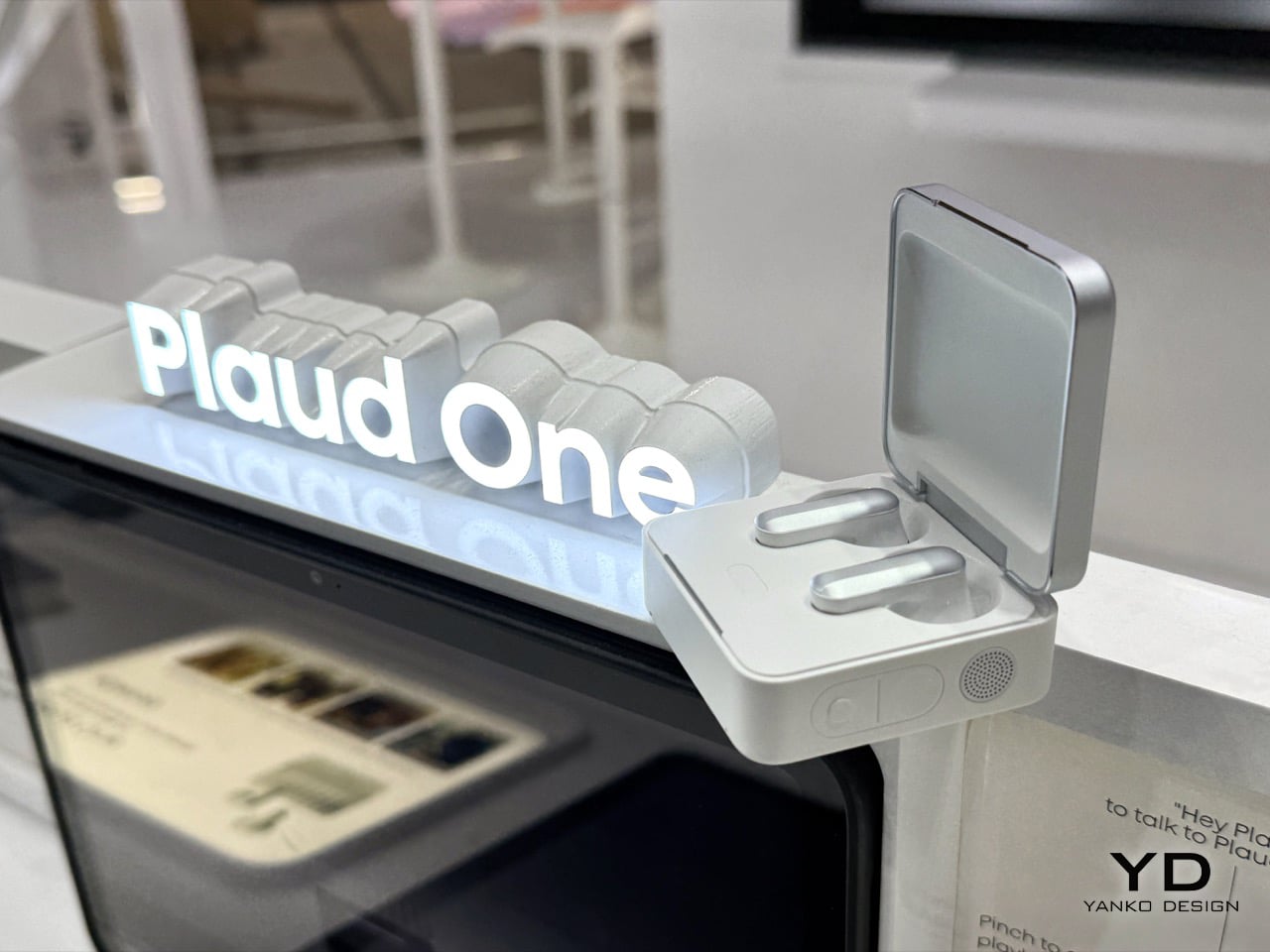
For three years, Plaud made very good tape recorders with a PhD. You pressed a button, it captured a meeting, and mere minutes later a summary showed up. The Plaud One, launched at IFA 2026 for €249.90, reverses that arrow. Its charging case now holds four beamforming mics, a speaker, an agent button and a built in eSIM, so it stays online without a phone nearby. Hold the agent button and the AI talks back, asks what you meant, then builds the deck or drafts the email while you get on with your
For three years, Plaud made very good tape recorders with a PhD. You pressed a button, it captured a meeting, and mere minutes later a summary showed up. The Plaud One, launched at IFA 2026 for €249.90, reverses that arrow. Its charging case now holds four beamforming mics, a speaker, an agent button and a built in eSIM, so it stays online without a phone nearby. Hold the agent button and the AI talks back, asks what you meant, then builds the deck or drafts the email while you get on with your day.
That flip from recording to doing needed hardware nobody had built yet. Not a pendant, not a pin, not another app crammed onto a phone you were already staring at. Plaud built a palm sized aluminum box with a fluted lid that looks like a Rimowa suitcase went through a shrink ray, sitting on a table, listening across a room, and talking back like a colleague who never needs coffee. The Explorer Edition opens for pre order now, capped at 2,000 units worldwide, with deliveries landing in Q4. A public version follows in 2027, once Plaud has watched two thousand early adopters put the thing through its paces.
Designer: Plaud
The original Plaud Note clipped onto a phone and did one job, listen to a meeting and hand back a transcript once it ended. The Note Pro added a screen and better mics. The NotePin S shrank the format onto a lanyard clip. Every generation stayed reactive by design, a smart recorder waiting for you to press stop before it did anything useful. That business built Plaud’s 2.5 million user base and reportedly crossed $100 million in annual software revenue by June, which is exactly the kind of runway that lets a company gamble on reinventing its own hardware category from scratch.
Vertical fluting runs down the case’s aluminum lid, the same visual trick Rimowa has stamped into cabin luggage since the 1950s, giving a 62 gram object a sense of density it has no right to carry. Flip it open and the earbuds sit half in ear, silver capped, in a tray that reads closer to a jewelry box than a charging dock. A speaker grille, a record button and a separate agent button line the case’s edge, the three controls that turn a charger into a device you actually talk to. None of it apes a phone. It reads like furniture for a desk, not gear for a pocket.
Earlier Plaud devices leaned on your phone for both processing and connectivity, so the intelligence always sat one hop away from the microphone. Plaud One’s case carries its own 4G LTE connection through a built in eSIM, closing that gap entirely. Capture, transcription and agent response now run in one box, independent of any other screen in your life. Leave your phone in a bag, walk into a cafe, and the case still records the table’s conversation, answers a question out loud through its speaker, or fires off a follow up email on command. Every pendant and pin that came before this quietly depended on a phone doing the real work behind the scenes. Plaud One is the first in the category that genuinely does not.
Plaud Agent drafts a follow up email the moment a client call ends. Feed it a meeting and it builds a slide deck while you sit through your next call, then drops the finished file straight into Notion with zero copy pasting. The platform connects to Gmail, Google Workspace, Microsoft Teams, Slack and Notion today, with more integrations promised as the software matures. Set it loose on a standing task, a monthly competitor scan for instance, and it runs quietly in the background, waiting with a finished report the next time you check. This is the actual bet Plaud is making, that an assistant worth having has to act, not just remember.
Pre orders for the Explorer Edition are open now at €249.90, with the first 2,000 units shipping in Q4. Buyers get $200 in Plaud Credits toward the heavier agent features on top of a starter transcription plan, so the price buys a running start on the software as much as the hardware. Calling this an Explorer Edition rather than a finished release is the honest move, an open beta wearing genuinely sharp industrial design. Plaud spent three years building the best possible way to listen. Plaud One is its first real attempt at building something worth talking to.
Hey Copilot, what's the definition of ironic? I'm not sure Microsoft Copilot would feed me this post from LinkedIn and Office EVP Ryan Roslansky, but maybe it should. Earlier in the year, Microsoft CEO Satya Nadella bemoaned the term "AI slop" and hoped 2026 would be the year everyone started lying down and accepting AI as inevitable. So far, that hasn't happened. And what's worse, Microsoft's own senior employees seem increasingly annoyed by the tech. DEAL: Get
I'm not sure Microsoft Copilot would feed me this post from LinkedIn and Office EVP Ryan Roslansky, but maybe it should.
Earlier in the year, Microsoft CEO Satya Nadella bemoaned the term "AI slop" and hoped 2026 would be the year everyone started lying down and accepting AI as inevitable. So far, that hasn't happened. And what's worse, Microsoft's own senior employees seem increasingly annoyed by the tech.
We've seen Xbox CEO Asha Sharma repeatedly use the phrase "AI slop" to describe subpar experiences like Microsoft's ill-fated "gaming Copilot," and LinkedIn itself deleted its "enhance with AI" post button, and replaced it with an "AI slop" report feature to try to boost the "quality" of its miserable, self-aggrandizing content algorithm.
Speaking of the hellscape that is LinkedIn, former CEO now Microsoft EVP Ryan Roslansky recently dropped this musing that I found to be particularly comical given what Microsoft has unleashed on the world.
Ryan Roslansky bemoaning "AI slop" in the workplace, liked by Microsoft President Brad Smith. (Image credit: Ryan Roslansky on LinkedIn)
Roslansky lamented, "AI slop isn't happening just on social networks ... it's happening in the day to day of work. Someone sent me what was clearly an AI generated doc. I read it, realized it was AI, had my AI summarize it, and ended up with nothing that brought new thinking to the idea ... This is a doom loop."
The phrase "no shit" comes to mind. Roslansky is speaking to a workplace irritation, but unwittingly touched on one of the AI industry's most self-destructive problems. One of the hilarious consequences of Microsoft Copilot, ChatGPT, Gemini, and other content-theft platforms is that they're trained entirely stolen human-made content. AI data sets post 2023 are doomed to rely on cannibalizing AI-generated content, creating an incestuous data "doom loop" Roslansky spoke of here. Researchers have described this as "model collapse" previously, as human content creators get put out of business by Google's AI summary box. Reddit is reportedly thinking of cancelling its AI training contracts with Google, after realizing that Google's content theft engines are killing Reddit's entire business. Reddit recently blocked ChatGPT from accessing its content, as the platform seeks to insulate its business from theft.
"If we're not careful, we'll end up with a very expensive way to avoid writing and reading in an ocean of sameness, genericness ... Let's not do that." Roslansky pleads, "Let's go another way where AI helps us to do things, to learn things, to create things, but in ways that we enhance and advance with our distinct perspectives and unique experiences!"
Lol. Lmao even.
The post was liked by Microsoft President Brad Smith, who I've noticed has been desperately trying to whitewash Microsoft's data center expansionism across his own LinkedIn recently. Microsoft, unlike other big tech firms, seems far more concerned with how badly AI is battering its public image. Microsoft's data centers are increasingly dealing with protests across the world. The destruction of local communities is uniting regular folk across the political spectrum in ways we haven't seen in years.
Microsoft unleashed this mess. Perhaps take some responsibility?
I've been covering Microsoft for over a decade, and I can't remember a time where it was more hated. (Image credit: Photo via Lexi Critchett/Bloomberg via Getty Images. Microslop logo by u/SaucyStrawberries, edit by Jez Corden (sorry). )
Xbox CEO Asha Sharma has been instrumental in turning around Microsoft's gaming brand in recent months, boosting perception of the platform with a flurry of consumer-friendly features and promises. It doesn't seem like other Microsoft departments got the memo, yet.
Linux adoption among consumers is gradually increasing, as gamers, tech enthusiasts, and even nation states seek to escape Microsoft's poor handling of Windows. AI buttons everywhere, unwanted bloatware, poor performance, and a collapse in trust has made Windows look more vulnerable than ever — and competitors are lining up to take advantage.
Microsoft is the undisputed monarch of AI slop.
Microsoft is the undisputed monarch of AI slop. Watching its execs cry about the technology they themselves foisted on the world is a master class in obliviousness and responsibility avoidance. Microsoft isn't fooling anyone, except perhaps themselves, and it's miserably sad.
I got into this business inspired by the innovations Microsoft was exploring a decade ago. Microsoft led cloud convenience and digital platform synergy, its hardware innovations across Surface even gave Apple pause. But it has become consumed by AI psychosis in recent years, and while shareholders are undoubtedly happy, consumers in Microsoft's "legacy" business are looking for the exit.
Whether it's data centers destroying local communities, AI bull cluttering up Windows, or Microsoft's harvesting of tech components blowing up consumer prices ... perhaps Microsoft's senior execs need to read the room, sit down, and take some responsibility for the chaos they've unleashed on the world.
A crazy idea — that didn't require any input from AI, by the way.
Join us on Reddit at r/WindowsCentral to share your insights and discuss our latest news, reviews, and more.
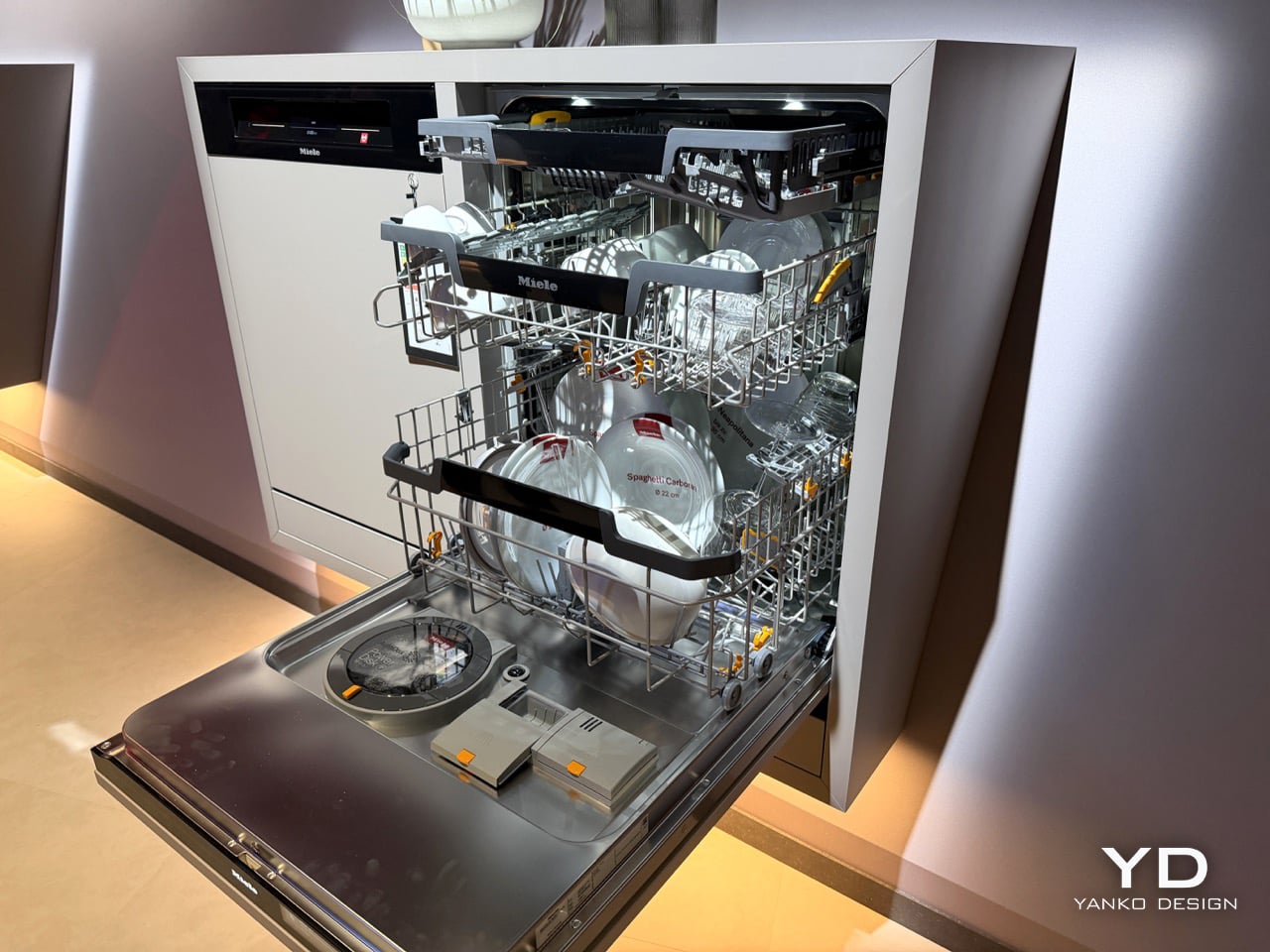
Miele’s new G8 Diamond snaps a photo of your dirty dishes before it washes them. The moment the door swings toward shut, a light inside blinks on, a camera grabs one frame, the light dies, and the AutoVision system studies what it caught. If it sees a bottle, it calls up BottleClean and drives the spray harder. If it sees a pot, the cleaning intensity climbs. If it sees plastics, it runs the new hot air drying harder, because plastic containers are famously terrible at drying themselves. Miele
Miele’s new G8 Diamond snaps a photo of your dirty dishes before it washes them. The moment the door swings toward shut, a light inside blinks on, a camera grabs one frame, the light dies, and the AutoVision system studies what it caught. If it sees a bottle, it calls up BottleClean and drives the spray harder. If it sees a pot, the cleaning intensity climbs. If it sees plastics, it runs the new hot air drying harder, because plastic containers are famously terrible at drying themselves. Miele showed it for the first time at IFA 2026 in Berlin, and it lands in Germany, Austria and Switzerland in April 2027.
A camera in a dishwasher makes the headline, but the memory is what makes the design. The G8 holds onto that bottle it clocked at breakfast, so stacking dinner plates on top of it by eight in the evening changes nothing. Layer in AutoDos and its PowerDisk granulate, measuring out its own detergent since 2018, then set an app rule that says wait until 80 percent full and never before 10pm, and the machine stops consulting you altogether. Miele has spent decades selling dishwashers on the promise that they scrub so you do not have to. This one wants to think so you do not have to.
Here’s the part that actually impressed me. AutoVision doesn’t run a video feed you can scrub through in the app. It fires once, right as the door clicks shut, and the machine works from that single image for the entire cycle. Load a wine bottle at breakfast, stack it under a mountain of lunch plates by evening, and the G8 still treats it as a bottle, because it saw it once and that was enough. The only real caveat came from Miele’s own team at IFA: keep bottles roughly central and pots in the lower basket, since the spray arm still struggles to reach the far corners. Vision only helps if the water can follow it there.
What makes this genuinely new isn’t the word AI, which every appliance brand at IFA 2026 was throwing around like confetti. Most of those claims are turbidity sensors, the kind that read how murky the wash water has become and adjust accordingly. LG’s SenseClean works that way, and Samsung has filed similarly around soil detection. A turbidity sensor knows the water is dirty. It has no idea why. Miele’s camera identifies the actual object sitting in the rack, a considerably harder computer vision problem, and one that both LG and Bosch have patented around for years without shipping a consumer dishwasher built on it. Miele is putting an object-recognition camera inside a box you can buy next spring, not just inside a patent filing.
Around that camera sits a decade of quieter automation finally clicking into place. AutoDos, with its PowerDisk granulate, has been dosing detergent on its own since 2018, and Miele still claims nobody else in the category offers true automatic dispensing. ExcellentDry adds a hot air system with three fixed levels, chosen once and then applied forever, aimed squarely at the plastic containers that usually come out of a cycle still damp at the base. The cutlery drawer becomes a genuine third tier, one side droppable for coffee cups, and a new touch display replaces the old dial logic. Set the app to run only past 10pm and only above 80 percent full, or tie it to your solar output, and the dishwasher stops asking permission for anything.
None of this works if you don’t trust the camera’s judgment, and Miele knows it. “Intelligence can be programmed. Trust has to be earned,” said Dr. Axel Kniehl, the company’s Executive Director of Marketing and Sales, at the IFA press conference, and it’s the one line from the whole reveal that actually admits the stakes. AutoVision only functions if enabled by the user, according to Miele’s own release, which suggests it ships switched off by default. Fair enough. Handing a machine the authority to decide how hard to scrub your grandmother’s pans is a bigger ask than letting it dose its own detergent, and Miele seems to know it needs to earn that permission slowly rather than assume it.
The G8 Diamond won’t reach a single kitchen before April 2027, and even then only in Germany, Austria and Switzerland, so everything here is still a promise rather than a lived-in product. But the promise is the interesting part. For a century, appliance makers competed on how much physical labor they could remove. Miele is the first one at this scale betting the next fight is over who you trust to make the fifty tiny decisions labor never touched in the first place.
The big AI era isn't going as some might've hoped. OpenAI and other big companies are losing billions chasing artificial intelligence technology, and it's only clever accounting and circular investments keeping the entire industry afloat. OpenAI specifically is in hot water, with spending commitments through to 2030 coming scarily close to $1 trillion dollars, and is operating purely on the basis of handouts from the likes of SoftBank, NVIDIA, Oracle, and Microso
The big AI era isn't going as some might've hoped.
OpenAI and other big companies are losing billions chasing artificial intelligence technology, and it's only clever accounting and circular investments keeping the entire industry afloat. OpenAI specifically is in hot water, with spending commitments through to 2030 coming scarily close to $1 trillion dollars, and is operating purely on the basis of handouts from the likes of SoftBank, NVIDIA, Oracle, and Microsoft. OpenAI is looking to spend $50 billion in compute alone in 2026 on roughly $25~ billion in revenue, revenue which is also made up at least in part with IOUs.
Despite the scary numbers, OpenAI is trucking along on faith and fumes alone, as companies' belief in the tech keeps the firm alive, for now.
Yet, even Sam Altman is having doubts about the impact of large language models. In a new podcast, Altman lamented "economic inertia" for the lack of adoption, and also called out the AI industry for making the tech seem "scary."
"A lot of the people building AI have been off saying there's a 25% chance we're going to destroy the world ..."
Altman effectively blamed those pesky humans for not adopting ChatGPT and other AI products, lamenting that "people keep using their tools in the same way" they had previously been using them.
"I thought when we got to [ChatGPT]-4, which was back in 2023, I thought very quickly after that there'd be much more disruption, with the software business up for grabs right away. I was wrong about a few things, one of them, in terms of the speed ... the economy just has so much inertia. People keep doing the same things they're doing, they keep buying from the same company, they keep wanting to use their tools in the same way ..."
Altman implied that the "slow" pace of change would make the "transition" to AI "smoother." Elsewhere in the podcast, Sam Altman remarked that AI leaders had "not done a very good job" explaining AI tech, referring to the broad backlash to the technology.
"I also think a lot of the people building AI have been off saying there's a 25% chance we're going to destroy the world ... and yeah, we're going to race ahead and do it because otherwise those bad guys will do it first. Or it's like, 'man, this thing is going to be really terrible, and 50% of the jobs are going to go away in the next year, and we hope you are all okay,' but it seems really scary.
We have not, as a field, done a very good job of explaining to people what the benefits are and how the downsides can be mitigated. We certainly have not done a good job ... even if people have had answers like, 'well, there's going to be universal basic income, or work will be optional', or whatever. There's been very little discussion from people about how and why it's important that people have more power and freedom in the world, not less."
I think the key issue with this AI tech is that most people just don't find it very useful. I work in an industry that, at least on paper, should benefit from some kind of automagical writing tool. The problem is that it loses so much nuance and accuracy that, even if I wanted to use it for work, I literally can't.
I think a lot of these very technical, mathematically-inclined dudebros pushing this format have little knowledge or understanding about how and where this technology should be applied. Spotify, YouTube, Instagram, gaming platforms, and other services are actively trying to filter out AI content, as it is repeatedly proven to decrease engagement — users actively hate it. Companies that are using tokens to try to boost productivity are finding that they're actually just boosting costs, and that they're simply finding a new bottleneck in the finite amount of addressable customers.
LLMs undoubtedly have uses, but when 90% of the compute is being spent on utterly unproductive use cases, the economics simply seem primed to implode. If you're spending tokens for the sake of spending tokens, and it doesn't lead to any discernible increase in sales — what is the point? You could use AI to make hundreds of slop video games, but people already have more than enough to play built by an ironically more affordable human workforce.
In the future, I think we'll find AI probably ends up as a tool of governments in things like law enforcement and medical fields. Specific industries will benefit from tools that can parse and summarize large, complex data sets, albeit with the unfortunate knowledge of LLMs' penchant for hallucinations and outright lies. Just yesterday I asked Copilot to find some links to some old Windows Central articles I did. It just straight up lied and gave me some completely made-up links instead. Extrapolate these simple mistakes to medical fields or military applications, where lives are literally at stake ... is it worth the risk?
Perhaps the issue is that AI's inaccuracy renders it only viable in low-stakes businesses ... and those low-stakes businesses simply won't see a real return over doing things the "old way," which Altman describes as economic "inertia."
Perhaps it's not inertia. Perhaps the AI business model is just not the disruptor it was cracked up to be.
Join us on Reddit at r/WindowsCentral to share your insights and discuss our latest news, reviews, and more.
Less than one year after being launched in preview and before leaving testing, the COPILOT function in Excel is going away. The function never shipped to general availability, but it could be used by Frontier and Insider users since August 2025.The COPILOT function allowed users to use natural language to place prompts into spreadsheets. For example, you could use it to summarize text or categorize feedback. The function could also look up information from the we
Less than one year after being launched in preview and before leaving testing, the COPILOT function in Excel is going away. The function never shipped to general availability, but it could be used by Frontier and Insider users since August 2025.
The COPILOT function allowed users to use natural language to place prompts into spreadsheets. For example, you could use it to summarize text or categorize feedback. The function could also look up information from the web.
While useful, the function had serious limits. Microsoft stated that people should not use the COPILOT function for numerical calculations, responses that require context from other parts of a workbook, or any tasks with "legal, regulatory or compliance implications."
Considering how many people use Excel for important work and calculations, those limits are quite restrictive.
Microsoft's explanation of why the feature is going away lacks details. Instead, it primarily focuses on the fact that Copilot in Excel is still available in the side pane:
"Beginning September 14, 2026, the =COPILOT function in Microsoft Excel will no longer be available. This function is currently offered as a preview feature through the Insider and Frontier programs.
Customers can continue using Copilot in Excel through the Copilot side pane, which provides many of the same AI-powered capabilities, including summarizing text, classifying data, generating content, and retrieving information from the web. This change helps streamline the Copilot experience within Excel while continuing to provide AI assistance through a supported interface."
Users will not be able to create new formulas using the COPILOT function after September 14, 2026.
Windows Central take
(Image credit: Windows Central | Jez Corden)
It appears Microsoft may be reining in Copilot a bit. The AI tool is still part of the company's plans, but in a more controlled manner.
Microsoft has a unified Copilot experience that merges Copilot and Microsoft 365 Copilot. We've also seen some Copilot features go away or be limited over the last few months.
Earlier this summer I argued that the free version of Copilot is starting to feel like a tech demo designed to push paid tiers. I still think that's the case, but if Microsoft is going to push Copilot, it's best to do so with a plan.
Since the launch of Copilot, it's felt like Microsoft threw everything at the wall to see what sticks. The Copilot brand was diluted and there were dozens of different apps with Copilot in the name. Anything even remotely related to AI was attached to Copilot in some way, making the term almost meaningless.
Whether it's because Microsoft decided that strategy was a mistake or it's just had enough time to assess what properly stuck, the next wave of Copilot feels more targeted.
Join us on Reddit at r/WindowsCentral to share your insights and discuss our latest news, reviews, and more.
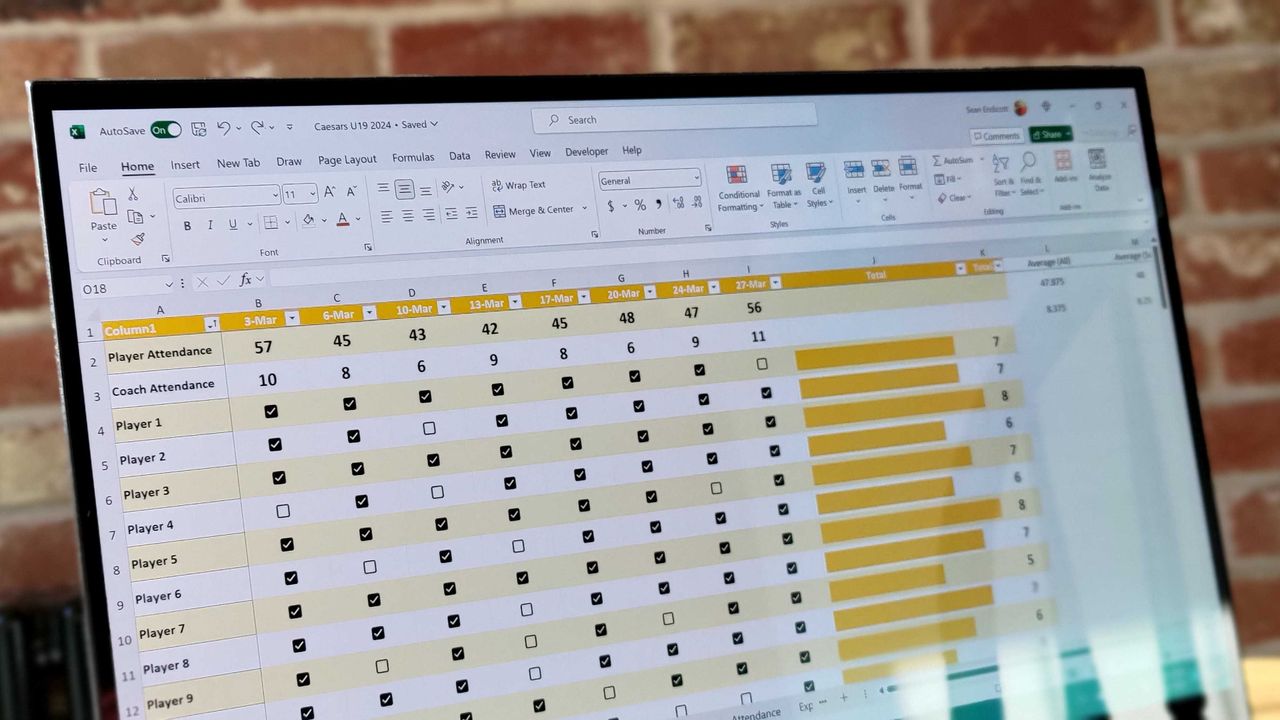
Excel spreadsheet with checkboxes
The upcoming checkboxes feature in Microsoft Excel makes it easy to visualize certain data.
When does a bug become a feature? Microsoft needs to answer that question now that classic Outlook may hide the Copilot button and stop other Copilot features from working.A bug that appears with build 20026.20182 of classic Outlook prevents access to Copilot Chat and removes Copilot entry points within the app."After classic Outlook for Windows updates to build 20026.20182 and higher, you no longer have Copilot Chat or Copilot entry points in Outlook," reads a M
When does a bug become a feature? Microsoft needs to answer that question now that classic Outlook may hide the Copilot button and stop other Copilot features from working.
A bug that appears with build 20026.20182 of classic Outlook prevents access to Copilot Chat and removes Copilot entry points within the app.
"After classic Outlook for Windows updates to build 20026.20182 and higher, you no longer have Copilot Chat or Copilot entry points in Outlook," reads a Microsoft support document. "This issue happens if you have a Copilot Chat (Basic) license or a paid M365 Copilot (Premium) account."
While it's easy to joke about Copilot going missing being "addition by subtraction," the bug is likely frustrating for those that rely on Copilot within classic Outlook.
If your system is affected by the bug, the Copilot button could be missing from the top-right area above the ribbon. The Copilot icon can also go missing in the left app bar or the More Apps area.
Even if you see the Copilot icon in the Add Apps section, selecting "Open" may not do anything at all. Even if you've added Copilot through ribbon customization, the option may appear grayed out or unavailable.
Only classic Outlook is affected, meaning Copilot still appears and works as usual within the web version of Outlook and other versions. The Microsoft 365 Copilot app and web experience are also working normally, though it's worth noting Microsoft has a new unified Copilot experience rolling out.
If you need to use Copilot immediately, Microsoft suggests switching to Outlook on the web or the new Outlook app. While standard fixes like creating a new Outlook profile, clearing local cache data, re-signing into Office, or restarting Windows have been tried, Microsoft notes they don't consistently restore the missing buttons.
Join us on Reddit at r/WindowsCentral to share your insights and discuss our latest news, reviews, and more.
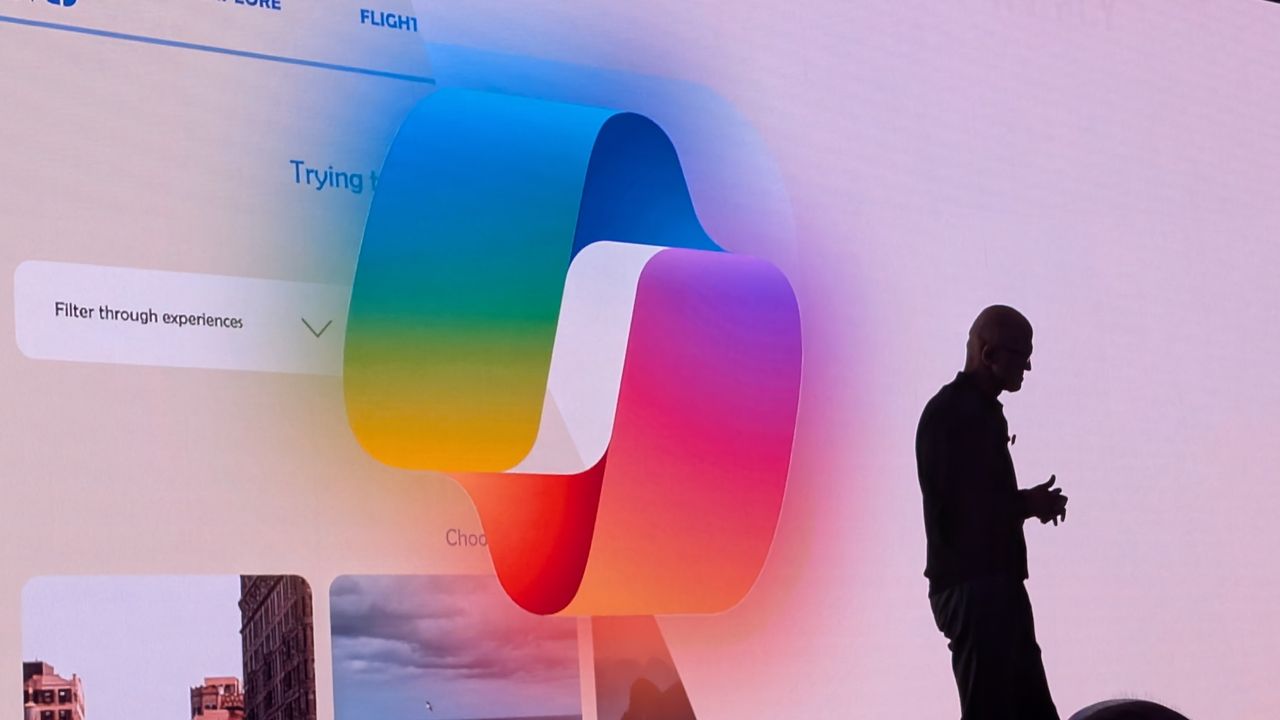
Microsoft CEO Satya Nadella in front of the Microsoft Copilot AI logo.
Microsoft CEO Satya Nadella in front of the Microsoft Copilot AI logo.

 Connexion