Vue normale

Reçu — 24 août 2026 Windows Central - News, Forums, Reviews, Help for Windows 10 and all things Microsoft.

I switched to the HyperDrive Next Thunderbolt 5 dock for a few weeks, and it could be the best accessory for productivity masters — here's why

Docking stations are an interesting section of the laptop market. There are a lot of options out there, many of them offering the latest Thunderbolt 5 connectivity with an assortment of older and varied ports.

As the market fills up, laptop docks have to set themselves apart with different sub-features. I'm talking about Thunderbolt Share. A built-in M.2 SSD slot. A standout design (as much as that's possible with a small chunk of metal).

In the case of Hyper's HyperDrive Next Thunderbolt 5 dock that I've been using for a few weeks, it's the extra features that I'm most excited about. Let me explain so you know if it's right for your desk.

This review was made possible thanks to a review sample provided by HyperDrive. It had no input nor saw the contents of this review prior to publication.

Where can I buy the HyperDrive Next Thunderbolt 5 dock?

The HyperDrive Next Thunderbolt 5 dock is available at major online retailers, including Amazon and B&H. Although it launched with a $399.99 price tag, it seems like it's now permanently available at $319.99.

For comparison's sake, the CalDigit TS5 Plus — currently my favorite Thunderbolt 5 dock on the market — costs about $500.

Wavlink's Thunderbolt 5 dock, which I favorably reviewed, costs about $299.99 before frequent discounts (often falling to less than $200), while Kensington's excellent SD7100T5 EQ Pro costs about $339.

I'd say that Hyper's HyperDrive Next dock is priced within reason compared to other Thunderbolt 5 hardware, although Wavlink continues to be the best value option out there that I've tested.

What sort of ports does the HyperLink Drive have?

A sleek black HyperDrive Next dock with a textured ribbed edge, featuring USB and audio ports, placed on a polished wooden surface with a blurred background.

Ribbed edges give the dock's metal chassis a bit of texture and help dissipate heat. (Image credit: Future)

Dock design doesn't usually vary too much, and the HyperDrive Next plays it fairly safe with a chunky aluminum shell and plastic faceplates. I've mentioned plenty of times in other reviews that I prefer an all-metal design for added durability and less chance of scratching.

I like the ribbed corners on the aluminum shell. They add a bit of texture to an otherwise sleek exterior, and they help dissipate heat.

The dock works horizontally only, with rubber pads on the bottom to prevent it from slipping. Measuring 7.64 inches (19.4cm) wide and 3.07 inches (7.8cm) deep, it's thankfully rather compact.

There appear to be some holes drilled for mounting with a bracket, though a permanent setup like that might not be ideal due to the M.2 SSD slot's location (more on that in a moment).

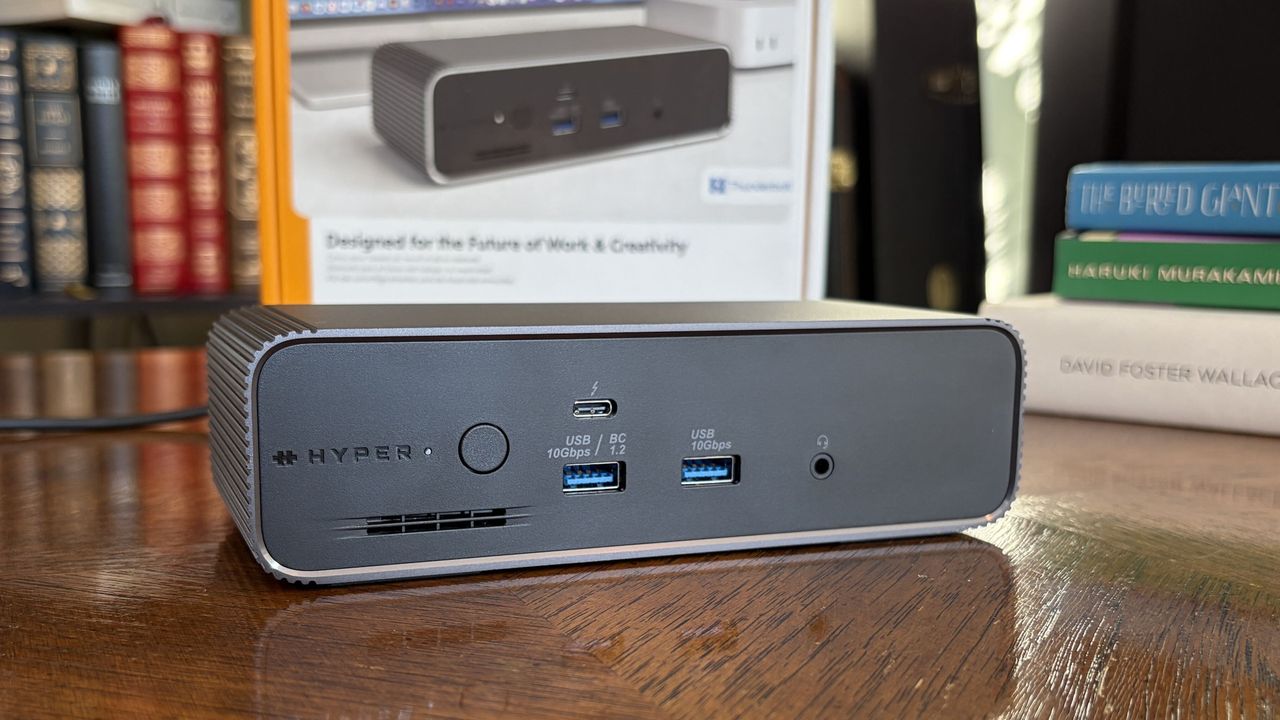
A sleek black dock with multiple ports and the brand name

The front of the dock has dual USB-A ports, downstream Thunderbolt 5, and a 3.5mm audio jack. (Image credit: Future)

The front of the dock includes dual USB-A ports at 10Gbps each, a 3.5mm audio combo jack, and a single downstream Thunderbolt 5 port.

What you might think at first glance are SD card readers are merely vents cut out to help the built-in cooling fan. The slots sit below the power button and LED status light.

A black HyperDrive Next docking station featuring multiple ports including USB Type-C and Ethernet, placed on a wooden surface.

The back of the dock is where you'll find most ports, including downstream Thunderbolt 5, USB-A and 2.5Gb Ethernet. (Image credit: Future)

The back of the dock is where you'll find two more downstream Thunderbolt 5 ports, an upstream Thunderbolt 5 port for connecting your host laptop, two USB-A (10Gbps) ports, a 2.5Gbps Ethernet jack, dual lock slots, and a 20V power hookup.

The upstream host connection supports device charging at up to 140W, which is enough to keep most laptops without a discrete GPU topped up and ready to go.

At this point, you might be asking where the video outputs are located. Well, you're looking at them. The HyperDrive Next relies entirely on Thunderbolt 5 for external monitor support.

If you're using older monitors without USB-C connectivity, you'll need some adapters that switch the USB-C form factor used by Thunderbolt 5 to HDMI or DisplayPort.

The HyperDrive Next relies entirely on Thunderbolt 5 for external monitor support.

The good news is that Thunderbolt 5 is quite capable of handling video, and the dock allows for up to three 4K external displays, each running at a 60Hz refresh rate. If you're targeting a high resolution, it'll go as high as 8K at 144Hz.

It's worth noting that some other Thunderbolt 5 docks support up to three 4K displays each at 144Hz, so there's definitely a bit being left behind due to the other features on board.

I had no problems running one 4K screen and one ultrawide QHD+ screen off the dock, with bandwidth to add more. As mentioned, I've been using this dock on my desk, and I never noticed it get overly hot despite multiple monitors, frequent data transfers, and connected accessories.

HyperDrive Next's additional Thunderbolt 5 features

A close-up of a HyperDrive Next dock, revealing a sleek internal SSD labeled SK hynix PLATINUM P41 1TB, alongside a separate lid piece.

A look at the M.2 SSD slot with an SK hynix drive installed. (Image credit: Future)

Aside from the incredible transfer speeds you get from Thunderbolt 5, the extra bandwidth opens up some extra features that I particularly love.

Like the Razer Thunderbolt 5 Dock Chroma I tested last year, the HyperDrive Next dock comes with a built-in M.2 PCIe 4.0 NVMe SSD slot, with a hatch located on the bottom of the dock.

You need a screwdriver to get in, but it's well worth it, with support for full-size 2280 M.2 sticks all the way down to smaller 2230 drives. You should be able to use up to a 16TB drive in here (who can afford that these days?), doubling the capacity of the other docks I've tested.

Close-up of a gray HyperDrive Next dock with a metallic sliding mechanism and black rubber pads, resting on a wooden surface with a geometric pattern.

The built-in M.2 SSD slot fits sizes from 2280 down to 2230. (Image credit: Future)

The other big feature is Intel Thunderbolt Share. It's a tool that allows Thunderbolt 4 and 5 laptops to communicate directly with each other, easing common transfers and making life with multiple laptops that much easier.

File transfers are super easy, requiring just a drag and a drop.

The catch is that at least one of the laptops in use needs to have official Intel Thunderbolt Share certification, unless you have a dock connected in between with the official badge. That's where the HyperDrive Next comes in.

You can connect two separate laptops to the dock and control both from one set of peripherals. File transfers are super easy, requiring just a drag and a drop.

What I don't like about the HyperDrive Next Thunderbolt 5 dock

Black rectangular power adapter with a coiled cord on a wooden surface, featuring various safety certification labels.

The 180W power adapter is a tad wimpy compared to other docks, but at least it doesn't take up much space. (Image credit: Future)

Depending on how you use your dock, the lack of native video outputs might be a con. However, for others, full Thunderbolt and USB connectivity, paired with an M.2 slot and Thunderbolt Share, might be exactly what's needed.

The only major issue I experienced has to do with how the dock handles heavy workloads. While testing, I noticed drops in SSD and Ethernet speeds when used simultaneously.

I figured this had something to do with power allotment. A 180W adapter isn't that big for a dock that can charge a laptop at 140W. Indeed, this does make some of the charging abilities on ports other than the host connection fairly wimpy.

The dock is super convenient thanks to its built-in features.

The other Thunderbolt 5 ports only charge at 15W, and one USB-A port hits 7.5W. The rest sit at a rather low 4.5W.

However, after doing a bit of research, it seems that the Ethernet/SSD limitation is caused by the actual Intel Barlow Ridge chipset that's used by modern Thunderbolt 5 docks.

So, yes, the dock is super convenient thanks to its built-in features. But you probably won't get as good of performance as if you had a drive and an Ethernet cable connected separately via Thunderbolt 5 ports. It's not exactly Hyper's fault, but it's well worth noting.

Should you buy the HyperDrive Next Thunderbolt 5 dock?

A gray HyperDrive Next docking station with multiple ports displayed on a wooden desk, surrounded by colorful books and a framed image.

The HyperDrive Next Thunderbolt 5 dock is great for those who want a built-in M.2 SSD slot and Thunderbolt Share capabilities. (Image credit: Future)

✅ You should buy this if ...

  • You want a Thunderbolt 5 dock with a built-in M.2 SSD slot and Thunderbolt Share.
  • You have a Thunderbolt 5 laptop that can take advantage of all features (or you plan on buying one soon and can make do with Thunderbolt 4 speeds for the time being).

❌ You should not buy this if ...

  • You want maximum SSD and Ethernet speeds without requiring any adapters.
  • You have three external 4K displays and want to run them all at 144Hz.

Windows Central Recommended Award

Hyper's HyperDrive Next Thunderbolt 5 dock is a high-end option that actually competes quite well with the competition in terms of pricing and performance.

For example, the Kensington SD7100T5 EQ Pro comes with a built-in M.2 SSD slot, tons of ports (including SD card readers), and 2.5Gb Ethernet. It does not have Thunderbolt Share. It costs about $340.

If you don't need Thunderbolt Share or a built-in SSD slot, the Wavlink Thunderbolt 5 Thunderlight is probably a better bet, especially at only about $220.

Sitting in between is the HyperDrive Next at about $320, and I'd recommend it to those who want the convenience of external M.2 SSD storage and the ability to quickly share content between two PCs.

Otherwise, I recommend checking out my guide to the best laptop docking stations on the market today for more great options.

A sleek HyperDrive Next dock with USB ports and a power button, featuring a brand logo.

SSD slot & Thunderbolt Share
Hyper
HyperDrive Next Thunderbolt 5 Dock

The HyperDrive Next Thunderbolt 5 Dock brings a potent combination of a built-in M.2 SSD slot and Thunderbolt Share certification, perfect for busy offices involving multiple PCs. However, its lack of native video output and so-so charging capabilities might have you looking at the competition.

Click to join us on r/WindowsCentral

Join us on Reddit at r/WindowsCentral to share your insights and discuss our latest news, reviews, and more.

A gray HyperDrive Next docking station with multiple ports displayed on a wooden desk, surrounded by colorful books and a framed image.


A gray HyperDrive Next docking station with multiple ports displayed on a wooden desk, surrounded by colorful books and a framed image.
Forget GTA 6 gameplay leaks — I'm more interested in path-traced GTA 4 that looks shockingly close to 2026 graphics

Grand Theft Auto VI has been hogging the limelight lately, and for all the wrong reasons. Hackers have been leaking bits of gameplay and other info online, and gamers are gobbling it up ahead of the expected November 19, 2026, release date.

I'm trying to avoid as many spoilers as possible by not viewing the leaks, and besides, I have something better to keep me busy until GTA VI's official launch.

I'm talking about the Grand Theft Auto IV RTX Remix mod that adds Path Tracing to the 18-year-old game.

It's the work of a modder known as xoxor4d, who last week released version 1.4.2 of the mod on GitHub. The mod is compatible with GTA IV: The Complete Edition version 1.2.0.59, and it truly makes the 2008 car-jacking hit feel like it was released in 2026.

What does the RTX Remix mod do to Grand Theft Auto IV?

I know that the GTA IV Remix mod has been out for a while now, but I hadn't been following it that closely. Oh boy, it has come a long way since launch, and it's great to see the project's creator is keeping up with maintenance and new features.

I was reintroduced to the project via the maxrenderedgaming YouTube channel, where the mod was shown off using an NVIDIA RTX 5090 GPU.

There are certainly some other mods at play here, which I dig into a bit deeper below, but one thing is for sure: this is an incredible mod that changes the whole grimy, gray feel of the original game.

GTA IV arrived all those years ago with graphics that seemed mind-blowingly good, as is usually the case with Rockstar titles. Looking at the game's stock graphics now, well, you can tell that they're from a bygone era.

The RTX Remix mod drastically changes the appearance. The game's default static lighting has been replaced entirely with full path tracing, making rays jump and bounce off of surfaces quite realistically. Dynamic shadows look better than ever. It really is the best I've ever seen Liberty City look.

My plan is to first get the RTX Remix compatibility mod set up from the project's GitHub page. Next, I'm going to download the 4K Textures Warcaco Graphics Mod to really see what my PC's RTX 5070 Ti can handle.

Here are some screenshots from the texture mod that I know will make you want to play GTA IV again, too.

GTA IV character in a dark jacket stands facing urban buildings with a basketball court in the foreground; buildings are brick with orange windows and visible graffiti.
A Grand Theft Auto IV screenshot from Warcaco's 4K texture mod.Warcaco (Nexus Mods)
GTA IV 4K textures with defined bricks and reflections in windows.
A Grand Theft Auto IV screenshot from Warcaco's 4K texture mod.Warcaco (Nexus Mods)

To say that this combination makes GTA IV look like a completely different game is an understatement. However, you're going to need a beast of a PC if you want to run this combination with any sort of playable success.

The demo video I provided above has the modded game dropping as low as about 60 FPS in some areas, and the GitHub project page notes that your CPU will likely be a bottleneck due to "the amount of detailed meshes the game is rendering."

Be that as it may, I definitely think any fans of GTA should give this one a shot just to see how it performs on their hardware.

NVIDIA's RTX Remix is a big deal, and not just because of one mod

I know, I know, more AI from NVIDIA's RTX division. Some of you might not want to hear of it, but I'm convinced that Remix is the real deal.

Remix arrived in January 2024 as an open-source and free tool, and it's been under development since. It's a clever way to inject path tracing, upscaling, and other materials into old favorites without needing any source code access.

Anyone with the right ambition can give Remix a shot, and there are some other projects I recommend checking out. Portal with RTX and Half-Life 2 RTX are probably the best examples, but they were spearheaded by NVIDIA. It's great to see lone developers jumping into the tool to create their own works.

Considering GTA VI isn't expected to launch with path tracing, and the fact that GTA V only supports ray tracing, this might be the best way to play Grand Theft Auto until the next installment arrives.

Click to join us on r/WindowsCentral

Join us on Reddit at r/WindowsCentral to share your insights and discuss our latest news, reviews, and more.

A GTA IV character in a dark jacket and motorcycle helmet standing in front of cars, with a roller coaster in the background.

A GTA IV character in a dark jacket and motorcycle helmet standing in front of cars, with a roller coaster in the background.

Windows 11's latest Patch Tuesday update is breaking games and turning off PCs — This temporary fix might get ARC Raiders and The Finals running again

I've been gaming again lately on my desktop PC thanks to cooler weather, but thankfully I haven't experienced this new Windows 11 bug that cropped up after the August 11 (KB5121003) update.

It's apparently affecting 25H2 and 24H2 installs of Windows 11, as this update rolled out to OS builds 26200.9168 and 26100.9168.

According to Microsoft, the Windows 11 update is forcing some games to go unresponsive, crash, or reboot your PC entirely. You might also see the EXCEPTION_ACCESS_VIOLATION error pop up, forcing you to close your game.

Thankfully, it doesn't seem like the issue is too widespread. At least, not yet. Microsoft says it has received reports mainly focused on ARC Raiders, MARVEL Tōkon: Fighting Souls, and The Finals.

As of August 19, when the support page was last updated, Microsoft says it is investigating the issues to figure out if it's a problem on its side. Microsoft is asking any PC gamers experiencing a similar issue to file a report in the proper Feedback Hub app.

Embark Studios, the team behind ARC Raiders and The Finals, took to Discord to address the problem (via Windows Latest).

We’re aware of a new crash introduced with the release of a Windows update (KB5121003) that may be affecting some of you. The team is working on a fix, and we will keep you posted on any updates.

Embark Studios (via Discord)

In another post, the Embark team points at the crashes being caused by an inpoutx64.sys file change in the recent Windows 11 update. It seems like the kernel-level driver is having a hard time communicating properly.

Embark says it's working on its own "long-term fix," but in the meantime, affected gamers might be able to solve the issue on their own.

A temporary fix for the new Windows 11 gaming issues

Screenshots of action the player can expect when playing the Finals

The Finals is one game affected by the new Windows 11 update bug. (Image credit: Michael Hoglund via The Finals)

Embark has laid out the steps required to temporarily fix the crashing and freezing issues on KB5121003.

Launch Command Prompt as Administrator, type "sc stop inpoutx64", and press Enter.

In the same Command Prompt instance, type "sc delete inpoutx64" and press Enter.

Next, navigate to C:\Windows\System32\drivers in your PC's File Explorer. Find the file called inpoutx64.sys and delete it.

That should let your games run smoothly again, but hopefully we'll soon have a fix that doesn't require the manual workaround.

You can, of course, also roll back your Windows 11 PC to an older update version until the problem is officially fixed by Microsoft.

This seems like a fairly minor Windows 11 issue compared to some others we've already experienced this year, but that doesn't make it any less frustrating for those affected.

Most recently, on July 15, Microsoft had to block the Windows 11 KB5101650 Patch Tuesday update on Dell PCs after issues involving unexpected shutdowns, overheating, and generally poor performance were reported by users.

Click to join us on r/WindowsCentral

Join us on Reddit at r/WindowsCentral to share your insights and discuss our latest news, reviews, and more.

A character stands beside a rusty, weathered structure in a rocky outdoor setting, holding a firearm. A colorful Windows-like graphic with an exclamation mark appears in the corner.

A character stands beside a rusty, weathered structure in a rocky outdoor setting, holding a firearm. A colorful Windows-like graphic with an exclamation mark appears in the corner.

Apple's leaked AirPods Ultra already have competition — Razer's Motoko is a PC gaming headset with built-in cameras, and it's no longer just a concept

The next evolution of Apple's AirPods is out in the wild after a leaked video was posted online. Known as AirPods Ultra, the new wireless earbuds look basically the same as regular AirPods, albeit with a thicker stem.

Hiding inside the new AirPods Ultra are discrete cameras that enable something called "Visual Intelligence." According to Tom's Guide, these cameras aren't intended to record live video or snap photos, setting AirPods Ultra apart from the likes of Meta's AI Glasses, which are raising some very serious privacy concerns.

What I wasn't expecting next was an announcement from Razer's Min-Liang Tan explaining that the company's Project Motoko, unveiled as a concept at CES 2026, is actually a real product that's "coming soon."

At CES we unveiled Project Motoko: an AI native headset with dual cameras in the earcups. It sees what you see, hears what you hear. No display needed.Started as a concept. Not staying one. Coming soon.What's the first killer use case for wearable AI? pic.twitter.com/MCmrcnUdZMAugust 19, 2026

Razer's tackling of this idea involves a full wireless gaming headset with cameras built into the earcups. They're certainly not as hidden as the cameras on Apple's leaked implementation, but I don't think they're aimed at the same end goal.

In the leaked Apple video, a person picks up a book and looks at the cover. Siri (or some other assistant) then says that "your world becomes savable" — all you have to do is whisper into your own ear that you'd like to save what you're looking at.

The new AirPods Ultra are expected to show up at Apple's next special event in September, but already there is a lot of backlash regarding privacy. Glasses (or really any tech) that record everything around you are already being banned due to privacy concerns, and I hope that Apple indeed uses some method that captures info without saving actual photos.

Razer's Project Motoko is not like the rest

Razer is taking a different approach to a video-infused audio device. Rather than hiding the cameras in tiny earbuds, it's slapping them onto what appears to be a rather high-end wireless gaming headset.

Each earcup has an FPV camera designed to sit at eye level, allowing it to better quantify what you're actually looking at. Razer says its cameras offer a wider field of view than is humanly possible, and that they can pick up "symbols, text, and details."

Motoko can use a bunch of different AI models (Grok, OpenAI, and Gemini are mentioned), and Razer says it can be a "powerful data collection tool" to train language models. The headset runs on a Snapdragon chip.

A demo video on the Razer website explains that Motoko "hears, interprets, and answers in the moment." The accompanying video certainly seems to show that the headset's cameras are recording the entire time, much like AI glasses.

Razer pegs it as a "personal full-time AI assistant" that "stays keyed into your schedule, preferences, and habits, while adapting effortlessly to anything else you might ask." I'm reminded immediately of Lenovo's Qira AI assistant.

Privacy concerns aside, who's going to wear a gaming headset all day?

A close-up of a hand gripping a black hexagonal dumbbell against a grassy background and a dark yoga mat.

Who the hell wears a gaming headset while they work out? (Image credit: Razer)

Razer makes a lot of concept devices, and not all of them make it into the hands of consumers. The fact that Razer is going ahead with Motoko hot on the heels of the AirPods Ultra leak means the company must truly believe there's something there worth pursuing.

But my first thought was, "Who wants to wear a gaming headset all day?" Never mind the privacy concerns; gaming headsets are great for a few hours at a time, and usually best if you're not active.

Razer's vision for Motoko seems to go against that. A small FAQ section on the official website explains the potential everyday uses for Motoko:

The possibilities are endless. Whether you’re cooking and need step-by-step guidance, traveling and want real-time translations, working and managing tasks hands-free, repairing something with instant audio instructions, or gaming with immersive AI-driven guidance—Motoko adapts to every scenario. Its AI-powered vision and audio awareness make it more than a headset; it’s your always-on companion for smarter living, wherever life takes you.

Razer

Is everyone suddenly going to be wearing a bulky gaming headset everywhere they go? Not likely, especially during any tasks that require a bit of sweat. When Motoko actually launches, it had better be the most comfortable headset ever made if Razer wants it to be successful.

Windows Central's take on Razer Motoko

A top-down view of a person slicing cherry tomatoes on a wooden cutting board, surrounded by bowls of pine nuts, garlic cloves, crumbled cheese, and basil leaves.

A screengrab from the Motoko video showing a livestream running from the gaming headset. (Image credit: Razer)

Razer's Motoko headset probably has the best chance of succeeding amongst PC gamers. It is, after all, a gaming headset. But, speaking from a bit of experience, I can say that a lot of PC gamers couldn't care less about letting AI help with video games. Whether or not Motoko's appeal actually goes mainstream remains to be seen.

I want to know if you'd buy something like Razer's Motoko when it launches. Would you use it for gaming? For something else? Are you concerned about eroding privacy due to the prevalence of these video capture devices? Let me know in the comments section below!

Click to join us on r/WindowsCentral

Join us on Reddit at r/WindowsCentral to share your insights and discuss our latest news, reviews, and more.

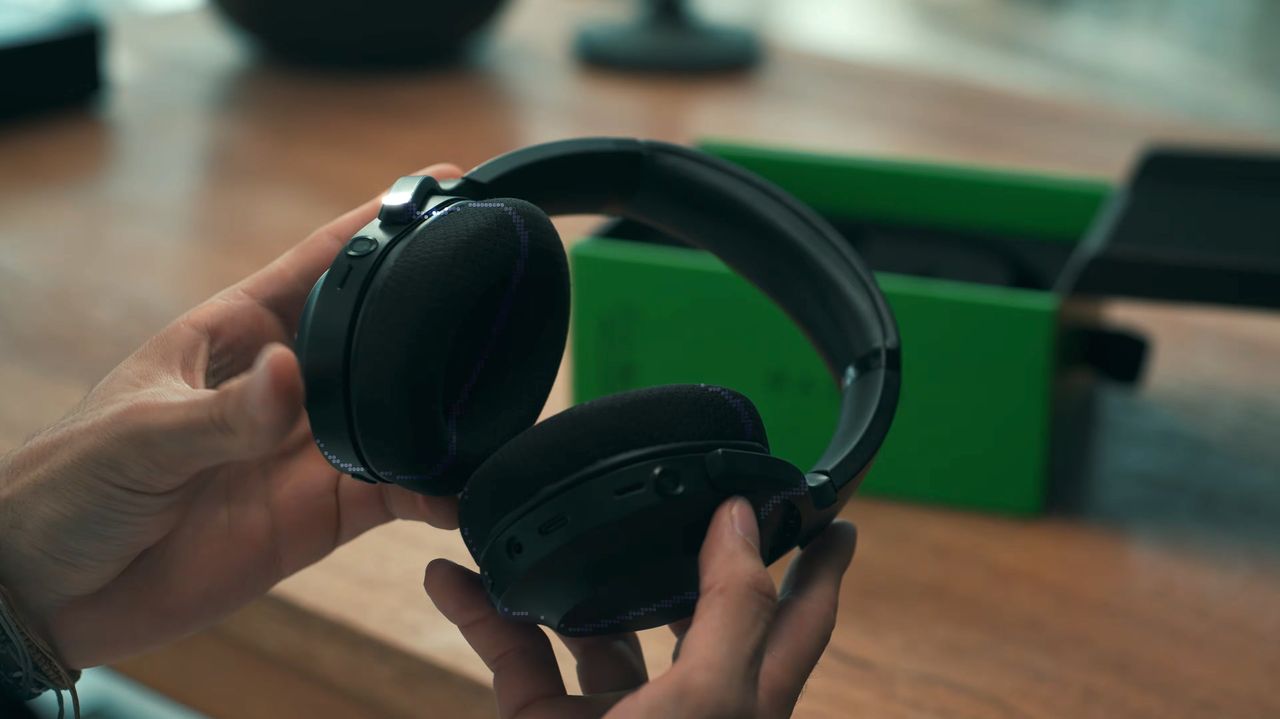
A person holds a pair of black Razer Project Motoko wireless headphones, showcasing their design, with a green box visible in the background on a wooden surface.

A person holds a pair of black Razer Project Motoko wireless headphones, showcasing their design, with a green box visible in the background on a wooden surface.

The Snapdragon X2 Elite Extreme beats Intel's flagship Panther Lake chip by up to 87% while costing significantly less, according to a new lab report

I was absolutely blown away earlier this year by Qualcomm's Snapdragon X2 platform after spending a month with Lenovo's Slim 7x (Gen 11). The System-on-Chip (SoC) was fast and efficient on or off the charger, and it came in a sleek 14-inch package.

A new commissioned study from the independent testing group Signal65 has basically confirmed my arguments, this time after testing the flagship X2 Elite Extreme (X2E-96-100) variant in retail systems you or I can buy.

Here's the main blurb from the whitepaper's key findings:

The Snapdragon X2 Elite Extreme delivers the highest CPU and AI performance we have measured in a premium thin and light Windows laptop, holds that lead in the out-of-box Balanced mode and on battery, and does it at a lower retail price than its closest Intel competitor.

Signal65

This sentence alone might not be telling you anything new, especially if you've experienced the X2 Elite Extreme firsthand. But let me break down the findings to explain a bit better what Signal65 dug up.

Qualcomm's Snapdragon X2 Elite Extreme goes up against Intel and AMD

Images of Qualcomm's new Snapdragon X2 Elite Extreme processor, benchmarks from reference design laptops, and pictures from the announcement at the Snapdragon Summit (2025).

Signal65 pitted the Snapdragon X2 Elite Extreme against modern Intel and AMD chips. (Image credit: Future | Daniel Rubino)

Signal65 tested the Snapdragon X2 Elite Extreme against the Intel Core Ultra X9 388H and AMD Ryzen AI 9 465 laptop CPUs. These are two of the latest chips from each company, found today in thin and light Windows laptops.

Testing the chips in Geekbench 7, Signal65 found the X2 Elite Extreme to be "up to 53% faster" than Intel's chip and "up to 83% faster" than AMD's chip.

In Cinebench 2026, which is used to test multi-thread rendering performance, the X2 Elite Extreme was "up to 87% faster" than the Intel and AMD chips.

What's even more impressive is that Signal65 separately tested the X2 Elite Extreme on battery power with the Balanced Windows power profile. With the Intel and AMD systems plugged in and set to Best Performance, the X2 Elite Extreme still outperformed the competing chips in all AI and CPU benchmarks.

Images of Qualcomm's new Snapdragon X2 Elite Extreme processor, benchmarks from reference design laptops, and pictures from the announcement at the Snapdragon Summit (2025).

The Snapdragon Summit 2025 had X2 Elite Extreme chips to test out.

Besides raw CPU power, the Snapdragon X2 Elite Extreme also outperformed its rivals in the Neural Processing Unit (NPU) arena. Qualcomm's specialized chip that runs AI locally almost hit 2x the AI performance compared to Intel, climbing to about 2.4x the performance of AMD's NPU in the Procyon AI Computer Vision test.

It's well worth noting that the X2 Elite Extreme's Hexagon NPU hits 80 TOPS, compared to 50 TOPS in the Intel and AMD chips. This might explain some performance discrepancy, but not to this extent.

Rumors of the X2 Elite Extreme's power were not exaggerated

Images of Qualcomm's new Snapdragon X2 Elite Extreme processor, benchmarks from reference design laptops, and pictures from the announcement at the Snapdragon Summit (2025).

A shot from the Snapdragon Summit 2025 where the X2 platform was unveiled. (Image credit: Future | Daniel Rubino)

In February 2026, I covered early testing from Hardware Canucks that showed how the non-Extreme X2 Elite chip beat Apple's M5 in three major tests. These tests were performed using a sample/reference unit from Qualcomm itself.

In March 2026, we got an early look at what Qualcomm had cooked up with its X2 Elite Extreme. Leaked Geekbench 6 performance results showed that the Snapdragon chip could trounce the Core Ultra X9 388H, boding well for its competition against Intel's Panther Lake generation.

To say I had high hopes for Snapdragon X2 is fair, and I'm glad to see that performance in actual laptops you or I can buy hasn't dropped off compared to early reference systems.

A few things to consider when poring over Signal65's data

Snapdragon X2 Elite logo

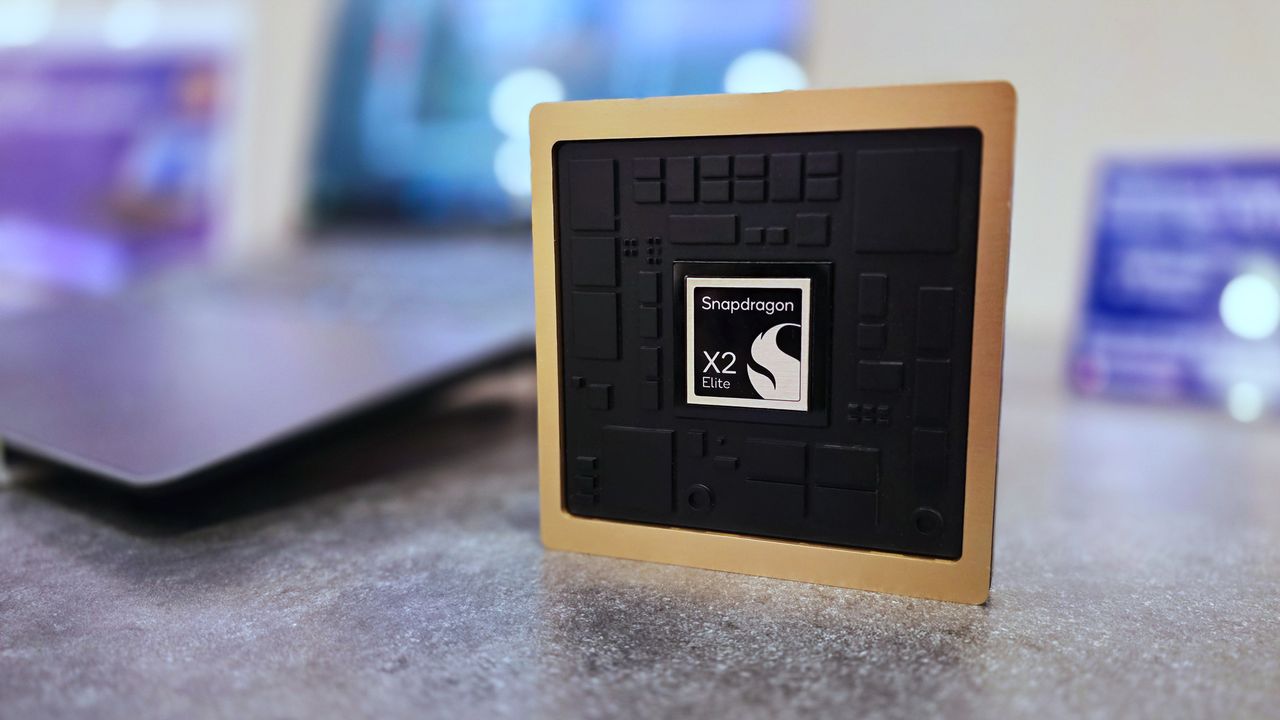
Snapdragon X2 Elite Extreme SoC is available now in Windows laptops. (Image credit: Qualcomm)

This report from Signal65 was commissioned by Qualcomm, but there's no reason for me to think that any of the numbers were fudged. Signal65 is independent and generally credible.

There's also the fact that these chips were tested in three different laptops from three different manufacturers.

For the test, Signal65 used an ASUS Zenbook A16 (X2 Elite Extreme), an MSI Prestige 16 (Intel Core Ultra), and an HP OmniBook X 16 (AMD Ryzen. Three 16-inch laptops ranging between $1,649 and $2,299.

Because of OEM-level decisions for cooling and power, the different laptops could affect the results. However, I don't think it would affect them enough to sway the paper's overall thesis.

It's also worth pointing out that Intel still leads the way with its integrated Arc B390 graphics, at least in Signal65's tests. It also bested Snapdragon in one Office battery rundown test.

As for value, the $1,699 Zenbook A16 with X2 Elite Extreme is only bested by the $1,649 OmniBook X 16 with AMD Ryzen. Intel might beat Qualcomm in graphics and in one battery rundown test, but the MSI Prestige 16 in which it was tested costs $2,299.

Qualcomm is not only delivering superior performance and battery life, but it's also delivering laptops at a better price than its competition.

Windows Central's take

Qualcomm's first-gen Snapdragon X chips are really what changed the Windows on ARM conversation after so many years. They weren't good enough to get everyone to drop Intel and AMD, but they were a solid foundation.

And now, with Snapdragon X2, Qualcomm has evidently stepped things up in a major way. If you've used a laptop with an X2 chip, you probably already know exactly what I'm talking about.

Have you had a different experience with your Snapdragon X2 PC? What's your main gripe? On the other hand, what do you love most about your X2 PC? Let me know in the comments section below!

Click to join us on r/WindowsCentral

Join us on Reddit at r/WindowsCentral to share your insights and discuss our latest news, reviews, and more.

Images of Qualcomm's new Snapdragon X2 Elite Extreme processor, benchmarks from reference design laptops, and pictures from the announcement at the Snapdragon Summit (2025).

Images of Qualcomm's new Snapdragon X2 Elite Extreme processor, benchmarks from reference design laptops, and pictures from the announcement at the Snapdragon Summit (2025).

Crucial dodges SSD warranty claim, says "our inventory is depleted" — Consumers are being ignored as record profits roll in for memory and storage makers

I've been keeping watch on Crucial (and by extension, Micron) after the company began refusing to honor lifetime RAM warranties. Perhaps unsurprisingly, the same thing is now happening to customers with dead SSDs.

Reddit user AssignmentGlass5591 recently created a thread explaining that their Crucial X10 Pro 4TB external SSD decided to die at just 1% of its advertised lifespan. "It didn't wear out. It just broke," they explain.

The failure came with critical warnings in Crucial's app that were bad enough to warrant a replacement. AssignmentGlass5591 went through the normal channels required when this sort of thing happens.

They completed the Return Merchandise Authorization (RMA) process with Crucial and paid to ship the SSD to the required warehouse, expecting a replacement.

Crucial now claims Micron "stopped making M.2 NVMe SSDs" to dodge warranties. Micron is a top-3 NAND manufacturer. I have it in writing, and their own app confirms my SSD is dead.
 from r/pcmasterrace

Here's where the AI boom stepped in to ruin another day. Crucial sent a reply email stating that there's no replacement available for the X10 Pro 4TB SSD because "consumer business is closed."

Instead, the company said it would refund the SSD's price at the time it was purchased, which was about €230. That's not good enough. Looking at Amazon.de this morning, that same drive now costs about €500.

AssignmentGlass5591 asked Crucial to replace the faulty external SSD with an internal SSD. Any M.2 SSD would do. But that didn't work either. Here's Crucial's official response (translated from German) from the email that the Reddit user received.

Due to Crucial's closure, production of all components, including portable SSDs, M.2 NVMe SSDs, etc., has ceased. Consequently, our inventory is depleted. Therefore, our only option is to refund your purchase price.

Dilshad, Micron Commercial Products Group

As a reminder, Micron announced the end of its Crucial lineup of consumer products in December 2025.

After building up 30 years of brand loyalty, Micron decided to completely forget about consumer markets in order to focus entirely on AI customers buying massive quantities of memory and storage for data centers.

This move came with a promise to fulfill any warranty obligations, but obviously the company is doing the bare minimum.

Crucial recently pulled the same warranty trick with RAM

Crucial Pro Series Overclocking desktop memory in front of blue skies

Crucial doesn't want to replace your faulty RAM anymore. (Image credit: Ben Wilson | Windows Central)

As I mentioned at the beginning of this piece, Micron/Crucial was called out a couple of weeks ago for botching a customer's RAM warranty.

Tom's Hardware covered the story, in which another Redditor explained that they were offered just 17% of the market value for a 48GB DDR5 kit that had gone bad and needed to be RMA'd.

Crucial/Micron is refusing lifetime warranties after closing consumer ops—offering 17% of market value and keeping working hardware
 from r/pcmasterrace

Rather than receiving roughly $1,400, the price of the kit today, the customer was offered just $241.86. Good luck buying a replacement DDR5 kit for that price. The worst part? Only one stick in the kit was faulty, but the entire thing had to be sent in for the RMA process.

It's not just Micron that's lowballing warranty paybacks

SK hynix Platinum P41

Memory giant SK hynix isn't exactly being fair to warranty claims, either. (Image credit: Windows Central)

This isn't an issue isolated to Micron and Crucial. Tom's Hardware also reported just a few days ago that competing memory and storage giant SK hynix is also lowballing warranty claims and won't offer replacement hardware.

These companies aren't doing anything illegal; their warranty policies are rather ironclad. And under normal market conditions, receiving back the price you paid for the hardware wouldn't be an issue.

But that's no longer the reality of the market. These storage and memory companies are making unfathomable amounts of money on the AI buildout, and meanwhile consumer prices have never been higher due to shortages of components. The fact that some of that money earned from inflated AI pricing can't be paid back to customers just so they can buy any memory or storage at all is what I find particularly irksome.

Louis Rossman got into a legal battle with Samsung for a similar issue

Battling it out with a massive corporation isn't fun. But there's proof that high-profile pressure from customers can help the situation.

In June 2026, Right to Repair activist Louis Rossmann threatened to sue Samsung for not replacing a faulty 4TB 990 Pro SSD supposedly covered by warranty.

Samsung tried to send Rossmann a reimbursement for the purchase price of about $330. Meanwhile, the drive was selling for almost $1,000 on Samsung's website.

Rossmann threatened a lawsuit, and perhaps due to Rossmann's celebrity, Samsung folded. It promised to pay out the current market value for the faulty 990 Pro SSD, allowing Rossmann to buy a replacement without losing any money.

Better yet, it said that any customers in Rossmann's situation would also receive full (and current) market value for faulty hardware.

Windows Central's take

RAM

You'd better hope that the RAM in your PC lasts until the end of the crisis. (Image credit: Windows Central)

It's becoming clear that memory companies making fortunes off of the AI boom will continue to try to milk everything possible out of regular consumers.

It's also becoming clear that, with enough pushback, we might be able to change the way they're handling warranty claims as markets continue to experience chaos.

I expect this type of shenanigan to continue as more drives fail and replacements become more scarce, so keep making your issues public.

If you are buying a drive, I recommend checking out third-party retailers first. They might have a separate type of replacement or return option in place that works around manufacturer warranties. Nothing is guaranteed, but layers of support can't be a bad thing.

Click to join us on r/WindowsCentral

Join us on Reddit at r/WindowsCentral to share your insights and discuss our latest news, reviews, and more.

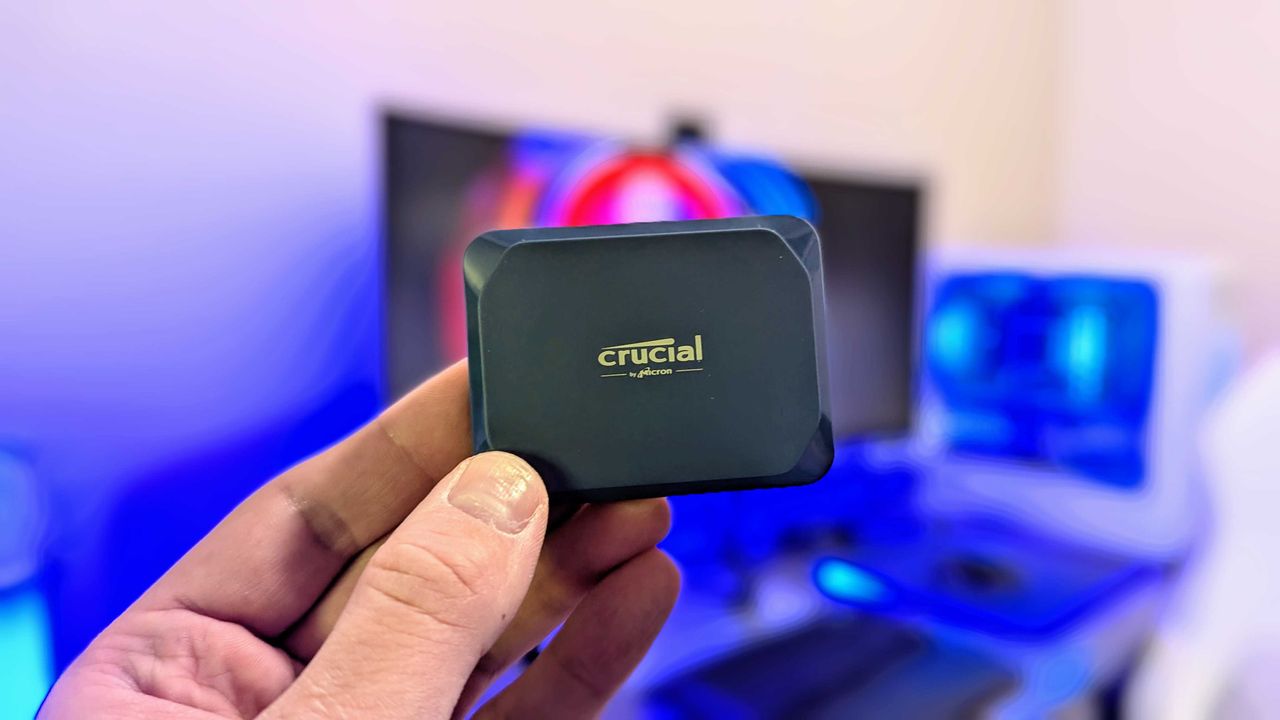
Image of the Crucial X10 Portable SSD.

Image of the Crucial X10 Portable SSD.

❌