GOG (formerly known as Good Old Games) is one of the most popular spots to buy, download, and curate PC game collections. It competes directly against the behemoth Steam, the oft-maligned Epic Games, and plenty of other PC game storefronts, and over the years it has garnered quite a positive reputation among gamers.Why? It's all about GOG's focus on consumer rights and actual game ownership, which in 2026 is becoming increasingly rare. GOG's games don't come with
GOG (formerly known as Good Old Games) is one of the most popular spots to buy, download, and curate PC game collections. It competes directly against the behemoth Steam, the oft-maligned Epic Games, and plenty of other PC game storefronts, and over the years it has garnered quite a positive reputation among gamers.
GOG's games don't come with DRM. Older titles are often fixed, patched, and updated to run on new hardware. There's a rather generous 30-day return policy, and there are frequent sales with massive discounts.
Yeah, it all looks great, and I'm a huge fan of GOG.
So where is this going? I recently came across a user-maintained catalog of "Games that treat GOG customers as 2nd Class." It was just updated on August 11, 2026, and I'm shocked at how many titles are listed as having some sort of disparity compared to other digital storefronts.
GOG's game version disparity is a lot worse than I ever expected
There are 1,140 games that have at least one issue on GOG compared to other storefronts. (Image credit: GOG)
I was aware that some GOG games weren't the same as the versions found in other stores, but I never knew the problem was this widespread.
This effort to track issues with GOG versions of games actually got started in 2018 in a GOG forum thread that's still alive today, now reaching 400+ pages with thousands of replies.
The spreadsheet catalog contains a list of 1,140 games with at least one issue. There are 1,531 issues in total. Those numbers are not typos. Sure, some of the issues are less severe than others, but that doesn't mean GOG customers should receive an inferior product.
The catalog tracks the following issues:
Missing updates (308 total issues)
Missing languages (100 total issues)
Missing free DLC (51 total issues)
Missing paid DLC (200 total issues)
Missing features (111 total issues)
Missing soundtrack (439 total issues)
Missing builds (278 total issues)
Region locking (12 total issues)
Sources are provided for many of the games listed as having issues, and others are sourced directly from first-hand experiences.
Out of all the 1,140 games on the list, there are 17 special mentions. The game The Messengerfrom Devolver Digital, one of my favorite publishers, is flagged as special. Why? The GOG version is missing a Unity security update, and the soundtrack files are of a "lower quality than on Steam."
Devolver Digital's The Messenger is on of the games that received a special mention for missing features and issues. (Image credit: Devolver Digital | Sabotage)
Another special mention is given to the game Nuclear Thronefor its five issues, including a missing 10-year anniversary update, missing languages, missing challenges, missing soundtrack, and missing Linux version.
I could go on with plenty more examples, but I'm sure you get the idea. Missing soundtracks seem to be the most frequent offender with 439 total issues, while missing updates place second with 308 total issues.
Why do some developers seem to give GOG less attention?
Nuclear Throne is one of the games flagged as having the most issues on GOG. (Image credit: Vlambeer)
GOG's disparity with other storefronts isn't really GOG's fault. It's ultimately up to the developers and publishers what to include in their games when they're sent to GOG, and what to update thereafter.
Devolver Digital and THQ Nordic GmbH are both at the top of the list with 29 issues each in total across their published games.
Correct me in the comments section below if I'm wrong, but Steam's far larger user base and its savvy workshop integration make it the go-to spot for most game companies. Much more attention is paid to Steam, and GOG seems often to be treated as "we'll get to it when we can."
And because GOG requires games to be DRM-free, there's definitely extra work to be done in many scenarios. For older games that may or may not have a dedicated development team, this is especially painful.
GOG is a great place to shop if you care about game preservation and proper functioning of classic titles, but you're still paying for the games. There's a certain irony here in buying a game to preserve it properly, only to find out that it's missing one or several features that you could have received if you'd purchased it, say, on Steam.
My advice for the next time you're buying a game on GOG
Like I said, I support GOG and its mission to deliver DRM-free games. However, I was not aware of how many titles have issues.
From now on, I'll be checking the spreadsheet carefully any time I head over to GOG and pick up a new game. I suggest you do the same, lest you end up with a DRM-free version that's missing the content you bought it for in the first place.
Were you aware of how many games on GOG have missing content and issues compared to other storefronts? Has it tainted your opinion of GOG? Is there any hope to solve the major issues that some of these games have? Let me know in the comments section below!
Join us on Reddit at r/WindowsCentral to share your insights and discuss our latest news, reviews, and more.
GOG.com logo next to a Steam logo on a purple starry background, with a red equals sign separating them.
GOG.com logo next to a Steam logo on a purple starry background, with a red equals sign separating them.
ASUS Armoury Crate is but one piece of specialized management software that many of us have installed on our PC, perhaps without even knowing it. It comes preinstalled on ASUS gaming handhelds, including the Xbox Ally X, as well as ASUS gaming laptops.If that sounds like hardware you use, it's time to check up on Armoury Crate. According to an August 10 update on the official ASUS advisory board, "a component used by Armoury Crate" is vulnerable and could be leav
ASUS Armoury Crate is but one piece of specialized management software that many of us have installed on our PC, perhaps without even knowing it. It comes preinstalled on ASUS gaming handhelds, including the Xbox Ally X, as well as ASUS gaming laptops.
If that sounds like hardware you use, it's time to check up on Armoury Crate. According to an August 10 update on the official ASUS advisory board, "a component used by Armoury Crate" is vulnerable and could be leaving you open to attacks.
Alongside that unmentioned component of Armoury Crate, ASUS has also released security updates for its GPU Tweak III, GPU Tweak II, and AI Suite 3 software.
This vulnerability, listed as CVE-2026-8917, comes with an 8.4 rating. That's out of a maximum of 10, meaning this isn't an issue you should ignore for long.
What does this ASUS vulnerability entail?
According to the CVE record, an "IOCTL vulnerability allows a local attacker to write a specific value to an arbitrary memory address, potentially leading to privilege escalation."
Although the CVE record doesn't mention Armoury Crate by name, it's clear that ASUS is concerned with that "certain component" alongside its other standalone software.
How do I update the vulnerable ASUS software?
A look at the GPU Tweak III download page at the ASUS support website. (Image credit: ASUS)
Updated versions of GPU Tweak III, GPU Tweak II, and AI Suite 3 software can be directly downloaded from the ASUS support website.
You want to be sure that you're grabbing the most recent version. For GPU Tweak III, I'm seeing version 2.1.7.2. This appears to be a newer version than what's listed as affected on the CVE website.
The GPU Tweak II version on the ASUS support page appears to still be the one affected. (Image credit: ASUS)
For GPU Tweak II, I'm seeing version 2.4.0.0 on the ASUS support page; unfortunately, this version is listed on the CVE page as vulnerable, so I can only guess that ASUS hasn't yet made the necessary updates to its download packages.
It's unclear why ASUS hasn't yet made the secure version of GPU Tweak II available for download. If you're concerned, my best advice is to simply remove the software entirely until it's updated.
And for the actual Armoury Crate software, you can choose to update from within the app itself.
Is there any alternative to ASUS Armoury Crate?
A look at the G-Helper app interface for ASUS laptops and gaming handhelds. (Image credit: Seerge (g-helper.com))
I often use Armoury Crate on my desktop gaming PC to control certain ROG and TUF components, but most of the time it sits idly in the background. It's not the best software, vulnerabilities aside, but it seems to get the job done.
I've read tales of some specific ASUS desktop hardware absolutely requiring Armoury Crate to function properly, but for other ASUS gaming devices, it can be replaced entirely.
Let me introduce you to G-Helper. It's designed to work with ASUS laptops and gaming handhelds, doing what Armoury Crate does in a streamlined, unbloated app that only eats up about 5MB of space.
It seems like every time I turn around, there's another round of layoffs affecting video game studios. In July, Xbox announced its biggest downsizing ever, cutting 3,200 jobs throughout 2026 and 2027. At the same time, Xbox made deals with four major studios to go independent or take on new management.That independence didn't come without a cost either, as studio Double Fine Productions announced it was laying off 23 employees shortly after going solo.It's all st
It seems like every time I turn around, there's another round of layoffs affecting video game studios.
In July, Xbox announced its biggest downsizing ever, cutting 3,200 jobs throughout 2026 and 2027. At the same time, Xbox made deals with four major studios to go independent or take on new management.
It's all starting to feel like white noise with the same language. Streamlining. Restructuring. Focusing resources. Adapting to changing markets.
After reading an excellent report from Rest of World about the plight of small game developers in Turkey, I realized that the entire video game industry is likely in more trouble than most people realize.
While Microsoft and other big companies at the apex of the industry have been cutting thousands of jobs at the top, there's something just as disruptive going on at the bottom.
Solo developers are shipping full games with a tiny team, empowered by tools like Claude Code and Cowork, OpenAI Codex, and Copilot. This shift in how games are developed is eating up the entry-level jobs that used to serve as a way to break into the game dev industry. The candle is burning at both ends, as they say.
Turkey's AI game development example doesn't bode well
The game development scene in Turkey should be a warning for the rest of the world. (Image credit: Getty | Sergio Amiti)
Over the last decade, Turkey has become a mobile gaming hotspot with more than 800 studios at its peak. It served as a pipeline for young developers who finished school, applied, got hired, worked in junior roles, and eventually made their way up the ladder.
This pipeline is no longer functioning as it should, and it's largely due to AI. One developer interviewed by Rest of World went from a huge studio pumping out a game per week to founding his own studio.
With Claude Code in his back pocket, the developer realized he needed just two employees to achieve similar productivity.
I’m the only developer in my team. When we started, I had to write all the code myself. I also have to manage game design, social media, investment meetings, and the like. With Claude Code, I can do all that easily. It really sped things up and helped me a lot.
Emirhan Gül, speaking to Rest of World
This shift in Turkey's game development scene is having dire effects. Entry-level jobs are understandably disappearing at smaller studios, and the larger studios are reticent to hire inexperienced developers.
The AI stack designed to make us more productive is killing key jobs
AI tools are making us more productive, but at what cost? (Image credit: Getty Images, Robert Way)
The AI stack negatively affecting one of the largest game development booms in European history is the same AI stack that Microsoft is racing to put in front of every developer, on every platform, including the ones building for Xbox and Windows.
Microsoft has famously spent years telling Windows users that Copilot will make us all more productive. But Turkey's example is likely a preview of what that means when followed to its logical end.
Not a team of developers shipping games faster (OK, maybe a bit faster). One developer doing the job that used to require a team. Set this dilemma on top of a video game industry that just saw Xbox cut thousands of jobs, and the math really starts to hurt.
It's worth noting that Microsoft stated that AI is not being used to replace the most recent batch of laid-off employees at Xbox, but the company's overall massive spending on AI infrastructure and data centers has undoubtedly played a role in cuts to underperforming sectors like Xbox.
With layoffs at the top and an ever-shrinking front door at the bottom, the entire industry is being squeezed for all its juice.
Windows Central's take
Junior video game developers are being hit hard by the rise of AI. (Image credit: Getty Images | Microsoft)
The part that stuck with me the most is the plight of junior developers. A university director in Turkey is warning students not to follow the traditional path of getting hired on in an introductory position and working their way up. Instead, they should be building their own games while in school in order to land a job.
Right now is the worst time to enter the game industry to find a stable job, but it’s the best time to start your own venture, to realize your own idea.
Güven Çatak, Founder and Director of Game Lab, Bahçeşehir University (speaking with Rest of World)
So, yes, AI tools definitely lower the barrier to creating a game. At the same time, however, AI tools do nothing to ensure that a game actually finds an audience.
Key steps in the nurturing and maturing of a video game developer are being skipped, and artists, writers, and programmers aren't necessarily getting the experience needed to compete at the upper levels of the industry.
Turkey's degrading video game development scene seems like a preview of what's to come for the rest of the industry, and I'm not sure I like it.
Are you a developer who uses Copilot, Claude, or any other AI tools in your workflow? Has it made you more ambitious? More productive? Are you more nervous now about who you're competing with? Let me know in the comments section below!
Join us on Reddit at r/WindowsCentral to share your insights and discuss our latest news, reviews, and more.
Three AI logos on a dark background: a large Xbox logo in green and gray in the center, a colorful gradient logo on the left, and an abstract orange symbol on the right.
Three AI logos on a dark background: a large Xbox logo in green and gray in the center, a colorful gradient logo on the left, and an abstract orange symbol on the right.
I've spent a lot of time this summer gaming on my Steam Deck. It's hot outside, it's hot inside, and my desktop gaming PC simply creates too much heat. The only major problem I have with my Steam Deck is that it doesn't play nicely with PC Game Pass, to which I'm a subscriber. Yeah, I could stream games to my handheld, but there's now a better solution in the works. I'm talking about Xodus, an open-source project that's attempting to build a bridge between PC Gam
I've spent a lot of time this summer gaming on my Steam Deck. It's hot outside, it's hot inside, and my desktop gaming PC simply creates too much heat.
The only major problem I have with my Steam Deck is that it doesn't play nicely with PC Game Pass, to which I'm a subscriber. Yeah, I could stream games to my handheld, but there's now a better solution in the works.
I'm talking about Xodus, an open-source project that's attempting to build a bridge between PC Game Pass and Linux systems, including the Steam Deck. The project is also attempting to iron out similar issues on macOS. No Windows install needed.
Xodus comes from the developers behind the Heroic Games Launcher, a separate open-source app that brings Epic, GOG, and Amazon Prime titles to Steam Deck (it also works on Windows, macOS, and other Linux systems).
The developers are undoubtedly up against a grind with this project. Xbox PC games that come from the Xbox app rely primarily on a Microsoft Game Development Kit (GDK) runtime, which is a far cry from DirectX and Win32 layers that Valve's Proton already handles quite well.
This Microsoft GDK is really what has kept PC Game Pass from running directly on the Steam Deck (and macOS) for so long.
Is Xodus ready for public release?
Xodus could finally bridge the gap between PC Game Pass and Steam Deck. (Image credit: Rebecca Spear / Windows Centarl)
According to updates shared on the Xodus GitHub page, the developers have cracked Xbox authorization, license checks, and MSIXVC package (the containers that PC games come in) download and decryption.
In a Reddit post, a Xodus developer noted that the team's main focus is now getting the Software Development Kit (SDK) for each title to run through Wine. It appears that Xodus has its own Wine and Proton forks for this purpose, as well as an open-source version of the xgameruntime.dll file that Game Pass games depend on.
Xodus likely won't support all Game Pass games when it launches, either. Older games that eschew GDK and MSIXVC for UWP will likely come later, if at all.
Why I'm so excited to try out Xodus on my Steam Deck
PC Game Pass on Steam would open up a whole lot of new options for gaming on the go. (Image credit: Future)
As mentioned, the biggest drawback to my Steam Deck, aside from its growing age, is its lack of native PC Game Pass support.
Sure, I could upgrade to a newer handheld that natively runs Windows, but it looks like I might not need to quite yet. That's especially exciting considering just how expensive gaming handhelds have become of late.
Then there's the Steam Machine, another Valve device running the Linux-based SteamOS. A whole bunch of gamers recently got their hands on the Steam Machine when it launched in June, and making PC Game Pass an option can only benefit Microsoft.
Here's the rub: Xodus has no affiliation with Microsoft. It's an unofficial community project created by independent developers. Does that mean Microsoft will have a problem with it? Not likely, but you never can tell.
Xodus still doesn't have an official release date, but it's something I'll be keeping my eyes on as it progresses. If you're a Linux gamer who wishes they could use PC Game Pass natively, you'll definitely want to keep watch as well.
What do you think about Xodus as a bridge between Steam Deck/Machine and PC Game Pass? Is it something you'd use regularly? Do you already have an alternative method that works better for you? Let me know in the comments section below!
Join us on Reddit at r/WindowsCentral to share your insights and discuss our latest news, reviews, and more.
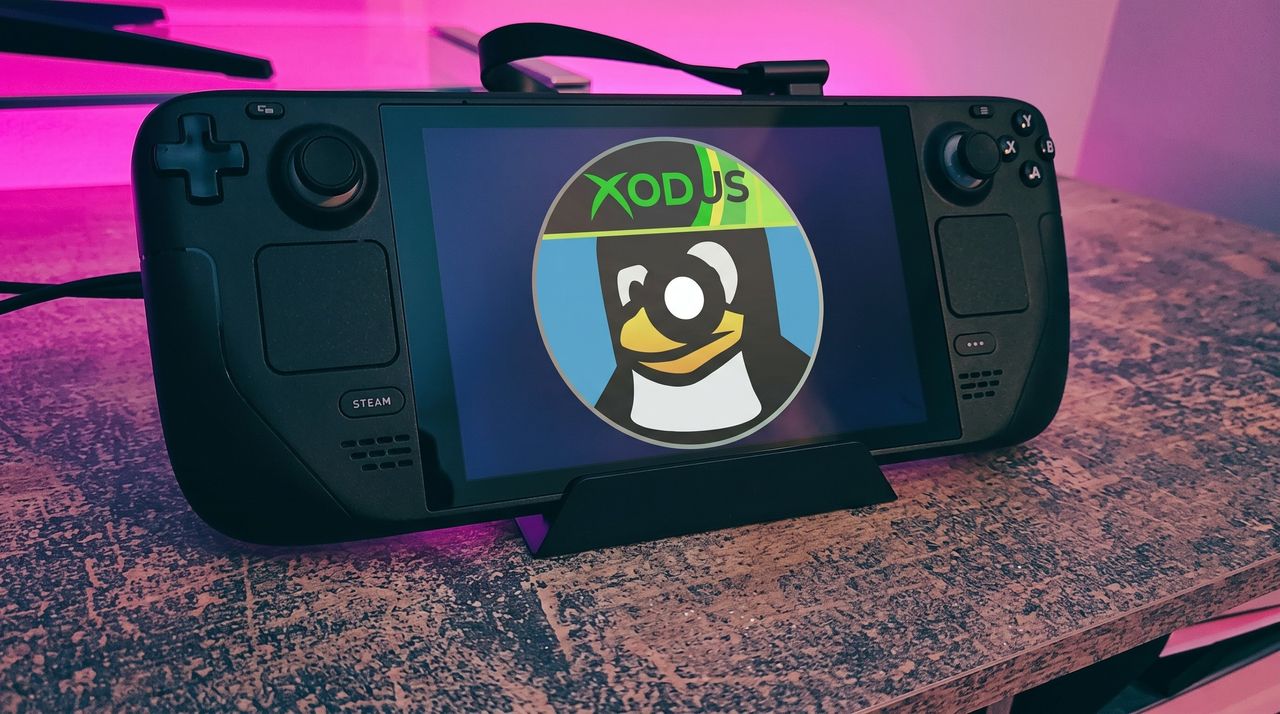
A black Steam Deck handheld gaming device displaying a penguin logo with a cap that says "XODUS," set against a softly illuminated pink and purple background on a textured surface.
Microsoft isn't doing it, so someone else is trying.
The incumbent Dell XPS 13 (DX13260) Dell's XPS 13, starting at $599 for students and $699 for everyone else, kicked off a new market sector of affordable-but-premium Windows 11 PCs. It's not likely to be usurped by the new Acer Swift Air
Dell's XPS 13, starting at $599 for students and $699 for everyone else, kicked off a new market sector of affordable-but-premium Windows 11 PCs. It's not likely to be usurped by the new Acer Swift Air 14 unless you need more ports, a larger display, or more expressive color options.
Pros
Beautiful aluminum design that's more compact
2.5K display with plenty of brightness; 30Hz-120Hz variable refresh rate
IR camera for Windows Hello
Starts at $599 for students
Cons
No USB-A or 3.5mm audio
Thunderbolt 4 is only available with more expensive models
Acer's Swift Air 14 arrives to challenge the $699 affordable-but-premium PC market, and it should be the right choice for those who want a larger 14-inch display, more color options, and a more generous selection of ports.
Pros
Thunderbolt 4 ports come standard, includes USB-A and 3.5mm audio
Four color options, beautiful aluminum design
Larger 14-inch display hits 120Hz
Could have slightly better battery life compared to XPS 13
IR camera for Windows Hello
Cons
Slightly larger and heavier (though you get a larger display)
No Dolby Vision, lower-res display
No Panther Lake option for power users
Dell's latest XPS 13 (DX13260) was unveiled at Computex 2026 and launched in June, starting at $599 for students and $699 for everyone else.
Not to be outdone, Acer also unveiled a new budget $699 Windows 11 laptop at Computex; the Acer Swift Air 14 is expected to launch in North America in August ... basically any day now.
Considering how closely matched these two PCs are in price, I thought it was best to put together a comparison to help you make the right decision.
Dell XPS 13 vs. Acer Swift Air 14: Specifications
Here's a breakdown of the specs that go into each of these laptops to give you a better idea of what you're buying.
TL;DR? Acer's Swift Air 14 is a larger laptop with a much larger battery capacity, and both PCs run on the same Intel Wildcat Lake chips. I break down the differences in some detail below this table.
These budget laptops feel like they should cost a lot more than $699
Showing off the Acer Swift Air 14's color options. (Image credit: Windows Central / Zac Bowden)
One major feature that sets these budget laptops apart from other PCs in the same price range is their aluminum frames. These are laptops with a truly premium feel despite their budget pricing.
It's a beautiful laptop, complete with a metal enclosure that feels premium to touch, and a large trackpad and excellent keyboard that make using the device feel great.
Zac Bowden
Dell offers two colors — Storm or Sky — for its XPS 13, while Acer offers Sage Green, Frost Blue, Blossom Pink, and Lilac Purple colors for a bit of extra expression.
The Swift Air 14 is the larger of the two laptops due to its 14-inch screen. It's still only about 12.36 inches wide (basically the size that 13-inch laptops used to be), and it weighs in at just 2.75 pounds (1.25kg).
The XPS 13 has a width of 11.69 inches and weighs in at 2.2 pounds (1kg), which is considerably lighter. I'd say that both of these laptops are extremely portable, and there's a difference of just 0.1 inches when it comes to thickness.
The laptops feel premium, and that's really what matters with such affordable devices. Bowden, too, went hands-on with the new XPS 13, stating:
The new XPS 13 doesn't cut any obvious corners to reach its new $699 price point. It still feels every bit as premium and nice to use as the $1,000 XPS 13 before it. This would be like if Apple made the MacBook Air a $699 laptop, instead of building a cheaper MacBook Neo.
Zac Bowden
TL;DR: Both laptops have a premium design and build quality, and they're both relatively thin and light. Stick with the XPS 13 if you want to be as mobile as possible, though the Swift Air 14 isn't far behind.
Touchpads and keyboards don't suffer from budget pricing
A closer look at the XPS 13's backlit keyboard and mechanical touchpad. (Image credit: Future)
As I mentioned, these laptops don't feel like they cost $699. Zac Bowden and I tested them both while we were at Computex, and it's clear that both brands put a lot of work into their keyboards and touchpads.
Dell skipped its lattice-free keyboard design on the new XPS 13 for a more traditional feel, and its mechanical touchpad (no haptics, unfortunately) is large and has a satisfying click.
In the same vein, the Swift Air 14's keyboard has decent travel and a comfy feel. The touchpad, again without haptics, is large and tracks well. You'll ultimately have to decide for yourself which setup you like more, but I can say that neither laptop skimps on the backlit keyboard and mechanical touchpad.
TL;DR: Your final decision will likely come down to personal preference, but I can say after testing both laptops that neither is likely to disappoint in terms of touchpad and keyboard.
Port selection might be the weak spot for some users
A look at the Swift Air 14's USB-A port and 3.5mm audio jack. (Image credit: Zac Bowden / Windows Central)
The XPS 13 with Intel's Wildcat Lake chips features dual USB-C 3.2 (Gen 2) ports. If you spend more on a model with an Intel Panther Lake CPU, you'll get two Thunderbolt 4 ports instead.
The Swift Air 14 is a lot better on ports, with dual Thunderbolt 4, one USB-A 3.2, and a 3.5mm audio jack.
As for wireless connectivity, the XPS 13 has more modern Wi-Fi 7 connectivity paired with Bluetooth 6.0. The Acer Swift Air 14 falls back to Wi-Fi 6E and Bluetooth 5.3. Is this a difference an average user will notice in day-to-day computing? Absolutely not.
TL;DR: Dell's most affordable XPS 13 models don't come with Thunderbolt 4, and there's no 3.5mm audio jack. Acer's Swift Air 14 comes with dual Thunderbolt 4 by default, plus it adds USB-A and an audio jack.
Both PCs have IR cameras for Windows Hello
The bezel above the Swift Air 14's display houses a 1080p webcam with IR capabilities for Windows Hello. (Image credit: Windows Central / Zac Bowden)
Something you don't see very often in budget laptops is an IR camera for Windows Hello. This additional hardware built into the above-display cameras unlocks facial recognition for Windows 11, adding an invaluable layer of security for any type of user.
Both laptops have a regular 1080p camera for video conferencing and stills. We had limited time to test cameras during our hands-on, but each seemed to do a good job of handling varying lighting conditions.
TL;DR: There's not much difference here between the 1080p webcams with IR sensors for Windows Hello facial recognition.
Dell's XPS 13 has a superior display compared to the Swift Air 14
A bright display with a 2.5K resolution comes standard in the XPS 13.
Measuring 13.4 inches with a 2560x1600 (2.5K) resolution, the XPS 13's display doesn't fail to impress. It's crisp, it has plenty of brightness at a 500-nit maximum, and an anti-glare finish makes it easier to see in bright conditions.
It features Dolby Vision certification for HDR content, it has a 30Hz to 120Hz variable refresh rate, and Dell clocks it at 100% DCI-P3 color gamut coverage.
The only aspect I can see Acer winning with the Swift Air 14's display is sizing. It measures 14 inches, giving some users a much-needed boost for multitasking. It also hits 100% sRGB color.
Another shot of the XPS 13's 2.5K display. (Image credit: Zac Bowden / Windows Central)
It does, however, have a lower 1920x1200 resolution and less brightness at 350 nits. It's unclear if the Swift Air 14's display has a variable refresh rate: it's listed as 120Hz only. That's a nice smooth picture, though the variable aspect can help conserve battery life.
TL;DR: The XPS 13's higher resolution, variable refresh rate, and Dolby Vision certification make it an attractive option, though some users will prefer a full 14 inches from the Swift Air 14 for easier multitasking.
Intel Wildcat Lake CPUs help keep prices down
The Intel Core Series 3 wafer used to make the Wildcat Lake chips in the XPS 13 and Swift Air 14. (Image credit: Cale Hunt | Windows Central)
Dell's Wildcat Lake Core Series 3 processors are driving both of these $699 laptops, so I don't expect there to be much difference in performance. However, there is some nuance.
The XPS 13 is currently only available with a Core 5 320 chip; a Core Ultra 7 355 chip from the more powerful Panther Lake series is expected to arrive at some point in the future. If you want the most power possible and don't mind spending more, this is the configuration I'd hold out for.
I'm expecting the Swift Air 14 to launch with the same Core 5 320 CPU in its $699 model, but Acer also lists a Core 7 350 for those with a bit more to spend. Both laptops come with 8GB or 16GB of LPDDR5 RAM, and only Dell plans to release a 32GB config for its upcoming Intel Core Ultra model.
TL;DR: The use of Intel Wildcat Lake CPUs in both laptops means performance should be close. If you want more power, only the XPS 13 is expected to offer an Intel Panther Lake alternative.
Acer's Swift Air 14 has a much larger battery capacity, but Dell has a secret weapon
The Swift Air 14 hides a sizable 70Wh battery in its slim chassis. (Image credit: Zac Bowden / Windows Central)
The Intel Wildcat Lake chips used in these laptops are geared to offer exceptional battery life.
Dell says its XPS 13 with a 52Wh battery can go for up to 17 hours when streaming video, and that's boosted by the use of 800ED battery cells that hold more power while taking up less physical space.
Acer's Swift Air 14 has a larger 70Wh battery, though it doesn't have Dell's extra-dense cells. This results in an estimated 19 hours of video playback, or 16 hours of web browsing, according to Acer.
We'll have to perform our own tests on these laptops to discover the true battery life, but I can say that both PCs should be able to get through a day of work or study without needing a charge.
TL;DR: The Swift Air 14's larger battery capacity is offset by Dell's use of denser battery cells. Both PCs should be able to go for most of a day without needing a charge.
Dell XPS 13 vs. Acer Swift Air 14: Which should you buy?
Dell's new XPS 13 is available starting at $599 for students, $699 for everyone else. (Image credit: Future)
Which laptop you ultimately choose should come down to several personal preferences. Want a larger display even with a lower resolution? Acer's laptop is the way to go. Want a larger battery capacity? The same goes.
But Dell's XPS 13 drops its price to $599 if you're a student, which makes it a particularly spectacular deal. Combine that with a higher-res 2.5K display, snappy performance, and long battery life, and you have a PC that's tough to beat.
The incumbent
Dell
XPS 13 (DX13260)
Dell's XPS 13, starting at $599 for students and $699 for everyone else, kicked off a new market sector of affordable-but-premium Windows 11 PCs. It's not likely to be usurped by the new Acer Swift Air 14 unless you need more ports, a larger display, or more expressive color options.
The Challenger
Acer
Swift Air 14 (SFA14)
Acer's Swift Air 14 arrives to challenge the $699 affordable-but-premium PC market, and it should be the right choice for those who want a larger 14-inch display, more color options, and a more generous selection of ports.
Join us on Reddit at r/WindowsCentral to share your insights and discuss our latest news, reviews, and more.
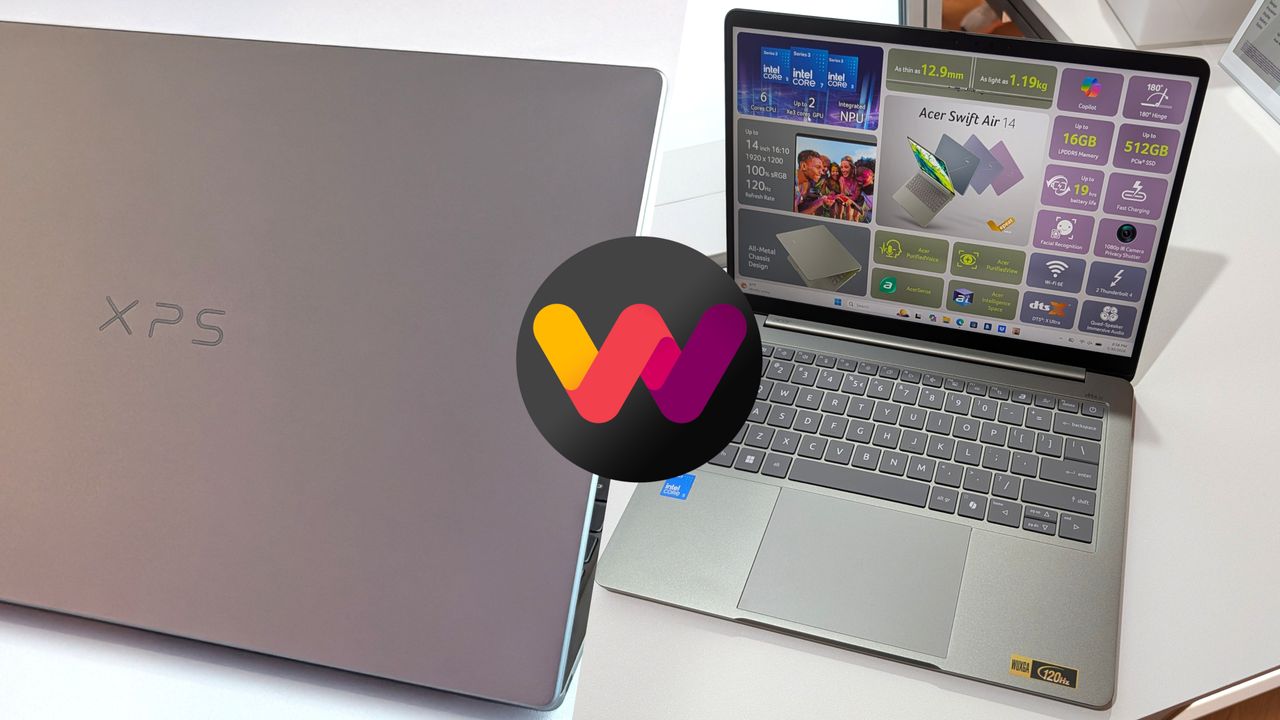
A Dell XPS laptop with a gray lid and an open Swift Air 14 display showcasing specifications. An abstract logo in pink, purple, and yellow overlaps the images.
The new XPS 13 (left) and the Swift Air 14 (right) are two $699 Windows laptops.

 Connexion