Vue normale

Reçu — 3 août 2026 Windows Central - News, Forums, Reviews, Help for Windows 10 and all things Microsoft.

I switched to HP's $6,000 Omen Max 45L pre-built gaming PC for two weeks, and the price isn't what's giving me second thoughts

HP announced its new Omen Max 45L desktop gaming PC in 2025, and it arrived with several upgrades over previous models.

I'm talking about an upgraded cooling system built on the back of HP's unique "Cryo Chamber." About a new modular power supply with an auto-cleaning fan. About new in-depth overclocking abilities.

The Omen Max 45L recently landed in my office, and I've been using it for a couple of weeks to see what it's all about. Does it make a strong case for itself compared to a DIY build? Does it have enough premium features to warrant a premium price? Here's what you need to know.

HP sent Windows Central a review unit on loan for testing. It had no input, nor saw the contents of this review, prior to publication.

How much does the HP Omen Max 45L cost?

Close-up of a graphics card with the name

The RTX 5080 is the second-most powerful GPU option available in the HP Omen Max 45L. (Image credit: Future)

HP's Omen Max 45L does not come cheap as a direct result of inflated component costs and the general high-end nature of the system.

Looking at HP.com at the time of writing, prices start at $3,489.99 for a model with an AMD Ryzen 7 9700X CPU, NVIDIA RTX 5070 GPU, 32GB of Kingston Fury DDR5-6000 RAM, and a 1TB M.2 PCIe 4.0 NVMe SSD.

Prices climb all the way to $6,499.99 for a model with an AMD Ryzen 9 990X3D CPU, NVIDIA RTX 5090 GPU, 4TB of storage, and 64GB of DDR5 RAM.

The specific unit I'm reviewing costs closer to $5,959.99 before any discounts. At the time of writing, it's $800 off the regular price, bringing it down to $5,159.99. Here's a closer look at the specs that make up the PC I'm testing.

HP Omen Max 45L

CPU

AMD Ryzen 9 9950X3D

GPU

Custom NVIDIA RTX 5080

RAM

64GB DDR5-6000 Kingston Fury Beast RGB

Storage

2TB M.2 PCIe 4.0 NVMe, Samsung PM9A1

Motherboard

Custom, Micro-ATX, AMD X870

PSU

1200W, Cybenetics Platinum, modular, ATX 3.1

Wireless

Wi-Fi 6E or Wi-Fi 7, Bluetooth 5.3 or 5.4

Dimensions

8.03 x 18.15 x 21.85 inches (20.3cm x 46.1cm x 55.49cm)

Weight

49.82 pounds (22.59kg)

Warranty

1 year, HP Care Pack options available

I put together a mock build on PCPartPicker to compare pricing. With the CPU, GPU, RAM, storage, PSU, X870 motherboard, Windows 11, and Lian Li O11 case, you're looking at roughly $4,616. Add some extra ARGB case fans in there, and you might hit $4,800 to $5,000.

Without a discount, HP is charging a lot more for the Omen Max 45L compared to building your own. If you are interested in this PC, I definitely recommend waiting for a deep discount.

Is the HP Omen Max 45L assembled properly with good cable management?

Inside an HP Omen Max 45L computer case, showcasing a cooling unit with temperature readings, a fan, illuminated RAM sticks, and a graphics card.

Cable management and build quality aren't perfect in the Omen Max 45L. (Image credit: Future)

I've been on a run of good luck lately regarding pre-built PCs I tested and reviewed, and I had high hopes for the Omen Max 45L's build quality and cable management.

In the former case, it's a bit of a mixed bag. The PC has a sturdy separate top compartment that can be used to lug around the 50-pound system, quick-release side and front panels, and a pull-off top panel hiding the AiO radiator.

An Omen Max 45L with a transparent side panel displays its internal components, including a GeForce RTX 508 graphics card, against a backdrop of a bookshelf.
The front glass panel is removed by pressing two buttons.Future
An Omen Max 45L computer tower with a transparent side panel showcases illuminated cooling fans. It is placed on a wooden surface near a bookshelf and indoor plants.
A screen keeps dust out of the case.Future

It's easy to get inside the PC without any tools, and I appreciate that there's a removable dust screen for the three front intake fans. I live with two cats and ... you get the idea. I've been using the PC for a couple of weeks, and there was minimal dust to blow out when it came time for photos.

It's easy to get inside the PC without any tools, and I appreciate that there's a removable dust screen for the three front intake fans.

The massive RTX 5080 GPU is held in place with an additional bracket — also removing the need for any bothersome foam packing en route — and I had to make no adjustments out of the box. The PC turned on and booted up as soon as I hit the power button.

Top view of a black Omen Max 45L computer case with a ventilated design and USB ports on the side.
The top of the Cryo Chamber is protected by a removable plastic covering.Future
Top view of a black Omen Max 45L computer case with a ventilated mesh panel and ports on the side, set against a background of bookshelves.
Access to the AiO radiator is fairly easy.Future

There are a couple of areas where the build quality could be better. I noticed immediately that the CPU pump header isn't mounted squarely on the chip. The front panel of the case seems to stick on one side. And the rear side panel doesn't quite match up flush with the rest of the tower unless I really take my time lining it up.

Cable management leaves a lot to be desired

Interior view of an Omen Max 45L computer case with organized cables, a power supply labeled

The Omen Max 45L's cable management leaves a lot to be desired. (Image credit: Future)

Cable management in the HP Omen Max 45L isn't great. It feels like it was a rushed job, leaving stray cables and extra length on the visible side. Not only does this make for a messy appearance, but it can also interfere with internal air cooling.

Around the back, behind the all-metal panel, things aren't much better. Compared to, say, Maingear's MG-1 MK.II or Acer's Nitro 65, the Omen Max 45L's (normally) hidden cabling is spaghetti.

Interior of an Omen Max 45L computer case featuring a liquid cooling unit with temperature readings, illuminated RAM sticks, and blue lighting from a fan.

A look at some of the visible cabling inside the Omen Max 45L. (Image credit: Future)

There's a snarl of cables pinched between the panel and motherboard backing, and another snarl sitting in front of the modular PSU. One thing I can appreciate is that the correct SATA cables are sitting idle in front of the dual (empty) HDD bay for easier connectivity.

How is port selection on the HP Omen Max 45L?

Top view of an Omen Max 45L computer case featuring a grid vent, USB ports, and a power button in a home setting.
A look at the front I/O on the HP Omen Max 45L.Future
Rear view of an Omen Max 45L computer tower with multiple USB ports, an Ethernet port, audio jacks, and a ventilation grille, set against a blurred bookshelf background.
A look at the rear I/O on the HP Omen Max 45L.Future

The front of the case hosts four ports and an LED power button. There are two USB-A at 5Gbps each, one USB-C at 10Gbps, and one 3.5mm audio combo jack. Not too bad in terms of convenience for ports often used.

Around back, on the custom HP micro-ATX motherboard, you'll find four USB-A 2.0 ports (with speeds measured in Mbps) as well as two more USB-A at 5Gbps. Two additional USB-C at 10Gbps round out USB connectivity.

This is a fairly austere port setup, leaving a lot of space on the board's I/O blank.

HP has a 2.5Gb Ethernet port for wired connectivity, as well as dedicated jacks for line in, line out, and microphone. This is a fairly austere port setup, leaving a lot of space on the board's I/O blank. At least there's an easy CMOS reset button available.

As for the GPU, ports depend on the card you get. The RTX 5080 here has one HDMI 2.1b and three DisplayPort 2.1b.

How does the HP Omen Max 45L's cooling set itself apart from other PCs?

Interior view of a black Omen Max 45L computer case featuring cooling fans, an RGB lighting strip, and a temperature display, with a bookshelf and plant in the background.

The Cryo Chamber adds an air-gapped section for the AiO's radiator. (Image credit: Future)

The Omen Max 45L's most prominent feature is its dedicated Cryo Chamber that hosts the AiO CPU cooler's radiator separately from the rest of the PC. The air-gapped setup means that only ambient air is cooling the fins, and the hot air forced out the other side by the fans doesn't enter back into the PC.

It's an admittedly ingenious setup that makes a difference, especially when you're working with flagship GPUs that produce quite a bit of heat that's spilled directly into the main portion of the case. It does, however, add quite a bit of bulk to the case. If you're short on space already, this probably isn't the PC for you.

The Omen Max 45L uses mostly standard parts

A close-up view of an Omen Max 45L interior, featuring a

HP uses custom parts in the Omen Max 45L, but they're sized appropriately for easy future upgrades. (Image credit: Future)

A big issue a lot of people have with big-brand pre-built PCs is their insistence on using proprietary hardware inside. I'm talking about parts that can't be easily replaced because they're some weird size or shape.

That's not the case here. Well, not exactly. The motherboard is a custom micro-ATX HP 8E55 using AMD's X870 chipset. It's a standard size that makes for easy replacement, and the case also fits up to a full-size ATX board.

I'm not sure why HP didn't just go for the full-size board in the first place. The massive GPU blocks off a lot of the board, and you'll absolutely be pulling the card out of the case if you have to do anything that involves the secondary SSD or the M.2 Wi-Fi card.

The RTX 5080 is also a custom HP job with a snazzy Omen-styled casing. It performs just as well as any other 5080 out there made by a known brand.

I tested it using 3DMark's Speed Way and Steel Nomad tests and came back with these scores of 8,996 and 8,628, respectively.

3DMark Time Spy performance graph with purple bars against a black background.

The RTX 5080 in the Omen Max 45L performs exactly as expected. (Image credit: Future)

There were no surprises from the AMD Ryzen 9 9950X3D, either; it performed as expected in baseline benchmark tests. If you're buying this PC strictly for gaming, I'd recommend sticking with the Ryzen 7 9800X3D. It costs $330 less and will deliver incredible gaming performance.

The Samsung SSD isn't the fastest we've tested, but it gets the job done with 6,626 MB/s read and 4,993 MB/s write speeds. Check out these graphs for a comparison to other hardware we've recently tested.

Cinebench 2024 performance graph for the Omen Max 45L with purple and yellow bars against a black background.
Future
CrystalDiskMark performance graph for the Omen Max 45L with purple and yellow bars against a black background.
Future
Geekbench 6 performance graph for the Omen Max 45L with purple and yellow bars against a black background.
Future

The PSU is actually one of the PC's strong points, which goes against a lot of other pre-built systems. It's a 1200W Platinum-grade option with a Cybenetics Platinum rating. It's fully modular for easy tweaking, it's quiet, and it has a custom reverse fan cleaning tool to spin the dust out of the hardware.

The PSU is actually one of the PC's strong points, which goes against a lot of other pre-built systems.

Even the separated AiO cooler can be replaced should the stock HP option that ships with the PC not be up to snuff for your needs.

Does the HP Omen Max 45L have good airflow?

A sleek black Omen Max 45L computer case with glass panels and purple LED fans is set on a wooden table, surrounded by bookshelves and indoor plants.

There's almost no difference in temperate with the front glass panel removed/in place. (Image credit: Future)

To check airflow and temperatures, I ran a lengthy 3DMark Speed Way stress test. With all panels in place, including the front glass panel, the CPU hit 46 degrees Celsius, and the GPU hit 75 degrees.

With the front glass panel removed, GPU temperatures fell to about 74 degrees Celsius. The CPU, with separated cooling, saw no change. That's a minor difference, and you should have no problems keeping the PC cool as intended.

It's worth noting that the PC runs very quietly. The most noise I could get out of it was during the stress tests, and it peaked at just 47 decibels. That's quieter than most other pre-built PCs I've tested, and you'll hardly notice it's running even under load.

Does the Omen Max 45L come with useful custom software?

The main software to control this PC is HP's Omen Gaming Hub. It serves ads while open (annoying), but it does a decent job of controlling the PC.

The ARGB in the PC seems to have some issues, and I suspect it has to do with HP's firmware. It'll turn off randomly and not turn back on until the PC restarts, or it will reset on its own while using the PC.

HP includes a lot of software I deem unnecessary, including McAfee antivirus, Adobe offers, and Booking.com. It's classic bloatware. That's without mentioning the seven different HP apps that come preinstalled.

It can all be removed, but it's still an annoyance on a PC this expensive, especially when competitors are shipping clean installs of Windows 11.

Should you buy the HP Omen Max 45L?

A close-up of a modern black computer tower with the logo

You're going to need a fair amount of space in your gaming area to fit the Omen Max 45L. (Image credit: Future)

You should buy this if ...

✅ You want a unique and powerful desktop PC for gaming or creative work.

✅ You'd rather not save some money with a DIY build.

You should not buy this if ...

❌ You're looking for the best value possible in a pre-built gaming PC.

❌ You want the absolute best cable management and build quality.

There's no question that the HP Omen Max 45L delivers on top-tier performance and cooling. Unfortunately, its assembly and cable management don't feel like they match the high price.

Worse, the PC comes with quite a bit of bloatware, and there are what I suspect are firmware issues that plague the built-in RGB lighting.

The pre-built gaming PC market has come a long way in recent years, and the Omen Max 45L ultimately feels like it's stuck in the past. It won't disappoint those who need a ton of power, but there are plenty of alternatives out there that will deliver a superior product at a similar price.

Black HP Omen Max 45L desktop gaming PC with RGB fans against a white background.

HP
Omen Max 45L

HP's Omen Max 45L is a flagship pre-built desktop gaming PC with a few stellar tricks up its sleeve, but overall, I'd rather spend big money on a boutique build with better cable management, a higher build quality, and similar pricing.

Click to join us on r/WindowsCentral

Join us on Reddit at r/WindowsCentral to share your insights and discuss our latest news, reviews, and more.

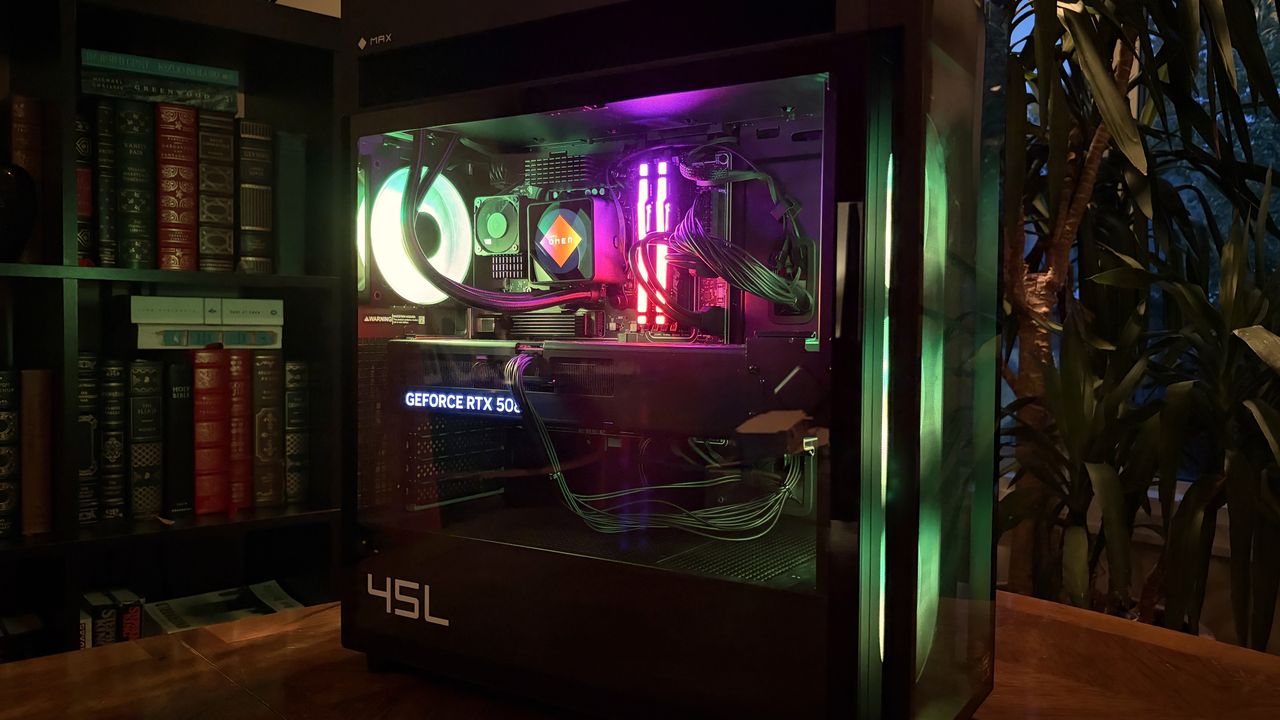
A modern HP Omen Max 45L computer tower with a glass side panel showcasing colorful internal components, including a glowing cooling fan and RAM, is set against a backdrop of bookshelves.
A modern HP Omen Max 45L computer tower with a glass side panel showcasing colorful internal components, including a glowing cooling fan and RAM, is set against a backdrop of bookshelves.

ThinkPads from 2008 are some of the hottest used laptops right now — Here's how (and why) they're being turned into Windows 11 PCs

If you asked me what the most exciting ThinkPad on the market is, I might say the latest T14 because it's highly upgradeable, or the latest X1 Carbon because it's so thin and light.

If you ask someone from the r/ThinkPad subreddit, you'd probably get an entirely different answer. Let me introduce you to the ThinkPad X210Ai.

X210Ai with custom keyboard-controller from r/thinkpad

If it looks odd, it's because it is indeed quite an oddity. For the ThinkPad savvy, yes, that's an X200 chassis dating from 2008 or so.

Notice the lack of a touchpad below the TrackPoint system's physical mouse buttons. The scissor-switch keyboard with high-topped keys and deep 2mm key travel. The chunky display surround with clasps to hold the screen closed while traveling.

Reddit user hektopuss posted this laptop a few months ago, and it's far from the only example of these modded ThinkPads on the subreddit.

Something like this shouldn't work. A ThinkPad chassis old enough to have shipped with Windows Vista, gutted and rebuilt with modern performance hardware. And yet, a small but increasingly visible corner of the ThinkPad community has been modding laptops that should cost less than a nice dinner into genuinely modern machines.

What's actually going on with the ThinkPad X210Ai?

The ThinkPad X210Ai is ultimately the result of the ThinkPad community's ingenuity and refusal to let old hardware die.

The X210Ai is a replacement mainboard from TP Art, which appears to be largely run by one person who goes by Franck Deng.

The mainboard is designed to drop into the X200 and X201 chassis; the best part is that it brings a modern Intel Core Ultra 7 165H or Core Ultra 9 185H to the table, as well as support for DDR5 RAM, dual M.2 SSD slots, Thunderbolt 4, and HDMI 2.1.

Image of two black printed circuit boards (PCBs) with various electronic components, connections, and labeled sections indicating ports and features.

A breakdown of the X210Ai custom motherboard's ports and expansion slots. (Image credit: TPArt.net (Franck Deng))

You can keep the X200/X201's original display, or you can upgrade it, while the keyboard and TrackPoint stay put.

Because of the modded mainboard's changes, the bottom chassis needs to be reworked with new holes punched for the ports and fans. Luckily, TP Art sells the full kit with mainboard, daughterboard, chassis, mylar, and 3D-printed accessories for as little as $1,299.

New displays with high resolutions start at $299, and extra custom fans cost $119.

TP Art also sells barebones builds with everything (including keyboard and display) except RAM, storage, CMOS battery, and main battery for $1,699.

This tradition isn't entirely new, and TP Art is a direct descendant of the efforts on forums like 51nb where modders have been retrofitting ThinkPad mainboards for years. TP Art simply recognized an opportunity to do what they love (and make a bit of money from it).

The used ThinkPad scene is thriving as RAM prices skyrocket

Lenovo ThinkPad T490s on a wooden desk, showing Windows 10 desktop

You can find more modern used ThinkPads for less than the X210Ai custom job, but they just don't have the same classic accoutrements. (Image credit: Cale Hunt | Windows Central)

I imagine this sort of extreme ThinkPad modding would be happening no matter what component prices looked like, but the ongoing RAM and storage crisis driving up the cost of new laptops is surely having an exaggerated effect.

Memory and storage markets are genuinely breaking down for consumers as AI firms gobble up hardware, and there's no relief expected until maybe 2030. Combine these effects with the ThinkPad community's love of classic hardware, and it becomes clear why the X210Ai is becoming such a hit.

Franck notes on the TP Art site that the "volume of pending orders and our team's limited modification capacity" is forcing order processing up to six months out. I'd say that's quite popular.

The math on a rebuild doesn't look too bad once you start digging into current laptop prices.

The math on a rebuild doesn't look too bad once you start digging into current laptop prices. Say you buy a full barebones kit at $1,699 and have to add RAM and storage (the two highest costs).

Add, say, $500 to the cost for everything else, and you're sitting at about $2,200 total for a retrofitted ThinkPad.

Sure, you can get a more modern used ThinkPad for less, but that's not the point. Many enthusiasts yearn for the ThinkPad reliability of years gone by, one of the best keyboards ever made, and a wide selection of ports. That's exactly what the X210Ai offers.

Reddit user hektopuss says they plan to use the modded ThinkPad X210Ai for 10 years, which makes the purchase price a lot more reasonable.

Old chassis, new OS dilemma

An open Lenovo ThinkPad laptop on a wooden surface, displaying a vibrant digital artwork of a Japanese garden at night, with a focus on lush greenery and traditional architecture.

Reddit user alvarikoke99 installed the Omarchy Linux config on their modded ThinkPad X210Ai. (Image credit: u/alvarikoke99 (Reddit))

Trying to run Windows on an unmodified ThinkPad X200 wouldn't go over well. It has no TPM 2.0 chip, no approved Windows 11 CPU, and shaky Secure Boot.

Windows 11 only works with a bypass tool, which would land with no driver support, and Windows 10 isn't going to be around forever (even though Microsoft recently extended its afterlife support).

Blank Pixel

The X210Ai's modified board with Intel Core Ultra Series 1 chips solves that problem. Windows 11 is fully supported, meaning you shouldn't have to worry about any deadlines on the horizon.

Does that mean X201Ai adopters are all using Windows 11? Far from it. It seems that most use some form of Linux, effectively sidestepping most of Microsoft's barriers. Reddit user hektopuss, for example, is using Windows, but there are plenty of examples of Linux to be found.

How you, too, can get started with a modified ThinkPad

A Lenovo ThinkPad X200 laptop on a marbled surface, displaying code in various colors on its screen.

Another ThinkPad X210Ai dropped into an X200 chassis from Reddit user u/Retrocet. (Image credit: u/Retrocet (Reddit))

Buying a customized classic ThinkPad with new hardware under the hood surely isn't for everyone. If you do want a ThinkPad but want to spend less, I recommend checking out used markets that are currently thriving. It's hard to kill a ThinkPad, and that's a boon for buyers.

I recommend checking out the ThinkPad Blue Book buying guide on Reddit to get an idea of pricing. It needs to be updated for 2026, as most listed prices have gone up, but it's still relatively accurate.

If you do want to check out the X210Ai, you're free to do so as long as you don't mind waiting. As I mentioned, wait times are up to six months, and orders can't be canceled once placed.

Click to join us on r/WindowsCentral

Join us on Reddit at r/WindowsCentral to share your insights and discuss our latest news, reviews, and more.

Close-up of a black ThinkPad laptop in focus, with a green plant blurred in the background.

Close-up of a black ThinkPad laptop in focus, with a green plant blurred in the background.

After years of PC-building snobbery, I'm ready to admit pre-builts are no longer taboo — Here's why I'm rethinking my DIY stance

For many years, "pre-built PC" almost felt like a slur in some gaming circles, and I'll admit that I used to consider myself above the pre-built market.

Cale Hunt

Cale Hunt

(Image credit: Future | Edited with Gemini)

What I'm working on this week: I'm in the process of testing the HP OMEN 45L pre-built gaming PC, and outside of work, I'm catching up on garden care when it's not too hot to breathe.

Who would buy a system built by someone else? That might not have proper airflow? That might have a ton of bloatware installed out of the box? That might use proprietary parts you can't upgrade yourself? That charges a premium price compared to building your own? To put it bluntly, pre-built gaming PCs had a poor reputation.

These things used to cross my mind before I regularly started testing pre-built PCs here at Windows Central, before I had a ton of experience with the pre-built market, and before the PC market's recent changes.

I won't pretend that I don't still prefer building my own gaming PC. Watching it power on and run my favorite games is a small joy that I love to repeat. But the time when building your own PC was cheaper and better than picking up a pre-built is coming to an end.

I've spent the past several months testing a wave of new pre-built gaming PCs here at Windows Central, and I can no longer pretend that they're inferior. Some of these machines are genuinely good. Not just "good for a prebuilt" — genuinely good and bordering on better than I could do myself.

The proof is in the pre-built PC

A modern Acer Nitro 65 desktop computer in a glass case with RGB lighting, showcasing internal components like a graphics card and cooling fans, alongside a bookshelf and a potted plant.

Acer's Nitro 65 pre-built gaming PC impressed me more than I expected. (Image credit: Future)

It was Acer's Nitro 65 pre-built gaming PC that finally spurred me to write this article. It's the most recent pre-built I reviewed — I'm also testing the HP Omen 45L right now — and I went in expecting the usual compromises often found in big-brand pre-built systems.

It turns out that, aside from a non-modular PSU tucked away out of sight, the PC is something I'd easily recommend to anyone looking for an upgrade.

Acer's Nitro 65 surprises with a clean build, a gorgeous case (mostly), regular components, and a competitive price compared to building your own similar system. It has some quirks, but they don't keep me from recommending it as an above-average pre-built option.

Acer Nitro 65 review

I saw a similar story play out on the boutique end. I tested Maingear's MG-1 MK.II earlier this year, handing it five stars and a Windows Central Editor's Choice award.

A Maingear MG-1 MK.II gaming PC with RGB lighting illuminates the interior. It features a GeForce RTX graphics card and vibrant cooling fans, creating a futuristic vibe.

Maingear's MG-1 MK.II is an incredible pre-built gaming PC. (Image credit: Future)

It's an expensive PC to be sure, but not much more than putting your own system together with everything considered. These PCs are assembled by hand by people who clearly have a passion for this type of thing, and I don't think I've ever paid as much attention to cable management and RGB lighting as what's found in Maingear's flagship.

Maingear took customer feedback from the original MG-1 and fed it into the development of the MG-1 MK.II. The result? An outstanding gaming pre-built that I have a hard time knocking for anything other than minor infractions.

Maingear MG1 MK.II review

The iBuyPower Slate 8 Mesh that I reviewed last year is another relatively affordable gaming PC that balances power and price quite well, and it regularly costs less than $1,500.

iBuyPower RDY Slate 8MP 004

iBuyPower's Slate 8 Mesh pre-built PC is still available for a great price. (Image credit: Future)

This leads me to the Steam Machine's launch, when I went looking for prebuilts that could best it on price and performance. This was during Amazon's Prime Day event, but it quickly became clear that the five PCs I chose could outperform Valve's box while also costing less.

This is really where I imagine PC purists are having a hard time: pre-builts are increasingly upping build quality, maintaining convenience, and winning on value.

Not every pre-built gaming PC is a winner

ASUS TUF Gaming T500

The ASUS TUF Gaming T500 is an interesting idea that I don't think landed. (Image credit: Future)

As I said, I'd still recommend anyone with the time and inspiration to put together their own system. If hardware prices weren't being completely skewed by the ongoing RAM and storage crisis, I might not be writing this piece.

And although I've had some positive experiences of late, I don't want to oversell pre-built PCs. There are certainly still a lot of oddities to be found in the market.

Take the ASUS TUF Gaming T500 that I reviewed as an example. It's built around a laptop-class mobile CPU stuffed into a desktop chassis, and, in my opinion, the mash-up didn't work.

It took the worst pre-built habits, including poor upgradeability, and added new problems on top. It's ultimately proof that pre-builts still aren't guaranteed to be winners, and that the ceiling has risen without the floor following.

A hybrid mobile/desktop pre-built gaming PC is an interesting idea, but the execution fails to impress. A desktop-class GPU doesn't make up for throttled mobile CPU performance and poor upgradeability. I recommend building your own PC or checking out a pre-built with a true desktop CPU inside.

ASUS TUF Gaming T500 review

That's the distinction that matters. Just a few years ago, the odds of landing a quality pre-built PC that was upgradeable and assembled properly weren't great. Enough so that using a blanket "just build your own PC" response was reasonable.

Those odds have shifted. More and more companies are shipping systems that hold up against self-assembled PCs in terms of price, component quality, and thermals.

My advice to gamers shopping for a new pre-built PC

The image shows an open MG-1 MK.II computer case on a wooden table, revealing neatly organized cables and components. Bookshelves with books appear in the background.

Cable management on the Maingear MG-1 MK.II is nearly perfect. (Image credit: Future)

Those shopping for a pre-built gaming PC shouldn't trust the entire category. Instead, trust specific reviews. Check what PSU is inside and whether an upgrade is necessary. Check what parts the case can fit inside. Check how much bloatware you're dealing with on day one.

Just a few years ago, I would have told a friend building their first gaming PC to skip pre-builts entirely. Now, I'd tell them to read a few reviews first, because there's a real chance the better deal is already sitting on a store shelf.

Click to join us on r/WindowsCentral

Join us on Reddit at r/WindowsCentral to share your insights and discuss our latest news, reviews, and more.

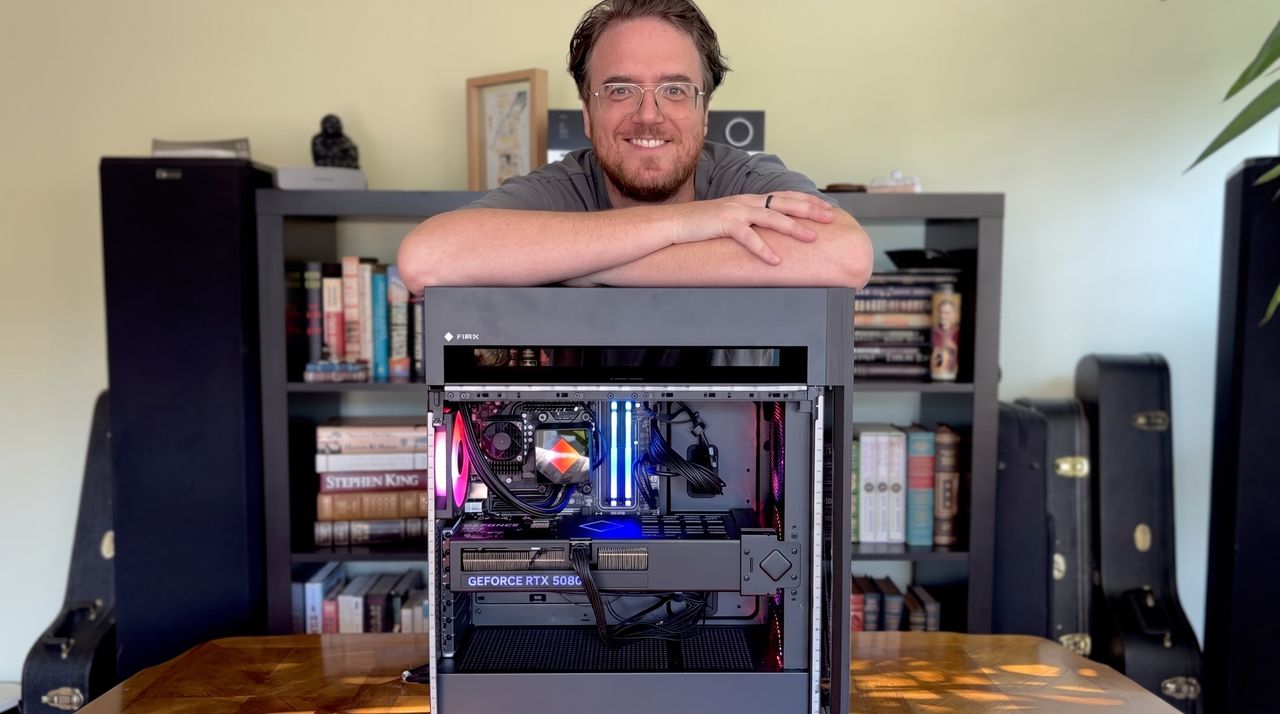
A smiling man leans over a computer case showing colorful internal components, with a bookshelf filled with books in the background.

A smiling man leans over a computer case showing colorful internal components, with a bookshelf filled with books in the background.

❌