❌

Vue normale

Reçu — 7 novembre 2026 ⏭ Windows Central - News, Forums, Reviews, Help for Windows 10 and all things Microsoft.

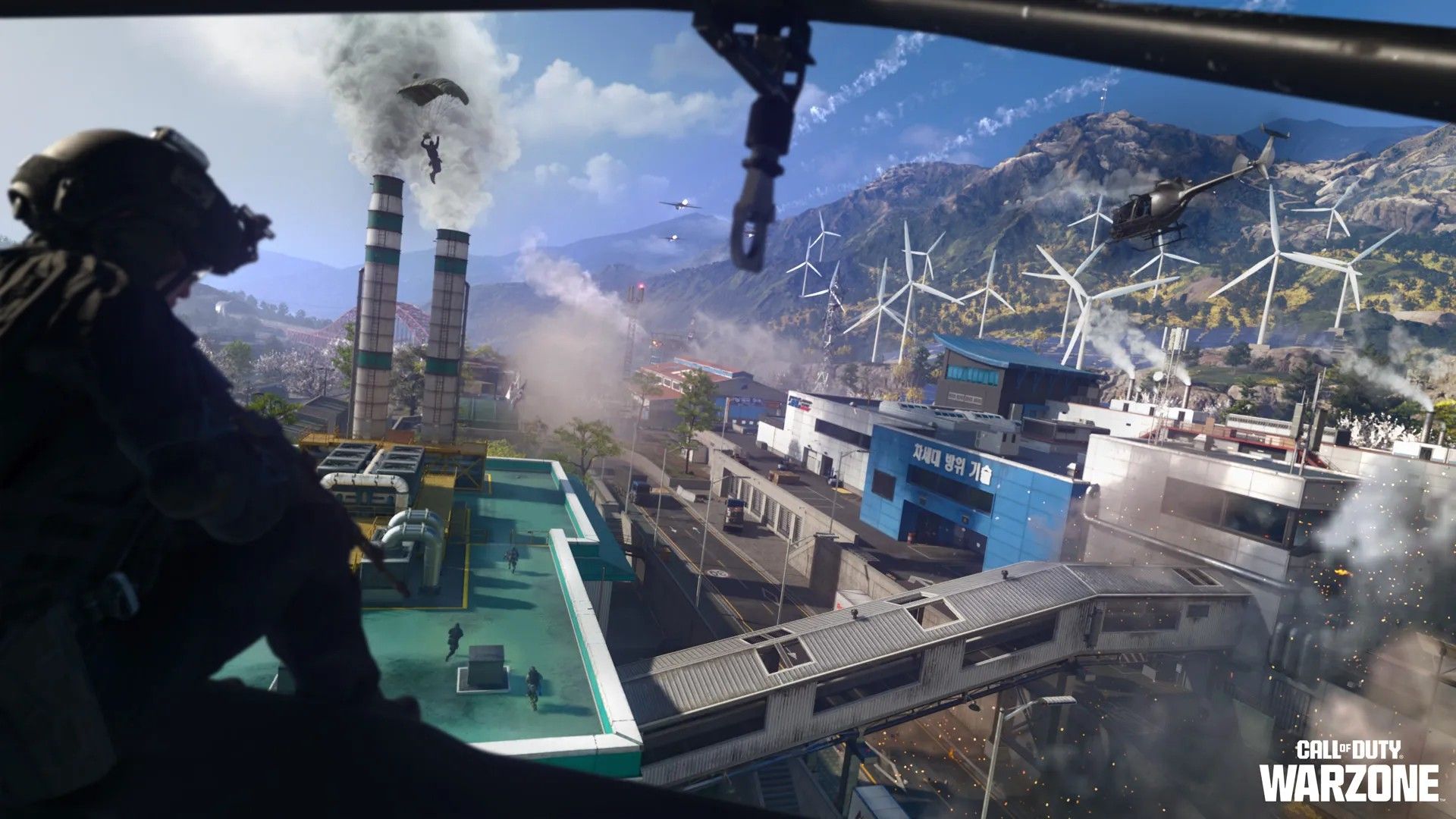
How to complete the secret challenges on Warzone's new Zodiac map

Now that Season 1 has arrived for Call of Duty: Modern Warfare 4, that means that Warzone has now integrated with this year's game.

With it comes two new maps, and in the case of the Resurgence map, Zodiac, we're starting to find some secret challenges with rewards to claim.

Below I've rounded up what I know of so far, either through my own play or from other community members. Here's what you can get and how to do it.

How to unlock the DRC Prototype Vel 46 Blueprint

A screenshot from Call of Duty: Warzone showing a secret challenge completed

There's a secret weapon blueprint to unlock, and it's pretty easy to get. (Image credit: Windows Central)

Zodiac is hiding a secret weapon blueprint you can get, and it's actually pretty straightforward to unlock.

You can do it on any mode, so I recommend doing it in Rally Point while it's still around since it's easiest, and we don't know how long it'll be in the game for.

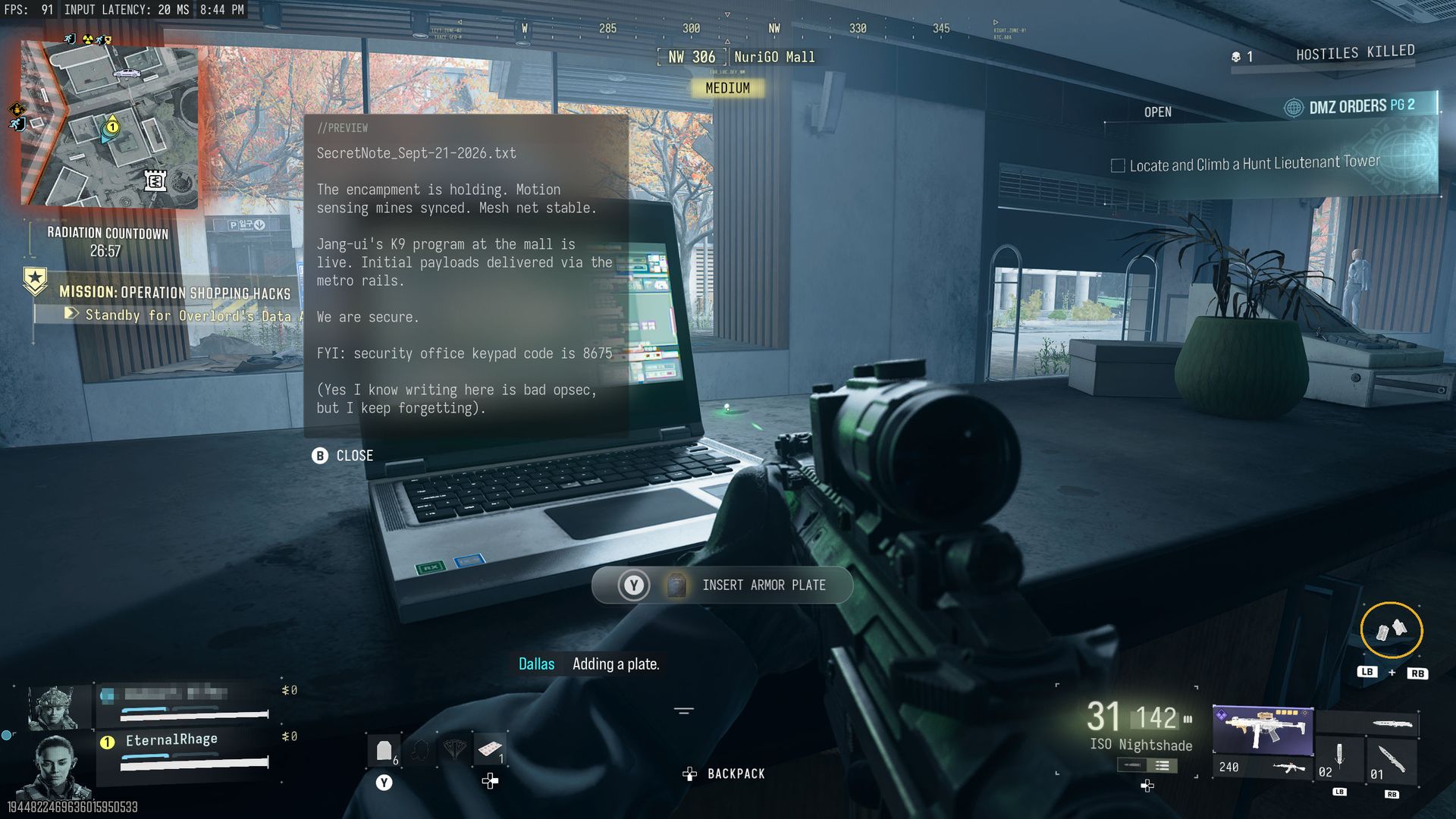
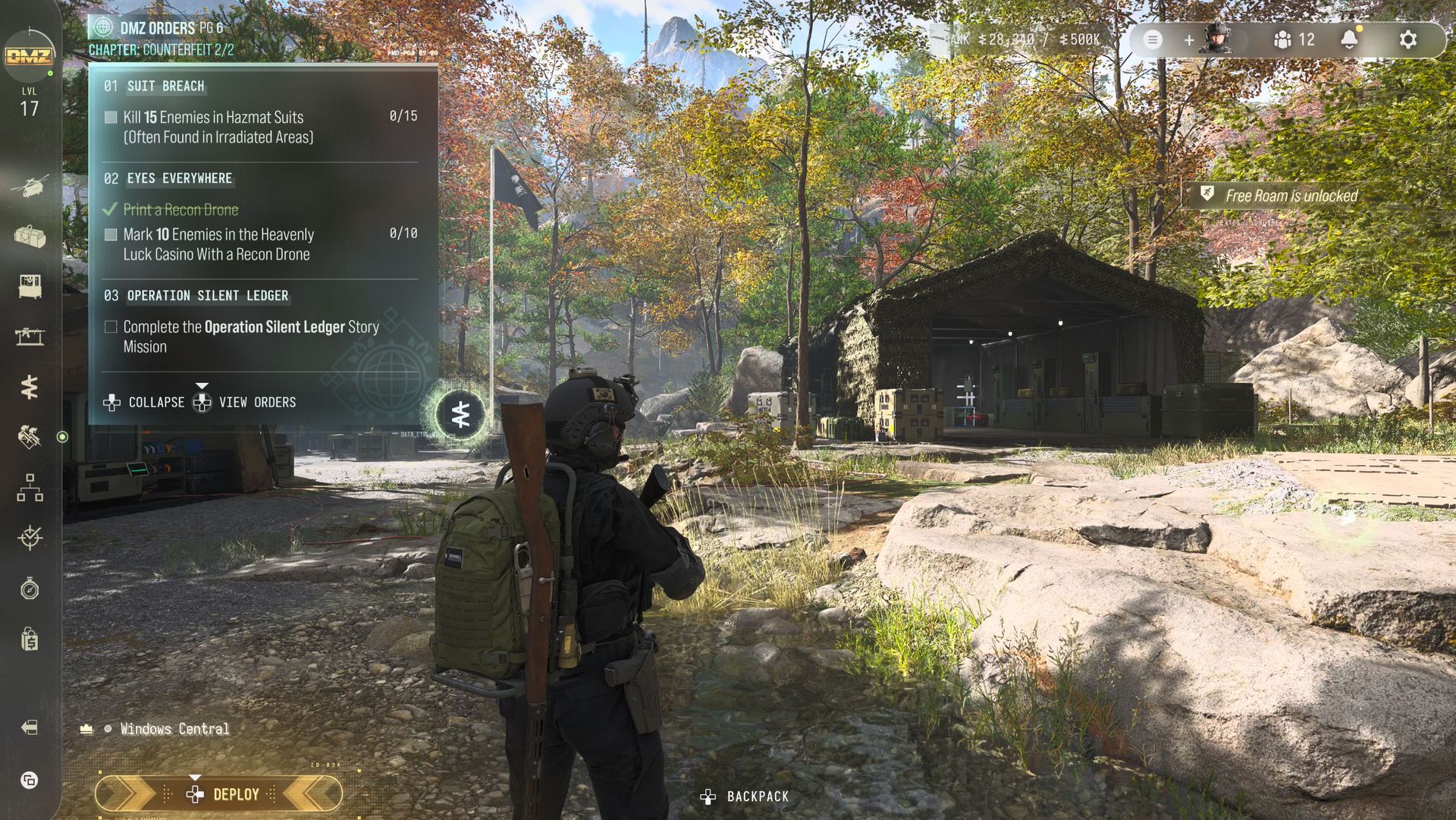
Drop into Trackline and head immediately for the room on the roof at the far southeast corner. Inside you'll find a computer you can interact with to call in a drone. It may not trigger the first time, so give it a few seconds, then try again.

Unlocking the DRC Prototype blueprint on Call of Duty: Warzone on the Zodiac map.
Pick up the weapon one time and you'll unlock the blueprint. Windows Central
Unlocking the DRC Prototype blueprint on Call of Duty: Warzone on the Zodiac map.
It's actually a pretty solid blueprint, too, and you'll be able to craft it for free in DMZ. Windows Central

Then you have to wait for the drones to come over. I recommend leaving it until they land with all their supplies rather than shoot them down. This is because they'll come to you on the roof, and you won't lose the box you need.

Ignore everything except the orange crates. Open all of them, and inside one should be the "DRC Prototype". Pick it up, and you'll complete the challenge and have the blueprint to use in any of your games across Modern Warfare 4 and Warzone. Which includes a free one-time crafting in DMZ, too.

Call of Duty: Warzone Zodiac secret calling card challenges

Screenshot of the Calling Card collection in Call of Duty: Warzone during Modern Warfare 4.
One of the secret challenge calling cards available on the new Zodiac map. Windows Central
Screenshot of the Calling Card collection in Call of Duty: Warzone during Modern Warfare 4.
One of the secret challenge calling cards available on the new Zodiac map. Windows Central

So far I've unlocked two calling cards on Zodiac for secret challenges. They're not necessarily must-haves, but for completionists, you'll be wanting to go and get them.

Here's what you have to do:

  • Tourist Trap: Visit every point of interest on Zodiac.
  • Fame: On Zodiac, get featured on the smart displays 8 times.

A screenshot from Call of Duty: Warzone on the Zodiac map showing a player looking up at one of the smart screens.

Look ma, I'm famous! (Image credit: Windows Central)

Getting "Tourist Trap" is easy enough. Drop in, and make sure you go to each POI at least once.

"Fame" is a little trickier, because it relies on you getting leading stats in your lobby. Be it a high score or most eliminations, you need to get your name on one of the screens across Zodiac. And you need to do it 8 times.

The good news is you can do this right now in Rally Point, the almost-endless mode (see below for more on that). I saw my name on there a few times for the highest score, so just do everything. Kill bots and real players, loot every crate you see, do contracts, and then do more contracts.

The reward for Fame is an animated calling card, and I kind of like it.

Drop a nuke on Zodiac, end the game, and get a weapon blueprint

I haven't done this one myself yet, so a hat tip to Incredilags on YouTube, where I've seen it first.

When you're playing Rally Point, there is a mode challenge to drop a nuke on Zodiac. But this is pretty tough, especially solo or with randoms who drop out. The only known way to drop a nuke on Zodiac right now is to buy it from a Buy Station, and it costs $1 million.

The first time you get one, you'll also unlock a blueprint for the Han 86, the "Perfect End" which you can see in the Incredilags video above.

How to unlock the EXE Phone weapon charm on Zodiac

Screenshot of the bunker location and keycard scanner on Zodiac in Call of Duty: Warzone.
Here's where the bunker is...Windows Central
Screenshot of the bunker location and keycard scanner on Zodiac in Call of Duty: Warzone.
...but if you can get it open you're doing better than I am. Windows Central

For Resurgence cash building teams will want the EXE phone. We all know what it does, but its locations have already been found.

If you drop in just south of Solar, there's a bridge, and directly south of the bridge is a sewer tunnel. Inside here there's a keycard scanner, and some are saying that triggering the scanner and taking the card opens the door.

Except it hasn't worked a single time for me. I've tried in Rally Point, Casuals, and normal Resurgence, and after many tries, the door still hasn't opened for me.

I'm not sure if I'm doing something wrong, if it only works if a certain keycard comes out, or if there's a step that those who have done it so far don't realize they've done.

A screenshot from Call of Duty: Warzone showing the EXE Phone charm unlocked via a secret challenge on Zodiac.

The EXE Phone charm is your reward. (Image credit: Windows Central)

Someone has suggested to me it only works after you've completed the existing secret challenge to get a keycard on 27 different days, which I have only just completed, it seems. So I guess I'll have to wait until tomorrow to see if that tracks.

But you can also get one by completing the Firing Range challenges, the Solar challenge, and the Furnace challenge, all of which are detailed below. Pick it up in six different matches and you'll complete a secret challenge and get yourself a weapon charm.

Violet Striker camo exclusive to Rally Point

A screenshot from Call of Duty: Warzone showing the Violet Striker camo on the Han 86

Rally Point has its own exclusive camo reward for playing. (Image credit: Windows Central)

To get the "Violet Striker" camo, you'll need to play the new Rally Point PvPvE mode. Unlocking it is pretty straightforward, though it may take a little time.

To get it, you simply have to get 300 kills on enemies in the Rally Point mode. Players and AI count equally, so make it as easy on yourself as you can and go after the bots.

How to complete the Zodiac Firing Range and Metal Detector secret challenges

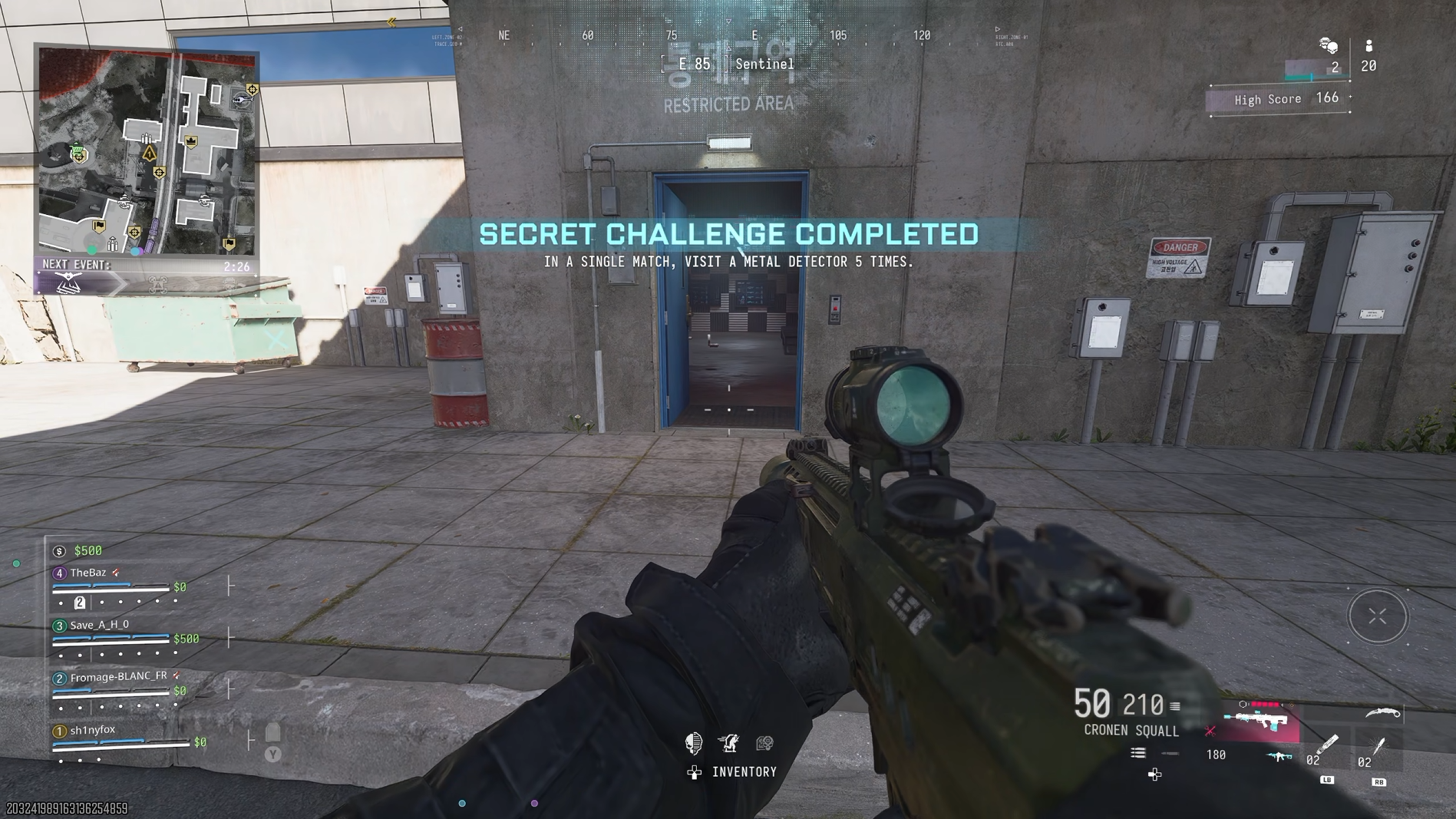
A screenshot of a secret challenge completion in Call of Duty: Warzone on the new Zodiac map.

Do this challenge while you do the Firing Range easter egg. (Image credit: Windows Central)

If you go to Sentinel on the far right-hand side of the map, on the ground floor on the very left of the POI you'll find a door that leads into the Firing Range.

There are two easter eggs here. The first requires you to visit a Metal Detector five times in a single match. As there's one at the entrance to the Firing Range, simply run through it and trigger it, and keep doing it. It takes a few seconds to reset, but it's really easy.

You'll get a completion message on screen, but it doesn't seem to have a reward.

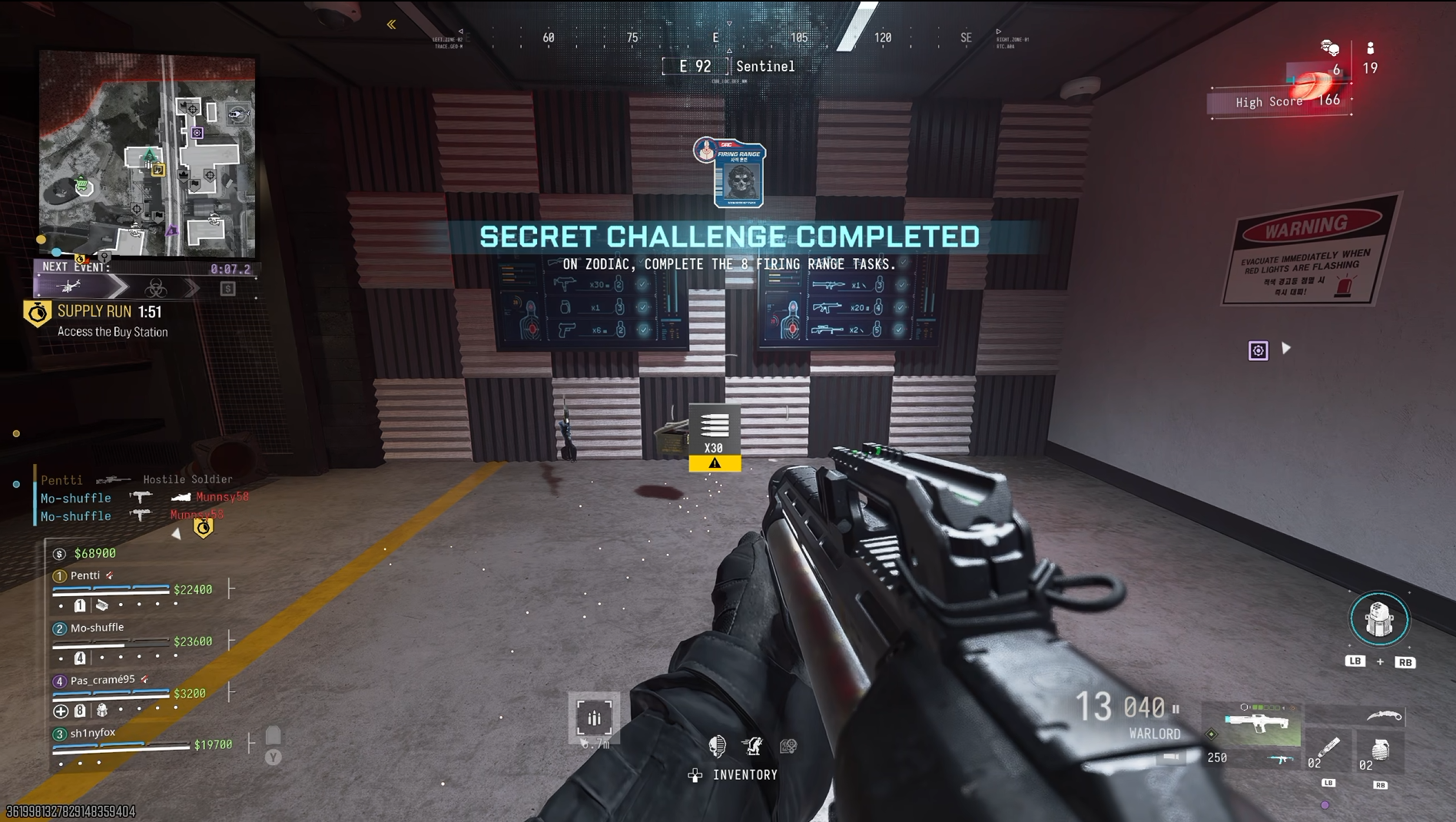
A screenshot of the firing range secret challenge completion and reward on Call of Duty: Warzone's Zodiac map.

The reward is very meh, but it's part of a bigger picture if you want to get the mastery reward for all the challenges. (Image credit: Windows Central)

The second is a little harder to do, but I'm going to give you the easy way to make sure you get it done. On the wall in the Firing Range you'll see a pair of video screens.

It will show you each category of weapon, which lane you need to stand in, and how many shots you need to land on targets. The kicker is that to complete the easter egg, you need to do it all in a single match.

First up, do it on Rally Point. The next thing you should do is make sure you have a frag grenade in your loadout, because you need one of those to do the challenge. After that you have two choices. You can either load in and make sure you have each category in a loadout on your operator and down yourself so you can switch between them quickly.

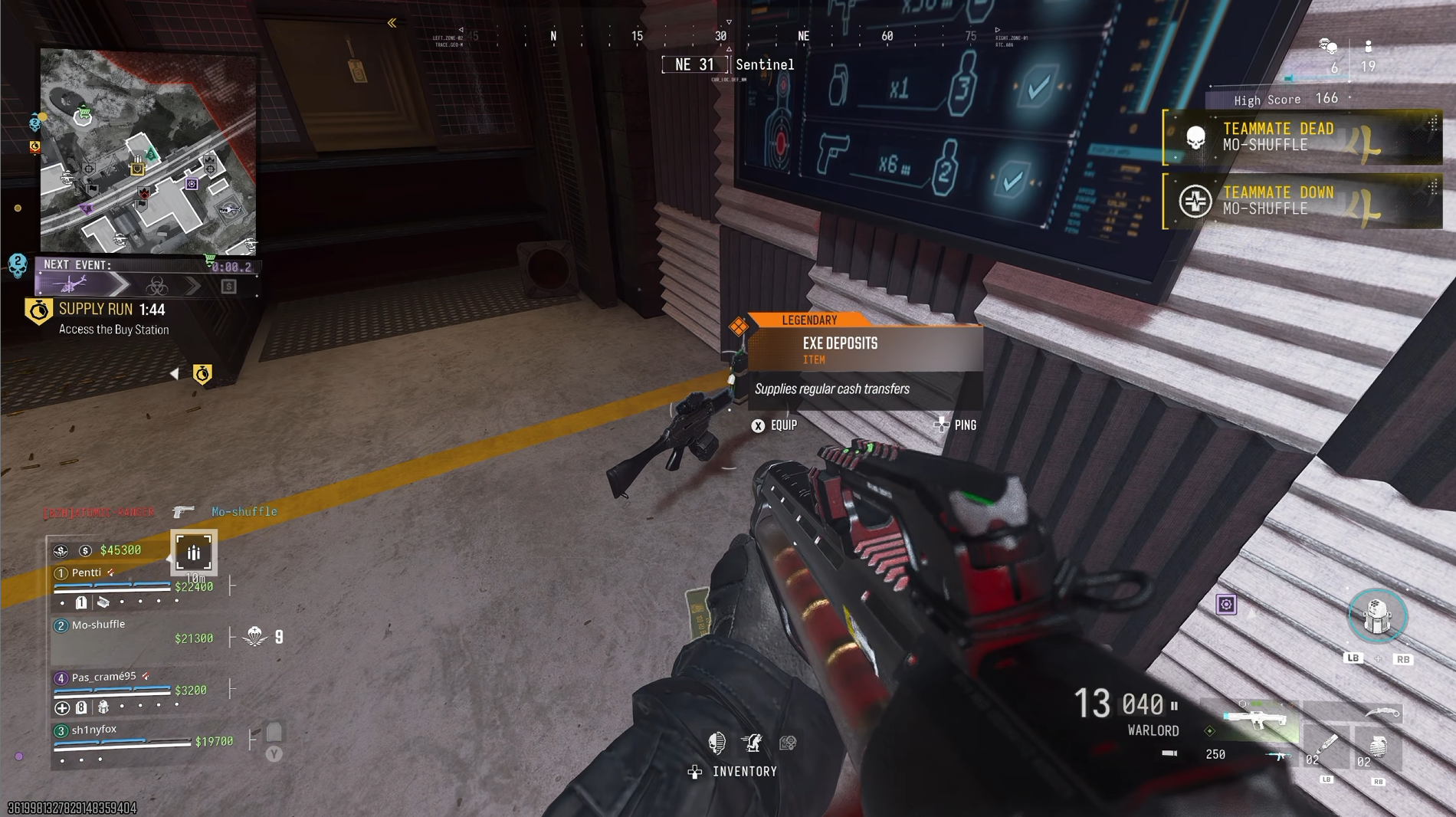
A screenshot showing the cash phone dropping in Call of Duty: Warzone on Zodiac for completing the Firing Range challenges.

After 7 and or 8 challenge completions in the Firing Range, the phone will drop. (Image credit: Windows Central)

Or as you complete categories, new weapons will spawn under the screens. In my experience, the two that I couldn't get from here, or from looting crates, were pistols and launchers. So if you load in with those in your loadout, the rest should drop for you as you run through it.

You'll know you completed each weapon when you see "Weapon Tested" on the screen. When you complete all 8, you'll finish the challenge, and the reward is the "Hot Range" weapon sticker.

After 7 or 8 challenges you will also get the EXE phone drop. So if you coordinate with your squad, this could be a quick way to get a phone in regular Resurgence matches.

How to complete the Solar secret challenge on Zodiac

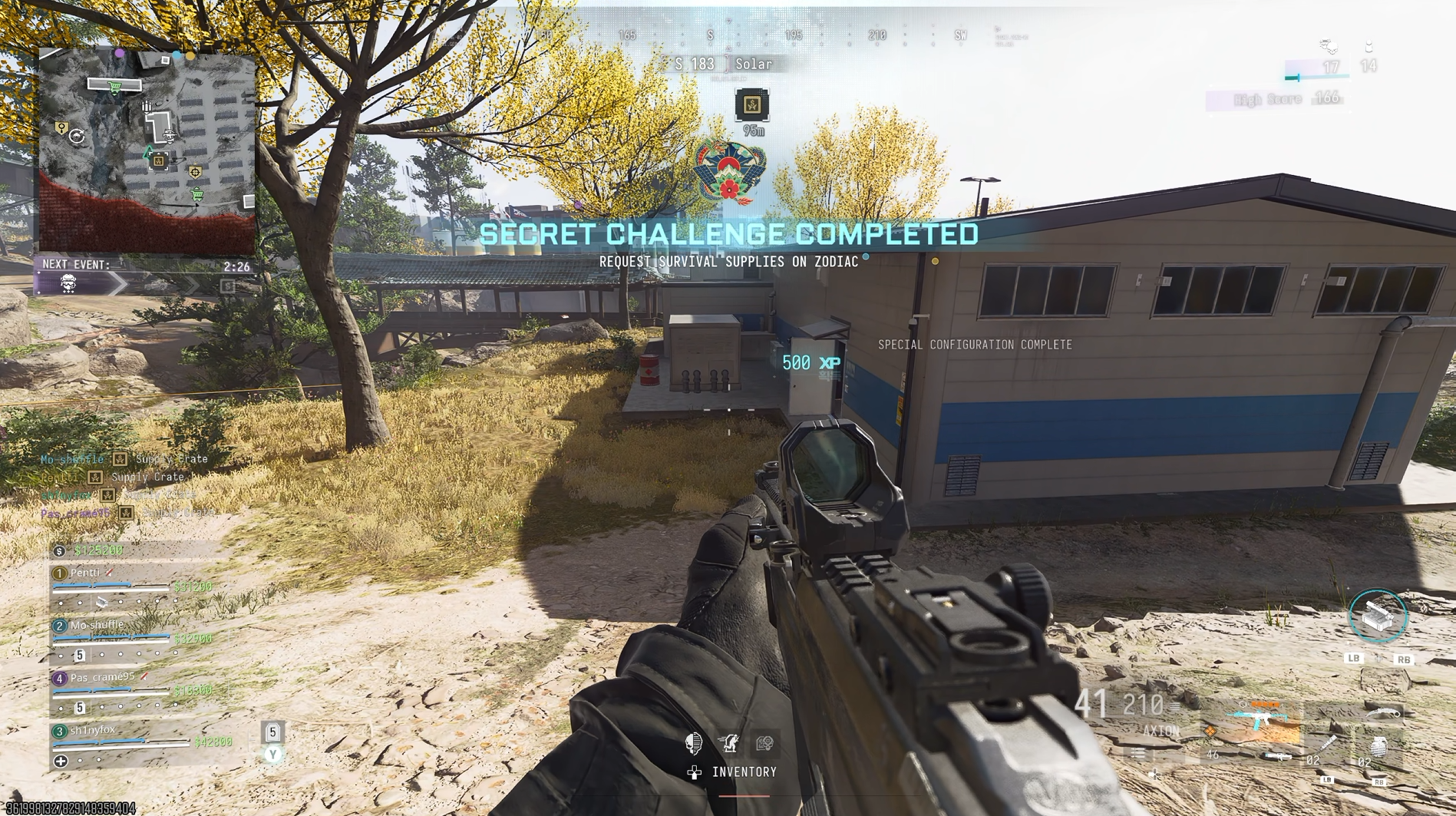
A screenshot of the Solar secret challenge completed pop up on Zodiac on Call of Duty: Warzone.

Solar's secret challenge will reward you with an emblem and a supply drop. (Image credit: Windows Central)

At the Solar POI on Zodiac there is a secret challenge relating to aligning the array of solar panels.

Drop in and go straight into the building and find the PC with a note next to it. Read the note, then look at the pattern on the PC screen.

It tells you whether each of the solar panels should be vertical or angled. Take note of the pattern, and on the back of each solar panel there is a button box to interact with.

Completing the steps in the Solar secret challenge on Zodiac in Call of Duty: Warzone.
The PC will show you how the layout needs to be. Windows Central
Completing the steps in the Solar secret challenge on Zodiac in Call of Duty: Warzone.
Change the panels that need altering with this button box on the back. Windows Central

Not all of them will necessarily need changing, but simply match up the pattern and you'll complete the challenge.

The reward is the "Scaling Energy" emblem, but you'll also get a supply drop full of goodies, including one of the all-important cash phones. So you can redo this in future matches (if you can do it quick enough) and get some great gear and a phone to help you on your way.

How to complete the Furnace secret challenge on Zodiac

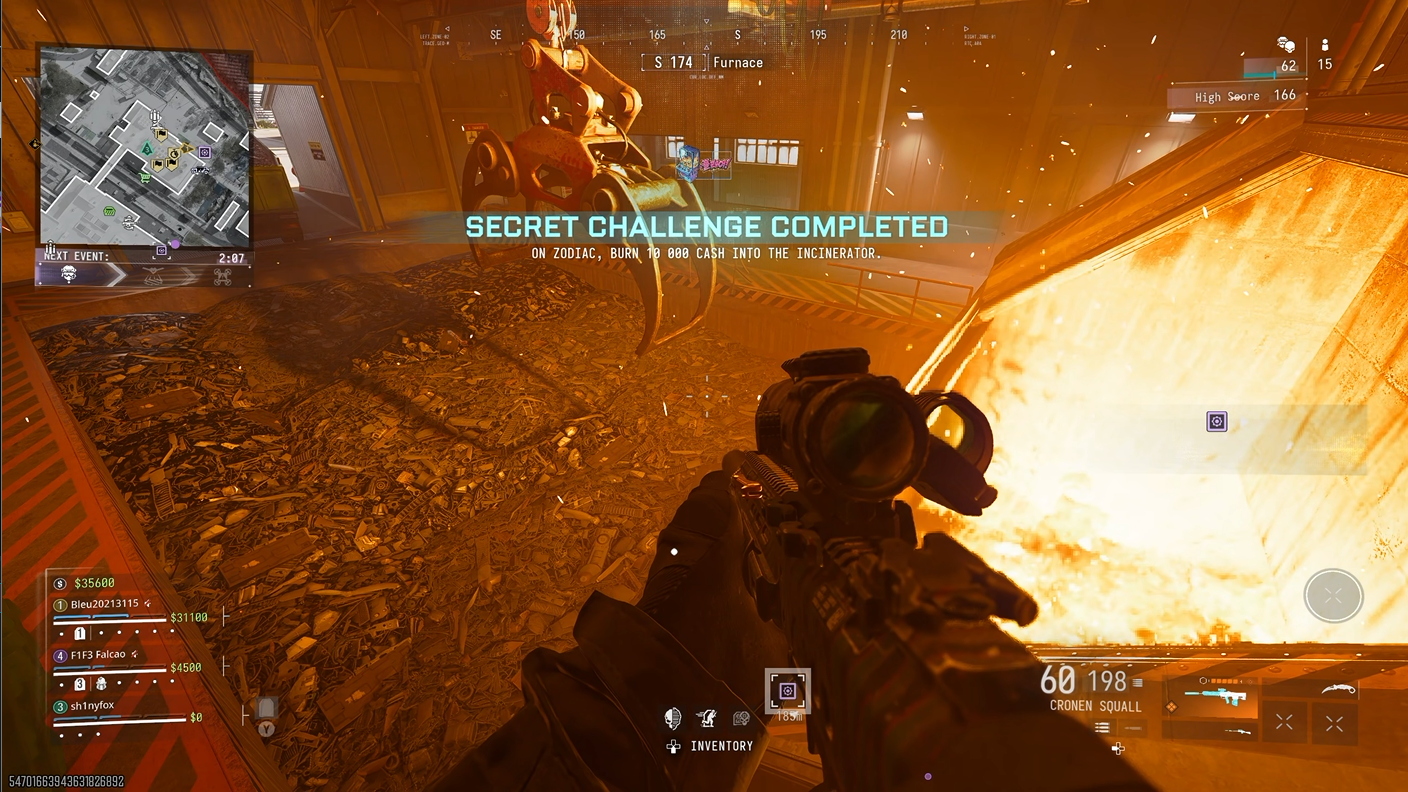
A screenshot of the Furnace secret challenge completion on Zodiac in Call of Duty: Warzone.

Literally throw your money into the fire. (Image credit: Windows Central)

This one's really easy to do, but you will need $10,000 in cash first. Once you have that, head to Furnace and go inside.

Go to the actual furnace and drop $10,000 into the flames. The reward is the Fire Arcade weapon decal, but it'll also drop a cash phone every time you do it.

Whether it's worth tossing your cash for, you decide, but considering one of the challenges is dependent on getting the phone in six different matches, it's an easy way to also do that one.

How to unlock the Zodiac Railway loading screen

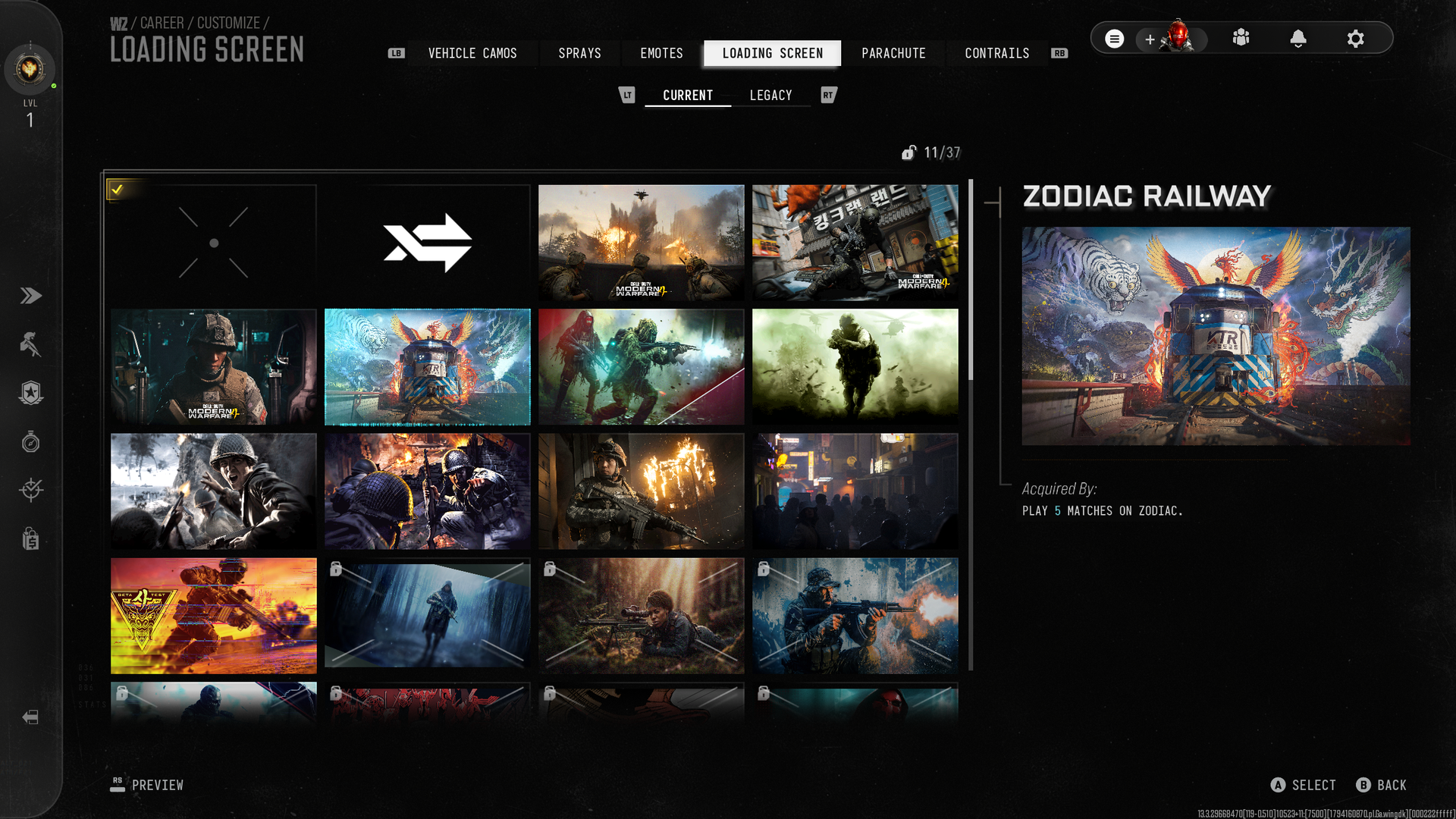
A screenshot of the Loading Screens in Call of Duty: Warzone showing the Zodiac Railway reward.

Probably the easiest reward to get since you'll unlock it passively doing the other challenges. (Image credit: Windows Central)

Chances are you got this one without even noticing, especially if you're working on the others. Simply play five different matches on Zodiac, and the Zodiac Railway loading screen is yours.

How to unlock the Unserialized weapon blueprint on Zodiac

A screenshot of the Unserialized secret challenge completion on Call of Duty: Warzone's Zodiac map showing the completion popup.
Trade your weapons enough and get yourself a blueprint!Windows Central
A screenshot from Call of Duty: Warzone showing the Unserialized weapon blueprint for the Signal 50.
Trade your weapons enough and get yourself a blueprint!Windows Central

To unlock the Unserialized Signal 50 blueprint, you simply need to trade your weapon at one of the weapon trading lockers on the map 25 times.

It doesn't matter what you trade or how many matches it takes; all you need to do is to do it 25 times and you'll unlock the reward.

The blueprint can be used in any mode, including a one-time free crafting in DMZ.

How to unlock the Chemical Trail contrail on Zodiac

Screenshot from Call of Duty: Warzone showing the secret challenge completion popup and a classified weapon.
Blow up 30 gas cisterns on the train...Windows Central
Screenshot from Call of Duty: Warzone showing the Chemical Trail contrail unlocked via a secret challenge on Zodiac.
...and get a new contrail as your reward. Windows Central

Contrails are the colored smoke you emit while deploying in Warzone and there's a new one to unlock via a secret challenge on Zodiac.

To complete the challenge, you need to blow up a gas cistern on Zodiac 30 times. How do you do that? It's pretty easy but will take a few matches, even on Rally Point.

When the train goes through, blow up the yellow tanks on it by firing until they catch fire and explode. You don't want to be too close, as it'll affect your health, but do that 30 times and you'll get the Chemical Trail contrail.

How to unlock the Classifed Weapon camo

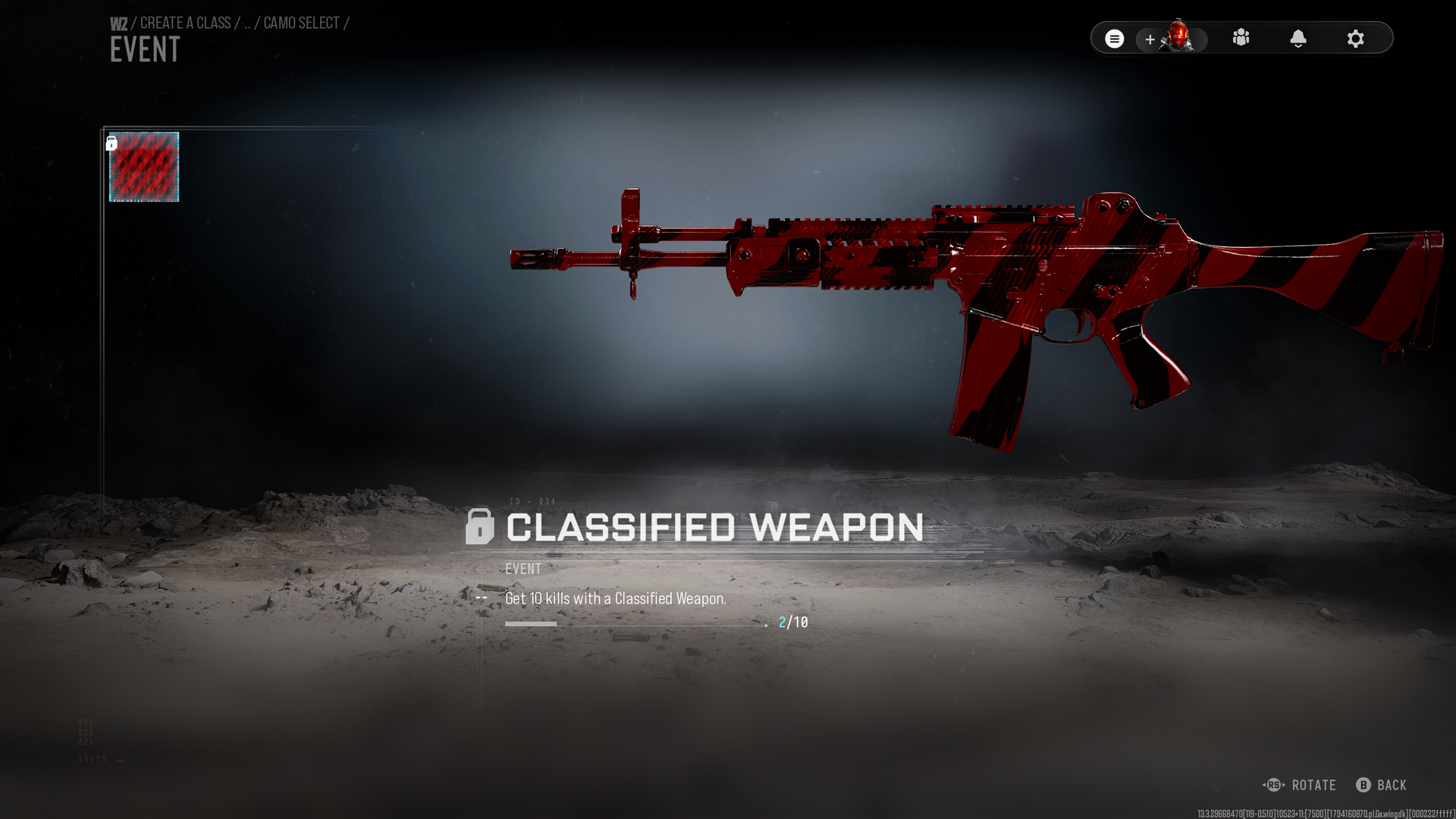
A screenshot of the red and black Classified Weapon camo in Call of Duty: Warzone.

10 player kills with a Classified Weapon and the camo is yours. (Image credit: Windows Central)

For getting 10 player kills with a Classifed Weapon you can unlock the camo to use on any of your loadouts. So how do you get those?

On regular Resurgence, you'll need to grab the weapons from the crates that drop with them in or from operators you eliminate that already got them.

In Rally Point, get your score up to 100, and the purple supply drop you'll be rewarded will have Classified Weapons inside. And on Rally Point, you will always respawn with that weapon.

They have to be player kills, though, not bots. Once you get 10, the camo is yours.

The Zodiac secret challenges are still being discovered, and it's possible there are still more out there. There's a new parachute in the game, for example, and so far nobody has worked out if that's locked behind a secret challenge or not. This guide will be updated as and when they're solved.

Click to join us on r/WindowsCentral

Join us on Reddit at r/WindowsCentral to share your insights and discuss our latest news, reviews, and more.

Reçu — 4 novembre 2026 ⏭ Windows Central - News, Forums, Reviews, Help for Windows 10 and all things Microsoft.

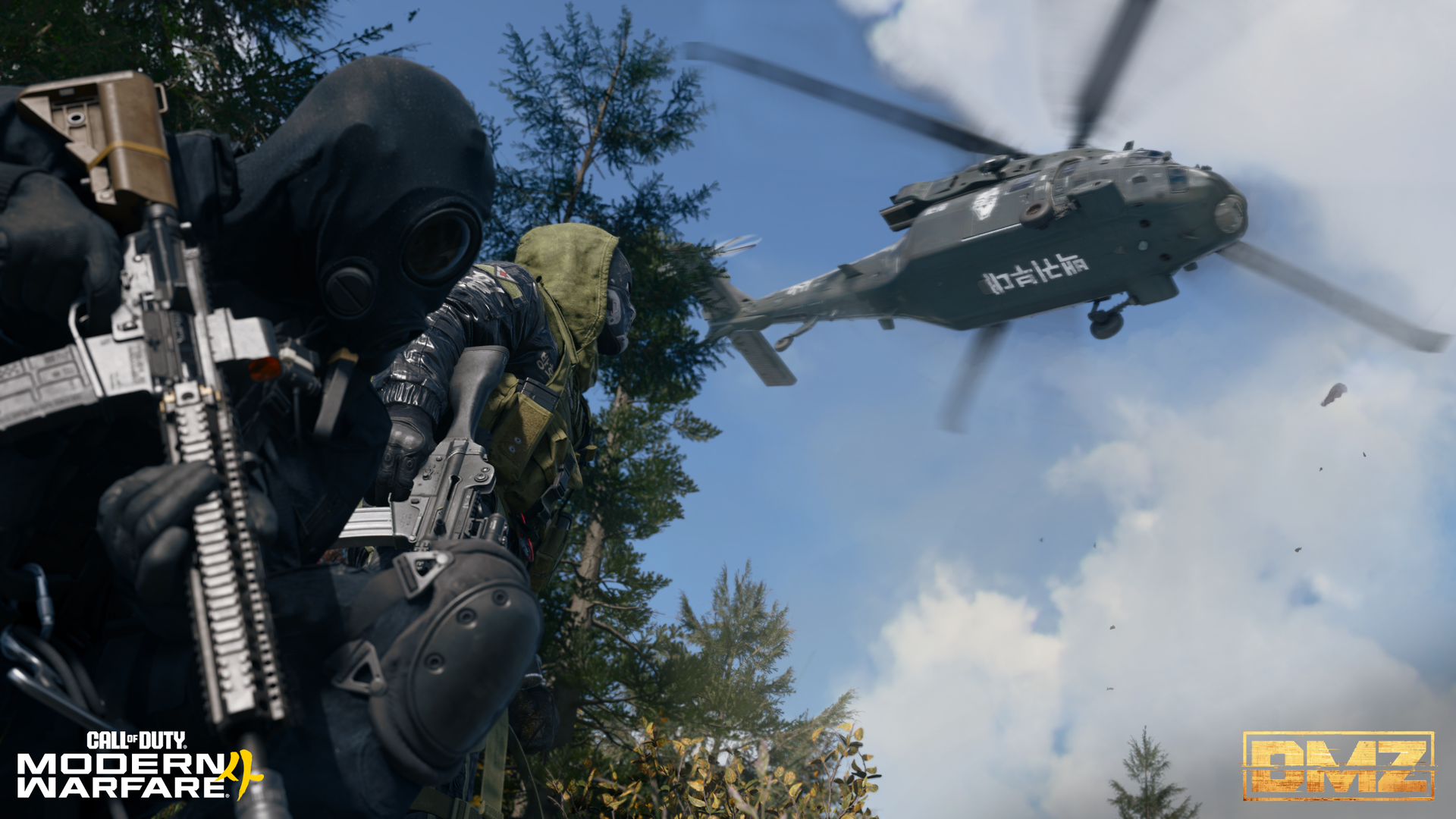
MW4 DMZ players need to do this loot run before Season 1 starts

Season 1 is coming to Call of Duty: Modern Warfare 4 on November 6, a mere two weeks after it officially launched. For DMZ players, there will be a bunch of new content, not least the new X01 map.

But I get it; you may also feel like you're 'behind' or not prepared. You see the big content creators on Twitch and YouTube with a stash full of the highest rarity items. But most of us aren't able to play the game all day (even I, when covering it is part of my job).

Solo players can also feel a little left out, since regularly hitting the toughest areas for the best gear usually needs the coordination of a full squad. X01 especially sounds like it's going to be tough, so you're going to want gear. And plenty of weapons.

Fortunately, even if you are playing solo, there are some good routes out there you can run with the sole purpose of just getting loot. And decent loot, at that. The one I'm going to feature here can be done in 10-15 minutes, has an exfil close by every time, and crucially, should be pretty chilled out.

How to farm good loot and weapons in MW4 DMZ easily as a solo player

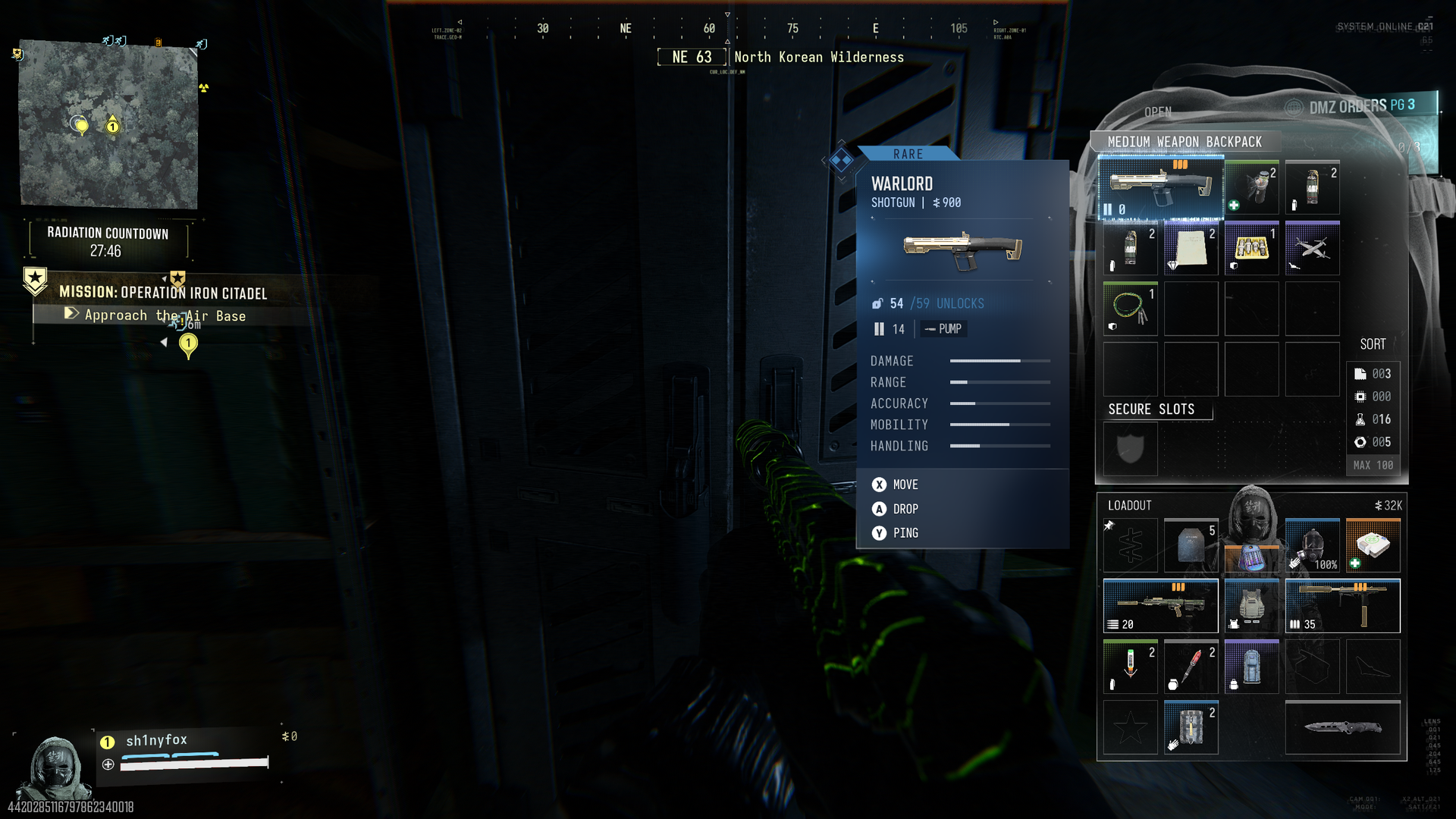
A screenshot from Call of Duty: Modern Warfare 4 DMZ showing a player with a weapon drawn standing in front of a Weapon Locker.

You want easy (and free) new weapons in DMZ, find yourself these Weapon Lockers. (Image credit: Windows Central)

I take no credit for coming up with this idea. Plenty of folks on YouTube have talked about it, and I first saw TheSpazo on YouTube recommend it as a loot run.

Essentially we're going to target six bunkers on the left side of the map and throw in one compound that sits on the route. This guarantees six weapon lockers and a safe, as well as plenty of bags, military lockers, foot lockers, tool boxes, and, if you need to upgrade your FOB, a ton of valuables really easily.

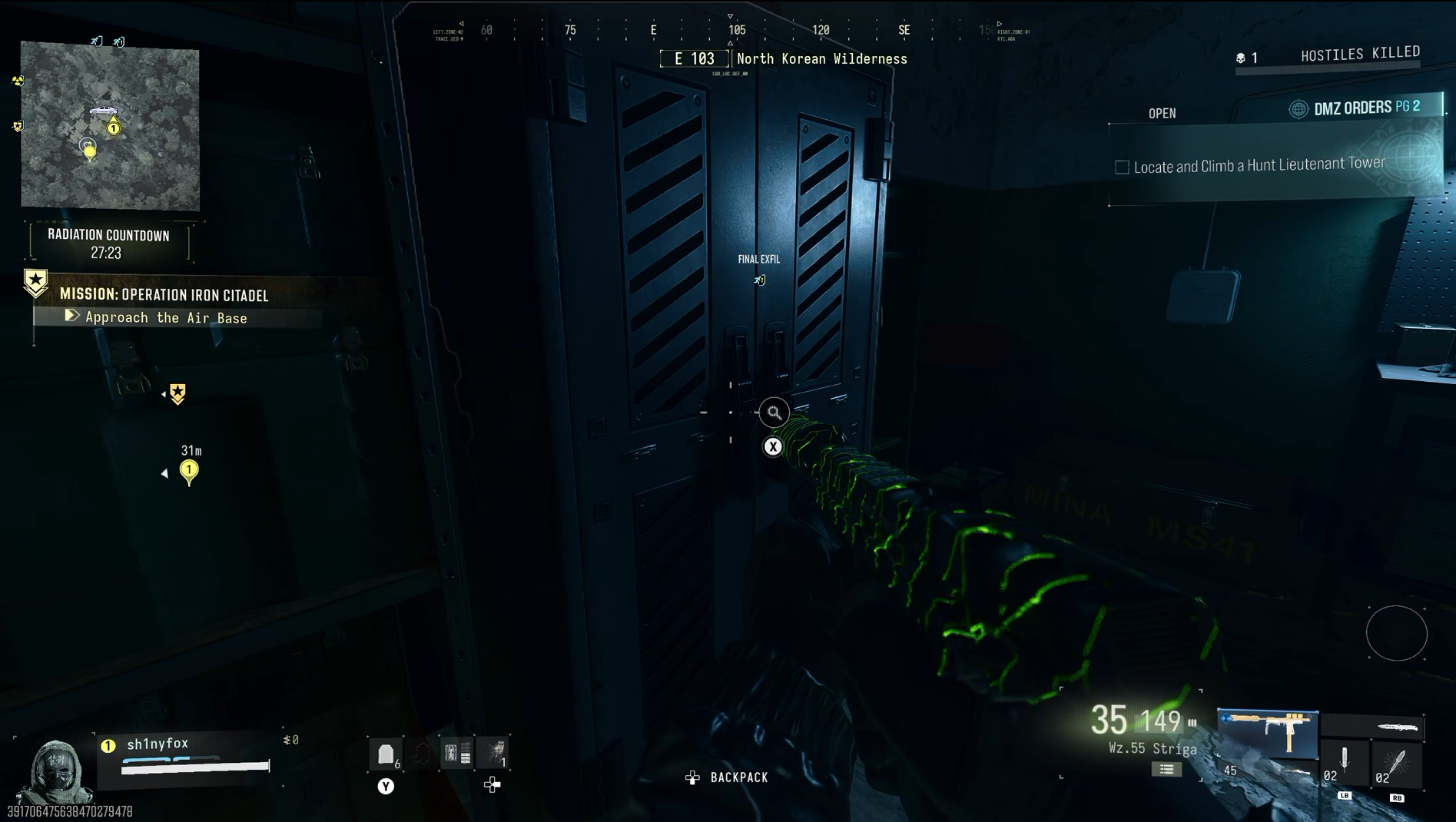
The first thing you need to do is deploy into the Operation Iron Citadel story mission. If you don't have this unlocked yet, you need to complete the first three missions on the pyramid and you'll get access.

You don't need to do the mission for this, but using it guarantees you're going to spawn on the map in the right place.

Screenshot from Call of Duty: Modern Warfare 4 DMZ showing silo bunker map location.
Bunker location in grid A8.Windows Central
Screenshot from Call of Duty: Modern Warfare 4 DMZ showing silo bunker map location.
Bunker location in grid A7.Windows Central
Screenshot from Call of Duty: Modern Warfare 4 DMZ showing silo bunker map location.
Bunker location in grid A6, and the Compound to hit north of the airbase. Windows Central
Screenshot from Call of Duty: Modern Warfare 4 DMZ showing silo bunker map location.
Bunker location in grid C4.Windows Central
Screenshot from Call of Duty: Modern Warfare 4 DMZ showing silo bunker map location.
Bunker location in grid D3.Windows Central
Screenshot from Call of Duty: Modern Warfare 4 DMZ showing silo bunker map location.
Bunker location in grid B2. Windows Central

When you're in your raid, open the map, and you're looking for six marks along the left portion that are little circles. They're missile silos, which may come into play in future content, but attached to them are bunkers full of goodies.

There will be one to the west of where you spawn, so hit that one first. There will then be a second one south of that. The gallery above shows all the grid locations for each of the six.

Basically you need to grab the first vehicle you can and hit all six bunkers as fast as possible. A car will often spawn near you when you load in, or you can find one down at Deadtown.

But the route is simple. Start at the bottom around where you spawn, drive up to each silo, go in through the bunker entrance that will be off to one side, and just loot everything inside.

You'll find maybe one AI enemy in some of the bunkers, but that's about the only resistance. When you come to a door locked from the inside, simply follow the windows and go round to the door at the other side of the room. This is the room you really want to hit because it's where you'll find the weapon lockers.

A screenshot from Call of Duty: Modern Warfare 4 DMZ showing a player approaching a Military Compound.

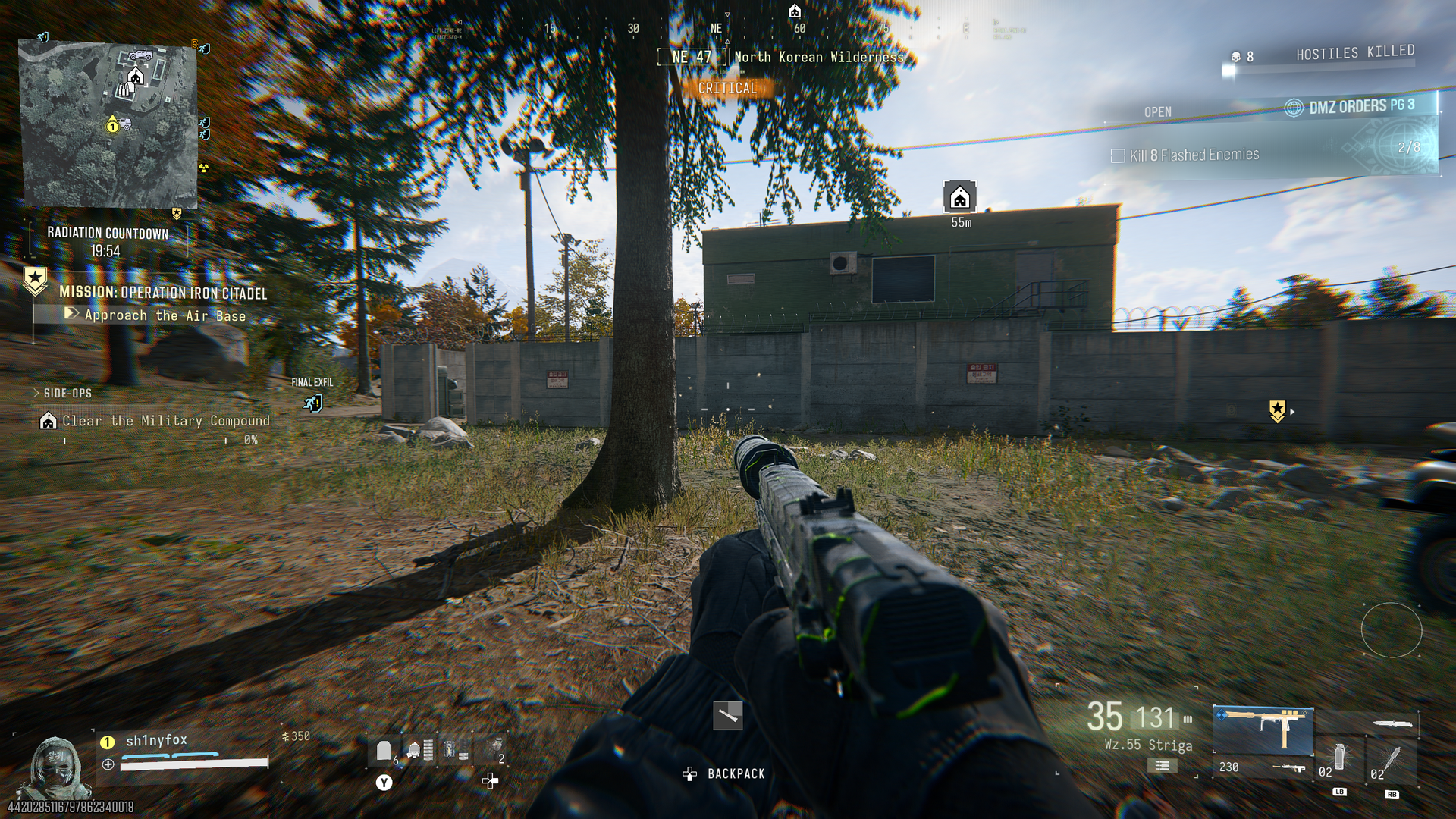
Approach the Compound from the south, and go straight to the upstairs door on this green building. (Image credit: Windows Central)

The only non-bunker part of this run is the Military Compound just north of the airbase. You don't need to waste time clearing it; simply approach from the south, go through the gap in the wall, up the external staircase on the first building, and the safe is in the room at the top.

Then leave the way you came and go back to hitting the bunkers. By the time you finish, you'll have had a chance to loot at least six weapons along with a ton of other great stuff.

The valuables you get are also an easy way to get DMZ Cash by selling them in the FOB. If you're not needing any to craft upgrades, just sell them, and you'll be rolling in cash. Maybe hang onto any Gold Skulls or Gold Bars, though if you find any, because you'll need them at some point in the future, and they're pretty darn rare.

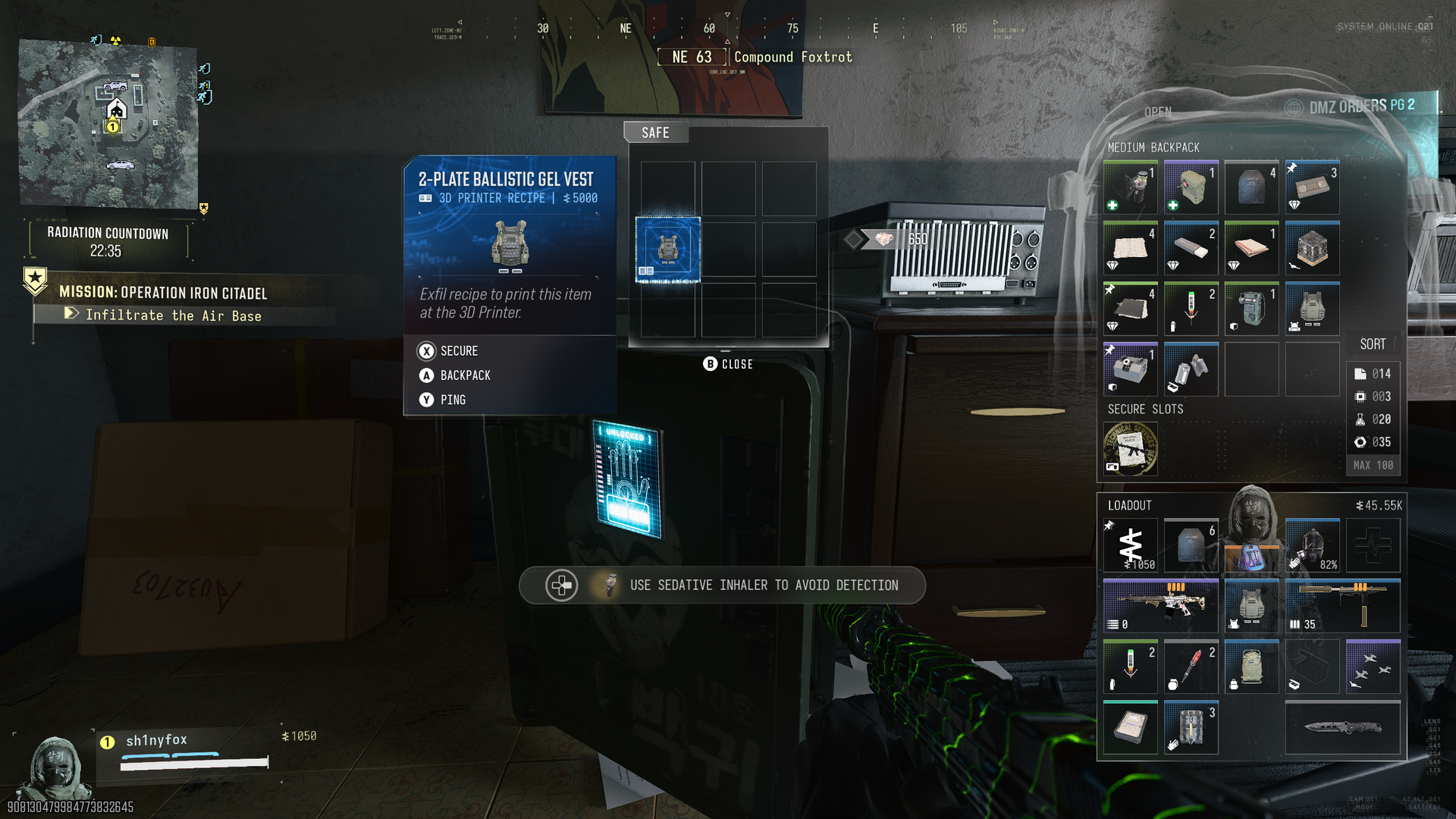
A screenshot from Call of Duty: Modern Warfare 4 DMZ Showing a player opening a safe and finding a recipe for a Ballistic Gel Vest.

You won't always find killer loot in a safe, but a lot of the time you will. (Image credit: Windows Central)

Once you've looted all the bunkers, hit an exfil and get out. If your Operator has the Trait that reveals the Final Exfil point on the map, this will often be in the top left corner, which is ideal to hit from the final bunker.

Other players in your match are less likely to be there, but if it's not, there always seems to be an exfil in the vicinity of the airbase if you've loaded in via the story mission.

There's the whole discussion over whether there are actually fewer players in a lobby when you select a story mission or not, but in my experience this run has been pretty chilled. I've only seen one player in the last 10 runs, funnily enough, someone who beat me to the Final Exfil point.

So you do need to keep your guard up, but only you will spawn at that location for that story mission, so it increases your odds. But speed is of the essence. Don't waste time running; don't waste time looting other buildings. Get a vehicle and move fast, in and out.

Take a Weapon Backpack if you have one

A screenshot from Call of Duty: Modern Warfare 4 DMZ showing a player in front of a weapon locker with the inventory screen open showing a Weapon Backpack.

Weapon Backpacks have a dedicated slot to stash weapons in that you find while you're looting. (Image credit: Windows Central)

As you're focusing on just harvesting loot with this run, you want to take as little as possible in with you. You shouldn't be coming into contact with many enemies, so one tip would be to only take in one weapon so you have a vacant slot.

If you have a Weapon Backpack you can use, take it, because with a vacant slot in your loadout and this, you have a chance to exfil with two new weapons per run.

At the very least use a Medium Backpack if you can, because that secure slot will guarantee you get out with any high-value items you find, such as recipes and weapon manuals.

But leave your backpack as empty as possible. You need the space because you're going to find a lot of loot.

I specifically say this is a good loot run to carry out as many times as you can before Season 1 for a couple of reasons.

The first is that right now, choosing this story mission seems to have reverted to the old ways where there seem to be fewer players. Only one person will ever get a story mission spawn at a time, so you will be starting on your own. But still, other players exist, so speed is essential.

The other reason is that this could change when Season 1 starts. Or loot spawns could change. In a live service mode like DMZ, always be ready for a change to come in that could end whatever methods you've become comfortable with. But we've had the final pre-season update now (as far as we know) so you have at least a few days while it should stay like this.

So it's a good time to stock up on weapons and materials and get crafting FOB upgrades if you can. Especially if you're wanting to check out X01. That promises to be a difficult location, so get the best start you can before it arrives.

Click to join us on r/WindowsCentral

Join us on Reddit at r/WindowsCentral to share your insights and discuss our latest news, reviews, and more.
Reçu — 3 novembre 2026 ⏭ Windows Central - News, Forums, Reviews, Help for Windows 10 and all things Microsoft.

Here's what's new for Warzone when it integrates with Modern Warfare 4

The integration of Call of Duty: Warzone with Modern Warfare 4 is happening on November 6 when Season 1 begins for this year's game.

While it also means the end of Warzone for players on Xbox One and PS4, it will be bringing a bunch of new content to the table. When the switchover happens, there will be two brand-new maps to play at first, alongside two returning classic maps at some point later in the season.

Besides access to all the new weapons from Modern Warfare 4, the battle pass, the leveling and prestige system, Camo challenges, and Calling Cards, there are also some quality-of-life improvements, too. Here's a brief overview of what's coming.

Two new Call of Duty: Warzone maps: Hajin and Zodiac

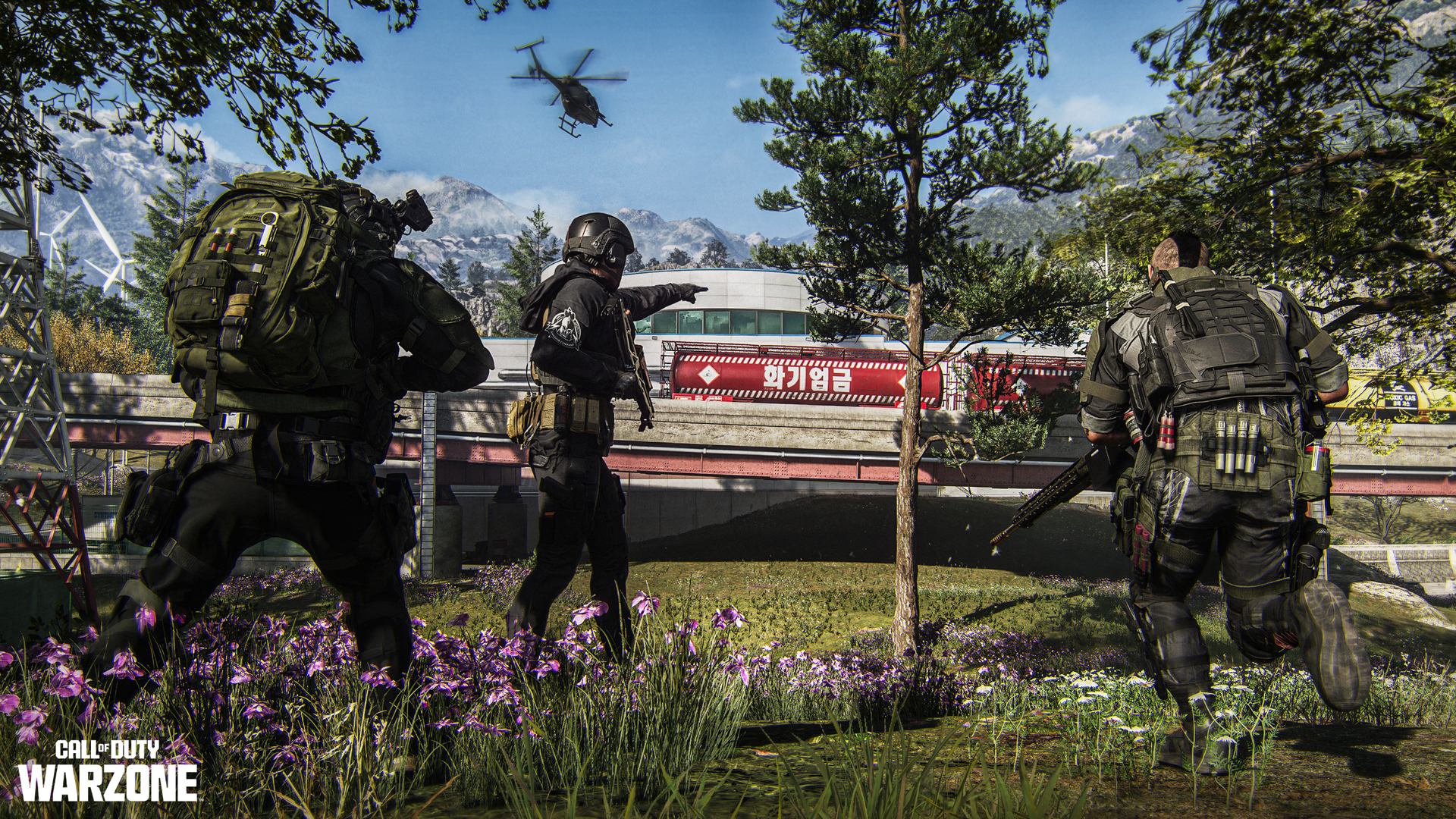
A promotional image for Call of Duty: Warzone featuring three operators on the Zodiac map looking at a red sign with Korean text on it.

We've already seen the new Zodiac Resurgence map during the Modern Warfare 4 beta. (Image credit: Activision)

At the launch of Season 1 there will be two Warzone maps to play, and they're both brand-new for the Modern Warfare 4 year: Hajin and Zodiac.

Zodiac we've already seen during the Modern Warfare 4 beta period earlier this year. Set around a drone manufacturing facility in South Korea, Zodiac is the new Resurgence map and will be joined in the rotation by the returning Rebirth Island at some point during the season.

Hajin is the new "big map" for Battle Royale. Set across North and South Korea, anyone who's already jumped in to play DMZ will be familiar with the Hajin location. It appears to be the same physical map, so those players will already have a leg up on the terrain.

It's been a pretty good location for DMZ so far, and while there are areas with tall buildings, there are also plenty that are more open, and the terrain is quite varied. Also coming across from DMZ is the variable weather, so one match it might be sunny and clear, and another the map may be shrouded in fog. Hajin will also have two new Gulags.

The previous big map, Verdansk, will be joining the Battle Royale rotation at some point during the season, bringing some new POIs along with it.

New features and weapons for Warzone under Modern Warfare 4

A promotional image for Call of Duty: Warzone depicting three operators standing over a downed operator on the new Zodiac map while a building is on fire in the background.

Integrating with Modern Warfare 4 means access to all the new weapons from the main game. (Image credit: Activision)

Besides the new map, there are also some new features and just overall quality-of-life improvements for Warzone beginning with Season 1. These include:

  • Tactical Sprint will be available to all Operators without the need for a Perk, but its duration is slightly shortened.
  • Players can drag their allies while reviving them, pulling them out of harm’s way.
  • Additional weapon balance tuning.
  • Improved visibility and readability across all maps.
  • Improved footstep audio

Tactical Sprint is probably a big one for Warzone players, and while it doesn't sound like it will be overpowered, it will at least help in keeping that fast-flowing experience players have become familiar with.

Without it applied in multiplayer in Modern Warfare 4, you can feel quite slow, and that was never going to work in Warzone.

It'll be interesting to see what the weapon balancing looks like, though. Additionally, the time to kill (TTK). In DMZ, PvP encounters are often over before you even spot who's firing at you, so hopefully Warzone has found a balance here. There are definitely some weapons that already feel like everyone will gravitate towards them, but it'd be nice if there's a wider meta than there often is.

All of the weapons from Modern Warfare 4 and the new ones introduced in Season 1 will be available to Warzone players, as will their attachments, including Apex.

Call of Duty: Modern Warfare 4 screenshots from the campaign and DMZ.

If you've been playing multiplayer or DMZ you'll already be familiar with the new weapons. (Image credit: Cole Martin for Windows Central, Activision)

Legacy weapons from as far back as Modern Warfare 2 will remain accessible in Warzone. These will be available as a five-attachment version, alongside any previously acquired legacy weapon blueprints.

Additionally, and what sounds quite interesting to me, is that on Hajin, Zodiac, and Verdansk, we'll now have movable interactive objects. These include fuel barrels, which will go boom, and apparently objects such as dumpsters and "pyramids" that can be used to create cover. Or roadblocks. So maybe keep an extra eye out when you're driving.

Players will also be able to get their hands on Elite Perks, which will add a fourth perk to their loadout. These are found in-match at Buy Stations, and more can be obtained through Supply Run contracts. But only one can be active at a time.

Oh, and the Aston Martin Dreadnought vehicle that we've been driving about in DMZ will also be joining Warzone.

Call of Duty: Warzone Season 1 game modes

A promotional image for Call of Duty: Warzone depicting two operators using a Zipline on the new Zodiac map with a helicopter flying above them.

There will be some special modes and events available to play right at the launch of Season 1. (Image credit: Activision)

Camo grinders will be delighted to hear that casual mode has returned for both Battle Royale and Resurgence and will be available on all maps.

Additionally, at Season 1 launch there will be three limited-time modes (LTMs):

  • Rally Point LTM
  • Loaded Resurgence
  • Massive Resurgence

Additional LTMs are promised throughout Season 1, including Rockets and Snipers, and Extreme Resurgence.

Rally Point is described as a casual mode designed to help new and returning players get to grips with the mechanics of Warzone, as well as check out the new Zodiac map and learn about some of the new features. 20 players will be in each lobby.

"Rally Point is a no-circle, infinite Resurgence, and Drop-In/Drop-Out mode, allowing players to come and go as they please."

For completing the challenges in this mode, there will be an exclusive weapon blueprint and two camos to unlock.

Loaded Resurgence will be across Zodiac and Rebirth Island and looks the same as we've known it before. Drop in with your preferred loadout and earn new perks with eliminations as you try to get to Specialist.

Massive Resurgence is Resurgence, but on the Hajin big map with 120 players. There aren't any special rewards listed for these modes right now, but that doesn't mean there won't be some.

Call of Duty: Warzone Mode Mastery camos arrive from Season 1

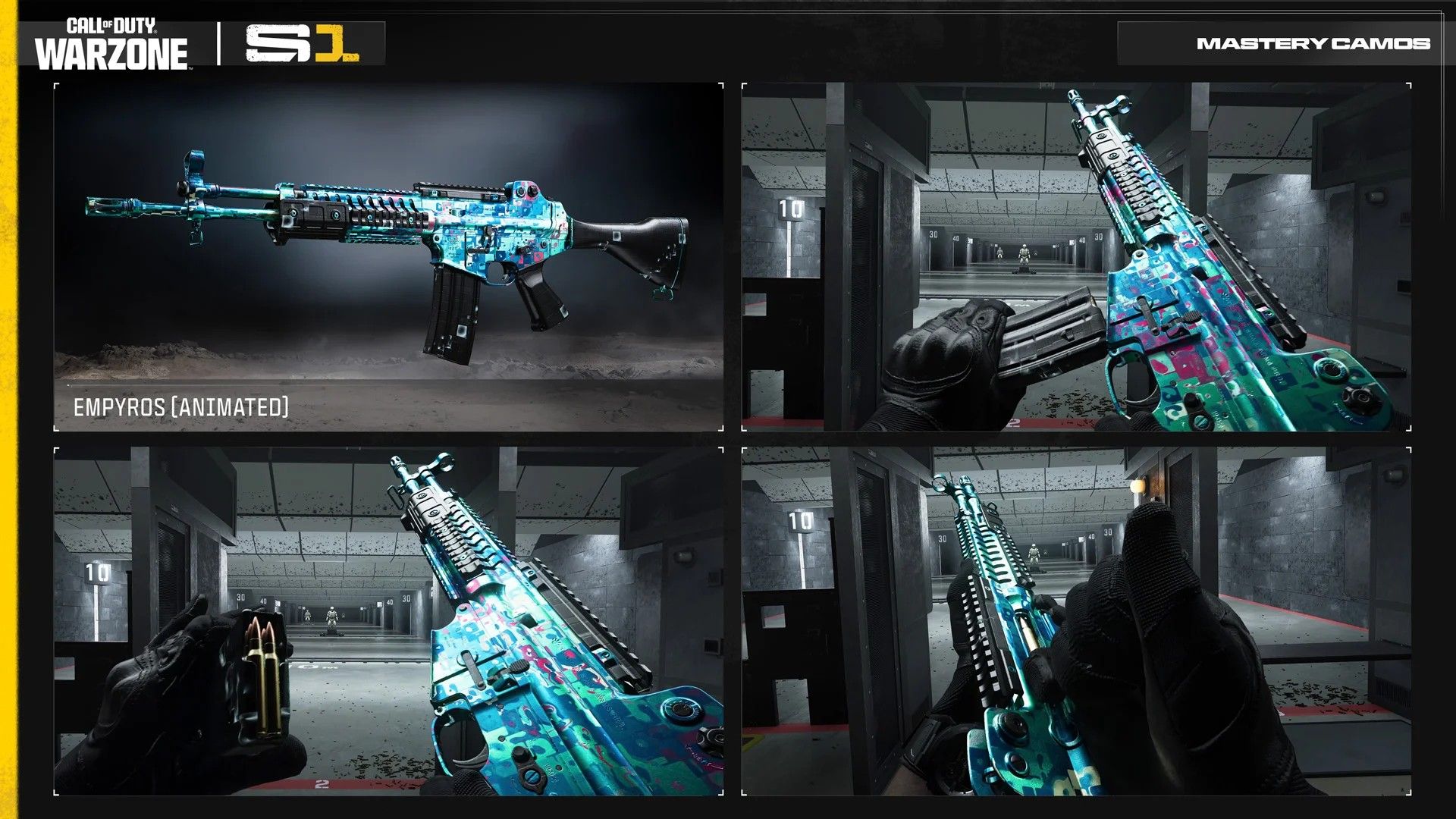
A montage image from Call of Duty: Warzone showcasing the new Empyros Mastery Camo

New Warzone, new Mastery Camo to grind for. (Image credit: Activision)

While much of the camo grind in Modern Warfare 4 is universal across multiplayer, DMZ, and now Warzone, like the others, there is a dedicated set of Mode Mastery challenges to complete. And now we know what we'll have to do.

  • Parallax: Get 5 kills in a match 300 times.
  • Damascus Reforged: Get 2 kills without plating 200 times.
  • Empyros: Place in the top 5 with at least 6 kills 75 times.

Presumably we'll still be able to do the Mode Mastery camos in casual mode, too, but even so, they're still going to be a pretty long process. The saving grace is that if you've been playing Modern Warfare 4, this year you at least already have a head start.

Nevertheless, I spent 65 hours doing last year's Warzone Mastery Camo, even using casual mode, and I feel like this year's is going to take longer than that. I'm not sure I have it in me. We'll see.

Additionally, there will be a "Return to Call of Duty: Warzone" event running with some additional camos to get your hands on. And who doesn't like some shiny camos?

Season 1 for both Modern Warfare 4 and Warzone goes live on November 6 at midnight ET (9pm Pacific) globally. Additionally, it will be available on the Nintendo Switch for the first time. Find the full details on the Warzone integration at the Call of Duty Blog.

Click to join us on r/WindowsCentral

Join us on Reddit at r/WindowsCentral to share your insights and discuss our latest news, reviews, and more.

MotoGP fans can soon go sim racing with Moza's new authentic handlebars

Motorcycle racing games have been around for decades, but where four-wheeled titles have had support from wheel and pedal (and beyond) setups, bikes haven't seen the same support.

That's starting to change, though. At two SimRacing Expo events this year in Charlotte and Frankfurt that I've been to, both had interesting new products on display for bike fans.

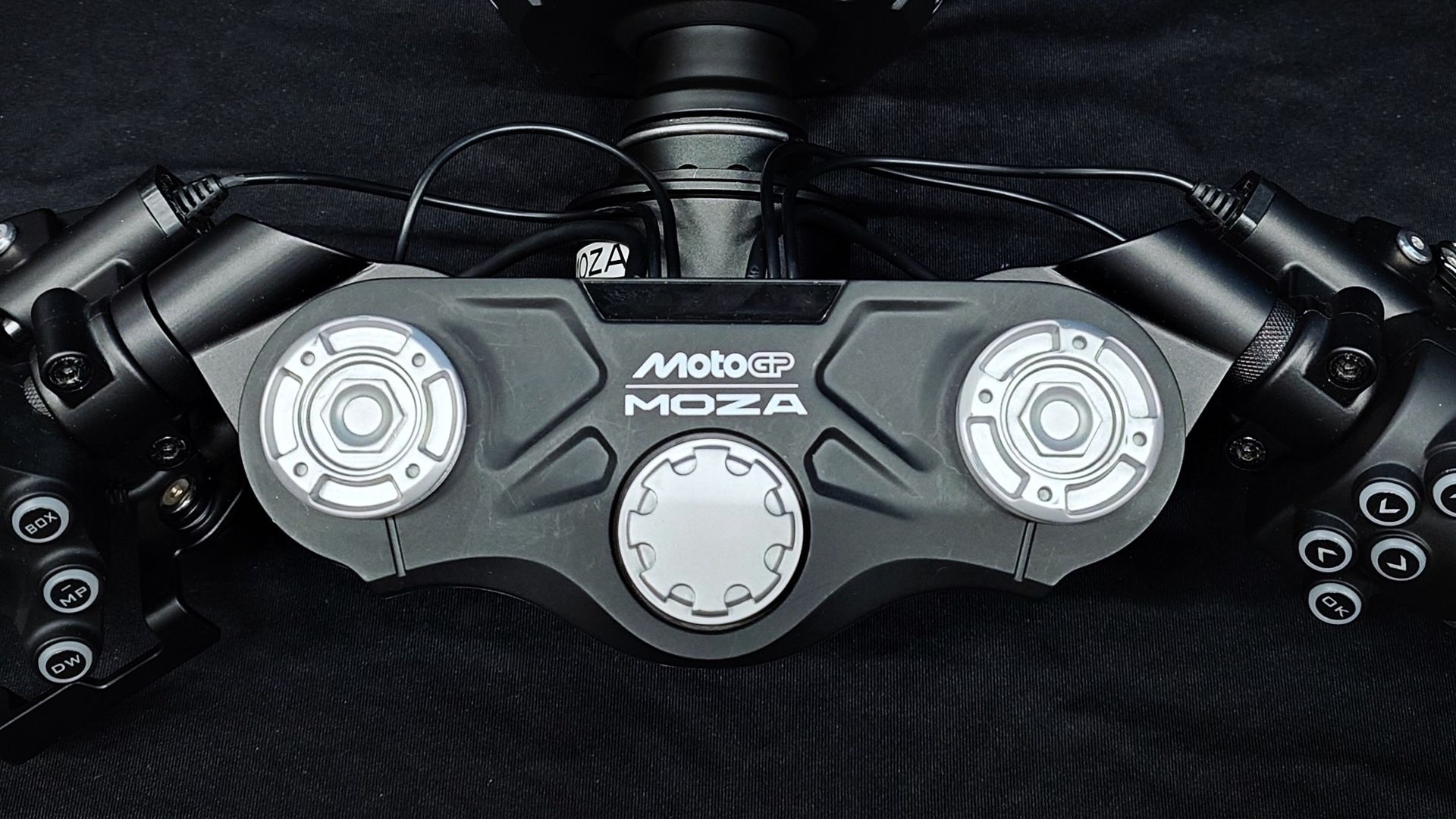
The latest I got to take a look at is from Moza Racing, a brand we're already very familiar with for its excellent racing and truck simulator wheels. There's now an officially licensed MotoGP simulator designed to mimic a race bike's handlebars, and it can be used with existing Moza wheelbases. You don't need to have an actual bike simulator setup to use it.

The MotoGP collaboration is more than just a badge, too. It's been designed to closely follow MotoGP proportions and design.

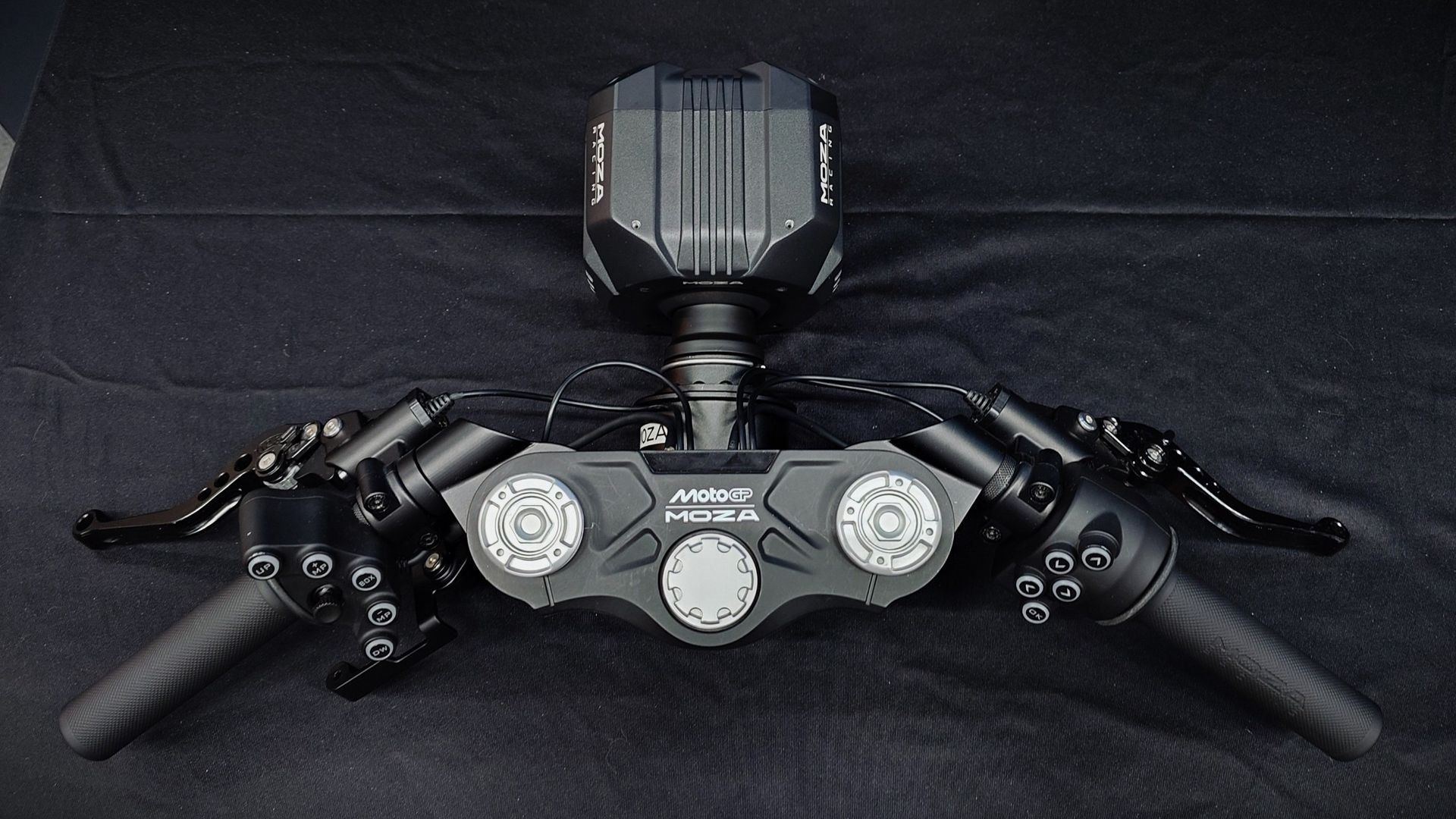
A photo of the Moza Racing MotoGP handlebars connected to a Moza wheelbase on a black backdrop.

You can either lean or countersteer, and it's designed to be used with a regular wheelbase either on a desktop or a rig. (Image credit: Windows Central)

I've checked out Trak Racer's full motorcycle simulator already this year, and while it's an incredibly impressive product, you need an immense amount of space (and a fairly large budget) to use it.

By contrast, Moza's can be used hooked up to your desk. It does work with dedicated motorcycle sim setups, but the beauty of it is that it's not required. You just need a wheelbase. Since it's a bike, you don't need pedals underneath you.

The handlebars are completely adjustable, so you're able to locate the throttle, clutch, and brake, exactly where it's most comfortable for you. The buttons on both sides are easily reachable without having to take your hand off the handlebars, and there's a D-Pad in the center for navigating menus and other such things you would do while you're not racing.

The whole thing is made of a magnesium alloy, so it's durable but also lightweight. The clutch and brake feature Hall Effect sensors, so they're accurate and will also stand the test of time. You're even able to swap out the brake and clutch with "compatible real motorbike components," which is remarkable. Score one for added realism.

Close up photos of the Moza Racing MotoGP handlebars on a black backdrop.
The main controls can be adjusted in position to suit your personal preference.Windows Central
Close up photos of the Moza Racing MotoGP handlebars on a black backdrop.
The main controls can be adjusted in position to suit your personal preference.Windows Central

Admittedly I haven't been able to actually try it out; the unit I saw wasn't hooked up to an active wheelbase. But the thing I was most curious about is how you actually use it, because, unlike cars, motorcycle racers lean into corners rather than simply use steering alone. So how does that work?

Moza's system allows for two methods of input. The handlebars can be set up as such that you can use either Direct Lean Mode or Countersteering Mode for an immersive experience. This will also help in future games that are less focused on track racing bikes, giving you the flexibility to ride all kinds.

There are a few games already out with full support, not least MotoGP 26, which has full force feedback built in, but there are more in development.

I'll be the first to admit that I am hopeless at the MotoGP games. I love watching the real thing, but I've never ridden a motorcycle, and I struggle with the virtual ones, too. But I'm really excited to see this is a space getting more attention. The more people that can enjoy this hobby, the better.

Sim racing as a whole is a category that continues to explode, and frankly, our two-wheeled friends deserve as much attention as four-wheeled racing. It's hoped that Moza will have it on sale by the end of the year, but there's no pricing information at this time.

Click to join us on r/WindowsCentral

Join us on Reddit at r/WindowsCentral to share your insights and discuss our latest news, reviews, and more.
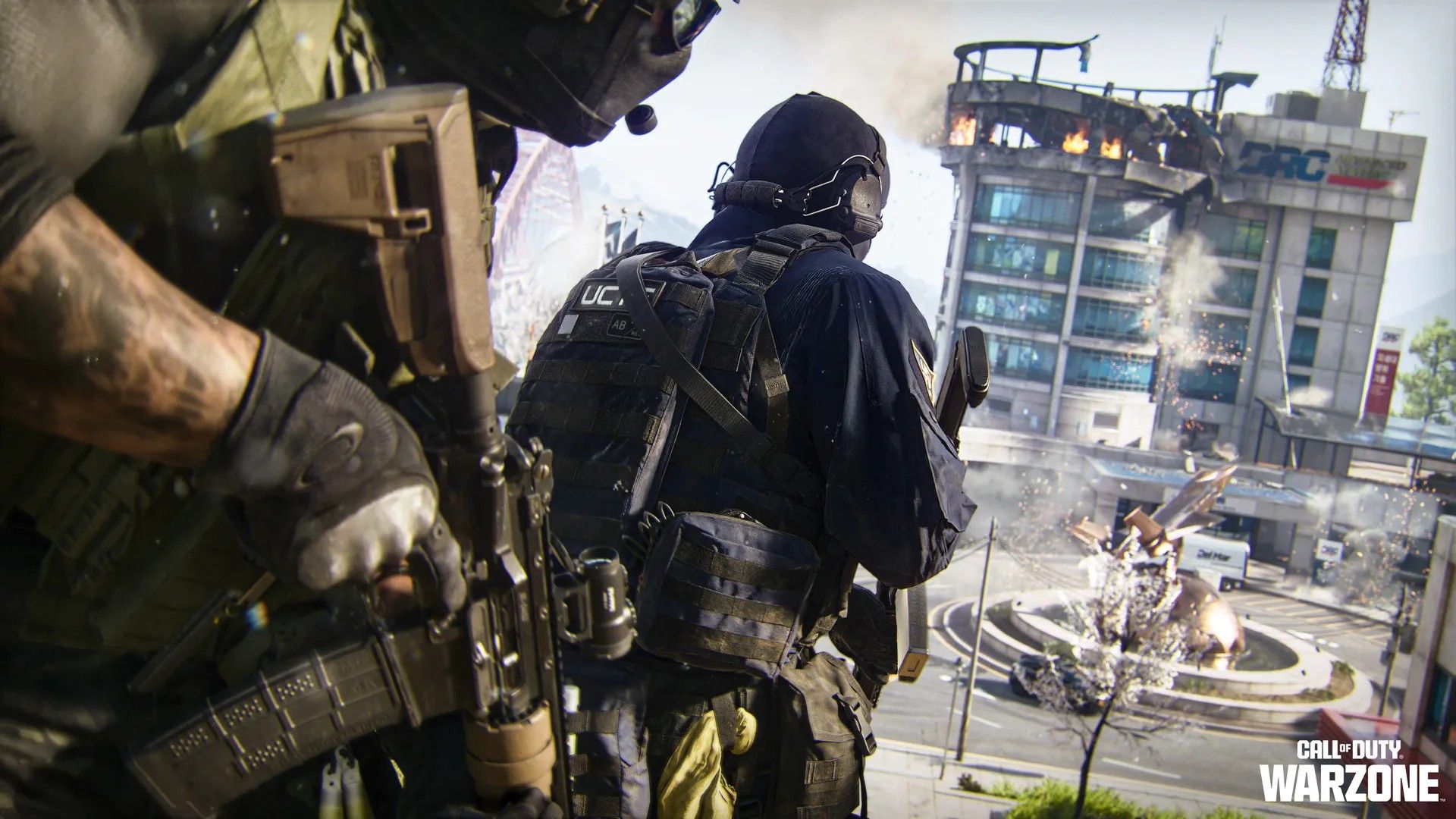
Trying a €70,000 Porsche racing simulator spoiled my own sim racing setup for good

On my recent jaunt to the SimRacing Expo in Frankfurt I got to play with a lot of incredible tech, but nothing like this. The ImSim Porsche Raceborn is designed in collaboration with the legendary German automaker, so it definitely looks the part.

The idea was not to simply slap some Porsche branding on one of ImSim's existing simulators but instead to create a bespoke product with a tailor-made look and feel. The level of detail is extraordinary, right down to the carpet.

Yes, the Raceborn has genuine Porsche carpet. Just as it has Porsche lights on the front and a lit-up, true-to-life Porsche logo on the rear. Does your expensive racing sim need lights and a carpet? Of course not. But in this case it's part of the experience.

You can even choose the color of the 'paintwork' and custom liveries if you've got the budget.

An all-in-one racing sim with integrated gaming PC

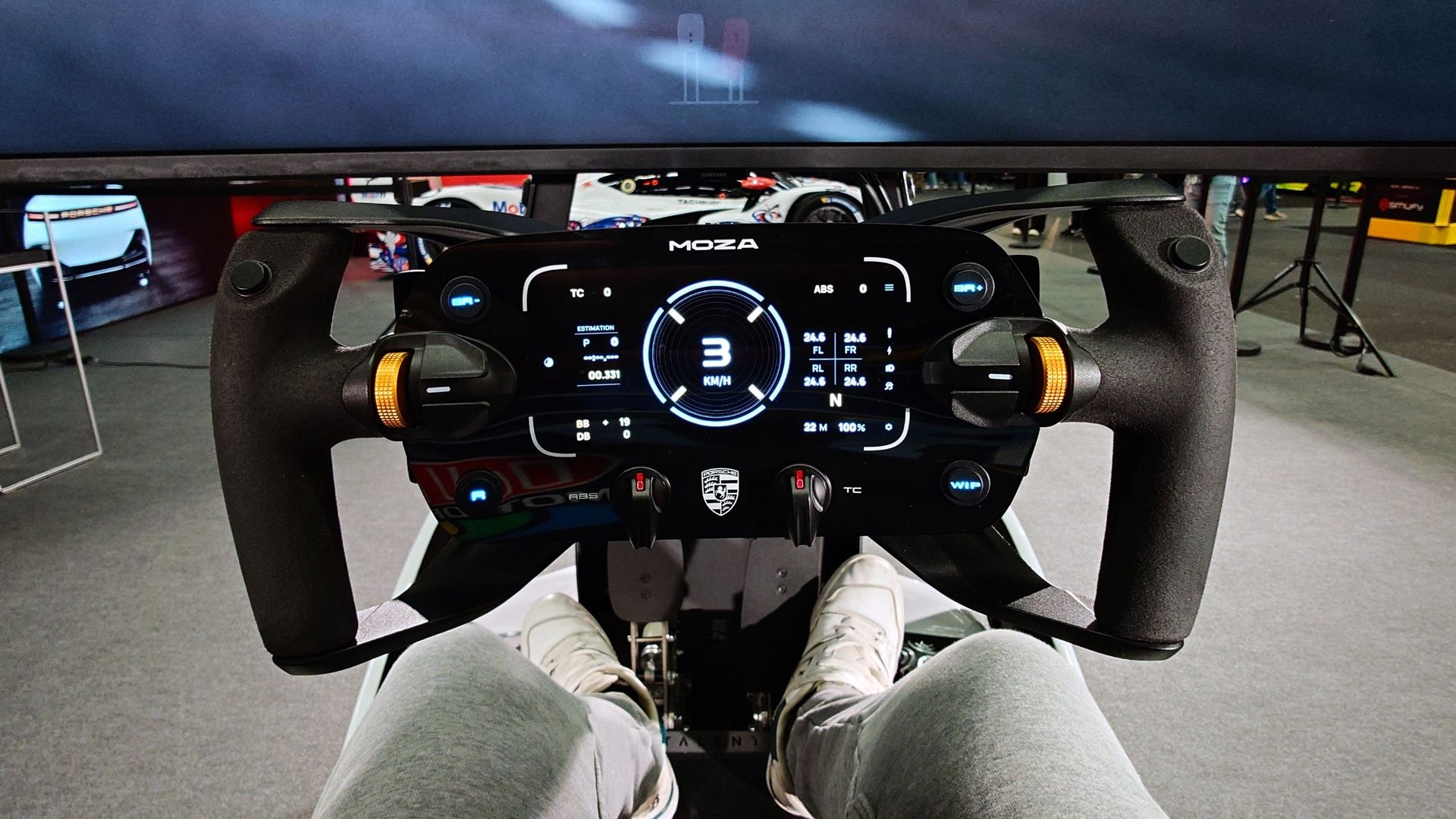
A photo of a Moza Porsche racing sim wheel from the POV of driving the ImSim Porsche Raceborn simulator.

Naturally, it comes with a Porsche wheel. This one's from Moza. (Image credit: Windows Central)

Speaking of, the one I tried at the event had a price tag quoted as €70,000 (approx. $78,000). Yeah, it's very expensive. But it's also not a product with a consumer target, not even the keenest of sim racers. Given how expensive even an RTX 5090 is these days, the PC alone will account for a decent chunk of it.

It is a perfect example of how far sim racing technology has advanced in recent years, though. The Raceborn is a complete system that can integrate a high-end gaming PC, ultrawide display, motion platform, haptics, and even active seatbelts. Yes, those are a thing now. And obviously, your choice of wheelbase and wheel.

The display and its mounting also deserve shouting out. It's integrated into the Raceborn unit, but it doesn't move. As the simulator's motion platform operates, the display remains perfectly still. What this also means is that if you'd prefer a three-monitor setup over the ultrawide I experienced, you can have just that. Or you can have VR if you wish. The entire product can be built as you wish.

Closeup photo of the ImSim Porsche Raceborn simulator showing the Porsche logo
Porsche crest, check. Windows Central
Closeup photo of the ImSim Porsche Raceborn simulator showing the Porsche logo
It comes with signature Porsche lights, because why not. Windows Central
Closeup photo of the ImSim Porsche Raceborn simulator showing the Porsche logo
Real Porsche carpet in a simulator. Windows Central

The haptics are provided by a quartet of ButtKicker transducers, one for each wheel on the car. Each operates individually and has their respective vibrations isolated from the others. Paired with telemetry from the simulator, these are able to reproduce incredibly accurately what's happening with the tires and communicate the overall feeling of the car back to the driver.

So, what's it like to actually use? Honestly, it's the sort of experience I find hard to put into words. Just as in real life, when I've driven supercars on a track, knowing I'll never have the budget to own one. The same applies here. I thought for a second about taking my shoes off; the carpet looks so nice.

It is truly a magical thing to experience, though. The craftsmanship is sublime, and it feels like a Porsche product. The Raceborn at the SimRacing Expo was, naturally, top-spec, with a 21 nm wheelbase. The PC specs were undisclosed, but as with everything else, they can be customized to a customer's demands.

It FEELS like driving a car, not a video game

A photo of the ImSim Porsche Raceborn simulator in white showing glowing red Porsche lights on the rear.

It's surprisingly comfortable, too, to say you're being tossed around a bit. (Image credit: Windows Central)

I've tried motion platforms before, and my feelings vary. Sometimes it feels like a roller coaster, but not the Raceborn. The motion platform is quite subtle but effective, and paired with the haptic feedback, the sensation of driving a car is very much there. It feels alive. The seatbelts even pull you in. The feedback is incredible.

One issue I've always had at home with titles such as iRacing is that because I only have feedback through the wheel, I'm constantly thinking, constantly trying to decipher how I think the car is behaving. On a setup like the Raceborn you don't have to think. Like driving a real car, you just instantly understand how much grip you have, whether you're starting to slide or whether someone just rear-ended you.

It's a gold-standard example of how sim racing is no longer just playing a racing game with a wheel and pedals. The hardware and software out there nowadays can put an extremely lifelike experience into anyone's hands. Sure, it all comes at a cost, but I can promise you that even a basic sim setup with haptics is cheaper than going racing in the real world.

As for the Raceborn, it's disappointing to know I'll never be in a position to own something that brilliant (though always holding out hope for a cheeky lottery win). Sure, rich people who buy Porsches will buy them, but I also see a different possible outcome.

For one, this is an exceptional marketing tool for Porsche. Why wouldn't a dealership or something like the Porsche Experience Centre at Silverstone get in one or two of these? While you wait for your service, hop on the sim, and drive the 963 prototype racer round Le Mans?

Something like this also opens up the possibility of giving actual racing drivers access to a world-class simulator without having to go to the factory. I've toured an F1 factory before, and their simulators take up an entire and large room. The technology is now getting to a point that drivers can get most of the experience from their own homes.

The ImSim Porsche Raceborn is a mindblowing product from every possible angle. The design and attention to detail, the quality of the driving experience, and the fact that it's a complete PC setup and I could barely even spot a cable. What a magical thing it is.

A final note too: The SimRacing Expo will be returning to Charlotte, North Carolina, on May 21 - 23, 2027. So if you're in the States and want to check out some of the latest and greatest virtual racing gear, I highly recommend a visit. The added bonus is it happens right next door to the NASCAR Hall of Fame.

Click to join us on r/WindowsCentral

Join us on Reddit at r/WindowsCentral to share your insights and discuss our latest news, reviews, and more.
Reçu — 28 octobre 2026 ⏭ Windows Central - News, Forums, Reviews, Help for Windows 10 and all things Microsoft.

Warzone players will have to wait to find out more about the integration with MW4

Call of Duty has revealed Season 1 for Modern Warfare 4, slated to go live on November 6 at midnight ET. That breaks usual tradition for new seasons, and indeed, it's a 5am launch here in the UK. I won't be getting up that early, that's for sure.

While the intel drop is full of information on what DMZ and multiplayer fans can expect, for those still waiting on knowing more about what's coming to Warzone, there's still a wait to be had.

We know that there will be two new maps joining the rotation. Hajin, the DMZ map, will be joining the battle royale mode alongside the returning Verdansk. Whether it's an exact copy or will be tweaked in some way, we'll have to wait and see. Zodiac, the new Resurgence map we already saw during the beta, and it will join the (sigh) returning Rebirth Island.

Warzone fans will have to wait, though, to find out the full details on what the first integration with Modern Warfare 4 will look like, though.

"Play across two new maps in Call of Duty®: Warzone™ as the Season 1 update brings both Hajin and Zodiac, plus the return of Verdansk and Rebirth Island, additional game modes, gameplay features, and more as Modern Warfare 4 becomes fully integrated with the free-to-play game. Keep your eyes on the Call of Duty blog this Monday, November 2, for a separate post and Roadmapfully covering everything coming to Call of Duty: Warzone in Season 1."

Promotional images for the Zodiac map in Call of Duty: Warzone that will be part of the Modern Warfare 4 integration.

We already got a first look at the new Resurgence map, Zodiac, during the Modern Warfare 4 beta. (Image credit: Activision)

The only other thing we know for sure is that before that time, Call of Duty: Warzone will go offline for good on Xbox One and PS4.

It was already confirmed earlier this year that due to Modern Warfare 4 not being available on last-gen consoles, those platforms would not be able to play Warzone once the integration happened.

Players who want to continue can, of course, still use Xbox Cloud Gaming or alternatives such as NVIDIA GeForce Now, and all their previous purchases in Warzone will be permanently applied to their Activision ID.

It'll be interesting to see what the player reaction to Warzone under Modern Warfare 4 is. DMZ has been received pretty positively, though the PvP elements still feel a little unbalanced in my opinion. But the new movement that came with Modern Warfare 4 definitely rewards a slower, more tactical style of play (for better or worse) but then, we all know that Warzone players love to fly around the map. So who knows?

Nevertheless, we'll know a lot more on November 2.

Click to join us on r/WindowsCentral

Join us on Reddit at r/WindowsCentral to share your insights and discuss our latest news, reviews, and more.
Modern Warfare 4 DMZ will be getting a new map in Season 1

Call of Duty has announced Season 1 for Modern Warfare 4 will begin on November 6 at midnight ET, and DMZ is already getting a new map.

Future locations have already been teased for DMZ before the launch of the game, but the first one is already arriving a mere two weeks post-launch.

But it's not just a new map; it's quite different to Hajin and is more reminiscent of Building 21 from the original DMZ.

"A previously undiscovered weapons facility — codenamed X01 — has recently been seized by enemy forces. Recent reconnaissance along the northern border of North Korea has determined an infiltration point, allowing for deployment through Hajin. Current data suggests this facility was a GRANIT Arms black site. It appears comprised of a dimly lit, labyrinthian network of passageways, tunnels, and linking chambers surrounding a clandestine weapons assembly line and other, more surprising locations. Appearing to be fully enclosed from the outside world, ground-penetrating radar has revealed multi-floored vertical traversals, where the only reliable edge you may have is the back-up of your squadmates."

A promotional screenshot of the X01 black site location in Call of Duty: Modern Warfare 4 DMZ.

I don't know about you but this doesn't look like a very inviting place. (Image credit: Activision)

Expect a fairly strong PvP experience, though apparently that's not the worst thing you'll encounter. We're told it "may be unwise to engage them in head-to-head combat" referring not to players, but to the 100 Spirits NK Faction that is active in the vicinity.

Ghost will act as our Watcher for infils into X01, and alongside the map will be new pages of DMZ Orders for players to complete.

X01 will also be home to a bunch of new enemy types, items, and equipment, though the first two are labelled as [CLASSIFIED]. So you'll need to take the plunge and go see for yourself. But it sounds like the best way to dominate X01 will be to plunder the loot within its walls.

Elsewhere, the FOB will be getting some upgrades, with something new and [CLASSIFIED] for the 3D Printer Station, new weapons and gear at the Vendor which apparently are linked to the BlackCell pass from Season 1 (which you also have if you bought the Vault Edition) and new Lieutenants and Commanders added to the Boss Board.

A player in the Forward Operating Base with mission directives in MW4 DMZ.

DMZ has got off to a roaring start in Modern Warfare 4. (Image credit: Cole Martin for Windows Central, Activision)

Season 1 for DMZ also promises two events: Threat Briefing and Resupply Run. The former will see you engaging with either The Captain or a Battle Tank, and in each case extracting parts of their respective armor. The more parts you get, the better the rewards.

Resupply Run is a bit like a trolley dash, but in Hajin, with enemies shooting at you. You'll be tasked with finding specific items to trade in for high-value gear such as Self Revive Kits and 3-Plate Armor Vests.

More events are promised throughout Season 1, but it's definitely a positive to see DMZ frontloaded with content so early on. It requires a decent investment of your time, but so far, it looks like it's well worth it.

Click to join us on r/WindowsCentral

Join us on Reddit at r/WindowsCentral to share your insights and discuss our latest news, reviews, and more.
Shipment arrives in Modern Warfare 4 to save the camo grind

It takes a lot for me to get excited at the prospect of playing Shipment in Call of Duty again, but here we are. The original brainrot map has now landed in Modern Warfare 4.

And I am excited for it. But that's only because the first weekend of multiplayer has been hard. The launch maps are OK at best, the matchmaking makes every game feel like the Call of Duty League finals, and it just feels like hard work. Video games shouldn't feel like hard work.

While Infinity Ward can certainly fix it, for now, we turn to Shipment for some good old-fashioned brainless run and gun. For those chasing the mastery camos, it's definitely a welcome sight to speed up the process a little.

You know what to do 😤Shipment is LIVE NOW in #MW4 https://t.co/FSX7GmbZ0rOctober 27, 2026

Even so, it's not perfect. The TTK feels too long for Shipment (in my opinion), and there's clear weapon balancing that needs to be done that will presumably not have a chance to happen until Season 1 starts next week.

But whether it's nostalgia or just the fact that the launch weekend has been absolutely mollywhopping you, Shipment 24/7 is live, and most of the game modes are available on rotation on the now smallest map in Modern Warfare 4.

After an incredible campaign, the debut of DMZ which mostly has been a great time (exfil campers aside), multiplayer has been a very mixed bag. Compared to the beta earlier this year, it just doesn't feel as, well, fun.

The maps are definitely not some of Call of Duty's best, though I have been enjoying Mumbai especially, and Cachette is pretty fun, too. But I also think the movement needs to be updated, because while being slower is fine, it feels too clunky and like you have to work hard just to get into and out of a gunfight.

But the gunplay, as in the beta, is really good, even if I think the TTK is still too high. Or maybe it's the weapon balancing that's off, as some, even on Shipment, feel like you're slapping someone in the face with a napkin from a little kid's birthday party.

But if you're camo grinding, go forth and rot thy brain in the name of Orion Reforged. May the shipping containers make your journey take a more profitable path.

Click to join us on r/WindowsCentral

Join us on Reddit at r/WindowsCentral to share your insights and discuss our latest news, reviews, and more.
Reçu — 24 octobre 2026 ⏭ Windows Central - News, Forums, Reviews, Help for Windows 10 and all things Microsoft.

Make sure you have the RIGHT backpack to protect your loot in MW4 DMZ

So you've seen the title and think I've lost my mind, right? Of course the backpack matters when you're looting in Call of Duty: Modern Warfare 4 DMZ. How else do you carry those sweet rewards?

But it's not just about having a backpack; it's about having the right backpack and using it in such a way that it can protect your rarest rewards. One of the biggest thrills and disappointments of an extraction shooter like DMZ is that at any point you could get rinsed by another player and lose everything you worked so hard for.

But you can also protect items in your backpack in case of emergencies such as this. Even if you don't make it out, your precious items can. Here's what you need to know about the backpacks in Modern Warfare 4 DMZ.

The first good backpack is unlocked at DMZ Level 2

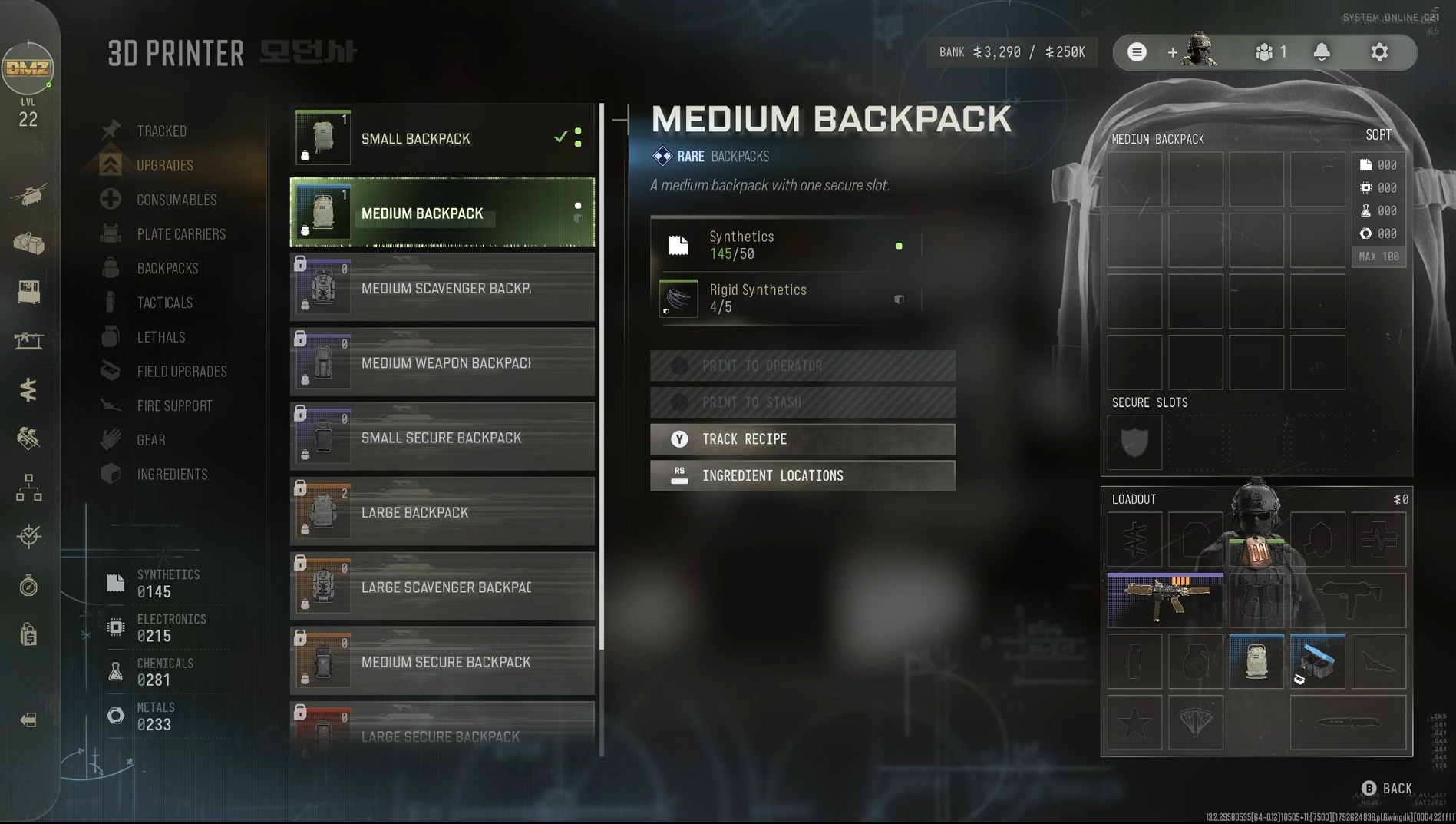
A screenshot of the backpacks menu in the 3D Printer Station in Call of Duty: Modern Warfare 4

You should always try and run at least this backpack, with the recipe unlocked at DMZ Level 2. (Image credit: Windows Central)

When you reach DMZ Level 2 and unlock the 3D Printer, the first good packpack is one of the initial recipes you'll unlock.

While the Small Backpack is the easiest one to craft, you should only consider using it if you're going on an ingredients run. It doesn't hold much, and it lacks the key feature we need for rarer, higher-quality items.

That would be the Secure Slot, and the rare-tier Medium Backpack is the cheapest one to craft that has at least one of these. The Secure Slot is where you want to place the most valuable item you find, because if you go down, that item will still be sent back to your FOB.

As an example, just last night I found another recipe early on in one of my DMZ matches. I put it straight in the secure slot, which was a good thing because as I left the building that I found it in, I was run over by another player. I lost my weapons, I lost my backpack, and I lost my consumables, but the recipe made it out and was unlocked on my 3D Printer.

The only slight downside is that weapons don't have a secure slot. There are backpacks that have weapon slots so you can stash more than just the ones you're carrying in your loadout, but you can't add weapons to secure slots.

But you can put recipes and manuals in them along with all sorts of other rare items to protect them should you fail to exfil.

How to get better backpacks in Modern Warfare 4 DMZ

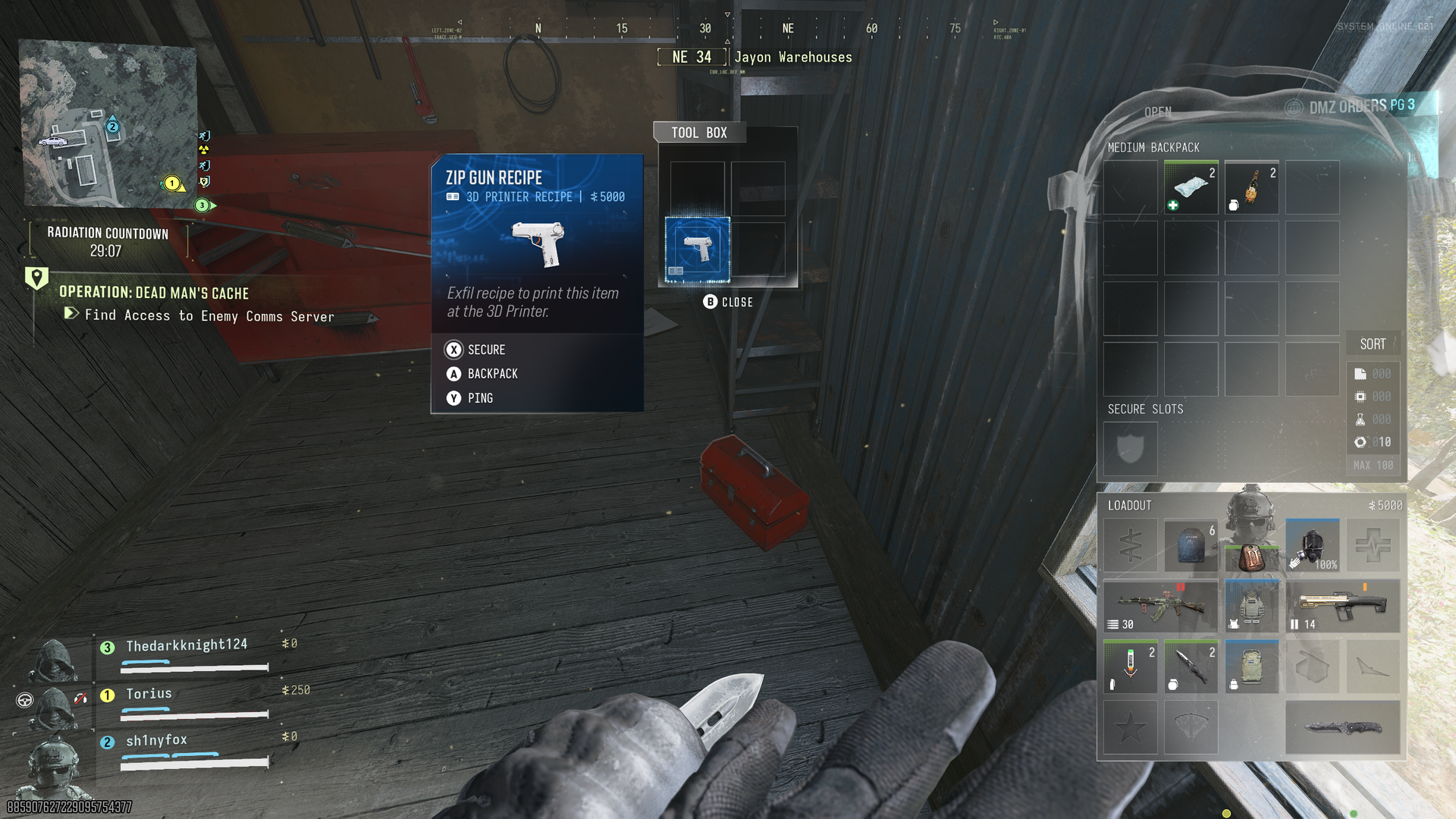
A screenshot from Modern Warfare 4 DMZ showing a Zip Gun Recipe found in a red toolbox and an open Medium Backpack with Secure Slot.

See a recipe, slap it in the Secure Slot, and it'll always make it out even if you don't. (Image credit: Windows Central)

There are various ways to get backpacks in DMZ, and one of them is just finding them out in the wild while you're playing. Like all the other loot, such as parachutes, you can get lucky and find a better bag. Or take one from a player you downed!

In terms of crafting, there are two recipes you can guarantee you can add to your 3D Printer. The Medium Backpack is unlocked at DMZ Level 2, while the Large Backpack unlocks at DMZ Level 34. At DMZ Level 61 you also unlock the recipe to craft the Medium Weapon Backpack.

The rest require you finding their recipes while playing DMZ, so you'll need to put in some work to find them all.

Scavenger backpacks are good for looting runs, such as stocking up on 3D Printer ingredients. Secure backpacks are good for targeting higher-tier items. There's plenty to choose from, but if you always try and run with at least a Medium Backpack if you find a recipe, you can guarantee it gets out safely.

You can also get a new backpack in the FOB from the Vendor in exchange for DMZ Cash, and from Survival Kits. If an item pops up in the Vendor that you don't have a recipe for, it's always a good idea to add to your stash, assuming you have the funds. I've bought a Large Backpack already for 10,000 DMZ Cash.

Recipes and manuals are key items you want to get in DMZ and running a backpack with a Secure Slot is the easiest way to make sure you always get them out safely.

Click to join us on r/WindowsCentral

Join us on Reddit at r/WindowsCentral to share your insights and discuss our latest news, reviews, and more.
How to use blueprints to get high-tier weapons in Modern Warfare 4 DMZ

The gameplay loop in Call of Duty: Modern Warfare 4 DMZ is a little different from other modes in the game and even previous extraction modes such as the DMZ beta, Modern Warfare Zombies, and Black Ops 7 Endgame.

You start out with nothing. Well, almost nothing. But the idea is you have to go out and scavenge for better gear, be that through doing missions, defeating world bosses, or even other players.

But there is a way to get high-tier weapons without spending DMZ Cash and without having to run the gauntlet of Hajin's battlegrounds. There is a catch, though. Well, technically two. But essentially it involves weapon blueprints you acquire for Modern Warfare 4, because you can craft them at the Gunsmith.

Screenshots of the Gunsmith in Modern Warfare 4 DMZ showing blueprints that can be crafted and their price in DMZ Cash.
The first time crafting a weapon blueprint is free. Windows Central
Screenshots of the Gunsmith in Modern Warfare 4 DMZ showing blueprints that can be crafted and their price in DMZ Cash.
You can do this from DMZ Level 10. Windows Central
Screenshots of the Gunsmith in Modern Warfare 4 DMZ showing blueprints that can be crafted and their price in DMZ Cash.
After you craft a blueprint once, any subsequent ones will cost DMZ Cash. Windows Central

Once you reach DMZ Level 10 the Gunsmith Station unlocks, which allows you to craft weapons you've found manuals for and extracted successfully. But it also allows you to craft blueprints you own, regardless of whether you have the manual or not.

Better still, the first time you craft one of these blueprints, it's completely free. But the catch is that it's only the first time. So, as an example, if you got the "Beta Forged" Han 86 blueprint from the Modern Warfare 4 beta, you can craft it once for free in DMZ and get a legendary tier weapon to add to your loadout.

To do so, you choose the "Builds" option next to the weapon and select the blueprint you want to craft. After this first time you can still craft them, but there will be a substantial DMZ Cash cost depending on the blueprint.

If you're playing during the earliest days of Modern Warfare 4, another catch is that unless you bought the Vault Edition, you won't have as many blueprints to choose from, and as a result, fewer free weapons to craft. As the game rolls into its post-launch content, you'll be able to add plenty to your stash, including a bunch from just levelling up. But out of the gate, those who paid more have more to choose from.

A quick tip as well to try and protect your higher tier weapons and gear is to make sure you have a backpack with a secure slot on it. Assign the thing you don't want to lose to the secure slot, and if you go down and fail to exfil, this item will at least make it out.

Click to join us on r/WindowsCentral

Join us on Reddit at r/WindowsCentral to share your insights and discuss our latest news, reviews, and more.
Reçu — 21 octobre 2026 ⏭ Windows Central - News, Forums, Reviews, Help for Windows 10 and all things Microsoft.

How to get the parachute in Modern Warfare 4 DMZ

One of the first things you may notice dropping into Call of Duty: Modern Warfare 4 DMZ is that you don't have a parachute automatically equipped. I definitely didn't forget and die to fall damage early on and learn the hard way.

In fact, a parachute is one of the items that players must acquire, and even when you do, you may not be able to use it for long, and of course, if you fail to exfil, you'll lose it along with any of your other gear (I've definitely done this already).

There are a couple of methods to get a parachute in Modern Warfare 4 DMZ, but neither is particularly easy, at least in the early days of the game. But here's how you can go about finding yourself one.

How to find a parachute in-game in Modern Warfare 4 DMZ

The good news is that like pretty much everything else in DMZ, you can loot parachutes during a game. The bad news is that they're pretty hard to find. I've only found one so far as I write this, and I've played about 7 hours.

But you can find one as ground loot, and you can find one without having to go to any of the higher difficulty locations. While the more difficult the location, the better the quality of loot you'll find, it is still possible to find them just by searching.

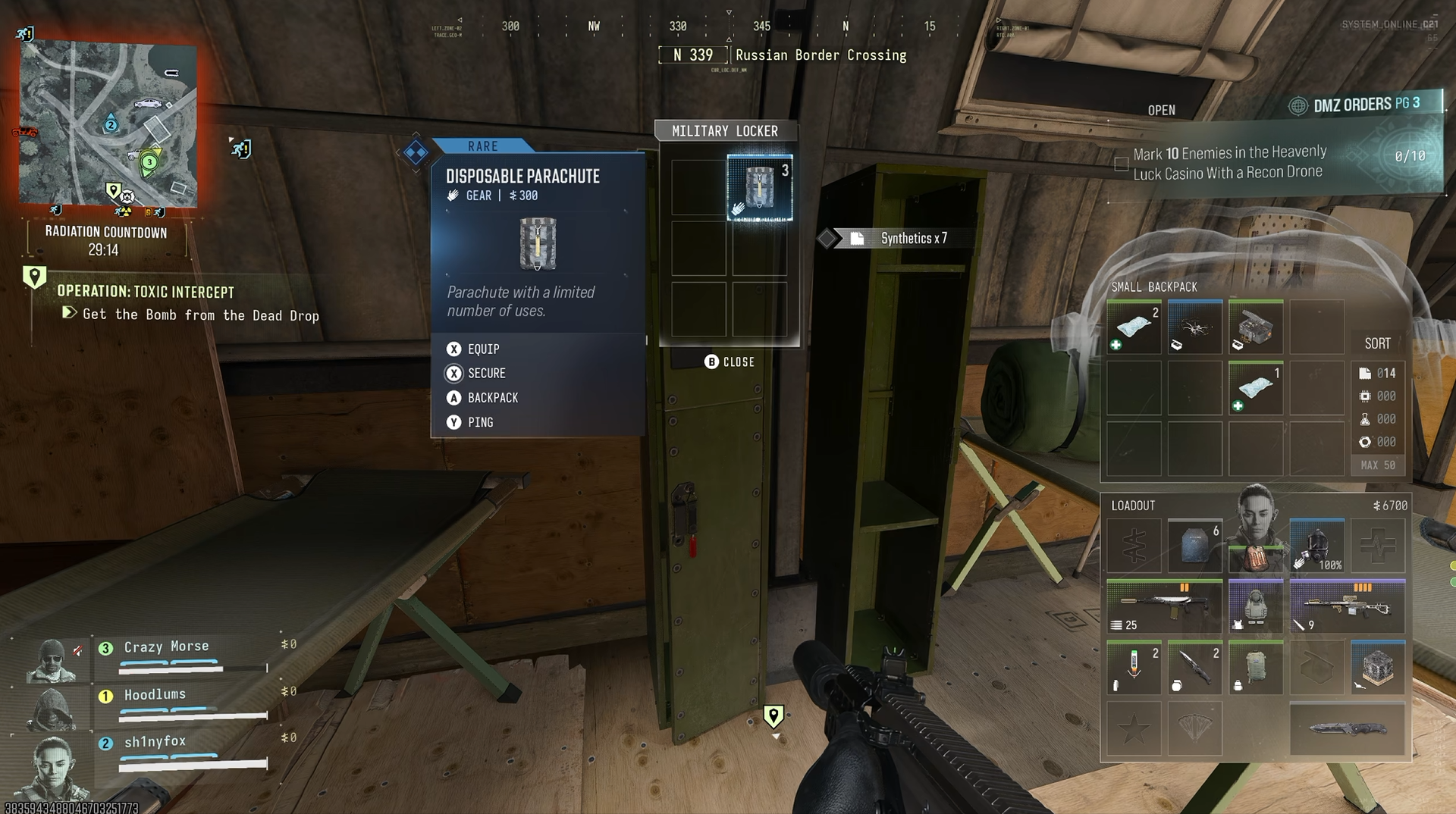
For example, I found one in the first building I looted at the Russian Border Crossing part of the map in the far top left corner. A disposable parachute was just there inside one of the lockers. The rare tier parachute only has three uses, though, so use it sparingly.

Given the military nature of the item, it stands to reason that your best chance of finding one will be from locations like these. I was in a military outpost looking inside a locker, so it's likely you'll have a better chance here. I wouldn't expect to find a parachute inside a bag in a random residential building, for example. So hit the military locations often. Also Fire Station POIs are a good shout for finding a parachute or two.

A screenshot from Call of Duty: Modern Warfare 4 DMZ showing a disposable parachute being looted from a locker.

Looting military locations is a way to increase chances of finding one. (Image credit: Windows Central)

Loot in Modern Warfare 4 DMZ has a theme and locations that have a better chance of dropping it. You can see this if you track ingredients for 3D Printer recipes in the FOB. Not always specific locations, but a type of location.

You can possibly find the legendary tier parachute around the map, too, though I haven't seen one. Higher-tier loot is rarer and usually requires being in higher-threat zones, but if you see something you can check for loot; don't run past it. Loot everything.

Also make sure you check the supply drops at the end of a Dynamic Ops mission. These drop various types of gear, and there's always a chance a parachute is inside one of them.

How to craft a parachute in DMZ at the 3D Printer in the FOB

Screenshot of crafting parachutes in Call of Duty: Modern Warfare 4 DMZ and the ingredients required to do so.
The ingredients for the disposable parachute recipe. Windows Central
Screenshot of crafting parachutes in Call of Duty: Modern Warfare 4 DMZ and the ingredients required to do so.
The incredients for the legendary parachute recipe. Windows Central

You can also craft parachutes to take into the DMZ with you at the 3D Printer Station in the FOB rather than relying on finding one.

That's the good news. The bad news is that you can't do it right away.

To craft a rare-tier disposable parachute, you first need to increase your DMZ Level up to 55. This unlocks the recipe at the 3D Printer. Once unlocked, you can craft one for 30 Chemicals and 3 Rigid Synthetics. To get your level up as fast as possible, make sure you're actually doing missions inside DMZ. The more you do, the more XP you'll get. And don't forget to stick on a 2XP token if you have one available.

To craft a legendary tier reusable parachute, get your DMZ Level up to 69, one below the current cap. Once you have the recipe unlocked, you can craft one for 2 Turned Components, 5 Nylon Cloth, and 10 Rigid Synthetics. Again, though, it's not permanently applied to your Operator. If you don't manage to exfil, it's gone and you'll have to craft another.

For crafting, finding the ingredients isn't too difficult. By the time you unlock either of these, you've probably found a good stash just through naturally playing. But all 3D Printer recipes will tell you where you can find the ingredients you need. So check it out before you deploy and make sure you target the right areas.

Don't forget to check the Vendor Station

A screenshot of the Vendor Station in Call of Duty: Modern Warfare 4 DMZ

The Vendor sells some great gear, but it's on a rotating basis. (Image credit: Windows Central)

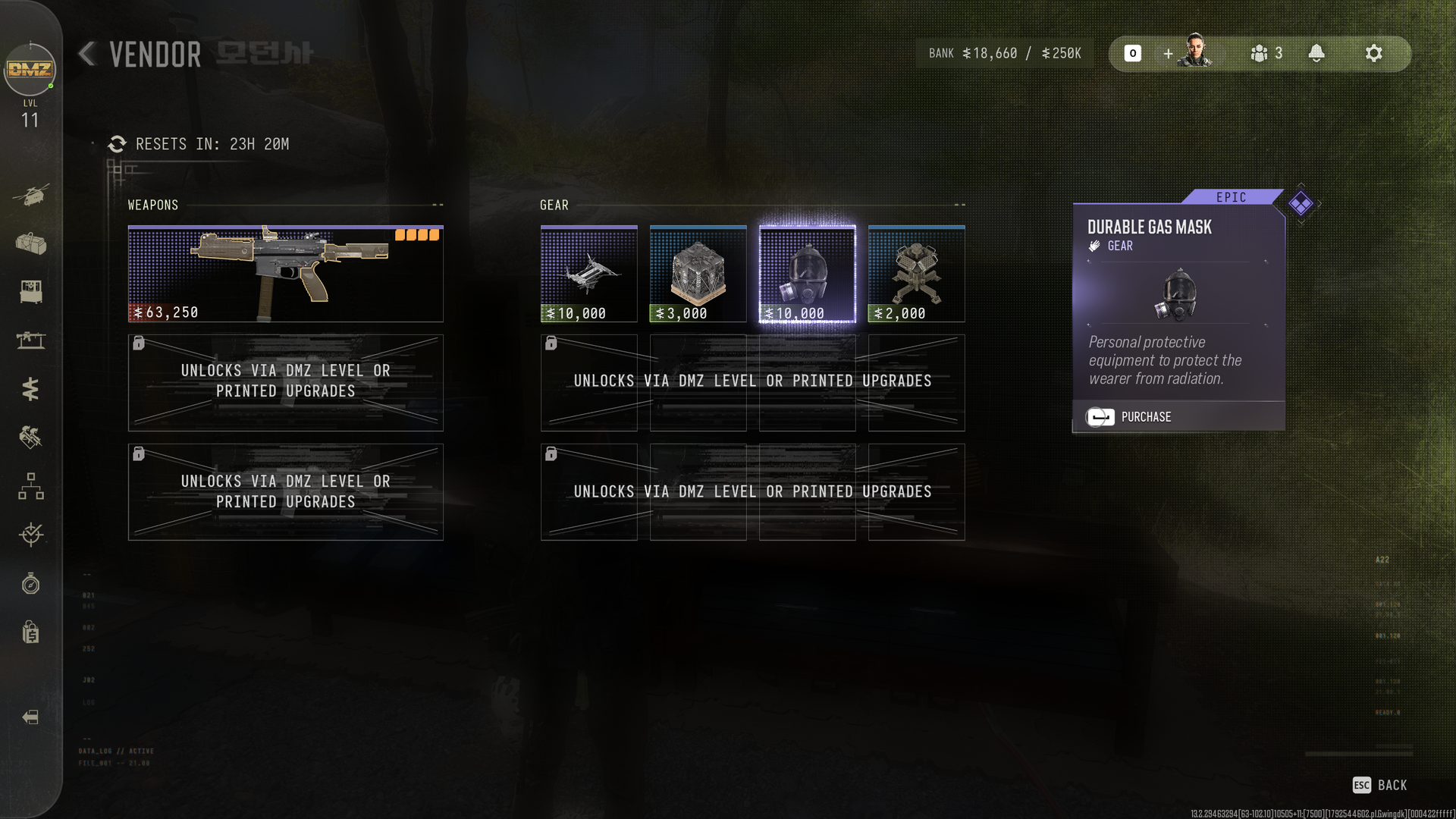
The last thing to do is always keep checking the Vendor Station in the FOB. This offers a rotating cycle of weapons and gear, so you might well see a parachute pop up in there.

You'll need to keep a good stash of DMZ Cash, but I've already been able to buy a legendary backpack and a durable gas mask from there inside the first full day of early access. So don't ignore it.

The pace of DMZ feels like it was designed without using a parachute, and that's OK with me. You shouldn't just be able to glide across the map for free. DMZ makes you earn your gear.

It means you just have to be a little more careful, because you could lose it at any time. But there's no denying having one will make some areas easier to navigate.

Click to join us on r/WindowsCentral

Join us on Reddit at r/WindowsCentral to share your insights and discuss our latest news, reviews, and more.
MW4's camo grind can be sped up in the early stages, here's how

Now that the early access period has begun for Call of Duty: Modern Warfare 4 DMZ, so too has the camo grind. This year's is very different from the last two Black Ops games, with one big benefit being that a lot of it is global across multiplayer, DMZ, and Warzone.

In fact, you can unlock everything up to the Divergence completionist camo in any of the three modes before switching to each's dedicated Mode Mastery camos.

The early stages can be sped up a little, too. If you're playing DMZ already, you'll be working on the military camos, but you can also work on the special camos at the same time, which you may not have realized.

MW4 camo grind at least is sped up a little by the fact you can work on Specials before you've even unlocked the Military ones. So long as you've reached the unlocks for each one, you can work on them side-by-side. Get to level 10, get the Gunsmith, and get cracking. https://t.co/nrnGh0Pz4POctober 20, 2026

In Black Ops 7, you couldn't start on the special camos until you'd completed the headshot requirements for all the military-tier ones. In Modern Warfare 4, each special camo has a challenge requirement, such as kills with a suppressor attached, but it also has a weapon unlock requirement just like the military ones.

As I noticed last night, you can work on both military and special camos simultaneously, and this won't just apply to DMZ. I picked up a WZ.55 Striga SMG during a DMZ run and started using it and leveling it up.

Once I'd earned "19 more weapon unlocks" (and I'm not sure how many it needed because it looks like half the weapons I've used in DMZ were silently leveled up during the campaign), I was able to start working on the first special camo and get kills using a silencer. All while still having four more military camos left to unlock.

This is a pretty great way to help accelerate that early part of the grind before you get to the first completionist camo. So long as you pay attention to when the specials unlock and what their challenge is, you can work on them side-by-side with any remaining military camos.

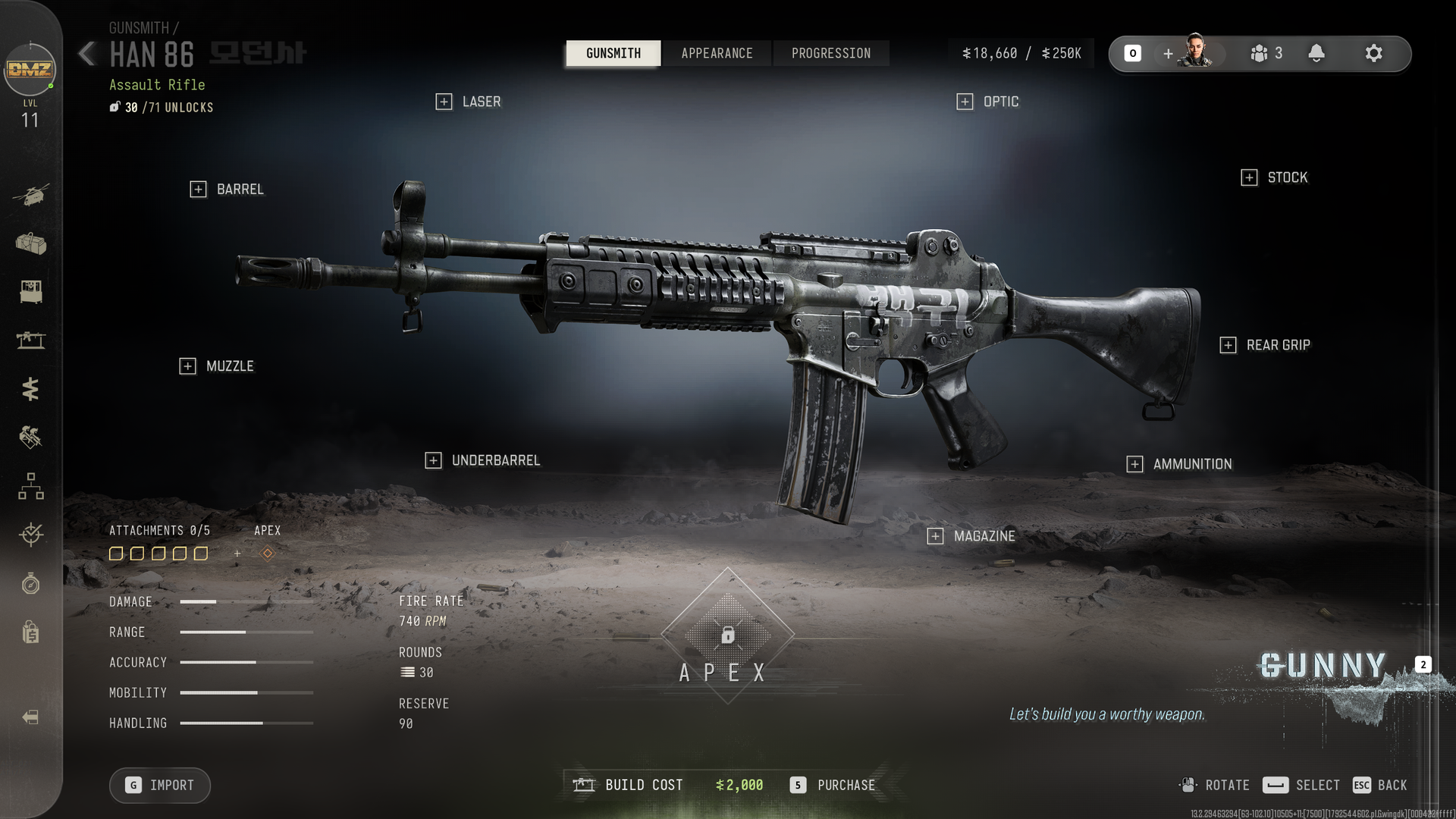
A screenshot of the Gunsmith in Call of Duty: Modern Warfare 4 DMZ showing the Han 86 and its available attachments.

This is just a bog-standard Han 86 I picked up from an enemy with a new character, but I can customize it in the Gunsmith for DMZ Cash. (Image credit: Windows Central)

For DMZ, an essential part of this is to get to DMZ Level 10 and unlock the Gunsmith station at the FOB. Because some of these challenges require using specific attachments, the easiest way to make sure you have them is by using the Gunsmith.

You can add attachments to weapons you find during your DMZ runs at the Gunsmith, too. It doesn't only apply to weapons you buy here. So if you extract with a weapon you don't have a manual for, you can still put on the necessary attachments and work on the special camos. Applying attachments does require DMZ Cash, though, so keep your bank balance high.

Of course the downside to DMZ is that if you die during a run, you could lose that weapon. But any progress is global, and while we don't know what the conversion rate is for progress in DMZ to progress in multiplayer or Warzone on these camo challenges, you can at least get a head start right now.

The final mode for Modern Warfare 4 to go live is multiplayer, and this begins on the global launch date, October 23.

Click to join us on r/WindowsCentral

Join us on Reddit at r/WindowsCentral to share your insights and discuss our latest news, reviews, and more.

Reçu — 20 octobre 2026 ⏭ Windows Central - News, Forums, Reviews, Help for Windows 10 and all things Microsoft.

One of Modern Warfare 4's most degenerate challenges has already been beaten

Call of Duty: Modern Warfare 4 doesn't even launch fully until October 23, but one of the hardest challenges in this year's game has already been beaten.

Exhibiting truly heroic levels of degeneracy, the first players have cleared the hardest difficulty setting in the campaign and unlocked their reward. Not realism, of course; this year we've got YOLO.

The reward is a Calling Card that you're definitely not going to see all that many players showing off because of how difficult it is to acquire. And also you can't show it off until at least DMZ early access begins on October 20. If you don't know why this is so hard, let me set out the path you have to take.

  • Beat the campaign
  • Beat the campaign again on Realism to unlock YOLO.
  • Beat the campaign with one life to unlock the Calling Card.

So you have to beat the campaign twice before you can even begin, because Realism difficulty isn't available until you've done one completion. At least it doesn't seem to matter which difficulty you do first to get the Realism unlock.

I've done my traditional first run on Regular to get it done quickly and get cracking with the achievements, and I've got Realism waiting to destroy me.

YOLO is a permadeath mode on Realism difficulty. You get one life. If you go down, your run is over, and you go back to the very beginning of the campaign. It is brutal. And yet we're already seeing the first players having completed it. Presumably they haven't slept much since Friday.

There is an apparent 'cheese' some folks have suggested works, which involves quickly restarting the current mission from the menu if it looks like you're about to go down. But I've also seen people say that you can't save and quit and do it over multiple sessions, because it warns you that you'll lose your progress.

Others have said they've been able to quit just fine and come back. If you know for sure, do please put it in the comments below, because who knows what's real on the internet these days.

The apparent Calling Card reward can be seen here, though since the Calling Card collection doesn't go live until DMZ early access, it could also be a troll. We'll soon know.

If you see this Calling Card pop up in one of your lobbies, though, know what you're dealing with. A player who doesn't sleep. Or a hacker. Either way, probably run the opposite direction.

Click to join us on r/WindowsCentral

Join us on Reddit at r/WindowsCentral to share your insights and discuss our latest news, reviews, and more.
Euro Truck Simulator 2 fans continue to be spoiled with another new wheel

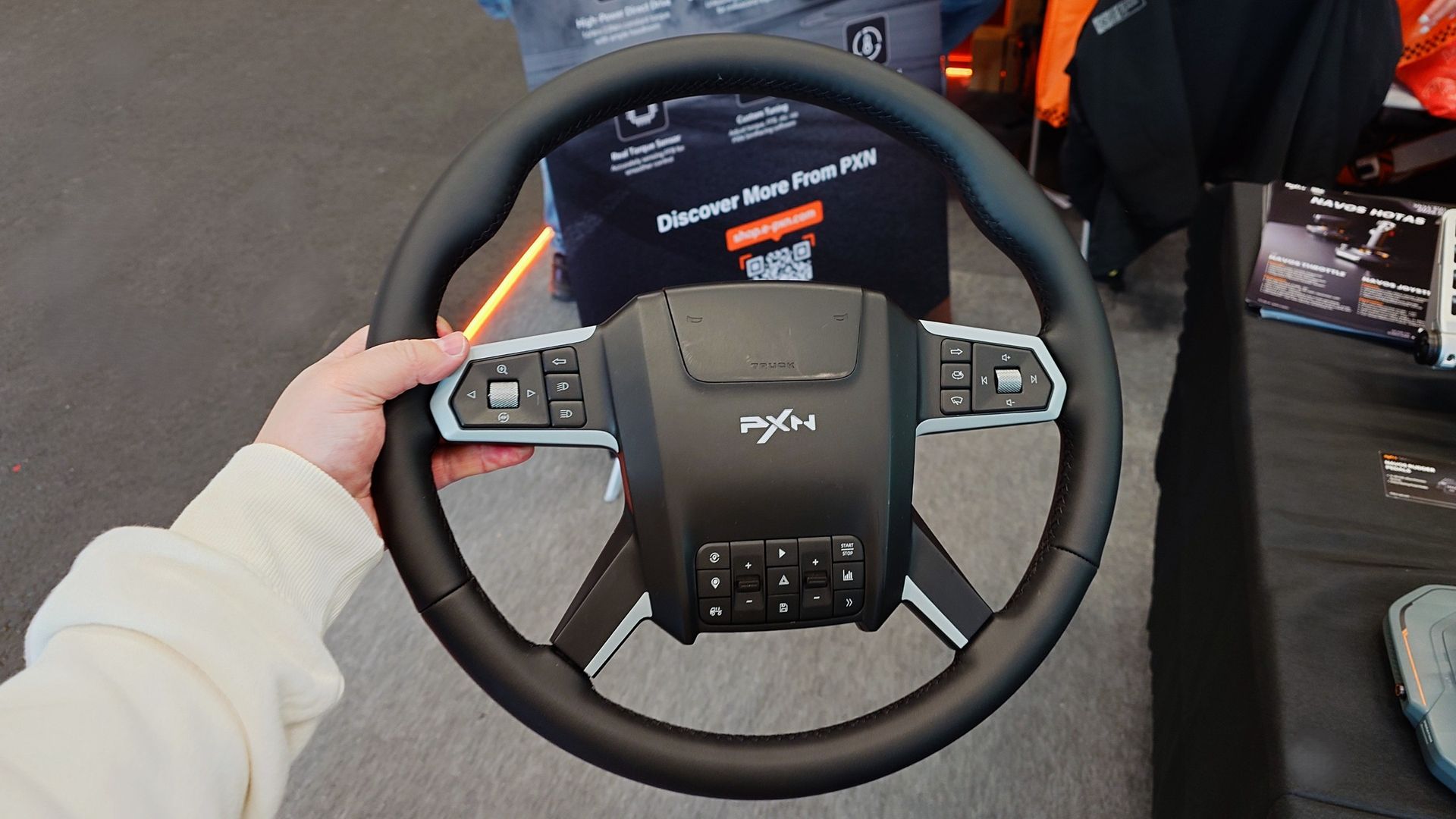
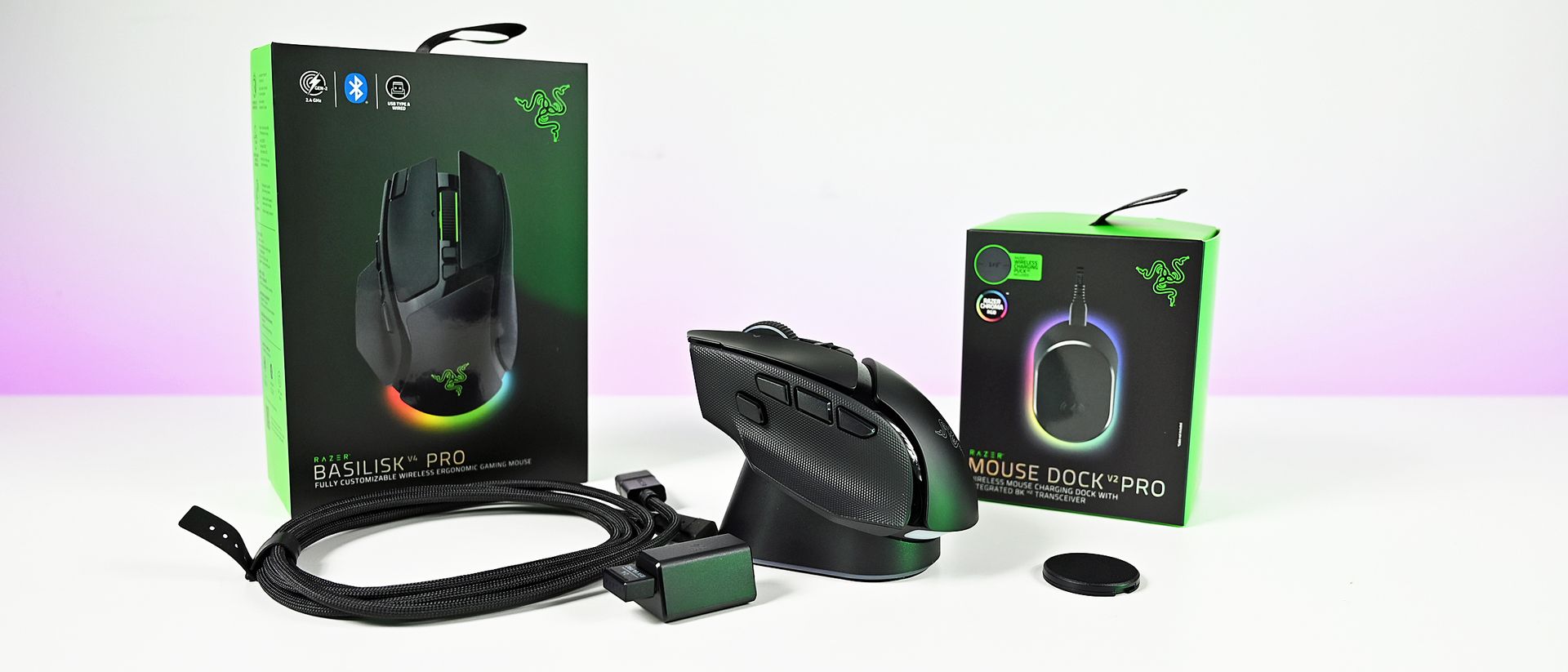
Fans of Euro Truck Simulator 2 and American Truck Simulator are getting another new wheel to consider in 2027. It comes from Chinese brand, PXN, that already has a healthy ecosystem of racing wheels, flight sticks, and other assorted hardware for simulator fans.

The W TS may still be a little way off actually launching, but I spotted one at the SimRacing Expo in Frankfurt, where PXN was exhibiting. It was a non-working model, as in, I only got to see it on a table, but first impressions are pretty good.

I've really been getting into the truck simulator games this year, and moving onto a wheel for it is the next step. One thing that immediately stands out with PXN's truck wheel is the price I was told to expect it at.

I was told they're aiming around the €160 - €170 mark, which would undercut the existing competition by a good amount. It doesn't feel cheap, though, despite targeting a lower price.

Close up photos of the new and unreleased PXN truck simulator wheel showing the design and controls.
All the trucking buttons you can shake a stick at. Windows Central
Close up photos of the new and unreleased PXN truck simulator wheel showing the design and controls.
All the trucking buttons you can shake a stick at. Windows Central
Close up photos of the new and unreleased PXN truck simulator wheel showing the design and controls.
All the trucking buttons you can shake a stick at. Windows Central

The design is "Scania-influenced" which, without a license, is as close as it can get. I've also never driven a real Scania truck, so I've got no point of reference. But the wheel is trimmed entirely in leather, and it feels really soft and high-quality.

It's a typical 400 mm wheel design for truck driving and is packed with 34 buttons to do all of the things you want to do with your virtual truck cockpit. You would assume that it'll be plug and play with both SCS truck sims, since these are the target audience.

Obviously without actually using it, this is just a very quick first impression. But first impressions are good. The horn is nice and clicky, perfect for some virtual road rage.

It also looks like PXN will be selling a complete bundle to get you ready to start trucking. It'll include a set of Hall Effect pedals, a 6 nm direct drive wheelbase, and a clamp to adjust the angle so you can go full, authentic trucker. But I don't know how much this bundle is going to cost.

Close up photos of the new and unreleased PXN truck simulator wheel showing the design and controls.

It's a big, chunky boy, but I can't wait to try it out. (Image credit: Windows Central)

PXN is also pretty good at supporting other companies' wheelbases, so there's a good chance you'll be able to use it on your existing setup.

From what I've experienced of PXN hardware so far, it's a definite contender for the more budget-conscious, but without having to give up on features. The company has also debuted some more serious wheelbases, but for trucking, especially beginners, 6nm in the planned bundle will be plenty.

I'm also told that the PXN W TS is targeting a Q1 2027 launch. So you can't treat yourself for Christmas, but it's not too long to wait.

Click to join us on r/WindowsCentral

Join us on Reddit at r/WindowsCentral to share your insights and discuss our latest news, reviews, and more.
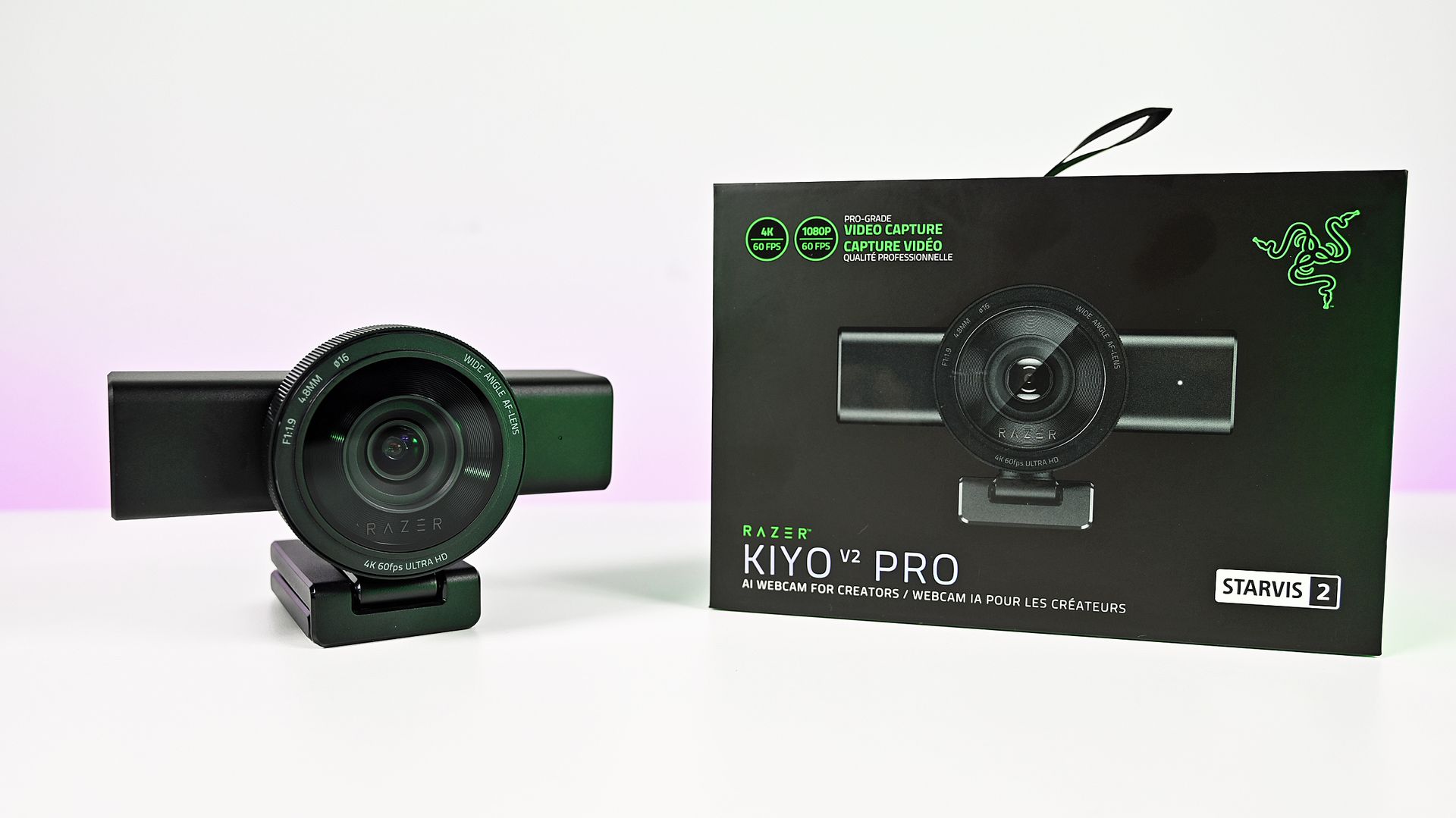
The Razer Kiyo V2 Pro is a giant webcam, but it might not be for you

Razer's original Kiyo webcam was the first I ever tried where content creators were the target audience. While its video quality didn't stand out, its built-in ring light was something unique and genuinely useful.

Fast forward to late 2026, and I'm again looking at a Razer webcam: the Kiyo V2 Pro. This is 100% a webcam designed for content creators, and at $300, it's a pretty serious investment, though it's still less than a good mirrorless camera and easier to use.

It's a product I was immediately interested in, not because I'm some big-time streamer, but because I was such a fan of what the Kiyo has done in the past. It looks impressive, and it boasts some top-end specs.

But having spent some time getting to grips with the Kiyo V2 Pro, my opinions are mixed. It's a good webcam, of that there's no doubt, but given its price and how it's been to use, it's harder to give a blanket recommendation. It says Razer on the box, but it doesn't feel completely like the Razer product experience I'm used to.

Razer Kiyo V2: Specifications

Specification

Details

Video Resolution

4K 60 / 30 FPS

1440p 60 / 30 FPS

1080p 60 / 30 / 24 FPS

720p 60 / 30 FPS

Video Formats

MJPEG up to 4K 60 FPS, 1080p 60 FPS

H.264 up to 4K 60 FPS, 1080p 60 FPS

NV12 up to 4K 30 FPS, 1080p 60 FPS

Image Sensor

8.3 MP Sony STARVIS™ 2

Field Of View

86° (wide angle, configurable)

Focus Type

Auto / Manual

Focal Length

4.8 mm (24 mm for full-frame equivalent)

HDR Support

Yes (at 30 FPS)

Image Customization

Fine image customization with Razer Synapse software

Mounting Options

Fixed L-shape mount (with ¼” thread to mount on tripods)

Built-In Privacy Shutter

Yes

Connection Type

USB Type C to USB Type C (Supporting USB 3.0)

Cable Length

2 m / 6.56 ft

Built-In Microphone Type

None

Polar Patterns

None

Noise Cancellation

None

Audio Codec

None

The Kiyo V2 Pro is a serious (and large) piece of hardware

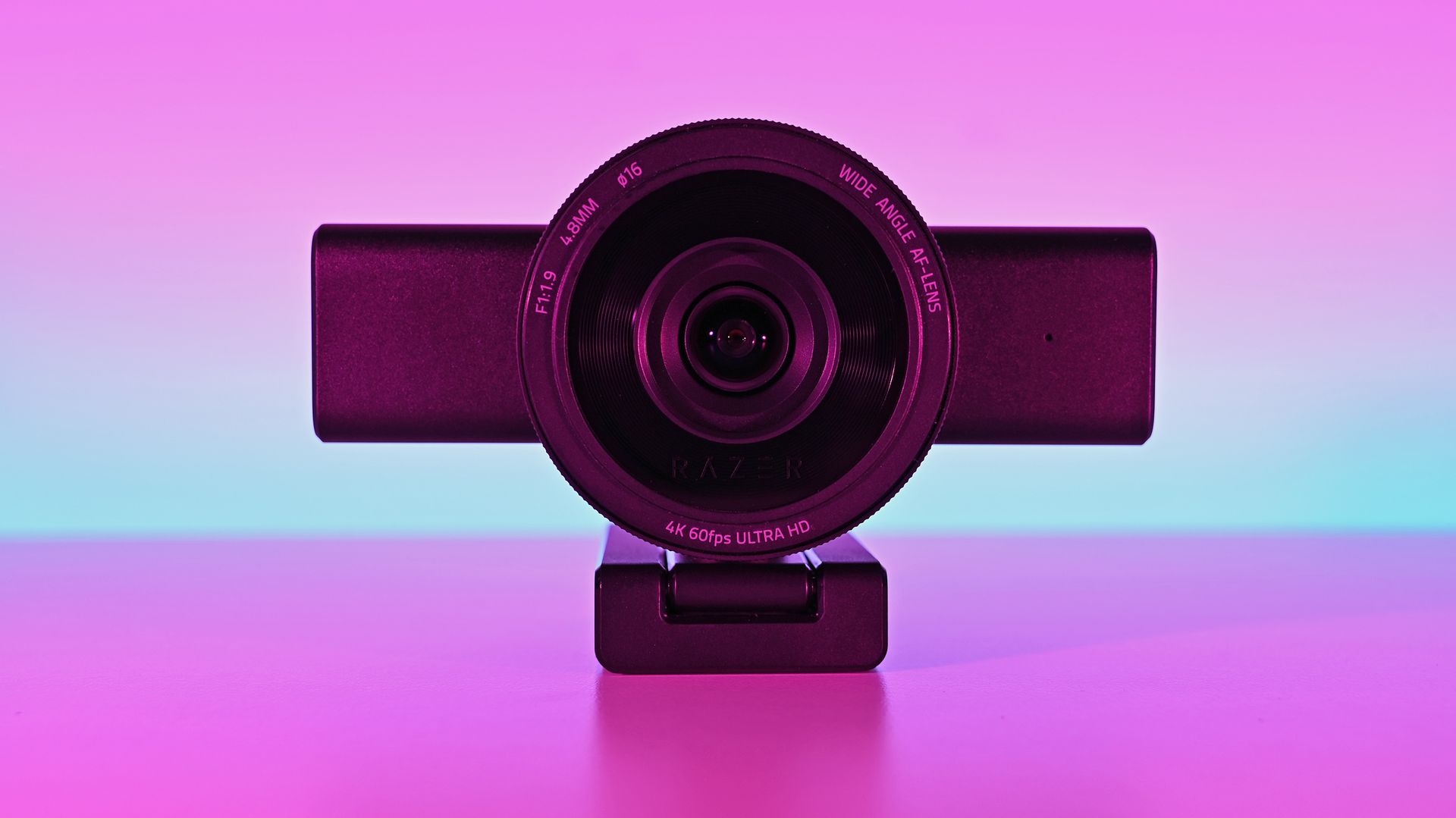
Front view of the Razer Kiyo V2 Pro webcam on its monitor stand against a pink-and-blue gradient backdrop.

This is the Big Show of webcams. (Image credit: Daniel Rubino)

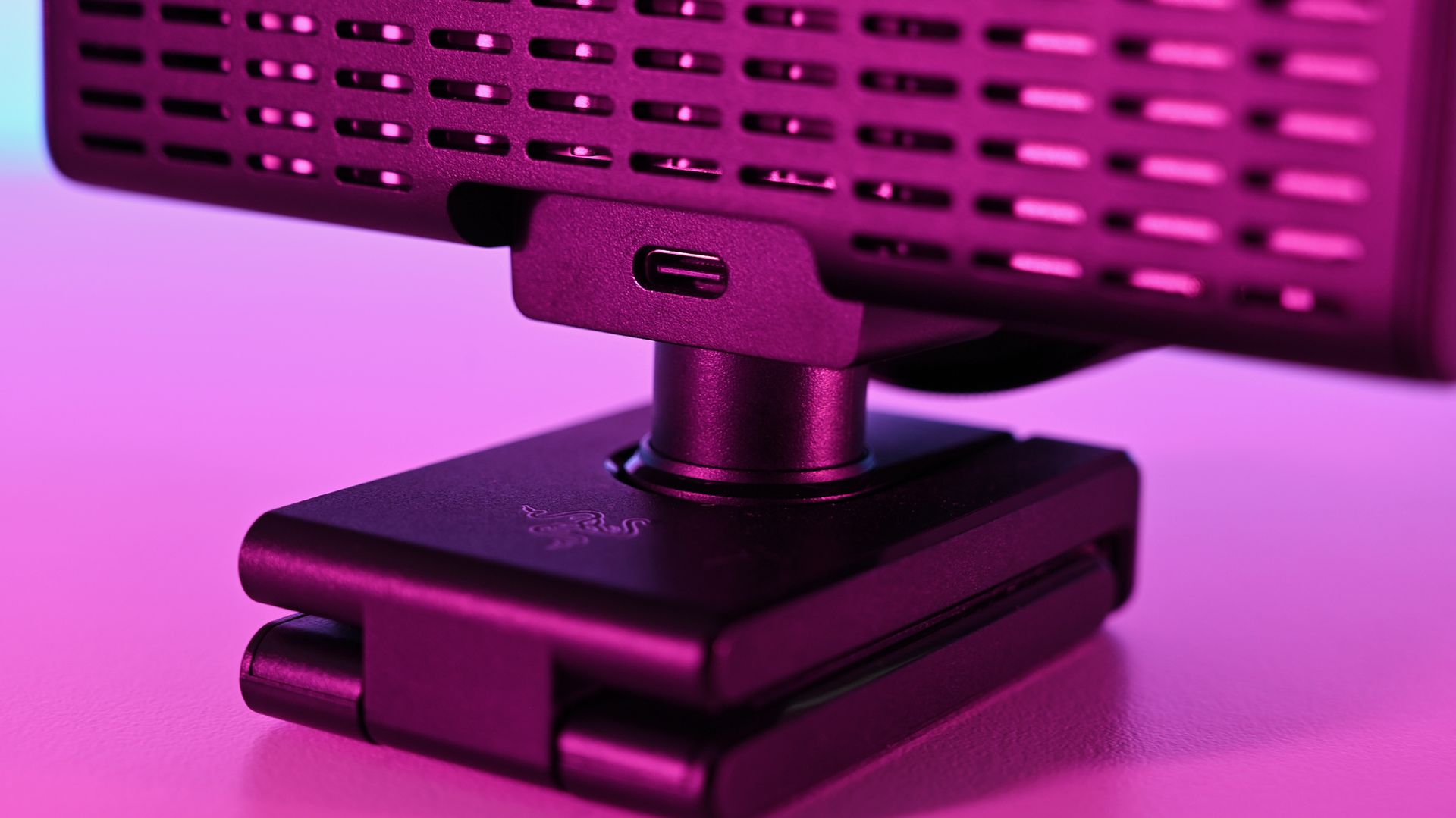
There's no other way of saying it — the Razer Kiyo V2 is enormous. It has a clip on its base to hang it on the top of a monitor, but unless you have a giant monitor, don't even try it.

I slapped it on the top of one of my 24-inch monitors, and it wasn't very stable up there. There's absolutely no chance you can use this attached to a laptop lid. Realistically, you'll need to do as I have and mount it on a tripod.

That's fine, though; after all, it's targeted at content creators. The sort of person who takes their setup seriously enough to have all manner of things mounted around their setup. It does make it less portable, though. Even one of the renders I saw during a pre-brief showed a laptop user with the Kiyo V2 Pro at the side on a tripod.

But it's not exactly portable.

It's also not for you if you need a microphone to use for video calls, because it doesn't have one. The Kiyo V2 Pro is purely a camera. You'll have to supply the audio. Again, given the target audience, it's not necessarily a dealbreaker, but it's something to be aware of.

Close-up of the Razer Kiyo V2 Pro webcam lens showing
It's definitely a sizeable webcam. Daniel Rubino
Rear profile of the Razer Kiyo V2 Pro webcam showing the back ventilation grille and USB-C port in pink light.
It does get warm under long use, but the ventilation is ample. Daniel Rubino
A hand adjusting the integrated mechanical privacy shutter on the front lens ring of the Razer Kiyo V2 Pro webcam.
The privacy shutter is immensely satisfying. Daniel Rubino

Despite the size, I do like the design, and I love the physical privacy shutter. You twist the ring on the front of the webcam, and the blades come across. Most satisfying.

The size also means some pretty serious hardware stuffed inside. Including, because it's 2026, AI. In this case, it refers to pretty basic stuff like auto framing, but it's all done on the camera, not in software, and as such doesn't use any of your PC's resources for it.

Also crammed inside and not remotely related to AI is an 8.3 MP Sony STARVIS 2 sensor with a 24 mm full-frame-equivalent focal length. In video terms, it means you can shoot 4K footage at up to 60 FPS, and you'll be well framed even without applying any zoom or crop. It's wide enough to include your well-designed streaming backdrops, but not so wide that you look lost.

The L-frame base also gives you some easy adjustments to its position, without having to faff about tweaking a tripod. It's far easier to raise and tilt a little with this, and it's sturdy enough to hold the hefty 380 g body securely.

Close-up of the rear USB-C connection port and ventilation slots on the Razer Kiyo V2 Pro webcam under pink light

There may be some problems eminating from here... (Image credit: Daniel Rubino)

I do have one fairly pressing concern, though. Our Editor-in-Chief, Daniel Rubino, and I have this webcam, and both of us have experienced the same issue with making it work at all.

The long and short seems to be that it works fine with the Razer cable that comes in the box. But with others, it's not as simple. The webcam will fire up for a short period of time and then disable. Synapse won't see it, and Camo Studio gives an error message that the USB port isn't delivering enough power.

I've tried it with every suitable cable I have, and it's the same result every time. Razer has confirmed to me that it should work fine with a minimum USB 3.2 spec USB-C cable that can handle 5 Gbps data and above. But the USB-C cable lottery seems to be a thing, so look after the one it comes with for sure.

The Kiyo V2 Pro needs software to get the best from it (but not Razer's)

Away from the hardware is where the experience falls a little flat for me. I use a lot of Razer products, and I'm used to having all the customizations I need inside the Synapse app. Set it up, close it, and forget about it.

The Kiyo V2 Pro isn't like that, though. It is supported by Synapse, but with only a very basic feature set (despite what the spec sheet may say). To get the best from this webcam, you need to use third-party software, such as Camo Studio, which you get an included lifetime Pro license for with the Kiyo V2 Pro.

On one hand, it operates a little like the camera on your smartphone. It's a piece of hardware with an app, but it also has lots of things that other apps can tap into. Normally, Razer makes a full package to stand out; in this instance, it relies on others to make its hardware shine.

A screenshot of the Camo Studio app using the Razer Kiyo V2 Pro webcam with settings panel open on the left and special Razer backgrounds on the right.

Camo Studio is included with the Kiyo V2 Pro, and you'll need it (or another app of your choice) to really get the most from the webcam. (Image credit: Windows Central)

Camo Studio is a good app, and it's one I already used to make a far lesser-quality webcam, slightly less terrible. There are a ton of options to tweak, including ISO, exposure, zoom, white balance, and saturation — basically anything you'd want to adjust on a regular camera. It is fantastic, and all you need to do is select "Camo" as your webcam in OBS Studio or any other app.

You can also build out your own profiles for different purposes. For example, I use the 1080p profile for work calls because Google Meet doesn't seem to support 4K, so it's wasted. When I capture game content in OBS, I record at 1440p because that's what I play at, so it makes sense to have a matching webcam profile. Whatever you need, you can build, and your visual customizations will automatically apply to whichever you have selected.

But you really do need to spend some time dialing it in. Out of the box, it'll just look like video from any webcam. Compared to my ancient Logitech C922, default settings make it hard to tell which is which. The Kiyo V2 Pro has better colors and is sharper, but it's not a slam dunk. I still haven't really perfected it, but there's no shortage of tweaks that can be made.

Should you buy the Razer Kiyo V2 Pro?

Razer Kiyo V2 Pro webcam on its monitor mount next to its black retail box under bright white studio lighting

It's good, despite some flaws, but it also might not be right for you. Which is fine. (Image credit: Daniel Rubino)

So, should you buy a Razer Kiyo V2 Pro? It's not a simple yes or no and depends on what you really want from your camera.

A couple of years ago, it would have been an easy "yes." But there's a lot of competition out there (some of which we'll be featuring on the site soon enough), and it's priced at the highest end.

Some may see Razer's passing off of software duties as a plus for the best manual control, but others may lament that there's less plug-and-play aspect to it. Unless you're prepared to get in the weeds a bit, you won't get the result you're looking for.

But where it does stand apart from much of the competition is that the Kiyo V2 Pro can not only do 4K, but it can do it at 60 FPS. A lot of 4K webcams top out at 30 FPS, and for content creators, that might just be the edge they need. The Kiyo V2 Pro has the same sensor Elgato uses in the Facecam 4K but with a wider aperture and handles low light better.

So the answer to whether you should buy it leaves me saying that you shouldn't avoid the Kiyo V2 Pro. It's very deliberately a niche product, and if you're looking for a camera that can give you 4K60 video straight into your PC, then go for it. Likewise, if you're looking for manual controls, jump right in. You'll be very happy.

It won't look as good as a mirrorless camera, say, but it's less expensive and easier to live with. And that last part gets my vote every single time.

Razer Kiyo V2 Pro webcam render

4K60
Razer
Kiyo V2 Pro

"Capture ultra-sharp, fluid video with reduced motion blur using an 8.3MP Sony STARVIS 2 sensor, ideal for streaming, content creation, gaming broadcasts, and professional video calls".

Click to join us on r/WindowsCentral

Join us on Reddit at r/WindowsCentral to share your insights and discuss our latest news, reviews, and more.

I just found my perfect case blending modern PCs with retro beige

This PC case from Thermaltake isn't a brand-new release; it's already been on sale for a little while. But hanging out at the SimRacing Expo in Frankfurt, I stumbled across it for the first time and instantly fell in love.

It's called the Retro 360, and for obvious reasons. Thermaltake has fully embraced beige nostalgia, with a PC case that looks the part while still being suitable out of the box for modern hardware.

I've long considered the idea of putting my PC into a classic case, but being terminally lazy, I think I've just found the solution. A PC case that's built for modern hardware (and that shows it off) while having an aesthetic that reminds me of some of the earliest Windows PCs I used.

Photos of the Thermaltake Retro 360 PC case showing different angles.
All the beige, but modern. Windows Central
Photos of the Thermaltake Retro 360 PC case showing different angles.
Unlike a true retro case, you don't have to retrofit modern connectivity. Windows Central
Photos of the Thermaltake Retro 360 PC case showing different angles.
It's built for all the latest (and thickest) graphics cards. Windows Central

I think that's what makes it for me. I love the retro styling, and I love that it doesn't need modifying to fit my RTX 5090 inside it properly.

The CD ROM and floppy drive impressions on the front of the case are just that. Inside the Retro 360 there is no capacity to install an optical drive at all; it's just for show. But you can also substitute it for Thermaltake's 6-inch display panel if you like your retro look with a modern twist.

It supports ATX motherboards, including those with rear-facing connectors, and up to a 360 mm radiator in either the roof or at the side of the motherboard. There's also space for three 120 mm fans above the PSU compartment, sucking air in from the bottom, and another pair of 120 mm or 140 mm fans mounted to the front panel.

It's not a particularly large PC case, but it has serious capacity for cooling. And large GPUs.

The other bonus over an actual retro case is that the front panel IO is all modern, too, without having to retrofit anything. In this case, USB-C 3.2 and USB Type A 3.0.

A photo of the Thermaltake Retro 360 AIO CPU cooler's CRT-style LCD display showing a block blaster type game

CRT's were peak monitor design. (Image credit: Windows Central)

Another retro-themed bit of kit you can add into your modern but old-school-looking PC build is Thermaltake's Retro 360 Ultra AIO cooler. It matches the beigeness of the PC case on the fans and the radiator and has a CRT-style LCD display that sits atop your CPU.

The display can be customized with just about whatever moving imagery you want using the companion software. But it has to be something retro, right?

All in all, I just love the mix of old and new. Thermaltake PC cases have often stood out to me (and I have owned some in the past) as products where the visual appeal matters as much as the features.

It hits the right mark without trying to do too much and is designed to easily house the latest and greatest hardware. The price point is also as enticing as the design.

The Retro 360 Case comes in at $89.99, which is perfectly reasonable for all this beige goodness. There's also a slightly smaller version, the Retro 260, for microATX and miniITX builds. This one also costs a reasonable $79.99.

The Retro 360 AI cooler is a little more at $149.99 and is compatible with AMD AM4 and AM5 sockets and a whole bunch of Intel ones. But doesn't it just look the absolute business?

Were it not for the business of getting a PC case onto a plane, I'd be going home with one. But I'm pretty positive I just found the new PC case I've been looking for.

Click to join us on r/WindowsCentral

Join us on Reddit at r/WindowsCentral to share your insights and discuss our latest news, reviews, and more.

Reçu — 12 octobre 2026 ⏭ Windows Central - News, Forums, Reviews, Help for Windows 10 and all things Microsoft.

Modern Warfare 4 DMZ will be playable EARLY — here's how

Call of Duty: Modern Warfare 4 was always going to be a tough launch. After back-to-back releases on Xbox Game Pass, this year's Call of Duty isn't, and of course, it comes out less than a month before GTA 6.

In the latest race to secure your pre-order for Modern Warfare 4, Activision has announced today that two-thirds of the game will now be playable early. But only if you've pre-ordered it in time. And only if you've digitally pre-ordered it. Physical copies will still have to wait until the main launch date.

Campaign early access begins on October 16, and four days later we'll now be able to drop into DMZ on October 20. The game actually releases on October 23, but at this point, that only now means multiplayer.

DMZ Early Access begins October 20. A week of DMZ intel only scratched the surface.The rest is yours to discover. https://t.co/HwXUoa4mSfOctober 9, 2026

We're at the end of a weeklong drop of intel on the DMZ mode, which it's fair to say is the one that people who are planning to play Modern Warfare 4 are most interested in.

During the beta we got a chance to try out the multiplayer and play through a campaign mission, but nobody has yet touched the extraction shooter mode, DMZ.

It's not the first time Call of Duty has dabbled with an extraction shooter. The first DMZ (which you can still play) was a free-to-play expansion of Modern Warfare 2. Then a year later came Modern Warfare 3 Zombies, which utilized the Ursikstan Warzone map for an entirely PvE extraction experience.

Black Ops 7 also had Endgame, another purely PvE extraction mode, but with the return of DMZ, it'll be back to PvPvE action.

It looks extremely promising, though. There will be missions to complete and narratives to unravel, rewards to be earned, and what looks like a fairly deep and substantial progression system.

DMZ will also have its own Mastery Camo grind, which will certainly require some forward planning based on the gameplay loop. If you lose a weapon in the DMZ, you'll need to get another, or acquire it through the FOB, which also requires extra steps.

Nevertheless, if you're looking forward to DMZ, get your digital pre-order in now at the Xbox Store (with Xbox Play Anywhere), Steam, PS5, or Battle.net.

Click to join us on r/WindowsCentral

Join us on Reddit at r/WindowsCentral to share your insights and discuss our latest news, reviews, and more.
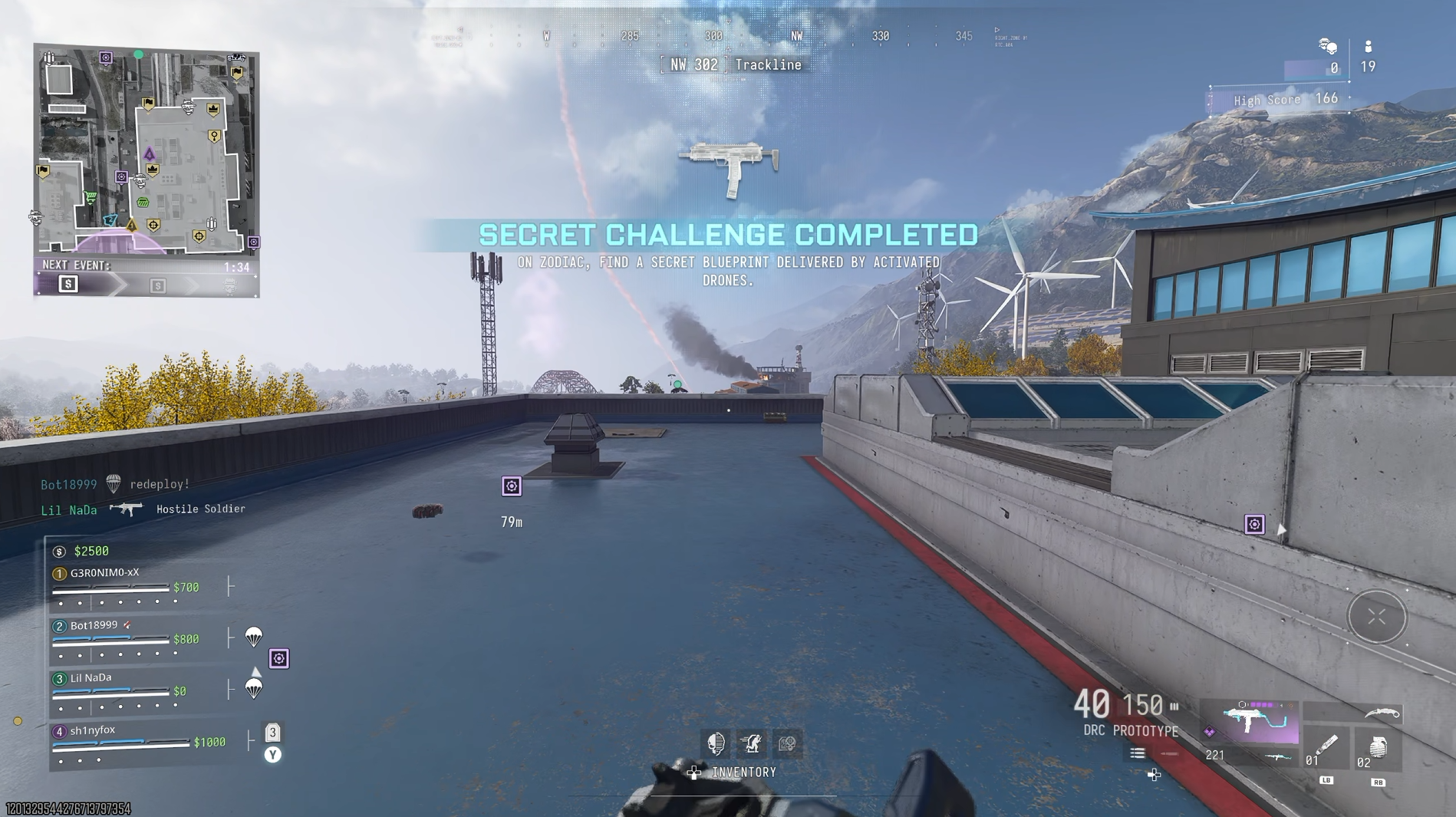
The Razer Basilisk V4 Pro may have AI, but it's still the best gaming mouse out there

While I'm a Razer DeathAdder kid at heart and always will be, when it comes to gaming it's hard to top the Basilisk. I actually switched to using the Basilisk V3 Pro last year, and it's been an incredible mouse.

Not just for gaming, because it's so ergonomic, it's a fantastic mouse to use all day everyday for work, too.

It's going to be hard to top, but the Basilisk V4 Pro is now here, and as you'd expect, it's packed with improvements and new features.

On the surface it looks a lot like its predecessor, but there are some thoughtful improvements that help to elevate it a little further.

Equally, there are some choices I'm not as fond of, not least an out-of-the-box button binding for AI, which we'll talk about later. Overall, it's still an incredible package, though.

This review was conducted with a Basilisk V4 Pro provided to Windows Central by Razer. The company had no input in nor saw the contents of the review prior to publication.

What's new in the Razer Basilisk V4 Pro?

Three-quarter front view of the black Razer Basilisk V4 Pro gaming mouse showcasing the scroll wheel, left click button, side thumb paddle, and textured side grip.

The Basilisk V4 Pro makes some subtle but welcome improvements to its design. (Image credit: Daniel Rubino)

Rather than break down every little design feature, I'm going to try and keep it brief by outlining what's new and changed from the previous Basilisk V3 Pro 35K that I've been using every day.

The overall design has been very subtly changed, but for the better. Especially if you have smaller hands, like myself. Side-by-side with the previous Basilisk, it's very slightly shorter, but still noticeable. This makes the main mouse click buttons also a hair shorter, and they do sit better under my fingers.

The left mouse button also has a friend on the Basilisk V4 Pro, taking a little notch out of it but still positioned in such a way that you won't accidentally press it. This is the profile cycling button, moved up top from underneath on the Basilisk V3 Pro 35K, and a much more sensible location for it.

Now, say, if you have profiles for work and profiles for gaming, you can just effortlessly go between them without having to flip the mouse over and press until you get the right one.

The buttons on the left-side of the Basilisk V4 Pro are much better on this year's model, too. There are now three, and the HyperShift button has been repositioned and redesigned and is easier to click with your thumb. Two of the others are vacant out of the box to be mapped to your own functions. But I love that they're smaller and more defined than the buttons on the older Basilisk.

Underside view of the Razer Basilisk V4 Pro held in hand, showing white PTFE feet, optical sensor, profile button, and connection mode switch.

The wireless charging puck comes pre-installed, but can still be removed to store the 2.4 GHz dongle. (Image credit: Daniel Rubino)

In total there are 14 customizable buttons on the Basilisk V4 Pro, which, combined with HyperShift and the four profiles you can store on the mouse, leaves more space than most of us will ever need to set the perfect layout.

The sensor gets an upgrade, of course, to Razer's Gen-3 Focus Pro 50k optical sensor. But it's not this that is most exciting; it's Frame Sync. The Basilisk V4 Pro will align both the sensor scanning and the mouse's polling rate. This reduces motion latency when it's communicating with the PC but, crucially, also helps improve battery life, as there's no wasted reporting.

That leads to up to 200 hours off the charger (up to 275 hours on Bluetooth), though I haven't been able to push it that far. I haven't had it long enough, but it's not run out of battery yet, and it's going strong.

I'm far from a pro gamer, too, but I love using the Basilisk V4 Pro. It's so accurate; I feel better than I actually am. In some games you also have a built-in 'cheat' since you can map a button to do an instant 180-degree turn. I pass no judgment, but it's there.

When you do need to top up, if you already have one of Razer's wireless charging mousepads, the Basilisk V4 Pro is compatible. The charging puck is pre-installed, and it also works with the new mouse dock. It's an optional purchase, but you just drop the Basilisk V2 Pro on top, and it charges it up. If you use the mousepad, you'll never have to worry about running out. I've never once charged my Basilisk V3 Pro 35K manually.

Side profile of the Razer Basilisk V4 Pro gaming mouse charging on the Mouse Dock Pro V2 with green ambient light and base RGB underglow.

The new mouse dock is absolutely superb. (Image credit: Daniel Rubino)

Despite better battery life, the Basilisk V4 Pro is even lighter than its predecessor. While it's not a massive amount, it is noticeable, especially when you're actually moving it about the desk.

The best performance comes naturally wired or using the 2.4 GHz dongle, but you can also pair the Basilisk V4 Pro up with three additional Bluetooth devices. You're able to cycle between them with the button on the bottom, with each having its own color code to help you distinguish them.

I also want to shout out the Precision Tactile setting on the scroll wheel. As someone who's constantly scrolling through large chunks of text, it's really made this so much more pleasant to do.

Overall, though, I really like the changes made to the Basilisk V4 Pro. Not all of them, but as a package, it's such a nice mouse. Packed with features, insane levels of customization, and the performance we've come to expect, all wrapped up in a stellar soft-touch finish with better battery life.

What I don't like about the Razer Basilisk V4 Pro

A screenshot of the Razer AI Prompt Master app sitting on top of the Windows Central homepage.

Respectfully, Razer, nobody wants this. (Image credit: Windows Central)

Let's talk about AI. Yes, groan.

I should say up front, this feature is optional. You can make it go away. But out of the box, it's configured, and I don't like it one bit.

One of the three buttons on the side of the mouse launches the "AI Prompt Master." This opens a chatbot window, built by Razer but using ChatGPT to execute. You have pre-built options to compose emails, summarize, rewrite, and create images, with modifiers for what you want the results to look like, and you can create your own template.

My question, though: Why?

Razer is a company founded on gaming. Its core customers are gamers. This is the best gaming mouse the company has ever made, but by default, it has a hardware button bound to an AI chatbot. Not even one that lets you change the AI engine it uses (right now at least). And it even sits above all your open windows, even if you're not actively using it. Awful.

Left side profile of the black Razer Basilisk V4 Pro gaming mouse resting on a white desk, highlighting textured rubber thumb grips and multi-button controls.

At least you can map the AI button to something useful. (Image credit: Daniel Rubino)

If you don't have Synapse installed on a PC, it won't work. And yes, you can remap the button to anything else you want. I just don't understand why it's even here. Gamers are not typically receptive to AI being shovelled into their gaming setups. We've been there already with Microsoft and its Gaming Copilot.

That's basically all I don't like about the Basilisk V4 Pro. I know it can be made to go away; I'm just really disappointed that a company I've used for gaming hardware for so long has gone down this path. And with a pretty bad app for it, too.

I should also mention the price. This is the top of the line, so it comes with a price tag to match at $169.99. But if you're looking for the best of the best, it's worth it.

I'd also maybe like to have seen more than just Razer's own wireless charging accessories able to charge the mouse. I get it, from a business perspective, and controlling the experience. But if you have a wireless charging pad for your phone already, I can't deny it'd have been nice to be able to use that with the Basilisk V4 Pro as well.

Should you buy the Razer Basilisk V4 Pro?

Razer Basilisk V4 Pro mouse on dock alongside retail boxes, USB-C cable, and wireless transceiver under green and pink studio lighting.

Long live the king. (Image credit: Daniel Rubino)

AI shenanigans aside, the Basilisk V4 Pro is a ridiculously good gaming mouse. If you've ever used a Basilisk before, you'll know why.

The core remains largely unchanged, just updated for 2026 with performance oozing out of it. Like its top controllers, you can top out at an 8,000 Hz polling rate, and with Frame Sync, it's one of the most accurate gaming mice for competitive players.

Whether you should buy one or not depends on which mouse you're currently using. If you're on a Basilisk V3 Pro 35K, as I have been, it's a harder sell. It's a little bit better, but I'm not sure you should be first in line.

If you're on anything older or from another manufacturer, it's far easier to recommend. It's ergonomic, so you can use it all day for work or play. The improved battery life means you can actually take it on the road with you for multiple weeks without having to worry about it even if you're using it heavily, and it's absolutely killer for gaming.

It's hard to make great products greater, especially when you already have one of the best gaming mice on the planet. But Razer managed it with the Basilisk V4 Pro.

The Razer Basilisk V4 Pro is available starting October 8 for $169.99, alongside the Mouse Dock V2 Pro, which costs $69.99.

A promotional image of the Razer Basilisk V4 Pro gaming mouse.

Razer
Basilisk V4 Pro

"Where immersion meets customization, the Razer Basilisk V4 Pro takes both further than ever. Fully decked out with our latest suite of next-gen technologies, discover the ultimate wireless ergonomic RGB gaming mouse that plays to your every possible preference."

Click to join us on r/WindowsCentral

Join us on Reddit at r/WindowsCentral to share your insights and discuss our latest news, reviews, and more.
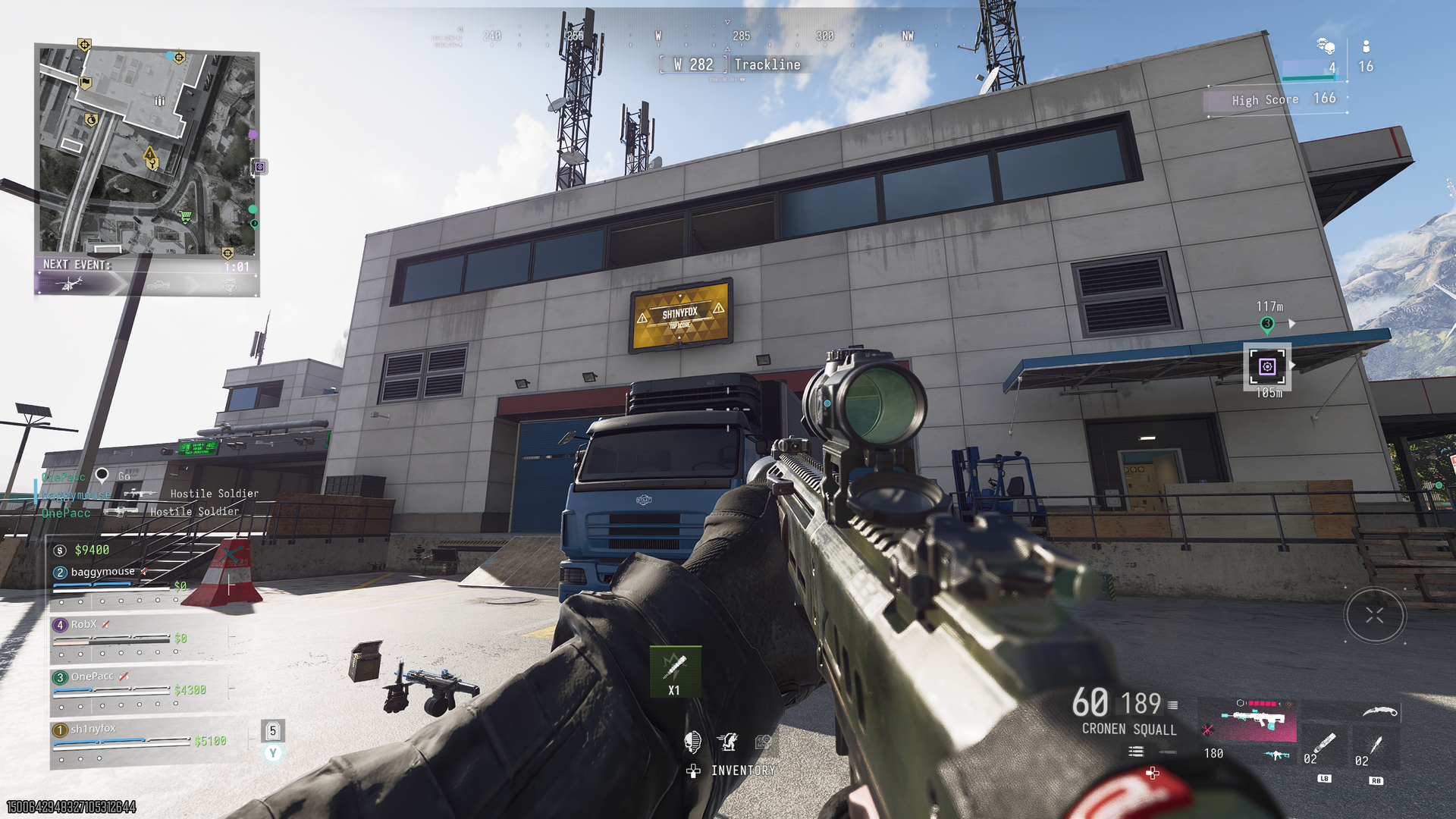
Reçu — 8 octobre 2026 ⏭ Windows Central - News, Forums, Reviews, Help for Windows 10 and all things Microsoft.

Call of Duty will be on RTX Spark at some point in 2027 and that's huge for Windows on Arm

While a lot of the Microsoft Surface/NVIDIA co-event is talk of AI, and indeed RTX Spark isn't being marketed as a gaming platform so much, gaming still got a pretty big mention.

One of Microsoft's biggest franchises, Call of Duty, will be available on RTX Spark devices at some point in 2027. At first that might not sound like a big deal; after all, it's a Microsoft game on a Microsoft-powered platform.

But as with the Steam Deck and the Qualcomm Snapdragon X platform, the big sticking point has been anticheat support. Lots of games can be played on Windows on Arm already, and surprisingly well. But anticheat support is still in its infancy, and this news means that Activision's Ricochet is being developed to run on ARM64.

Microsoft Surface Laptop Ultra on stage in San Francisco

Call of Duty is coming to a Surface Laptop Ultra near you. (Image credit: Daniel Rubino | Windows Central)

What can we take from this? Well, the view I'm taking as a Call of Duty player is that this is a pretty significant development for the future of the franchise. Sure, folks buying RTX Spark laptops and desktops in the foreseeable future are likely developers or AI enthusiasts first, but people still like to game.

Folks can talk about whether Ricochet is any good or not until they're blue in the face, but it's required to play modern Call of Duty titles on PC. Today, that means AMD and Intel-powered systems only because of the kernel-level anticheat.

Coming to RTX Spark means Ricochet is being developed to support ARM64, and in the longer term, that surely means not only systems using NVIDIA's chip. I still long to see a world where Snapdragon and RTX Spark chips are powering future handhelds, and I want those devices to be able to play my favorite game my hopeless addiction.

Failing that, at some point I know I'll be moving to Windows on Arm fully. Even if it's not for some years, given the price of everything, it's going to happen, and I want all my games on there.

A screenshot from the Call of Duty: Modern Warfare 4 beta showing a player aiming on the Silkworm map.

Will it be Modern Warfare 4 that arrives first on RTX Spark, or will we have to wait for next year's game? (Image credit: Windows Central)

Ricochet joins the likes of Epic's Easy Anti Cheat, Denuvo, and Battleye, all of which have plans to support Windows on Arm.

The other thing we can take is that it was very deliberately announced as "Call of Duty." Not Modern Warfare 4, which is the next game to launch on October 23 this year. 2027 is a big window of time, so it is possible it could take until next year's game to get everything up and running.

Then there are the legacy titles that also use Ricochet. Will these be included, or just the most current release at the time?

In any case, I'm glad to hear this news. Even if Windows on Arm isn't going to be a true gamer's platform for a while yet, we have to start somewhere. And this is a big step in the right direction.

Click to join us on r/WindowsCentral

Join us on Reddit at r/WindowsCentral to share your insights and discuss our latest news, reviews, and more.
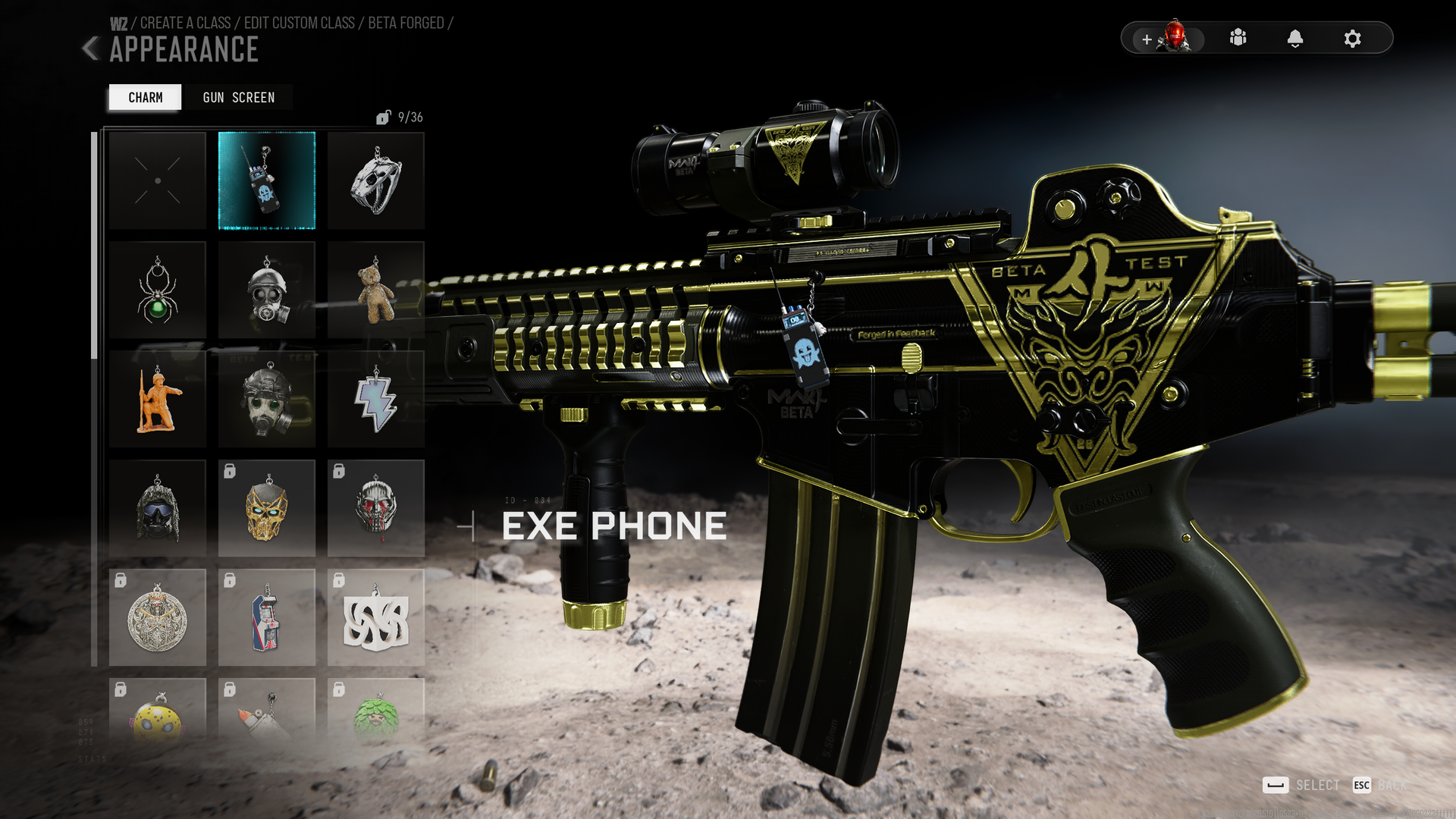
Steelbook or 2XP tokens? Your Modern Warfare 4 pre-order could get you free stuff

Call of Duty: Modern Warfare 4 is just over a couple of weeks away (less if you get the early access to the campaign), but there's still time to get your pre-order in before that.

If you're ordering on Xbox Series X or PS5, then there's a strong case to order a physical copy, because you can get some free stuff with your purchase.

If you grab Modern Warfare 4 at Amazon, you'll get five hours of 2XP tokens to use in the game. If you're a collector, head over to Best Buy where you can get an exclusive steelbook. Modern Warfare 4 costs the same at either, with the standard edition running for $69.99.

Modern Warfare 4 (with 5 hours of 2XP): $69.99
With campaign, multiplayer, and DMZ to enjoy in this year's Call of Duty and its Korean setting, there's plenty to sink your teeth into. Amazon's pre-order will help accelerate those early hours with a pocket full of 2XP tokens to use as you level up.

Alternative: Best Buy (with exclusive steelbook)View Deal

After a bit of a slow start, there's actually a lot to look forward to in Modern Warfare 4. DMZ has finally had a full reveal, and there's still more to come. But it looks extremely promising, turning Call of Duty into a serious extraction shooter.

The campaign is a return to normality after the unusual one we had in Black Ops 7, with the Korean setting looking absolutely glorious from what we've seen so far.

As ever, we'll be jumping into a new Mastery Camo grind, and there will be all manner of calling cards, blueprints, and other items to unlock, and no shortage of things to do.

It's also worth remembering that Modern Warfare 4 will not be available on Xbox Game Pass at launch. After back-to-back releases, the title has since been removed, and we don't expect to see it added to the library until October 2028 at the earliest.

So if you want to play, you need to buy like the old days. So you may as well get some added bonuses for yourself while you're at it.

If, like me, you've been playing Black Ops 7 all year, you probably have a good stash of 2XP tokens already, so I'd definitely go for the steelbook. That and I'm a sucker for a steelbook. But if you've had time away, those 2XP tokens will certainly help you burn through the early levelling process a bit quicker.

Click to join us on r/WindowsCentral

Join us on Reddit at r/WindowsCentral to share your insights and discuss our latest news, reviews, and more.
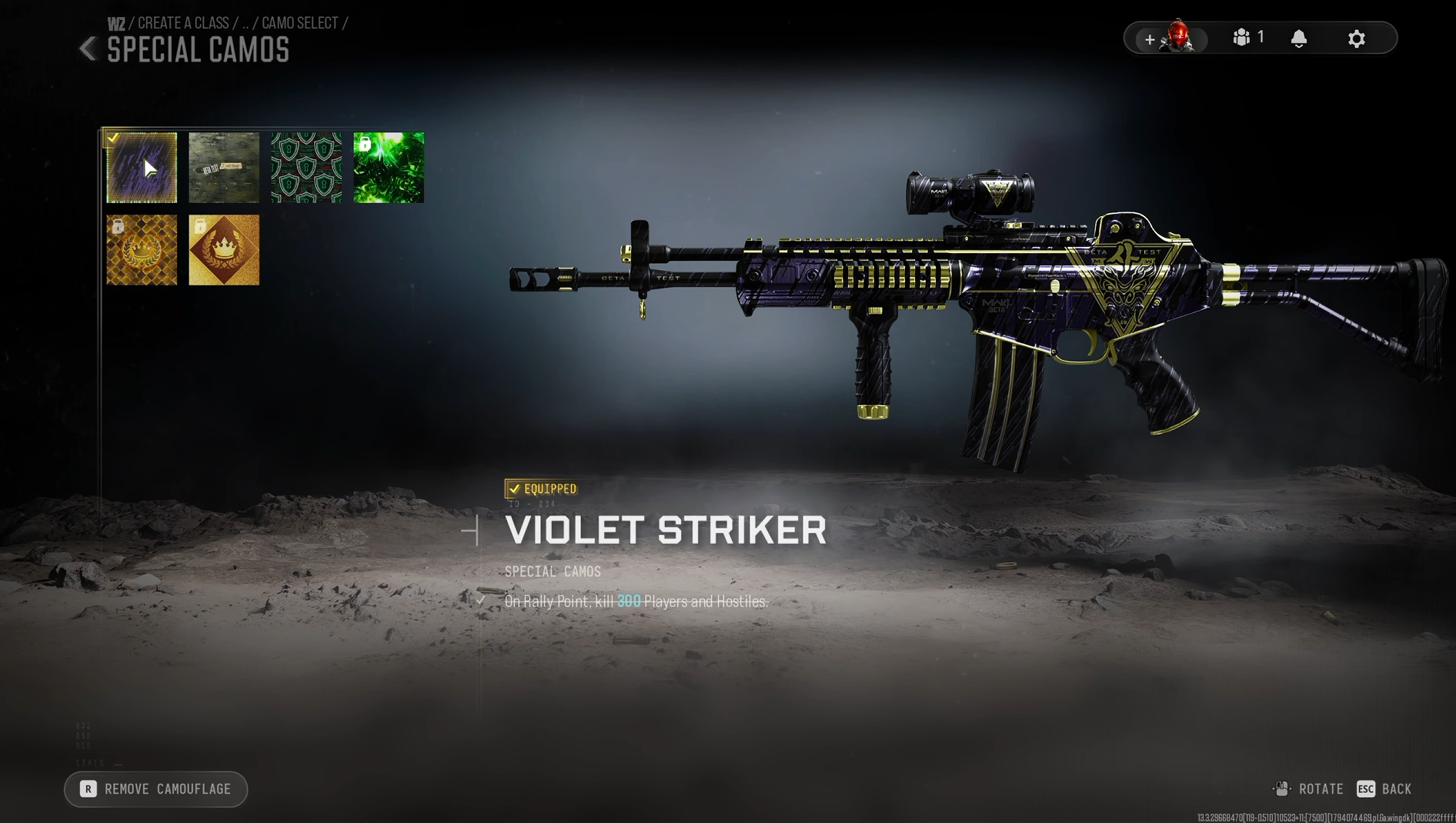
❌