Vue normale

I switched to HP's $6,000 Omen Max 45L pre-built gaming PC for two weeks, and the price isn't what's giving me second thoughts

HP announced its new Omen Max 45L desktop gaming PC in 2025, and it arrived with several upgrades over previous models.

I'm talking about an upgraded cooling system built on the back of HP's unique "Cryo Chamber." About a new modular power supply with an auto-cleaning fan. About new in-depth overclocking abilities.

The Omen Max 45L recently landed in my office, and I've been using it for a couple of weeks to see what it's all about. Does it make a strong case for itself compared to a DIY build? Does it have enough premium features to warrant a premium price? Here's what you need to know.

HP sent Windows Central a review unit on loan for testing. It had no input, nor saw the contents of this review, prior to publication.

How much does the HP Omen Max 45L cost?

Close-up of a graphics card with the name

The RTX 5080 is the second-most powerful GPU option available in the HP Omen Max 45L. (Image credit: Future)

HP's Omen Max 45L does not come cheap as a direct result of inflated component costs and the general high-end nature of the system.

Looking at HP.com at the time of writing, prices start at $3,489.99 for a model with an AMD Ryzen 7 9700X CPU, NVIDIA RTX 5070 GPU, 32GB of Kingston Fury DDR5-6000 RAM, and a 1TB M.2 PCIe 4.0 NVMe SSD.

Prices climb all the way to $6,499.99 for a model with an AMD Ryzen 9 990X3D CPU, NVIDIA RTX 5090 GPU, 4TB of storage, and 64GB of DDR5 RAM.

The specific unit I'm reviewing costs closer to $5,959.99 before any discounts. At the time of writing, it's $800 off the regular price, bringing it down to $5,159.99. Here's a closer look at the specs that make up the PC I'm testing.

HP Omen Max 45L

CPU

AMD Ryzen 9 9950X3D

GPU

Custom NVIDIA RTX 5080

RAM

64GB DDR5-6000 Kingston Fury Beast RGB

Storage

2TB M.2 PCIe 4.0 NVMe, Samsung PM9A1

Motherboard

Custom, Micro-ATX, AMD X870

PSU

1200W, Cybenetics Platinum, modular, ATX 3.1

Wireless

Wi-Fi 6E or Wi-Fi 7, Bluetooth 5.3 or 5.4

Dimensions

8.03 x 18.15 x 21.85 inches (20.3cm x 46.1cm x 55.49cm)

Weight

49.82 pounds (22.59kg)

Warranty

1 year, HP Care Pack options available

I put together a mock build on PCPartPicker to compare pricing. With the CPU, GPU, RAM, storage, PSU, X870 motherboard, Windows 11, and Lian Li O11 case, you're looking at roughly $4,616. Add some extra ARGB case fans in there, and you might hit $4,800 to $5,000.

Without a discount, HP is charging a lot more for the Omen Max 45L compared to building your own. If you are interested in this PC, I definitely recommend waiting for a deep discount.

Is the HP Omen Max 45L assembled properly with good cable management?

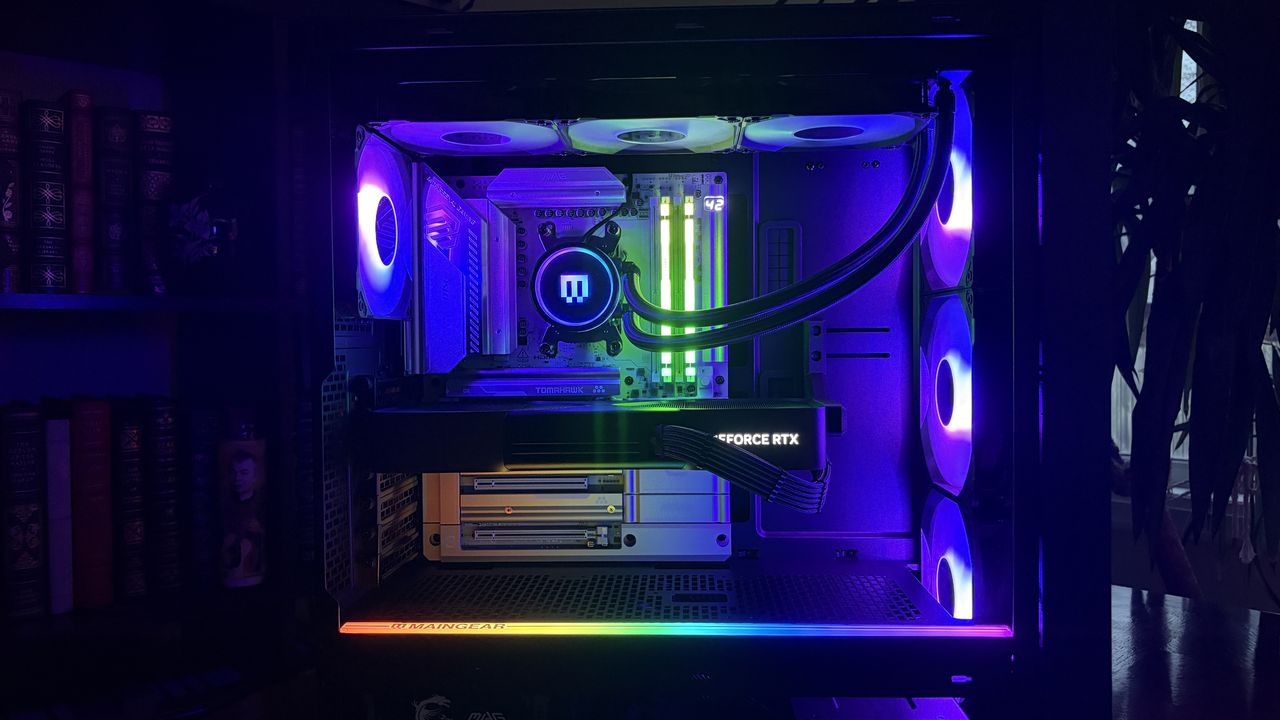
Inside an HP Omen Max 45L computer case, showcasing a cooling unit with temperature readings, a fan, illuminated RAM sticks, and a graphics card.

Cable management and build quality aren't perfect in the Omen Max 45L. (Image credit: Future)

I've been on a run of good luck lately regarding pre-built PCs I tested and reviewed, and I had high hopes for the Omen Max 45L's build quality and cable management.

In the former case, it's a bit of a mixed bag. The PC has a sturdy separate top compartment that can be used to lug around the 50-pound system, quick-release side and front panels, and a pull-off top panel hiding the AiO radiator.

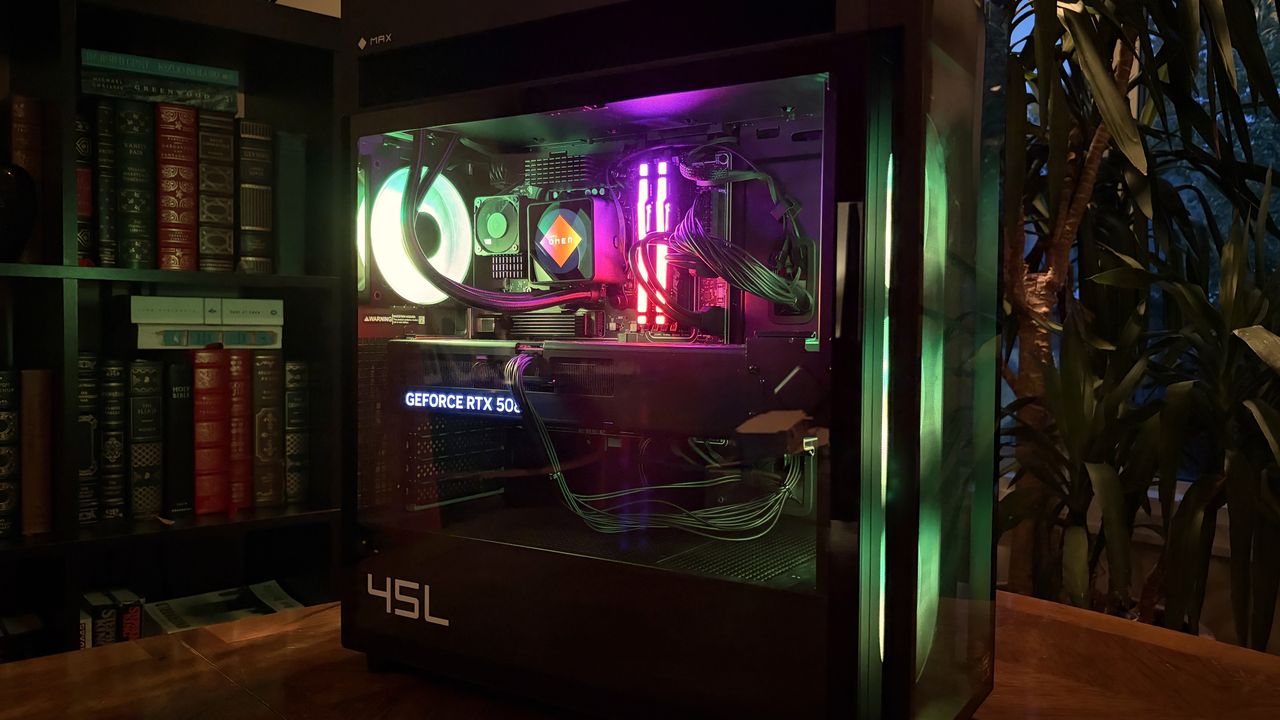
An Omen Max 45L with a transparent side panel displays its internal components, including a GeForce RTX 508 graphics card, against a backdrop of a bookshelf.
The front glass panel is removed by pressing two buttons.Future
An Omen Max 45L computer tower with a transparent side panel showcases illuminated cooling fans. It is placed on a wooden surface near a bookshelf and indoor plants.
A screen keeps dust out of the case.Future

It's easy to get inside the PC without any tools, and I appreciate that there's a removable dust screen for the three front intake fans. I live with two cats and ... you get the idea. I've been using the PC for a couple of weeks, and there was minimal dust to blow out when it came time for photos.

It's easy to get inside the PC without any tools, and I appreciate that there's a removable dust screen for the three front intake fans.

The massive RTX 5080 GPU is held in place with an additional bracket — also removing the need for any bothersome foam packing en route — and I had to make no adjustments out of the box. The PC turned on and booted up as soon as I hit the power button.

Top view of a black Omen Max 45L computer case with a ventilated design and USB ports on the side.
The top of the Cryo Chamber is protected by a removable plastic covering.Future
Top view of a black Omen Max 45L computer case with a ventilated mesh panel and ports on the side, set against a background of bookshelves.
Access to the AiO radiator is fairly easy.Future

There are a couple of areas where the build quality could be better. I noticed immediately that the CPU pump header isn't mounted squarely on the chip. The front panel of the case seems to stick on one side. And the rear side panel doesn't quite match up flush with the rest of the tower unless I really take my time lining it up.

Cable management leaves a lot to be desired

Interior view of an Omen Max 45L computer case with organized cables, a power supply labeled

The Omen Max 45L's cable management leaves a lot to be desired. (Image credit: Future)

Cable management in the HP Omen Max 45L isn't great. It feels like it was a rushed job, leaving stray cables and extra length on the visible side. Not only does this make for a messy appearance, but it can also interfere with internal air cooling.

Around the back, behind the all-metal panel, things aren't much better. Compared to, say, Maingear's MG-1 MK.II or Acer's Nitro 65, the Omen Max 45L's (normally) hidden cabling is spaghetti.

Interior of an Omen Max 45L computer case featuring a liquid cooling unit with temperature readings, illuminated RAM sticks, and blue lighting from a fan.

A look at some of the visible cabling inside the Omen Max 45L. (Image credit: Future)

There's a snarl of cables pinched between the panel and motherboard backing, and another snarl sitting in front of the modular PSU. One thing I can appreciate is that the correct SATA cables are sitting idle in front of the dual (empty) HDD bay for easier connectivity.

How is port selection on the HP Omen Max 45L?

Top view of an Omen Max 45L computer case featuring a grid vent, USB ports, and a power button in a home setting.
A look at the front I/O on the HP Omen Max 45L.Future
Rear view of an Omen Max 45L computer tower with multiple USB ports, an Ethernet port, audio jacks, and a ventilation grille, set against a blurred bookshelf background.
A look at the rear I/O on the HP Omen Max 45L.Future

The front of the case hosts four ports and an LED power button. There are two USB-A at 5Gbps each, one USB-C at 10Gbps, and one 3.5mm audio combo jack. Not too bad in terms of convenience for ports often used.

Around back, on the custom HP micro-ATX motherboard, you'll find four USB-A 2.0 ports (with speeds measured in Mbps) as well as two more USB-A at 5Gbps. Two additional USB-C at 10Gbps round out USB connectivity.

This is a fairly austere port setup, leaving a lot of space on the board's I/O blank.

HP has a 2.5Gb Ethernet port for wired connectivity, as well as dedicated jacks for line in, line out, and microphone. This is a fairly austere port setup, leaving a lot of space on the board's I/O blank. At least there's an easy CMOS reset button available.

As for the GPU, ports depend on the card you get. The RTX 5080 here has one HDMI 2.1b and three DisplayPort 2.1b.

How does the HP Omen Max 45L's cooling set itself apart from other PCs?

Interior view of a black Omen Max 45L computer case featuring cooling fans, an RGB lighting strip, and a temperature display, with a bookshelf and plant in the background.

The Cryo Chamber adds an air-gapped section for the AiO's radiator. (Image credit: Future)

The Omen Max 45L's most prominent feature is its dedicated Cryo Chamber that hosts the AiO CPU cooler's radiator separately from the rest of the PC. The air-gapped setup means that only ambient air is cooling the fins, and the hot air forced out the other side by the fans doesn't enter back into the PC.

It's an admittedly ingenious setup that makes a difference, especially when you're working with flagship GPUs that produce quite a bit of heat that's spilled directly into the main portion of the case. It does, however, add quite a bit of bulk to the case. If you're short on space already, this probably isn't the PC for you.

The Omen Max 45L uses mostly standard parts

A close-up view of an Omen Max 45L interior, featuring a

HP uses custom parts in the Omen Max 45L, but they're sized appropriately for easy future upgrades. (Image credit: Future)

A big issue a lot of people have with big-brand pre-built PCs is their insistence on using proprietary hardware inside. I'm talking about parts that can't be easily replaced because they're some weird size or shape.

That's not the case here. Well, not exactly. The motherboard is a custom micro-ATX HP 8E55 using AMD's X870 chipset. It's a standard size that makes for easy replacement, and the case also fits up to a full-size ATX board.

I'm not sure why HP didn't just go for the full-size board in the first place. The massive GPU blocks off a lot of the board, and you'll absolutely be pulling the card out of the case if you have to do anything that involves the secondary SSD or the M.2 Wi-Fi card.

The RTX 5080 is also a custom HP job with a snazzy Omen-styled casing. It performs just as well as any other 5080 out there made by a known brand.

I tested it using 3DMark's Speed Way and Steel Nomad tests and came back with these scores of 8,996 and 8,628, respectively.

3DMark Time Spy performance graph with purple bars against a black background.

The RTX 5080 in the Omen Max 45L performs exactly as expected. (Image credit: Future)

There were no surprises from the AMD Ryzen 9 9950X3D, either; it performed as expected in baseline benchmark tests. If you're buying this PC strictly for gaming, I'd recommend sticking with the Ryzen 7 9800X3D. It costs $330 less and will deliver incredible gaming performance.

The Samsung SSD isn't the fastest we've tested, but it gets the job done with 6,626 MB/s read and 4,993 MB/s write speeds. Check out these graphs for a comparison to other hardware we've recently tested.

Cinebench 2024 performance graph for the Omen Max 45L with purple and yellow bars against a black background.
Future
CrystalDiskMark performance graph for the Omen Max 45L with purple and yellow bars against a black background.
Future
Geekbench 6 performance graph for the Omen Max 45L with purple and yellow bars against a black background.
Future

The PSU is actually one of the PC's strong points, which goes against a lot of other pre-built systems. It's a 1200W Platinum-grade option with a Cybenetics Platinum rating. It's fully modular for easy tweaking, it's quiet, and it has a custom reverse fan cleaning tool to spin the dust out of the hardware.

The PSU is actually one of the PC's strong points, which goes against a lot of other pre-built systems.

Even the separated AiO cooler can be replaced should the stock HP option that ships with the PC not be up to snuff for your needs.

Does the HP Omen Max 45L have good airflow?

A sleek black Omen Max 45L computer case with glass panels and purple LED fans is set on a wooden table, surrounded by bookshelves and indoor plants.

There's almost no difference in temperate with the front glass panel removed/in place. (Image credit: Future)

To check airflow and temperatures, I ran a lengthy 3DMark Speed Way stress test. With all panels in place, including the front glass panel, the CPU hit 46 degrees Celsius, and the GPU hit 75 degrees.

With the front glass panel removed, GPU temperatures fell to about 74 degrees Celsius. The CPU, with separated cooling, saw no change. That's a minor difference, and you should have no problems keeping the PC cool as intended.

It's worth noting that the PC runs very quietly. The most noise I could get out of it was during the stress tests, and it peaked at just 47 decibels. That's quieter than most other pre-built PCs I've tested, and you'll hardly notice it's running even under load.

Does the Omen Max 45L come with useful custom software?

The main software to control this PC is HP's Omen Gaming Hub. It serves ads while open (annoying), but it does a decent job of controlling the PC.

The ARGB in the PC seems to have some issues, and I suspect it has to do with HP's firmware. It'll turn off randomly and not turn back on until the PC restarts, or it will reset on its own while using the PC.

HP includes a lot of software I deem unnecessary, including McAfee antivirus, Adobe offers, and Booking.com. It's classic bloatware. That's without mentioning the seven different HP apps that come preinstalled.

It can all be removed, but it's still an annoyance on a PC this expensive, especially when competitors are shipping clean installs of Windows 11.

Should you buy the HP Omen Max 45L?

A close-up of a modern black computer tower with the logo

You're going to need a fair amount of space in your gaming area to fit the Omen Max 45L. (Image credit: Future)

You should buy this if ...

✅ You want a unique and powerful desktop PC for gaming or creative work.

✅ You'd rather not save some money with a DIY build.

You should not buy this if ...

❌ You're looking for the best value possible in a pre-built gaming PC.

❌ You want the absolute best cable management and build quality.

There's no question that the HP Omen Max 45L delivers on top-tier performance and cooling. Unfortunately, its assembly and cable management don't feel like they match the high price.

Worse, the PC comes with quite a bit of bloatware, and there are what I suspect are firmware issues that plague the built-in RGB lighting.

The pre-built gaming PC market has come a long way in recent years, and the Omen Max 45L ultimately feels like it's stuck in the past. It won't disappoint those who need a ton of power, but there are plenty of alternatives out there that will deliver a superior product at a similar price.

Black HP Omen Max 45L desktop gaming PC with RGB fans against a white background.

HP
Omen Max 45L

HP's Omen Max 45L is a flagship pre-built desktop gaming PC with a few stellar tricks up its sleeve, but overall, I'd rather spend big money on a boutique build with better cable management, a higher build quality, and similar pricing.

Click to join us on r/WindowsCentral

Join us on Reddit at r/WindowsCentral to share your insights and discuss our latest news, reviews, and more.

A modern HP Omen Max 45L computer tower with a glass side panel showcasing colorful internal components, including a glowing cooling fan and RAM, is set against a backdrop of bookshelves.
A modern HP Omen Max 45L computer tower with a glass side panel showcasing colorful internal components, including a glowing cooling fan and RAM, is set against a backdrop of bookshelves.
ThinkPads from 2008 are some of the hottest used laptops right now — Here's how (and why) they're being turned into Windows 11 PCs

If you asked me what the most exciting ThinkPad on the market is, I might say the latest T14 because it's highly upgradeable, or the latest X1 Carbon because it's so thin and light.

If you ask someone from the r/ThinkPad subreddit, you'd probably get an entirely different answer. Let me introduce you to the ThinkPad X210Ai.

X210Ai with custom keyboard-controller from r/thinkpad

If it looks odd, it's because it is indeed quite an oddity. For the ThinkPad savvy, yes, that's an X200 chassis dating from 2008 or so.

Notice the lack of a touchpad below the TrackPoint system's physical mouse buttons. The scissor-switch keyboard with high-topped keys and deep 2mm key travel. The chunky display surround with clasps to hold the screen closed while traveling.

Reddit user hektopuss posted this laptop a few months ago, and it's far from the only example of these modded ThinkPads on the subreddit.

Something like this shouldn't work. A ThinkPad chassis old enough to have shipped with Windows Vista, gutted and rebuilt with modern performance hardware. And yet, a small but increasingly visible corner of the ThinkPad community has been modding laptops that should cost less than a nice dinner into genuinely modern machines.

What's actually going on with the ThinkPad X210Ai?

The ThinkPad X210Ai is ultimately the result of the ThinkPad community's ingenuity and refusal to let old hardware die.

The X210Ai is a replacement mainboard from TP Art, which appears to be largely run by one person who goes by Franck Deng.

The mainboard is designed to drop into the X200 and X201 chassis; the best part is that it brings a modern Intel Core Ultra 7 165H or Core Ultra 9 185H to the table, as well as support for DDR5 RAM, dual M.2 SSD slots, Thunderbolt 4, and HDMI 2.1.

Image of two black printed circuit boards (PCBs) with various electronic components, connections, and labeled sections indicating ports and features.

A breakdown of the X210Ai custom motherboard's ports and expansion slots. (Image credit: TPArt.net (Franck Deng))

You can keep the X200/X201's original display, or you can upgrade it, while the keyboard and TrackPoint stay put.

Because of the modded mainboard's changes, the bottom chassis needs to be reworked with new holes punched for the ports and fans. Luckily, TP Art sells the full kit with mainboard, daughterboard, chassis, mylar, and 3D-printed accessories for as little as $1,299.

New displays with high resolutions start at $299, and extra custom fans cost $119.

TP Art also sells barebones builds with everything (including keyboard and display) except RAM, storage, CMOS battery, and main battery for $1,699.

This tradition isn't entirely new, and TP Art is a direct descendant of the efforts on forums like 51nb where modders have been retrofitting ThinkPad mainboards for years. TP Art simply recognized an opportunity to do what they love (and make a bit of money from it).

The used ThinkPad scene is thriving as RAM prices skyrocket

Lenovo ThinkPad T490s on a wooden desk, showing Windows 10 desktop

You can find more modern used ThinkPads for less than the X210Ai custom job, but they just don't have the same classic accoutrements. (Image credit: Cale Hunt | Windows Central)

I imagine this sort of extreme ThinkPad modding would be happening no matter what component prices looked like, but the ongoing RAM and storage crisis driving up the cost of new laptops is surely having an exaggerated effect.

Memory and storage markets are genuinely breaking down for consumers as AI firms gobble up hardware, and there's no relief expected until maybe 2030. Combine these effects with the ThinkPad community's love of classic hardware, and it becomes clear why the X210Ai is becoming such a hit.

Franck notes on the TP Art site that the "volume of pending orders and our team's limited modification capacity" is forcing order processing up to six months out. I'd say that's quite popular.

The math on a rebuild doesn't look too bad once you start digging into current laptop prices.

The math on a rebuild doesn't look too bad once you start digging into current laptop prices. Say you buy a full barebones kit at $1,699 and have to add RAM and storage (the two highest costs).

Add, say, $500 to the cost for everything else, and you're sitting at about $2,200 total for a retrofitted ThinkPad.

Sure, you can get a more modern used ThinkPad for less, but that's not the point. Many enthusiasts yearn for the ThinkPad reliability of years gone by, one of the best keyboards ever made, and a wide selection of ports. That's exactly what the X210Ai offers.

Reddit user hektopuss says they plan to use the modded ThinkPad X210Ai for 10 years, which makes the purchase price a lot more reasonable.

Old chassis, new OS dilemma

An open Lenovo ThinkPad laptop on a wooden surface, displaying a vibrant digital artwork of a Japanese garden at night, with a focus on lush greenery and traditional architecture.

Reddit user alvarikoke99 installed the Omarchy Linux config on their modded ThinkPad X210Ai. (Image credit: u/alvarikoke99 (Reddit))

Trying to run Windows on an unmodified ThinkPad X200 wouldn't go over well. It has no TPM 2.0 chip, no approved Windows 11 CPU, and shaky Secure Boot.

Windows 11 only works with a bypass tool, which would land with no driver support, and Windows 10 isn't going to be around forever (even though Microsoft recently extended its afterlife support).

Blank Pixel

The X210Ai's modified board with Intel Core Ultra Series 1 chips solves that problem. Windows 11 is fully supported, meaning you shouldn't have to worry about any deadlines on the horizon.

Does that mean X201Ai adopters are all using Windows 11? Far from it. It seems that most use some form of Linux, effectively sidestepping most of Microsoft's barriers. Reddit user hektopuss, for example, is using Windows, but there are plenty of examples of Linux to be found.

How you, too, can get started with a modified ThinkPad

A Lenovo ThinkPad X200 laptop on a marbled surface, displaying code in various colors on its screen.

Another ThinkPad X210Ai dropped into an X200 chassis from Reddit user u/Retrocet. (Image credit: u/Retrocet (Reddit))

Buying a customized classic ThinkPad with new hardware under the hood surely isn't for everyone. If you do want a ThinkPad but want to spend less, I recommend checking out used markets that are currently thriving. It's hard to kill a ThinkPad, and that's a boon for buyers.

I recommend checking out the ThinkPad Blue Book buying guide on Reddit to get an idea of pricing. It needs to be updated for 2026, as most listed prices have gone up, but it's still relatively accurate.

If you do want to check out the X210Ai, you're free to do so as long as you don't mind waiting. As I mentioned, wait times are up to six months, and orders can't be canceled once placed.

Click to join us on r/WindowsCentral

Join us on Reddit at r/WindowsCentral to share your insights and discuss our latest news, reviews, and more.

Close-up of a black ThinkPad laptop in focus, with a green plant blurred in the background.

Close-up of a black ThinkPad laptop in focus, with a green plant blurred in the background.

After years of PC-building snobbery, I'm ready to admit pre-builts are no longer taboo — Here's why I'm rethinking my DIY stance

For many years, "pre-built PC" almost felt like a slur in some gaming circles, and I'll admit that I used to consider myself above the pre-built market.

Cale Hunt

Cale Hunt

(Image credit: Future | Edited with Gemini)

What I'm working on this week: I'm in the process of testing the HP OMEN 45L pre-built gaming PC, and outside of work, I'm catching up on garden care when it's not too hot to breathe.

Who would buy a system built by someone else? That might not have proper airflow? That might have a ton of bloatware installed out of the box? That might use proprietary parts you can't upgrade yourself? That charges a premium price compared to building your own? To put it bluntly, pre-built gaming PCs had a poor reputation.

These things used to cross my mind before I regularly started testing pre-built PCs here at Windows Central, before I had a ton of experience with the pre-built market, and before the PC market's recent changes.

I won't pretend that I don't still prefer building my own gaming PC. Watching it power on and run my favorite games is a small joy that I love to repeat. But the time when building your own PC was cheaper and better than picking up a pre-built is coming to an end.

I've spent the past several months testing a wave of new pre-built gaming PCs here at Windows Central, and I can no longer pretend that they're inferior. Some of these machines are genuinely good. Not just "good for a prebuilt" — genuinely good and bordering on better than I could do myself.

The proof is in the pre-built PC

A modern Acer Nitro 65 desktop computer in a glass case with RGB lighting, showcasing internal components like a graphics card and cooling fans, alongside a bookshelf and a potted plant.

Acer's Nitro 65 pre-built gaming PC impressed me more than I expected. (Image credit: Future)

It was Acer's Nitro 65 pre-built gaming PC that finally spurred me to write this article. It's the most recent pre-built I reviewed — I'm also testing the HP Omen 45L right now — and I went in expecting the usual compromises often found in big-brand pre-built systems.

It turns out that, aside from a non-modular PSU tucked away out of sight, the PC is something I'd easily recommend to anyone looking for an upgrade.

Acer's Nitro 65 surprises with a clean build, a gorgeous case (mostly), regular components, and a competitive price compared to building your own similar system. It has some quirks, but they don't keep me from recommending it as an above-average pre-built option.

Acer Nitro 65 review

I saw a similar story play out on the boutique end. I tested Maingear's MG-1 MK.II earlier this year, handing it five stars and a Windows Central Editor's Choice award.

A Maingear MG-1 MK.II gaming PC with RGB lighting illuminates the interior. It features a GeForce RTX graphics card and vibrant cooling fans, creating a futuristic vibe.

Maingear's MG-1 MK.II is an incredible pre-built gaming PC. (Image credit: Future)

It's an expensive PC to be sure, but not much more than putting your own system together with everything considered. These PCs are assembled by hand by people who clearly have a passion for this type of thing, and I don't think I've ever paid as much attention to cable management and RGB lighting as what's found in Maingear's flagship.

Maingear took customer feedback from the original MG-1 and fed it into the development of the MG-1 MK.II. The result? An outstanding gaming pre-built that I have a hard time knocking for anything other than minor infractions.

Maingear MG1 MK.II review

The iBuyPower Slate 8 Mesh that I reviewed last year is another relatively affordable gaming PC that balances power and price quite well, and it regularly costs less than $1,500.

iBuyPower RDY Slate 8MP 004

iBuyPower's Slate 8 Mesh pre-built PC is still available for a great price. (Image credit: Future)

This leads me to the Steam Machine's launch, when I went looking for prebuilts that could best it on price and performance. This was during Amazon's Prime Day event, but it quickly became clear that the five PCs I chose could outperform Valve's box while also costing less.

This is really where I imagine PC purists are having a hard time: pre-builts are increasingly upping build quality, maintaining convenience, and winning on value.

Not every pre-built gaming PC is a winner

ASUS TUF Gaming T500

The ASUS TUF Gaming T500 is an interesting idea that I don't think landed. (Image credit: Future)

As I said, I'd still recommend anyone with the time and inspiration to put together their own system. If hardware prices weren't being completely skewed by the ongoing RAM and storage crisis, I might not be writing this piece.

And although I've had some positive experiences of late, I don't want to oversell pre-built PCs. There are certainly still a lot of oddities to be found in the market.

Take the ASUS TUF Gaming T500 that I reviewed as an example. It's built around a laptop-class mobile CPU stuffed into a desktop chassis, and, in my opinion, the mash-up didn't work.

It took the worst pre-built habits, including poor upgradeability, and added new problems on top. It's ultimately proof that pre-builts still aren't guaranteed to be winners, and that the ceiling has risen without the floor following.

A hybrid mobile/desktop pre-built gaming PC is an interesting idea, but the execution fails to impress. A desktop-class GPU doesn't make up for throttled mobile CPU performance and poor upgradeability. I recommend building your own PC or checking out a pre-built with a true desktop CPU inside.

ASUS TUF Gaming T500 review

That's the distinction that matters. Just a few years ago, the odds of landing a quality pre-built PC that was upgradeable and assembled properly weren't great. Enough so that using a blanket "just build your own PC" response was reasonable.

Those odds have shifted. More and more companies are shipping systems that hold up against self-assembled PCs in terms of price, component quality, and thermals.

My advice to gamers shopping for a new pre-built PC

The image shows an open MG-1 MK.II computer case on a wooden table, revealing neatly organized cables and components. Bookshelves with books appear in the background.

Cable management on the Maingear MG-1 MK.II is nearly perfect. (Image credit: Future)

Those shopping for a pre-built gaming PC shouldn't trust the entire category. Instead, trust specific reviews. Check what PSU is inside and whether an upgrade is necessary. Check what parts the case can fit inside. Check how much bloatware you're dealing with on day one.

Just a few years ago, I would have told a friend building their first gaming PC to skip pre-builts entirely. Now, I'd tell them to read a few reviews first, because there's a real chance the better deal is already sitting on a store shelf.

Click to join us on r/WindowsCentral

Join us on Reddit at r/WindowsCentral to share your insights and discuss our latest news, reviews, and more.

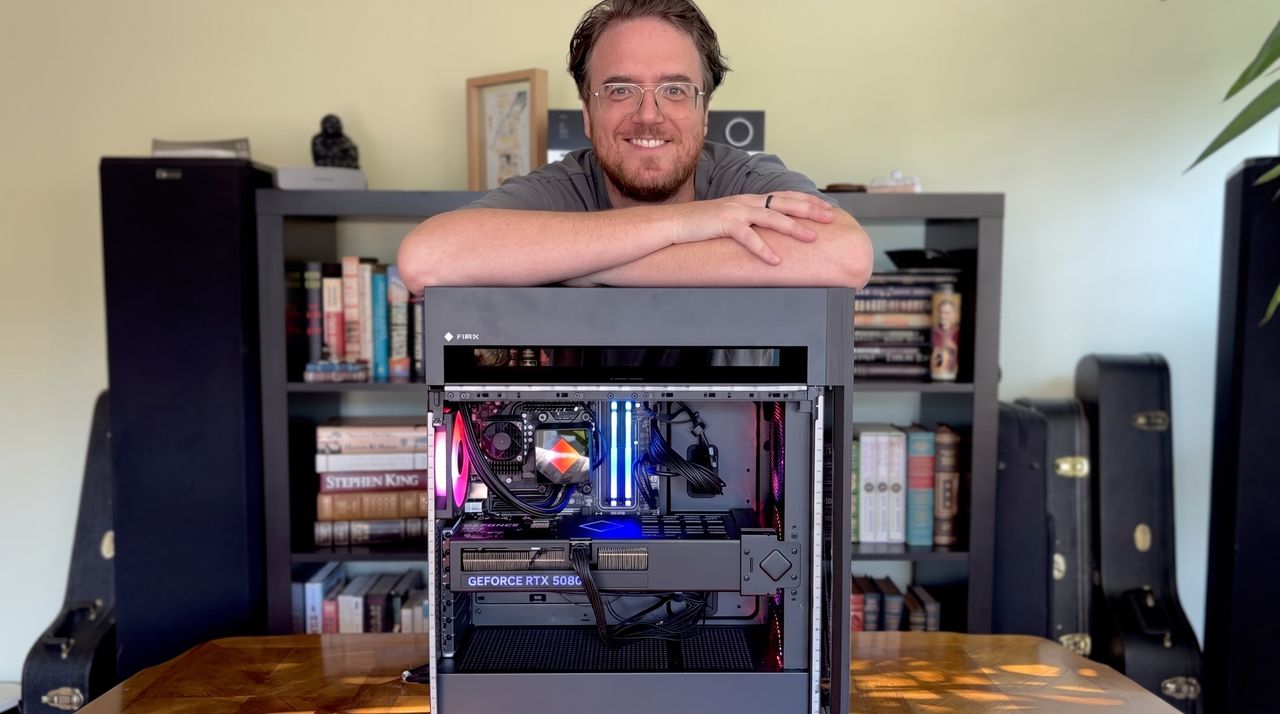
A smiling man leans over a computer case showing colorful internal components, with a bookshelf filled with books in the background.

A smiling man leans over a computer case showing colorful internal components, with a bookshelf filled with books in the background.

Alienware's new flagship QD-OLED ultrawide is the perfect monitor for gamers — as long as you don't mind these small drawbacks I found when testing

Alienware makes gaming laptops and desktops, sure, but the line I enjoy looking at most is its QD-OLED gaming monitors. They're immensely popular after being the first to market in 2022; they're generally well-rated, and they're usually competitively priced.

One of the most popular Alienware gaming monitors is the AW3425DW, and it has now received a significant update for 2026. Dell let me get my hands on the new AW3426DW ultrawide monitor early so I could get a true feel of what it's like, and I'm here to share my thoughts on whether or not it's worth a buy.

Dell had no input, nor saw the contents of this review, prior to publication.

How much does the Alienware AW3426DW cost?

The AW3426DW launched at $799.99 — which is the same price at which the last-gen AW3425DW made its debut — and it's also launching at £709 in the United Kingdom.

It's worth noting that the older model is currently sitting at $649.99 after a $150 discount, and I wouldn't be surprised to see that price drop stick around now that the new model is here.

Here's a closer look at the specs that make up the Alienware AW3426DW.

Alienware AW3426DW

Size

34.18 inches

Panel

Samsung QD-OLED Penta Tandem (RGB stripe, 5-stack)

Resolution

3440x1440

Refresh rate

280Hz

Response time

0.03ms

Peak brightness

1,300 nits

Typical brightness

300 nits

HDR

HDR10, VESA DisplayHDR True Black 500, Dolby Vision

VRR

AMD FreeSync Premium Pro, NVIDIA G-Sync compatible

Warranty

3 years (burn-in covered)


The new Alienware AW3426DW improves the line's QD-OLED panel for extra brightness, better contrast, easier readability, and faster performance.

👉 See at Dell.comView Deal

A generational upgrade for Alienware's iconic ultrawide

The back of a curved AW3426DW computer monitor with an Alienware logo and another emblem, with books and a potted plant in the background.

The back of the Alienware AW3426DW with logos and venting in view. (Image credit: Future)

Compared to the older AW3425DW model we reviewed favorably last year, there are several standout improvements in the new AW3426DW.

The main change arrives for the Quantum Dot-Organic Light Emitting Diode (QD-OLED) panel. It's using Samsung's new fifth-gen Penta Tandem tech that was revealed earlier this year, which the company says has twice as long a lifespan as well as 1.3 times better brightness. Text should be easier to read, and there are improvements to dark colors in bright ambient light. More on that below.

Alongside the higher brightness, the monitor now has an anti-reflective coating to better combat glare. And, finally, the refresh rate has been raised from 240Hz to 280Hz.

What I like about the Alienware AW3426DW

Close-up of a black Alienware AW3426DW monitor featuring a glowing blue Alienware logo with a sleek design.

The small Alien head and the power button are the only RGB elements you'll find. (Image credit: Future)

From a purely design standpoint, the Alienware AW3426DW hasn't changed much compared to the AW3425DW. Its case has a pleasant Interstellar Indigo color scheme, with minimal interruptions on the back panel.

An Alienware head logo is off to the left of the stand, and there's the secondary AI logo on the other side. These logos are surrounded by venting, altogether offering a clean look.

For a bit of extra jazz, the Alienware head has customizable lighting. The same applies to the monitor's power button on the bottom edge of the casing.

The front of the monitor features Alienware branding, and that's basically it. Bezels are nice and slim, and the rounded stand seems like a perfect pairing.

Close-up of a navy blue Alienware AW3426DW monitor stand on a wooden table with bookshelves in the background. A green potted plant is visible to the right.

I like the bubbly, rounded look of the AW3426DW's stand. (Image credit: Future)

On that note, the stand is plenty sturdy. It doesn't offer much rotation (this is an ultrawide, after all), but there's enough tilt and swivel to keep me happy. If I were keeping the screen, it'd go onto my MSI dual-arm VESA mount thanks to 100x100mm compatibility.

All OSD settings are controlled with a single joystick. There are a ton of menu options to play around with should you want to tweak the picture, and the monitor includes quite a few presets for different tasks and gaming styles. You can also change shortcuts for easier control.

Close-up of an Alienware monitor's top edge featuring the brand name and a button for adjustments.
The OSD menu is controlled with a single joystick.Future
On-screen menu of an Alienware gaming monitor showing various settings like brightness, input source, and key guides against a colorful abstract background.
OSD menu controls in the Alienware AW3426DW are quite extensive.Future
Onscreen menu of an Alienware gaming monitor with options for settings such as brightness, input source, and display configurations against a blue and purple background.
OSD menu controls in the Alienware AW3426DW are quite extensive.Future
Alienware 34-inch QD-OLED gaming monitor settings menu displaying various display options against a colorful background.
OSD menu controls in the Alienware AW3426DW are quite extensive.Future

Smart HDR, Dolby Vision, refresh rates, and much more are all customizable. You can choose how the monitor handles multiple inputs. And, for those who game and work on the same screen, I'm happy to report that the Picture-in-Picture (PiP) and Picture-by-Picture (PbP) features work flawlessly.

The older AW3425DW's OSD menu, or "Command Center," had issues with freezing and closing randomly, but I've not seen those issues in the newer AW3426DW model.

How is the Alienware AW3426DW's color and brightness?

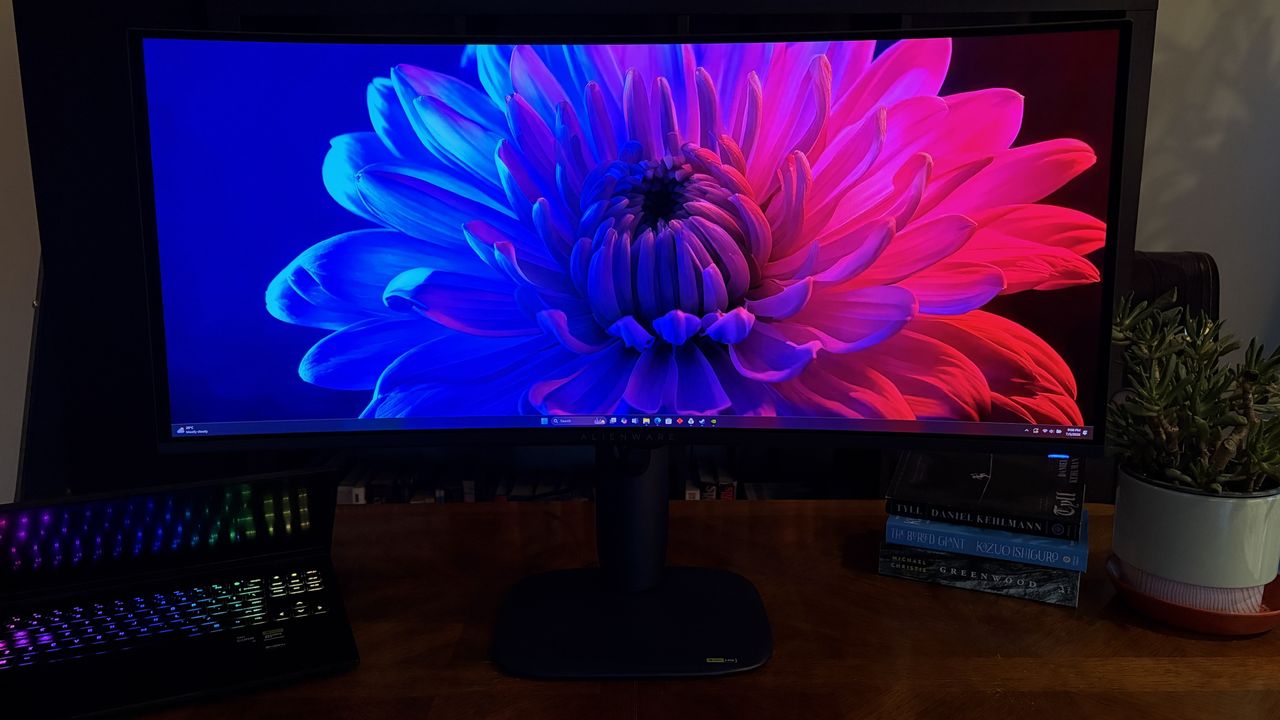
A vibrant close-up of a flower displayed on a curved Alienware AW3426DW monitor, featuring blue and pink petals against a dark background.

It's hard to convey through photos how great the Alienware AW3426DW looks. (Image credit: Future)

Thanks to the new fifth-gen QD-OLED panel, Alienware's flagship line of ultrawide gaming monitors has never looked better.

One of the biggest complaints about the older model was that black colors often appeared purple when in a bright room. That's been significantly improved here, and it seems that no matter how much light is falling on the screen, dark colors remain dark.

This latest model includes a new anti-reflective finish that Dell says reduces glare by up to 30%. I can't test for that precisely, but I can say that the only time I had issues with glare was in a sun-drenched room with direct light hitting the screen. If you're in an office or a gaming room, you should have no issues.

Chart measuring brightness for the Alienware AW3426DW gaming monitor.

The Alienware AW3426DW's brightness and contrast readout. (Image credit: Future)

It also helps that brightness has gone up from a 250-nit cap to 300 nits. Whereas the AW3425DW tested for roughly 252 nits of brightness, I saw the AW3426DW hit 330 nits in SDR, and it goes up to about 1,300 nits with HDR enabled. This additional brightness pushes its HDR certification up to VESA DisplayHDR 500.

You can see for yourself the brightness, color, contrast, and white point ratings in the above chart that I pulled from my SpyderX Pro colorimeter.

Color reproduction and display gamma charts against a purple and teal gradient background.

(Image credit: Future)

Color reproduction has actually improved slightly compared to the previous generation. Whereas we previously tested for 97% P3 and 94% AdobeRGB coverage, the new model hits 99% and 95%, respectively. It otherwise remains at 100% sRGB.

Is Alienware's AW3426DW good for gaming?

A curved Alienware AW3426DW computer monitor displaying a colorful digital library of various video game covers arranged in a grid format.

You're going to love gaming on Alienware's AW3426DW. (Image credit: Future)

Thanks to a curved panel, an ultrawide 21:9 aspect ratio, a 3440x1440 resolution, a 280Hz refresh rate, and a 0.02ms response time, the Alienware AW3426DW is an outstanding gaming monitor.

The resolution hits the sweet spot for most gamers, and once you go ultrawide, you'll find it's very hard to go back to a 16:9 aspect ratio. The 280Hz refresh rate has plenty of ceiling for high-end performance hardware, and it's fast enough that you shouldn't mind using it for competitive titles.

Because it's an ultrawide with room for (at least) three separate windows, it's also great for productivity. Text is easier to read with this generation of QD-OLED panel, and you might be surprised at how crisp everything looks if you're coming from an older model.

What I dislike about the Alienware AW3426DW

Close-up of a monitor's back panel showing USB, HDMI, and power ports with a sleek black design.

Ports on the Alienware AW3426DW are a bit more limited than I'd like. (Image credit: Future)

There's not much to dislike about this monitor from a display quality standpoint. But there are some drawbacks you should know about before buying.

The port selection is notably a bit lacking. There's no 3.5mm audio jack (and no built-in speakers), and for data, there's just USB-C (15W) and USB-A, feeding off an upstream USB-B port.

Alienware's AW3426DW is easy to love, whether you're gaming or working.

Video inputs include dual HDMI 2.1 with Fixed Rate Link (FRL) for uncompressed 4K@120Hz gaming, but the single DisplayPort is 1.4 standard with Display Stream Compression (DSC). Some newer monitors are shipping with DP 2.1 with less compression, and I'd say it only really matters for enthusiasts.

Should you buy the Alienware AW3426DW?

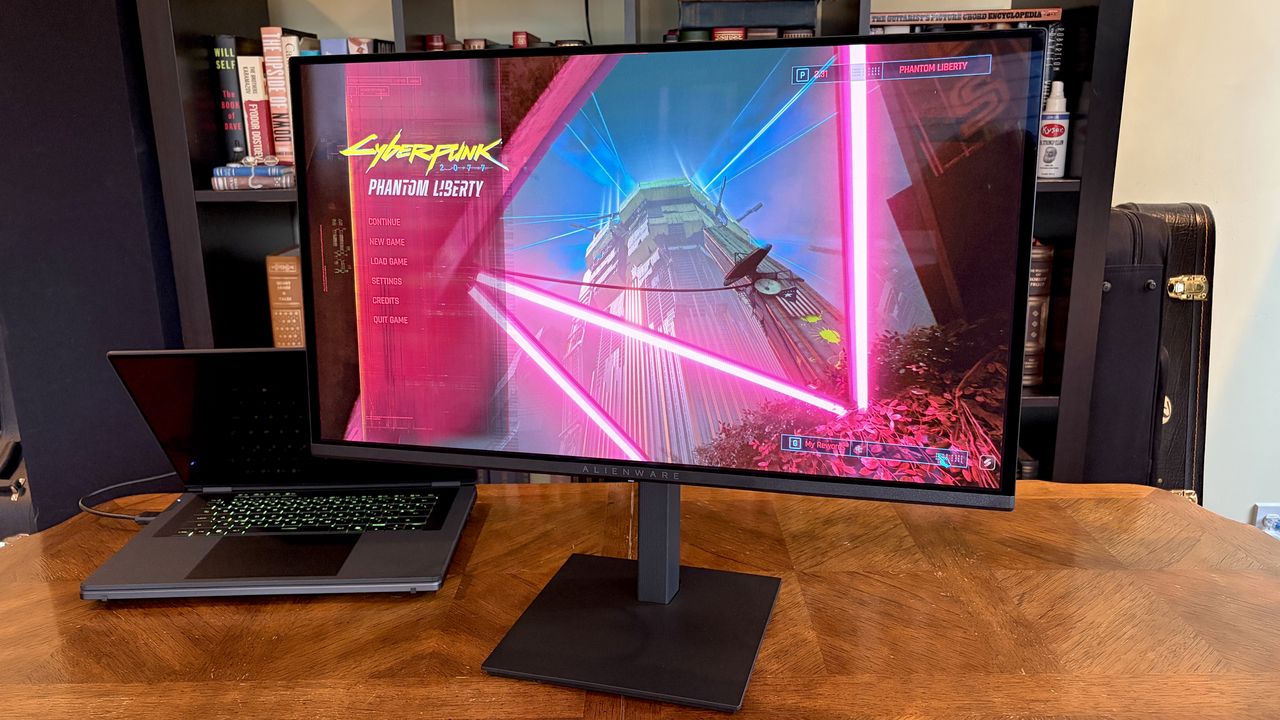
A workspace with an Alienware AW3426DW monitor displaying gaming content, a black laptop with a rainbow keyboard, and a small green plant next to stacked books on a wooden table.

Alienware's AW3426DW is an outstanding gaming monitor, but it's also handy for productivity. (Image credit: Future)

You should buy this if ...

✅ You're looking for a competitively priced ultrawide gaming monitor featuring fifth-gen QD-OLED tech.

✅ You have a gaming PC that can handle a 3440x1440 resolution and that can make use of a 280Hz refresh rate.

You should not buy this if ...

❌ You're a competitive gamer who mostly plays at a 16:9 aspect ratio.

❌ You just want a QD-OLED ultrawide and don't care about the generation (go with the AW3425DW from last year that's now usually cheaper).

Windows Central Best Award

I loved my time with the Alienware AW3426DW, and it's something I'll recommend to anyone who's searching out a new QD-OLED ultrawide for gaming.

The 280Hz refresh rate is perfect for most people, the fifth-gen panel is better than ever, and the overall design is sleek and balanced.

Although some might complain that the port selection isn't generous enough or that the RGB lighting is lacking, others might not mind those drawbacks nearly as much.

And considering how many perks the monitor has, it's easy to see why this line of monitors from Alienware is so popular. I have to return the review sample, but the AW3426DW is at the top of my list for when it comes time to upgrade.

Render of the Alienware 34 Ultrawide QD-OLED Gaming Monitor (AW3425DW).

Penta Tandem
Alienware
AW3426DW

Alienware's AW3426DW makes several important upgrades over its predecessor, including a new Penta Tandem QD-OLED panel that ups brightness, improves color, and makes text easier to read. It's an outstanding option for work and for play, just as long as you can live with the (minor) downsides.

Click to join us on r/WindowsCentral

Join us on Reddit at r/WindowsCentral to share your insights and discuss our latest news, reviews, and more.

A curved Alienware AW3426DW widescreen monitor displays a vibrant flower image on a wooden desk, next to an open laptop with a lit keyboard, books, and a potted plant.

Alienware's new AW3426DW has landed with a host of improvements.

The RAM crisis is getting worse — I take a look at when prices might fall, and whether you'll ever see the savings when they do

If there ever was a golden age of cheap memory and storage, I'm sorry to tell you that it's over.

The 2TB NVMe SSD you bought early last year? It now costs three times what you paid. The 32GB kit of DDR5 RAM that was $90 last summer? It's now somewhere between $300 and $500, if you can find it for sale at all.

The effects of the RAM crisis are being felt downstream in tech markets everywhere. Xbox just announced this week another console price hike. Apple announced it's raising prices of its MacBooks. Microsoft recently raised the prices of its Surface PCs. The Steam Machine is making its debut at $1,049. I could go on and on.

The worst part of this whole RAMpocalypse? No one really knows when it's going to end.

Why are memory and storages prices still going up?

Crucial Pro Series Overclocking desktop memory in front of blue skies

Memory prices are sky high ... get it? (Image credit: Ben Wilson | Windows Central)

So what happened? AI happened. The way the world's memory market is set up relies on three major companies to supply everyone else with DRAM for consumer memory and storage.

Samsung, SK hynix, and Micron realized early on in the AI boom that they could make a whole lot more money by moving away from consumer memory and into high-bandwidth memory (HBM) that's used in AI datacenters.

Profit margins are enormous on the other side, and I really don't find it surprising that these massive corporations made the shift, as companies like Microsoft, Google, and Amazon have essentially offered blank checks to buy up as much memory as possible.

The fallout of these moves by the three big memory manufacturers, of course, is a strangulation of the consumer memory market. And this isn't a typical supply crunch like we've seen in the past that can be remedied by a new manufacturing plant coming online.

This time around, the memory crisis is a reallocation of the world's DRAM manufacturing capabilities, and there's no real end in sight.

I don't think RAM and SSD prices will drop anytime soon

A collection of computer memory components, including green RAM sticks, a silver heatsink labeled

My collection of old RAM and storage becomes more valuable by the day. (Image credit: Future)

I'm not expecting to see tech prices drop anytime soon, and you don't have to take my word for it.

Counterpoint Research confirmed in February that memory prices rose in Q1 2026 by 80% to 90% compared to Q4 2025. Late last year, Kingston noted that it had seen a 246% increase in NAND wafer pricing compared to the start of 2025, the steepest ever in the company's 29-year history.

In February 2026, Gartner released findings suggesting that, by the end of 2026, DRAM and SSD prices could surge by 130% compared to 2025, which could raise PC prices by 17%. I believe we're already seeing that estimation come into play, and this same study predicts that global PC shipments could fall by 10.4% this year.

By the end of 2026, DRAM and SSD prices could surge by 130% compared to 2025, which could raise PC prices by 17%.

It gets worse. Micron CEO Sanjay Mehrotra signaled earlier this year that the RAM crisis would continue beyond 2026. This week, Micron announced that most of its DRAM has been bought up via long-term contracts through 2030, and that there's almost certainly no end to the crisis.

SK hynix, another one of the three big DRAM players, stated in 2025 that its HBM, DRAM, and NAND manufacturing capacity is sold out through 2026.

Micron logo displayed on a phone screen with a binary code reflected on it, a laptop keyboard, a memory card, an adaper and cables are seen in this illustration photo taken in Krakow, Poland on January 30, 2023.

Micron's Idaho fab won't be ready until the end of 2027. (Image credit: Getty Images | NurPhoto)

OK, I know that's a lot of numbers, but I'm trying to drive the point home: the RAM and SSD crisis isn't likely to end in 2026. It probably won't end in 2027, either. 2028 could be our lucky year, but that's relatively far into the future and harder to predict.

The problem is compounded by the fact that it takes a very long time to create new fabrication plants, not to mention the billions of dollars required to get the project going.

Micron is building a new fab plant in Idaho, for example, but it's not likely to begin producing anything meaningful until the end of 2027. Keep in mind that this is the same company that axed its entire consumer RAM and SSD portfolio in 2025 to focus on AI clients.

Blank Pixel

Samsung and SK hynix, meanwhile, are focusing on raising production in their existing plants, as new fabs won't be ready until the late 2020s.

Most of the analyst forecasts I've read rightfully point to some relief coming no earlier than late 2027, and I'm not talking about 2024-era prices. If those prices ever return, it will be at the end of a long, slow decline as the market levels out.

If memory prices drop, will PC prices also fall?

Photograph of the Surface Pro 11's rear and kickstand

Surface prices went up recently, and not by a small margin. Will they come back down?

I certainly enjoy entertaining more conspiratorial ideas, and the one question that I don't think enough people are asking is about PC prices after memory and storage markets return to normalcy.

Will the laptops, PC components, consoles, tablets, and other affected tech products drop in price once RAM and storage markets return to normal?

If I'm being optimistic, then yes, I do believe that a correction in component costs would also lead to a correction in PC and console pricing.

If I'm being optimistic, then yes, I do believe that a correction in component costs would also lead to a correction in PC and console pricing. History suggests that this isn't out of the ordinary. There was a glut of memory and storage in 2023 and 2024, and I recall consumer prices did soften a bit.

However, I don't think 2026/2027/2028 is at all the same as years gone by. PC makers are expecting to see a major hit in worldwide PC shipments in 2026. As mentioned, Gartner predicts a 10.4% decline. IDC research points to an 11.3% decline.

The twist is that by raising prices for consumers, the PC market is still expected to grow by hundreds of billions of dollars in the coming years.

Dell XPS 13

The new Dell XPS 13 showcased at Computex starts at $699 ($599 for students), and even that price might not stick around for too long.

This is what I find particularly frightening. If the volume of sales drops but profits keep growing, is there really any financial pressure that will make PC makers drop prices?

I don't think most PC makers will care that entry-level buyers are priced out of the market when enthusiasts and enterprise customers continue to shovel money their way. Why bother with discount laptops at thin margins?

👉 Conspiracy theory or apt prediction? — The AI-fueled hardware shortage will kill local PCs, paving the way for subscription-based cloud computing

Gartner believes the sub-$500 laptop market will completely disappear by 2028, and I'd say we're already well on our way. Will that market recover when RAM and SSD prices return to normal? Hard to say.

ASUS TUF Gaming RTX 5070 Ti

I'm very glad I bought an RTX 5070 Ti when I did. (Image credit: Future)

I can reference the GPU price spikes from a few years ago during the crypto boom and pandemic shortages. GPU prices went up, the market leveled off, and GPU prices came back down. But they didn't go all the way back down, resetting at a higher baseline than before.

Consumers had become used to paying inflated GPU prices, and there was really no incentive to drop prices back to 2019 levels. I think the same logic applies to the PC market.

The Chinese wildcard could save us all

Cybersecurity in China Digital code and China flag

Will Chinese DRAM manufacturers save the global market? (Image credit: Getty Images | Anton Petrus)

Competition is likely the only thing that can save us, barring a collapse of the AI boom and a bursting of the market bubble.

Samsung, SK hynix, and Micron currently control about 90% of the world's DRAM production, which makes it painfully easy to coordinate pricing. I'm not saying it's explicit collusion, but it's certainly something.

Samsung, SK hynix, and Micron currently control about 90% of the world's DRAM production, which makes it painfully easy to coordinate pricing.

The best chance of breaking up this oligopoly comes from China. Companies like YMTC and CXMT have been steadily growing their share of the NAND market with newfound production and new fabs.

If these competitors can indeed scale up production and get their products out to international buyers, I don't see how that wouldn't disrupt the oligopoly. It's not exactly smooth sailing for China's manufacturers, though, as issues with exports, access to advanced equipment, and geopolitical concerns are all hurdles they must pass.

What does this mean for you and your next PC?

Count how many devices need to connect

Rising prices are making a new PC a tough buy for a lot of people.

Gartner expects PC lifetime for regular consumers to increase by 20% by the end of this year. The cheap PC upgrade cycle has all but come to an end.

When new DRAM factories do come online, I expect them to serve AI customers first. Consumers will get the scraps, just like they are currently. Chinese DRAM makers might enter the international market and force prices to fall, but I doubt by enough to make a serious impact.

👉 Best Windows laptop in 2026

If you're waiting for the RAM crisis to be over before you buy your next device, I have some bad news. The most optimistic predictions put easing as early as late 2027 or 2028, while the most pessimistic push the dates into the 2030s.

Should you need a new PC now, I recommend buying one that will last for years to come. What some thought was a brief blip on the PC market's graph has some serious staying power. What it will look like, if it ever returns to normal, is anyone's guess.

Click to join us on r/WindowsCentral

Join us on Reddit at r/WindowsCentral to share your insights and discuss our latest news, reviews, and more.

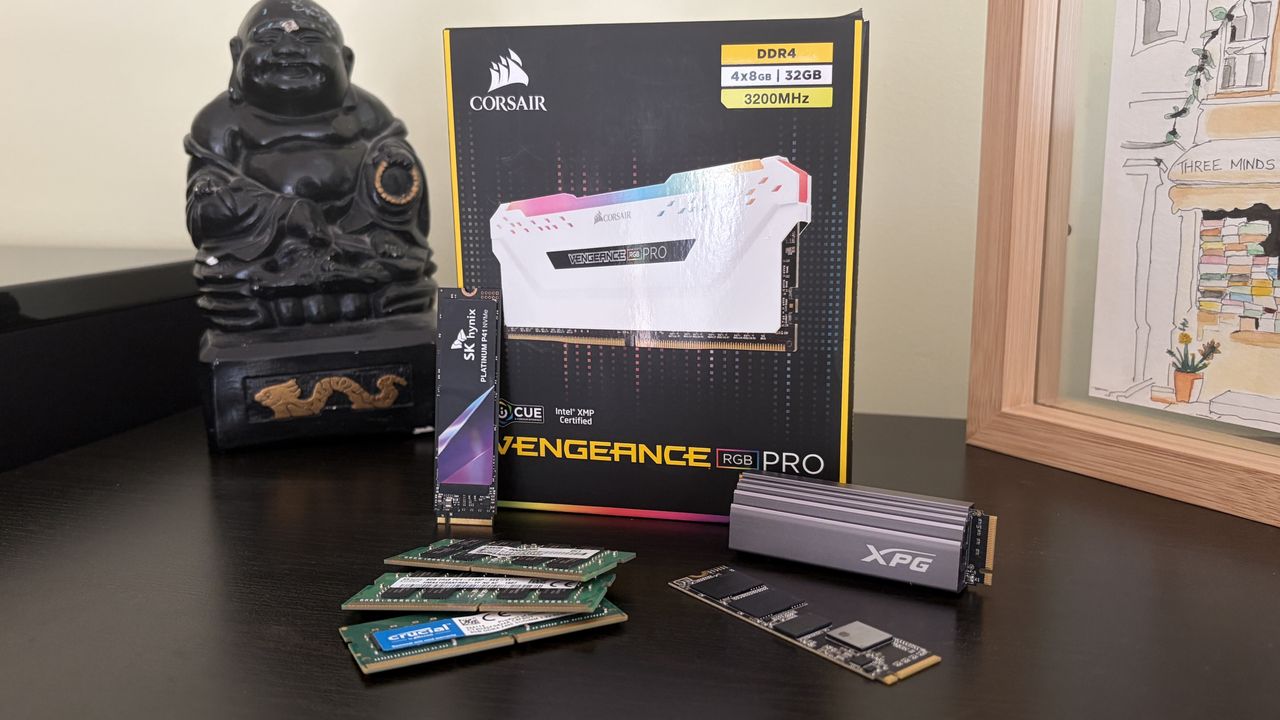
Collection of Corsair Vengeance RGB Pro memory box, several RAM modules, an XPG SSD, and a SK hynix M.2 drive on a dark wooden surface.

Collection of Corsair Vengeance RGB Pro memory box, several RAM modules, an XPG SSD, and a SK hynix M.2 drive on a dark wooden surface.

These are the most popular Prime Day deals according to Windows Central readers — Laptops, mini PCs, storage, monitors, and more are still on sale

Amazon Prime Day has entered its fourth and final day, and I know that some of you are probably tired of the sheer amount of deals floating around social media and your favorite websites.

I get it. There are countless deals to sift through, and the fatigue is real. However! I figured it was worth throwing together a collection of the deals that our readers here at Windows Central seemed to love the most.

Shop all Amazon Prime Day deals

At the top of the list, and no surprise in the current console pricing climate, is Seagate's 2TB Storage Expansion Card for the Xbox Series X|S. Although the original Amazon deal expired, you can still save $55 at Newegg.

In second place is Geekom's A7 Max mini PC and its $204 discount available at Best Buy. Third place is unsurprisingly inhabited by a discounted Surface Pro 11; the original deal ran out, but you can still save $300 on a new model at Walmart.

Several other popular sales, including the Xbox Series X, Surface Laptop 7, and Seagate's other capacity expansion cards, are long gone, but the following deals are confirmed to be all in stock as of noon ET on June 26.

Most popular Prime Day deals according to Windows Central readers

Seagate, 2TB Storage Expansion Card for Xbox Series X|S

Seagate
2TB Storage Expansion Card for Xbox Series X|S

Geekom, A7 Max

Geekom
A7 Max

Microsoft, Surface Pro 11

Microsoft
Surface Pro 11

Beelink, SER9 Pro

Beelink
SER9 Pro

Samsung, Odyssey G55C

Samsung
Odyssey G55C

Samsung, 990 PRO 2TB

Samsung
990 PRO 2TB

SteelSeries, Arctis Nova Pro Wireless

SteelSeries
Arctis Nova Pro Wireless

SteelSeries, Arctis GameBuds

SteelSeries
Arctis GameBuds

Geekom, A8

Geekom
A8

More details about the most popular deals at Windows Central


This is by far the favorite deal out there right now for Xbox Series X|S owners, especially now that console prices have gone up again. It's a fairly cheap way to add 2TB of storage, giving you more room for your favorite games.View Deal


Geekom's A7 Max is a stellar mini PC featuring a Ryzen 9 7940HS CPU, 16GB of DDR5 RAM, 1TB SSD, and plenty of ports.View Deal


The original Surface Pro 11 deal sold out, but you can still save $300 on a model with a Snapdragon X Plus SoC, 16GB of LPDDR5x RAM, 512GB SSD, and a 2.8K touch display.View Deal


Beelink's SER9 Pro is one of our favorite mini PCs ever, owing to its Ryzen 7 255 CPU, massive 24GB of LPDDR5x RAM, and 500GB SSD.View Deal


If you're a PC gamer, this 32" curved gaming monitor features a QHD resolution, 165Hz refresh rate, 1ms response time, and AMD FreeSync support.View Deal


Storage prices are still out of control, so deep 42% discounts like this one on arguably the best PCIe 4.0 NVMe SSD out there are understandably super popular.View Deal


Gaming headsets seem to fall apart rather quickly, but this one bucks the trend. It's one of the absolute best you can buy for Xbox or PC, and it's 34% cheaper than normal.View Deal


Not everyone wants an over-ear gaming headset, and these SteelSeries Arctis GameBuds are the solution. Expect long battery life and excellent sound.View Deal


Geekom's A8 is yet another quality mini PC that's getting a lot of attention thanks to its Ryzen 7 8745HS CPU, 16GB of upgradeable DDR5 RAM, and 1TB M.2 PCIe 4.0 NVMe SSD.View Deal

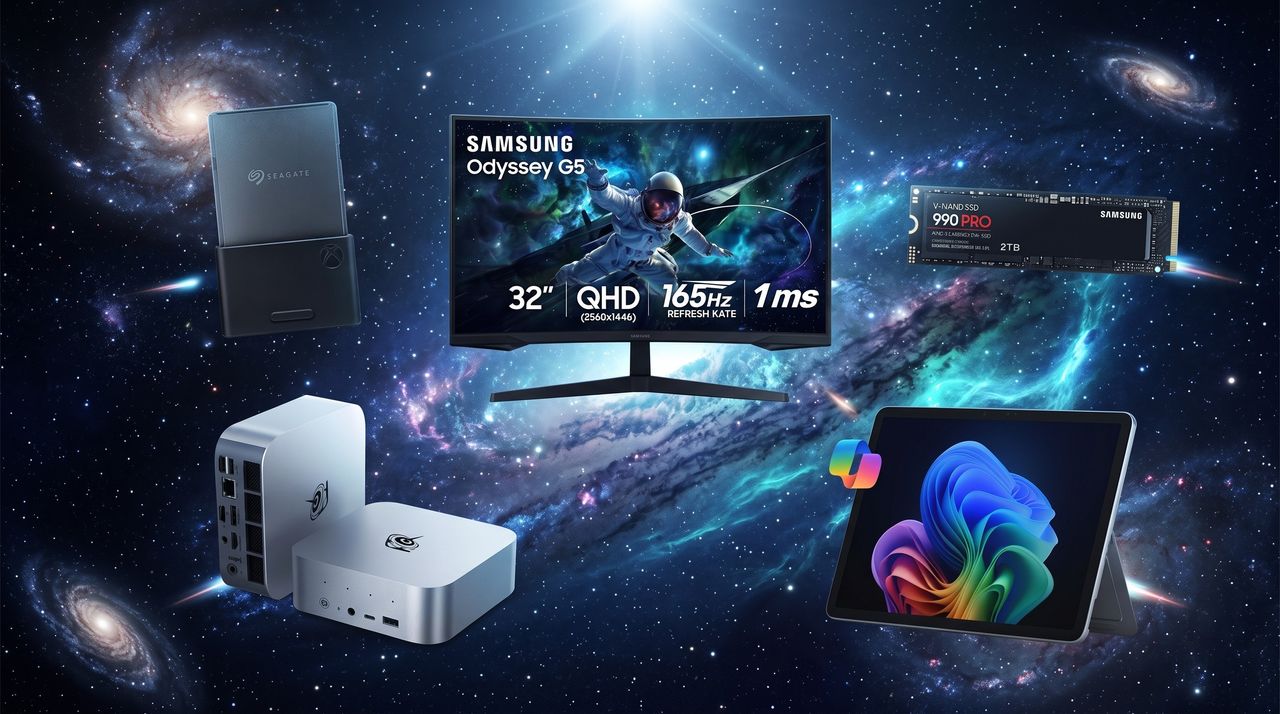
Discounted tech products arranged on an outer space background.

Discounted tech products arranged on an outer space background.

"A hater community trying to kill the game": Epic Games CEO speaks out against Steam's forced AI disclosure policy and how it's harming developers

A couple of days ago, I wrote an article about how researchers discovered an "AI stigma" affecting Steam games that disclose the use of AI during development. For me, the most shocking piece of data revealed that established studios with a positive track record see a "catastrophic" 40% to 60% drop in sales when they use AI.

This stat, as well as others proposed in the research by Ross Burton at Game Oracle, raised a big question that our readers have been discussing in the original post's comment section: Is the perceived AI stigma warranted?

Now, Epic Games CEO Tim Sweeney, who has never been shy about targeting competing PC games storefront Steam, has waded into the same debate.

In a recent interview with PC Gamer, Sweeney offered his opinion about Valve's AI disclosure policy. As Sweeney sees it, these disclosures are a "Scarlet Letter" that results in a "hater community trying to kill the game."

It's a rather harsh comparison, but I'm finding it hard to disagree.

Epic's CEO makes some good points about Steam's AI disclosure policy

The AI disclosure message added to the Steam listing for Call of Duty: Black Ops 6

Call of Duty: Black Ops 6 AI disclosure statement (Image credit: Windows Central / Steam)

Let me preface this: Epic Games does not have a strict AI disclosure policy on games that it sells.

As Sweeney explains, his specific grievance with Steam's AI disclosure policy is that developers who want maximum visibility for their game are essentially required to list it on Steam, such is the power and visibility of Valve's storefront.

When that game is listed on Steam, any AI used during development must be disclosed and displayed on the game's Steam page. As noted, Sweeney sees this as something that can lead to sabotage by those opposed to AI.

It's unfortunate that so many developers now are put into this position. If you want to launch a game, and get it as widely publicized as possible, you've got to put it on Steam so people can wish list it, and if you want to play it on Steam, then you have to get this Scarlet Letter of AI attached to your product, and now there is a hater community trying to kill the game.

Tim Sweeney, Epic Games CEO (via PC Gamer)

Sweeney explains that this method is "irresponsible of Valve" and that "it makes it much, much harder for a game developer to have a chance of success." Developers are essentially stuck in between two poor choices: not using tools that speed up productivity or using tools that result is a stigma against your product.

The choice that Sweeney highlights here is exactly what the Game Oracle research piece set out to uncover. Sweeney isn't defending AI just because he likes AI. He's defending its use by smaller studios that wouldn't otherwise be able to survive.

The Fortnite example explains a lot

Fortnite

Fortnite is a game that has never suffered from a lack of funding or talented developers. (Image credit: Epic Games)

Sweeney unsurprisingly understands that some games fail just because they're junk. Like the Game Oracle study, he posits that it's becoming ever more difficult for developers to compete with massive studios that have seemingly unending budgets.

If you look at a game like Fortnite, we've been improving the game constantly with a large development team for nine years now. Epic has invested billions of dollars into building an awesome content base, not only for ourselves but for creators, too. Now imagine being a startup which has 100 people, investor funding, and you have to launch a game that can appeal to a gamer audience that also has Fortnite available.

Tim Sweeney, Epic Games CEO (via PC Gamer)

AI tools are perceived as a "great equalizer" in this case, and without them, Sweeney predicts a future where those smaller studios simply die off without receiving aid from AI. "There will always be the exceptions," says Sweeney, but it's the economics of the gaming market that are driving his thoughts.

Oversimplification of how AI is used isn't helping developers

AI. Big data concept. 3D render

AI use in game development varies greatly, and an oversimplification could be further harming developers. (Image credit: Getty Images)

Sweeney definitely knows how games get made, and he notes that a lot of what developers do all day can be considered "drudge work." He notes that at Epic Games, the most useful implementation of AI is to offload those types of tasks, leaving time for more important software and creative development.

This is where there's a noticeable gap between developers and gamers. Sweeney acknowledges that there's some legitimate anger about AI stemming from bad practices early on.

It's unfortunate that so many of the AI companies operating early on had such shitty practices, you know, like one of them was found by a court to have gone off to a BitTorrent site and downloaded terabytes of data, that's ridiculous, they shouldn't do that.

Tim Sweeney, Epic Games CEO (via PC Gamer)

Larian, the studio behind Baldur's Gate 3, is used as an example of how this situation can play out.

Larian was using AI to eliminate drudge work and to create early concepts, but gamers largely didn't accept the nuance. They saw AI, they cried foul, and Larian immediately backtracked.

Do I care if a studio creating games as good as Larian does uses AI to speed up productivity in the early stages of development? Not really. Let me know in the comments below if you disagree.

Epic's CEO has his own stake in AI development

I think Sweeney gets a lot right in this interview, especially surrounding the economic asymmetry that many studios have to overcome by using AI. I'm also on board with the idea that AI disclosure often harms the studios that can least afford a failure.

It's well worth noting that there's some background tension regarding Sweeney and AI. Unreal Engine, which is an Epic product, is used by countless studios. Unreal Engine 6, the latest version, includes deep AI integration, and those AI tools are being pitched to any developer who will listen.

Bottom line? The more accepted AI is in game development, the better off Sweeney's UE6 will do.

My final thoughts on AI use in game development

NVIDIA RTX 5070 Ti (ASUS TUF Gaming)

My RTX 5070 Ti uses AI to run games ... is there that big of a difference between that and development? (Image credit: Future)

I honestly can't say if Steam's forced AI disclosures are the correct way forward. I value transparency, and in the current climate, I can imagine a ton of AI witch hunts happening if there wasn't a place where you could reliably check if AI was used.

Sweeney makes good points about AI's reputation problem and how AI disclosures mark certain games for failure, and I wonder if clearer information about how AI is used would help at all.

Let me know what you think about the AI disclosure situation. Is it hurting games that would otherwise be a huge success? Is it rightfully causing pushback against games? Sound off in the comments section below!

Click to join us on r/WindowsCentral

Join us on Reddit at r/WindowsCentral to share your insights and discuss our latest news, reviews, and more.

Tim Sweeney and Steam Logo

Tim Sweeney and Steam Logo

As Apple raises MacBook prices, these are the Windows laptops that I'd actually buy — now up to 54% off during Prime Day

It's Prime Day, and that means there are some great Windows laptops on sale not only at Amazon, but also at all major competing retailers. What makes this year's laptop sales more important than others is the fact that all PCs have gone up in price recently due to component shortages.

It's almost unbelievable that I'm seeing up to 54% off laptops using DDR5 RAM, but the proof is in the roundup I've assembled below. These are some of the biggest discounts I've seen in all my 10 years of covering these types of sales.

What makes these deals even sweeter is the fact that Apple just raised the prices of all of its MacBooks this morning. If you want an incredible deal on a new Windows laptop, this is the place to check first.

🔥 Hottest Prime Day Windows laptop deals 🔥

CPU: Snapdragon X
GPU: Qualcomm Adreno
RAM: 16GB LPDDR5x
SSD: 512GB M.2 PCIe 4.0 NVMe

This laptop delivers a lot more than its price suggests, and it's a great option for students and regular users who need an affordable device.

👉 See at BestBuy.comView Deal

CPU: AMD Ryzen 7 250
GPU: AMD Radeon
RAM: 16GB DDR5
SSD: 1TB M.2 PCIe 4.0 NVMe

Dell's 16-inch laptop has a great CPU, lots of RAM and storage, and a 2K anti-glare display, perfect for multitaskers.

👉 See at Amazon.comView Deal

CPU: Core Ultra 5 226V
GPU: Intel Arc 130V
RAM: 16GB LPDDR5x
SSD: 512GB M.2 PCIe 4.0 NVMe

Powerful CPU, lots of RAM and storage, number pad, and a huge 17.3-inch display make this laptop a boon for any multitaskers out there, and it's now 54% cheaper than usual.

👉 See at Target.comView Deal

CPU: Snapdragon X Plus
GPU: Qualcomm Adreno
RAM: 16GB LPDDR5x
SSD: 512GB M.2 PCIe 4.0 NVMe

One of the best 14-inch laptops in recent years is back down to $749. Incredibly thin and light build with an OLED display is an easy buy.

👉 See at BestBuy.comView Deal

CPU: Snapdragon X Elite
GPU: Qualcomm Adreno
RAM: 16GB LPDDR5x
SSD: 256GB M.2 PCIe 4.0 NVMe

The best 2-in-1 PC on the market is enjoying a nice little discount, and this is for the X Elite model with the best performance possible.

👉 See at Amazon.comView Deal

CPU: AMD Ryzen AI 7 445
GPU: AMD Radeon
RAM: 16GB LPDDR5x
SSD: 1TB M.2 PCIe 4.0 NVMe

A brand new AMD Ryzen CPU paired with 16GB of RAM and a 1TB SSD is a sweet deal. The 16-inch display hits a 2K resolution and has a 120Hz refresh rate with 400 nits brightness.

👉 See at BestBuy.comView Deal

CPU: Intel Core Ultra 7 356H
GPU: Intel Arc
RAM: 16GB LPDDR5x
SSD: 512GB M.2 PCIe 4.0 NVMe

A 3K OLED display might be the best part of this laptop, but it has tons of power and efficiency to boot.

👉 See at BestBuy.comView Deal

CPU: Intel Core Ultra 7 255H
GPU: Intel Arc 140T
RAM: 32GB LPDDR5x
SSD: 1TB M.2 PCIe 4.0 NVMe

A 3K OLED display is amazing at this price, especially when paired with 32GB of RAM and a 1TB SSD. I don't expect this deal to last long.

👉 See at Newegg.comView Deal

Best Prime Day gaming laptop deals

CPU: Intel Core i5-13420H
GPU: NVIDIA RTX 3050
RAM: 8GB DDR4
SSD: 512GB M.2 PCIe 4.0 NVMe

This is a great way to break into PC gaming on the cheap, and you can always buff the 8GB of DDR4 RAM with an extra stick after purchase.

👉 See at BestBuy.comView Deal

CPU: AMD Ryzen 7 7445HS
GPU: NVIDIA RTX 4050
RAM: 16GB DDR5
SSD: 512GB M.2 PCIe 4.0

This AMD version of the Victus has more CPU power and a respectable RTX 4050. Great introduction to PC gaming.

👉 See at BestBuy.comView Deal

CPU: AMD Ryzen 7 260
GPU: NVIDIA RTX 5060
RAM: 32GB DDR5
SSD: 1TB M.2 PCIe 4.0 NVMe

Tons of RAM and storage with an RTX 5060 and a 180Hz display make for a rather attractive gaming laptop that's 21% cheaper than usual.

👉 See at Amazon.comView Deal

CPU: AMD Ryzen 9 270
GPU: NVIDIA RTX 5060
RAM: 16GB LPDDR5x
SSD: 1TB M.2 PCIe 4.0 NVMe

One of my favorite thin and light gaming laptops with an RTX 5060 is enjoying a huge discount, perfect for my PC gamers out there.

👉 See at BestBuy.comView Deal

CPU: AMD Ryzen 7 260
GPU: NVIDIA RTX 5070
RAM: 16GB DDR5
SSD: 1TB M.2 PCIe 4.0 NVMe

This 18-inch gaming laptop has plenty of cooling for its RTX 5070 GPU and Ryzen 7 260 GPU. Display has a 2560x1600 resolution with a 240Hz refresh rate.

👉 See at Newegg.comView Deal

CPU: Intel Core Ultra 9 285H
GPU: NVIDIA RTX 5070
RAM: 16GB LPDDR5x
SSD: 1TB M.2 PCIe 4.0 NVMe

This is an exceptional thin and light gaming laptop with a powerful RTX 5070 laptop GPU and a 2.5K OLED display with 240Hz refresh rate.

👉 See at BestBuy.comView Deal

CPU: AMD Ryzen 9 8940HX
GPU: NVIDIA RTX 5070
RAM: 32GB DDR5
SSD: 2TB M.2 PCIe 4.0 NVMe

This stacked 16-inch gaming laptop includes a 240Hz display at 2560x1600p. Can't ignore that RTX 5070 laptop GPU, either.

👉 See at Newegg.comView Deal

Best Prime Day laptop accessory deals


This laptop backpack is highly rated and extremely cheap, a perfect addition to any laptop 15.6 inches or smaller.

👉 See at BestBuy.comView Deal


Gaming on a laptop's touchpad just doesn't work. Logitech's G305 Lightspeed is a mouse I've used for countless hours of gaming, and it's 46% cheaper than usual.

👉 See at Amazon.comView Deal


The best wireless mouse around is a huge productivity boon, especially for those who don't enjoy using a laptop touchpad full time.

👉 See at Amazon.comView Deal


Thanks to a 144Hz refresh rate and 1ms response time, this FHD monitor is suited for work and for play. Less than $100? Not bad at all.

👉 See at BestBuy.comView Deal

Best Prime Day software deals


One year of Microsoft 365 Personal is now $30 less than normal for a limited time. A perfect pairing for a new laptop.

👉 See at StackSocial.comView Deal


You can also save $30 on the Family version of Microsoft 365 that works for up to six people.

👉 See at StackSocial.comView Deal

Did Apple just raise the prices of all of its MacBooks?

Apple just announced on June 25 that it's raising prices across its MacBook lineup.

The MacBook Neo, which took the laptop market by storm, has gone from $599 to $699. That's with 8GB of RAM, no keyboard backlight, and two rather wimpy ports.

MacBook Air models with 512GB of storage have gone up from $1,099 to $1,299, while the MacBook Pro with 1TB of storage has increased from $1,699 to $1,999.

Has there ever been a better time to invest in a discounted Windows laptop with loads of memory and storage?

When is Amazon Prime Day in 2026?

Which countries are taking part in Prime Day 2026?

Do I need an Amazon Prime membership for Prime Day?

Are other retailers hosting competing sales?

A split image shows a bright yellow MacBook Neo with hands typing and an upward red arrow on the left. On the right, multiple Windows laptops display different screens with a downward blue arrow.

A split image shows a bright yellow MacBook Neo with hands typing and an upward red arrow on the left. On the right, multiple Windows laptops display different screens with a downward blue arrow.

Skip the Steam Machine? These 5 mini PCs start at $594 and crush 1080p gaming, but the deals end today

The Steam Machine is getting a fair amount of heat due to its $1,049 price, but no matter how you look at it, Valve's new device is a particularly powerful mini PC.

Here's the rub. Not everyone needs that much power or wants to pay that much, which is where the Windows mini PC market comes into play.

Shop all Amazon Prime Day deals

Amazon Prime Day has knocked prices down considerably on a bunch of our favorite mini PCs, and while they won't match the Steam Machine's discrete graphics, they're still fully capable of running a wide range of games AND Windows 11, no extra effort necessary. Just plug in an HDMI cord, hook it up to your TV, and start gaming.

Prime Day wraps up today, June 26, and most of these mini PC deals are expected to expire before the weekend. I'm in fact already seeing some retailers run out of stock. Translation? If you see something you can use, you should grab it before it's gone.

CPU: AMD Ryzen 9 7940HS
GPU: AMD Radeon 780M
RAM: 16GB DDR5
SSD: 1TB M.2 PCIe 4.0 NVMe

This is the best sub-$600 mini PC I could find that features a Ryzen 9 CPU and Radeon 780M integrated graphics. 16GB of DDR5 RAM and a 1TB M.2 SSD help sweeten the deal.

👉 See at BestBuy.comView Deal

CPU: AMD Ryzen 7 255
GPU: AMD Radeon 780M
RAM: 24GB LPDDR5x
SSD: 512GB M.2 PCIe 4.0 NVMe

"The SER9 Pro is another all-round excellent mini PC from Beelink, now powered by an AMD Ryzen 7 H 255. The GPU is very good for an integrated one, capable of handling most games on medium to high settings at 1080p, though some really demanding games will struggle."

Windows Central review: ⭐⭐⭐⭐

👉 See at Amazon.comView Deal

CPU: AMD Ryzen 7 8745HS
GPU: AMD Radeon 780M
RAM: 16GB DDR5
SSD: 1TB M.2 PCIe 4.0 NVMe

This is one of the more reasonably priced mini PCs featuring a Ryzen 7 CPU, 1TB SSD, and integrated Radeon 780M graphics.

👉 See at BestBuy.comView Deal

CPU: Intel Core Ultra 9 185H
GPU: Intel Arc
RAM: 16GB DDR5
SSD: 1TB M.2 PCIe 4.0 NVMe

Those who prefer Intel can land this Core Ultra 9 185H CPU with integrated Arc graphics that closely match those of AMD's Radeon 780M. Plenty of RAM and storage are a great perk.

👉 See at Amazon.comView Deal

CPU: AMD Ryzen 9 8945HS
GPU: AMD Radeon 780M
RAM: 32GB DDR5
SSD: 1TB M.2 PCIe 4.0 NVMe

Extra RAM and storage plus a Ryzen 9 CPU make this mini PC particularly attractive, and the integrated Radeon 780M graphics do a decent job of running most modern games that aren't particularly demanding.

👉 See at Newegg.comView Deal

How do these discounted mini PCs compare to the Steam Machine's performance?

Steam Machine for 2026

The Steam Machine boasts a respectable amount of gaming power thanks to a discrete AMD GPU with 8GB of VRAM. (Image credit: Valve)

The Steam Machine is causing a ruckus in the tech world, namely due to its price-to-performance ratio now that reviews have gone out into the wild. It's true that you can build a full-size gaming PC or buy a pre-built gaming PC for less money and with superior power, but what about a mini PC that's a closer match to the form factor?

👉I found these pre‑built gaming PCs that beat Valve’s Steam Machine on price and performance, and it’s not even close

Well, that's where the real genius of Valve's device comes into play. It is indeed capable of delivering quite a bit of gaming performance in a super compact form factor, something that most of the mini PCs on the market for a similar or lower price simply aren't capable of doing.

The Steam Machine's discrete custom AMD Radeon GPU with 8GB of VRAM is fairly close to a desktop-class AMD Radeon RX 7600 card, which the integrated graphics in most mini PCs can't touch.

Regardless, at $1,049, the Steam Machine isn't for everyone. There are plenty of PC users who just want a compact, capable PC that runs Windows 11 without breaking a sweat, while at the same time having capabilities to handle lighter games. That's where these great mini PCs excel.

Beelink SER9 PRo

The Beelink SER9 Pro is one of our favorite mini PCs on the market, and it's on sale during Prime Day. (Image credit: Windows Central / Zac Bowden)

The mini PCs I've highlighted in this roundup all have an integrated AMD Radeon 780M GPU or a comparable Intel Arc integrated GPU. I can't stress enough that these GPUs will not match the Steam Machine's gaming power.

However, the Radeon 780M will still do a bang-up job of gaming, and for a lot less money in a significantly smaller package, often with more RAM and storage.

Just how powerful is the integrated GPU? It will effortlessly run esports games like League of Legends, Counter-Strike 2, Valorant, and DOTA 2 at 1080p, hitting somewhere between 60 and 90 FPS with medium to high settings. Games like Fortnite, Minecraft, and Roblox are in the same boat.

👉 Geekom's mini PCs enjoy massive savings during Prime Day — I handpicked the 7 top deals up to 15% off for a limited time

I'd venture to say that the Radeon 780M is an indie game superstar, and those who prefer roguelikes, platformers, deck builders, puzzle games, and simulators will have no issues.

Those hoping to play demanding AAA titles like Cyberpunk 2077, Hogwarts Legacy, Baldur's Gate 3, and others will find that the Radeon 780M can get the job done at 1080p, albeit with lower frame rates and with AMD's FSR enabled. If you're going to mainly focus on AAA games, I'd recommend checking out pre-built desktop PCs with discrete graphics.

Click to join us on r/WindowsCentral

Join us on Reddit at r/WindowsCentral to share your insights and discuss our latest news, reviews, and more.

Beelink SER9 PRo

Beelink SER9 PRo

These last-chance PC hardware deals prove you don't need to overspend on your next upgrade — SSD, RAM, GPU, CPU, and bundle savings I'm recommending to friends

Buying PC components in 2026 is largely a lesson in frustration. Prices are out of control, and it's becoming increasingly difficult to build new or upgrade your PC. As a fellow PC gamer and build enthusiast, I know how the struggle feels.

While I can't predict when the RAM and SSD crisis will end, I can offer some deals on PC components I found at Amazon Prime Day and Newegg's competing FantasTech sale.

Many of these deals are expected to expire at the end of the day. It is, after all, the last official day of the four-day Prime Day event. My advice? If you're interested in a deal, don't wait much longer!

🔥 Hottest Prime Day PC deals 🔥

You can get twice as much storage as the discounted 1TB model for only about $143 more, which really isn't much in this current SSD climate. The price hasn't been this low in nearly five months, and this is a stellar M.2 PCIe 5.0 NVMe SSD.

👉 See at Amazon.comView Deal


AMD's Ryzen 7 7800X3D is STILL one of the absolute best gaming CPUs you can buy in 2026, and it's now $100 off at Best Buy for a limited time.

👉 See at BestBuy.comView Deal


This is one of the few bundles offering RAM; in this case, it's 16GB of DDR5 from T-Force Delta RGB. It's paired with an ASUS ROG Strix B650E-I Gaming motherboard and a 1TB Samsung 990 Pro SSD. Add a CPU, and you're off to the races.

👉 See at Newegg.com View Deal


Don't want to piece your own PC together? No problem. This pre-built with an Intel Core i5-14400F CPU, Intel Arc B570 GPU, 16GB of RAM, and 1TB SSD is more powerful than the Steam Machine and costs quite a bit less.

👉 See at Newegg.comView Deal

Best Prime Day PC bundle deals


Don't need to overspend on the Ryzen 7 9800X3D? No problem. AMD's Ryzen 5 9600X is a great chip, and this bundle pairs it with a Gigabyte B850 AORUS Elite motherboard and a Samsung 990 PRO 1TB SSD.

👉 See at Newegg.comView Deal


This bundle has exactly what you need to kickstart a killer gaming PC, including the best possible CPU in the Ryzen 7 9800X3D.

👉 See at Newegg.comView Deal

Best Prime Day RAM deals


This is easily some of the best DDR5-6000 RAM on the market, and even without inflated prices, it's generally more expensive than alternatives. Newegg is dropping the price by $115 when you use code FTTF374 at checkout.

👉 See at Newegg.comView Deal


Corsair's Vengeance DDR5-6000 RAM is what I have in my PC, and it's serving me very well. Newegg has a regular sale price of $435.99 active, but you can save an additional $46 by using code FTTF378 at checkout.

👉 See at Newegg.comView Deal

Best Prime Day SSD deals

The 1TB model is the most affordable 9100 PRO version out there, falling by 39% to hit $206.99. This is the lowest price I've seen in 2026; just make sure you don't need the 2TB or 4TB versions, also on sale.

👉 See at Amazon.comView Deal


This is arguably the best M.2 PCIe 4.0 NVMe SSD you can buy in 2026, both for speed and reliability. It costs more than some of the competition, but this massive deal helps ease the pain.

👉 See at Amazon.comView Deal


Storage is nearly as pricey as RAM, but this speedy M.2 PCIe 4.0 NVMe drive lands you 4TB of space for $0.10 per GB. Not bad at all; just be sure to use code FTTF462 at checkout for the complete discount.

👉 See at Newegg.comView Deal

Best Prime Day CPU deals


AMD's Ryzen 7 7700X remains a stellar Zen 4 chip for gaming that uses the common AM5 socket. It has 8 cores and 16 threads, with DDR5 and PCIe 5.0 support.

👉 See at Amazon.comView Deal


This monster CPU is great for gaming and for work, boasting 12 cores and a 4.4GHz clock. Get the full $70 discount by using code FTTF74 at checkout, and Newegg is tossing in a free Cooler Master Elite Liquid 240 AiO cooler, an $80 value.

👉 See at Newegg.comView Deal

Best Prime Day GPU deals


Plenty of VRAM, a triple-fan cooling setup, and NVIDIA's DLSS 4.5 techniques make this one hell of a gaming GPU. It's normally $67 off, but Newegg will knock off another $30 if you have a Newegg account.

👉 See at Newegg.comView Deal


AMD's Radeon RX 9070 XT GPU sets you up nicely for the future with 16GB of VRAM and performance about on par with NVIDIA's RTX 5070 Ti.

👉 See at Amazon.comView Deal

Amazon Prime Day FAQ

Amazon Prime Day is typically the best time to buy new tech during the summer, and it's especially meaningful this year as PC component prices have skyrocketed.

When is Amazon Prime Day in 2026?

Which countries are taking part in Prime Day 2026?

Do I need an Amazon Prime membership for Prime Day?

Are other retailers hosting competing sales?

Collection of PC components on a Matrix background, with the text "Last Chance!" in the corner.

Collection of PC components on a Matrix background, with the text "Last Chance!" in the corner.

Don't overspend on back-to-school season — I found thin and light laptops, accessories, monitors, and more on sale during Prime Day

Whether it's summer classes or early prep for a fresh college start in the fall, Amazon Prime Day (and all the other competing sales) is a perfect time to set your student up for success on the cheap.

Shop all Amazon Prime Day deals

I've combed through the best deals from Amazon, Best Buy, Newegg, and more to come up with this varied list of laptops, monitors, and accessories.

I found quite a list of thin and light PCs starting at just $479 that are perfect for students, and be sure to scroll through to the accessories that complement them!

Update June 25 @ 11:55AM ET: Added a mega $700 discount on a 4TB external SSD! — Cale Hunt

Quick links

Best thin and light laptop deals for students 💻


"The Acer Aspire 14 AI shines as a budget laptop, hitting an affordable price point for solid Lunar Lake processing speeds, excellent battery life, a satisfying keyboard, and a sturdy chassis." — Claire Tabari

Laptop Mag review: ⭐⭐⭐⭐

👉 See at Amazon.comView Deal


With a capable Snapdragon X SoC, 16GB of LPDDR5x RAM, 512GB SSD, and a 14-inch 2K touch display, this is a great PC for students who need long battery life in a slim and light package.

👉 See at BestBuy.comView Deal


This deep sale lands you a 15.6-inch display with 2K resolution, 16GB of RAM, 512GB SSD, and a capable Intel Core i7-1355U CPU. A full keyboard with number pad is definitely a perk.

👉 See at BestBuy.comView Deal


"Let's cut to the chase: the HP OmniBook X Flip 16 is a brilliant laptop. This 16-inch 2-in-1 daintily pirouettes between laptop and tablet modes, the 16-inch OLED touchscreen is stupendous, and the performance from the mid-pack Intel Lunar Lake processor – both in games and productivity – is spot on." — Sasha Muller

ITPro review: ⭐⭐⭐⭐⭐

👉 See at BestBuy.comView Deal


"Powered by Qualcomm's new Snapdragon X processor and now with a stunning 120Hz OLED display and flexible Flex Keyboard, Microsoft's new Surface Pro 11 is the most exciting version since the original Surface Pro. Excellent performance and battery life make this Copilot+ PC a must-recommend."

Windows Central review: ⭐⭐⭐⭐⭐

👉 See at Amazon.comView Deal


"This laptop is honestly a great option for around $1,000, even though I'm genuinely not a fan of HP's new "lattice-less" keyboard design. Good hardware and plenty of configuration options seal the deal, and frequent sales make the OmniBook X Flip 14 even more enticing."

Windows Central review: ⭐⭐⭐⭐

👉 See at BestBuy.comView Deal


"Overall, the Dell XPS 13 with Snapdragon is a fantastic laptop. It's an ultraportable machine that's now more capable than ever thanks to that Snapdragon X Elite. It lasts all day and can handle most tasks with ease. It runs quiet for the most part, and looks super stylish and unlike any other laptop on the market."

Windows Central review: ⭐⭐⭐⭐

👉 See at Dell.comView Deal


"The Samsung Galaxy Book5 Pro makes for a fantastic AI laptop with its Series 2 Intel Core Ultra processor, Intel Arc 140V GPU, 16GB RAM, 1TB SSD, and AMOLED touchscreen. You'll be able to stream shows, run basic programs, and surf the web for a very long time due to its long-lasting battery. It can even handle creative programs and gaming."

Windows Central review: ⭐⭐⭐⭐½

👉 See at Amazon.comView Deal

Best Prime Day accessory deals for students


This mega-sale on the 4TB SanDisk USB-C 3.2 (Gen 2) external SSD knocks the price down to just $0.08 per GB. Enjoy read speeds up to 1,000MB/s from a drive that can fit into your palm.

👉 See at B&H.comView Deal


This is about as affordable as quality wireless mice get, and if you don't want to splurge for the MX Master 3S, this is a stellar alternative that works with all devices.

👉 See at Amazon.comView Deal


A quality webcam is a priceless addition to any student's arsenal, allowing for easy collaboration (and calls home). Logitech makes some of the best cams around, and this is a great deal on a great accessory.

👉 See at BestBuy.com
View Deal


What student doesn't need some extra storage? This 256GB microSD card is one of the most popular in the world, with a 4.7-star rating on Amazon with more than 265,000 reviews.

👉 See at Amazon.comView Deal


"Logitech has been refining this design for years to great effect, and its latest iteration is comfortable, packed with features, and works across multiple devices and platforms. It's not perfect, but it's awfully close."

Windows Central review: ⭐⭐⭐⭐½

👉 See at Amazon.comView Deal


Perfect for the dorm room or a home office setup, Acer's KB272 is an affordable 27" IPS monitor with a 120Hz refresh rate, 2K resolution, 99% sRGB color, and plenty of ports.

👉 See at Amazon.comView Deal

Prime Day 2026: FAQ

Amazon Prime Day deals from Windows Central

Amazon's Prime Day is an annual event that sees a ton of sales on great tech, but it's certainly not the only event on the go. Competing retailers like Best Buy, Walmart, Newegg, and many more often have better deals on similar products, and I'm always checking the big names for the best prices.

When is Amazon Prime Day in 2026?

Which countries are taking part in Prime Day 2026?

Do I need an Amazon Prime membership for Prime Day?

Are other retailers hosting competing sales?

Click to join us on r/WindowsCentral

Join us on Reddit at r/WindowsCentral to share your insights and discuss our latest news, reviews, and more.

An arrangement of Prime Day back-to-school deals on a stylish background.

An arrangement of Prime Day back-to-school deals on a stylish background.

5 extremely popular Steam apps that aren't games — Level up your PC with these useful utilities and tools

Steam has more than 100,000 games it wants to sell you, but some of the platform's most popular listings aren't games at all. Here are five that I don't regret adding to my collection.

An image of a Windows 11 desktop with windows for Steam, Wallpaper Engine, and Aseprite overlaid.

An image of a Windows 11 desktop with windows for Steam, Wallpaper Engine, and Aseprite overlaid.

"Perfect PCs for productivity and multitasking": Dell is blowing out laptops for as low as $529 during its Memorial Day sale

Dell is currently blowing out a bunch of its laptops during Memorial Day weekend, and I found the 5 best sales that start at just $529 for a limited time.

Three Dell laptops are on a wooden table with American flag decorations. One displays a colorful abstract graphic, another a website, and a third shows a skydiver photo. A "Memorial Day Sale" tag is in the foreground, creating a festive and tech-focused atmosphere.

Three Dell laptops are on a wooden table with American flag decorations. One displays a colorful abstract graphic, another a website, and a third shows a skydiver photo. A "Memorial Day Sale" tag is in the foreground, creating a festive and tech-focused atmosphere.

"Every Xbox controller can be calibrated": This app's "historic breakthrough" claims to fix Xbox stick drift forever

Stick drift plagues countless Xbox and PC gamers, and it's not always an easy fix. That's hopefully changing now that DriftGuard has added full calibration support for ALL Xbox gamepads.

A purple Xbox Controller in front of a Geekom mini PC.

A purple Xbox Controller in front of a Geekom mini PC.

The best Dell laptop deals I could find are at Best Buy — Prices start at $599 for a limited time

Memorial Day weekend is home to plenty of tech deals, and Best Buy actually has some better prices than Dell when it comes to Dell's own laptops.

Memorial Day Savings Spectacular banner for Best Buy featuring three Dell laptops with vibrant screens. Background includes fireworks, stars, and red, white, and blue colors. Text highlights unbeatable laptop deals and limited time offer.

Memorial Day Savings Spectacular banner for Best Buy featuring three Dell laptops with vibrant screens. Background includes fireworks, stars, and red, white, and blue colors. Text highlights unbeatable laptop deals and limited time offer.

"Leave it to Surface to do it best": Privacy screens are changing, and I dug into how Microsoft's approach differs from HP, Lenovo, and Dell

Microsoft upgraded its Surface Laptop for Business (8th Edition) with an integrated privacy screen unlike the others. I went back into our archives to figure out which laptop brand did it first, who followed up, and why Surface has the new best implementation.

A Surface Laptop 8 displays a digital face blending with circuit patterns, under a magnifying glass highlighting an eye, symbolizing technology and digital surveillance.

A Surface Laptop 8 displays a digital face blending with circuit patterns, under a magnifying glass highlighting an eye, symbolizing technology and digital surveillance.

"The MG-1 MK.II is on a whole other level": Maingear's revamped gaming PC addresses (almost) all of my last-gen complaints

Maingear impressed us with its MG-1 pre-built gaming PC in 2025, and the company has now returned with an MG-1 MK.II model that addresses most of the complaints I had. Here's what you need to know before buying.

A Maingear MG-1 MK.II gaming PC with RGB lighting illuminates the interior. It features a GeForce RTX graphics card and vibrant cooling fans, creating a futuristic vibe.

A Maingear MG-1 MK.II gaming PC with RGB lighting illuminates the interior. It features a GeForce RTX graphics card and vibrant cooling fans, creating a futuristic vibe.

"AI definitely has a place in gaming": I asked readers about the future of gaming AI, and I wasn't expecting these answers

AI fatigue is already a real thing, but I can't help but assume that its implementation in gaming is only getting started. I asked our readers what they think about this trend, and most answers were surprisingly helpful. Here's what Windows Central readers think about AI in gaming.

A laptop with a colorful backlit keyboard is open on a dark wooden table. The screen displays the "Copilot" logo on a red gradient background.

A laptop with a colorful backlit keyboard is open on a dark wooden table. The screen displays the "Copilot" logo on a red gradient background.

"Sets a new standard for affordable QD-OLED gaming monitors": I tested Alienware's $349 AW2726DM display, and there's no way it won't be massively popular

Alienware's AW2726DM is an easy recommendation for anyone who needs a $349 QD-OLED gaming monitor. It does come with some concessions to meet that price, and I explain them here.

A widescreen monitor on a wooden desk displays the vibrant "Cyberpunk 2077: Phantom Liberty" menu, featuring neon lights and a futuristic cityscape.

The Alienware AW2726DM attached to a monitor arm on my gaming desk.

"I'm totally sold on Snapdragon X2": I spent a month with Qualcomm's latest chip — here's why you shouldn't believe the detractors

I got my first extended taste of a Snapdragon X2 Elite chip, and I can't believe how well it went. Here are a few things you should know if you're considering a new laptop with Qualcomm's silicon.

An animated character with a large nose looks out of a window at a microchip labeled "Snapdragon X2." Blue stripes and a warm color palette set a humorous tone.

An animated character with a large nose looks out of a window at a microchip labeled "Snapdragon X2." Blue stripes and a warm color palette set a humorous tone.

❌