Vue normale

Il y a de nouveaux articles disponibles, cliquez pour rafraîchir la page.
Aujourd’hui — 11 juillet 2026Flux principal

Microsoft Teams removal shows why we shouldn't get too excited about preview features

A great feature won't make it to Microsoft Teams, at least anytime soon. Microsoft began testing two minimized views in Teams earlier this year, but development of the features has been paused.

The idea was that when an active meeting window was minimized, Teams would show a minimized window with shortcuts to perform actions like raising your hand or sharing a reaction. One option called Expanded view showed up to four participant videos, while the Compact view focused on quick actions and settings.

"Updated July 7, 2026: We have paused release to GA at this time. We will communicate via Message center when we are ready to proceed. Thank you for your patience," reads the Microsoft 365 Message Center (archived here).

The views were meant to start rolling out in May 2026, but they now sit stuck in the development pipeline. Neowin spotted that the feature was paused.

Two side-by-side screenshots show Excel spreadsheets with sales data and charts, one featuring a video call, and the other displaying a chat message pop-up over the spreadsheets.

Expanded view (left) and Compact view (right) would have shown shortcuts and key meeting content when the main meeting window was minimized. (Image credit: Microsoft)

There's always a chance that preview features will be changed significantly before release or cancelled. Microsoft also needs to work out any issues before shipping a change to Teams.

Microsoft did not share why it paused the development of these minimized views. They both seem like worthwhile additions to Teams that make multitasking easier. I hope Microsoft ships them to Teams eventually.

Teams gets new features regularly. The communication platform gets so many updates that Microsoft has to list changes in a monthly blog post.

But the most talked about Teams feature this year was omitted from the last roundup. Teams now has a controversial feature that lets your boss see where you are if you're connected to Wi-Fi networks at work.

Microsoft was accused of making Teams a "lapdog for your boss," but the company has made changes to the feature since first unveiling it. Microsoft delayed the rollout of that feature, changed the name of the option, and added better privacy controls.

The minimized views within Teams may go through a similar journey. We could see them in the future with altered controls, a new name, or in the same form but at a later date.

Click to join us on r/WindowsCentral

Join us on Reddit at r/WindowsCentral to share your insights and discuss our latest news, reviews, and more.

Microsoft Teams app seen displayed on a smartphone screen and a Microsoft Teams logo on a laptop in the background.

Microsoft Teams app seen displayed on a smartphone screen and a Microsoft Teams logo on a laptop in the background.

Amazon has a slop problem and this extension cleans it up

I've heard the term slop bandied around more times than I'd like recently, but today was the first time I'd heard it in the context of Amazon shopping. Meet Knockoff Shopping, the Chrome extension that de-slops your Amazon search results.

What does this mean? Well, if you've used the site at all recently to look for basic items, whether it be clothes, phone cases, or such, you'll notice that many reputable brands are now buried in a sea of items with capitalized letters. Items that appear to be coming from Temu or AliExpress.

Often, you'll be looking for something like a hairdryer, perhaps, and find an identical model listed under 3 different brand names, all trying their damnest to look like Dyson. Should I buy DRYSON, BLOWY, or the SKIBIDI RIZZ hairdryer? It's hard to decide.

Well, someone has had the gumption to create a Chrome Extension to solve this problem; it promises to filter "trademark-squat pseudo-brands (the SZHLUXes and HORUSDYs) out of your search results, so what's left are brands with a reputation to lose."

You can simply head to knockoff.shopping to get the extension and try it for yourself, but here are some more tips on getting it to work for you.

Using Knockoff

Screenshots from Amazon listings and Knockoff extension

COSLUS, HYCHIKA or SEANCHEER? How can I resist? (Image credit: Jennifer Young - Windows Central)

I've had issues with these "knockoff" brands myself recently while shopping for an ultrasonic cleaner for my son's retainer. We've now ordered two seemingly identical models under different brand names, and both have given up the ghost after a week.

Third time lucky, right? Well, I'm going to use the tool to help me narrow down my search this time. As you can see in the screenshot above, when I search for the item, my results are flooded with similar-looking items from different pseudo-brands that feel the need to shout their names at me. COSLUS! HYCHIKA! SEANCHEER! BUY US!

Following my installation of the tool, I can fiddle with the options before I go on my search to add brands that I don't want to be filtered, so ANKER and UGREEN, for example, are reputable electronic brands I trust; I don't want those filtered.

Screenshots from Amazon listings and Knockoff extension

(Image credit: Jennifer Young - Windows Central)

Now, upon running the search again, you can either have the tool 'dim' the dodgy results so you can still see them and make changes, or have it hide them completely. For now, I've set mine to dim results so I can start to teach it what I do and don't want to see.

Screenshots from Amazon listings and Knockoff extension

(Image credit: Jennifer Young - Windows Central)

Here I have selected to block this brand permanently. On the other hand, if I see brands I trust, I can tell the tool to add them to the Allow list for me.

Creator Josh Pigford has already mentioned on his X account some brands that may be inadvertently filtered out. I don't recognize many of these, but BIODANCE and LANIEGE are at least reputable Korean skincare brands, and I would add them to my filter.

Knockoff is now live!Filter out the knockoff crap brands on Amazon.Sorry to brands like WNPETHOME, EHEYCIGA, YXYL, LU&MN, JOYIN, TOMY, GODONLIF, YOOJEE, LINGTENG, LANEIGE, VISCOO, BIODANCE, COOFANDY, BALENNZ, TOSY and LUENX.https://t.co/9mLk0EAsfG https://t.co/K07lMkepOWJuly 7, 2026

The tool has now helped me select a third, and hopefully more reliable, cleaner for my son's retainer. It also helped me see more clearly that many of the 'dimmed' brands were around the same price, so I paid a little more for something potentially longer lasting.

holy crap, it’s beautifulhe deslopped amazon https://t.co/ThiM8tywlj pic.twitter.com/AfGEinUiyDJuly 7, 2026

I've only just started using the tool myself, afterall it's only been a day! But others are already reporting great success with it and I hope to have even better results as I tweak what I do and don't want to see. The extension is currently only available on Google Chrome, but it's coming to Safari and Firefox soon. No word on Microsoft Edge (yet).

Click to join us on r/WindowsCentral

Join us on Reddit at r/WindowsCentral to share your insights and discuss our latest news, reviews, and more.

Amazon logo and listings

Amazon logo and listings

"Not every app needs to bundle the universe": This tiny notepad app shows why Windows has become so bloated

Have you ever wondered why minimum specs continue to creep upward? Part of the problem is that developers don't need to be as efficient as they did decades ago.

A recent video by Dave Plummer highlights the bloat of modern applications by following the journey of Plummer making a notepad that's just 2,686 bytes.

App development is complex, and there are genuinely good reasons that games and programs require such high specs in 2026. But generally speaking, programming doesn't have the constraints of yesteryear, so developers don't need to trim code.

A single app not being optimized is not that much of an issue, but when every program on your PC is bloated, problems pop up. The same productivity workflow today requires more RAM than it did in 2015.

For context, Windows 10 launched with a minimum requirement of just 1GB (for 32-bit) and 2GB of RAM (for 64-bit). Windows 11 requires at least 4GB just to boot the operating system, but most users want much more memory. It was controversial when Microsoft and other companies started offering new PCs with 8GB of RAM this year.

Plummer is best known for creating the Windows Task Manager. He also discusses programming and Windows history on his YouTube channel.

In a recent video, Plummer shared how he made a small notepad application that's smaller in size than a YouTube thumbnail.

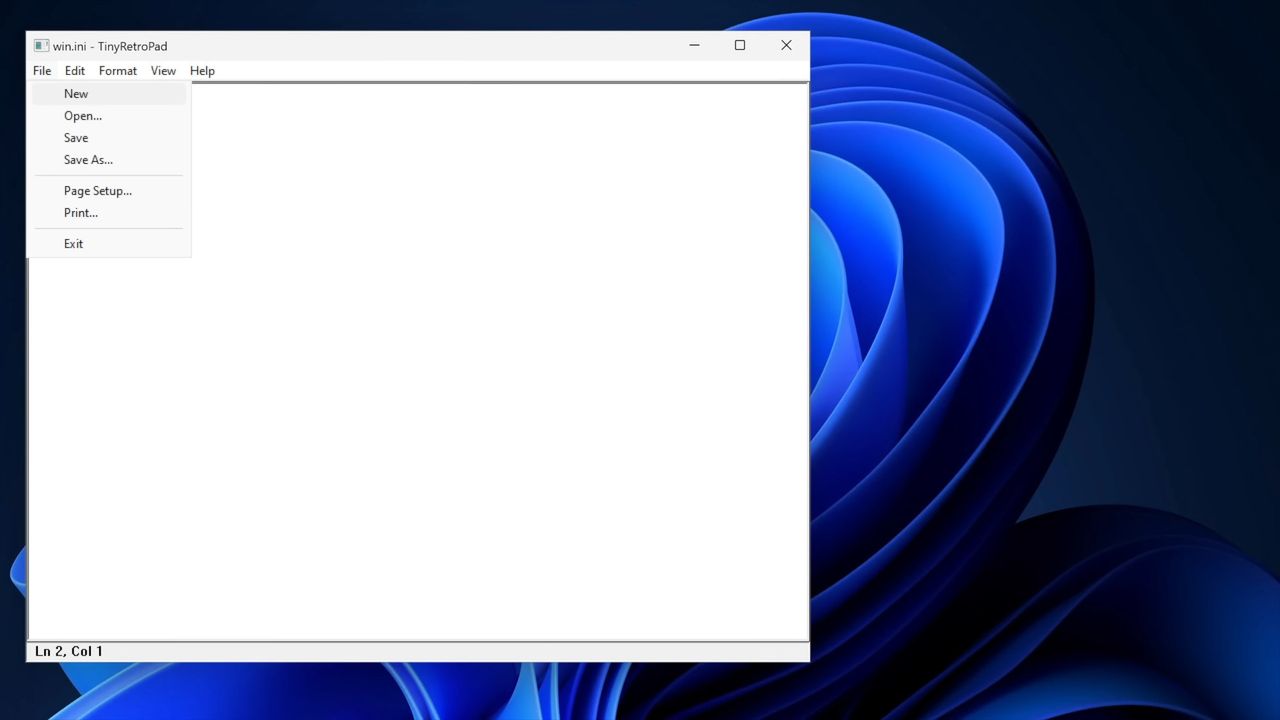
Tiny Retro Pad has the core functionality of the original Notepad app built by Microsoft. Notably, it lacks the modern features seen in Notepad, such as Copilot. Considering Notepad's addition of Copilot was mocked by many, Tiny Retro Pad is an improvement in some ways.

Making a notepad app that's under 4,096 bytes is more about working within constraints than the specific size of the final app. In the early days of Windows, there were several limits placed on developers, such as hardware caps. Having to work within those constraints forced developers to be more efficient.

Plummer was able to keep Tiny Retro Pad small by utilizing what's already in Windows.

"A tiny native Windows program does not bring along its own entire civilization. It arrives with a lunchbox and a map of the city," said Plummer.

Later in the video, he added, "The program is small because it is not carrying what the platform already has. And that is a lesson that modern software could stand to remember. Not every app needs to bundle the universe. Not every utility needs to ship with a browser engine."

Nowadays, PCs, tablets, and phones have absurd specs. Even modest devices have several gigabytes of memory and tons of storage. Those specs make modern workflows possible, but they also leave room for lazy development.

"Somehow it seems modern software manages to go the other way. You just want a text box and somehow you've imported a runtime, a layout engine, a renderer, a dependency tree, a telemetry client, an auto updater, and a small portion of Chromium," said Plummer.

No one needs a notepad application that's less than 4,000 bytes, but if more app developers focused on efficient code, Windows 11 would feel smoother across the board.

Blank Pixel

Click to join us on r/WindowsCentral

Join us on Reddit at r/WindowsCentral to share your insights and discuss our latest news, reviews, and more.

Windows interface showing an open notepad application. A dropdown menu is open and "new" is selected.

Windows interface showing an open notepad application. A dropdown menu is open and "new" is selected.

OpenAI Teases ChatGPT and Codex Merger: Official Teaser Points to New AI “SuperApp”

Par : Nayan
9 juillet 2026 à 17:09
OpenAI appears to be laying the groundwork for its biggest software transformation yet. Recent teasers from OpenAI insiders and developers point toward a major architectural shift: the consolidation of the ChatGPT desktop application and the Codex development ecosystem into a single, unified AI workspace. If these hints are any indication, the boundary between a standard […]

Apple Loses EU Court Fight Over iOS, App Store Rules

Par : Liz Ticong
10 juillet 2026 à 14:37

Apple lost its EU court challenge over iOS and the App Store, keeping both under the Digital Markets Act as another legal challenge still remains possible.

The post Apple Loses EU Court Fight Over iOS, App Store Rules appeared first on TechRepublic.

À partir d’avant-hierFlux principal

10 Best Applicant Tracking Systems in 2026

Par : Brian Stone
26 juin 2026 à 05:00

The best applicant tracking systems for 2026 include Rippling for all-in-one HR, Pinpoint for scalable hiring, and Freshteam by Freshworks for easy candidate management.

The post 10 Best Applicant Tracking Systems in 2026 appeared first on TechRepublic.

Game Porting Toolkit 4 - Les jeux Windows enfin fluides sur Mac

Par : Korben ✨
26 juin 2026 à 12:22

Il y a deux ans, Apple lâchait le Game Porting Toolkit en jurant ses grands dieux qu'on pourrait faire tourner des jeux Windows sur un Mac Apple Silicon. À l'époque je vous disais que le gaming Windows sur Mac, c'était donc plié. Hé bien la version 4.0 vient de sortir en bêta, et cette fois les chiffres donnent raison à cette promesse !

La nouvelle version du traducteur maison de GPTK (baptisé D3DMetal 4) transforme dorénavant le DirectX 12 des jeux en Metal 4, le moteur graphique d'Apple.

Le youtubeur Andrew Tsai, dont j'ai mis le test dans cet article, a donc benchmarké 20 gros titres Windows pour mesurer le gain, et certains résultats piquent fort.

Black Myth Wukong passe par exemple de 60 à 80 fps sur un MacBook Pro M3 Max, juste en changeant de système et de version de traduction ! Red Dead Redemption 2 gagne 25% de perfs sur le MacBook Neo, la petite machine d'Apple à 600 balles avec sa puce A18 Pro et ses tout petits 8 Go de RAM (le chip de l'iPhone 16 Pro, quoi).

Black Myth Wukong : à gauche GPTK 3.0 sur macOS 26 (~60 fps), à droite GPTK 4.0 sur macOS 27 bêta (~80 fps).

Et le phénomène c'est 007 First Light, un AAA tout récent que personne ne pensait voir démarrer sur Mac, qui tranquillou nous crache du 70 fps en 1080p sur le M3 Max. Mais bien sûr, y'a un petit piège caché quand même pour celui-là. En fait, à chaque lancement, comptez 20 bonnes minutes de compilation de shaders avant de pouvoir jouer. Mais une fois dans le jeu c'est nickel. CodeWeavers finira sûrement par corriger ça, cela dit...

D'ailleurs, petit ajout, Alexandre, un lecteur, m'a signalé qu'un utilisateur de Reddit a pondu un outil open source pour contourner ça, 007 Shader Commander . Le principe, sauvegarder le cache de shaders D3DMetal une fois qu'il est constitué, puis le restaurer avant chaque lancement histoire de ne pas tout recompiler. Résultat chez lui, on passe de 20 minutes à 3 secondes au démarrage. Le projet est tout jeune (v0.0.1) et pensé pour CrossOver, mais si vous galérez sur 007, ça vaut le coup d'œil. Merci à lui !

007 First Light en 1080p sur un MacBook Pro M3 Max, environ 73 fps via GPTK 4.0 et le chemin DirectX 12 vers Metal 4.

Mais alors pourquoi ça va plus vite, ma chère Micheline ?

Hé bien ("ma chère Maïté", allez, on joue le jeu !!) parce que GPTK 4 est taillé pour Apple Silicon et ne traîne plus ce boulet qu'est la compatibilité Intel. Ça débloque donc des trucs comme l'interpolation d'images de MetalFX. Notez qu'en dessous, c'est toujours CrossOver et ce bon vieux Wine qui font le sale boulot de traduction, comme depuis le début.

Autre bonne surprise, les fameuses fuites mémoire des jeux Naughty Dog. Avant, Uncharted 4 ou The Last of Us 2 qui vous bouffaient 34 Go de RAM en quelques minutes, ben maintenant il vous faudra des heures pour atteindre le même niveau de conso RAM. C'est donc pas encore parfait, mais c'est largement jouable.

De son côté, comme on peut le voir dans la vidéo, Spider-Man 2 nous colle un magnifique bug de T-pose si vous n'avez pas une puce M5, parce que le jeu réclame des fonctions GPU absentes des puces précédentes. Et de leur côté, Monster Hunter Wilds bégaie, Street Fighter 6 plante une fois sur deux.

Spiderman en T-Pose

Bref, on est sur de la bêta, faut le savoir.

Mais quand ça marche, ça marche fort ! Rien que Tekken 8 qui tourne à 60 fps en ligne, c'est le plus fluide que ce jeu ait jamais eu sur un Mac. Star Wars Battlefront 2 dépasse aussi les 120 fps et Hellblade 2, Expedition 33 ou Resident Evil 9 tournent sans broncher.

Pour jouer correctement, prévoyez quand même un Mac avec de la RAM et de quoi installer la bêta de macOS 27.

En tout cas, voir un James Bond next-gen tourner sur un MacBook, moi ça me plait !

Source (les 20 benchmarks d'Andrew Tsai) et AppleInsider .

❌
❌