Vue normale

Il y a de nouveaux articles disponibles, cliquez pour rafraîchir la page.
À partir d’avant-hierFlux principal

macUSB - Créer une clé USB macOS sans toucher au Terminal

Par : Korben ✨
26 juin 2026 à 08:52

Krystian Pierz, un développeur polonais qui se planque derrière le pseudo Kruszoneq, en a eu marre de se galérer à chaque fois pour faire des clés USB bootable pour Mac, alors il a sorti macUSB , une app Mac native (du vrai Swift, pas un machin Electron quoi) qui fait tout le sale boulot à votre place. C'est gratuit, le code est ouvert, et surtout c'est notarisé par Apple, donc pas besoin de bidouiller la sécurité de votre Mac avec Sentinel pour la lancer.

Et ça se fait en trois clics. Vous balancez votre image (un .dmg, un .app d'installation macOS, ou même un .iso), vous désignez votre clé USB, et macUSB se débrouille pour calculer le checksum, détecter la version et l'architecture, formater le support dans le bon système de fichiers et écrire le tout en vous affichant la vitesse en temps réel. Pas de Terminal, pas de commande à rallonge à recopier sans se tromper d'un espace, et surtout l'Utilitaire de disque qu'on déteste tous reste fermé.

Le vrai exploit de Kruszoneq c'est surtout qu'il a réussi à régler les cas de figure où createinstallmedia, l'outil officiel d'Apple, se crashait comme une merde. Je pense que si vous avez déjà essayé de vous faire une clé Monterey ou Big Sur depuis un Mac Silicon par exemple, pour réparer un autre Mac Intel, vous avez dû vous galérer avec des erreurs de validation et autres messages d'erreur pour cause d'architecture incompatible.

Bah macUSB contourne tout ça tout seul comme un grand, et répare même les certificats expirés des installeurs High Sierra et Mojave sans rien vous demander.

Pour situer le progrès, la méthode "propre" côté Apple ressemble à ça :

sudo /Applications/Install macOS Sequoia.app/Contents/Resources/createinstallmedia --volume /Volumes/MaCle

...et encore, à condition d'avoir déjà récupéré le bon installeur dans l'App Store. Je ne vous parle même pas de l'époque où il fallait extraire à la main le fichier InstallESD.dmg planqué dans le paquet de l'installeur (j'expliquais déjà ce bricolage en 2011 pour OSX Lion ). Alors que macUSB, lui, embarque un téléchargeur qui va chercher les installeurs directement sur les serveurs d'Apple. Vous n'avez plus rien à préparer en amont.

L'outil sait donc préparer des clés USB de macOS Tahoe (la version 26, celle de cette année) jusqu'à Tiger 10.4 sorti en 2005, PowerPC compris. Oui, vous pouvez ressusciter un iMac G5 depuis votre MacBook M4. Pour les collectionneurs de vieilles machines, les labos qui gardent des Macs d'époque, ou juste pour remettre d'aplomb un ordi que vous comptez revendre, c'est du bonbon ^^.

Et la v2.3, sortie hier, en remet une couche côté Windows puisqu'elle sait également préparer des clés Windows 10 et 11 en contournant le check TPM 2.0 (le compte Microsoft obligatoire avec la connexion Wi-Fi forcée pendant l'installation, argh !). Et elle écrit aussi les images Linux en .iso et en .img. Après si c'est juste faire une clé Windows depuis votre Mac que vous cherchez, WinDiskWriter fait déjà très bien le job, mais macUSB a l'avantage de tout regrouper au même endroit.

Côté prérequis, votre Mac doit donc tourner au minimum sous Sonoma 14.6 (Apple Silicon ou Intel), et il faudra lui accorder l'accès complet au disque dans les réglages système, rien d'anormal puisqu'il écrit directement sur vos volumes. Une fois ça réglé, vous récupérez le .dmg sur la page des releases GitHub , ou vous l'installez en une ligne avec Homebrew :

brew install --cask macusb

C'est super impressionnant pour un projet développé par une seule personne et qui plus est n'a que 6 mois d'existence. Bref, si vous avez un Mac à réinstaller, un vieux coucou à dépanner ou une machine à remettre d'aplomb avant de la revendre, foncez !

Wacom MovinkPad Pro 14 Review: The $900 Sketchbook Designers Needed

Par : JC Torres
27 juin 2026 à 15:22

PROS:


  • Minimalist design streamlined for focused work on the go

  • Paper-like experience when drawing or writing

  • Comes with Wacom Pro Pen 3 in the box

  • Large, bright, color-accurate OLED screen with anti-reflective surface


CONS:


  • Quite a significant investment

  • Uncertain software update roadmap

  • Instant Pen Display Mode is currently offered as a beta feature

RATINGS:

AESTHETICS
ERGONOMICS
PERFORMANCE
SUSTAINABILITY / REPAIRABILITY
VALUE FOR MONEY

EDITOR'S QUOTE:

The Wacom MovinkPad Pro 14 isn't another Android tablet. It's a sketchbook that happens to run one.
award-icon

For decades, Wacom has held an almost unchallenged grip on the drawing tablet and pen display market. Its products are so trusted that studios and design firms often keep them running for years, sometimes long after they’ve been discontinued. Lately, though, its rivals have been gaining a lot of attention, pushing increasingly attractive prices and expanding into new product categories.

That doesn’t mean Wacom has been idling. The company is finally wading into standalone Android tablet territory with the MovinkPad 11 and the more premium MovinkPad Pro 14, a proper portable drawing machine aimed squarely at working creatives. We’ve been spending time with the larger of the two, along with the new Wacom Art Pen 2, and the question is whether it’s worth every dollar of its price tag.

Designer: Wacom

Aesthetics

Right out of the box, the MovinkPad Pro 14 doesn’t dazzle the way other tablets in its price range tend to. There are no flashy colors, no ultra-thin borders, no polished surfaces. The bezels are noticeably wide, the default wallpaper is a solid, flat light gray, and the whole thing carries a stubbornly plain look that feels almost out of step with the competition.

It’s all very much by design. Wacom’s intent is to mimic the look and feel of a physical sketchbook, the kind artists, designers, and architects carry everywhere. The device comes in one color, light gray, which echoes the tone of most sketchbook paper. Its rectangular form, wide borders included, also closely mirrors the footprint of an A4 pad, binding and all.

The sides of the device carry that same restraint. One long edge holds the power button, volume rocker, and microSD slot, while the opposite edge features connectors for the optional cover accessory. The short edges house the speakers, and the bottom is reserved for branding, regulatory inscriptions, and four rubber feet. There’s nothing extraneous, nothing decorative, and nothing that distracts from the task you’re there to do.

The included Pro Pen 3 follows the same philosophy. It’s all black, slim, and cylindrical, with a body so uniform it almost looks like a high-end mechanical pencil. The three side buttons are barely raised, sitting nearly flush against the barrel for a cleaner look. Unscrewing the rear half reveals three replacement nibs tucked inside: a Carbon Shaft nib, a Felt nib, and a POM nib.

Wacom’s vision for the MovinkPad Pro 14 is to replicate the feeling of picking up a sketchbook, flipping to a fresh page, and getting straight to work. That intent comes through clearly because the tablet removes just about every visual, physical, and digital distraction it can. It doesn’t try to be the slickest-looking device in the room. It tries to be the one you reach for first.

Ergonomics

At 14 inches, the MovinkPad Pro 14 isn’t something you’d hold up one-handed for long, but at just 699 grams and 5.9mm thin, it slips easily into any bag. Resting it on your arm or lap doesn’t feel like a chore either. For creatives who move between locations throughout the day, that combination of size and lightness goes a long way toward making it a genuinely portable tool.

The four rubber feet on the underside keep the tablet from sliding around on a desk and slightly raise the back off the surface, which helps with airflow. There’s no built-in kickstand or angled stand, so if you prefer working at a tilt, you’ll need to source one separately, either from Wacom’s own accessory line or from a third-party option. It’s a small gap in an otherwise thoughtful package.

Those wide bezels, which might seem like a design quirk at first, actually earn their place here. They give you a comfortable inactive area to rest your palm or fingers when gripping the tablet from the sides, so your touch input doesn’t accidentally interfere with whatever you’re drawing. It’s the kind of practical thinking that tends to reveal itself only once you’re deep into a long session.

That said, the MovinkPad Pro 14’s footprint means it isn’t something you’d pull from a bag and start sketching on at a moment’s notice. For that kind of spontaneous work, the smaller MovinkPad 11 is probably the better fit. The Pro 14 is better suited to longer, more involved sessions away from the desk, as long as you’ve found a comfortable spot to settle in.

The Pro Pen 3 is well-balanced and comfortable enough in the hand, though your experience will vary depending on what you’re used to. Its slim, pencil-like build can lead to some cramping over long sessions for those accustomed to thicker tools. Official grips are available but aren’t cheap. The nearly-flushed buttons are also too easy to press accidentally. The Art Pen 2, which we’re also reviewing, offers a wider barrel as an alternative but is sold separately.

Performance

Under the hood, the MovinkPad Pro 14 runs on a Qualcomm Snapdragon 8s Gen 3 with 12GB of RAM and 256GB of storage, expandable via microSD up to 2TB. The processor isn’t the newest available, but it handles everything thrown at it with ease. Multitasking is smooth, app switching is fluid, and there’s no sense that the hardware is struggling to keep pace with anything.

The 14-inch OLED display runs at a 2880×1800 resolution with a 120Hz refresh rate, treated with anti-fingerprint, anti-reflective, and anti-glare textured glass. The wide rectangular aspect ratio works in favor of drawing apps that line their UI panels along the sides, something squarish iPad screens can’t accommodate as cleanly. The textured coating adds a satisfying scratchiness to each stroke, and pen accuracy is, naturally, exactly what you’d expect from Wacom.

There are no cameras on the MovinkPad Pro 14, front or back. That’s a deliberate choice. There’s no temptation to flip over to social media, no accidental video calls, nothing that pulls focus away from what you’re there to do. Passively watching a tutorial in a corner of the screen is about as off-task as it gets, which, honestly, isn’t a bad thing for anyone prone to distraction. Split-screen functionality makes it easy to have a reference off to the side while you work.

The software side is equally stripped down. Android 15 comes installed with zero bloatware and just three Wacom-made apps: Shelf for your gallery, Tips for settings, and Canvas, a quick sketching surface that wakes directly from sleep with a tap of the pen. It’s intentionally bare-bones for capturing fleeting ideas, though a few more brush options would genuinely be welcome. From Canvas, you can instantly send your sketch to an Android app, though it seems to be limited to Clip Studio Paint, iBisPaint, and Autodesk Sketchbook. Hoping it will offer some flexibility in the future.

Speaking of apps, desktop-grade drawing applications like Clip Studio Paint and Krita run without issue. The broader Android ecosystem opens up a decent range of options, though it’s worth remembering that anything exclusive to Windows or Mac won’t be available here. Customizing the pen buttons is also off the table, a limitation of the Android platform rather than any fault of the hardware itself.

The Instant Pen Display Mode is arguably the most intriguing feature here. It converts the tablet into a secondary display for a Windows or Mac computer, via USB or Wi-Fi, turning it into a portable, makeshift Cintiq. It’s part of Wacom Lab, an experimental creator community that lets users explore and provide feedback on new creative possibilities through beta features. As of this writing, the setup process involves quite a number of steps, and pen button support is currently limited to toggling a small side panel for common modifier keys. It definitely shows promise, so hopefully development will be quick.

Battery life is genuinely impressive. The 10,000mAh cell can sustain nearly five days on standby and supports 65W fast charging, though you’ll need to bring your own charger since none is included in the box. The USB-C port is only 2.0, so it doesn’t charge as quickly as the spec might suggest, but an hour or more of active drawing barely makes a dent in the battery.

Sustainability

Wacom doesn’t use recycled or notably sustainable materials in the MovinkPad Pro 14 itself, but the company does meet several other environmental benchmarks worth noting. Its packaging is compact, minimal, entirely plastic-free, and fully recyclable, while the device is built with the kind of durability Wacom products are known for, the sort that keeps them in active use long after most gadgets would have been binned.

That longevity argument holds well for Wacom’s drawing tablets and pen displays, which tend to outlast their useful lives many times over. A standalone Android tablet is a different matter, though. Apps like Clip Studio Paint have already dropped Android 12 support, making regular OS updates critical. Wacom has committed to keeping the MovinkPad Pro 14 current, but no clear update schedule or roadmap has been shared publicly yet.

Value

At $899.95, the MovinkPad Pro 14 isn’t an impulse buy, but it’s a reasonably grounded one. An equivalent iPad would require buying the Apple Pencil separately, while a comparable Samsung Galaxy Tab tends to run noticeably higher. For a tablet built specifically around the drawing experience, with Wacom’s pen technology at its core, the price lands in a range that’s genuinely difficult to argue against.

The large screen and capable hardware make it a compelling option for creatives who frequently work away from their desks. It doesn’t sacrifice quality for the sake of portability. With the right app installed, it functions as a capable mobile workstation wherever you happen to be. And when a PC or Mac app becomes unavoidable, Instant Pen Display Mode is there to bridge the gap.

There are caveats, of course. The beta status of Instant Pen Display Mode means it’s not quite ready to be a daily driver feature. You’ll also need to feel at home with Android’s drawing ecosystem for this workflow to really make sense. And the uncertainty around long-term Android updates is a concern that Wacom will need to address more concretely before most buyers can put it fully to rest.

Verdict

The MovinkPad Pro 14 isn’t Wacom’s first stab at a standalone portable device. Veterans will remember the Windows-based Cintiq Companions and the MobileStudio Pros. But this is by far the most portable and clearly focused version of that idea. It doesn’t try to cram Windows into a pen display. It’s a purpose-built mobile experience that happens to carry a Cintiq-like trick discreetly tucked away.

At the same time, it doesn’t operate like an Android tablet with a Wacom digitizer tacked on, which is essentially what Samsung’s Wacom-enabled slates are. Wacom has built something around a specific, coherent idea: a true digital sketchbook. Some software edges still need ironing out, but for artists and designers craving genuine creative freedom outside the studio, the MovinkPad Pro 14 offers something few tablets in its class can match.

The post Wacom MovinkPad Pro 14 Review: The $900 Sketchbook Designers Needed first appeared on Yanko Design.

5 Portable Bluetooth Speakers for Summer 2026 That Sound as Good Outside as They Look

27 juin 2026 à 11:40

Most portable speakers resolve the outdoor brief in one of two ways. They build something tough enough to survive whatever summer throws at it, then let design take care of itself. Or they craft something that looks considered and hope it never meets moisture. These five refuse that tradeoff. Each earns its place outdoors on visual merit alone, a bar that very few speakers in this category have the confidence to clear.

The selection spans passive acoustic amplification to hard-anodized Danish aluminum, retro broadcast aesthetics to science fiction metalwork, and an outdoor warrior that floats face-up in a swimming pool. What ties them together is a conviction that a portable speaker should be worth looking at when the music stops. Whether you pack one for the long weekend or set one up on the rooftop, these speakers make the setup look considered before anyone hits play.

1. Retrowave Radio

There is a specific pleasure in a speaker that looks like it predates Bluetooth by thirty years. The Retrowave Radio brings that cabinet sensibility into a summer that runs on playlists and wireless connectivity, giving you the best of both. Its proportions and analog-styled face sit more comfortably on a picnic blanket or campsite ledge than most modern speakers manage, which tend to read as tech accessories rather than objects genuinely worth looking at.

The FM tuner adds a layer the streaming era forgot. Scanning local frequencies somewhere without a strong data signal is its own kind of discovery, the kind no algorithm delivers. Bluetooth connectivity keeps it relevant to every device you already own, so the retro shell is not a compromise so much as a philosophy about what listening outdoors should feel like. It is the speaker most likely to draw a question from whoever walks past, which is the highest compliment any piece of audio design can receive.

Click Here to Buy Now: $89.00

What We Like

  • The retro cabinet reads as a considered aesthetic statement rather than a novelty gimmick, and holds its own in any outdoor setting
  • Dual functionality as a Bluetooth speaker and FM radio opens it up to genuine off-grid situations where streaming is not an option

What We Dislike

  • The analog-inspired styling may not suit those who prefer a contemporary minimal look in their audio gear
  • FM reception quality depends entirely on local signal strength, which varies considerably depending on where summer takes you

2. Anker Soundcore Boom 3i

The Soundcore Boom 3i solves a problem most outdoor speakers refuse to acknowledge. Pools, lakes, and beaches are exactly where you want music most and also the worst possible environments for most electronics. Anker’s answer is a speaker that floats and self-orients so the audio always faces upward, keeping sound clear whether it was placed there deliberately or went in during a particularly competitive game of volleyball. That kind of design honesty about actual use is rare.

Beyond the floating, it includes Buzz Clean, a feature where the speaker vibrates on command to shake sand and debris out of the grille. It is a small addition that solves a genuine frustration without tools or disassembly. Sixteen hours of battery life and LED lighting that pulses with your music make it a speaker clearly built by a team that has spent time at actual beaches, not imagined them from an office.

What We Like

  • The self-orienting float design solves a real outdoor audio problem rather than just marketing waterproofing that most owners never actually test
  • Buzz Clean is genuinely useful in sandy environments and requires no tools, disassembly, or anything beyond pressing a button

What We Dislike

  • The LED lighting, while effective at night, adds visual busyness that may not appeal to those who prefer their gear to sit quietly in the background
  • Its larger footprint makes it less suited to compact bags or minimalist packing situations where every cubic inch matters

3. Bang & Olufsen Beosound Explore

Bang & Olufsen built the Beosound Explore from hard-anodized aluminum, and that material choice explains everything else about it. Reaching for aluminum where every competitor defaults to polycarbonate communicates a specific set of values about longevity, texture, and what outdoor gear can look like when it is not trying to appear durable but simply is. At 631 grams with a rubberized base and carabiner strap, it travels without ceremony and arrives looking like it belongs wherever you set it down.

The True360 sound from dual full-range drivers means there is no bad angle at a campsite or on a rooftop, and 27 hours of battery life removes the anxiety that shadows every other portable speaker on a long weekend. IP67 water resistance covers submersion up to one meter for thirty minutes, which handles every realistic outdoor scenario. Designed in Denmark and built to outlast seasons rather than one summer, the Beosound Explore is the speaker you eventually stop having to replace.

What We Like

  • Hard-anodized aluminum construction gives it a material quality and cool-to-the-touch feel that no polycarbonate competitor comes close to matching
  • 27-hour battery life is genuinely class-leading at this form factor, removing charging from the weekend equation entirely

What We Dislike

  • The price sits at the premium end of the portable speaker category, which may not align with every budget on this list
  • The compact driver configuration prioritizes audio fidelity over sheer volume ceiling, so those expecting a party speaker may find it more refined than powerful

4. Battery-Free Amplifying iSpeakers

The Battery-Free Amplifying Speaker starts from the most honest premise in portable audio: what if the speaker needed nothing from you except the sound you already had? Using passive acoustic amplification, it channels audio from your device through a shaped resonance chamber without a Bluetooth receiver, a charging cable, or a battery to manage. The result is a speaker that is always ready because there is genuinely nothing about it that can run out.

Its design logic sits closer to a musical instrument than a consumer gadget. Every curve and internal chamber proportion is there to do acoustic work, which means every formal decision has a functional one sitting behind it. For a long morning on the balcony or an afternoon at the beach where you forgot to charge everything, it removes the one variable that always causes friction. You set it down, rest your phone inside, and the sound arrives without a single button pressed.

Click Here to Buy Now: $179.00

What We Like

  • Zero dependency on charging makes it genuinely grab-and-go in a way no battery-powered speaker on this list can claim
  • Passive acoustic construction makes it one of the most durable options here by virtue of having no electronics to fail

What We Dislike

  • Volume ceiling is naturally limited compared to powered speakers, making it less suited to larger outdoor gatherings where you are competing with ambient noise
  • Performance is tied directly to the speaker quality of the host device, which varies considerably from one phone to the next

5. GravaStar Mars Pro

The GravaStar Mars Pro does not attempt to blend in, and it is entirely correct not to try. Its zinc alloy body, war-damaged finish options, tripod legs, and exposed mechanical detailing sit somewhere between industrial design and a film prop, which is precisely what makes it worth owning. Most portable speakers are designed to disappear into their surroundings. The Mars Pro is designed to become the focal point of wherever it is placed, and its 20W dual speaker system backs that visual confidence with real audio substance.

A full-range driver paired with a passive bass radiator gives the Mars Pro low-end presence that its dimensions should not produce. The RGB lighting system runs through six dynamic modes, pulsing with your music and making it a natural fit for evening rooftops and outdoor gatherings. At 5.5 pounds, it is the heaviest option here, which places it at the center of a setup rather than inside a bag. That is exactly where it wants to be.

What We Like

  • The zinc alloy construction and sculpted mech aesthetic make it one of the most visually distinctive portable speakers available at any price point
  • 20W dual speaker output delivers bass presence well beyond what the physical size suggests is acoustically possible

What We Dislike

  • At 5.5 pounds, it is not a speaker you carry around a site; it is the one you set up and gather around, which limits where it fits on a summer itinerary
  • The dramatic visual language is polarizing and will not appeal to anyone who wants their audio gear to sit quietly in the background

The Best Summer Speaker Is the One Worth Looking At When the Music Stops

A portable speaker is one of the few objects that has to perform twice over. It has to sound right and look right in the same moment and the same light. The five here clear that bar without any of them feeling like a compromise in either direction. Summer is short enough that whatever you bring outdoors should be worth the trip, and each of these makes that case without any difficulty.

Whether you reach for the passive simplicity of the battery-free amplifier, the engineered restraint of the Beosound Explore, or the unapologetic presence of the Mars Pro, the underlying conviction is the same. Good design does not ask you to choose between form and function. These speakers already made that decision, and it shows from the moment you set them down somewhere they have no business looking this good.

The post 5 Portable Bluetooth Speakers for Summer 2026 That Sound as Good Outside as They Look first appeared on Yanko Design.

Un bug qui gèle l'écran des portables AMD sous Linux traîne depuis 2017, et c'est Claude qui a aidé à le corriger

19 juin 2026 à 09:47

Si vous utilisez un ordinateur portable à puce graphique AMD Radeon sous Linux, vous avez peut-être déjà vu l'écran se figer d'un coup, sans raison apparente, à peu près une fois par semaine. Ce bug agace les utilisateurs depuis des années, et un correctif vient enfin de pointer le bout de son nez.

Le coupable se cache dans AMDGPU, le pilote graphique libre qu'AMD maintient pour Linux. On parle ici du logiciel qui fait le lien entre la carte graphique et le système d'exploitation.

Le problème ne date pas d'hier. En fouillant l'historique du code, le développeur à l'origine du correctif a remonté la piste jusqu'à une modification introduite en 2017. Presque huit ans de gels d'écran.

Le symptôme typique, c'est une erreur "flip_done timed out" dans les journaux du système. Pour faire simple, l'ordinateur attend que l'écran affiche l'image suivante, ce signal n'arrive jamais. Et tout gèle.

Le souci touche plusieurs machines, bien connues du monde Linux, comme le Lenovo ThinkPad T14 Gen1 en version AMD ou le Framework Laptop 13 équipé d'un processeur Ryzen 7 7840U. Jusqu'ici, le seul remède consistait à désactiver le PSR, pour "Panel Self Refresh".

Cette fonction d'économie d'énergie laisse l'écran réafficher tout seul sa dernière image fixe sans réveiller la carte graphique, histoire d'économiser de la batterie. Pratique sur un portable, sauf que c'est précisément elle qui déclenchait les gels.

Le plus intéressant, c'est la méthode employée. Le correctif a été mis au point en "vibe debugging" avec Claude Code, l'assistant de programmation d'Anthropic, le concurrent direct d'OpenAI. Le développeur a décrit le bug à l'IA, qui l'a aidé à explorer le code et à affiner les correctifs, plutôt que de dérouler une procédure de débogage classique.

Concrètement, les patchs revoient la gestion du "vblank" et du "page-flip" dans le bloc d'affichage DCN, c'est-à-dire la mécanique interne qui synchronise le moment où une nouvelle image remplace l'ancienne à l'écran. D'autres tentatives avaient échoué par le passé, mais cette série semble enfin tenir la route.

Maintenant patience, rien n'est encore intégré dans le noyau Linux officiel. Les correctifs doivent passer par les tests et la validation des mainteneurs avant d'arriver chez tout le monde, ce qui peut quand même prendre plusieurs versions du kernel.

Bref, on est là devant un bug fantôme qui date d'lil y a huit ans, débusqué en discutant avec une IA, voilà qui résume assez bien l'année 2026 côté développement.

Source : Phoronix

Une veste qui fabrique de l'eau potable à partir de l'air, comme dans Dune

16 juin 2026 à 09:13

Des ingénieurs de l'université du Texas à Austin ont mis au point un vêtement qui tire de l'eau potable directement de l'air ambiant, sans réservoir à remplir ni source à proximité, simplement grâce au tissu dont il est fait. Le travail, mené par Guihua Yu et son équipe de la Cockrell School of Engineering, avec le chimiste Keith Johnston du département de génie chimique McKetta et l'auteur principal Weixin Guan, vient d'être publié dans la revue scientifique Science Advances.

Le secret tient dans la matière. Il s'agit d'un tissu en hydrogel, c'est-à-dire un gel ultra-absorbant ici fabriqué à partir de matières issues de la biomasse, donc d'origine végétale, qui capte les molécules d'eau présentes dans l'air sous forme de vapeur avant de les faire passer à l'état liquide sur la surface des fibres puis de les stocker en profondeur.

Toute la prouesse réside dans la vitesse à laquelle l'eau franchit ces étapes, l'équipe ayant conçu un chemin qui la fait circuler très rapidement de la vapeur vers le liquide puis vers le textile, ce qui lui vaut une efficacité de trois à dix fois supérieure aux matériaux de récupération atmosphérique habituels.

Une fois l'humidité captée, elle est dirigée vers de petits modules détachables que l'on retire pour les glisser dans un collecteur pliable, où la chaleur du soleil libère l'eau emprisonnée dans le gel, qui se condense alors et devient buvable.

Côté rendement, la veste produit entre 400 et 900 millilitres d'eau potable par jour, soit grosso modo une à deux petites bouteilles, selon le taux d'humidité de l'air. Une version posée au sol plutôt que portée grimpe, elle, jusqu'à 1,3 litre quotidien, et tient ce chiffre aussi bien dans un climat aride que dans une ambiance tropicale moite.

La comparaison avec Dune était écrite d'avance. Dans le roman de Frank Herbert porté à l'écran par Denis Villeneuve, les habitants de la planète désertique Arrakis enfilent des stillsuits, ces combinaisons qui recyclent la transpiration et l'urine de celui qui les porte pour ne gaspiller aucune goutte d'eau dans un monde où elle vaut plus cher que tout. Ici, c'est nettement plus ragoûtant, puisque la veste ne prélève rien sur le corps et se contente d'aspirer l'humidité de l'air.

Et le projet ne s'arrête pas à un simple blouson, l'équipe imaginant déjà glisser le même tissu dans des sacs à dos, des tentes ou des abris d'urgence, histoire de transformer du matériel qu'on transporte déjà partout en petite usine à eau qui ne réclame ni pile ni branchement électrique.

Bon, il reste des inconnues de taille, puisqu'on ignore le poids réel du vêtement, son prix éventuel et surtout sa tenue dans le temps une fois enchaînés les cycles d'absorption et de chauffe. Et 900 millilitres, c'est encore loin de couvrir les besoins d'un adulte qui marche toute la journée en plein cagnard.

N'empêche, pour un randonneur perdu ou une région privée d'eau, tirer un demi-litre du ciel sans la moindre nappe à proximité, ça peut tout changer.

Source : Techspot

Art-ware Is the Dining Set That Never Has to Go in a Cabinet

Par : JC Torres
16 mai 2026 à 19:15

Tableware has always had a storage problem. A complete set of cups, bowls, and cutlery takes up a cabinet’s worth of space for the privilege of being used a few times a week. The rest of the time, it sits behind closed doors, out of sight and contributing nothing to the space around it. That’s a lot of material devoted to a fairly passive existence.

Michael Jantzen’s Art-ware prototype takes a different approach to the same set of objects. Rather than designing tableware that gets put away after a meal, he designed a system where the dishes, cups, and cutlery connect to each other and become something else entirely: freestanding abstract sculptures that live out in the open, doubling as décor when they’re not being used for eating and drinking.

Designer: Michael Jantzen

The key to the whole system is a set of male and female connectors molded directly into each piece. These are simple protrusions that stick out from the surfaces of the bowls, cups, and cutlery handles, allowing any component to plug into or stack onto any other. A bowl can lock onto a cup, a cup onto another cup, cutlery can stand upright in an opening or connect through a handle, and the whole assembly stays together without any separate hardware.

The configurations that result don’t look accidental. Cups stacked and plugged together form vertical columns; bowls assembled at various orientations create clusters that read as organic, almost biomorphic forms. Slide cutlery upright through the assembled pieces, and the resulting structure starts to resemble a piece of abstract art you’d find mounted in a gallery, not something you’d normally find next to a kitchen sink.

That’s precisely what Jantzen is after. The Art-ware set doesn’t need to be stored in a cabinet because the assembled form is meant to sit on a shelf or table as a decorative object, a sculpture that also happens to be a dining set. You pull it apart before a meal and reassemble it afterward in whatever configuration suits you that day. No two arrangements have to be the same.

The material is recyclable plastic, and Jantzen frames the concept in straightforward sustainability terms: one product that performs multiple functions uses fewer resources than two separate products doing the same jobs independently. There’s no dedicated storage unit needed, no extra display piece required. The dining set is the décor, and the décor is the dining set.

Art-ware is a prototype and the first in a planned series of designs that expand the idea further. The concept is broad enough to go well beyond tableware, and Jantzen has spent decades applying this kind of thinking to furniture, architecture, and public installations. The dining set is a compact version of the same logic: objects that commit fully to their function while quietly doing something else on the side.

The post Art-ware Is the Dining Set That Never Has to Go in a Cabinet first appeared on Yanko Design.

Kawaii - La GameCube découpée au scalpel qui tient dans la poche

Par : Korben ✨
6 mai 2026 à 05:37

Mackie Kannard-Smith vient de sortir Kawaii , une GameCube qui tient dans un porte-clés avec une vraie carte mère Nintendo dedans. Pas d'émulation ni de Raspberry Pi déguisé mais juste du silicium d'origine charcuté à mort pour rentrer dans 60 × 60 × 15,8 mm ! Pour vous donner une idée, c'est plus petit qu'une Game Boy Color et c'est le boîtier en alu bleu anodisé qui fait office de dissipateur thermique passif.

Le truc tourne en réalité sur une carte mère de Wii sévèrement modifiée. Mackie a choisi la Wii (sortie en 2006) plutôt que la GameCube d'origine, parce que la Wii partage la même architecture mais avec une finesse de gravure plus récente. Du coup, c'est plus facile à miniaturiser même si pour arriver à ses fins, il a dû appliquer une technique baptisée Omega Trim qui consiste à tronçonner la PCB multicouche au scalpel et à reconnecter chaque piste à la main avec du fil ultra-fin. Pas simple quand on a des gros doigts ^^.

L'encodeur AV est délocalisé, la NAND flash relogée ailleurs, et le processeur est sous-volté dynamiquement via un régulateur custom. Vous chargez alors les jeux sur une carte microSD qui est scellée à l'intérieur !

Alors pour changer de jeu, il n'y a pas d'autre choix que de littéralement désassembler la console. C'est pas top côté pratique mais comme c'est du prototype de l'extrême et pas une console destinée au grand public, je pense que ça passe ^^.

Et là où c'est bien fichu je trouve, c'est avec le dock magnétique composé de pogo-pins, de 4 ports manettes GameCube d'origine, d'un USB-C pour l'alim, et d'une sortie AV analogique. Comme ça vous posez simplement la console sur la base et vous vous retrouvez avec un setup de salon classique.

Côté température, sans ventilo externe, ça chauffe vite par contre. Le boîtier alu fait son boulot, mais y'a quand même des limites physiques qu'on ne peut pas changer... Donc impossible de l'utiliser trop longtemps sans y ajouter un refroidissement actif en plus (genre ventilo ou watercooling).

Après, vous le savez, j'adore ce genre d'exploit et ce n'est d'ailleurs pas le premier mod du genre que je vous présente. Je vous avais déjà parlé du Short Stack de loopj, qui réduisait une Wii au format d'un paquet de cartes. Et devinez quoi, loopj a aussi contribué à Kawaii !

En réalité, cette communauté de tarés du fer à souder se retrouve sur le forum BitBuilt , où ils s'échangent les techniques de découpe extrême depuis des années, alors si vous voulez vous lancer, c'est the place to be !

Les fichiers de conception de la console Kawaii sont publiés sur GitHub , mais Mackie prévient : y'a aucun guide de build, et la réplication est "extrêmement difficile". En clair, c'est pas un mod du dimanche.

Faut une station de soudage à l'air chaud, une loupe binoculaire, des nerfs en acier et une connaissance fine de l'architecture Wii. À vrai dire, c'est sûrement plus simple d'attendre qu'un mod commercial inspiré du projet sorte un jour (coucou la GameCube Mini qui sortira probablement un jour...). Maintenant, si vous voulez voir la bête en action, Macho Nacho Productions a sorti une review de 21 minutes qui fait bien le tour de la machine :

Bref, Kawaii ça sert à rien, c'est techniquement aberrant comme dirait l'autre, et c'est exactement pour ça que c'est classe !

Source

Honor launched a $193 Kid-focused iPad Alternative with 22 Hours of Battery and Parental Controls Already Set Up

Par : Sarang Sheth
8 mai 2026 à 20:45

Setting up an iPad for a child costs $350 and about forty-five minutes of your life. You disable iCloud so your camera roll stays off their screen, lock down the App Store so in-app purchases don’t silently drain your card, configure Screen Time, and then spend the next six months re-configuring it every time an iOS update quietly resets something. Apple makes extraordinary tablets, but the parental infrastructure is clearly designed for adults who already know where to look. HONOR looked at that friction and built a tablet where none of that setup exists, because the kids-first architecture is the factory state, not a layer you construct yourself.

The Pad X8b Kids Edition starts at $193, landing it well under the entry iPad, and arrives with a dedicated Honor Kids OS environment, SGS 5-star drop resistance, a built-in kickstand handle, an integrated stylus silo, and a 10,100mAh battery that makes weekly charging a realistic schedule rather than an aspiration. The value proposition assembles itself pretty quickly.

Designer: HONOR

The blue silicone case with its lime-green handle does double duty as a carry grip and kickstand, which maps directly to how children actually use tablets: they’re either holding it or propping it against something. No separate folding stand, no accessory that gets left in a drawer. The handle is the stand. The Doodle Pen slots into a silo built into the case back so it travels with the device rather than disappearing within 48 hours of unboxing. FDA food-grade silicone throughout, SGS 5-star drop and crush resistance certification, and a construction that has clearly been tested against the kind of physical punishment children deliver with remarkable consistency and zero remorse.

The 11-inch panel runs at 1920×1200 with a 90Hz refresh rate, 500 nits of brightness, and carries TÜV Rheinland certifications for both low blue light and flicker-free performance. On a kids device those certifications carry more weight than on an adult one, given how close children hold screens and how many hours they log. The eye protection goes further than badges, though. Distance alerts, posture monitoring, brightness adjustments, and bumpy road detection that nudges kids away from reading in a moving car all run continuously without a parent needing to remember to enable anything.

The Honor Kids OS runs as a fully separate environment rather than a locked launcher sitting on top of the standard interface. The home screen uses cartoon island-style icons for Camera, Recorder, Kids Painting, and Multimedia, and parents manage the whole thing remotely through the HONOR Parental Assistant app, setting time slots and reviewing activity through visual charts. One tap activates Kids Mode, and getting back out requires authentication. None of this requires a Saturday afternoon in Settings.

The 10,100mAh battery is the unsung hero of the package. Twenty-two hours of continuous video playback means roughly eleven days of two-hour screen time sessions before a charge becomes urgent, and the 97-day standby figure means a tablet left on a shelf over a school break actually comes back to life when you pick it up. For a device category where battery anxiety is a genuine daily friction point, those numbers change the ownership experience in a way that a spec sheet undersells.

At $193, the Pad X8b Kids Edition sits in a position where competing options either underdeliver on hardware or ask parents to retrofit a general-purpose tablet for child use on their own time. HONOR made the child-safe design brief the starting point, and the result is a device that earns its price before you’ve even opened the box.

The post Honor launched a $193 Kid-focused iPad Alternative with 22 Hours of Battery and Parental Controls Already Set Up first appeared on Yanko Design.

VitaLink Just Put a 13-Inch Screen and Keyboard Into One Foldable Slab

Par : JC Torres
17 avril 2026 à 01:45

Working on the go rarely looks as tidy as productivity-tool adverts suggest. Most people who travel with serious work needs end up carrying at least two or three things that don’t quite fit together: a tablet or laptop, a compact keyboard if the touchscreen isn’t enough, maybe a portable monitor, and a cable situation that somehow multiplies every time you pack.

VitaLink is trying to simplify that. The concept combines a full-size keyboard and a large touch display into one foldable object in a CNC aluminum shell. Connect it to any USB-C device and your workspace expands immediately, without a separate stand, a monitor arm, or a bag pocket devoted to adapters. It folds down to 20mm and opens into something that feels genuinely designed.

Designer: VitaLink

Click Here to Buy Now: $279 $658 (58% off). Hurry, only 491/600 left! Raised over $37,000.

The integrated 13-inch display sits directly above the keyboard in what amounts to a compact laptop form factor. The screen runs at a 3840×1600 pixel resolution, a 2.4:1 ultra-wide format rather than a standard 16:9 panel, giving it an unusual amount of horizontal room. There’s enough space to keep two apps open side by side without either feeling squeezed into a corner.

The 180-degree hinge is what makes the compact form actually practical. When you’re done, everything closes into a flat 20mm slab that slips into a laptop sleeve without awkward bulk. The open footprint sits at around 34 × 15 cm, compact enough for a plane tray table, a crowded café counter, or a hotel desk that never seems to fit anything comfortably.

The panel supports 10-point touch, runs at 60 Hz, and delivers 298 PPI pixel density with 100% sRGB color coverage. Touching a screen this size changes how you interact with content. You can swipe, drag, and tap directly on the display while still using the keyboard below, which means managing layers in an editor, scrubbing a timeline, or pulling up references doesn’t require switching between input modes.

The keyboard uses scissor-switch mechanisms with 0.8mm of key travel and wider-than-typical spacing. That added spacing sounds like a minor detail until you’ve spent an hour trying to type accurately on a portable board that prioritizes size above everything else. Three RGB backlight modes let you set the visual tone, and the keys are designed to stay quiet enough for cafés and shared offices.

Two USB-C ports handle video, data, and power delivery through a single cable, and the plug-and-play setup works across Windows, macOS, Linux, iOS, and Android without requiring additional drivers. That compatibility extends to mini PCs, tablets, and handheld gaming consoles, so VitaLink isn’t tied to one kind of device. You’re not locked into a single workflow or a single ecosystem, which is most of the appeal.

Think about what that actually means. You’re in a hotel room with just your iPad and need a proper keyboard and enough screen space to write, edit, and reference something at once. Or you’re at a café with a mini PC and want a setup that doesn’t take over the whole table. Those are the moments where having the keyboard and the display in one object makes a real difference.

The aluminum body does more than keep things thin. CNC-machined aluminum with a frosted anodized finish gives it a rigidity that plastic travel accessories rarely have, protecting the display in transit and keeping the keyboard deck from flexing during typing sessions. It carries more like a slim hardcover notebook than a peripheral, which is a meaningful difference for anyone who’s dealt with a flimsy portable monitor in a crowded bag.

There’s something worth noting in the fact that portable work setups have gotten faster without necessarily getting more cohesive. The bag is still a loose collection of things that don’t quite belong together. VitaLink is at least making a case that the keyboard and the display belong in a single intentional object, built from the start for people whose work doesn’t stay in one place.

Click Here to Buy Now: $279 $658 (58% off). Hurry, only 491/600 left! Raised over $37,000.

The post VitaLink Just Put a 13-Inch Screen and Keyboard Into One Foldable Slab first appeared on Yanko Design.

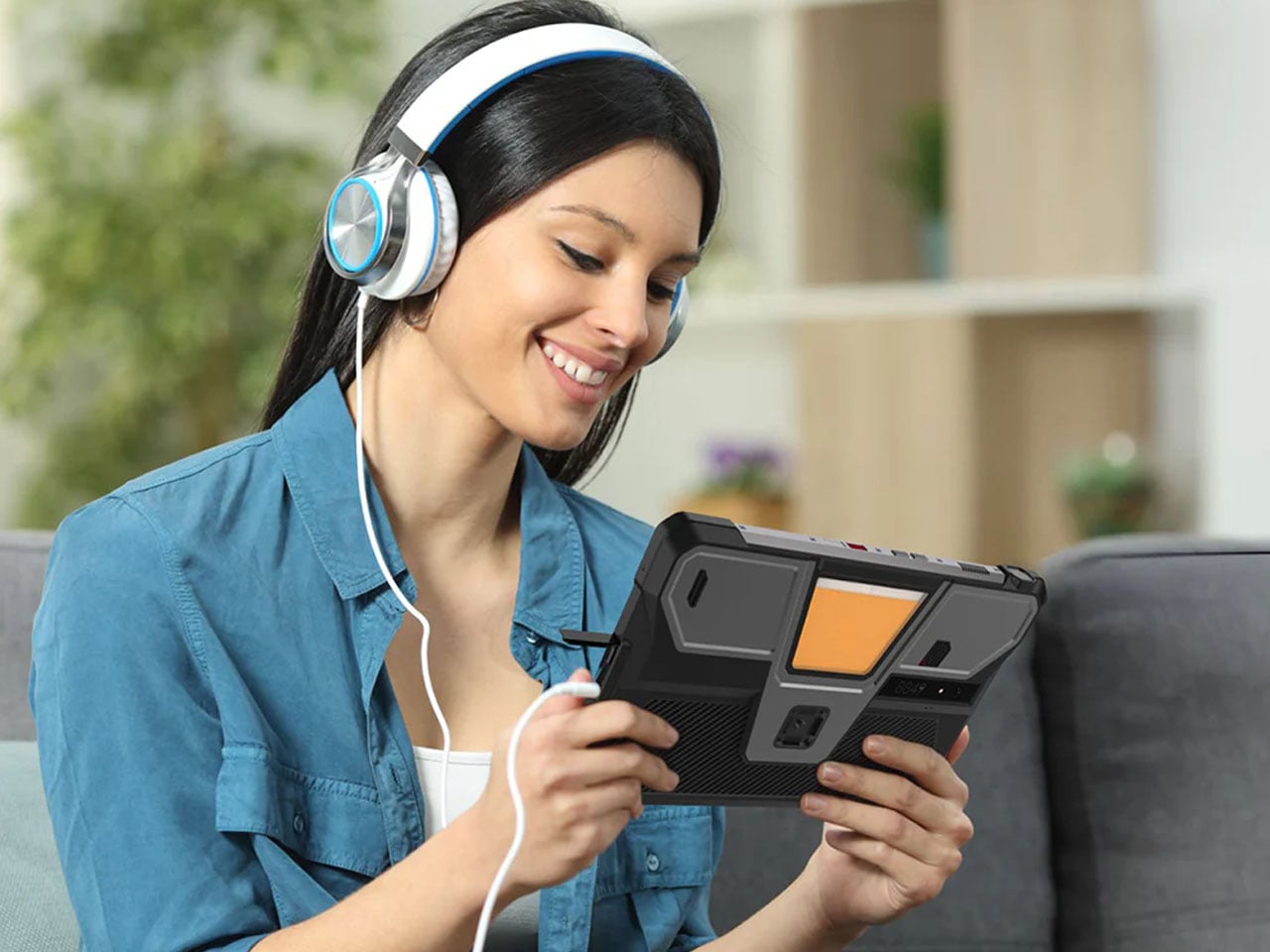
Tank Pad Ultra is a rugged tablet that doubles as a short throw projector

Par : Gaurav Sood
8 avril 2026 à 15:20

8849tech introduced the Tank Pad last year, leaving the tech world in awe. With the ability to double as a projector, the rugged tablet leapt beyond the already highlighted multitasking capabilities of a normal tablet. Now the beast is back in an improved version to polish out the kinks of the OG version, adding more capabilities for users who demand that little extra.

The Tank Pad Ultra has the same promise of all-weather performance, reliability, and durability as its predecessor. If you’re hoping to buy a sleek, lightweight tablet, this one, weighing 1,345 grams and measuring 170.3×268.3×23.6 mm, is not for you. The device is targeted towards professionals and power users who are constantly exposed to challenging environments. Slated to launch two days from now, the rugged tablet is designed for a niche audience with a specific set of needs.

Designer: 8849tech

Specifications are the key here as the tab boasts a 10.95-inch, 1920 x 1200 pixel display, which is better than the previous version. Powering the gut is a MediaTek Dimensity 8200 processor, which is a tad slower than the Tank Pad, which has a Dimensity 8300 processor. To support multiple open apps, the 16GB RAM and storage capacity of 512GB (expandable via a microSD card) make things easy for users. Coming onto the integrated DLP projector, it has a 1920 x 1080 pixel resolution. 260 lumens of brightness and auto-focus support. These numbers are technically better than the Tank Pad, which has a 854 x 480 pixel resolution and 100 lumens maximum brightness.

The battery also gets a bump up to 23,400 mAh from the previous 21,000 mAh in the original model. However, both have support for 66W charging, which should be enough to juice up the device for short bursts or power usage in case charging options are limited out in the wild. The Tank Pad Ultra comes with a USB 2.0 Type-C port and the ability to reverse charge your other gadgets. For people who are all-in for a wired multimedia experience, the 3.5mm audio jack is a welcome addition. Since the tablet is going to be used out in unknown environments, it comes loaded with a gyroscope, accelerometer, compass, ambient light sensor, and distance sensor. It also comes with an independent camping light built in to explore in the dark hours.

Of course, a mobile device needs to have shooting capabilities, so the Tank Pad Ultra has a 50MP primary camera (with Sony IMX766 sensor) for daylight shooting and a 64MP night vision camera (OV64B) for more awareness of the environment in the dark hours. In the mix is a 32MP front-facing camera (IMX616 sensor), which is potent enough to take video calls in high quality. 8849 has included dual nano SIM card slots with support for 5G NR and 4G LTE networks, which is essential in inhospitable conditions. For a more laid-back connectivity when you arrive back home, the tab has WiFi 6, Bluetooth 5.3, and NFC support.

There’s no word yet on the pricing of this rugged tablet, but going by the price of the previous model, it should be around $550. That information should present itself in a couple of days when the tablet is finally launched.

The post Tank Pad Ultra is a rugged tablet that doubles as a short throw projector first appeared on Yanko Design.

Satechi’s $130 Foldable 3-in-1 Charger Now Hits 25W for iPhones

Par : JC Torres
8 avril 2026 à 10:07

Wireless charging was supposed to simplify things. Instead, most Apple users end up with a tangle of pads and cables on the nightstand, one for the iPhone, another for the Apple Watch, and a separate spot for the AirPods. The technology meant to reduce friction has become its own kind of mess, especially for anyone who’s ever scrambled for a Watch charger before a morning flight.

Satechi’s 3-in-1 Foldable Wireless Charging Stand with Qi2 25W takes aim at that problem. The San Diego brand has updated its best-selling foldable charger with a meaningful upgrade, bumping wireless power delivery for compatible iPhones to 25W, a notable jump from the 15W ceiling most MagSafe-compatible pads have been stuck at. It’s built as a proper desktop stand, not just something you tolerate next to the lamp.

Designer: Satechi

Set the phone down on the magnetic charging surface, and Qi2’s built-in alignment snaps it into position so you don’t lose power from an off-center placement. The Apple Watch sits at a comfortable angle on its dedicated fast-charge module, while the AirPods rest on their own pad below. All three charge simultaneously from a single cable going to the wall, with nothing to juggle.

Apple Watch fast charging requires MFi certification, and Satechi has that covered. The stand supports Series 7 and newer, including Ultra and SE models. Advanced safety protections manage heat and prevent power loss when all three pads are active at once. The magnetic surface on the phone pad also ensures it stays correctly positioned even if you accidentally nudge it during the night.

Then there’s the folding design, which is where the stand earns its keep as a travel companion. It collapses into a flat form that fits easily in a carry-on without much bulk, then unfolds into the same stable stand you’re used to at home. There’s no need to rethink your charging setup just because you’ve checked into a different room across town or across the world.

Satechi also includes a 45W USB-C power adapter in the box, which sounds like a minor detail until you’re unpacking in a foreign hotel room. The adapter ships with US, EU, and UK plug attachments, meaning it works across different countries without needing a separate travel adapter. That’s a small but thoughtful decision for anyone whose travels take them to multiple regions throughout the year.

Available now on Satechi.com and Amazon, the stand retails for $129.99 in Space Black. It’s a higher investment than a single-device pad, but consolidating three separate chargers into one that travels as well as it sits on a desk makes that gap easier to justify. For Apple ecosystem users tired of the cable pile next to the bed, this stand offers a much cleaner end to every day.

The post Satechi’s $130 Foldable 3-in-1 Charger Now Hits 25W for iPhones first appeared on Yanko Design.

This Color E Ink Monitor Runs at 60Hz: Real Work, No Eye Strain

Par : JC Torres
7 avril 2026 à 15:20

Spending hours in front of a glowing screen is unavoidable for most people, and the toll it takes on the eyes is a problem the monitor industry hasn’t truly solved. E Ink displays offer a gentler, paper-like alternative that’s far easier to stare at for long stretches, but most of them are painfully slow, limited in resolution, and not really up to the demands of daily computing.

The Modos Flow is Modos Tech’s answer to that problem. Built by a Boston-based hardware startup, it’s a 13.3-inch E Ink portable monitor designed not just for casual reading but for all-day, focused work. It targets the kind of person who needs a real secondary screen but wants to spend less time squinting and more time actually getting things done.

Designer: Modos Tech

Most E Ink monitors struggle as daily drivers because of their refresh rate. Traditional panels tend to crawl, making anything beyond static document reading a frustrating experience. The Modos Flow uses a custom board with open-source firmware to push its display to 60 Hz, enough to scroll through pages, type without noticeable lag, and use the screen as a functional everyday monitor rather than a glorified e-reader.

Resolution is also where the Modos Flow separates itself. In black-and-white mode, it renders at 3,200 x 2,400 pixels with a pixel density of 300 PPI, making text crisp enough to satisfy anyone used to retina-grade displays. Color mode brings the resolution down to 1,600 x 1,200 pixels at 150 PPI, which is a fair trade given how rarely E Ink panels offer color at all.

Touch and stylus support round out what’s becoming a surprisingly versatile display. Modos brought the latency down to under 100ms, so annotating a document, sketching ideas, or jotting notes with a stylus actually responds the way you’d want it to. It won’t replace a dedicated drawing tablet, but for someone who routinely works between a laptop and a secondary screen, having that input option without swapping devices is genuinely useful.

Its physical design is straightforward and practical. A built-in cover doubles as a stand and folds flat for travel, while VESA mounting holes on the back make it easy to attach to a monitor arm or desk mount. Three side buttons let you adjust brightness, contrast, and display mode without touching your computer. Connectivity runs through USB-C with DisplayPort Alt-Mode support, which keeps the setup clean with a single cable.

One of the quieter advantages of E Ink over LCD or OLED is power consumption, and that matters here. When connected to a laptop via USB-C, the Modos Flow draws significantly less power than a conventional secondary monitor, meaning your battery isn’t taking nearly the hit it normally would. It works with Windows, macOS, and Linux out of the box, so there’s no particular setup hurdle to clear. Pricing hasn’t been confirmed yet, but Modos has indicated it should be comparable to other portable monitors.

The post This Color E Ink Monitor Runs at 60Hz: Real Work, No Eye Strain first appeared on Yanko Design.

These Steel Chairs Are Too Big to Sit In: Walk Through Them Instead

Par : JC Torres
6 avril 2026 à 16:20

Most public art earns its place on a pedestal and stays there. It asks you to look, maybe photograph it, and walk away. The relationship between viewer and work rarely extends beyond that brief transaction. That’s been the convention for a long time, but there’s a growing push for installations that don’t just occupy public space but actually do something within it.

Michael Jantzen has been exploring that tension for years. His Moving Furniture series applies a simple idea to ordinary chairs and tables: take each object’s form and repeat it in progressive intervals as if capturing it mid-movement, then connect those moments into a single piece. The result is something you can still sit in or set a drink on, even if it no longer looks quite built for that.

Designer: Michael Jantzen

Monumental Moving Furniture takes that same concept into architectural territory. Built from painted steel, the series consists of abstracted chair and table forms, each generated by moving the original object through space and time and locking its path into a chain of connected segments. At this scale, what started as a reference to everyday objects feels closer to a building than a piece of furniture.

The method behind each piece is consistent. A chair or table is set in motion through space and time, with each interval frozen and joined to the next. Some pieces move only part of the original form; others shift the whole thing. The result is a structure that stops belonging to any single discipline and starts reading as furniture, sculpture, and architecture at once.

Despite being too large to sit in, these sculptures aren’t purely decorative. Each is large enough to walk under and through, giving it a practical function as a pavilion and shelter. That’s not something most public art can claim. Instead of asking people to observe from a polite distance, these structures pull you in, turning a passive encounter into something more physical and immediate.

The series covers both chair forms and table forms, each treated with the same sequential abstraction. Individual pieces have also been grouped into configurations that suggest more complex structures, as if each were a building block for something larger. Painted in vivid, solid colors like white, orange, and yellow, each structure commands attention from a distance and rewards a closer look once you’re standing beneath it.

Public spaces deserve more than objects to look at. They deserve things to experience. Monumental Moving Furniture earns its place on both counts, offering structures large enough to shelter visitors while giving them something genuinely puzzling to engage with. These forms don’t demand reverence. They invite curiosity, exploration, and the kind of slow, circling attention that good public space has always been designed to encourage.

The post These Steel Chairs Are Too Big to Sit In: Walk Through Them Instead first appeared on Yanko Design.

Samsung’s $400 Tab Keyboard Costs More Than Apple’s: Worth It?

Par : JC Torres
1 avril 2026 à 13:20

The tablet-as-laptop pitch has been a hard sell for years, and a lot of the blame lands on the accessories. Keyboard covers for Android tablets have historically been thin on features and even thinner on build quality, which makes the whole productivity argument feel shakier than it should. Samsung’s $1,200 Galaxy Tab S11 Ultra is serious hardware, and for a while, its keyboard options weren’t keeping up.

The Galaxy Tab S11 Ultra Pro Keyboard is Samsung’s answer to that. Available in Gray and Silver for $399.99, it connects via pogo pins at the rear of the tablet, with no Bluetooth pairing or cables required. Opening the lid wakes the device, and closing it puts everything to sleep, so the whole thing behaves less like an accessory and more like a laptop right from the start.

Designer: Samsung

The build quality reflects the price in most of the right ways. The body is aluminum alloy, the hinge is reinforced metal, and a secondary kickstand at the rear props the whole assembly into a stable, laptop-like posture at whatever angle you prefer. The result looks noticeably more considered than Samsung’s Book Cover Keyboard Slim, which never really felt like it belonged on a $1,200 device.

The 80-key layout goes beyond a standard QWERTY arrangement. A dedicated DeX key switches the Tab S11 Ultra into Samsung’s desktop mode, where apps run in freely movable windows, closer in feel to Windows than Android. A Galaxy AI key gives you one-press access to AI tools without switching apps, and three customizable function keys can each be mapped to open whatever you need most.

For long stretches of writing or working across multiple documents, those shortcuts matter more than they might look on a spec sheet. The pogo pin connection also eliminates the Bluetooth pairing and dropout issues that plague most wireless keyboard accessories. And since the Pro Keyboard draws power directly from the tablet, there’s no separate battery to charge, and nothing to run out at an inconvenient moment.

The trackpad is 14.6% larger than the one on Samsung’s previous keyboard accessory, a small percentage that translates to real estate you’ll actually notice in DeX mode. The extra surface area gives you more room for precise gestures and window management, and that significantly reduces the number of times you’re forced to reach up and touch the screen during long work sessions.

At $399.99, the Pro Keyboard is nearly twice the price of Samsung’s own Book Cover Keyboard Slim and $50 more than Apple’s Magic Keyboard for the 13-inch iPad Pro. Adding it to the Galaxy Tab S11 Ultra’s $1,200 starting price puts the total at around $1,600, which puts you in comfortable MacBook Air territory, minus the dedicated operating system and the convenience of a unified device.

There are also some obvious gaps at this price. The Pro Keyboard has no backlighting, a noticeable oversight for anyone who regularly works late or in dim spaces. It also doesn’t protect the back of the tablet, which is a curious omission for a $400 accessory. And since it’s designed exclusively for the Galaxy Tab S11 Ultra, there’s no using it with anything else in Samsung’s lineup.

The post Samsung’s $400 Tab Keyboard Costs More Than Apple’s: Worth It? first appeared on Yanko Design.

These Ceramic Lamps Look Like 90s Caramel Candy and Stack Any Way

Par : JC Torres
25 mars 2026 à 16:20

The interiors most people aspire to these days tend to share a common trait: they’re clean, restrained, and almost aggressively neutral. Scandinavian minimalism, Japandi aesthetics, and muted palettes have dominated home design for years, and while there’s nothing wrong with a well-curated beige room, a lot of modern spaces have started to feel emotionally flat, like showrooms rather than places where people actually live.

That’s where the Caramel collection comes in. Designed by Moscow-based product designer Maxim Tatarintsev in collaboration with Russian brand Svoy Design, this new series of ceramic lighting and furniture takes a very different approach to interior objects. Rather than adding another understated piece to a polished shelf, it reaches back to a simpler, sweeter time, asking whether a lamp or a side table can carry something as intangible as joy.

Designer: Maxim Tatarintsev

Tatarintsev’s inspiration came from a period of deep personal reflection. Amid what he describes as the noise of contemporary life, he looked inward and found his answer in childhood, specifically in the candy that practically every kid growing up in the 90s and early 2000s would recognize. That small, glossy, jewel-toned caramel sweet became both his muse and his design vocabulary, shaping everything from the forms to the color palette.

The collection spans pendant lights, ceiling fixtures, and wall-mounted lamps, all crafted from semi-porcelain, as well as a low-profile side table made from a proprietary composite material. What stands out is the modular approach: each ceramic unit can be combined and reconfigured, letting you stack or cluster them into different lighting arrangements depending on the mood or corner of the room you’re working with.

Think of it like assembling your own arrangement from a jar of sweets. One configuration might call for a single pendant above a kitchen island; another might cluster a few units along the ceiling of a reading nook. The point isn’t to follow a prescribed layout but to put that creative decision in the hands of the person actually living in the space, not just the designer who furnished it.

The craftsmanship behind the lighting is traditional and deliberate. Each piece starts as a slip-cast semi-porcelain form, drying for several days before being fired at 1,100°C inside a muffle furnace. A coat of glaze and paint follows, giving the finished modules their signature smooth, candy-like sheen. It’s a fairly labor-intensive process for what might look like a simple geometric shape, but that’s precisely what gives each piece its quiet depth.

The side table takes a different manufacturing route altogether. Made from a proprietary composite rather than ceramic, it’s significantly more durable and comes in two versions, one for indoor use and one for covered outdoor settings. At first glance, it reads as a low, rounded ottoman, and people will probably be unable to resist using it as a delicious seat instead.

None of that is accidental. Tatarintsev’s stated goal wasn’t to produce pretty objects but to create what he calls “emotional anchors,” pieces capable of sparking a genuine reaction in whoever encounters them. A set of lamps you can rearrange on a whim, a table that moonlights as a seat, and a color palette borrowed from childhood treats make for a collection that gives any room a personality it actually earned.

The post These Ceramic Lamps Look Like 90s Caramel Candy and Stack Any Way first appeared on Yanko Design.

5 Portable Work Setups That Work Outdoors, in Parks And Even Beaches

22 mars 2026 à 11:40

The line between work and home has blurred into an architectural dialogue. Today’s hybrid living isn’t about working from the kitchen counter but about rethinking how domestic spaces support productivity and calm. Designers now aim to create environments that balance efficiency with ease, where furniture performs multiple roles without sacrificing elegance or comfort.

For high-net-worth homeowners, this shift is about investing in experiences that enhance their lifestyle and property value. Portable chairs and adaptive workstations have evolved into design essentials, dynamic and ergonomic, fluid enough to move with the rhythms of daily life, redefining how we live and work within our spaces.

1. Ergonomic Intelligence and Wellness Value

The strength of any portable workspace lies in its ergonomic foundation. Temporary, low-quality setups often lead to long-term strain and reduced focus. True wellness ROI comes from minimizing physical fatigue through design that supports the body’s rhythm, integrating temperature-responsive materials, balanced support, and kinetic flexibility rather than relying on surface aesthetics alone.

When selecting furniture, prioritize chairs with dynamic lumbar support and workstations with seamless height adjustment. The ideal setup becomes a biophilic cocoon, comforting, adaptive, and attuned to your natural movement, ensuring that even during long digital sessions, productivity and physical harmony remain perfectly aligned.

The Sayl concept chair by Charley reflects the changing ways we live, work, and play. As homes have evolved into hybrid offices, gyms, social spaces, and relaxation zones, our furniture needs have changed too. Charley even considers the hours we spend gaming or binge-watching, recognizing that chairs today must support multiple activities while remaining comfortable and functional. Designed by Herman Miller, the Sayl chair combines high-end design with practical usability, allowing users to maximize their space without sacrificing luxury or ergonomics.

The chair’s muted grey tones ensure it blends effortlessly into any interior, while bright orange accents draw attention to pivotal touchpoints, making it intuitive to use. A foot pedal mechanism allows the chair to collapse easily, providing a convenient, space-saving solution for modern homes. In the post-pandemic era, furniture design has shifted towards modular, flexible, multifunctional, and compact solutions. The Sayl chair embodies all these qualities, offering a versatile, stylish, and practical seating option for today’s hybrid lifestyle.

2. Aesthetic Integrity and Material Authenticity

Every portable unit should carry a strong aesthetic value that complements its architectural surroundings. Materials must feel genuine and timeless, like solid wood, brushed metal, and high-performance textiles that reveal craftsmanship rather than conceal it. This honesty of composition creates visual depth and emotional connection, reinforcing the idea that beauty lies in authenticity, not imitation.

The design should remain sculptural yet understated, integrating seamlessly into curated interiors. Its finish must align with the home’s palette, allowing it to coexist gracefully within the space. When not in use, it should rest as a quiet architectural accent rather than a workplace intrusion.

Working from home has spared many from long commutes and office distractions, yet it has also made work feel more solitary. Sitting by the same wall each day, even in a well-designed home office, can feel disconnected from the world beyond virtual meetings. While folding furniture remains popular for its space-saving benefits, stackable, all-weather alternatives are emerging as a smarter choice. Industrial designer Gökçe Nafak introduces the uuma, a portable table-and-chair combo designed as a single stackable unit that transitions effortlessly between indoor and outdoor settings.

Perfect for those who enjoy working in the garden, on the balcony, or in flexible spaces, the uuma blends convenience with creativity. Made from fibreglass, it is lightweight, durable, and sustainable. Its modular design features a height-adjustable metal frame and detachable parts that assemble easily. The chair transforms into a table within moments, offering comfort, portability, and style in three vibrant, modern colors.

3. Spatial Flow and Footprint Efficiency

The effectiveness of any modern workstation depends on how well it manages spatial flow. In compact urban homes, every inch counts, making footprint reduction a key design priority. A thoughtfully designed system should retract or fold away seamlessly, minimizing its physical presence while supporting the need for adaptable, multi-functional living spaces that evolve throughout the day.

Mobility and refinement define its usability. Tables and desks should transition effortlessly from work to leisure, enabling a quick shift from boardroom mode to family dining. Silent, non-marking wheels and intuitive movement reflect superior engineering and respect for interior balance.

In a shared workspace like WeWork, or a peaceful spot under a tree, flexibility defines modern work culture. Industrial designer Matan Rechter responded to this shift with Shelly, a personal outdoor workspace that combines privacy, shade, and portability for those who prefer working outside. Inspired by the remote work movement, Shelly was designed to bring focus and comfort to outdoor environments like public parks.

Its name comes from its shell-like canopy that folds in and out with ease. Built from lightweight aluminium profiles and durable Cordura fabric, Shelly shields users and electronics from harsh UV rays. The canopy’s retractable design, reminiscent of an armadillo’s shell, provides instant shade and convenience. Compact and portable, Shelly transforms outdoor work into a comfortable, productive, and stylish experience anywhere, anytime.

4. Technological Integration and Power Autonomy

A modern hybrid workstation should function as a self-sufficient ecosystem, anticipating digital needs without visual clutter. True design intelligence lies in seamless connectivity, like built-in charging, concealed wiring, and intuitive access that keeps the workspace both elegant and efficient. Power autonomy ensures independence from fixed outlets, supporting the growing demand for mobility and flexibility in home environments.

Features such as integrated induction charging pads, hidden cable channels, and optional battery packs transform furniture into an adaptive tool. These enhancements merge aesthetics with performance, allowing users to remain connected, productive, and untethered within any architectural setting.

Another standout example is Worknic, a portable desk developed through the Samsung Design Membership program, sponsored by Samsung Electronics. Designed for flexibility, Worknic allows users to set up a functional workspace anywhere, whether in a home, park, or even on the beach, giving them the freedom to change their environment whenever needed.

The desk is built on wheels, making it easy to move and position in the ideal spot. Once in place, it unfolds to reveal a worktable, stands, and a built-in power source, while a pull-out stool completes the setup. Although details about battery life, weight, and additional features are limited, the concept prioritizes mobility, convenience, and adaptability. Worknic offers a creative solution for those who want a portable, fully equipped office that keeps productivity and inspiration in balance.

5. Design Resilience and Longevity Investment

For discerning homeowners, longevity defines true value. A well-crafted workstation should possess design resilience, built to endure daily use while retaining its original elegance and performance. This durability ensures a higher return on investment, setting it apart from fast furniture options that quickly lose both form and function.

Choosing established design houses and proven construction techniques guarantees structural integrity and timeless appeal. A five-to-ten-year warranty offers assurance that the piece is not just a purchase but a long-term architectural companion, blending endurance with refined craftsmanship for years of dependable, sophisticated use.

For those constantly on the move, finding a comfortable place to rest or work can be challenging. Cities often lack public resting areas beyond cafés and restaurants, making it tempting to carry a portable chair, though the idea quickly loses appeal due to its bulk and inconvenience. Recognising this need, designer Tejash Raj created the OmniSeat, a compact and ergonomic seating concept designed for people who stay productive while travelling, commuting, or working outdoors.

The OmniSeat features a lightweight frame, built-in storage, and device holders, all folding neatly into a slim form that fits in a backpack or attaches to a bike rack. A detachable tray accommodates laptops or tablets, with cable clips to keep cords tidy. Combining portability, comfort, and function, the OmniSeat offers a glimpse into the future of mobile workspaces.

The high-design portable workstation redefines the boundaries of work and home, merging productivity with tranquillity. It transforms interiors into fluid, balanced spaces where focus meets ease. Its true value lies in the freedom to work anywhere, capturing sunlight, inspiration, and connection without sacrificing comfort or creativity.

The post 5 Portable Work Setups That Work Outdoors, in Parks And Even Beaches first appeared on Yanko Design.

Llamafile - Exécutez des modèles de langage en un seul fichier !

Par : Korben
19 mars 2026 à 14:00

llamafile est un projet complètement barré qui va vous permettre de transformer des modèles de langage en exécutables. Derrière se cache en fait la fusion de deux projets bien badass : llama.cpp , un framework open source de chatbot IA, et Cosmopolitan Libc , une libc portable pour compiler des programmes C multiplateformes. En combinant astucieusement ces deux technos, les petits gars de Mozilla ont réussi à pondre un outil qui transforme les poids de modèles de langage naturel en binaires exécutables.

Imaginez un peu, vous avez un modèle de langage qui pèse dans les 4 gigas, dans un format .gguf (un format couramment utilisé pour les poids de LLM). Et bien avec llamafile, vous pouvez le transformer en un exécutable standalone qui fonctionnera directement sur le système sur lequel il est sans avoir besoin d'installer quoi que ce soit. Ça va permettre de démocratiser l'utilisation et la diffusion des LLM.

Et niveau portabilité, c'est le feu puisque ça tourne sur six OS, de Windows à FreeBSD en passant par macOS. Les devs ont bien bossé pour que ça passe partout, en résolvant des trucs bien crados comme le support des GPU et de dlopen() dans Cosmopolitan et croyez-moi (enfin, croyez-les) ça n'a pas été une mince affaire !

Niveau perf aussi c'est du brutal ! Sur Linux llamafile utilise pledge() et SECCOMP pour sandboxer le bousin et empêcher les accès fichiers non désirés et avec les derniers patchs de Justine Tunney , la perf CPU pour l'inférence en local a pris un boost de malade du genre 10 fois plus rapide qu'avant. Même sur un Raspberry Pi on peut faire tourner des petits modèles à une vitesse honnête.

Mise à jour : llamafile 0.10

Bonne nouvelle, le projet est loin d'être mort puisque la version 0.10 vient de sortir (mars 2026) et elle apporte pas mal de changements. Déjà, le projet a migré de Mozilla Ocho vers Mozilla.ai , ce qui montre que Mozilla prend le truc au sérieux côté IA.

Le gros morceau de cette release, c'est un tout nouveau build system. Fini le bazar monolithique, maintenant llama.cpp, whisper.cpp et Stable Diffusion sont intégrés comme des sous-modules Git. L'avantage c'est que ça permet de suivre beaucoup plus facilement les dernières versions de llama.cpp et donc de supporter les modèles les plus récents dès leur sortie.

Côté utilisation, on a maintenant trois modes bien distincts :

  • Mode TUI (Terminal User Interface) : vous chattez directement dans votre terminal avec le modèle, avec même un mode "think" pour le raisonnement étendu
  • Mode CLI : pour poser une question rapide en one-shot, genre llamafile "c'est quoi un llamafile ?" et hop, la réponse arrive direct
  • Mode serveur : avec le flag --server, ça lance le serveur llama.cpp classique pour exposer une API compatible OpenAI

Autre truc cool, le support multimodal est là avec le nouvel argument --image. Vous pouvez balancer une image au modèle et il l'analyse. Ça marche avec des modèles comme Qwen3-VL, LLaVA 1.6 ou Ministral 3.

Côté GPU, Metal fonctionne nativement sur macOS (ARM64) sans bidouille, et le support CUDA est restauré sur Linux. Par contre, le GPU sur Windows n'est pas encore de la partie, et le sandboxing via pledge()/SECCOMP a été temporairement retiré dans cette version.

Bref, si vous aviez testé llamafile il y a un moment et que vous aviez trouvé ça un peu limité, c'est peut-être le moment de retélécharger la bête et de voir ce que ça donne avec les modèles de 2026. C'est toujours aussi simple : un fichier, on le rend exécutable, on le lance, et c'est parti.

Alors on dit merci qui ?

Merci Mozilla ! 🙏🦊

❌
❌