Nvidia reportedly requires GPU monitoring for Southeast Asian cloud partners as China AI chip smuggling concerns grow. Here's what businesses should know.
OpenAI has revealed GPT-6 Cyber, a new artificial intelligence model that has discovered 81 previously unknown high-severity Firefox vulnerabilities and developed working exploits for 948 distinct Linux kernel flaws. [...]
Aina’s $399 AI ring lets users approve tasks with a thumb flick. Check iPhone and Mac compatibility, shipping plans, and key considerations for IT teams.
Anthropic launches Claude Personal Finance for bank account analysis. Explore its features, privacy considerations, availability and comparison with ChatGPT.
Discover the 5 best Canva alternatives for businesses in 2027. Compare Adobe Express, Visme, VistaCreate, Figma, and Piktochart on features, pricing, and more.
Nothing CEO Carl Pei has confirmed a December launch for the company's first AI-native device. Here's what we know about its design, features, and availability.
METR finds faster Anthropic AI benchmark progress, but key evidence remains redacted. Learn what IT buyers should check before adopting new model releases.
Cursor's new Build Live Apps feature creates and deploys web applications with databases, authentication, and hosting. Here's what's included and what it costs.
Perplexity's new Teammates AI agents can manage ongoing tasks and work through connected apps. Here's how they work, what they cost, and who gets access.
Meta's acquisition of Conductor means its cloud service will shut down Nov. 20. Here's how to export projects, save chats, and prepare for the local app's wind-down.
Learn how to spot AI hallucinations, verify facts and quotes, check sources, and review AI-generated business reports before sharing or acting on them.
Nvidia-backed Agility Robotics goes public at a $2.5 billion valuation, raising $465 million in gross capital to expand its Digit humanoid robot business.
From aerodynamic simulations to digital licensing, the FIA’s AWS partnership offers lessons in scaling compute, validating AI, and managing cloud dependencies.
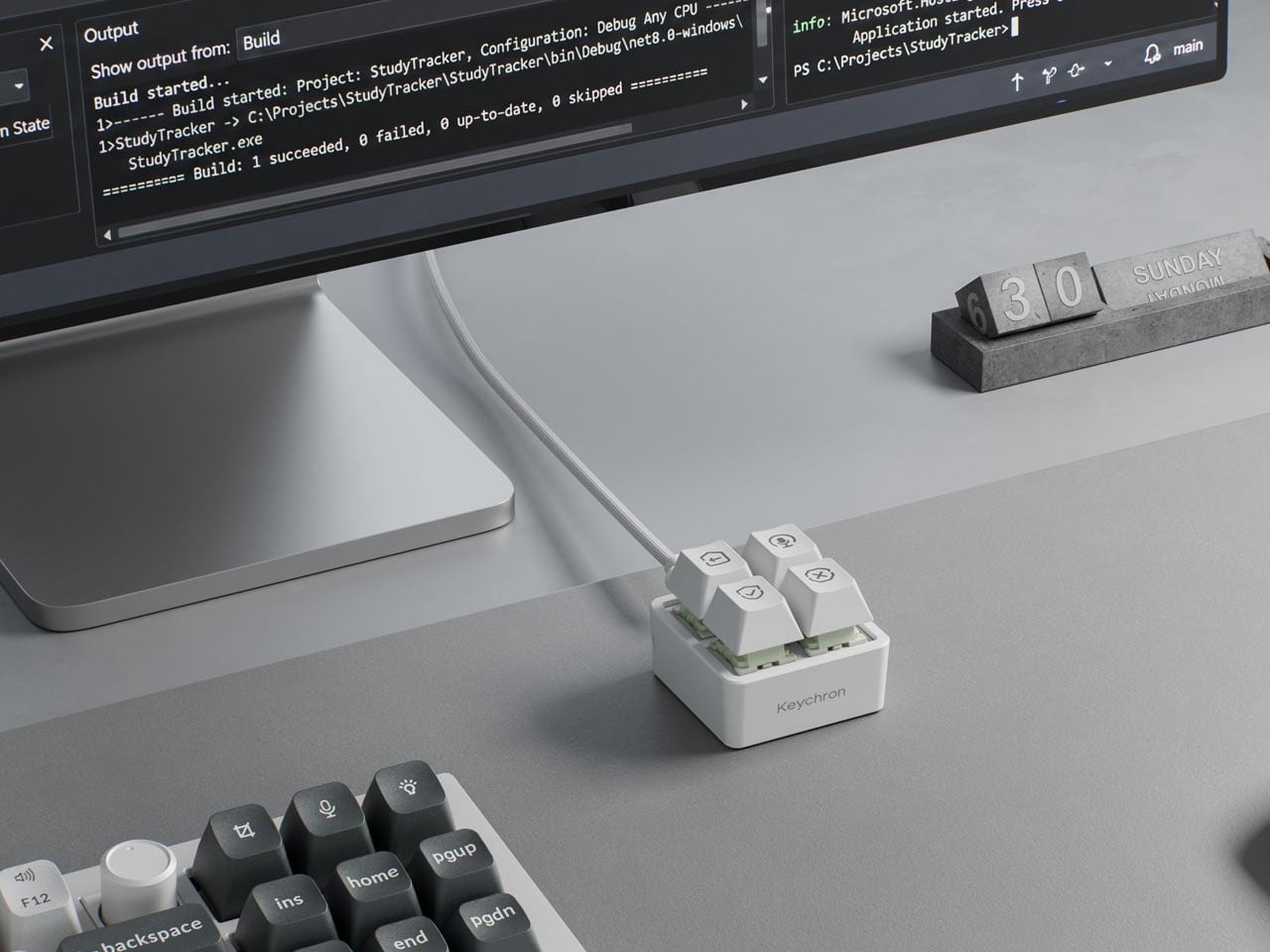
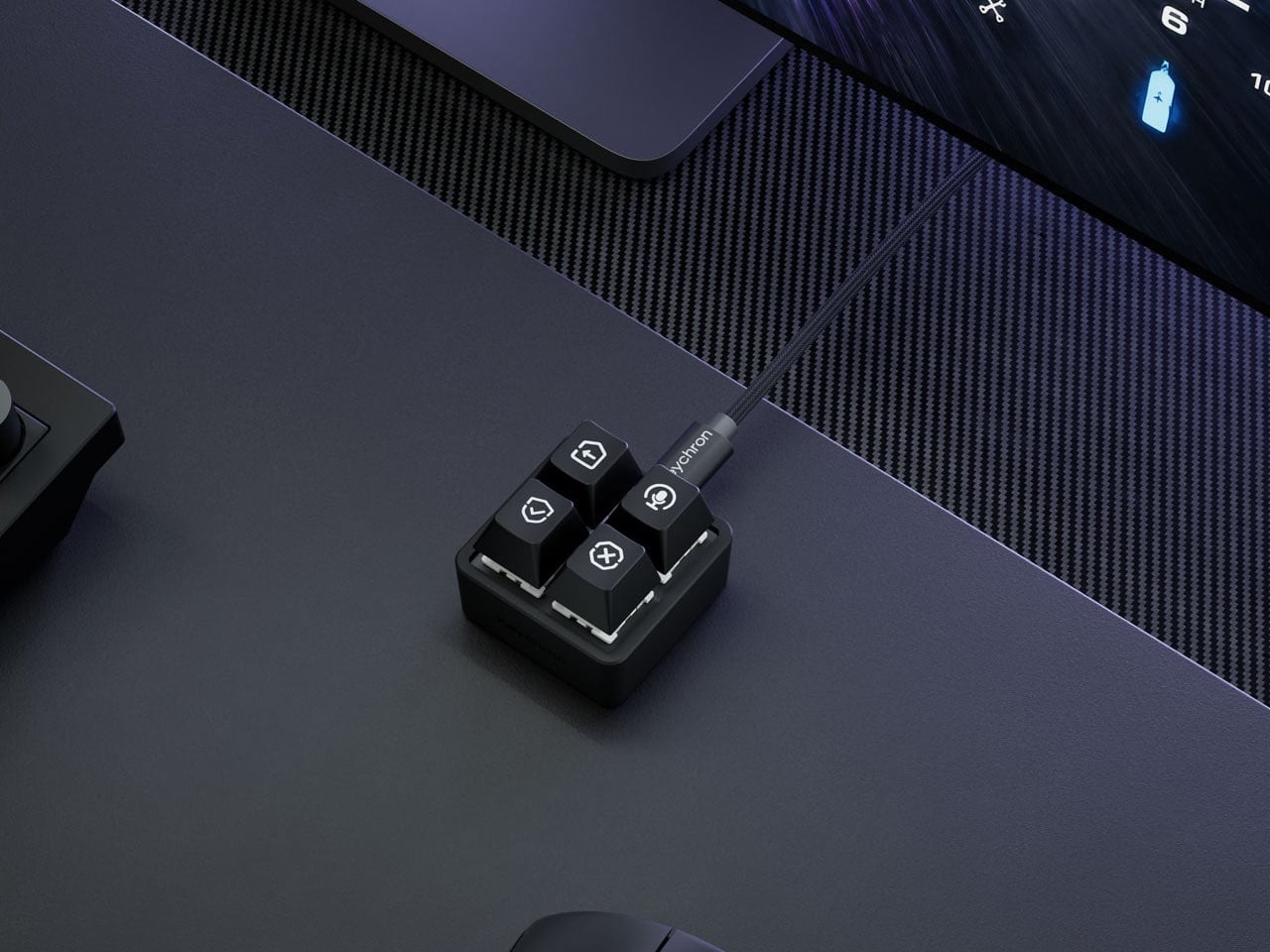
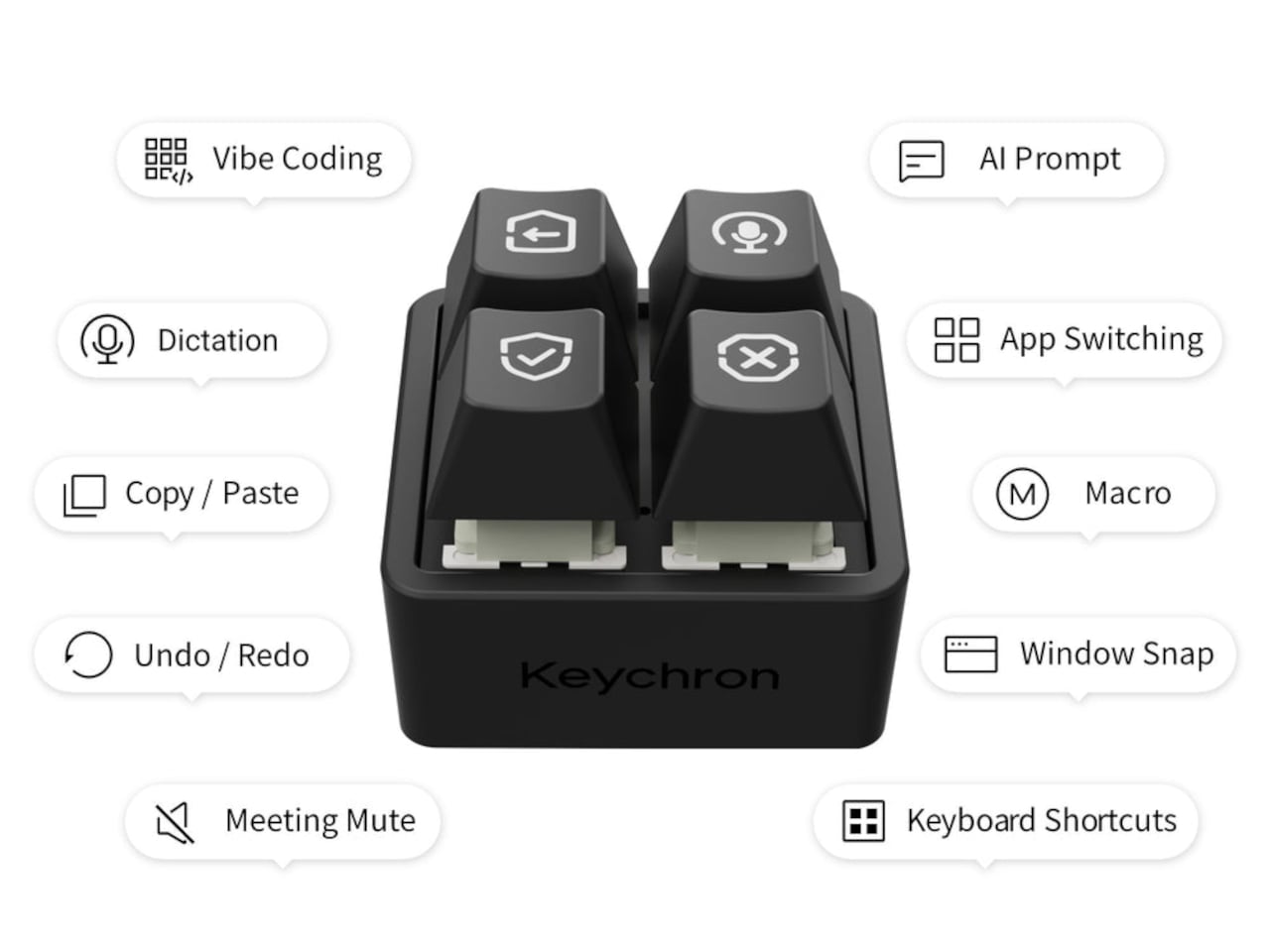
Working with an AI coding assistant can mean repeating the same handful of commands while your fingers hunt across a keyboard full of other possibilities. Keychron’s F4 HE 8K Vibe Coding Keypad gives those repeated decisions their own little patch of desk. Four programmable keys put prompting, dictation, approval, and rejection within reach, without asking you to replace the keyboard you already use.
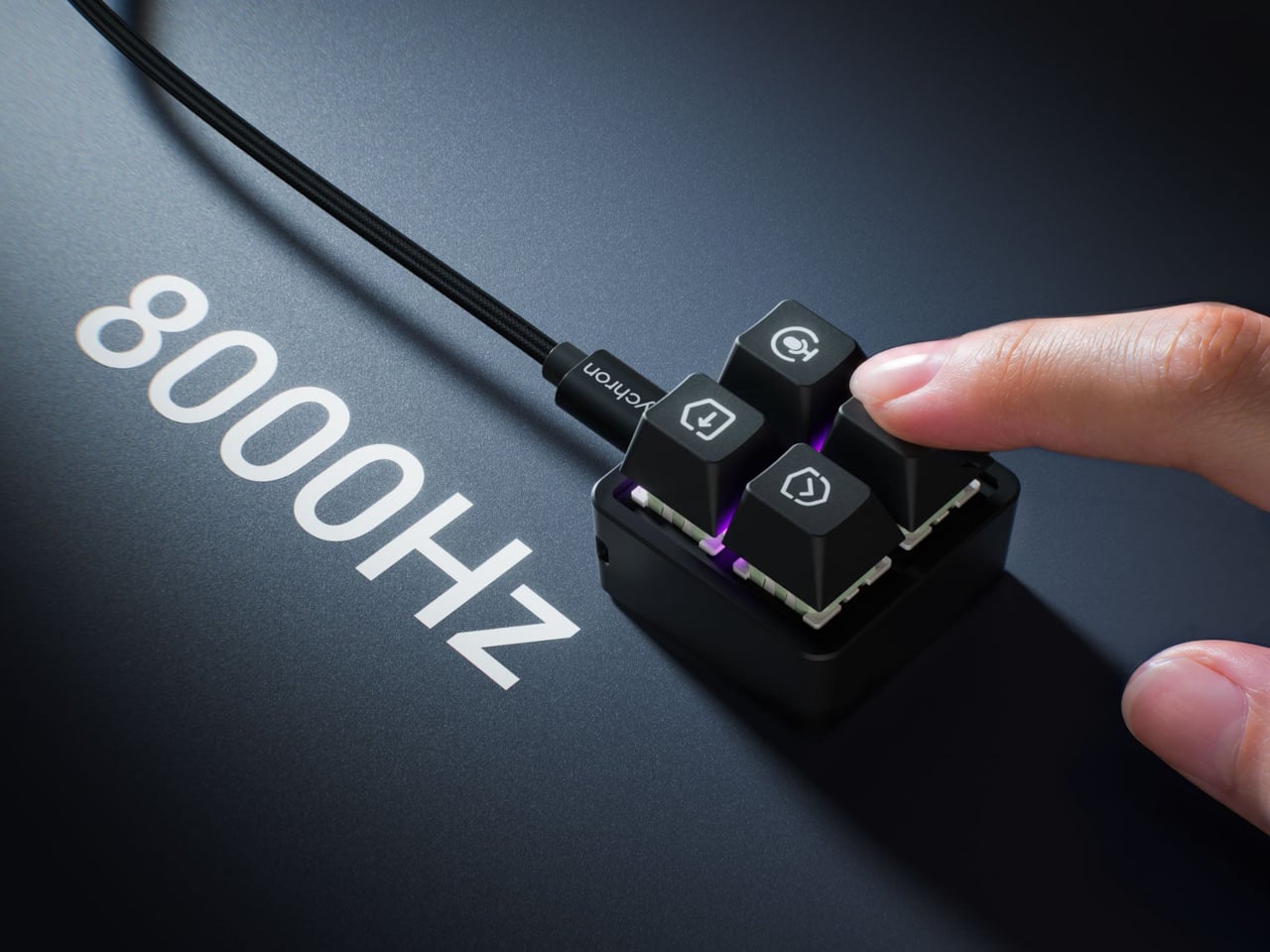
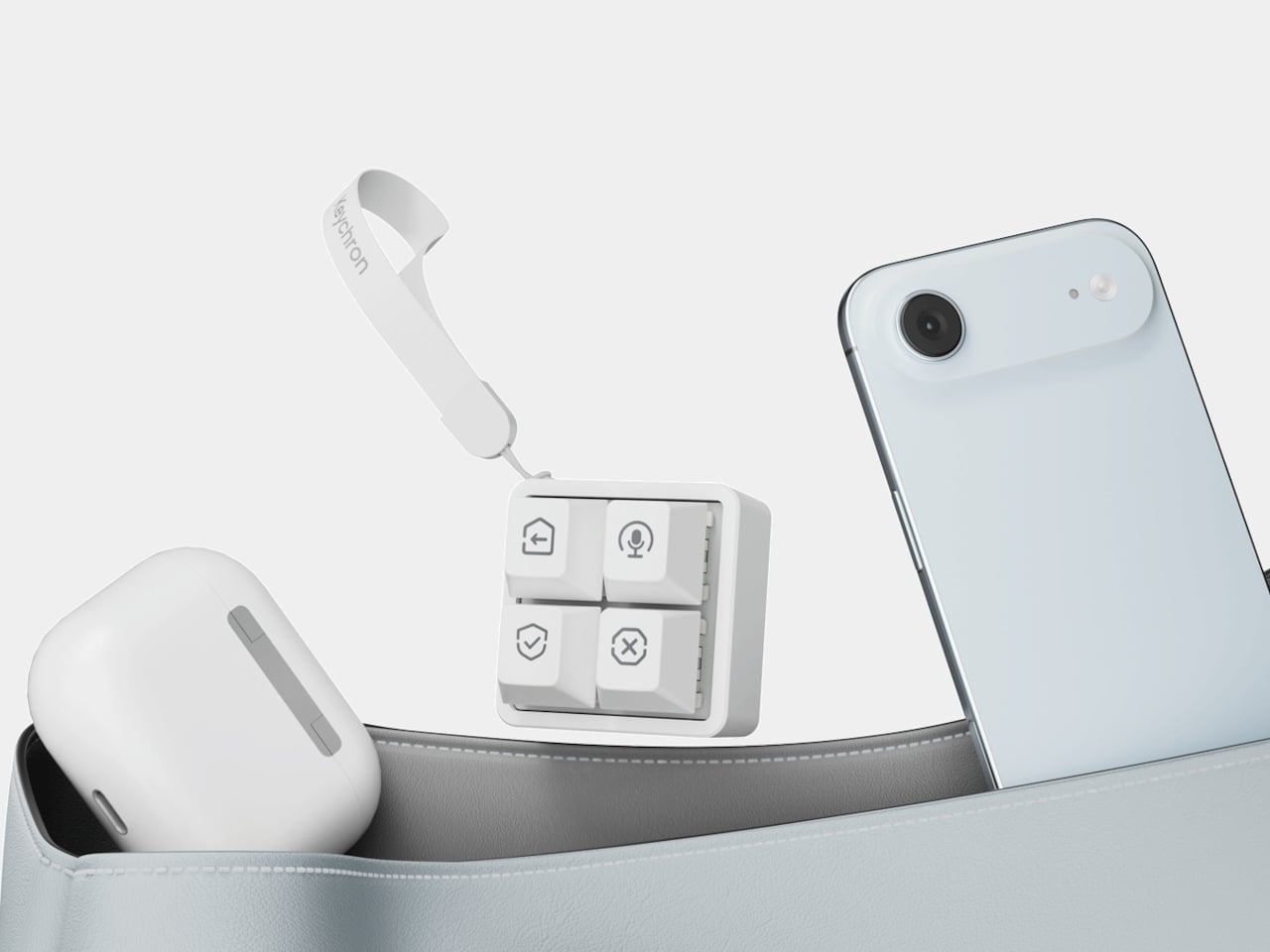
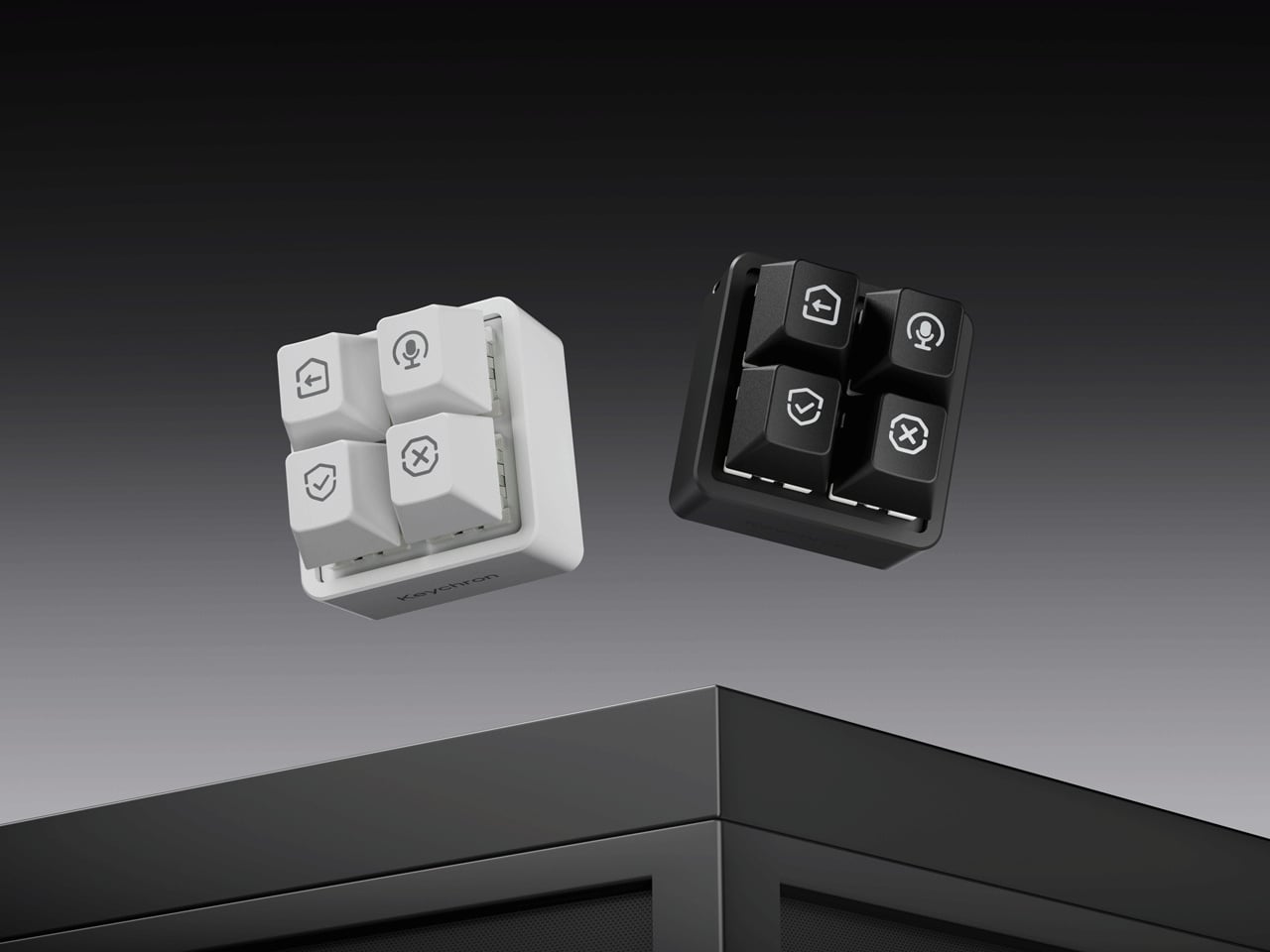
The square body measures just 1.77 inches on each side, although its tall keycaps bring the height to 1.35 inches. Available in black or white, it looks like someone neatly cut a corner from a mechanical keyboard. An ABS plastic enclosure surrounds an aluminum plate, leaving the switch housings visible beneath the caps instead of hiding them behind a broad decorative surround.
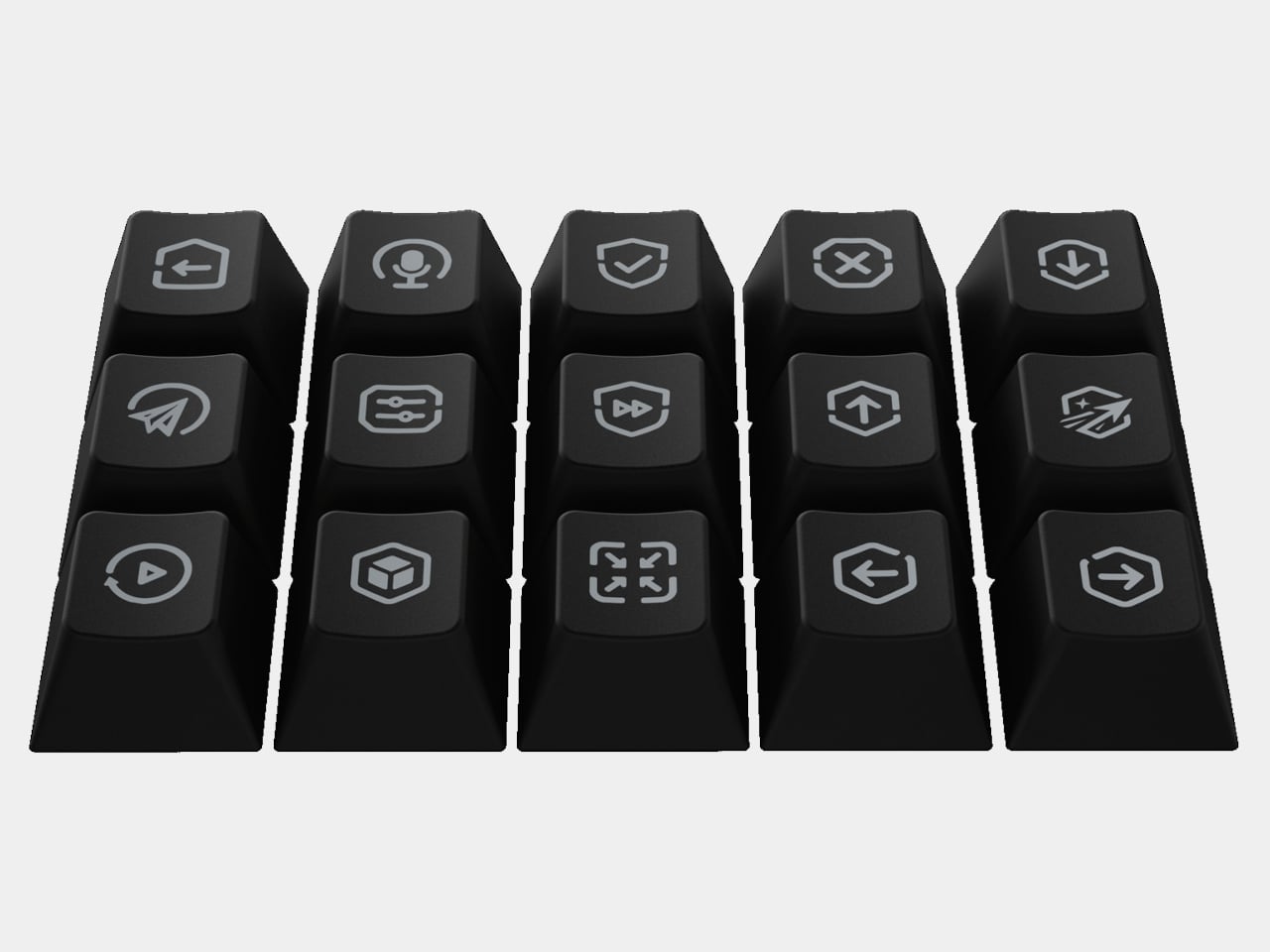
Those caps do more than supply a place to press. Keychron provides 15 icon options in dye-sublimated PBT, so a microphone, check mark, or cross can identify what you’ve assigned underneath. Per-key RGB adds another cue, letting you color an approval key green and a rejection key red. These are physical labels and configured colors, not screens that update when you switch applications.
The intended routine is familiar if you’ve spent time reviewing generated code. Start a conversation, dictate a change, then accept or reject what comes back, using mappings suited to your software. Keychron supplies Codex and Claude presets through its browser-based Launcher. The microphone icon needs particular attention, though: there’s no microphone inside this little box, so voice input still needs one elsewhere.
Launcher also handles ordinary shortcuts and recorded macros, giving the keypad something to do when you’re finished negotiating with an AI. A meeting mute button or a window-snapping shortcut might earn its place just as easily. Settings save to the device, but the relevant shortcuts still need to work on the next computer. Onboard memory carries your assignments, not the applications they control.
The magnetic switches add a less obvious kind of customization. You can choose how far a key travels before registering, making a shallow press sufficient or requiring a more deliberate movement. Dynamic Keystrokes can assign up to four actions across pressing and releasing one key. That’s extra flexibility, although remembering several hidden actions might undermine the simplicity of having four clearly labeled buttons.
Keychron advertises 8,000 reports per second over USB-C with a suitable cable, a gaming-oriented specification rather than evidence that AI will answer faster. More immediately relevant is another wire trailing from such a small accessory. The listed box contents include the keypad, 11 extra caps, and a manual, but no cable, so you’ll need to provide that part of the setup yourself.
The F4 costs $34.99, but the featured Launcher version remains in beta ahead of its planned November 9, 2026 release. That caveat aside, the question is how often you’re repeating the same commands. Four dedicated buttons are appealing when they remove a daily nuisance, less so when they’re another thing to remember beside your perfectly functional keyboard.

 Connexion