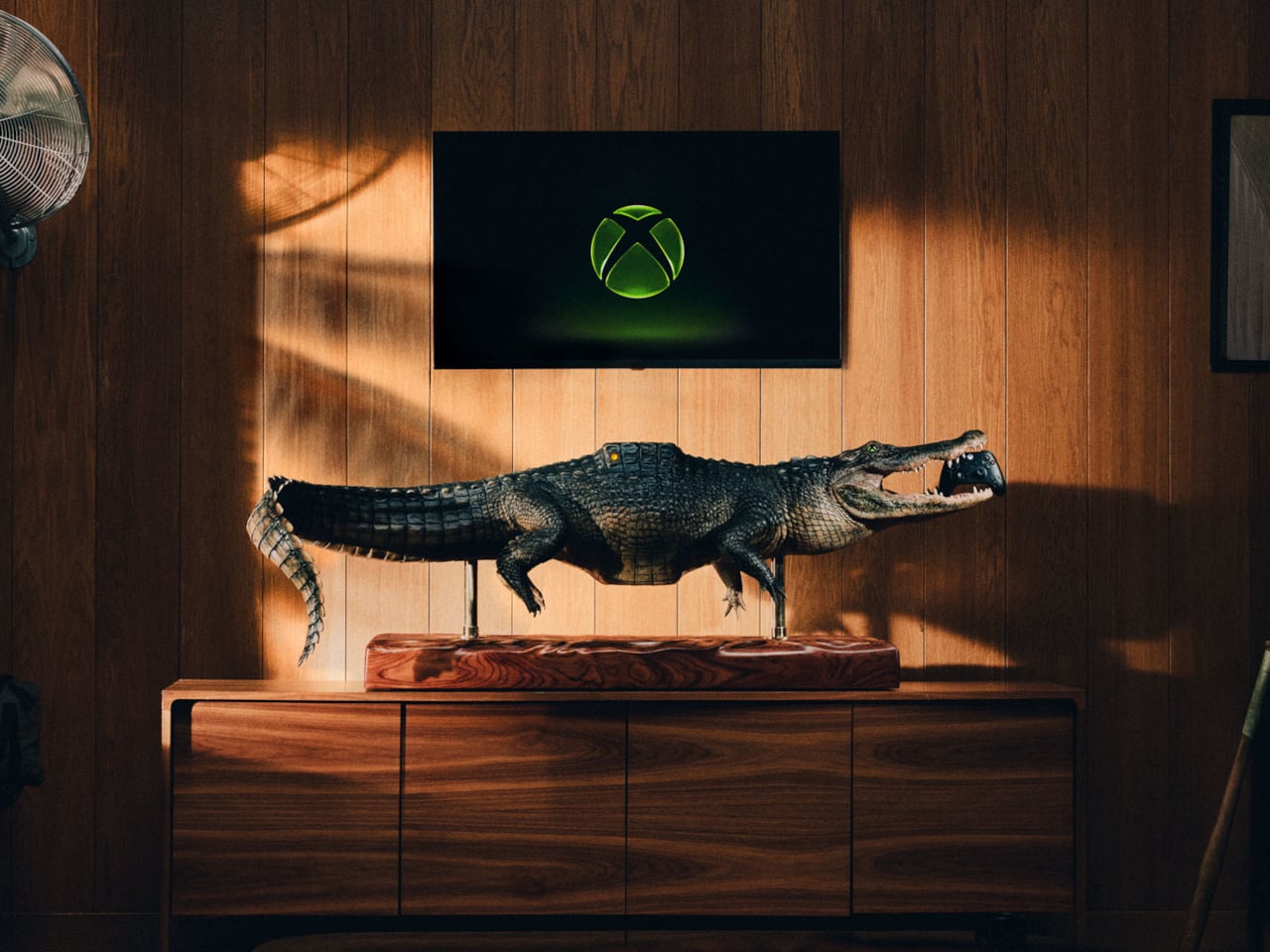
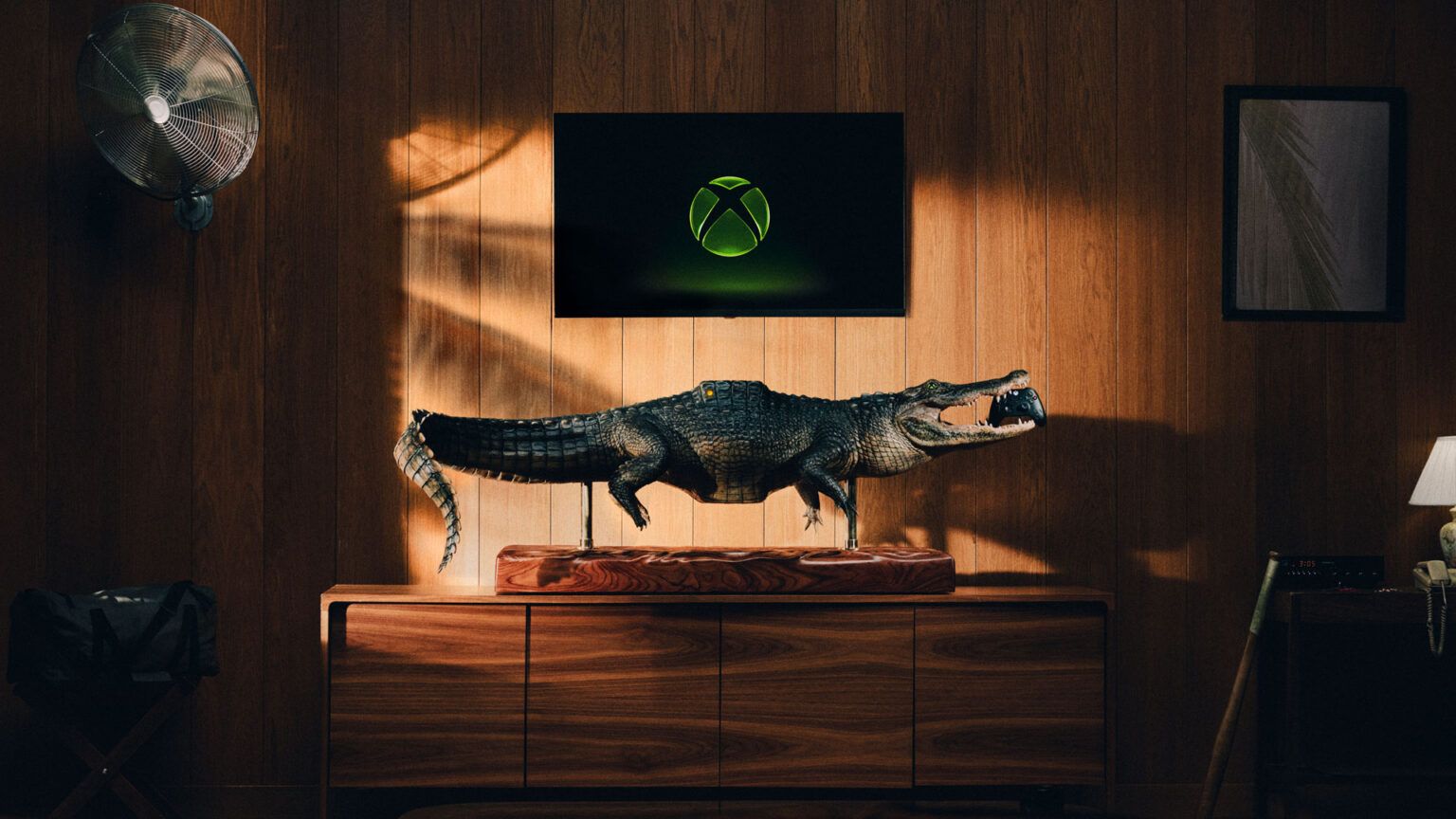
Finding a place for a game console usually means clearing a shelf, not making room for a reptile. Microsoft’s Xbox Series X-BITE puts a working Series X inside an artificial alligator measuring more than five feet long. The one-off creation trades a discreet electronics box for something closer to a wildlife exhibit, complete with a controller between its teeth.
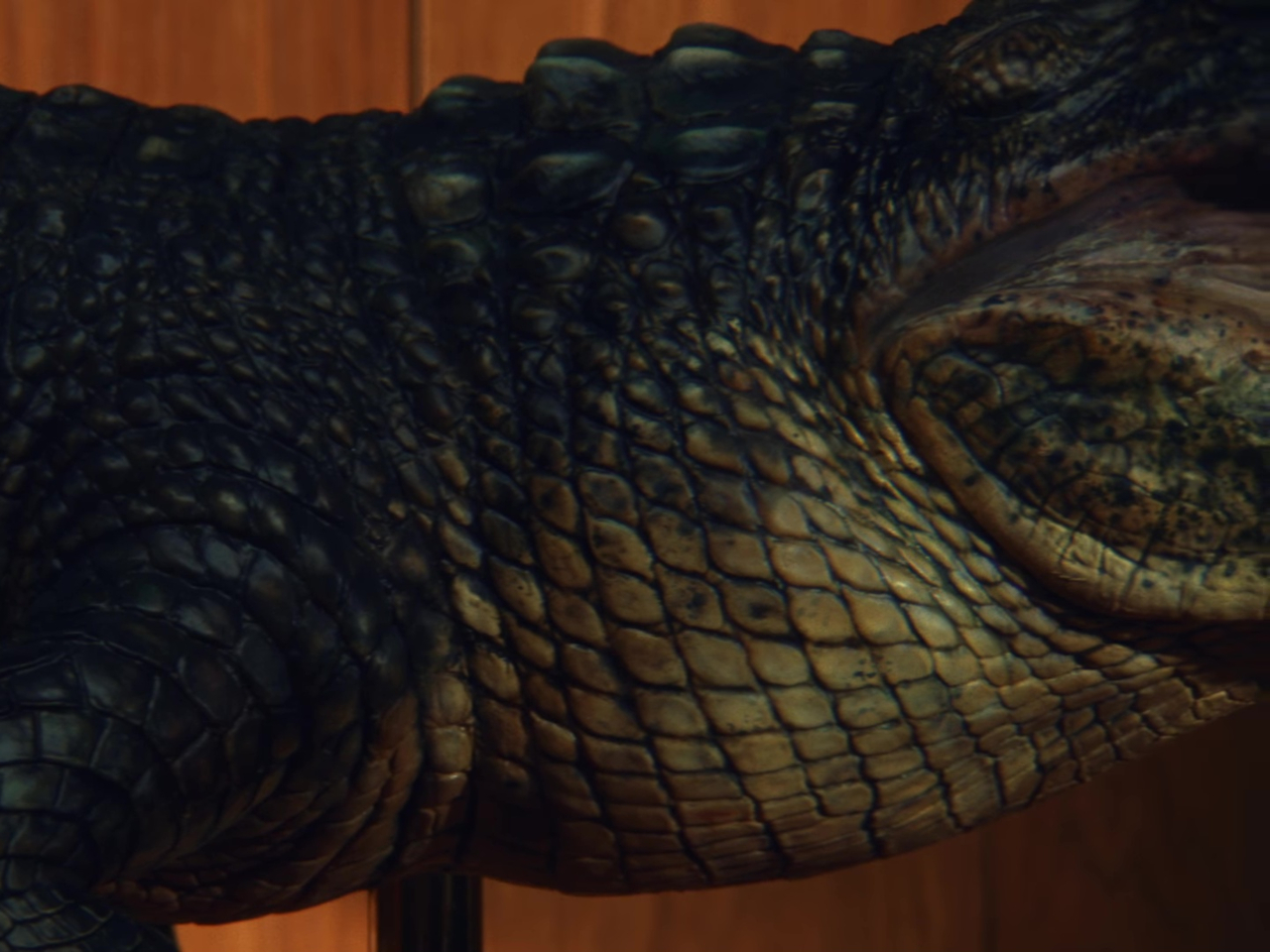
The alligator rests on slim posts above a rectangular, wood-grain base, with its legs hanging below and its tail curling toward the floor. Dark, ridged scales and a lighter belly give it the appearance of a mounted specimen. That familiar display format does much of the work, making the oversized enclosure feel deliberately theatrical rather than like an ordinary console wearing a novelty cover.
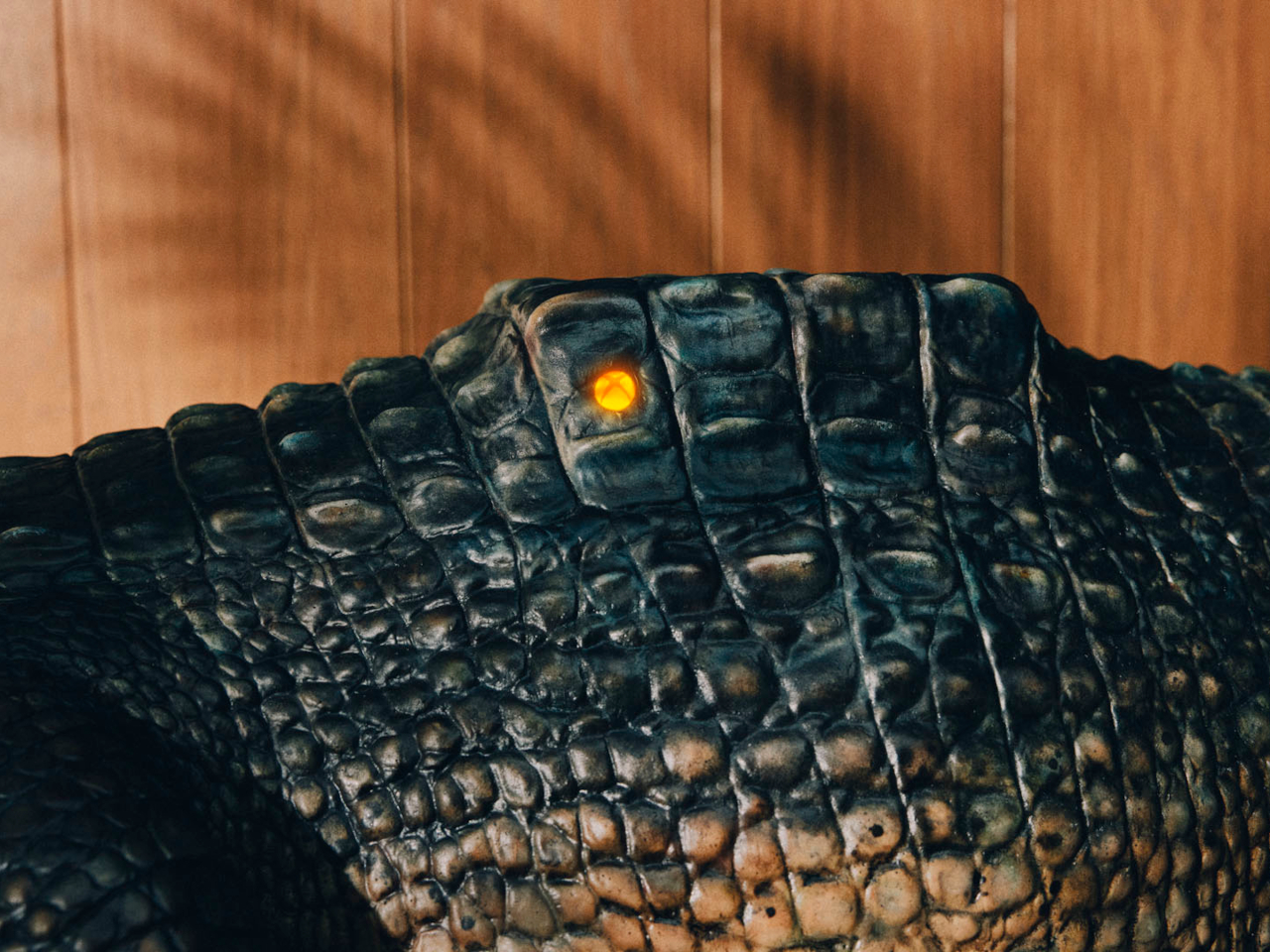
A raised section on its back interrupts those scales, with an illuminated Xbox Nexus symbol worked into the surface. It’s the clearest clue that the animal has supposedly swallowed something it shouldn’t. The branding stays small against the length of the body, allowing the fabrication to carry the joke before the glowing logo explains why there’s an alligator underneath your television in the first place.
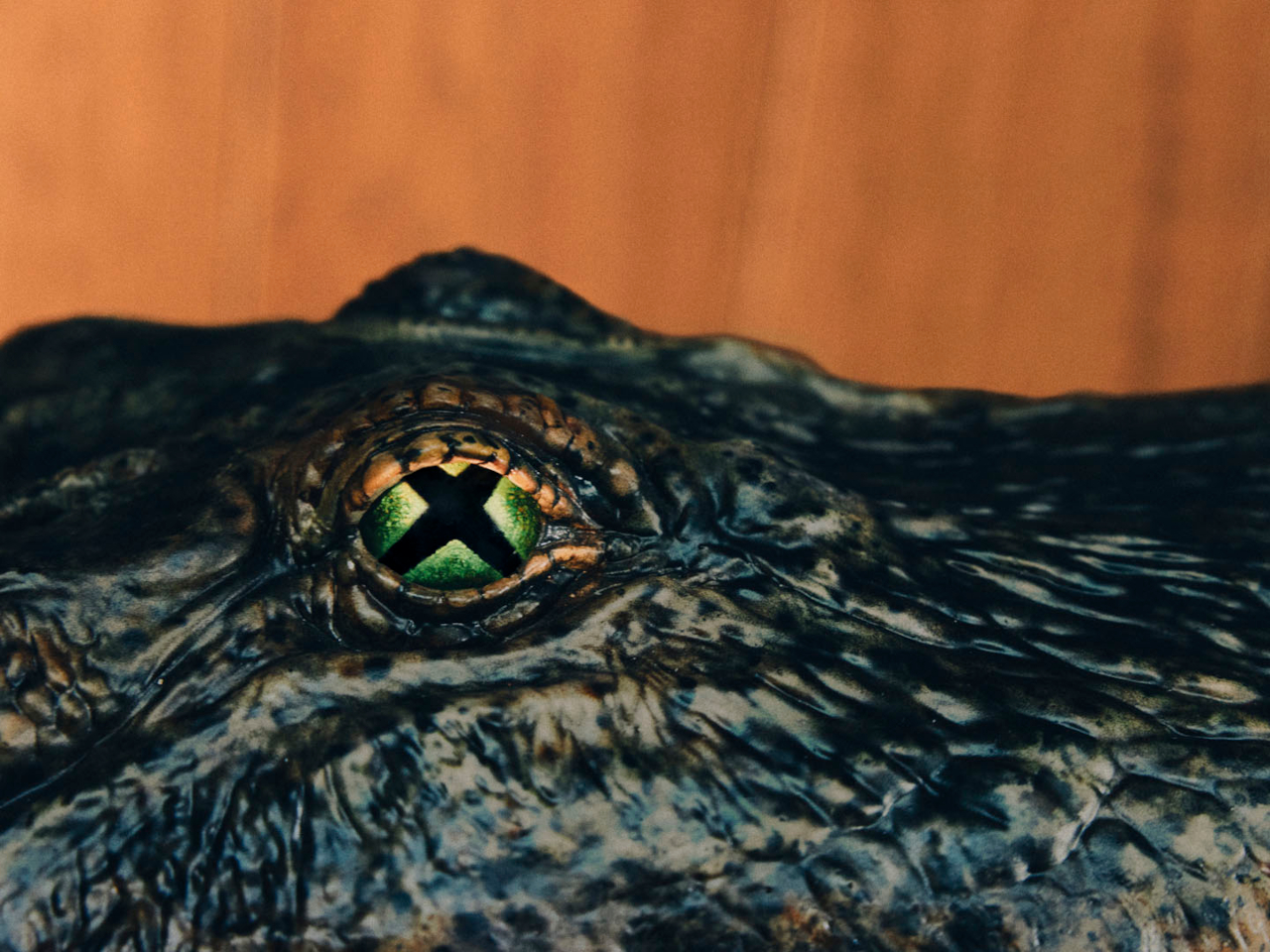
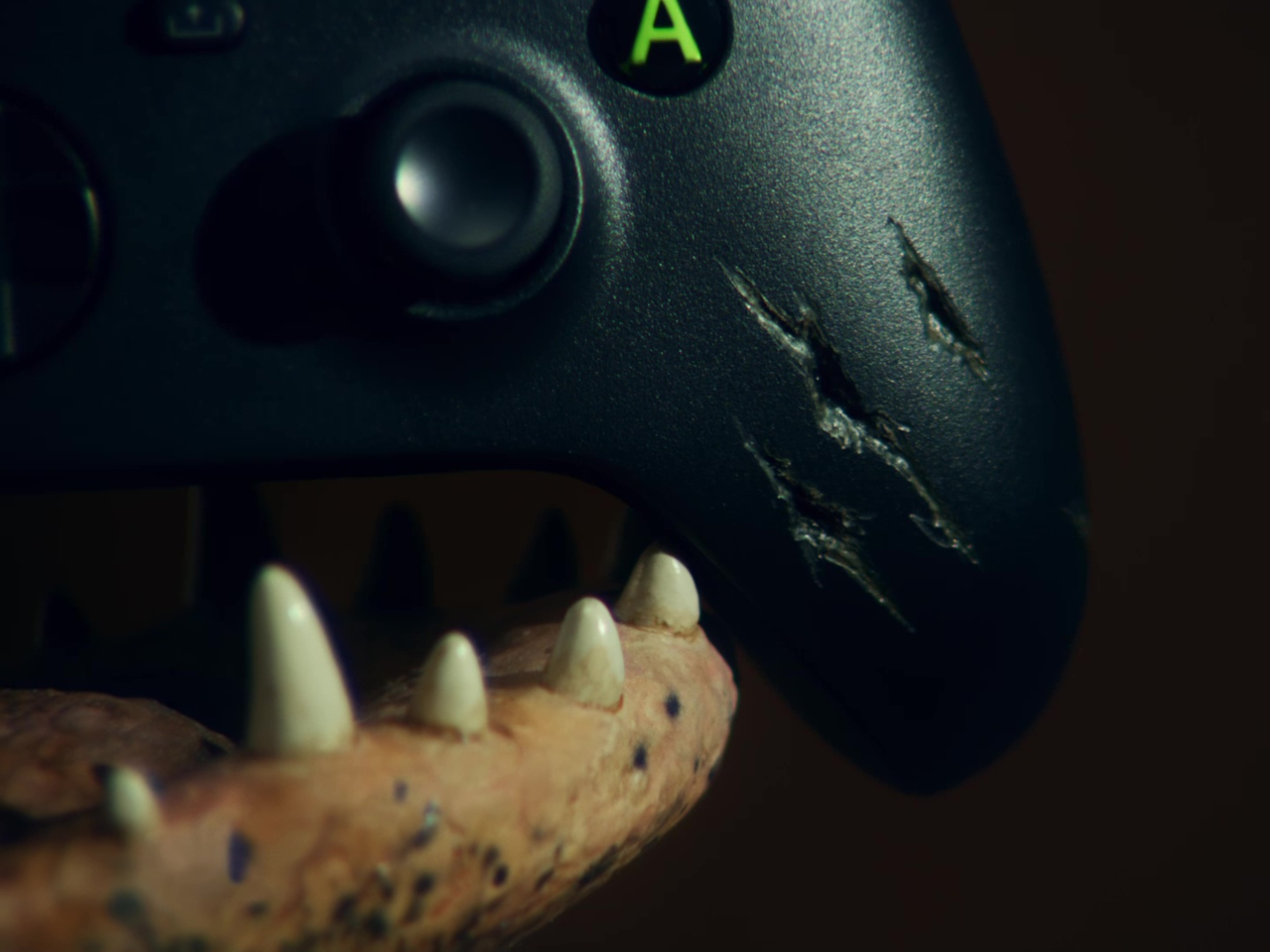
The head gets a less subtle treatment. Xbox-green irises surround pupils shaped around the Nexus symbol, turning the creature’s stare into another brand reference. Between the open jaws sits a custom Xbox Wireless Controller with artificial bite marks. It gives the sculpture a little unfinished business, as though the console wasn’t quite enough of a meal and the accessories were next on the menu.
The commission went to creature-effects specialists, who used 3D modeling, sculpting, and fabrication to build the animal around the hardware. That process gives a promotional console the attention normally associated with a film prop. Florida supplied the inspiration, according to Xbox, although the animal itself is entirely artificial. No actual alligators were used or harmed in creating this unusually elaborate console enclosure.
For the person who eventually owns it, the obvious challenge is finding a suitable place to put it. More than five feet of reptile won’t disappear into the usual gap beside a television. Its long base asks for a substantial display surface, and the raised mounting makes the whole assembly something to plan a room around rather than tuck away.
There’s also a qualification behind the playable-console claim. Xbox says the Series X inside works, but its fine print recommends the finished creation for display. The announcement doesn’t explain ventilation, access to ports, or servicing inside the sculpted body. That leaves a distinction between functioning hardware and a practical replacement for the console you switch on every evening after work.
Only one Series X-BITE exists, and it’s being offered through a sweepstakes rather than a retail release. There isn’t a shelf price to weigh against a standard console or a choice of less toothy finishes. The appeal is owning the fabrication itself, with a working Xbox as its unlikely inhabitant. The controller has a home, provided you don’t mind the teeth.
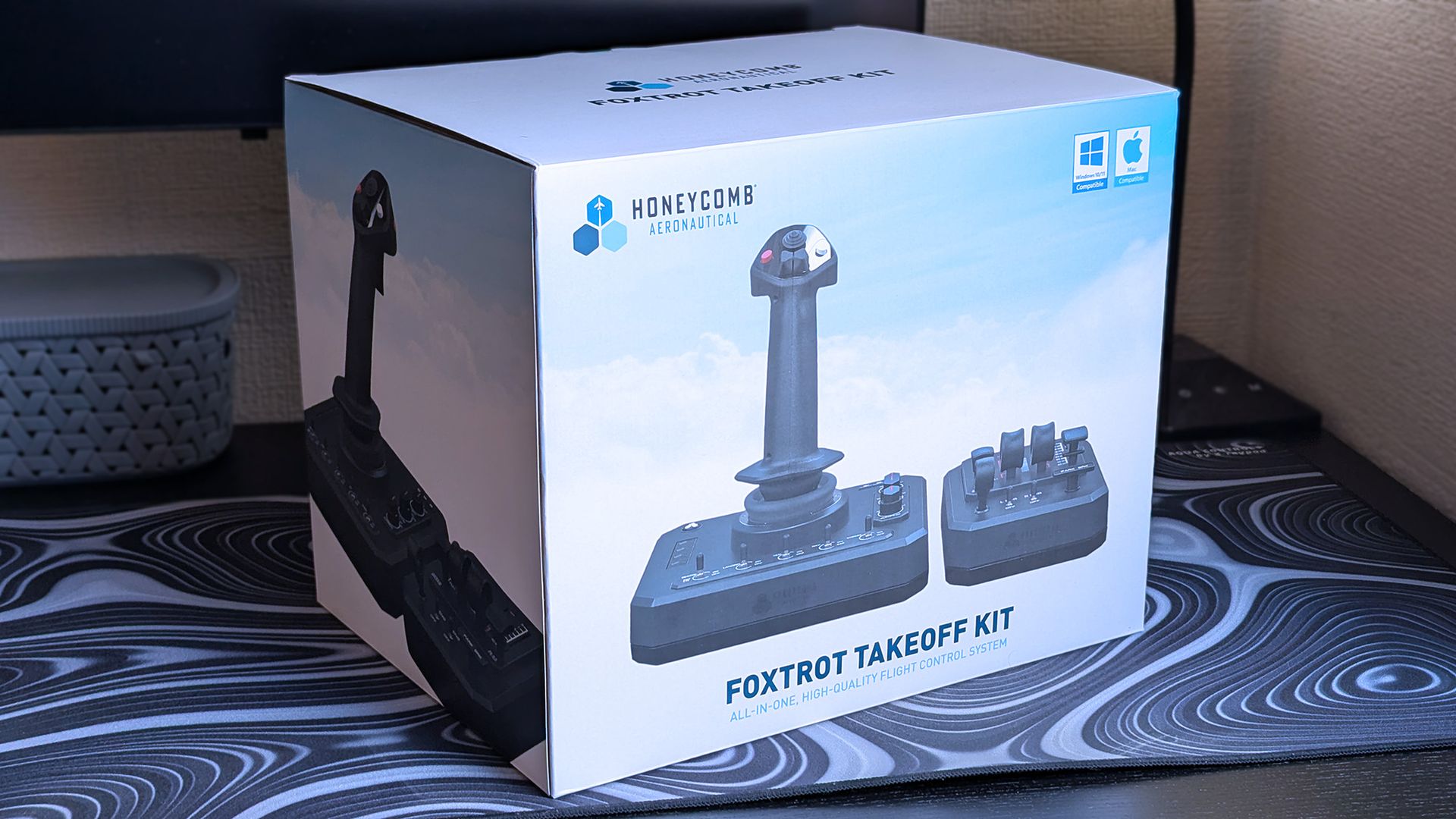
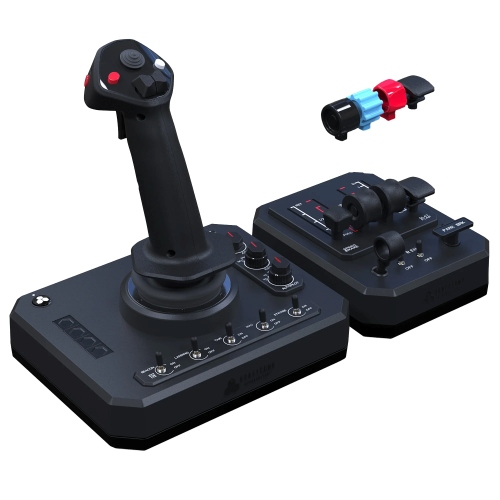
Otherwise, the standalone Foxtrot Aviation Stick is still available for $149.99 at Amazon US, though the compact Throttle Box isn't currently sold separately, so the Takeoff Kit bundle is a smarter buy. If you're unsure, or you're in another part of the world, Honeycomb lists more global resellers for extra options. Whichever you choose, the Foxtrot Takeoff Kit is only compatible with PC.
"Designed for Microsoft Flight Simulator and X-Plane, it delivers smooth, precise control for both general aviation and airliner operations on PC and Mac."View Deal
What I like about the Foxtrot Takeoff Kit
The Foxtrot Aviation Stick is still my go-to pick when I feel like taking to the skies in MSFS. (Image credit: Ben Wilson | Windows Central)
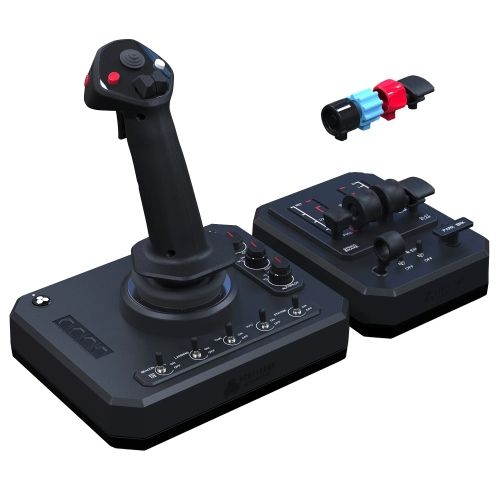
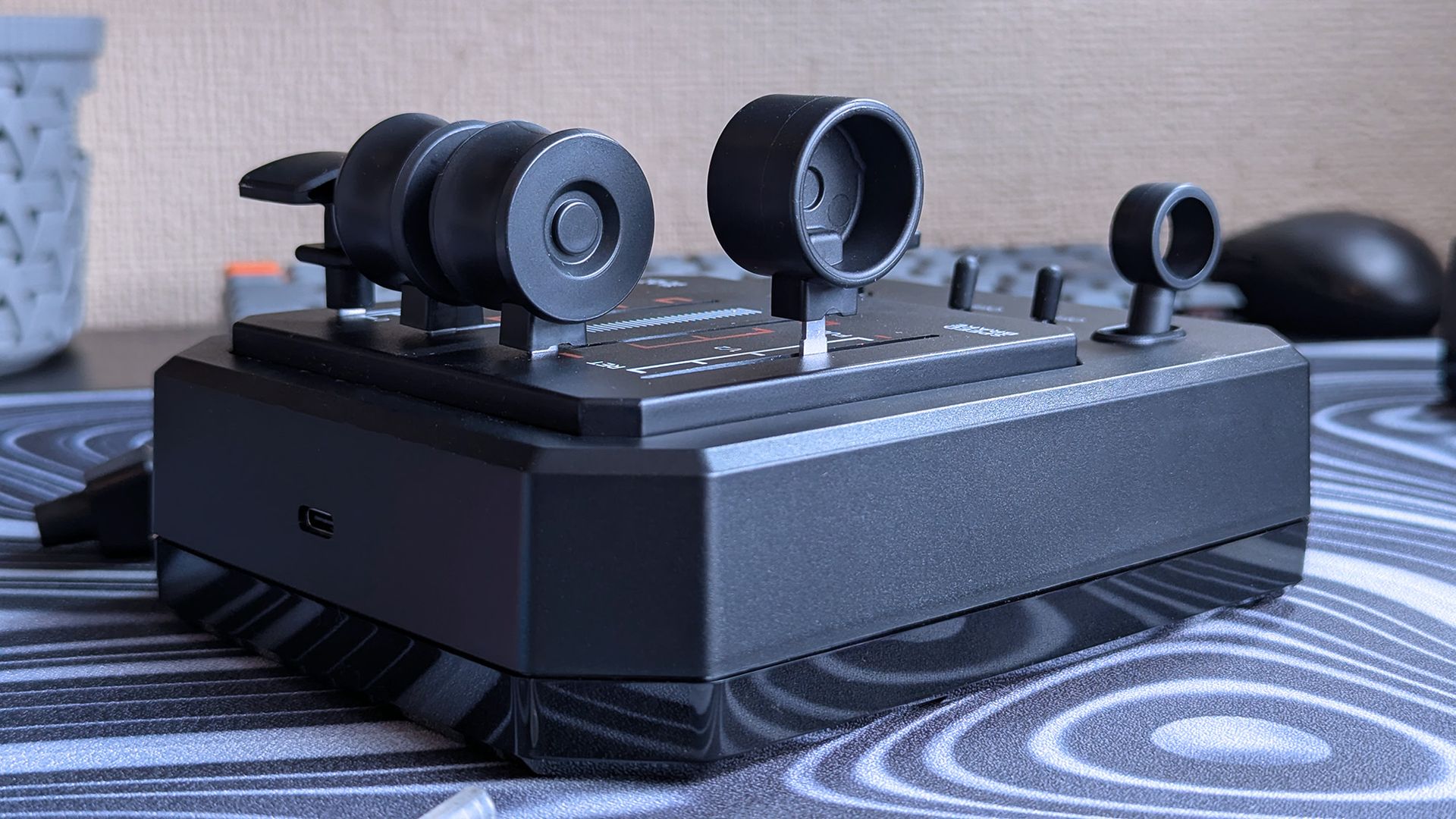
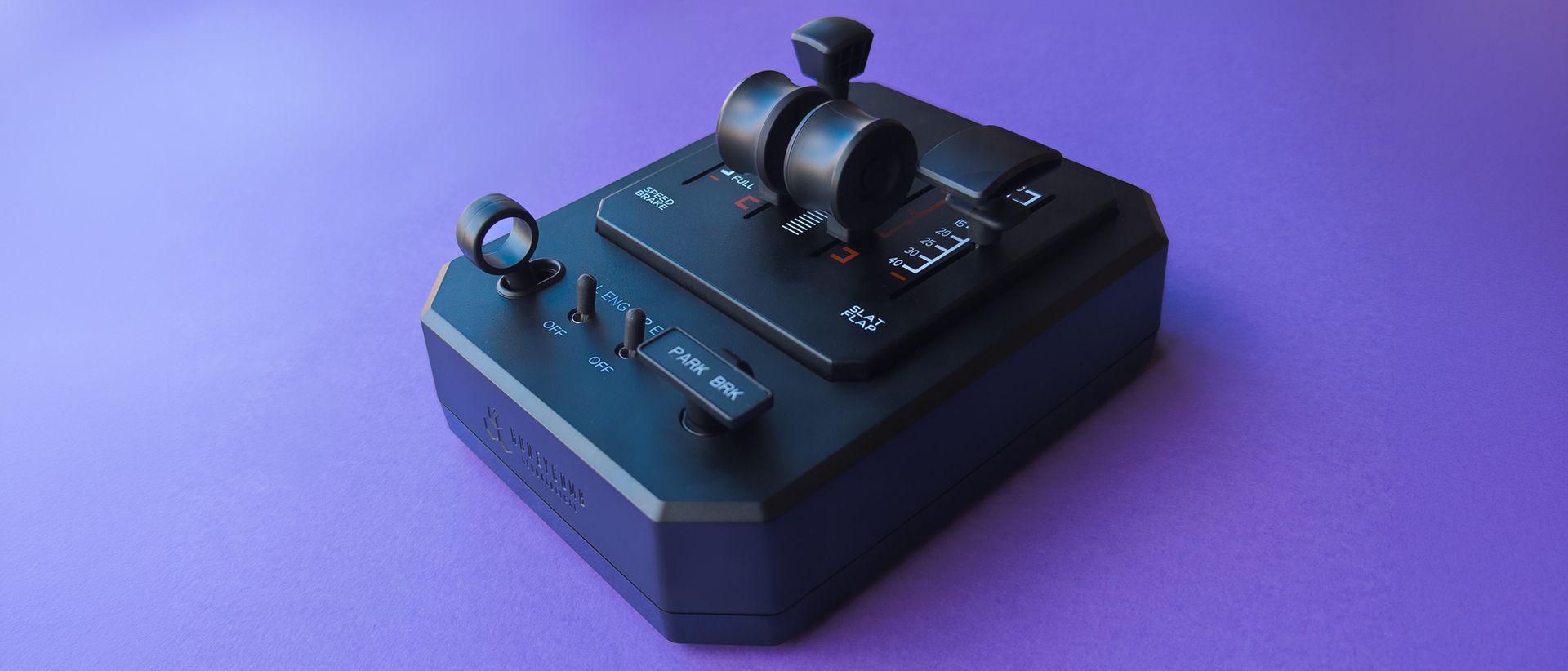
One of my only complaints from my review of the Foxtrot Aviation Stick was the lack of analog throttle controls, but that's what the compact Throttle Box is here to solve. Otherwise, the flight stick itself is identical, so everything I said in that original article is still accurate. That includes my willingness to settle for digital throttle control, but now I don't have to.
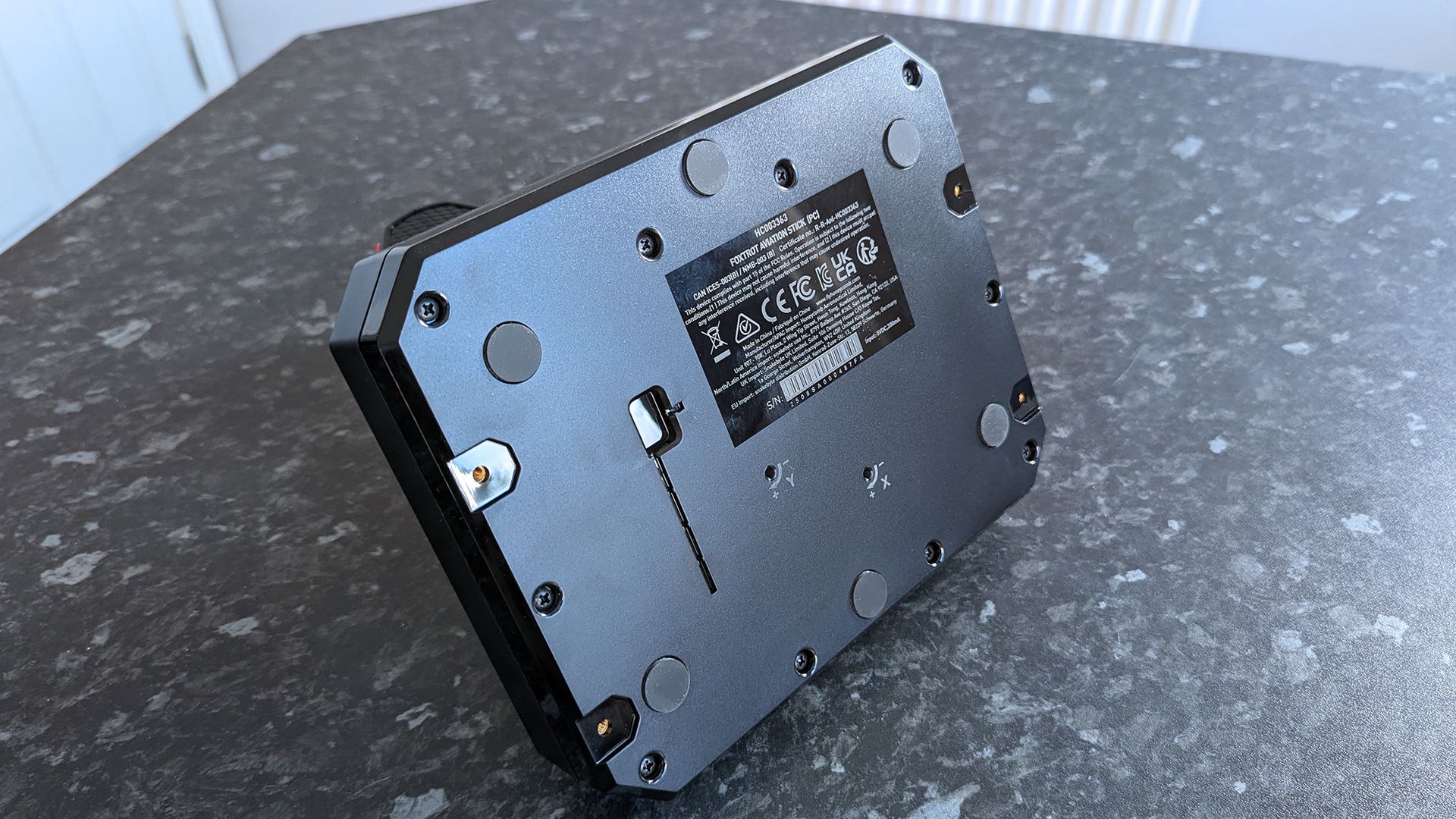
Honeycomb includes screws and plates that attach the Throttle Box to the left or right side of the Aviation Stick.
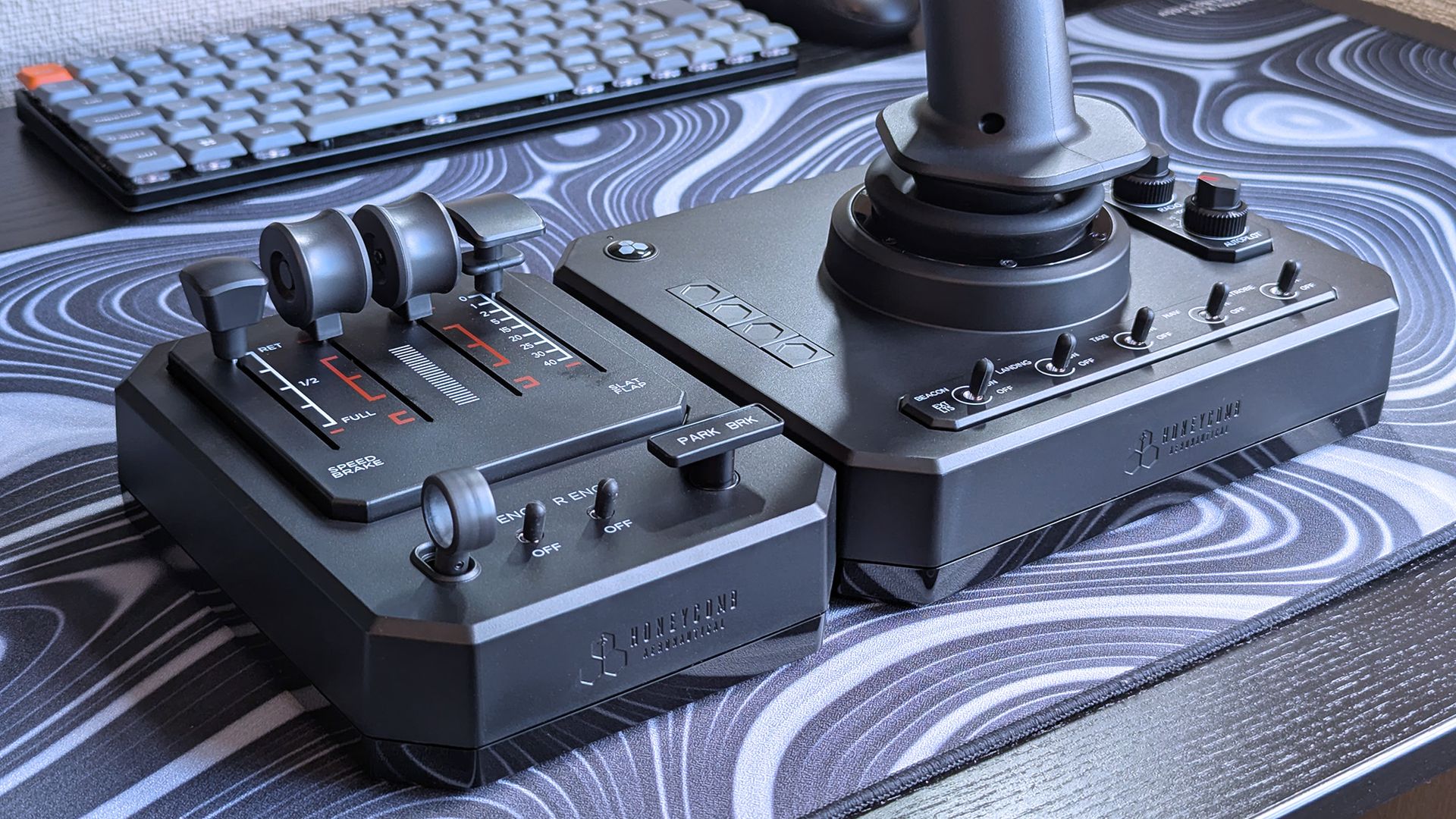
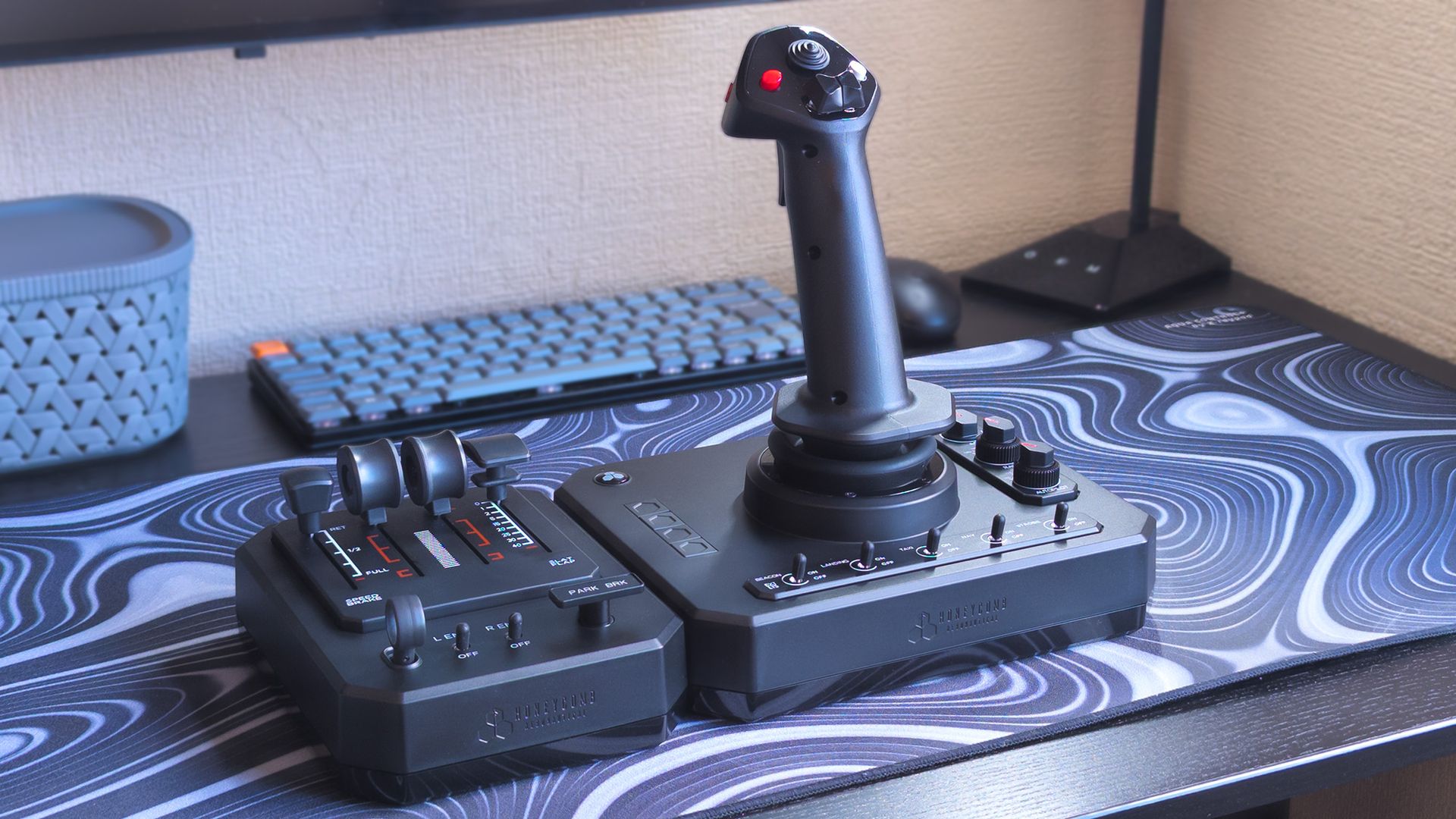
Underneath the Foxtrot stick, I spotted the same screw threads: a pair on either side. These finally have a use, since Honeycomb includes screws and plates that attach the Throttle Box to the left or right side of the Aviation Stick. That alone seriously improved my earliest experience with the Takeoff Kit, as the extra weight helps keep it grounded.
Attached with the included screws and plates, the Foxtrot pairing holds steady on my desk. (Image credit: Ben Wilson | Windows Central)
All four sliders feel identical, with enough resistance to stop them from rattling around or accidentally moving by small amounts. Each has a detent toward the bottom, which lets me push past into reverse thrust or lets me know when I'm at the limit for the speed brake and flaps. After a few flights, I found that I generally preferred a general aviation (GA) setup with propeller and mixture levers.
Along the bottom, four chunky switches come in adorably tiny versions of a landing gear lever, a pair of engine switches, and a rotating parking brake. I use them only a fraction as much as the sliders, but they still provide satisfyingly realistic feedback when I'm getting ready for take-off or completing a landing. Plus, I only needed to assign four axes and four buttons, so setup was fast.
Does the Foxtrot Takeoff Kit have any issues?
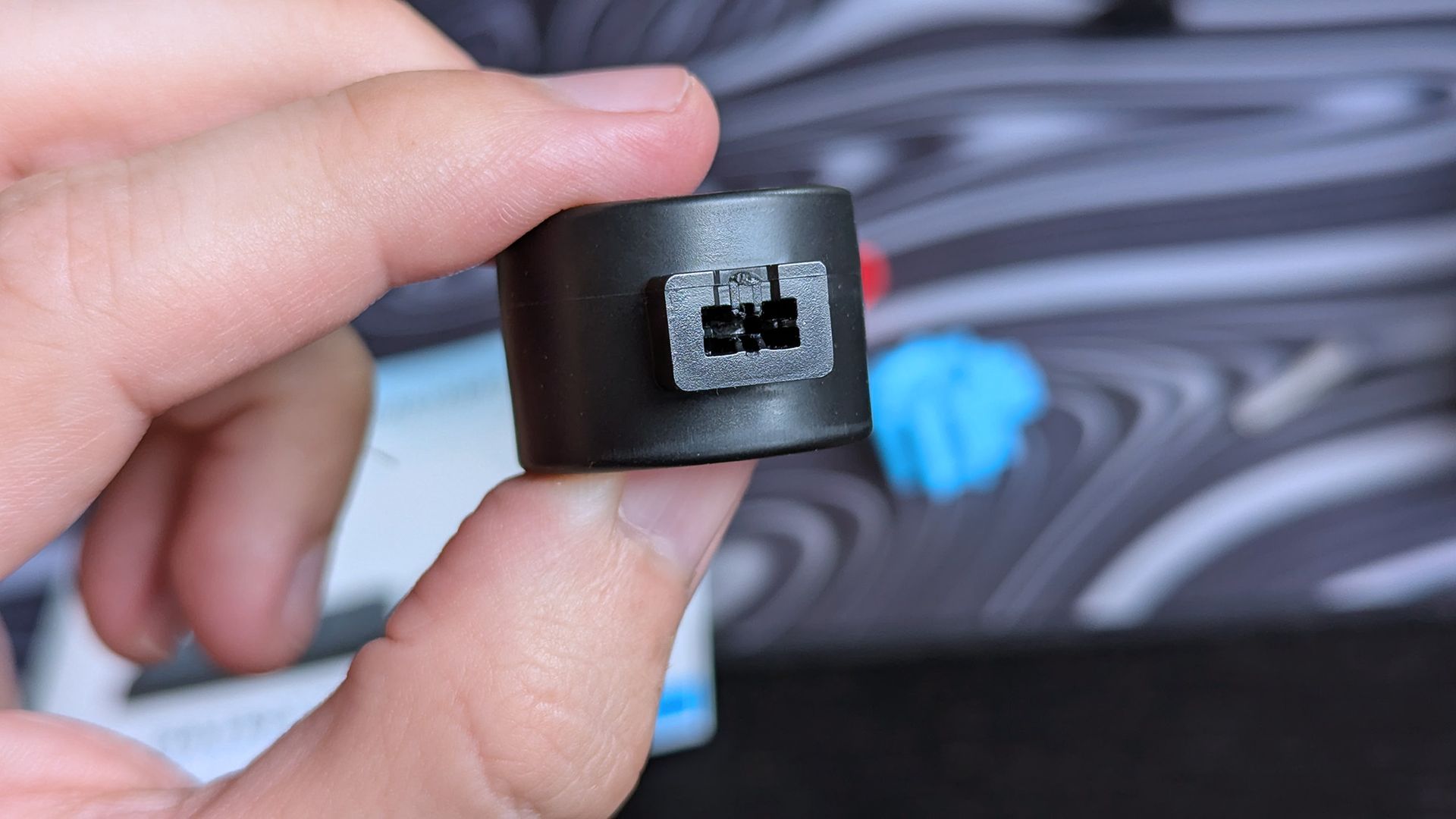
One GA lever cap doesn't sit flush on the slider arm due to an apparent manufacturing fault in my sample.Ben Wilson | Windows CentralIt's hard to see, but I can fit tweezers around what seems to be an extra, unintended piece of plastic.Ben Wilson | Windows Central
The Foxtrot compact Throttle Box had two physical issues, though one was minor, and the other seems specific to my sample. That is, the interchangeable lever handles should be easy to swap out, but one doesn't fit flush because of an apparent fault in the plastic mould. So, if I wanted the complete GA set, I'd have to deal with a throttle lever that sits too high.
Sticking with the Airbus-style speed brake lever doesn't necessarily bother me too much, since it's the prop and mix handles that lean harder into the realism aspect, but it's something that would only be solved through a chat with Honeycomb's customer support team. There are no spare parts for sale on its website, so it's something to check when you buy the Foxtrot Takeoff Kit.
That minor issue is simply that the compact Throttle Box is too lightweight (~330g) to hold steady on my desk mat, sliding forward when I push the levers. It fares better on wood, giving the rubber feet a better chance to grip, but I suspect this might have influenced Honeycomb's decision not to sell it separately. Still usable, but it's better when tethered to the Aviation Stick.
The mounting screws on my original Foxtrot Aviation Stick feel unnecessary if I can't buy the Throttle Box separately. (Image credit: Ben Wilson | Windows Central)
So, the biggest downside to the Foxtrot Takeoff Kit is that the compact Throttle Box isn't sold separately, at least not yet. That might change in the future (and I hope that it does), but anyone who bought into the standalone Foxtrot Aviation Stick before now will be left feeling a little stuck.
In theory, the Throttle Box could retail for around $30, which hints at why it isn't available on its own. It could be that manufacturing costs are only covered when it's included as a bundle with the flightstick, and that mass-producing packaging and licensing for a separate unit isn't viable just yet.
One of the only downsides to the Foxtrot Takeoff Kit is that the compact Throttle Box isn't sold separately.
On the other hand, Honeycomb already sells a range of accessories at a matching $29.99 price point, including a mix of electronics and plastic or metal add-ons. It's blocking existing consumers from accessing the most natural pairing for Honeycomb's Foxtrot stick, but it's less drastic for newcomers.
Otherwise, I'll always lament the lack of XBOX compatibility, but Honeycomb might solve that in the future with one of its 'XPC' variants. It delivered the same equivalents with its Alpha Flight Controls XPC, and an upcoming variant of its excellent Echo Aviation Controller is set to do the same.
Should you buy the Foxtrot Takeoff Kit?
It's a good pairing, but they deserve to be sold independently. (Image credit: Ben Wilson | Windows Central)
You should buy this if ...
✅ You want an immersive flight sim experience
✅ You don't want an overwhelming setup with too many inputs
You should not buy this if ...
❌ You already own the Foxtrot Aviation Stick
Buying the Takeoff Kit gives you the fantastic Foxtrot Aviation Stick, which, while it doesn't feature the world's best technology, is still my favorite overall flightstick because it's so convenient. That's still the theme here, as Honeycomb adds a no-frills Throttle Box that mostly matches, but at the same time, feels like a more budget-grade add-on that should be sold (and branded) separately.
That, paired with an unfortunate flaw in the lever handles that came with my sample, leaves me wanting changes. If Honeycomb can sell the compact Throttle Box separately, with its own warranty support system, and even consider selling the GA lever handles separately, it'll win a higher score from me. Instead, it's easier to recommend the Bravo Throttle Quadrant Lite.
Honeycomb Aeronautical
Foxtrot Takeoff Kit
"Designed for Microsoft Flight Simulator and X-Plane, it delivers smooth, precise control for both general aviation and airliner operations on PC and Mac."
The developers of Goddess of Victory: NIKKE have confirmed that hackers tampered with the game's PC launcher scripts in a supply-chain attack, distributing malware capable of stealing credentials and cryptocurrency wallet data. [...]
Season 1 is coming to Call of Duty: Modern Warfare 4 on November 6, a mere two weeks after it officially launched. For DMZ players, there will be a bunch of new content, not least the new X01 map.
But I get it; you may also feel like you're 'behind' or not prepared. You see the big content creators on Twitch and YouTube with a stash full of the highest rarity items. But most of us aren't able to play the game all day (even I, when covering it is part of my job).
Solo players can also feel a little left out, since regularly hitting the toughest areas for the best gear usually needs the coordination of a full squad. X01 especially sounds like it's going to be tough, so you're going to want gear. And plenty of weapons.
Fortunately, even if you are playing solo, there are some good routes out there you can run with the sole purpose of just getting loot. And decent loot, at that. The one I'm going to feature here can be done in 10-15 minutes, has an exfil close by every time, and crucially, should be pretty chilled out.
How to farm good loot and weapons in MW4 DMZ easily as a solo player
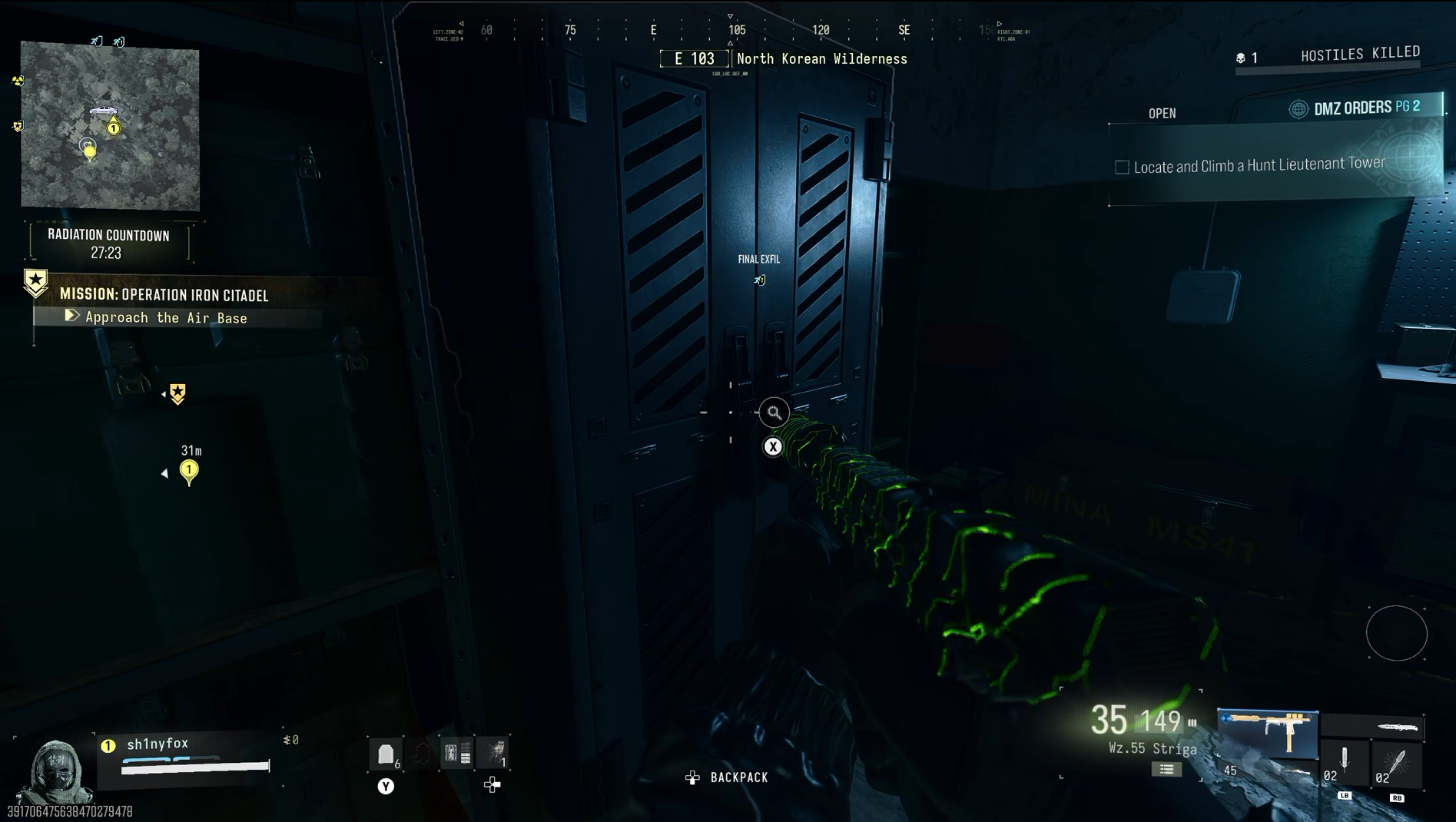
You want easy (and free) new weapons in DMZ, find yourself these Weapon Lockers. (Image credit: Windows Central)
I take no credit for coming up with this idea. Plenty of folks on YouTube have talked about it, and I first saw TheSpazo on YouTube recommend it as a loot run.
Essentially we're going to target six bunkers on the left side of the map and throw in one compound that sits on the route. This guarantees six weapon lockers and a safe, as well as plenty of bags, military lockers, foot lockers, tool boxes, and, if you need to upgrade your FOB, a ton of valuables really easily.
The first thing you need to do is deploy into the Operation Iron Citadel story mission. If you don't have this unlocked yet, you need to complete the first three missions on the pyramid and you'll get access.
You don't need to do the mission for this, but using it guarantees you're going to spawn on the map in the right place.
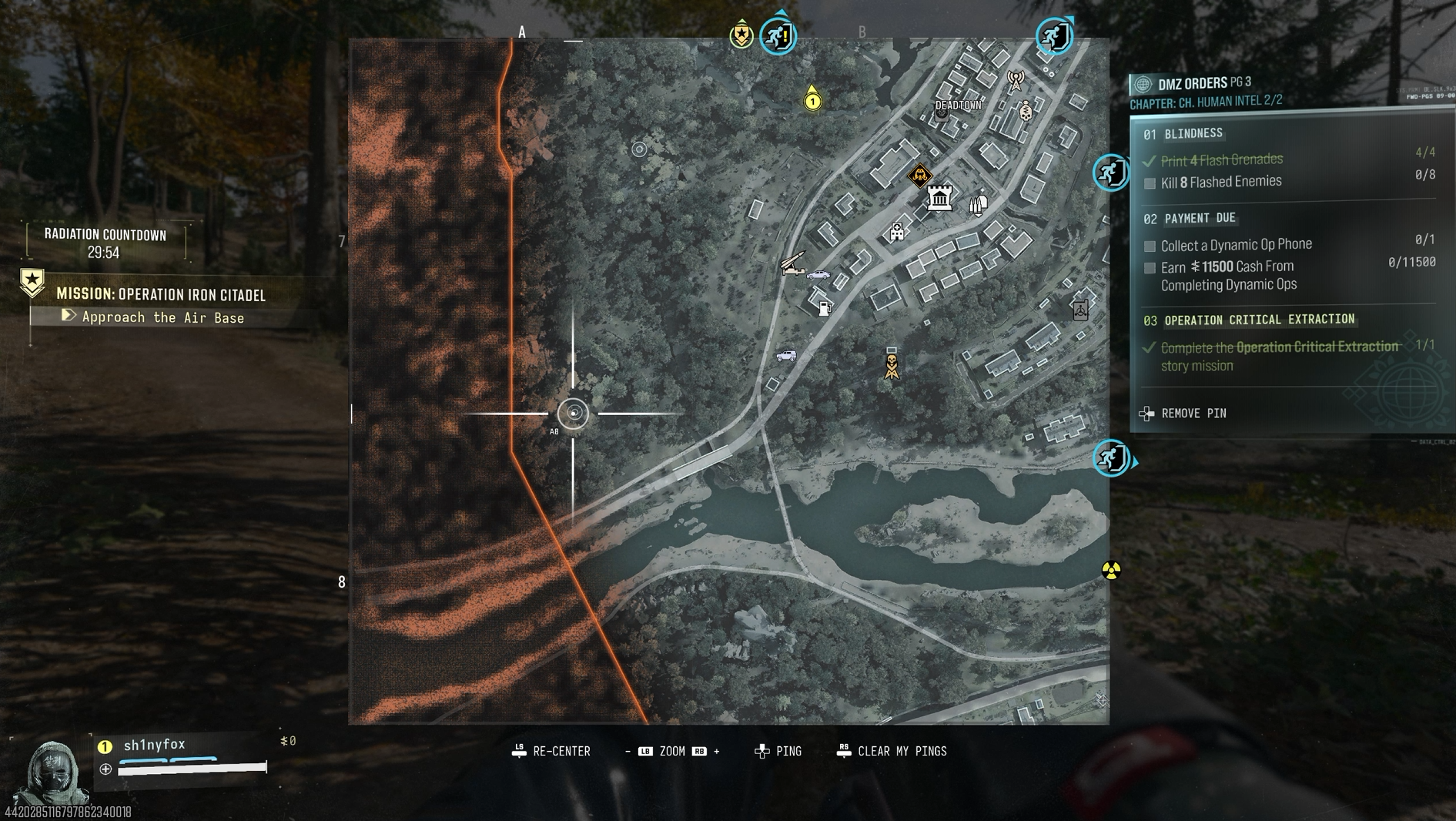
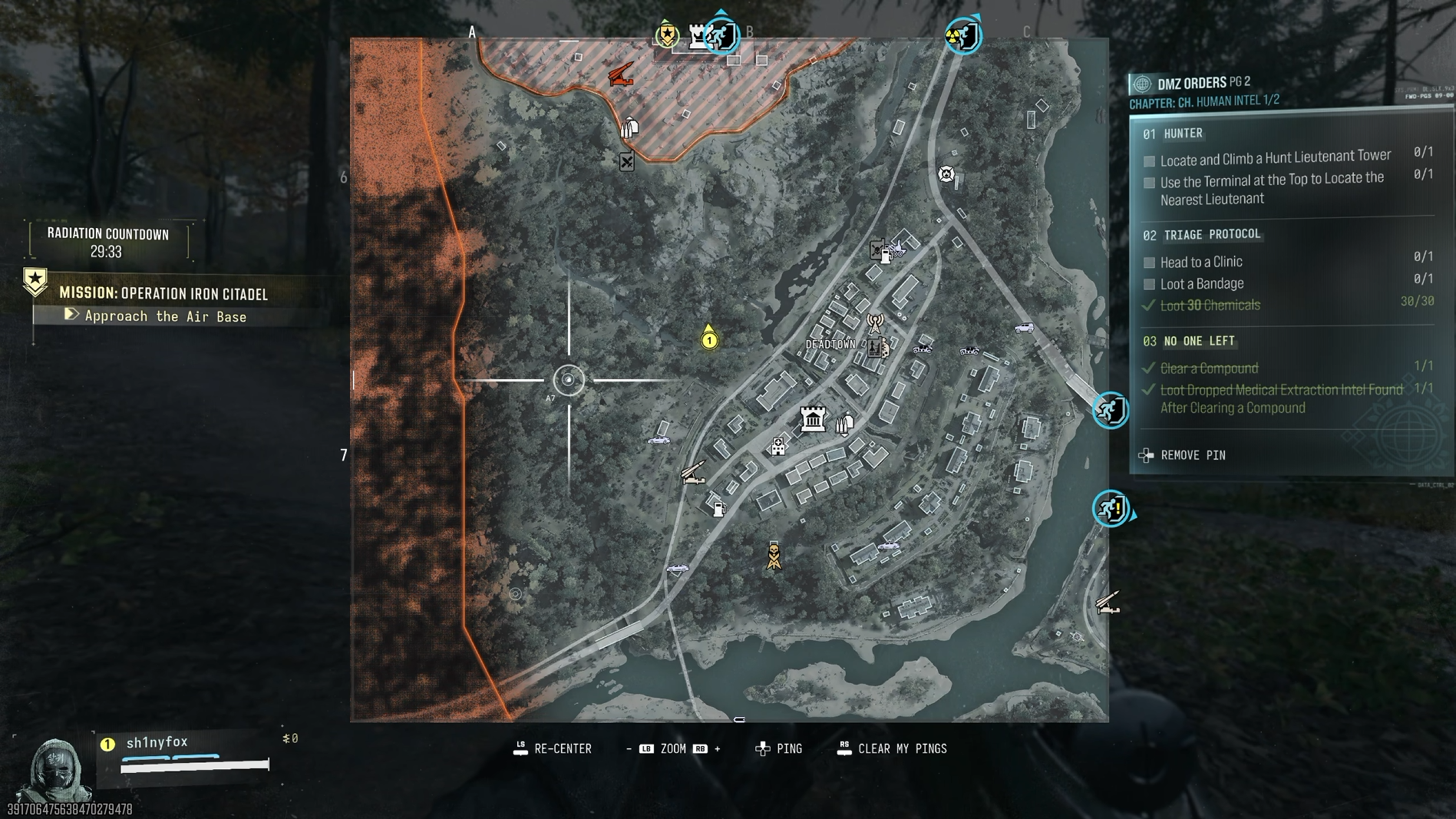
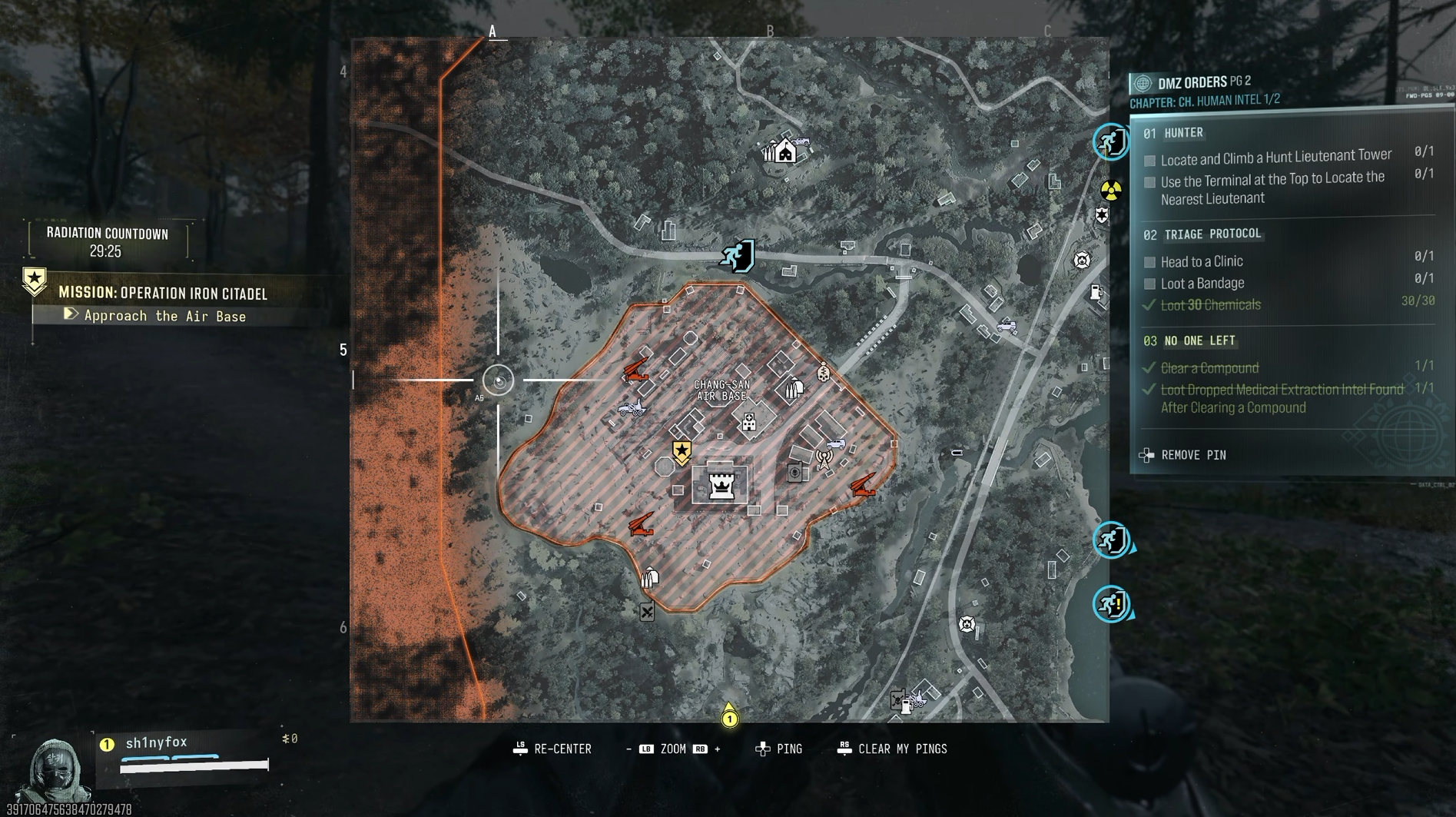
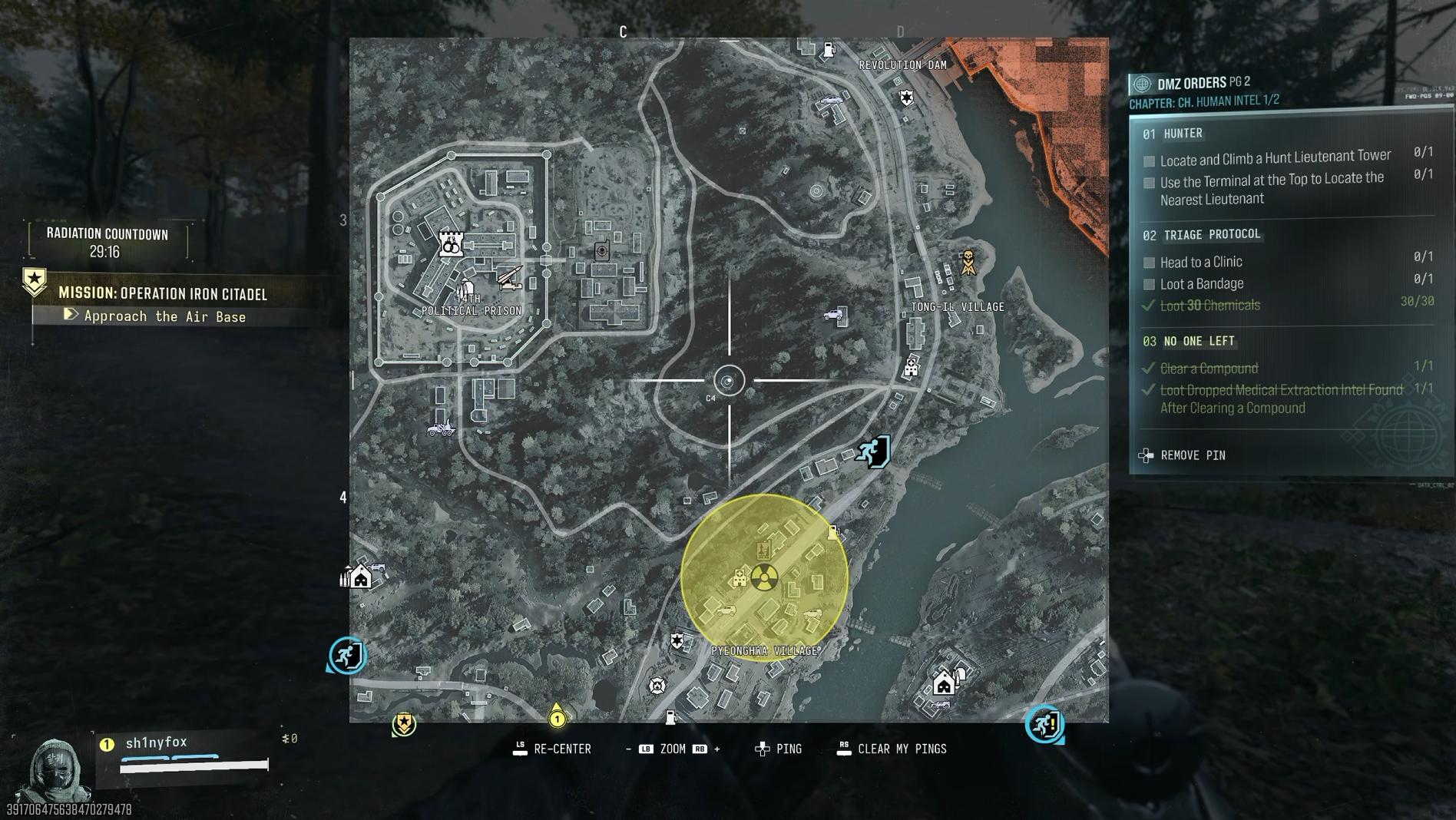
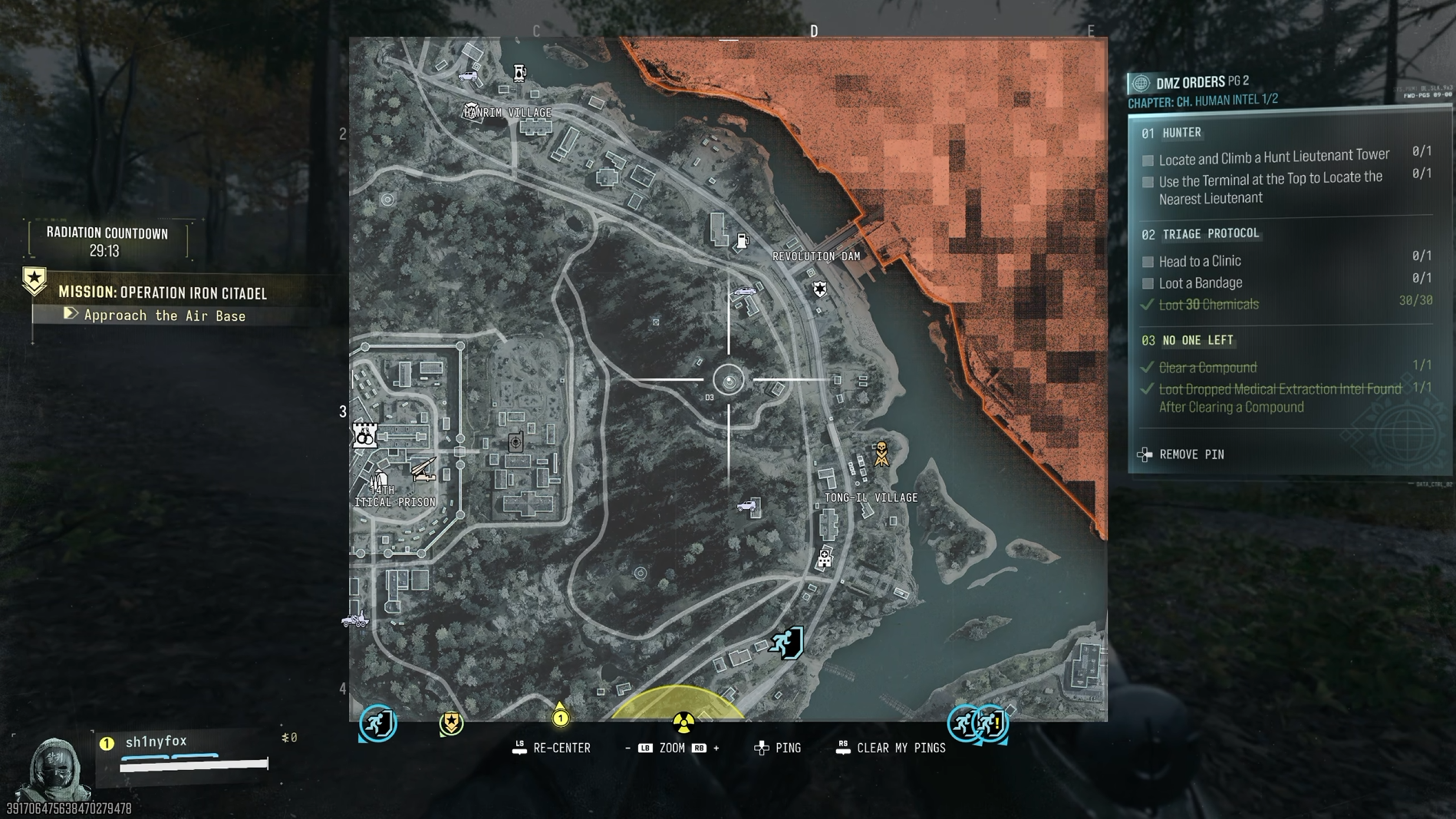
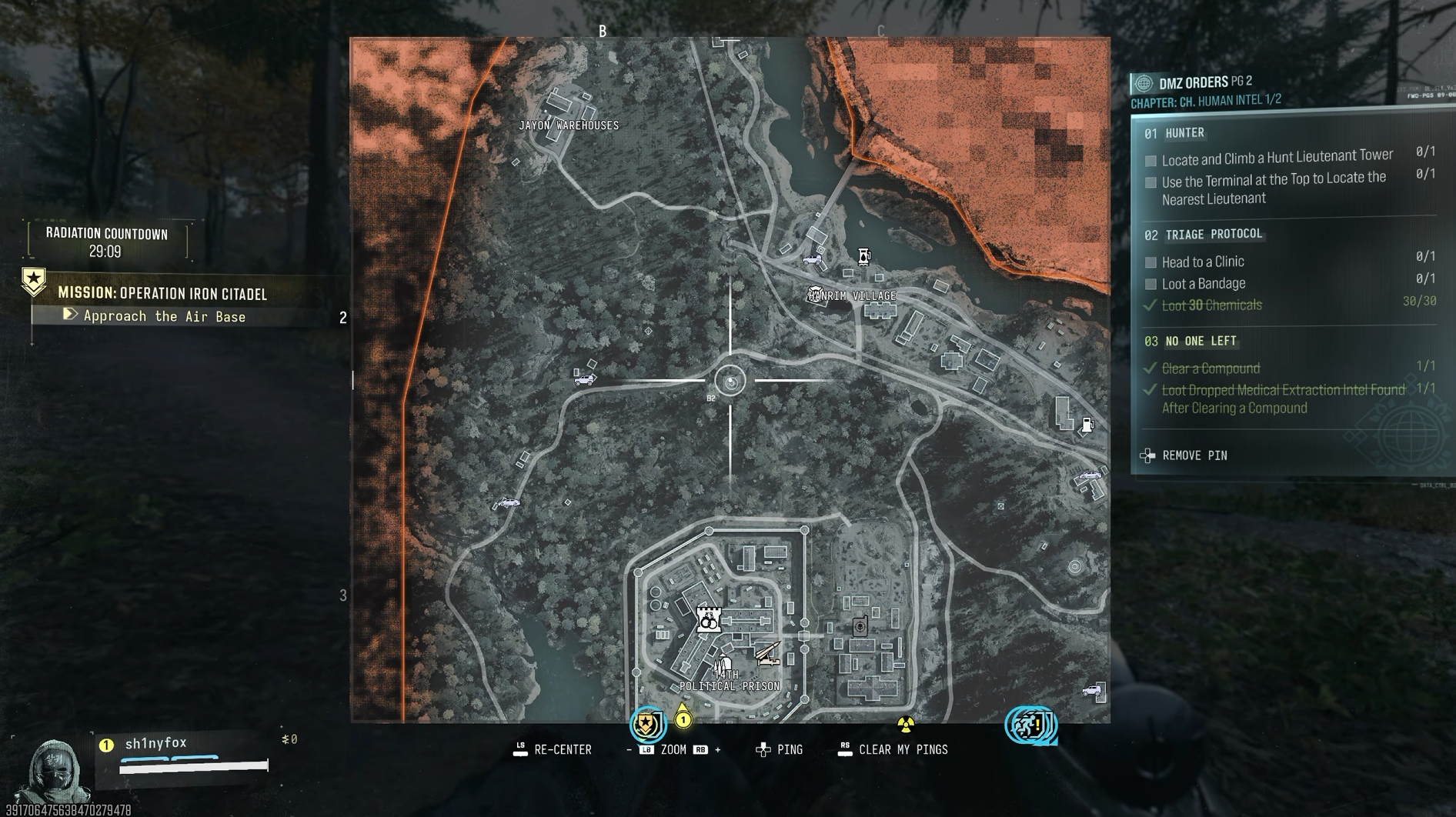
Bunker location in grid A8.Windows CentralBunker location in grid A7.Windows CentralBunker location in grid A6, and the Compound to hit north of the airbase. Windows CentralBunker location in grid C4.Windows CentralBunker location in grid D3.Windows CentralBunker location in grid B2. Windows Central
When you're in your raid, open the map, and you're looking for six marks along the left portion that are little circles. They're missile silos, which may come into play in future content, but attached to them are bunkers full of goodies.
There will be one to the west of where you spawn, so hit that one first. There will then be a second one south of that. The gallery above shows all the grid locations for each of the six.
Basically you need to grab the first vehicle you can and hit all six bunkers as fast as possible. A car will often spawn near you when you load in, or you can find one down at Deadtown.
But the route is simple. Start at the bottom around where you spawn, drive up to each silo, go in through the bunker entrance that will be off to one side, and just loot everything inside.
You'll find maybe one AI enemy in some of the bunkers, but that's about the only resistance. When you come to a door locked from the inside, simply follow the windows and go round to the door at the other side of the room. This is the room you really want to hit because it's where you'll find the weapon lockers.
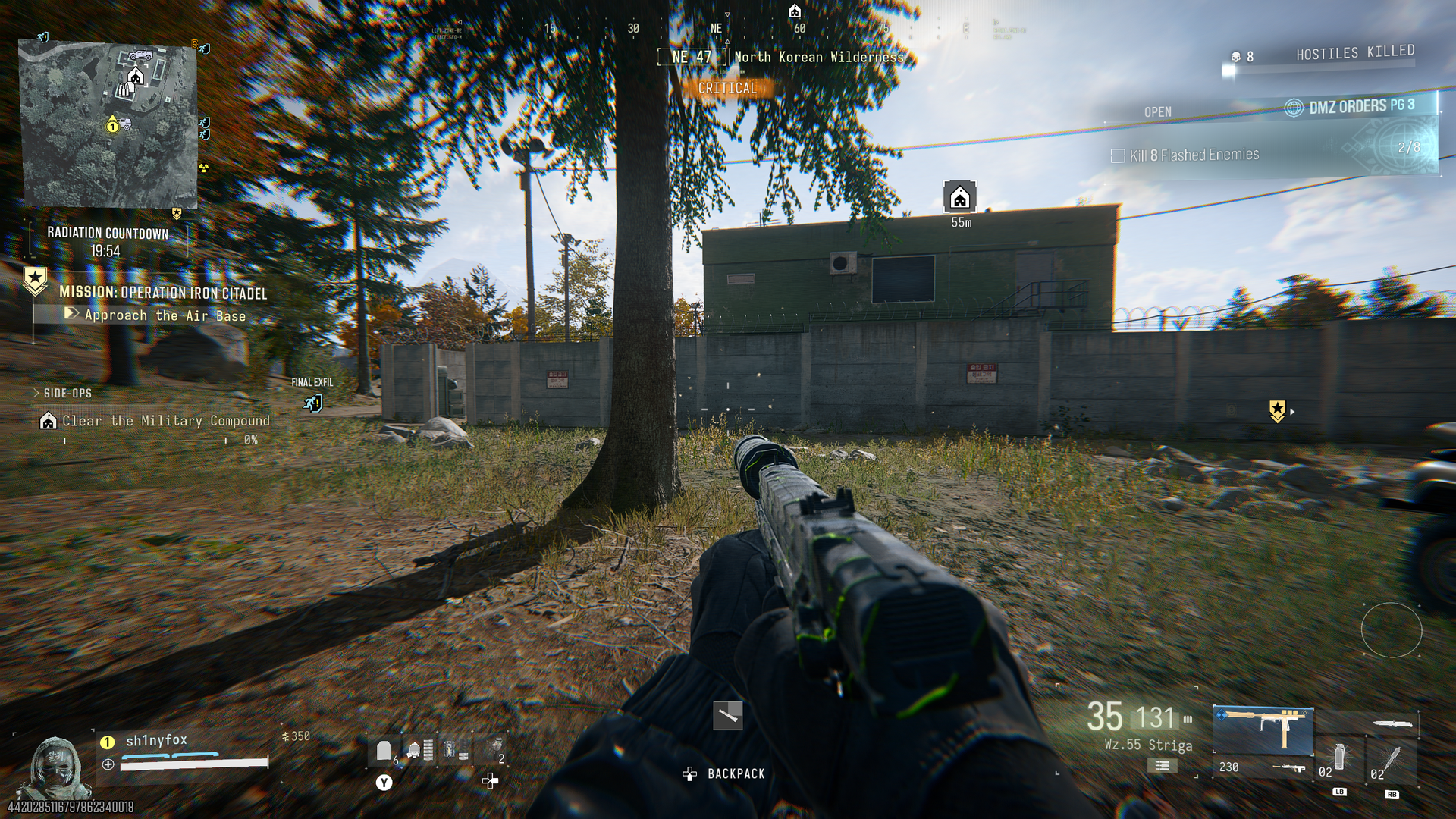
Approach the Compound from the south, and go straight to the upstairs door on this green building. (Image credit: Windows Central)
The only non-bunker part of this run is the Military Compound just north of the airbase. You don't need to waste time clearing it; simply approach from the south, go through the gap in the wall, up the external staircase on the first building, and the safe is in the room at the top.
Then leave the way you came and go back to hitting the bunkers. By the time you finish, you'll have had a chance to loot at least six weapons along with a ton of other great stuff.
The valuables you get are also an easy way to get DMZ Cash by selling them in the FOB. If you're not needing any to craft upgrades, just sell them, and you'll be rolling in cash. Maybe hang onto any Gold Skulls or Gold Bars, though if you find any, because you'll need them at some point in the future, and they're pretty darn rare.
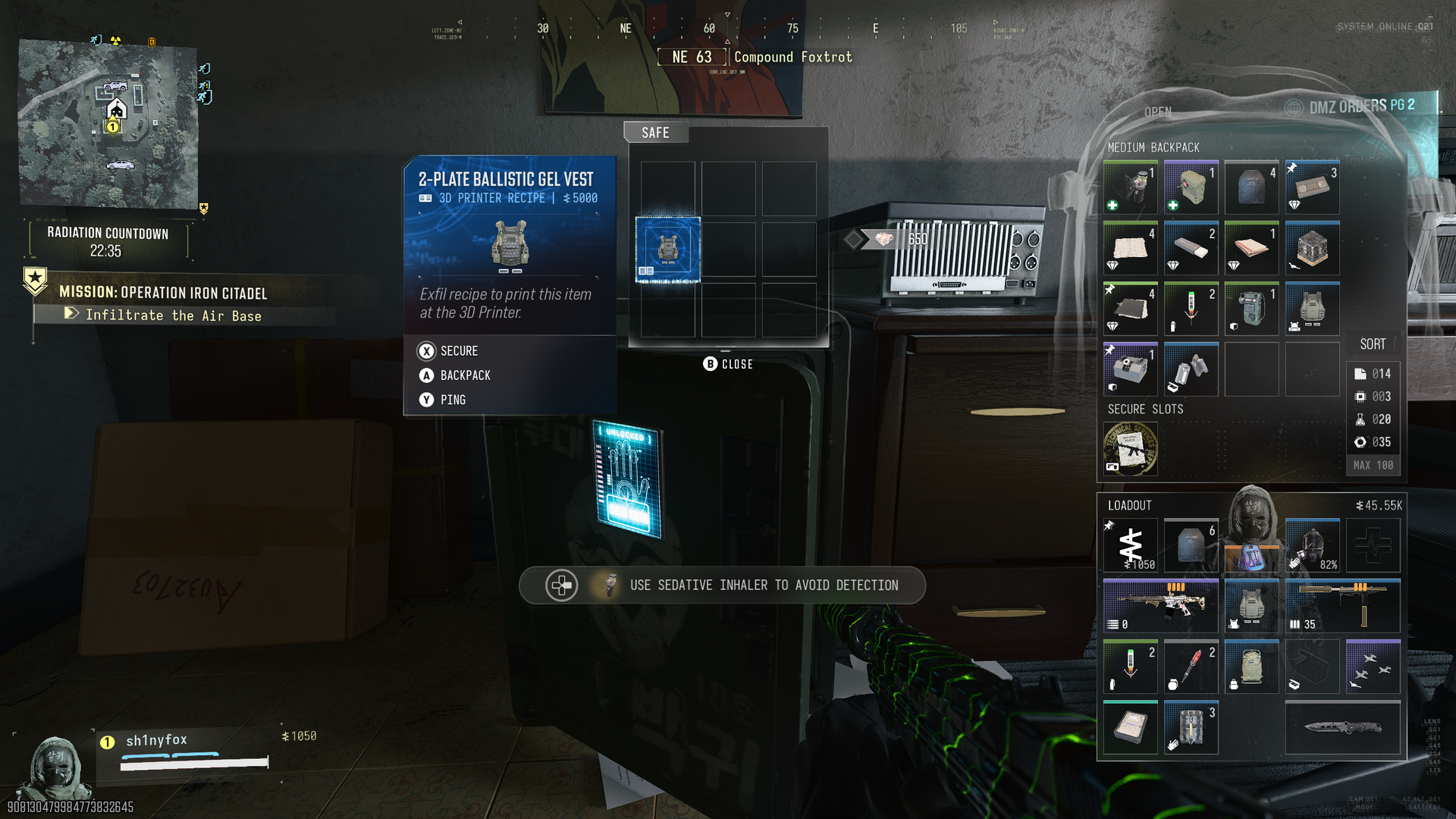
You won't always find killer loot in a safe, but a lot of the time you will. (Image credit: Windows Central)
Once you've looted all the bunkers, hit an exfil and get out. If your Operator has the Trait that reveals the Final Exfil point on the map, this will often be in the top left corner, which is ideal to hit from the final bunker.
Other players in your match are less likely to be there, but if it's not, there always seems to be an exfil in the vicinity of the airbase if you've loaded in via the story mission.
There's the whole discussion over whether there are actually fewer players in a lobby when you select a story mission or not, but in my experience this run has been pretty chilled. I've only seen one player in the last 10 runs, funnily enough, someone who beat me to the Final Exfil point.
So you do need to keep your guard up, but only you will spawn at that location for that story mission, so it increases your odds. But speed is of the essence. Don't waste time running; don't waste time looting other buildings. Get a vehicle and move fast, in and out.
Take a Weapon Backpack if you have one
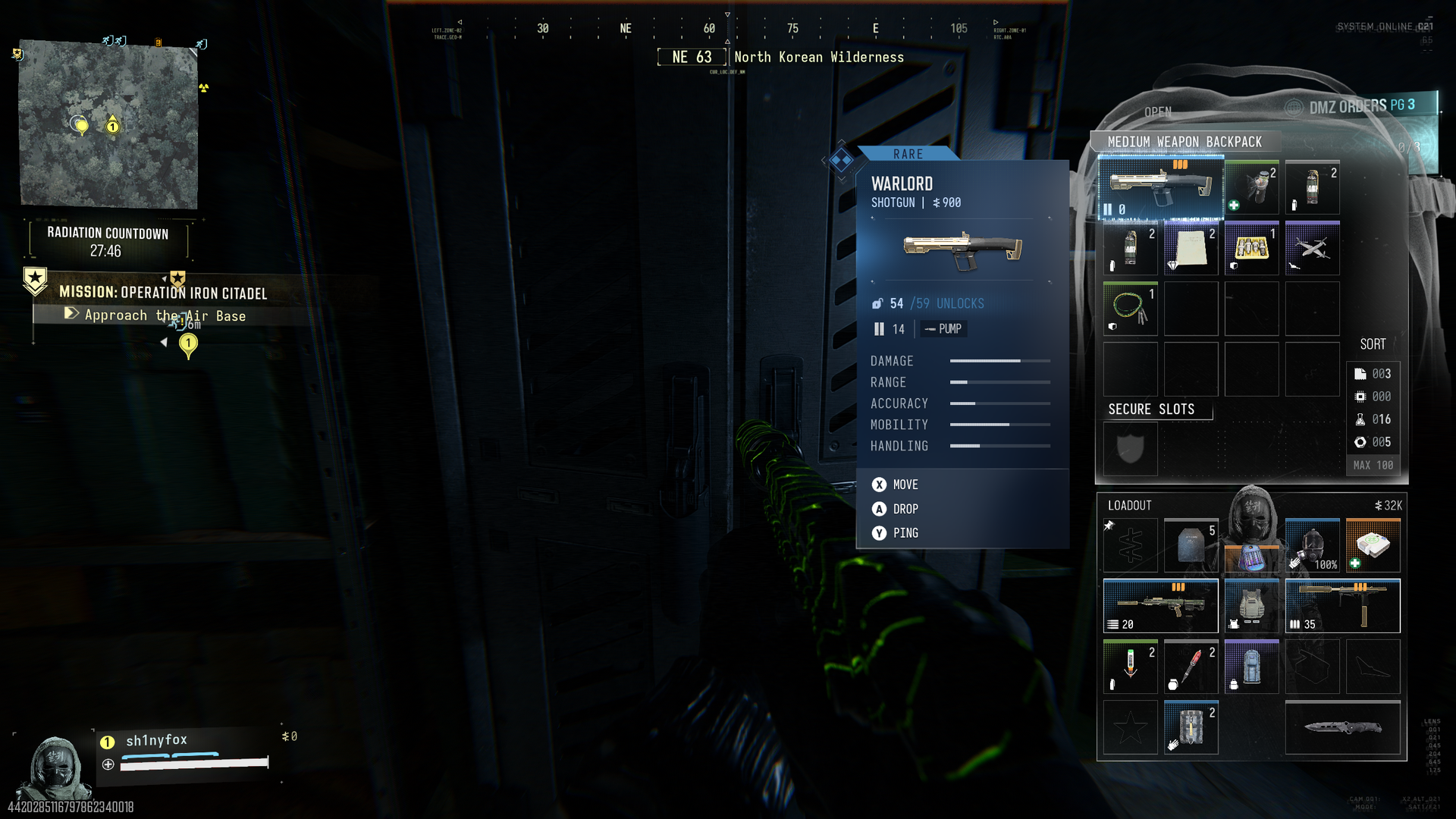
Weapon Backpacks have a dedicated slot to stash weapons in that you find while you're looting. (Image credit: Windows Central)
As you're focusing on just harvesting loot with this run, you want to take as little as possible in with you. You shouldn't be coming into contact with many enemies, so one tip would be to only take in one weapon so you have a vacant slot.
If you have a Weapon Backpack you can use, take it, because with a vacant slot in your loadout and this, you have a chance to exfil with two new weapons per run.
At the very least use a Medium Backpack if you can, because that secure slot will guarantee you get out with any high-value items you find, such as recipes and weapon manuals.
But leave your backpack as empty as possible. You need the space because you're going to find a lot of loot.
I specifically say this is a good loot run to carry out as many times as you can before Season 1 for a couple of reasons.
The first is that right now, choosing this story mission seems to have reverted to the old ways where there seem to be fewer players. Only one person will ever get a story mission spawn at a time, so you will be starting on your own. But still, other players exist, so speed is essential.
The other reason is that this could change when Season 1 starts. Or loot spawns could change. In a live service mode like DMZ, always be ready for a change to come in that could end whatever methods you've become comfortable with. But we've had the final pre-season update now (as far as we know) so you have at least a few days while it should stay like this.
So it's a good time to stock up on weapons and materials and get crafting FOB upgrades if you can. Especially if you're wanting to check out X01. That promises to be a difficult location, so get the best start you can before it arrives.
Join us on Reddit at r/WindowsCentral to share your insights and discuss our latest news, reviews, and more.
Microsoft has announced (via Xbox Wire) one of the strangest promotions it's done in years. It's hosting a free giveaway on social media for the Xbox Series X–Bite, a custom-made Xbox Series X trapped in a fake alligator.
This is not a gimmick display piece; there is an actual, fully functional Xbox Series X inside this fabricated beast, complete with a built-in resting place for an Xbox Series X controller rest in the alligator's jaw.
Do note that only one Xbox Series X-Bite exists and that Microsoft will only give it away to one winner. If you're interested in this monstrosity.
Here are the rules for entering this giveaway promotion:
Step 1 - Make an X, Instagram, or TikTok account.
Step 2 - Follow @XBOX on your platform of choice.
Step 3- Repost the designated XBOX sweepstakes post.
Step 4 - Manually add #XbiteSweepstakesto your repost.
Step 5 - Make sure to set your account's privacy settings to public so Microsoft can see your post.
The Xbox Series X-Bite sweepstakes giveaway will run from 9:00 a.m. PT on November 3, 2026, to 11:59 p.m. PT on November 10, 2026.
Keep an eye out for notifications from Microsoft after you enter. If you've won, you will need to claim your prize within 48 hours of Microsoft's notification; otherwise, you'll miss your chance.
Windows Central's take
Now I've seen my fair share of bizarre gaming promotions as a gaming journalist over the years, but this one takes the cake for how random it is. I mean, how do you even put any discs in this gator (and will Xbox controllers' wireless connections be able to get through its stomach)?
I can't help but wonder if this was originally meant to be a Grand Theft Auto 6-themed Xbox Series X giveaway (considering the game takes place in a satirical version of Florida called "Leonida"), but something happened to cause Microsoft to veer away from any mention of it.
Either way, with Xbox consoles struggling for stock, I'm sure there will be plenty of people crazy enough to enter this contest to win the Xbox Series X-Bite and display it as a treasured heirloom for future generations to guard with their lives...or take the console out of the gator's stomach and toss out the reptile if it's too big to fit in their rooms.
Join us on Reddit at r/WindowsCentral to share your insights and discuss our latest news, reviews, and more.
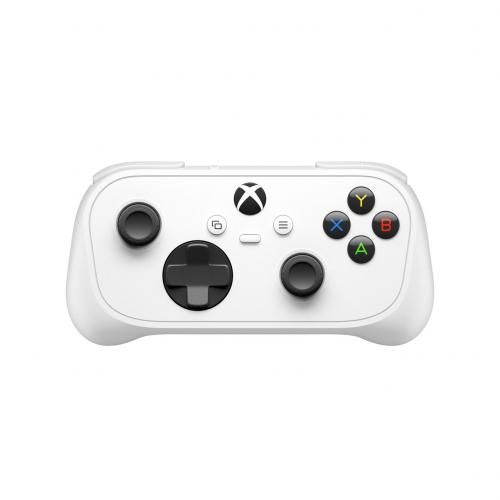
Microsoft's tiny XBOX Nano controller is now available from Microsoft and third-party retailers like Antonline for $49.99. Just last month, Microsoft officially announced its new pocket-sized Nano, and it's on track for its targeted release, with a launch today, November 4, 2026.
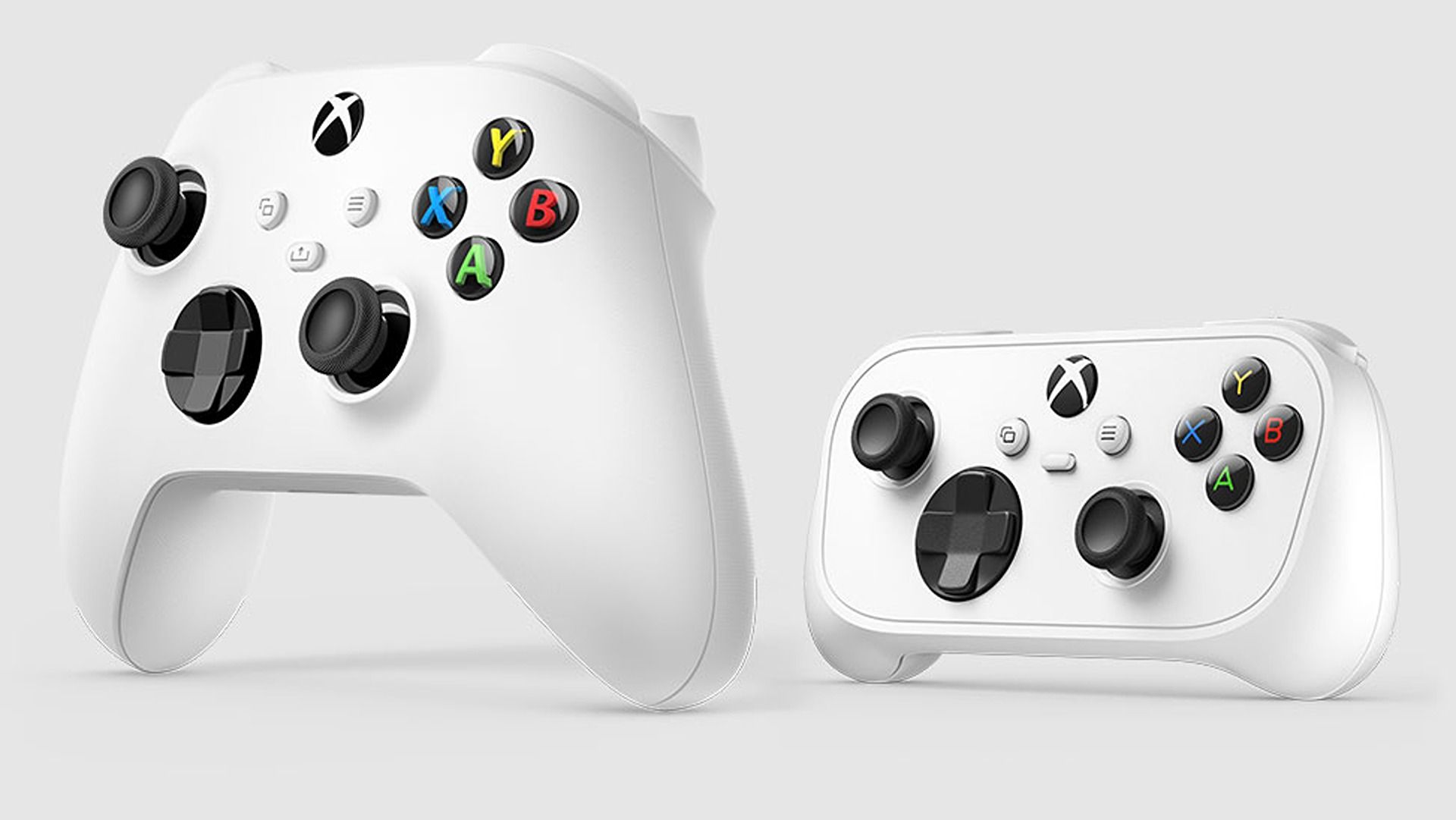
It's a slim alternative,measuring slightly over 5 inches and weighing only 3.5 oz (~99 g), which makes its Cloud Gaming appeal to smartphone gamers pretty obvious, but it works on Microsoft's consoles as expected. Our own Jez Corden went hands-on with the XBOX Nano, and his initial impressions are positive, with a full review to follow.
The Nano Controller is a smaller XBOX gamepad built for portability and smaller hands, while keeping the solid form factor and intuitive button layout of traditional controllers.
What makes the XBOX Nano Controller unique is that, despite its small stature, it's billed as having the same high-level quality as regular-sized XBOX controllers (though there's no rumble feature). Still, Microsoft made sure to have the Nano stand out with some unique features:
It fits easily in your coat or bag pocket, even when traveling.
An ergonomic design makes it more comfortable for gamers with small hands.
A rechargeable battery.
An 'Action Button' that can take screenshots, record gameplay, or perform other in-game shortcuts.
So, if you like the idea of a compact XBOX controller you can take with you without bulky carry cases, the XBOX Nano Controller might interest you. For some of us, the $49.99 retail price might feel steep for a controller without Hall Effect or TMR thumbsticks, but it certainly has its appeal elsewhere.
We'll see if the Nano can prove us wrong about cost when we review it, but judging by Jez's early impressions, it's looking solid so far.
Join us on Reddit at r/WindowsCentral to share your insights and discuss our latest news, reviews, and more.
Warhammer 40,000: Rogue Trader, one of my favorite RPGs in years, is releasing its final DLC expansion, "Processional of the Damned", on December 8, 2026, for Xbox Series X|S, PlayStation 5, Nintendo Switch 2, and PC via Steam, GOG, and the Epic Games Store.
It will feature a brand new storyline, a new party member, a new "Zealot" archetype, new enemies to battle, new gameplay features, new gear, and much more.
Here's what you need to know about the "Processional of the Damned" DLC.
The expansion will have players meet a recruitable companion named Stella, a miraculist raised by the Order of Saint Cognatius.
She leads you on a trip across the galaxy to explore a giant voidship graveyard infamously known as the "Processional of the Damned" due to a mysterious force calling her there.
Things get dicey quickly as you and your crew get trapped within the voidship graveyard. Now must work with the survivors of a lost missionary expedition to uncover the Processional of the Damned's mysteries, learn what drew Stella to this accursed place, and find a way to escape before the Forces of Chaos or worse things slaughter you.
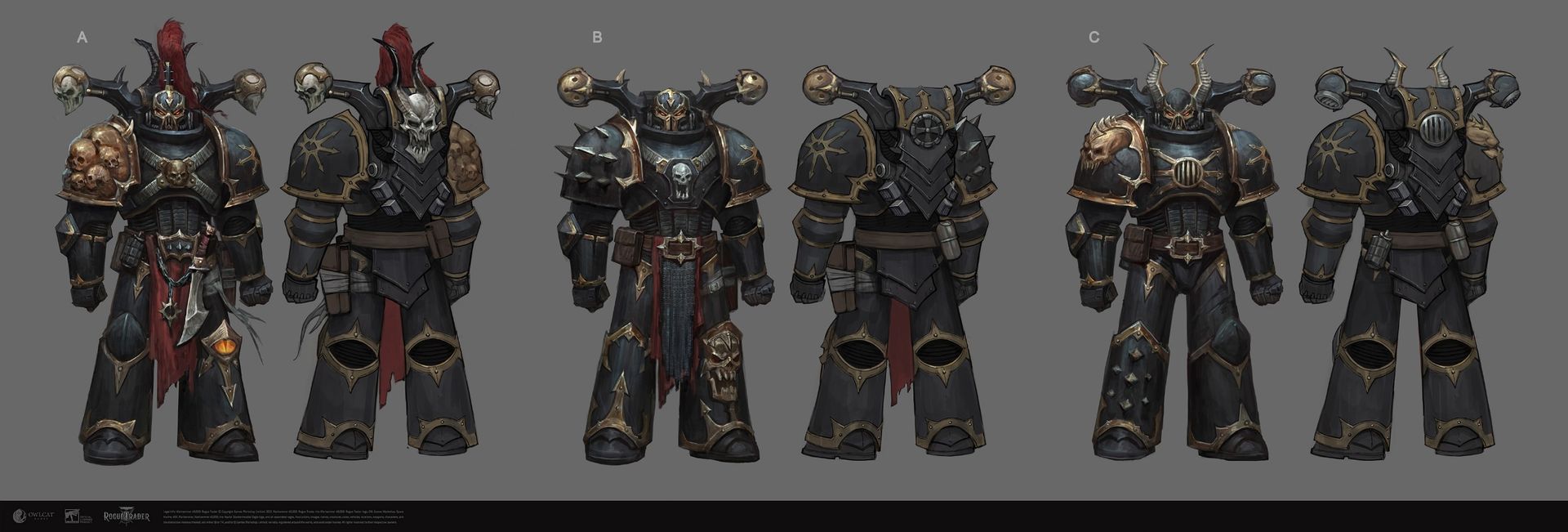
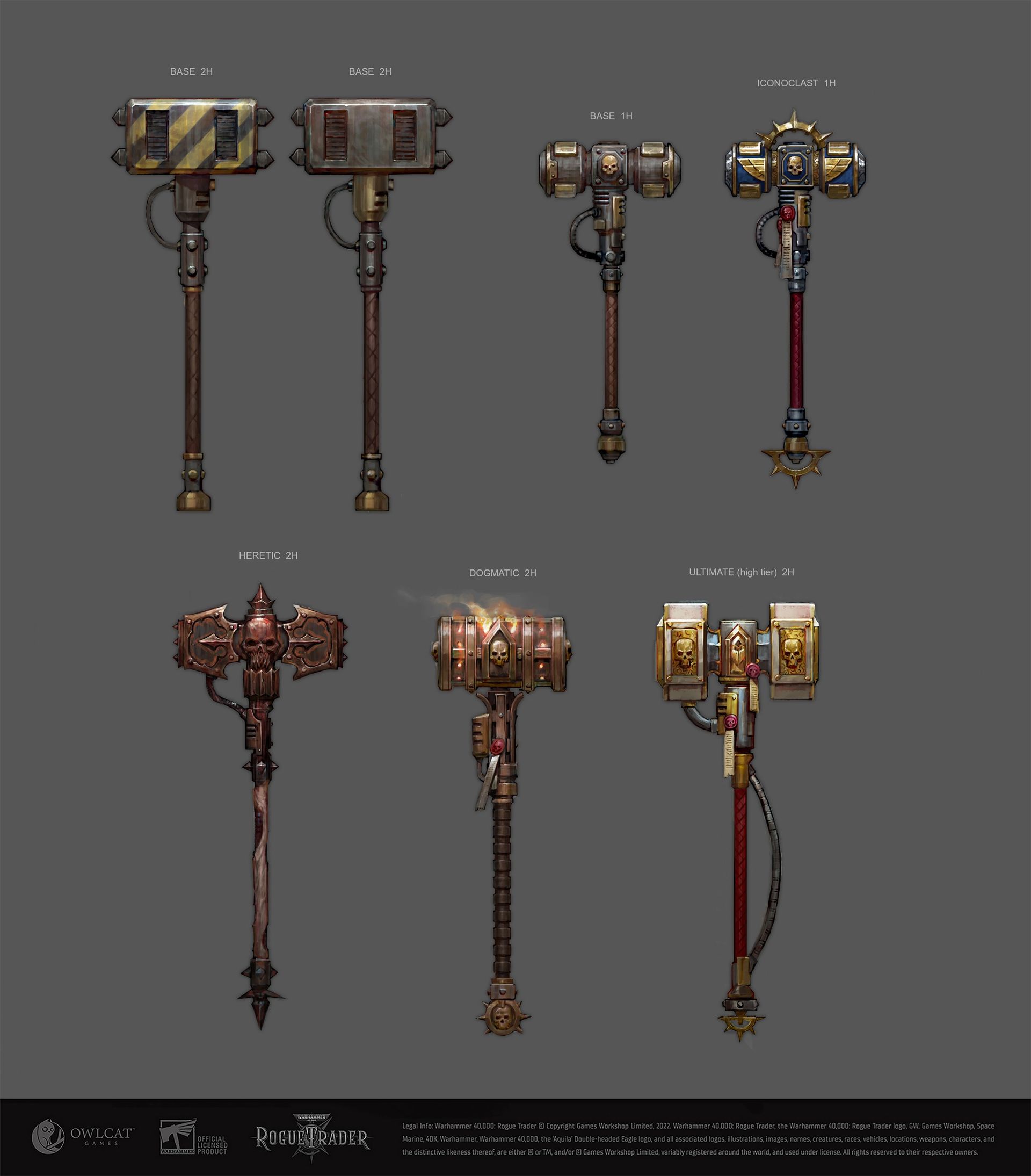
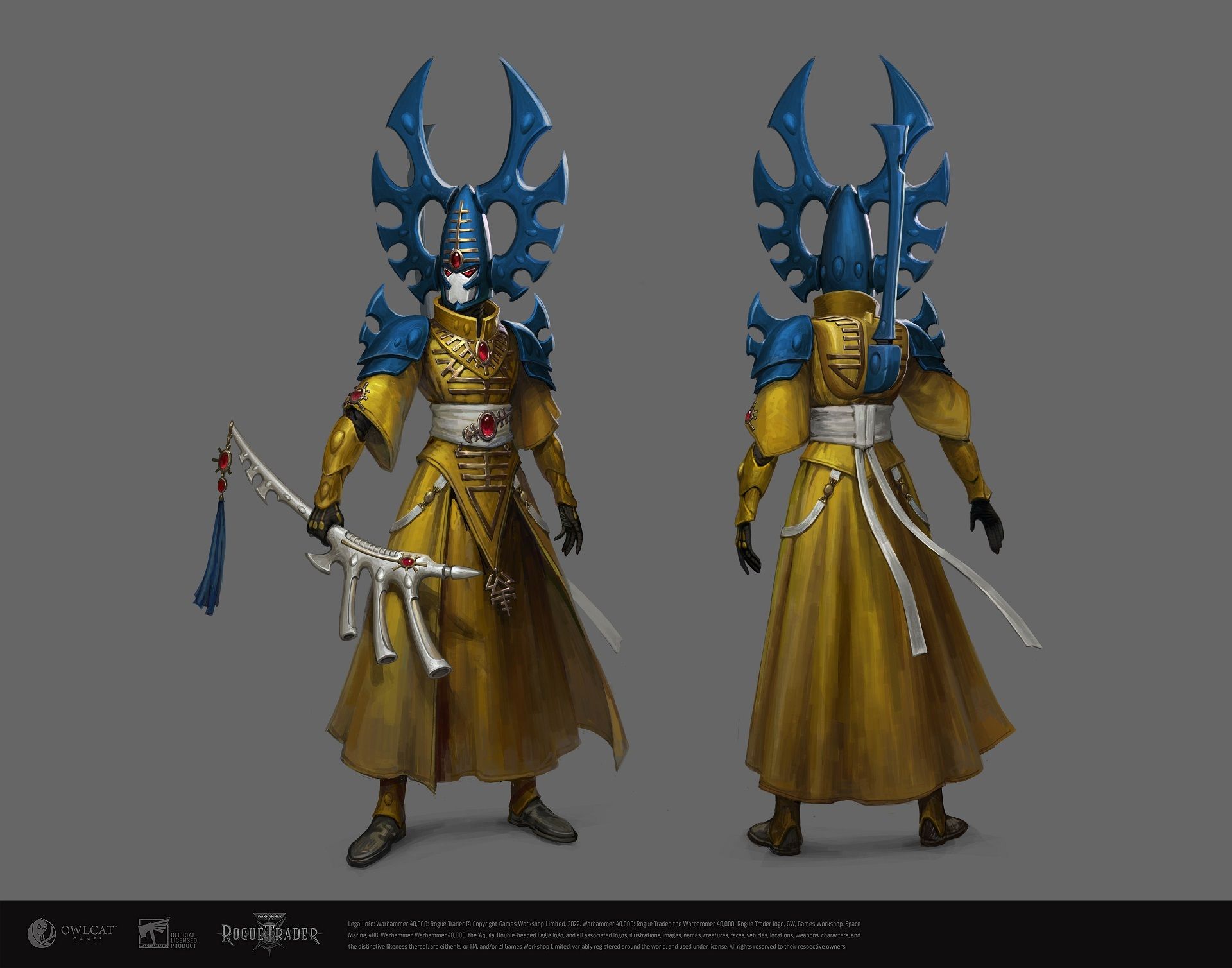
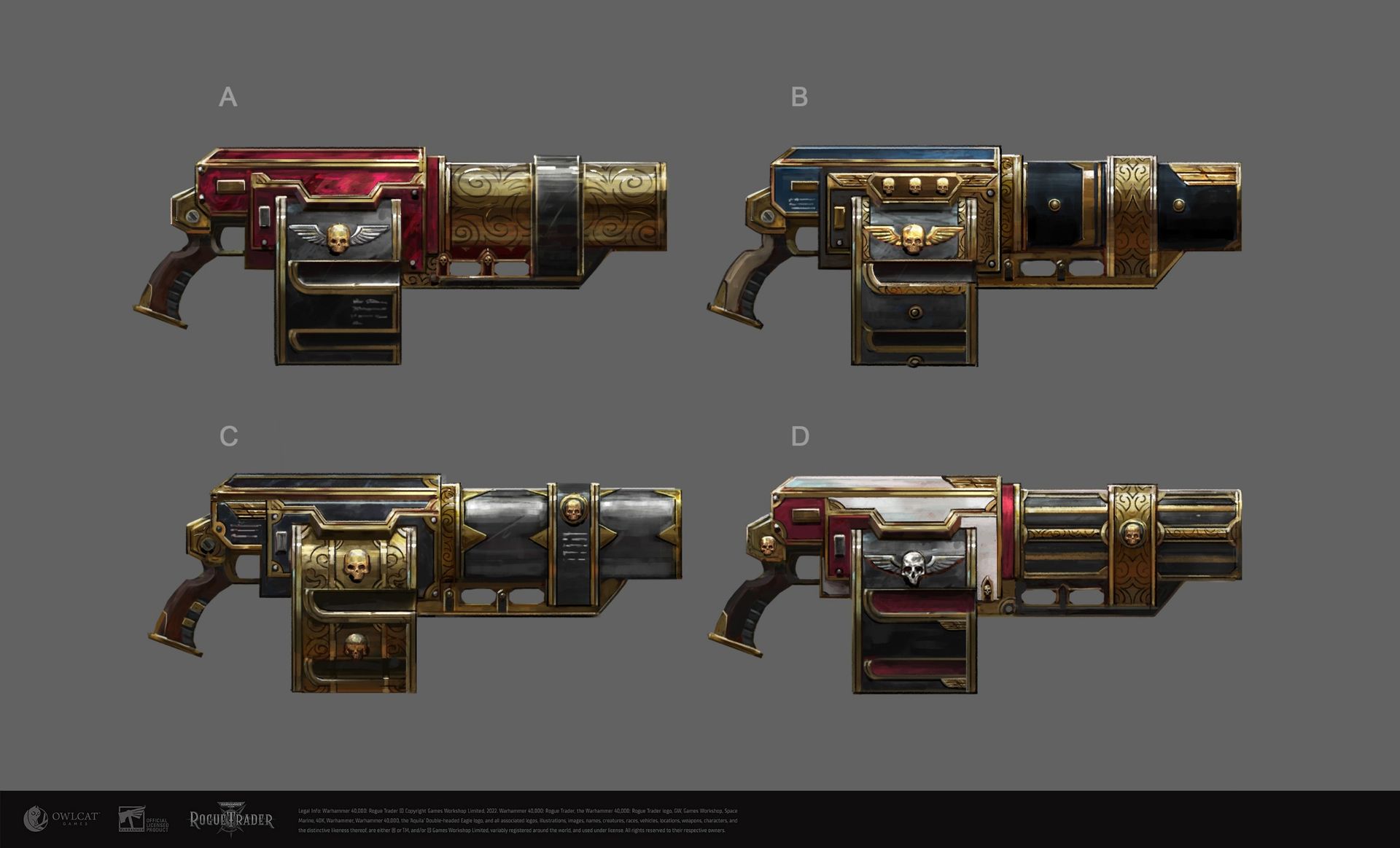
Meet Stella the Miraculist.Owlcat GamesChaos Space Marines from the Black Legion.Owlcat GamesNew hammers for the "Zealot" archetypeOwlcat GamesIyanden AeldariOwlcat GamesNew Grenade launchers to grab.Owlcat Games
As this is Warhammer 40,000: Rogue Trader's last DLC expansion, it's going all out with tons of new gameplay features, including:
Stella, a new Miraculist companion who can set enemies on fire with psychic Pyromancy and change their abilities mid-fight depending on Veil Degradation or how many Psykers there are currently in your party.
A playable "Zealot" archetype that's all about smashing enemies to death with hammers and other bludgeoning melee weapons.
New enemies to fight, including Chaos Space Marines from the Black Legion and Aeldari from the Iyanden Craftworld.
A new "Insanity" gameplay mechanic that will inflict horrifying effects on all of your companions, especially Stella.
New weapons (including a Grenade Launcher), a new romance option, new companion events, new items, new space exploration options, and other hidden surprises.
I'm going to miss this wonderfully dark and amazing RPG take on WH40K
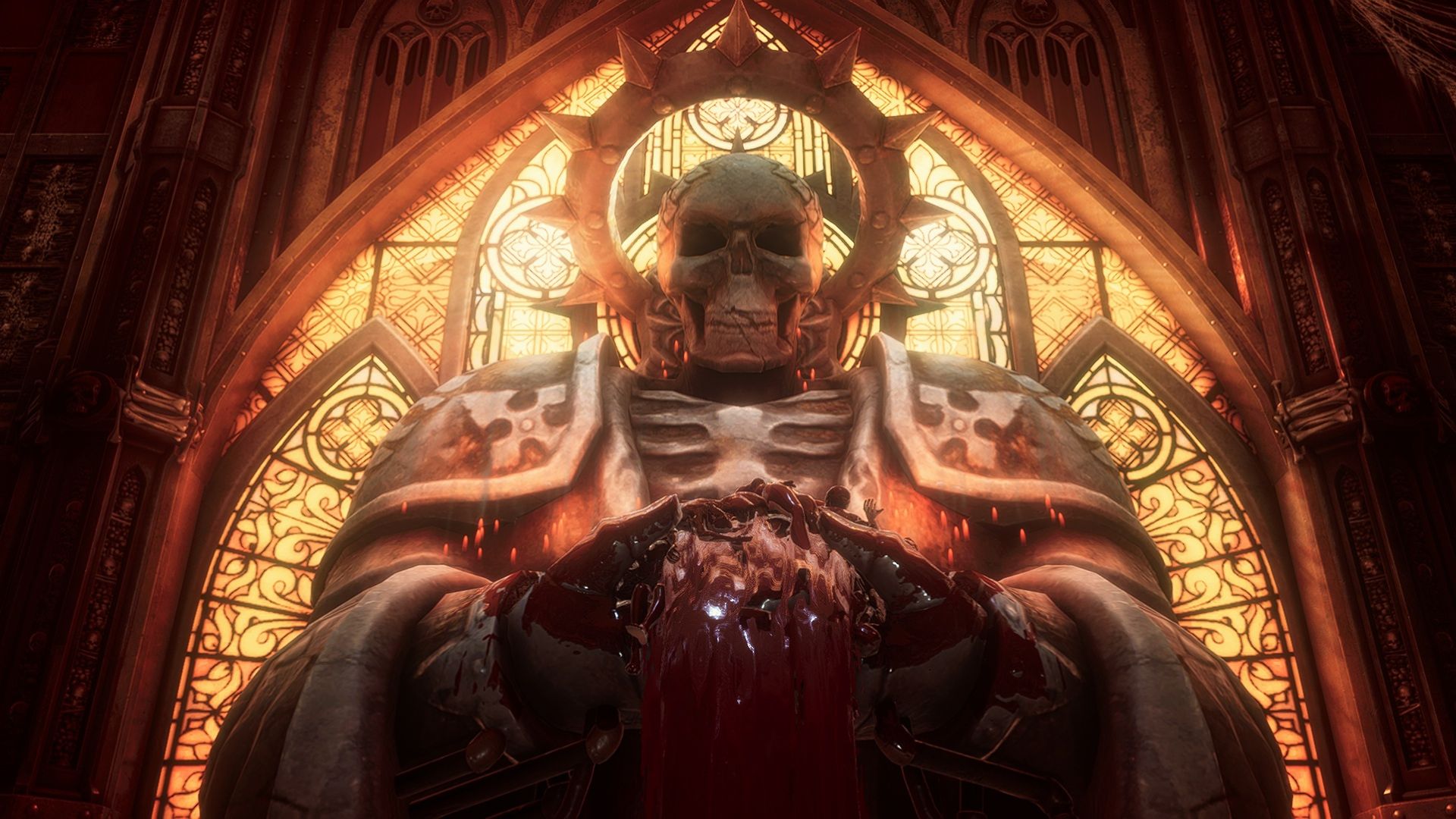
Praise the Undying Emperor (Image credit: Windows Central (Alex Cope) | Owlcat Games)
Out of all the RPGs I've played these past few years, I've never been so enthralled by one as much as Warhammer 40,000: Rogue Trader. Not only was it the best introduction to Warhammer 40,000's vast, complex universe lore for newcomers, but it's also a brilliant game in its own right.
Its characters had rich personalities with intriguing arcs; its turn-based tactical combat was brutal and satisfying; its storylines had me hooked from beginning to end, and its vast array of dialogue choices had meaningful consequences while vastly improving replay value.
On top of that, every expansion released for Warhammer 40,000: Rogue Trader was jam-packed with amazing content that aimed to make the whole game better, rather than just a few extra bits here and there.
So I can't wait to see what insane final adventures Owlcat Games has in store for us when Warhammer 40,000: Rogue Trader's Processional of the Damned DLC expansion launches on December 8, 2026.
Whatever it is, it will be a great way to kill time while waiting for Warhammer 40,000: Rogue Trader's successor, Warhammer 40,000: Dark Heresy, to come out next year.
Join us on Reddit at r/WindowsCentral to share your insights and discuss our latest news, reviews, and more.
If you’re like me, a massive Halo fan, you’ve probably played Halo Wars at some point. Maybe you enjoyed the huge battles with friends online, or perhaps you just stuck to the campaign because, well, it was great. But have you ever found yourself thinking how cool it would be to get your feet on the ground and see it all from a first-person perspective? Well, now you can.
Researching this has been a bit of a headache. It’s been difficult to pin down who originally created the crossover, but from what I can tell, there are at least two projects out there? Both presumably use AI to achieve the first-person mode, because that’s just the world we live in now.
The two projects in question are Halo: Theater of War and Project Groundside. For the sake of simplicity, I’m going to focus on Project Groundside, since it appears to be the main project people are using and playing. If you’d like to try it yourself, you can join their Discord server linked here.
Just a quick heads up too: these mods are only available on PC, so if you're on console, you're sadly out of luck.
Project Groundside turns Halo Wars into a first-person shooter
Project Groundside lets you play Halo Wars normally, but with the ability to control units in first person. The style is heavily inspired by Halo: Reach, complete with Reach weapon models and a sprint mechanic. In fact, you can even drive a Warthog, tank, and Falcon, and there’s a third-person mode available too.
The project also introduces a respawn mechanic where you can choose to load in as a Marine, Spartan, or ODST, each with different weapons to choose from. Respawns do cost supplies, though, to try and keep things balanced.
Now, this mod serves more as a proof of concept, but it’s pretty cool nonetheless. With the future of Halo up in the air, it’s refreshing to see projects like this give fans a taste of something different, especially when nobody knows how long it'll be till the next game.
I, for one, would love to see large-scale battles in a Halo sandbox with destructible environments in an official game. We’re sort of getting a glimpse of that with modded Halo 3 on PC, which has up to 128 players now in a match, and that's definitely tiding me over for now.
Let me know your thoughts on this in the comments, and be sure to take part in our poll below:
Join us on Reddit at r/WindowsCentral to share your insights and discuss our latest news, reviews, and more.
As Xbox tries to shed studios, there may a light at the end of the tunnel in store for Arkane Lyon. According to a new report from Bloomberg’s Jason Schreier, multiple companies, including French publisher Ubisoft, have submitted offers to acquire the acclaimed studio behind Dishonored, Deathloop, and the upcoming (at least we hope so) Marvel’s Blade.
Sources familiar with the negotiations revealed that at least two other gaming entities have made bids, while Microsoft has also considered management buyout options to spin the Lyon-based team out as an independent entity. Not unlike what has become of Undead Labs. While terms have not been finalized, a successful acquisition would reportedly allow Arkane Lyon to finish development on Marvel’s Blade, which was first unveiled at The Game Awards in 2023.
A critical deadline in Xbox's sweeping "reset" of studios under it's wing
(Image credit: Ubisoft, Microsoft)
The bidding comes after months of intense uncertainty for Arkane Lyon. Following the arrival of CEO Asha Sharma earlier this year, Xbox embarked on a sweeping "reset" across its studio portfolio aimed at reining in operational costs.
In July, Microsoft outlined plans to divest five internal studios. While teams like Double Fine and Compulsion Games transitioned toward independence and others secured new homes, Arkane Lyon was placed in an official consultation period under French labor laws to determine its fate.
Reports last month revealed that Arkane Lyon faced a strict mid-November deadline to secure a buyer or face complete closure, putting roughly 217 jobs and the future of Marvel’s Blade at risk.
An Xbox spokesperson confirmed the company is actively exploring options ahead of a December deadline, though Microsoft declined to elaborate on specific negotiations.
Ubisoft actually makes sense
(Image credit: Xbox Game Studios)
Ubisoft's bid has some geographic logic at least, they are headquartered in France and already have an extensive local infrastructure which would make it easy for them to absorb Arkane Lyon.
Interestingly, it won't be the first major asset Ubisoft has taken off Microsoft's hands. Back in 2023, Microsoft famously offloaded the cloud streaming rights for all current and future Activision Blizzard titles to Ubisoft for 15 years to appease regulators in the UK and close its merger. Securing Arkane Lyon would be the latest instance of Ubisoft swooping in to swipe up pieces of Microsoft's portfolio, if it happens!
Join us on Reddit at r/WindowsCentral to share your insights and discuss our latest news, reviews, and more.
Grand Theft Auto 6 arrives on November 19, but you're going to need to clear out your console drive for that 212GB file size. But let's be honest, you won't be playing anything else.
Rockstar has officially shared when you can start digital pre-loads (via Grand Theft Auto 6's website), because who wants to be waiting on 212GB on launch day to play? The clock officially starts ticking on Tuesday November 10 so you'll have 9 whole days in advance to start your engines. That said, the exact time depends on your chosen platform.
When can I pre-load GTA 6?
Xbox Series X|S digital preloading kicks off globally at 12:00 a.m. GMT on November 10. For US players thats:
Eastern (EST): 7:00 p.m. (Nov 9)
Central (CST): 6:00 p.m. (Nov 9)
Pacific (PST): 4:00 p.m. (Nov 9)
European players will get access from 1 a.m. CET on November 10.
PlayStation 5 players will get access to the game at 12 a.m local time wherever you are.
For those who opted for physical retail editions, code-in-a-box copies are slated to begin arriving at retailers starting November 12.
In addition to the above, when the game launches on November 19, it will go live in your area at 12 a.m. local time, regardless of platform. So yes, some people will be able to play before others.
Free printable map and physical poster
(Image credit: Rockstar Games)
Rockstar also revealed that on launch day (November 19), a printable version of the official GTA 6 cover art and the full map of Leonida will be available as a free digital download via the official site.
If you prefer physical collectibles for your wall, a double-sided printed version of the map and poster will be sold through the Rockstar Store shortly after launch for $0.99, or included as a free gift with any purchase.
If you haven't secured your copy yet or need to grab discounted currency to shave a few dollars off the purchase price, check out our GTA 6 pre-order guide for retailer links and gift card strategies.
Join us on Reddit at r/WindowsCentral to share your insights and discuss our latest news, reviews, and more.
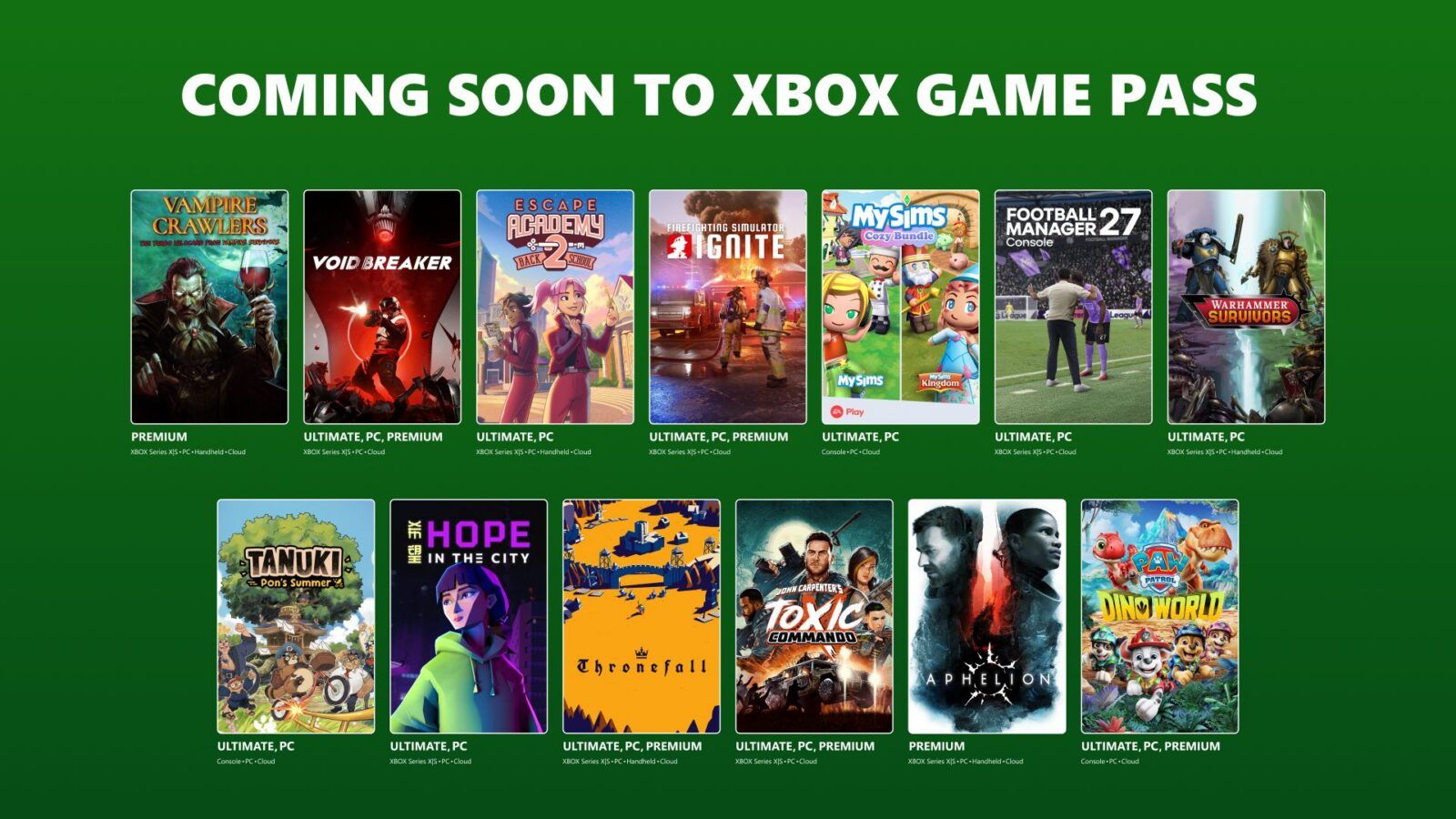
13 Xbox games are expected to join the vaunted subscription service. They include the likes of Football Manager 27 (the latest entry in SEGA's long-running series of football manager simulators) and two spin-offs of the popular indie game, Vampire Survivors.
These spin-offs are the turn-based dungeon crawler, Vampire Crawlers, and Warhammer Survivors, which is basically Vampire Survivors but with characters and enemies from Games Workshop's Warhammer 40,000 and Warhammer: Age of Sigmar franchises.
Here is the full 1st batch list of Xbox Game Pass titles for November 2026.
Game
Date Available
Available on (Game Pass versions)
Football Manager 27 (PC)
November 3, 2026
PC(Game Pass Ultimate, PC Game Pass)
Pit of Goblin
November 3, 2026
Cloud, Xbox Series X|S, and PC (Premium, Ultimate and PC Game Pass)
Vampire Crawlers: The Turbo Wildcard from Vampire Survivors
November 4, 2026
Cloud, XBOX Series X|S, Handheld, and PC (Premium, Ultimate and PC Game Pass)
Void/Breaker
November 4, 2026
Cloud, Xbox Series X|S, and PC (Premium, Ultimate and PC Game Pass)
Escape Academy 2: Back 2 School
November 5, 2026
Cloud, XBOX Series X|S, Handheld, and PC (Ultimate and PC Game Pass)
Firefighting Simulator: Ignite
November 5, 2026
Cloud, XBOX Series X|S, and PC (Premium, Ultimate and PC Game Pass)
MySims Cozy Bundle
November 5, 2026
Cloud, Xbox Series X|S, and PC(Ultimate and PC Game Pass)
Football Manager 2027 Console
November 10, 2026
Cloud, Xbox Series X|S, and PC (Ultimate and PC Game Pass)
Warhammer Survivors
November 10, 2026
Cloud, XBOX Series X|S, Handheld, and PC (Ultimate and PC Game Pass)
Tanuki: Pon’s Summer
November 10, 2026
Cloud, Console, and PC (Ultimate and PC Game Pass)
Hope in the City
November 11, 2026
Cloud, XBOX Series X|S, and PC (Ultimate and PC Game Pass)
Thronefall
November 11, 2026
Cloud, XBOX Series X|S, and PC (Ultimate and PC Game Pass)
John Carpenter’s Toxic Commando
November 12, 2026
Cloud, XBOX Series X|S, and PC (Premium, Ultimate and PC Game Pass)
Aphelion
November 17, 2026
Cloud, XBOX Series X|S, Handheld and PC (Premium, Ultimate and PC Game Pass)
Paw Patrol: Dino World
November 17, 2026
Cloud, XBOX Series X|S, Handheld and PC (Premium, Ultimate and PC Game Pass)
New games coming to Xbox Game Pass Essential (November 15)
Banjo Kazooie (Cloud and Console)
Banjo Tooie (Cloud and Console)
Banjo Kazooie: Nuts & Bolts (Cloud and Console)
Gears of War: Judgement (Cloud and Console)
Halo: Spartan Assault (Cloud, Console, and PC)
Perfect Dark (Cloud and Console)
Viva Piñata (Cloud and Console)
Viva Piñata: TIP (Cloud and Console)
Games leaving Xbox Game Pass (November 15)
1000xResist (Cloud, Console, and PC)
Barbie Horse Trails (Cloud, Console, and PC)
Dragon Ball Xenoverse 2 (Cloud, Console, and PC)
Firefighting Simulator – The Squad (Cloud, Console, and PC)
GoldenEye 007 (Cloud and Console)
Great God Grove (Cloud, Console, and PC)
Moonlighter (Cloud, Console, and PC)
Pigeon Simulator (Cloud, Console, and PC)
Police Simulator: Patrol Officers (Cloud, Console, and PC)
Relic Hunters Legend (Cloud, Console, and PC)
Total Chaos (Cloud, Console, and PC)
Winter Burrow (Cloud, Console, and PC)
Wreckfest (Cloud, Console, and PC)
Windows Central's take
Out of all the games announced, the one I'm most looking forward to playing is Warhammer Survivors. It features the same addictive roguelike, "Bullet-Heaven" gameplay as Vampire Survivors but with the grim-dark aesthetics and over-the-top violence of Warhammer 40,000 and Warhammer: Age of Sigmar.
It will feature over 40 playable characters, over 75 weapons that you can combine into new ones, mountains of funny fan-service Easter eggs, and tons of enemies and challenging bosses to fight across multiple stages.
I had a blast playing the demo on Steam, so I can't wait to try the whole thing when Warhammer Survivors drops onto Xbox and Xbox Game Pass on November 10, 2026.
Join us on Reddit at r/WindowsCentral to share your insights and discuss our latest news, reviews, and more.
That appears to have been true. The 32GB tier took a massive 5.16% dive in October, falling back to 37.06%.
At the same time, the 16GB tier moved back into top position with a 3.60% increase to arrive at 41.42%. Users polled with Simplified Chinese as their main language dropped 9.41%.
The bigger news for many of our readers is the jump in Windows 11 adoption, which continues at a fairly steady pace.
Steam's share of Windows 11 users continues to rise
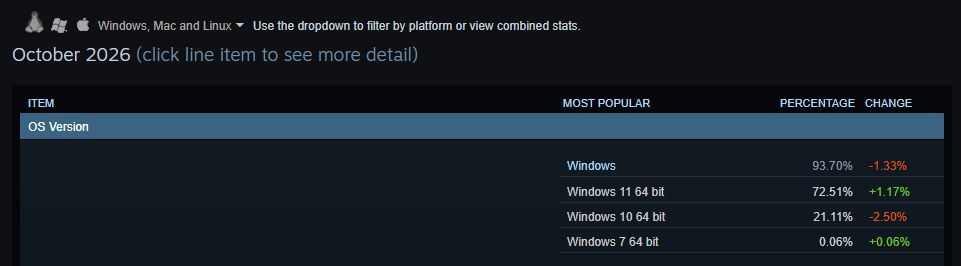
Windows 11 jumped 1.17% overall in Steam's October 2026 hardware survey. (Image credit: Future)
In October, Windows 11 users on Steam climbed by a respectable 1.17% to 72.51% overall. This caused Windows 10's share to drop 2.5%, hitting 21.11%.
About Steam's survey...
Steam's hardware survey is not mandatory, and results depend on who decides to opt in. This can skew results from month to month, as we saw in September 2026.
This is a better improvement than September, which saw just a 0.37% rise for Windows 11. In the same month, Windows 10 also rose by 0.71%.
Are gamers suddenly abandoning Windows 10 at a faster pace? Probably not. What's more likely is another correction to do with the polled sample. Windows 10 is still holding onto just more than a fifth of the overall OS share among Windows, Linux, and macOS.
NVIDIA's RTX 3060 reclaims the top spot
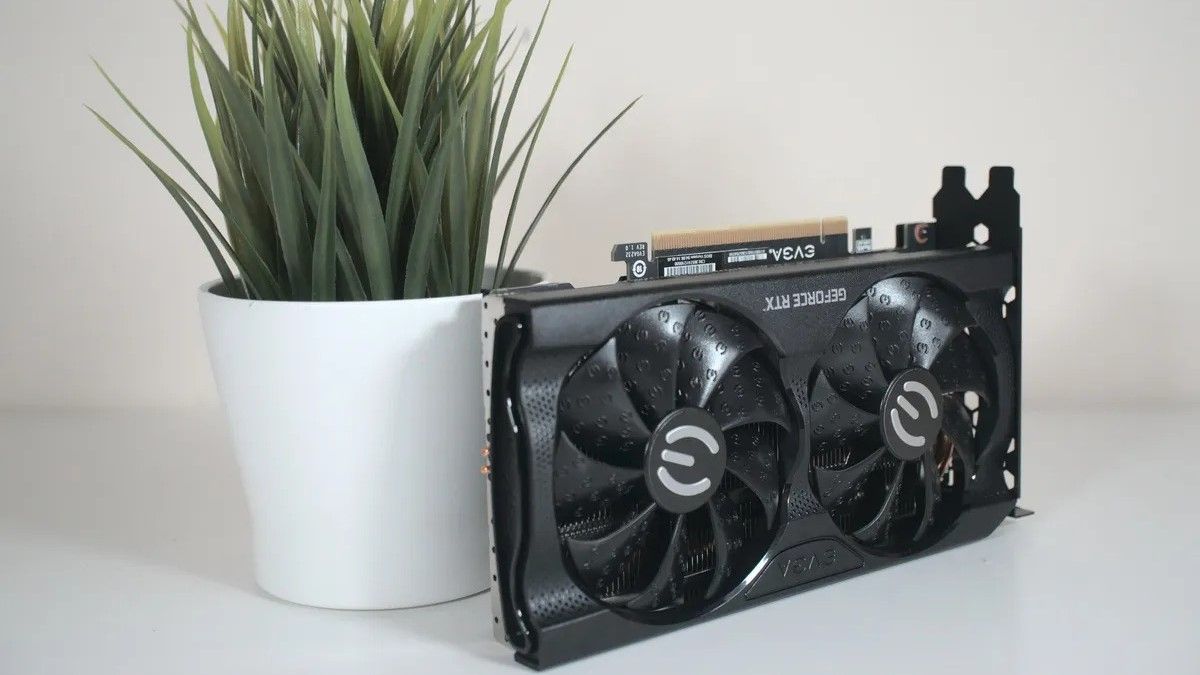
The NVIDIA RTX 3060 just won't quit, especially with current GPU prices. (Image credit: Windows Central)
Another interesting tidbit from the October survey lands in the GPU section. Whereas last month the RTX 5070 took top place with a significant 5.86% share, it fell by 2.3% in October to land at 3.56%.
The GPU to replace it as the most common amongst polled Steam users? The legendary NVIDIA RTX 3060, jumping 0.08% to hit 3.62% overall.
Looking at the overall results, 8GB GPUs (especially the RTX 3060) are back in top spots alongside 1920x1080 monitors, which now make up 50.23% (a 2.32% improvement since last month).
If RAM and storage prices were indeed driving users to upgrade, last month's 32GB RAM and RTX 5070 anomalies wouldn't have been crushed out so quickly or so drastically.
To me, as I mentioned, this seems to be more of a correction for September's skewed survey than large moves by consumers as they deal with the ongoing RAM and storage crisis.
Windows Central's take
Windows 11 adoption keeps climbing amongst Steam users.
It seems to me, based on Steam's October survey, that PC gamers are continuing to update their software while holding onto their hardware.
This could be bad news for game developers, as many rely increasingly on hardware that's priced out of the average gamer's reality.
For next month, I'm keeping an eye on whether or not Windows 11 keeps rising and if RTX 50-series GPUs get another boost in shares against older cards.
Join us on Reddit at r/WindowsCentral to share your insights and discuss our latest news, reviews, and more.
We're quickly approaching XBOX's 25th anniversary.Many companies are celebrating the event with special accessories and gear, but you can also build your game library as part of the festivities. If you purchase an eligible Windows 11 PC, you can claim 25 XBOX games that have a total value of over $500.
The Elder Scrolls IV: Oblivion Game of the Year Edition
Age of Mythology: Retold
Quake
Quake II
Wolfenstein: The New Order
The Outer Worlds
Rise of Nations: Extended Edition
As Dusk Falls
Battletoads
Pillars of Eternity II: Deadfire
Zoo Tycoon: Ultimate Animal Collection
Fuzion Frenzy
Gears Tactics
Crimson Skies: High Road to Revenge
BLINX: The Time Sweeper
That collection of games includes old classics like Fuzion Frenzy and recent AAA games. The bundle is a great way to grow your library or to help a friend or family member get started if you grab them a PC or gaming handheld as a gift.
Gaming handhelds are eligible
(Image credit: Windows Central)
The X25 bundle can be claimed after purchasing any eligible PC running Windows 11, but I'd argue that it's best paired with a gaming handheld PC. Those types of devices are going to be popular gifts over the coming months. They allow you to take many of your favorite games on the go and are also a comfortable way to enjoy your favorite titles around your home.
Many of the games included in the bundle support XBOX Play Anywhere, meaning you can play them on your Windows PC and XBOX consoles. Age of Empires II: Definitive Edition, Gears of War: Reloaded, and The Elder Scrolls Online all support XBOX Play Anywhere.
There are some notable games that do not support XBOX Play Anywhere, meaning their Windows and XBOX versions are treated separately. Call of Duty: WWII, Fallout 76, Halo: Combat Evolved Anniversary, and Minecraft Dungeons are the biggest games from the bundle to not support XBOX Play Anywhere.
Our Managing Editor Jez Corden just re-reviewed the XBOX Ally X after using the gaming handheld for the past year. He called the gaming handheld "a fantastic device, a perfect companion for any XBOX player with a big Xbox Play Anywhere library."
That praise makes the XBOX Ally X arguably the best Windows PC to pick up when looking to claim the X25 bundle.
Terms and conditions
To get the free games, you need to purchase an eligible PC. Microsoft outlines the requirements:
"Eligible PCs include new Windows PCs and handhelds pre-installed with Windows Home and new Windows PCs pre-installed with Windows Pro running on NVIDIA RTX Spark silicon. Refurbished Windows PCs, and PCs purchased from unauthorized resellers, online marketplaces, liquidators, or auction websites, are not eligible."
The promotion runs from November 2, 2026 until December 31, 2026. You have to be in the United States to claim the games.
To claim the games, you'll have to open the Microsoft Store app on Windows 11. No later than November 30, 2026, the bundle will appear on eligible PCs and give you a chance to claim all 25 games.
Before you make any plans to purchase a PC to claim the free games then return the computer, Microsoft notes that it may revoke promotional benefits if a purchase is returned, canceled, or incomplete for other reasons.
Join us on Reddit at r/WindowsCentral to share your insights and discuss our latest news, reviews, and more.

 Connexion