❌

Vue lecture

How to get the parachute in Modern Warfare 4 DMZ

One of the first things you may notice dropping into Call of Duty: Modern Warfare 4 DMZ is that you don't have a parachute automatically equipped. I definitely didn't forget and die to fall damage early on and learn the hard way.

In fact, a parachute is one of the items that players must acquire, and even when you do, you may not be able to use it for long, and of course, if you fail to exfil, you'll lose it along with any of your other gear (I've definitely done this already).

There are a couple of methods to get a parachute in Modern Warfare 4 DMZ, but neither is particularly easy, at least in the early days of the game. But here's how you can go about finding yourself one.

How to find a parachute in-game in Modern Warfare 4 DMZ

The good news is that like pretty much everything else in DMZ, you can loot parachutes during a game. The bad news is that they're pretty hard to find. I've only found one so far as I write this, and I've played about 7 hours.

But you can find one as ground loot, and you can find one without having to go to any of the higher difficulty locations. While the more difficult the location, the better the quality of loot you'll find, it is still possible to find them just by searching.

For example, I found one in the first building I looted at the Russian Border Crossing part of the map in the far top left corner. A disposable parachute was just there inside one of the lockers. The rare tier parachute only has three uses, though, so use it sparingly.

Given the military nature of the item, it stands to reason that your best chance of finding one will be from locations like these. I was in a military outpost looking inside a locker, so it's likely you'll have a better chance here. I wouldn't expect to find a parachute inside a bag in a random residential building, for example. So hit the military locations often. Also Fire Station POIs are a good shout for finding a parachute or two.
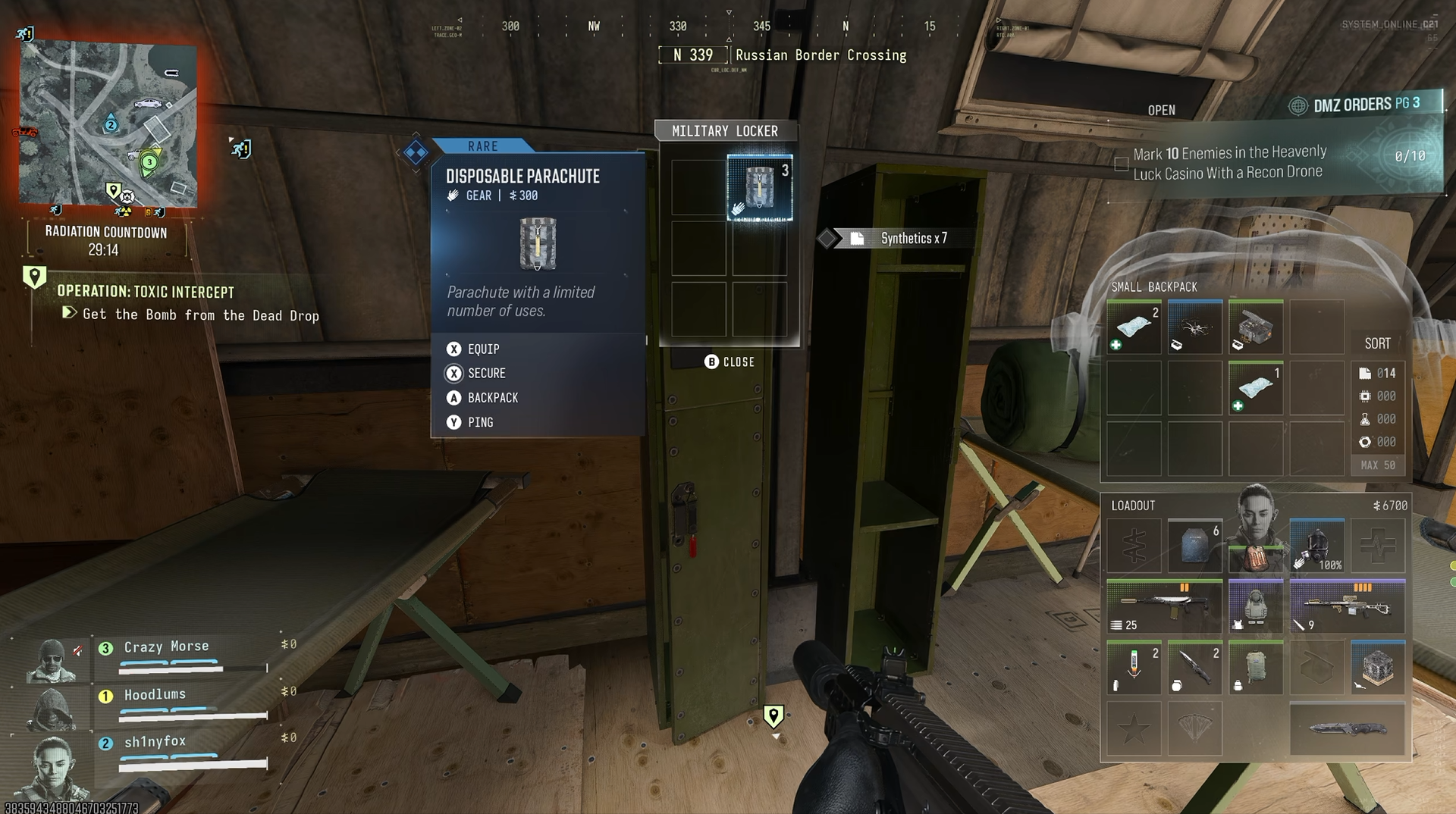
A screenshot from Call of Duty: Modern Warfare 4 DMZ showing a disposable parachute being looted from a locker.

Looting military locations is a way to increase chances of finding one. (Image credit: Windows Central)

Loot in Modern Warfare 4 DMZ has a theme and locations that have a better chance of dropping it. You can see this if you track ingredients for 3D Printer recipes in the FOB. Not always specific locations, but a type of location.

You can possibly find the legendary tier parachute around the map, too, though I haven't seen one. Higher-tier loot is rarer and usually requires being in higher-threat zones, but if you see something you can check for loot; don't run past it. Loot everything.

Also make sure you check the supply drops at the end of a Dynamic Ops mission. These drop various types of gear, and there's always a chance a parachute is inside one of them.

How to craft a parachute in DMZ at the 3D Printer in the FOB
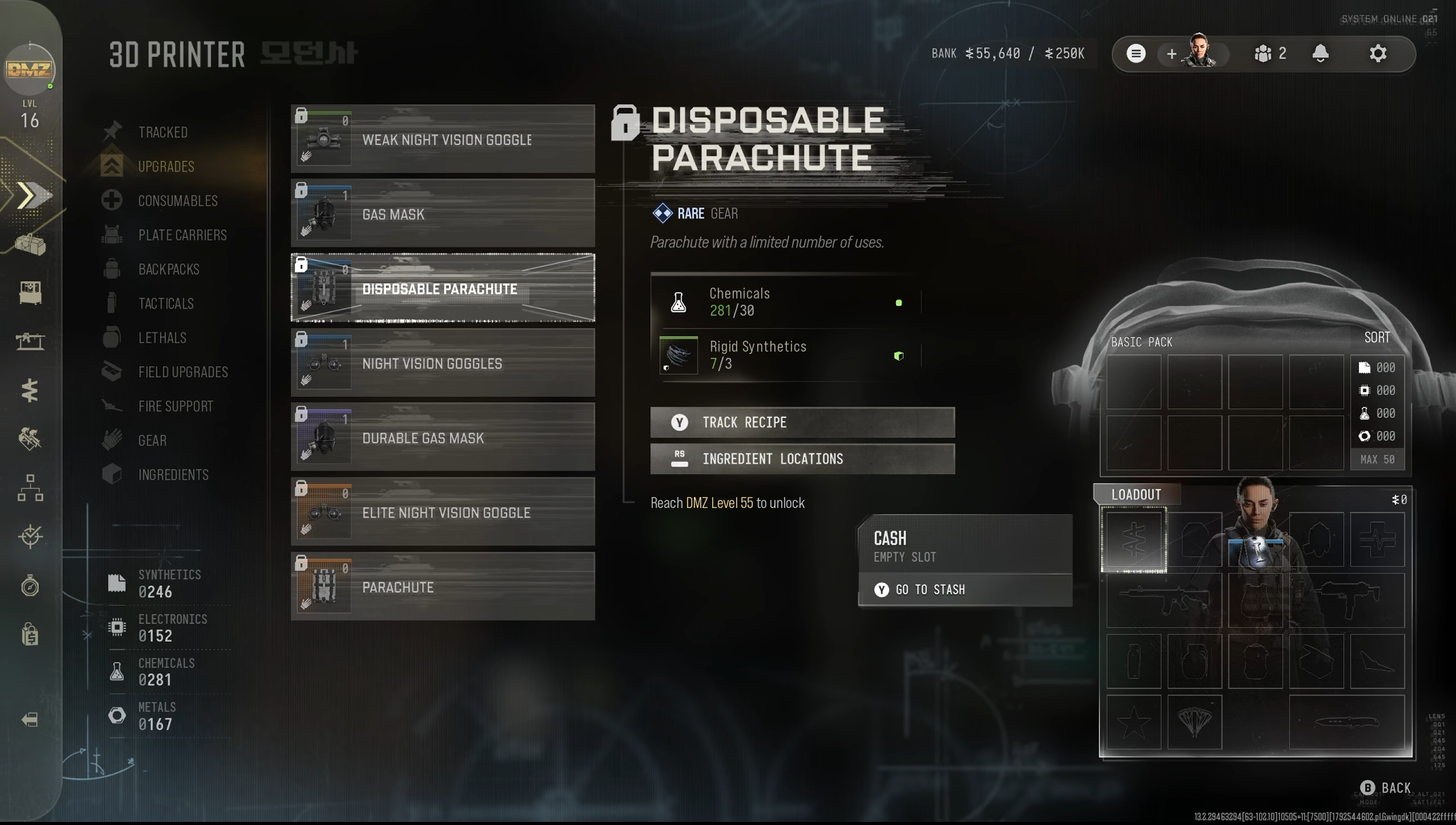
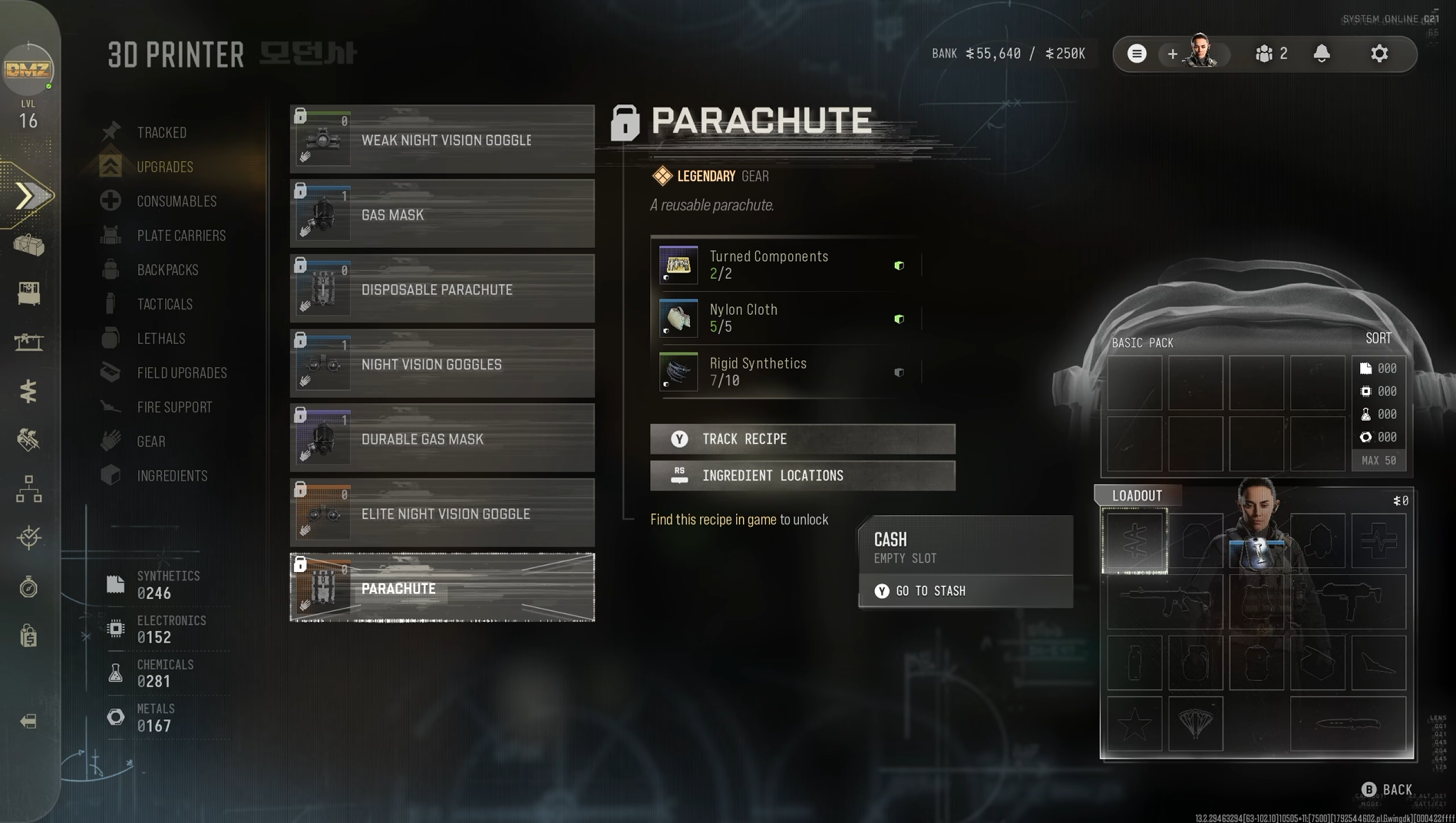
Screenshot of crafting parachutes in Call of Duty: Modern Warfare 4 DMZ and the ingredients required to do so.
The ingredients for the disposable parachute recipe. Windows Central
Screenshot of crafting parachutes in Call of Duty: Modern Warfare 4 DMZ and the ingredients required to do so.
The incredients for the legendary parachute recipe. Windows Central

You can also craft parachutes to take into the DMZ with you at the 3D Printer Station in the FOB rather than relying on finding one.

That's the good news. The bad news is that you can't do it right away.

To craft a rare-tier disposable parachute, you first need to increase your DMZ Level up to 55. This unlocks the recipe at the 3D Printer. Once unlocked, you can craft one for 30 Chemicals and 3 Rigid Synthetics. To get your level up as fast as possible, make sure you're actually doing missions inside DMZ. The more you do, the more XP you'll get. And don't forget to stick on a 2XP token if you have one available.

To craft a legendary tier reusable parachute, get your DMZ Level up to 69, one below the current cap. Once you have the recipe unlocked, you can craft one for 2 Turned Components, 5 Nylon Cloth, and 10 Rigid Synthetics. Again, though, it's not permanently applied to your Operator. If you don't manage to exfil, it's gone and you'll have to craft another.

For crafting, finding the ingredients isn't too difficult. By the time you unlock either of these, you've probably found a good stash just through naturally playing. But all 3D Printer recipes will tell you where you can find the ingredients you need. So check it out before you deploy and make sure you target the right areas.

Don't forget to check the Vendor Station
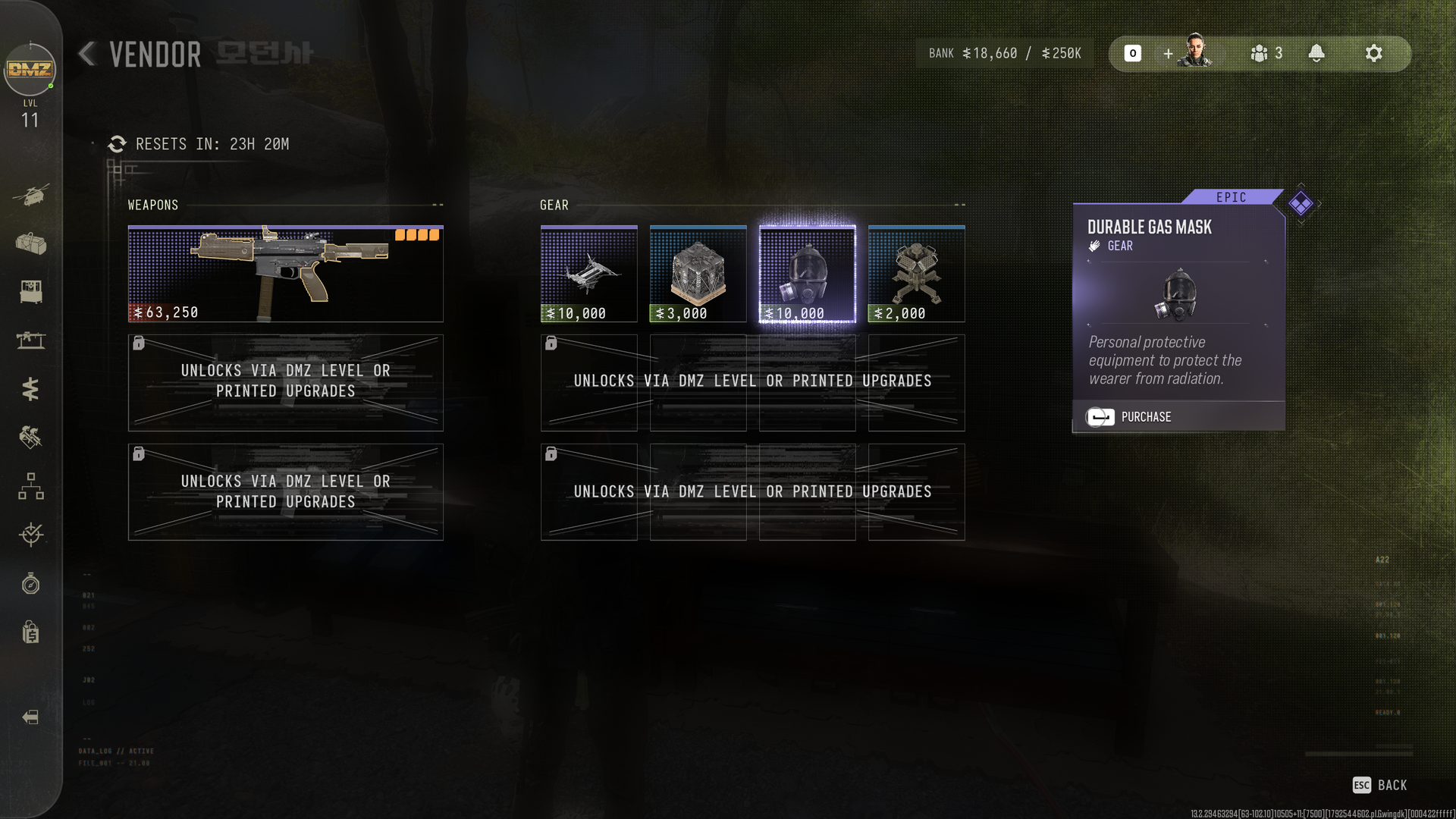
A screenshot of the Vendor Station in Call of Duty: Modern Warfare 4 DMZ

The Vendor sells some great gear, but it's on a rotating basis. (Image credit: Windows Central)

The last thing to do is always keep checking the Vendor Station in the FOB. This offers a rotating cycle of weapons and gear, so you might well see a parachute pop up in there.

You'll need to keep a good stash of DMZ Cash, but I've already been able to buy a legendary backpack and a durable gas mask from there inside the first full day of early access. So don't ignore it.

The pace of DMZ feels like it was designed without using a parachute, and that's OK with me. You shouldn't just be able to glide across the map for free. DMZ makes you earn your gear.

It means you just have to be a little more careful, because you could lose it at any time. But there's no denying having one will make some areas easier to navigate.

Click to join us on r/WindowsCentral

Join us on Reddit at r/WindowsCentral to share your insights and discuss our latest news, reviews, and more.
  •  

Call of Duty: MW4 demands VRR on Xbox for the best experience

Call of Duty: Modern Warfare 4's full launch is imminent, but it's suddenly hit a technical roadblock that may hurt its chances of success with console gamers.

The developers of Call of Duty: Modern Warfare 4 have announced on X that its Xbox Series X|S and PlayStation 5 versions must run on monitors with Variable Refresh Rate (VRR) enabled for Performance Mode support while players engage with its campaign and DMZ modes.

This requirement for VRR monitors will also be in effect for Call of Duty: Warzone with Season 1. If you do not have a monitor with VRR enabled and with least 120Hz refresh rates, the game's framerates in Performance Mode will be locked at 60Hz.

📢 Call of Duty: #ModernWarfare4 | #DMZ Early AccessPlayers on PS5 and XBOX Series X|S must have Variable Refresh Rate (VRR) enabled for Performance Mode support in #MW4 Campaign and DMZ. This will also be required for Performance Mode in Call of Duty: Warzone with Season 1.If you're encountering issues being locked at 60 Hz in these modes, make sure your display supports 120 Hz and VRR, and check your settings to ensure VRR is enabled.October 20, 2026

Asking players to get a different monitor days before launching your AAA game is certainly a "choice", and a very wrong one at that

This last-minute change won't affect you as much if you don't mind playing the single-player campaign at 60fps in Performance Mode or Resolution Mode for 4K resolutions to achieve greater cinematic immersion.

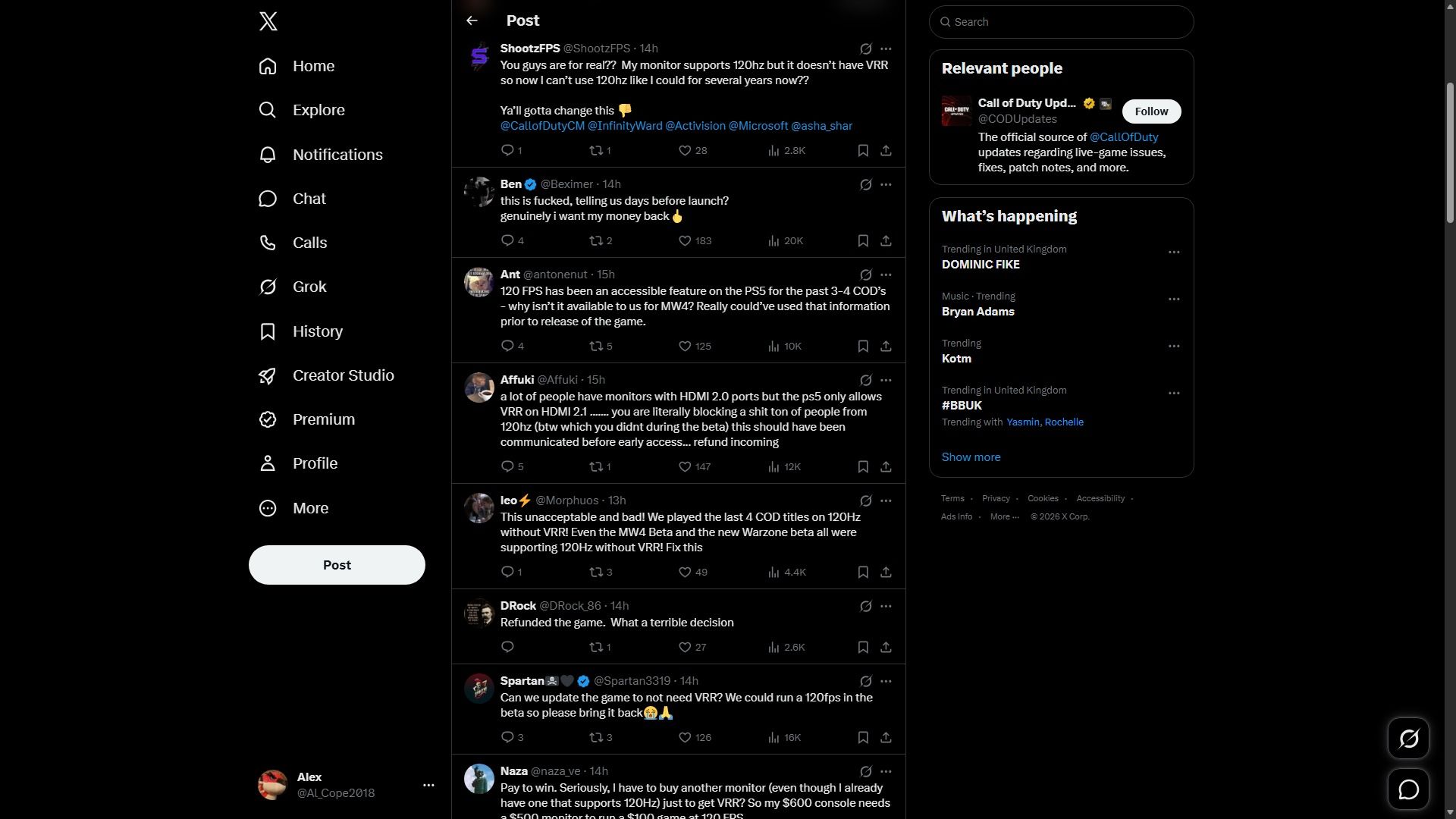
However, hardcore competitive Call of Duty fans who need as many frames as possible to reduce input lag during intense multiplayer matches or just smoother gameplay in general are beyond angry in the replies to this announcement on X.

Dark-mode X feed showing a post and a thread of replies in the center, with navigation on the left and “Relevant people” and “What’s happening” panels on the right; the tone is informational.

Fans are angry at this last-minute warning. (Image credit: X)

I can hardly blame them for getting angry. Asking console players to get a different and expensive monitor if their current one (even if it has a 240Hz refresh rate) doesn't have VRR to achieve optimal performance just days before Call of Duty: Modern Warfare 4 launches on October 23, 2026, is just ridiculous, and they should've warned people months in advance.

What makes this worse is that gaming monitors have become more costly and rarer to find for gamers on a tight budget these days thanks to the worsening RAM Crisis.

Nonetheless, we're not going to leave our fellow console players hanging. So we've scoured the internet for some of the best gaming monitors with VRR to help you circumvent this last-minute requirement and enjoy this AAA blockbuster at its best on Xbox.

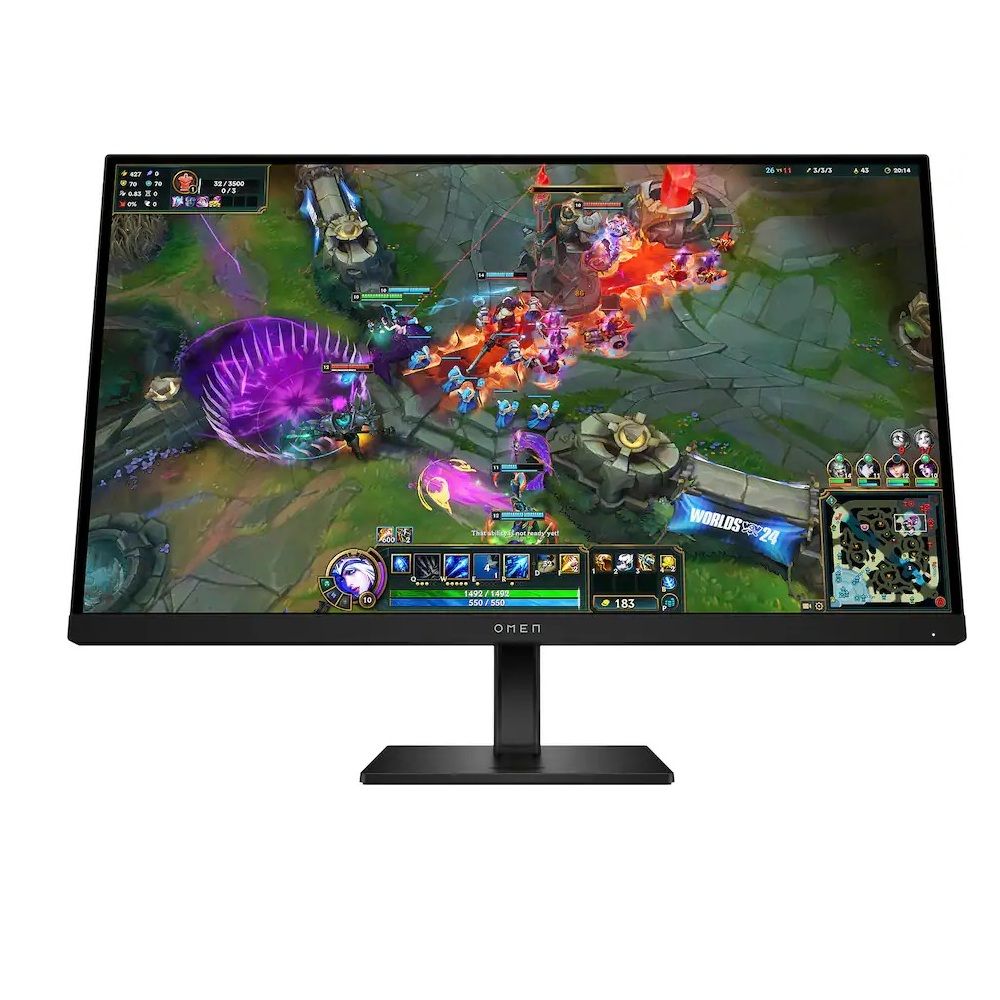
Omen 27: $609.99

"With its HDMI 2.1 port, 144Hz refresh rate, 1ms response time, VSync technology, and great color gamut, this gaming monitor was already a great option. Still, including a KVM switch propels it into being a fantastic choice for multi-system gamers." ~ Rebecca Spear, former Gaming and News Editor

Windows Central Review: ⭐⭐⭐⭐½View Deal

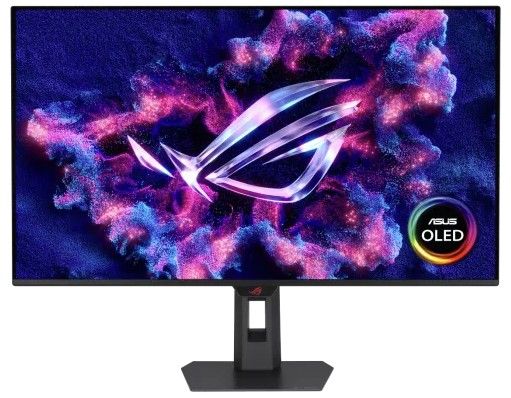
ROG Strix 32" 4K OLED Gaming Monitor (XG32UQWMS): was $971.99 now $755.99

"ASUS eased my OLED fears with this ROG Strix monitor, thanks to its built-in proximity sensor and other sensible settings in its straightforward OSD menu. It's bright enough, looks incredible at 4K with tremendous motion clarity at 240Hz, and you can push for more if you can handle 1080p." ~ Ben Wilson, Senior Editor

Windows Central Review: ⭐⭐⭐⭐½View Deal


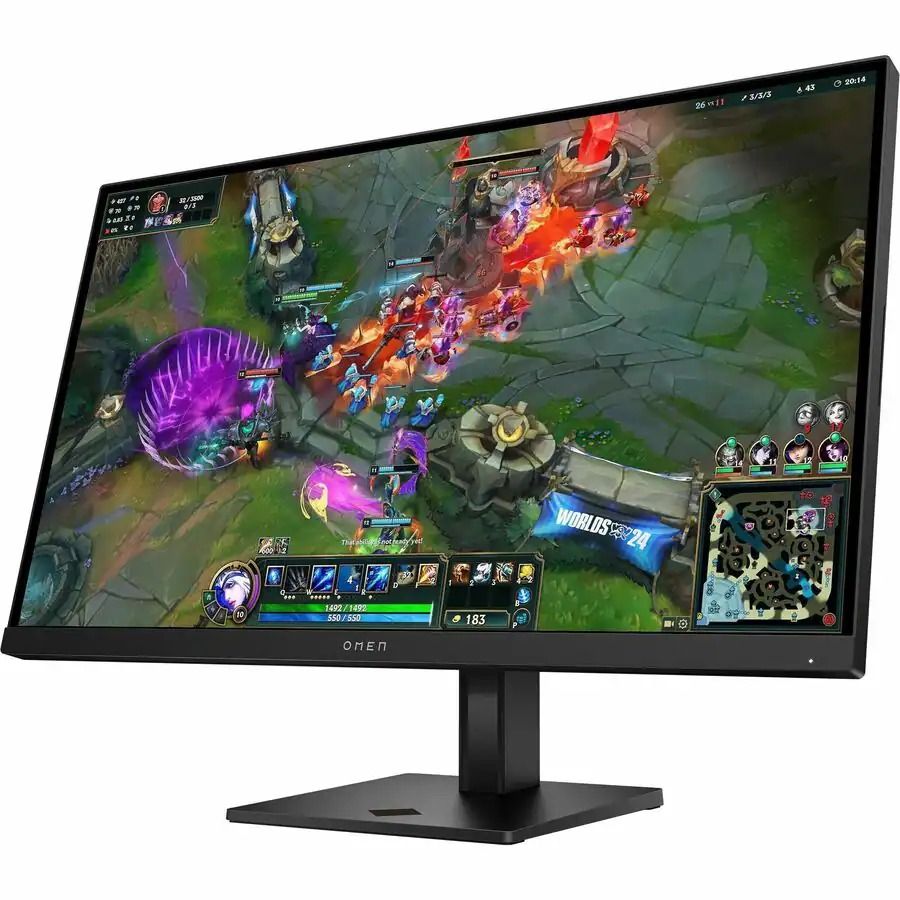
This monitor is an upgraded refresh of the HP Omen 27qs we reviewed in 2023, with a higher 280Hz refresh rates and AMD FreeSync Premium tech for VRR support while keeping the same high-quality ergonimic design, and 1440p resolution at 120Hz for improved Xbox gaming.View Deal

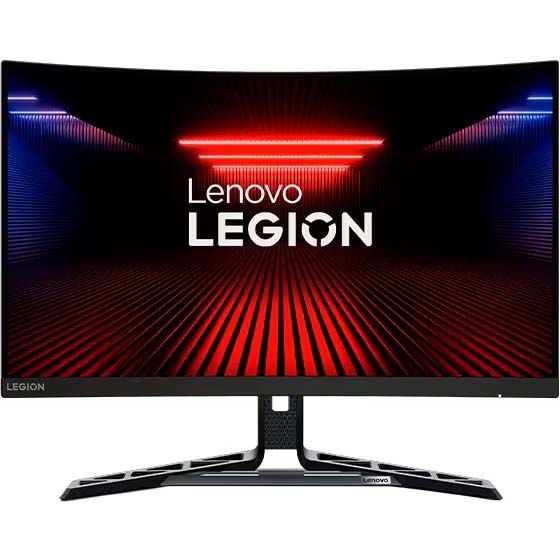
Legion R27fc-30 Gaming Monitor: $218.54

"The Lenovo Legion R27fc-30 is one of the very best curved gaming monitors on the market today. It offers great motion clarity thanks to its fantastic 240Hz (280Hz when overclocked) refresh rate, speedy 0.5ms response time, and AMD FreeSync support." ~ Rebecca Spear, former Gaming and News Editor

Windows Central Review: ⭐⭐⭐⭐½View Deal


Experience the dark, climactic finale of Captain Price's personal war from the shadows as long-running storylines reach their heart-pounding breaking point in Call of Duty: Modern Warfare 4. In addition to an epic campaign, Call of Duty: Modern Warfare 4 offers thrilling multiplayer modes such as the DMZ mode.

• Xbox Store (GreenManGaming)
• Best Buy
• Walmart
• NeweggView Deal

Click to join us on r/WindowsCentral

Join us on Reddit at r/WindowsCentral to share your insights and discuss our latest news, reviews, and more.
  •  

Call of Duty: Modern Warfare 2 now supports cross-play without any console mods

I honestly wasn't sure where to begin, or even how this is remotely possible, but here we are in 2026: Call of Duty: Modern Warfare 2, a 17-year-old game, now has full cross-play between PlayStation 3, Xbox 360, and PC with absolutely zero modding required.

Developed by @ClassicsGG on X (formerly Twitter), the project is now live. For more details, you can join their Discord. It hasn’t been all smooth sailing, though. The original clip was taken down due to a copyright claim; whether that claim was legitimate or not, it's worth mentioning.

Modern Warfare 2 cross-play sounds impossible, but it works

I find this whole endeavor incredibly ambitious. There’s a full page dedicated to explaining how it works. For example, if you’re on Xbox 360 and want to join a cross-play lobby, you need to:

  • Search for the Team Tactical Playlist.
  • Or find the host’s gamertag (classicsgg) on Xbox Live and join their session.
  • Or send Classicsgg an Xbox Live message or game invite, and they’ll send one back.

That said, joining their Discord seems like the best bet to get things working. Still, it’s incredible that this is even possible. I have fond memories of the older Call of Duty titles; they definitely helped shape my early years of online gaming.

I remember when cross-play between consoles was first being introduced during the Xbox One and PS4 era for Fortnite. It was rather exciting. Being able to play across platforms was pretty cool, even though Sony threw a fit at the thought of it, complete with its mandatory cross-platform revenue share system.

Now, whether this project was pushed through thanks to AI or not, I really don't know for sure, but AI is often the propelling factor with things like this these days. That said, seeing cross-play without the need for mods on a nearly two-decade-old game is a use case I can get behind. Fair warning, though: PC players are a bit out of luck and will require a subscription to the Classics Discord server to help deter and prevent cheating.

Let me know whether you find this as cool as I do by leaving a comment and taking part in our poll below:

Click to join us on r/WindowsCentral

Join us on Reddit at r/WindowsCentral to share your insights and discuss our latest news, reviews, and more.
  •  

MW4's camo grind can be sped up in the early stages, here's how

Now that the early access period has begun for Call of Duty: Modern Warfare 4 DMZ, so too has the camo grind. This year's is very different from the last two Black Ops games, with one big benefit being that a lot of it is global across multiplayer, DMZ, and Warzone.

In fact, you can unlock everything up to the Divergence completionist camo in any of the three modes before switching to each's dedicated Mode Mastery camos.

The early stages can be sped up a little, too. If you're playing DMZ already, you'll be working on the military camos, but you can also work on the special camos at the same time, which you may not have realized.

MW4 camo grind at least is sped up a little by the fact you can work on Specials before you've even unlocked the Military ones. So long as you've reached the unlocks for each one, you can work on them side-by-side. Get to level 10, get the Gunsmith, and get cracking. https://t.co/nrnGh0Pz4POctober 20, 2026

In Black Ops 7, you couldn't start on the special camos until you'd completed the headshot requirements for all the military-tier ones. In Modern Warfare 4, each special camo has a challenge requirement, such as kills with a suppressor attached, but it also has a weapon unlock requirement just like the military ones.

As I noticed last night, you can work on both military and special camos simultaneously, and this won't just apply to DMZ. I picked up a WZ.55 Striga SMG during a DMZ run and started using it and leveling it up.

Once I'd earned "19 more weapon unlocks" (and I'm not sure how many it needed because it looks like half the weapons I've used in DMZ were silently leveled up during the campaign), I was able to start working on the first special camo and get kills using a silencer. All while still having four more military camos left to unlock.

This is a pretty great way to help accelerate that early part of the grind before you get to the first completionist camo. So long as you pay attention to when the specials unlock and what their challenge is, you can work on them side-by-side with any remaining military camos.

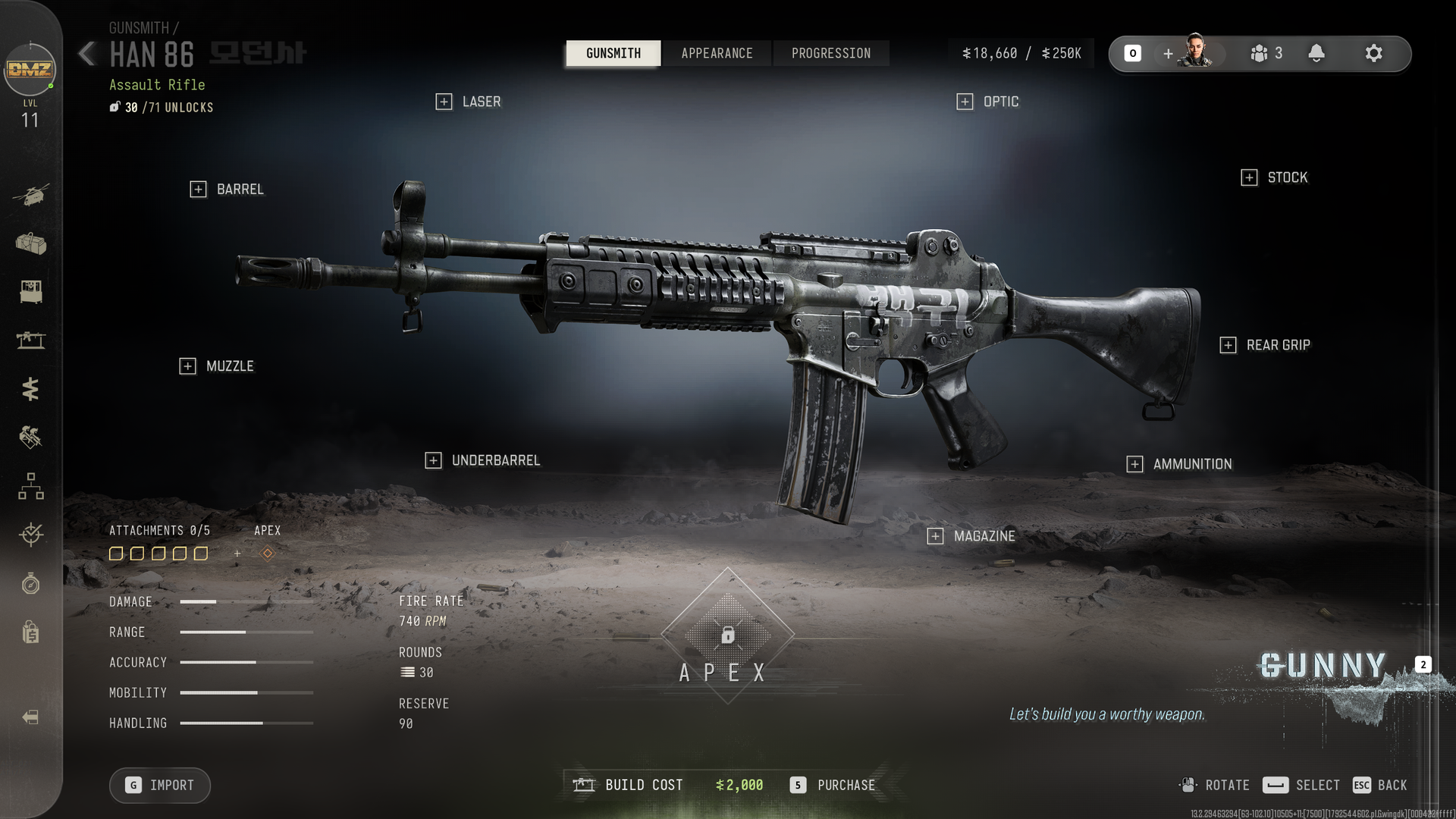
A screenshot of the Gunsmith in Call of Duty: Modern Warfare 4 DMZ showing the Han 86 and its available attachments.

This is just a bog-standard Han 86 I picked up from an enemy with a new character, but I can customize it in the Gunsmith for DMZ Cash. (Image credit: Windows Central)

For DMZ, an essential part of this is to get to DMZ Level 10 and unlock the Gunsmith station at the FOB. Because some of these challenges require using specific attachments, the easiest way to make sure you have them is by using the Gunsmith.

You can add attachments to weapons you find during your DMZ runs at the Gunsmith, too. It doesn't only apply to weapons you buy here. So if you extract with a weapon you don't have a manual for, you can still put on the necessary attachments and work on the special camos. Applying attachments does require DMZ Cash, though, so keep your bank balance high.

Of course the downside to DMZ is that if you die during a run, you could lose that weapon. But any progress is global, and while we don't know what the conversion rate is for progress in DMZ to progress in multiplayer or Warzone on these camo challenges, you can at least get a head start right now.

The final mode for Modern Warfare 4 to go live is multiplayer, and this begins on the global launch date, October 23.

Click to join us on r/WindowsCentral

Join us on Reddit at r/WindowsCentral to share your insights and discuss our latest news, reviews, and more.
  •  
❌