Vue lecture

Microsoft speeds up Windows 11 parental approvals and expands age verification across the OS

Windows 11 now includes new family safety features that can reduce how much adult content children are exposed to or able to view. Microsoft has a pair of blog posts on the topic, one that focuses on consumer-facing features and another that covers how APIs and Microsoft accounts are used to make the Windows experience safer.

The first change Microsoft highlighted is not a new feature, but a speed boost to an existing one. Granting parental approval is now faster than before, which allows parents and guardians to quickly approve things like additional screen time, access to specific apps, and purchases.

Speed is important when it comes to family safety. Occasionally children run into blocks when trying to access content that is required for homework or that is otherwise age-appropriate. Delayed approvals leave children sitting around and can cause frustration for kids and parents.

Microsoft has also made it easier for parents to keep track of web activity, app activity, and spending. Managing family groups has been improved as well, including options that make it simpler to add or remove members.

Blank Pixel

The importance of Microsoft accounts

Some people complain about Microsoft accounts being a requirement to use certain services. Microsoft has budged a bit in this area. For example, it's now possible to sign in to Microsoft Edge with a Google account.

But managing family safety settings relies heavily on a Microsoft account, as explained by the company:

"At Microsoft, we believe safety should be easier for families to understand and easier for developers to build into experiences for children to use. On Windows, that starts with the account. Microsoft account is a trusted foundation through which Windows brings age-appropriate protections and parental choices into more of the digital experiences encountered by children and teens every day."

Setting up accounts for children is a requirement to set parental controls for individuals. Microsoft accounts also allow Windows to know if a user is a child, teen, or adult.

Microsoft has introduced a new API to extend age awareness beyond the OS and across the entire Windows ecosystem. The Windows Age APIs can verify a user's age and then send that verification to an app without sharing personal information. It's a bit like Windows Hello but for age verification.

The new Windows Age APIs are available now to Windows Insiders and should ship to all Windows users soon.

Click to join us on r/WindowsCentral

Join us on Reddit at r/WindowsCentral to share your insights and discuss our latest news, reviews, and more.

  •  

Windows 11 is finally testing automatic theme switching, a basic feature that's required a third-party app for years

Windows 11 will finally support automatic switching between dark mode and light mode. The most recent Windows Insider build that shipped to the experimental Channel shows strings for the feature, though we still lack key information about the option.

It's been possible to schedule shifts between light and dark mode on Windows 11 for a while, but it has required a third-party application. Auto Dark Mode works well and is a must-have app for Windows 11. The ever-popular PowerToys can also handle theme switching through its "Light Switch" feature.

While both those apps are great, some features need to be built into Windows 11. People shouldn't have to search for an app or install a multi-tool utility to automate theme switching.

The upcoming feature for Windows 11 was spotted by X user "phantomofearth." They shared some of the strings that appear in the latest build, which give us a glimpse of how the feature will work:

  • "Schedule auto mode"
  • "Mode only changes when PC is idle"
  • "This prevents the mode from changing while you're working or in meetings"
  • "Turn on location services to automatically schedule dark mode. When location services are turned off, dark mode is active from [START] to [END]."

Since there are likely many other strings about the feature, we only have a small idea of how auto mode will work. But the snippets we can see now look promising.

It appears that the feature will support shifting between modes based on your location to better match sunrise or sunset. Alternatively, you'll be able to schedule switches for specific times.

The feature also looks like it will have the option to only switch themes when your PC is idle, which should prevent a jarring change from happening in the middle of important work.

Again, this functionality is already available on Windows 11 through apps, but I'll be happy to see it ship to Windows 11. I love tinkering with apps to customize my PC, but general users shouldn't have to do that to get such a straightforward feature.

This app switches the theme of your PC at scheduled times, such as enabling dark mode after sunset. It's always been a bit odd that Windows does not have this as an option by default, but Auto Dark Mode does a great job.View Deal

Light Switch:

Microsoft PowerToys is a collection of utilities that often outshine similar tools on Windows 11. It already includes a utility that lets you schedule switches between light mode and dark mode.View Deal

Click to join us on r/WindowsCentral

Join us on Reddit at r/WindowsCentral to share your insights and discuss our latest news, reviews, and more.

  •  

Windows 11 set to gain upgraded sound settings, cross-device improvements, and new family safety features

Microsoft has just announced a set of new Windows 11 preview builds that are packing some notable improvements and changes that are now in testing with Insiders. This week's preview builds come packing an upgraded set of settings for sound and audio devices on Windows, enhanced cross device features that sync with your phone, and new family safety options.

First up, Microsoft has introduced a new design for the volume sliders that appear in the Sound Settings area of Windows Settings. The sliders now also show audio activity for when music or video is playing in the background while you configure your settings, making it easier to dial in exactly where you want your volume.

Microsoft is also porting over more Control Panel sound settings to Windows Settings, including the ability to set default devices, and the ability to allow hardware acceleration for devices that support it.

New sound settings

The new live audio activity indicator. (Image credit: Microsoft)

Here's a list of the new sound settings coming to Windows 11:

  • We've updated the design of the volume sliders in Sound Settings so that they display audio activity on the side when audio is playing.
  • If your audio device supports hardware acceleration, an option to allow hardware acceleration is now available in the Advanced section of the device's properties.
  • You can now configure exclusive mode for an audio device in the Advanced section of the device's properties, so you don't have to go to Control Panel.
  • You can now configure adaptive communication sound levels, which reduce the volume of other sounds when communications activity is detected, directly in Settings.
  • The option to set an audio device as the default sound device for communication now always appears in Properties. The option is unavailable if the device is already the default instead of being hidden.
  • We've updated the text for allowing audio devices to make it clearer.
  • We've added a new banner when mono audio is enabled to make it clear that some properties don't take effect while mono audio is active.
  • We've updated the All sound devices page:
    • You can now change default devices from this page.
    • We've adjusted the page design so that you can filter whether you're viewing input or output devices.
    • We've added toggles so that you can choose whether to hide or show disabled, disconnected, and unplugged devices.
  • We've also updated the input and output audio properties pages in Settings to include jack information for devices that need it.

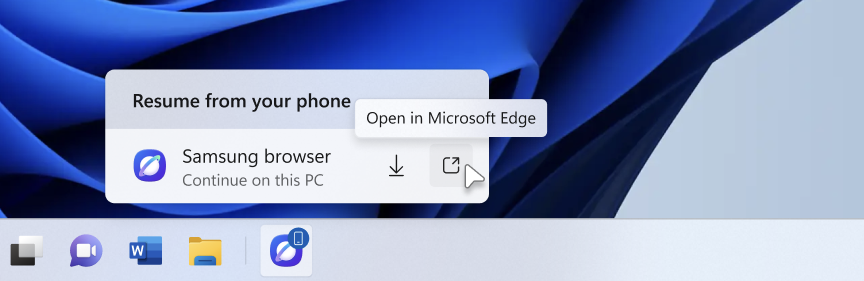
Another new feature in testing is the ability to quickly download the Windows app for a phone app that appears in the Taskbar via Phone Link. If you use the cross-device sync features that comes with Phone Link, hovering over an open app such as your phone's browser on the Taskbar will now let you quickly pick up where you left off without missing a beat.

New cross device features

Quickly resume web browsing activity from your phone from the Taskbar! (Image credit: Microsoft)

In addition to the new sound settings, Microsoft has announced major upgrades to the family safety features in Windows 11. The company says family safety is a top priority for the company, and is addressing key issues and concerns from parents.

Key areas of focus include:

  • Parental approvals for offerings like screen-time extensions, app access, and purchases now happen faster, so kids aren’t left waiting and parents stay in control.
  • We restored clear visibility into web and app activity so parents can trust what they see in their reports.
  • Made spending more transparent, with wallet balances.
  • We also gave adults in a family more control over their own experience, making it far easier to add, manage, or leave a family group 

"Each of these improvements came from a real family experience — from issues parents told us mattered most: speed, accuracy, control, transparency, and peace of mind." Microsoft Distinguished Engineer, Rob Mauceri said. "This is the compounding effect of a team that treats every piece of customer feedback as a commitment to do better."

These improvements are welcome to see, and a sign that Microsoft continues to modernize and improve Windows 11 for the masses. These improvements are part of Microsoft's ongoing Windows K2 effort, which is focused on fixing Windows 11's biggest flaws.

Click to join us on r/WindowsCentral

Join us on Reddit at r/WindowsCentral to share your insights and discuss our latest news, reviews, and more.
  •  

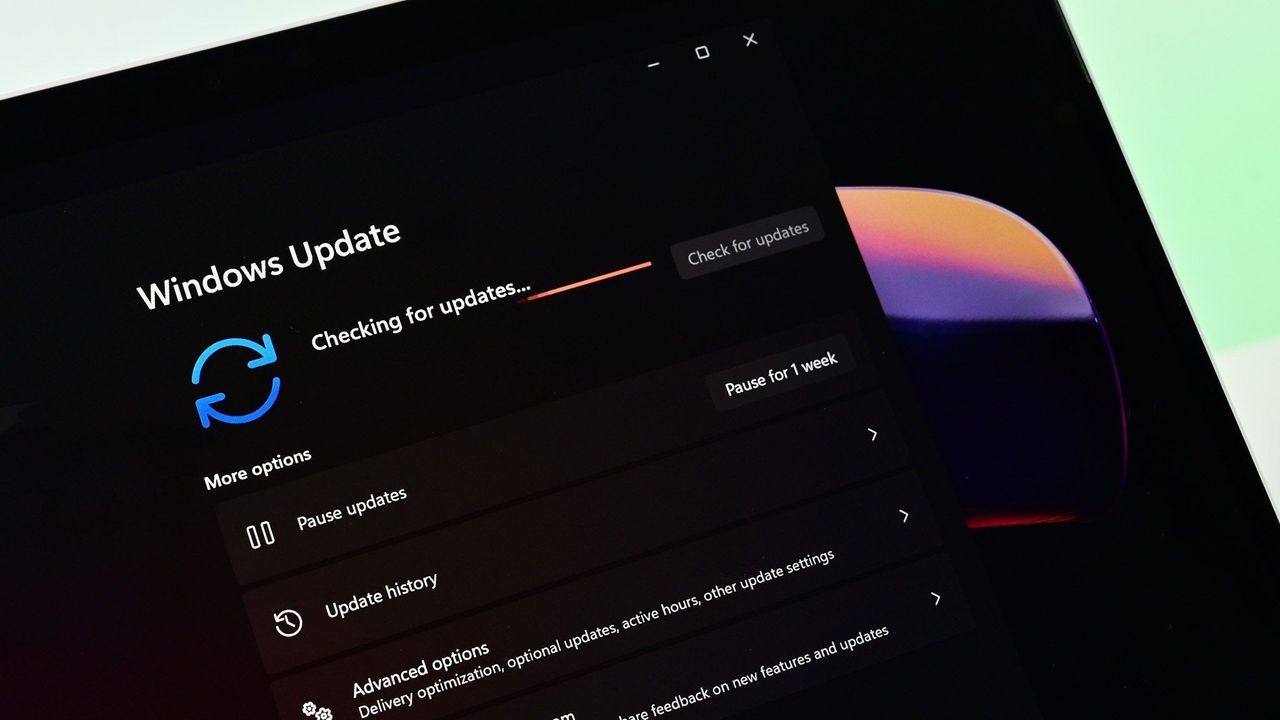
Patch Tuesday is here — Windows 11 is expected to set yet another record for security updates in a month

Another record-setting Patch Tuesday is here for Windows 11. The operating system has a massive number of security patches and fixes that are now available to hundreds of millions of PCs.

At the time of publication, we do not have the change log of the latest updates. You can, however, grab the most recent builds through the Microsoft Update Catalog. We will update this piece as more information becomes available.

According to The Verge, this month's Patch Tuesday update includes more than 650 security fixes just for Windows. That's a six-fold increase over what we normally saw in a usual month until recently. But advances in AI have sped up the process of discovering vulnerabilities as well as the need to patch them swiftly.

This is a breaking news story. It will be updated after Microsoft releases the change log for this month's Patch Tuesday updates.

Thanks in large part to AI, it's now common to see hundreds of security patches ship on a Patch Tuesday.

AI is a useful tool for Microsoft's engineers, but it can also be used by malicious actors. We're seeing an AI arms race for discovering and patching vulnerabilities.

In addition to helping discover vulnerabilities, AI can help malicious actors take advantage of vulnerabilities that have been discovered or disclosed. That process has been accelerated greatly by AI, putting pressure on organizations and IT admins to test security patches quickly so they can be rolled out.

Click to join us on r/WindowsCentral

Join us on Reddit at r/WindowsCentral to share your insights and discuss our latest news, reviews, and more.

  •  
❌