❌

Vue lecture

Microsoft is now using your Windows 11 wallpaper as ad space — Bing Wallpaper app faces criticism over movie promotional images

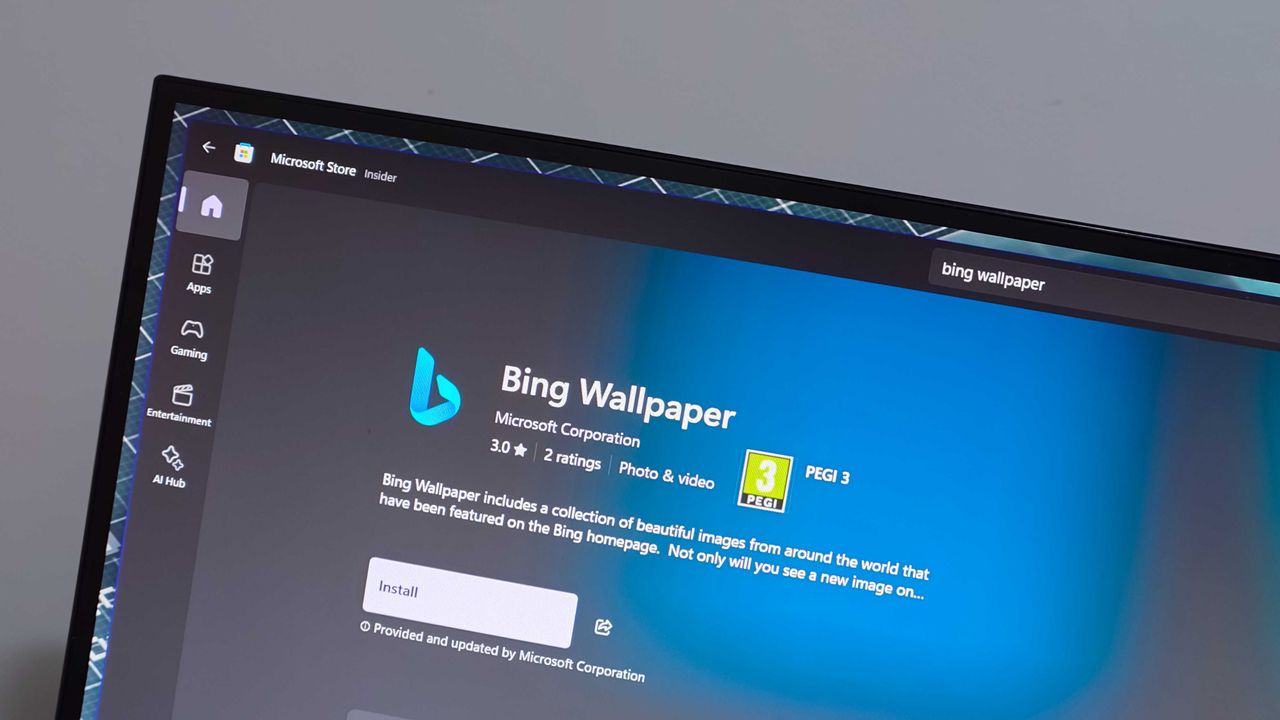
The Bing Wallpaper app is one of the few items under the Bing brand that's praised. The app provides beautiful images that can be set to rotate as your desktop background. But the app is in the headlines for the wrong reasons this week.

Some unlucky users have had their desktop background swapped to a fullscreen ad for a collection of Harry Potter and Fantastic Beasts films.

People have taken to Reddit to complain about the ad-filled wallpaper. A Microsoft Learn post shares similar complaints.

There's often debate about what counts as an ad on Windows 11. For example, prompts to use OneDrive are called ads by some but are viewed simply as optional features by others.

Promotional content isn't entirely new to Bing Wallpaper. The app frequently cycles through images tied to popular movies or Xbox games. Perhaps I'm splitting hairs, but I view the new Harry Potter wallpaper differently than a normal background image.

Blank Pixel

Bing Wallpaper features a gorgeous clean image of David Corenswet's Superman. It's a well-framed shot with dynamic lighting that captures the hopeful tone of Corenswet's rendition of the character. While the image is from Superman (2025), it is not a promotional poster with text about how to buy the movie.

In contrast, the Harry Potter wallpaper is specifically about the 11-film collection. The lower-right corner of the image says "AVAILABLE NOW" in all caps.

JK Rowling Wallpaper
 from r/EnoughJKRowling

If the image were simply of Hogwarts and the surrounding area, it would be different. People are passionate about Harry Potter and other franchises. It's completely natural to enjoy a wallpaper showing off a favorite character or iconic setting.

I'd be just as bothered if the Superman image featured prominent text telling me the movie is available on Amazon. If Microsoft needs to monetize the Bing Wallpaper app, that needs to happen without crowding the images. Clicking to learn more about an image from a movie and being told about the film is fine. A big promo on my desktop is not.

Bing Wallpaper is an optional app, so it's not as if Microsoft is pushing more ads through Windows 11's settings. But as mentioned earlier, Bing Wallpaper is one of the only parts of the Bing brand that's well received. Tarnishing it with ads is penny wise, pound foolish.

Click to join us on r/WindowsCentral

Join us on Reddit at r/WindowsCentral to share your insights and discuss our latest news, reviews, and more.
  •  

The $100 Keypad That Puts Each AI Coding Tool Behind Its Own Button

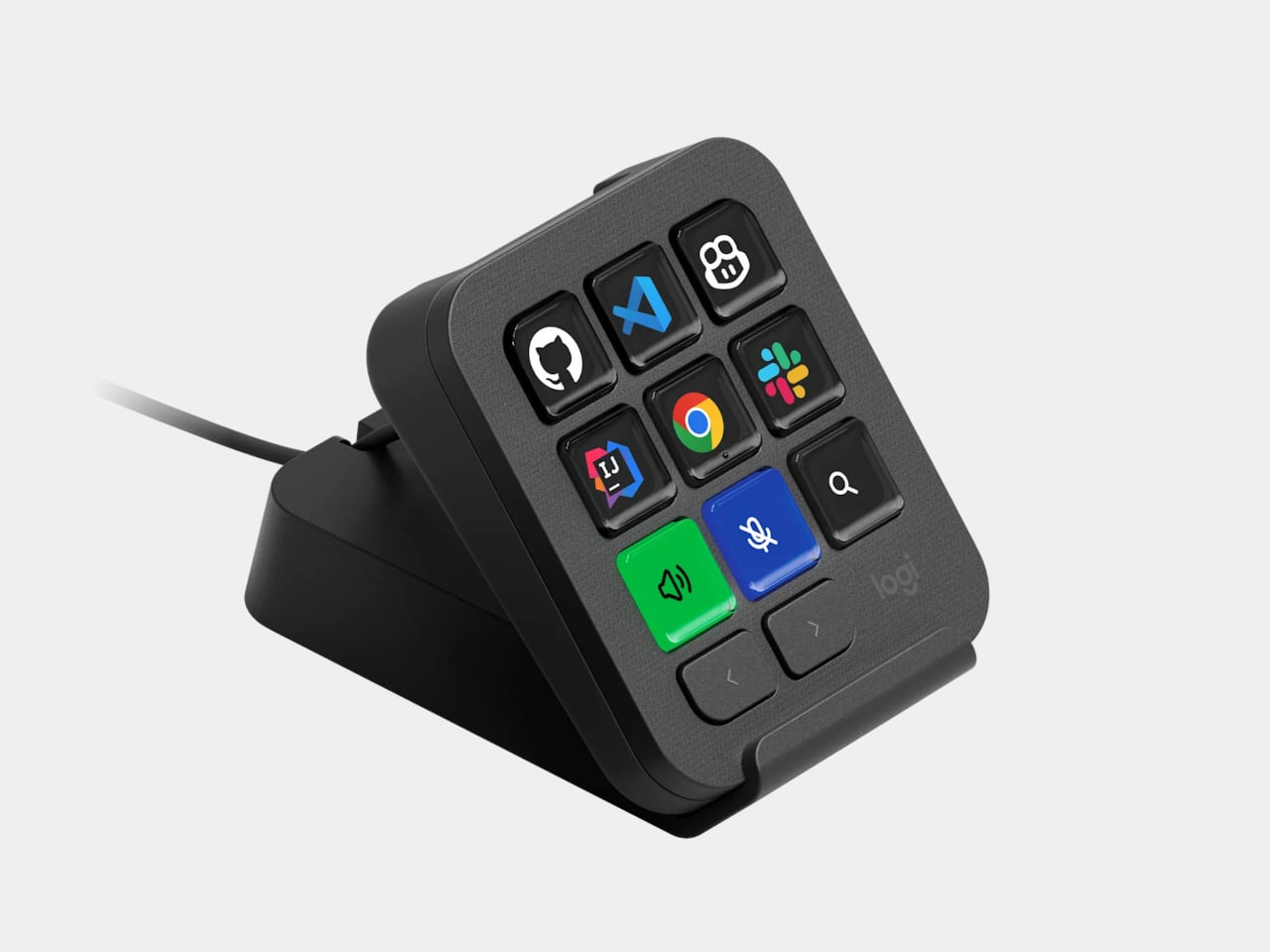
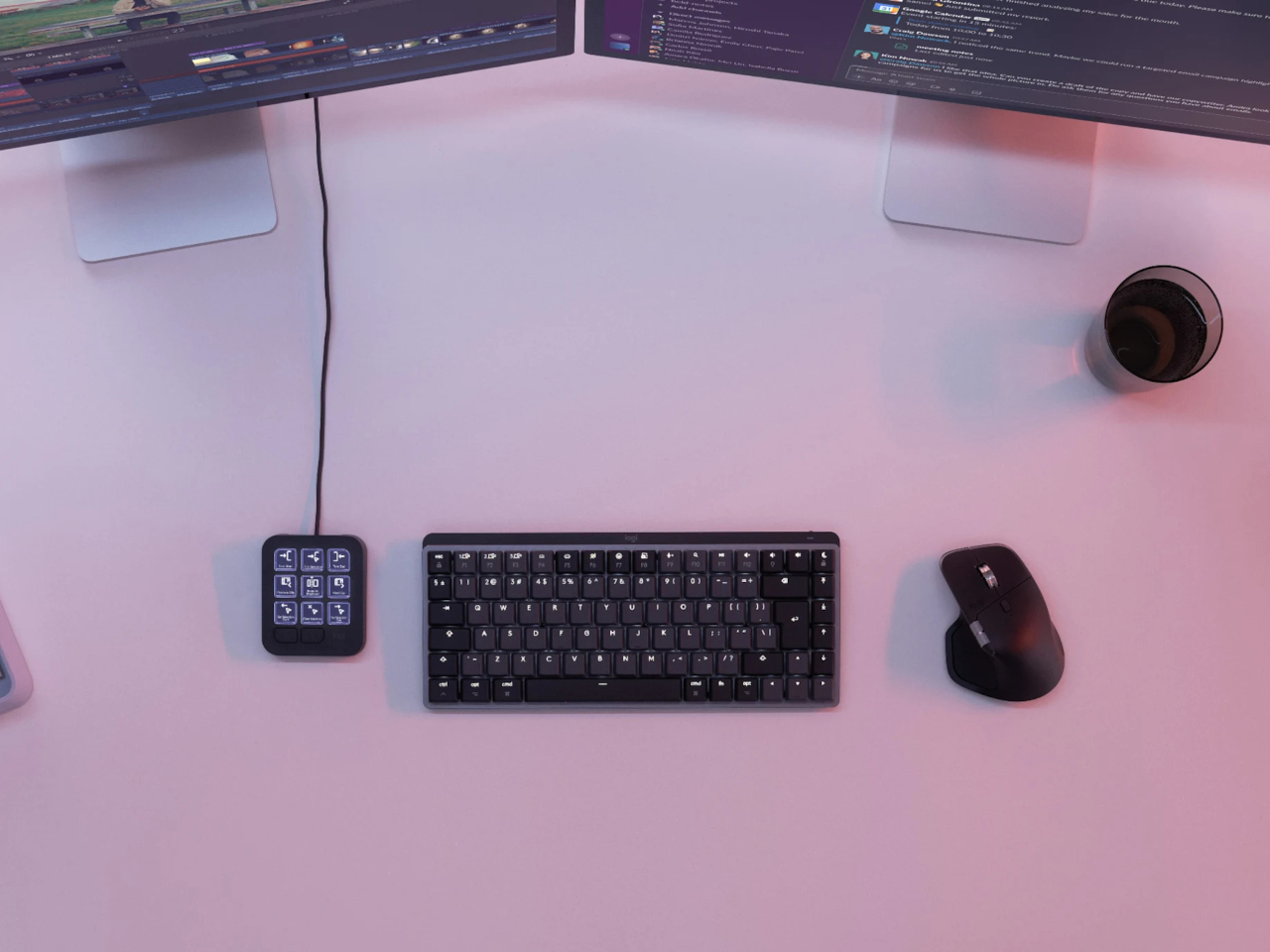
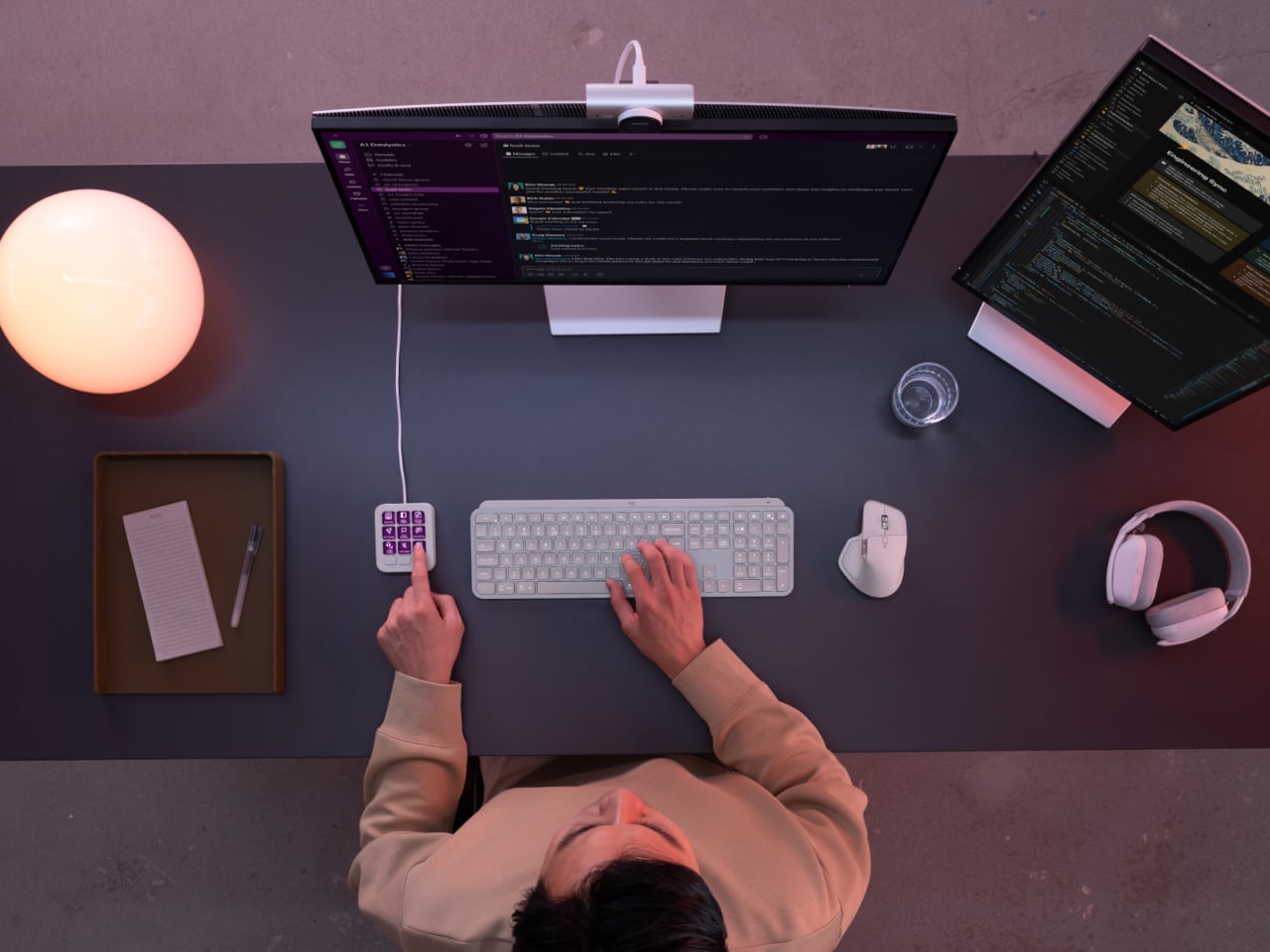
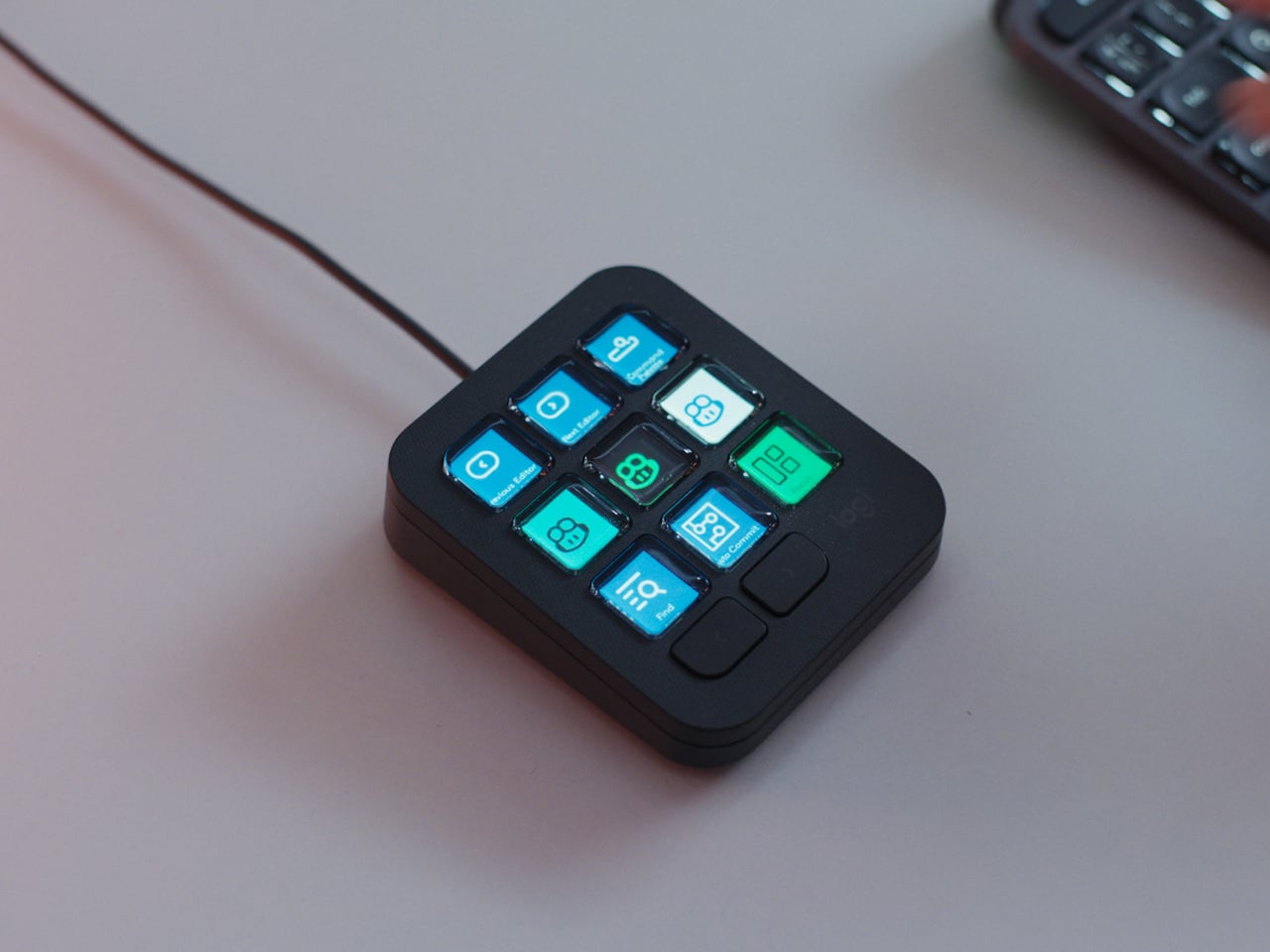
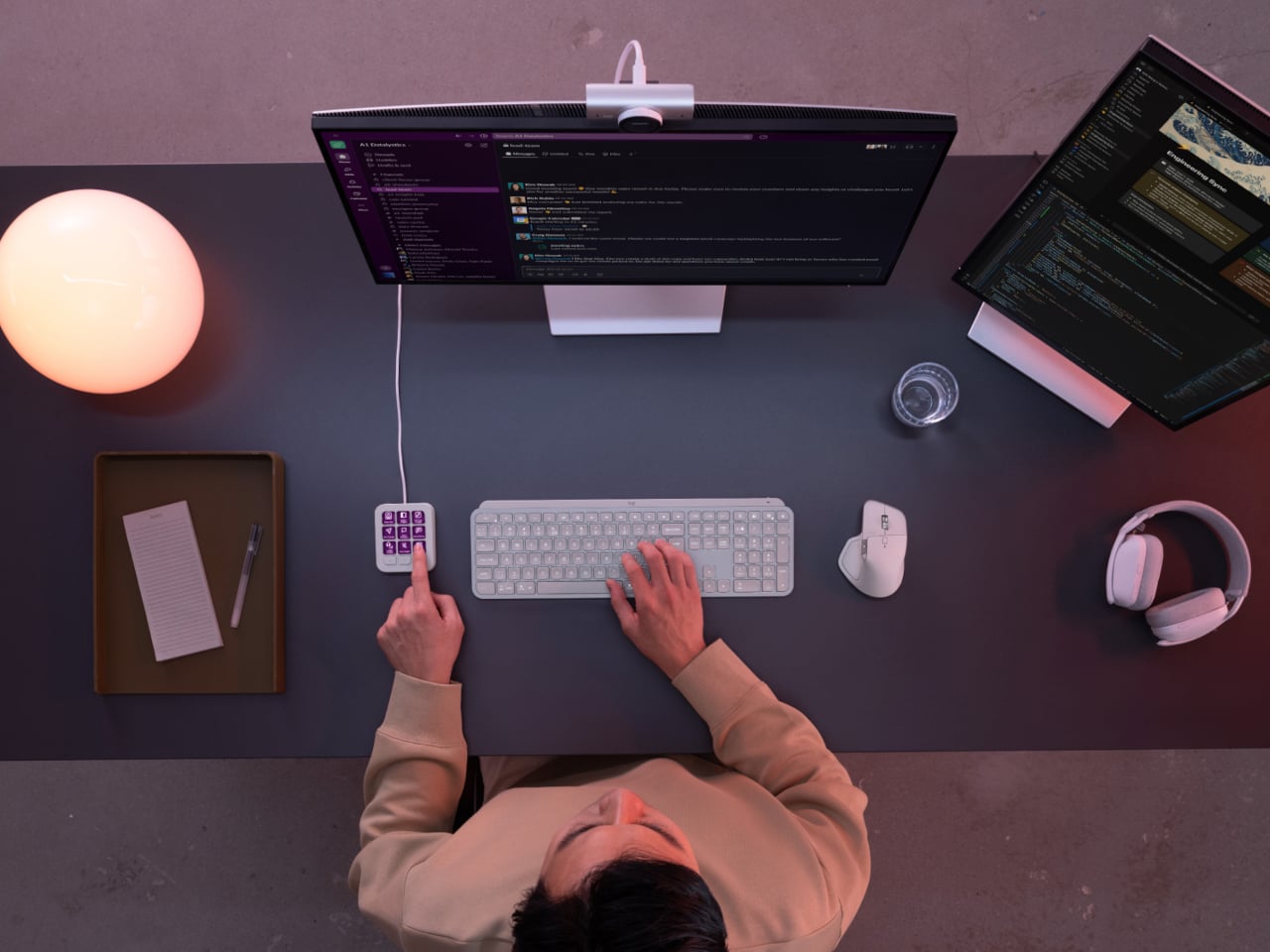
Every developer juggling AI agents right now knows the feeling of context switching until the whole workflow blurs together. Copilot suggests something in one window, Claude Code runs a task in another, and a dozen prompts live scattered across notes and muscle memory. The Logitech MX Keypad exists to collapse all of that into nine small screens sitting next to the keyboard, each one a physical shortcut into a specific piece of that chaos.

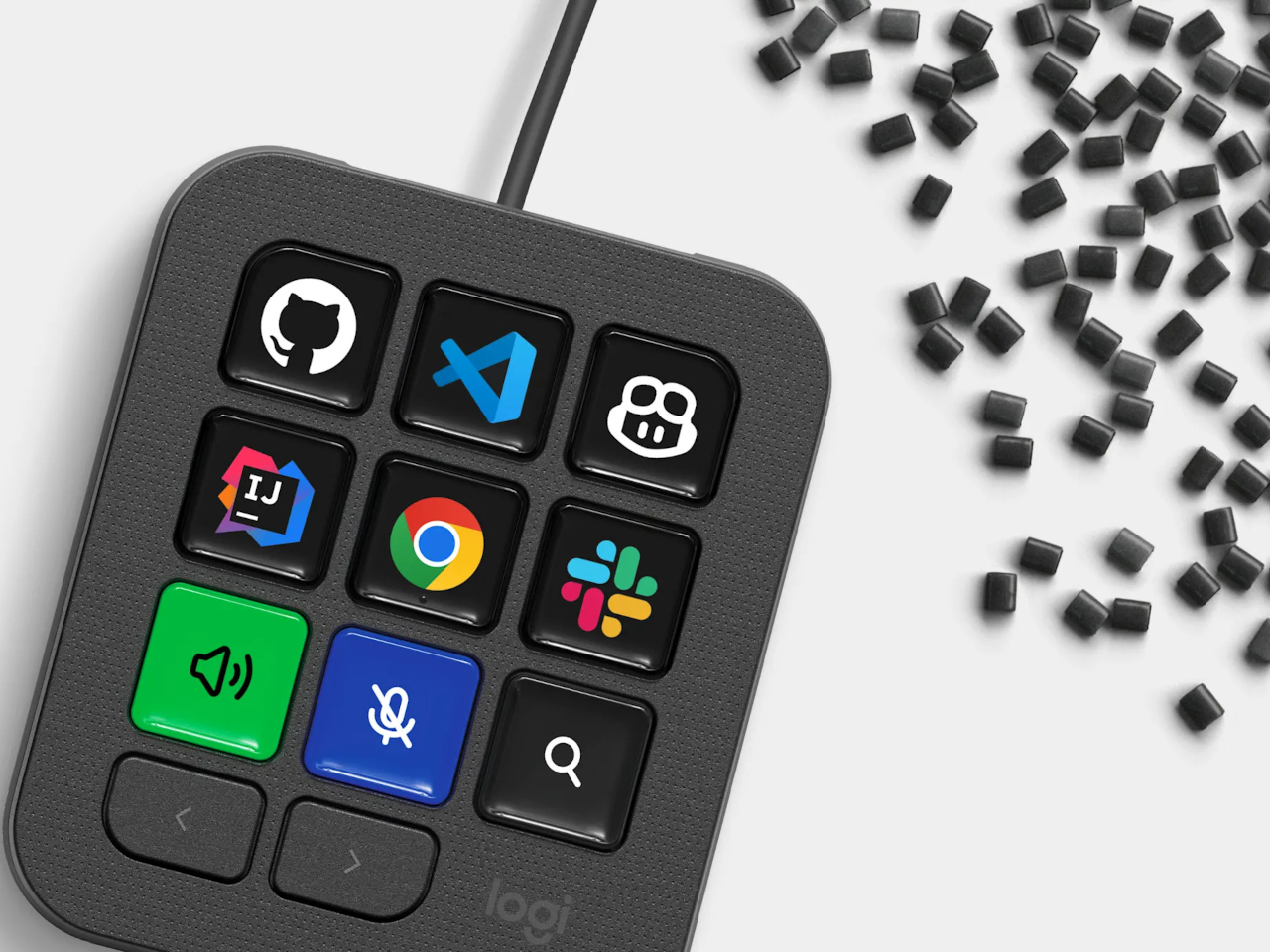
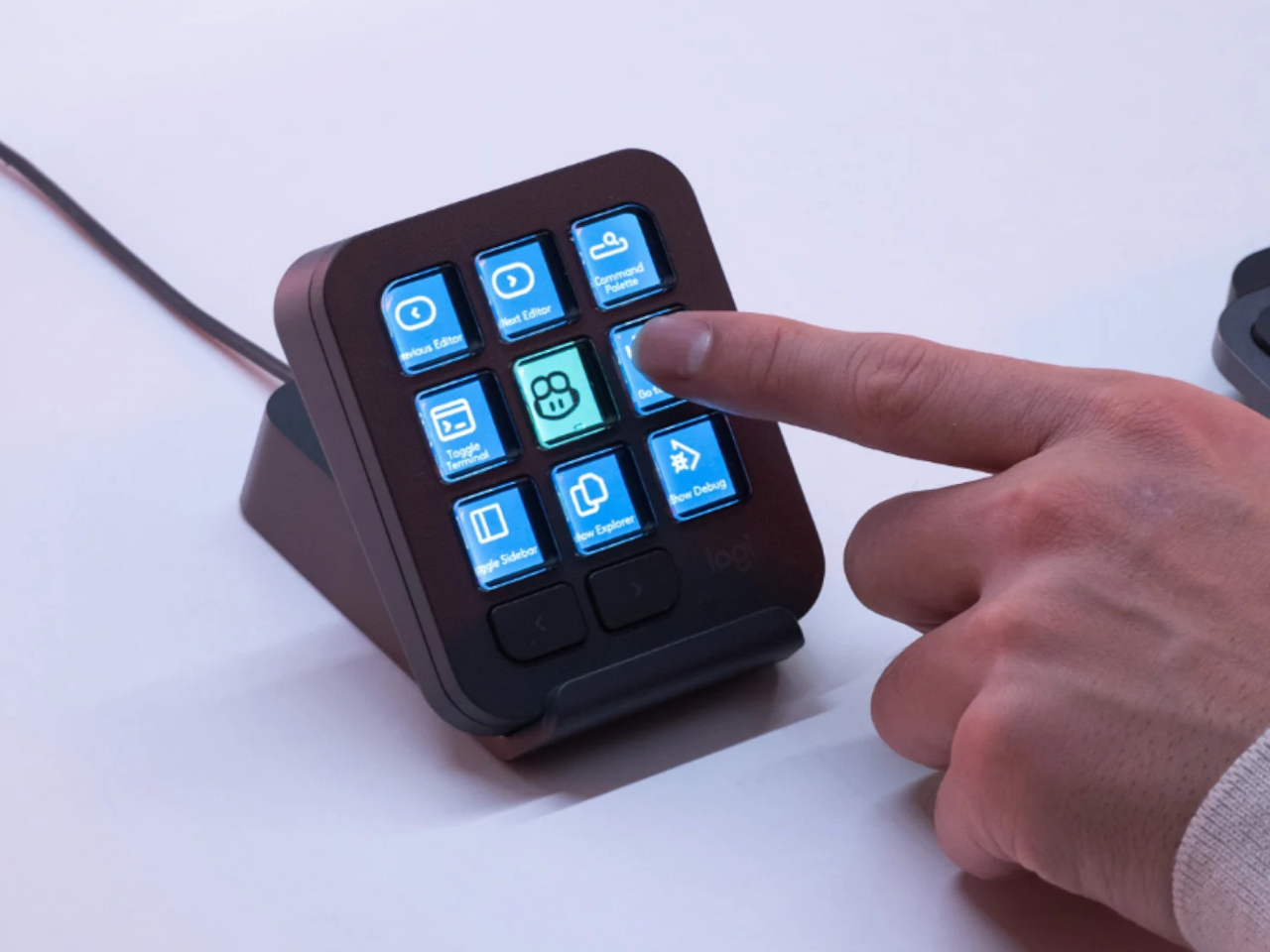
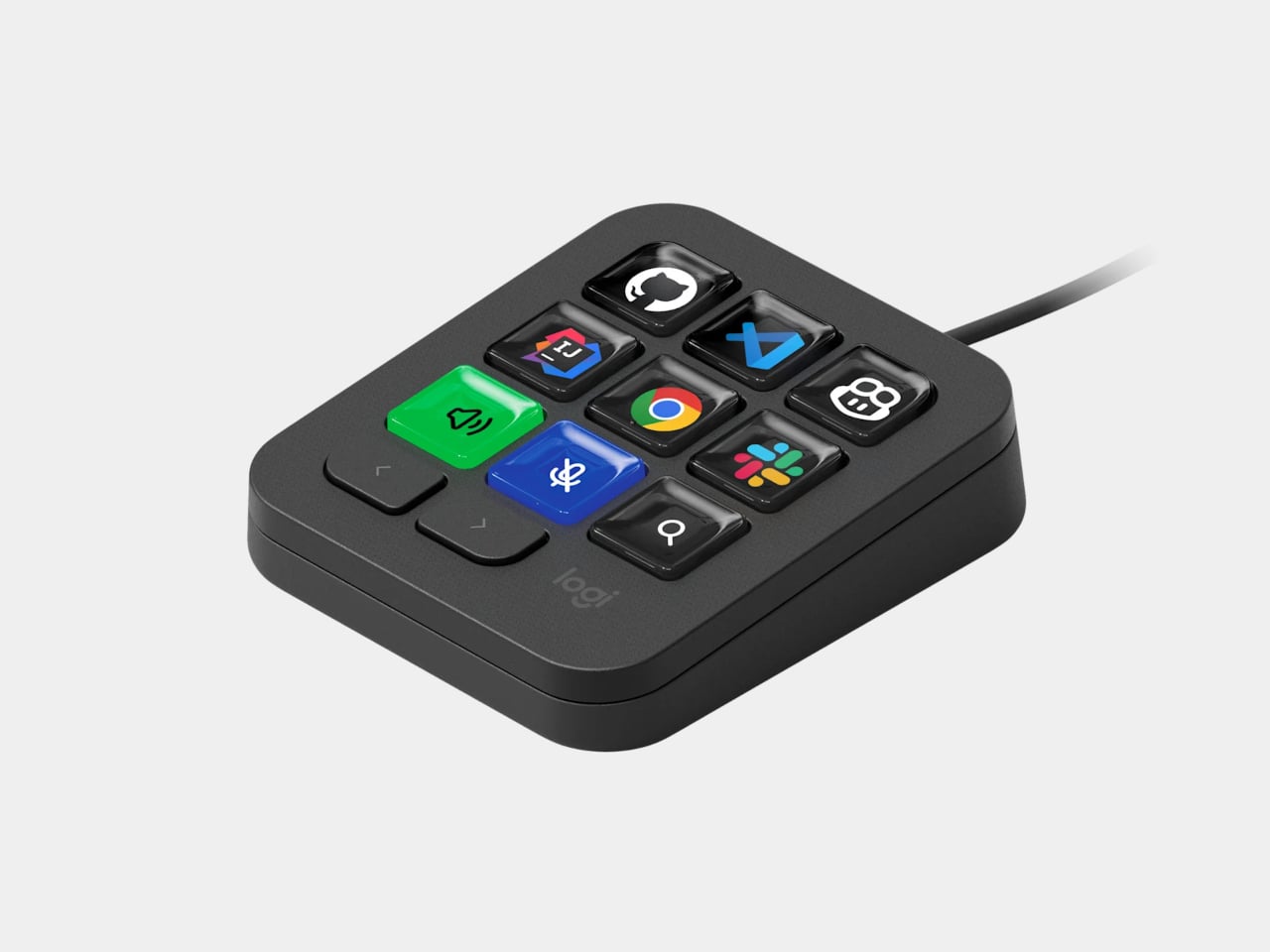
Every key on the keypad carries its own full-color LCD display, so instead of memorizing which function key does what, you glance down and see an icon that actually represents the command underneath it. Press one, and it can refactor a function, trigger a prompt macro, or hand off a task to an AI agent entirely. That small visual feedback loop turns an abstract keyboard shortcut into something closer to a labeled button on a control panel.

Designer: Logitech

What makes the hardware worth paying attention to is where Logitech chose to draw the compatibility line. Instead of building this around one coding environment, the MX Keypad works across GitHub Copilot, Claude Code, VS Code, and IntelliJ IDEA at once. A developer bouncing between an IDE and a terminal-based AI agent doesn’t need separate tools for each, just a different page of keys pulled up on the same nine buttons.

That pattern of paging matters more than it sounds. The keypad can hold multiple profiles, so switching from a Python project running through Copilot to a JavaScript refactor handled by Claude Code becomes a single tap rather than a mental reset. Anyone who has lost a train of thought hunting through browser tabs for the right prompt will recognize the value in never breaking eye contact with the code itself.

Underneath the surface, the MX Keypad ships with prebuilt plugins that Logitech had developers test directly against real coding platforms, rather than shipping generic templates and hoping they fit. An SDK opens the door further, letting teams build their own tools around internal workflows, while a community marketplace means the plugin library keeps growing without waiting on Logitech’s own release schedule.

None of that ambition comes wrapped in bulky, wasteful materials either. The body is made with recycled plastics, keeping the hardware in line with the sustainability commitments Logitech has built into its broader MX ecosystem. It is a small detail, but for a device meant to live permanently on a desk, it matters that the object itself doesn’t feel disposable.

At $99.99, the MX Keypad occupies a strange but clarifying position in a developer’s setup. It doesn’t replace a keyboard, and it doesn’t try to be an AI tool in its own right. Instead, it works like a translator between fast-moving human intent and the growing swarm of coding agents developers now manage daily, one labeled key at a time.

The post The $100 Keypad That Puts Each AI Coding Tool Behind Its Own Button first appeared on Yanko Design.

  •  

An Android Drawing Tablet With 127 Layers That Still Feels Like Paper

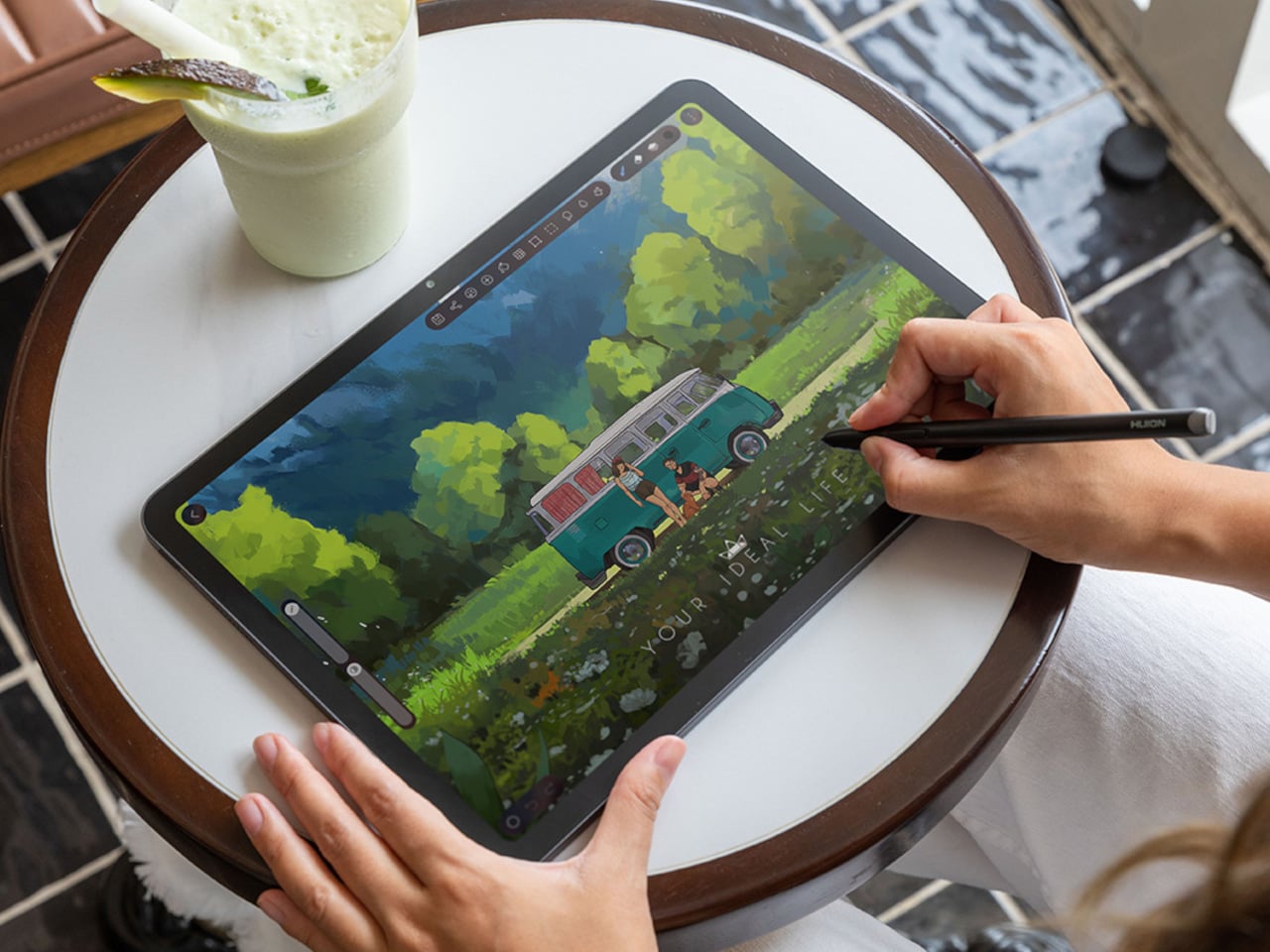
Most Android drawing tablets make you choose between a screen that feels like paper and hardware fast enough to keep up with a real workflow. The Kamvas Pad 12 refuses that trade-off. Huion built a 12.2-inch standalone tablet around a textured, paper-like display and paired it with enough processing power to hold 127 layers open without stuttering, treating the screen as a genuine canvas rather than a stylus afterthought.

That screen runs a 3:2 aspect ratio instead of the usual 16:9, and the difference shows up the moment you start sketching. A wider canvas means fewer awkward crops when composing a portrait or a page layout, and it doubles as a better shape for reading documents or comics without letterboxing. Combined with a 90Hz refresh rate, linework tracks the pen smoothly instead of lagging a beat behind your hand.

Designer: Huion

Canvas Glass 3.0 does the quieter work here. The surface is nano-etched for texture, so the pen tip grips the way it would on actual paper, while a soft-light treatment and anti-glare coating keep long sessions from turning into eye strain. Setting up near a window or working outdoors doesn’t wash out the display, which matters more than most spec sheets give it credit for.

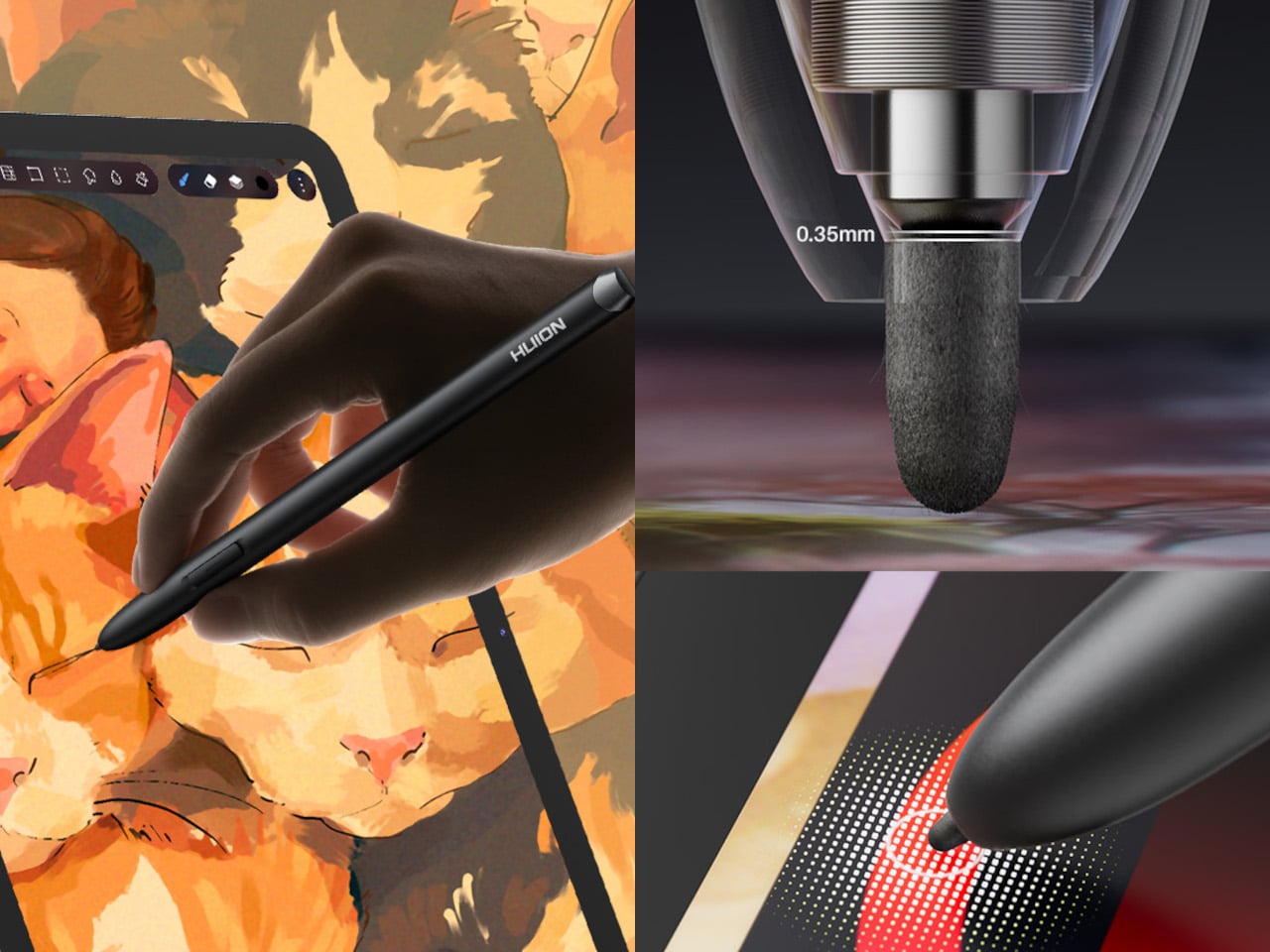
The PW600C pen leans into that same philosophy of getting out of the way. It’s battery-free, weighs just 12 grams, and snaps magnetically onto the tablet body instead of needing a separate case or loop. Someone sketching on a train can toss the pen against the tablet’s edge between stops and trust it’ll still be there, without fishing through a bag for a charging cable or a lost cap.

Underneath, an eight-core MediaTek Genio 720 chip and 8GB of RAM handle the kind of multitasking that used to choke budget Android tablets, running multiple layers and apps without the frame drops that make digital painting frustrating. At 16,384 pressure levels and 60-degree tilt support, the stylus itself translates a feather-light highlight or a bold ink stroke with the kind of nuance that used to be reserved for pricier displays.

Storage tops out at 256GB onboard with room to expand to 1TB, so a growing library of finished pieces, reference photos, and half-done sketches doesn’t force anyone into constant cleanup. Android 16 and full Google Play access mean the tablet isn’t locked into a single app either. Clip Studio Paint, ibisPaint X, MediBang Paint, and Huion’s own HiPaint all come preloaded, ready for whichever workflow fits the project at hand.

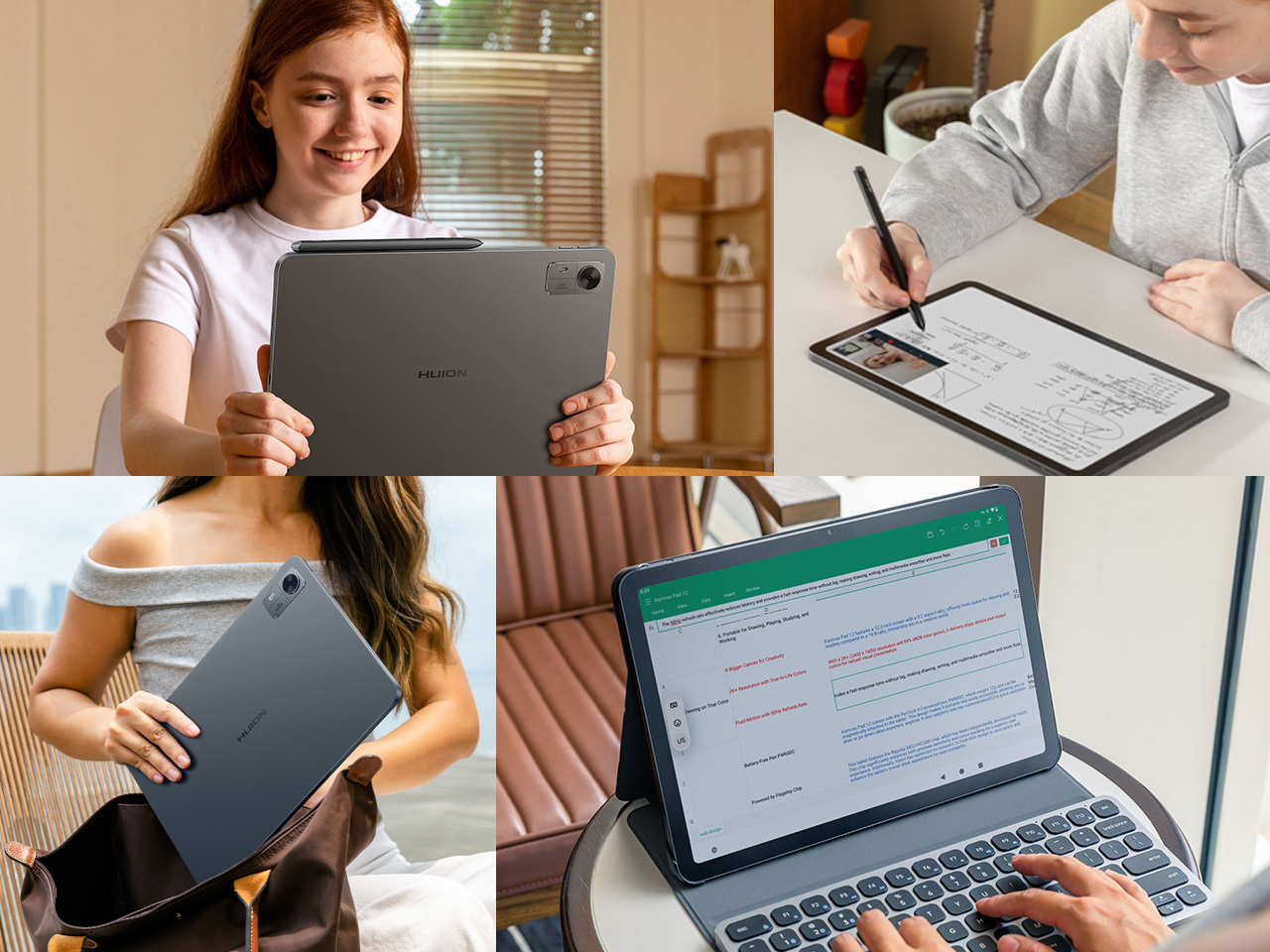
Battery life rounds out the case for treating this as a genuine mobile setup instead of a tethered accessory. An 8,000mAh cell inside a 7.8mm metal body keeps the Kamvas Pad 12 running for roughly eight hours, long enough for a full day of sketching at a café or a cross-country flight without hunting for an outlet. That kind of stamina turns a drawing tablet into something closer to a sketchbook you never outgrow.

The post An Android Drawing Tablet With 127 Layers That Still Feels Like Paper first appeared on Yanko Design.

  •  

Carte interactive The Blood of Dawnwalker : Manuels, Objets légendaires, Secrets... Emplacement de tous les points d'intérêt

Explorer Val Sangora dans le RPG The Blood of Dawnwalker à l'aveuglette demande beaucoup de temps et d'efforts. Heureusement, l'interactive map évite de rater des objets importants ou de passer à côté de différentes opportunités, tout en gagnant du temps. Découvrez notre sélection dans ce guide.

  •  

Liquid Hackers Return 3,400 Bitcoin Taken via Elements Bug, Still Holding $47M in BTC

Whoever took nearly 4,000 bitcoin from the Liquid Network on Sunday, September 6, returned 3,400 of it the next day, Bitcoin's public record shows. About 598.5 bitcoin has not come back. Liquid is a Bitcoin sidechain that holds real bitcoin to back a token called L-BTC. The network is still paused, so holders cannot turn that token back into bitcoin. The 3,400 bitcoin was sent to a&

  •  

ChatGPT Flaw Let a Planted Prompt Send a Victim's Gmail Data to Another Account

Check Point Research said in a report published today that a single instruction planted in a ChatGPT conversation could cause ChatGPT to quietly work for an attacker while answering the user's question as usual. In the company's proof of concept, that hidden work read data from the user's connected Gmail account and passed it to a second ChatGPT account through a hidden channel

  •  

Autonomous AI Agents Compromise Thousands of Credentials in Under Six Hours

Threat actors are continuing to leverage artificial intelligence (AI) to streamline their operations, with one financially motivated hacking group employing an autonomous, multi-agent attack framework to carry out a large-scale credential harvesting campaign within six hours. Google Threat Intelligence Group (GTIG) said it has observed attackers with diverse motivations targeting proprietary AI

  •  

You don't have to wait for Microsoft to get a battery widget on Windows 11

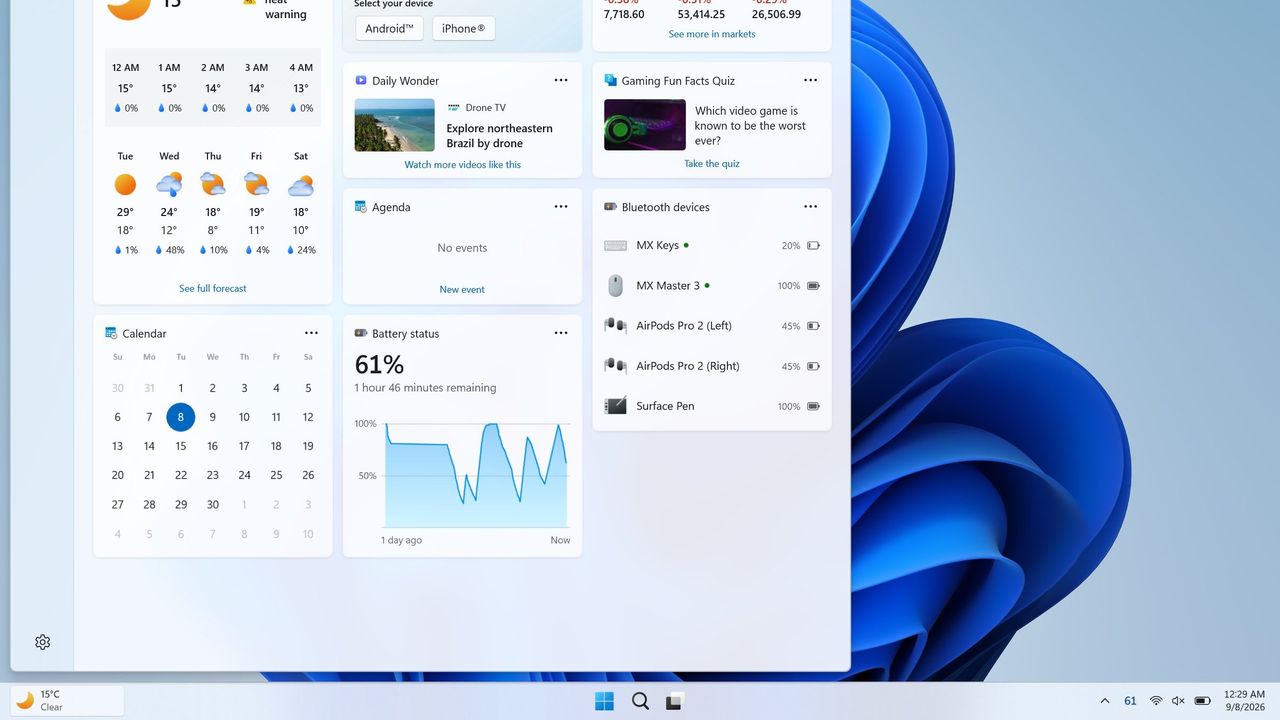
Windows 11 will soon feature a Battery Status widget that you can pin to the Widget Board or your PC's lock screen. The feature is still in the works at the moment, but you don't have to wait for it to be finished. Third-party app "Battery Flyout" already supports a Battery Status widget and is available right now.

Just like Microsoft's widget that's in progress, Battery Flyout's widget shows the battery status of your PC and connected devices. It's a quick way to check if your keyboard, mouse, or other accessories are charged.

The Widget Board has been underutilized since it launched in 2021. There are fewer than 100 widgets available, many of which are tremendously niche. I hope the existence of the Battery Status widget indicates that Microsoft is going to invest the time needed to grow the library of Windows 11 widgets.

Microsoft has made some other improvements to the Widget Board lately, such as turning off the MSN feed by default. I hope this is a turning point for the feature. If not, at least we can rely on third-party developers to use the space.

Battery Flyout already has it 😉 https://t.co/hxFqHSJJxJSeptember 8, 2026

If you had a previous version of Battery Flyout installed, you may need to update the app before being able to use the widget.

As a built-in feature of Windows 11, the Battery Status widget will be available for free. Battery Flyout costs $3.19 (on sale from $3.99). But some lucky Windows Central readers will be able to get Battery Flyout for free. The app's developer shared a code for a giveaway and I'll run that on the r/windowscentral subreddit. Make sure to subscribe there and keep an eye out.

Battery Flyout lets you monitor the battery life of your Windows 11 PC and connected Bluetooth accessories, including mice, keyboards, and pens. It features a dedicated widget for the Widgets Board, native ARM64 support, and detailed power usage insights.

Click to join us on r/WindowsCentral

Join us on Reddit at r/WindowsCentral to share your insights and discuss our latest news, reviews, and more.
  •  

reVCDOS - Vice City en entier dans un onglet

Vous vous souvenez de GTA Vice City ?

Non ? C'est normal, c'est un petit jeu qui est passé relativement inaperçu ^^. Dans ce jeu, on est plongé dans le Miami des années 80, avec ses chemises à fleurs, Tommy Vercetti et la radio à fond dans une décapotable volée.

Eh bien bonne nouvelle pour les fans, le jeu tourne aujourd'hui en entier dans un onglet de votre navigateur, sans rien avoir à installer, et ça s'appelle reVCDOS.

Derrière, c'est reVC, on retrouve la décompilation du moteur du jeu dont je vous ai déjà parlé, recompilée en WebAssembly par l'équipe de DOS.Zone. Autrement dit, ce n'est pas de l'émulation mais le vrai moteur d'origine qui tourne direct dans un browser.

Et ça se joue comme vous voulez, au clavier et à la souris, à la manette, ou carrément du bout de votre doigt tout gras sur un téléphone en portrait comme en paysage.

Les codes de triche marchent aussi, tapés au clavier comme à l'époque, et vous pouvez charger vos propres mods dans le navigateur avec des fichiers dff et txt qui sont supportés tels quels, sans conversion.

Si vous êtes chaud, pour jouer, ça se passe sur la page du projet . Le jeu a besoin des données de Vice City, et le site vous propose cinq façons de les lui donner : Il y en a 2 qui les téléchargent pour vous, dont un torrent, et 3 qui vous laissent envoyer les vôtres, en dossier, en fichiers ou en zip. Je vous conseille la deuxième méthode, car la première, c'est du piratage, et le piratage, c'est maaaal ! Et ouais, il faut bien financer les petits studios comme Rockstar.

Bref, il vous faut les fichiers du jeu d'origine mais bonne nouvelle : sur Steam, on trouve encore aujourd'hui la Definitive Edition, à 59,99 €. Franchement, pour un jeu sorti y'a 24 ans, c'est vraiment donné, non ? Ah bah oui, je vous l'ai dit, il faut financer les petits studios.

Et si vous préférez héberger le bidule vous-même, sachez que le dépôt Github du projet publie les binaires et une image Docker qui convertit vos fichiers au format attendu ! Comptez une cinquantaine de mégas au démarrage, le reste arrive en cours de partie.

Un truc à savoir avant de vous lancer, parce que ça pique : les sauvegardes locales sont pétées depuis des mois, et l'auteur a fini par lâcher sur son forum que "les sauvegardes ne sont disponibles qu'avec un abonnement". Donc si vous vous lancez dans une partie, il faudra jouer jusqu'au bout. Ou alors, vous vous démerdez pour débuguer votre install.

Et profitez-en tant que c'est là, parce que Take-Two a déjà fait tomber ce portage à coups de DMCA l'an dernier. Bref, un tour à Vice City ce soir, ça ne se refuse pas.

Source : Tom's Hardware

  •  

Kickban a filmé sa tournée et Pixel Syndrome en a fait un film

Les copains de Kickban viennent de mettre en ligne le film de leur tournée du printemps, et vous allez voir, ce n'est pas un teaser de trois minutes bricolé à l'arrache. C'est un vrai documentaire de 55 minutes, baptisé "MEUPORG TOUR : les coulisses", qui vous embarque dans le camion avec eux.

Cette tournée, c'était 6 dates qui se sont enchaînées du 17 au 25 avril dernier, avec un invité local en première partie selon les soirs. Ils sont partis du sud de la France à Aix-en-Provence pour remonter jusqu'à Nantes, en passant par la Suisse.

Ce clic autorise une connexion à Google : adresse IP transmise et traceurs possibles. En savoir plus Voir cette vidéo sur YouTube

Et si vous avez besoin qu'on vous explique le nom de cette tournée, c'est que vous n'étiez pas là en mars 2010 quand un journaliste de Télématin a parlé à l'antenne des jeunes qui se goinfraient de "meuporg", avant d'épeler tranquillement M-M-M-P-O-R-P-G. J'en avais même parlé à l'époque . Hé ouais, j'suis vieux !

Kickban, si vous ne connaissez pas c'est un trio pop-punk qui existe depuis 2016, avec des textes en français qui tournent principalement autour de la programmation, des jeux vidéo, des séries et du cosplay. J'avais déjà relayé quelques-uns de leurs clips ici (et je tourne même dedans !!). En face d'eux, on retrouve aussi Pixel Syndrome qui joue un metal industriel bien plus lourd, avec des sonorités de jeux vidéo à l'anciennnnne collées sur les riffs.

Ce qui est cool aussi, c'est que le film ne garde pas que les bons moments. Dans une tournée, il y a des bons soirs et puis il y a des soirs où la salle est un peu plus vide. Mais ça n'a pas découragé nos artistes, qui trouvent toujours moyen de rebondir ^^.

Bref, si vous voulez voir à quoi ressemble vraiment une tournée quand on n'a ni tour bus ni équipe technique, c'est un super docu !

Source : le billet de Kickban

  •  

WeChat Zero-Click Worm Took Over Accounts on iPhone and Android via Incoming Calls

Researchers at the security firm Calif have built a worm that takes over a WeChat account via an incoming call and demonstrated it spreading among three test phones. The person being called does not have to answer or touch their phone for it to work, but the caller must already be one of their WeChat contacts. Calif reported the flaw to Tencent in July and says the company has since

  •  

What It Took to Reach 1 Billion Build Manifests

In the last six months, Chainguard doubled its output from 500 million to more than 1 billion container build manifests. We also surpassed 3,000 unique container images and 675,000 image versions in our catalog. Those are the headline numbers, but I want to share what's actually behind them. The number itself is less interesting than the system that produced it, and why we had to fundamentally

  •  

Grand Theft Auto 6 will launch earliest in New Zealand, so I'm reminding you that changing your Xbox's region is really easy

Grand Theft Auto 6 will finally launch on November 19, 2026, at midnight in your region. Technically, that means New Zealand gets it earliest, as 00:00 NZDT (New Zealand Daylight Time) aligns with 06:00 EST (Eastern Standard Time) on November 18, while the rest of us wait for our own clocks to tick over. Dedicated fans at GTAVice.net spotted the regional launch plans, but there's a catch.

The timestamps come from Sony's PlayStation Store listings, which is actually better news for Xbox fans. PS5 users can't change their console's region so easily to trick the system, while Xbox Series X|S gamers can still head to their Settings menu and change their Language & location settings to match New Zealand's kickoff of the rolling midnight launch.

PlayStation 5 owners can put extra effort into making a new account, but that also means finding a way to buy the game in the local NZ$ currency. If you already pre-ordered on Xbox in your own country, switching to a region on the furthest edge of the time zones should be a relatively simple trick for eager Xbox gamers looking to play GTA 6 early.

How to change your region on Xbox Series X|S

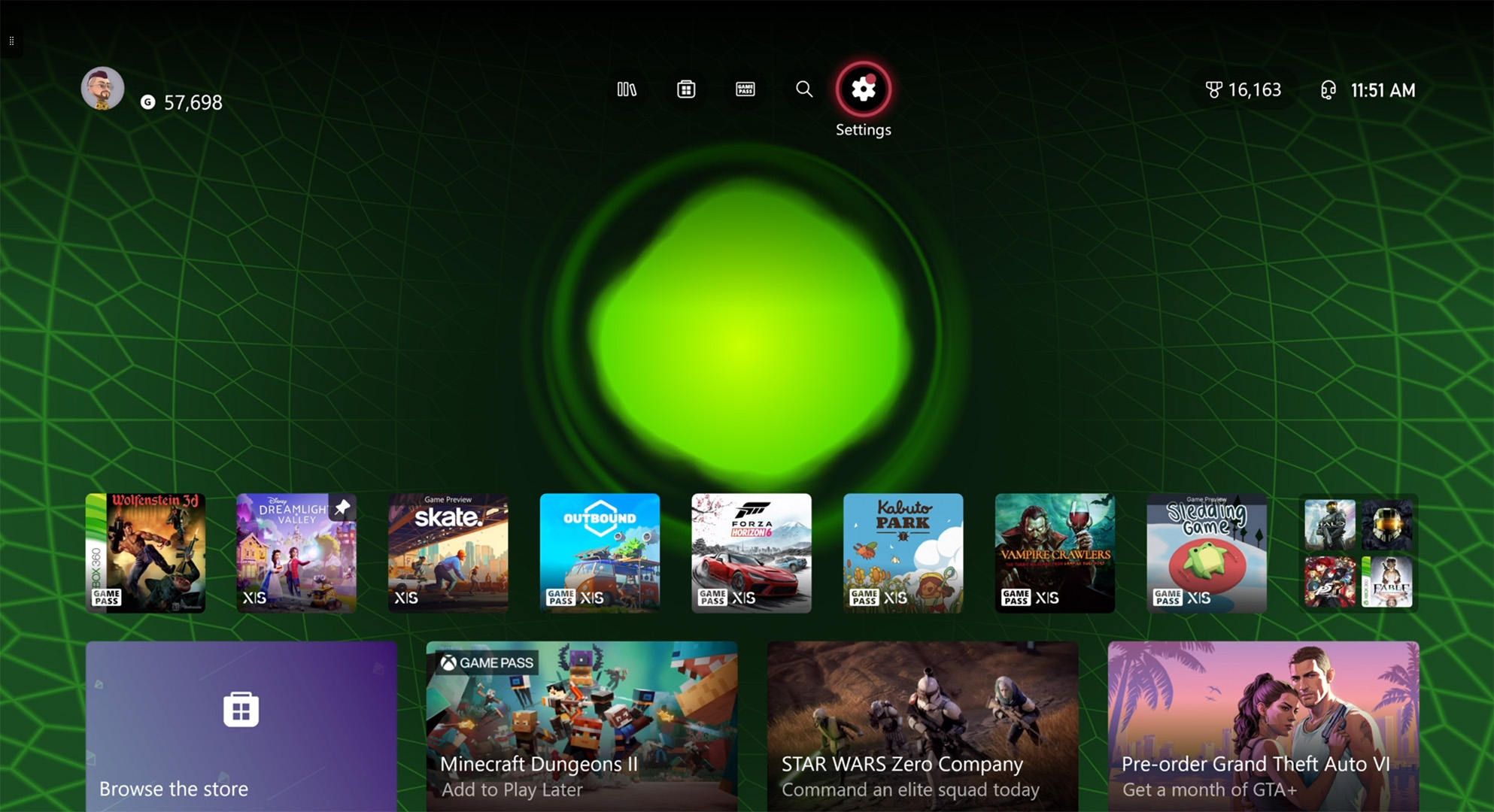
Xbox Series X dashboard screenshot showing steps through Settings to change region
Find the Settings cogwheel at the top of your dashboard.Windows Central
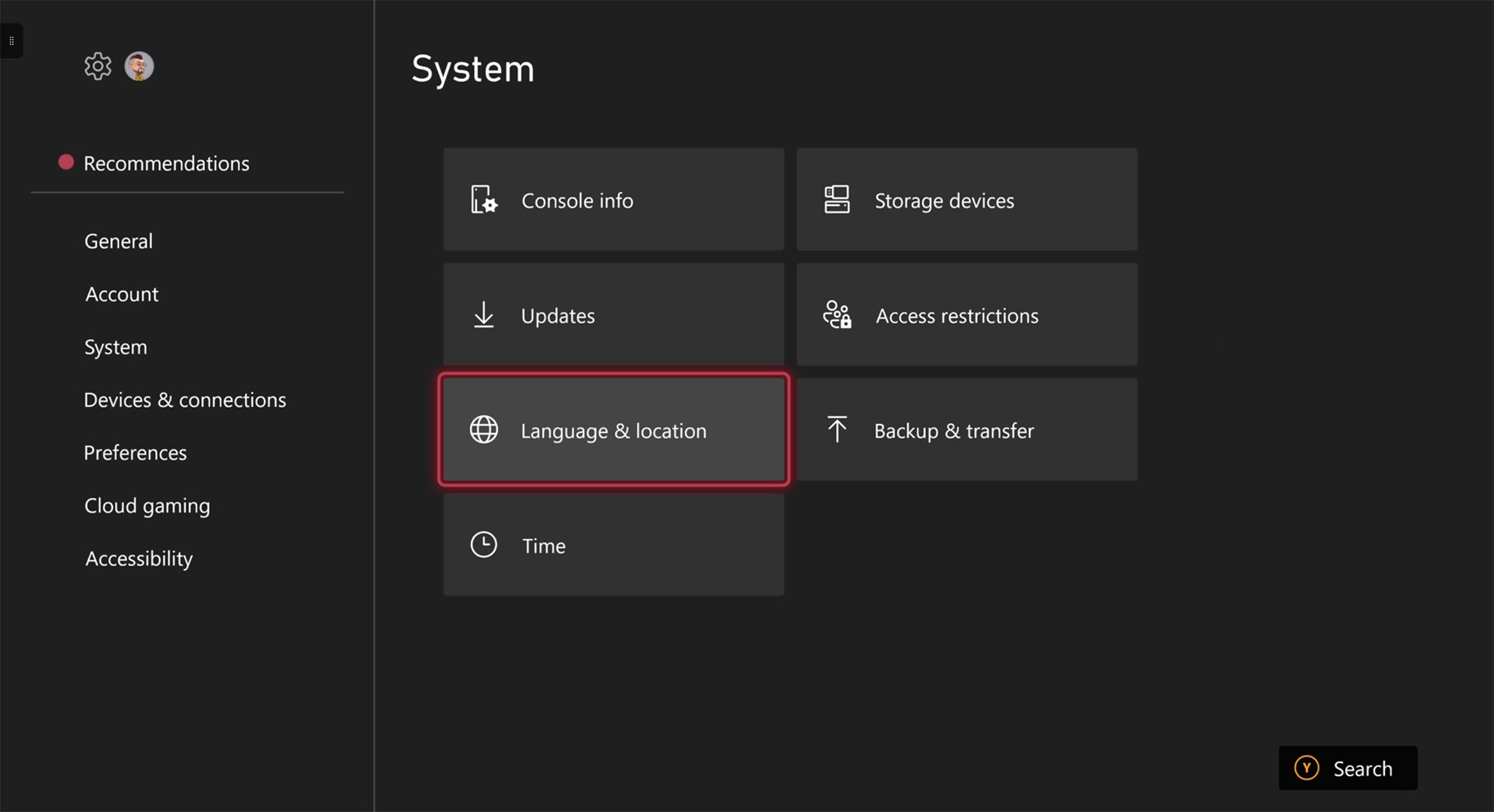
Xbox Series X dashboard screenshot showing steps through Settings to change region
Next, navigate to Language & location.Windows Central
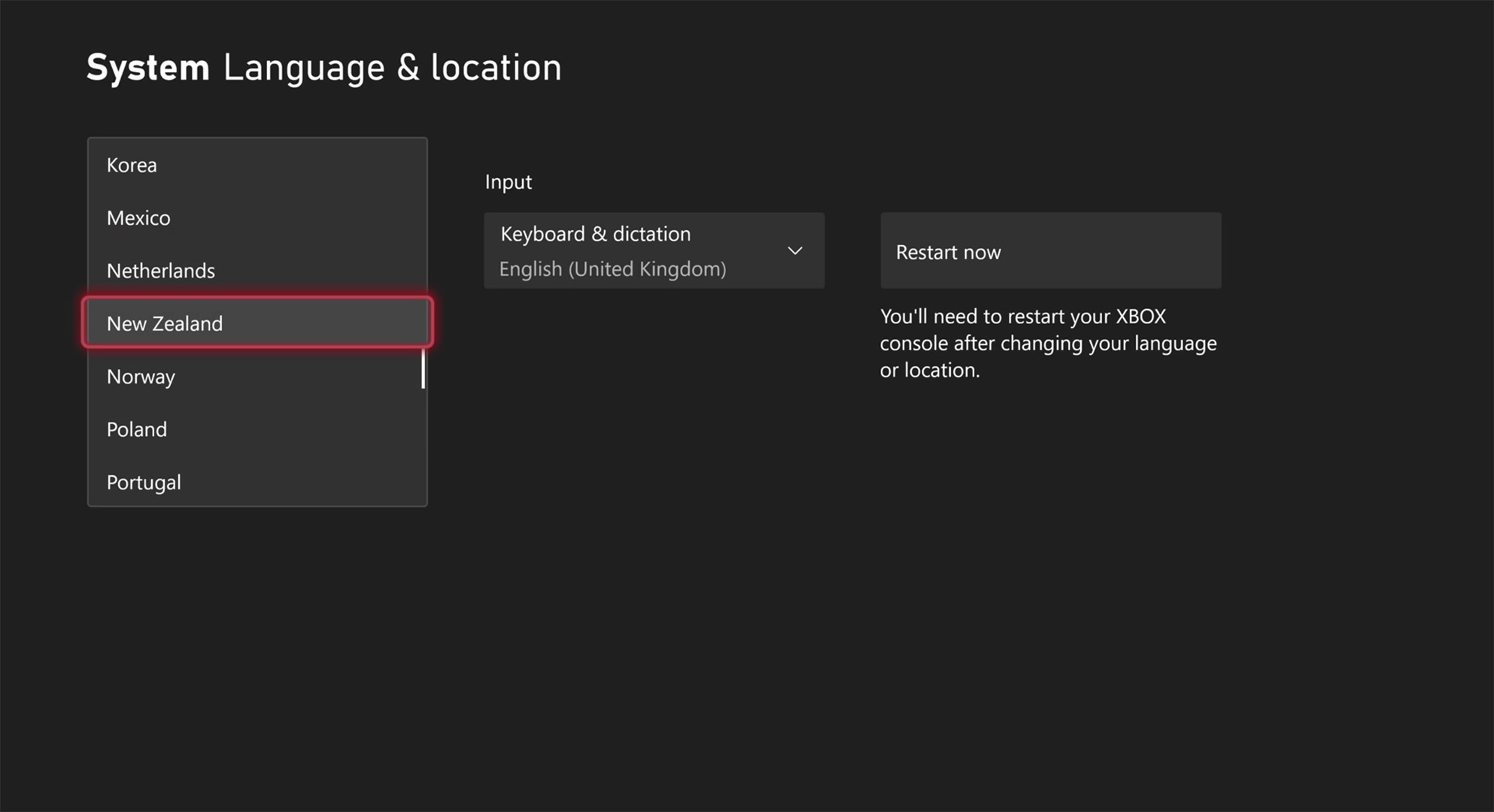
Xbox Series X dashboard screenshot showing steps through Settings to change region
Finally, change your location and restart.Windows Central
  1. From your Xbox dashboard, enter Settings (the cogwheel)
  2. On the left menu, scroll to System
  3. Move to the right side and select Language & location
  4. Choose your new region, e.g., New Zealand
  5. Select Restart now to apply the changes

Is this trick guaranteed to work for GTA6?

Grand Theft Auto 6 Lucia in prison

Lucia is the the other playable half, waiting for a November release. (Image credit: Rockstar Games)

In theory, I can't think of any compelling reasons this shouldn't work on an Xbox Series X|S, as it has in the past for digital games with rolling midnight launches. However, that doesn't mean Rockstar Games and its publisher, Take-Two, don't have a trick up their sleeve to prevent GTA 6 from being playable a day earlier with the same region tweak we used on titles like Call of Duty.

Even though Grand Theft Auto VI doesn't have any multiplayer components planned for its launch, that doesn't mean it's a strictly offline experience. It's reasonable to assume that stat tracking will apply during the single-player campaign, presumably shared among players when their console is connected to the internet.

Otherwise, if the game verifies your previous purchase and confirms your new region is a valid location (and the game doesn't require a day-one patch to launch), we might be able to play the story of GTA 6 entirely offline. Personally, I'm not feeling the same level of excitement as many others, so I'm willing to wait, but I don't see why this wouldn't work for anyone who already pre-ordered in their local currency.

In XBOX's official messaging, the brand warns of regional caveats. For example, any local currency tied to your account will not transfer over, and Microsoft can't help with that. If you were planning to buy any GTA 6 "Ultimate Edition" add-ons, you'll need to do it before changing your region. Still, it's easy to revert your Xbox console to its original region, so it's certainly tempting.

Click to join us on r/WindowsCentral

Join us on Reddit at r/WindowsCentral to share your insights and discuss our latest news, reviews, and more.

  •  

The 5 Home Upgrades Every Pet Parent Actually Uses (Not Just Buys)

Pet furniture & products have operated under a different standard than everything else in the home for too long. The scratchy beige tower. The plastic bowl by the radiator. The mat that looks like an afterthought. That gap between what owners expect from their own furniture and what they accept for their pets is closing, and the designs collected here are evidence of that shift. These are objects that take the animal’s life seriously without surrendering the room.

This is not a list for owners who want to spoil their pets. It is a list for owners who want their home to feel coherent, and who understand that coherence includes the animal living in it. A vacuum that maps your dog’s favourite spots. A bowl that keeps a fast eater honest. A table built around the fact that the cat is going to be there anyway. Five upgrades, and one shared premise.

1. Chunky Cat Tree

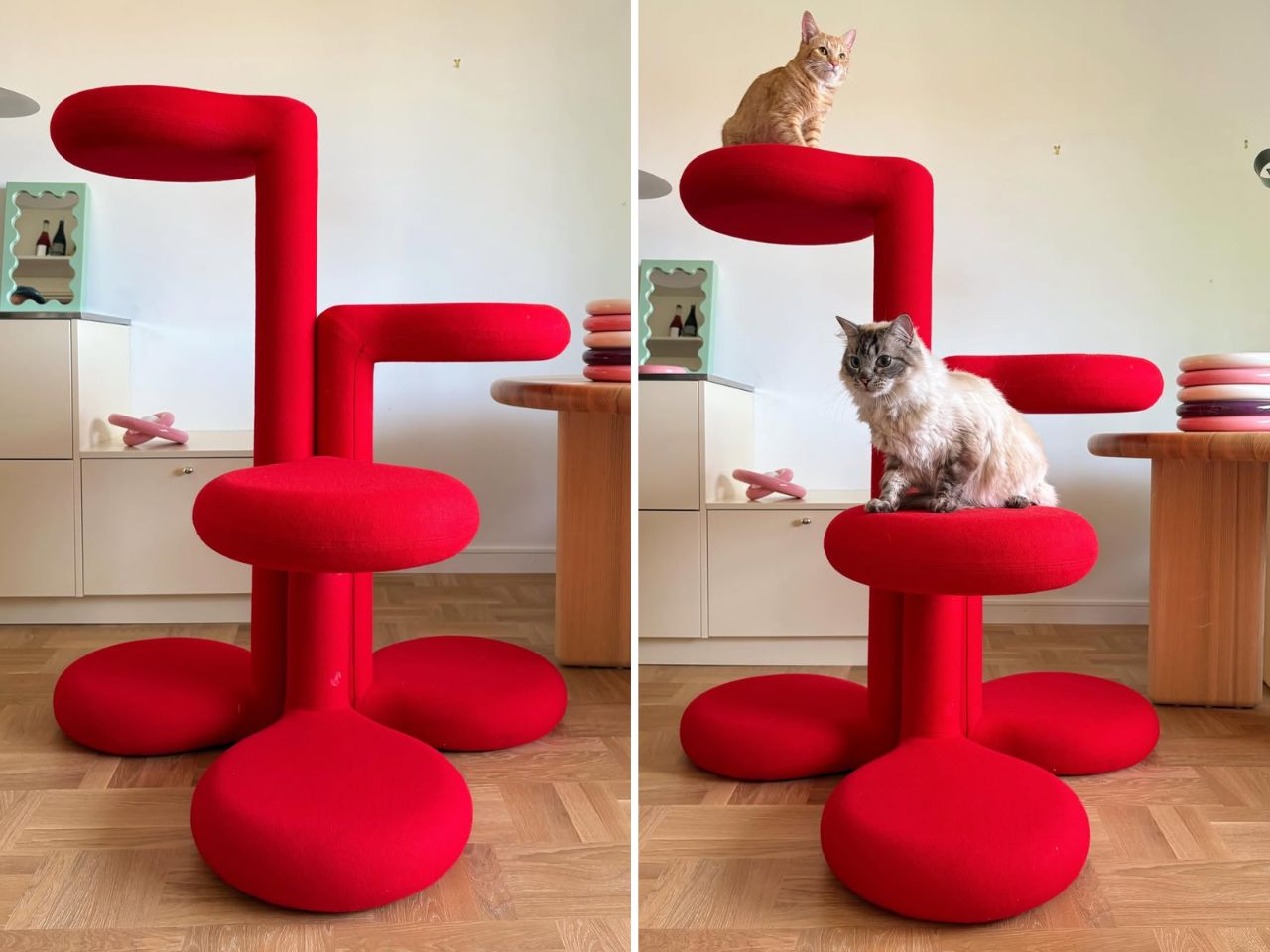
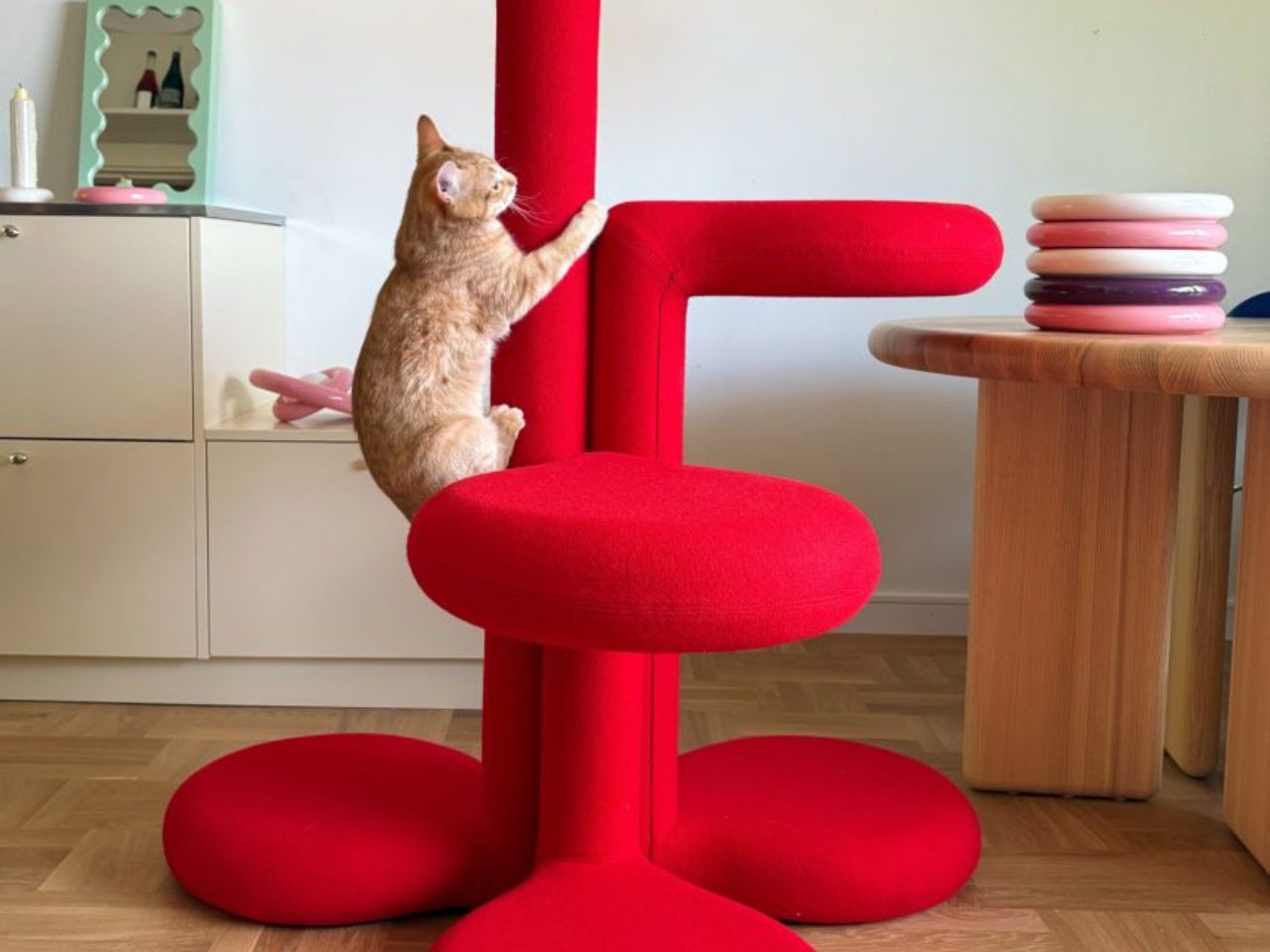
Cat trees solve a specific problem and fail at everything else. They anchor the room in exactly the wrong way, and most owners spend years working around them rather than with them. Gustaf Westman’s Chunky Cat Tree asks whether the category has to operate this way at all. The Swedish designer, known for his Chunky collection of ceramics, glassware, and home objects, has applied that same rounded vocabulary to a cat climbing structure. The result is a piece you place rather than hide.

The form carries all of Westman’s signatures: stacked volumes, inflated proportions, a material presence that reads as warm and deliberate. Made to order in Sweden, the tree is upholstered in wool across five colourways: red, yellow, purple, blue, and cobalt blue. Westman has said he designed it after years of seeing ugly cat trees and deciding the category deserved better. The comment captures the larger idea behind the object. Everything can be designed better, including the things we have come to accept as visually unpleasant.

What we like:

  • Treats cat furniture as a design category worth the same formal attention as any other home object
  • Wool upholstery and sculptural proportions earn placement in the room rather than tolerance of it

What we dislike:

  • Made to order in Sweden means lead times and pricing that will not suit everyone who falls for the visual
  • No confirmed US retail availability or price at time of writing

2. Narwal Flow 2 White

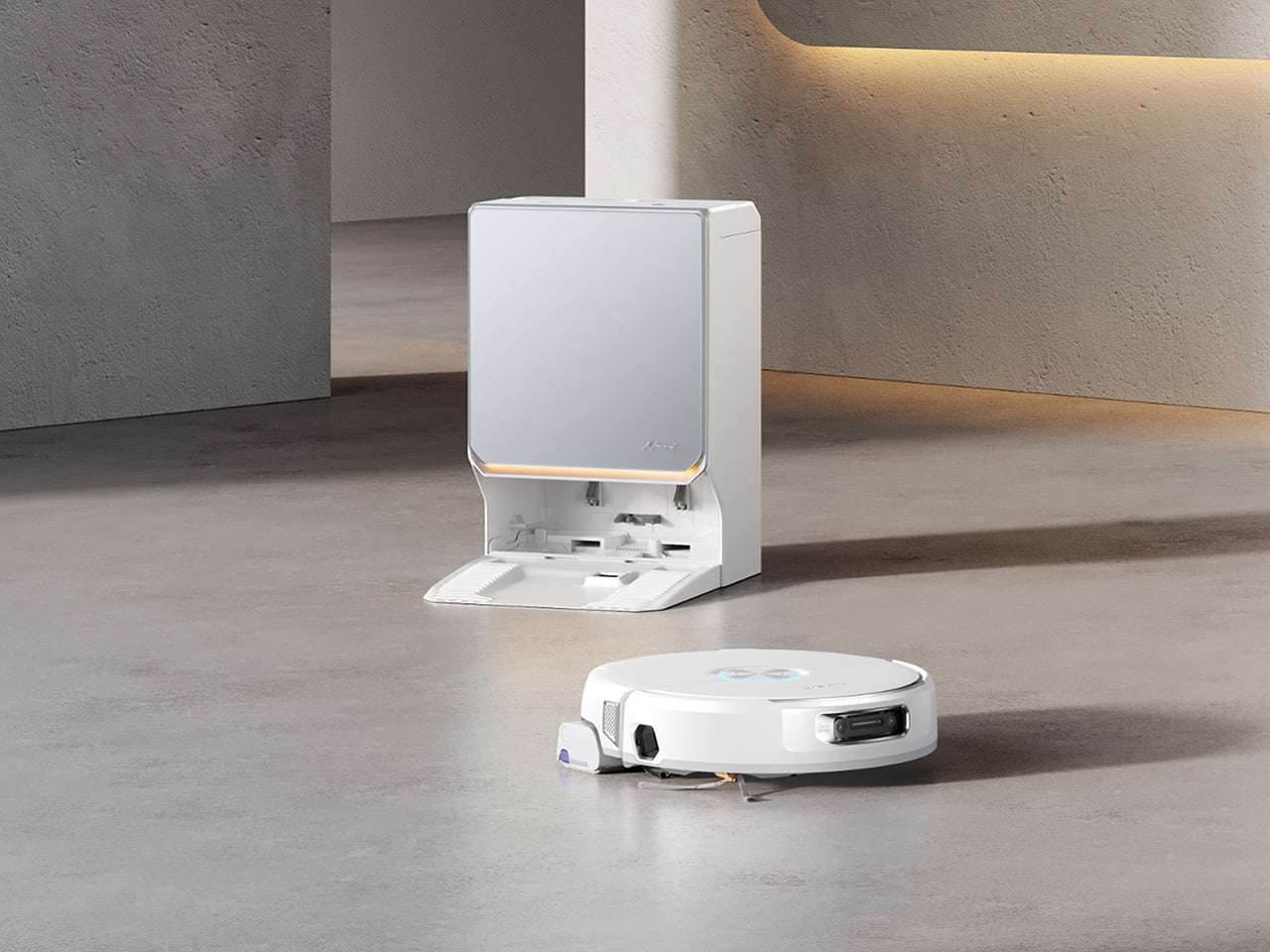
Robot vacuums and pet homes have always had a complicated relationship. Hair wraps around the brush, filters clog faster than the maintenance schedule allows, and the machine ends up parked in the corner half the time. The Narwal Flow 2 White addresses that at the hardware level before asking for any trust. A certified detangling system eliminates hair tangling. A 31,000 Pa motor handles the volume that stops most competitors mid-session. Pet Mode maps your animal’s active zones and adjusts cleaning paths accordingly.

The white colourway matters more than it sounds. Most robot vacuums read as appliances, objects you notice when working and ignore otherwise. The Flow 2 White sits closer to quiet luxury, a thing you leave in the room rather than hiding beneath furniture. Find My Pet uses the onboard camera to locate your animal from your phone on demand. A FlowWash mopping system heats water to 140 degrees for a result that goes well beyond what surface-level mop attachments typically deliver at any price.

Click Here to Buy Now: $1069.99 $1499.99 ($430 off, use coupon code “YDNARWAL”). Hurry, deal ends in 48-hours! Website Link Here.

What we like:

  • Pet Mode and the certified detangling system treat pet ownership as a design constraint rather than a marketing hook
  • Find My Pet and AI Floor Tag add genuine daily utility beyond the core cleaning function

What we dislike:

  • At $1,099.99 launch price, the commitment is significant for a category with a historically patchy reliability record

3. Sloddy

Slow feeders solve the problem once. Most dogs need about a week to learn the maze, and then mealtime returns to its previous five-second format. Designer Kyung-seo Yoo built Sloddy around that specific failure mode. The bowl ships with multiple interchangeable puzzle inserts at increasing difficulty levels, and you rotate them as the dog adapts. The challenge stays real. The eating pace stays controlled. It is a straightforward idea that the rest of the category never thought to try.

An adjustable MDF wood stand raises or lowers the bowl to match shoulder height, addressing a posture and digestion concern that most pet owners encounter long after they needed the fix. Every component disassembles fully for cleaning, with no corners that trap food beyond reach. The peachy-orange palette and warm wood base sit somewhere between kitchen object and design piece, and the recyclable cardboard packaging doubles as a storage shelf for the spare inserts once the box is opened.

What we like:

  • The modular difficulty system is the first meaningful update to the slow feeder format in years
  • Full disassembly for cleaning eliminates the trapped-food problem that makes most slow feeders a short-term purchase

What we dislike

  • The modular system only works if the owner actively manages the insert rotation — it requires consistent owner effort, and most households will default to leaving the same insert in indefinitely
  • The MDF wood stand, while visually warm, is vulnerable to water damage and splashing at feeding time, which is a daily reality with most dogs

 4. Pet Paws

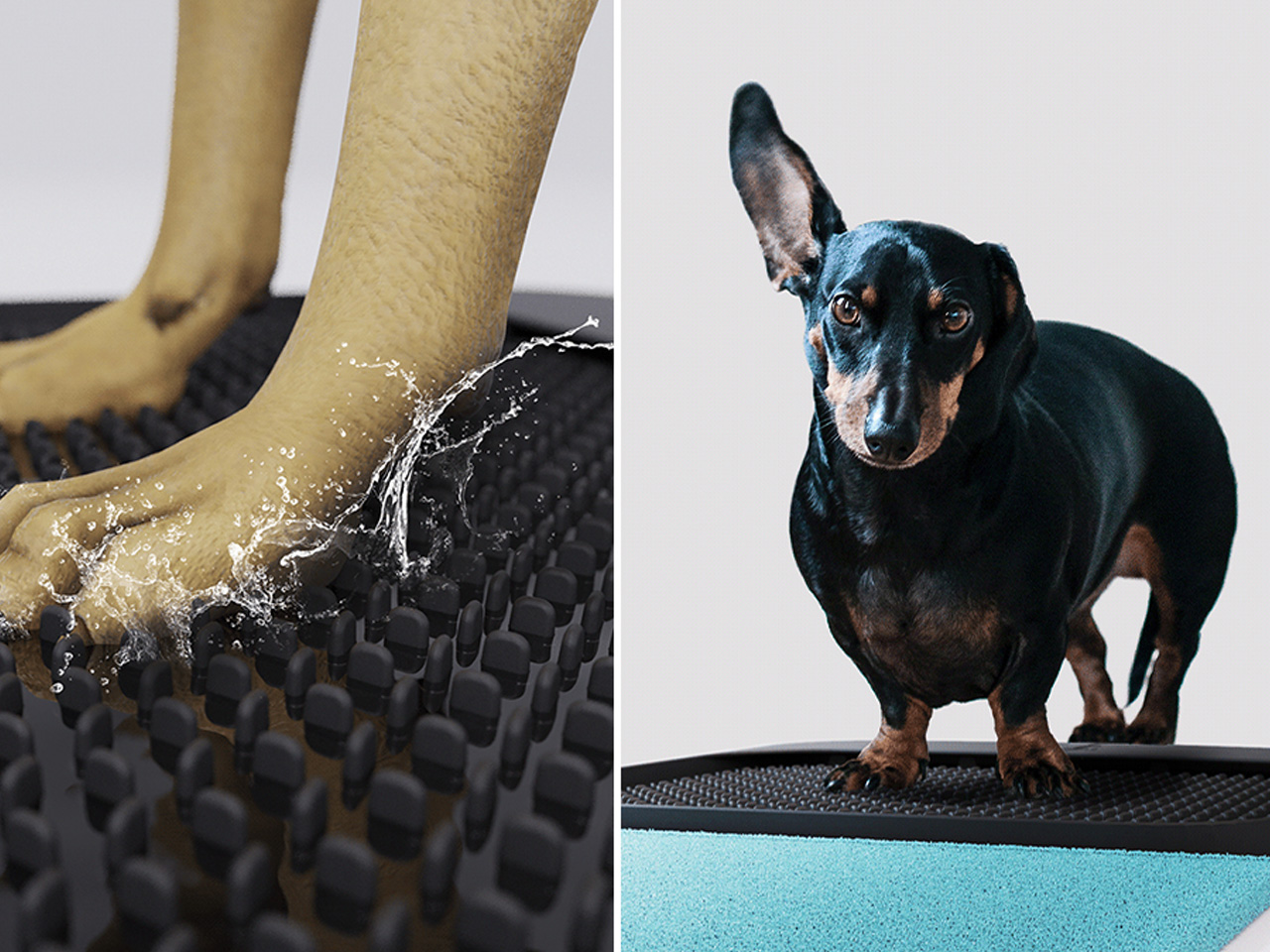
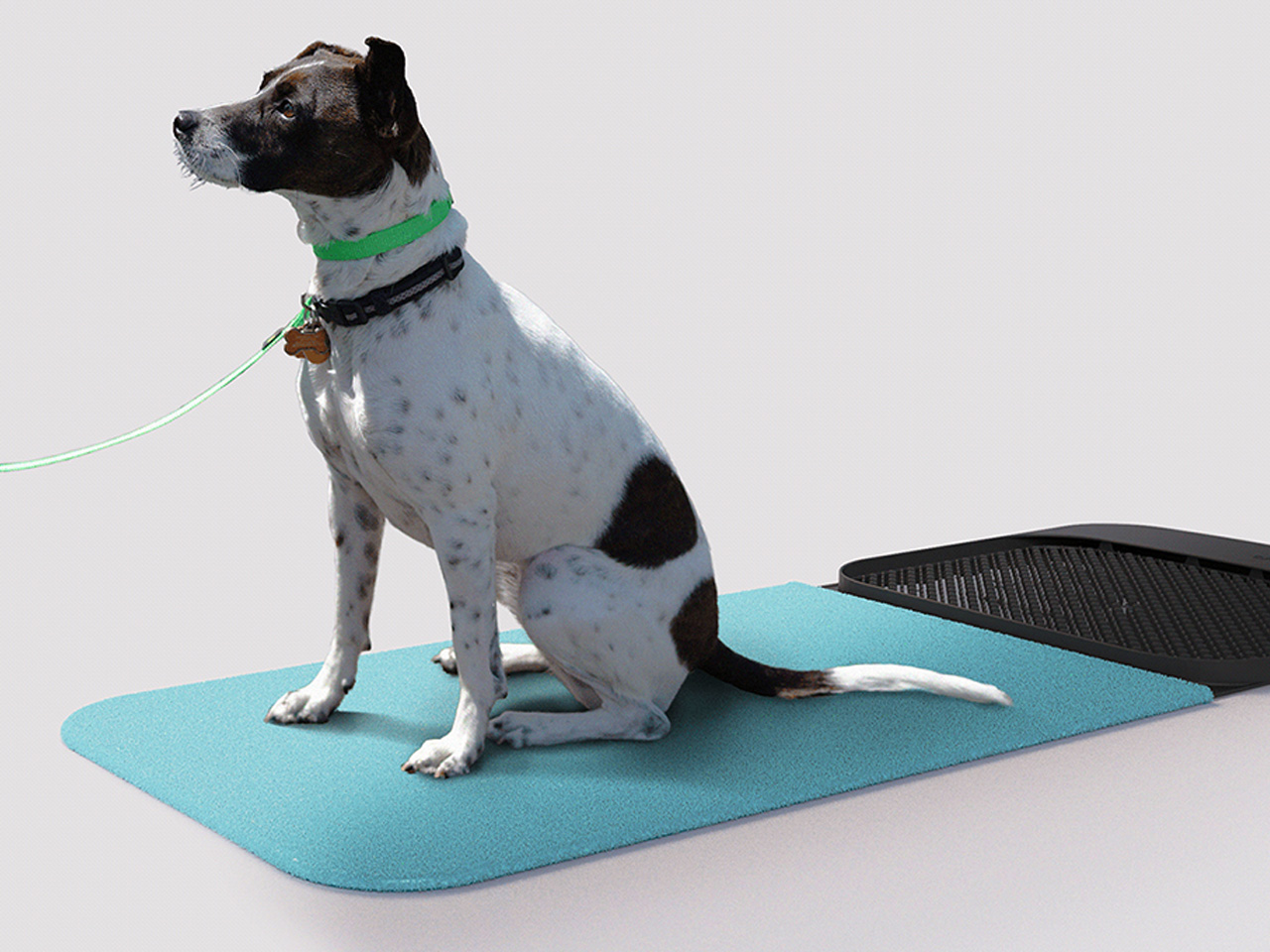
Paws are how the outdoors follows your dog into every room. Mud, grit, bacteria, and allergens come in with every return from outside, and a doormat or a towel handles it partially at best. This portable mat was designed to close that gap by combining three functions- cleaning, drying, and disinfecting- in a single object that sits where the problem actually begins. The all-in-one approach trades the multi-step routine by the door for something that takes seconds and requires nothing else.

The portability is part of the logic. A fixed solution only works at one entry point; a mat you can move adapts to wherever the animal actually comes in, which is rarely the same door every day. For households where paw hygiene connects directly to allergy management or general cleanliness standards, shortening the threshold routine without eliminating it offers something most door products never attempt: cleaning, drying, and treating in the same step, without a trip to the sink.

What we like:

  • Three-in-one functionality handles the most repetitive daily pet hygiene task without multiple products
  • Portable format adapts to wherever the animal actually enters, not just the main door

What we dislike:

  • The disinfecting function almost certainly requires a cleaning solution or refill, adding an ongoing cost and supply dependency that the headline promise of a single portable mat quietly glosses over
  • Dogs that resist paw handling or unfamiliar textures underfoot will need consistent training before the mat becomes a reliable part of the routine rather than something they walk around

5. Dinos Cat WFH Table

Anyone who works from home with a cat recognizes the pattern. The animal locates the warmest, most centrally placed surface in the room and treats it as its own. The desk. The keyboard. The notebook. Japanese furniture company Dinos designed a table that accepts this behavior as a given and builds around it rather than against it. A center cavity in the tabletop creates a through-hole, and a hidden perching shelf beneath gives the cat a settled spot at the same level as everything happening above.

The logic is quiet and functional. Rather than competing with the animal for desk space, the table distributes the surface so both uses fit without interrupting each other. The cat sits close enough to its owner to settle down, without walking across the keyboard to get there. For anyone who has rearranged a work setup around a cat’s habits anyway, this just makes the accommodation honest, building it into the object rather than improvising it daily with a cardboard box and a folded blanket.

What we like:

  • Treats the cat as a design parameter from the start rather than an inconvenience to be managed around
  • The hidden perching shelf reduces desk negotiation without requiring any behavioral change from the animal

What we dislike

  • The center cavity is sized and designed specifically for cats, making it a non-starter for dog owners and narrowing the audience of this roundup in a way worth flagging before recommending
  • The table assumes the cat will use the designated perch, and cats are reliably indifferent to designated anything, meaning the design works best for animals already inclined to settle rather than roam

Good Design Has No Exceptions

Pet ownership has changed faster than the objects designed around it. The animals have moved into bedrooms, onto sofas, into daily routines in ways the existing product categories have not kept pace with. What this list represents is a small group of designers who noticed that gap and decided to close it, not by producing novelties, but by applying real design thinking to objects that have been overlooked or tolerated for too long.

None of these are impulse purchases or quick fixes. They are considered responses to specific problems, and that distinction matters. A cat tree that earns its spot. A vacuum that accounts for hair before it becomes a problem. A bowl that stays challenging. A mat that completes the threshold routine in one step. A table that accepts the cat before it ever arrives. That is what good design looks like when it reaches the right problems.

The post The 5 Home Upgrades Every Pet Parent Actually Uses (Not Just Buys) first appeared on Yanko Design.

  •  

FreeIPA Flaw Chain Lets Anonymous Clients Create Reusable Administrator Credentials

A flaw in FreeIPA lets a client that has never logged in create a Kerberos identity of its own choosing in the directory and end up in the administrators group, Red Hat says. FreeIPA is the system that determines who may log in across a Linux domain and maintains all identities in a 389 Directory Server database accessed via LDAP. The attack needs a second flaw in that database software. The

  •  

What is Project Zenith? Microsoft's special Windows 11 experience for developers and hardware isn't what you think it is

Last week at IFA 2026, Microsoft announced Project Zenith, the codename of a new class of devices aimed squarely at developers looking to build apps and local AI experiences on top of Windows 11. The announcement came out of the blue, which naturally caused a bit of confusion online.

So, what is it? Well, Zenith is an effort to formalize a baseline for "developer-ready" hardware: devices that meet a minimum bar for performance and are ready out of box to begin coding and compiling. This means the configuration of Windows 11 that ships on these devices is different from normal PCs, with different default settings and pre-installed apps.

To be clear: This isn't a new or different version of Windows 11. Zenith devices will almost definitely still ship with either Windows 11 Home or Pro, depending on the OEM. It's simply how Windows 11 is configured out of box that differentiates these developer-class devices from normal Windows 11 PCs.

There's seemingly also a hardware component at play, too. Microsoft says Zenith devices must ship with at least 64GB of unified memory and be capable of 250GB/s of memory bandwidth if they want to ship with this specially preconfigured version of Windows 11 for developers. All other hardware will ship with the normal configurations of Windows 11.

In recent years, there has been an uptick in developers making the switch from Windows to Mac for a variety of reasons, including OS quality issues or lack of capable hardware in the wake of Apple Silicon. Developers have also complained that it just takes too long to set up a Windows PC for development, sometimes taking hours or even days from the first power-up.

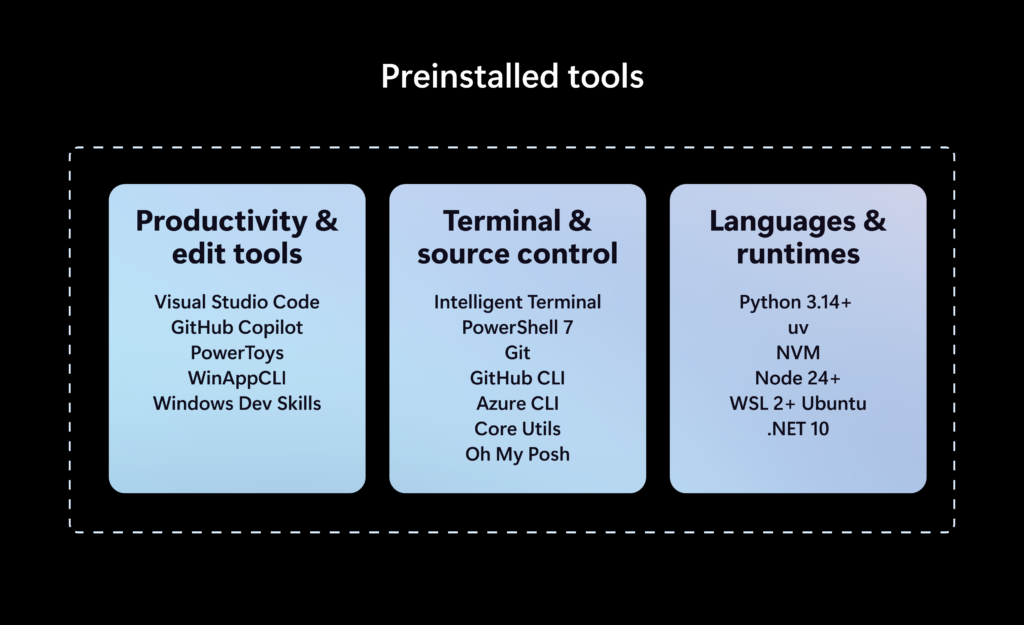
Preinstalled tools on Zenith PCs

The developer-focused apps and frameworks that come preloaded on Zenith PCs. (Image credit: Microsoft)

Zenith removes this friction. These devices are certified high-end and ship from the factory in a state that is ready to code, with apps like Visual Studio and GitHub Copilot already installed and ready to go as soon as you reach the desktop. They also ship with Windows 11 in a configuration that already dials back the annoyances that developers have complained about.

Out of box, "File Explorer shows file extensions, hidden files, the full path in the title bar, and the details pane, with long-path support enabled. Recently used files and folders and sync provider tips are turned off for a cleaner workspace. In Search and Start, Command Palette is enabled, while Start menu tips and account notifications are turned off to reduce distractions."

These are small but meaningful changes to the default Windows configuration, one that can save minutes of setup time. If you're managing a fleet of developer devices, this will save you hours of configuration time. The good news is these settings aren't unique to Zenith PCs.

If you don't fancy spending the money on a new Zenith device, you can manually configure your existing Windows 11 PC to match the configuration that comes preloaded on Zenith PCs. Of course, it'll take longer to do, but you'll save yourself the cost of a new PC in the process.

Ultimately, the goal of Zenith is to signal to developers that Microsoft is listening and wants to position Windows as the preferred platform for on-device AI and app development. The first Zenith devices to ship will be ones powered by AMD's Ryzen AI Halo chips, with other chipmakers such as the RTX Spark expected to follow.

No word on which OEMs will build Zenith hardware, or when the first Zenith devices will begin shipping just yet. We'll keep you posted when we know more!

Click to join us on r/WindowsCentral

Join us on Reddit at r/WindowsCentral to share your insights and discuss our latest news, reviews, and more.
  •  

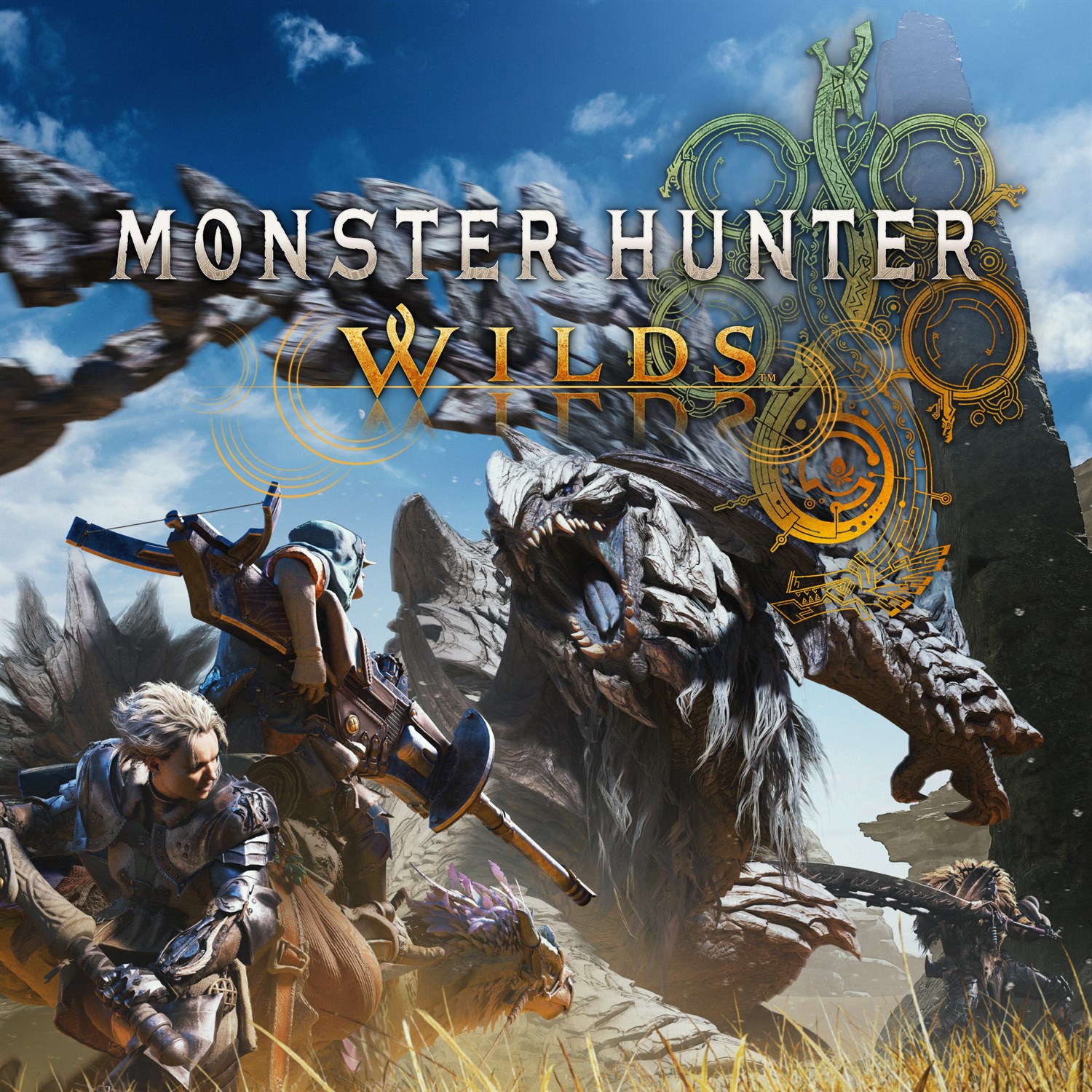
Monster Hunter Wilds: Ascendance's latest batch of trailers has brought back one of the most requested features for one of my favorite weapons

Over the last few days, Monster Hunter Wilds: Ascendance has released a slew of new weapon trailers showing off the new Boost Bracer mechanic's enhancements for the Hammer, Light Bowgun, Charge Blade, and Sword & Shield weapon types.

Additionally, these trailers hint that some of these weapon types are receiving balance changes or even new mechanics unique to them (and not tied to this DLC expansion's Boost Bracer gimmick). Here's what we can gather from these trailers for one of my most anticipated Xbox games of 2027.

Hammer

First off, we have a new trailer for the Hammer, a simple yet effective weapon for cracking monsters' skulls open. In Monster Hunter Wilds: Ascendance, the Boost Bracer will allow you to jump across the battlefield or lift off into the air to perform rocket-powered spinning attacks with the Hammer.

Additionally, the Hammer's attacks will become faster and gain new combo paths once the Boost Gauge is activated.

Next up, we have the Light Bowgun, which has been given some drastic enhancements thanks to the Boost Bracer and possibly a balance change to one of its ammo types.

With the Boost Bracer, the Light Bowgun can fire bullets like an automatic machine gun via the Boost Driver attacks and phase through enemy attacks while the Boost Gauge is activated.

Additionally, while your Boost Gauge is active, you can jump on monsters to perform aerial shot attacks, you can side-step much farther after each shot, and even perform an Offset counter where you fire a grenade onto a monster.

On a side note, the trailer hints that we may be getting new Recoil mods for Bowguns. This is because the player is seen using Spread ammo (think of it like Shotgun ammo) at one point, and the recoil on it in Monster Hunter Wilds: Ascendance is very light compared to how it is currently in the base game, where using Spread ammo on bowguns will send you flying backward.

Next trailer on the chopping block is the Charge Blade, a complex weapon type that transforms from a sword and shield into a two-handed battle axe that explodes with every hit.

Charge Blade's main game plan revolves around building Phial energy by hitting enemies in sword and shield mode and unleashing that pent-up energy in axe mode. This normally slow playstyle is getting a massive speed boost in Monster Hunter Wilds: Ascendance, as the new Boost Bracer's attacks will let you build energy for axe mode in mere seconds.

Plus, the Booster Bracer will grant the Charge Blade a new Offset counterattack in axe mode, new combo paths, and an enhanced version of the weapon's ultimate attack, where it discharges all of its Phial energy into one massive yet swift explosion.

Finally, we have today's trailer, which covers the classic Sword & Shield weapon type, and it's the one I'm most excited for. The Sword & Shield is another simple yet effective weapon that slices enemies, blocks attacks with a shield, and bashes monsters' faces in with said shield.

This agile weapon is now even faster thanks to Monster Hunter Wilds: Ascendance's Boost Bracer mechanic. With it, Sword & Shield can dash across the battlefield to smack monsters in the face, open up new combo attack paths, and grapple hook onto a monster's wounds to pop them just like the Clutch Claw mechanic from Monster Hunter World: Iceborne.

However, the most exciting change Sword & Shield is getting isn't related to the Boost Bracer; it's a brand-new attack called "Bladecoating Slash". This attack has you destroy one of your items with the weapon and coat its properties onto the blade to give it unique effects; for example, smashing a healing potion will give Sword & Shield the ability to restore a player's health with every hit.

Windows Central's Take

A warrior in ornate, fur-trimmed brown armor stands in a desert canyon, holding a large, jagged axe with a glowing, patterned blade in one hand.

Master Rank Doshaguma armor (Image credit: Capcom)

Out of all the changes I've seen from these trailers, the Sword & Shield trailer has got me the most hyped because its new "Bladecoating Slash" attack marks the return of the Oil Coating mechanic from 2015's Monster Hunter Generations.

It was an exclusive Sword & Shield mechanic where you coat the blade in oils to boost its attack, crit rate, or even grant it the ability to exhaust and stun monsters, kind of like The Witcher series.

It was so well received that fans have been begging Capcom to bring this mechanic back for Sword & Shield for nearly a decade because it was used in 2017's Monster Hunter Generations Ultimate, and now their wish is finally being granted.

Sword & Shield was one of my most used weapons in Monster Hunter Wilds' base game, so I can't wait to see how this new "Bladecoating Slash" will drastically alter its playstyle (like potentially coating my Sword & Shield in Gunpowder to give it explosion attacks with every swing) when Monster Hunter Wilds: Ascendance launches in 2027 for Xbox Series X|S, PlayStation 5, and PC via Steam.

Monster Hunter Wilds (Xbox): was $21.49 now $20

Venture into Forbidden Lands to discover uncharted lands and hunt giant monsters alongside your friends in online co-op to protect nature and mankind in Monster Hunter Wilds.

• Xbox Store
• GreenManGaming (Steam)View Deal


Empower your weapons with the new Boost Bracer, explore a mysterious land floating in the sky, and hunt down ancient Elder Dragons in Monster Hunter Wilds' epic DLC expansion, Monster Hunter Wilds: Ascendance.

• Steam StoreView Deal

Click to join us on r/WindowsCentral

Join us on Reddit at r/WindowsCentral to share your insights and discuss our latest news, reviews, and more.
  •  

RSSMonster - Le lecteur RSS qui trie vos flux en local

Vous le savez, je suis un grand défenseur des flux RSS . C'est d'ailleurs pour ça que le mien est complet !! Je dois être le dernier à faire ça, alors, abonnez-vous (c'est gratuit) car ça me permet de continuer à faire ce que j'aime et ce que vous aimez aussi apparemment, puisque vous êtes de plus en plus nombreux à venir ici !

Mais bon, bref, si je vous parle de ça aujourd'hui, c'est parce que j'ai découvert RSSMonster, un lecteur de flux RSS que vous installez sur votre machine, et qui a la particularité de rapprocher tout seul les articles qui parlent du même truc et qui leur met une note.

J'ai de la lecture...

La qualité d'écriture compte pour moitié, le ton pour un quart, et le dernier quart mesure à quel point le texte est promotionnel, si bien qu'un publireportage descendra tout seul. J'ai trouvé ça plutôt malin. Et les articles qui racontent le même "fait" sont regroupés dans un Event, donc vous lisez l'actu qu'une fois sans vous fader tous les copycats.

Et le plus cool, c'est que ce tri tourne sur votre ordi, sans avoir besoin de la moindre clé d'API. Chez Miniflux ou FreshRSS, la liste officielle des fonctionnalités ne mentionne rien de tel. Quant à NewsBlur, celui-ci apprend à masquer ou surligner les articles selon ce que vous lui dites aimer, ce qui n'est pas la même chose que rapprocher deux actus pour les dédupliquer. Dans le même genre, je vous avais quand même déjà parlé d' un lecteur RSS qui s'y met aussi.

Le choix à faire

RSSMonster est livré avec deux fichiers Docker Compose. Le premier monte l'application et un collecteur de flux au-dessus de SQLite, sans un seul modèle (c'est celui de la procédure express du README). Le second ajoute MySQL, un worker dédié à l'IA et le service d'inférence, et c'est lui qui allume tout ça.

En fait, si vous choisissiez SQLite, la concurrence des traitements optionnels sera plafonnée à un, donc, ce sera un peu plus lent. Et surtout, le profil léger tel qu'il est livré ne démarre pas le worker IA et coupe l'inférence, donc pas de regroupement ni de notes tant que vous ne les activez pas à la main. Ça ira donc pour une install perso, mais si vous voulez mettre ça sur un serveur pour le partager à tous vos potes ou dans votre entreprise, je vous conseille vraiment de choisir MySQL directement. Parce qu'après, la bascule de l'un vers l'autre a l'air plus hasardeuse.

Enfin, rassurez-vous, il y aura toujours la possibilité d'exporter un fichier OPML avec tous vos abonnements et les catégories. Par contre, ça ne transporte que votre liste de flux, pas les articles déjà collectés ni ce que vous avez lu.

Installer le profil léger (SQLite)

C'est celui que je vous conseille pour commencer. Côté prérequis : git, Docker et Docker Compose. On commence par cloner le dépôt :

git clone https://github.com/pietheinstrengholt/rssmonster.git
cd rssmonster

Ensuite, faut générer deux secrets. Lancez cette commande deux fois, les résultats doivent différer :

openssl rand -hex 32

Créez un .env à la racine, lisible par vous seul :

touch .env && chmod 600 .env
JWT_SECRET=votre-premier-secret
FEVER_CREDENTIAL_SECRET=votre-second-secret

Ajoutez-y RSSMONSTER_BIND_ADDRESS=0.0.0.0 tout de suite pour y accéder depuis une autre machine, le port n'écoutant que sur la boucle locale. Et ne sautez pas les secrets, car le Compose refuse de démarrer si l'un des deux manque :

docker compose up -d

Ouvrez http://localhost:3000. Pas de compte admin par défaut, c'est le premier que vous créez qui devient l'administrateur, et notez bien vos identifiants. Ensuite, allez dans réglages puis flux, et importez ensuite votre OPML.

L'écran de connexion au premier démarrage

Et si vous voulez la version qui dépote (MySQL)

Si vous aviez déjà lancé le profil léger, coupez-le d'abord avec docker compose down, qui arrête les conteneurs sans toucher à vos données. N'y ajoutez surtout pas -v, car ça supprimera le volume et la base. Et MySQL démarrera vide et vous devrez réimporter votre OPML comme sur une install neuve.

Ensuite, ajoutez ces quatre valeurs dans le même .env, à côté de vos deux secrets :

DB_DATABASE=rssmonster
DB_USERNAME=rssmonster
DB_PASSWORD=un-mot-de-passe-solide
MYSQL_ROOT_PASSWORD=un-autre-mot-de-passe-solide

Et lancez l'autre fichier :

docker compose -f docker-compose.mysql.yml up -d --build

Ne paniquez pas si localhost:3000 ne répond pas dans la foulée. L'application attend que MySQL et l'inférence soient dispo, et celle-ci commence par télécharger ses trois modèles donc ça prend quelques minutes. Le contrôle de santé de l'outil lui laisse dix minutes, donc allez vous faire un ti café (dans sa couche ? nooon).

L'ajout d'un flux, sa catégorie et sa fenêtre de rattrapage

Voilà, amusez-vous bien.

Source : le dépôt GitHub de RSSMonster

  •  
❌