The harsh reality of heading back to school is the exam prep work. I've been there. Strict deadlines, heavy revision, and pressure on your shoulders. It can be intense when you don't have anything to help manage all of your work.
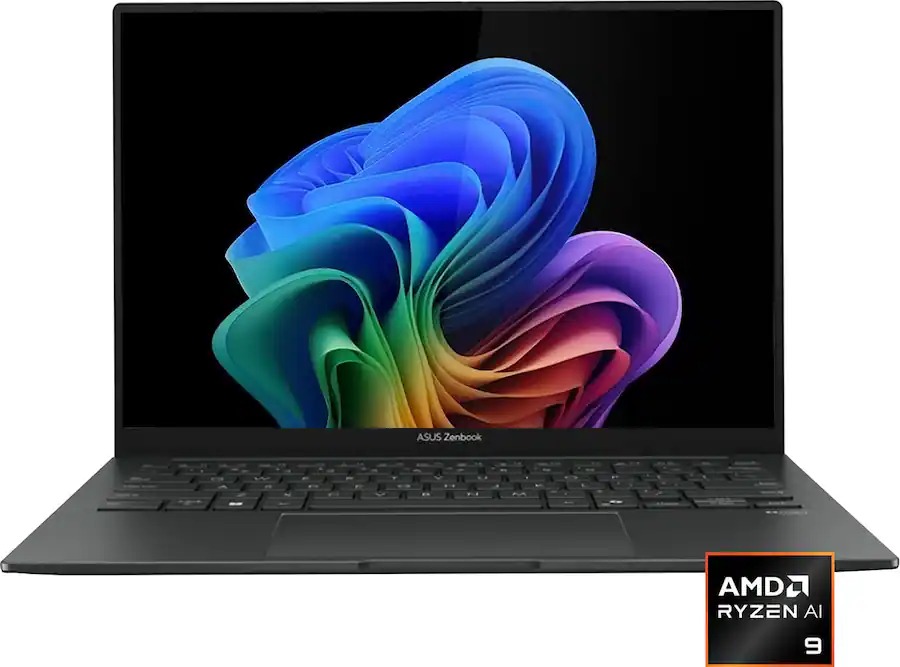
Luckily, a laptop to help you write and catalog all your studies beforehand for any exams with high performance is currently discounted to $899.99 at Best Buy — the ASUS ZenBook 14, featuring a vibrant 2K OLED display.
"For those who want a stunning panel on a 14-inch laptop and won't feel sluggish, the ASUS Zenbook 14 is a great laptop to buy."
With the new model's AMD Ryzen AI 9 465 2026 processor, 16GB of RAM, and Integrated AMD Radeon graphics, the ZenBook 14 will deliver fast performance in documents and spreadsheets, editing media, and browsing online without slowdowns, even when you have multiple apps or browser tabs open.
Additionally, it features an NPU rated for up to 50 TOPs so you can use its Copilot+ integrated functions to run AI-empowered programs like Windows Recall to see snapshots of your past activity or conjure quick art images with Cocreator.
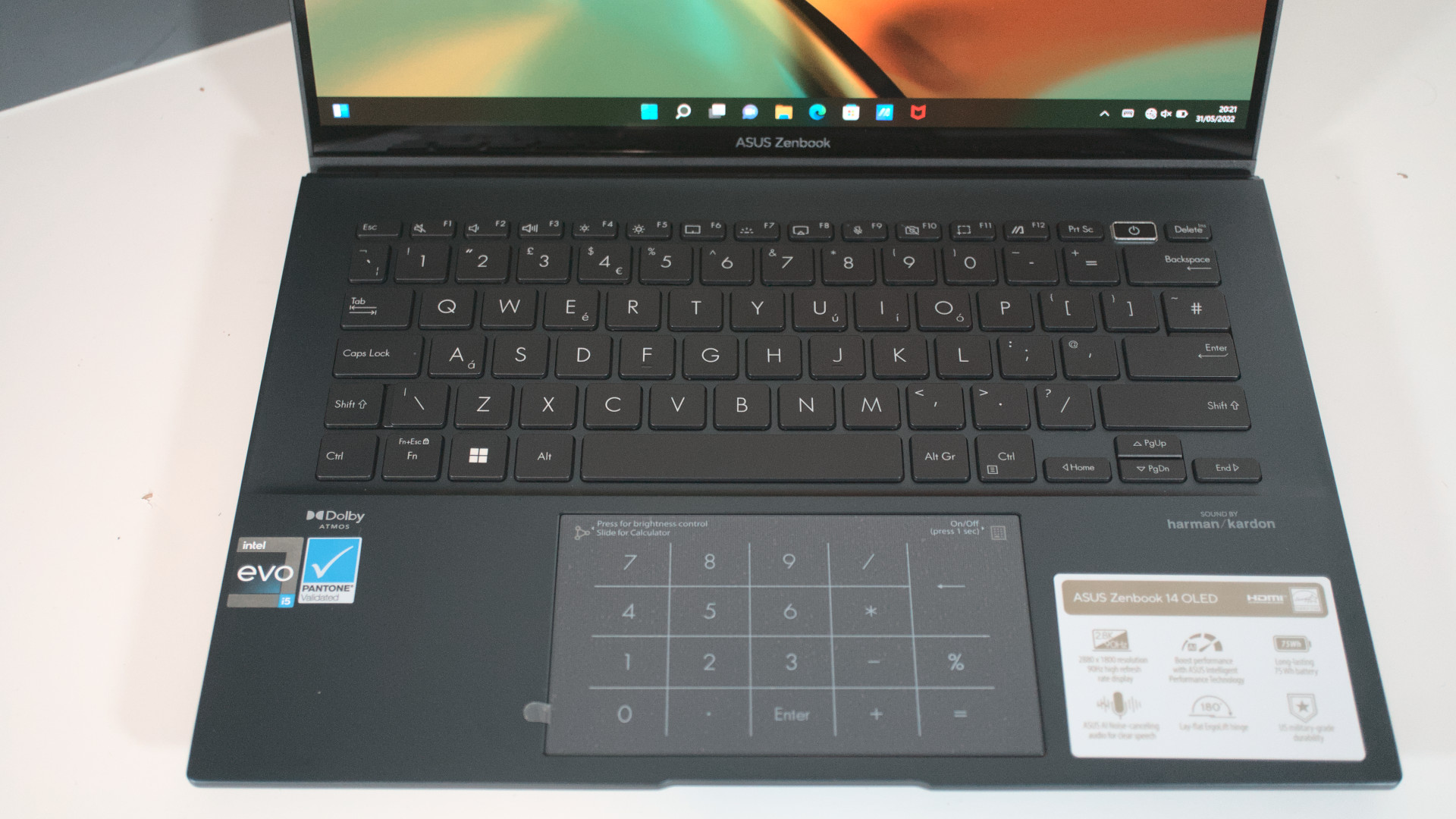
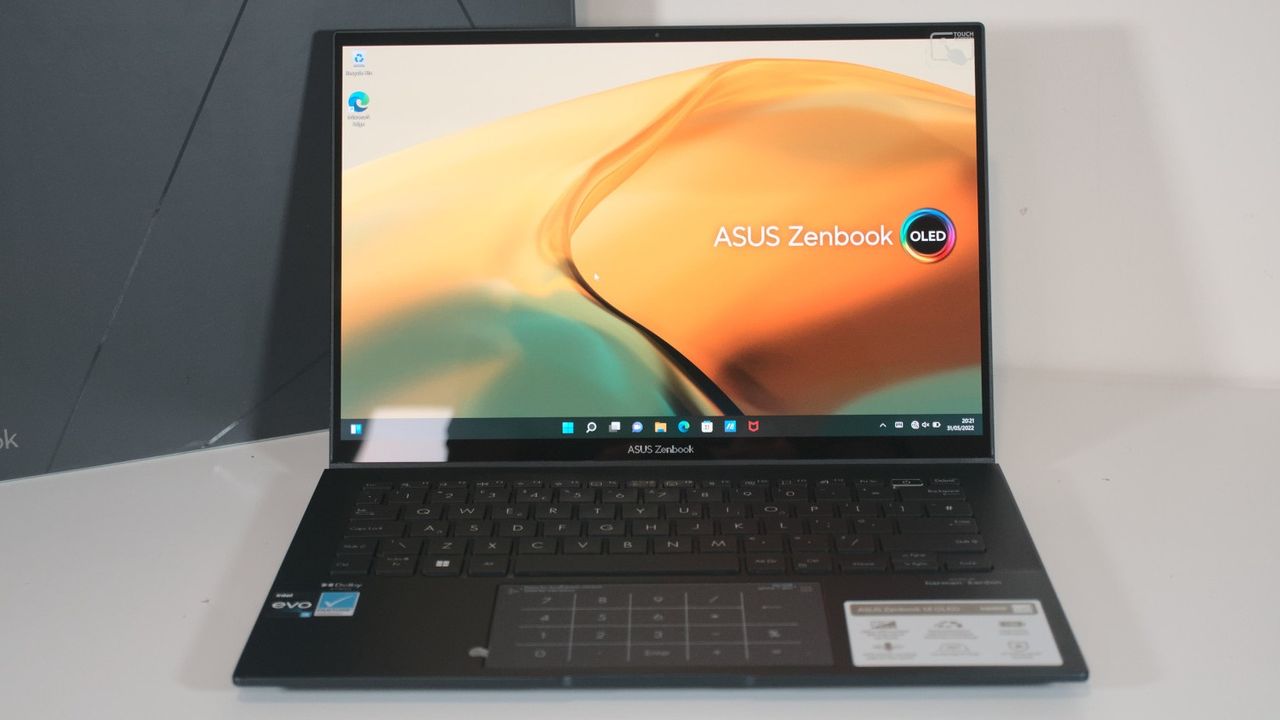
Other notable features include a 512GB SSD to store files, a portable-friendly ultra-thin design, a 1080p Full-HD IR webcam with swift face login, and a 14-inch 2K OLED Touchscreen display so it can render images with crystal-clear clarity at a traditional 60Hz refresh rate, 2K resolution, and 500 nits of max brightness with HDR support and 100% accuracy of the DCI-P3 color gamut.
So if you need a powerful laptop in the mid-range area to save you from getting an 'F' on your exams or help you clear deadlines faster, then the ASUS ZenBook 14 that's now 25% off could be your savior.
FAQ
This is laptop upgradeable?
The ASUS ZenBook 14 (UM3405GA-ZB_70)'s default 512GB storage unit can be upgraded with a larger SSD (up to 2TB) by inserting it into the laptop's M.2 2280 PCIe slot. Its RAM, however, can't be upgraded.
What is the battery life on this laptop?
The ASUS ZenBook 14 (UM3405GA-ZB_70) has a 75Wh battery that lasts for around 18 to 19 hours before needing to recharge, depending on system workloads, display settings, and what kind of apps you run on it.
Is it good for gaming?
Not really. The ASUS ZenBook 14 (UM3405GA-ZB_70) laptop was built for productivity tasks rather than gaming, as evidenced by its lack of a dedicated GPU, hardware, and cooling system required for running hardcore 3D PC titles like Cyberpunk 2077.
Join us on Reddit at r/WindowsCentral to share your insights and discuss our latest news, reviews, and more.
An ASUS Zenbook laptop with a dark chassis, thin bezels, and an OLED screen displaying a colorful abstract wallpaper, set on a white surface.
The Zenbook 14 has been impressing us since 2022, and it only gets better.
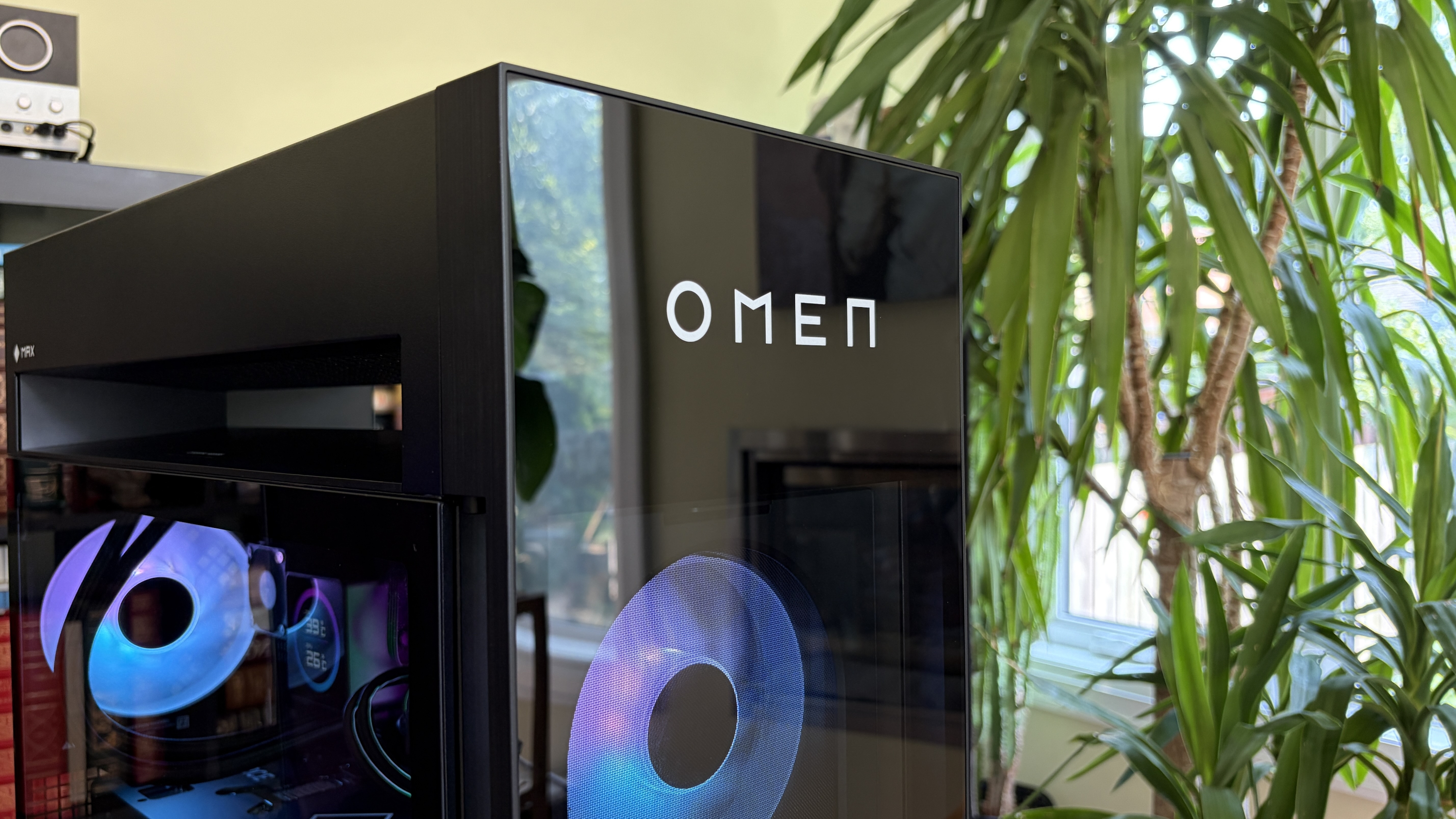
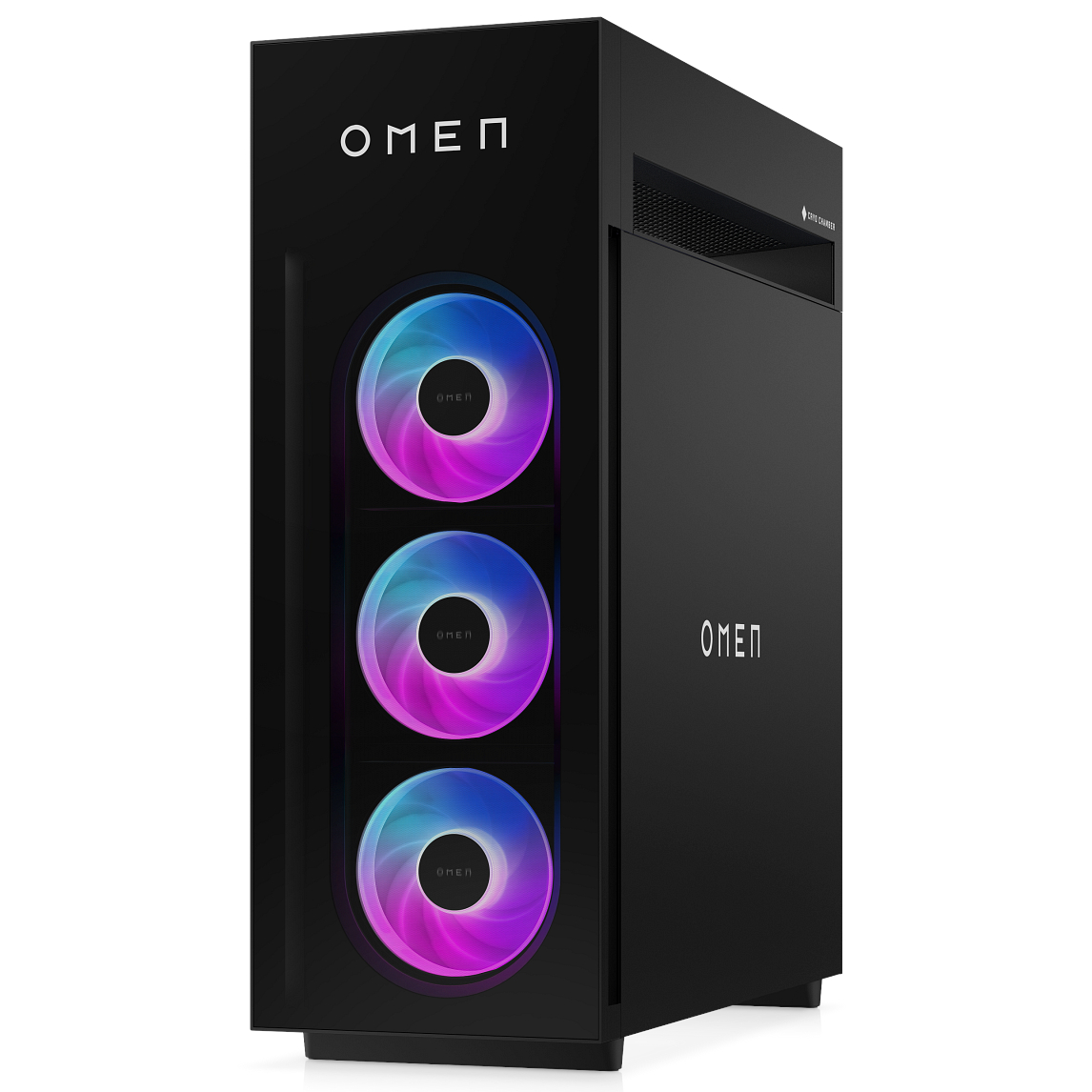
I'm talking about an upgraded cooling system built on the back of HP's unique "Cryo Chamber." About a new modular power supply with an auto-cleaning fan. About new in-depth overclocking abilities.
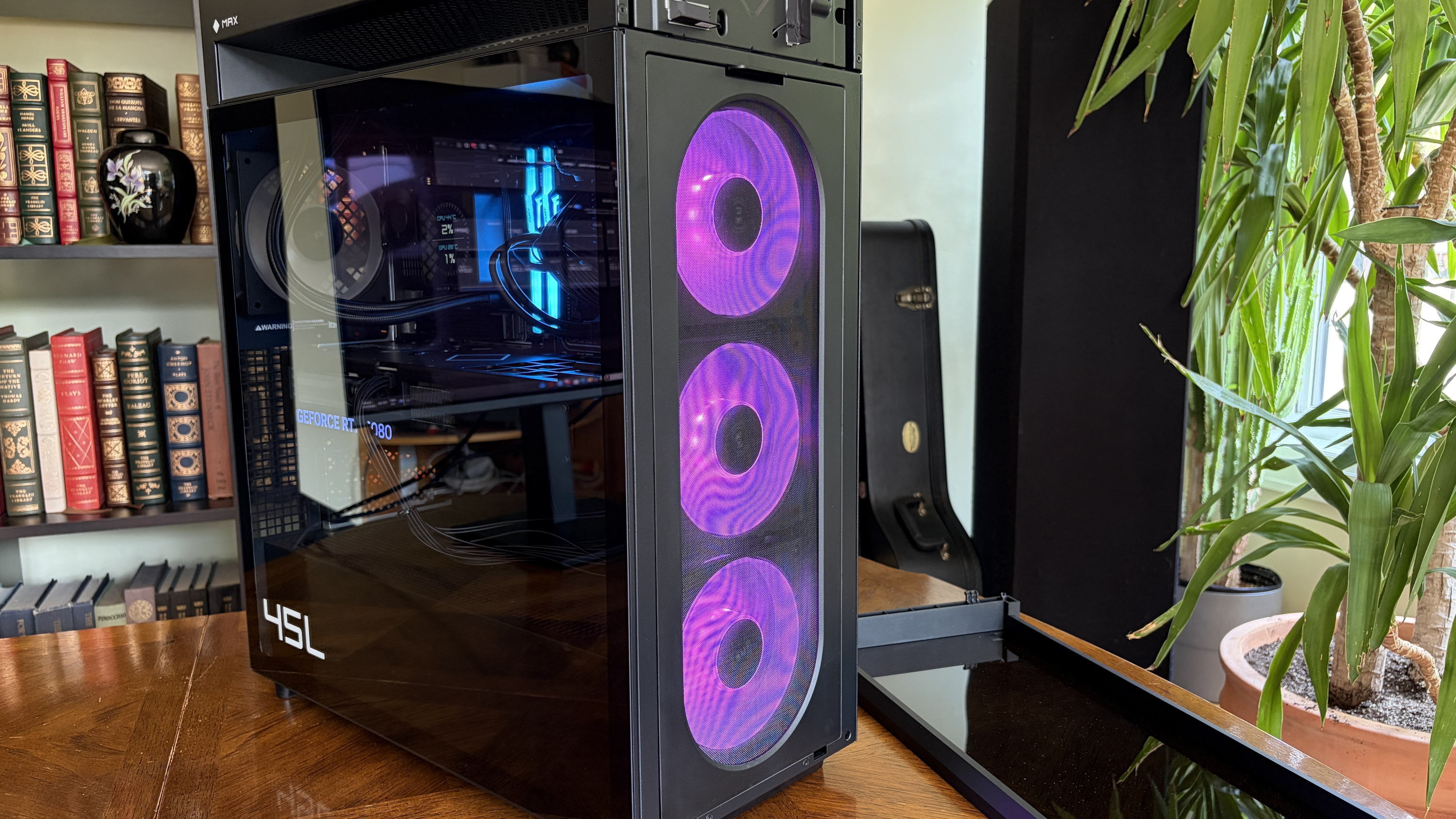
The Omen Max 45L recently landed in my office, and I've been using it for a couple of weeks to see what it's all about. Does it make a strong case for itself compared to a DIY build? Does it have enough premium features to warrant a premium price? Here's what you need to know.
HP sent Windows Central a review unit on loan for testing. It had no input, nor saw the contents of this review, prior to publication.
How much does the HP Omen Max 45L cost?
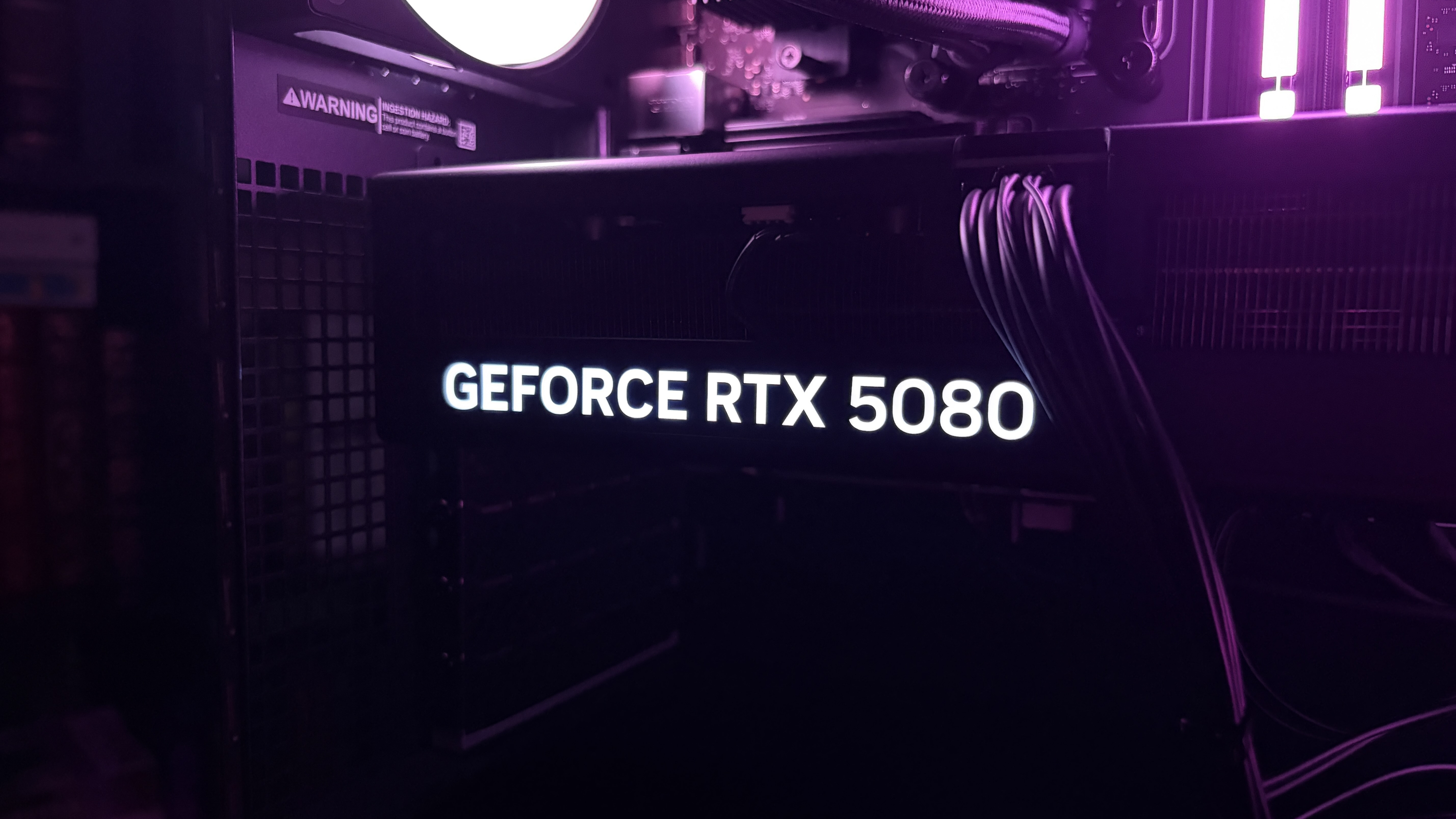
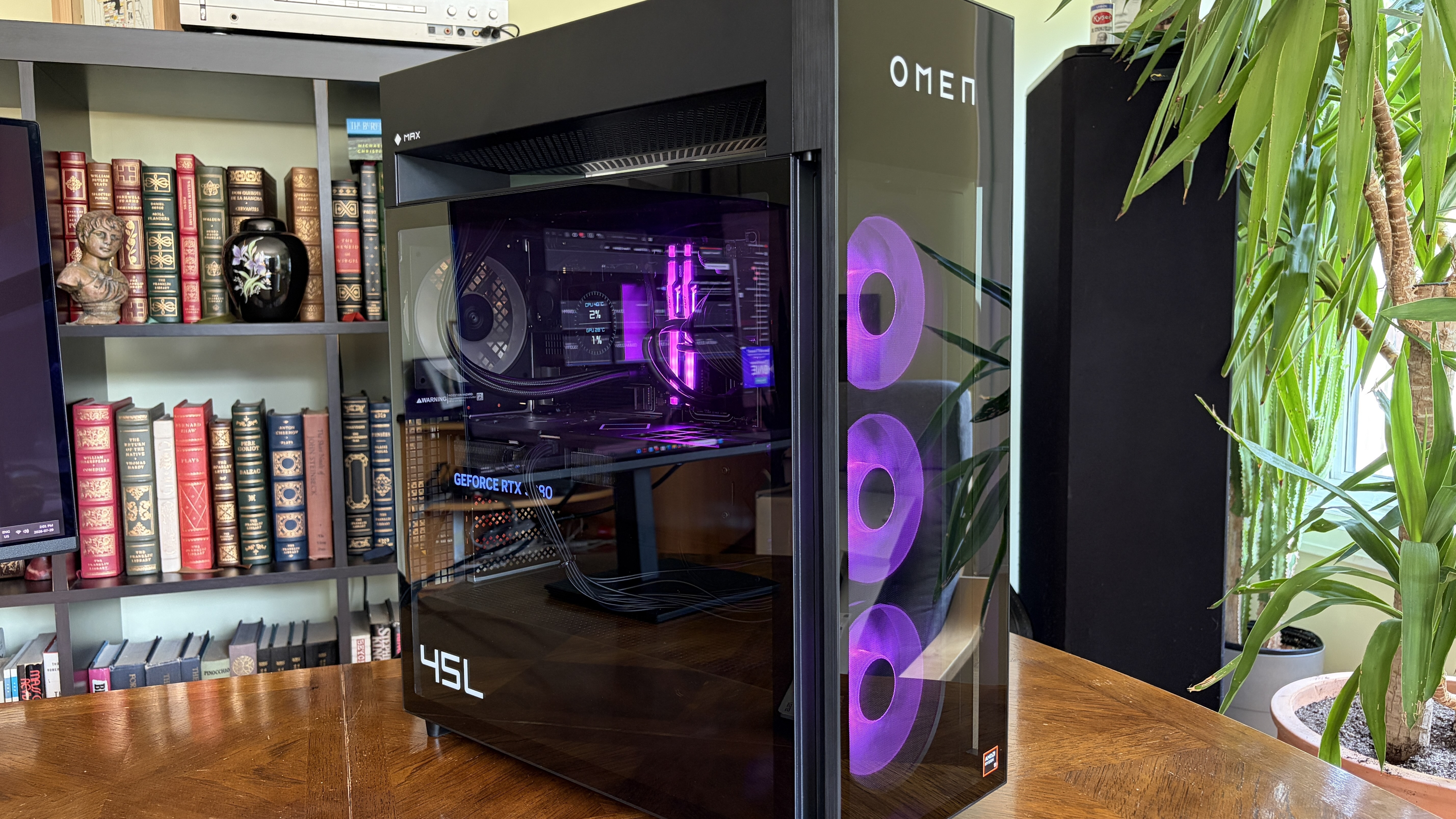
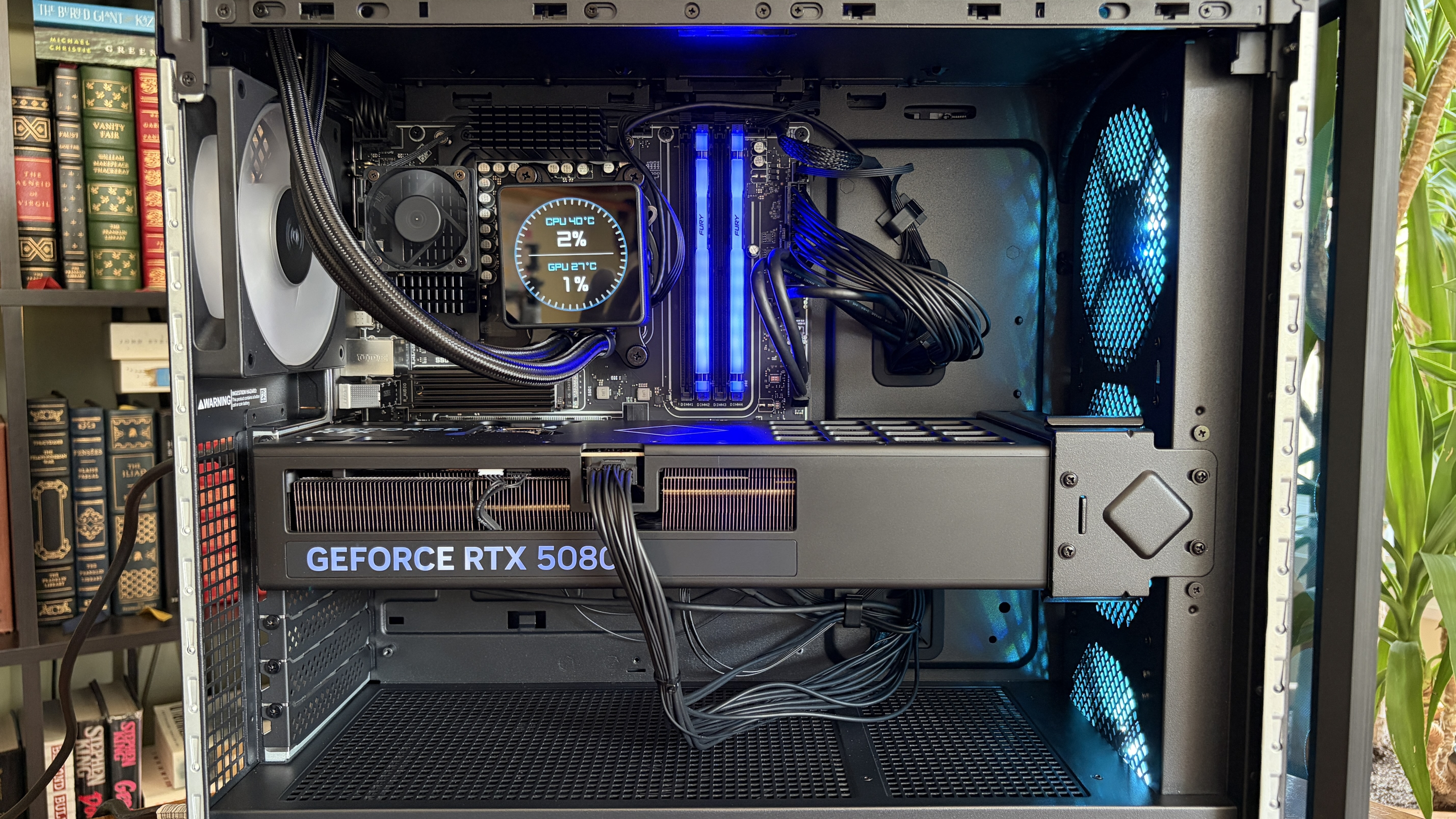
The RTX 5080 is the second-most powerful GPU option available in the HP Omen Max 45L. (Image credit: Future)
HP's Omen Max 45L does not come cheap as a direct result of inflated component costs and the general high-end nature of the system.
Looking at HP.com at the time of writing, prices start at $3,489.99 for a model with an AMD Ryzen 7 9700X CPU, NVIDIA RTX 5070 GPU, 32GB of Kingston Fury DDR5-6000 RAM, and a 1TB M.2 PCIe 4.0 NVMe SSD.
Prices climb all the way to $6,499.99 for a model with an AMD Ryzen 9 990X3D CPU, NVIDIA RTX 5090 GPU, 4TB of storage, and 64GB of DDR5 RAM.
The specific unit I'm reviewing costs closer to $5,959.99 before any discounts. At the time of writing, it's $800 off the regular price, bringing it down to $5,159.99. Here's a closer look at the specs that make up the PC I'm testing.
HP Omen Max 45L
CPU
AMD Ryzen 9 9950X3D
GPU
Custom NVIDIA RTX 5080
RAM
64GB DDR5-6000 Kingston Fury Beast RGB
Storage
2TB M.2 PCIe 4.0 NVMe, Samsung PM9A1
Motherboard
Custom, Micro-ATX, AMD X870
PSU
1200W, Cybenetics Platinum, modular, ATX 3.1
Wireless
Wi-Fi 6E or Wi-Fi 7, Bluetooth 5.3 or 5.4
Dimensions
8.03 x 18.15 x 21.85 inches (20.3cm x 46.1cm x 55.49cm)
Weight
49.82 pounds (22.59kg)
Warranty
1 year, HP Care Pack options available
I put together a mock build on PCPartPicker to compare pricing. With the CPU, GPU, RAM, storage, PSU, X870 motherboard, Windows 11, and Lian Li O11 case, you're looking at roughly $4,616. Add some extra ARGB case fans in there, and you might hit $4,800 to $5,000.
Without a discount, HP is charging a lot more for the Omen Max 45L compared to building your own. If you are interested in this PC, I definitely recommend waiting for a deep discount.
Is the HP Omen Max 45L assembled properly with good cable management?
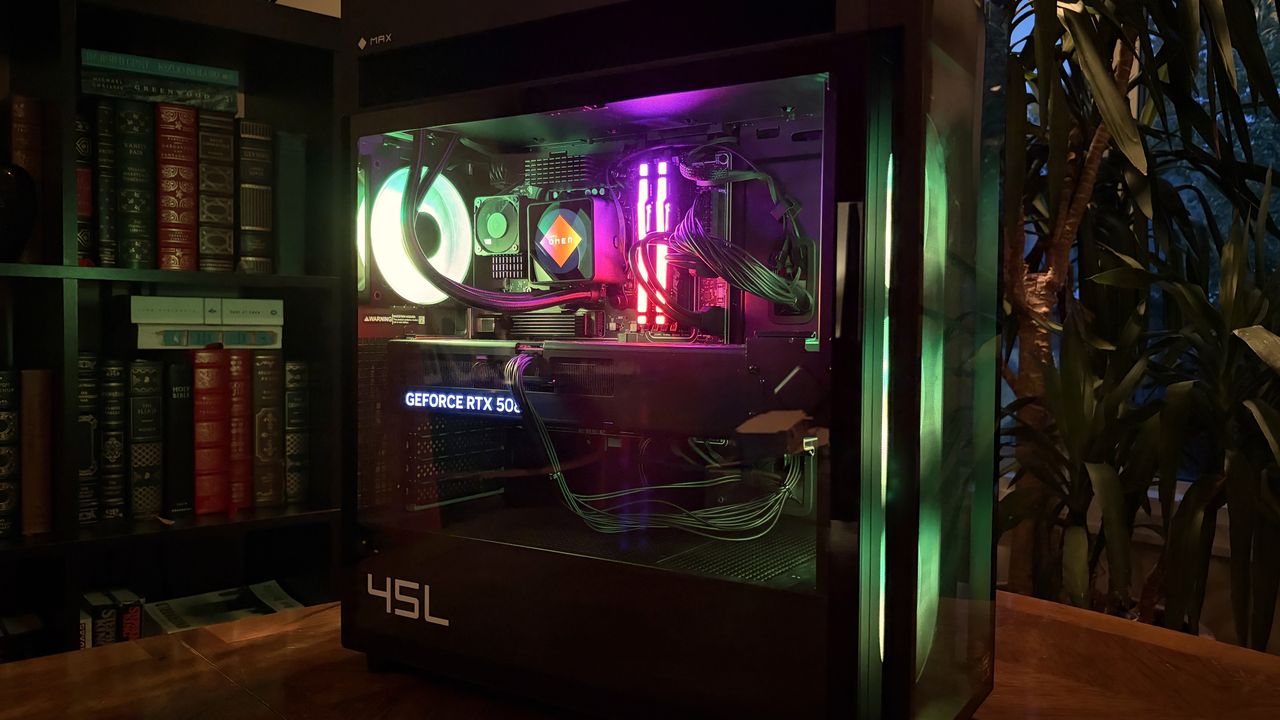
Cable management and build quality aren't perfect in the Omen Max 45L. (Image credit: Future)
In the former case, it's a bit of a mixed bag. The PC has a sturdy separate top compartment that can be used to lug around the 50-pound system, quick-release side and front panels, and a pull-off top panel hiding the AiO radiator.
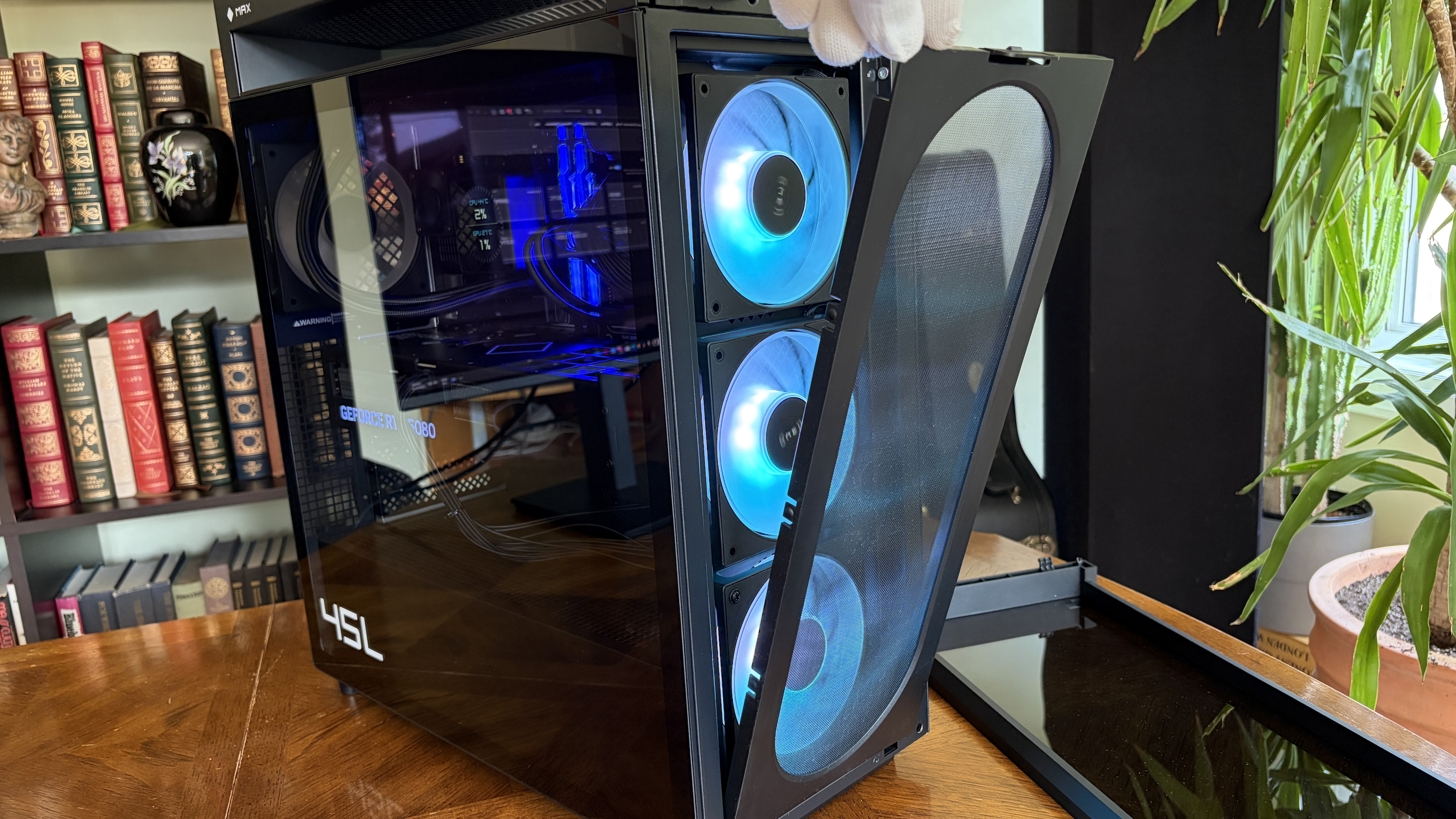
The front glass panel is removed by pressing two buttons.FutureA screen keeps dust out of the case.Future
It's easy to get inside the PC without any tools, and I appreciate that there's a removable dust screen for the three front intake fans. I live with two cats and ... you get the idea. I've been using the PC for a couple of weeks, and there was minimal dust to blow out when it came time for photos.
It's easy to get inside the PC without any tools, and I appreciate that there's a removable dust screen for the three front intake fans.
The massive RTX 5080 GPU is held in place with an additional bracket — also removing the need for any bothersome foam packing en route — and I had to make no adjustments out of the box. The PC turned on and booted up as soon as I hit the power button.
The top of the Cryo Chamber is protected by a removable plastic covering.FutureAccess to the AiO radiator is fairly easy.Future
There are a couple of areas where the build quality could be better. I noticed immediately that the CPU pump header isn't mounted squarely on the chip. The front panel of the case seems to stick on one side. And the rear side panel doesn't quite match up flush with the rest of the tower unless I really take my time lining it up.
Cable management leaves a lot to be desired
The Omen Max 45L's cable management leaves a lot to be desired. (Image credit: Future)
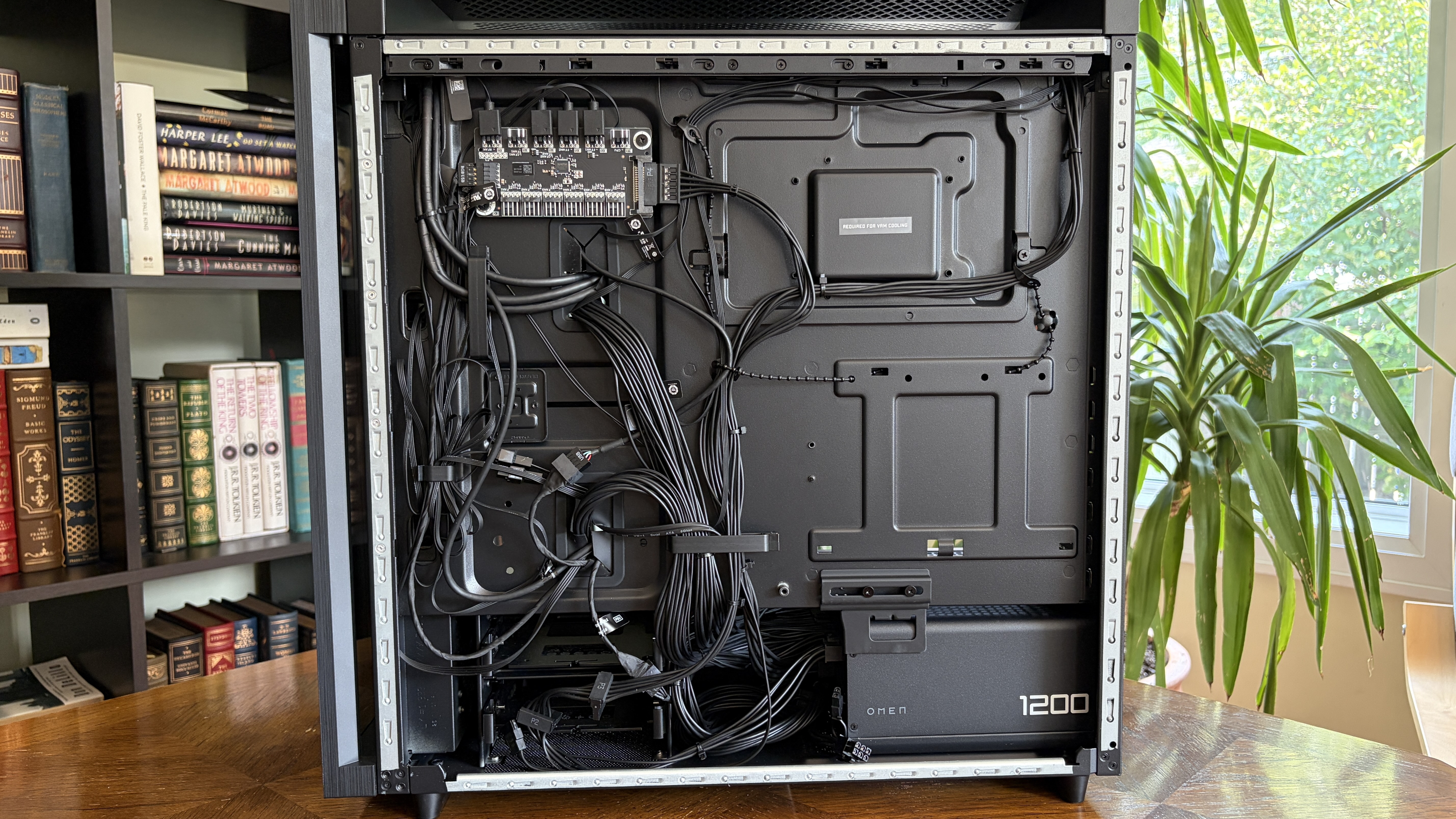
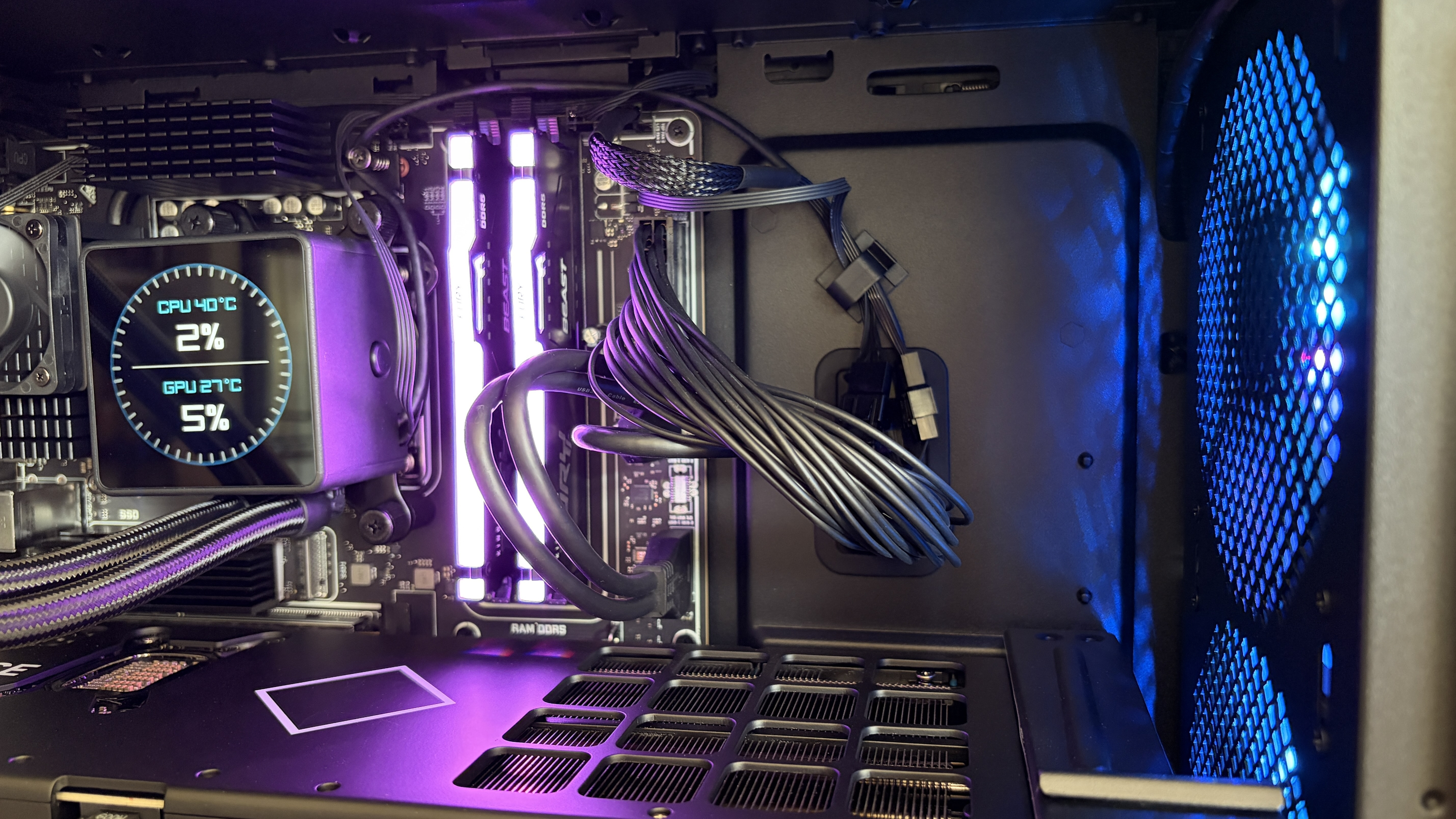
Cable management in the HP Omen Max 45L isn't great. It feels like it was a rushed job, leaving stray cables and extra length on the visible side. Not only does this make for a messy appearance, but it can also interfere with internal air cooling.
Around the back, behind the all-metal panel, things aren't much better. Compared to, say, Maingear's MG-1 MK.II or Acer's Nitro 65, the Omen Max 45L's (normally) hidden cabling is spaghetti.
A look at some of the visible cabling inside the Omen Max 45L. (Image credit: Future)
There's a snarl of cables pinched between the panel and motherboard backing, and another snarl sitting in front of the modular PSU. One thing I can appreciate is that the correct SATA cables are sitting idle in front of the dual (empty) HDD bay for easier connectivity.
How is port selection on the HP Omen Max 45L?
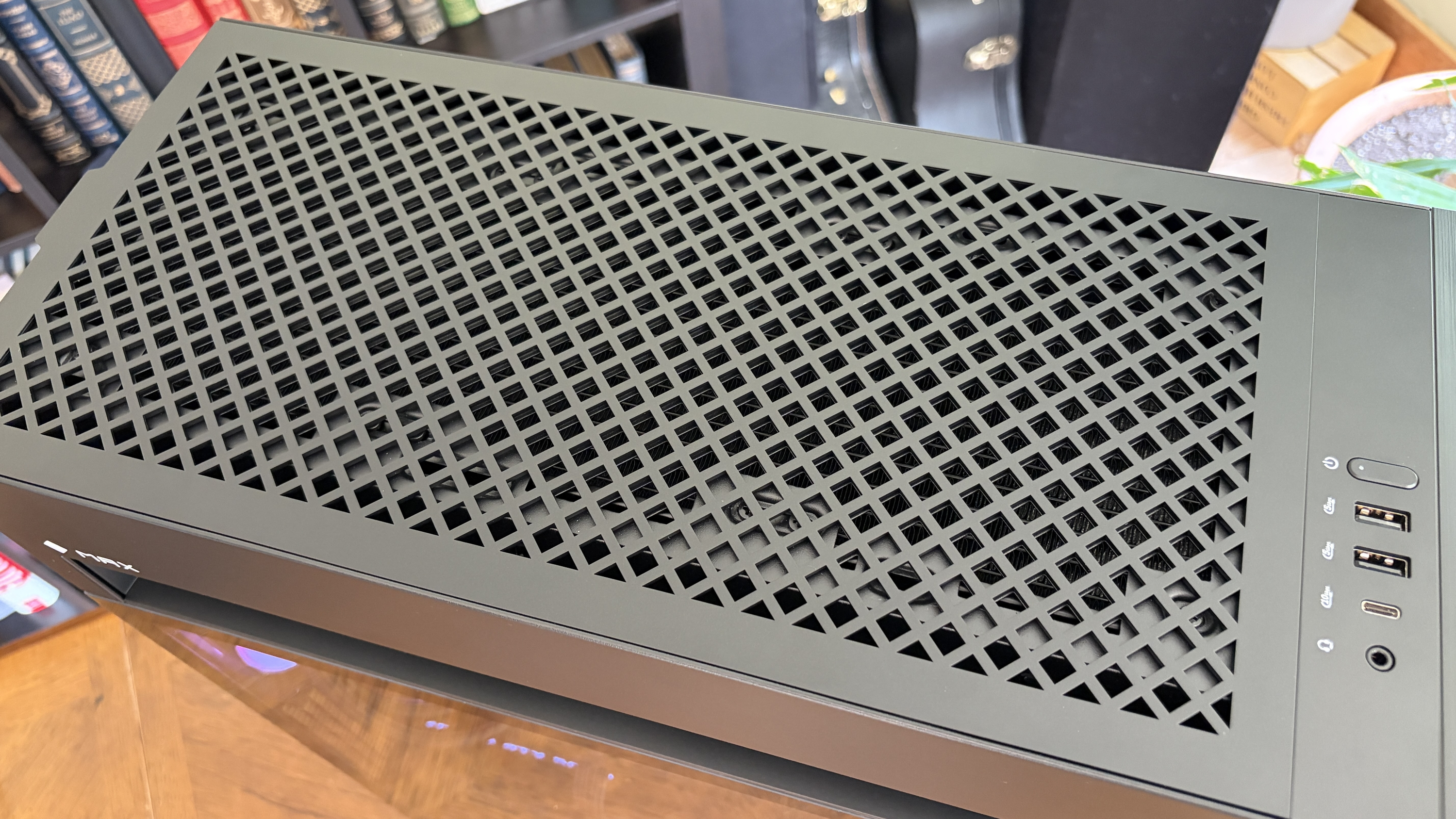
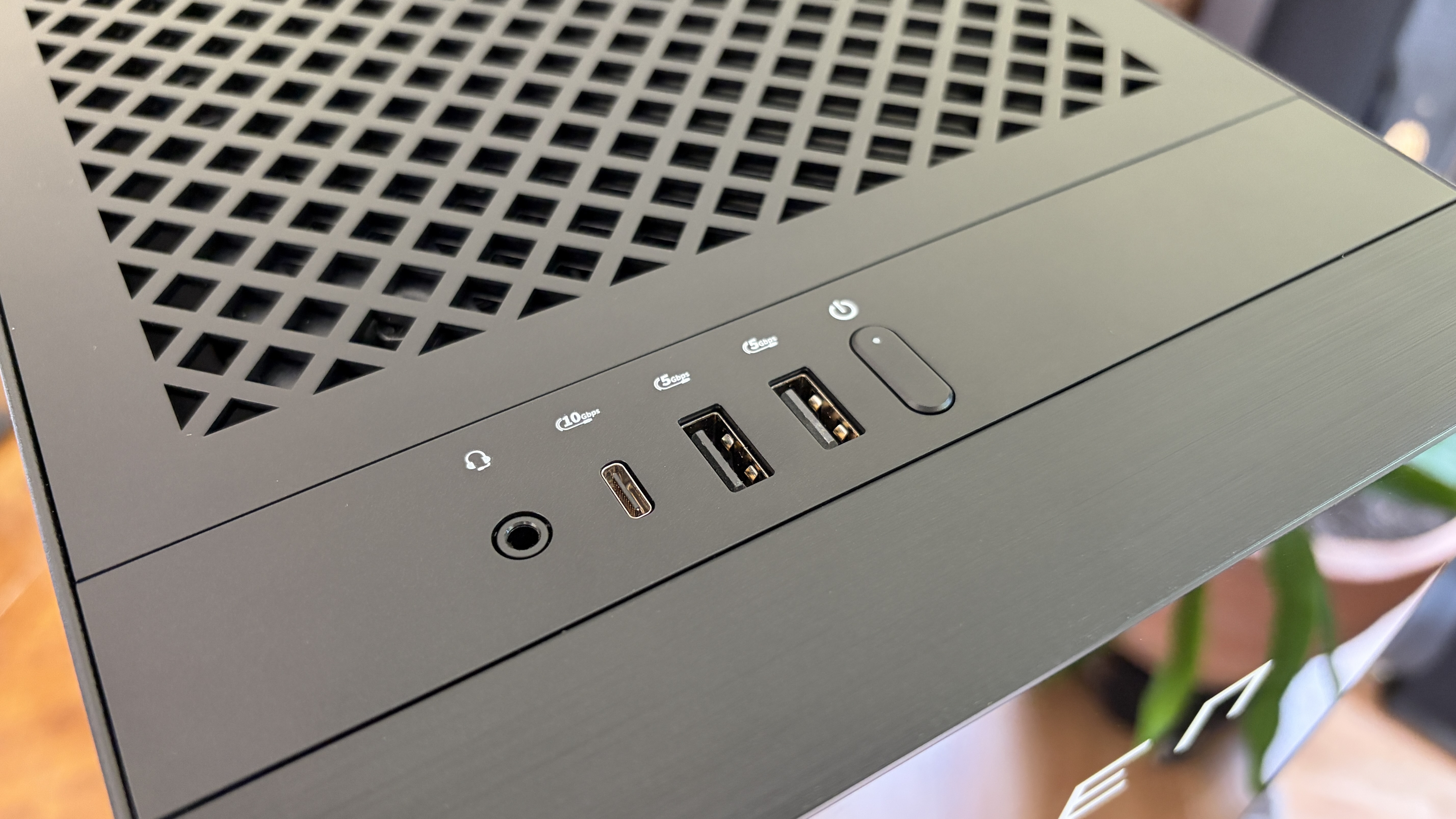
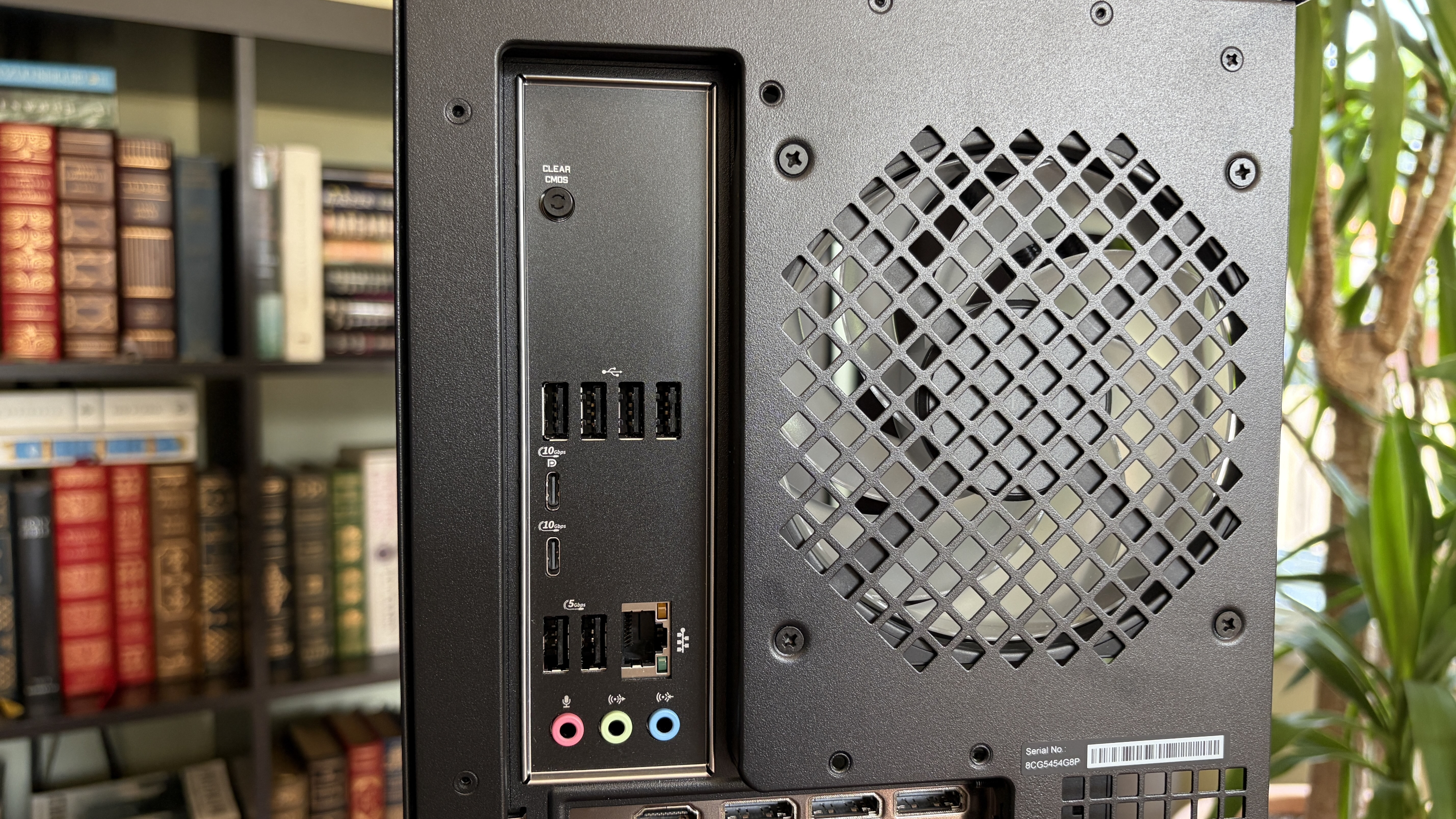
A look at the front I/O on the HP Omen Max 45L.FutureA look at the rear I/O on the HP Omen Max 45L.Future
The front of the case hosts four ports and an LED power button. There are two USB-A at 5Gbps each, one USB-C at 10Gbps, and one 3.5mm audio combo jack. Not too bad in terms of convenience for ports often used.
Around back, on the custom HP micro-ATX motherboard, you'll find four USB-A 2.0 ports (with speeds measured in Mbps) as well as two more USB-A at 5Gbps. Two additional USB-C at 10Gbps round out USB connectivity.
This is a fairly austere port setup, leaving a lot of space on the board's I/O blank.
HP has a 2.5Gb Ethernet port for wired connectivity, as well as dedicated jacks for line in, line out, and microphone. This is a fairly austere port setup, leaving a lot of space on the board's I/O blank. At least there's an easy CMOS reset button available.
As for the GPU, ports depend on the card you get. The RTX 5080 here has one HDMI 2.1b and three DisplayPort 2.1b.
How does the HP Omen Max 45L's cooling set itself apart from other PCs?
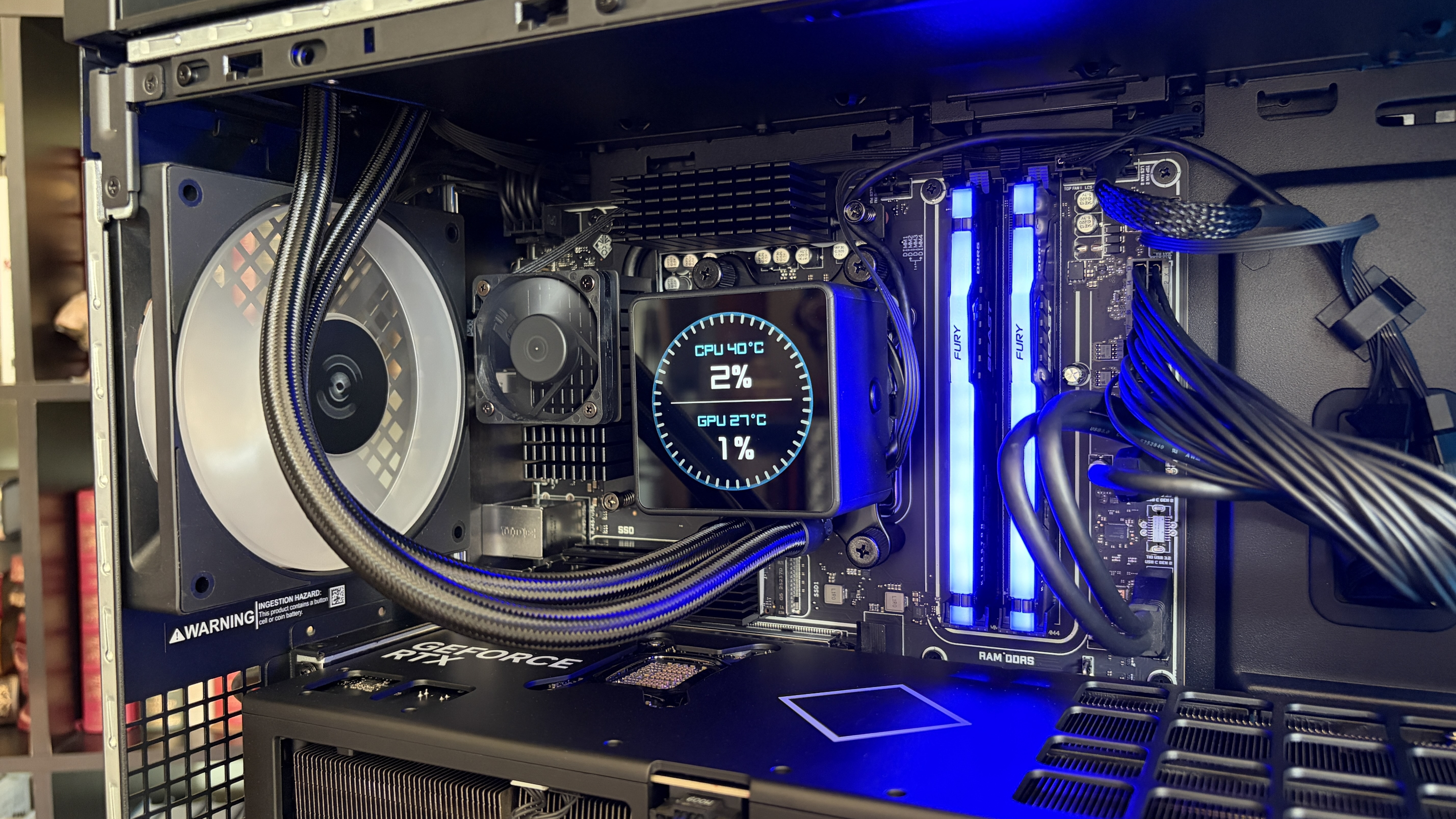
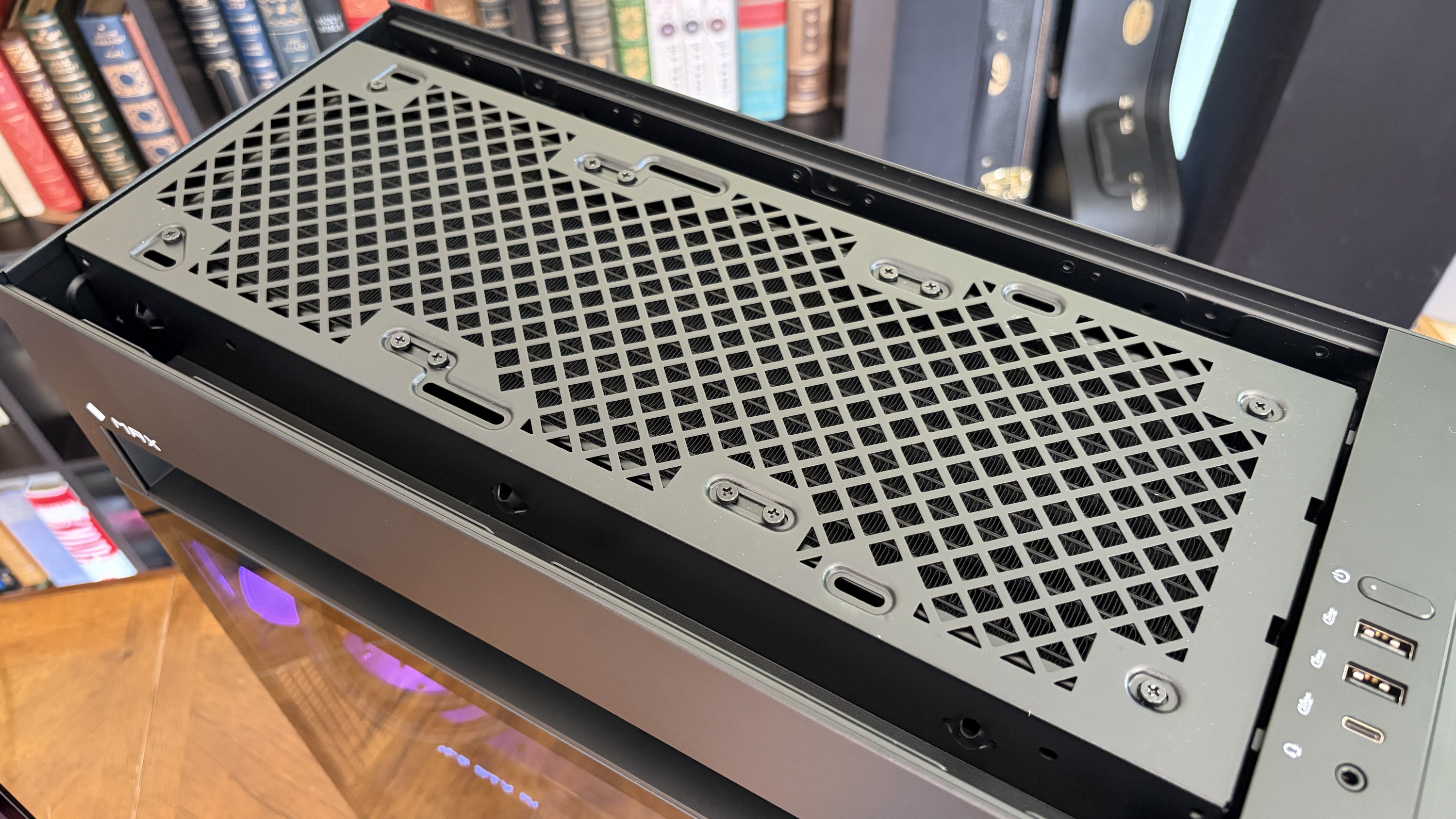
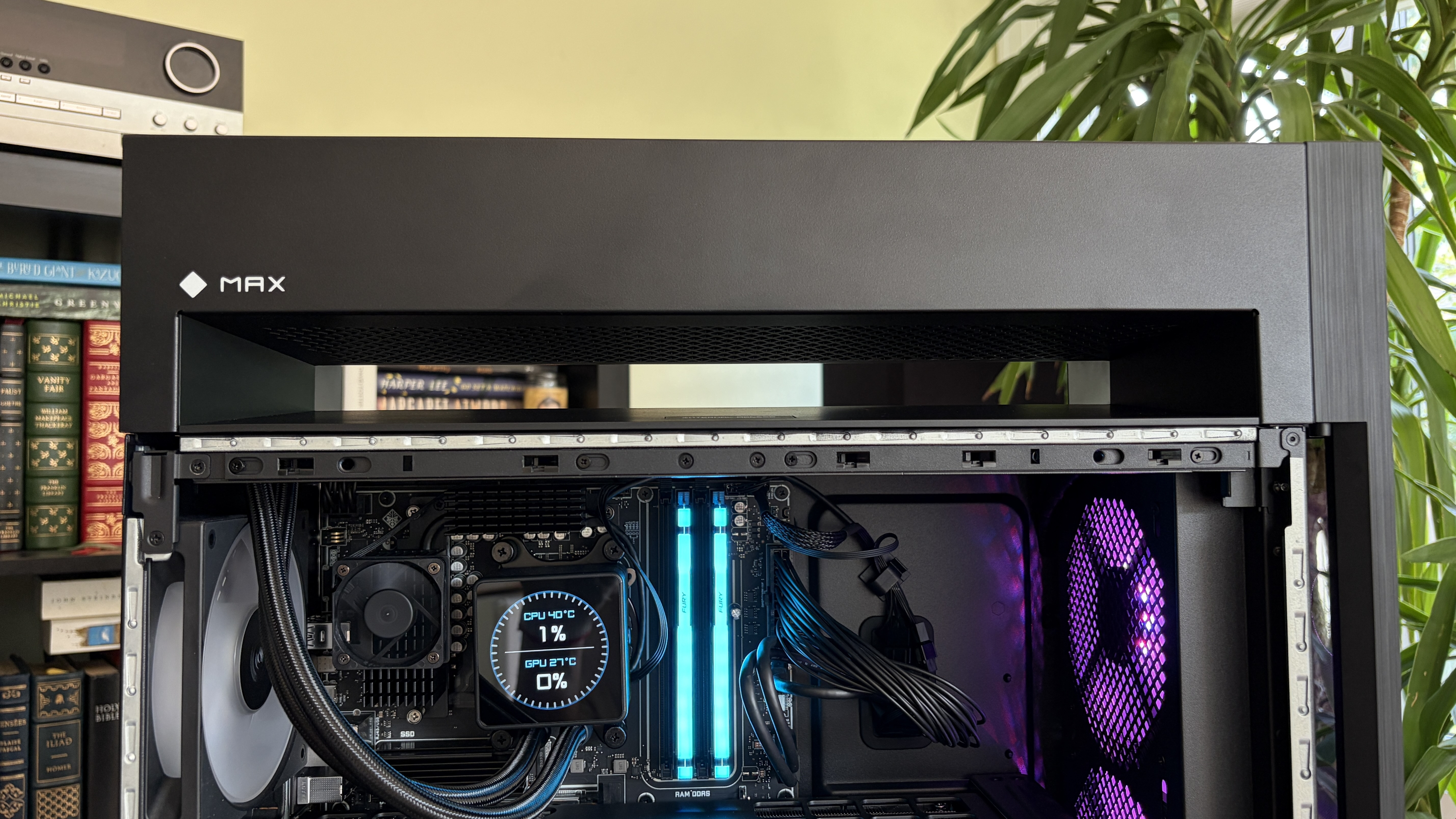
The Cryo Chamber adds an air-gapped section for the AiO's radiator. (Image credit: Future)
The Omen Max 45L's most prominent feature is its dedicated Cryo Chamber that hosts the AiO CPU cooler's radiator separately from the rest of the PC. The air-gapped setup means that only ambient air is cooling the fins, and the hot air forced out the other side by the fans doesn't enter back into the PC.
It's an admittedly ingenious setup that makes a difference, especially when you're working with flagship GPUs that produce quite a bit of heat that's spilled directly into the main portion of the case. It does, however, add quite a bit of bulk to the case. If you're short on space already, this probably isn't the PC for you.
The Omen Max 45L uses mostly standard parts
HP uses custom parts in the Omen Max 45L, but they're sized appropriately for easy future upgrades. (Image credit: Future)
A big issue a lot of people have with big-brand pre-built PCs is their insistence on using proprietary hardware inside. I'm talking about parts that can't be easily replaced because they're some weird size or shape.
That's not the case here. Well, not exactly. The motherboard is a custom micro-ATX HP 8E55 using AMD's X870 chipset. It's a standard size that makes for easy replacement, and the case also fits up to a full-size ATX board.
I'm not sure why HP didn't just go for the full-size board in the first place. The massive GPU blocks off a lot of the board, and you'll absolutely be pulling the card out of the case if you have to do anything that involves the secondary SSD or the M.2 Wi-Fi card.
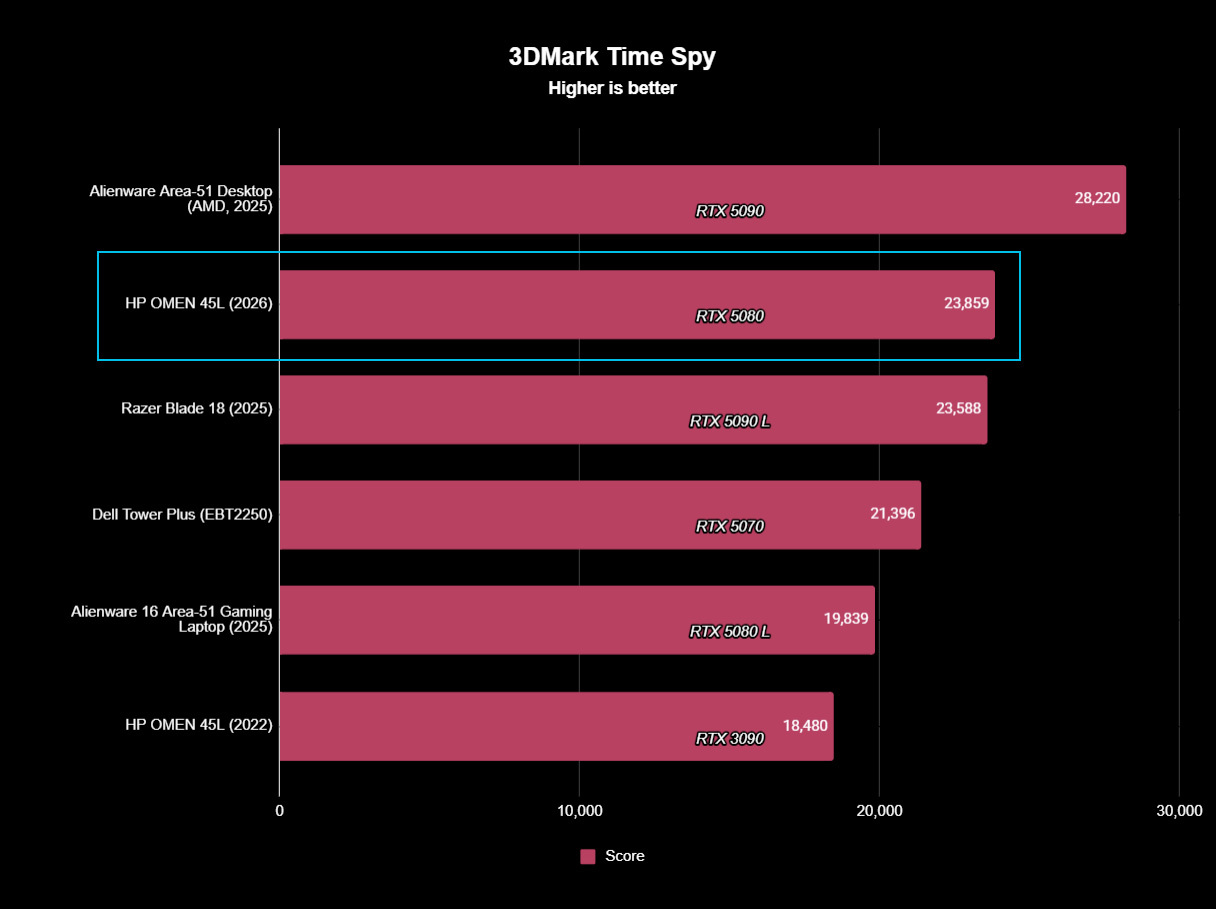
The RTX 5080 is also a custom HP job with a snazzy Omen-styled casing. It performs just as well as any other 5080 out there made by a known brand.
I tested it using 3DMark's Speed Way and Steel Nomad tests and came back with these scores of 8,996 and 8,628, respectively.
The RTX 5080 in the Omen Max 45L performs exactly as expected. (Image credit: Future)
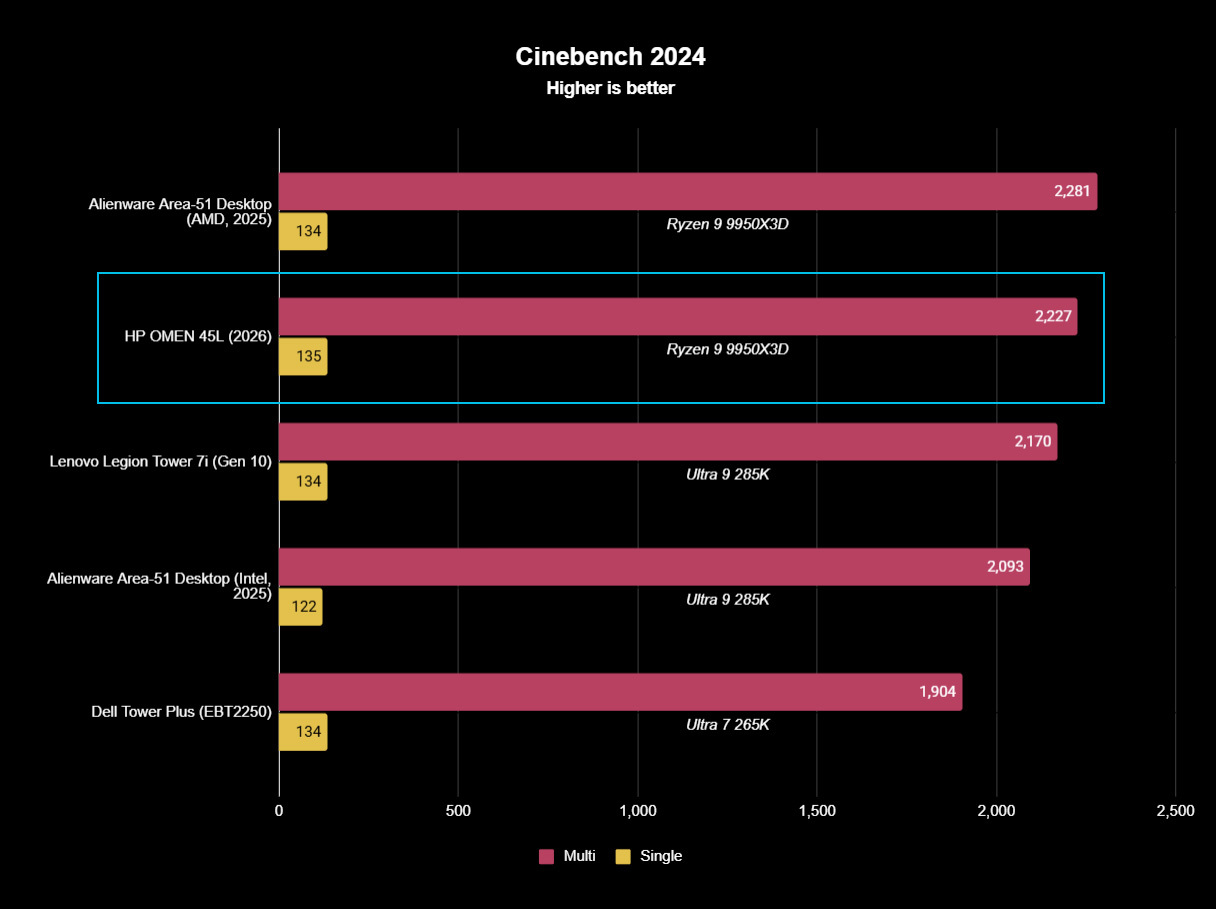
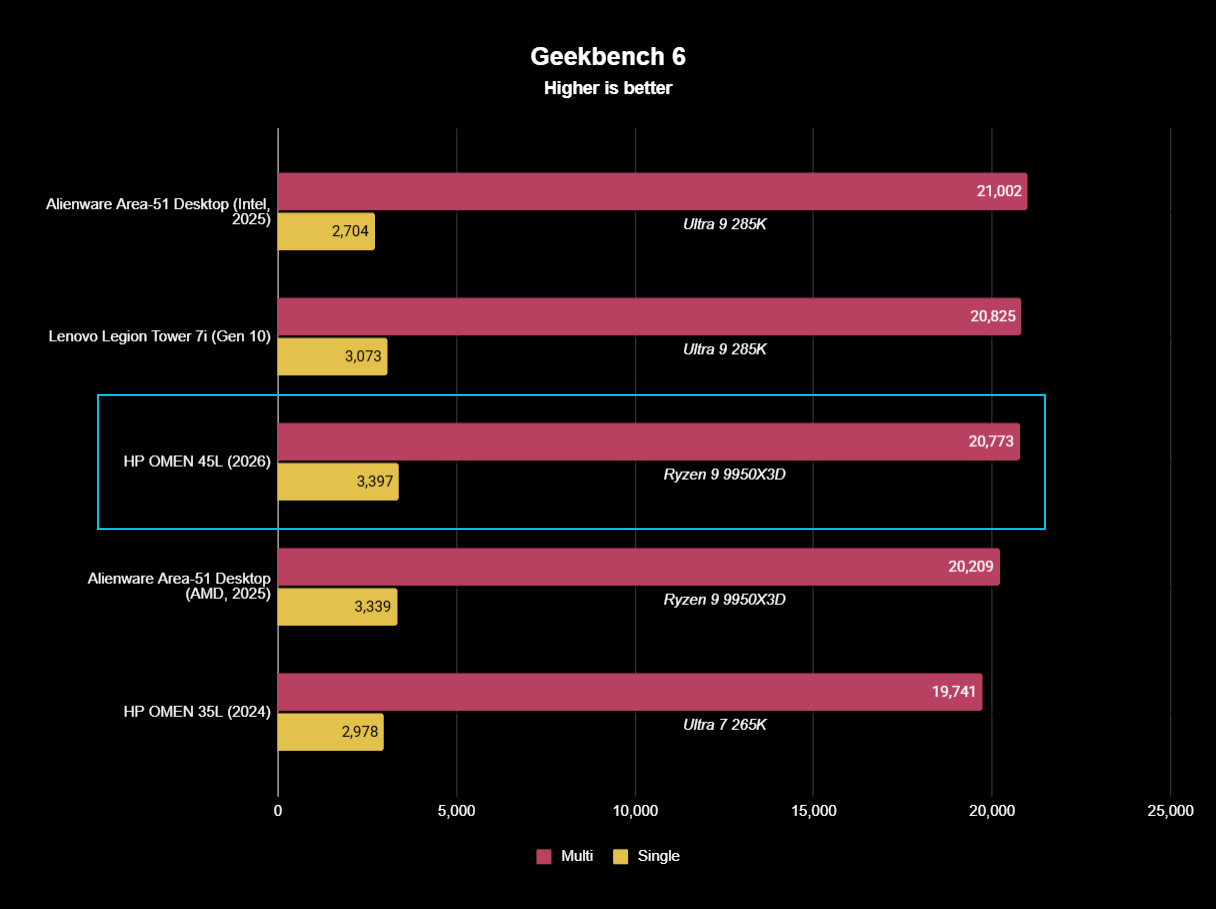
There were no surprises from the AMD Ryzen 9 9950X3D, either; it performed as expected in baseline benchmark tests. If you're buying this PC strictly for gaming, I'd recommend sticking with the Ryzen 7 9800X3D. It costs $330 less and will deliver incredible gaming performance.
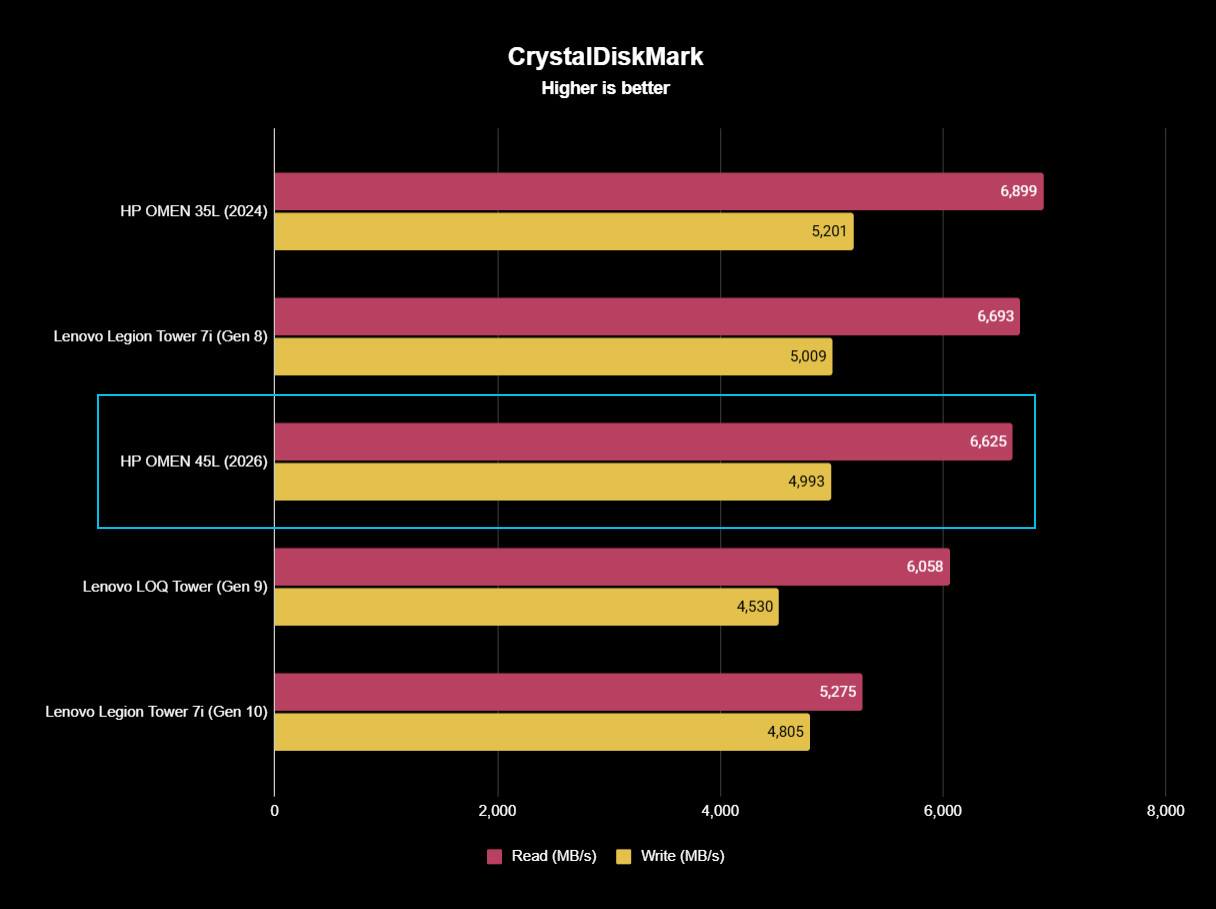
The Samsung SSD isn't the fastest we've tested, but it gets the job done with 6,626 MB/s read and 4,993 MB/s write speeds. Check out these graphs for a comparison to other hardware we've recently tested.
FutureFutureFuture
The PSU is actually one of the PC's strong points, which goes against a lot of other pre-built systems. It's a 1200W Platinum-grade option with a Cybenetics Platinum rating. It's fully modular for easy tweaking, it's quiet, and it has a custom reverse fan cleaning tool to spin the dust out of the hardware.
The PSU is actually one of the PC's strong points, which goes against a lot of other pre-built systems.
Even the separated AiO cooler can be replaced should the stock HP option that ships with the PC not be up to snuff for your needs.
Does the HP Omen Max 45L have good airflow?
There's almost no difference in temperate with the front glass panel removed/in place. (Image credit: Future)
To check airflow and temperatures, I ran a lengthy 3DMark Speed Way stress test. With all panels in place, including the front glass panel, the CPU hit 46 degrees Celsius, and the GPU hit 75 degrees.
With the front glass panel removed, GPU temperatures fell to about 74 degrees Celsius. The CPU, with separated cooling, saw no change. That's a minor difference, and you should have no problems keeping the PC cool as intended.
It's worth noting that the PC runs very quietly. The most noise I could get out of it was during the stress tests, and it peaked at just 47 decibels. That's quieter than most other pre-built PCs I've tested, and you'll hardly notice it's running even under load.
Does the Omen Max 45L come with useful custom software?
The main software to control this PC is HP's Omen Gaming Hub. It serves ads while open (annoying), but it does a decent job of controlling the PC.
The ARGB in the PC seems to have some issues, and I suspect it has to do with HP's firmware. It'll turn off randomly and not turn back on until the PC restarts, or it will reset on its own while using the PC.
HP includes a lot of software I deem unnecessary, including McAfee antivirus, Adobe offers, and Booking.com. It's classic bloatware. That's without mentioning the seven different HP apps that come preinstalled.
It can all be removed, but it's still an annoyance on a PC this expensive, especially when competitors are shipping clean installs of Windows 11.
Should you buy the HP Omen Max 45L?
You're going to need a fair amount of space in your gaming area to fit the Omen Max 45L. (Image credit: Future)
You should buy this if ...
✅ You want a unique and powerful desktop PC for gaming or creative work.
✅ You'd rather not save some money with a DIY build.
You should not buy this if ...
❌ You're looking for the best value possible in a pre-built gaming PC.
❌ You want the absolute best cable management and build quality.
There's no question that the HP Omen Max 45L delivers on top-tier performance and cooling. Unfortunately, its assembly and cable management don't feel like they match the high price.
Worse, the PC comes with quite a bit of bloatware, and there are what I suspect are firmware issues that plague the built-in RGB lighting.
The pre-built gaming PC market has come a long way in recent years, and the Omen Max 45L ultimately feels like it's stuck in the past. It won't disappoint those who need a ton of power, but there are plenty of alternatives out there that will deliver a superior product at a similar price.
HP
Omen Max 45L
HP's Omen Max 45L is a flagship pre-built desktop gaming PC with a few stellar tricks up its sleeve, but overall, I'd rather spend big money on a boutique build with better cable management, a higher build quality, and similar pricing.
Join us on Reddit at r/WindowsCentral to share your insights and discuss our latest news, reviews, and more.
A modern HP Omen Max 45L computer tower with a glass side panel showcasing colorful internal components, including a glowing cooling fan and RAM, is set against a backdrop of bookshelves.
A modern HP Omen Max 45L computer tower with a glass side panel showcasing colorful internal components, including a glowing cooling fan and RAM, is set against a backdrop of bookshelves.
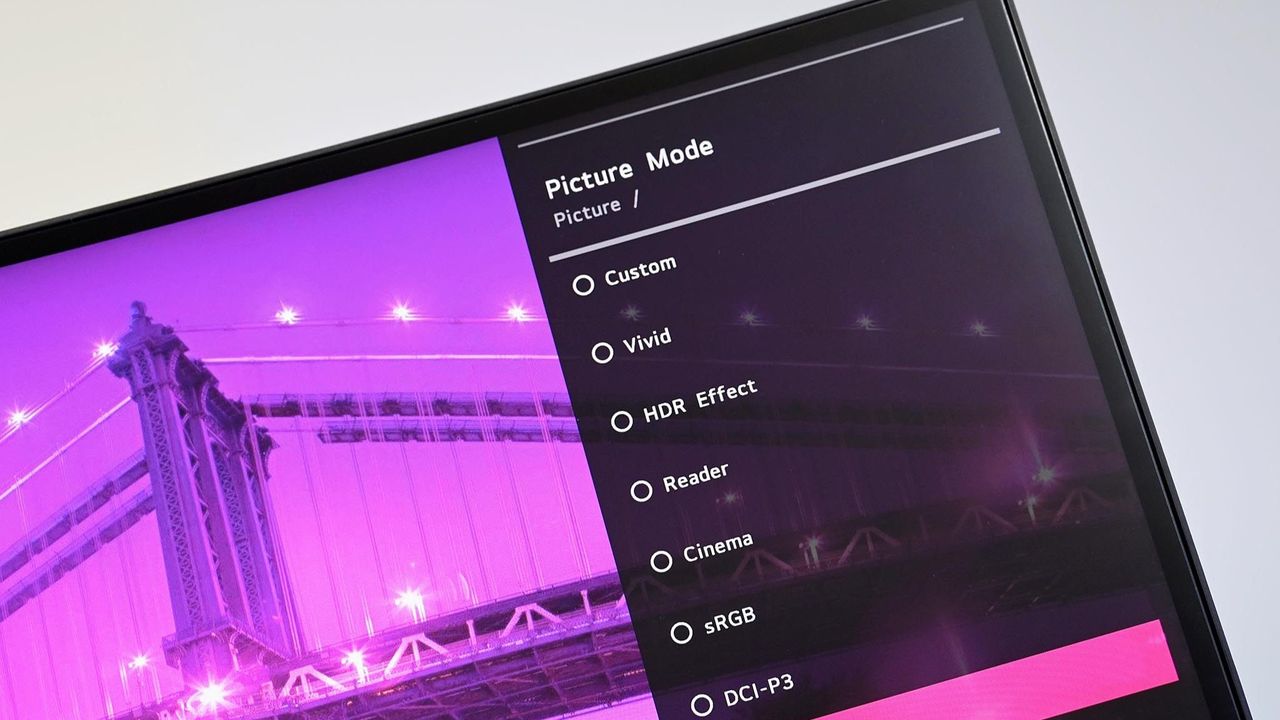
LG got caught showing ads for McAfee to people who dared to plug in a monitor. An investigation by Gamers Nexus revealed that plugging in certain LG monitors triggered Windows Update to automatically download the LG Monitor App Installer without user consent. This wasn't just a display driver; it was a utility app.
The saga required Microsoft to step in and pressure LG to stop putting adware onto people's computers.
"We’ve connected with the team at LG and as an immediate next step, they have agreed to disable the McAfee pop-up from their app,"said Windows chief Pavan Davuluri. "We appreciate LG working with us toward a shared goal of a better experience for our mutual customers."
LG has since stopped shoving adware onto people's PCs, but the company's official statement on the matter makes me question if any lessons have been learned.
"LG Electronics reiterates that McAfee is not installed automatically and is never installed without the user’s explicit consent," said LG in a statement shared with Windows Central and other outlets.
The company added, "During a limited period in the United States, a McAfee trial offer was also presented as an optional recommendation. McAfee was never installed automatically and always required a separate user choice and consent."
LG was never accused of installing McAfee without user consent, at least not by any reputable outlets I've seen. The company was accused of installing the LG Monitor App Installer without permission. That app is essentially a portal to other LG apps. It also controversially showed ads for McAfee.
I argue that no software should be installed without permission. Even more relaxed users would expect a monitor to install an app that's actually related to the monitor, not a showcase for other apps such as McAfee.
I chuckled at the part of the statement that read, "After reviewing customer feedback, LG removed the McAfee recommendation." I suppose that's one way to refer to the backlash and Microsoft intervening.
In case anyone from LG is still confused about definitions, installing an app without permission that shows ads for McAfee is adware. You don't have to install McAfee without consent for it to be adware.
Below is LG's full statement with emphasis provided by the company.
LG's full statement
"LG Electronics reiterates that McAfee is not installed automatically and is never installed without the user’s explicit consent.
The LG Monitor App Installer was designed to help monitor owners discover optional LG applications that enhance productivity, customization and monitor performance.
When compatible LG monitors are connected, the Installer can make related software available to help customers access monitor-specific features and functionality.
During a limited period in the United States, a McAfee trial offer was also presented as an optional recommendation. McAfee was never installed automatically and always required a separate user choice and consent. After reviewing customer feedback, LG removed the McAfee recommendation.
The LG Monitor App Installer does not collect personal information from customers' devices. Its function is to identify compatible monitor models and present applications supported by those models."
Join us on Reddit at r/WindowsCentral to share your insights and discuss our latest news, reviews, and more.
Angled close up of an LG PC monitor displaying an on screen menu for Picture Mode presets including Custom, Vivid, HDR Effect, Reader, Cinema, sRGB, and DCI-P3 over a purple cityscape background.
Angled close up of an LG PC monitor displaying an on screen menu for Picture Mode presets including Custom, Vivid, HDR Effect, Reader, Cinema, sRGB, and DCI-P3 over a purple cityscape background.
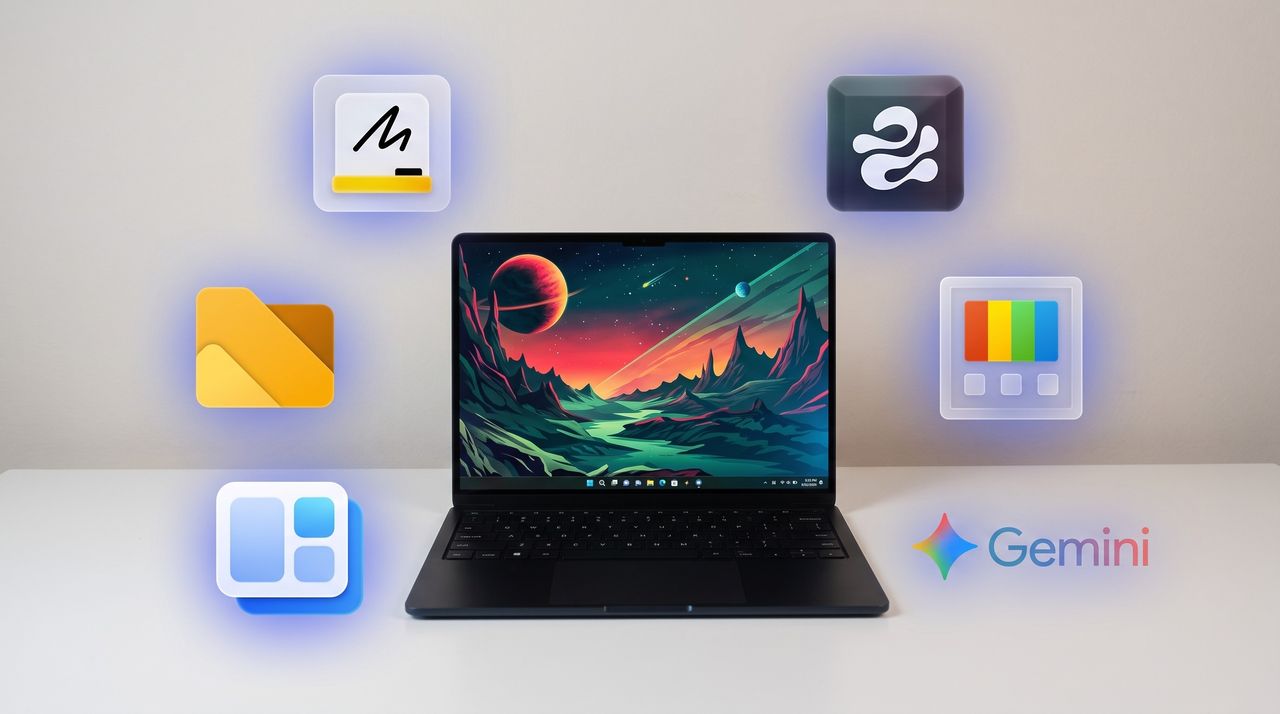
I've covered over 100 apps during my time at Windows Central. From powerful video editors to tiny utilities that change a hyper-specific part of Windows 11, there are a massive number of apps to install on a PC.
Sean Endicott
(Image credit: Future)
What I'm working on this week: I'm performing a clean install of Windows 11 on my PC and rebuilding my work setup with my favorite customization apps and tools.
One of my favorite categories of apps is those that enhance, improve, or replace the everyday computing experience. For example, on my smartphone I have several extensions to clean up the mobile browsing experience.
When it comes to Windows 11, I'm quick to install a third-party replacement of a default app, a tweaker that improves a default experience, or to use an app to replicate core functionality of a built-in app.
On top of providing unique functionality that enhances your computing experience, each of these apps can also be used to replace a built-in part of Windows 11 or a dedicated Microsoft app.
As I rebuild my clean Windows 11 installation this week, these will be the first six apps I download to replace Microsoft's defaults.
My top Windows 11 apps
Microsoft Editor is fine for catching stray commas, but it struggles with more complex editing. Gemini catches subtle phrasing errors and provides suggestions to restructure paragraphs, refine flow, and adjust tone.View Deal
Microsoft Whiteboard feels bloated, is web-based, and is going away for non-business users. Markerpad is a lightweight whiteboard app that runs natively on Windows 11 and loads quickly.View Deal
This clipboard manager lives on the side of your screen and supports drag-and-drop. I use it in conjunction with the built-in Windows Clipboard, but you could easily rely on Edge Drop and never have to press WIN + V.View Deal
This file management app blazes a trail ahead of Windows 11's built-in File Explorer by experimenting with new features and testing new layouts before Microsoft.View Deal
Microsoft PowerToys is a collection of utilities that often outshine similar tools on Windows 11. For example, FancyZones is more powerful than snapping windows. One of my colleagues, Richard Devine, even uses PowerToys Run instead of the Start menu.View Deal
This app places widgets to the empty spaces of the Windows 11 taskbar. Even in beta, the app provides a better widget experience than Windows 11's built-in widgets panel.View Deal
A black Windows laptop sitting on a white desk with six glowing app icons floating around it, including Microsoft Whiteboard, Edge Drop, PowerToys, Google Gemini, WidBar, and Files.
A black Windows laptop sitting on a white desk with six glowing app icons floating around it, including Microsoft Whiteboard, Edge Drop, PowerToys, Google Gemini, WidBar, and Files.
If you asked me what the most exciting ThinkPad on the market is, I might say the latest T14 because it's highly upgradeable, or the latest X1 Carbon because it's so thin and light.
If you ask someone from the r/ThinkPad subreddit, you'd probably get an entirely different answer. Let me introduce you to the ThinkPad X210Ai.
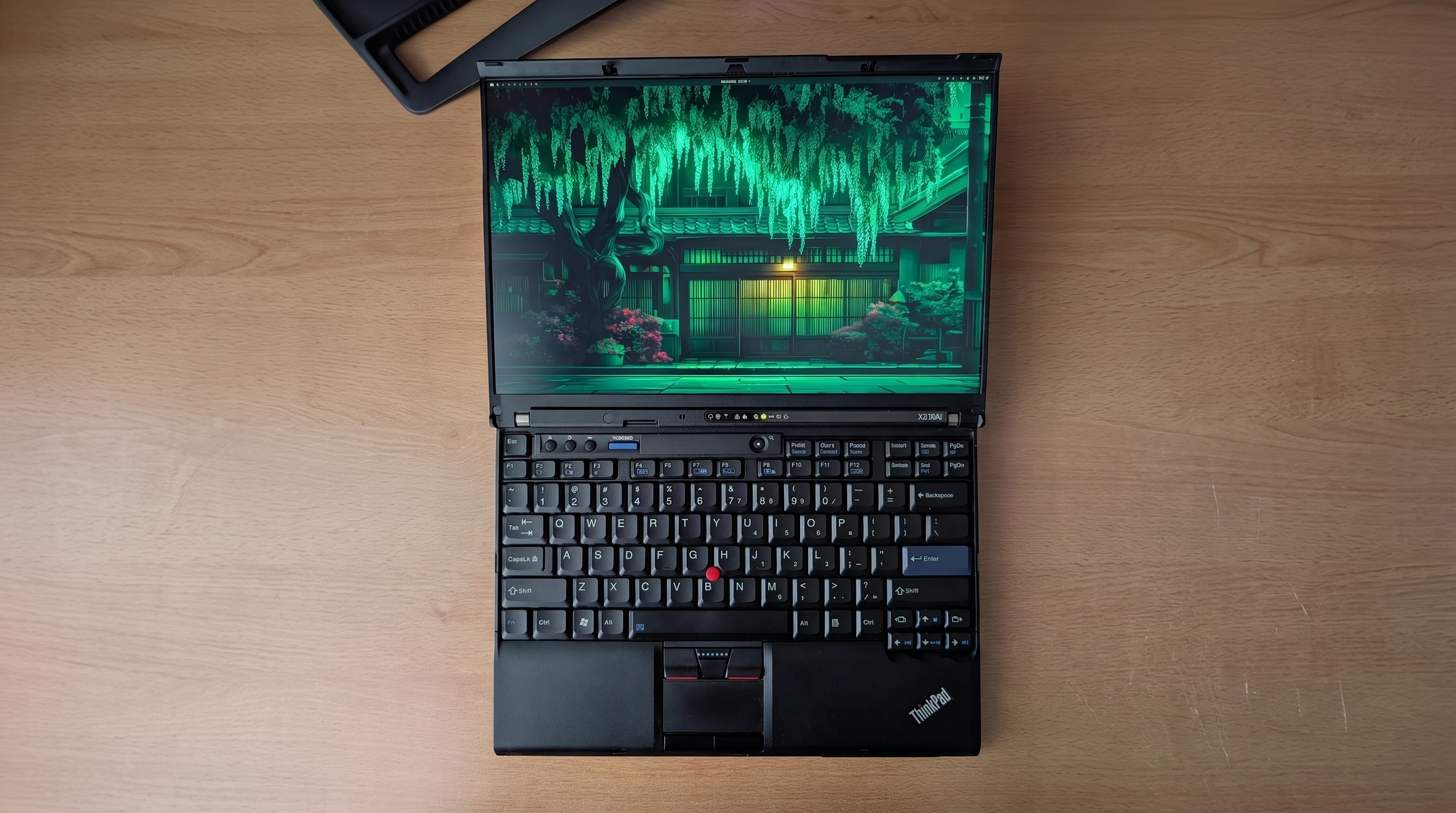
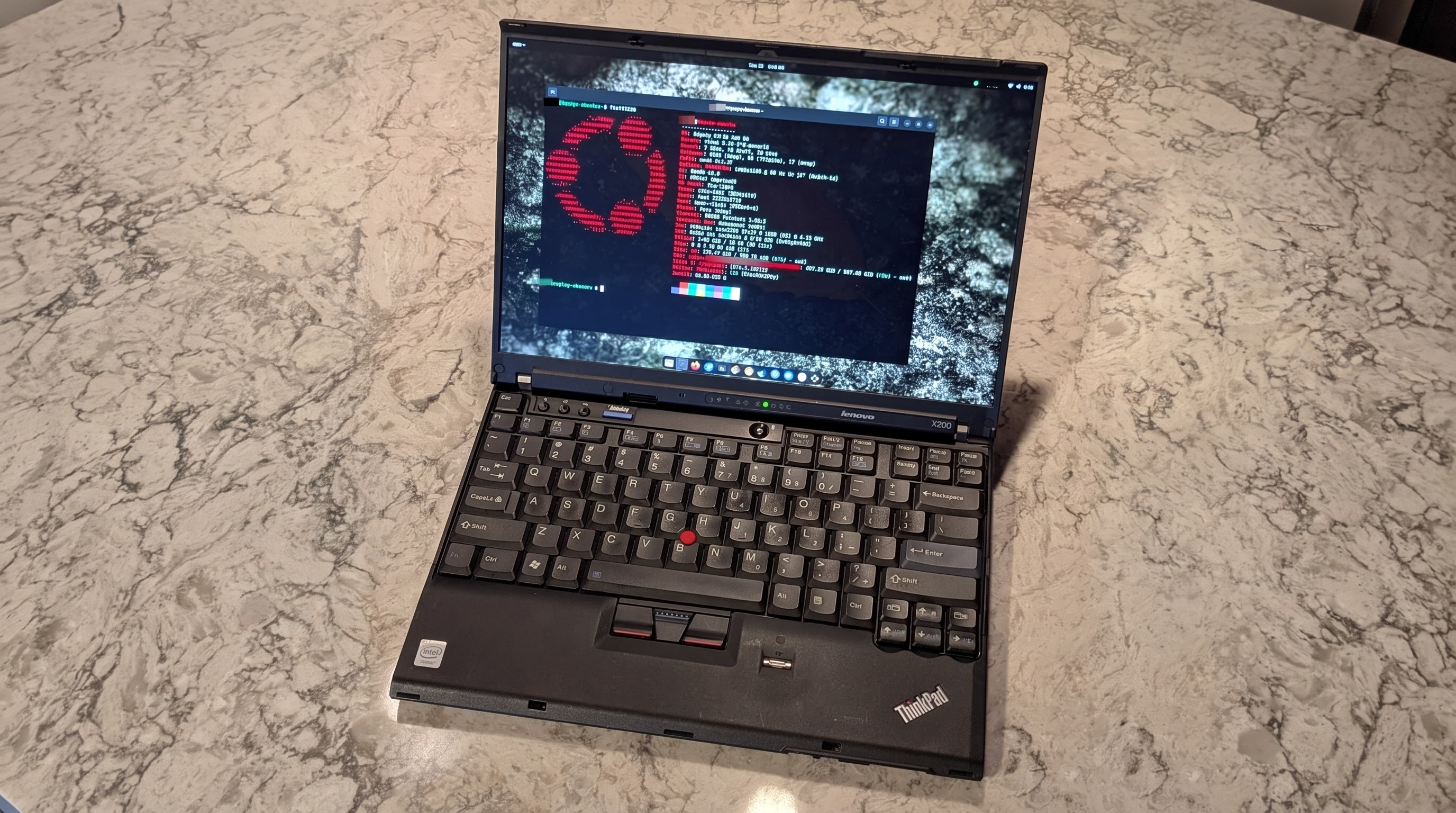
If it looks odd, it's because it is indeed quite an oddity. For the ThinkPad savvy, yes, that's an X200 chassis dating from 2008 or so.
Notice the lack of a touchpad below the TrackPoint system's physical mouse buttons. The scissor-switch keyboard with high-topped keys and deep 2mm key travel. The chunky display surround with clasps to hold the screen closed while traveling.
Reddit user hektopuss posted this laptop a few months ago, and it's far from the only example of these modded ThinkPads on the subreddit.
Something like this shouldn't work. A ThinkPad chassis old enough to have shipped with Windows Vista, gutted and rebuilt with modern performance hardware. And yet, a small but increasingly visible corner of the ThinkPad community has been modding laptops that should cost less than a nice dinner into genuinely modern machines.
What's actually going on with the ThinkPad X210Ai?
The ThinkPad X210Ai is ultimately the result of the ThinkPad community's ingenuity and refusal to let old hardware die.
The X210Ai is a replacement mainboard from TP Art, which appears to be largely run by one person who goes by Franck Deng.
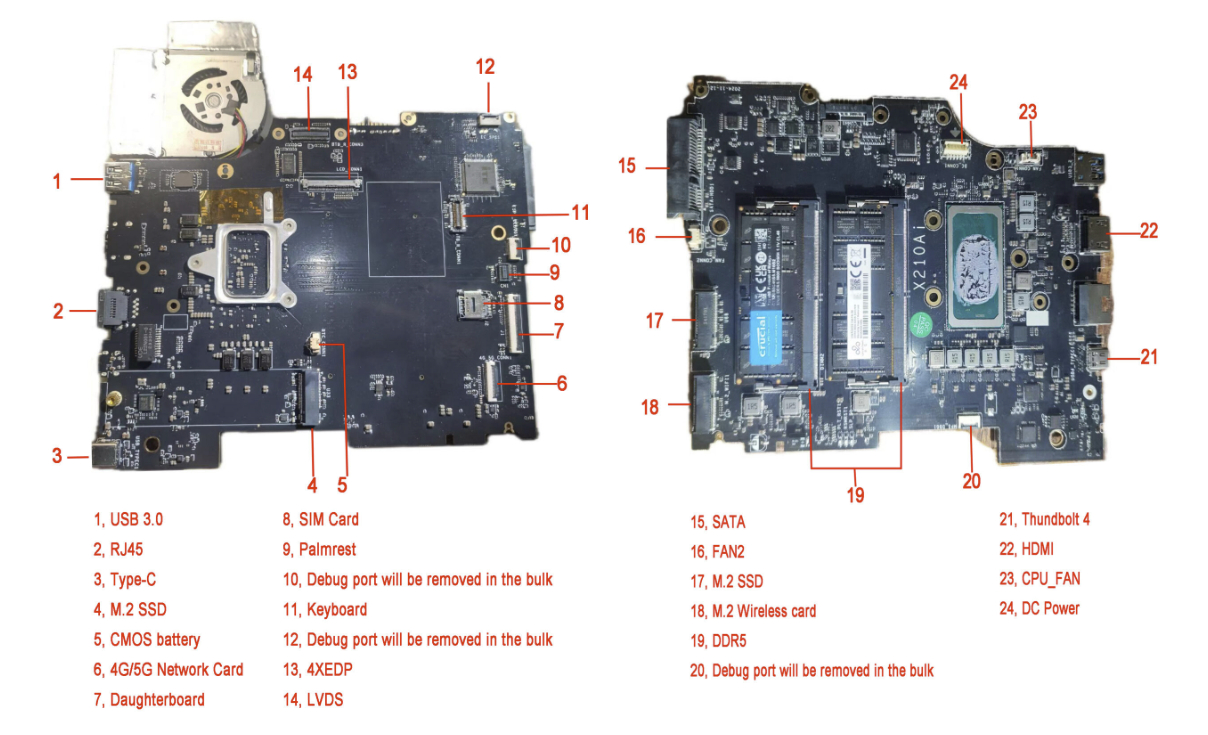
The mainboard is designed to drop into the X200 and X201 chassis; the best part is that it brings a modern Intel Core Ultra 7 165H or Core Ultra 9 185H to the table, as well as support for DDR5 RAM, dual M.2 SSD slots, Thunderbolt 4, and HDMI 2.1.
A breakdown of the X210Ai custom motherboard's ports and expansion slots. (Image credit: TPArt.net (Franck Deng))
You can keep the X200/X201's original display, or you can upgrade it, while the keyboard and TrackPoint stay put.
Because of the modded mainboard's changes, the bottom chassis needs to be reworked with new holes punched for the ports and fans. Luckily, TP Art sells the full kit with mainboard, daughterboard, chassis, mylar, and 3D-printed accessories for as little as $1,299.
New displays with high resolutions start at $299, and extra custom fans cost $119.
TP Art also sells barebones builds with everything (including keyboard and display) except RAM, storage, CMOS battery, and main battery for $1,699.
This tradition isn't entirely new, and TP Art is a direct descendant of the efforts on forums like 51nb where modders have been retrofitting ThinkPad mainboards for years. TP Art simply recognized an opportunity to do what they love (and make a bit of money from it).
The used ThinkPad scene is thriving as RAM prices skyrocket
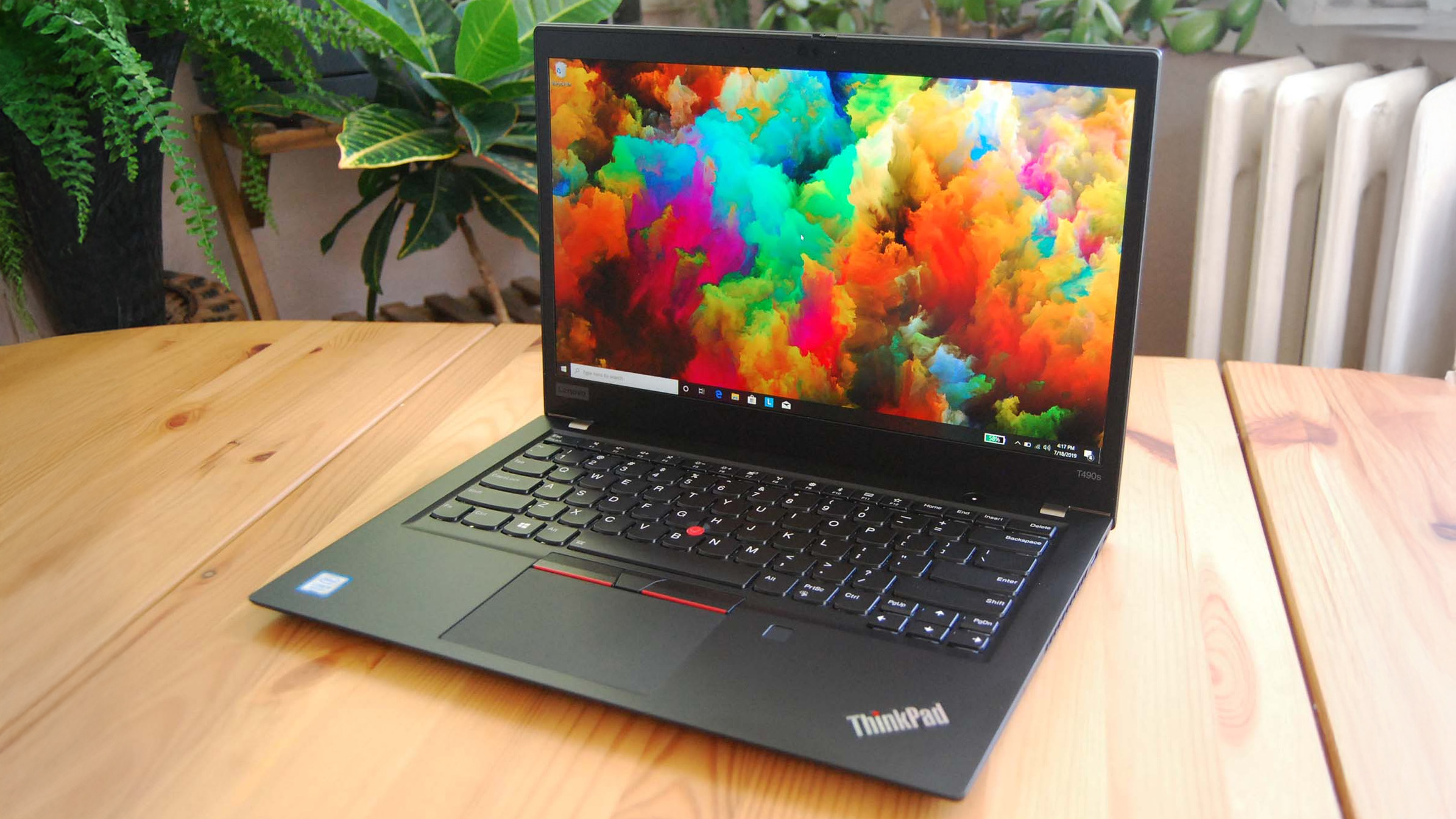
You can find more modern used ThinkPads for less than the X210Ai custom job, but they just don't have the same classic accoutrements. (Image credit: Cale Hunt | Windows Central)
I imagine this sort of extreme ThinkPad modding would be happening no matter what component prices looked like, but the ongoing RAM and storage crisis driving up the cost of new laptops is surely having an exaggerated effect.
Memory and storage markets are genuinely breaking down for consumers as AI firms gobble up hardware, and there's no relief expected until maybe 2030. Combine these effects with the ThinkPad community's love of classic hardware, and it becomes clear why the X210Ai is becoming such a hit.
Franck notes on the TP Art site that the "volume of pending orders and our team's limited modification capacity" is forcing order processing up to six months out. I'd say that's quite popular.
The math on a rebuild doesn't look too bad once you start digging into current laptop prices.
The math on a rebuild doesn't look too bad once you start digging into current laptop prices. Say you buy a full barebones kit at $1,699 and have to add RAM and storage (the two highest costs).
Add, say, $500 to the cost for everything else, and you're sitting at about $2,200 total for a retrofitted ThinkPad.
Sure, you can get a more modern used ThinkPad for less, but that's not the point. Many enthusiasts yearn for the ThinkPad reliability of years gone by, one of the best keyboards ever made, and a wide selection of ports. That's exactly what the X210Ai offers.
Reddit user hektopuss says they plan to use the modded ThinkPad X210Ai for 10 years, which makes the purchase price a lot more reasonable.
Old chassis, new OS dilemma
Reddit user alvarikoke99 installed the Omarchy Linux config on their modded ThinkPad X210Ai. (Image credit: u/alvarikoke99 (Reddit))
Trying to run Windows on an unmodified ThinkPad X200 wouldn't go over well. It has no TPM 2.0 chip, no approved Windows 11 CPU, and shaky Secure Boot.
The X210Ai's modified board with Intel Core Ultra Series 1 chips solves that problem. Windows 11 is fully supported, meaning you shouldn't have to worry about any deadlines on the horizon.
Does that mean X201Ai adopters are all using Windows 11? Far from it. It seems that most use some form of Linux, effectively sidestepping most of Microsoft's barriers. Reddit user hektopuss, for example, is using Windows, but there are plenty of examples of Linux to be found.
How you, too, can get started with a modified ThinkPad
Another ThinkPad X210Ai dropped into an X200 chassis from Reddit user u/Retrocet. (Image credit: u/Retrocet (Reddit))
Buying a customized classic ThinkPad with new hardware under the hood surely isn't for everyone. If you do want a ThinkPad but want to spend less, I recommend checking out used markets that are currently thriving. It's hard to kill a ThinkPad, and that's a boon for buyers.
I recommend checking out the ThinkPad Blue Book buying guide on Reddit to get an idea of pricing. It needs to be updated for 2026, as most listed prices have gone up, but it's still relatively accurate.
If you do want to check out the X210Ai, you're free to do so as long as you don't mind waiting. As I mentioned, wait times are up to six months, and orders can't be canceled once placed.
Join us on Reddit at r/WindowsCentral to share your insights and discuss our latest news, reviews, and more.
Close-up of a black ThinkPad laptop in focus, with a green plant blurred in the background.
Close-up of a black ThinkPad laptop in focus, with a green plant blurred in the background.
Ever since Microsoft threw in the towel with Surface Duo, I've been what I call "smartphone homeless." Well, technically that era of my life began with the death of Windows Phone in 2017, flip flopping between different iPhone's and Android's until I found my new forever home with the Surface Duo in 2020.
That new forever home was very short lived. Between 2020 and 2023, I daily drove both the Surface Duo and Surface Duo 2 for the lifetime of those devices. I was happy, content, and excited for where this form factor could lead should Microsoft continue developing it.
Of course, Microsoft didn't feel the same way, and the Surface Duo was put to rest not long after the Surface Duo 2 shipped. I loved the Surface Duo for a myriad of reasons, but the main one was its shape and size. I loved how squat and wide the device was, when being used in single-screen and dual-screen mode.
It was unique and different that it turned heads in public. To this day, I have never had more strangers come up to me in public to ask what phone model I was using. The Surface Duo was a conversation starter, but it wasn't just the novelty that I loved. It was genuinely useful, being easier to type on in single-screen mode compared to slab phone, and better for multitasking when in dual-screen.
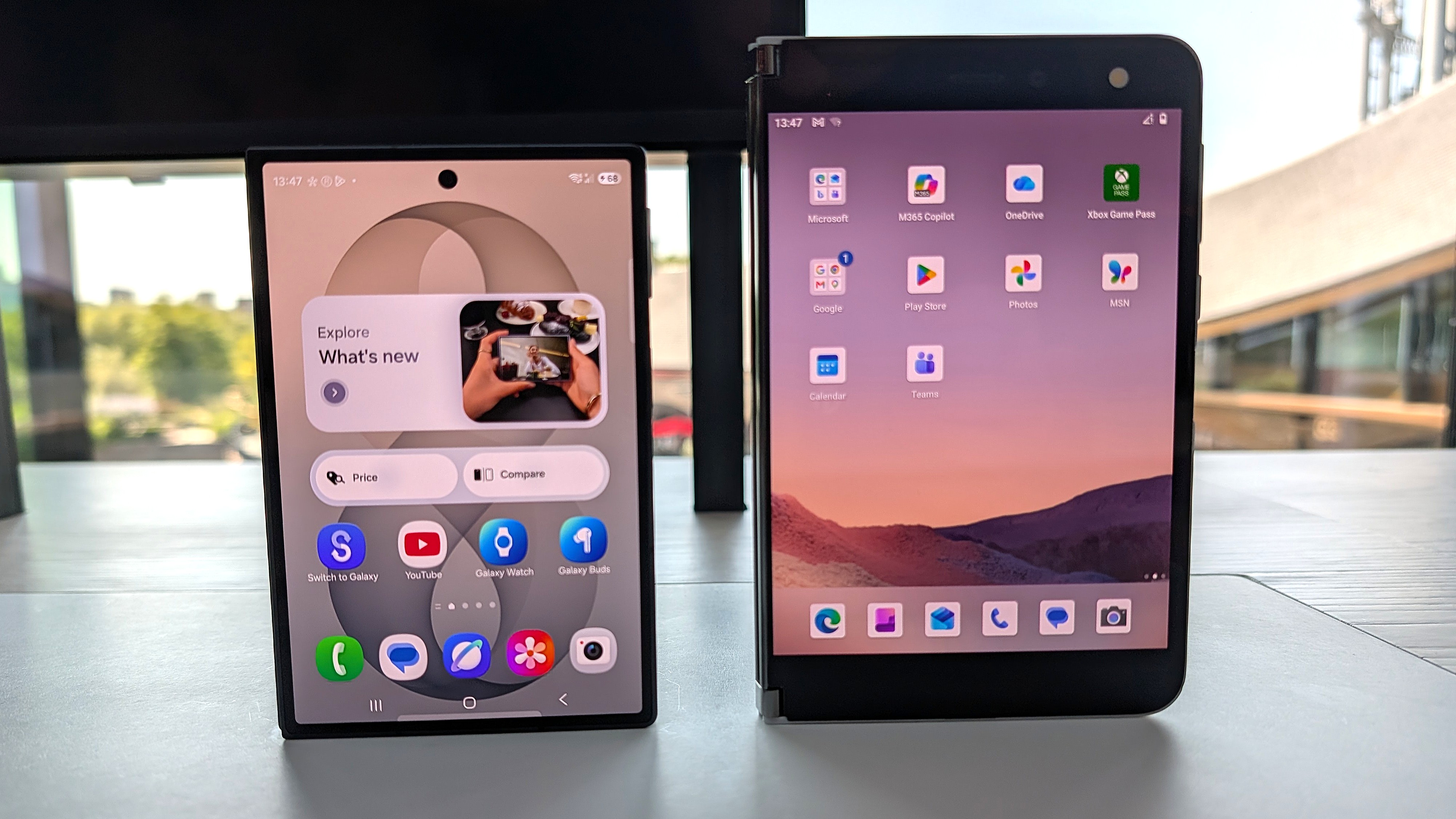
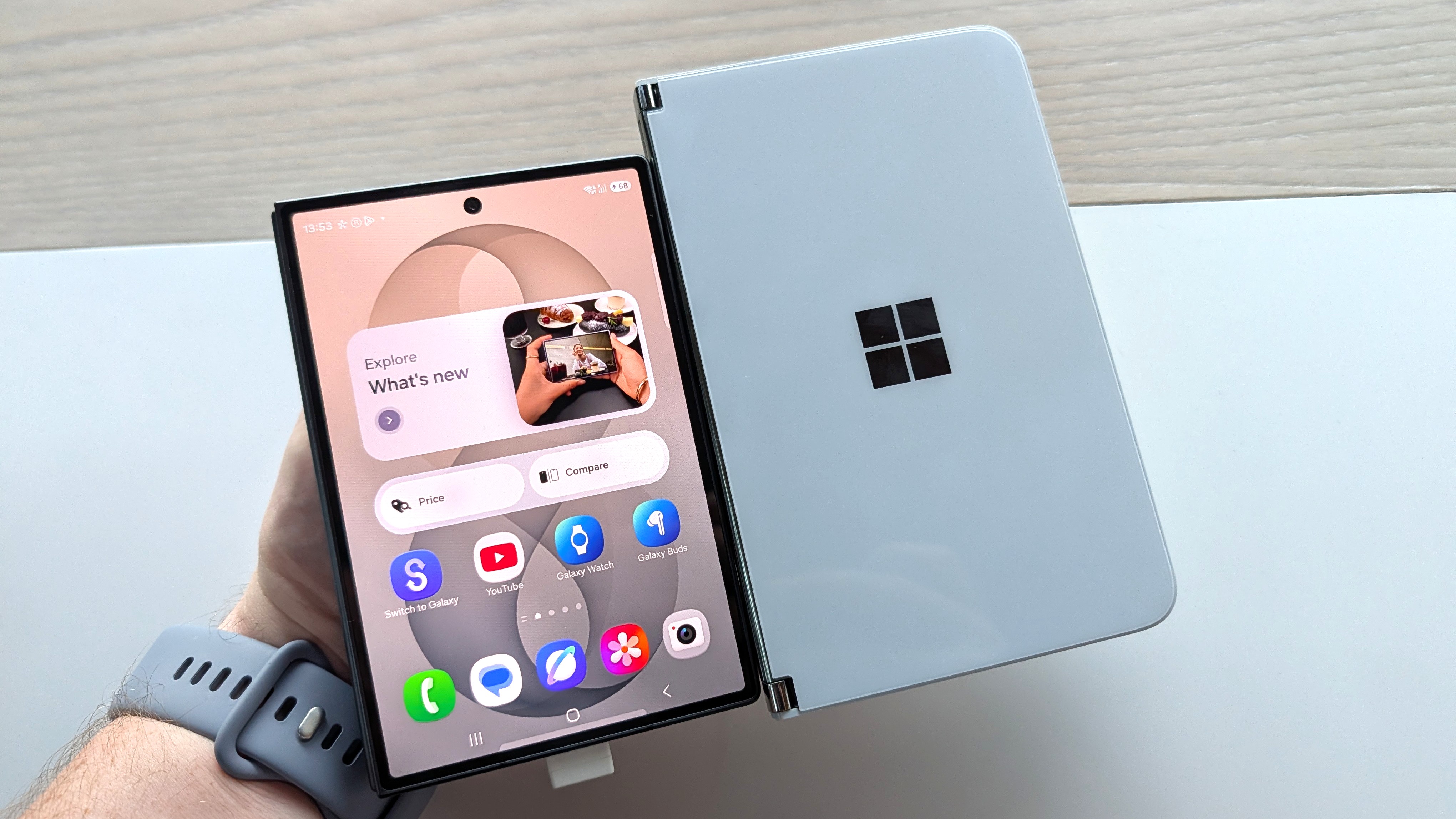
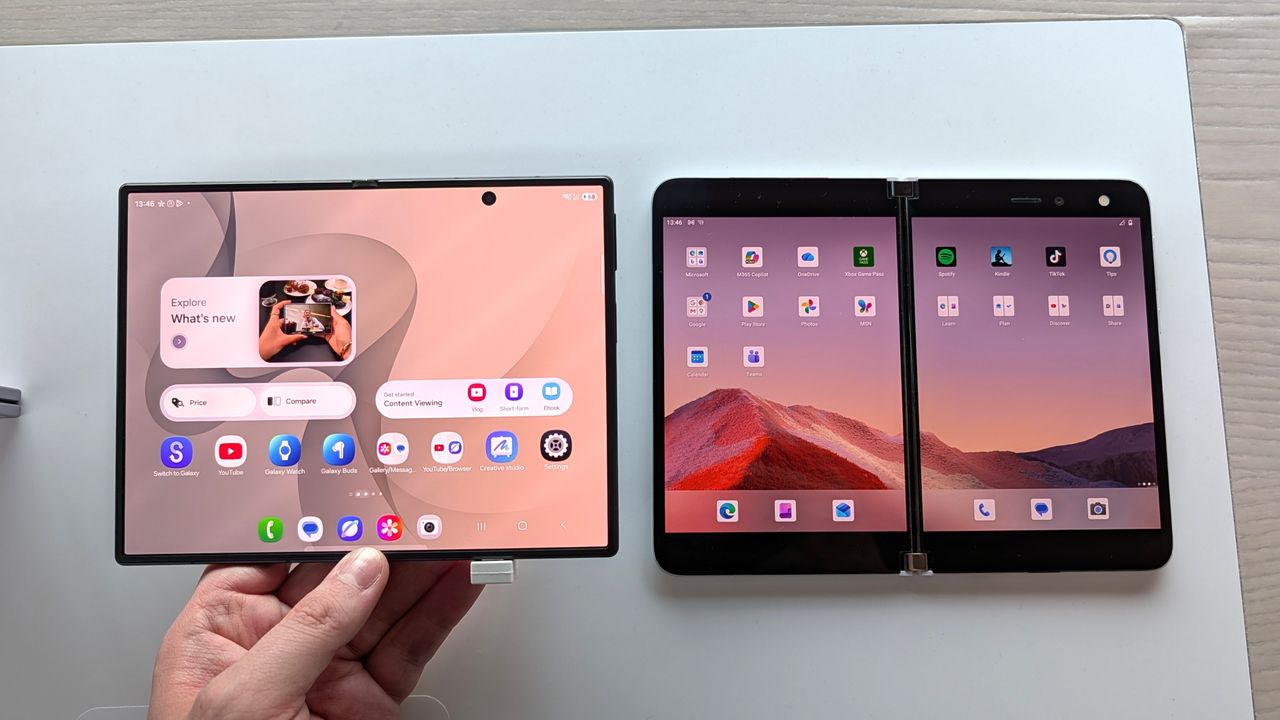
Both screens are similar, but the Galaxy Z Fold 8's is a tiny bit narrower and taller. (Image credit: Zac Bowden / Windows Central)
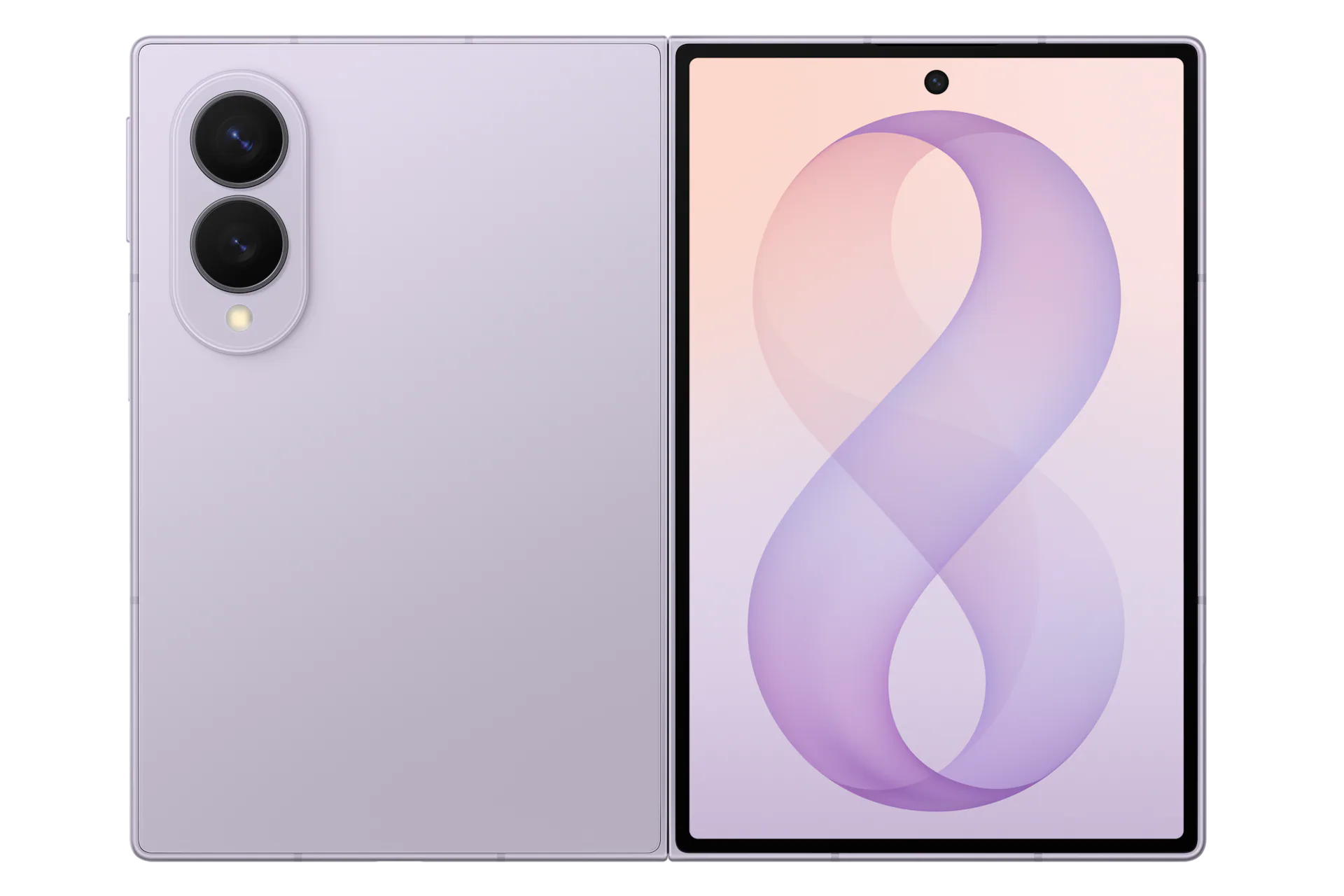
So, when Samsung unveiled the Galaxy Z Fold 8 last week, I was instantly intrigued based on its shape and size alone. It's the first westerly available short but wide smartphone since the Surface Duo, and although it's not dual-screen device with a 360-degree hinge, this is the closest thing to a Surface Duo 3 we're ever going to get.
Taking a look at their specs, it's immediately evident that both share similarities in their sizing. While the Galaxy Z Fold 8 is technically smaller, it's only smaller because the Surface Duo's bezels are so large. If you just compare screen sizes, they are very similar. The Surface Duo's display is 5.6-inches, and the Galaxy Z Fold 8 is 5.5 inches.
Both are similar in width when in folded position, which means typing on both feels identical when in use as a smartphone. It also means apps have more room to spread out, with text and images displaying more content across a single line. When opened up, the Surface Duo's dual-displays are overall bigger, but the Galaxy Z Fold 8's aspect ratio is preferred.
Spec
Microsoft Surface Duo
Samsung Galaxy Z Fold 8
Form Factor
Dual dual-screen displays joined by a 360° physical hinge
Flexible single inner screen with an external cover screen
Unfolded Dimensions
145.2 × 186.9 × 4.8 mm
123.9 × 161.4 × 4.5 mm
Folded Dimensions
145.2 × 93.3 × 9.9 mm
123.9 × 81.9 × 9.7 mm
Weight
250 g
201 g
Main / Inner Display
8.1" dual display (3:2 total ratio, 2700 × 1800) split by a physical hinge seam
Although I could see the similarities on paper, I had to get my hands on a Galaxy Z Fold 8 just to make sure. Luckily for me, I have a Samsung store nearby, so I popped in and checked it out. To say I didn't immediately fall in love would be lying. It felt like home. The short but wide aspect ratio, the almost creaseless folding screen on the inside, and thin bezels all around, it just all comes together so perfectly.
Side by side, it makes the Surface Duo look like a prototype with its thick bezels and gap between the screens. I've always said the Surface Duo is beautiful in its own special way, but I think the Galaxy Z Fold 8 finally dethrones it from a pure aesthetics perspective.
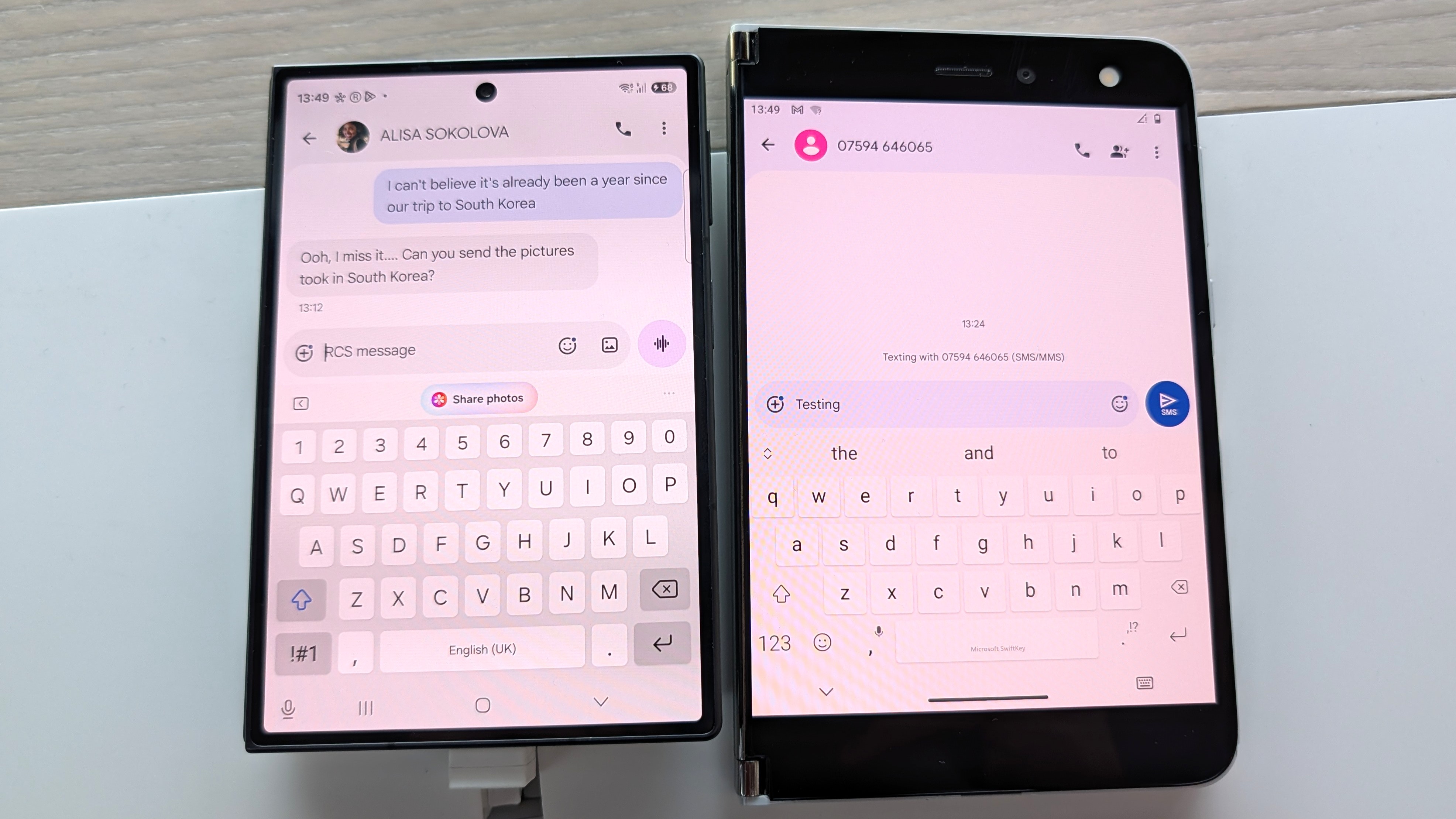
But I could immediately tell that the aspect ratio and size of the Galaxy Z Fold 8 was right. It feels just like a Surface Duo in both folded and unfolded postures, and typing on both doesn't give my thumbs the cramps after a few minutes. Apps feel like they have more room to breath across both, and the entire OS experience is just nicer when the screens are this wide.
The typing experience feels very roomy across both. (Image credit: Zac Bowden / Windows Central)
The one area that the Galaxy Z Fold 8 still fails to beat the Surface Duo on however is multitasking. Yes, the Galaxy Z Fold 8 can multitask and when set up by the user, it's very powerful. However, the Surface Duo was special because it made multitasking automatic.
You never think about multitasking on Surface Duo. It just happens. The device dynamically adjusts and places apps and popups on either screen where it makes the most sense. I never multitask on normal foldables, but I was running two apps side by side all the time on Surface Duo, because it was automatic.
The Galaxy Z Fold 8 still requires you to manually initiate multitasking, which means I rarely if ever do it. On the Surface Duo, if you tap a link in a group chat in one app, it'll open your browser on the other half so that you can still see the group chat in the app you were just using. Galaxy Z Fold 8 doesn't do that.
The Duo is only bigger because of its bezels. (Image credit: Zac Bowden / Windows Central)
It would be awesome if Samsung could add an option in OneUI that forces the OS to act more like Surface Duo, where multitasking is automated by the device. Unfortunately, that's not a thing at current, and so multitasking is still something I'm probably not going to do much of on the Galaxy Z Fold 8.
Outside of that minor disappointment, I think the Galaxy Z Fold 8 is a near perfect replacement for my Surface Duo needs. It has better cameras, and it's SO much lighter than the Duo. And although it doesn't support pen, I wasn't much a pen user on the Surface Duo either and so that's not a problem for me.
I will miss the novelty of a 360-degree hinge, and being able to close the Duo so that neither screen is visible was a really nice unique capability that the Galaxy Z Fold 8 obviously doesn't have. But we know at this point that Surface Duo 3 was going to pivot to a single-screen folding design like the one on the Galaxy Z Fold 8 anyway, which is why I think Microsoft was wrong to give up so soon.
With that said, I'm still very excited for the Fold 8, and I hope its the start of a long running trend of short but wide phones. Thank you Microsoft for showing the world that the short but wide aspect ratio works for smartphones. It may have taken a little longer for everyone else to catch on, but the good news is people are finally waking up.
Samsung
Galaxy Z Fold 8
The Samsung Galaxy Z Fold 8 is a spiritual successor to the Surface Duo, featuring a short but wide aspect ratio cover and foldable screen that makes typing and multitasking so much easier than your traditional smartphone slabs.
Join us on Reddit at r/WindowsCentral to share your insights and discuss our latest news, reviews, and more.
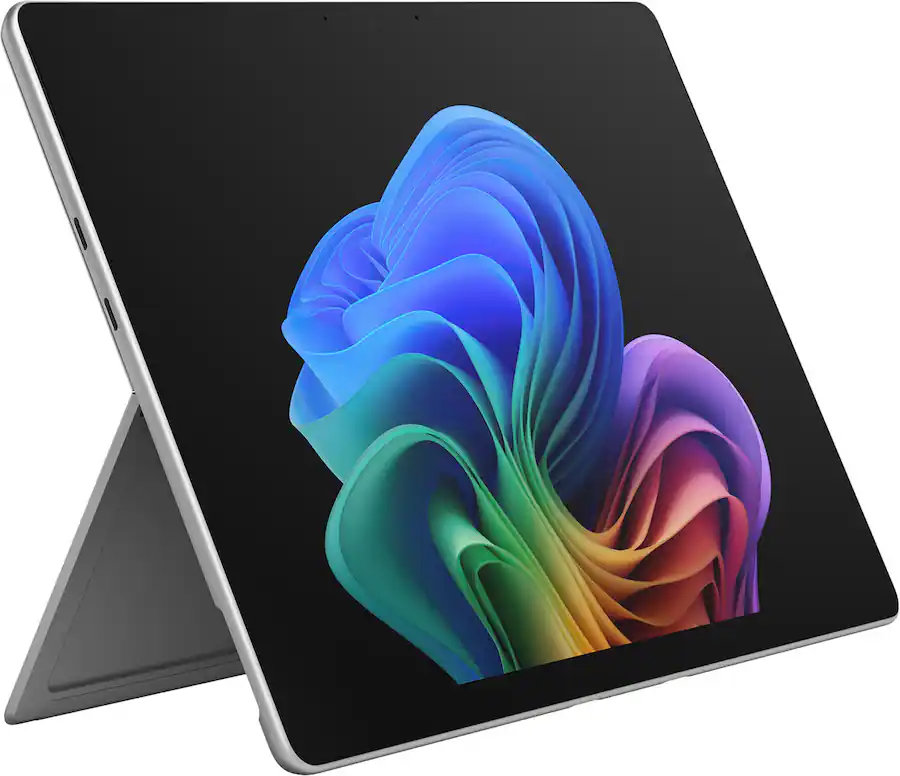
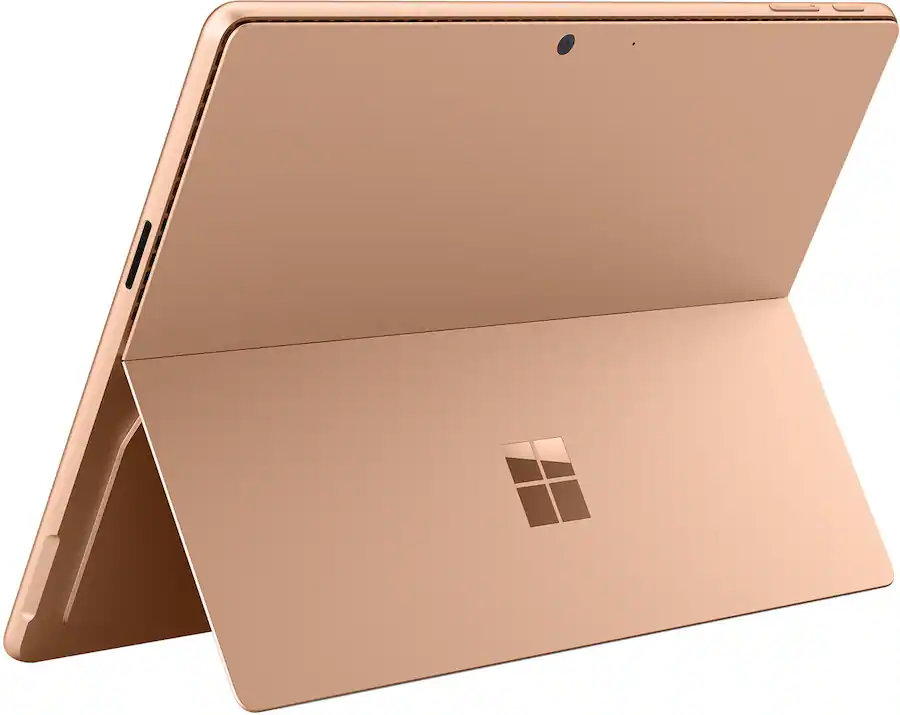
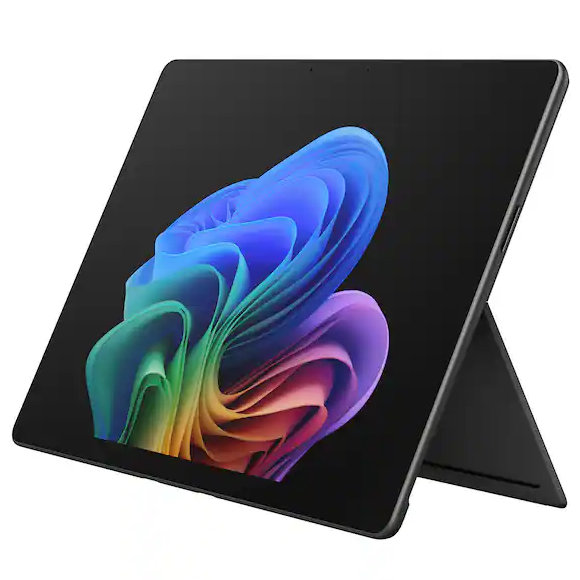
Microsoft's Surface Pro is on sale just in time for back-to-school season. The flagship 2-in-1 runs on Qualcomm's Snapdragon X2 Elite or Snapdragon X2 Plus processor, both of which promise a significant performance bump over the last generation.
A bunch of Surface Pro models are on sale right now across various retailers. I've listed the biggest deals below, starting with the 21% discount on the Surface Pro with Snapdragon X2 Elite, 16GB of RAM, and 1TB of storage.
This Surface Pro is both the best deal of the day and the highest spec'd configuration you can get through Amazon. It pairs the new Snapdragon X2 Elite with 16GB of RAM and 1TB of SSD storage. Plus, it has a lovely OLED screen for deep blacks and high contrast.
This is the Goldilocks model of the Surface Pro, balancing high-end specs like an OLED screen with value for money. At $300 off, it has the highest discount available through Best Buy. Its Dune color is stunning as well and a personal favorite.
If you love the form factor of the Surface Pro but don't need the Snapdragon X2 Elite, this model is a great bargain that still features plenty of storage and RAM.
This is the most affordable Surface Pro you can grab. Its Snapdragon X2 Plus delivers snappy performance for everyday computing and you still get 16GB of RAM. Just be aware that it has only 256GB of storage.
The biggest perk here is wireless functionality. You can detach the keyboard and type comfortably while keeping the tablet propped up at eye level, which is a lifesaver on cramped desks or airplane trays.
The main reason to grab a newer Surface Pro is the processor you'll get. The Snapdragon X2 Plus and Snapdragon X2 Elite offer over a 50% graphics improvement over the last gen.
That performance bump helps everything from photo editing to everyday productivity tasks feel smoother.
Microsoft refined the design of the Surface Pro over more than a decade, resulting in a premium device that defines the category. There are good reasons why Apple and other companies try to copy the Surface Pro.
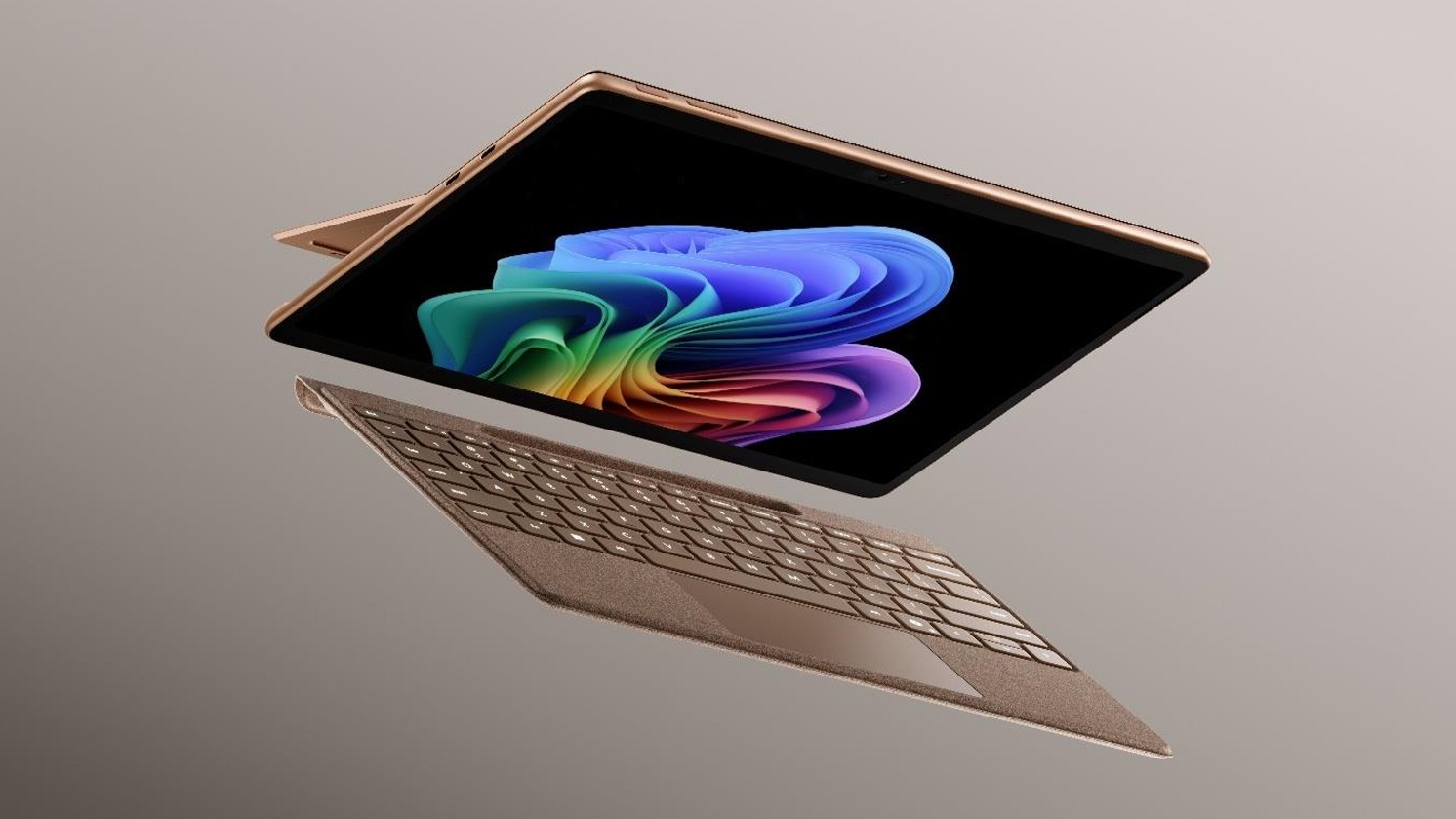
While imitation is a form of flattery, the Surface Pro still stands out because of its built-in kickstand that makes it easy to prop up. That kickstand-centered design is best taken advantage of with the Surface Pro Flex Keyboard, which happens to be discounted right now.
The Surface Pro Flex Keyboard that's on sale is compatible with the new Surface Pro that launched this year. If you're worried about compatibility, you can double-check your device on Microsoft's support document about Surface Pro keyboards.
The Surface Pro Flex Keyboard can be used wirelessly or when physically attached. If you've ever tried to use a laptop or a 2-in-1 on an airplane tray table or tiny desk, you'll know the struggle of feeling cramped. The Surface Pro Flex Keyboard lets you have the keyboard on your lap or a table while the PC sits elsewhere.
Like other PCs, the Surface Pro has crept up in price over the last year or so. The high price tag of the Surface Pro was the main complaint about the PC when it was announced. The current deals on the Surface Pro alleviate that issue, at least temporarily.
Join us on Reddit at r/WindowsCentral to share your insights and discuss our latest news, reviews, and more.
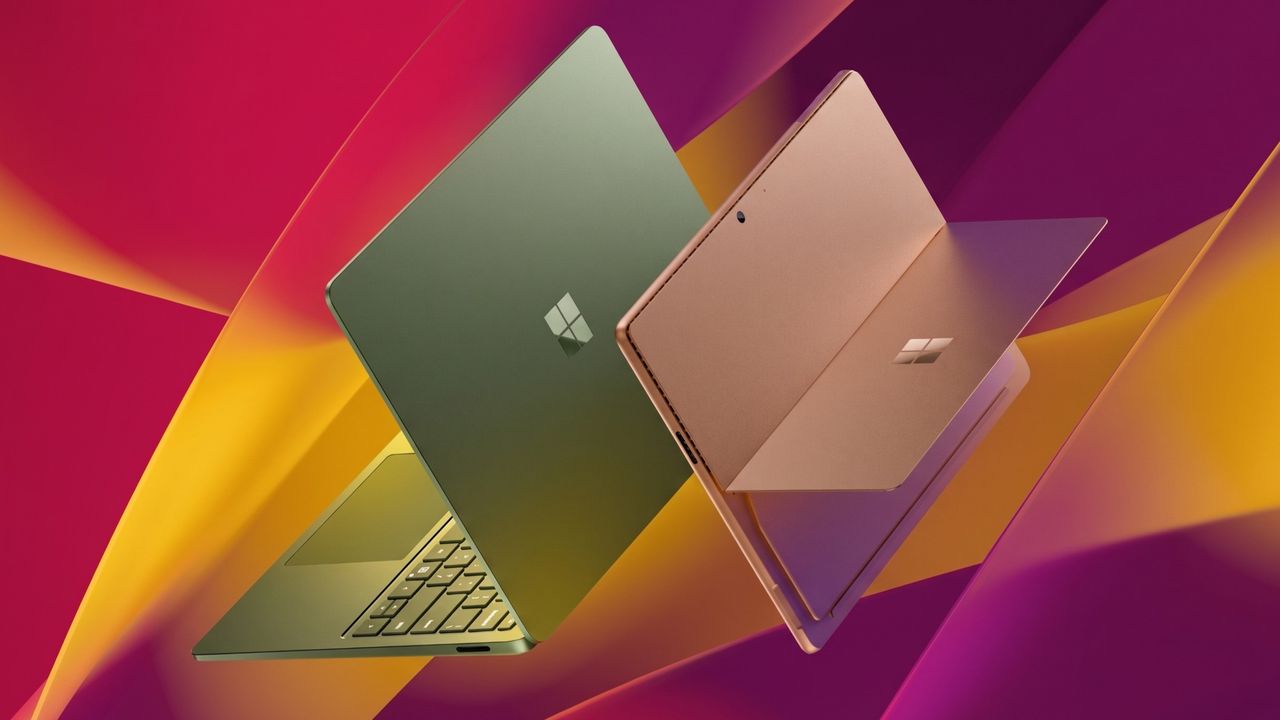
Surface Pro and Surface Laptop side by side on colorful background
Surface Pro and Surface Laptop side by side on colorful background
I've never really had much interest in "business" laptops, because most of the time they are boring as hell. Featuring plastic exteriors with subpar displays and creaky hinges, I've always said they actually bring down the overall reputation of the Windows laptop ecosystem.
For years and years, business laptops were boring, but ASUS' new ExpertBook Ultra is the first business-class laptop I've used that has given me second thought. It's a beautiful machine, made out of premium materials and with a thin and light design that you might find on a high-end consumer focused flagship laptop.
It's the first business laptop I've used that made me want to keep using it. I was excited to unbox and set up this machine, even though it's designed for office workers and business professionals. I can't say I've ever felt this way about Dell's or HP's business focused laptops.
I've been using the ASUS ExpertBook Ultra for the last month, and this is my full review.
Specs & Price
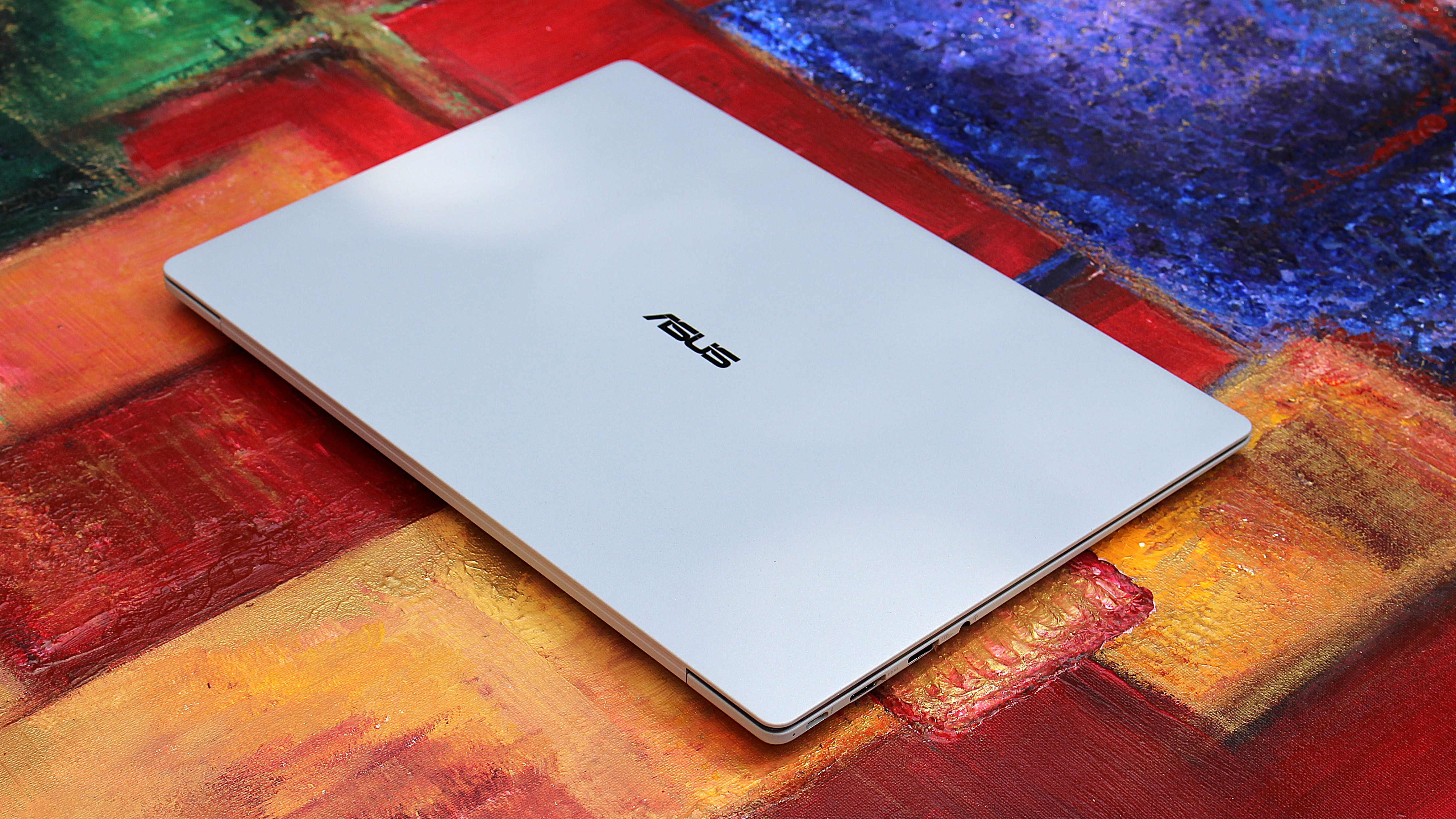
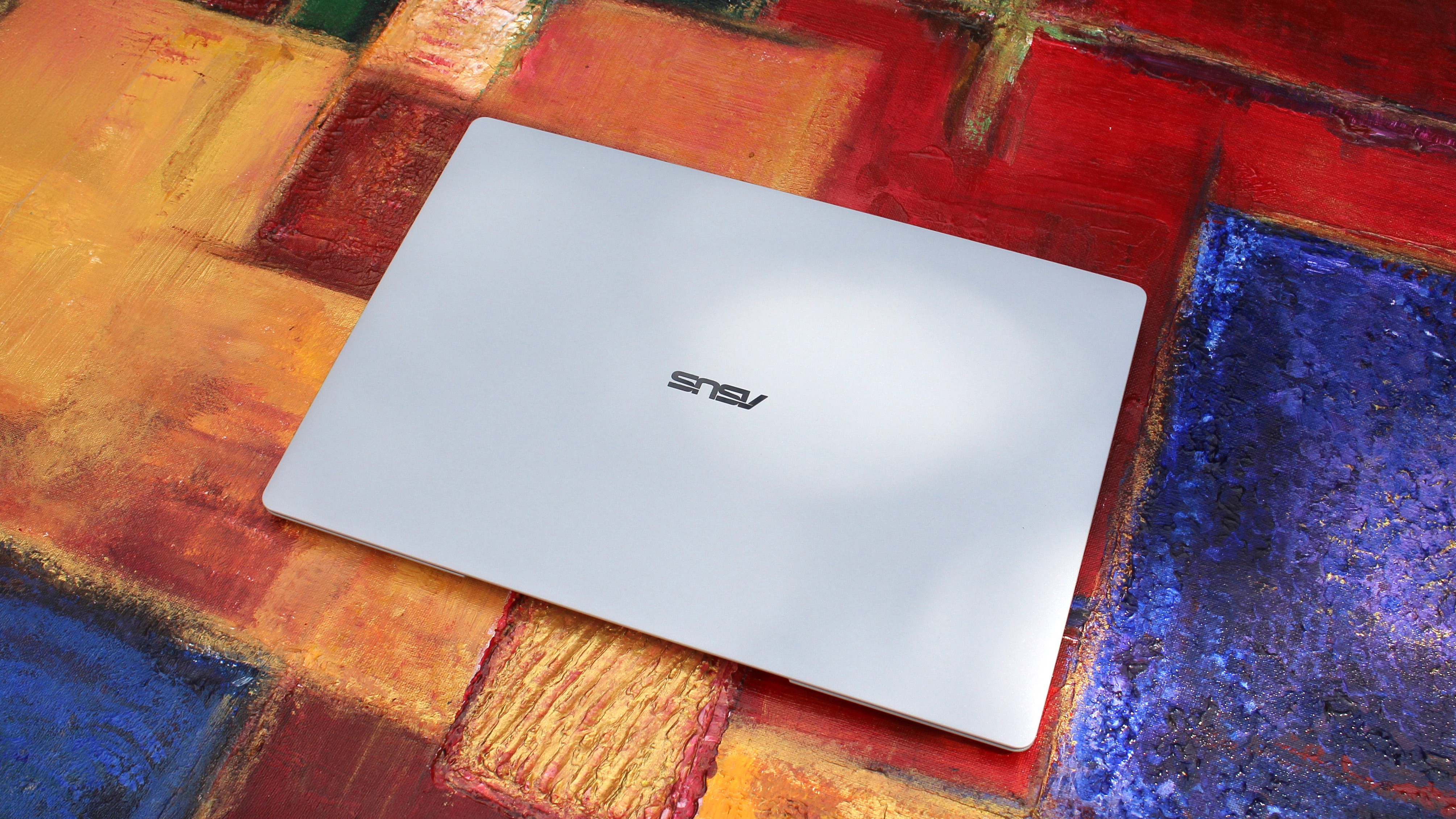
It looks great when closed (Image credit: Zac Bowden / Windows Central)
The ASUS ExpertBook Ultra is available now from ASUS for an eyewatering $3,599.99. This will net you the same spec reviewed here, with an Intel Core Ultra X7 358H, 32GB RAM, and an Intel B390 GPU. That also includes the Tandem OLED 3K display. Of course, that is ludicrously expensive, so my advice is to wait for sales or try your luck at a third-party retailers like Best Buy.
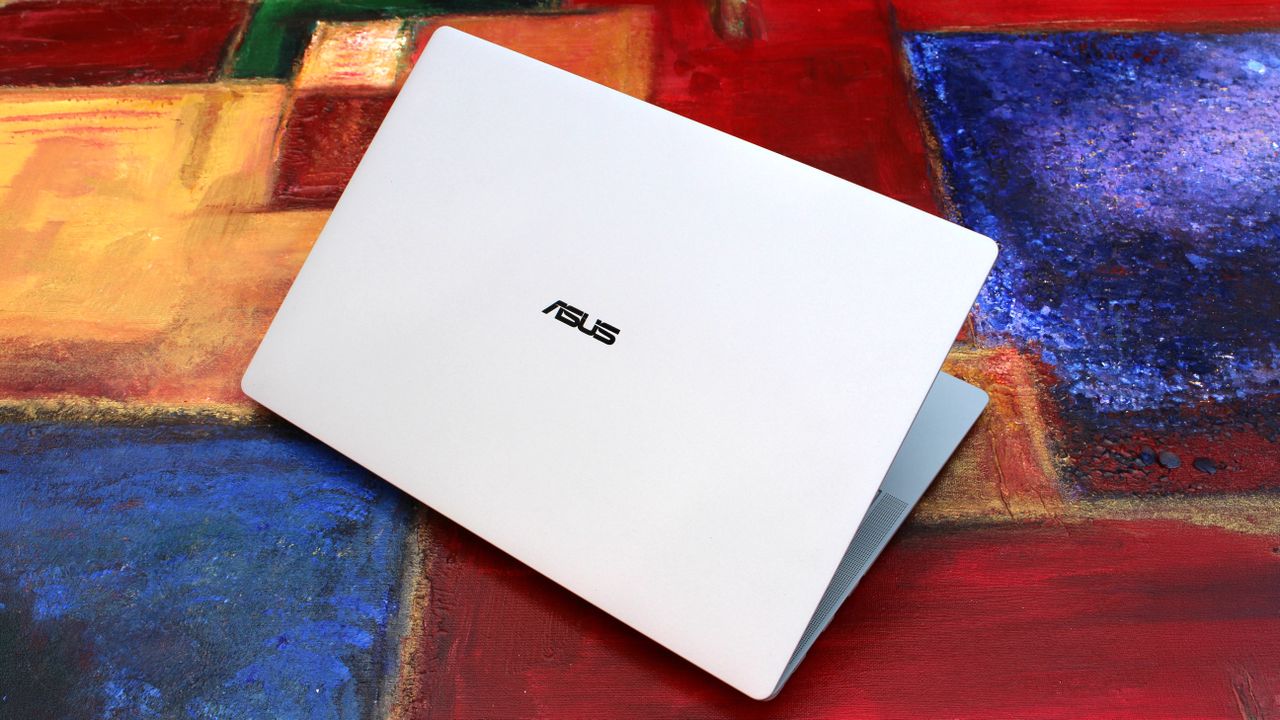
It's available in both black and light-gray colorways, and in this review we spent time with the light-gray model which I think looks best.
ASUS
ExpertBook Ultra (2026)
The HP OmniBook Ultra is a premium thin-and-light laptop engineered for elite performance, all day battery life, and immersive visual experiences.
Category
Specification
Dimensions & Weight
10.9 mm thin | 0.99 kg (2.18 lbs)
Chassis Build
Aviation-inspired Magnesium-Aluminum Alloy with Nano Ceramic Technology (9H Durability)
Processor
Up to Intel® Core™ Ultra X9 Series 3 (Intel vPro® support)
AI Performance (NPU)
50 TOPS NPU (Up to 180 total-platform TOPS)
Graphics
Up to Intel® Arc™ Pro Graphics
RAM
Up to 64 GB LPDDR5x
Display
14-inch 3K Tandem OLED Touchscreen
Display Features
Up to 1400 nits HDR peak brightness, 30–120 Hz variable refresh rate, 100% DCI-P3 / sRGB color gamut
Screen Glass & Coating
Corning® Gorilla® Glass Victus® with Gorilla® Matte Anti-Reflective Coating
Cooling System
ASUS ExpertCool Pro (Up to 50W TDP performance in Turbo mode; under 28 dB in Balanced mode)
Audio
6-speaker system (2 dual-magnetic woofers + 2 tweeters) with AI noise cancellation
Webcam & Biometrics
High-resolution camera with Windows Hello IR face recognition & Match-On-Chip fingerprint sensor in power button
Up to 26 hours battery life; Fast charging (50% in 30 minutes via USB PD 3.0)
I/O Ports
2 x Thunderbolt™ 4 Type-C (Power Delivery & DisplayPort) 1 x USB 3.2 Gen 2 Type-A 1 x HDMI 2.1 TMDS 1 x 3.5 mm Audio Combo Jack
Wireless Connectivity
WiFi 7 (802.11be) with Laser Direct Structuring (LDS) antenna
Security
ASUS ExpertGuardian (NIST SP 800-193 compliant), Discrete TPM 2.0, Microsoft Pluton, Secured-core PC
What I love
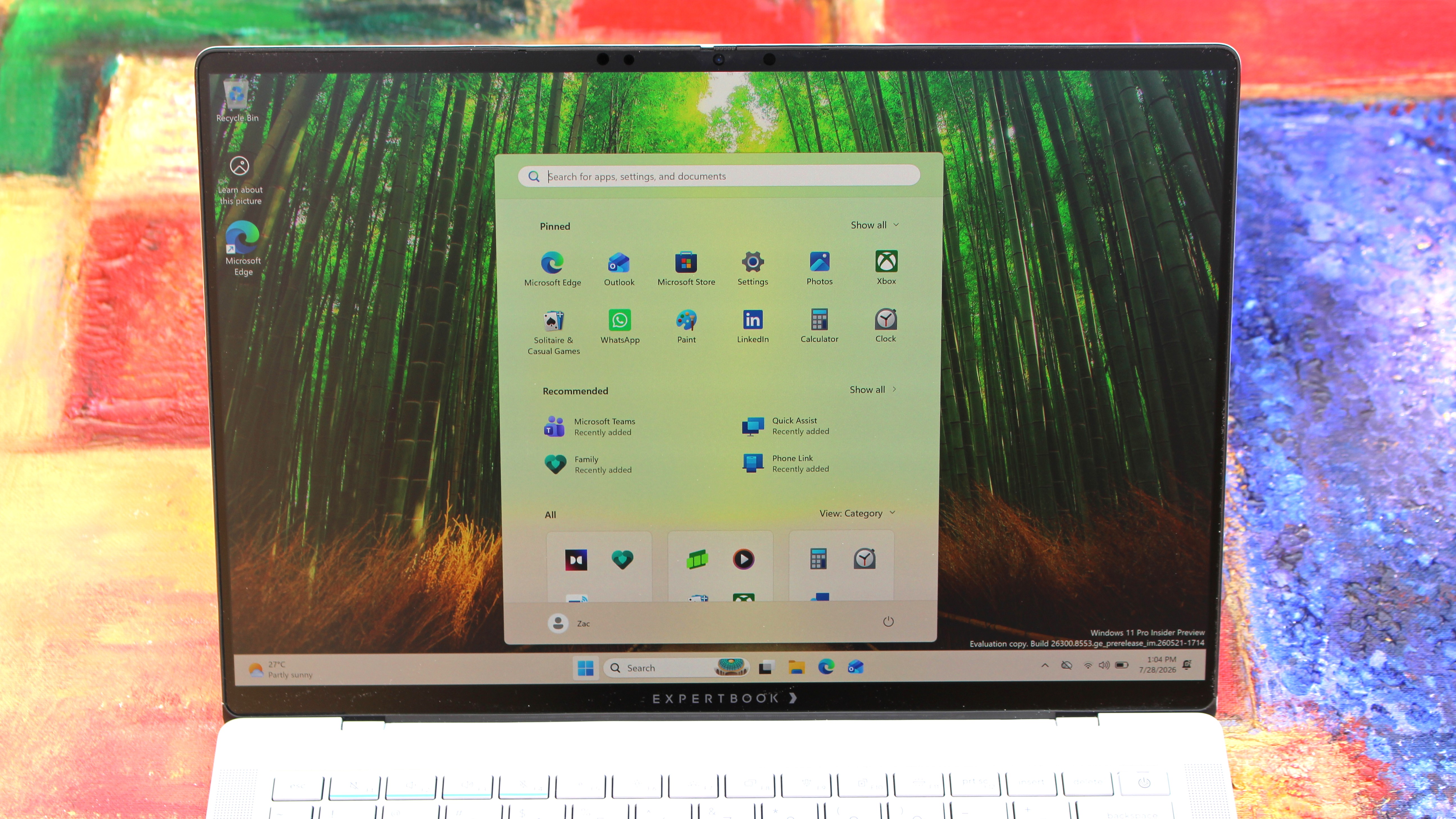
The display is best-in-class (Image credit: Zac Bowden / Windows Central)
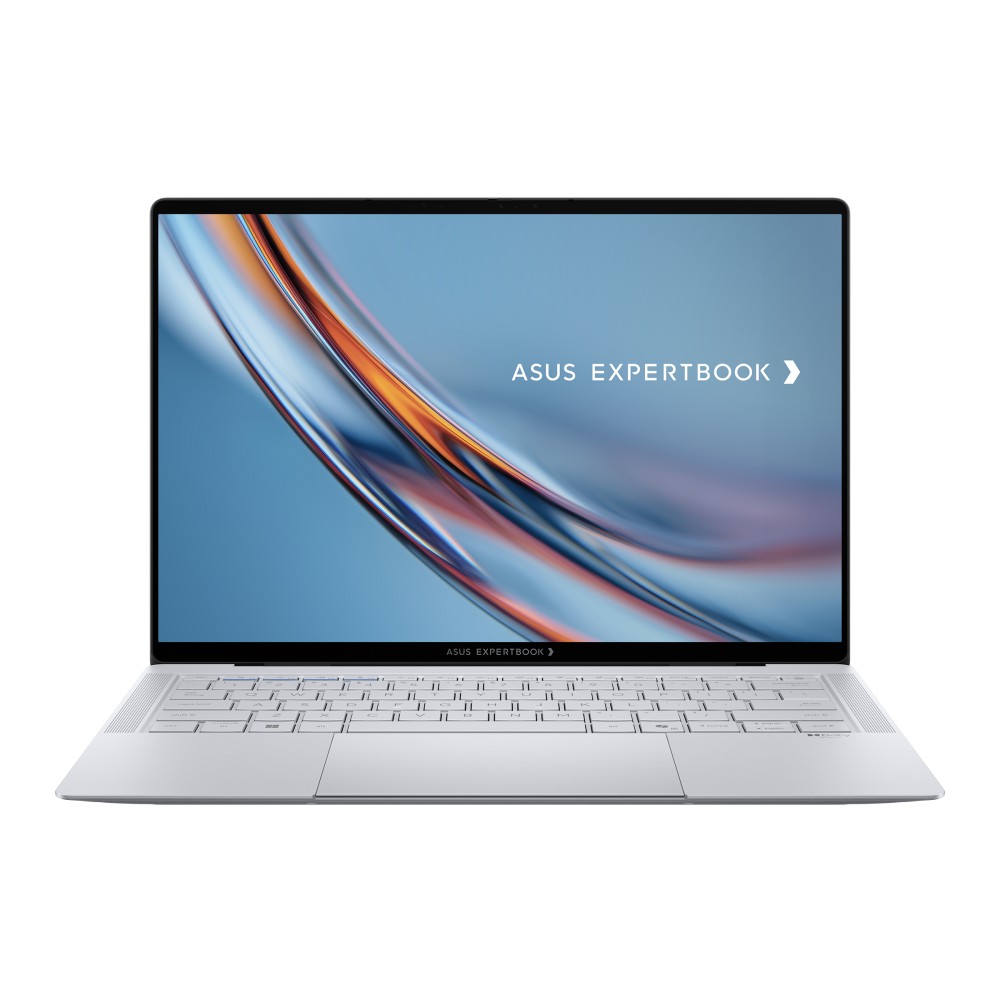
Kicking things off, let's talk about design. In a word, I love the design of the ExpertBook. It's proof that business laptops need not be boring and corporate. The ExpertBook is anything but, featuring ultra-thin bezels and a unique finish on the chassis that ASUS calls Nano Ceramic Technology.
This Nano Ceramic feels amazing. It provides a distinct, silky matte texture to the whole device, which makes it easy to grip and does a fantastic job at hiding fingerprints and scratches. The device itself is also shockingly light and thin, coming in at just 0.99 kg and measuring a razor-thin 10.9 mm in profile. It's an almost impossibly light device, easily maneuverable with one hand and disappears when placed into any backpack, making it an excellent travel companion.
Simply put, the laptop strikes a great balance between executive minimalism and futuristic flair. That futuristic flair is best showcased when opening the laptop. Every time you open it, a lightbar that exists below the display will light up to let you know that the laptop is booting or waking up from sleep. ASUS calls this bar the "ExpertLumi" lighting system, and it provides an ambient glow whenever the device is booting or restarting.
The ExpertBook Logo hides lights underneath (Image credit: Zac Bowden / Windows Central)
You can turn off the ExpertLumi bar if you don't like it, but honestly, why would you. It's something unique about the device which I love, and it's not used often enough for it to be annoying. It's there when you boot up, or power off, and that's about it.
Above the ExpertLumi bar is the incredible 3K Tandem OLED 14-inch display. It's arguably the best thing about this laptop, offering great color contrast, colors that pop, and a high 120Hz refresh rate that makes scrolling and animations super smooth.
Attribute
Specification
Panel Type
3K Tandem OLED Touchscreen
Peak Brightness
1400 nits HDR
Refresh Rate
30 - 120 Hz Variable
Color Accuracy
100% DCI-P3 / 100% sRGB
Glass Protection
Corning Gorilla Glass Victus with Matte Finish
The display also features Corning Gorilla Glass Victus, complete with a matte finish that's designed to remove reflections and make the screen easy to see outdoors. It works wonders, with this laptop being one of the best when it comes to viewing it outdoors on a sunny day.
With that said, the matte finish does mean text and image clarity is slightly reduced. It's not the end of the world, and the display is still plenty sharp, but if you're used to high-resolution glossy displays like myself, the matte finish on this display will make text seem a little fuzzier around the edges.
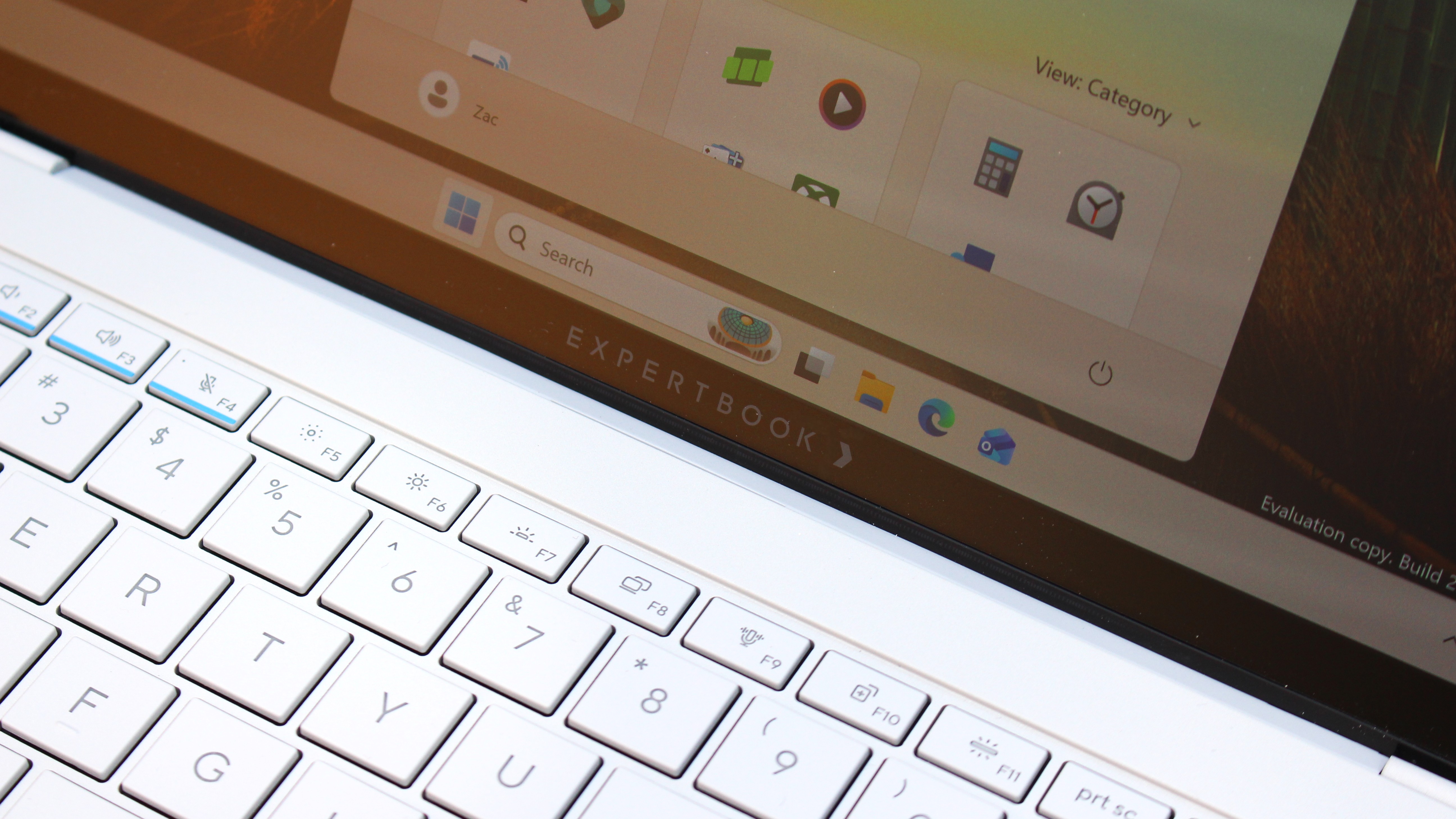
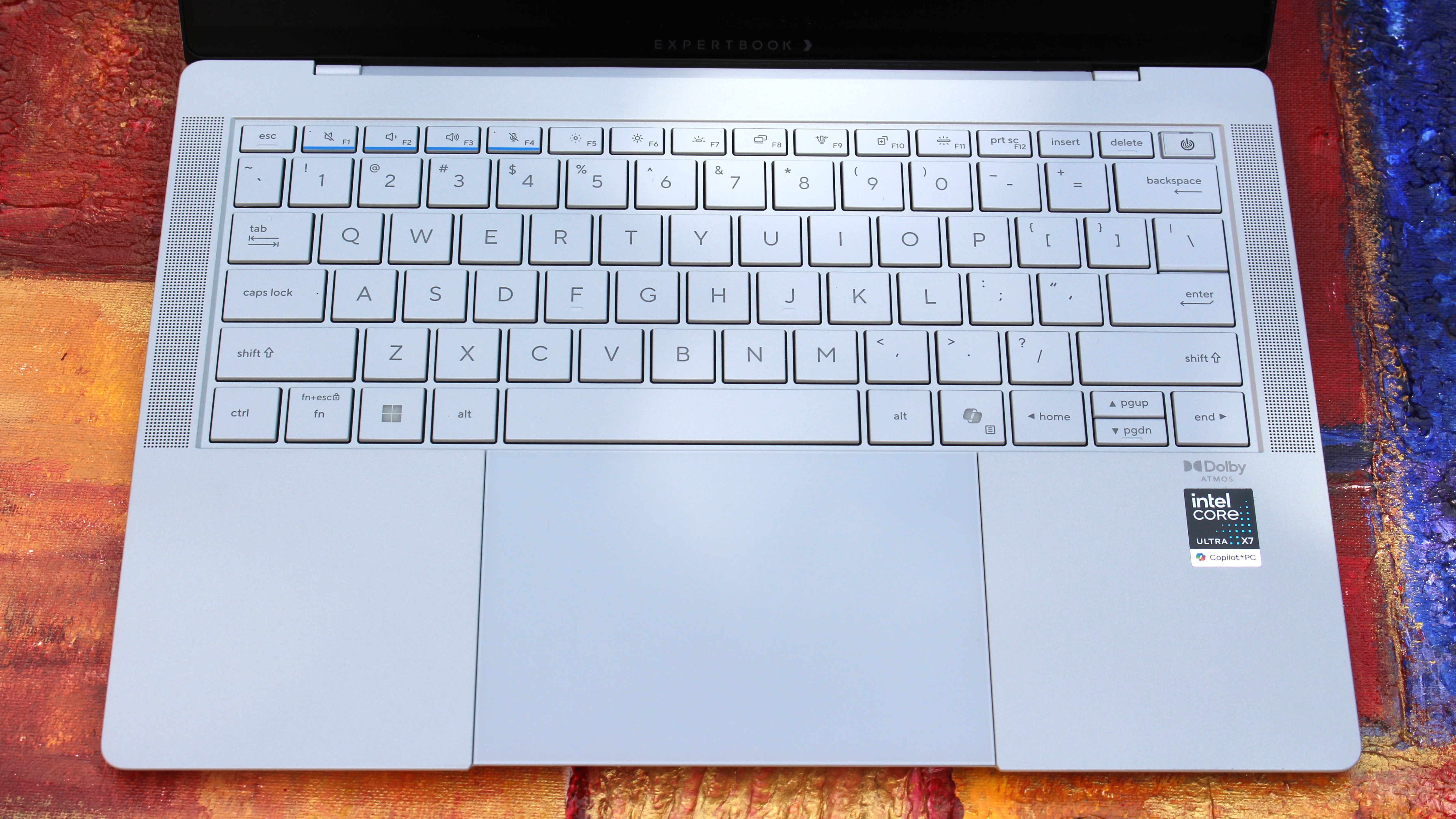
The keyboard and trackpad are faultless (Image credit: Zac Bowden / Windows Central)
In regards to the keyboard and trackpad, I have no notes. Both are perfect and feel incredibly satisfying to use. The trackpad is a haptic one, which is tuned perfectly so that it feels natural to use. Its design is also quite unique, as the trackpad itself runs all the way to the very edge of the device.
That means the trackpad hangs over the edge of the device, which doubles as a convenient place to place your finger when prying the lid open. On that subject, the lid is openable with one-hand, for those who care about that sort of thing. The keyboard is excellent to type on, with a quiet yet tactile feel that makes typing easy.
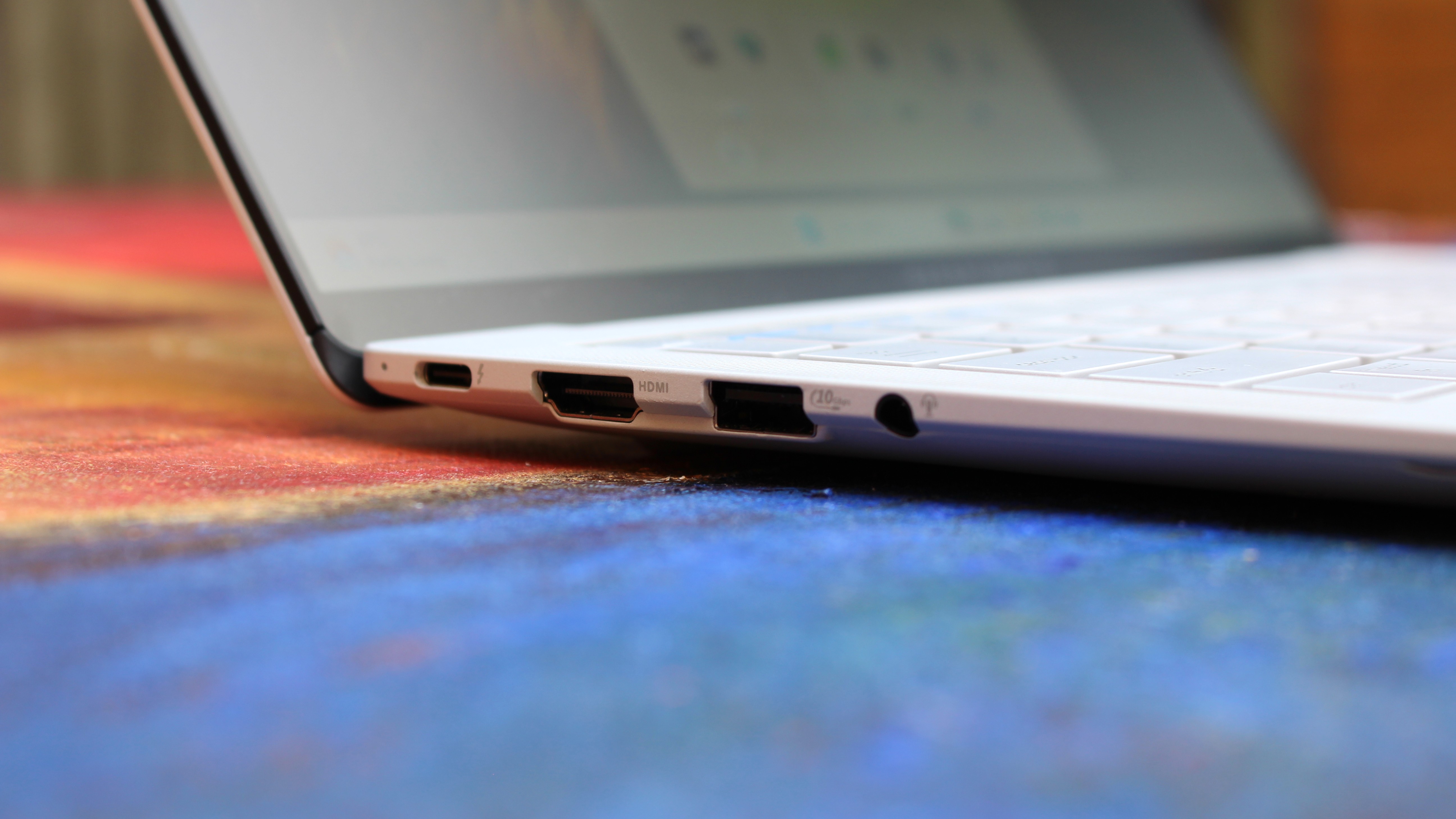
Coming onto the ports selection, I'm happy. There's plenty of ports on this device, all of which are well spec'd. We have two Thunerbolt 4 Type-C ports, supporting up to 40Gbps of data, as well as one USB-A 3.2 Gen2 port 1x full-sized HDMI 2.1 port, and a 3.5mm audio jack. The only port I'd say it's missing that I wish it had is an ethernet jack, but I'm content without one.
The webcam, microphone, and speakers are also great, which you'd hope would be the case on a business-focused laptop. Image quality is crisp and clear in well lit environments, with the picture only getting a little noisy in low-light environments. Perfectly acceptable for video calls at work.
What's not good
I just looks so good (Image credit: Zac Bowden / Windows Central)
The ASUS ExpertBook Ultra is mostly great, which means I have very little to talk about that I'd class as "not good" about the ExpertBook. One issue that plagued my review unit it the laptop's hinge, which was very loose out of the box, so much so that the device wouldn't stay at a usable angle when typing.
This is a pretty big issue, but ASUS was quick to assure me that this was simply a pre-production issue and would not be the case on final units, which are now shipping. I can confirm that retail units that I have tested do not have this problem, though it's worth keeping an eye out just in case. If your laptop's hinge is super loose to the point where it won't stay upright when typing, make sure you get it exchanged.
The only other "issue" which isn't really an issue is the matte finish on the display. It really does come down to personal preference here, and I just prefer glossy screens over matte finishes. The matte finish on this display takes away from the color contrast you usually get on OLED displays, colors are a little more washed out and text and images are a little less sharp around the edges.
I wish ASUS offered the ExpertBook Ultra with multiple display configurations so I could choose one without the matte finish.
I think the real big problem with this laptop is its price. It's $3,599, which is an absurd price which, even when a laptop is this good, isn't worth it. The ongoing component shortage is the reason why pricing is this high, but as a result this is a super hard recommend to anyone that isn't buying these in bulk for a fleet of executives and managers.
Performance & Battery
Plenty of ports (Image credit: Zac Bowden / Windows Central)
Powering things under the hood, we have an Intel Core Ultra X7 358H paired with 32GB RAM and an Intel Arc B390 GPU. This is a very well equipped PC with plenty of power under the hood for day to day productivity tasks, multitasking, and even video and photo editing and rendering.
In fact the Intel B390 GPU in here is more than just your typical integrated graphics. It balances efficiency with power, resulting in an integrated graphics chip that is surprisingly capable at gaming when settings are lowered to 1080p medium. With that in mind, this is not a gaming laptop and should not be judged as one.
Although the device is super thin, the ExpertBook is still plenty capable. It keeps that Intel Core Ultra cool, allowing the CPU to boost up to 50W TDP in Turbo Mode without thermal throttling issues. In day-to-day productivity tasks involving handling dozens of browser tabs, streaming 4K video, compiling code, and running local AI tasks via its 50 TOPS NPU, the machine stays remarkably quiet (under 28 dB in Balanced mode) and snappy.
In regards to battery life, this laptop will last you all day on a single charge with no sweat for your usual day to day productivity task workflows. Obviously, that number will be less if you're doing high-intensity tasks, but for the most part you should be able to leave your charger at home for an office-based productivity workday.
Metric
Real-World Expectation
Battery Life (Light Usage)
Up to 18–20 hours
Battery Life (Heavy Workday)
12–14 hours comfortably
Fast Charging
0 to 50% in ~30 minutes via USB-C PD
Conclusion
It's the best business laptop yet. (Image credit: Zac Bowden / Windows Central)
You should buy this PC if...
✅ You want a lightweight flagship Windows laptop
✅ You need a PC with an anti-reflective screen and Tandem OLED
✅ You need lots of ports on your laptop
You should not buy this PC if...
❌ You prefer glossy displays
❌ You don't want to spend over $3,000 on a laptop
❌ You're a hardcore gamer who wants to game
Ultimately, the ASUS ExpertBook Ultra is an incredible laptop, but at $3,599, it's not something I can recommend most people go out and buy. It's just too expensive for what it is, even if it is an almost perfect thin and light laptop.
If we ignore that stupidly high price tag, I have very little to complain about here. The Nano Ceramic material that coats the chassis is unique and looks and feels amazing. Its lightweighted-ness is also otherworldly, and the Tandem OLED display is to die for, even with its matte finish which I'm not a huge fan of.
If you can find the ExpertBook Ultra on sale for less than $2,500, this gets a recommendation from me. Anything more than that, and I think you should probably look elsewhere as there are many other laptops that cost lest that do a great job at matching the ExpertBook Ultra in design and performance.
ASUS
ExpertBook Ultra (2026)
The HP OmniBook Ultra is a premium thin-and-light laptop engineered for elite performance, all day battery life, and immersive visual experiences.
Samsung’s record second-quarter earnings masked losses in its consumer-device businesses, making the Fold8 lineup more important to its Asia mobile strategy.
Apple's new Apple Upgrade program lets US customers lease iPhones, Macs, iPads, and Apple Watches. Here's how it works and whether it's better than buying.
Google will unveil the Pixel 11 on Aug. 12. Here's what Google has confirmed, what reputable reports suggest, and what remains unknown ahead of launch.

 Connexion