DNS4EU
dont je vous ai causé y'a pas longtemps, c'est le service de DNS co-financé par l'UE et opéré par une société tchèque nommée Whalebone. Et bizarrement, depuis des mois, cette société récupère auprès de l'organisation anti-piratage néerlandaise (la BREIN) des listes de sites pirates.
Du coup, les utilisateurs commencent à se poser des questions... Pourquoi faire ?
Et bien d'après les dernières nouvelles, ils ne s'en servent pas.
La BREIN envoie automatiquement sa liste contenant +300 sites bloqués vers DNS4EU comme ils le font déjà avec les FAI, et je pense qu'ils voyaient ça comme une bonne astuce pour bloquer un maximum de sites illégaux.
Mais pas de bol, Whalebone a fini par expliquer que comme la BREIN n'était pas une vraie autorité de régulation, bah y'avait aucune raison qu'ils utilisent leur liste pour faire du DNS filtrant. Hé ouiiii.
Vous allez voir la nuance... En fait dans le cadre de l'appel d'offre de la Commission européenne en 2022, il était demandé à ce que le prestataire filtre le contenu illégal "sur base légale", donc sur ordonnance d'un tribunal. Par exemple, ça a déjà été le cas avec la France, qui a ordonné
par décision de justice de bloquer certains sites sur DNS4EU
.
Mais cette liste de la BREIN s'appuie uniquement sur des décisions de justice obtenues CONTRE les FAI néerlandais et pas contre DNS4EU. Ah ils sont trop malins !
Après côté usage, ça reste un DNS classique avec cinq profils au choix, un qui bloque juste le malware et le phishing, un qui ajoute le blocage des pubs, un avec protection des enfants, la combinaison des deux, et un "unfiltered" sans le moindre filtre (86.54.11.100 si ça vous tente). Le filtrage, c'est vous qui choisissez, les blocages imposés par la justice mis à part.
Et sur les 63 millions de blocages décidés par DNS4EU lui-même, l'écrasante majorité c'est du phishing et des arnaques, pas du téléchargement. On est donc trèèèès loin de ces cinglés de flics du copyright. Pour l'instant en tout cas...
Je dis "pour l'instant" parce qu'actuellement, on est dans un contexte où la justice européenne serre la vis partout, avec par exemple la France qui ordonne aux VPN de filtrer ou encore l'
Italie avec son Piracy Shield
qui veut faire plier Cloudflare. Mais bon, pour le moment, ce DNS souverain a su dire qui dit "nee" (c'est comme ça qu'on dit "non" en néerlandais) à ces fifous d'ayants droit et pour ça, je les remercie.
Après, un DNS qui propose en option de bloquer ou non les pubs, ça ne me gêne pas une seconde. Mais si un jour c'est pour faire du DNS menteur histoire de faire plaisir aux ayants droit, là ce sera boycott direct pour moi. Bref, je surveille ça de près et je ne manquerai pas de vous tenir au courant.
Decrazyo vient de sortir
ANES
, un mod hardware qui transforme votre vieille NES en lui collant un deuxième PPU, la puce graphique de la console.
Résultat, plus de couleurs à l'écran, plus de sprites, et même du parallax scrolling, ces décors qui défilent sur plusieurs plans comme sur les bornes d'arcade. Que des trucs que la petite Nintendo de 1985 n'a jamais su faire, la miskine.
Le hic, c'est qu'il vous faut deux NES pour ça. Une qu'on garde, et une qu'on démonte pour lui piquer son PPU (le fameux RP2C02) pour ensuite le greffer sur la première via une carte maison bardée de logique. Ensuite (et attention, ça devient technique), un démultiplexeur 74LS139 aiguille le processeur vers l'un ou l'autre PPU selon l'adresse mémoire, un latch 74LS373 verrouille les signaux, et 8 Ko de RAM statique dédiée alimentent le second PPU.
En gros, le CPU jongle entre deux cartes graphiques au lieu d'une. C'est tout ce que vous devez savoir.
Pour comprendre pourquoi c'est énorme comme news, faut bien se rappeler les limites de la bestiole. La NES affiche 25 couleurs à l'écran maximum, piochées dans une palette de 64. Et elle ne dessine que 8 sprites par ligne horizontale, d'où le clignotement légendaire des persos quand ça se bouscule (les vétérans de Mega Man voient de quoi je parle). Alors qu'avec deux PPU qui bossent en parallèle, vous doublez le budget graphique d'un coup.
Decrazyo est le premier à reconnaître que personne ne va se lancer là-dedans parce que c'est bien relou à faire. Faut déjà sacrifier deux consoles, sortir le fer à souder, dessouder des puces et se taper du wire-wrap sur une carte prototype. On est dans de la bidouille de l'extrême, celle qu'on fait
pour la beauté du geste
.
Sauf que, bonne nouvelle les amis, vous allez pouvoir goûter au résultat sans flinguer la moindre console puisque decrazyo a forké l'émulateur Mesen2 pour simuler le double PPU. C'est dispo en build "Dual PPU Mesen 2.1.1" sur Windows, Linux et macOS, Intel comme Apple Silicon. Vous chargez la démo, et vous voyez de vos yeux ce que donnerait une NES dopée.
Ça me rappelle vraiment pourquoi j'adore toujours la
scène homebrew NES
, 40 ans après. Ces gens sans amis, ni famille (je plaisante, humour, humour, pas taper !) qui continuent de
tordre ce hardware
dans tous les sens juste pour voir jusqu'où il peut aller, c'est fou ! Les schémas KiCad et le code sont
sur le GitHub de Decrazyo
, sous licence GPL, si vous voulez fouiller.
Afska, le développeur derrière une flopée d'outils pour Game Boy Advance, a eu avec son studio [r]labs une idée géniale ! Ça s'appelle EmuDevz, et c'est un jeu vidéo dans lequel vous devez coder votre propre émulateur NES. Et pas en cliquant sur des boutons comme un loser, hein mais en pissant du vrai code pour le processeur, la puce graphique et la puce audio de la console de Nintendo.
L'émulation, normalement, c'est un truc réputé aride où vous passez des semaines le nez dans la nesdev wiki à piger comment le 6502 gère ses cycles d'horloge. Et pourtant, là, tout devient clair et facile puisque vous avez un éditeur de code intégré façon shell Unix, et vous implémentez le CPU, le PPU et l'APU dans l'ordre que vous voulez. Puis au fil de votre progression, vous débloquez des ROMs et des homebrews à faire tourner dans l'émulateur que vous venez de pondre. Et pour vérifier que votre code tient la route, le jeu fournit même des tests unitaires, des tests vidéo et des tests audio.
Mais le truc qui m'a scotché dans ce "jeu", c'est le debugger. Dans celui-ci, vous avez droit à un visualiseur de mémoire, un log d'instructions, les nametables, la CHR, les sprites, les palettes, les canaux APU affichés un par un, le monitoring du contrôleur... l'arsenal complet du mec qui développe pour de vrai, mais emballé dans une interface gaming. Y'a même un tuto interactif pour apprendre l'assembleur 6502 si vous débarquez sans rien connaître...
Voilà, c'est génial pour apprendre des concepts liés à l'émulation et au développement de jeux retro. On savait déjà qu'il était possible d'
apprendre Prolog grâce aux Pokemon
ou de recréer une
carte 3dfx de zéro
et voilà que maintenant, on nous propose carrément de dompter l'émulation de la NES.
Puis surtout, une fois que vous maitriserez un peu plus, le mode libre de EmuDevz vous permettra de commencer à coder des émulateurs pour d'autres systèmes. Ah et y'a même une bande son retro-synthwave dans l'appli pour se mettre dans l'ambiance.
The Razer Seiren V3 Pro arrives as a pro‑level streaming microphone that finally feels like the centerpiece of Razer’s recent run of impressive peripherals. It pairs studio‑grade hardware — a large 30 mm dynamic capsule, USB‑C and XLR outputs, and tactile controls — with deep Synapse software and Chroma RGB flair, aiming to satisfy both serious creators and RGB enthusiasts.
This review cuts through the marketing: I’ll show what the mic actually sounds like, how its software and features stack up against rivals, and whether it’s worth swapping in for your current setup.
Razerhad no input, nor did it see the contents of this review, prior to publication.
What it is
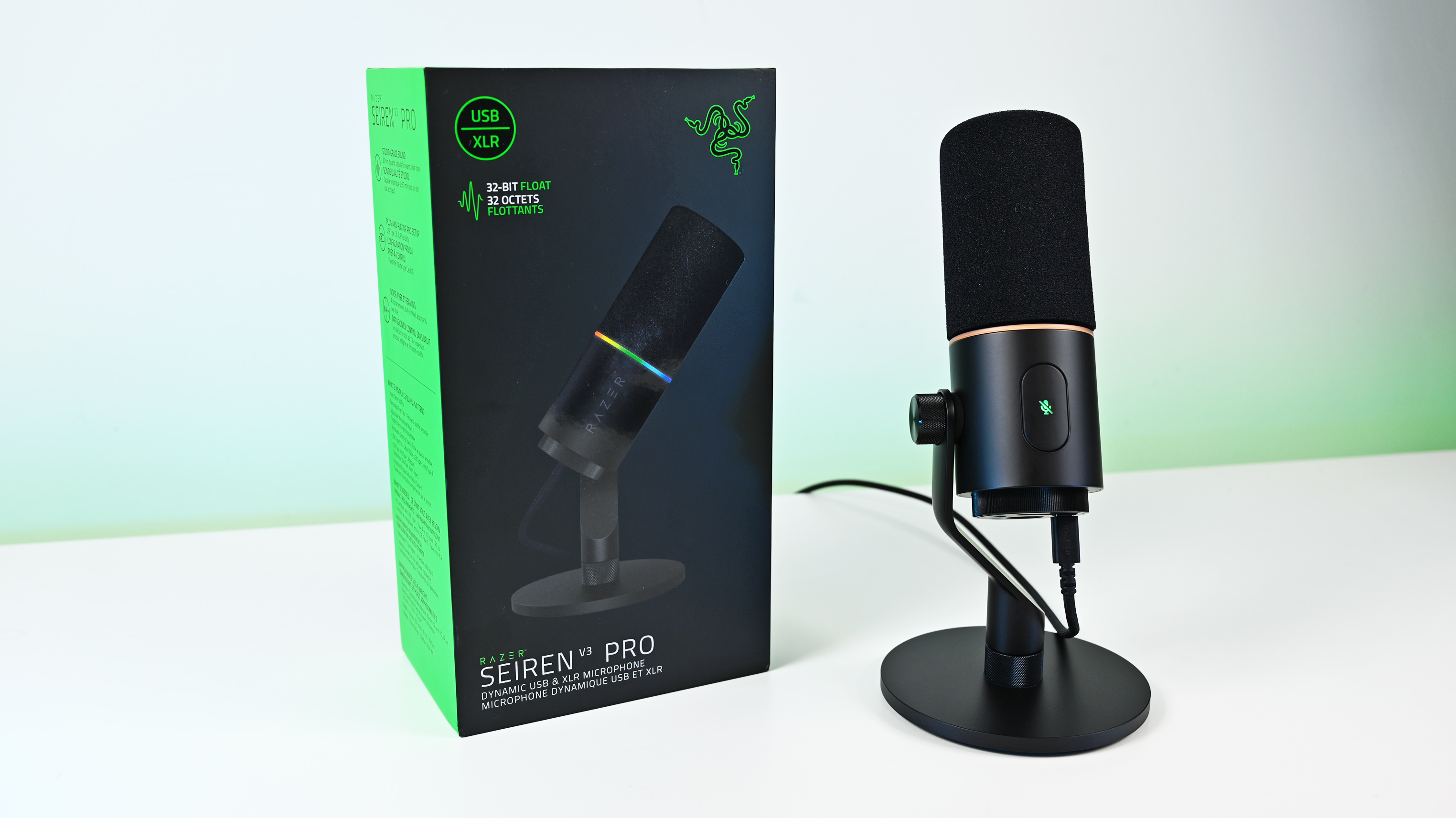
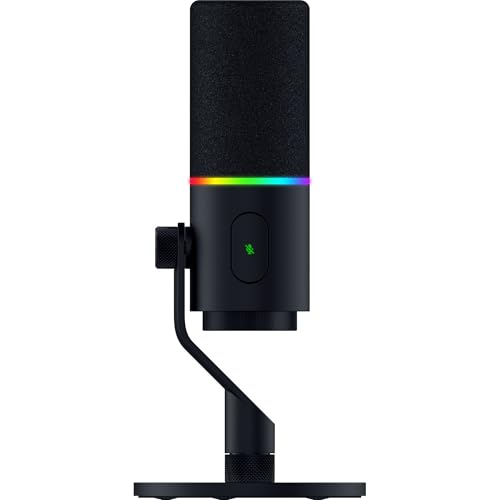
The Razer Seiren V3 Pro ($249.99 / €289.99) is a hybrid dynamic microphone tailored specifically for streamers, podcasters, and music producers.
At its heart sits a custom 30 mm dynamic capsule purpose-built to capture broadcast-style depth and natural warmth.
Structurally, it features a robust, resonance-resistant zinc unibody frame paired with an integrated, vibration-dampened adjustable arm mount.
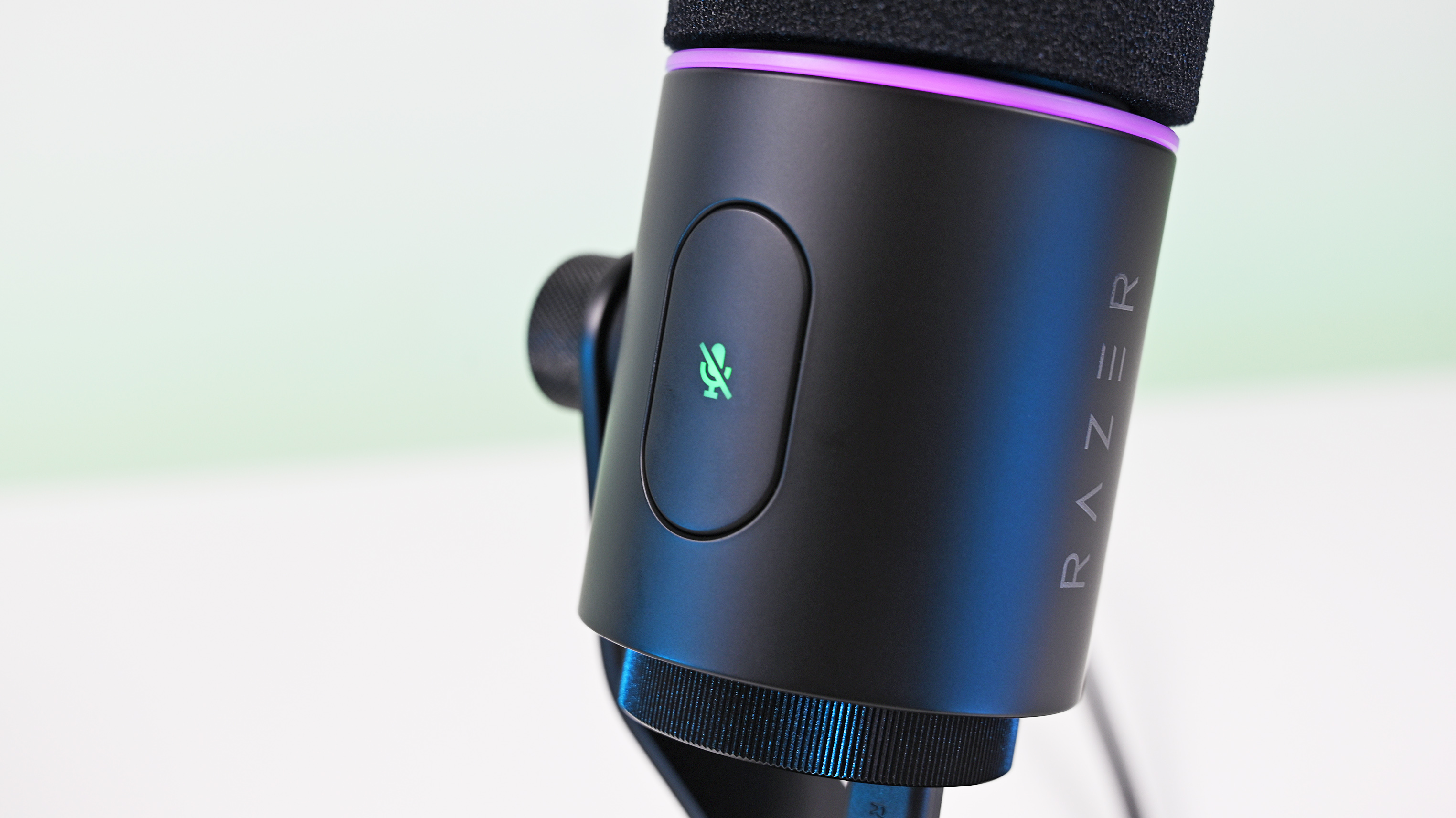
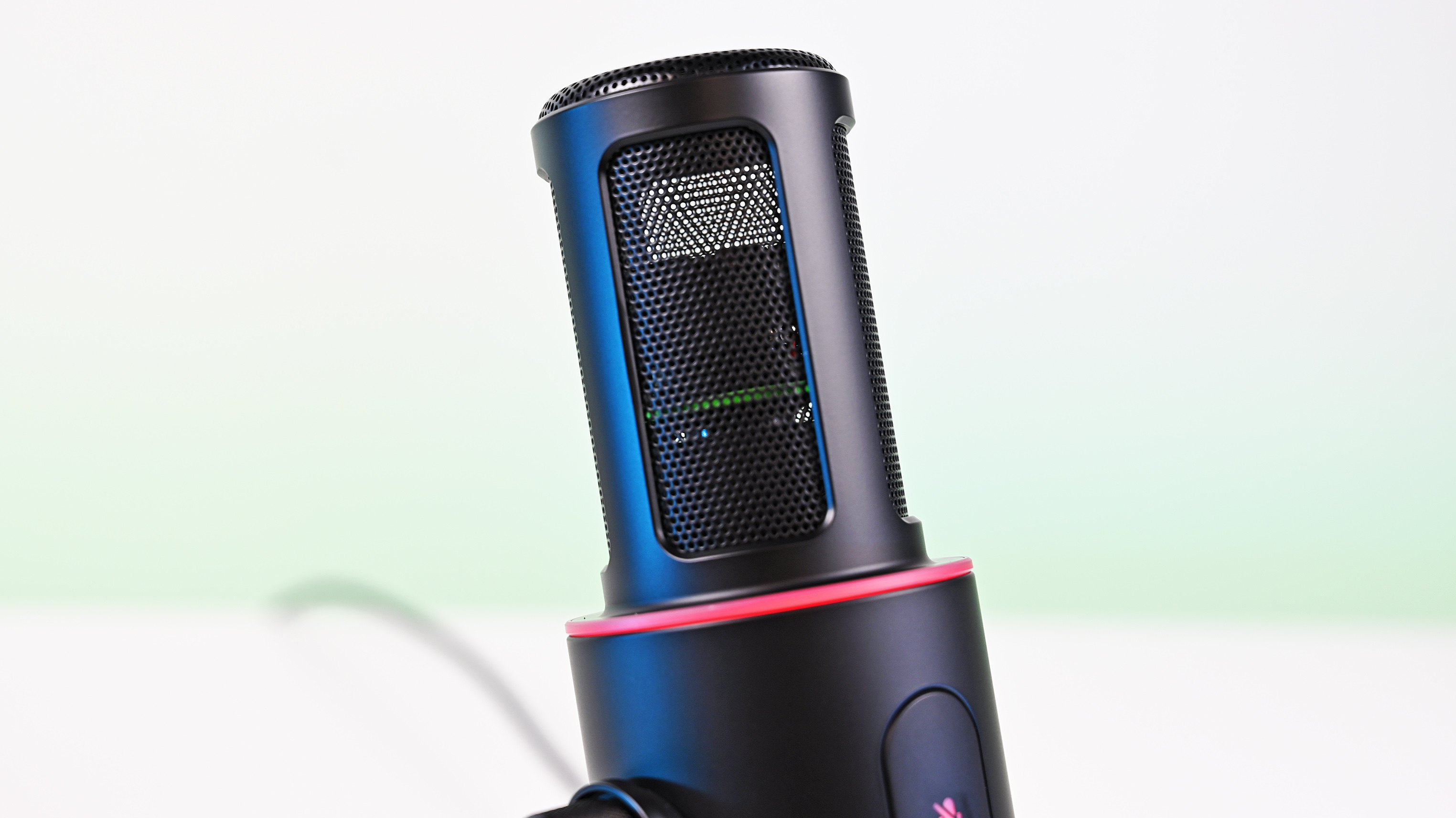
To round out its premium aesthetic, it includes a gorgeous Razer Chroma RGB lighting ring that doubles as a real-time status and live mute indicator, which can be enabled by the mic button.
Quick set up
(Image credit: Daniel Rubino)
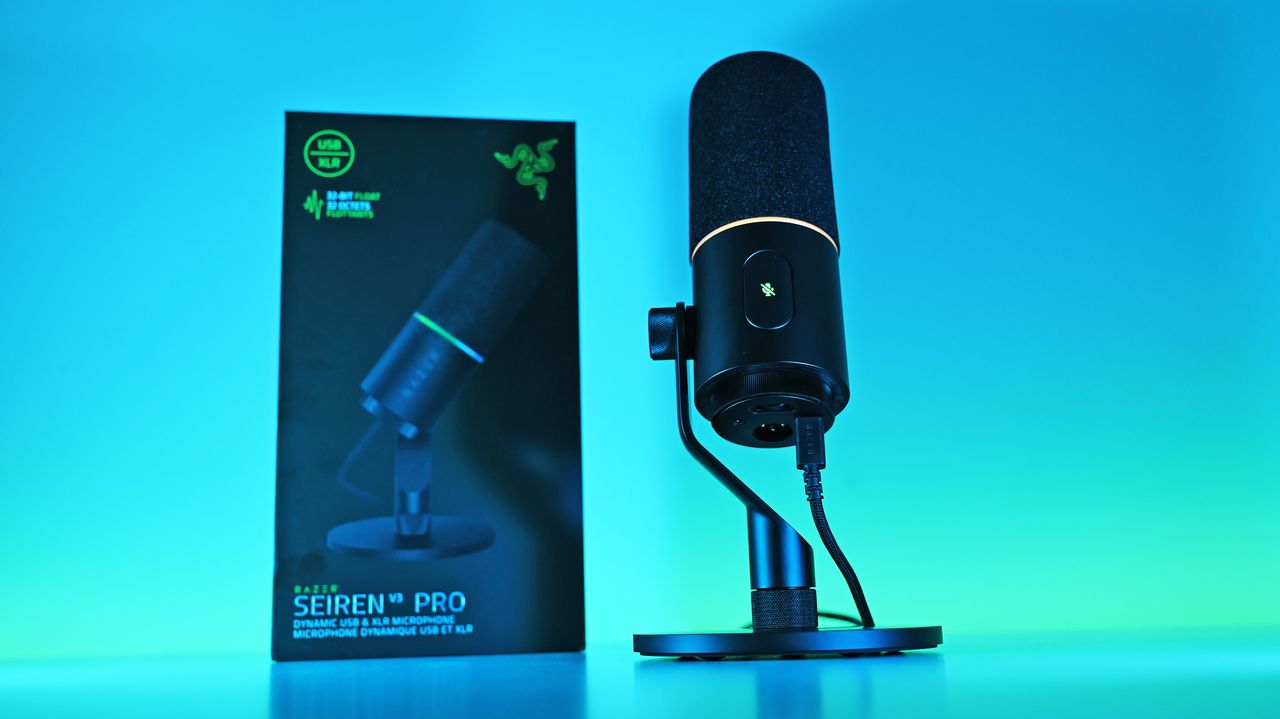
Unboxing the Razer Seiren V3 Pro is refreshingly simple. Unlike many high-end microphones that leave you scrambling to buy external accessories, this mic is entirely ready to rock right out of the box.
It features an included desktop stand, a built-in shock absorber, and a removable pop filter. Just plug it in via the included USB Type-C cable, complete a quick configuration, and you are up and running.
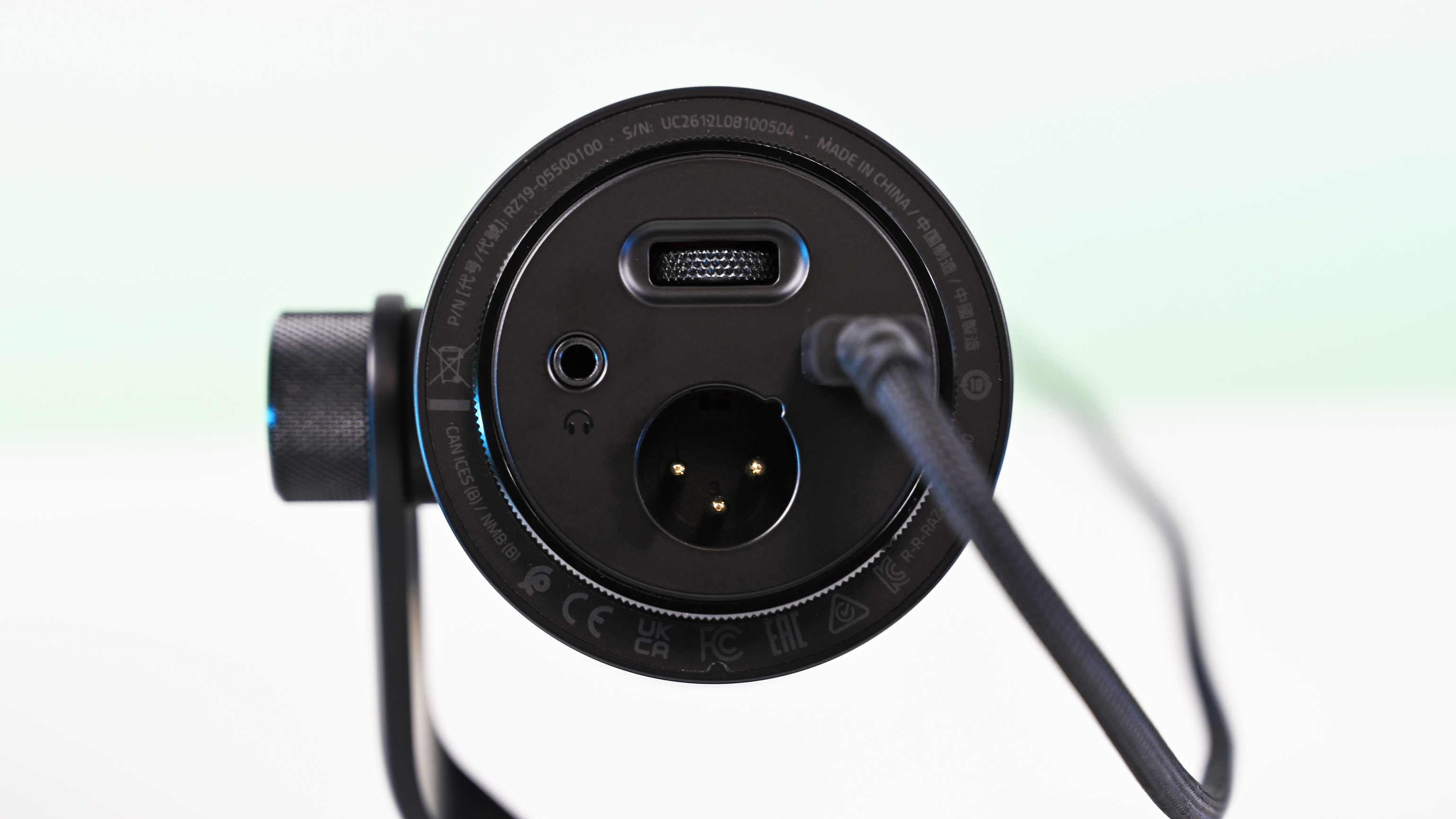
If you want to jump into the pro tier immediately, you can just as easily route an XLR cable (not included) straight from the base into an audio interface or mixer.
It’s a frictionless setup that gives you studio-grade enhancements with zero technical expertise required.
How it's different
USB, XLR, microphone port, and gain control are on the bottom of the Seiren V3 Pro. (Image credit: Daniel Rubino)
The Seiren V3 Pro separates itself from the pack by flawlessly bridging mainstream USB convenience and professional XLR performance.
Its primary direct competitor in this hybrid category is the HyperX Flipcast, which we've also reviewed. However, the Seiren V3 Pro secures a massive hardware victory right away: it includes a high-quality desktop stand and integrated shock mount in the box, whereas the Flipcast notoriously ships without a stand or boom arm, forcing an immediate extra purchase.
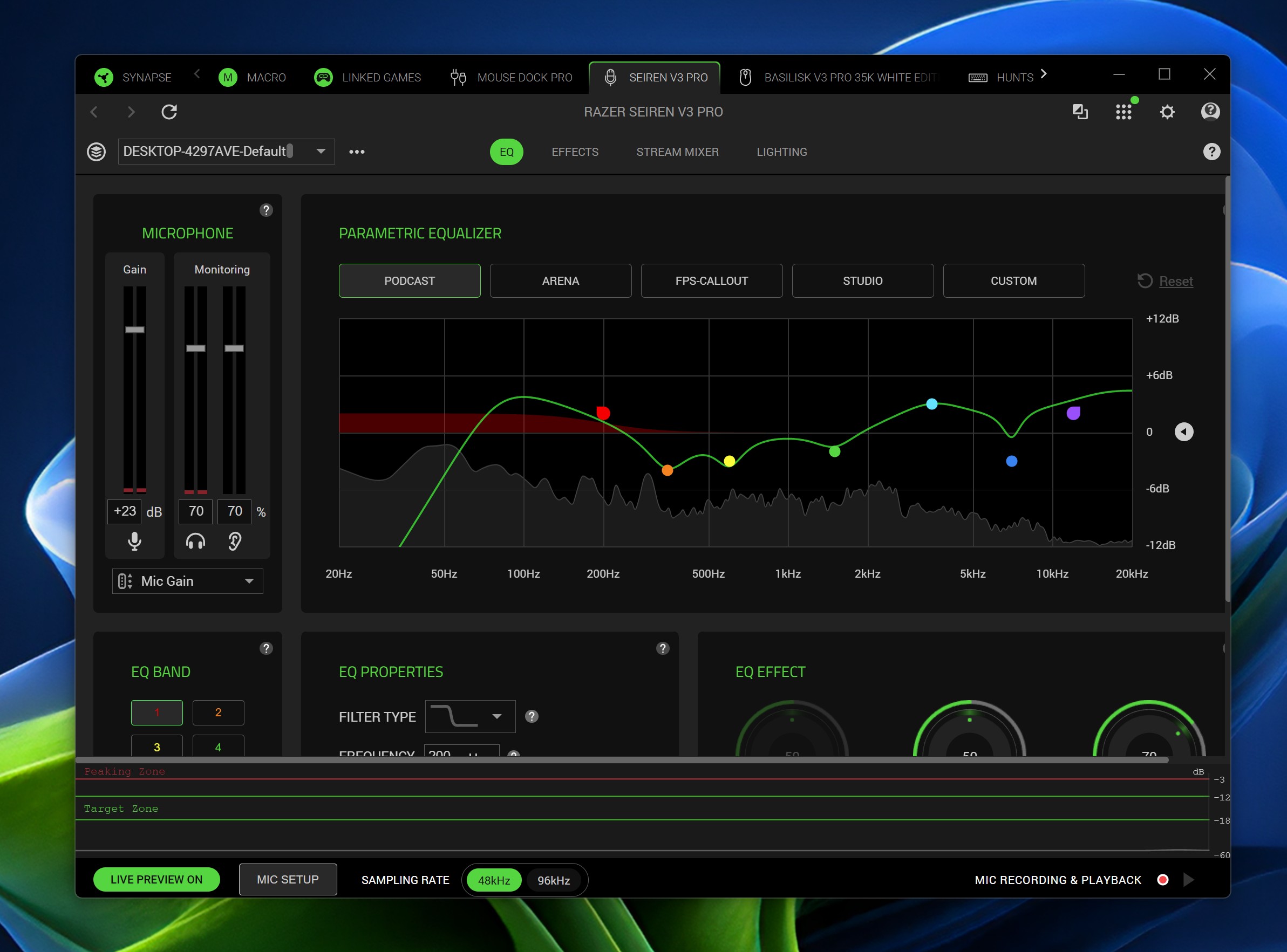
Furthermore, the software support here is on an entirely different level. While HyperX’s NGENUITY app offers rudimentary controls, Razer Synapse unlocks deep, granular audio customization:
32-Bit Float Support: Available via Synapse, this format captures a dramatically wider dynamic range to effectively eliminate digital clipping and distortion.
Advanced Audio DSP: Houses an advanced parametric EQ, noise gate, compressor, limiter, and AI noise remover directly powered by an onboard hardware engine.
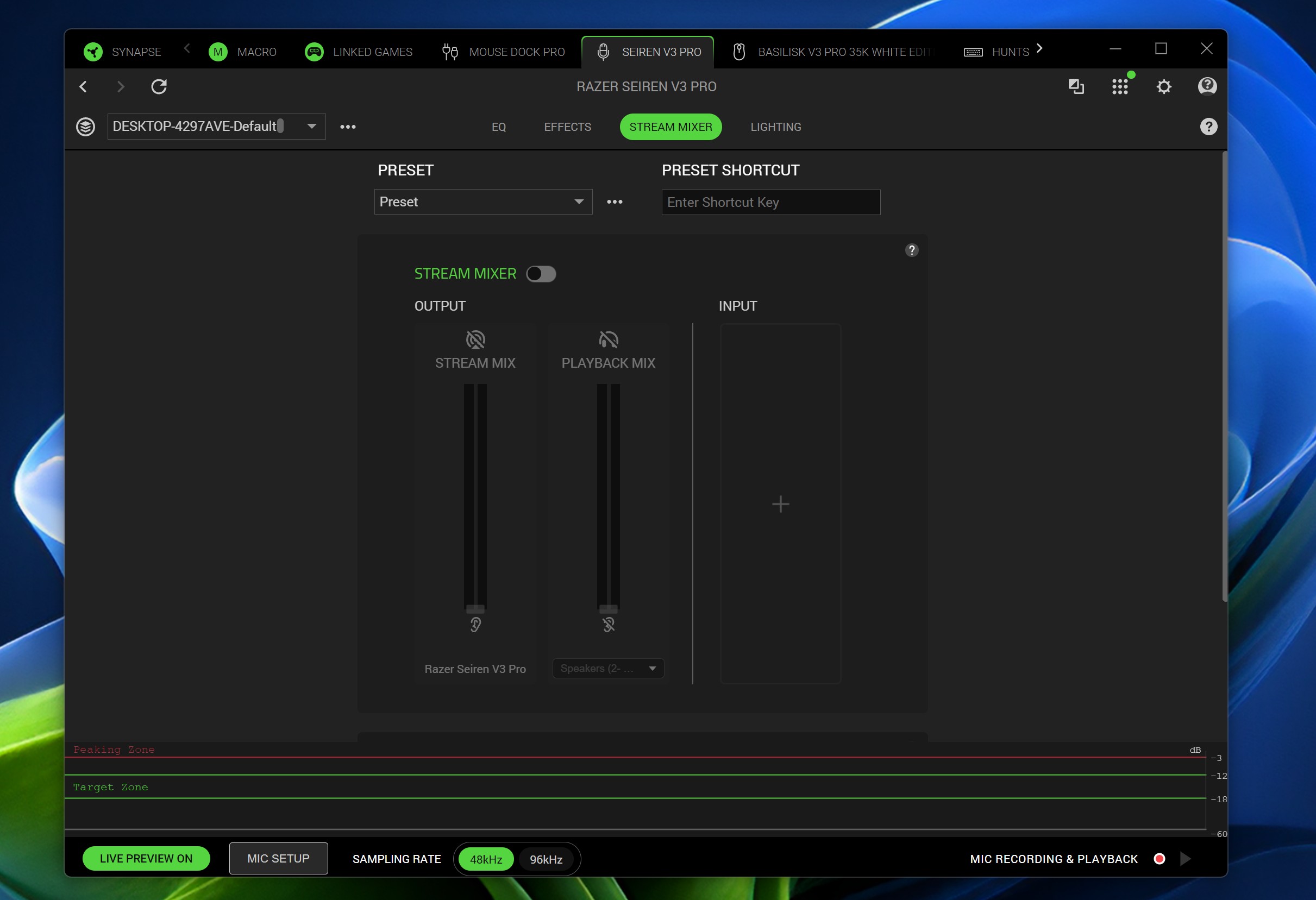
Synapse Advanced Mixing: Allows for multi-channel stream routing right within the application interface.
What it's great at
A big mute button on the side is enabled/disabled with a light tap, so you don't disturb the mic while on a mount. (Image credit: Daniel Rubino)
The biggest hardware triumph here is the dual-connectivity workflow. Having both USB-C and XLR connections on one microphone offers massive advantages, though it comes with standard hybrid trade-offs:
The Pros: It provides immense versatility. Newcomers can start with a simple, plug-and-play desktop configuration and seamlessly transition into an advanced analog signal chain down the road without buying a new microphone. Interestingly, you can keep both the USB and XLR cables plugged in simultaneously and dynamically switch between them on your Windows PC.
The Cons: You are paying a premium for dual internal electronics, and advanced Synapse software functions (like 32-bit float, the parametric EQ, and advanced mixing) are strictly limited to the digital USB connection.
During testing, there wasn't a noticeable difference in tonal warmth when swapping between the two connections, but the USB interface emerged as the clear favorite for me purely because it unlocks Synapse's superior sound features and DSP suite.
My experience otherwise with the mic has been great. You can hear it in action in the short review video accompanying this article, as well as on our recent Windows Central Podcast, Episode #396.
For now, I plan to keep using this mic over my HyperX ProCast. While the ProCast is an excellent, gold-sputtered large-diaphragm XLR condenser, it is strictly analog, requires 48V phantom power, and entirely lacks the modern digital conveniences, RGB integration, and software agility that make the Seiren V3 Pro so effortless to use daily.
Plus, while the ProCast had an original MSRP of $199.99 and dropped as low as $99.99 on sale, it now appears to be discontinued and increasingly hard to find, completely out of stock at both Best Buy and HyperX.
Daniel RubinoDaniel RubinoDaniel Rubino
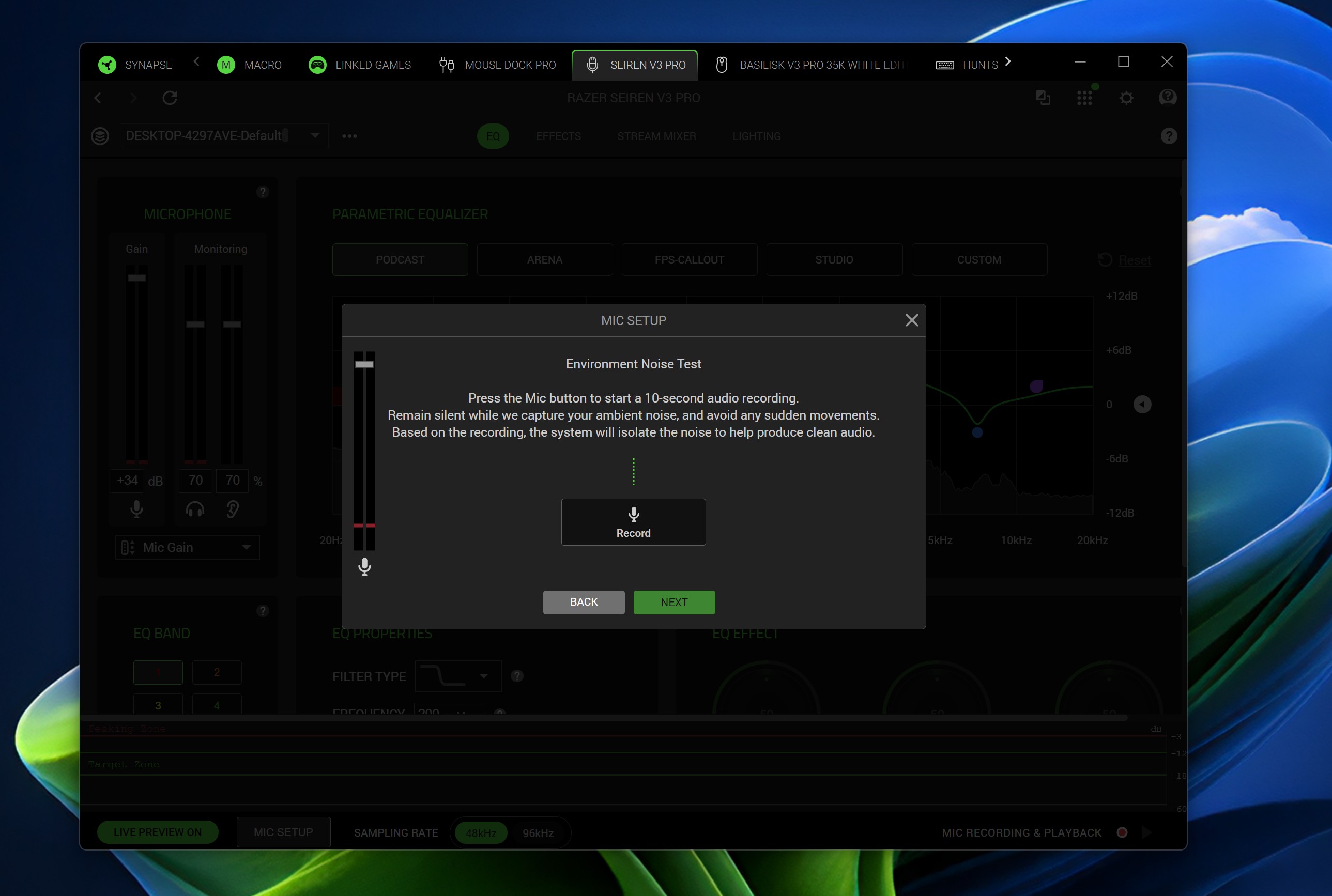
The Razer Synapse software features offer brilliant audio tuning, particularly the automatic environment noise test and AI noise remover. They do a spectacular job of silencing background hums and room reflections.
The Razer Synapse setup here was awesome: Hit a button and record yourself talking for 10 seconds. Hit another button and say nothing for 10 seconds. Then answer a few questions, e.g., what is your goal here (streamer, podcast, general, etc.) and what do you have fans running, environmental noise, etc. From that data, the system suggests your tuning, which you can then accept, and you're done. You can re-run the process anytime in Synapse should anything change.
The only minor catch is that the aggressive noise cancellation can occasionally cut your voice out a bit during quieter moments. Because of this, some manual tweaking of the noise gate threshold may still be needed to get it dialed in perfectly.
Finally, if you are already invested in Razer’s ecosystem—sporting a Razer keyboard, mouse, or monitor—adding this mic beautifully completes the package. The Chroma RGB ring integrates flawlessly into your existing lighting profiles, satisfying RGB enthusiasts while giving clear visual feedback on your live mute status via the tap-to-mute sensor.
Who's it for
The mic is "naked" without its pop-filter, which slides off. (Image credit: Daniel Rubino)
This microphone is built for the forward-thinking content creator. It is perfect for game streamers, podcasters, and hybrid musicians who want beautiful aesthetic flair and USB simplicity today, but demand the studio-grade security of an XLR output as their production setup grows.
Should you buy the Razer Seiren V3 Pro?
I ended up liking the Seiren V3 Pro more than I expected, largely due to the software and DSP controls. (Image credit: Daniel Rubino)
You should buy it if ...
✅ You want USB‑C now, XLR later.
✅ You use Razer Synapse/Chroma and want full integration.
✅ You need onboard DSP (32‑bit float, AI noise removal) to cut post‑work.
You should not buy this if ...
❌ You prefer a pure XLR, software‑free workflow.
❌ You’re on a tight budget and don’t need RGB or Synapse.
❌You need full feature parity on macOS without Windows Synapse.
Admittedly, my "you should not buy ifs" here are nitpicky. You can just use this as an XLR mic with a software-free workflow if you want and not worry about USB or software. But there are also more affordable XLR-only mics, hence the con.
At $249.99, Razer positions the Seiren V3 Pro firmly in the higher-end premium tier compared to the HyperX Flipcast (which currently sits at $179.99 against a $229.99 MSRP) and the now-evaporated ProCast.
However, for me, the incredible Razer Synapse DSP more than makes up for that higher cost. The sheer quality of the out-of-the-box hardware processing saves massive time in post-production. I didn't expect that to be the big selling point, but it's clever software and the kind of "don't think about it" setups I prefer.
While you could look at other heavy hitters at this price point like the Shure MV7+ or SteelSeries Alias Pro, Razer brings an unmatched physical build quality, out-of-the-box completeness, and ecosystem synergy to your desk. It delivers studio sound, simply and effortlessly.
Razer
Razer Seiren V3 Pro Microphone
Razer's new studio‑grade mic with 32‑bit float clarity, USB/XLR flexibility, built‑in DSP and pop filter, RGB status ring, and durable zinc design for clean, professional sound in streaming or recording setups.
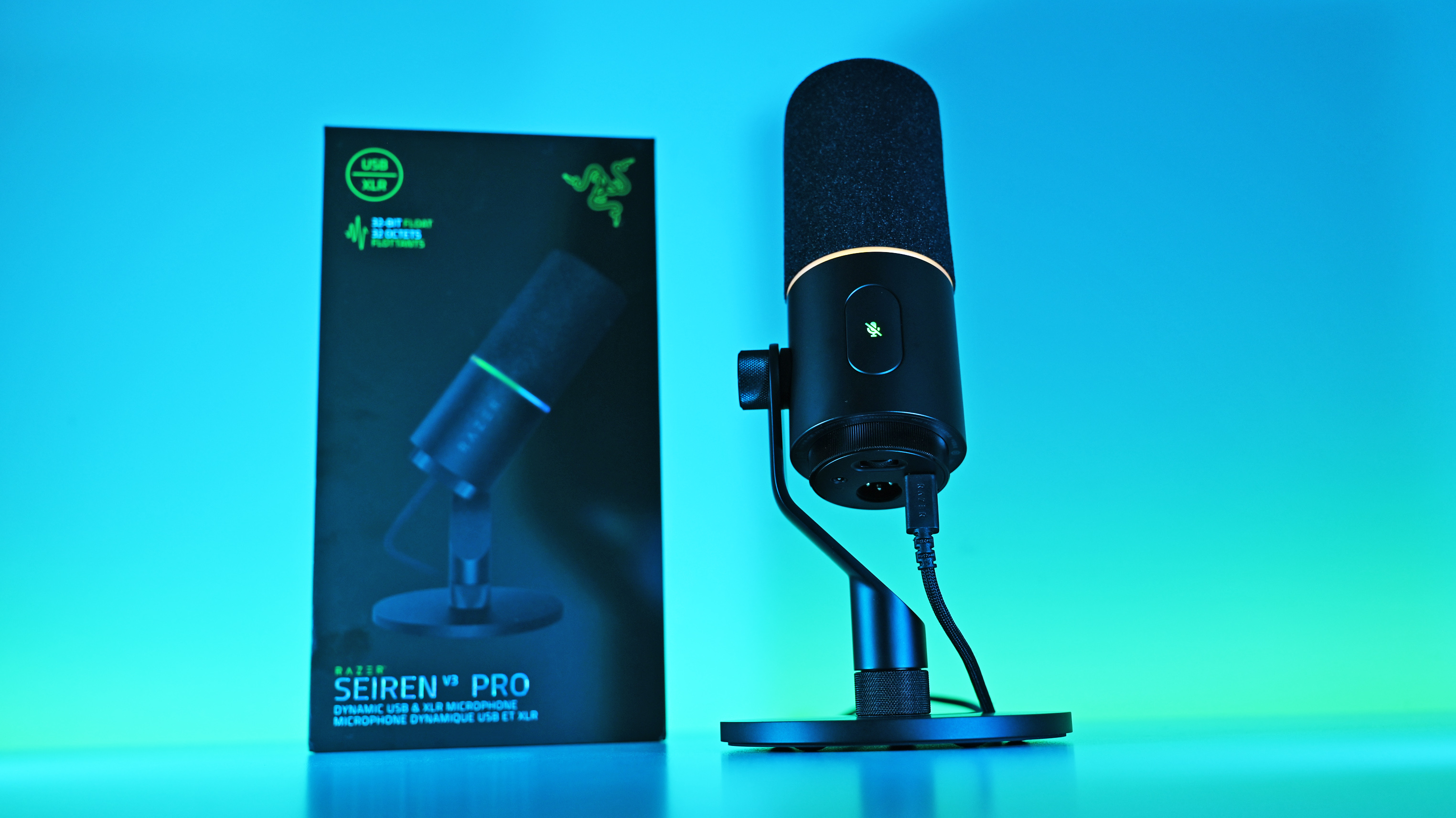
Low-angle shot of the Razer Seiren V3 Pro mic plugged into a USB-C cable next to its box, illuminated by a vivid blue and cyan background.
Low-angle shot of the Razer Seiren V3 Pro mic plugged into a USB-C cable next to its box, illuminated by a vivid blue and cyan background.

 Connexion