Nvidia reportedly requires GPU monitoring for Southeast Asian cloud partners as China AI chip smuggling concerns grow. Here's what businesses should know.
Aina’s $399 AI ring lets users approve tasks with a thumb flick. Check iPhone and Mac compatibility, shipping plans, and key considerations for IT teams.
Anthropic launches Claude Personal Finance for bank account analysis. Explore its features, privacy considerations, availability and comparison with ChatGPT.
Vercel is rolling out DBSC to make stolen session cookies harder to exploit. Learn how the protection works, its hardware requirements and security limits.
METR finds faster Anthropic AI benchmark progress, but key evidence remains redacted. Learn what IT buyers should check before adopting new model releases.
Ray-Ban Meta and Oakley Meta arrive in Philippine stores Nov. 10, with Tagalog AI support and four models spanning everyday, prescription, and sports use.
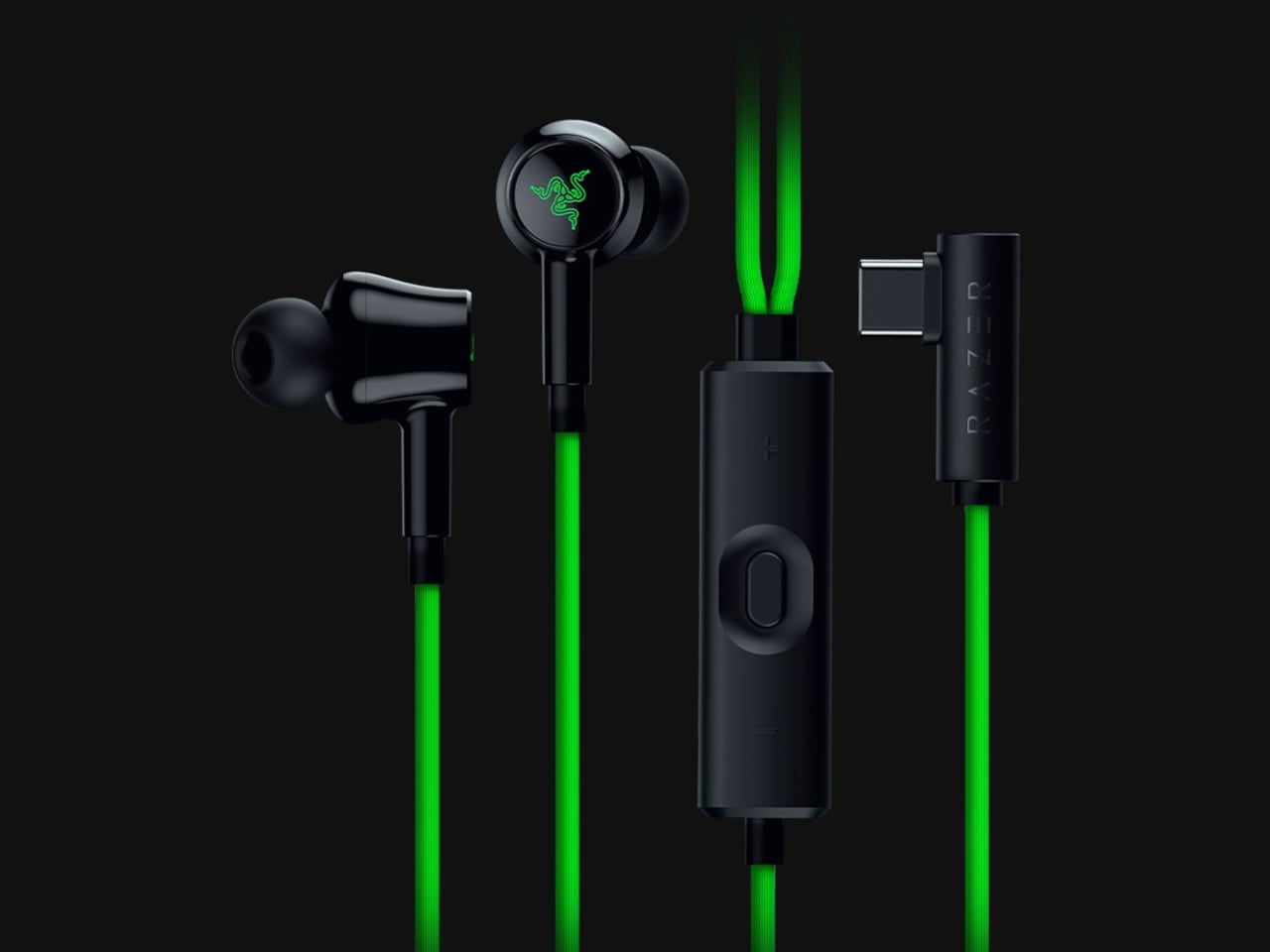
Wireless earbuds can make a short gaming break depend on whether you remembered to charge their case the night before. Razer’s Hammerhead V3 Chroma takes that worry off the list with a cable that carries audio and power through USB-C. There’s no headphone jack involved in this return to wired listening, and the angled plug has been shaped around the hands holding your phone.
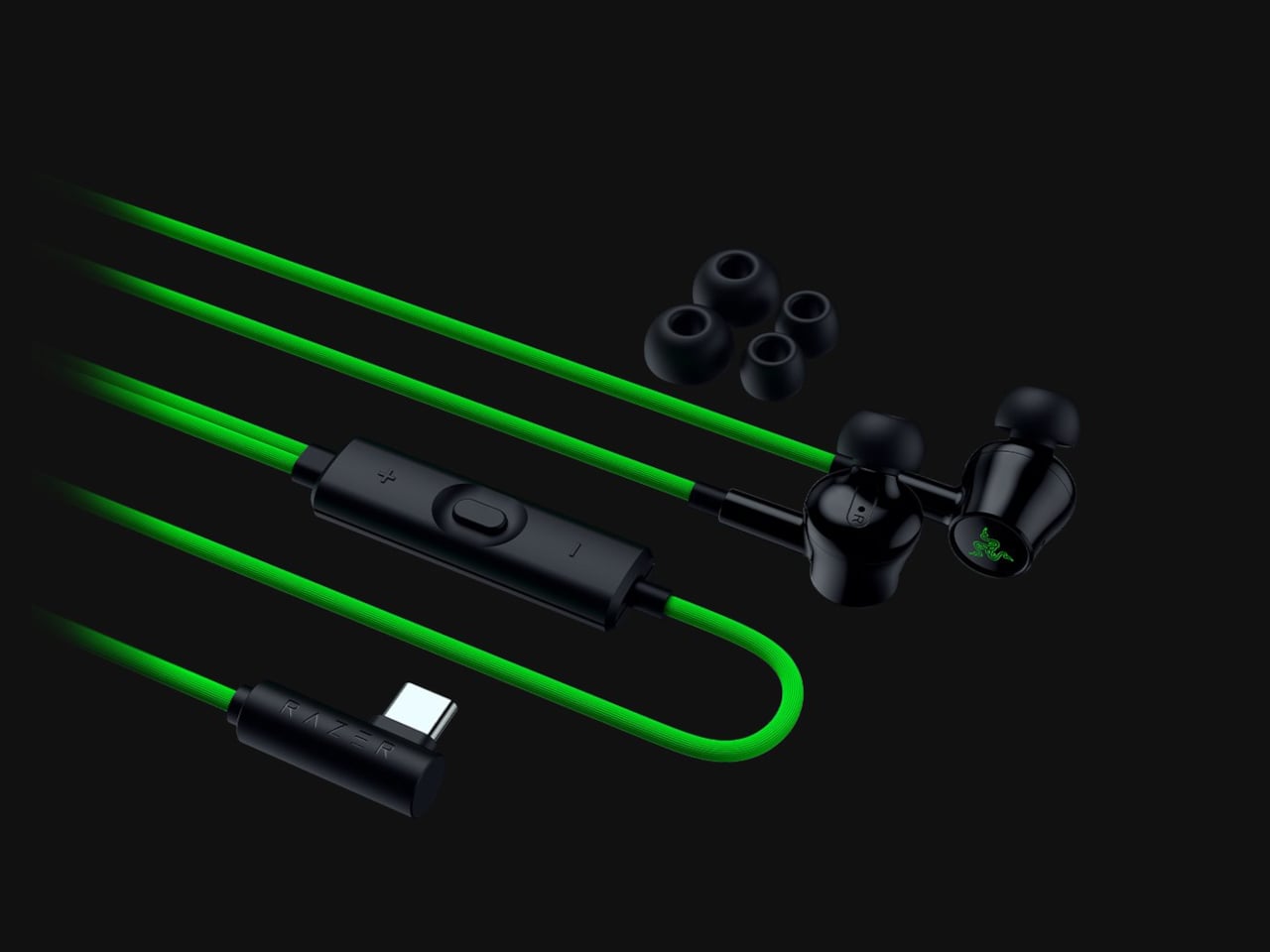
The connector has a 90-degree bend, letting the cable run alongside a compatible device rather than sticking straight into your palm. That matters when you rotate a phone for a game and wrap both hands around its ends. It’s a small adjustment to an unglamorous component, but one that addresses one immediate objection to putting a wire back into a handheld setup.
The wire also gives Razer somewhere to put controls that don’t have to share space with an ear tip. An in-line remote handles volume, playback, and active noise cancellation (ANC), with raised controls you can locate by touch rather than tapping an earbud. Its omnidirectional microphone supports calls and team chat, keeping the interactions on the cable instead of behind another phone menu.
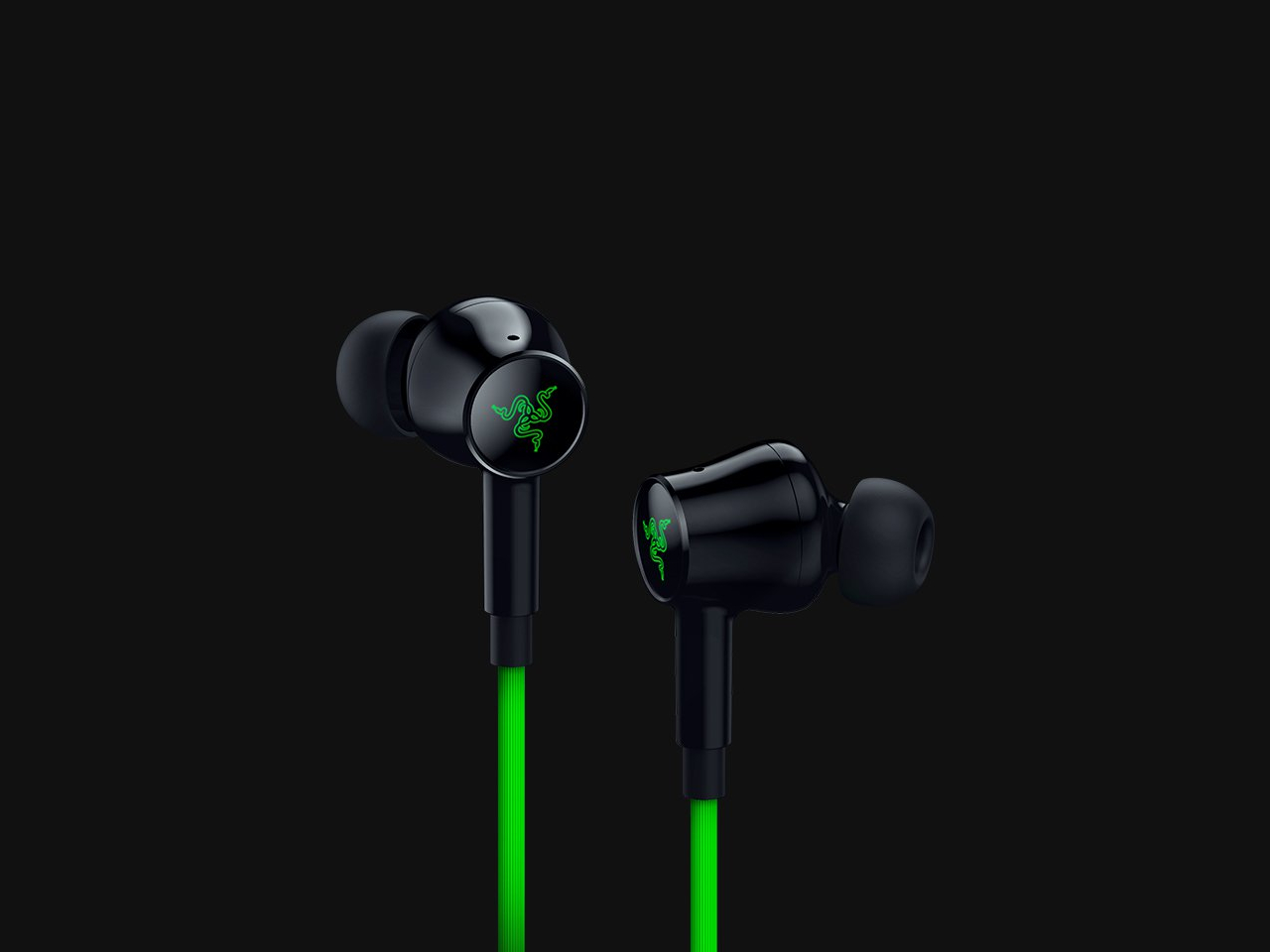
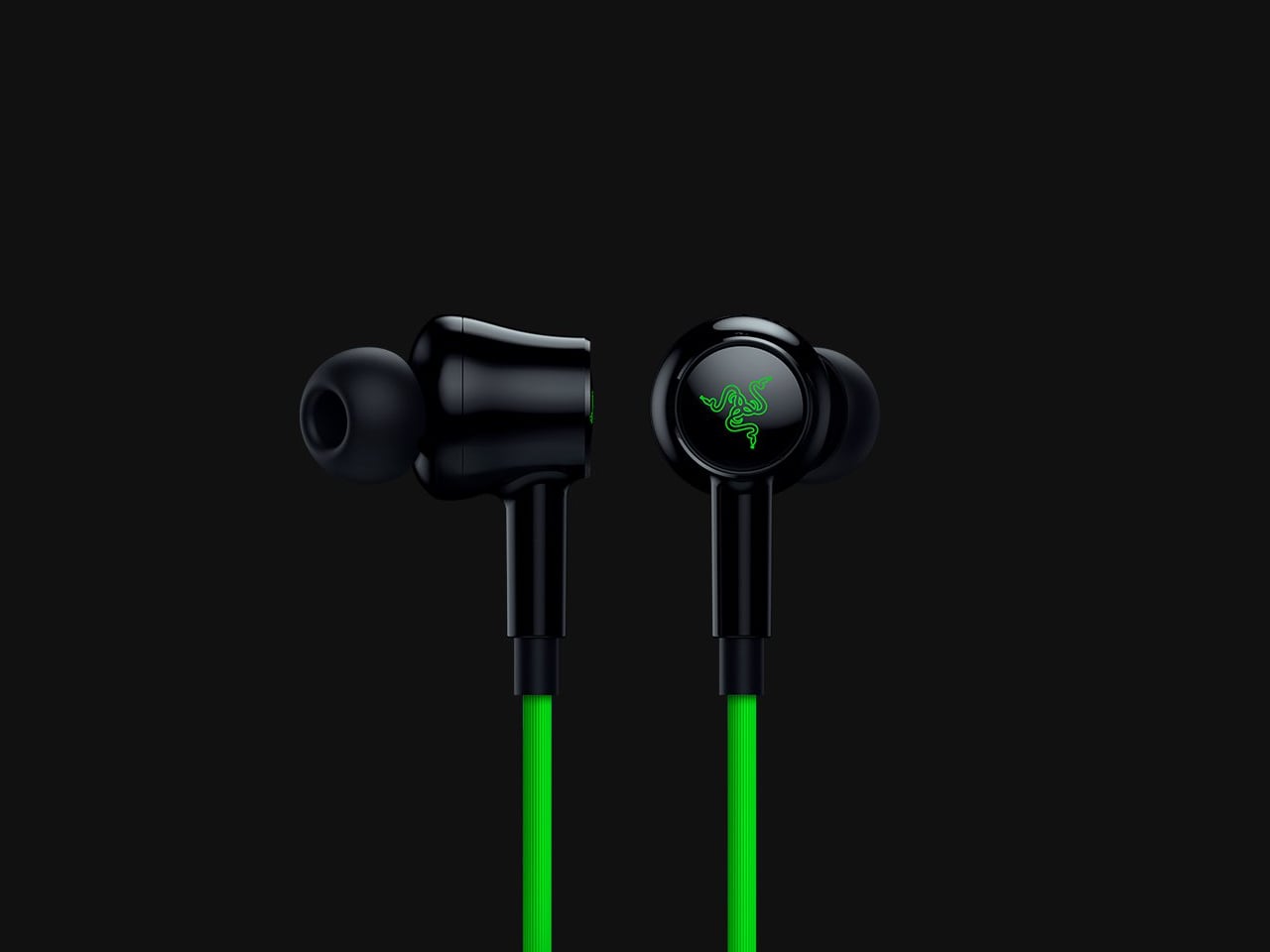
Of course, subtlety isn’t really the point of a bright green cable hanging from black earbuds. Circular outer caps carry illuminated Razer logos, with Chroma RGB offering 16.8 million color options. The glossy housings and short stems aren’t particularly dramatic by themselves, but the color makes the whole arrangement unmistakably gaming hardware, even when you’re simply listening to music on the bus.
Inside each earbud, a dynamic driver works alongside a dedicated tweeter, dividing the work between lower and higher frequencies. Razer includes feed-forward ANC, intended to reduce surrounding noise during a commute or a match in a shared room. Noise cancellation brings a familiar wireless-earbud convenience to a wired pair, although neither the driver arrangement nor the connection guarantees great sound on its own.
Four presets cover Gaming, Music, Movies, and Call, alongside a custom equalizer profile for anyone who prefers adjusting the balance themselves. Moving to a PC adds THX Surround Sound 7.1 through Razer Synapse 4. That’s a software-dependent extra, not something the earbuds automatically deliver on every phone, so the same connection doesn’t mean an identical feature set everywhere you plug them in.
The IPX4 rating allows for splashes and sweat, which makes sense for earbuds that might move from a desk to a drizzly commute. It doesn’t turn them into waterproof gear. The cable needs managing: it can catch on clothing or pull against the phone when you reach too far. A bent connector changes its direction, not the distance you’re able to move.
Launched on November 5, 2026, the Hammerhead V3 Chroma costs $79.99 in the US. The trade is straightforward: fewer batteries to remember, but a cable and an occupied USB-C port in return. If that’s your phone’s only charging connection, you’ll need another way to top it up while listening. The earbuds need no charging, but your phone doesn’t get the same night off.
Le premier Wing Commander, celui qui tournait sous DOS, peut maintenant êtré joué en coop dans votre navigateur, chacun le cul posé dans son chasseur. Suffit simplement d'entrer un petit code pour rejoindre un salon et retrouver votre ailiers intergalactique pour une partie endiablée.. Et ce n'est pas un remake puisque c'est le jeu d'origine qui tourne dans un DOSBox compilé spécialement pour le web, avec donc ce mode multijoueur greffé dessus à force de rétro-ingénierie.
Ce clic autorise une connexion à Google : adresse IP transmise et traceurs possibles.
En savoir plus
Si vous voulez tester, vous devrez donc vous rendre sur la
page du jeu
et y glisser-déposer l'installeur GOG de Wing Commander ou un zip de son dossier. Tout est ensuite décompressé localement dans le navigateur sans que vos fichiers ne soient téléversés nulle part, et surtout ils y restent pour la prochaine fois. Ensuite vous entrez le code de salon et un indicatif, vous envoyez le lien à votre pote, et le premier pilote arrivé lance la partie pour tout le monde ! Ça se joue à deux, ou à trois si l'hôte ouvre un siège de plus, soit au clavier, soit à la souris ou à la manette.
Cet exploit a été réalisé par 2 frères, Daniel et Patrick, qui gamins jouaient déjà à deux sur le même vaisseau, l'un aux commandes, l'autre aux lasers et à la postcombustion, en rêvant de voler côte à côte. Puis en octobre 2015, Daniel qui était en train de jouer dans DOSBox se dit que ce serait carrément possible de retrouver les coordonnées de son vaisseau et celui d'un allier dans les fameux 640 Ko de mémoire. Et s'il retrouve ça, il pourra piloter l'allier via le réseau...
Alors il se met au boulot, copie la mémoire vaisseau à l'arrêt, donne un petit coup d'accélérateur, et compare avec le résultat... Et voilà comment des années plus tard, à force de jouer avec le debugger de DOSBox et de reverser la mémoire, ils arrivent en 2017 à mettre au point un protocole réseau avec le meneur qui envoie la position de chaque vaisseau à chaque image.
Seulement, pour y jouer, il fallait retrouver le jeu, récupérer une version bricolée de DOSBox, s'échanger ses adresses IP et ouvrir des ports sur les firewalls... Bien relou donc... Et le projet s'est donc endormi sur GitHub.
Mais l'IA est arrivée et a permis à Daniel et son frère de ressortir le jeu avec une communication WebRTC, jouable directement dans le navigateur ! Comme quoi, il ne suffit pas de grand chose pour dépoussiérer de grandes idées ! Les frangins se sont même un peu enflammés et on ajouté dans le jeu un chat vocal !
Bref, le mieux c'est encore de tester ça avec vos amis. En plus comme c'est la GRÊVE GÉNÉRALE !!, vous aurez un peu de temps pour lancer ça sur Chrome (oui Firefox et Safari, ça n'a pas été testé donc je ne sais pas ce que ça donne).
Ah et notez aussi que le dépôt du projet annonce aussi Wing Commander II en multi, et les
sources sont sur GitHub
pour ceux qui voudraient héberger leur propre salon.
Track Android 17 updates for Samsung, Pixel, OnePlus, Nothing, and Motorola phones. Check eligibility, rollout status, and what to do before upgrading.
Samsung's Gemini-powered AI glasses could launch in the US and South Korea in December. Here's what reports reveal about features, pricing, and availability.
Waymo and Toyota plan to test self-driving bZ4X robotaxis in Japan in 2027, with factory-integrated technology supporting future international expansion.
Samedi, pendant que vous étiez tous en manif, Andrej Karpathy a demandé à Claude de lui fabriquer un YouTube à partir de toutes les merveilleuses vidéos que les gens se recommandent sur HackerNews et ça
a donné naissance
à
HackerTube
. Déjà rien que ça c'est top !
Mais moi ce qui m'a encore plus c'est que le lendemain Roansh a fait pareil avec les bouquins en laissant Claude coder
HackerBooks
.
Et voilà comment on se retrouve avec une bibliothèque de 15 766 livres tirés de 281 363 mentions HN publiées depuis 2007. Et un livre n'y figure que s'il a été cité par au moins 2 personnes différentes. Ensuite chaque fiche renvoie aux commentaires qui en parlent et il y a même des suggestions à la "For You" qui vous fait des propositions raccord avec vos goûts selon ce que vous avez ouvert comme fiche.
Ensuite, l'IA a fait un tri pour distinguer les citations des recommandations. Par exemple The Art of Computer Programming de Knuth cité par 1 125 personnes mais recommandé par 336, alors que How to Win Friends and Influence People de Dale Carnegie en compte 579.
Y'a même Mein Kampf, le livre préféré de ceux qui ont été bercés trop prêt du mur, qui a été cité (je pense pour la blague) par 535 personnes mais a été fièrement recommandé quand même par 15 personnes.
Bien sûr, on ne peut pas télécharger les livres gratuitement dessus. Ça renvoie vers Amazon et compagnie. Mais ça permet de prendre un petit peu la température sur les classiques, organisés dans différentes rubriques comme fiction, programmation, mathématiques, philosophie, fantaisie, etc.
Et si votre livre préféré manque à l'appel, ou si Claude l'a confondu avec un autre, n'hésitez pas à le signaler à roansh
The Steam Deck is quite the success story, at least for Valve, and having used one (and bought one for my sister last Christmas), I can totally see why. It genuinely is a great bit of kit; granted, the price hike is a shame, but that's just how the industry is right now. Despite its success, I have always preferred Xbox, and despite my issues with the Xbox Ally, I still prefer it over the Steam Deck.
One thing the Steam Deck definitely does better, though, is the user experience. Jez Corden recently spoke about how the Xbox Ally and Ally X were in his re-review, and pointed out how Windows 11 still needed work for handhelds.
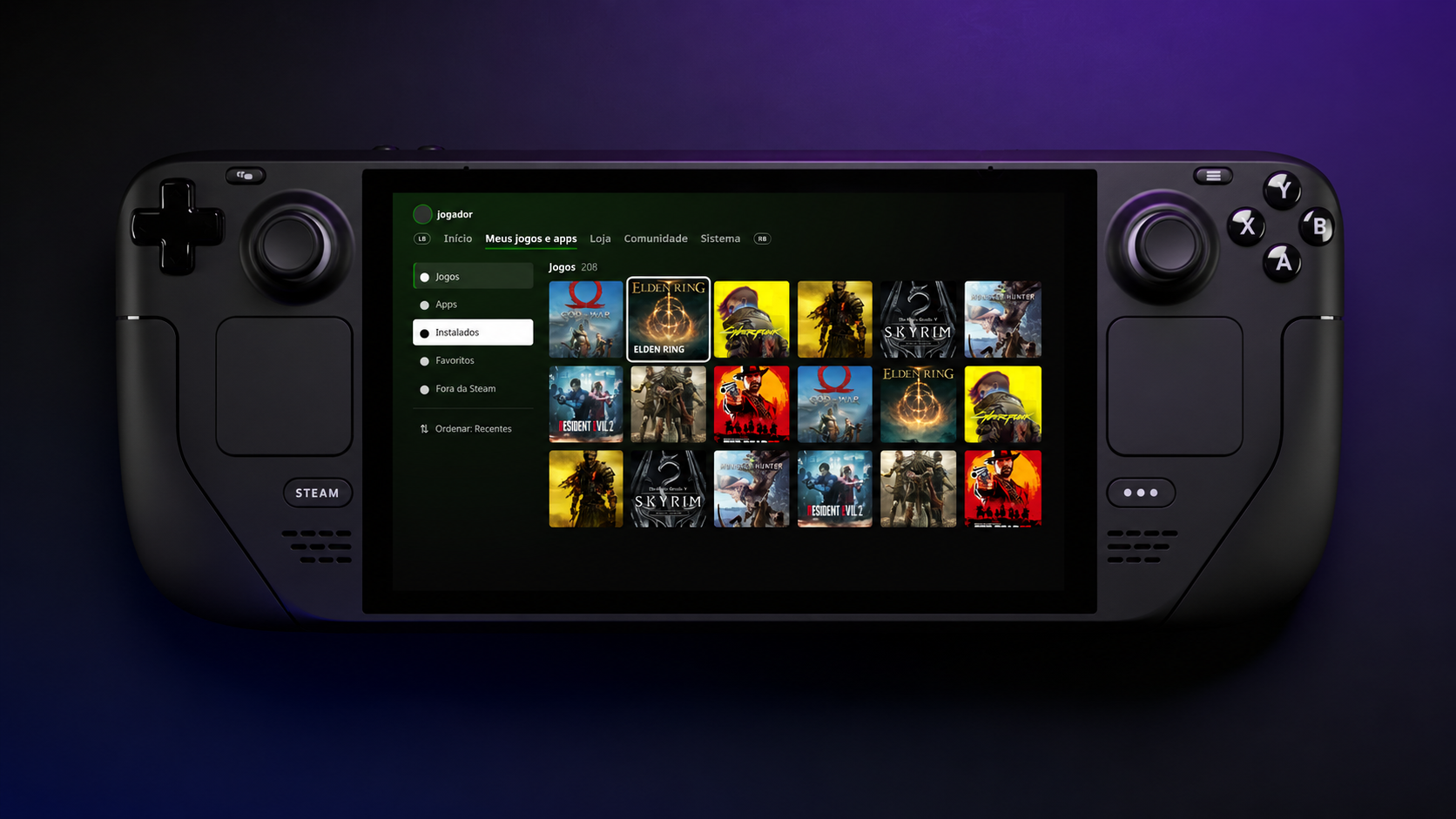
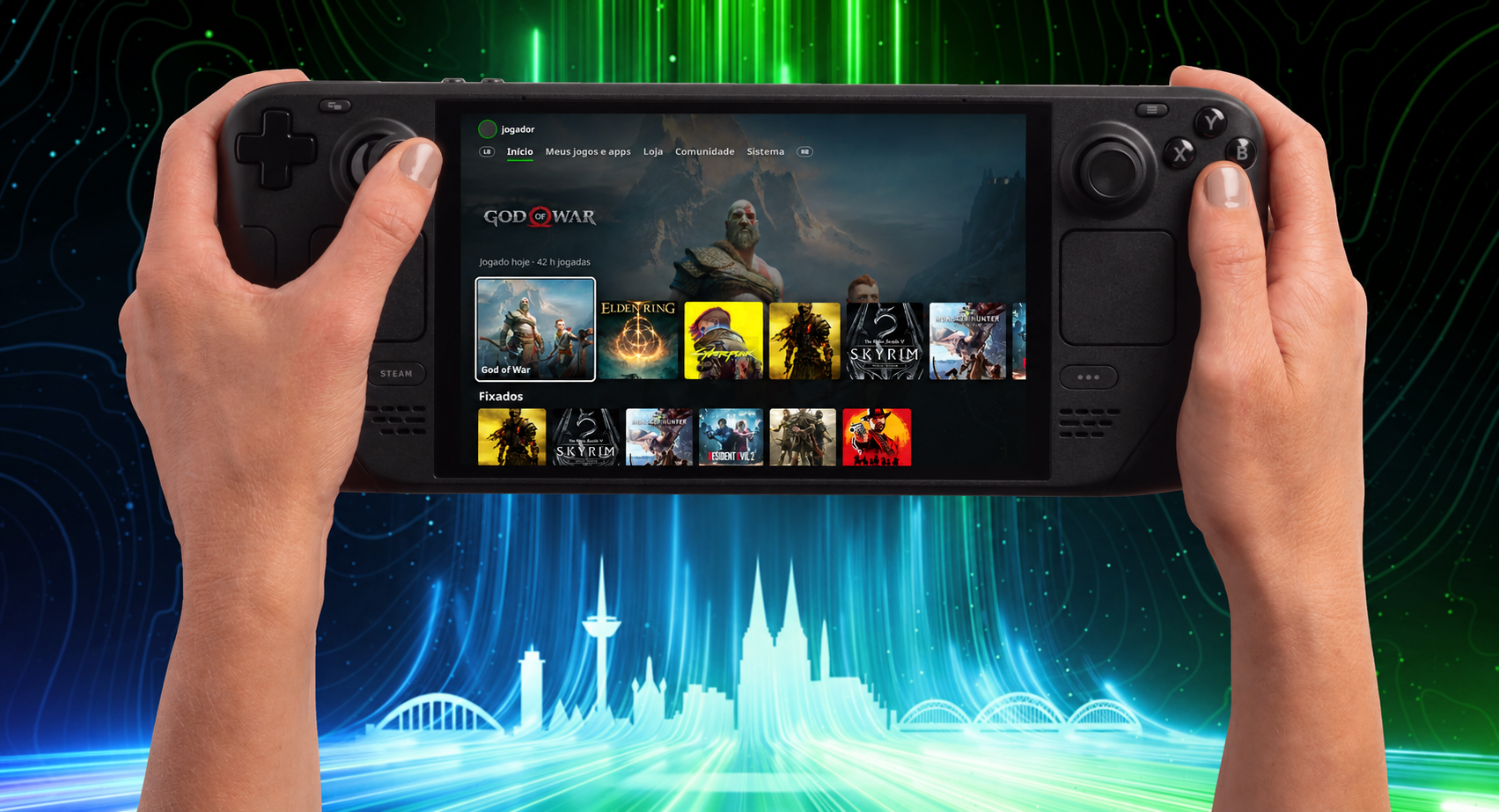
I personally opt for other launchers over the Xbox App, like Winhanced, but what I have always truly wanted was the Xbox Series dashboard, or heck, even the old Metro dashboard, just on a handheld. Well, we got one of those things on the Steam Deck thanks to an all-new plugin by kromossomom.
The plugin, which can be found on GitHub, turns your Steam Deck into a complete Xbox Series-style dashboard, and it is really impressive and pretty feature-rich. Quick disclaimer, though: Claude AI was used to help with development, but pretty much everything is now, so let’s move on to the features.
The Xbox Series dashboard looks right at home on Steam Deck
The Xbox Series-style dashboard looks right at home on Valve's Steam Deck. (Image credit: kromossomom | Valve | Xbox)
Decky Xbox Dashboard replaces Steam’s Home interface with the Xbox Series dashboard. You can use LB/RB to move between tabs, which include My games & apps, Store, Community, and System. You can also visit a game’s page when hovering over it and pressing Y to view the game’s compatibility, achievements, and more.
To install Decky Xbox Dashboard, you can follow these steps:
On your Steam Deck, open Quick Access -> go to Decky ->then go to Settings and select General. Make sure Developer Mode is turned on.
Within Developer settings, select Install plugin from ZIP, and pick your downloaded Decky Xbox Dashboard ZIP file.
I wish I could just install this on my Xbox Ally X. As much as I like Winhanced, which I currently use, I want the simplicity of a console in the palm of my hands. That is something the Xbox App and third-party launchers have never truly offered in my experience.
Let me know your thoughts. Is this cool? Would you install it? Do you wish it was available on a Windows handheld, or is it more of a novelty?
Make sure to leave a comment down below, and be sure to take part in our poll too!
Join us on Reddit at r/WindowsCentral to share your insights and discuss our latest news, reviews, and more.
It has been a year since the Xbox Ally X launched, so I figured it was about time we did a re-review.
We have FSR 4.1 on the Xbox Ally X now, a big Xbox app revamp is around the corner, and I'm probably one of the few content creators who actually uses this device on an almost daily basis. So, I really want to answer that burning question for Xbox ecosystem users: is it actually still worth a thousand big ones, even now, one year later?
How has the battery life stacked up? Is Windows 11 actually functional for handheld PC gaming yet? Does FSR 4.1 make for a killer feature?
Let's discuss.
FSR 4.1 is, indeed, a killer feature for the Xbox Ally X
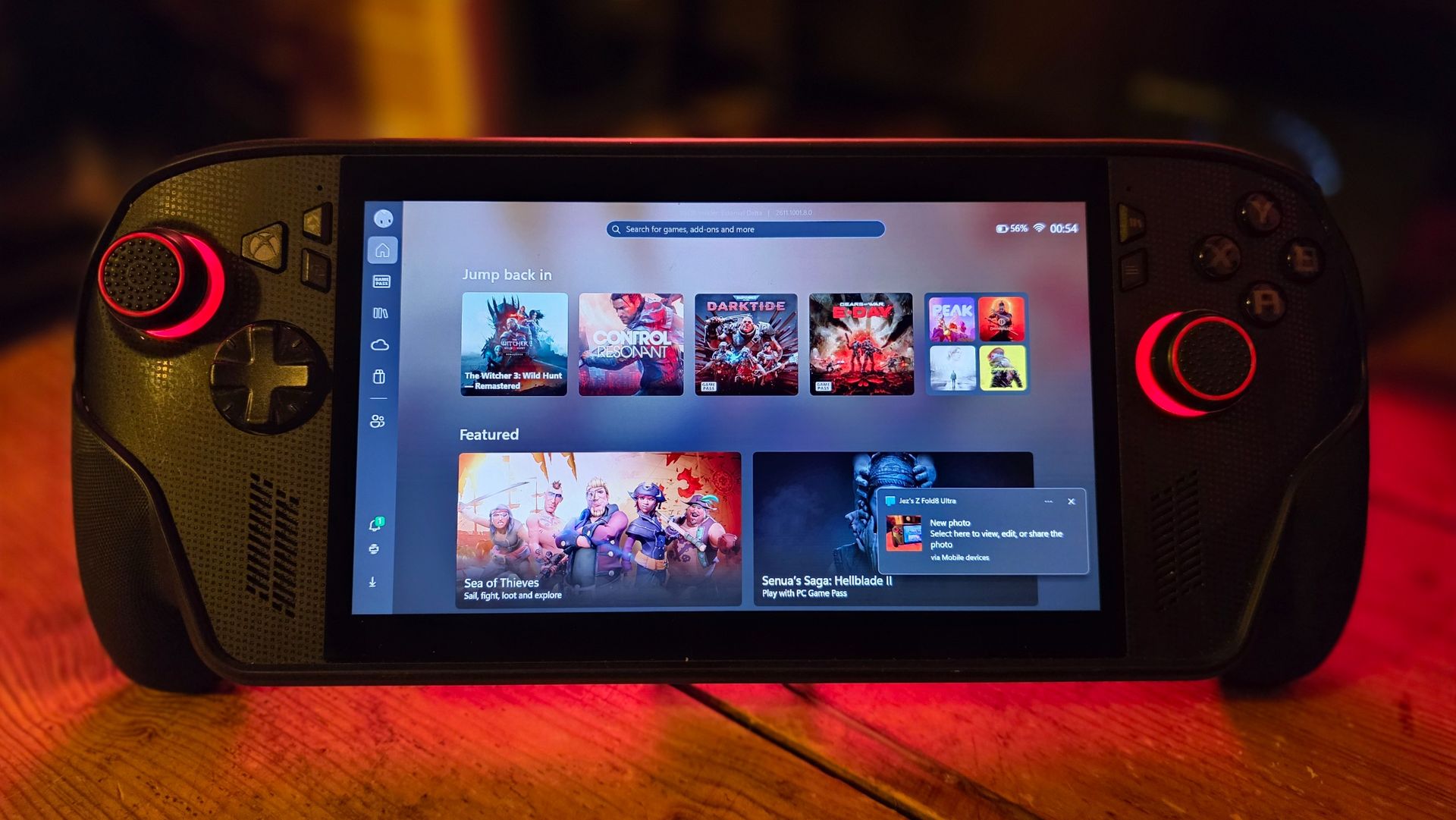
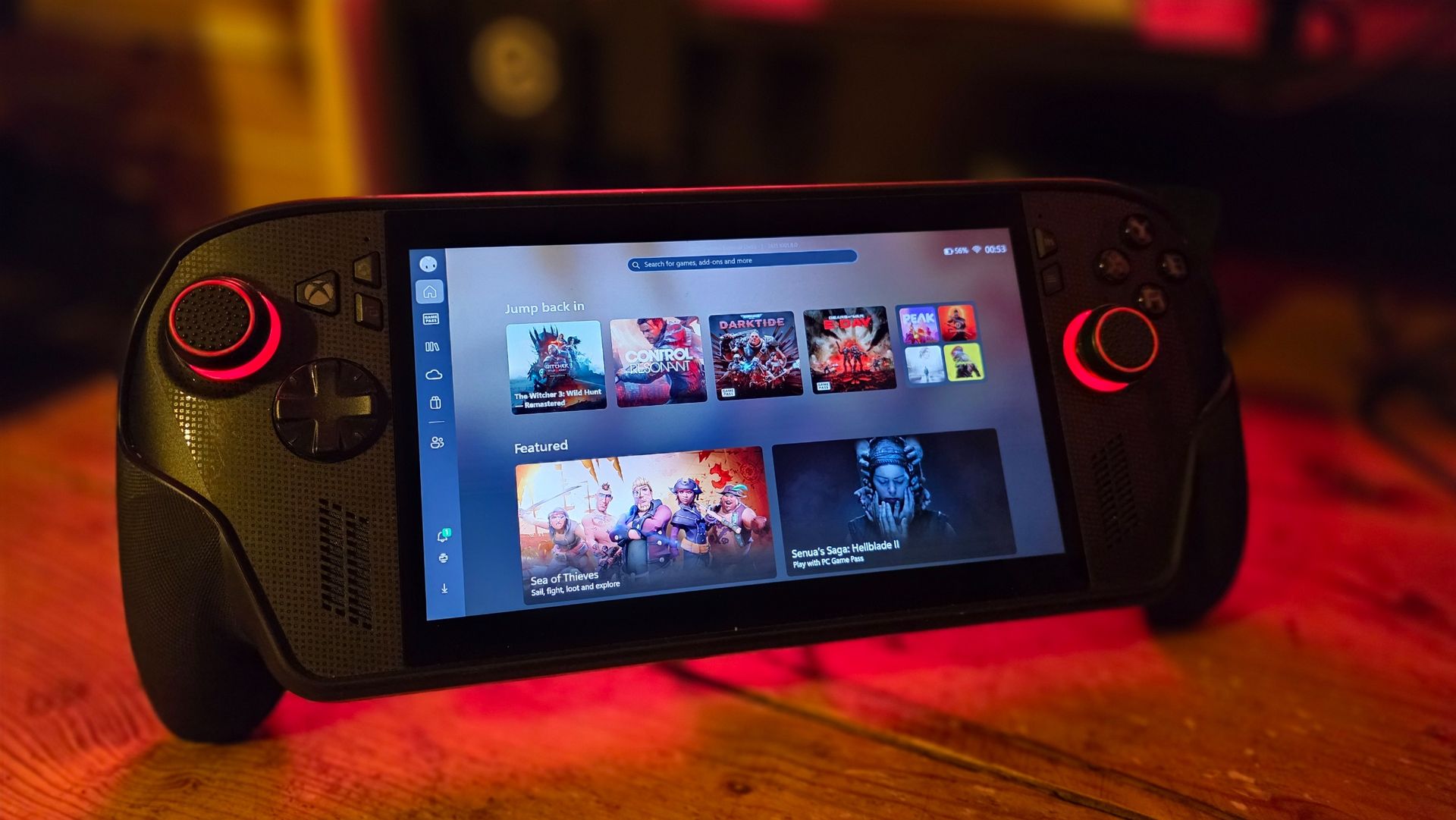
Games like Warhammer 40K Darktide and Control Resonant benefit from huge image quality boosts from FSR 4.1. (Image credit: Windows Central | Jez Corden)
The Xbox Ally X launched around this time last year (depending on your market) in partnership between Microsoft and ASUS. I'll do a write-up and a video on its less powerful Xbox Ally Z2A cousin in the future too. But we're looking at the $1,000 Xbox Ally X today. It was the first device to sport the Z2 Extreme chipset from AMD, making it the most powerful handheld at the time. AMD's new FSR 4.1 tech has given it a further boost on top of that as well.
FSR 4.1 is a heavier upscaling model than FSR 3, but it's all about boosting image quality, giving you more flexibility over how you play. You can now run quality modes that would previously look too ugly and blurry to bear, and still maintain a good level of performance. This extends to very graphically intensive games like Control Resonant, Cyberpunk 2077, Gears of War: E-Day, and games like Warhammer 40K Darktide, which have lots of enemies on-screen at any one time. FSR 4.1 will be adopted natively by more games over time, potentially extending the lifespan of the device even further. AMD has a list of games that already support it over here.
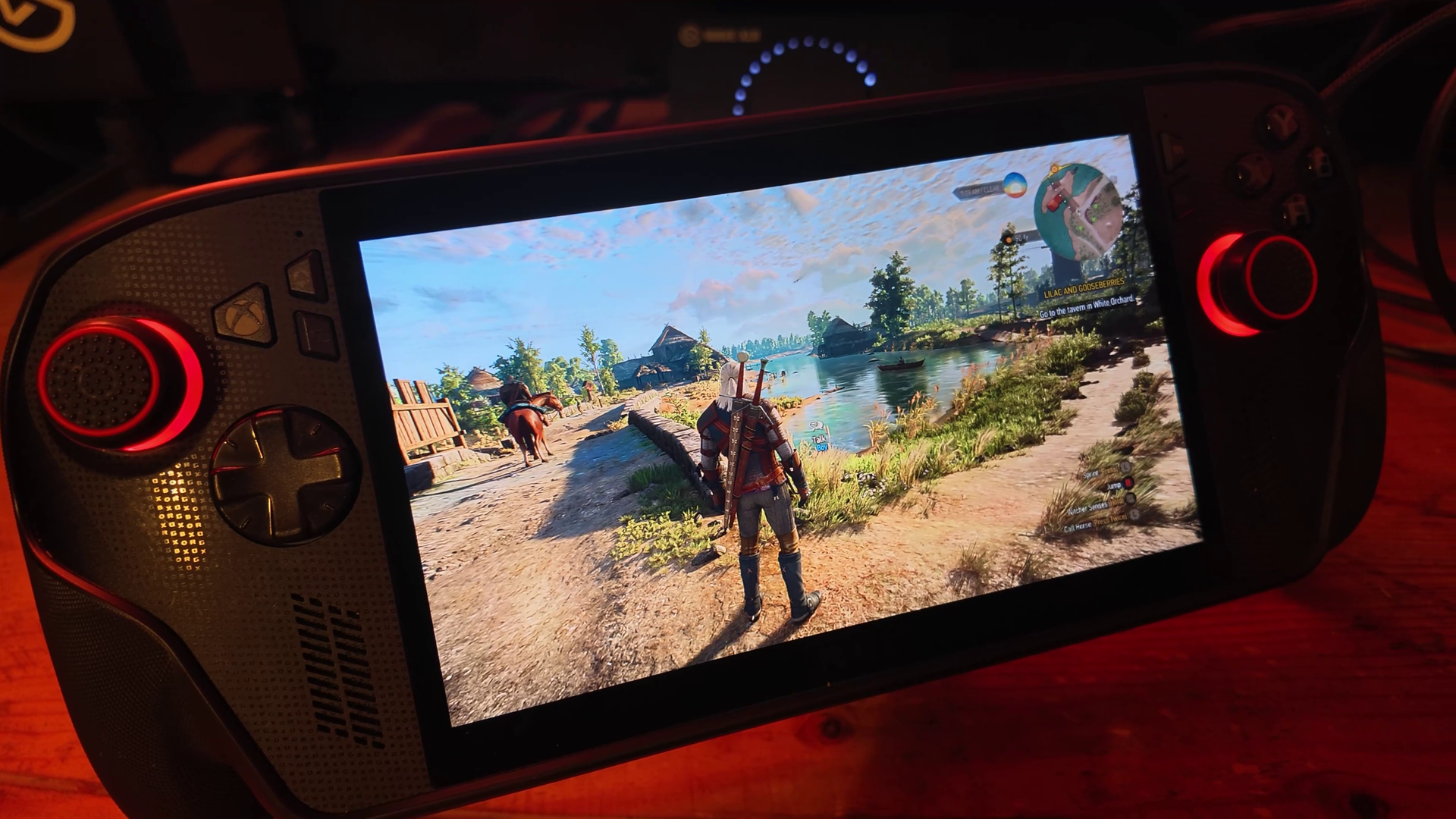
Annoyingly our website system compressed the pictures here, but in the video above you can get a good look at how crisp and smooth Witcher 3 looks on devices like this now. (Image credit: Windows Central | Jez Corden)
Using Performance and Turbo modes for maximum power, you're easily getting anywhere between 40 and 60 FPS at 1080p for most games out of the box. Heavier games will benefit more from FSR 4.1 being set to performance mode, which appears as crisp as quality mode did on FSR 3 models. I find FSR Frame Generation is also a good way to loop in more frames at the cost of some latency, although in most games I tried it was barely perceptible.
Heavily-optimized games like Death Stranding and the new Witcher 3 enhanced edition look absolutely stunning on this device, both in high and low power modes. Games with FSR 3 automatically benefit from FSR 4.1, which are presently in beta testing on the Xbox Ally X here. Witcher 3 absolutely sings on this device, although games with heavy reliance on ray tracing, like Silent Hill 2, still struggle a bit.
Either way, FSR 4.1 is going to vastly improve the lifespan of compatible devices like this, and it'll be interesting to see how it boosts the base Xbox Ally Z2A model (and Xbox Series X|S platform) in the future.
The hardware holds up, but Windows 11 still needs work
Absolutely no issues with the hardware on my end, but I have seen other pronble (Image credit: Windows Central | Jez Corden)
On the topic of lifespan, I'm someone who uses this handheld very regularly, at least every other day before bed. I've been using it mostly to grind Darktide recently, but I will also be using it for WoW: Forever in the coming weeks since it now supports a controller.
The hardware itself has held up incredibly well for me, but it would be neglectful not to mention the quality issues I've seen with the thumbsticks online and on Reddit. I think ASUS could've done a bit more to reinforce the sticks here, but if you go gently on it, I guess, like I do, perhaps you'll be okay. The most wear I have is that the paint on some of the buttons is beginning to wear off, but besides that, my Xbox Ally X seems rock solid.
I find that even a year in, the battery life is still decent on the Xbox Ally X too. I use Battery Care mode religiously to keep the charge topped off at around 80% to protect the lifespan of the cell, but when fully charged at 100% you're easily getting 4-5 hours in 13w silent mode in 2D games, and maybe 2-3 hours in 17w performance mode in a more intensive game, with trade-offs. If you go turbo mode, then yes, the battery will drain out in an hour or so. However, I find that when traveling these days on planes or trains, there's usually an outlet available to give you some extra juice.
There are a lot of games that offer a solid 3D experience even in silent 13w mode, if you're willing to compromise on visual quality and performance to maximize the Ally's longevity.
What is perhaps less solid is the operating system experience. This isn't ASUS' fault, of course, but more on Microsoft and Windows. Xbox and the Windows teams have been collaborating to improve the experience for users on devices like this, but the results have been mixed. The Xbox Ally X is particularly painful to use when hooked up to a TV in a Switch-like "docked" setting. Sometimes the controller loses the focus window, and there's no way to get it back without tapping the screen.
Basic parts of Windows still aren't navigable without a mouse, and the Xbox PC app still leaves a lot to be desired whether docked or not. Luckily, Microsoft is shipping a big update to the Xbox PC app in the coming weeks, and Windows 11 itself is picking up further refinements. It still feels overall like you're a bit of a beta tester for the OS itself, but you do get the full power of Windows as a trade-off, able to turn this device into a work laptop if you so desire (as I've done while traveling myself). You can run any launcher without hassle, like Steam or GOG, and you can connect any accessory that's compatible with Windows, including gamepads, mice, keyboards, and even printers.
The bottom line: I still adore the Xbox Ally X
My favorite piece of tech (Image credit: Windows Central)
But the bottom line is this: when you're actually in a game, this device absolutely sings. In Turbo mode at 35W, it will provide a solid 1080p 30~ish experience in the heaviest AAA games, even on a medium or even high quality setting, particularly with FSR 4.1 tweaks injected. You can get up to 60 FPS if you're willing to compromise on quality, generally speaking. There are many higher-end games that have been well-optimized for handhelds that deliver a 1080p 60 FPS experience too, such as The Witcher 3 Enhanced Edition.
I've never encountered a scenario where I couldn't get a satisfactory experience from a game, which cannot be said about the Steam Deck and other older or lower-end handhelds.
Given the state of the RAMpocalypse and component market in general, I expect it might be a while before developers push their visuals beyond what is available today. The Xbox Series X|S, PS5, Switch 2, and devices like this are probably going to be the baseline for a longer period than usual. If you were to buy the Xbox Ally X today, I expect you're going to get at least 3 to 4, maybe 5 years of solid use out of it before it might start feeling obsolete.
This is a fantastic device, a perfect companion for any Xbox player with a big Xbox Play Anywhere library. Even if you're dedicated to Steam, you can set Big Picture Mode as your default launcher and skip the Xbox ecosystem entirely if you fancy it.
For gaming evenings in bed, portable co-op with friends, or even as an emergency workhorse, the Xbox Ally X is a fantastic PC companion that I hope will be a staple of my gaming experience for a long time to come. And I would absolutely recommend it — as long as you think you'll get a good amount of use out of it.
Join us on Reddit at r/WindowsCentral to share your insights and discuss our latest news, reviews, and more.

 Connexion