Samsung's Gemini-powered AI glasses could launch in the US and South Korea in December. Here's what reports reveal about features, pricing, and availability.
Waymo and Toyota plan to test self-driving bZ4X robotaxis in Japan in 2027, with factory-integrated technology supporting future international expansion.
Samedi, pendant que vous étiez tous en manif, Andrej Karpathy a demandé à Claude de lui fabriquer un YouTube à partir de toutes les merveilleuses vidéos que les gens se recommandent sur HackerNews et ça
a donné naissance
à
HackerTube
. Déjà rien que ça c'est top !
Mais moi ce qui m'a encore plus c'est que le lendemain Roansh a fait pareil avec les bouquins en laissant Claude coder
HackerBooks
.
Et voilà comment on se retrouve avec une bibliothèque de 15 766 livres tirés de 281 363 mentions HN publiées depuis 2007. Et un livre n'y figure que s'il a été cité par au moins 2 personnes différentes. Ensuite chaque fiche renvoie aux commentaires qui en parlent et il y a même des suggestions à la "For You" qui vous fait des propositions raccord avec vos goûts selon ce que vous avez ouvert comme fiche.
Ensuite, l'IA a fait un tri pour distinguer les citations des recommandations. Par exemple The Art of Computer Programming de Knuth cité par 1 125 personnes mais recommandé par 336, alors que How to Win Friends and Influence People de Dale Carnegie en compte 579.
Y'a même Mein Kampf, le livre préféré de ceux qui ont été bercés trop prêt du mur, qui a été cité (je pense pour la blague) par 535 personnes mais a été fièrement recommandé quand même par 15 personnes.
Bien sûr, on ne peut pas télécharger les livres gratuitement dessus. Ça renvoie vers Amazon et compagnie. Mais ça permet de prendre un petit peu la température sur les classiques, organisés dans différentes rubriques comme fiction, programmation, mathématiques, philosophie, fantaisie, etc.
Et si votre livre préféré manque à l'appel, ou si Claude l'a confondu avec un autre, n'hésitez pas à le signaler à roansh
The Steam Deck is quite the success story, at least for Valve, and having used one (and bought one for my sister last Christmas), I can totally see why. It genuinely is a great bit of kit; granted, the price hike is a shame, but that's just how the industry is right now. Despite its success, I have always preferred Xbox, and despite my issues with the Xbox Ally, I still prefer it over the Steam Deck.
One thing the Steam Deck definitely does better, though, is the user experience. Jez Corden recently spoke about how the Xbox Ally and Ally X were in his re-review, and pointed out how Windows 11 still needed work for handhelds.
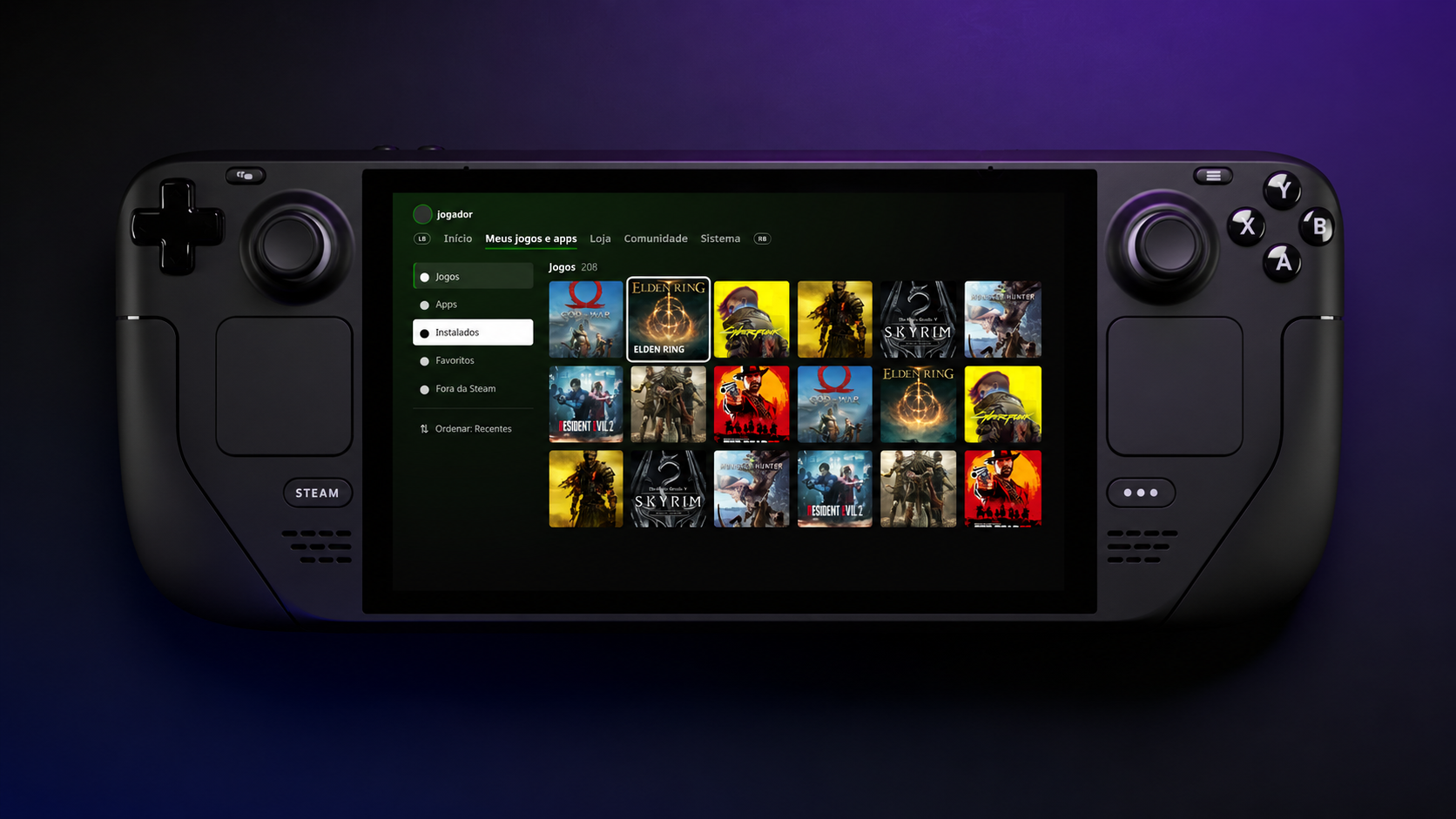
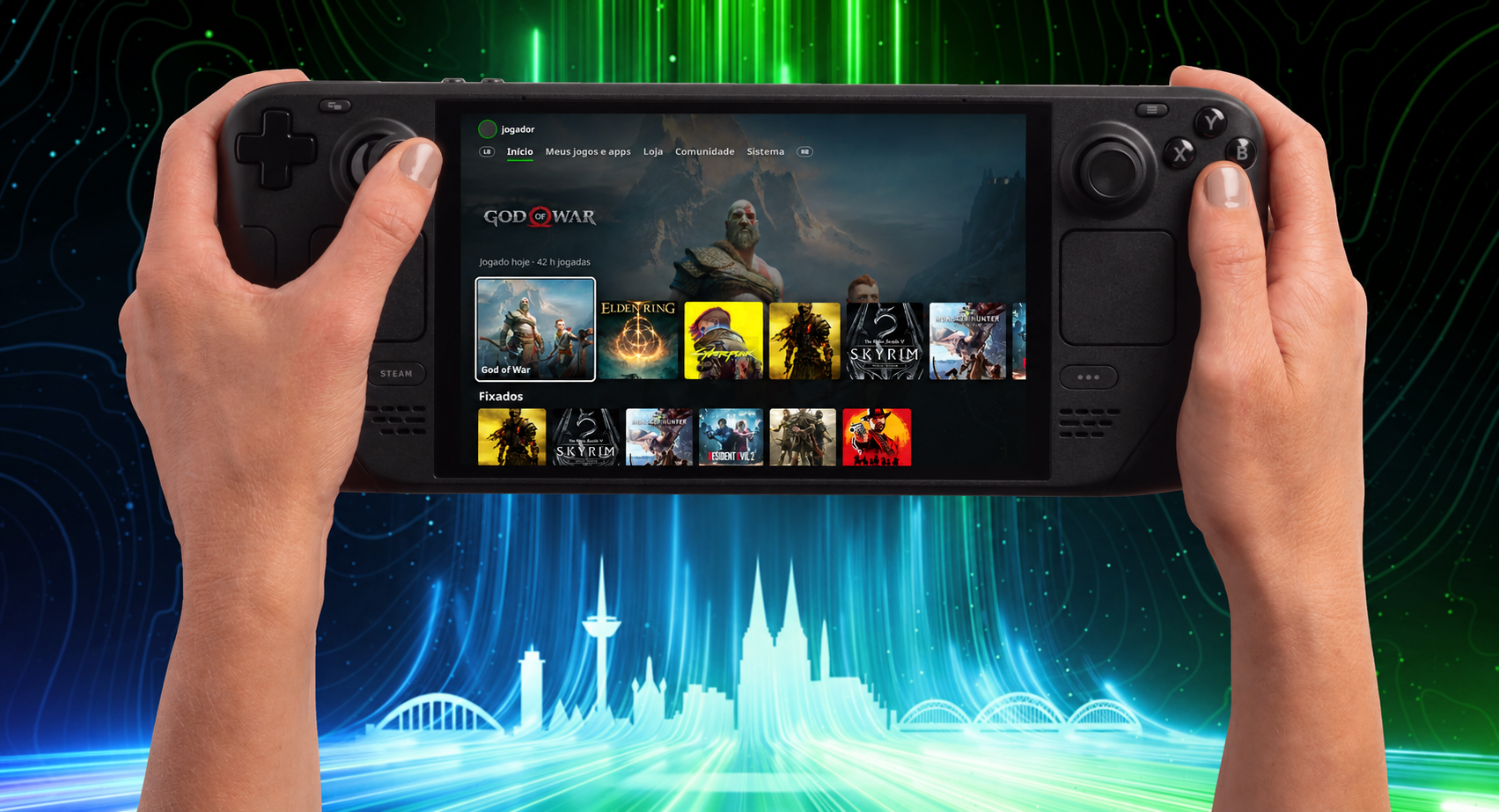
I personally opt for other launchers over the Xbox App, like Winhanced, but what I have always truly wanted was the Xbox Series dashboard, or heck, even the old Metro dashboard, just on a handheld. Well, we got one of those things on the Steam Deck thanks to an all-new plugin by kromossomom.
The plugin, which can be found on GitHub, turns your Steam Deck into a complete Xbox Series-style dashboard, and it is really impressive and pretty feature-rich. Quick disclaimer, though: Claude AI was used to help with development, but pretty much everything is now, so let’s move on to the features.
The Xbox Series dashboard looks right at home on Steam Deck
The Xbox Series-style dashboard looks right at home on Valve's Steam Deck. (Image credit: kromossomom | Valve | Xbox)
Decky Xbox Dashboard replaces Steam’s Home interface with the Xbox Series dashboard. You can use LB/RB to move between tabs, which include My games & apps, Store, Community, and System. You can also visit a game’s page when hovering over it and pressing Y to view the game’s compatibility, achievements, and more.
To install Decky Xbox Dashboard, you can follow these steps:
On your Steam Deck, open Quick Access -> go to Decky ->then go to Settings and select General. Make sure Developer Mode is turned on.
Within Developer settings, select Install plugin from ZIP, and pick your downloaded Decky Xbox Dashboard ZIP file.
I wish I could just install this on my Xbox Ally X. As much as I like Winhanced, which I currently use, I want the simplicity of a console in the palm of my hands. That is something the Xbox App and third-party launchers have never truly offered in my experience.
Let me know your thoughts. Is this cool? Would you install it? Do you wish it was available on a Windows handheld, or is it more of a novelty?
Make sure to leave a comment down below, and be sure to take part in our poll too!
Join us on Reddit at r/WindowsCentral to share your insights and discuss our latest news, reviews, and more.
It has been a year since the Xbox Ally X launched, so I figured it was about time we did a re-review.
We have FSR 4.1 on the Xbox Ally X now, a big Xbox app revamp is around the corner, and I'm probably one of the few content creators who actually uses this device on an almost daily basis. So, I really want to answer that burning question for Xbox ecosystem users: is it actually still worth a thousand big ones, even now, one year later?
How has the battery life stacked up? Is Windows 11 actually functional for handheld PC gaming yet? Does FSR 4.1 make for a killer feature?
Let's discuss.
FSR 4.1 is, indeed, a killer feature for the Xbox Ally X
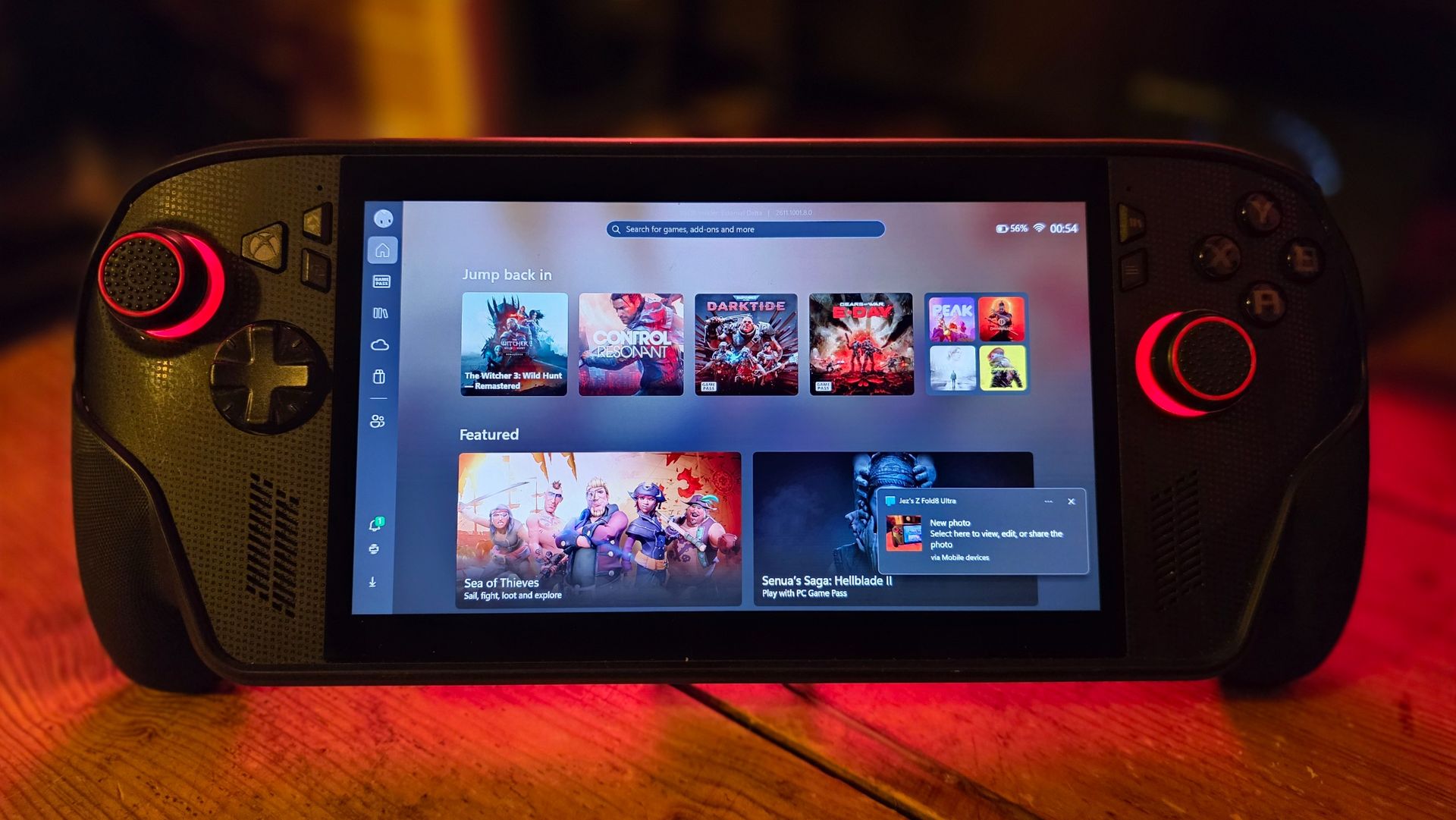
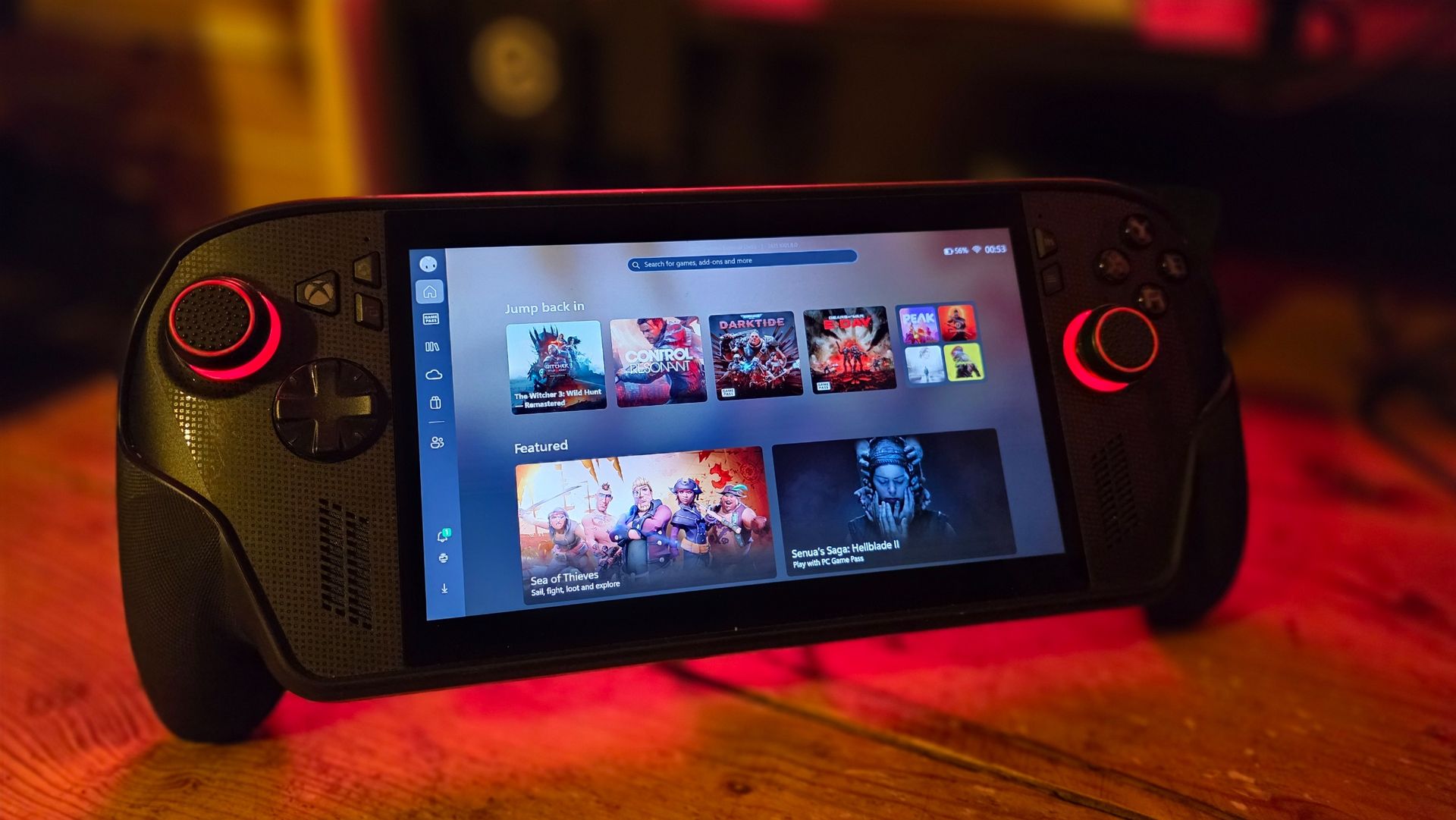
Games like Warhammer 40K Darktide and Control Resonant benefit from huge image quality boosts from FSR 4.1. (Image credit: Windows Central | Jez Corden)
The Xbox Ally X launched around this time last year (depending on your market) in partnership between Microsoft and ASUS. I'll do a write-up and a video on its less powerful Xbox Ally Z2A cousin in the future too. But we're looking at the $1,000 Xbox Ally X today. It was the first device to sport the Z2 Extreme chipset from AMD, making it the most powerful handheld at the time. AMD's new FSR 4.1 tech has given it a further boost on top of that as well.
FSR 4.1 is a heavier upscaling model than FSR 3, but it's all about boosting image quality, giving you more flexibility over how you play. You can now run quality modes that would previously look too ugly and blurry to bear, and still maintain a good level of performance. This extends to very graphically intensive games like Control Resonant, Cyberpunk 2077, Gears of War: E-Day, and games like Warhammer 40K Darktide, which have lots of enemies on-screen at any one time. FSR 4.1 will be adopted natively by more games over time, potentially extending the lifespan of the device even further. AMD has a list of games that already support it over here.
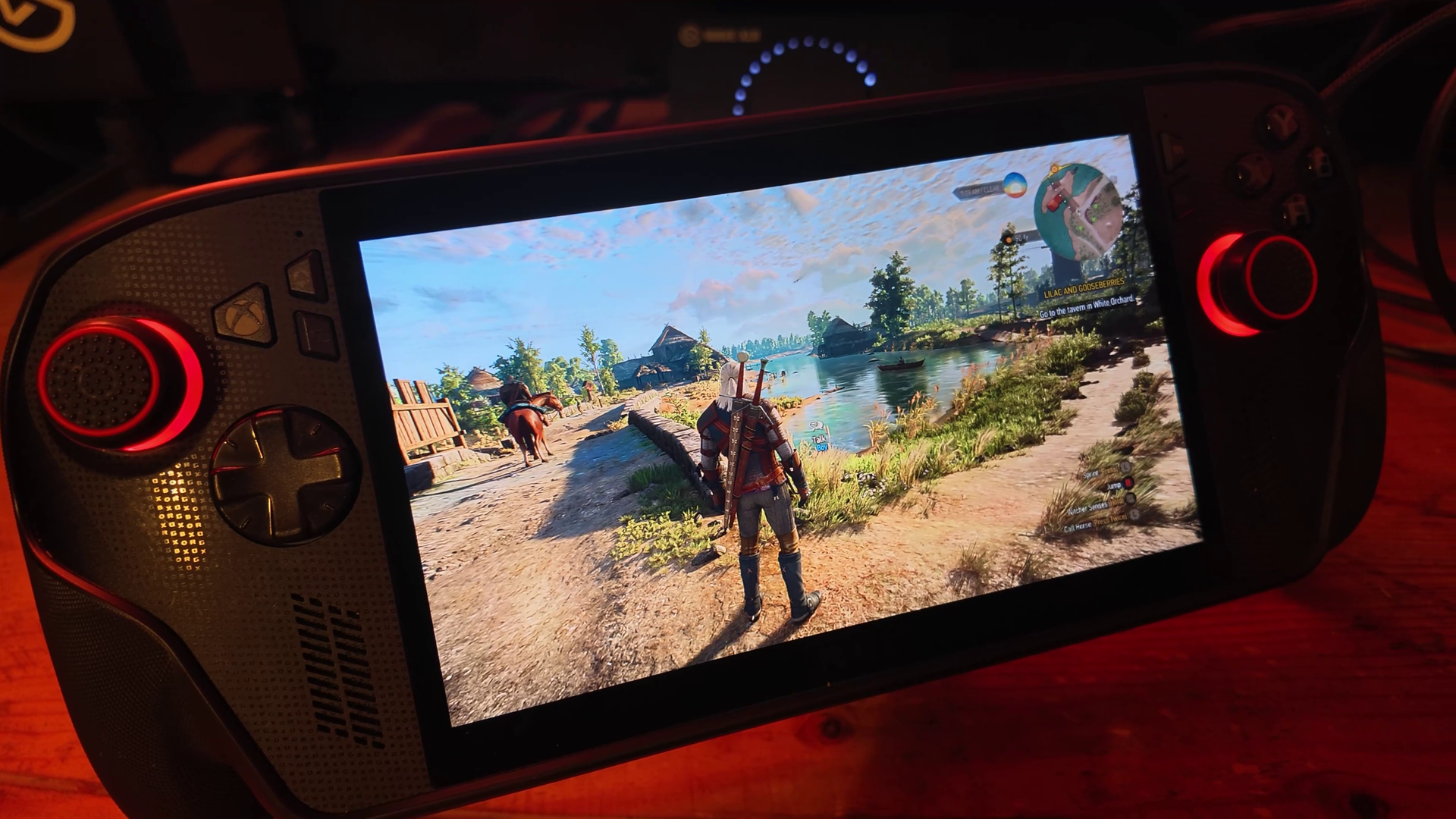
Annoyingly our website system compressed the pictures here, but in the video above you can get a good look at how crisp and smooth Witcher 3 looks on devices like this now. (Image credit: Windows Central | Jez Corden)
Using Performance and Turbo modes for maximum power, you're easily getting anywhere between 40 and 60 FPS at 1080p for most games out of the box. Heavier games will benefit more from FSR 4.1 being set to performance mode, which appears as crisp as quality mode did on FSR 3 models. I find FSR Frame Generation is also a good way to loop in more frames at the cost of some latency, although in most games I tried it was barely perceptible.
Heavily-optimized games like Death Stranding and the new Witcher 3 enhanced edition look absolutely stunning on this device, both in high and low power modes. Games with FSR 3 automatically benefit from FSR 4.1, which are presently in beta testing on the Xbox Ally X here. Witcher 3 absolutely sings on this device, although games with heavy reliance on ray tracing, like Silent Hill 2, still struggle a bit.
Either way, FSR 4.1 is going to vastly improve the lifespan of compatible devices like this, and it'll be interesting to see how it boosts the base Xbox Ally Z2A model (and Xbox Series X|S platform) in the future.
The hardware holds up, but Windows 11 still needs work
Absolutely no issues with the hardware on my end, but I have seen other pronble (Image credit: Windows Central | Jez Corden)
On the topic of lifespan, I'm someone who uses this handheld very regularly, at least every other day before bed. I've been using it mostly to grind Darktide recently, but I will also be using it for WoW: Forever in the coming weeks since it now supports a controller.
The hardware itself has held up incredibly well for me, but it would be neglectful not to mention the quality issues I've seen with the thumbsticks online and on Reddit. I think ASUS could've done a bit more to reinforce the sticks here, but if you go gently on it, I guess, like I do, perhaps you'll be okay. The most wear I have is that the paint on some of the buttons is beginning to wear off, but besides that, my Xbox Ally X seems rock solid.
I find that even a year in, the battery life is still decent on the Xbox Ally X too. I use Battery Care mode religiously to keep the charge topped off at around 80% to protect the lifespan of the cell, but when fully charged at 100% you're easily getting 4-5 hours in 13w silent mode in 2D games, and maybe 2-3 hours in 17w performance mode in a more intensive game, with trade-offs. If you go turbo mode, then yes, the battery will drain out in an hour or so. However, I find that when traveling these days on planes or trains, there's usually an outlet available to give you some extra juice.
There are a lot of games that offer a solid 3D experience even in silent 13w mode, if you're willing to compromise on visual quality and performance to maximize the Ally's longevity.
What is perhaps less solid is the operating system experience. This isn't ASUS' fault, of course, but more on Microsoft and Windows. Xbox and the Windows teams have been collaborating to improve the experience for users on devices like this, but the results have been mixed. The Xbox Ally X is particularly painful to use when hooked up to a TV in a Switch-like "docked" setting. Sometimes the controller loses the focus window, and there's no way to get it back without tapping the screen.
Basic parts of Windows still aren't navigable without a mouse, and the Xbox PC app still leaves a lot to be desired whether docked or not. Luckily, Microsoft is shipping a big update to the Xbox PC app in the coming weeks, and Windows 11 itself is picking up further refinements. It still feels overall like you're a bit of a beta tester for the OS itself, but you do get the full power of Windows as a trade-off, able to turn this device into a work laptop if you so desire (as I've done while traveling myself). You can run any launcher without hassle, like Steam or GOG, and you can connect any accessory that's compatible with Windows, including gamepads, mice, keyboards, and even printers.
The bottom line: I still adore the Xbox Ally X
My favorite piece of tech (Image credit: Windows Central)
But the bottom line is this: when you're actually in a game, this device absolutely sings. In Turbo mode at 35W, it will provide a solid 1080p 30~ish experience in the heaviest AAA games, even on a medium or even high quality setting, particularly with FSR 4.1 tweaks injected. You can get up to 60 FPS if you're willing to compromise on quality, generally speaking. There are many higher-end games that have been well-optimized for handhelds that deliver a 1080p 60 FPS experience too, such as The Witcher 3 Enhanced Edition.
I've never encountered a scenario where I couldn't get a satisfactory experience from a game, which cannot be said about the Steam Deck and other older or lower-end handhelds.
Given the state of the RAMpocalypse and component market in general, I expect it might be a while before developers push their visuals beyond what is available today. The Xbox Series X|S, PS5, Switch 2, and devices like this are probably going to be the baseline for a longer period than usual. If you were to buy the Xbox Ally X today, I expect you're going to get at least 3 to 4, maybe 5 years of solid use out of it before it might start feeling obsolete.
This is a fantastic device, a perfect companion for any Xbox player with a big Xbox Play Anywhere library. Even if you're dedicated to Steam, you can set Big Picture Mode as your default launcher and skip the Xbox ecosystem entirely if you fancy it.
For gaming evenings in bed, portable co-op with friends, or even as an emergency workhorse, the Xbox Ally X is a fantastic PC companion that I hope will be a staple of my gaming experience for a long time to come. And I would absolutely recommend it — as long as you think you'll get a good amount of use out of it.
Join us on Reddit at r/WindowsCentral to share your insights and discuss our latest news, reviews, and more.
OnePlus rolls out Android 17-based ColorOS 17 early to four phones, including the OnePlus 13 and 13R. See what's new, supported devices, and US availability.
AI data centers are creating new challenges for power grids. Learn how emerging reliability standards and power technologies could reshape their operations.
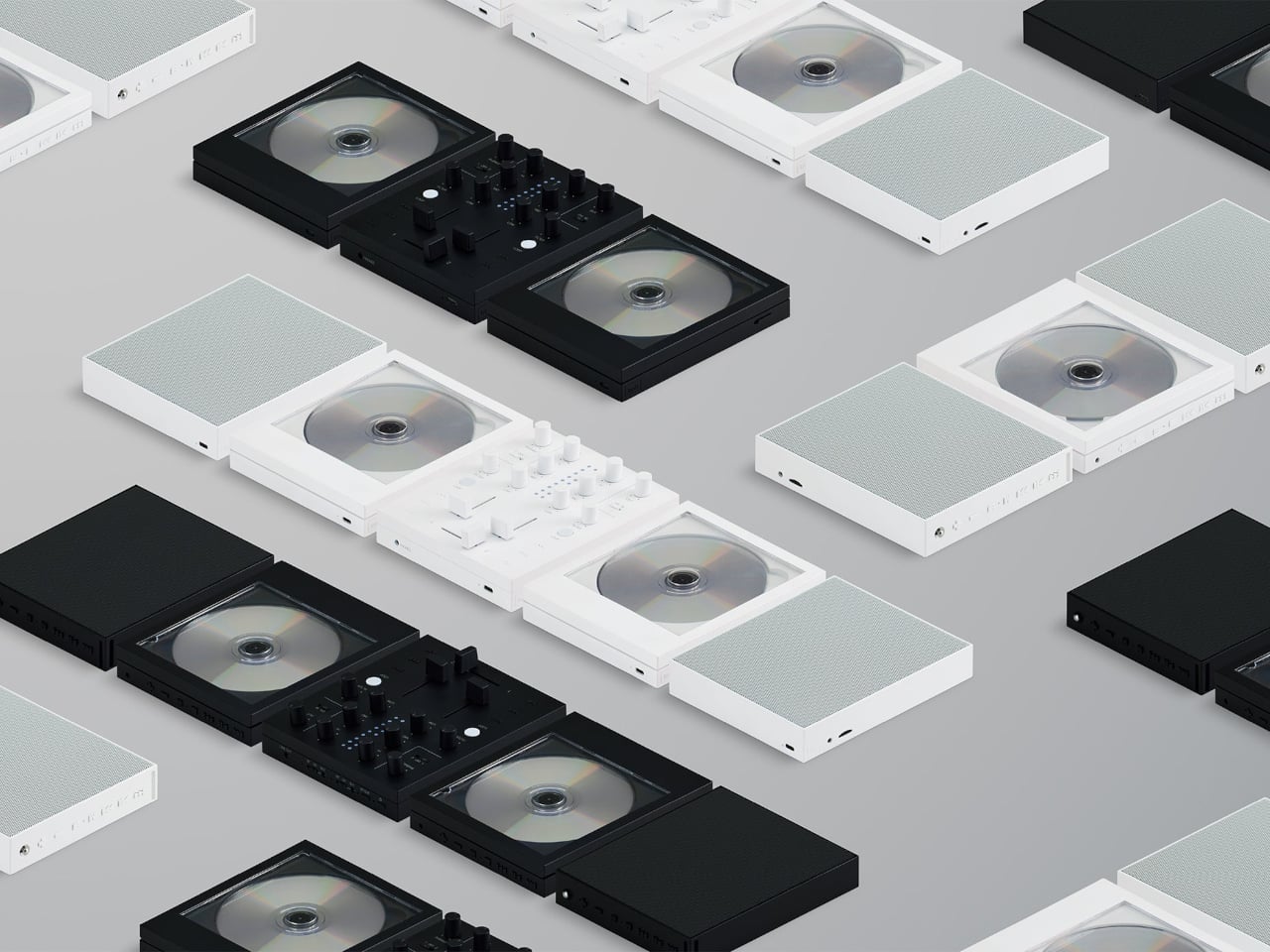
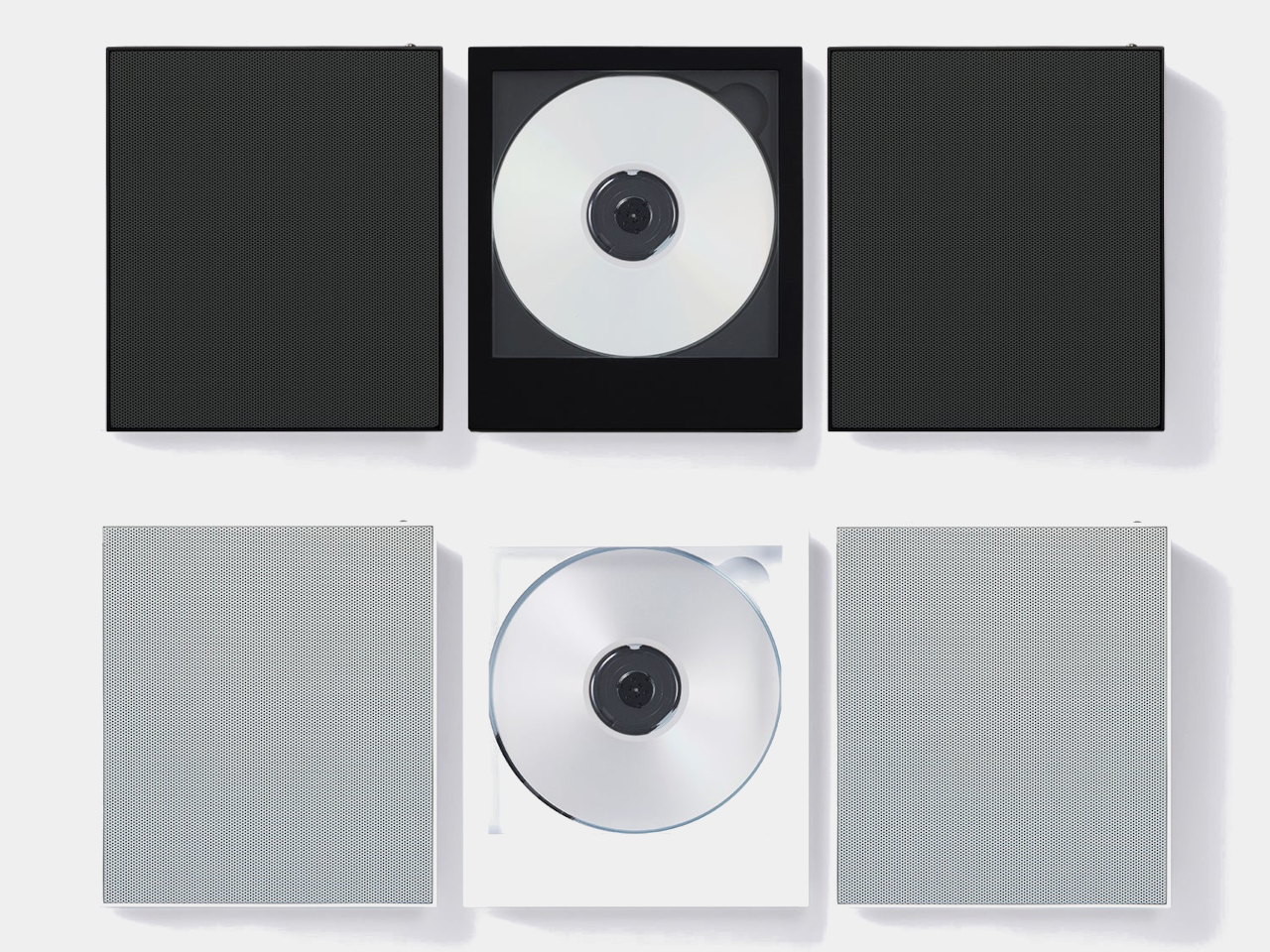
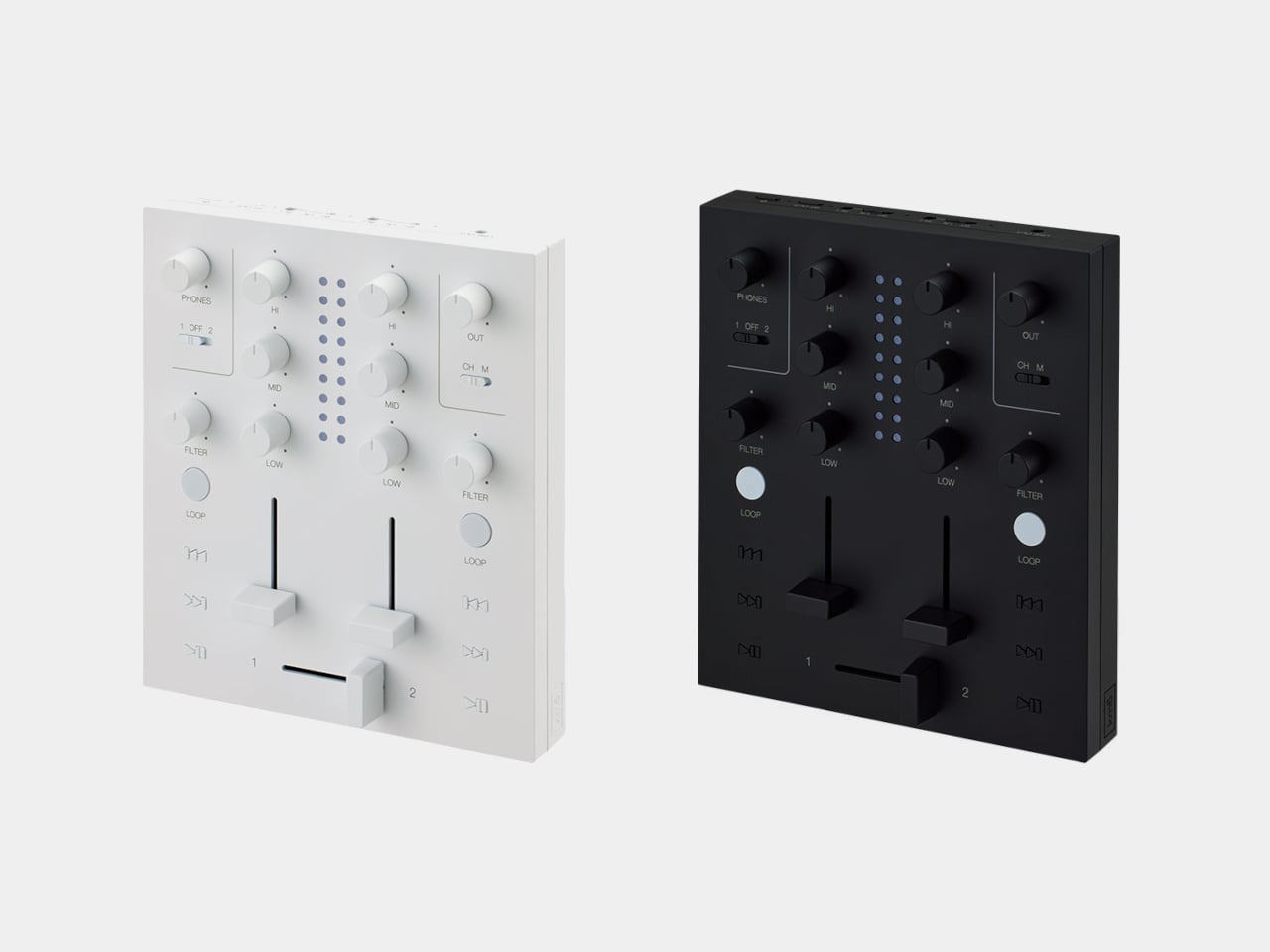
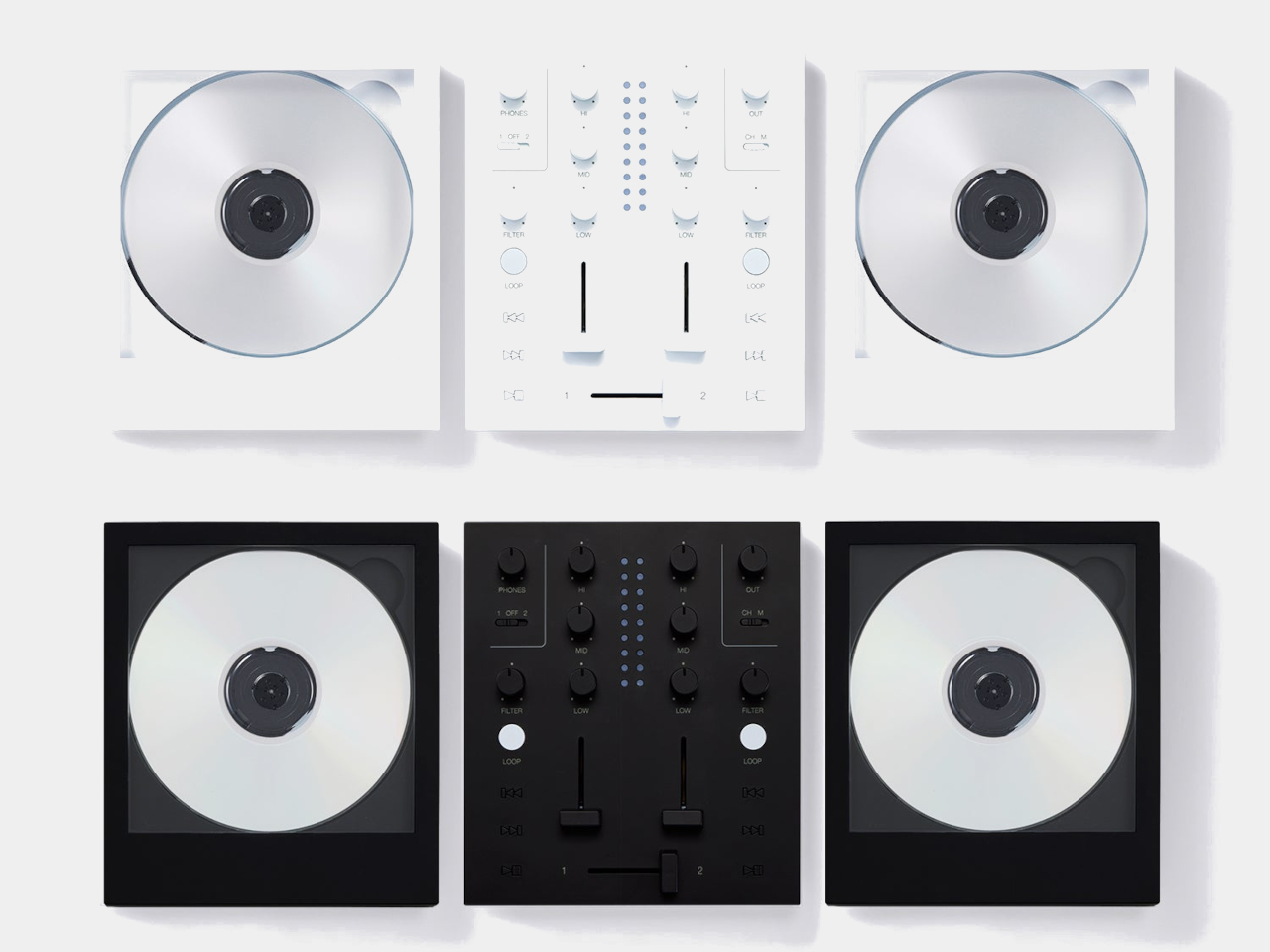
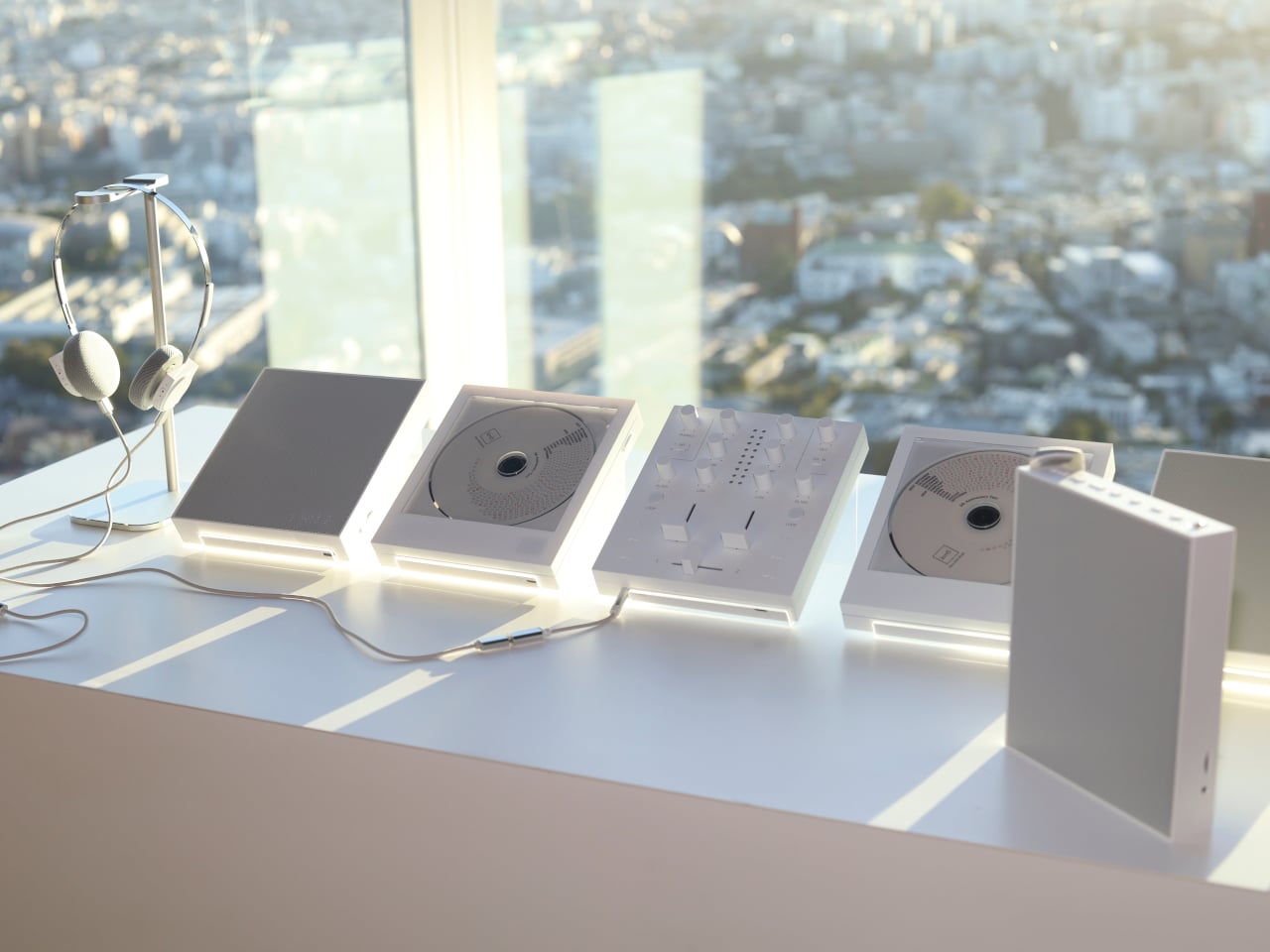
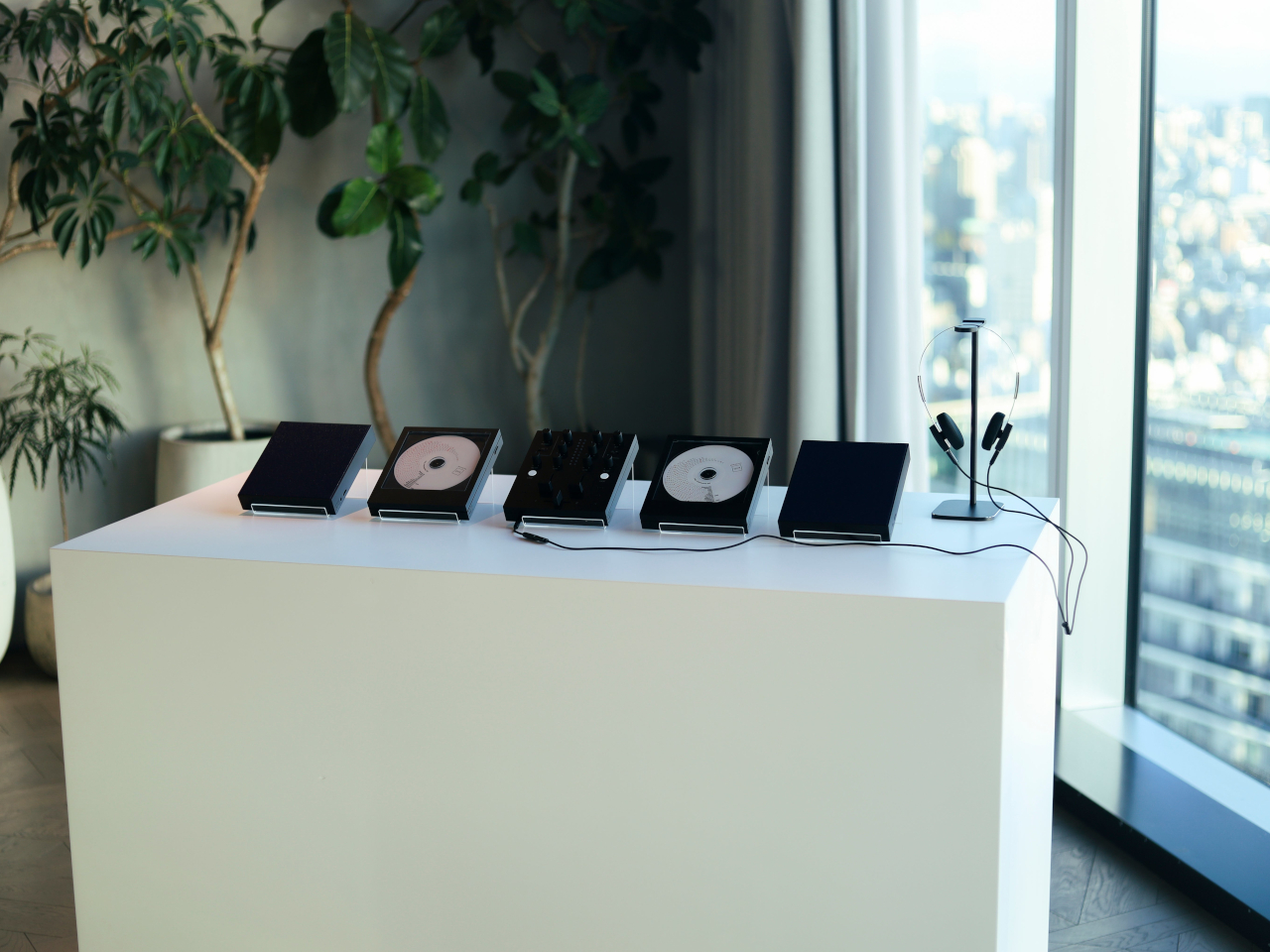
There’s something satisfying about choosing a CD, even if most of us have become accustomed to tapping a screen instead. The trouble is finding audio equipment you’d actually want to leave on display. km5’s newly announced Sp1 speaker and Mp1 mixer give its Cp1 CD player some equally minimalist company, letting you listen to favorite albums or try your hand at mixing them.
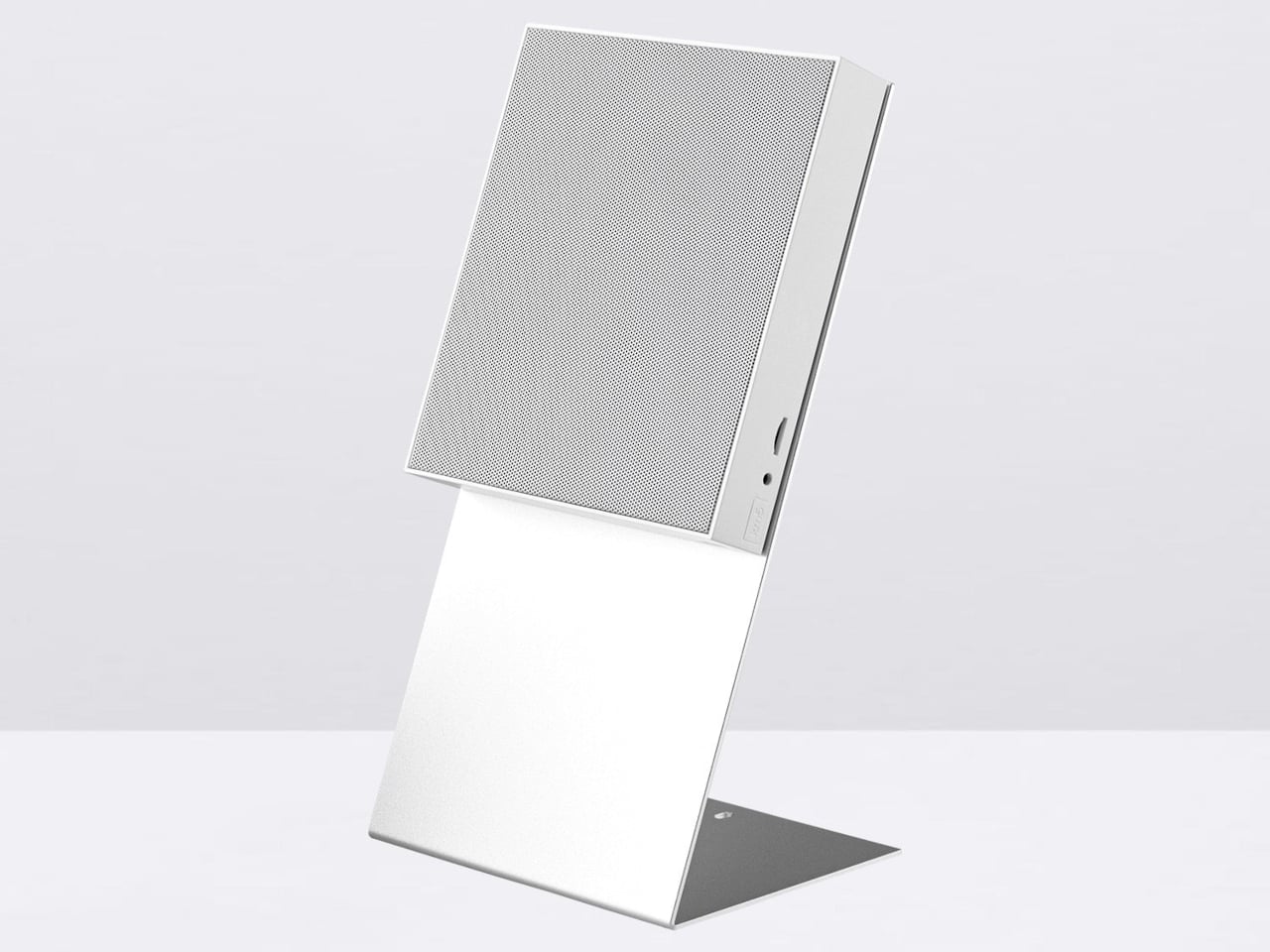
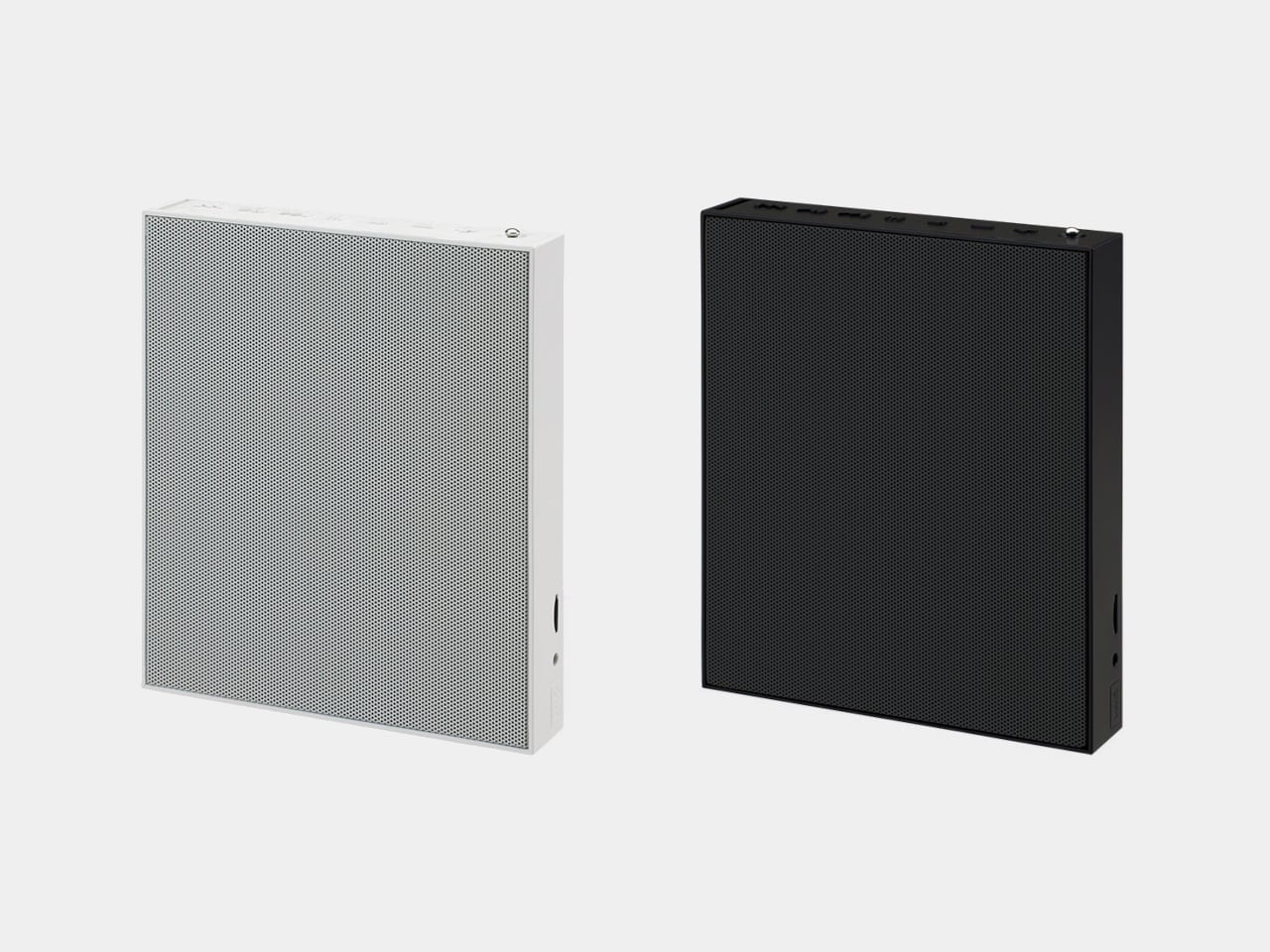
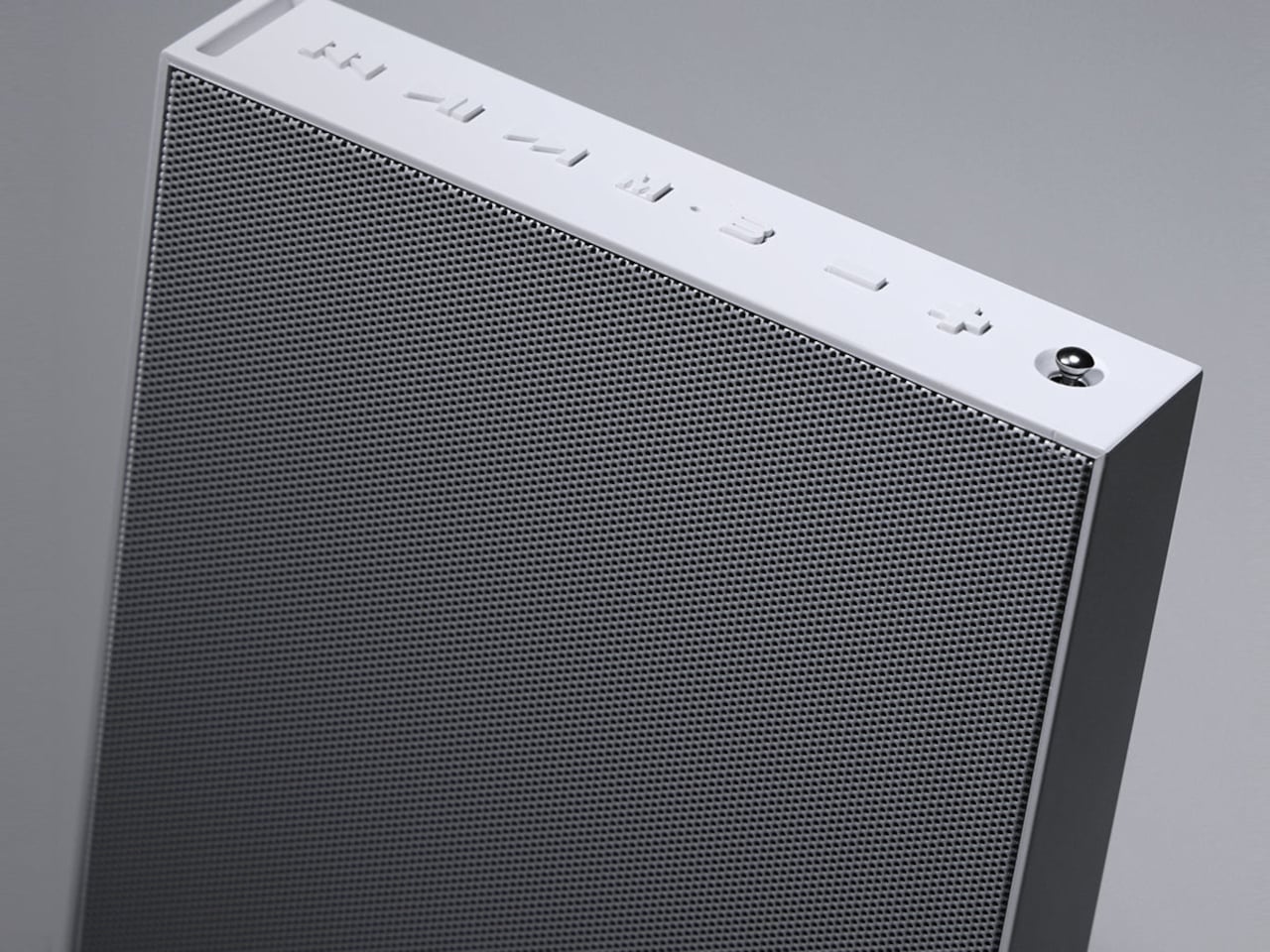
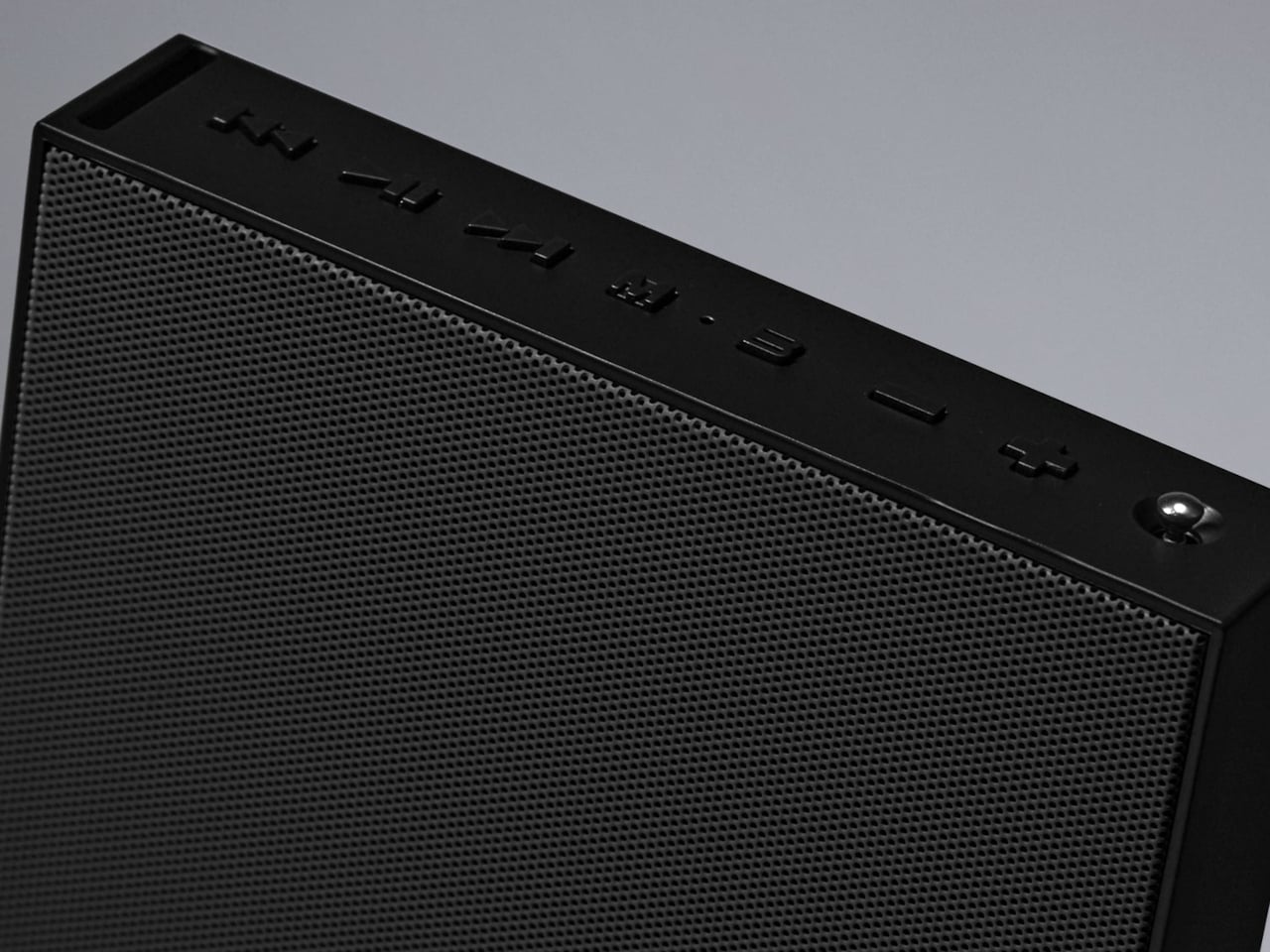
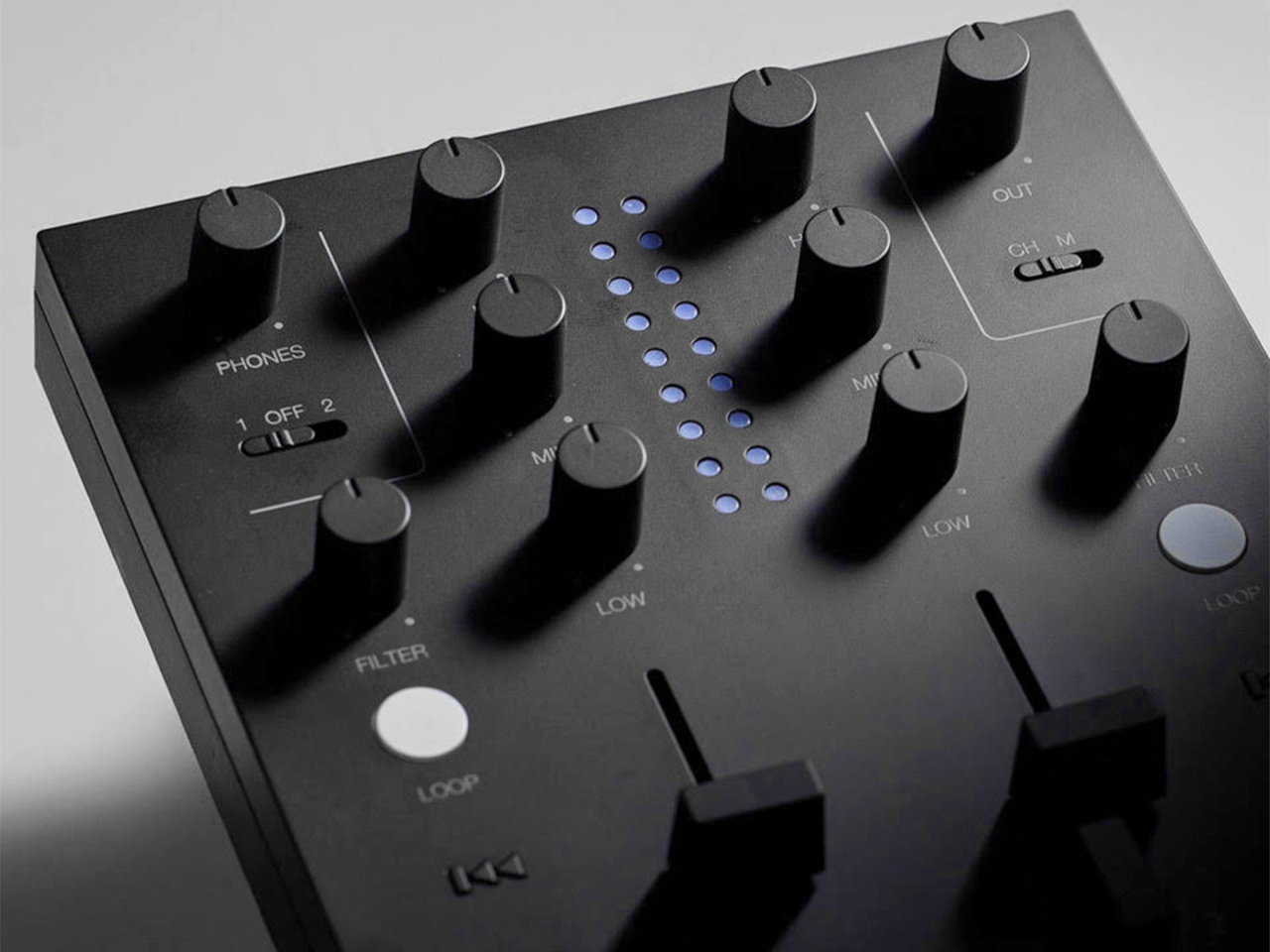
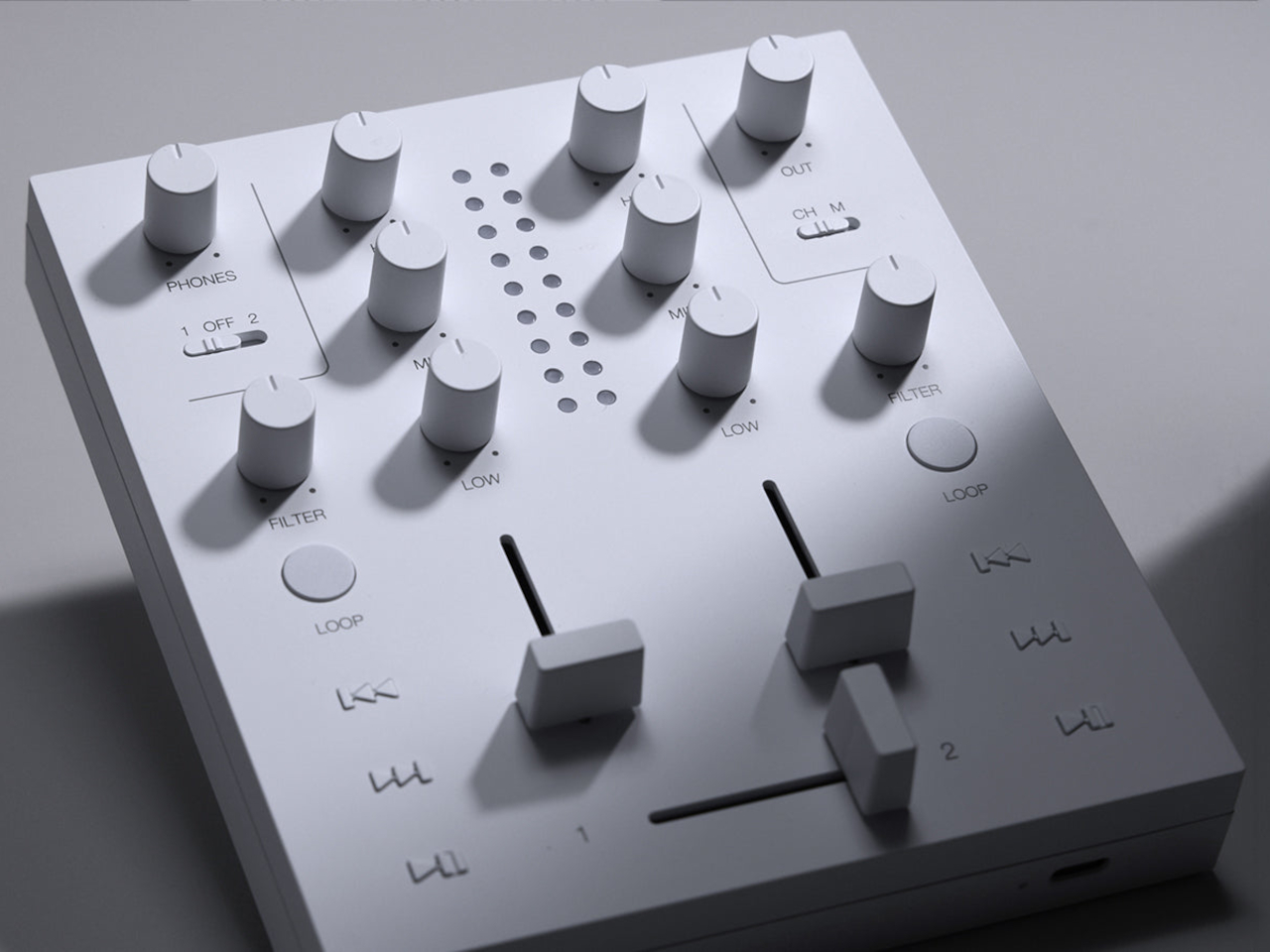
Both borrow the Cp1’s flat, frame-like format, with black or white finishes that let the pieces sit together without looking like an assortment of unrelated electronics. The Sp1 puts a perforated grille where the player displays its disc, while the Mp1 fills that space with knobs and sliders. They share the same size, but each makes its purpose clear through its front surface.
The speaker has a few surprises behind that otherwise quiet appearance. A dot-matrix display sits beneath the grille, showing the time and playback information without carving out a separate screen on the front. Physical buttons occupy the top edge alongside a retractable metal antenna. That last detail gives away the Sp1’s other role as an FM radio that doesn’t need to borrow your phone.
Inside are two 1.77-inch full-range drivers and two passive radiators, though their presence alone doesn’t tell us how convincing the bass will be. Bluetooth and microSD playback offer other ways to listen, and you can record radio programs, too. Pairing two Sp1 units provides stereo playback, letting a single speaker become part of a larger arrangement rather than something you’ve outgrown.
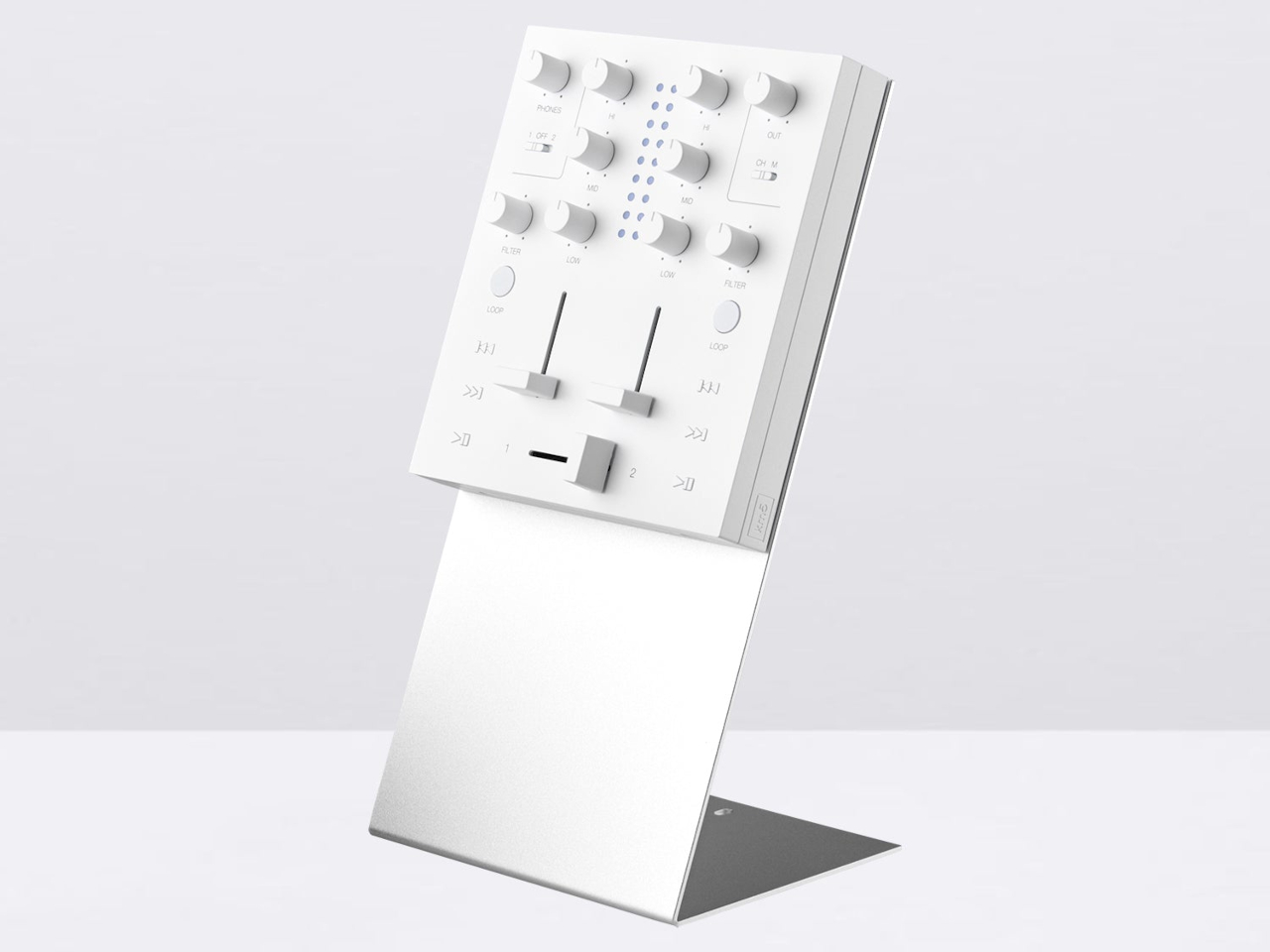
The Mp1, meanwhile, invites you to do something with the music beyond pressing play. Its two channels have separate level sliders, with a crossfader below for blending between sources. Three-band EQ controls adjust the bass, midrange, and treble, while filters change the sound further. Loop buttons repeat sections of a track, giving a favorite passage permission to stick around a little longer.
Two Bluetooth inputs let the mixer receive music from sources such as a Cp1 and a smartphone, then send the combined sound wirelessly to a compatible speaker. You aren’t required to own an entire matching set, thankfully. Line inputs and outputs also accommodate wired connections, though the published information doesn’t establish how much delay the completely wireless arrangement introduces when you’re trying to mix.
Built-in batteries make it easier to move the arrangement away from a desk, with km5 quoting approximately 12 hours for the speaker and six for the mixer. Optional wall-mount accessories offer another way to free up a surface. The mixer can even be operated on the wall, an unusual invitation to get up from the sofa and fiddle with the music yourself.
Preorders are scheduled to open on November 16, 2026, with km5 expecting shipments in February 2027 or later, though pricing remains unconfirmed. There’s also a practical limit to that portable party setup. The speaker’s quoted battery life is twice the mixer’s, so it might be ready for another album when your DJ booth is looking for a charger.
Vietnam and India are advancing AI, cybersecurity, and digital payments partnerships, but key projects and cross-border payment services remain in development.
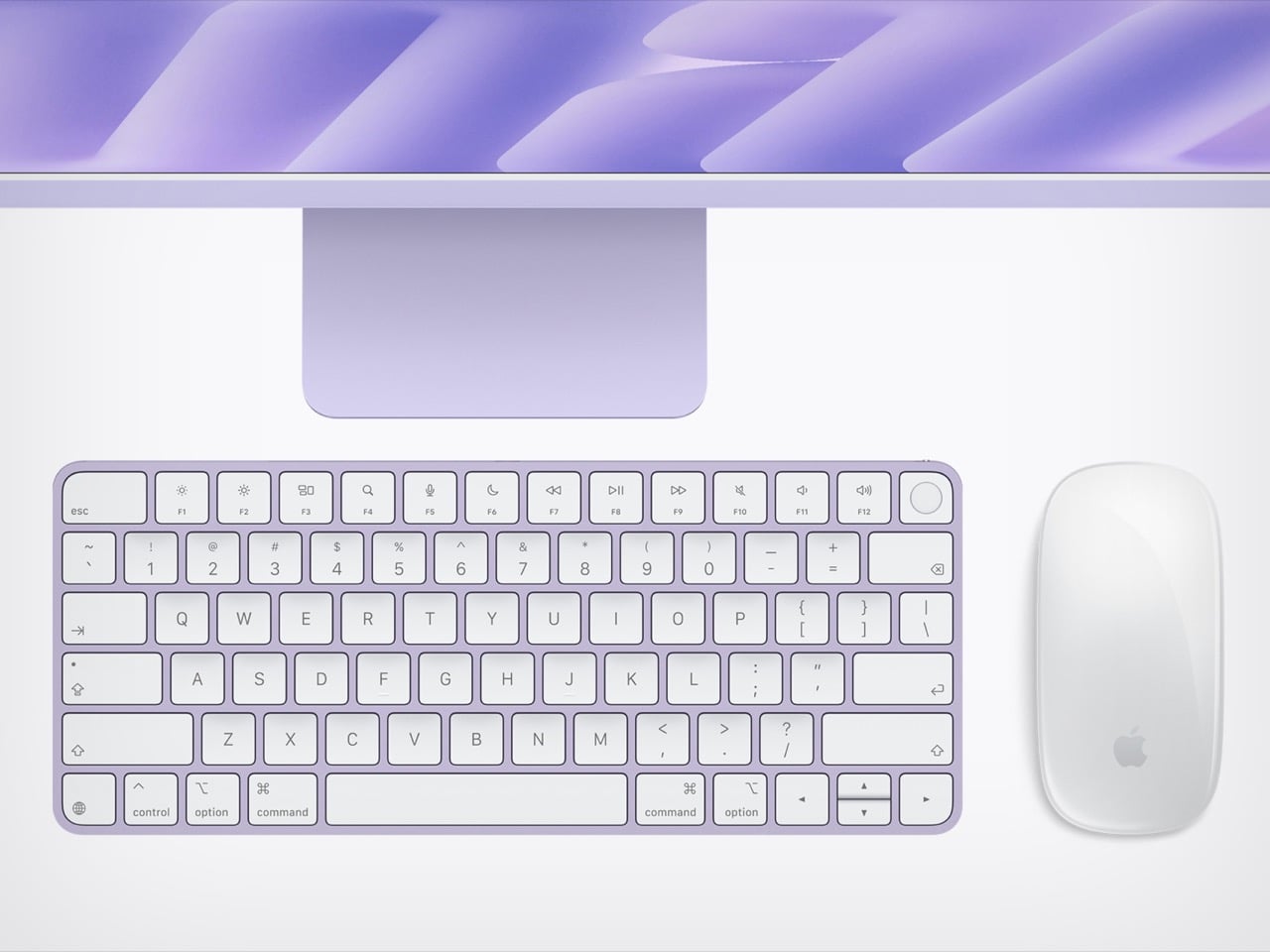
Apple’s October has turned into a full-on home makeover. First came HomeView, a $299 smart display for the kitchen with a generous helping of iMac nostalgia baked into its design. Now the iMac itself is back with the M6 chip, which feels a bit like the original star showing up after the spinoff already aired. The two aren’t rivals at all, because a 7-inch hub and a 24-inch desktop live very different lives. They play for the same team, with HomeView running the house while the iMac sits on the desk handling homework, taxes, and the occasional late-night gaming session.
The new iMac skips the M5 generation and goes straight to Apple’s 2nm M6 chip, with two more CPU and GPU cores than before. It starts at $1,499 for the 10-core, two-port model, while $1,699 gets you 12 cores, four Thunderbolt ports, and 2.5 Gigabit Ethernet living inside the power brick. Apple also swapped in its own N1 wireless chip for Wi-Fi 7, Bluetooth 6, and Thread, which fits neatly with all that smart home energy. Those prices match what the M4 iMac cost after June’s price hike, so the extra cores are basically a free upgrade. Pre-orders open October 28, and the first deliveries land November 6.
Designer: Apple
The iMac skipped M5 and went straight to 2nm
The M6 is built on TSMC’s first-generation 2nm process, swapping the M4’s FinFET transistors for gate-all-around nanosheets that leak less power at these tiny sizes. The $1,499 model gets a 10-core CPU split into two super cores, three performance cores, and five efficiency cores. The $1,699 model bumps that to 12 cores, with two super, four performance, and six efficiency cores. Both get a matching GPU with a Neural Accelerator in every core, plus two 16-core Neural Engines totaling 32 cores. Memory bandwidth climbs from 120GB/s to up to 170GB/s, and the SSD now supports PCIe 5.0 for up to twice the read and write speed.
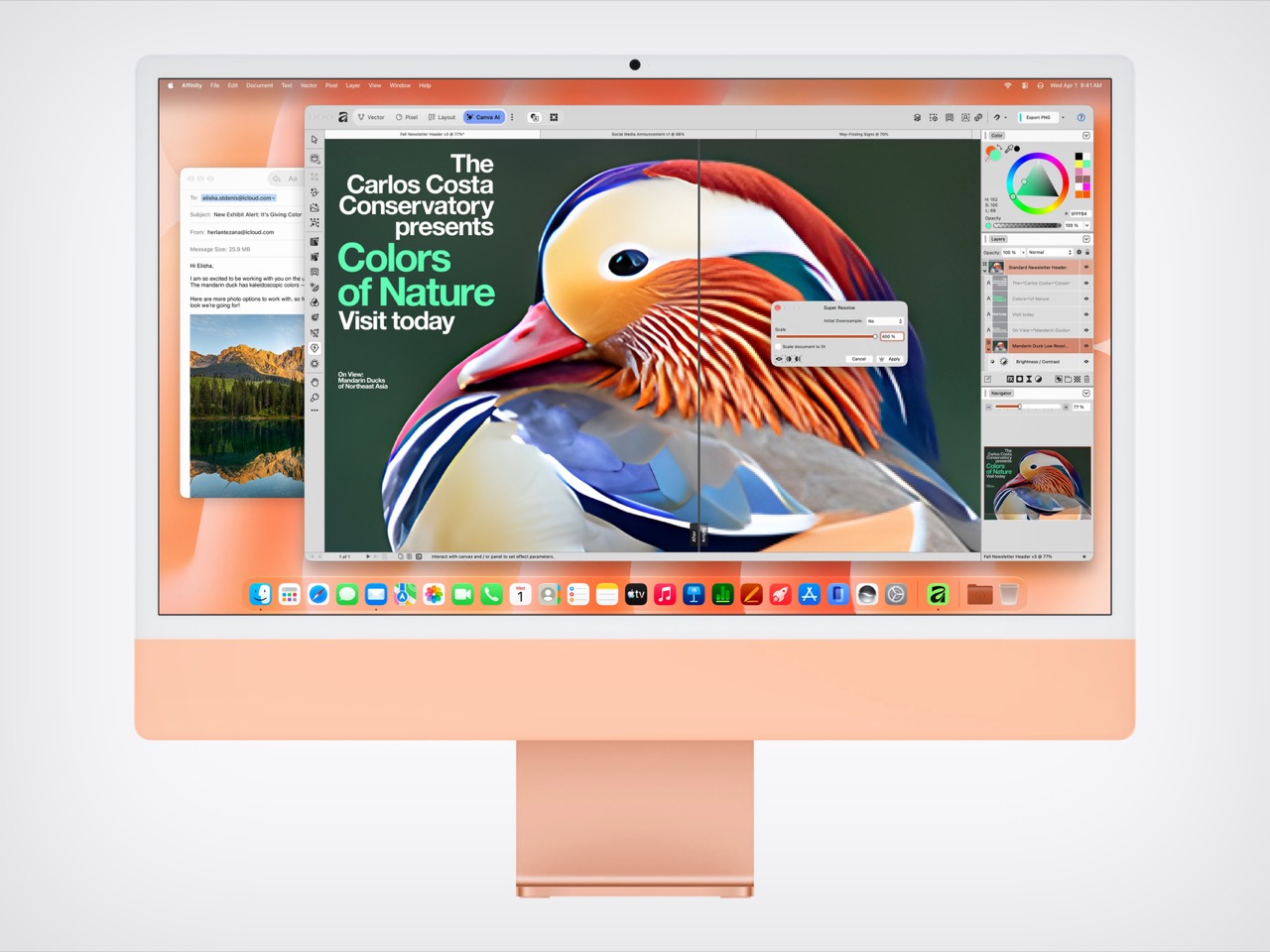
Apple’s own numbers put the M6 iMac up to 1.5 times faster than the M4 in Microsoft Excel and up to twice as fast for photo editing in Affinity. Ray-traced gaming performance doubles too, which is great news for anyone secretly using the family computer as a gaming rig. The biggest jump is on-device AI, with prompt processing in LM Studio up to five times faster than M4. Apple’s press release even name-drops vibe coding as an iMac use case, a very 2026 thing to say about a computer that comes in pink. If you’re coming from an Intel iMac, Apple claims up to 18 times faster performance, which should feel like time travel.
The Ethernet port lives in the power brick now
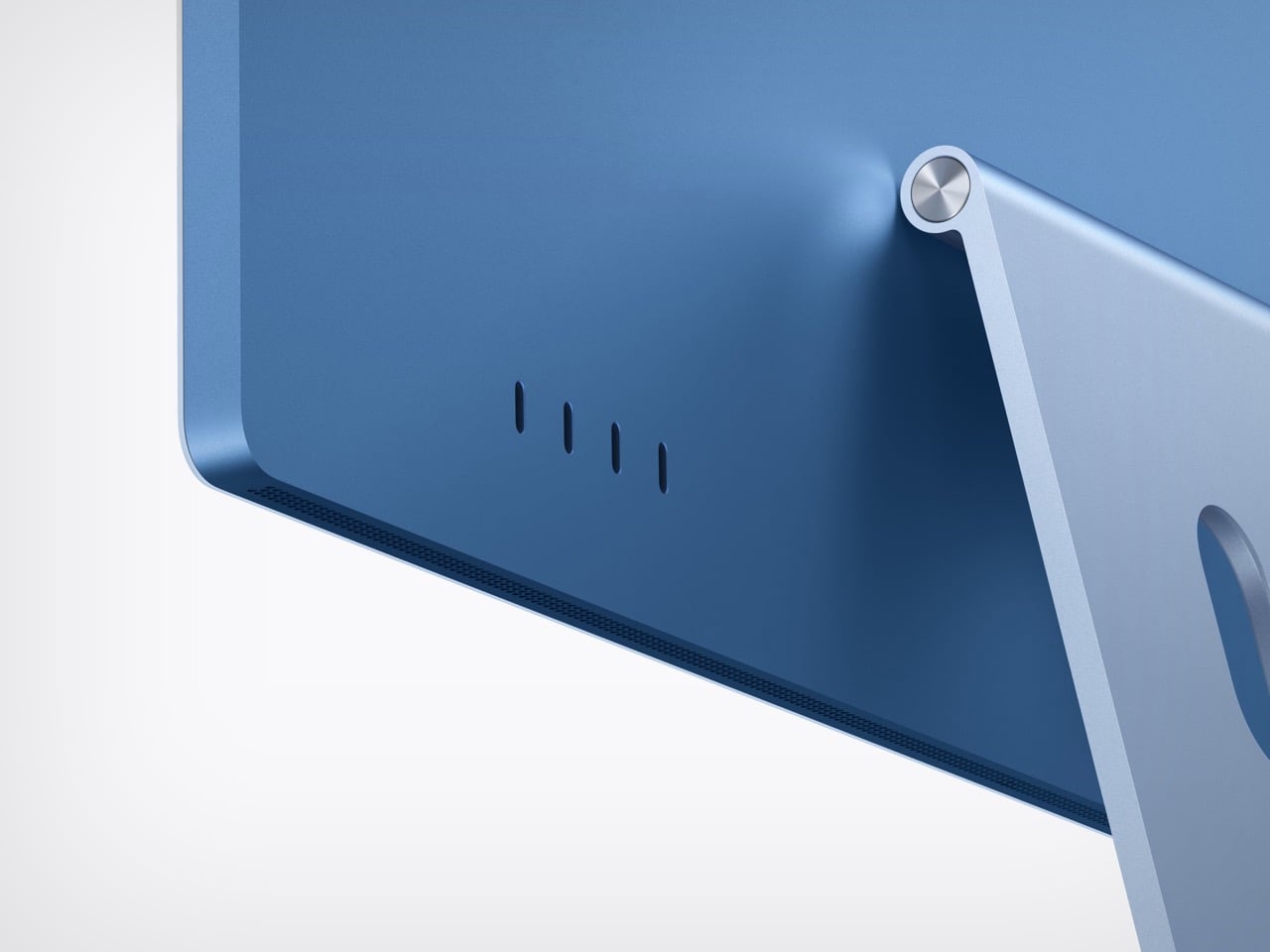
The $1,699 model comes with a 2.5 Gigabit Ethernet port as standard, and the $1,499 model can add one for $30. Apple builds that jack into the power adapter instead of the computer itself. That keeps the iMac’s 11.5mm-thin body free of a chunky network port, and your cable clutter ends up under the desk where it belongs. The previous model used the same brick trick, but it topped out at 1 Gigabit. At 2.5 Gigabit, pulling a giant photo library off a home server should feel a lot less like waiting for a kettle to boil.
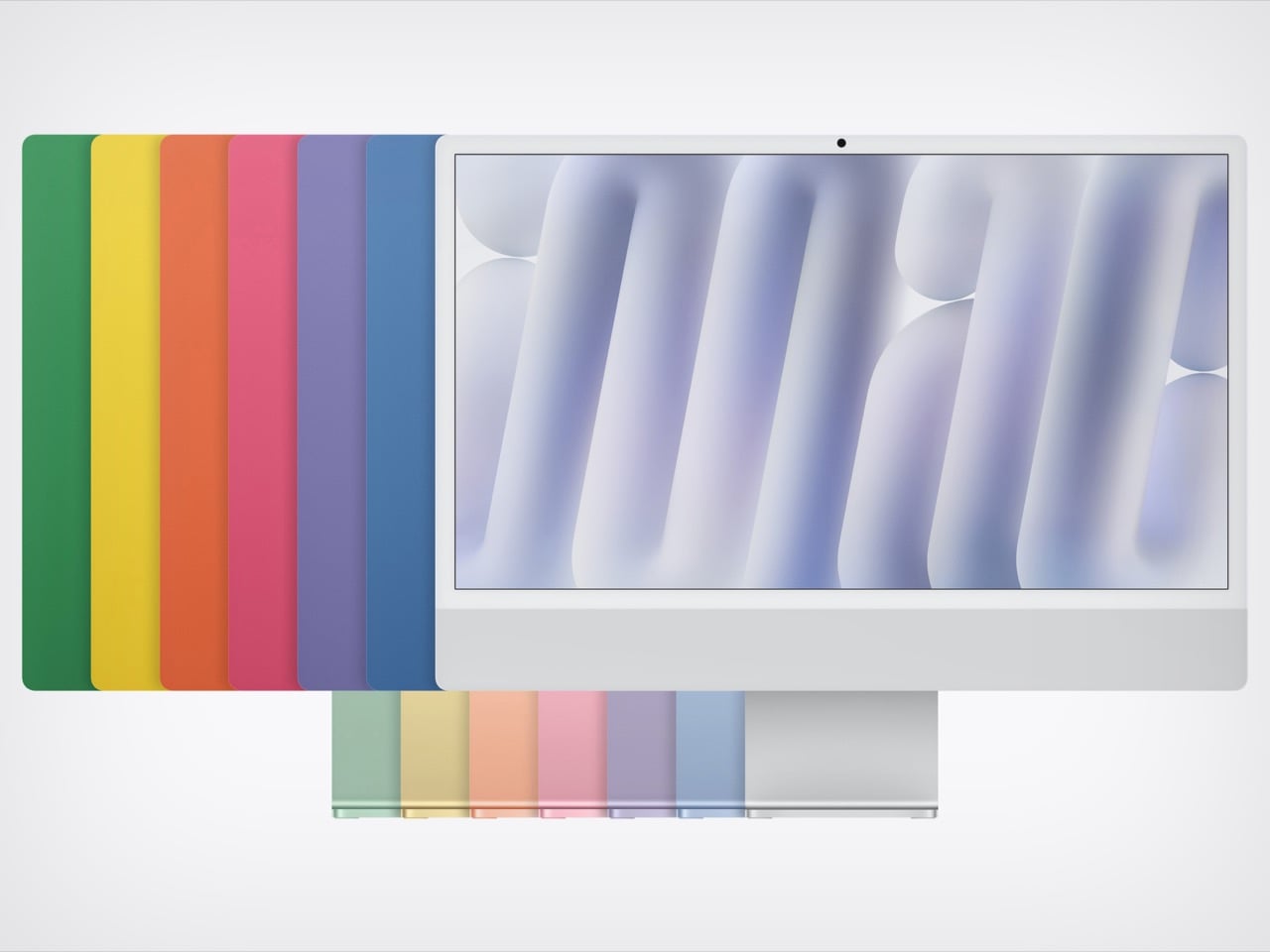
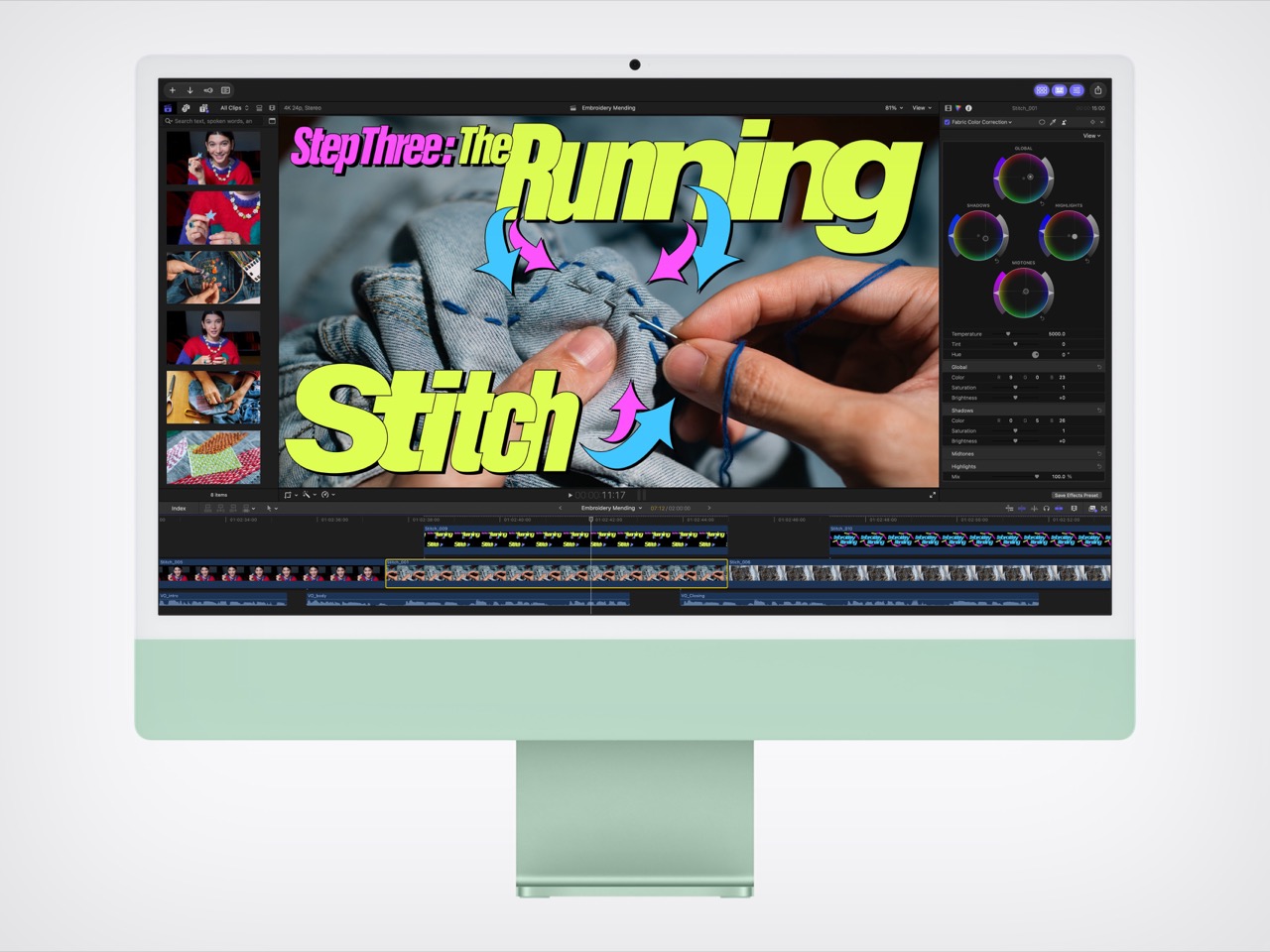
Apple’s own N1 wireless chip replaces Broadcom, bringing Wi-Fi 7, Bluetooth 6, and Thread, the low-power mesh network behind a lot of Matter smart home gear. External display support gets generous on the four-port model, which can drive two 6K screens at 60Hz, two 4K screens at 165Hz, or a single 4K panel at 240Hz. It can even run both external displays off a single Thunderbolt port. Everything you see and hear stays the same, from the 24-inch 4.5K Retina display at 500 nits to the 12MP Center Stage camera and six-speaker system. The seven colors carry over too, along with color-matched keyboards and mice that charge over USB-C.
Same $1,499 price, two more cores
The M4 iMac launched at $1,299 back in 2024, then jumped to $1,499 in June when Apple raised prices across the Mac lineup to cope with soaring memory and storage costs. The M6 model keeps that $1,499 starting price, but the base chip now has 10 CPU and GPU cores instead of eight. Compared to yesterday, that’s two extra cores of each for the same money. Compared to two years ago, the cheapest iMac costs $200 more. The four-port model at $1,699 is the one I’d point most people toward, since it bundles Ethernet, more display options, and the full 12-core chip.
If you bought an M4 iMac, enjoy it, because the display, camera, speakers, and design are identical and your browser tabs won’t notice the difference. Families still running an Intel or M1 iMac are the real audience here, and the jump will feel enormous. Pre-orders open October 28, with deliveries starting November 6. That makes it the third new Apple product in two days, after the iPad mini and alongside the M6 MacBook Pro, with touchscreen Macs still on deck. HomeView may have gotten the nostalgic looks this month, but the iMac is still the one doing the family’s homework.
Anthropic moves Agent Skills to the Agentic AI Foundation. Learn what the handover means for IT teams, workflow portability, compatibility, and security.
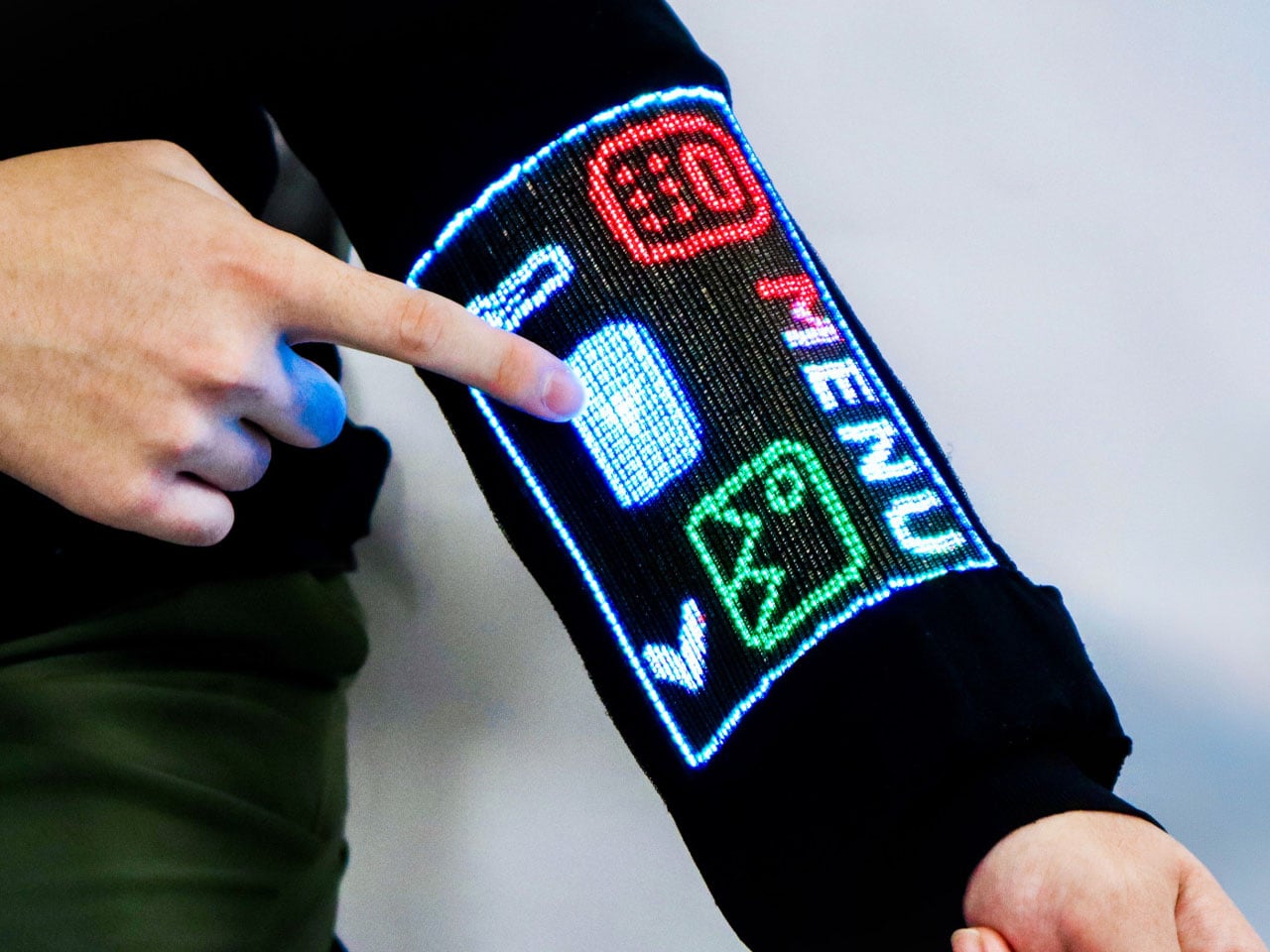
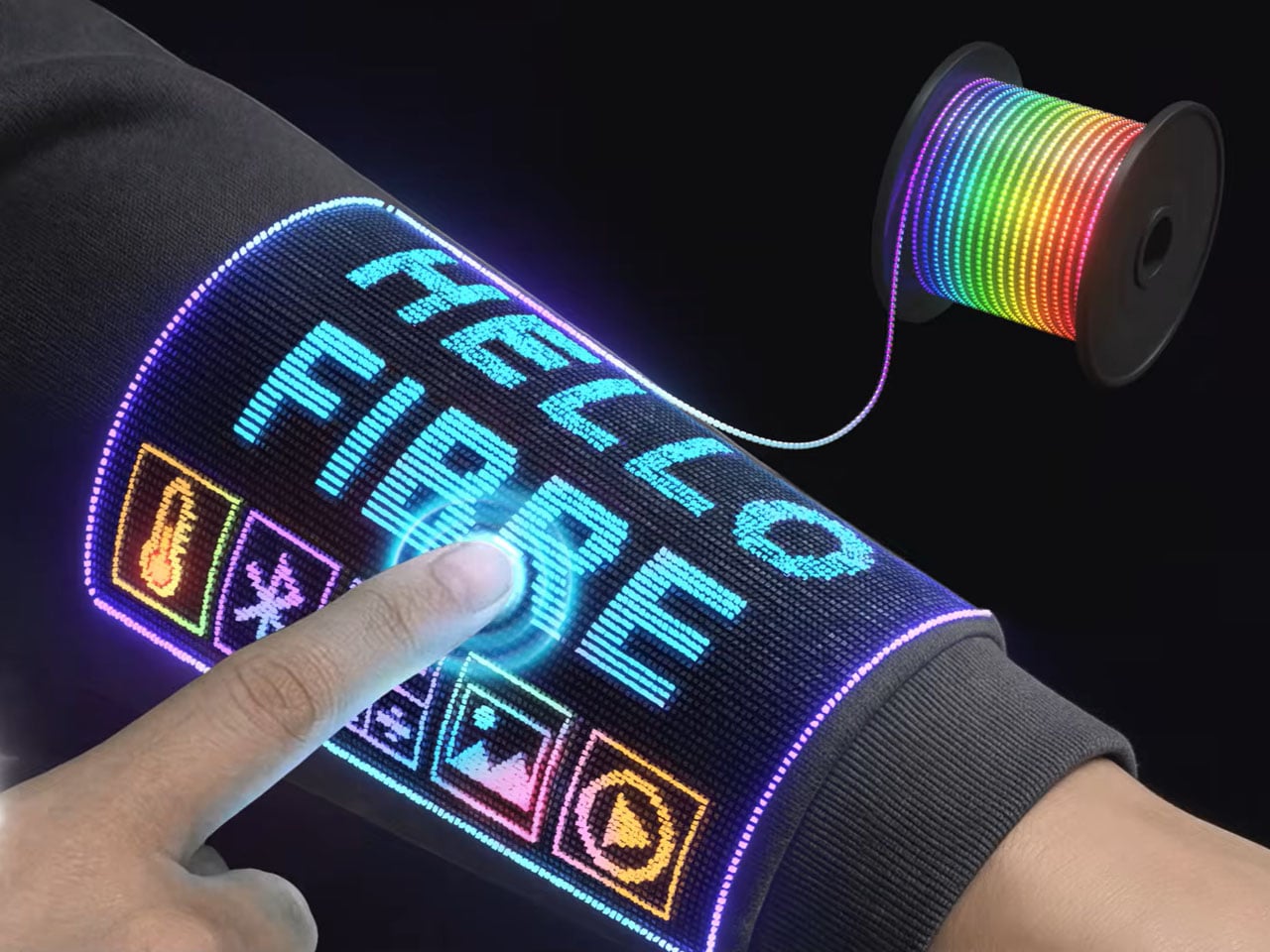
We are already wearing clothing with heaters and Bluetooth speakers built in. But tech-infused clothing to do more than that still feels ugly and nerd chic. Changing that perspective for good and giving us a reason to believe that the next touchscreen interactive device will not be made from plastic- it will be woven into the sleeves- researchers at the National University of Singapore (NUS) have developed a touchscreen sewn into clothing.
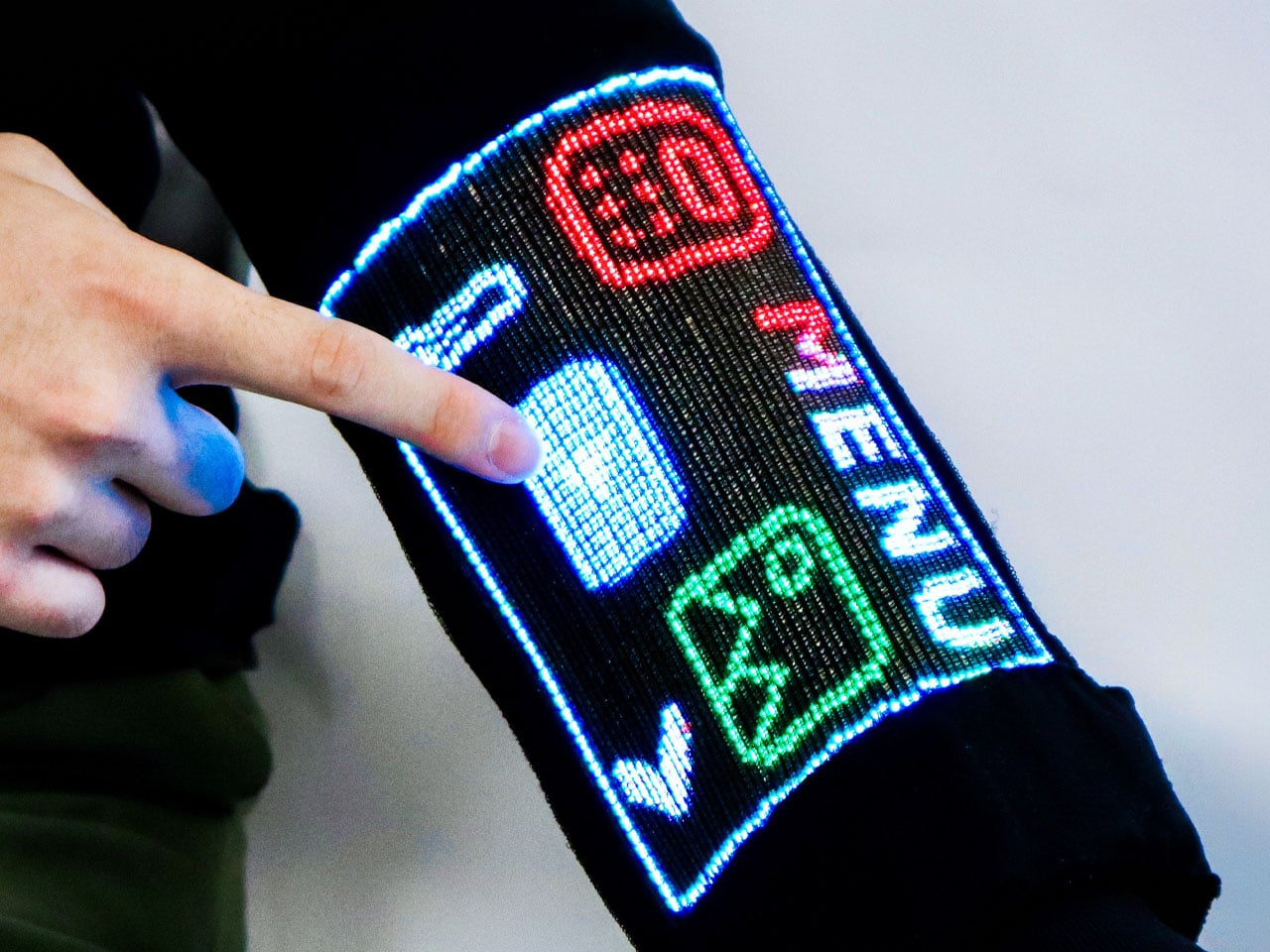
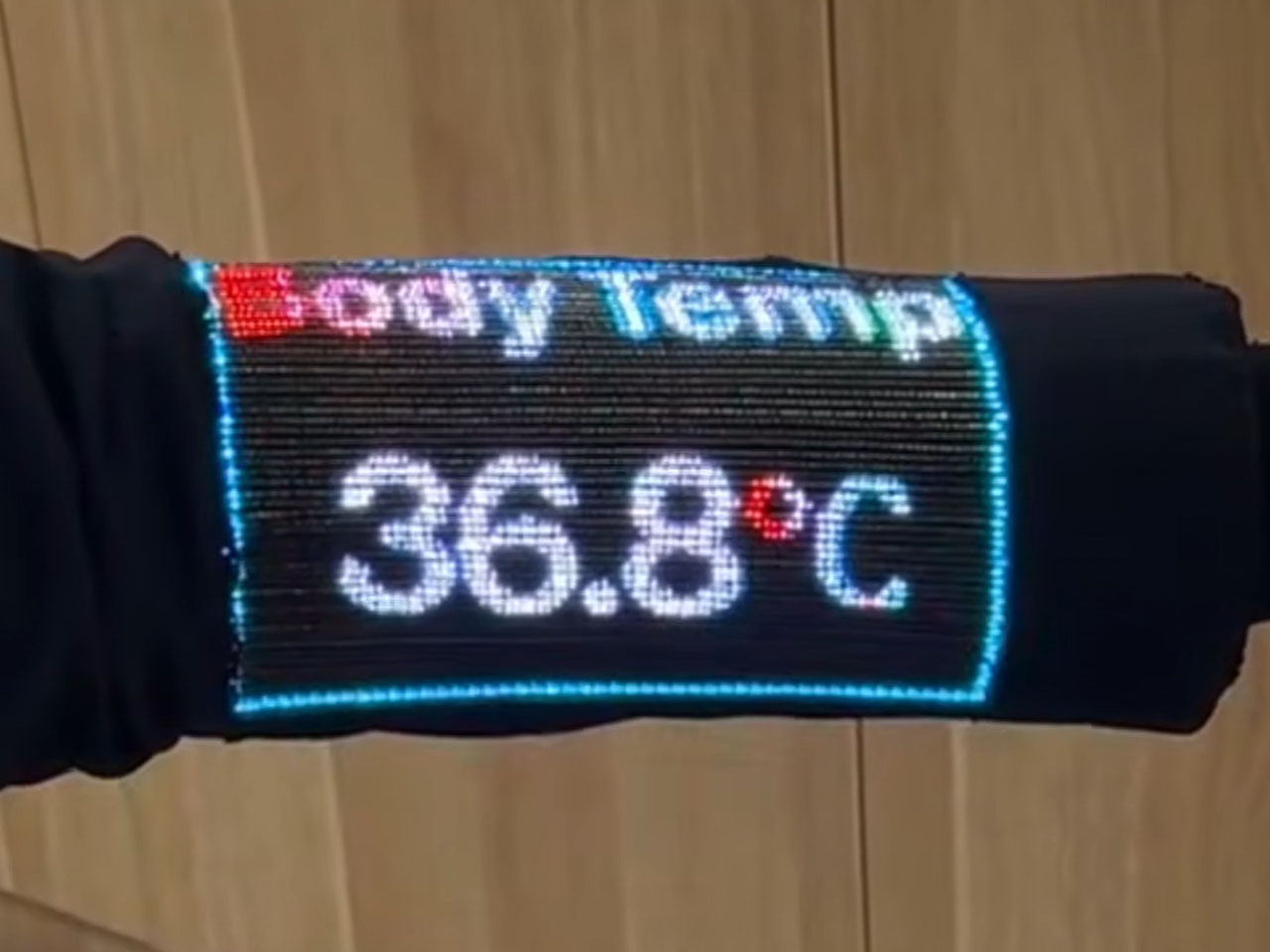
The team of scientists led by Assistant Professor Tural Khudiyev from the Department of Materials Science and Engineering at CDE, has created fiber that functions as pixels and senses touch at the same time. They have integrated 54 specialized fibers into a sleeve, which they described as the world’s first touchscreen built into a garment. The findings of their research were published in Nature on 21 October 2026.
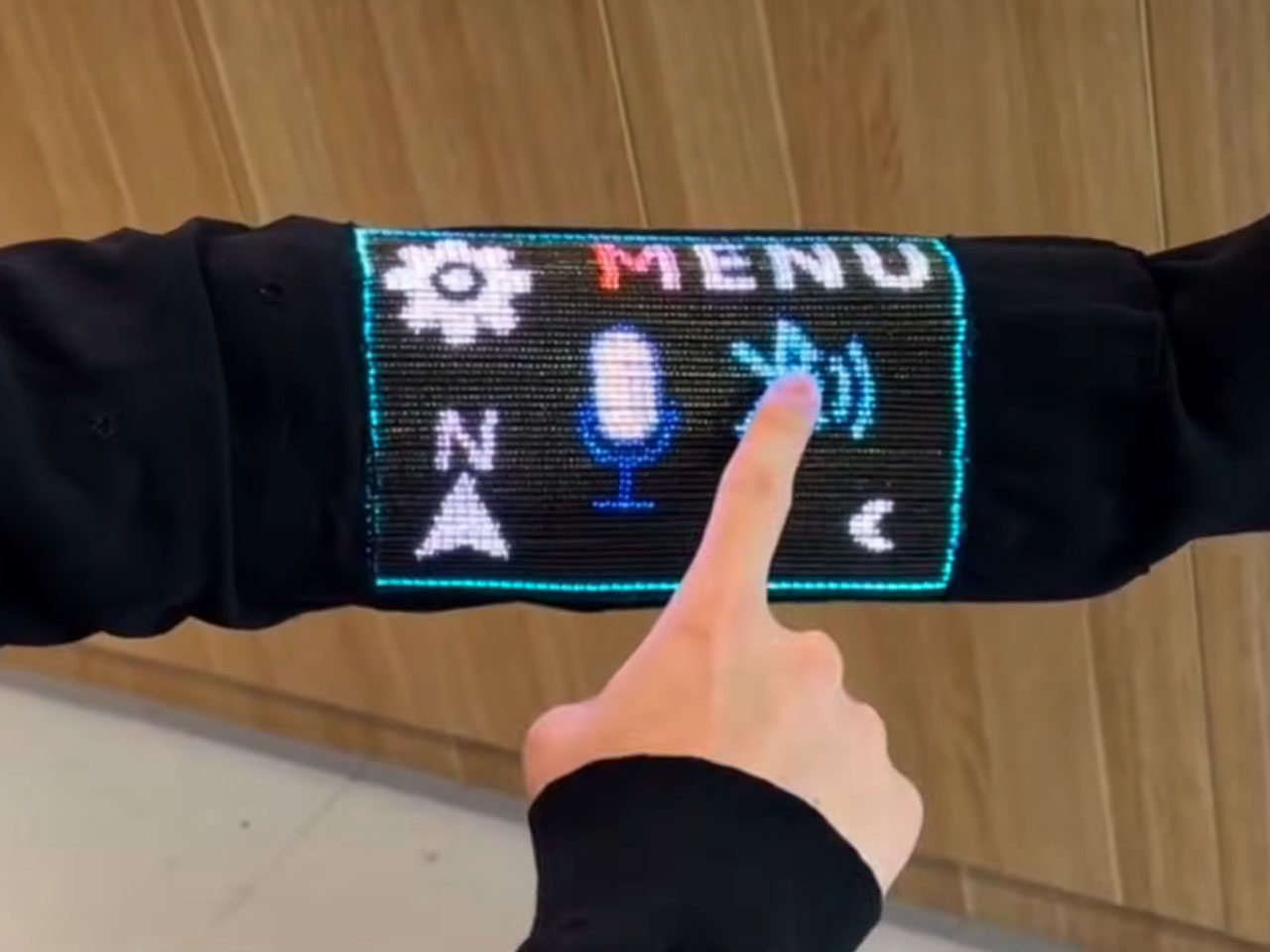
Opening doors for tech-integrated clothing that does more than the usual heating and playing music features, it has a 96 x 54-pixel display on the sleeve, which can show images, play videos, and respond to touch. For the real-world mathematicians, it can also do some calculations. While the techier have the option of pairing the touch-sensitive layer on their sleeve with another Bluetooth device, or interact with it over voice commands.
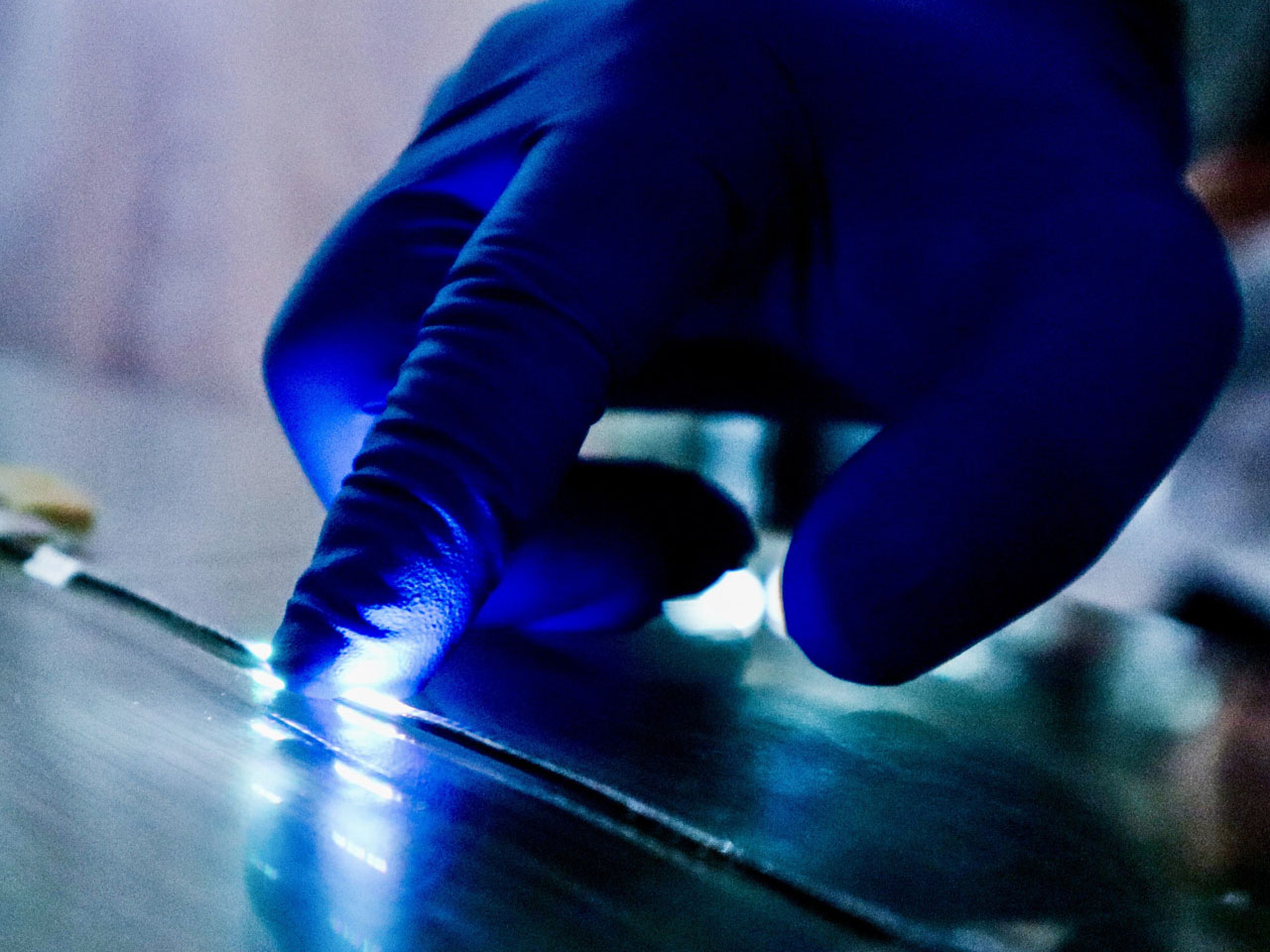
The scientists inform that this is not a screen integrated into the fabric, instead, it features electronics that are built right into the fibers themselves, ensuring that in addition to carrying out some of the functions on the mobile device in your pocket, it can also display body temperature readings when required. The fiber comprises a display and sensing capability, while an integrated touch-sensitive layer helps detect finger inputs and helps activate the corresponding pixels.
Talking about their creation, Asst Prof Khudiyev said, “What made this possible was our ability to construct the GUI system from electronic building blocks in fibre form — similar to traditional yarn, but with the sophisticated electronic functionality built directly into the fibres.” The display that has been created is for now a pretty low-resolution interface, so you cannot expect to play high-res videos on it just yet, but from what we are seeing, it can have a range of applications, such as health monitoring. Imagine a display on your garments that displays your physiological readings?
One concern that instantly comes to mind is how safe a garment GUI system like this one. According to the scientist behind the innovation have found that the display and touch sensitivity of the fabric remains almost unchanged after “50 machine-washing cycles and 1,000 bending cycles.” Also, the garment embedded with the electronics and the touch display remains flexible and breathable, making it usable for everyday wear. The team has not yet announced any possible release date for such a technology, but we already sense that the possibility of its release in the very near future is immense.

 Connexion