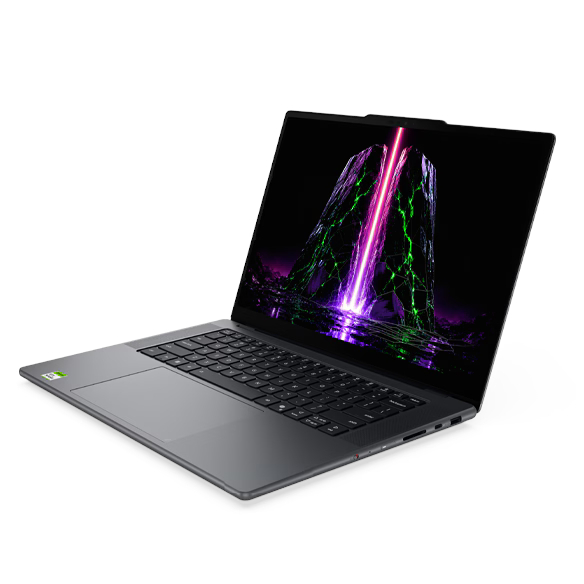
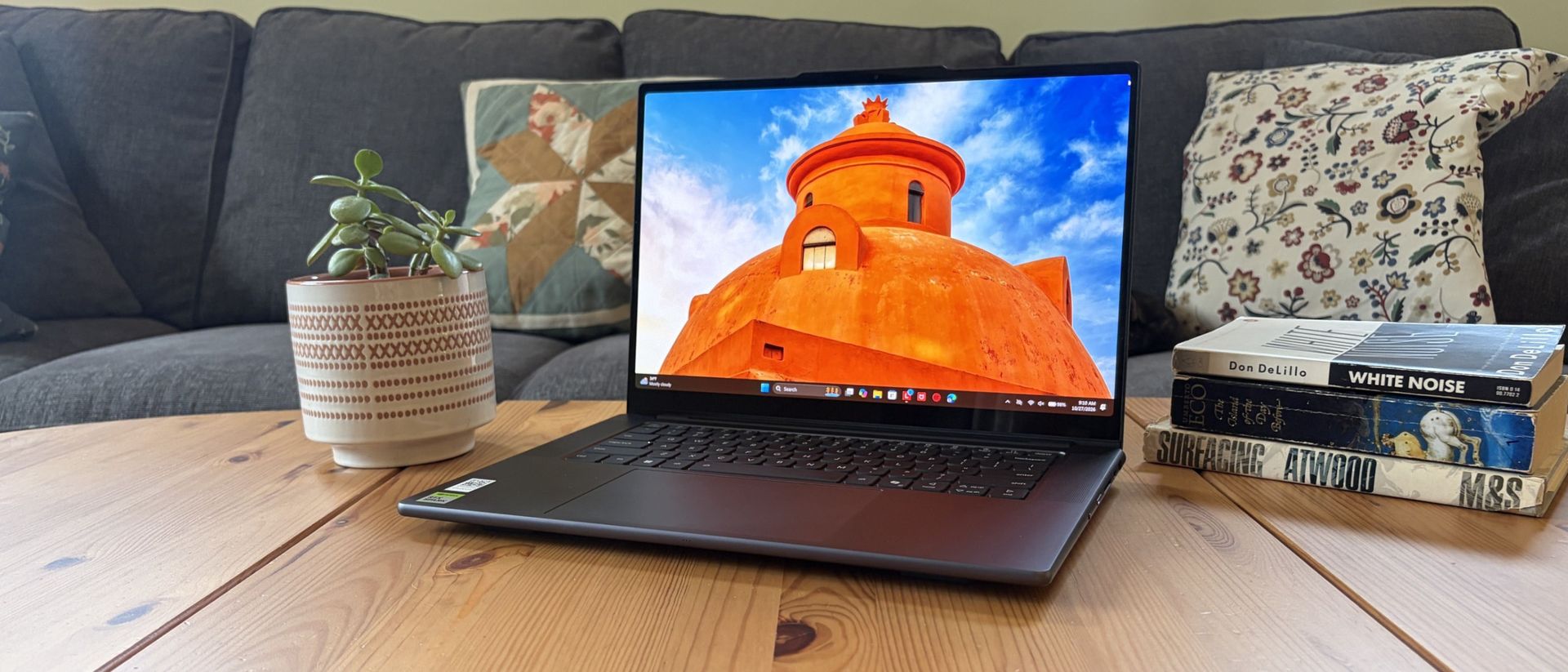
If you're looking for a laptop that's easy to carry without settling for weaker specs, LG's 'gram' range is still one of the strongest options around. To some, it's surprising to see LG in the category, but in the industry, they're still known for lightweight designs, built for traveling workers.
With multiple models at Best Buy currently available across different price points before Black Friday, we've picked some standout LG Gram laptops that offer a balance of value, features, and performance.
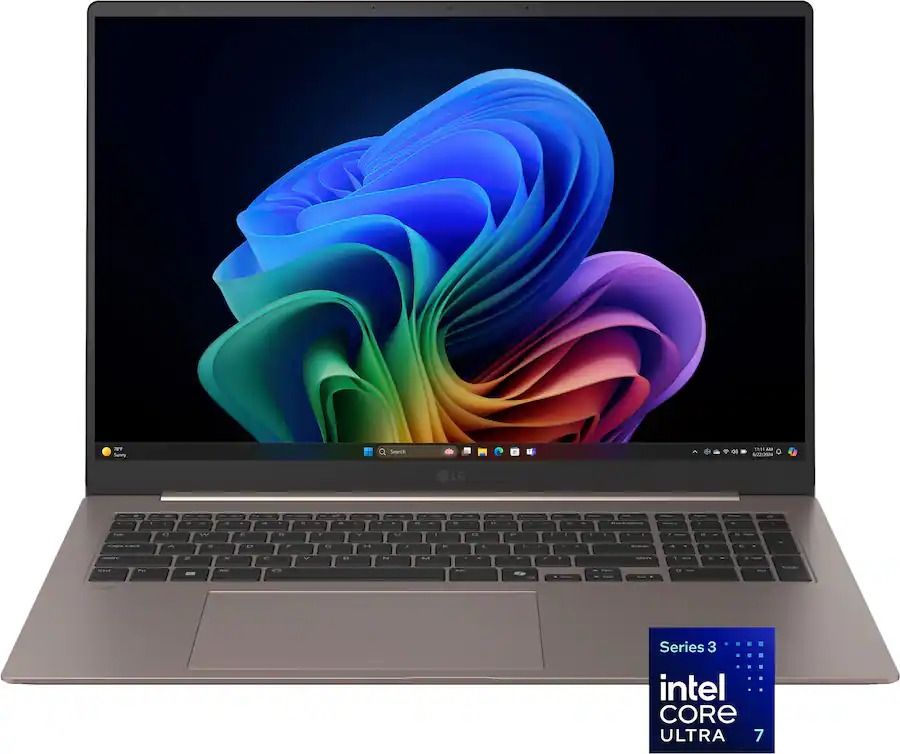
For example, the travel-friendly LG gram Max 17-inch touchscreen with an Intel Core Ultra 7 355 (Panther Lake) CPU, 16GB of RAM, and a 512GB SSD is currently discounted from $1,749.99 to $1,199.99 at Best Buy.
It features exceptional processing power for tackling heavy workloads, a 2.5K display that renders images with sharp details and vibrant colors, a large battery life of over 26 hours, and a thin 0.6-inch profile with a durable magnesium alloy chassis.
This LG Gram is armed with Intel's latest Panther Lake processor, capable of making mincemeat of digital documentation, spreadsheets, and other productivity tasks with ease, while packing a solid chassis and portable design.View Deal
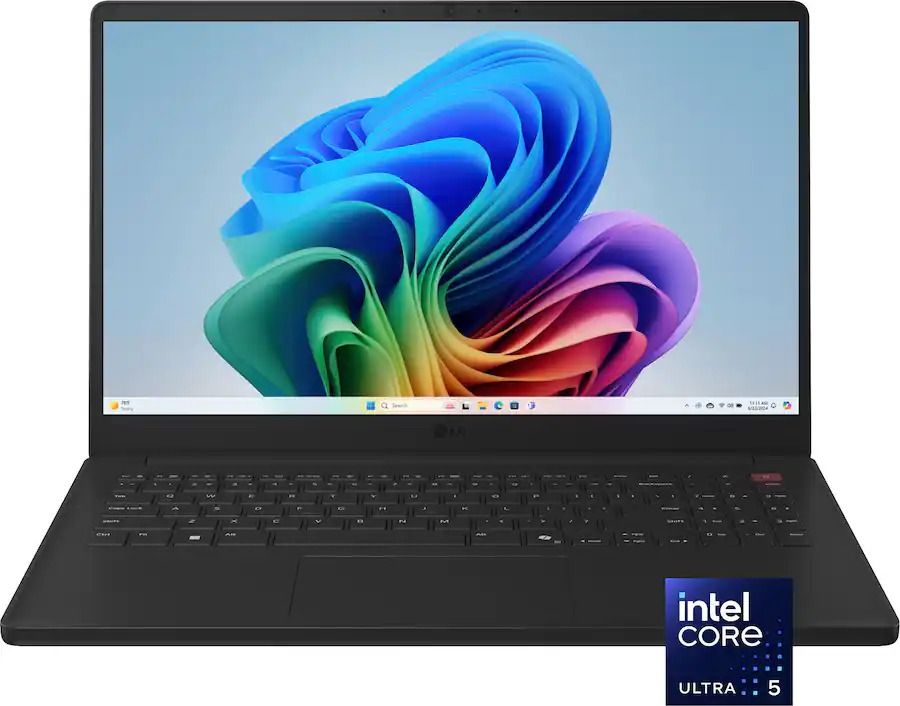
This LG Gram 15-inch laptop has the best value for money in this roundup, as you will be getting a versatile workflow cruncher with a fast-performing Intel Core Ultra 5 CPU, an ultra-thin build, upgradeable SSD and RAM slots, and more features for under $600.View Deal
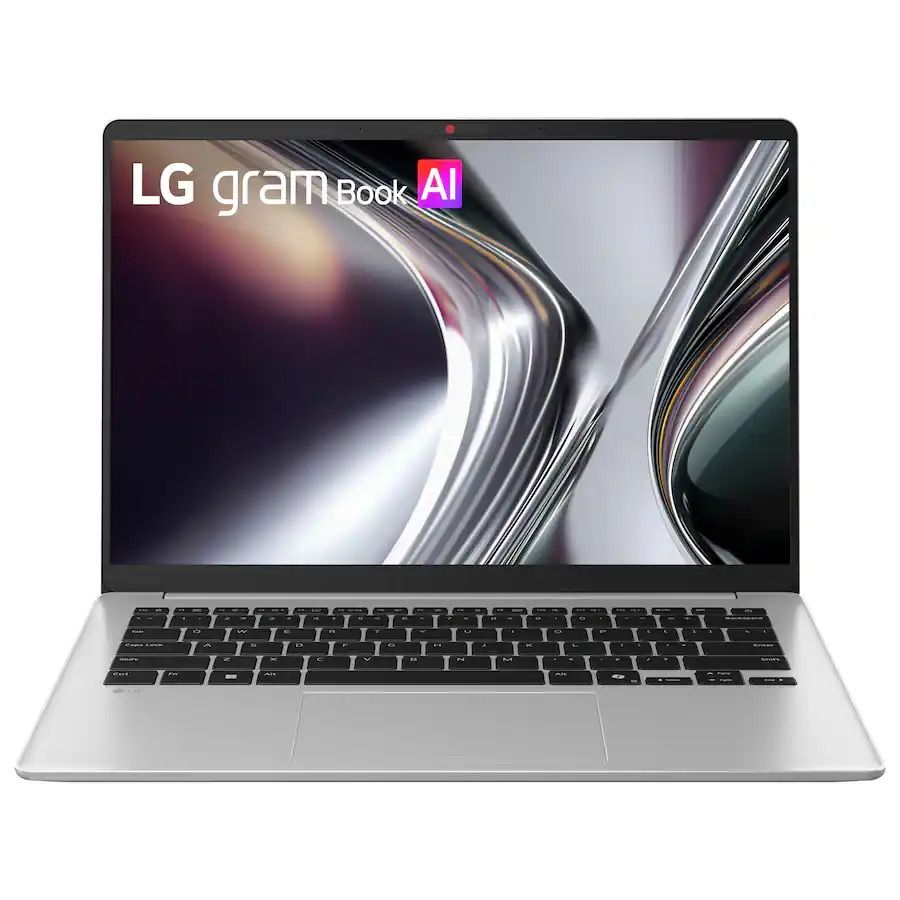
This 14-inch LG Gram laptop features a 61Wh battery that lasts all day at work, a built-in AI assistant to speed up menial tasks like summarizing text, and a FHD 1920x1080 IPS display for wider reading space.
This LG Gram laptop comes with a 15-inch Touchscreen with FHD resolution, an Intel Core Ultra 5 115U CPU with a dedicated NPU for processing AI tasks efficiently, and a generous selection of USB and M.2 SSD slots.View Deal
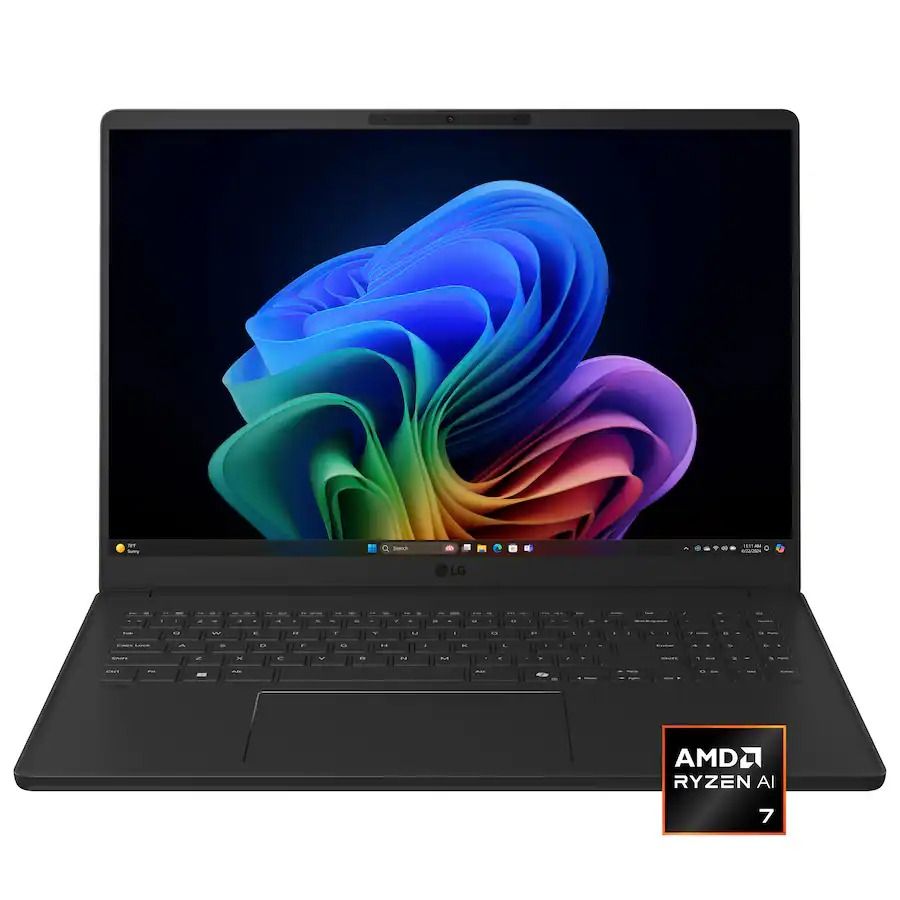
This laptop is the second most powerful one in this roundup, as it's equipped with an AMD Ryzen AI 7 445 CPU that helps it excel in AI-related tasks and a 1TB SSD for storing tons of vital data files.View Deal
How long will these deals last?
Best Buy's discounts on LG Gram laptops will last until November 14, 2026.
Is 8GB enough RAM for Windows?
In the past, we wouldn't normally recommend a laptop with 8GB RAM because it offers less-than-optimal responsiveness with Windows 11. However, we have recently tested Microsoft's latest 26H2 update to Windows 11, and we have discovered that it has improved the fresh-boot memory footprint (with no additional apps running) and common workload performance of 8GB RAM PCs.
While there still needs work when tackling heavy workloads, this 26H2 update has made 8GB RAM PCs and laptops much more viable for casual use or light workloads.
Should I wait for Black Friday for a better deal?
It depends on whether you're willing to wait until Black Friday for a bigger discount or if you're in need of a new laptop for work/casual use right now and don't have time to wait for a sweeter deal.
Join us on Reddit at r/WindowsCentral to share your insights and discuss our latest news, reviews, and more.
As it turns out, the company has already been quietly shipping performance improvements in the latest Windows 11 updates, focusing on making systems with 8GB of RAM feel a lot more responsive.
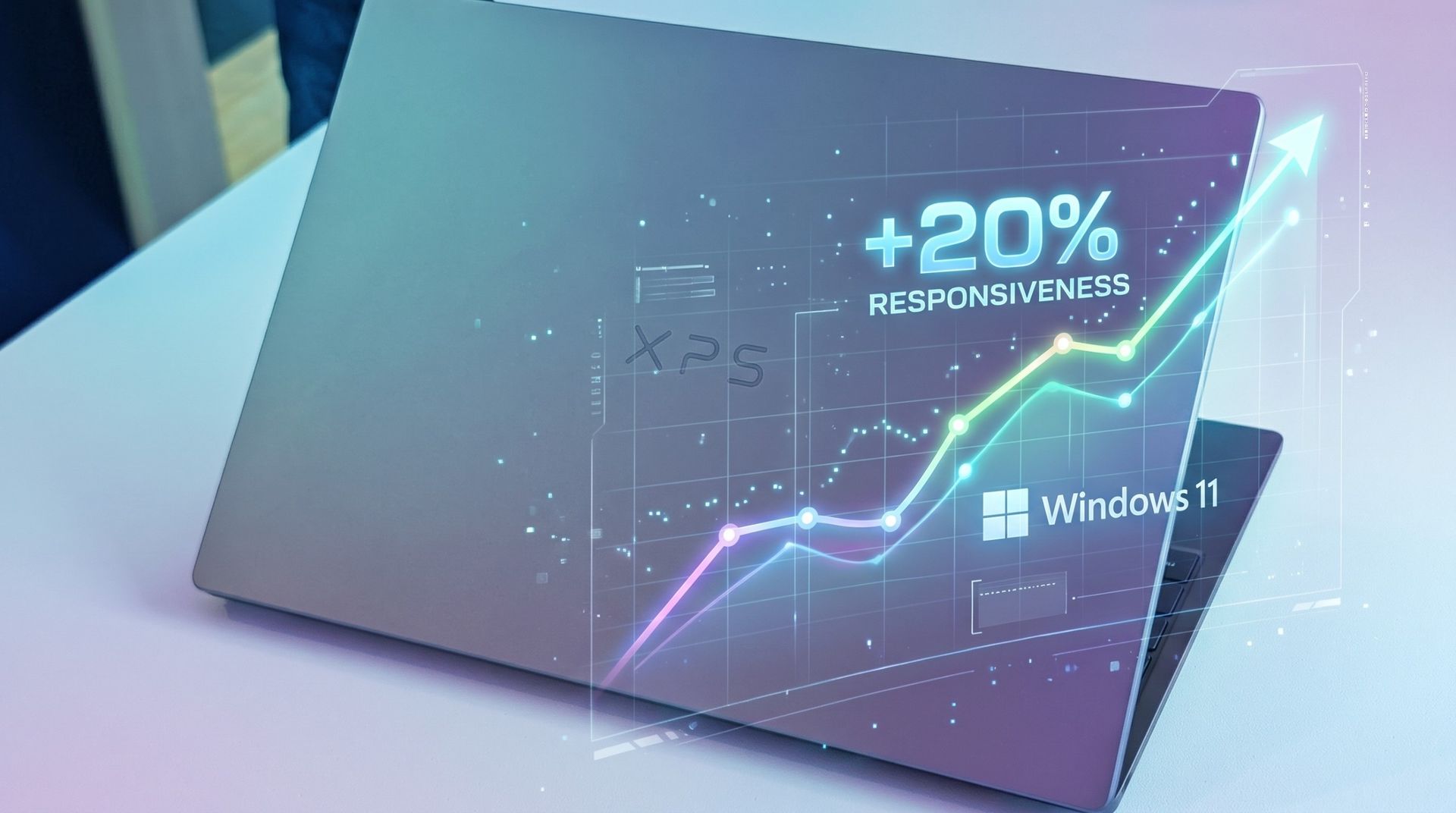
The result? Microsoft says Windows 11 is now about 20% more responsive on 8GB PCs compared to before this work started. The work also applies to systems with 4GB, 16GB, and beyond, with specific tuning for each amount.
This couldn't come at a better time. RAM and storage shortages (explained below) are driving up the cost of all PCs, and models with 8GB of RAM are being revived to lessen the burden on consumers.
Our favorite 8GB Windows laptops in November 2026
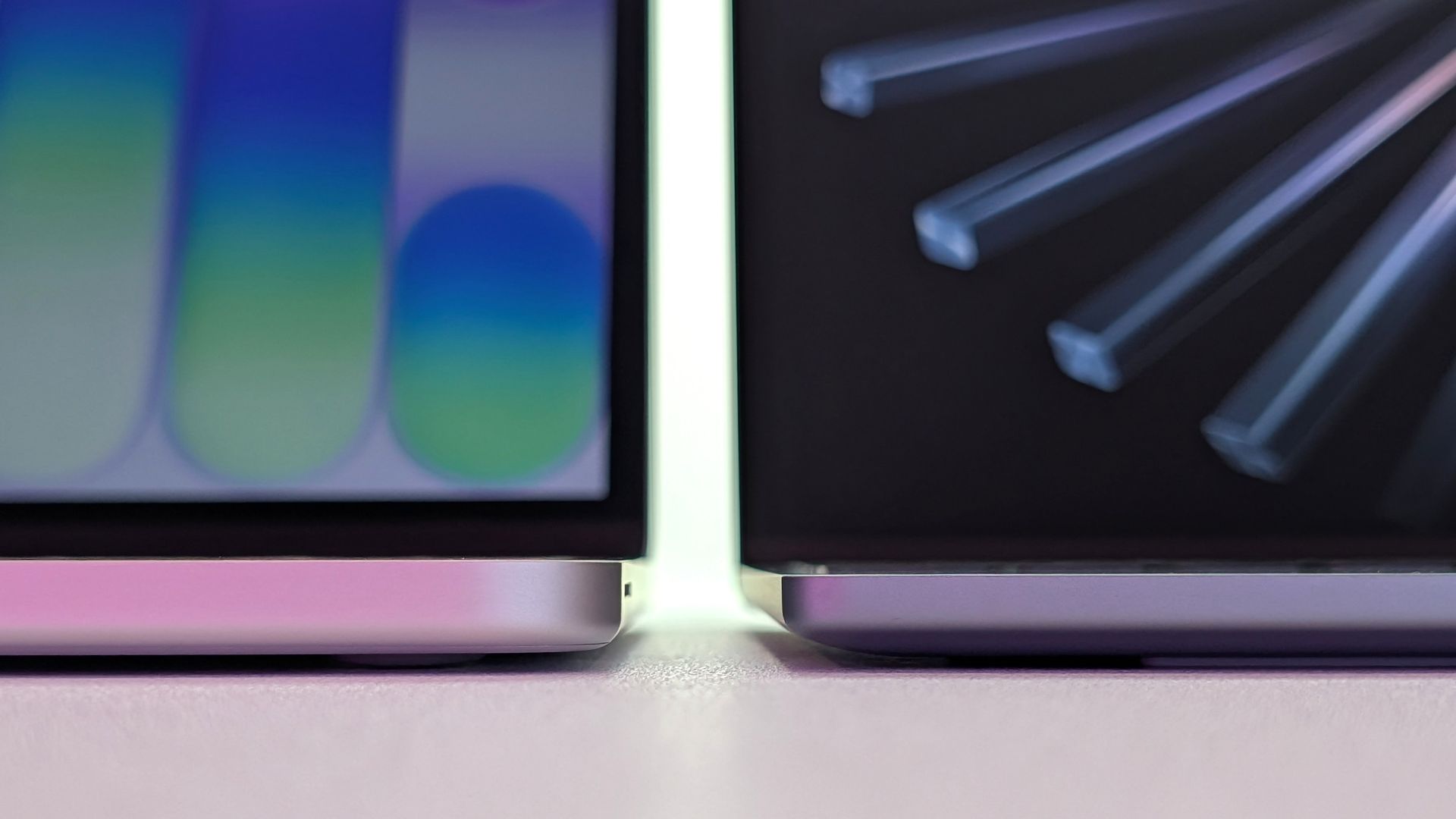
Dell's thinner XPS 13 (2026) on the right, Apple's thicker MacBook Neo on the left. (Image credit: Zac Bowden / Windows Central)
Companies like Dell, Acer, and HP have all recently launched 8GB laptops that cost somewhere around $699, with student and regular discounts frequently dropping those numbers lower.
If you were hesitant to shop for an 8GB laptop before, the recent Windows 11 updates should have you reconsidering, especially when prices are this reasonable. Here are my three favorite 8GB laptops right now.
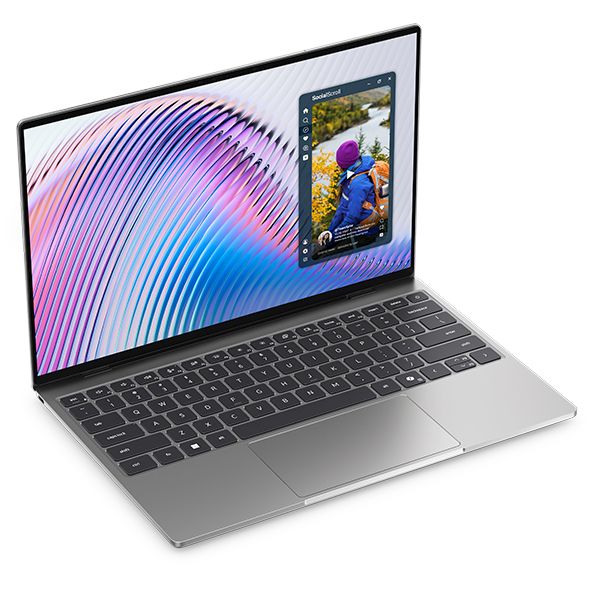
Dell's awesome XPS 13 starts at $699.99 (or $599.99 if you're a student) and includes an Intel Core 5 320 CPU, 8GB of LPDDR5x RAM, a 256GB M.2 PCIe 4.0 NVMe SSD, and a 13.4-inch touch display with 2560x1600 resolution
It's a laptop with many premium features despite its price, including a higher-res 2560x1600 (QHD+) display with a 120Hz refresh rate, an IR camera for Windows Hello facial recognition, capable speakers, and a comfortable keyboard/touchpad combo.
It does not, however, offer USB-A or 3.5mm audio ports. Its display does not use an OLED panel; it uses IPS instead. And the $599 price is only available for students.
Still, $699 for everyone else is not bad at all in this economy, and most users should have no issues with the XPS 13.
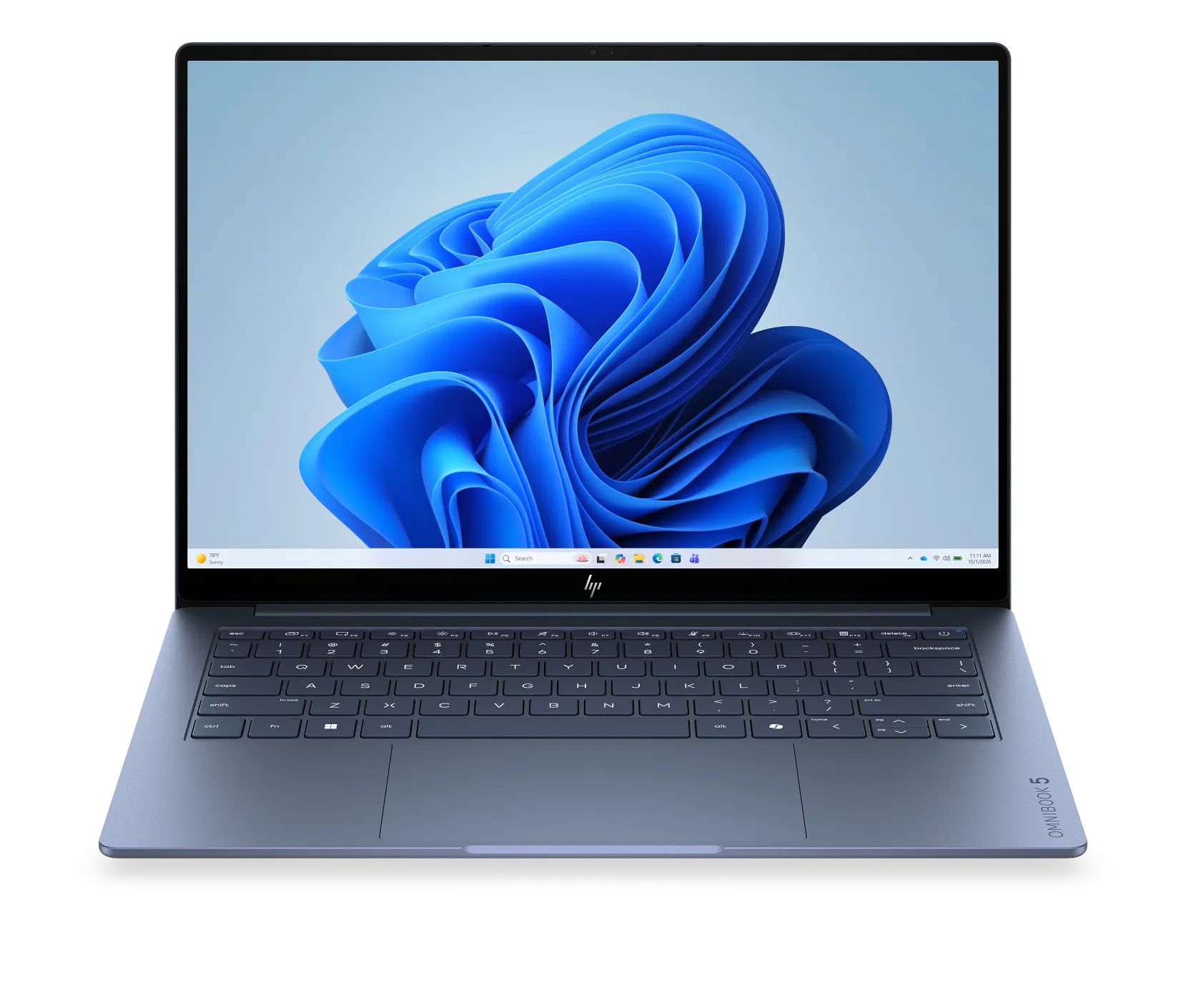
HP's 14-inch OmniBook 5 is currently on sale for $599.99. It has an Intel Core 5 320 CPU, 8GB of LPDDR5x RAM, a 256GB M.2 PCIe 4.0 NVMe SSD, and a 14-inch OLED touch display with 1920x1200 resolution.
HP's OmniBook 5 14 comes with the same Intel Core 5 320 CPU as the other laptops in this roundup, so don't expect any major performance changes.
The OmniBook 5 includes an OLED panel for deeper contrast and more vivid color than IPS. The tradeoff is a lower 1920x1200 resolution and lower 60Hz refresh rate compared to the XPS 13.
HP's laptop also includes HDMI and 3.5mm audio ports alongside dual USB-C at 10Gbps. It's nice to have native video, but the lack of Thunderbolt is a letdown.
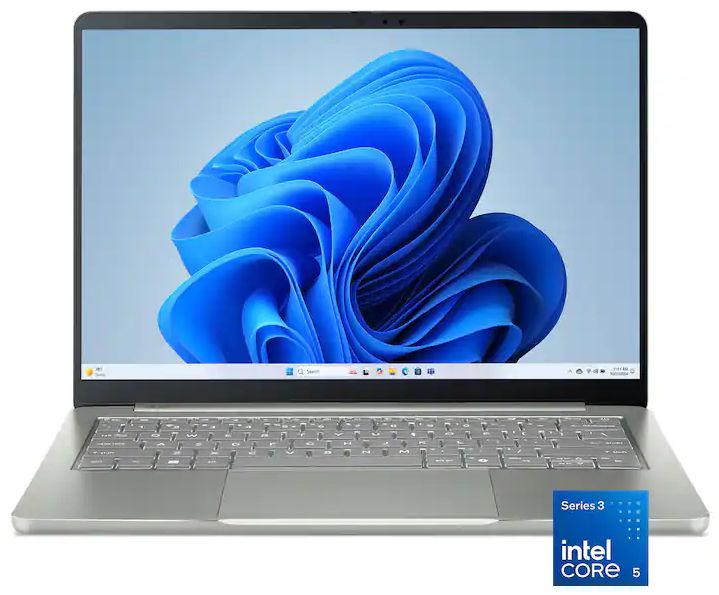
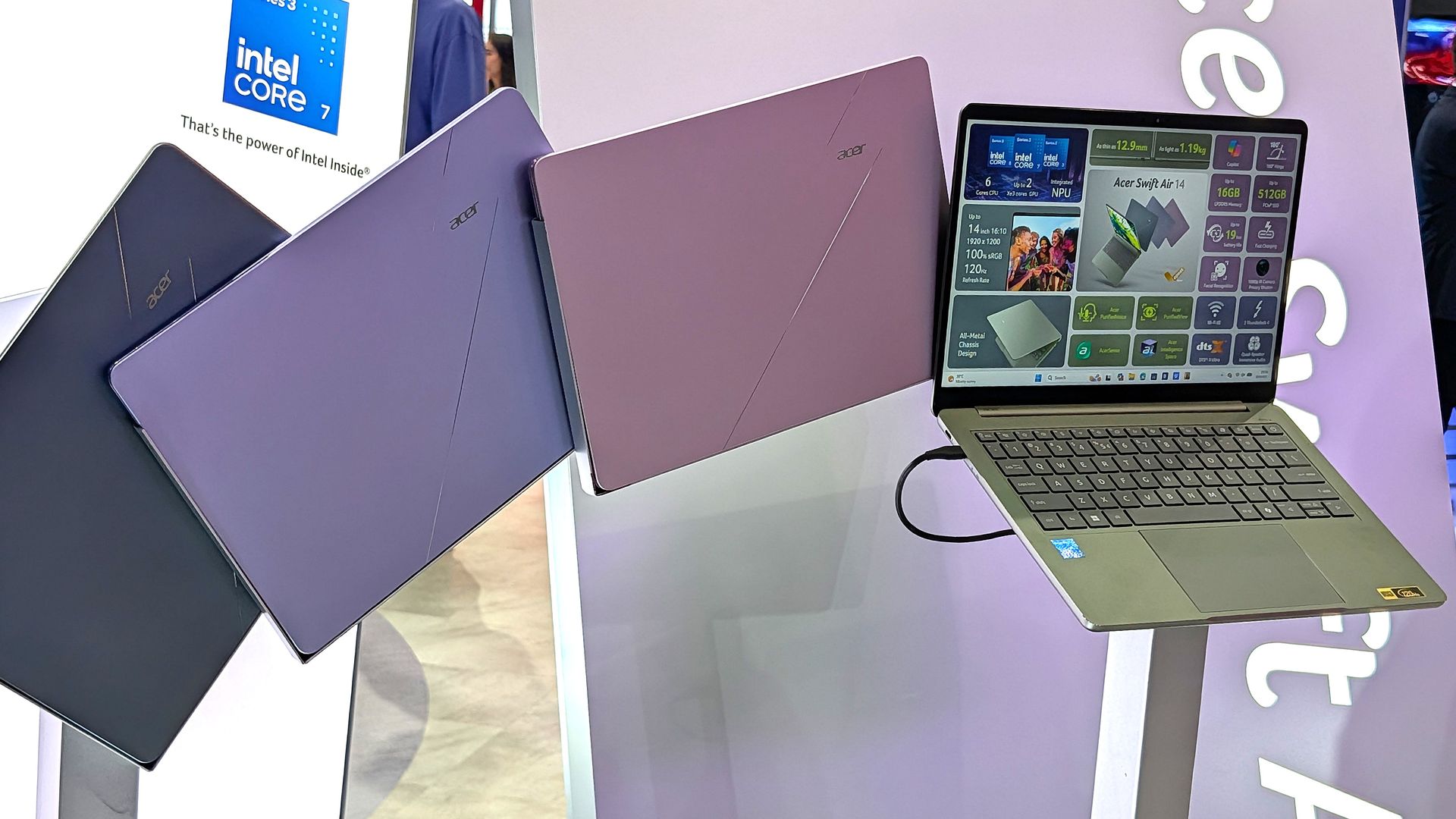
Acer's Swift Air 14 costs $699.99 and comes with an Intel Core 5 320 CPU, 8GB of LPDDR5x RAM, a 512GB M.2 PCIe 4.0 NVMe SSD, and a 14-inch non-touch display at 1920x1200.
Acer's Swift Air 14 immediately makes an argument for itself with twice as much storage (512GB) as the Dell and HP laptops. For those who prefer to store locally, this could be the deciding factor. However, it does drop down to PCIe 3.0 speeds.
Performance is largely the same thanks to it having the Intel Core 5 320 chip inside, with 8GB of LPDDR5x RAM.
The display hits a 1920x1200 resolution; it doesn't have touch, but it does hit a smoother 120Hz refresh rate. You're definitely giving up some screen quality to land that extra storage.
While the keyboard is great, the touchpad leaves something to be desired. Your experience may vary.
Why is Microsoft concerned with reducing Windows 11 RAM usage?
Acer's new Swift Air 14 is available in four different colors. (Image credit: Zac Bowden / Windows Central)
Sure, Windows 11 could always be more streamlined, but this big push for more RAM efficiency is also a result of the ongoing memory and storage crisis.
See, AI data centers are eating up many of the foundational components of PCs, making the consumer side far more expensive.
RAM in particular has exploded in price; the same 32GB kit of DDR5 I bought for my gaming PC a few years ago, for example, is roughly 600% more expensive today. Storage isn't much better.
This is forcing PC makers to reevaluate their product lineups, as many consumers can no longer afford PCs with 16GB or more of RAM.
Cutting RAM in half is a huge cost saver and won't likely stop anytime soon (the RAM crisis could last for years to come), so it's great to see Microsoft taking user complaints about Windows 11's responsiveness (or lack thereof) seriously.
Join us on Reddit at r/WindowsCentral to share your insights and discuss our latest news, reviews, and more.
Compare the iPhone Duo and Pixel 11 Pro Fold on design, multitasking, cameras, battery life, and pricing to see whether Apple's extra $100 is worth it.
Google confirms detachable Googlebook tablets are coming, with Lenovo rumored to launch the first model. Here's what to know about features and availability.
Samsung is reportedly developing a 17-inch foldable tablet that could shrink to 8 inches. Here's what the leak suggests about its design and challenges.
TrendForce expects Apple to ship up to 1.5 million OLED touchscreen MacBook Pros in 2027 as premium pricing and Samsung Display's supply role shape adoption.
Google confirms a Pixel Watch battery drain issue after owners report severe power loss. Here's which models users mention and what to do while waiting for a fix.
November is finally here, which means it's time for an onslaught of early Black Friday discounts to give your favorite or most desirable laptops a much-needed price cut from all the rising costs caused by AI lately.
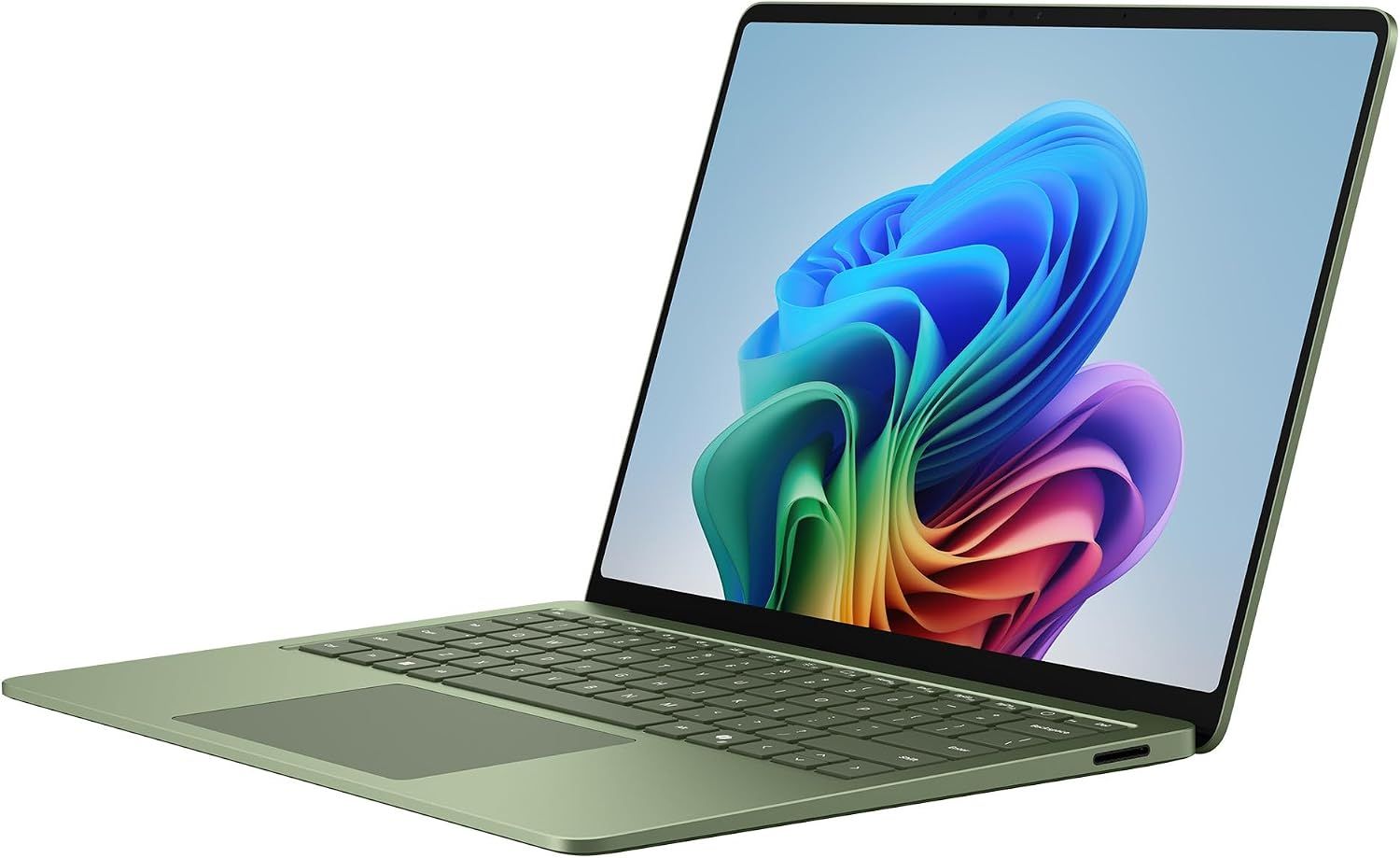
One of these lucky devices is the Microsoft Surface Laptop 8, which is currently on sale for $1,249.99 at Amazon (was $1,699.99).
This beauty is Microsoft's latest flagship laptop, equipped with a state-of-the-art Snapdragon X2 Elite CPU for improved performance, all-day battery life, and an exclusive new advanced haptics feature to give you improved feedback, just to name a few features.
The Surface Laptop 8 will blaze through productivity workloads with its Snapdragon X2 Elite CPU, 16GB RAM, and advanced haptics feedback.View Deal
Why buy this laptop?
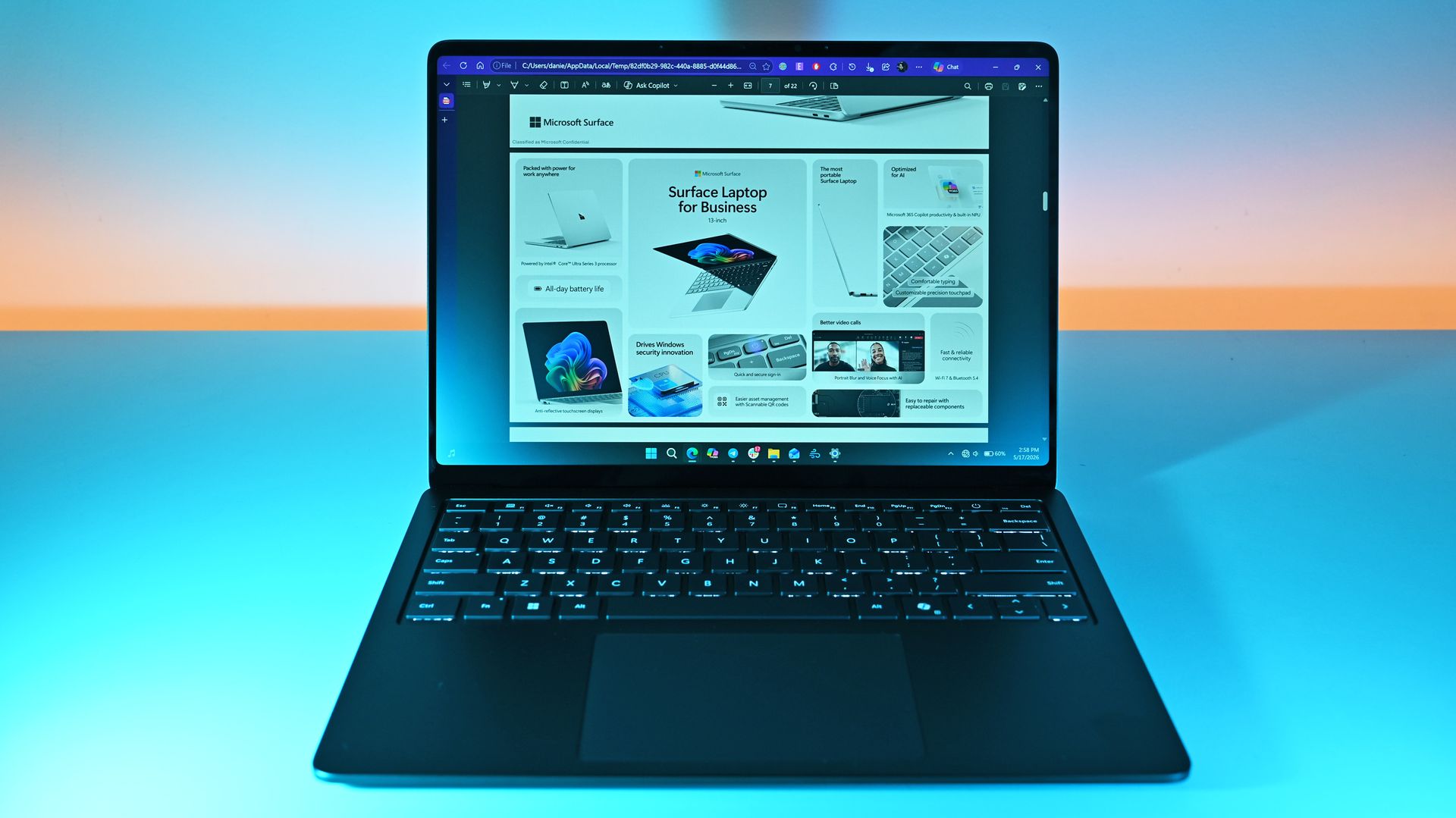
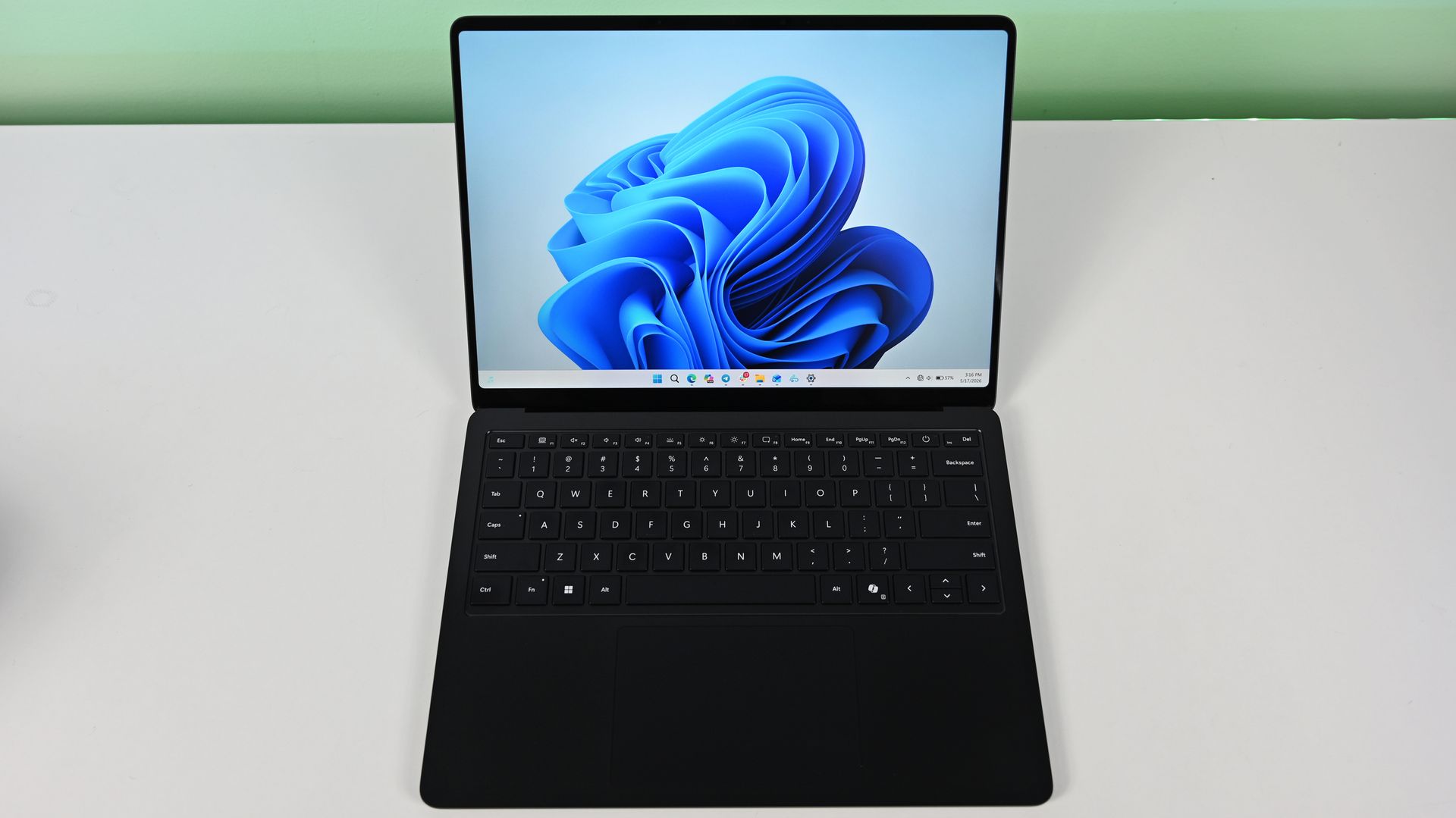
The Microsoft Surface 8 in action. (Image credit: Daniel Rubino)
The Microsoft Surface Laptop 8 is a highly dependable, fast, and durable laptop for IT users and students. This is because it comes equipped with a Snapdragon X2 Elite CPU paired with a turbocharged NPU with 80 TOPS, boosting the laptop's performance significantly when tackling mountains of productivity workloads while multitasking.
It also comes with a 13.8-inch LCD touchscreen display with 600 nits of brightness to fend off annoying daylight glare, Wi-Fi 7 compatibility for strong and stable wireless internet connections, and a massive battery life of 20 hours on a single charge.
On top of that, the Microsoft Surface Laptop 8 features an advanced haptic feedback system, which sends subtle vibrations when using its keyboard, stylus pen, or mouse when performing specific tasks like dragging files in File Explorer or rearranging app windows.
It's a small but enjoyable addition that makes this laptop more polished and responsive to use. Even our Editor-in-Chief Daniel Rubino praised this feature during his Surface Laptop 8 (Business Model) review when he said, "The new advanced haptic touchpad is a joy to use. It provides subtle tactile cues that confirm your actions."
Can I upgrade its RAM and SSD?
No, you can't upgrade the Microsoft Surface 8 laptop's RAM because it's permanently soldered to the motherboard. However, you can swap the SSD for a 1TB or 2TB unit if the default 512GB isn't enough.
Can I use it for gaming?
No, the Microsoft Surface 8 laptop isn't a good laptop for gaming because its integrated graphics and ARM architecture aren't enough to run graphically demanding games or games built with heavy anti-cheat systems without chugging its performance.
Should I wait for Black Friday for a better deal?
It depends on whether you're desperate for a new casual/workhorse laptop and can't wait for a better deal, or if you're willing to wait until Black Friday for a greater discount. Either way, just know that it's a good price for its specs, especially since this is the lowest price drop the Microsoft Surface 8 laptop has had yet (according to CamelCamelCamel).
Join us on Reddit at r/WindowsCentral to share your insights and discuss our latest news, reviews, and more.
The Steam Deck is quite the success story, at least for Valve, and having used one (and bought one for my sister last Christmas), I can totally see why. It genuinely is a great bit of kit; granted, the price hike is a shame, but that's just how the industry is right now. Despite its success, I have always preferred Xbox, and despite my issues with the Xbox Ally, I still prefer it over the Steam Deck.
One thing the Steam Deck definitely does better, though, is the user experience. Jez Corden recently spoke about how the Xbox Ally and Ally X were in his re-review, and pointed out how Windows 11 still needed work for handhelds.
I personally opt for other launchers over the Xbox App, like Winhanced, but what I have always truly wanted was the Xbox Series dashboard, or heck, even the old Metro dashboard, just on a handheld. Well, we got one of those things on the Steam Deck thanks to an all-new plugin by kromossomom.
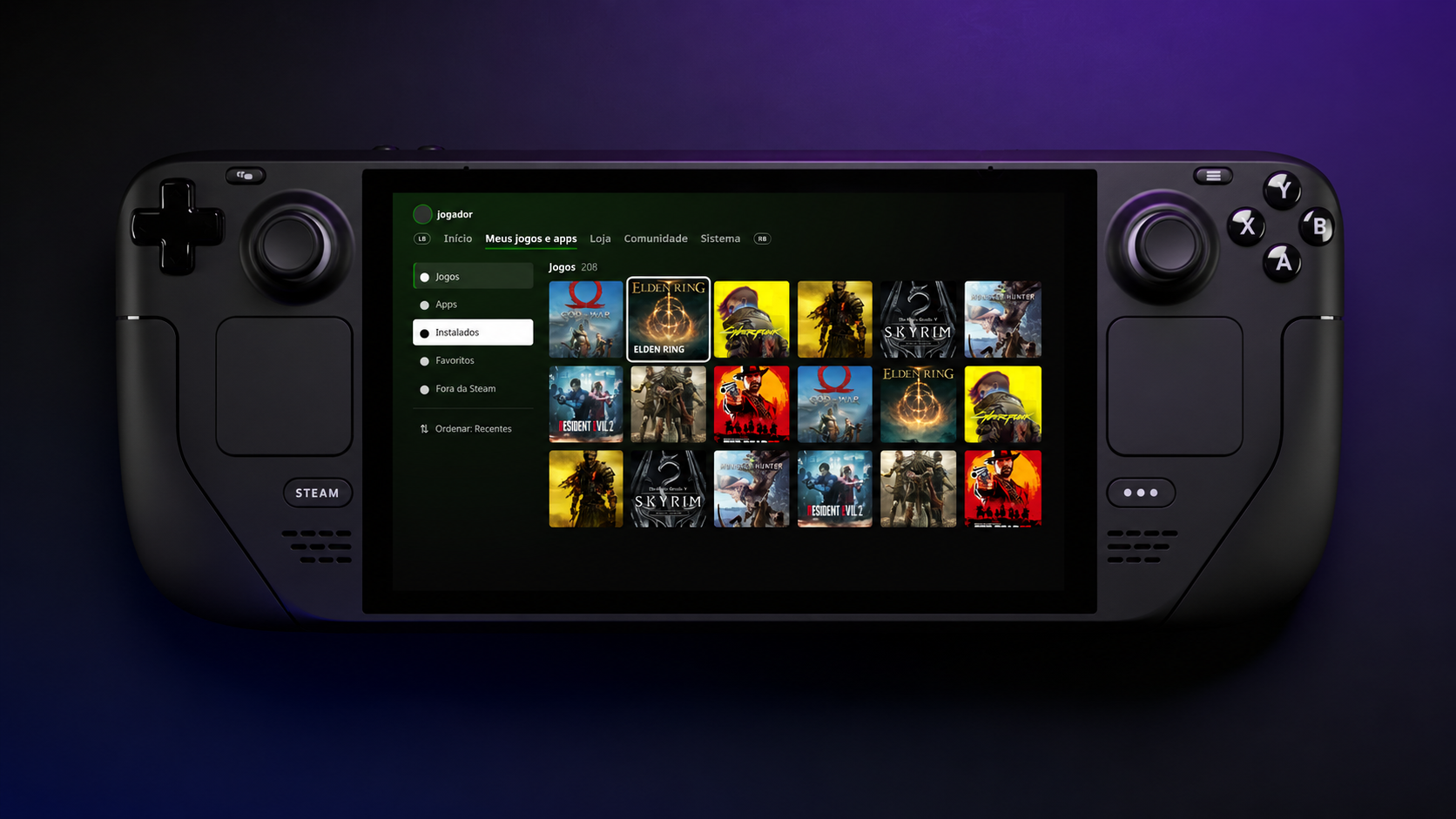
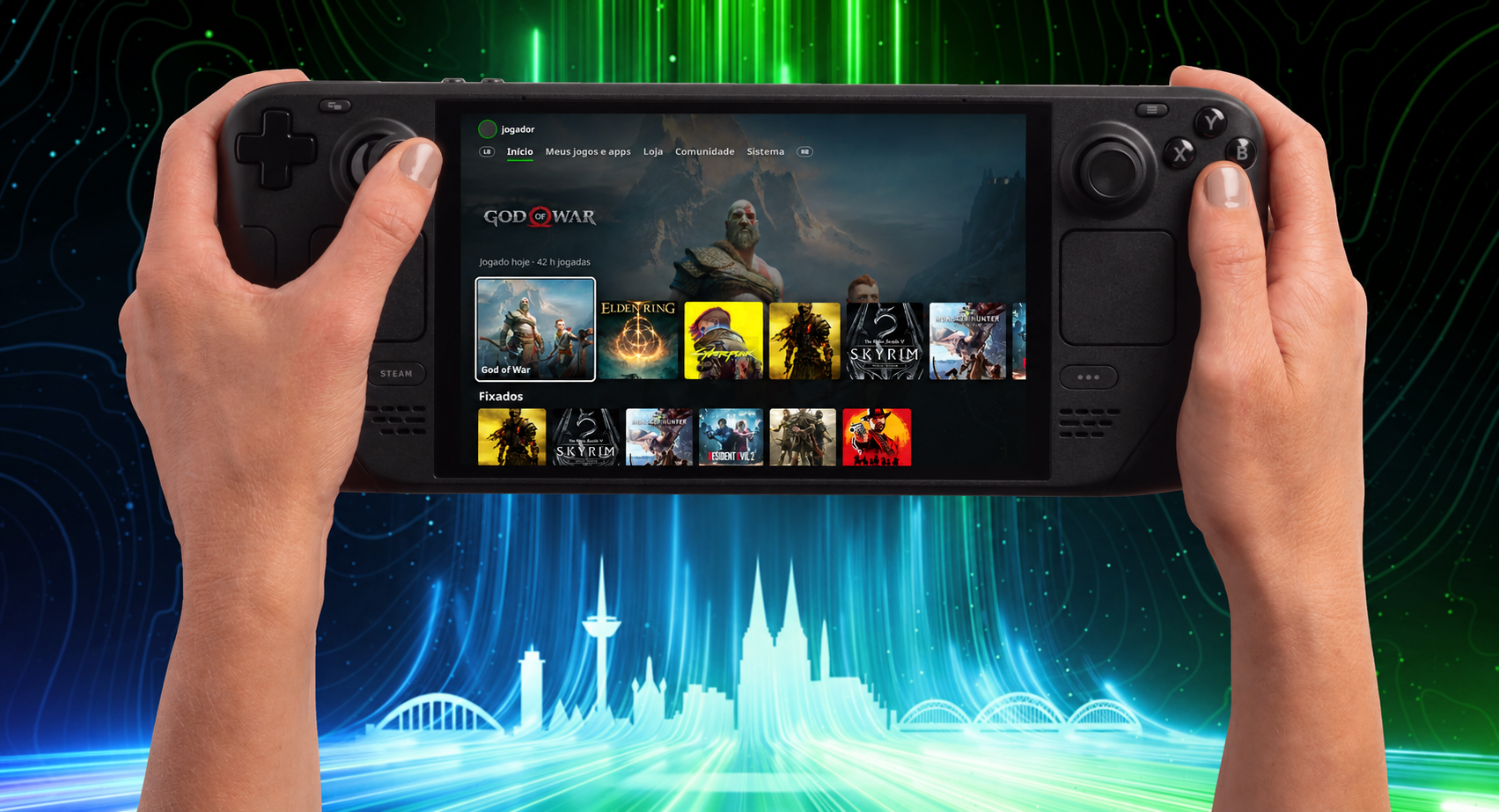
The plugin, which can be found on GitHub, turns your Steam Deck into a complete Xbox Series-style dashboard, and it is really impressive and pretty feature-rich. Quick disclaimer, though: Claude AI was used to help with development, but pretty much everything is now, so let’s move on to the features.
The Xbox Series dashboard looks right at home on Steam Deck
The Xbox Series-style dashboard looks right at home on Valve's Steam Deck. (Image credit: kromossomom | Valve | Xbox)
Decky Xbox Dashboard replaces Steam’s Home interface with the Xbox Series dashboard. You can use LB/RB to move between tabs, which include My games & apps, Store, Community, and System. You can also visit a game’s page when hovering over it and pressing Y to view the game’s compatibility, achievements, and more.
To install Decky Xbox Dashboard, you can follow these steps:
On your Steam Deck, open Quick Access -> go to Decky ->then go to Settings and select General. Make sure Developer Mode is turned on.
Within Developer settings, select Install plugin from ZIP, and pick your downloaded Decky Xbox Dashboard ZIP file.
I wish I could just install this on my Xbox Ally X. As much as I like Winhanced, which I currently use, I want the simplicity of a console in the palm of my hands. That is something the Xbox App and third-party launchers have never truly offered in my experience.
Let me know your thoughts. Is this cool? Would you install it? Do you wish it was available on a Windows handheld, or is it more of a novelty?
Make sure to leave a comment down below, and be sure to take part in our poll too!
Join us on Reddit at r/WindowsCentral to share your insights and discuss our latest news, reviews, and more.
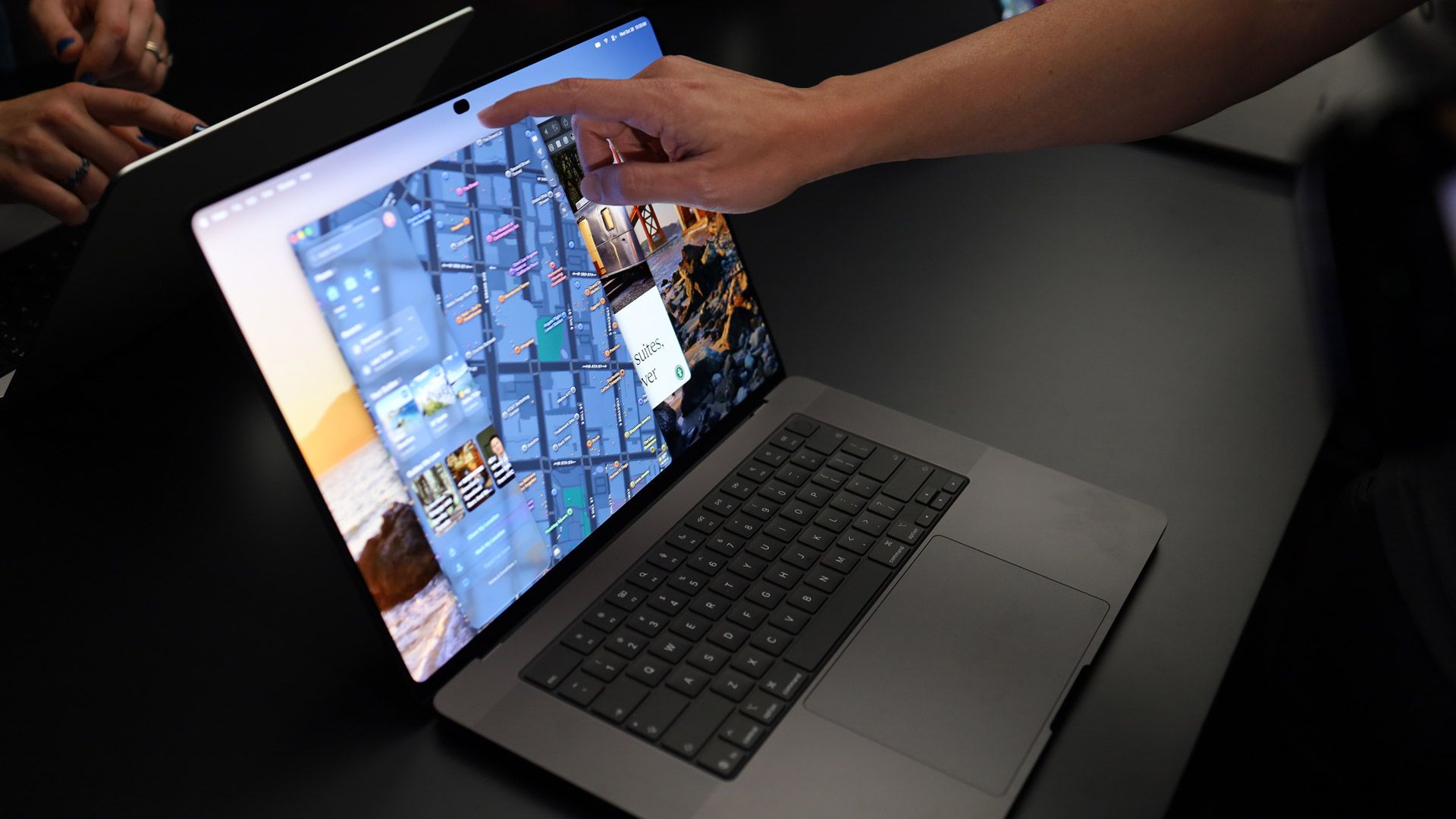
Apple has finally made a touchscreen MacBook Pro, and you know what? Good.
I’ve been using touchscreen Windows laptops for well over a decade. Microsoft made touch central to Windows with Windows 8 in 2012, and PC makers have spent the years since experimenting with convertibles, detachable keyboards, pens, dual-screen PCs, foldable displays, and nearly every combination of those ideas imaginable.
Now Apple has decided touch belongs on a Mac, too.
There’s an obvious temptation here to point and laugh, particularly given how long Apple spent telling everyone that touchscreen laptops were a bad idea. But I don’t think Apple adopting touch in 2026 is really the problem. Technology improves. Consumer behavior changes. Companies reconsider old assumptions. Ideas that didn't make sense 15 years ago can make considerably more sense today.
Companies should be allowed to change their minds. In fact, I wish more of them would.
What bothers me is the corporate absolutism that so often comes before the reversal, and how readily consumers absorb those talking points and repeat them as though they were established technological truths.
Your favorite company is not your friend
(Image credit: Lance Ulanoff / Future)
Steve Jobs didn't merely say that Apple wasn't interested in making a touchscreen Mac. In 2010, he argued that vertical touch surfaces were “ergonomically terrible” and that after using one for an extended period, “your arm wants to fall off.”
Apple continued defending that philosophy long after Jobs. Craig Federighi argued that reaching up to touch a screen was fatiguing, while John Ternus explained Apple's position in 2021 by saying the iPad was optimized for touch and the Mac for indirect input.
And now we have a touchscreen MacBook Pro.
Apparently, our arms have recovered.
I mean, Windows 10 came out 11 years ago and abandoned the Windows 8 approach you're criticizing.More importantly, what exactly is Apple doing here that Windows 10/11 haven't already done conceptually?The article praises Apple for keeping the familiar desktop UI while making elements more touch-friendly, adding touch gestures, increasing spacing between controls, and supporting things like pinch-to-zoom.That's essentially the post-Windows 8 approach Microsoft has been using for years: keep the desktop, accommodate touch where useful, and dynamically adjust parts of the UI for touch input.Windows 8 deserves plenty of criticism, but using it as the comparison in 2026 sidesteps 11 years of Windows development.If there's something fundamentally new about Apple's approach here, I'm genuinely curious what it is.October 28, 2026
But there was never anything inherently ridiculous about occasionally touching your laptop screen! You don't use a touchscreen PC by spending eight hours with your arm suspended in front of you like you're directing traffic. You type. You use the touchpad. You use a mouse. And sometimes a button is sitting right there on the screen, so you reach up and tap it.
That's it. Nobody needed a grand philosophical argument for why that was useful.
Microsoft certainly got plenty wrong with Windows 8, especially its attempt to aggressively redesign a desktop operating system around touch. But the underlying idea that a computer could accommodate a keyboard, mouse, pen and your fingers was perfectly reasonable. Windows laptop makers proved that years ago.
Yet because Apple didn't want to make that computer, the company's decision somehow became evidence among some of its most devoted followers that these computers shouldn't exist at all.
That's the part I think is worth remembering.
We've watched this happen before
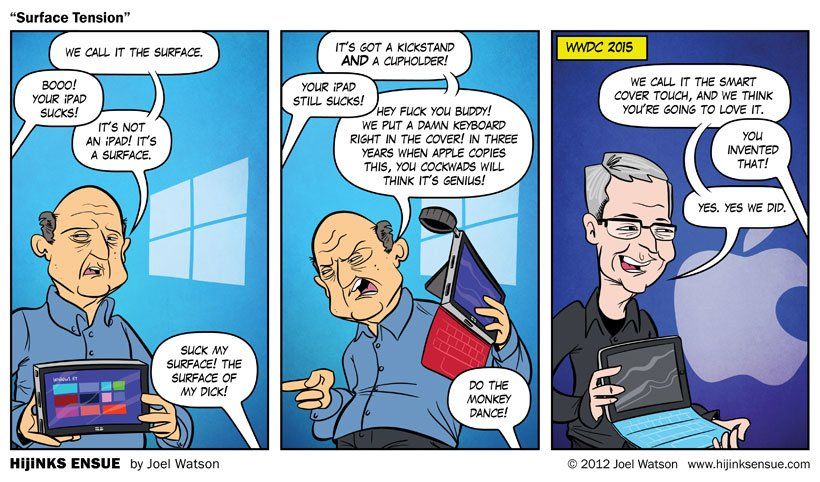
This 2012 comic by Joel Watson proves the point. (Image credit: Hijinks Ensue/Joel Watson (2012))
And touch isn't an isolated example.
When Microsoft was trying to blur the line between tablets and PCs with Surface, Tim Cook famously compared converging products to combining a toaster and a refrigerator. Years later, Apple built the iPad Pro and paired it with increasingly sophisticated keyboard and trackpad accessories. The implementation is Apple's own, but the supposedly absurd idea of a tablet increasingly behaving like a laptop doesn't seem quite so absurd anymore.
I've seen the same attitude around foldables and devices like Surface Duo. Years ago, I found myself explaining to Apple fans, practically like children, why someone might find value in a large display that folds into something much smaller and more pocketable. The response inevitably centered on all the reasons folding phones were unnecessary, compromised, gimmicky, or "solving a problem that didn't exist" (the line always used by people with no imagination).
Now Apple is making foldable devices too.
And again, good. I want Apple to make these products. Competition drives improvement, and Apple entering a category can push everyone else forward. I recently discussed on Schwab Network (above) how strategically important the iPhone Duo is, and its growing pains—or whether it’s the perfect $2,000 phone—are less of a concern in the long term.
This isn't an admonishment of Apple for adopting ideas that competitors got to first. It's an admonishment of the corporate theater that often precedes those reversals, and especially of consumers who willingly participate in it.
Stop turning corporate PR into your personality
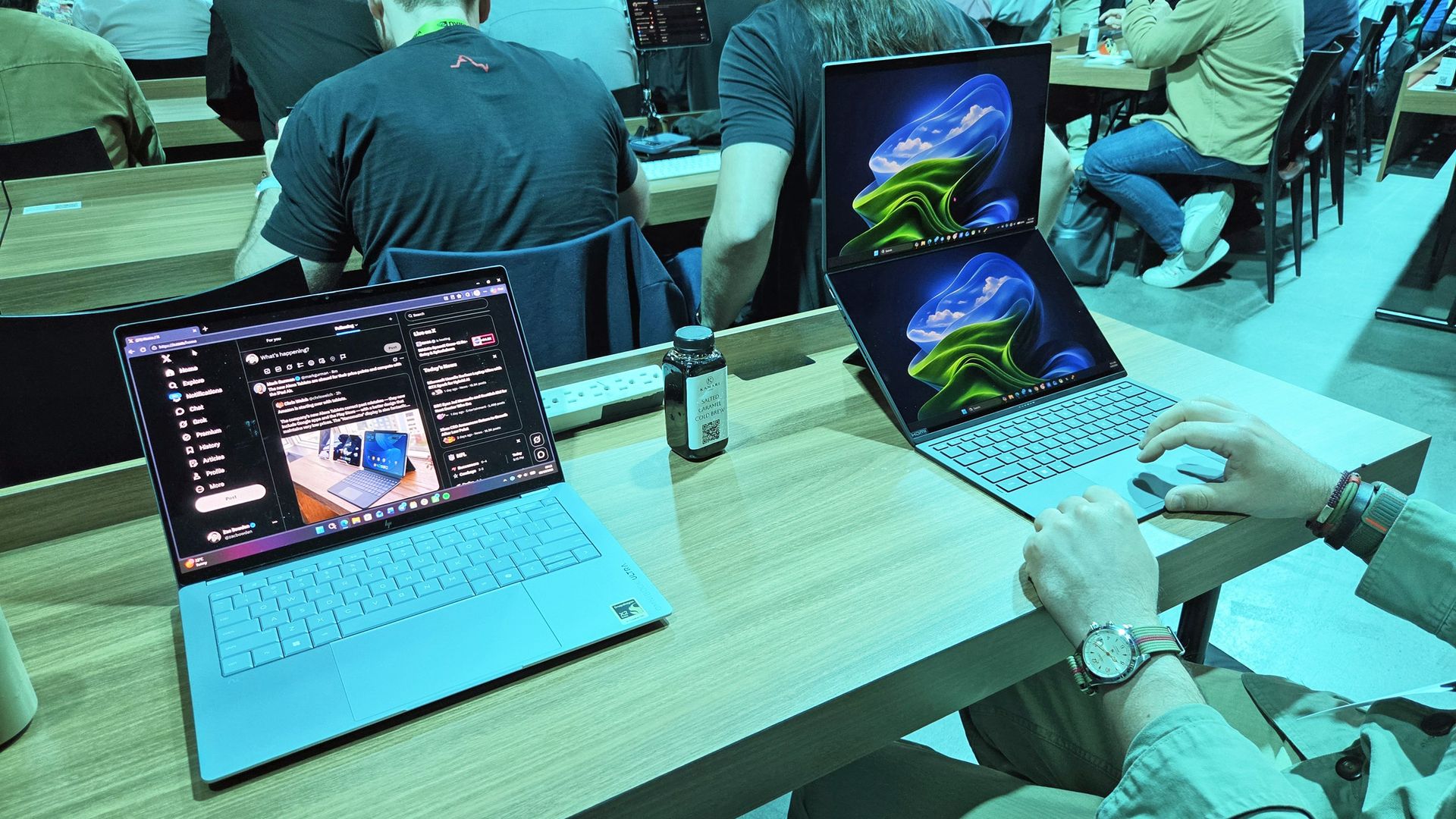
Me using the ASUS ZenBook Duo dual-screen laptop at an NVIDIA event on October 8th, 2026. (Image credit: Zac Bowden)
Every technology company does some version of this. Microsoft does it. Google does it. Samsung does it. Apple does it.
I've interviewed enough executives over the years to know the standard response when you ask why a product doesn't have some particular piece of technology. You usually get something along the lines of: We're watching the technology, we're talking to our customers, and when we think the experience is right, we'll consider it.
That's corporate PR, but it's also a perfectly respectable answer.
What companies shouldn't do, and what consumers absolutely shouldn't help them do, is transform today's product limitation into some grand design philosophy explaining why the missing technology is actually stupid.
(Anyone else remember Apple not making large iPhones because your thumb couldn't reach across the screen? yeaaahh...)
Companies have roadmaps. They have price targets, manufacturing constraints, engineering limitations, internal politics, and products they aren't ready to announce. Sometimes they haven't figured something out yet. Sometimes a competitor simply got there first.
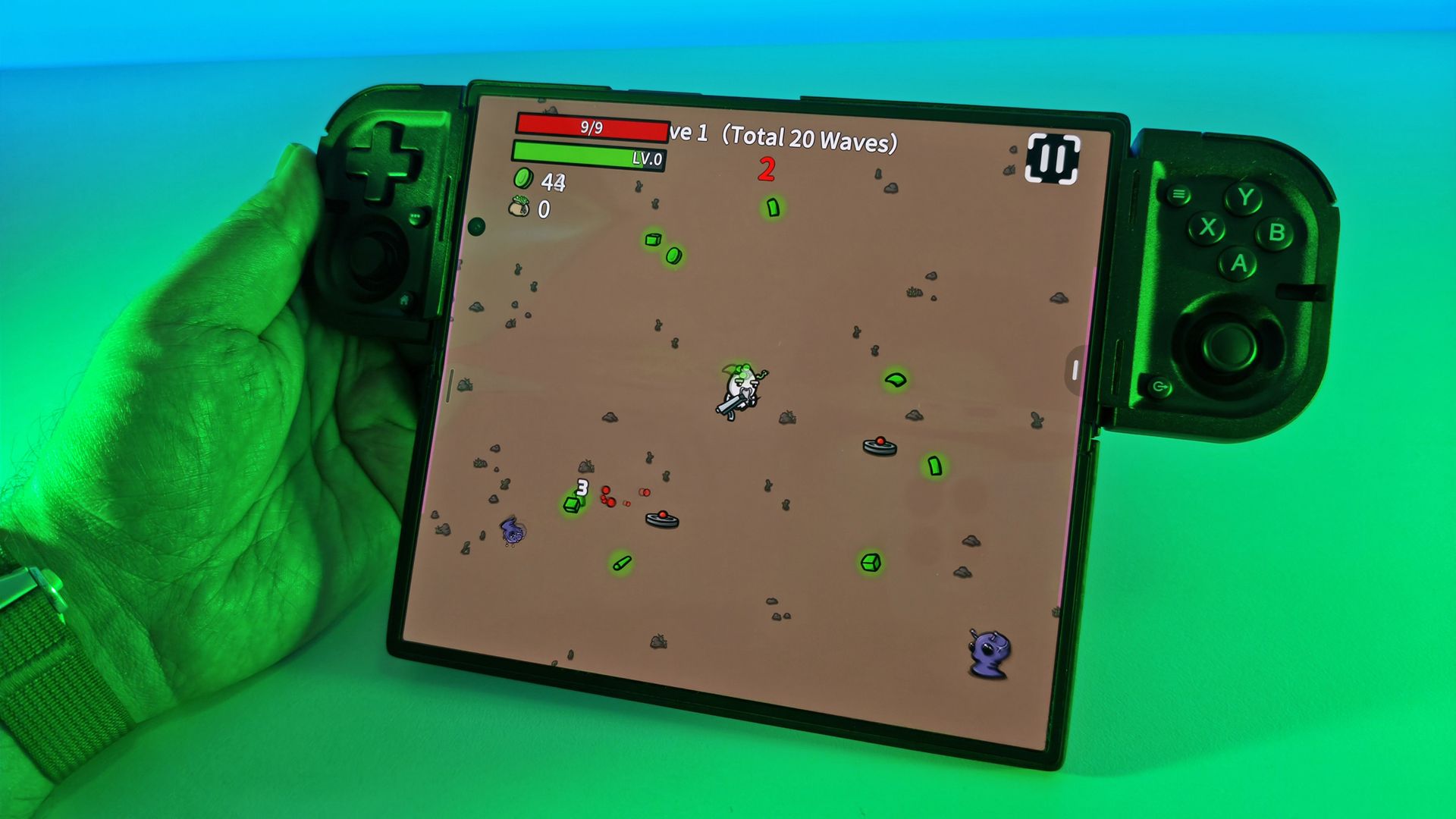
Turns out, foldable devices are fun. Seen here: Samsung Galaxy Z Fold7 and Razer Prio controller. (Image credit: Daniel Rubino)
And sometimes they're just wrong. Steve Jobs, Tim Cook, and Craig Federighi were wrong. And it wasn't the tech that changed; it was the opinion.
Consumers and the technology press shouldn't turn those temporary business realities into articles of faith.
Apple is particularly good at controlling the language around its products, which makes resisting this tendency even more important. When Apple doesn't offer something, there's often an impulse among its most ardent supporters to rationalize the omission and explain why nobody really needs it anyway.
Then Apple ships it, and suddenly it's useful.
That's why the lesson of the touchscreen MacBook Pro isn't that Apple lost, and Windows won. Frankly, that kind of platform-war thinking is just another version of the same problem.
@OABlanchard @TheRichWoods "He wouldn't be saying it today."Speaking for the dead now are we?October 28, 2026
The lesson is much simpler: stop putting corporations on pedestals.
You don't work for these companies. You don't owe them ideological consistency. Buy the products you like. Praise them when they're good. Criticize them when they're bad. And when an executive explains why a technology their competitors already offer is unnecessary, ridiculous, inelegant, or something customers don't want, maybe don't adopt that argument as part of your identity.
Because a few years from now, they may be standing onstage trying to sell it to you.
And when that happens, changing their mind is perfectly fine. Pretending they never told you otherwise is something else entirely.
But tell me, am I wrong or missing something? What do you think about Apple suddenly being interested in foldables and touchscreen laptops in 2026? Let me know in the comments.
Join us on Reddit at r/WindowsCentral to share your insights and discuss our latest news, reviews, and more.
It has been a year since the Xbox Ally X launched, so I figured it was about time we did a re-review.
We have FSR 4.1 on the Xbox Ally X now, a big Xbox app revamp is around the corner, and I'm probably one of the few content creators who actually uses this device on an almost daily basis. So, I really want to answer that burning question for Xbox ecosystem users: is it actually still worth a thousand big ones, even now, one year later?
How has the battery life stacked up? Is Windows 11 actually functional for handheld PC gaming yet? Does FSR 4.1 make for a killer feature?
Let's discuss.
FSR 4.1 is, indeed, a killer feature for the Xbox Ally X
Games like Warhammer 40K Darktide and Control Resonant benefit from huge image quality boosts from FSR 4.1. (Image credit: Windows Central | Jez Corden)
The Xbox Ally X launched around this time last year (depending on your market) in partnership between Microsoft and ASUS. I'll do a write-up and a video on its less powerful Xbox Ally Z2A cousin in the future too. But we're looking at the $1,000 Xbox Ally X today. It was the first device to sport the Z2 Extreme chipset from AMD, making it the most powerful handheld at the time. AMD's new FSR 4.1 tech has given it a further boost on top of that as well.
FSR 4.1 is a heavier upscaling model than FSR 3, but it's all about boosting image quality, giving you more flexibility over how you play. You can now run quality modes that would previously look too ugly and blurry to bear, and still maintain a good level of performance. This extends to very graphically intensive games like Control Resonant, Cyberpunk 2077, Gears of War: E-Day, and games like Warhammer 40K Darktide, which have lots of enemies on-screen at any one time. FSR 4.1 will be adopted natively by more games over time, potentially extending the lifespan of the device even further. AMD has a list of games that already support it over here.
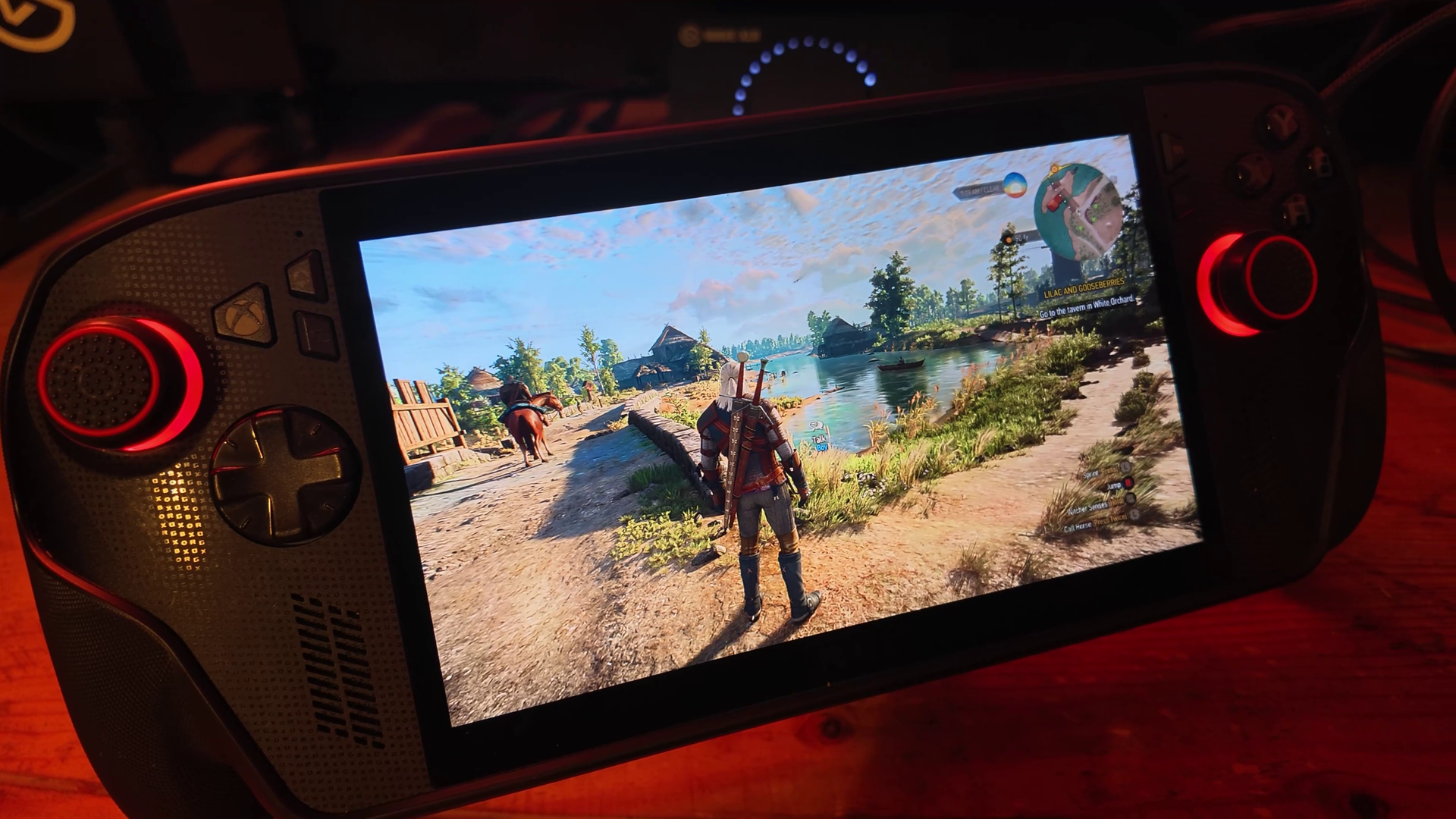
Annoyingly our website system compressed the pictures here, but in the video above you can get a good look at how crisp and smooth Witcher 3 looks on devices like this now. (Image credit: Windows Central | Jez Corden)
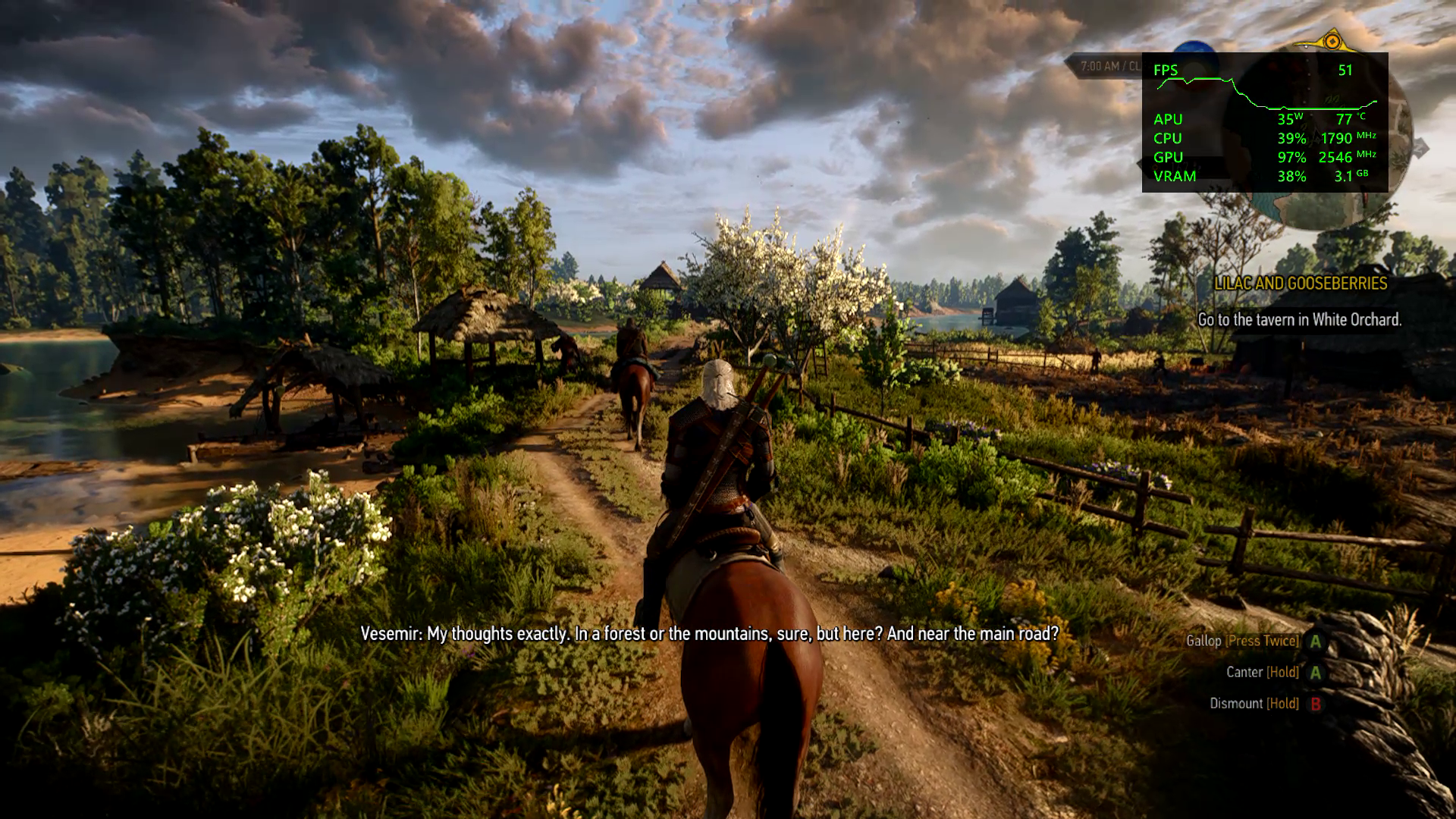
Using Performance and Turbo modes for maximum power, you're easily getting anywhere between 40 and 60 FPS at 1080p for most games out of the box. Heavier games will benefit more from FSR 4.1 being set to performance mode, which appears as crisp as quality mode did on FSR 3 models. I find FSR Frame Generation is also a good way to loop in more frames at the cost of some latency, although in most games I tried it was barely perceptible.
Heavily-optimized games like Death Stranding and the new Witcher 3 enhanced edition look absolutely stunning on this device, both in high and low power modes. Games with FSR 3 automatically benefit from FSR 4.1, which are presently in beta testing on the Xbox Ally X here. Witcher 3 absolutely sings on this device, although games with heavy reliance on ray tracing, like Silent Hill 2, still struggle a bit.
Either way, FSR 4.1 is going to vastly improve the lifespan of compatible devices like this, and it'll be interesting to see how it boosts the base Xbox Ally Z2A model (and Xbox Series X|S platform) in the future.
The hardware holds up, but Windows 11 still needs work
Absolutely no issues with the hardware on my end, but I have seen other pronble (Image credit: Windows Central | Jez Corden)
On the topic of lifespan, I'm someone who uses this handheld very regularly, at least every other day before bed. I've been using it mostly to grind Darktide recently, but I will also be using it for WoW: Forever in the coming weeks since it now supports a controller.
The hardware itself has held up incredibly well for me, but it would be neglectful not to mention the quality issues I've seen with the thumbsticks online and on Reddit. I think ASUS could've done a bit more to reinforce the sticks here, but if you go gently on it, I guess, like I do, perhaps you'll be okay. The most wear I have is that the paint on some of the buttons is beginning to wear off, but besides that, my Xbox Ally X seems rock solid.
I find that even a year in, the battery life is still decent on the Xbox Ally X too. I use Battery Care mode religiously to keep the charge topped off at around 80% to protect the lifespan of the cell, but when fully charged at 100% you're easily getting 4-5 hours in 13w silent mode in 2D games, and maybe 2-3 hours in 17w performance mode in a more intensive game, with trade-offs. If you go turbo mode, then yes, the battery will drain out in an hour or so. However, I find that when traveling these days on planes or trains, there's usually an outlet available to give you some extra juice.
There are a lot of games that offer a solid 3D experience even in silent 13w mode, if you're willing to compromise on visual quality and performance to maximize the Ally's longevity.
What is perhaps less solid is the operating system experience. This isn't ASUS' fault, of course, but more on Microsoft and Windows. Xbox and the Windows teams have been collaborating to improve the experience for users on devices like this, but the results have been mixed. The Xbox Ally X is particularly painful to use when hooked up to a TV in a Switch-like "docked" setting. Sometimes the controller loses the focus window, and there's no way to get it back without tapping the screen.
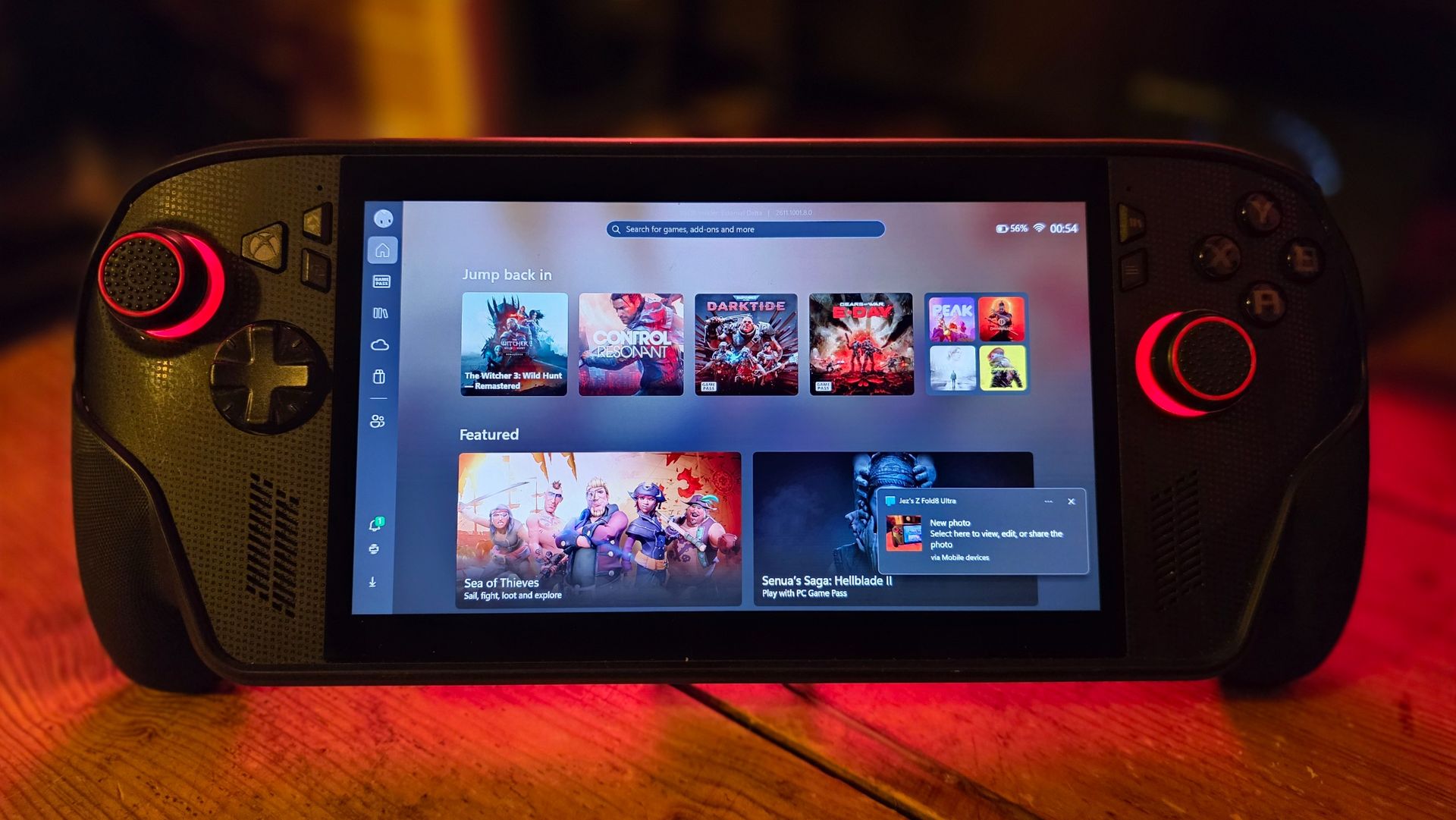
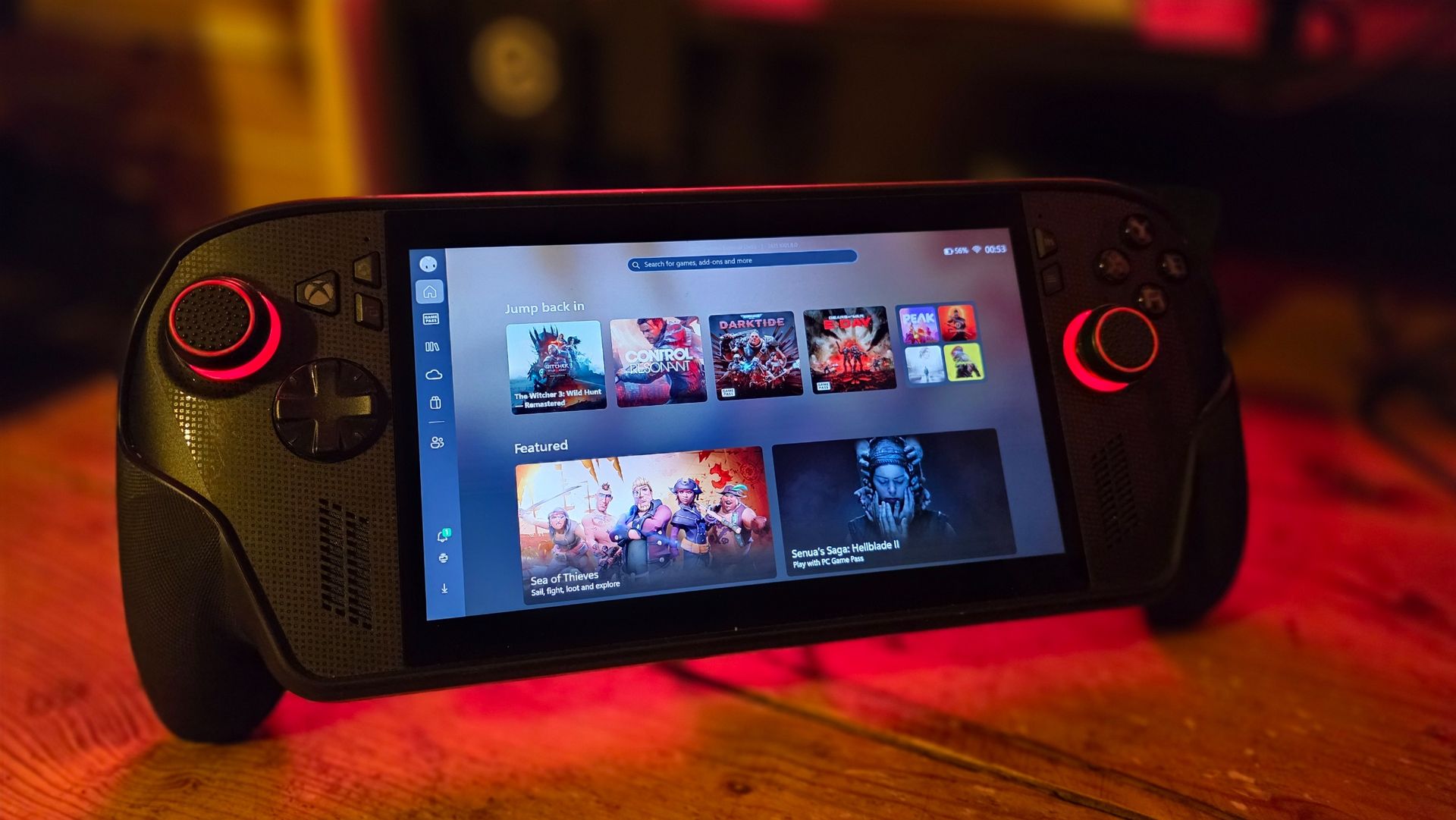
Basic parts of Windows still aren't navigable without a mouse, and the Xbox PC app still leaves a lot to be desired whether docked or not. Luckily, Microsoft is shipping a big update to the Xbox PC app in the coming weeks, and Windows 11 itself is picking up further refinements. It still feels overall like you're a bit of a beta tester for the OS itself, but you do get the full power of Windows as a trade-off, able to turn this device into a work laptop if you so desire (as I've done while traveling myself). You can run any launcher without hassle, like Steam or GOG, and you can connect any accessory that's compatible with Windows, including gamepads, mice, keyboards, and even printers.
The bottom line: I still adore the Xbox Ally X
My favorite piece of tech (Image credit: Windows Central)
But the bottom line is this: when you're actually in a game, this device absolutely sings. In Turbo mode at 35W, it will provide a solid 1080p 30~ish experience in the heaviest AAA games, even on a medium or even high quality setting, particularly with FSR 4.1 tweaks injected. You can get up to 60 FPS if you're willing to compromise on quality, generally speaking. There are many higher-end games that have been well-optimized for handhelds that deliver a 1080p 60 FPS experience too, such as The Witcher 3 Enhanced Edition.
I've never encountered a scenario where I couldn't get a satisfactory experience from a game, which cannot be said about the Steam Deck and other older or lower-end handhelds.
Given the state of the RAMpocalypse and component market in general, I expect it might be a while before developers push their visuals beyond what is available today. The Xbox Series X|S, PS5, Switch 2, and devices like this are probably going to be the baseline for a longer period than usual. If you were to buy the Xbox Ally X today, I expect you're going to get at least 3 to 4, maybe 5 years of solid use out of it before it might start feeling obsolete.
This is a fantastic device, a perfect companion for any Xbox player with a big Xbox Play Anywhere library. Even if you're dedicated to Steam, you can set Big Picture Mode as your default launcher and skip the Xbox ecosystem entirely if you fancy it.
For gaming evenings in bed, portable co-op with friends, or even as an emergency workhorse, the Xbox Ally X is a fantastic PC companion that I hope will be a staple of my gaming experience for a long time to come. And I would absolutely recommend it — as long as you think you'll get a good amount of use out of it.
Join us on Reddit at r/WindowsCentral to share your insights and discuss our latest news, reviews, and more.
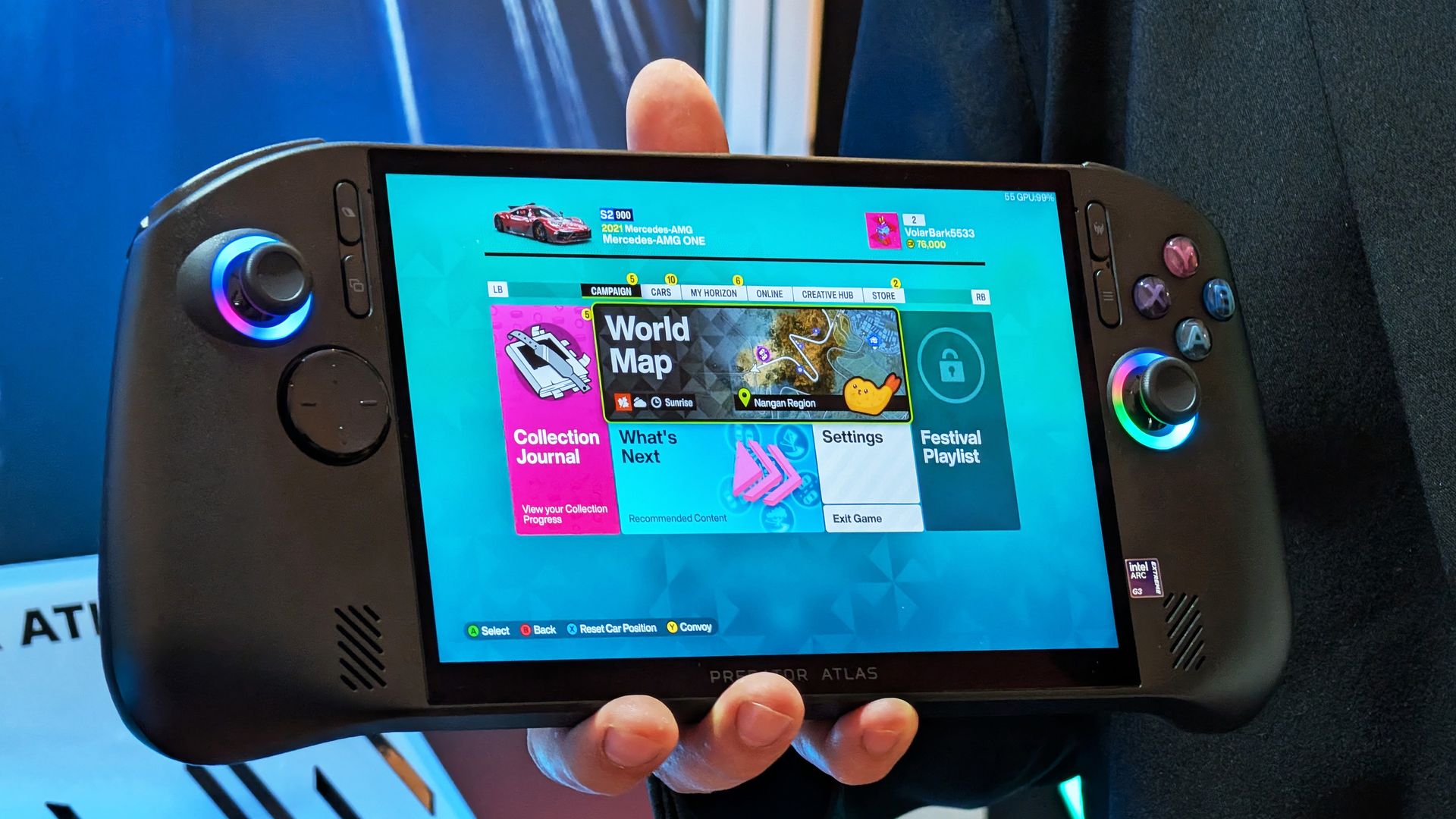
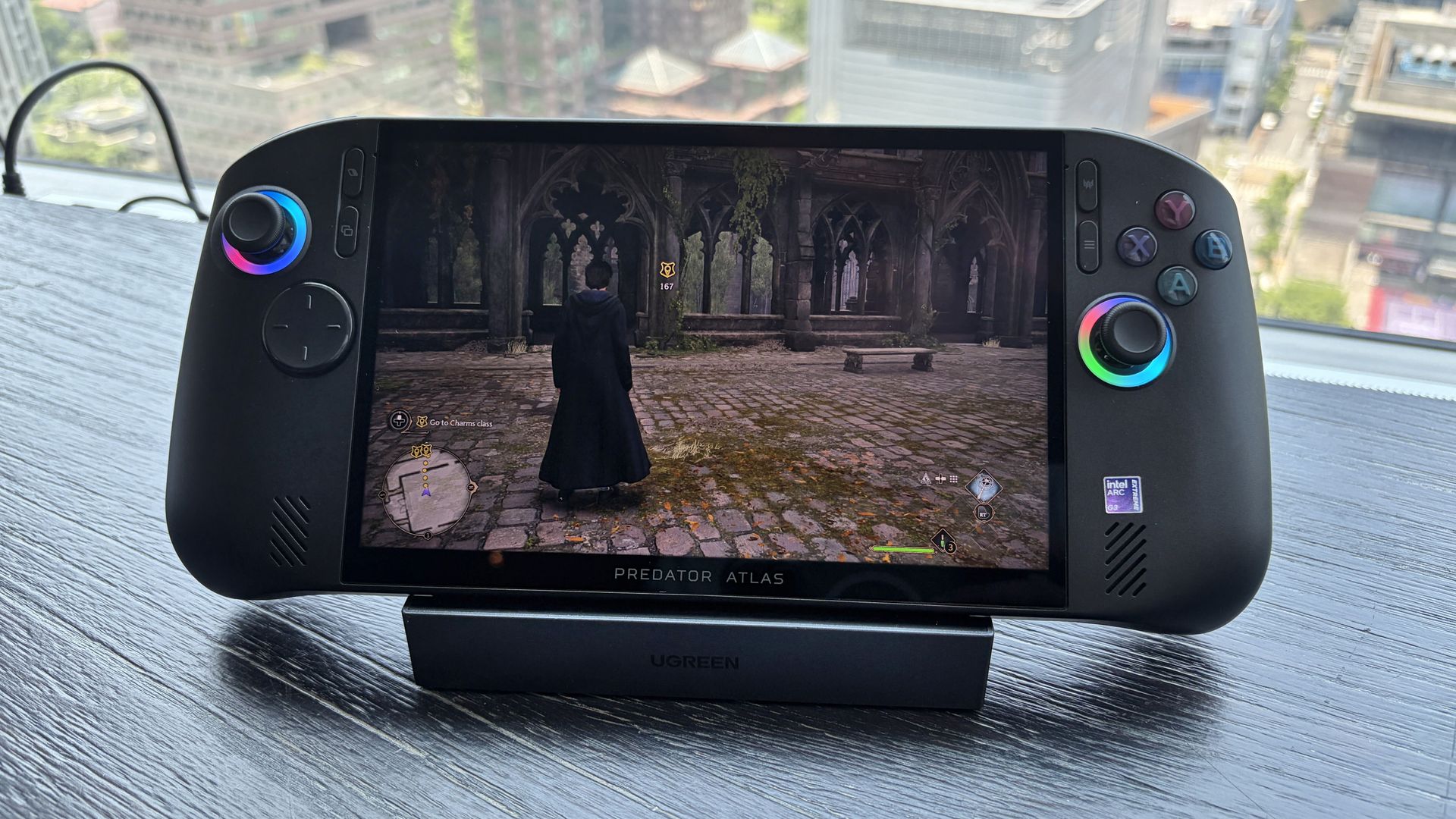
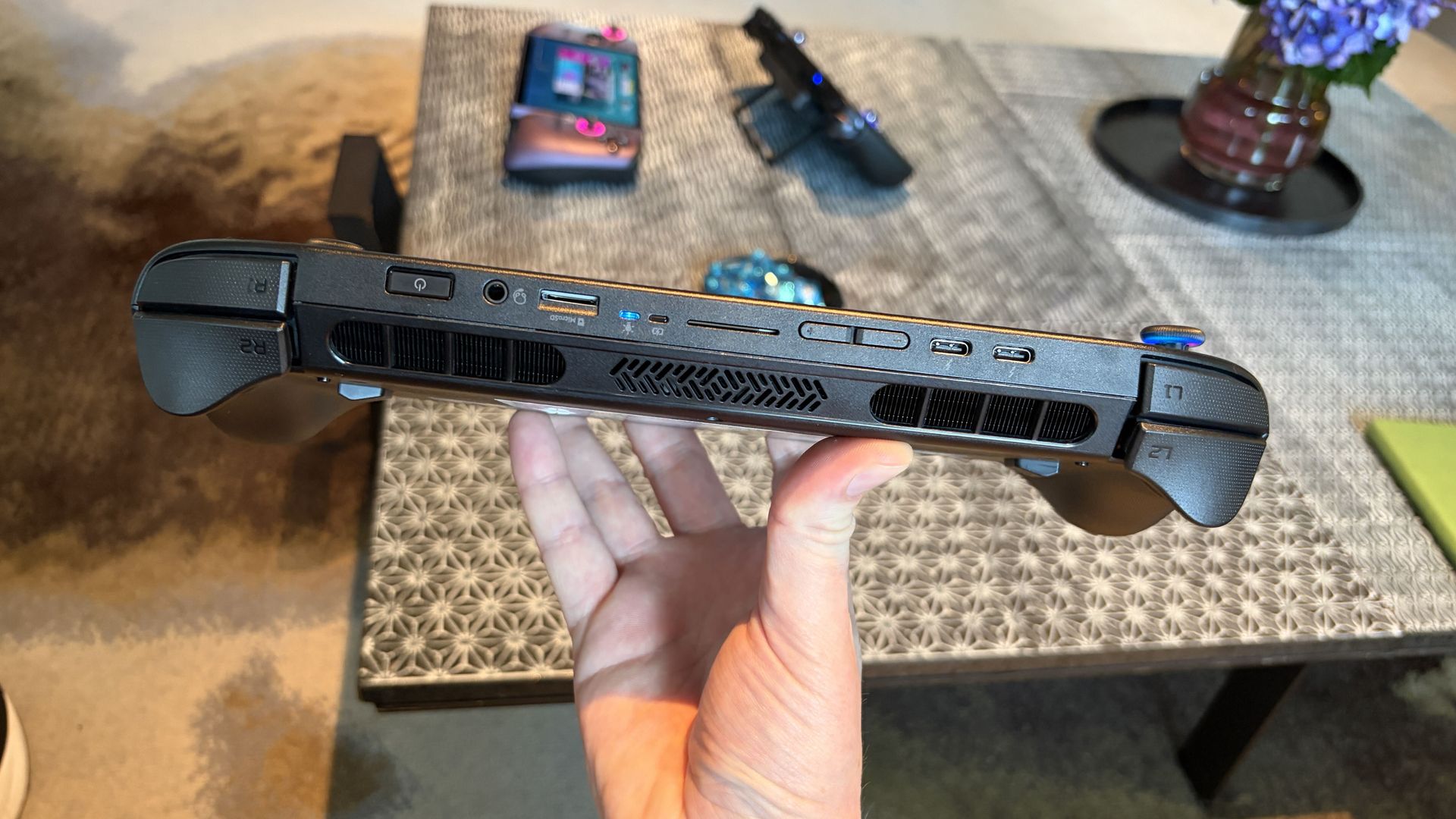
The new Acer Predator Atlas 8 gaming handheld, featuring Intel's latest G Series chips, finally went up for pre-sale in the US on October 23, with full launch slated for November 1.
Here's where Acer's new handheld packing the same Intel G3 Extreme chip offers a big surprise for shoppers. It's priced at $1,299.99 at Best Buy. Or at least it was, for the Best Buy page preorder has since been removed. I'm not exactly sure why — maybe Acer is reconsidering the post-launch price now that preorders are in.
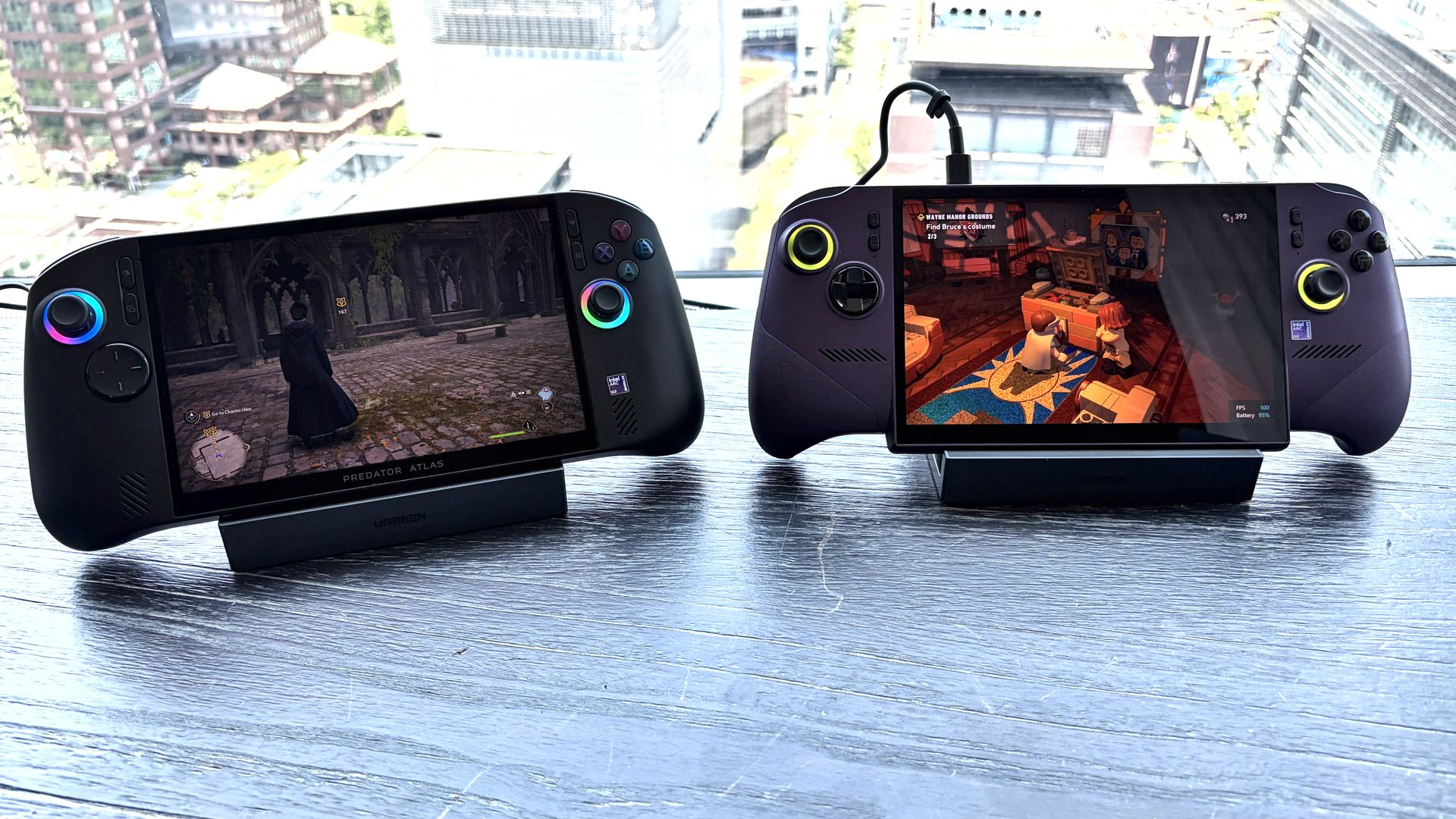
In any case, seeing a handheld with the same powerful mobile chip inside as the MSI Claw 8 EX AI+ launch for $500 less should be on every gamer's radar. But how is Acer undercutting the competition by so much?
How does Acer charge $500 less for its Intel Arc G3 Extreme gaming handheld?
Intel's new mobile chips are designed specifically for handhelds, delivering considerably improved performance and efficiency compared to the AMD Ryzen Z2 Extreme chips so common to the form factor.
On paper, the Acer and MSI devices are quite similar. Both feature the flagship Intel Arc G3 Extreme chip, with 14 cores, a 4.7GHz top clock speed, and a faster Arc B390 integrated GPU compared to the standard Arc G3 chip.
Both devices use an 8-inch IPS display with 1920x1200 resolution, 120Hz variable refresh rate, 500 nits brightness, and 100% sRGB color reproduction.
Both have Thunderbolt 4 ports and Wi-Fi 7. Both have Hall Effect triggers and joysticks. Both use an 80Wh battery. So what's the deal?
Based on my (limited) time with the Predator Atlas 8, it looks like the big price difference comes down to build quality and configuration specs.
Let me get the biggest difference out of the way first: the $1,799.99 MSI Claw 8 EX AI+ ships with 32GB of RAM and a 1TB SSD. The Acer Predator Atlas 8 pares that back to 24GB of RAM and a 512GB SSD.
Considering the price of storage and memory these days, this difference likely helps make up a huge chunk of the difference.
Otherwise, as I noted in my Intel Arc G3 Extreme hands-on piece, Acer's device has triggers that don't feel quite as snappy as MSI. The reverse can be said for the joysticks, where I believe Acer has MSI beat.
Audio from both devices was good, and although Acer's Predator Atlas 8 is smaller and ultimately more portable, I found both handhelds to be comfortable to hold.
In terms of performance, the Predator Atlas 8 was running demanding games like Hogwarts Legacy and LEGO Batman: Legacy of the Dark Knight at a cool, smooth clip.
I'll have to do more testing once Acer's handheld actually arrives here for testing, but I don't expect it to perform any worse than MSI's new Claw.
Bottom line? It's the disparity in RAM and SSD configurations at launch that's helping keep Acer's gaming handheld at a much more reasonable price.
Is Acer's $1,299.99 Predator Atlas 8 actually cheap?
The Predator Atlas 8 feels good to hold and features many similar high-end features as the MSI Claw 8 EX AI+. (Image credit: Future)
That's not quite the case for Acer's Predator Atlas 8, especially with console prices on the rise, but that doesn't make it affordable.
Keep in mind that the Steam Deck, which kicked off the gaming handheld craze, launched at just $399 in 2022.
No, the Steam Deck isn't nearly as powerful as the new Arc G3 devices, but it was priced to sell. Is Acer's Predator Atlas 8 affordable relative to today's overall market? Absolutely.
As mentioned, the Predator Atlas 8 Best Buy preorder page is down at the time of writing this piece. Check back soon, especially after November 1, when the handheld actually launches, to see if prices have changed.
Join us on Reddit at r/WindowsCentral to share your insights and discuss our latest news, reviews, and more.
Not everyone needs a premium Windows laptop with flagship performance. Sometimes, all it takes is a PC to handle email, Office apps, web browsing, and video calls with strong battery life and a crisp display to get the job done.
Some modern mid-range laptops have become a tougher sell as prices continue to climb from the ongoing memory crisis. Thankfully, Amazon's time-limited deal has dropped HP's OmniBook 5 laptop to $789.99 after its price has fluctuated over the past year. While it isn't a lowest-ever drop, it's certainly a fairer price.
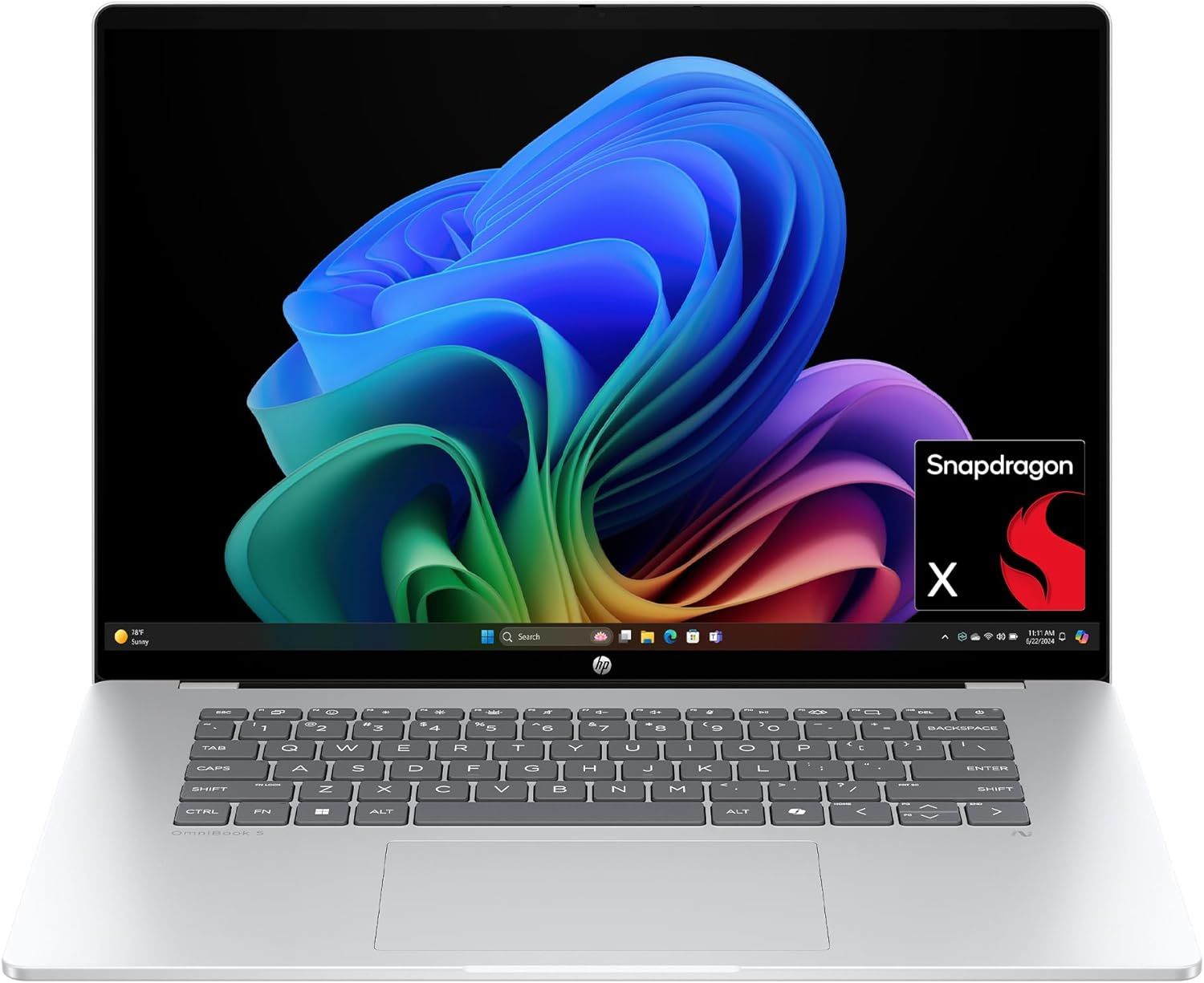
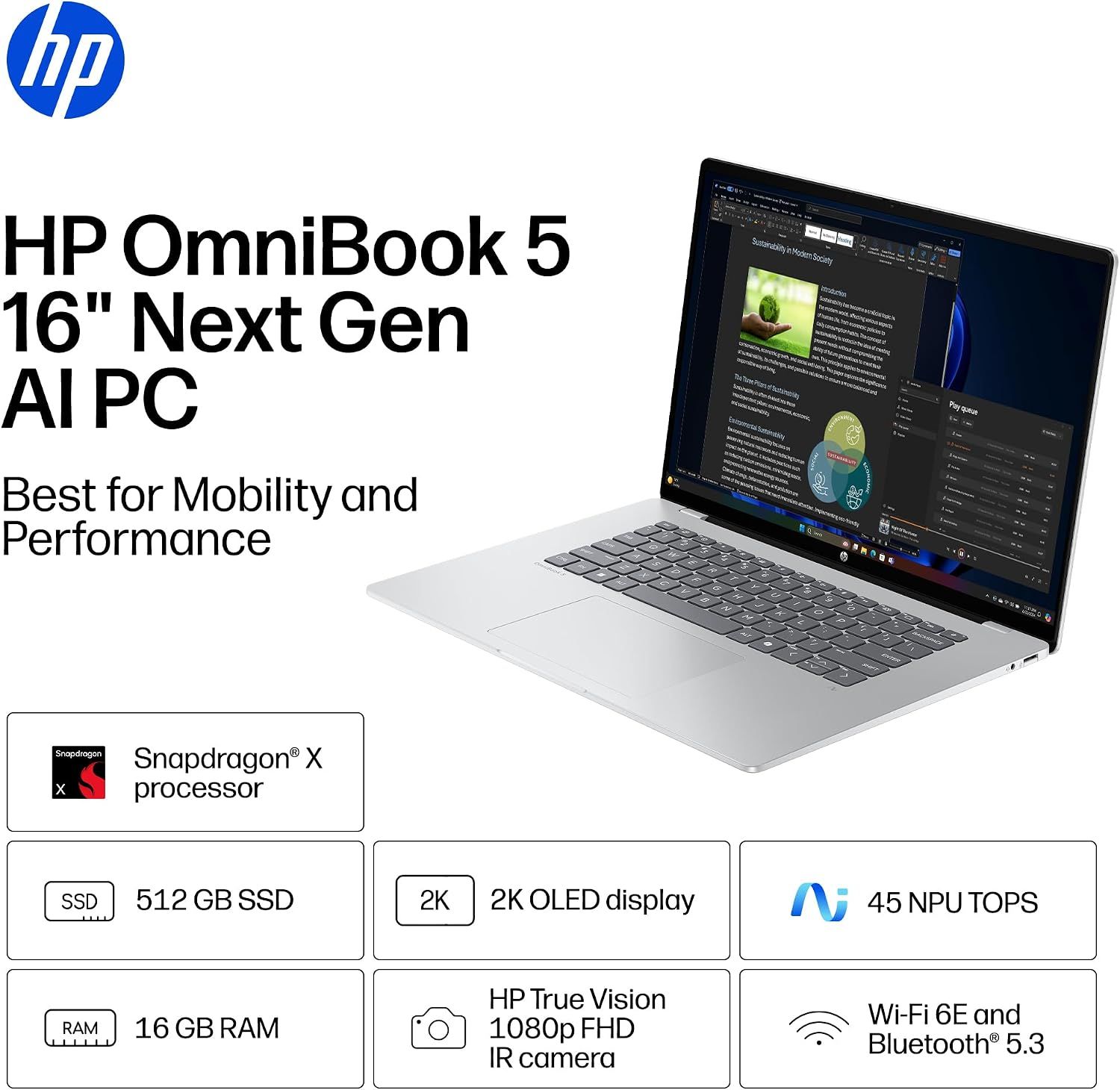
The HP OmniBook 5 is a commendable laptop for everyday and work-heavy use with its 16-inch 2K OLED display, Snapdragon X CPU, 16GB of RAM, 512GB SSD, and Qualcomm Wi-Fi 6E and Bluetooth 5.3 connectivity.View Deal
Why buy this laptop?
Spec highlights for the HP OmniBook 5 16-inch laptop. (Image credit: HP)
This laptop features Qualcomm's Snapdragon X processor and 16GB of RAM. Pair that with an NPU capable of 45 TOPS, and the HP OmniBook 5 can handle web browsing, mid-level productivity tasks like typing reports, and local AI-empowered tasks.
It also features a 512GB SSD to store data, a thin design that's able to keep itself cool, a 2K OLED display capable of rendering images with sharp images and vibrant colors to give your work greater clarity, and best of all, a massive battery life of up to 34 hours and 45 minutes before needing a recharge.
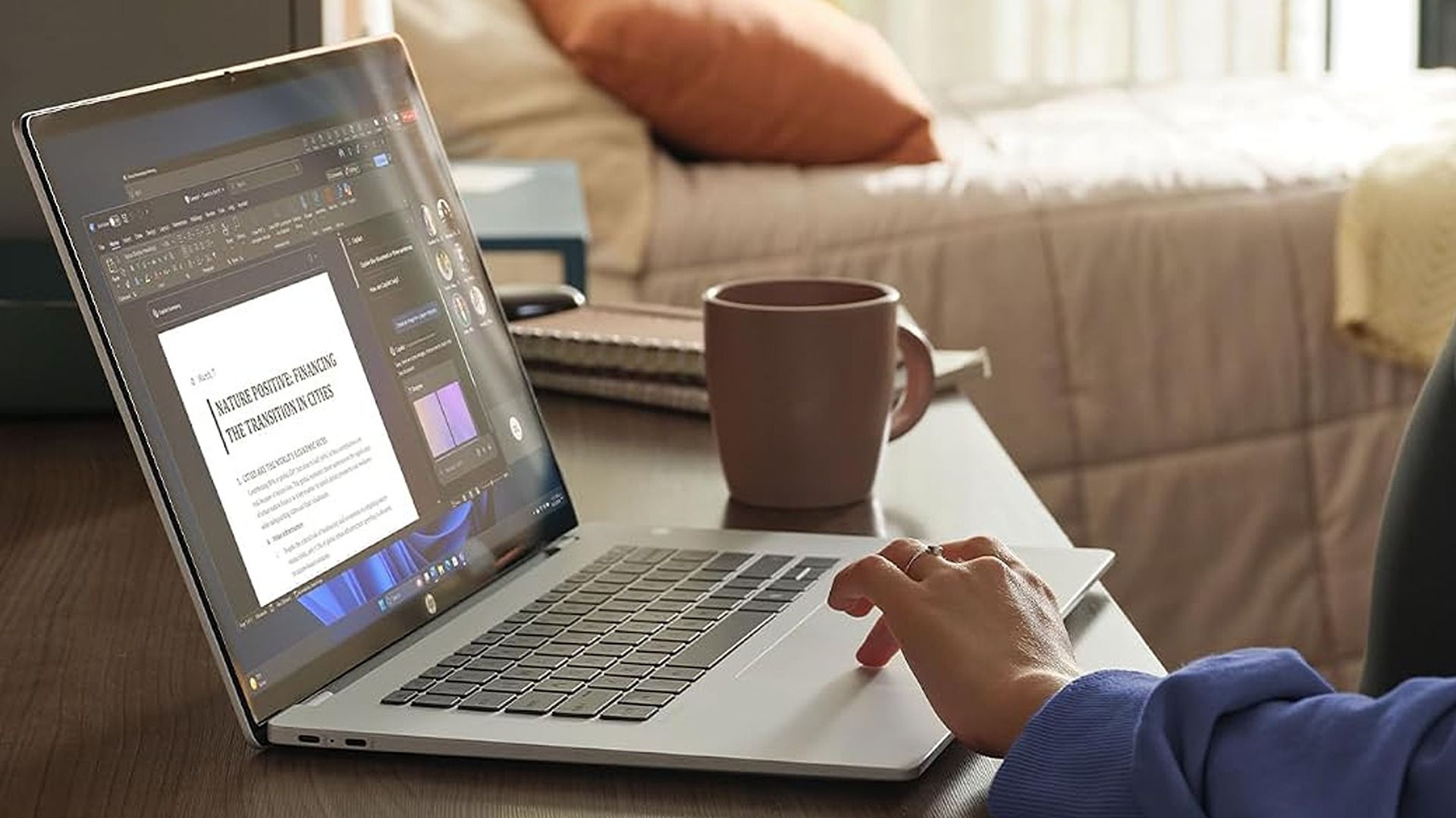
So if you need a laptop that will last you all day at the office and doesn't require heavy-duty engineering, the HP OmniBook 5 should be on your list for your next choice.
Can I upgrade its RAM?
No, you can't upgrade the HP OmniBook 5 16-inch laptop's RAM as it's soldered in place.
Can I run everyday apps on it?
Mainstream apps like Microsoft Office, Google Chrome, and Zoom will run on the Windows on ARM-based HP OmniBook 5 with no issues. However, advanced Adobe apps like Premiere Pro and After Effects, legacy printer drivers, and older, niche enterprise software or corporate-specific VPN clients may need extra effort.
Should I wait for Black Friday for a better deal?
It depends on whether you're willing to wait until Black Friday for a bigger discount or if you're in need of a new laptop for work/casual use right now and don't have time to wait for a killer deal. Nevertheless, this is a fair price for its specs.
Join us on Reddit at r/WindowsCentral to share your insights and discuss our latest news, reviews, and more.
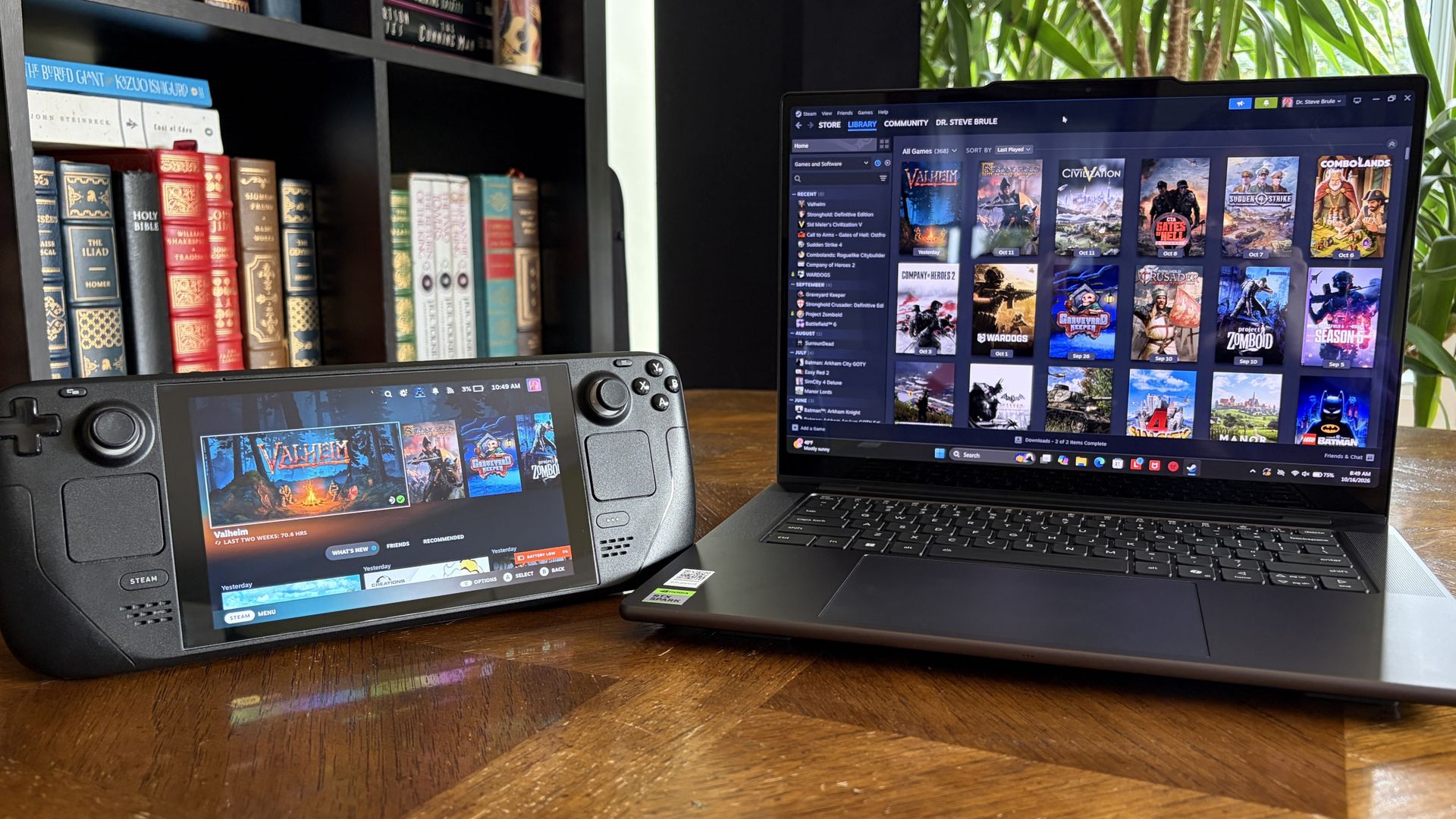
It's also been my gaming handheld replacement, my home base for local AI testing, my sketchpad to practice digital drawing, and my entertainment hub.
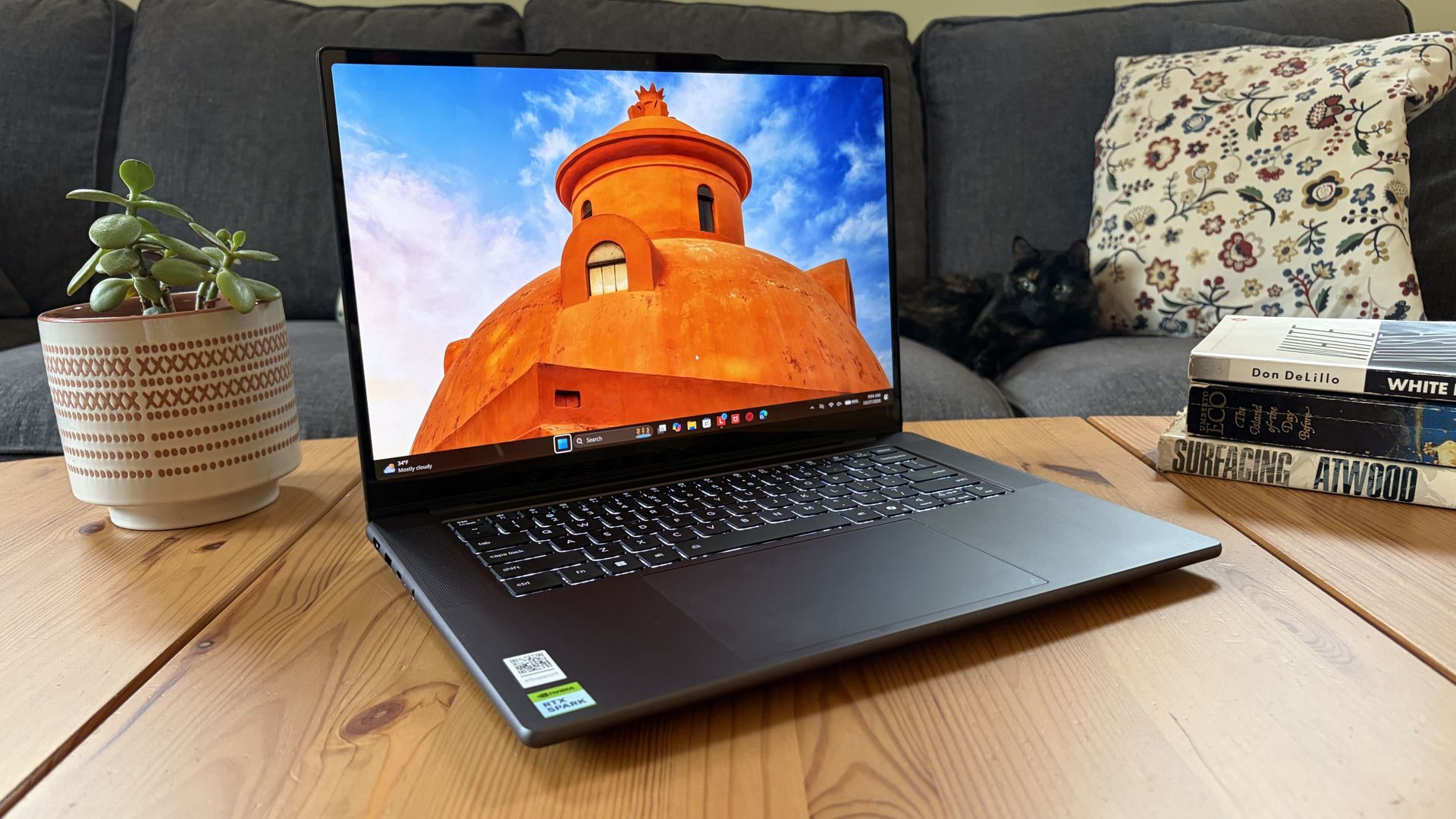
This pricey Lenovo Pro 9n isn't for everyone despite its broad versatility. That's true about any of the new RTX Spark laptops.
I'm looking to see how Lenovo's offering differs from the others — including the Surface Laptop Ultra and ASUS ProArt P16 we reviewed — in terms of features, design, and performance.
Lenovo sent Windows Central a review unit on loan for testing. It had no input, nor saw the contents of this review, prior to publication.
Lenovo Pro 9n: Price and specifications
You'd never know the level of power contained within this sleek chassis. (Image credit: Future)
Lenovo's Pro 9n starts at $2,999.99, putting it near the middle of the RTX Spark lineup.
For this price, you get an 18-core NVIDIA N1X CPU, integrated RTX Blackwell GPU with 5,120 cores, 32GB of LPDDR5x unified RAM, a 512GB M.2PCIe 4.0 NVMe SSD, and a 15.3-inch OLED touch display at a 2560x1600 resolution.
Lenovo offers configuration options for CPU, RAM, and storage. The top spec with a 20-core N1X CPU, 6144-core GPU, 128GB RAM, and 2TB PCIe 5.0 SSD balloons to $6,099.99, with several stops along the way.
13.66 x 9.53 x 0.66 inches (347mm x 242mm x 16.7mm)
Weight
From 3.64 pounds (1.65kg)
New designs and updated features for the RTX Spark platform
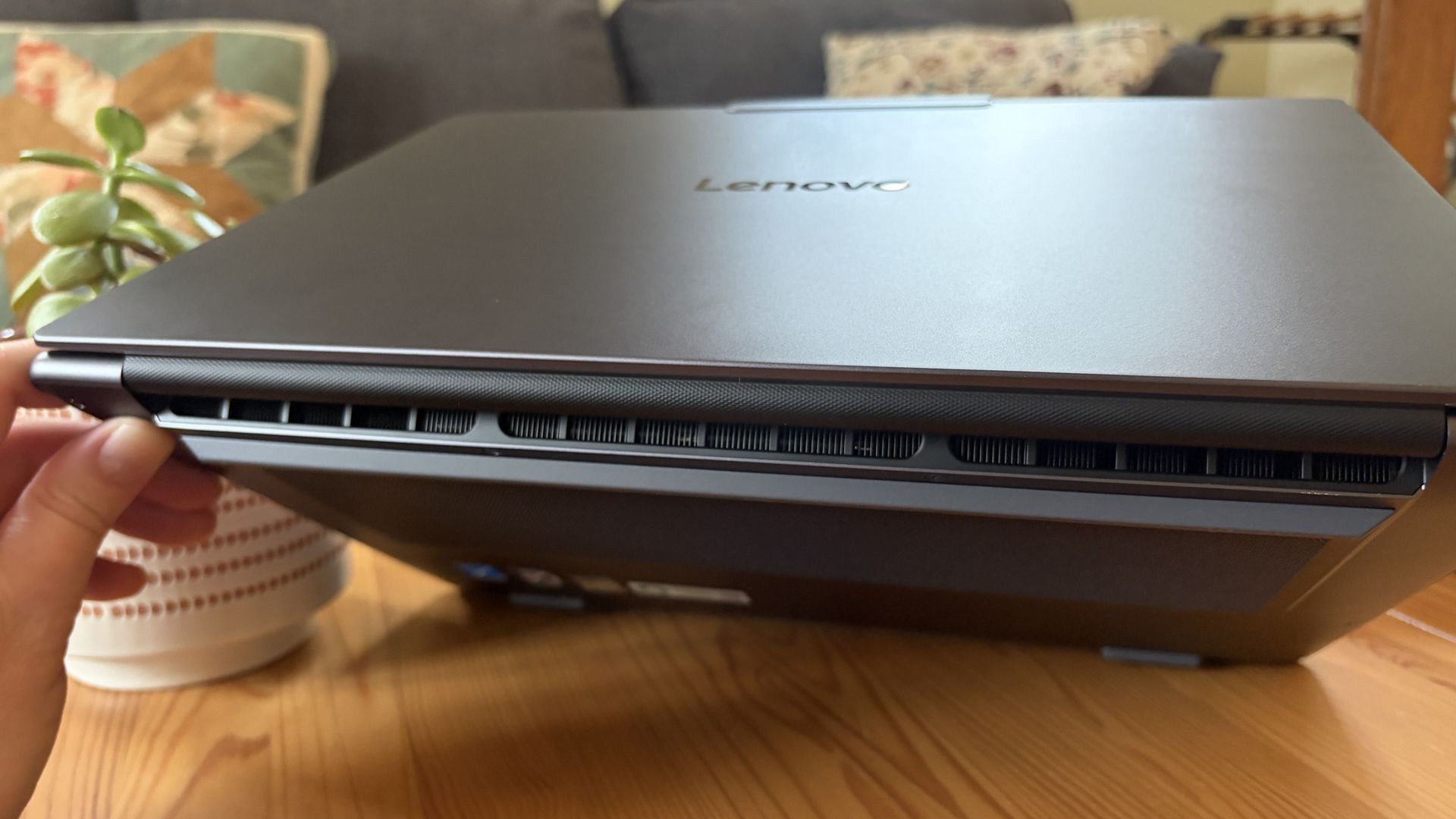
A look at the rear exhaust behind the lid hinge. (Image credit: Future)
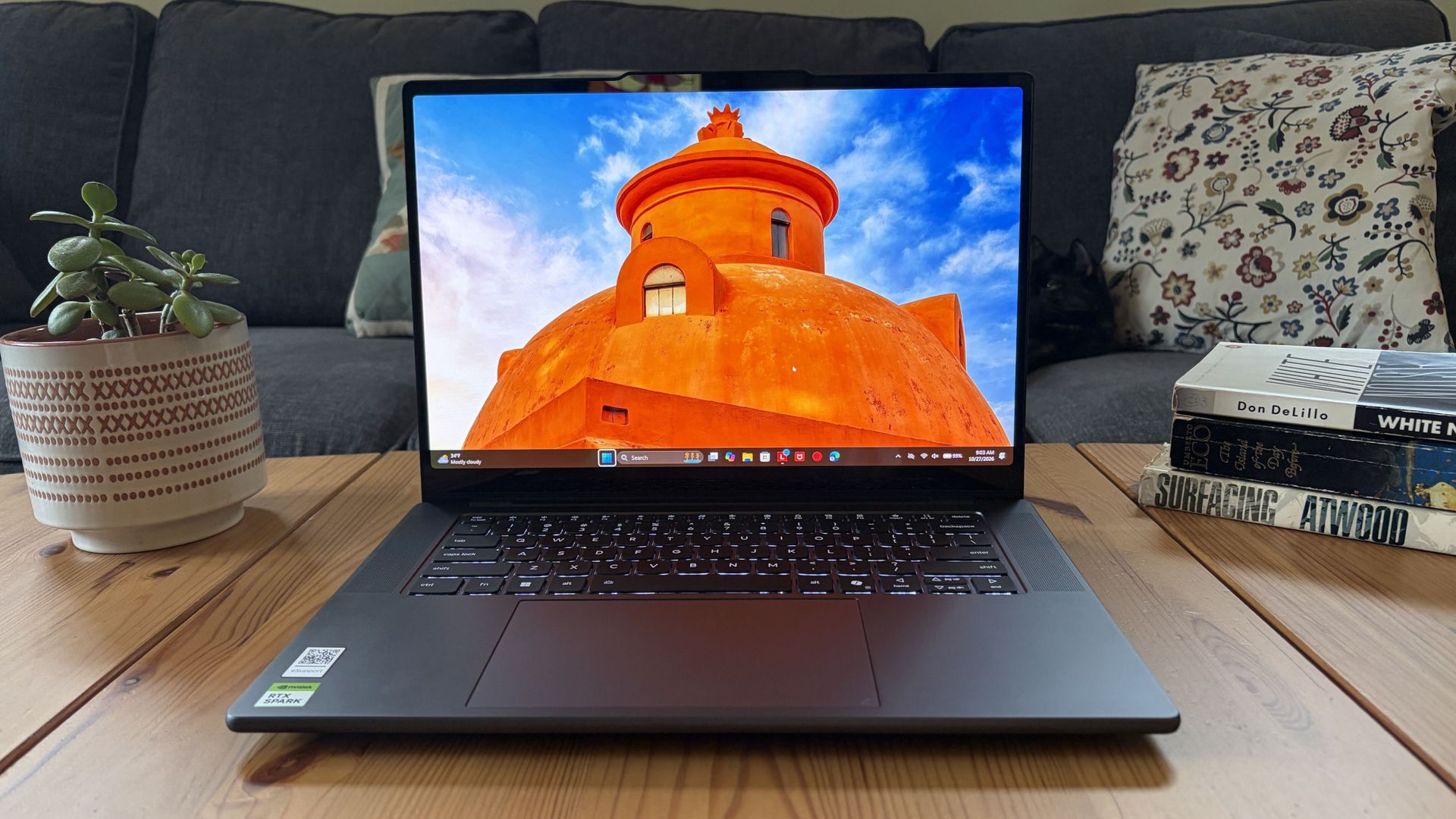
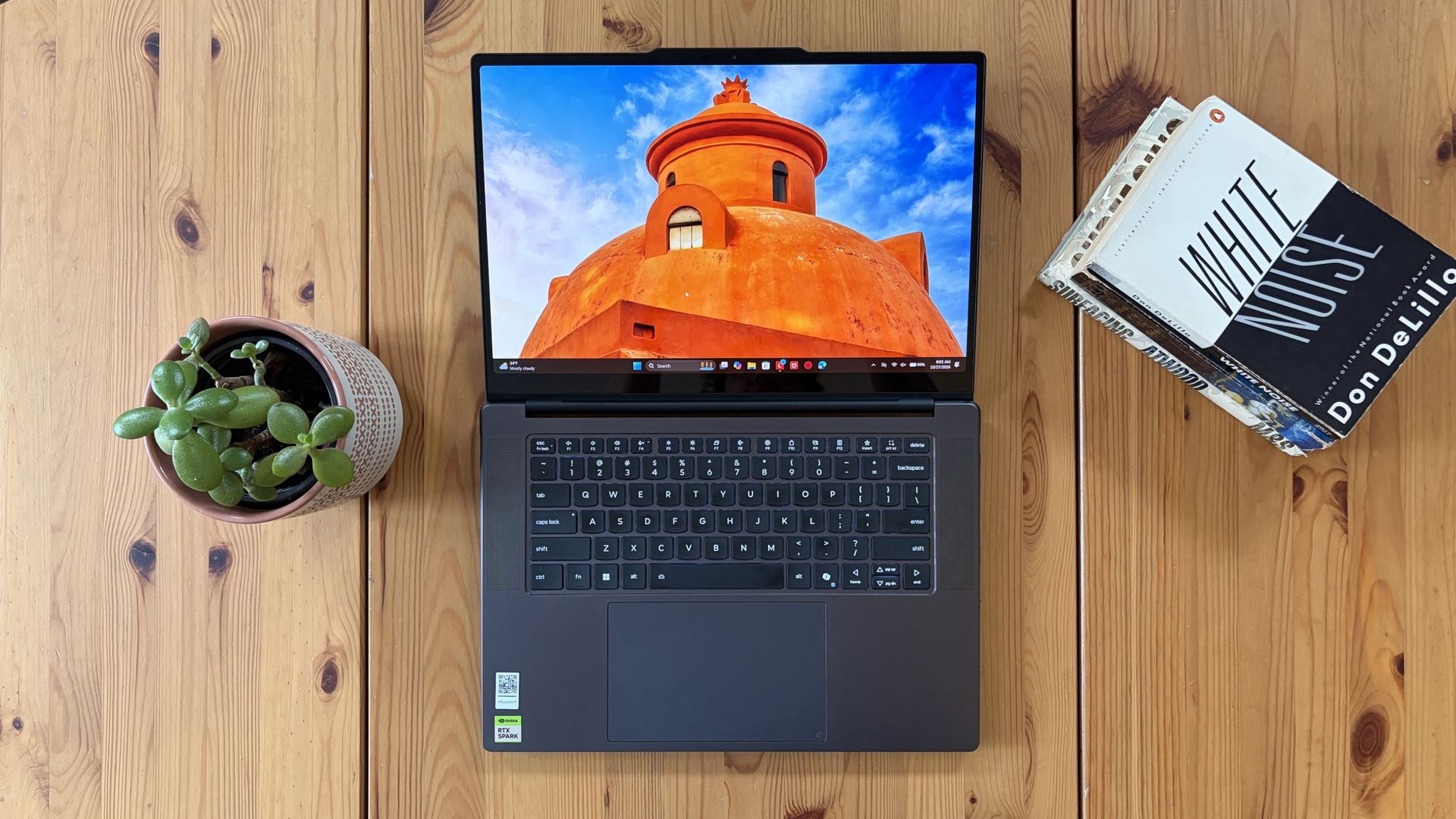
The design of Lenovo's Pro 9n has grown on me over the weeks. What I first saw as uninspired has morphed into something that's sleek, relatively lightweight, and ultimately perfect for a professional setting.
With an aluminum top and bottom that add rigidity and a more premium feel than plastic, the PC still manages to slide in at 3.64 pounds (1.65kg) while measuring just 0.66 inches (1.67cm) thin.
The 15.3-inch display translates to a smaller footprint than a full 16-inch PC, and I found it to be an apt size for working in the passenger seat of a car. It should also translate well to airplane trays or train seats.
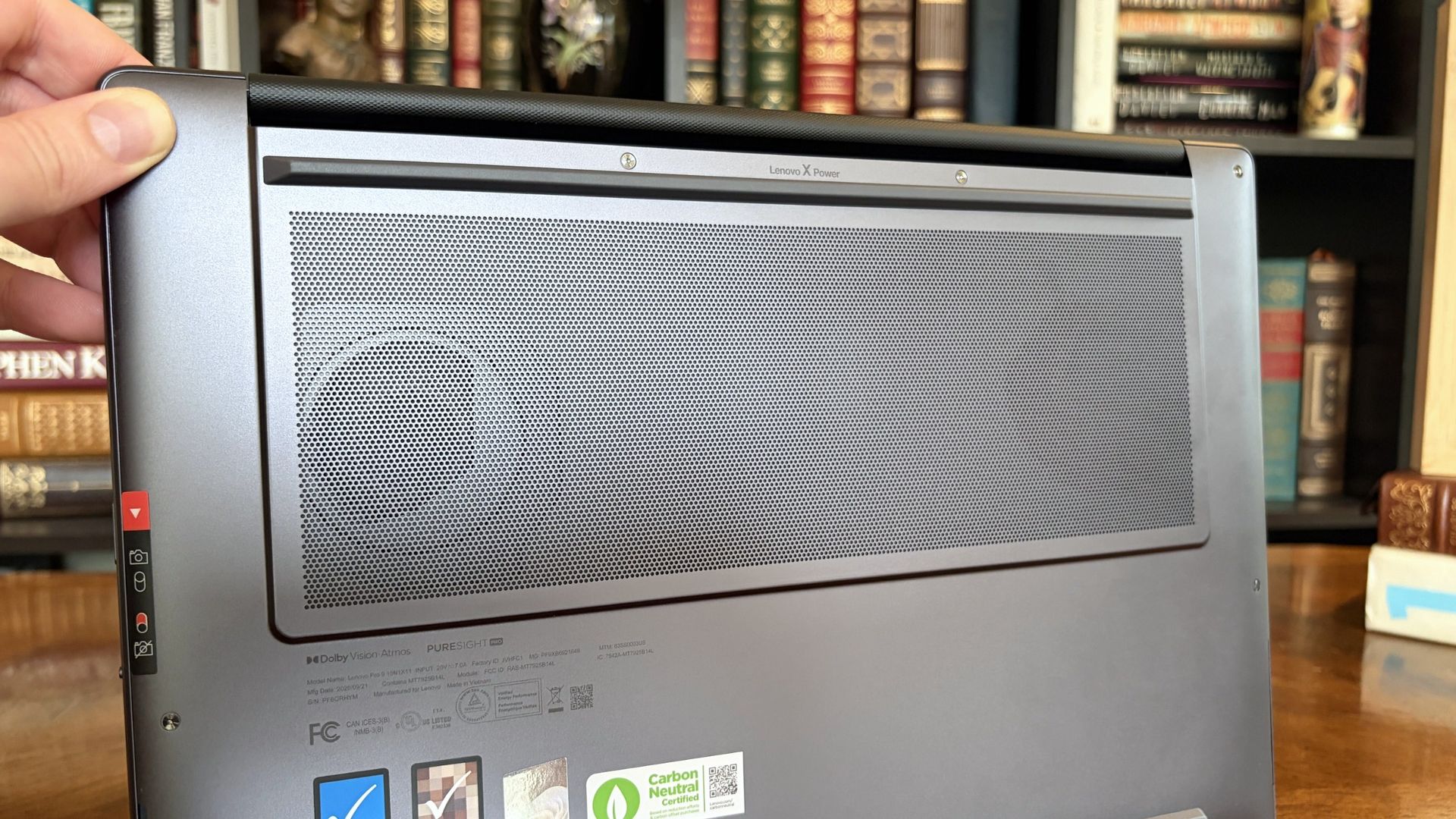
The bottom of the Pro 9n has a massive air intake to feed the two fans. (Image credit: Future)
The thermal layout has been redesigned for the new RTX Spark chip (which I explore below), resulting in a massive air intake on the bottom of the PC and larger vents on the rear edge for exhaust.
This setup keeps hot air directed away from the user and, as you'll see below, it does a decent job of keeping the PC cool under load.
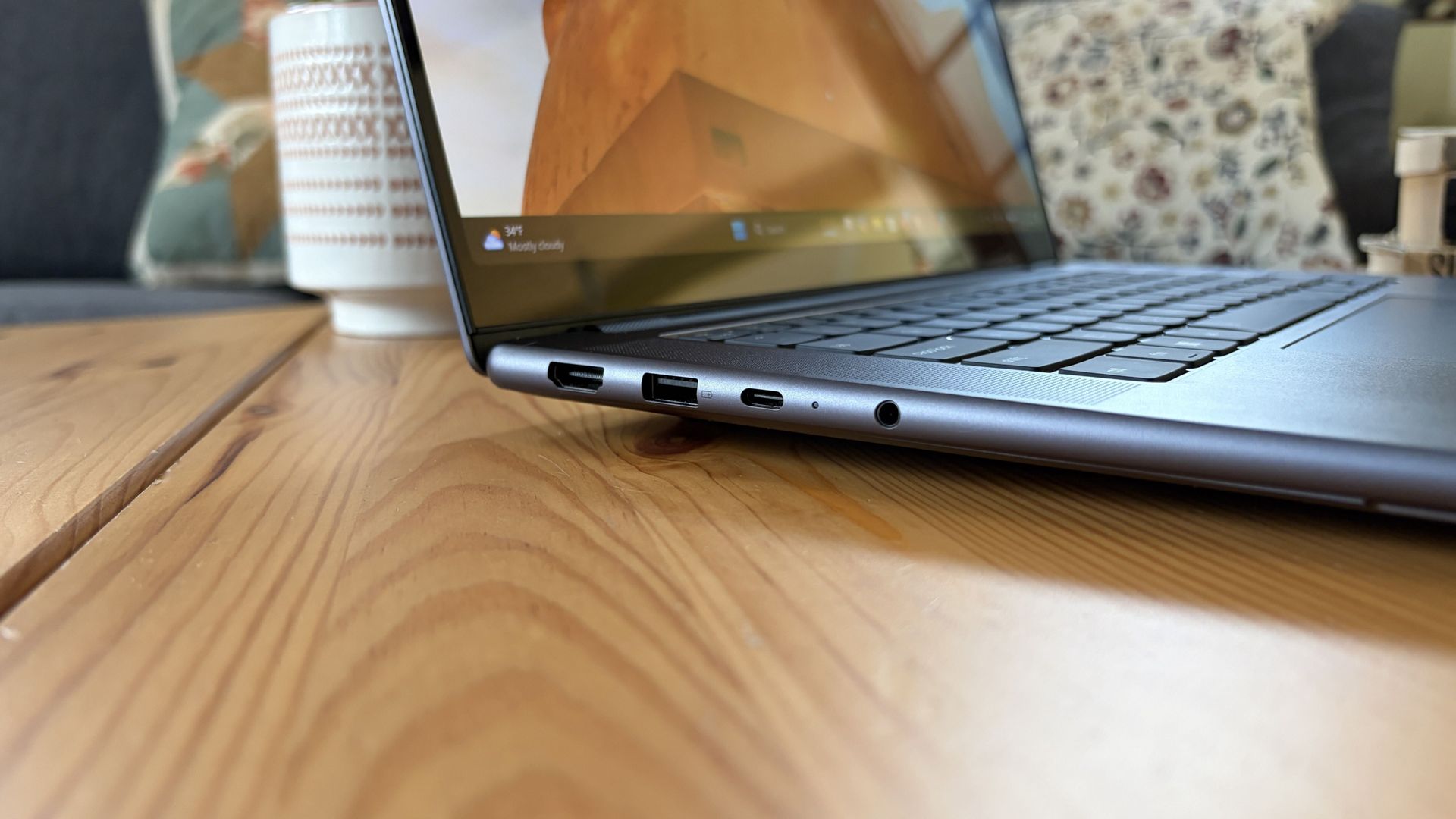
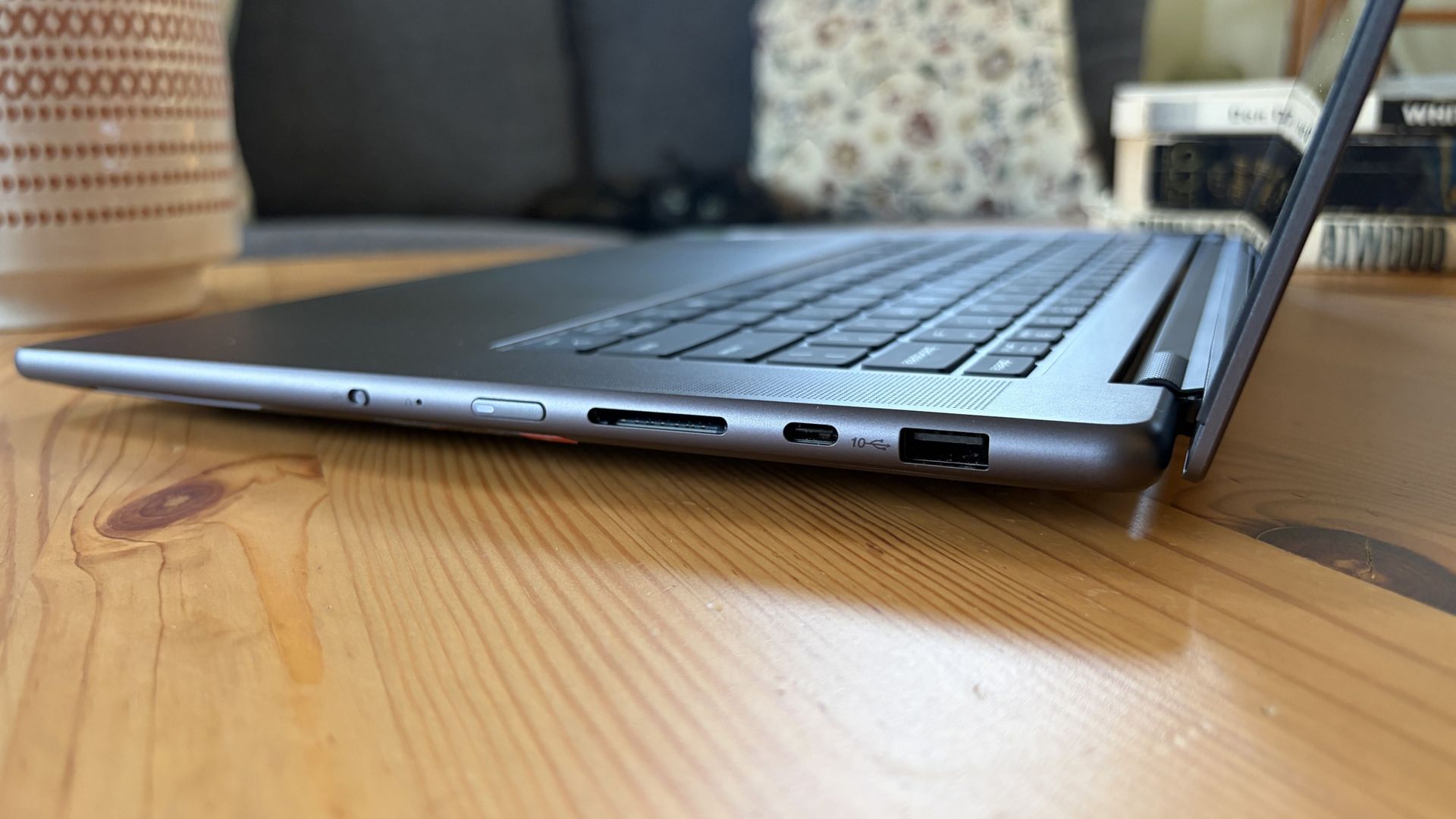
Ports on the left include HDMI, USB-A, USB4, and 3.5mm audio.FuturePorts on the right include USB-A, USB4, and UHS-II SD card reader.Future
This leaves plenty of space along the sides for ports. On the left are HDMI 2.1, USB-A 3.2 (always on), USB4, and a 3.5mm audio jack. On the right side are another USB-A 3.2, USB4, and a UHS-II SD card reader.
At no time did I feel the need to grab a dongle for an accessory, especially with Bluetooth 5.4 on board, and the native HDMI port makes it easy to plug into an external display without a docking station.
On the note of wireless, cutting-edge Wi-Fi 7 is on board for excellent throughput and future-proofing.
Lenovo's keyboard and haptic touchpad are among the best
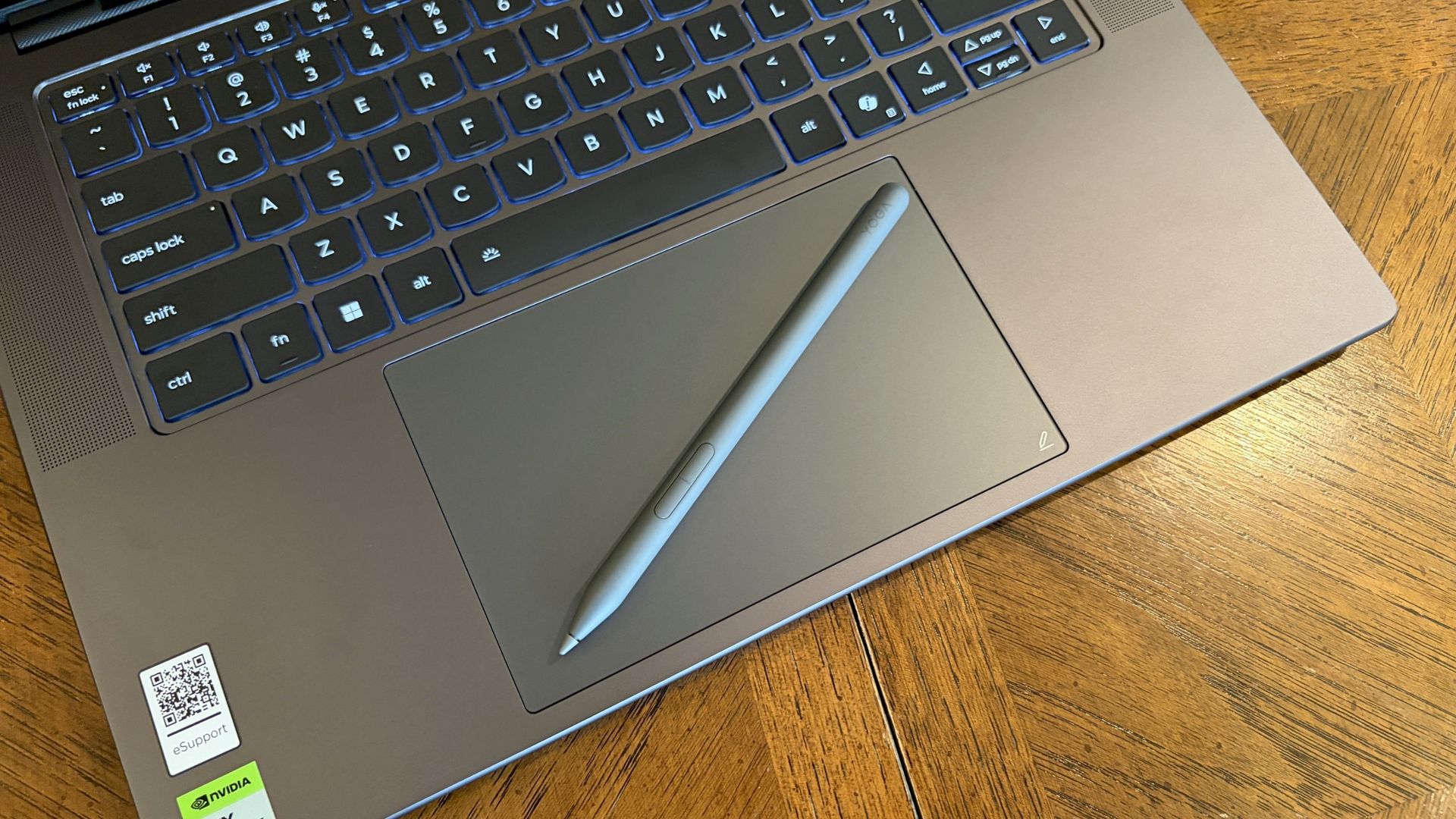
The Lenovo Pro 9n's oversized haptic touchpad and active pen turn the laptop into a makeshift drawing tablet. (Image credit: Future)
The Pro 9n is the first Lenovo laptop to receive its new haptic touchpad with inking compatibility. Paired with the bundled Yoga Pen (Gen 2), it turns the PC into a creative tablet of sorts.
I'm no artist, but I was able to get down some rough sketches using the awesome Krita drawing app. I found the touchpad's 3.74 x 3.94-inch dimensions were large enough to comfortably write and draw, and the inking feel is outstanding.
My only gripes are likely from me reading too much into the feature. Drawing on the pad often left my hand hanging off the edge (not comfortable), and it was sometimes difficult to line up my pen on the touchpad with where I wanted it on my screen.
Approach it from a rough sketch viewpoint, and you should find it to be quite useful. As for actual pointing and clicking, I had no issues. The haptics underpinning the pad are spot on.
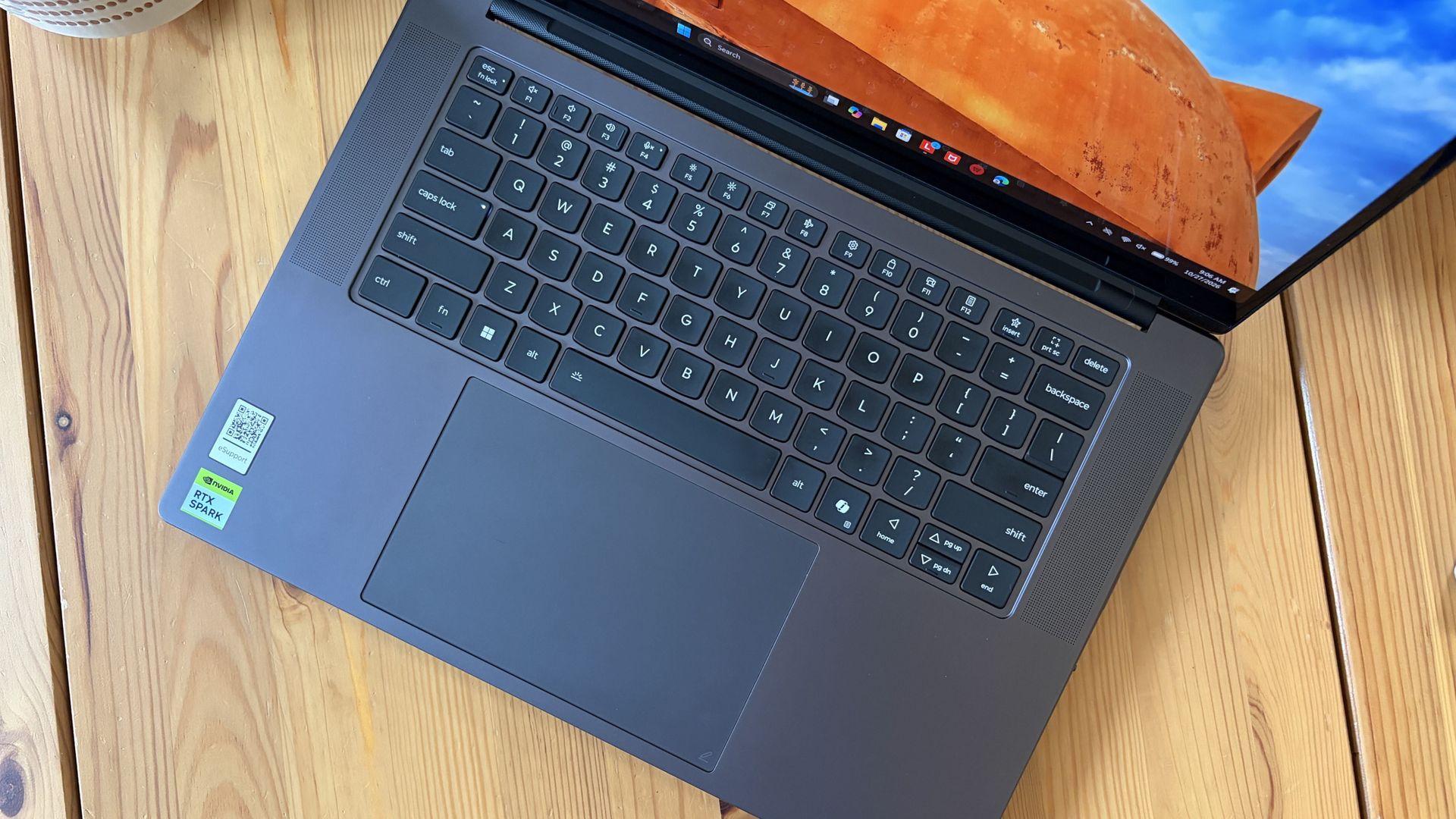
1.5mm key travel makes for comfy typing no matter what. (Image credit: Future)
The keyboard, which arrives flanked by a couple of speakers, offers deep 1.5mmkey travel, three-stage backlight, and perfect spacing. This might be the best keyboard that Lenovo's non-ThinkPads have ever received, and I enjoyed every word I typed on it.
Circling back to the speakers, the two that flank the keys are each 2W tweeters, and they're accompanied by two 2W woofers on the bottom of the PC.
Sound gets loud without breaking. There's lots of bass. The highs are clean, even before adding any onboard Dolby Atmos tuning. The laptop is just as good for watching TV and movies as it is for handling creative work or jumping into video meetings.
A crisp webcam handles meetings on the move
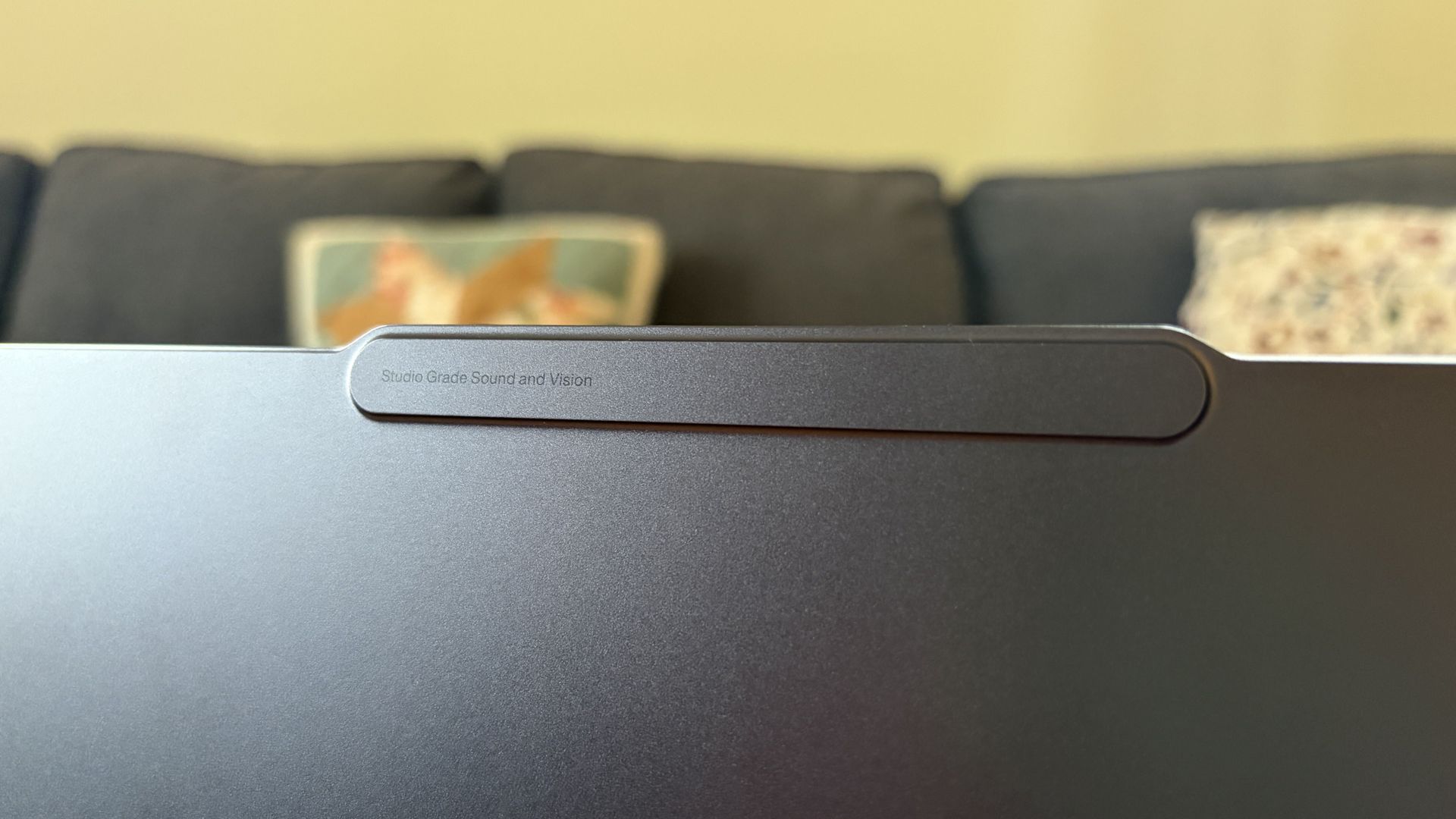
The raised comms bar has space for a 9.2MP camera and IR sensor. (Image credit: Future)
Lenovo's raised communications bar located above the display adds a bit of space for camera hardware, and the company made good use of it here.
The Pro 9n comes with a 9.2MP camera, easily trumping the ASUS ProArt P16's 2.1MP and the Surface Laptop Ultra's 1.6MP cameras.
It's crisp and handles lighting quite well even without any Windows Studio Effects in play, and I'd say it's a definite upgrade for anyone who often finds themselves in video meetings and collaborations.
The IR sensor built into the camera handles facial recognition via Windows Hello. Unfortunately, it doesn't appear to go the extra step to offer human presence detection. This doesn't seem to be a lock for the new RTX Spark PCs — the Surface Laptop Ultra doesn't have it either, but the ProArt P16 does.
An OLED display with color profiles for any job
The OLED display delivers color for specialized work and speed for gaming. (Image credit: Future)
Lenovo ships the Pro 9n with a 15.3-inch PureSight Pro OLED display. This is basically Lenovo's top-of-the-line screen for creators and pros, coming at you with X-Rite Pantone calibration and X-Rite SkinTone validation out of the box.
It hits Delta E, tops out at a 165Hz refresh rate (which can be set to variable for better battery life and eye comfort), and has Dolby Vision support.
Something I learned quickly was that the display presets in Lenovo's Vantage app are actually important. The Default mode in which the laptop ships favors sRGB reproduction. There are presets for AdobeRGB and sRGB (which pump up those sections), as well as P3-D65, REC709, and DCI-P3.
I was able to hit 100% across all color gamuts in my testing, but not all at once. You'll just have to be sure that you select the right config depending on the work you're doing.
I was able to hit 100% across all color gamuts in my testing, but not all at once.
I also measured 476 nits of peak brightness in SDR content, which pushes past 1,000 nits when HDR is enabled. I was able to work in a brightly lit room with only a bit of glare, but I imagine an anti-reflective instead of glossy finish would have gone a long way to eliminating glare entirely.
The screen is available in touch or non-touch, and the specs are otherwise the same. Note that the pen only works on the laptop's touchpad, whether or not the screen is touch-enabled.
The Pro 9n's OLED display is vivid and bright. (Image credit: Future)
The inclusion of NVIDIA G-Sync tech really props up the gaming aspect, reducing screen tearing and ultimately making everything feel much smoother, as you'd expect from a premium laptop that can game.
My only complaint is that Lenovo doesn't offer a higher-res panel. The 2.5K default is great for everyday work and gaming, but 4K would probably go a long way for some creators.
Comparing the 18-core and 20-core RTX Spark chips
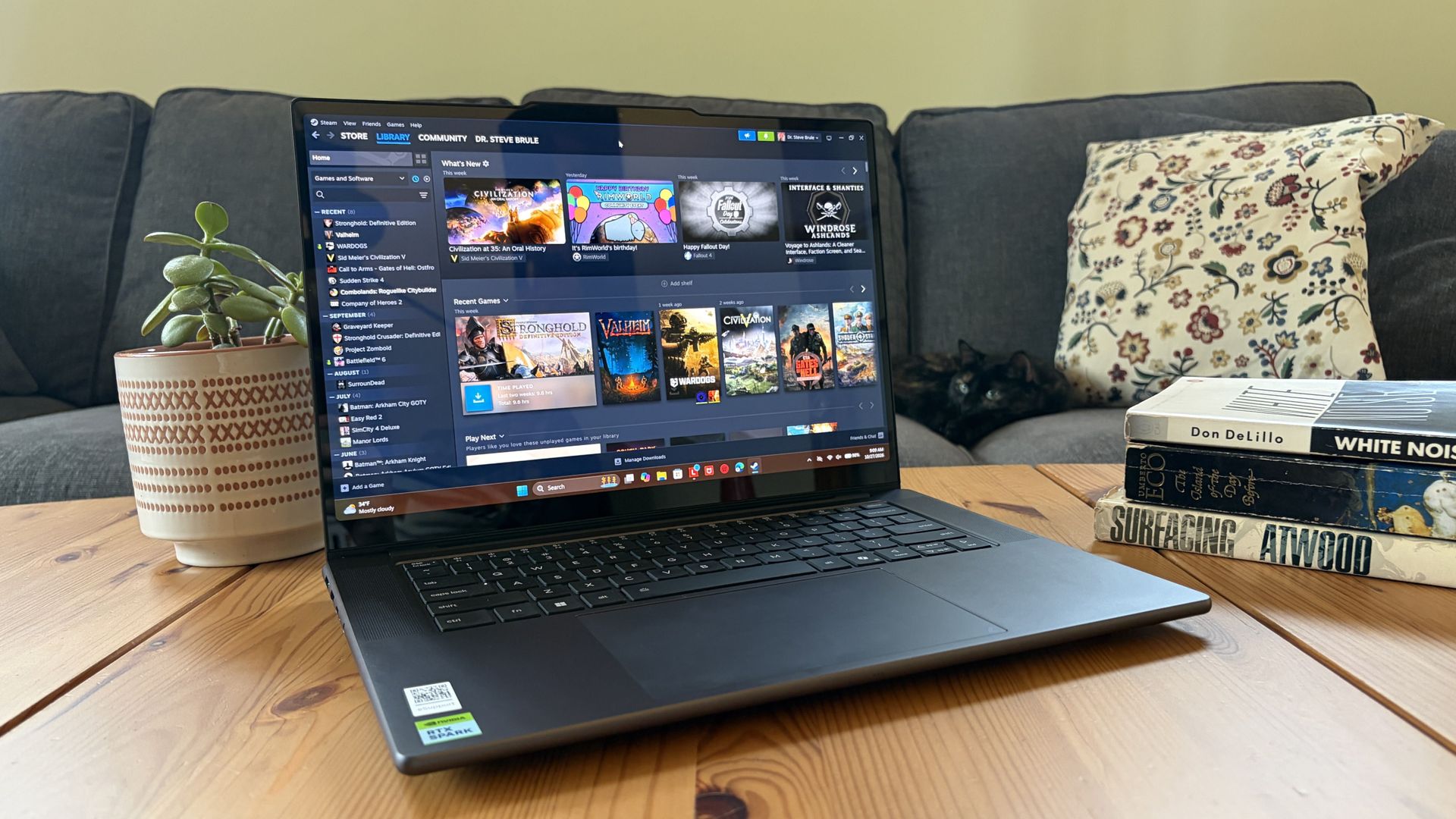
I gave the Pro 9n some games to chew on to see if it can replace my gaming handheld. Short answer: it can. (Image credit: Future)
Power tip
Lenovo allows for up to 80W of overall power for the chip, putting it in line with the other RTX Spark laptops we've tested.
As it turns out, quite well. You get the same pool of unified LPDDR5x memory to pull from for the system and GPU, albeit in smaller quantities (32GB for my review unit).
You get the coveted CUDA cores (with 5120 in my unit compared to 6144 in the premier chip) to handle local AI inference. And you still get about 26 TFLOPs of graphics performance.
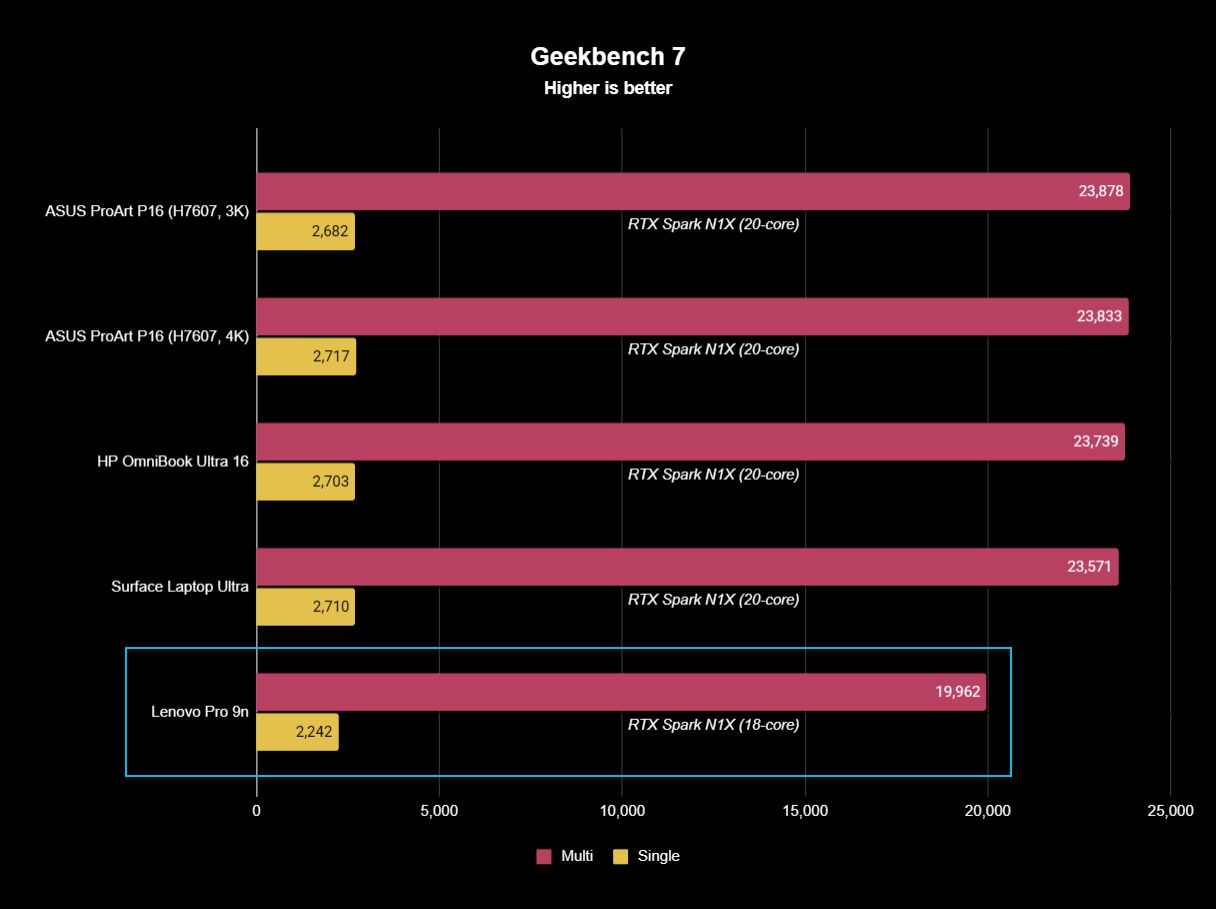
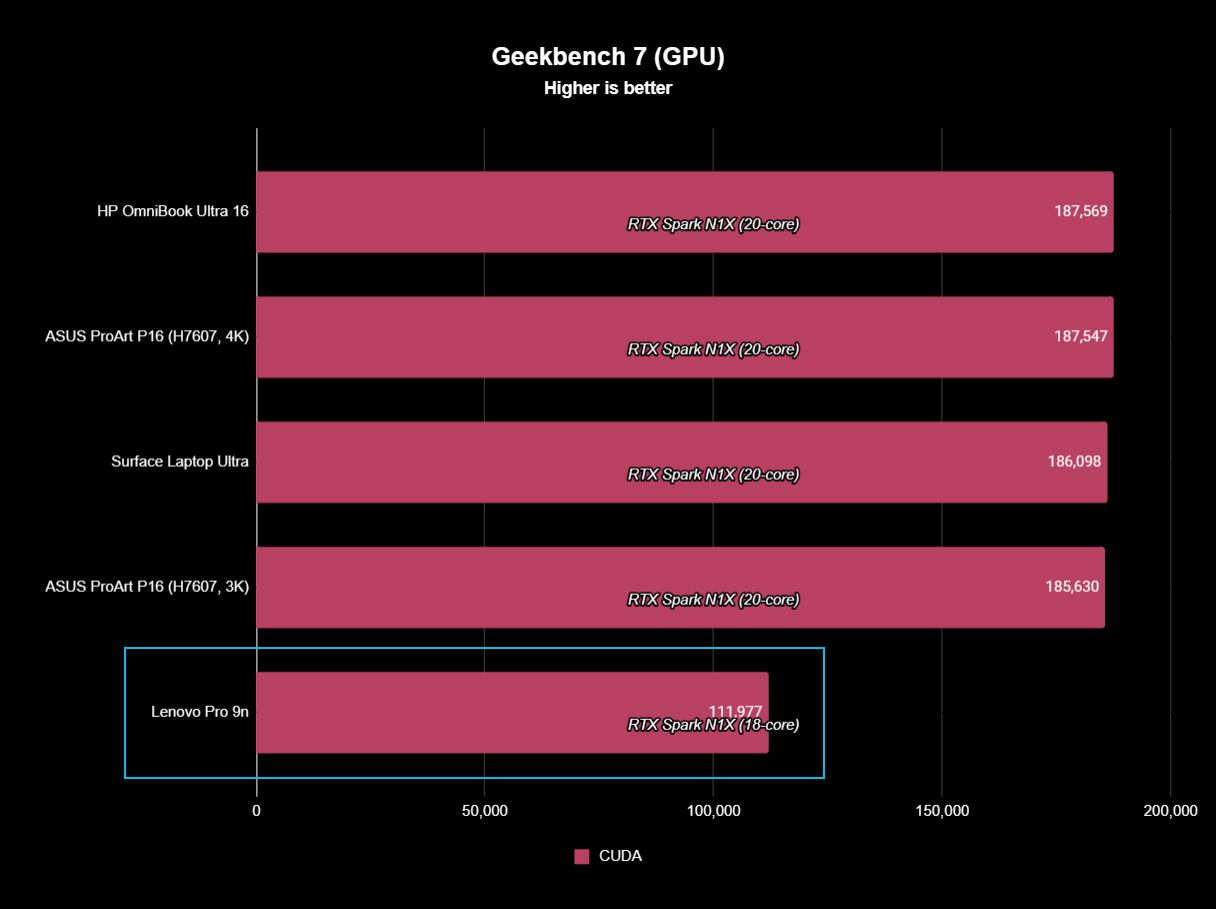
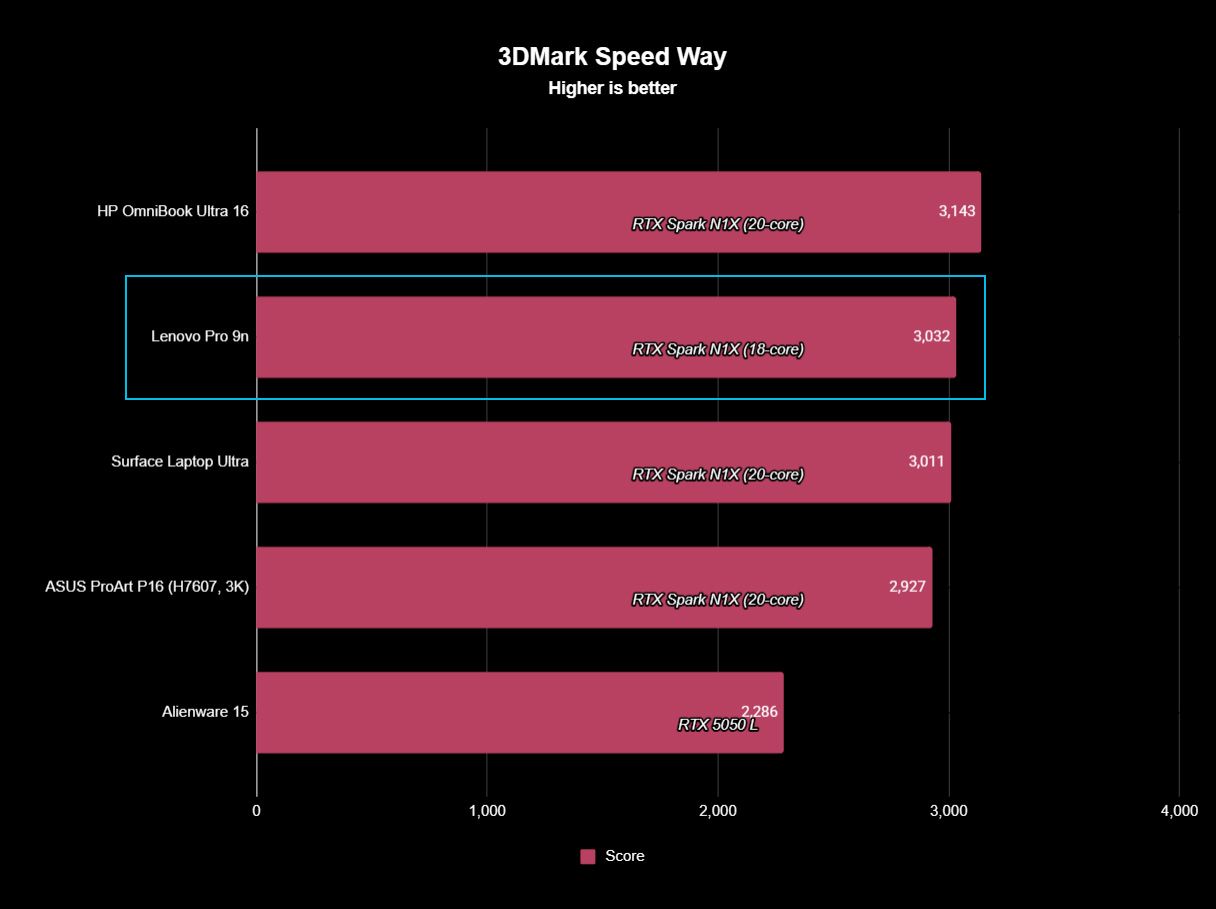
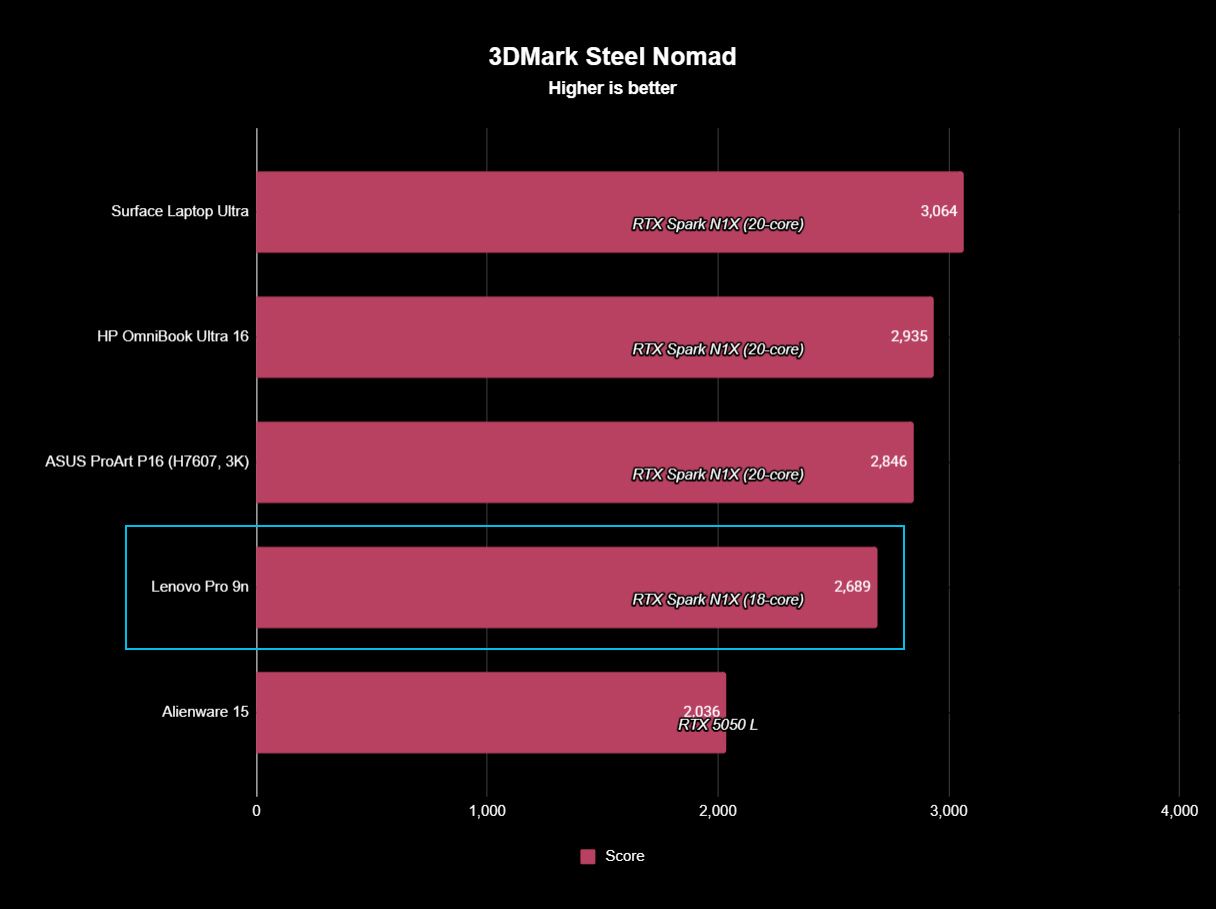
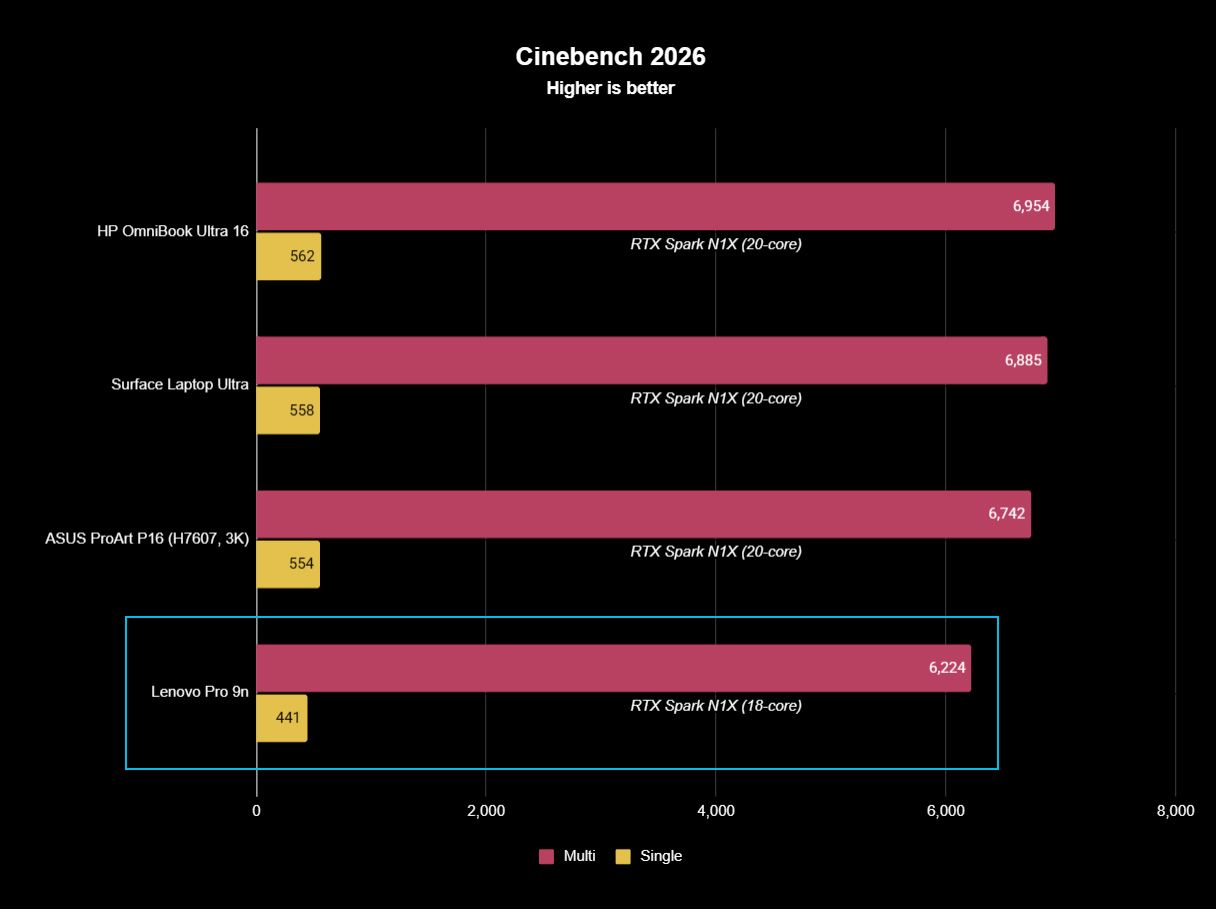
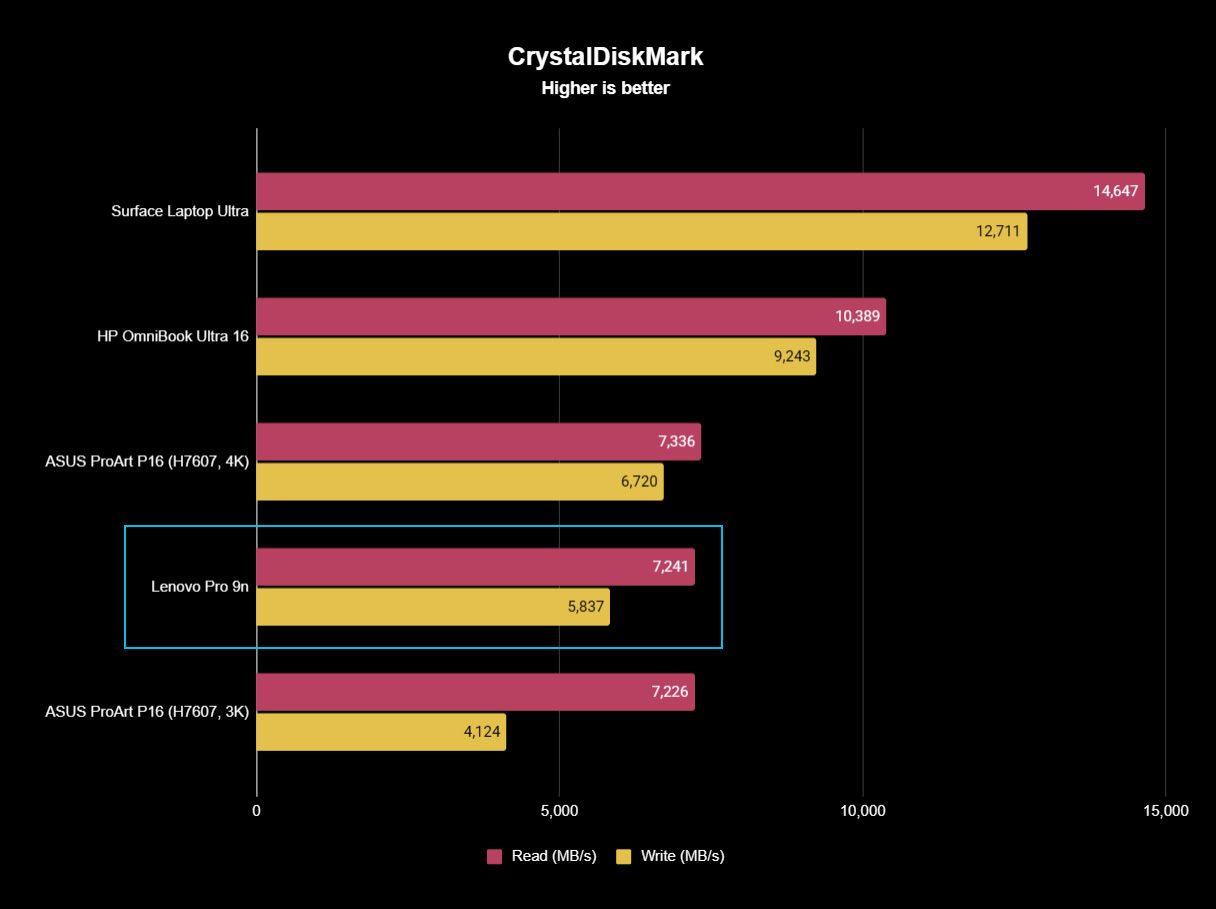
The following graphs show how the 18-core RTX Spark in the Lenovo Pro 9n compares to the 20-core RTX Spark chips we've already tested in other laptops.
FutureFutureFutureFutureFutureFuture
As you can see, synthetic Geekbench 7 and Cinebench 2026 CPU scores fall accordingly compared to the 20-core Spark. Not by a lot, but it is noticeable.
The SSD looks comparatively slow, but keep in mind that most of these laptops have a mix of PCIe 4.0 and PCIe 5.0. In my test case, it's the former, but you can get the latter, faster drive in a 2TB config.
FutureFutureFuture
The weaker RTX GPU also showed a drop-off in Geekbench 7's GPU test, but it put up a strong fight in 3DMark's Steel Nomad and Speed Way tests.
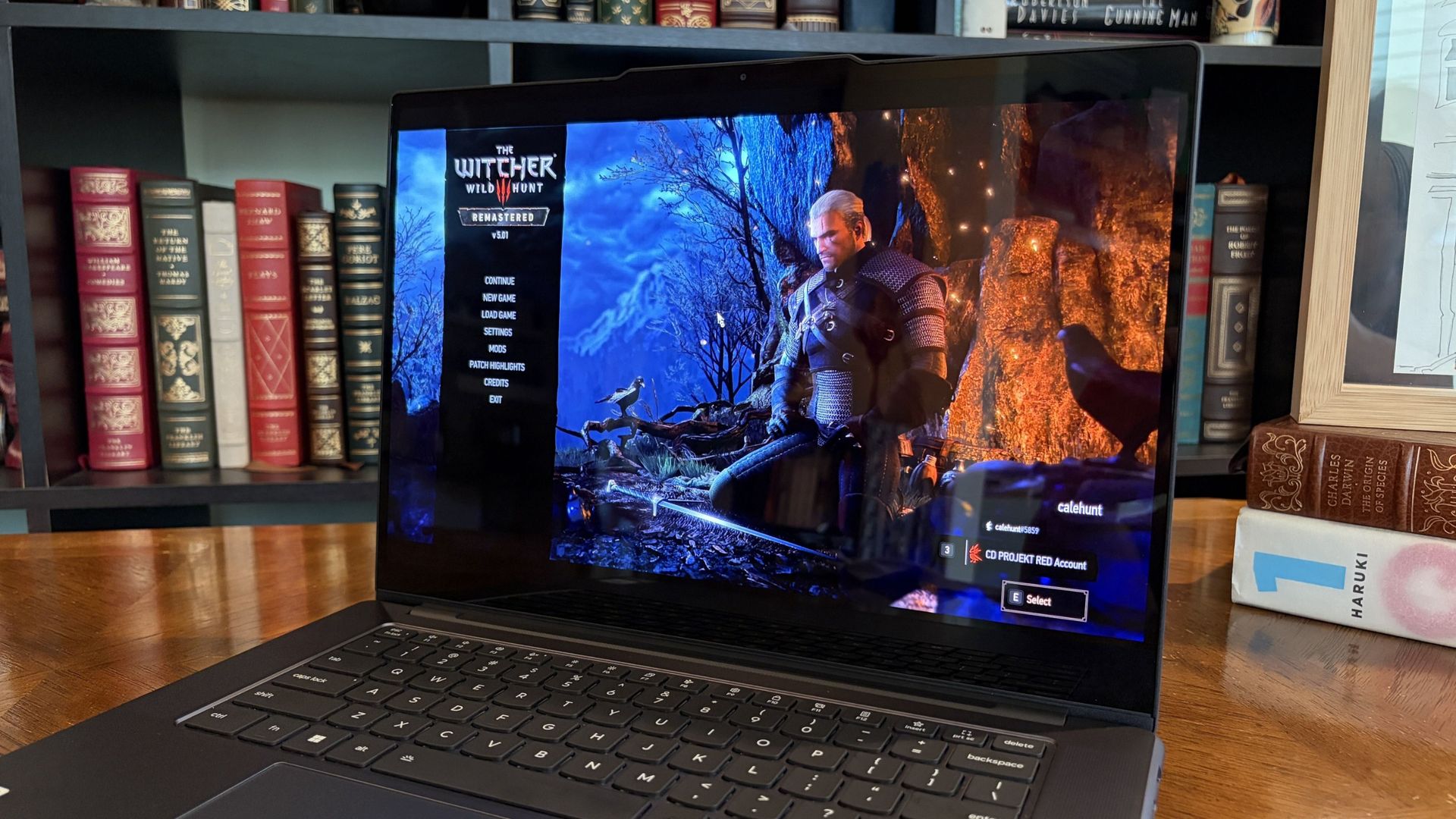
Considering I was playing The Witcher 3: The Wild Hunt Remastered at a smooth frame rate with ray tracing cranked up, there should be no denying the Pro 9n can game. Just don't buy it if that's all you want from your laptop.
There should be no denying the Pro 9n can game.
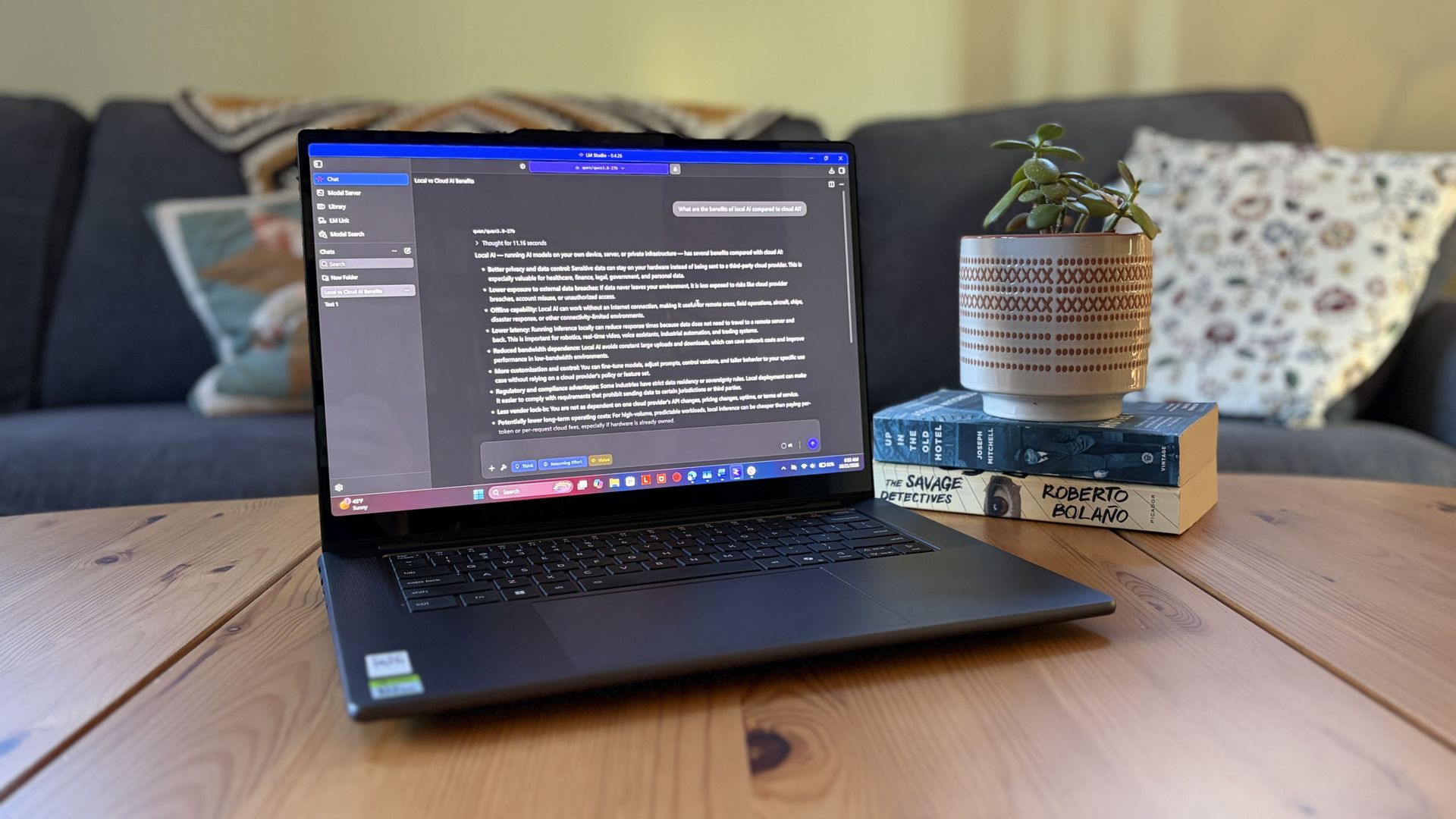
I also began a journey with local AI agents on the Lenovo Pro 9n. I set up LM Studio on it and downloaded a hefty Qwen model, which runs surprisingly well on the system despite only having 32GB of unified RAM.
Lenovo's Pro 9n running LM Studio, allowing me to chat locally with AI agents. (Image credit: Future)
The unit I was sent to test is more geared toward creators who don't need the ultimate 20-core CPU and 128GB of RAM coveted by AI specialists, so I'm pleased that it's proving to be a capable local AI base.
I ran a few AI-focused tests in Procyon to see how the weaker RTX Spark chip in my Lenovo Pro 9n compares to the 20-core option we already reviewed.
Procyon Image Generation
RTX Spark (18-core)
RTX Spark (20-core)
Stable Diffusion 1.5 score (FP16, higher is better)
1,430
1,380
Seconds / Image (lower is better)
4.36
4.22
Total duration (lower is better)
69.9
67.5
Procyon Text Generation
RTX Spark (18-core)
RTX Spark (20-core)
Phi-3.5-mini (higher is better)
2,383
2,615
Seconds to first token (lower is better)
0.31
0.27
Tokens / Second (higher is better)
68.31
72.21
Load time / Seconds (lower is better)
0.73
0.66
Procyon AI Computer Vision 2.0
RTX Spark (18-core)
RTX Spark (20-core)
Score (higher is better)
3,658
3,997
There's clearly a drop-off with the 18-core Spark chip in terms of AI performance, and I'd recommend that any AI specialists out there opt for the 20-core option.
For creators, part-time gamers, and professionals without a direct focus on AI, I think the 18-core chip should do just fine.
Does Lenovo's Pro 9n get too hot?
Playing demanding games on the Lenovo Pro 9n is entirely possible. Just expect there to be a little heat. (Image credit: Future)
The Lenovo Pro 9n's upgraded cooling system does a good job of managing thermal limits, and fan noise isn't bad, either. This is all with the system managing power automatically, which I found quite convenient.
During a lengthy system stress test, I never clocked the fan noise any higher than 43dB. They're audible in a quiet room, but they'd go unnoticed in a busy office.
My trusty FLIR camera is in the shop, but I did a surface temp test with my lap. During the stress run, it remained comfortable to hold. The keyboard side got a bit hotter, but nothing that gave me pause.
How is the Pro 9n's battery life?
Battery life has been quite good, especially for everyday tasks, but Snapdragon X2 is still the champ. (Image credit: Future)
Battery life is not as good as I was hoping, and Qualcomm's Snapdragon chips are not in any threat of being dethroned in terms of efficiency.
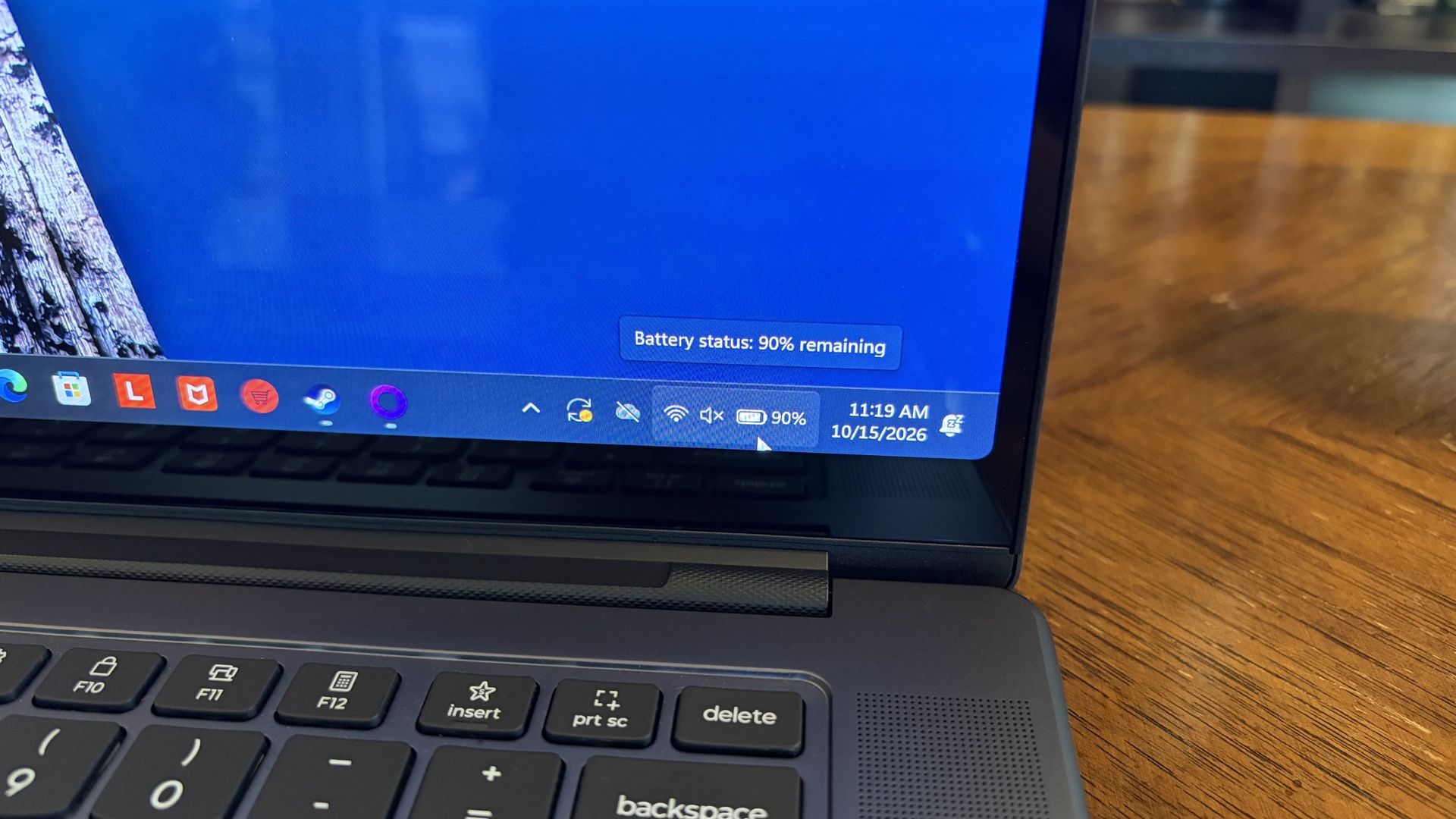
My Windows Battery report shows roughly 8 to 10 hours of real-world life on a charge. Keep in mind that I was doing a decent amount of gaming on battery life, which brought that number down. Still, that's in line with the other RTX Spark laptops we've tested.
If you are gaming on battery power and have settings cranked up with ray tracing enabled, know that I was seeing about 10 minutes of runtime for every 10% of battery life.
Indie titles that aren't as demanding don't sap the battery nearly as much, and you can enjoy a few hours of gaming without worrying about power.
Should you buy Lenovo's Pro 9n?
The Lenovo Pro 9n's lid pulls back to about a 180-degree flex. (Image credit: Future)
You should buy this if ...
✅ You want an RTX Spark laptop with a 15.3-inch OLED display at 2.5K.
✅ You dabble in drawing, sketching, and writing with a pen.
✅ You're a professional or a creator who wants one PC to handle local AI, demanding apps, and gaming.
You should not buy this if ...
❌ You want the most affordable RTX Spark laptop possible.
❌ You prefer a mini-LED display (go with the Surface Laptop Ultra).
Lenovo's first notebook RTX Spark laptop has been a ton of fun to use over the past few weeks, and admittedly, I regret that I soon have to give it up.
It's not perfect. I wish there were human presence detection. I wish there were an extra high-res display option. I wish battery life were a lot better. And I wish it didn't cost as much (which is an effect of the ongoing RAM and storage crisis, not some Lenovo decision).
But for what it is — a specialized portable AI workstation using the first generation of a new NVIDIA computing platform — it's among the most exciting and promising Windows PCs I've used in recent memory.
If you're a general creator who just wants to see the latest chip technology in an ultra-premium package, the 32GB model could be ideal for you, just as long as you can stomach the price.
Otherwise, it's mainly going to appeal to a fairly small set of users, but those who can take full advantage of the RTX Spark chip should love what Lenovo has put together here.
RTX Spark
Lenovo
Pro 9n
Lenovo's Pro 9n delivers high-end features and cutting-edge AI performance for the Windows ecosystem. It's a great PC for creators with deeper pockets, but its true usefulness is seen in the hands of AI pros who need a ton of unified memory and a beefy RTX Blackwell GPU. It's all wrapped up in a sleek, portable package.
With AI continuing to jack up the prices of crucial motherboards, RAM, CPUs, and other components for PC gamers, many are left hoping Black Friday's price cuts can offer them a much-needed reprieve.
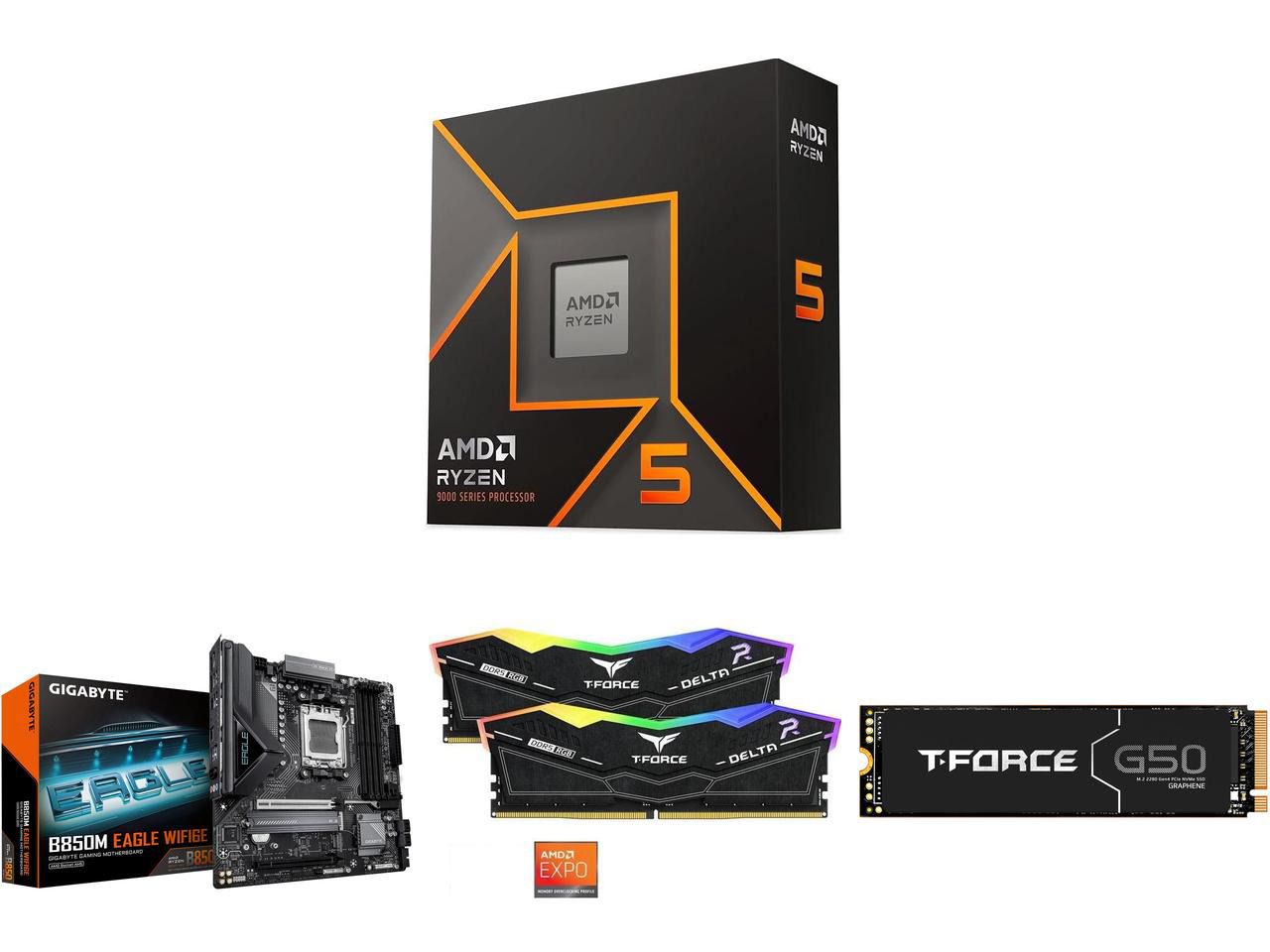
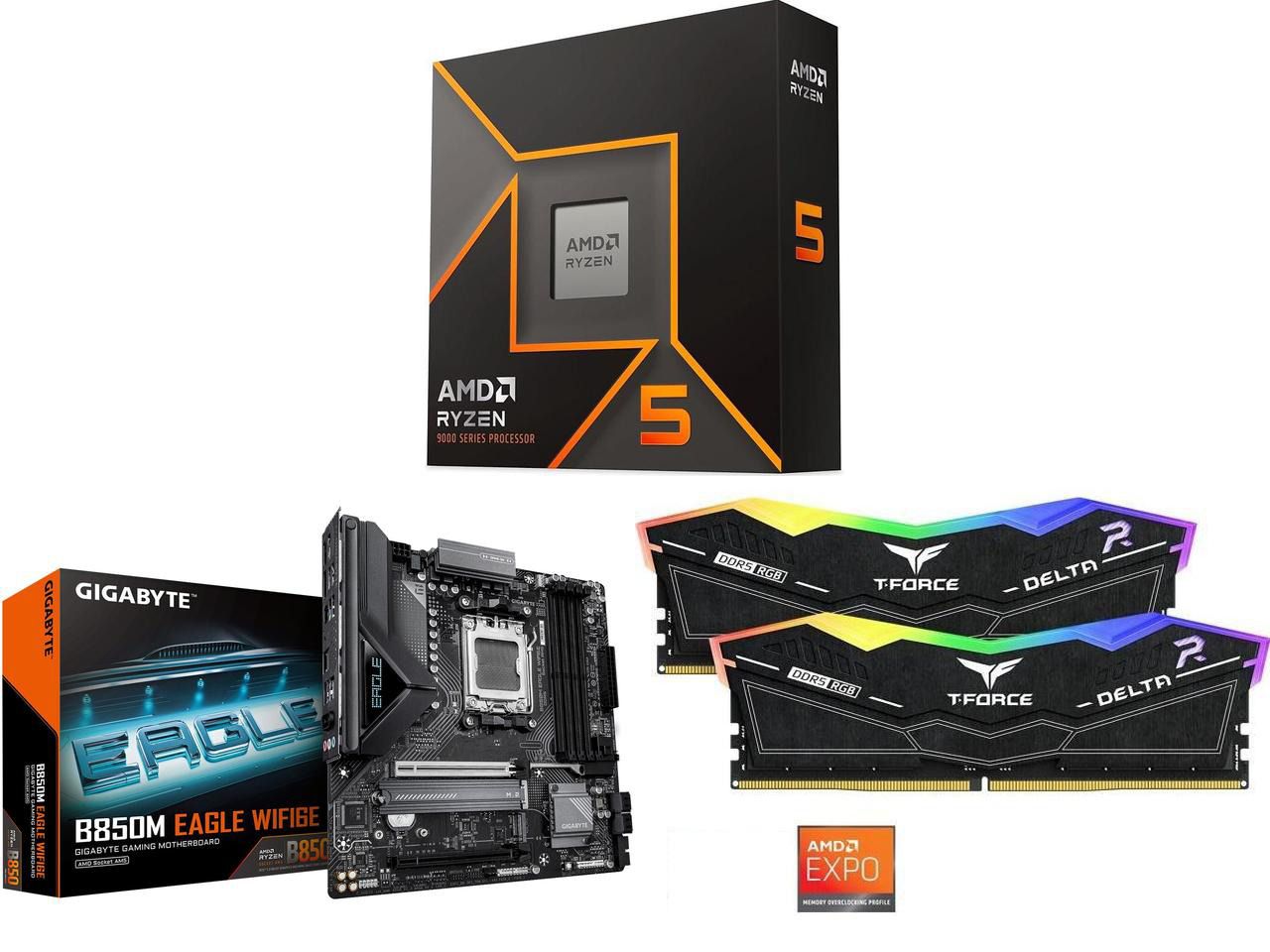
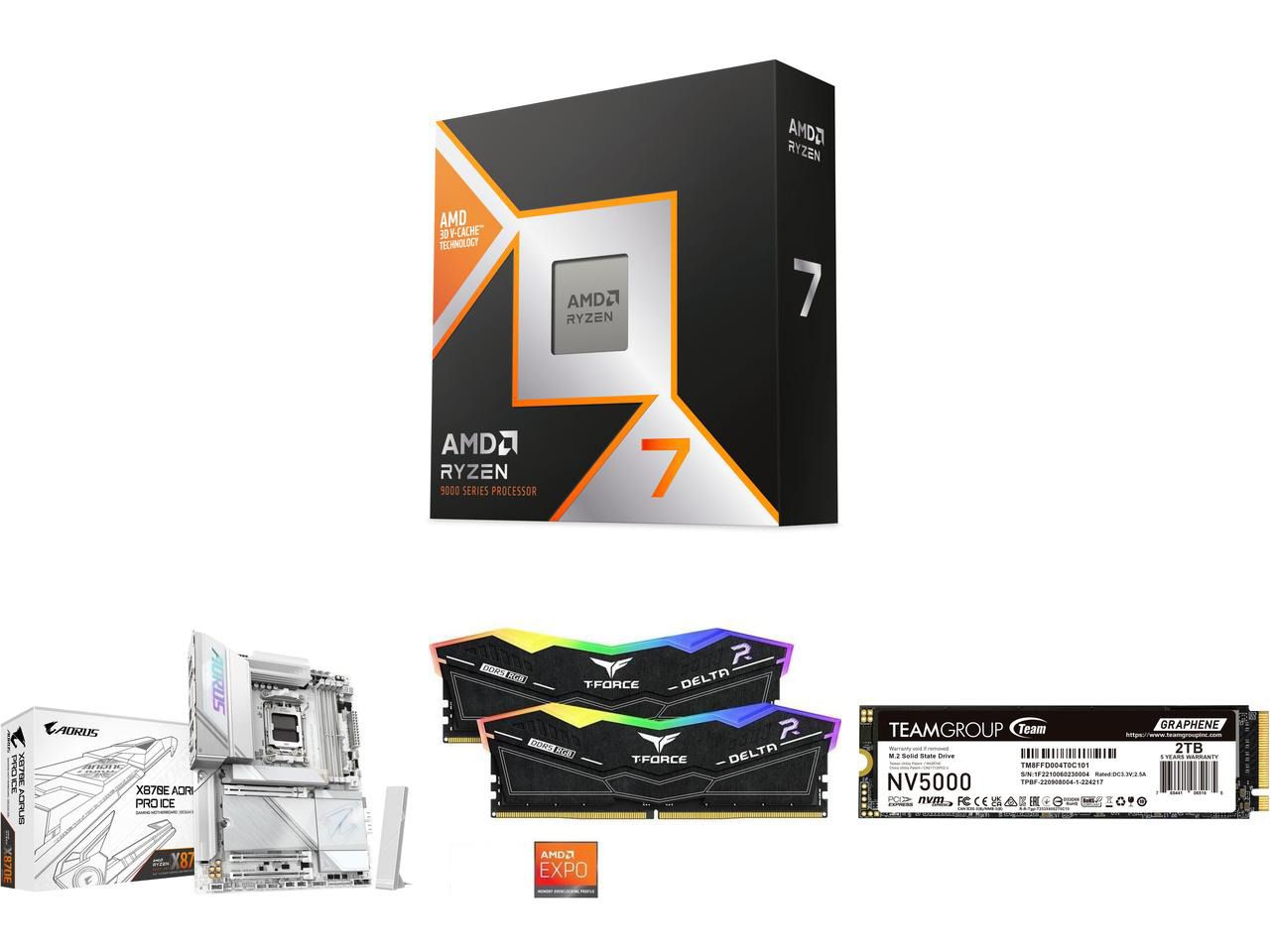
However, some retailers aren't waiting for that. Newegg is offering PC users massive discounts on PC bundles that feature high-end AMD processors, DDR5 RAM, and compatible motherboards to help satisfy your high-end gaming needs at lower prices.
"If you're running older AM4 or LGA1200 hardware, the 9600X offers some of the best performance-per-watt value on a budget, especially if your favorite software suite and games are better optimized for single-core processing." — Ben Wilson, Senior Editor
This bundle with the entry-level, gaming-focused Ryzen 5 9600X CPU includes 32GB of DDR5 6000 RAM, and a compatible GIGABYTE B850M EAGLE WIFI6E M-ATX Motherboard to fit them all in.View Deal
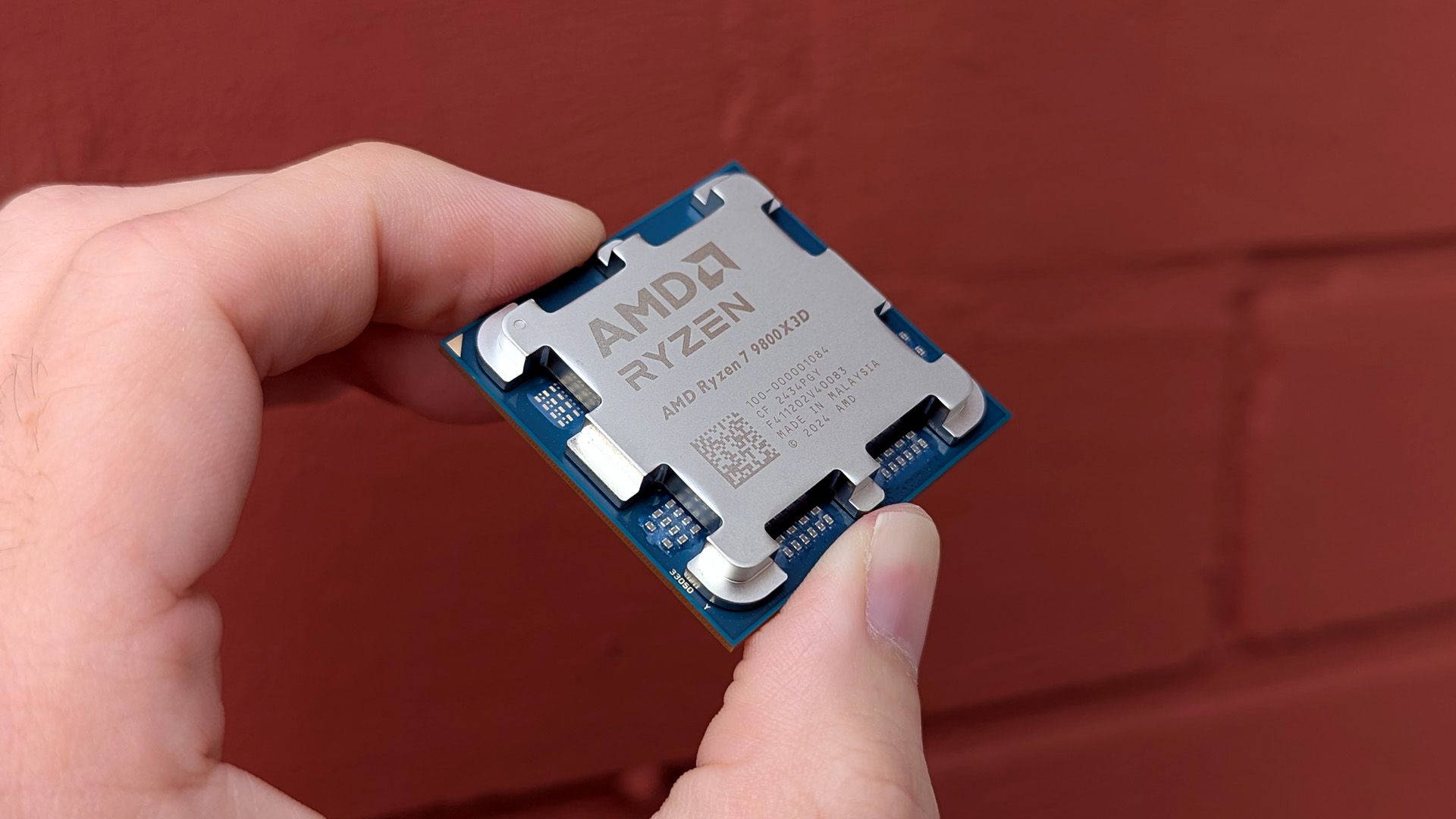
"Make no mistake: the Ryzen 7 9800X3D is the best gaming CPU, politely dethroning its predecessor as the new king of the hill as a cache-heavy monster."— Ben Wilson, Senior Editor
These discount deals will run until October 31, 2026, or while stocks last.
Why are these bundles good for gaming?
They're great for gaming, as AMD Ryzen CPUs paired with 32GB DDR5 RAM boost most modern AAA titles while keeping performance stable. Plus, these bundles include future-proof AM5 motherboards, all while saving you money, as many of these components are sold for higher prices when bought separately.
Should I wait until Black Friday for a better deal?
It depends on your wants and needs. Are you looking to upgrade your PC gaming rig to play next-gen AAA PC games at higher performance rates, and you don't want to wait until Black Friday for a better deal? Then use Newegg's discounted bundles.
If you can hold out for bigger discounts and aren't in any hurry to play any intense PC games at the moment, waiting for Black Friday's discounts on November 27, 2026, is also a valid option.
Join us on Reddit at r/WindowsCentral to share your insights and discuss our latest news, reviews, and more.

 Connexion