❌

Vue lecture

Gaming handheld market revival? Acer's $1,299 Predator Atlas 8 sells out immediately.

The new Acer Predator Atlas 8 gaming handheld, featuring Intel's latest G Series chips, finally went up for pre-sale in the US on October 23, with full launch slated for November 1.

This is the new handheld I tested at Computex this year alongside the MSI Claw 8 EX AI+. Both are premium devices landing in a market turned upside down on account of RAM and storage shortages. MSI's new Claw with Intel's Arc G3 Extreme chip inside, for example, launched at $1,799.99.

Here's where Acer's new handheld packing the same Intel G3 Extreme chip offers a big surprise for shoppers. It's priced at $1,299.99 at Best Buy. Or at least it was, for the Best Buy page preorder has since been removed. I'm not exactly sure why — maybe Acer is reconsidering the post-launch price now that preorders are in.

In any case, seeing a handheld with the same powerful mobile chip inside as the MSI Claw 8 EX AI+ launch for $500 less should be on every gamer's radar. But how is Acer undercutting the competition by so much?

How does Acer charge $500 less for its Intel Arc G3 Extreme gaming handheld?

A person holds the Acer Predator Atlas 8 handheld gaming device with a vibrant screen displaying a game menu. The device has colorful joystick lights and buttons.

Acer's Predator Atlas 8 running Forza Horizon 6. (Image credit: Future)
Intel Arc G3 Extreme

Intel's new mobile chips are designed specifically for handhelds, delivering considerably improved performance and efficiency compared to the AMD Ryzen Z2 Extreme chips so common to the form factor.

On paper, the Acer and MSI devices are quite similar. Both feature the flagship Intel Arc G3 Extreme chip, with 14 cores, a 4.7GHz top clock speed, and a faster Arc B390 integrated GPU compared to the standard Arc G3 chip.

Both devices use an 8-inch IPS display with 1920x1200 resolution, 120Hz variable refresh rate, 500 nits brightness, and 100% sRGB color reproduction.

Both have Thunderbolt 4 ports and Wi-Fi 7. Both have Hall Effect triggers and joysticks. Both use an 80Wh battery. So what's the deal?

Based on my (limited) time with the Predator Atlas 8, it looks like the big price difference comes down to build quality and configuration specs.


Let me get the biggest difference out of the way first: the $1,799.99 MSI Claw 8 EX AI+ ships with 32GB of RAM and a 1TB SSD. The Acer Predator Atlas 8 pares that back to 24GB of RAM and a 512GB SSD.

Considering the price of storage and memory these days, this difference likely helps make up a huge chunk of the difference.

Otherwise, as I noted in my Intel Arc G3 Extreme hands-on piece, Acer's device has triggers that don't feel quite as snappy as MSI. The reverse can be said for the joysticks, where I believe Acer has MSI beat.

Audio from both devices was good, and although Acer's Predator Atlas 8 is smaller and ultimately more portable, I found both handhelds to be comfortable to hold.

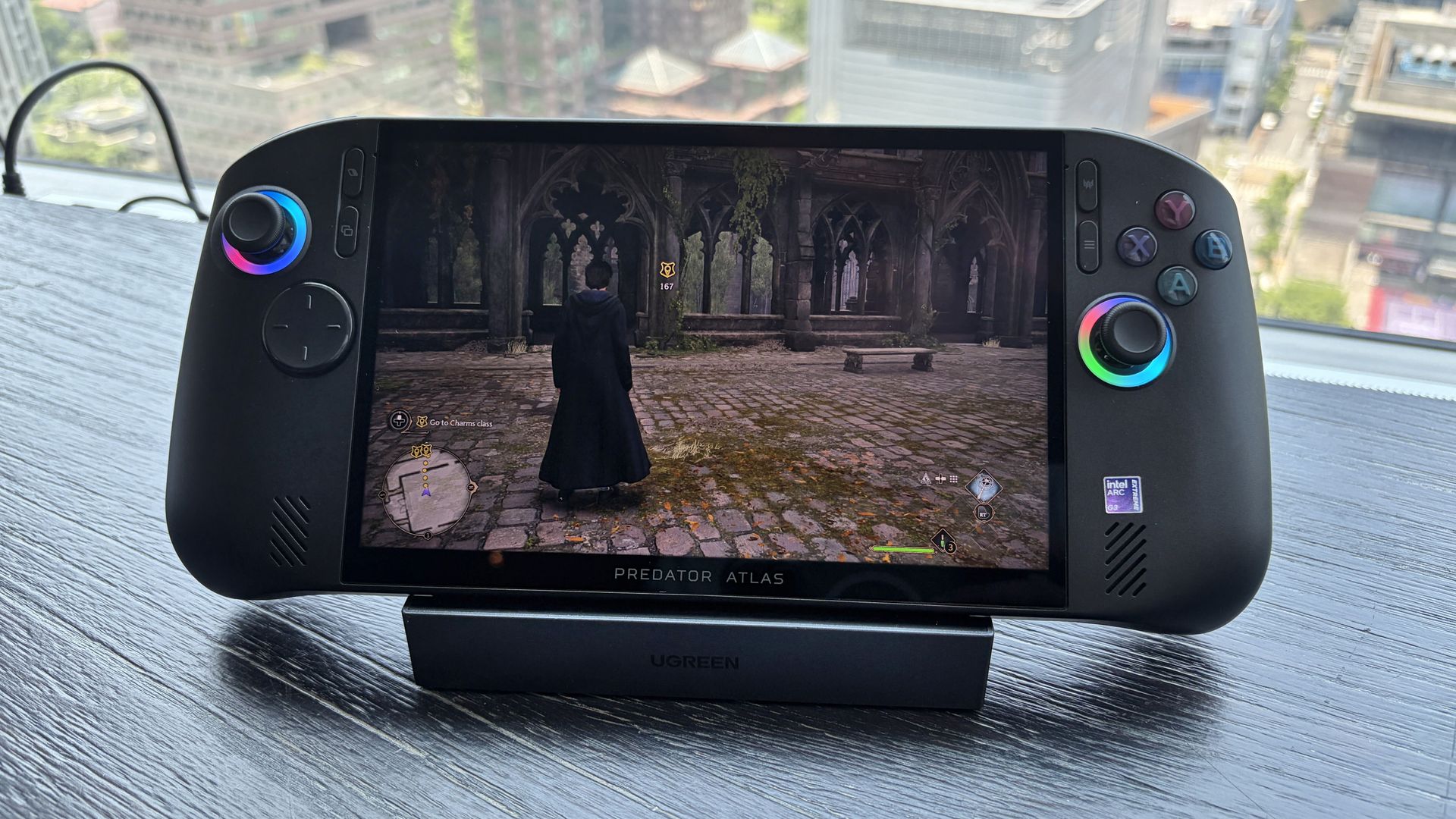
Acer Predator Atlas 8 handheld gaming device on stand displaying Hogwarts Legacy with a cloaked character.

Acer's Predator Atlas 8 running Hogwarts Legacy. (Image credit: Future)

In terms of performance, the Predator Atlas 8 was running demanding games like Hogwarts Legacy and LEGO Batman: Legacy of the Dark Knight at a cool, smooth clip.

I'll have to do more testing once Acer's handheld actually arrives here for testing, but I don't expect it to perform any worse than MSI's new Claw.

Bottom line? It's the disparity in RAM and SSD configurations at launch that's helping keep Acer's gaming handheld at a much more reasonable price.

Is Acer's $1,299.99 Predator Atlas 8 actually cheap?

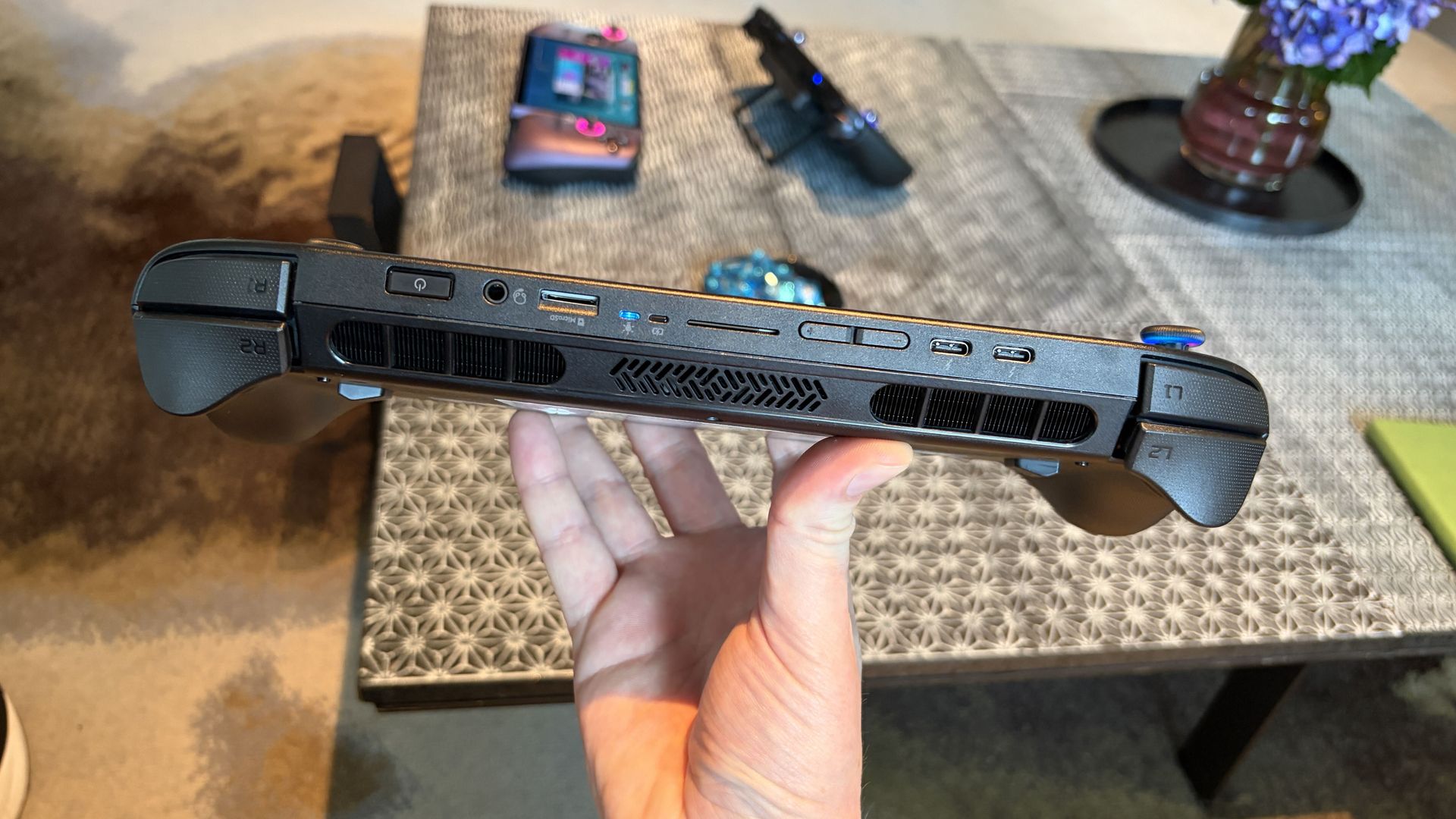
Close-up of an Acer Predator Atlas 8 handheld gaming device showing ports and controls.

The Predator Atlas 8 feels good to hold and features many similar high-end features as the MSI Claw 8 EX AI+. (Image credit: Future)

In June, I wrote about how you could buy an Xbox Series X, PS5, and Switch 2 for less money than the MSI Claw 8 EX AI+, amidst rising concerns that the handheld market was cooked for good.

That's not quite the case for Acer's Predator Atlas 8, especially with console prices on the rise, but that doesn't make it affordable.

Keep in mind that the Steam Deck, which kicked off the gaming handheld craze, launched at just $399 in 2022.

No, the Steam Deck isn't nearly as powerful as the new Arc G3 devices, but it was priced to sell. Is Acer's Predator Atlas 8 affordable relative to today's overall market? Absolutely.

As mentioned, the Predator Atlas 8 Best Buy preorder page is down at the time of writing this piece. Check back soon, especially after November 1, when the handheld actually launches, to see if prices have changed.

Click to join us on r/WindowsCentral

Join us on Reddit at r/WindowsCentral to share your insights and discuss our latest news, reviews, and more.

  •  

km5’s Sp1 Speaker and Mp1 Mixer Give CD Listening a DJ-Style Twist

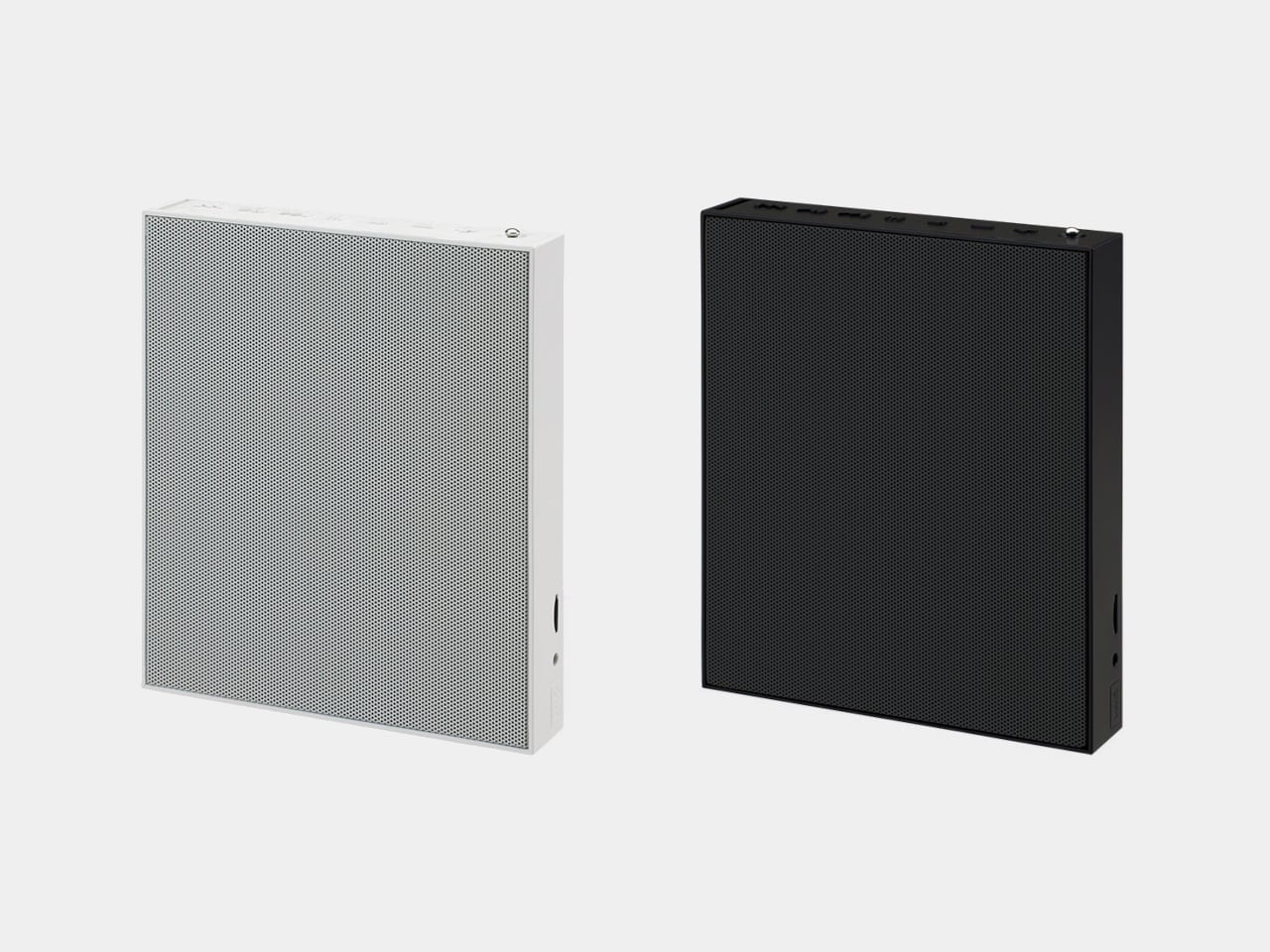
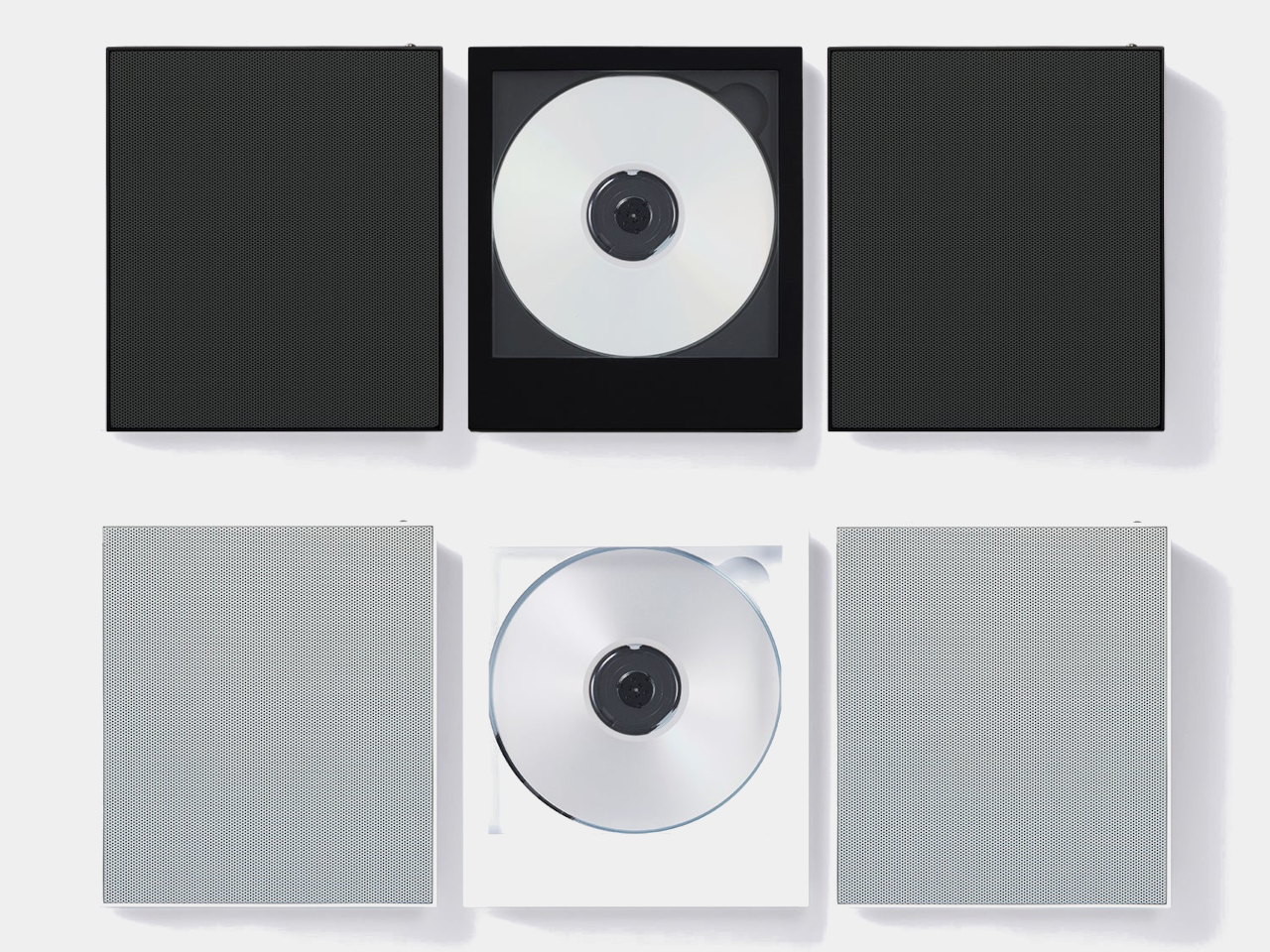
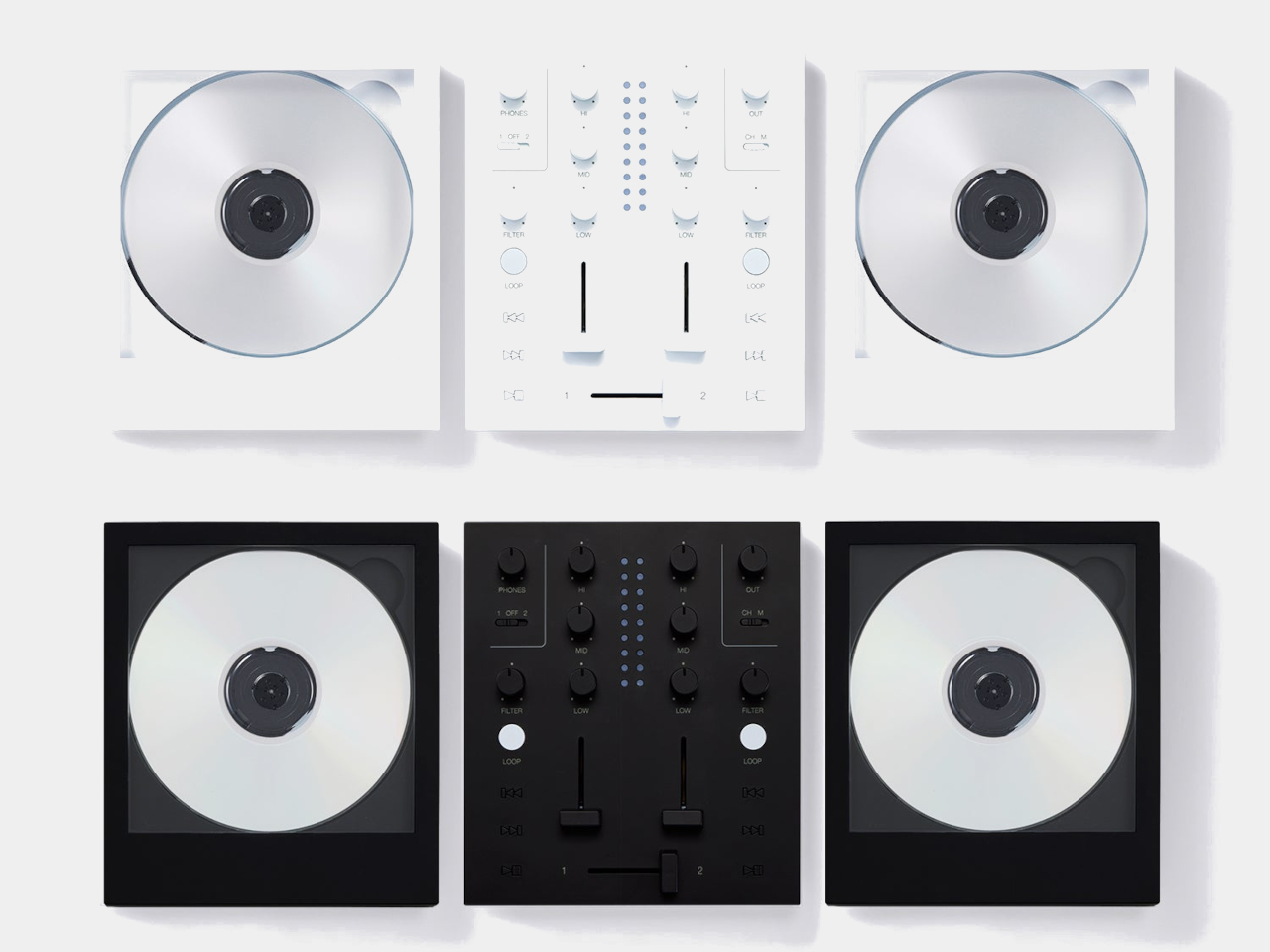
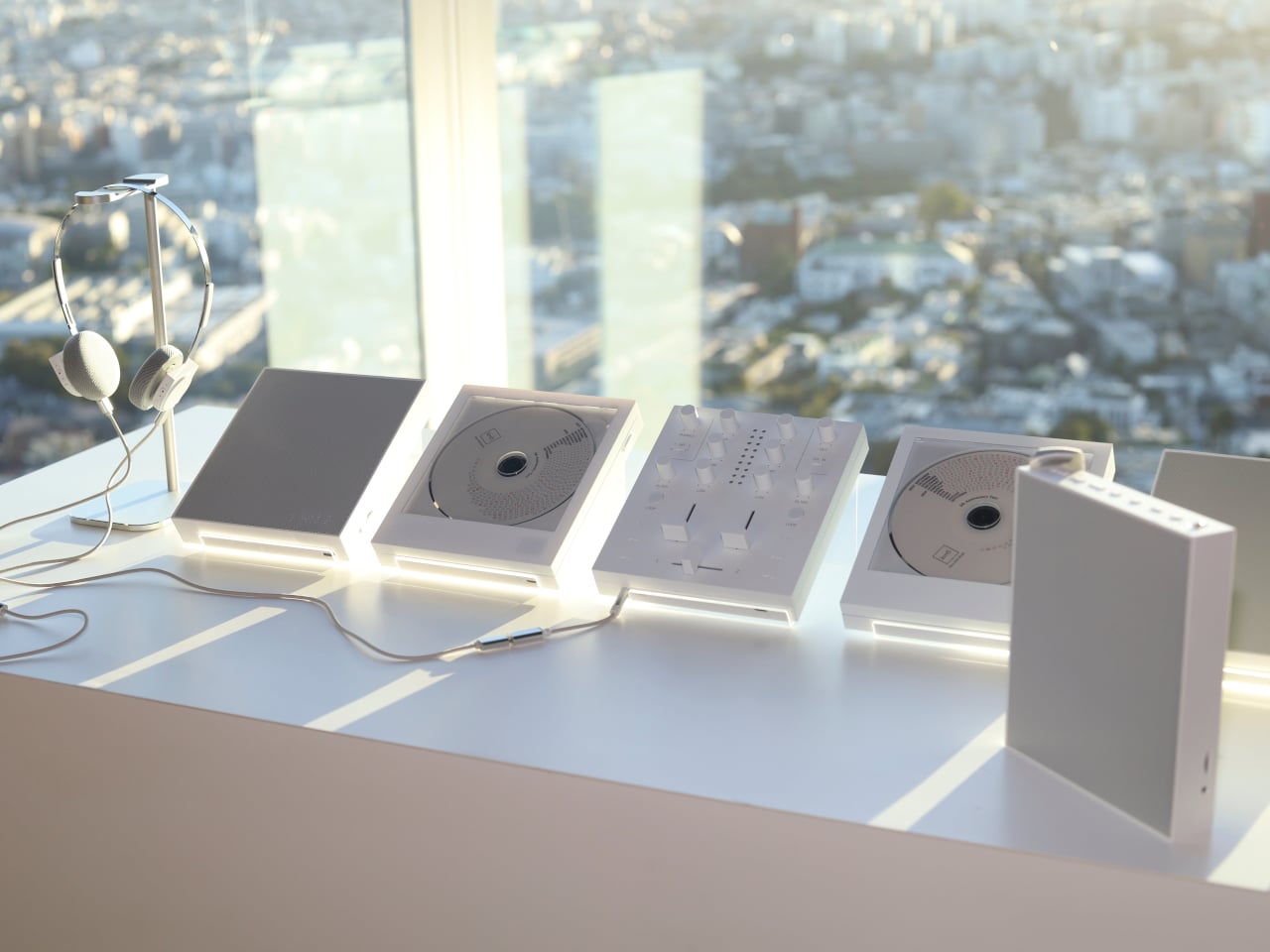
There’s something satisfying about choosing a CD, even if most of us have become accustomed to tapping a screen instead. The trouble is finding audio equipment you’d actually want to leave on display. km5’s newly announced Sp1 speaker and Mp1 mixer give its Cp1 CD player some equally minimalist company, letting you listen to favorite albums or try your hand at mixing them.

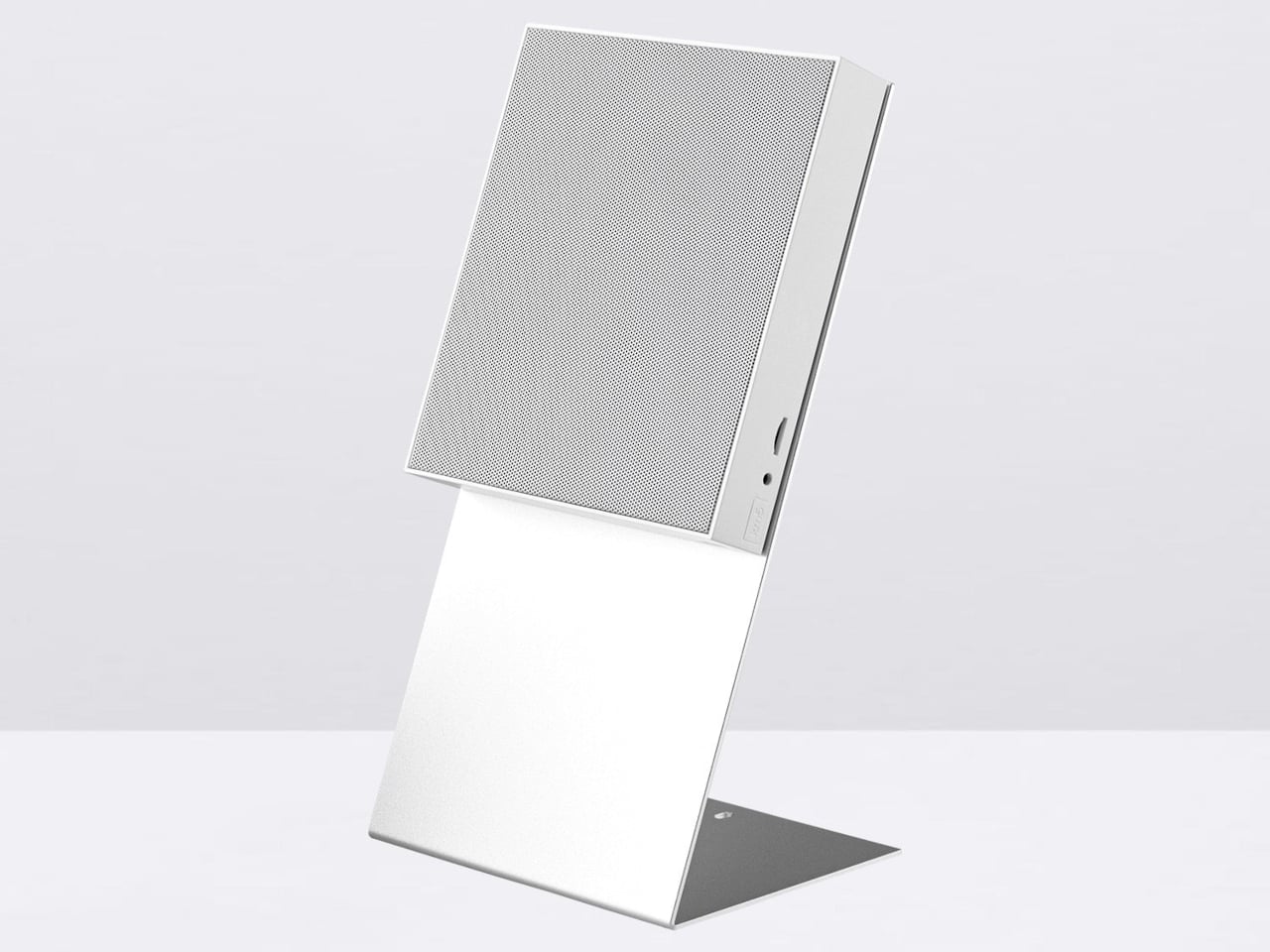
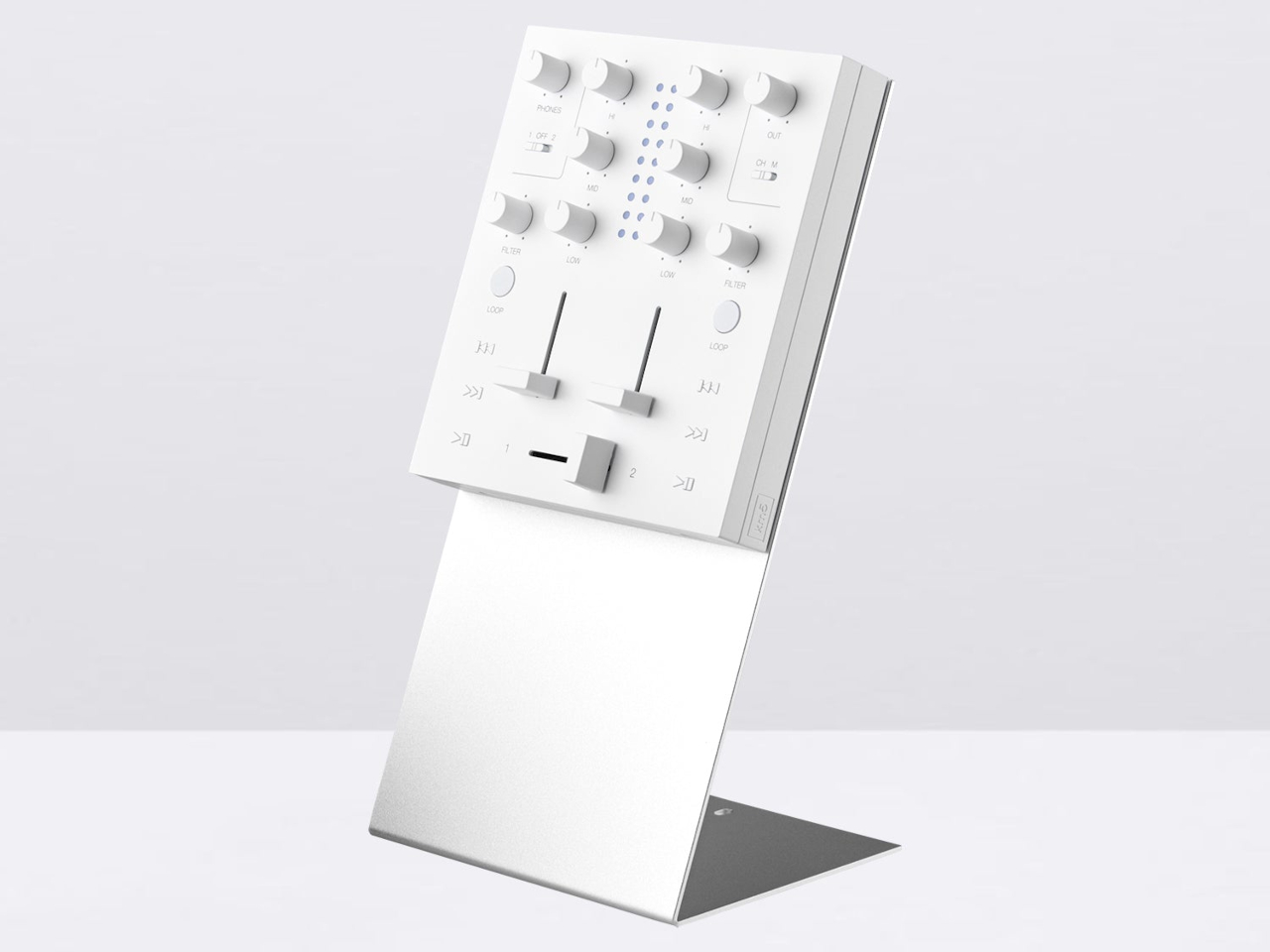
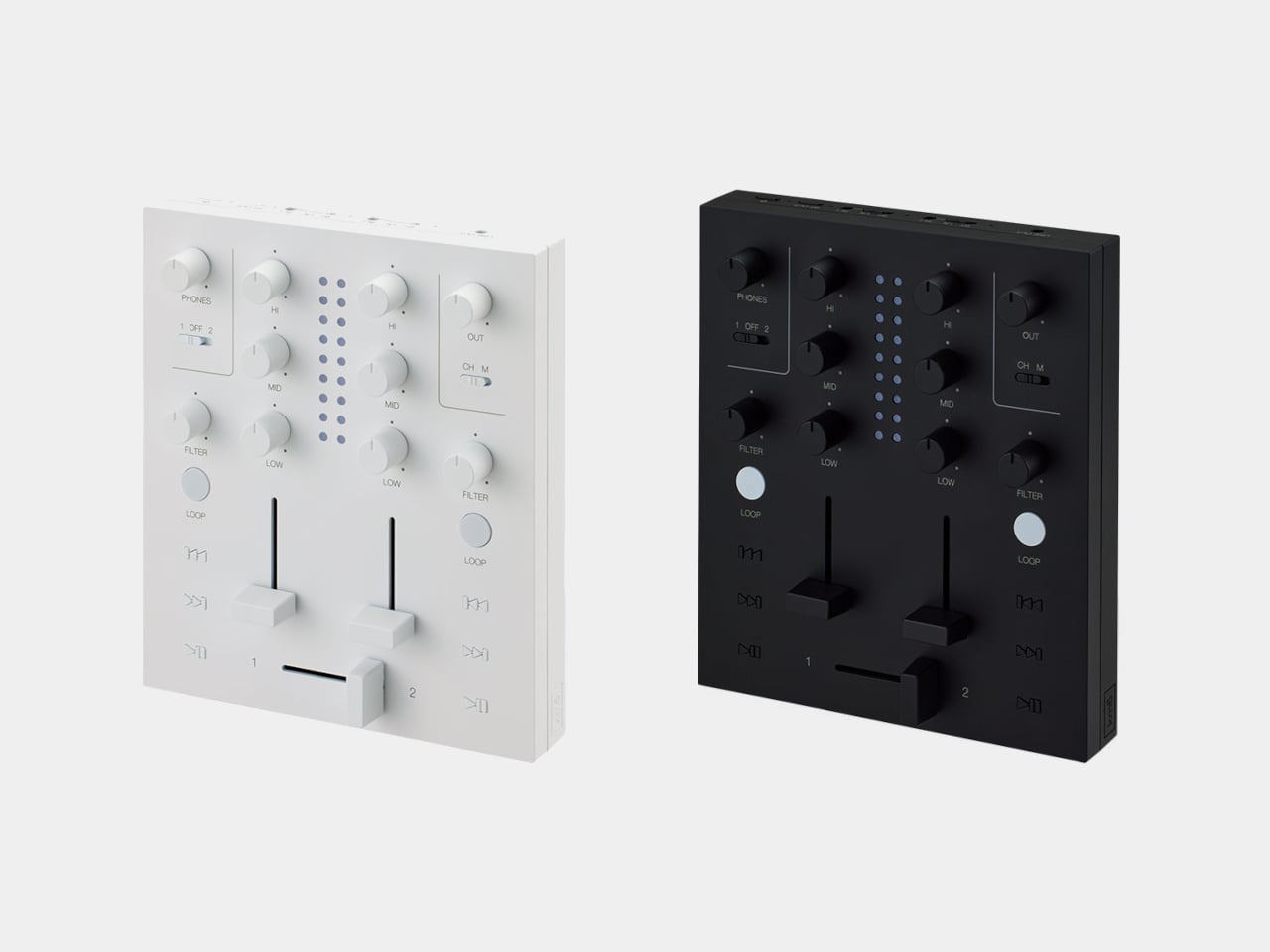
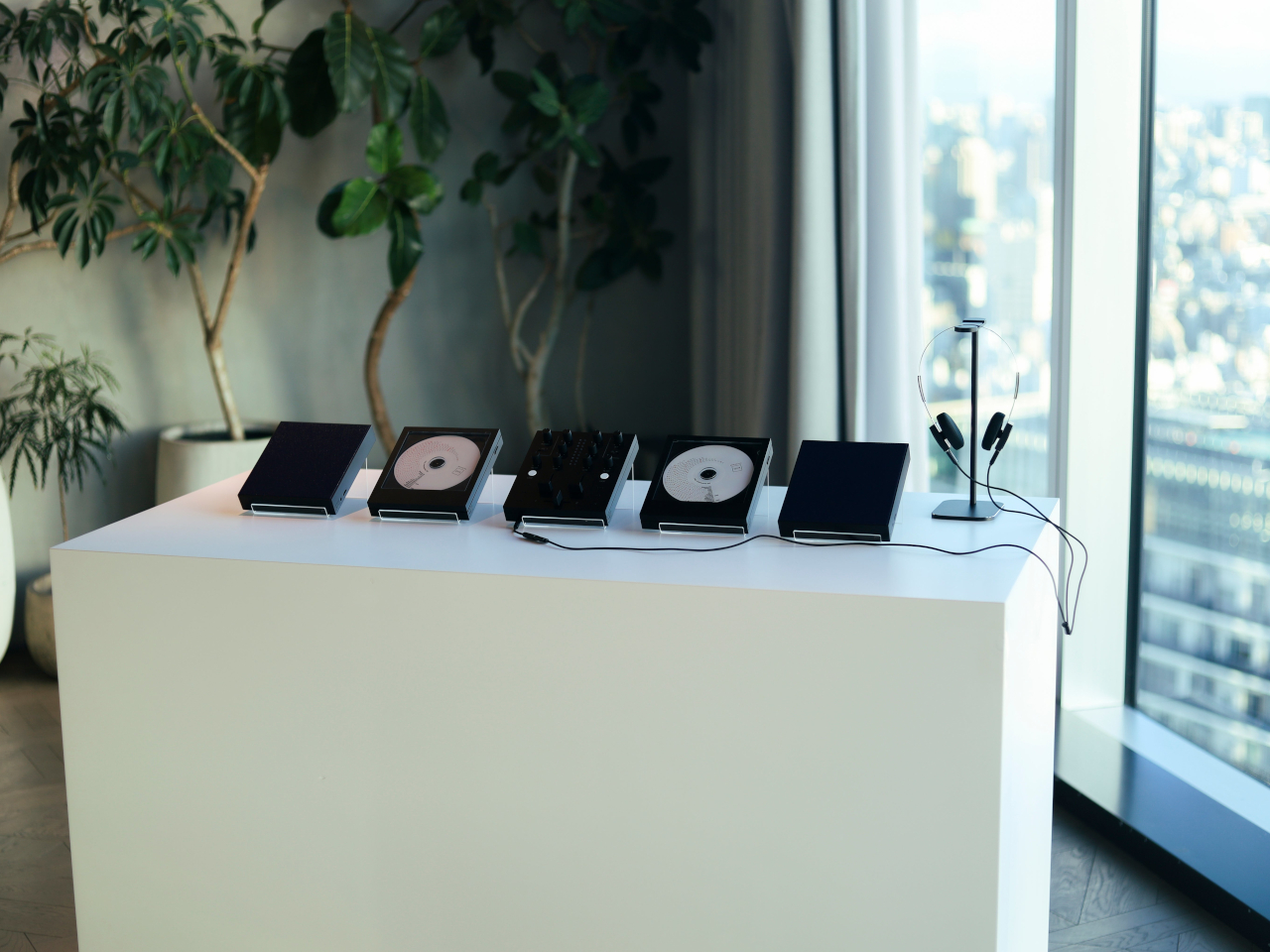
Both borrow the Cp1’s flat, frame-like format, with black or white finishes that let the pieces sit together without looking like an assortment of unrelated electronics. The Sp1 puts a perforated grille where the player displays its disc, while the Mp1 fills that space with knobs and sliders. They share the same size, but each makes its purpose clear through its front surface.

Designer: km5

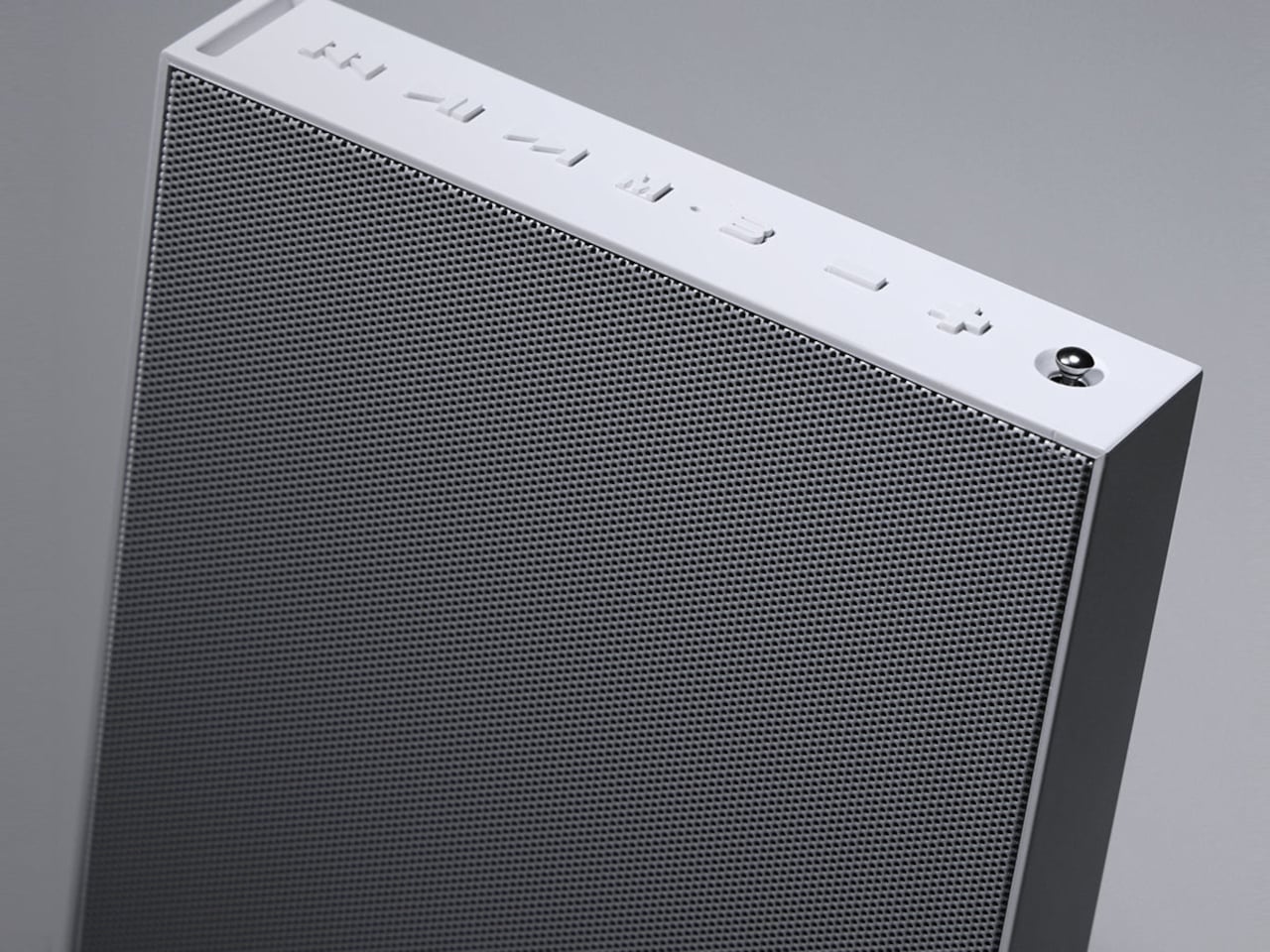
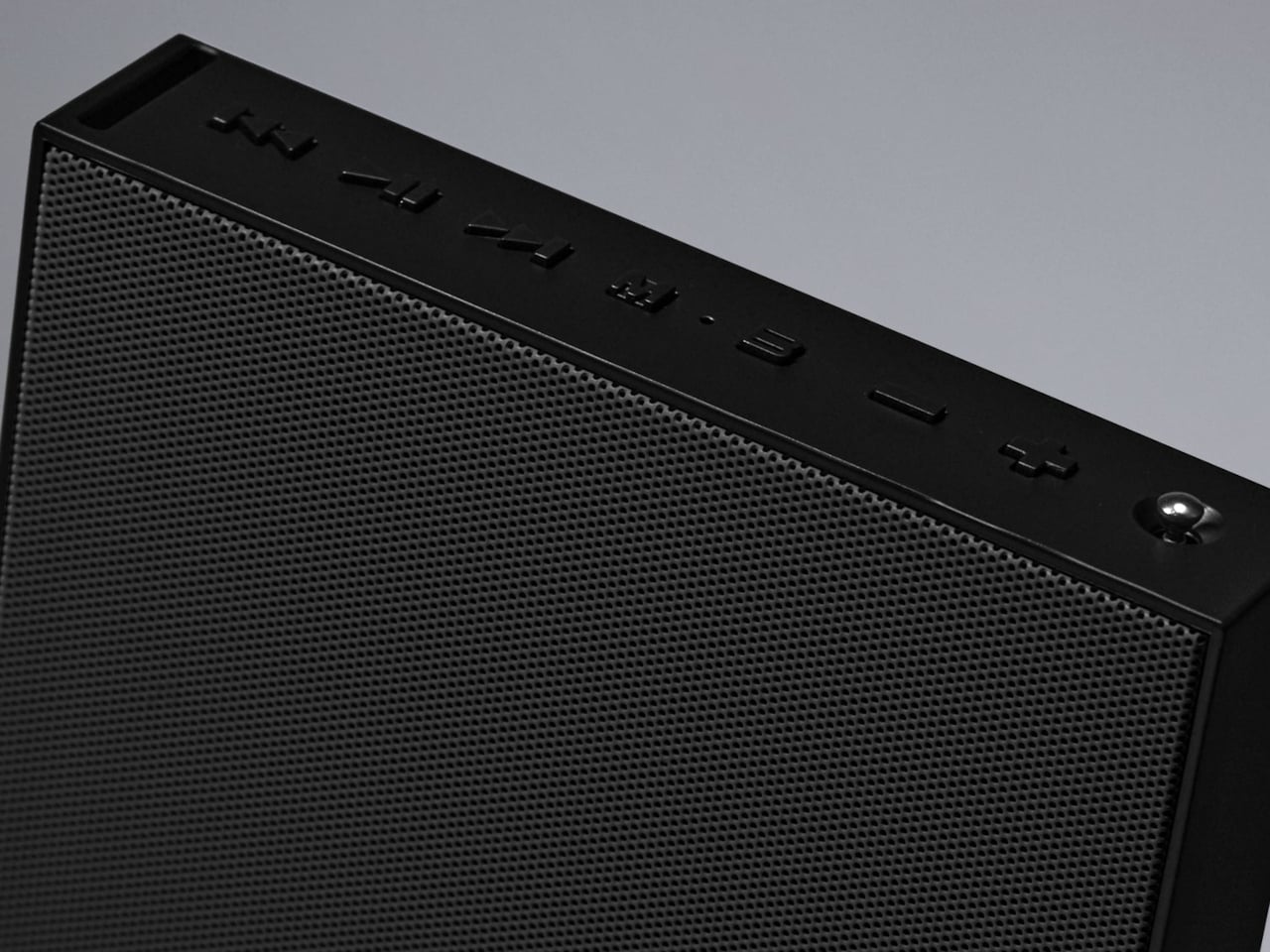
The speaker has a few surprises behind that otherwise quiet appearance. A dot-matrix display sits beneath the grille, showing the time and playback information without carving out a separate screen on the front. Physical buttons occupy the top edge alongside a retractable metal antenna. That last detail gives away the Sp1’s other role as an FM radio that doesn’t need to borrow your phone.

Inside are two 1.77-inch full-range drivers and two passive radiators, though their presence alone doesn’t tell us how convincing the bass will be. Bluetooth and microSD playback offer other ways to listen, and you can record radio programs, too. Pairing two Sp1 units provides stereo playback, letting a single speaker become part of a larger arrangement rather than something you’ve outgrown.

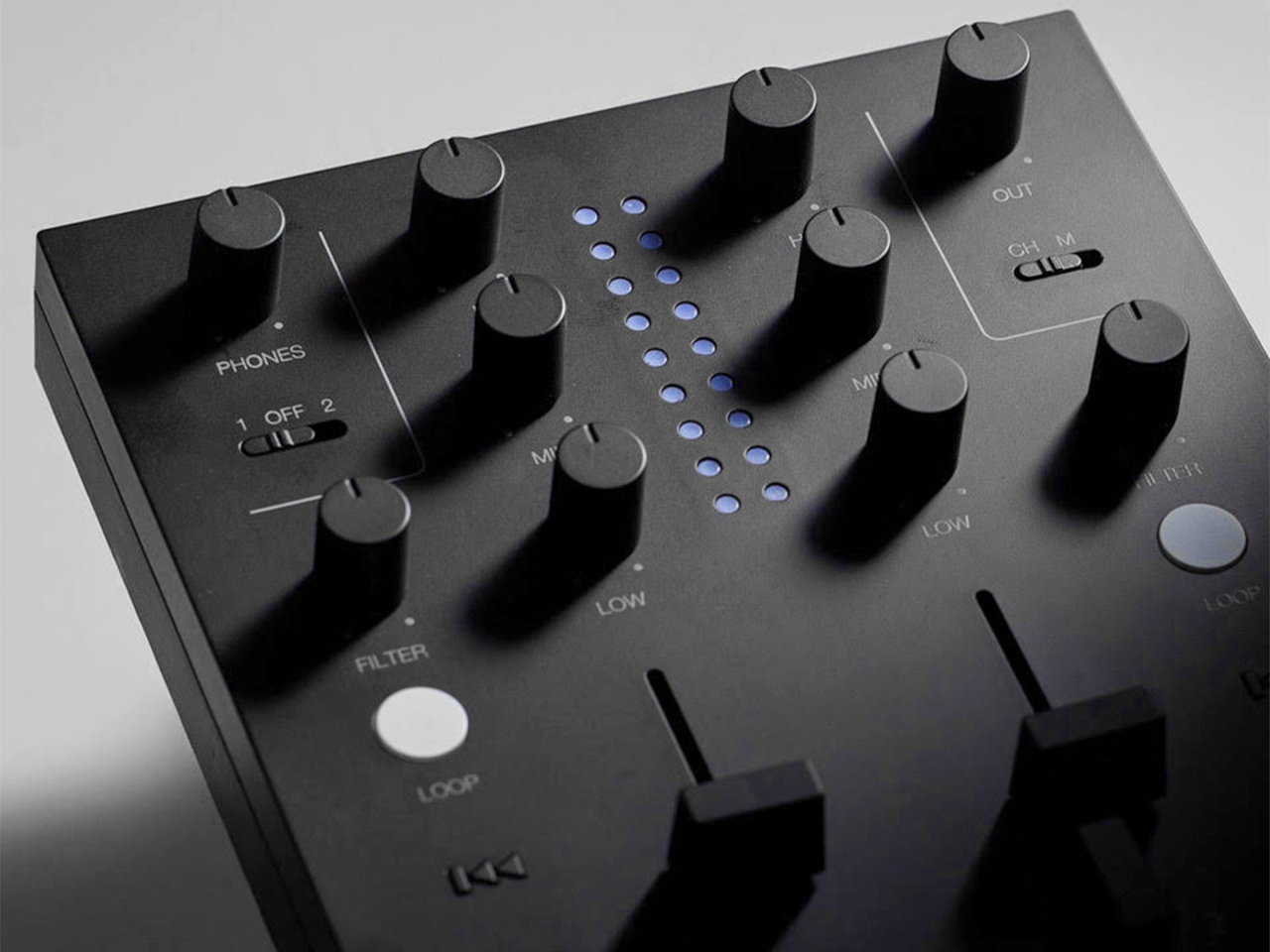
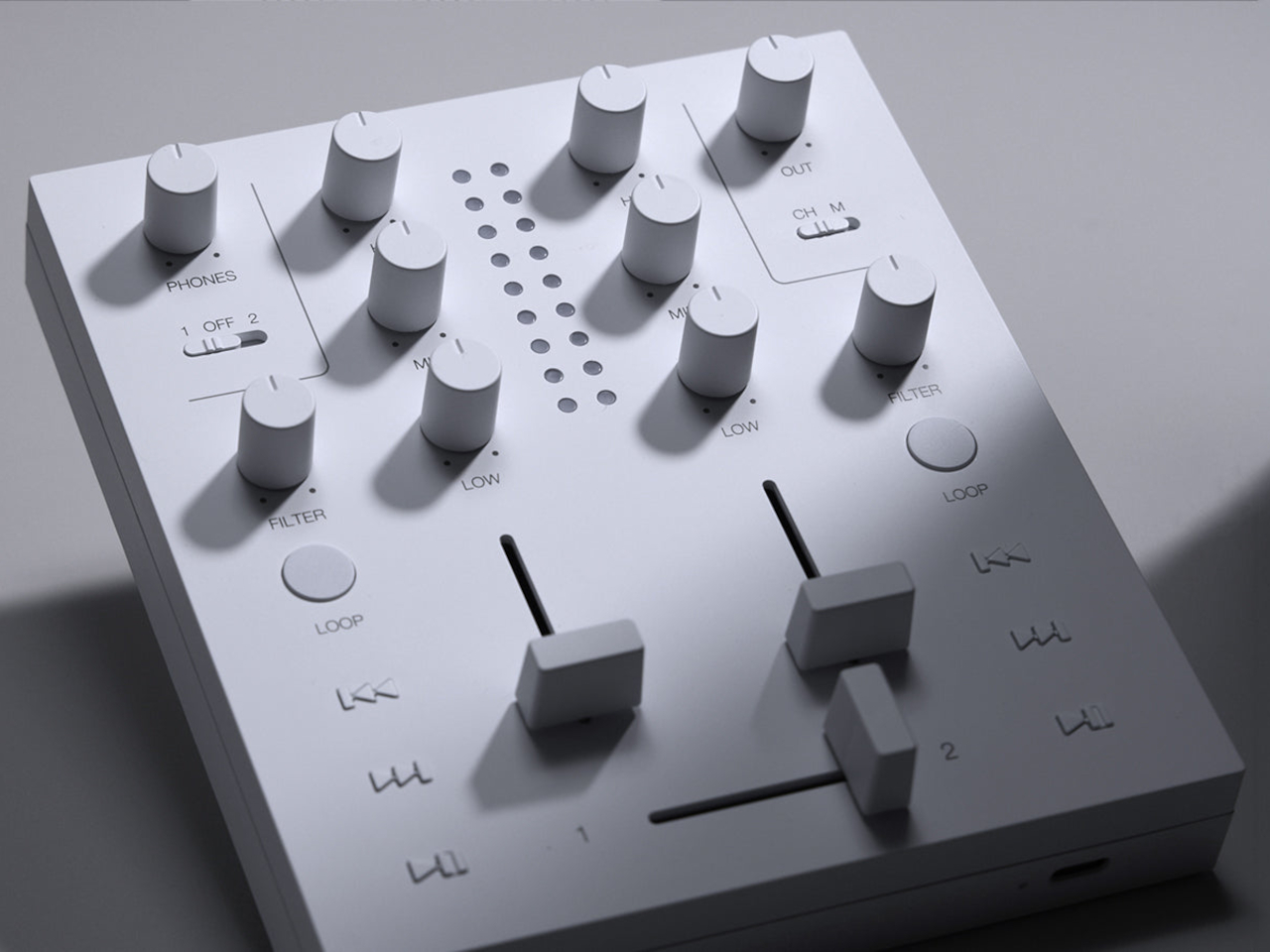
The Mp1, meanwhile, invites you to do something with the music beyond pressing play. Its two channels have separate level sliders, with a crossfader below for blending between sources. Three-band EQ controls adjust the bass, midrange, and treble, while filters change the sound further. Loop buttons repeat sections of a track, giving a favorite passage permission to stick around a little longer.

Two Bluetooth inputs let the mixer receive music from sources such as a Cp1 and a smartphone, then send the combined sound wirelessly to a compatible speaker. You aren’t required to own an entire matching set, thankfully. Line inputs and outputs also accommodate wired connections, though the published information doesn’t establish how much delay the completely wireless arrangement introduces when you’re trying to mix.

Built-in batteries make it easier to move the arrangement away from a desk, with km5 quoting approximately 12 hours for the speaker and six for the mixer. Optional wall-mount accessories offer another way to free up a surface. The mixer can even be operated on the wall, an unusual invitation to get up from the sofa and fiddle with the music yourself.

Preorders are scheduled to open on November 16, 2026, with km5 expecting shipments in February 2027 or later, though pricing remains unconfirmed. There’s also a practical limit to that portable party setup. The speaker’s quoted battery life is twice the mixer’s, so it might be ready for another album when your DJ booth is looking for a charger.

The post km5’s Sp1 Speaker and Mp1 Mixer Give CD Listening a DJ-Style Twist first appeared on Yanko Design.

  •  

Arrowspace’s $119 screwdriver identifies screws and lights up the matching bit

For five years, Arrowmax has been teaching screwdrivers to read people. The SES Pro in 2021 watched your wrist, so a twist left or right told the motor which way to spin. The SES Max added app control, and the M1 Pro stretched output to 10 kgf·cm with a manual fallback for stubborn screws. Its little screen could report torque and battery level all day. Your screwdriver got smarter and you got lazier, in the best possible way. The obvious next question was why the tool still had no idea what screw it was holding.

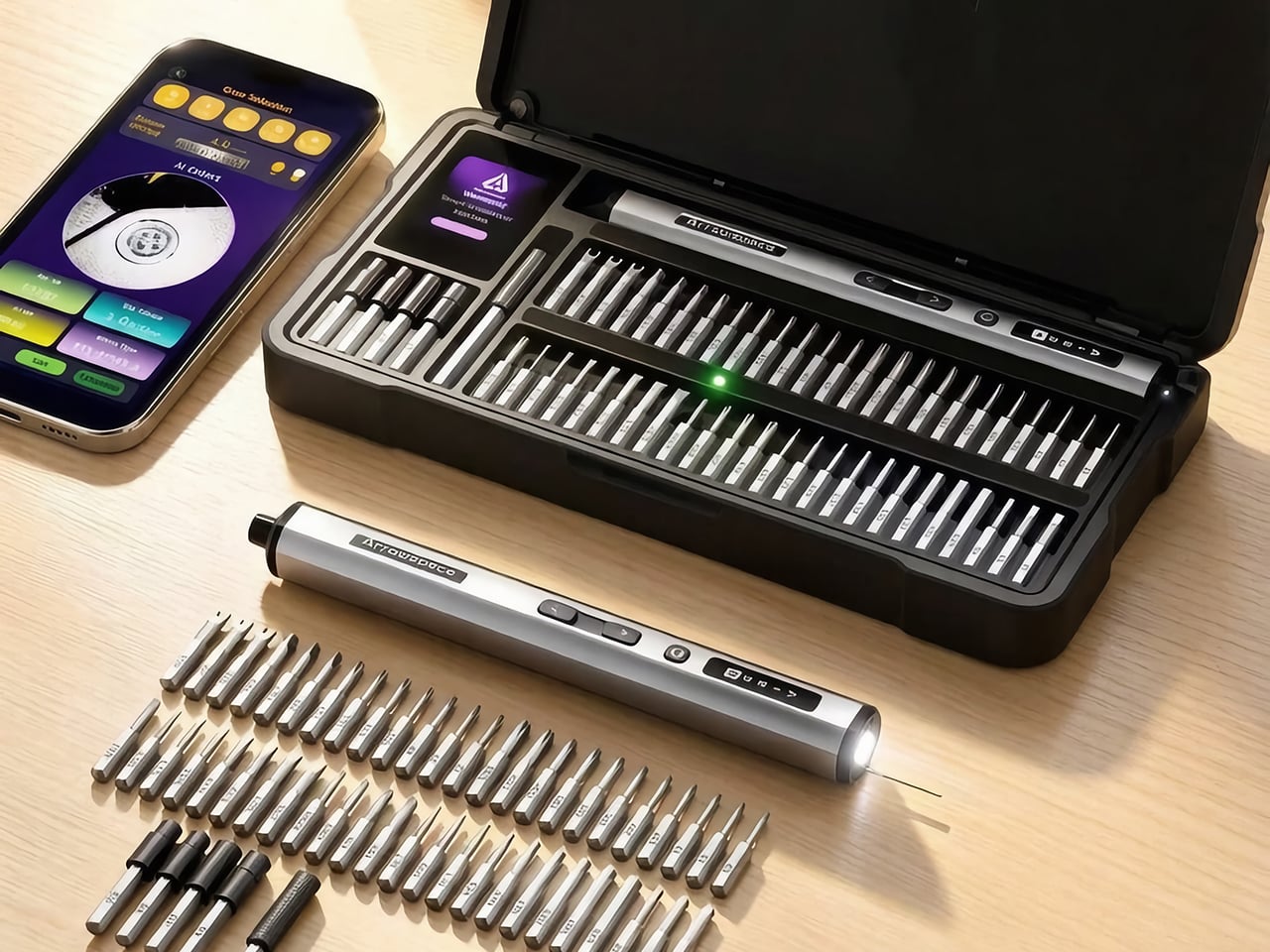
The Arrowspace S1, built by the same team under a new brand name, answers that with a camera on the tail end of the screwdriver. Image recognition names the screw’s drive type and exact size, while a small probe holds the lens at a fixed distance so tiny heads stay sharp. The smart case then lights the slot of the matching bit, and Auto mode picks a safe torque for that fastener. It keeps the 10 kgf·cm ceiling of the M1 Pro, which is plenty for everything from earbuds to e-bike parts. Early pricing starts at $119, and the kit includes the case, 52 S2 steel bits, and a power tip extension.

Designers: LAU YIN / XU YU

Click Here to Buy Now: $129 $215 (40% off). Hurry, only 40/400 left! Raised over $119,000.

The Screwdriver That Squints So You Don’t Have To

The camera sits at the rear of the S1, right behind a small contact probe, and the two work as a team. You rest the probe on the screw head, which locks the lens at one fixed distance, so every shot lands sharp. A screw this small turns to mush if the camera drifts even 1mm. Arrowmax fixed that blur problem with a metal pin instead of more code, which is a very hardware-person way to win an argument. I love it, because it means recognition survives a messy bench and shaky hands instead of working only in a demo video.

Once the shot is sharp, the driver sends it to the companion app on your phone, which works out the drive type and exact size. Everything runs locally with no internet involved, so your screw photos stay on your phone. Arrowmax trained the model, a YOLO object detector, on its own collection of tens of thousands of real screw photos, currently covering 12 common head profiles. The app shows the actual camera image next to the verdict, so you can see what the S1 sees and judge the call yourself. Only the reading step needs the phone, since motor control, torque, and the displays all work on their own.

A Case That Points at the Right Bit

The smart case turns the app’s verdict into something you can see across the bench. A 2-inch TFT screen with Arrowspace’s purple interface shows the recognized screw type and size, while an LED glows under the slot holding the matching bit. Reach, grab, done. Compare that with the usual ritual of squinting at tiny codes on dozens of near-identical shafts, and the old way starts to look like a part-time job. It is the same idea as a warehouse pick-to-light shelf, shrunk down to a tray of S2 steel bits.

The 52 bits are S2 steel hardened to HRC60, which keeps the tips from rounding off after repeated use, and extended bits reach screws buried in deep holes. A magnetic holder keeps bits seated while you work. The case itself is a CNC-machined frame in aerospace-grade aluminum with EVA protection inside, a build the M1 Pro’s CNC aluminum box would recognize. That solid metal feel suits a bench that sees daily use. One box ends up holding the driver, the bits, and the answer to which bit you need.

Gentle With Earbuds, Firm With E-Bikes

Electric torque runs from 1 to 10 kgf·cm, roughly 0.1 to 1 N·m, and Arrowspace’s own chart maps that range to real jobs. The low end suits earbuds, smart bands, and glasses. Around 3 you are into laptops and camera bodies, 6 covers RC cars, drones, and game consoles, and the full 10 handles e-bike parts and large appliances. Auto mode matches a conservative preset to the screw it just identified and remembers your last setting between jobs. Prefer to drive? The app lets you tune the torque for each mode yourself.

When electric mode runs out of muscle, the S1 switches to manual on its own, a trick it inherits from the M1 Pro. The mechanism is rated for 30 kgf·cm of hand-twisted force, which handles the factory screw that laughs at motors. A 600mAh LiPo battery covers 900+ screws or about 90 minutes of continuous use, and USB-C refills it in roughly 70 minutes. An OLED on the body shows torque level, spin direction, and battery, and it even animates while charging. A full session of fiddly repairs fits comfortably inside one charge.

The Price of Never Guessing Again

The S1 suits anyone who repairs often enough to own a drawer of bits but not often enough to have a veteran’s eye, meaning RC builders, scale modelers, drone owners, and the friend who gets every laptop question. Arrowspace says the AI handles identification while your hand keeps the control, and that split feels right to me. My one wish is friendlier recognition for oddballs like JIS cross-head screws, the Phillips look-alikes in plenty of Japanese electronics. Arrowmax says updates will keep widening the 12 profiles covered today, so the wish has a path. A screwdriver that learns new screws over time is a fun idea for a tool that used to be a metal stick.

Pricing for a single S1 kit starts at $119, listed at 45% off, with $129 and $149 tiers also available. Every tier includes the driver, the illuminated smart case, 52 S2 steel bits, and a power tip extension. Shipping is an estimated $16 by air freight to anywhere in the world, so US buyers are covered, with delivery expected in April 2027. Two kits run $238 and three run $339, with shipping at $30 and $45. The optional Angle Screw attachment is sold separately, so check the product page for its price. A stripped screw can cost you a whole device, which makes $119 look like cheap insurance.

Click Here to Buy Now: $129 $215 (40% off). Hurry, only 40/400 left! Raised over $119,000.

The post Arrowspace’s $119 screwdriver identifies screws and lights up the matching bit first appeared on Yanko Design.

  •  

Do yourself a favor and buy a power station now, before the energy crisis gets worse

Every crisis has its panic buy. In 2020 it was toilet paper and N95 masks, in 2021 it was graphics cards, in 2025 it was RAM chips, and in 2026 my money is on lithium iron phosphate. With Iran attacking tankers in the Strait of Hormuz, gas sitting at a record-for-October $4.36 a gallon, and heating oil bills forecast to climb 21% this winter, the case for keeping your own stash of electrons has never been stronger. A portable power station from Anker, EcoFlow, or Jackery keeps your fridge cold and your lights on when the grid gives up. It also runs indoors without trying to poison you, and it never needs a trip to the gas station.

Stockpiling toilet paper made you look a little unhinged. Owning a power station makes you the neighbor everyone suddenly wants to befriend during an outage. Black Friday could knock a few more dollars off, sure, but fall sale prices are already the best we’ve seen this season, and winter storms rarely wait for a coupon code. I’ve narrowed the field to one value pick from each brand, all hovering around the 2kWh mark, enough to keep a fridge humming for well over a day. Anker gets first crack, because its S2000 squeezes 2,010Wh into a 35.7-pound body that costs less than a decent espresso machine.

[Editor’s Pick] Anker S2000 2,010Wh Portable Power Station: $699.99

Anker announced at IFA 2026 that its SOLIX power station brand is folding into the Anker name, so you’ll still spot “SOLIX” on boxes and Amazon listings while the switch plays out over the next couple of years. Same company, same warranty, simpler logo. The S2000 makes a great poster child for the new identity, because it looks like it wandered over from the home appliance aisle. At 8.2 x 11.1 x 12.7 inches (208 x 282 x 323mm) and 35.7 pounds (16.2kg), it takes up roughly the counter space of a coffee maker. That makes it nearly 4 pounds lighter than Jackery’s Explorer 2000 v2 and 9 pounds lighter than EcoFlow’s DELTA 3 Max.

Inside are 314Ah lithium iron phosphate cells rated for 6,000 cycles to 80% capacity and 10,000 to 60%, the same chunky format used in grid-scale storage. Anker estimates a 15-year design life, so this thing could easily outlast your fridge. Output tops out at 1,500W continuous with a 3,000W surge, plenty for a fridge, router, lights, laptops, and a CPAP. The real magic is efficiency, with idle draw of just 6W, which helped it keep a fridge running for 34 hours and 15 minutes in GearJunkie’s testing. At $599.99 for subscribers, that works out to roughly $300 per kilowatt-hour, the cheapest of our three picks by a wide margin.

Click Here to Buy Now

What we like

  • At 35.7 pounds, it’s the lightest 2kWh station you can buy right now, and compact enough to live on a kitchen counter.
  • A UPS switchover of 10ms or less keeps your router and desktop online the moment the grid drops.
  • Long-life cells and roughly $300 per kWh make it the best value of the three.

What we dislike

  • Solar input caps at 400W, which means about five hours of ideal sunshine to refill, and winter rarely delivers ideal.
  • It isn’t expandable, so 2kWh is your ceiling.
  • 1,500W of output rules out running a space heater alongside much of anything else.

Jackery Explorer 2000 v2 2,042Wh Portable Power Station: $899

Jackery’s orange-trimmed Explorers were the default power station for years, long before Anker, EcoFlow, and Bluetti started crowding the category. The Explorer 2000 v2 keeps that familiar look but trims the bulk, measuring 13.2 x 10.4 x 11.5 inches (335 x 264 x 292mm) and weighing 39.5 pounds (17.9kg). Its proportions are squatter and more cube-like than the Anker’s, which makes it easier to tuck under a desk or beside a fridge. Jackery marketed it as the lightest and most compact 2kWh LiFePO4 station around, a crown the S2000 snatched this year by shedding nearly four more pounds. The two brands are basically locked in a very nerdy weight-loss competition.

Output is where the Jackery pulls ahead of the Anker, with 2,200W continuous and a 4,400W peak spread across three AC outlets. That’s enough headroom for a sump pump, a fridge compressor, or a microwave without the station breaking a sweat. Jackery’s ChargeShield 2.0 system layers in 62 protection mechanisms, and Silent Charging Mode keeps noise under 30dB, roughly a whisper, which is handy if it ends up in your bedroom during an outage. The cells are rated for 4,000 cycles and a 10-year lifespan, fewer than Anker promises but still plenty for daily use well into the 2030s. At $899, you’re paying about $440 per kilowatt-hour, dropping to $416 when it dips to $849.

Click Here to Buy Now

What we like

  • 2,200W of continuous output handles bigger appliances than the Anker can.
  • Silent Charging Mode stays under 30dB, so it won’t keep you up at night.
  • A 3-year standard warranty plus a 2-year extension covers you for five years total.

What we dislike

  • Only three AC outlets, so a power strip becomes part of the kit.
  • It isn’t expandable, and solar input maxes out at 400W.
  • It won’t charge below 32°F (0°C), so an unheated garage in January is a bad home for it.

EcoFlow DELTA 3 Max 2,048Wh Portable Power Station: $899

EcoFlow’s DELTA family is the brand’s bread and butter, and the DELTA 3 Max is the 2kWh sweet spot of the current lineup. It’s also the chunkiest of our three picks, measuring 19.45 x 9.41 x 12.01 inches (494 x 239 x 305mm) and weighing 44.8 pounds (20.3kg). That long, low, suitcase-like shape belongs on the floor next to the fridge, and you’ll want two hands whenever you move it. EcoFlow spends that extra bulk on muscle, and the trade feels fair once you see the output numbers. The Halloween sale has it at $899, down from $1,199, which puts it neck and neck with the Jackery on price.

You get 2,400W continuous across four AC outlets, the most of our three picks, plus EcoFlow’s X-Boost mode for resistive appliances up to 3,400W. X-Boost works by dropping the voltage, so a kettle or hair dryer runs a little slower instead of tripping the station. That’s enough headroom to run a 1,500W space heater with the fridge and router still plugged in. EcoFlow also rates it at 25dB or less when charging or discharging at 600W, which is quieter than a library. At $899, it lands at about $439 per kilowatt-hour, essentially tied with the Jackery, so the choice comes down to extra watts versus a lighter box.

Click Here to Buy Now

What we like

  • 2,400W continuous output, with X-Boost up to 3,400W, makes it the most powerful of the trio.
  • Four AC outlets, one more than the Jackery.
  • It stays under 25dB at moderate loads, so it’s easy to live with indoors.

What we dislike

  • At 44.8 pounds, it’s the heaviest of the three, roughly 9 pounds more than the Anker.
  • The long footprint eats more floor space than its boxier rivals.

The post Do yourself a favor and buy a power station now, before the energy crisis gets worse first appeared on Yanko Design.

  •  

The Auk Mini 2 brings your grocery store’s herb aisle to your kitchen counter (with zero human effort)

During World War II, Americans planted millions of victory gardens in backyards, vacant lots, and rooftops, and by most estimates those plots supplied roughly 40% of the country’s fresh vegetables. Today’s enemy is the grocery receipt, which now runs roughly 35% higher than it did in 2019. Prices have cooled lately, but they never came back down, and the herb aisle still charges luxury rates for a handful of leaves. Norwegian brand Auk has a counterattack in the Mini 2, a countertop garden that takes the victory garden indoors and shrinks it to fit beside the coffee maker. Your war effort is now four pots of basil, and honestly, I respect it.

The Mini 2 is the sequel to Auk’s best-selling Auk Mini, and it comes from a team in Oslo, where December daylight is more rumor than fact. Lead designer Johan Schreiner and his team just took home a 2026 European Product Design Award in the Kitchen Appliances category. That’s a jury-judged international competition with more than 800 categories, so call it a solid nod rather than an Oscar. The pitch is simple: herbs, salad greens, even chilies and tomatoes, grown from seed on your counter all year. It’s 12% smaller than the first model, holds 25% more water, and starts at $239.

Designers: Johan Schreiner, Jostein Kvitvang, Magnus Bjørnstad & Didrik Dimmen

A Grow Light That Stops Turning Your Kitchen Into a Nightclub

Anyone who has shared a kitchen with a grow light knows the deal: the plants get their sunshine, and so does everyone trying to eat dinner. The Mini 2 fixes that with an optical lens system that aims light down at the leaves instead of spraying it across the room. Auk’s spec sheet lists output between 300 and 1,000 µmol/m²/s of PPFD depending on mode, which is the number plants actually care about. Average power draw runs from about 5 W in slow mode to 17 W in fruit and vegetable mode. That’s somewhere between a night light and a modest LED bulb, so your electric bill barely flinches.

Scandinavian designers have been fighting glare since Poul Henningsen’s PH lamps for Louis Poulsen in the 1920s, which hid the bulb behind layered shades so light landed where people needed it. The Mini 2 carries that instinct into horticulture, and it makes a neat contrast with Lettuce Grow’s Counterstand and Glow Lamp, which tames its grow light by tuning the color temperature until it looks warm and livable. Auk controls where the light goes, while Lettuce Grow controls what the light looks like when it arrives. Henningsen was Danish, so Norway gets a polite asterisk on the heritage claim. Either way, nobody has to live under a purple haze anymore.

Walnut, Oak, and Ash: A Garden Dressed Like Furniture

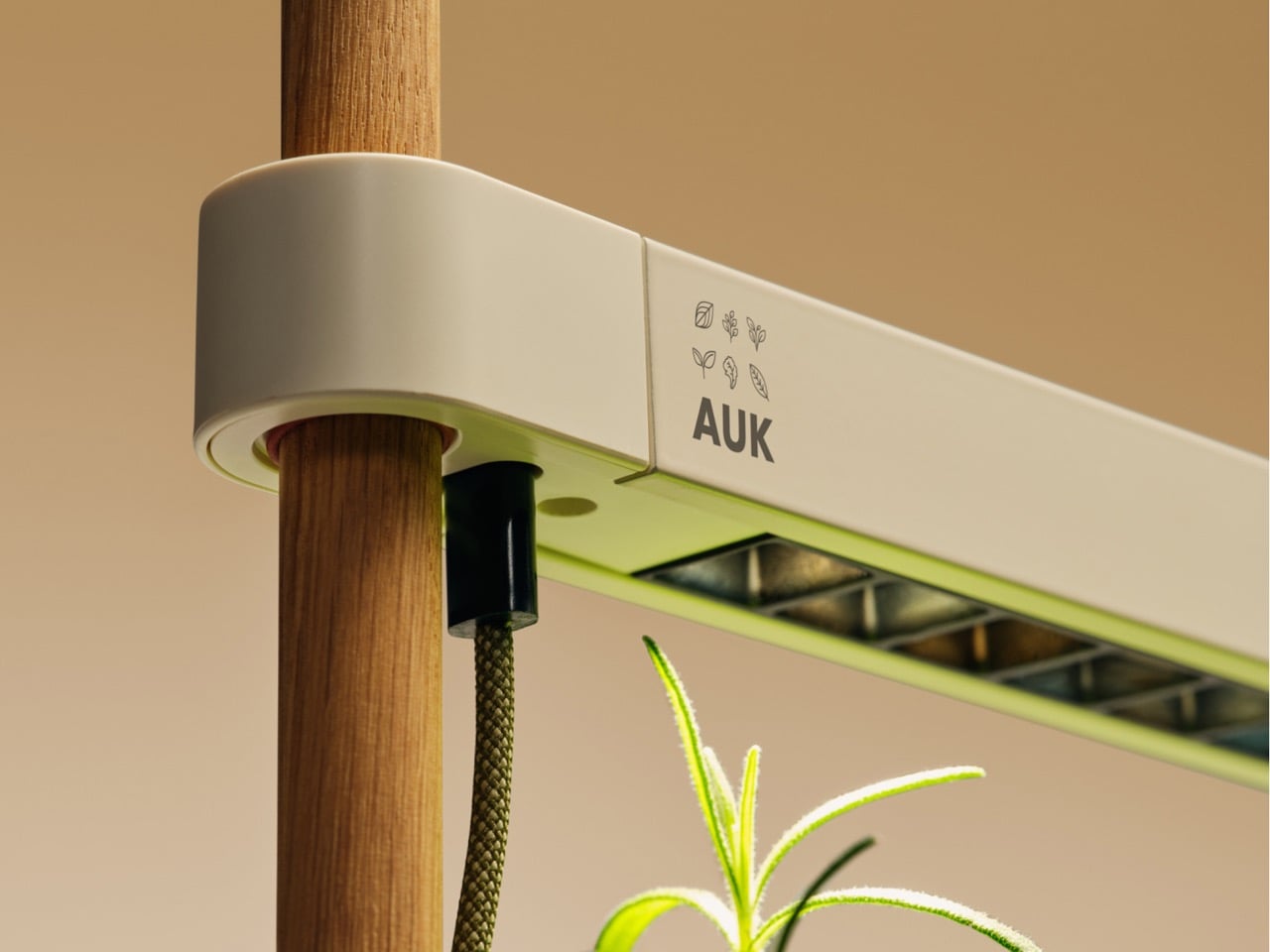
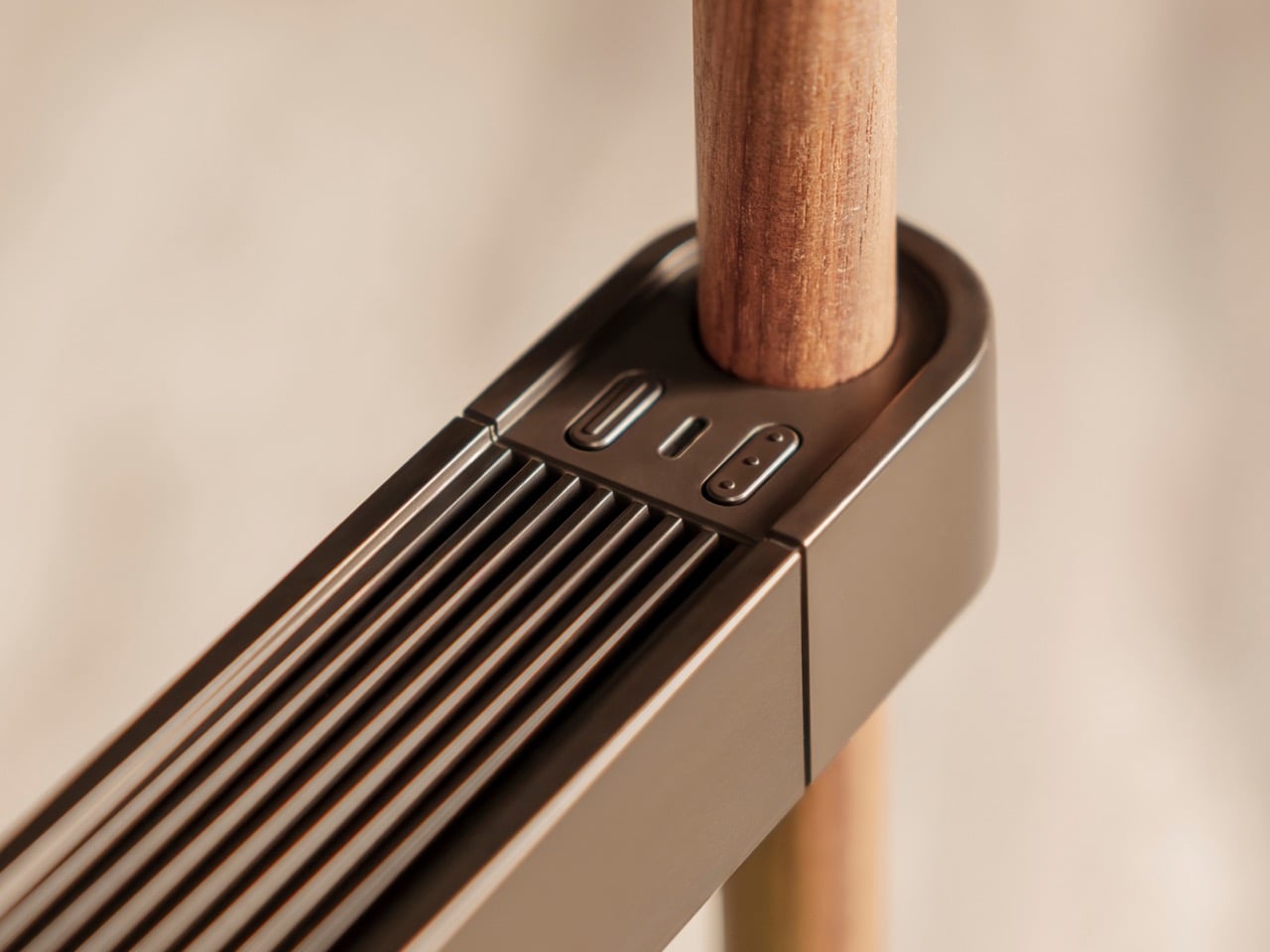
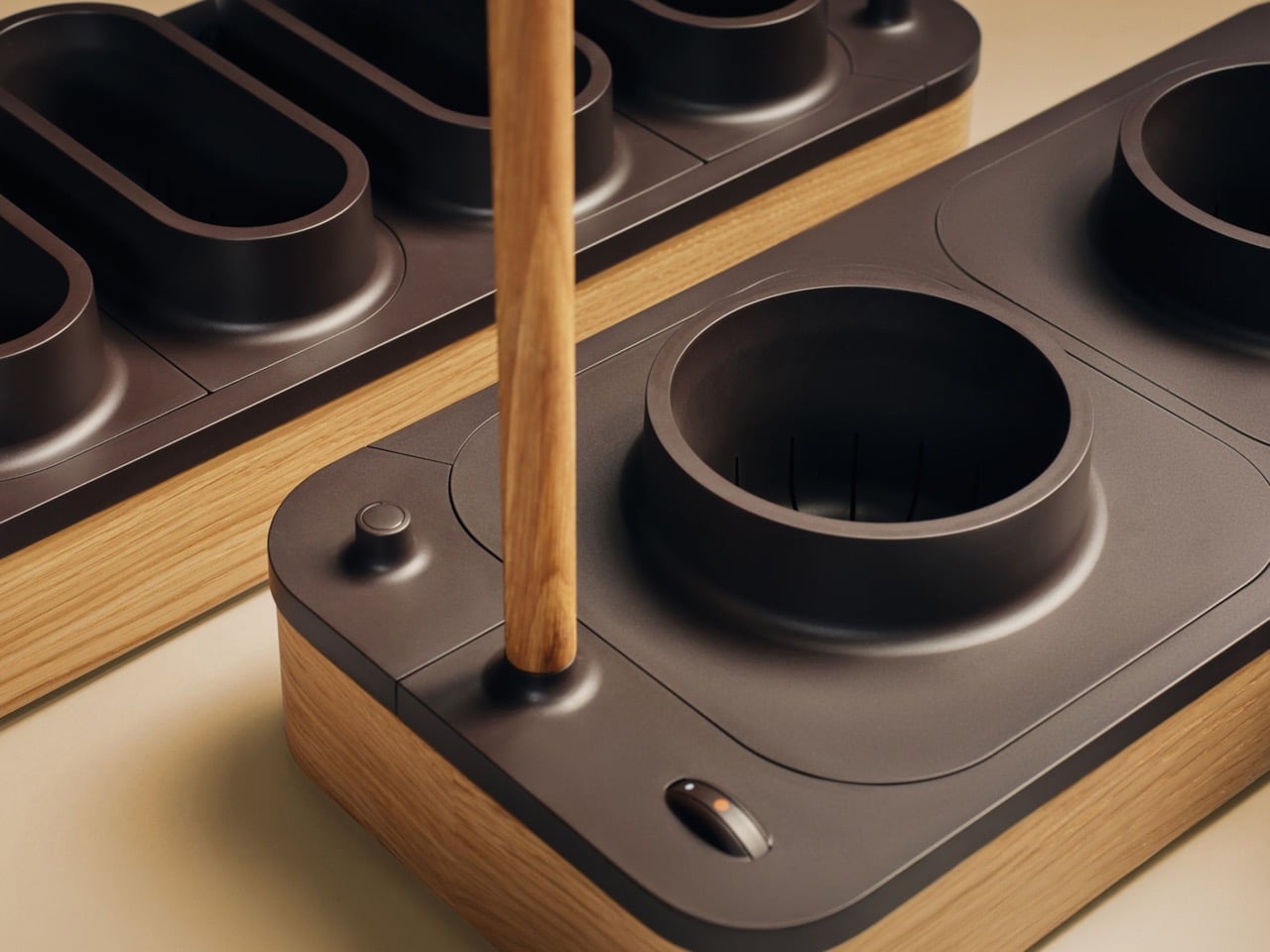
Pull the Mini 2 out of the box and it reads as furniture first, appliance second. A wraparound sleeve of FSC-certified, oil-treated European wood (walnut, oak, beech, or ash) rolls around softly radiused corners, and Auk keeps the seams flush so nothing catches the eye or your sleeve. Two slim wooden dowels, 0.63 in thick, hold up a light bar made from 100% recycled Norwegian aluminum, its ribbed top borrowing the look of heat sink fins. The base and pots are recyclable ABS plastic. Even the 5.9 ft braided USB-C cable comes in green, so the wire looks like it belongs to the plant kingdom.

Five colorways run from Espresso Walnut to Sage Ash, so the Mini 2 can slip into a moody dark kitchen or a pale Scandinavian one without making a scene. The footprint shrinks from the original’s 17.5 x 8.5 in to 16.9 x 7.5 in, and Auk’s own math calls the whole unit 12% smaller. Yet the tank holds 0.9 gallons on the first fill, 25% more water than before, which means fewer refill trips and fewer “oops, I forgot” moments. Longer dowels and wider Big Plant Pots, bundled in a chili and tomato kit, let the Mini 2 grow fruiting plants too. Smaller box, bigger ambitions.

Does a $239 Garden Actually Beat the Produce Aisle?

A clamshell of basil runs about $3.50, so if you buy one a week, the Mini 2’s $239 price covers roughly 68 of them, or about 16 months of Sunday-night pesto. Power is cheap, with Auk listing 3.6 to 12.2 kWh a month, which works out to a buck or two at typical US electricity rates. Seeds, coco fiber, and nutrients add a little, so treat 16 months as the friendly estimate. Past that point, every snip is free basil with a side of smugness. Better yet, you cut exactly one sprig and leave the rest alive, so the cilantro funeral in your fridge never happens.

Nobody is quitting the grocery store over this, but cutting a few herb runs a month adds up to a real taste of food independence. Pod-based systems like Click & Grow sell you plant capsules, while the Mini 2 grows from any seeds you like in coco fiber, with no pump and no pods. The optional Bluetooth app handles light cycles and modes, and Slow Mode keeps plants from outgrowing the light while you’re away on vacation. The victory gardeners of the 1940s never had it this easy. You can order the Mini 2 at Auk’s site, and the first basil is about four to five weeks out.

The post The Auk Mini 2 brings your grocery store’s herb aisle to your kitchen counter (with zero human effort) first appeared on Yanko Design.

  •  

DeWalt’s Tool Batteries Can Charge Laptops Without an Outlet

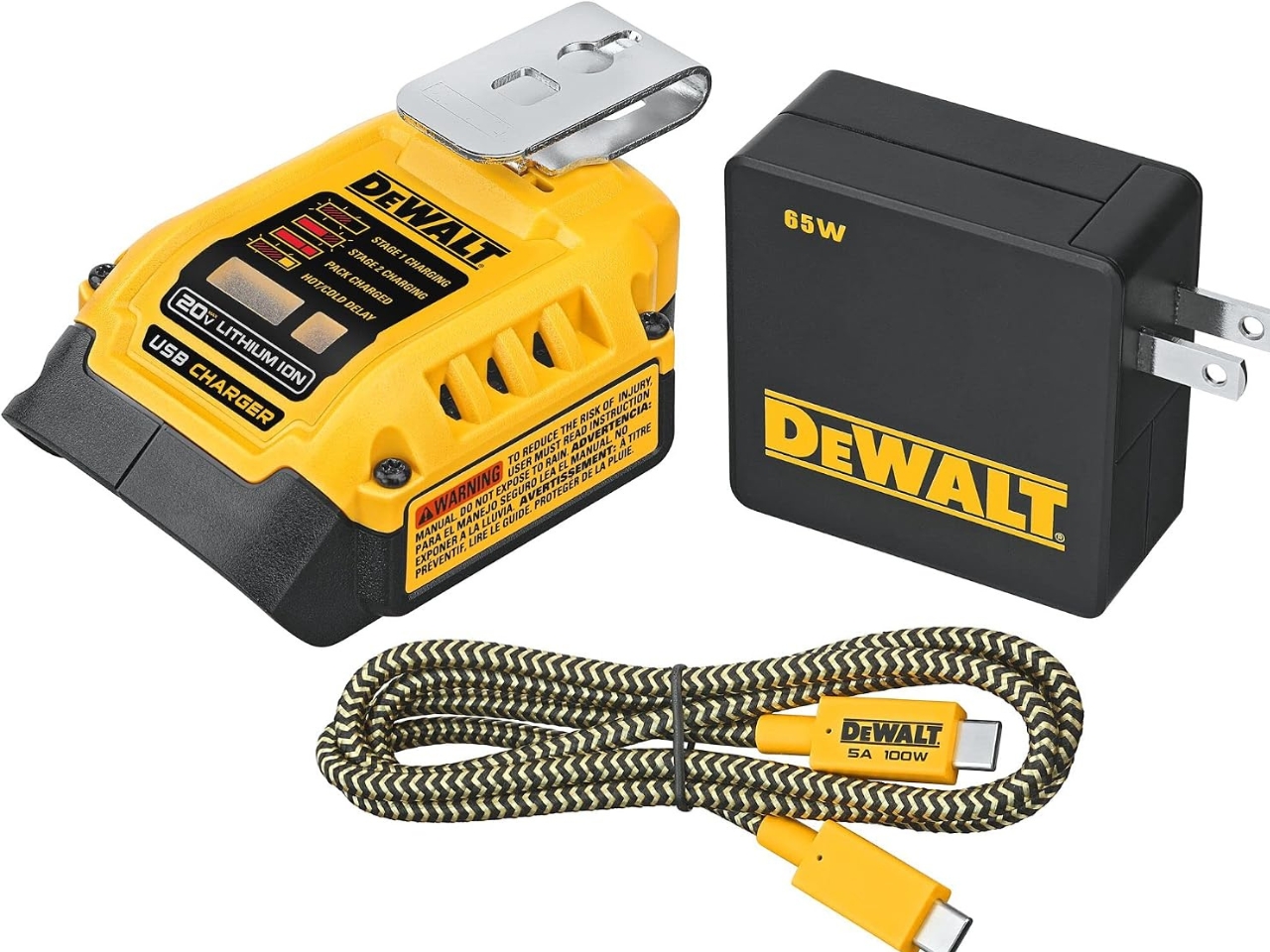
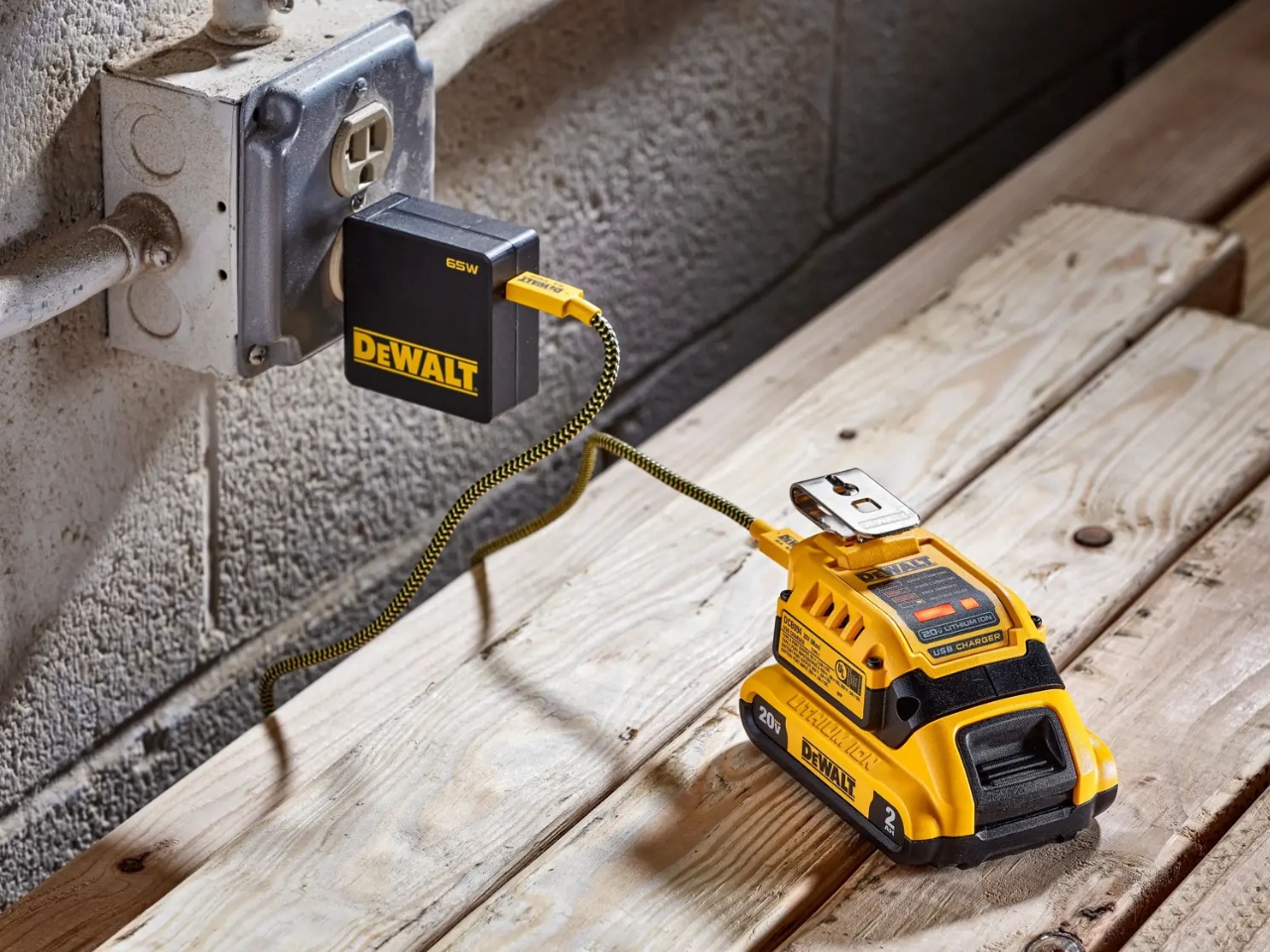
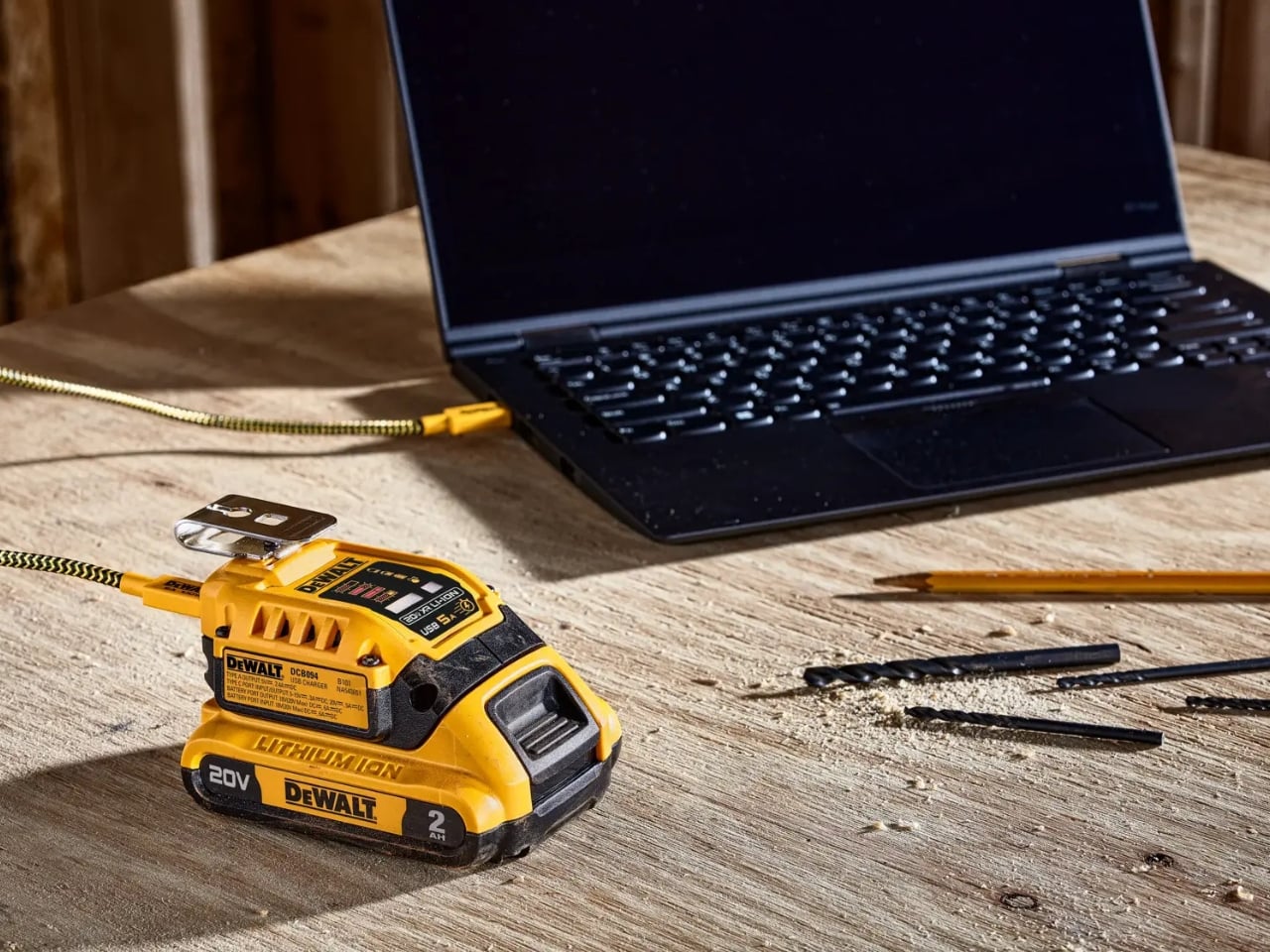
A charged drill battery and a dying laptop can sit on the same table and still be useless to each other. That feels like an unnecessarily strict division of labor. DeWalt’s DCB094K USB Charging Kit addresses that disconnect by letting compatible tool batteries power USB devices through an attachable adapter. If you already have spare packs in the garage, the appeal is straightforward: stored energy becomes available to something besides the tool it normally clicks into.

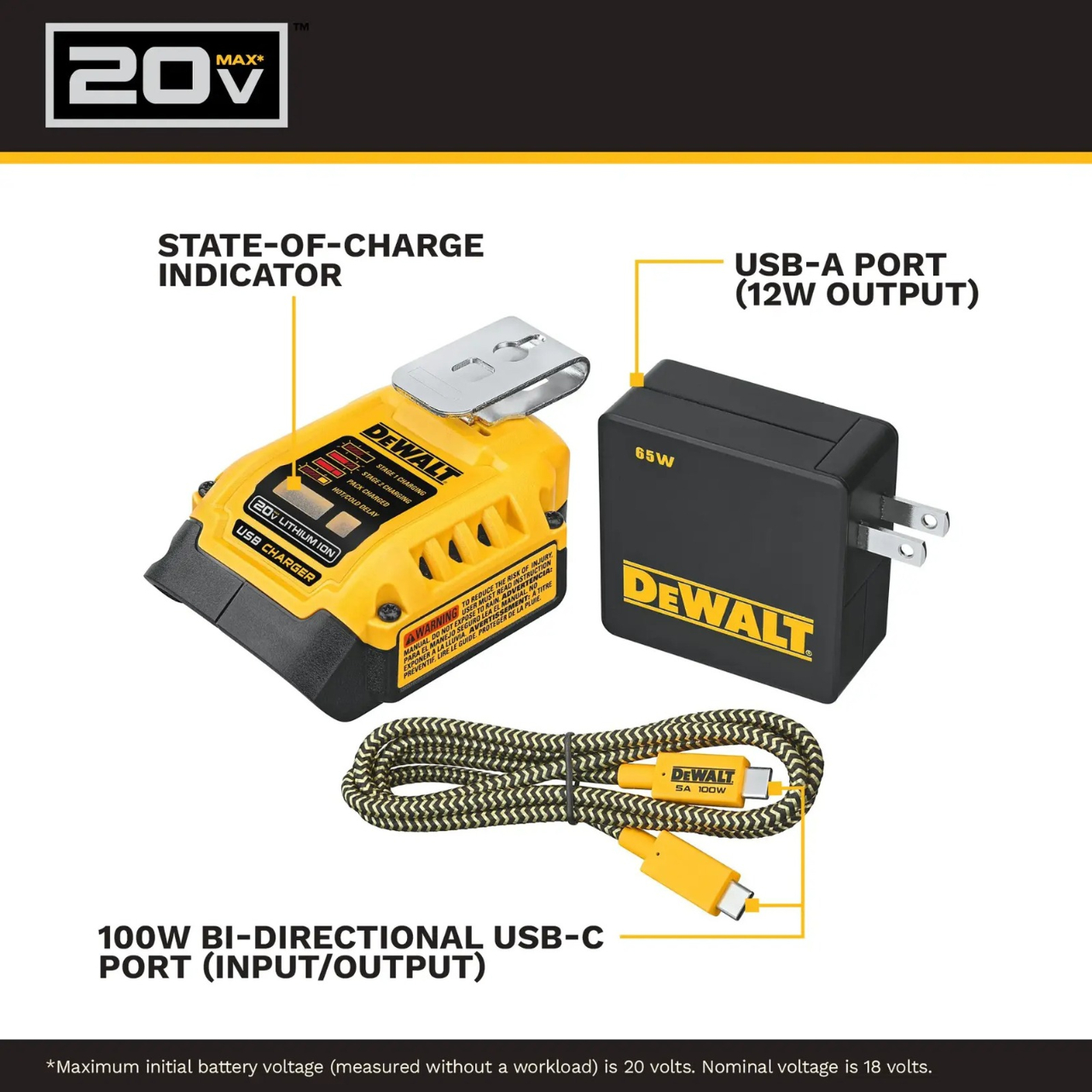
The better detail is that power can travel the other way, too. The kit’s DCB094 adapter has a bidirectional USB-C port, so it can recharge a DeWalt battery from a suitable USB power supply as well as draw from that battery to charge personal electronics. That solves a second annoyance: needing a dedicated tool-battery charging dock when a compatible USB supply could do the job. It’s this return trip that makes the accessory interesting to me.

Designer: DeWalt

Visually, DeWalt hasn’t tried to disguise it as a sleek desk accessory. The yellow-and-black housing sits on the battery like a smaller piece of power-tool equipment, complete with ventilation slots and a metal belt hook. In the product photograph, the attached battery still accounts for much of the assembly’s bulk. I like that lack of pretense. It looks appropriate beside drill bits and a pencil, even when the cable coming out of it leads to a laptop.

The headline specification deserves a closer look, though. DeWalt rates the USB-C connection for up to 100 watts in either direction, but the kit includes a 65-watt wall supply. You also get a 100-watt-rated USB cable and the belt hook, but no battery. In other words, the adapter’s maximum capability and the supplied wall charger’s output are different numbers. The included charger cannot deliver a 100-watt input simply because the port can accept it. That distinction matters more than the big number on the listing.

Compatibility also needs a little attention. DeWalt lists support for its 20V MAX and FLEXVOLT batteries, while the adapter provides a USB-A output rated at up to 12 watts alongside USB-C. The latter is the connection to consider for a compatible laptop, but check the computer’s charging requirements first. A USB-C socket alone doesn’t establish that a laptop accepts charging through it, and this adapter isn’t a universal substitute for every computer’s power brick.

One interface choice feels less intuitive than the overall idea. The adapter’s indicator lights report charging activity for the DeWalt battery, not the phone or laptop receiving power. DeWalt’s manual specifically notes that the LEDs won’t illuminate while charging personal devices. I’d prefer an obvious output indicator, particularly on an accessory that changes roles depending on what’s connected. As designed, you’ll need to look at the receiving device to confirm that it’s getting power.

The workbench appearance shouldn’t be mistaken for permission to leave it in the weather, either. The manual says to keep the charger out of rain and snow and provide a dry location outdoors. It also instructs owners to detach the battery when the adapter isn’t being used to avoid draining the pack in storage.

Runnings currently lists the kit at $119, which makes this a considered accessory purchase rather than an automatic addition to the cart. I’d find it easier to justify with compatible batteries already on hand. Buying a battery as well would mean paying for an entire setup when the actual need might simply be keeping a phone charged. The useful question is how often those existing packs could cover a charging need away from an outlet.

For someone who moves between DIY projects and laptop work, the two-way charging is the strongest argument. I’d rather add a useful connection to equipment I already own than collect another battery solely for occasional backup duty. The DCB094K makes that possible, provided its price and your device’s requirements line up.

The post DeWalt’s Tool Batteries Can Charge Laptops Without an Outlet first appeared on Yanko Design.

  •  

This $6 Glow-in-the-dark Carabiner might be Camping EDC’s biggest upgrade

We put glow on everything we are afraid of losing in the dark. Watch hands, exit signs, stair edges, light switches, and those plastic stars on a kid’s ceiling all got the memo decades ago. The carabiner, an object whose entire job is hanging onto things in low light, somehow missed it. It sits there, smug in anodized aluminum, daring you to find it. That is the oversight of the century, and I will happily defend that claim at any campsite.

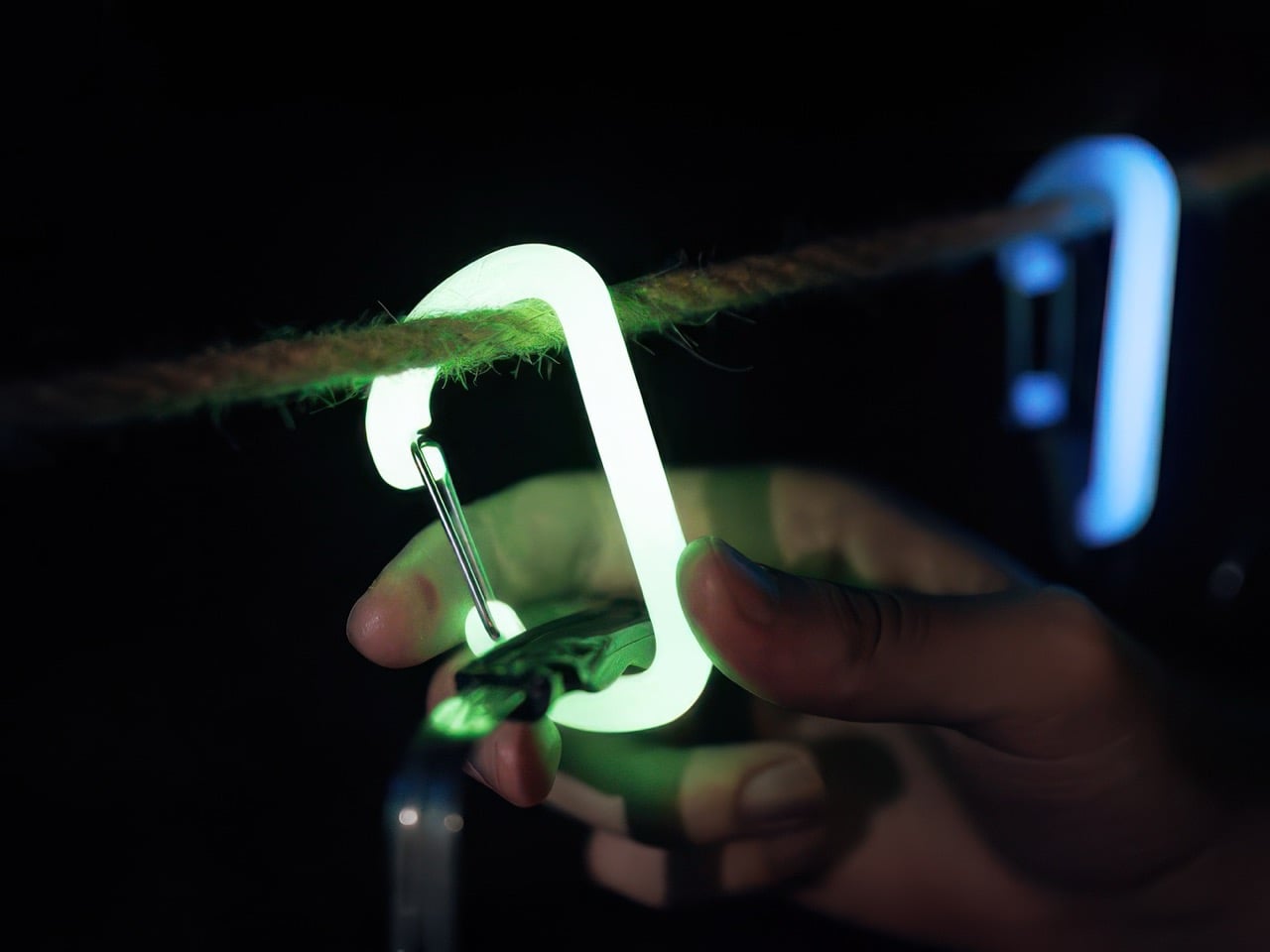
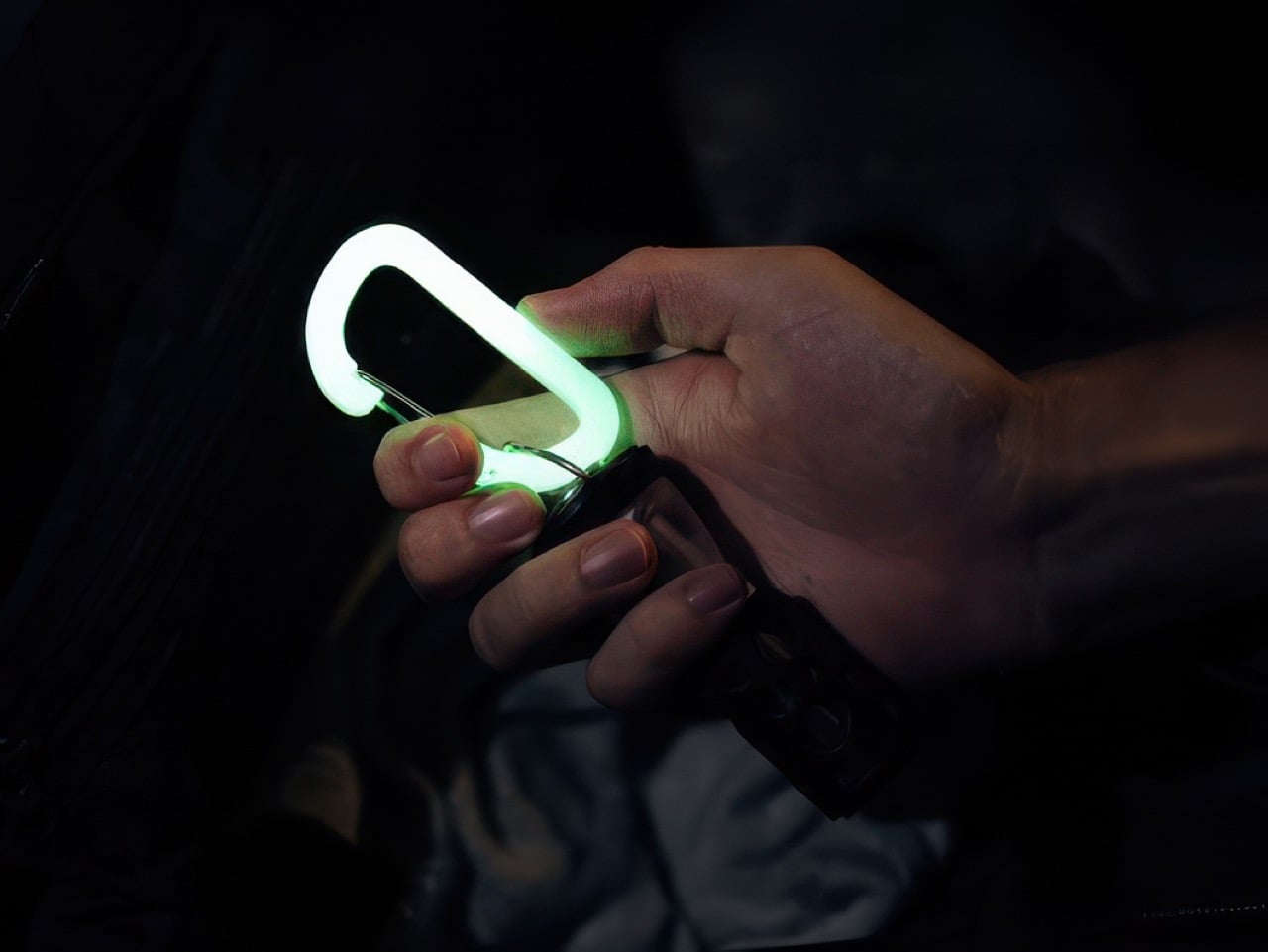
OBORO, from Maruhachi Kasei, a plastics factory in Nagoya, Japan that has been molding resin since 1974, closes the loop. The large D carabiner is glow-infused polycarbonate, measures about 3 by 1.7 inches, weighs 0.42 ounces, and is rated for 66 pounds. Leave it in sunlight or under a lamp for a bit and it shines for hours, with no battery, no charging, and no app (thankfully). A one-handed clip joins it for towels and tarps, rated for 55 pounds, and both come in green or a cooler blue. It is accessory gear rather than climbing gear, so keep your rope work on the real stuff.

Designer: Maruhachi Kasei

Click Here to Buy Now: $73 $91 (20% off) for 12 pieces. Hurry! Only 5 days left.

The Glow Is Baked Into the Plastic Itself

The glow pigment is mixed into the polycarbonate itself, so the entire body is the light source. There is no paint layer to chip or flake, which matters on an object that spends its life banging against rocks, zippers, and other gear. Polycarbonate is the same family of plastic used in bulletproof glazing, and the maker claims five times the impact resistance of ABS and 250 times that of ordinary glass. It also handles weather and heat better than most plastics. The gate is a nickel-plated metal wire, the one part that has to flex thousands of times, so it makes sense that it is not resin.

In the maker’s own test, twenty minutes under a blacklight gave about three hours of visible glow. Brightness peaks in the first 10 to 20 minutes and fades gradually from there, the way every glow-in-the-dark thing you have ever owned behaves. Sunlight and ordinary LED room lighting both recharge it, as many times as you like. Long-afterglow pigments like this trace back to a 1993 breakthrough at Japan’s Nemoto & Co., the lineage behind Super-LumiNova on Swiss watch dials, though the maker does not name its exact pigment. Water is the weak spot: the maker says wet pigment loses its charge and the surface can cloud, so this belongs in the tent, not out in the rain.

A Bigger Gate, Beefier Numbers, and a Clip for Towels

The large D measures about 3 by 1.7 inches and 0.28 inches thick, which the maker says is 30 percent bigger than a standard carabiner. That extra room is the whole point of the redesign. The gate opens wide enough for thick camp rope, so a mug, a kettle, and a lantern can all hang without a game of Tetris. The working load is rated at 66 pounds, while the maker’s pull test ended at 213 kilograms, roughly 470 pounds. That gap is deliberate, since the rating sits near 15 percent of breaking load, and at 0.42 ounces you will forget the thing is on your bag until you need it.

The clip is built for flat, floppy things like towels and tarps. It opens and closes with one hand, using serrated jaws and a sliding block with a toothed lock, and a thin metal loop up top lets it hang from a line or a bag. The wide mouth takes thick fabric where a standard clothespin gives up. Its 55-pound rating sits a bit under the D carabiner, which is plenty for a soaked camp towel. Two clips and a rope between trees give you a glowing clothesline you can actually find after dark.

Two Colors, Endless Things to Hang, and Roughly $6 a Piece

Green is the classic and the brighter of the two, while blue is the rarer, cooler color that I find more fun to look at. By day neither looks like it does at night, since green reads pale yellow-green and blue looks milky white. Blue is dimmer after dark, which seems a fair trade for the novelty. The use cases click once the idea sinks in: a tent guyline, a go-bag handle, a kid’s school backpack, a dog’s leash, a key hook by the front door.

The 12-piece set (six large D carabiners and six clips) is ¥11,616, about $73, against a ¥14,520 (about $91) retail price, which works out to roughly $6 a piece. Singles run about $6 for a D carabiner and about $7 for a clip. Pink versions of both ($40 for six of each), a three-pack of Suncheck glow carabiners ($33), and the older Ouroboros Carabiner Clip ($4) are available as add-ons. OBORO ships worldwide with delivery estimated for January 2027.

Click Here to Buy Now: $73 $91 (20% off) for 12 pieces. Hurry! Only 5 days left.

The post This $6 Glow-in-the-dark Carabiner might be Camping EDC’s biggest upgrade first appeared on Yanko Design.

  •  

Abxylute’s $65 smartphone gamepad packs Hall Effect triggers, clickable sticks, and gyro aiming

Valve raised the price of the 512GB Steam Deck OLED to $789 this May, a number that makes anyone want to close the browser tab out of spite. Blame the AI boom, which has data centers swallowing memory chips faster than factories can make them, leaving handhelds to fight over the scraps. Now look at the phone in your hand. It runs native console ports like Resident Evil, streams entire Xbox and PlayStation libraries, and emulates most of the consoles a millennial grew up with. All it lacks is a pair of real thumbsticks and triggers, which is a far cheaper problem to solve.

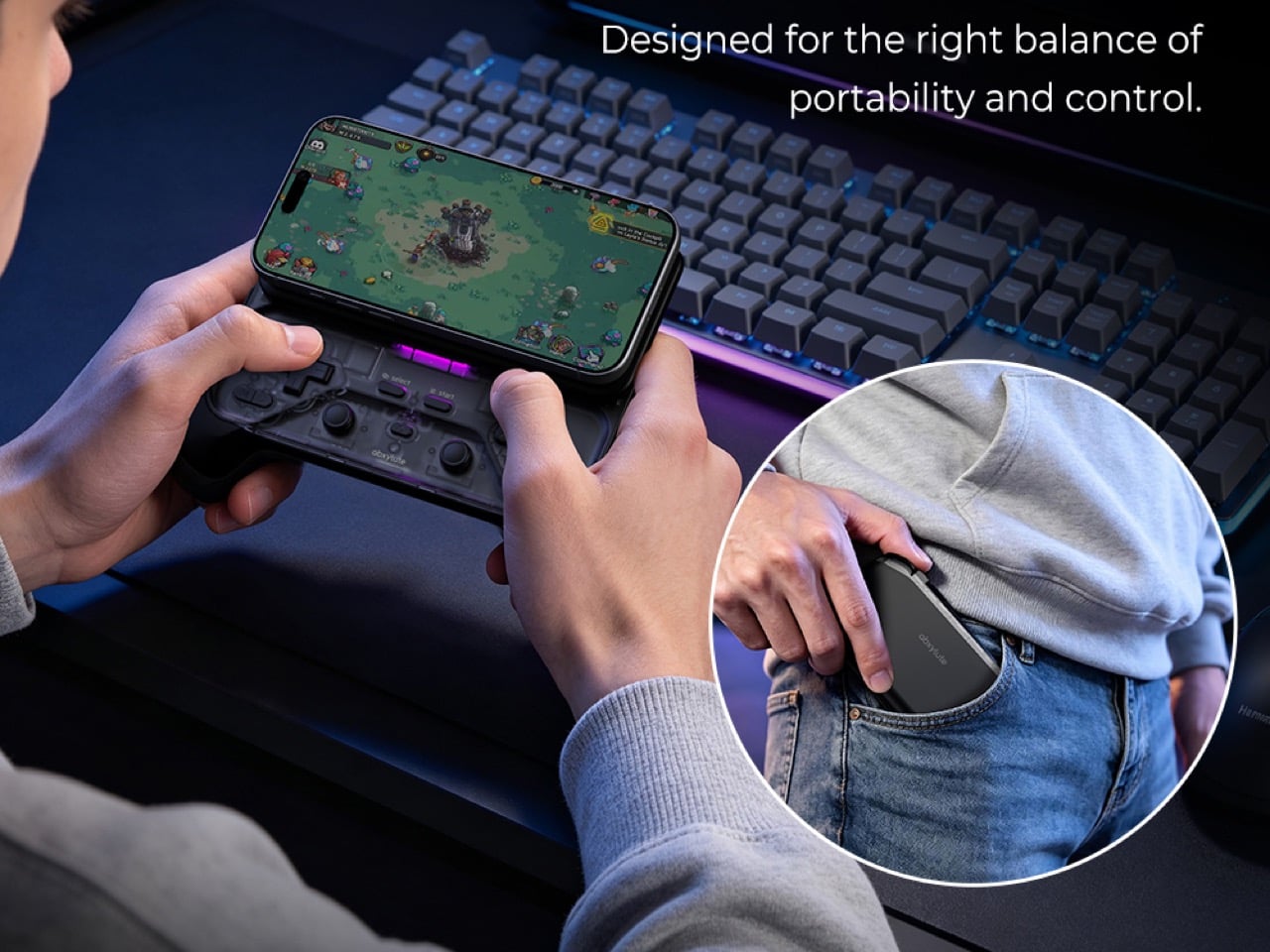
Hong Kong-based abxylute solves that problem with the M5 and M6, two sliding controllers that magnetically snap to the back of your phone. Closed, they sit behind it like a chunky case. Slide the phone up and a full gamepad appears underneath, Xperia Play style, with sticks, triggers, and rumble. The M5 is the slim one, plugging in over USB-C with zero pairing and pass-through charging. The M6 goes wireless over Bluetooth, adding clickable capacitive sticks, Hall Effect triggers, gyro aiming, and a 10-hour battery. Both retail under $90, roughly one-ninth of a Steam Deck these days, and for anyone whose gaming happens on commutes and couches, that math is hard to argue with.

Designer: abxylute

Click Here to Buy Now: $65 $84.99 (24% off) Hurry! Only limited units available.

A slider rail from the Nokia era, rebuilt for modern phones

Sliding rails nearly went extinct when touchscreen slabs replaced slider phones, and so did most of the factories that made them. abxylute eventually tracked down a manufacturer that once built rails for Nokia and Sony, then asked it to do something those phones never needed. A slider from 2010 only had to carry a lightweight screen half, while the M5 and M6 have to hold a phone and case weighing up to around 10.6 ounces (300g). The resulting bidirectional damped rail glides smoothly both ways, with magnets snapping it into the fully open and closed positions. That makes for a calmer motion than the spring-loaded slide on the OhSnap MCON, which fires the phone open at a button press.

The phone attaches through an adjustable magnetic mount rated at 4,098 gf, roughly 9 pounds of pull and comfortably above the 2,500 to 3,500 gf abxylute quotes for Apple’s MagSafe. Both mounts clear camera bumps up to 0.28 inches (7mm), and the plate shifts to suit different phone sizes. Supported phones include the iPhone 18 series, Galaxy S26, Pixel 11, OnePlus 15, and Xiaomi 17, with a magnetic adhesive ring in the box for anything lacking MagSafe. Thick cases will sap some of that grip, so slimmer cases make the safer pairing. Lightning iPhones sit out the M5 entirely, since that model needs a USB-C port to work.

The M5 goes wired and thin for pocket duty
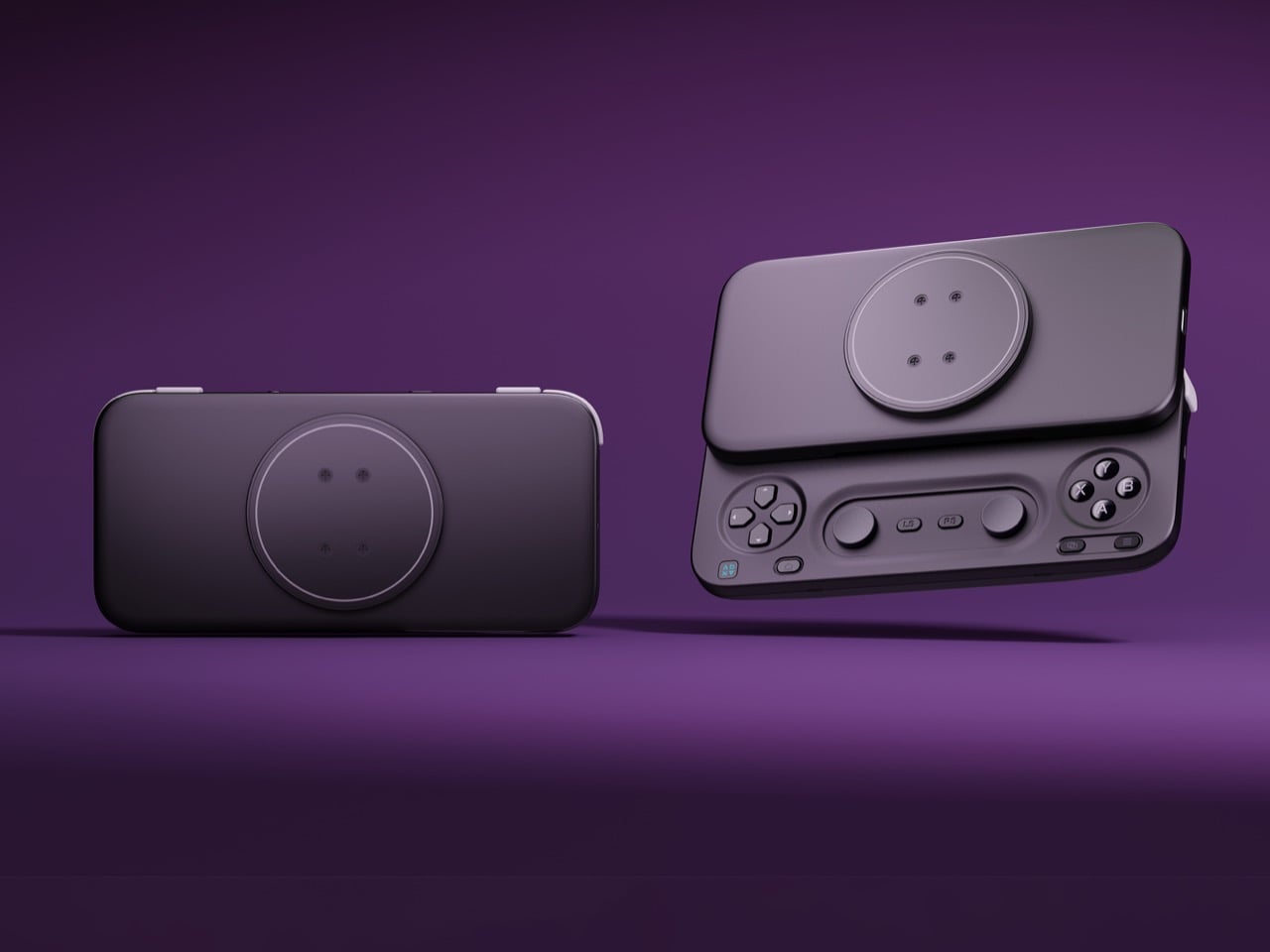
The M5 began life as a DIY build by Jinjiang, an independent maker who handled the 3D modeling, PCB design, and programming himself before abxylute partnered with him to engineer it for mass production. Its connection is wired USB-C, which means no Bluetooth pairing, no battery to charge, and pass-through charging so your phone can top up mid-session. The sticks are low-profile carbon-film sliders modeled on the PSP, PSP Go, and Nintendo 3DS, recessed nearly flat to keep the controller slim. Because sliders can’t click, abxylute added dedicated LS and RS buttons that double as programmable macro keys. Micro-switch triggers with short travel and a crisp click round out the inputs.

Those choices produce a controller that weighs about 6 ounces (170g) and measures 0.91 inches (23mm) thick with the mount, thinning to 0.45 inches (11.5mm) at the grip area. It spans 5.9 inches (149.5mm) wide, about the width of a large phone, so it slips into a jacket pocket easily. I appreciate a product that commits this fully to one idea, and the M5 commits to portability. Slider sticks offer less throw than full-size ones, so they favor retro titles and platformers over twitchy shooters. A limited M5 Founder’s Edition, capped at 1,000 units, comes in translucent retro green with a customizable two-letter badge replacing the abxylute logo.

The M6 packs full-size controller features into the slide
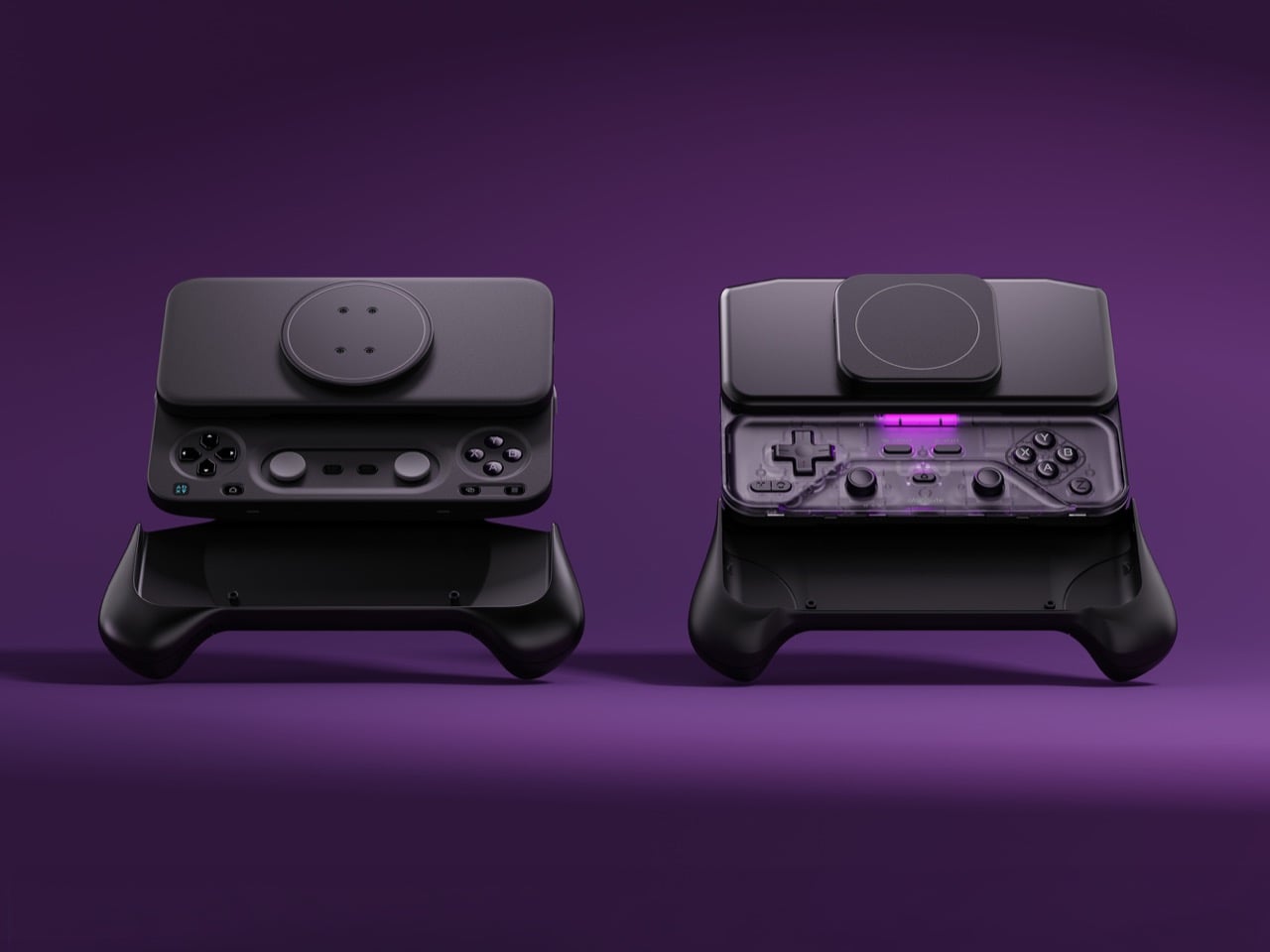
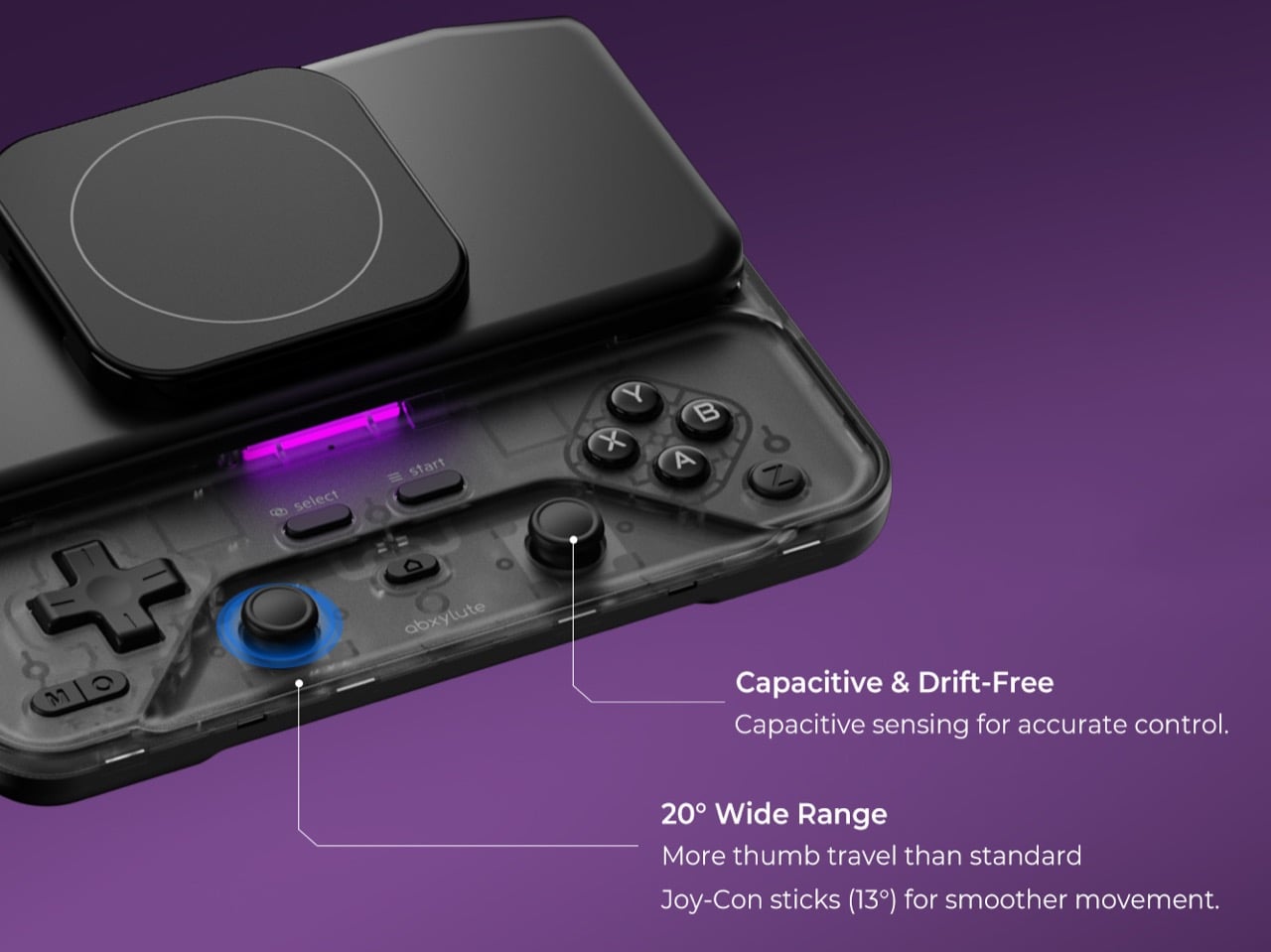
The M6 took nearly three years to develop, long enough to earn the internal nickname “little Nezha,” and most of that effort went into the controls. Its capacitive sticks, developed with component maker K-Silver, tilt 20 degrees against the roughly 23 degrees of a full-size controller stick, and they click for L3 and R3. abxylute also built them to resist magnetic interference, a smart call given the strong magnet array sliding a few millimeters above them. Instead of sinking the sticks into deep wells, a stepped surface around each one frees up room for your thumbs. Stick output switches between circular and square modes, handy for racing games and emulators.

Hall Effect linear triggers with 0.22 inches (5.5mm) of travel handle racing games, and a Fast Trigger Mode shortens actuation for shooters. A face-mounted Z button takes remaps and multi-button macros, so a fighting game special move or a jump-and-shoot combo fits under one thumb. There’s also a 6-axis gyroscope for motion aiming, and Bluetooth 5.3 backed by a 500mAh battery rated for up to 10 hours. The lighting is diffused, bouncing off the controller’s surface instead of shining at your eyes, and its color changes with each mode. All this comes in at 6.7 ounces (191g) and 1.02 inches (26mm) thick, a modest premium over the M5.

Shared features, the abxy app, and what each model costs
Both controllers share a physical mode switch that flips between NS, XInput, and PS layouts, covering Switch emulators, Android and cloud gaming, and iPhone titles respectively. Each gets dual Z-axis linear vibration motors with four intensity levels, plus a Turbo function paired to the M button. The free abxy Game App doubles as a launcher for emulators and cloud services, and it handles remapping, dead zones, macros, lighting, and vibration. Virtual touch mapping lets you assign on-screen controls to physical buttons for games that never bothered with controller support. Detachable magnetic grips, held by magnets plus a mechanical shear lock, add full-size handles for longer sessions, though they aren’t listed among the box contents.

Kickstarter pricing currently sits at $65 for the M5 and $69 for the M6, against retail prices of $84.99 and $89.99, both well under the $169.99 Backbone Pro. A bundle with one of each costs $119, down from $174.98. The M6 is estimated to ship in November 2026 and the M5 in December 2026, with worldwide delivery. The M5 box adds a USB-C cable to the controller, adhesive ring, and manual that both models share. Valve wants $789 for a handheld. abxylute wants $69 to upgrade the one you already own.

Click Here to Buy Now: $65 $84.99 (24% off) Hurry! Only limited units available.

The post Abxylute’s $65 smartphone gamepad packs Hall Effect triggers, clickable sticks, and gyro aiming first appeared on Yanko Design.

  •  

A Hidden Mechanism Turns the Scissor Chair Into a Lounger

Buying a chair for conversation and buying one for an evening with a book can feel like two separate furniture decisions. One asks you to sit up; the other invites you to sink back. If your living room doesn’t have space for both, the Scissor Chair offers an appealing compromise. Produced by the German company Wilhelm Knoll, this mid-century design changes its sitting position while keeping the appearance of an ordinary upholstered armchair. Its designer remains unknown, but the problem it addresses is familiar.
The name gives away the basic geometry. According to a vintage dealer’s description, lifting the armrests allows the crossed legs to unfold. The chair moves between a taller, more upright configuration and a lower lounging position. Instead of leaving the legs stationary while only the backrest moves, the transformation changes the stance of the chair itself. I like that the supporting structure participates in the adjustment. Those wooden legs have a job beyond providing a handsome silhouette.

Designer: Unknown (produced by Wilhelm Knoll)

In photographs of a cream-upholstered example, the narrow wooden arms trace an open shape around the seat and back. There’s plenty of air beneath the upholstery, and the legs remain visually separate rather than disappearing inside a boxy base. In the upright position, it looks quite composed. Lowered, the crossed supports become more obvious, and the chair takes on a relaxed, backward-leaning posture. The useful surprise is how little visual fuss accompanies that change.

The adjustment is more substantial than a slight tilt. One dealer lists seat heights of 45 and 36 centimeters for an example, roughly 18 and 14 inches. That’s a difference of about three and a half inches, enough to make these visibly different seating arrangements. Those are seller-provided measurements for a vintage piece, rather than a universal specification, but they help explain the appeal. You’re choosing between two distinct positions, with different relationships to the floor and surrounding furniture.

Underneath, the mechanism is considerably busier than the silhouette suggests. A dealer’s underside photograph reveals pivoting metal links, brackets, and a coil spring tucked between the wooden supports. I’d happily leave that view to someone servicing it. From a design perspective, though, the separation makes sense: the mechanical assembly sits beneath the upholstered seat, where it can do its work without dictating the appearance of every surface above it. The chair doesn’t need to look like workshop equipment to have moving parts.

For a smaller living room, I see the attraction as flexibility rather than some miraculous recovery of square footage. A chair that changes posture still needs room around it, especially when its stance changes. The more convincing benefit is having one seat that can suit a conversation and then offer a lower position for unwinding. That’s a modest promise, and a useful one. I’d rather have two clearly differentiated options than an elaborate transformation with no obvious purpose.

The Knoll name deserves a little care here. Wilhelm Knoll was a German business whose roots go back to a Stuttgart leather shop founded in 1865. It shouldn’t be casually confused with the American company Hans Knoll established in 1938, although the businesses share family history. Vintage dealers date Scissor Chair examples to the 1950s. Keeping the manufacturer credit separate from the unidentified designer matters, particularly with an object whose mechanism deserves more attention than a famous surname alone.

Of course, photographs can’t tell me how smoothly a surviving example adjusts or how supportive it feels after an hour. With a vintage moving chair, I’d want the mechanism demonstrated and its condition checked before buying. That practical reservation doesn’t diminish the idea. The Scissor Chair appeals to me because its cleverness is so specific: lift the arms, alter the stance, settle into a different position. A living room doesn’t always need another chair. Sometimes the chair already there could simply offer another way to sit.

The post A Hidden Mechanism Turns the Scissor Chair Into a Lounger first appeared on Yanko Design.

  •  

Aery’s Office Chair Offers a Fit You Can Actually Fine-Tune

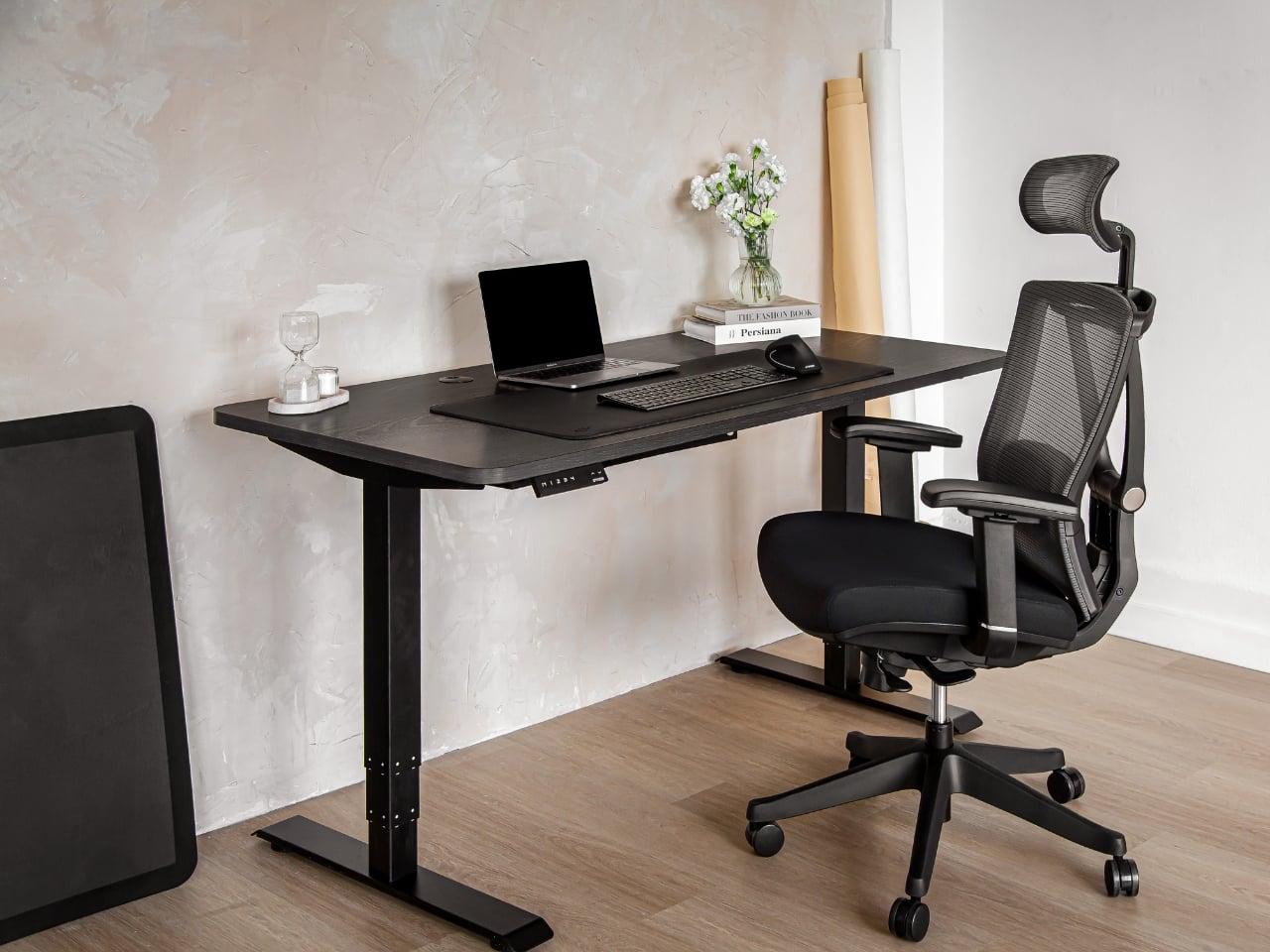
A desk setup can look perfect and still feel wrong by lunch. The monitor is aligned, the cables are hidden, and the chair matches the room, yet you’re shuffling around trying to get comfortable. That gap between a workspace that photographs well and one that fits the person using it is the more interesting design problem to me. It’s where EFFYDESK’s Aery Ergonomic Chair makes its case.

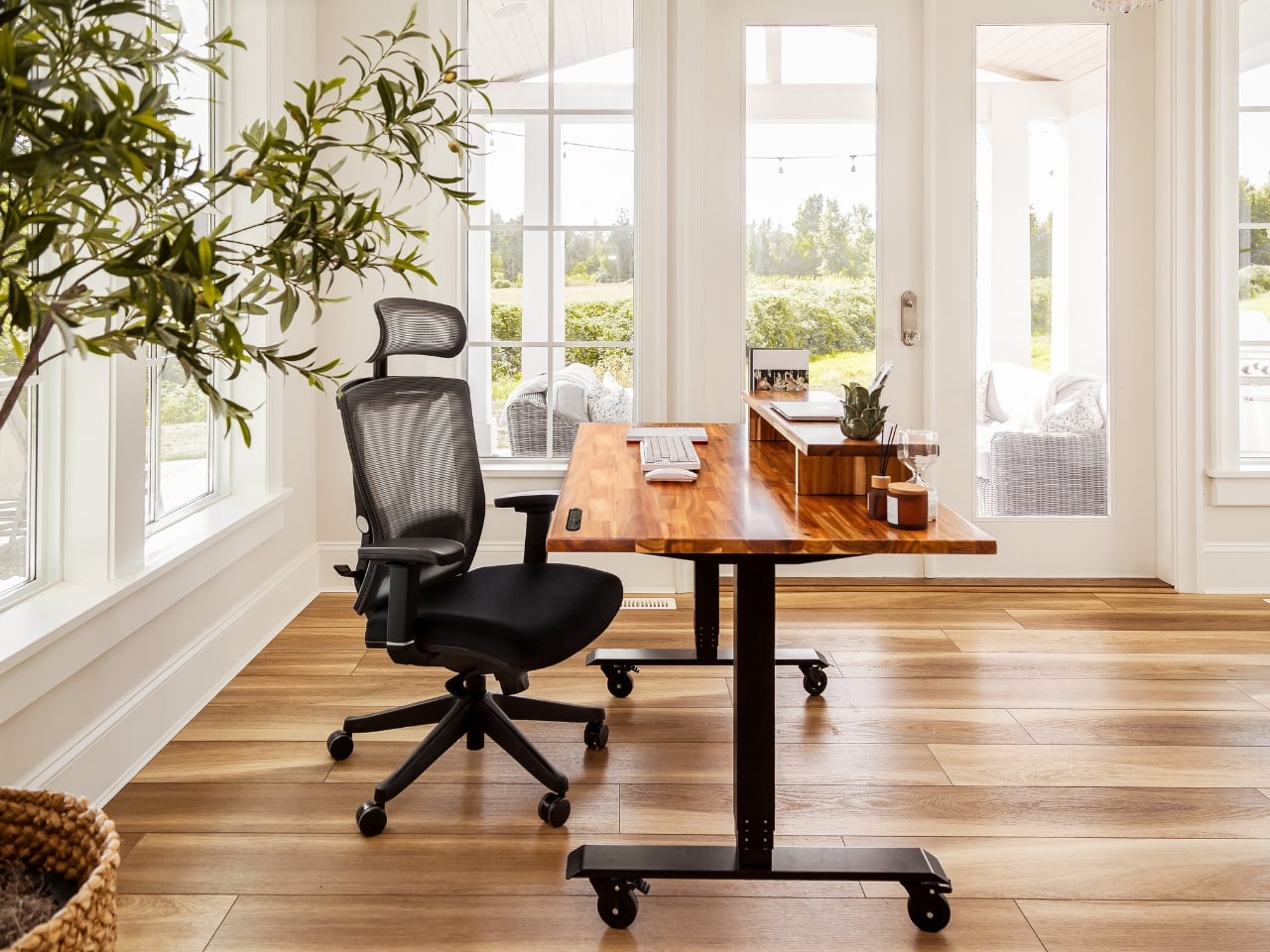
For anyone whose office occupies a bedroom corner or shares space with the living room, choosing a chair involves a negotiation. You want something you can spend time in, but you also have to look at it after closing the laptop. The Aery approaches that compromise with a mesh back, a cushioned seat, and adjustments that let its proportions work around the person sitting in it.

Designer: effydesk

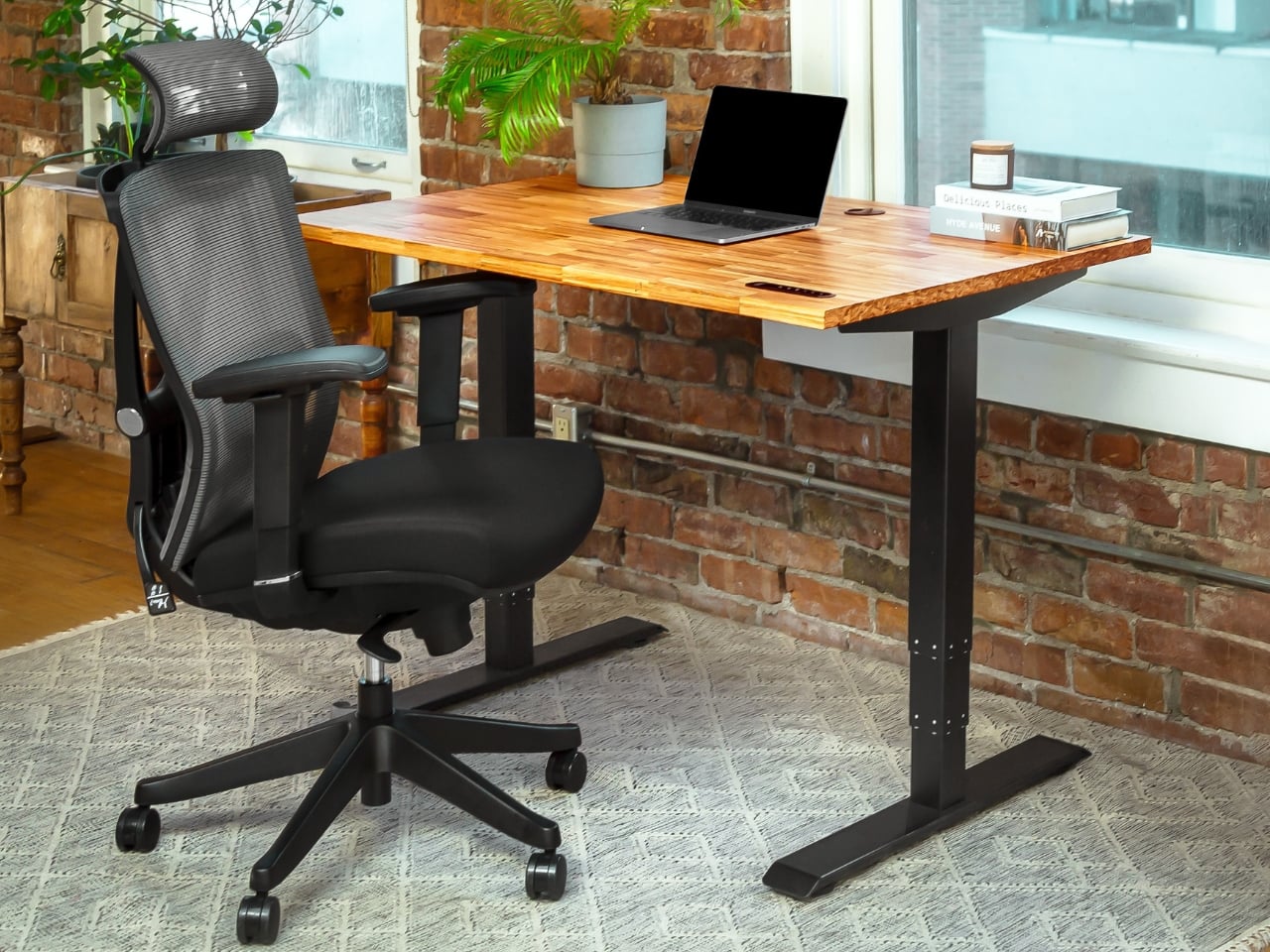
The mesh is doing some of the visual work here. A tall upholstered back can become a fairly imposing presence beside a small desk. With the Aery, the open surface allows the supporting structure to remain visible, breaking up what could otherwise read as one large block. It still looks like an office chair, especially with that separate headrest, but its outline has a little breathing room.

I appreciate that it doesn’t try to disguise its purpose. In black, the frame, armrests, and cushion form a straightforward piece of working furniture. It isn’t pretending to be a dining chair you could drag into a meeting. That distinction matters in a home office, where choosing something purely for the room’s aesthetic can leave you making compromises every time you sit down.

The fabric-covered cushion gives the design a softer counterpoint to the mesh back. It also offers a combination that may appeal to people who prefer padding beneath them without wanting an upholstered surface behind their entire torso. I like the visual balance between the two. The seat gives the chair some substance, while the open back keeps that substance from extending all the way upward.

The most useful adjustment is also one of the least visually dramatic: the seat slides forward and backward. Rather than changing the chair’s appearance in any meaningful way, it changes how the cushion sits beneath your legs. That’s worth paying attention to if you’ve ever loved the look of a chair but found yourself perched near its edge because sitting all the way back didn’t feel right.

The movable armrests follow the same thinking. They adjust in height, slide in different directions, and rotate, giving you some freedom to place the supports where your arms naturally rest. The appeal is less about collecting adjustment options than avoiding a fixed position that doesn’t suit you. A chair’s silhouette can look perfectly balanced while its armrests feel entirely wrong for the person using it.

The headrest and reclining back introduce a more relaxed posture into the design. I see the appeal for reading through a document or leaning back between tasks, particularly when the desk is where several parts of your day happen. Still, the headrest feels secondary to getting the seat and arms right. Those are the relationships you live with while doing the work.

I haven’t sat in the Aery, so its cushion comfort and the feel of its controls remain open questions. Images and adjustment lists can explain the design, but they can’t tell me whether an armrest stays put when I want it to. That’s what I’d want to check in person, along with how naturally the chair fits beneath my desk.

What appeals to me is how much of the Aery’s design can be put to an everyday use. The mesh changes its visual presence; the cushion changes the sitting surface; the adjustments offer room to work out a better fit. It gives a home-office buyer reasons to look beyond the styled photograph, while still acknowledging that the chair has to live in the room.

The post Aery’s Office Chair Offers a Fit You Can Actually Fine-Tune first appeared on Yanko Design.

  •  
❌