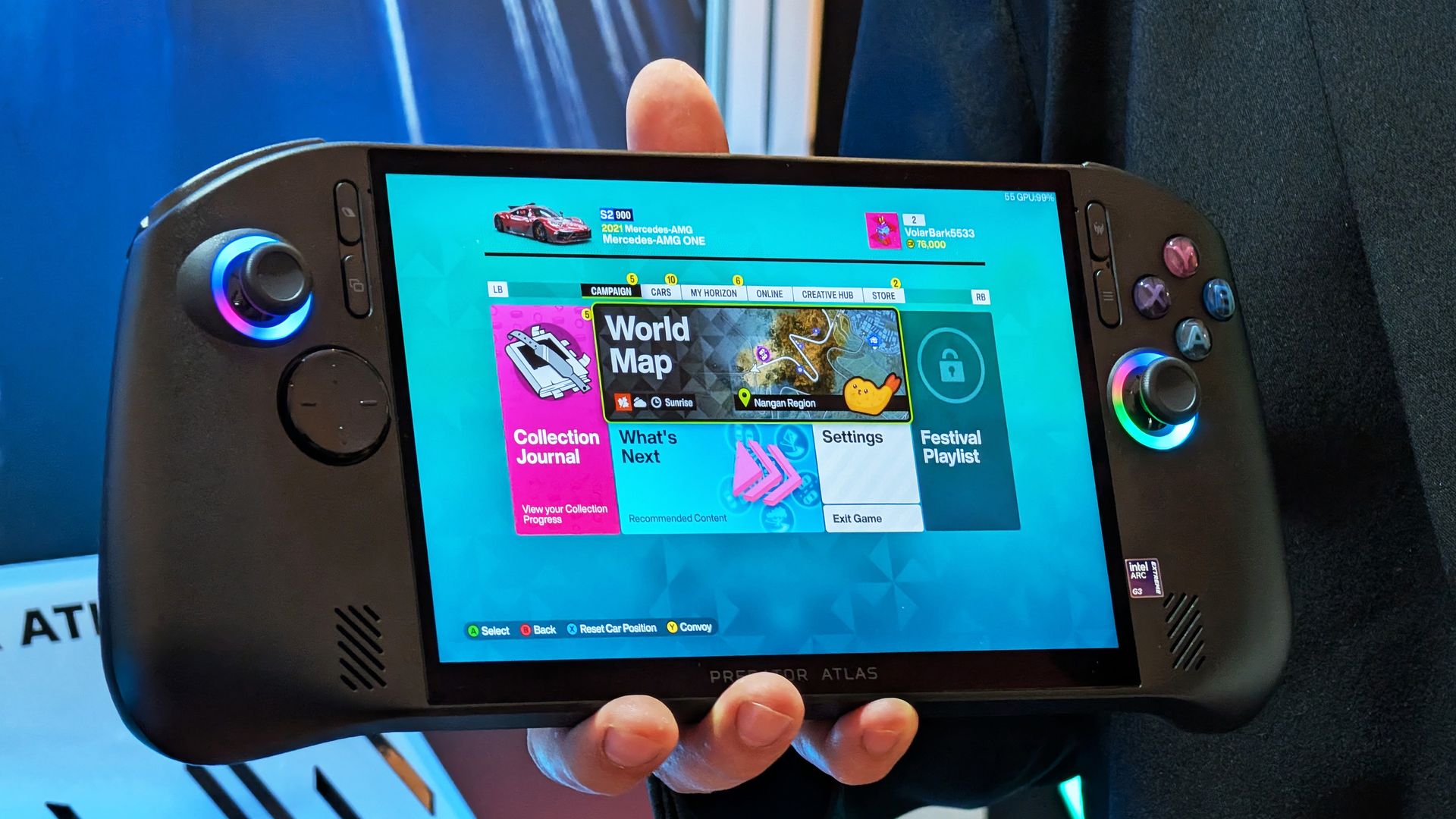
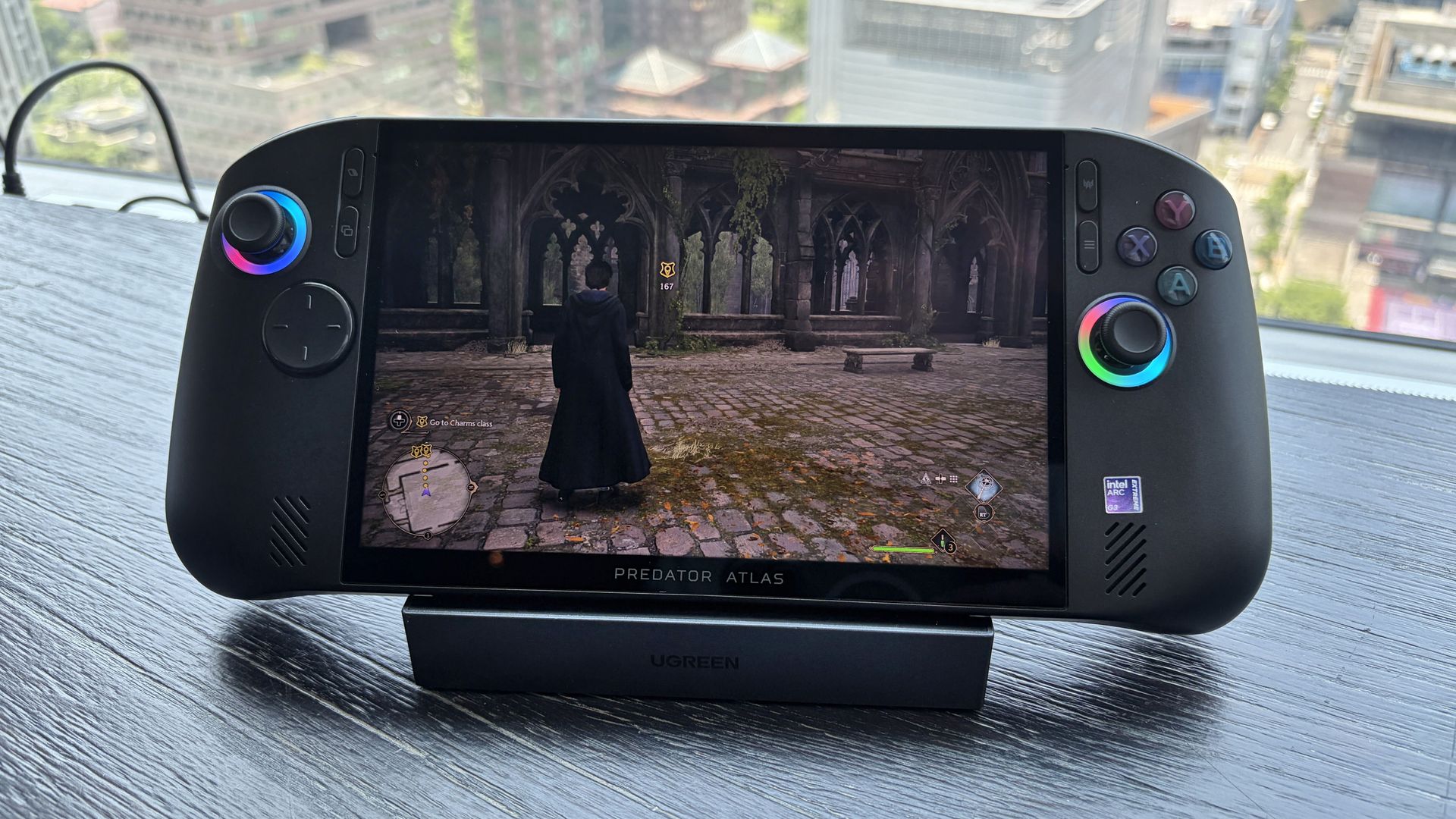
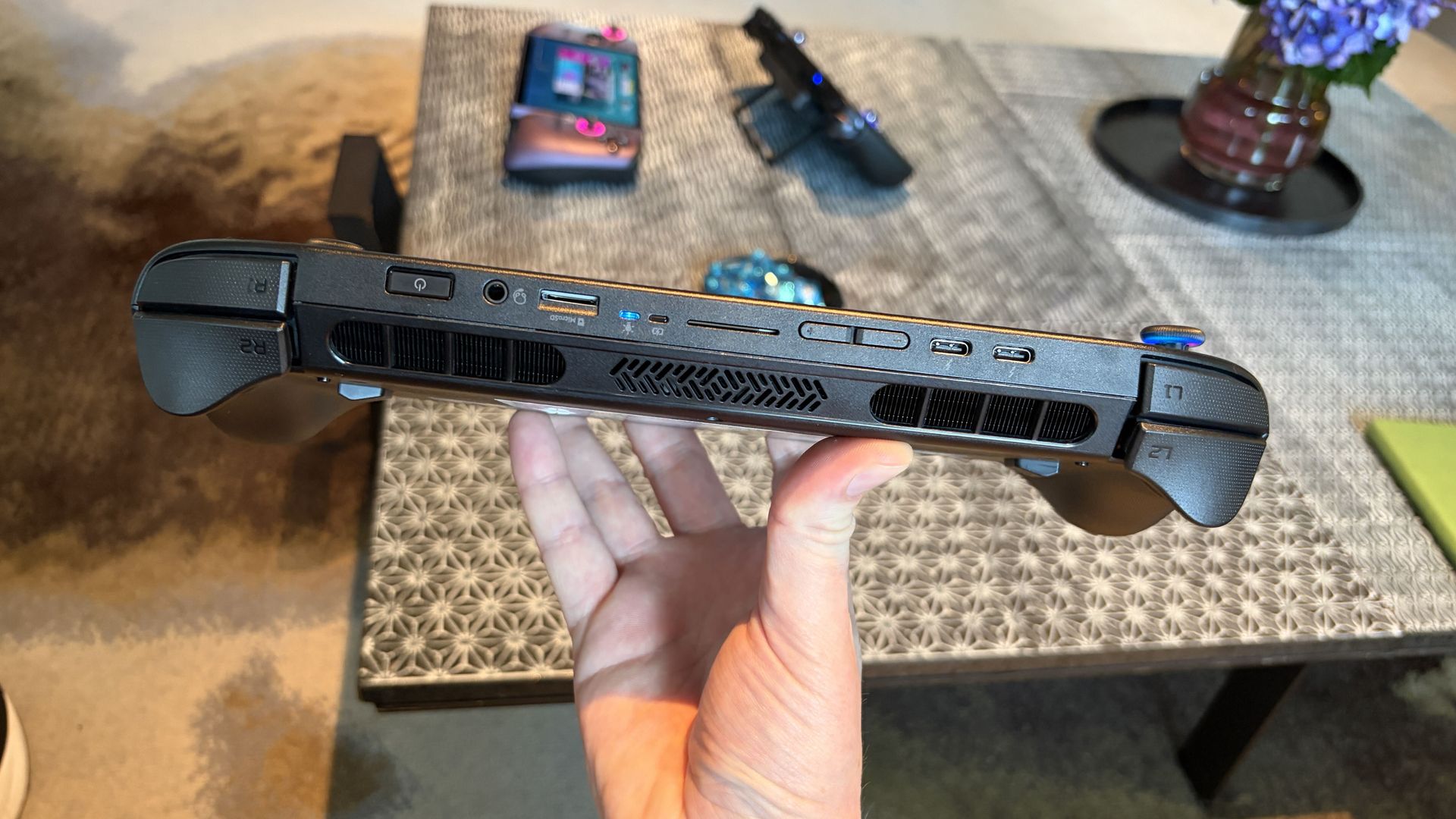
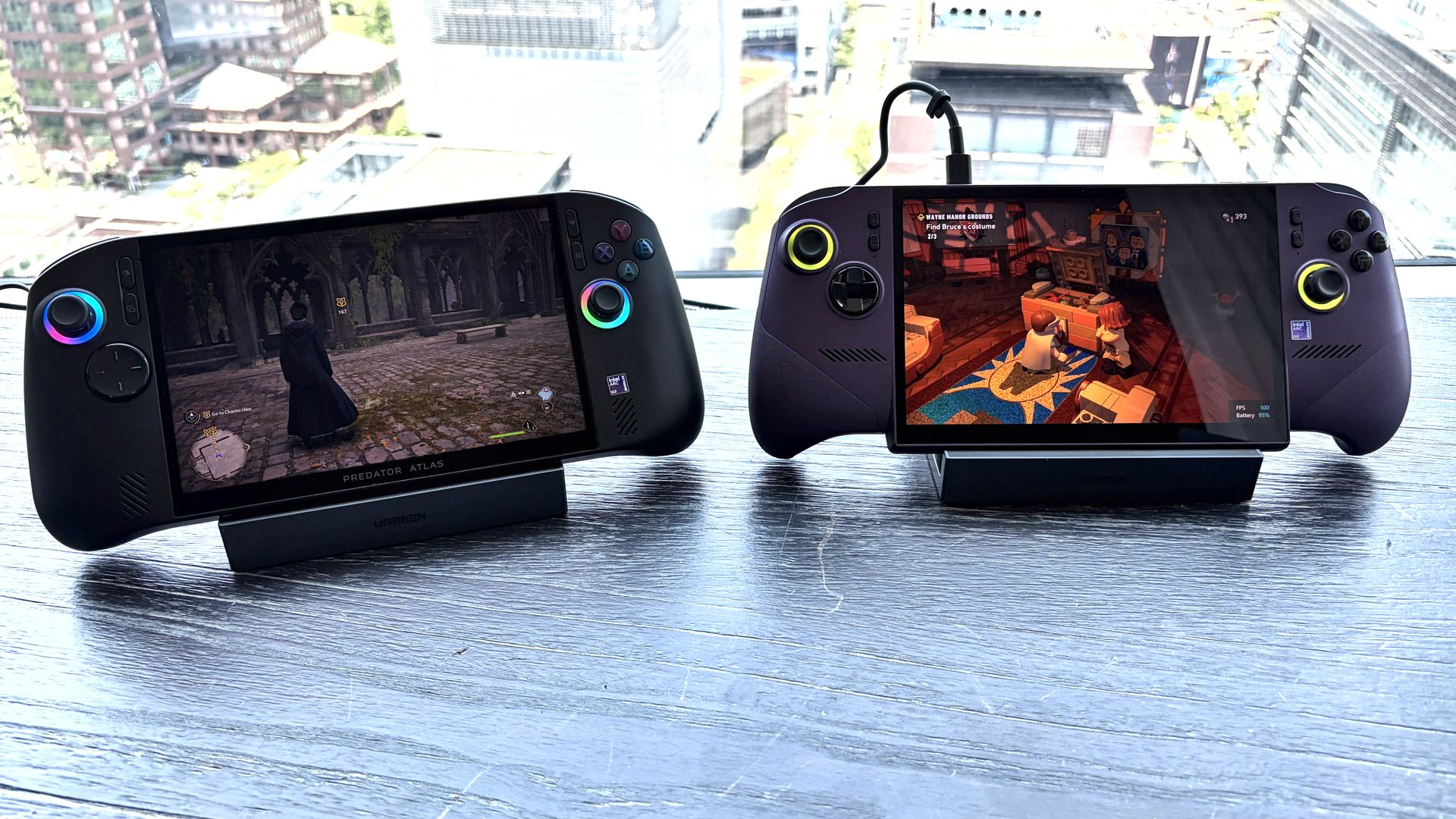
The new Acer Predator Atlas 8 gaming handheld, featuring Intel's latest G Series chips, finally went up for pre-sale in the US on October 23, with full launch slated for November 1.
Here's where Acer's new handheld packing the same Intel G3 Extreme chip offers a big surprise for shoppers. It's priced at $1,299.99 at Best Buy. Or at least it was, for the Best Buy page preorder has since been removed. I'm not exactly sure why — maybe Acer is reconsidering the post-launch price now that preorders are in.
In any case, seeing a handheld with the same powerful mobile chip inside as the MSI Claw 8 EX AI+ launch for $500 less should be on every gamer's radar. But how is Acer undercutting the competition by so much?
How does Acer charge $500 less for its Intel Arc G3 Extreme gaming handheld?
Intel's new mobile chips are designed specifically for handhelds, delivering considerably improved performance and efficiency compared to the AMD Ryzen Z2 Extreme chips so common to the form factor.
On paper, the Acer and MSI devices are quite similar. Both feature the flagship Intel Arc G3 Extreme chip, with 14 cores, a 4.7GHz top clock speed, and a faster Arc B390 integrated GPU compared to the standard Arc G3 chip.
Both devices use an 8-inch IPS display with 1920x1200 resolution, 120Hz variable refresh rate, 500 nits brightness, and 100% sRGB color reproduction.
Both have Thunderbolt 4 ports and Wi-Fi 7. Both have Hall Effect triggers and joysticks. Both use an 80Wh battery. So what's the deal?
Based on my (limited) time with the Predator Atlas 8, it looks like the big price difference comes down to build quality and configuration specs.
Let me get the biggest difference out of the way first: the $1,799.99 MSI Claw 8 EX AI+ ships with 32GB of RAM and a 1TB SSD. The Acer Predator Atlas 8 pares that back to 24GB of RAM and a 512GB SSD.
Considering the price of storage and memory these days, this difference likely helps make up a huge chunk of the difference.
Otherwise, as I noted in my Intel Arc G3 Extreme hands-on piece, Acer's device has triggers that don't feel quite as snappy as MSI. The reverse can be said for the joysticks, where I believe Acer has MSI beat.
Audio from both devices was good, and although Acer's Predator Atlas 8 is smaller and ultimately more portable, I found both handhelds to be comfortable to hold.
In terms of performance, the Predator Atlas 8 was running demanding games like Hogwarts Legacy and LEGO Batman: Legacy of the Dark Knight at a cool, smooth clip.
I'll have to do more testing once Acer's handheld actually arrives here for testing, but I don't expect it to perform any worse than MSI's new Claw.
Bottom line? It's the disparity in RAM and SSD configurations at launch that's helping keep Acer's gaming handheld at a much more reasonable price.
Is Acer's $1,299.99 Predator Atlas 8 actually cheap?
The Predator Atlas 8 feels good to hold and features many similar high-end features as the MSI Claw 8 EX AI+. (Image credit: Future)
That's not quite the case for Acer's Predator Atlas 8, especially with console prices on the rise, but that doesn't make it affordable.
Keep in mind that the Steam Deck, which kicked off the gaming handheld craze, launched at just $399 in 2022.
No, the Steam Deck isn't nearly as powerful as the new Arc G3 devices, but it was priced to sell. Is Acer's Predator Atlas 8 affordable relative to today's overall market? Absolutely.
As mentioned, the Predator Atlas 8 Best Buy preorder page is down at the time of writing this piece. Check back soon, especially after November 1, when the handheld actually launches, to see if prices have changed.
Join us on Reddit at r/WindowsCentral to share your insights and discuss our latest news, reviews, and more.
Not everyone needs a premium Windows laptop with flagship performance. Sometimes, all it takes is a PC to handle email, Office apps, web browsing, and video calls with strong battery life and a crisp display to get the job done.
Some modern mid-range laptops have become a tougher sell as prices continue to climb from the ongoing memory crisis. Thankfully, Amazon's time-limited deal has dropped HP's OmniBook 5 laptop to $789.99 after its price has fluctuated over the past year. While it isn't a lowest-ever drop, it's certainly a fairer price.
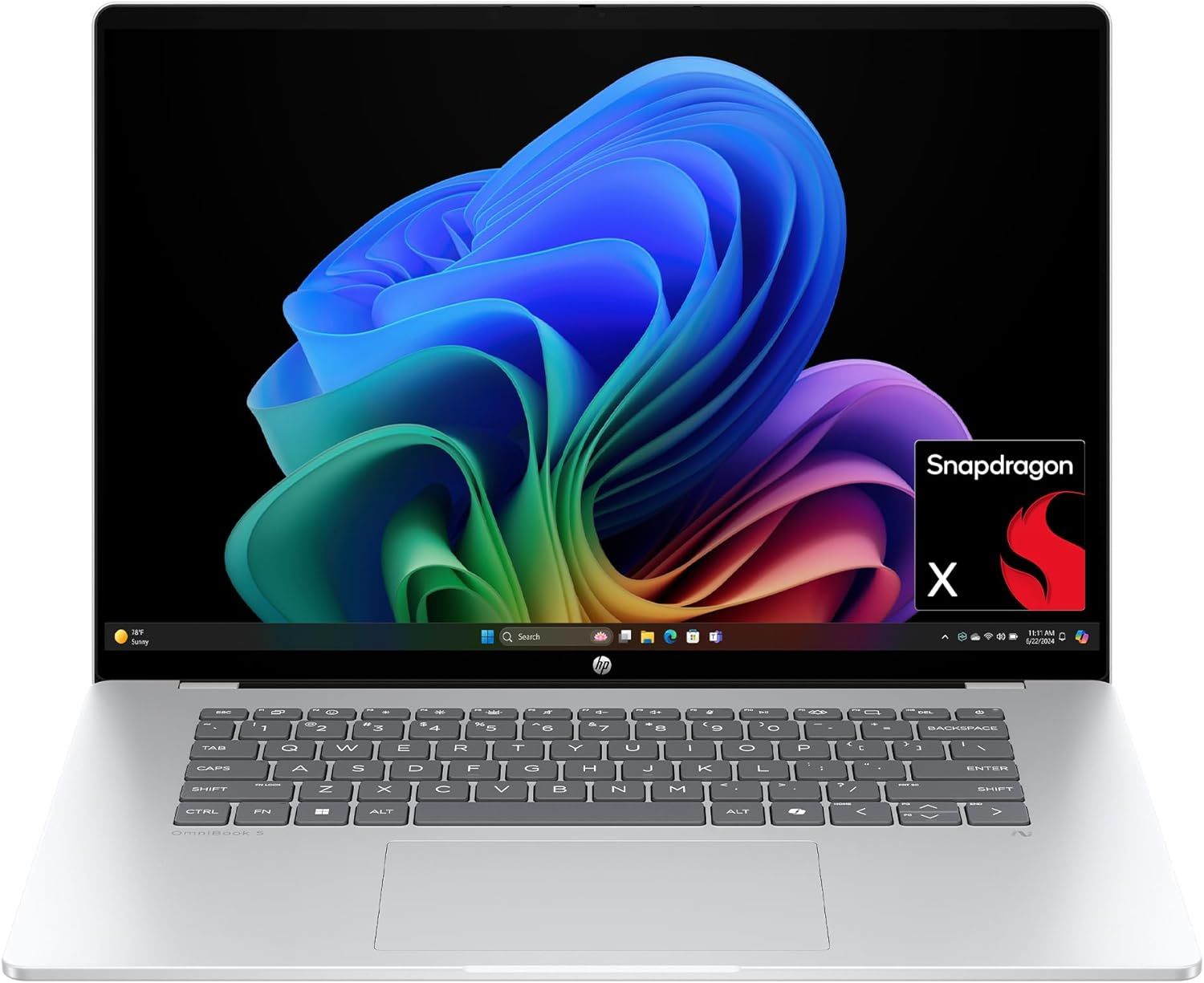
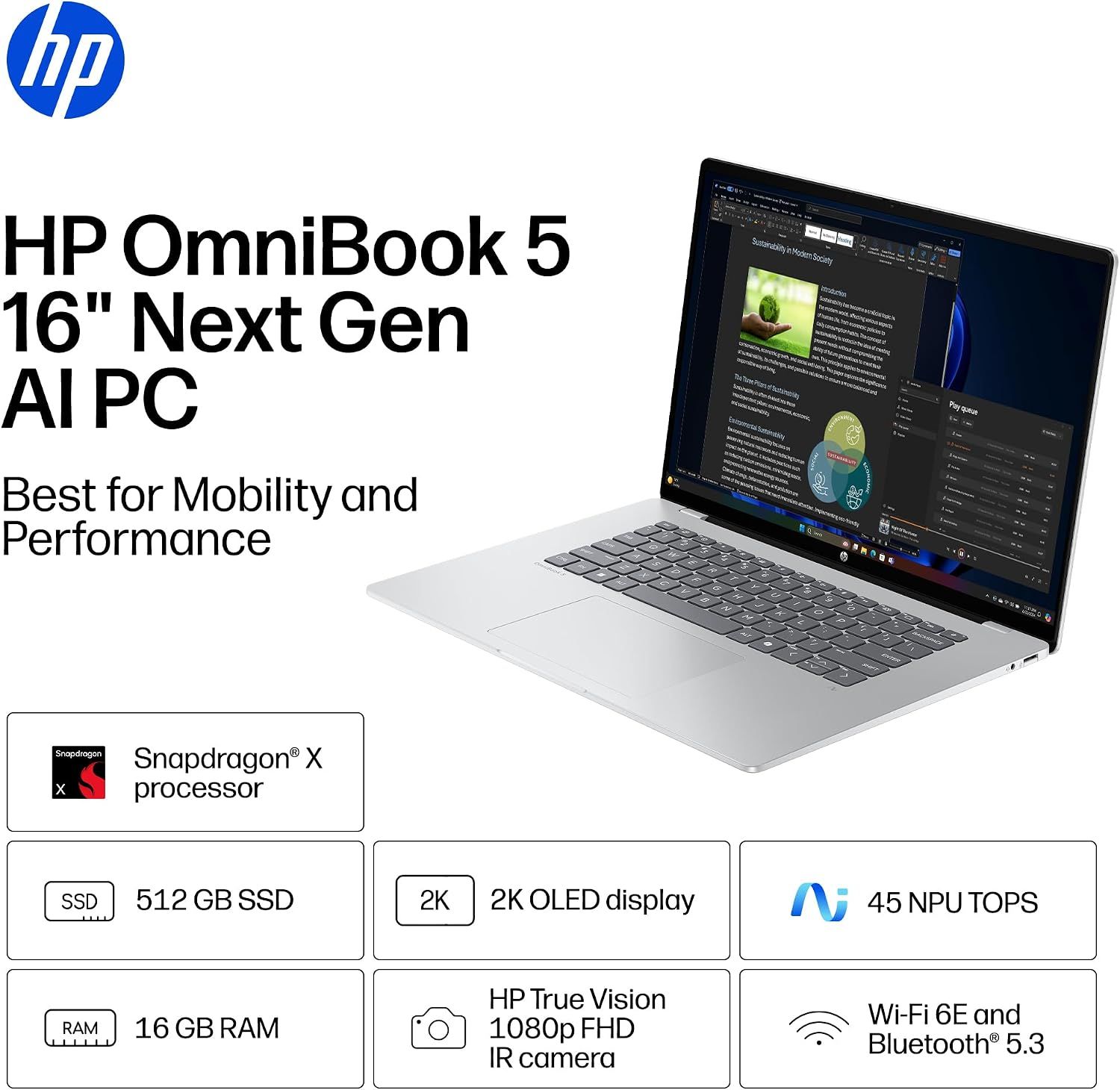
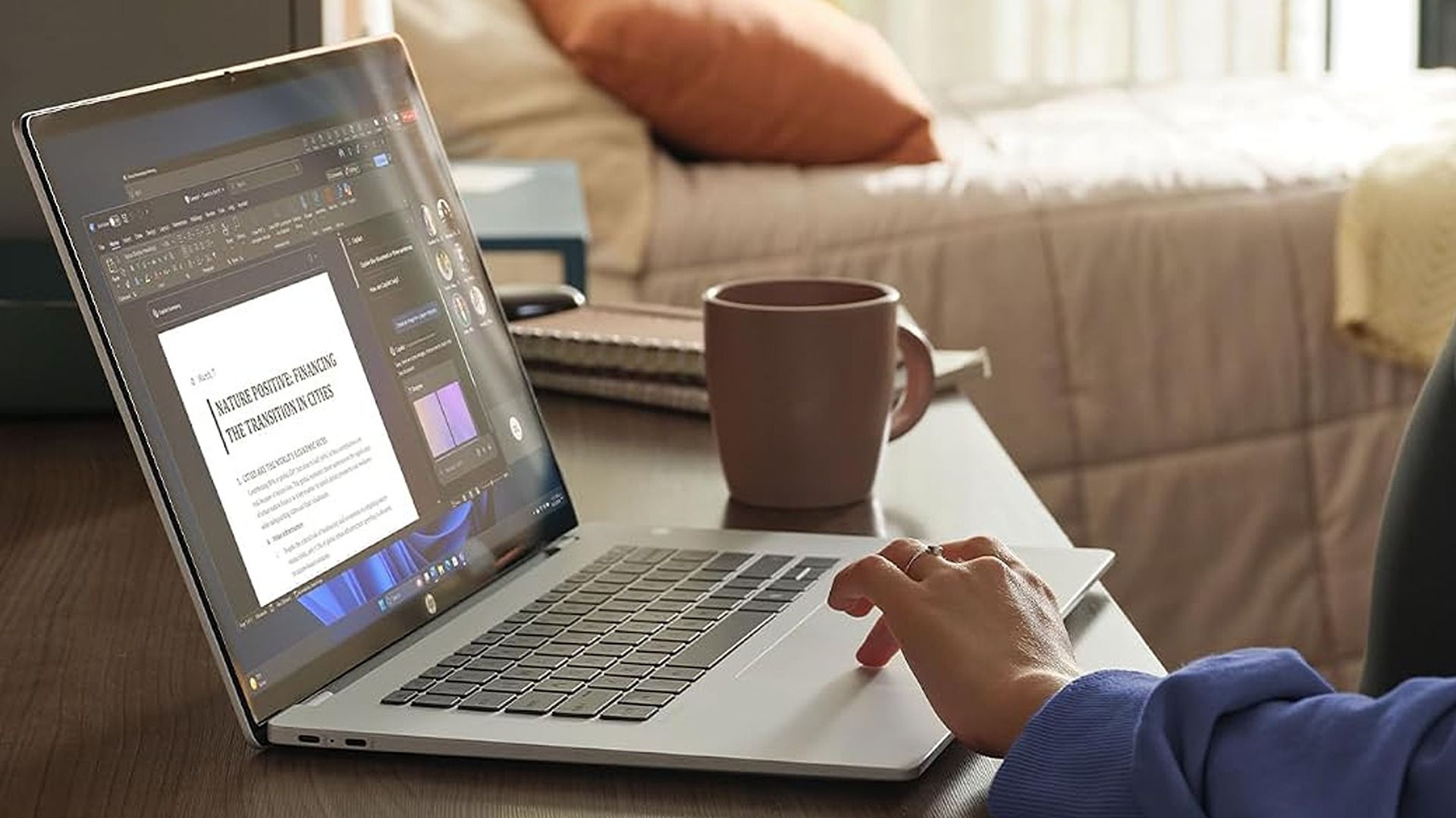
The HP OmniBook 5 is a commendable laptop for everyday and work-heavy use with its 16-inch 2K OLED display, Snapdragon X CPU, 16GB of RAM, 512GB SSD, and Qualcomm Wi-Fi 6E and Bluetooth 5.3 connectivity.View Deal
Why buy this laptop?
Spec highlights for the HP OmniBook 5 16-inch laptop. (Image credit: HP)
This laptop features Qualcomm's Snapdragon X processor and 16GB of RAM. Pair that with an NPU capable of 45 TOPS, and the HP OmniBook 5 can handle web browsing, mid-level productivity tasks like typing reports, and local AI-empowered tasks.
It also features a 512GB SSD to store data, a thin design that's able to keep itself cool, a 2K OLED display capable of rendering images with sharp images and vibrant colors to give your work greater clarity, and best of all, a massive battery life of up to 34 hours and 45 minutes before needing a recharge.
So if you need a laptop that will last you all day at the office and doesn't require heavy-duty engineering, the HP OmniBook 5 should be on your list for your next choice.
Can I upgrade its RAM?
No, you can't upgrade the HP OmniBook 5 16-inch laptop's RAM as it's soldered in place.
Can I run everyday apps on it?
Mainstream apps like Microsoft Office, Google Chrome, and Zoom will run on the Windows on ARM-based HP OmniBook 5 with no issues. However, advanced Adobe apps like Premiere Pro and After Effects, legacy printer drivers, and older, niche enterprise software or corporate-specific VPN clients may need extra effort.
Should I wait for Black Friday for a better deal?
It depends on whether you're willing to wait until Black Friday for a bigger discount or if you're in need of a new laptop for work/casual use right now and don't have time to wait for a killer deal. Nevertheless, this is a fair price for its specs.
Join us on Reddit at r/WindowsCentral to share your insights and discuss our latest news, reviews, and more.
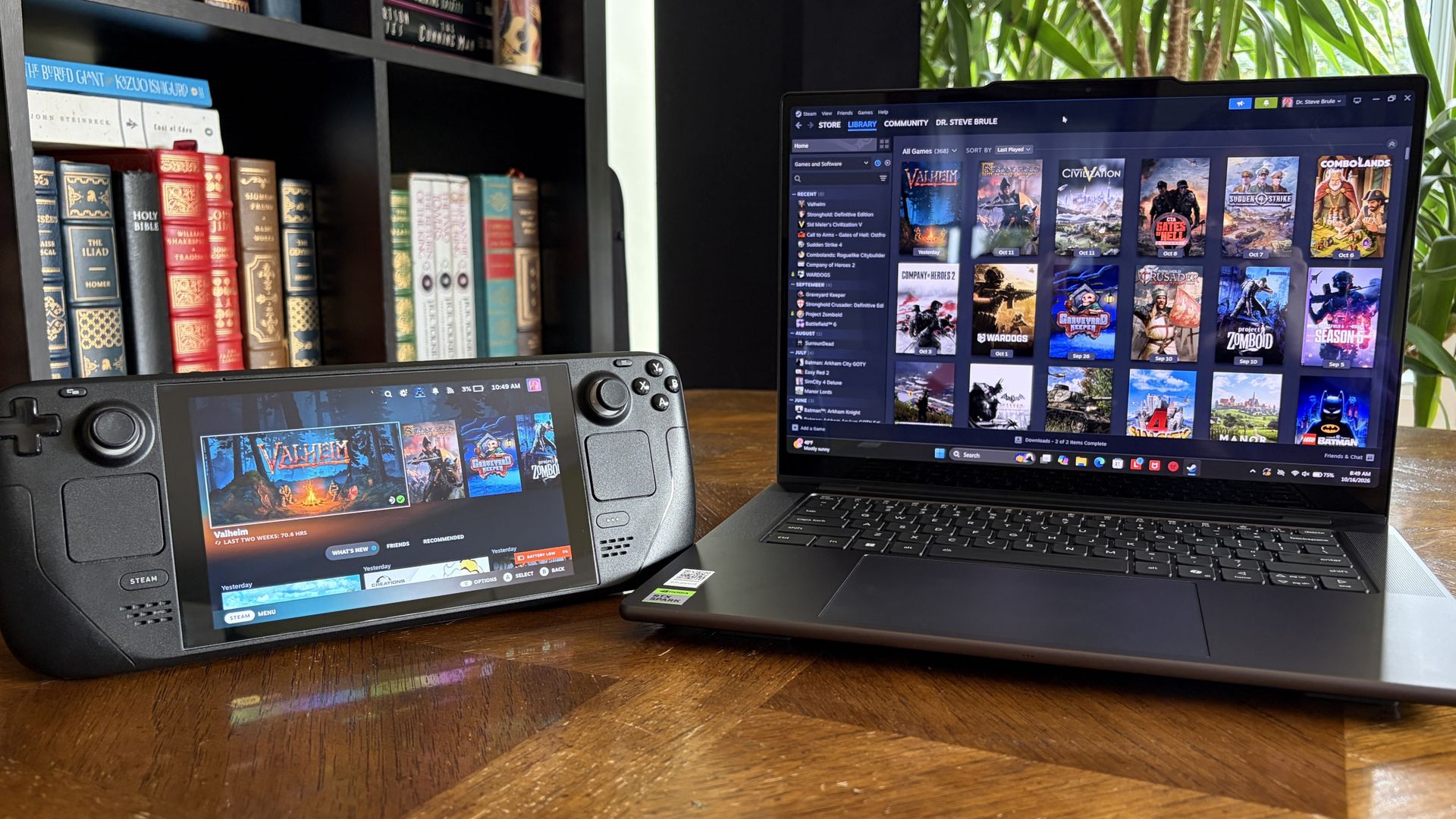
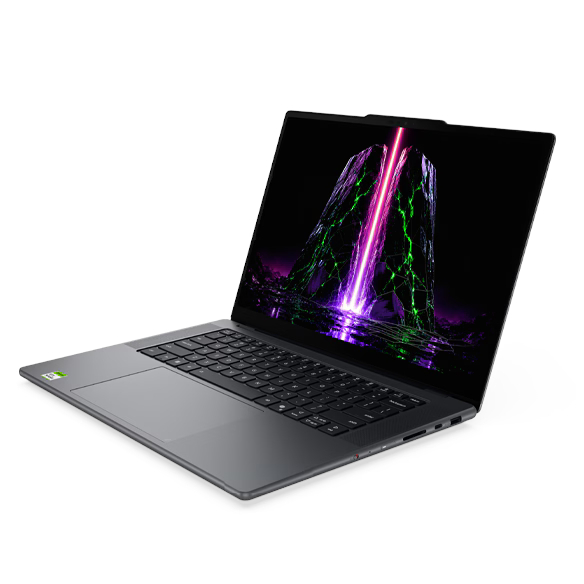
It's also been my gaming handheld replacement, my home base for local AI testing, my sketchpad to practice digital drawing, and my entertainment hub.
This pricey Lenovo Pro 9n isn't for everyone despite its broad versatility. That's true about any of the new RTX Spark laptops.
I'm looking to see how Lenovo's offering differs from the others — including the Surface Laptop Ultra and ASUS ProArt P16 we reviewed — in terms of features, design, and performance.
Lenovo sent Windows Central a review unit on loan for testing. It had no input, nor saw the contents of this review, prior to publication.
Lenovo Pro 9n: Price and specifications
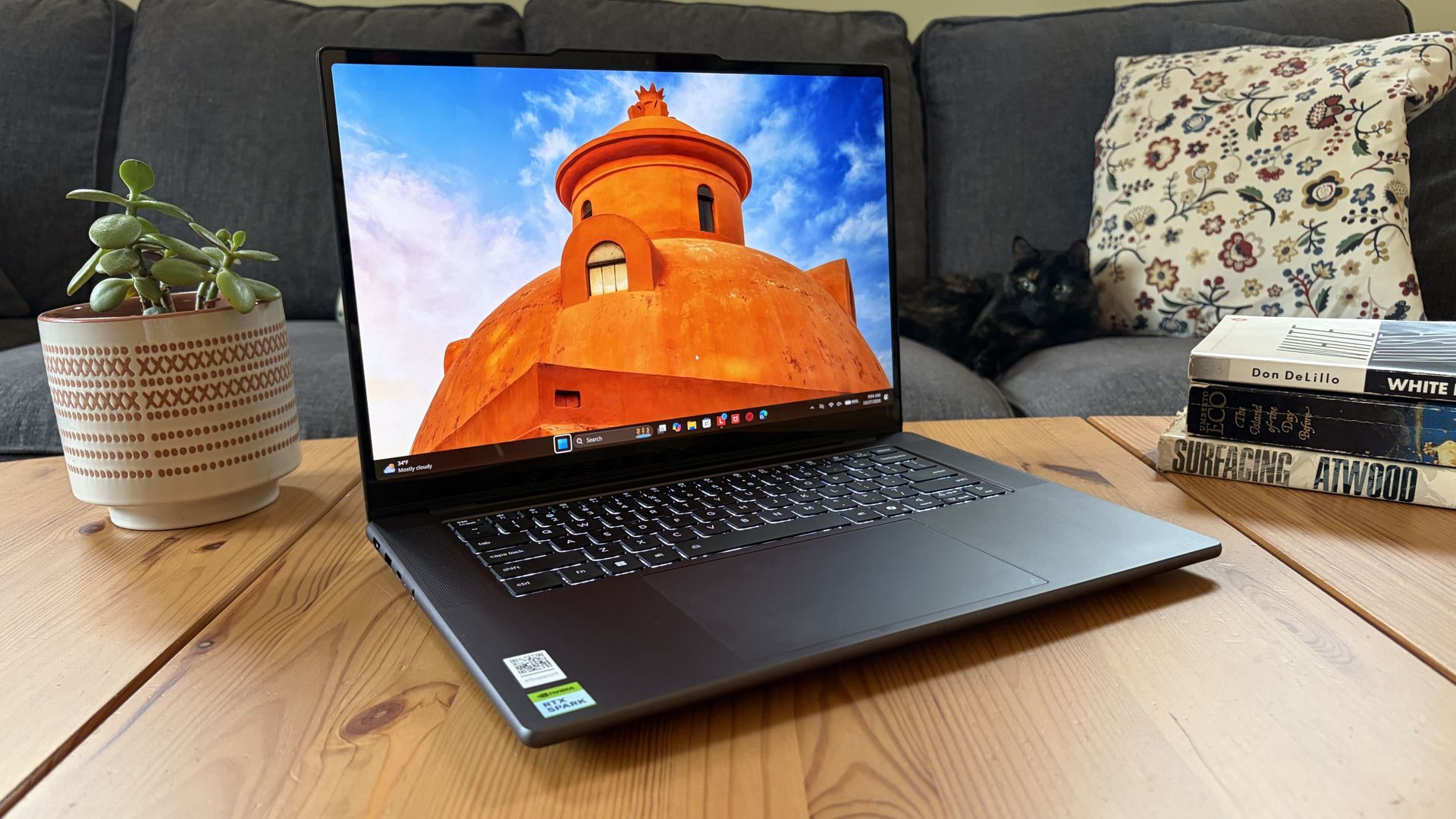
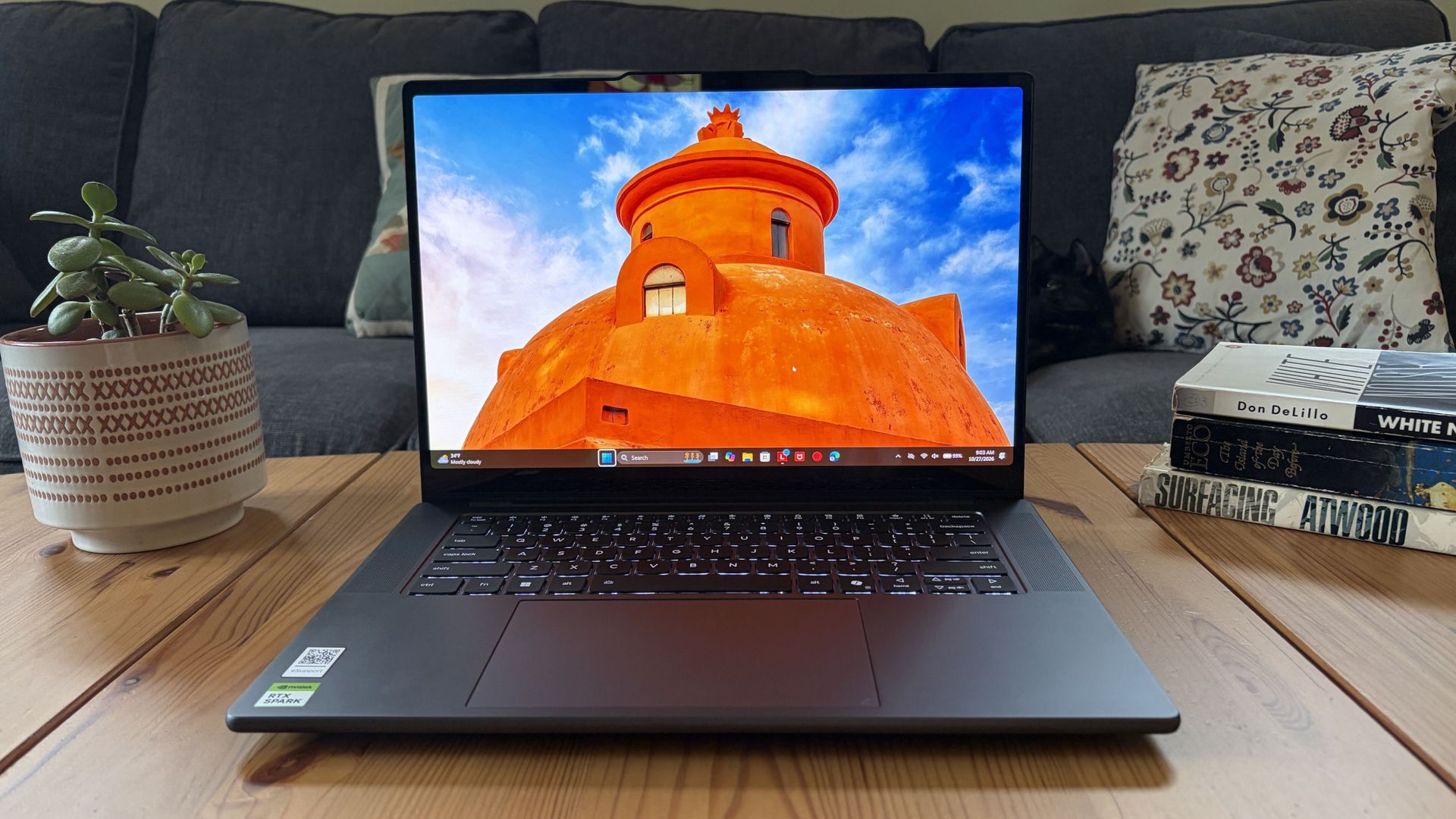
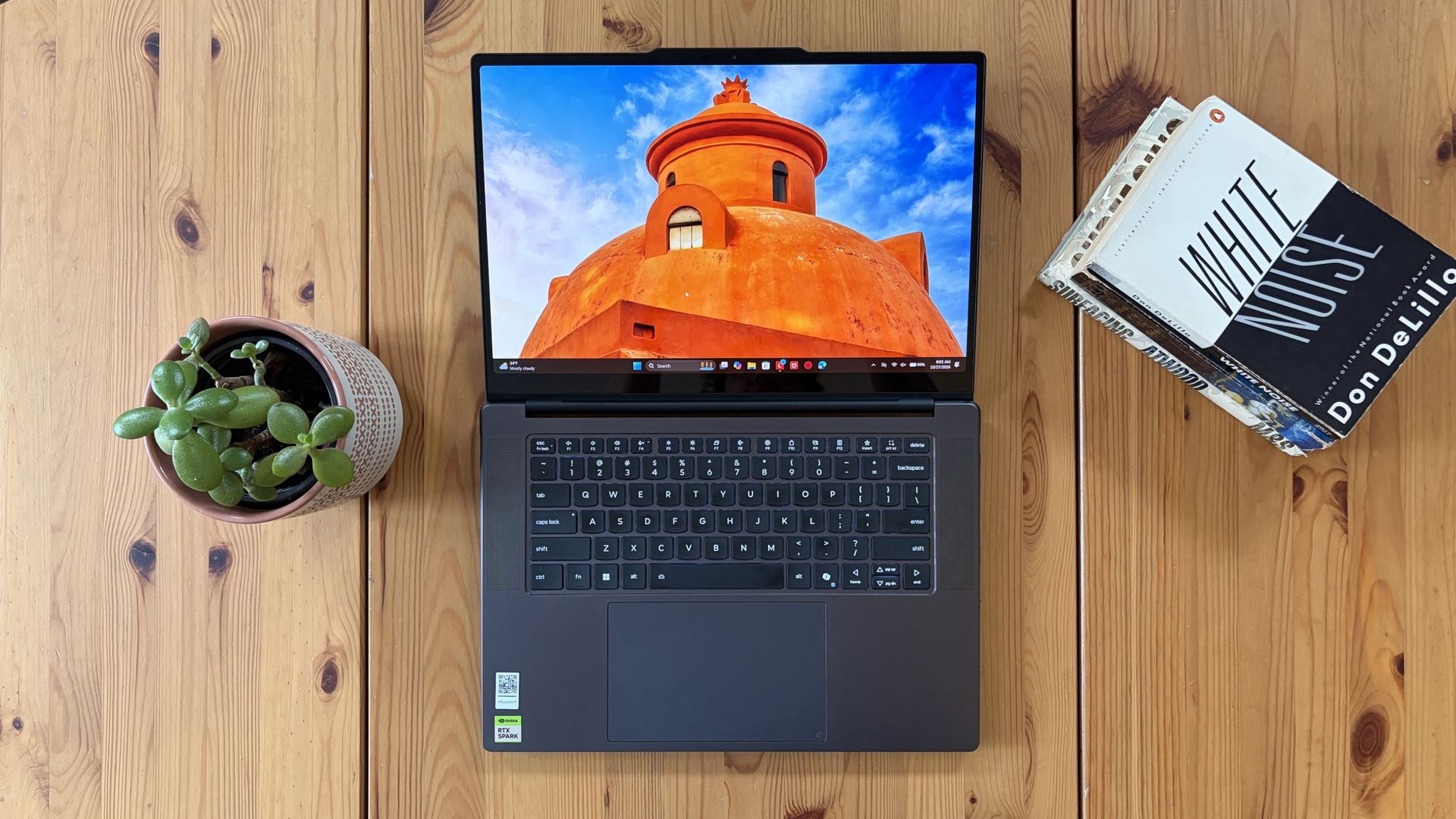
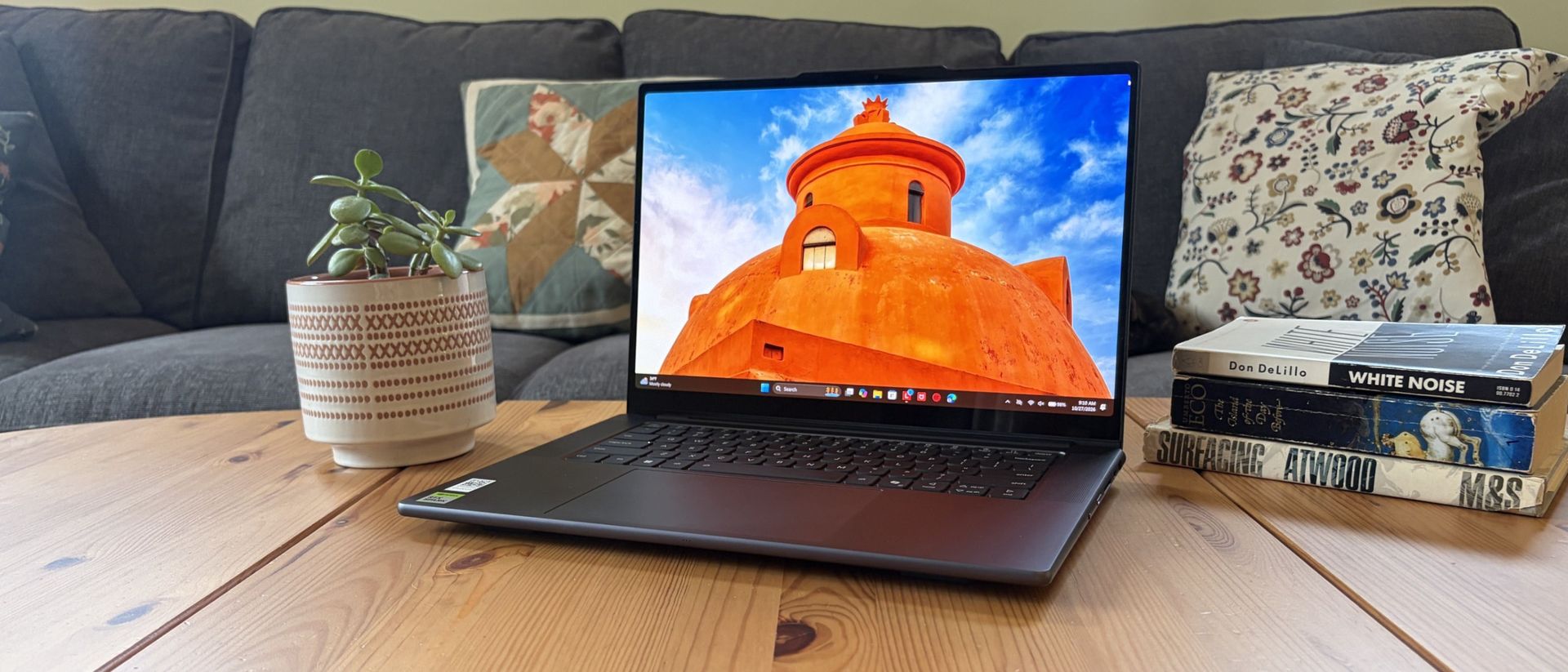
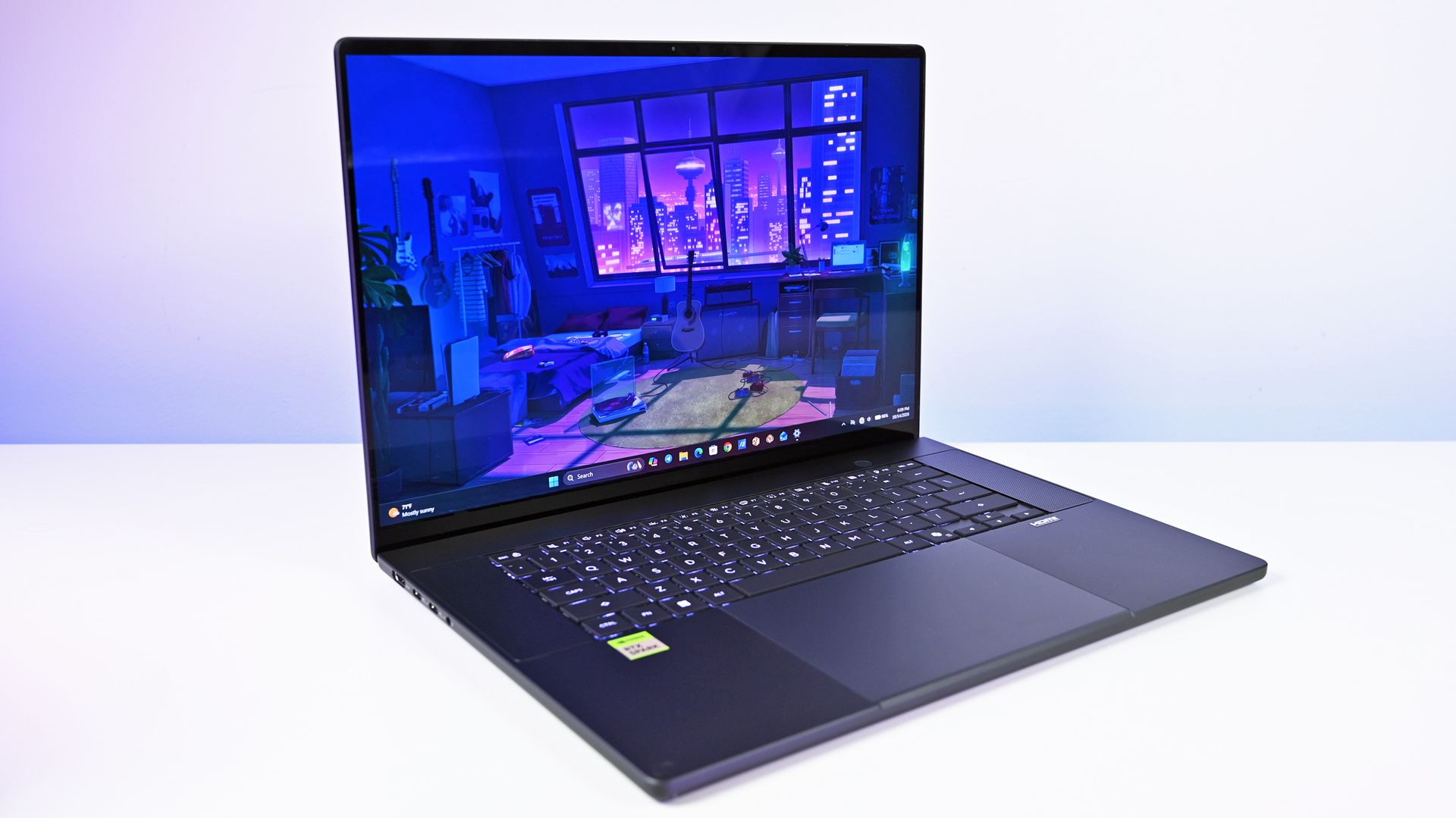
You'd never know the level of power contained within this sleek chassis. (Image credit: Future)
Lenovo's Pro 9n starts at $2,999.99, putting it near the middle of the RTX Spark lineup.
For this price, you get an 18-core NVIDIA N1X CPU, integrated RTX Blackwell GPU with 5,120 cores, 32GB of LPDDR5x unified RAM, a 512GB M.2PCIe 4.0 NVMe SSD, and a 15.3-inch OLED touch display at a 2560x1600 resolution.
Lenovo offers configuration options for CPU, RAM, and storage. The top spec with a 20-core N1X CPU, 6144-core GPU, 128GB RAM, and 2TB PCIe 5.0 SSD balloons to $6,099.99, with several stops along the way.
13.66 x 9.53 x 0.66 inches (347mm x 242mm x 16.7mm)
Weight
From 3.64 pounds (1.65kg)
New designs and updated features for the RTX Spark platform
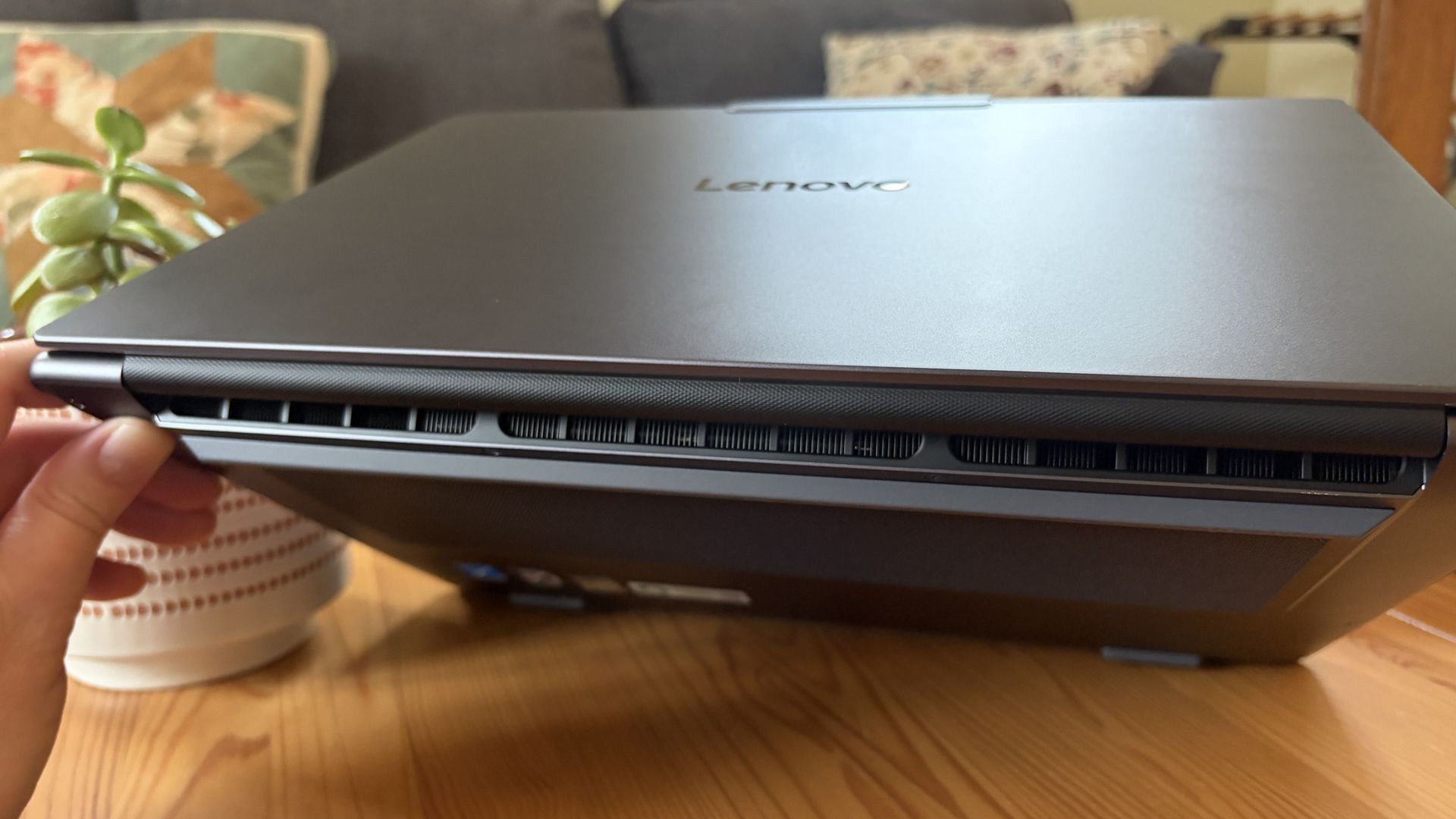
A look at the rear exhaust behind the lid hinge. (Image credit: Future)
The design of Lenovo's Pro 9n has grown on me over the weeks. What I first saw as uninspired has morphed into something that's sleek, relatively lightweight, and ultimately perfect for a professional setting.
With an aluminum top and bottom that add rigidity and a more premium feel than plastic, the PC still manages to slide in at 3.64 pounds (1.65kg) while measuring just 0.66 inches (1.67cm) thin.
The 15.3-inch display translates to a smaller footprint than a full 16-inch PC, and I found it to be an apt size for working in the passenger seat of a car. It should also translate well to airplane trays or train seats.
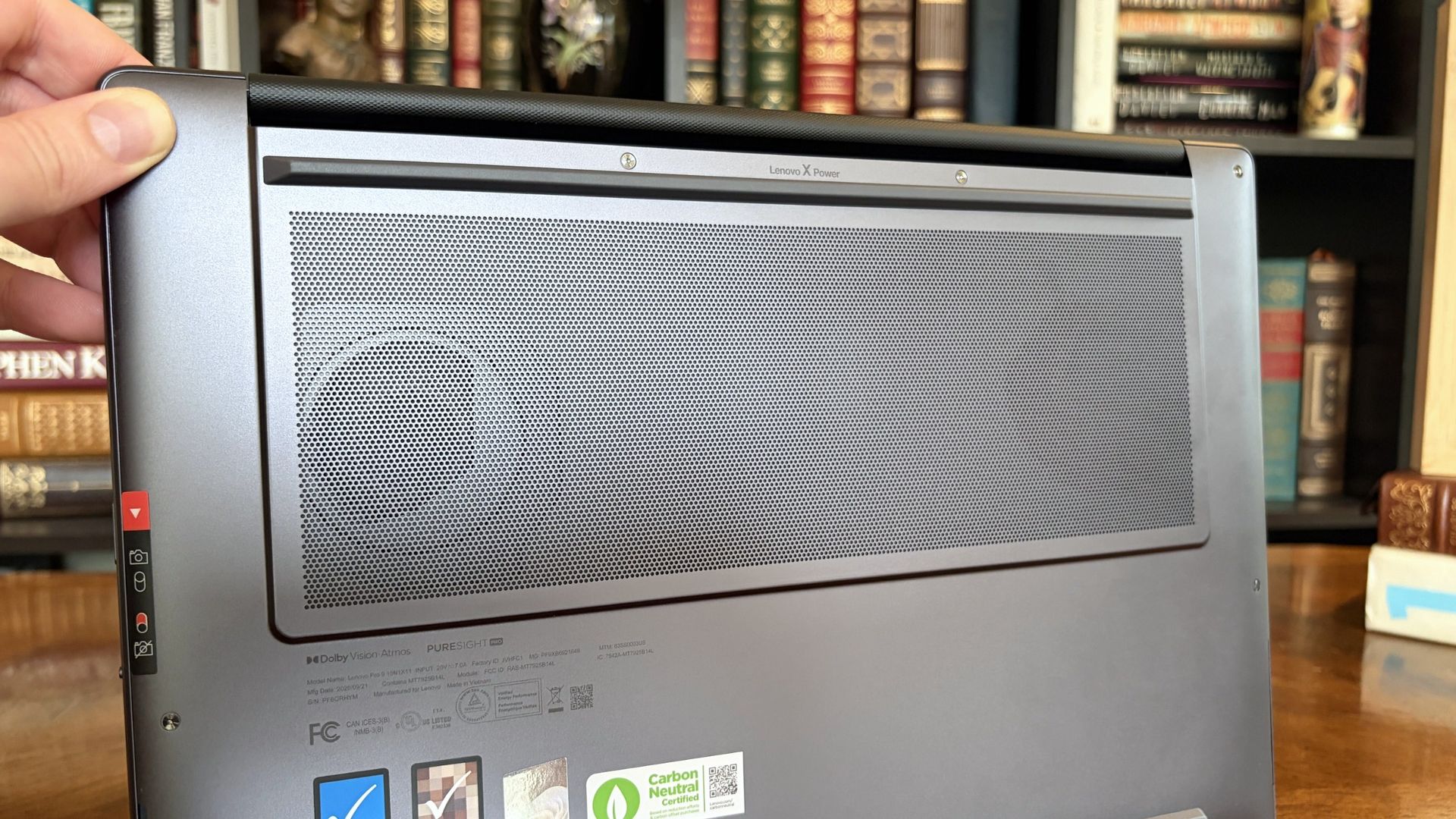
The bottom of the Pro 9n has a massive air intake to feed the two fans. (Image credit: Future)
The thermal layout has been redesigned for the new RTX Spark chip (which I explore below), resulting in a massive air intake on the bottom of the PC and larger vents on the rear edge for exhaust.
This setup keeps hot air directed away from the user and, as you'll see below, it does a decent job of keeping the PC cool under load.
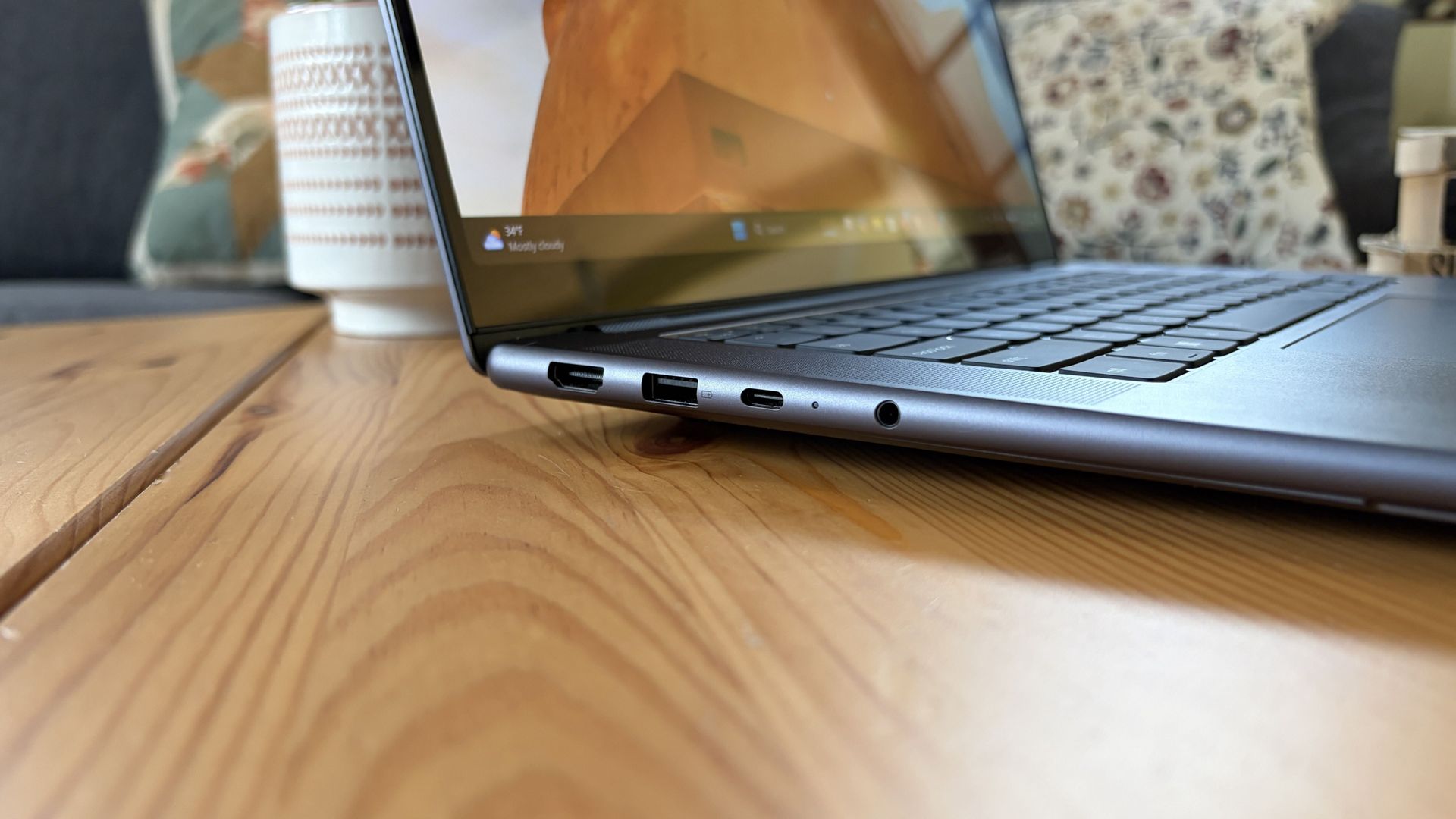
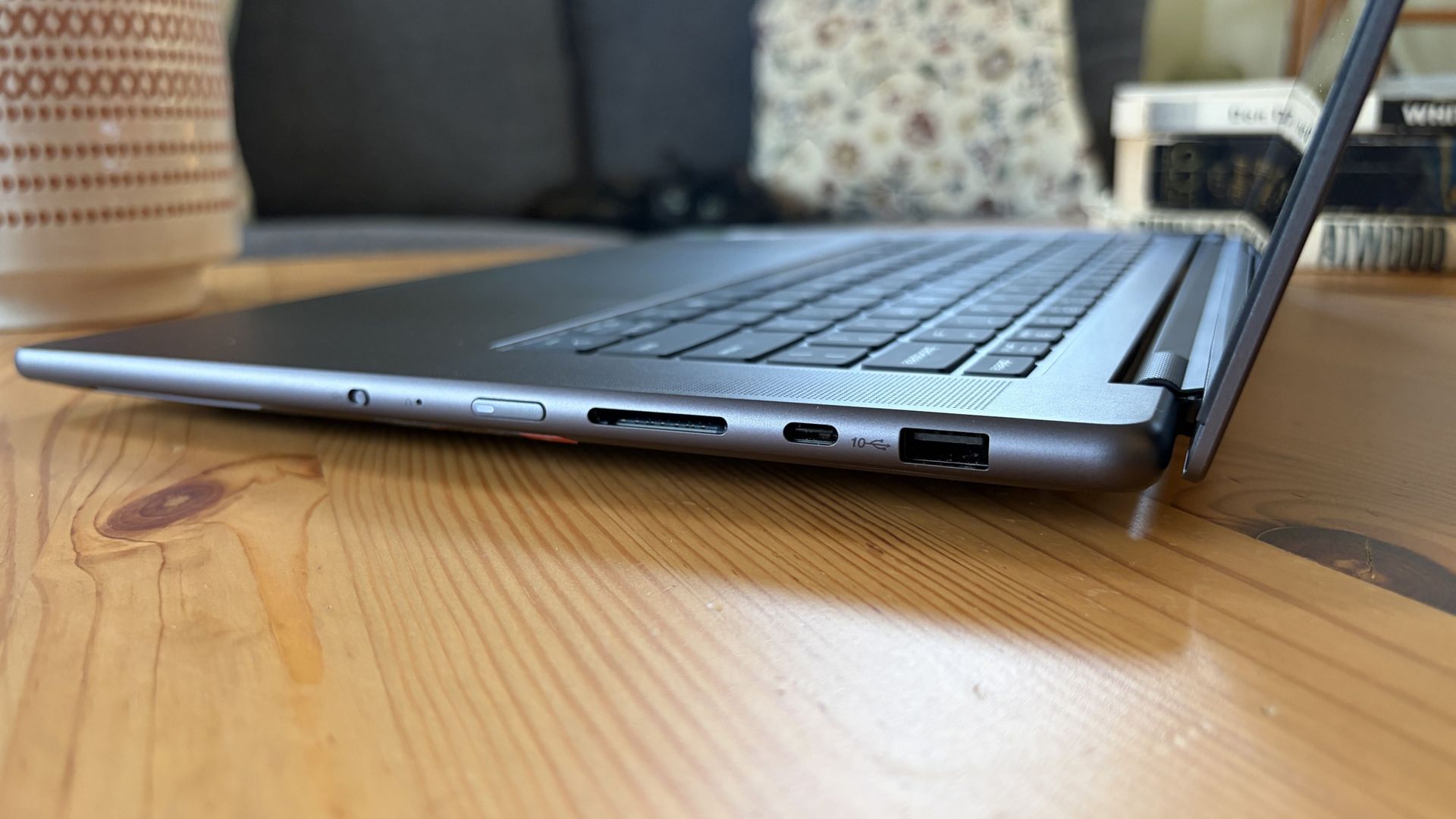
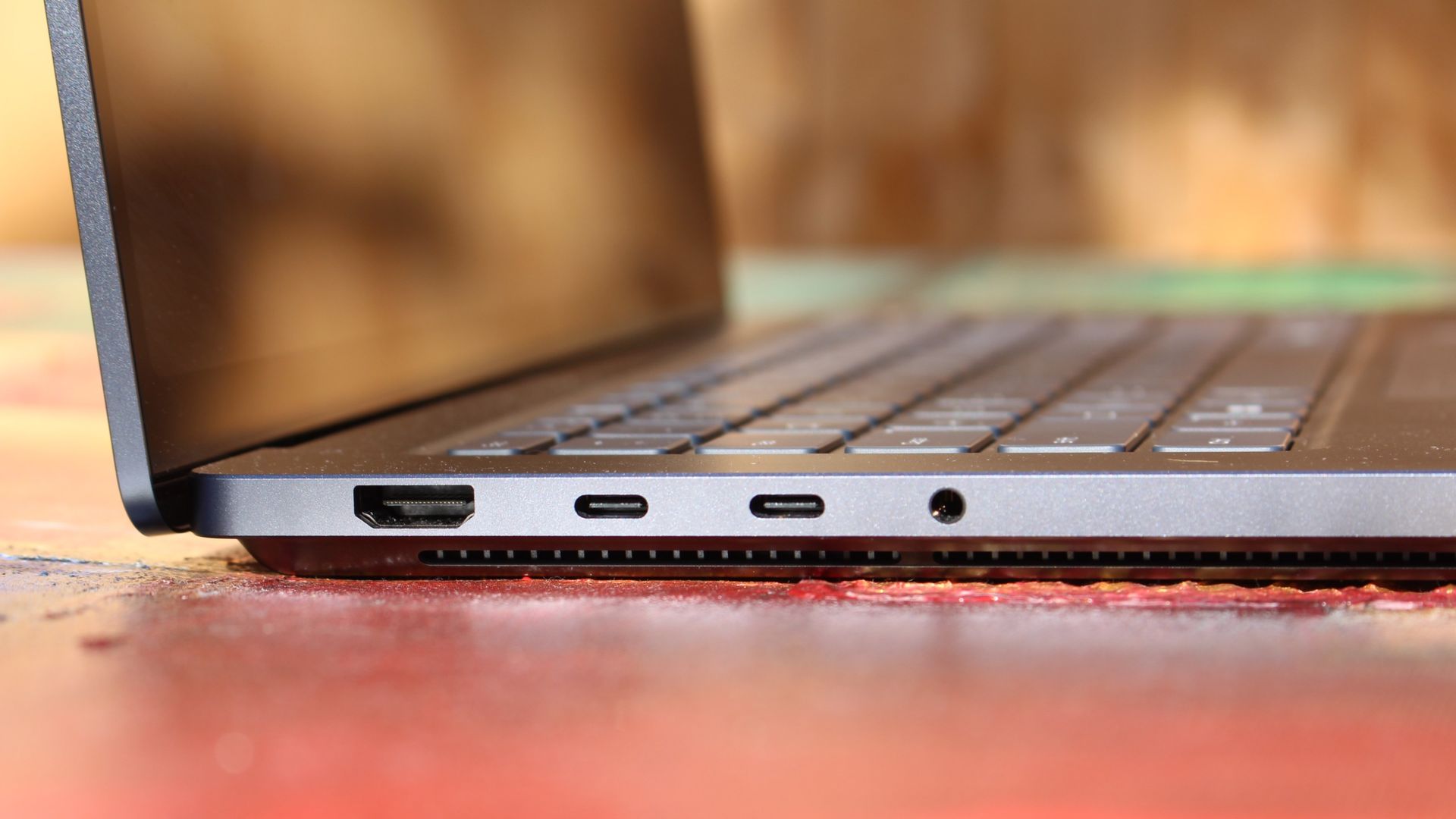
Ports on the left include HDMI, USB-A, USB4, and 3.5mm audio.FuturePorts on the right include USB-A, USB4, and UHS-II SD card reader.Future
This leaves plenty of space along the sides for ports. On the left are HDMI 2.1, USB-A 3.2 (always on), USB4, and a 3.5mm audio jack. On the right side are another USB-A 3.2, USB4, and a UHS-II SD card reader.
At no time did I feel the need to grab a dongle for an accessory, especially with Bluetooth 5.4 on board, and the native HDMI port makes it easy to plug into an external display without a docking station.
On the note of wireless, cutting-edge Wi-Fi 7 is on board for excellent throughput and future-proofing.
Lenovo's keyboard and haptic touchpad are among the best
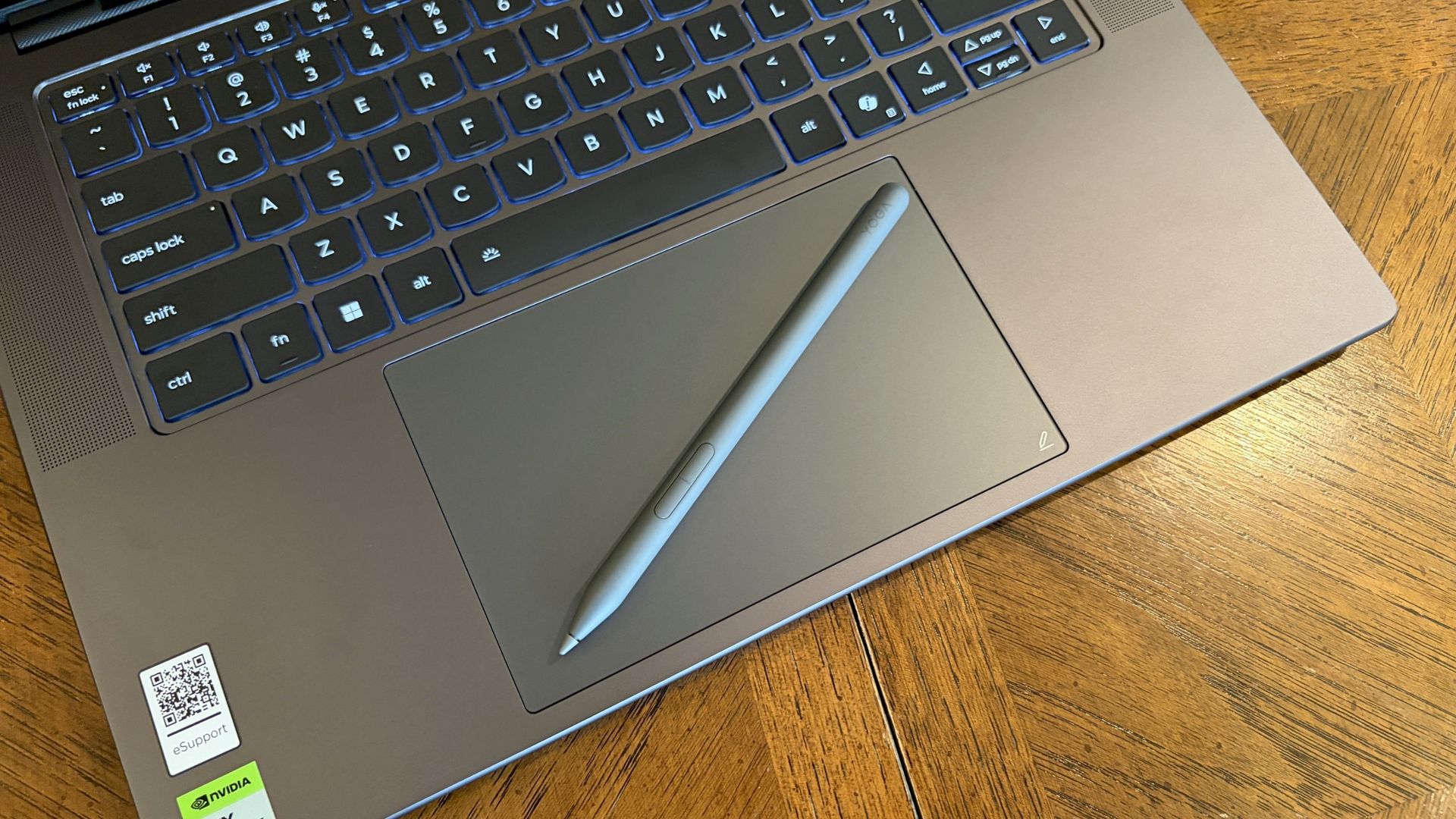
The Lenovo Pro 9n's oversized haptic touchpad and active pen turn the laptop into a makeshift drawing tablet. (Image credit: Future)
The Pro 9n is the first Lenovo laptop to receive its new haptic touchpad with inking compatibility. Paired with the bundled Yoga Pen (Gen 2), it turns the PC into a creative tablet of sorts.
I'm no artist, but I was able to get down some rough sketches using the awesome Krita drawing app. I found the touchpad's 3.74 x 3.94-inch dimensions were large enough to comfortably write and draw, and the inking feel is outstanding.
My only gripes are likely from me reading too much into the feature. Drawing on the pad often left my hand hanging off the edge (not comfortable), and it was sometimes difficult to line up my pen on the touchpad with where I wanted it on my screen.
Approach it from a rough sketch viewpoint, and you should find it to be quite useful. As for actual pointing and clicking, I had no issues. The haptics underpinning the pad are spot on.
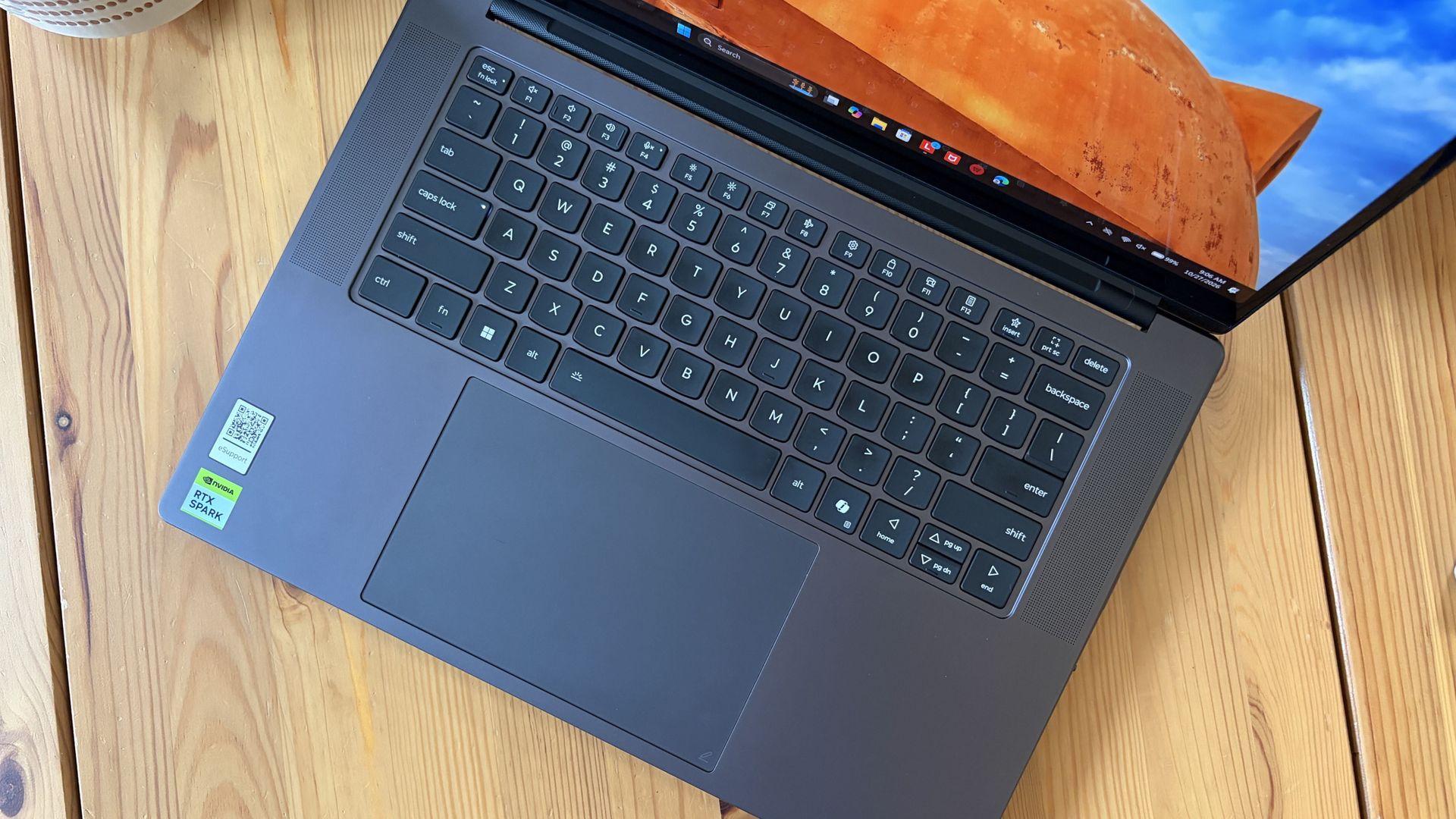
1.5mm key travel makes for comfy typing no matter what. (Image credit: Future)
The keyboard, which arrives flanked by a couple of speakers, offers deep 1.5mmkey travel, three-stage backlight, and perfect spacing. This might be the best keyboard that Lenovo's non-ThinkPads have ever received, and I enjoyed every word I typed on it.
Circling back to the speakers, the two that flank the keys are each 2W tweeters, and they're accompanied by two 2W woofers on the bottom of the PC.
Sound gets loud without breaking. There's lots of bass. The highs are clean, even before adding any onboard Dolby Atmos tuning. The laptop is just as good for watching TV and movies as it is for handling creative work or jumping into video meetings.
A crisp webcam handles meetings on the move
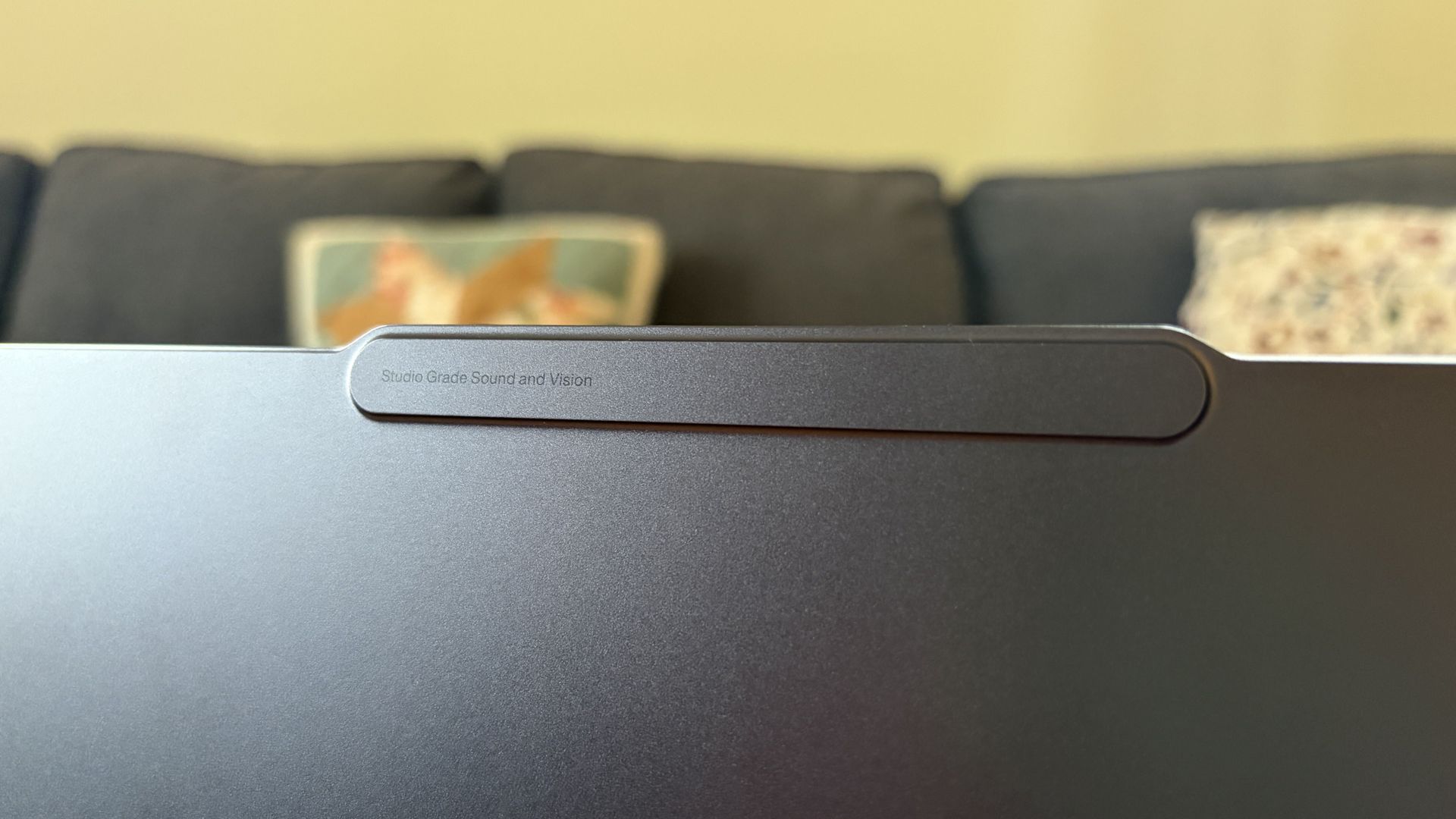
The raised comms bar has space for a 9.2MP camera and IR sensor. (Image credit: Future)
Lenovo's raised communications bar located above the display adds a bit of space for camera hardware, and the company made good use of it here.
The Pro 9n comes with a 9.2MP camera, easily trumping the ASUS ProArt P16's 2.1MP and the Surface Laptop Ultra's 1.6MP cameras.
It's crisp and handles lighting quite well even without any Windows Studio Effects in play, and I'd say it's a definite upgrade for anyone who often finds themselves in video meetings and collaborations.
The IR sensor built into the camera handles facial recognition via Windows Hello. Unfortunately, it doesn't appear to go the extra step to offer human presence detection. This doesn't seem to be a lock for the new RTX Spark PCs — the Surface Laptop Ultra doesn't have it either, but the ProArt P16 does.
An OLED display with color profiles for any job
The OLED display delivers color for specialized work and speed for gaming. (Image credit: Future)
Lenovo ships the Pro 9n with a 15.3-inch PureSight Pro OLED display. This is basically Lenovo's top-of-the-line screen for creators and pros, coming at you with X-Rite Pantone calibration and X-Rite SkinTone validation out of the box.
It hits Delta E, tops out at a 165Hz refresh rate (which can be set to variable for better battery life and eye comfort), and has Dolby Vision support.
Something I learned quickly was that the display presets in Lenovo's Vantage app are actually important. The Default mode in which the laptop ships favors sRGB reproduction. There are presets for AdobeRGB and sRGB (which pump up those sections), as well as P3-D65, REC709, and DCI-P3.
I was able to hit 100% across all color gamuts in my testing, but not all at once. You'll just have to be sure that you select the right config depending on the work you're doing.
I was able to hit 100% across all color gamuts in my testing, but not all at once.
I also measured 476 nits of peak brightness in SDR content, which pushes past 1,000 nits when HDR is enabled. I was able to work in a brightly lit room with only a bit of glare, but I imagine an anti-reflective instead of glossy finish would have gone a long way to eliminating glare entirely.
The screen is available in touch or non-touch, and the specs are otherwise the same. Note that the pen only works on the laptop's touchpad, whether or not the screen is touch-enabled.
The Pro 9n's OLED display is vivid and bright. (Image credit: Future)
The inclusion of NVIDIA G-Sync tech really props up the gaming aspect, reducing screen tearing and ultimately making everything feel much smoother, as you'd expect from a premium laptop that can game.
My only complaint is that Lenovo doesn't offer a higher-res panel. The 2.5K default is great for everyday work and gaming, but 4K would probably go a long way for some creators.
Comparing the 18-core and 20-core RTX Spark chips
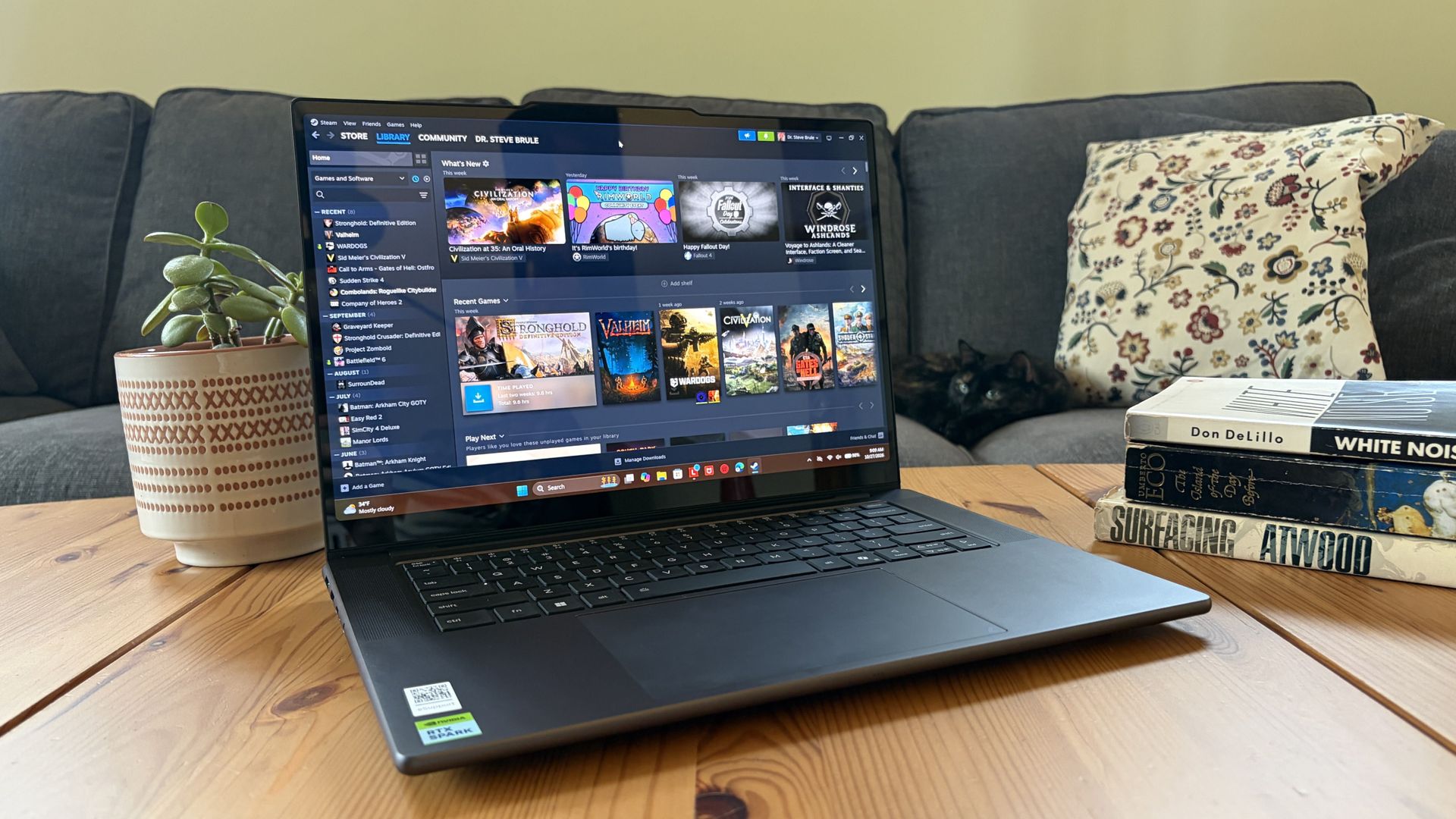
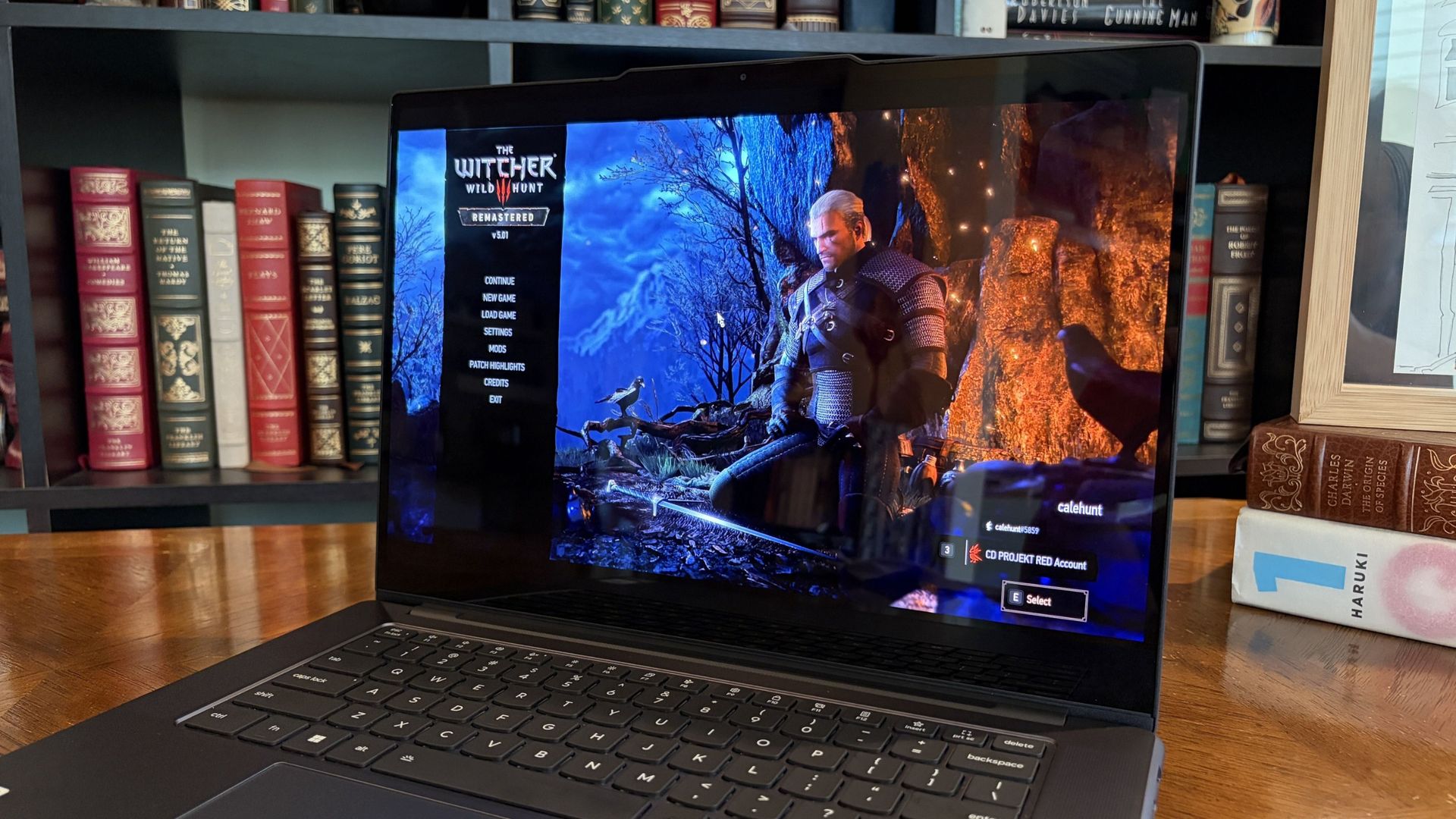
I gave the Pro 9n some games to chew on to see if it can replace my gaming handheld. Short answer: it can. (Image credit: Future)
Power tip
Lenovo allows for up to 80W of overall power for the chip, putting it in line with the other RTX Spark laptops we've tested.
As it turns out, quite well. You get the same pool of unified LPDDR5x memory to pull from for the system and GPU, albeit in smaller quantities (32GB for my review unit).
You get the coveted CUDA cores (with 5120 in my unit compared to 6144 in the premier chip) to handle local AI inference. And you still get about 26 TFLOPs of graphics performance.
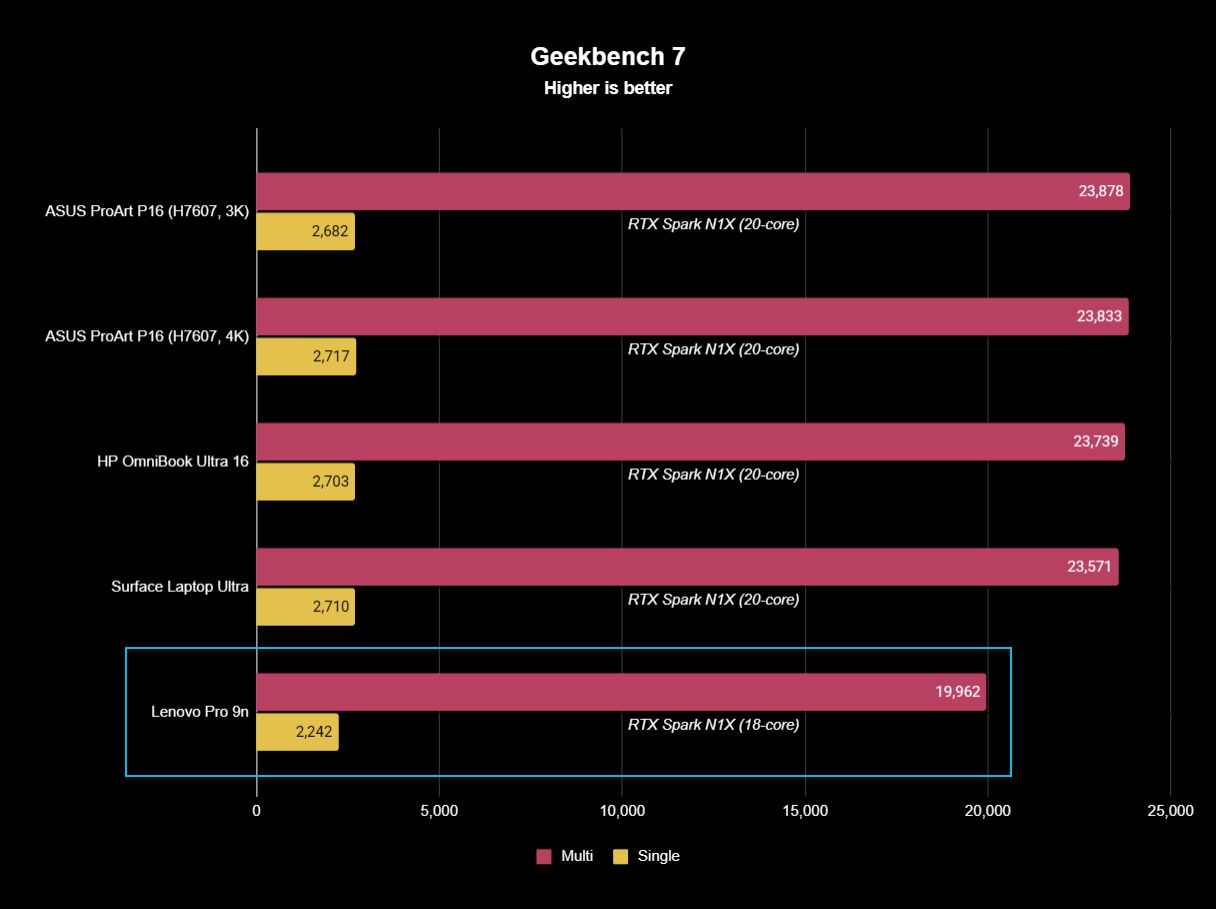
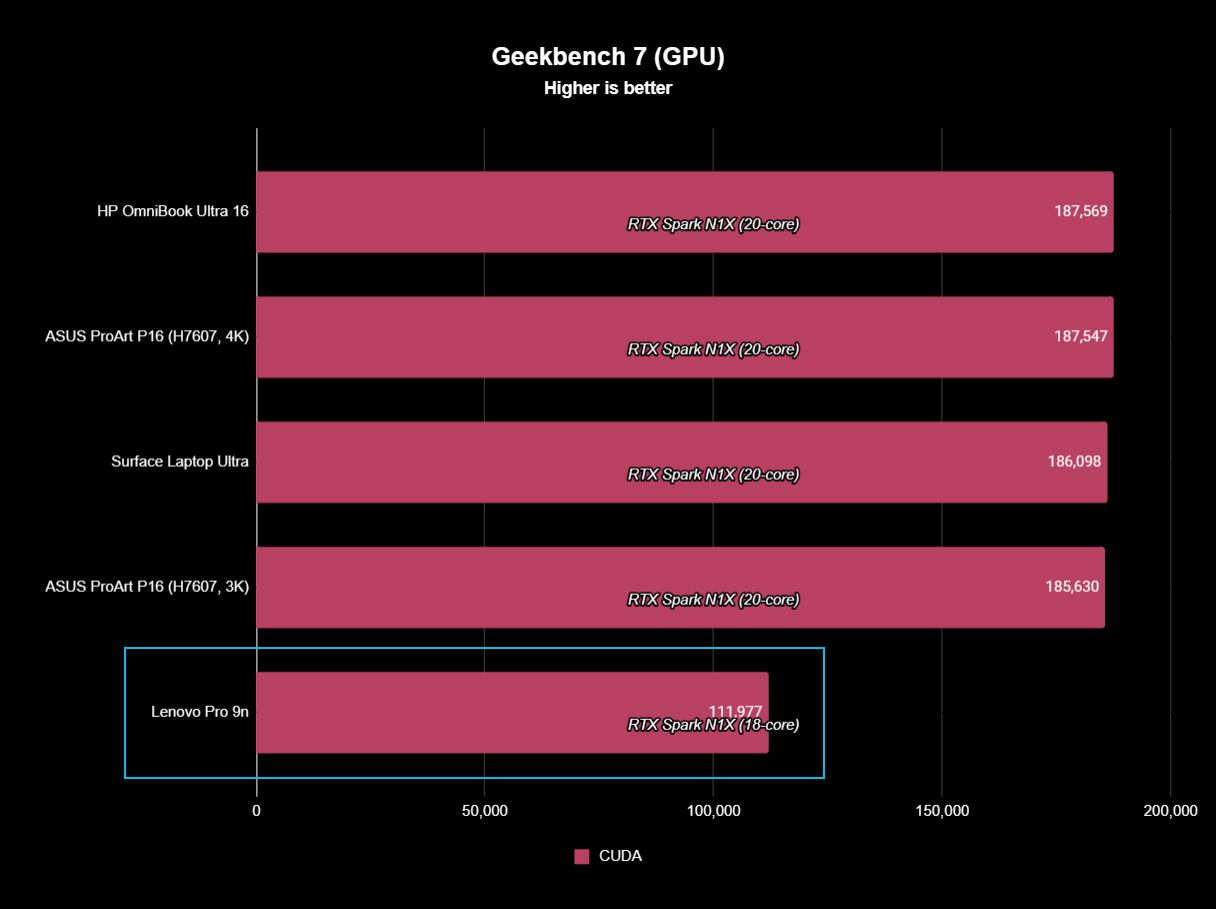
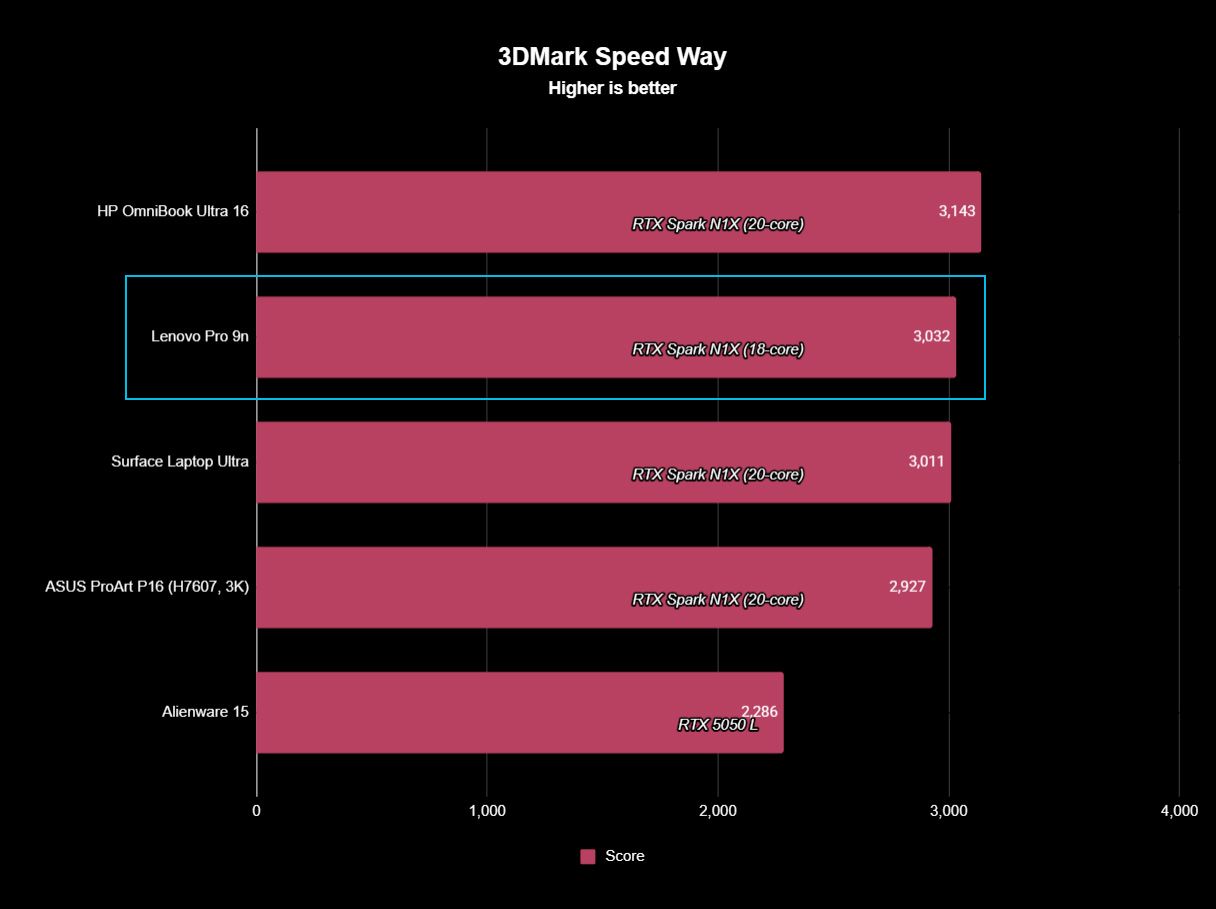
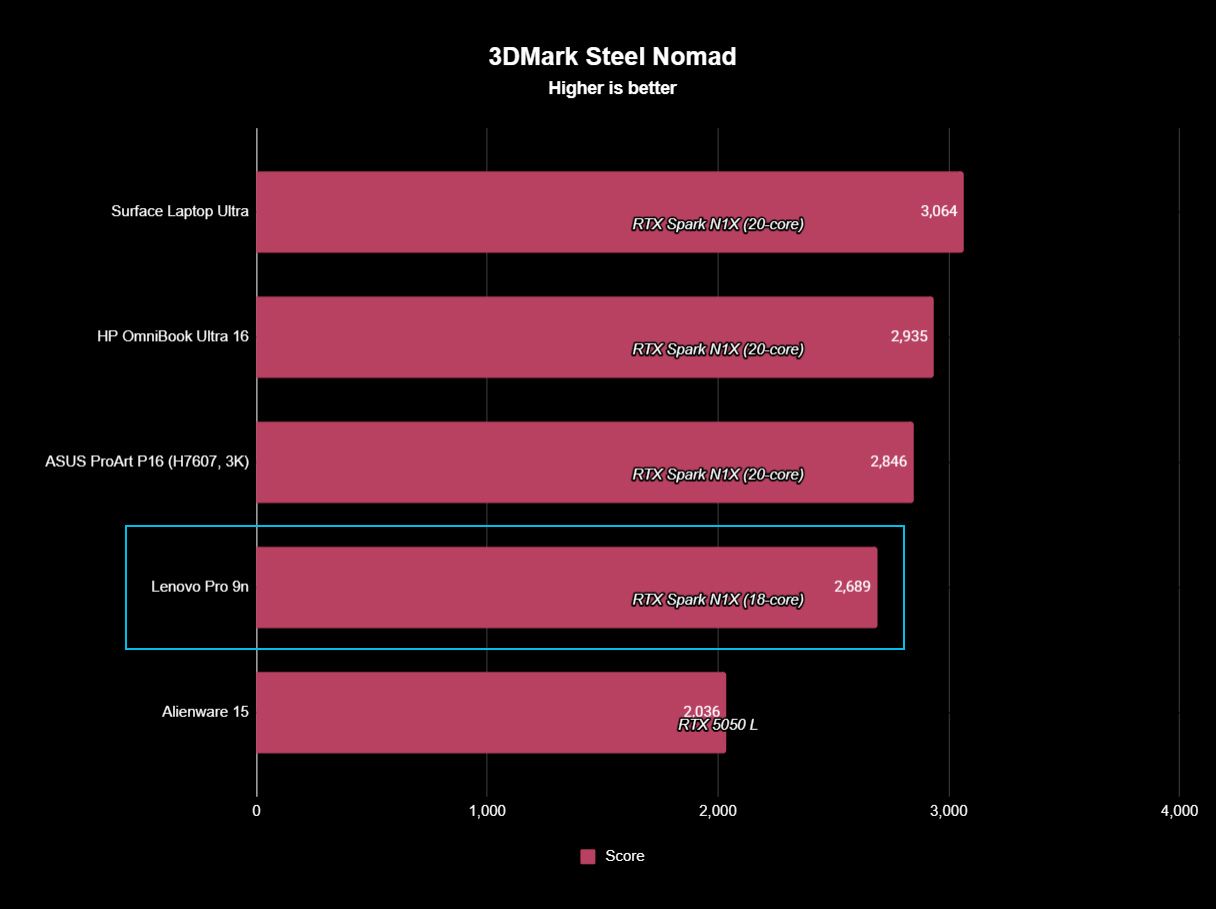
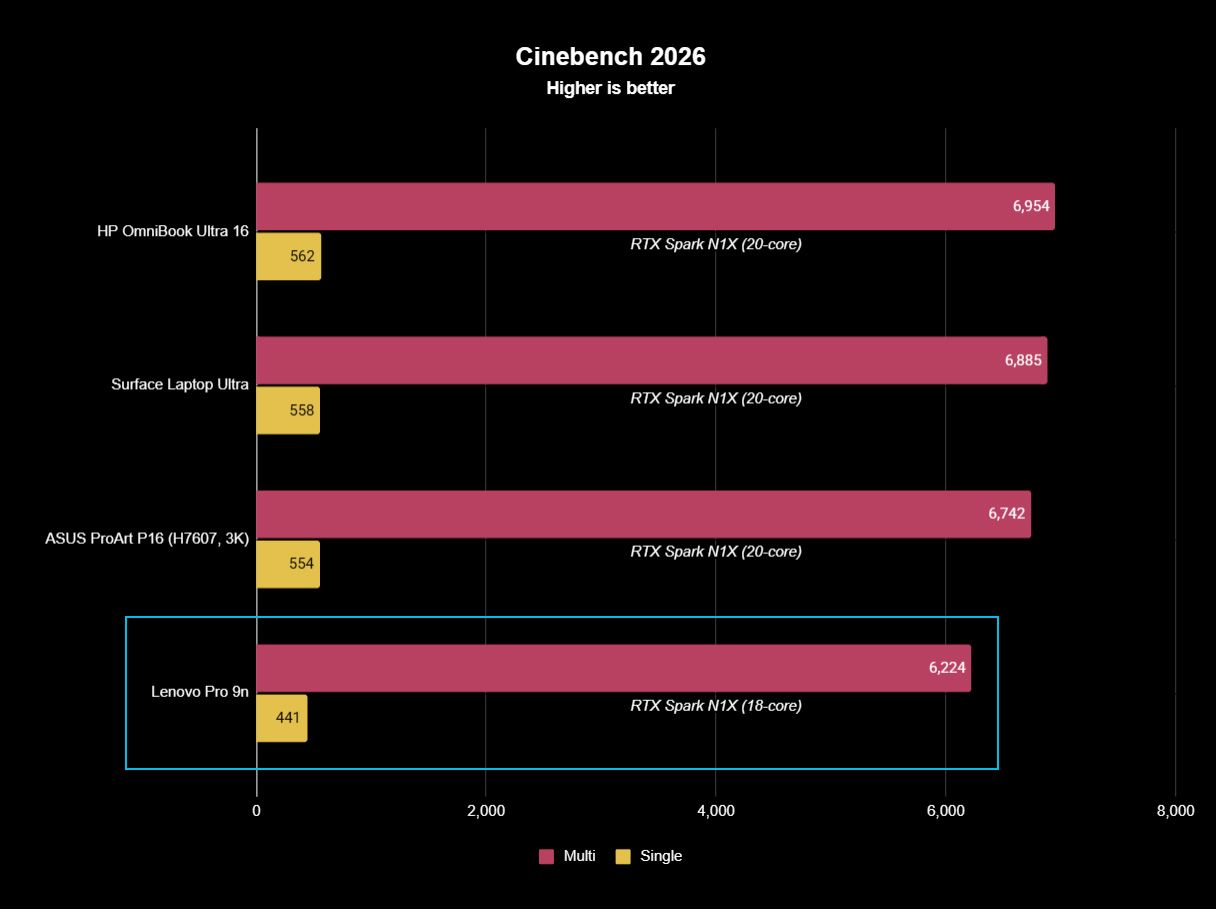
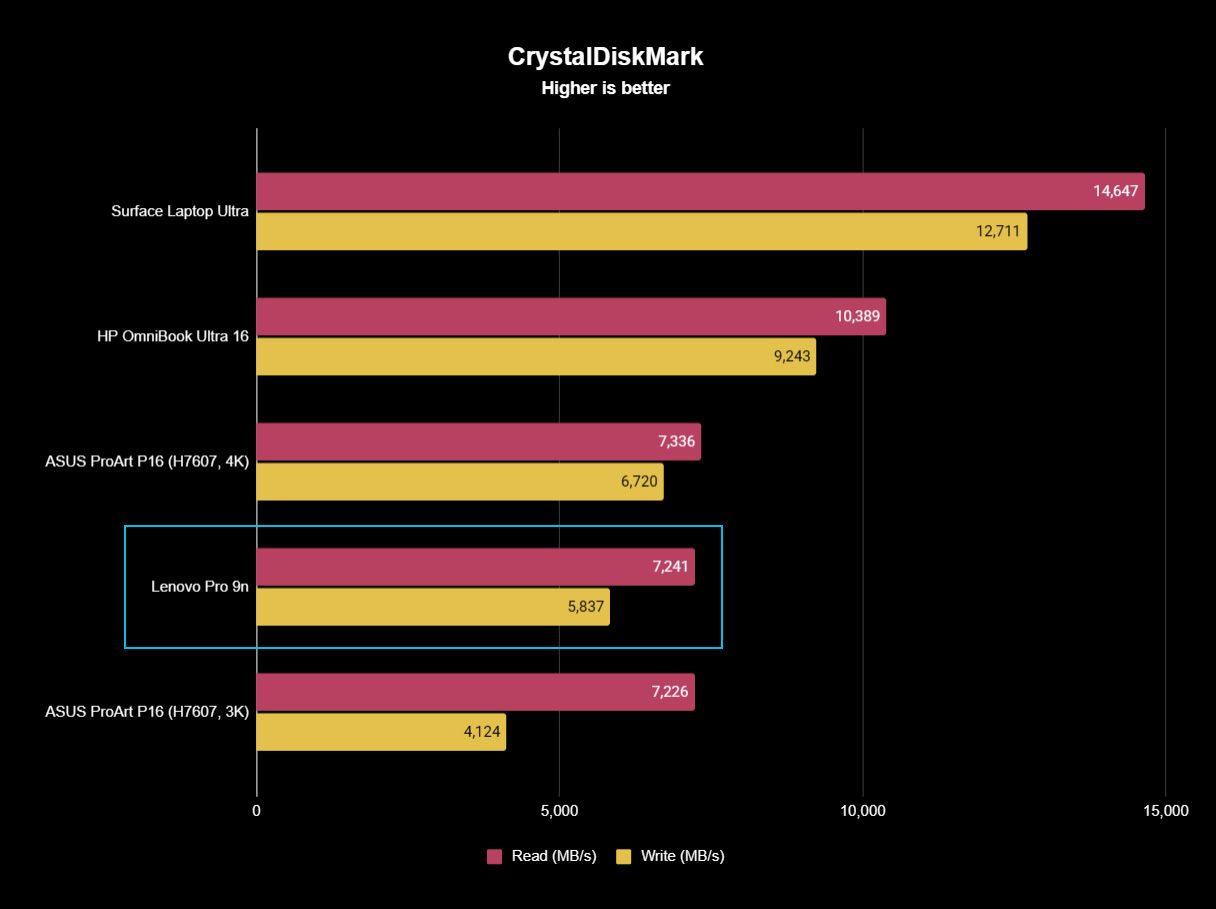
The following graphs show how the 18-core RTX Spark in the Lenovo Pro 9n compares to the 20-core RTX Spark chips we've already tested in other laptops.
FutureFutureFutureFutureFutureFuture
As you can see, synthetic Geekbench 7 and Cinebench 2026 CPU scores fall accordingly compared to the 20-core Spark. Not by a lot, but it is noticeable.
The SSD looks comparatively slow, but keep in mind that most of these laptops have a mix of PCIe 4.0 and PCIe 5.0. In my test case, it's the former, but you can get the latter, faster drive in a 2TB config.
FutureFutureFuture
The weaker RTX GPU also showed a drop-off in Geekbench 7's GPU test, but it put up a strong fight in 3DMark's Steel Nomad and Speed Way tests.
Considering I was playing The Witcher 3: The Wild Hunt Remastered at a smooth frame rate with ray tracing cranked up, there should be no denying the Pro 9n can game. Just don't buy it if that's all you want from your laptop.
There should be no denying the Pro 9n can game.
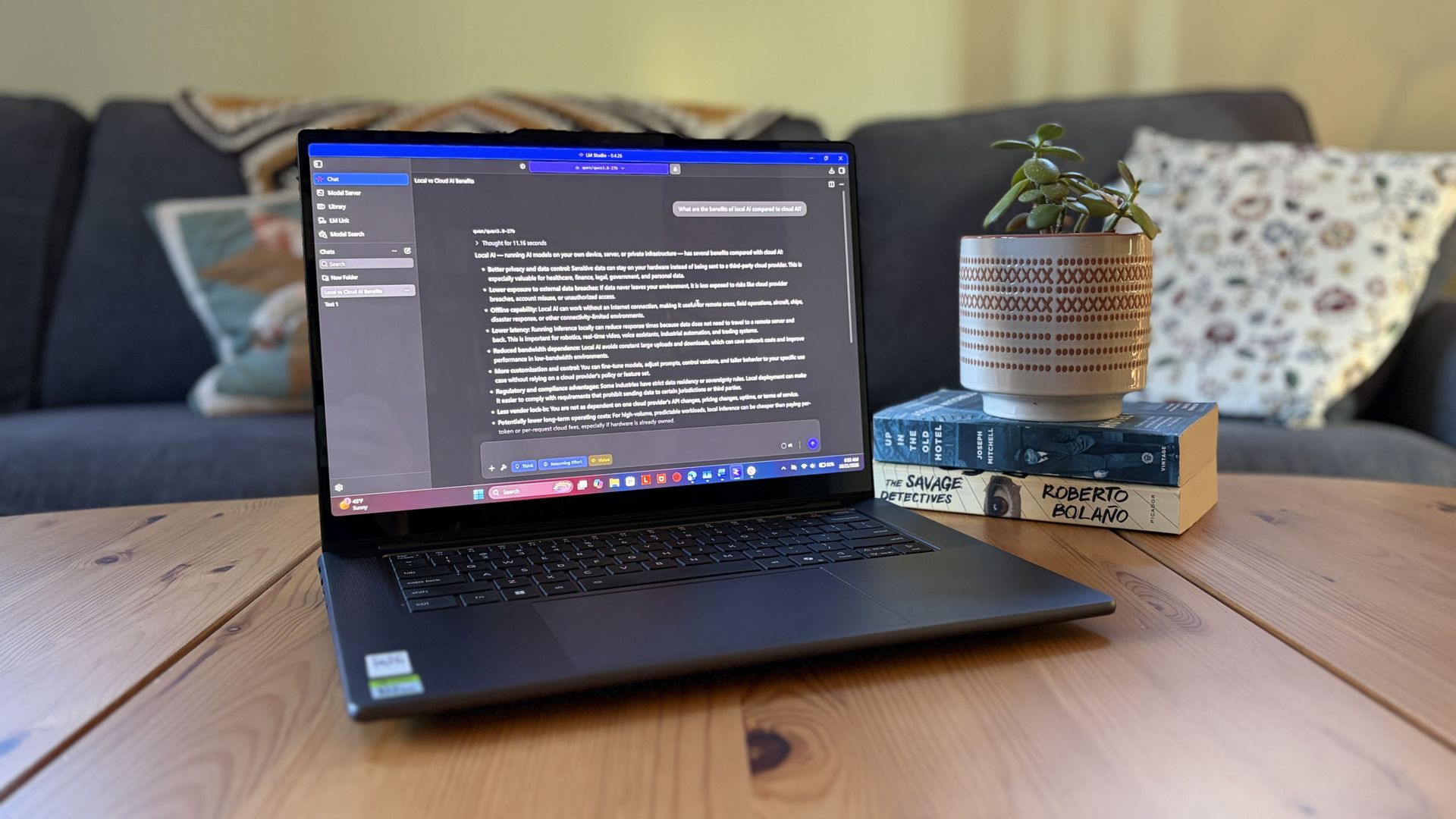
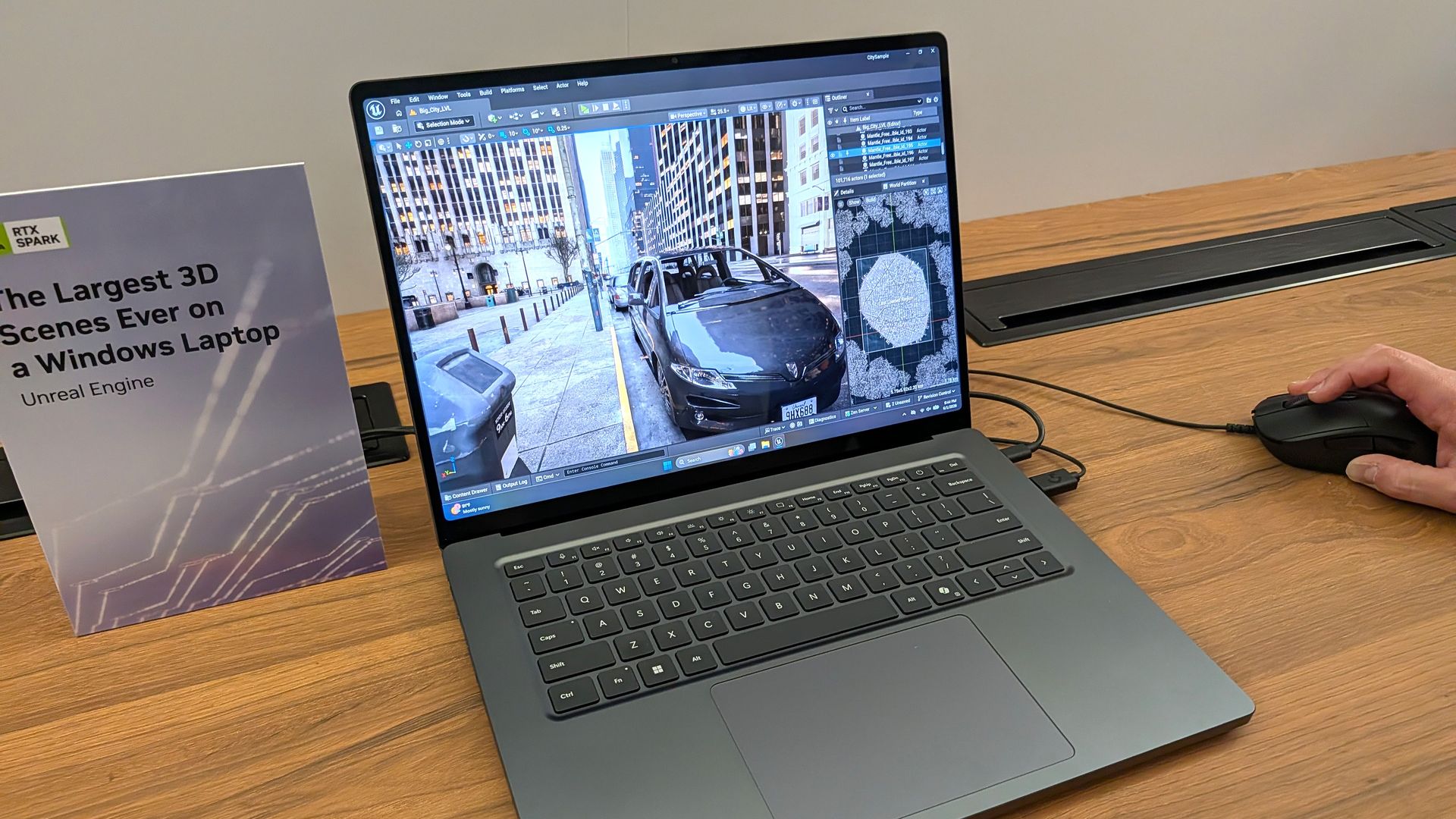
I also began a journey with local AI agents on the Lenovo Pro 9n. I set up LM Studio on it and downloaded a hefty Qwen model, which runs surprisingly well on the system despite only having 32GB of unified RAM.
Lenovo's Pro 9n running LM Studio, allowing me to chat locally with AI agents. (Image credit: Future)
The unit I was sent to test is more geared toward creators who don't need the ultimate 20-core CPU and 128GB of RAM coveted by AI specialists, so I'm pleased that it's proving to be a capable local AI base.
I ran a few AI-focused tests in Procyon to see how the weaker RTX Spark chip in my Lenovo Pro 9n compares to the 20-core option we already reviewed.
Procyon Image Generation
RTX Spark (18-core)
RTX Spark (20-core)
Stable Diffusion 1.5 score (FP16, higher is better)
1,430
1,380
Seconds / Image (lower is better)
4.36
4.22
Total duration (lower is better)
69.9
67.5
Procyon Text Generation
RTX Spark (18-core)
RTX Spark (20-core)
Phi-3.5-mini (higher is better)
2,383
2,615
Seconds to first token (lower is better)
0.31
0.27
Tokens / Second (higher is better)
68.31
72.21
Load time / Seconds (lower is better)
0.73
0.66
Procyon AI Computer Vision 2.0
RTX Spark (18-core)
RTX Spark (20-core)
Score (higher is better)
3,658
3,997
There's clearly a drop-off with the 18-core Spark chip in terms of AI performance, and I'd recommend that any AI specialists out there opt for the 20-core option.
For creators, part-time gamers, and professionals without a direct focus on AI, I think the 18-core chip should do just fine.
Does Lenovo's Pro 9n get too hot?
Playing demanding games on the Lenovo Pro 9n is entirely possible. Just expect there to be a little heat. (Image credit: Future)
The Lenovo Pro 9n's upgraded cooling system does a good job of managing thermal limits, and fan noise isn't bad, either. This is all with the system managing power automatically, which I found quite convenient.
During a lengthy system stress test, I never clocked the fan noise any higher than 43dB. They're audible in a quiet room, but they'd go unnoticed in a busy office.
My trusty FLIR camera is in the shop, but I did a surface temp test with my lap. During the stress run, it remained comfortable to hold. The keyboard side got a bit hotter, but nothing that gave me pause.
How is the Pro 9n's battery life?
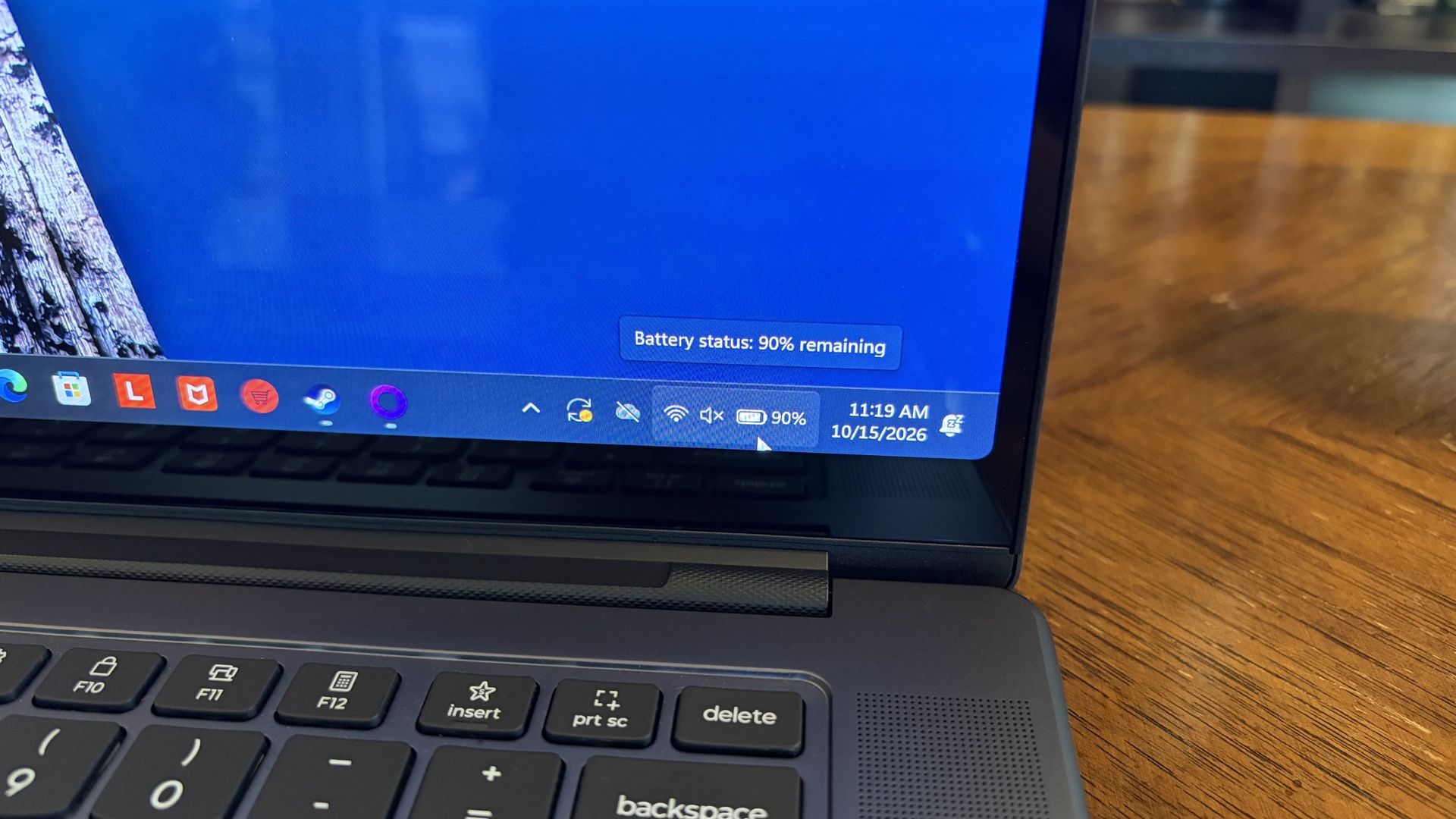
Battery life has been quite good, especially for everyday tasks, but Snapdragon X2 is still the champ. (Image credit: Future)
Battery life is not as good as I was hoping, and Qualcomm's Snapdragon chips are not in any threat of being dethroned in terms of efficiency.
My Windows Battery report shows roughly 8 to 10 hours of real-world life on a charge. Keep in mind that I was doing a decent amount of gaming on battery life, which brought that number down. Still, that's in line with the other RTX Spark laptops we've tested.
If you are gaming on battery power and have settings cranked up with ray tracing enabled, know that I was seeing about 10 minutes of runtime for every 10% of battery life.
Indie titles that aren't as demanding don't sap the battery nearly as much, and you can enjoy a few hours of gaming without worrying about power.
Should you buy Lenovo's Pro 9n?
The Lenovo Pro 9n's lid pulls back to about a 180-degree flex. (Image credit: Future)
You should buy this if ...
✅ You want an RTX Spark laptop with a 15.3-inch OLED display at 2.5K.
✅ You dabble in drawing, sketching, and writing with a pen.
✅ You're a professional or a creator who wants one PC to handle local AI, demanding apps, and gaming.
You should not buy this if ...
❌ You want the most affordable RTX Spark laptop possible.
❌ You prefer a mini-LED display (go with the Surface Laptop Ultra).
Lenovo's first notebook RTX Spark laptop has been a ton of fun to use over the past few weeks, and admittedly, I regret that I soon have to give it up.
It's not perfect. I wish there were human presence detection. I wish there were an extra high-res display option. I wish battery life were a lot better. And I wish it didn't cost as much (which is an effect of the ongoing RAM and storage crisis, not some Lenovo decision).
But for what it is — a specialized portable AI workstation using the first generation of a new NVIDIA computing platform — it's among the most exciting and promising Windows PCs I've used in recent memory.
If you're a general creator who just wants to see the latest chip technology in an ultra-premium package, the 32GB model could be ideal for you, just as long as you can stomach the price.
Otherwise, it's mainly going to appeal to a fairly small set of users, but those who can take full advantage of the RTX Spark chip should love what Lenovo has put together here.
RTX Spark
Lenovo
Pro 9n
Lenovo's Pro 9n delivers high-end features and cutting-edge AI performance for the Windows ecosystem. It's a great PC for creators with deeper pockets, but its true usefulness is seen in the hands of AI pros who need a ton of unified memory and a beefy RTX Blackwell GPU. It's all wrapped up in a sleek, portable package.
With AI continuing to jack up the prices of crucial motherboards, RAM, CPUs, and other components for PC gamers, many are left hoping Black Friday's price cuts can offer them a much-needed reprieve.
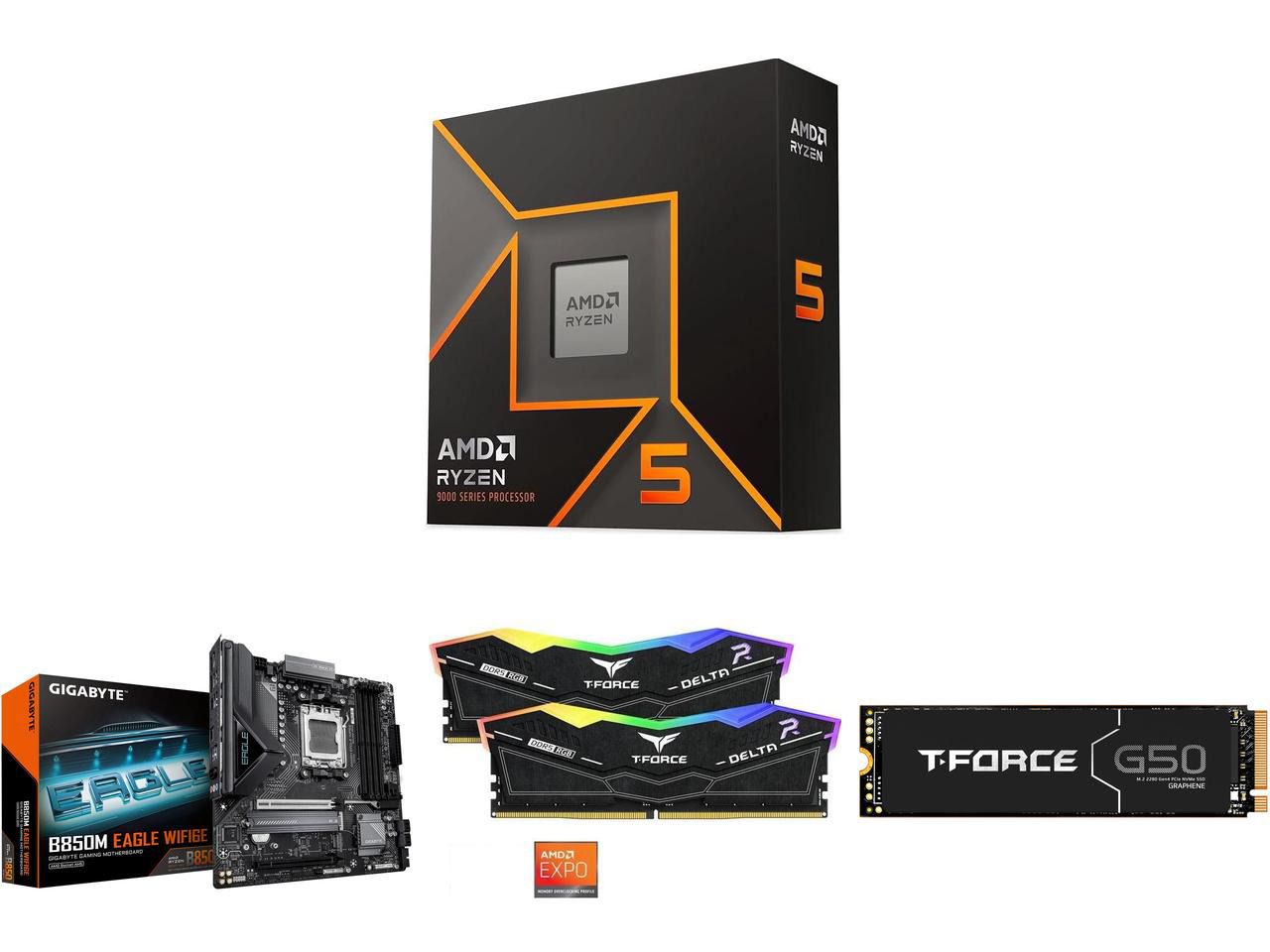
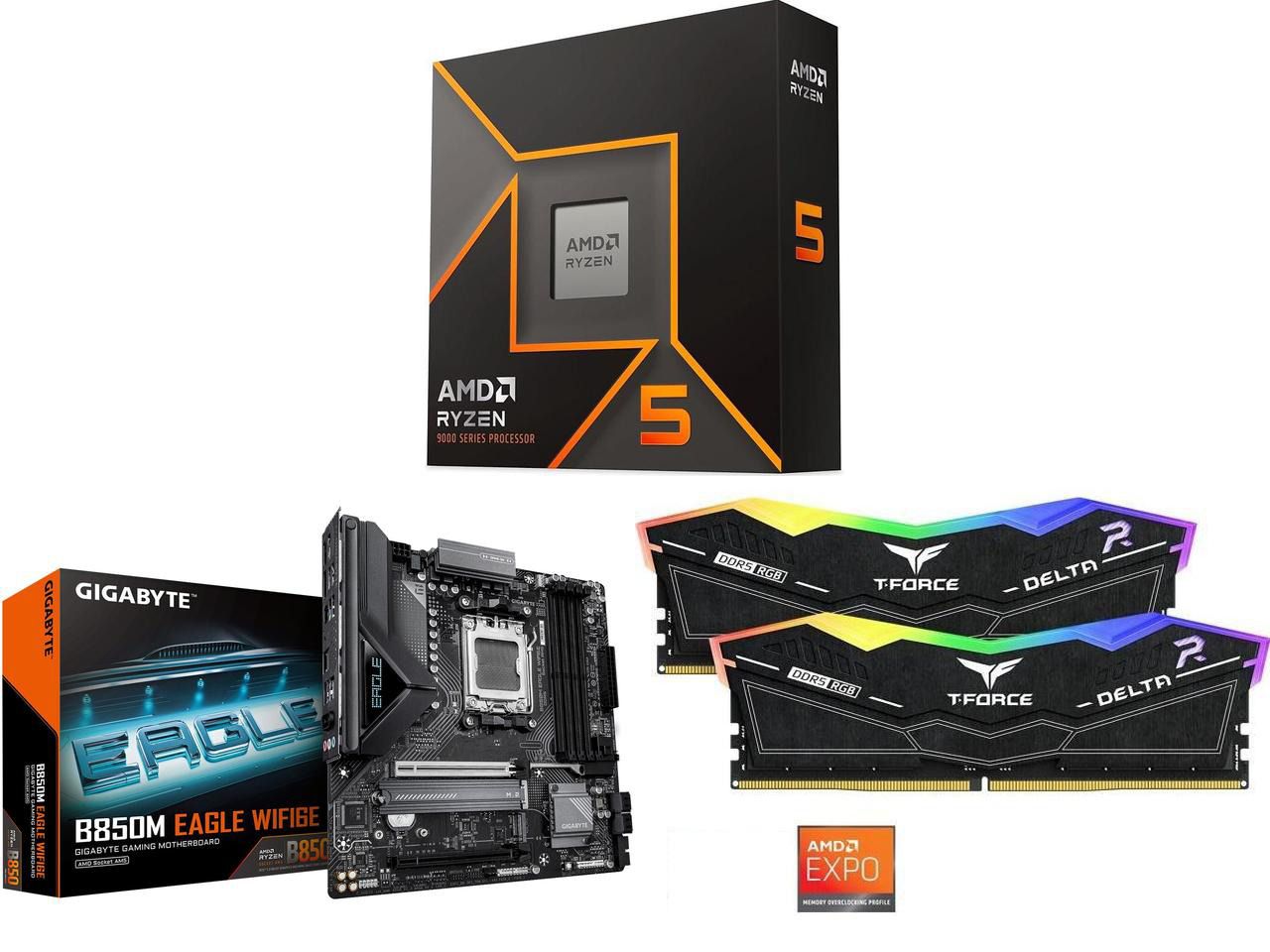
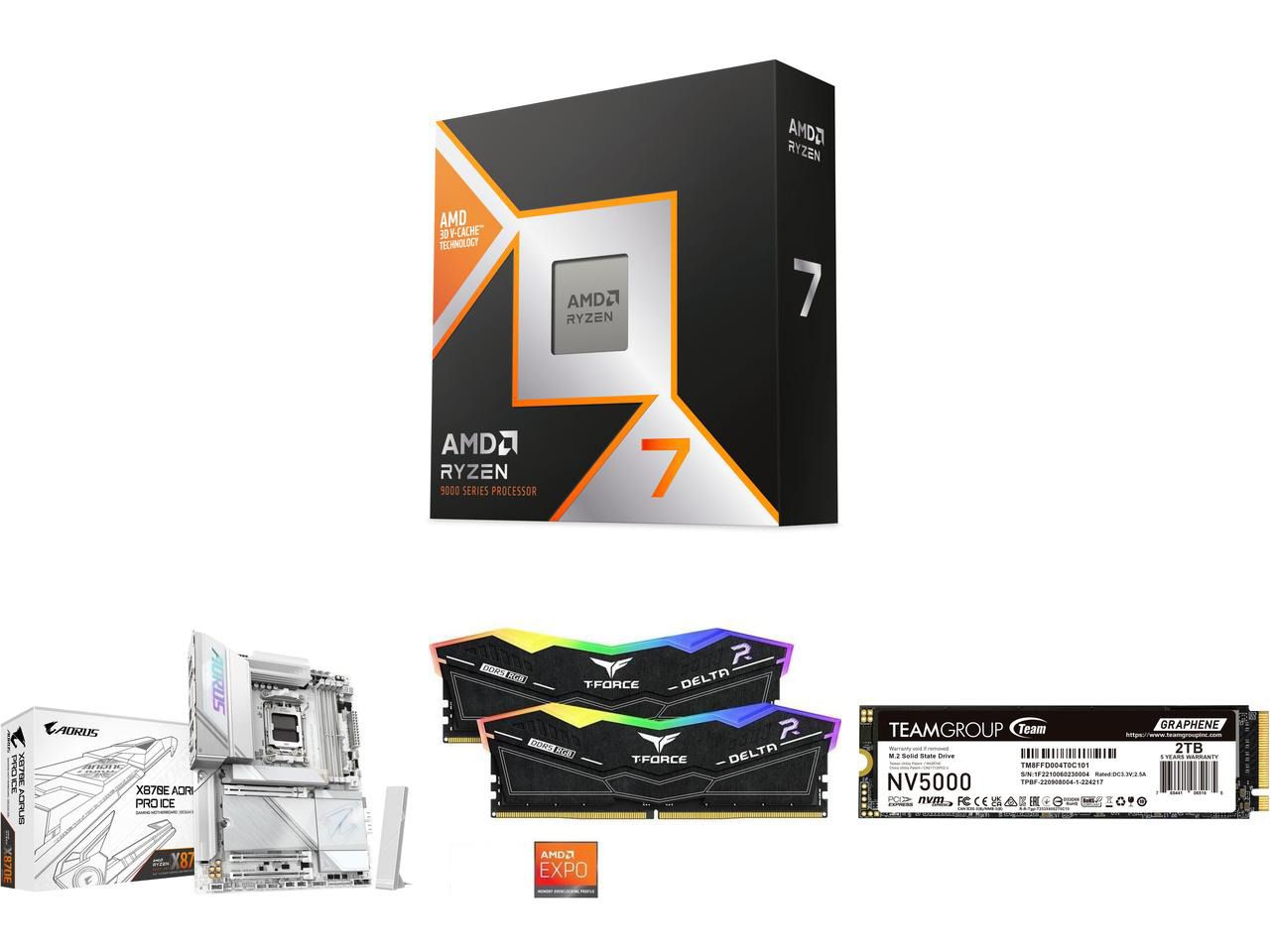
However, some retailers aren't waiting for that. Newegg is offering PC users massive discounts on PC bundles that feature high-end AMD processors, DDR5 RAM, and compatible motherboards to help satisfy your high-end gaming needs at lower prices.
"If you're running older AM4 or LGA1200 hardware, the 9600X offers some of the best performance-per-watt value on a budget, especially if your favorite software suite and games are better optimized for single-core processing." — Ben Wilson, Senior Editor
This bundle with the entry-level, gaming-focused Ryzen 5 9600X CPU includes 32GB of DDR5 6000 RAM, and a compatible GIGABYTE B850M EAGLE WIFI6E M-ATX Motherboard to fit them all in.View Deal
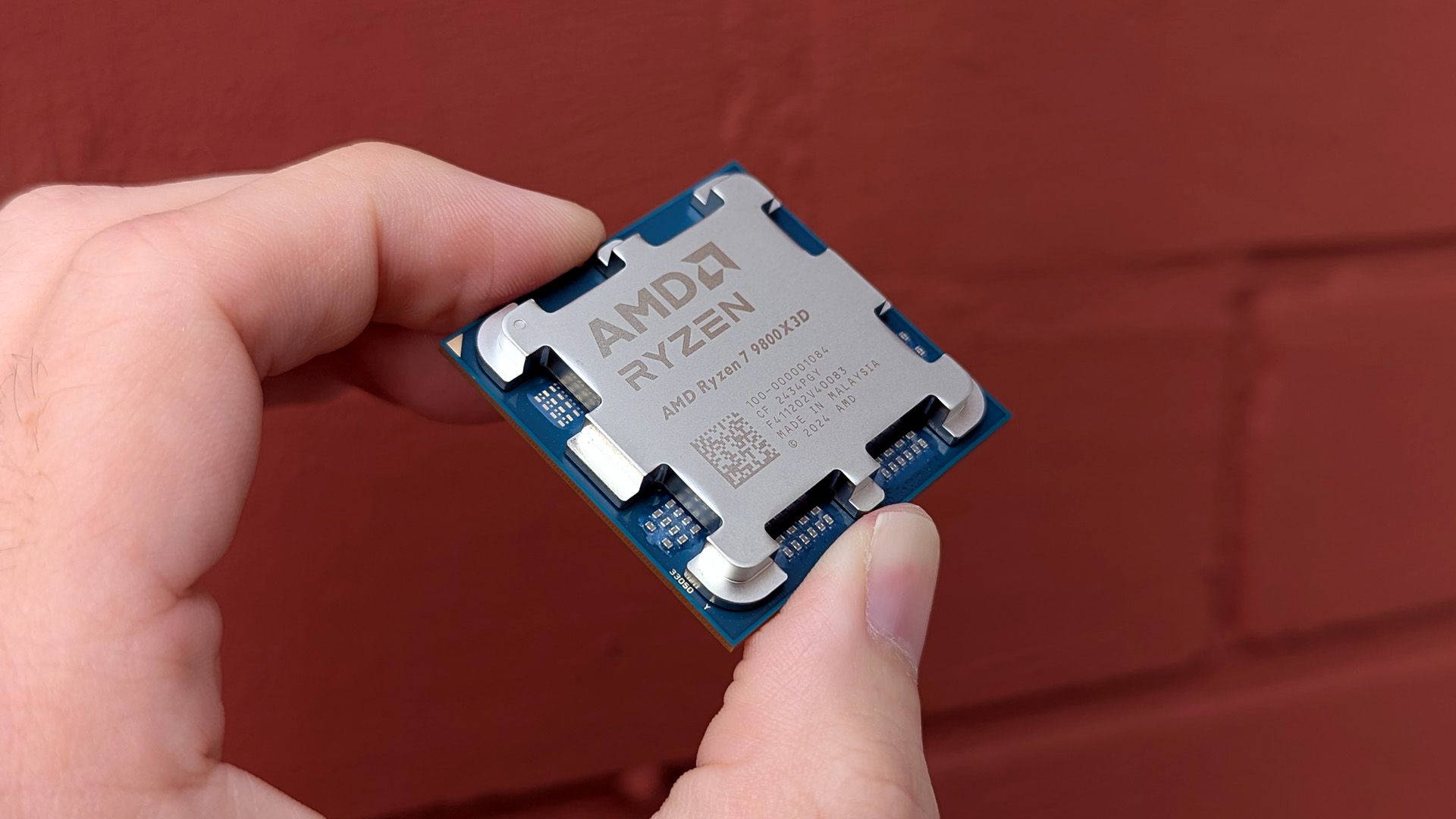
"Make no mistake: the Ryzen 7 9800X3D is the best gaming CPU, politely dethroning its predecessor as the new king of the hill as a cache-heavy monster."— Ben Wilson, Senior Editor
These discount deals will run until October 31, 2026, or while stocks last.
Why are these bundles good for gaming?
They're great for gaming, as AMD Ryzen CPUs paired with 32GB DDR5 RAM boost most modern AAA titles while keeping performance stable. Plus, these bundles include future-proof AM5 motherboards, all while saving you money, as many of these components are sold for higher prices when bought separately.
Should I wait until Black Friday for a better deal?
It depends on your wants and needs. Are you looking to upgrade your PC gaming rig to play next-gen AAA PC games at higher performance rates, and you don't want to wait until Black Friday for a better deal? Then use Newegg's discounted bundles.
If you can hold out for bigger discounts and aren't in any hurry to play any intense PC games at the moment, waiting for Black Friday's discounts on November 27, 2026, is also a valid option.
Join us on Reddit at r/WindowsCentral to share your insights and discuss our latest news, reviews, and more.
Does the Mini LED display on Surface Laptop Ultra support local dimming? Many reviewers have noted the Mini LED display on Laptop Ultra is somewhat underwhelming, with ghosting issues and poor color contrast (albeit with great color accuracy) compared to other Mini LED screens on the market, and especially OLEDs.
I said in my Surface Laptop Ultra review that its display features 1,344 local dimming zones, which is significantly lower than the dimming zones you'll find on a MacBook Pro with the same display tech. That results in a lot more ghosting and blooming, which can make the display feel stuttery and not smooth at times.
I reached out to Microsoft again to see if it could clarify how the display works. The company told me that Surface Laptop Ultra does feature local dimming by default, with 5,400 LEDs across 1,344 dimming zones.
Much like any other Mini LED display, these zones adjust backlight brightness based on the content in that area. If a bright window is being displayed on a black background, the dark areas of the screen will be dimmed.
This behavior is what causes the ghosting and blooming effect on Surface Laptop Ultra, and is a side effect of Mini LEDs, especially ones with a low local dimming zone count. On my Surface Laptop Ultra in SDR, I can see the local dimming zones brightening and darkening as I move around a white window on a black background.
The Mini LED display on Surface Laptop Ultra does support local dimming. It's just not very good local dimming.
So, the display definitely does have local dimming capabilities. But it must be said that its performance isn't amazing compared to other Mini LEDs on the market. Whether local dimming is even working also depends entirely on your PCs settings.
The local dimming behavior is controlled by a setting in Windows Settings under System > Display > Brightness. With "Change brightness based on content" enabled, and the "Enhanced" display profile set, the local dimming support should function.
I've also found that you should turn off HDR for local dimming to be most effective. When HDR is on, the backlight is much more noticeable on dark backgrounds, likely because HDR requires much more brightness. A positive side effect of this is that this pretty much fixes the ghosting issue at the expense of local dimming performance.
So, the TL:DR is Surface Laptop Ultra does feature local dimming capabilities. You should have HDR disabled, with "Change brightness based on content" enabled and the "Enhanced" display profile set in Windows Settings for it to be most effective. On the flipside, enabling HDR reduces the ghosting and blooming issues, but decreases local dimming performance.
It must be said that the Mini LED display on Surface Laptop Ultra is somewhat disappointing. It certainly isn't as good as the Mini LED panel in a MacBook Pro, and I'm just left wondering why Microsoft didn't opt for OLED given that's what all the next-gen laptops are going with, including the upcoming MacBook Pro with touch.
Maybe, hopefully, a future firmware update can adjust and improve the performance of the local dimming behavior on Surface Laptop UItra. The most recent firmware update did fix flickering issues that people were having with the display, so anything is possible.
Join us on Reddit at r/WindowsCentral to share your insights and discuss our latest news, reviews, and more.
The Surface Laptop Ultra costs less to start, but it lacks pen support, its mini-LED isn't as impressive, it's thicker and heavier, and it lacks some features compared to the ASUS ProArt P16. Regardless, many will appreciate its speedy SSD, its superior webcam, its smaller footprint, and its magnetic USB-C port.
The ASUS ProArt P16 scored higher in our review thanks to its OLED display, deeper key travel, outstanding audio, cooler thermals, and thinner/lighter design. It does cost more to start, and it has louder fans, but these are easy trade-offs for those who don't mind spending a little bit more.
Pros
Gorgeous OLED display with inking support
Deeper 1.7mm key travel and haptic touchpad
Top-firing speakers
Cooler thermals
Oleophobic coating and anti-glare 4K display finish
Cons
Slower 1TB/2TB SSDs
Costs more to start
Louder fans
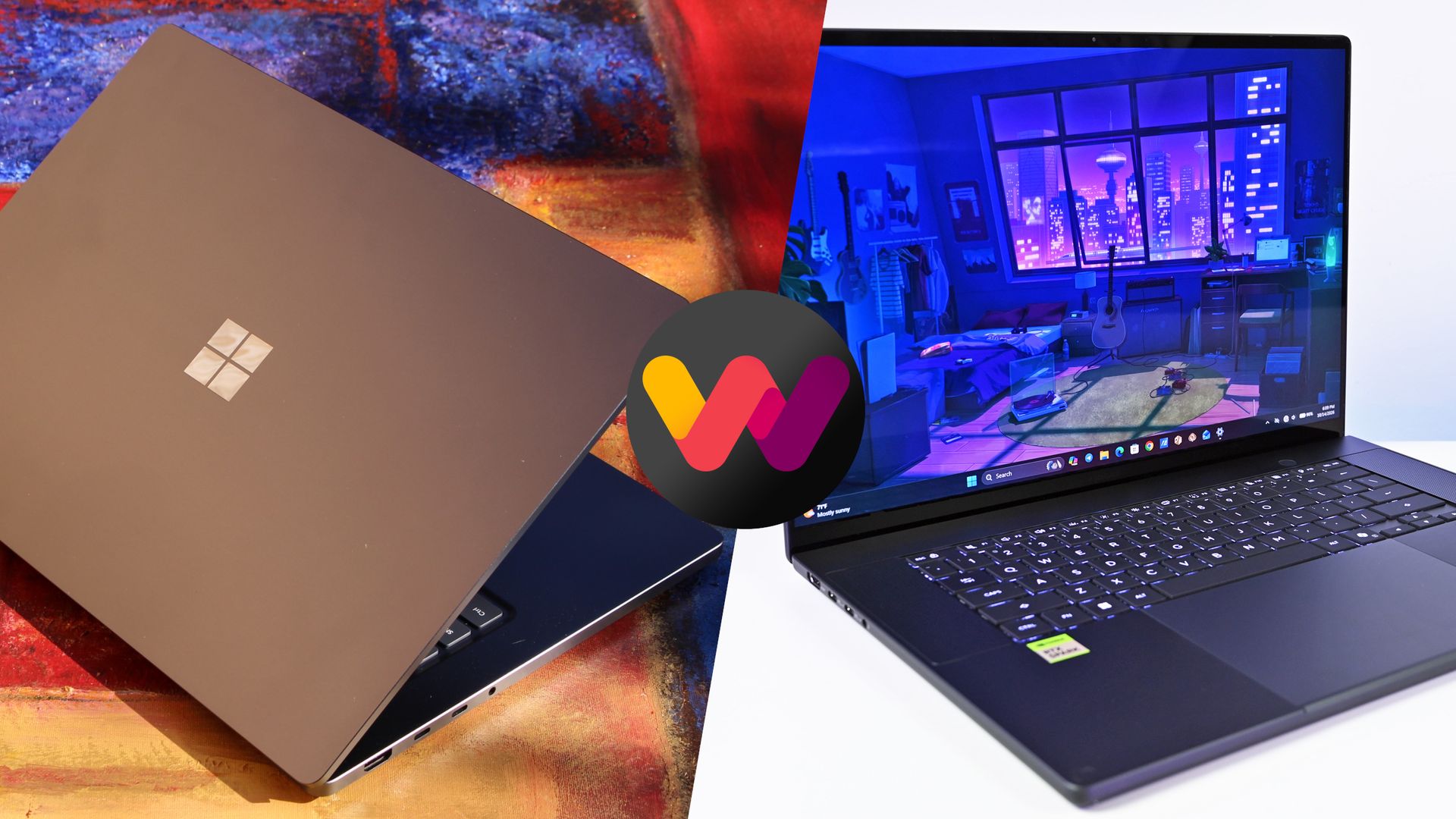
The Windows Central team has had time to digest some of the new NVIDIA RTX Spark laptops that recently launched, and thanks to our in-depth reviews, I'm here to offer some insights as to which PC might be best for you.
Here's why the ProArt PC gained a bit of extra score over the Surface Laptop Ultra (and why that doesn't necessarily mean it's the right RTX Spark laptop for you).
Surface Laptop Ultra vs. ASUS ProArt P16: Specifications
Before I get too deep into my comparison between the Surface Laptop Ultra and ASUS ProArt P16, I put together this table for easy reference.
Standout differences at this point should be the display size and type, the port selection, and the dimensions, which I cover and explain in more depth below.
12.95 x 9.40 x 0.71-0.75 inches (328.8mm x 238.7mm x 17.99-19.16mm)
13.94 x 9.57 x 0.51-0.63 inches (354.1mm x 243mm x 12.9-15.9mm)
Weight
4.41 pounds (2kg)
3.9 pounds (1.77kg)
Colors
Platinum, Nightfall
Nano Black, Neo White
Pro-grade designs and features available in both laptops
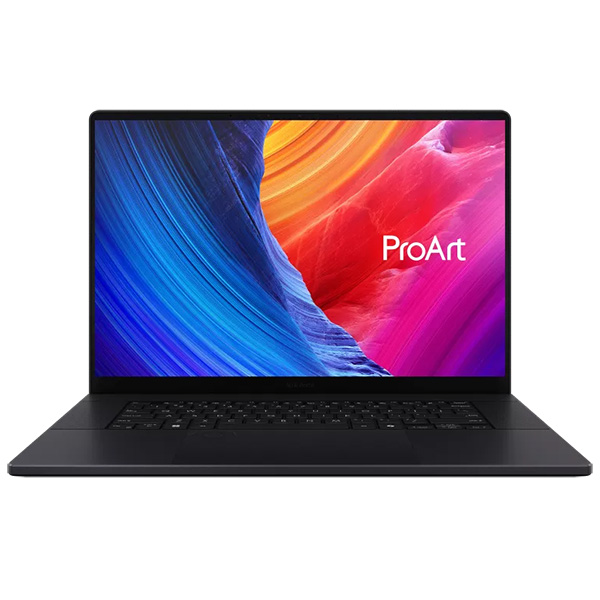
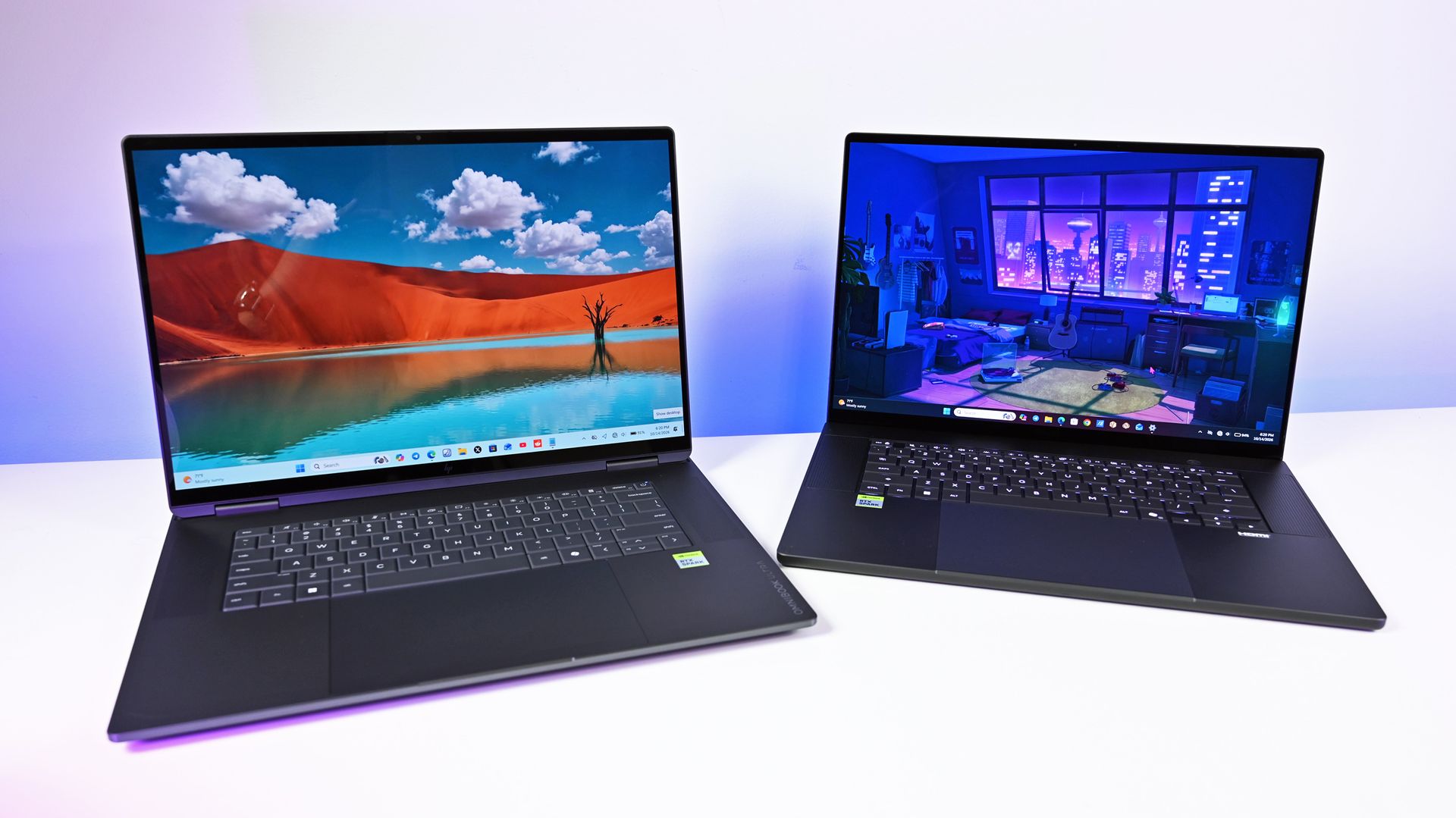
The ASUS ProArt P16 (pictured here) is thinner and weighs less than the Surface Laptop Ultra. (Image credit: Daniel Rubino)
The ProArt P16 is larger than the Surface Laptop Ultra. That's a given considering it has a larger 16-inch display. The overall footprint is a bit larger, but otherwise, the ProArt P16 comes out ahead.
The P16 weighs just 3.9 pounds (1.77kg) compared to the Surface Laptop Ultra's 4.41 pounds (2kg), and it's also quite a bit thinner, starting at 0.51 inches (12.9mm) compared to 0.71 inches (17.9mm).
The neat thing is that ASUS really doesn't make you regret that upsizing. As Windows Central Editor-in-Chief Daniel Rubino says in his ProArt P16 review:
Thermals are even more impressive. Under sustained heavy workloads, my thermal camera recorded around 105°F across the keyboard deck and approximately 120°F near the rear exhaust. That's a few degrees cooler than both the Surface Laptop Ultra and HP OmniBook Ultra 16 RTX Spark in my testing. Fan noise never exceeded 50dB under extreme workloads.
Rubino does give Surface a nod for its "pure premium feel," although I'm sure some will love the ProArt P16's fingerprint-resistant coating that reduces smudges.
Which laptop offers better ports?
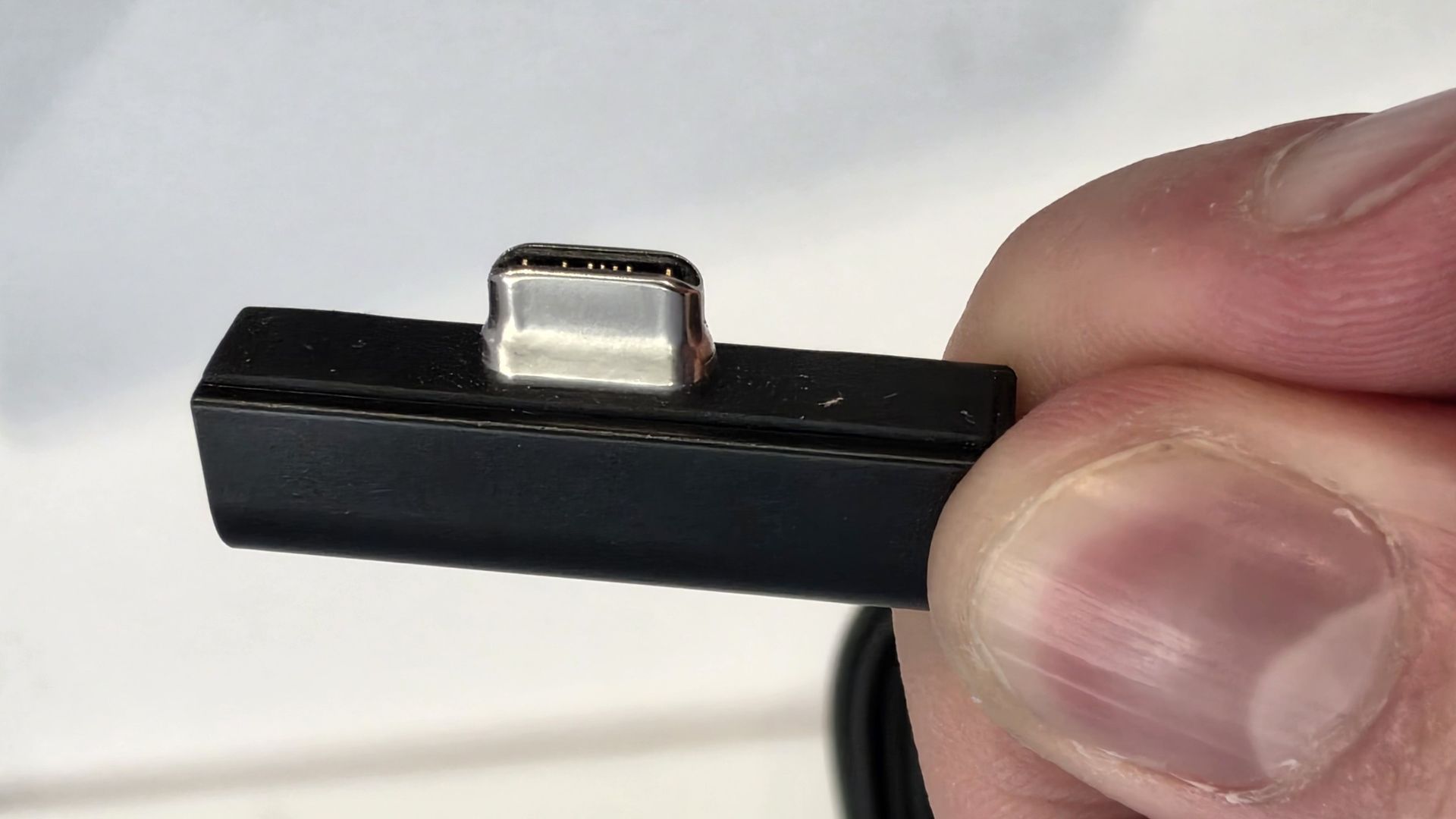
The left-side ports on the Surface Laptop Ultra.Zac Bowden / Windows CentralThe Surface Laptop Ultra's magnetic charging cable.Zac Bowden / Windows Central
This first wave of RTX Spark laptops is fairly unified across brands in terms of port selection. Both laptops offer three USB4 hookups (using the USB-C form factor), but only the Surface Laptop Ultra has the nifty Magnetic Connect feature on one of them.
Magnetic Connect allows a connected USB-C cable to pull away from the PC instead of dragging it off a table, much like Apple's MagSafe. It's a great feature to have, especially with a laptop at this price.
You're otherwise getting USB-A, HDMI, an SD card reader, and a 3.5mm audio jack across both PCs.
Is the keyboard and touchpad different across PCs?
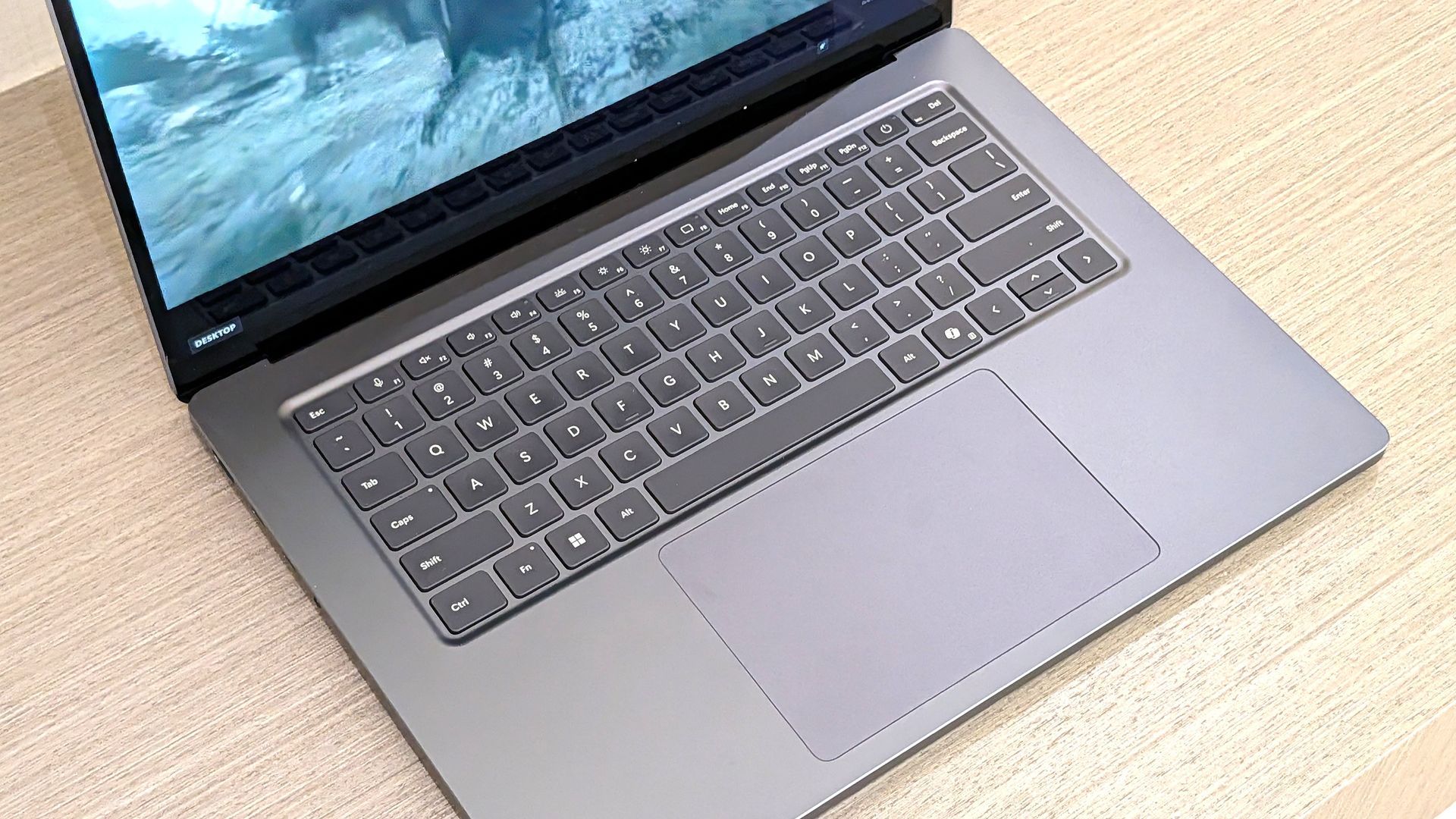
A look at the ProArt P16's haptic touchpad, keyboard, and top-firing speakers.Daniel RubinoA look at the Surface Laptop Ultra's haptic touchpad and keyboard.Windows Central / Zac Bowden
Speaking on the Surface Laptop Ultra'skeyboard and touchpad,Windows Central Senior Editor Zac Bowden said, "This is probably the best keyboard and trackpad experience I've ever had on a Windows laptop to date."
Digging into that statement, Bowden clearly appreciated the 1.4mm tactile key travel that he called "incredibly satisfying and not at all fatiguing." The Surface's haptic touchpad is the largest ever in Microsoft's lineup, and Bowden says it "makes a huge difference in how easy it is to use."
Not to be outdone, the ASUS ProArt P16 offers deeper 1.7mm key travel and an equally enormous haptic touchpad.
Which laptop has a better webcam and speakers?
The bottom two speakers are joined by two speakers flanking the ProArt P16's keyboard. (Image credit: Daniel Rubino)
On the spec sheet, both laptops offer an FHD (1080p) front-facing webcam with IR capabilities for facial recognition.
Rubino states that "Microsoft still wins this category with Surface" and notes how HP's OmniBook Ultra with a 5MP webcam trumps both ASUS and Microsoft.
The big deal? The ProArt P16 includes human presence detection for increased security and convenience, whereas the Surface Laptop Ultra does not.
As for audio, each laptop comes with four speakers and Dolby Atmos support. Both laptops deliver some of the best sound we've ever heard, but only the ProArt P16 has top-firing speakers flanking the keyboard.
Mini-LED or OLED? Our reviewers prefer the latter
The Surface Laptop Ultra's mini-LED is plenty bright, but OLED is probably better for many users. (Image credit: Windows Central / Zac Bowden)
Display tech is where these two laptops really show a difference. Most noticeable is the Surface's taller 3:2 aspect ratio compared to the P16's 16:10 aspect ratio. The differences don't stop here.
The Surface Laptop Ultra has a 15-inch mini-LED screen at a 3270x2180 resolution, with 1,344 dimming zones, 1000-nit SDR brightness, and 2000-nit HDR peak brightness. It packs in a 120Hz dynamic refresh rate and Dolby Vision IQ support.
Though it's brighter than the ProArt's screen, Bowden says the mini-LED tech results in "a bit of blooming around bright elements on a dark background."
He adds that the backlight doesn't always keep up with what's on your screen, causing a slight ghosting effect in dark mode.
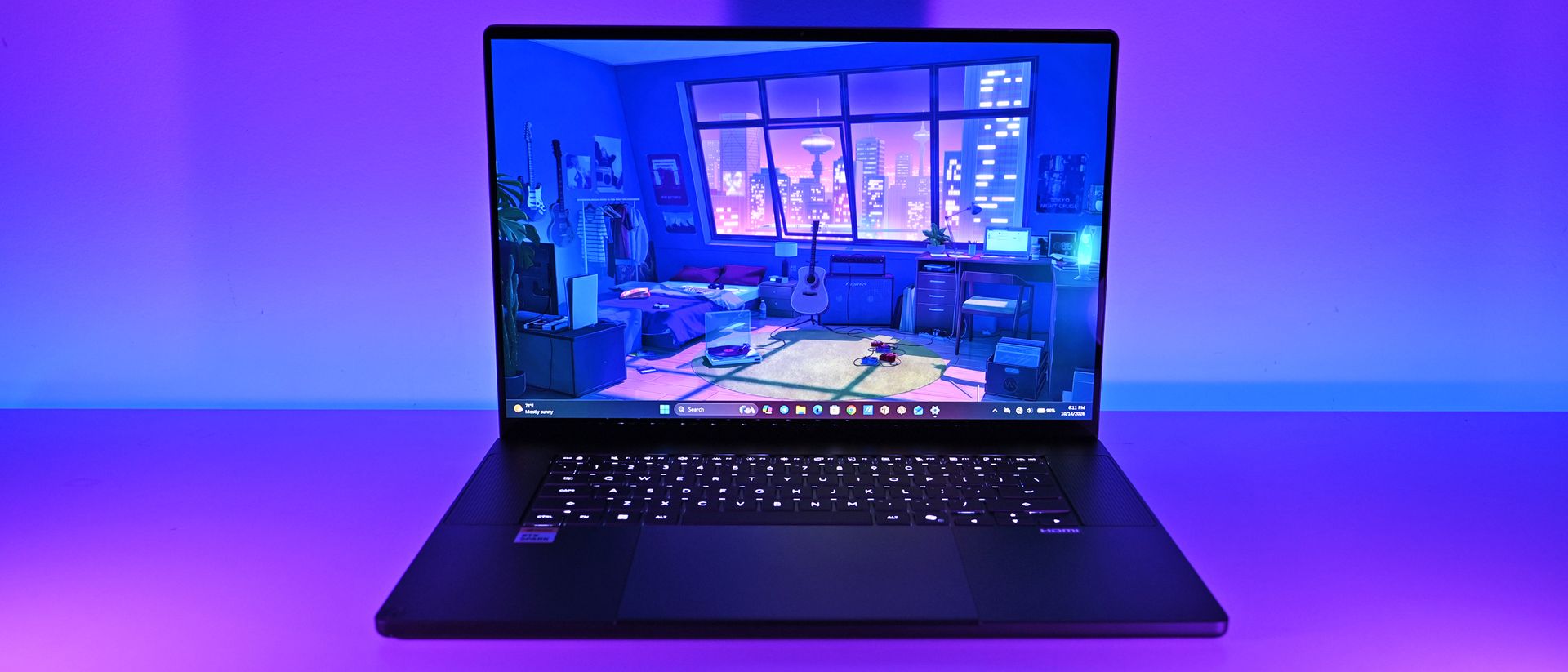
The ProArt P16's OLED display provides vivid color and perfect contrast, with no backlight bleed apparent. (Image credit: Daniel Rubino)
The ProArt P16 has a larger 16-inch OLED screen with a 120Hz dynamic refresh rate, and it's available in either a 3840x2400 (4K) or 2880x1800 (2.8K) resolution.
The 4K version is the primary option for models with 128GB of RAM, though Best Buy seems to offer a 4K version with 32GB of RAM. Despite a lower resolution, you still get 500 nits of SDR brightness and 1,100 nits of peak HDR brightness.
The 4K version hits 700-nit peak SDR brightness, climbing to 1,600 nits with HDR. An anti-reflective coating is included.
None of the mini-LED issues discovered in the Surface Laptop Ultra's mini-LED screen are apparent here, and you get the standard OLED perks of perfect contrast and vivid color no matter how you're using it.
It's worth noting that the P16 display offers pen support for inking. The Surface Laptop Ultra has no pen support.
NVIDIA's RTX Spark chip keeps performance close
The new NVIDIA RTX Spark chips offer similar performance across laptop models. (Image credit: Daniel Rubino)
A neat aspect we're discovering as we test RTX Spark laptops is how performance is quite similar. That's not surprising. These laptops use the same NVIDIA N1X chips in either 18- or 20-core CPU and 5120- or 6144-core GPU configs.
We tested both with the 20-core CPU and 6144-core GPU, and the Surface Laptop Ultra and ProArt P16 trade blows across benchmarks. For example, CPU performance is close enough that I wouldn't spend much time worrying about it.
The Laptop Ultra does great in lighter graphics benchmarks, though the ProArt P16 takes over in more demanding tests. Considering the ASUS laptop is thinner and lighter than the Laptop Ultra, that's a real achievement.
FutureFutureFutureFutureFutureFutureFuture
One area where the Surface Laptop Ultra pulls ahead is with its 1TB and 2TB M.2 PCIe 5.0 NVMe SSDs that are way faster than the PCIe 4.0 options in the ProArt P16. Microsoft does drop back to PCIe 4.0 with a 512GB capacity.
Which laptop has better battery life?
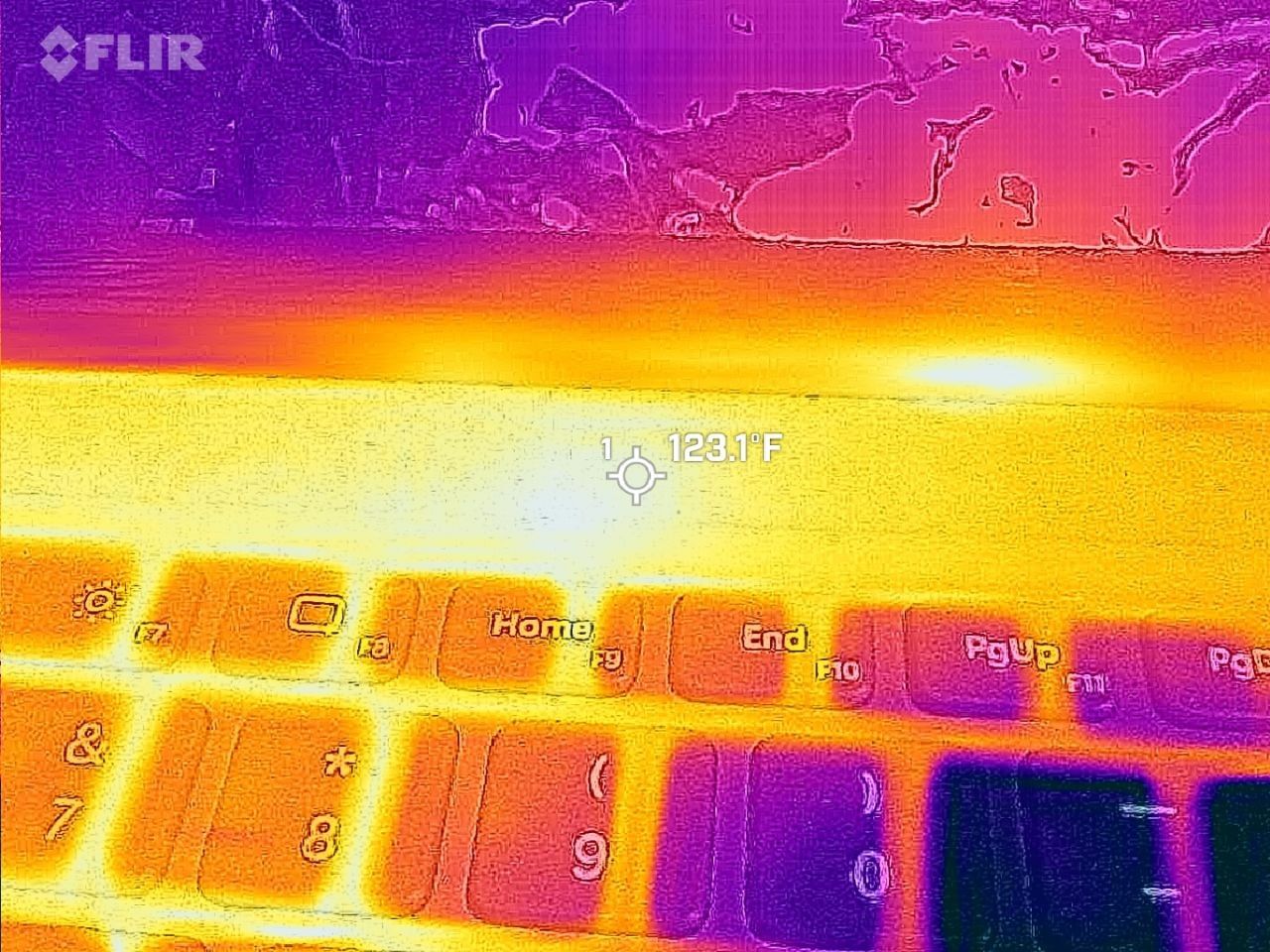
FLIR imagining reveals a 123F temp on the Surface Laptop Ultra. (Image credit: Zac Bowden / Windows Central)
The ProArt P16 has a larger 99.9Wh battery capacity compared to the Laptop Ultra's 92Wh, but that matters less than you might expect.
Both Rubino and Bowden were able to get around 10 hours of real-world use when not leaning heavily on the GPU. Both the ProArt P16 and Laptop Ultra struggle to put up strong efficiency numbers when that GPU is in demand, and in both cases, an AC charger should be kept nearby.
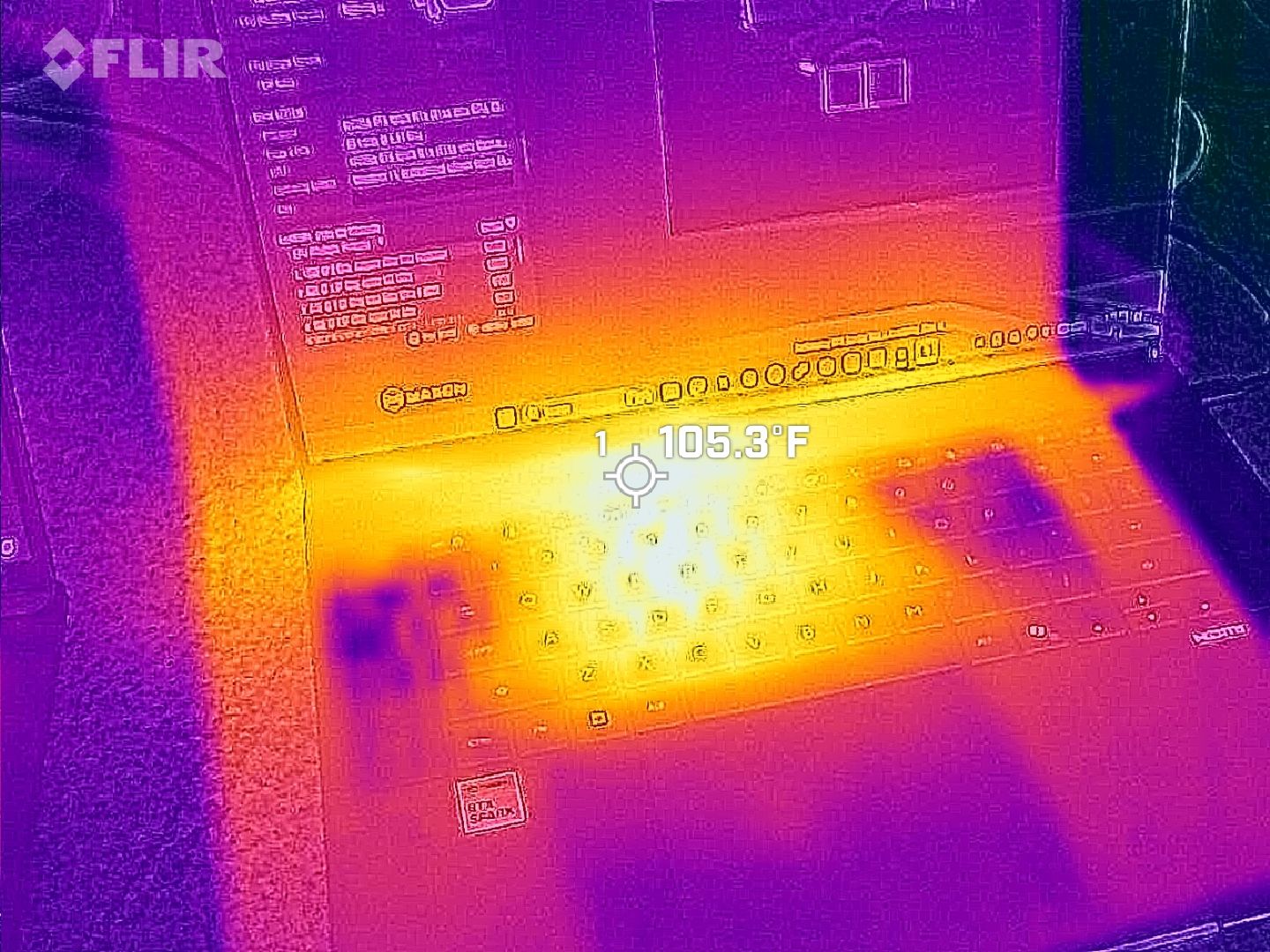
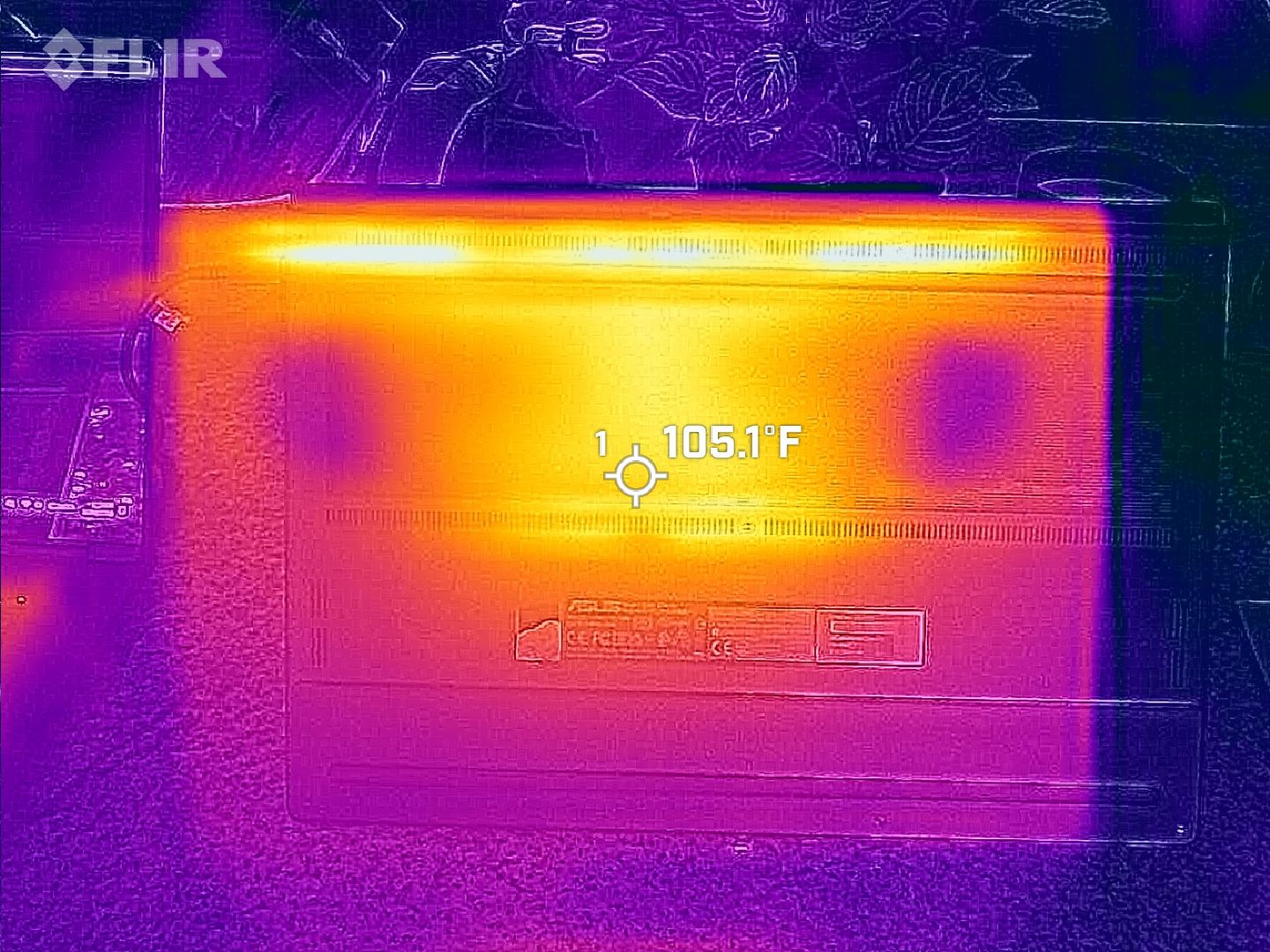
The same spot measured for heat on the ProArt P16. (Image credit: Daniel Rubino)
As for heat and noise, the Surface Laptop Ultra hit about 123 degrees Fahrenheit just above the keyboard. That's very hot, but at least the fans don't exceed 42 decibels.
Using the same FLIR imaging, we measured 105 degrees Fahrenheit in the same spot on the ProArt P16. That's quite a bit cooler, although the fans did climb closer to 50 decibels.
Surface Laptop Ultra vs. ASUS ProArt P16: Which should you buy?
The ASUS ProArt P16 comes out ahead of the Surface Laptop Ultra in several key areas. (Image credit: Daniel Rubino)
Microsoft's Surface Laptop Ultra starts at $2,599.99 for a model with an 18-core CPU, 24GB of RAM, and a 512GB SSD. The ASUS ProArt P16 starts at $2,799.99 for a model with an 18-core CPU, 24GB of RAM, and a 512GB SSD.
If they're so similar, why the price difference?
I'm pointing to the ProArt P16's superior OLED display with pen support, its thinner and lighter design, its cooler thermals, its deeper key travel, its human presence detection, its top-firing speakers, and its larger battery.
These are all noticeable benefits, and whether or not they're worth a $200 upcharge (to start) is really up to you.
I can confidently say that the Surface Laptop Ultra is a great PC regardless of how well ASUS put together its ProArt P16, and perks like a smaller footprint, a better FHD webcam, a cheaper starting price, a magnetic USB-C port, and quieter fans could weigh heavier on your shopping list.
It's worth noting that ASUS also makes a 14-inch ProArt P14 with many of the same benefits, all in a more portable package. Starting at $2,599, it might be the perfect third option for shoppers.
Mini-LED
Microsoft
Surface Laptop Ultra
The Surface Laptop Ultra costs less to start, but it lacks pen support, its mini-LED isn't as impressive, it's thicker and heavier, and it lacks some features compared to the ASUS ProArt P16. Regardless, many will appreciate its speedy SSD, its superior webcam, its smaller footprint, and its magnetic USB-C port.
OLED
ASUS
ProArt P16
The ASUS ProArt P16 scored higher in our review thanks to its OLED display, deeper key travel, outstanding audio, cooler thermals, and thinner/lighter design. It does cost more to start, and it has louder fans, but these are easy trade-offs for those who don't mind spending a little bit more.
Join us on Reddit at r/WindowsCentral to share your insights and discuss our latest news, reviews, and more.
iFixit gives the iPhone Duo a provisional 5/10 repair score while investigating screen failures. See hinge concerns, $999 repairs, and tips for owners.
Explore Galaxy Tab S12 Ultra features and pricing, from DeX and Galaxy AI to accessories, with buying advice to help you choose the right configuration.
Microsoft has released its first firmware update for the new Surface Laptop Ultra that fixes a number of issues that users and reviewers have reported since launch day a few weeks ago. Namely, issues with the display and long reboot times are finally being addressed.
According to the changelog, this firmware update was released on October 22, 6 days after the Surface Laptop Ultra launched. It appears under the name "Microsoft Corporation System Hardware Update (200.0.7.0)" in Windows Update, and includes the following fixes:
Resolves an issue that could cause extended reboot times.
Resolves an issue that could cause screen flickering.
Resolves an issue that could cause unexpected restarts.
Includes additional bug fixes and general performance improvements.
Reviewers (myself included) had noted that the Surface Laptop Ultra's Mini-LED screen was disappointing as the display suffered from ghosting and flickering. Microsoft says the flickering issue should now be fixed with this latest update, though the ghosting issue is still present.
I also mentioned in my review that the Surface Laptop Ultra suffered from really long reboot times, which made installing Windows updates and drivers a pain as it made the process take twice as long. That issue is now also fixed as of this latest firmware update.
Other fixes include performance improvements and a reduction in unexpected restarts (BSODs,) something I am yet to encounter on Surface Laptop Ultra anyway. It's good to see Microsoft moving so quickly to improve the Surface Laptop Ultra, which is expected to get firmware updates for 6 years, until 2032.
Surface Laptop Ultra is on sale now starting at $2,599. It's Microsoft's first RTX Spark powered Surface PC, which explains why there have been some teething problems with the platform. I expect Microsoft to issue more bug fixes and improvements via firmware updates over the coming weeks.
Join us on Reddit at r/WindowsCentral to share your insights and discuss our latest news, reviews, and more.
The ASUS ProArt P16 with RTX Spark is one of the best Windows laptops I've ever used. It's also one of the easiest to recommend to the wrong person.
That distinction matters when laptops start at $2,799.99 and go up to nearly $7,000, but I have a good reason for this caveat.
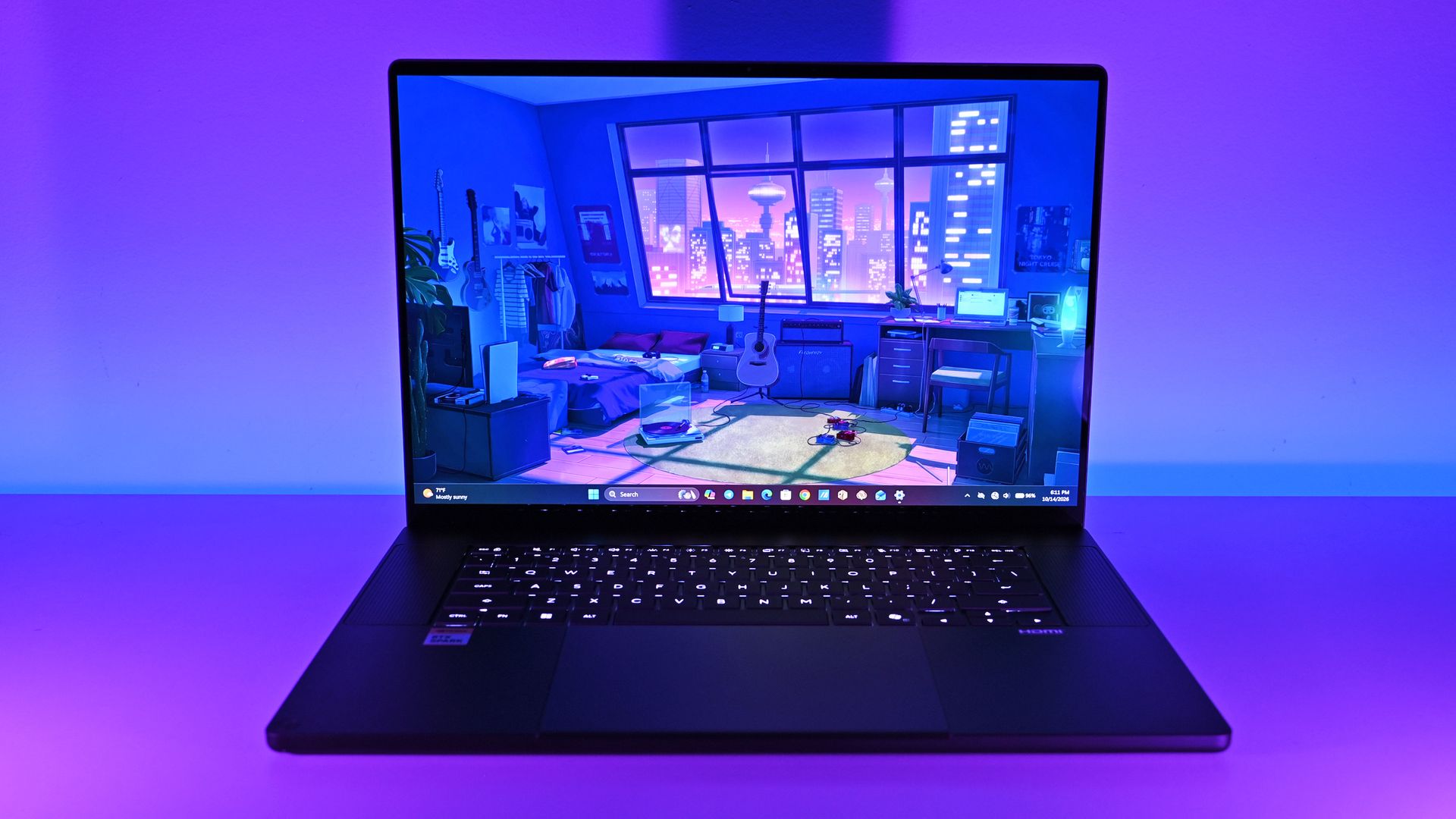
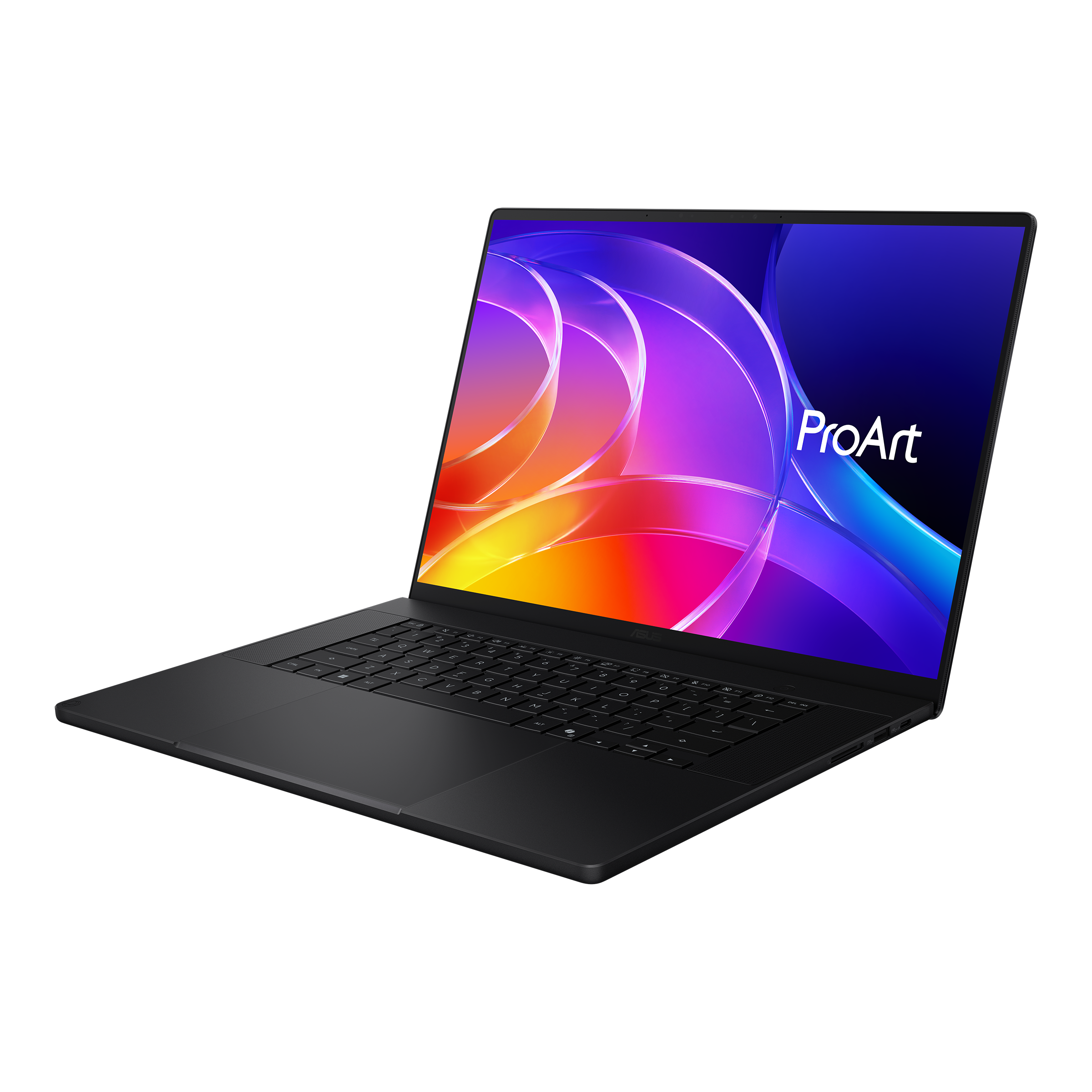
ASUS has designed this new ProArt P16 (H7607) primarily for people who create more than they consume: developers, engineers, AI enthusiasts, 3D artists, video editors, and professionals experimenting with increasingly sophisticated local AI and agentic workflows.
Indeed, NVIDIA's RTX Spark N1X combines a 20-core Grace CPU, 6,144-core Blackwell RTX GPU, native CUDA support, and up to 128GB of unified LPDDR5X memory. ASUS says the latter configuration can even run LLMs with up to 120 billion parameters.
If CUDA, local inference, LLMs, agentic workflows, GPU memory, or ComfyUI mean absolutely nothing to you, there are better laptops for your money.
If those terms interest you, even if you're just starting to learn about them, things get much more interesting, and you'll want to read on.
ASUS and NVIDIAhad no input, nor did it see the contents of this review, prior to publication.
ASUS ProArt P16: Price and specifications
(Image credit: Daniel Rubino)
I focused on two configurations for this review. My 3K Nano Black unit packs 64GB RAM and a 1TB SSD for $4,399.99, while the top model jumps to 128GB RAM, 2TB storage, and a 4K OLED for $6,999.99.
ASUS also offers Nano Black and Neo White, although configuration choices are strangely interdependent. Changing color can alter the display and Windows edition, so pay attention when ordering. ASUS currently lists Windows 11 Home and Pro, 3K and 4K OLED options, and memory capacities reaching 128GB.
But you can go even lower, as Best Buy's $2,799 model still has that 4K OLED, but 512GB of storage (you can add more later) and 24GB of RAM (obviously, RAM is the cost multiplier here in late 2026).
And don't confuse this H7607 model with the existing (and slightly older) AMD-powered ProArt P16 H7606. RTX Spark makes the H7607 a fundamentally different computer.
ASUS ProArt P16: Design and hardware
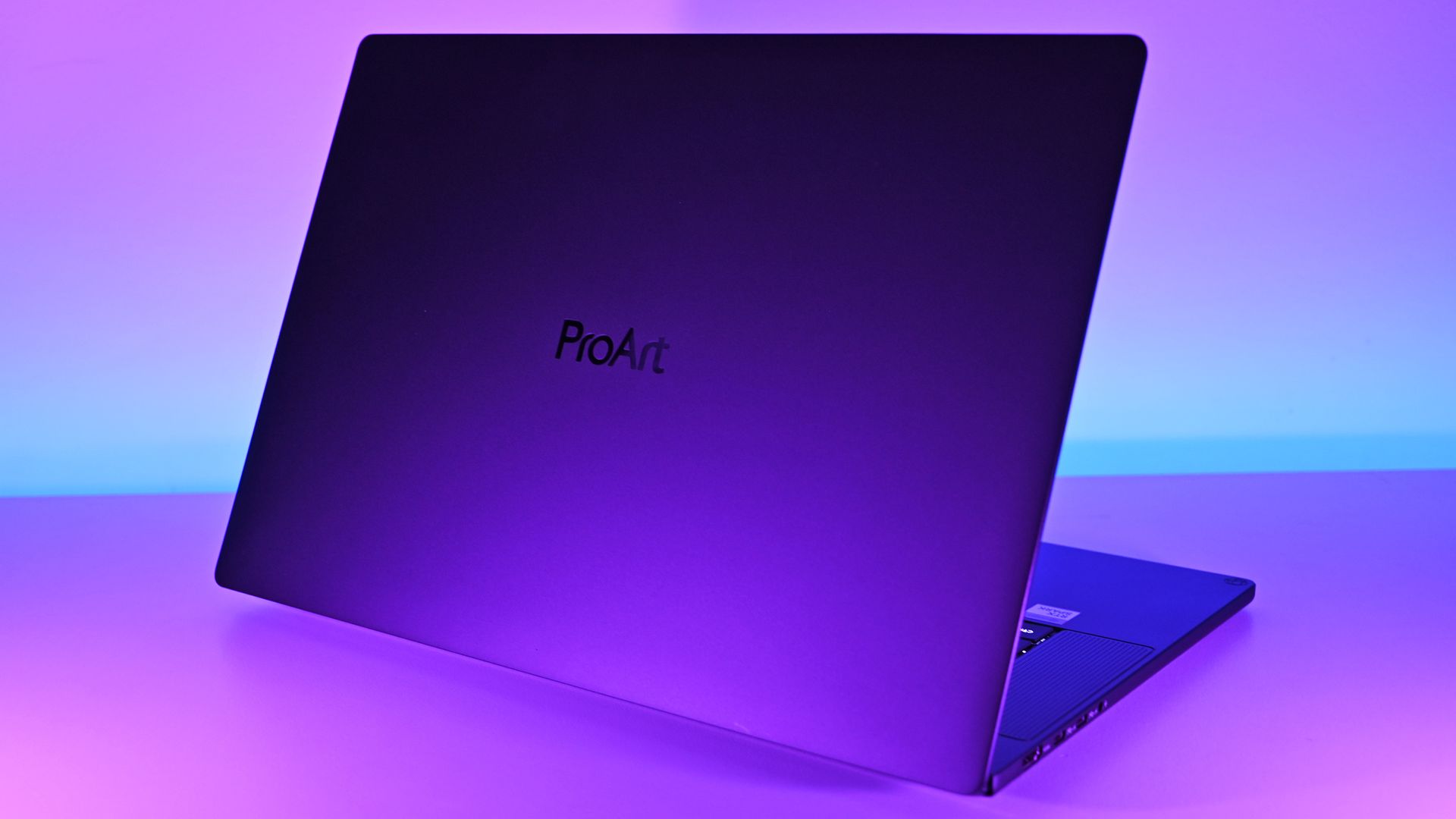
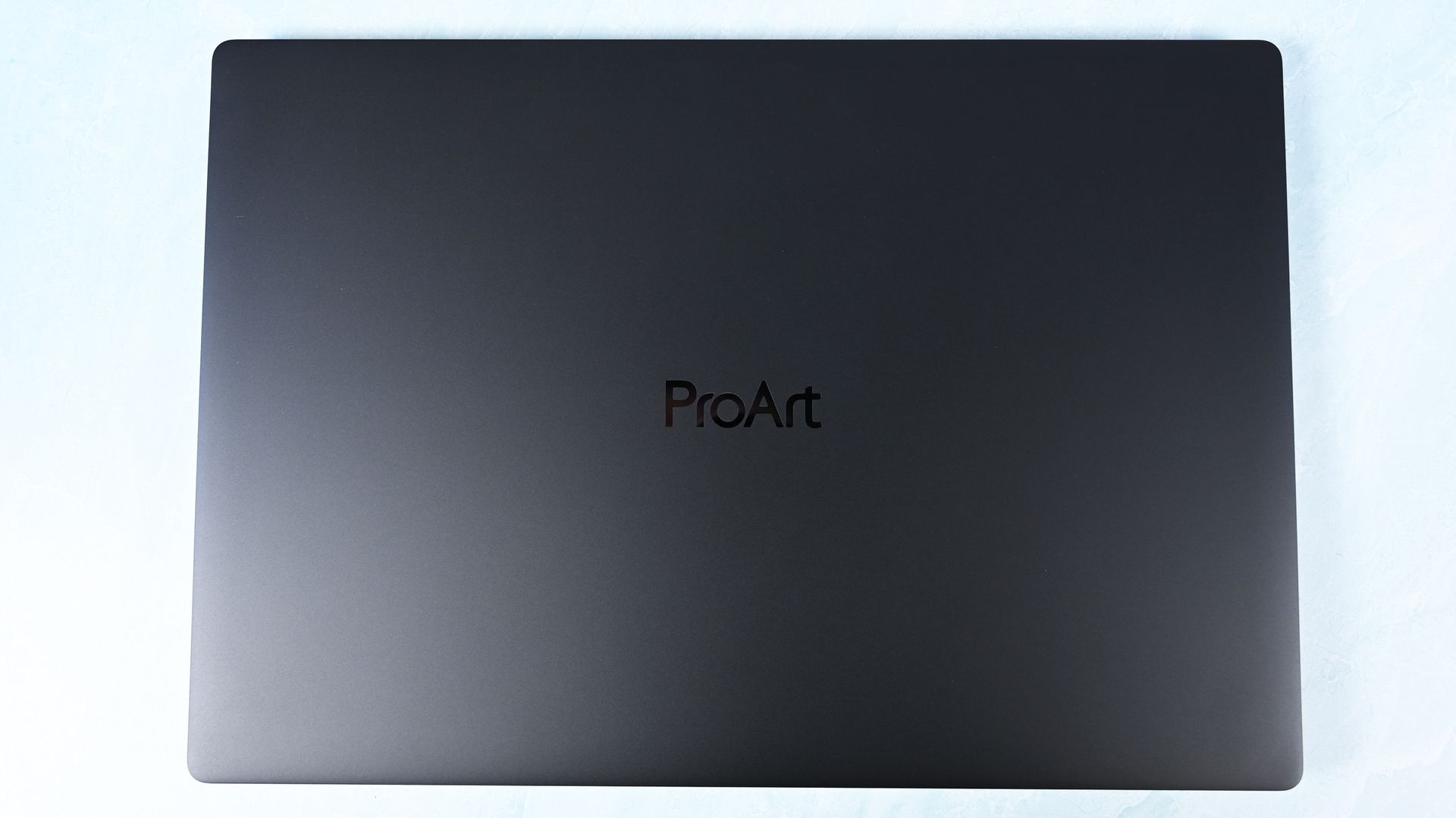
ASUS keeps it simple for the lid. (Image credit: Daniel Rubino)
This may be ASUS's greatest achievement with the ProArt P16.
At just 3.9 pounds, it's remarkably light for a 16-inch workstation, undercutting the 4.5-pound Surface Laptop Ultra, 4.7-pound 16-inch MacBook Pro, and especially HP's surprisingly hefty 4.9-pound OmniBook Ultra 16 RTX Spark.
You absolutely feel the difference.
The ProArt measures just 0.51 to 0.63 inches thick, yet ASUS still squeezes in an enormous 99.9Wh battery.
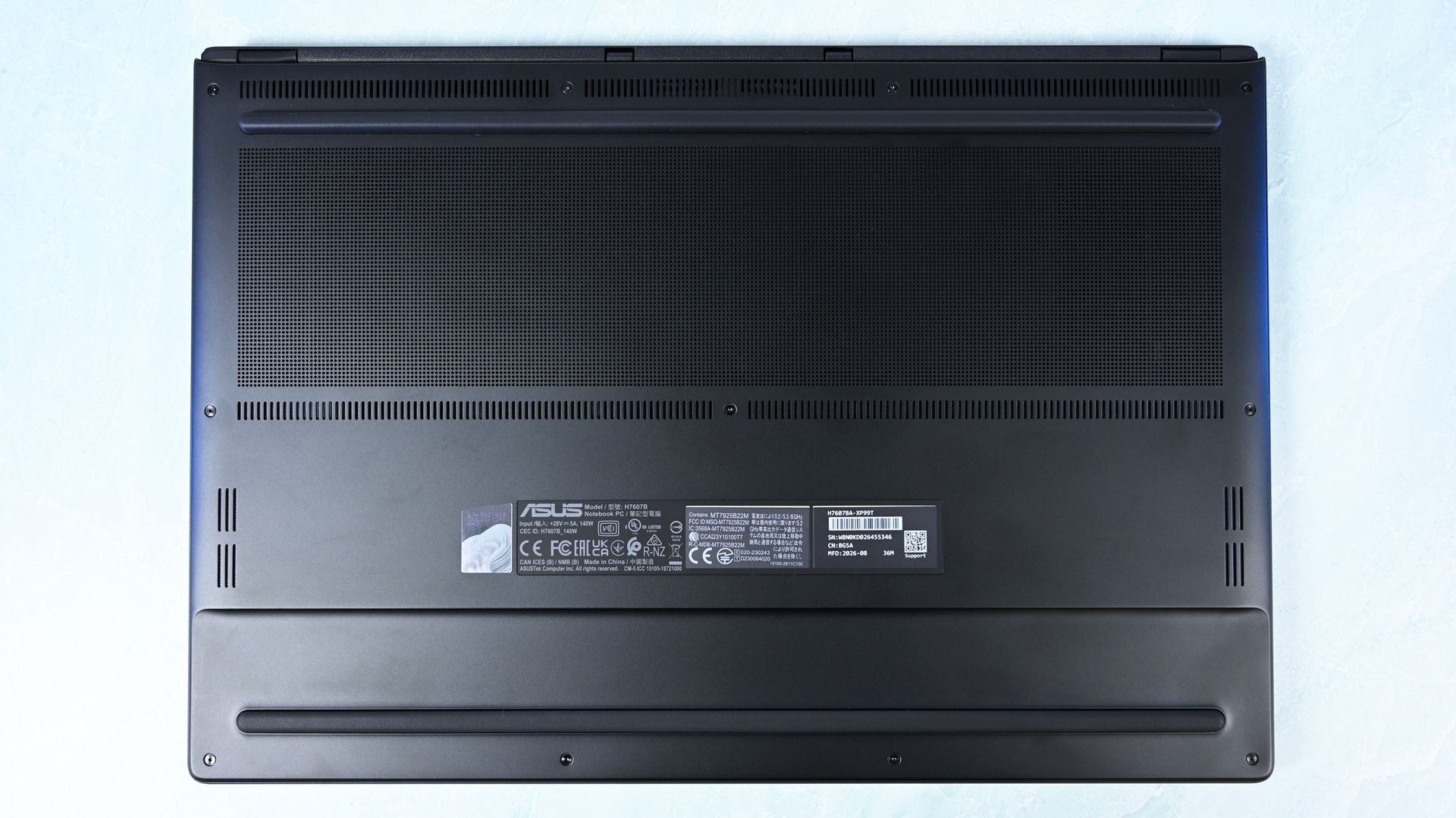
There's one giant grill on the bottom of the ProArt P16 for ventilation, followed by some smaller areas. (Image credit: Daniel Rubino)
Build quality is excellent. I'd give Microsoft and HP a very slight advantage for pure premium feel, but ASUS wins enough other categories that I hardly care. For instance, Nano Black's fingerprint-resistant coating also works surprisingly well. As someone who despises smudgy black laptops, I appreciate details like this.
Thermals are even more impressive. Under sustained heavy workloads, my thermal camera recorded around 105°F across the keyboard deck and approximately 120°F near the rear exhaust. That's a few degrees cooler than both the Surface Laptop Ultra and HP OmniBook Ultra 16 RTX Spark in my testing. Fan noise never exceeded 50dB under extreme workloads.
For something this thin, that's outstanding, since I expected sacrifices in both areas, not the opposite.
Daniel RubinoDaniel Rubino
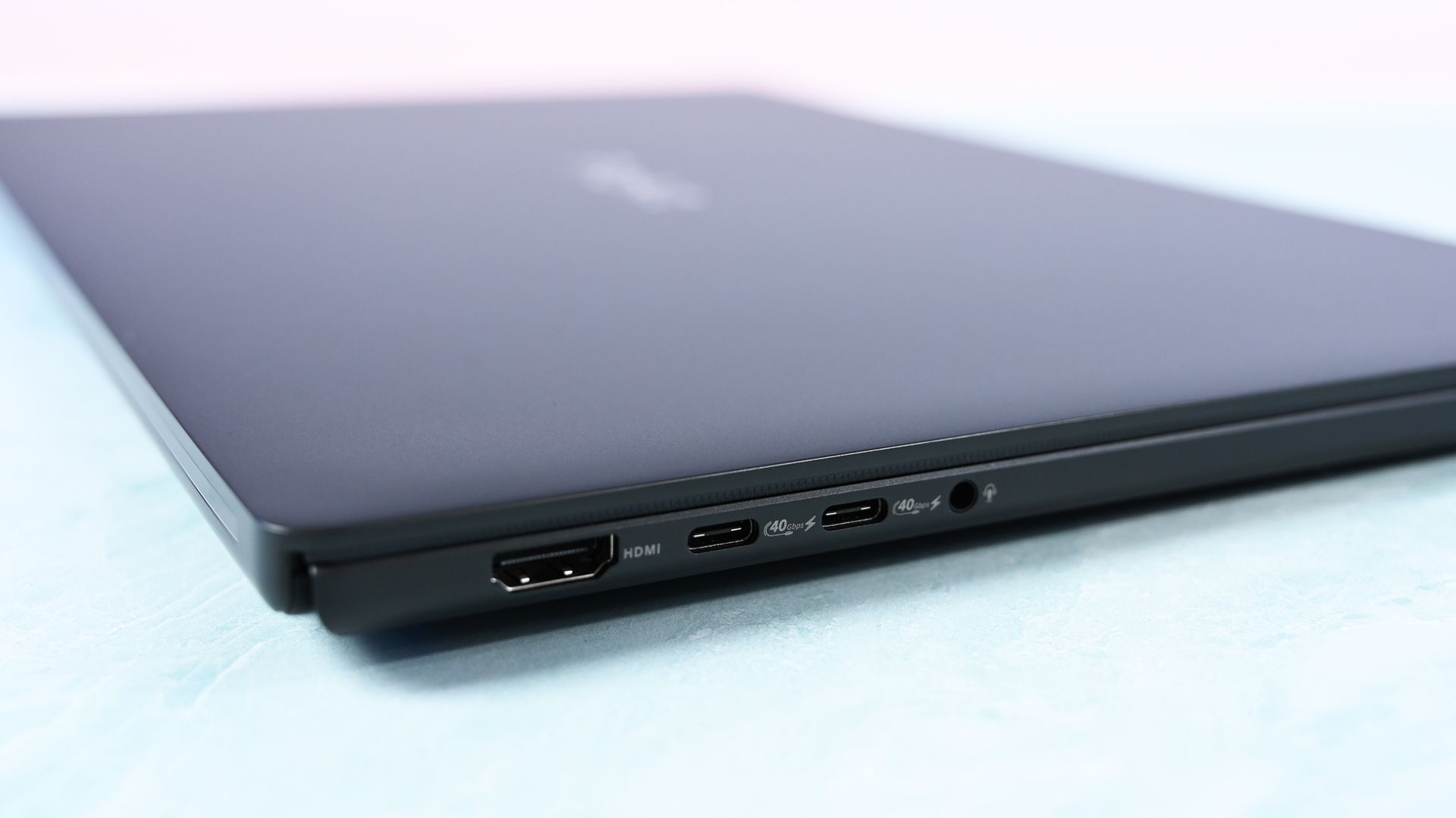
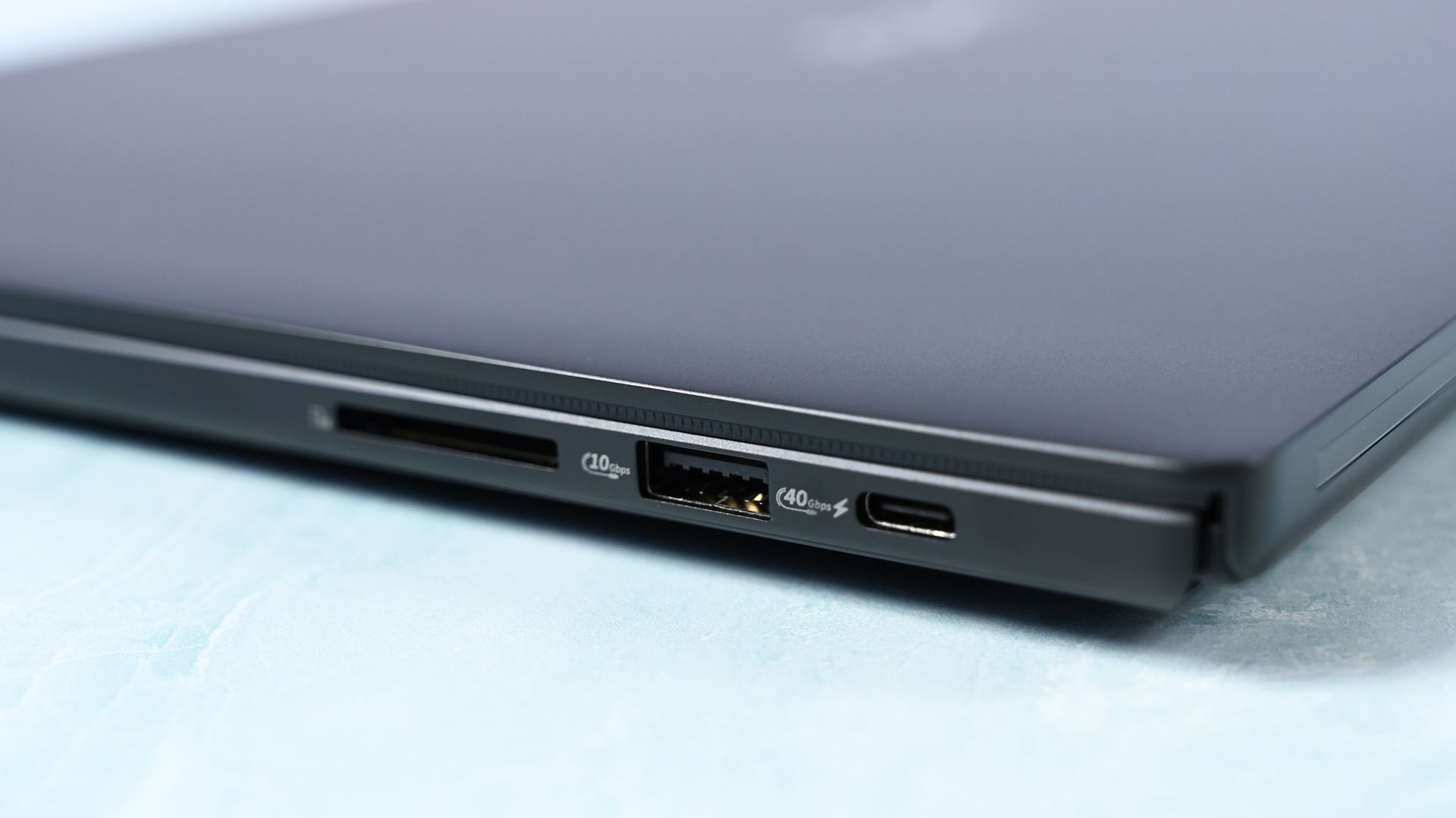
Connectivity is arguably best-in-class for RTX Spark laptops. It has three USB4 Type-C ports, with two on the left and one on the right, so I can charge from either direction, plus USB-A, HDMI 2.1b, a headphone jack, and a full-size SD card reader. To me, this is the right port configuration for this demographic on an RTX Spark laptop. I wish more companies would split Type-C ports on either side for easier charging, but some still don't.
All these small conveniences add up.
ASUS ProArt P16: Display, keyboard, touchpad, and audio
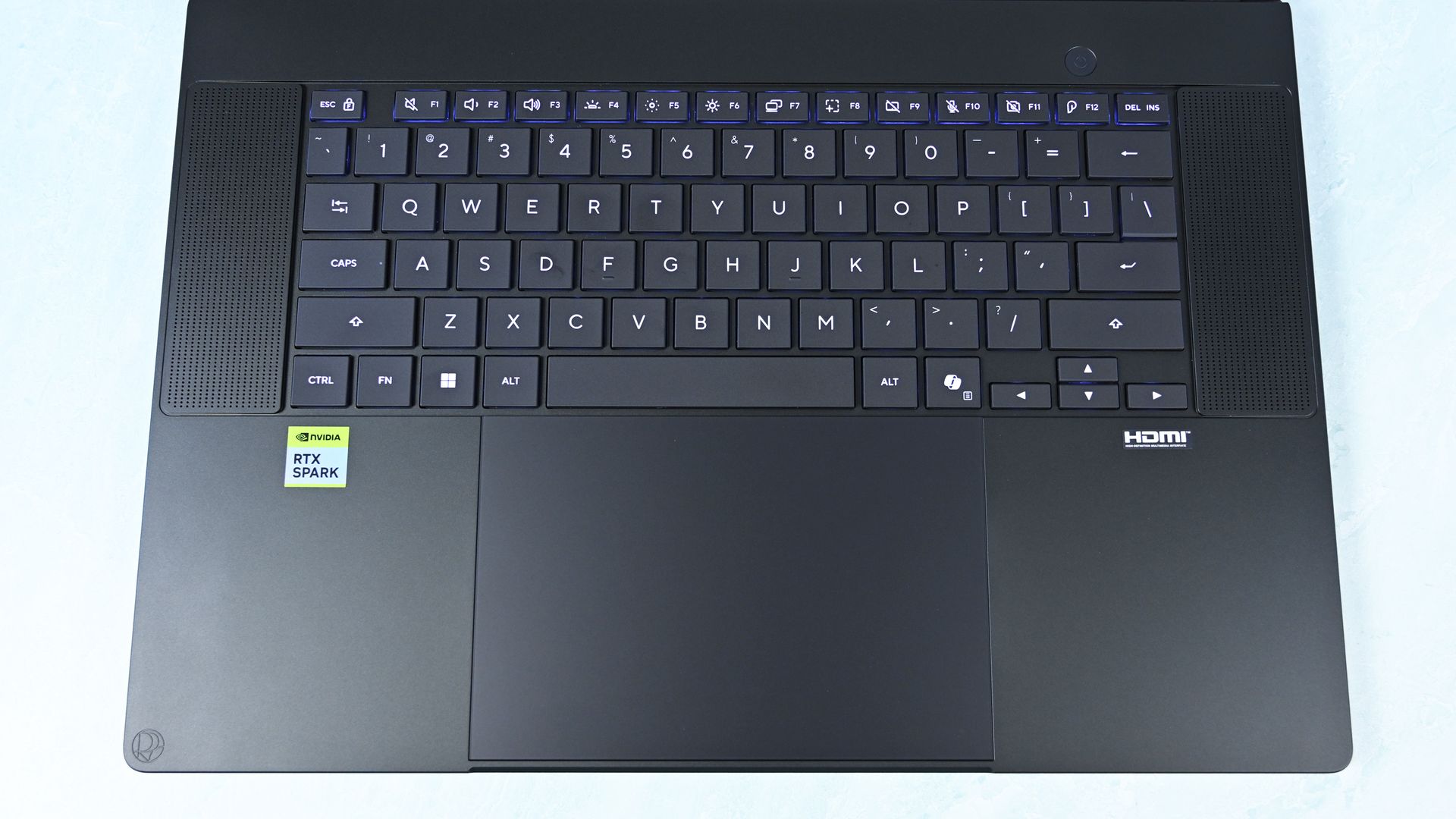
Top-down view of the ProArt 16's basic but solid keyboard deck showing flanking speaker grilles, power button, and huge touchpad. (Image credit: Daniel Rubino)
Both displays are gorgeous 16-inch OLED touchscreens with 100% DCI-P3 coverage, HDR support, and variable refresh rate from 30 to 120Hz. The 3K panel runs at 2880 x 1800 and peaks at 1,100 nits for HDR, while the 4K panel runs at 3840 x 2400, peaks at 1,600 nits for HDR, and adds ASUS's excellent anti-reflection treatment.
It's also worth noting that you get presence detection, an auto-brightness sensor, and adaptive (ambient) color, which are extra bonus display features I like to see at this price point.
Here's my controversial advice: I'd get the 3K display.
Placing both laptops together, I routinely guessed incorrectly when trying to identify them by resolution alone. Pixel peeping exposes the difference, but at normal viewing distances, 3K is plenty for 16 inches.
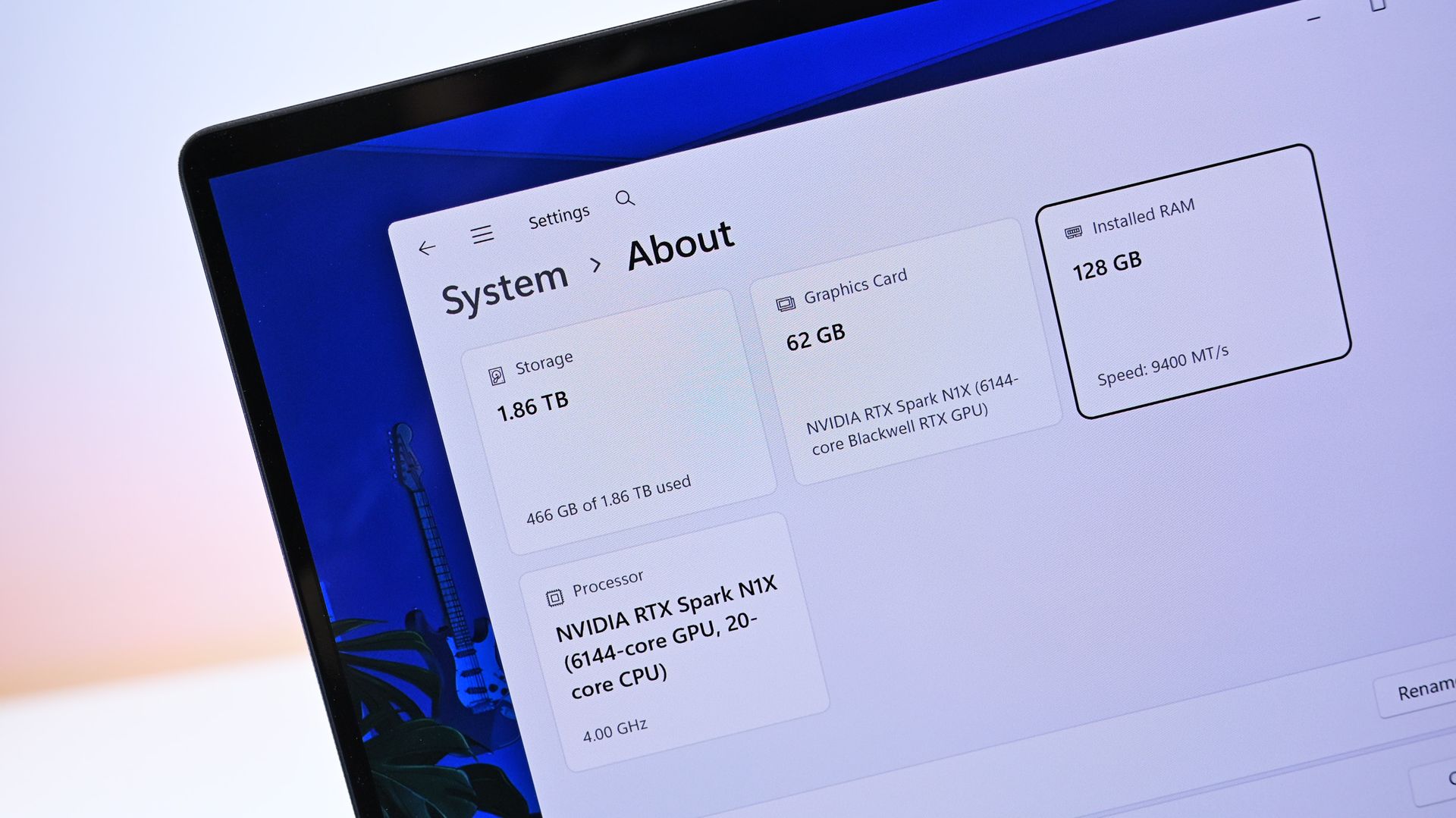
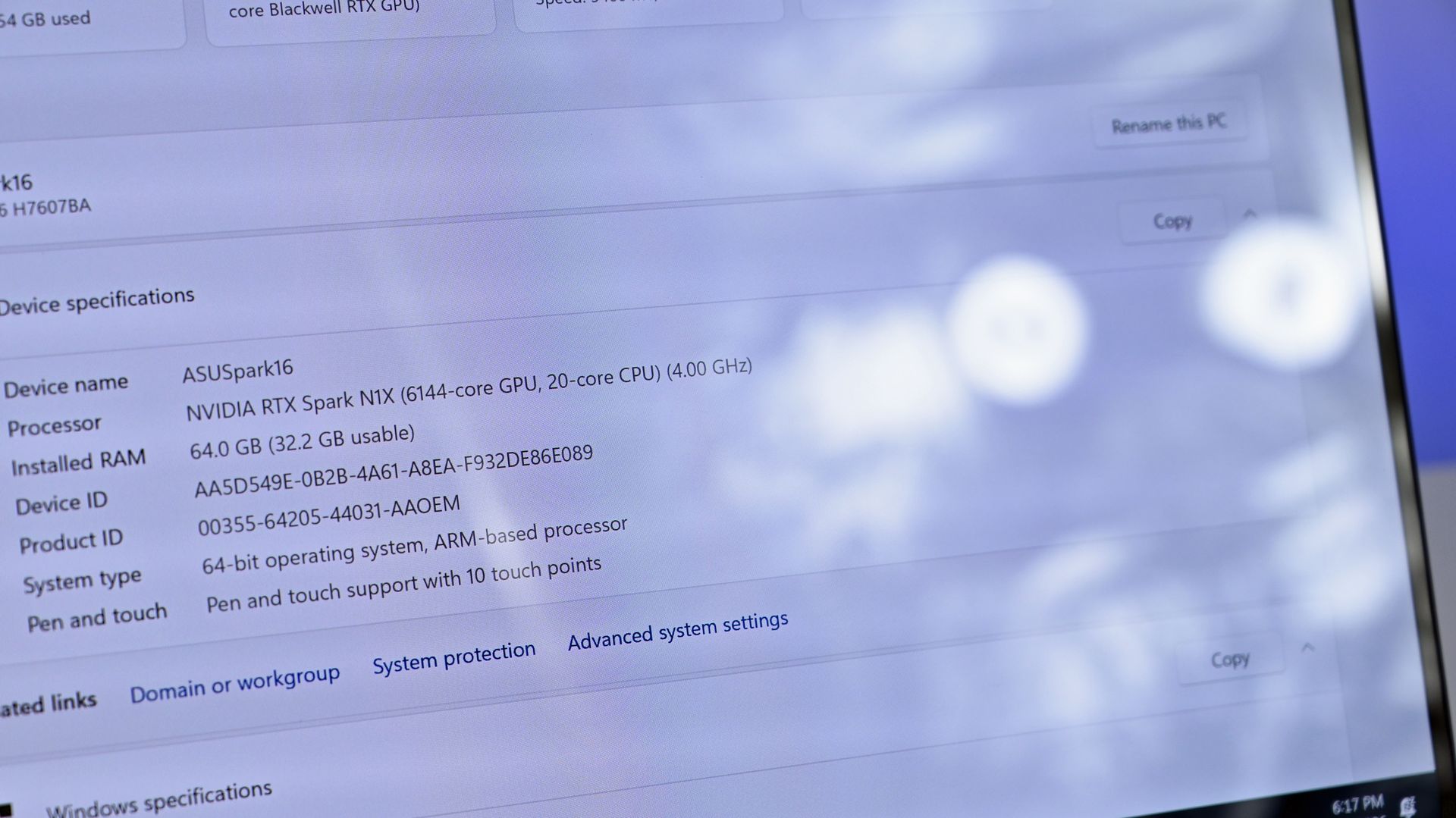
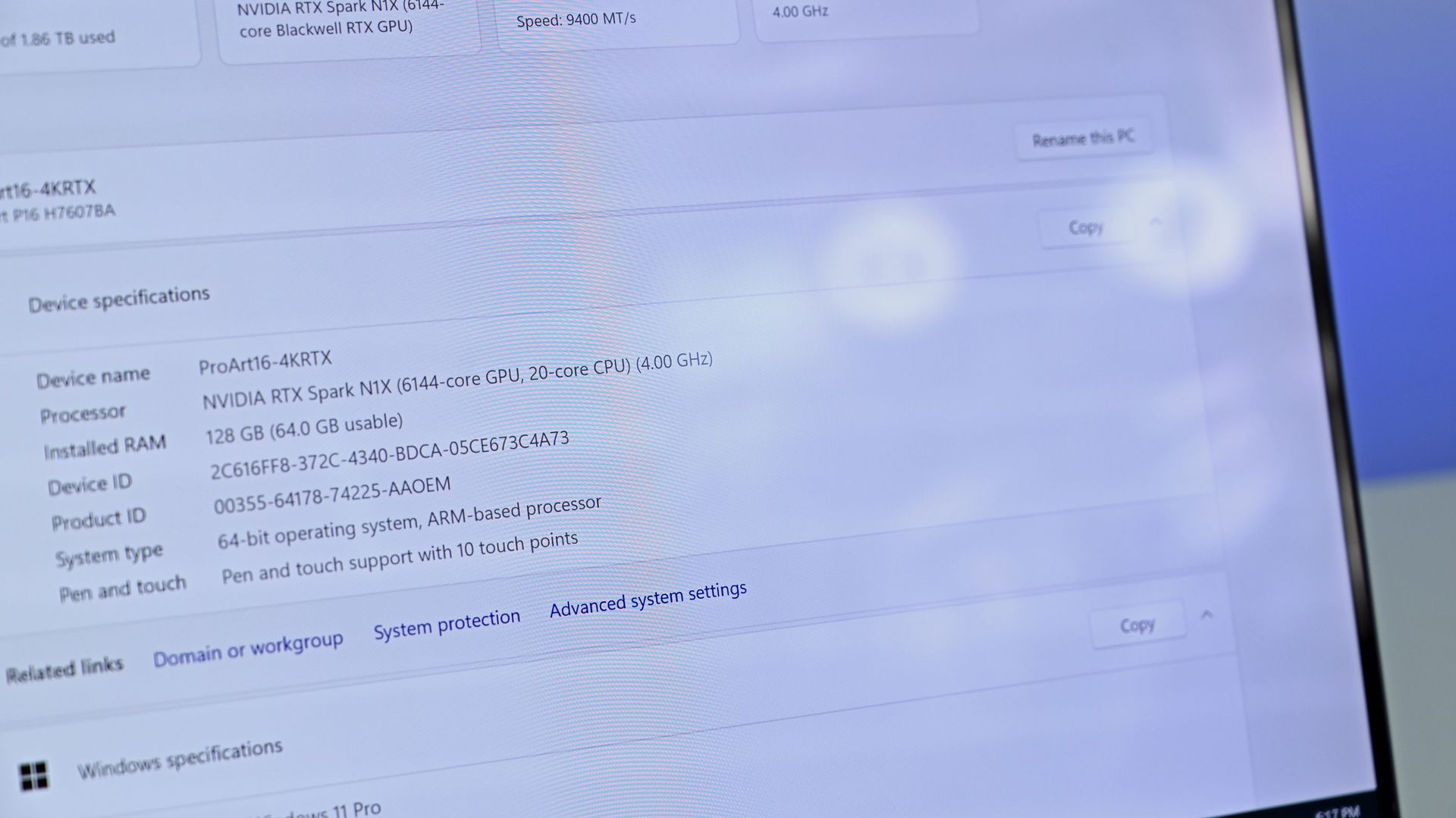
Close-up of Windows system specs showing 128 GB RAM in the $6,999 model. (Image credit: Daniel Rubino)
Unfortunately, ASUS forces the 4K configuration if you want 128GB RAM (unless you go through Best Buy, which has a 32GB model). I wish there were a 3K anti-reflective, 128GB option. That said, as someone who is a stickler for glossy displays, the 3K one is pretty good for glare, considering how much it bothers me.
I've also encountered extremely subtle flickering on my 4K unit. ASUS tells me a fix is coming, but I could also have a bum unit, so I have to have a chat with them about it.
Daniel RubinoDaniel Rubino
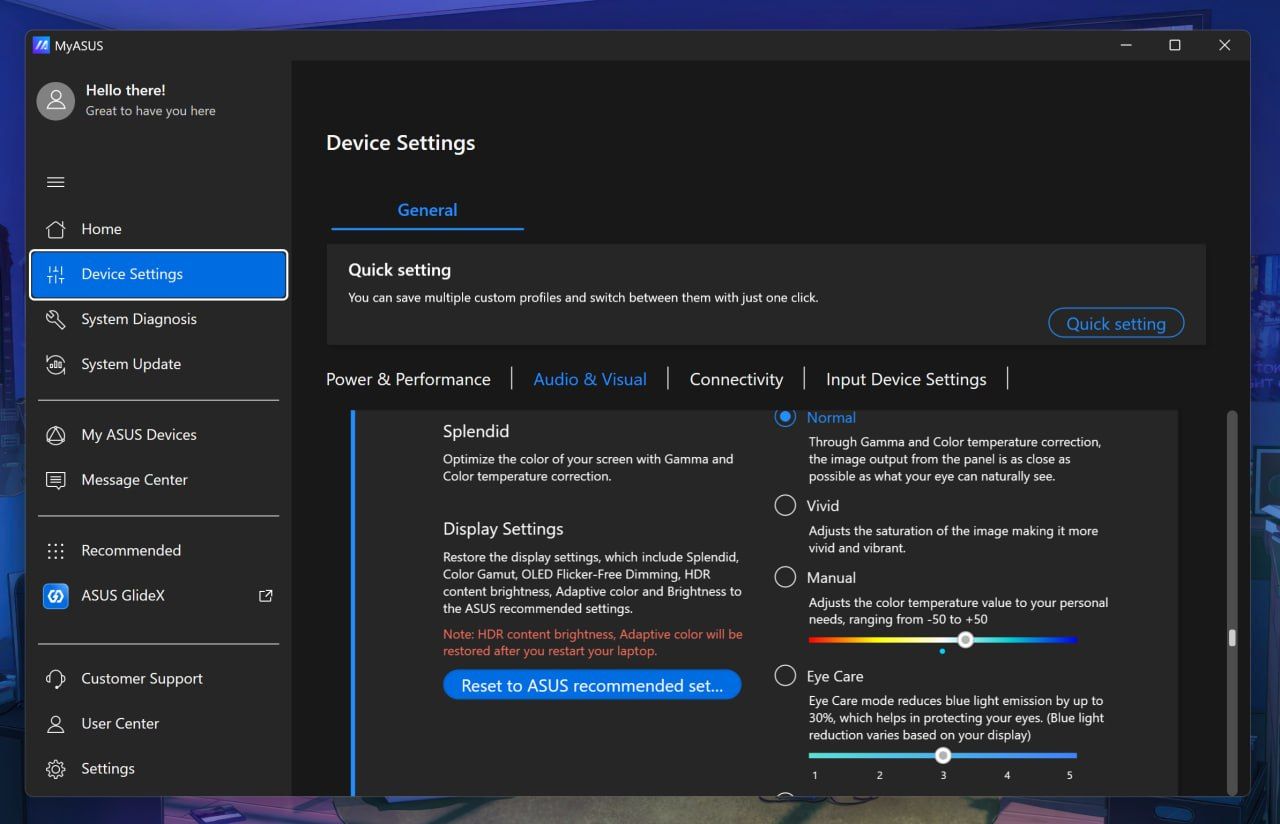
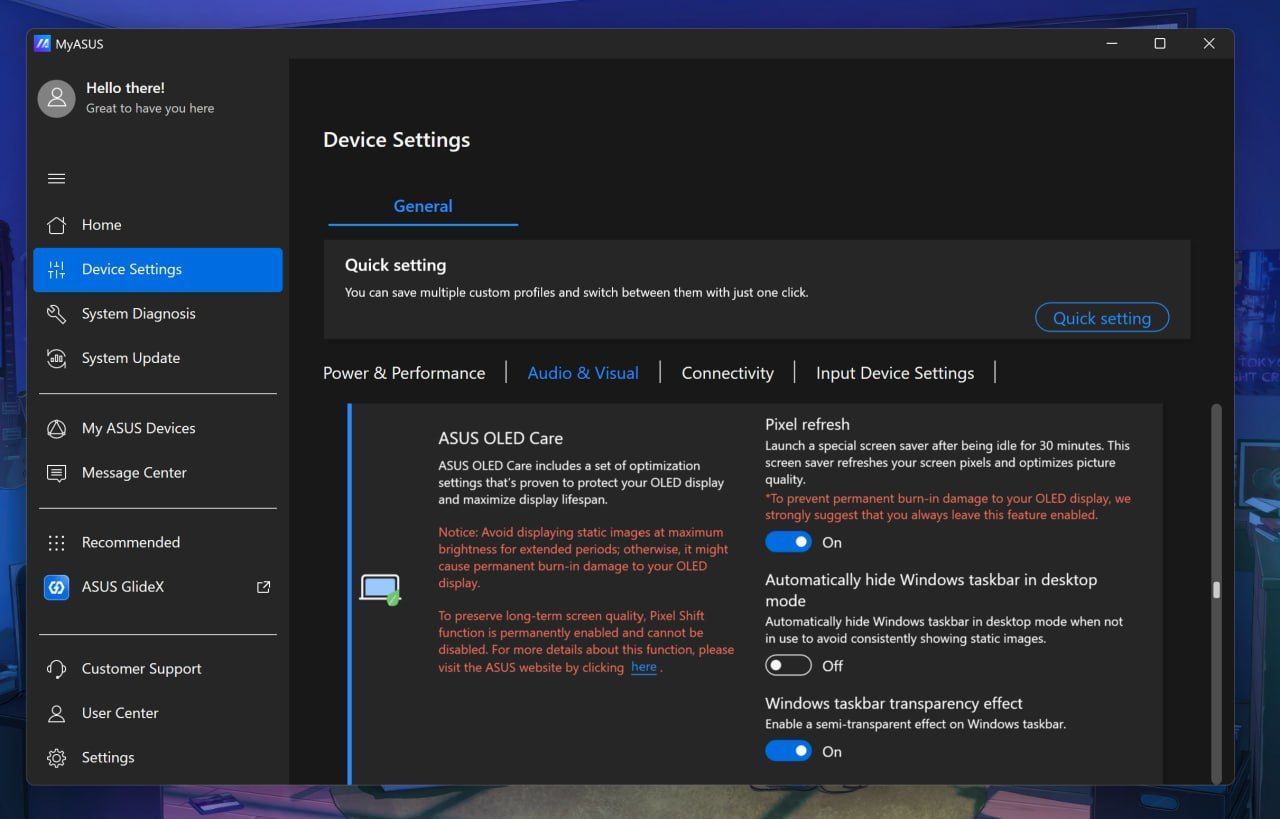
ASUS deserves enormous credit for its display controls, though. MyASUS (its main control and configuration app) provides profiles, color gamut controls, OLED flicker-free dimming, pixel refresh, burn-in mitigation, and other OLED Care options. You can even directly adjust memory allocation to the integrated GPU, which is particularly relevant on a unified-memory machine.
Daniel RubinoDaniel RubinoDaniel Rubino
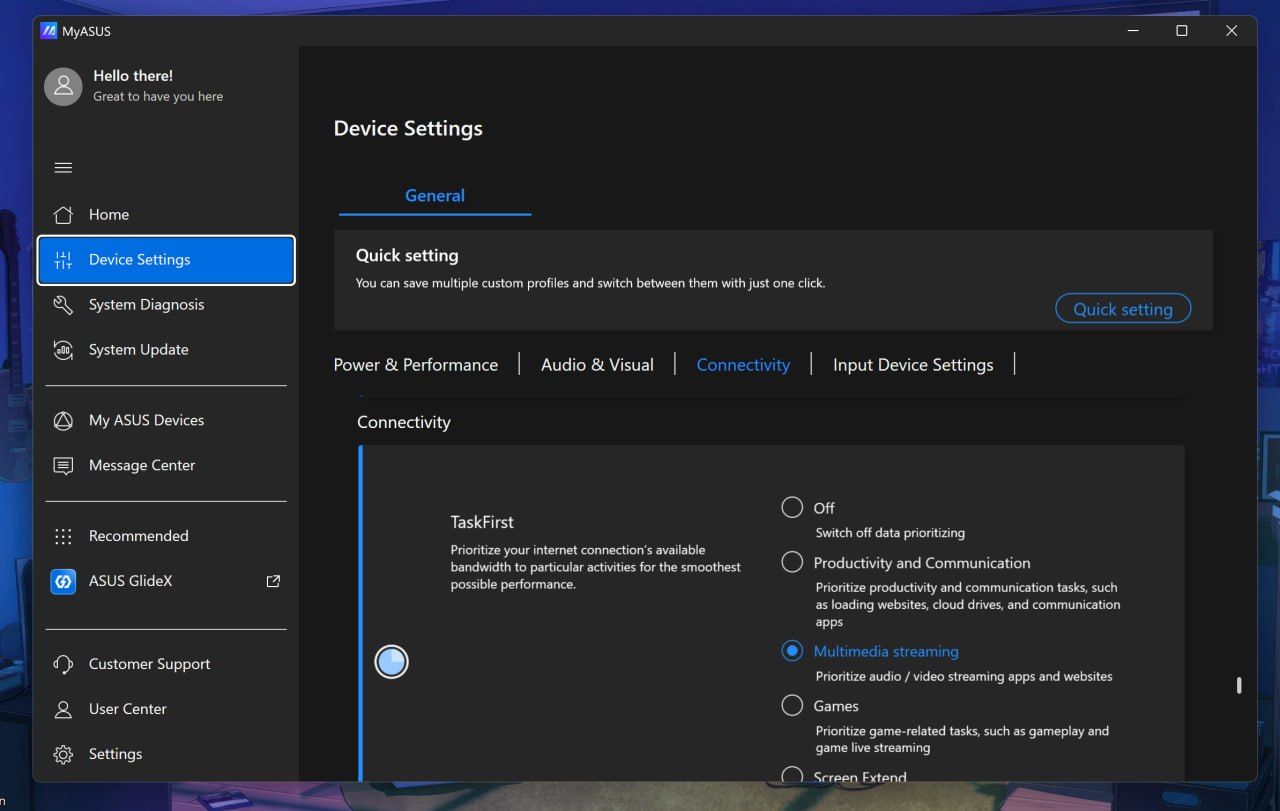
Overall, I think ASUS has the best out-of-the-box software, at least compared to HP and Microsoft, with the most configuration options for audio, connectivity, display, gestures, and more, not to mention direct driver updates from ASUS, warranty info, etc. I rarely praise OEM apps, but this is the way to do it.
This is also the part where I lament some pre-installed junkware, except I didn't find any on either laptop. These are relatively clean installs (except for whatever you dislike about Microsoft's inbox apps).
3-stage, timed backlight for the keyboard is excellent. (Image credit: Daniel Rubino)
The keyboard is similarly excellent, with springy keys, 1.7mm travel, and a three-stage backlight with automatic sensing.
The enormous haptic touchpad might be even better. Haptic feedback feels superb; it supports Windows Haptic Signals, and ASUS adds gestures for brightness, volume, playback, and ScreenXpert. Those gestures are quirky, but also completely optional.
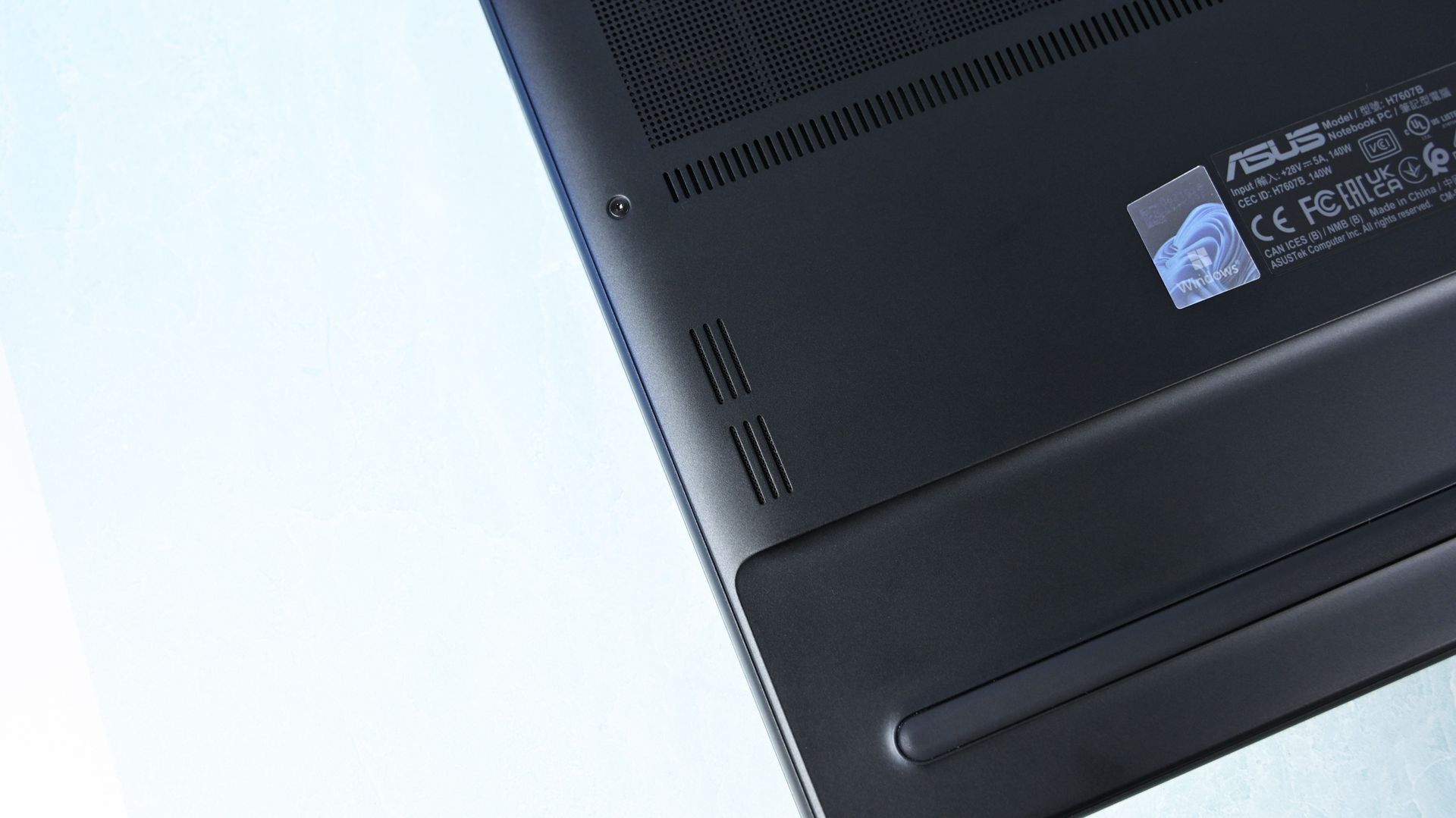
Close-up of the laptop underside corner showing downward-firing speaker cutouts. (Image credit: Daniel Rubino)
The four-speaker Dolby Atmos system is outstanding, and among the best I've heard from a Windows laptop. The 2.1MP webcam is less impressive on paper, particularly against HP's 5MP camera, but ASUS's processing produces a surprisingly sharp picture. Microsoft still wins this category with Surface.
There's even support for the optional $129 ASUS Pen 2.0. Using a pen on a traditional clamshell laptop remains awkward, but it's surprisingly handy for signing documents, marking up images, or quickly diagramming something.
ASUS ProArt P16: RTX Spark and performance
(Image credit: Daniel Rubino)
Unified memory allows the CPU and GPU to access the same large pool rather than dividing system RAM and dedicated GPU VRAM into much smaller fixed buckets. With up to 128GB available, that changes what can realistically be done locally with large AI models, complex 3D scenes, development workloads, high-resolution video, and anything else that can consume enormous amounts of GPU memory.
Then there's CUDA, NVIDIA's massively established parallel computing platform and ecosystem. For developers and creators, CUDA acceleration is fundamental to everything from AI frameworks and local inference to scientific computing and applications like Blender. Having massive unified memory alongside a CUDA-capable Blackwell RTX GPU is what makes RTX Spark particularly interesting.
I've already been experimenting with Osaurus and Hermes, combining models including Gemma 4 26B A4B, GPT-OSS-20B, Qwen3VL-8B, and Raptor 0.6 4B. I'm still learning local AI and agentic computing myself, and I'll be updating this review and writing more about that journey as I figure out what works, what doesn't, and what you can realistically accomplish locally.
FutureFuture
Looking across all my benchmarks, however, there's another interesting conclusion: which RTX Spark laptop you buy matters considerably less for raw performance than you might expect.
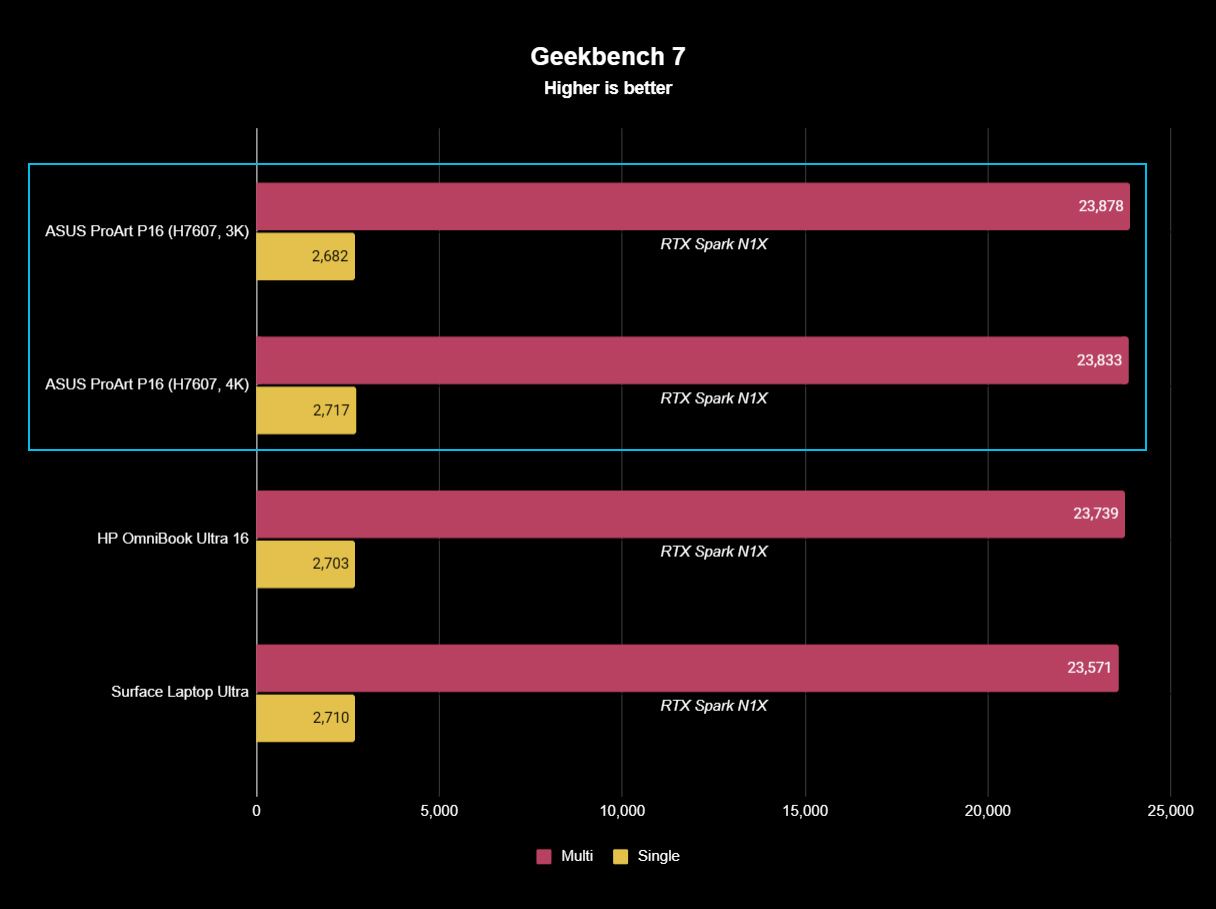
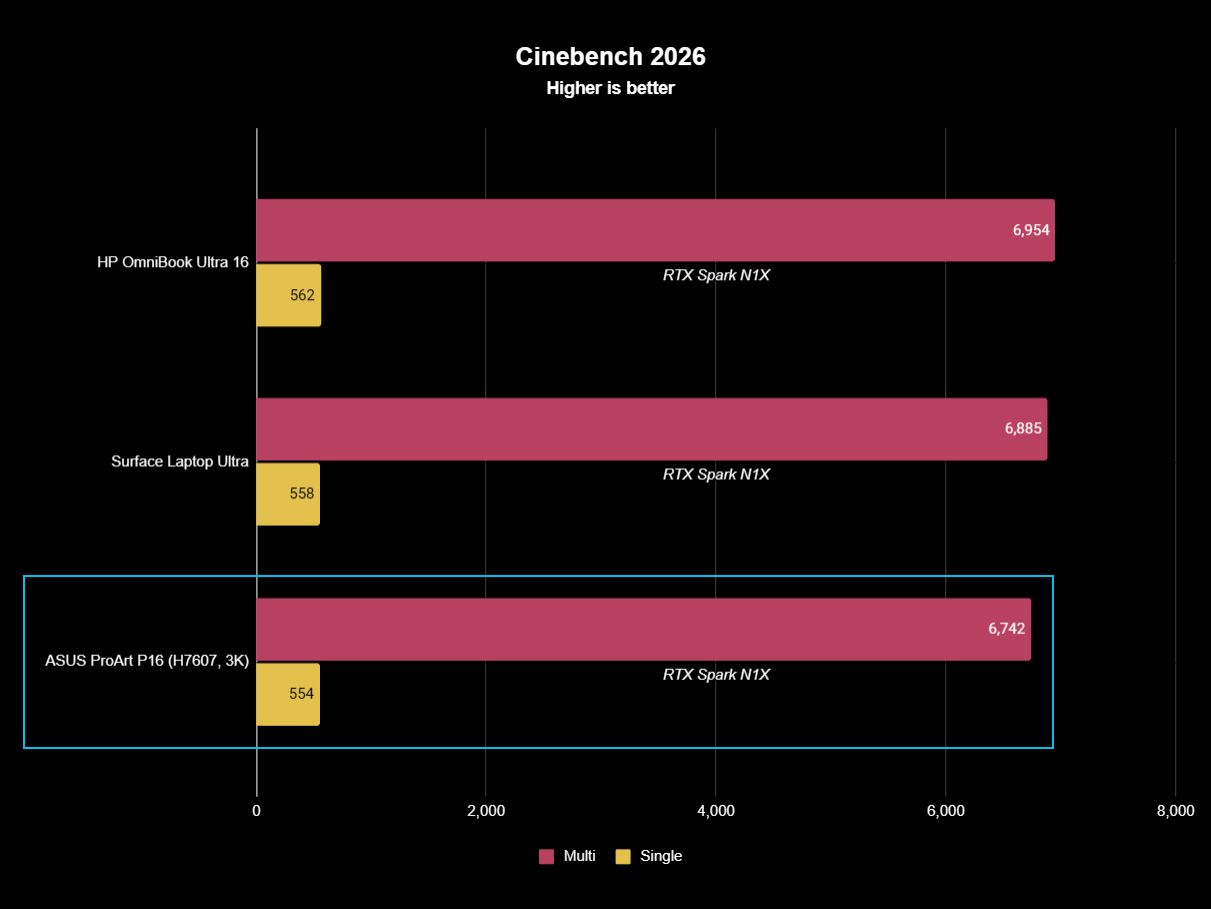
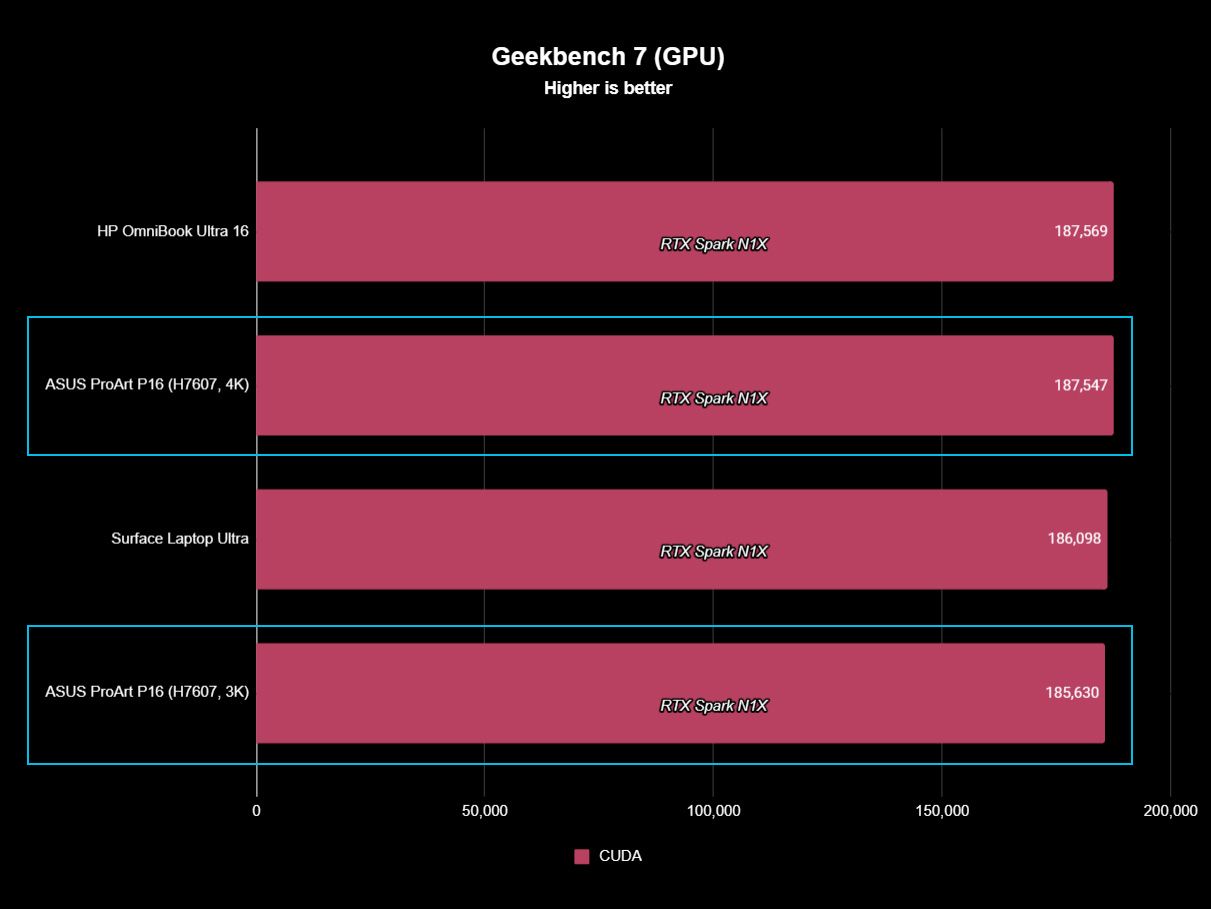
The ProArt P16, Surface Laptop Ultra, and HP OmniBook Ultra 16 (review forthcoming) trade places depending on the benchmark, but they're generally clustered surprisingly close together. In Geekbench 7, for instance, the ASUS actually posts the best multi-core result of the three, while single-core performance is separated by barely anything. CUDA testing is essentially a three-way tie. The 4K ASUS scored 187,547 against HP's 187,569, a difference so tiny it is meaningless.
That's good evidence of how consistent NVIDIA's N1X platform is between manufacturers.
FutureFutureFutureFutureFuture
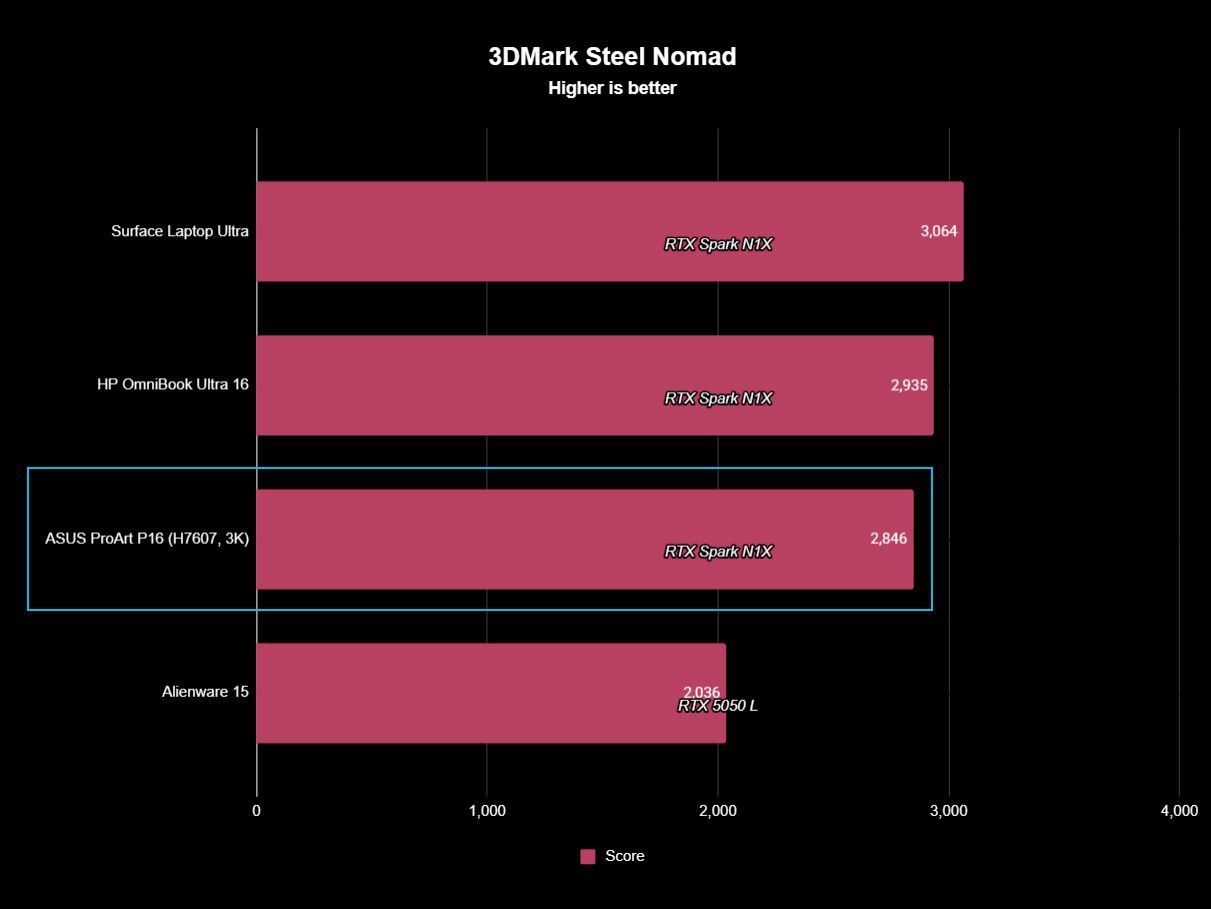
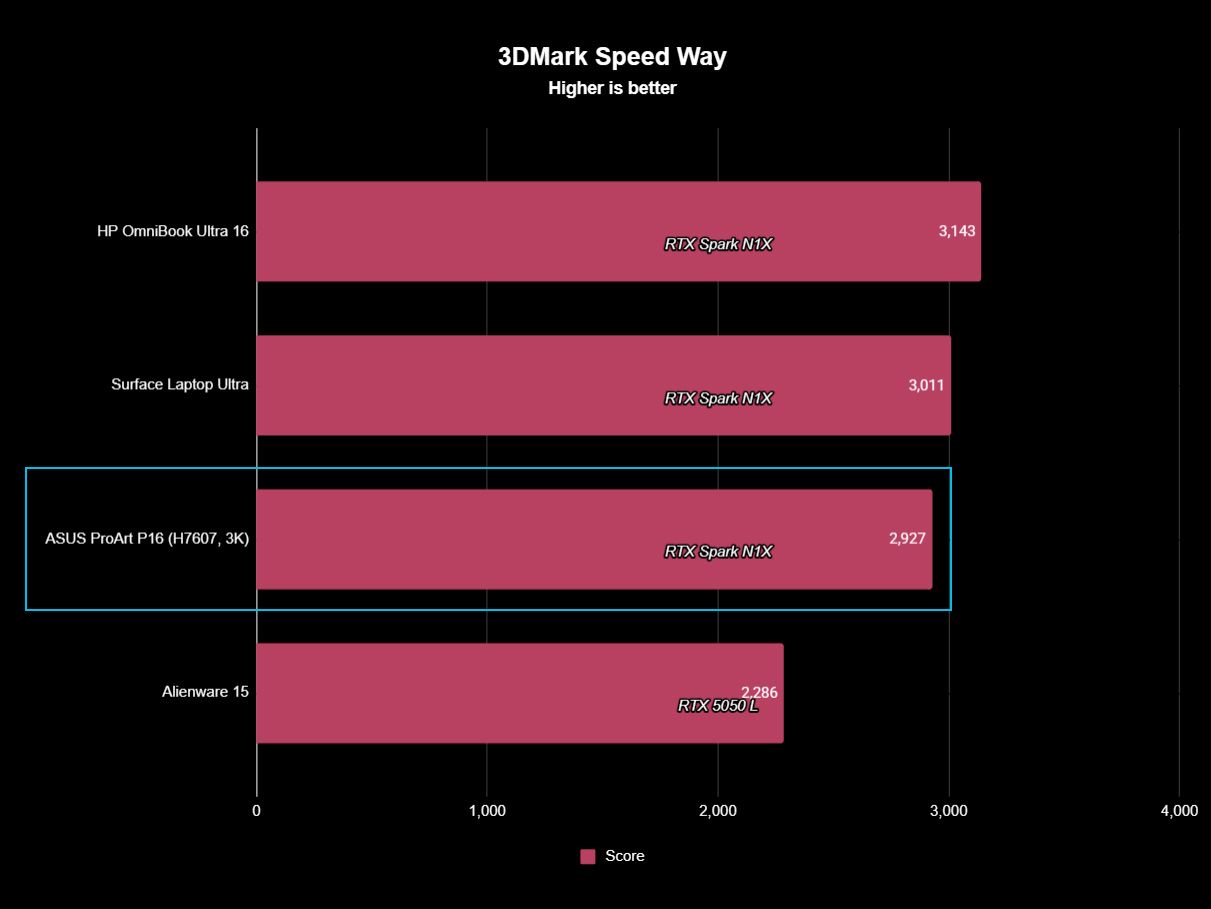
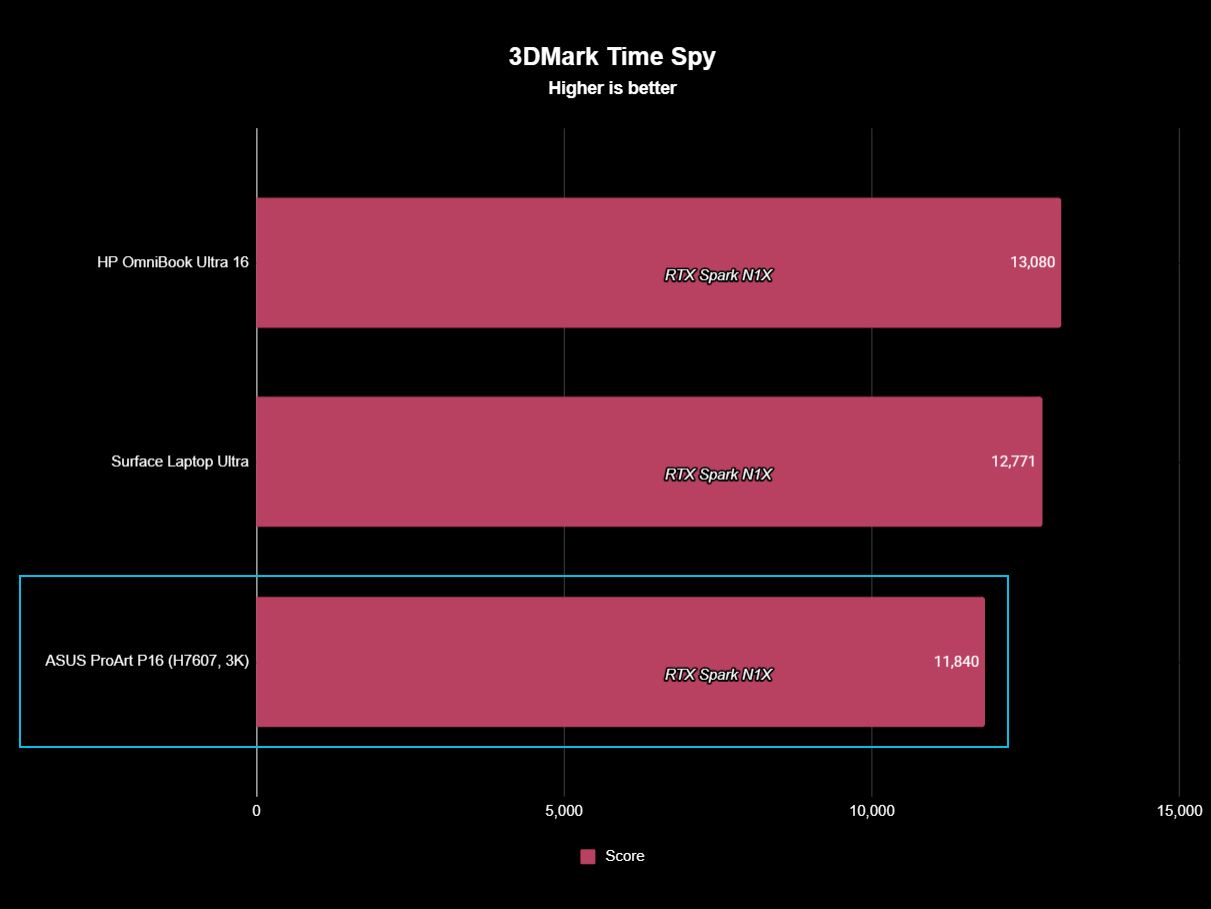
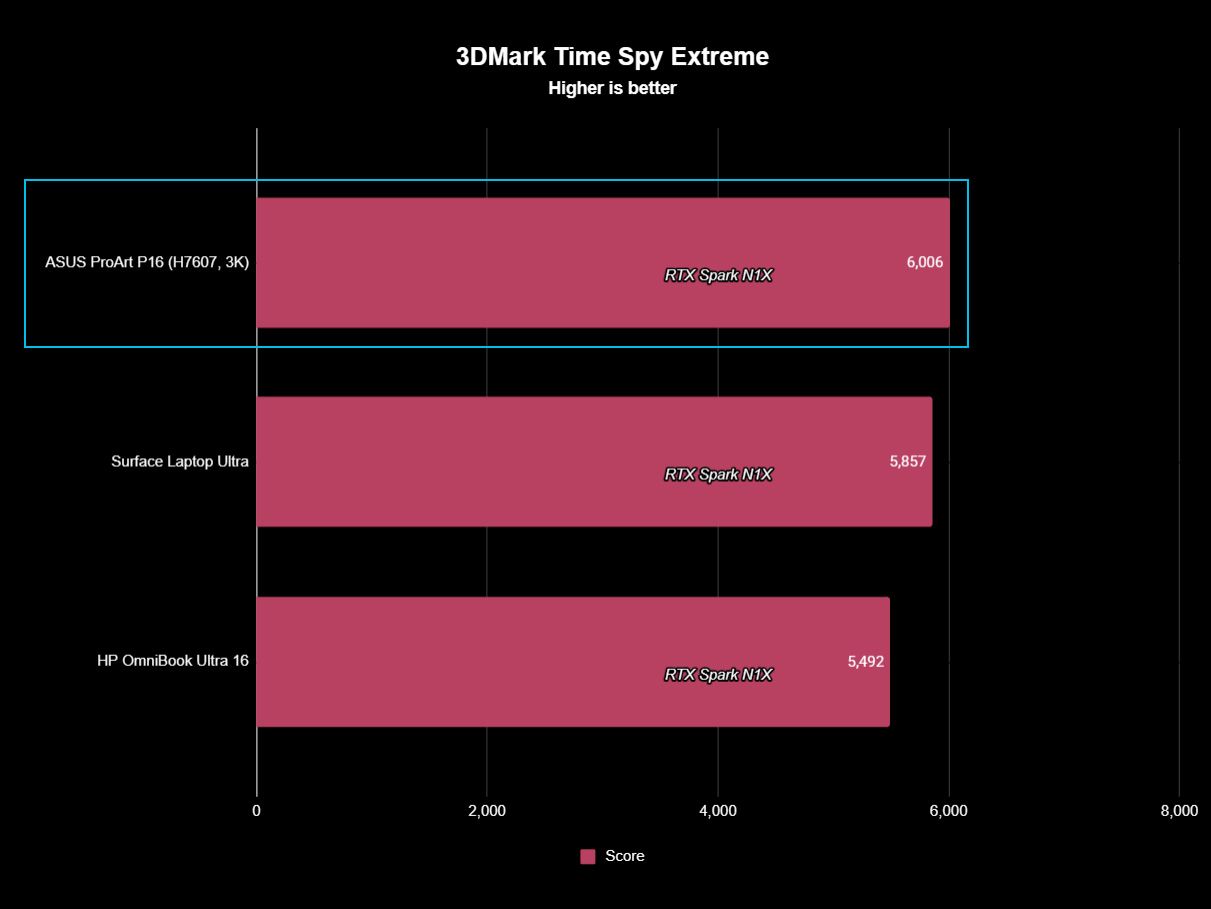
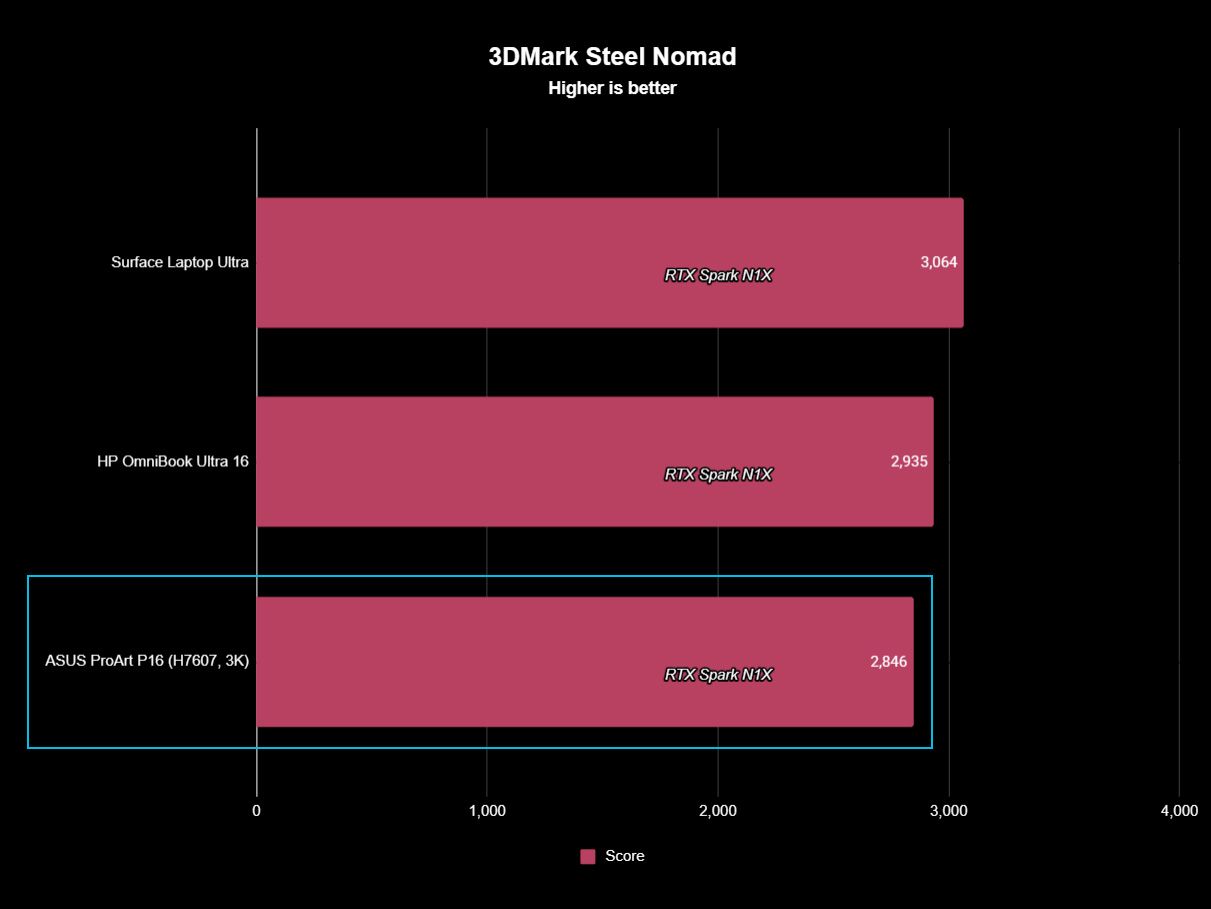
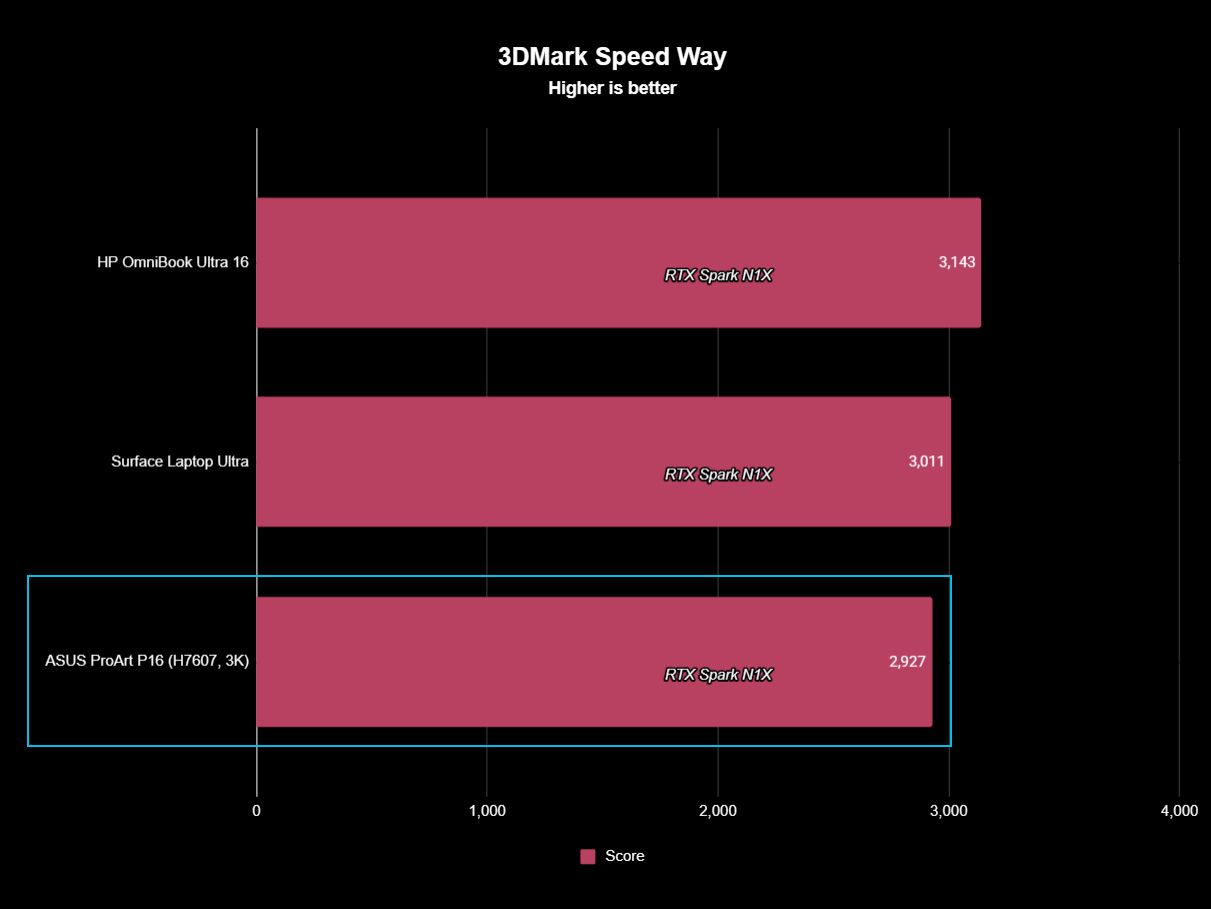
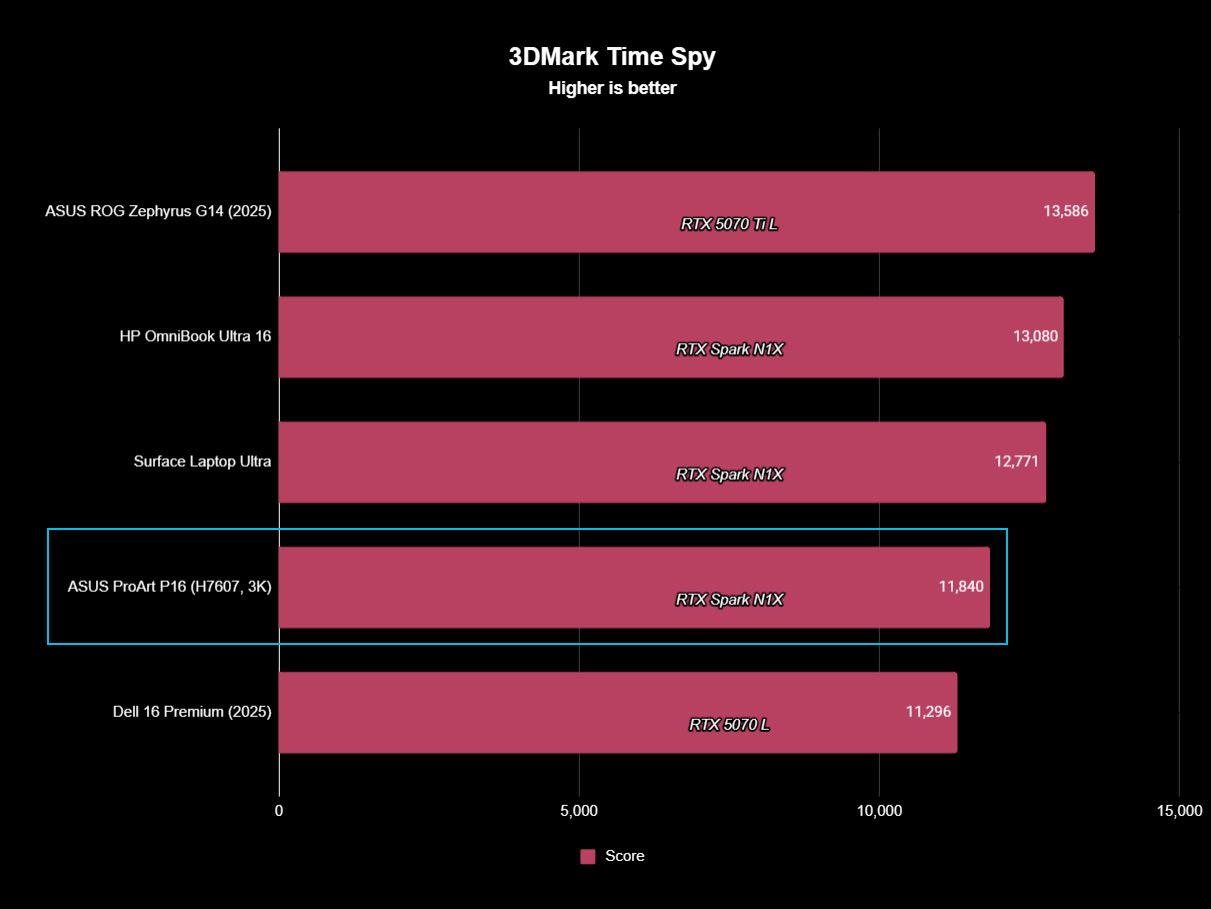
Graphics benchmarks reveal somewhat more variation. The ProArt P16's 11,840 result in 3DMark Time Spy trails the Surface Laptop Ultra's 12,771 and HP's 13,080 by around 7% and 9%, respectively. Speed Way and Steel Nomad tell roughly the same story, with ASUS usually sitting a few percentage points behind Microsoft and HP.
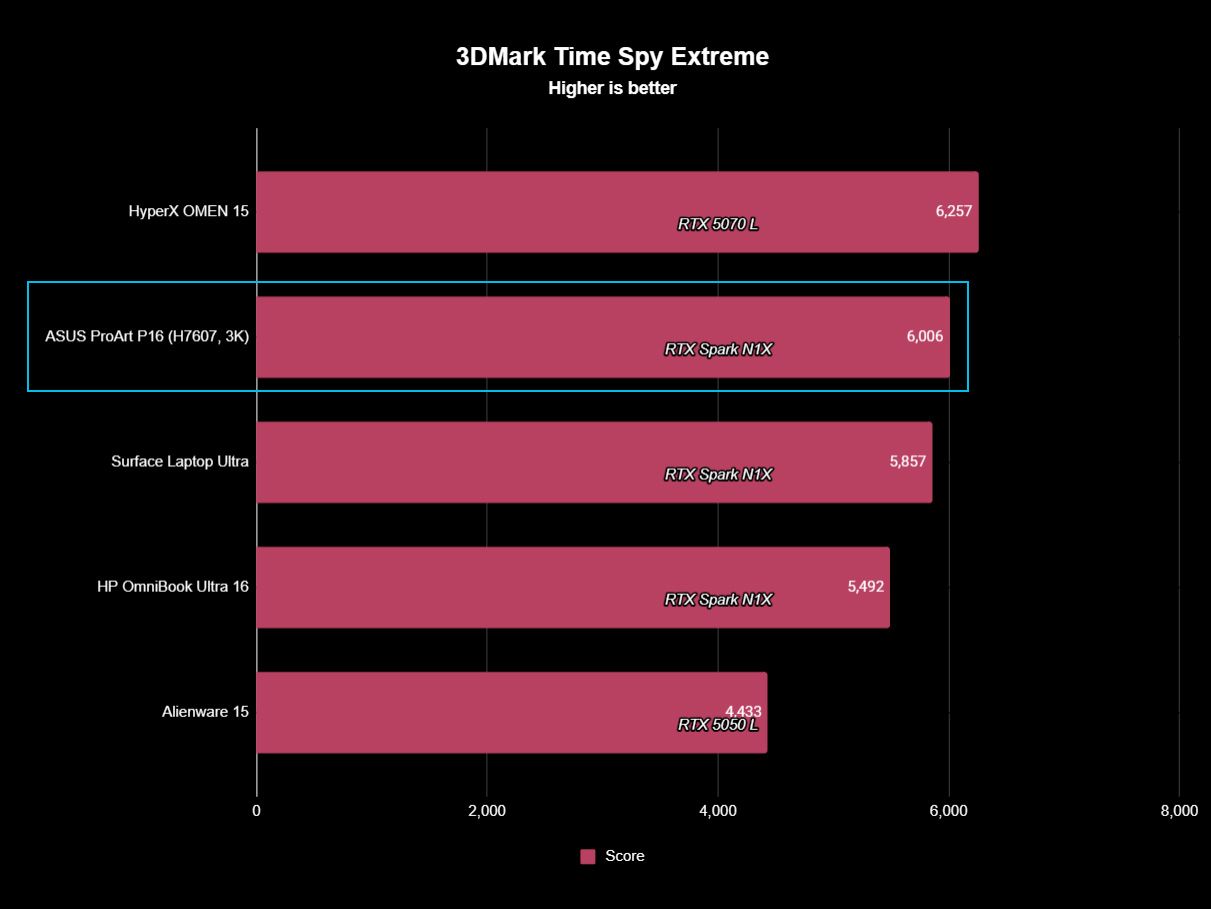
Yet even that isn't universal. In the heavier Time Spy Extreme test, the ProArt P16 actually beats both of them, scoring 6,006 compared to 5,857 for Surface and 5,492 for HP.
In other words, I wouldn't declare any of these RTX Spark laptops the definitive performance winner. We're talking about variations of the same extraordinarily powerful NVIDIA platform, and the rankings shift depending on the workload.
It's also worth remembering what ASUS has achieved physically. At 3.9 pounds and as little as 0.51 inches thick, the ProArt P16 is substantially lighter than its RTX Spark rivals while still maintaining excellent temperatures and relatively restrained fan noise. Some performance variation could plausibly be the consequence of fitting N1X into a thinner, lighter thermal envelope, but ASUS certainly hasn't compromised performance enough that I'd choose a much heavier laptop based on these benchmark differences alone.
(Image credit: Future)
The one performance result I would criticize is the SSD.
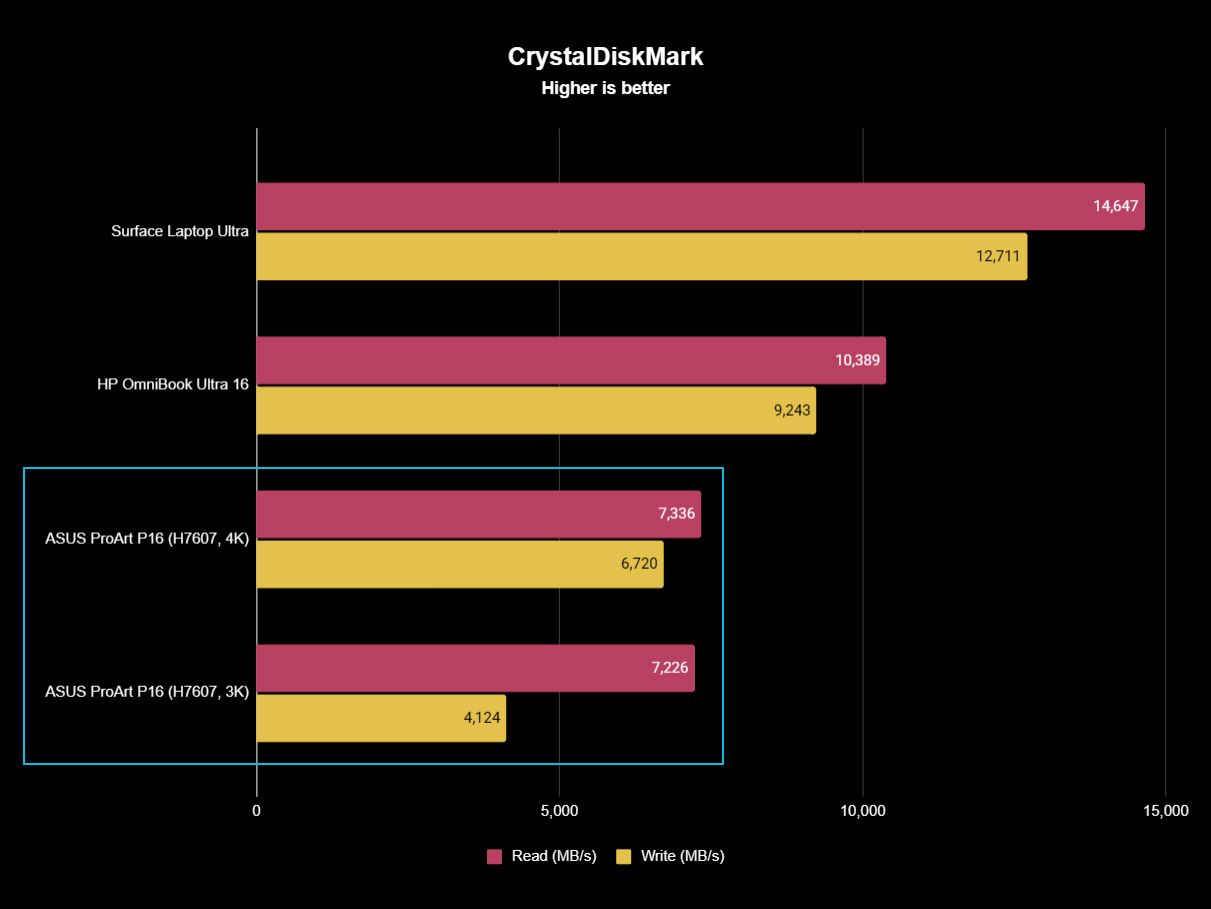
Both ASUS configurations are well behind the competition. Sequential reads hover around 7,300 MB/s, compared with 10,389 MB/s on the HP and a massive 14,647 MB/s on the Surface Laptop Ultra. Writes vary considerably between my ASUS configurations, too, from 4,124 MB/s on the 3K model to 6,720 MB/s on the 4K machine. Microsoft reached 12,711 MB/s.
Those ASUS numbers aren't slow in isolation, and Windows still feels exceptionally responsive, but this is a $2,800 to $7,000 workstation. Faster storage should come with the territory. At least ASUS provides a second PCIe 5.0 M.2 slot for expansion, so you can add a seriously fast SSD later.
Daniel RubinoDaniel Rubino
Gaming performance is also surprisingly good. I've played Gears of War: E-Day at maximum settings without issue, while Minecraft Dungeons II looked and played fantastic aside from occasional frustrating stutters. NVIDIA's latest Game Ready Driver appears to have fixed the latter on my machine, which suggests some of RTX Spark's early gaming quirks may improve as drivers mature.
And RTX Spark is legitimately fast here. Time Spy places the ProArt P16 ahead of the RTX 5070-equipped Dell 16 Premium, while Steel Nomad and Speed Way put it comfortably ahead of an RTX 5050 Laptop GPU. A conventional gaming laptop remains the smarter purchase if gaming is your priority, but RTX Spark owners certainly don't need a second computer just to play PC games.
FutureFutureFutureFuture
Ultimately, that's the performance story of the ProArt P16: ASUS gives up remarkably little despite building one of the lightest and thinnest RTX Spark laptops I've tested. Its N1X CPU and CUDA performance are right up there with Surface and HP; GPU performance is sometimes a little behind and sometimes ahead, and the only consistent disappointment is the SSD.
For a machine that's almost a full pound lighter than HP's OmniBook Ultra 16, I'll happily make that trade.
ASUS ProArt P16: Battery life
(Image credit: Daniel Rubino)
Battery life is good given what's inside (a 99.9 WHr battery, the legal limit), though Apple and Qualcomm still have an obvious efficiency advantage here, and I expect NVIDIA to improve over the coming years.
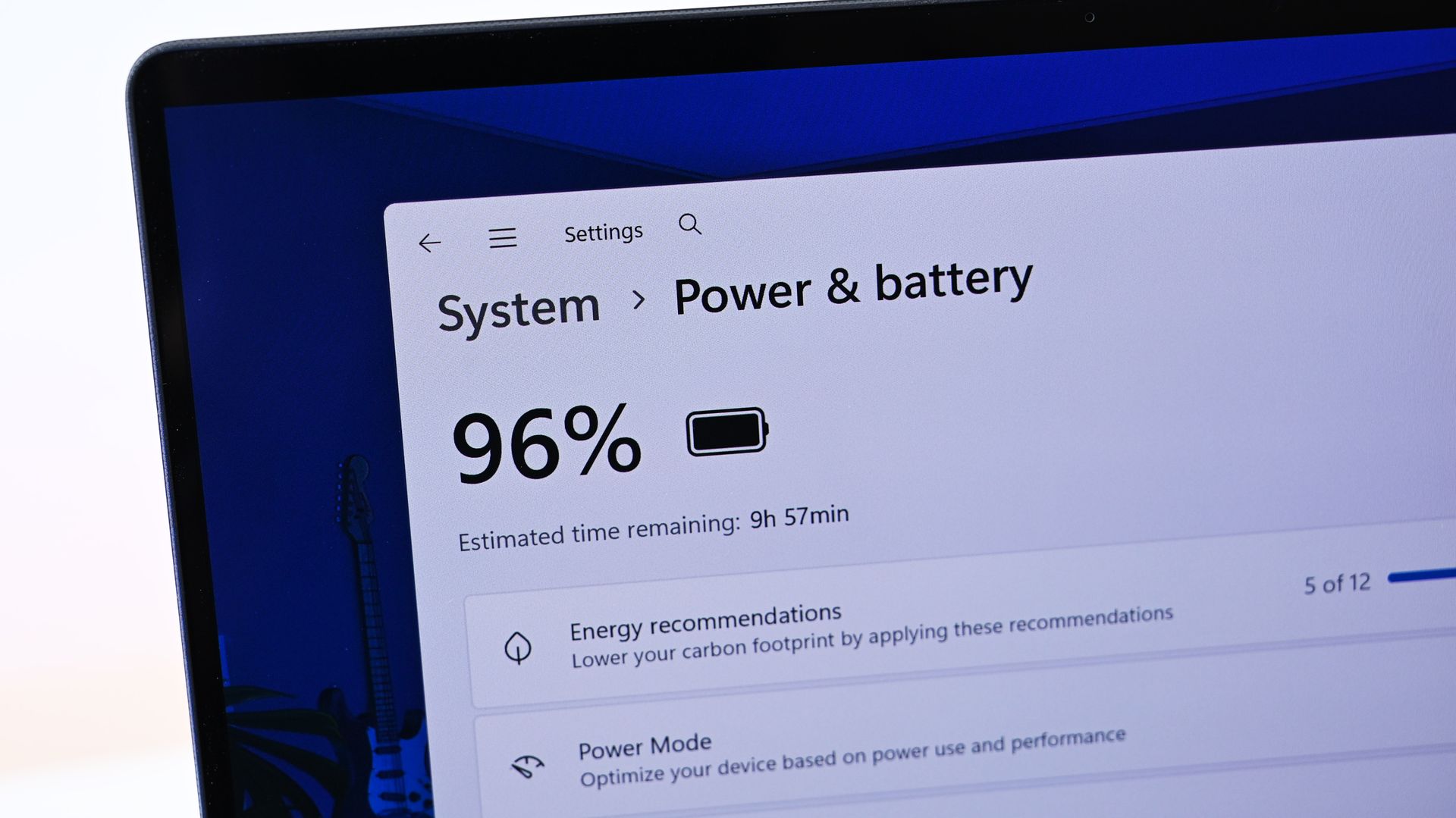
The Windows Battery Report recorded 9 hours and 58 minutes of real-world usage averaged over several weeks, including web browsing, video, messaging, and lighter creative work, basically standard laptop work with more focus on multimedia production and some lighter local AI work.
Hammer the GPU continuously with rendering, AI, or gaming and expect substantially less. Physics eventually wins.
Still, I can't say I've ever had a Windows laptop this powerful, this capable, and this thin/ligyht, and still get that kind of "regular" battery life.
Standby performance is exceptional. Leaving the ProArt P16 overnight resulted in less than 1% battery loss over 14 hours, finally making this Windows laptop behave the way I expect a modern premium portable PC to.
The included 140W USB-C charger is slightly bigger than HP's, though still compact, and ASUS gets bonus points for the excellent thick braided cable.
ASUS ProArt P16: Should you buy it?
(Image credit: Daniel Rubino)
✅You should buy this if ...
You know the benefits of unified memory and CUDA
You want the best RTX Spark laptop
You want to learn about cutting-edge agentic AI workflows
You need a light, very capable workstation for 3D creation, video editing, or coding
❌You should not buy this if ...
You think this is just a gaming laptop in disguise
You don't know what agentic AI is and don't care to learn about it
You spend most of your time consuming content instead of creating it
So, should you buy the ASUS ProArt P16 with RTX Spark? Probably not.
And I mean that as a compliment.
The ProArt P16 H7607 is a specialized workstation for people operating near the frontier of what portable Windows computers can do. Someone mainly browsing the web, writing documents, editing the occasional photo, or even gaming can get an excellent laptop for dramatically less money.
But developers, creators, 3D professionals, AI researchers, and people seriously experimenting with local models and agentic workflows finally have what Windows has desperately needed: a thin, premium laptop that combines massive unified memory with NVIDIA RTX graphics and CUDA.
That's a really big deal.
Both ASUS ProArt P16 models in 3K and 4K variations. (Image credit: Daniel Rubino)
ASUS then wraps that technology in what is arguably the best RTX Spark chassis on the market. And I mean that. ASUS has been killing it on design and features over the last 3 years.
At 3.9 pounds, the laptop almost feels impossibly light (for its class). The OLED display is beautiful, the keyboard and haptic touchpad are excellent, the speakers are outstanding, the ports are plentiful, the thermals are exceptional, and ASUS offers a level of hardware customization through MyASUS that competitors should copy.
Even the weird stuff is charming. My $4,399 3K review unit included ASUS's excellent $99 ProArt MD301 mouse and a protective sleeve, while the $6,999 128GB machine inexplicably included neither. ASUS notes that bundled accessories vary by country and territory, so your experience may differ.
Left: HP OmniBook Ultra 16. Right: ASUS ProArt P16. (Image credit: Daniel Rubino)
One caveat: Those 24GB and 32GB Best Buy models are, I think, perfect, more general laptops for creators whowant a premium Windows 11 experience with the latest technology. That's an easy recommendation if you can afford it.
The SSD should be faster, battery life can't match the best Snapdragon X2 or Apple Silicon laptops, and $7,000 is still an extraordinary amount of money for any laptop (though about $150 cheaper than a similarly spec'd MacBook Pro 16).
Yet none of those complaints change my overall impression.
The ASUS ProArt P16 is one of the best laptops I've ever used. For the relatively small group of people who can actually exploit everything RTX Spark offers, it may also be one of the most exciting Windows PCs in years.
And if you're simply curious about local AI and want to learn where personal computing may be heading next, the ProArt P16 deserves a spot very near the top of your shortlist.
RTX Spark
ASUS
ProArt P16 (h7607)
The ASUS ProArt P16 combines NVIDIA's powerful RTX Spark platform with up to 128GB of unified memory, outstanding OLED displays, superb thermals, and a remarkably thin 3.9-pound chassis. It's an extraordinary Windows workstation, but most people shouldn't buy one.
Join us on Reddit at r/WindowsCentral to share your insights and discuss our latest news, reviews, and more.
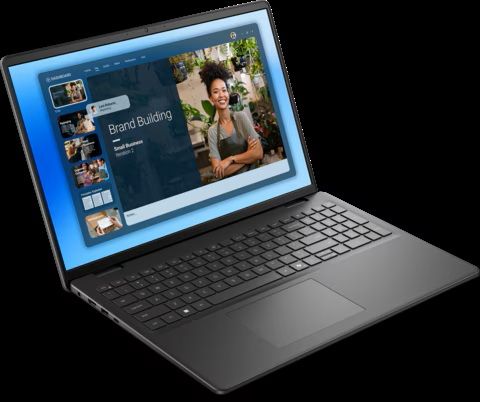
Black Friday is inching closer, but that doesn't mean you should wait for bargains on Windows laptops built for productivity before then. Dell is offering a selection of its laptops featuring 16GB of RAM for reliable performance under load, 1TB SSDs for plenty of storage space, and a range of portable sizes to suit you.
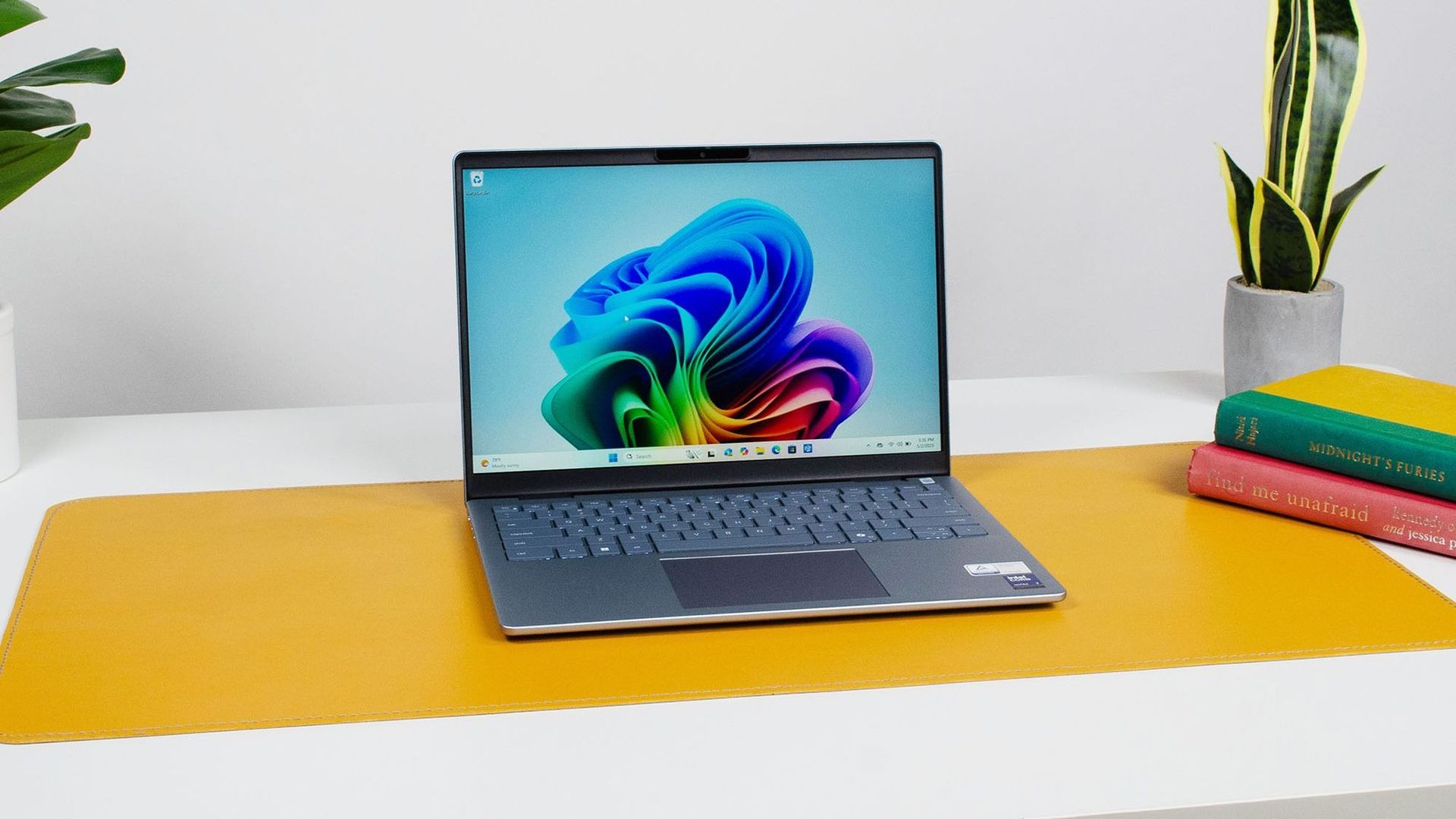
The Dell 14 Plus is the most expensive but best portable laptop in this roundup thanks to its thin and light form factor. It also comes with a crisp 14-inch non-touch QHD+ display (2560x1600), an Intel CPU, 16GB RAM, and a 1TB SSD to crush work assignments.View Deal
The Dell 16 will give you the most screen space of all the highlighted laptops with its 16" FHD+ Touchscreen display (1920x1200) while handling creative tasks with ease using its Intel Core 7 CPU, 16GB RAM, and 1TB SSD.View Deal
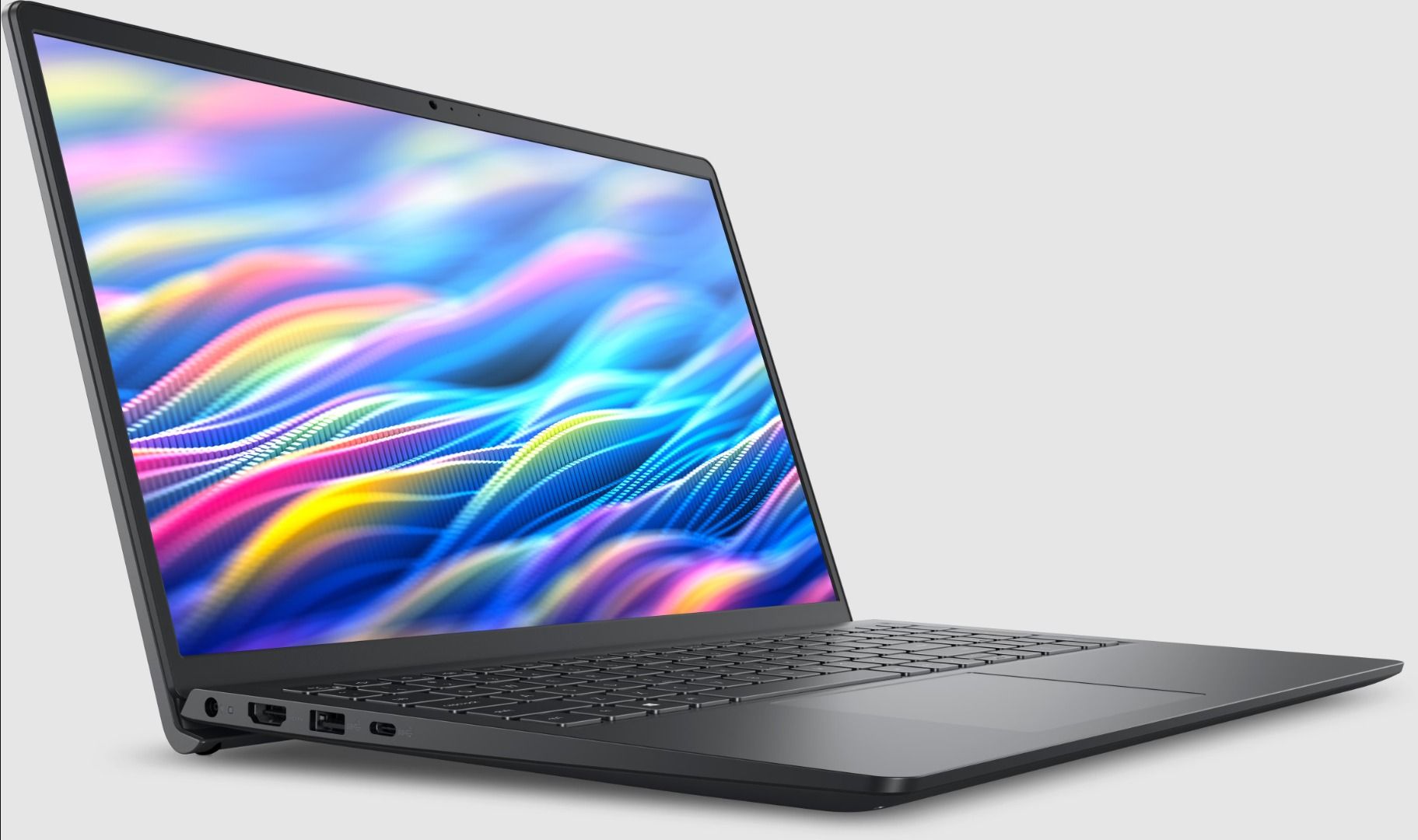
The Dell 15 handles workflows efficiently with its Intel CPU, 16GB RAM, a 15.6" non-touch FHD (1920x1080) display, and 1TB SSD, while keeping a respectable mid-range price compared to its upper-tier siblings.View Deal
Which of these Dell laptops is best for you?
The Dell 14 Plus laptop on display (Image credit: Future / John Loeffler)
If you're looking for an affordable yet capable laptop, the Dell 15 offers the best value compared to the other laptops in this roundup.
It's equipped with a 15.6" (Non-Touch) FHD display with 1920x1080 resolution and a 120Hz refresh rate to render images, videos, and writing with sharp details, so you don't have to squint at your work when typing or worry about blurry video feed when hosting stream meetings.
It comes with an AMD Ryzen 7000 7730U CPU and 16GB RAM that will make short work of Office, web browsing, and other productivity tasks while offering a ton of space to back up your precious files with its 1TB SSD.
However, if you've got the budget for more processing power, then go for the Dell 14 Plus Laptop.
It's won high praise from our friends at TechRadar for its 13+ hour battery, great portability due to its ultra-thin design, and 14-inch non-touch QHD+ display with 120Hz and Anti-glare protection.
Best of all, the Dell 14 Plus offers the best single-core performance for everyday use and heavy workloads thanks to its Intel Core Ultra 7 256V CPU, 16GB, and 1TB SSD.
Can these laptops have their RAM and SSDs replaced?
Only the Dell 15 laptop can have its RAM replaced, as it isn't soldered like the ones in the Dell 14 Plus and Dell 16 laptops. All of these laptops can have their SSDs swapped out and replaced with larger ones.
Are they good for gaming?
The Dell 15, Dell 16, and Dell 14 Plus aren't designed for gaming due to their integrated graphics cards, so they will struggle to run most games beyond extremely light titles like Minecraft. Stick to cloud gaming.
Should I wait for Black Friday for a better deal?
It depends on whether you're willing to wait until Black Friday for a bigger discount or if you're in need of a new laptop for work/casual use right now and don't have time to wait for a killer deal.
Join us on Reddit at r/WindowsCentral to share your insights and discuss our latest news, reviews, and more.
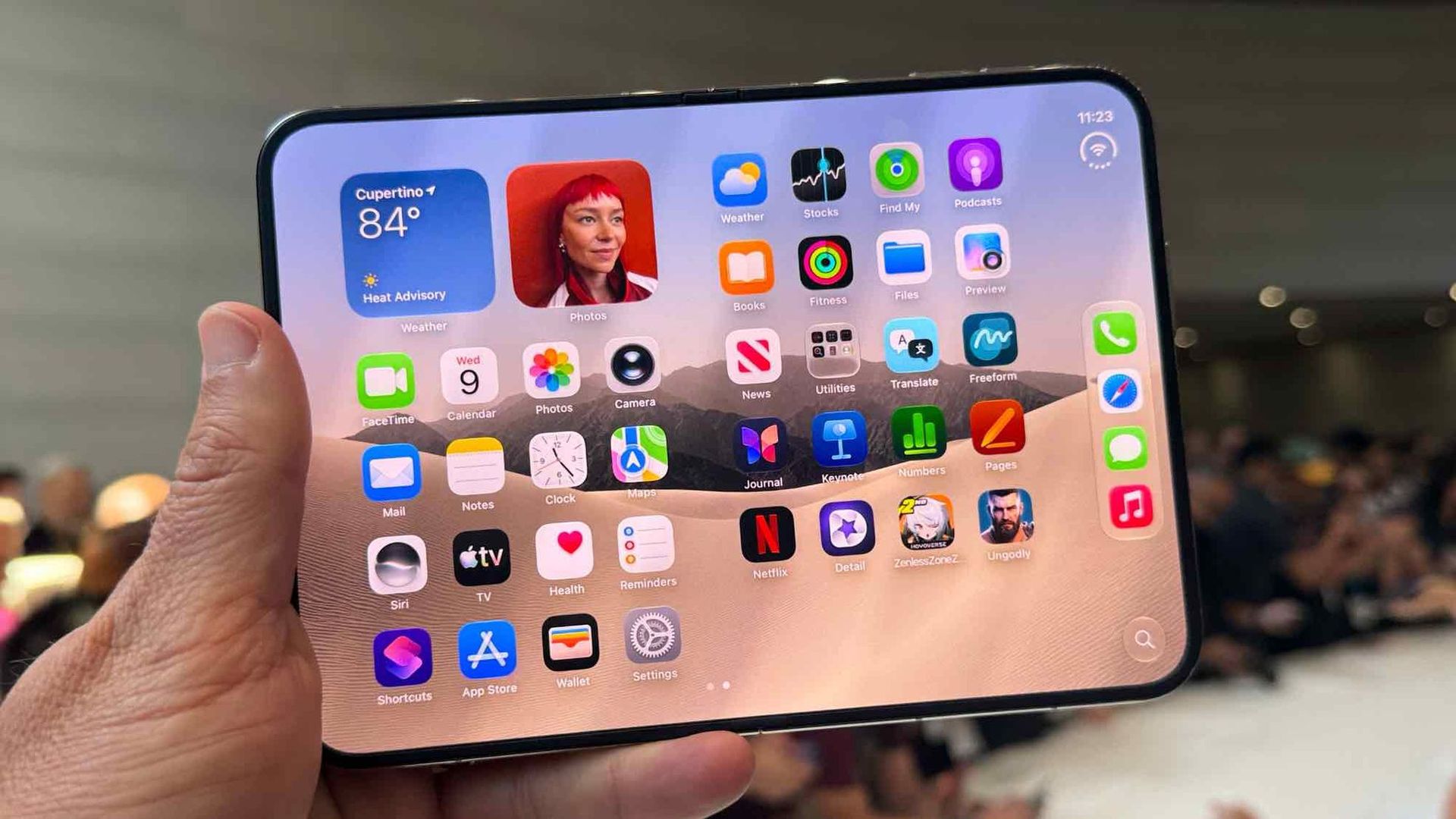
Apple finally "invented" the folding phone, bringing flexibility and multitasking to the masses. iPhone Duo reviews are in, and I couldn't help but feel a sense of déjà vu.
All the talk of passport-shaped phones, mobile multitasking, and optimized apps sent me back to the days of Microsoft's Surface Duo. A lot of the phrasing in iPhone Duo reviews could have been copied and pasted from reviews of the Surface Duo.
So, I put together a quiz to see if people can identify if a quote is from an iPhone Duo review or a Surface Duo review.
I've changed all of the quotes in this quiz as little as possible and all changes are noted with brackets. I only altered a quote if it includes something that's a giveaway like iPhone Duo, Surface Duo, Apple, or Microsoft.
I sent this quiz to a few friends and colleagues before publishing it. No one got a perfect score, and many only got 50% correct. I'm curious to see if that trend continues as more people take the quiz. Please let me know how you did in the comments!
Below are all of the reviews I used to create this quiz.
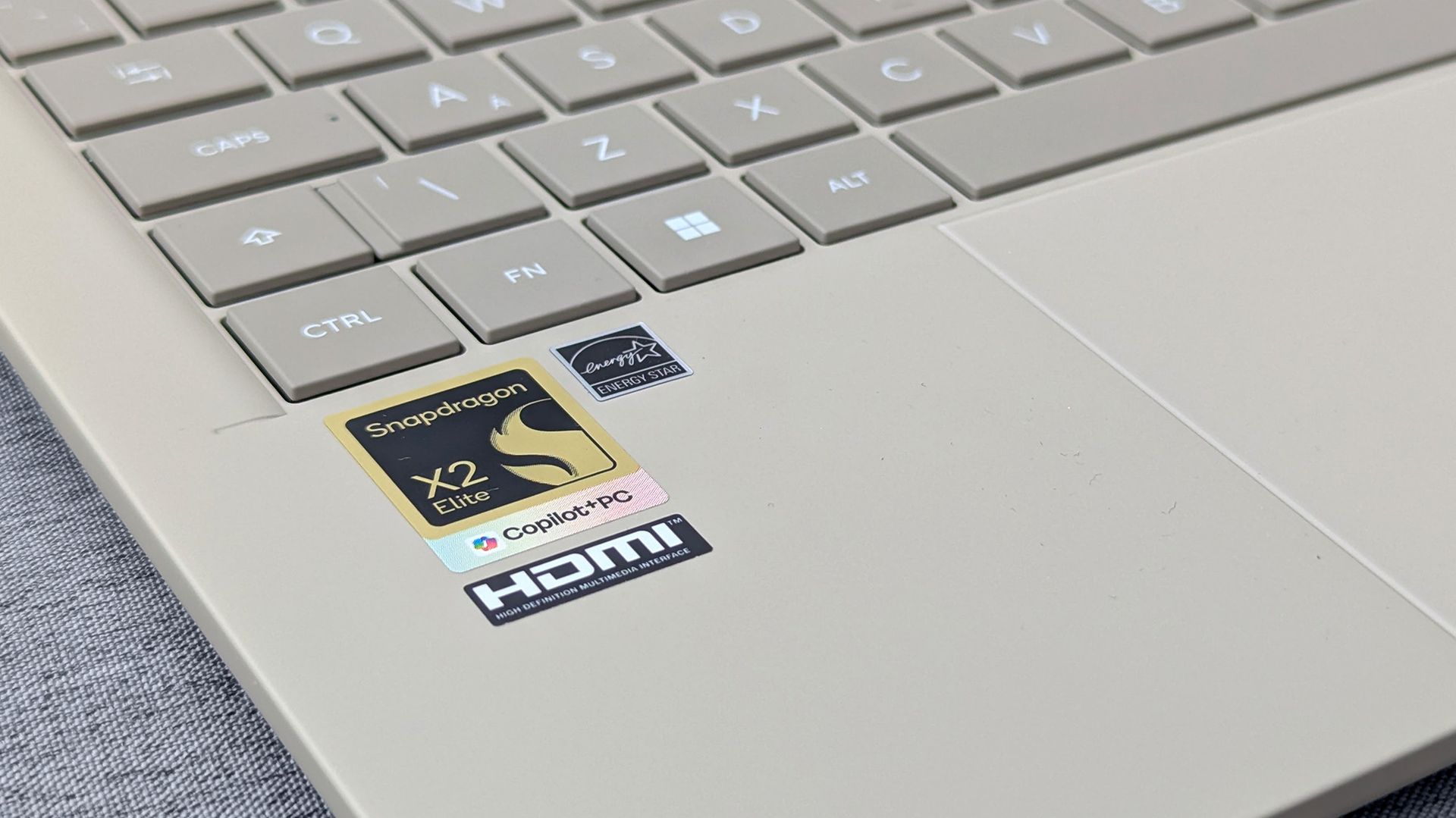
An engineer is working on a way to get macOS to run on computers powered by a Snapdragon X2 Elite chip. The "Snapintosh" project resurrects the concept of a Hackintosh but works with one of the latest chips from Qualcomm.
X user Miguel C shared his progress on the project recently. The video shows macOS 27 running on an ASUS Zenbook A16.
Snapintosh is still in its early days. The Zenbook A16 can boot the macOS desktop with GPU acceleration and render what's supposed to appear, but interaction with the interface is "usable but not yet smooth," according to Miguel C.
The term Hackintosh refers to a non-Apple PC modified to run macOS (hack + Macintosh). It was popular for years and not just among enthusiasts or niche creators.
It was popular because it allowed people to run macOS on less expensive or more customizable hardware than Apple's own computers.
New Hackintosh builds became increasingly uncommon after Apple switched to Apple silicon. Apple designs macOS around its own chips and hardware, making it increasingly difficult to run the operating system on unsupported devices.
Until recently, I would have said the days of the Hackintosh were over. But Miguel C's Snapintosh project suggests there may still be a way to run modern versions of macOS on non-Apple hardware.
"Hackintosh Lives," exclaimed Miguel C on X. He noted that people should expect the experience to be "very rough" and that he's "working on de-slopifying the codebase."
If Miguel C is able to refine the experience, it would be interesting to try macOS on a Snapdragon X2 chip. The general consensus is that Apple makes the best ARM processors right now, so even a perfectly optimized Snapintosh would not beat an M-Series MacBook.
But some people prefer hardware made by companies apart from Apple. There are also more affordable Snapdragon X2 chips on the market, so you could potentially get better value on a Snapintosh using certain chips. Right now, the project is limited to the Snapdragon X2 Elite.
Even if a Snapintosh fails to ever compete with a Mac, the project is an intriguing engineering feat and a reminder of the fun days of Hackintosh computers.
Join us on Reddit at r/WindowsCentral to share your insights and discuss our latest news, reviews, and more.
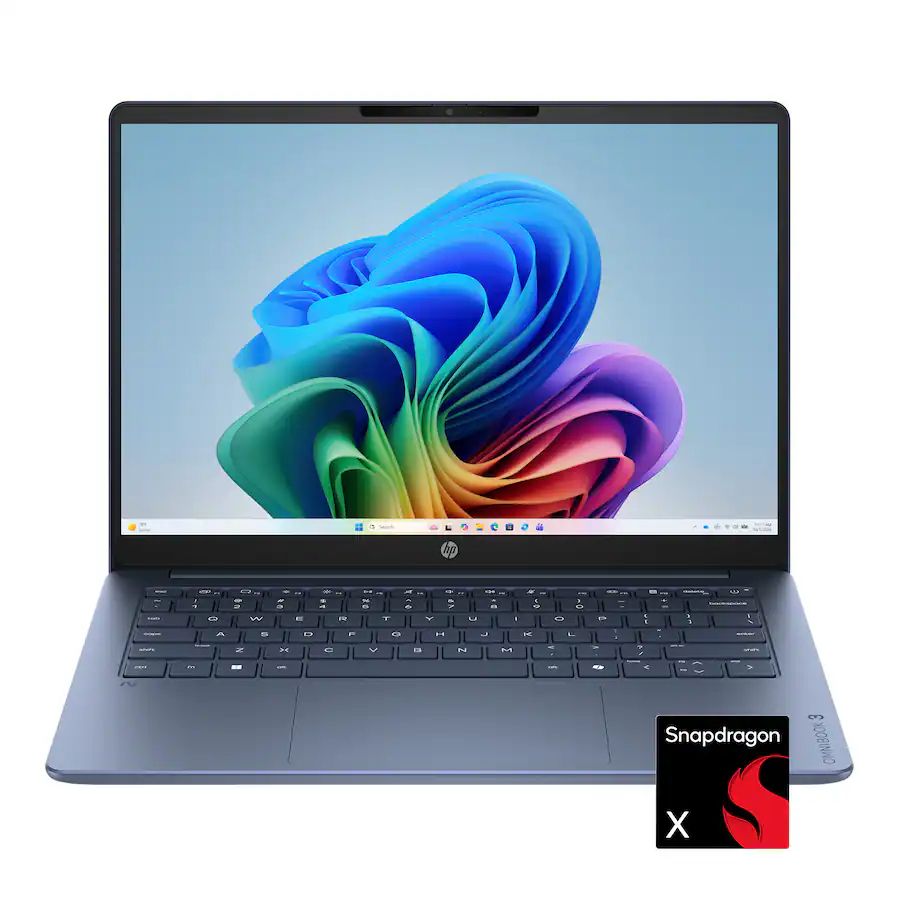
Every once in a while, Best Buy will host a lucrative deal on a reliable, mid-range laptop during its "Deal of the Day" sale, and that's especially true now, as the HP Omnibook 3 laptop is available for $599.99 at Best Buy (was $799.99), but only for today.
This laptop is a great mid-range choice for students and office workers alike, with its above-average performance, battery life, and high-contrast OLED display that will help you get through the day.
The HP OmniBook 3 is a well-made mid-range laptop that will power through homework, casual tasks, and office work with its performance-boosting Snapdragon X CPU and 16GB RAM, long-lasting battery life of 32 hours, and detailed 2K OLED touchscreen.View Deal
Why buy the HP Omnibook 3?
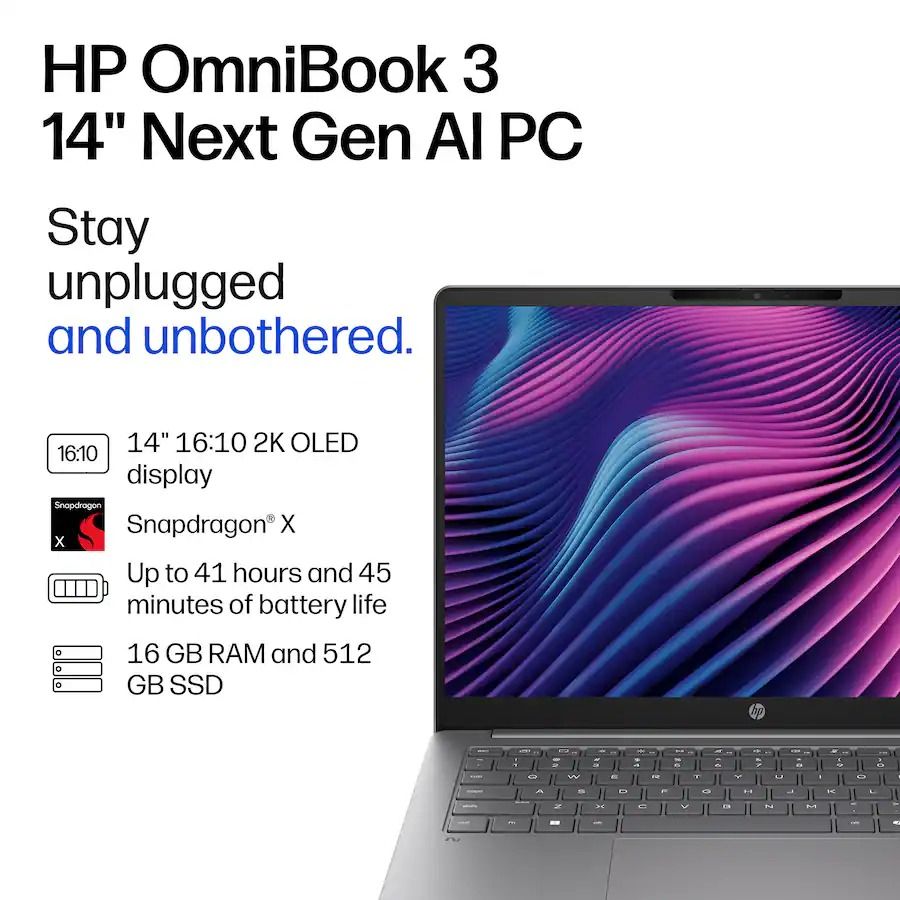
The spec highlights for the HP Omnibook 3 laptop. (Image credit: HP)
Our friends at TechRadar have praised and recommended the HP Omnibook 3 in their coverage a couple of times, and it's easy to agree with them. It's a well-made laptop for school learners or desk workers who need a reliable solution for daily homework, assignments, research, creative tasks, and casual use without breaking the bank.
This laptop is equipped with Qualcomm's (8-core) Snapdragon X CPU to give it faster and more responsive performance when running apps, 16GB of RAM to help it multitask multiple apps without slowing it down, and a 512GB SSD to store precious data.
The HP Omnibook 3 also features a 14-inch 2K OLED touchscreen that displays images, videos, and livestreams with crisp and vibrant details, and a massive battery life of potentially up to 41 hours so you won't have to worry about it shutting down during work.
Is it's RAM and SSD upgradeable?
The HP Omnibook 3's RAM is soldered, so it can't be upgraded, but its SSD can be removed via its M.2 NVMe SSD slot and replaced with a larger one up to 1TB.
Is it an AI laptop?
Yes, the HP Omnibook 3 is an AI laptop as it features Copilot+ PC integration with an NPU capable of 45 TOPS for boosted performance rates while performing local AI-related tasks.
Is it worth waiting until Black Friday?
It depends on your situation and needs. If you're not in a hurry and are willing to wait for a better price, then waiting until Black Friday on November 27, 2026, is a valid option.
However, if you desperately need a new, high-quality laptop and are concerned that laptop prices are going to get worse thanks to the RAM crisis, then we recommend taking advantage of Best Buy's 25% discount on the HP Omnibook 3, as this deal is only available for today.
Join us on Reddit at r/WindowsCentral to share your insights and discuss our latest news, reviews, and more.
Not a week goes by that I don’t miss Windows Phone. To this day, it remains the only OS that would genuinely drag me away from my iPhone. Don’t hate me for saying it, but the iPhone still offers me a superior user experience over Android, at least in my experience. I’ve tried Android many times, and quite frankly, I really don't like it.
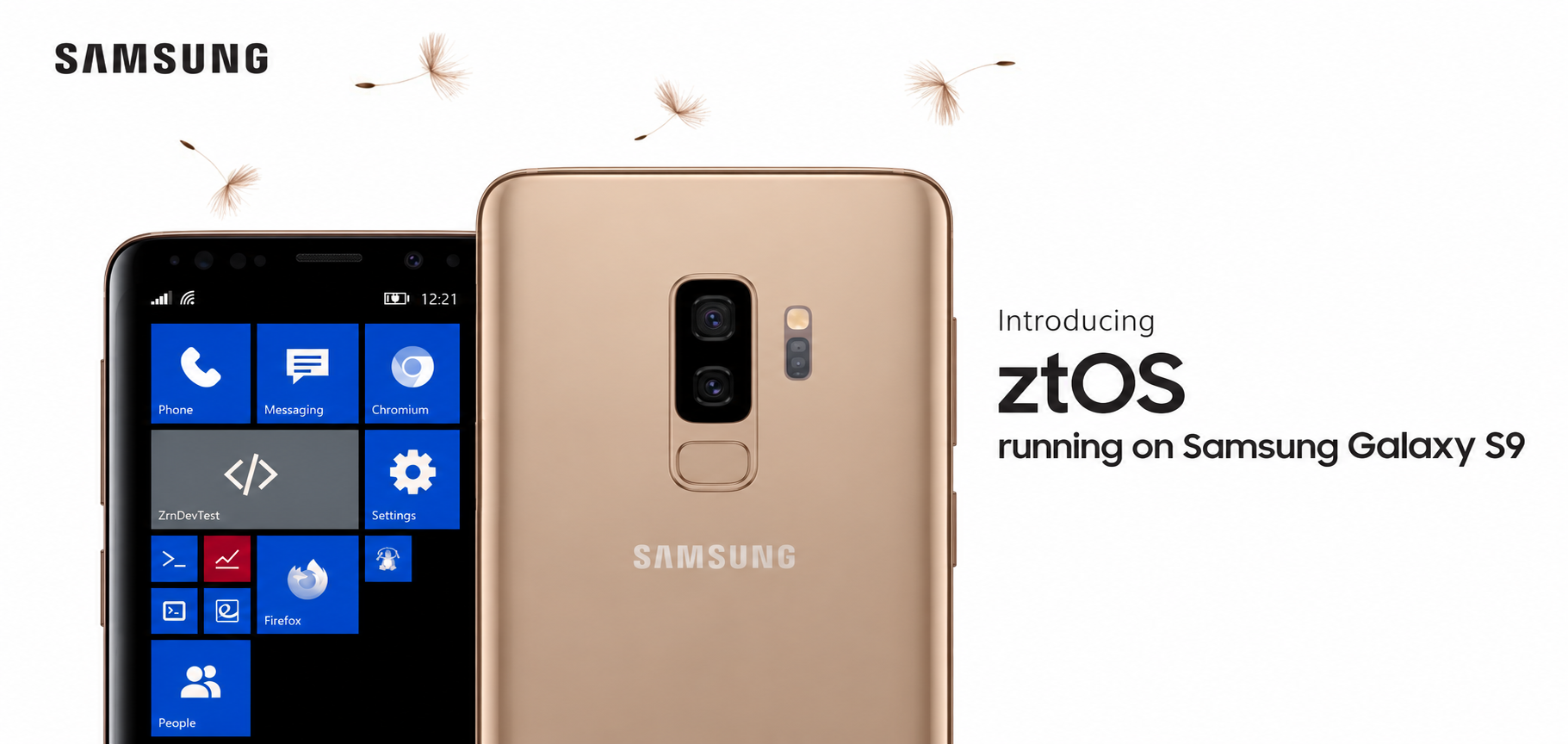
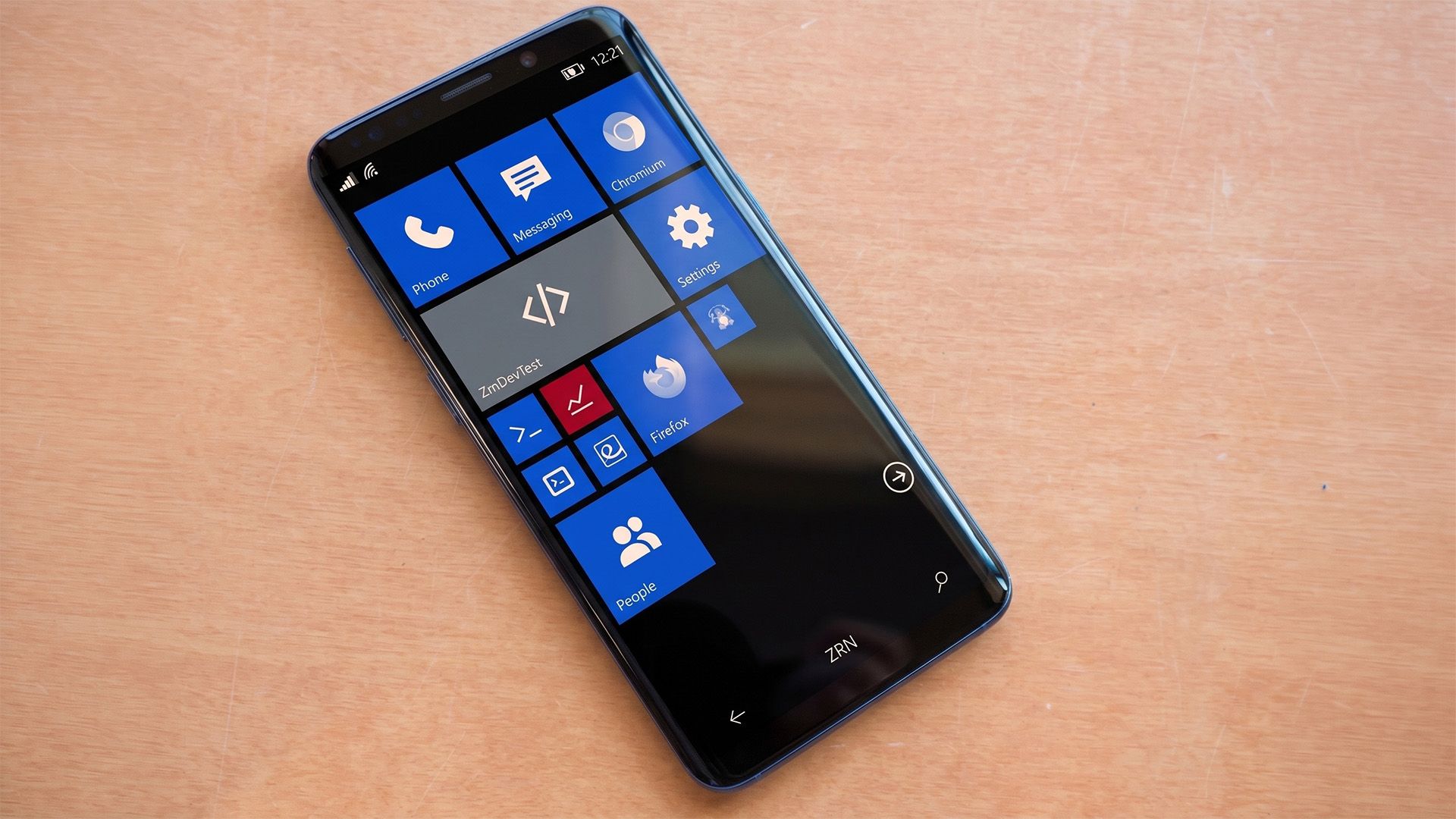
Then again, I don’t hate Android with a burning passion, either, and I did recently stumble across something that might make me reconsider. ztOS is a new operating system designed to look and feel exactly like Windows Phone 8.1. It’s built on Arch Linux for ARM, complete with its own suite of apps.
According to the project notes, the ztMETRO shell and its components are written in C and accelerated with OpenGL. It also includes an SDK for building apps in Python and Qt, along with an updater to keep the system maintained. It’s a surprisingly robust setup for a passion project.
Windows Phone lives through Linux and AI
Windows Phone might be dead, but ztOS is bringing its iconic interface back to life on the Samsung Galaxy S9. (Image credit: Zerone-Laboratories | Samsung)
There is a catch, as usual. Currently, the project seemingly only works on the Samsung Galaxy S9. The project itself is in alpha, so expect some bugs and install at your own risk.
And yes, whether you care or not, the project is spearheaded by Claude. Because, well, everything seemingly happens through AI coding now. I’m guilty of it myself, having jumped on the FreeMyTV bandwagon to debloat my TV, improve performance, and get rid of adverts.
Still, I do long for Windows Phone. There’s a small part of me that hopes we’ll see it return in some fashion. Seeing all these wild AI-driven projects, whether it’s Xbox Labs reviving the Blades dashboard or Steam games running natively on Android or the iPhone, we're really in the midst of unknown territory.
Thinking of Windows Phone, though, really does make me facepalm at the idea that we maybe could have had a future where Windows Phones would natively play your Xbox games via the Xbox app. Imagine full cloud saves and achievements, giving you even more reasons to invest in Game Pass. But again, this is all just wishful thinking. Windows Phone is sadly, truly dead. Even I admit it.
Regardless, let me know what you think. Would you install a Windows Phone-like OS on your Android, or do you think Windows Phone should be left for dead and forgotten? Leave a comment down below and make sure you take part in our poll!
Join us on Reddit at r/WindowsCentral to share your insights and discuss our latest news, reviews, and more.

 Connexion