Vue lecture

First it was Neo, and now it's iPhone Duo — Apple keeps robbing Microsoft of its Surface device names, and I'm mad about it

I loved my Surface Duo a lot. It was a unique folding phone with two screens instead of a single foldable display, supported pen input, and was the thinnest of its kind when it launched in 2020 (see our original review). It was a mesmerizing bit of kit, but it failed to gain any real mainstream attention.

And although it never shipped, its bigger brother, the Microsoft Surface Neo PC, was also something a lot of us Windows fans were looking forward to at the time. A dual-screen laptop, to complement my dual-screen phone? Sign me up! In 2020, it really did seem like Microsoft was building out its own unique device ecosystem to compete with Apple, Samsung, and Google.

The Neo and Duo were clever names for these devices. Both names had dual meanings to them, too. Neo, meaning "new," referred to the form factor, as well as being a reference to "The One" from The Matrix. And Duo, obviously signifying the device's unique "duo" screen setup, but it was also a reference to the fact that it was a surprise second device in a pair, alongside Neo.

When Duo was announced, it was a true one more thing moment during the event. There had been rumors that Microsoft was working on a folding phone for years prior, but recent reporting at the time had suggested the project was dead. So when Duo was announced alongside Neo, it was a rare true surprise to those in attendance and watching online.
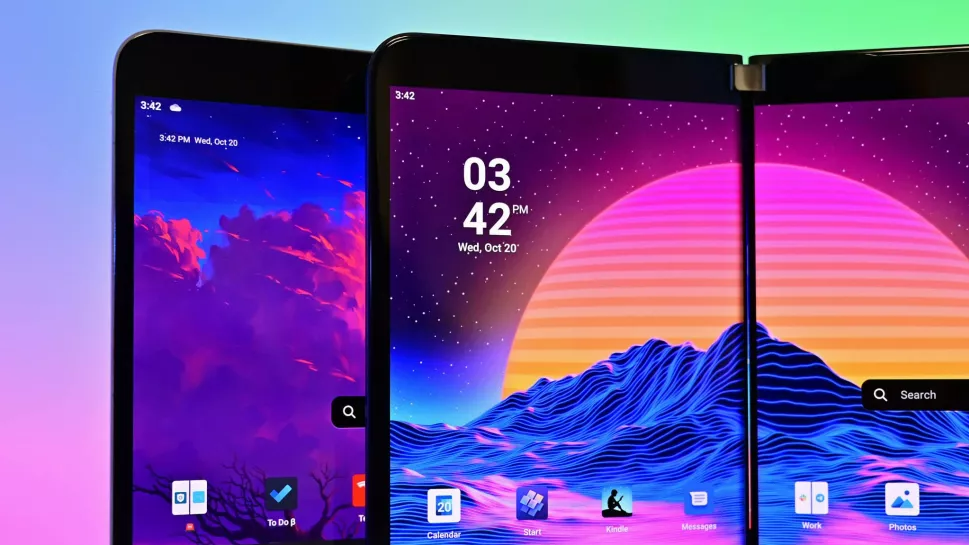
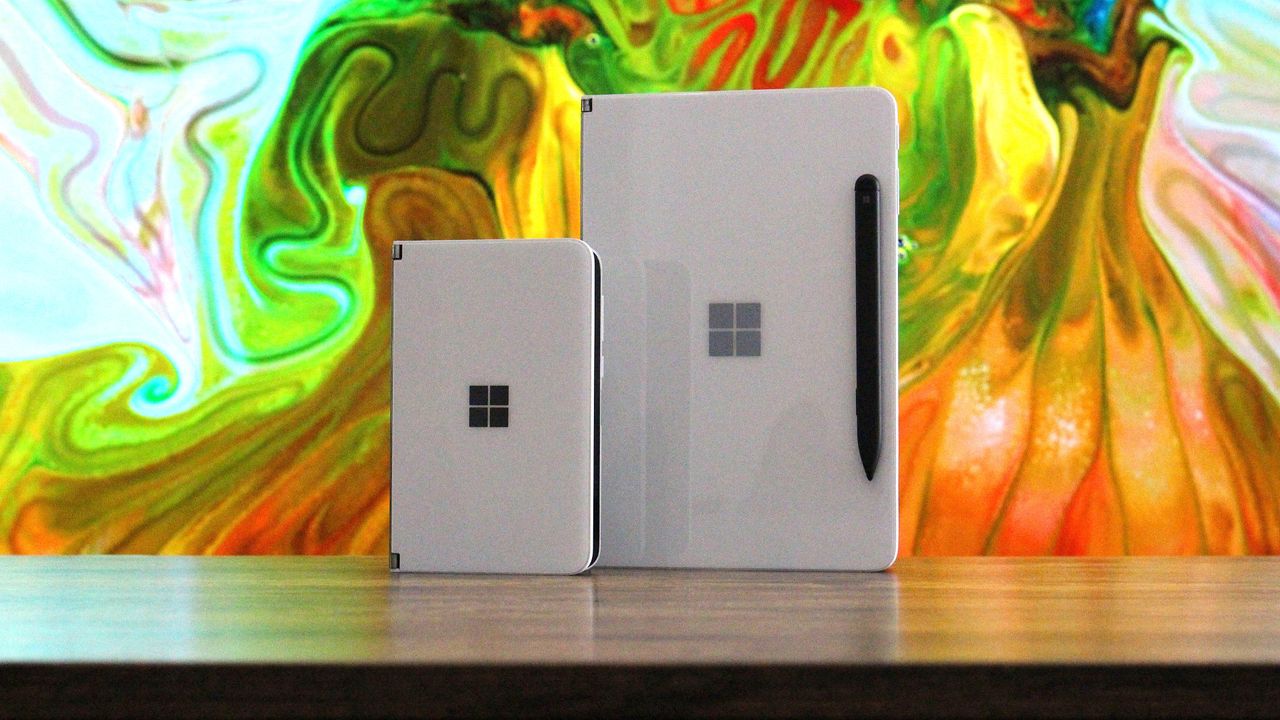
Surface Duo vs Surface Duo 2

(Image credit: Future)

Cut to 2026, and it's all dead. Microsoft gave up on Duo after just one iteration (Surface Duo 2 review), and it never even gave Neo a chance. The company's boneheaded shortsightedness led to the death of unique Surface hardware, and now today we're left with boring laptops and tablets from the Redmond giant.

It was inevitable that the Neo and Duo would forever be relegated to the history books, a hall of fame of unique devices that tried and failed to capture the market. Now, Apple has stormed in and stolen these names for their own products, which will only serve to further bury Microsoft's efforts.

I'm sure there are some Apple fans out there who think Apple never even thought about Microsoft when it named the MacBook Neo and iPhone Duo, but I think that's a lie. Apple is clearly aware that Neo and Duo were strongly tied to the Surface brand, but decided that didn't matter, which is the correct decision.

The MacBook Neo is an almost polar opposite of the Surface Neo. While Surface Neo was supposed to be a super expensive dual-screen flagship laptop, the MacBook Neo is Apple's cheapest laptop, undercutting much of the market. I don't know why, but that feels like an F.U. to Microsoft's vision for its Neo.

And now, there's iPhone Duo. This one hits much harder, as they're both playing in the same game. Surface Duo was a thin folding phone with pen support, and the iPhone Duo is pretty much exactly that. Of course, Apple's iPhone Duo refers to the fact that it's both an iPhone and an iPad, but seeing the Duo moniker on an Apple product just stings.
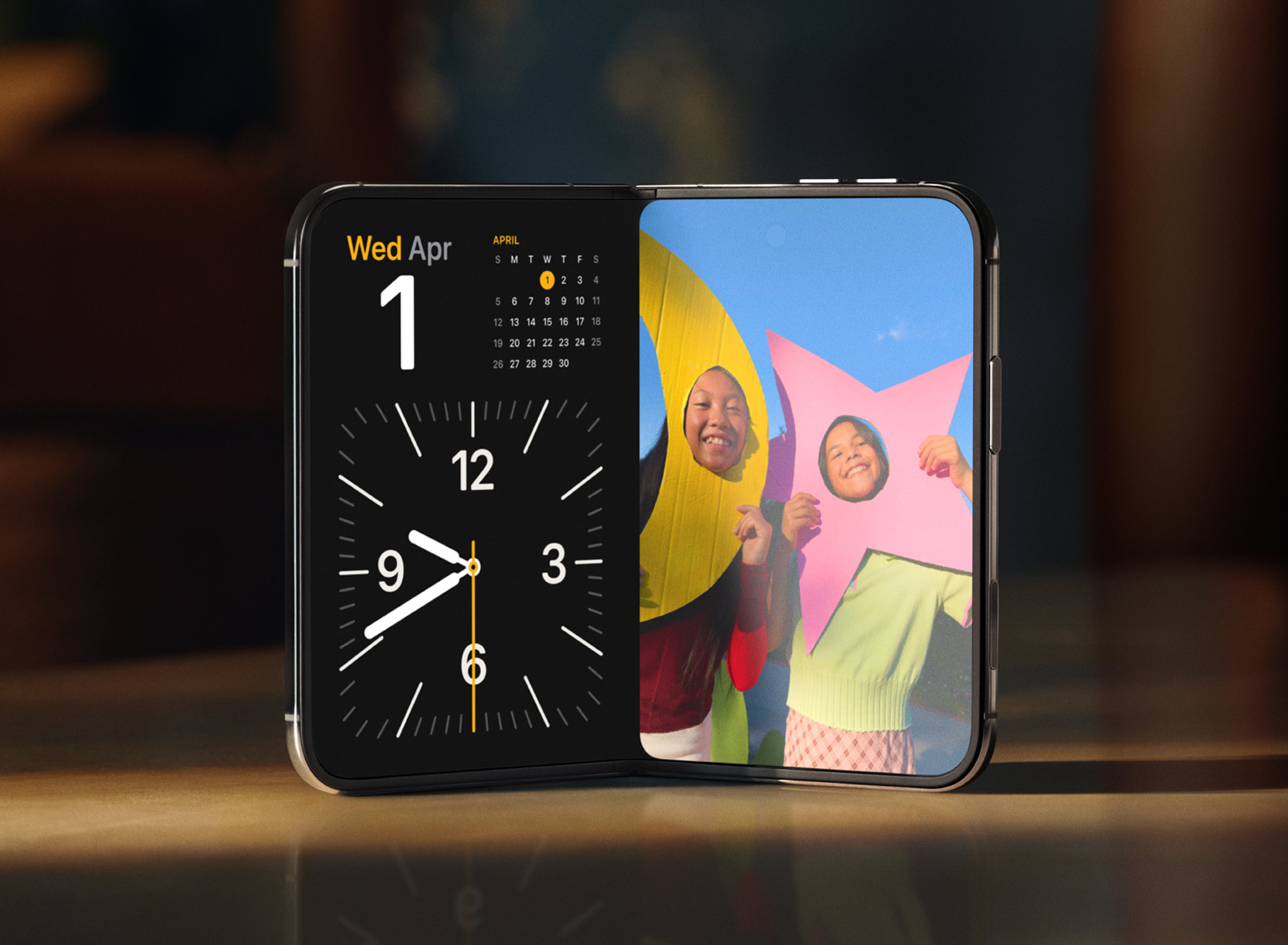
iPhone Duo

The iPhone Duo is a modern day Surface Duo. (Image credit: Apple)

If anything, it's just reminded me of what was possible had Microsoft pushed through and continued to innovate on the Surface Duo. The company had started working on a third-gen Surface Duo in 2022, which was going to pivot to a single-screen folding setup not dissimilar to the iPhone Duo.

But Microsoft just can't see a good thing through. Because Surface Duo 1 sold poorly, and Surface Duo 2 sold even less than that, the company decided that it was not worth continued investment in this category, which is just wrong. Folding phones were and still are the future, but Microsoft decided to pack it all in.

Now, Apple has just stolen the crown for the Duo moniker, with a product that seemingly does everything the Duo set out to achieve, but better in every way because Apple isn't going to give up after just one iteration. I get the impression that Duo is here to stay in Apple's lineup, unlike the Duo in Microsoft's lineup.

I'm mad that Apple has stolen the Neo and Duo moniker, but frankly, they deserve it. Microsoft clearly isn't doing anything with them, and they are cool product names for devices that stand out. MacBook Neo and iPhone Duo certainly do that, even if they're not in complete harmony like the Surface Neo and Surface Duo were supposed to be.

Congratulations on the launch of iPhone Duo, Apple.

Click to join us on r/WindowsCentral

Join us on Reddit at r/WindowsCentral to share your insights and discuss our latest news, reviews, and more.
  •  

Xbox is quietly turning nostalgia, identity, and cloud gaming into its biggest console advantage

Microsoft dropped a surprisingly substantial batch of Xbox Insider features today, ranging from nostalgia-fueled startup animations to higher-quality Remote Play streaming.

While none of these additions are major enough to warrant their own showcase, they're all pulling Xbox in the same direction: making the platform feel more personal.

This latest update suggests Xbox sees that shift coming and wants to be the platform that adapts to the player rather than asking the player to adapt to it, and I like where that is going.

Looking through the feature list, it becomes clear that Microsoft's biggest focus is reducing friction, not just adding new features for the sake of it.

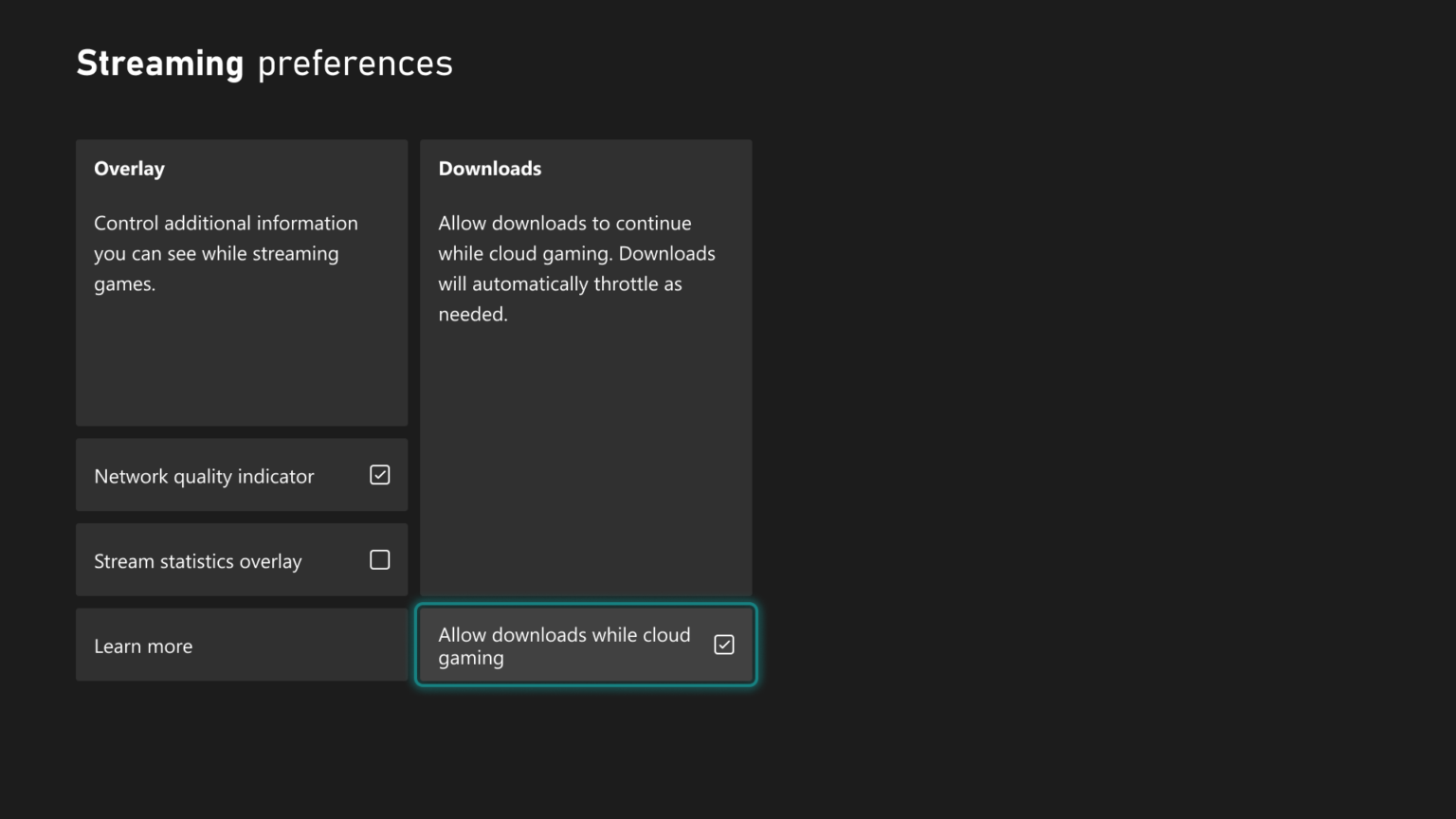
Xbox Streaming preferences menu highlighting the option

Xbox Streaming preferences menu highlighting the option "Allow downloads while cloud gaming" with a checked box. (Image credit: Microsoft | XBOX)

That philosophy appears in the new cloud gaming improvements. Xbox Insiders can now continue downloading games in the background while streaming, reducing one of the small but persistent friction points that come with digital gaming.

These updates may not be groundbreaking, but they represent the kind of quality-of-life improvements that users want, which contribute to making a platform feel more refined and complete.

The new personalization features tell a similar story.

Being able to select startup animations from different eras of Xbox history may sound like a cosmetic addition, but it reflects a growing recognition that players often have a deeper connection to gaming platforms than companies traditionally acknowledge.

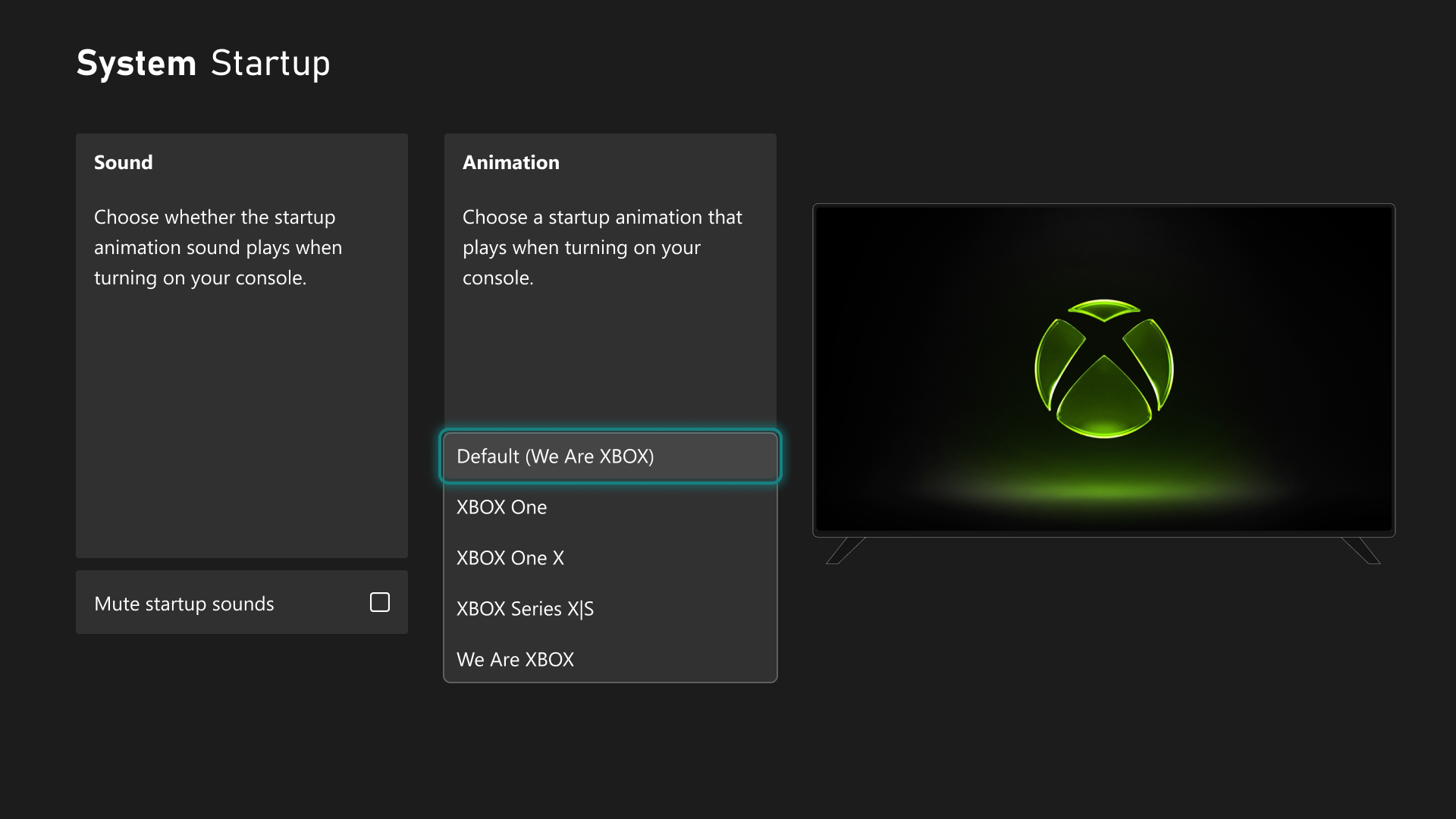
Users can now pick from Xbox One, Xbox One X, Xbox Series X|S, or We Are Xbox, which is kinda cool.

Xbox System Startup menu displaying startup animation choices like Xbox One and Series X|S alongside a TV preview screen.

Xbox System Startup menu displaying startup animation choices like Xbox One and Series X|S alongside a TV preview screen. (Image credit: Microsoft | XBOX)

Remote Play is also getting some new improvements.

The company is now testing support for up to 1440p streaming and higher video bitrates through Xbox Remote Play for Xbox Series X|S users in select Insider rings. The technical upgrade matters, but the broader implication matters more.

A few years ago, Remote Play felt like an extra feature. Today, it feels increasingly central to Microsoft's vision (though we're not thrilled with those new Cloud gaming caps).

Microsoft has spent years talking about making Xbox available wherever players want to play. At first, that messaging was often interpreted as a cloud gaming pitch. What we're seeing now is something more nuanced.

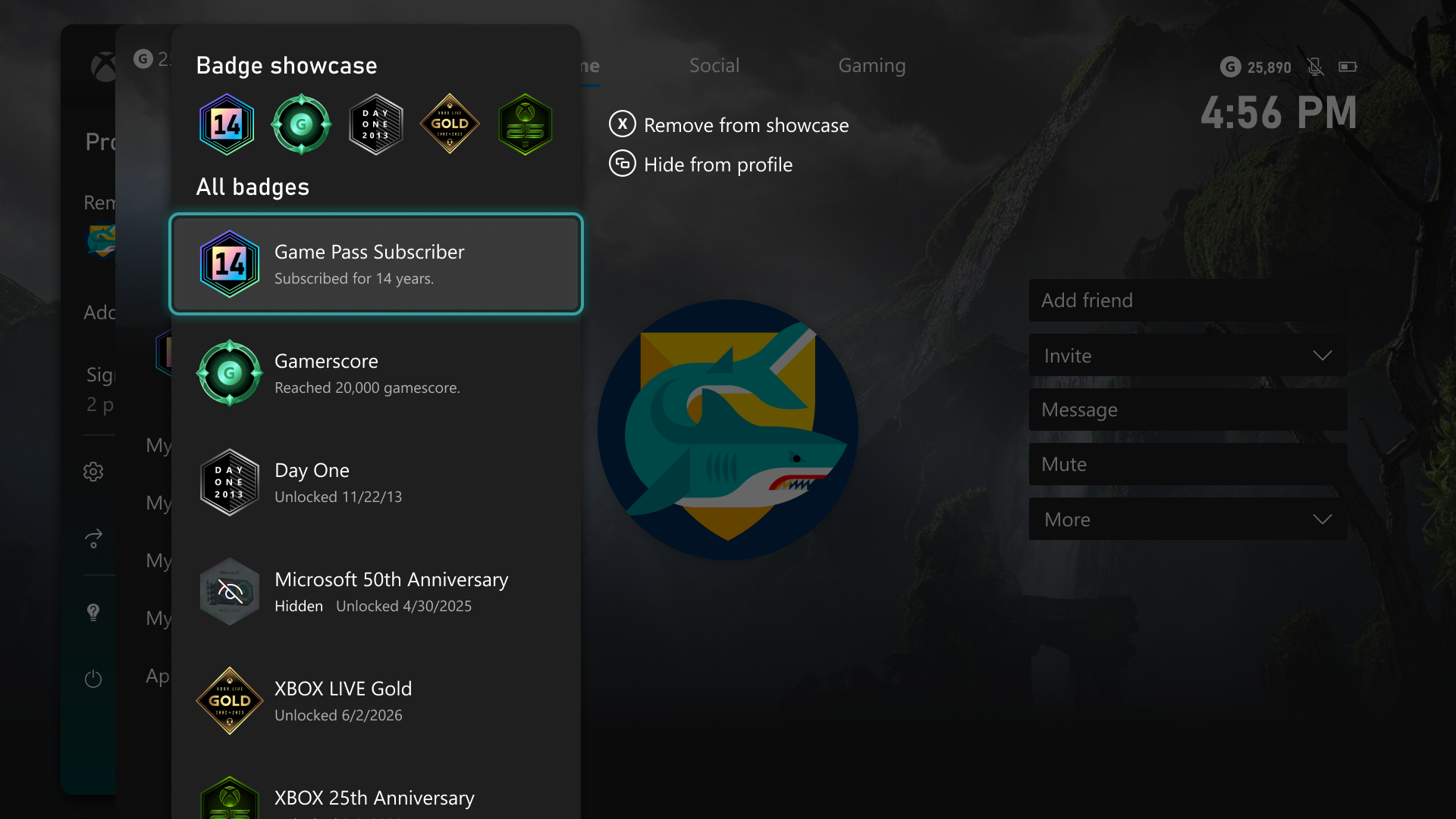
Xbox Badge Showcase menu displaying user profile badges with options to remove or hide them.

Xbox Badge Showcase menu displaying user profile badges with options to remove or hide them. (Image credit: Microsoft | XBOX)

Microsoft now seems more interested in letting players decide which parts of Xbox's history they want to keep with them.

That trend extends to profile customization, where users can choose which achievements and badges are visible and which remain private. If Nintendo's strength is iconic franchises and PlayStation's strength is prestige gaming, Xbox's emerging niche may be flexibility.

Play your games where you want.

Show off your profile how you want.

Start your console how you want.

Access your library how you want.

That seems to be a definable pattern, at least for this update.

Finally, Microsoft is also testing a new Voice Clarity feature for Xbox Series X|S, designed to reduce background noise and improve voice communication in party chat and supported games. Clear communication remains one of the foundations of online gaming, particularly in co-op and competitive titles, so this is a nice nod.

The update also arrives alongside broader backend improvements aimed at making Xbox parties more reliable and secure.

You can get more details from Xbox Wire about today's update.

Windows Central's Take

Again, there's no single standout feature here (although you may disagree), but the bigger picture is that Microsoft is apparently focusing on letting users make Xbox reflect more of their personality and preferences. That's something PC fans are used to, but it's a bit new for console users, where you're more boxed in (pardon the pun).

Maybe this really is all laying the groundwork for the next-gen Xbox (Helix), which is supposed to be more PC-like.

Of course, you could always say this is what Xbox should have been like for years now, but I'm happy to see these changes and like this direction of giving users more choice.

At a time when hardware is becoming unaffordable, the Xbox user experience is becoming the real battleground to keep fans interested, and Microsoft seems to have gotten the message.

Click to join us on r/WindowsCentral

Join us on Reddit at r/WindowsCentral to share your insights and discuss our latest news, reviews, and more.
  •  

Microsoft speeds up Windows 11 parental approvals and expands age verification across the OS

Windows 11 now includes new family safety features that can reduce how much adult content children are exposed to or able to view. Microsoft has a pair of blog posts on the topic, one that focuses on consumer-facing features and another that covers how APIs and Microsoft accounts are used to make the Windows experience safer.

The first change Microsoft highlighted is not a new feature, but a speed boost to an existing one. Granting parental approval is now faster than before, which allows parents and guardians to quickly approve things like additional screen time, access to specific apps, and purchases.

Speed is important when it comes to family safety. Occasionally children run into blocks when trying to access content that is required for homework or that is otherwise age-appropriate. Delayed approvals leave children sitting around and can cause frustration for kids and parents.

Microsoft has also made it easier for parents to keep track of web activity, app activity, and spending. Managing family groups has been improved as well, including options that make it simpler to add or remove members.

Blank Pixel

The importance of Microsoft accounts

Some people complain about Microsoft accounts being a requirement to use certain services. Microsoft has budged a bit in this area. For example, it's now possible to sign in to Microsoft Edge with a Google account.

But managing family safety settings relies heavily on a Microsoft account, as explained by the company:

"At Microsoft, we believe safety should be easier for families to understand and easier for developers to build into experiences for children to use. On Windows, that starts with the account. Microsoft account is a trusted foundation through which Windows brings age-appropriate protections and parental choices into more of the digital experiences encountered by children and teens every day."

Setting up accounts for children is a requirement to set parental controls for individuals. Microsoft accounts also allow Windows to know if a user is a child, teen, or adult.

Microsoft has introduced a new API to extend age awareness beyond the OS and across the entire Windows ecosystem. The Windows Age APIs can verify a user's age and then send that verification to an app without sharing personal information. It's a bit like Windows Hello but for age verification.

The new Windows Age APIs are available now to Windows Insiders and should ship to all Windows users soon.

Click to join us on r/WindowsCentral

Join us on Reddit at r/WindowsCentral to share your insights and discuss our latest news, reviews, and more.
  •  

Spyro’s 27th birthday comes with a surprise — a sneak peek at A Realm Beyond’s first level

It still feels like a dream that Spyro the Dragon, one of my childhood favorite platformer games, is finally getting a true successor to the classic PlayStation One trilogy with Spyro: A Realm Beyond.

Fortunately, Toys for Bob is here to remind me that it's indeed real by showing off a sneak preview of Arcadian Vale, one of the first locales you'll explore in the game, as part of a special event celebrating Spyro's 27th anniversary called Spyro Community Day.

Something from the Realmis hiding below.But what could it be?There’s only one way to know.Start in the center.Let the fire spread.Burn away the questionand see what’s ahead.#HappyBirthdaySpyro pic.twitter.com/NfWBZjb9mYSeptember 9, 2026

As you can see from the concept art, the Acadian Vale is a lush and colorful locale that perfectly captures the childlike wonder you'd normally associate with Spyro games, complete with cascading waterfalls, ancient buildings, and cutesy critters running around (which I totally won't roast alive to spawn butterflies that will replenish my health like in previous games).

The art also implies that the Arcadian Vale will feature a fair degree of verticality, most likely to help players practice the new free-roaming flight mechanic that will allow us to fly anytime, anywhere instead of specific levels and boss fights like in previous games.

A special birthday surprise from Spyro's biggest fans 💜 #HappyBirthdaySpyro #Spyroversary pic.twitter.com/tpEOvxkTMVSeptember 9, 2023

It's going to be a long, painful wait until we get to play Spyro, but in the meantime, you can celebrate Spyro's legacy by showing off fan art, appreciation messages, and other content for Spyro Community Day on social media platforms like X with the hashtag #HappyBirthdaySpyro.

Spyro: A Realm Beyond is set to launch sometime in 2027 for Xbox Series X|S and Xbox on PC with Xbox Play Anywhere support, PlayStation 5, Nintendo Switch 2, Steam, and the Epic Games Store.


Take to the skies and save the day from the invading Skavs in Spyro: A Realm Beyond, a next-gen evolution in the iconic Spyro the Dragon series.

Xbox Store
Steam StoreView Deal

Click to join us on r/WindowsCentral

Join us on Reddit at r/WindowsCentral to share your insights and discuss our latest news, reviews, and more.
  •  

Avec son monde ouvert, Kirby and the World Beyond sur Nintendo Switch 2 rappelle Mario 64

Comme dernière annonce du Direct de Septembre, Nintendo a choisi de mettre en avant le prochain Kirby. Intitulé The World Beyond, ce nouvel épisode poursuit le passage à la 3D entamé après le précédent volet pour cette fois rappeler l'un des grands noms de la plateforme : Super Mario 64.

  •  

AI Vibe coding is moving so fast Microsoft had to overhaul how it reviews Edge extensions

Windows and Windows Phone users struggled with the app gap for years, often leading to frustration when their favorite app was unavailable. But recent advances in AI have led to a different kind of problem: an explosion of development. Microsoft recently shared the challenges caused by AI accelerating the development of extensions for the Edge browser.

"How do we keep up with the pace at which the ecosystem is growing, while maintaining a high bar for quality?" asked Microsoft's Edge team.

Microsoft approves extensions that appear in the Edge Add-ons site. Since AI can speed up the process of developing or updating apps, Microsoft has more submissions to take care of. To better handle the workload, Microsoft has automated some validation checks for extensions.

The company emphasizes that it still has the same standards for an extension to pass. The automation centers around common problems so humans can focus on more complex cases.

If an extension passes enough quality checks, it will earn a "Featured" badge in the Edge Add-ons site. Microsoft now refreshes Featured badges every 15 days.

"With this more frequent cadence, high-quality extensions can earn recognition sooner, and developers receive faster feedback on their investments in quality," said Microsoft. "At the same time, users benefit from a more up-to-date view of the extensions that meet our quality standards."

Blank Pixel

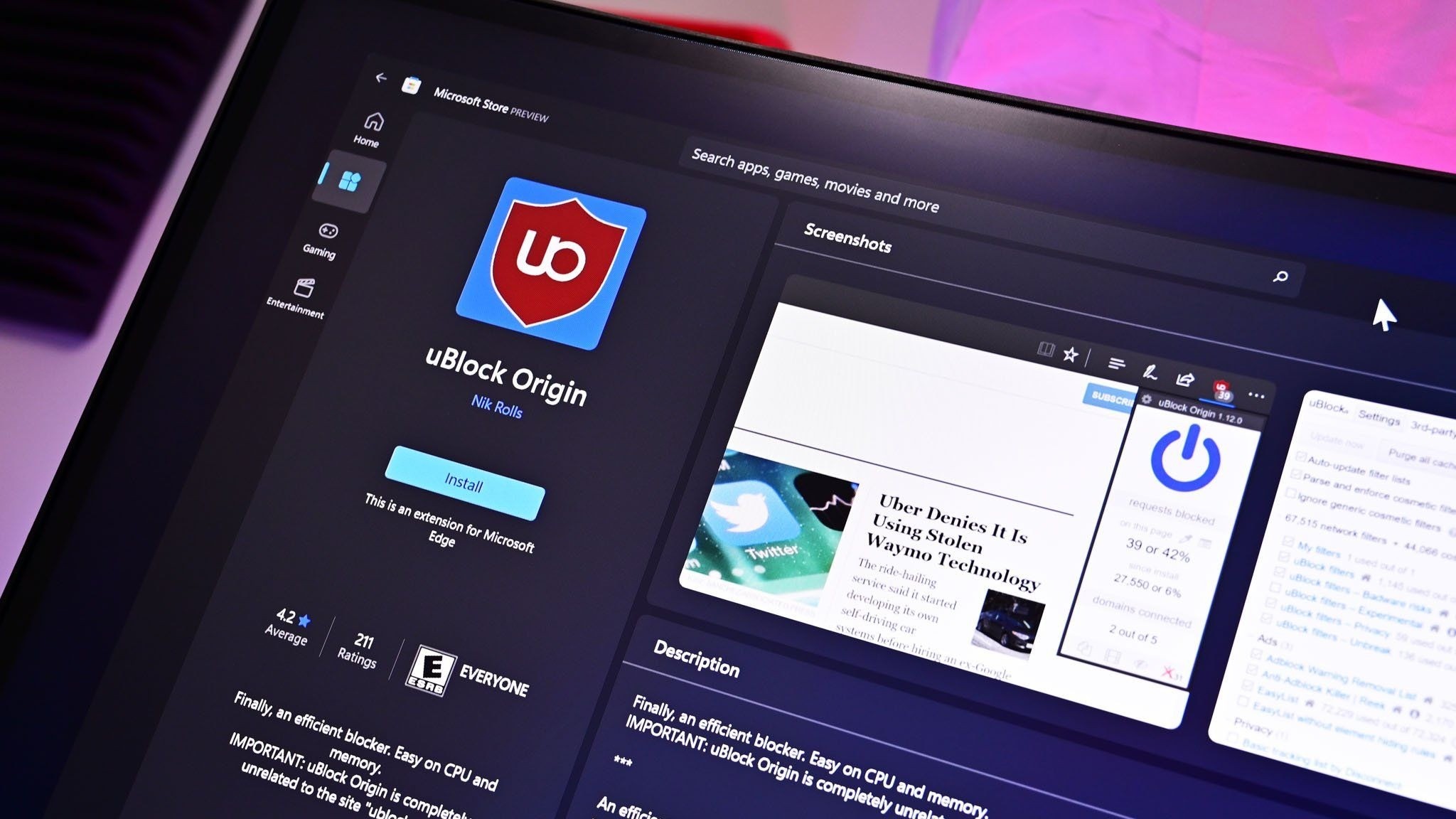
uBlock Origin on Microsoft Edge

The Edge Add-on site is receiving more submissions and updates due to AI, but uBlock Origin is still going away. (Image credit: Future)

Edge extensions have come a long way. The browser first required developers to put in a lot of work that was exclusive to Edge. That changed when Edge was relaunched as a Chromium browser. That switch greatly improved compatibility and resulted in more extensions being in the Edge Add-ons site.

Being based on Chromium also comes with some downsides, however. Microsoft is following in the footsteps of Google by moving from Manifest V2 to Manifest V3. There are a variety of effects of that change, but the one many care about the most is it means uBlock Origin will no longer work on Edge (it already does not work on Chrome).

Microsoft revamped the Edge Add-ons site with a better browsing experience and new categories last year. The new site shows better suggestions as you type and lets you install extensions without having to jump to a different page.

With that refresh and the recent uptick in extension submissions, it should be easier than ever to find a quality extension.

Click to join us on r/WindowsCentral

Join us on Reddit at r/WindowsCentral to share your insights and discuss our latest news, reviews, and more.

  •  

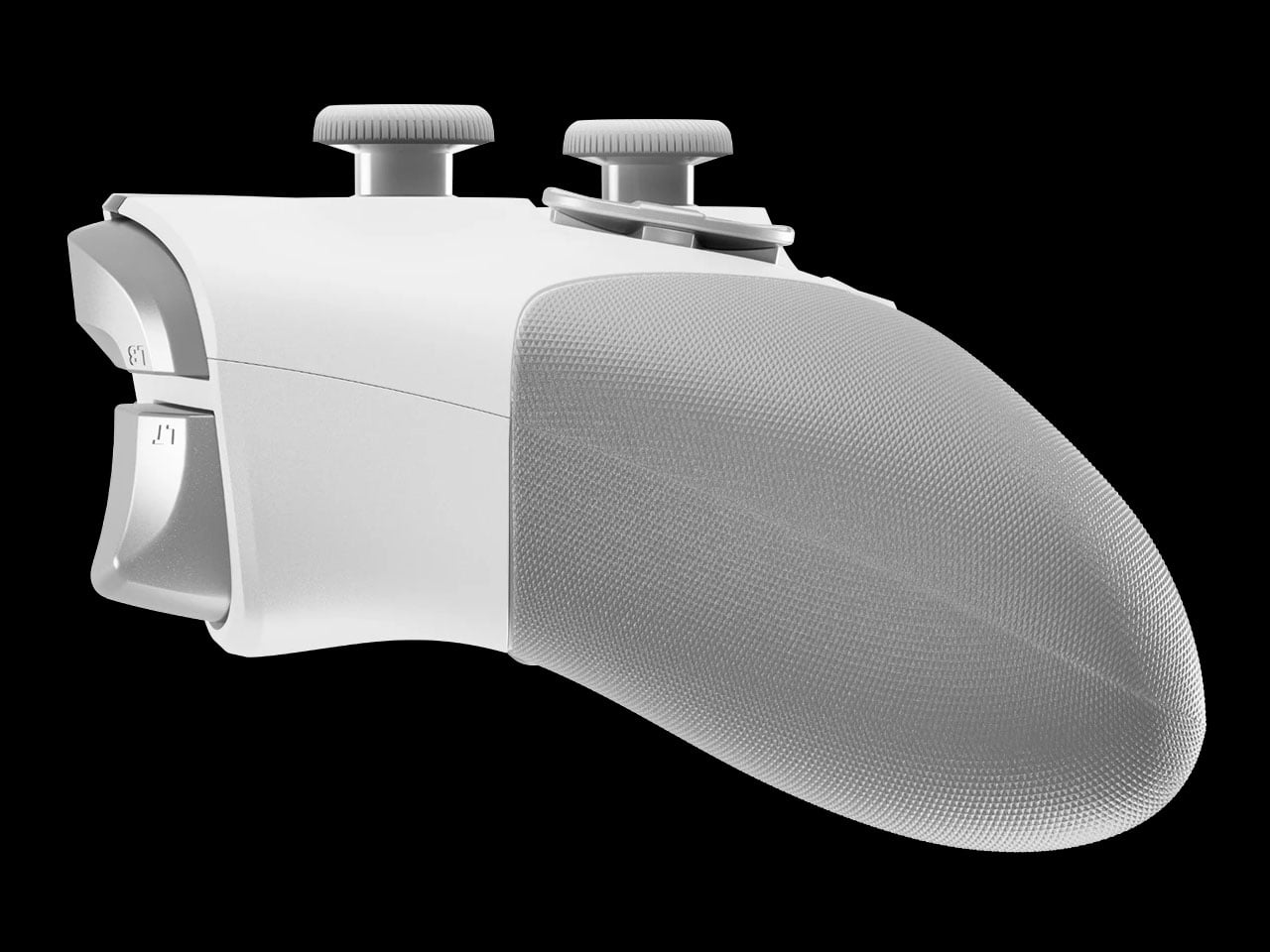
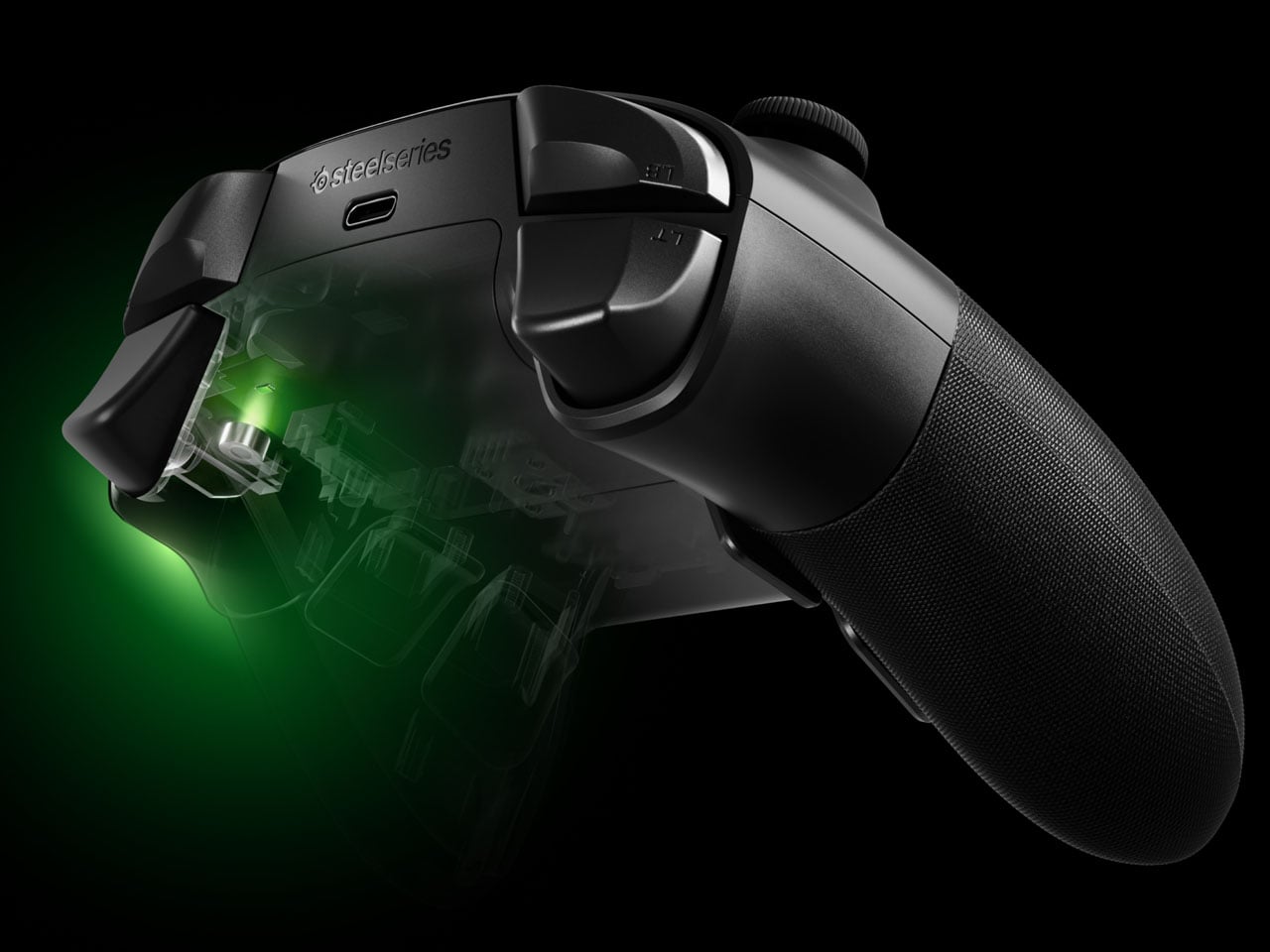
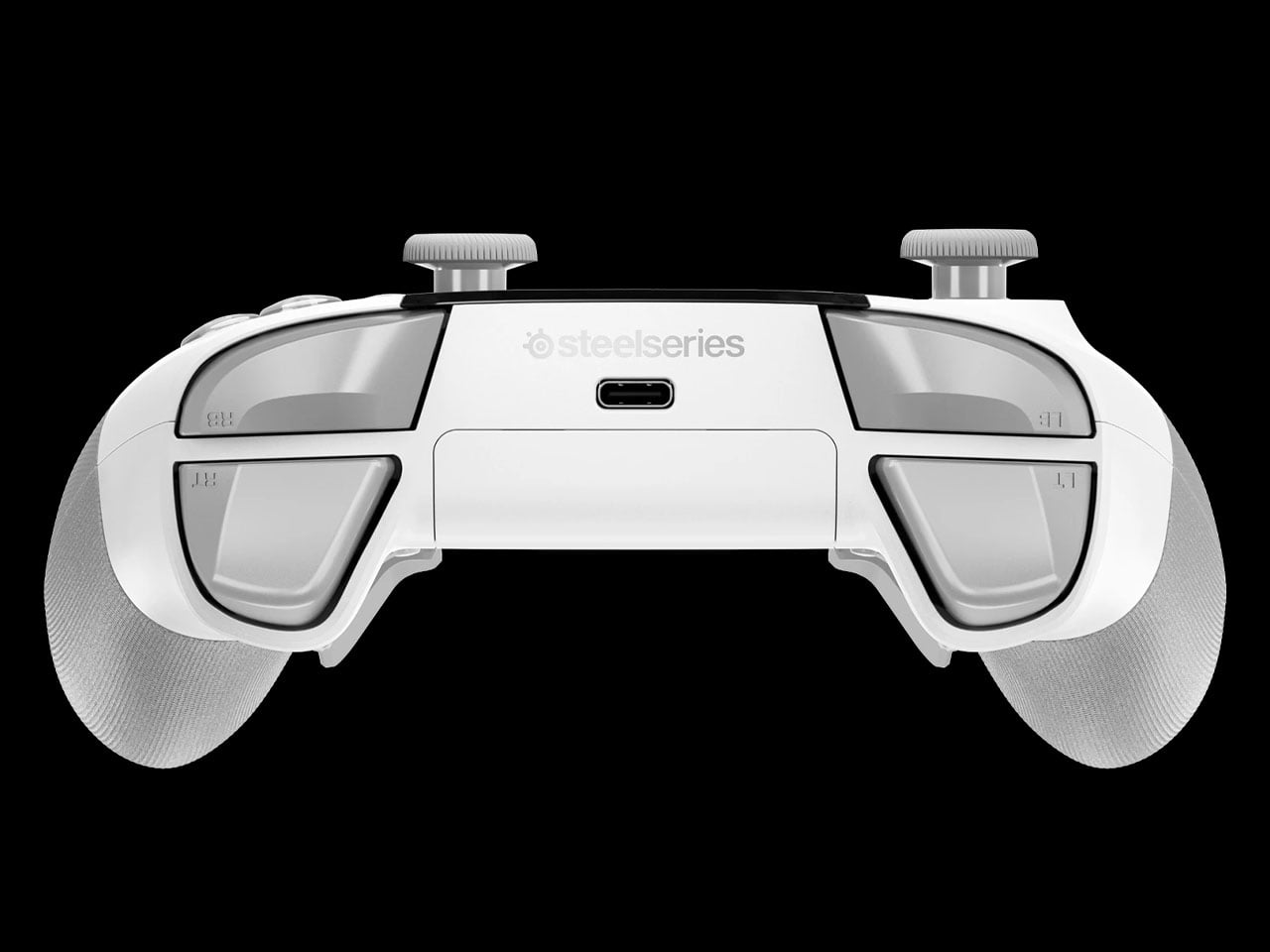
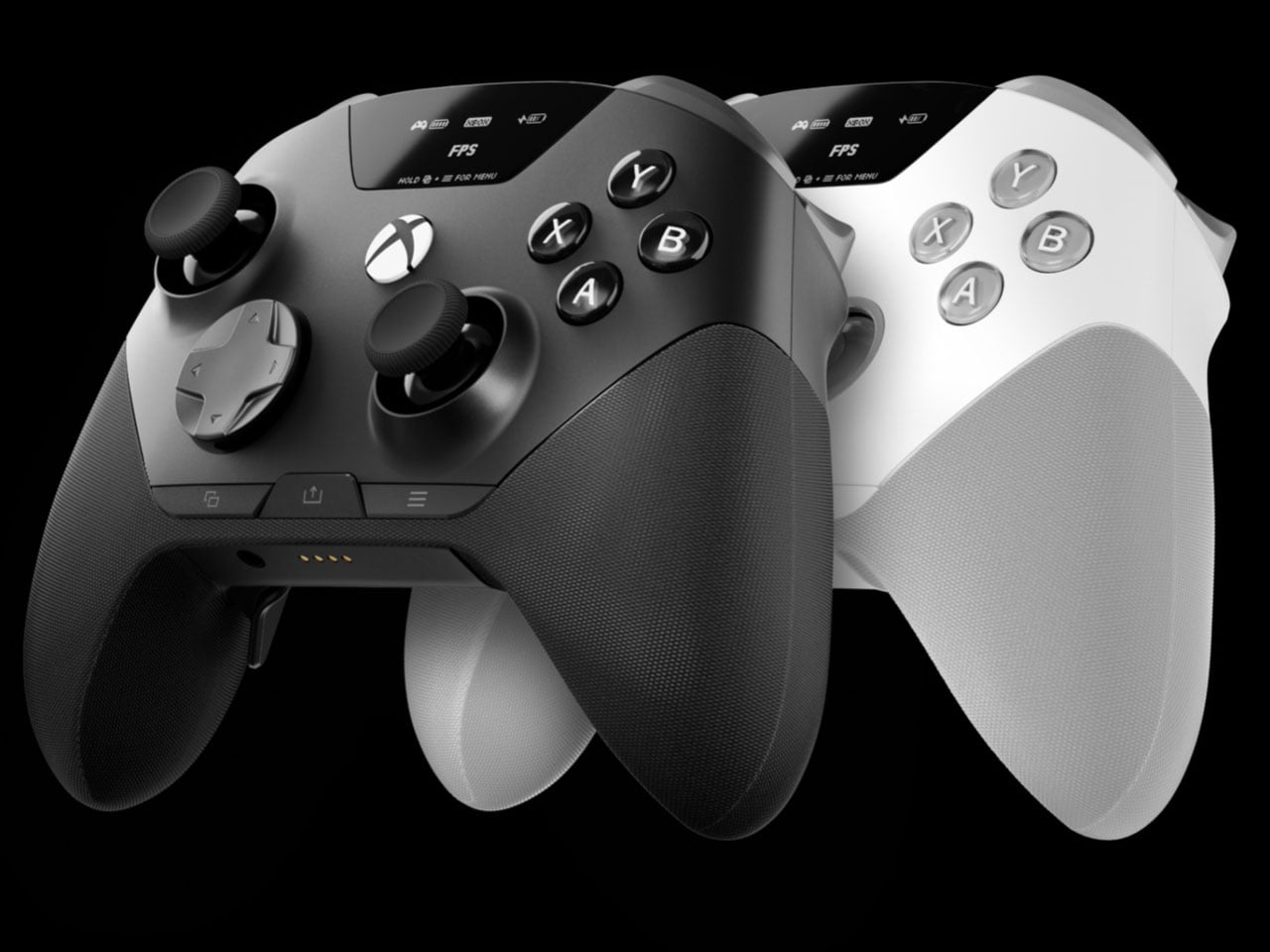
SteelSeries Aeon Pro switches between PC and console without re-pairing

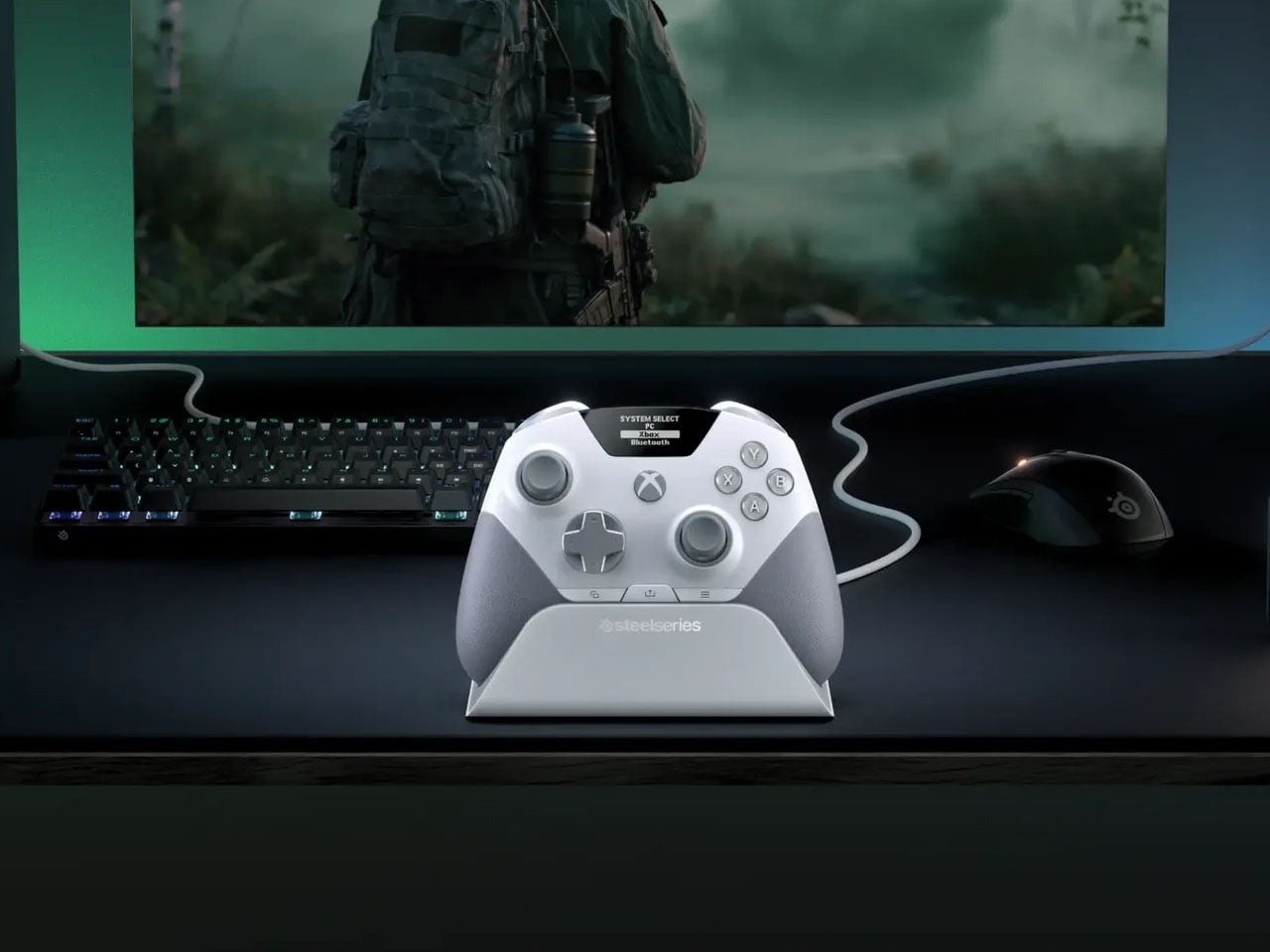
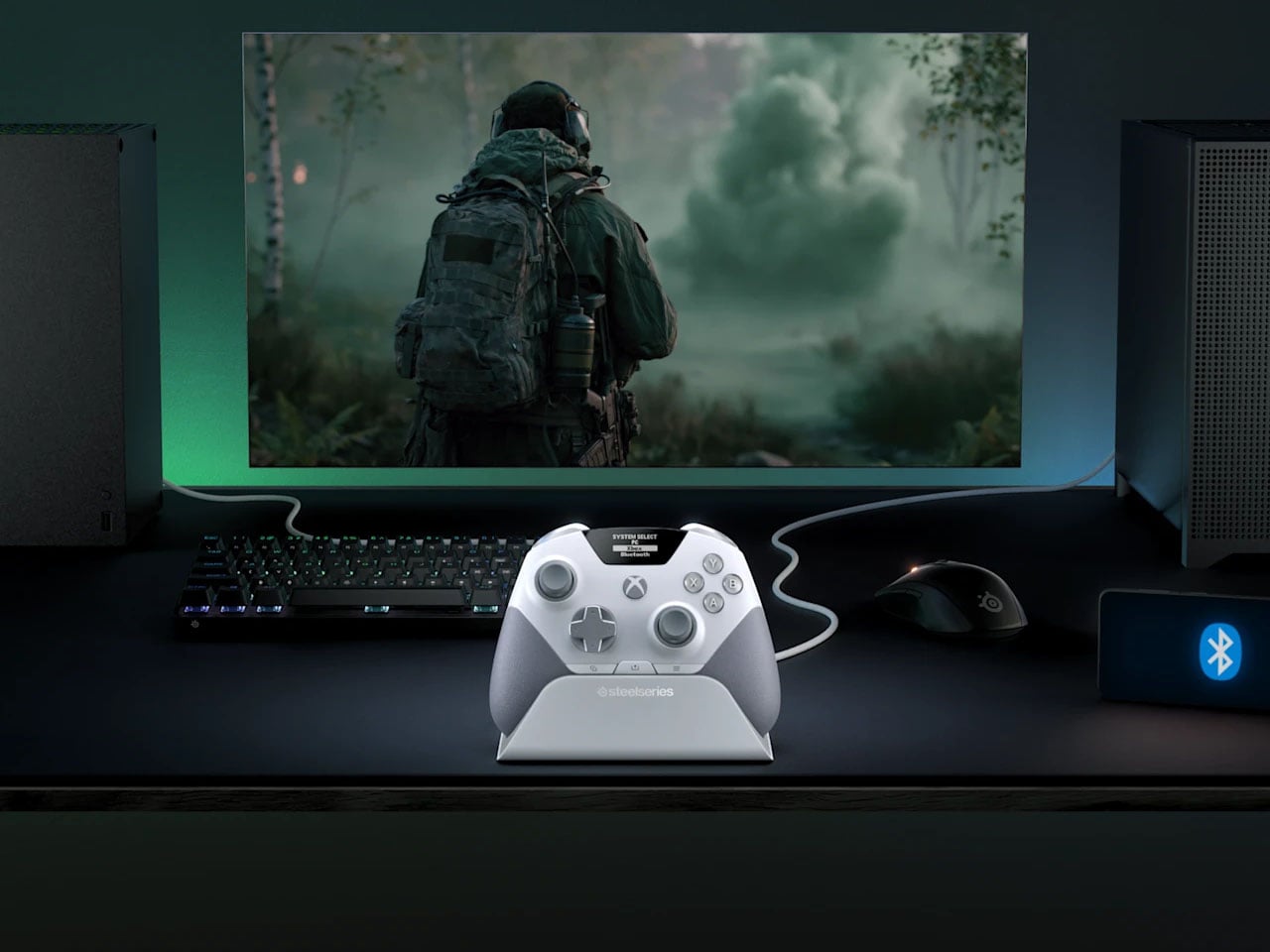
There is something slightly ridiculous about having a PC and an Xbox sitting on the same desk, then needing to re-pair a gaming controller every time you move from one to the other.  SteelSeries thinks the controller should simply know where it needs to go. That is the idea behind the Aeon Pro.

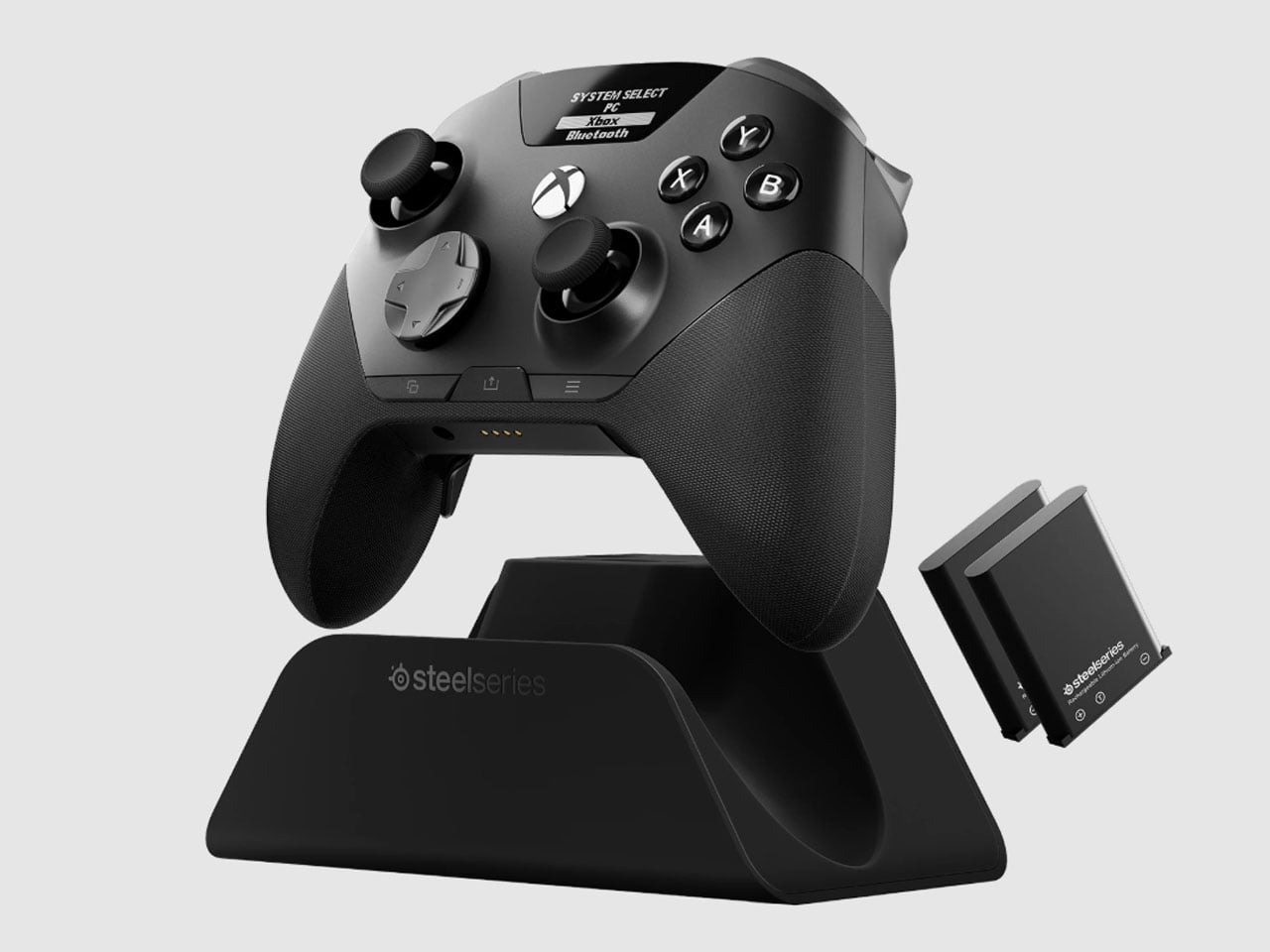
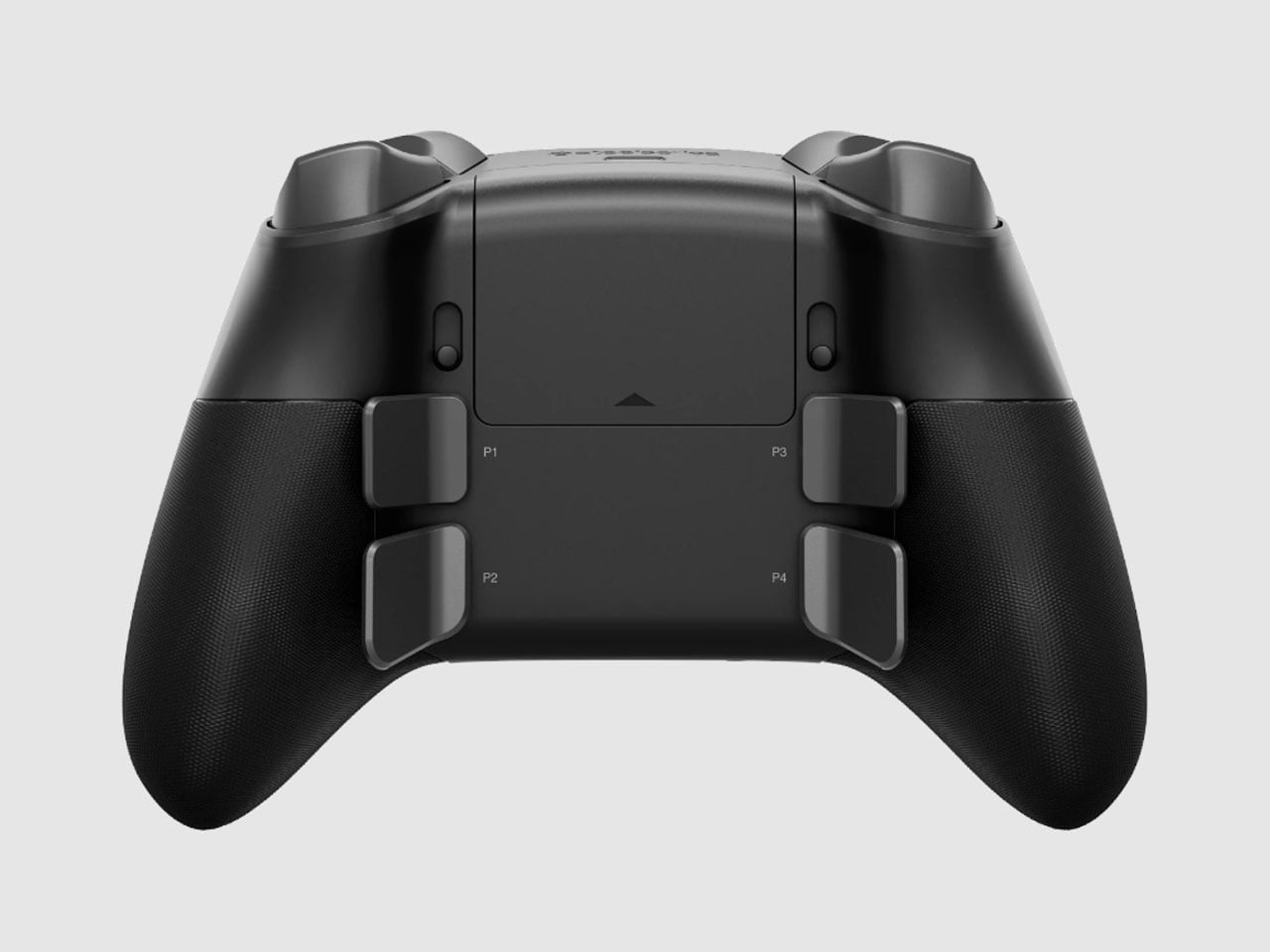
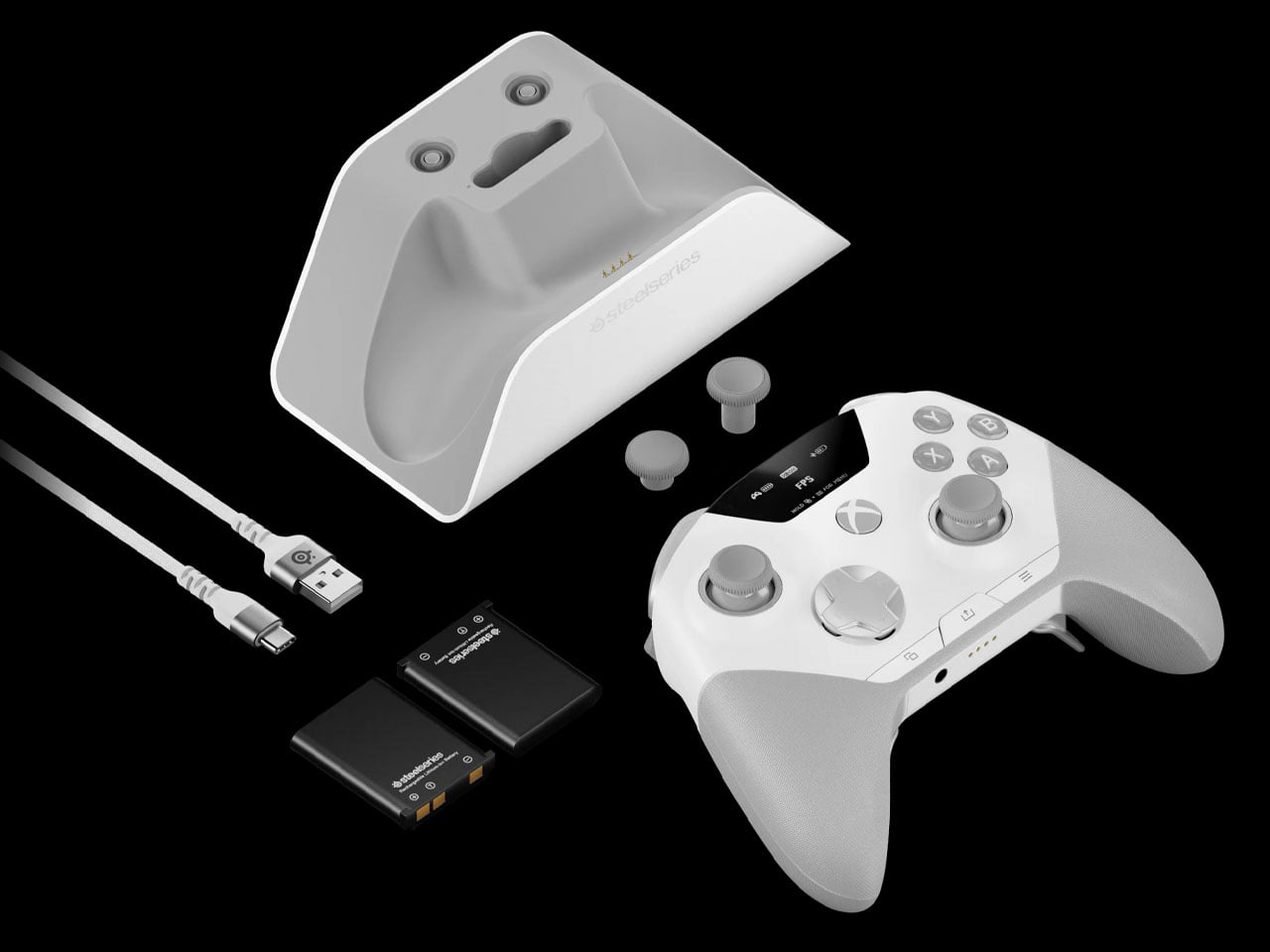
The new wireless gamepad is built around a QuickSwitch Dock that can stay connected to both a PC and an Xbox. Instead of disconnecting one system, pairing with the other, and repeating the process later, the controller can switch between them from the dock. SteelSeries says the system is patent-pending and describes it as the first of its kind for Xbox and PC.

Designer: SteelSeries

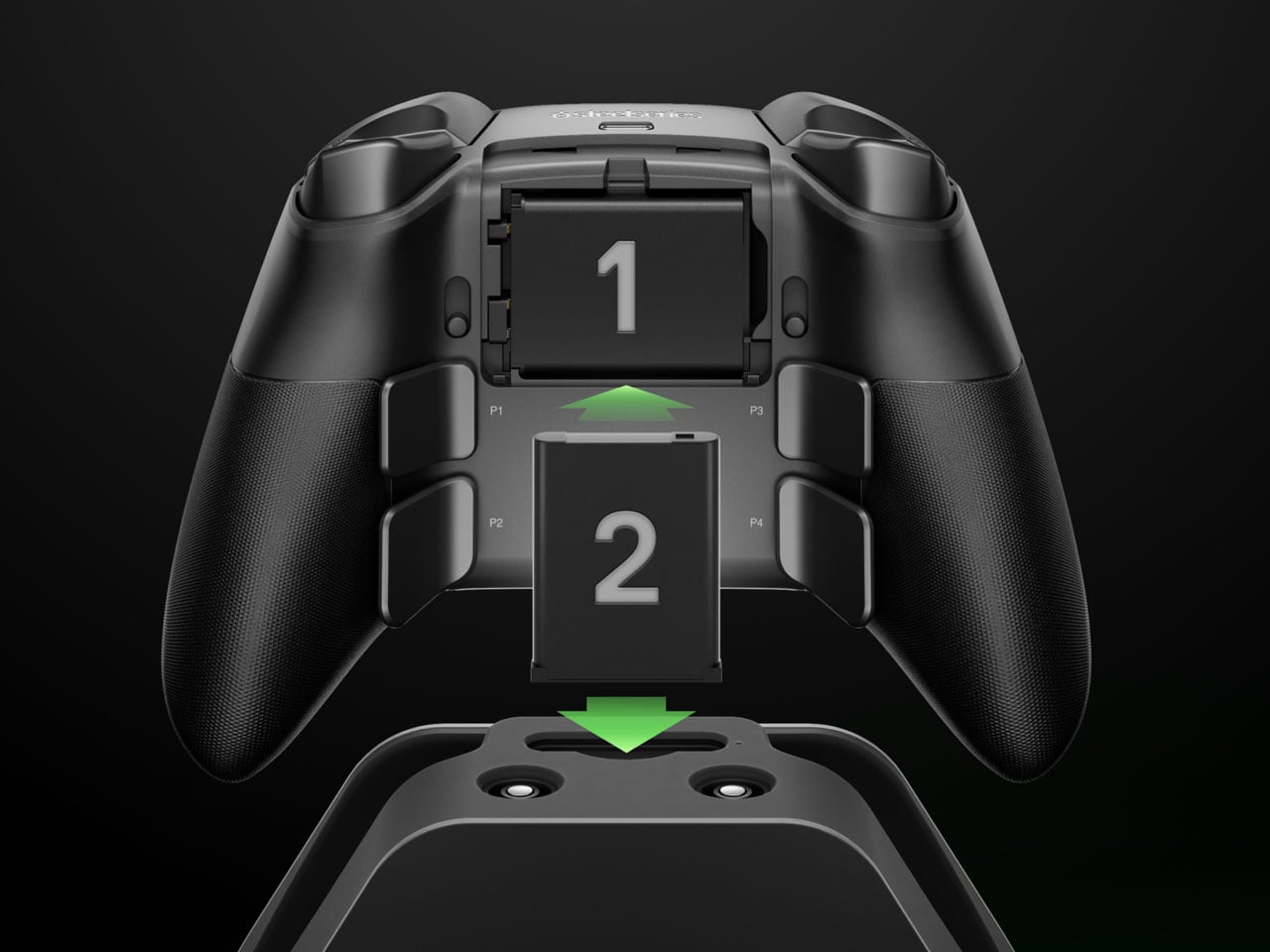
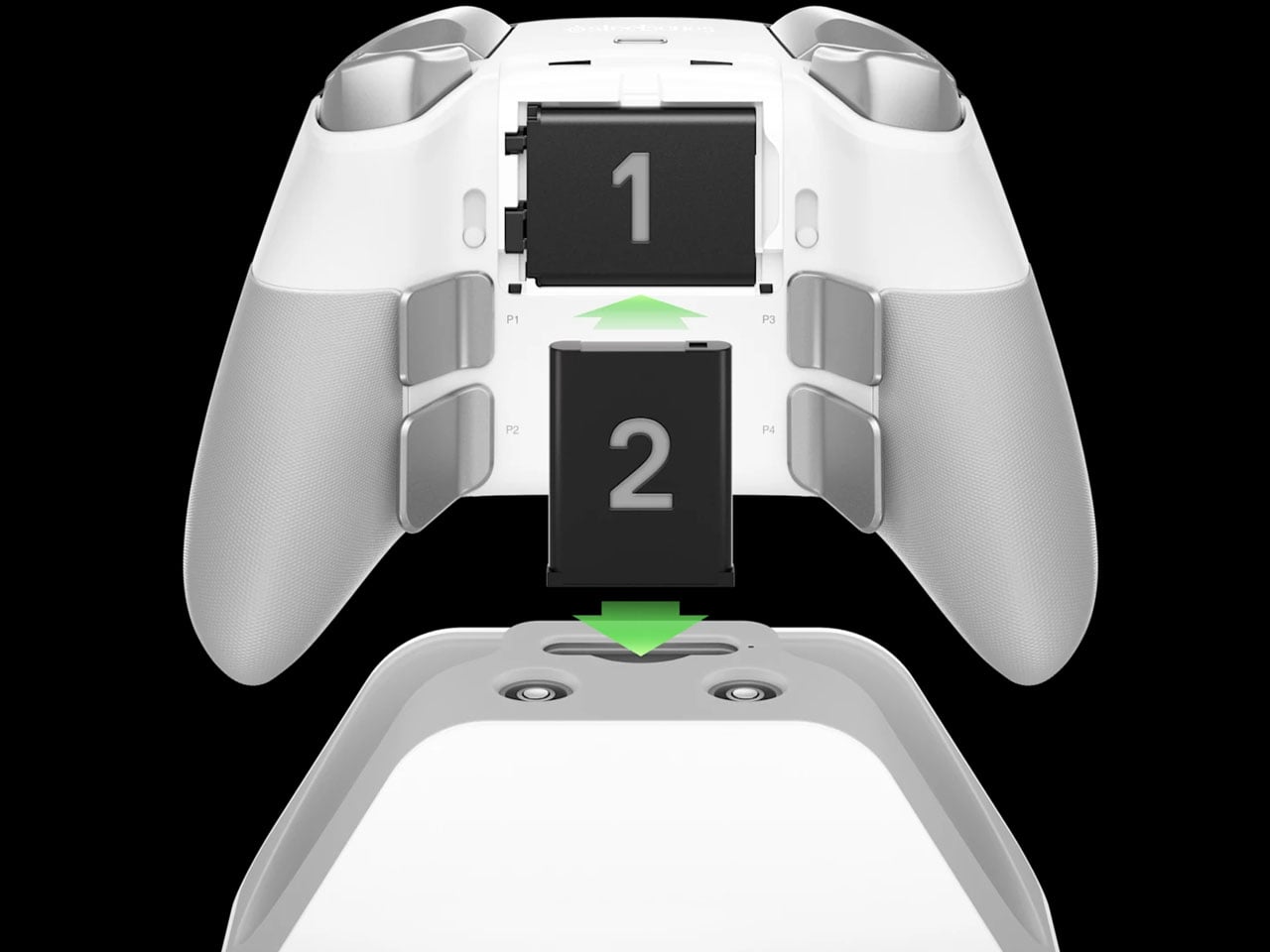
The dock is also where the Aeon Pro gets its other unusual trick. It holds a second battery while the first one is being used in the controller. When that battery runs low, it can be swapped for the charged one rather than plugging the controller into a cable and waiting. The batteries are the same type used in SteelSeries’ Arctis Nova Pro headsets, which makes the system particularly interesting for anyone already invested in that ecosystem. SteelSeries calls this its Infinite Power System. The numbers are up to 25 hours over 2.4GHz wireless or 28 hours over Bluetooth, although those figures account for the combined use of the two batteries rather than one battery lasting that long on its own. The Aeon Pro can also connect through USB-C and Bluetooth, and supports mobile devices alongside Xbox and PC.

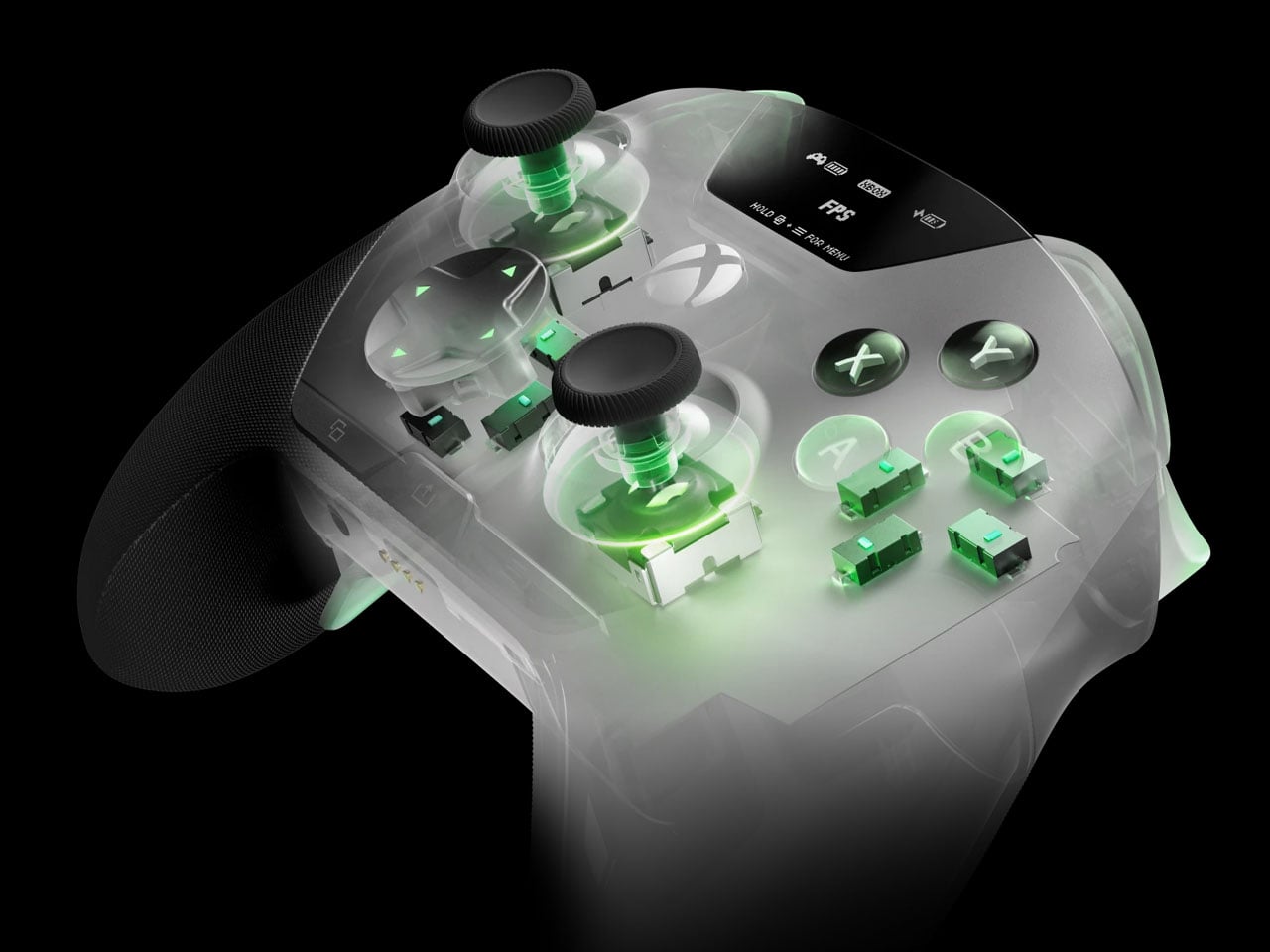
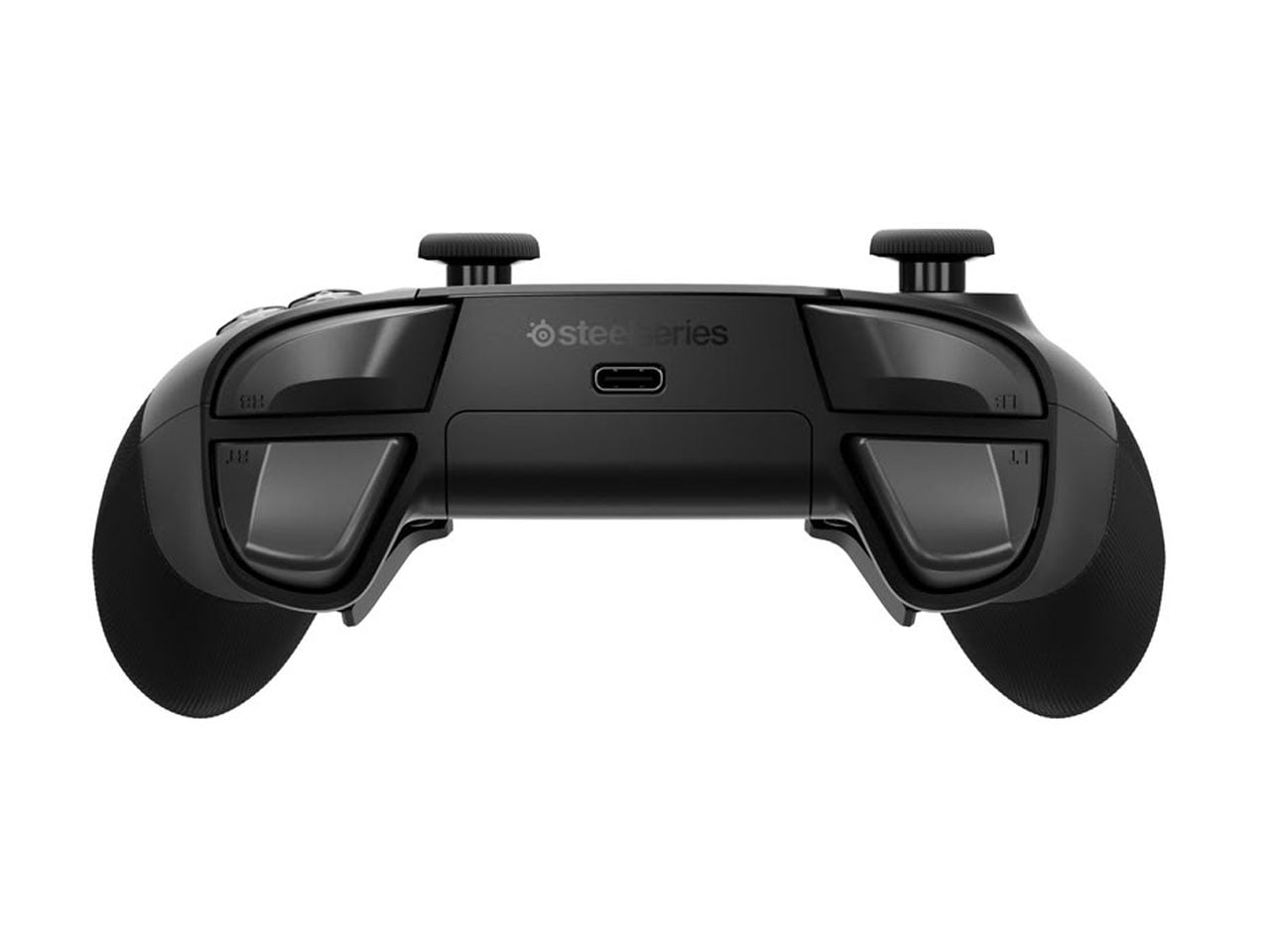
The controller itself follows the now-familiar premium gamepad formula, but pushes it fairly far. Its thumbsticks use Hall-effect sensors, while the triggers can switch between full travel and a shorter hair-trigger setting. There are 18 mechanical switches across the controller and four programmable rear paddles, giving players plenty of ways to alter how they interact with a game. SteelSeries has also avoided burying every adjustment inside an app. A small OLED display built into the controller can show the active device, battery status, and profiles, while letting users remap controls and change settings directly.

PC players can go deeper through SteelSeries GG, including trigger and button configuration, rumble adjustments, and software profiles. Then there are the smaller touches. The thumbsticks are interchangeable, with different shapes and heights supplied in the box, and the spare pieces can be stored in the dock. A textured grip runs around the controller, while its 310-gram weight makes it considerably heavier than a standard Xbox controller, though still lighter than Microsoft’s Elite model.

The catch is the $259.99 price tag. The Aeon Pro costs more than most premium gamepads, including Microsoft’s own Elite-class controller in many markets. That makes the QuickSwitch dock and battery system more than clever conveniences. They are the features that need to justify why this particular controller deserves a permanent spot on a gaming desk.

The post SteelSeries Aeon Pro switches between PC and console without re-pairing first appeared on Yanko Design.

  •  

FreshRSS 1.30.0

This is a security-oriented major release with several important security patches, so users are encouraged to update without delay.

From this release, we are also making it clear that our rolling-release channel (edge) is recommended for faster security patches.

Breaking change 💥:

  • Disallow access to local networks such as 127.0.0.1 by default, for security reasons

Feature highlights✨:

  • Filter global view feed list by state and search
  • New option to hide badges showing number of unread articles (Phantom Obligation)
  • Refresh only feeds in the current view
  • Offer to add a prefix when re-sharing user labels

Bug fixes highlights 🐛:

  • Several security attack scenarios patched
  • Fix lost elements while parsing search query
  • Fix “mark as read older than…” widening the active search
  • Fix saving user queries
  • Fix SQL errors breaking some regex searches with MySQL / MariaDB

This release has been made by @Alkarex, @andris155, @ColonelMoutarde, @Frenzie, @IEEE-754, @Inverle, @math-GH, @nykula, @polybjorn, @Stunkymonkey and newcomers @0xdeadrelay, @AdamKorcz, @aligundogar, @bossaarebecca-alt, @Cactys12, @chrislongros, @Divinelink, @Elgeryy1, @featurecreep-cron, @Fripix, @fzlzjerry, @georatas, @gshimo, @iatman ,@ihsanarifr, @jamalkamaladdin, @JamBalaya56562, @jbrayton, @jeremy-code, @juherr, @kobihikri, @LeeXiaolan, @masskrdjn, @mohammadlashkari, @nathanpixodeo, @Otolock, @payaci, @salvador-castro, @SamCyber001, @satyvm, @senti-man, @simitana, @ThomasVermeer, @Totara-thib, @TowyTowy, @utkutibet, @XiaoSong1223

Full changelog:

  • Security
    • 💥 Disallow access to local networks such as 127.0.0.1 by default, for security reasons (breaking change) #8400,
      #9195
      • Selected local networks can be allowed under System configuration or using the INTERNAL_HOST_ALLOWLIST environment variable
      • Passing * allows all networks like before (unsafe)
    • Improve SSRF mitigations by restricting CURLOPT_PROXY #8950
    • Fix auth CSRFs (login and register actions) #9171
    • Log invalid challenge and ignore JSON error during login #9278
    • Disallow fetching of non remote URI #9215
    • Only allow HTTP/HTTPS schemes for enclosure and thumbnail URLs #9272
    • Fix access control in rss and opml actions #8912
    • Refactor to use CSRF field directly instead of borrowing it from a form #9169, #9205
    • Cleaner limit anonymous mode to default user #9235
    • Fix HTML ingestions in templates #9146, #9170
    • Fix bad header filtering bypass #8964
    • Sanitize all fields during JSON import #9168
    • Gate greader (JSON) user query share format behind Share by OPML #9248
    • Public OPML should not contain cURL parameters #9070
    • Ignore security-relevant OPML attributes for dynamic OPML sources #9276
    • Strip feed URL credentials from anonymous user query output #9246
    • Set limits for regex during search #8913
    • Fix path disclosure in cache error message #9206
    • Limit the length and parentheses nesting depth of a search query #9277
    • Use timing-safe comparison for tokens #8945
    • Use hash_equals() for GReader API token comparison #9183
    • Mailer: allow disabling SMTPAutoTLS via config #9026
    • Warn during install if document root does not point to ./p/ #9010
    • Stop the unread-count poller after the session ends #9065
    • Add remote IP address to warning on form login #8942
    • Pin the GitHub actions using SHA #9200
    • Harden cache and SimplePie cache deserialization #9273
  • SimplePie
    • Security: Disallow javascript: URI scheme (protocol) #8263
    • Fix wrong player parent logic leading to invalid type #8893, simplepie#978
    • Consistently enable XML_OPTION_PARSE_HUGE #8894, simplepie#977
    • Fix null warning in IRI for PHP 8.5+ #8918, simplepie#979
    • Fix sanitizer whitelist stripping order #9066
    • Show only one representation per media:group #9009
    • Bump upstream SimplePie #8947
  • Features
    • Filter global view feed list by state and search #9132
      • Use global view when searching from subscription page #9144
    • New option to hide badges showing number of unread articles (Phantom Obligation) #8844
    • Refresh only feeds in the current view #9060
    • Offer to add a prefix when resharing user labels #9236
    • Add log search to the logs page #9059
    • Add configurable log_level system setting #9185
    • New option to keep or not the custom sort order when navigating between categories and feeds #8969
    • New per-feed option to show or hide enclosures (attachments) #9015
    • Detect JSON feeds from URLs containing json #9058
      • Also when subscribing via the API #9167
    • Order categories during OPML import/export according to position #9203
    • OPML: include each feed’s refresh interval (TTL) in export/import #8982
    • Log failed CSS content retrieval (Web scraping) #9077
    • Allow providing a category when adding a feed by bookmarklet #9047
    • Add LinkAce sharing service #9024
    • Add Nextcloud Bookmarks sharing service #9032
  • Bug fixing
    • Fix lost elements while parsing search query #8884
    • Fix “mark as read older than…” widening the active search #9173
    • Fix saving user queries #9190
    • Fix SQL errors breaking some regex searches with MySQL / MariaDB #9036
    • Fix marking filtered label articles as read in SQLite and PostgreSQL #9264
    • Fix tagging an already-tagged entry on PostgreSQL raising a SQL error instead of being a no-op #9136
    • PostgreSQL: make committing new entries resilient to duplicate keys #9231
    • Preserve negative timezone offsets in date intervals #9071
    • Fix feed dropdown bugs due to hash desync #8949
    • Fix slider not reinitializing after form submit #8973
    • Minz: Skip loading duplicated JS/CSS assets #9000
    • Respect simplepie_syslog_enabled for the uses cache logs #8986
    • Fix statistics repartition averages #8996
    • Fix article hover date visibility #8997
    • Keep search and state filters when marking articles as read #9007
    • Fix --db-prefix silently drops following CLI flags #9042
    • Remove stale dynamic favicon links #9127
    • Fix desync between favicon and title unread counters #9262
    • Fix outdated username length hint on registration and install forms #9013
    • Redirect away from wrong URL paths #9075
    • Fix auto-share shortcut on first use #9072
    • Exclude hidden feeds from global view counts #9152
    • Fix only the last <media:credit> being written to the RSS output #9174
  • CLI
    • New cli/reconfigure-user.php to read/write per-user config attributes #8873
    • Report new articles count per feed in app/actualize_script.php output #8948
    • Output a diagnostic when the cli/health.php check fails #8980
  • API
    • Add a warning message to the API password section and a log warning when a client uses GET instead of recommended POST #8845
    • Fever API: log the client IP address on authentication failure #8981
    • WebSub: ignore HTTP/HTTPS scheme difference in Self URL comparison #9005
  • Deployment
    • Docker alternative image updated to Alpine 3.24 with PHP 8.5.7 and Apache 2.4.67 #8916
    • Start supporting PHP 8.6+
      • Docker dev :newest with PHP 8.6 #9155
    • Docker: attach provenance and SBOM attestations to the published image #9150
    • Apache use only CONN_REMOTE_ADDR in logs when mod_remoteip is available, for compatibility with LiteSpeed Web Server #8890
    • Fix .dockerignore being ignored during build in CI #9001
    • New ENABLE_ACCESS_LOG environment variable to disable access logs #9191
    • Check GMP during 32-bit installation #9046
    • Improve actualize mutex to allow multiple instances #9045
    • OIDC: redirect to a default URL on expired auth state instead of 400 #9143
  • UI
    • Always jump article to top when header is offscreen, also when Stick the article to the top when opened is disabled #8870
    • Move article header/footer options (feed title, authors and date, icons position, tags) from Reading to Display configuration #9139
    • Move disable button before remove button in user management #8944
    • Keep scroll position of slider after form submit #8974
    • Group export feeds by category #9079, #9154
    • Sort feed names with locale-aware collation #8985
    • Sort labels with locale-aware collation #9023
    • Format unread counter in title on page load #9263
    • Display slider after submit for all buttons in feed update UI #8999
    • Improve aside keyboard navigation #9202
    • Allows usage of Ctrl/Shift keys with the open website shortcut #9186
    • Fix padding for .nav_menu in Alternative-Dark, Flat, and Nord themes #8901
    • Fix typo in alert error border color variable #9266
    • Use JavaScript Event() constructor instead of deprecated initEvent() #9035
    • Use :user-invalid instead of :invalid for CSS form field styling #9025
    • Remove unused simple layout #8998
    • Various UI and style improvements: #8823, #8824,
      #9140, #9145
  • Extensions
    • Minor Minz_Extension typing #8952
    • Improve extension list fetch diagnostics #9055
    • Fix a PHP warning in Serve action #9267
    • Fix extension settings cancel action #9053
    • Fix sharing menu conflicts with extensions #9074
    • Add read status hook for entries #8995
    • Dispatch a new JavaScript event freshrss:entryStateChange when an entry finishes being marked read/unread #9031
    • Redirect after saving user CSS/JS so changes apply immediately #9006
  • I18n
  • Misc.

  •  

Infostealer Logs Expose Replayable AI Tokens That Can Bypass MFA

Cybercriminals are hijacking artificial intelligence (AI) user accounts via information stealer logs to create "stolen keys" that grant illicit access to tools from model providers like Google, Anthropic, and others.  Information stealers like Lumma Stealer or Vidar are equipped to harvest a wide range of data from compromised systems. This can include credential, session tokens, and API

  •  

The Laptop Bag That Finally Doubles as Your Desk

Gone are the days when you have to stay inside a cubicle the entire day just to get your work done. A lot of jobs now give people the freedom to work wherever they want, setting up a mini mobile office at a café, in the park, or in the middle of the airport. The challenge for those lucky enough to have that kind of job is lugging around all their so-called tools of the trade.

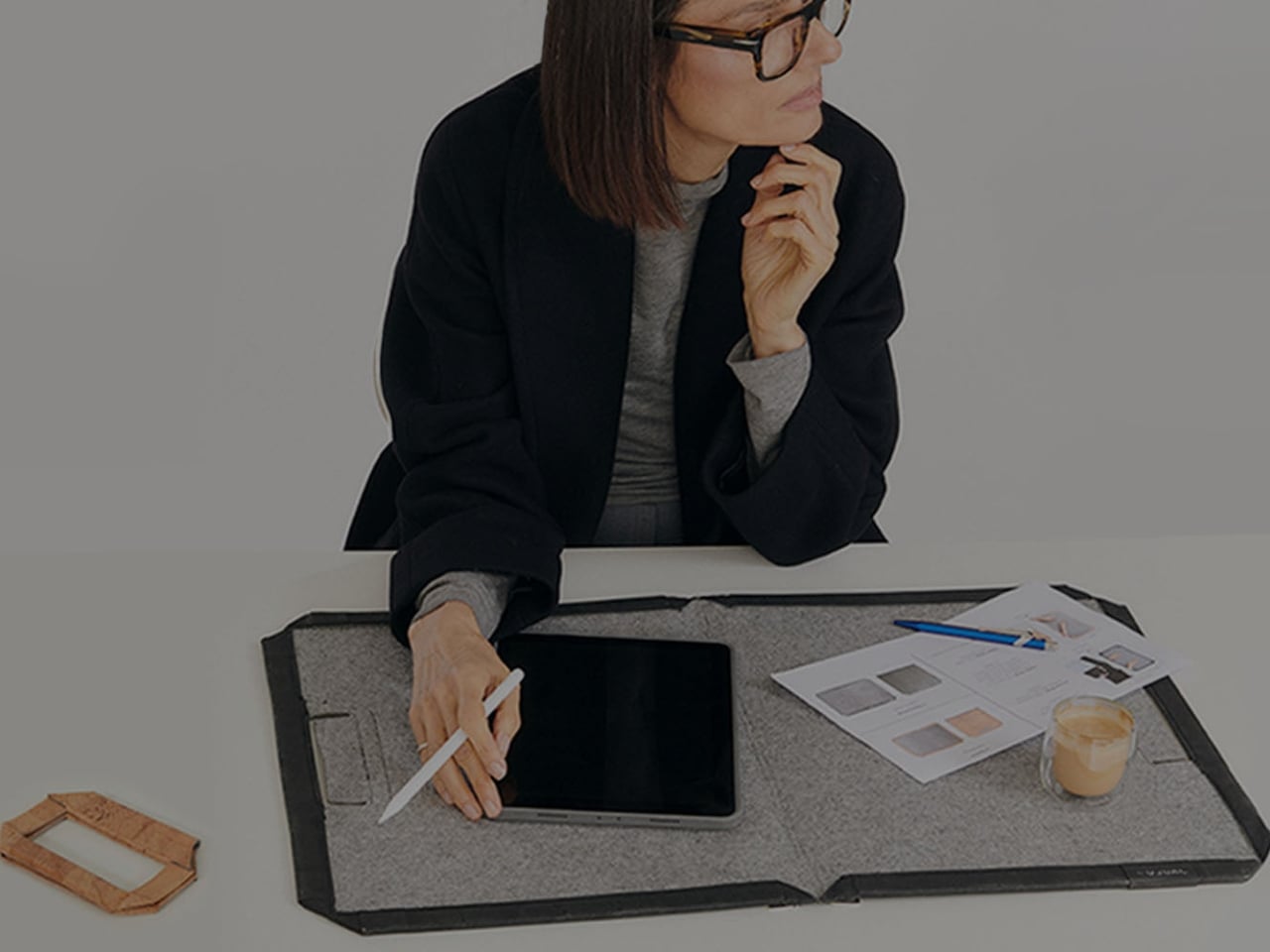
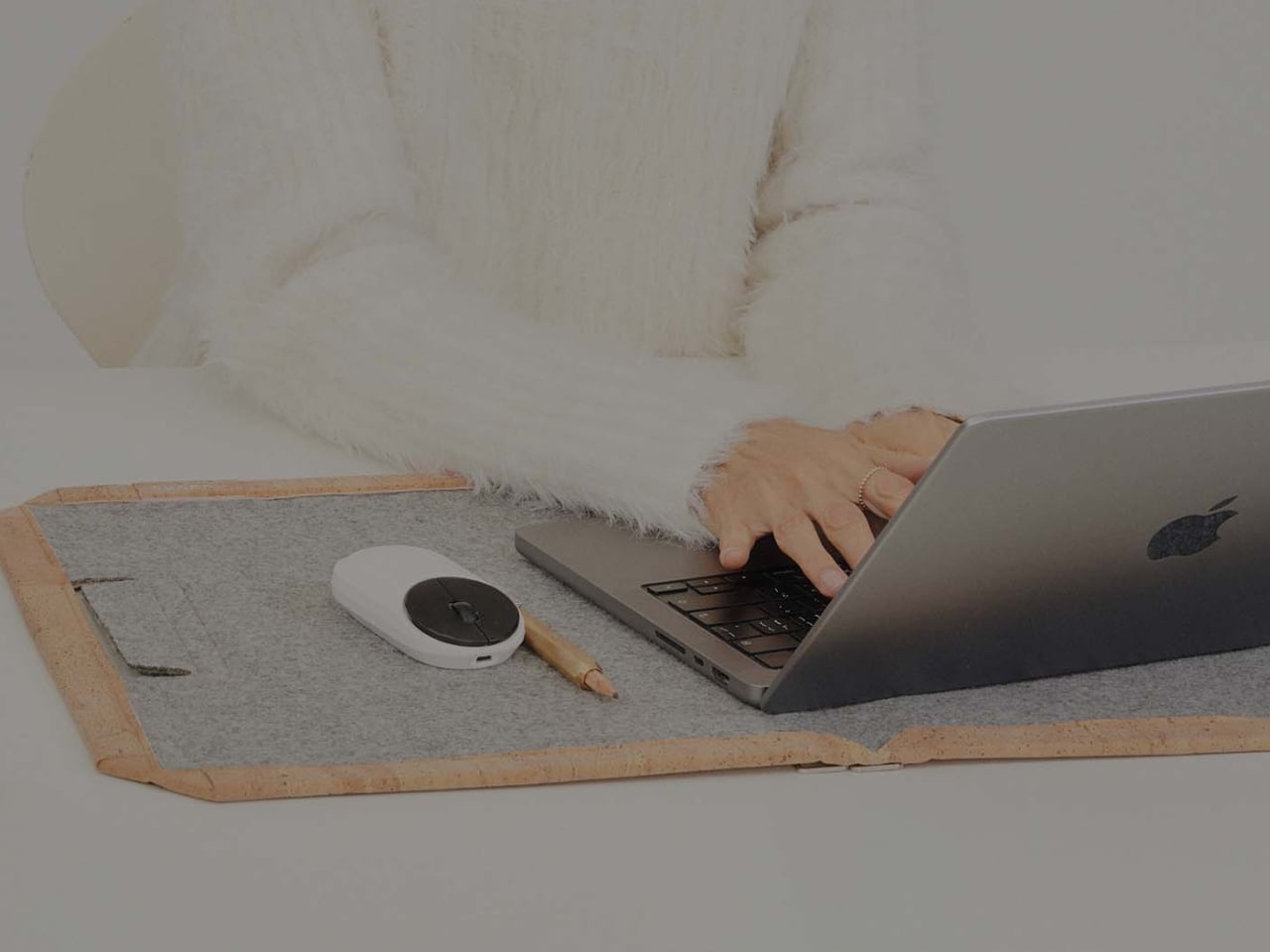
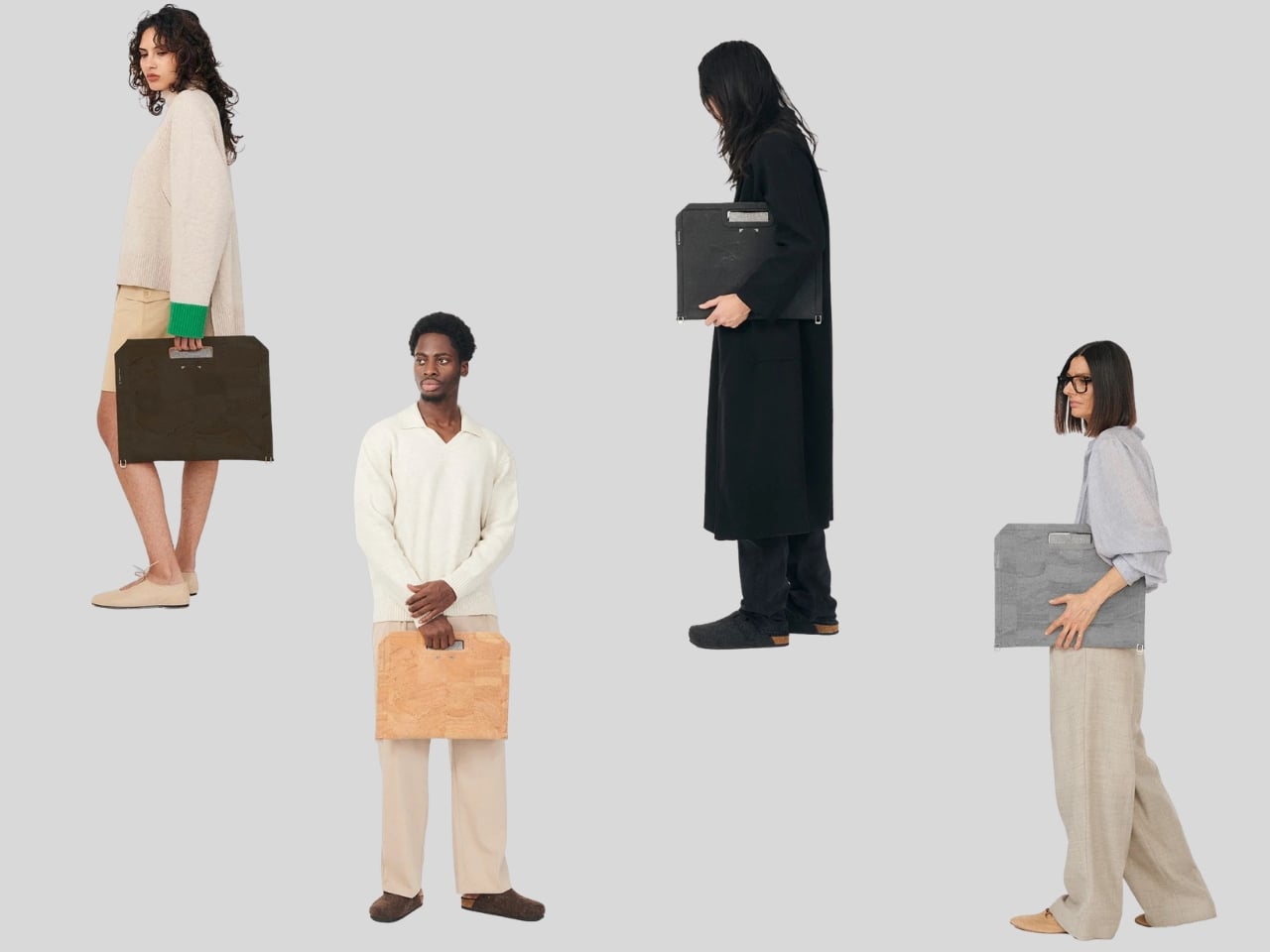
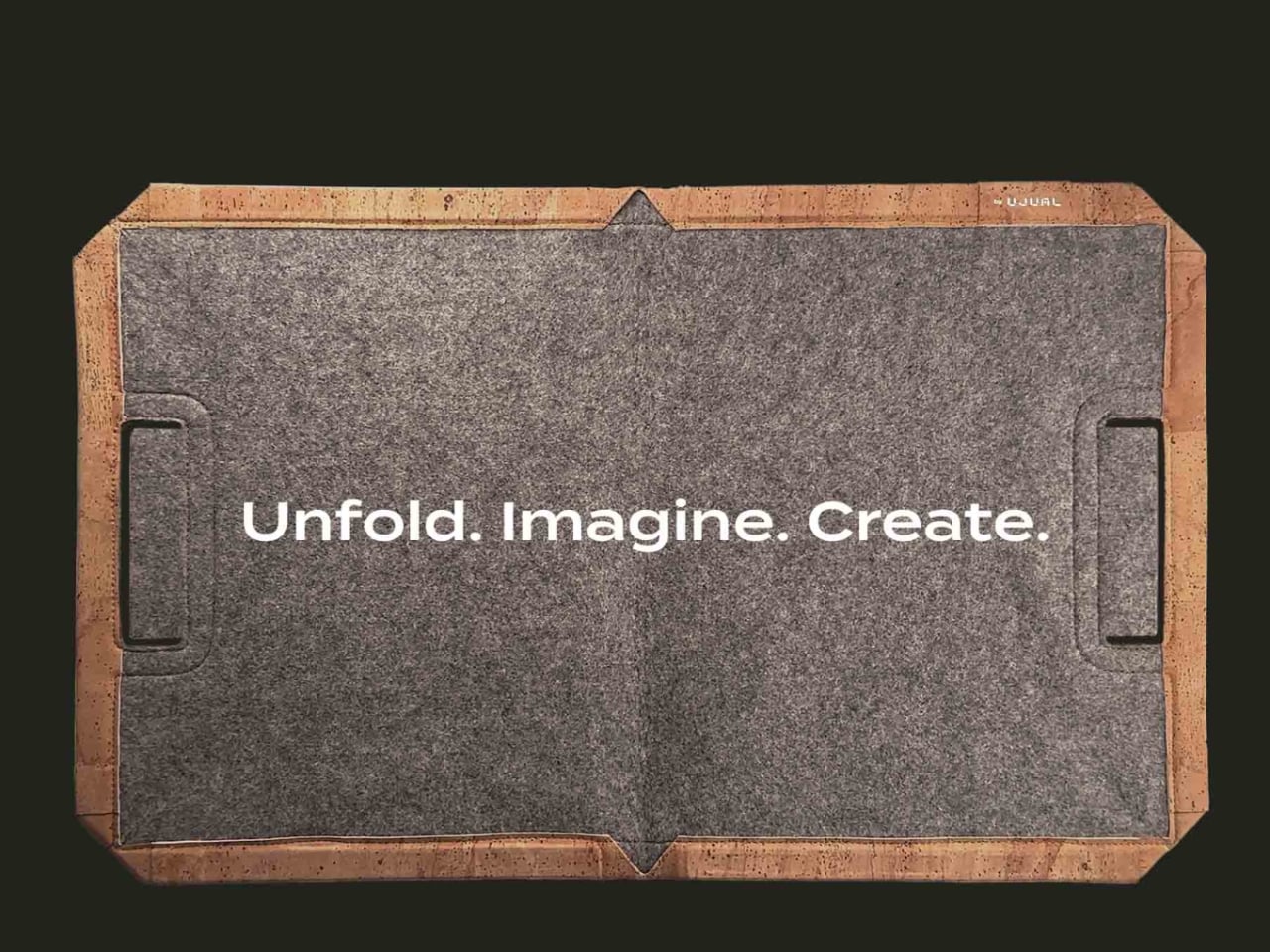
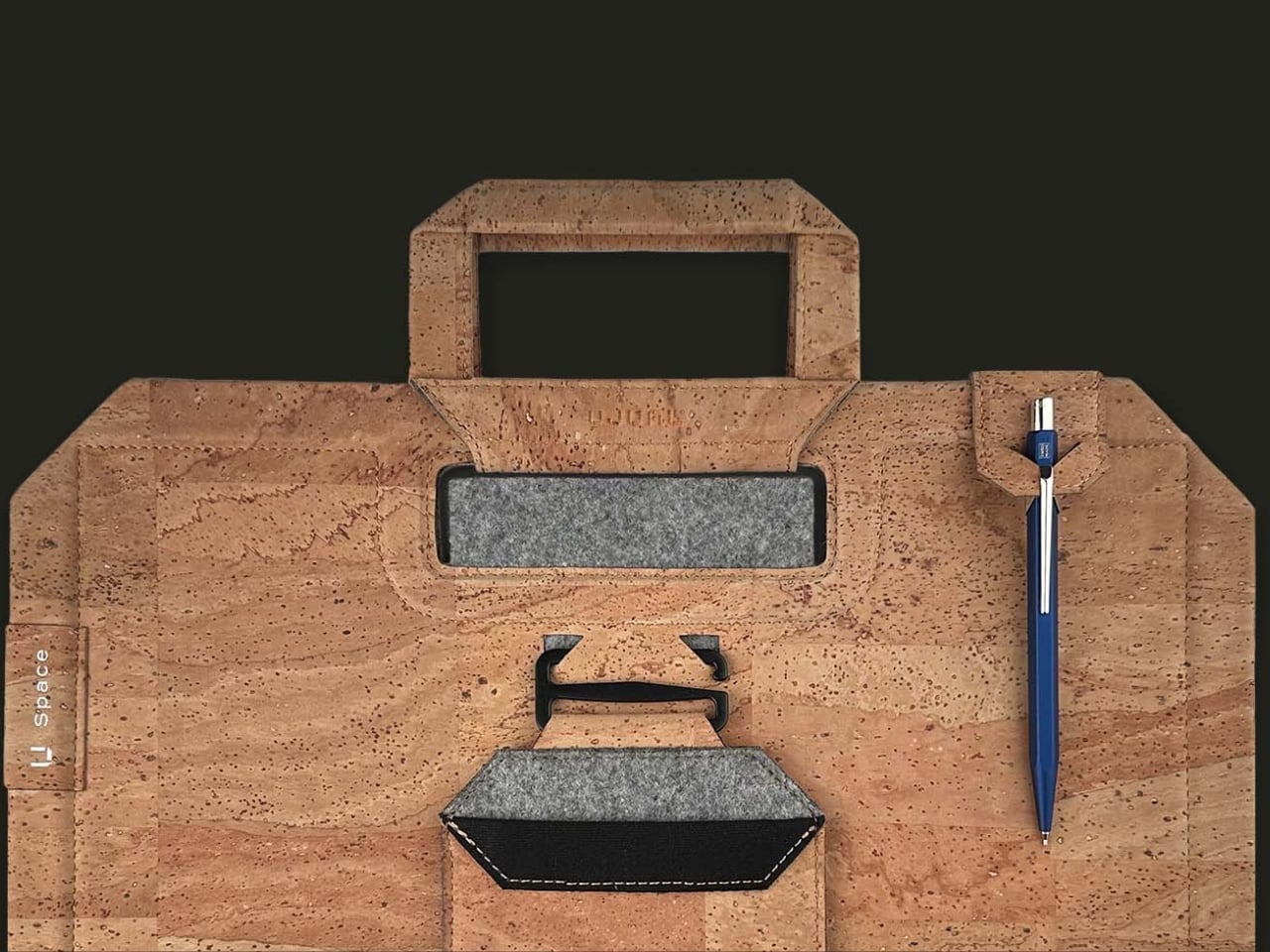
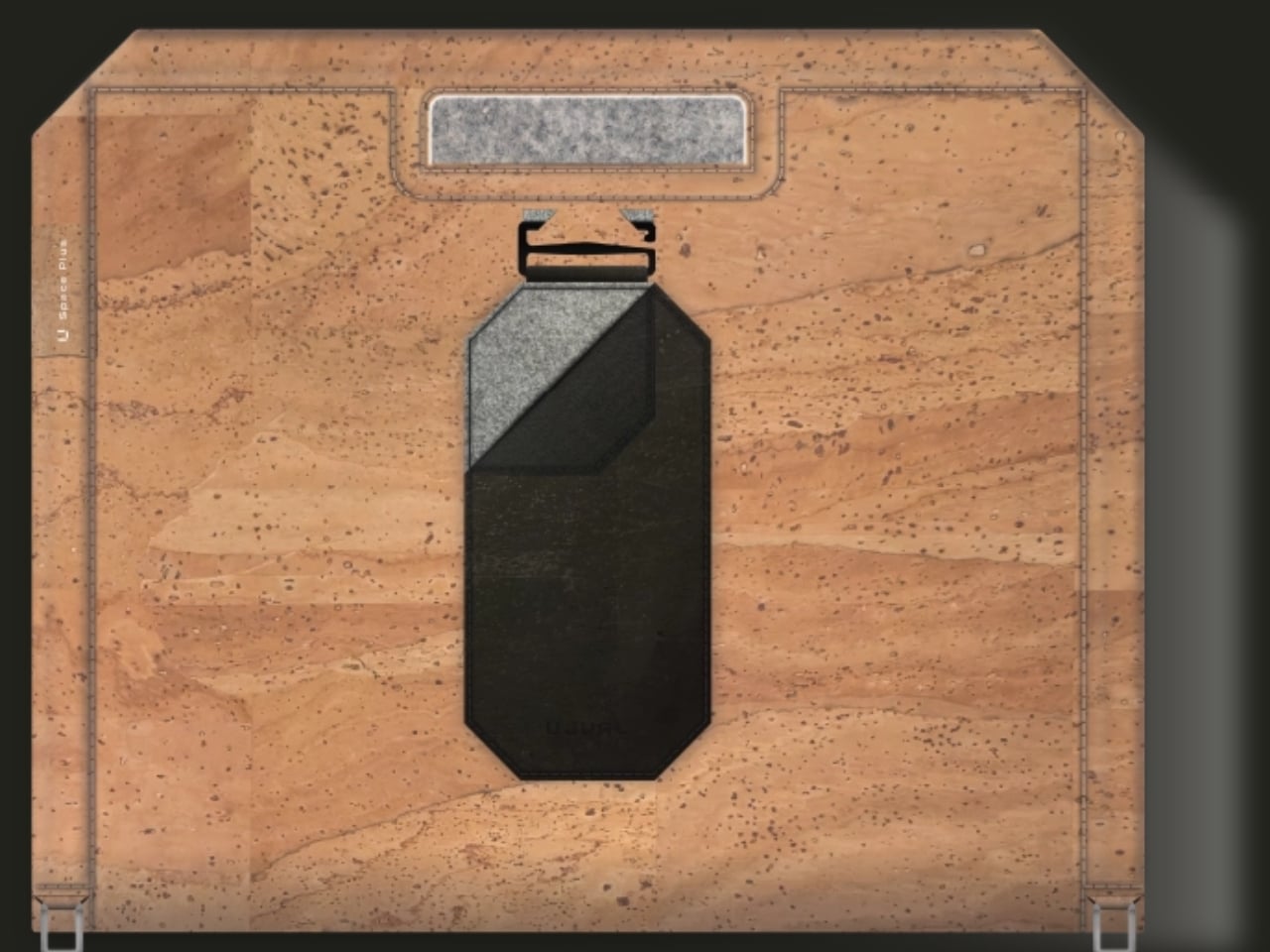
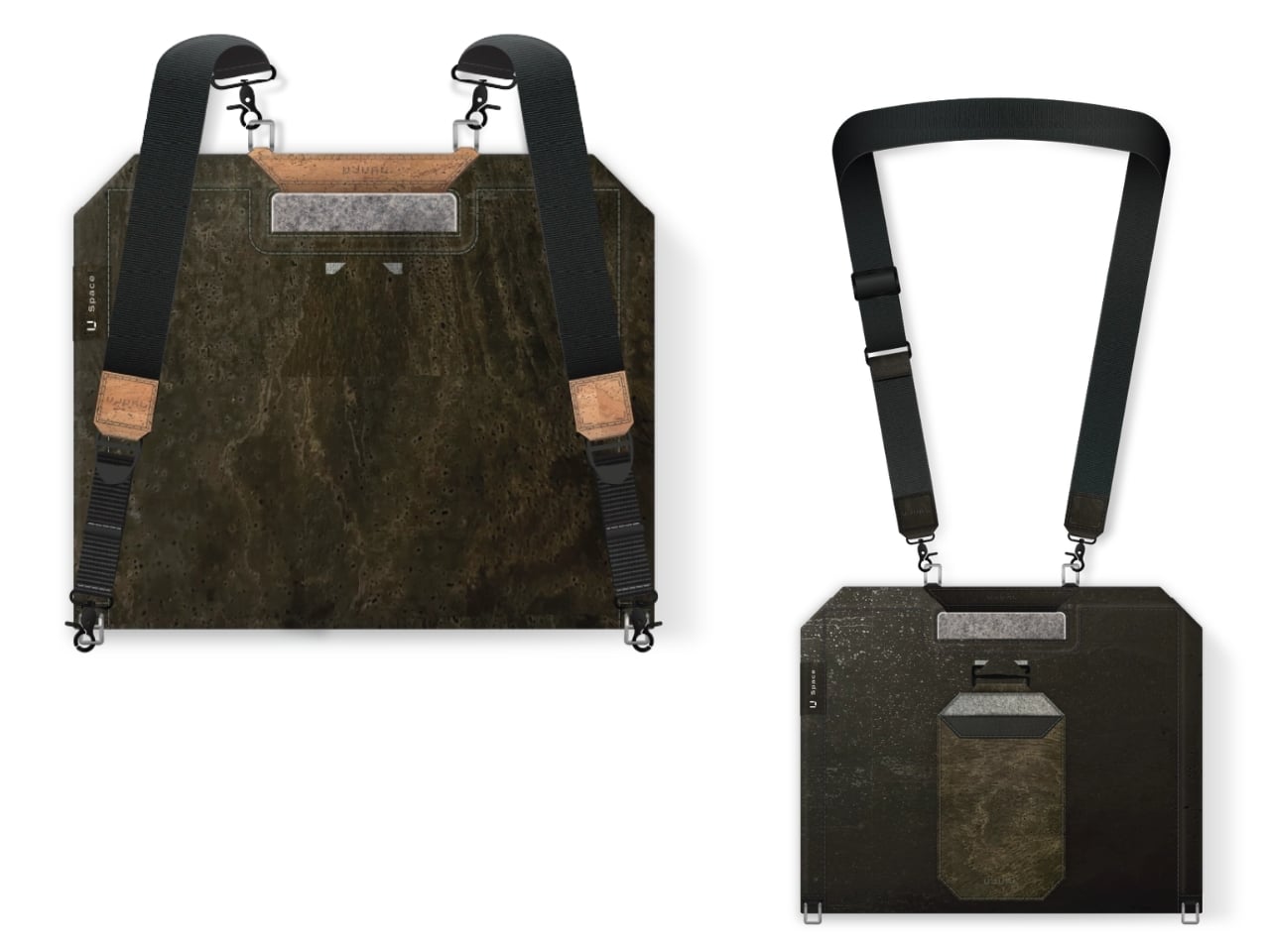
U Space is one of those things you can use to set up a temporary office wherever you need to work. It’s a Swiss-designed laptop bag also inspired by the Japanese art of origami. It doesn’t just serve as storage while you’re walking around; it transforms into a mini workspace the moment you unfold it.

Designer: UJUAL

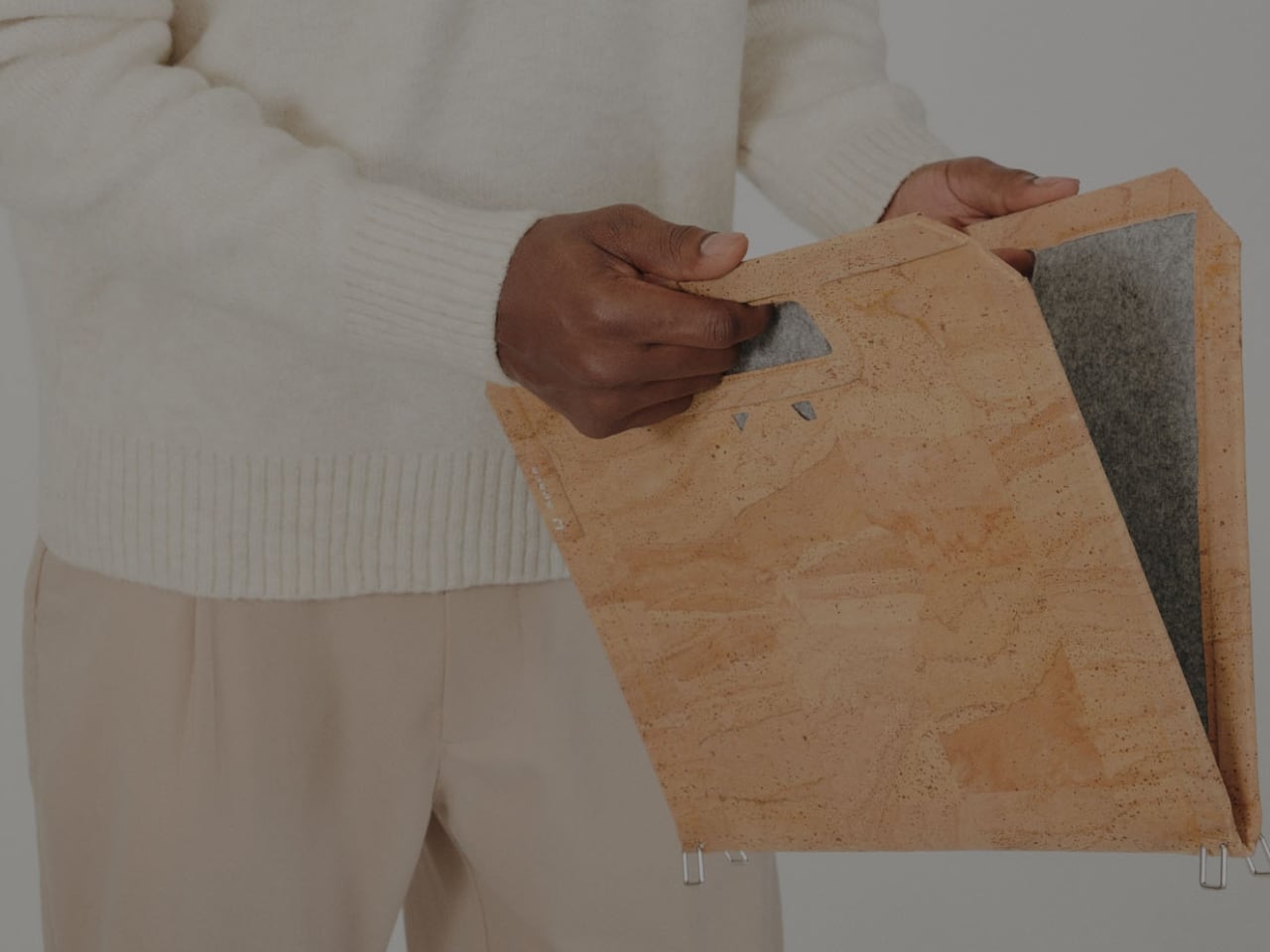
U Space is a “bag that becomes a desk,” and it lets you work in places where it can otherwise be hard to set up office. Even though it’s inspired by origami, it isn’t nearly as complicated as the Japanese art can be. In just one flip-and-fold motion, it unfolds into a flat working surface, making it far more convenient to work on your laptop or notebook while sitting on a chair, at a café table, on a park bench, or even on your lap if there’s nowhere else to work.

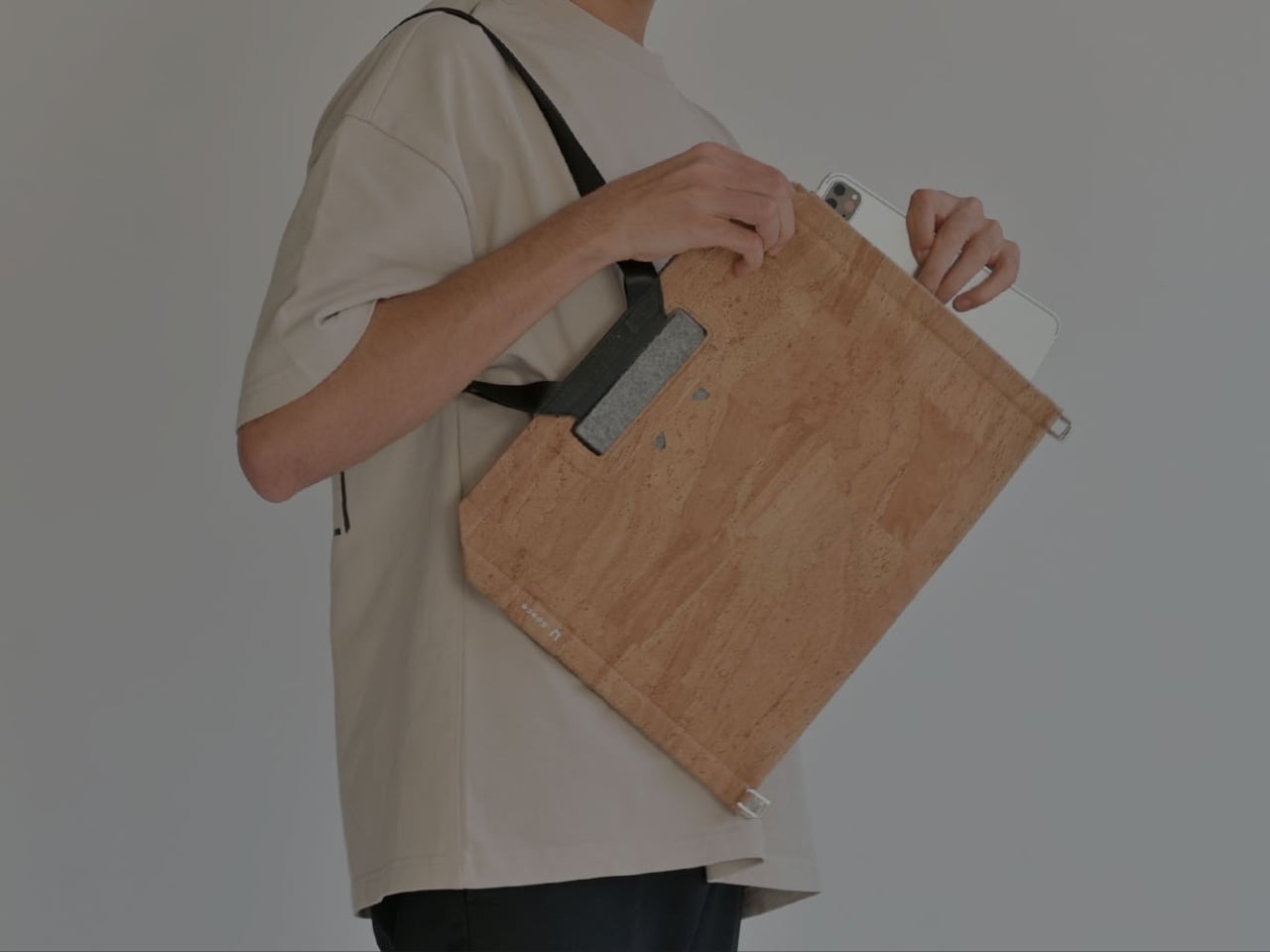
When it’s not doubling as your mobile desk, U Space is a multi-mode bag you can wear as a briefcase, messenger bag, or backpack. It’s versatile enough to carry with you whether you’re commuting, walking, or getting around any other way. It also has a three-layer magnet system, so you can quickly grab items like your phone, cables, or pens without digging through the whole bag or even unzipping it.

The bag can carry around 44 pounds (20 kilograms) of gear securely and is built using sustainable, durable materials. It’s available in finishes like Oak Beige, Ebony Black, Sumac Kaki, and Beech Grey, but it can also be customized with different colors and artwork. U Space also comes in a few different sizes, so there’s a version to fit whatever device you’re carrying, whether that’s a compact tablet or a full-size 16-inch laptop.

How does U Space measure up against the competition? Compared to established names like Peak Design, known for its modular Everyday Backpack lineup and its own magnetic accessory system, U Space is playing in a similar space of minimalist design and thoughtful organization. Peak Design has built a loyal following among photographers and digital nomads for how well-organized its bags are, but at the end of the day, even its most versatile bags are still just really good bags. U Space, on the other hand, pushes the idea further by literally changing what a bag can be. Rather than just holding your gear more efficiently, it unfolds into a physical work surface, something you won’t find in mainstream backpack brands. That single feature is what sets U Space apart in a crowded market of laptop bags competing mostly on pockets, zippers, and padding.

At a time when more people are trading their desks for whatever surface is available, U Space offers a genuinely useful solution instead of just another bag with a fresh coat of paint. It’s the kind of product that quietly earns its price by solving a problem you didn’t realize had such a simple fix: not having anywhere to actually put your laptop down. Whether you’re a freelancer bouncing between coffee shops, a student who needs a stable surface between classes, or a frequent traveler tired of balancing a laptop on your knees at the gate, U Space is built with that lifestyle in mind. It’s proof that good design isn’t always about adding more features; sometimes it’s about rethinking the object itself. For anyone whose “office” changes location every day, U Space might be the one accessory that finally keeps up.

The post The Laptop Bag That Finally Doubles as Your Desk first appeared on Yanko Design.

  •  

MFA's Weakest Link: Account Recovery Is the New Attack Path

MFA makes account takeover harder, but attackers are increasingly targeting the recovery processes used to reset passwords and authentication methods. Specops explains why stronger identity verification at the service desk is critical to preventing social engineering attacks from turning account recovery into account takeover. [...]
  •  

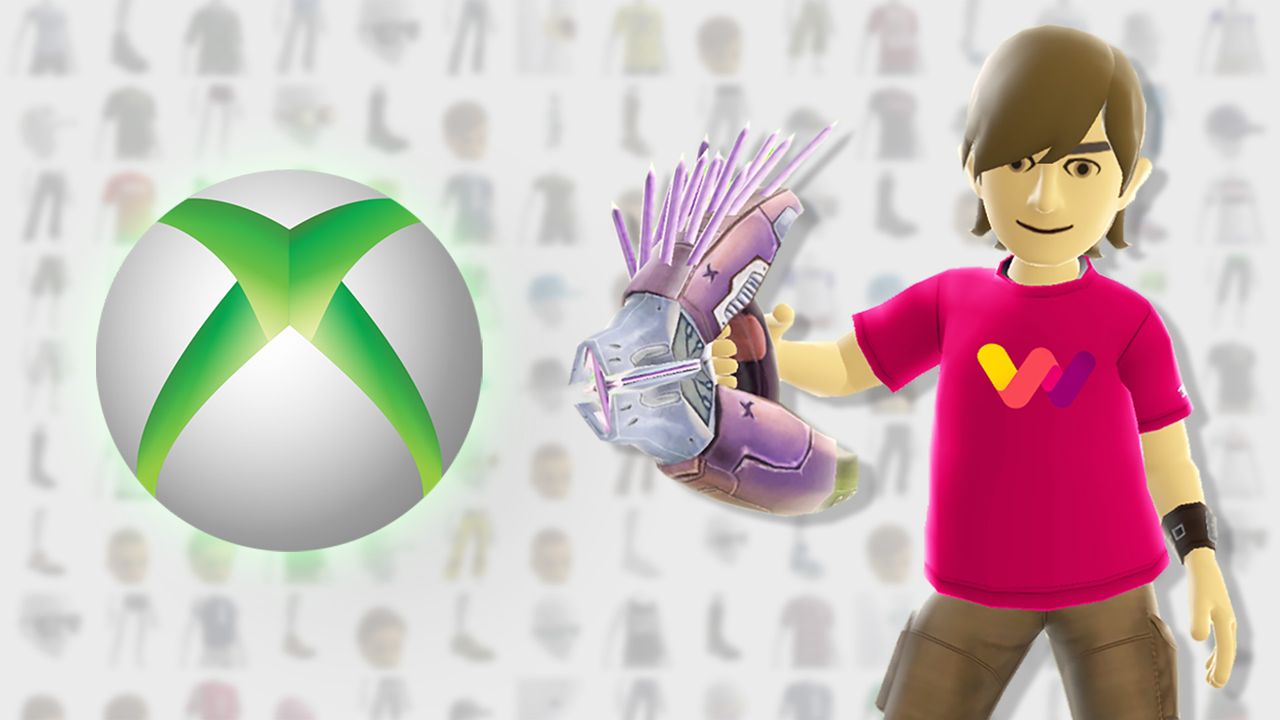
I rebuilt my classic Xbox 360 avatar in this clever web-based generator, with outfits from "every collection Microsoft released"

This web-based recreation of the iconic Xbox 360 avatar creator features tens of thousands of clothing and prop items from the original marketplace, and it's even more impressive when you learn that '360sona' was the project of a single person, Ezra Kruger. Shared across Reddit and YouTube, it also carefully denies any direct affiliation with Microsoft.

21,425 items across every collection Microsoft released – 2,644 props and every one of them plays its animation.

Ezra Kruger

Built primarily with JavaScript and WebGL, 360sona.com is a "pixel-for-pixel" representation that lets you accurately rebuild your old-school Xbox avatar and even embed it into your personal website via an iframe. The whole project includes "every animation, every camera the console had, drawn the way the console drew them", and each part looks exactly how you remember.

"Well, bam, there it is"

I was enamored with the idea before I even opened it, as the first images took me on an instant nostalgia trip, and I love nostalgia trips. 360sona has everything I remembered, and I rebuilt my original avatar in minutes, including the Max Payne outfit I never removed back in the day. Armor from Halo, Gears of War, and Mass Effect is also here, all authentically rendered.

If I wanted to, I could even export my finished avatar as a .glb model, rigged and ready for inspection in free 3D software like Blender, with baked textures included. It's all built around a basic account system and, importantly, 360sona never asks for your email address. You only need a simple username and password (and you're given a one-time-use recovery code).

Every item, texture, animation and piece of artwork in the catalogue was created by Microsoft Corporation and its partners and licensors. They are the rights holders.

360sona Terms

The branded elephant in the room is the absolutely gigantic collection of licensed content, including logos of major sports franchises, movies, and real-world clothing icons. Again, Kruger explains in 360sona's terms that you shouldn't expect to reuse absolutely anything exported from the project, stressing the intention of personal, non-commercial use.

Still, I can't shake the feeling that a potential DMCA takedown request could be looming, even though 360sona doesn't feature any on-page ads or other money-making schemes. At face value, this is a purely fan-driven hobby project that exists only to let long-serving Xbox fans spend some time reminiscing about the Xbox 360's heyday. That hasn't stopped mega-corpos in the past, though.

Click to join us on r/WindowsCentral

Join us on Reddit at r/WindowsCentral to share your insights and discuss our latest news, reviews, and more.
  •  

IKEA’s Tiny Houses Quietly Admit Your Messy Home Is Fine

Even though I have enough space to have people over, the fact that my place is terribly messy stops me from inviting family and friends. I don’t want to spend an entire day just stuffing stuff I want to hide into my boxes and closets. That’s not a design problem. That’s a me problem and more specifically, a modern life problem, and it happens to be the exact one IKEA just built a series of dollhouses to talk about.

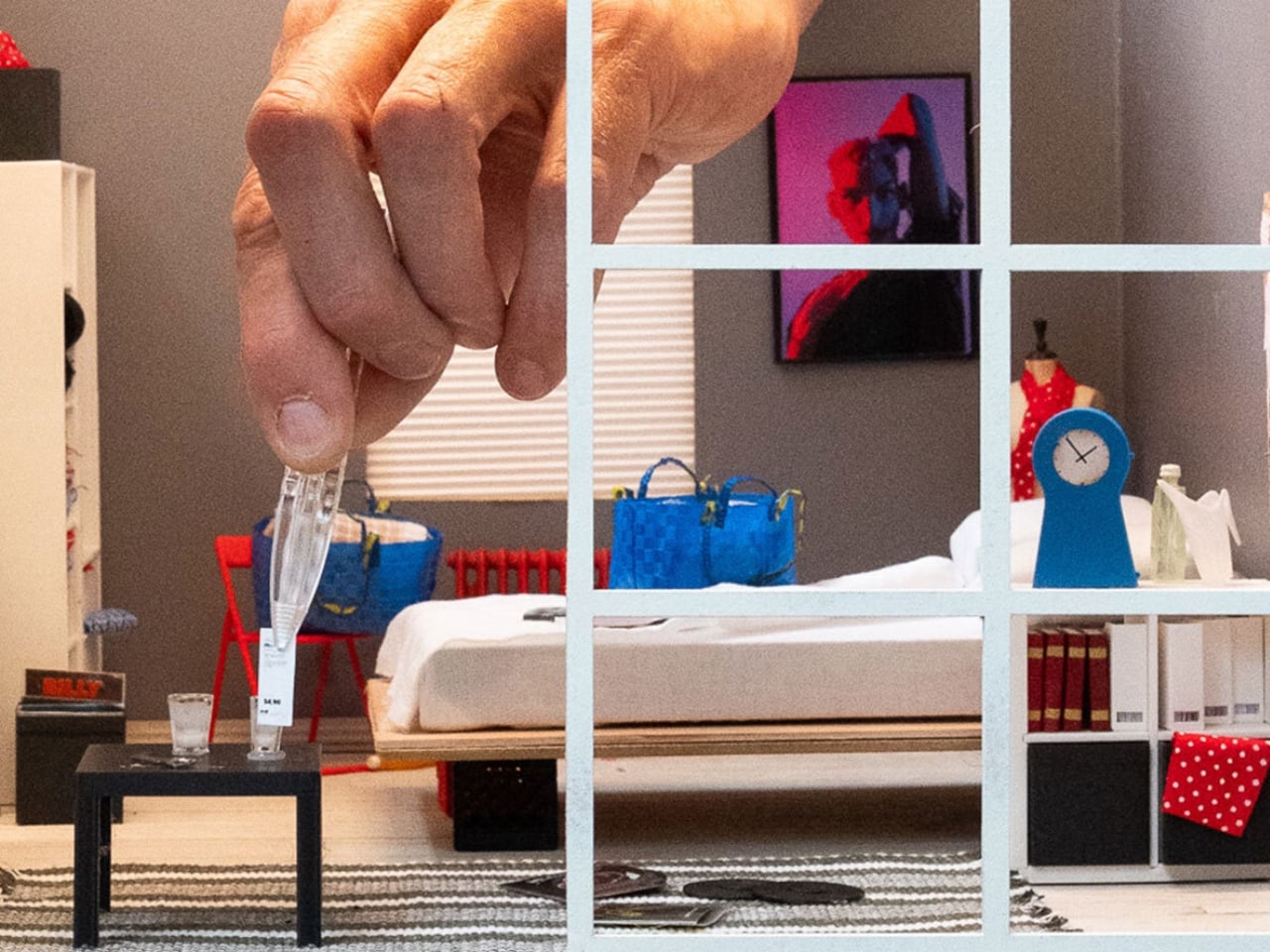
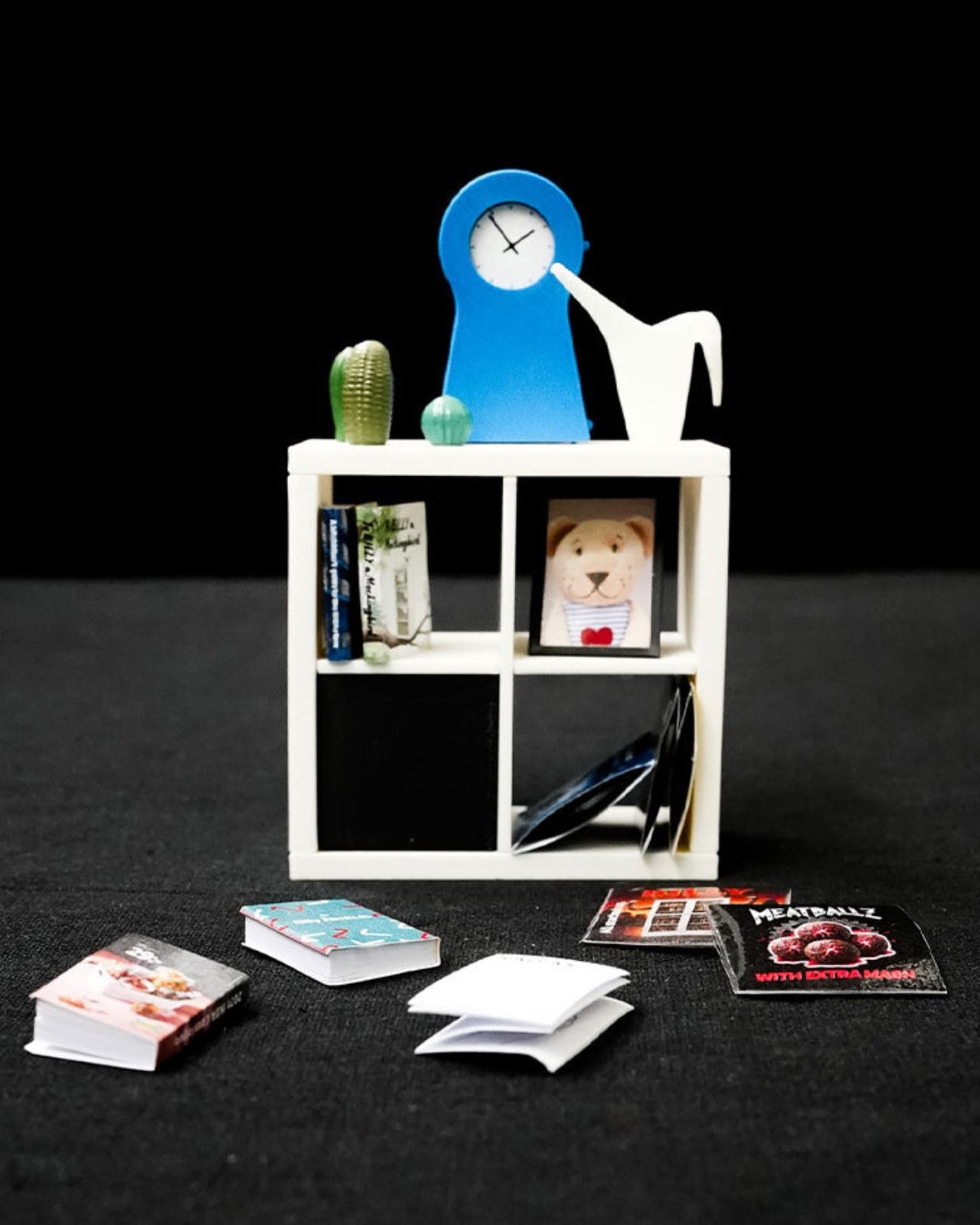
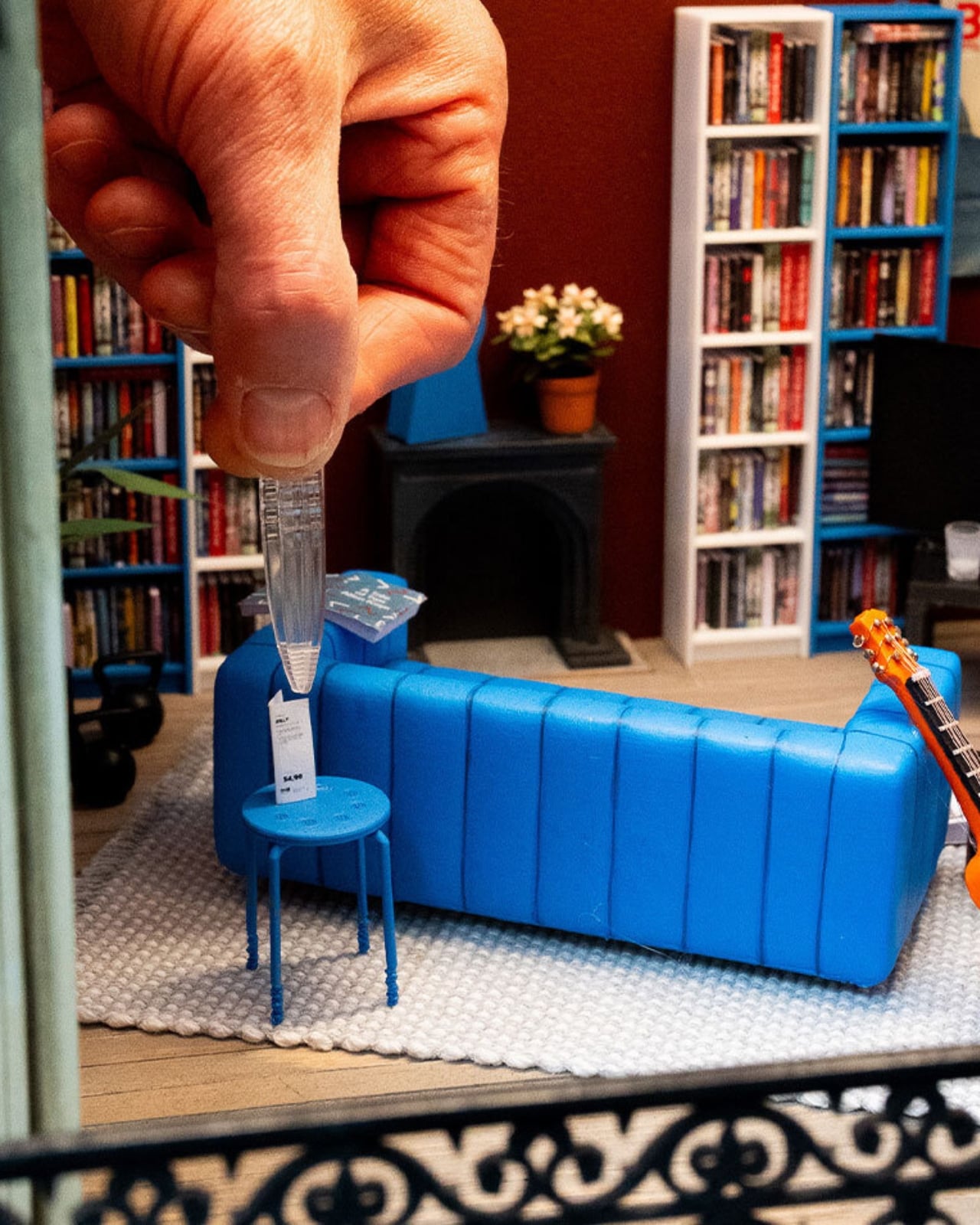
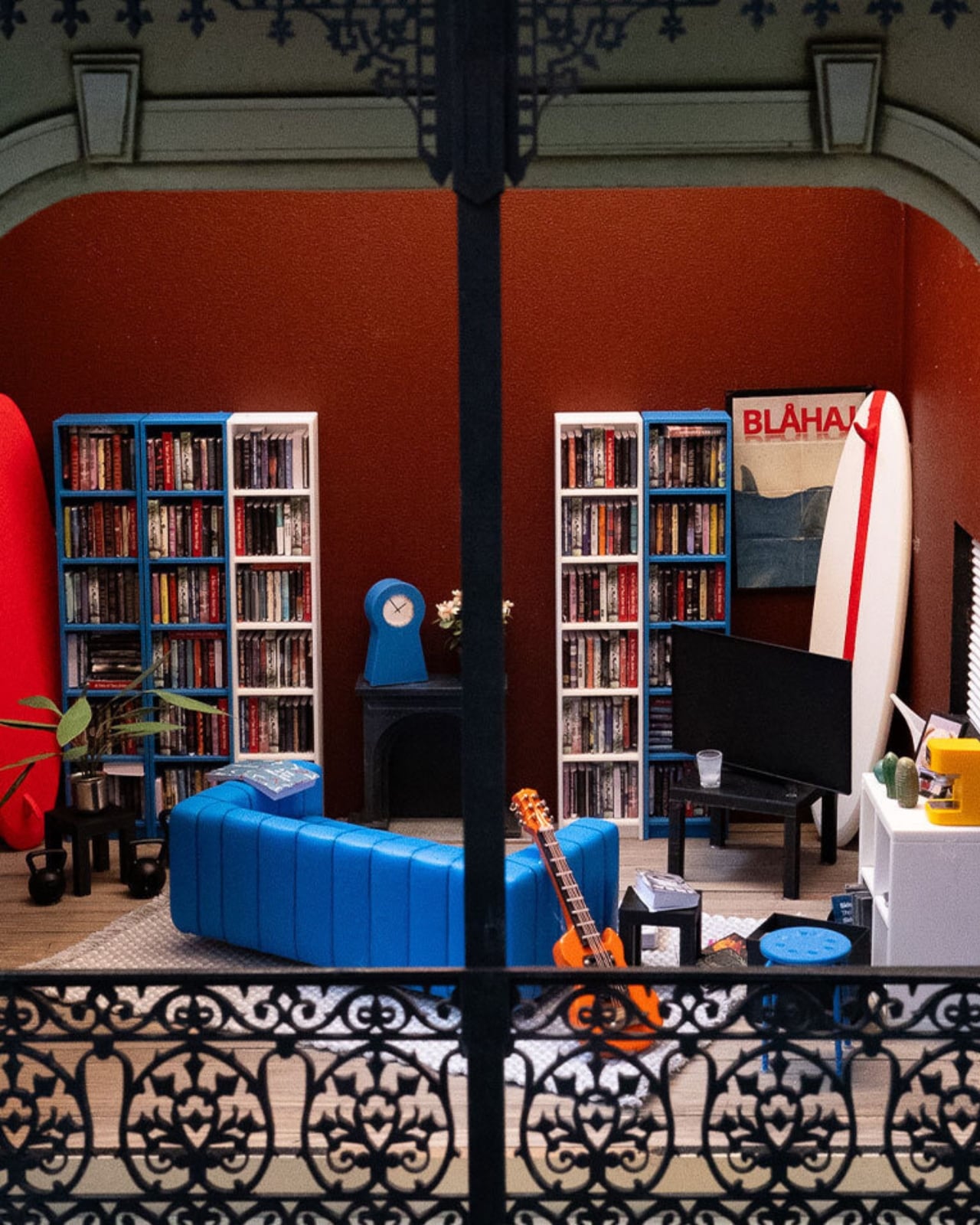
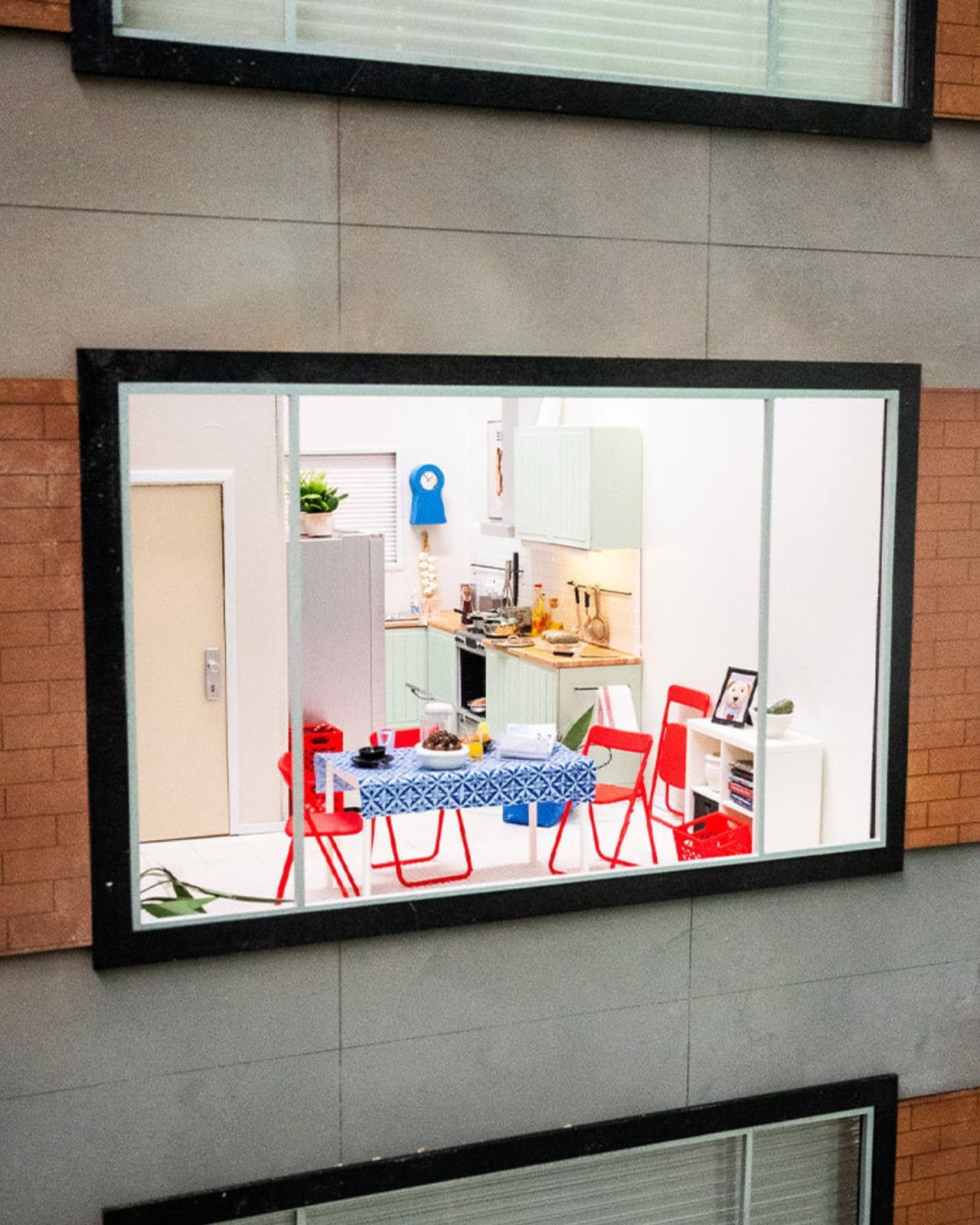
The company recently installed handcrafted miniature homes, built at a precise 1:12 scale, in public spaces across Melbourne, Chengdu, and Beijing. They’re gorgeous, obsessively detailed little things made by Stockholm-based miniature artist Christopher Robin Nordström, who goes by TokyoBuild online. But they’re not really about scale-model furniture. They’re about the fact that our homes are now expected to be office, gym, classroom, and sanctuary all at once, in the same square footage we’ve always had, while somehow still looking like a magazine spread. That expectation is exhausting, and most of us already know it.
Designer: Christopher Robin Nordström for IKEA

IKEA backed this up with a survey of more than 30,000 people across 31 countries, and the headline number is the kind of thing you want to text a friend: 59 percent said they’d rather live somewhere characterful than somewhere manicured. Not a landslide, but a real majority, and a fairly clear rejection of the sterile, everything-matches aesthetic we’ve been sold for the last decade.
I like that the tiny houses lean into locality instead of pretending every home looks the same everywhere. The Melbourne model has a miniature BILLY bookcase stacked with tiny novels and sports memorabilia. The Chengdu and Beijing versions center on scaled-down METOD kitchens instead, because that’s where those homes actually live and breathe. It’s a small choice, but it says the quiet part out loud: nobody’s home is supposed to look like a showroom, because nobody’s life actually happens in a showroom.
Nordström said something that stuck with me more than any stat in the report. He explained that when you build in miniature, you can’t include everything, so every object has to earn its place, and you realize a home isn’t defined by how much it contains but by what people choose to make room for. That’s a graceful way to describe editing your life down to what matters, and it applies just as well at full scale as it does at one twelfth of it.

The behavioral data is where this stops feeling like a marketing campaign and starts feeling like a mirror. Nearly one in five people admit to keeping gifts they never wanted, just to avoid hurting someone’s feelings. More than a quarter hide mementos from past relationships, a habit slightly more common among men. Ten percent have actually canceled plans with friends because their place felt too messy to host, and over a third shuffle clutter from room to room right before guests arrive. Some people use their oven purely for storage, which, if I’m honest, sounds familiar to at least one junk drawer I refuse to open around visitors.

What strikes me isn’t that people are messy. It’s that so many of us are quietly performing tidiness for other people instead of actually living in our own space. IKEA’s pitch, wrapped up in tiny bookshelves and miniature kitchens, is refreshingly modest: you don’t need a renovation to fix that. You need smarter storage and permission to stop apologizing for your actual life.

The tiny houses tour wraps up soon, but IKEA Open House continues in stores through September, built around the same idea at real scale, with the kind of affordable, small-footprint fixes most of us can actually use. Whether or not you ever walk through it, the message is worth sitting with. Perfect homes are rare. Honest ones are just about everywhere, once you stop hiding them.

The post IKEA’s Tiny Houses Quietly Admit Your Messy Home Is Fine first appeared on Yanko Design.

  •  

Mettez à jour Plex ! (même sans savoir contre quoi)

Si vous faites tourner un Plex Media Server quelque part chez vous, sachez que le 1er septembre dernier, Plex a publié un avis de sécurité qui demande aux propriétaires de serveur de passer en 1.43.3, et aux utilisateurs de l'application Desktop de passer en 1.115.0. Les versions 1.43.2 et antérieures sont donc toutes concernées.

Et c'est à peu près tout ce que l'annonce contient... Ils évoquent "un certain nombre de problèmes de sécurité", sans un mot sur ce qui est touché, ni sur la façon dont ça s'exploite, ni sur la gravité. Plex dit avoir demandé des identifiants CVE et promet de revenir publiquement donner des détails ensuite. Mais cela fait 8 jours et pour le moment, rien. Même la base de vulnérabilités du NIST ne renvoie rien sur "Plex Media Server"...

Mais de son côté, la Shadowserver Foundation , elle, n'a pas attendu les détails. En réponse à l'avis de Plex, elle scanne Internet tous les jours à la recherche des serveurs non patchés. Et à ce jour, elle en a dénombré plus de 36 000 exposés dont 16 000 rien qu'aux États-Unis.

Mais bon, peu importe... Comme personne ne sait ce que la faille permet, inutile d'essayer de jauger le risque. La seule question qu'on doit tous se poser, c'est de savoir si nos serveurs sont joignables depuis l'extérieur. Si l'accès distant est activé, ou qu'une redirection de port sur la box ou un sous-domaine pointe dessus, vous êtes sûrement dans le lot que Shadowserver a débusqué. Pire, des cybercriminels pourraient exploiter cette vulnérabilité... Donc mettez à jour rapidement.

C'est pas sorcier. Sous Windows, macOS et Linux, vérifiez que vous êtes bien en 1.43.3 ou plus récent, et sinon le paquet vous attend sur la page de téléchargement. Pour les installations Docker, Plex renvoie au README de son dépôt. Par contre, si votre Plex tourne sur un NAS, Plex prévient lui-même que le paquet peut ne pas encore être arrivé dans le magasin d'applications du constructeur. N'attendez pas qu'il descende tout seul, récupérez-le et installez-le à la main depuis l'interface du NAS.

Et si vous vous dites qu'un serveur de films n'intéresse personne, souvenez-vous de LastPass. En 2022, les attaquants sont entrés dans l'ordinateur d'un ingénieur de la boîte par son Plex Media Server , qui était encore sur une vieille version, et sont ressortis avec les coffres chiffrés des clients.

Alors allez-y.

Source : BleepingComputer

  •  
❌