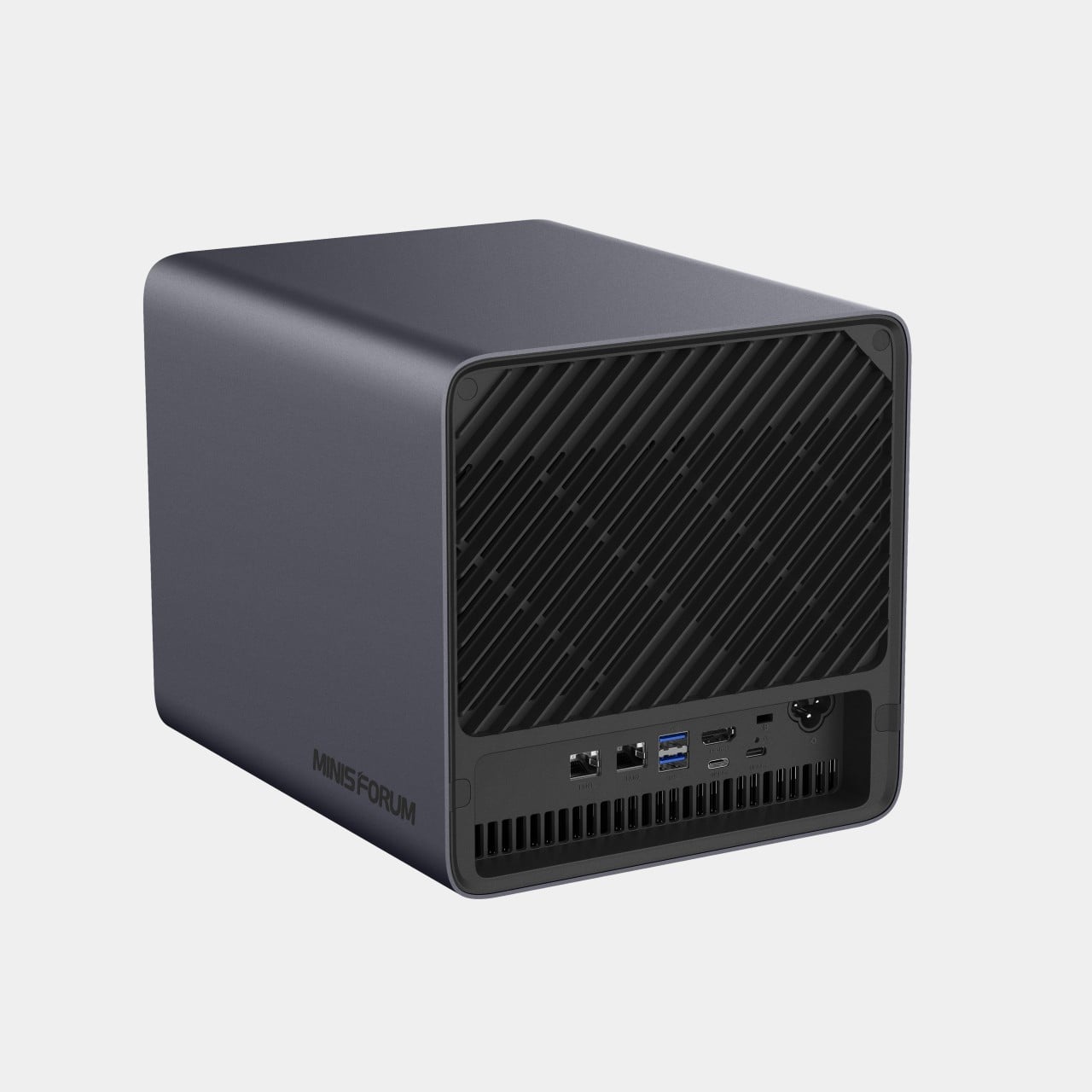
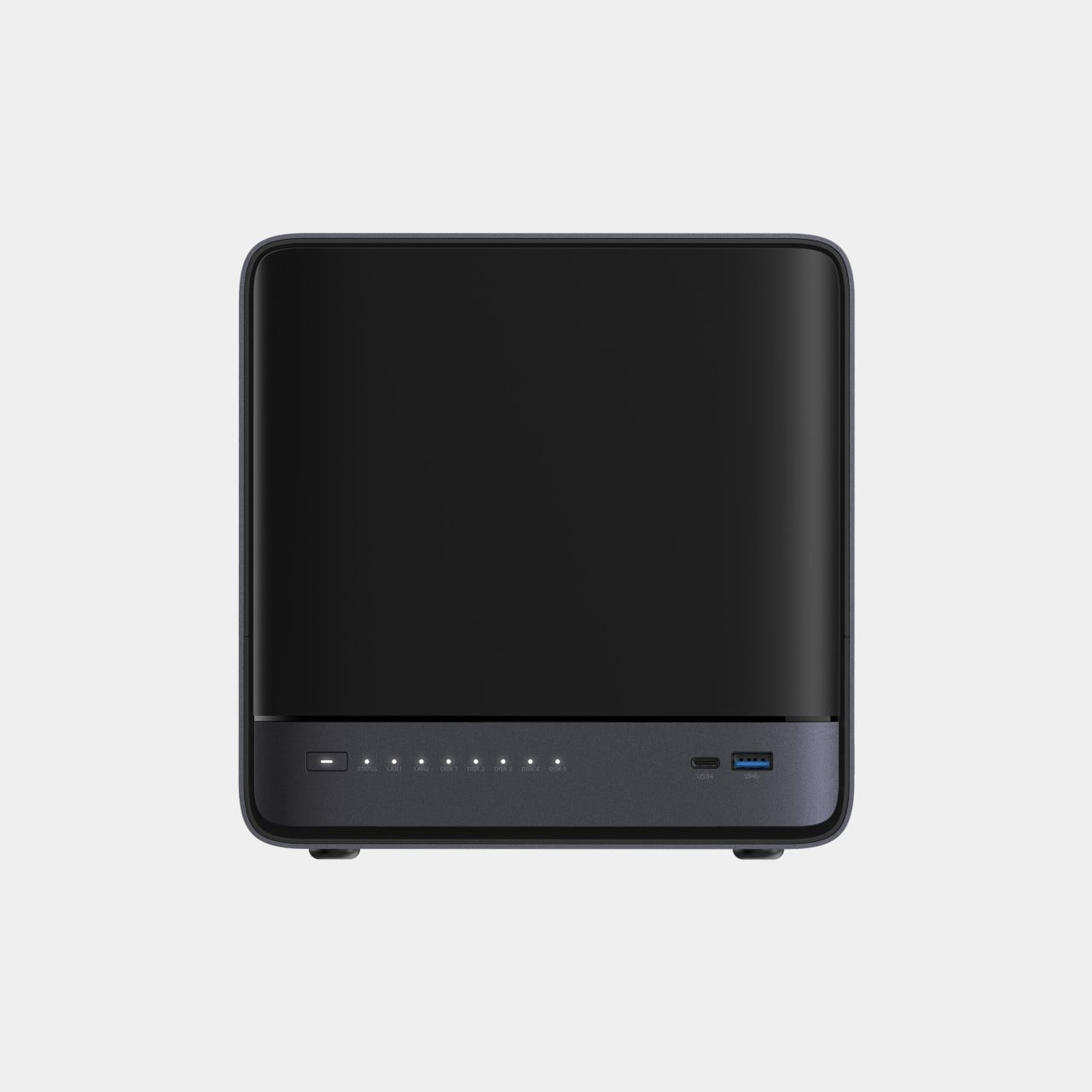
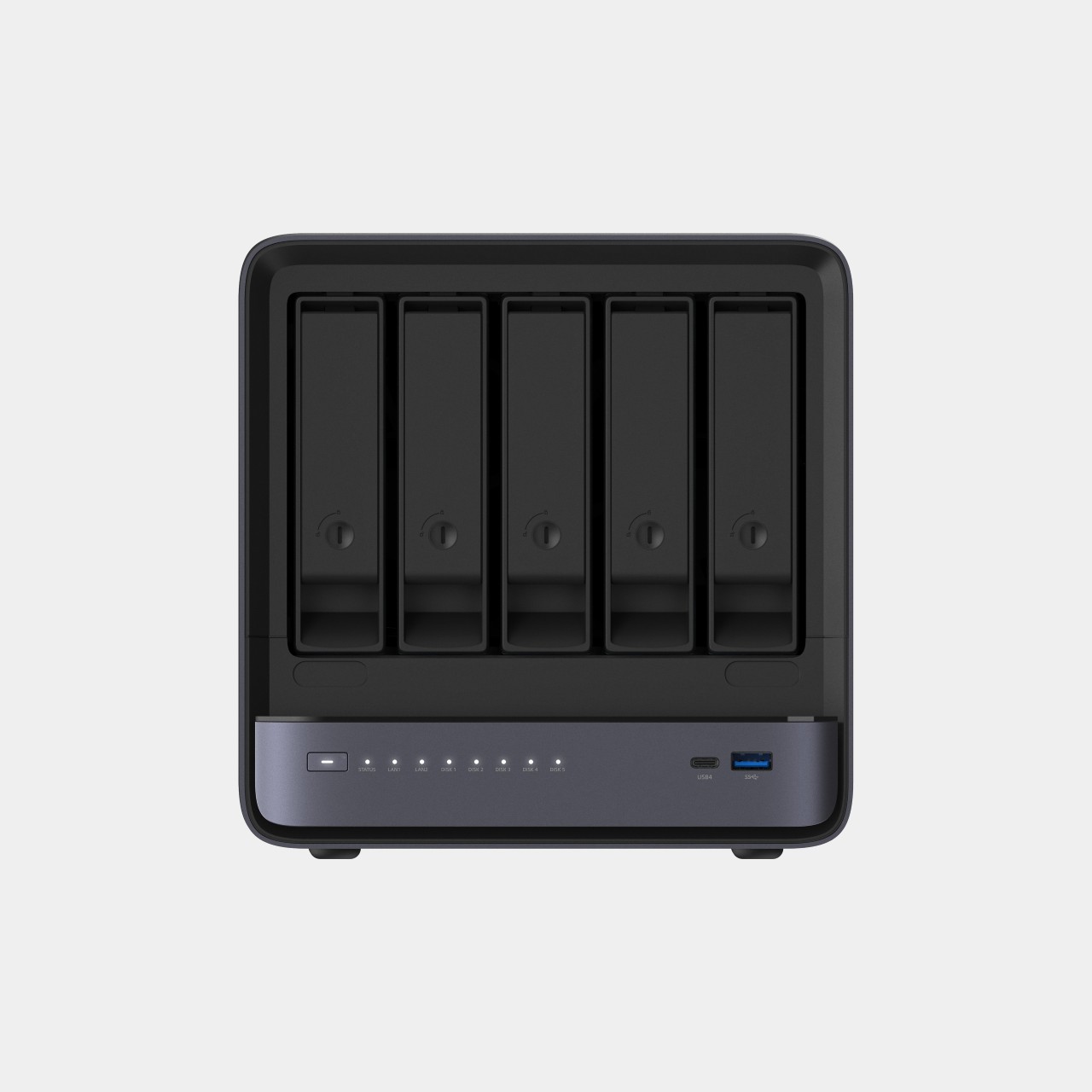
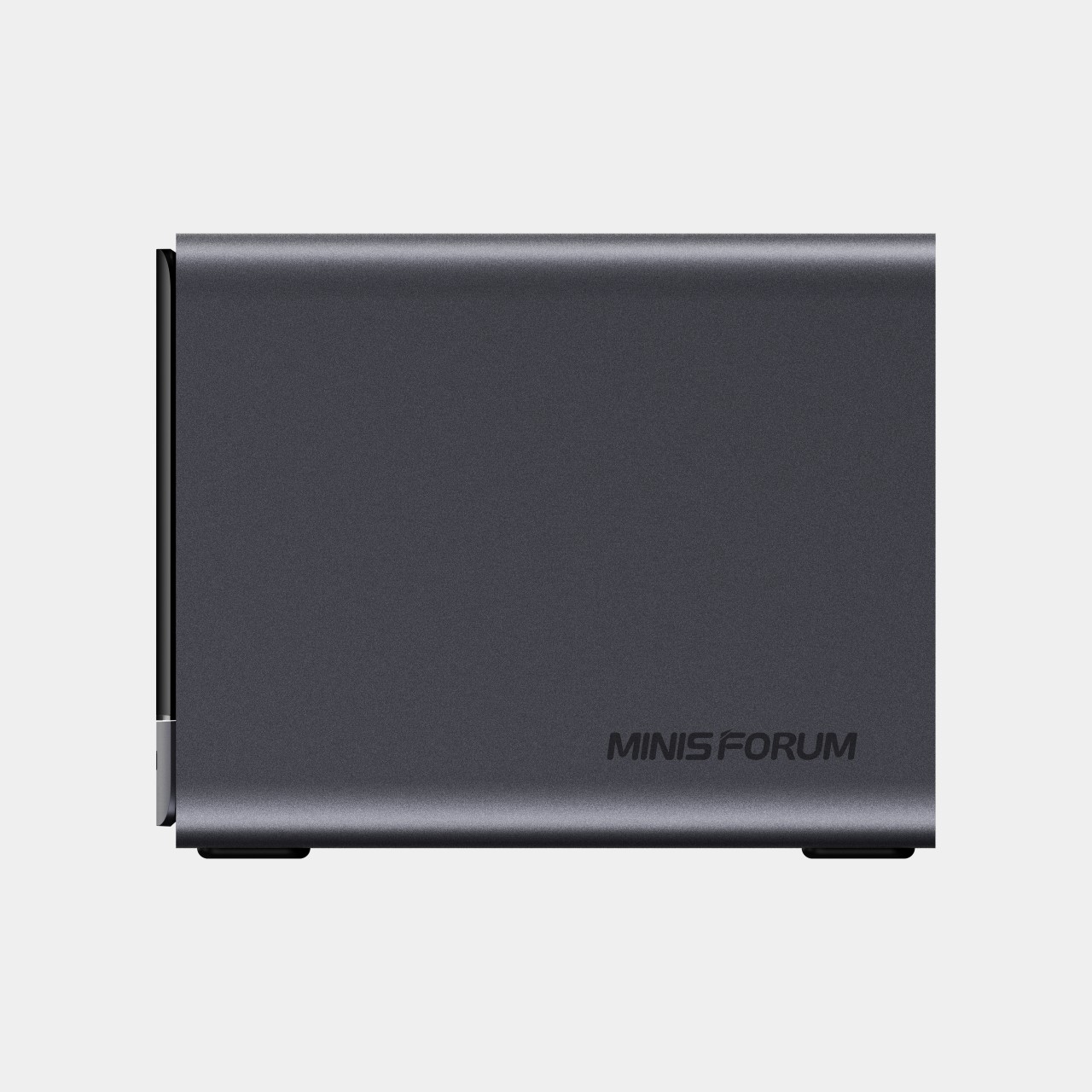
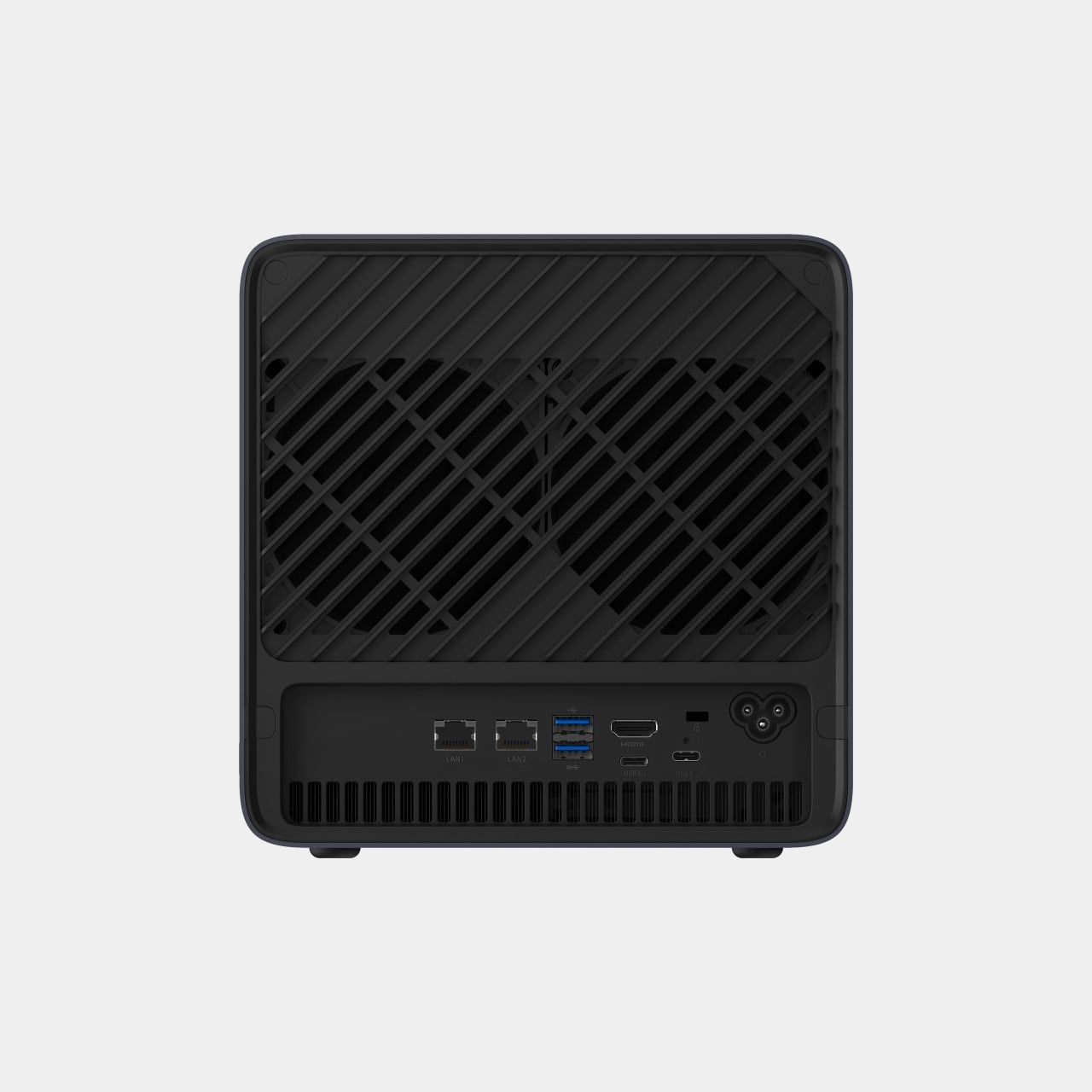
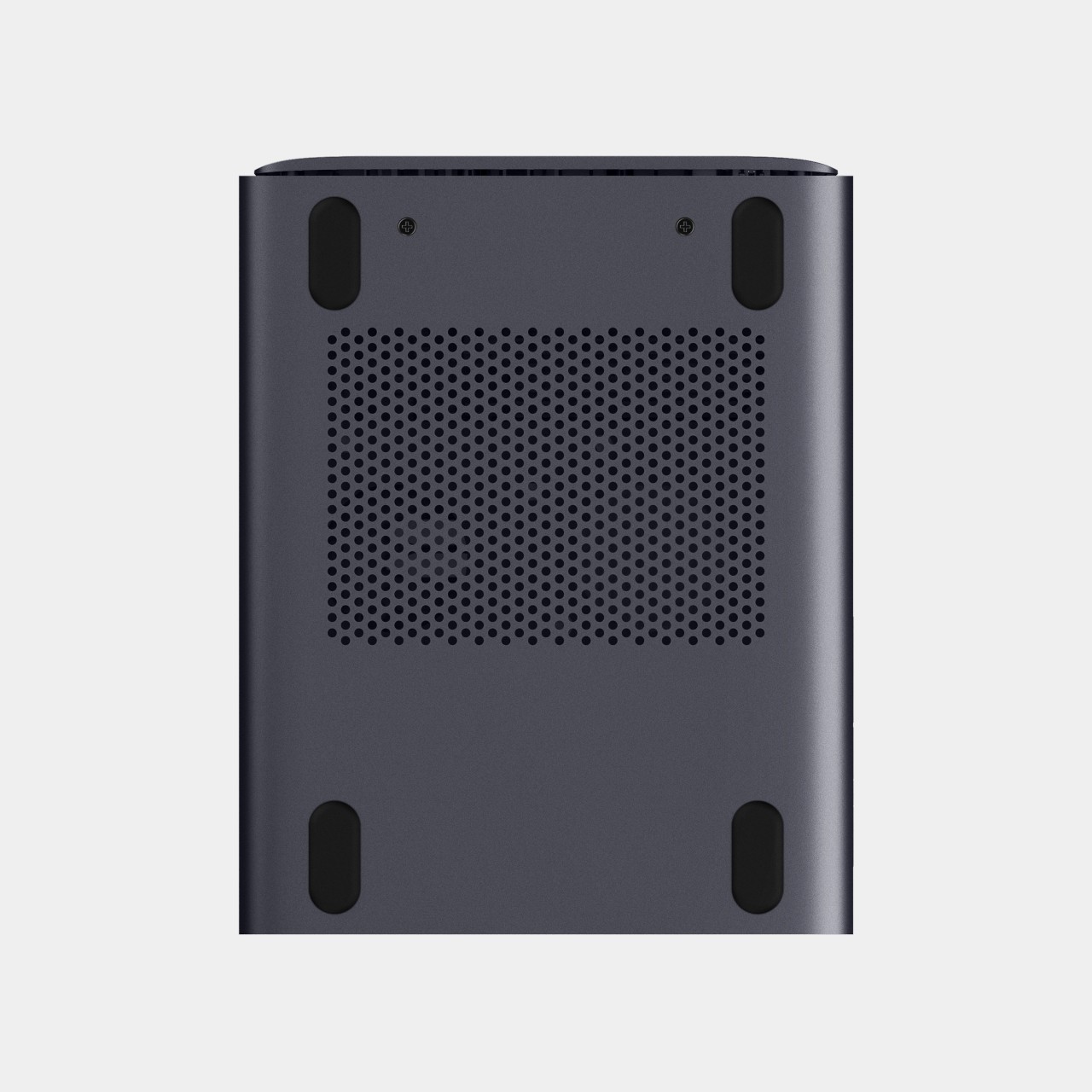
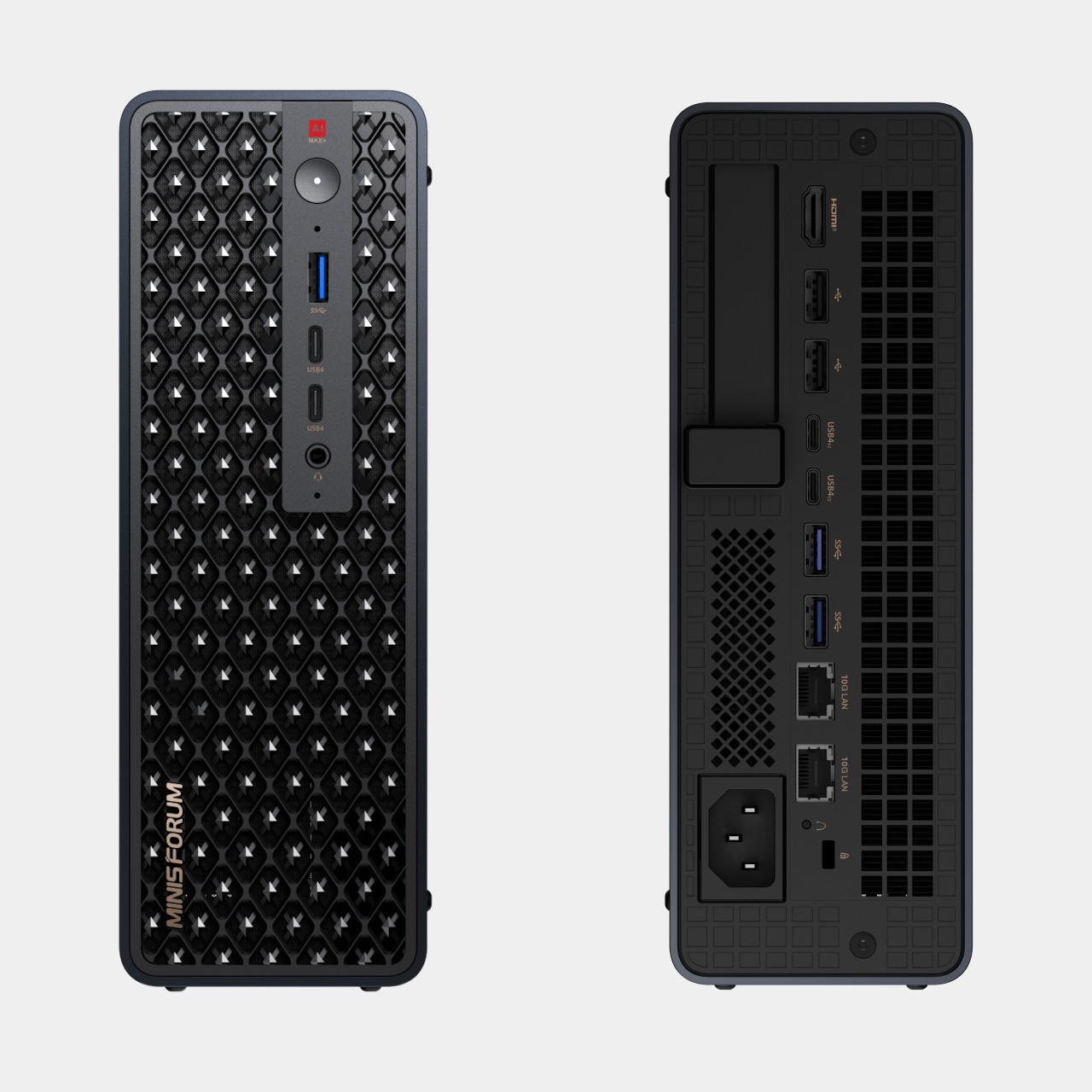
Running a serious AI model at home usually means renting someone else’s cloud server and hoping your data stays private along the way. MINISFORUM built its newest pairing to remove that trade-off entirely. The AI Agent NAS N5 MAX-P495 and AI Mini Workstation MS-S1 MAX-P495 combine for up to 131 TOPS of AI compute performance, 192GB of memory at 8533 MT/s, and up to 160GB of graphics memory, enough headroom to keep the heavy lifting on a desk instead of in a data center.
The N5 MAX-P495 takes the shape of a compact black cube, but what it holds inside matters more than how it looks sitting on a shelf. It combines powerful AI computing with up to 200TB of local storage, enabling users to store, manage, and process large volumes of data within a single AI platform. That capacity turns a spare corner of an office into a private archive large enough to hold years of project files, footage, or research without ever touching a third-party server.
Designer: MINISFORUM
Storage alone doesn’t make an AI system useful, so MINISFORUM built the N5 to run the AI itself. From RAG knowledge bases and AI models to embeddings, databases, and AI agents such as OpenClaw and Hermes, N5 MAX-P495 keeps data and AI workloads local, enabling continuous and private AI operations. A small business could lean on that setup to run its own customer-support agent without routing conversations through an outside company’s servers.
That local-first approach extends to how the N5 fits into a larger setup. Designed to work alongside AI computing devices, N5 MAX-P495 serves as a centralized backend for data, models, knowledge, and long-running AI workloads, bringing storage and computing together at the edge. It’s less a standalone gadget and more a quiet engine room, built to keep working in the background while something faster handles the parts people actually interact with.
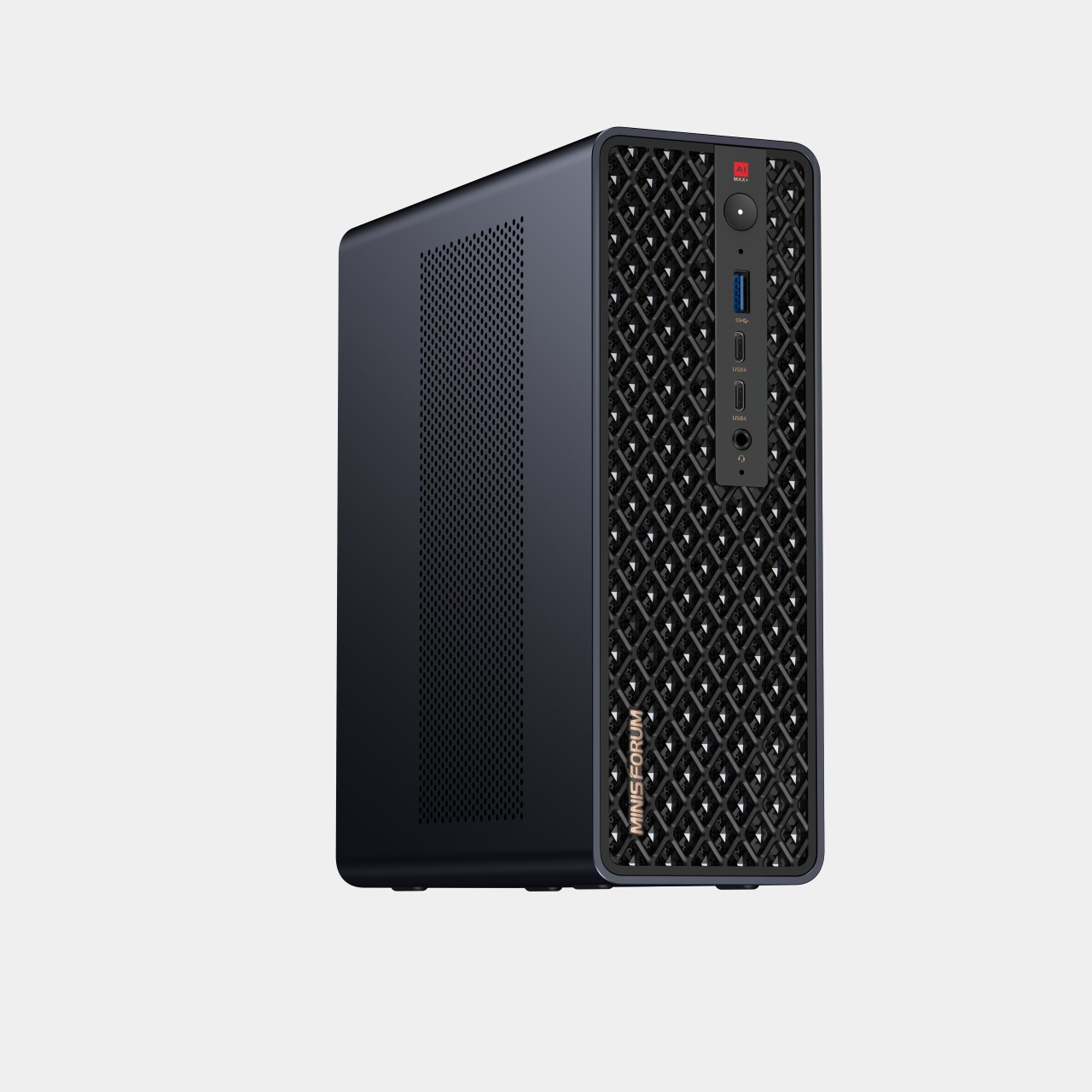
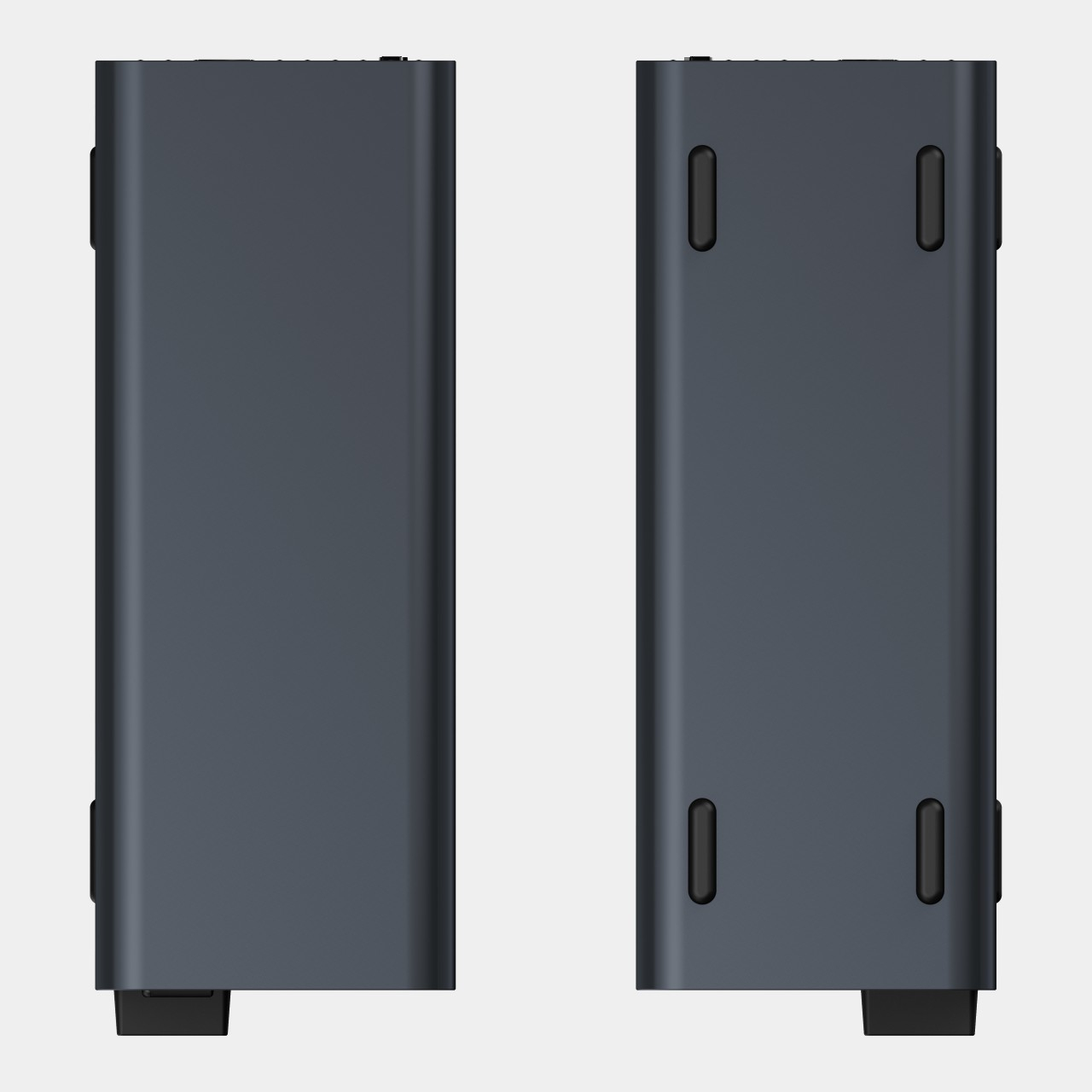
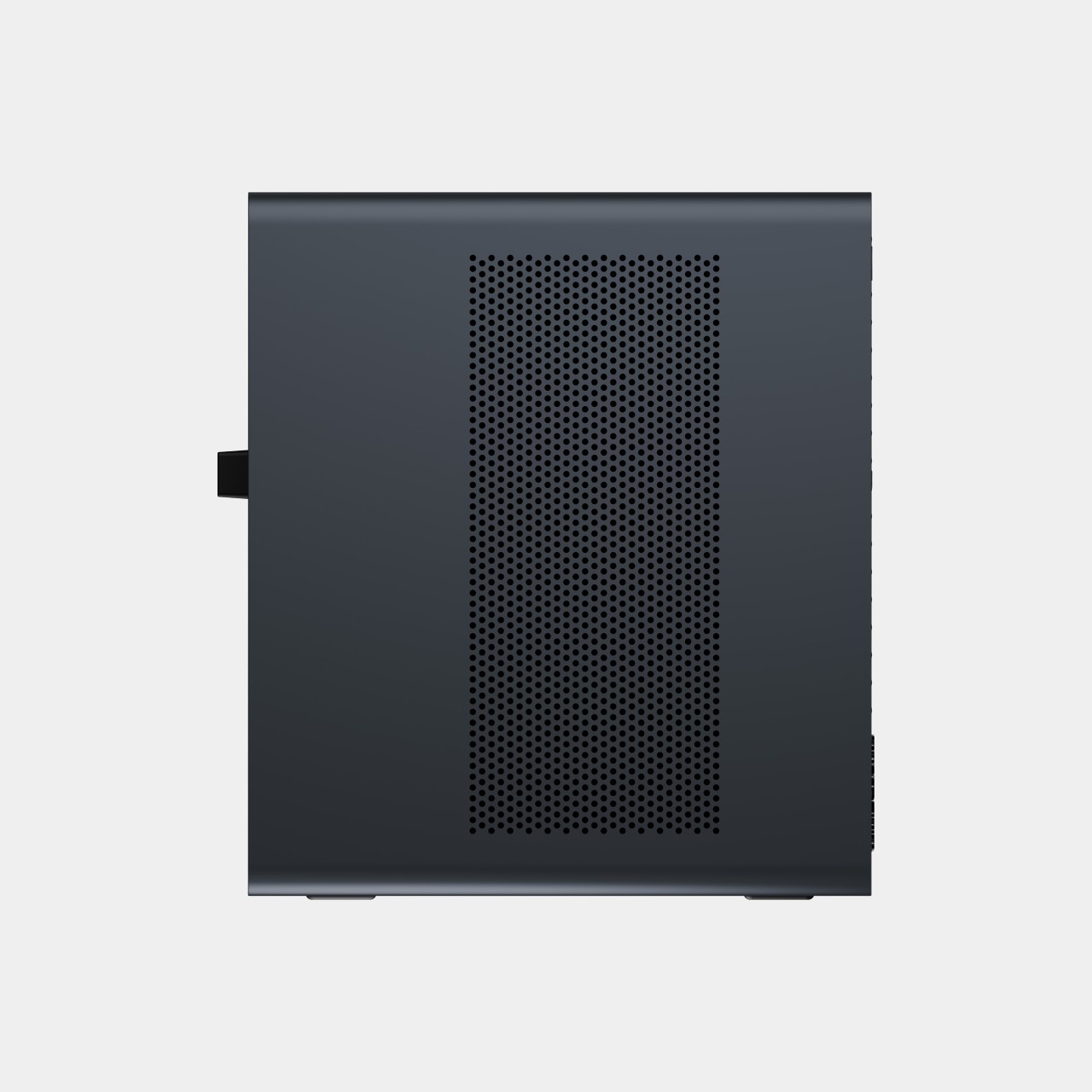
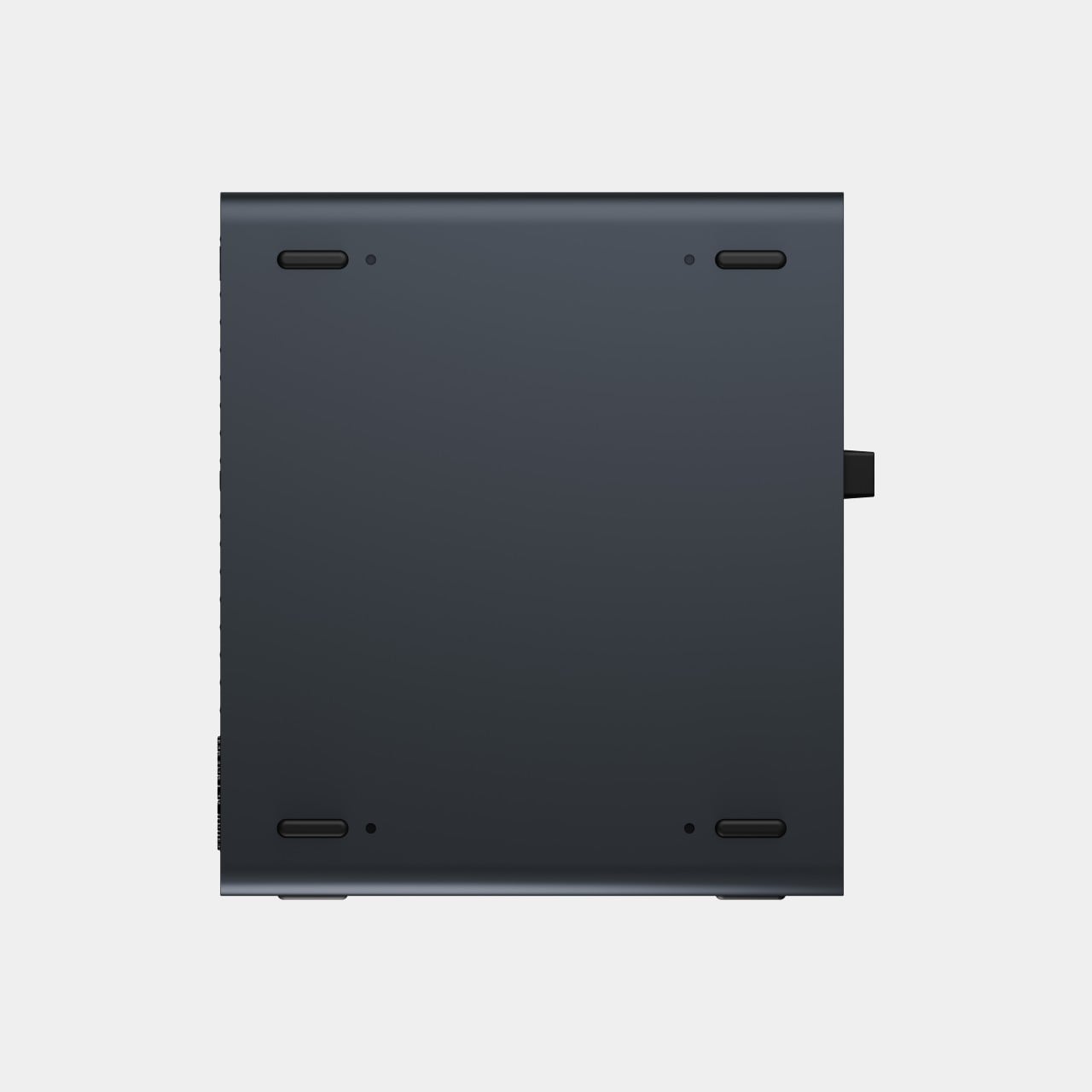
That faster half of the pairing is the MS-S1 MAX-P495, a compact tower wrapped in a ventilated, diamond-textured front panel that looks more like a piece of desk sculpture than a workstation. It delivers powerful local AI computing for demanding model inference, AI development, and computationally intensive workloads, built for intensive local AI tasks, engineering, and workflows in an ultra-compact footprint. Developers get workstation-class muscle without giving up desk space to a full tower case.
Speed matters just as much as raw power for certain jobs, and MINISFORUM designed the MS-S1 with that in mind. Designed for low-latency AI workloads, MS-S1 MAX-P495 enables responsive local inference for AI agents, computer vision, generative AI, and other real-time applications. A security camera system or a live creative tool built on generative AI benefits directly from that kind of immediate response instead of waiting on a round trip to the cloud.
Connectivity rounds out the workstation’s role in a larger setup. With extensive connectivity and expansion capabilities, MS-S1 MAX-P495 serves as a powerful AI compute frontend, supporting models, applications, and connected devices across flexible edge AI environments. That flexibility means the same box can sit at the center of a home lab or plug into a small studio’s existing hardware without forcing a rebuild.
Paired together, the two devices split the work the way a good team would. The MS-S1 MAX-P495 and N5 MAX-P495 form a complete edge AI computing system, delivering high-performance AI compute at the frontend while integrating compute, massive storage, data, and AI knowledge at the backend, providing a powerful foundation for real-time inference, persistent AI workloads, and scalable local AI applications. It’s a compact answer to a question more households and small teams are starting to ask: whether AI still needs to live somewhere else at all.
Singapore and Thailand are deepening AI, digital trade, and payments cooperation as both countries prepare to shape ASEAN’s next phase of digital integration.
There are power tools, and then there are smart tools. A power tool gives you brute force; a smart tool gives you controlled, consistent results. Think of a simple drill that just spins versus one that manages its own torque to avoid stripping a screw. For delicate work like trimming EVA foam for a cosplay project or cleaning up support structures on a 3D print, you definitely want the smart one. The problem is, most handheld cutters are pretty basic, giving you one speed and just hoping for the best.
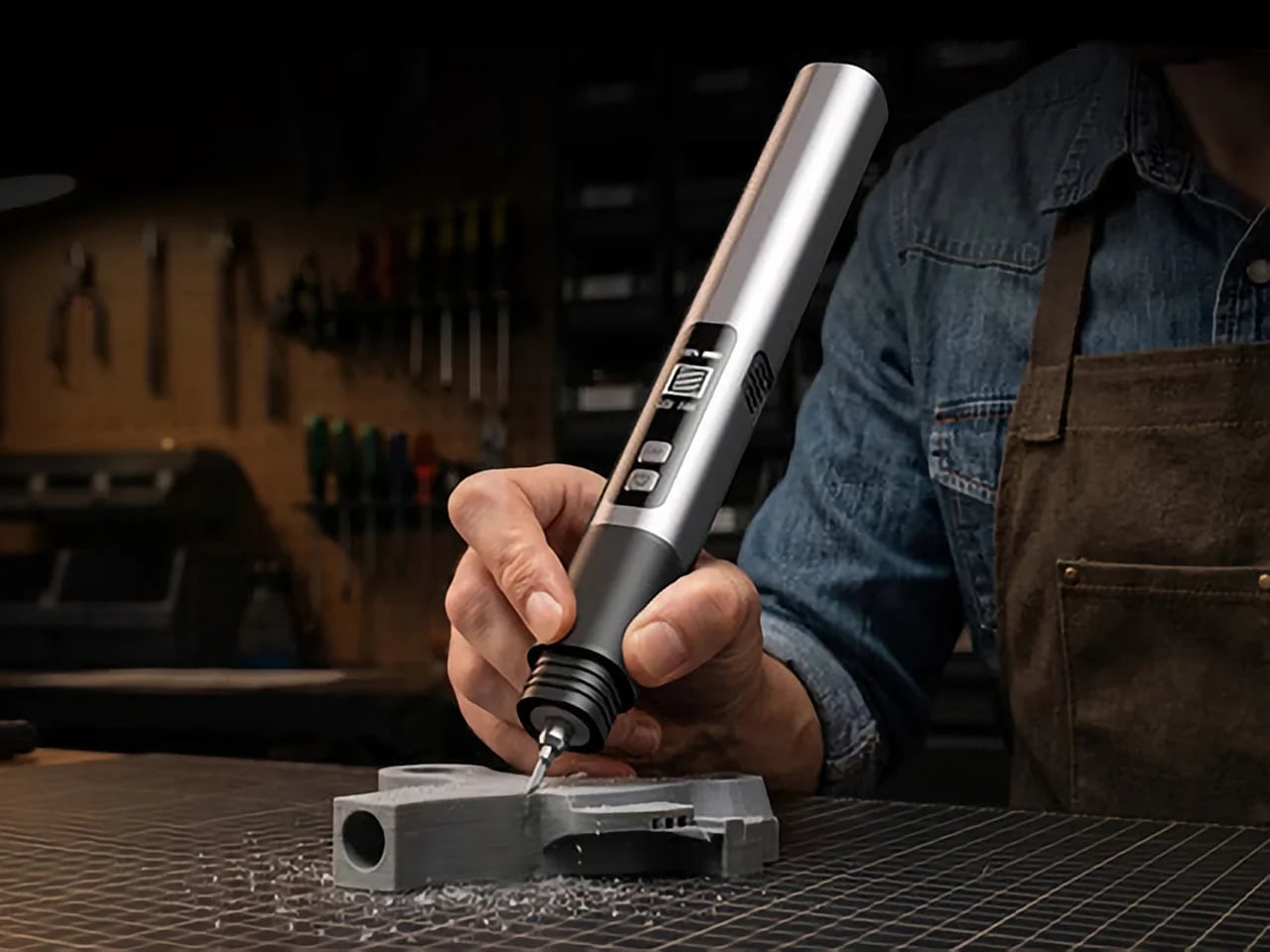
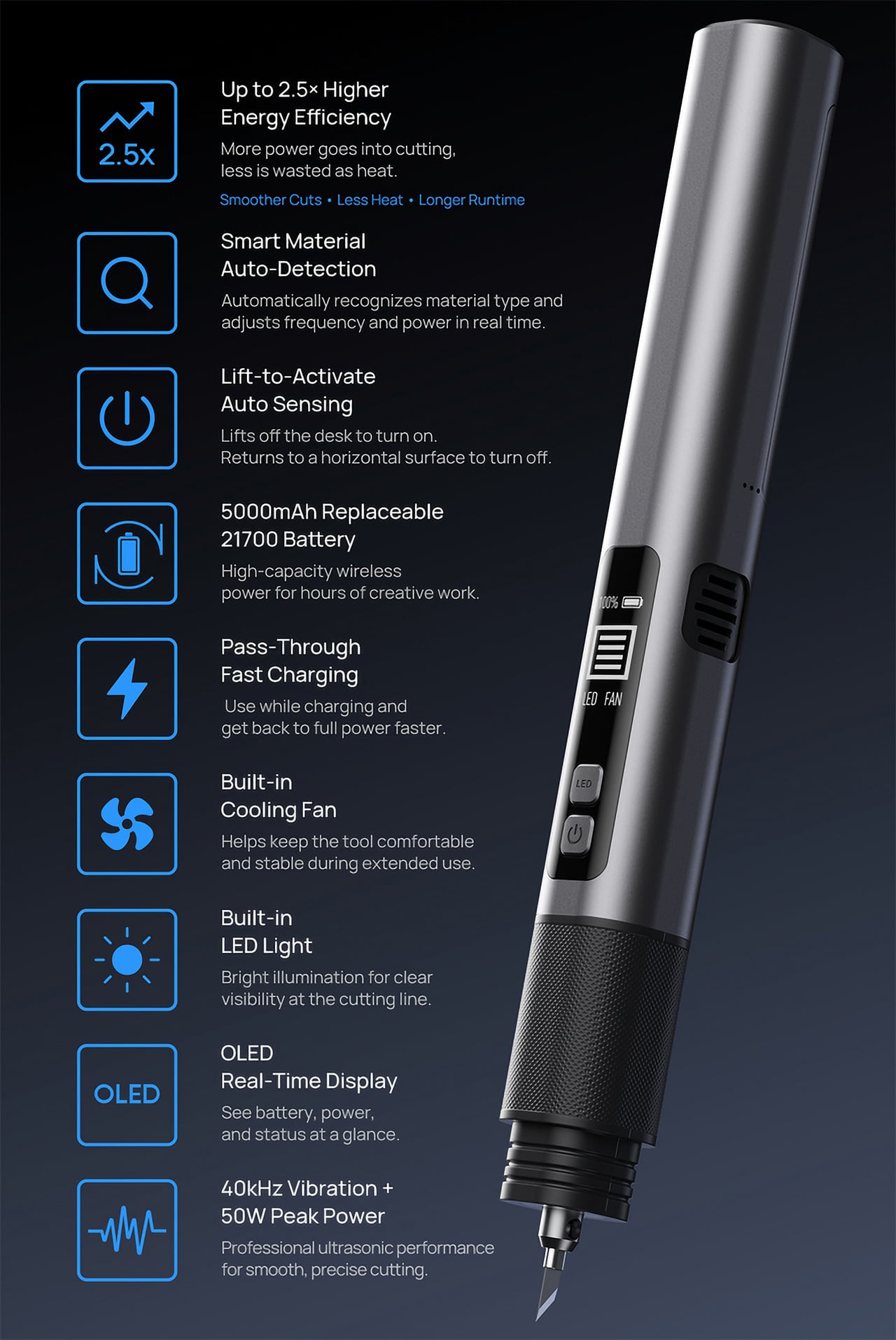
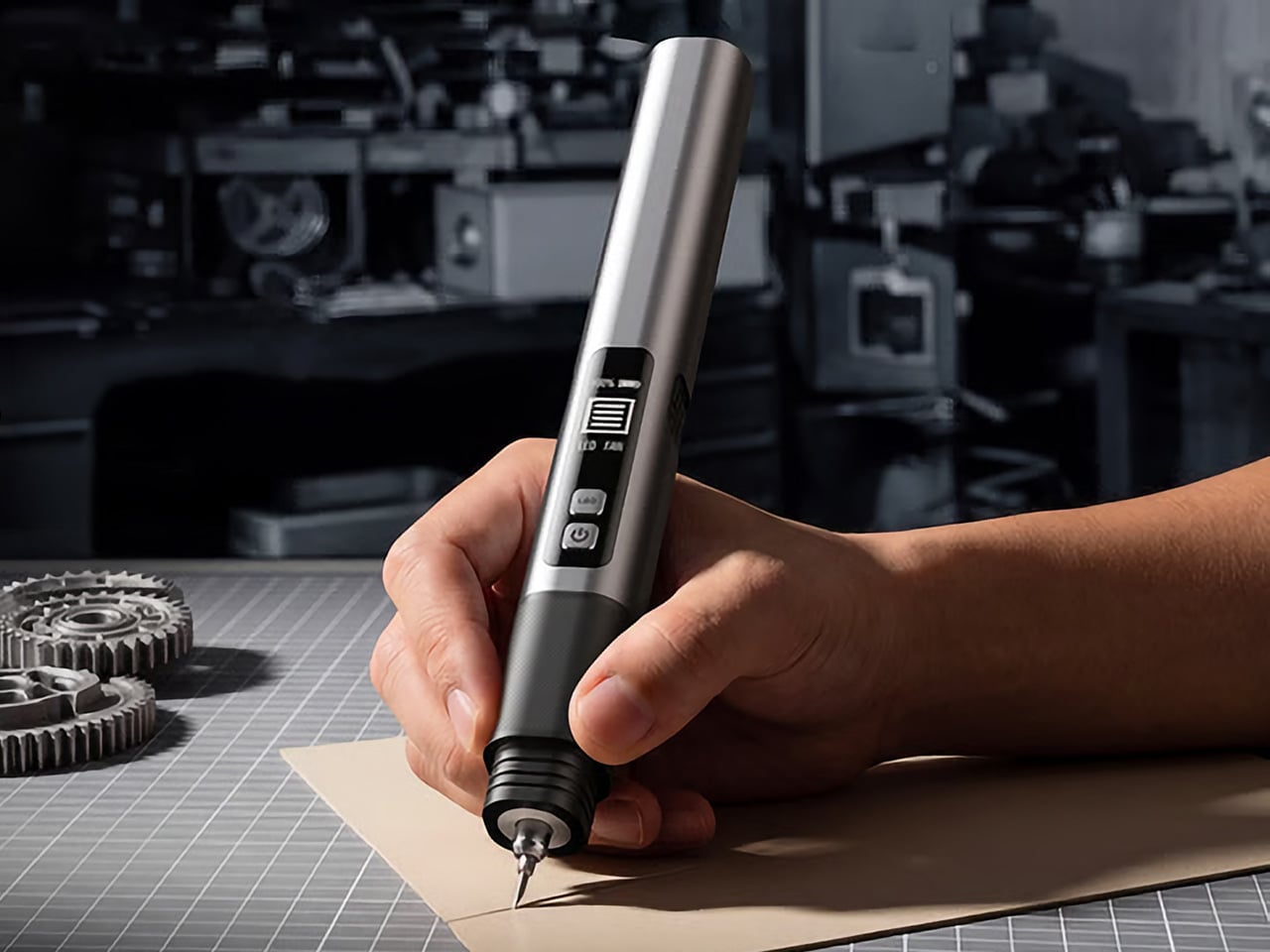
The SonicMax Slice 10 is aiming for that higher IQ. It’s a cordless ultrasonic cutter that senses the material you’re cutting and adjusts its own power output in real time. Slice through dense plastic and it pushes harder; trim the thin walls of a resin print and it eases back. This adaptive system, combined with cooling that prevents heat-related power drops, makes it feel like proper workshop equipment in the palm of your hand. It runs at 40kHz, delivers up to 50 watts of dynamic peak power, and does all of this without a single cable getting in your way.
Most ultrasonic cutters on the market use transducers with a mechanical quality factor, or Qm, somewhere between 150 and 250. A higher Qm means the transducer converts electrical energy into vibration more efficiently, which directly translates to less heat generated during use. SonicMax claims a Qm of over 500 for the Slice 10, and lab data backs that up with a verified measurement of 541.1. That’s roughly two to three times higher than a typical competing tool, and it’s the foundational reason the Slice 10 can sustain longer sessions without thermal drama. That single transducer decision cascades into everything else, from runtime and cut quality to how comfortable the tool actually stays in your hand.
As the blade meets resistance, the Slice 10’s Smart Material Auto-Detection reads that feedback and adjusts power output and vibration frequency without you touching anything. Cutting through a stiff chunk of EVA foam feels different from trimming the thin walls of a resin print, and the tool responds to each material accordingly. You’re not locked into a fixed setting that works okay for most things but perfectly for nothing. The system also preserves cut quality across a long session, where material resistance can shift as the blade warms. The result is consistent cuts from the first pass to the last, regardless of what you’re running the blade through.
Heat is the reason most cordless ultrasonic cutters force you to stop every five to ten minutes, and the Slice 10 attacks that problem from two directions. Corded bench tools sidestep this issue by drawing steady power and dissipating heat more easily, but you give all of that up the moment you cut the cord. The high-efficiency transducer generates less heat from the start, and the built-in active cooling fan manages whatever thermal load does build up during a session. Overheat protection kicks in automatically at 80 degrees Celsius at the motherboard level, so the tool protects itself without you having to babysit it. You only appreciate how good this is after you’ve spent a session on a cutter that kept shutting itself off on you mid-cut.
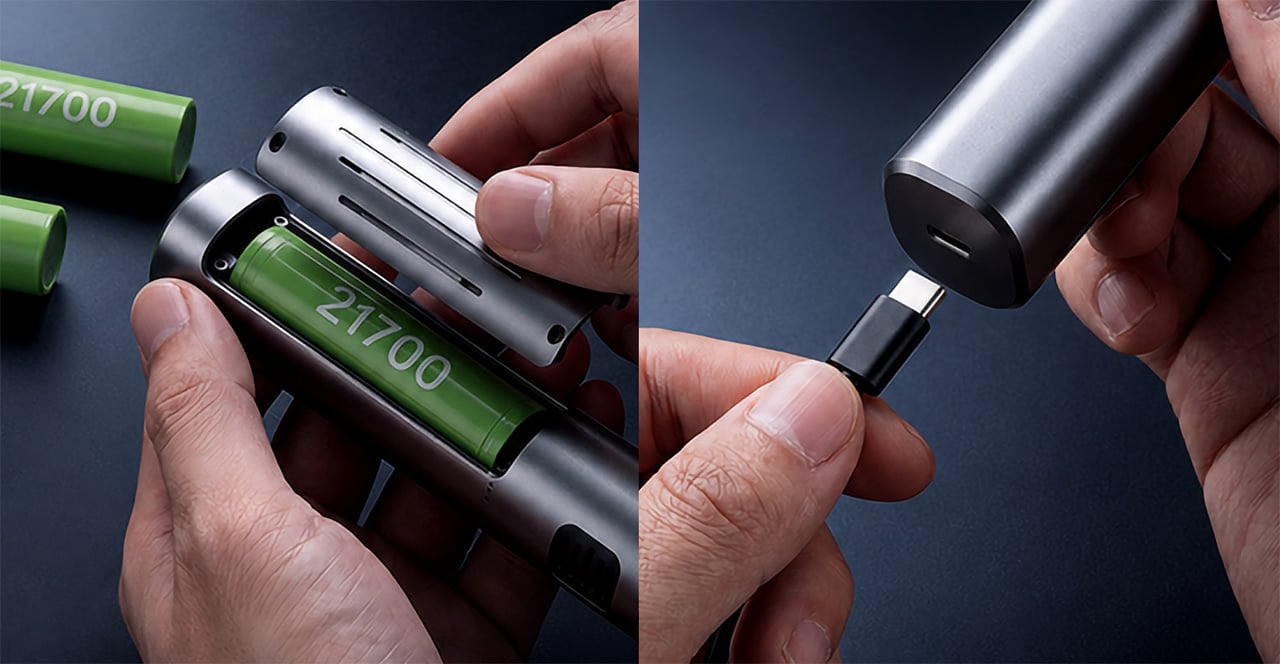
A 5000mAh 21700 lithium-ion battery powers the Slice 10, and SonicMax made it user-replaceable, which you’ll end up appreciating far more than any spec sheet number. The 21700 is a high-performance cell format found in premium flashlights and power tools, so sourcing replacements from SonicMax or compatible third-party brands should never be a problem. SonicMax’s own branded replacement cell is rated for 500 charge cycles at 80% capacity retention, a reasonable lifespan for a tool you’re actually putting to work regularly. An 18W USB-C pass-through charging system brings it from zero to full in about 70 minutes, and the tool keeps running while plugged in. Claimed runtime sits at up to four hours, and when you run low mid-project, swapping in a spare takes seconds.
Blade choice gives the Slice 10 a lot of its bench-tool personality. SonicMax offers five blade styles that let the same handheld body take on very different jobs: a Standard Utility Blade for everyday trimming, a Precision Long Blade for tighter access and more delicate reach, a Fine Chisel Blade for careful cleanup work, a Heavy Duty Chisel Blade for more aggressive material removal, and a Wide Flat Scraper Blade for broader surface work. That range matters because it turns the Slice 10 into something closer to a compact cutting system than a one-trick knife. If you’re the kind of maker who bounces between foam, plastic, supports, edges, and surface cleanup in the same afternoon, this is where the tool starts looking properly versatile.
Lift-to-Activate sensing turns the tool on when you pick it up and off when you set it down, keeping your fingers away from controls mid-session and preventing accidental activation on the bench. A small OLED display shows real-time power output and battery level, so you’re never left guessing how much runtime remains. Built-in LED lighting illuminates the cut line, which sounds like a minor detail until you’re trying to trace a clean edge on a dark-colored print at your desk at some ungodly hour. Auto-shutdown kicks in after five minutes of idle, and low-battery protection activates before the cell drops to a damaging voltage. Together, these details make the Slice 10 feel like a tool that respects your workflow rather than constantly asking you to manage it.
The Slice 10 measures 260.5mm long and 28mm across, weighing 236 grams, keeping it firmly in single-hand, pen-grip territory across long sessions. Just the Slice 10 is available for a discounted $119, and ships with 10 replaceable Standard Utility blades. Upgrade to the Maker’s Bundle for $169 and you get the Slice 10 along with 50 blades spread across the five blade profiles (standard, precision long, fine chisel, heavy duty chisel, and flat scraper) as well as a 5000mAh replacement battery. If you’re looking for versatility and pushing your prints to the max, the $50 price bump does bring a fair share of value. You can also buy extra blades and batteries as add-ons. Shipping is expected to begin mid-October 2026 with worldwide delivery available, and SonicMax has not publicly confirmed warranty terms at the time of writing.
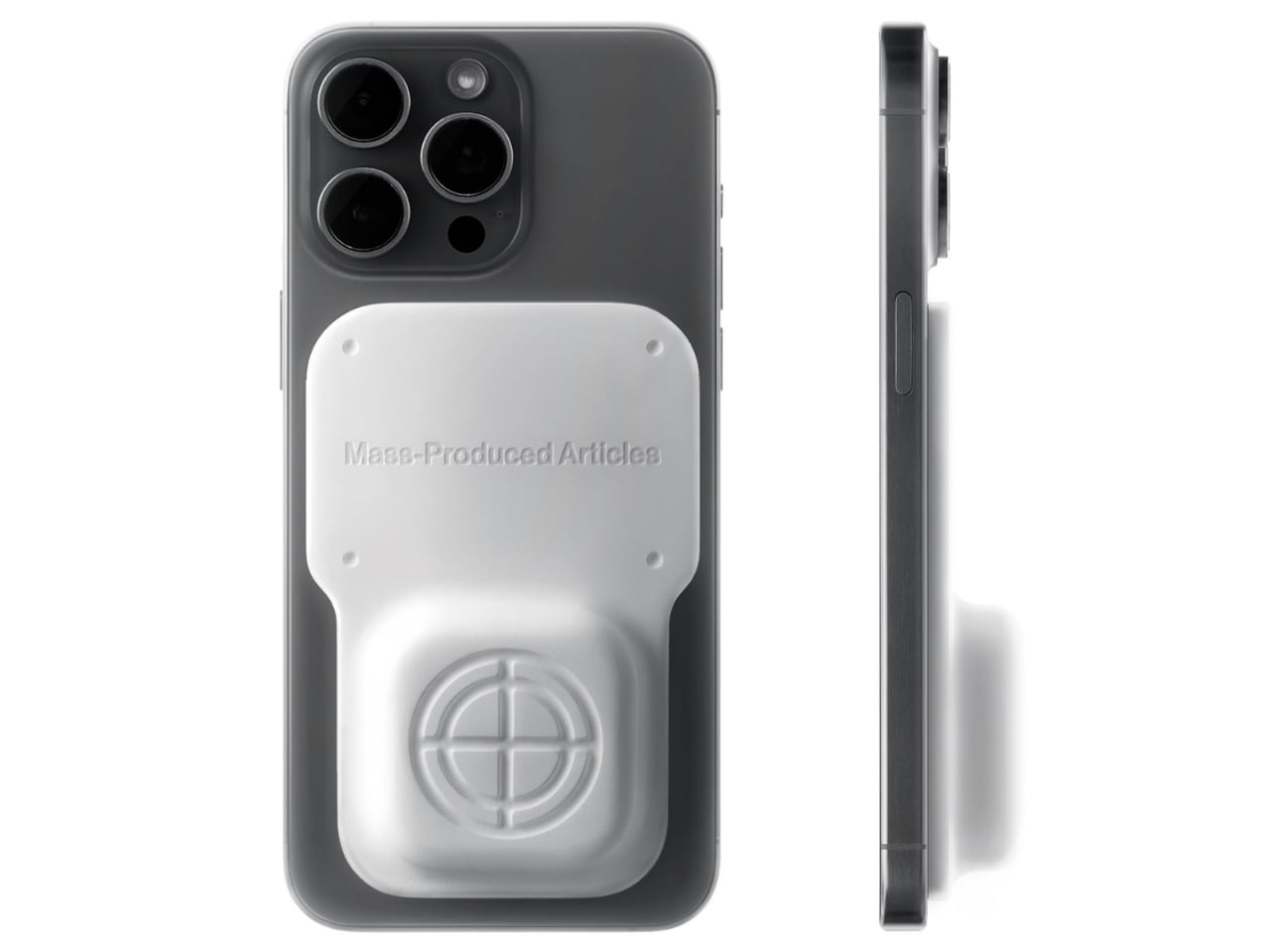
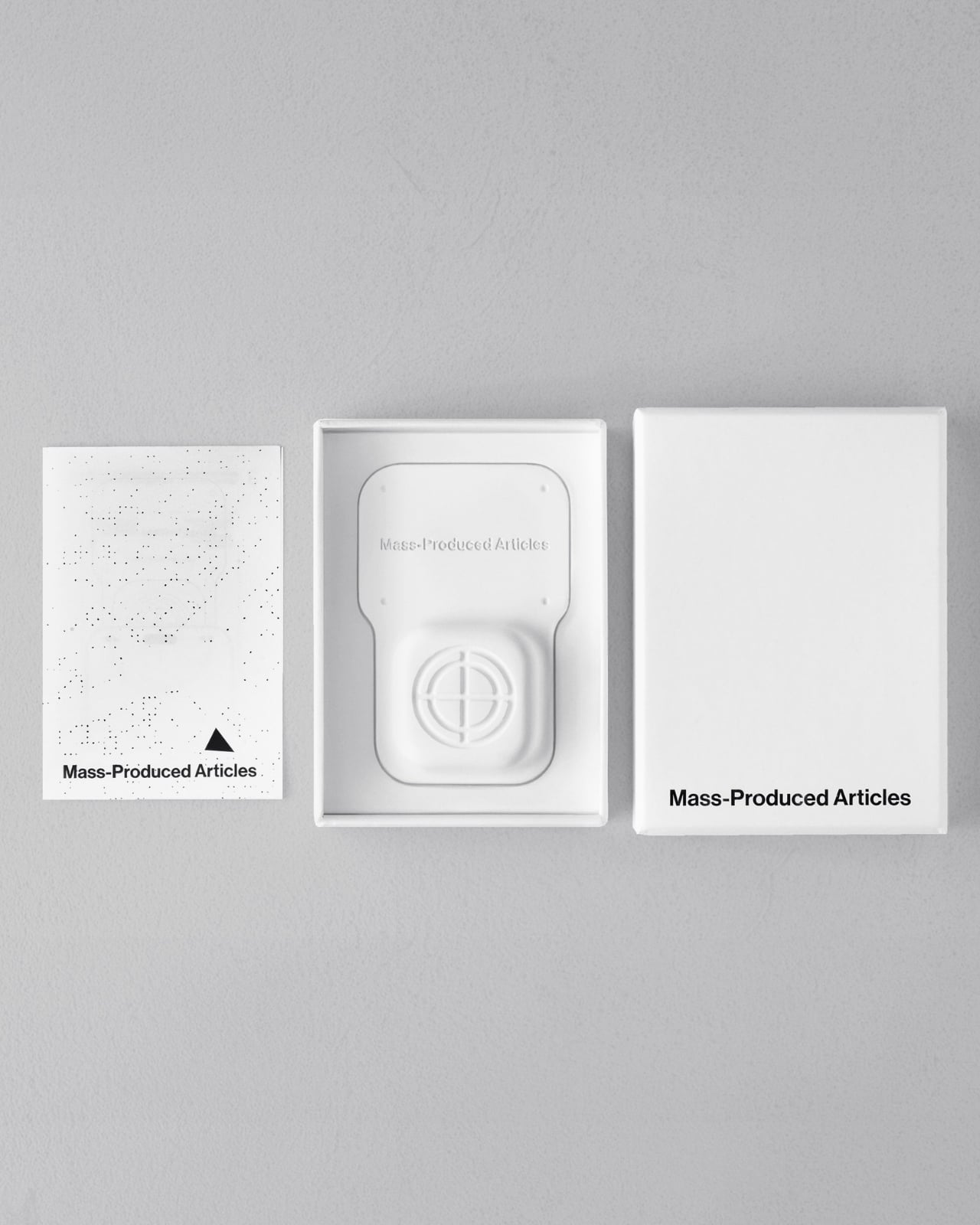
Anyone who has wandered around an unfamiliar neighborhood searching for a boutique that Google Maps insists is “on your left” when it is actually tucked behind a parking garage knows the specific frustration I am talking about. Small, independent stores rarely have the budget for a flashy storefront, and a pin on a map that is close enough to be tantalizing and far enough to be maddening is usually all you get. A Pow Studio designed something to fix exactly that: a small NFC-embedded fixture called the Navigation Tool that turns a single phone tap into a live compass, guiding you down the block to a physical destination without asking you to download anything.
That solves the first problem. The second one is subtler but just as real. Even after you find the store and walk through the door, most brands have no clean way to hand you off to their digital world. You try something on, feel vaguely inspired, and leave with no easy path to the website, the product specs, or the broader catalog. The Navigation Tool closes that gap too. The same NFC chip, this time embedded into the store’s hanging display system, redirects your phone tap to an online page loaded with product details and brand information. Two taps, two problems solved, zero apps required.
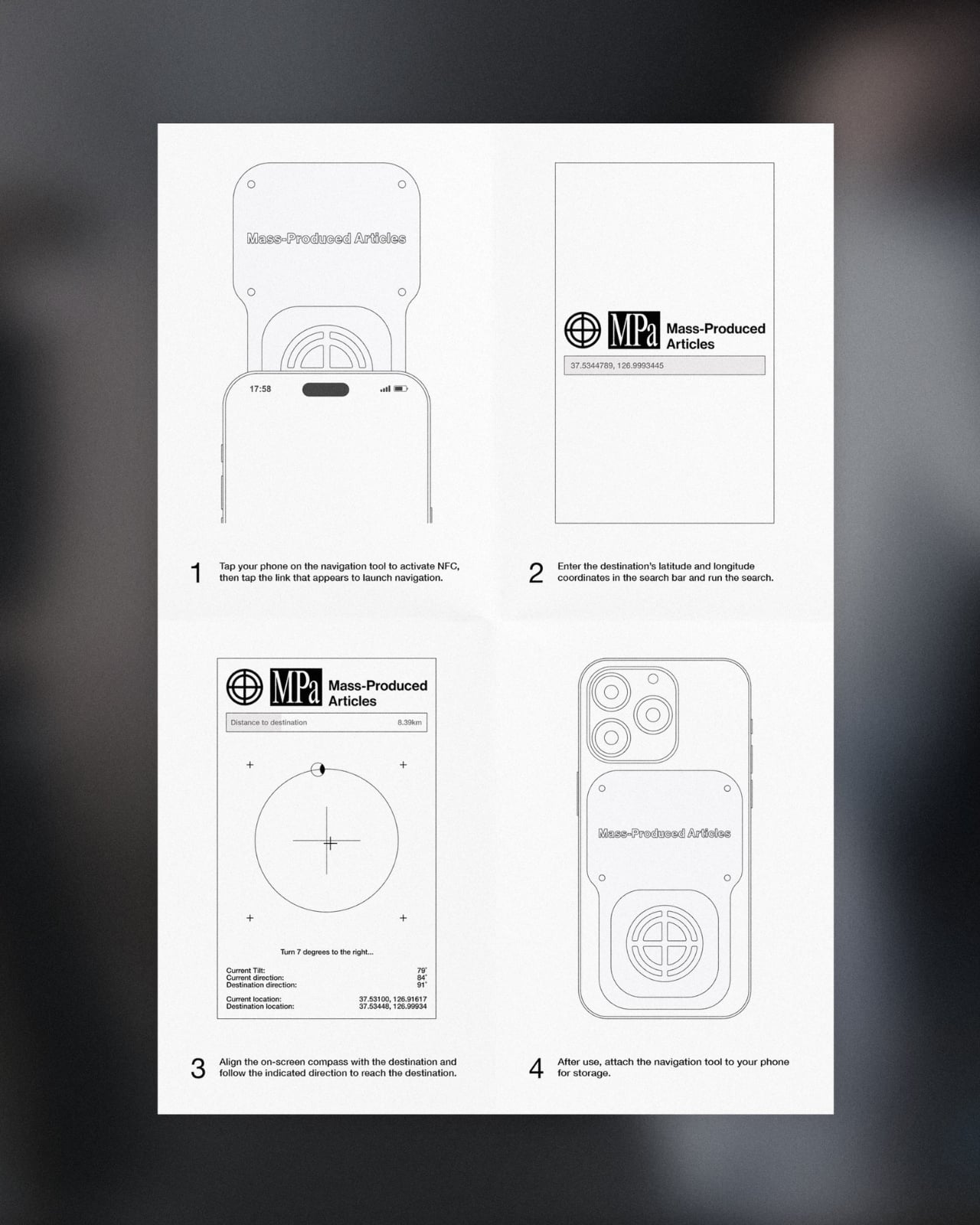
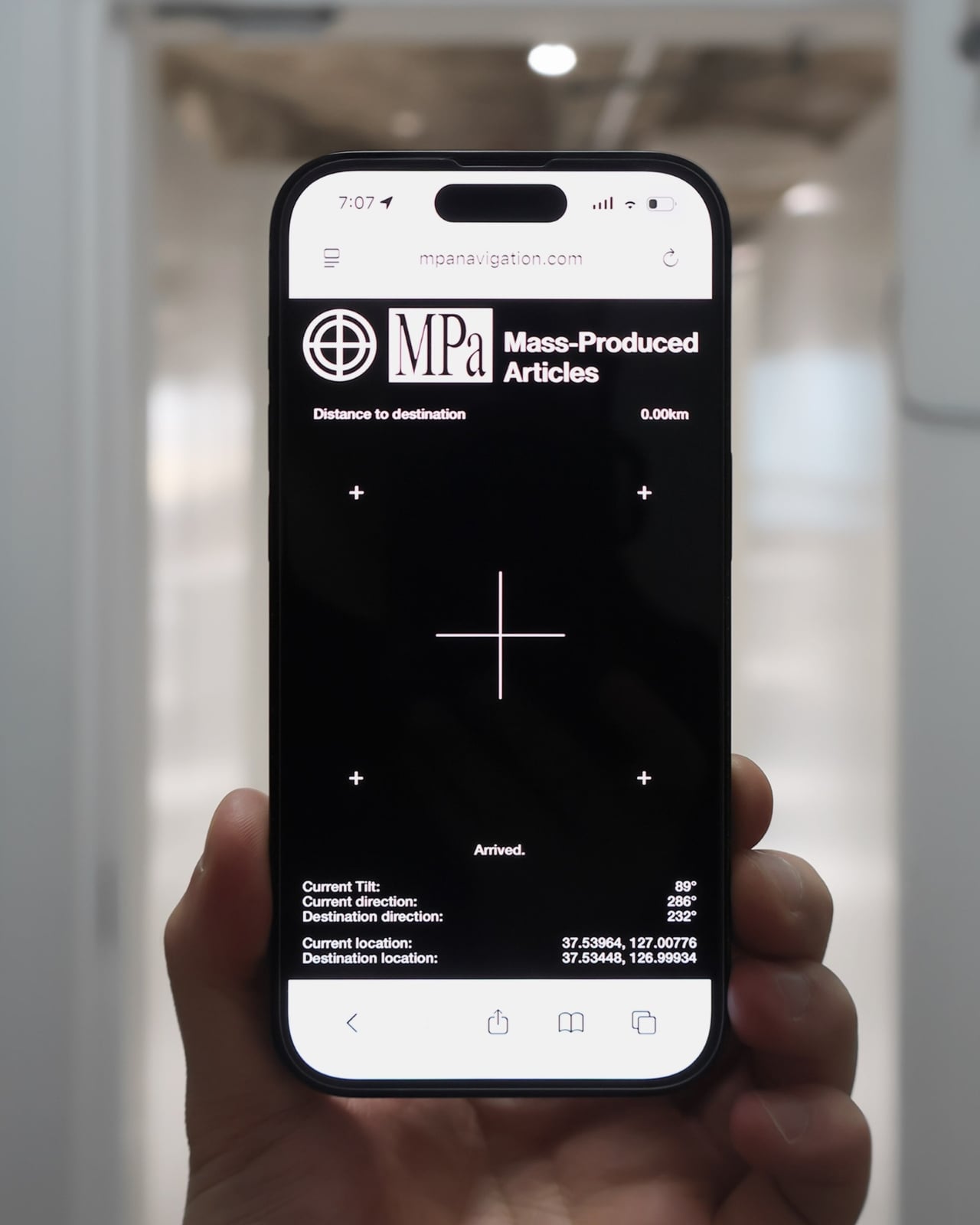
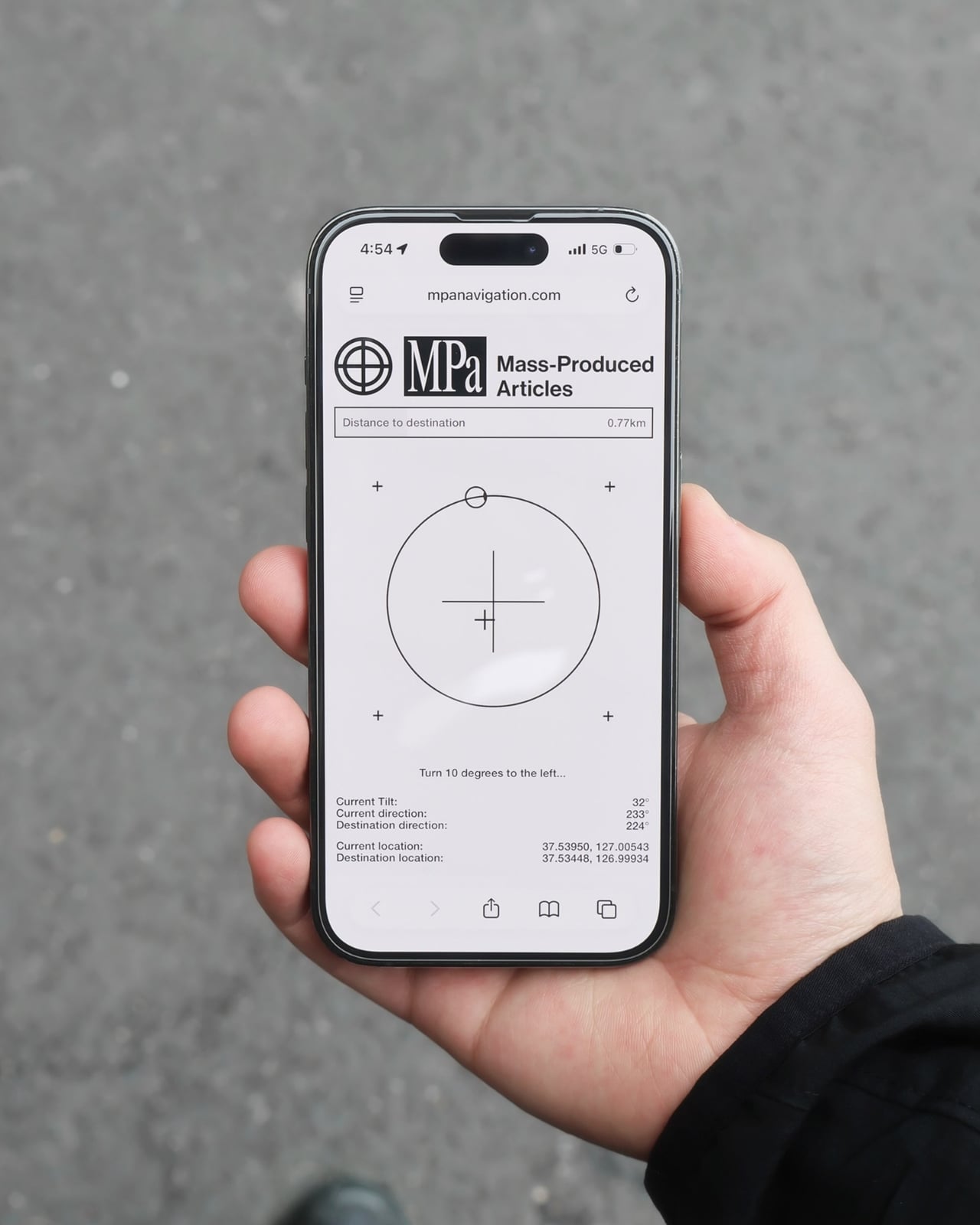
The mechanics are genuinely elegant. Outside, you tap your phone on the tool and a search bar appears asking for the coordinates of your destination. The system pulls from Location-Based Services and your phone’s built-in gyroscope to calculate real-time distance and direction, then renders everything as a clean, minimal compass interface on your screen. MagSafe compatibility is built in so the phone can physically attach to the tool while you navigate, which is a small detail but the kind that signals someone actually thought about what your hands are doing when you are half-lost and moving.
No app to download, no QR code cluttering a window decal, no clunky onboarding screen asking you to create an account you will use exactly once. You tap, and it works, the same quiet mechanism already living in Apple Pay or a subway fare card, just pointed at a completely different problem. American shoppers are already fluent in tap-to-pay and tap-to-unlock behavior, so repurposing that same gesture for navigation feels less like a gimmick and more like an overdue extension of something we already trust.
It also lands at an interesting moment for retail. Brick-and-mortar shopping has been quietly reasserting itself as something people actually want, not just tolerate, but brands still need their physical spaces to feed the digital ecosystem that keeps the business running. A tool like this treats the store not as a dead end or a photo backdrop but as one stop in a longer, connected journey. That feels like a more honest way to think about retail design than another Instagram wall ever could.
The visual language matches the intention. The compass interface on screen is stripped back to the point of being almost architectural: a circle, a crosshair, a tilt reading, a direction bearing. Nothing decorative, nothing unnecessary. It looks like something a navigator or a cinematographer would recognize before a tech blogger would, which feels right. Precise without being cold, minimal without being precious.
I do wonder about scale. A single boutique installing this is a lovely, considered gesture. A mall trying to retrofit hundreds of storefronts with individual NFC compass units is a different logistical conversation entirely, and I am not convinced every brand needs this level of ceremony just to get someone through the door. But as a proof of concept, it is a genuinely smart answer to a problem most retailers pretend does not exist. Sometimes the best design solution is not a flashier app. It is a small, physical object that refuses to overcomplicate the walk from curiosity to the front door.
Je ne sais pas vous, mais chez moi, mes câbles USB-C se ressemblent tous. Et dans le tas, j'en ai qui chargent mon MacBook deux fois plus vite que d'autres. Et franchement, en les regardant, je ne peux pas vous dire lesquels sont les plus efficaces. Alors que mon Mac, lui, apparemment, il le sait déjà.
En tout cas, c'est ce que j'ai compris en allant lire le site de WhatCable. Ce qu'ils expliquent, c'est qu'à chaque branchement, le contrôleur de port d'un Mac Apple Silicon envoie un message à la puce que certains câbles embarquent et récupère sa fiche d'identité : débit annoncé, ampérage, fabricant. De ce que j'ai compris, macOS range la réponse dans le registre IOKit sous forme d'objets bruts, et ne l'affiche nulle part en clair. Snif...
Et c'est
cette réponse que WhatCable
va chercher, puis traduit. L'app vit dans la barre de menus, vous branchez un câble, et elle vous dit alors instantanément lequel des trois maillons plafonne la charge : Soit le chargeur, soit le câble, soit le Mac lui-même quand sa batterie est presque pleine.
Et vous obtenez le même verdict côté débit.
L'app confronte aussi la fiche du câble à sa spécification USB-PD et lève un carton jaune quand quelque chose cloche. Ça peut être l'identifiant fabricant à zéro, les bits réservés utilisés de travers...etc. Moi, je parle bien ici de contrefaçon de câbles, mais l'app reste très prudente dans sa formulation. Elle signale juste des trucs bizarres, et elle ne dit jamais qu'un câble est une contrefaçon.
Après, la plupart des câbles sous 60 W n'ont aucune puce à interroger, donc il n'y a rien à lire, et certains ne répondent correctement qu'avec un appareil branché à l'autre bout. Sur les ports USB-C en façade d'un Mac mini ou d'un Studio, aucune donnée de câble ne remonte non plus. C'est à cause de l'architecture d'Apple.
Côté matériel, il vous faut donc un Mac Apple Silicon sous macOS 14 minimum, les Mac Intel ne publiant pas ces données du tout. L'app est gratuite et son code est sous licence MIT, sauf le dossier des fonctions Pro où là, faudra débourser environ 10 €.
Si vous avez Homebrew, vous pouvez installer l'app rapidement comme ceci :
Anthropic has introduced Claude Fable 5.1 and Claude Mythos 5.1, two new versions of its fifth-generation Claude models that push the company further into long-running coding, research, cybersecurity and scientific workloads. The announcement is particularly interesting because Fable 5.1 and Mythos 5.1 are essentially the same underlying model. The major difference is how Anthropic applies […]
Anthropic may be preparing not one, but two new Claude models for release. Two mysterious identifiers have surfaced in developer circles: claude-melon-eap and claude-marshmallow-eap. They are reportedly early-access test versions of upcoming Claude models, although Anthropic has not officially confirmed either identifier or what products they will eventually become. The speculation is getting particularly interesting […]
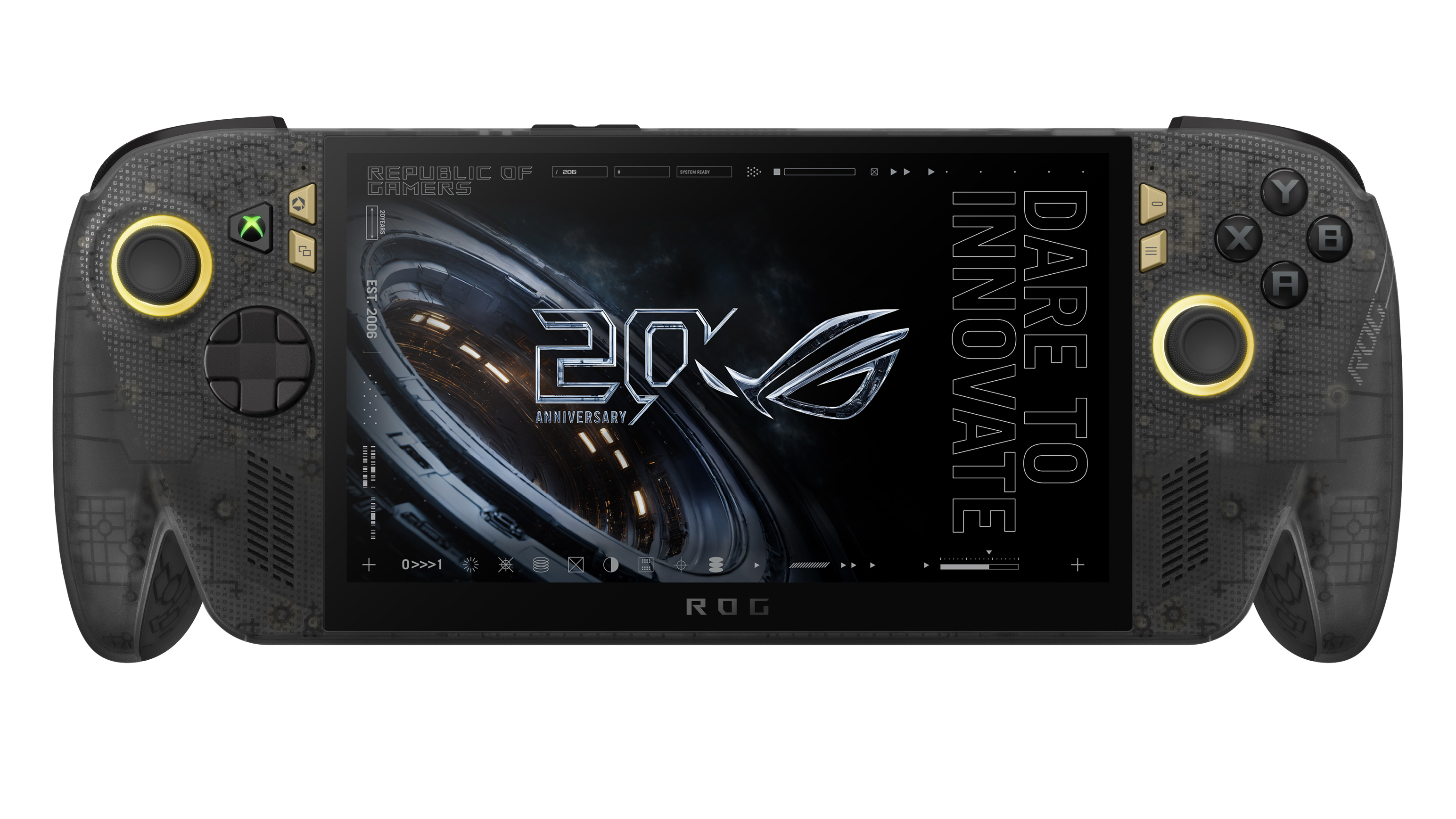
ASUS has officially opened pre-orders for the ROG Xbox Ally X20, confirming that the company's 20th anniversary handheld gaming PC will be available both as a premium standalone device and as part of a bundled package when it launches on October 15.
In the United States, customers can now pre-order the ROG Xbox Ally X20 standalone model for $1,299.99 MSRP, while the fully loaded ROG Xbox Ally X20 Bundle is priced at $2,499.99 MSRP.
While ASUS originally introduced the X20 as a special anniversary edition, the more time we've spent learning about the device, the clearer it becomes that this isn't simply a commemorative refresh. The ROG Xbox Ally X20 is effectively a significant mid-generation upgrade to the existing ROG Xbox Ally X, bringing meaningful hardware, display, thermal, and control improvements that go well beyond a new paint job or limited-edition branding.
Pre-order
ASUS
ROG Xbox Ally X20
A refined celebration of ASUS’s gaming legacy, the Ally X20 Anniversary Edition pairs its upgraded Ryzen AI Z2 Extreme chip with a vibrant 7.4‑inch OLED HDR display and a boosted 80 Wh battery. It’s a sleeker, more efficient Windows gaming handheld built to mark the milestone with sharper visuals, quieter thermals, and longer play sessions.
A true upgrade, not just an anniversary model?
At first glance, the X20's translucent-inspired design and special 20th anniversary touches may suggest that this is primarily a collector's edition. Under the chassis, however, ASUS has made extensive engineering changes compared to the existing ROG Xbox Ally X that directly impact the gaming experience.
The most obvious upgrade is the display.
The ROG Xbox Ally X20 moves from the current model's 7-inch screen to a larger 7.4-inch OLED panel, while also delivering substantial improvements in brightness and HDR performance. The display now supports 600 nits SDR brightness, up to 1,400 nits peak HDR brightness, and includes Dolby Vision support alongside ASUS' ROG Nebula HDR technologies.
For handheld gaming, display quality is often one of the most noticeable aspects of the user experience, and the move to OLED alone represents one of the largest upgrades ASUS has made to the platform since launch.
Major internal redesign improves cooling and airflow
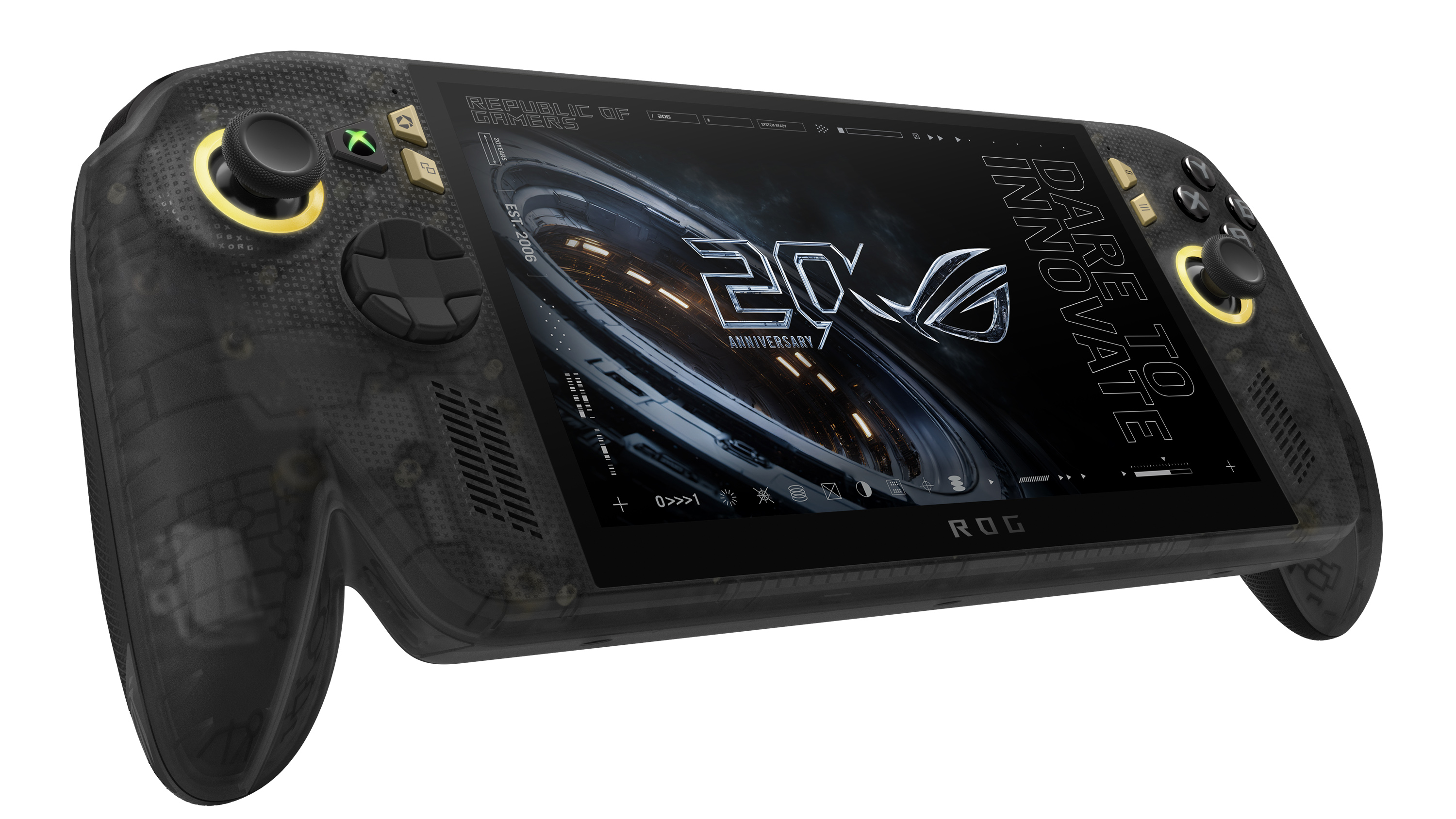
Direct front view of the translucent black ROG Xbox Ally X20 handheld gaming device displaying "20 ROG Anniversary" and "Dare to Innovate" on its screen. (Image credit: ASUS)
The display isn't the only part of the handheld receiving attention.
According to ASUS, the X20 features a completely redesigned PCB, allowing engineers to rethink the internal layout of the system. Surface-mounted USB4 ports enabled the motherboard to be repositioned, creating additional airflow opportunities within the chassis.
ASUS has also upgraded the cooling solution with revised fan and heatsink fin designs, while shifting motherboard placement by several millimeters to further improve thermal efficiency.
That may sound like a small change on paper, but thermals have become one of the defining factors of modern handheld gaming PCs. Better airflow and improved cooling can translate into lower temperatures, quieter operation, and more consistent performance during extended gaming sessions.
A better handheld for competitive gaming
A person reclining on a couch wearing ROG XREAL R1 AR glasses while holding the Ally X20 handheld, viewing a large virtual screen projection of a racing game. (Image credit: ASUS)
ASUS is also targeting enthusiasts who play fighting games, shooters, and other genres where input precision matters.
The ROG Xbox Ally X20 introduces hybrid metal dome switches for a more tactile D-pad feel, along with what ASUS calls a Transforming D-pad. The mechanism allows players to rotate the D-pad configuration to better align diagonals, providing an experience specifically designed with fighting games in mind.
The thumbsticks have also been upgraded to TMR magnetic induction sticks, offering Hall-effect-style benefits while reducing power consumption. ASUS says the sticks deliver roughly a 3% dead zone and improved precision compared with traditional alternatives.
From a visual standpoint, ASUS has doubled the RGB lighting count around the sticks, increasing from two LEDs to four LEDs per joystick.
Taken together, these changes may end up being just as important as the display improvements, especially for players who spend hundreds of hours with a handheld in their hands.
What's unchanged?
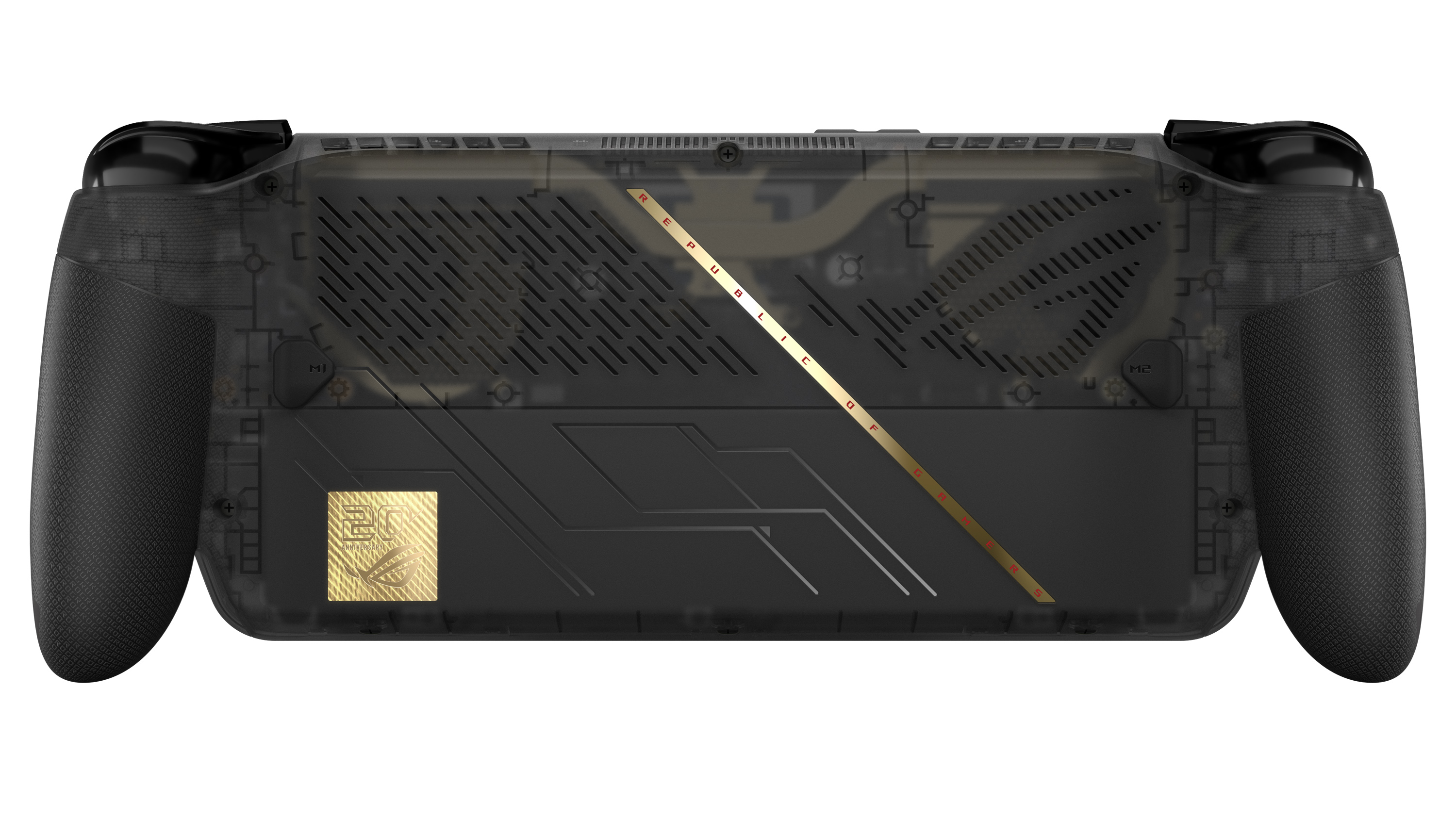
Back view of the translucent black ROG Xbox Ally X20 featuring textured hand grips, ventilation grilles, a gold diagonal stripe, and a 20th anniversary badge. (Image credit: ASUS)
Interestingly, ASUS has resisted changing several of the core specifications that already made the ROG Xbox Ally X one of the strongest Windows gaming handhelds available.
The ROG Xbox Ally X20 retains:
AMD Ryzen AI Z2 Extreme processor
24GB LPDDR5X-8000 memory
1TB PCIe Gen4 SSD storage
80Wh battery
USB4 connectivity with Thunderbolt compatibility
Wi-Fi 6E support
That's probably the right decision. The current Ally X platform already delivers excellent battery life and class-leading handheld performance, so ASUS appears to have focused on enhancing areas that users interact with directly rather than chasing specs for the sake of a marketing bullet point.
And to be fair, there is no newer AMD handheld chip on the market, so there's that!
Goodbye microSD, hello microSD Express
One notable hardware change involves expandable storage.
The traditional microSD slot has been removed and replaced with a microSD Express card reader, supporting dramatically faster storage speeds. ASUS cites support for microSD Express cards capable of approaching 1 GB/s transfer rates, bringing removable storage much closer to SSD-class performance
As game install sizes continue growing, that could become a more meaningful upgrade than many users initially realize.
Two ways to buy
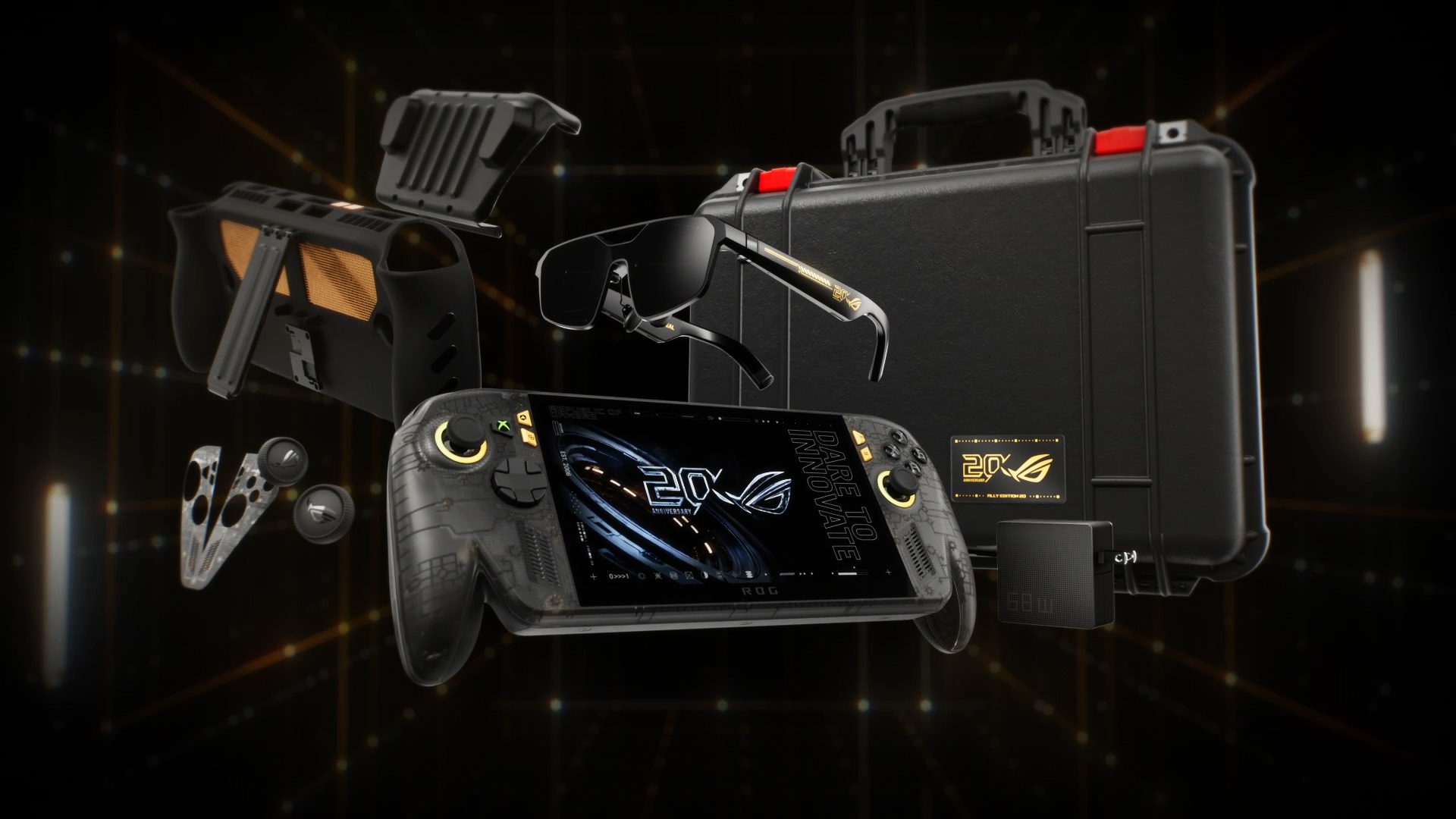
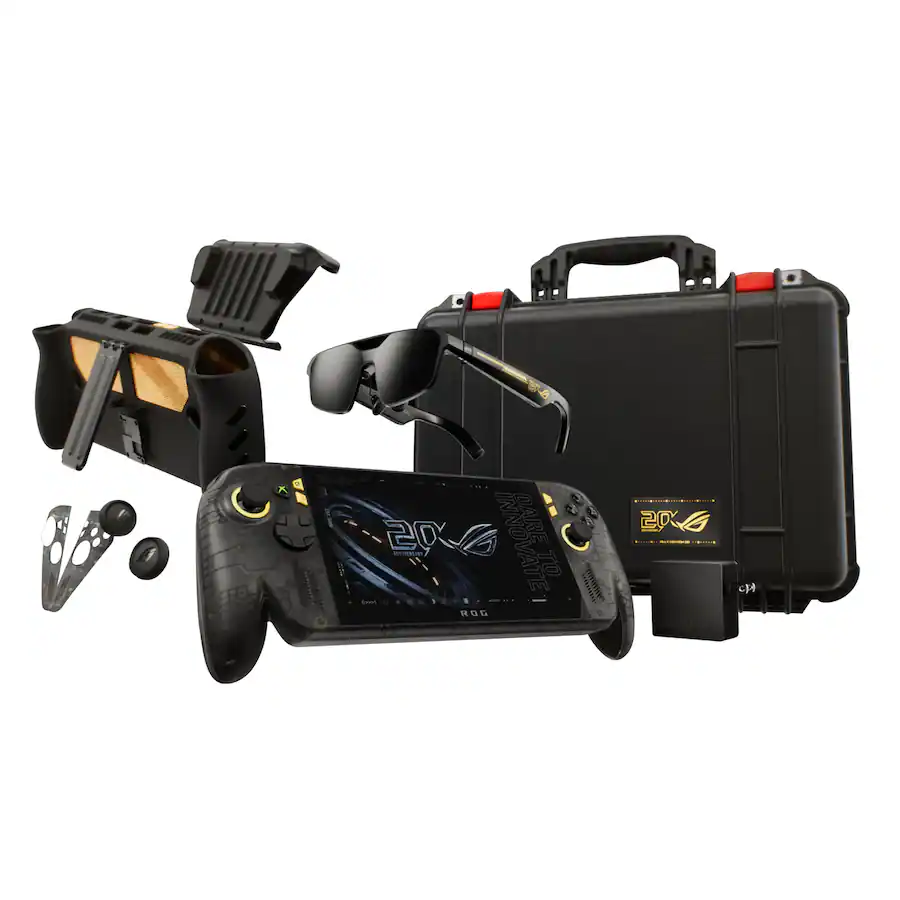
Everything included in the $2,499 ROG Xbox Ally X20 bundle set. (Image credit: ASUS)
For buyers who only want the handheld itself, the new standalone version offers a straightforward path into the X20 experience.
Meanwhile, ASUS is also offering a premium bundle aimed at enthusiasts and collectors, because of course.
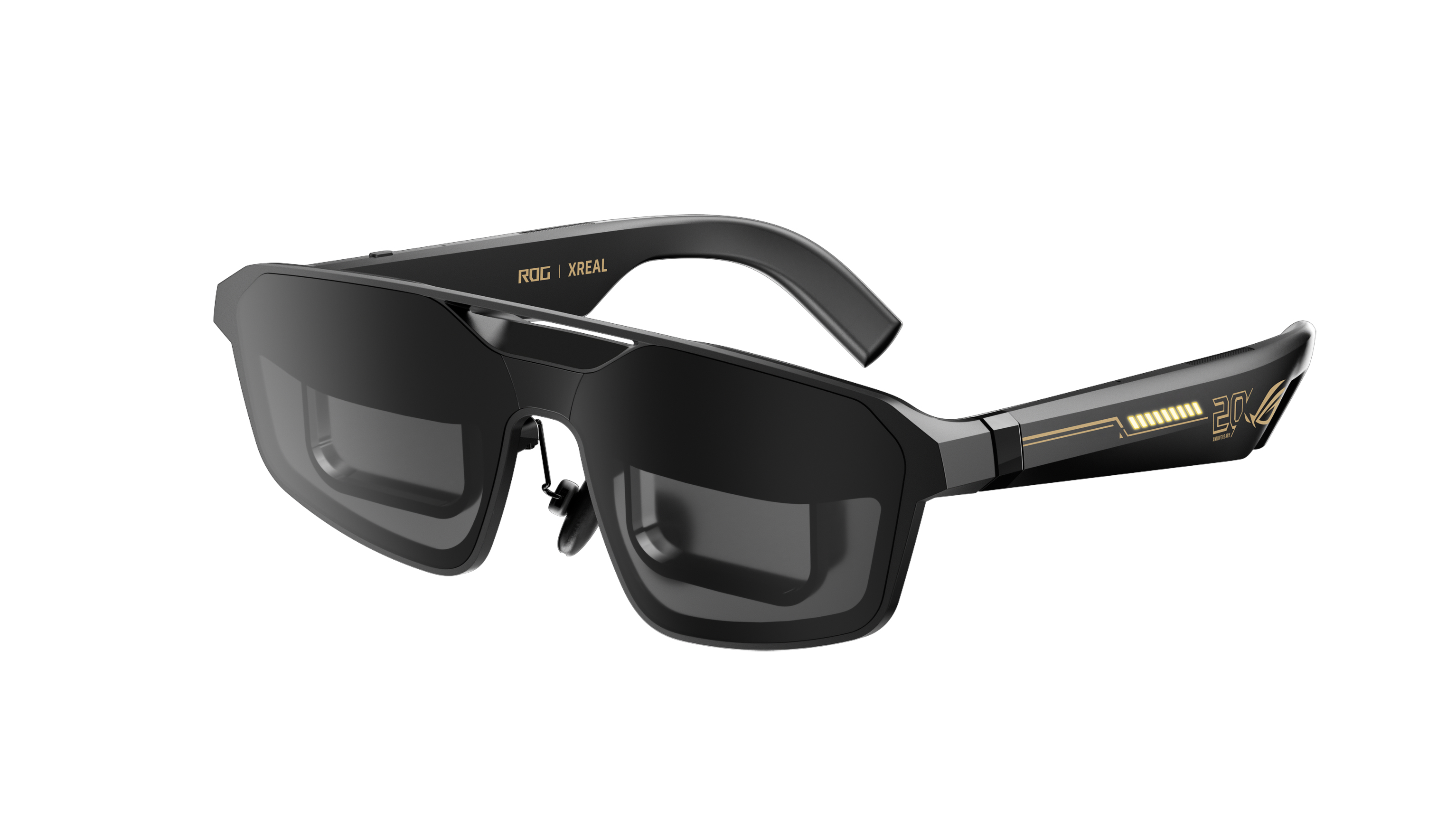
The ROG XREAL R1 AR glasses, which are its top-tier offering, is one of the reasons for the big price jump for the anniversay bundle package. (Image credit: ASUS)
Custom Pelican Protector Case with 20th anniversary badge
68W charger
That's a lot of stuff in that bundle, and it's cool to see dbrand officially teaming up with ASUS here for its famed Killswitch case (see our previous review). As far as that steep price, much of that comes down to the inclusion of the ROG XREAL R1 Edition glasses, which are currently sold separately, while these are, of course, matching in the 20th anniversary gold and black motif.
I've written about the current ROG XREAL R1's before, noting their crazy 240Hz micro‑OLED panels, letting you experience a portable (virtual) 171-inch screen. Along with their included dock, they cost $849.99.
ASUS now has one of the strongest handheld lineups on the market
Angled front view of the translucent black ROG Xbox Ally X20 handheld console with gold joystick rings and screen displaying a 20th anniversary graphic. (Image credit: ASUS)
What's perhaps most impressive about the X20 launch is what it does to ASUS' overall handheld portfolio.
The company's lineup now spans three clear price tiers (assuming we don't see price increases):
That's a remarkably clean progression that gives buyers meaningful upgrade options at every budget level.
The X20 occupies a premium position without completely abandoning value-conscious enthusiasts. Even at $1,299.99, it remains roughly $500 below the eye-watering prices we've seen attached to some ultra-premium handhelds, including MSI's difficult-to-find Intel-powered Claw 8 EX AI+ configurations.
More importantly, the X20 differentiates itself with tangible quality-of-life improvements rather than simply adding more RAM or storage. The OLED display, revamped controls, enhanced cooling design, microSD Express support, and internal engineering changes all combine to create a device that feels genuinely evolved from the existing Ally X.
For a product marketed as an anniversary edition, that's arguably the biggest surprise of all.
The ROG Xbox Ally X20 may celebrate two decades of Republic of Gamers history, but its real significance is that it represents the most refined version of ASUS' handheld gaming platform yet—and now, for the first time, buyers can purchase it without needing to opt for the collector-focused bundle.
Pre-order
ASUS
ROG Xbox Ally X20
A refined celebration of ASUS’s gaming legacy, the Ally X20 Anniversary Edition pairs its upgraded Ryzen AI Z2 Extreme chip with a vibrant 7.4‑inch OLED HDR display and a boosted 80 Wh battery. It’s a sleeker, more efficient Windows gaming handheld built to mark the milestone with sharper visuals, quieter thermals, and longer play sessions.
Pre-order
ASUS
ROG Xbox Ally X20 Bundle
Twenty years of ROG innovation, marked by the limited ROG Edition 20 lineup in an exclusive colorway. The ROG XBOX Ally X20 Bundle carries that celebration forward, pairing the handheld with the ROG XREAL R1 Edition 20 Gaming AR glasses to create a complete gaming setup that travels with you.
Join us on Reddit at r/WindowsCentral to share your insights and discuss our latest news, reviews, and more.
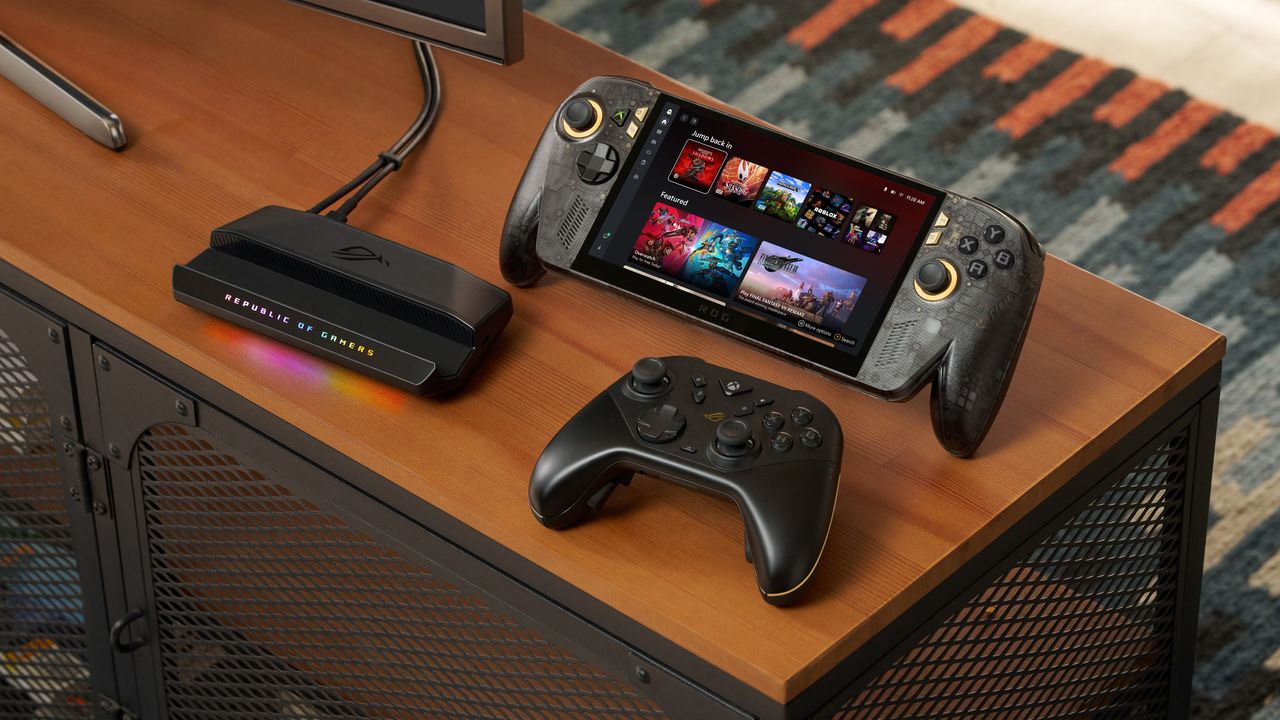
ROG Xbox Ally X20 handheld sitting upright on a desk setup alongside a black wireless controller and an RGB-lit Republic of Gamers dock station.
ROG Xbox Ally X20 handheld sitting upright on a desk setup alongside a black wireless controller and an RGB-lit Republic of Gamers dock station.
An AI security test reached real company systems after a naming error, revealing why organizations need stronger access controls for autonomous AI agents.
Le constructeur Geekom a retiré de ses anciennes pages de support un installeur de pilote réseau que plusieurs moteurs d'analyse classent comme malveillant. Le fichier s'appelle Install_PCIE_Win11_11.10.0720.2022_11222022.exe et il dormait dans l'archive LAN partagée par six mini-PC de la marque : A7, A8, AE7, AE8, AX7 Pro et AX8 Pro.
Le signalement part d'un utilisateur de r/MiniPCs sur Reddit, et du site
VideoCardz qui a vérifié lui-même
en téléchargeant l'archive directement chez Geekom le 15 août dernier. VirusTotal, FileScan.IO, MetaDefender et YARAify réagissent tous les quatre, ce dernier en remontant même des signatures ClamAV qui nomment la famille Asruex.
Alors c'est déjà un peu chaud d'apprendre ça, surtout si vous avez un PC Geekom mais la problème c'est que ce n'est pas absolument pas une nouveauté !
En effet, le 29 décembre 2024, le propriétaire d'un AE8 explique
sur le forum ComputerBase
qu'il vient de réinstaller Windows, qu'il a pris ses pilotes sur le site du fabricant, et que Defender lui a sorti Trojan:Win32/Asruex.A au décompactage. Il dit ensuite avoir écrit à Geekom pour les prévenir.
20 mois plus tard,
Tom's Hardware décrit
sur les machines Geekom, des permissions administrateur, des frappes clavier interceptées et une connexion à un serveur de commande, et PCWorld raconte que des attaquants sont venus glisser une backdoor dans le paquet.
Ce fichier est donc bien un paquet Realtek générique, que
DriversCloud héberge et redistribue
depuis le 25 novembre 2022 et qui s'est fait vérolé ensuite en 2024. Sur l'origine de l'exemplaire qui traînait chez elle, Geekom dit dans
son communiqué du 18 août
qu'il s'agit d'une ressource obsolète oubliée sur de vieilles pages, mais jamais d'une intrusion.
Donc si vous avez téléchargé et lancé cet installeur LAN depuis une page support d'un de ces six modèles, vous êtes concerné !! Le Windows livré avec la machine n'est pas en cause, du moins d'après Geekom. Supprimez donc l'installeur, lancez un scan complet avec Windows Defender ou votre antivirus préféré, et récupèrez un pilote réseau faible chez Realtek ou directement via Windows Update.
De son côté, Geekom a invoqué la déesse de l'effet Streisand en demandant à VideoCardz de retirer son article mais VideoCardz a dit non évidemment...

 Connexion