Vue lecture

This $99 Trackball Has Gesture Controls That Work Without Any Software

The computer peripheral market has always been more experimental at its edges than in the mainstream. Ergonomic trackballs, in particular, have attracted a devoted following among power users, but the options tend to cluster at two extremes: consumer-facing products with locked-down firmware, and niche open-source hardware that trades polished finish for deep customizability. Finding something that genuinely does both has rarely been straightforward.

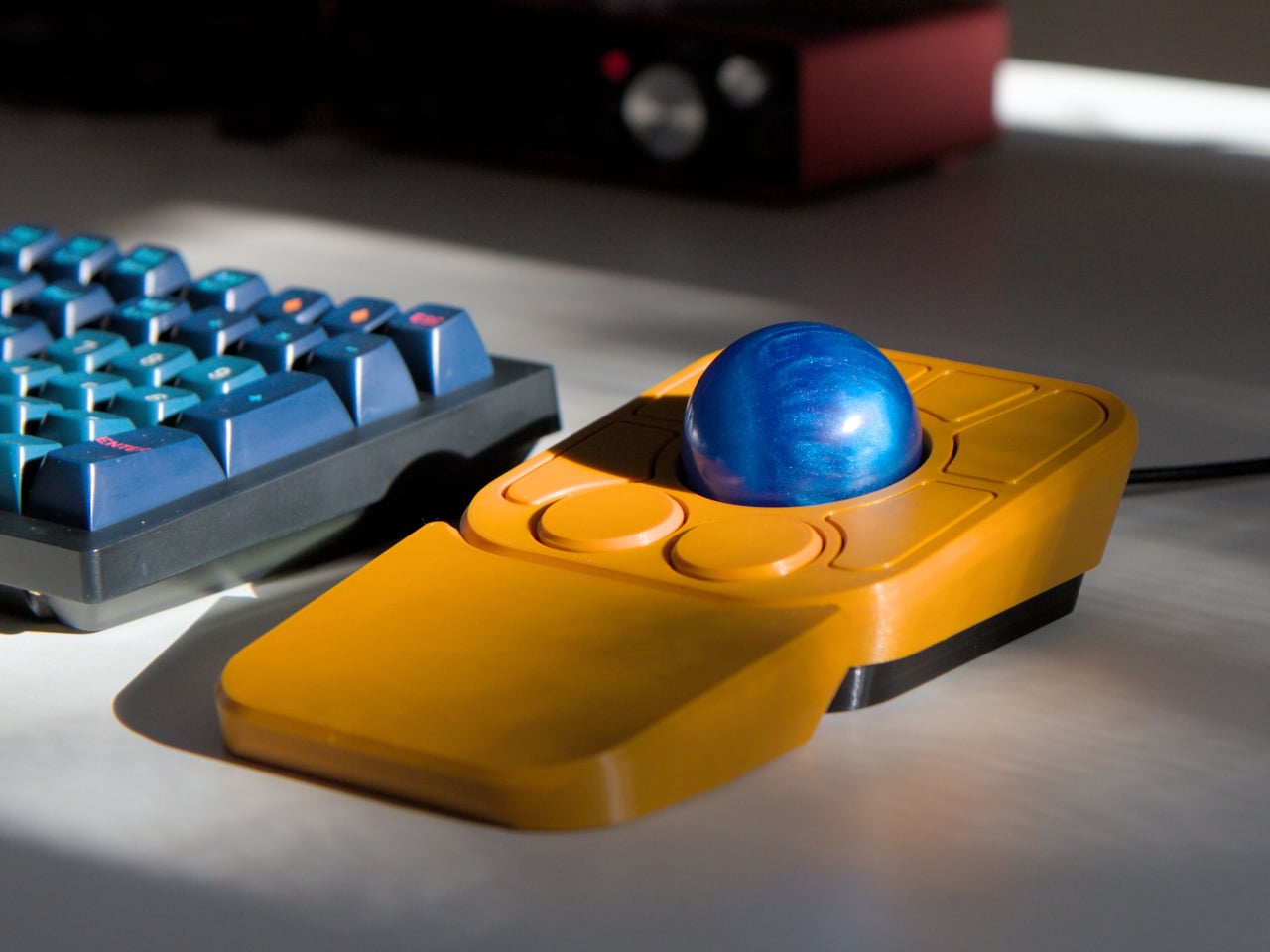
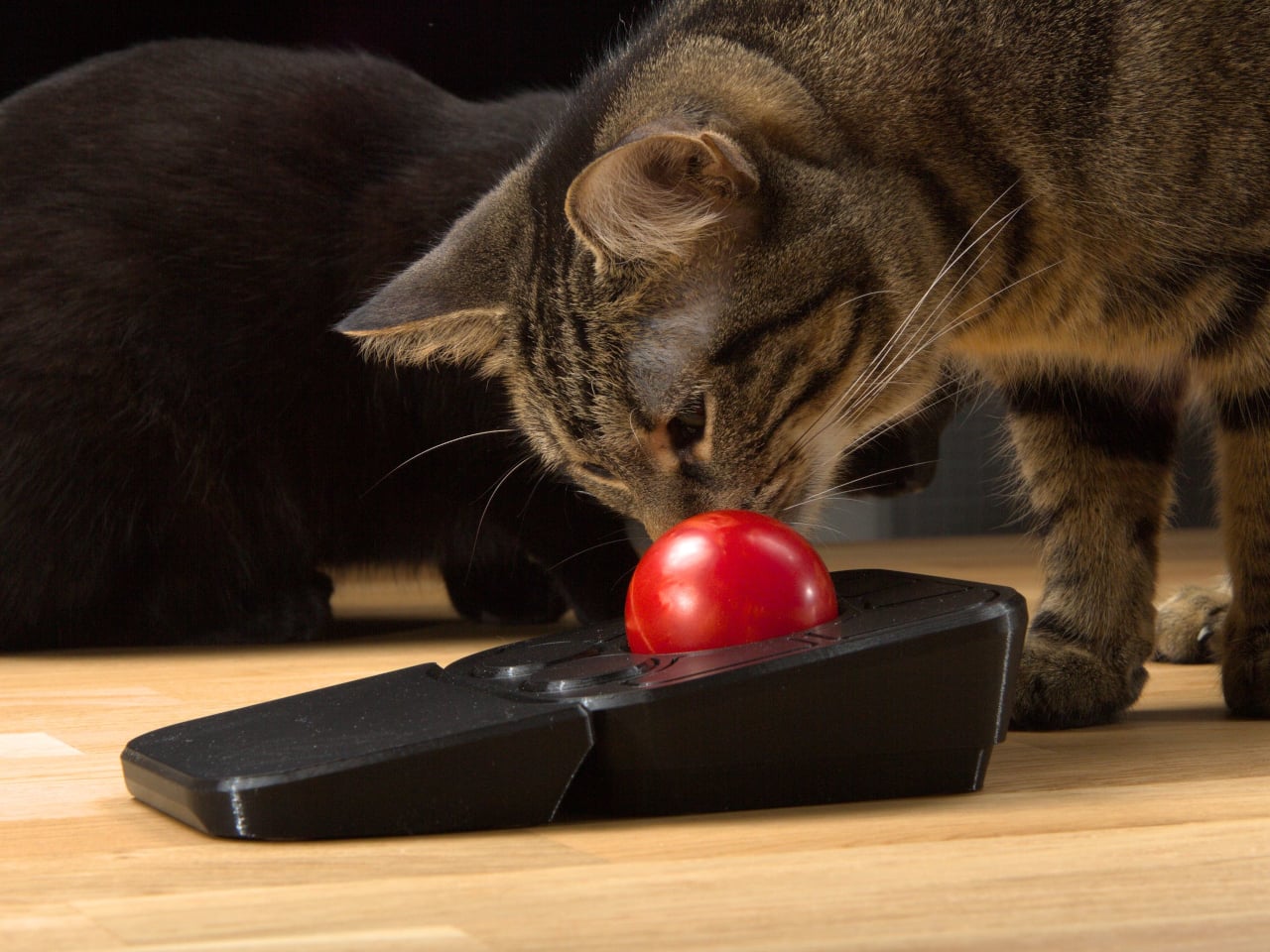
Ploopy’s Adept trackball made a compelling case for the latter category, earning a loyal following with its open-source, 3D-printed design and QMK compatibility. But it always felt like it had more to say. Its circuit board had always reserved space for two more switches that never made it to production, and the base had slots for a wrist rest that never materialized. The A+ is that unfinished story, now finished.

Designer: Ploopy

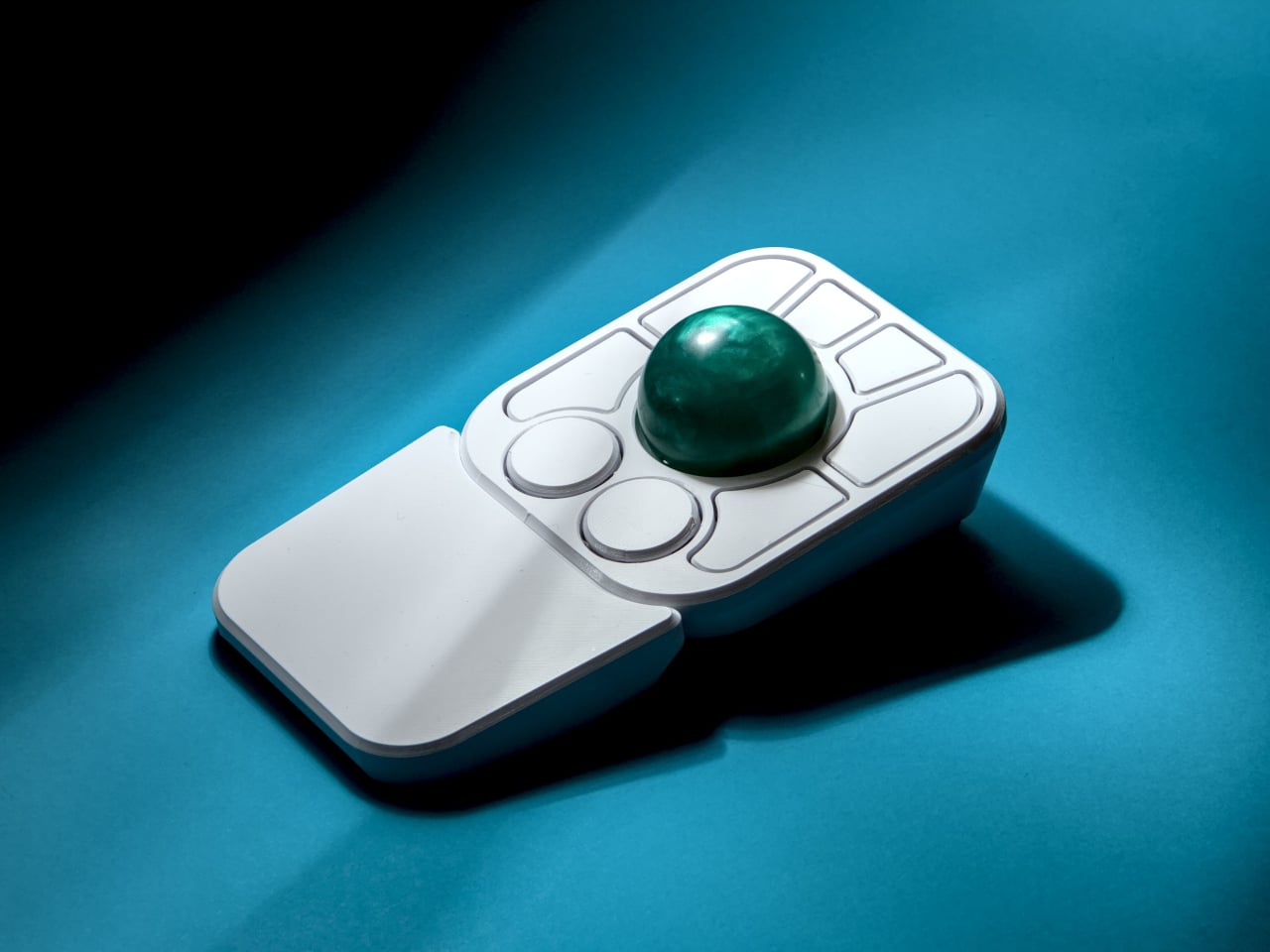
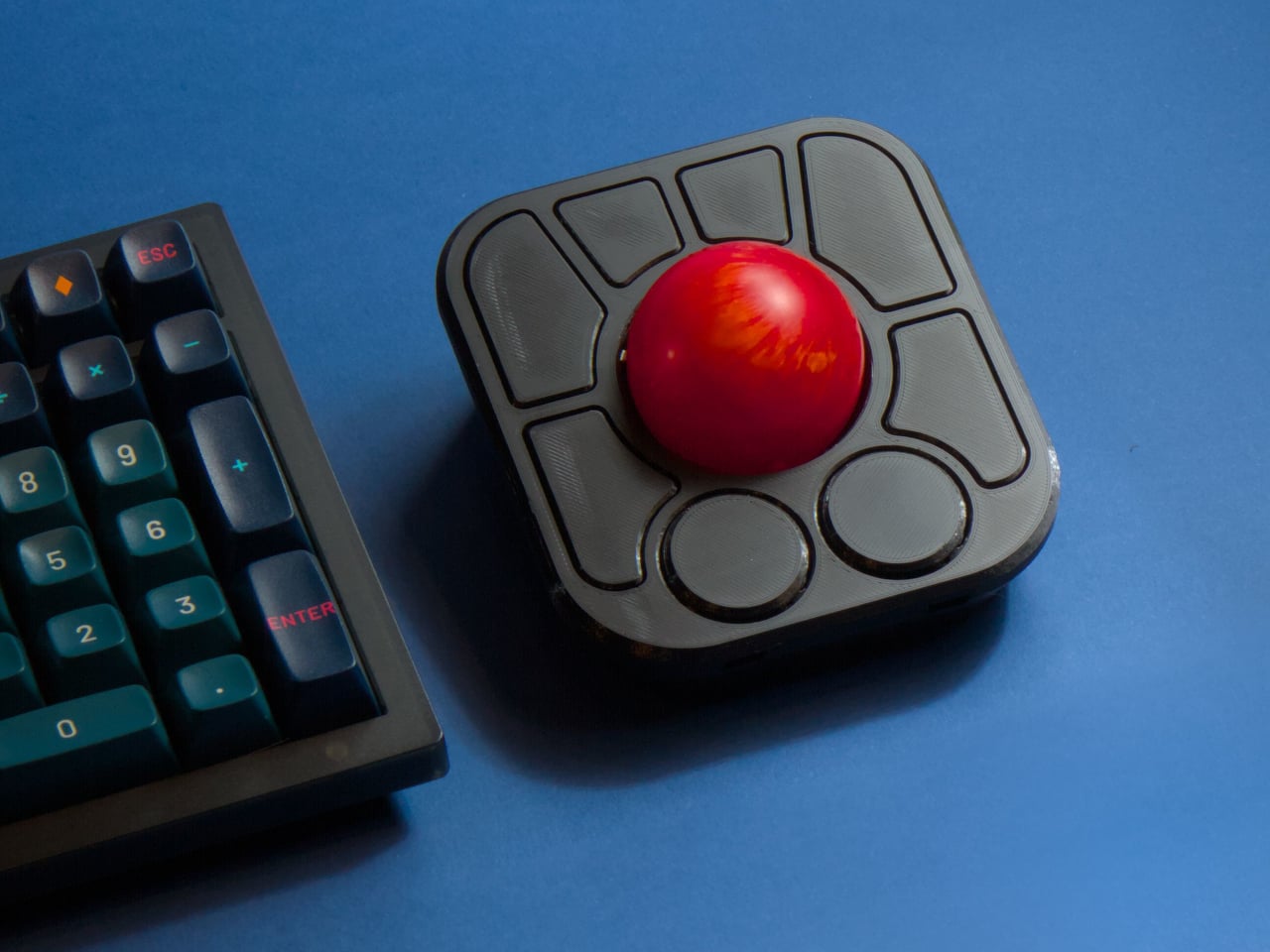
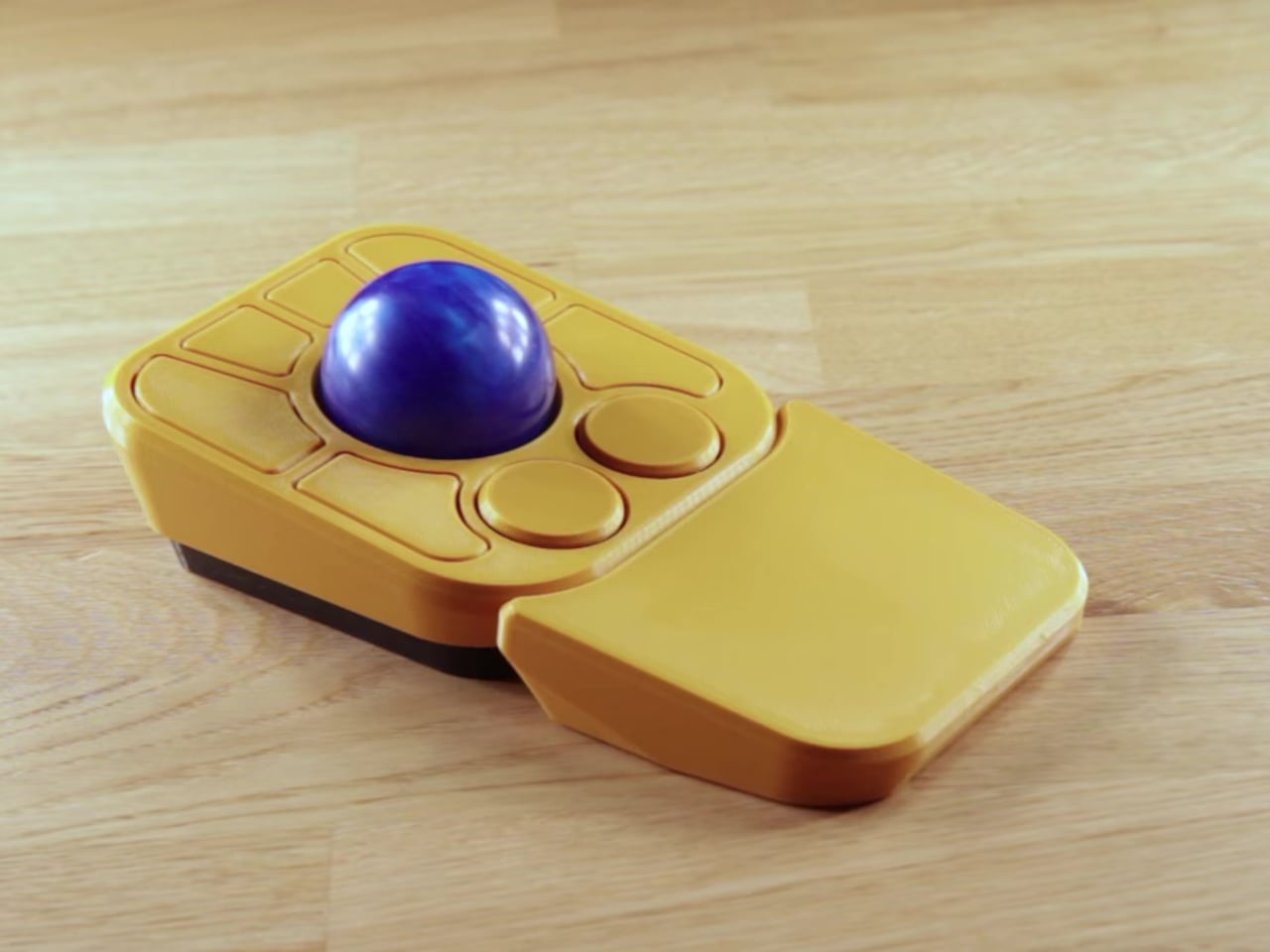
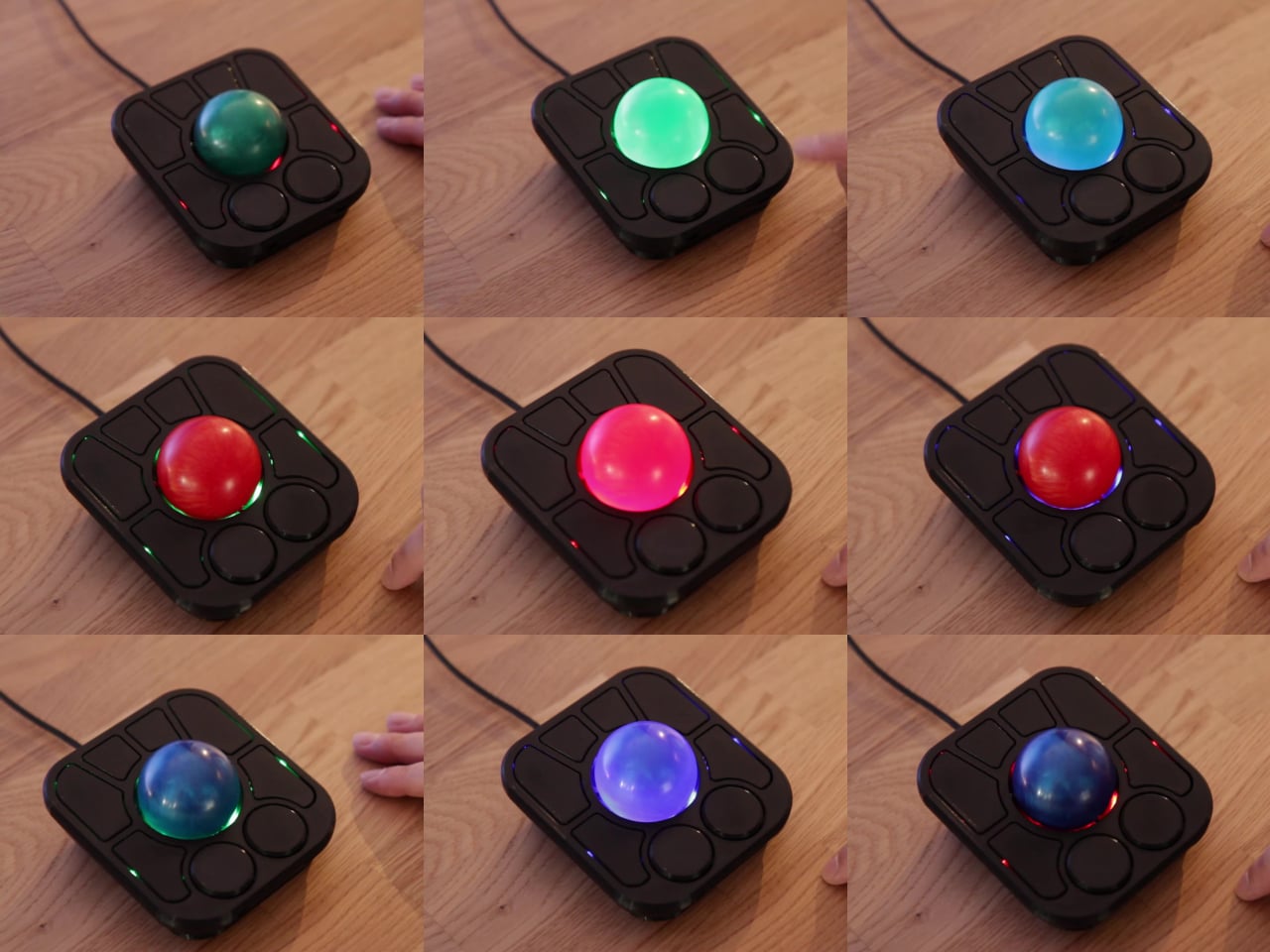
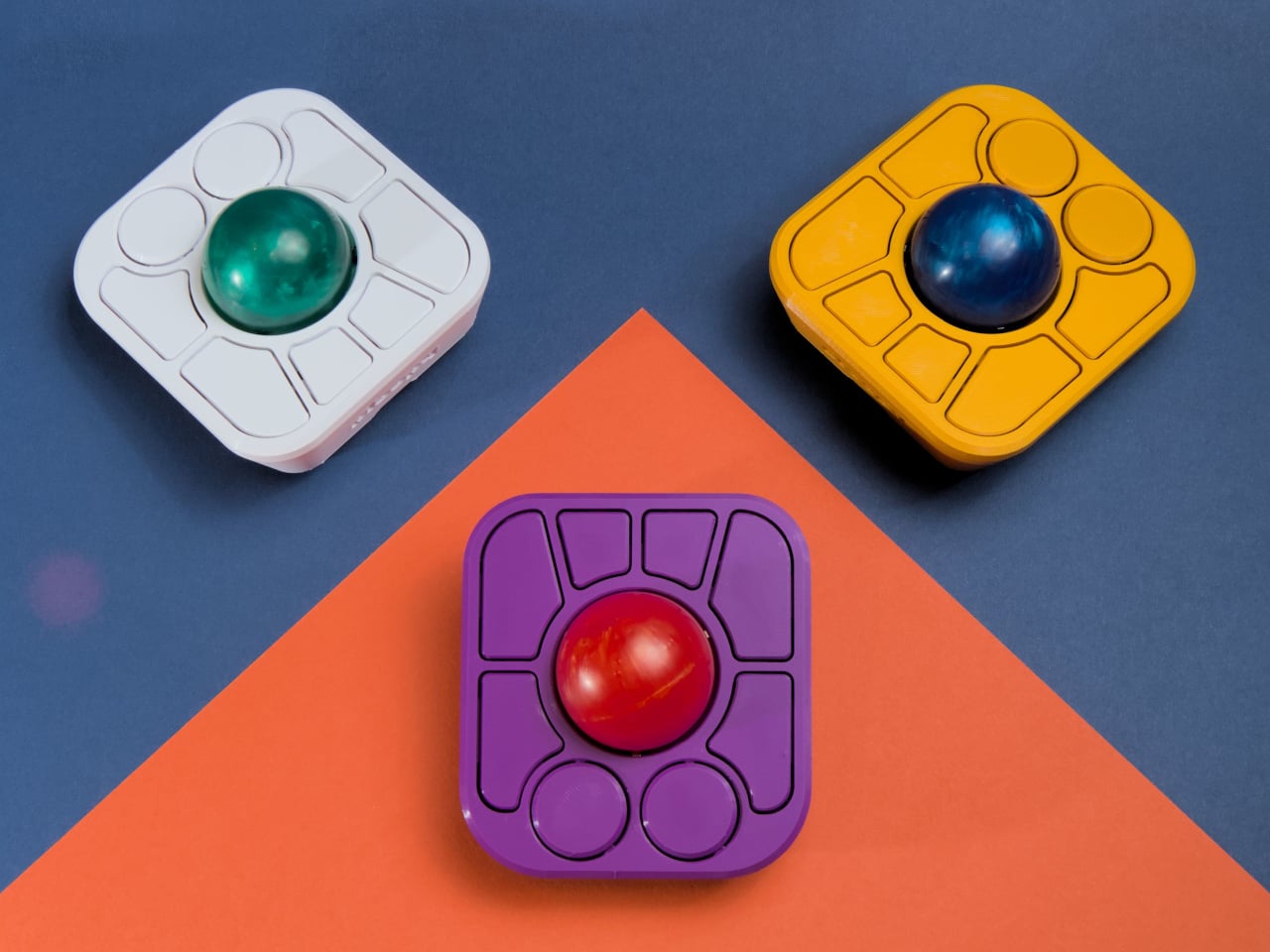
The most visible addition is the button count. The Adept had six; the A+ has eight, two of which also function as knobs. Out of the box, the knobs handle high-resolution vertical and horizontal scrolling, but both are fully reprogrammable for other functions. That dual-purpose approach keeps navigation and control within a single hand without needing a separate scroll wheel or accessory sitting alongside it.

The gesture system is arguably the more interesting addition. Hold a button and flick the ball in any of eight directions, and the device fires a command. By default, the left knob activates cut, copy, paste, desktop switching, and media controls. For someone who lives inside a browser and a text editor all day, that’s a significant amount of functionality without ever lifting a hand off the device.

Layers add another dimension. The A+ has two: a navigation layer for everyday use and a control layer accessed via the right knob. The control layer handles on-device configuration, covering left-hand mode switching, toggling between high-resolution and stepped scrolling, and other adjustments. It’s the first trackball to bring this kind of layered behavior, working entirely without any software running on the host computer. There are also two bright LEDs that can be used to visually tell you what layer you’re on without having to rely on some embedded screen.

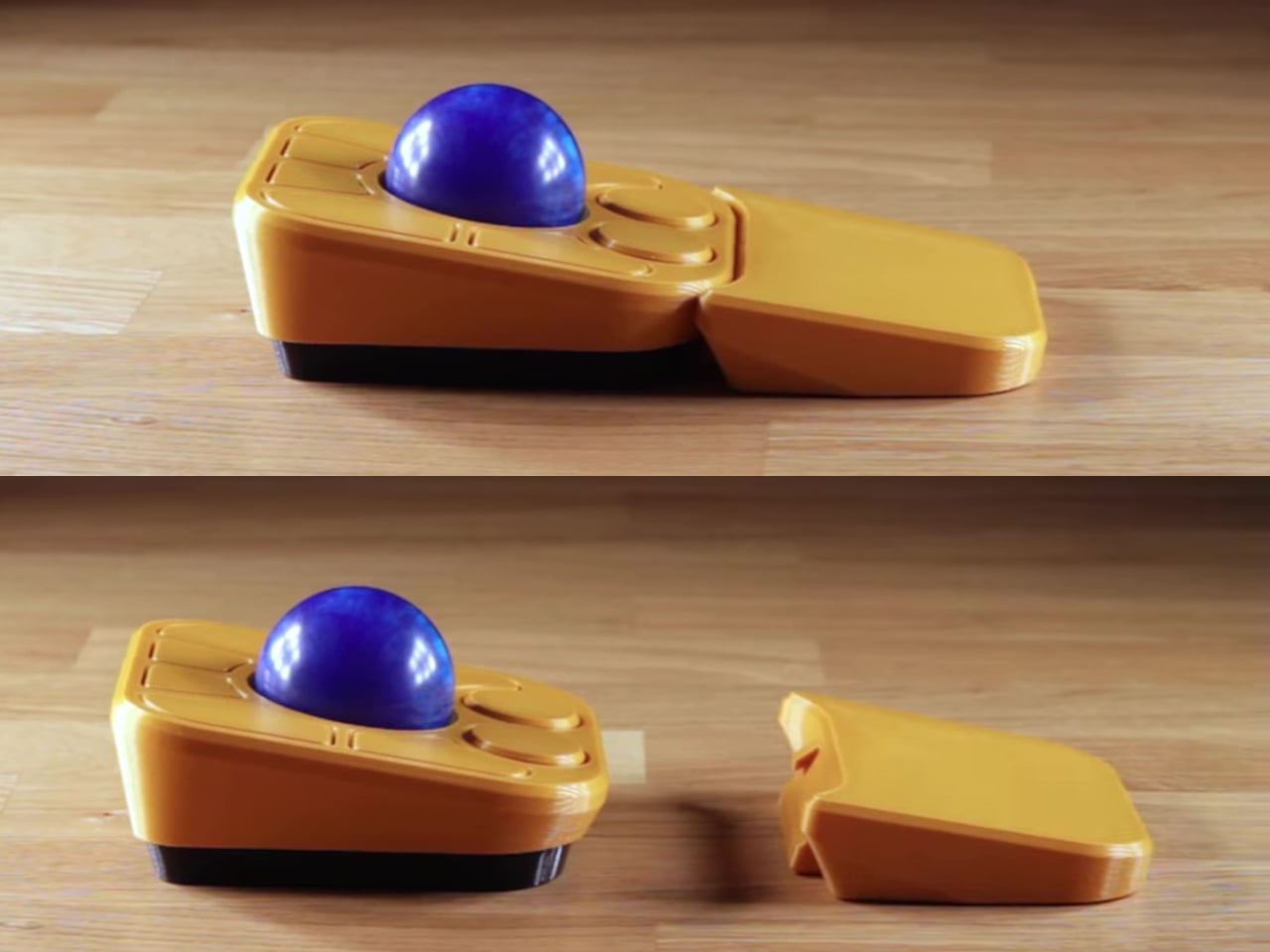
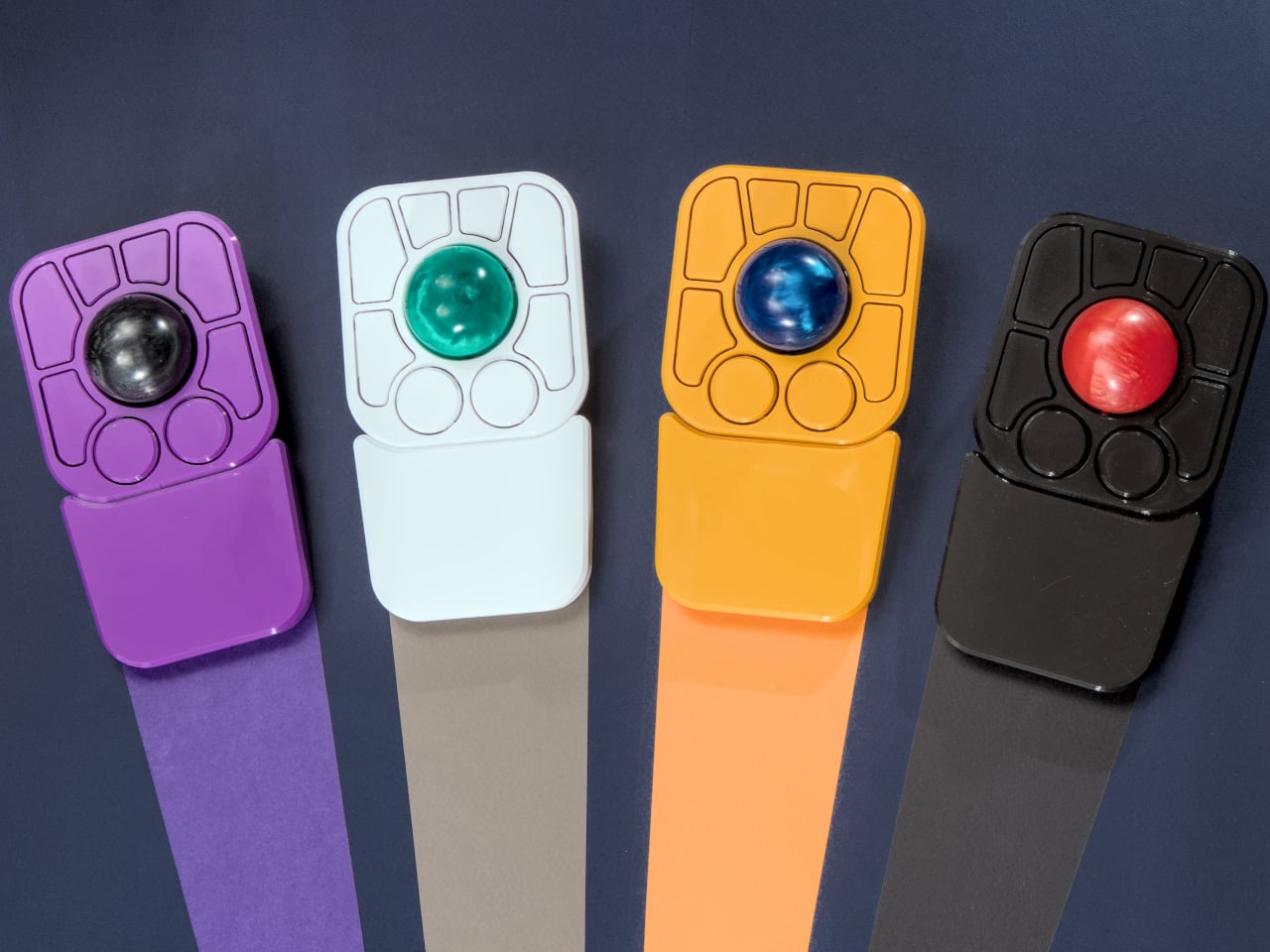
The detachable wrist rest is another long-promised feature that finally arrives with the A+. It slots in or out during use and can be screwed on permanently if preferred. The device stays ambidextrous throughout, and its 3D-printed shell means the community can print modified bodies, alter the layout, or swap in custom colors. That kind of adaptability isn’t an afterthought; it’s part of how the whole thing is designed.

The Pixart PMW-3360 sensor carries over from the Adept, running at a 1,000Hz polling rate with the tracking accuracy that has made it a standard for performance-oriented pointing devices. Omron D2LS-21 switches handle the physical buttons. The firmware remains QMK, configurable through VIA, with all design files, firmware, and assembly instructions freely available on GitHub. Kits start at $99 CAD.

The post This $99 Trackball Has Gesture Controls That Work Without Any Software first appeared on Yanko Design.

  •  

Streaming Took Something From Us. The ENSA T1 Wants It Back

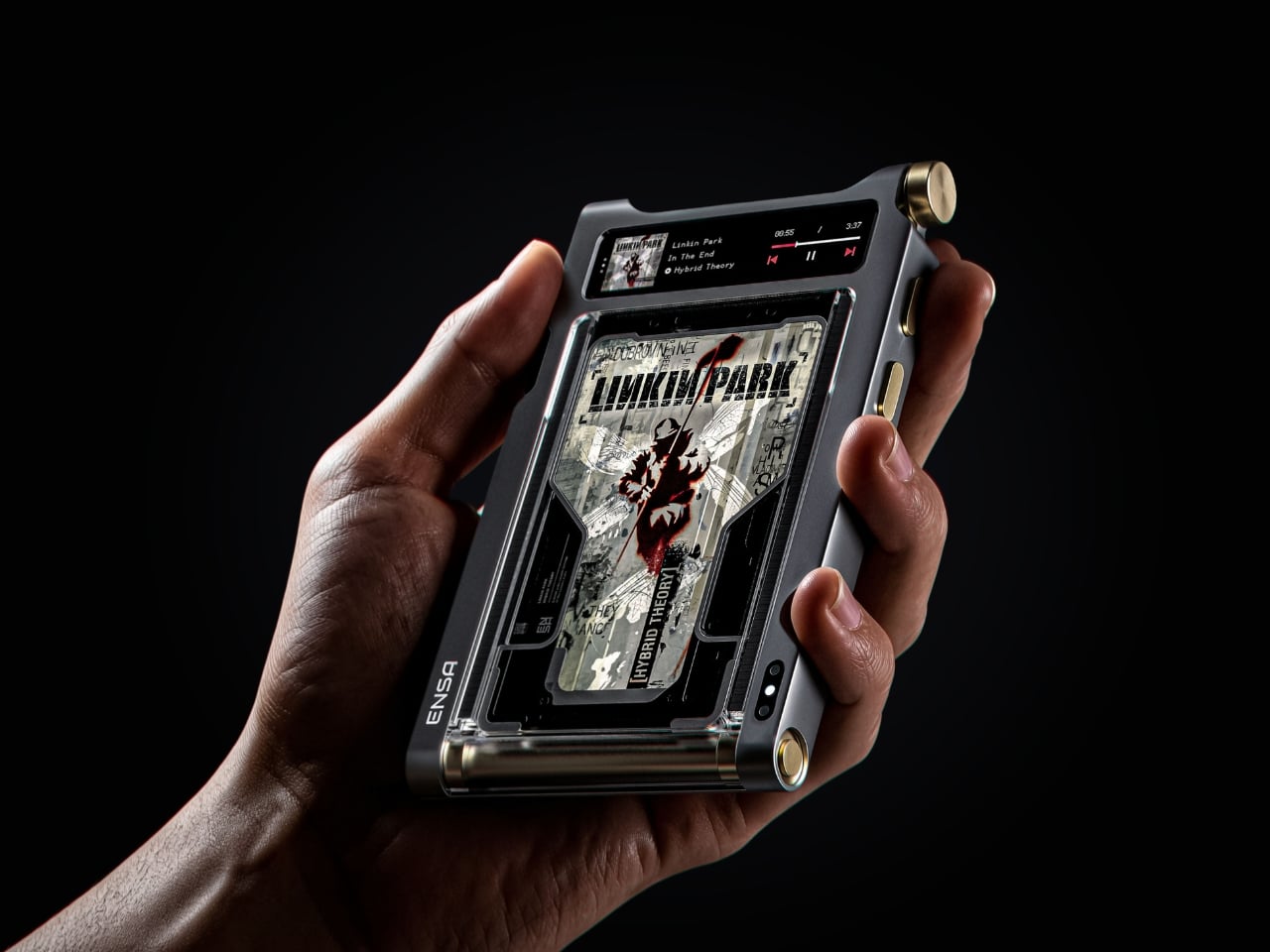
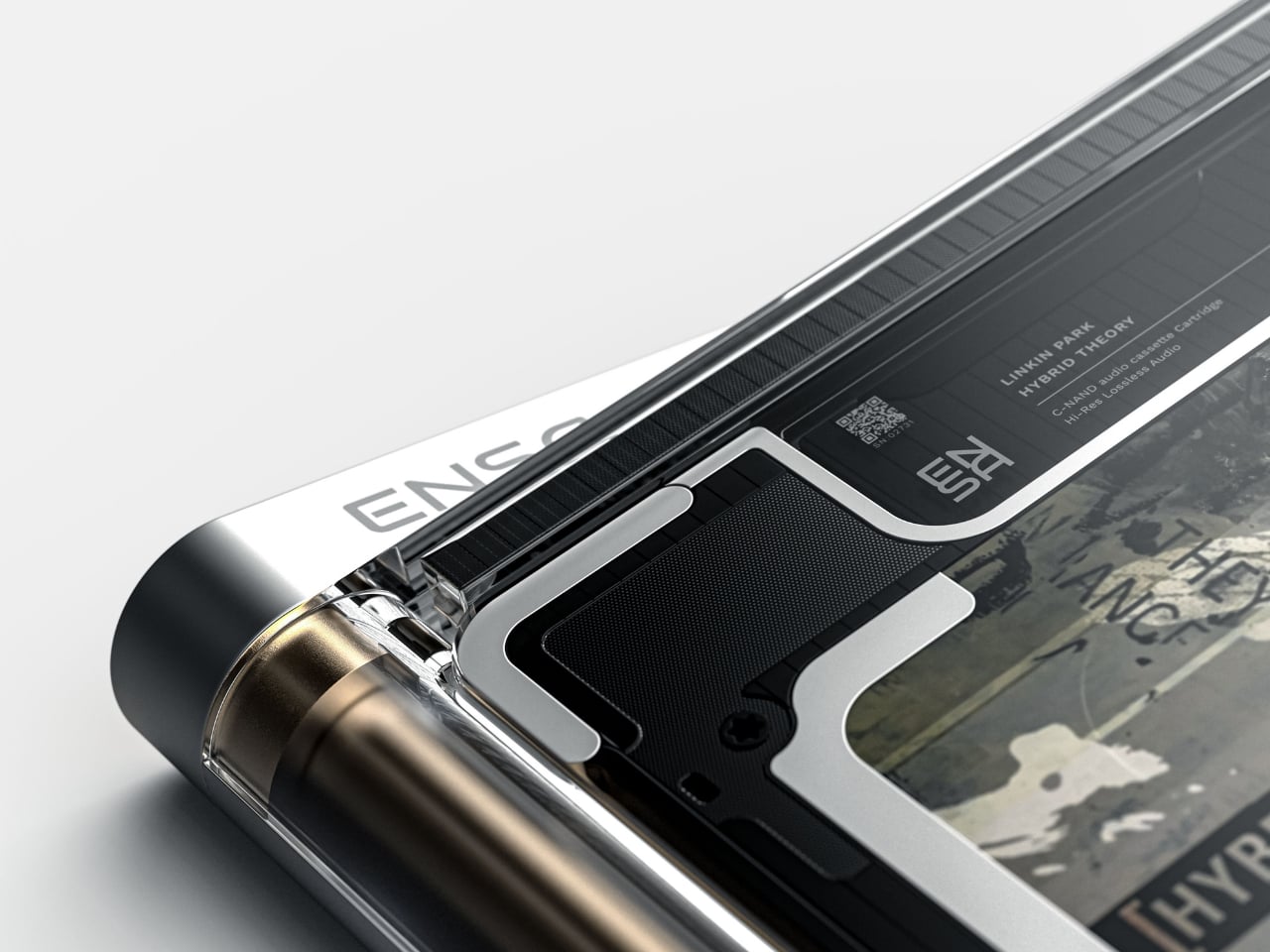
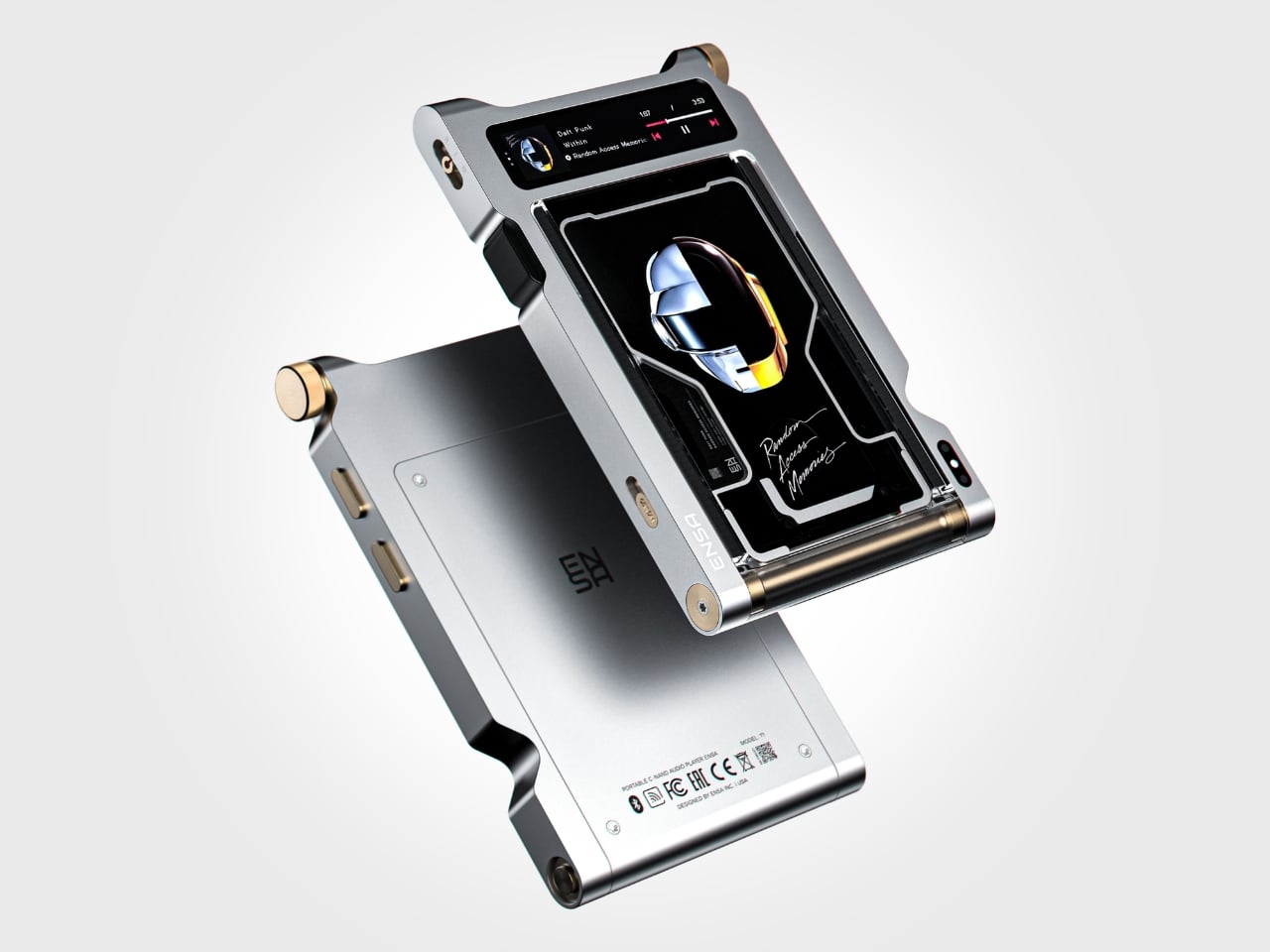
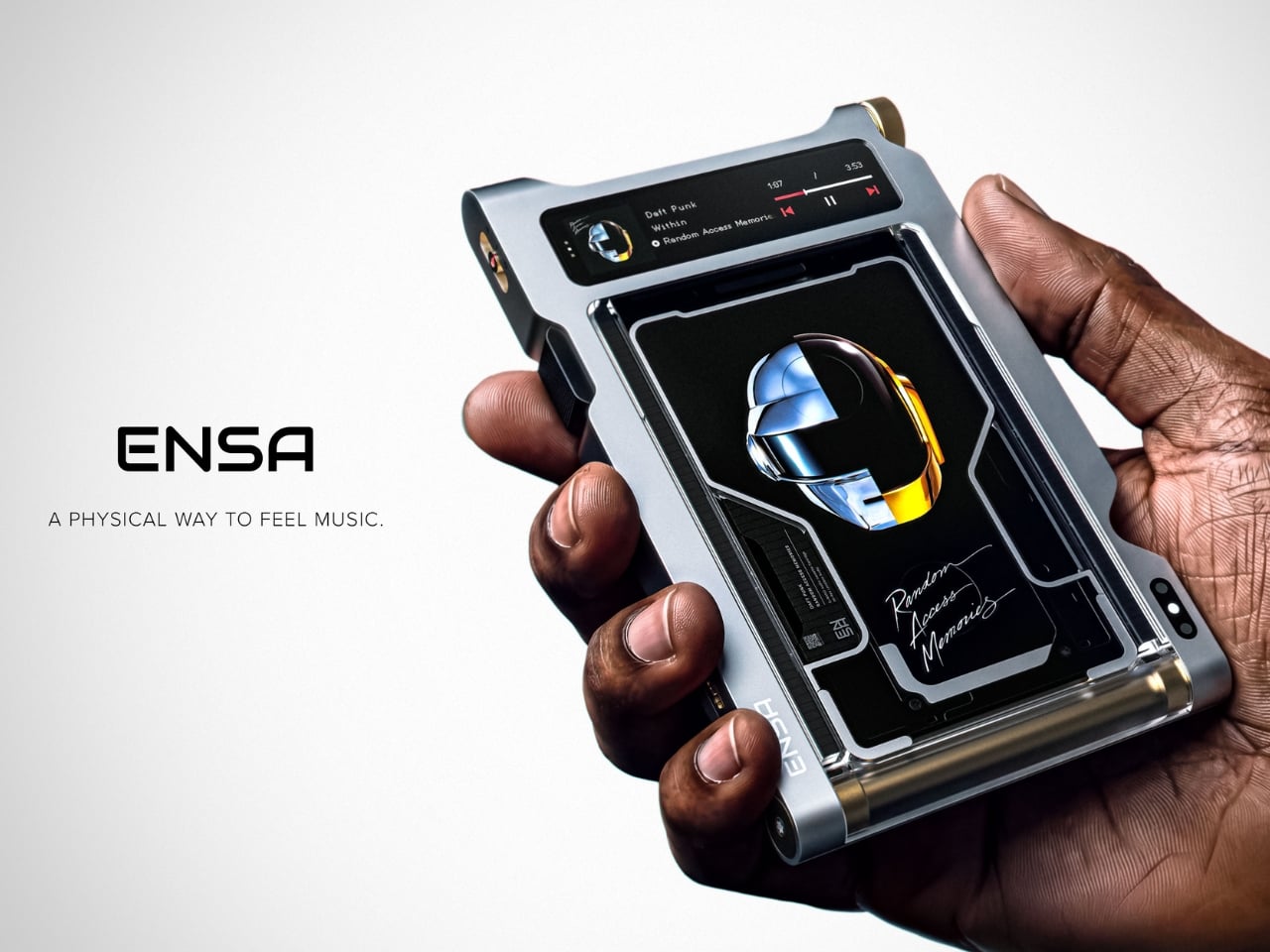
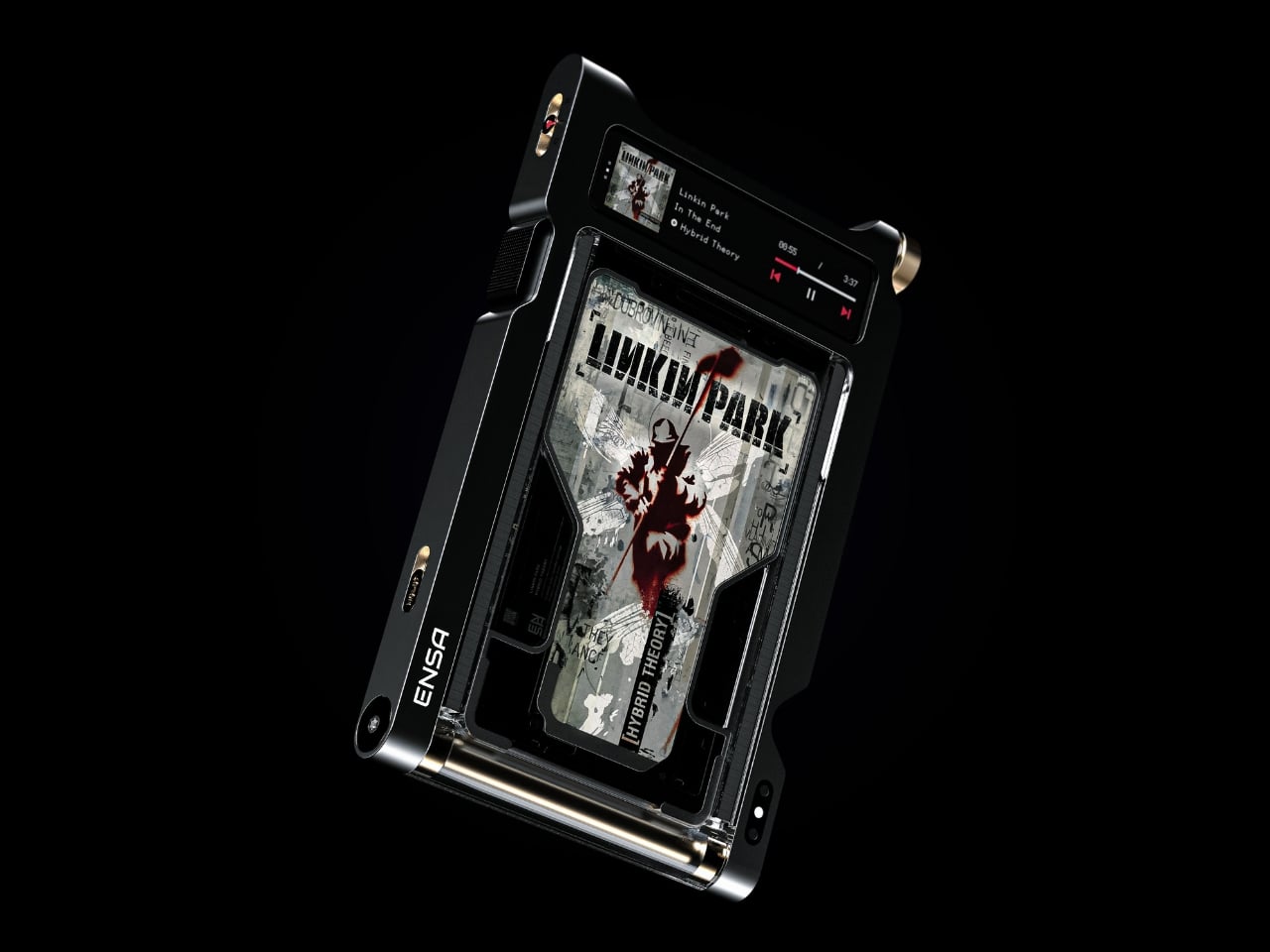
Do you remember the last time music actually demanded something of you? Not just your attention while you scrolled, but your hands. The deliberate pull of a record from its sleeve. The small, mechanical click of a CD case. The unhurried ritual that came before every song, every mood shift, every late-night session on the floor with the volume just loud enough. Vladimir Dubrovin remembers. The California-based multidisciplinary designer has been quietly building a case for returning physicality to the act of listening, and with the ENSA T1, his latest concept design, the argument gets considerably harder to dismiss.

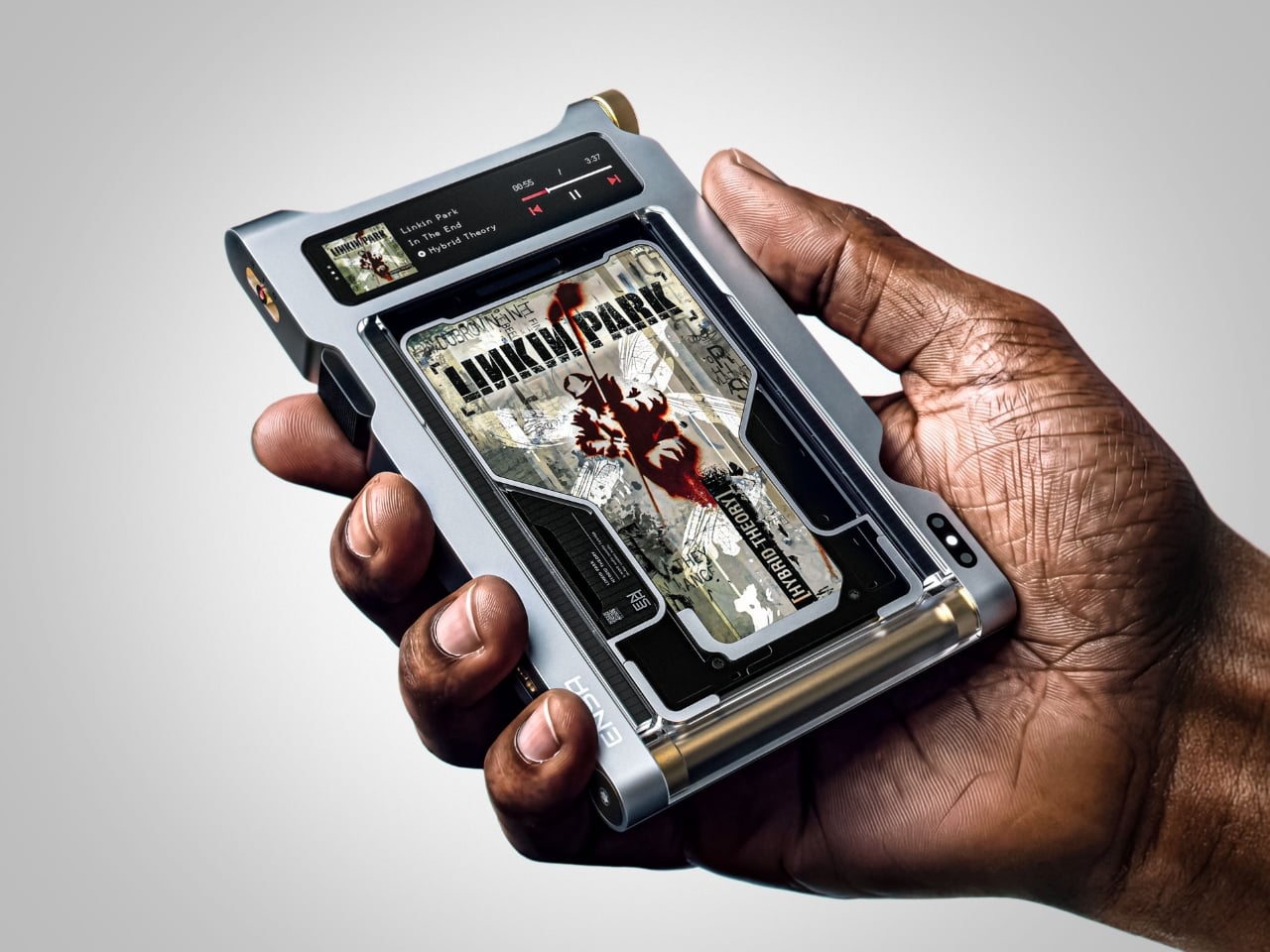
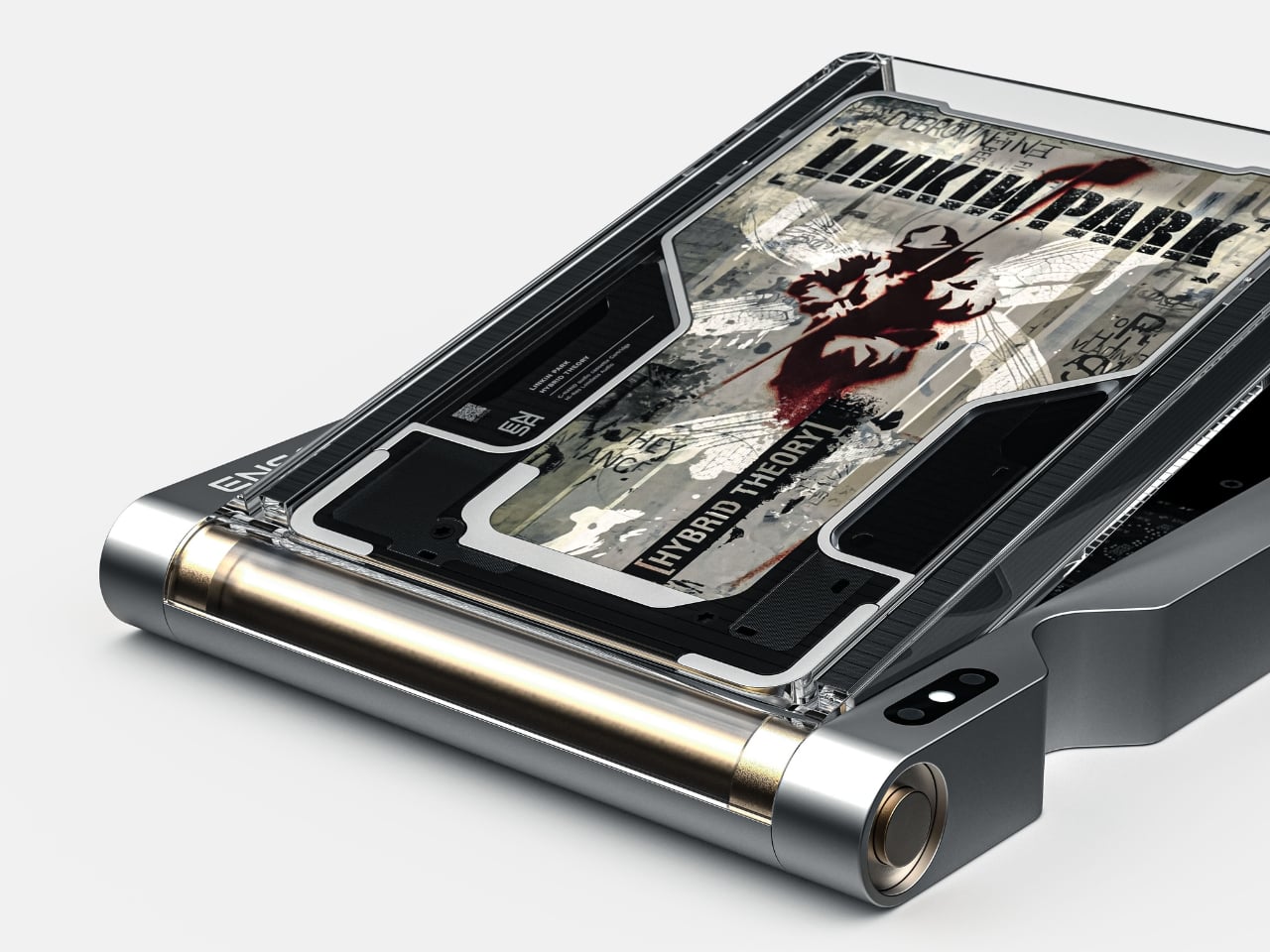
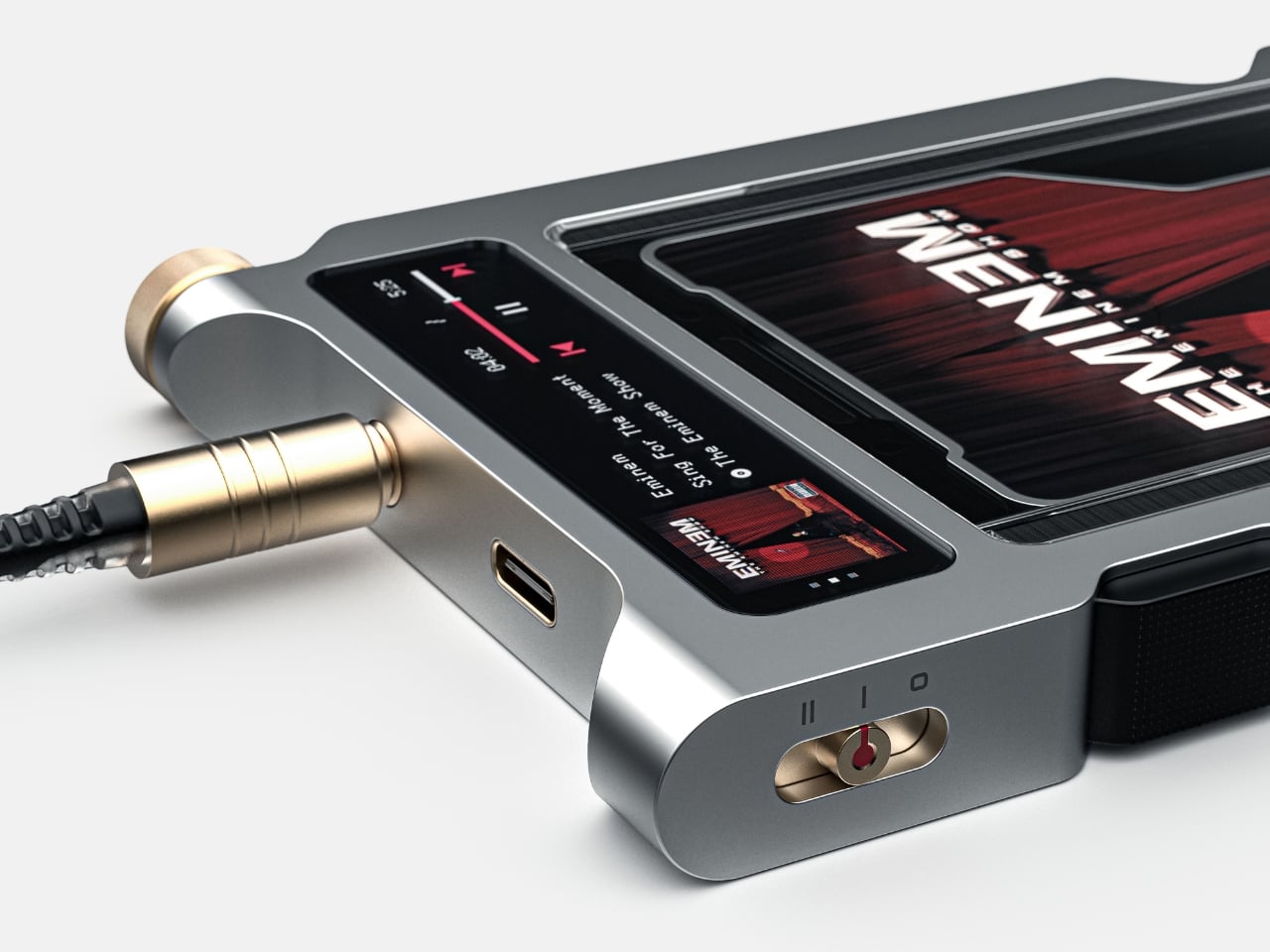
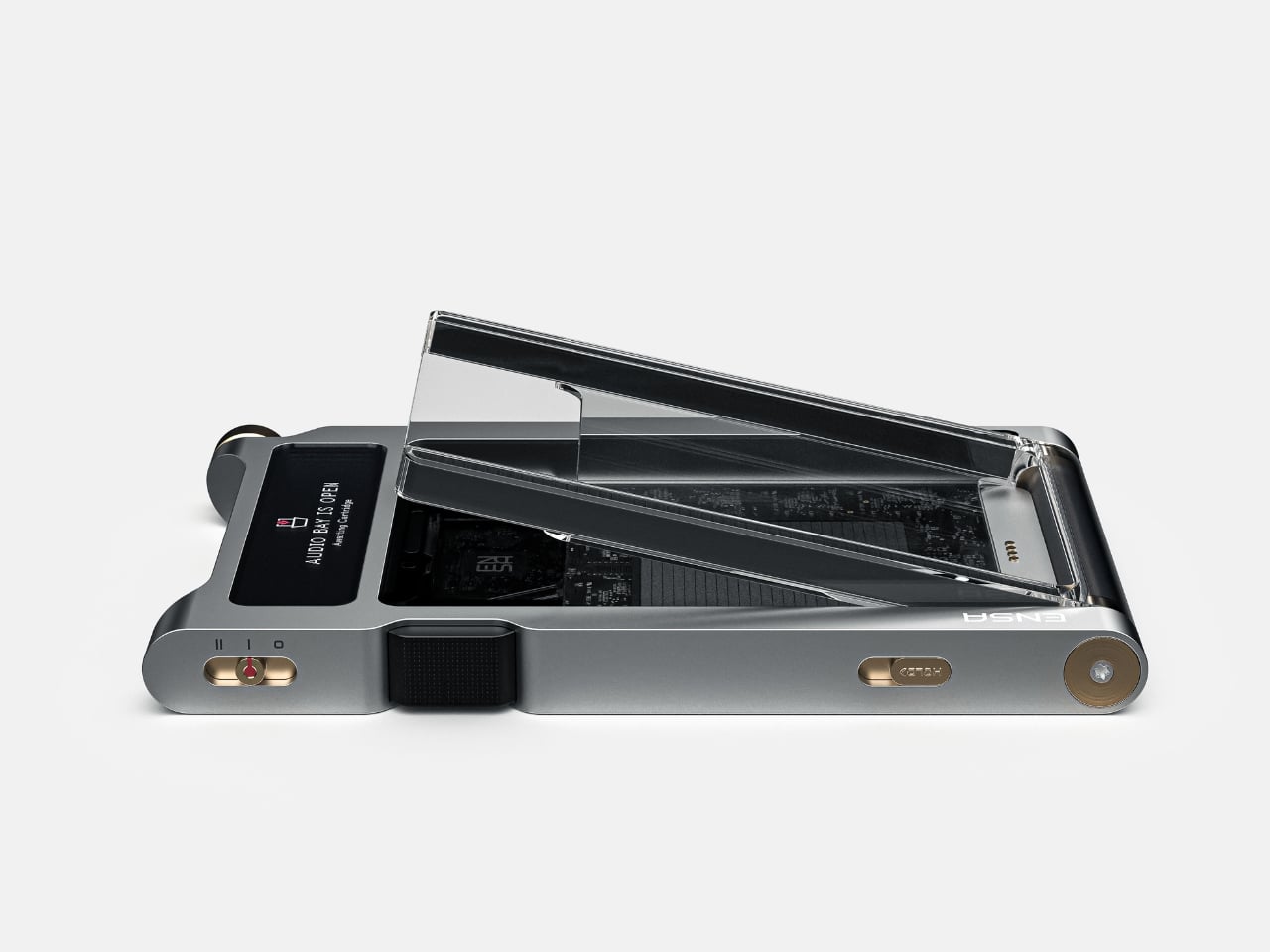
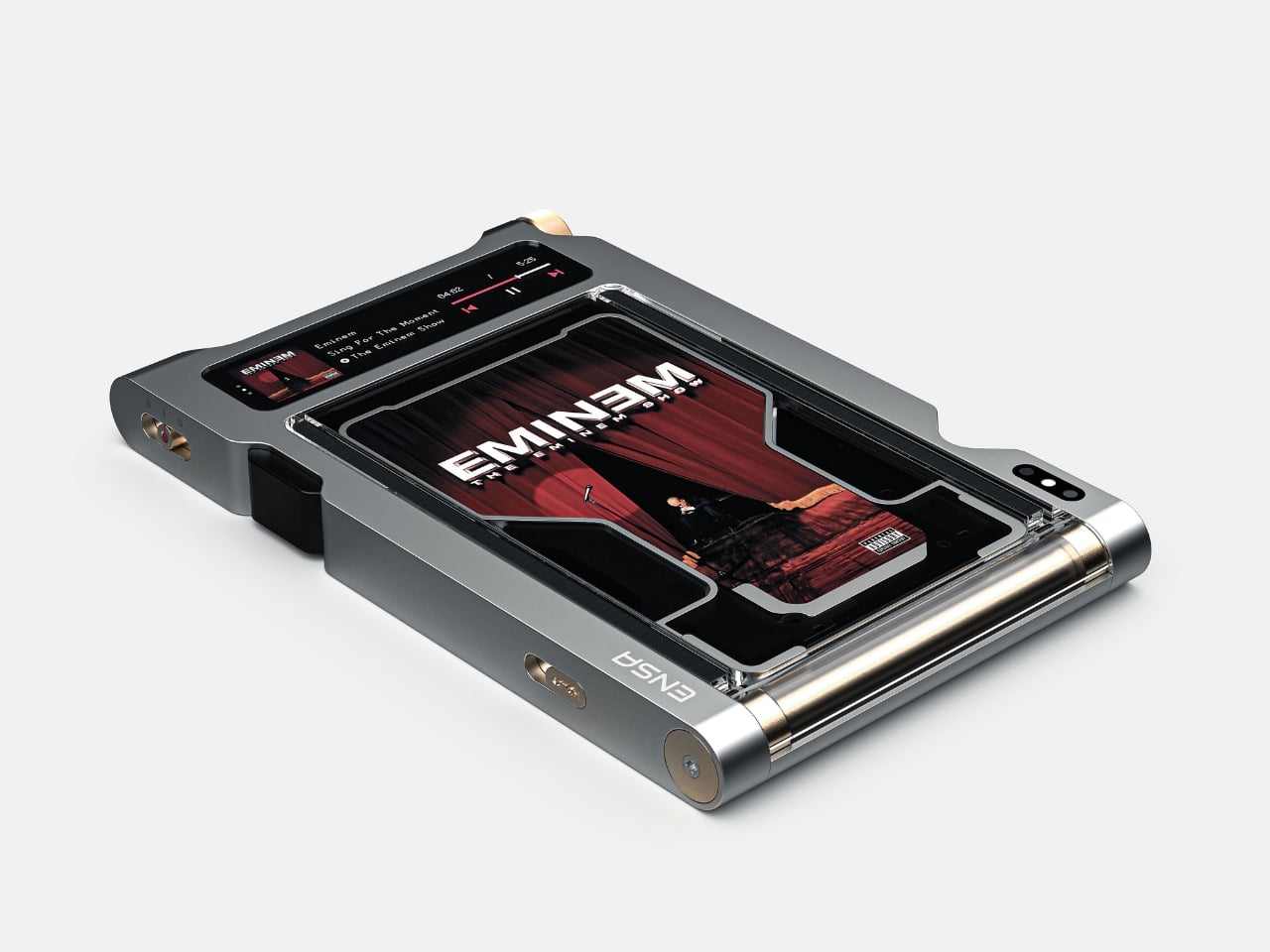
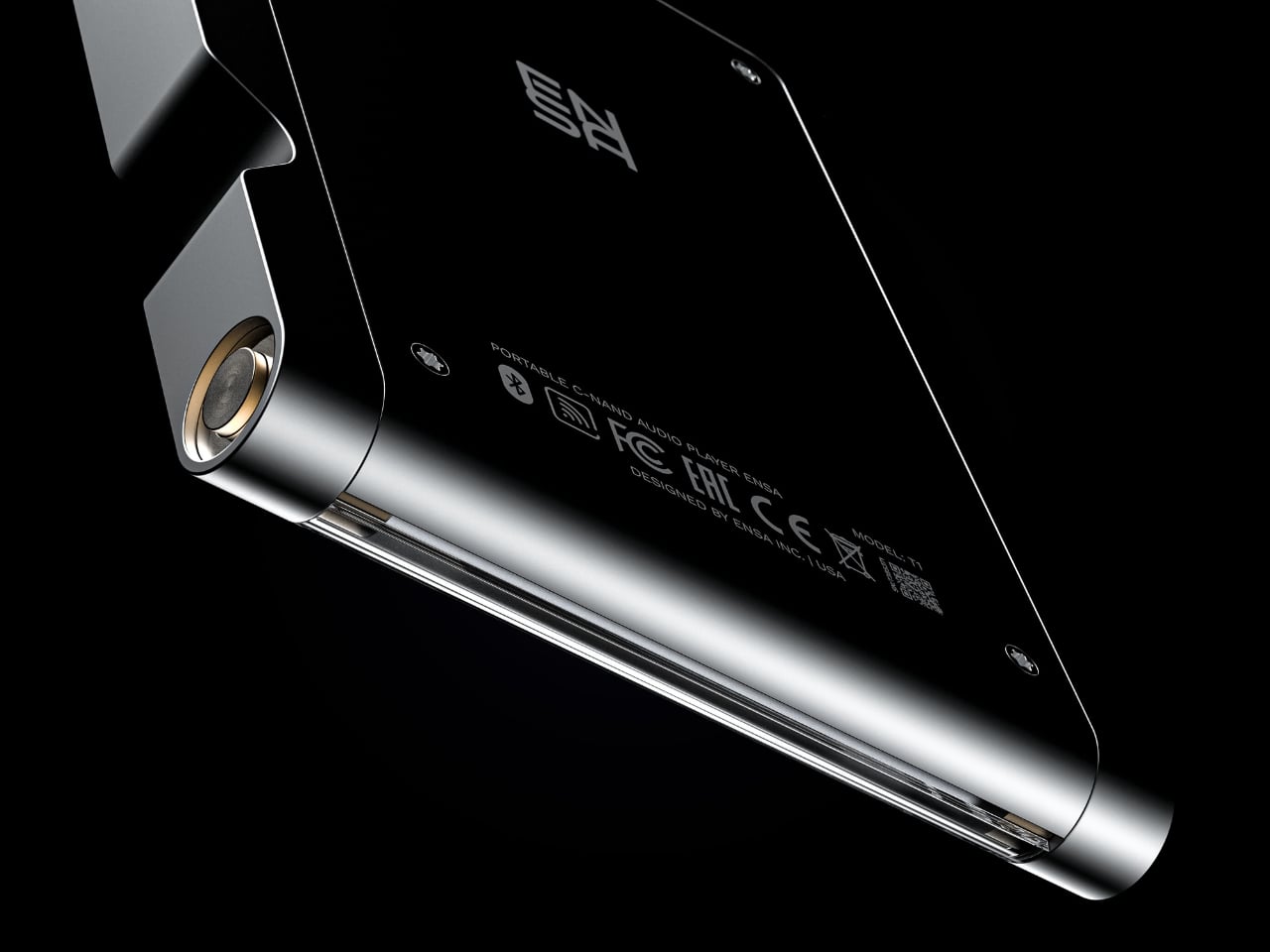
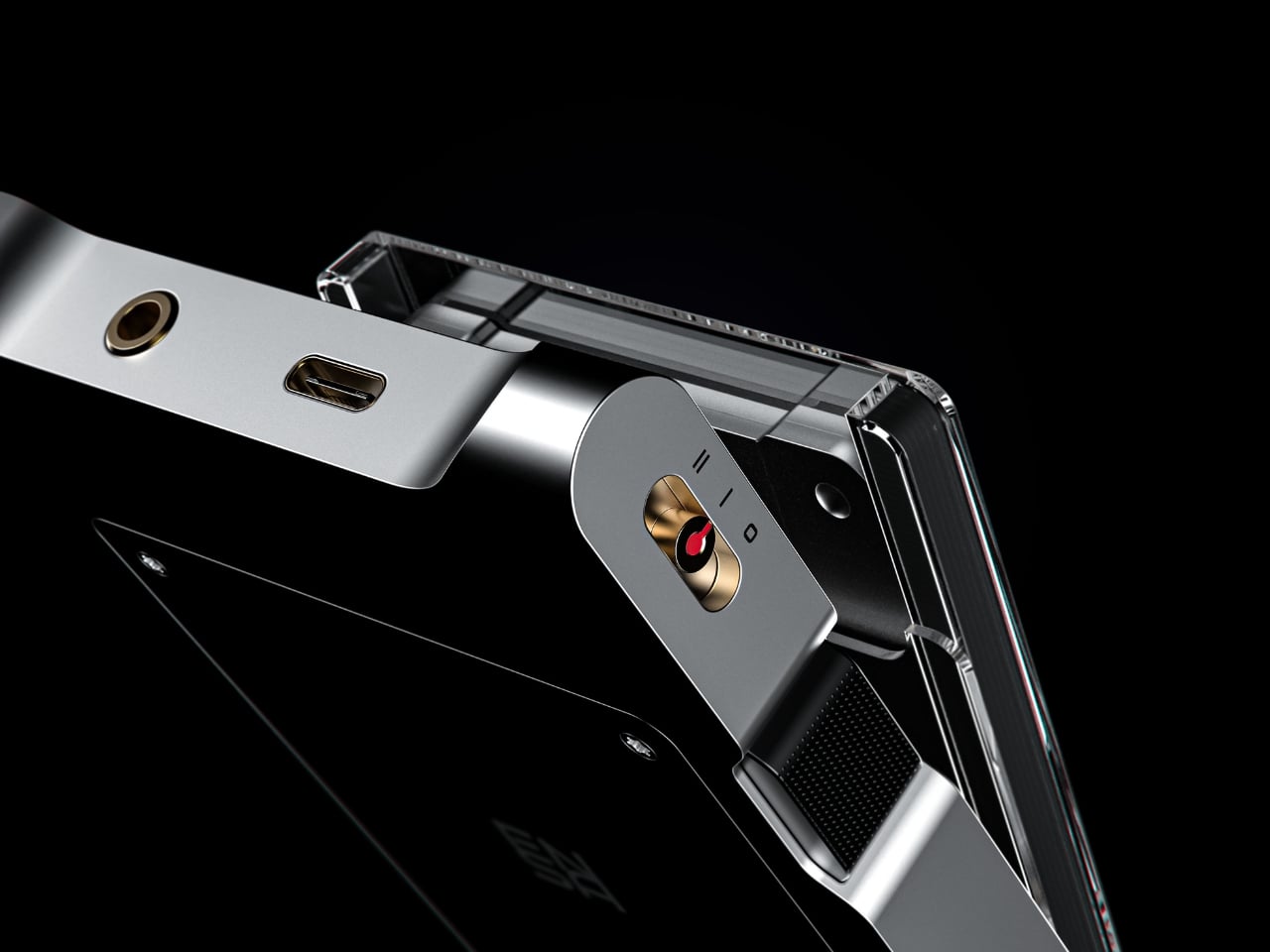
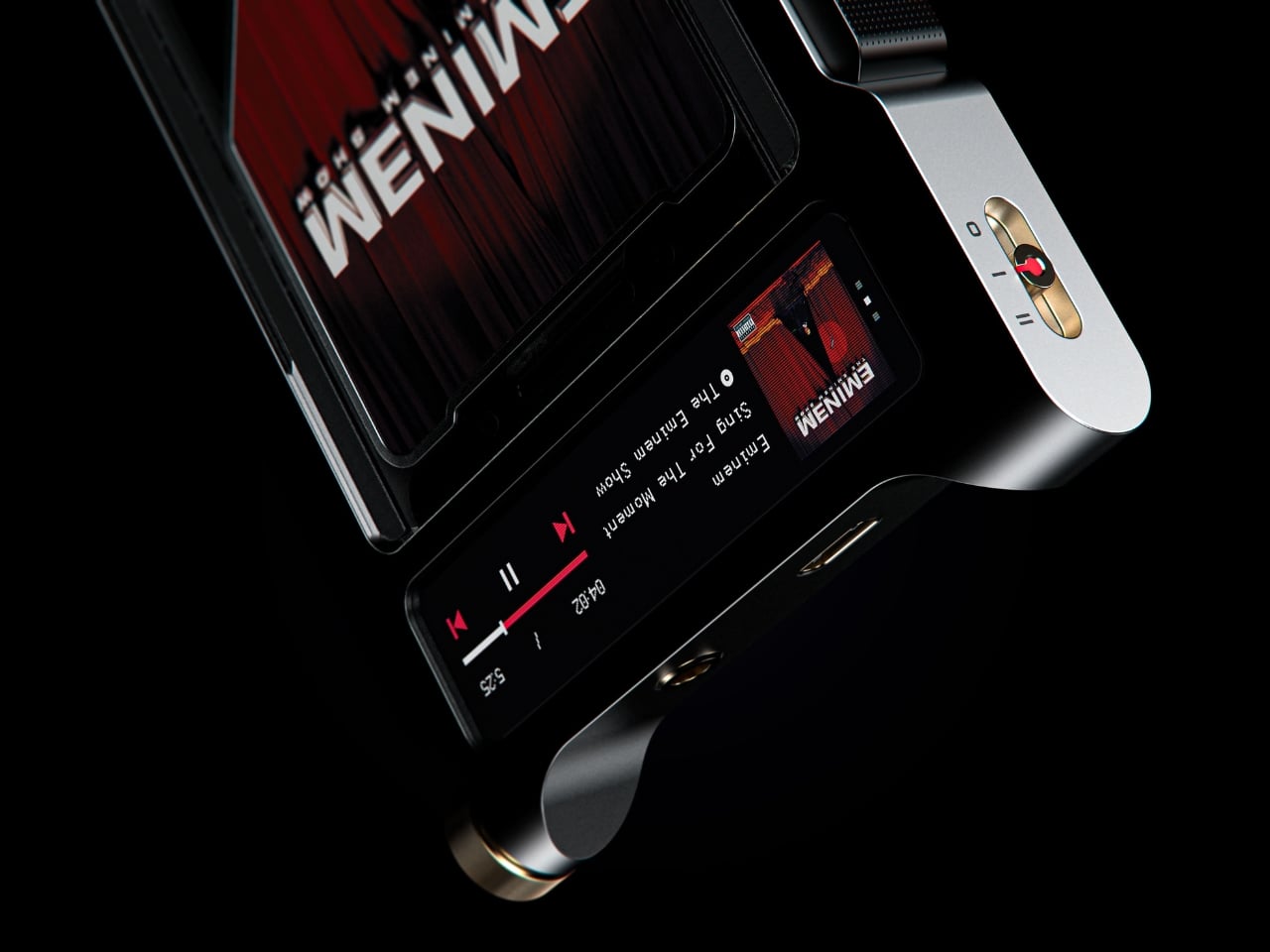
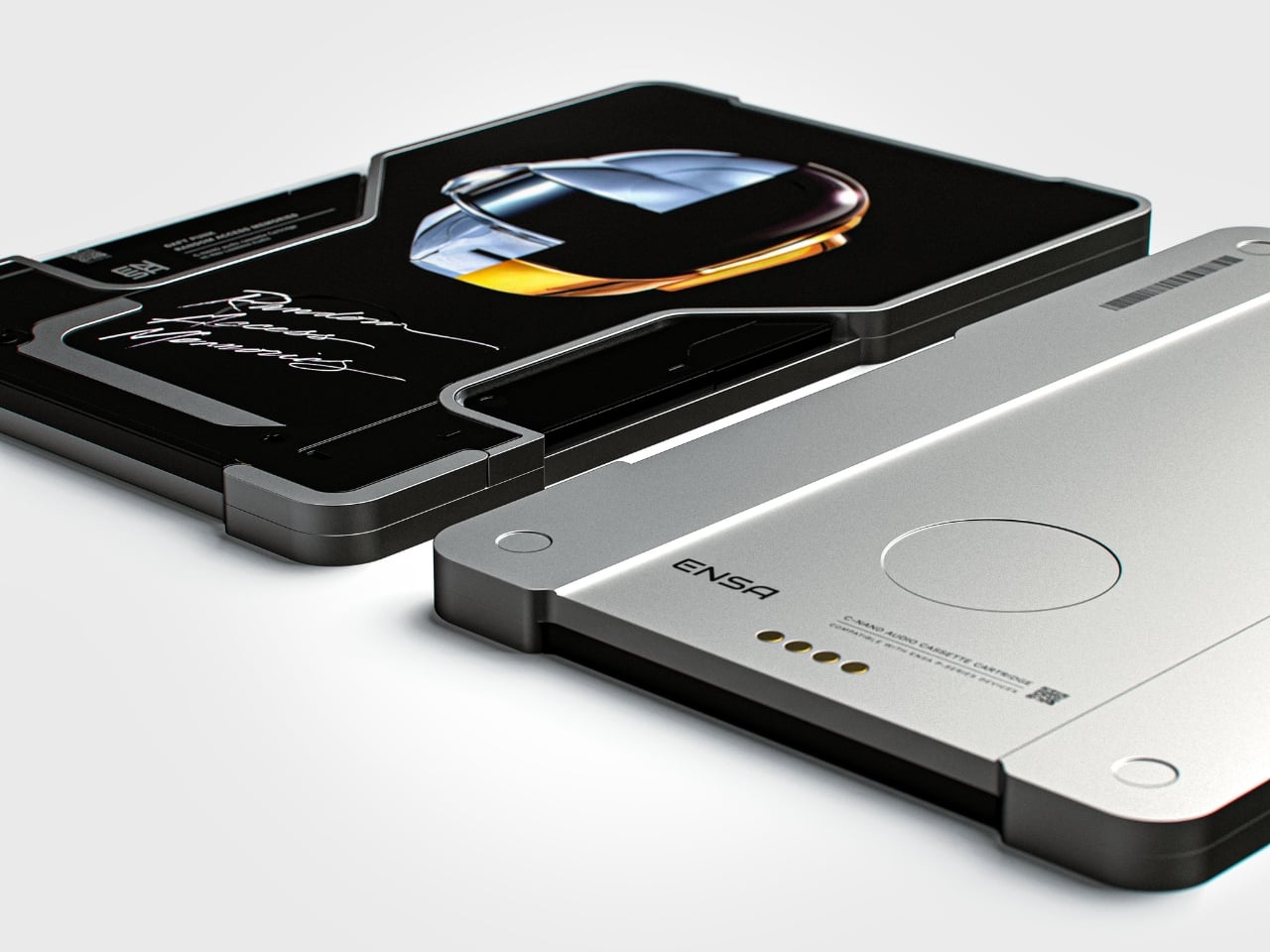
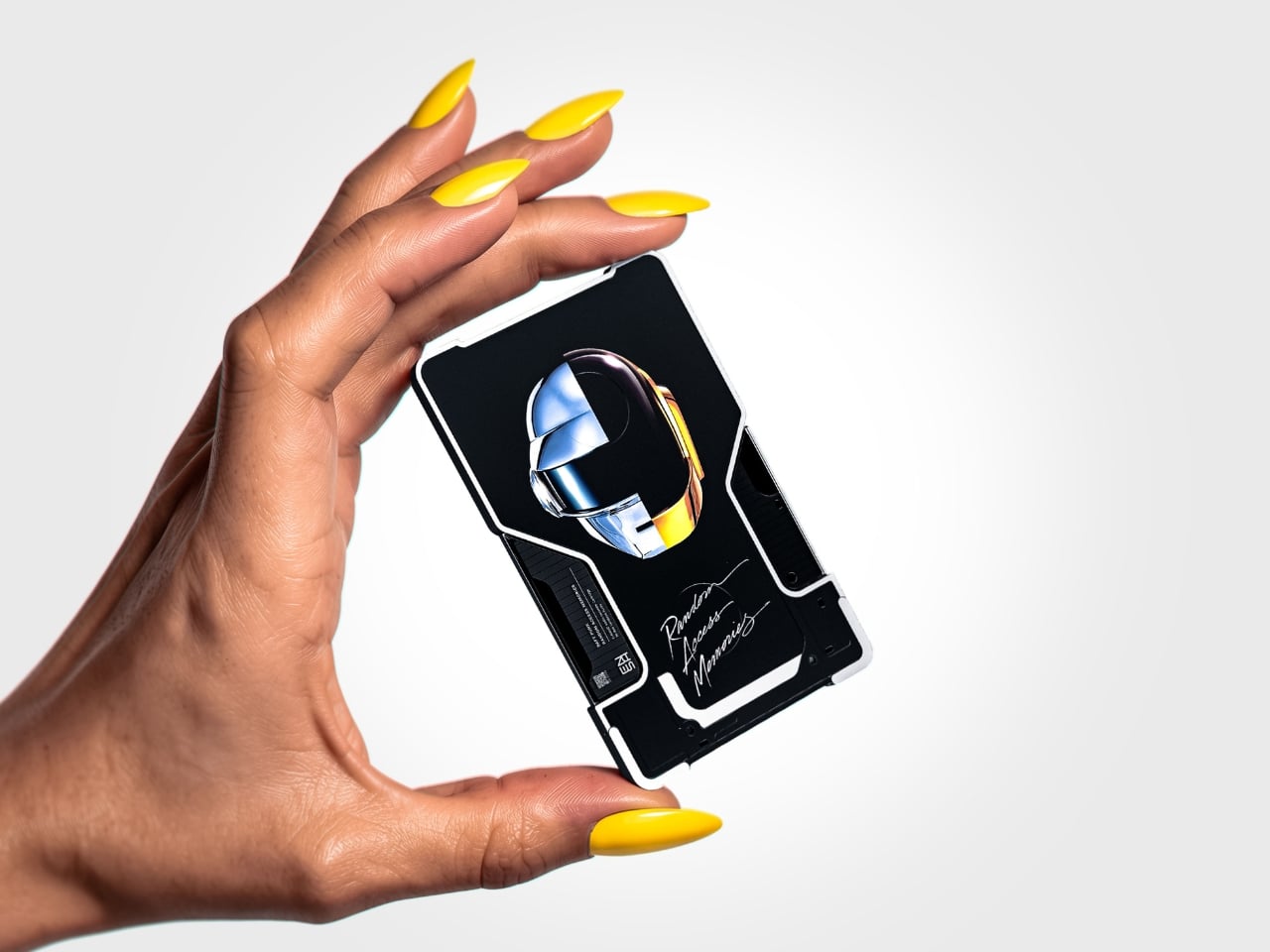
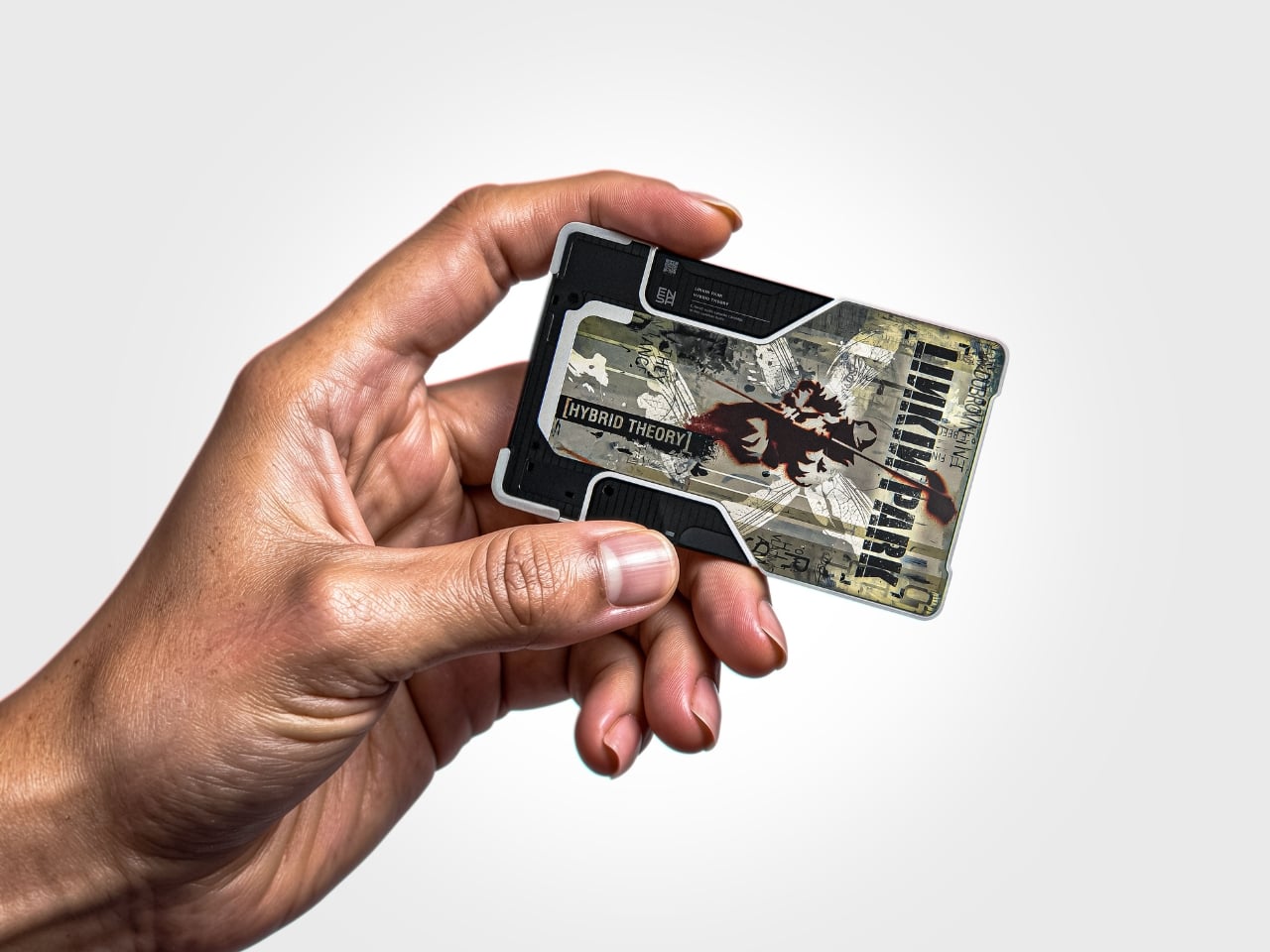
The T1 is the newest addition to Dubrovin’s ENSA line, an evolving design series that began with the ENSA P1, a portable audio player concept that reimagined what a music device could look and feel like in the post-streaming era. The P1 introduced Dubrovin’s concept of C-NAND cartridges: small, disc-shaped, solid-state storage units where each cartridge holds one complete album. There are no moving parts, no spinning mechanisms. They’re fully digital in how they handle audio, but they exist in the physical world the way vinyl does. You pick one up, turn it over, look at it, choose it. The act of choosing your music becomes deliberate again, and that matters more than it sounds.

Designer: Vladimir Dubrovin

Where the P1 was built for portability and kept its design trim and pocketable, the T1 feels like the next chapter. Visually and conceptually, it carries the same DNA: clean, considered industrial design with an aluminum body and restrained detailing. But the T1 reads as something more anchored, a device you set somewhere permanent and return to, rather than slip into a bag. It’s a design that seems to understand the difference between music you consume and music you actually sit down for.

Aesthetically, Dubrovin’s approach has always felt less like tech product design and more like furniture-level thinking. The ENSA devices belong to the same visual conversation as early Braun electronics or a Dieter Rams concept sketch, where every detail either earns its place or gets removed entirely. The T1 continues that restraint. Its form doesn’t shout, which is precisely why it catches your eye. In a market saturated with speakers shaped like pebbles and smart displays with glowing rings, an audio device that looks like it was designed by someone who genuinely thought about what it means to own a piece of music is genuinely refreshing.

The broader question Dubrovin keeps posing with the ENSA project is one worth sitting with: what did we actually lose when music went weightless? Streaming solved convenience so completely that most of us never stopped to notice what the tradeoff cost. We gained access to everything and lost the kind of focus that comes from committing to a single album, from having music you could see, hold, or lend to a friend. The ENSA T1 is not trying to compete with Spotify. It’s asking whether the experience of music could mean something again, even if you have to build an entirely new format to get there.

It’s a concept project, not a product you can buy, and the realist in me knows that’s a significant caveat. Building out a new physical media format in 2026 is an uphill proposition at best. The infrastructure alone, manufacturing cartridges, convincing labels, and getting devices into homes, would require a level of industry commitment that’s difficult to imagine right now. But design concepts don’t have to ship to matter. The best ones articulate a desire most people feel but haven’t named yet, and the ENSA T1 does exactly that. The desire for music that has weight, that takes up space, that gives you something to do with your hands before the first note plays.

That’s why Dubrovin’s work keeps getting attention. The ENSA line isn’t nostalgic in the way that feels defensive or retrograde. It’s just honest about the fact that we traded something real for something convenient, and it’s asking, politely but persistently, if we’d like it back.

The post Streaming Took Something From Us. The ENSA T1 Wants It Back first appeared on Yanko Design.

  •  

Honor Robot Phone Hands-on: Bold Phone With A Moving Camera Few Can Buy

After many teasers and demos, the Honor Robot Phone has finally and officially launched in China. It is also staying exclusive to the Chinese market for now, with Honor not planning an international release at this stage. That alone will make it a frustratingly out-of-reach device for many, because this is one of the rare smartphones that feels genuinely different at first glance.

Part of the reason the launch has drawn so much interest is that Honor first revealed the Robot Phone at MWC earlier this year, where it quickly became one of the event’s biggest conversation pieces. Even in a show packed with concept hardware and camera claims, this was the device that made people stop, stare, and ask how it actually worked. Now that it has moved from trade show reveal to commercial launch, the Robot Phone still feels just as unusual.

Designer: HONOR
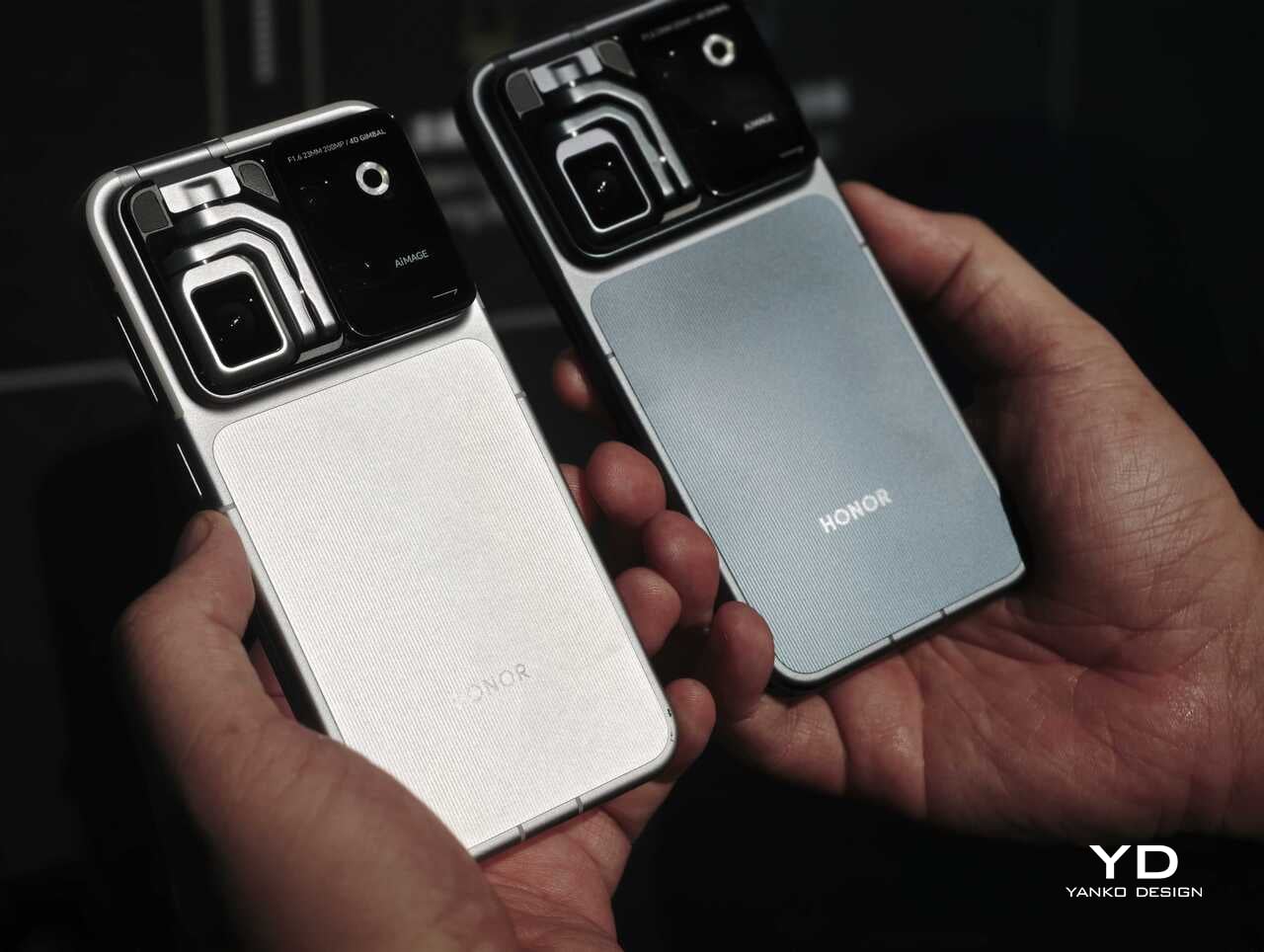
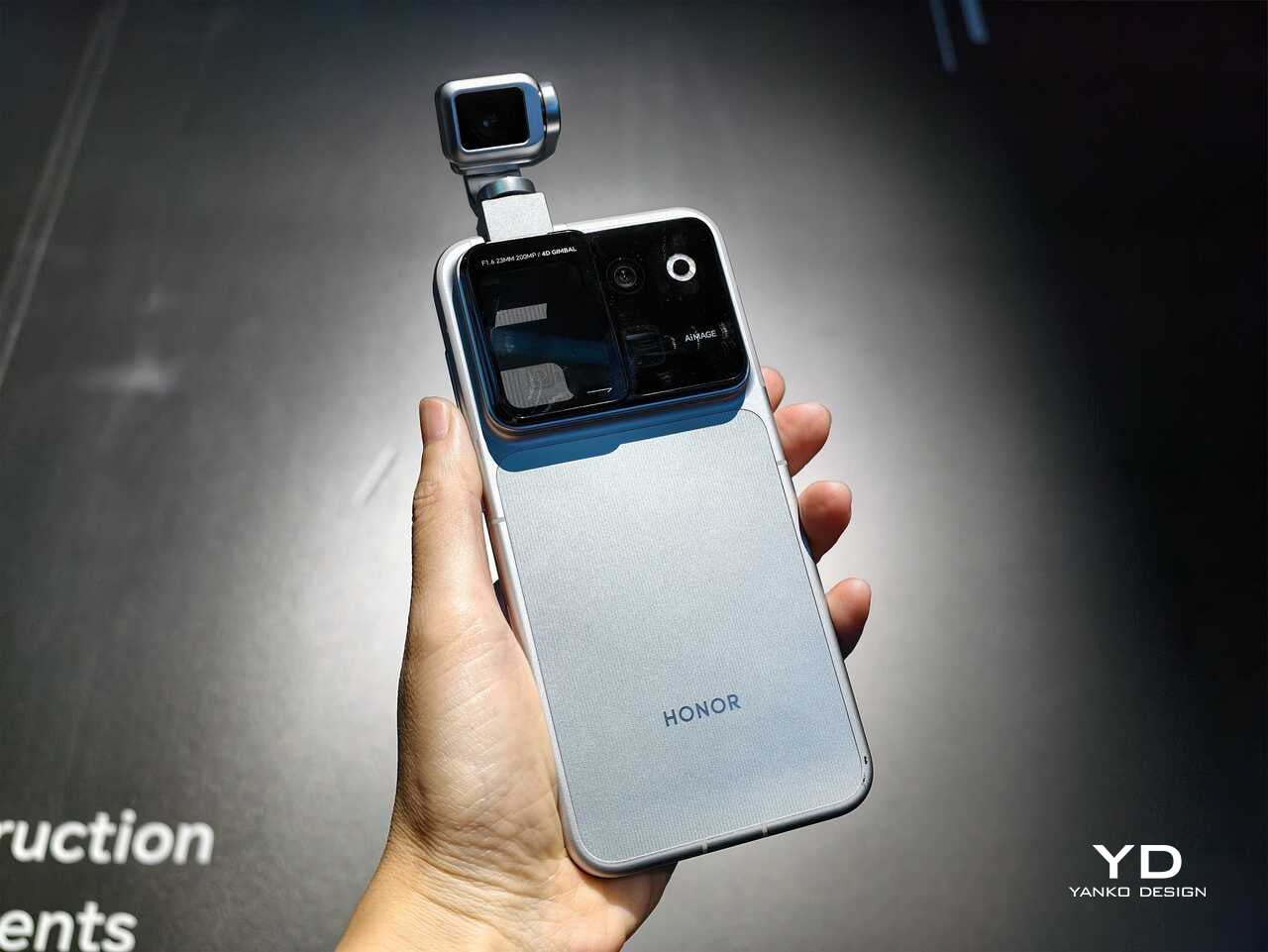
Rather than chasing attention with another familiar camera bump or an incremental spec upgrade, Honor has built a robotic gimbal directly into the phone itself. The result is a camera system that can physically move, track, tilt, and stabilize in ways a conventional flagship simply cannot. After spending time with the device, it is clear the Robot Phone is not just trying to be another premium handset with a long feature list. It is trying to pitch a new idea for what a creator-focused smartphone can be.

The big story is movement, not just megapixels

The core pitch behind the Honor Robot Phone is easy to understand once you see it in person. Honor has integrated what it calls a 4DoF Titanium Agile Gimbal into the phone, effectively turning the camera into an active moving system rather than a static sensor setup. The company says the module is 65 percent smaller than traditional gimbal solutions while also offering a 200 percent increase in structural strength, allowing it to fit inside a premium smartphone body without turning the device into a bulky experiment.
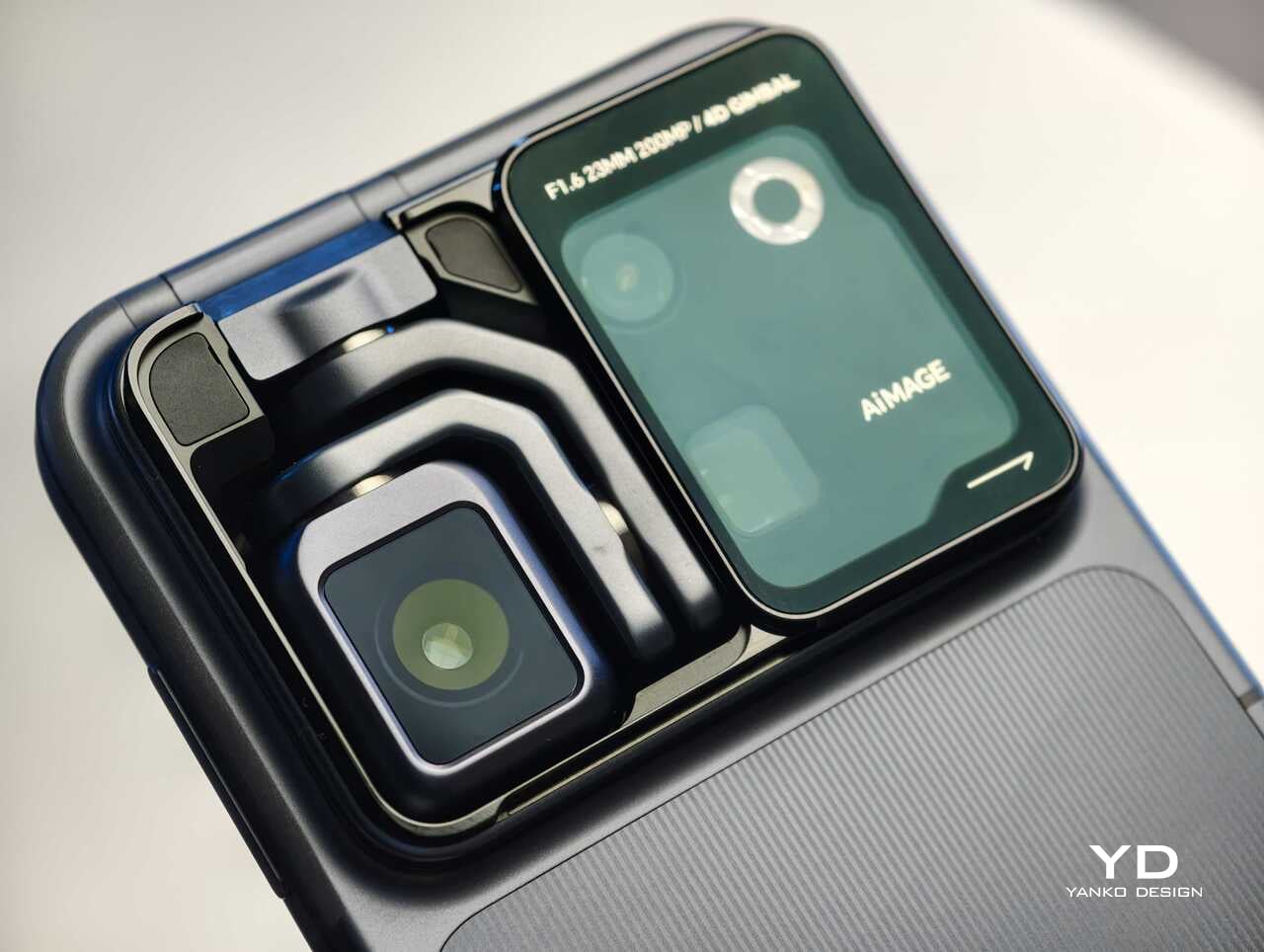
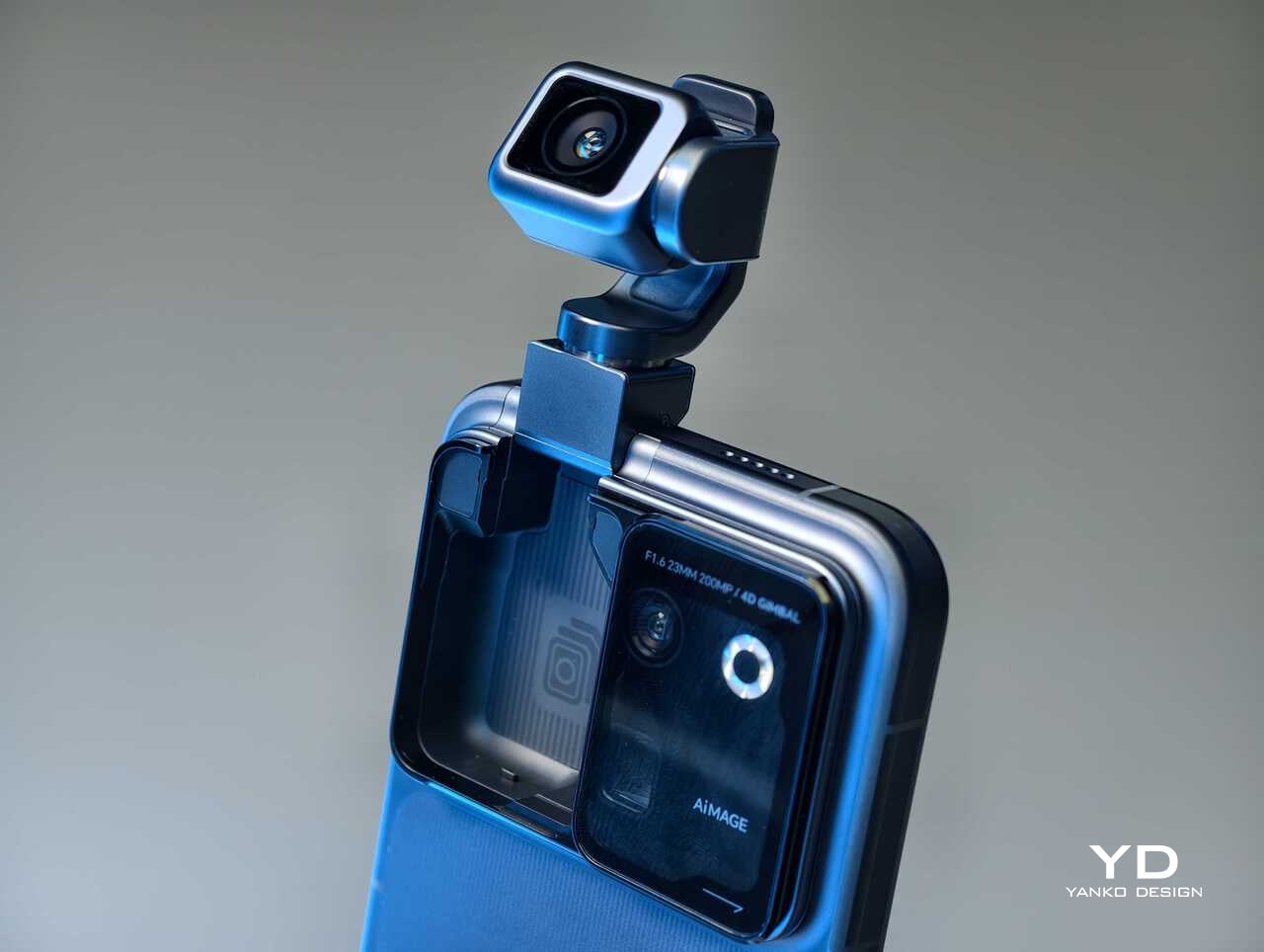
That change in hardware philosophy is what makes the Robot Phone immediately stand out. In practice, the moving camera module is meant to deliver smoother stabilization and more dynamic motion than a normal smartphone can manage on its own. Honor is also building in multiple movement modes, including Tilt Lock, First Person View, FPV Vertical, and AI SpinShot, all of which are designed to make mobile footage look more deliberate and more cinematic.

Honor is aiming this squarely at creators

The second half of the launch story is imaging. Honor says the Robot Phone is the first major product from its Cinematic Imaging Partnership with ARRI, bringing selected elements of ARRI Image Science and professional cinema workflow ideas into a smartphone. That includes ARRI LogC3 recording in ARRI CINEMA mode on the main gimbal camera, alongside ARRI Wide Gamut 3 and ARRI Looks.
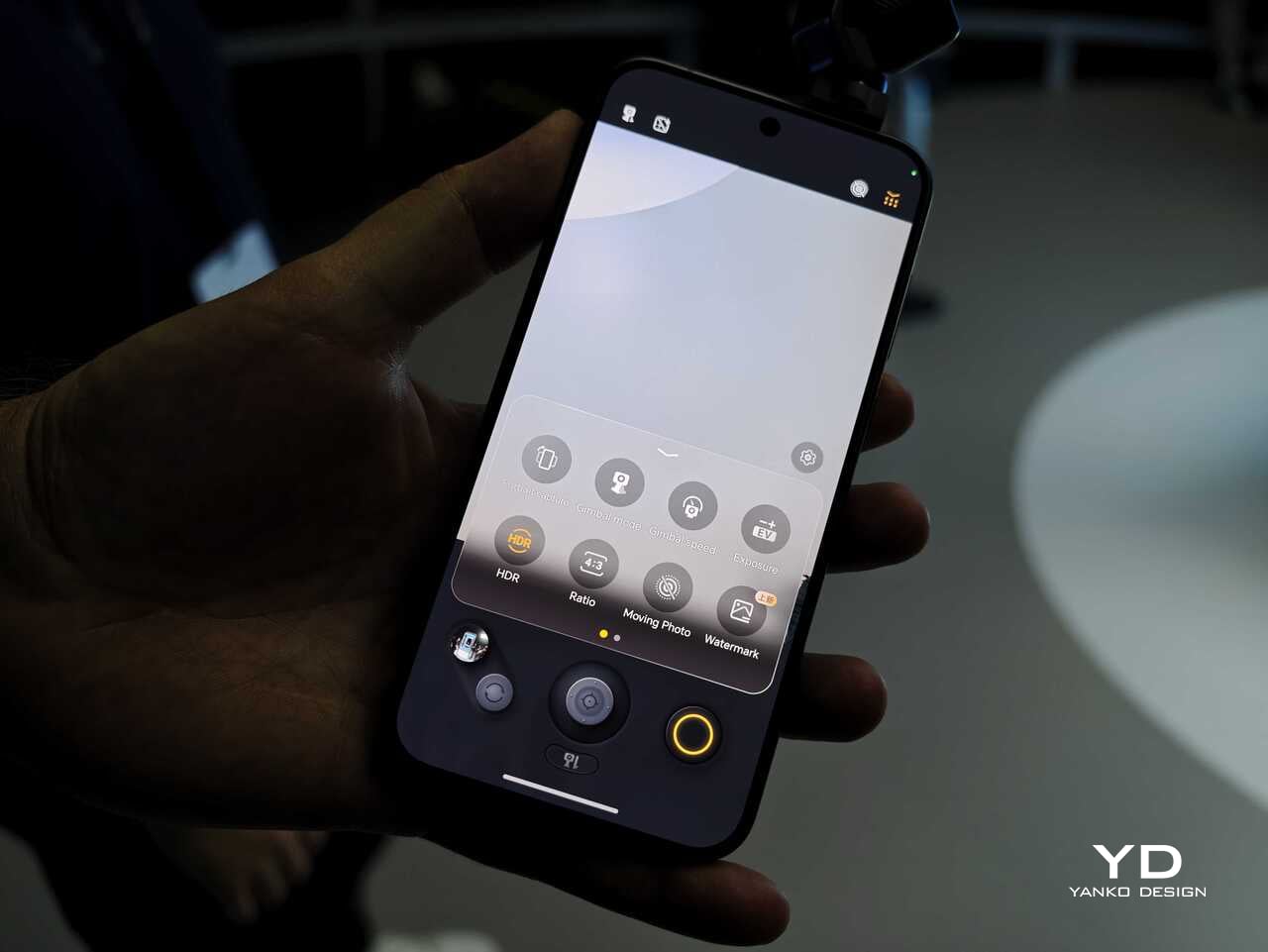
On paper, the camera hardware is also extremely ambitious. The rear setup pairs a 200MP Agile Gimbal Main Camera with a 1/1.28-inch sensor and F1.6 aperture with a 200MP periscope telephoto camera using a 1/1.4-inch sensor and 2.7x optical zoom. A 50MP ultra-wide camera completes the setup. Honor is also claiming AI noise reduction improvements, up to 14 stops of dynamic range, and a video pipeline designed to preserve more usable information for post-production.

That is a lot of technical language, but the broader message is straightforward. Honor does not want the Robot Phone to be seen as a novelty. It wants this to be taken seriously as a compact filmmaking and creator tool.

Hands-on: The Honor Robot Phone feels different right away

The most striking thing about the Robot Phone in person is that its main feature is visible. So many smartphone launches revolve around internal improvements that are difficult to appreciate without extensive testing. Here, the big idea is immediately obvious. The camera module moves. It tracks. It gives the phone a sense of physical intention that most handsets simply do not have.
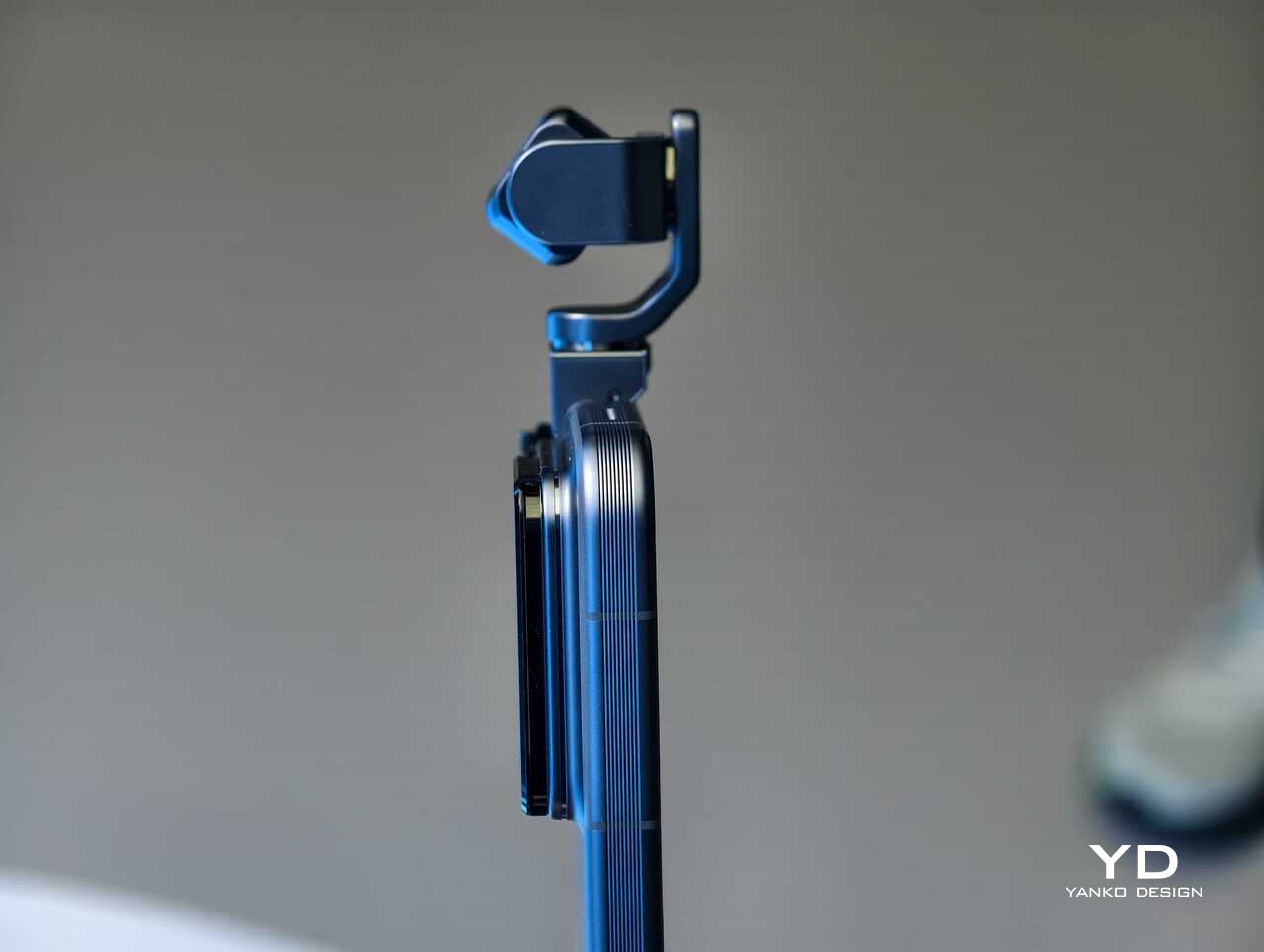
That makes the Robot Phone more memorable than most new flagships before you even get into image quality. Instead of relying entirely on software stabilization and fixed hardware, Honor is trying to introduce actual camera movement into the smartphone experience. In a short hands-on session, that makes the device feel less like a standard phone with a flashy camera and more like a compact production tool that happens to fit in your pocket.

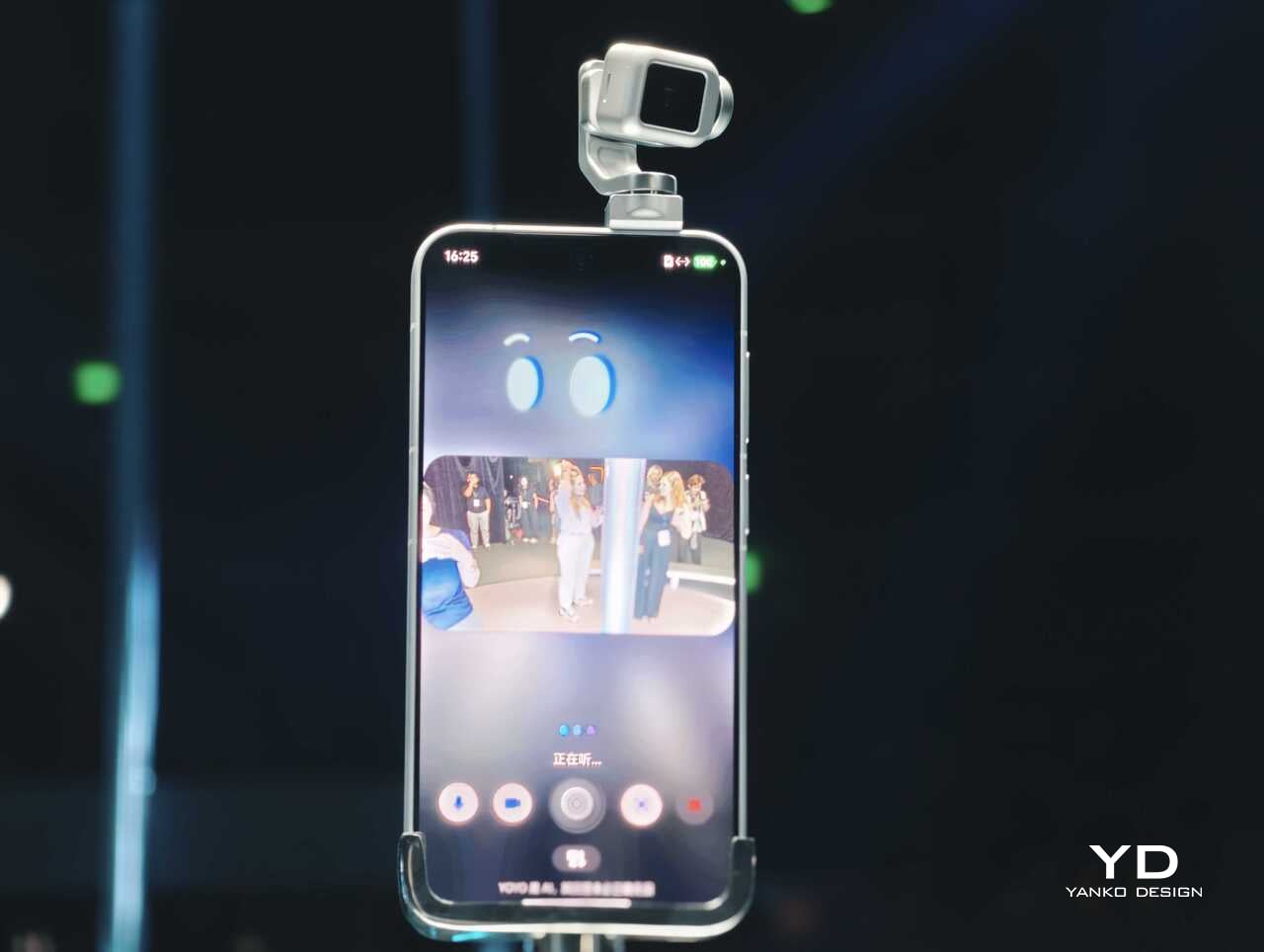
The tracking and movement features are also easier to appreciate in person than they are on a spec sheet. AI Live-Tracking, gesture controls, and voice-directed movement all sound abstract on paper. Once you see the phone physically following a subject or repositioning itself, the concept becomes much easier to understand. Whether that turns into something essential in everyday use is a bigger question, but as a first impression, the idea lands more convincingly than I expected.
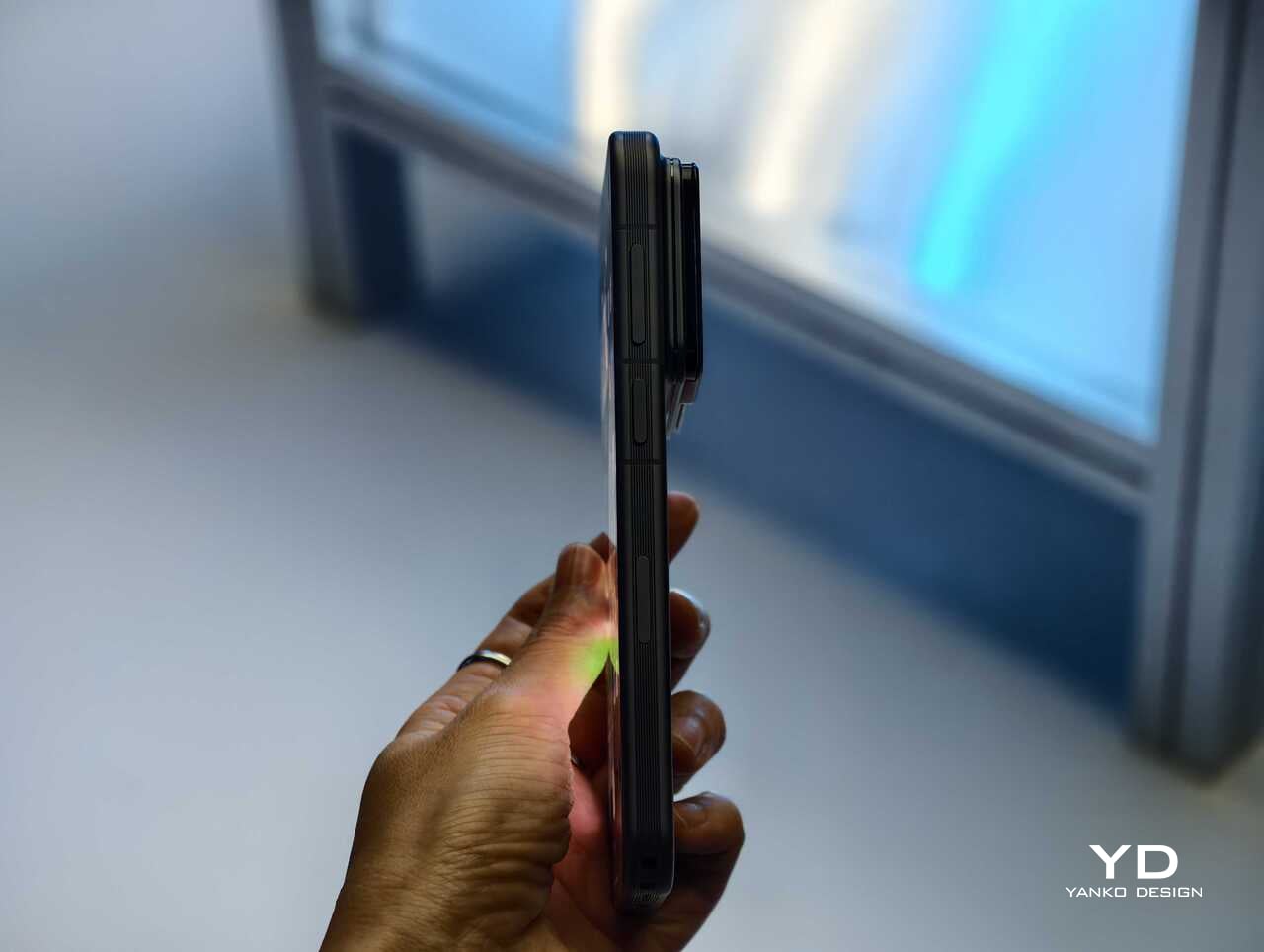
Using the on-screen virtual joystick, I was able to adjust the gimbal with surprising precision. The interface crams in a lot of features, so it does take some time to learn. Even so, the gimbal feels very responsive, which helps the controls feel more intuitive once you settle in.

There is still a full flagship wrapped around the concept

Outside the headline camera hardware, Honor is still treating the Robot Phone like a proper premium device. It is powered by the Snapdragon 8 Elite Gen 5, backed by a custom cooling system that is meant to keep performance stable during longer recording sessions. There is also a 7060mAh silicon-carbon battery, with support for 120W wired charging and 50W wireless charging.
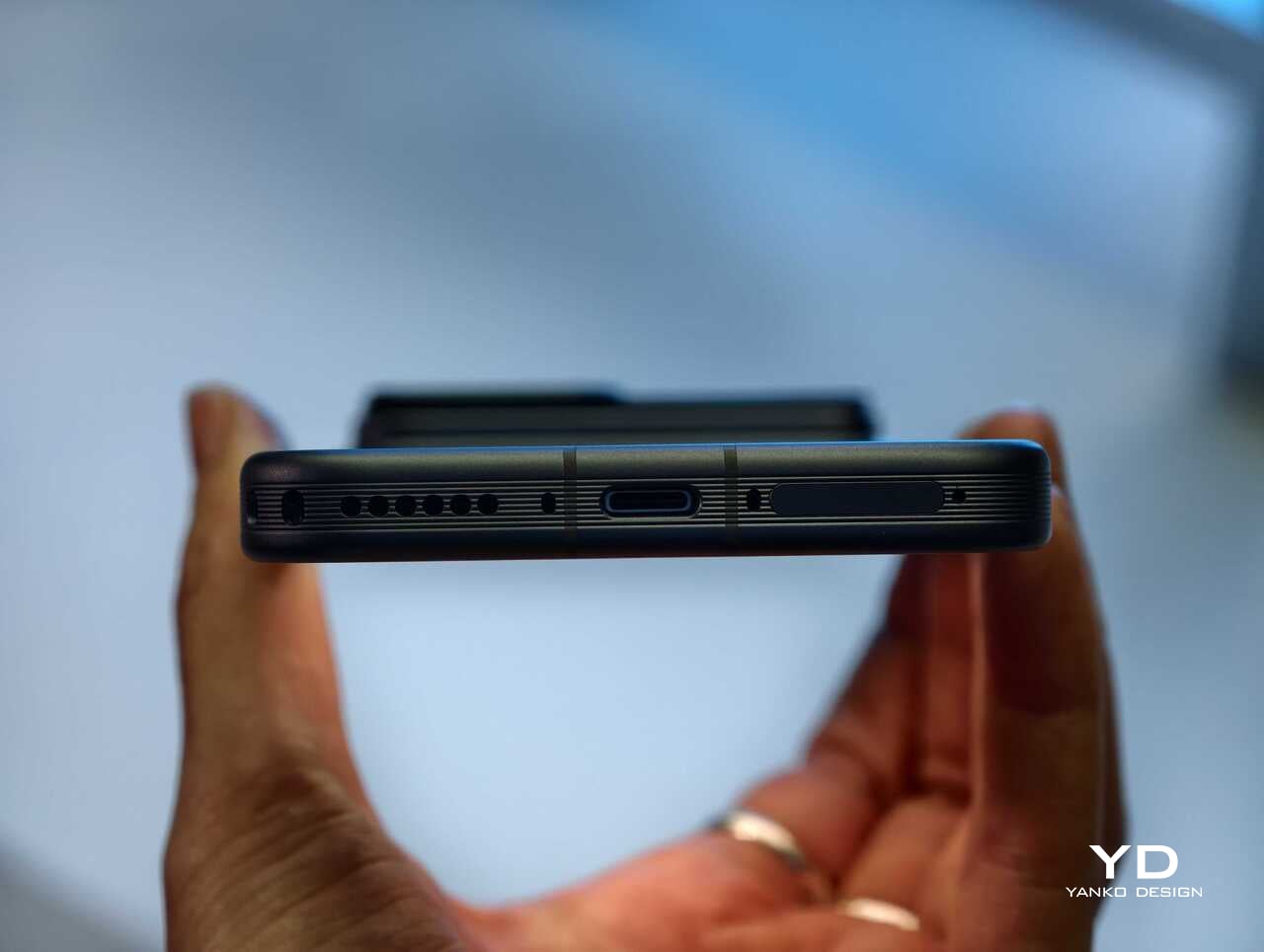
The rest of the hardware sounds suitably high-end too. Honor is using an all-metal unibody design paired with a 6.31-inch LTPO OLED display, an adaptive 1 to 120Hz refresh rate, and a claimed peak brightness of 6800 nits. On paper at least, this is not a concept phone built around one attention-grabbing trick. Honor is trying to package an experimental camera idea inside a full flagship experience.

China-only for now, and that is a shame

For now, the Honor Robot Phone is launching only in China, where it might be staying indefinitely. Honor is not planning to release the device outside China at this stage, which means this unusually creator-focused phone is set to remain a domestic-market curiosity rather than a broader global play.
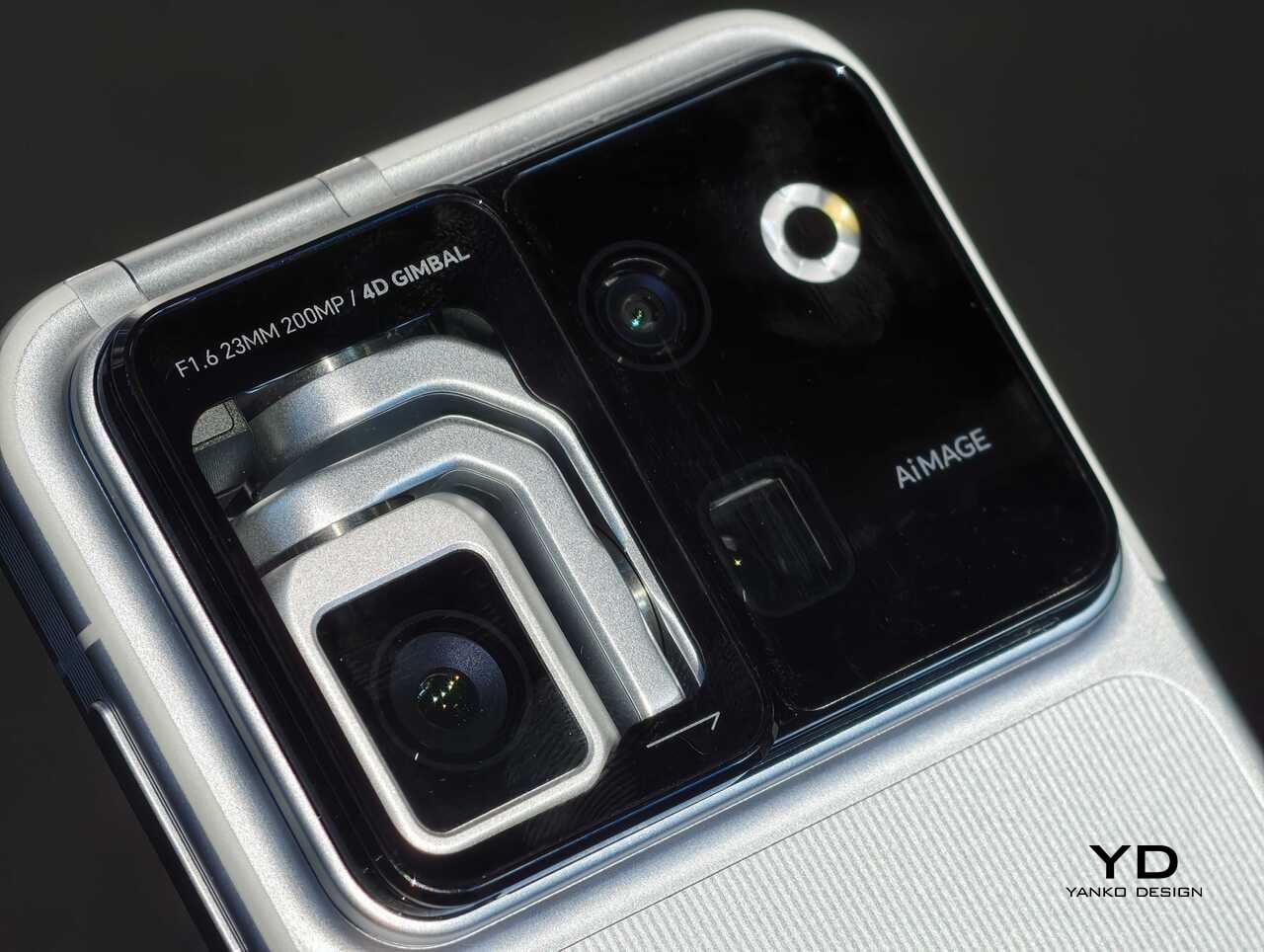
That is disappointing, because the Robot Phone feels like exactly the kind of launch the smartphone market needs more of. It may not be for everyone, and there are obvious questions about durability, long-term usefulness, and whether creators will trust a built-in robotic camera system over dedicated gear. Even so, it is difficult to dismiss because the concept is so easy to understand once you see it in action.

Early thoughts

After a brief hands-on, my early take is that the Honor Robot Phone feels niche but genuinely fresh. The robotic gimbal is not just a visual gimmick for launch-day headlines. It changes the way the device presents itself, and potentially the way some people shoot with it. Whether that translates into a truly great camera phone will need more time to answer, but as a statement of intent, Honor has made one of the boldest smartphone moves of the year.

The bigger frustration is that, for now, it is a bold move that most of the world will only be able to watch from a distance. First teased at MWC earlier this year and now officially on sale in China for 9,999 yuan (roughly $1,483) for the 12GB+512GB variant and 12,999 yuan (around $1,928) for the 16GB+1TB variant, the Robot Phone is not about to become the next mainstream global flagship. Still, even as a limited-market release, it stands out as one of the most unusual and ambitious smartphones to arrive this year.
The post Honor Robot Phone Hands-on: Bold Phone With A Moving Camera Few Can Buy first appeared on Yanko Design.

  •  

This Mod Made a Steam Machine Faceplate Charge Your Steam Controller

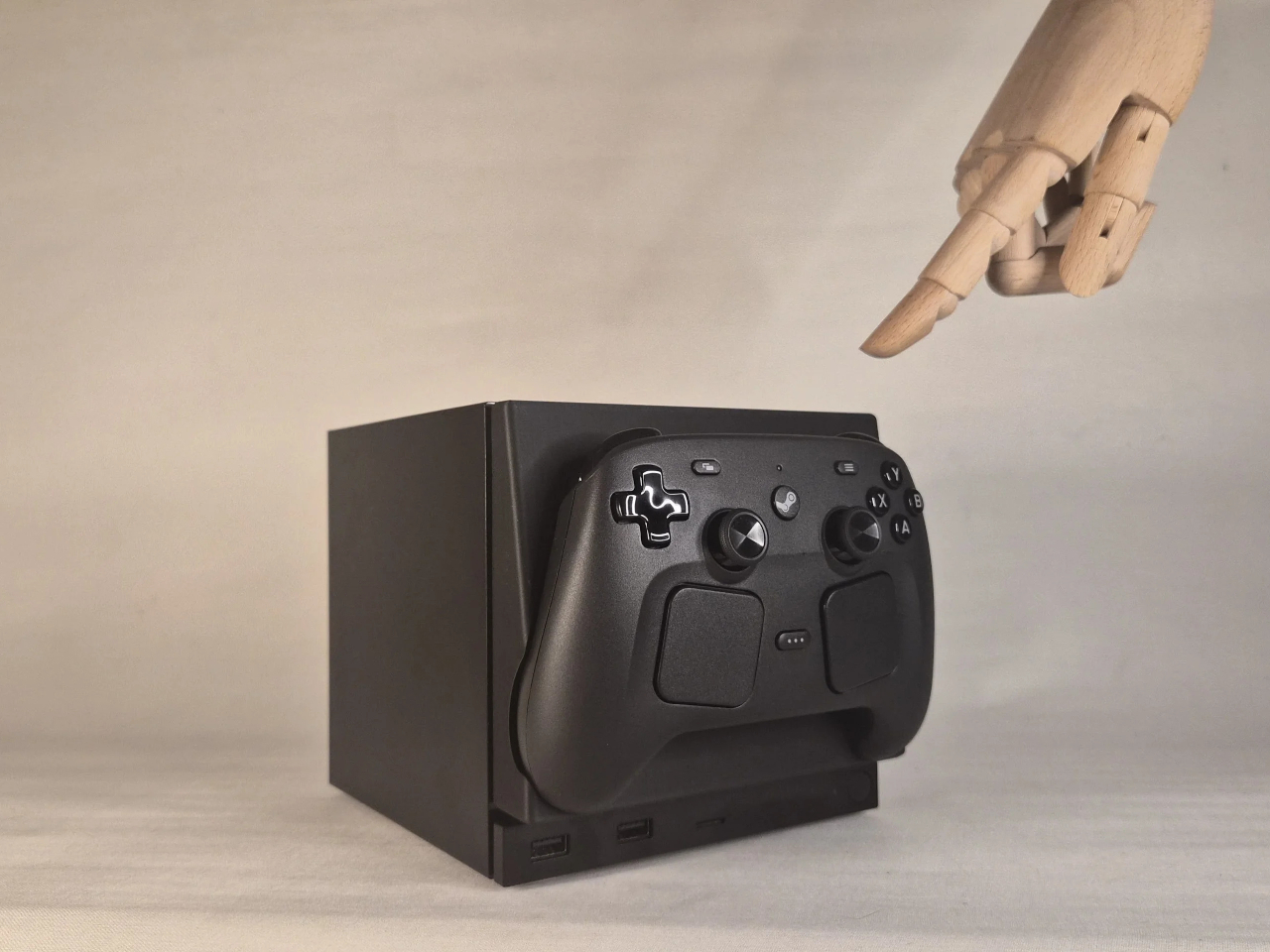
The Steam Machine has swappable faceplates, which is a genuinely good idea that Valve doesn’t appear to have fully exploited. The concept is essentially that the front panel of the console is a blank cosmetic slate, open to third parties and hobbyists to design around. So far, most of what’s been proposed has leaned on that word: cosmetic. Different textures, different graphics, different visual personalities for what is otherwise a matte black gaming cube.

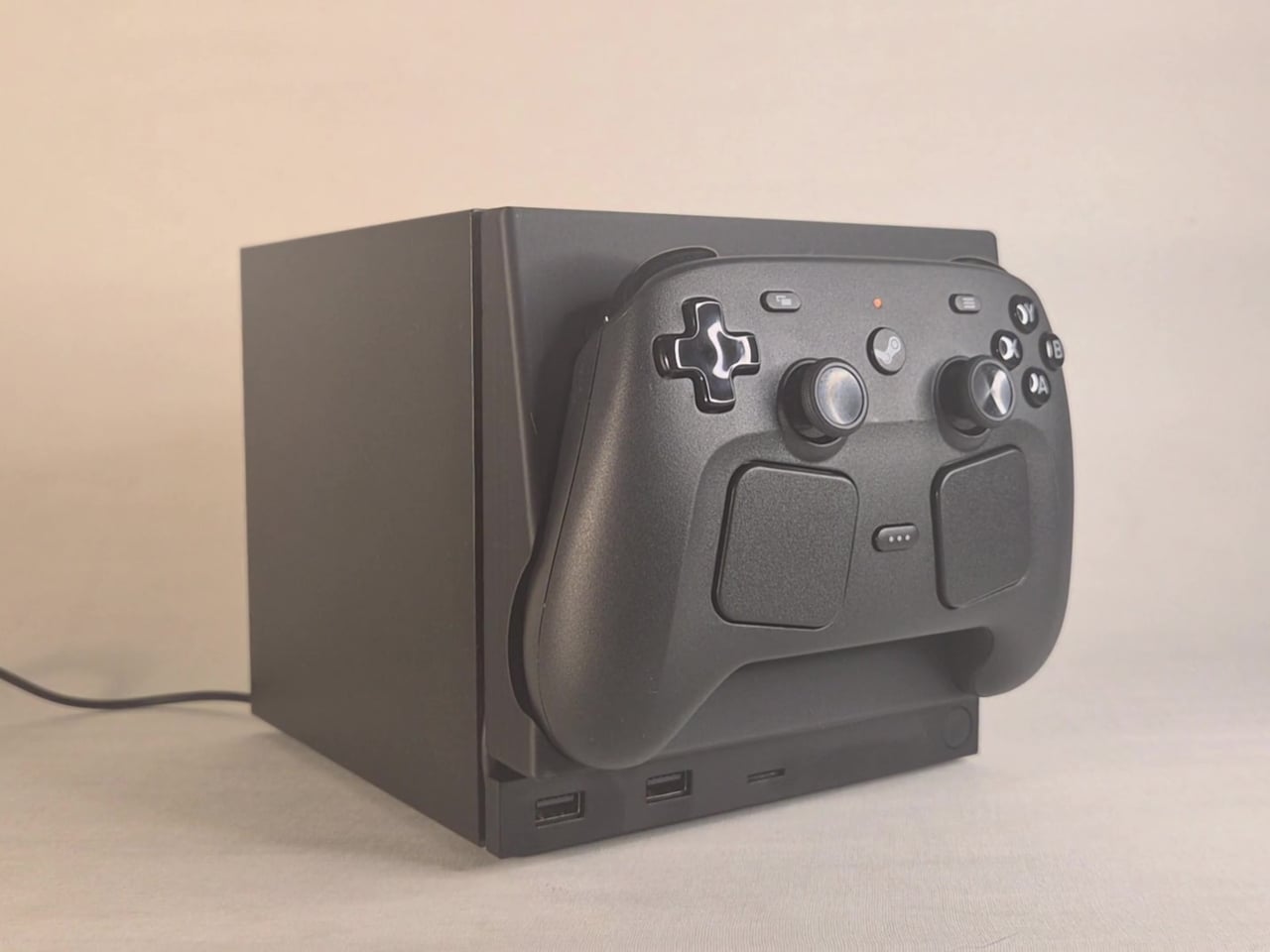
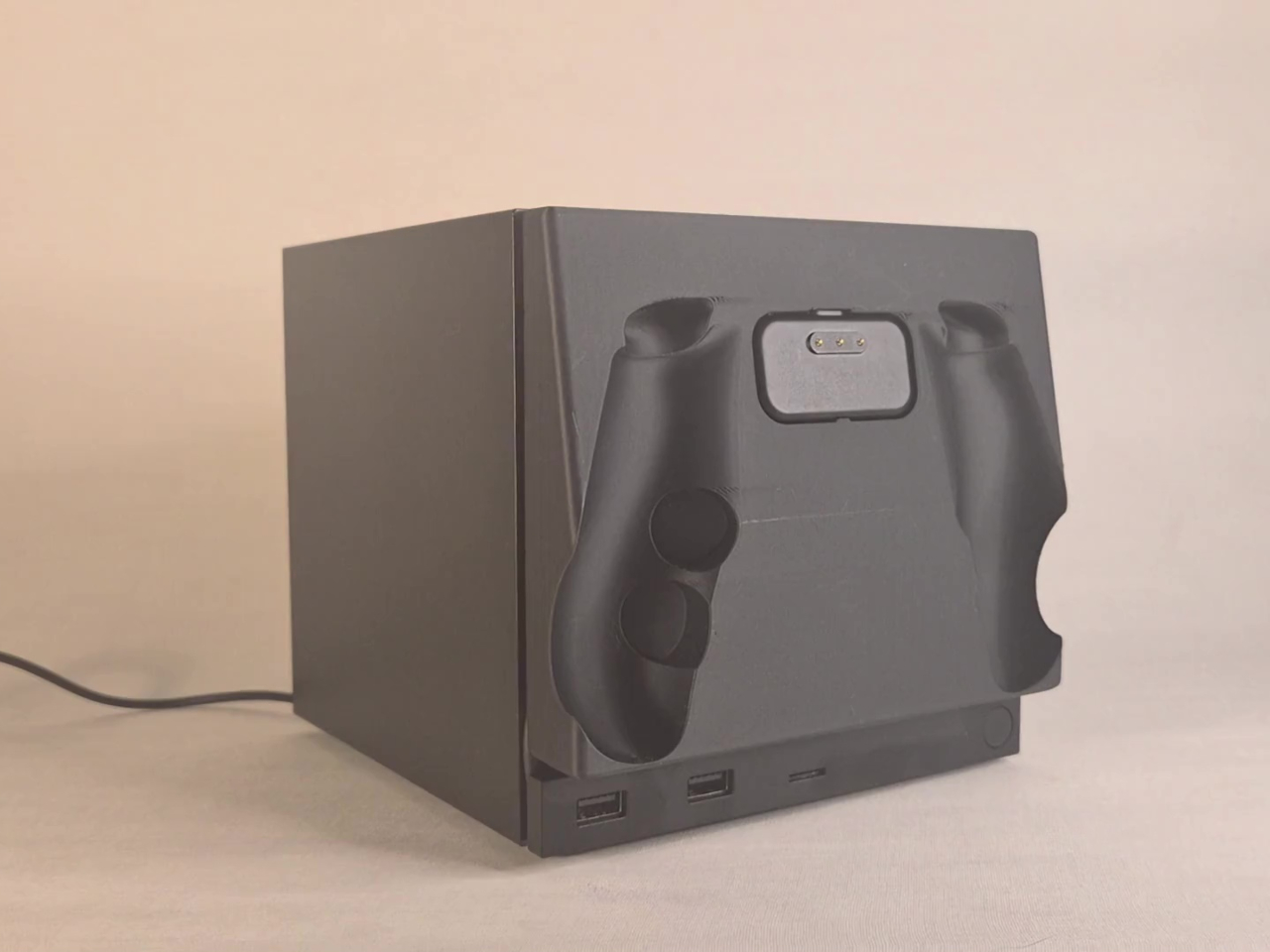
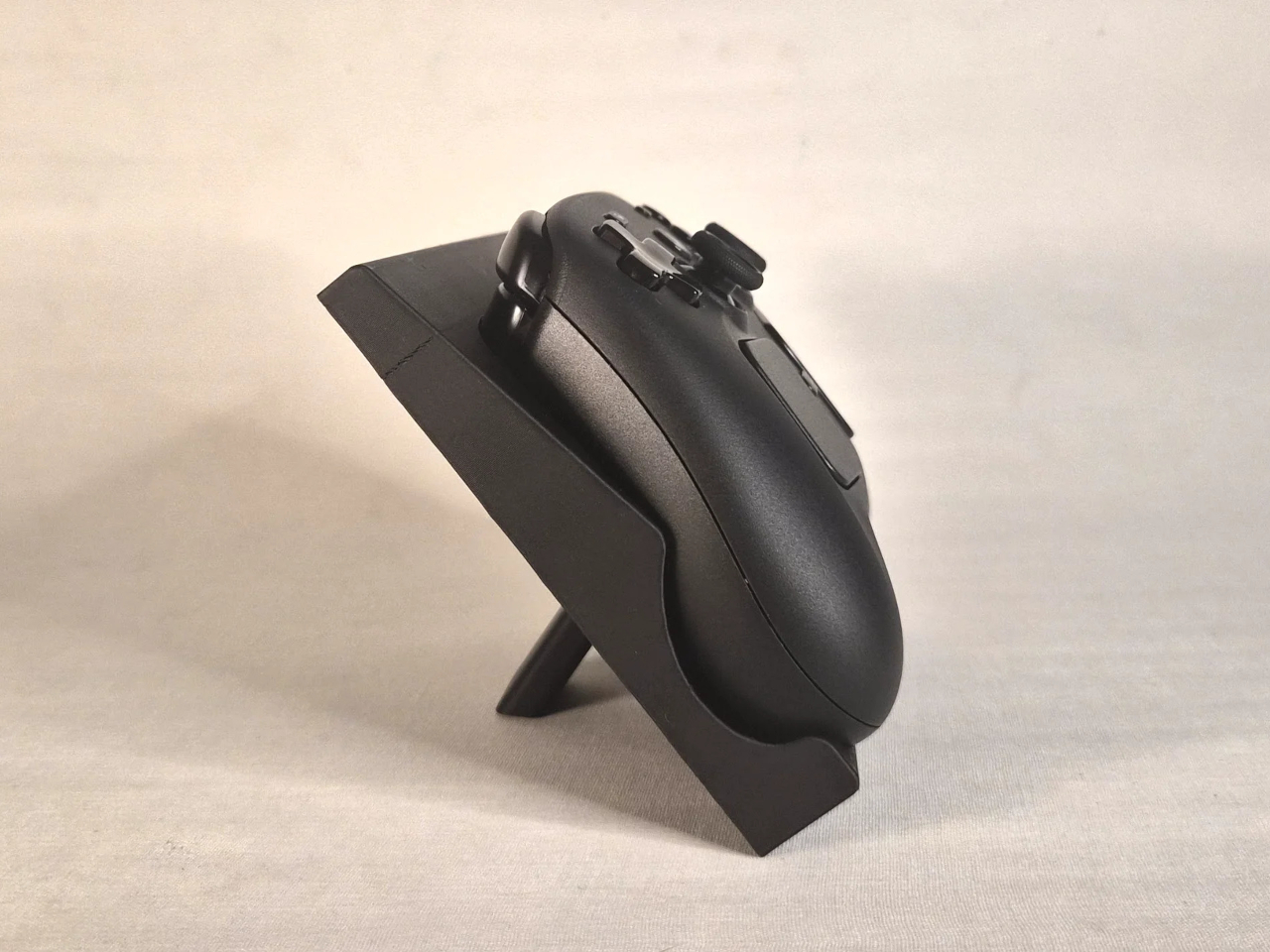
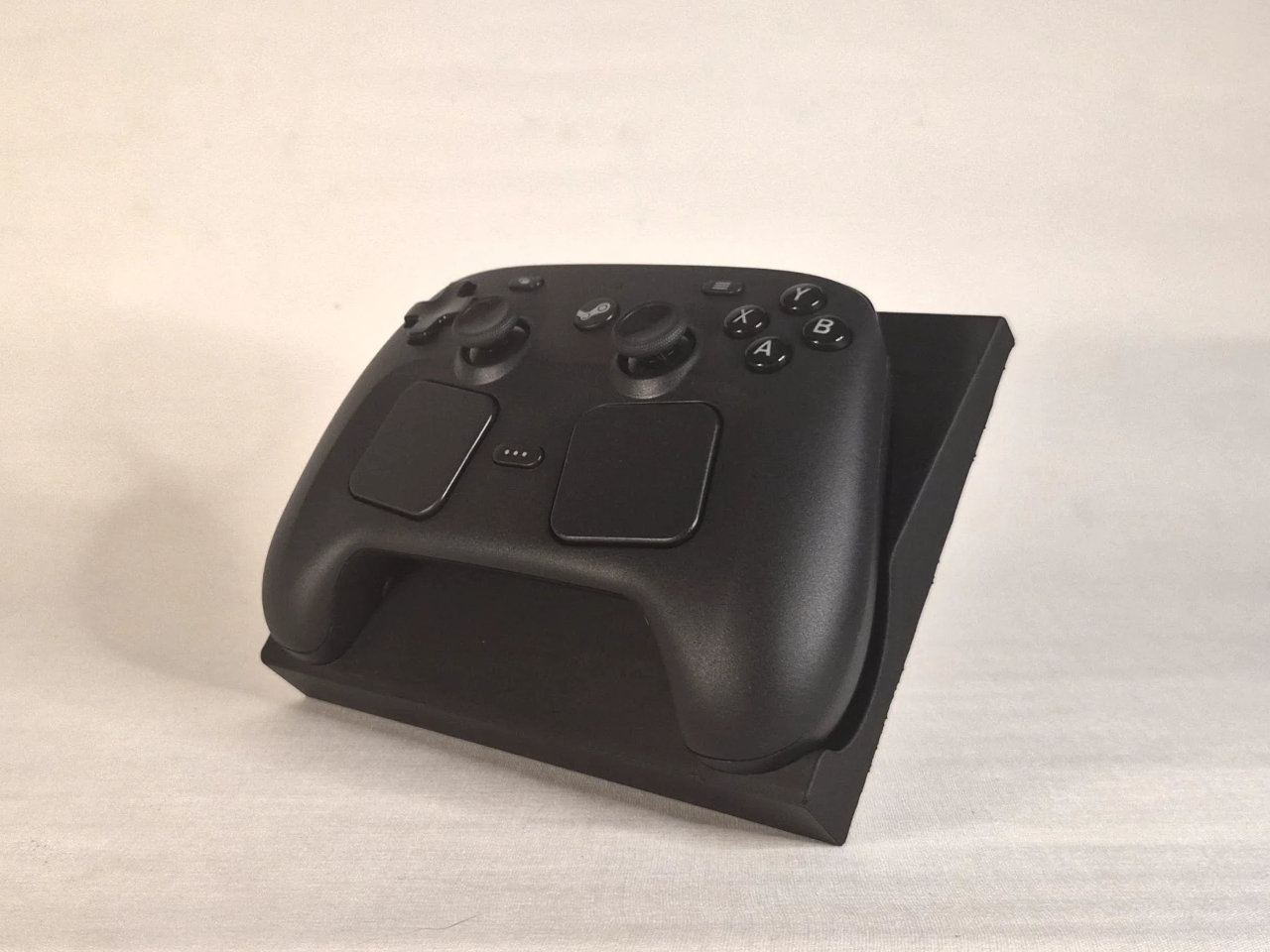
This faceplate mod takes a different approach by asking what the panel could actually do. The result is a replacement front cover that integrates a charging cradle for the Steam Controller directly into the face of the console, turning what would normally be dead real estate into a functional docking station. Set the controller down, it charges. Pick it up, it’s ready. No separate charging puck dangling off to the side.

Designer: NefariousnessWhole25

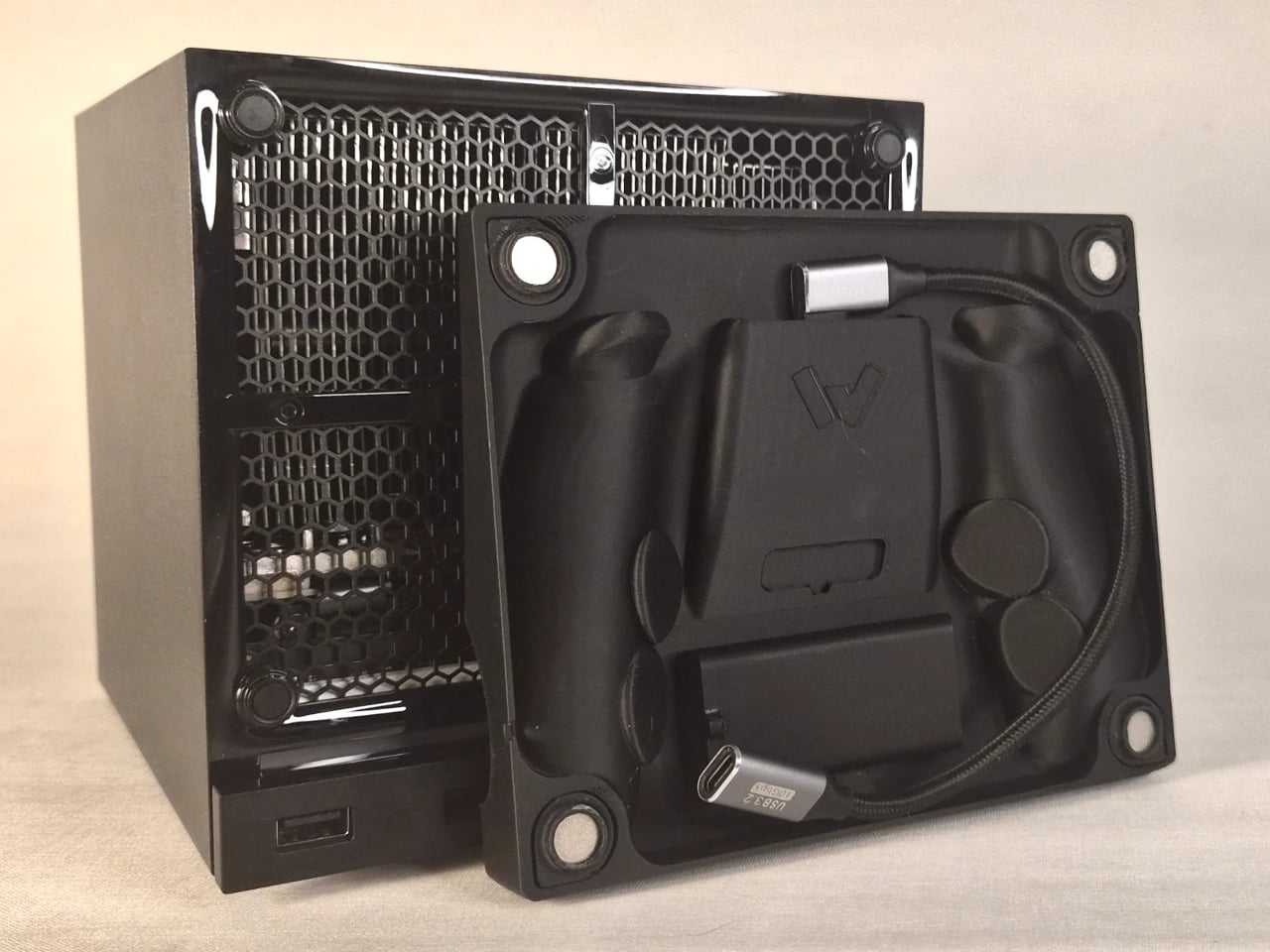
The charging mechanism uses the Steam Controller’s own wireless puck seated inside the faceplate cradle, with a USB cable routed discreetly around the inside edge of the panel and into one of the Steam Machine’s existing USB ports. It’s a routing solution rather than a rewiring one, which keeps the electrical side simple and reversible. The puck sits in the cradle, the controller sits on the puck, and the whole arrangement slots onto the front of the machine like any other faceplate.
What makes it more than a wall mount with ambition is the kickstand built into the rear of the panel. It folds out from the back of the faceplate, propping the cradle up at an angle, turning the entire assembly into a standalone desk dock that works independently from the Steam Machine. Take the faceplate off the console and prop it up on a table, and it functions as a charging stand on its own terms.
The inspiration came partly from Valve’s own demonstration of an e-ink faceplate, which showed that the panel slot was capable of doing more than holding a decorative cover in place. That demonstration didn’t ship as a product, but it established the idea that the faceplate system had functional potential beyond aesthetics. This mod picks up that thread and takes it somewhere more immediately useful for anyone who has both pieces of Valve’s current hardware sitting on the same desk.

Design files haven’t been released yet, and there are no confirmed plans to sell finished units. The prototype is out, it works, and it raises a question worth asking about Valve’s approach to the faceplate ecosystem: if a single modder can turn the front panel into a functioning charging dock over a weekend, what would a dedicated accessory program actually look like at scale?

The post This Mod Made a Steam Machine Faceplate Charge Your Steam Controller first appeared on Yanko Design.

  •  

Phones Turn Reminders Into Distractions, This Magnetic Display Won’t

Smartphones have made information permanently accessible, but that accessibility comes at a price. The same device that shows you a reminder also delivers a notification for something unrelated, which leads to one more app opened, one more five-minute detour, and one more afternoon where the task you meant to remember sits unfinished somewhere in a mental stack. The problem isn’t access to information. It’s the medium through which it arrives.

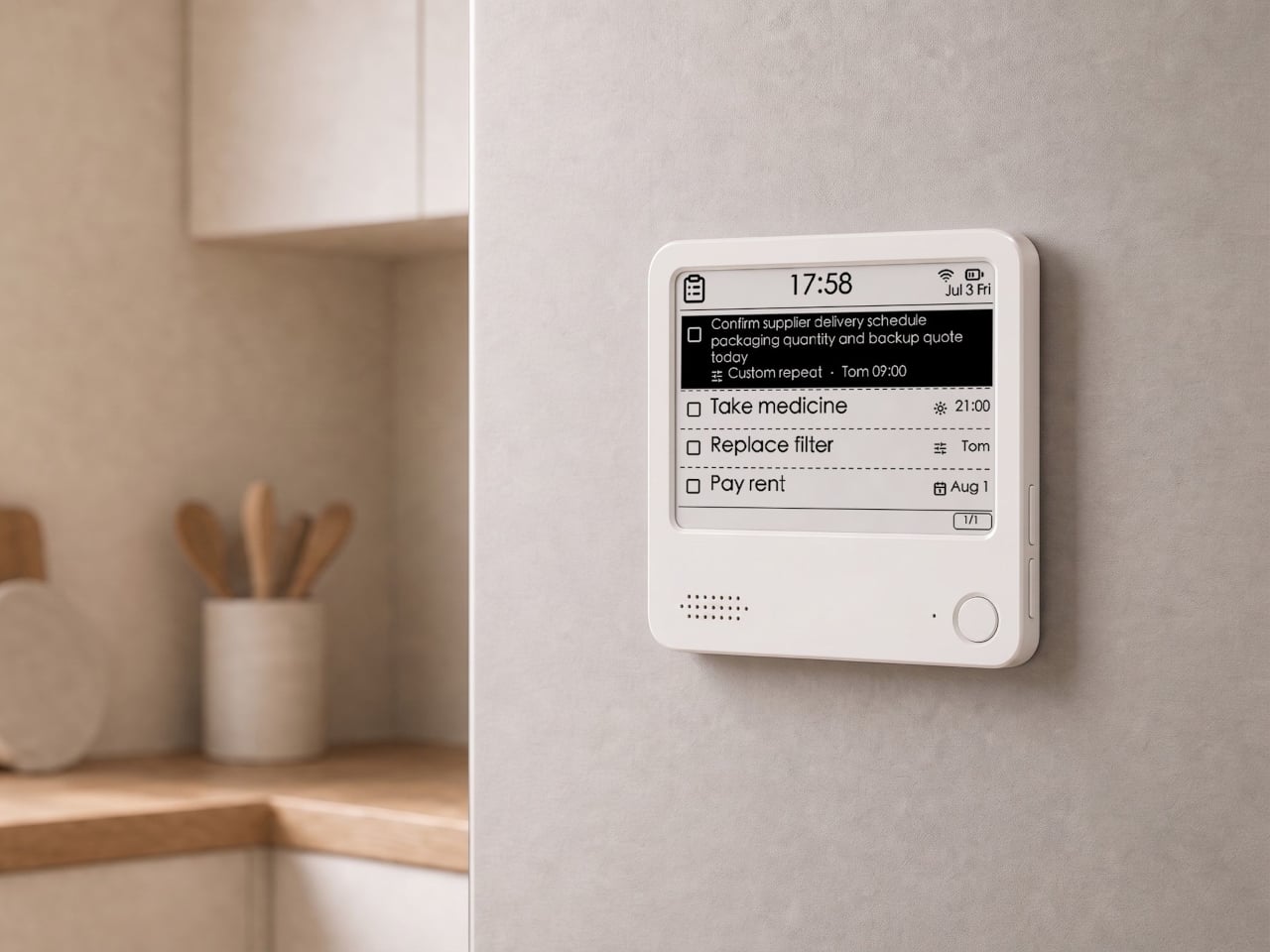
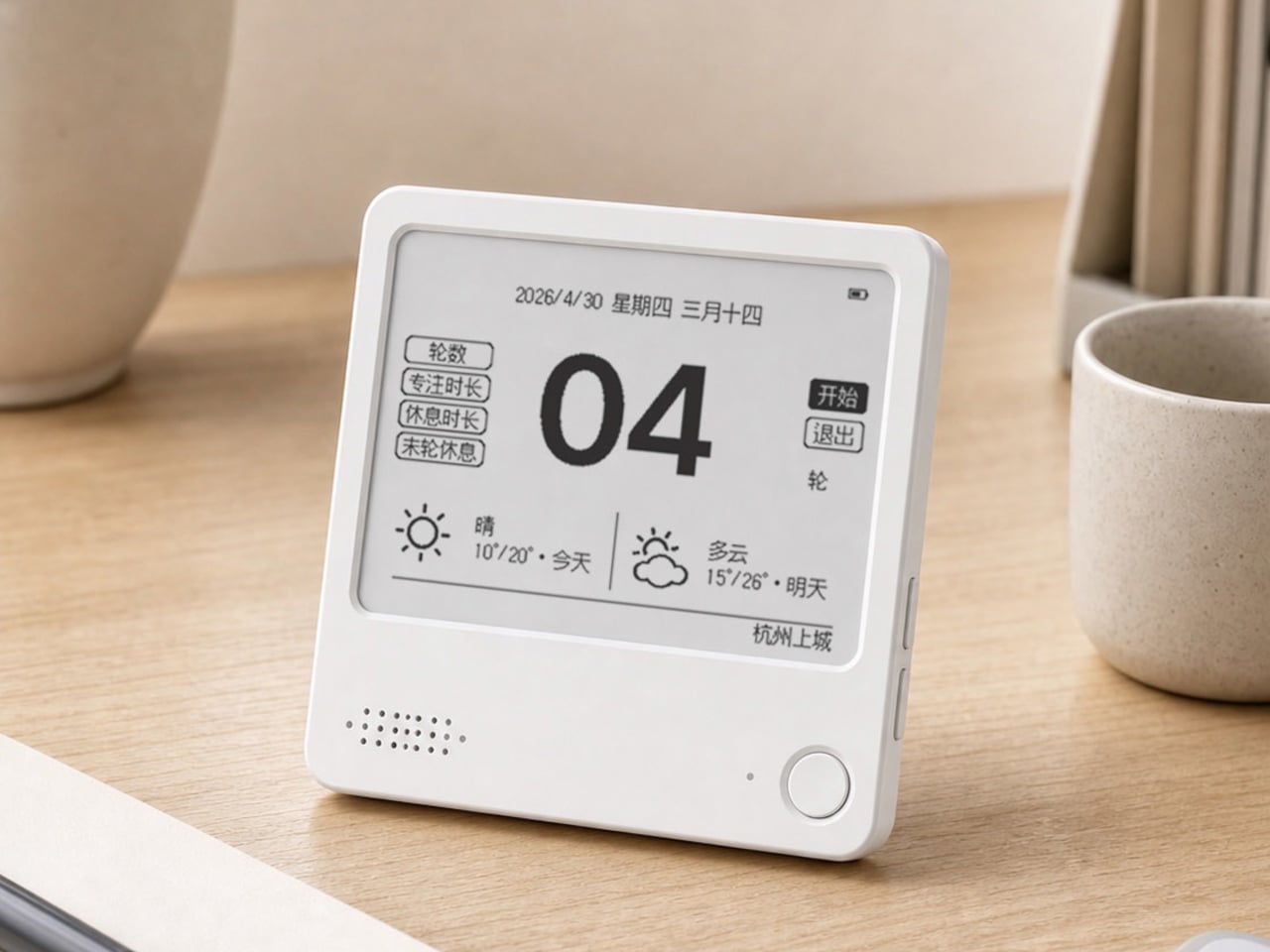
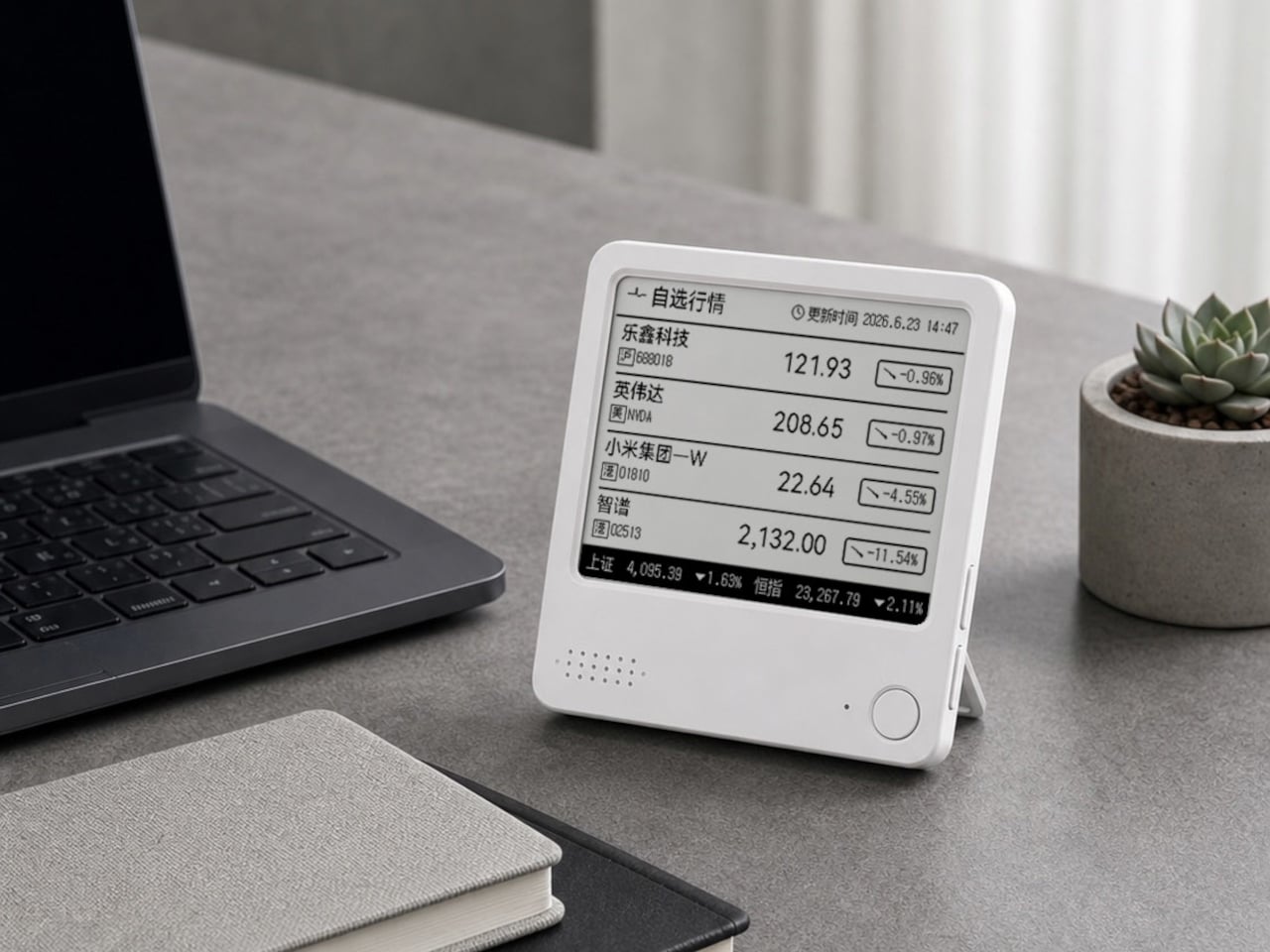
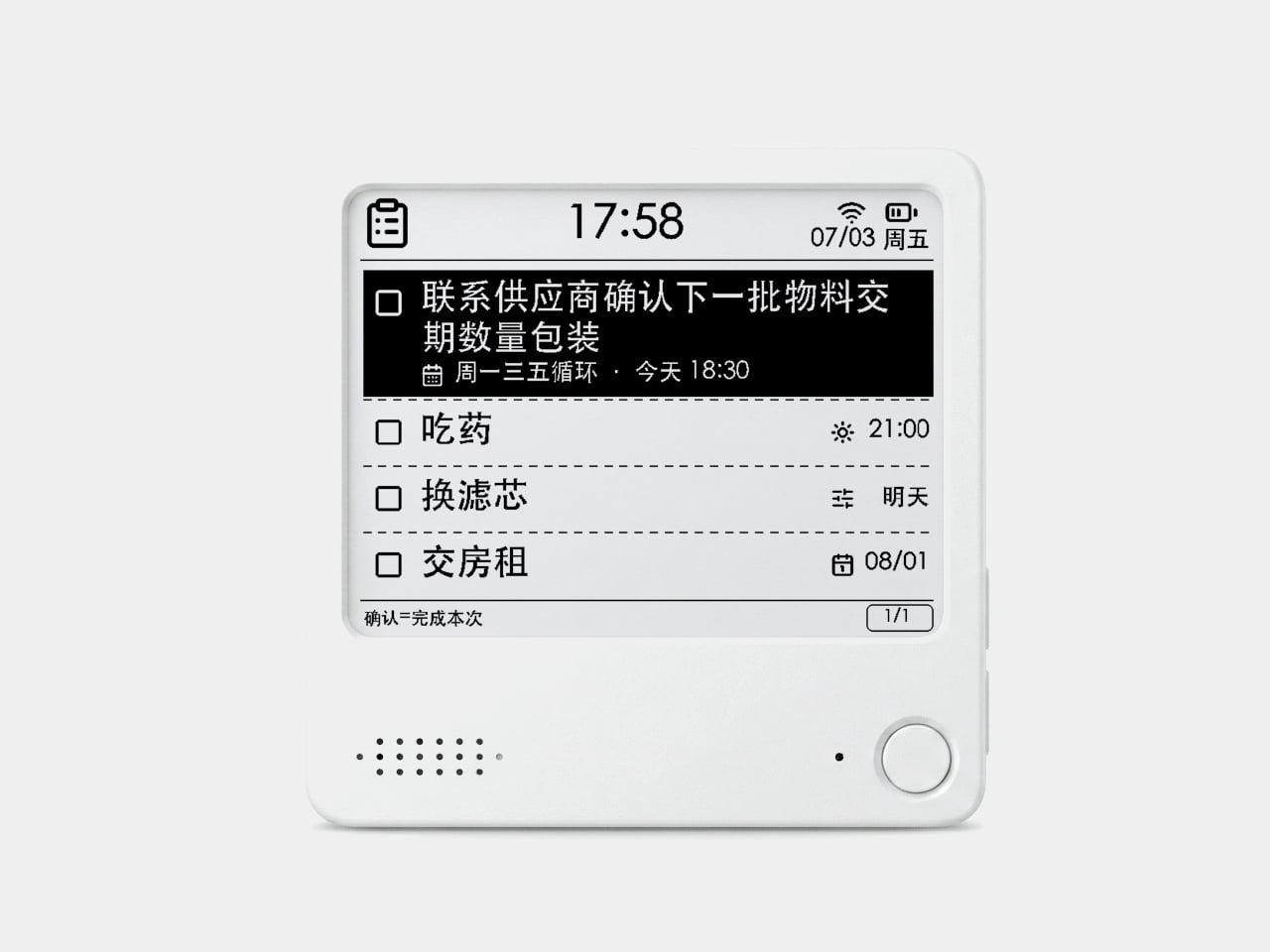
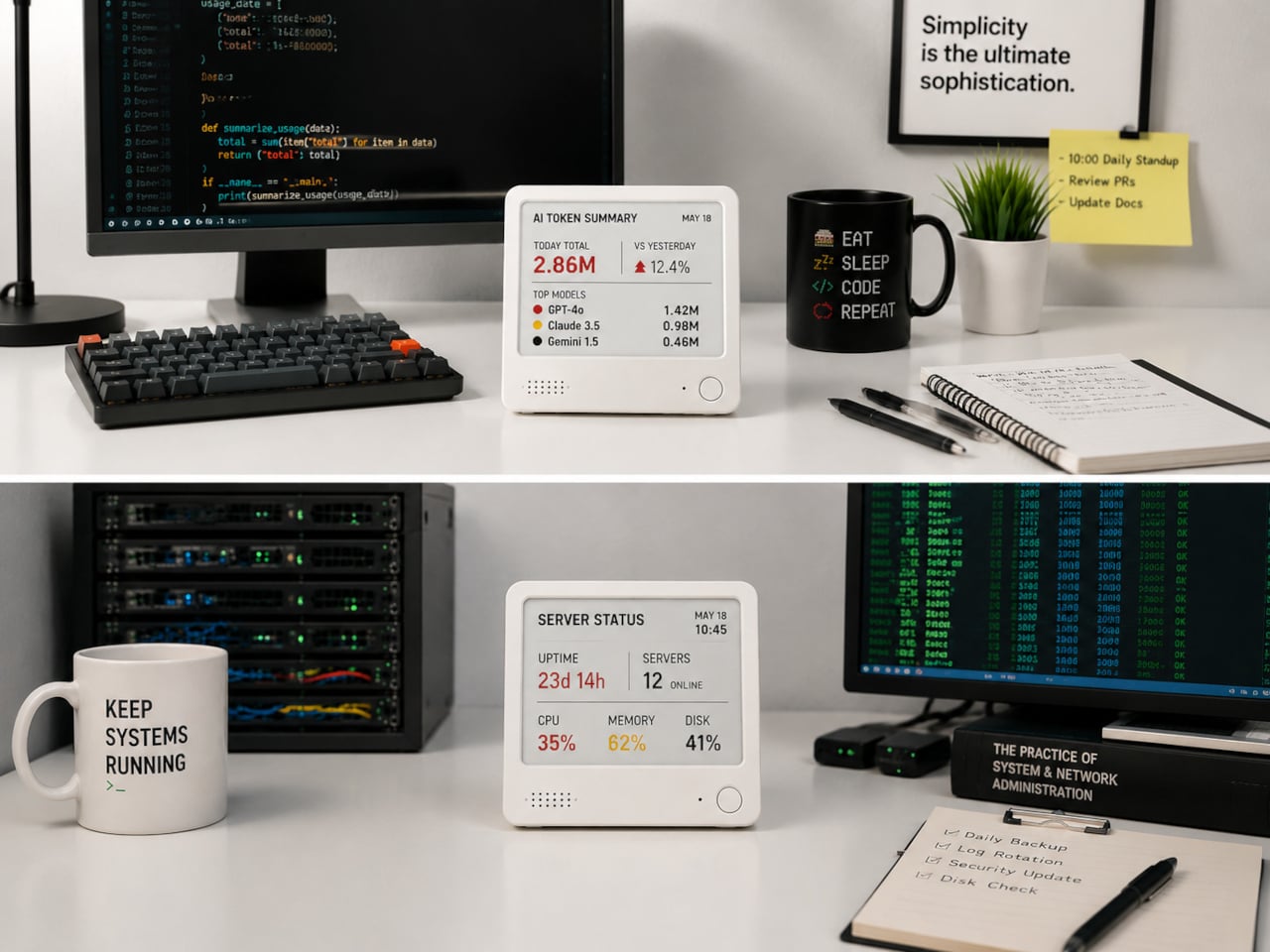
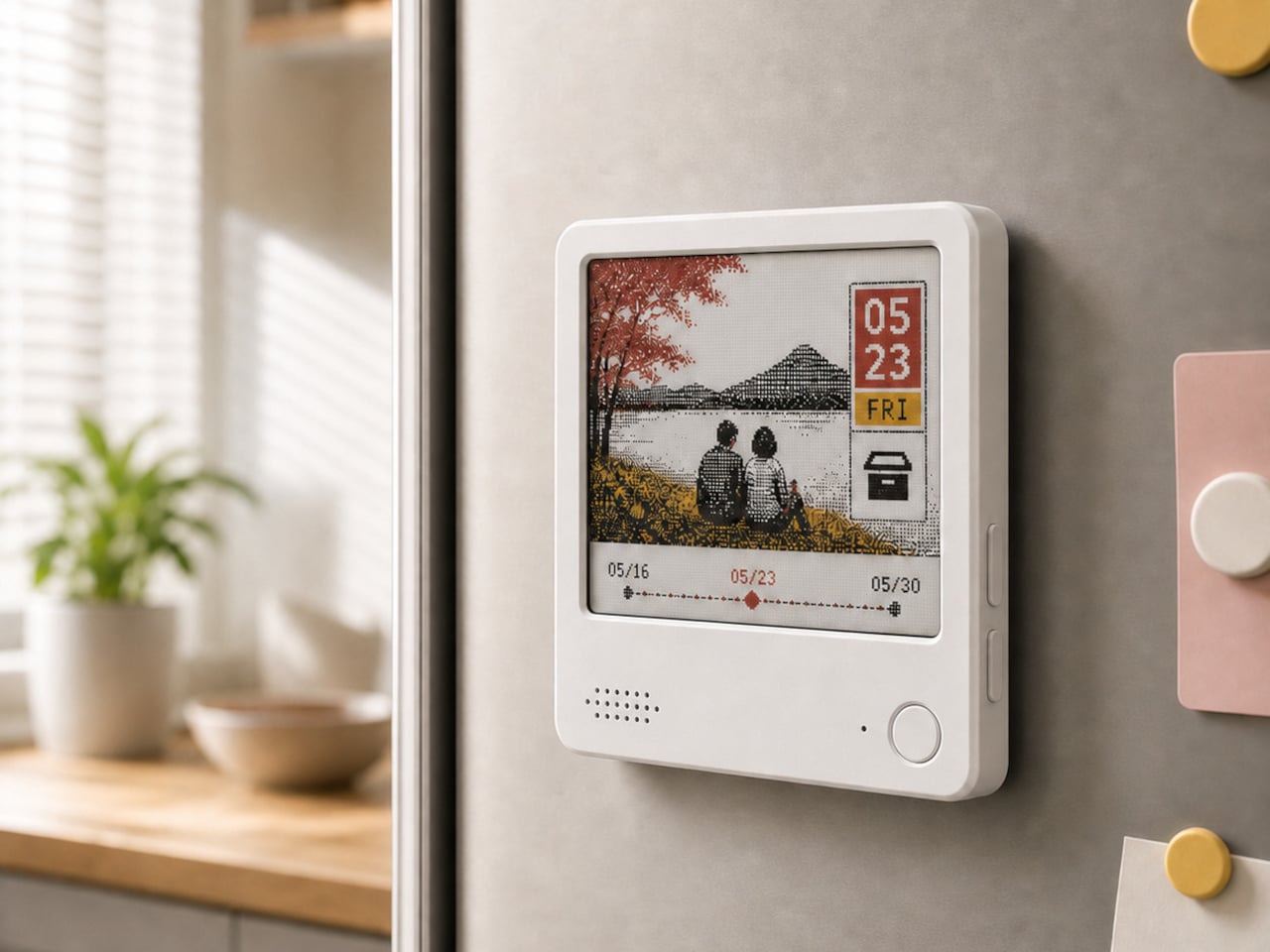
The ZecTrix Note 4 approaches that with a different premise: what if the display that shows your tasks doesn’t connect to your attention the same way a phone screen does? It’s a 4.2-inch e-paper smart display, about the size of a palm, that attaches magnetically to a metal surface and stays there showing whatever you most need to remember, using almost no power to do it.

Designer: ZecTrix

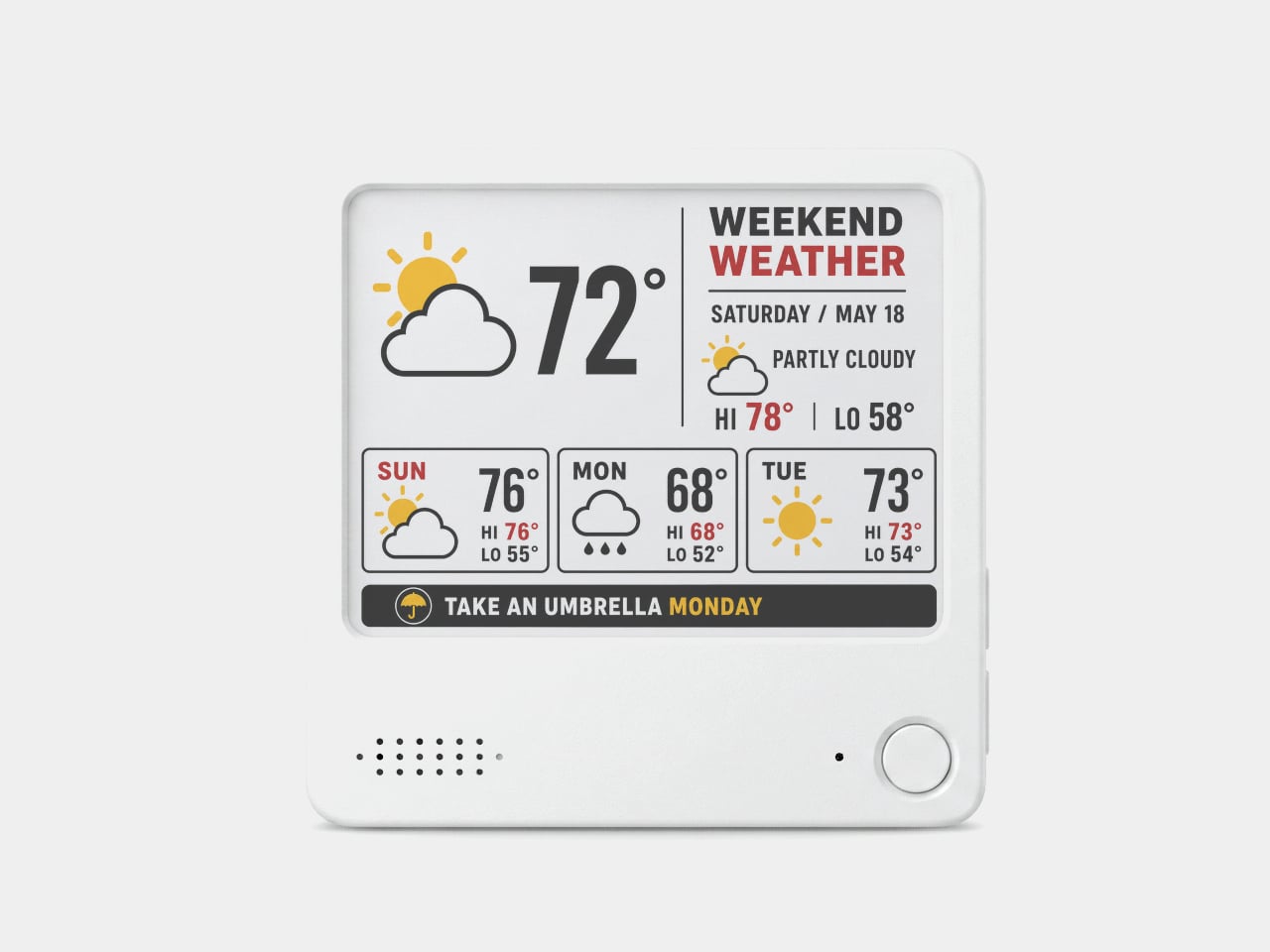
The interaction model is deliberately minimal. Press the physical button, speak your task or reminder, and the device converts that into text and adds it to the display. The built-in AI voice assistant handles the transcription and task management, and the e-paper screen holds whatever it’s showing without any power draw between updates. The display also handles weather, clocks, focus timers, handwritten notes, images, and custom templates.

Hardware underneath is solid for something this compact. An ESP32-S3 dual-core processor with 8 MB of PSRAM and 16 MB of flash handles the AI processing and connectivity, backed by a 2,000 mAh battery, 2.4 GHz Wi-Fi, Bluetooth 5.0, NFC, a speaker, a microphone, and a USB Type-C port for charging. GPIO expansion is also available, which opens the platform to custom hardware additions.

The 97mm x 97mm x 8.75mm square chassis comes in three enclosure variants: an injection-molded Minimal Premium Edition designed for clean desk or kitchen wall placement, a standard Everyday Edition for DIY-minded users, and a Color Edition with open-source 3D model files for those who want to print their own. The magnetic backplate sticks firmly to any suitable metal surface without adhesive or mounting hardware.

For users who want more than a black-and-white display, there’s the Note 4C, which replaces the monochrome panel with a four-color E Ink screen that adds red and yellow to the palette. It runs on the same hardware platform but ships without the consumer AI firmware, positioning it instead as an open development device for people with ESP32 experience. The color panel is slower to refresh, typically over ten seconds per full update, making it better suited to status labels, family photo cards, or API dashboards that update occasionally rather than continuously.

The two products are deliberately distinct rather than tiered versions of the same thing. The Note 4 is a finished product with a lifetime AI voice service included; the Note 4C is an open starting point for a custom build. Both share the same physical form, so the choice comes down to how much of the software someone wants to supply themselves.

The post Phones Turn Reminders Into Distractions, This Magnetic Display Won’t first appeared on Yanko Design.

  •  

Motorola’s Patent Isn’t a Phone You Wear, It’s a Watch You Unfold

The idea of merging a smartwatch and a smartphone into a single device has been floating around the industry for years, mostly because the obvious inconvenience is right there: two screens on two separate devices, one tiny and worn on the wrist, the other large and kept in a pocket, each doing essentially half the job the other can’t. The logical question is whether one of those devices could do both jobs depending on the situation.

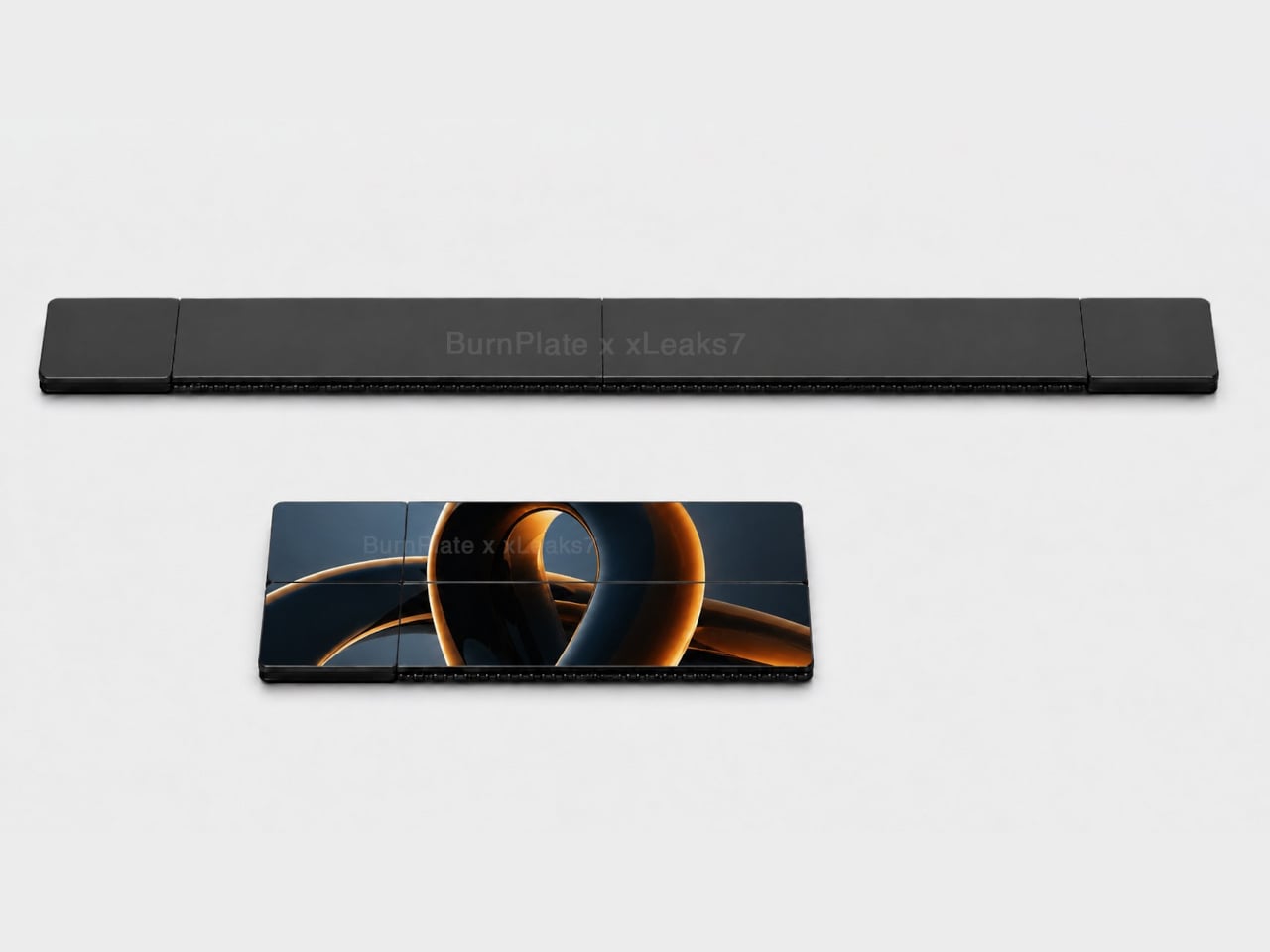
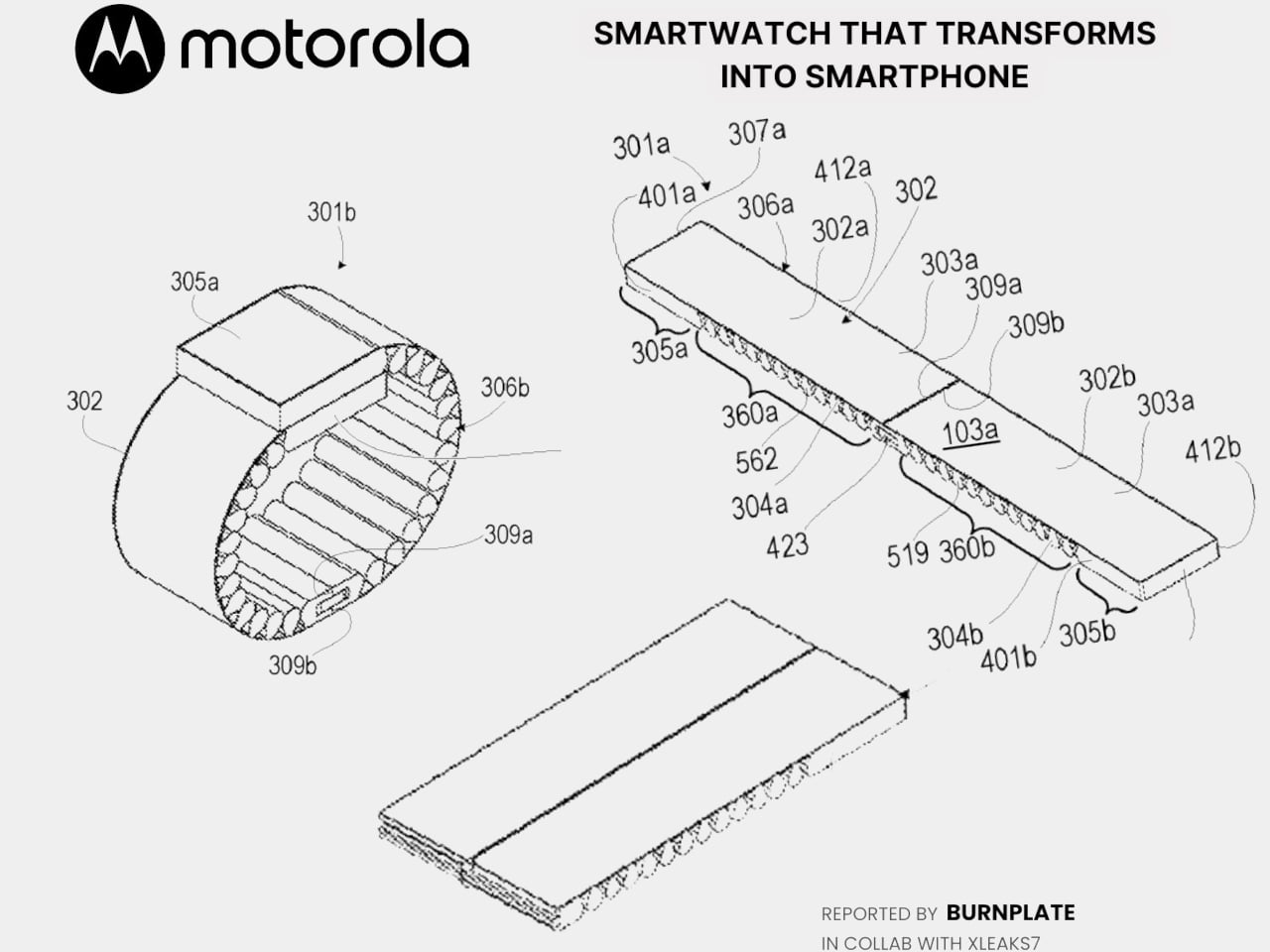
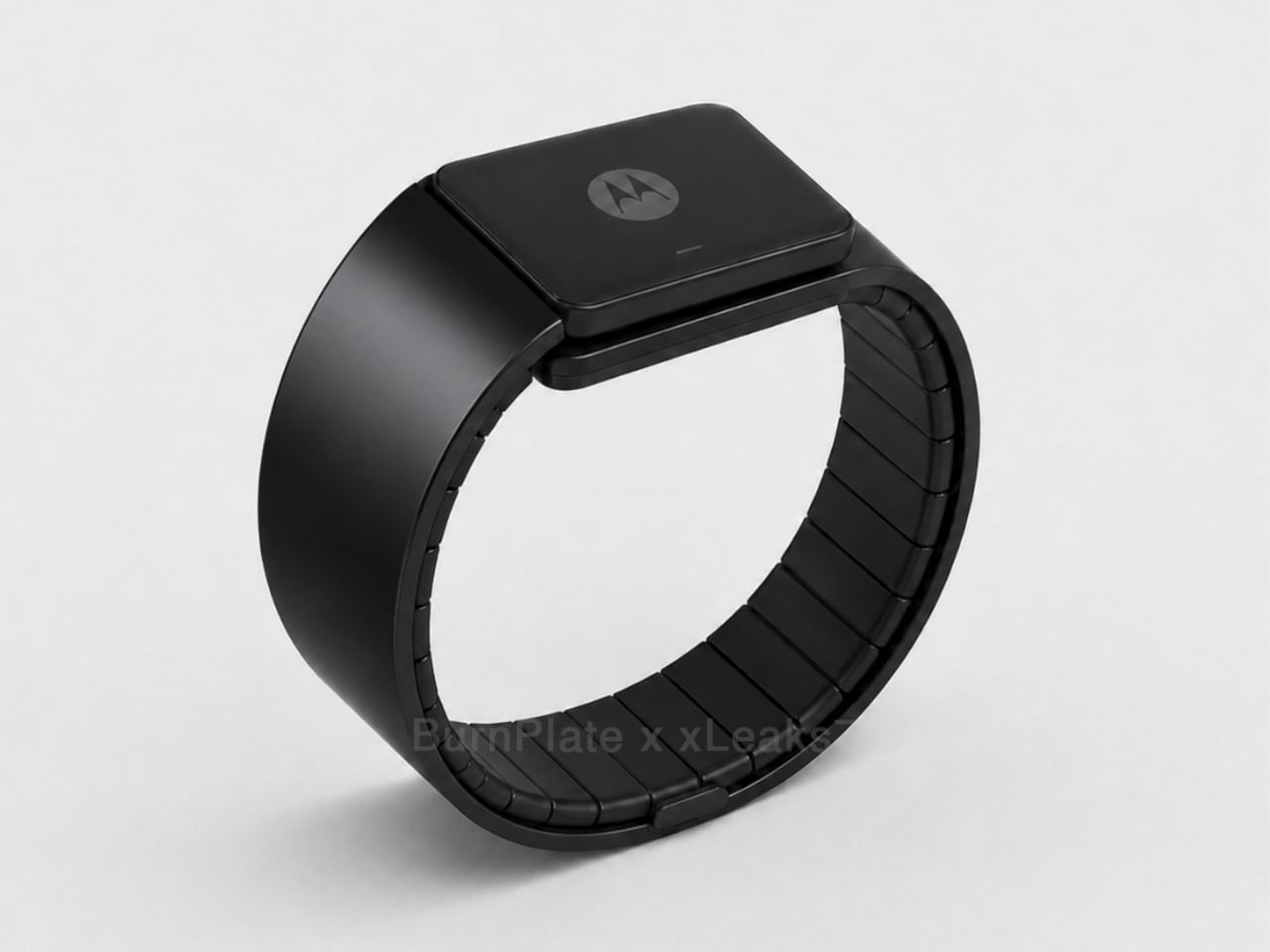
Motorola’s latest patent, officially registered as US12,693,705 under the title “Pivoting wearable reconfigurable screen,” proposes exactly that. The device starts on the wrist as a conventional smartwatch, its flexible display curved around the band. When more screen real estate is needed, the strap pivots and unfolds, flattening into a short, wide display format that functions as a handheld device. A third configuration folds the bottom quarter into an “L” shape, turning the unit into a self-standing desk display.

Designer: Motorola (via Burnplate, David Kowalski/xeaks7)

The mechanism that makes it possible is the strap itself. Rather than housing a traditional watch face with a fixed display, almost the entire outer surface of the band carries a flexible screen. Worn, it reads like a standard wearable. Removed and unfolded, that same surface becomes the display area of a compact, landscape-oriented device. The pivot point is what separates this from simply being a wrist-wrap phone like earlier concepts.

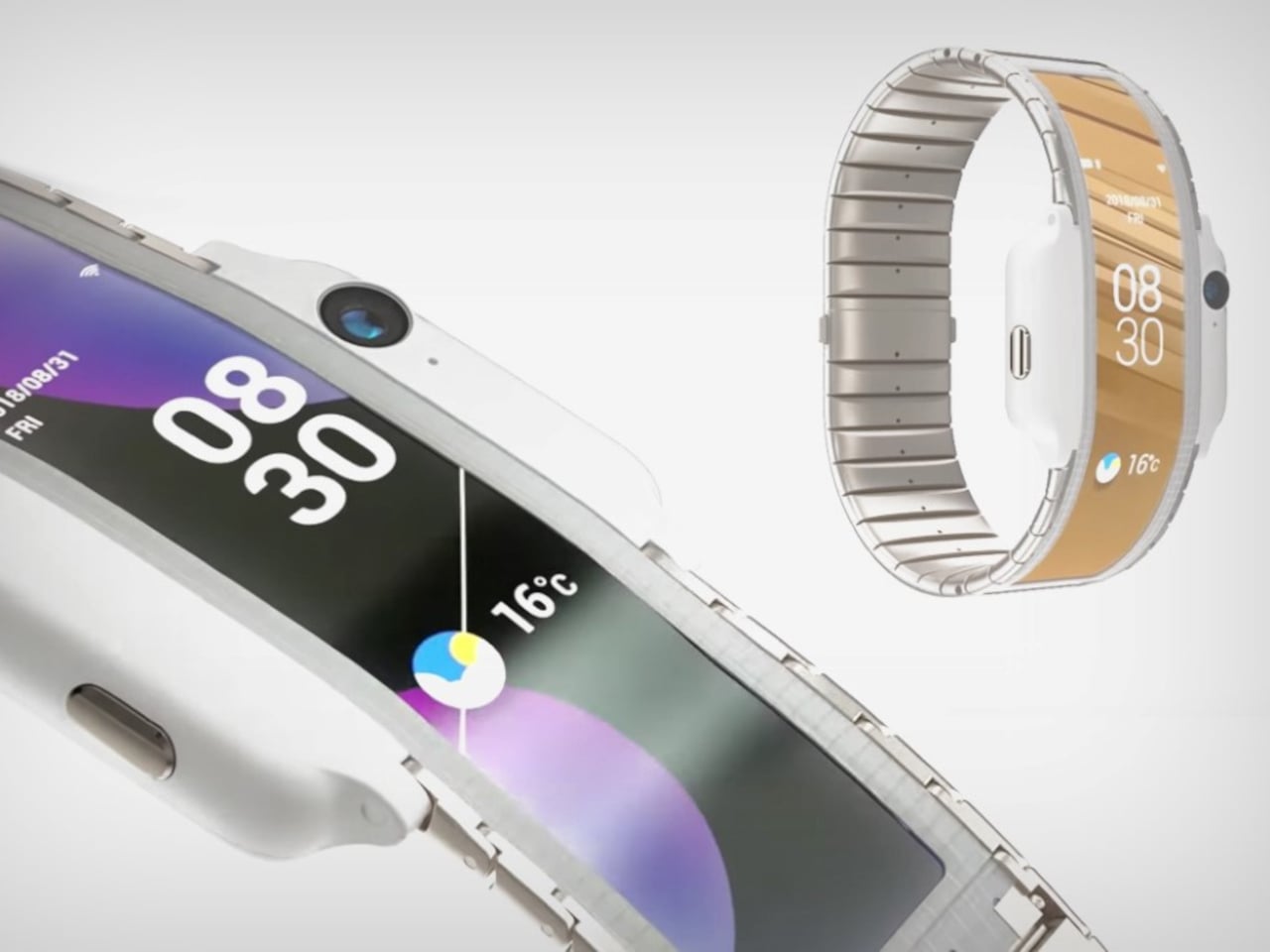
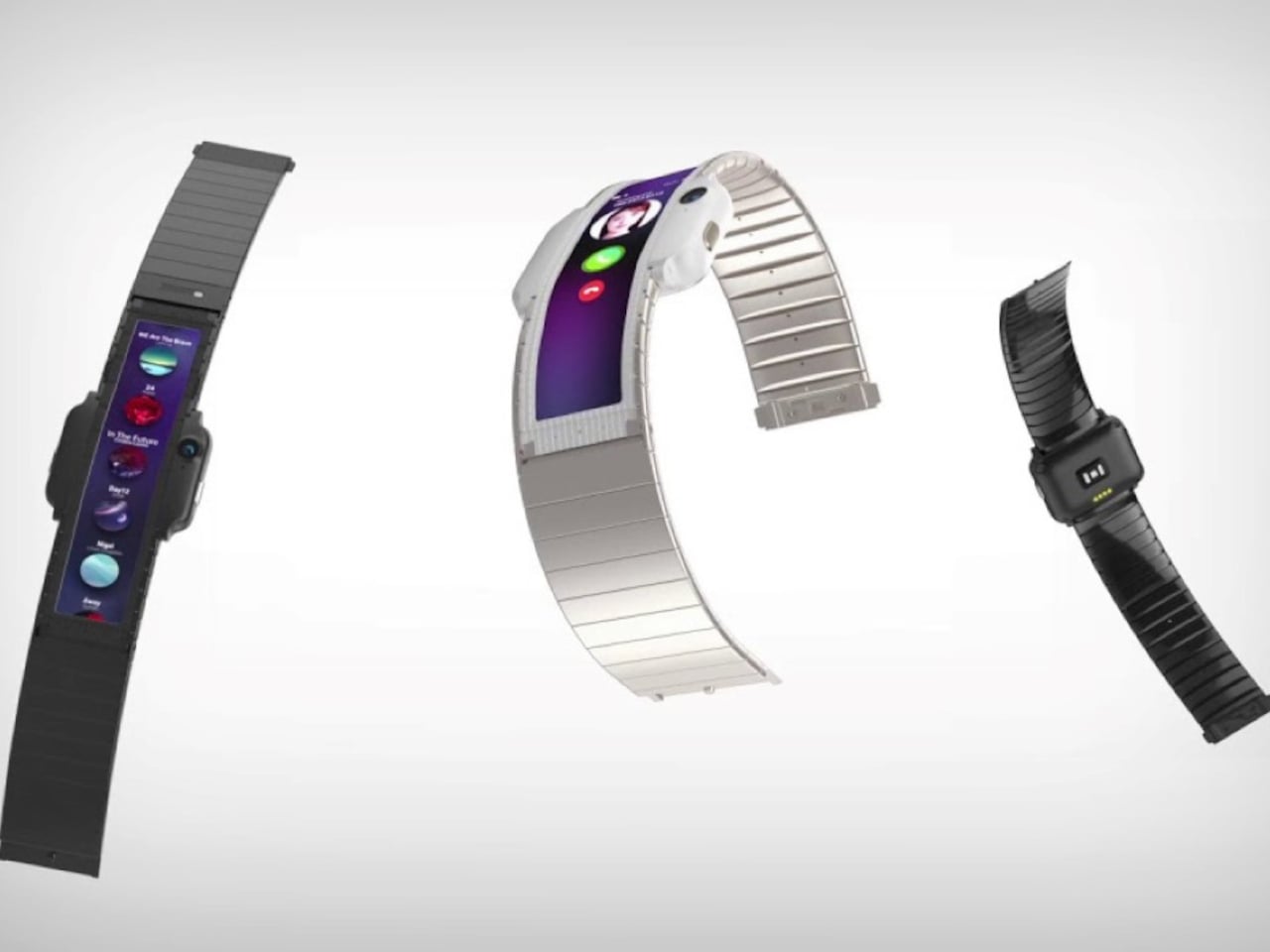
That distinction matters because Nubia tried the wrist-phone idea back in 2018 with the Alpha, and the result was a fascinating but limited object. The Alpha wrapped a 4.01-inch OLED display around the upper wrist, delivering more screen real estate than any smartwatch before it, but the display stayed wrapped. It curved beautifully, could make calls, take photos, and run apps, but it never transformed into anything. The watch was the watch, full stop.

Nubia Alpha

Motorola’s patent reverses the logic. Rather than making a phone you can wear, it proposes a watch you can unfold. The distinction isn’t purely semantic. A device that starts as a watch and transforms into a handheld is solving a different problem than one that starts as a phone and straps to your wrist. The first carries a reasonable identity in both states; the second always feels like a compromise in one of them.

Nubia Alpha

The Nubia Alpha’s sticking point wasn’t the display, which was genuinely impressive and ahead of its time. It was the software, the battery, and the form factor’s limits in practice. Nubia never took the concept further after the original and a 2020 follow-up. The flexible display remained horizontal and wrist-bound, never taking the step toward becoming a genuinely detachable, self-sufficient screen.

Whether Motorola’s patented concept eventually ships as a real device is a separate question entirely. Patents are filed routinely without becoming products, and this one would require flexible display technology durable enough to handle daily wrist bending and regular unfolding, a battery that fits within strap dimensions, and software that transitions cleanly between modes. None of those are trivial problems.

Still, the direction of thinking has clearly shifted since 2018. Nubia asked what happens when a smartphone lives on your wrist. Motorola is asking what happens when a watch becomes a screen the moment you need one.

The post Motorola’s Patent Isn’t a Phone You Wear, It’s a Watch You Unfold first appeared on Yanko Design.

  •  

This $2,999 Device Turns Your Desktop Into A Custom Apparel Printing Factory (With Air Purification)

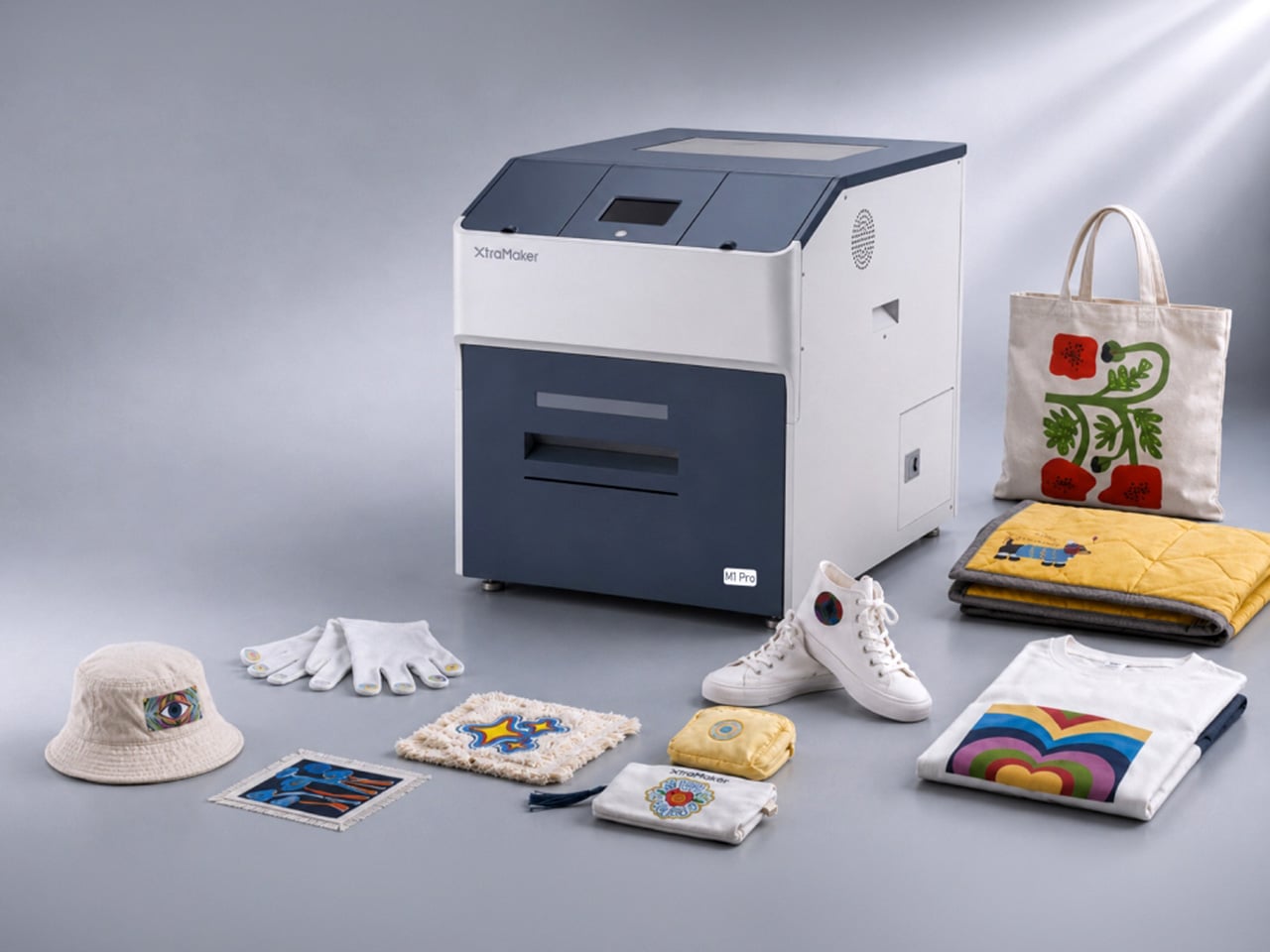
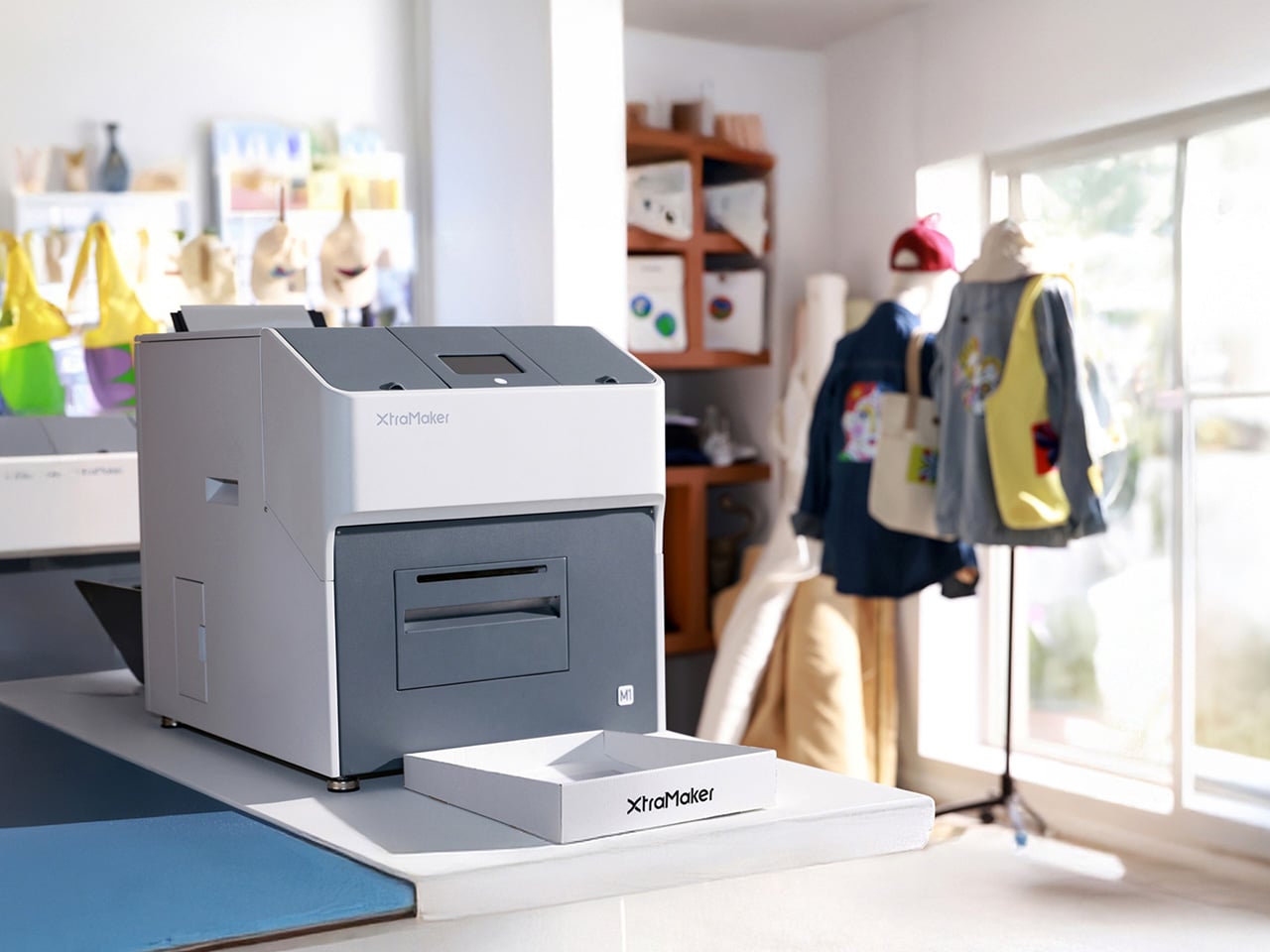
Let’s talk about the math for starting a small apparel brand. You have the designs, the drive, and a growing list of people who want to buy your stuff. Then you look up the gear. Aside from the thousands in hardware, materials, and a good air-purification system (because breathing is generally a good thing), you’re also looking at a massive space investment. Suddenly, you’re nearly $10k in, and need an entire garage for something the XtraMaker M1 Series offers in a tabletop format for a fraction of the price. With a modular printhead design no less, allowing for customization all within the form factor of a large microwave oven.

This is where the XtraMaker M1 Series finally brings apparel creation into the desktop factory era. It takes that sprawling, expensive production line and collapses it into a single, self-contained unit for $2,999. This is the micro-factory for fabric we’ve been waiting for, handling everything from printing the transfer to curing the adhesive inside a fume-filtered system that fits on a desk. It’s the machine that makes the business plan finally make sense, shrinking the startup cost by two-thirds and proving that the next big apparel brand doesn’t need an industrial loan to get started; it just needs a desktop.

Designer: XtraMaker

Click Here to Buy Now: $2999 $6499 ($3500 off). Hurry, only 38/50 left! Raised over $331,000.

The M1’s core innovation is condensing the entire five-step DTF relay race into a single, autonomous sprint. It prints, powders, shakes, cures, and purifies its own air without any manual handoff between stages. This integrated workflow is critical for a desktop machine, as it eliminates the mess and fumes that make traditional DTF printing impossible in a home or small studio. The enclosed system uses a multi-layer filter to capture stray adhesive powder and neutralize the chemical smell from the curing process, keeping the workspace clean and breathable. This turns what was once a multi-machine, garage-only operation into a clean, one-click process you can run from a spare room.

Print quality is anchored to commercial standards, with G7 Master-certified color accuracy ensuring that on-screen RGB designs translate faithfully to the final CMYK print. At a resolution of 1440×1440 DPI, the M1 Series produces sharp, detailed transfers where fine lines and photo-realistic gradients come through cleanly. The resulting prints are just 0.5mm thick, allowing them to blend seamlessly with the fabric’s texture rather than sitting on top like a stiff, plastic patch. This professional-grade output works across a huge range of materials, from cotton, denim, and polyester to more delicate fabrics like silk, giving creators a massive canvas for their ideas.

XtraMaker’s engineers clearly obsessed over reliability, building in a suite of defensive systems to prevent common failures. The most notorious issue in DTF printing, white ink clogging, is addressed by the LoopMaster™ system, which uses automatic 15-minute circulation cycles and continuous cartridge stirring to keep the dense ink from settling and drying in the lines (the white ink circulation system operates with zero ink consumption too). Even more impressive is the built-in UPS battery. If power cuts out, the battery instantly triggers a flush, replacing the ink with a protective fluid to save the printhead from drying out. The UPS battery also powers the printer’s auto-maintenance system while the machine is on standby or powered off. This enables the machine to automatically fill the ink channels with moisturizing liquid and keep the white ink stirring continuously for up to 30 days. Combined with over 20 sensors that monitor the machine’s health and ink levels in real-time, all this creates a system that actively works to prevent the most expensive and frustrating problems before they happen.

The entire package is tailored for small business growth, from the software to the hardware options. The XtraMaker Studios app includes a cost estimation tool that calculates ink and film usage, giving you a precise per-print cost so you can price your products profitably. A 3D preview feature also lets you see how a design will look on a finished garment, saving time and materials. The M1 itself comes in two sizes: the standard M1 for A4-sized prints, perfect for logos and chest graphics, and the larger M1 Pro, which handles A3+ prints for full-back designs on hoodies and jackets. This gives a growing brand a clear upgrade path as their product line and ambitions expand.

XtraMaker’s M1 Series is aimed squarely at the new wave of creators: Etsy sellers, independent streetwear labels, and craft fair operators who need professional output without the industrial overhead. While other desktop DTF printers exist, none integrate the entire five-step workflow, the advanced anti-clog and power-loss protection, and the built-in air purification into a single unit at this price. It’s a machine that understands that for a small business, the real costs are complexity, downtime, and mess.

Click Here to Buy Now: $2999 $6499 ($3500 off). Hurry, only 38/50 left! Raised over $331,000.

The post This $2,999 Device Turns Your Desktop Into A Custom Apparel Printing Factory (With Air Purification) first appeared on Yanko Design.

  •  
❌