Apple lost its EU court challenge over iOS and the App Store, keeping both under the Digital Markets Act as another legal challenge still remains possible.
J'aime bien lire les articles de l'EFF (l'Electronic Frontier Foundation, la Quadrature du Net des américains quoi...) et là ils viennent de publier un truc m'a fait plaisir : un vrai plaidoyer pour la défense du RSS.
Vous connaissez mon avis là dessus et c'est vrai que depuis que Google a signé l'arrêt de mort de cette techno au profit d'algo à la con type
Discover
, y'a énormément moins de monde qui l'utilise. Et je trouve ça triste.
Alors que les flux RSS, c'est la liberté ! Ça décloisonne le contenu d'un site pour le faire atterrir dans l'appli de votre choix, ça permet d'en extraire des choses, de le faire traiter par exemple par un programme...etc. Et surtout c'est vous qui gérez la façon dont vous voyez le contenu. Vous pouvez le filtrer, l'ordonner comme vous voulez et surtout le lire avec le lecteur de flux de votre choix.
C'est super pratique, et ça permet par exemple de parcourir uniquement les titres des articles, et de ne s'arrêter que sur ceux qui vous intéressent. Moi y'a plein de trucs qui m'intéressent en ce moment et que j'ai envie de partager. Je suis hyper actif et atteint de FOMO, donc ça bombarde. En plus j'ai que ça à foutre de la journée en général, donc bon, désolé ! ^^ Mais heureusement, avec les flux RSS vous pouvez faire une sélection plus fine et éviter de lire des trucs qui ne vous intéressent pas.
Perso, ça fait des années que je fais de la veille, c'est une partie importante de mon boulot. J'ai commencé sur un lecteur de flux tout pourri, puis je suis passé par Netvibes, Google Reader (paix à son âme), puis Feedly et aujourd'hui j'expérimente Inoreader. Le RSS ne m'a jamais quitté et quand les sites n'en proposent pas, je m'arrange toujours avec des scripts ou des outils customs pour m'en faire un que je peux importer dans mon lecteur !
J'aime tellement ça que sur korben.info, que je vous propose des flux RSS complets (qui contiennent tout le contenu). Le premier,
/feed
, c'est le flux tech que vous connaissez, historique, exactement comme vous l'aimez. Que de la techno, du code, de la sécu, de l'open source.
Et le petit nouveau c'est
/feedfull
, qui propose les même sujets tech qu'au-dessus + des sujets un peu plus grand public / mainstream. Dernièrement, j'avais envie envie d'ouvrir un peu plus les portes du site et écrire aussi pour ceux qui ne bidouillent pas et qui veulent juste être au courant d'un truc utile ou deux. Et heureusement,
Vincent
m'aide dans cette nouvelle aventure !
Bref, c'est vous qui choisissez votre flux, je ne vous l'impose pas ! Et c'est la même logique sur la page d'accueil avec ce petit switch dans le header.
"Complet", c'est l'affichage par défaut, vous voyez tout. Et si vous cliquez sur "Techos", hop, le contenu grand public disparaît. Votre choix est mémorisé dans le local storage de votre navigateur, et voilà.
Si vous n'avez pas encore de lecteur RSS, n'importe lequel fera l'affaire, de Feedly cité plus haut à un truc plus moderne comme
MrRSS
. Vous copiez l'adresse du flux, vous la collez, c'est réglé. Et tant qu'on y est, vous pouvez aussi
reprendre la main sur votre actu
côté Google avec cette manip.
Bref, deux flux, un switch, et c'est vous qui tenez le barre !
La
Steam Machine de Valve
vient à peine d'arriver dans les salons que le youtubeur ETA Prime l'a déjà éventrée sur son établi. Et je sais pas vous, mais moi j'ai bien envie de voir ça avant de lâcher les 1039 euros qu'elle va couter. Ce petit cube vient de sortir d'usine avec ses 16 Go de mémoire et un SSD de 512 Go ou 2 To, et la vraie question que tous les geeks se posent c'est ... roulements de tambour ... : Est-ce qu'on peut l'ouvrir et bidouiller dedans ?
ET BIEN OUI ! Et c'est même plus facile que ce que vous pensez !!!
Tout commence donc avec deux vis T8 à l'arrière (qui ne tombent pas, elles restent solidaires du châssis, c'est qualiiii) et quatre autres sous les pieds. La façade avant, elle, tient juste avec des aimants.
Un coup de
spudger
, on fait coulisser tout le bloc hors de sa coque en plastique, et là vous tombez sur un gros radiateur en aluminium avec ses caloducs en cuivre, une alimentation intégrée, et la carte mère prise en sandwich au milieu. C'est propre et ça permet d'éviter le gros bloc d'alim qui traine sous la TV.
Le slot M.2, les ports USB avant, le lecteur SD, les USB arrière et l'Ethernet sont montés sur des petites cartes filles reliées par des nappes, ce qui rend le tout très modulaire. Ainsi, si le connecteur USB vous lâche dans 2 ans, bah y'a juste qu'à remplacer le module concerné et basta !
Même le Wi-Fi et le Bluetooth, soudés sur la carte d'entrées-sorties avant, se changent en remplaçant ce seul bloc. Notez que le seul élément un peu fermé, c'est le ventilateur car il est custom, dessiné spécifiquement pour la machine, donc oubliez votre rêve de coller un Noctua à la place. Et pour accéder à la RAM, par contre, il faut sortir le ventilateur et son carénage, débrancher les antennes Wi-Fi, puis dégager le radiateur.
Bonne nouvelle aussi, y'aura pas besoin de refaire la pâte thermique puisque la carte mère se soulève d'un bloc pour libérer les deux emplacements SO-DIMM en dessous. Valve n'en utilise qu'un seul d'origine, avec une barrette de 16 Go en DDR5 à 5600 MT/s, en single channel. ETA Prime a viré ça pour deux barrettes Crucial de 32 Go, soit 64 Go au total.
Au reboot, SteamOS Holo lui a par contre affiché 62 Go de mémoire système (?). Et pour le stockage, le SSD d'origine est un format court
2230
, mais il y a la place pour un 2280 classique. Du coup notre Youtubeur y a mis un Kingston Fury Renegade de 4 To, cloné depuis le disque d'usine avec
Etcher
pour garder ses jeux et son compte.
La barrette SO-DIMM DDR5 d'origine, à côté des Crucial de 32 Go
Côté tripes, le menu système le confirme bien... La bête contient un AMD Custom CPU 1772 en architecture Zen 4, six cœurs et douze threads à 4,86 GHz, accompagné d'un GPU RDNA 3 (un Navi 33, pour les curieux) avec 8 Go de VRAM. Malheureusement (et là, vous allez chialer), ces 8 Go de mémoire vidéo sont soudés et donc non extensibles. Donc même avec 64 Go de RAM système, vous ne gagnerez quasiment rien en jeu, puisque c'est la VRAM qui fait le boulot graphique. C'est couillon...
Le menu système après upgrade : 62 Go de RAM, mais toujours 8 Go de VRAM
Cela signifie que vu les prix de la RAM en ce moment, ça ne vaut pas le coup de l'upgrader sur la Steam Machine. Les 16 Go d'origine suffisent largement pour la plupart des gens (Le prix de la mémoire était justement une des raisons pour lesquelles la Steam Machine coûte plus cher qu'une PS5 Pro, haha).
Pareil pour le SSD, payer un M.2 4 To, c'est se faire mal au portefeuille pour rien alors qu'un disque dur externe USB de 5 To coûte trois fois moins cher. Un peu plus lent au chargement, certes, mais c'est largement suffisant pour stocker votre ludothèque.
Mais je suis quand même content de voir que Valve a sorti une vraie machine ouverte, réparable avec un simple tournevis, là où la concurrence nous soude tout comme des déglingos et interdit le moindre accès.
If you have an Xbox Series X or Xbox Series S, you probably need more storage. Having to uninstall a game to install a new game or an update to one of your favorite titles is a hassle.
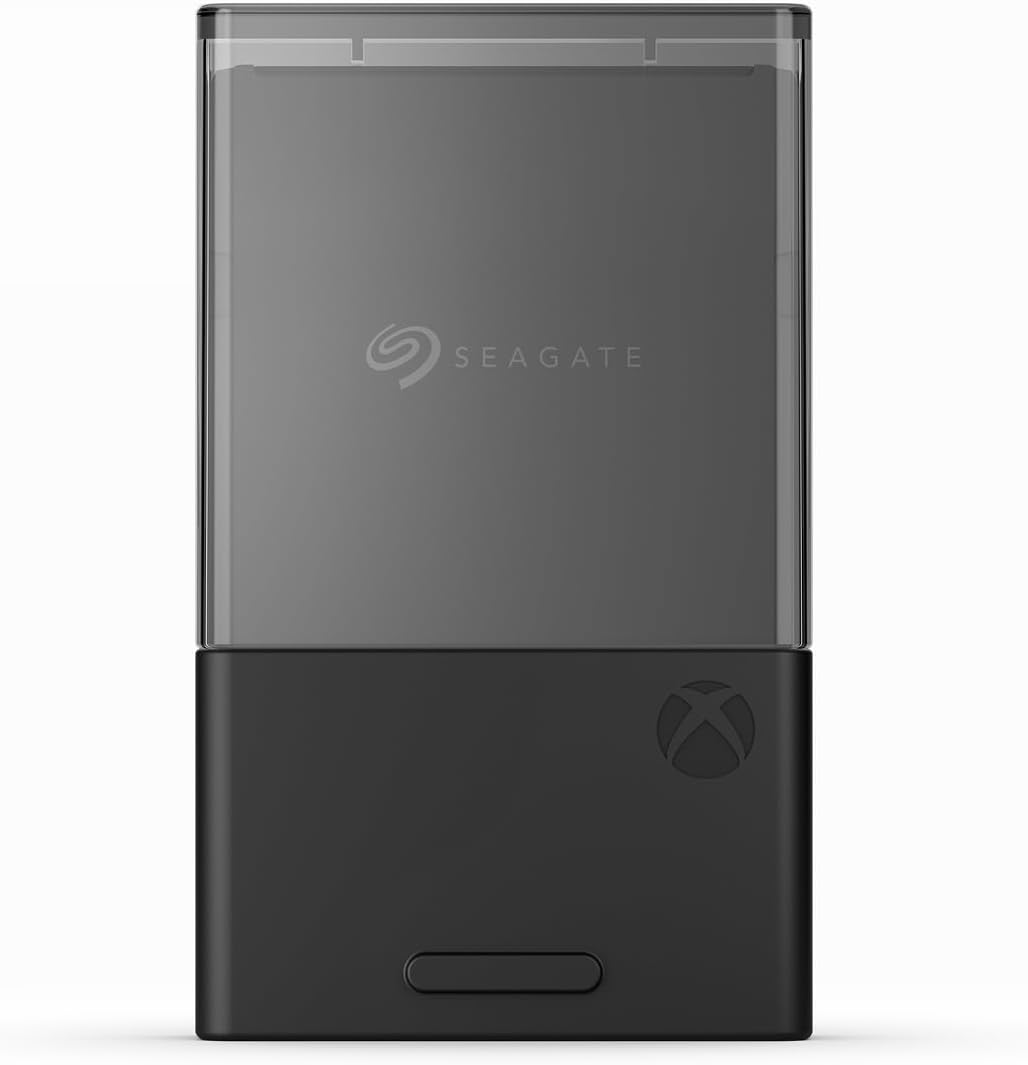
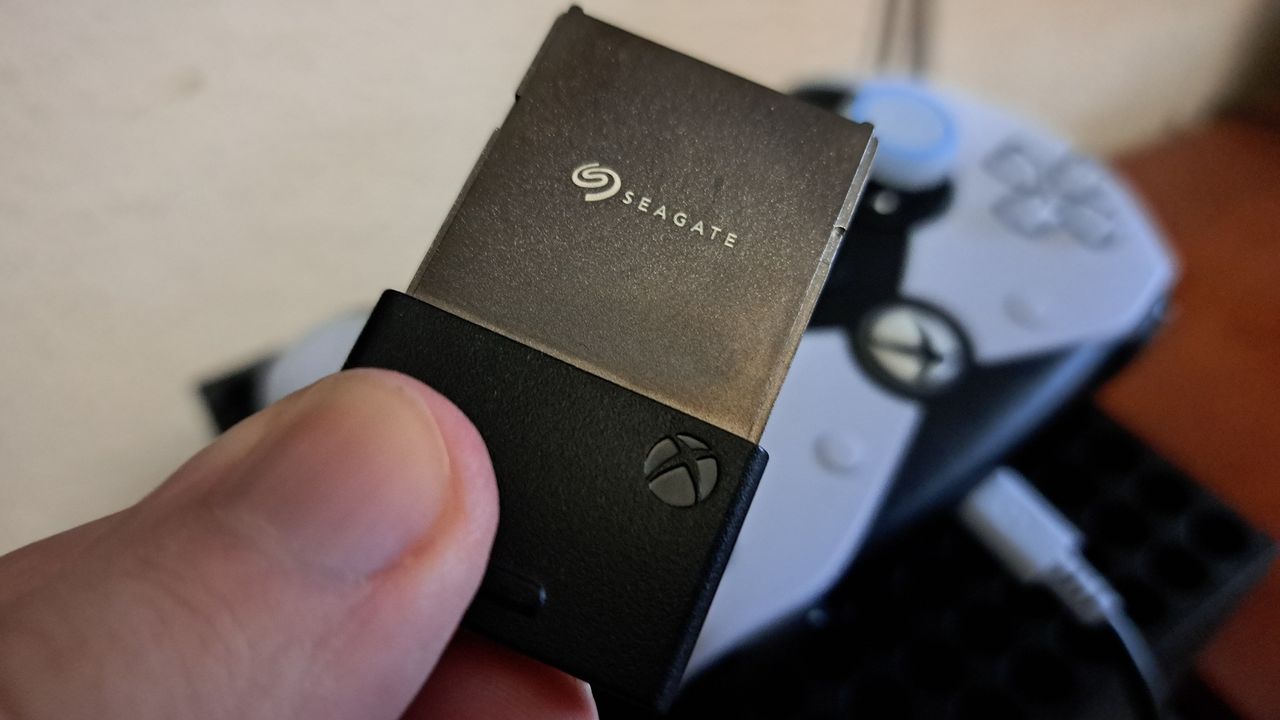
The Seagate Storage Expansion Card for Xbox Series X|S is a plug-and-play solution that lets you expand the storage of your console.
"Seagate's Storage Expansion Card is the best way to add more space to the latest Xbox consoles, while avoiding the annoying limitations of USB drives. While it's an expensive investment that might be hard to justify, those who drop the cash won't be disappointed with the returns." — Matt Brown, former Senior Editor
This 2TB model has double the storage of the base expansion card and is a great way to get more space for games on your Xbox Series X|S.View Deal
This massive 4TB expansion card is the largest available for your Xbox Series X|S.View Deal
Why buy the Seagate Expansion Card?
You can skip game file management and space issues with the Seagate Storage Expansion Card for Xbox. (Image credit: Windows Central)
The Seagate Expansion Card is the simplest way to expand the storage of your console. There's no setup or configuration required to use the card.
Xbox Series X|S games can be massive. Call of Duty: Black Ops 7 alone is 161GB, and that's without DLC. The Seagate Expansion Card delivers similar speeds to the native storage of the Xbox Series X|S, so you can store games on the card and play them without having to transfer files around.
The Seagate Expansion Card also supports Quick Resume, which is a feature that lets you pause your game and power down your console and then pick up exactly where you left off when you load the game again.
Considering how big games are and how many great games are available on the Xbox Series X|S and on the way to the consoles, an expansion card of some kind is a must have. The Seagate Expansion Card is the easiest to use, quick enough to play games off, and is a great deal during Prime Day.
Alternative discounts
Prime Day discounts and a deal at Best Buy provide the best prices on the Seagate Expansion Card, but if those deals expire, you can check out these alternatives:
The Seagate Expansion Card is meant to be used with an Xbox Series X or Xbox Series S, but it can work with a PC if you pair it with the right adapter.
Join us on Reddit at r/WindowsCentral to share your insights and discuss our latest news, reviews, and more.
Photograph of the 1TB Seagate Storage Expansion Card for Xbox Series X|S
Photograph of the 1TB Seagate Storage Expansion Card for Xbox Series X|S
Trump says Apple will work with Intel on US chip production, a potential foundry win that could shift Apple’s supply chain options and US chip strategy.
Android 17 is rolling out to supported Pixel devices first, while non-Pixel users and IT teams face separate OEM timelines, beta programs, and app-testing considerations.
Dexcom’s Stelo is the first over-the-counter continuous glucose monitor cleared for children. The FDA decision expands app-based glucose tracking to younger users, but schools, health care teams, and benefits leaders still need to account for device access, caregiver oversight, and coverage questions.
The G7’s critical minerals push is putting AI hardware, chip supply chains, data centers, and APAC manufacturing under sharper scrutiny as governments look for ways to finance alternatives to China-linked supply chains.
À tous les nostalgiques de la Nintendo 64 et notamment de Super Mario 64, j'ai un petit truc cool à vous montrer. Tobi Friedly vient de sortir un portage du jeu sur Nintendo DS, et pas n'importe lequel, puisque celui-ci tourne sur la vraie console de 2004, et pas seulement sur la DSi qui embarquait quatre fois plus de mémoire vive. Et comme si ça suffisait pas, il y a même mis un mode deux joueurs.
C'est vrai que le truc qui coince d'habitude, c'est que la DS originale n'a pas assez de RAM pour charger toute la ROM du jeu d'un coup. Tobi a donc contourné le problème en faisant streamer les assets à la demande via
NitroFS
, le système de fichiers des cartouches DS.
Du coup, au lieu de tout balancer en mémoire d'un bloc, le jeu va piocher les niveaux et les textures au fur et à mesure qu'il en a besoin. C'est grâce à cette méthode ingénieuse qu'il a pu débloquer son portage sur la vraie DS, là où le portage précédent de Hydr8gon restait coincé sur DSi faute de place.
C'est d'ailleurs grâce au boulot de Hydr8gon que Tobi a construit le sien, en le modifiant et en l'adaptant suffisamment pour qu'il tourne sur tous les modèles de DS.
Au passage il a rebouché aussi deux bugs qui traînaient, et maintenant le jeu est finissable à 120 étoiles, et le son fonctionne enfin (avant c'était silence radio). La stabilité générale a aussi pris un bon coup de polish.
Le mode multijoueur, lui, réclame deux DS, chacune avec sa propre copie du jeu. C'est du coop local, parfait pour explorer le château à deux ou juste pour déconner ensemble, entre moustachus, dans un niveau de Mario.
Attention quand même, ce n'est pas un fichier .nds prêt à double-cliquer. Faut dumper vous-même la ROM de votre propre cartouche Super Mario 64, puis compiler le truc via Docker. Si vous bidouillez un peu l'émulation ou si vous utilisez des cartouches de type flashcart, vous savez que c'est le prix d'entrée habituel pour ce genre de projet de décompilation, notamment pour rester du bon côté niveau droits.
Une équipe issue de l'université de Berkeley vient de publier OpenCAL, une version libre et
documentée
d'une technique d'impression 3D qui ne ressemble à rien de ce qu'on connaît, et le projet est désormais reproductible chez soi avec des composants qu'on trouve dans le commerce.
Le principe porte un nom un peu barbare, la lithographie axiale calculée (Computed Axial Lithography, ou CAL), mais l'idée derrière est étonnamment simple.
Une imprimante 3D classique à résine fabrique un objet en empilant des centaines de tranches horizontales, l'une après l'autre, comme on poserait des feuilles de papier les unes sur les autres jusqu'à obtenir un volume. C'est lent, et chaque couche laisse une petite marque parfois visible.
La CAL fait l'inverse. Au lieu de découper l'objet en strates, elle projette de la lumière dans un petit récipient de résine liquide qui tourne lentement sur lui-même, et l'image projetée change en permanence selon l'angle de rotation.
Cette technique reprend en fait le fonctionnement d'un scanner médical, mais à l'envers. Un scanner prend une multitude de clichés d'un corps sous tous les angles pour reconstituer une image en volume. Ici, on part de l'objet en 3D et un logiciel calcule toutes les projections à renvoyer dans la résine pendant qu'elle tourne.
Là où la lumière s'accumule suffisamment, la résine durcit. Partout ailleurs, elle reste liquide. Et comme le calcul concentre l'énergie sur l'ensemble du volume en même temps, la pièce entière se solidifie d'un coup, en quelques dizaines de secondes parfois, là où une imprimante normale mettrait de longues minutes voire des heures.
Pas de couches, donc pas de stries, pas de film FEP à changer (cette membrane transparente au fond des bacs à résine qui s'use vite), et aucun de ces cycles d'arrêt et de redémarrage qui ralentissent les machines habituelles.
La technologie n'est pas nouvelle, elle est née vers 2019 d'une collaboration entre Berkeley et le laboratoire de Lawrence Livermore, mais elle restait cantonnée à la recherche, hors de portée du grand public. C'est tout l'intérêt d'OpenCAL.
Le projet propose désormais une documentation tout à fait complète, un dépôt
GitHub
avec tout le code source, les plans pour monter la machine et même la recette pour mélanger soi-même la résine adaptée. Le logiciel tourne sur un simple Raspberry Pi et la lumière vient d'un vidéoprojecteur grand public, en l'occurence ici un NexiGo Nova Mini.
Le tout est publié sous licence GPL3, libre pour un usage non commercial, recherche et éducation. L'équipe travaillait surtout sur un serveur Discord avant de tout formaliser proprement.
Une réserve quand même, et elle est importante. La résine maison repose sur des produits photochimiques toxiques, et la documentation ne s'en cache pas. Pour ceux qui préfèrent éviter de manipuler ça, un partenariat avec FormLabs propose une résine prête à l'emploi.
Côté qualité, la résolution reste comparable à celle de vieilles imprimantes à résine, rien de spectaculaire. Mais la vitesse, elle, n'a rien à voir.
Bref, voir une technologie de labo digne d'un réplicateur de Star Trek atterrir sur un Raspberry Pi et un projecteur à moins de 200 euros, c'est quand même bien sympa.
The problem with buying tech for someone who follows tech is that he’s usually already seen it. His desk is deliberate. His bag is considered. His tech doesn’t accumulate — it earns a place and stays there. Shopping for him isn’t hard because he’s difficult. It’s hard because he’s usually right, and anything that doesn’t clear his bar comes back with a polite explanation.
The ten things on this list are the ones he hasn’t gotten to yet. Some of them are brand new. A few are still taking shape as concepts or patent filings worth tracking closely. None of them are the safe, obvious choice you grab when you’re not sure. Safe choices are what you give someone you don’t actually know that well, and the guy who has everything will see right through them.
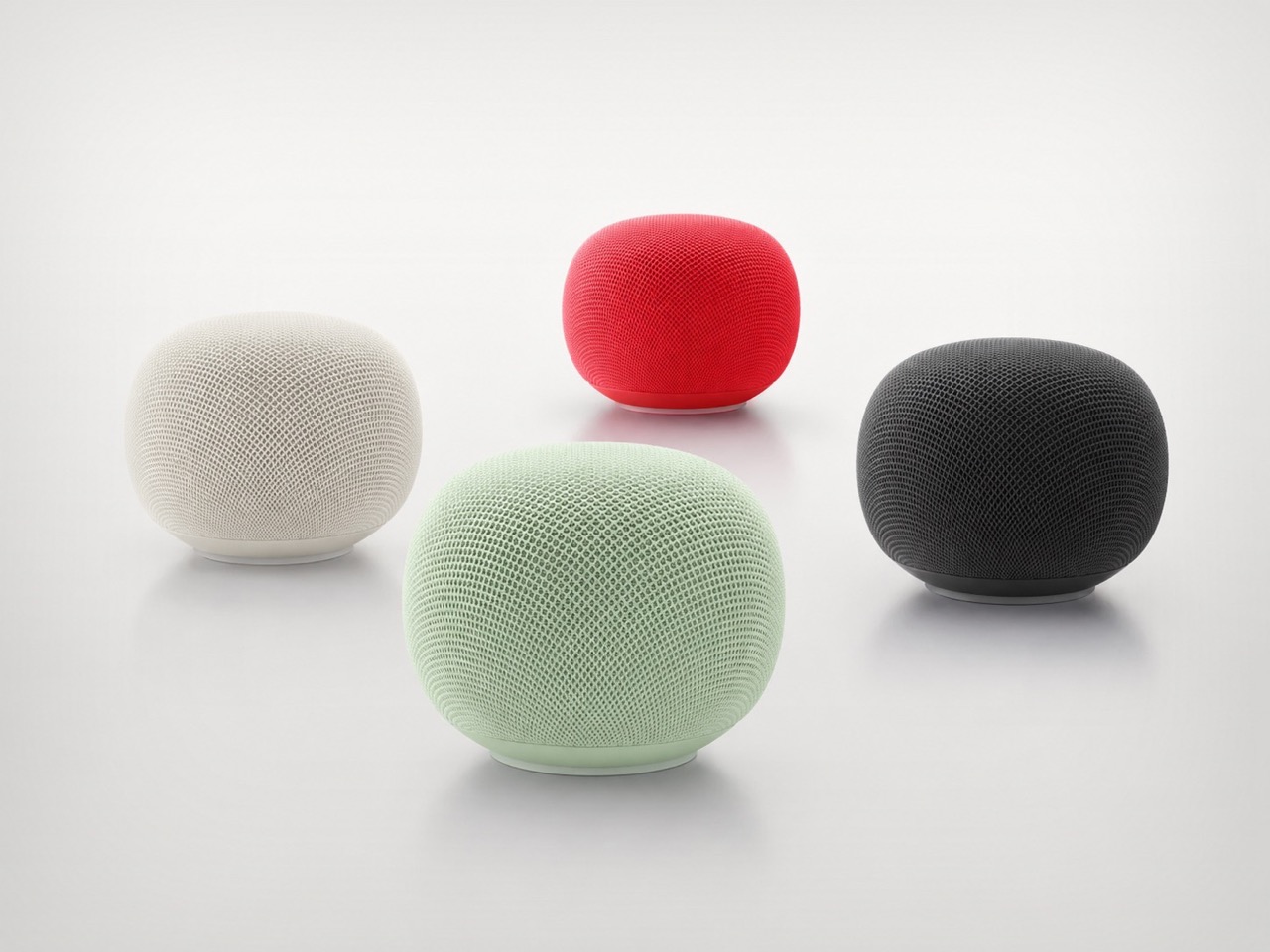
1. Google Home Speaker
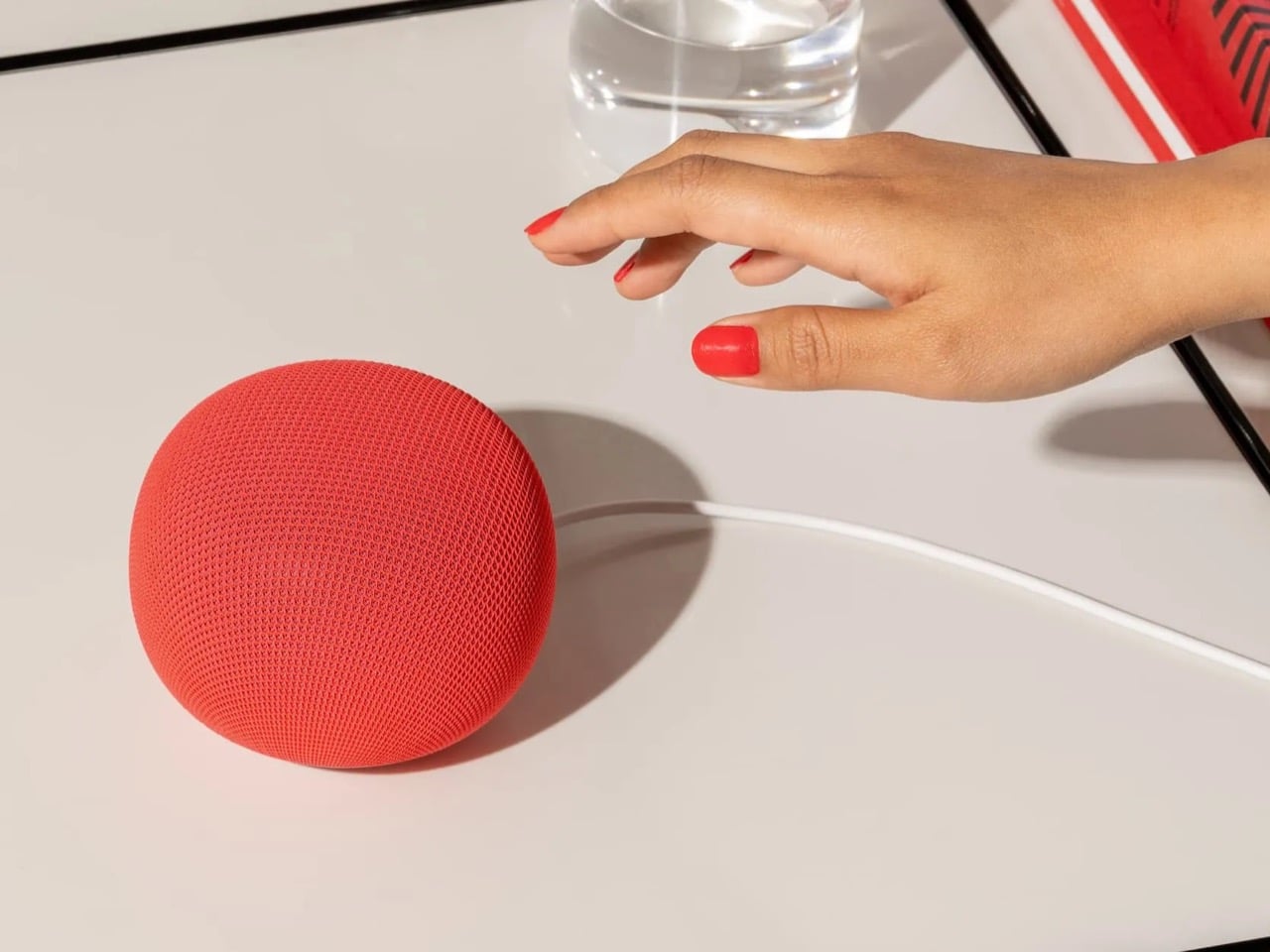
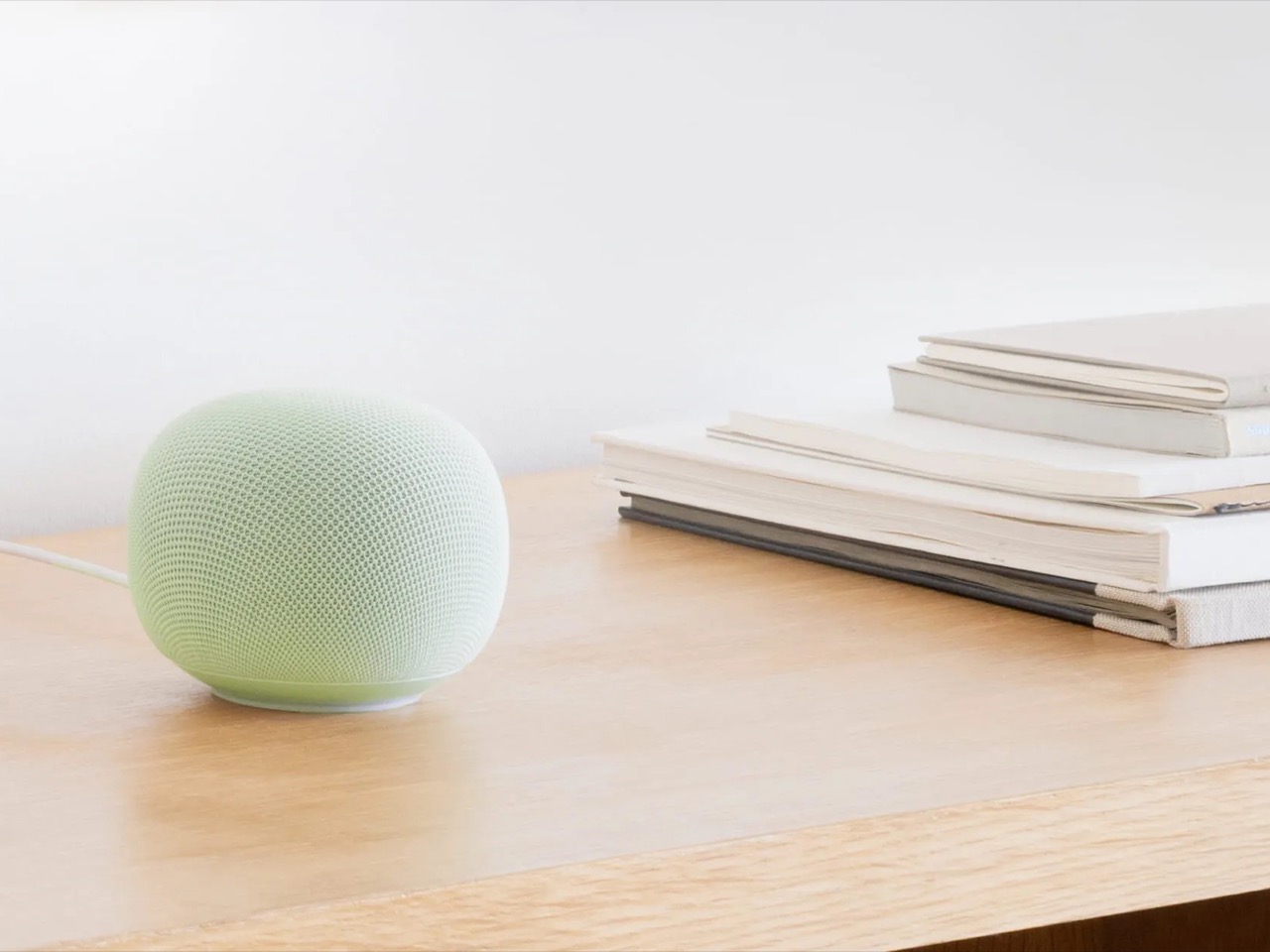
Google’s first new standalone smart speaker in nearly six years arrived in June 2026, and the gap is written into everything about it. The Nest Audio it replaces launched when people were buying anything that made a room feel less empty. The Google Home Speaker is a more considered object: small and rounded, available in colors the hardware team has always gotten right — the kind that make a shelf look slightly more curated without announcing a brand — with 360-degree audio and a light ring that tells you when Gemini is listening, thinking, or ready to respond.
The Gemini integration is the actual reason this speaker exists. Every Google product with enough surface area has been rewired into the AI model since 2025, and the kitchen turned out to be the most underserved room in the portfolio. What that means in practice is a speaker that answers hands-free cooking questions, manages a calendar, controls the broader smart home, and holds a conversation more fluently than any Nest device before it. Whether Google maintains attention on the category this time around is the only question worth watching.
What We Like
Gemini integration makes ambient AI genuinely useful in a room that needed it most
Soft, rounded form and considered color options read as a design object rather than tech hardware
What We Dislike
A six-year product gap makes long-term hardware commitment harder to trust
Full Gemini functionality requires staying inside the Google ecosystem to get the most out of it
2. OrigamiSwift Folding Mouse
Most travel mice solve the portability problem by building a smaller, worse mouse. The OrigamiSwift, designed by Horace Lam, takes a different approach entirely. It folds completely flat to 0.18 inches thick, slips into a pocket, and unfolds into a full-sized ergonomic form in under half a second. The triangular structure that makes the fold work comes directly from origami geometry, which gives the collapsed state enough rigidity to survive a bag without a case, and the open position enough stability for accurate, comfortable tracking on almost any surface you set it on.
At 40 grams, you stop noticing it in your bag within the first day of carrying it, which is exactly the point. A 4,000 CPI infrared sensor handles tracking, Bluetooth 5.2 keeps the connection fast and reliable, and a single USB-C charge on the built-in lithium polymer battery lasts up to three months. The soft-click buttons are quiet enough for a shared workspace without drawing any attention. For anyone who has carried a full-sized mouse in their bag out of sheer stubbornness about ergonomics, the OrigamiSwift is the design that finally makes the case for stopping.
Opens from flat to full-sized ergonomic form in under 0.5 seconds with no mechanical fuss
Three months of battery life per USB-C charge removes recharging from the equation entirely
What We Dislike
The slim profile and 40-gram weight take adjustment for anyone used to heavier, more substantial mice
Stock is very limited — only a handful of units remain in the shop
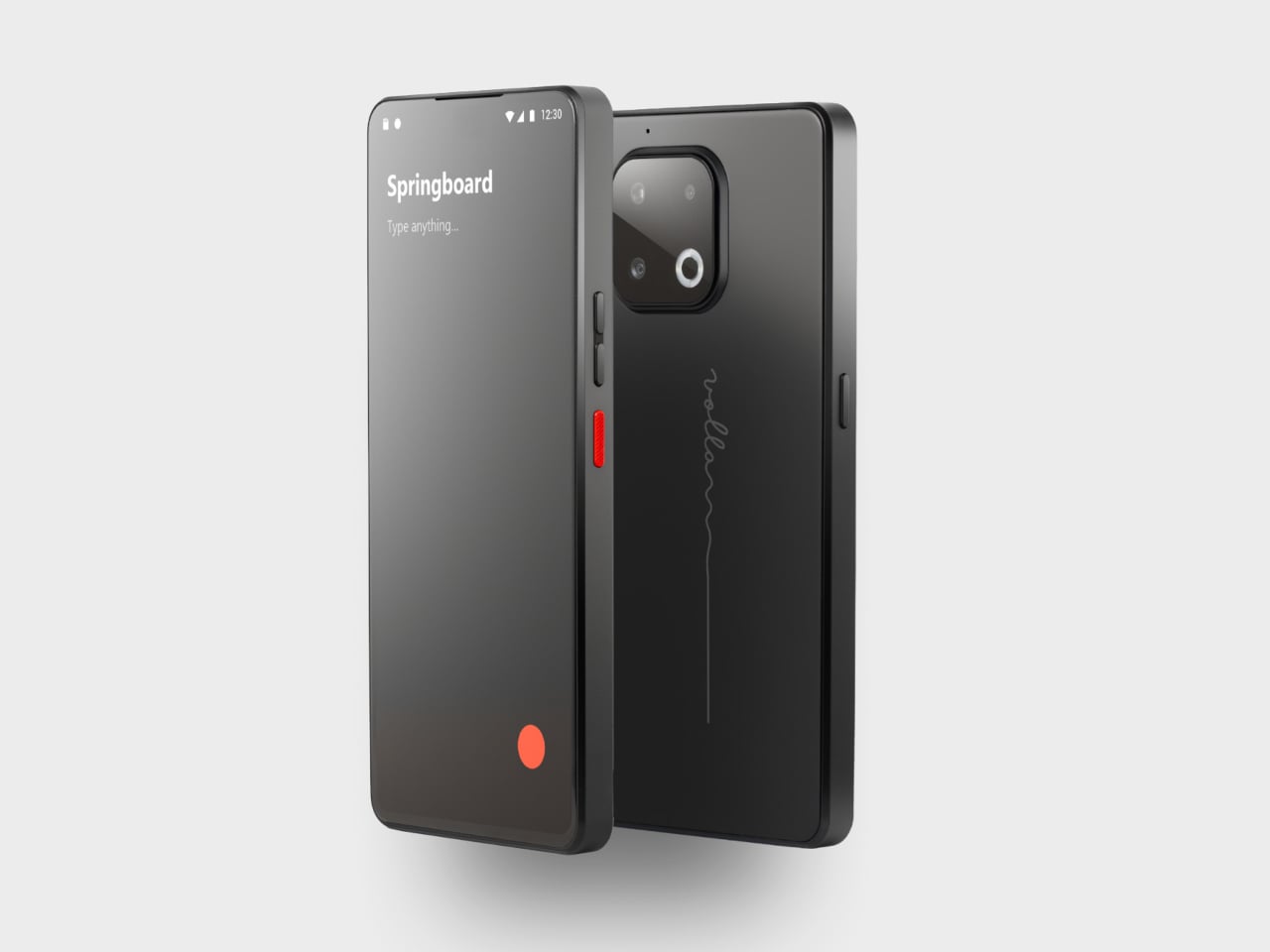
3. Volla Plinius
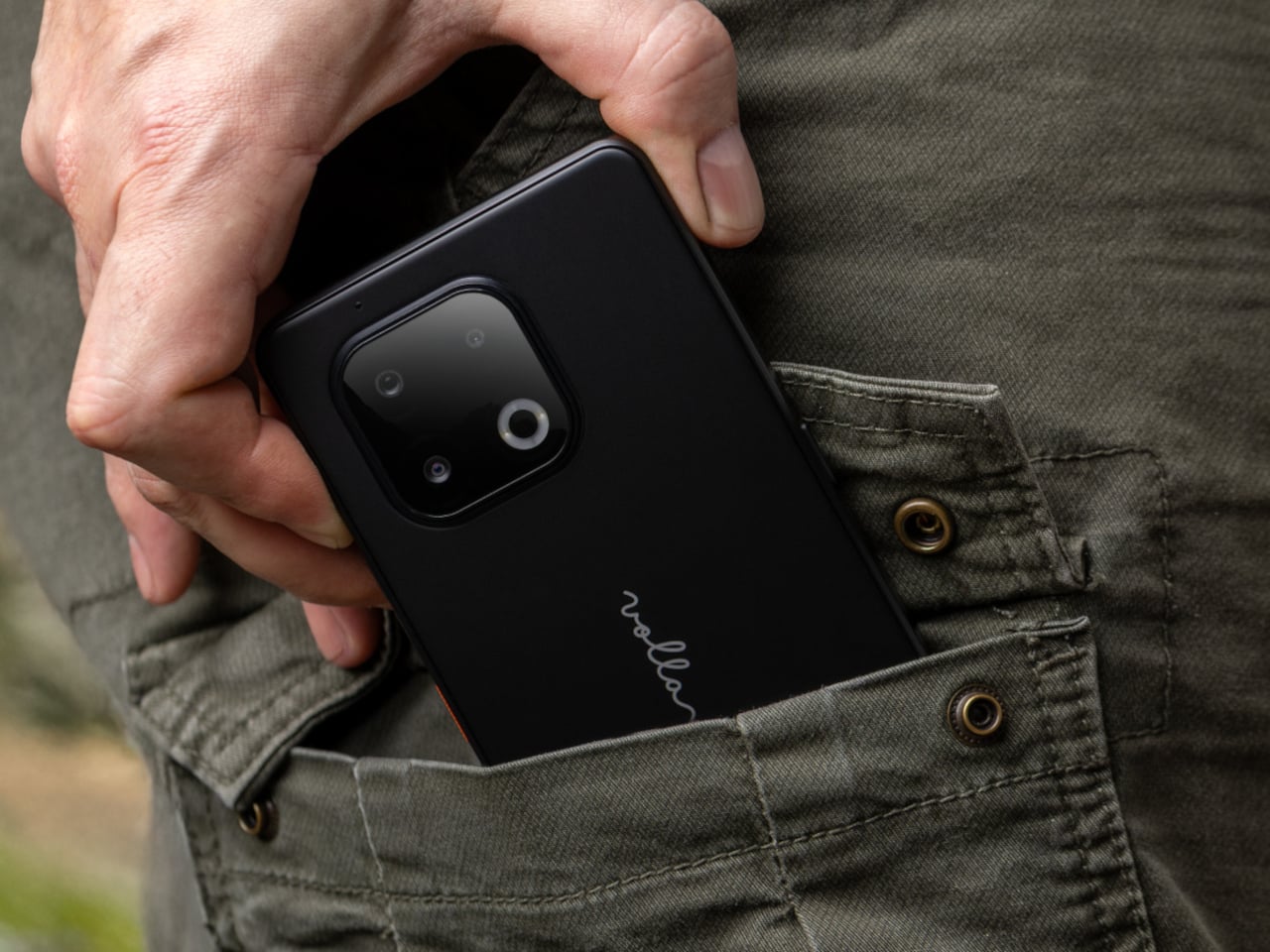
The Volla Plinius is named after Pliny the Elder, which is the kind of product name that tells you something about the people who built it. It’s a Google-free Android phone with an IP68 dust and water rating, a 6.67-inch FHD+ OLED display running at up to 120Hz, a 64MP main camera with phase-detection autofocus, an 8MP ultra-wide, and a 2MP macro, with 5G and a MediaTek Dimensity 7300 processor underneath. Out of the box, it runs Volla OS, a Google-free Android build with a clean, text-based interface and a Security Mode that governs which apps communicate with the outside world.
The detail that separates the Plinius from every other privacy phone is a user-replaceable battery you can swap with a standard screwdriver, even with the IP68 waterproofing intact. The 5,300mAh cell handles a full day comfortably, with 30W fast charging and 15W wireless charging both covered. Ubuntu Touch is available as a fully Linux-based OS from the UBports Foundation that doubles as a desktop environment when connected to a monitor. The standard Plinius starts at €598, with the Plus model adding 12GB of RAM, 256GB of storage, and a Pogo PIN connector for magnetic accessories at €698.
What We Like
User-replaceable battery with a standard screwdriver is a genuinely rare feature at any price, let alone with IP68 in place
Dual OS support means you can run Volla OS or full Ubuntu Touch on the same hardware
What We Dislike
The Pogo PIN modular accessory system is still early in its development
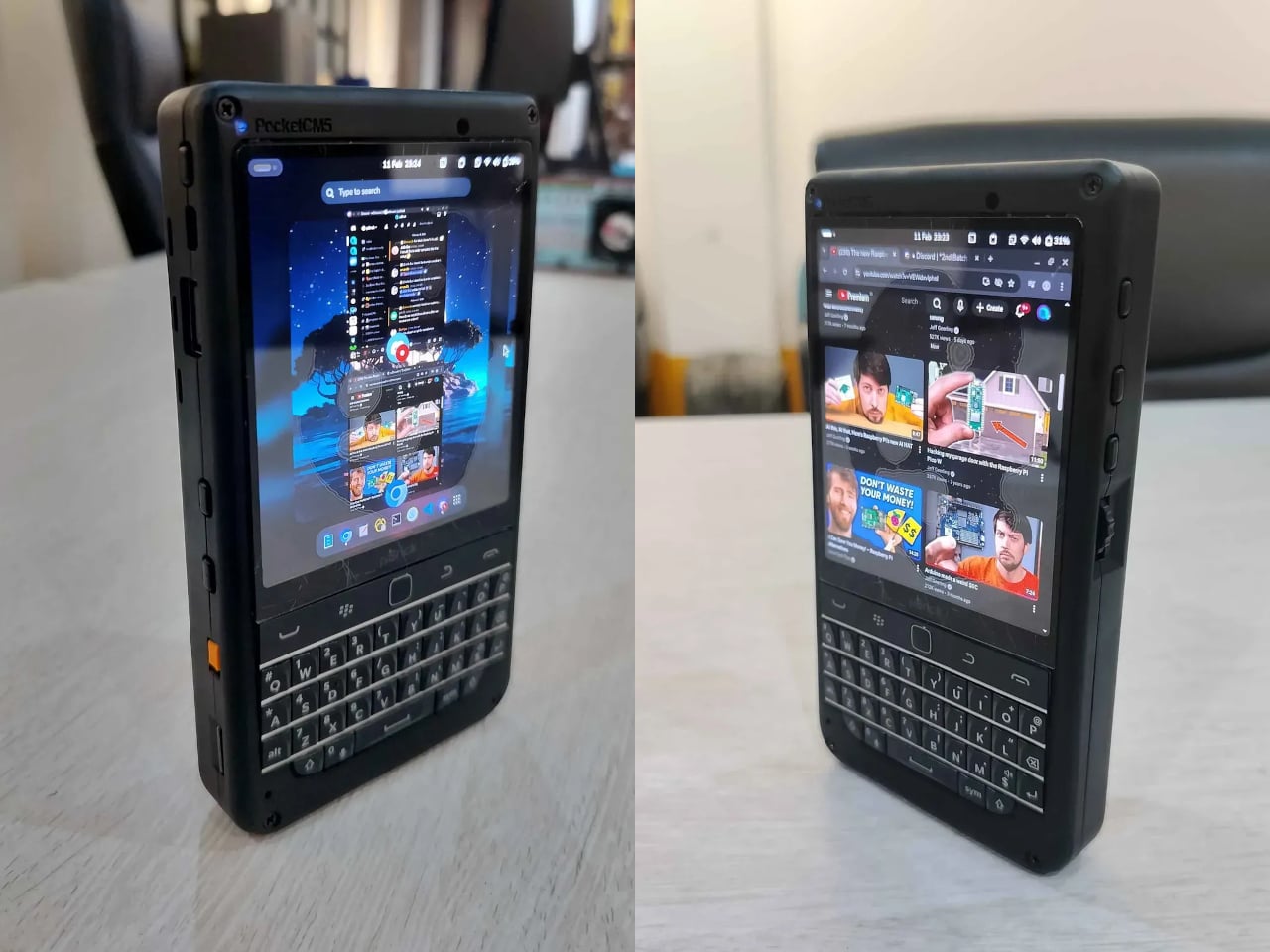
4. piBrick Pocket-CM5
The piBrick Pocket-CM5 is an open-source handheld computer built around the Raspberry Pi Compute Module 5, a custom PCB designed for manufacturing at JLCPCB, and a 3D-printed shell. The whole parts list totals around $172, and what that buys is a device at smartphone proportions — 80mm × 145mm × 19.6mm — with a 3.92-inch AMOLED display at 1080 × 1240 pixels and 90Hz, a 5,000mAh battery, a compact QWERTY keyboard derived from the BlackBerry layout with an integrated trackpad, side rotary encoders, and five user-programmable buttons that give it a tactile depth no touchscreen-only device can replicate.
The feature that elevates the piBrick from impressive project to genuinely useful tool is USB-HID mode. Plug it into any external computer or server, and the keyboard and trackpad operate as a fully functional USB input device, independent of the Raspberry Pi running inside it. A sysadmin arriving at a server rack without a spare keyboard doesn’t need to find one. Full-size and micro-HDMI outputs allow the same device to drive an external display. NVMe SSD support in 2230 or 2242 formats adds storage beyond the SD card. The schematics, PCB files, and build instructions are open-source, making $172 the floor rather than the price.
What We Like
USB-HID mode turns it into a functioning keyboard and trackpad for any external computer or server
Full open-source hardware means the design belongs to anyone who wants to build on or modify it
What We Dislike
Requires hands-on assembly from a parts list rather than arriving as a finished, ready-to-use consumer device
The 3D-printed shell is functional but lacks the material quality of commercial hardware at this price level
5. StillFrame Headphones
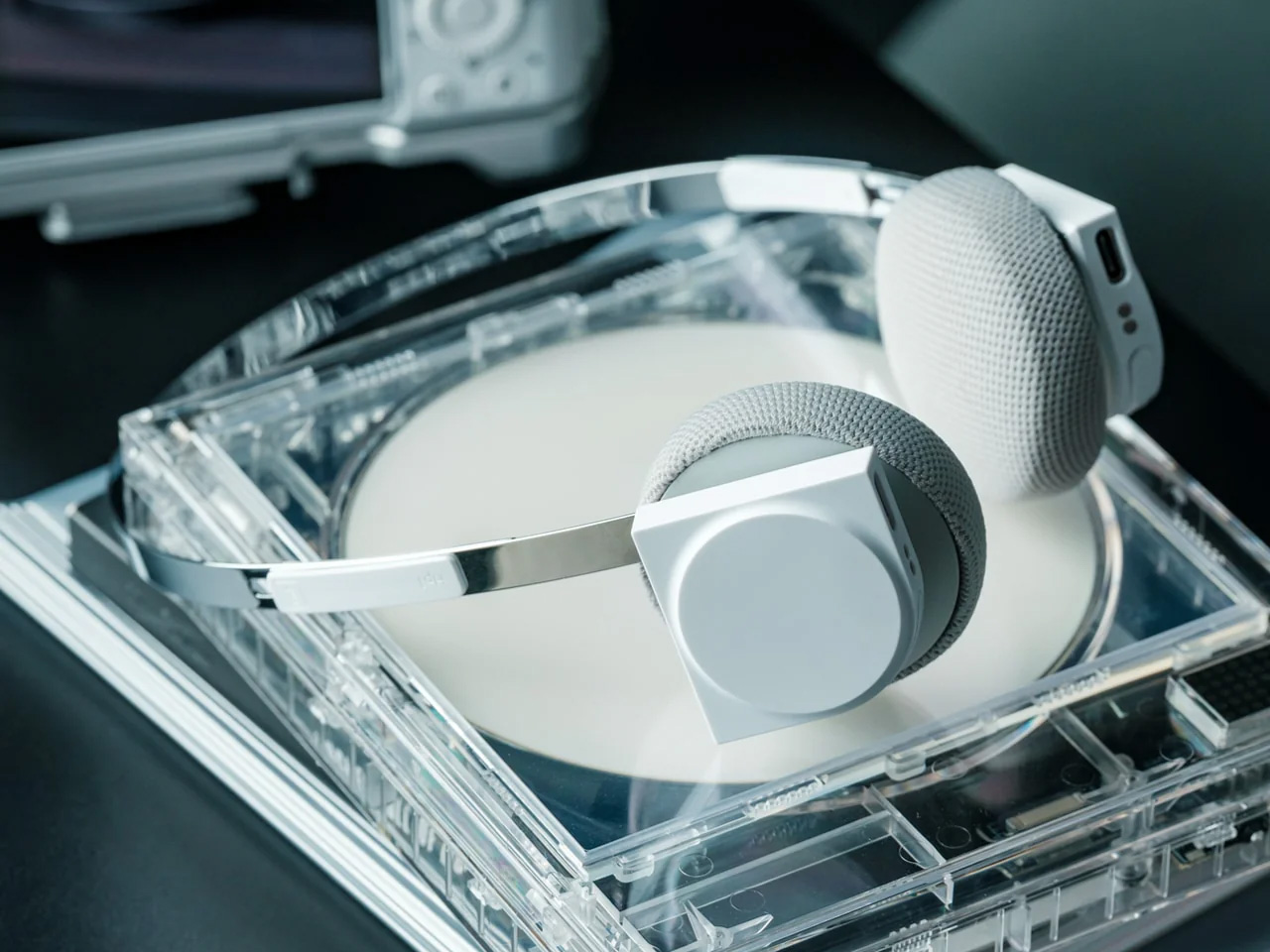
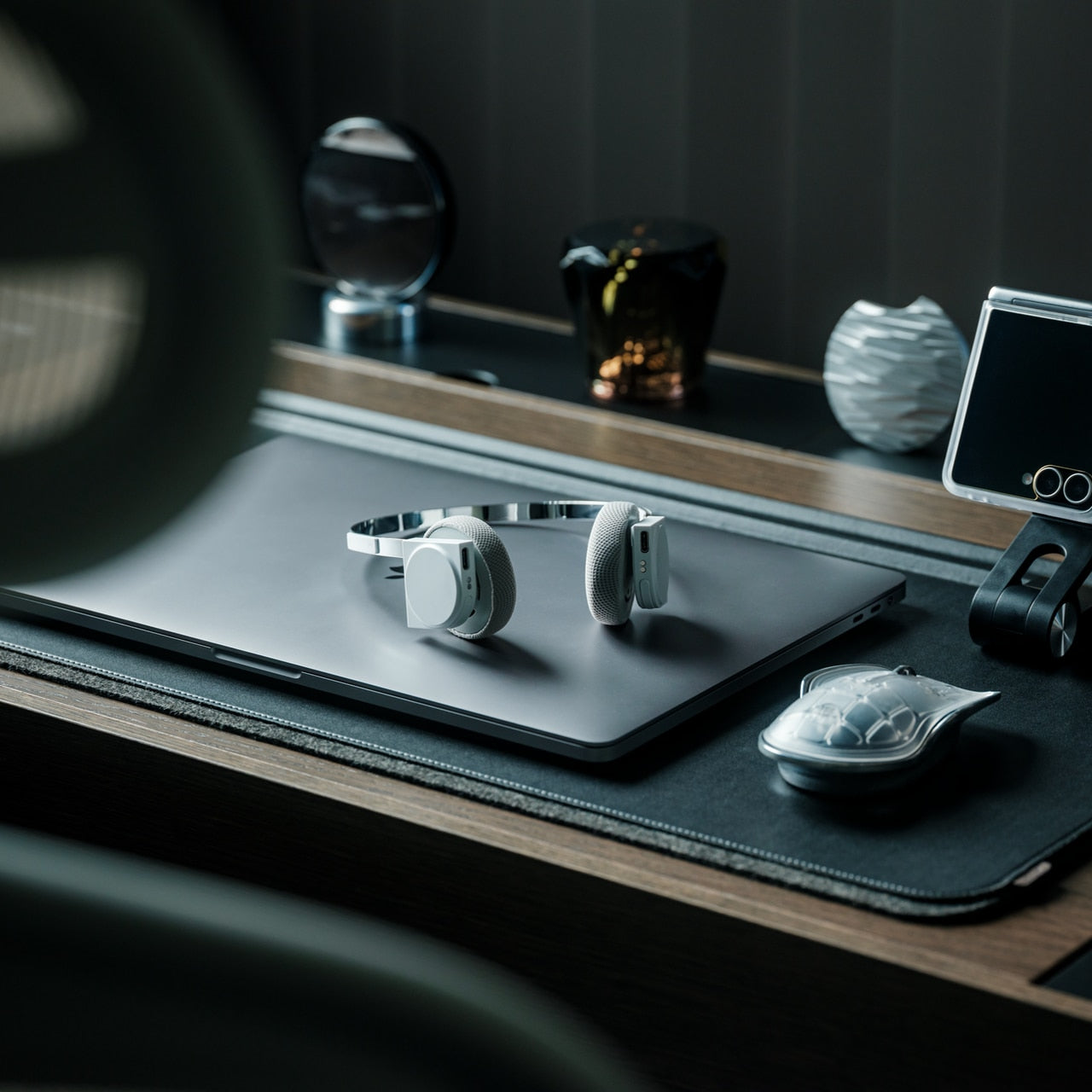
The StillFrame headphones are designed by Tatsufumi Funayama and weigh 103 grams, which is light enough that you genuinely stop noticing them across a full workday. The 40mm drivers produce a wide, open soundstage tuned for music that rewards real listening rather than functioning as background wallpaper. A stainless steel headband holds the structure with the right balance of strength and flex, and the fabric ear cushions attach magnetically, making swaps between the included colorways quick and satisfying in the way that small, well-engineered interactions tend to be. The form takes its reference from the quiet geometry of CD players from the 1980s and 1990s, and the connection is immediate once you see it.
At $245, the StillFrame competes on philosophy as much as on specification. Active noise cancellation and Transparency Mode are both on board, Bluetooth 5.4 handles wireless streaming, and a USB-C cable supports high-resolution wired playback for when the signal matters more than the convenience. Battery life runs to 24 hours. The internal circuit board is deliberately exposed within the housing, treated as part of the visual experience rather than something to hide behind plastic. The White model ships with Light Gray and Turquoise cushions included — two moods for the same object, quietly expressive without trying to be.
103g and an open soundstage make these the kind of headphones you wear for hours without wanting to take them off
The exposed circuit board and magnetic cushion system give the object a physical personality that most headphones flatten out entirely
What We Dislike
Only 4 units remain in the shop, which makes these effectively a limited run at this point
The on-ear design sits between over-ear and in-ear, and the level of passive isolation won’t suit everyone
6. Oppo Bubble
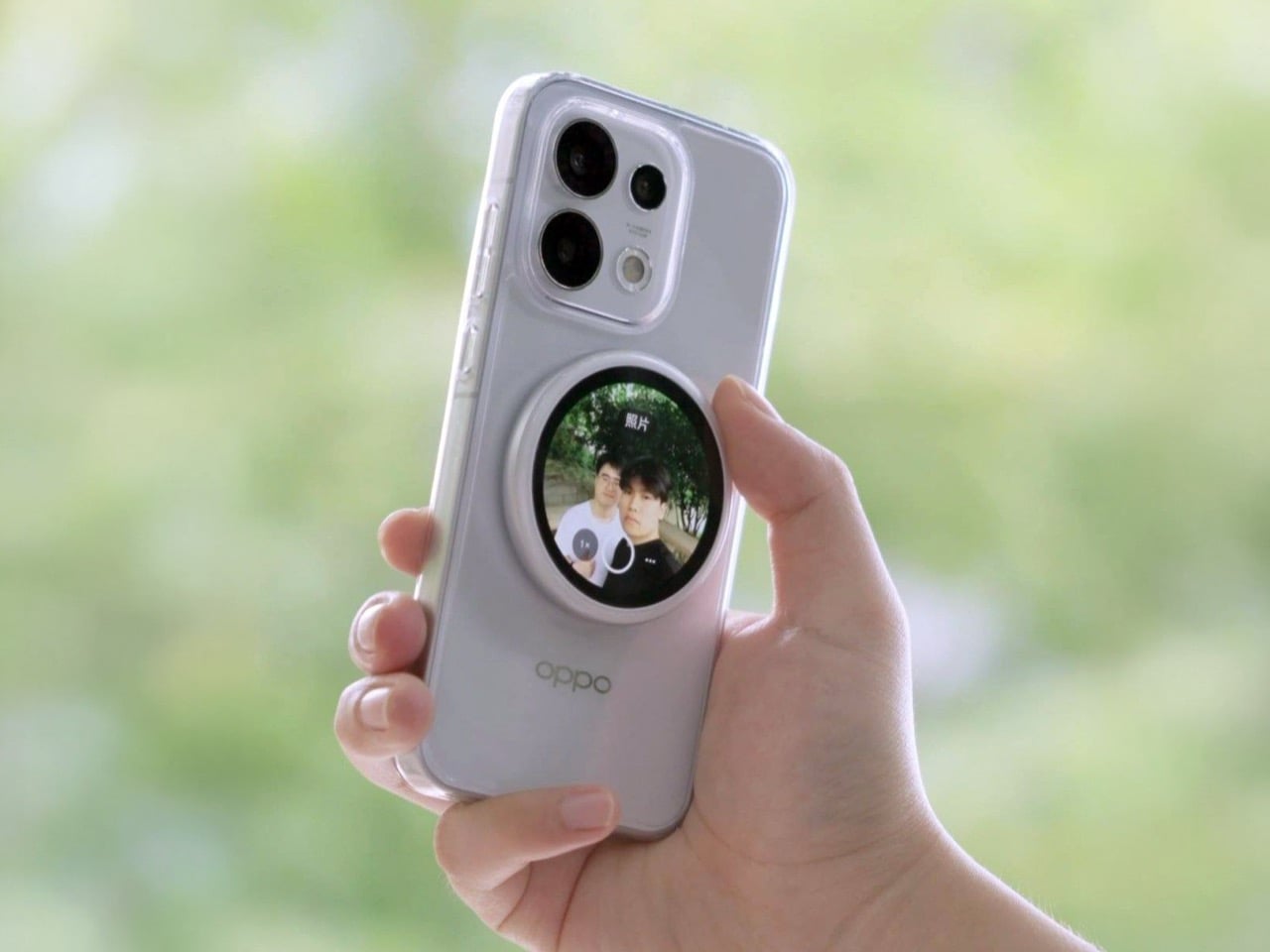
The rear camera has been the better camera for over a decade. Every benchmark, every low-light comparison, every zoom test confirms it, and yet selfie culture built itself entirely around the front-facing lens because there was no practical way to see what the good camera was capturing while it was pointed away from you. The Oppo Bubble is a small circular AMOLED touchscreen that attaches magnetically to the back of a phone and mirrors the rear camera’s live feed wirelessly, up to 10 meters away. It launched in China on May 25, 2026, alongside select Oppo Reno 16 devices, and includes a built-in remote shutter trigger. Apple has had the magnetic infrastructure for something like this since 2020. Oppo just claimed the screen real estate it left empty.
The circular AMOLED display is what makes the Bubble credible rather than merely clever. A low-resolution preview would sink the concept at its most basic job, so Oppo putting a proper screen in here is the detail that earns the price. A 550mAh battery keeps it running independently, and when the camera is off, the Bubble displays custom wallpapers, live photos, videos, and animated themes. Ten meters of wireless range repositions it from selfie mirror to legitimate remote shooting monitor — the kind of tool that used to require a separate Bluetooth trigger and a lot of hoping for the best.
What We Like
Ten meters of wireless range turns it from a selfie mirror into a proper remote monitor for tripod-mounted shooting
The circular AMOLED form gives it enough design personality to work as an accessory rather than just a functional attachment
What We Dislike
Live camera preview only works with select Reno 16 series Oppo devices at launch, which is a real limitation right now
No confirmed international release outside China as of June 2026
7. Lenovo ThinkTab X11
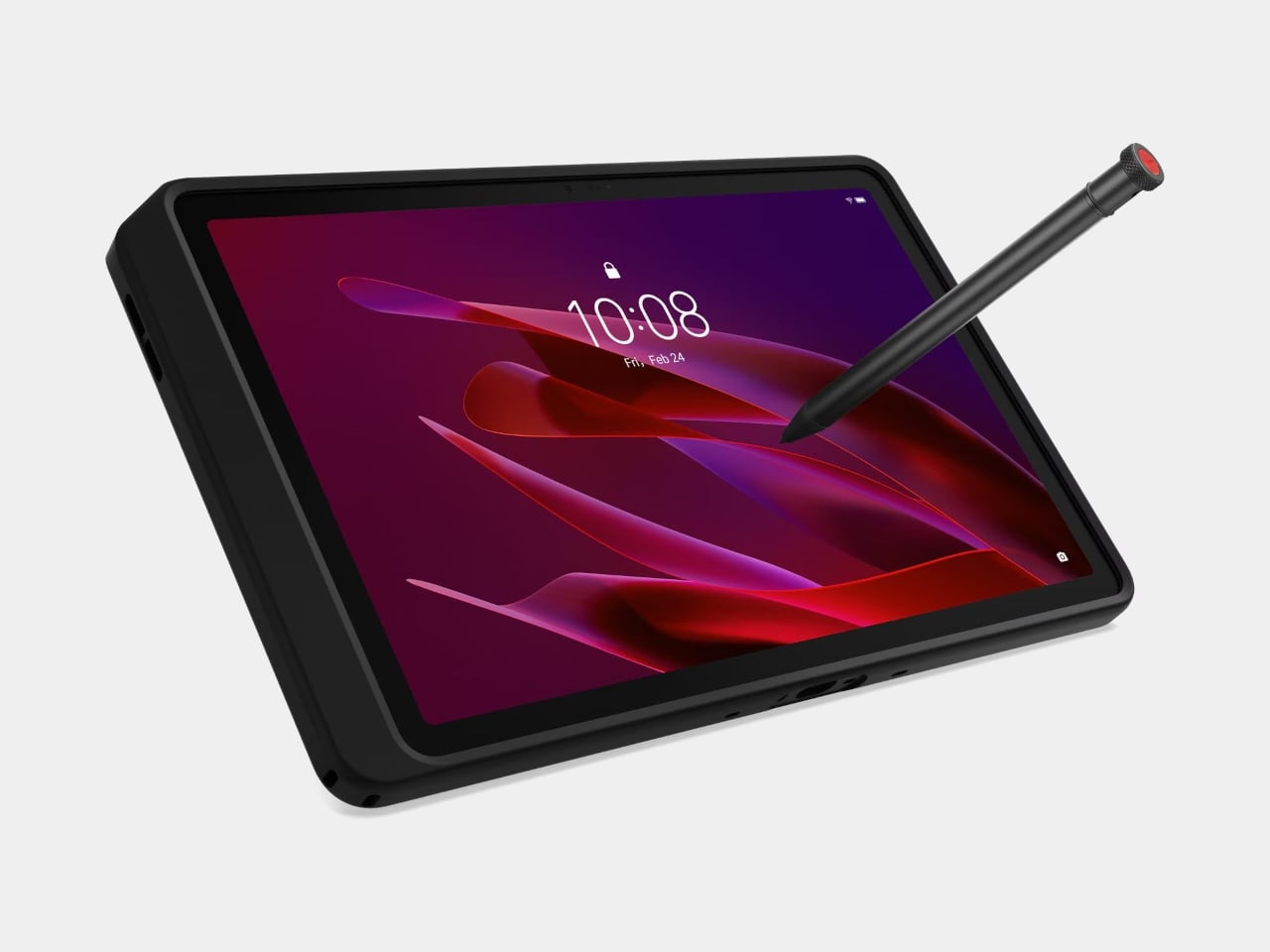
Rugged tablets have almost always meant choosing between enterprise-grade hardware at enterprise-grade prices, or pressing a consumer device into field conditions it was never designed to handle. The Lenovo ThinkTab X11 is an attempt to close that gap at $499, bringing it into reach for the people who actually use tablets in logistics, construction, transportation, manufacturing, and energy. The 10.95-inch display runs at 90Hz, reaches 800 nits under high brightness mode, and handles gloved hands and wet fingers without issue — the Snapdragon 7s Gen 3 runs the processing, with up to 12GB of RAM and 512GB of UFS 3.1 storage configurable depending on the deployment.
The battery design is what makes this genuinely interesting. The 10,200mAh cell removes on a screwless mechanism, so a worker can swap a depleted pack for a fresh one mid-shift without stopping to find a power outlet. In vehicle or fixed workstation deployments, the ThinkTab can run directly from DC power with no battery installed at all, eliminating heat buildup from continuous charging and removing long-term degradation from the equation entirely. The included case carries MIL-STD-810H certification, the device itself carries IP68, and the whole package ships with Android 16 alongside four years of security patches and two guaranteed major OS upgrades.
What We Like
Screwless hot-swap battery means mid-shift power changes are a practical workflow option, not a maintenance event
Battery-less DC operating mode for fixed deployments removes heat and degradation entirely from continuous-use scenarios
What We Dislike
At $499, it sits above consumer tablets doing lighter work, though well below comparable enterprise-only hardware
The Snapdragon 7s Gen 3 is a capable rather than cutting-edge processor for the price bracket
8. Nothing Book
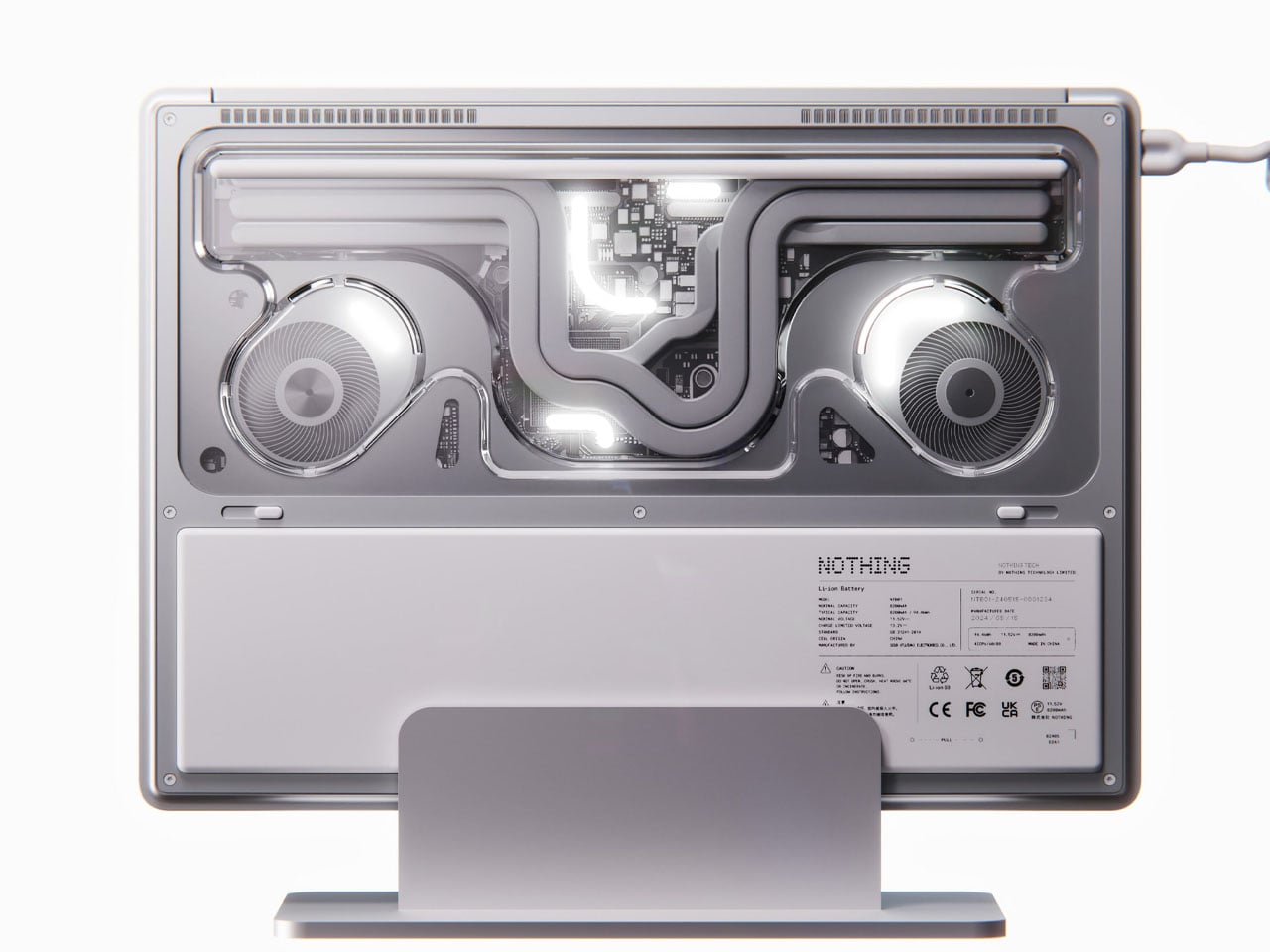
This is a concept, and it’s worth saying that plainly before anything else. The Nothing Book is a design exploration by Nikita Bukoros that takes the brand’s philosophy to its logical conclusion: a performance laptop that treats its internal architecture as the visual statement rather than hiding it. The see-through body layers the cooling system, circuit boards, and internal components into a composition that Bukoros describes as industrial art as much as consumer electronics. The see-through aesthetic Nothing built its identity around, originally inspired by the translucent polycarbonate designs of the late 1990s, reaches its most ambitious expression here.
The secondary screen mounted on the lid is the detail that makes the concept worth following. It is a slim external display that breaks the closed-laptop monotony entirely — you can push messages, symbols, emojis, or anything else in the classic Nothing font to whoever is looking at the back of your machine in a meeting or a cafe. Nikita moves beyond Nothing’s usual monochrome palette and offers the concept in hot red, cool green, subtle pink, and magnetic teal. A purpose-built charging dock triggers a cooling animation on the secondary display when the laptop is docked, which is the kind of considered detail that separates a design worth remembering from one worth scrolling past.
What We Like
The secondary lid screen is a genuinely original idea that gives the closed laptop a visual identity and purpose
See-through architecture makes the internal engineering part of the aesthetic rather than something to conceal behind a plain surface
What We Dislike
This is a concept, not a product — Nothing has confirmed a laptop is in development
The exposed internals aesthetic would face real structural and thermal engineering challenges in a shipping device
9. Canon Pocket Gimbal Camera
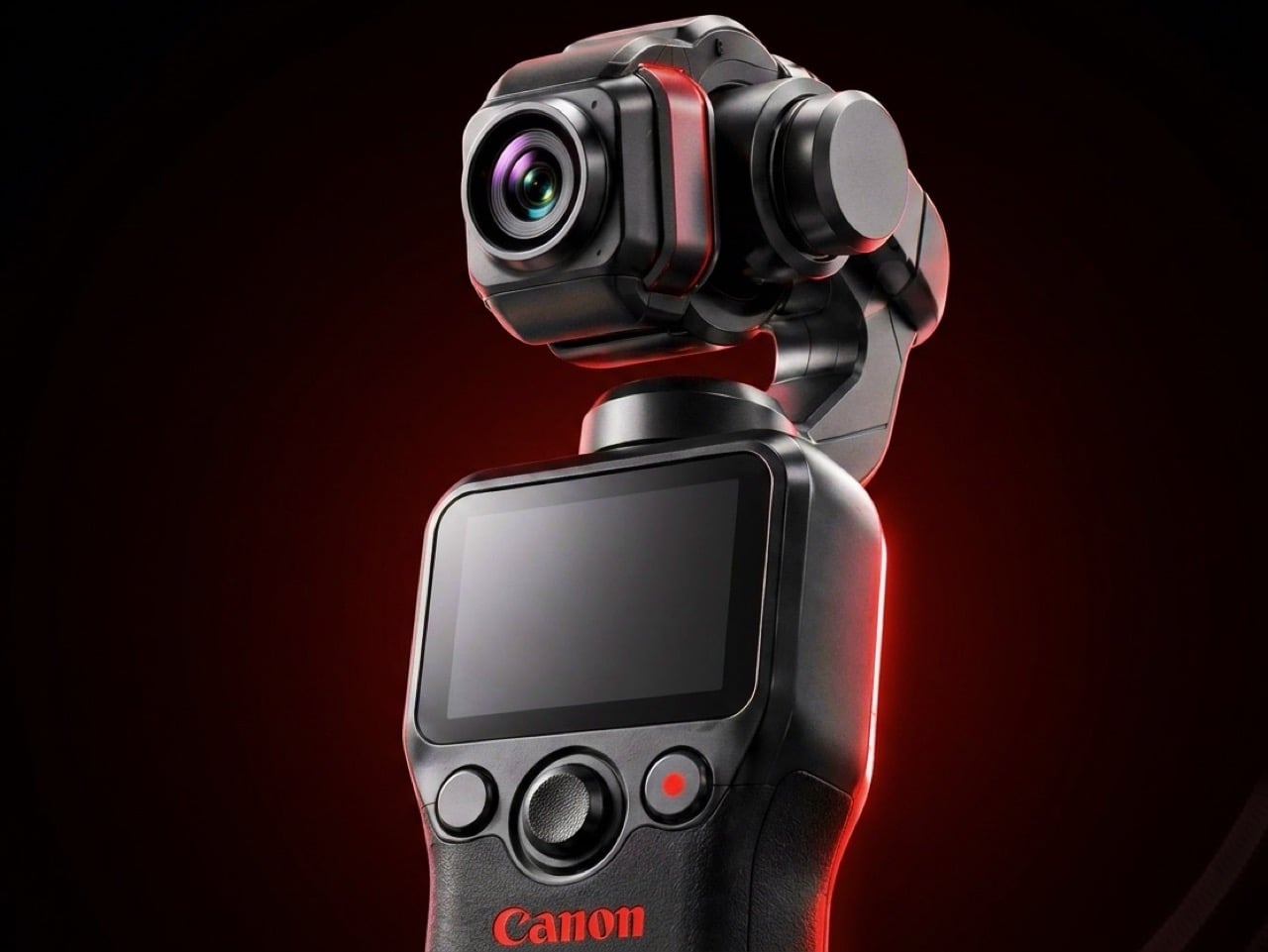
Canon filed a patent in April 2026 for a compact handheld camera with a fully integrated three-axis gimbal, a fixed lens, a grip with a screen, and a folding mechanism that protects the stabilizer head during storage. It is the most refined and product-ready of three gimbal-related patents Canon has filed since 2021, and the one that reads most like a brief handed to an engineering team rather than a thought experiment. The key detail is a smart shutdown sequence that uses magnetic sensors and image analysis to guide the gimbal safely into a folded position before cutting motor power, addressing a mechanical wear issue that has quietly frustrated gimbal camera owners for years.
The competitive timing is pointed. DJI’s drone business has faced regulatory scrutiny in the United States, and Canon has been tracking the pocket gimbal category across three progressive patent filings over five years — moving from cinema-level ambition in 2021, to an auto-flipping mechanism in 2025, to this fixed-lens, behavior-smart design in 2026. Canon’s color rendering, the warm, accurate output that photographers have built careers around, is a form of credibility no spec sheet can manufacture quickly. Whether this patent becomes a product remains unconfirmed, but the arc from moonshot to practical brief is the clearest signal yet that Canon intends to ship something.
What We Like
Smart shutdown using magnetic sensors and image analysis is a specific, practical engineering improvement, not a theoretical feature
Three filings over five years show a product being genuinely refined rather than filed and forgotten
What We Dislike
This is a patent, not an announcement — Canon’s 2021 interchangeable-lens gimbal concept never shipped
Fixed lens removes the ambition of the earlier patents, which some creators will register as a step back
10. Battery-Free Amplifying iSpeakers
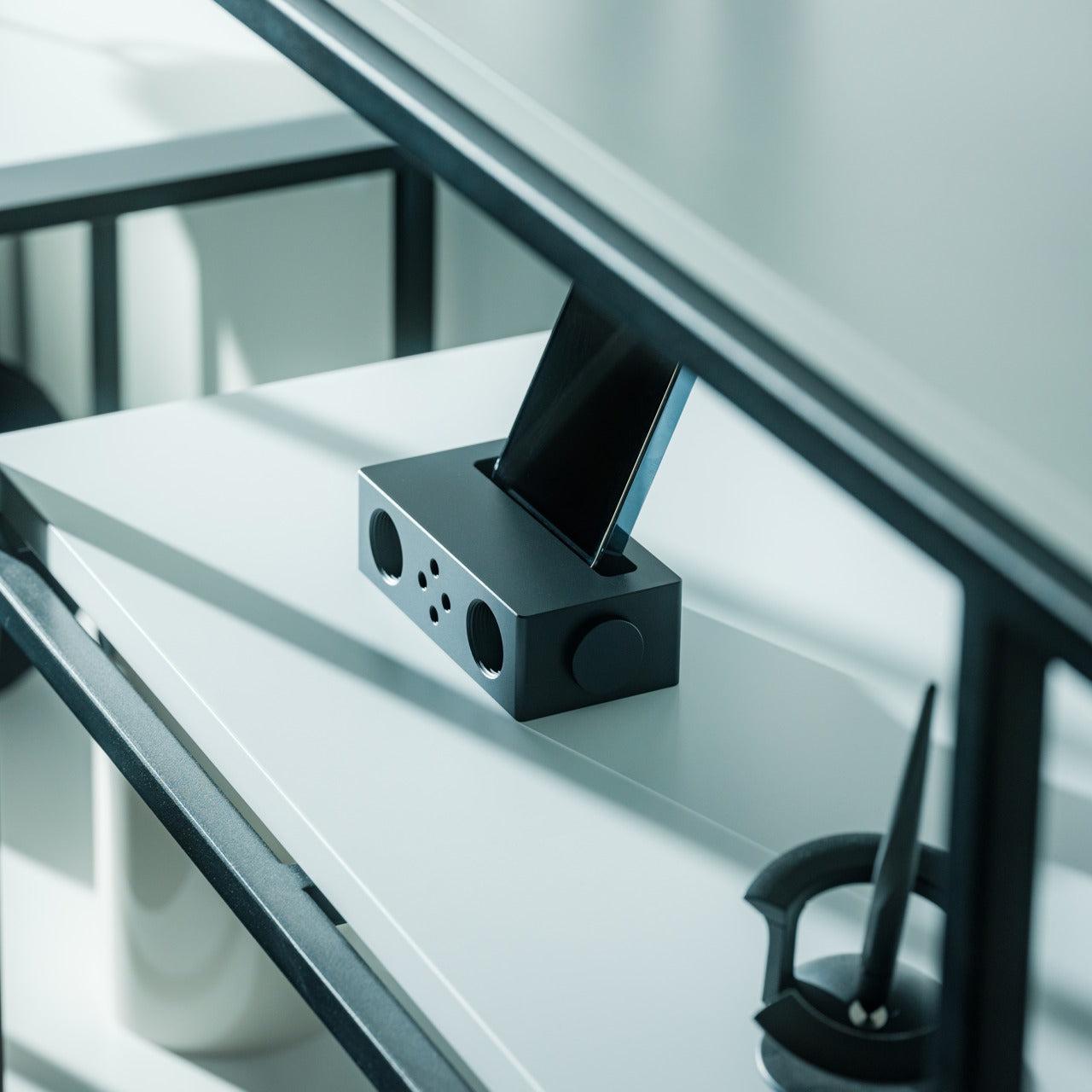
The premise behind the Battery-Free Amplifying iSpeakers is simple enough to say in one sentence: they amplify your iPhone’s audio through acoustic design alone, with no power source, no Bluetooth pairing, and no charging cycle to manage. At $179, they sit on a counter as a sculptural object even when the phone is nowhere near them, which is the standard any speaker worth keeping should meet before it earns a permanent place in the room. The best design objects don’t ask anything of you when they’re not being used. They just sit there, doing the room a favor.
For the guy who has accumulated Bluetooth speakers, wireless earbuds, a smart speaker with a subscription, and a desk speaker that needs a firmware update, a passive amplifier is the unexpected move. There is nothing to configure, nothing to pair, nothing to update, and nothing that goes wrong. You set the phone in, the sound fills the room, and that is the complete interaction.
Requires no power, no pairing, and no maintenance — the interaction is entirely physical
Functions as a display object on the counter whether a phone is in it or not
What We Dislike
Passive amplification has natural limits on output volume compared to any powered speaker
Works best in quiet rooms rather than competing with ambient noise
The Things He Didn’t Know He Was Missing
The man who already has everything doesn’t need more things. He needs the specific thing he hasn’t encountered yet — the speaker that finally has a brain worth talking to, the mouse that folds flat without a compromise on feel, the phone that keeps its data to itself, the handheld computer that doubles as a keyboard for any machine it’s plugged into. These aren’t impulse picks. Each one is here because it does something the obvious alternatives don’t, and because the guy you’re shopping for will notice the difference within the first ten minutes.
A few of these are still taking shape — a concept waiting on a decision, a patent waiting on a factory floor. That’s worth saying plainly, but it’s not a reason to dismiss them. The guy who has everything is usually the first to know what’s coming, and the first to make up his mind about it. A list that only includes what you can buy today isn’t a list for him. It’s a list for someone else entirely.

 Connexion


 Le menu système après upgrade : 62 Go de RAM, mais toujours 8 Go de VRAM