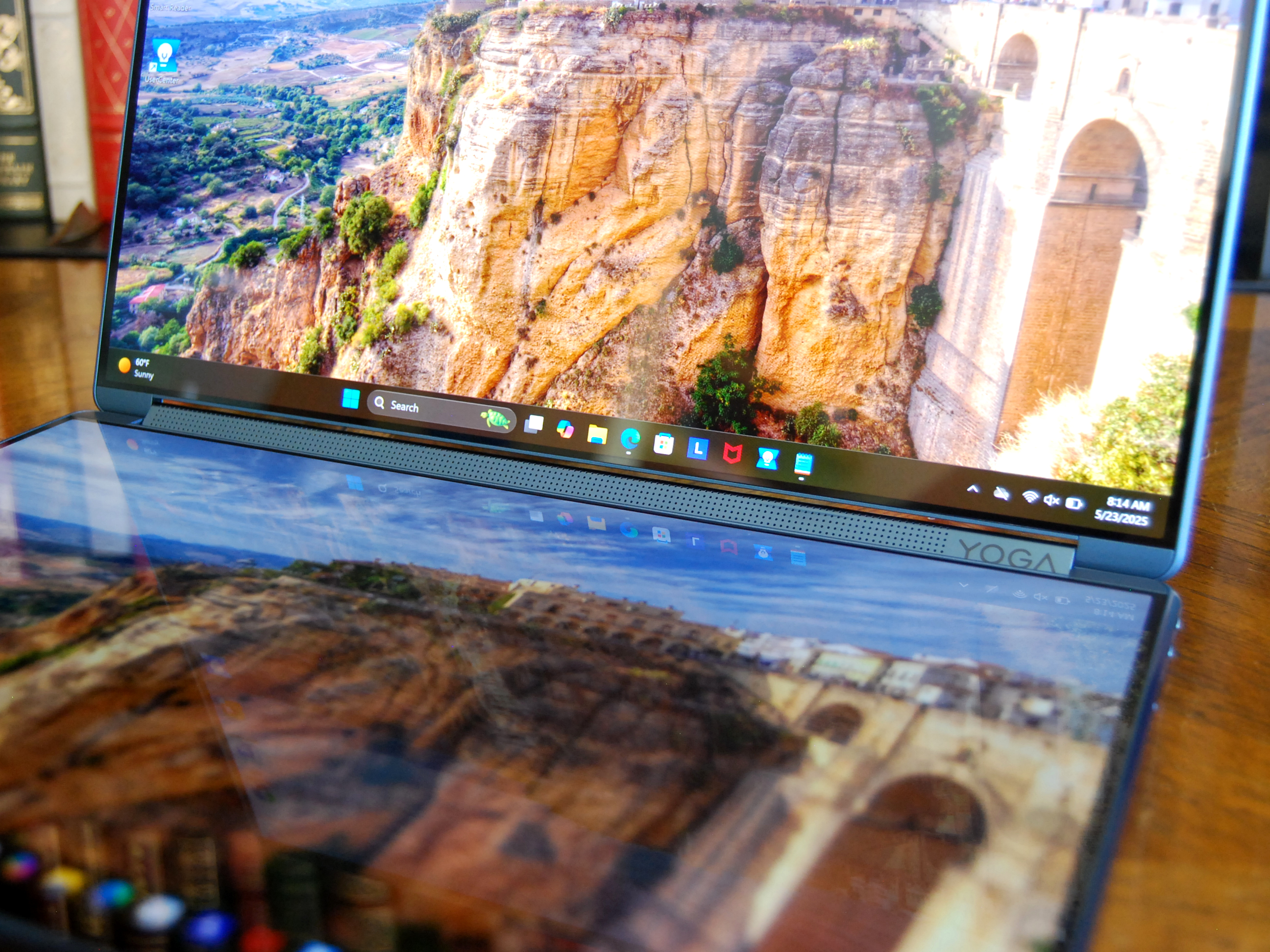
Google confirms detachable Googlebook tablets are coming, with Lenovo rumored to launch the first model. Here's what to know about features and availability.
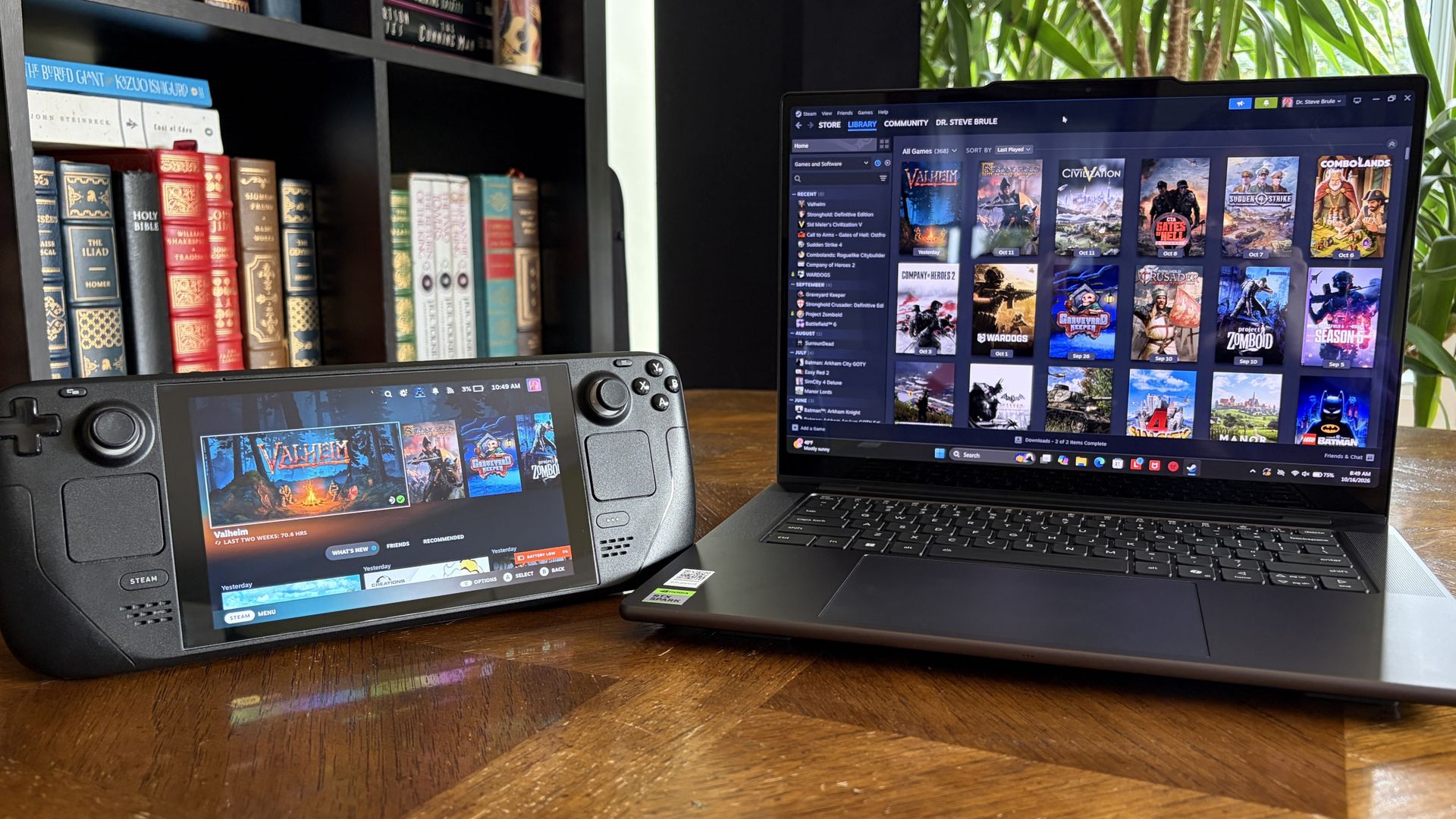
It's also been my gaming handheld replacement, my home base for local AI testing, my sketchpad to practice digital drawing, and my entertainment hub.
This pricey Lenovo Pro 9n isn't for everyone despite its broad versatility. That's true about any of the new RTX Spark laptops.
I'm looking to see how Lenovo's offering differs from the others — including the Surface Laptop Ultra and ASUS ProArt P16 we reviewed — in terms of features, design, and performance.
Lenovo sent Windows Central a review unit on loan for testing. It had no input, nor saw the contents of this review, prior to publication.
Lenovo Pro 9n: Price and specifications
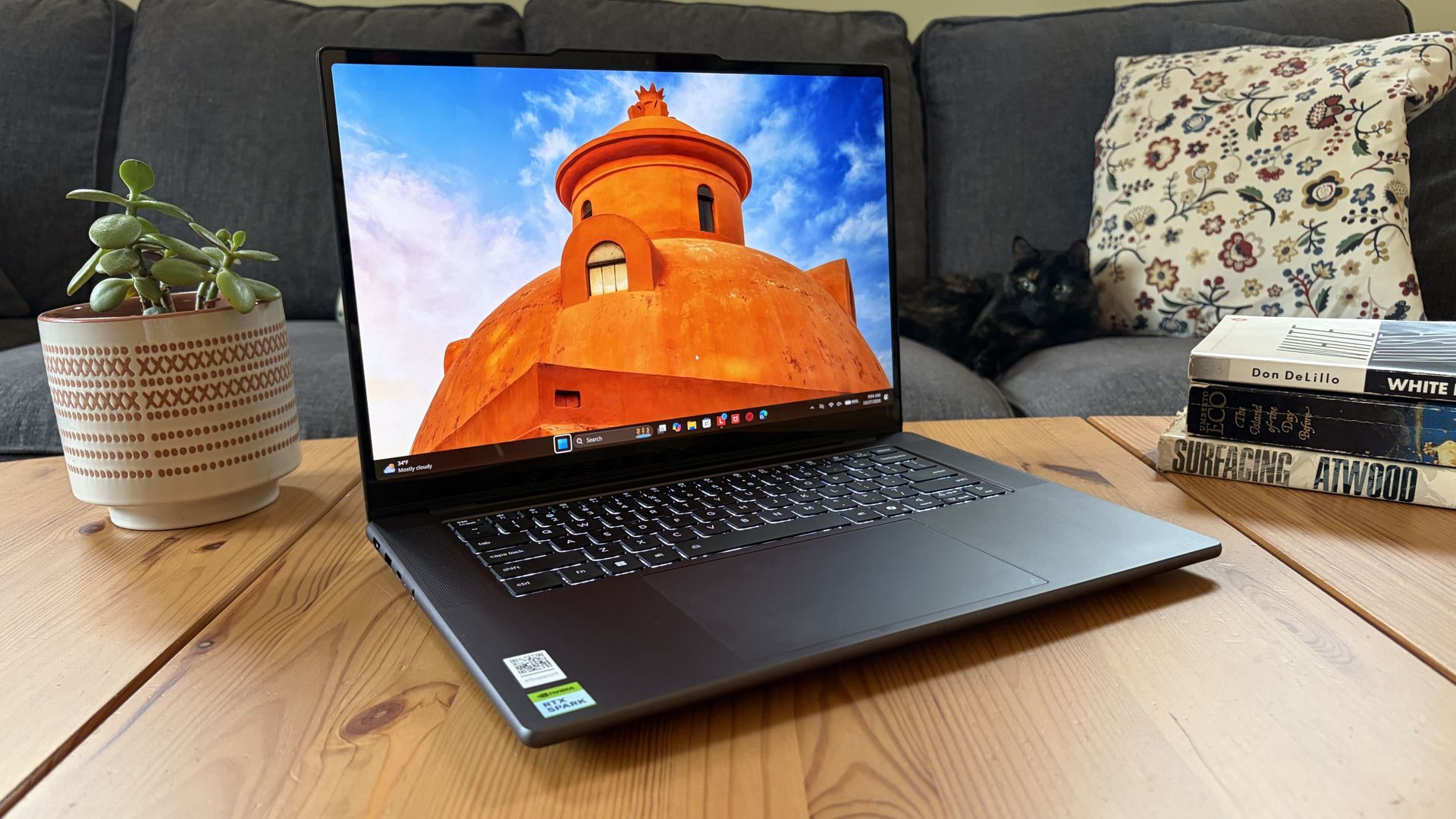
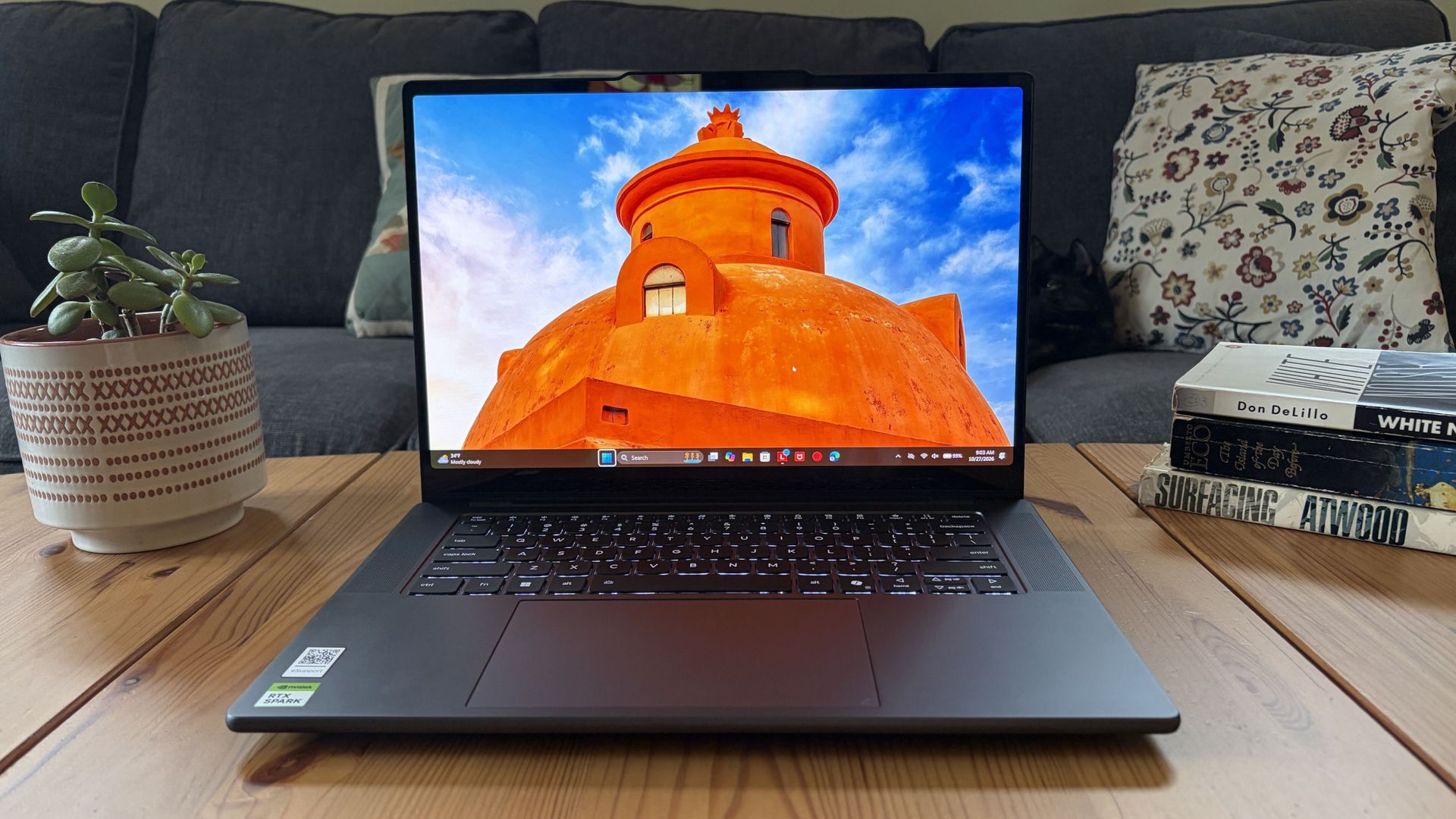
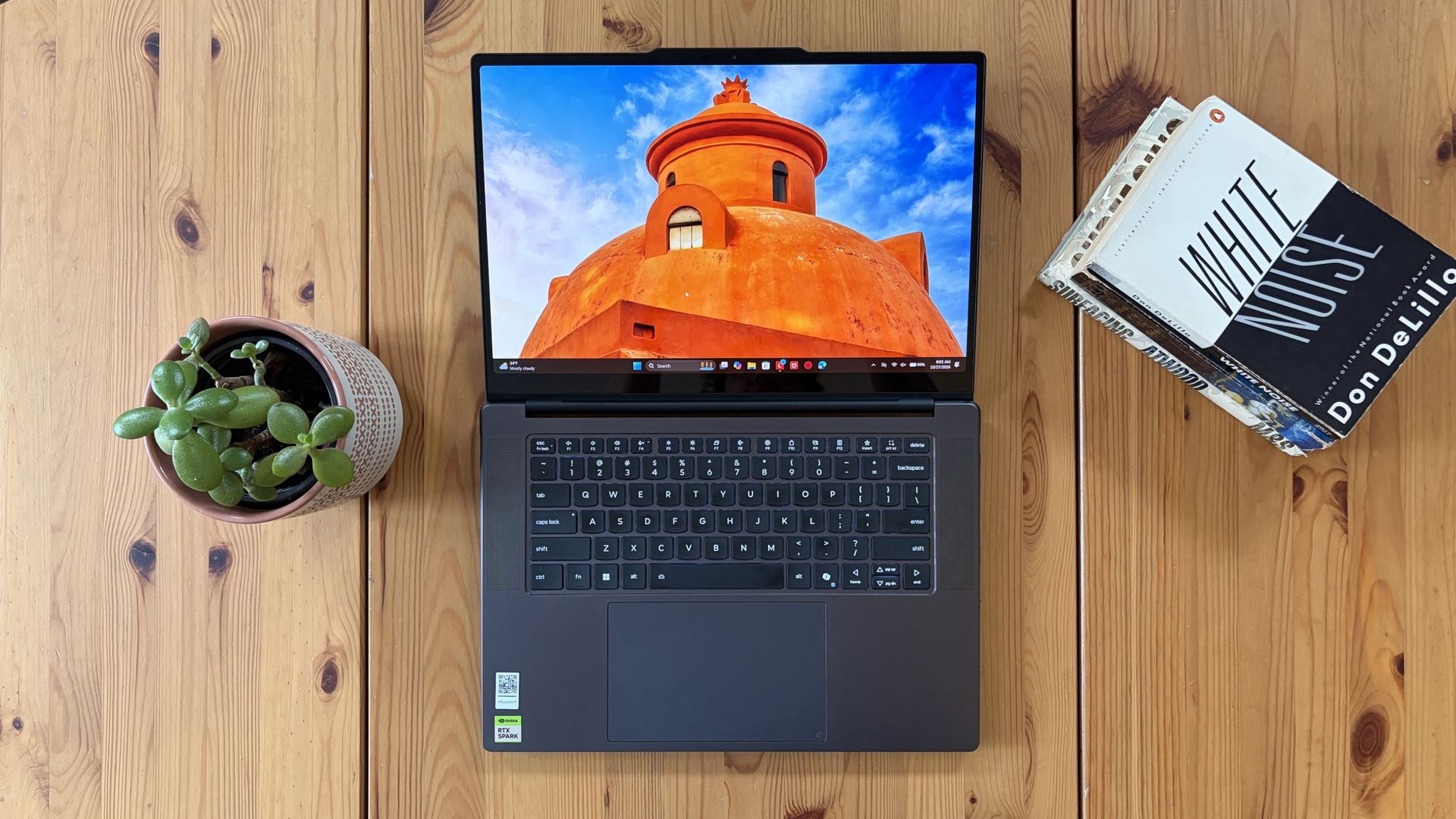
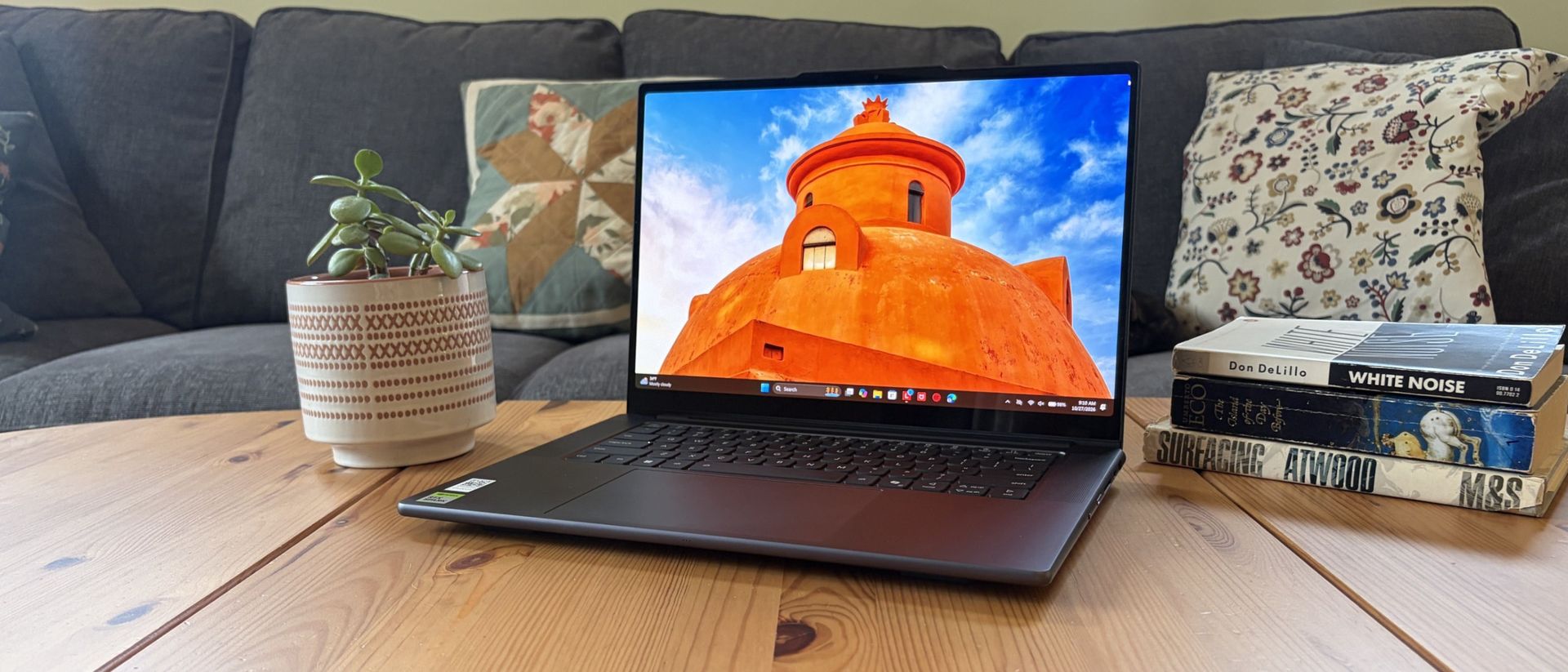
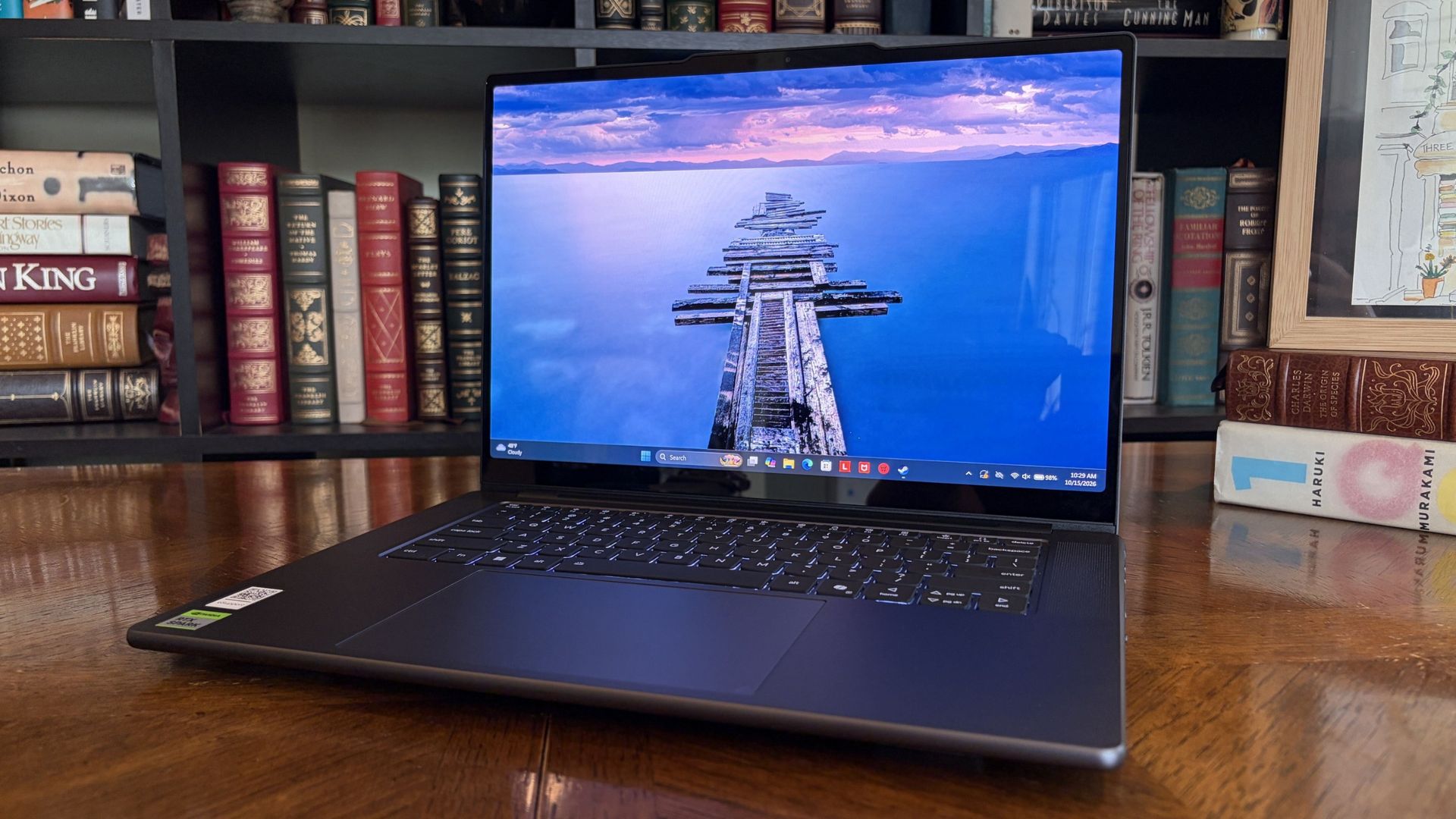
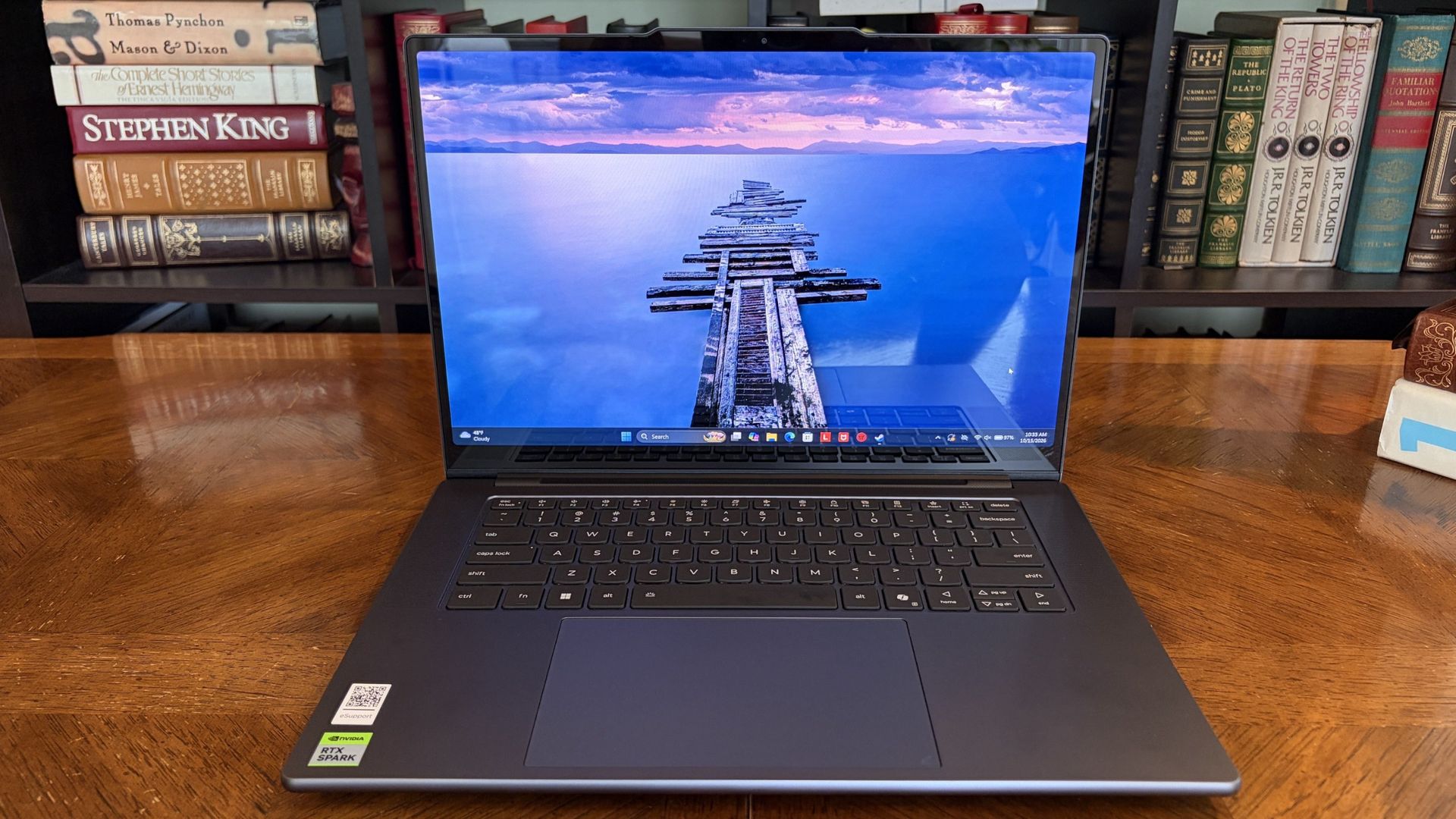
You'd never know the level of power contained within this sleek chassis. (Image credit: Future)
Lenovo's Pro 9n starts at $2,999.99, putting it near the middle of the RTX Spark lineup.
For this price, you get an 18-core NVIDIA N1X CPU, integrated RTX Blackwell GPU with 5,120 cores, 32GB of LPDDR5x unified RAM, a 512GB M.2PCIe 4.0 NVMe SSD, and a 15.3-inch OLED touch display at a 2560x1600 resolution.
Lenovo offers configuration options for CPU, RAM, and storage. The top spec with a 20-core N1X CPU, 6144-core GPU, 128GB RAM, and 2TB PCIe 5.0 SSD balloons to $6,099.99, with several stops along the way.
13.66 x 9.53 x 0.66 inches (347mm x 242mm x 16.7mm)
Weight
From 3.64 pounds (1.65kg)
New designs and updated features for the RTX Spark platform
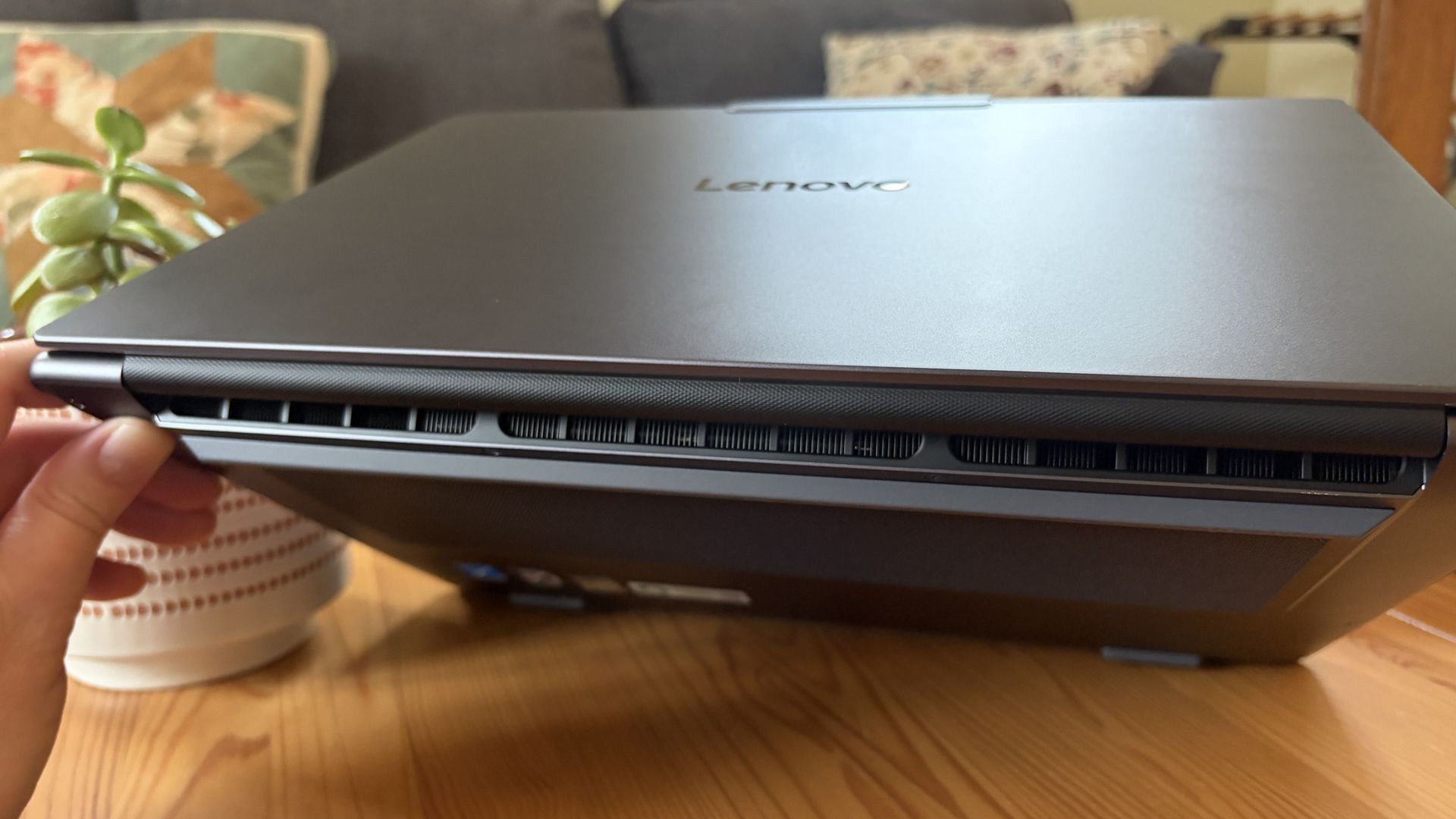
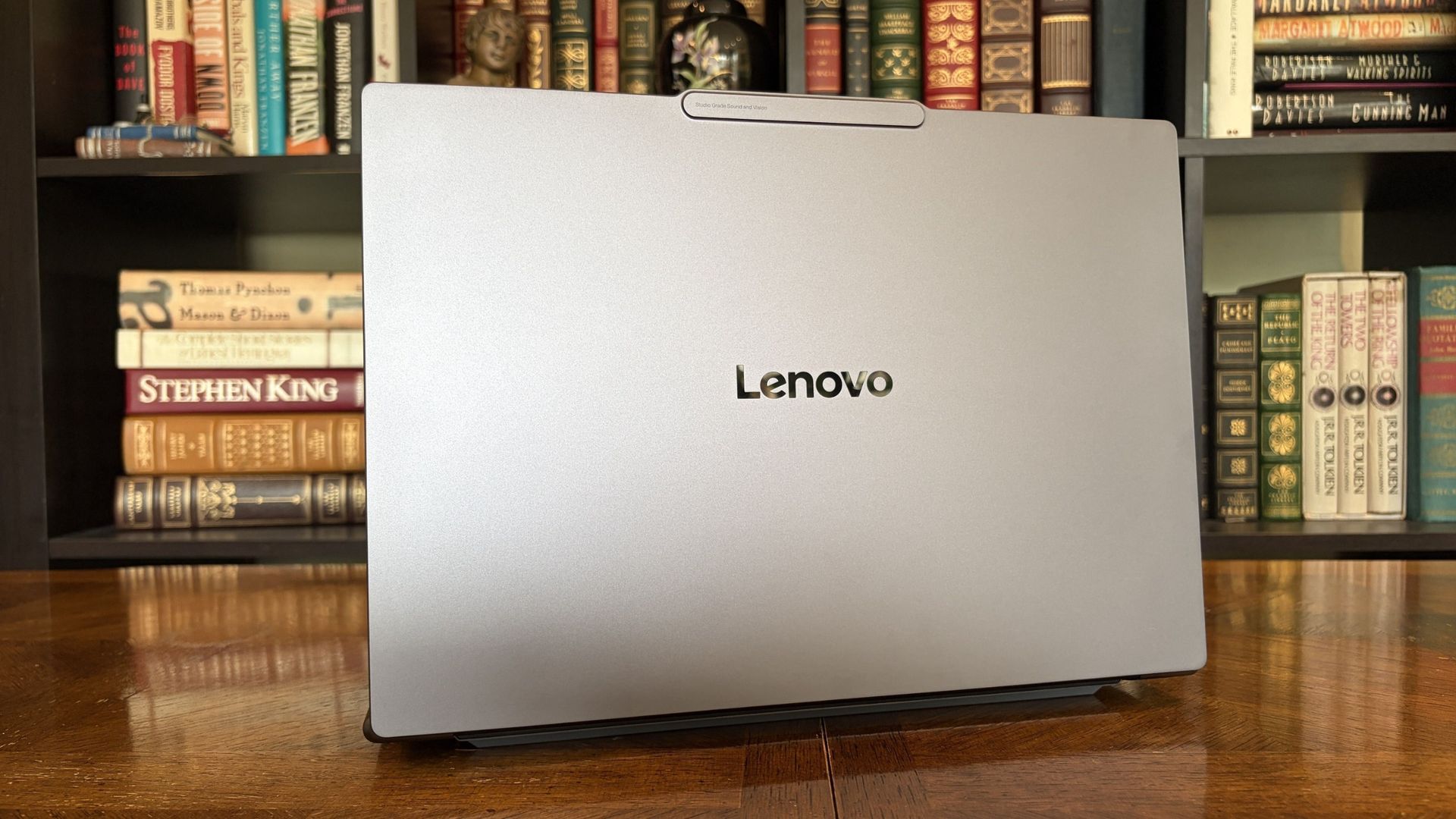
A look at the rear exhaust behind the lid hinge. (Image credit: Future)
The design of Lenovo's Pro 9n has grown on me over the weeks. What I first saw as uninspired has morphed into something that's sleek, relatively lightweight, and ultimately perfect for a professional setting.
With an aluminum top and bottom that add rigidity and a more premium feel than plastic, the PC still manages to slide in at 3.64 pounds (1.65kg) while measuring just 0.66 inches (1.67cm) thin.
The 15.3-inch display translates to a smaller footprint than a full 16-inch PC, and I found it to be an apt size for working in the passenger seat of a car. It should also translate well to airplane trays or train seats.
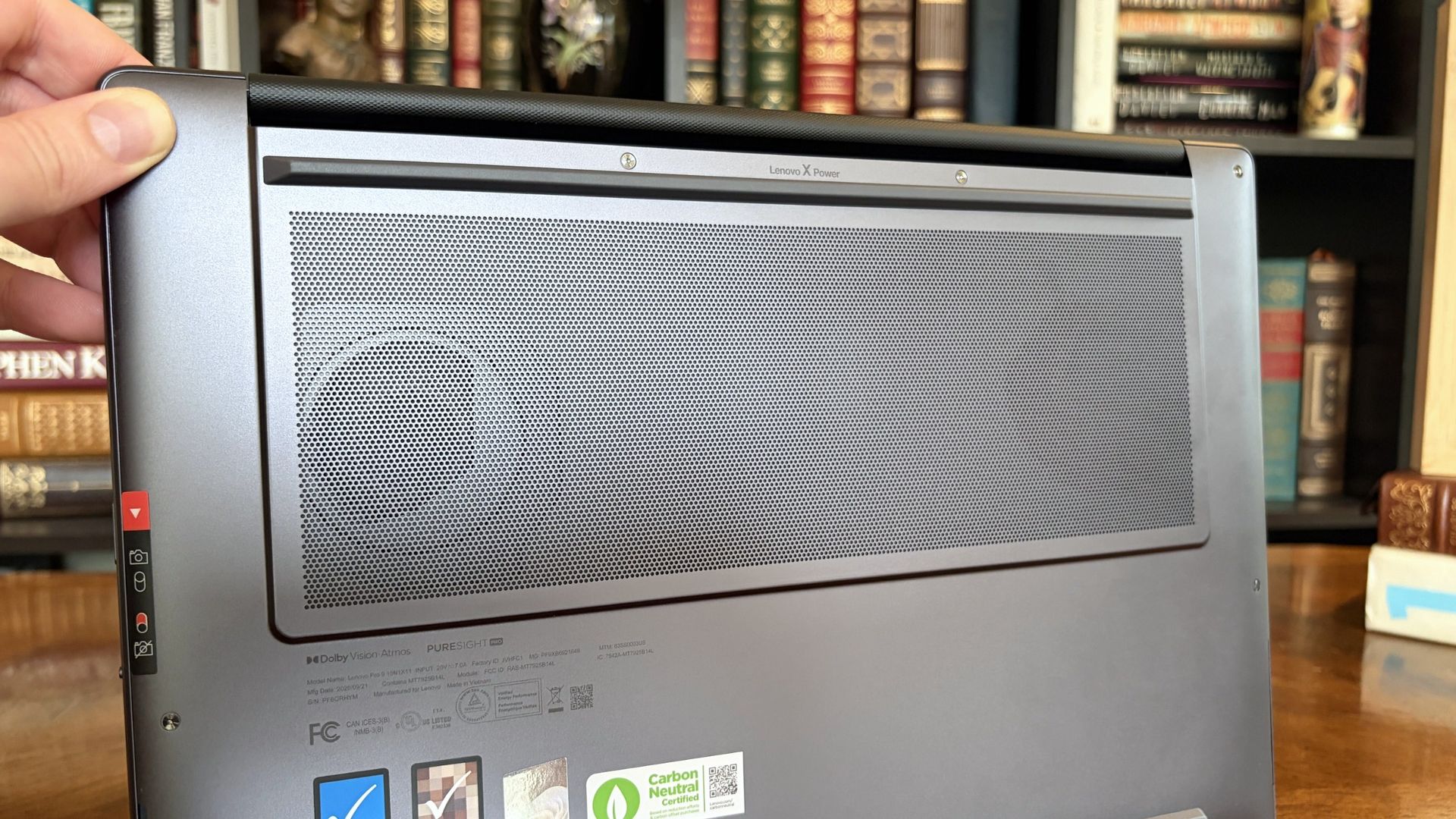
The bottom of the Pro 9n has a massive air intake to feed the two fans. (Image credit: Future)
The thermal layout has been redesigned for the new RTX Spark chip (which I explore below), resulting in a massive air intake on the bottom of the PC and larger vents on the rear edge for exhaust.
This setup keeps hot air directed away from the user and, as you'll see below, it does a decent job of keeping the PC cool under load.
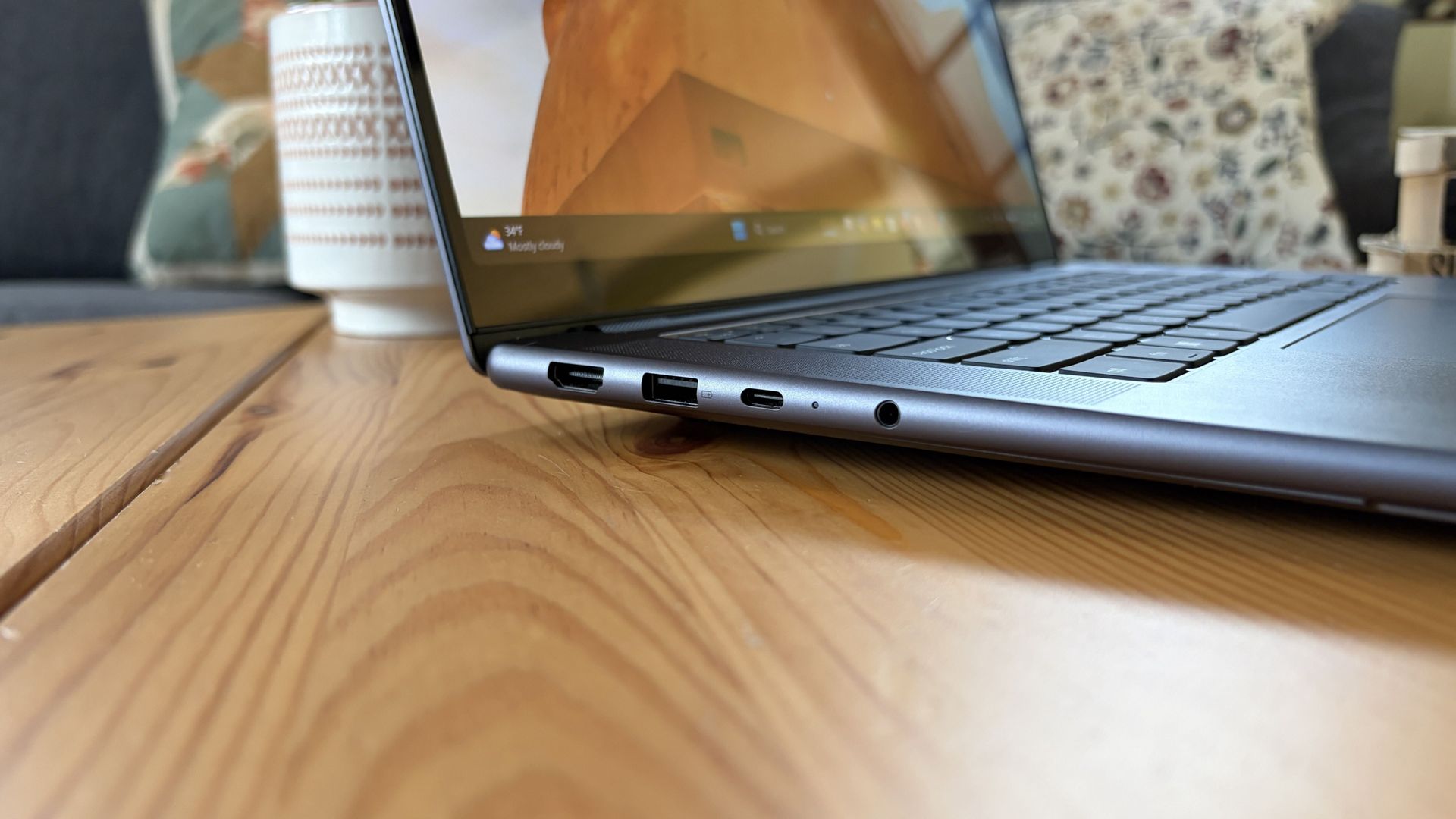
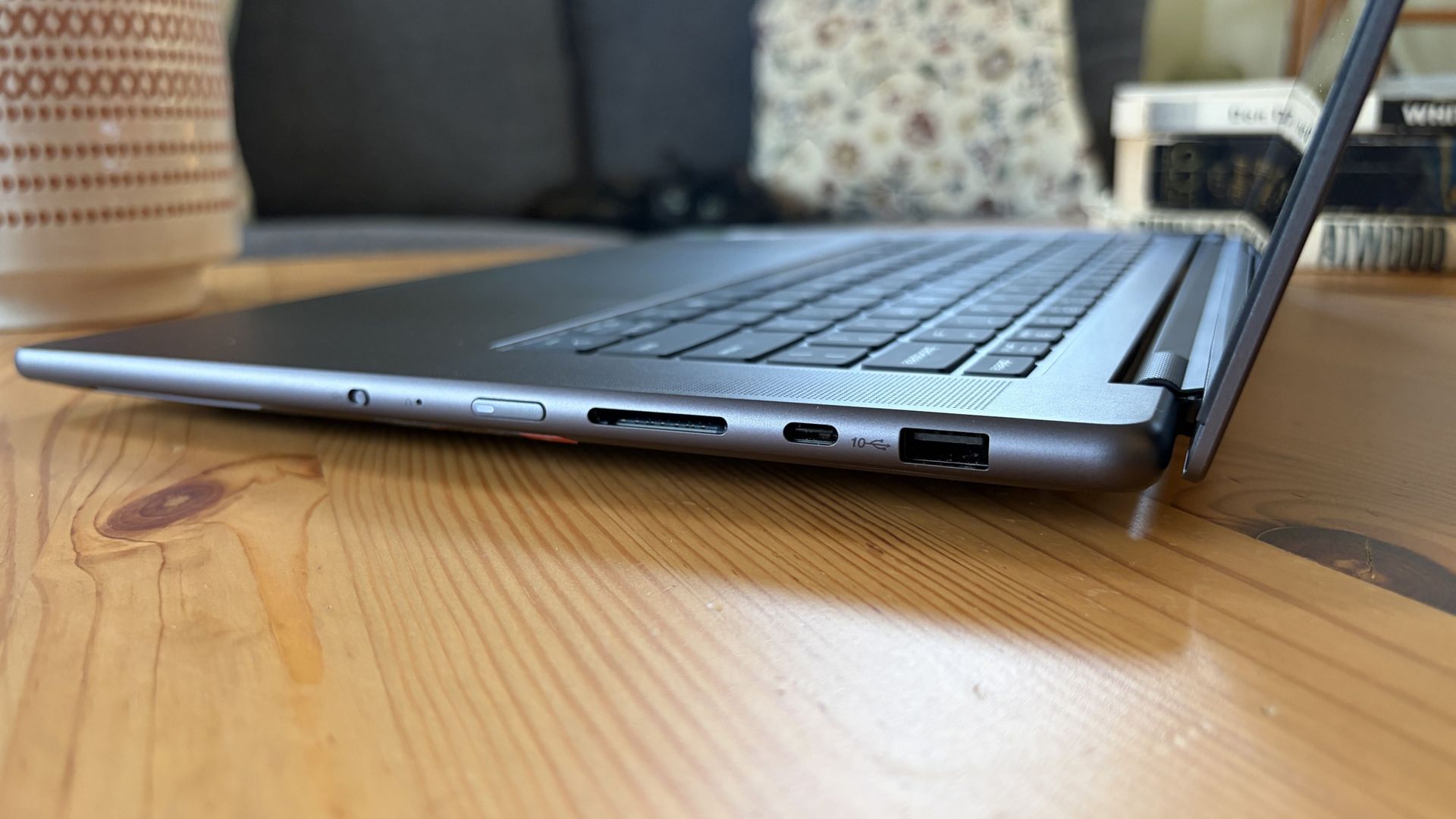
Ports on the left include HDMI, USB-A, USB4, and 3.5mm audio.FuturePorts on the right include USB-A, USB4, and UHS-II SD card reader.Future
This leaves plenty of space along the sides for ports. On the left are HDMI 2.1, USB-A 3.2 (always on), USB4, and a 3.5mm audio jack. On the right side are another USB-A 3.2, USB4, and a UHS-II SD card reader.
At no time did I feel the need to grab a dongle for an accessory, especially with Bluetooth 5.4 on board, and the native HDMI port makes it easy to plug into an external display without a docking station.
On the note of wireless, cutting-edge Wi-Fi 7 is on board for excellent throughput and future-proofing.
Lenovo's keyboard and haptic touchpad are among the best
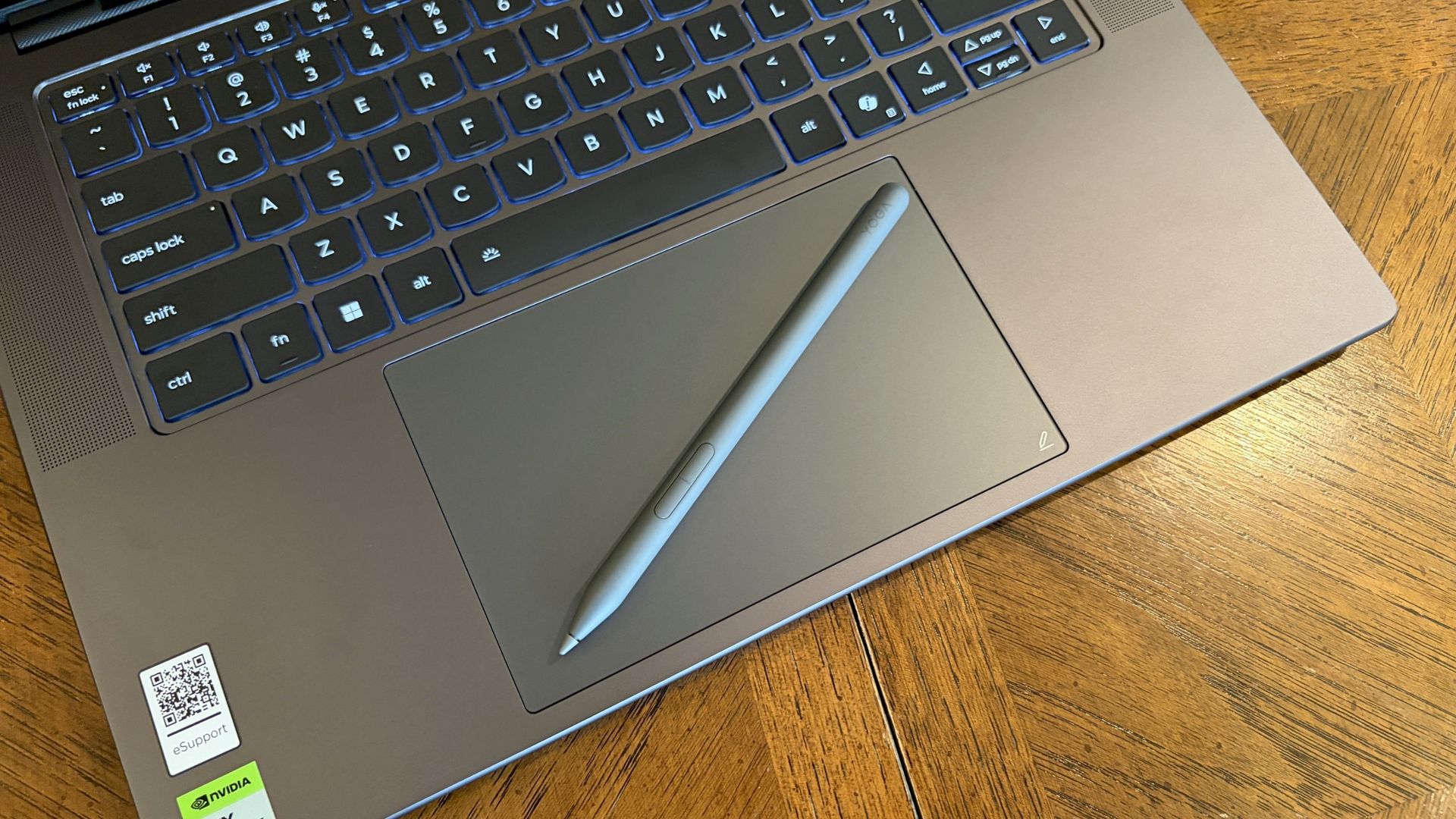
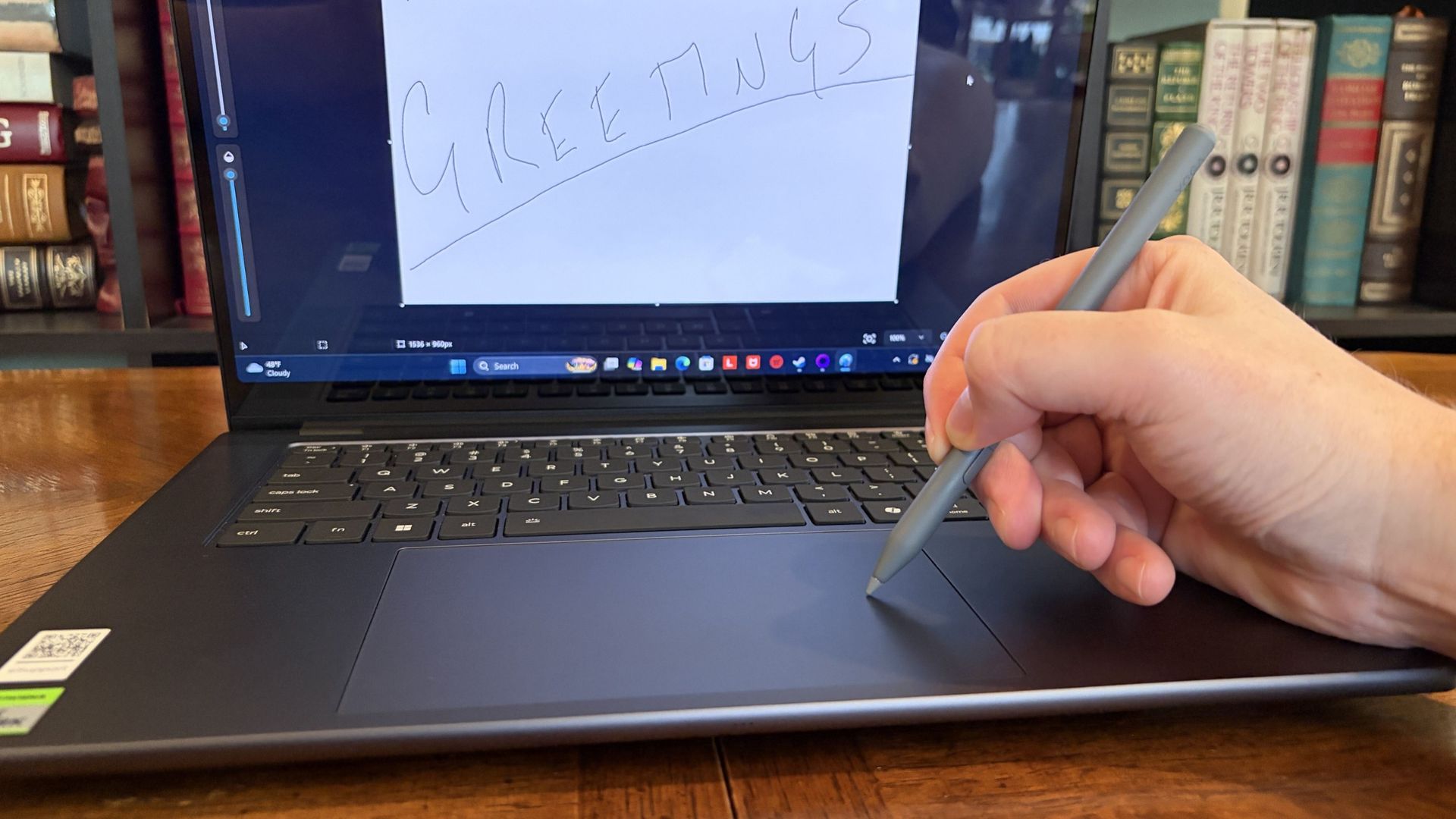
The Lenovo Pro 9n's oversized haptic touchpad and active pen turn the laptop into a makeshift drawing tablet. (Image credit: Future)
The Pro 9n is the first Lenovo laptop to receive its new haptic touchpad with inking compatibility. Paired with the bundled Yoga Pen (Gen 2), it turns the PC into a creative tablet of sorts.
I'm no artist, but I was able to get down some rough sketches using the awesome Krita drawing app. I found the touchpad's 3.74 x 3.94-inch dimensions were large enough to comfortably write and draw, and the inking feel is outstanding.
My only gripes are likely from me reading too much into the feature. Drawing on the pad often left my hand hanging off the edge (not comfortable), and it was sometimes difficult to line up my pen on the touchpad with where I wanted it on my screen.
Approach it from a rough sketch viewpoint, and you should find it to be quite useful. As for actual pointing and clicking, I had no issues. The haptics underpinning the pad are spot on.
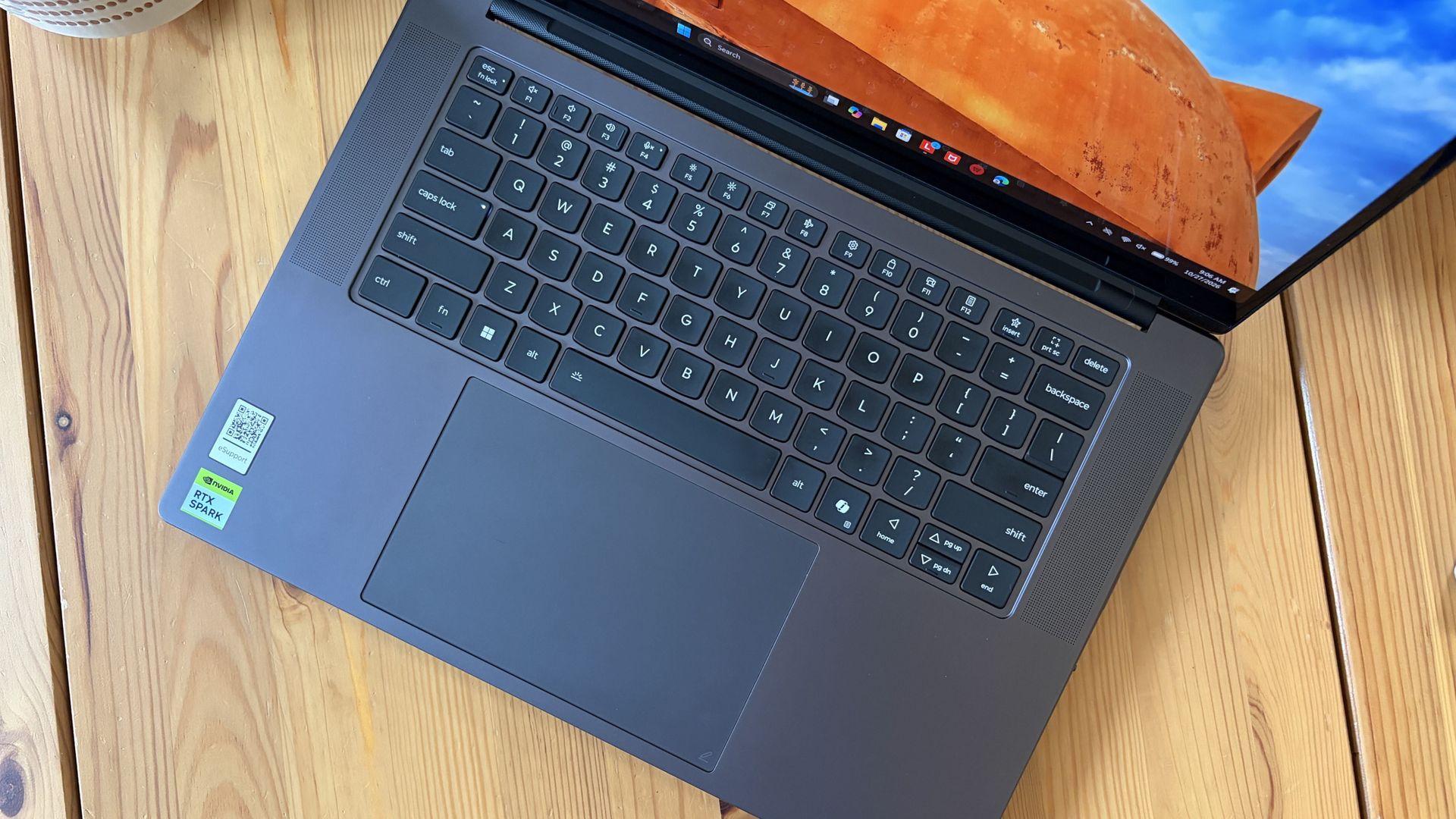
1.5mm key travel makes for comfy typing no matter what. (Image credit: Future)
The keyboard, which arrives flanked by a couple of speakers, offers deep 1.5mmkey travel, three-stage backlight, and perfect spacing. This might be the best keyboard that Lenovo's non-ThinkPads have ever received, and I enjoyed every word I typed on it.
Circling back to the speakers, the two that flank the keys are each 2W tweeters, and they're accompanied by two 2W woofers on the bottom of the PC.
Sound gets loud without breaking. There's lots of bass. The highs are clean, even before adding any onboard Dolby Atmos tuning. The laptop is just as good for watching TV and movies as it is for handling creative work or jumping into video meetings.
A crisp webcam handles meetings on the move
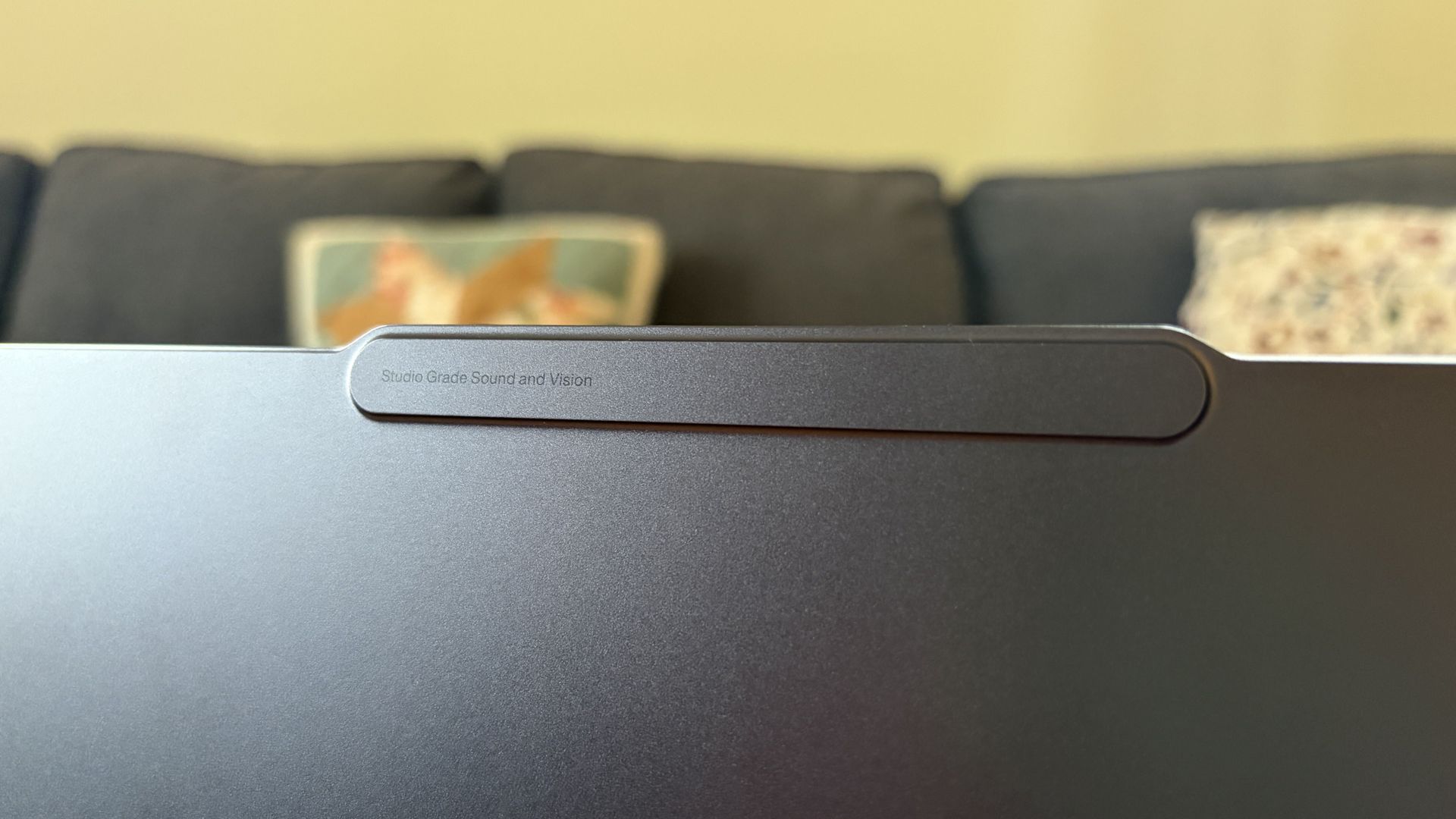
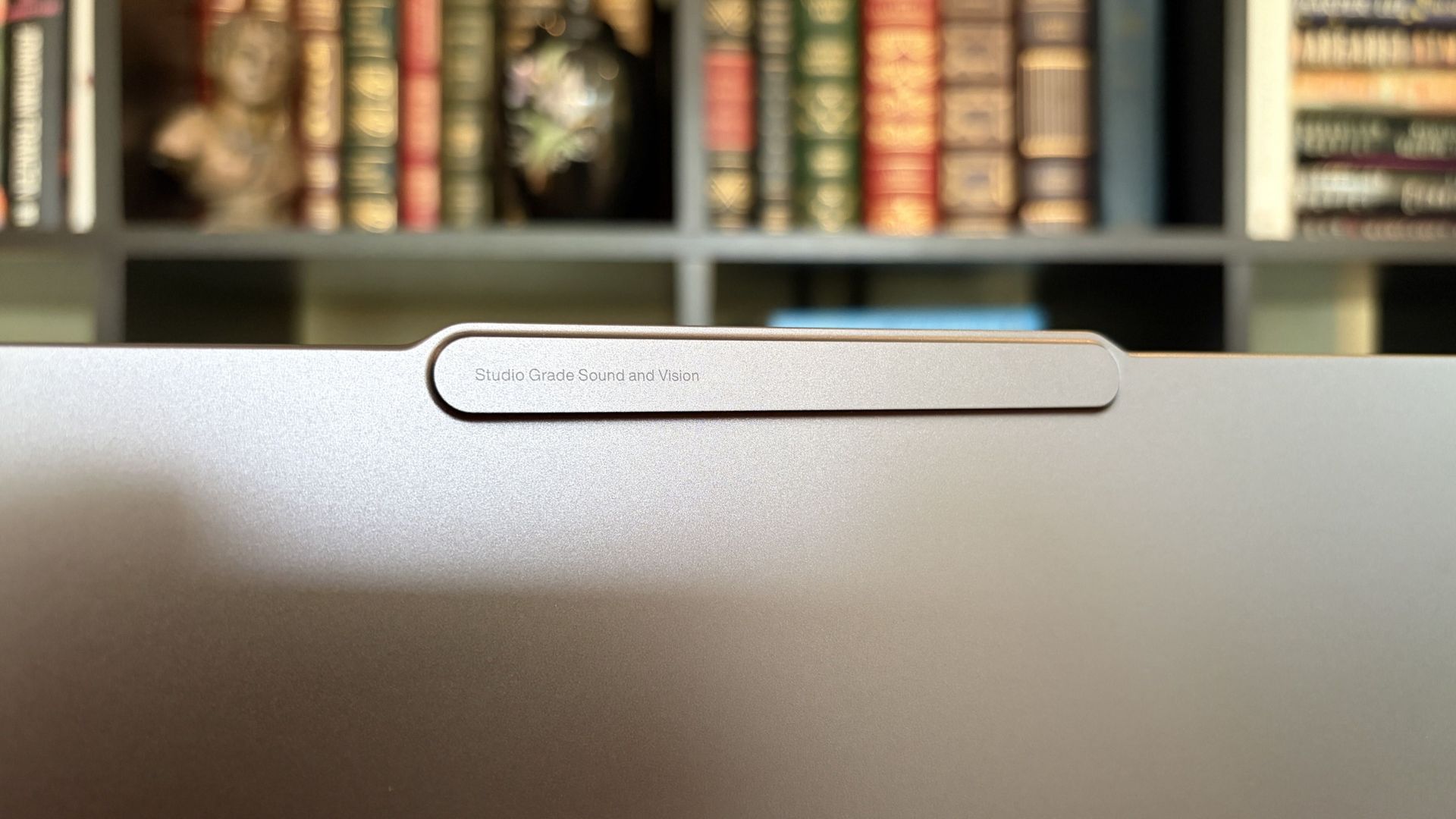
The raised comms bar has space for a 9.2MP camera and IR sensor. (Image credit: Future)
Lenovo's raised communications bar located above the display adds a bit of space for camera hardware, and the company made good use of it here.
The Pro 9n comes with a 9.2MP camera, easily trumping the ASUS ProArt P16's 2.1MP and the Surface Laptop Ultra's 1.6MP cameras.
It's crisp and handles lighting quite well even without any Windows Studio Effects in play, and I'd say it's a definite upgrade for anyone who often finds themselves in video meetings and collaborations.
The IR sensor built into the camera handles facial recognition via Windows Hello. Unfortunately, it doesn't appear to go the extra step to offer human presence detection. This doesn't seem to be a lock for the new RTX Spark PCs — the Surface Laptop Ultra doesn't have it either, but the ProArt P16 does.
An OLED display with color profiles for any job
The OLED display delivers color for specialized work and speed for gaming. (Image credit: Future)
Lenovo ships the Pro 9n with a 15.3-inch PureSight Pro OLED display. This is basically Lenovo's top-of-the-line screen for creators and pros, coming at you with X-Rite Pantone calibration and X-Rite SkinTone validation out of the box.
It hits Delta E, tops out at a 165Hz refresh rate (which can be set to variable for better battery life and eye comfort), and has Dolby Vision support.
Something I learned quickly was that the display presets in Lenovo's Vantage app are actually important. The Default mode in which the laptop ships favors sRGB reproduction. There are presets for AdobeRGB and sRGB (which pump up those sections), as well as P3-D65, REC709, and DCI-P3.
I was able to hit 100% across all color gamuts in my testing, but not all at once. You'll just have to be sure that you select the right config depending on the work you're doing.
I was able to hit 100% across all color gamuts in my testing, but not all at once.
I also measured 476 nits of peak brightness in SDR content, which pushes past 1,000 nits when HDR is enabled. I was able to work in a brightly lit room with only a bit of glare, but I imagine an anti-reflective instead of glossy finish would have gone a long way to eliminating glare entirely.
The screen is available in touch or non-touch, and the specs are otherwise the same. Note that the pen only works on the laptop's touchpad, whether or not the screen is touch-enabled.
The Pro 9n's OLED display is vivid and bright. (Image credit: Future)
The inclusion of NVIDIA G-Sync tech really props up the gaming aspect, reducing screen tearing and ultimately making everything feel much smoother, as you'd expect from a premium laptop that can game.
My only complaint is that Lenovo doesn't offer a higher-res panel. The 2.5K default is great for everyday work and gaming, but 4K would probably go a long way for some creators.
Comparing the 18-core and 20-core RTX Spark chips
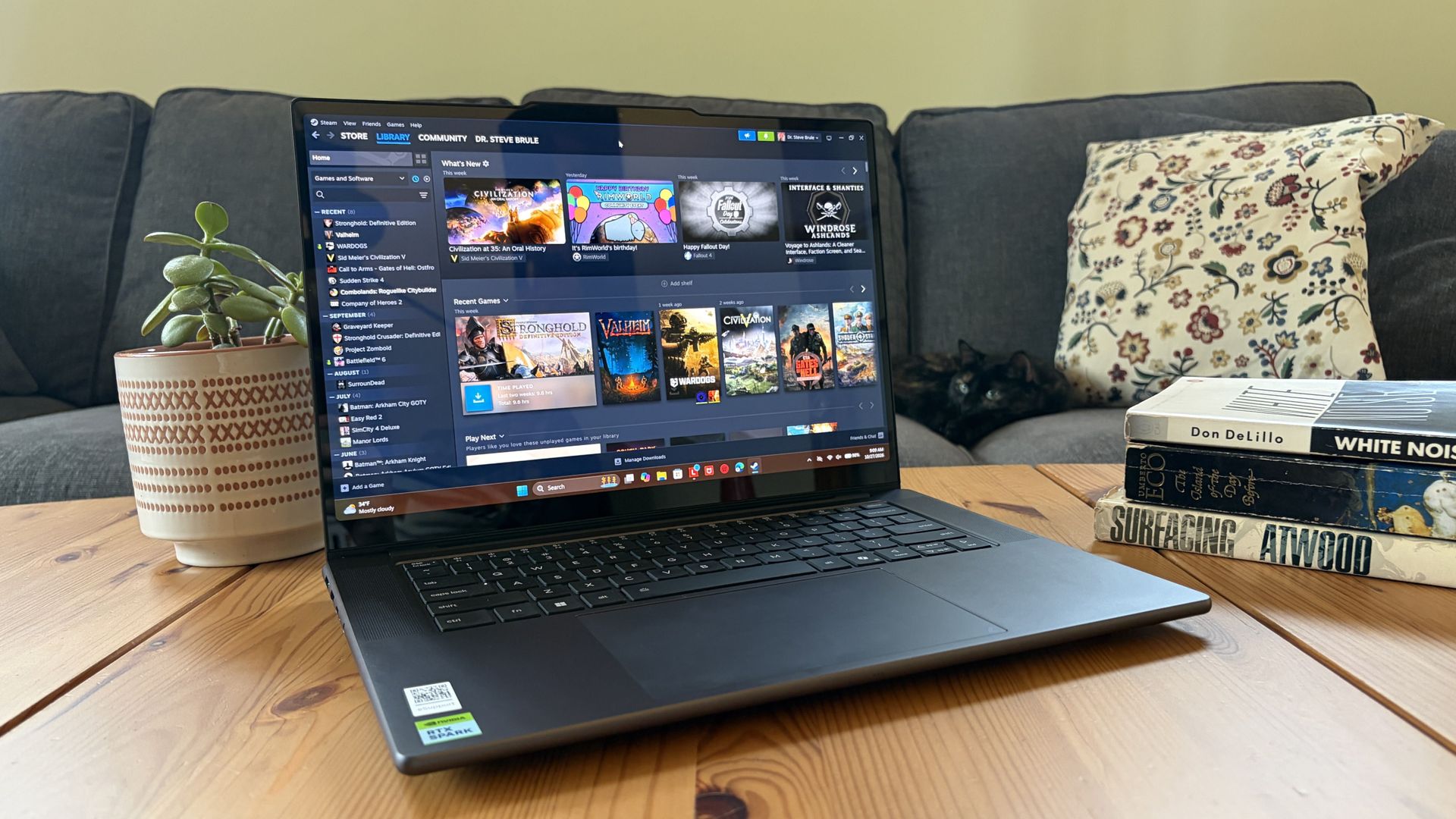
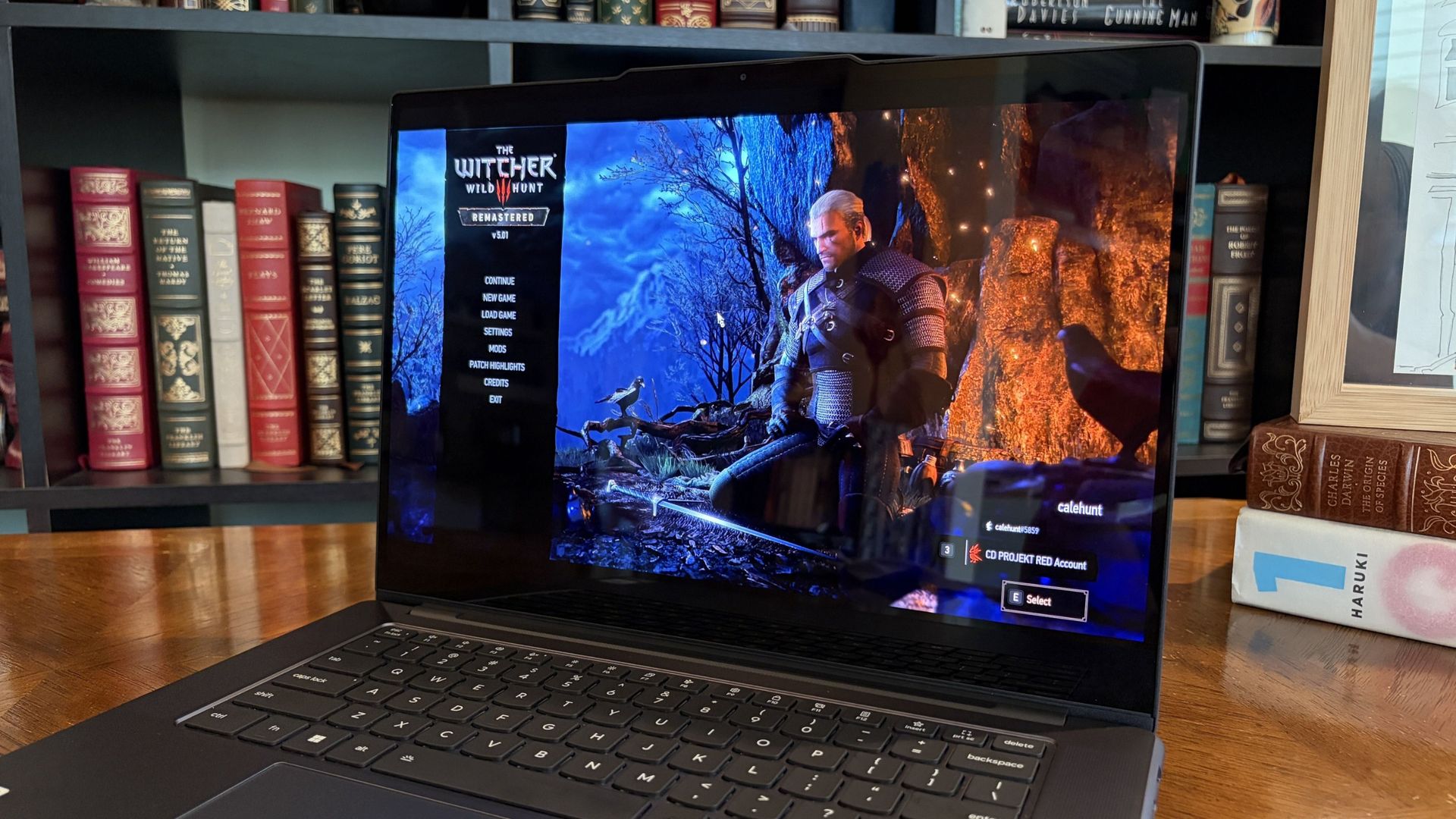
I gave the Pro 9n some games to chew on to see if it can replace my gaming handheld. Short answer: it can. (Image credit: Future)
Power tip
Lenovo allows for up to 80W of overall power for the chip, putting it in line with the other RTX Spark laptops we've tested.
As it turns out, quite well. You get the same pool of unified LPDDR5x memory to pull from for the system and GPU, albeit in smaller quantities (32GB for my review unit).
You get the coveted CUDA cores (with 5120 in my unit compared to 6144 in the premier chip) to handle local AI inference. And you still get about 26 TFLOPs of graphics performance.
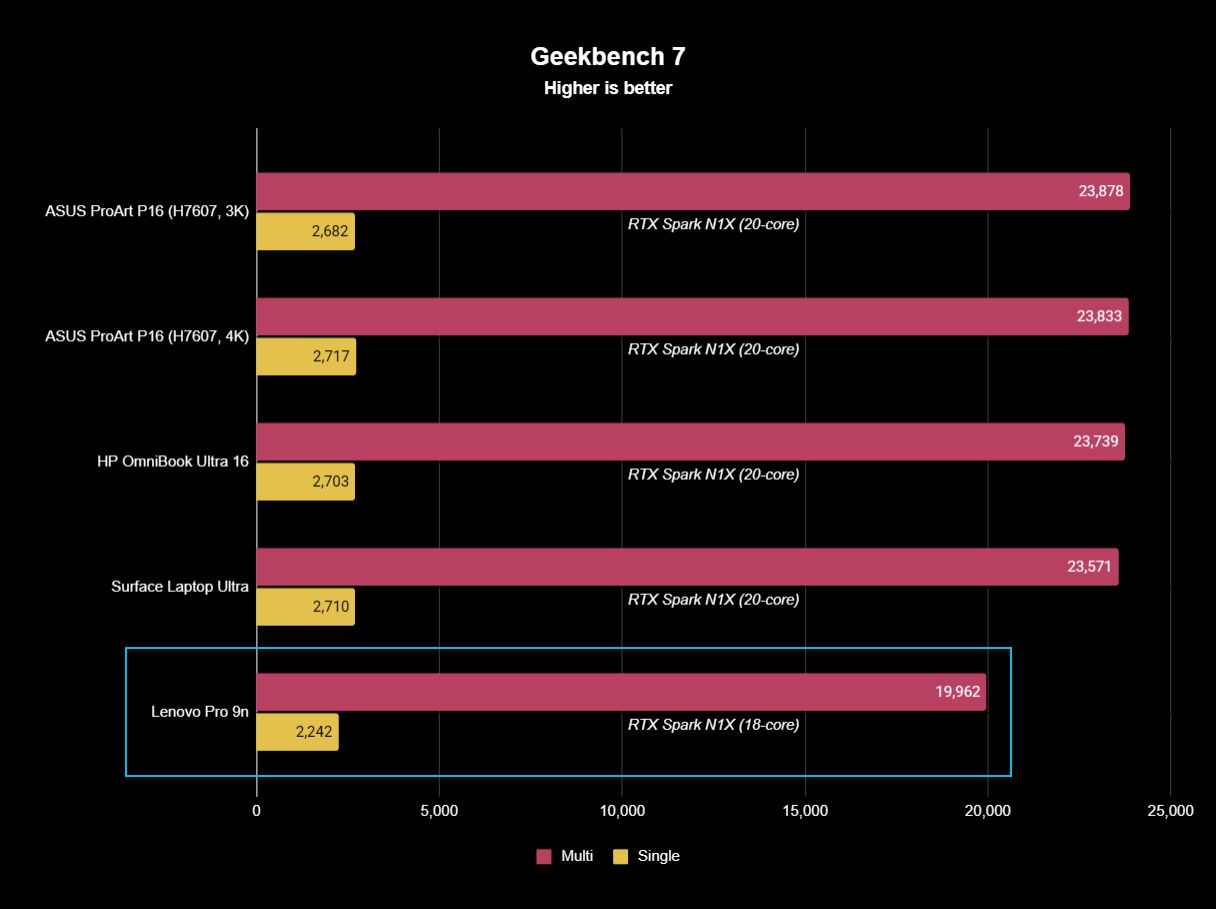
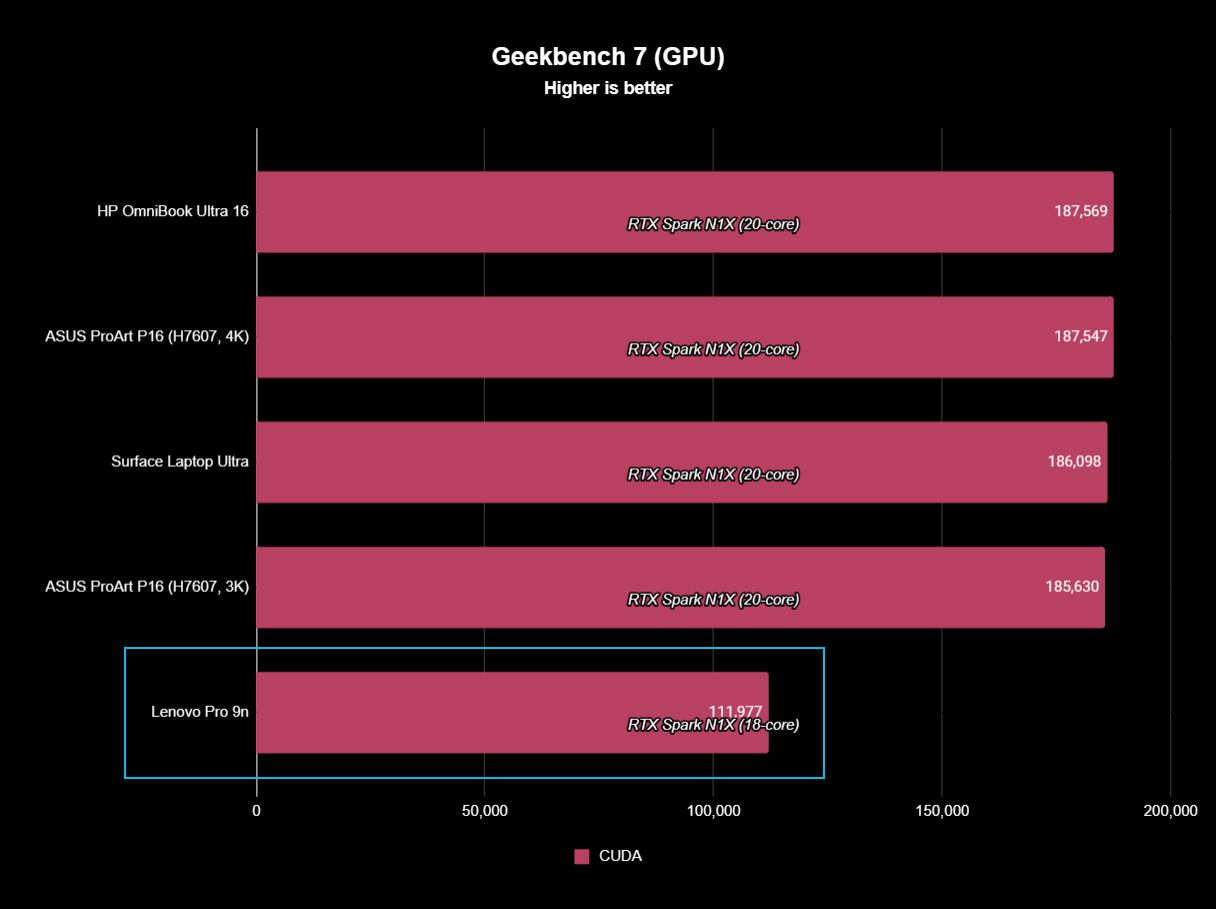
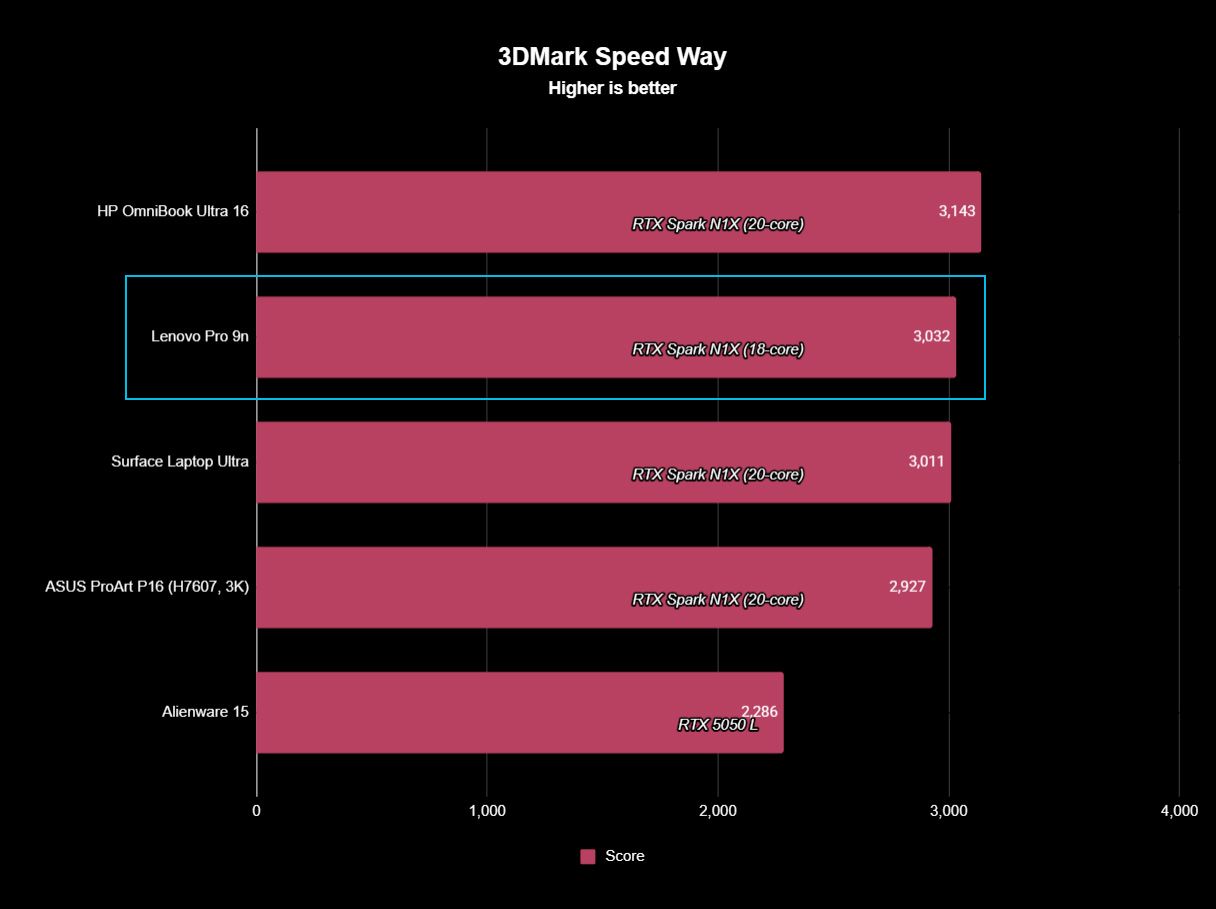
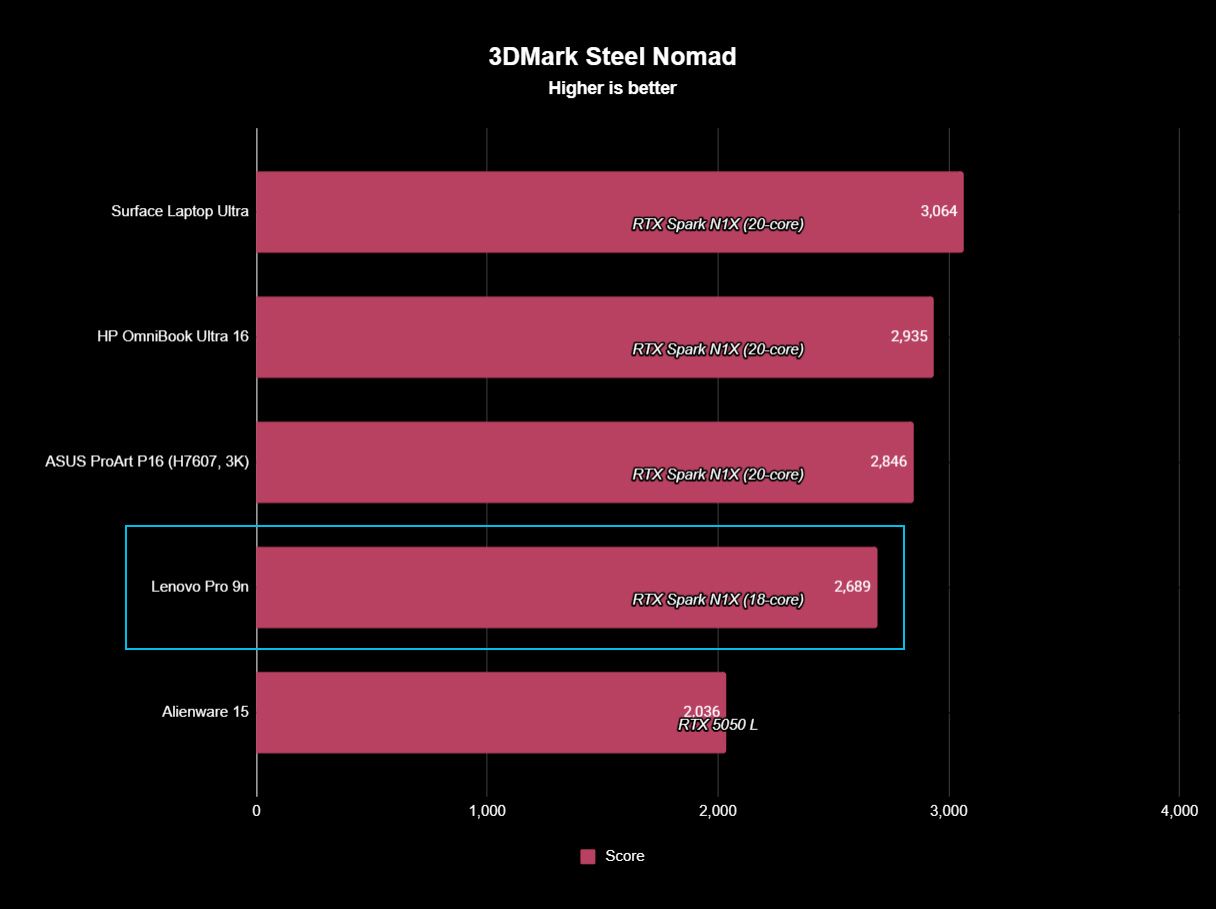
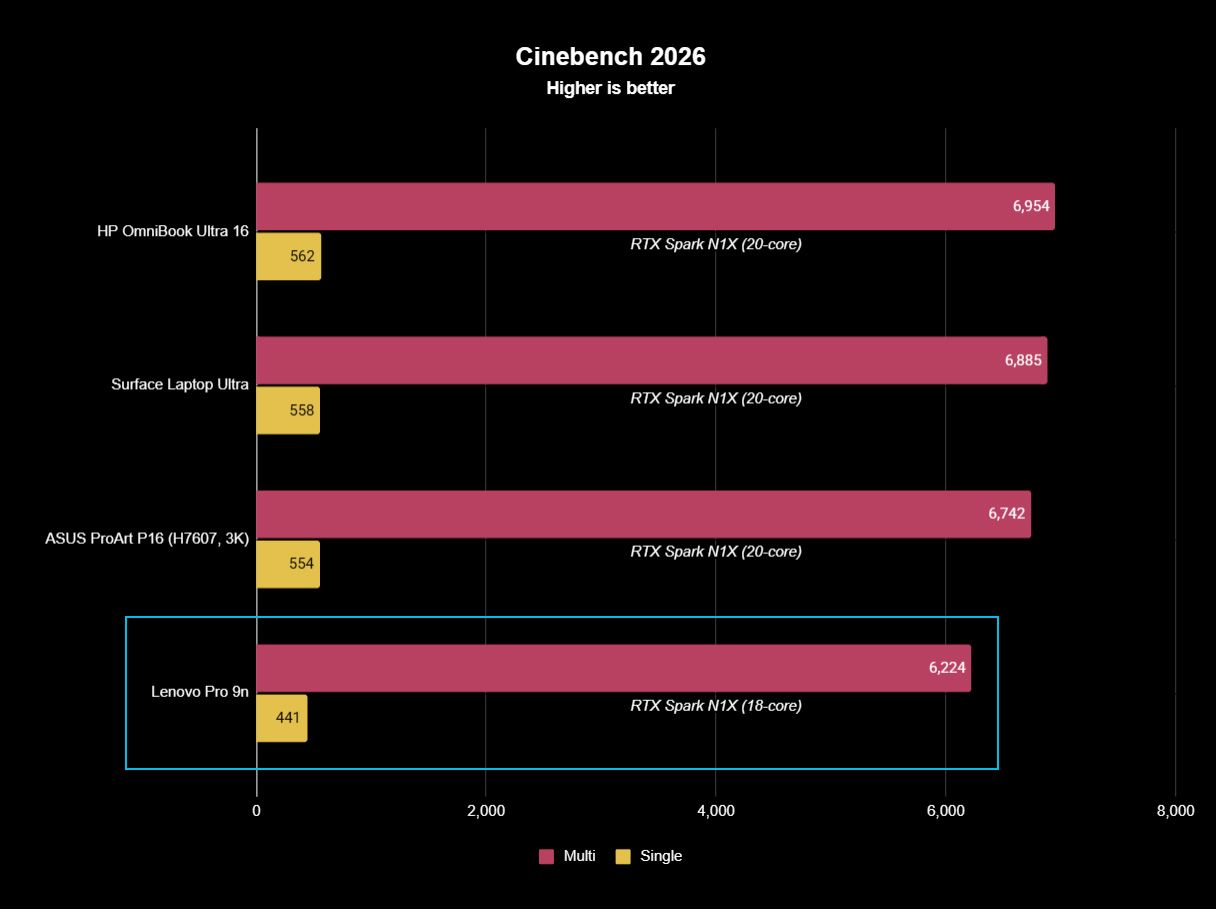
The following graphs show how the 18-core RTX Spark in the Lenovo Pro 9n compares to the 20-core RTX Spark chips we've already tested in other laptops.
FutureFutureFutureFutureFutureFuture
As you can see, synthetic Geekbench 7 and Cinebench 2026 CPU scores fall accordingly compared to the 20-core Spark. Not by a lot, but it is noticeable.
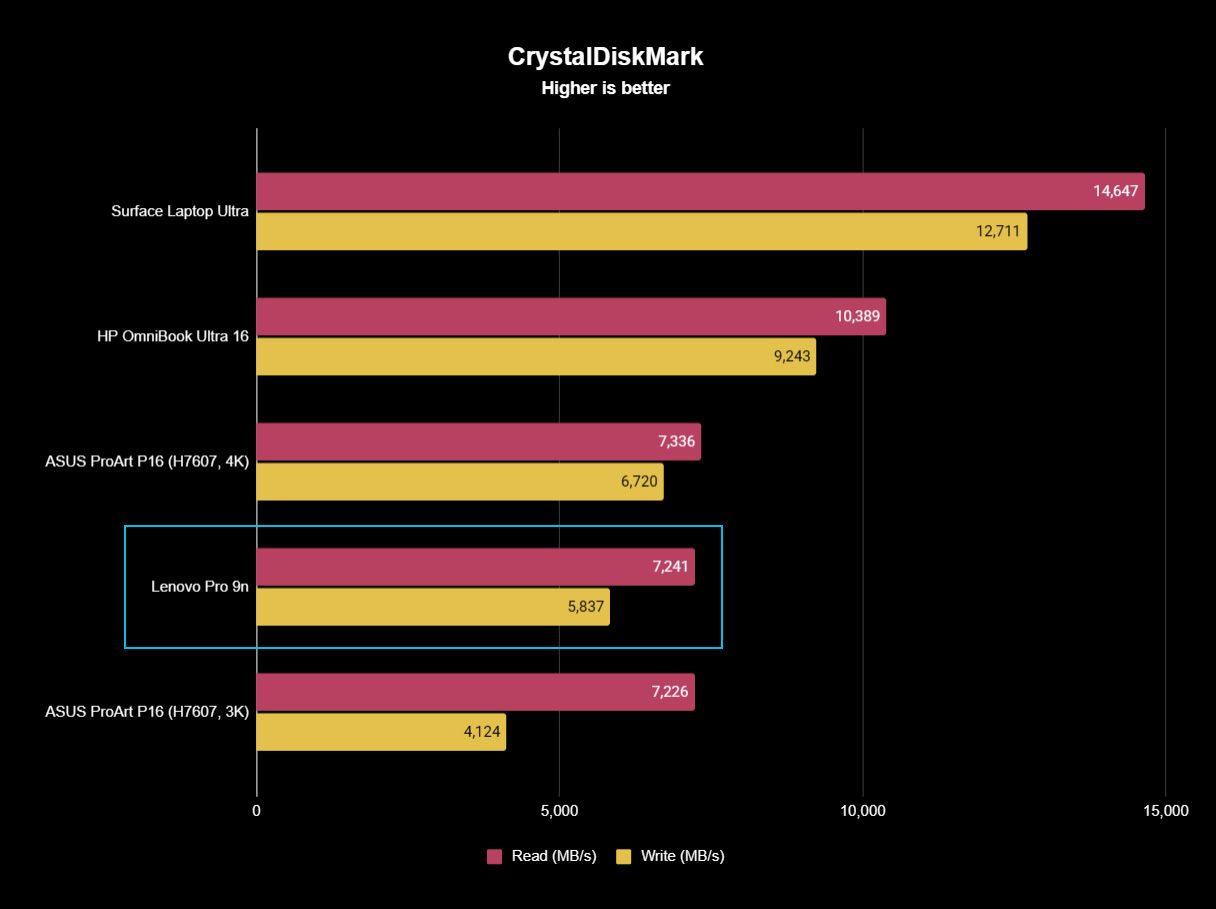
The SSD looks comparatively slow, but keep in mind that most of these laptops have a mix of PCIe 4.0 and PCIe 5.0. In my test case, it's the former, but you can get the latter, faster drive in a 2TB config.
FutureFutureFuture
The weaker RTX GPU also showed a drop-off in Geekbench 7's GPU test, but it put up a strong fight in 3DMark's Steel Nomad and Speed Way tests.
Considering I was playing The Witcher 3: The Wild Hunt Remastered at a smooth frame rate with ray tracing cranked up, there should be no denying the Pro 9n can game. Just don't buy it if that's all you want from your laptop.
There should be no denying the Pro 9n can game.
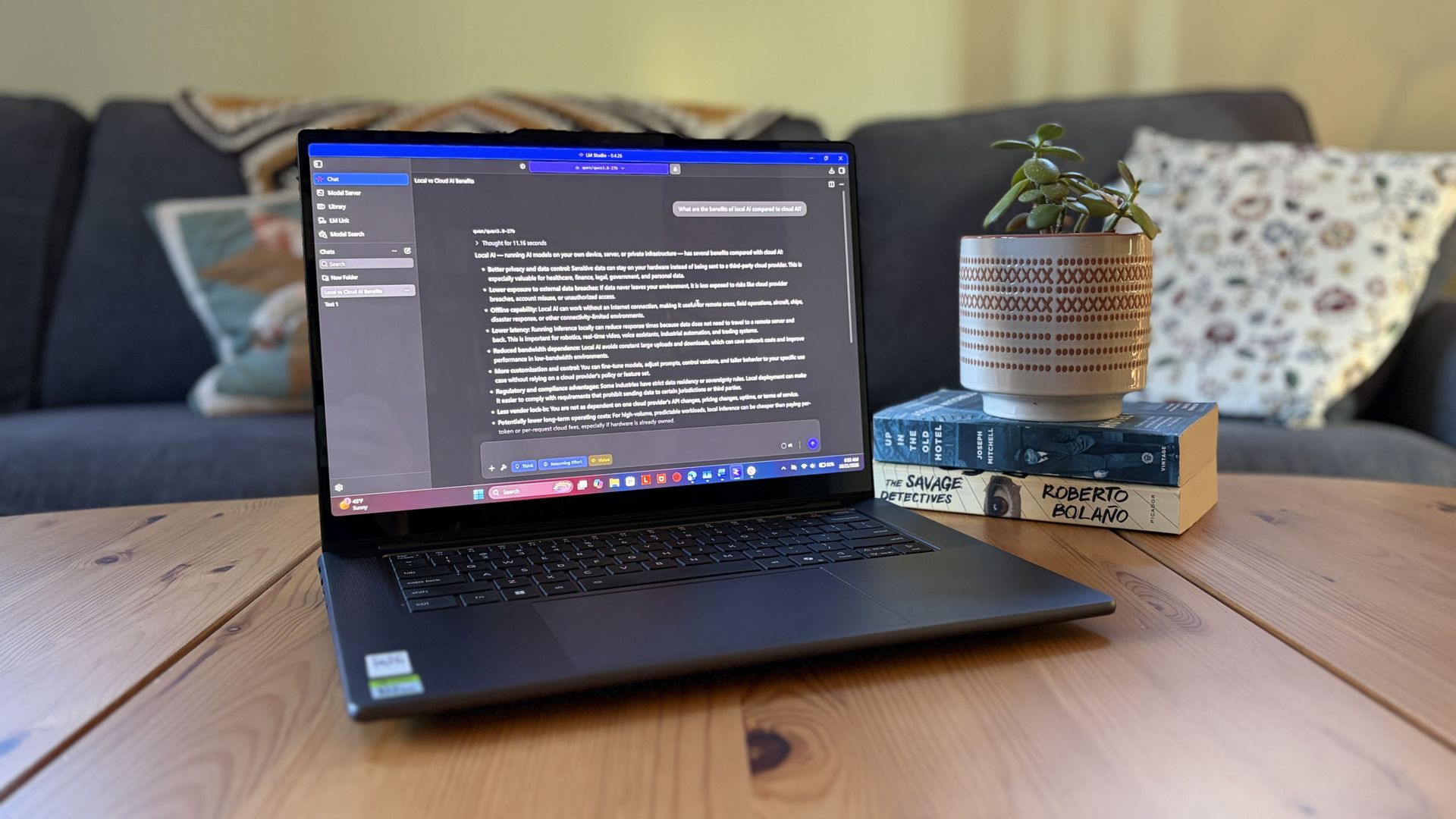
I also began a journey with local AI agents on the Lenovo Pro 9n. I set up LM Studio on it and downloaded a hefty Qwen model, which runs surprisingly well on the system despite only having 32GB of unified RAM.
Lenovo's Pro 9n running LM Studio, allowing me to chat locally with AI agents. (Image credit: Future)
The unit I was sent to test is more geared toward creators who don't need the ultimate 20-core CPU and 128GB of RAM coveted by AI specialists, so I'm pleased that it's proving to be a capable local AI base.
I ran a few AI-focused tests in Procyon to see how the weaker RTX Spark chip in my Lenovo Pro 9n compares to the 20-core option we already reviewed.
Procyon Image Generation
RTX Spark (18-core)
RTX Spark (20-core)
Stable Diffusion 1.5 score (FP16, higher is better)
1,430
1,380
Seconds / Image (lower is better)
4.36
4.22
Total duration (lower is better)
69.9
67.5
Procyon Text Generation
RTX Spark (18-core)
RTX Spark (20-core)
Phi-3.5-mini (higher is better)
2,383
2,615
Seconds to first token (lower is better)
0.31
0.27
Tokens / Second (higher is better)
68.31
72.21
Load time / Seconds (lower is better)
0.73
0.66
Procyon AI Computer Vision 2.0
RTX Spark (18-core)
RTX Spark (20-core)
Score (higher is better)
3,658
3,997
There's clearly a drop-off with the 18-core Spark chip in terms of AI performance, and I'd recommend that any AI specialists out there opt for the 20-core option.
For creators, part-time gamers, and professionals without a direct focus on AI, I think the 18-core chip should do just fine.
Does Lenovo's Pro 9n get too hot?
Playing demanding games on the Lenovo Pro 9n is entirely possible. Just expect there to be a little heat. (Image credit: Future)
The Lenovo Pro 9n's upgraded cooling system does a good job of managing thermal limits, and fan noise isn't bad, either. This is all with the system managing power automatically, which I found quite convenient.
During a lengthy system stress test, I never clocked the fan noise any higher than 43dB. They're audible in a quiet room, but they'd go unnoticed in a busy office.
My trusty FLIR camera is in the shop, but I did a surface temp test with my lap. During the stress run, it remained comfortable to hold. The keyboard side got a bit hotter, but nothing that gave me pause.
How is the Pro 9n's battery life?
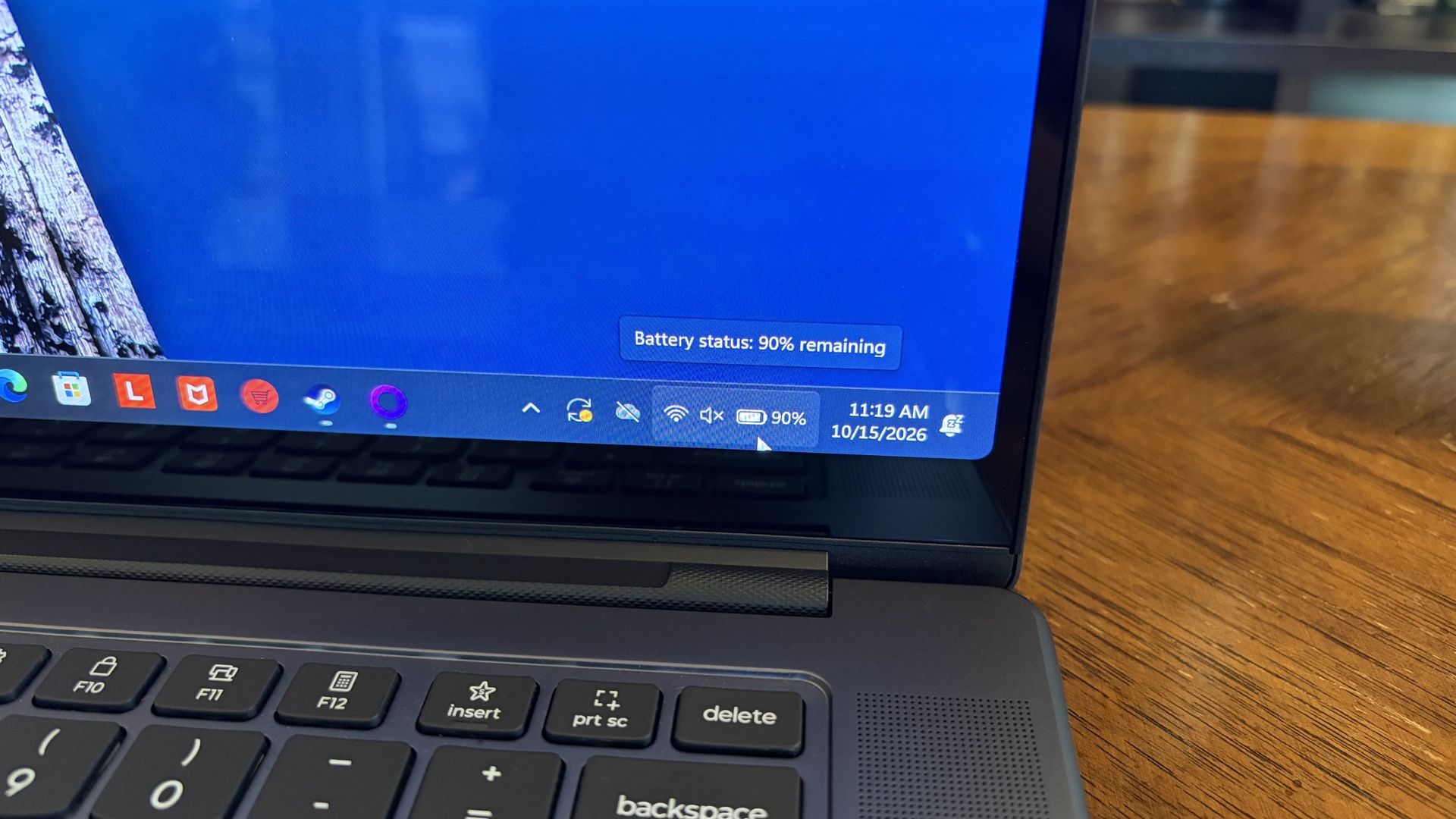
Battery life has been quite good, especially for everyday tasks, but Snapdragon X2 is still the champ. (Image credit: Future)
Battery life is not as good as I was hoping, and Qualcomm's Snapdragon chips are not in any threat of being dethroned in terms of efficiency.
My Windows Battery report shows roughly 8 to 10 hours of real-world life on a charge. Keep in mind that I was doing a decent amount of gaming on battery life, which brought that number down. Still, that's in line with the other RTX Spark laptops we've tested.
If you are gaming on battery power and have settings cranked up with ray tracing enabled, know that I was seeing about 10 minutes of runtime for every 10% of battery life.
Indie titles that aren't as demanding don't sap the battery nearly as much, and you can enjoy a few hours of gaming without worrying about power.
Should you buy Lenovo's Pro 9n?
The Lenovo Pro 9n's lid pulls back to about a 180-degree flex. (Image credit: Future)
You should buy this if ...
✅ You want an RTX Spark laptop with a 15.3-inch OLED display at 2.5K.
✅ You dabble in drawing, sketching, and writing with a pen.
✅ You're a professional or a creator who wants one PC to handle local AI, demanding apps, and gaming.
You should not buy this if ...
❌ You want the most affordable RTX Spark laptop possible.
❌ You prefer a mini-LED display (go with the Surface Laptop Ultra).
Lenovo's first notebook RTX Spark laptop has been a ton of fun to use over the past few weeks, and admittedly, I regret that I soon have to give it up.
It's not perfect. I wish there were human presence detection. I wish there were an extra high-res display option. I wish battery life were a lot better. And I wish it didn't cost as much (which is an effect of the ongoing RAM and storage crisis, not some Lenovo decision).
But for what it is — a specialized portable AI workstation using the first generation of a new NVIDIA computing platform — it's among the most exciting and promising Windows PCs I've used in recent memory.
If you're a general creator who just wants to see the latest chip technology in an ultra-premium package, the 32GB model could be ideal for you, just as long as you can stomach the price.
Otherwise, it's mainly going to appeal to a fairly small set of users, but those who can take full advantage of the RTX Spark chip should love what Lenovo has put together here.
RTX Spark
Lenovo
Pro 9n
Lenovo's Pro 9n delivers high-end features and cutting-edge AI performance for the Windows ecosystem. It's a great PC for creators with deeper pockets, but its true usefulness is seen in the hands of AI pros who need a ton of unified memory and a beefy RTX Blackwell GPU. It's all wrapped up in a sleek, portable package.
Lenovo's Pro 9n is the first RTX Spark laptop that I've been able to sit down and use as I normally would at work and at home, following several brief stints with the new class of PCs at Computex and IFA.
What I need from you...
Have some questions about the Lenovo Pro 9n not addressed in this early hands-on? Drop them in the comments section below, and I'll do my best to address them in my full review.
Lenovo is aiming its 15.3-inchPro 9n directly at creators handling demanding 3D rendering and video editing tasks. Its 2.5K OLED display with Pantone color validation, its four Dolby Atmos speakers, its pen-enabled haptic touchpad, and its newfound RTX performance all play into this direction.
Of course, thanks to NVIDIA's RTX Spark chip, it's also suited for local AI workflows, software development, and gaming.
I received the new RTX Spark-poweredLenovo Pro 9n laptop a couple of days ahead of the review embargo. I've been using it steadily since then to get some early first impressions before I start harassing it with benchmarking software. Here's what I've learned so far.
This hands-on was made possible by a review sample provided by Lenovo. The company had no input on the content of this article, nor did it see the article before it was published.
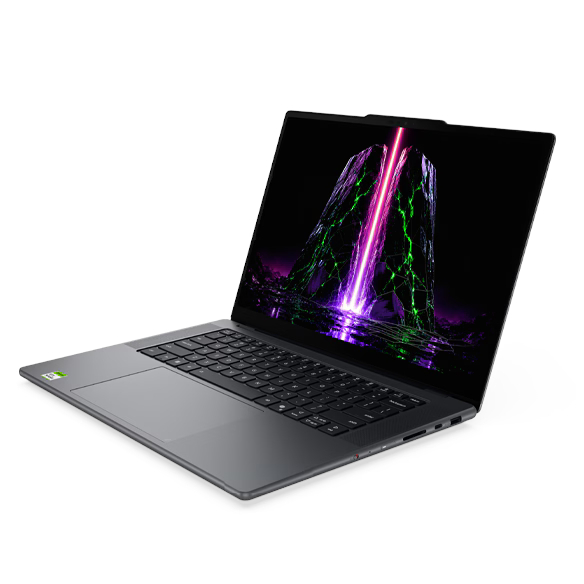
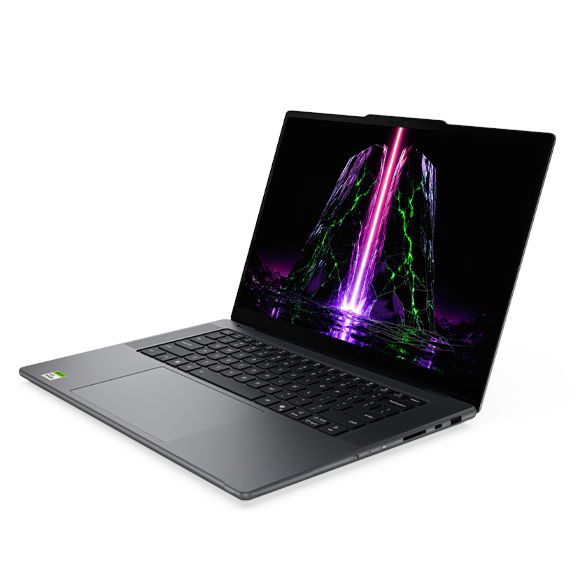
Lenovo's Pro 9n 15" is the company's non-convertible RTX Spark option, arriving with a host of premium features aimed at creators.
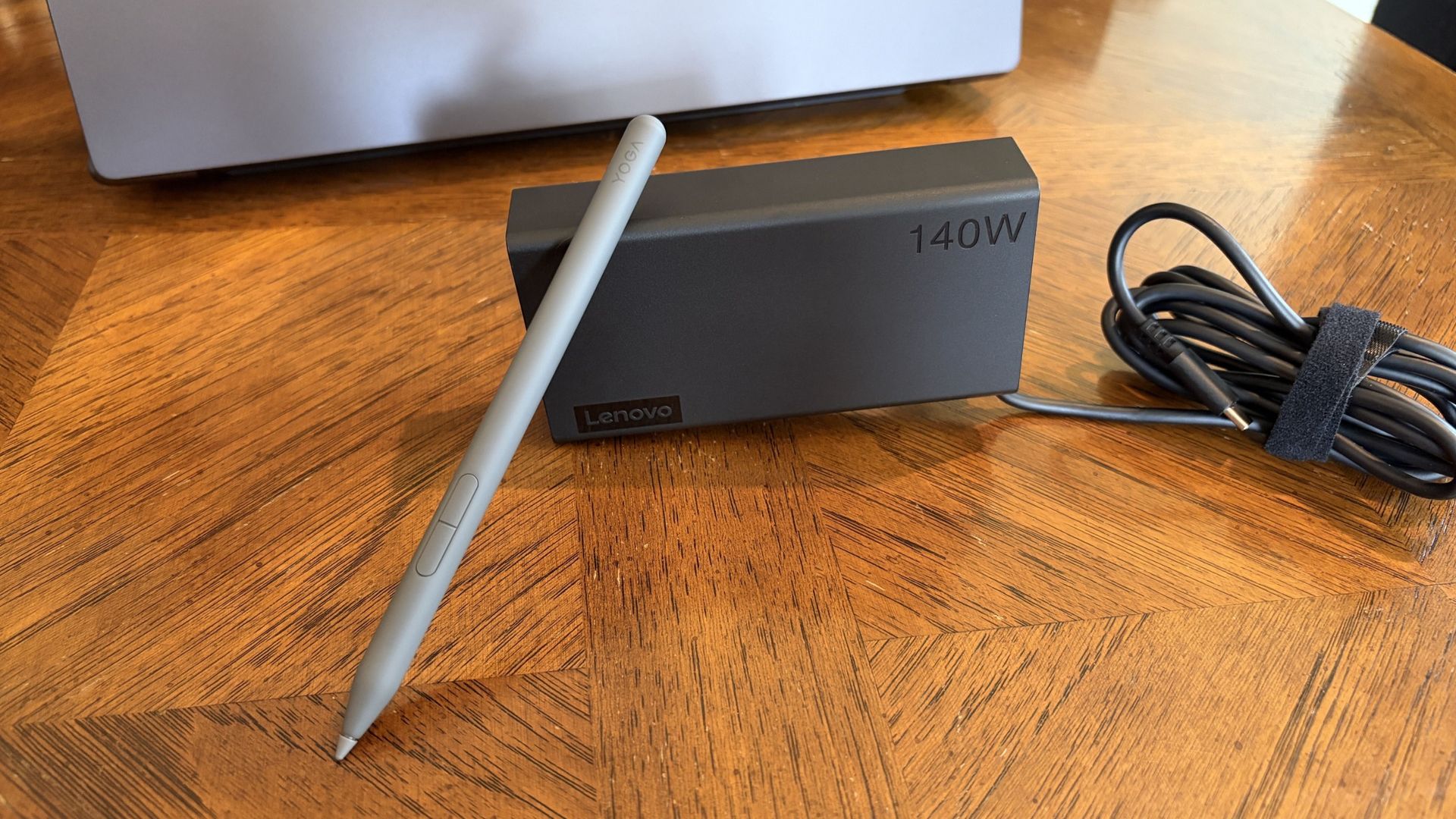
A compact 140W charger and a Yoga Pen Gen 2 come with each Lenovo Pro 9n laptop. (Image credit: Future)
The Yoga 9n laptop comes packaged — in a fully recyclable box — with a fairly compact 140W USB-C power adapter.
I haven't actually had to use it yet at the time of writing this portion, as all the downloads and puttering around I've done so far on the PC have only sapped the battery to about 35%. I talk about battery life, good and bad, in more detail below.
Lenovo also bundles the Yoga Pen (Gen 2) with each laptop. It's designed to work with the new pen-enabled haptic touchpad (which Lenovo calls a Force Pad), giving users plenty of space to sketch, draw, design, and write.
Lenovo Pro 9n early impressions — 3 things I already love
Lenovo's Pro 9n already has several features that stand out to me after a couple of days of use. I've rounded them up here to give you an idea of what we're working with.
I've also included some of the more concerning things I've noticed, which you'll definitely want to check out if you're thinking about buying this laptop.
Let's start with the good stuff.
Battery life seems solid ... most of the time
Battery life has been great so far for day-to-day use. (Image credit: Future)
Battery life falls into both categories: What I like and what I'm worried about.
First impressions are very good. As mentioned, the laptop is sitting at about 35% after a day of downloads and tinkering around. That's with the PC adjusting its own power profile depending on the task at hand.
If you aren't hammering the hardware and are instead browsing the web, streaming video, answering email, etc., I'm confident that the laptop will deliver awesome battery life for day-to-day tasks.
I explain the flipside to the battery segment below.
Inking on the haptic touchpad
The massive touchpad has plenty of space for inking with the Yoga Pen Gen 2. (Image credit: Future)
The Pro 9n's display accepts touch input, but it does not work with the Yoga Pen (Gen 2). Instead, the Pro 9n's new haptic touchpad measuring about 3.74 x 5.9 inches (95mm x 150mm) is pen-enabled.
As someone who rarely uses an active pen on any laptop that's not at least a convertible (allowing me to rotate the display around for tablet mode), I love this change.
Writing feels natural and smooth. (Image credit: Future)
The oversized touchpad provides plenty of space to work, and the feel and sound of the pen nib on the surface come out natural. The pen has 8,192 levels of pressure sensitivity thanks to AES 3.0, far more than I'm used to.
Lining up the touchpad area and the on-screen canvas takes a bit of guesswork, but I'll try it in more apps between now and my full review.
Display quality is outstanding
The OLED display offers a 2.5K resolution and brightness up to 1,100 nits. (Image credit: Future)
The Yoga 9n's 15.3-inch display uses a "PureSight Pro" OLED panel with X-Rite Pantone calibration, ensuring it's ready for specialized design work requiring accurate color reproduction.
It might be the slim bezels, or it might be the 2560x1600 resolution; in any case, it feels a lot larger than 15.3 inches.
Lenovo wanted to deliver a screen for creators, and it certainly seems like it achieved its goal.
I haven't tested it with a colorimeter yet, but Lenovo says the screen can hit 1,100 nits peak brightness with HDR enabled. I'd wager that's about right, because this thing gets very bright and I've had only minor issues with glare.
It's super smooth too, thanks to a 165Hz variable refresh rate that can automatically lower or raise depending on what you're doing. Lenovo wanted to deliver a screen for creators, and it certainly seems like it achieved its goal.
Lenovo Pro 9n early impressions — 3 things I like less
Admittedly, these three aspects I like less could turn out to be nothingburgers once I've spent more time with the PC. In any case, here they are, including more information about battery life.
A rather plain design
The Pro 9n isn't very flashy on the outside. Disagree? Let me know in the comments below. (Image credit: Future)
The Lenovo Pro 9n's design is not exactly inspiring.
This isn't just an issue I have with Lenovo's RTX Spark PC; it's largely the same across the entire product catalog, including ASUS, Dell, HP, MSI, and Surface. I imagine second-gen devices will receive a bit more flair, especially as brands branch out into more focused approaches.
The laptop is super sleek and not nearly as heavy as I was expecting.
In Lenovo's case, with such an emphasis on modern creators, the plain design doesn't quite sit right. Let me know in the comments section below if you disagree with me or have more to add on the subject.
I will say that the laptop is super sleek and not nearly as heavy as I was expecting. It only weighs about 3.6 pounds (1.6kg), and it's well balanced. Port selection is also quite good, with dual Thunderbolt 4, dual USB-A, HDMI 2.1, SD card reader, and 3.5mm audio jack.
Will it overheat?
Two fans lie just beneath an oversized intake vent on the bottom of the Pro 9n. (Image credit: Future)
The first few hours with the Lenovo Pro 9n involved some noticeably hot surfaces, but that seems to have abated now that it's all set up and finished downloading/installing updates.
Playing games causes heat to rise, especially when the AC adapter is plugged in, and it will be interesting to monitor actual temperatures and whether or not the dual-fan system can keep up with sustained heavy loads.
Battery life ... again
I enjoyed a bit of The Witcher 3: The Wild Hunt Remastered to get an early idea of battery life under load. (Image credit: Future)
As noted, battery life seems great when you aren't pushing the system with anything too demanding.
I need a lot more time with the laptop to get a better idea of how efficient it can be, and I am concerned about how long the battery will last when the PC is under heavy load, for AI work or for gaming.
Final thoughts on the Lenovo Pro 9n before a full review
The raised comms bar at the top of the display houses the IR sensor and webcam. (Image credit: Future)
Lenovo's Pro 9n has a lot to unpack, and I feel like I've barely scratched the surface of what this new class of PC can do. First impressions are generally positive, although, as noted, there are some concerns about battery life and heat.
Do you have any questions that need answering regarding the Lenovo Pro 9n or the RTX Spark platform in general? Drop them in the comments section below, and I'll do my best to address them in my full review.
Join us on Reddit at r/WindowsCentral to share your insights and discuss our latest news, reviews, and more.
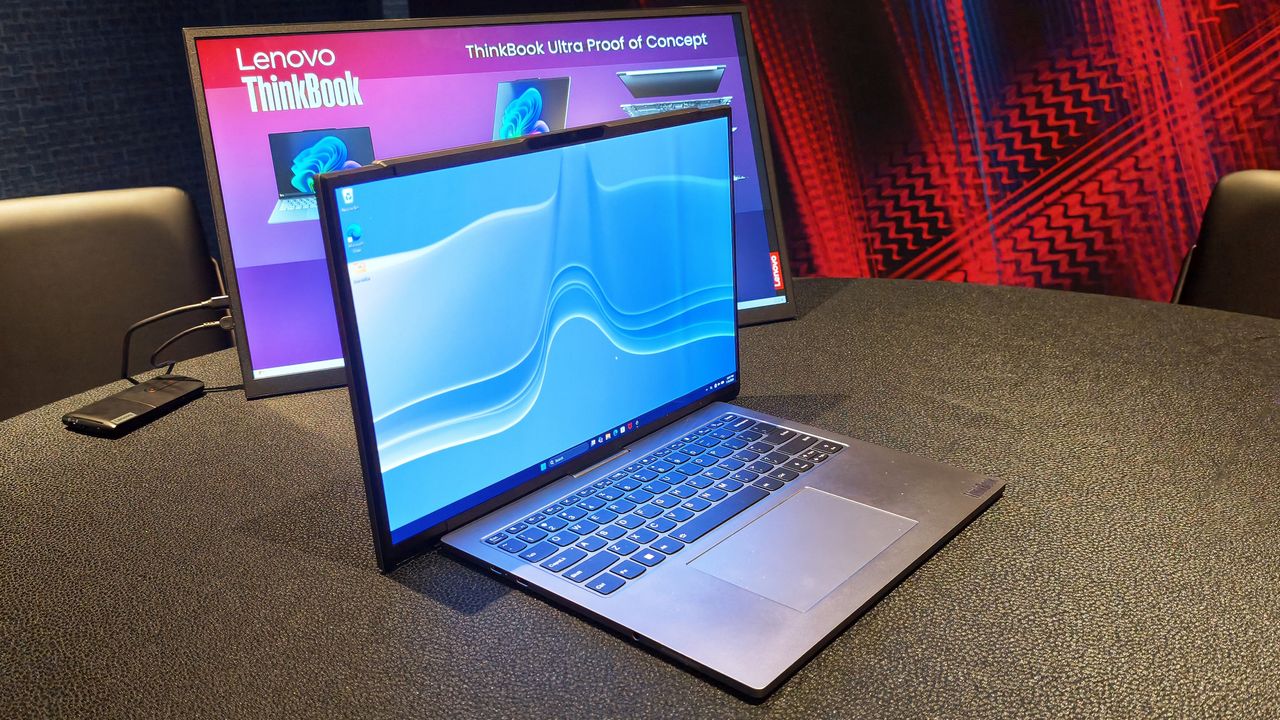
Over the last several years, the company has become the PC industry's unofficial concept lab, routinely showing off hardware that seems pulled from science fiction. We've seen rollable displays that grow taller, gaming laptops that transform into ultrawide displays, foldable PCs, attachable screens, rotating displays, and enough unusual form factors to make even the most adventurous laptop enthusiast pause for a moment.
Some of those ideas have remained concepts. Others have eventually become real products. The ThinkBook Plus Gen 6 Rollable (yes, they actually ship some of these!) is perhaps the best example, evolving from an eye-catching prototype into an actual shipping device. But even as Lenovo's concepts have become increasingly impressive from an engineering perspective, I've often found myself wondering how many of them actually solve a problem that regular laptop buyers have. Making a display expand is certainly cool. Convincing people they need it is the harder challenge.
That's why Project Swan immediately stood out to me.
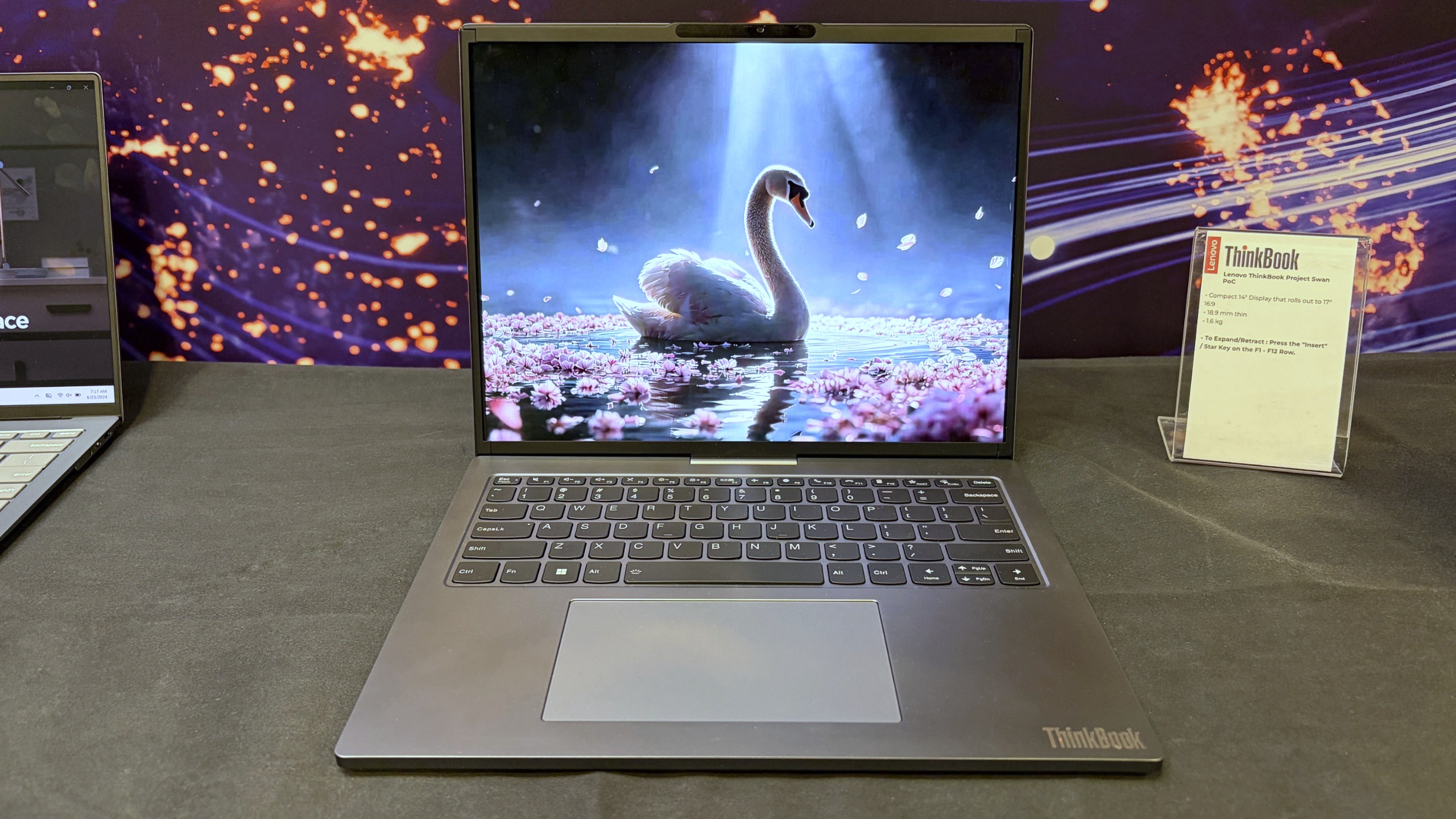
Lenovo's Project Swan laptop in "normal" mode at 14-inches. (Image credit: Future)
Officially, it's another Lenovo proof-of-concept device, but after spending time with it in person, I came away thinking this may be the company's most practical display concept yet. Not because it's the most ambitious, but because it's arguably the least ambitious.
And that's exactly why it works.
Lenovo finally found a sensible use for a rollable display?
The Lenovo ThinkBook Project Swan begins life as a fairly normal-looking 14-inch laptop.
At 17.9mm thick and weighing 1.6kg (3.5lbs), it isn't trying to break weight records or compete with ultra-premium featherweight notebooks (like Lenovo's new AeroBlade concept). Instead, the focus is on creating a laptop that's comfortable to carry throughout the day while offering something extra when users return to their desk, settle into a hotel room, or need more space for serious work.
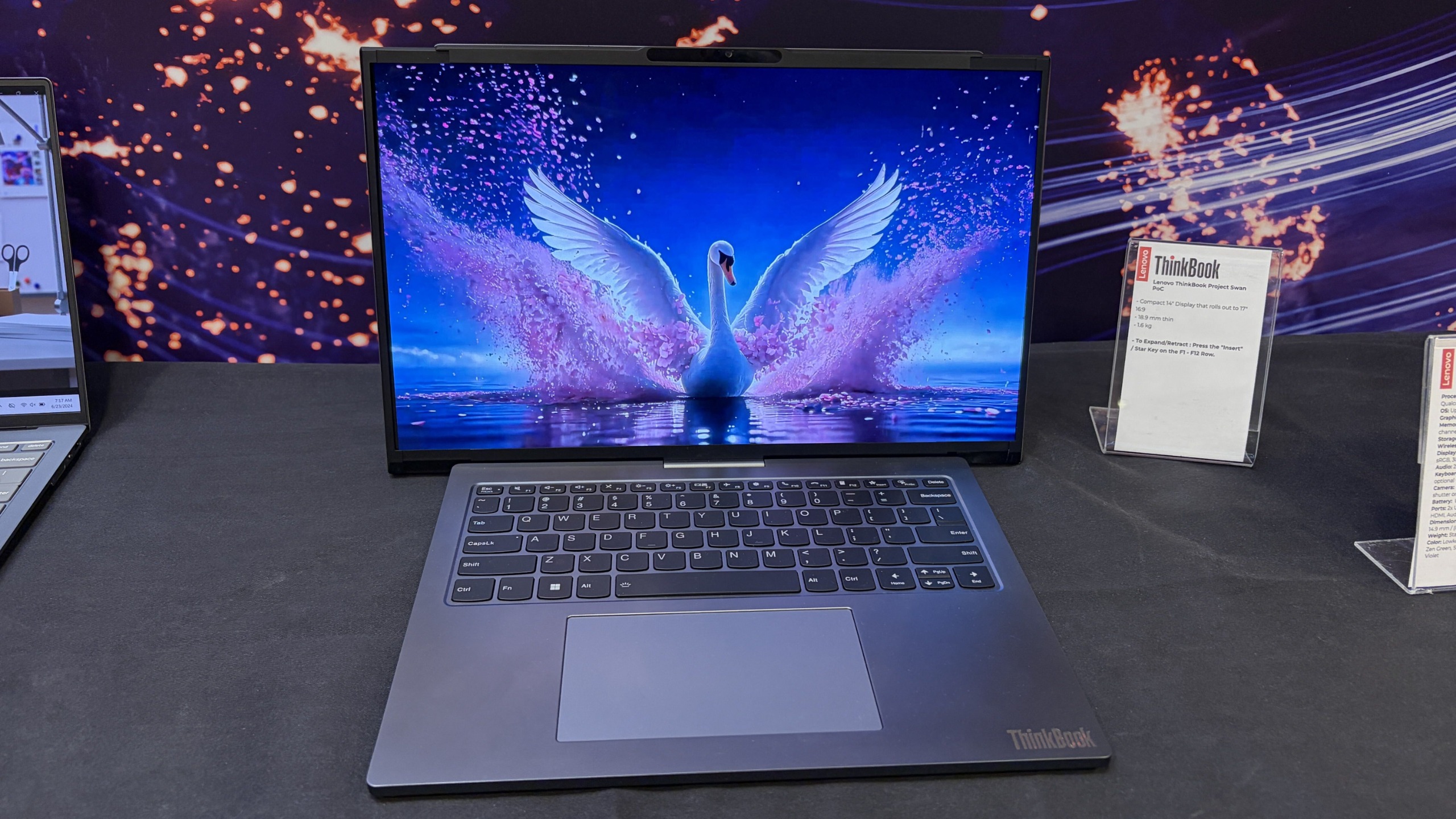
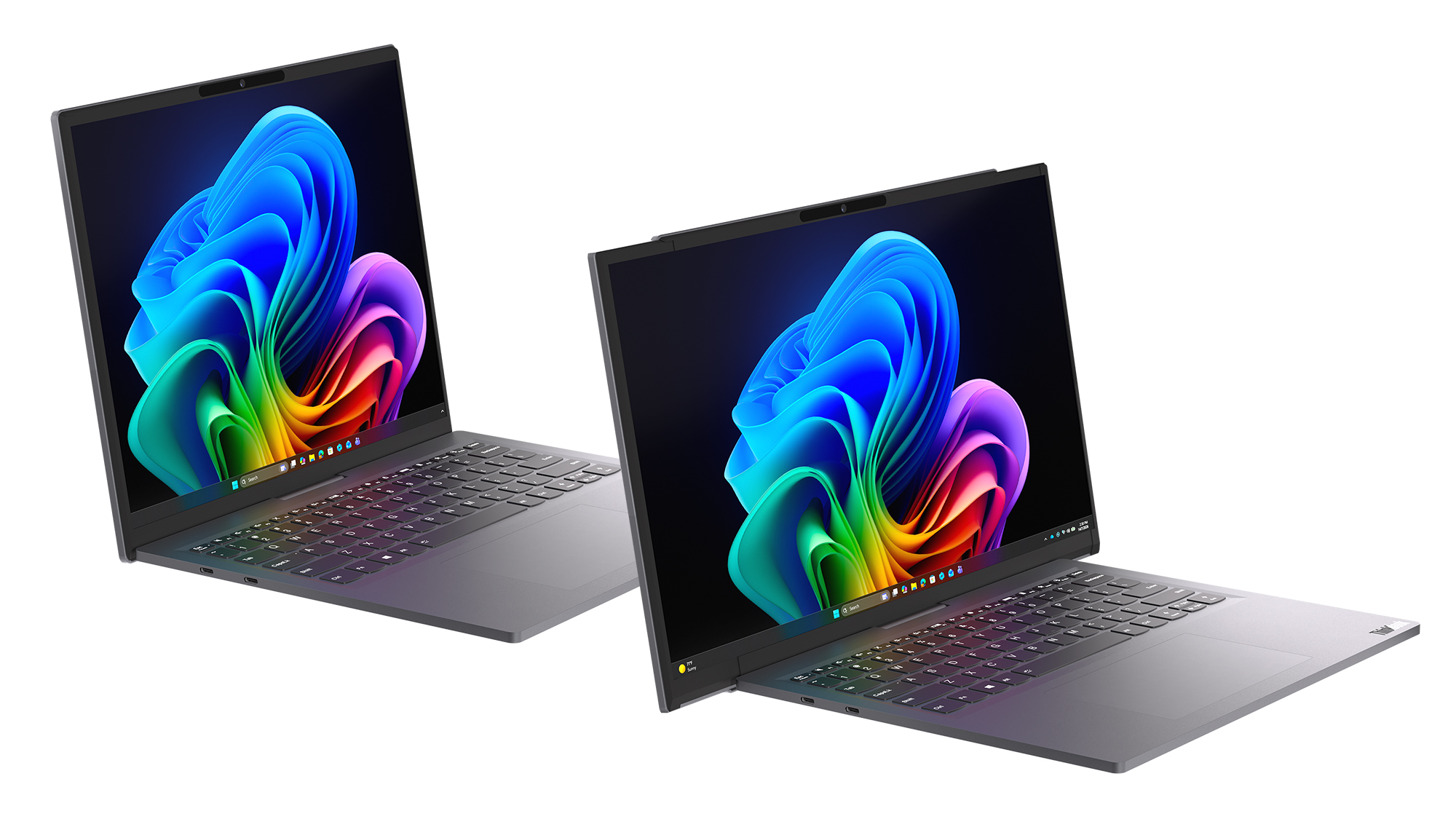
That "something extra" is a rollable display that expands horizontally into a 17-inch 16:9 workspace.
Unlike Lenovo's previous rollable designs, which generally expanded vertically, Project Swan widens itself by extending the display out to the sides. It's all done with a touch of a button (see my video below), and it only takes a few seconds.
The result feels much more like using a traditional external monitor than using an experimental form factor. You suddenly have enough room for side-by-side documents, large spreadsheets, dashboards, presentations, browser windows, Teams chats, and everything else that tends to compete for space on a 14-inch screen.
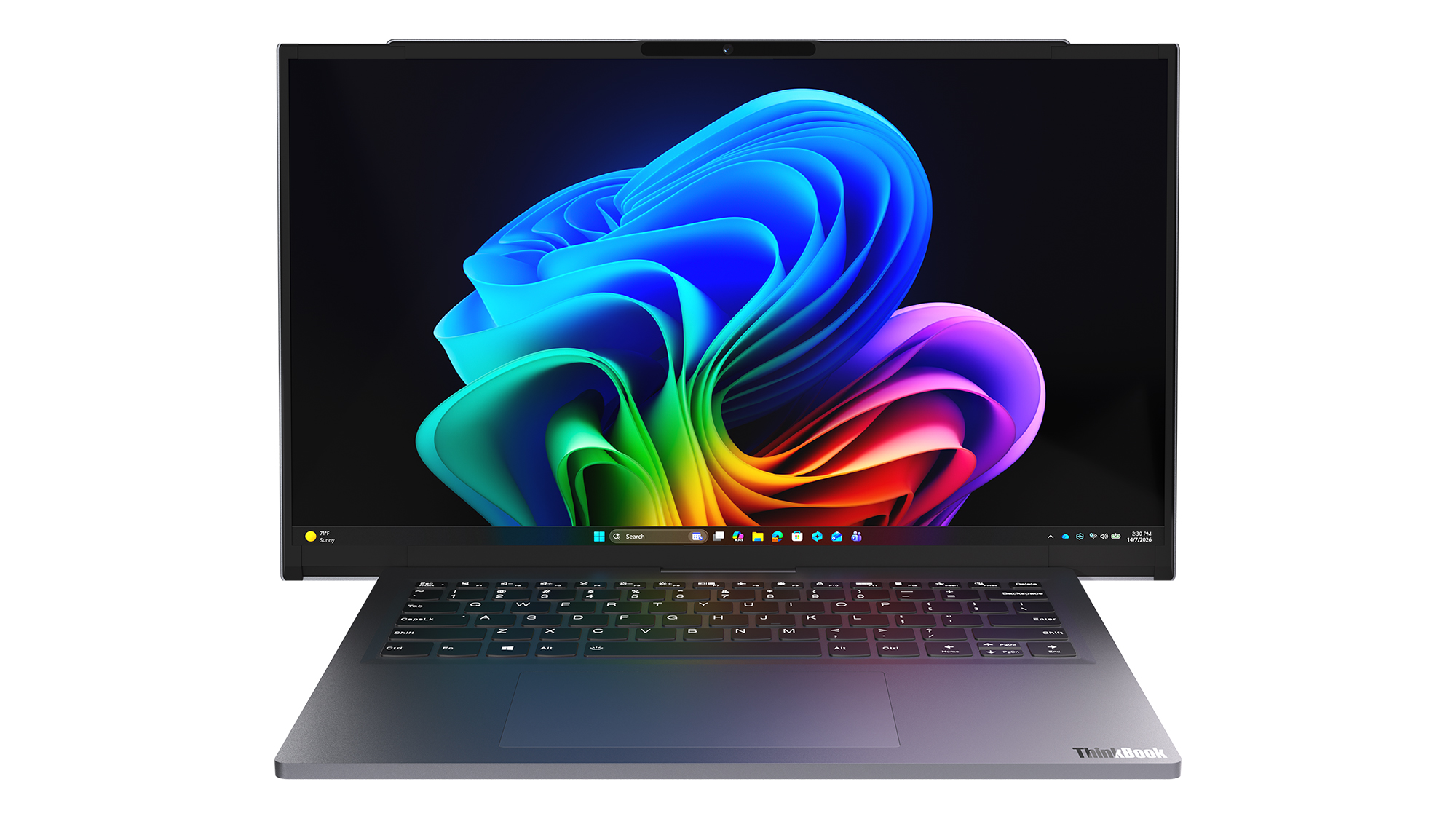
Lenovo's Project Swan laptop in extended mode, where the display reaches 17 inches. (Image credit: Future)
The transformation is dramatic enough to get attention, but conservative enough to feel practical. During my hands-on session, that was the first thing that struck me about the device.
Many of Lenovo's earlier concepts felt designed to answer the question, "Can we do this?"
Project Swan feels far more interested in answering the question, "Would people actually want this?"
That's a subtle distinction, but it's an important one.
This feels like the next step in Lenovo's display experiments
Lenovo Project Swan concept laptops side-by-side, demonstrating the screen in standard view versus expanded rollable view. (Image credit: Lenovo)
Project Swan didn't emerge in a vacuum. In many ways, it feels like the natural evolution of everything Lenovo has been experimenting with over the last few years.
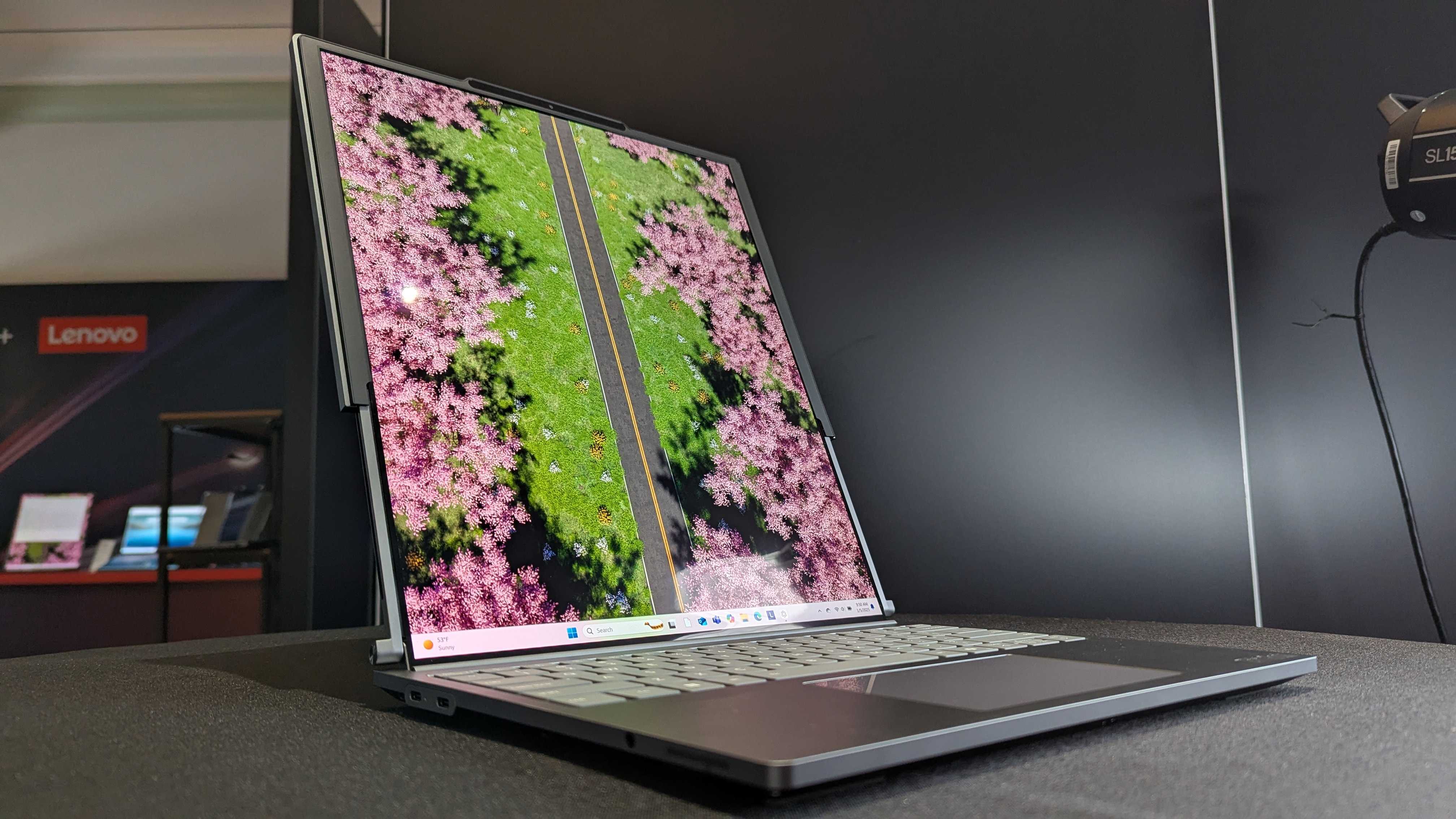
The ThinkBook Plus Gen 6 Rollable demonstrated that expandable OLED displays could successfully transition from concept to commercial product. Lenovo's Legion rollable gaming laptop concept showed how flexible displays could create an ultrawide experience without requiring users to carry an enormous machine. Other projects explored foldable displays, secondary screens, and entirely new ways of interacting with PCs.
As impressive as many of those concepts were, some occasionally felt like technology showcases first and products second.
Project Swan reverses that equation.
Lenovo ThinkBook Plus (Gen 6) laptop and its vertical rollable display at CES 2025. (Image credit: Windows Central | Zachary Boddy)
Rather than dramatically changing how people interact with a laptop, it simply gives them more screen real estate when they need it and gets out of the way when they don't. That's a much easier benefit for consumers to understand and, perhaps more importantly, a much easier benefit to justify paying for.
After all, most people already know the dilemma.
A 14-inch laptop is ideal for travel. A larger display is ideal for work.
Project Swan attempts to deliver both.
The idea makes sense. The challenges are obvious.
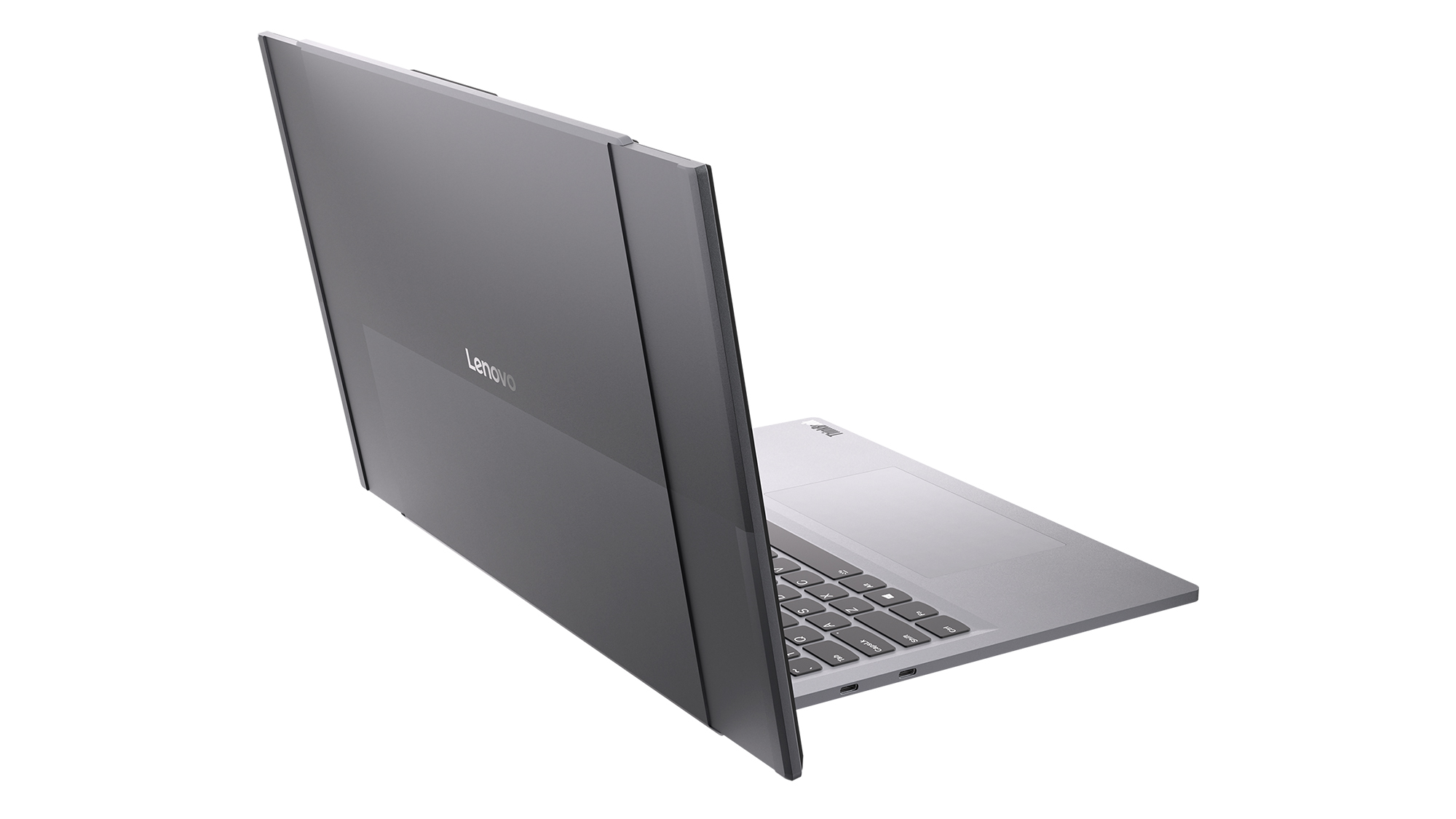
Read image of the Project Swan laptop cover and its motorized rollable display. (Image credit: Lenovo)
That isn't to say there aren't trade-offs.
The first thing I noticed when using the expanded display was that the system becomes somewhat top-heavy. That's hardly surprising given the additional display hardware housed in the lid, but it was noticeable enough that I'd expect Lenovo's engineers to still be looking at ways to refine the balance.
Pricing is another obvious concern.
Rollable OLED displays aren't cheap (it's $3,499 for the ThinkBook Plus Gen 6 Rollable), and if Project Swan ever becomes a commercial product, it's almost certainly going to carry a premium compared to a traditional clamshell laptop. The value proposition may be easier to understand than some other concept devices, but consumers still need to be convinced that expandable screen space is worth the additional cost.
Then there's the question everyone asks whenever a company unveils a rollable or foldable display.
How durable is it?
Flexible OLED technology has improved dramatically over the last few years, but long-term reliability remains an important consideration. How will the mechanism hold up after years of daily use? What happens after thousands of expansion cycles? Will buyers trust a laptop that contains moving display components?
The technology may be ready, but consumer confidence isn't something that can be engineered overnight.
The bigger question is whether people want these new form factors
That's really the challenge facing every laptop manufacturer right now.
The industry has spent years experimenting with alternatives to the traditional clamshell design. Foldable PCs promised tablet-sized displays that fit inside a laptop footprint. Dual-screen systems like the Lenovo Yoga 9i attempted to replace physical keyboards with additional displays. Rollable devices have explored several different directions entirely.
Some enthusiasts love these ideas, but many consumers remain perfectly happy with the laptops they already own.
That's what makes Project Swan so interesting to me. It isn't asking users to learn a new workflow or completely rethink how they use a PC. Instead, it's enhancing something people already understand: bigger screens are often better, but bigger laptops are harder to carry.
Whether that argument ultimately resonates with buyers remains an open question, but it's certainly the clearest pitch Lenovo has made for a rollable display so far.
Lenovo deserves credit for keeping the experimentation alive
Front view of the open grey Lenovo Project Swan concept laptop with its rollable screen expanded horizontally beyond the keyboard base. (Image credit: Lenovo)
Even if Project Swan never reaches store shelves, I appreciate what Lenovo is doing here.
The PC industry can sometimes become obsessed with processor upgrades, AI features, and specification sheets while overlooking more fundamental questions about how people actually use their devices. Lenovo's concepts consistently ask those questions, even when the answers occasionally seem, well, strange.
What's refreshing about Project Swan is that it feels grounded in reality. The company isn't trying to reinvent personal computing or create an entirely new category. Instead, it's exploring a straightforward idea that almost everyone who has worked on a laptop can relate to.
Sometimes you want a compact machine for travel.
Sometimes you wish that same machine had a much larger screen.
Project Swan is the most convincing attempt I've seen yet to bridge that gap.
I still have concerns about durability, balance, pricing, and whether consumers are truly interested in another alternative laptop design. But after trying it for myself, I'm more optimistic about this concept than many of Lenovo's previous experiments.
Ironically, that's because it feels less ambitious. Rather than trying to change how we work, Project Swan simply gives us a little more room to do it.
And that may be exactly what makes it one of Lenovo's most promising concepts yet.
Let me know in the comments what you think about Project Swan. Should Lenovo continue to push this concept of an expanding display, or focus more on other ideas (and if so, which ones)?
Join us on Reddit at r/WindowsCentral to share your insights and discuss our latest news, reviews, and more.
Competition for Apple's MacBook Neo is heating up.
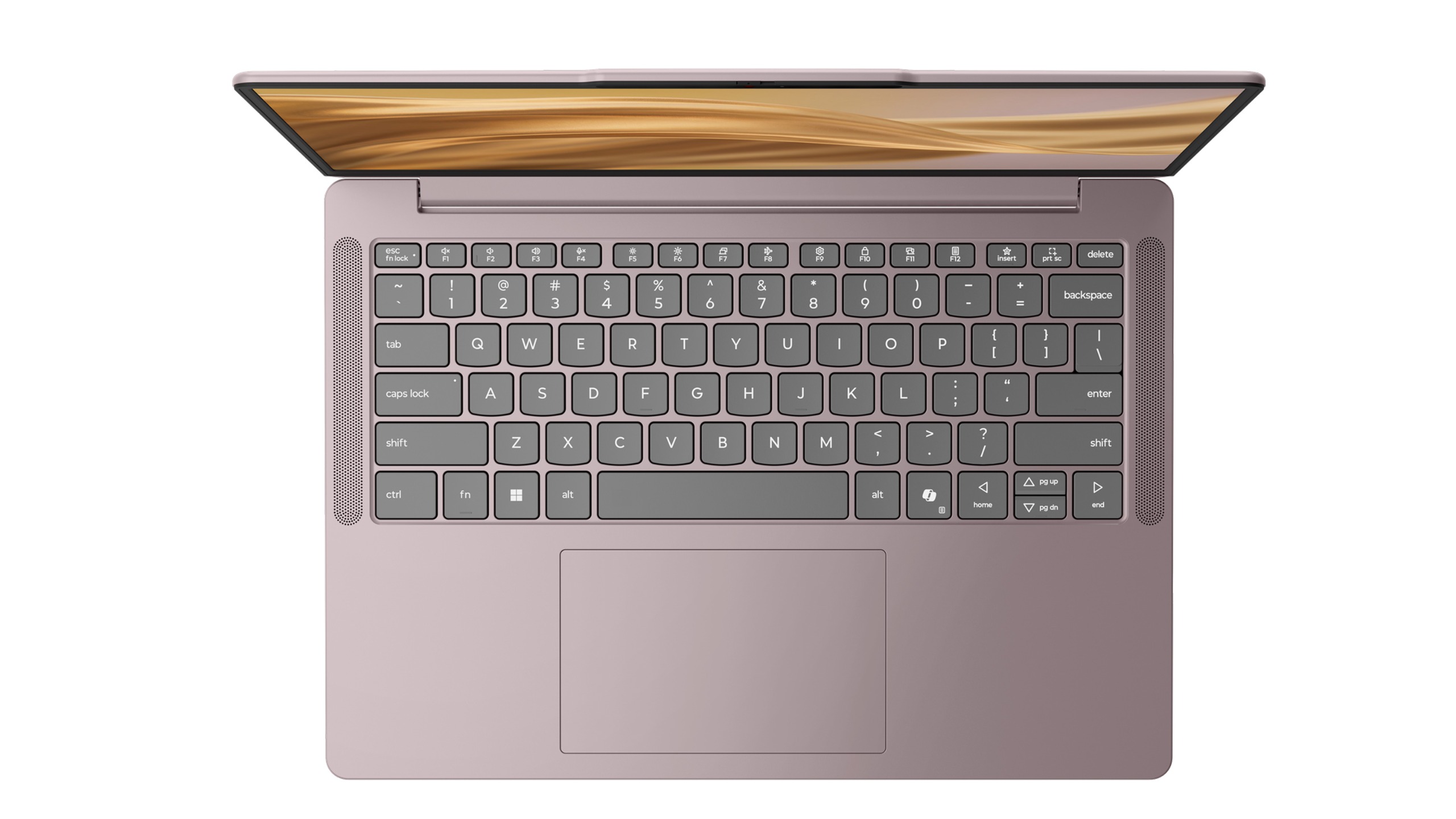
Just days after Dell unveiled a new 14-inch laptop designed to take on Apple's latest mainstream notebook, Lenovo is entering the fight with something considerably more interesting: a laptop that lets you express your personality instead of forcing you to settle for silver, gray, or slightly darker gray.
I recently got to see Lenovo's new IdeaPad Vibe lineup in person in New York City, and while the company talked plenty about AI, processors, and battery life, the thing that immediately stood out to me was how different these laptops look compared to almost everything else on the market.
Most PC makers treat color options as an afterthought. Lenovo is making them the product.
(Image credit: Daniel Rubino)
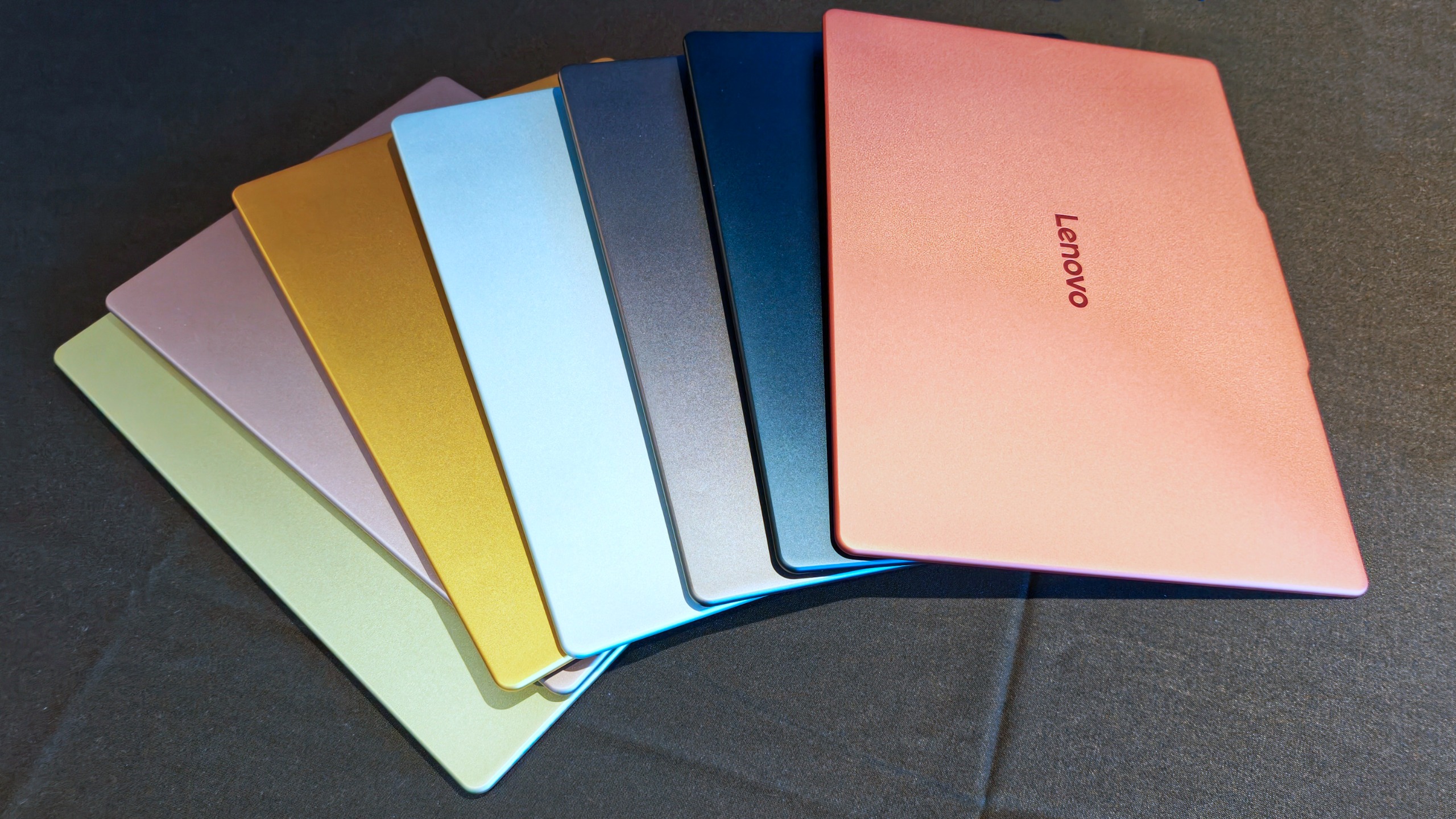
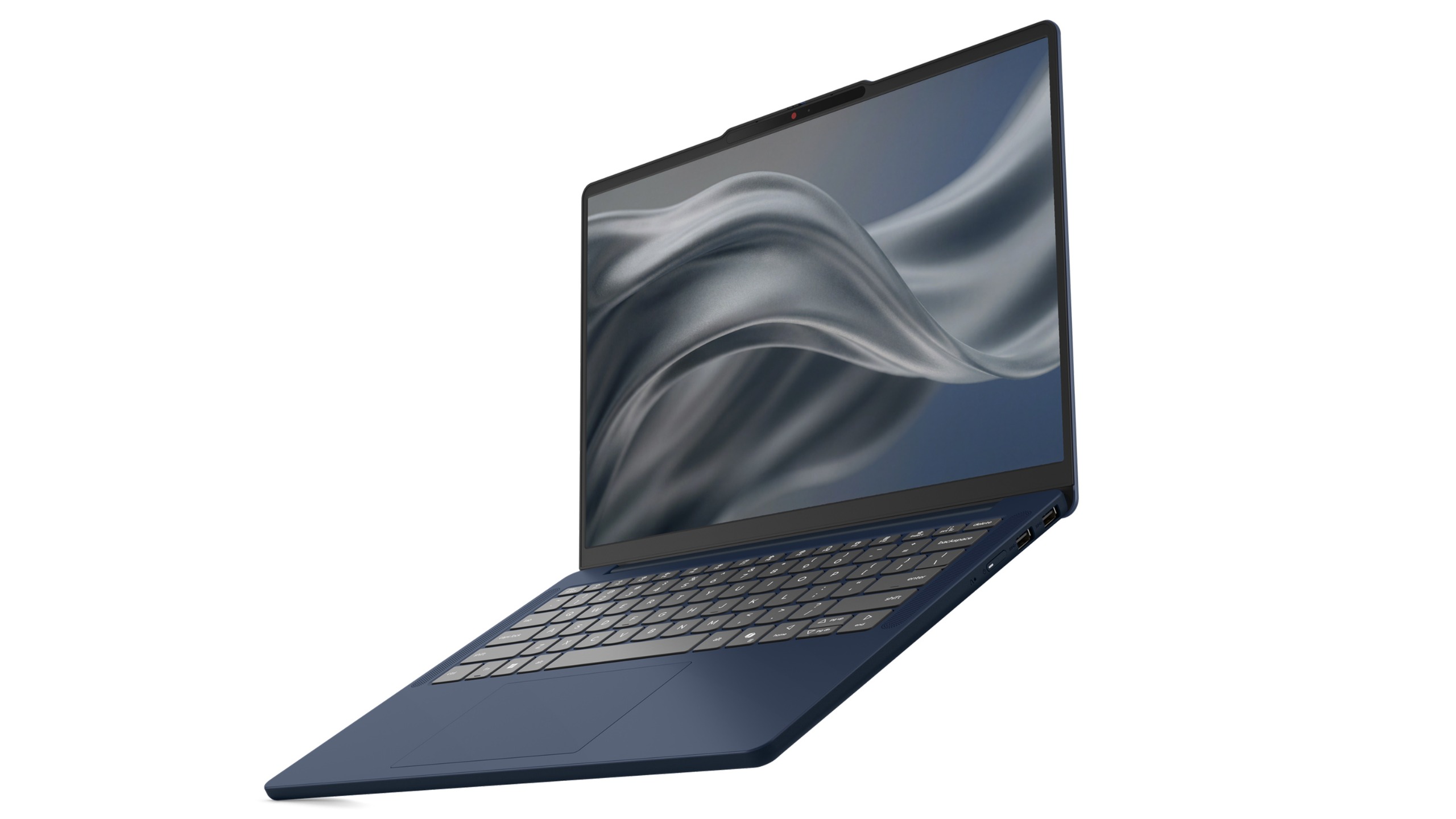
The new IdeaPad Vibe will be available in seven Pantone-developed colors, including Chill Blue, Zen Green, Spicy Gold, Radiant Coral, Dreamy Violet, Lowkey Grey, and Moody Blue. Lenovo says the colors were developed alongside the Pantone Color Institute and are designed to reflect different moods, personalities, and lifestyles.
And that's just the beginning.
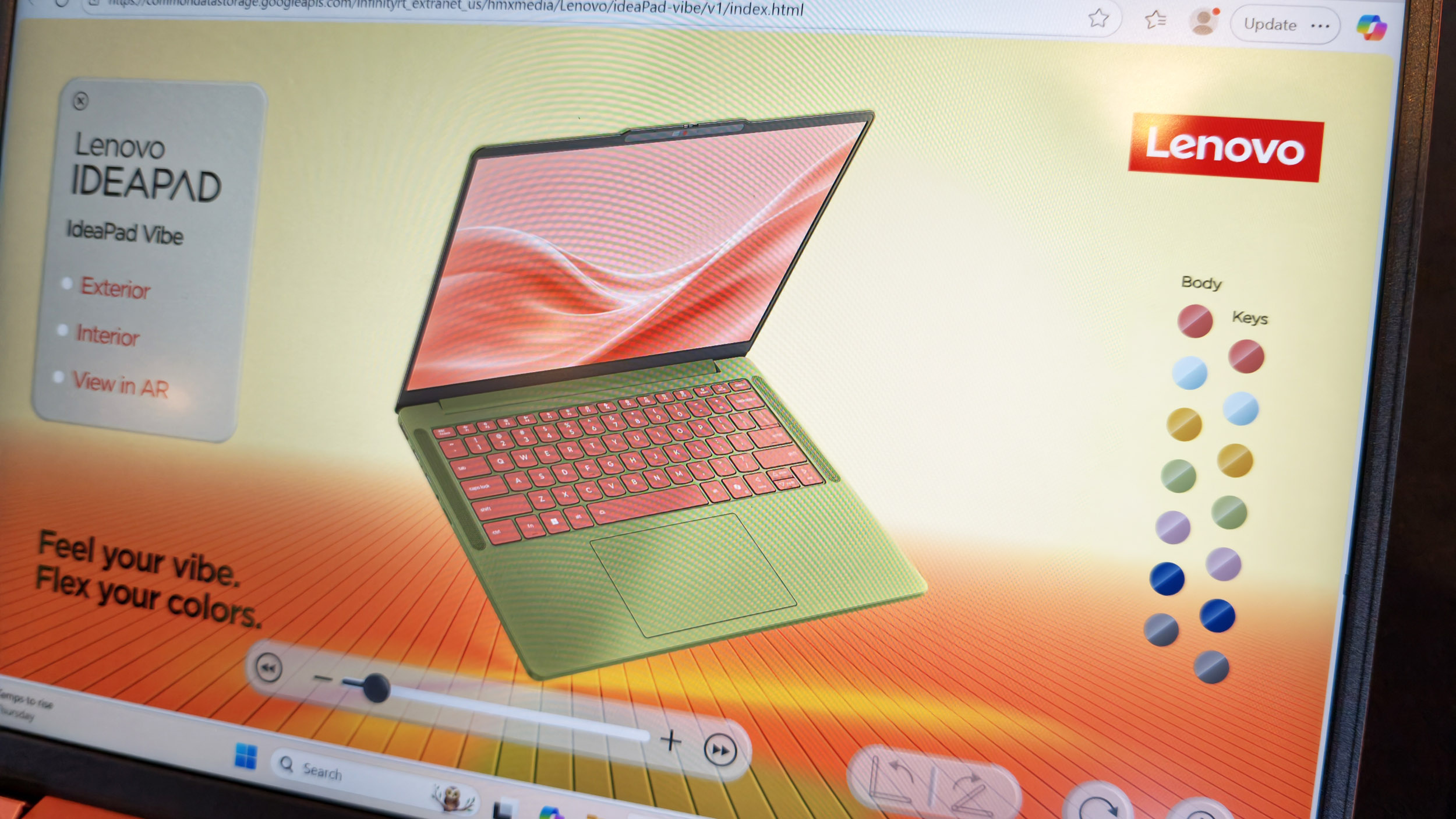
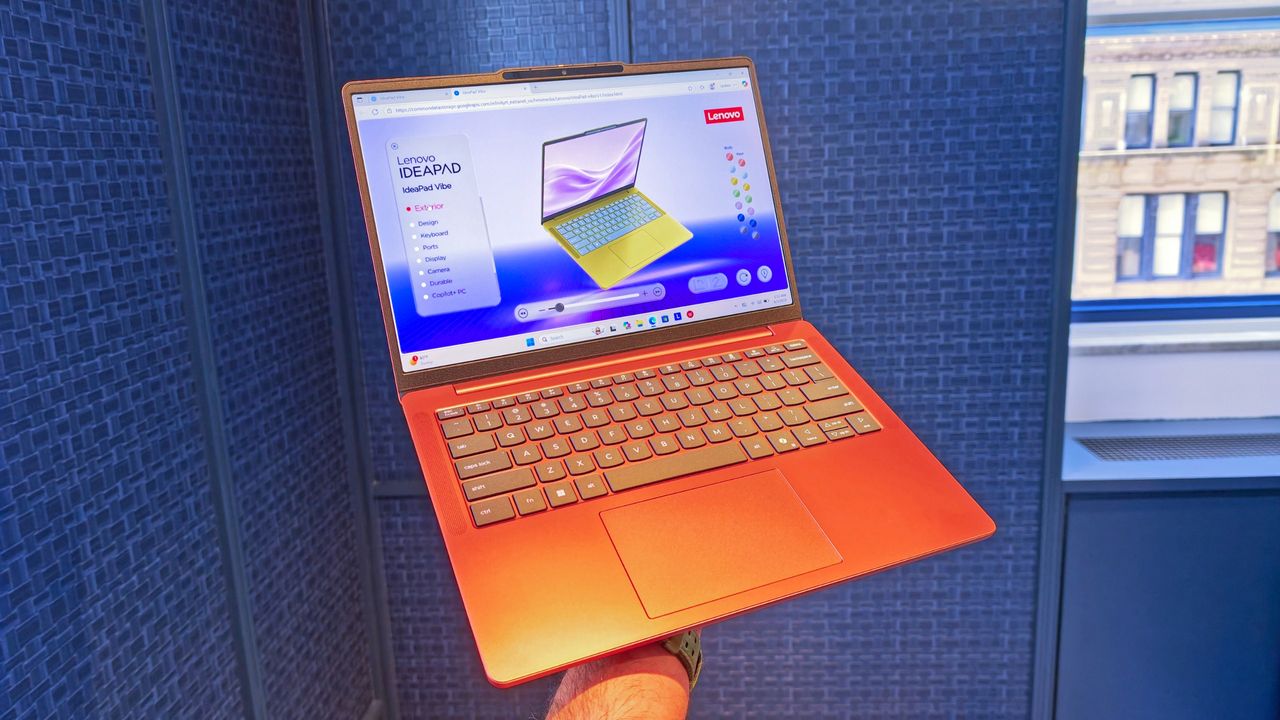
As shown in Lenovo's custom configurator (below), users will be able to mix and match chassis colors and keyboard colors to create something uniquely theirs. The company is also offering swappable custom keycaps, adding another layer of personalization that is virtually unheard of in the mainstream laptop space.
The configurator demo I saw almost felt like building a custom character in a video game rather than buying a laptop, and reminded me of the XBOX Design Lab for custom controllers.
Demo of the web creation tool to let you customize the new IdeaPad Vibe. (Image credit: Daniel Rubino)
In fact, my biggest complaint about the IdeaPad Vibe is that there might be too much choice.
That's obviously a good problem to have, but after looking through the various color combinations, shell finishes, and processor options, I could already imagine spending far too much time trying to decide which configuration to order (I know because I tried).
That's not a sentence I ever expected to write about a Windows laptop.
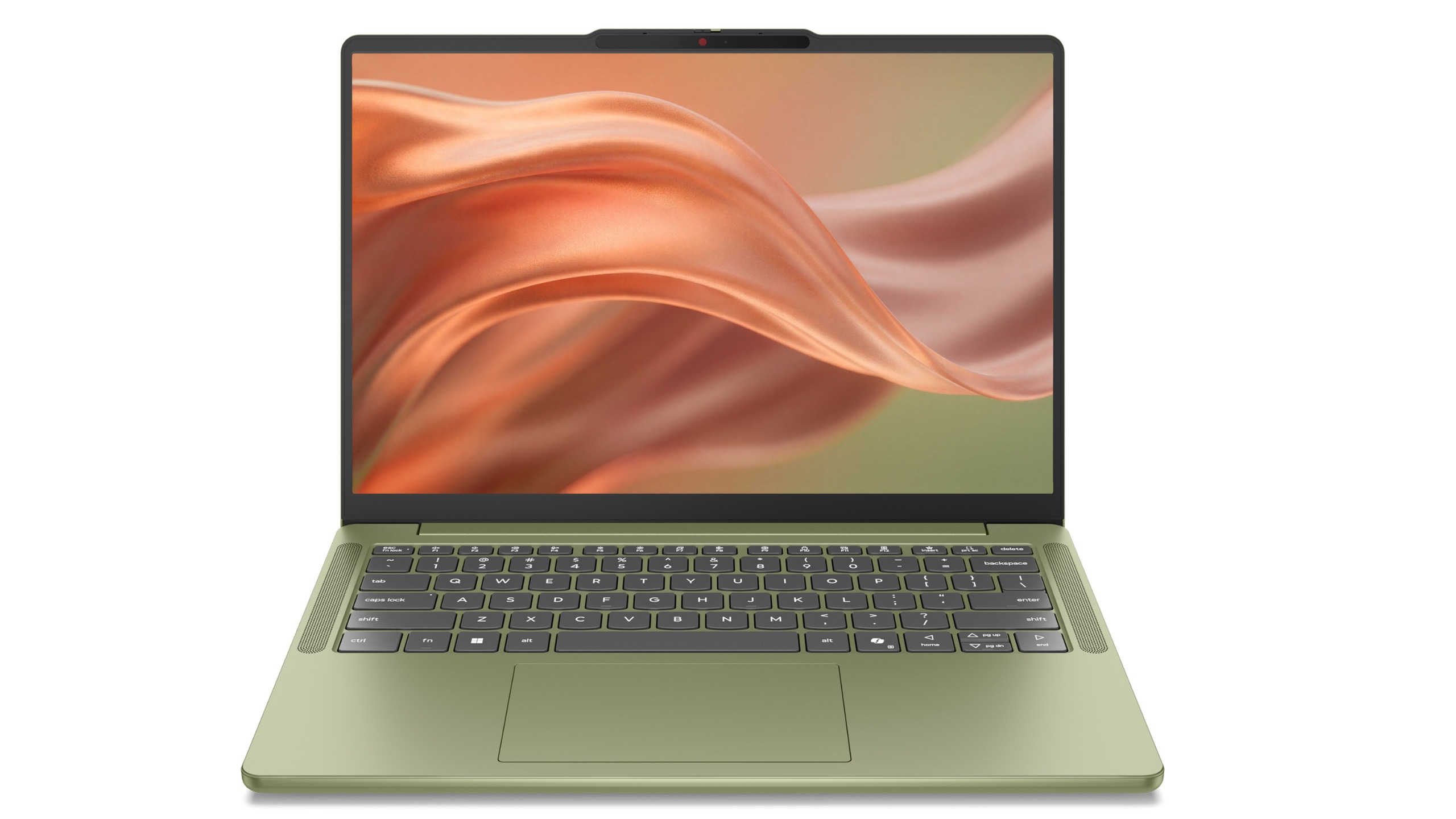
Lenovo IdeaPad Vibe in Zen Green and black keycaps. (Image credit: Lenovo)
Of course, a laptop can't survive on colors alone, and thankfully Lenovo seems to have put together a genuinely compelling package underneath all that personality.
The IdeaPad Vibe comes in both 14-inch and 15-inch sizes and starts at just 1.3kg (2.87 pounds) for the smaller model. OLED display options are available with up to 100% DCI-P3 color coverage, while IPS models can offer refresh rates up to 120Hz.
Lenovo is also packing in practical features including dual SSD slots, Wi-Fi 7, USB-A and USB-C ports, HDMI, a MicroSD card reader, and a 5MP IR webcam with a privacy shutter.
AMD, Qualcomm or Intel (eventually)
Lenovo IdeaPad Vibe in Dreamy Violet. (Image credit: Lenovo)
Then there's the processor selection.
For launch, buyers can choose between AMD Ryzen AI 400 series configurations and Qualcomm Snapdragon X models (we're not clear on exactly which Snapdragon X chip, or even if it's X2), while Intel-based versions will arrive later. AMD models support up to 32GB of upgradeable memory and up to 1TB of SSD storage, while Snapdragon versions offer up to 24GB of memory and the same dual-slot storage flexibility.
Personally, I'd go Qualcomm.
We've reached a point where Snapdragon X PCs consistently deliver excellent everyday performance while also offering some of the best battery life available in the Windows ecosystem. The combination of a lightweight chassis, Copilot+ PC capabilities on supported configurations, and Qualcomm's efficiency makes the Snapdragon version particularly appealing to me.
That isn't to say AMD isn't tempting. AMD's advantage here is flexibility. The Ryzen AI configurations support memory upgrades up to 32GB and offer optional 50Wh or 65Wh battery configurations, making them attractive for enthusiasts who want more control over their hardware.
What impressed me most during my hands-on time wasn't any single specification. It was how cohesive the overall package felt.
The laptops looked premium, felt solid in the hand, and didn't come across as budget systems despite their surprisingly aggressive pricing. That's important because Lenovo isn't positioning the IdeaPad Vibe as a niche fashion accessory. This is meant to be a mainstream Windows laptop that happens to have far more personality than its competitors.
And right now, that may be enough to help it stand out.
Final thoughts
Lenovo IdeaPad Vibe in Chill Blue. (Image credit: Lenovo)
Apple's MacBook Neo has clearly encouraged PC makers to rethink the mainstream laptop category. Dell has already responded with its own fresh take on the formula with its just-announced Dell 14S, and now Lenovo is bringing something completely different to the table: customization.
Instead of asking buyers which shade of gray they prefer, Lenovo is asking what their "vibe" is.
That's a much more interesting question, even if a bit on the nose and a tad cringey.
The Lenovo IdeaPad Vibe with AMD processorslaunches inOctober 2026 starting at $699.99, while Qualcomm Snapdragon X models will follow in November 2026 with the same $699.99 starting price. Intel is only listed as coming later.
And after seeing them in person, I think Lenovo may have stumbled onto something other PC makers have forgotten: technology can be personal, but it can also be fun.
Join us on Reddit at r/WindowsCentral to share your insights and discuss our latest news, reviews, and more.
Most are fascinating engineering exercises that are never destined for store shelves. They're designed to spark conversation, generate headlines, and give us a glimpse into what might be possible someday. Some do come to market, like rollable display PCs.
Lenovo's new Project AeroBlade concept feels different.
Officially, it's one of the company's latest proof-of-concept devices, unveiled as part of its annual wave of experimental hardware at IFA 2026. Unofficially? I think there's a very good chance we're looking at Lenovo's next big premium laptop platform.
After getting hands-on with AeroBlade, I walked away convinced this isn't some far-future moonshot. If you told me a shipping version appears within the next year, I wouldn't be surprised in the slightest.
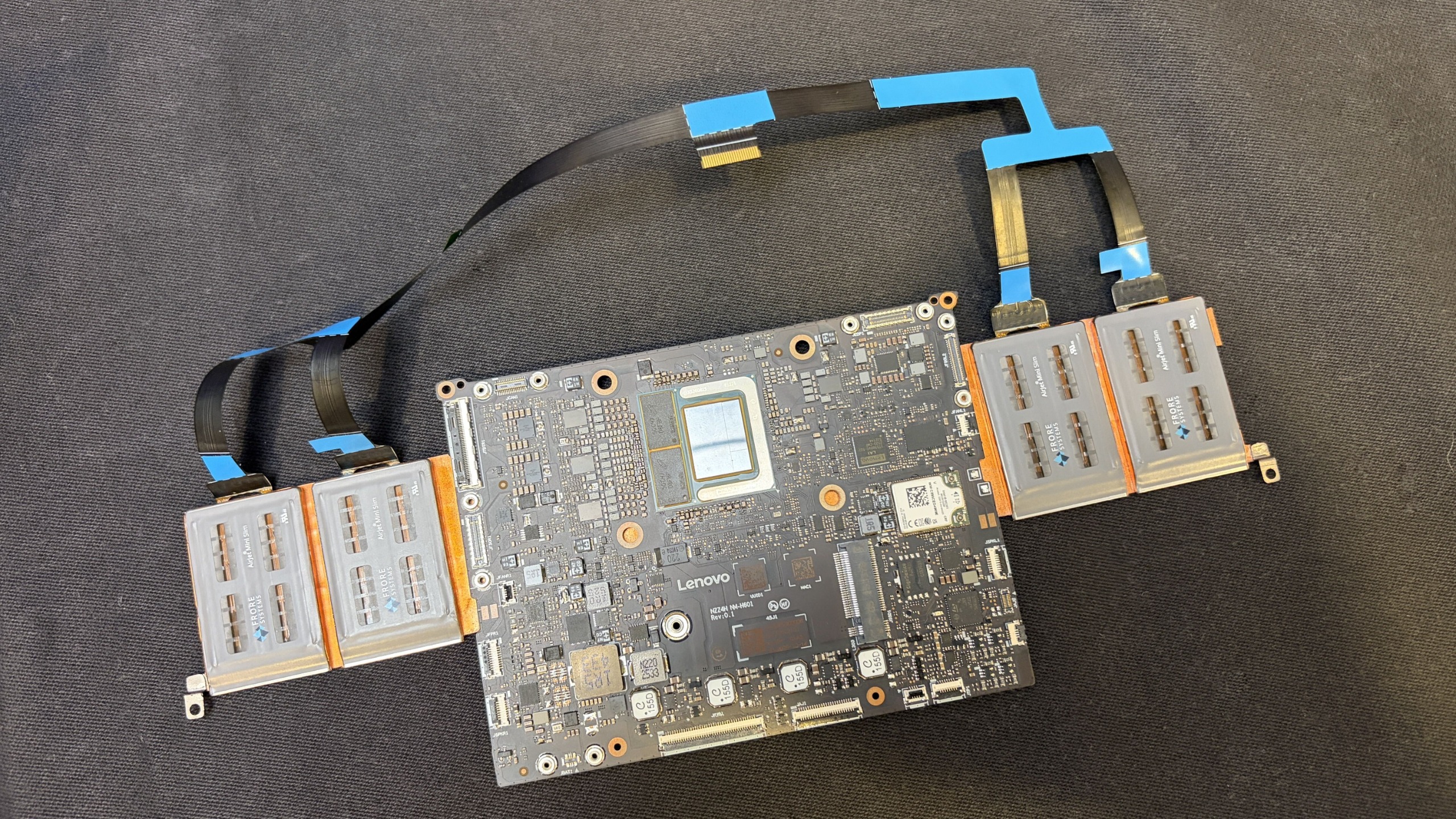
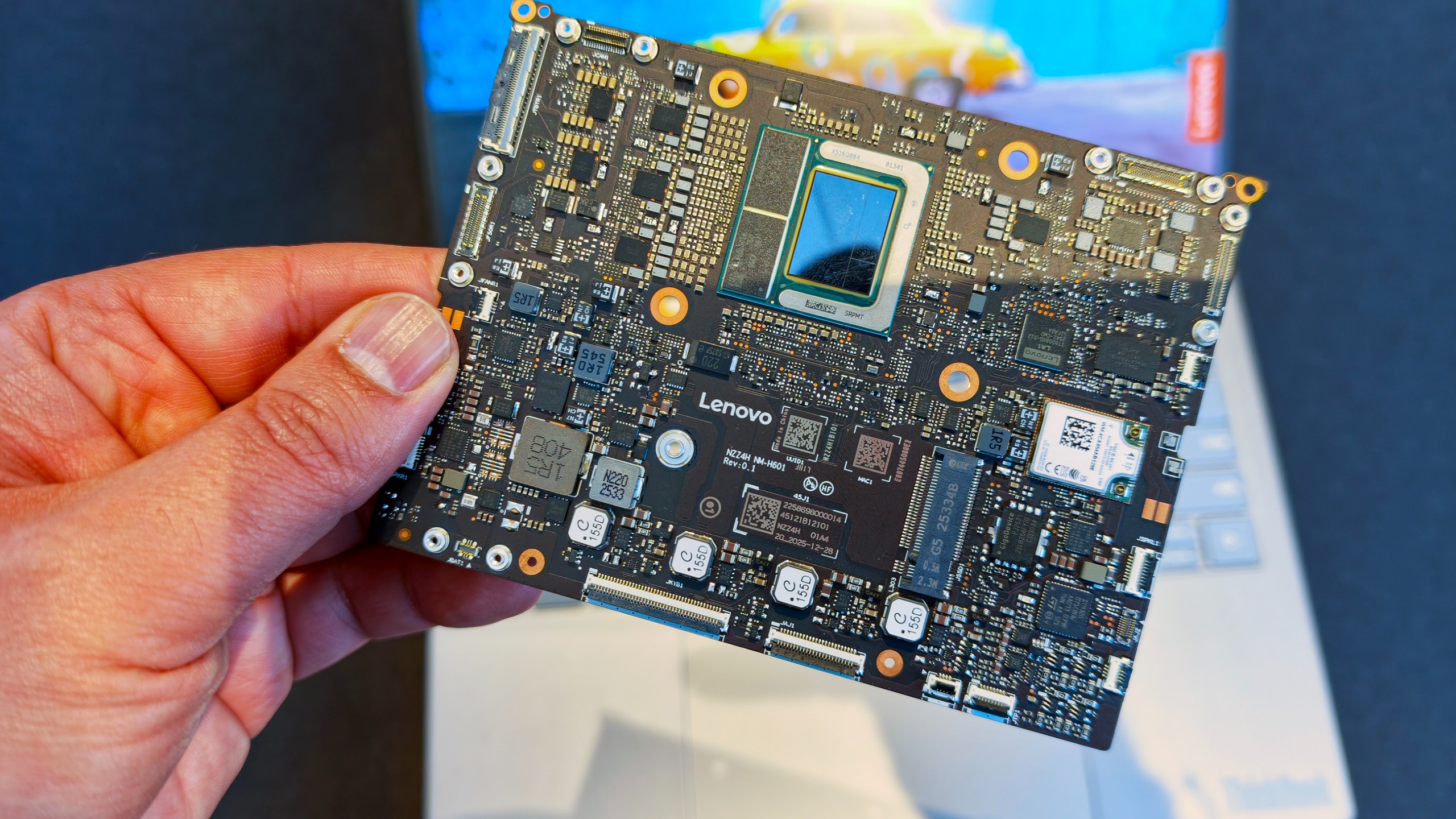
Motherboard and AeroJet cooling system. (Image credit: Future)
And it can't happen soon enough.
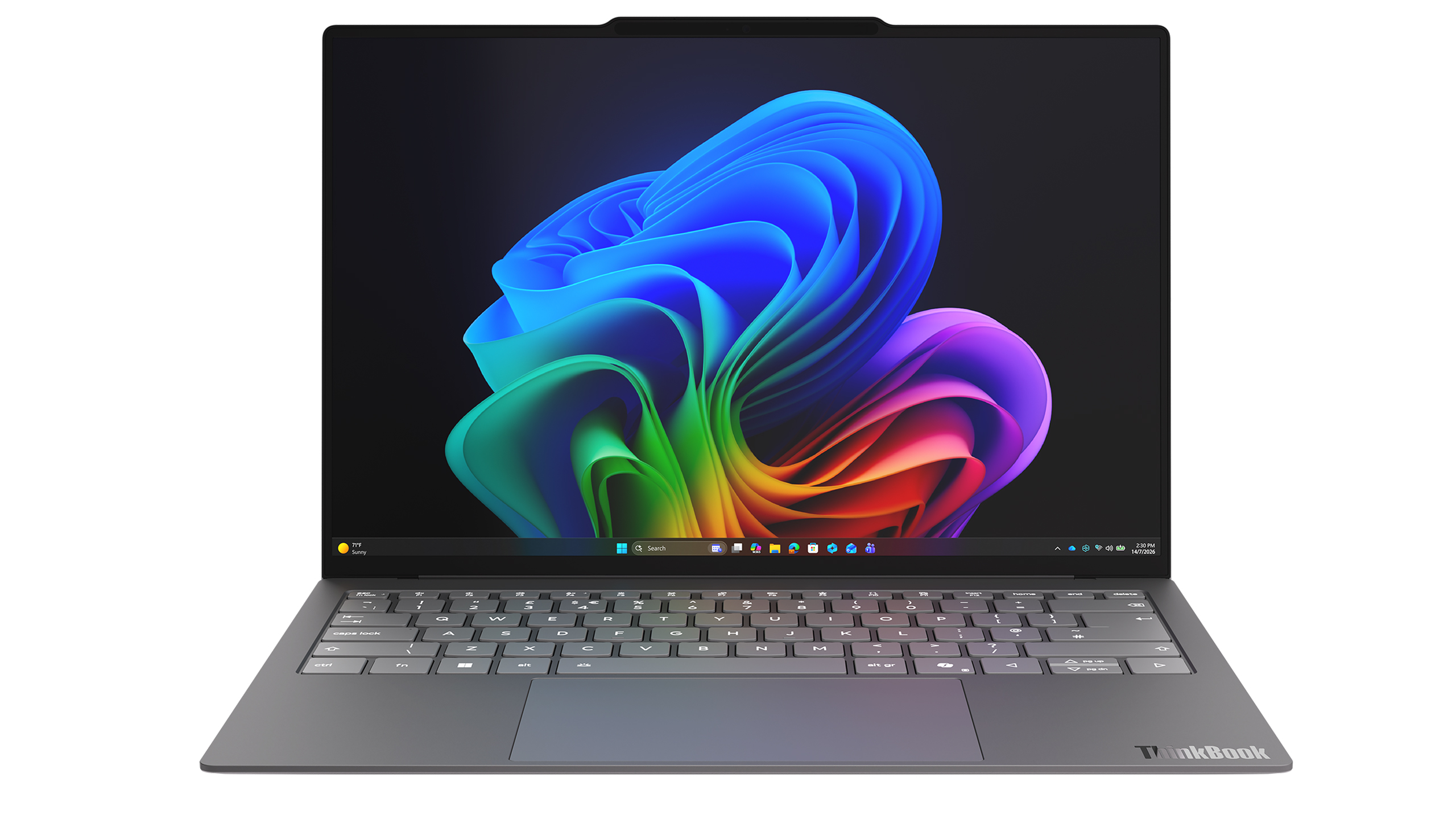
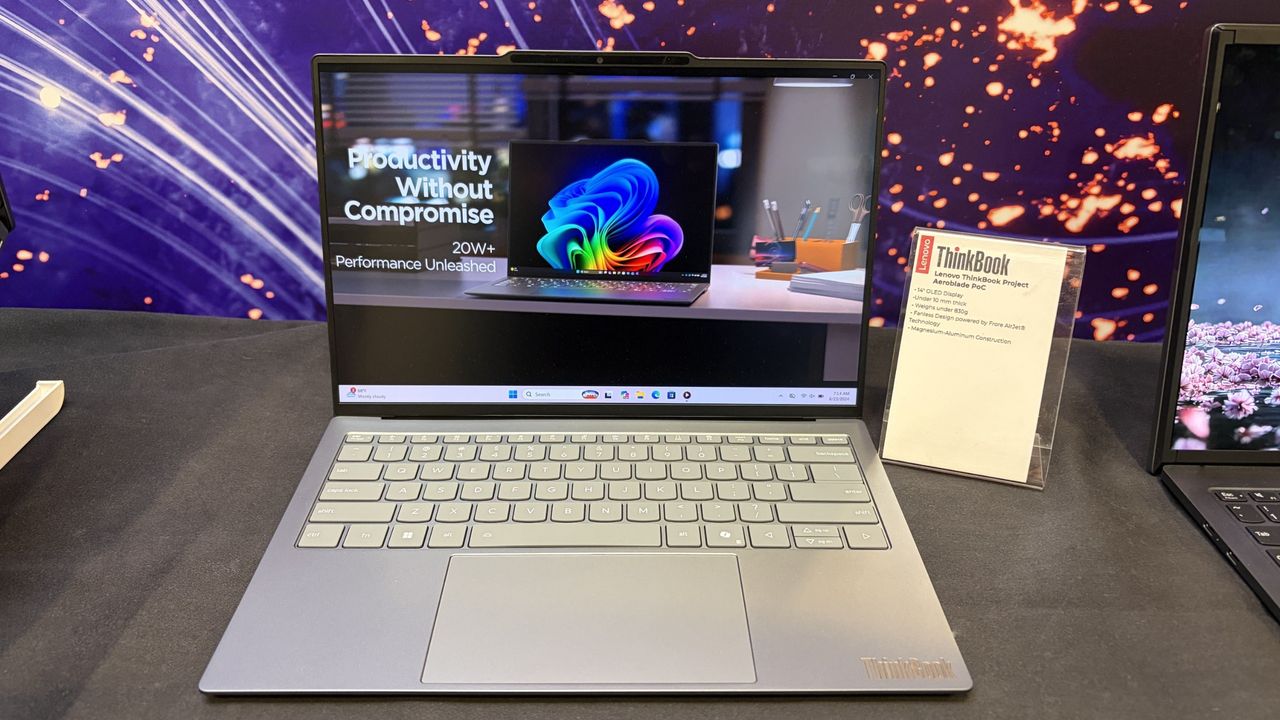
Project AeroBlade is a 14-inch laptop that measures under 10 mm thin and weighs less than 830 grams (1.8lbs). That's lighter than many tablets with keyboard covers attached, yet Lenovo claims performance remains comparable to today's ThinkPad X1 Carbon class of Intel-powered laptops. According to Lenovo, the system achieves this through a completely reimagined thermal design built around its Active Flow cooling architecture developed alongside Frore Systems.
That's the entire motherboad for this laptop👀! (Image credit: Daniel Rubino)
Those numbers don't really hit you until you pick it up.
The first thing that struck me wasn't the thickness. It was the weight. Or rather, the lack of it.
The AeroBlade almost feels unfinished when you lift it because your brain expects more mass. Premium laptops have gotten thinner over the last decade, but reducing weight has become increasingly difficult without introducing compromises. AeroBlade somehow manages to feel substantial and premium while remaining almost shockingly light.
Lenovo says the chassis uses a magnesium-aluminum construction paired with a high screen-to-body OLED display, Thunderbolt 4 connectivity, and Wi-Fi 7. On paper, it sounds like a modern flagship ultrabook. In person, it feels like somebody accidentally removed half the laptop. That's a compliment.
What makes AeroBlade truly interesting, however, isn't how thin it is; it's how Lenovo got there.
The fan is dead. Long live AirJet.
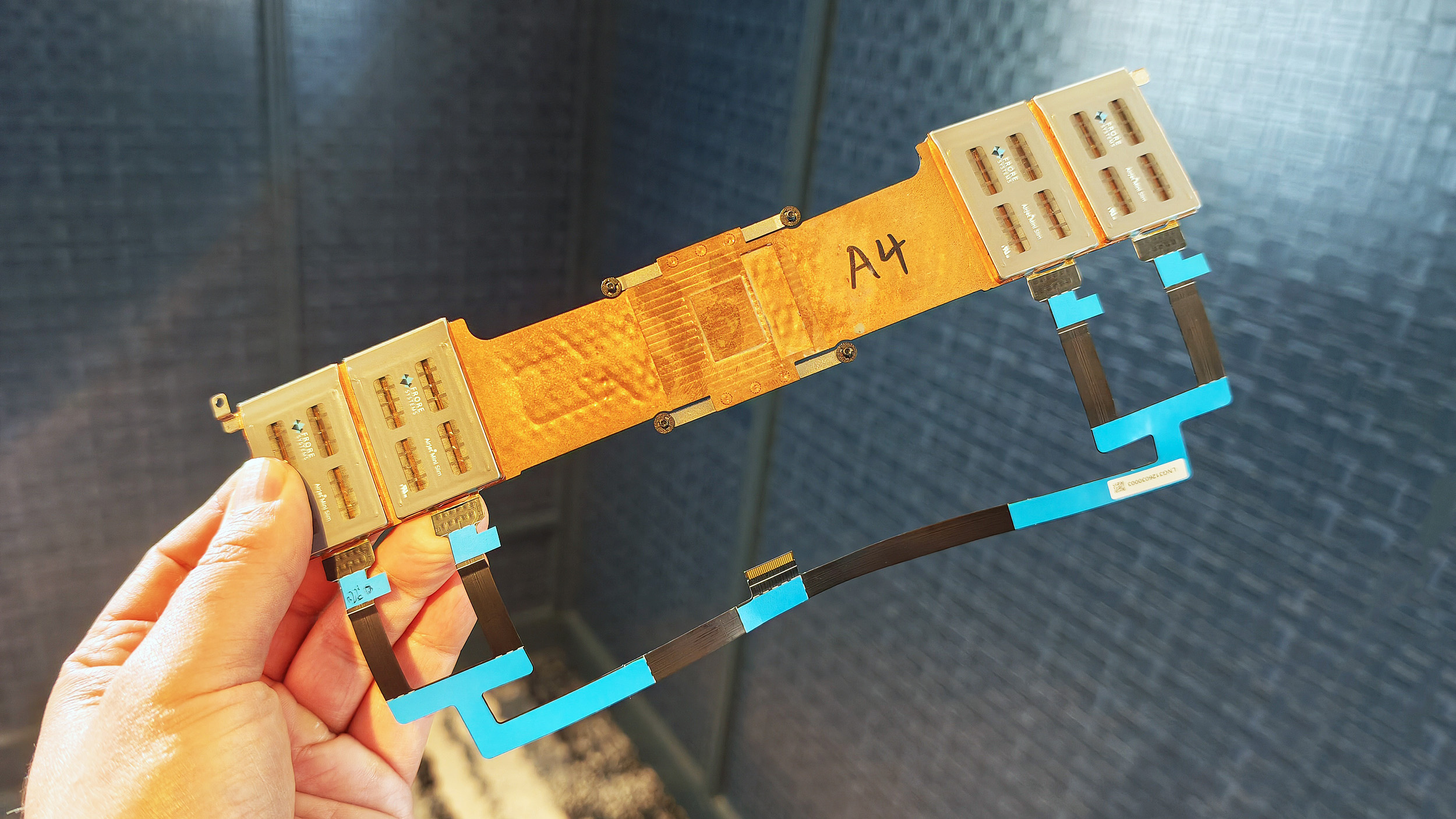
Entire Frore AirJet solid-state cooling strip assembly with copper heat sinks and ribbon cables. (Image credit: Daniel Rubino)
For decades, laptop cooling has largely followed the same formula.
A processor generates heat. Heat pipes move that heat toward a heatsink. One or more fans blow air through the system and out of vents.
The design has evolved, but the fundamentals haven't changed much.
Frore Systems wants to change that.
AirJet is a solid-state active cooling solution that replaces traditional laptop fans with tiny cooling chips that use vibrating membranes to generate airflow. Instead of spinning fan blades, AirJet creates high-velocity pulsating air jets that remove heat while operating at extremely low noise levels. Frore describes it as the world's first solid-state active cooling chip.
One AirJet Mini Slim module is only 2.65mm thick, consumes up to 1 watt of power, removes up to 5.25 watts of heat, and generates significantly higher back pressure than traditional fans. The technology was specifically designed for ultra-thin devices where conventional cooling becomes difficult or impossible.
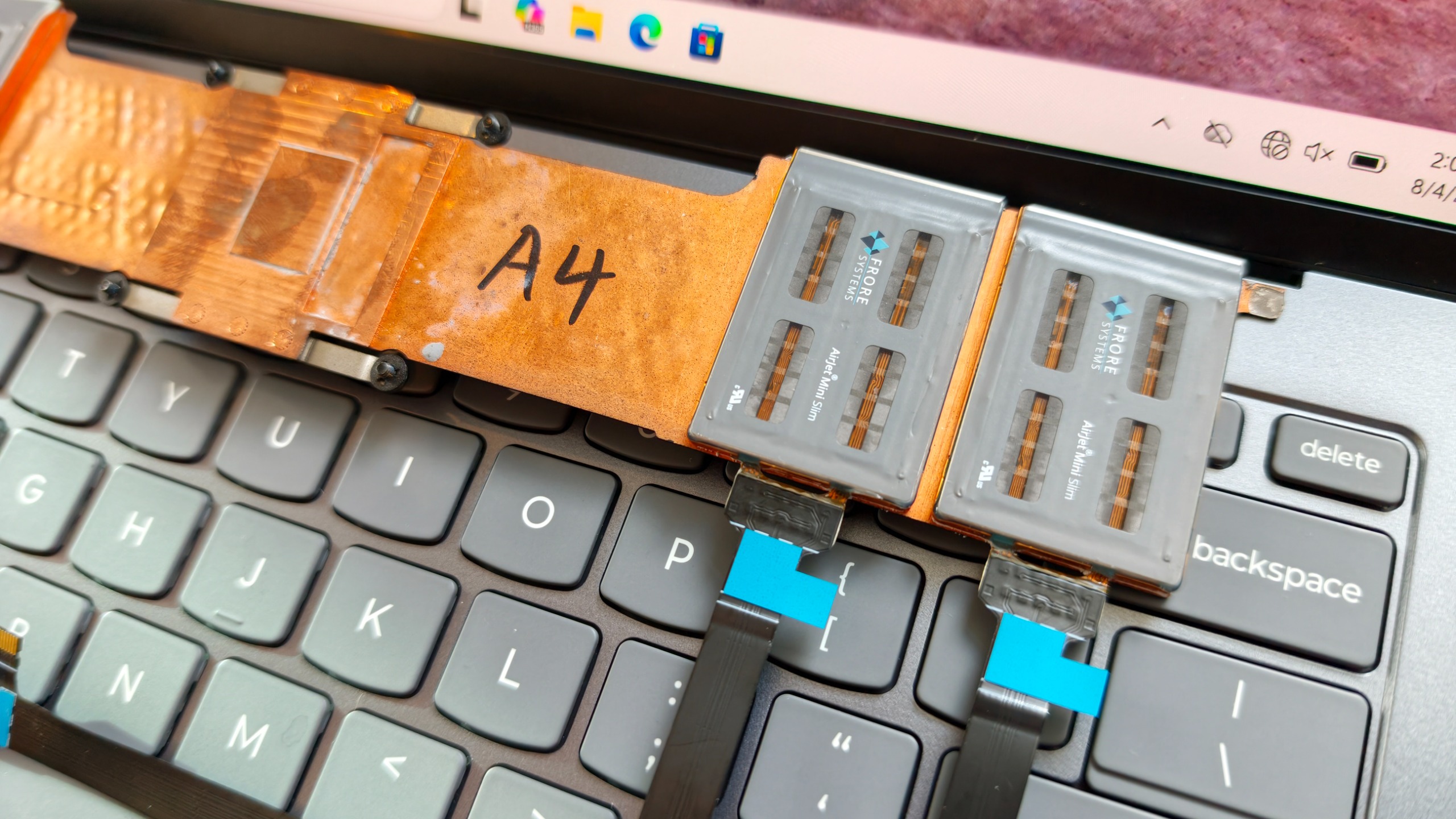
Close-up of two Frore AirJet Mini Slim solid-state cooling chips installed on a copper heat pipe strip above gray laptop keyboard keys showing how they are placed in the laptop. (Image credit: Daniel Rubino)
The clever part is that these modules don't need the large internal spaces required by traditional fans.
Instead of designing a laptop around cooling hardware, manufacturers can distribute AirJet modules throughout the chassis in different locations.
That flexibility is both the technology's greatest strength and its biggest challenge.
During conversations at the event, it became clear why we've seen AirJet demonstrations for a few years but haven't yet seen a flood of mainstream laptops using it.
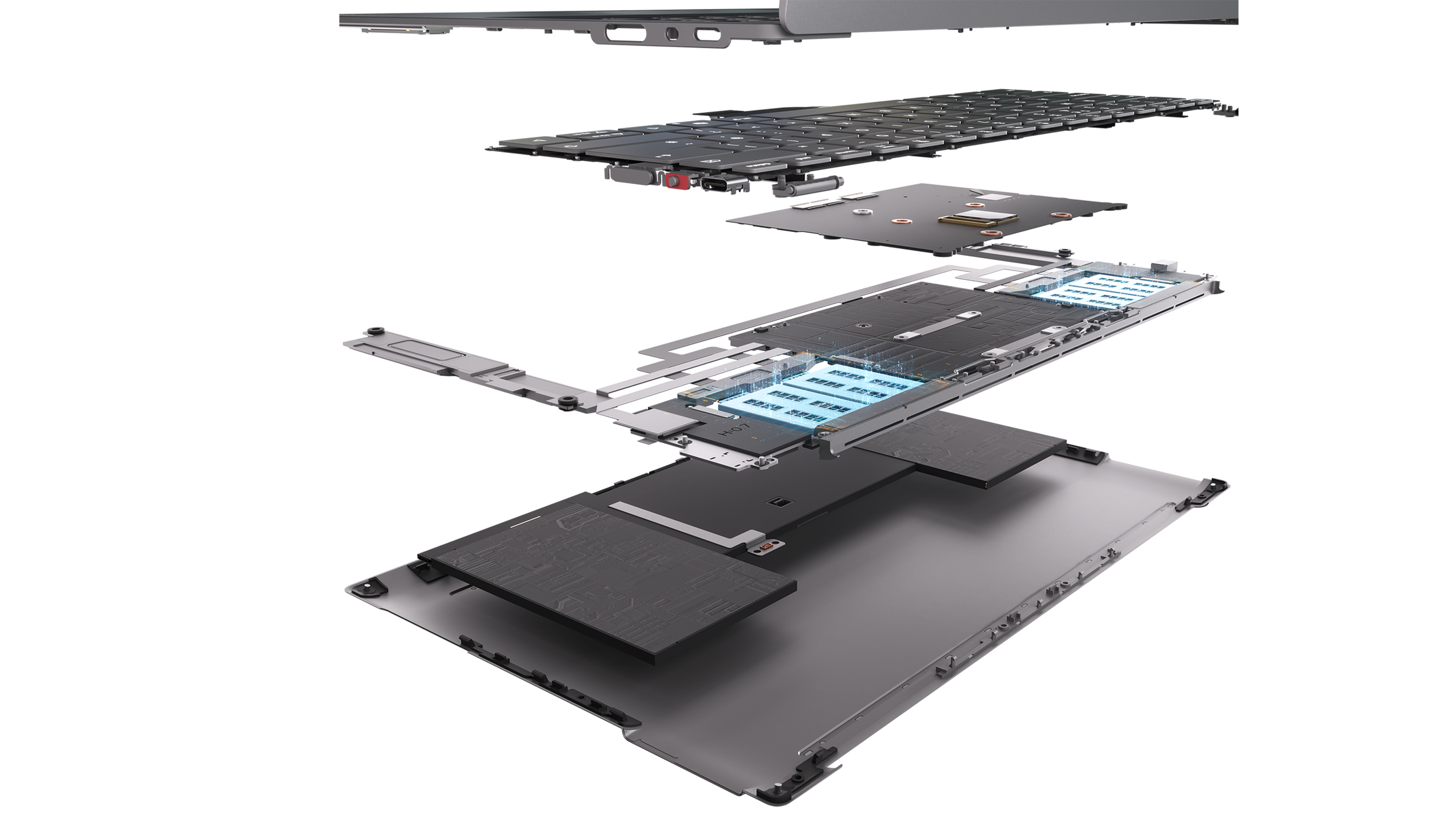
Exploded diagram revealing the internal layers, motherboard, and Frore AirJet solid-state cooling modules of a Lenovo AeroBlade concept laptop. (Image credit: Lenovo)
This isn't a simple parts swap.
OEMs have spent decades designing motherboards, thermal layouts, and internal structures around conventional fans. AirJet requires engineers to rethink much of that architecture. The cooling solution may be smaller, but integrating it properly involves substantial redesign work throughout the entire system.
That's a lot of engineering investment.
But judging by AeroBlade, the payoff might be worth it.
A laptop with almost no compromises
Rendering of the Lenovo ThinkBook AeroBlade laptop. (Image credit: Lenovo)
The most impressive thing about AeroBlade is that Lenovo doesn't appear to be treating fanless computing as a compromise.
Traditionally, when manufacturers build ultra-thin fanless systems, performance becomes the sacrifice. The device is quiet and portable, but sustained workloads eventually cause thermal throttling.
Lenovo's pitch is essentially the opposite.
Side view of an ultra-thin grey laptop standing open at a 90-degree angle, highlighting its extremely slender display and base. (Image credit: Lenovo)
The company believes Active Flow can deliver sustained AI and productivity performance without the compromises typically associated with fanless PCs. The only noise I noticed during my brief hands-on came under heavier workloads, where there was a faint whooshing sound from moving air. It was subtle enough that I had to actively listen for it.
What I didn't notice were intake vents covering the bottom of the chassis. Hooray!
That's because the cooling system works differently than traditional laptop designs. Air management has largely been pushed toward the rear of the system, creating a cleaner and more minimalist design.
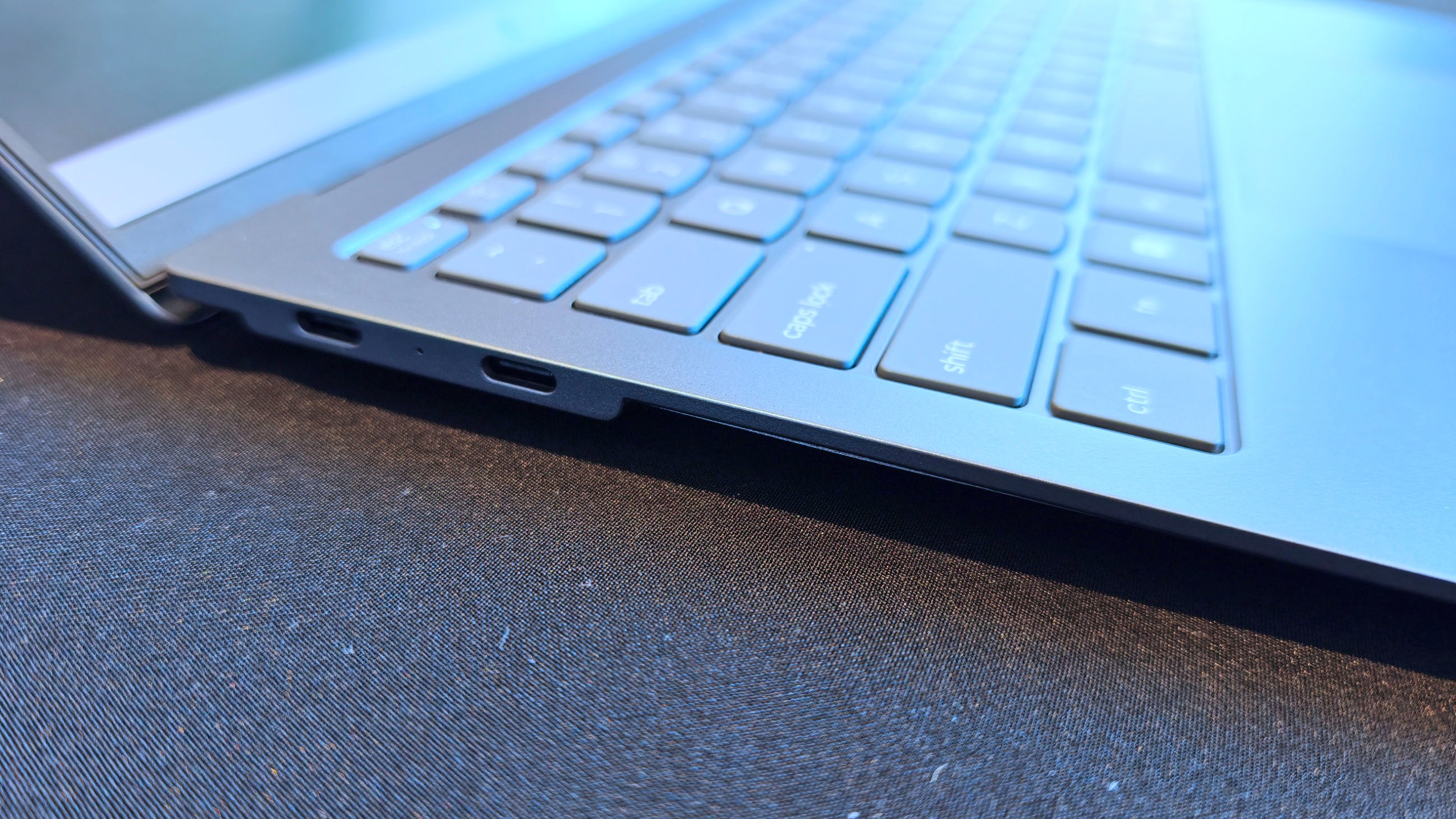
Super thin, but still room for some Type-C ports. (Image credit: Daniel Rubino)
The result is a device that feels almost impossibly refined, and that's why I think AeroBlade is a big deal.
Most laptop innovation over the last few years has focused on AI accelerators, NPUs, display tech, and silicon improvements. Those things are important, but they're largely invisible to users (well, maybe not displays, but still).
In many ways, cooling technology determines what kind of laptop manufacturers can build.
Lenovo could make impossibly thin and light (compared to what we are used to), or use that extra space for a larger battery for absurd laptop longevity. It opens a bunch of engineering doors and options.
The concept that doesn't feel like a concept
Lenovo loves showing proof-of-concept devices, and many never become products.
But the company's track record also shows that some of its most interesting concepts eventually make the jump to production after enough refinement (I'm hoping Lenovo's Legion handheld foldable concept is one of those).
AeroBlade feels like one of those projects. Indeed, this was my first question to Lenovo, as proof-of-concept is often wacky designs, rolling displays, dual displays ... things that look weird but could be useful.
Super thin and light laptop with no vents? Who wouldn't want this? I don't think we really need a focus group to see if it's a good idea!
The hardware already looks polished. The underlying technology exists. The user benefits are immediately obvious. And perhaps most importantly, the industry is constantly searching for ways to make laptops thinner, lighter, quieter, and more efficient.
AirJet checks every one of those boxes.
Will this technology replace fans in gaming laptops with RTX-class graphics anytime soon? Probably not.
But for premium ultraportables, enterprise notebooks, all-in-one desktops, handheld gaming PCs, and productivity-focused systems, I think we're looking at one of the most significant advances in PC design we've seen in years. (We've already openly wondered about Aerojet in a Steam Deck 2).
So, yeah, ironically, the biggest innovation at Lenovo's event wasn't AI.
It was airflow.
Join us on Reddit at r/WindowsCentral to share your insights and discuss our latest news, reviews, and more.
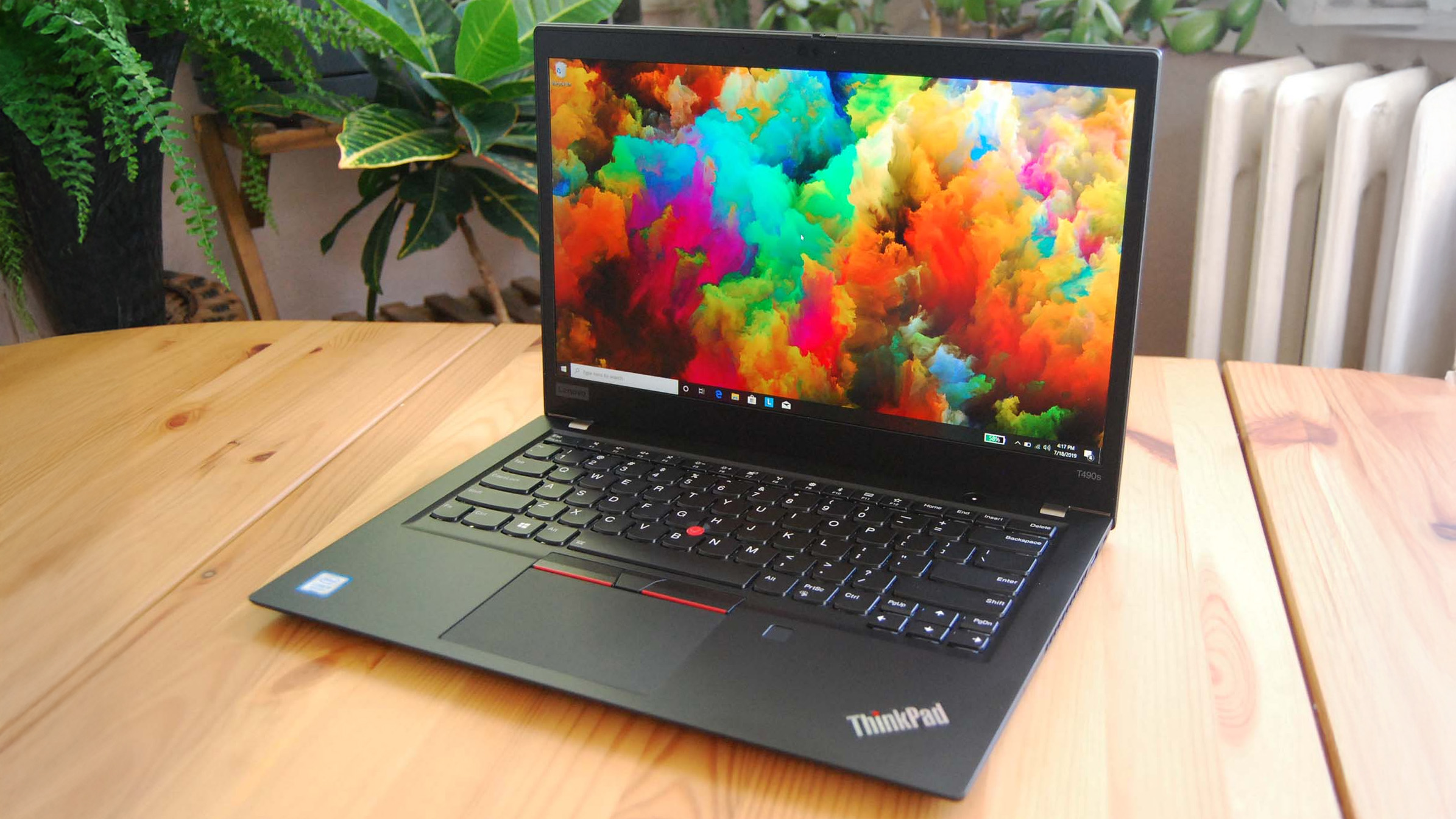
If you asked me what the most exciting ThinkPad on the market is, I might say the latest T14 because it's highly upgradeable, or the latest X1 Carbon because it's so thin and light.
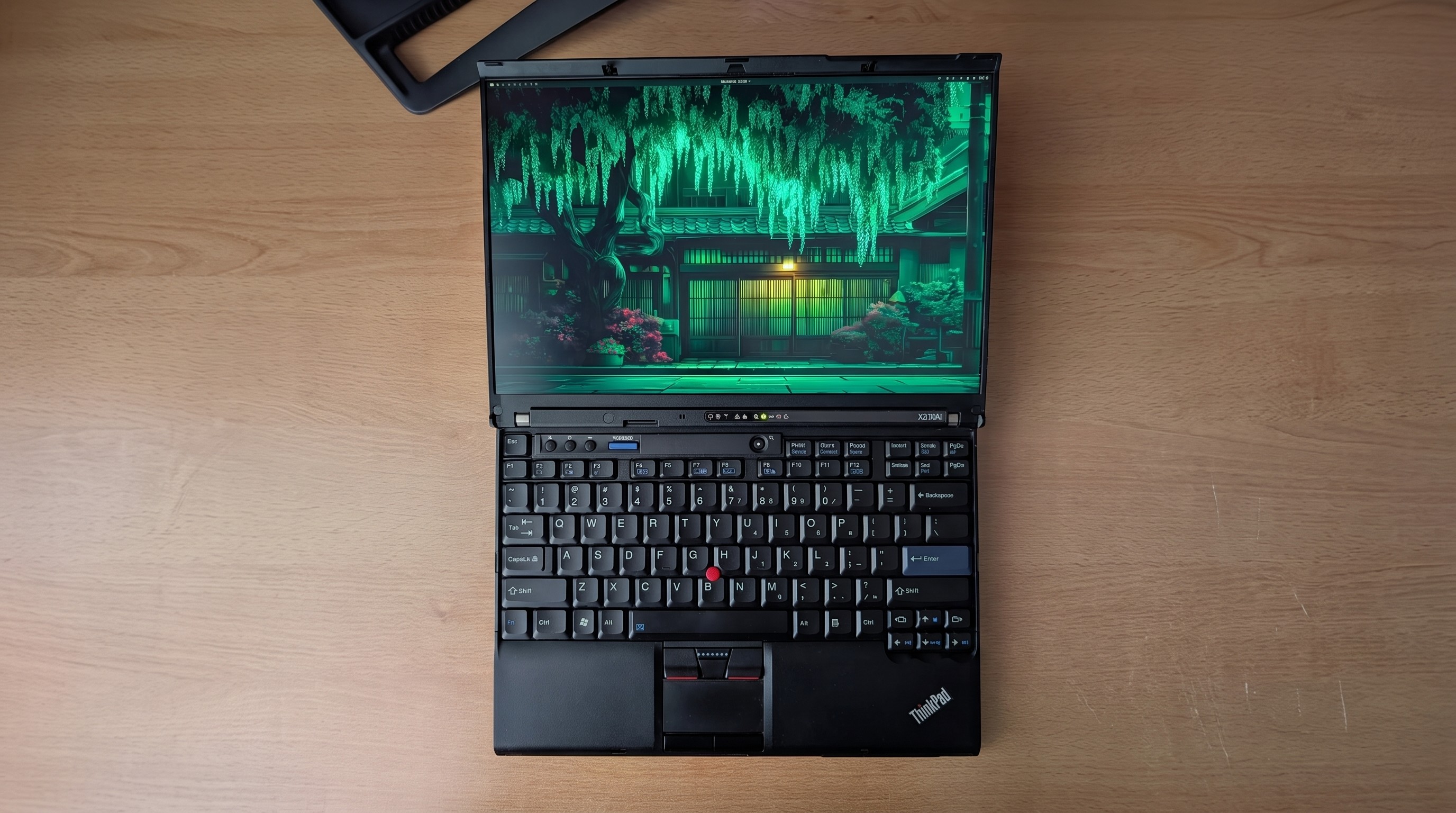
If you ask someone from the r/ThinkPad subreddit, you'd probably get an entirely different answer. Let me introduce you to the ThinkPad X210Ai.
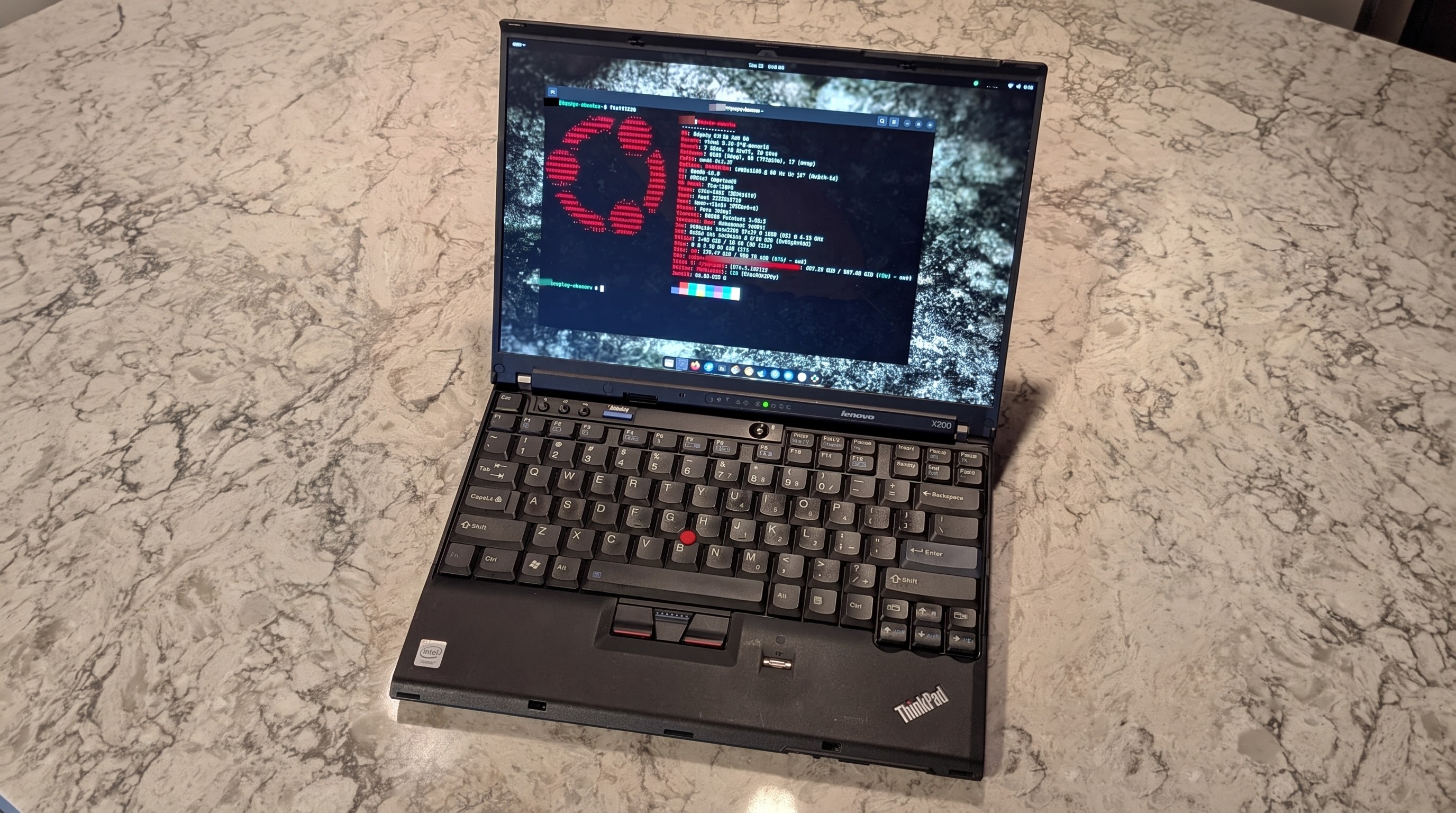
If it looks odd, it's because it is indeed quite an oddity. For the ThinkPad savvy, yes, that's an X200 chassis dating from 2008 or so.
Notice the lack of a touchpad below the TrackPoint system's physical mouse buttons. The scissor-switch keyboard with high-topped keys and deep 2mm key travel. The chunky display surround with clasps to hold the screen closed while traveling.
Reddit user hektopuss posted this laptop a few months ago, and it's far from the only example of these modded ThinkPads on the subreddit.
Something like this shouldn't work. A ThinkPad chassis old enough to have shipped with Windows Vista, gutted and rebuilt with modern performance hardware. And yet, a small but increasingly visible corner of the ThinkPad community has been modding laptops that should cost less than a nice dinner into genuinely modern machines.
What's actually going on with the ThinkPad X210Ai?
The ThinkPad X210Ai is ultimately the result of the ThinkPad community's ingenuity and refusal to let old hardware die.
The X210Ai is a replacement mainboard from TP Art, which appears to be largely run by one person who goes by Franck Deng.
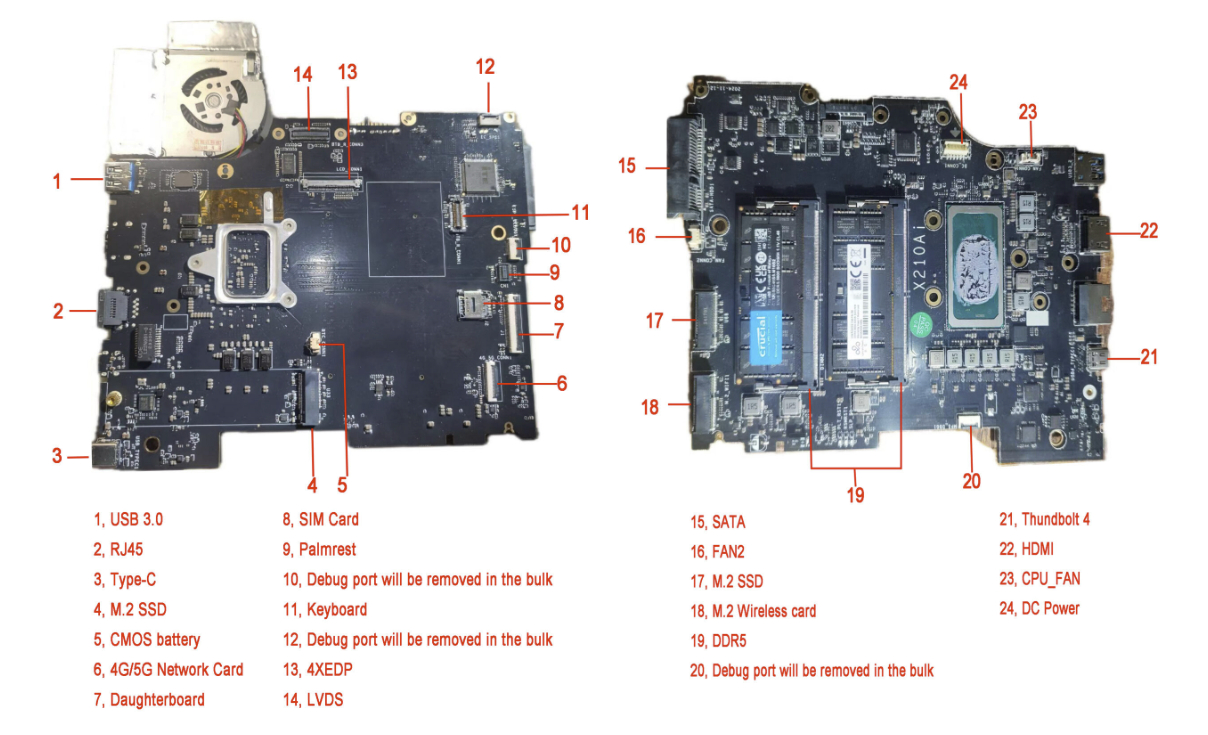
The mainboard is designed to drop into the X200 and X201 chassis; the best part is that it brings a modern Intel Core Ultra 7 165H or Core Ultra 9 185H to the table, as well as support for DDR5 RAM, dual M.2 SSD slots, Thunderbolt 4, and HDMI 2.1.
A breakdown of the X210Ai custom motherboard's ports and expansion slots. (Image credit: TPArt.net (Franck Deng))
You can keep the X200/X201's original display, or you can upgrade it, while the keyboard and TrackPoint stay put.
Because of the modded mainboard's changes, the bottom chassis needs to be reworked with new holes punched for the ports and fans. Luckily, TP Art sells the full kit with mainboard, daughterboard, chassis, mylar, and 3D-printed accessories for as little as $1,299.
New displays with high resolutions start at $299, and extra custom fans cost $119.
TP Art also sells barebones builds with everything (including keyboard and display) except RAM, storage, CMOS battery, and main battery for $1,699.
This tradition isn't entirely new, and TP Art is a direct descendant of the efforts on forums like 51nb where modders have been retrofitting ThinkPad mainboards for years. TP Art simply recognized an opportunity to do what they love (and make a bit of money from it).
The used ThinkPad scene is thriving as RAM prices skyrocket
You can find more modern used ThinkPads for less than the X210Ai custom job, but they just don't have the same classic accoutrements. (Image credit: Cale Hunt | Windows Central)
I imagine this sort of extreme ThinkPad modding would be happening no matter what component prices looked like, but the ongoing RAM and storage crisis driving up the cost of new laptops is surely having an exaggerated effect.
Memory and storage markets are genuinely breaking down for consumers as AI firms gobble up hardware, and there's no relief expected until maybe 2030. Combine these effects with the ThinkPad community's love of classic hardware, and it becomes clear why the X210Ai is becoming such a hit.
Franck notes on the TP Art site that the "volume of pending orders and our team's limited modification capacity" is forcing order processing up to six months out. I'd say that's quite popular.
The math on a rebuild doesn't look too bad once you start digging into current laptop prices.
The math on a rebuild doesn't look too bad once you start digging into current laptop prices. Say you buy a full barebones kit at $1,699 and have to add RAM and storage (the two highest costs).
Add, say, $500 to the cost for everything else, and you're sitting at about $2,200 total for a retrofitted ThinkPad.
Sure, you can get a more modern used ThinkPad for less, but that's not the point. Many enthusiasts yearn for the ThinkPad reliability of years gone by, one of the best keyboards ever made, and a wide selection of ports. That's exactly what the X210Ai offers.
Reddit user hektopuss says they plan to use the modded ThinkPad X210Ai for 10 years, which makes the purchase price a lot more reasonable.
Old chassis, new OS dilemma
Reddit user alvarikoke99 installed the Omarchy Linux config on their modded ThinkPad X210Ai. (Image credit: u/alvarikoke99 (Reddit))
Trying to run Windows on an unmodified ThinkPad X200 wouldn't go over well. It has no TPM 2.0 chip, no approved Windows 11 CPU, and shaky Secure Boot.
The X210Ai's modified board with Intel Core Ultra Series 1 chips solves that problem. Windows 11 is fully supported, meaning you shouldn't have to worry about any deadlines on the horizon.
Does that mean X201Ai adopters are all using Windows 11? Far from it. It seems that most use some form of Linux, effectively sidestepping most of Microsoft's barriers. Reddit user hektopuss, for example, is using Windows, but there are plenty of examples of Linux to be found.
How you, too, can get started with a modified ThinkPad
Another ThinkPad X210Ai dropped into an X200 chassis from Reddit user u/Retrocet. (Image credit: u/Retrocet (Reddit))
Buying a customized classic ThinkPad with new hardware under the hood surely isn't for everyone. If you do want a ThinkPad but want to spend less, I recommend checking out used markets that are currently thriving. It's hard to kill a ThinkPad, and that's a boon for buyers.
I recommend checking out the ThinkPad Blue Book buying guide on Reddit to get an idea of pricing. It needs to be updated for 2026, as most listed prices have gone up, but it's still relatively accurate.
If you do want to check out the X210Ai, you're free to do so as long as you don't mind waiting. As I mentioned, wait times are up to six months, and orders can't be canceled once placed.
Join us on Reddit at r/WindowsCentral to share your insights and discuss our latest news, reviews, and more.
Close-up of a black ThinkPad laptop in focus, with a green plant blurred in the background.
Close-up of a black ThinkPad laptop in focus, with a green plant blurred in the background.
So when Microsoft killed off the Surface Studio, I was incredibly sad. Although I never really used the Surface Studio's unique canvas hinge, I did very much enjoy its design and display, and so when the time came to replace it, I was never entirely satisfied with my options. I moved to the HP Envy 32, then the HP Envy 34, before switching to a Lenovo Yoga AiO 32 line last year.
I've been happily daily-driving my Lenovo Yoga AiO 32 for over a year, and while it looked good on a desk, it wasn't a head turner. Well, it appears Lenovo has taken that criticism to heart, as the follow-up is a complete redesign that puts sexy front and center.
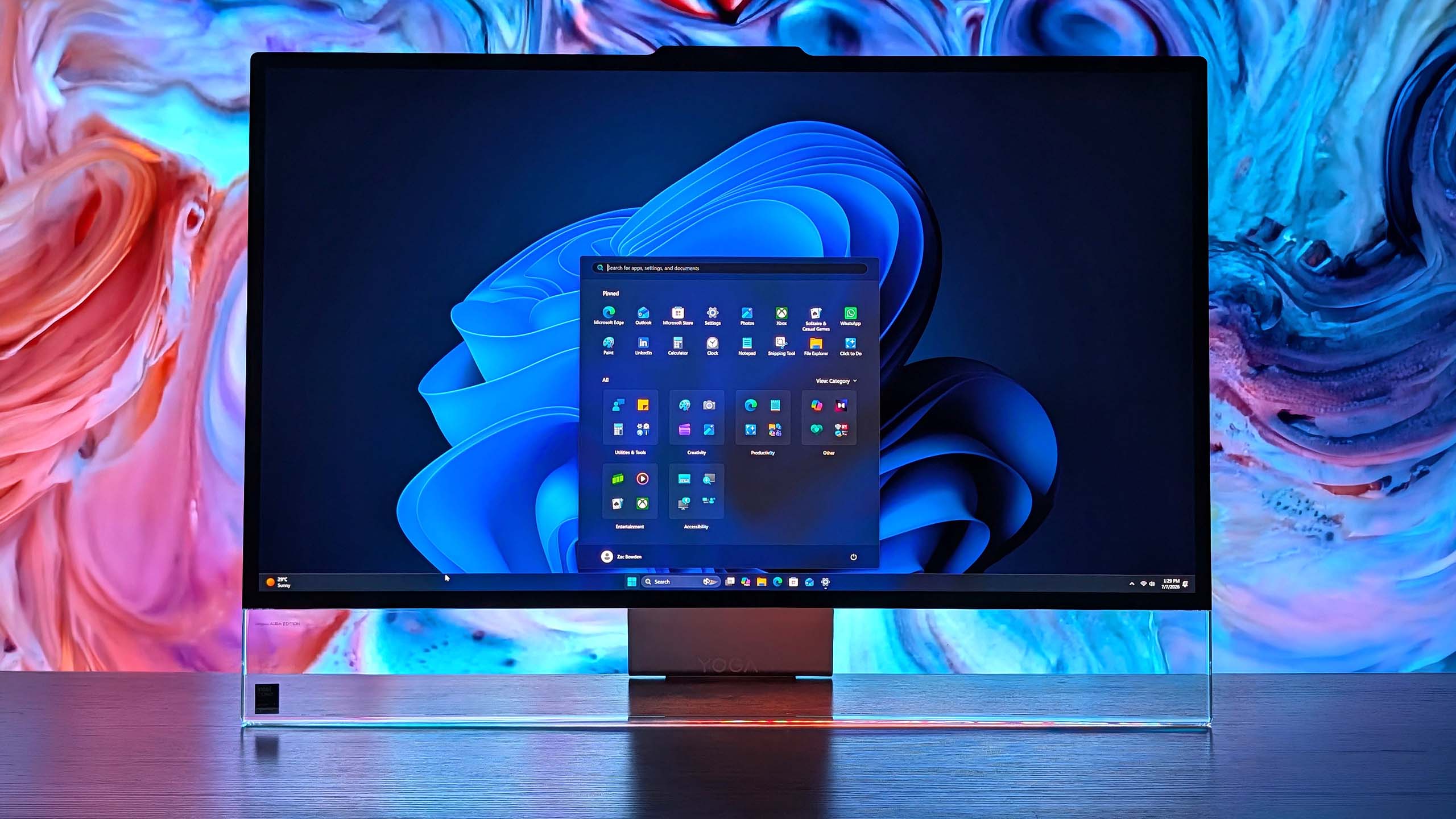
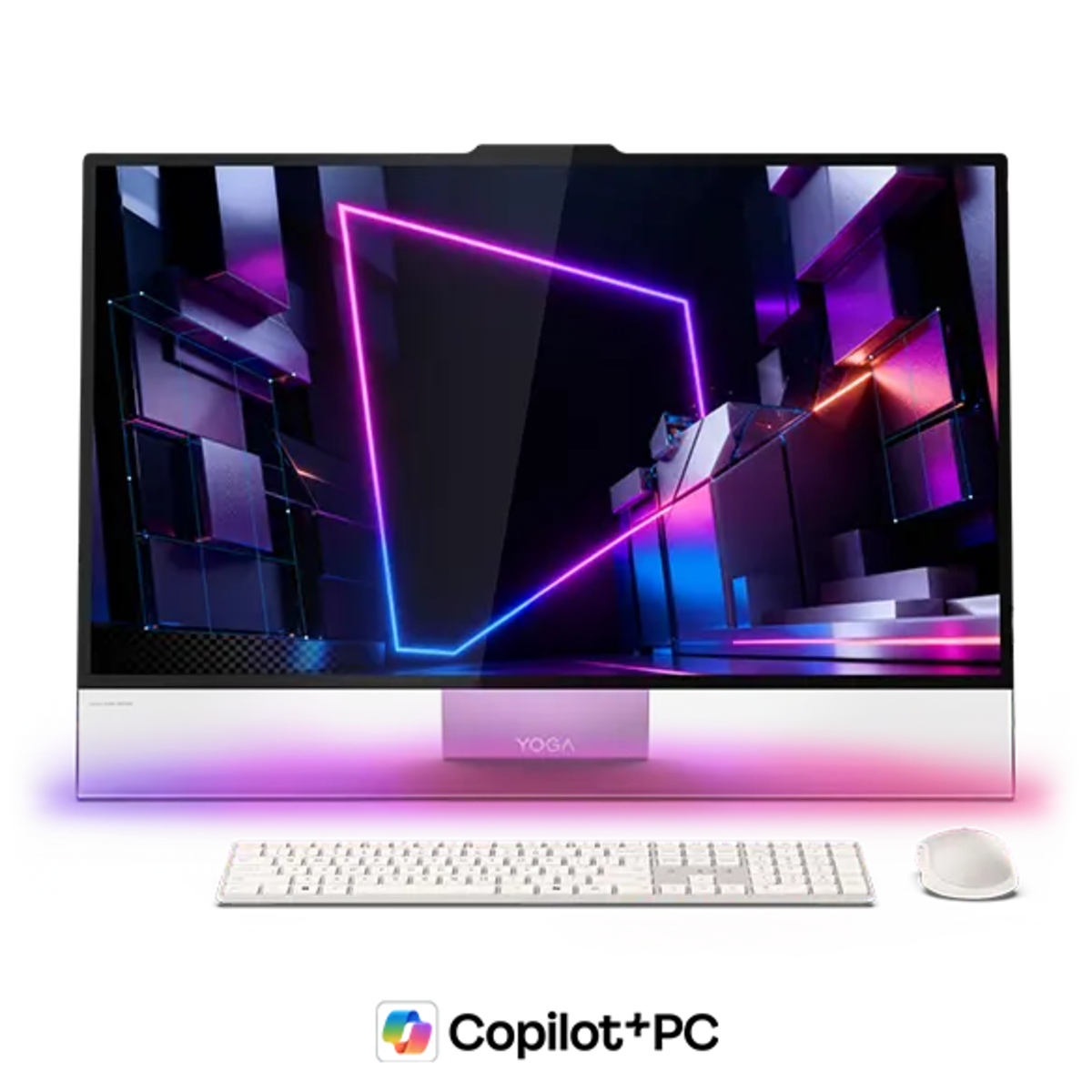
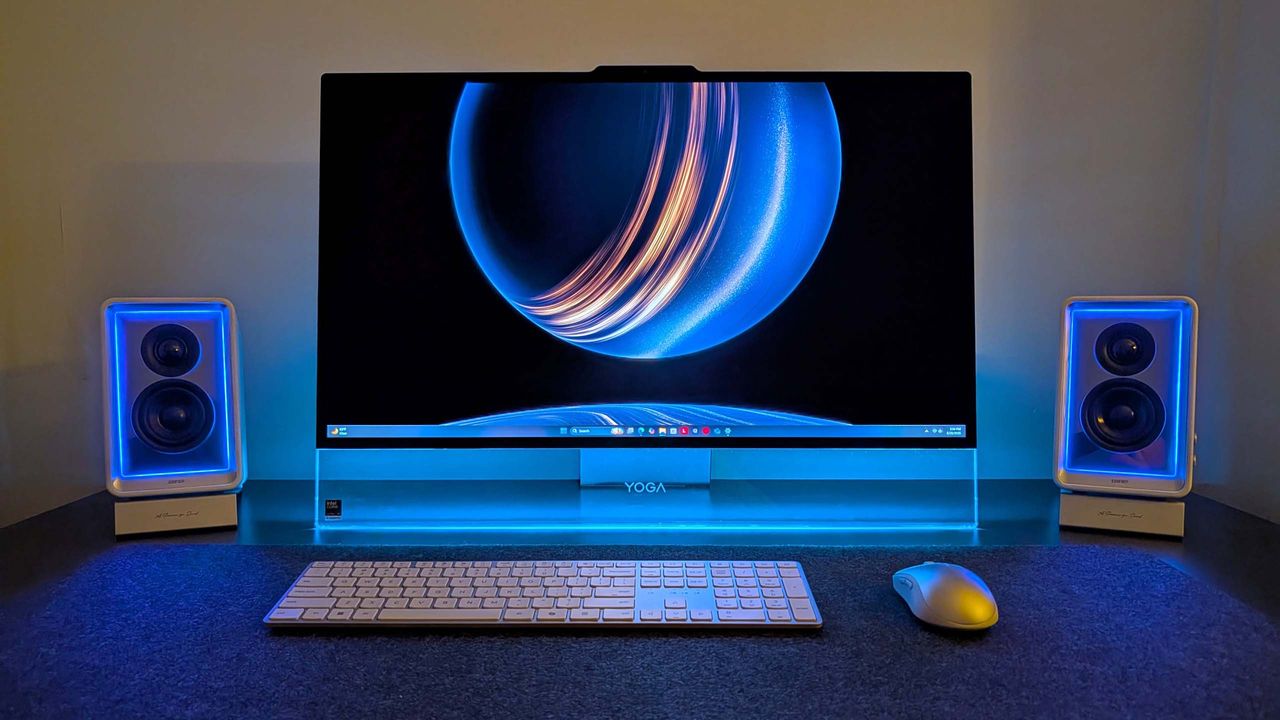
The new Lenovo Yoga AiO i 32 Aura Edition is a true sight to behold. Complete with a transparent display chin that incorporates RGB lighting, a new upside-down V-shaped stand that's unlike anything I've ever seen, an incredibly thin but capable computer built into said stand, and the best display I've ever seen on an all-in-one.
I've been daily driving this AiO for the last three weeks, and this is my full review.
This review was made possible via a review sample supplied by Lenovo. The company had no editorial input and did not view the contents of this review before publication.
Yoga AiO i 32 Aura Edition: Price and specs
Prepare to be mesmerized by its design. (Image credit: Zac Bowden / Windows Central)
The Lenovo Yoga AiO i 32 Aura Edition is a mouthful of a name, but it does make it easy to find online. You can find the device available for purchase directly on Lenovo's website for an eyewatering $3,097.99. There's only one configuration available, so there's no wiggle room on that price for now.
That configuration comes with an Intel Core Ultra X7 358H, paired with 32GB RAM and 1TB m.2 SSD storage. It also includes the Intel Arc B390 GPU, which drives the incredible 32-inch 4K OLED panel at 165Hz. Unfortunately, there are no configurations with a dedicated GPU from NVIDIA or AMD.
Lenovo's new Yoga AiO i 32 Aura Edition is a sight to behold, complete with a unique design that features a transparent display chin with RGB lighting, the best 4K OLED I've ever seen fitted to an AiO, and incredible performance. View Deal
Yoga AiO i 32 Aura Edition specs
Specification
Details
Processor
Intel® Core™ Ultra X7 358H (E‑cores up to 3.50 GHz, P‑cores up to 4.80 GHz)
Wireless Mouse; Wireless Helios Gen 2 Keyboard (Seashell, English US)
Connectivity
Wi‑Fi 7 2×2 BE & Bluetooth® 5.4
Warranty
1 Year Mail‑in
Color
Seashell
Xbox Game Pass
Included
Part Number
F0JK0009US
Price
$3097.99
Yoga AiO i 32 Aura Edition: What I like
These ports and buttons are easily reachable on the side. (Image credit: Zac Bowden / Windows Central)
In a word, the Lenovo Yoga i AiO 32 Aura Edition is sexy. It's probably the best-looking desktop computer you can buy right now, and that's thanks to its absolutely insane design that places the entire computer in the stand that holds the screen up, allowing the display to take all your attention.
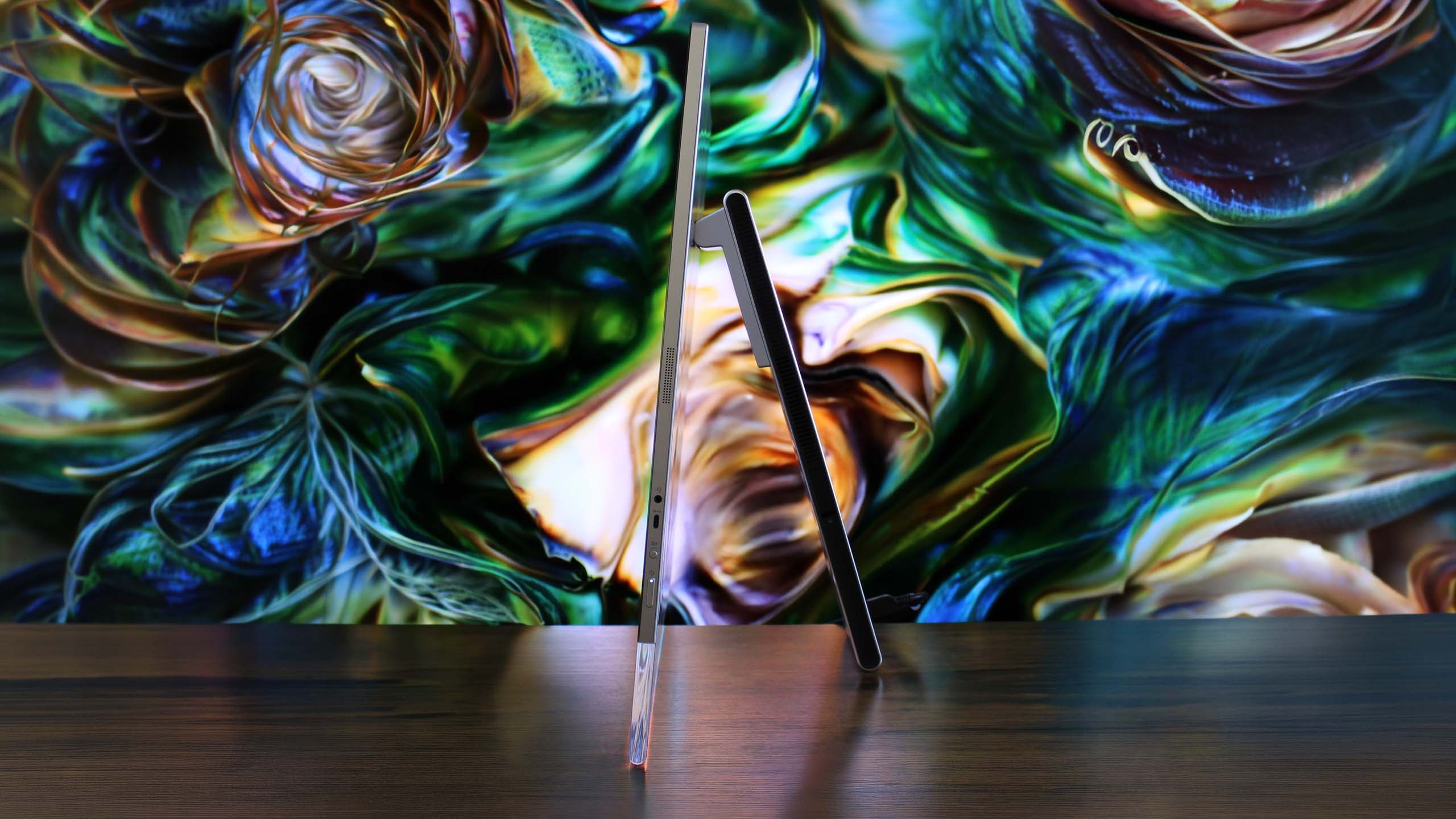
From a normal sitting position, you can't even see the stand. Unlike traditional stands that have a base that sits on the desk, the AiO's stand is more like a kickstand, with the weight of the display leaning against the stand, and the bottom of both the stand and the display chin making contact with the desk to form an upside-down V shape.
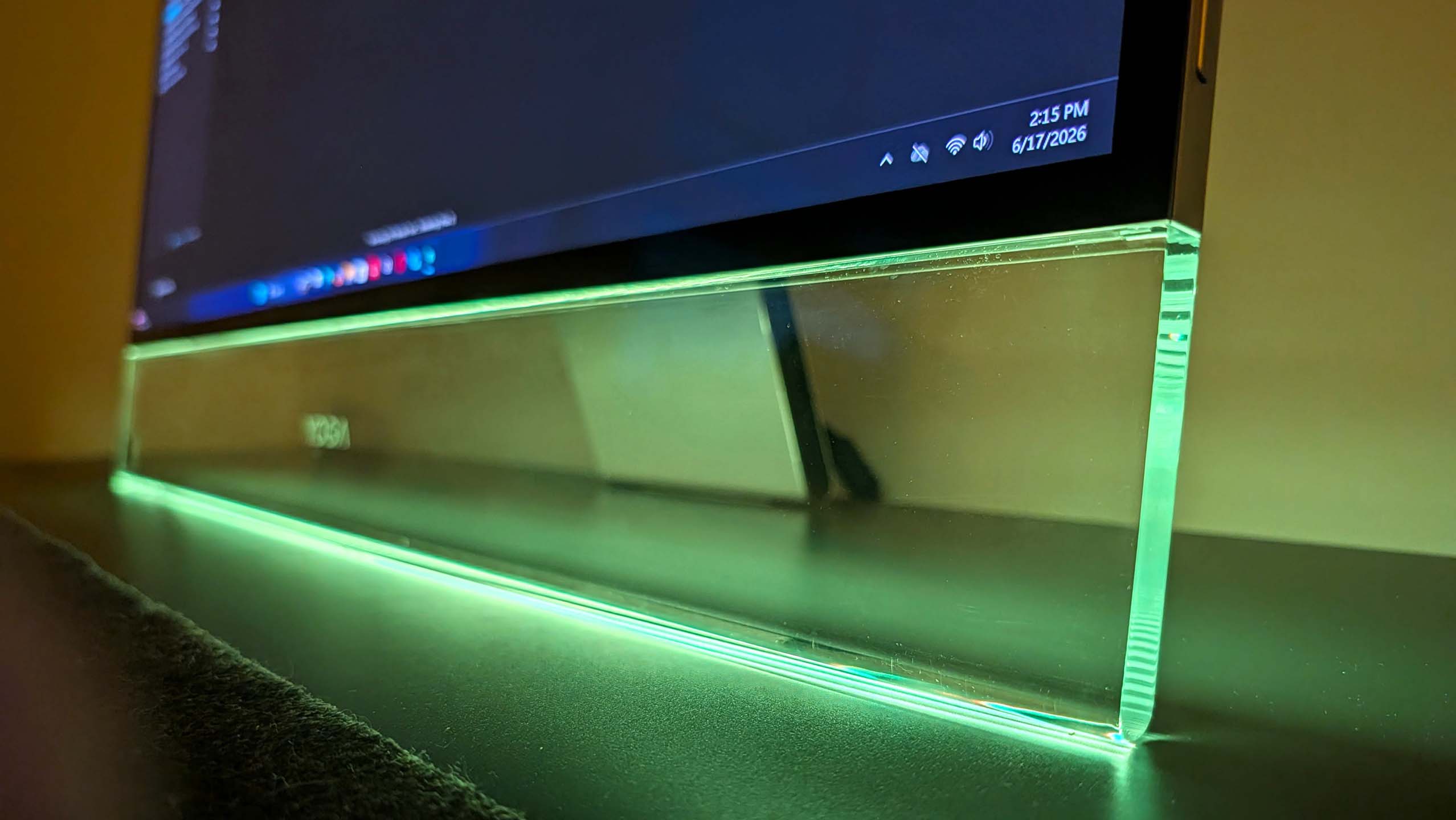
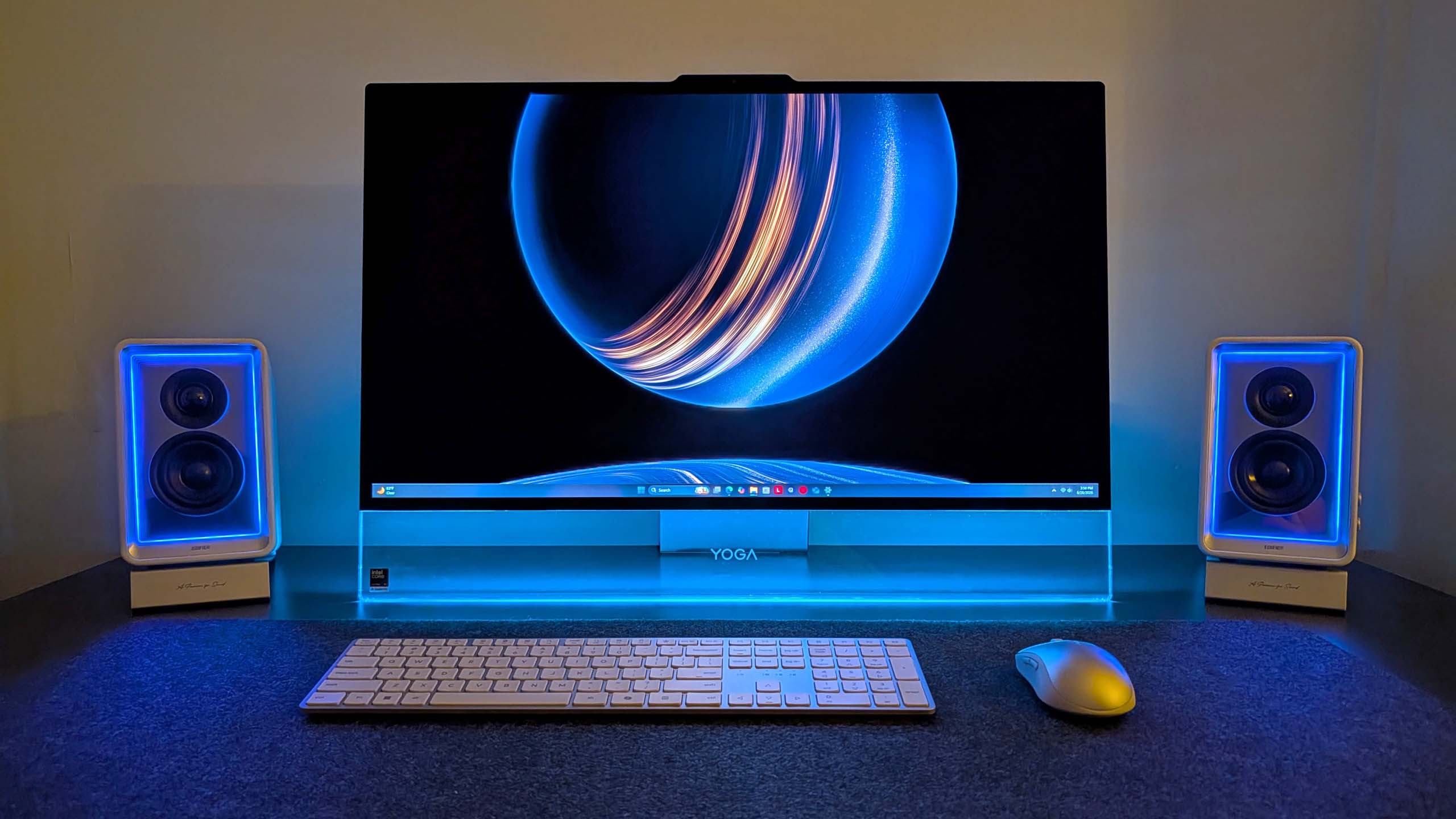
This is unique on its own, but when paired with the awesome-looking transparent display chin, the result is an all-encompassing 4K OLED display that looks like it floats. It's honestly super mesmerizing, and with the built-in RGB lighting enabled that shines through the transparent chin, the whole thing just looks amazing.
That RGB lighting can be controlled via Lenovo's included Vantage app, or by Windows itself using Microsoft's new Dynamic Lighting feature. This is the first time I've been able to use Windows 11's native RGB controls, and they're quick and awesome. You have a number of settings, including gradients that let you choose two colors to alternate between, and it's overall very easy to set up.
The transparent chin is a sight to behold. (Image credit: Zac Bowden / Windows Central)
It's an incredibly eye-catching design that will turn heads whenever someone who has never seen it before comes across it. While the light-up chin is the first thing they'll notice, the second thing they'll be blown away by is the sheer quality of the 4K OLED display that sits on top of it.
This 32-inch 4K OLED panel is amazing. It's a true 10-bit panel at 165Hz, making Windows animations and scrolling look super smooth and games feel incredible to play. This is undoubtedly the best display you can find on an all-in-one PC right now, blowing the iMac and the last-gen Lenovo 32-inch AiO out of the water.
This is undoubtedly the best display you can find on an all-in-one PC right now, blowing the iMac and the last-gen Lenovo 32-inch AiO out of the water.
Colors simply pop on this screen. It's also incredibly color accurate, with a 99% DCI‑P3 and 100% sRGB rating making it great for video editors and photo artists. It's plenty bright, with up to 1,000 nits peak brightness in HDR content too. The display is surrounded by thin uniform bezels, with a metal frame that's cold to the touch and feels incredibly premium.
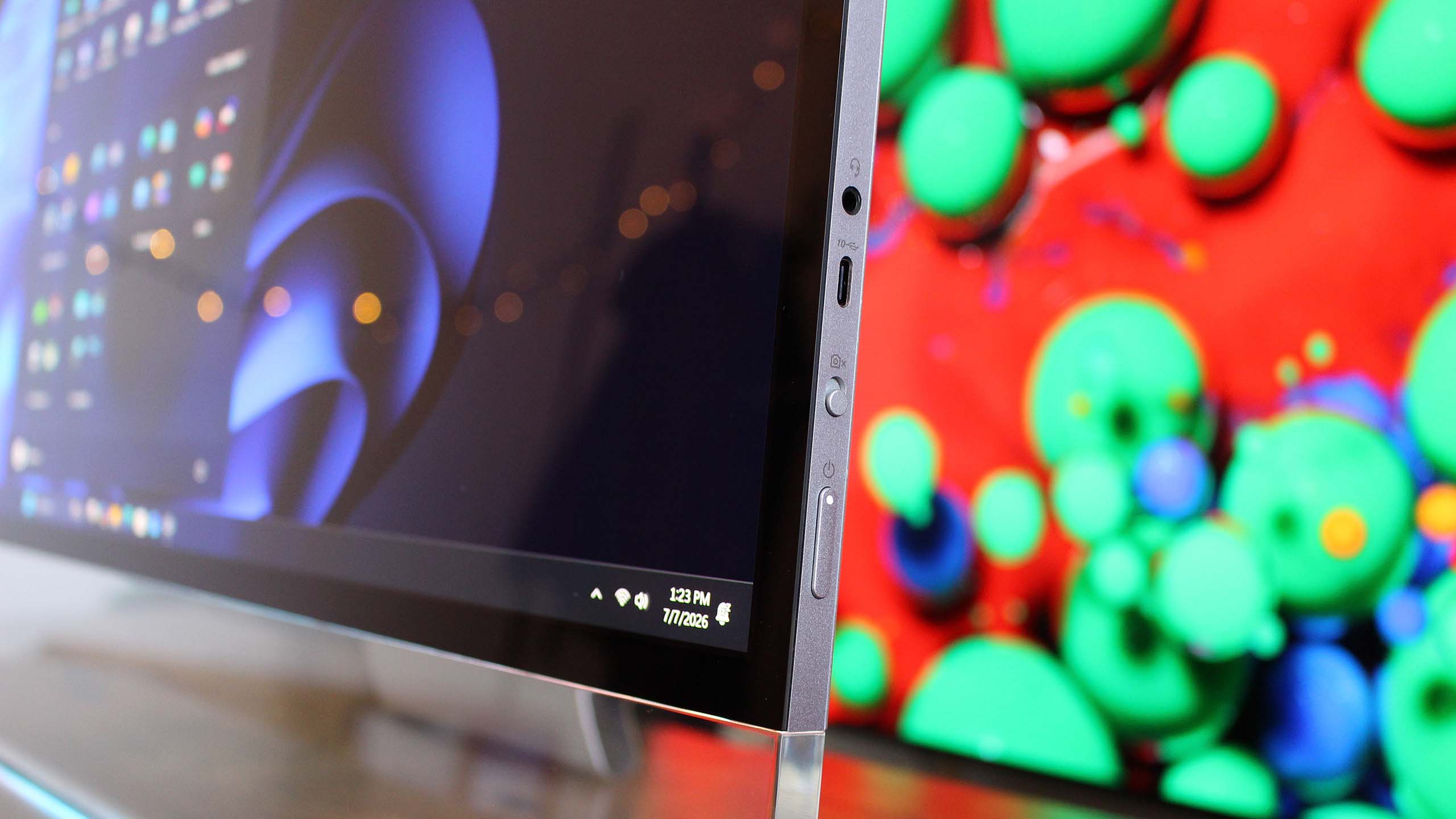
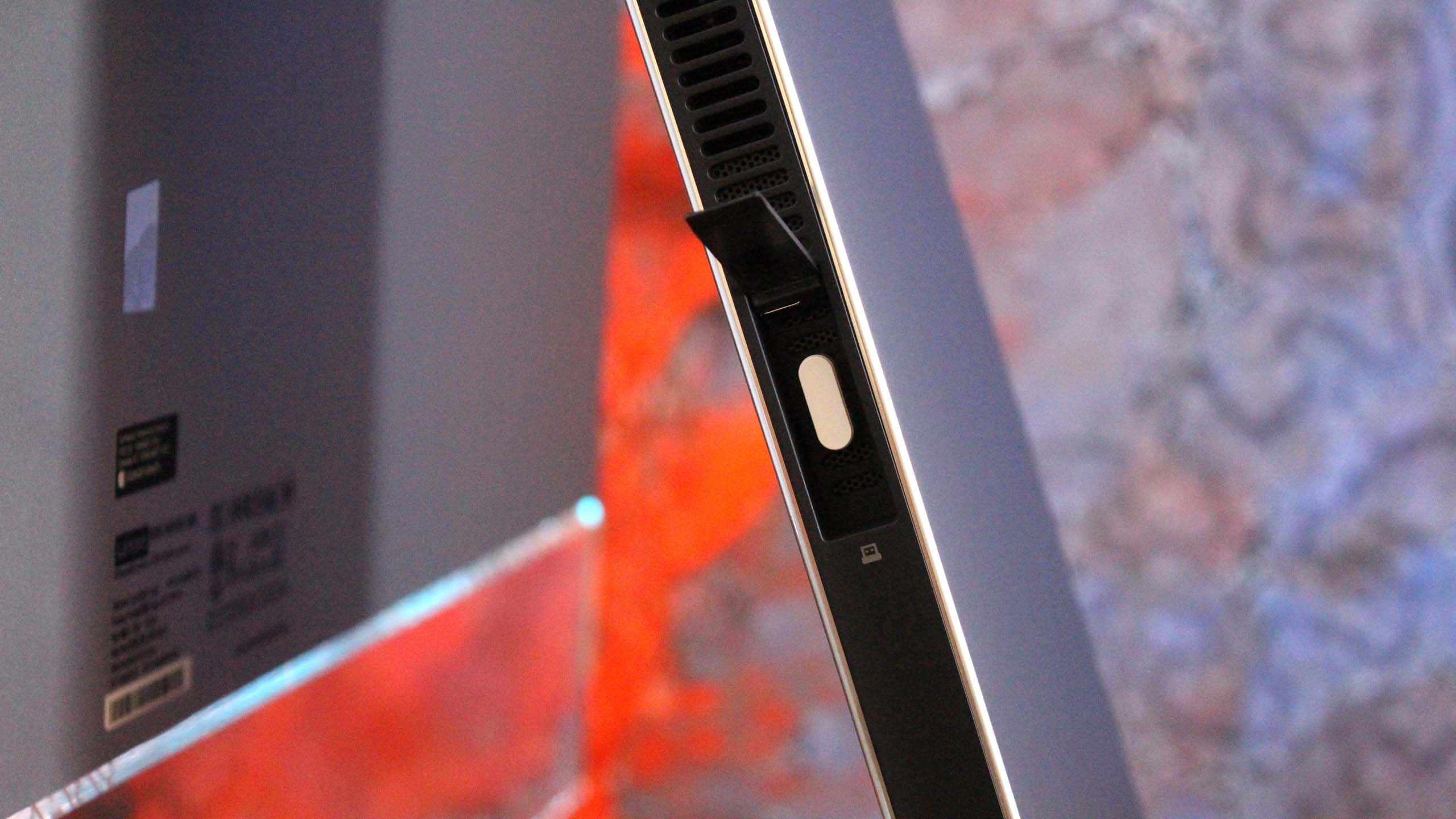
On the right side of the display is a USB-C port, which makes plugging in flash drives and other peripherals super easy and convenient. There's also a 3.5mm audio jack on this same display edge, which is nice for plugging in headphones. The rest of the ports are located on the stand, most of which are at the very back.
There's a door that covers this USB-A port. (Image credit: Zac Bowden / Windows Central)
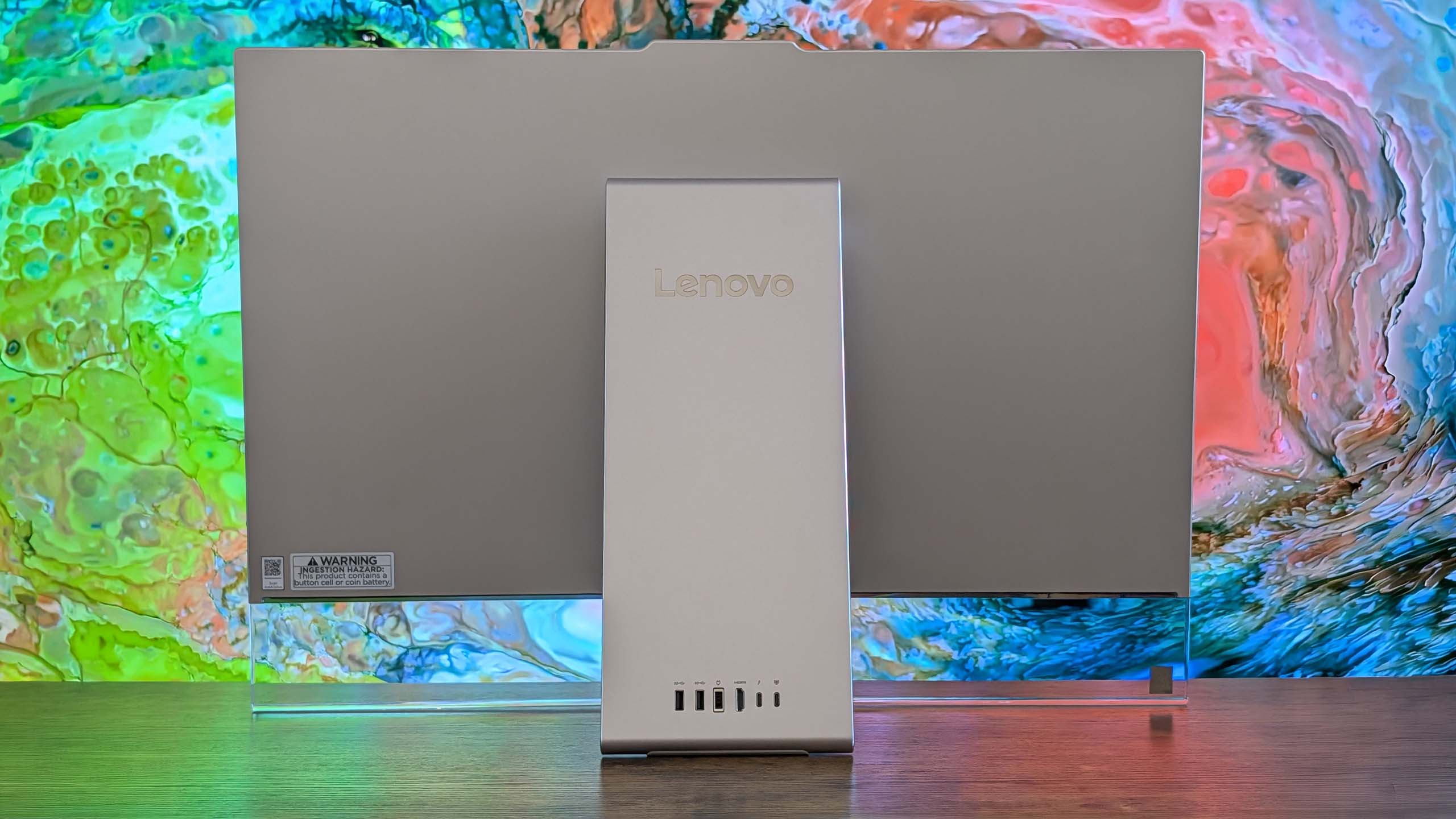
On the stand, you'll find a single USB-A port on the side of the stand, which is designed for a wireless keyboard and mouse dongle (but you can plug anything into it) behind a door. On the back, there are two USB-C ports, two USB-A ports, an HDMI port, and that's it. I do wish there was maybe an additional USB-A and USB-C port, and an Ethernet jack wouldn't have gone amiss either.
Along the top of the display is a 16MP webcam that looks great and is a significant upgrade over the last gen Lenovo AiO. It's much clearer, and Windows Hello face unlock works a little faster as a result. There's a webcam kill switch on the right side of the display that's easy to reach for when you don't want anyone looking at you.
The AiO comes with a nice keyboard and mouse as well. These are automatically paired with the PC when you unbox, as the wireless dongle comes plugged in from the factory. The keyboard is hefty but premium-feeling, featuring a chiclet-style typing experience that's quiet yet satisfying.
Yoga AiO i 32 Aura Edition: What I don't like
It's pretty even from behind. (Image credit: Zac Bowden / Windows Central)
Unfortunately, there are some things about the Lenovo Yoga AiO 32 Aura Edition that aren't my favorite. While this device is overall amazing and I would recommend it to pretty much anyone, that does come with a few caveats.
First of all, the design of this computer does have a few trade-offs. Firstly, the space required to set up the computer optimally on your desk is a significantly larger area than your usual AiO that sits on a normal stand with a base. The upside-down V-shape nature means that to angle the screen comfortably, you need to widen the gap between the two points of contact on the desk.
This isn't going to be an issue if you have a large desk, but for those on smaller desks, you might find the display ends up being slightly too close to you, or the stand ends up uncomfortably close to the edge of the desk. The underside of the stand is covered in a grippy texture, so it won't slide anywhere, but it's still a little unnerving.
It's incredibly thin. Where even is the computer? (Image credit: Zac Bowden / Windows Central)
You also lose usable desk space with this design. Sure, you can put things behind the display between it and the stand if you wanted, but that would mean you'll need to reach around the display whenever you need access to whatever it is you've put behind it. Plus, the transparent chin means you can see all the mess behind there at all times.
On the subject of that transparent chin. I love it, I really do, but my goodness, is it a dust and fingerprint magnet. Be prepared to be cleaning it on the daily. I don't know how fingerprints even end up there, as I'm never actively touching the chin, but somehow I'm always cleaning them off.
On this new model, you have no choice but to get up, lean around the display, and fondle your way into plugging your peripheral in. It's quite annoying.
This design also results in the position of the ports being really difficult to reach. While there is a single USB-C port on the side of the display, which is super easy to access and great to have, all the other ports are on the stand, most of which are at the back on the very bottom. This makes them basically impossible to reach when sitting in front of the display.
I complained about the position of the ports on the last-gen AiO from Lenovo, but at least on that device you could reach through the display stand to get to the ports from a sitting position. On this new model, you have no choice but to get up, lean around the display, and fondle your way into plugging your peripheral in. It's quite annoying.
These speakers have a problem... (Image credit: Zac Bowden / Windows Central)
I'd also argue that for a device being targeted at creators, it's quite lacking in the port section. There are just two USB-C and three USB-A ports on the whole device, four of which are on the back. Plus, there's no Ethernet jack for wired internet, and no SD card reader of any kind. I do wish that it had an SD card reader at the very least.
The last thing I don't like about the AiO is the built-in speaker system. In my testing, I can't help but think there's something wrong with them. Whenever the audio channel is open, an audible hissing/whooshing noise is present. This noise is present regardless of the audio being played, but is more noticeable when the volume is on medium or low settings. It's even audible when the device is muted and an audio track is playing, and it goes away entirely when the audio channel is closed.
It's so noticeable that I reached out to Lenovo to request a new review unit, thinking mine was defective, only to find the second sample has the same problem. So, I don't know if this is a hardware defect or something that can be fixed via firmware updates. I couldn't tell you what's causing the noise, but it is there.
If you've ordered one of these AiOs, let me know if this issue is present on your unit, or if I just somehow received two defective models back to back. This problem is easily solved by using an external set of speakers, which is what I do, completely bypassing the built-in speaker system. Still, it's not something you should have to put up with when paying this amount of money for a device, so if yours has this issue and you're unhappy, be sure to return it.
Yoga AiO i 32 Aura Edition: Performance
The transparent chin does have logos etched into it. (Image credit: Zac Bowden / Windows Central)
This AiO is one that strikes a perfect balance between performance and quiet operation. This thing is whisper-quiet for 99% of the time you'll be using it, with the fans only spinning up under heavy sustained load for long periods. Even when on full blast, the fans aren't offensively loud.
Powered by the Intel Core Ultra X7 358H (Core Ultra Series 3) and Intel Arc B390 GPU, this AiO is well equipped to handle your usual day-to-day tasks, as well as high-intensity tasks such as video and photo editing, rendering, and 3D modeling. It's even a competent gaming machine, though I wouldn't buy one for dedicated gaming.
This thing is whisper-quiet for 99% of the time you'll be using it, with the fans only spinning up under heavy sustained load for long periods.
The Intel Core Ultra X7 358H CPU is where this machine truly shines, flexing massive numbers in multi-threaded tasks thanks to its advanced architectural efficiency. With a Geekbench single-core score of 2,851 and a multicore score of 16,964, it breezily handles heavy multitasking, AI workloads, and complex data processing.
In everyday productivity, it achieved a CrossMark score of 2,128, which means it has snappy execution across office applications. For rendering workloads, the Cinebench benchmarks reveal a single-core score of 501 and a robust multicore score of 4,927. The device has minimal thermal throttling, and as mentioned above, rarely gets loud.
The Yoga logo sits proud in the middle of the transparent chin. (Image credit: Zac Bowden / Windows Central)
The inclusion of the Intel Arc B390 GPU elevates this machine beyond your usual standard integrated graphics. It's a highly efficient, modern graphics solution that I'd describe as more than good enough for light to moderate gaming, intensive content creation, and smooth video editing. Here are our 3DMark benchmark results:
Benchmark
Score
Performance Context
Night Raid
48,631
Excellent for esports and casual titles
Time Spy
7,793
Solid DX12 performance for 1440p gaming
Time Spy Extreme
3,630
Handles moderate 4K workloads
Steel Nomad Light
5,633
Great lightweight cross-platform performance
Steel Nomad
1,100
Pushes the integrated graphics to its limit
It's clear that the Intel B390 isn't going to be great at running the latest games at their highest settings at 4K 120Hz, but bumping things down to medium-high graphics settings and 1080p or 1440p will result in a perfectly fine gaming experience, which should be more than enough for those who are only gaming casually on their PCs.
Games like Halo: The Master Chief Collection or Hitman run great on the AiO. Cyberpunk 2077 also runs really well when set to 1440p high settings. Older games like GTA V run at high frame rates with all their settings maxed out, even at 4K. So it really will come down to the kind of games you play and how graphically intensive they are.
The Intel B390 is a step above your typical integrated graphics, but it's no dedicated GPU from NVIDIA or AMD. So expectations should be tempered if you're looking to game. Most modern games should run more than fine if you set their graphics settings to medium 1080p. It's fair to say the Intel B390 is better served for content creators, being an excellent GPU for rendering video, 3D models, and more.
The Intel B390 is a step above your typical integrated graphics, but it's no dedicated GPU from NVIDIA or AMD.
I do wish Lenovo offered the PC with the option of being configured with a dedicated GPU, as the B390 on its own might be disappointing for some, especially at these prices.
The last-gen flagship Lenovo Yoga AiO featured an NVIDIA RTX 4050, which provides roughly the same level of performance as the Intel B390, but I've found that some games run slightly better with smoother frame rates on the older NVIDIA card. So we're not seeing any real performance upgrades across generations, outside of the fact that the Intel B390 is a more efficient GPU overall.
For storage speeds, the CrystalDiskMark results are top-tier, clocking in at an impressive 7,008.27 MB/s read and 5,807.32 MB/s write speeds. This should mean boot times, app loading, and file transfers stay nice and fast.
Conclusion
I mean, c'mon. Just look at it. (Image credit: Zac Bowden / Windows Central)
You should buy this PC if...
✅ You want a beautiful Windows all-in-one
✅ You want one of the best OLED displays on a Windows PC
✅ You're a creator who focuses on video and photo editing
You should not buy this PC if...
❌ You have a small desk
❌ You frequently need to plug in and unplug peripherals
❌ You rely heavily on built-in speakers
❌ You're a hardcore gamer who wants to game
Overall, I believe the Lenovo Yoga i AiO 32 Aura Edition is an almost perfect all-in-one. It's definitely at the top of the list when it comes to an aesthetic design point, but those design choices aren't without their own minor annoyances. For me, I'm happy to sacrifice easy port access in exchange for sheer beauty.
With that said, there's clearly a problem with the built-in audio setup on two of the units I tested. Once again, I'm hoping that this issue is software-related and can be fixed via a firmware update. Some may not even notice the hissing noise, but it's very audible and distracting for me.
The lack of a dedicated GPU option may also upset some people, especially those that are wanting to game. While the Intel Arc B390 is good, it's by no means great, especially for the over $3,000 you'll be paying for this PC new.
Those issues aside, I have to say that this AiO is the first one I've used since the Surface Studio that has blown me away. It's just jaw-droppingly good to look at, and it's something I'm proud to have sitting on my desk. There's nothing boring or corporate about it; it's simply mesmerizing.
The design, paired with the glorious 4K 165Hz OLED panel and great performance under the hood, results in an incredible experience at a high cost, which unfortunately can't be helped given the ongoing component pricing crisis. If Lenovo is able to get the speaker issue sorted, this device is a clear winner in my book.
Lenovo
Yoga AiO i 32 Aura Edition
Lenovo's new Yoga AiO i 32 Aura Edition is a sight to behold, complete with a unique design that features a transparent display chin with RGB lighting, the best 4K OLED I've ever seen fitted to an AiO, and incredible performance.
Join us on Reddit at r/WindowsCentral to share your insights and discuss our latest news, reviews, and more.
Lenovo Yoga AiO i Aura Edition
Lenovo's latest flagship all-in-one might be the best-looking Windows AiO we've ever seen.
Lenovo's new Yoga Slim 7x (Gen 11) has been my daily driver for a few weeks, and I've had an absolute blast testing out its performance and efficiency. It's not perfect, but most of the issues I encountered are remedied with an inexpensive upgrade.
A sleek laptop with a vibrant purple flower on the screen sits on a wooden table. Books and framed art surround it, evoking a cozy, intellectual atmosphere.
The Yoga Slim 7x (Gen 11) sitting open on a table.
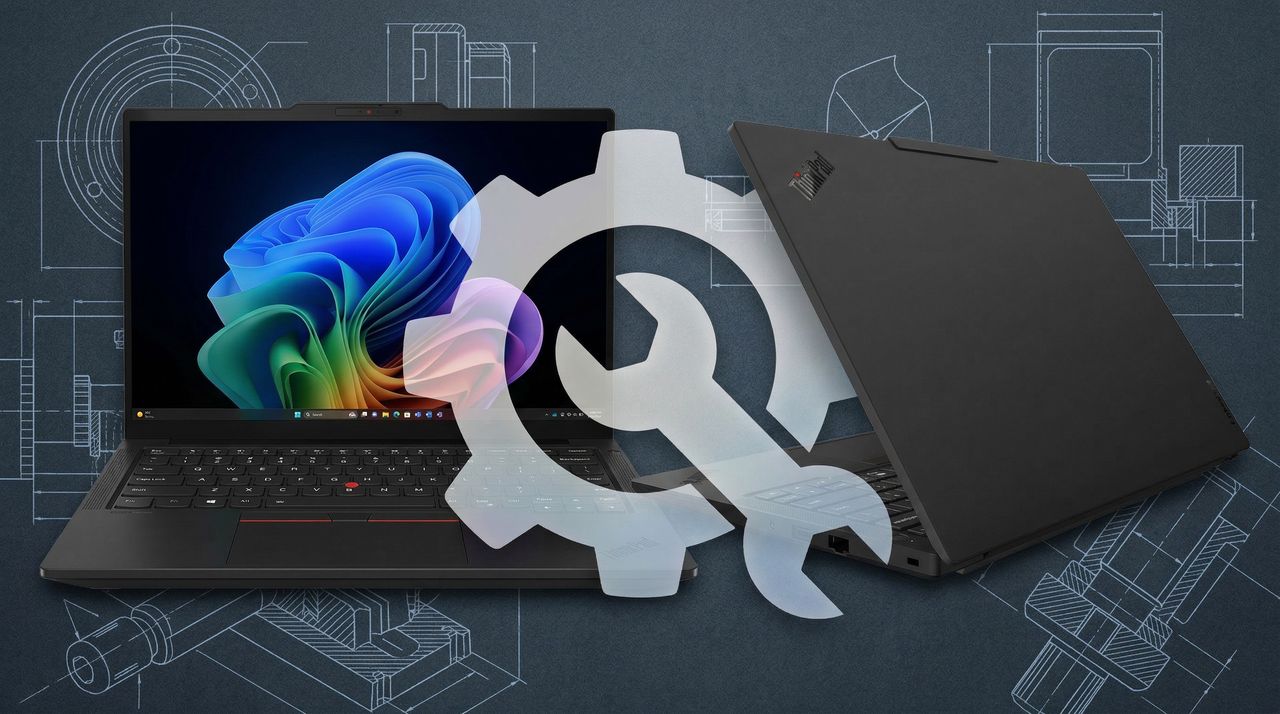
Laptop repairability is becoming ever more important as PC prices climb due to hardware shortages, and Lenovo's new ThinkPad T14 and T16 just received full marks from iFixit. Here's what went into that perfect score.
At CES 2026, Lenovo introduced Qira, a new cross-device and cross-OS AI assistant that will become what is essentially your AI twin. I was able to test it out, and I sat down with Lenovo's President of Intelligent Devices Group, Luca Rossi, to get more information.
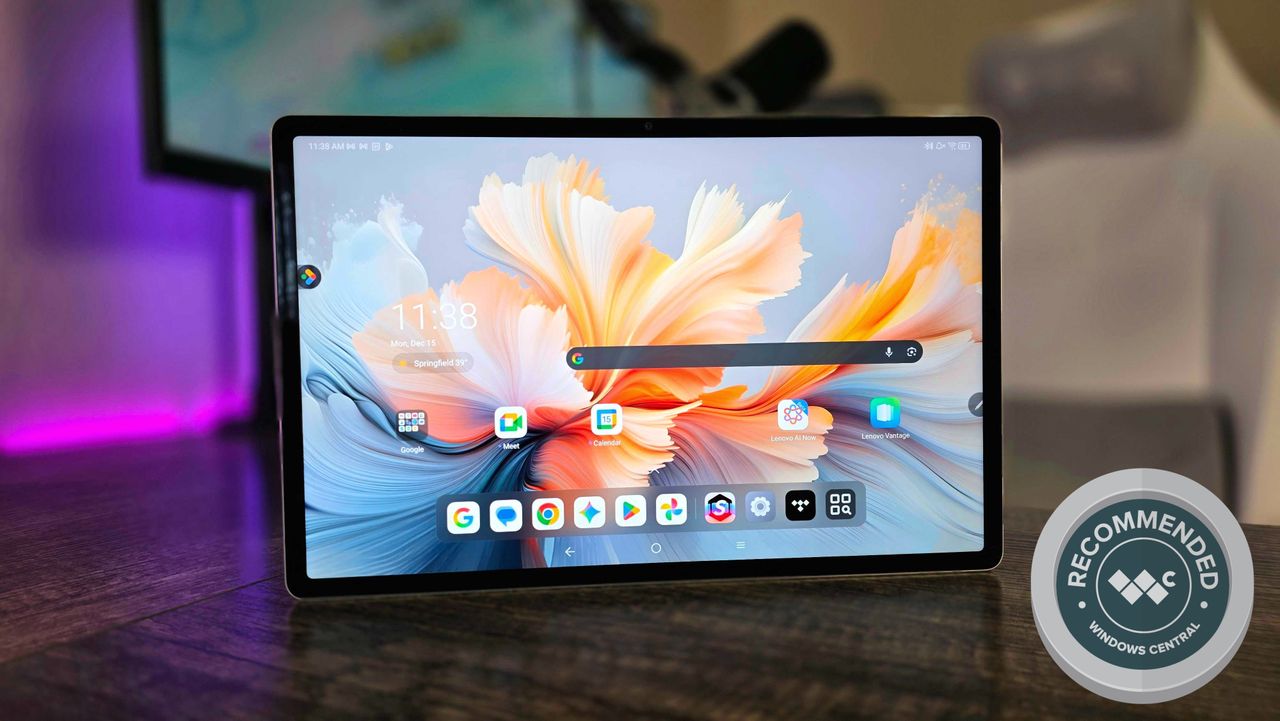
I've been using the Lenovo Yoga Tab Plus (Gen 1) instead of my usual laptop, and I've come away impressed by this hardware — but I'm going back to my laptop.
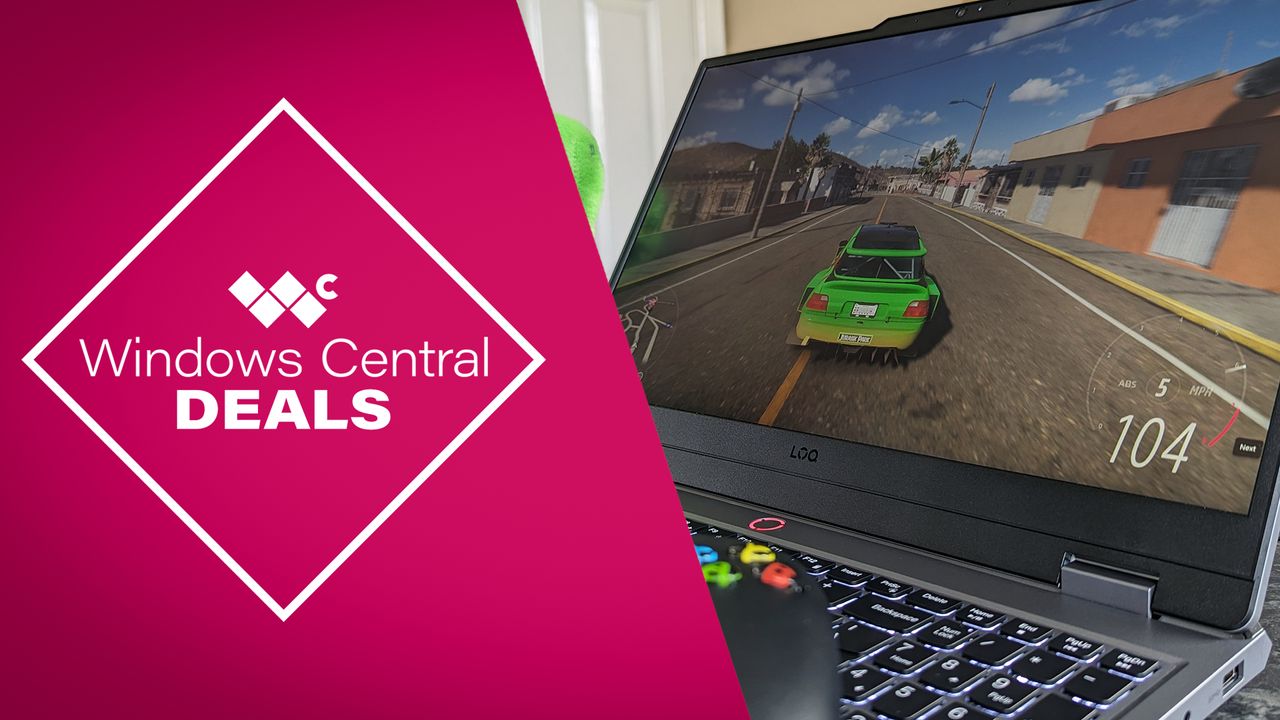
Gaming laptops have gone up in price by A LOT this year, but this $549 Lenovo LOQ 15.6 model is proof that you don't need to overspend to pick up a new hobby or to replace your aging Windows 10 PC.
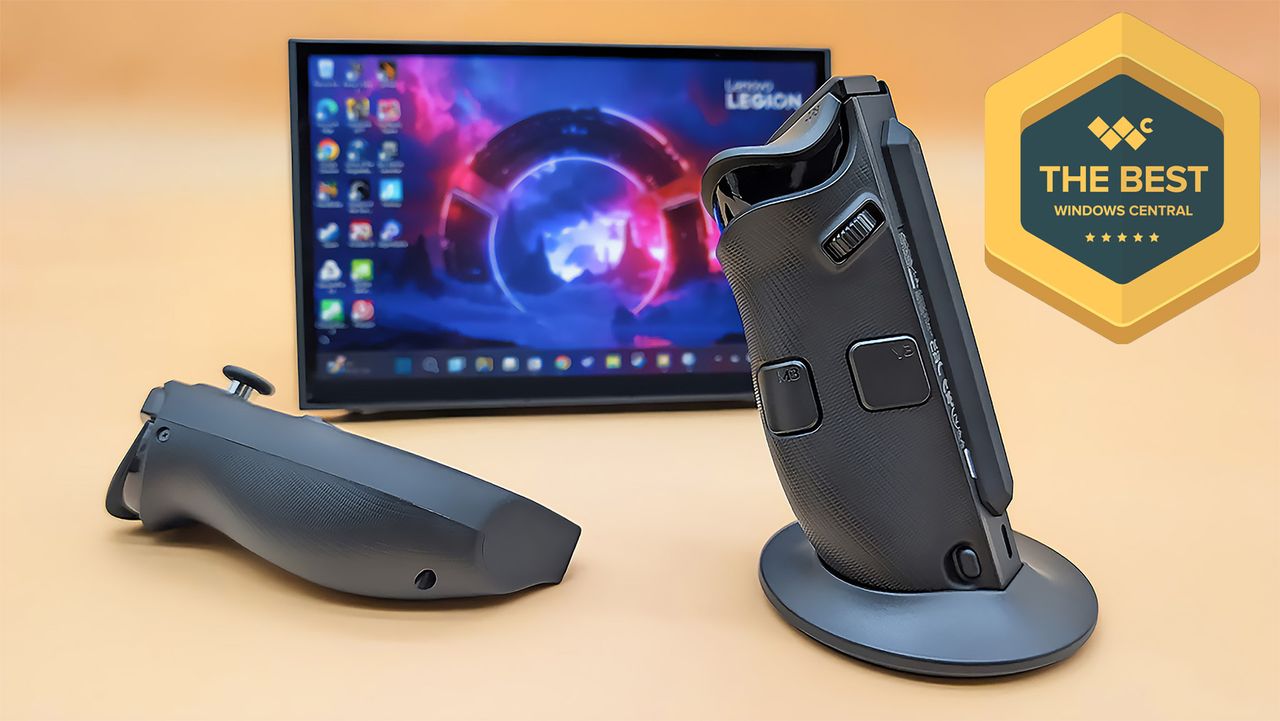
The Legion Go 2 offers several improvements over the original handheld that help make it the most versatile Windows handheld gaming PC to date. Our review.
The Lenovo Legion Go 2 right controller in its FPS mode base with the let controller lying down. The Legion Go 2 is propped up on its kickstand behind them.
Windows 10 support officially ends on October 14, and Lenovo has discounted a wide range of laptop models to help you upgrade to Windows 11. I handpicked the 9 best deals right here.
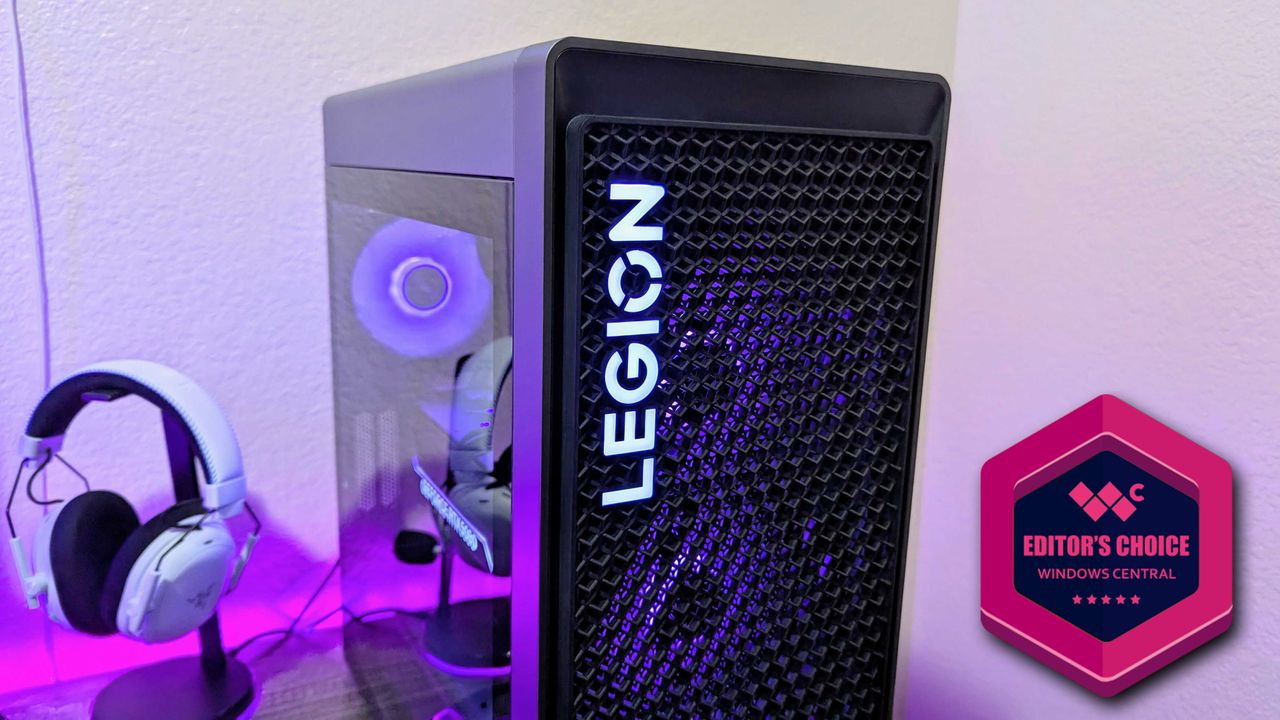
I've been using the Lenovo Legion Tower 7i (Gen 10), and while it isn't a massive departure, it's a better pre-built gaming PC than ever — but it's expensive.
Image of the Lenovo Legion Tower 7i (Gen 10) gaming desktop.
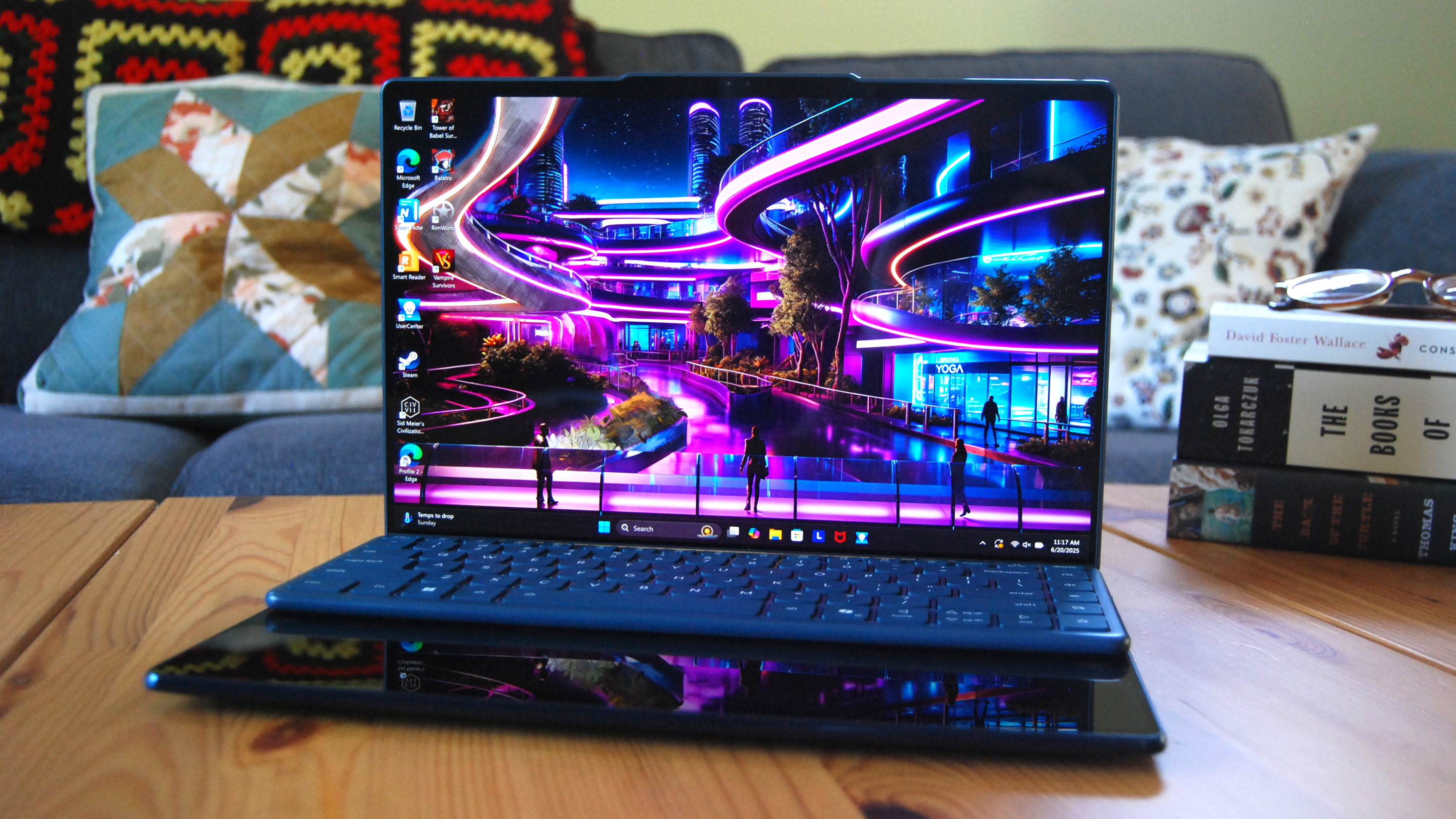
Lenovo's Yoga Book 9i has returned with a tweaked, larger design for its tenth generation, and I've been using it for a month for gaming and work to see what it's like.
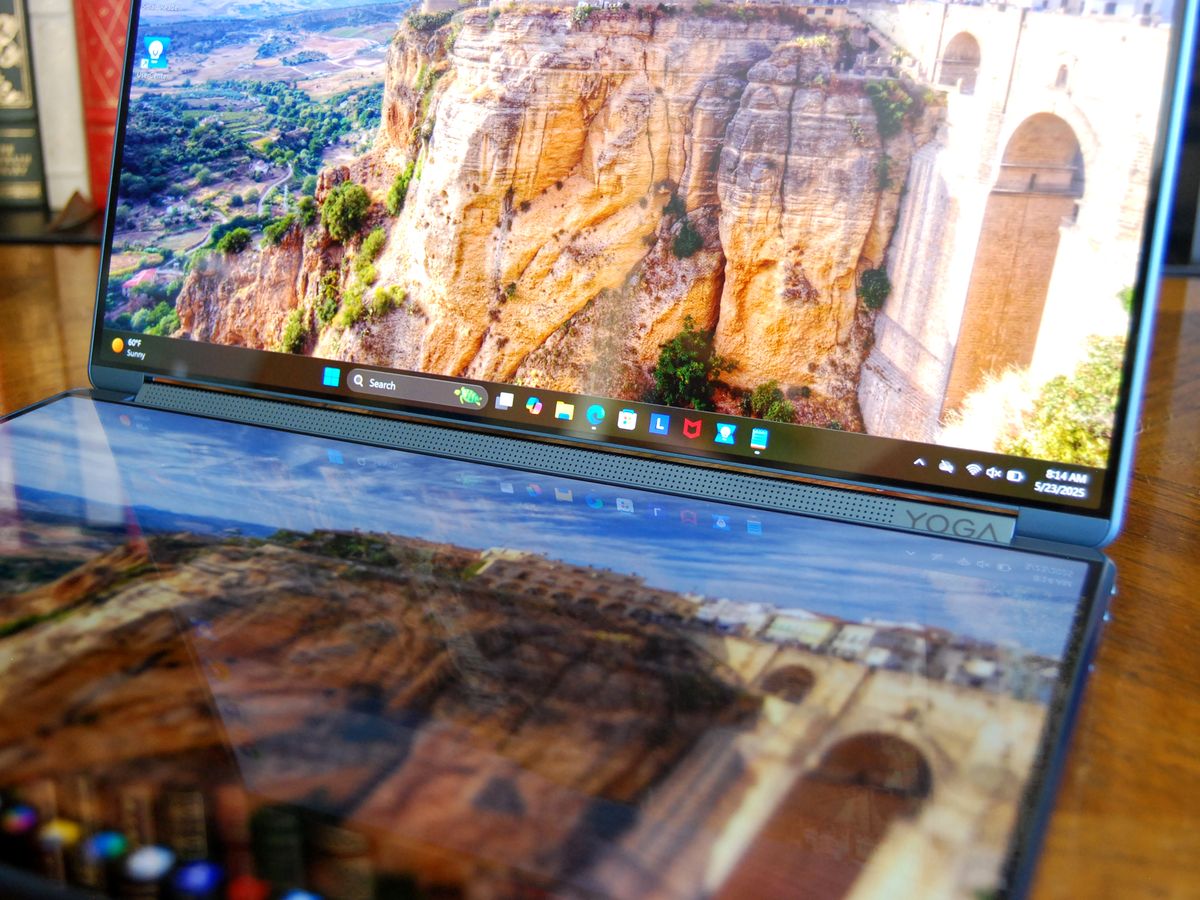
Lenovo's refreshed Yoga Book 9i (Gen 10) just showed up on my doorstep. I'm giving it a full review, but first, a hands-on look at the dual OLED displays.
Lenovo redesigned its flagship Legion Pro 7i gaming laptop for 2025, and I have it in for review. Here are my first impressions after getting my hands on it.
Image of the Lenovo Legion Pro 7i (Gen 10) laptop.
The Lenovo ThinkPad X12 Detachable (Gen 2) is a durable enterprise tablet that offers a good user experience, but it feels a few years behind the competition.
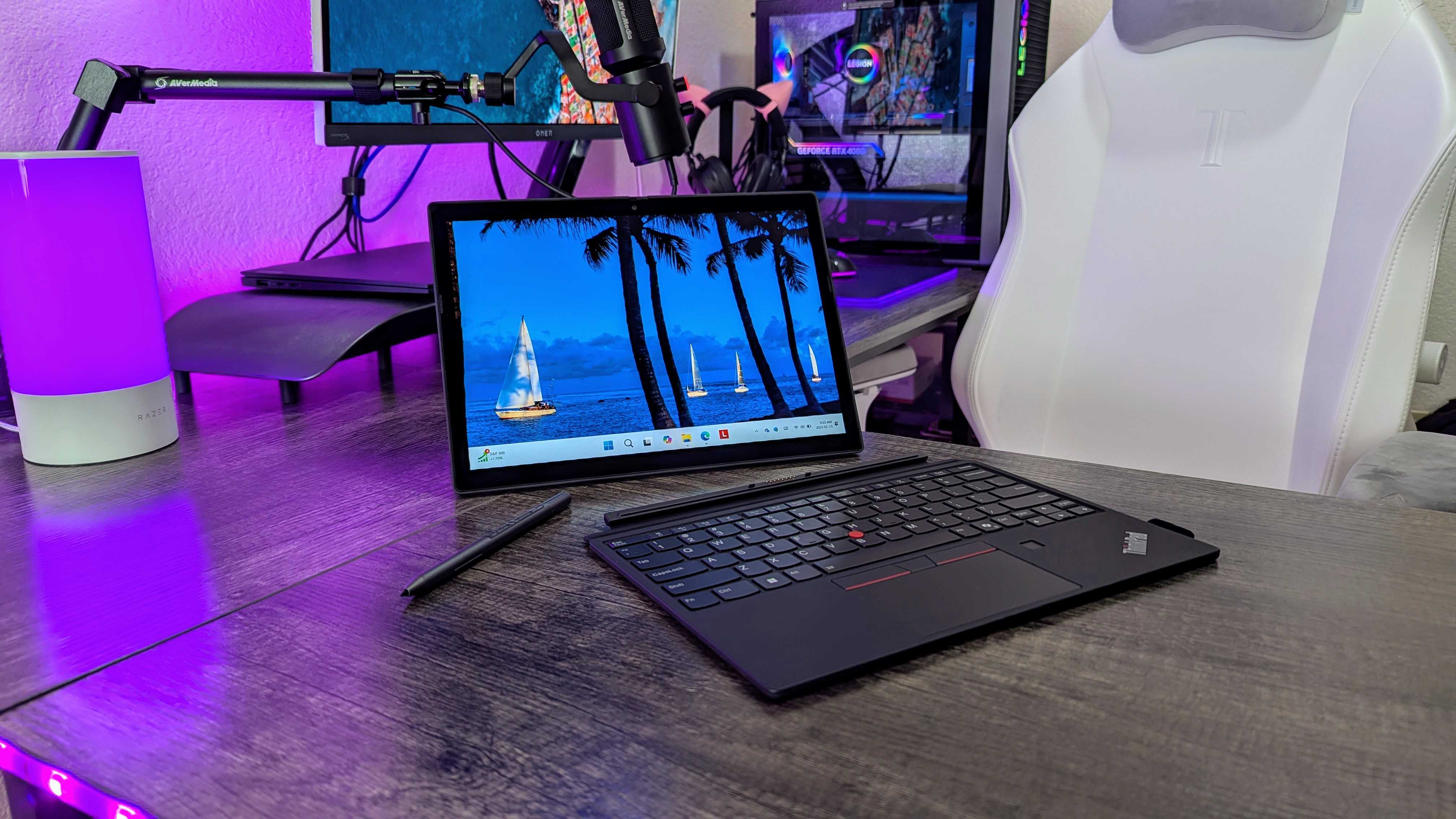
The Lenovo ThinkPad X12 Detachable (Gen 2) on a desk, with its keyboard and stylus detached.

 Connexion