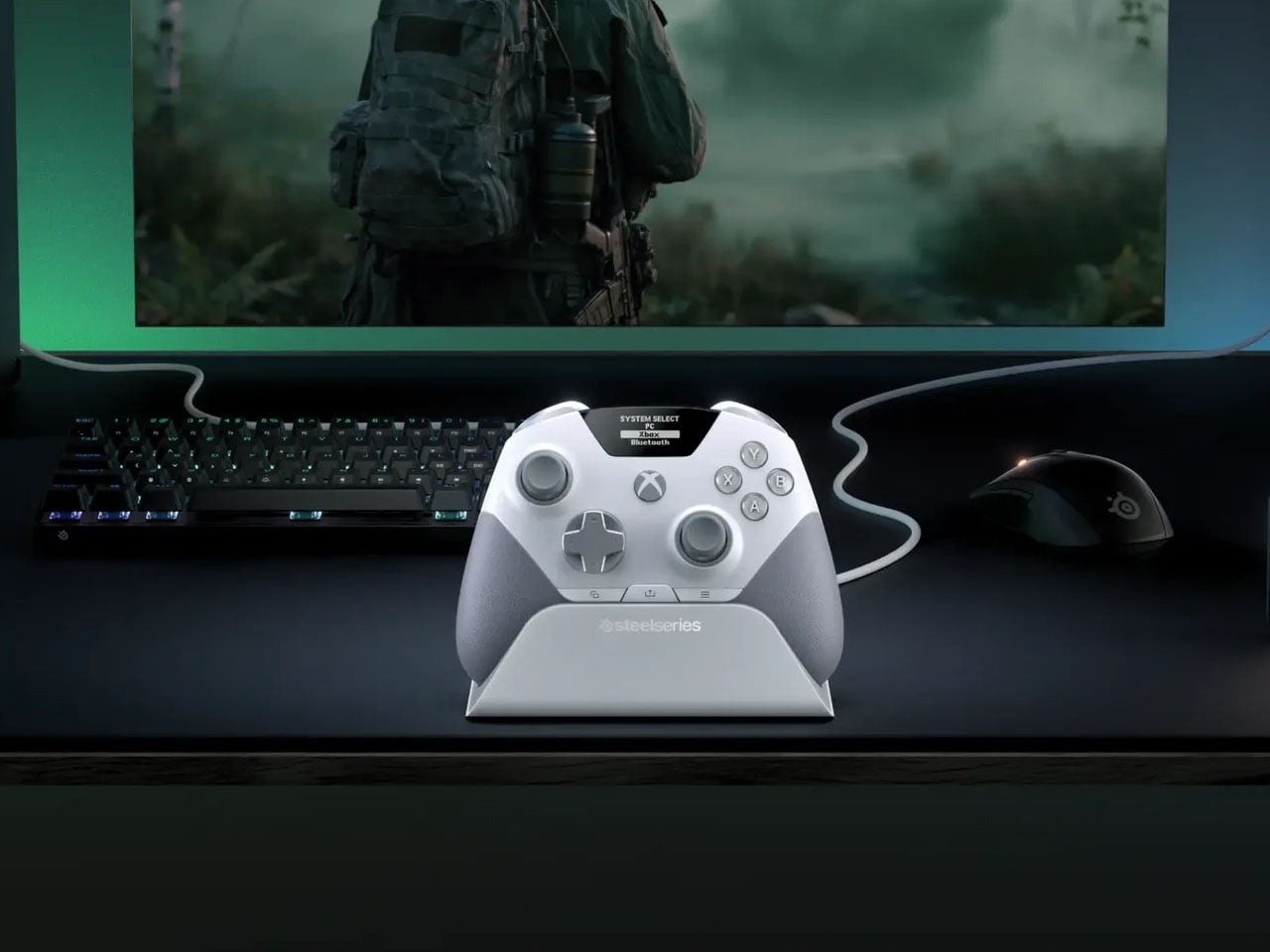
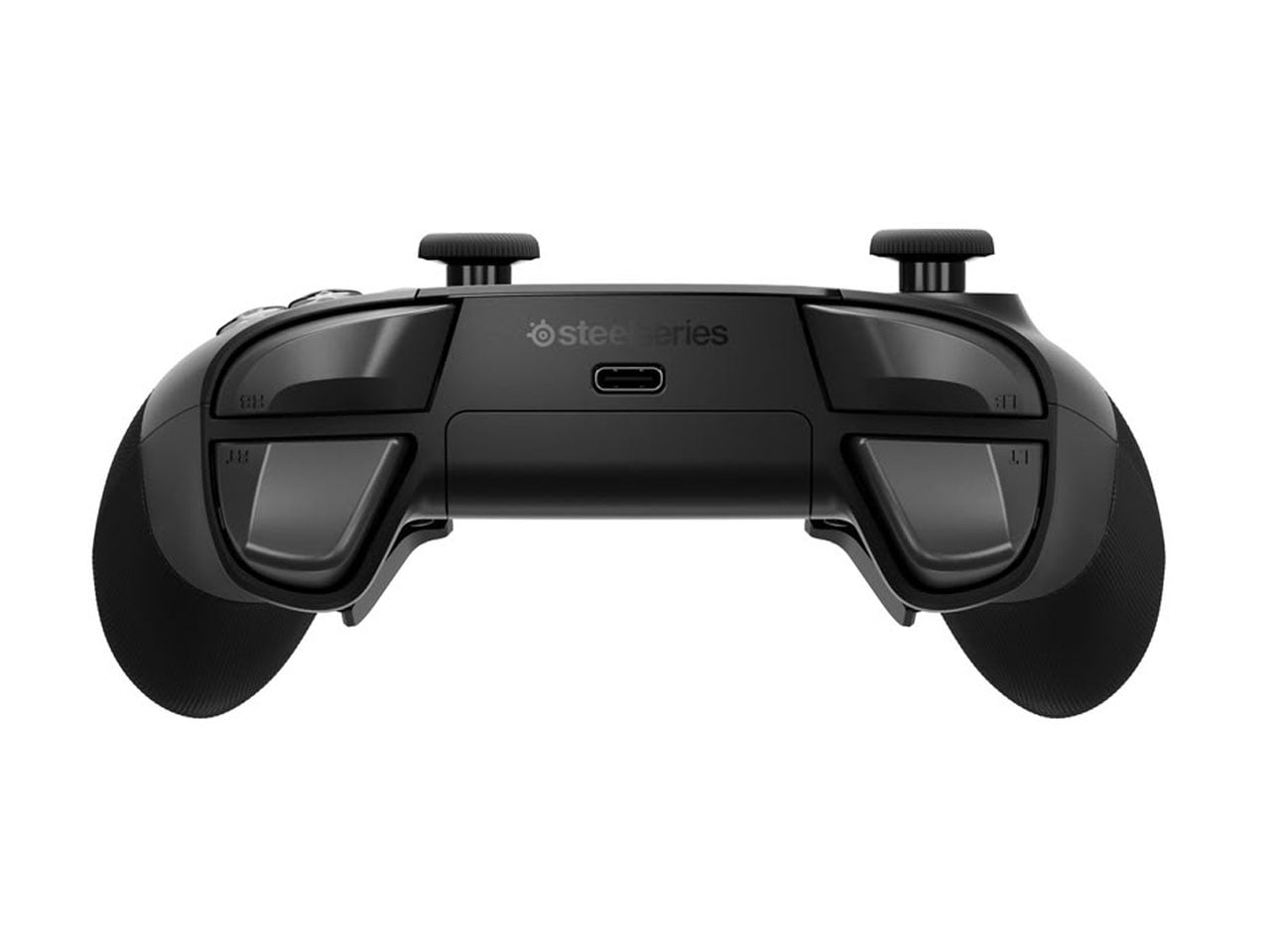
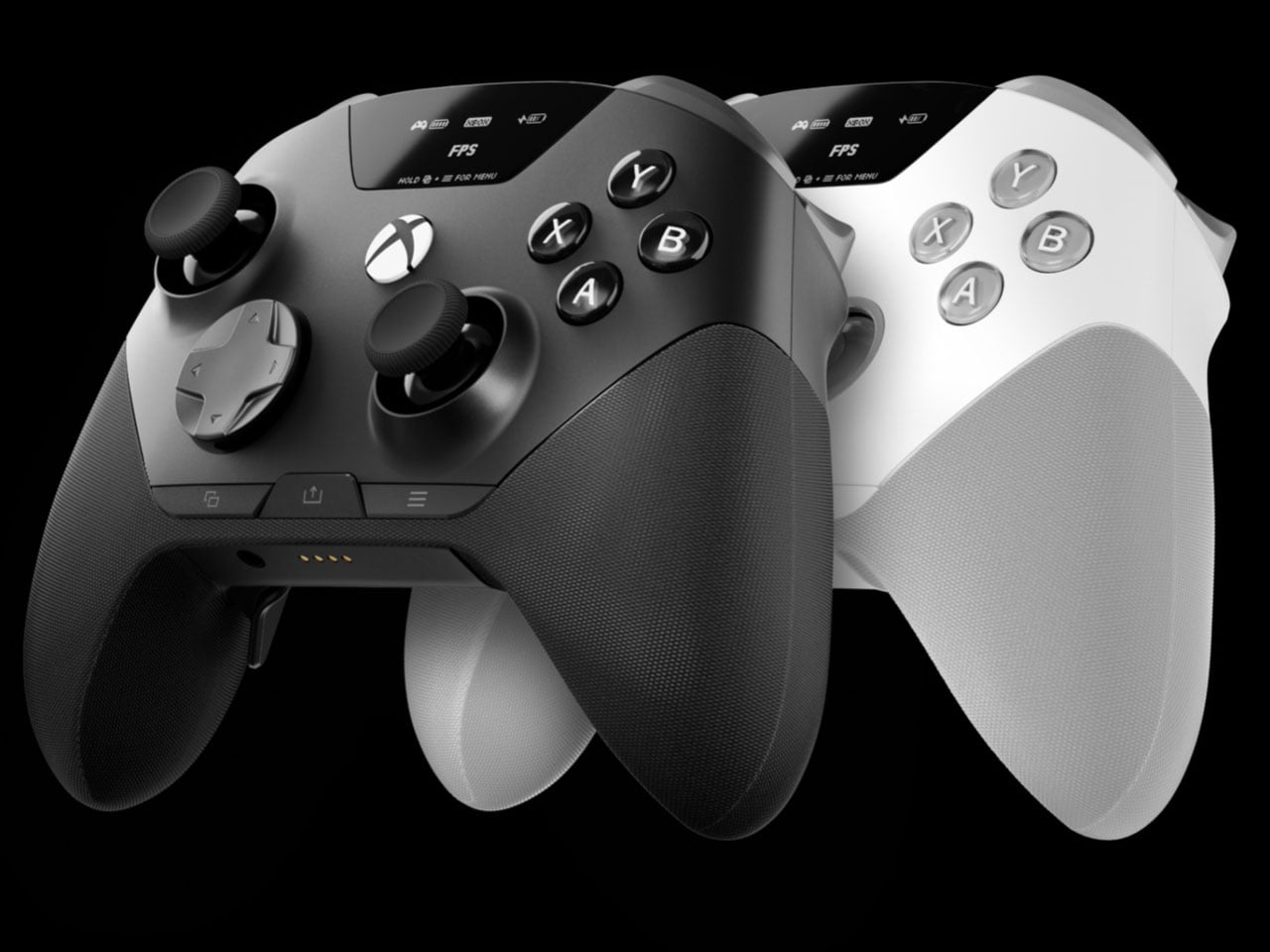
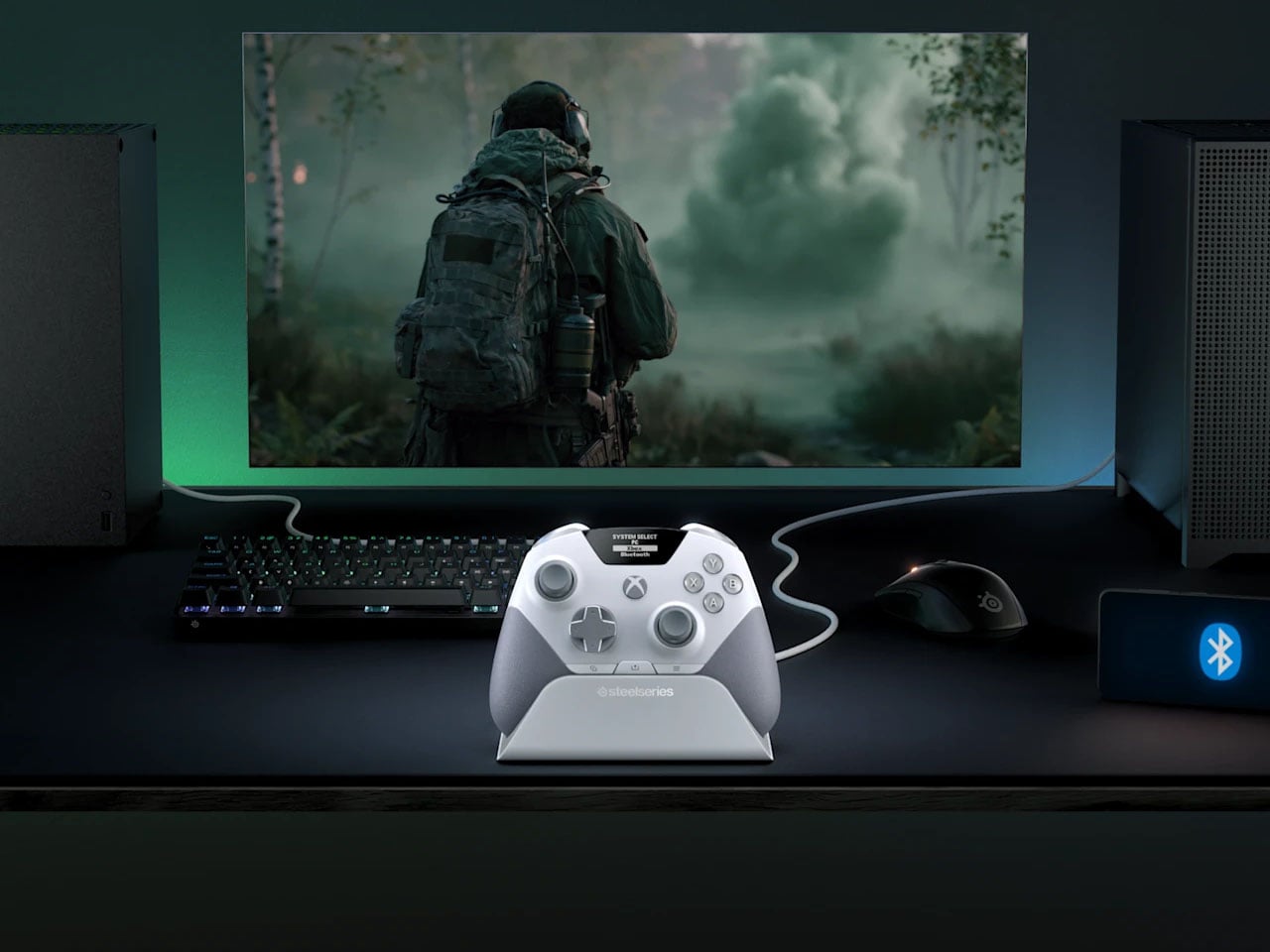
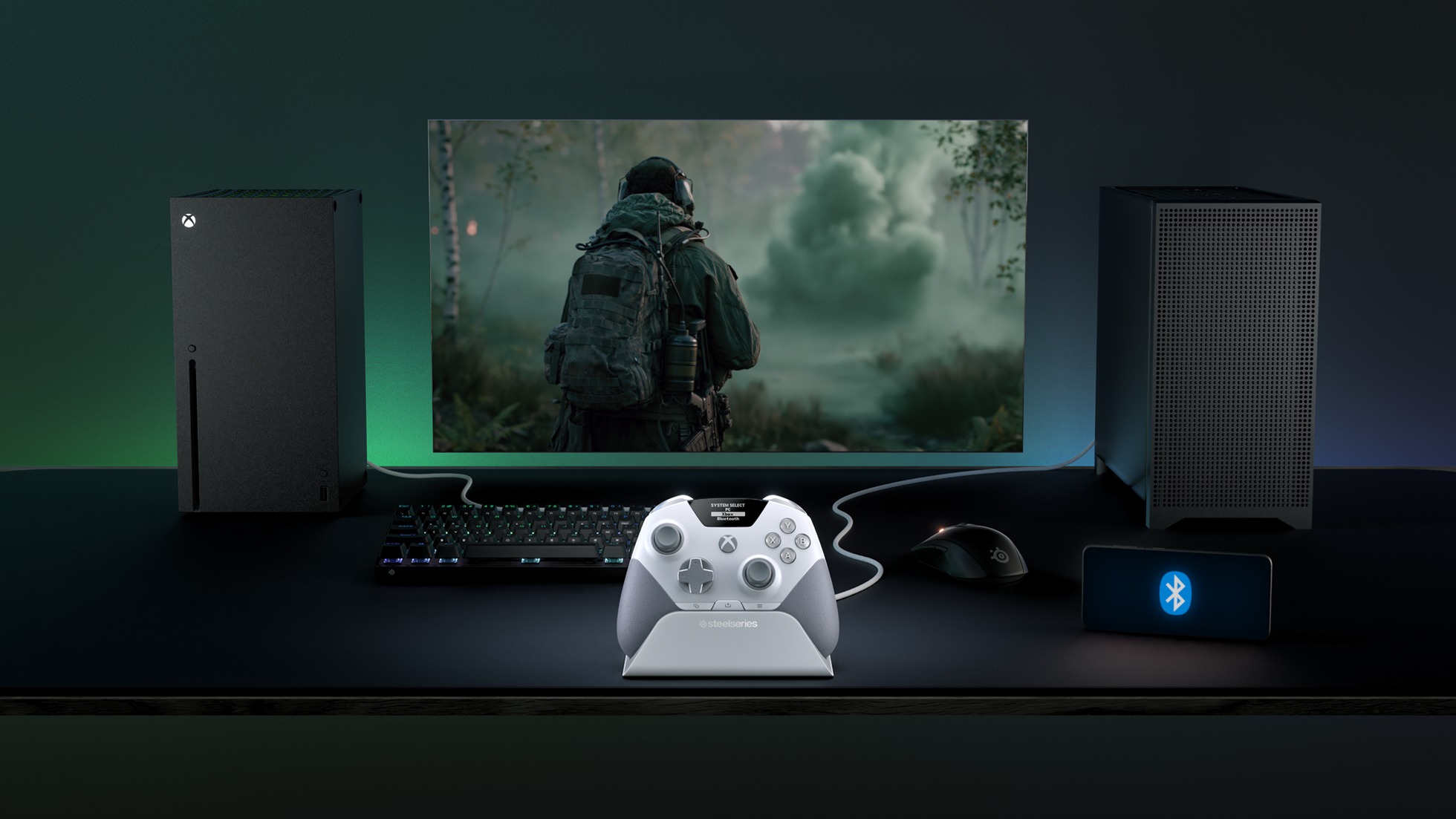
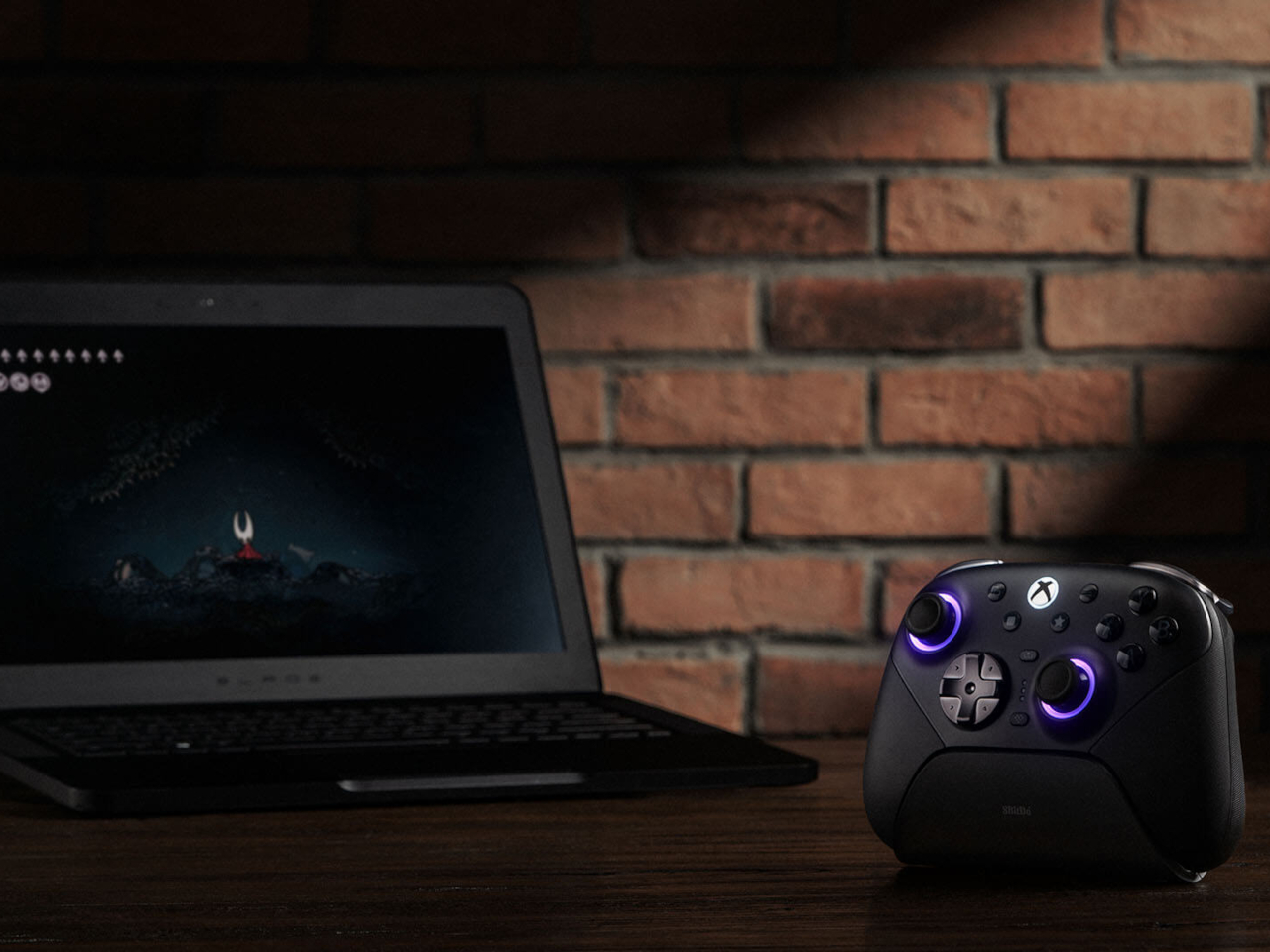
There is something slightly ridiculous about having a PC and an Xbox sitting on the same desk, then needing to re-pair a gaming controller every time you move from one to the other. SteelSeries thinks the controller should simply know where it needs to go. That is the idea behind the Aeon Pro.
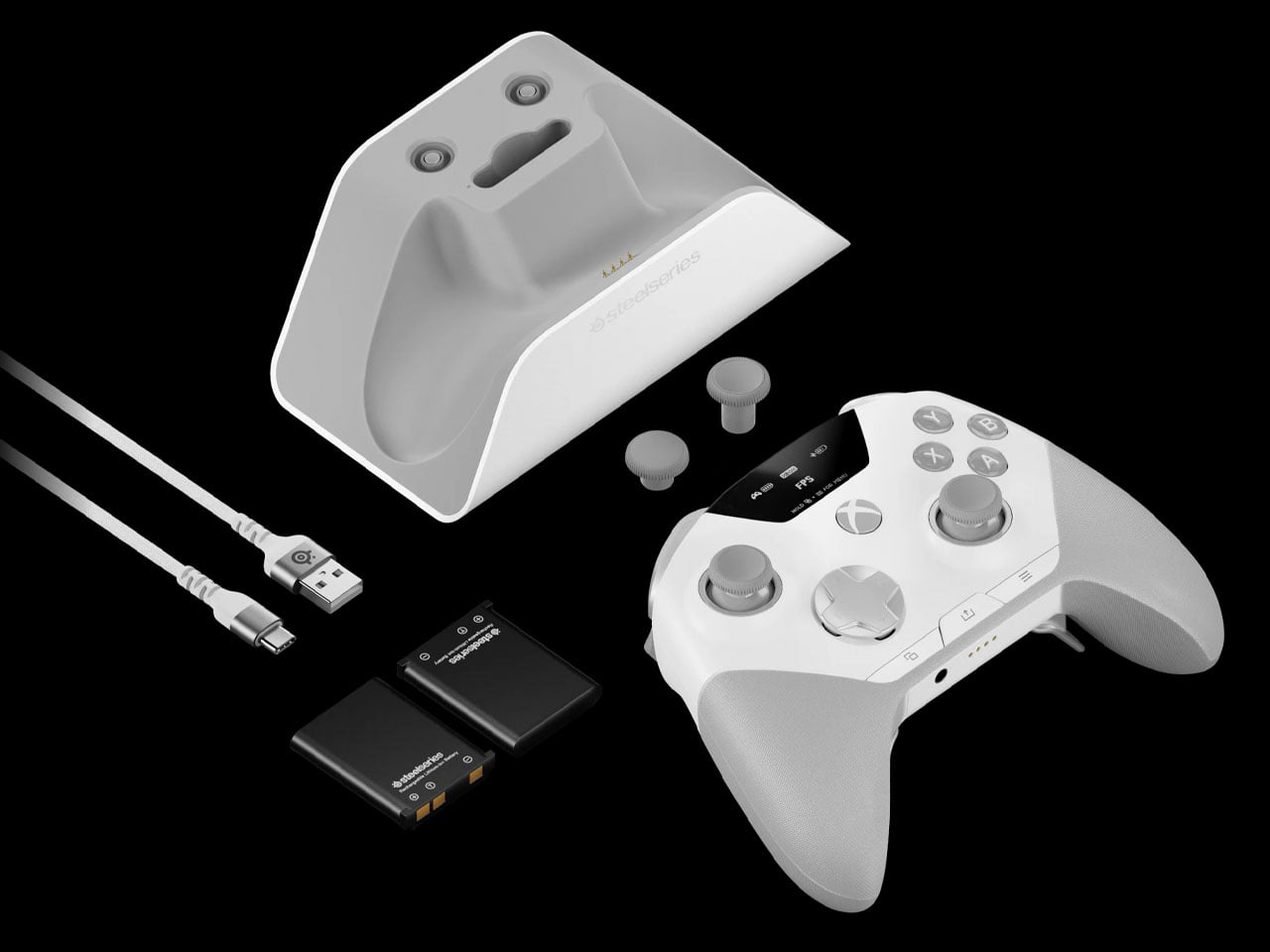
The new wireless gamepad is built around a QuickSwitch Dock that can stay connected to both a PC and an Xbox. Instead of disconnecting one system, pairing with the other, and repeating the process later, the controller can switch between them from the dock. SteelSeries says the system is patent-pending and describes it as the first of its kind for Xbox and PC.
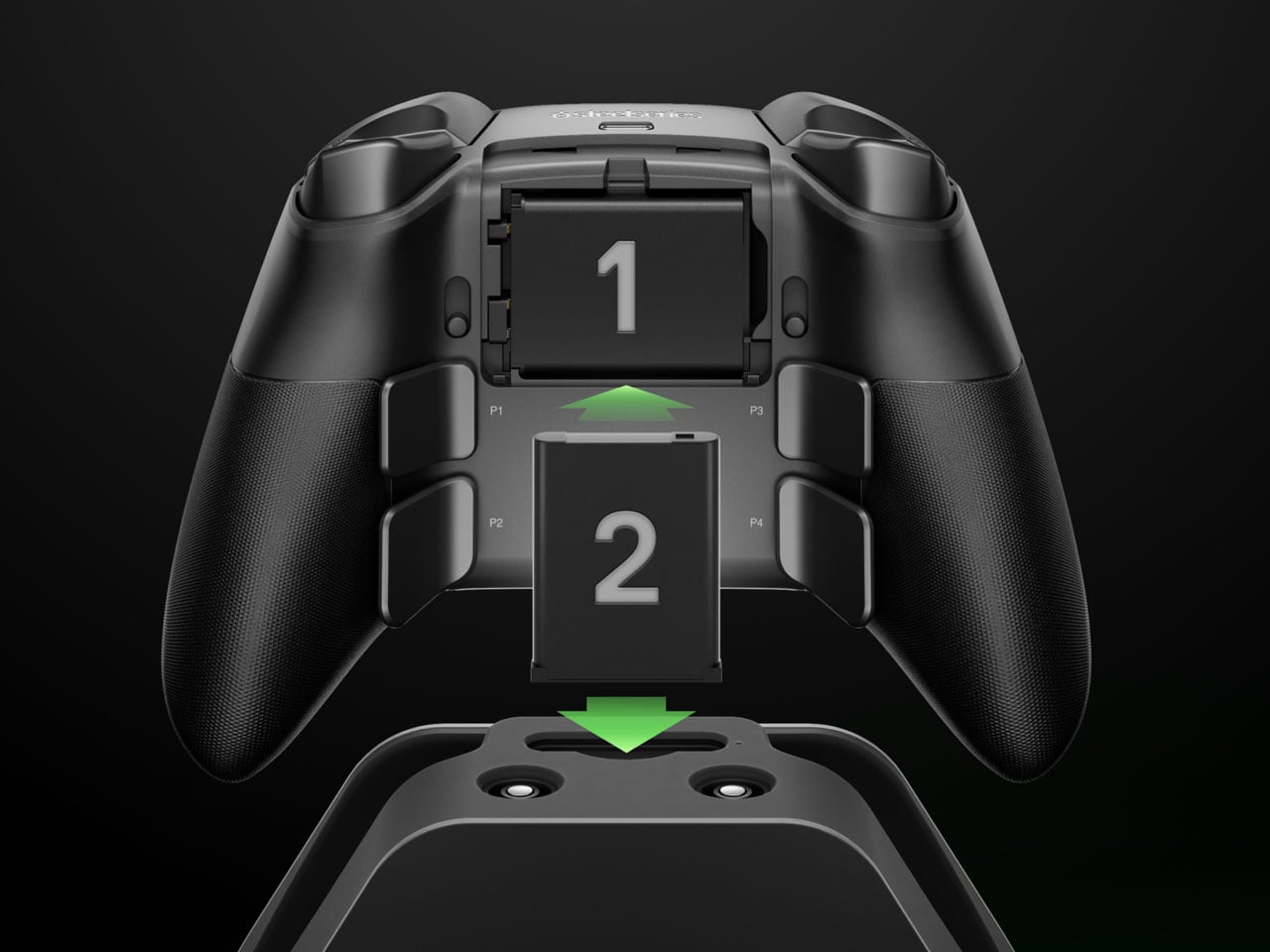
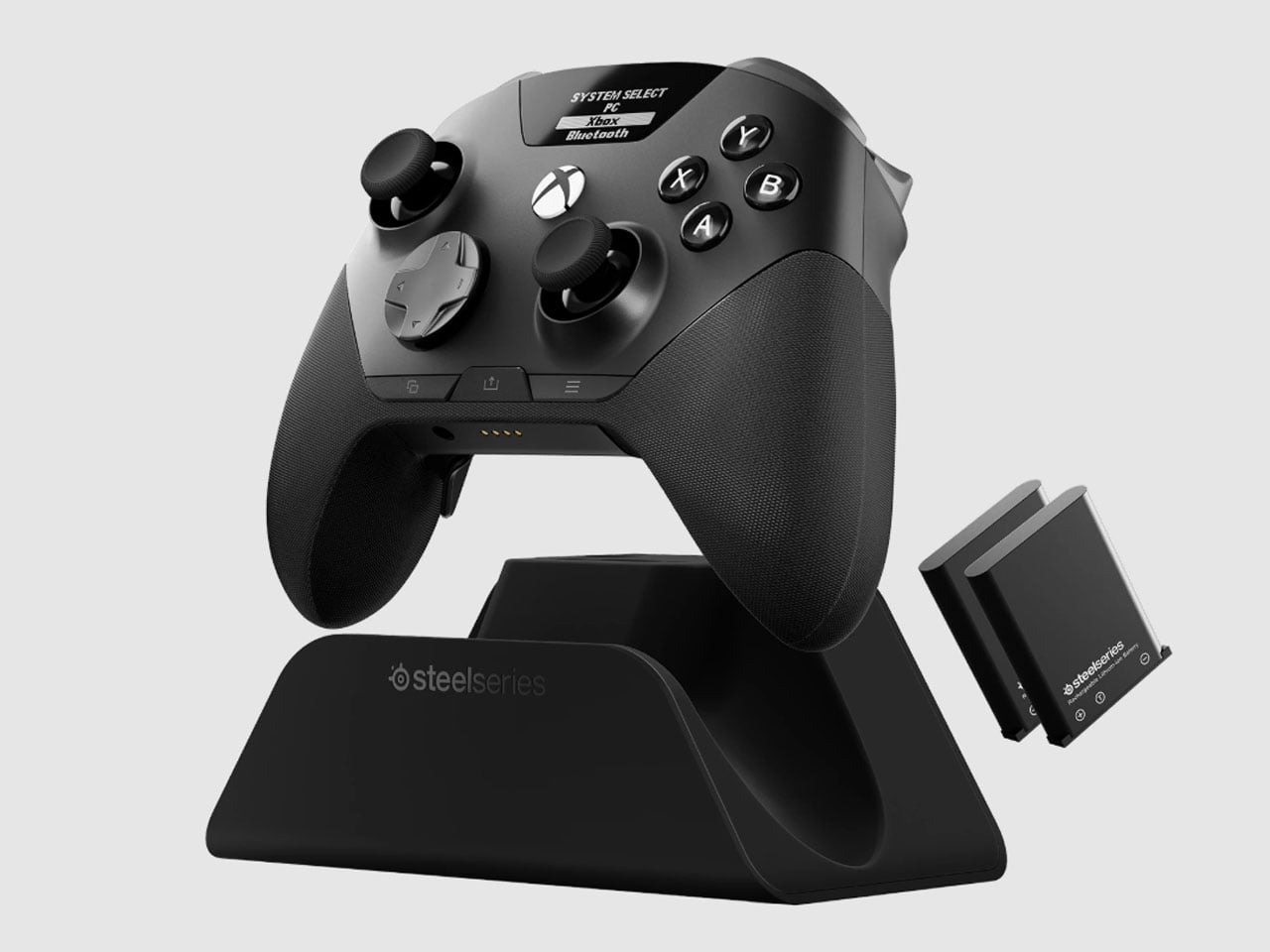
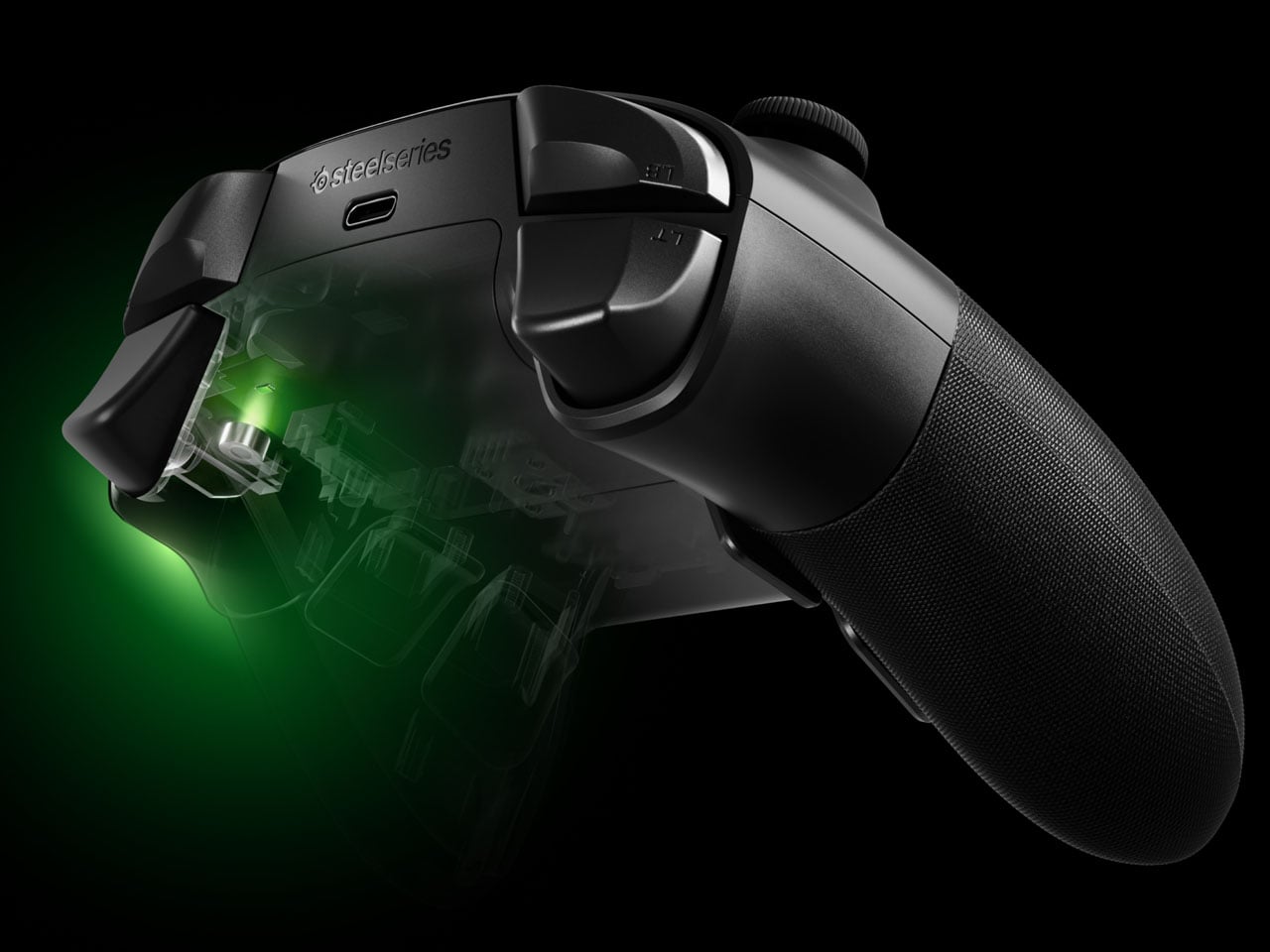
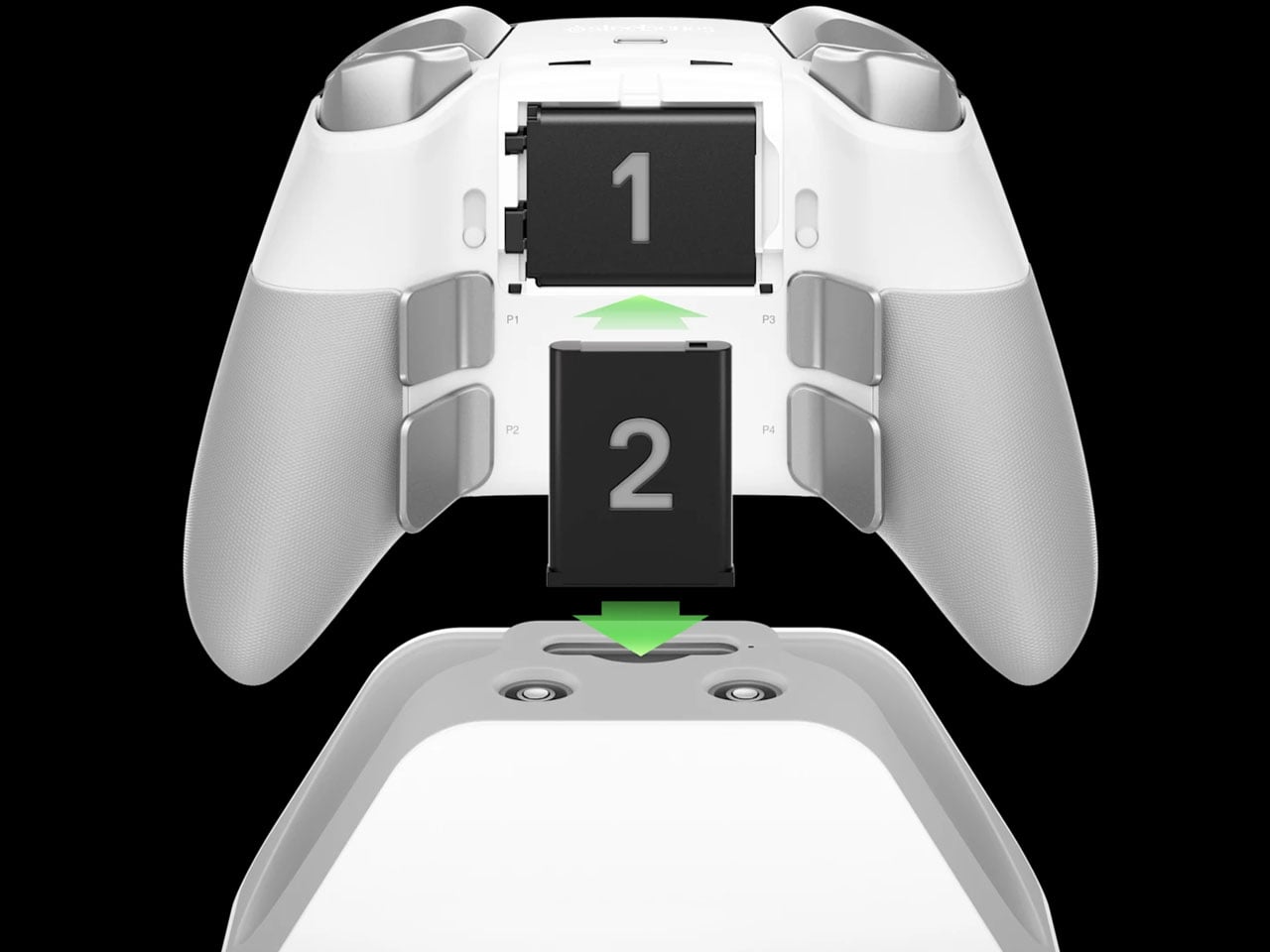
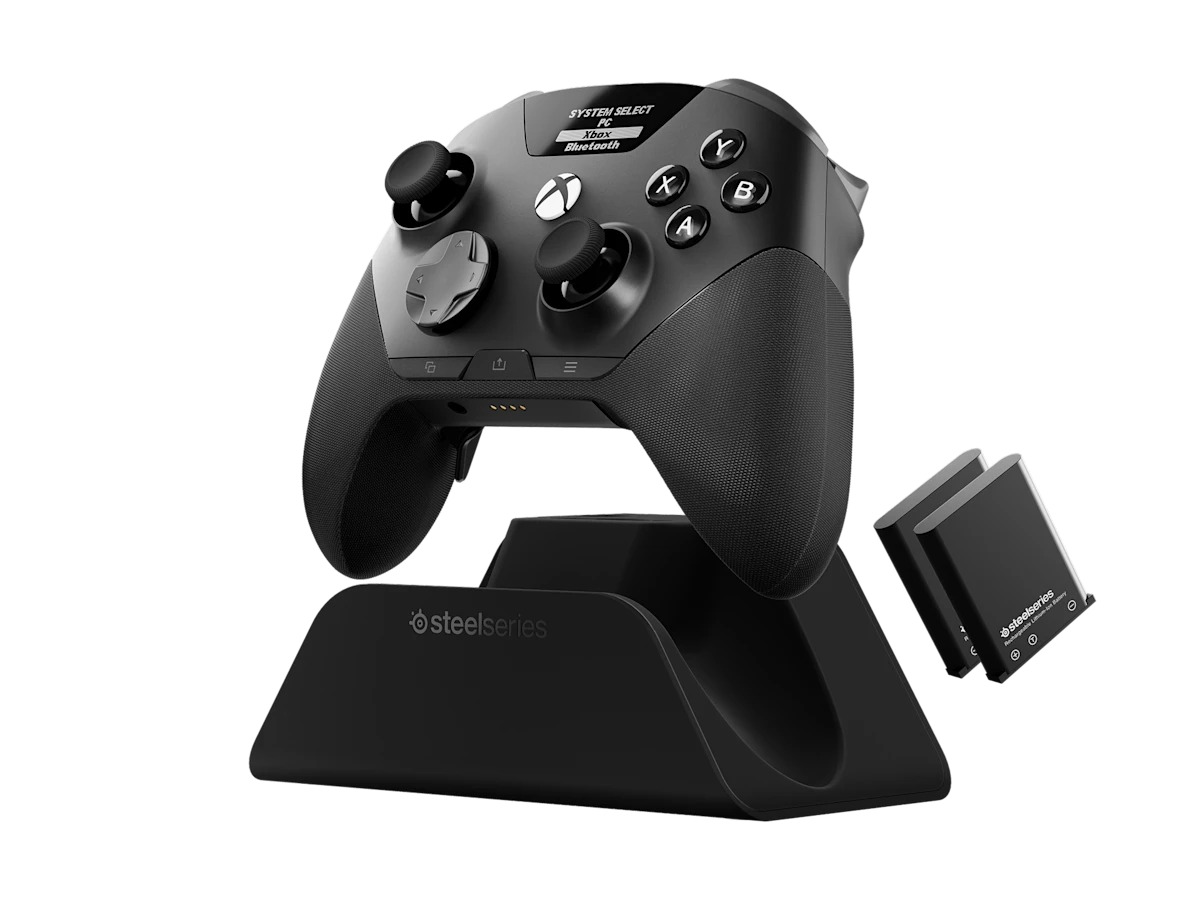
The dock is also where the Aeon Pro gets its other unusual trick. It holds a second battery while the first one is being used in the controller. When that battery runs low, it can be swapped for the charged one rather than plugging the controller into a cable and waiting. The batteries are the same type used in SteelSeries’ Arctis Nova Pro headsets, which makes the system particularly interesting for anyone already invested in that ecosystem. SteelSeries calls this its Infinite Power System. The numbers are up to 25 hours over 2.4GHz wireless or 28 hours over Bluetooth, although those figures account for the combined use of the two batteries rather than one battery lasting that long on its own. The Aeon Pro can also connect through USB-C and Bluetooth, and supports mobile devices alongside Xbox and PC.
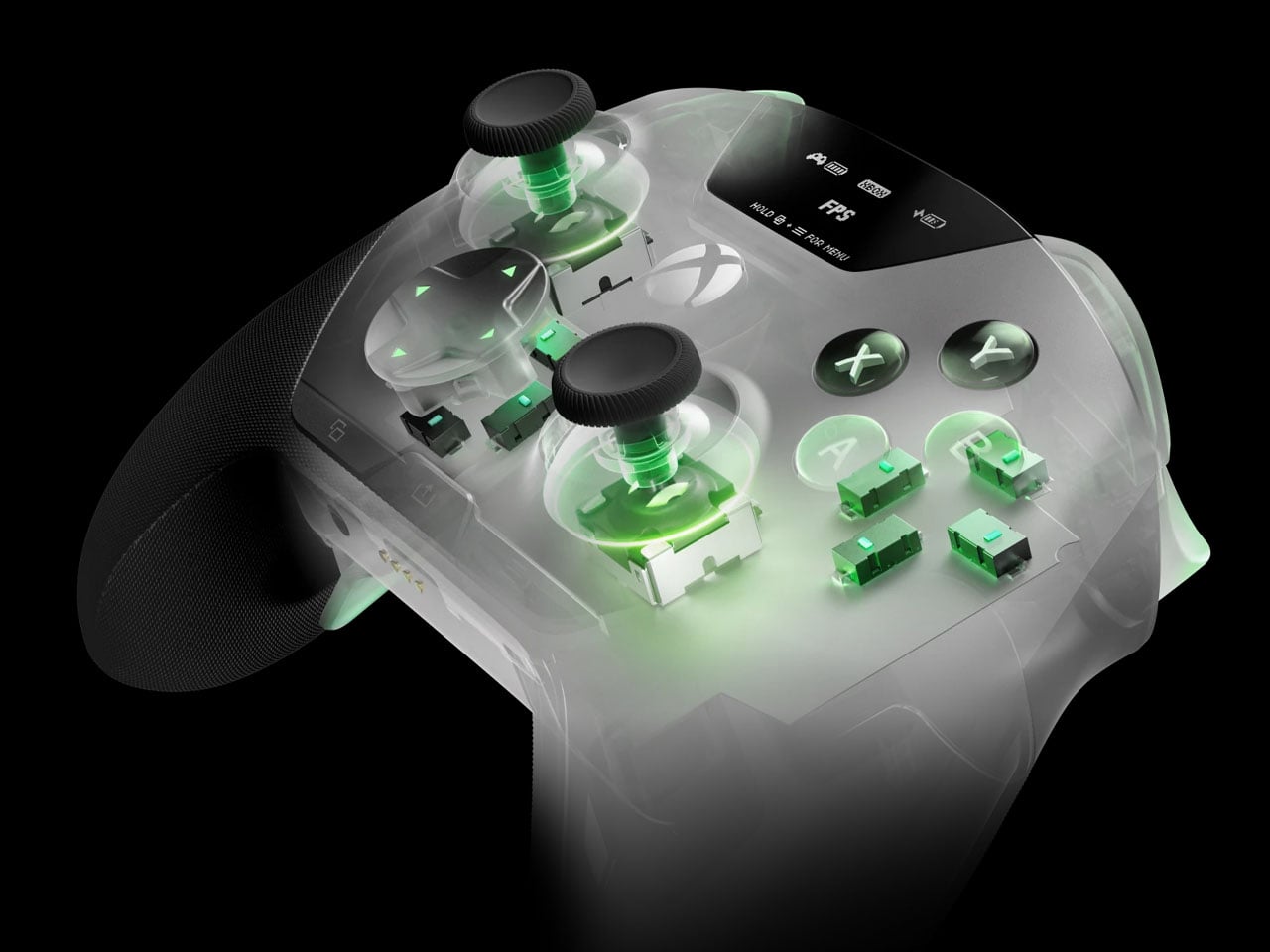
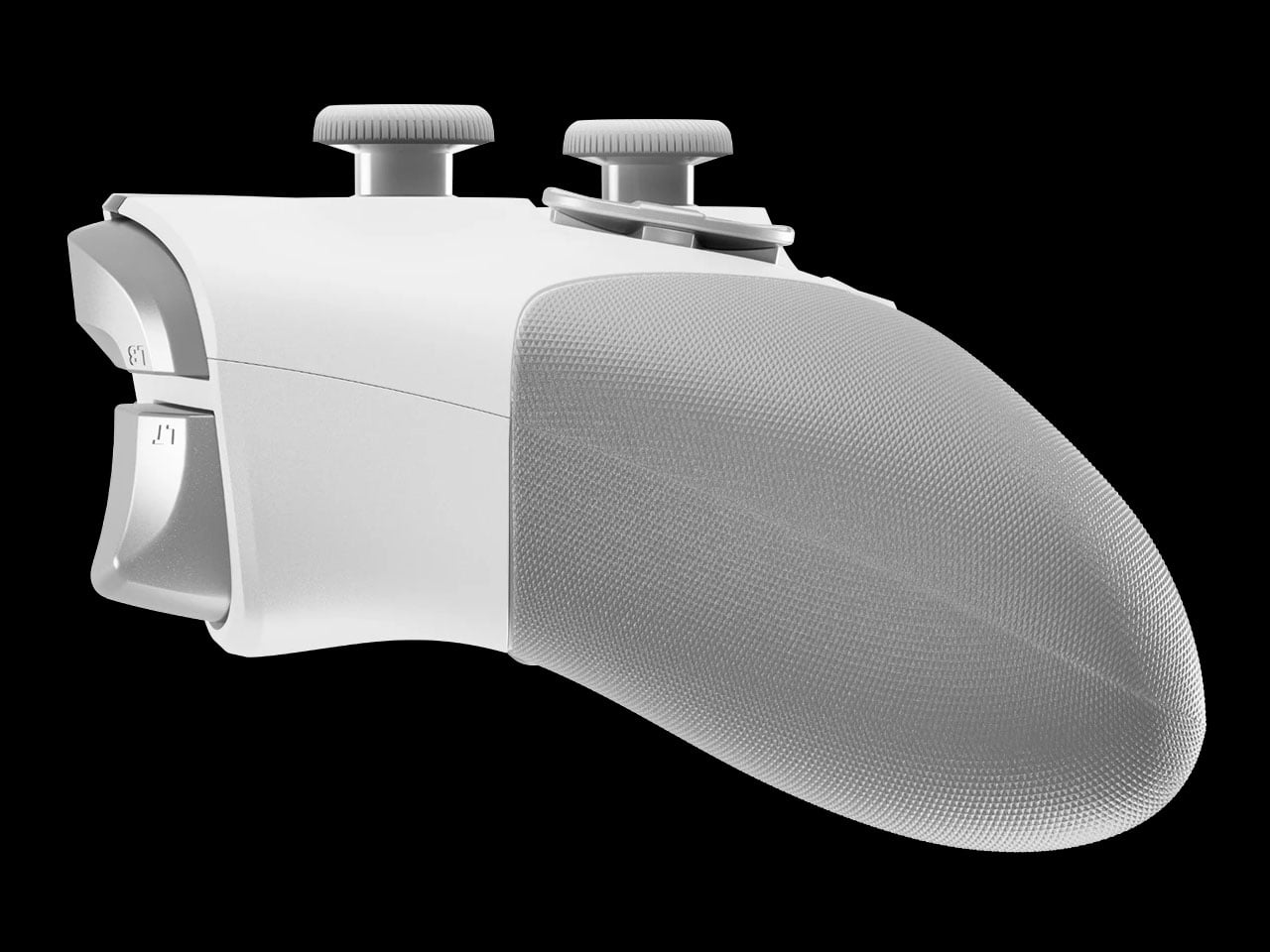
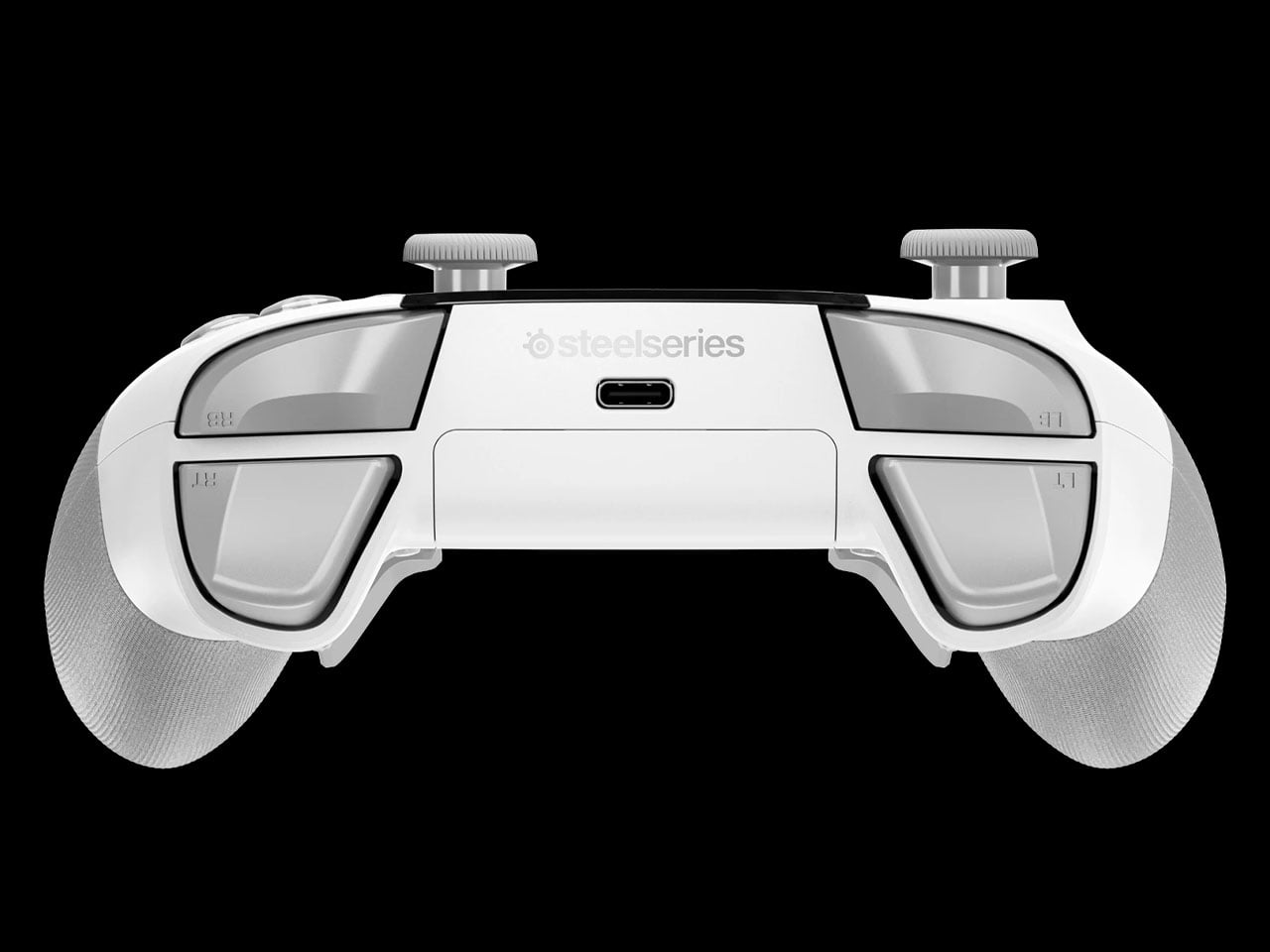
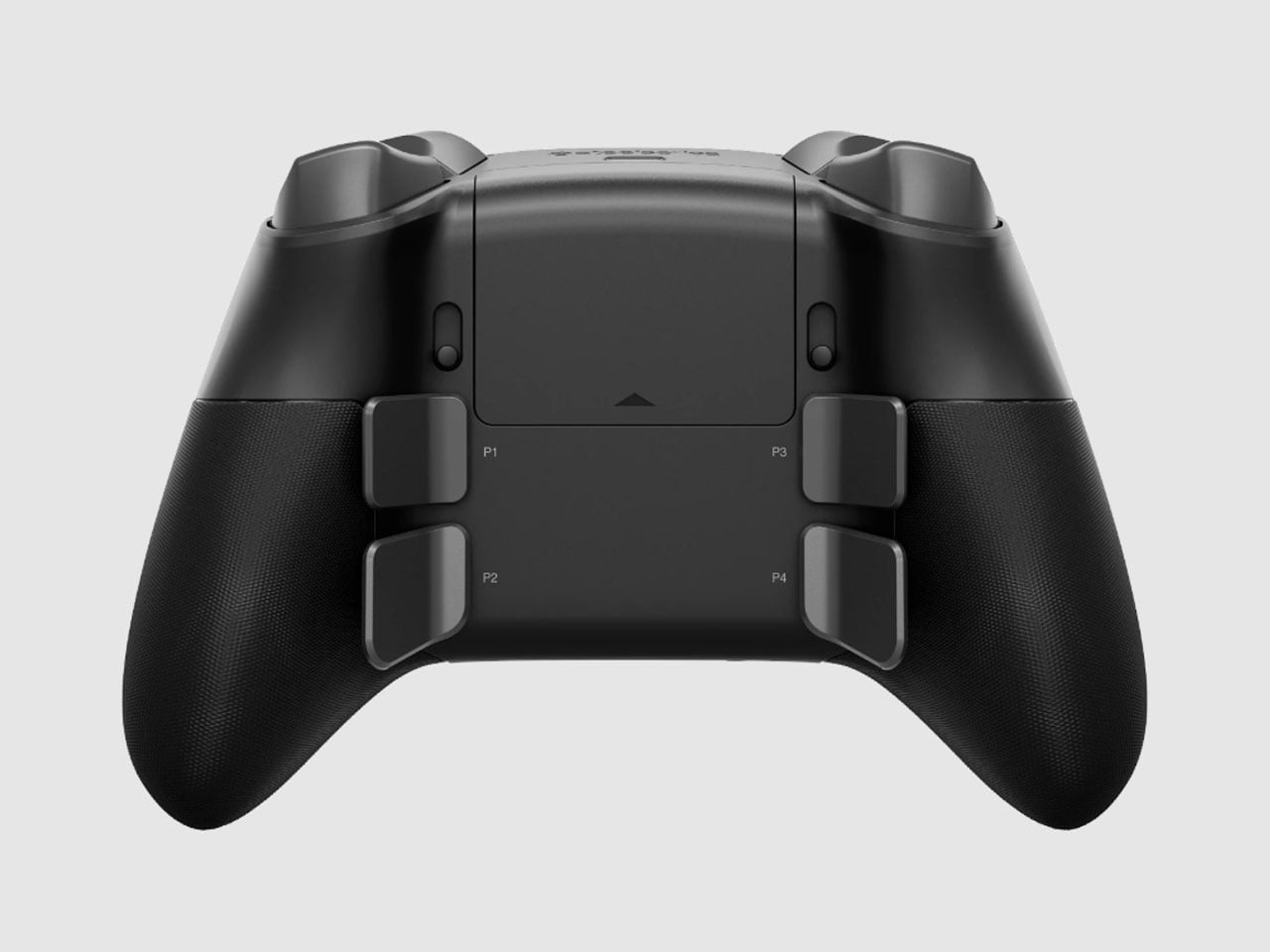
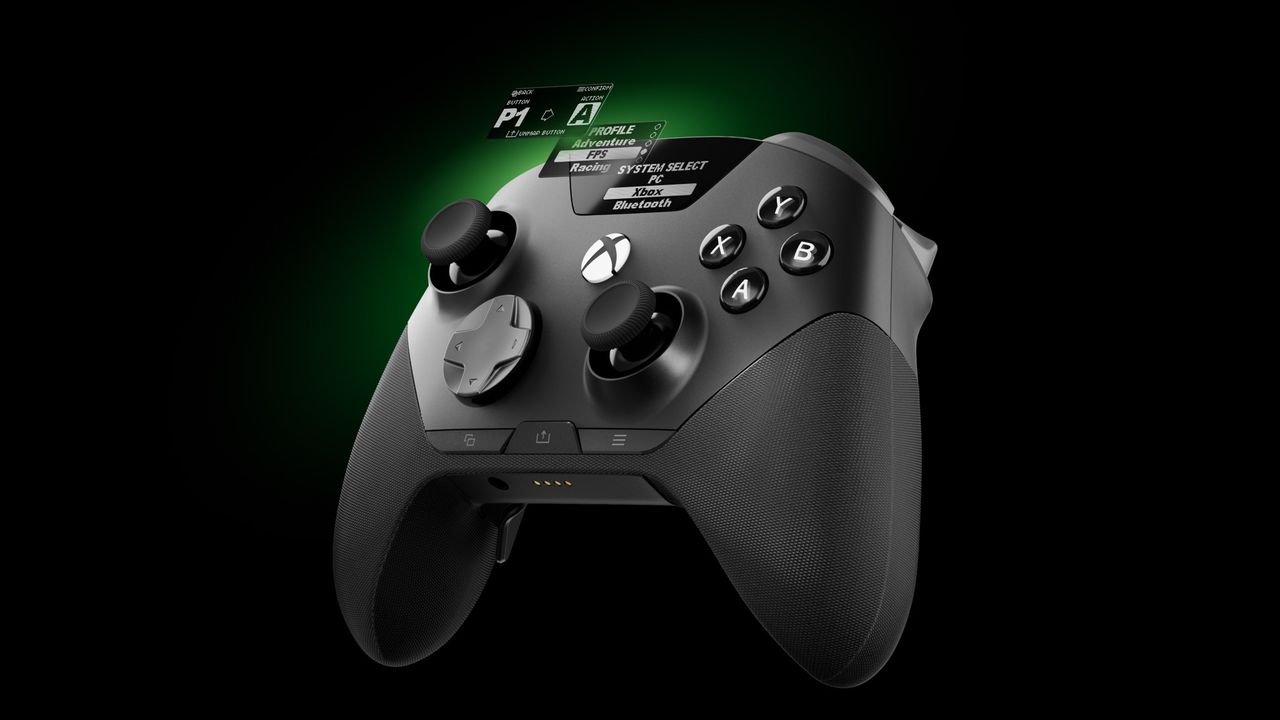
The controller itself follows the now-familiar premium gamepad formula, but pushes it fairly far. Its thumbsticks use Hall-effect sensors, while the triggers can switch between full travel and a shorter hair-trigger setting. There are 18 mechanical switches across the controller and four programmable rear paddles, giving players plenty of ways to alter how they interact with a game. SteelSeries has also avoided burying every adjustment inside an app. A small OLED display built into the controller can show the active device, battery status, and profiles, while letting users remap controls and change settings directly.
PC players can go deeper through SteelSeries GG, including trigger and button configuration, rumble adjustments, and software profiles. Then there are the smaller touches. The thumbsticks are interchangeable, with different shapes and heights supplied in the box, and the spare pieces can be stored in the dock. A textured grip runs around the controller, while its 310-gram weight makes it considerably heavier than a standard Xbox controller, though still lighter than Microsoft’s Elite model.
The catch is the $259.99 price tag. The Aeon Pro costs more than most premium gamepads, including Microsoft’s own Elite-class controller in many markets. That makes the QuickSwitch dock and battery system more than clever conveniences. They are the features that need to justify why this particular controller deserves a permanent spot on a gaming desk.
Gone are the days when you have to stay inside a cubicle the entire day just to get your work done. A lot of jobs now give people the freedom to work wherever they want, setting up a mini mobile office at a café, in the park, or in the middle of the airport. The challenge for those lucky enough to have that kind of job is lugging around all their so-called tools of the trade.
U Space is one of those things you can use to set up a temporary office wherever you need to work. It’s a Swiss-designed laptop bag also inspired by the Japanese art of origami. It doesn’t just serve as storage while you’re walking around; it transforms into a mini workspace the moment you unfold it.
U Space is a “bag that becomes a desk,” and it lets you work in places where it can otherwise be hard to set up office. Even though it’s inspired by origami, it isn’t nearly as complicated as the Japanese art can be. In just one flip-and-fold motion, it unfolds into a flat working surface, making it far more convenient to work on your laptop or notebook while sitting on a chair, at a café table, on a park bench, or even on your lap if there’s nowhere else to work.
When it’s not doubling as your mobile desk, U Space is a multi-mode bag you can wear as a briefcase, messenger bag, or backpack. It’s versatile enough to carry with you whether you’re commuting, walking, or getting around any other way. It also has a three-layer magnet system, so you can quickly grab items like your phone, cables, or pens without digging through the whole bag or even unzipping it.
The bag can carry around 44 pounds (20 kilograms) of gear securely and is built using sustainable, durable materials. It’s available in finishes like Oak Beige, Ebony Black, Sumac Kaki, and Beech Grey, but it can also be customized with different colors and artwork. U Space also comes in a few different sizes, so there’s a version to fit whatever device you’re carrying, whether that’s a compact tablet or a full-size 16-inch laptop.
How does U Space measure up against the competition? Compared to established names like Peak Design, known for its modular Everyday Backpack lineup and its own magnetic accessory system, U Space is playing in a similar space of minimalist design and thoughtful organization. Peak Design has built a loyal following among photographers and digital nomads for how well-organized its bags are, but at the end of the day, even its most versatile bags are still just really good bags. U Space, on the other hand, pushes the idea further by literally changing what a bag can be. Rather than just holding your gear more efficiently, it unfolds into a physical work surface, something you won’t find in mainstream backpack brands. That single feature is what sets U Space apart in a crowded market of laptop bags competing mostly on pockets, zippers, and padding.
At a time when more people are trading their desks for whatever surface is available, U Space offers a genuinely useful solution instead of just another bag with a fresh coat of paint. It’s the kind of product that quietly earns its price by solving a problem you didn’t realize had such a simple fix: not having anywhere to actually put your laptop down. Whether you’re a freelancer bouncing between coffee shops, a student who needs a stable surface between classes, or a frequent traveler tired of balancing a laptop on your knees at the gate, U Space is built with that lifestyle in mind. It’s proof that good design isn’t always about adding more features; sometimes it’s about rethinking the object itself. For anyone whose “office” changes location every day, U Space might be the one accessory that finally keeps up.
SteelSeries, one of the world's leading brands for making the best Xbox accessories, has recently unveiled its latest creation – the SteelSeries Aeon Pro Controller.
This device features the world's first QuickSwitch Dock System for Xbox, PC, and Mobile devices(Patent Pending), which allows you to switch the controller's connection between platforms without the need for cables or re-pairing wireless connections.
The SteelSeries Aeon Pro Controller also includes an Infinite Power System with dual hot-swappable batteries, so you never have to worry about losing power while gaming.
On top of that, the SteelSeries Aeon Pro Controller has fast and precise controls thanks to its first-rate triggers, mechanical switch buttons, and Hall Effect Thumbsticks, all of which can be customized, and their changes saved on user-made profiles using the controller's Onboard OLED Screen.
The SteelSeries Aeon Pro controller can swap connections between Xbox and PC without any fussing about disconnecting and reconnection cables or wireless pairings. (Image credit: SteelSeries)
Its features don't stop there, as the SteelSeries Aeon Pro has a Modular Stick Systemthat lets you swap out thumbsticks (with standard concave, tall concave, and short convex options), extra remappable Contoured Back Buttons, and a Wrap-Around Textured Grip to make it easier to hold.
Finally, this controller is compatible with the SteelSeries GG Software Suite app so you can customize every aspect of it, including its button and trigger inputs, rumble sensitivity, custom GG and Sonar integrations, and power settings on PC.
The SteelSeries Aeon Pro is now available (in black or white) at SteelSeries.com and select retailers worldwide for $259.99 | £229.99 | €259.99.
It's a very sleek Xbox controller rife with features to make your gaming life easier, but does its quality match up to its high listing price? Stay tuned to find out, as we're hoping to review it soon and let you know if the StreelSeries Aeon Pro is actually good and worth your money.
Stay connected with your Xbox and PC games at all times without re-pairing or reconnecting cables with the new SteelSeries Aeon Pro controller.
This controller will meet your gaming needs with its unlimited battery life, OLED Smart Display, Hall Effect Thumbsticks, and vast customization options through the SteelSeries GG software app.View Deal
Join us on Reddit at r/WindowsCentral to share your insights and discuss our latest news, reviews, and more.
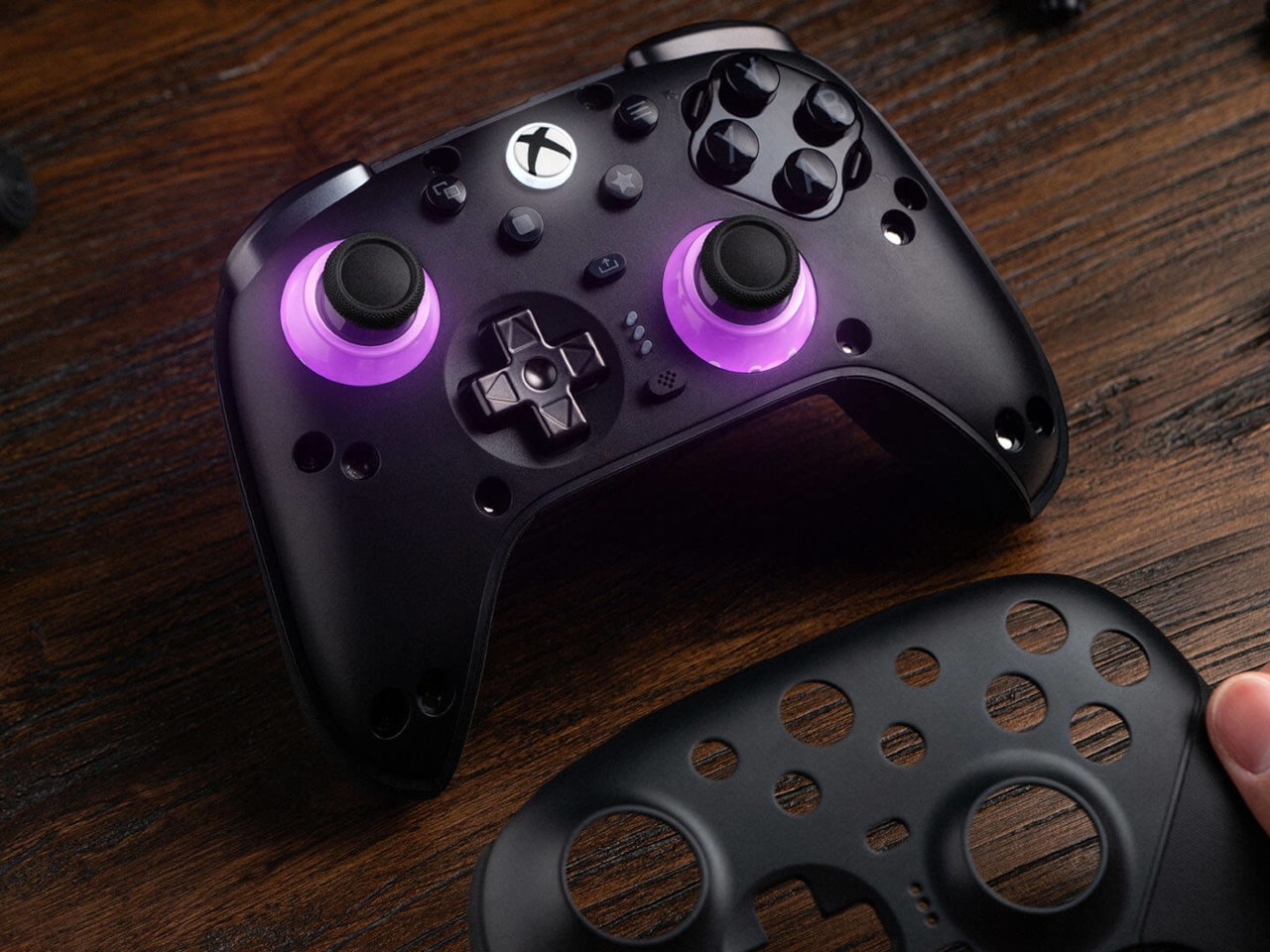
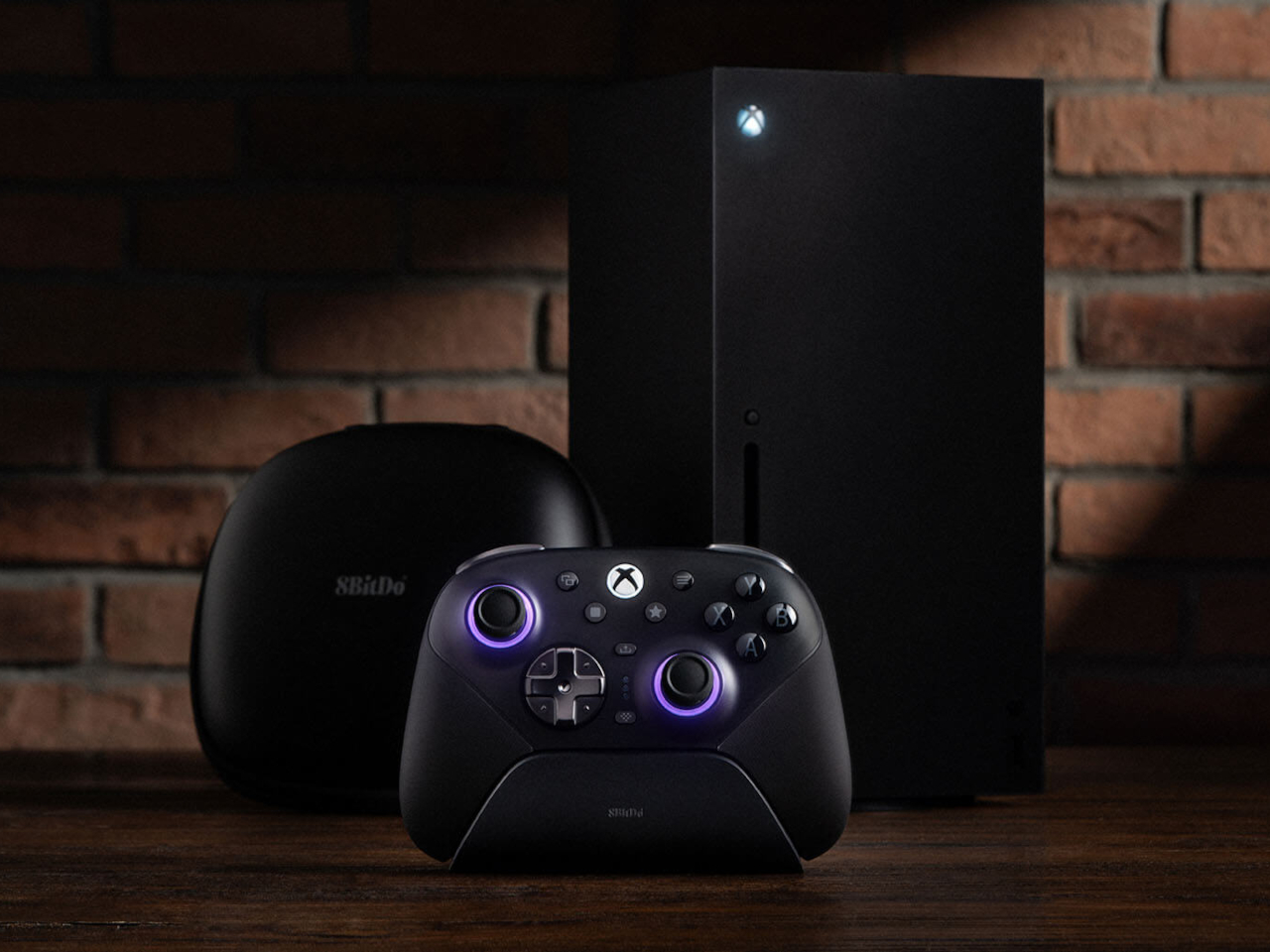
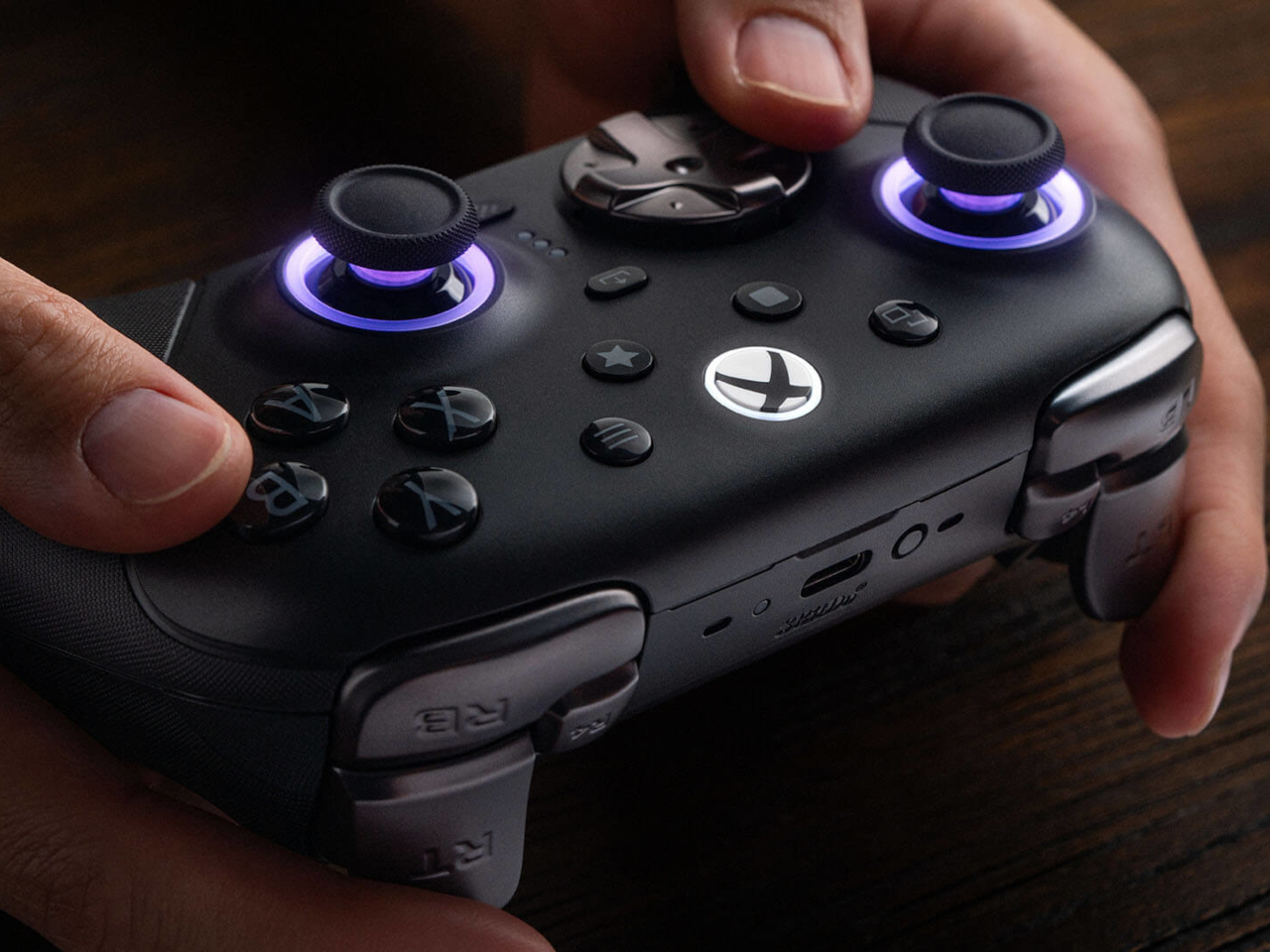
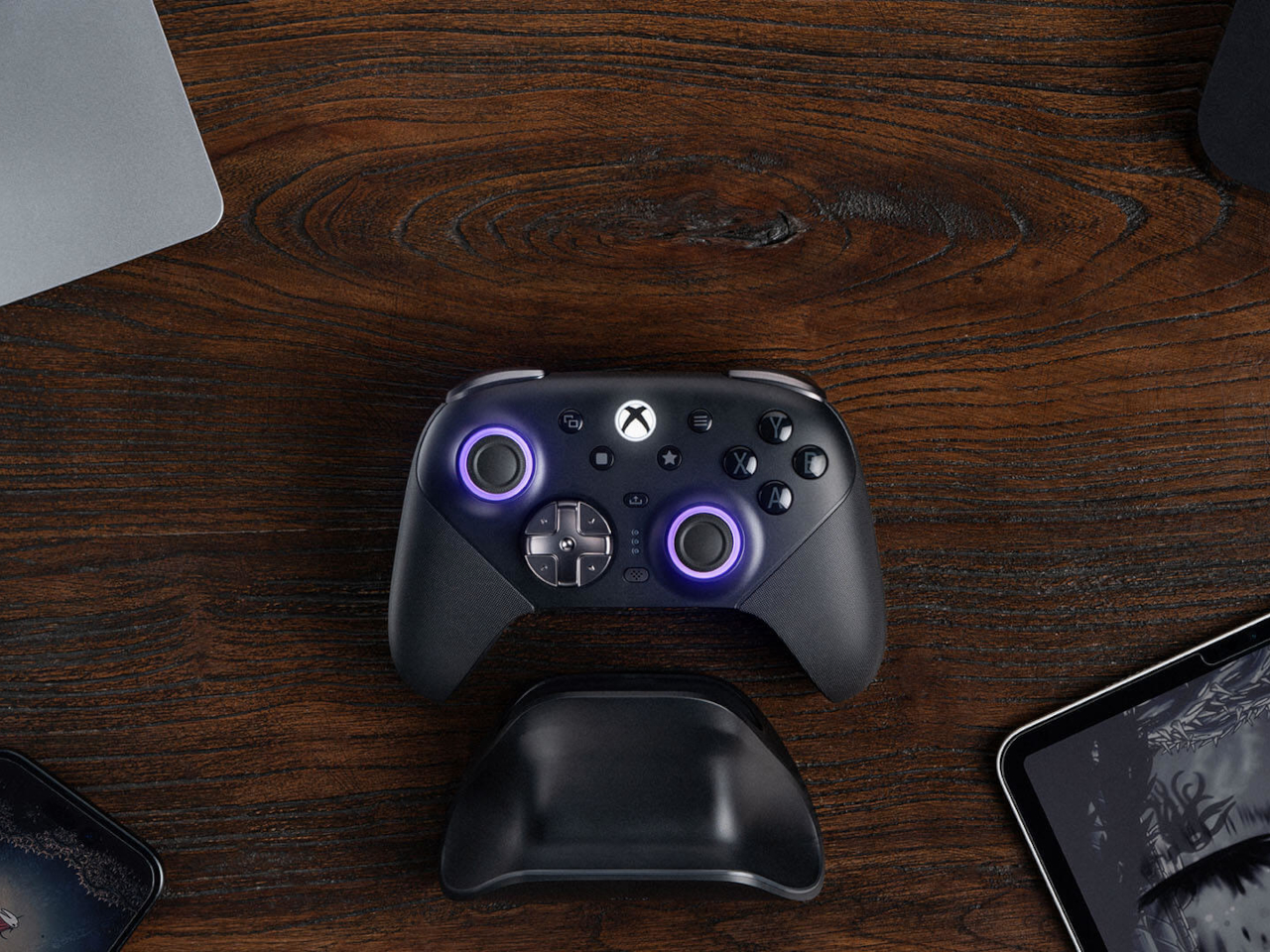
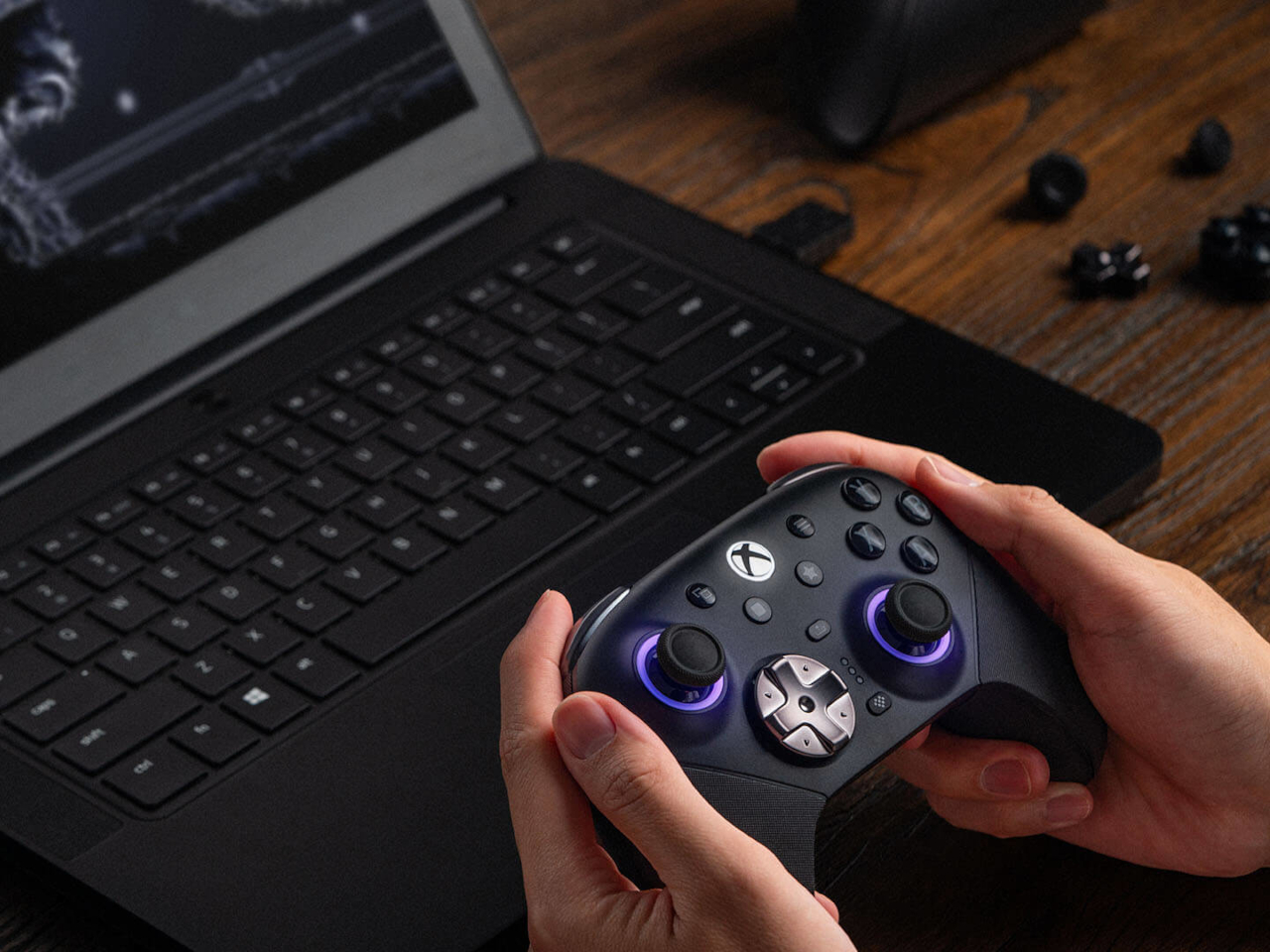
Most controllers ask you to adapt to them. The 8BitDo Ultimate 3E flips that arrangement entirely, building a controller around the idea that your hands, your genre, and your platform should decide its shape instead of the factory floor. The face buttons, the d-pad, and even the joystick tops snap in and out as swappable modules, turning what’s usually a sealed, one-size-fits-all object into something closer to a toolkit.
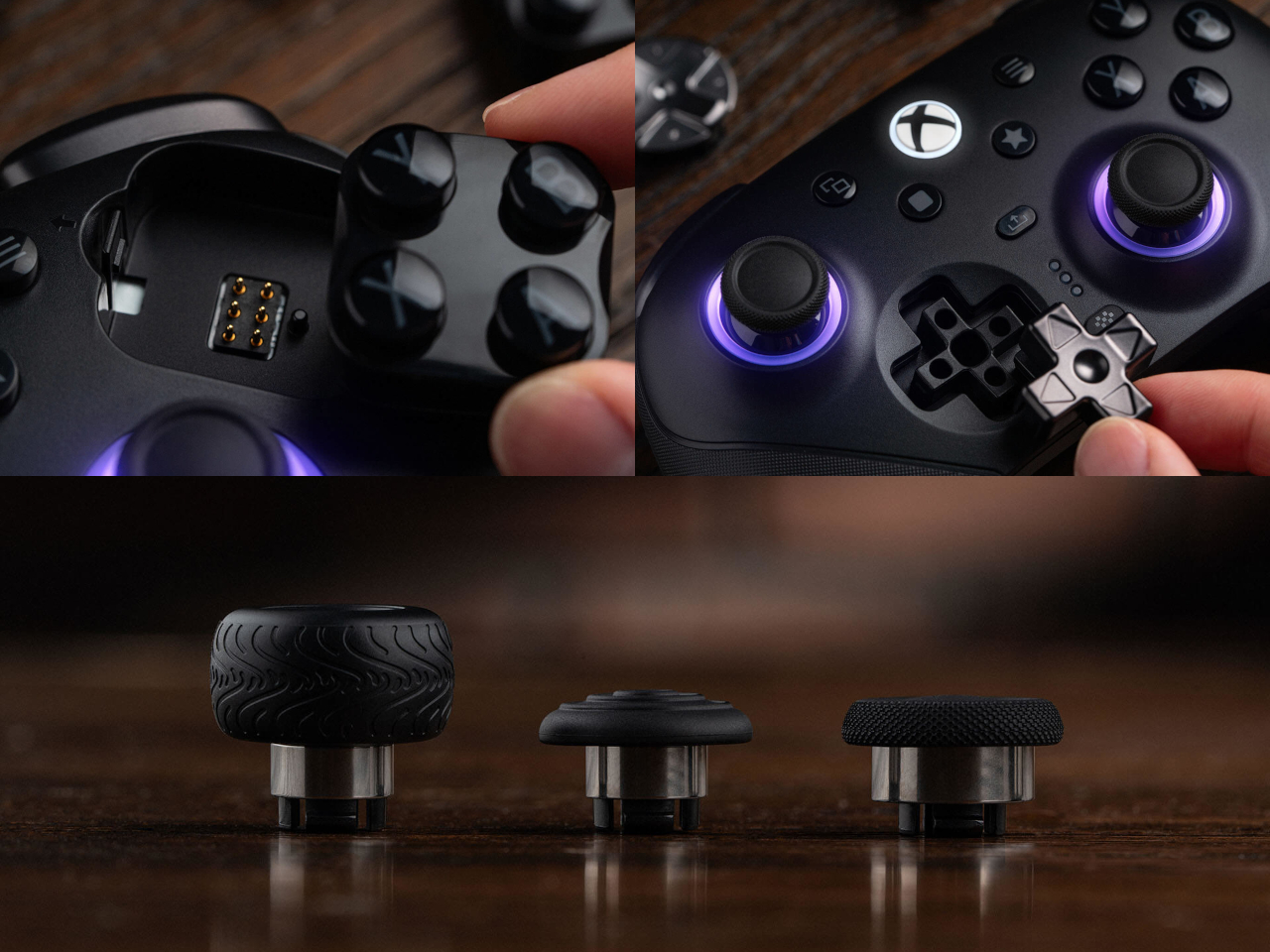
Pop off the magnetic faceplate and the accessory pack reveals its real purpose. A silicone membrane d-pad sits next to a tactile micro-switch version, and the joysticks come in tall, dome, and thick-neck shapes, each suited to a different grip or genre. Racing games favor a different thumb position than platformers, and for once, the hardware bends to match instead of forcing a single compromise across everything you play.
Underneath those swappable caps, the joysticks themselves run on Tunneling Magnetoresistance sensors, a technology built specifically to resist the drift that eventually creeps into analog sticks after enough hours of use. Interactive RGB fire rings pulse around the base of each stick, translating movement into visual feedback in real time, a small touch that turns an otherwise invisible input into something you can actually watch respond.
The triggers carry their own bit of adaptability. Hall-effect sensors power two selectable trigger-stop positions, letting a shooter’s hair-trigger tap coexist with a racing game’s need for a longer, more gradual pull. Switching between them takes a flick of a physical switch, not a trip through a menu, which matters when a genre change happens mid-session rather than between them.
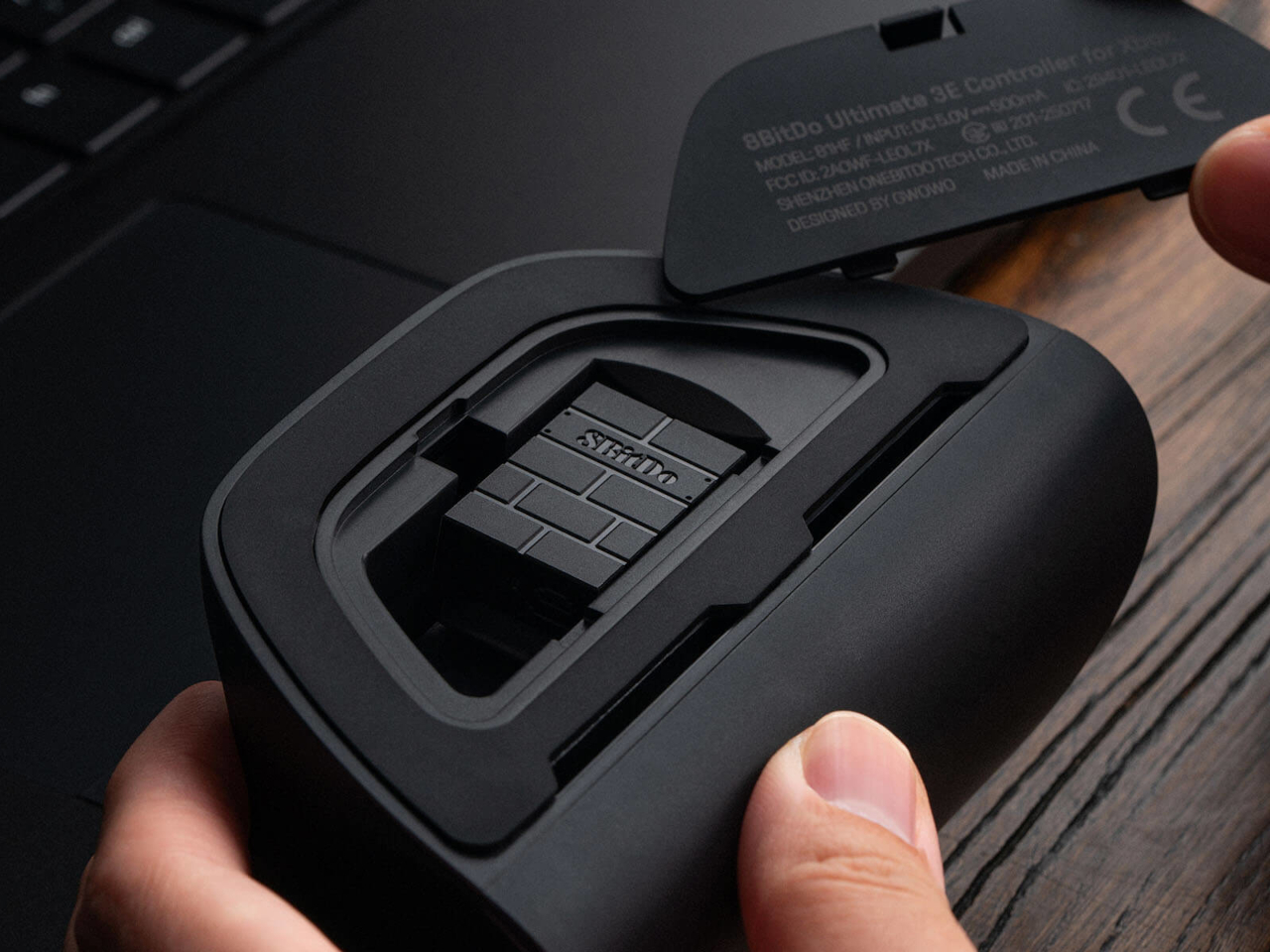
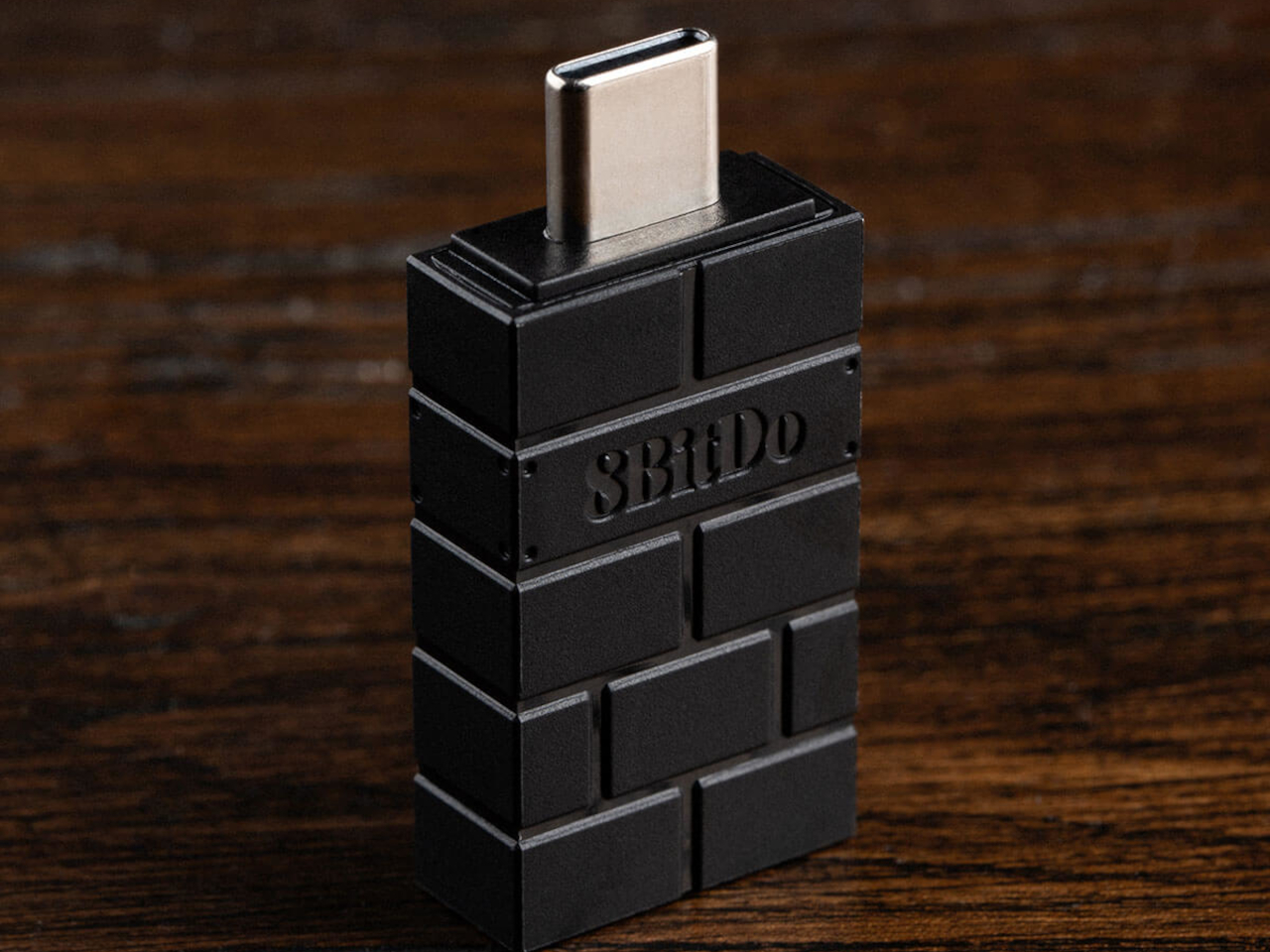
Connectivity spreads just as wide as the physical customization. The Ultimate 3E runs 2.4G wireless and wired modes for Xbox and PC, and switches to Bluetooth for mobile devices, now backed by a USB-C signal adapter for steadier range across more rooms and setups. Apple has officially signed off on compatibility too, covering iPhone, iPad, Mac, Apple TV, and even Apple Vision Pro, stretching the controller’s use well past the console it was designed around.
An integrated wireless charging dock handles power without cables cluttering a desk, while two pro-level back buttons and a pair of extra-fast bumpers add inputs for players who map more complex combinations. Three custom profiles let different games, or different people, keep their own configuration ready to load instantly, and a 3.5mm jack keeps wired headphones in the mix for anyone who still prefers a physical connection over Bluetooth audio.
None of this treats customization as an afterthought bolted onto a finished product. Every swappable piece, every sensor choice, feels like it was scoped out before the shell was ever molded, built around the idea that serious players tend to have very specific, very personal preferences about how a controller should feel in their hands.
There are several times a day when you’ll want to sit down and take in the aroma of your favorite essential oils. It might be early in the morning to help you wake up, right when you start work and need a boost of energy, at the end of the day when you’re relaxing, journaling, or reading, or right before bed so the scent can help you settle into a good night’s sleep. At any of those moments, your oil diffuser is your best friend, that is, unless it runs out of battery or charge right in the middle of your routine.
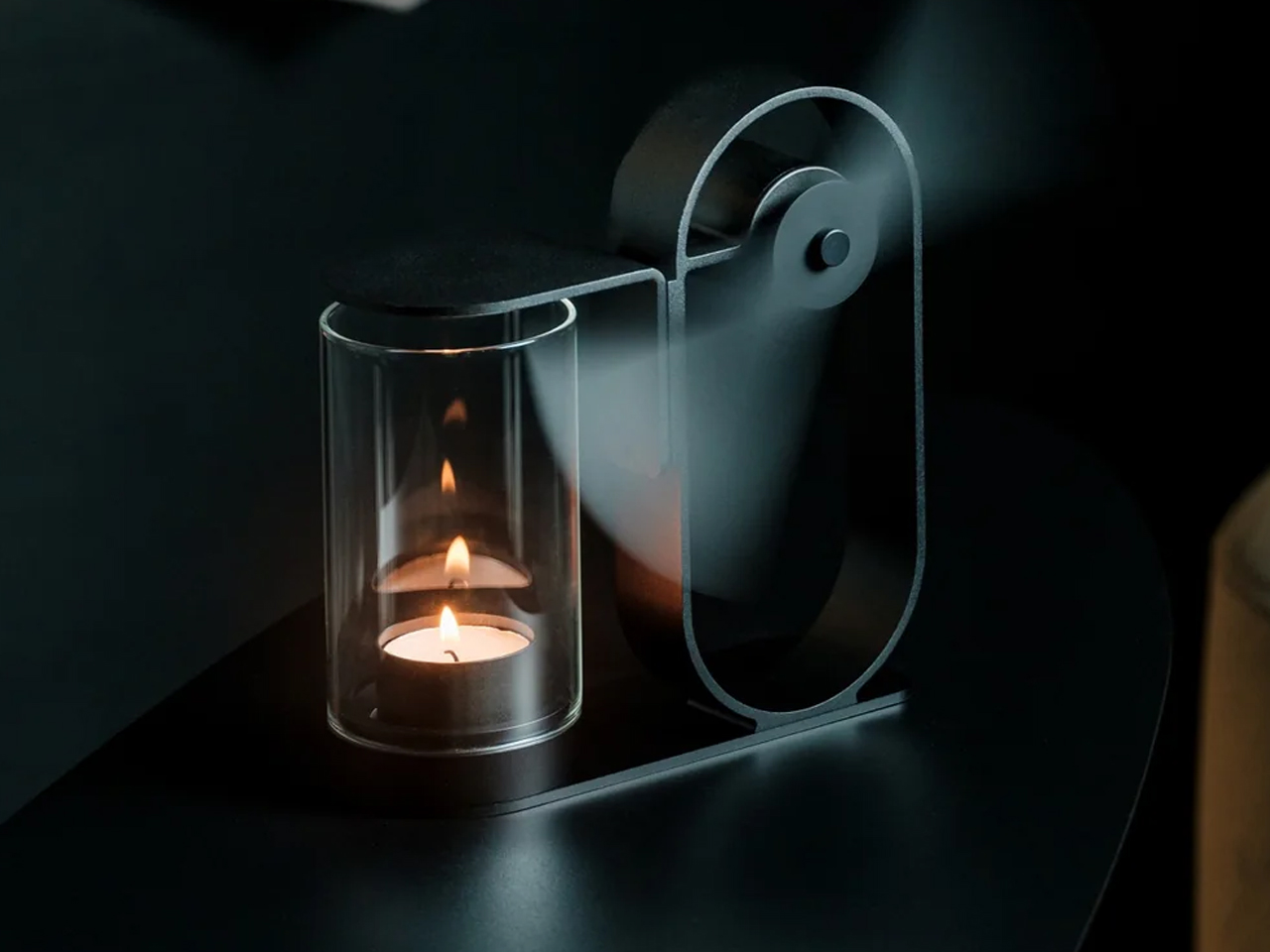
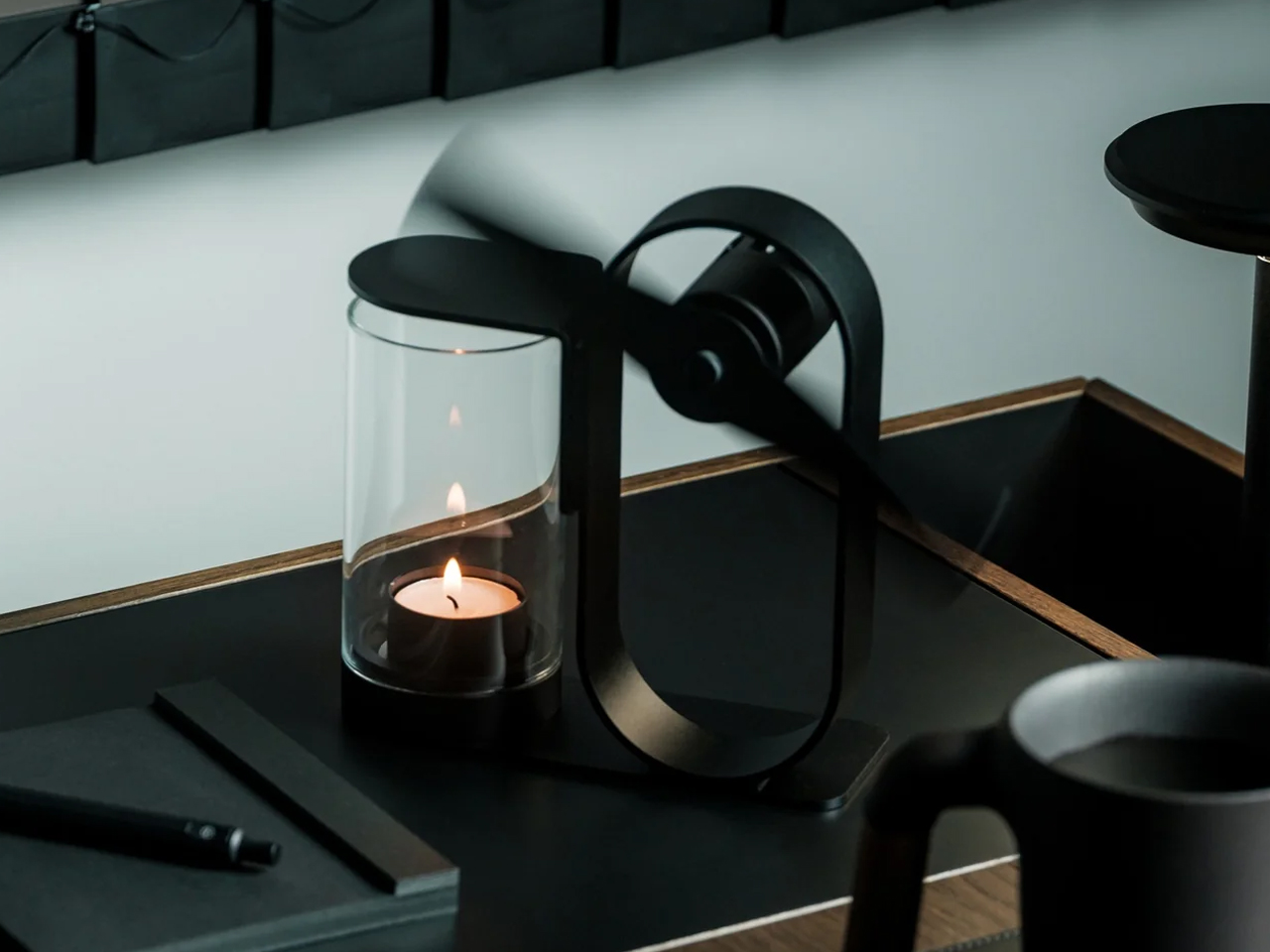
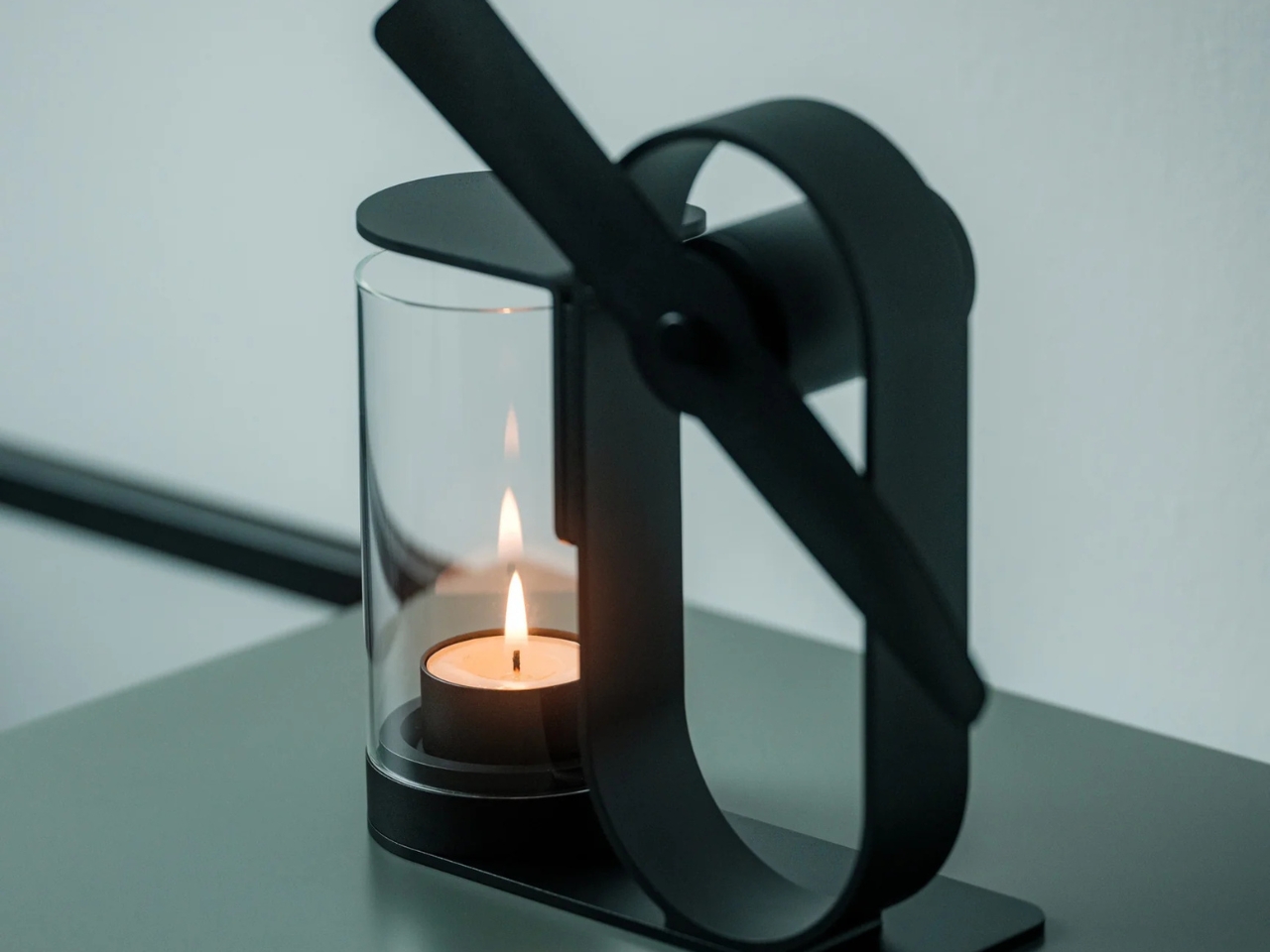
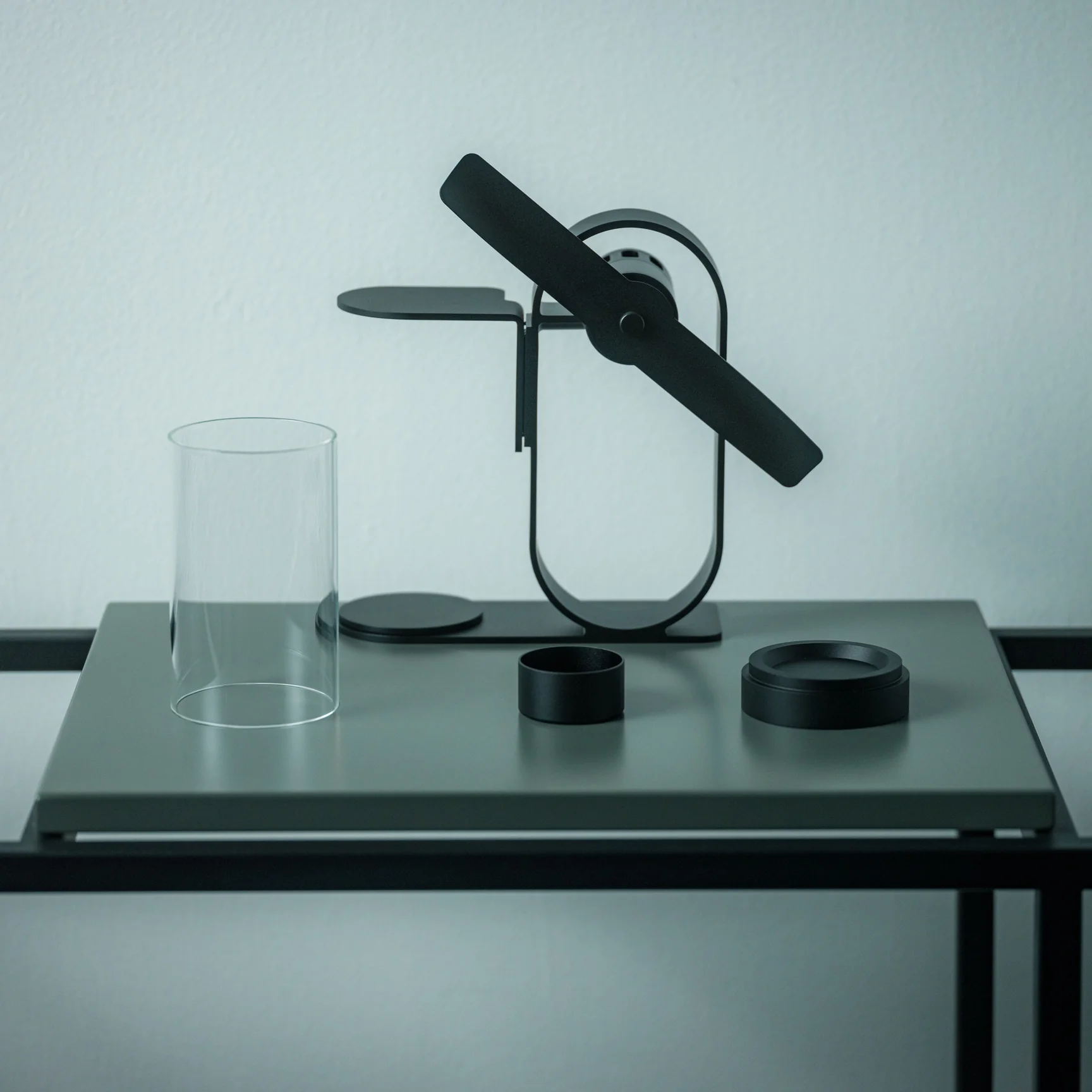
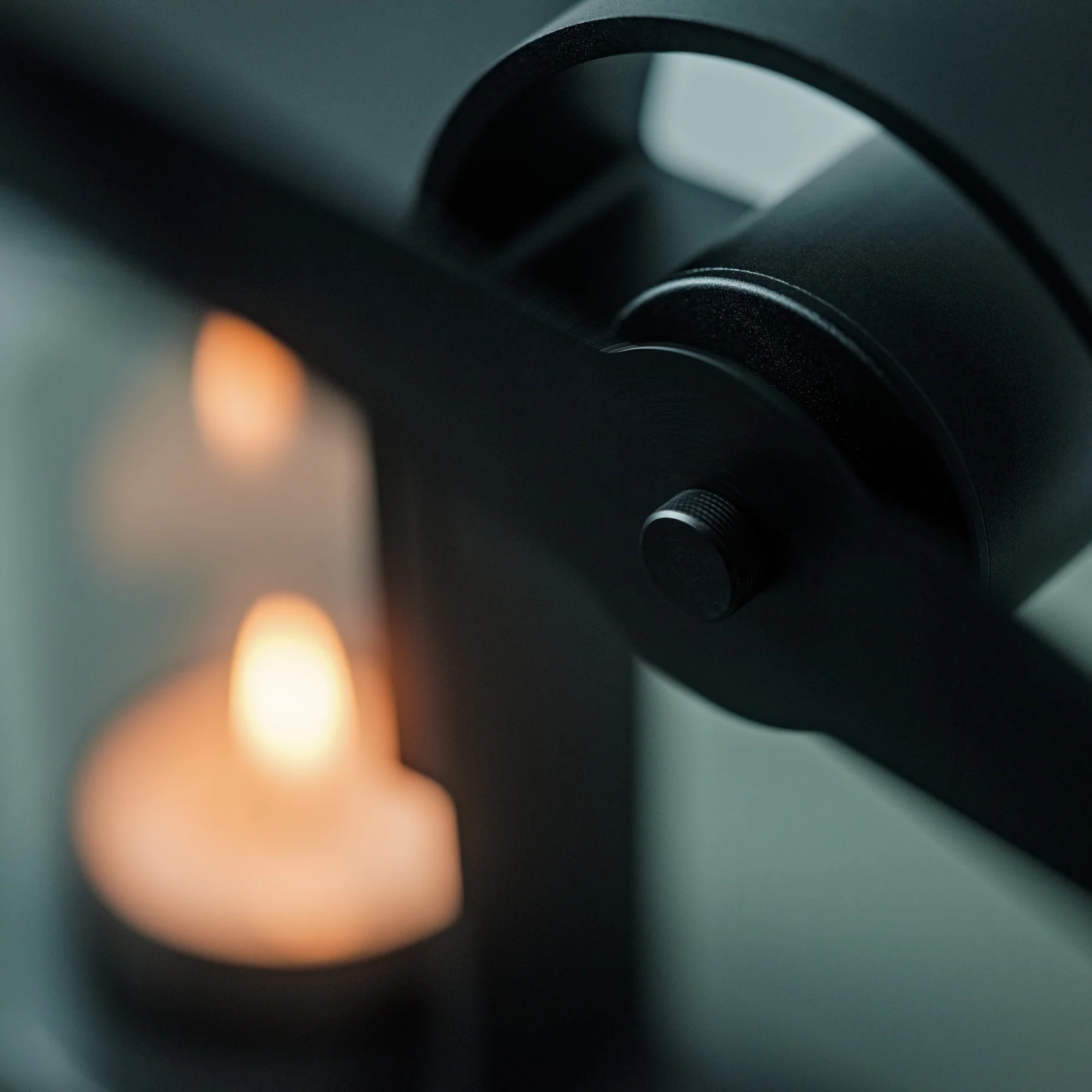
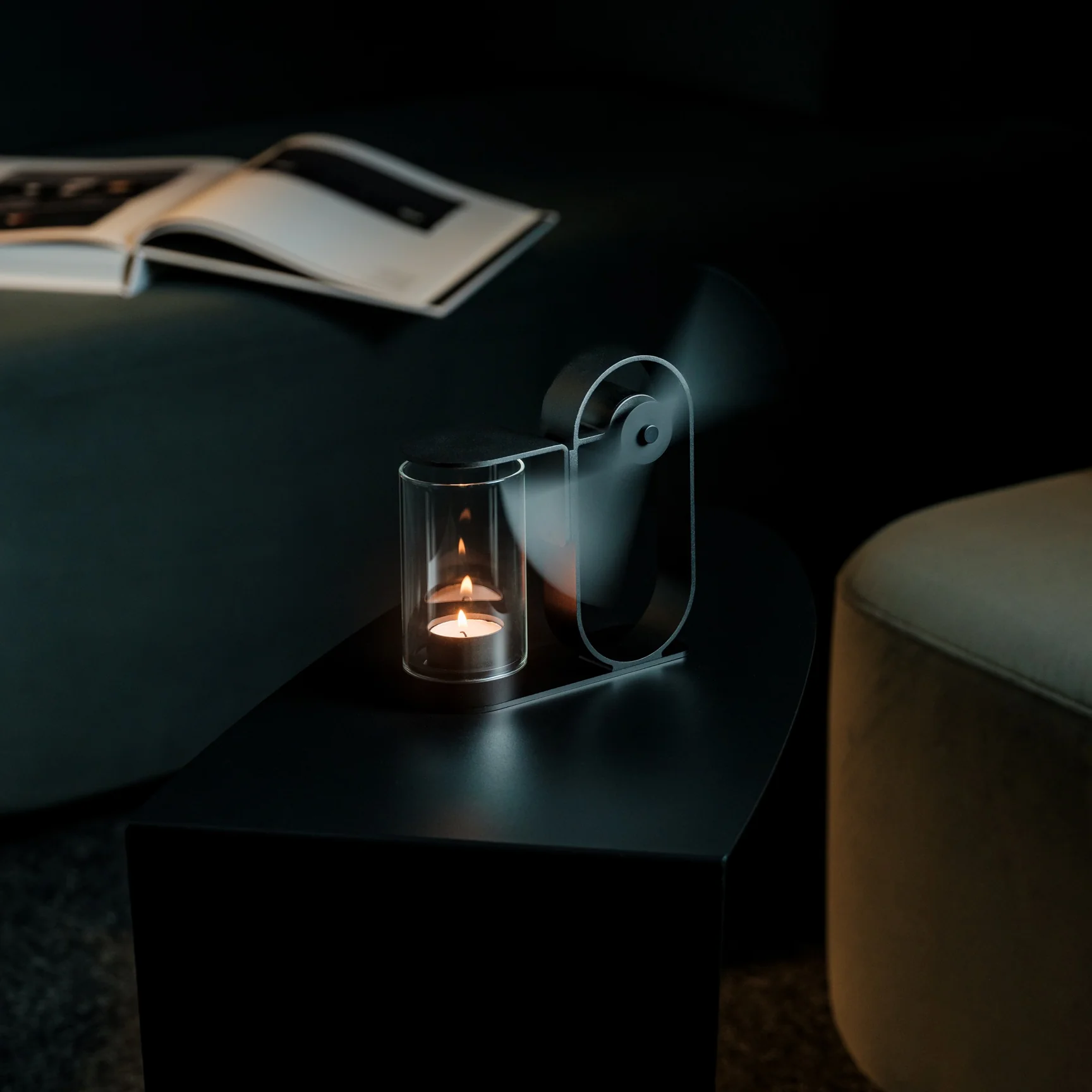
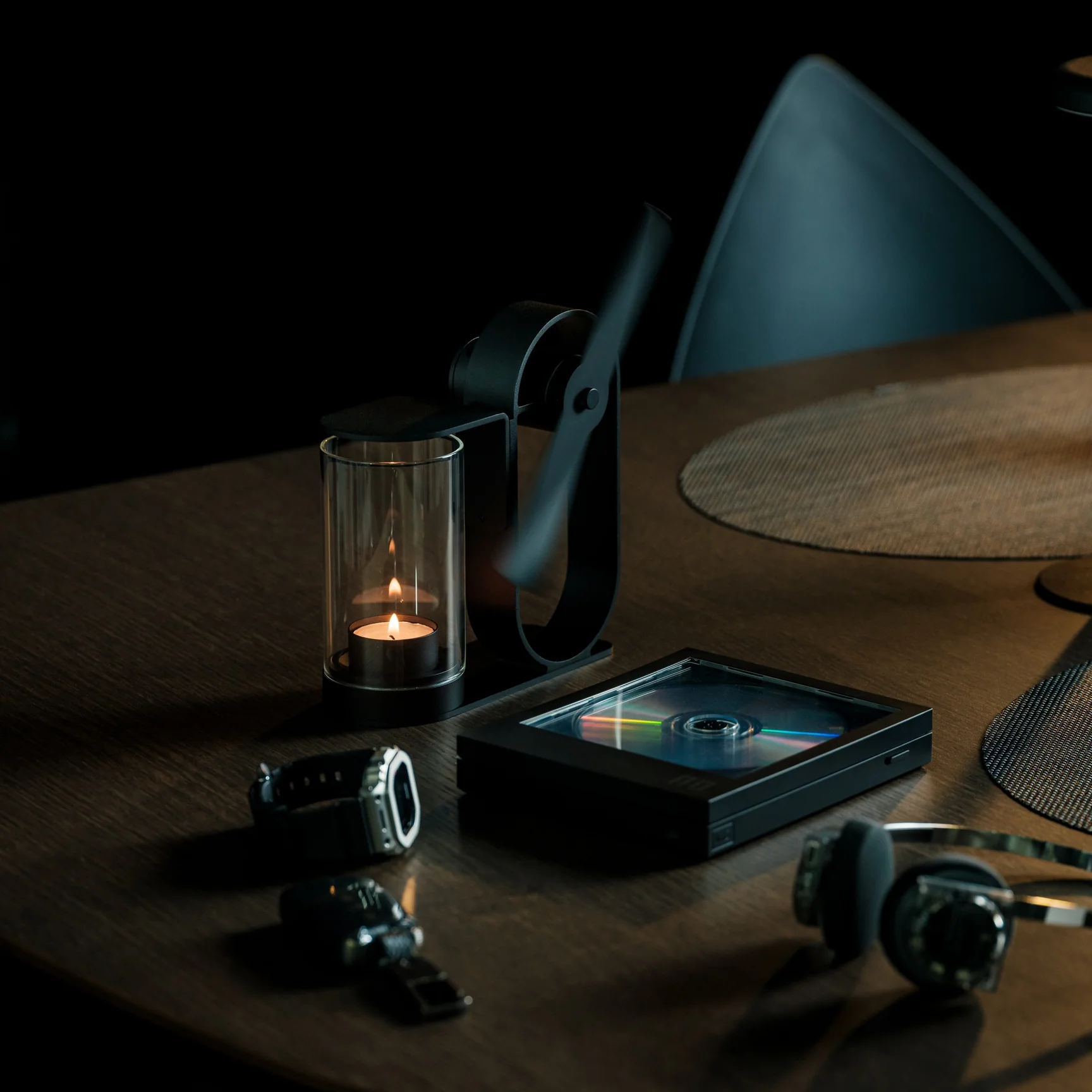
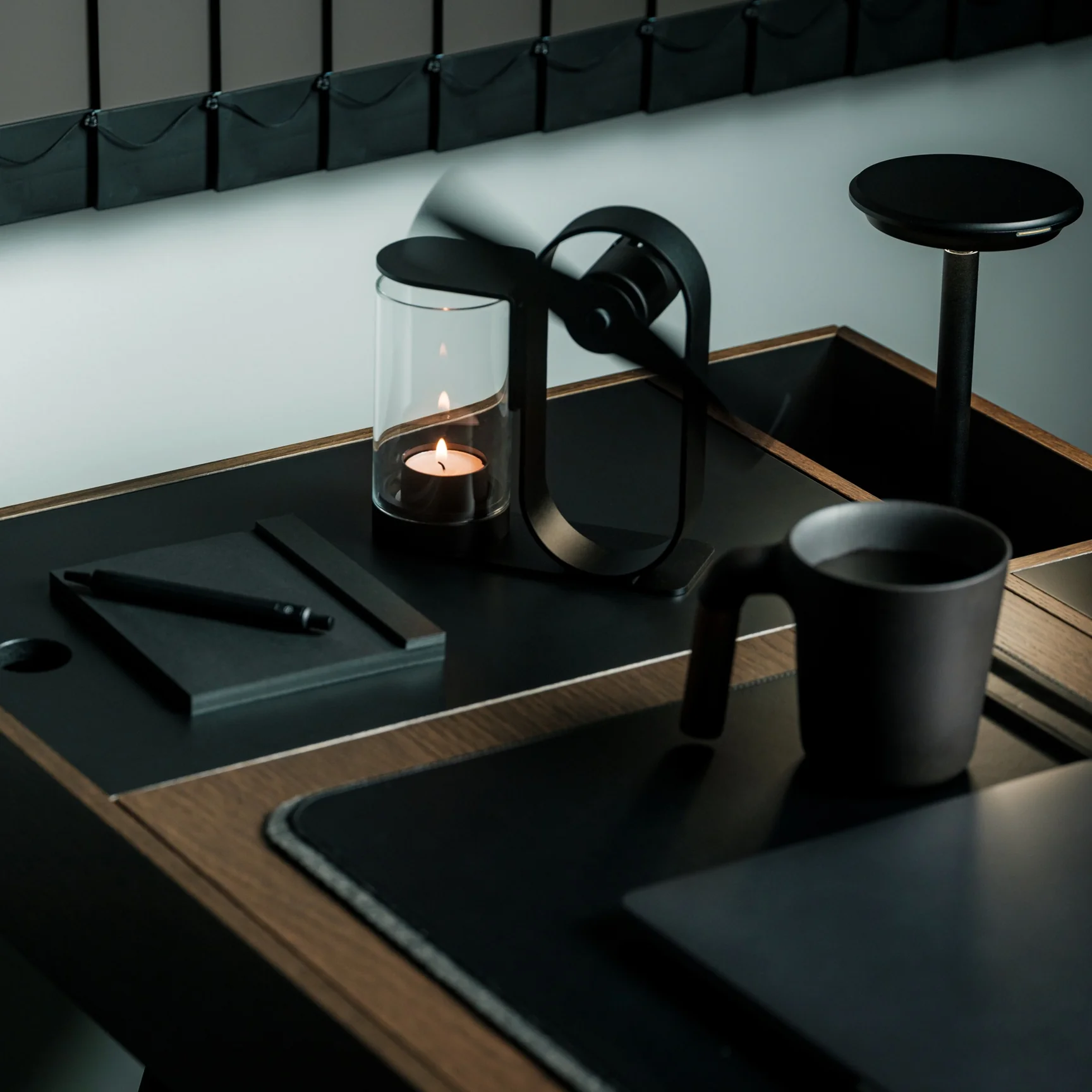
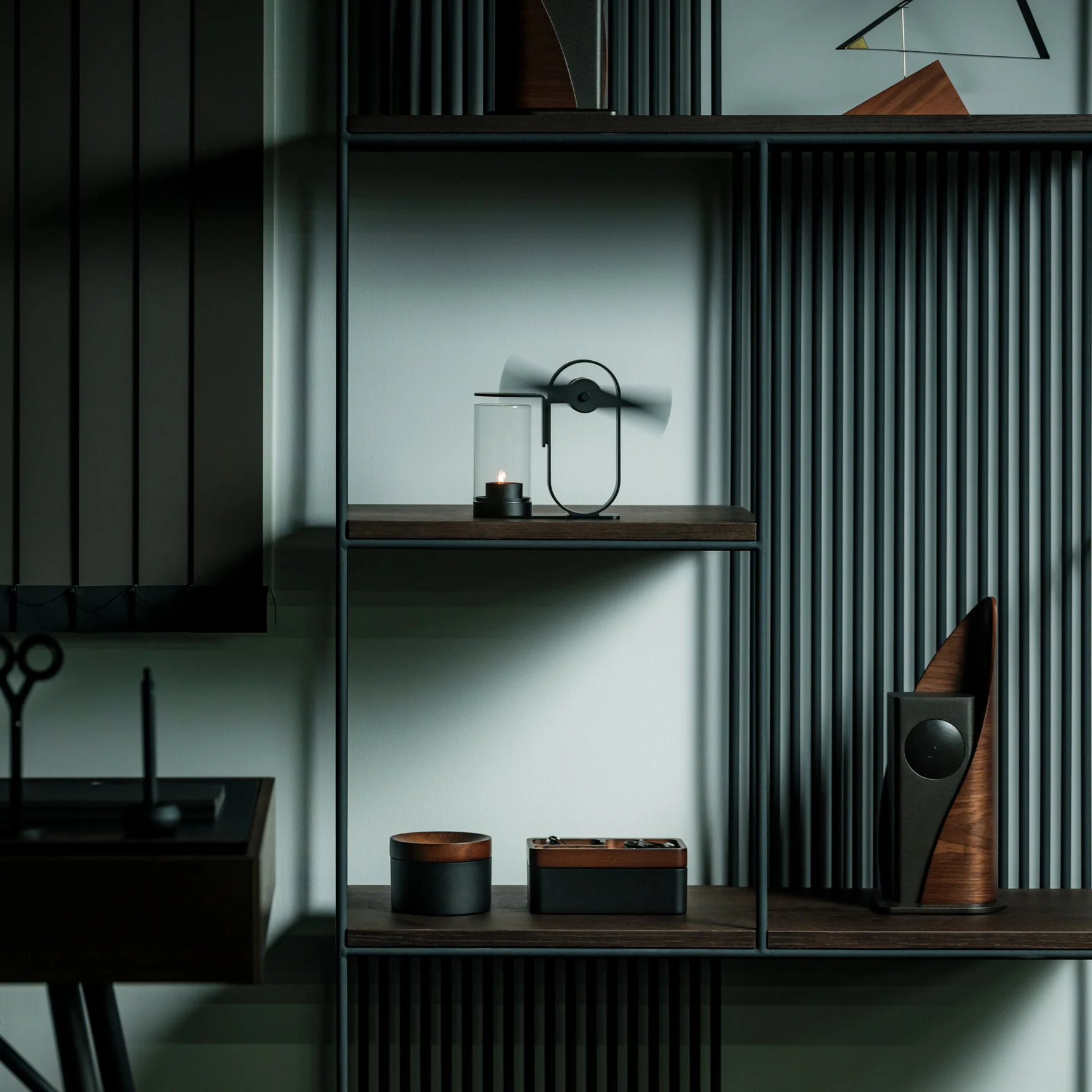
If you’re using the Battery-Free Aroma Diffuser, that’s one problem you’ll never have. As the name suggests, it’s completely battery-free and skips the fancy ultrasonic tech found in most diffusers on the market. All you need is a candle; its rising heat spins a built-in propeller that carries the scent of your essential oil of choice, and you’re all set to relax or recharge, whichever one you need. Setting it up becomes part of your morning or nighttime ritual, giving you what’s been called “magic powered by a single flame.”
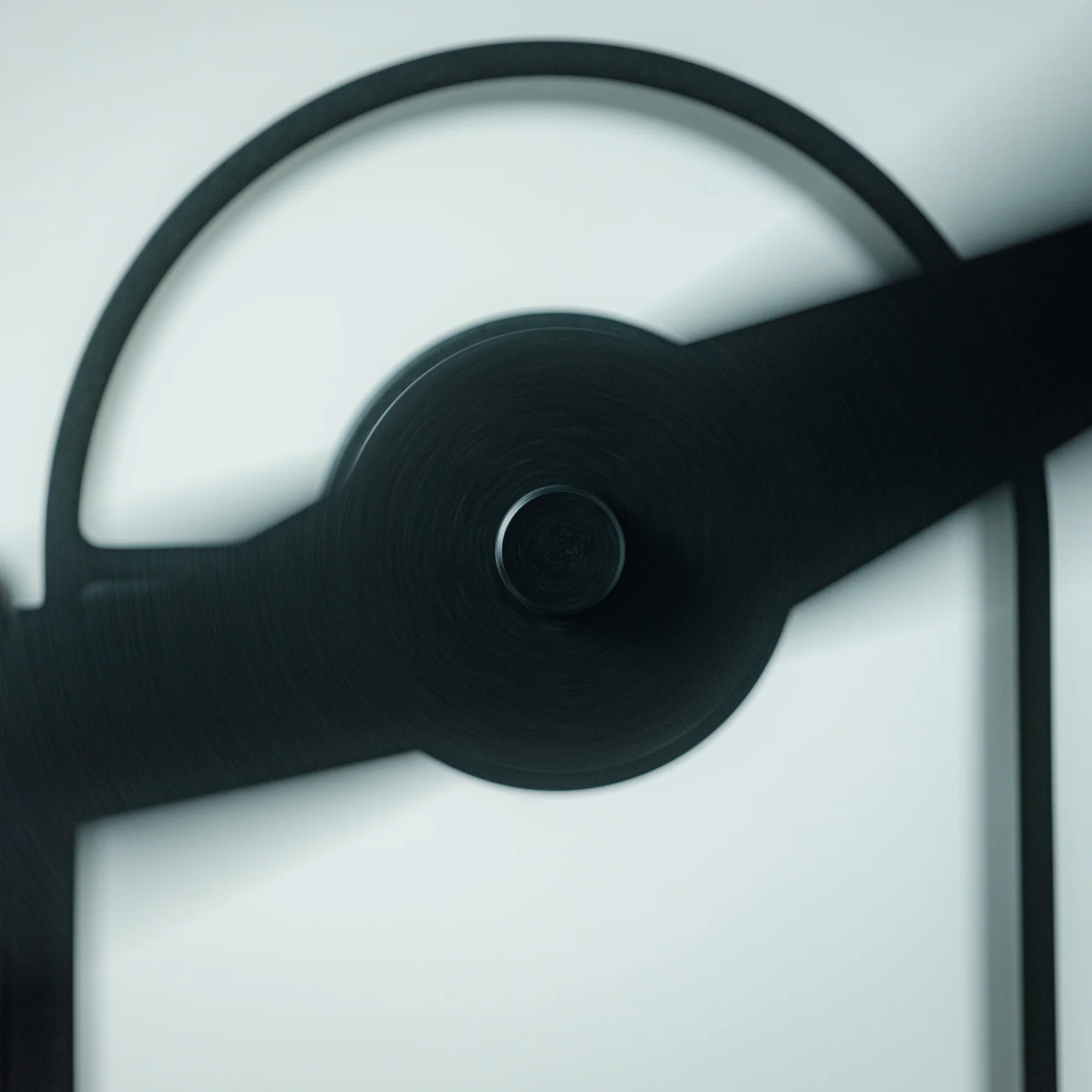
This diffuser was designed by Yu Ito and Yoshimi Kemmotsu of SOL style. Most diffusers on the market run on batteries, charging cables, and plastic ultrasonic components. This one skips all of that and works on nothing more than physics, heat, and fire. Its minimalist, elegant design only adds to the “magic” of the experience, as you watch your essential oils fill the room in a way that feels almost mystical. Because so much of the piece is transparent, you can see exactly how it works, from the flickering candle flame to the visibly spinning propeller above it.
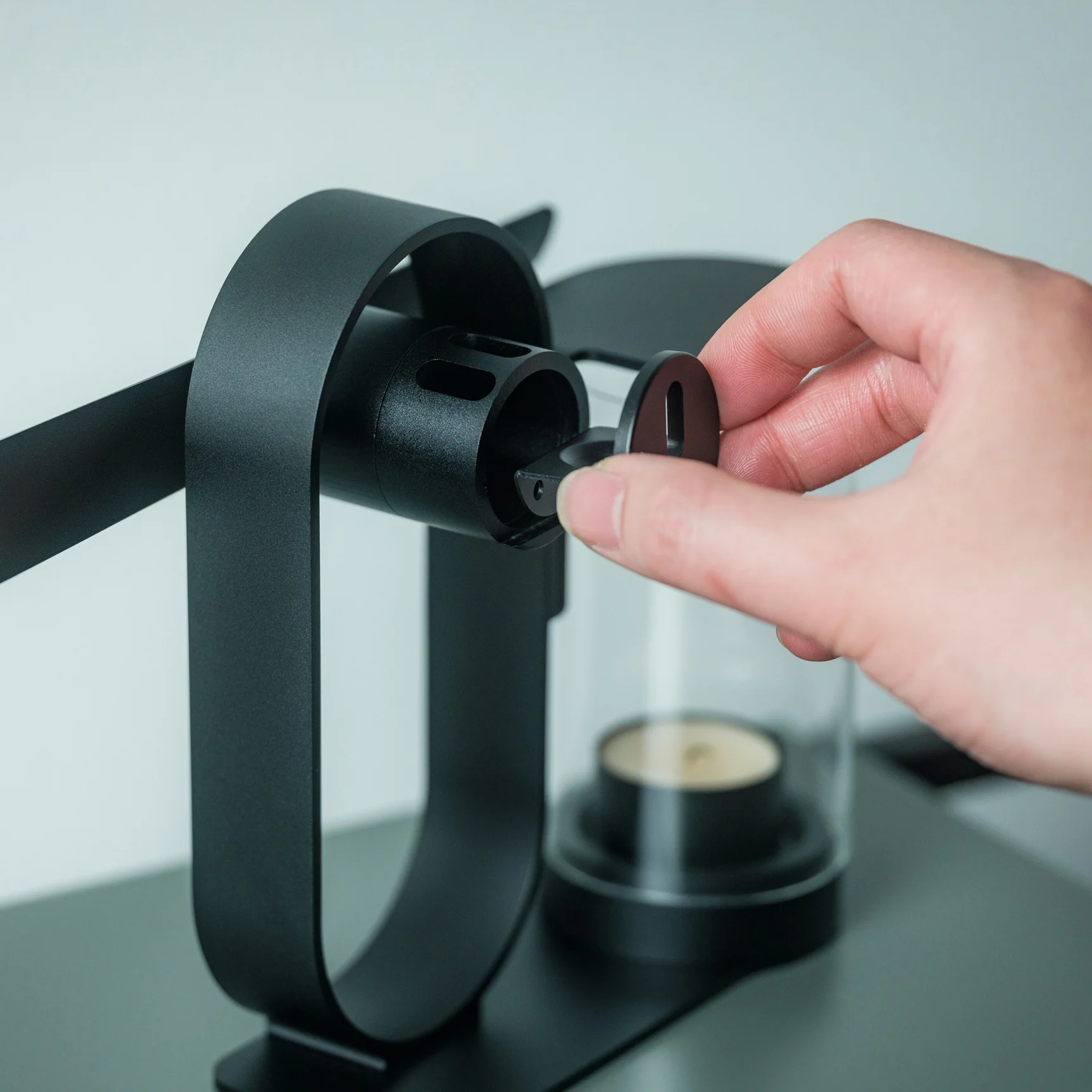
The process of using the diffuser is refreshingly simple and doesn’t involve a lot of steps. Start by placing your essential oil of choice in the dedicated compartment located at the center of the propeller. Light a candle and set the cover in place. Wait about two to three minutes for the rising heat to spin the built-in propeller, and once it’s turning, it will carry the scent of your oils and fill the space around you.
The diffuser itself is built from aluminum, glass, and iron, materials chosen for being sustainable and long-lasting, so you’re not contributing to the pile of dead batteries or broken plastic housings that come with most electric diffusers. Because it needs no outlet and no batteries, it’s also completely portable. Set it up on your dining table, your nightstand, or even take it outside for a quiet evening on the patio.
If you’ve shopped for a diffuser before, you’ve likely come across a big name like Vitruvi, whose Stone Diffuser is frequently ranked among the best overall by outlets like Wirecutter and InStyle. Vitruvi’s design is genuinely beautiful, but it’s still an electric, ultrasonic device that needs to be plugged in or charged to run. More budget-friendly brands like InnoGear and Urpower take a similar ultrasonic approach at a much lower price, but they typically trade craftsmanship and material quality for affordability, leaning on plastic components that don’t hold up as well over time.
The Battery-Free Aroma Diffuser doesn’t try to compete on mist output, app connectivity, or color-changing lights. Instead, it carves out its own lane by focusing on ritual, sustainability, and craftsmanship. You won’t get smart features or adjustable settings, but you also won’t ever need to charge it, replace a battery, or worry about internal electronics failing. It does come at a premium, priced around $249 compared to the roughly $30 to $130 range most ultrasonic diffusers occupy, but for design lovers and sustainability-minded shoppers, that price reflects a genuinely different kind of product rather than just another gadget competing on specs.
At the end of the day, the Battery-Free Aroma Diffuser isn’t trying to be the most powerful or the most tech-forward diffuser on your shelf, it’s trying to be the most memorable. Whether you’re using it to ease into your morning coffee, get into a work groove, unwind after a long day, or settle in before bed, lighting that single candle and watching the propeller slowly spring to life feels far more intentional than simply pressing a power button. It won’t die mid-session, won’t need a replacement battery, and won’t end up as e-waste a few years down the line. For anyone looking to turn aromatherapy into an actual experience rather than just another appliance to switch on, this quiet, flame-powered design might be one of the most beautiful ways to get there.
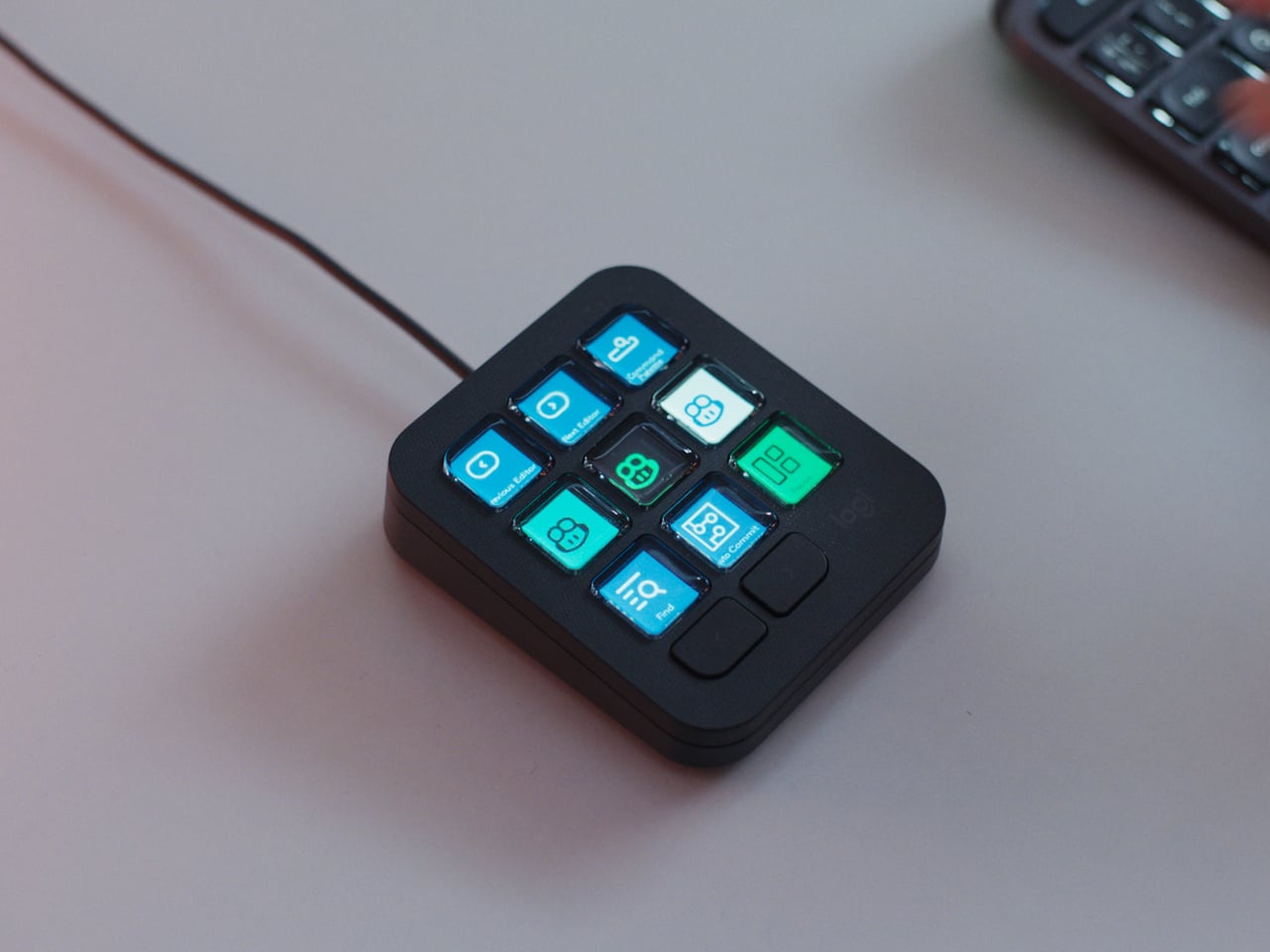
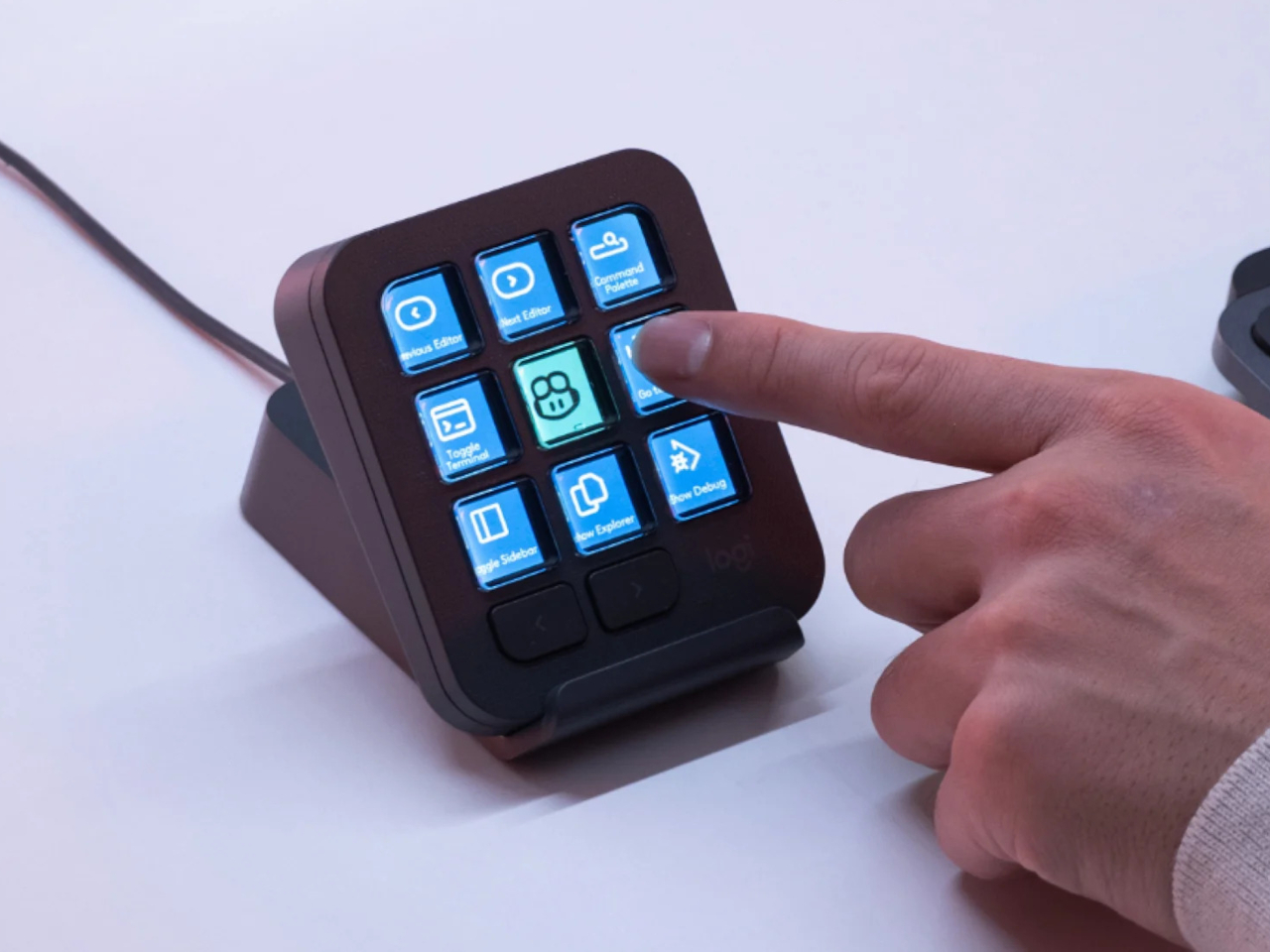
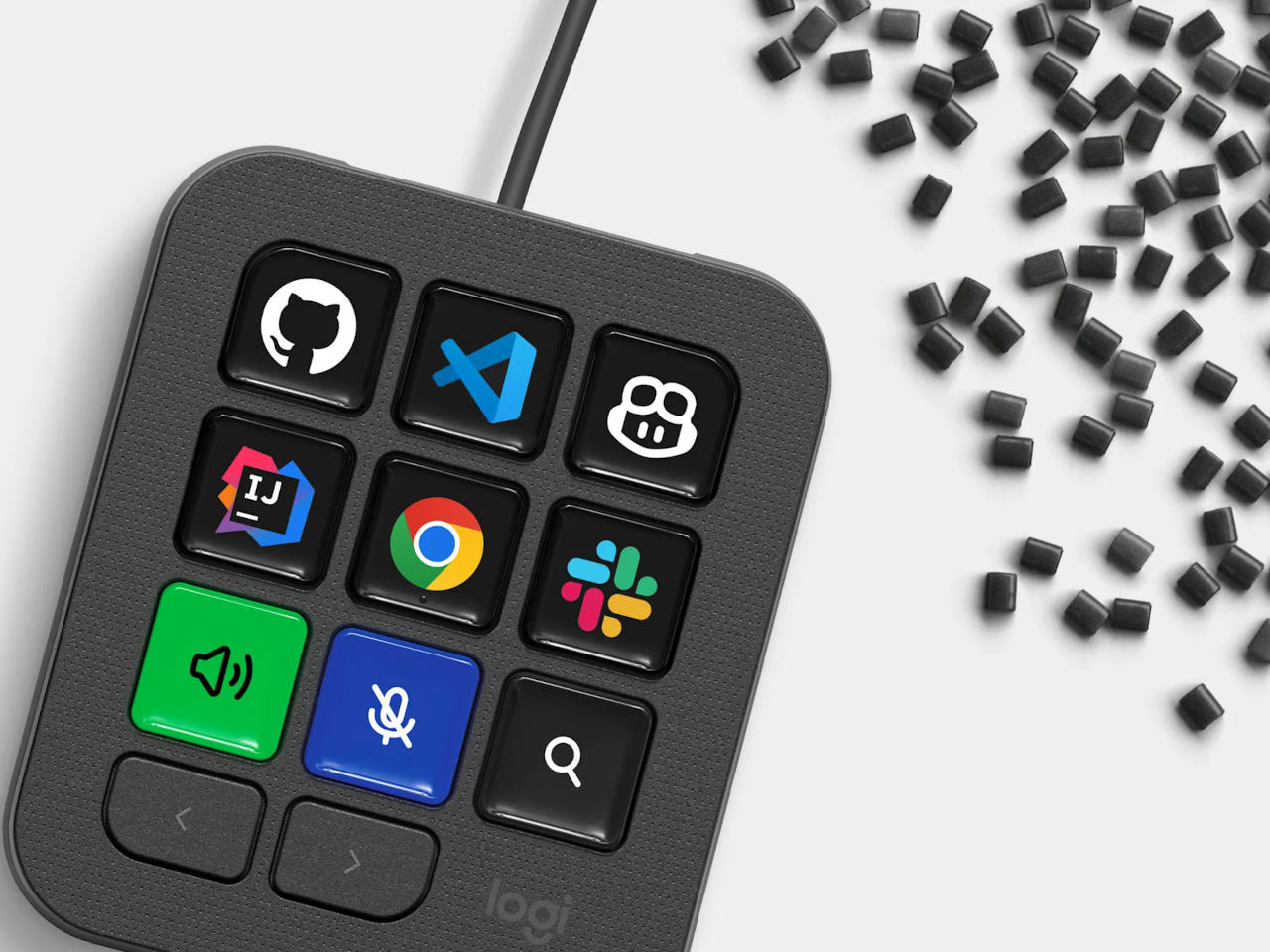
Every developer juggling AI agents right now knows the feeling of context switching until the whole workflow blurs together. Copilot suggests something in one window, Claude Code runs a task in another, and a dozen prompts live scattered across notes and muscle memory. The Logitech MX Keypad exists to collapse all of that into nine small screens sitting next to the keyboard, each one a physical shortcut into a specific piece of that chaos.
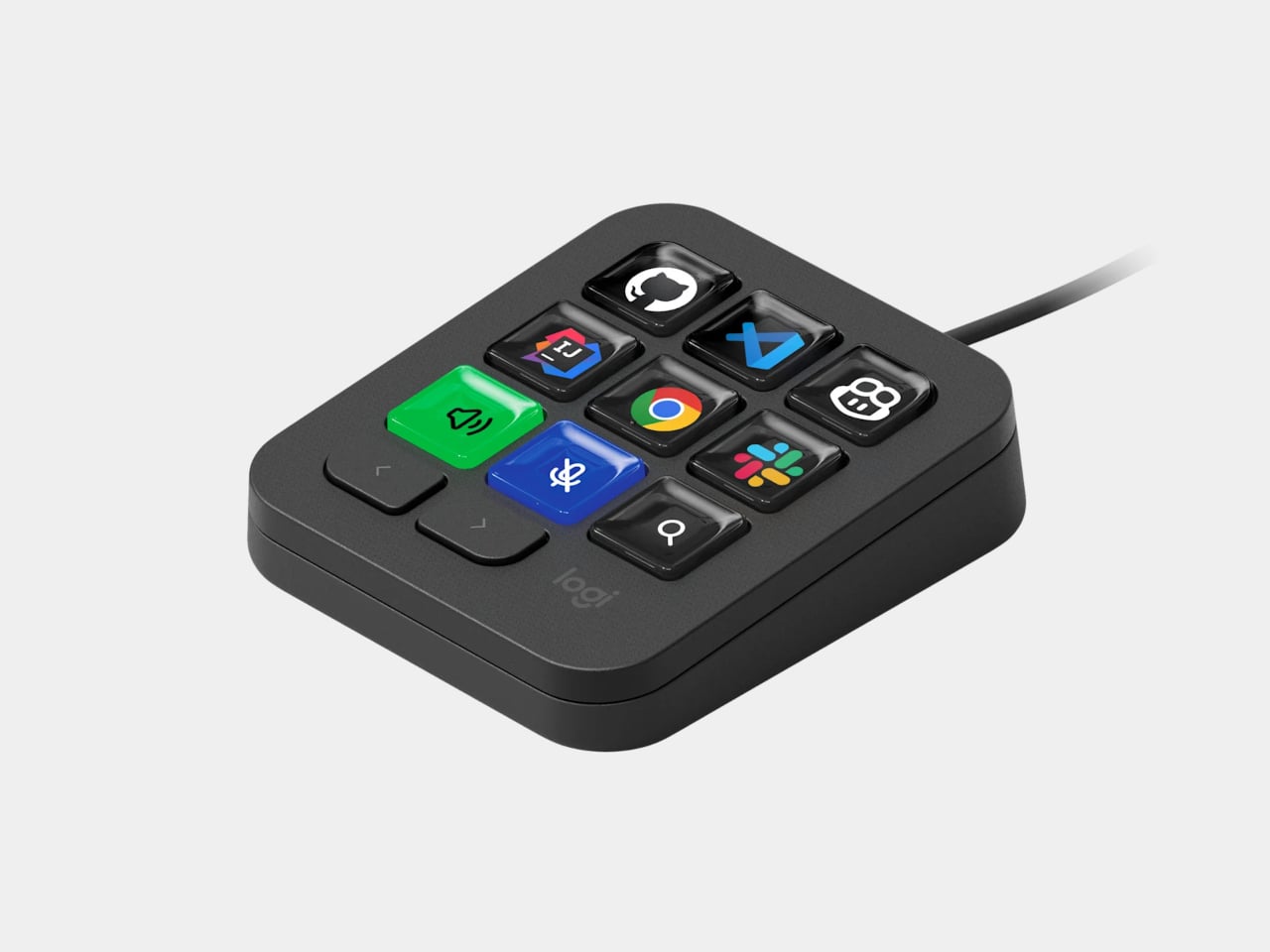
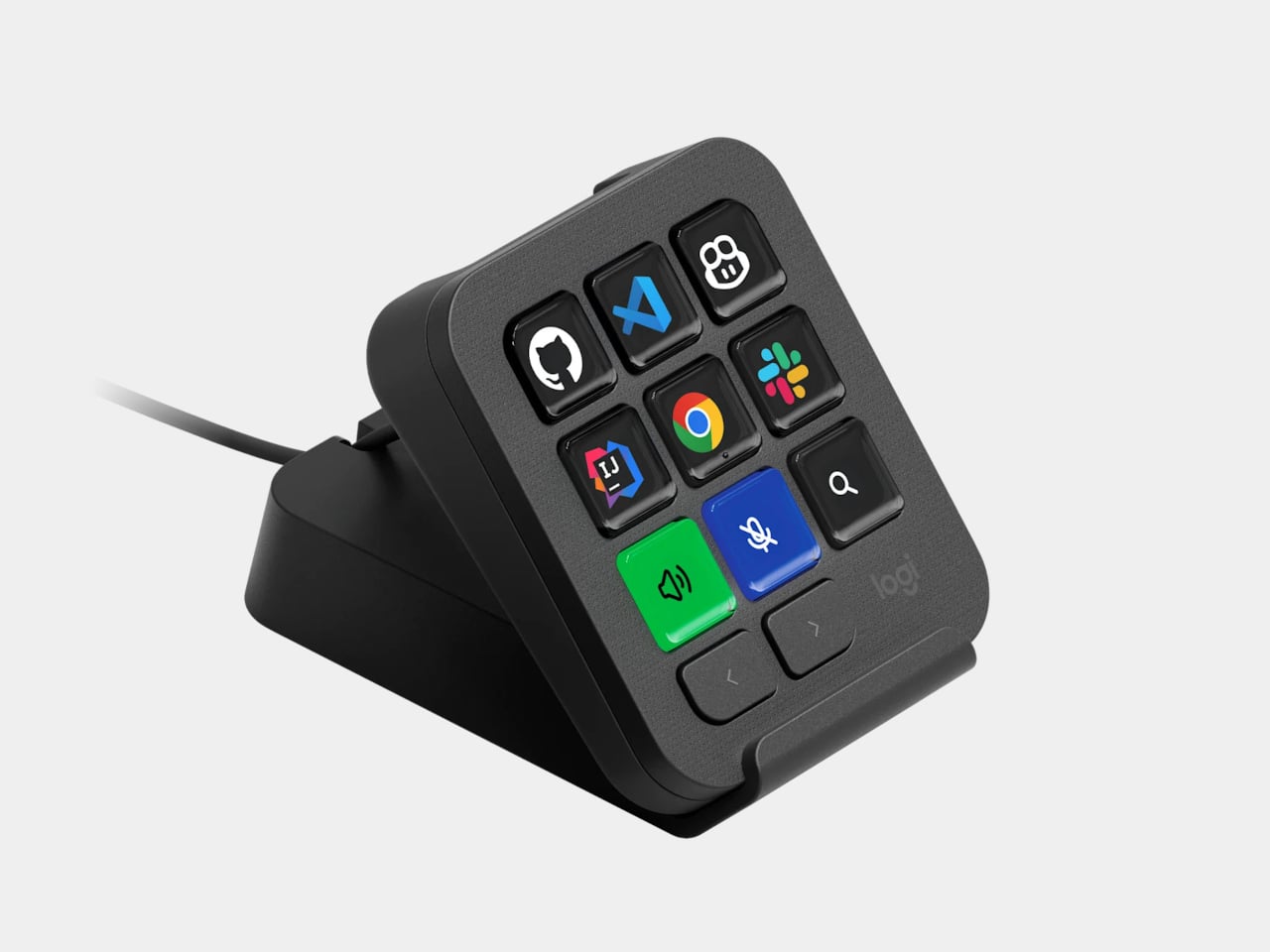
Every key on the keypad carries its own full-color LCD display, so instead of memorizing which function key does what, you glance down and see an icon that actually represents the command underneath it. Press one, and it can refactor a function, trigger a prompt macro, or hand off a task to an AI agent entirely. That small visual feedback loop turns an abstract keyboard shortcut into something closer to a labeled button on a control panel.
What makes the hardware worth paying attention to is where Logitech chose to draw the compatibility line. Instead of building this around one coding environment, the MX Keypad works across GitHub Copilot, Claude Code, VS Code, and IntelliJ IDEA at once. A developer bouncing between an IDE and a terminal-based AI agent doesn’t need separate tools for each, just a different page of keys pulled up on the same nine buttons.
That pattern of paging matters more than it sounds. The keypad can hold multiple profiles, so switching from a Python project running through Copilot to a JavaScript refactor handled by Claude Code becomes a single tap rather than a mental reset. Anyone who has lost a train of thought hunting through browser tabs for the right prompt will recognize the value in never breaking eye contact with the code itself.
Underneath the surface, the MX Keypad ships with prebuilt plugins that Logitech had developers test directly against real coding platforms, rather than shipping generic templates and hoping they fit. An SDK opens the door further, letting teams build their own tools around internal workflows, while a community marketplace means the plugin library keeps growing without waiting on Logitech’s own release schedule.
None of that ambition comes wrapped in bulky, wasteful materials either. The body is made with recycled plastics, keeping the hardware in line with the sustainability commitments Logitech has built into its broader MX ecosystem. It is a small detail, but for a device meant to live permanently on a desk, it matters that the object itself doesn’t feel disposable.
At $99.99, the MX Keypad occupies a strange but clarifying position in a developer’s setup. It doesn’t replace a keyboard, and it doesn’t try to be an AI tool in its own right. Instead, it works like a translator between fast-moving human intent and the growing swarm of coding agents developers now manage daily, one labeled key at a time.
When you come home after a long, hectic day, sometimes all you want to do is sink into the couch, scroll through your phone, and crack open a cold drink. But when that “cold one” happens to be a bottle of beer or soda, things do not always go according to plan. The opener slips, the cap bends and gets mangled, or it pops off and goes skittering across the counter or under the couch. It is a minor inconvenience, sure, but it has a funny way of taking a little of the relaxation out of what should be a simple, satisfying moment.
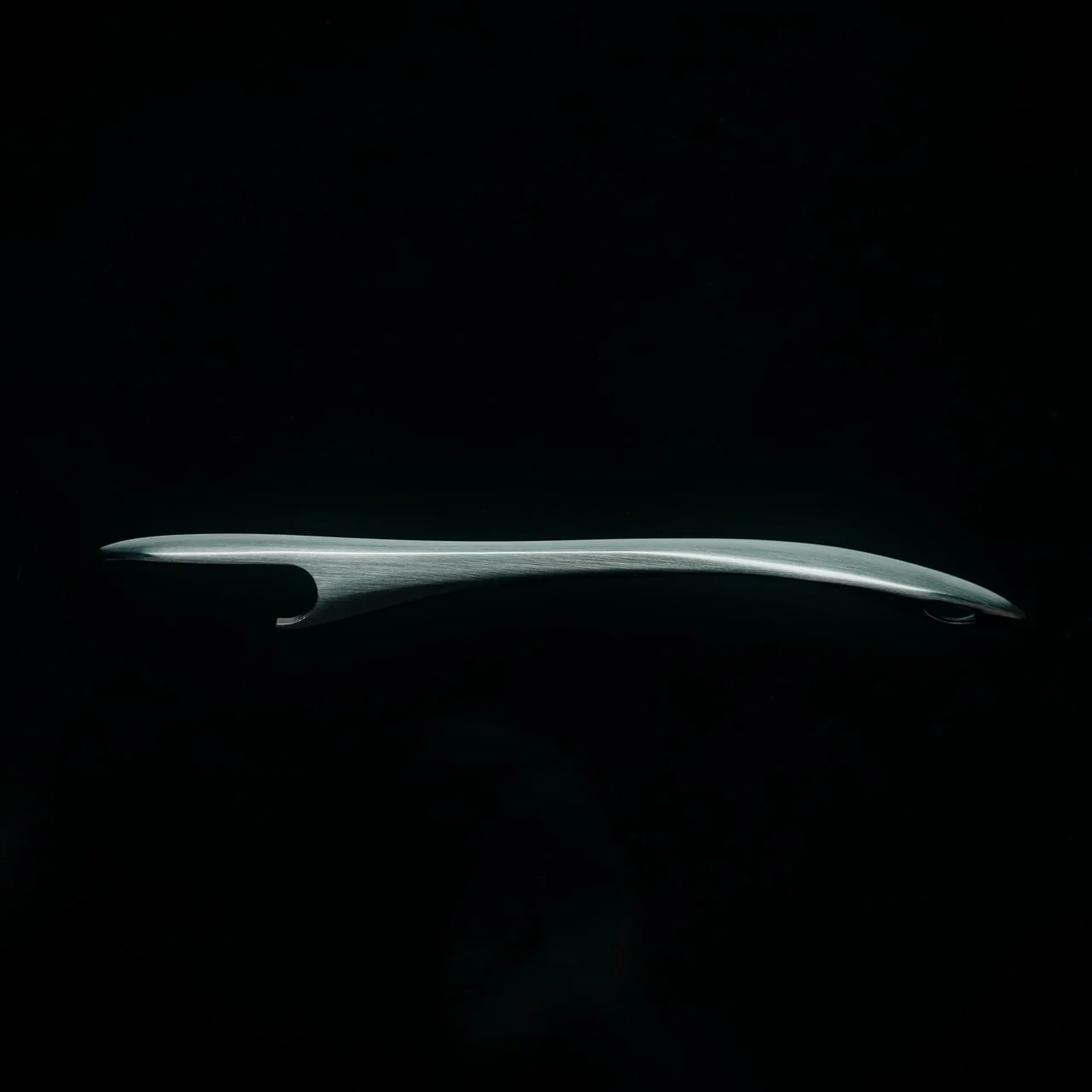
The First Pour Bottle Opener was built to fix exactly that. Made by Suwada, a legendary Japanese blacksmith house, it is an elegantly crafted tool designed to let you enjoy your drink in peace. Its flowing, sculptural silhouette also makes it a genuine piece of design rather than a purely functional gadget you shove in a drawer and forget about.
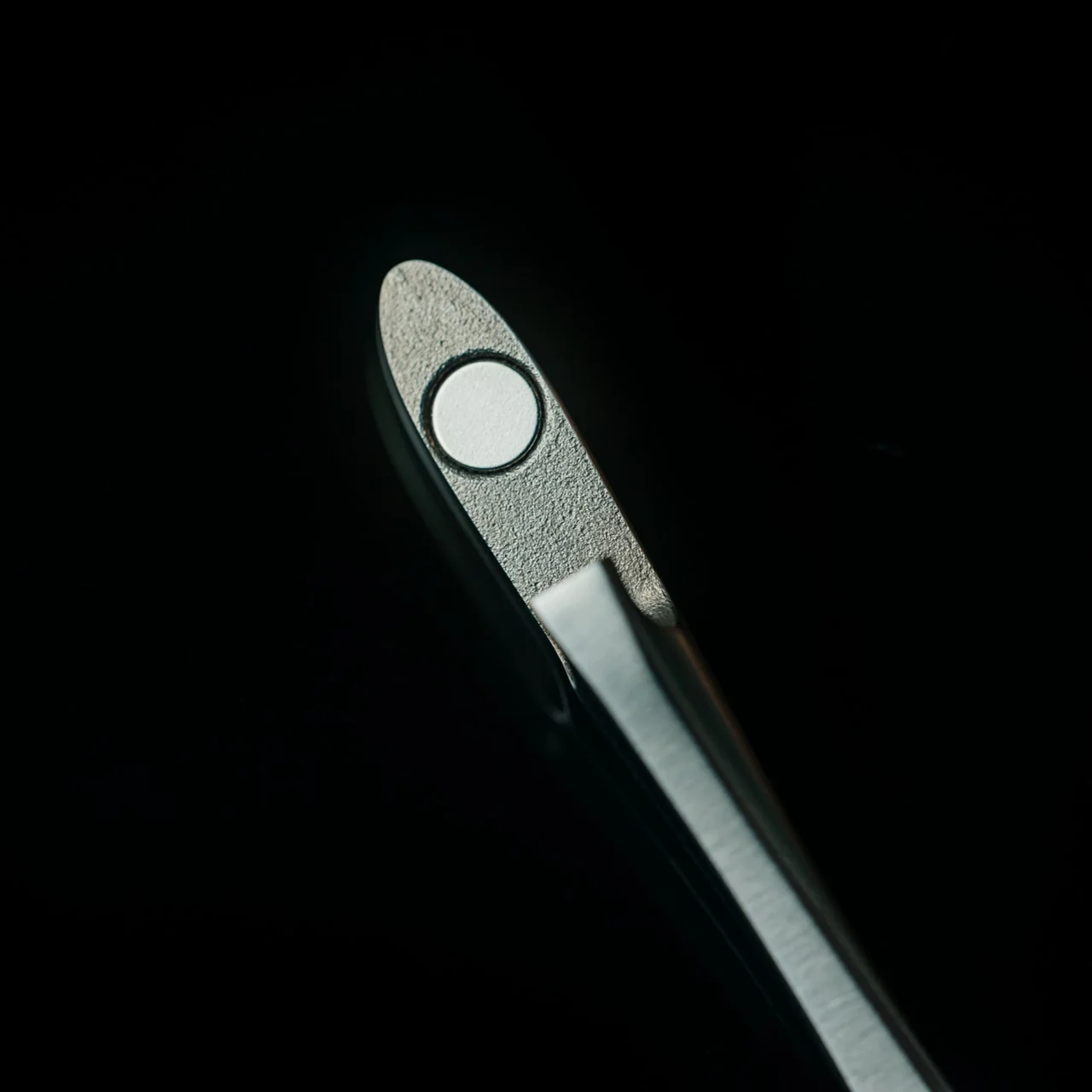
The bottle opener is forged from solid, corrosion-resistant stainless steel and finished with a hand-applied satin coat that gives it a soft, understated shine. Its shape isn’t flashy or complicated, and that’s exactly the point: the stripped-down, minimalist form is what makes it look right at home sitting out on your kitchen counter, bar cart, or shelf, instead of buried in a drawer with your corkscrews and other odds and ends. It’s also a quiet nod to Suwada’s roots. The company has been forging blades and metal tools in Tsubame-Sanjo, a Japanese region famous for generations of metalworking mastery, so the craftsmanship behind this little opener runs a lot deeper than its price tag might suggest.
Where the First Pour really earns its keep is in the details. It opens bottle caps cleanly without bending or denting them, so you’re not left with a crushed, jagged souvenir every time you crack open a drink. It also has a built-in magnet that catches the cap the instant it pops free, rather than letting it clatter onto the counter, roll under the fridge, or scuff up your countertop. It’s a small addition, but it’s the kind of thoughtful touch a lot of openers skip entirely, and one that makes a genuine difference every single time you use it.
For comparison, a mainstream option like the OXO Good Grips Bottle Opener retails for around $10 and gets the job done just fine, thanks to a soft, non-slip handle built for everyday comfort. It’s a reliable, no-frills tool, and there’s nothing wrong with that. But it is purely utilitarian: there’s no magnet to catch the cap, no display-worthy design, and no real story behind how it’s made. At $65, the First Pour Bottle Opener costs several times more, but you’re paying for hand-applied craftsmanship, a heritage that spans centuries, corrosion-resistant stainless steel, and a magnetic cap-catch that solves a problem most openers on the market, including OXO’s, simply don’t address. It’s less an “opener versus opener” comparison and more a question of whether you want a tool that just works, or one that works beautifully and looks the part while doing it.
I don’t usually think much about something like a bottle opener when I’m shopping for my kitchen. It’s one of those tools you buy once and only think about again when it fails you. But something like the First Pour Bottle Opener makes you reconsider how small changes, whether to design or function, can matter more than you’d expect. Using it turns a mundane, thoughtless task into a small, satisfying ritual, one you can look forward to with that end-of-day (or, let’s be honest, middle-of-the-day) cold drink. Sometimes it really is the small things that make a good moment feel a little better, and this humble little tool is proof that even the objects we take for granted deserve a second look.
I check the time roughly forty times a day, and I couldn’t tell you what any of those glances felt like. A phone screen lights up, a number flashes, and I move on before the information even registers. That’s the strange thing about how we live with time now: we have more ways than ever to know what hour it is, and less reason than ever to actually notice it. Digital displays don’t ask anything of us. They just report, and we absorb, and nothing about the moment sticks.
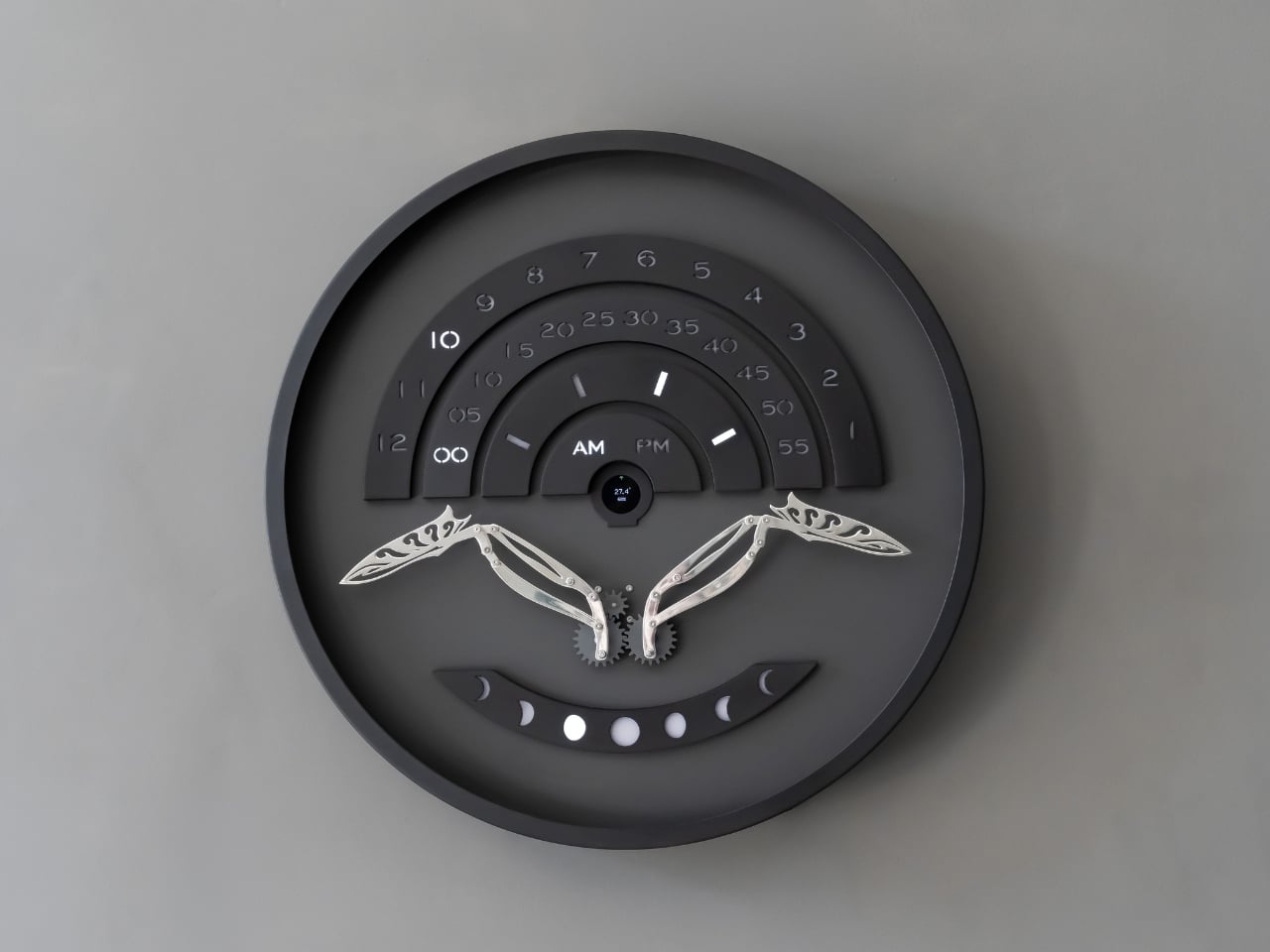
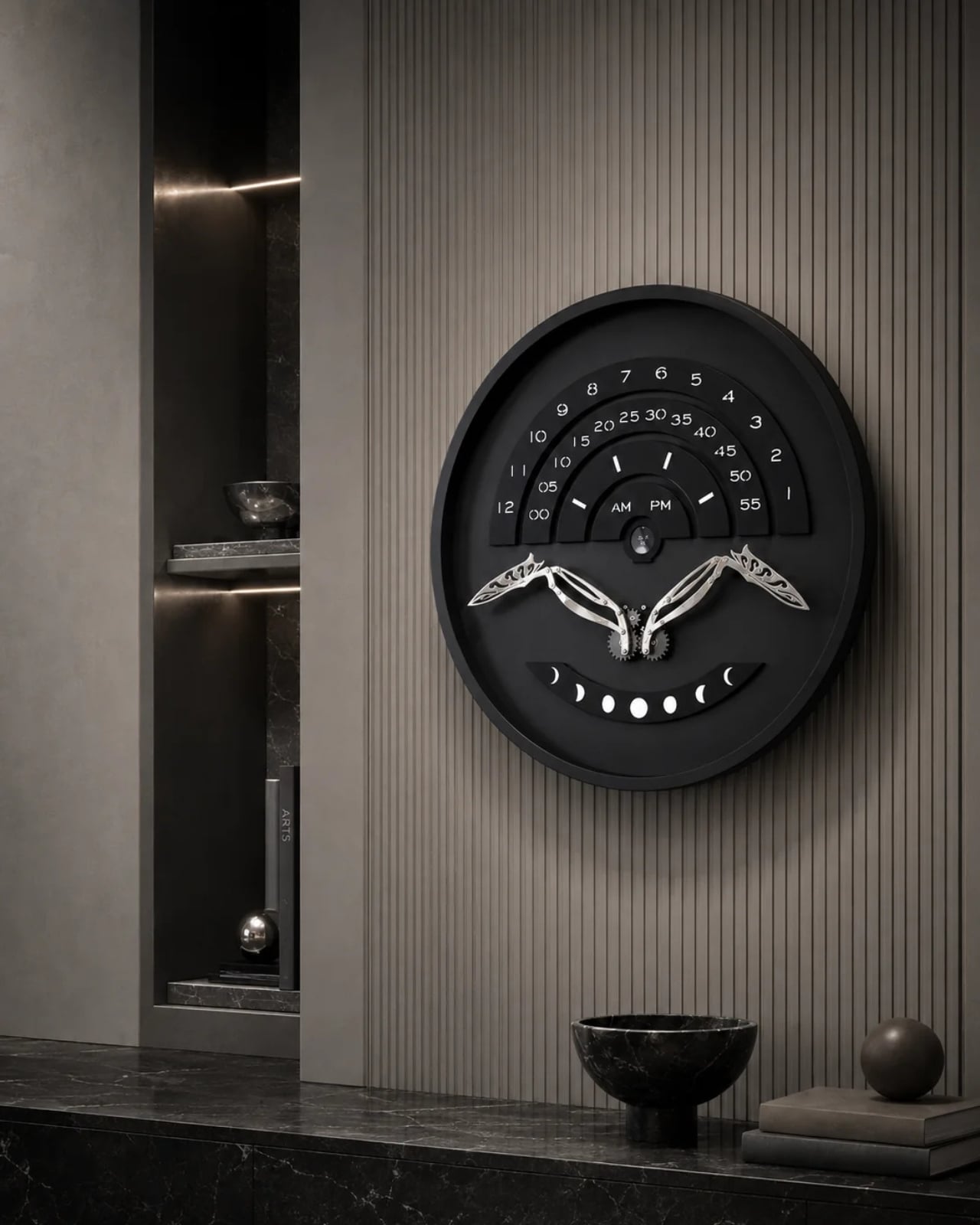
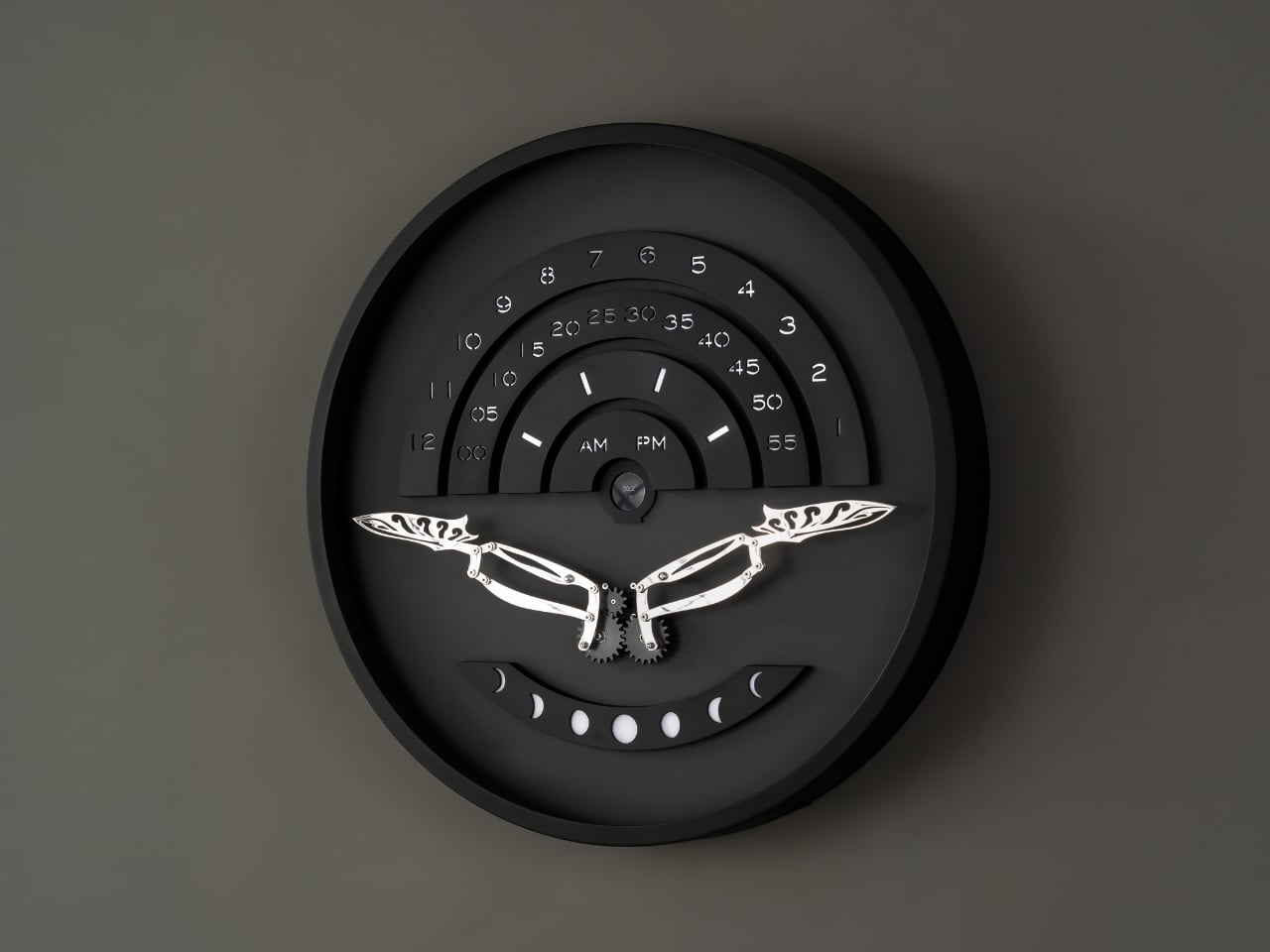
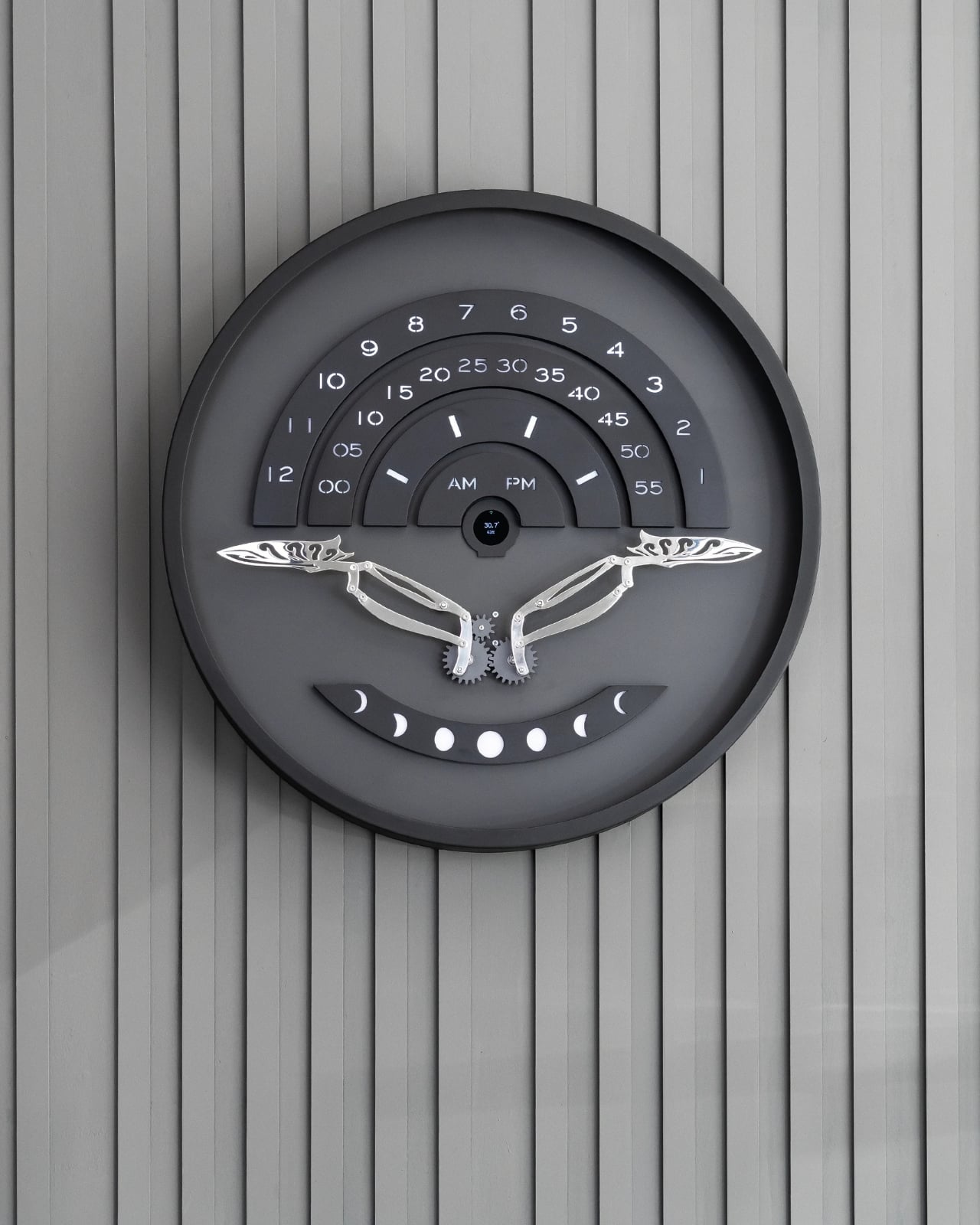
That’s the gap a new piece from Istanbul studio Omora Lusso seems built to close. Instead of showing the hour as flat information, it makes you wait for it, watch for it, and experience it as something closer to a small performance than a readout. The studio calls it Muvaqqit 60, and as the press materials put it, it’s a 60-centimetre kinetic time artwork that transforms the reading of time into a recurring physical ritual.
Designer: Omora Lusso
The name itself carries weight before the mechanism even moves. Muvaqqit takes its name from the historical timekeeper responsible for determining and regulating time through astronomy and exact observation, and in Ottoman cities, muvakkithanes were dedicated timekeeping rooms, often associated with mosque complexes, where prayer times were calculated and astronomical knowledge was practised. I appreciate that Omora Lusso didn’t try to costume this piece in false antiquity. The studio does not reproduce the instruments or forms of these spaces; instead, it reinterprets their culture of precision, contemplation and measured time through contemporary kinetic design. That distinction matters. It would have been easy, and a little lazy, to slap old astronomical symbols onto a modern object and call it heritage. This is a harder, more honest route: borrowing the spirit of a tradition rather than its skin.
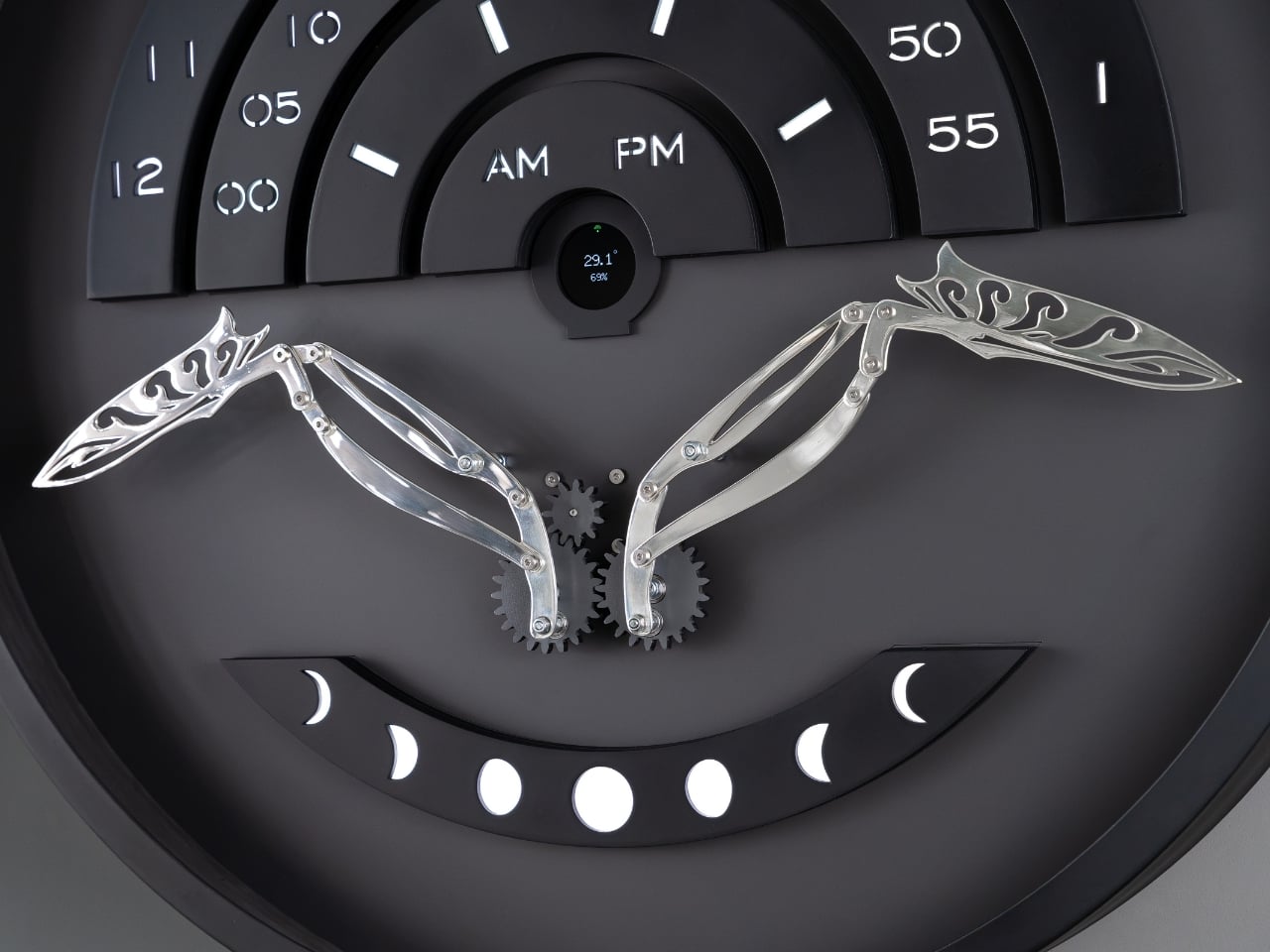
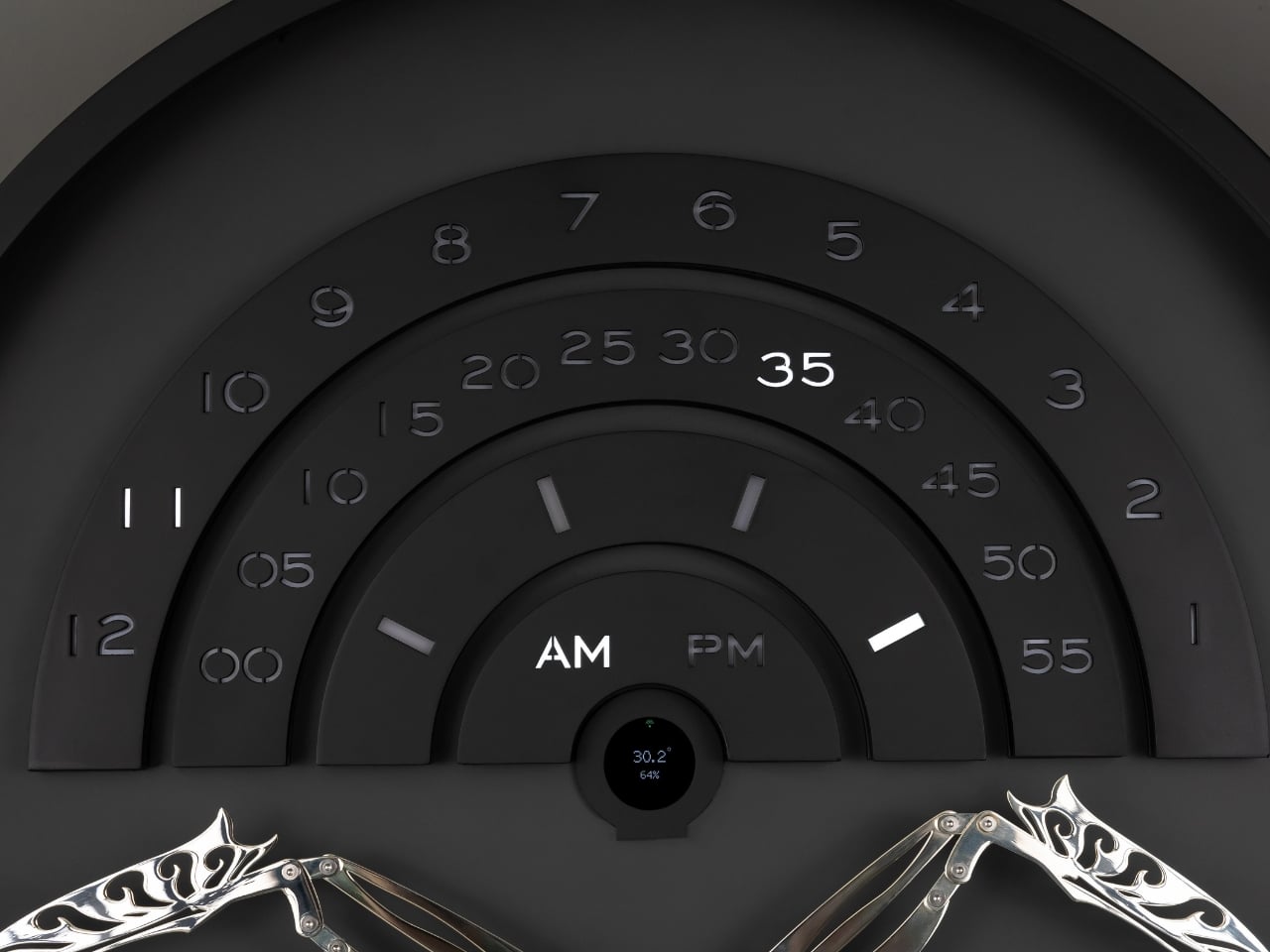
The piece itself only reveals what it can do once a minute, and that restraint is the whole point. Once each minute, Muvaqqit performs a time-indication sequence: a comet-like progression of light moves through its layered scales as a mirror-silvered kinetic bird rises into position, while the hour, five-minute interval and minute increment are read across three curved scales, with an AM/PM display and an illuminated moon-phase arc completing the temporal composition. The rest of the time, it stays quiet on purpose. Between these moments, the work remains visually restrained, allowing anticipation to become part of the experience. There’s a kind of confidence in a product that chooses to stay dark and still for fifty-nine seconds just so the sixtieth means something. Most gadgets are terrified of silence. This one leans into it.
Omer Fatih Sevinctekin, the studio’s founder, frames the whole project as a question rather than a solution, which I found refreshing given how many product launches arrive dressed as answers. He describes it as beginning with the question of whether time can be experienced as a ritual rather than simply read as information, wanting the work to connect Istanbul’s culture of precise timekeeping with a contemporary language of motion, light and material.
Materially, the Noir Silver edition plays a straightforward but effective contrast game. It pairs a soft-black metal frame and anthracite inner dial with a hand-polished, mirror-silvered brass bird, presented behind a four-millimetre glass front, with a controlled palette designed to sharpen the contrast between stillness and movement, and between the dark architectural body and the brief illumination of the time ritual. Nothing about it is loud until the moment it needs to be.
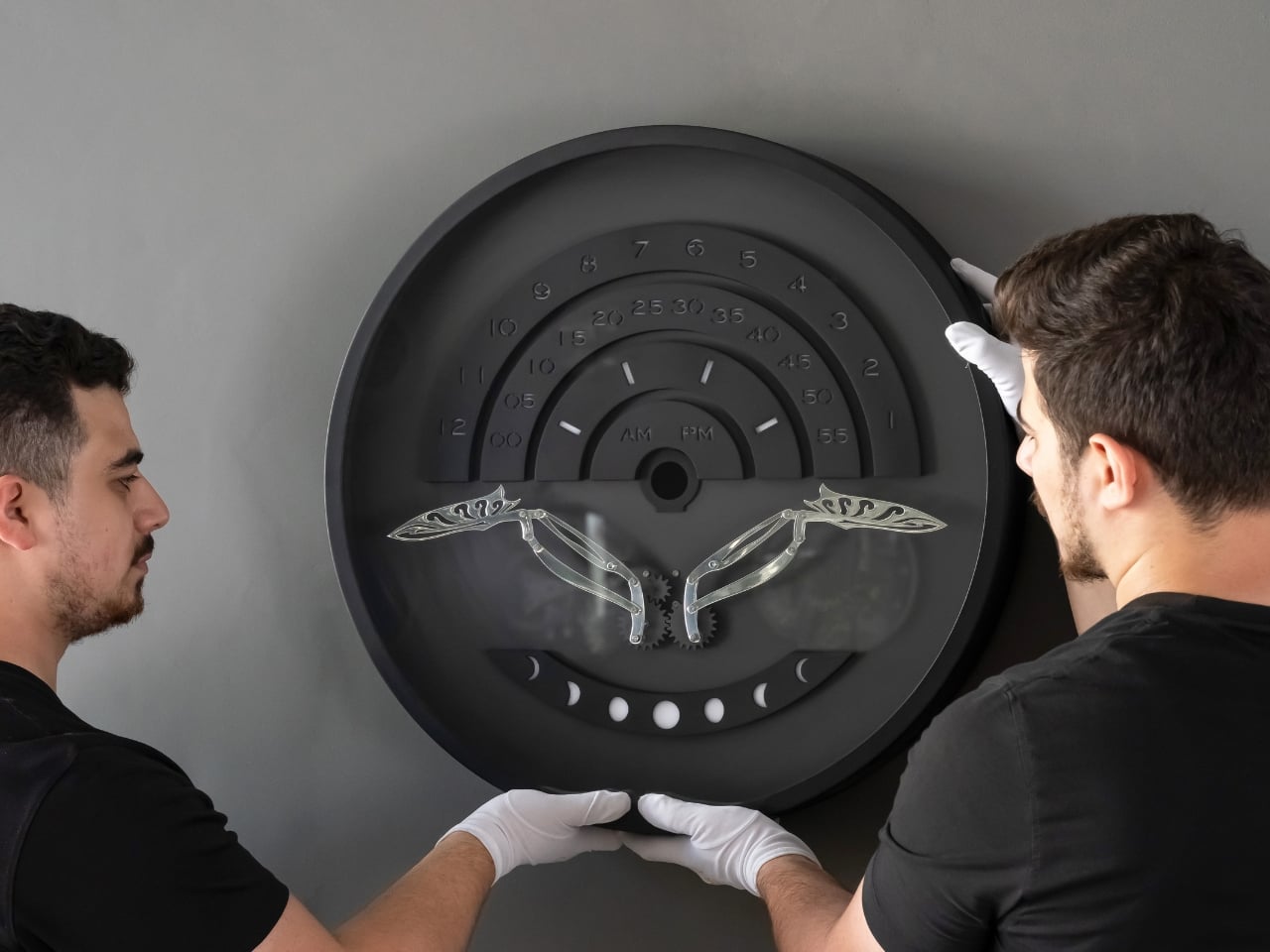
This isn’t a mass object, and it was never going to be. Muvaqqit 60 Noir Silver is limited to 50 pieces worldwide, offered at USD 6,000, with each work produced in Istanbul and accompanied by a Certificate of Authenticity, a dedicated wooden presentation case, art-handling gloves and operating materials. That price and scarcity will keep it out of most homes, and I won’t pretend otherwise. But the idea underneath it, that time deserves a moment of attention instead of a passing glance, doesn’t require owning the object to land. The studio’s broader collection treats time not as a static reading but as an event, a sequence that can be anticipated, observed and remembered, and that’s a quietly radical stance in a culture that mostly wants its information delivered instantly and forgotten just as fast.
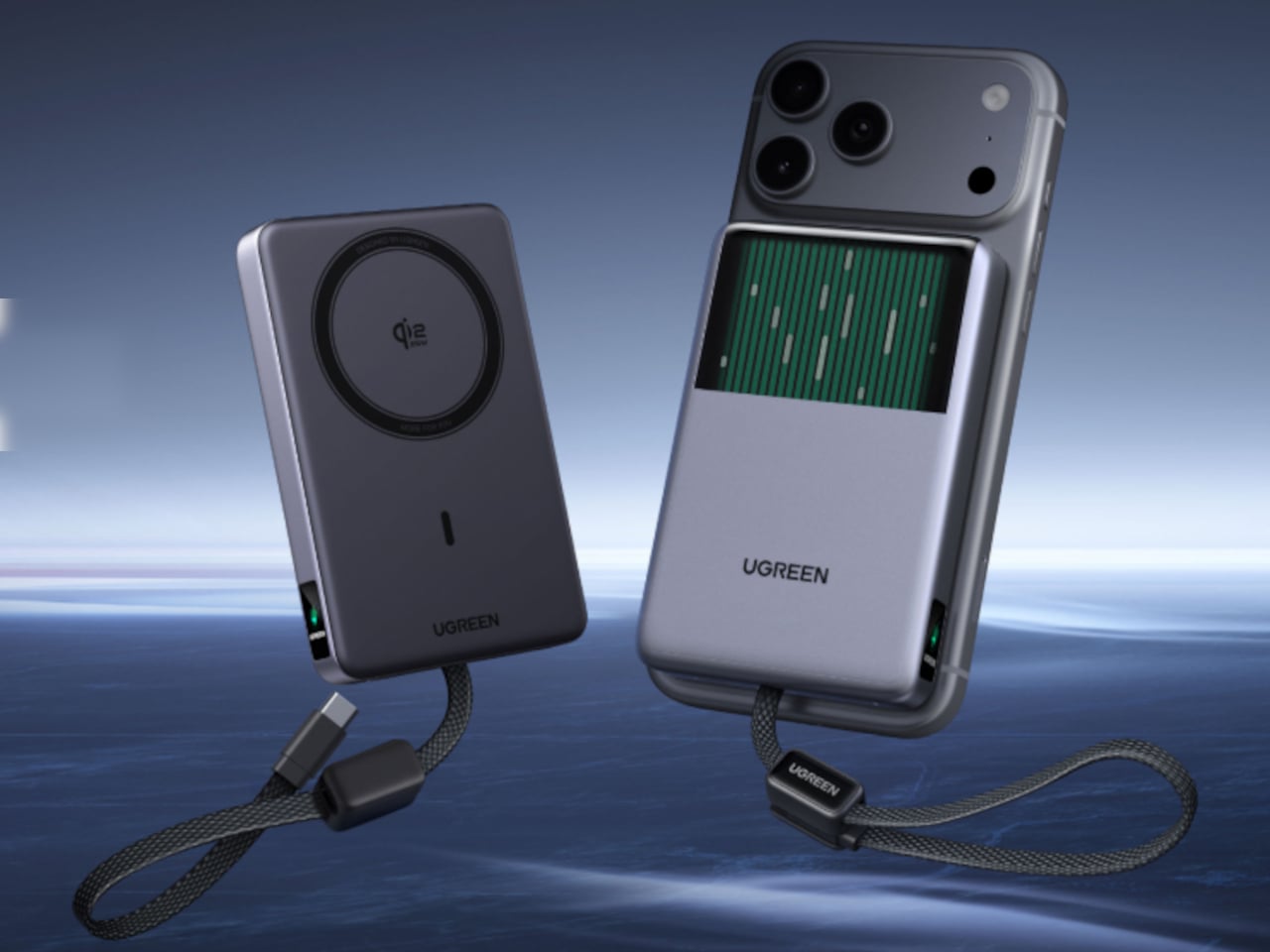
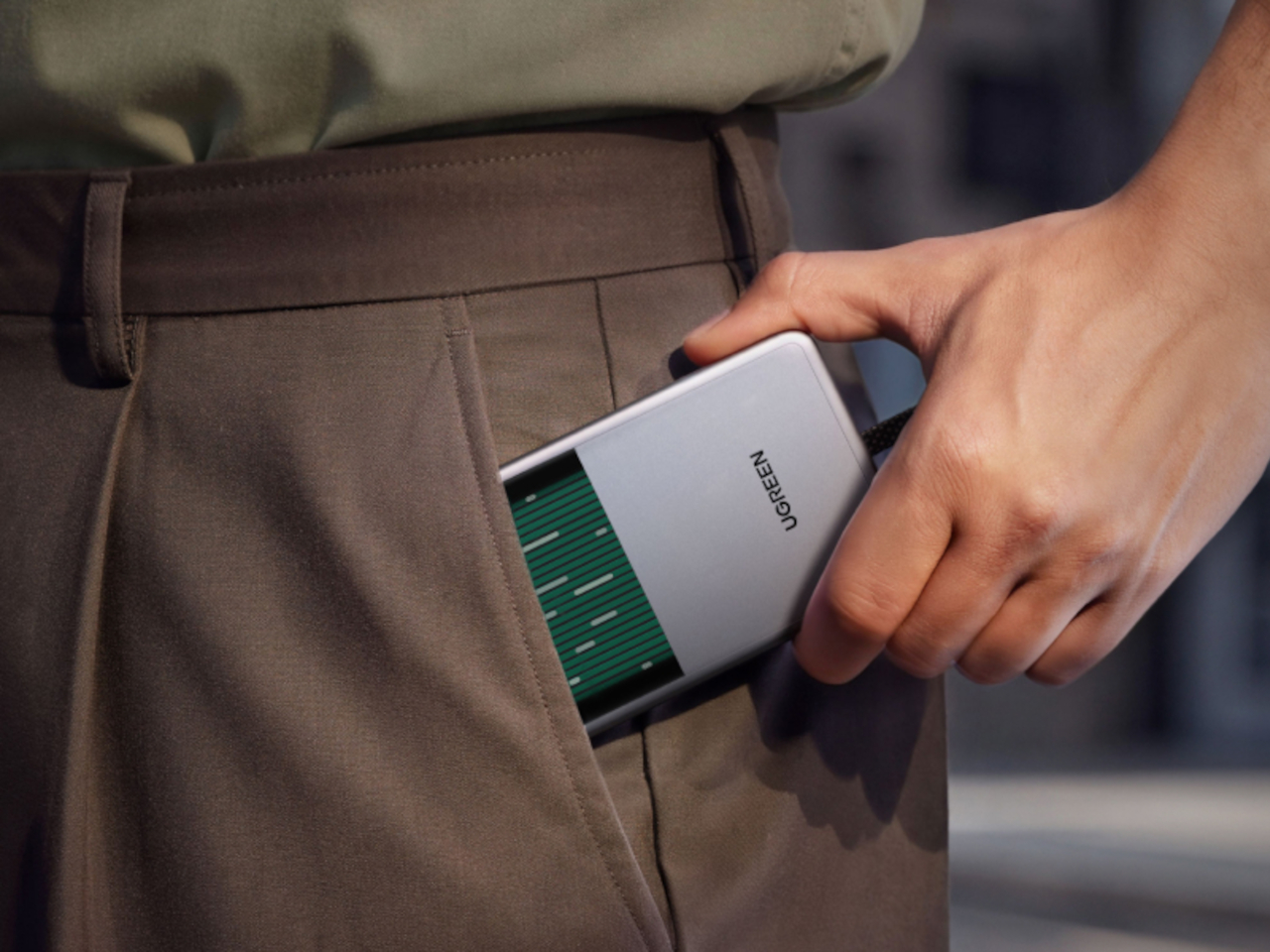
UGREEN’s MagFlow Pro treats overheating as a design problem worth solving with actual engineering, not just a bigger heat sink. This 10,000mAh magnetic power bank borrows liquid cooling from gaming PCs and squeezes it into a pocket-sized charger, aiming to keep wireless charging fast without turning your phone into a hand warmer along the way.
Qi2 charging has always had a dirty secret hiding under its magnetic convenience. Wireless systems lose up to 30% of their power as heat during transfer, which means a phone sitting at 25W often throttles down within minutes to avoid overheating. UGREEN built the MagFlow Pro around fixing that exact bottleneck rather than just chasing a bigger battery number.
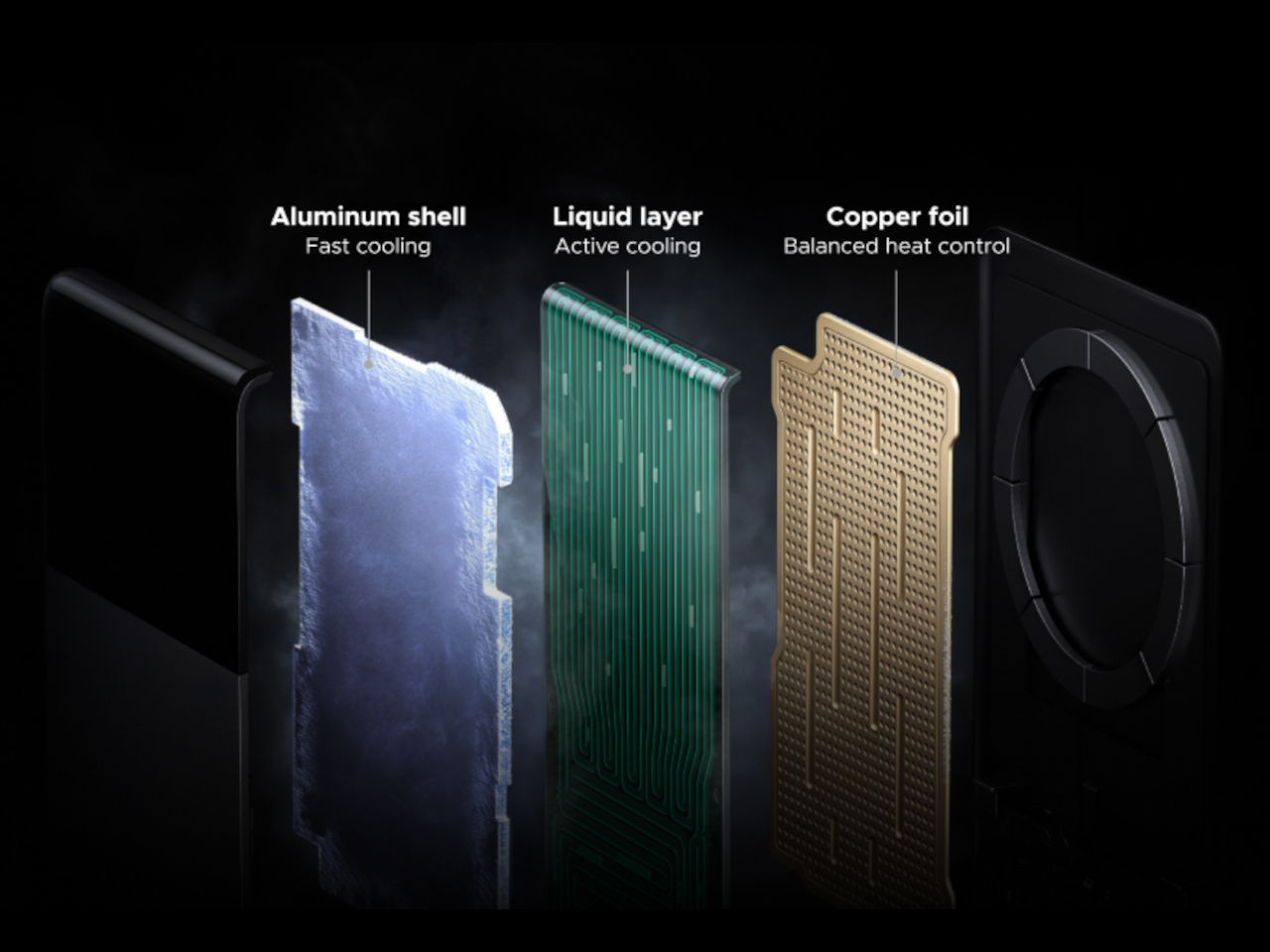
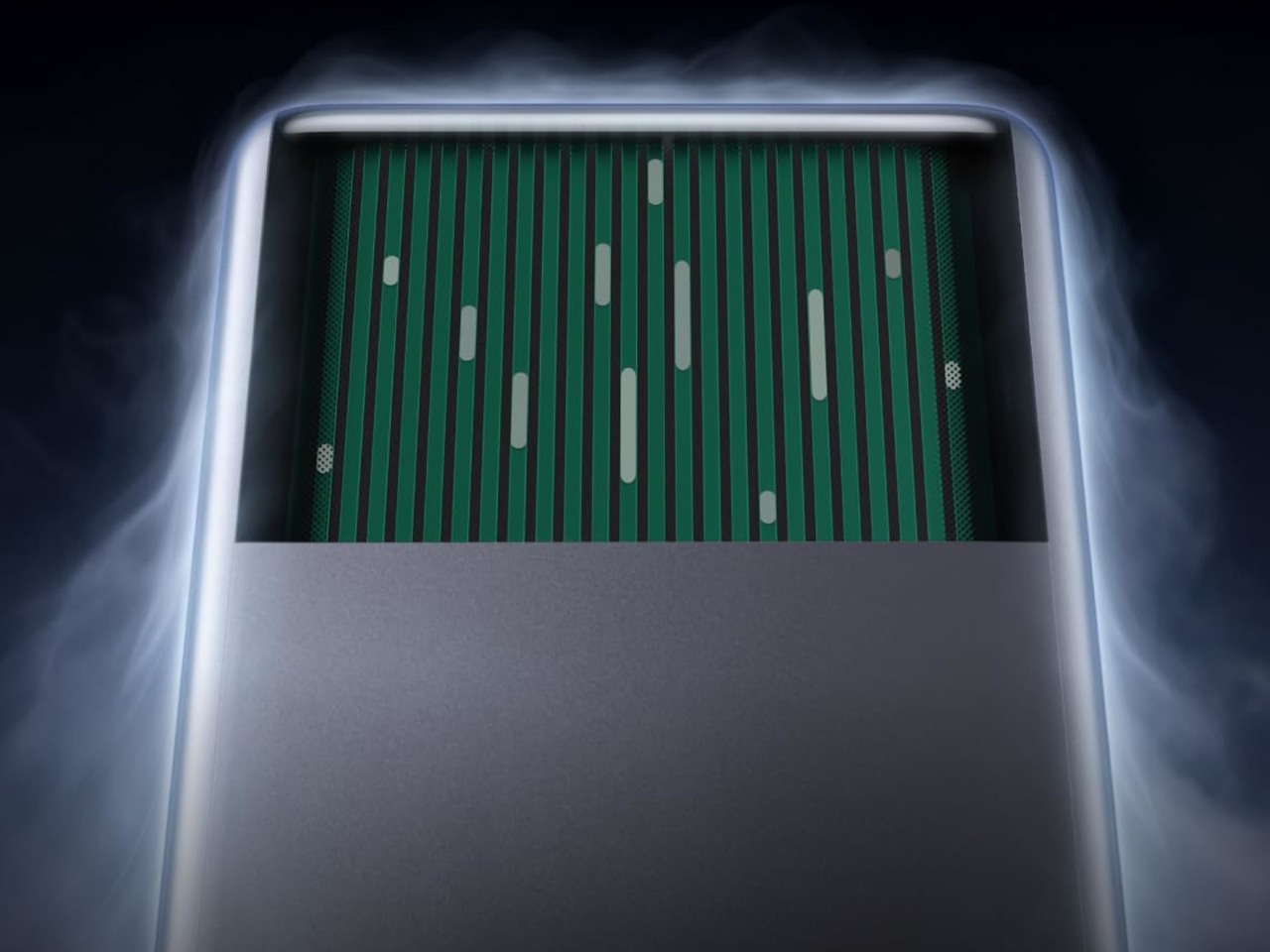
Inside sits CryoPulse, a cooling system built around a micro-pump that circulates liquid coolant past the charging coil and other heat-generating components. Copper foil spreads that heat further, while a layout that physically separates key parts keeps warmth from concentrating in one spot. It is a scaled-down version of what keeps a gaming rig from throttling under load, just built to survive inside a phone charger.
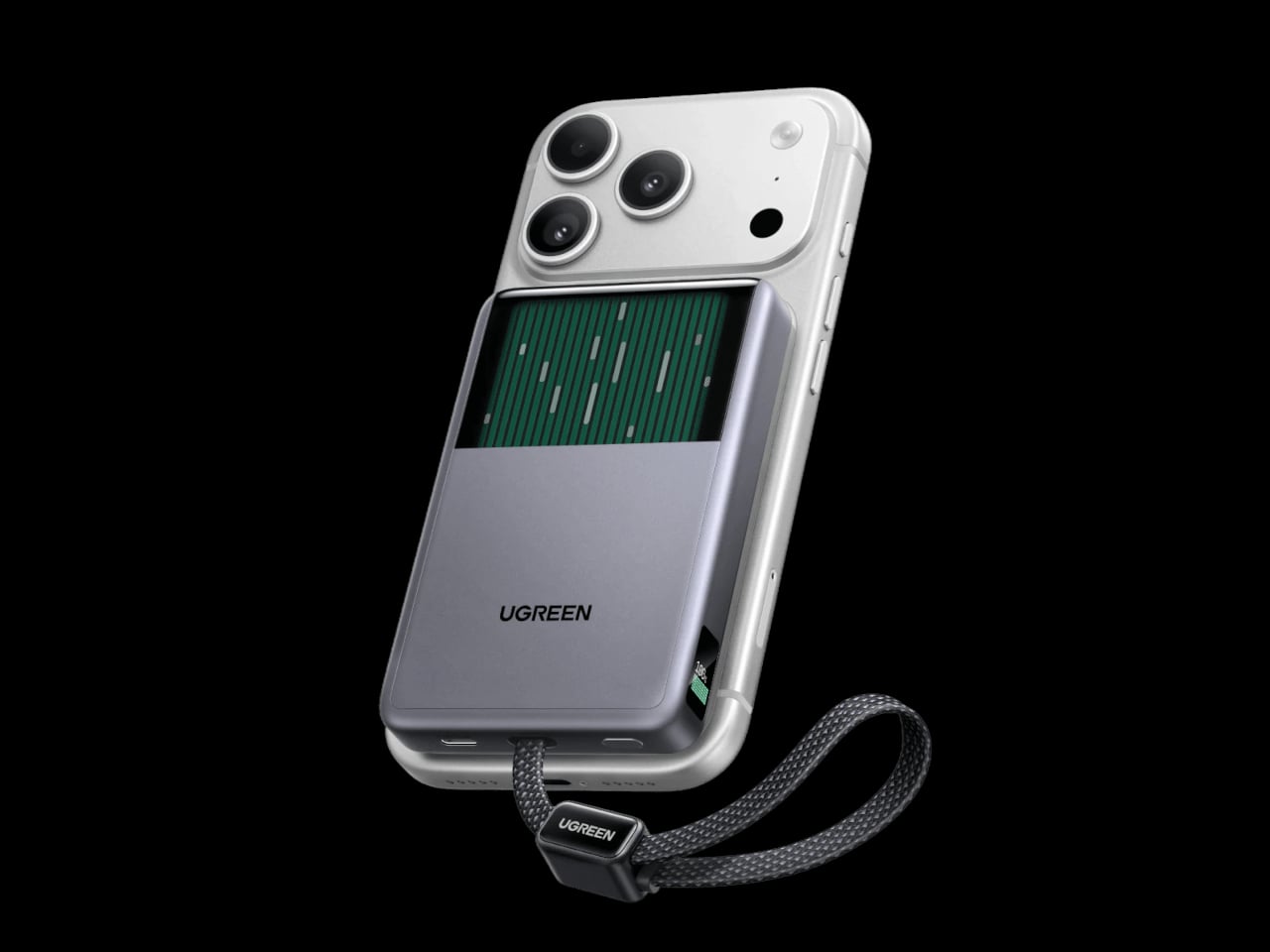
A transparent panel on the front turns that entire process into something you can actually watch, showing coolant moving through the internal channels while your phone charges. It is an odd, almost theatrical touch for a power bank, but it doubles as reassurance that the system is doing its job. UGREEN calls it the Cyber Window, and it is hard to look away from once it is running.
That cooling translates into real numbers, too. UGREEN claims the system keeps peak surface temperatures on a phone up to 18°F below its own reference benchmark, letting a device hold onto higher wattage for longer instead of stepping down early. In practice, that means someone topping up before a flight or during a commute gets closer to advertised charging speeds instead of a slow crawl once things heat up.
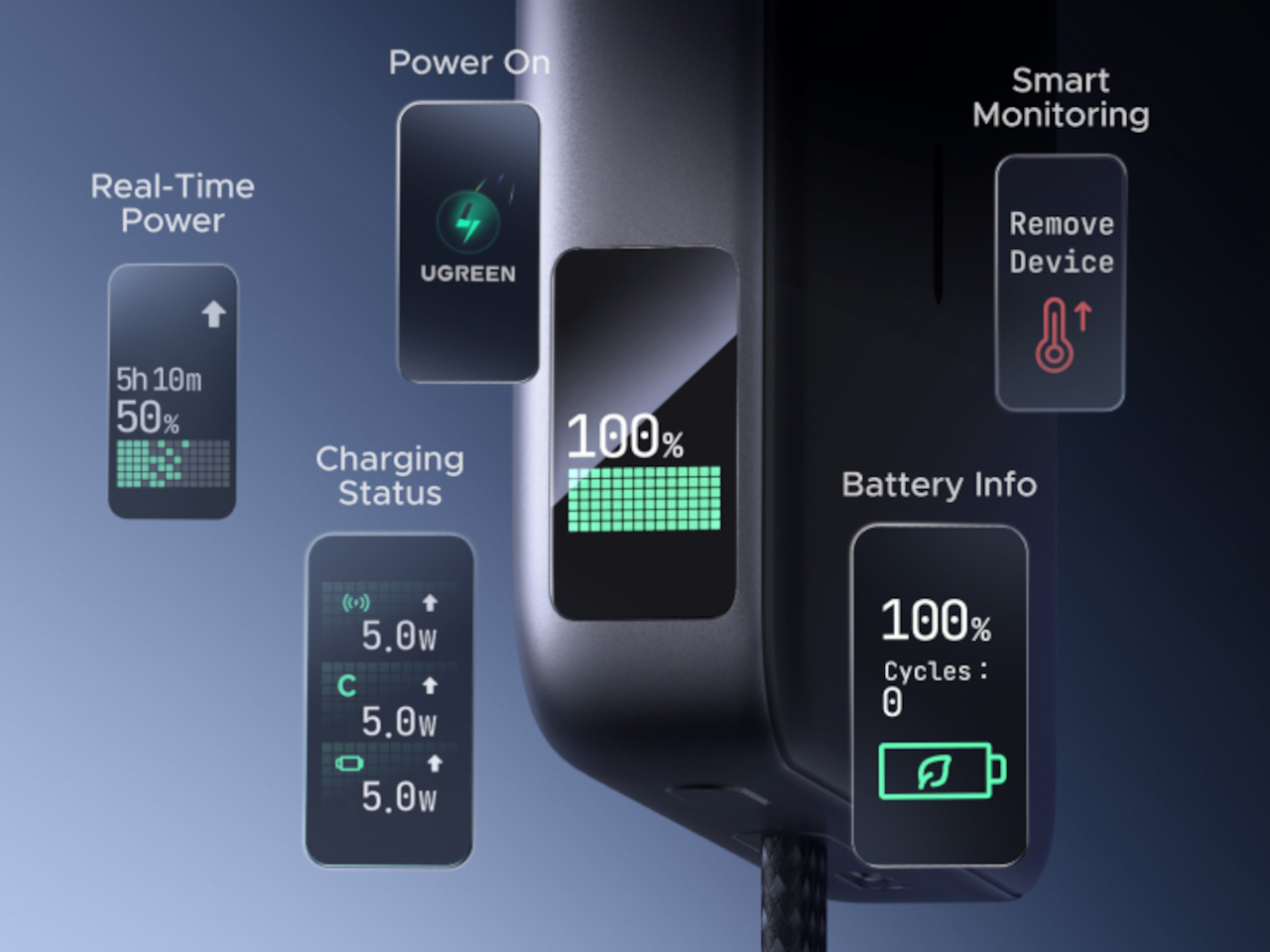
A small display embedded in the shell keeps track of charging wattage, remaining battery percentage, cycle count, and cooling status, turning what used to be a guessing game into actual visible data. Paired with a built-in USB-C cable capable of 30W and a combined output of up to 45W, the MagFlow Pro can charge a phone, tablet, and another accessory simultaneously without demanding a bag full of extra cables.
If the battery degraded quickly, all of those fancy features would be pointless, so UGREEN built the cell around Dymondcell 2.0 protection, retaining more than 80% of its capacity after 800 charge cycles. It also survived seven hours of continuous overcharge testing without failure, a detail aimed squarely at anyone who leaves their charger plugged in overnight out of habit rather than necessity.
At $149.99, the MagFlow Pro costs considerably more than other 10,000mAh power banks on the market, and that price tag puts real weight behind its cooling claims. It is a bet that people charging phones daily care as much about consistent performance and battery longevity as they do about raw capacity, and that a bit of visible engineering can justify paying extra for it.
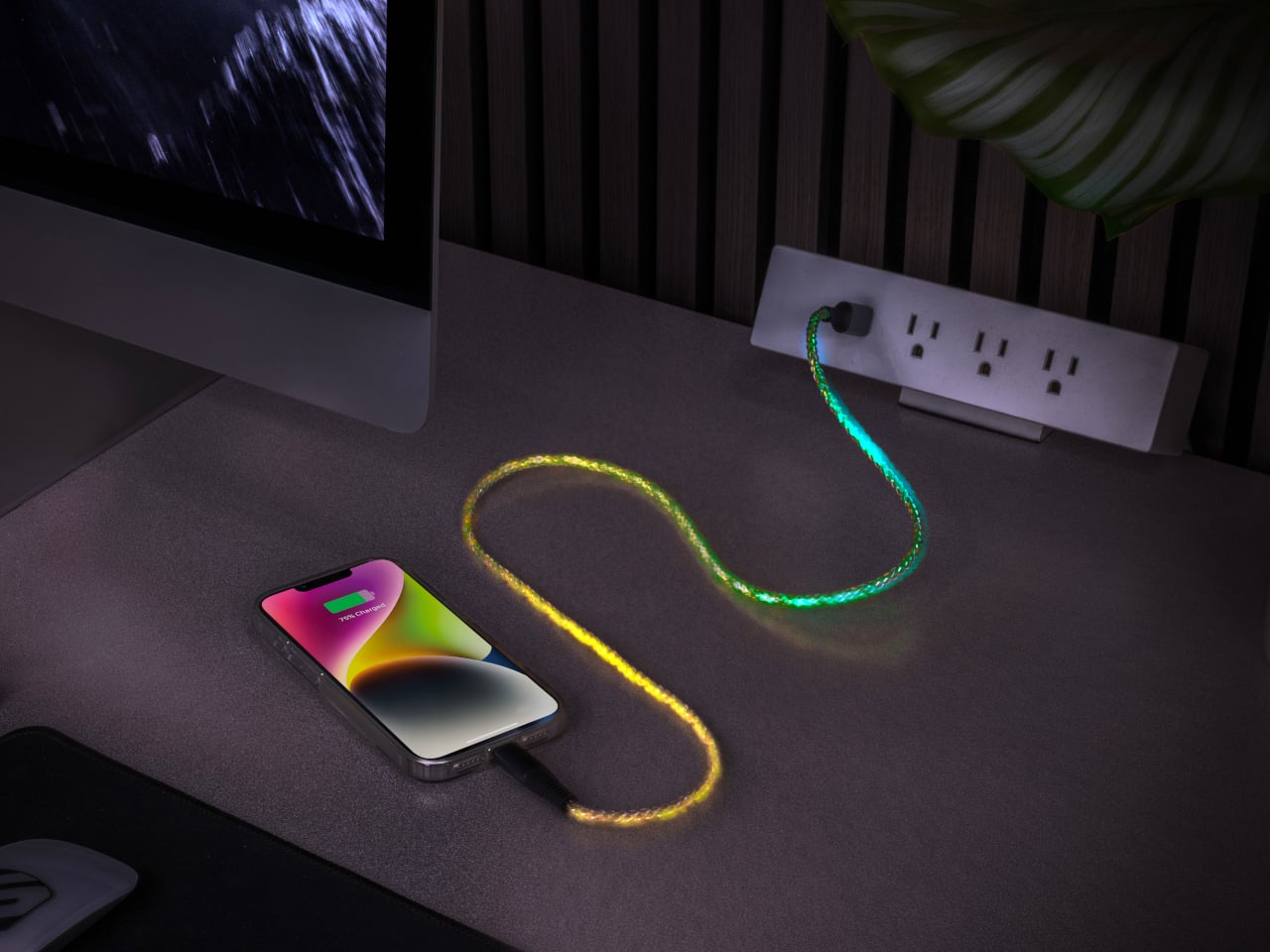
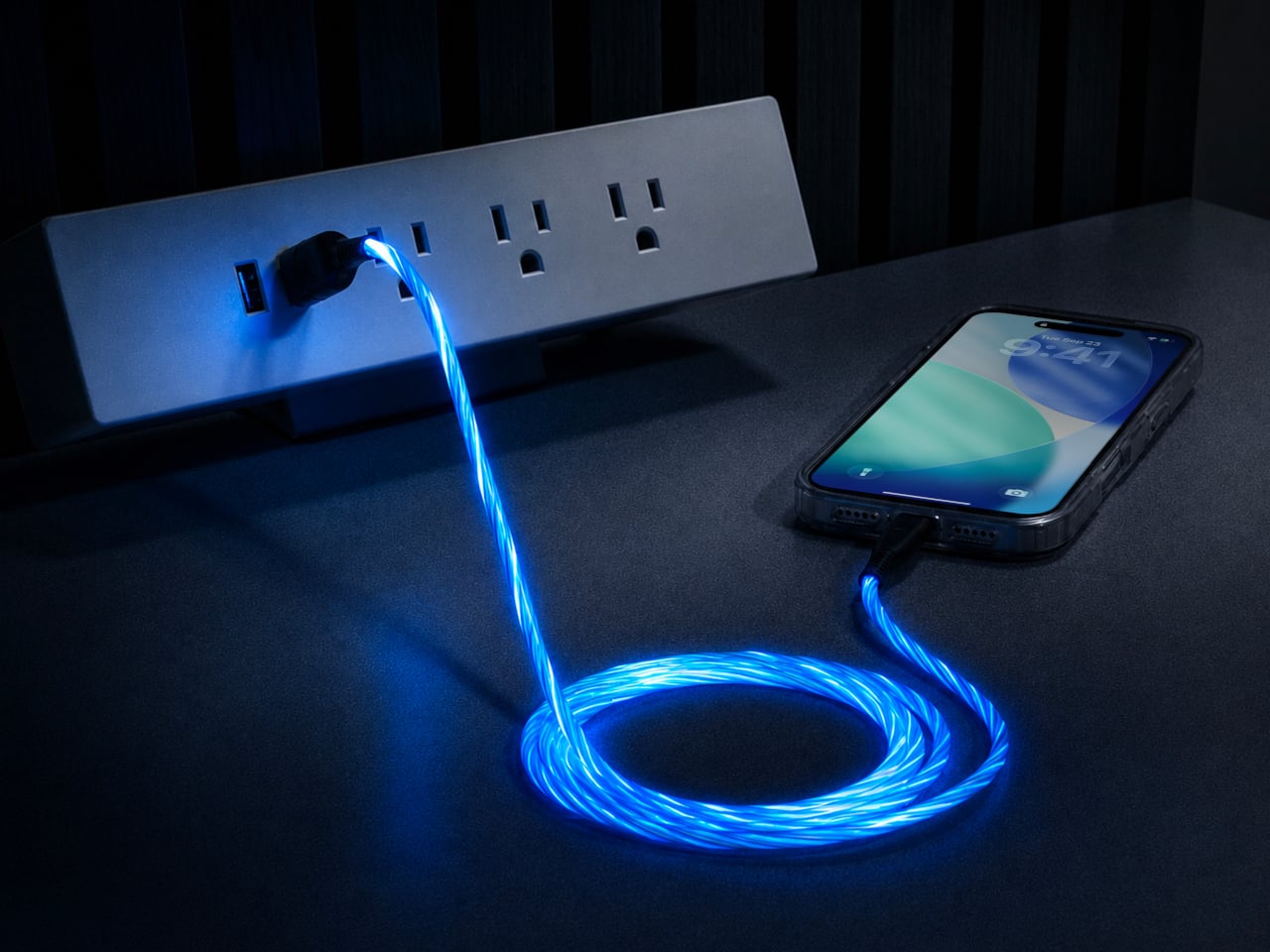
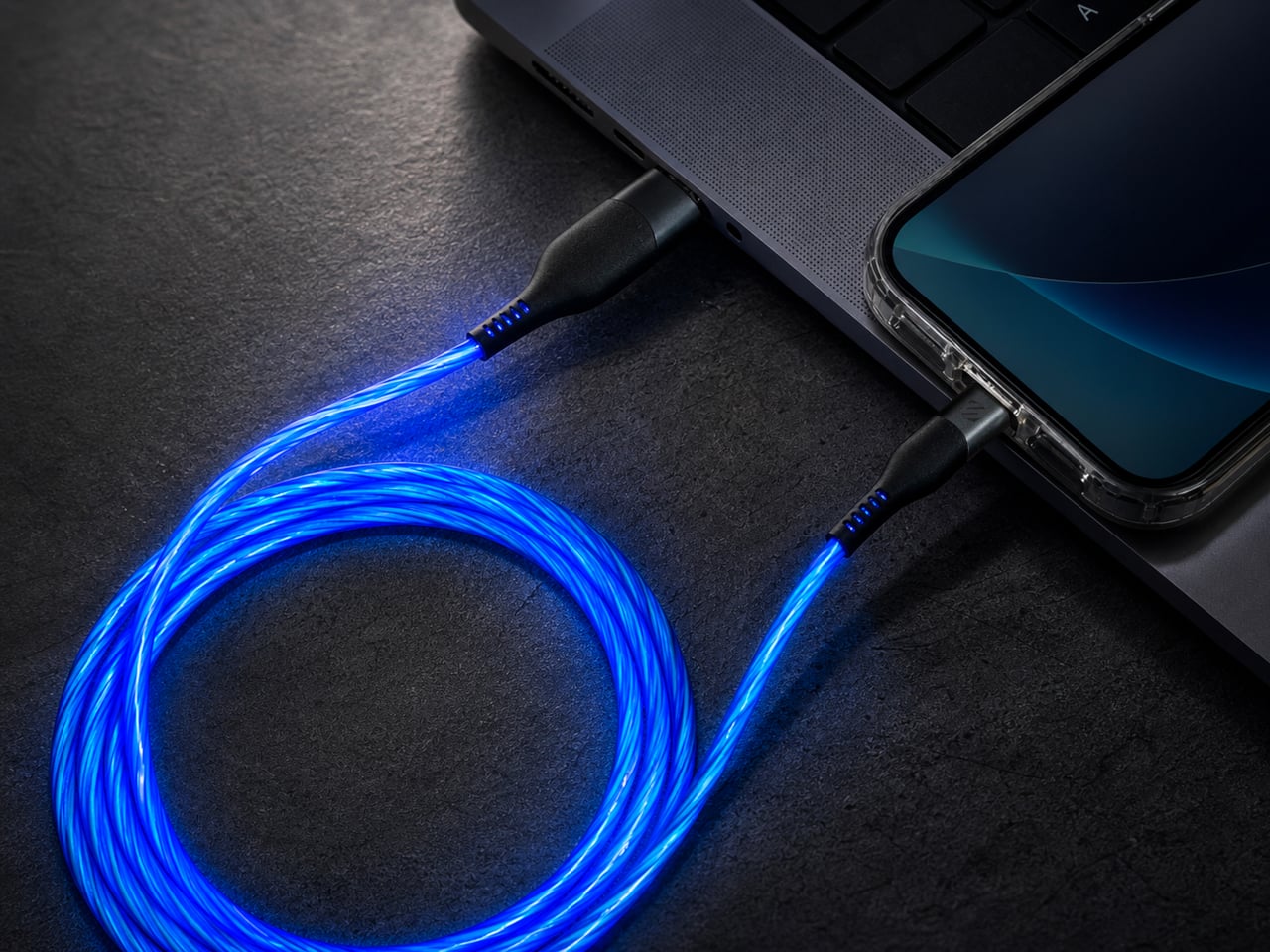
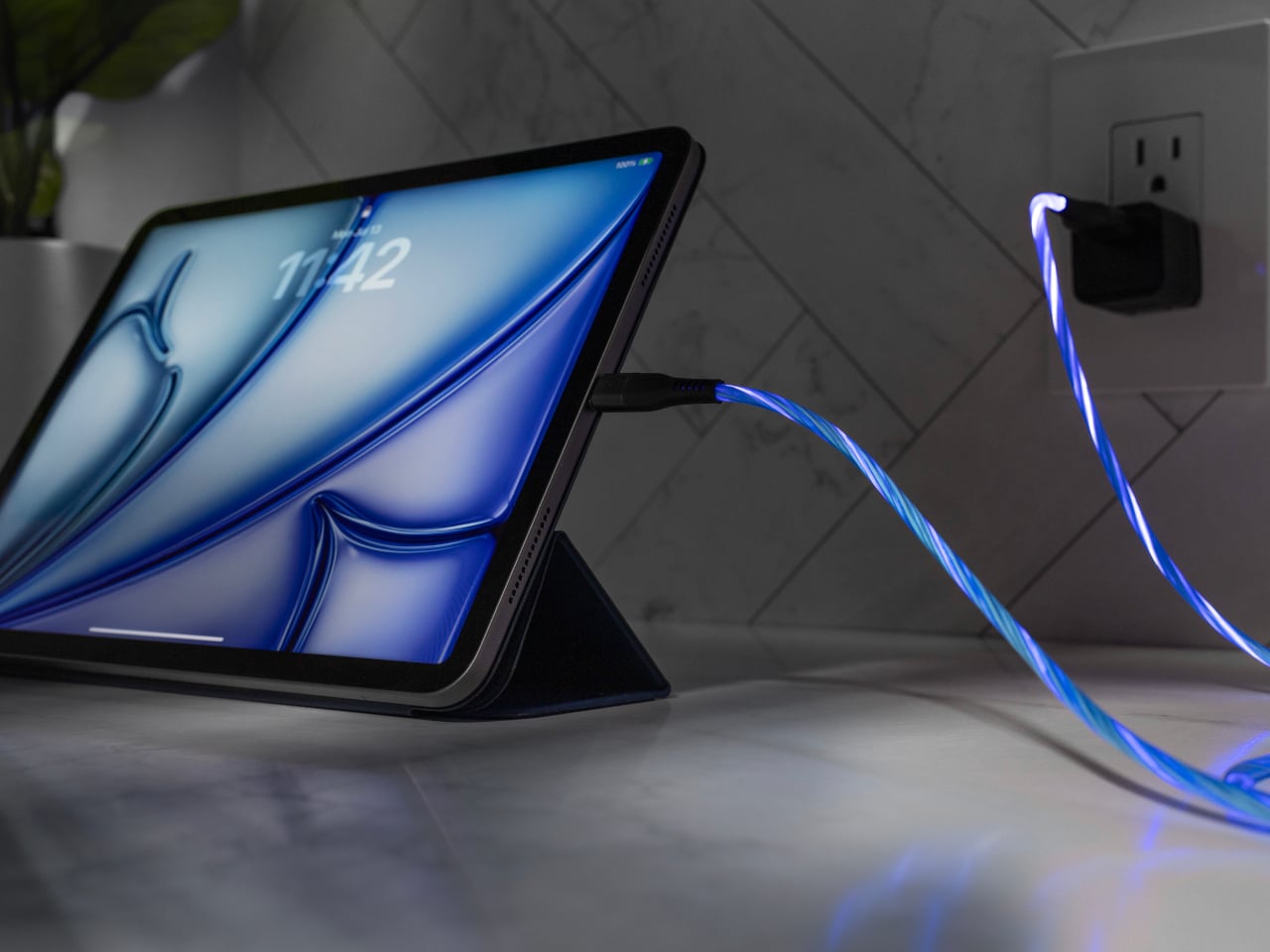
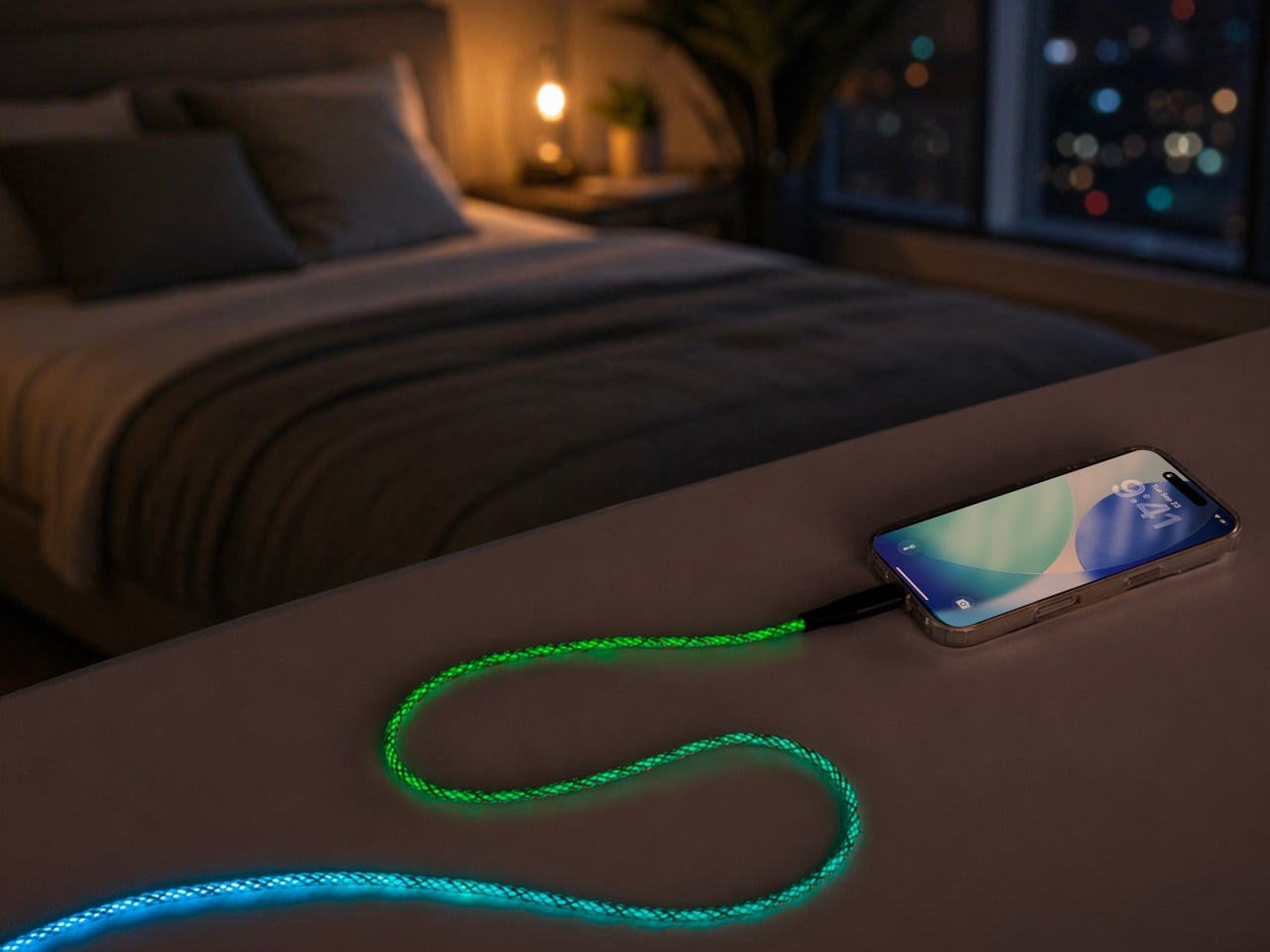
Scosche built a charging cable that refuses to hide once the lights go out. The GloBright MultiColor Glowing LED Charging Cable, developed with Statik and introduced at IFA 2026, takes the most overlooked object on any desk and turns it into something that actually draws the eye. Instead of a black cord disappearing into shadow behind a laptop, this one glows its way across the room.
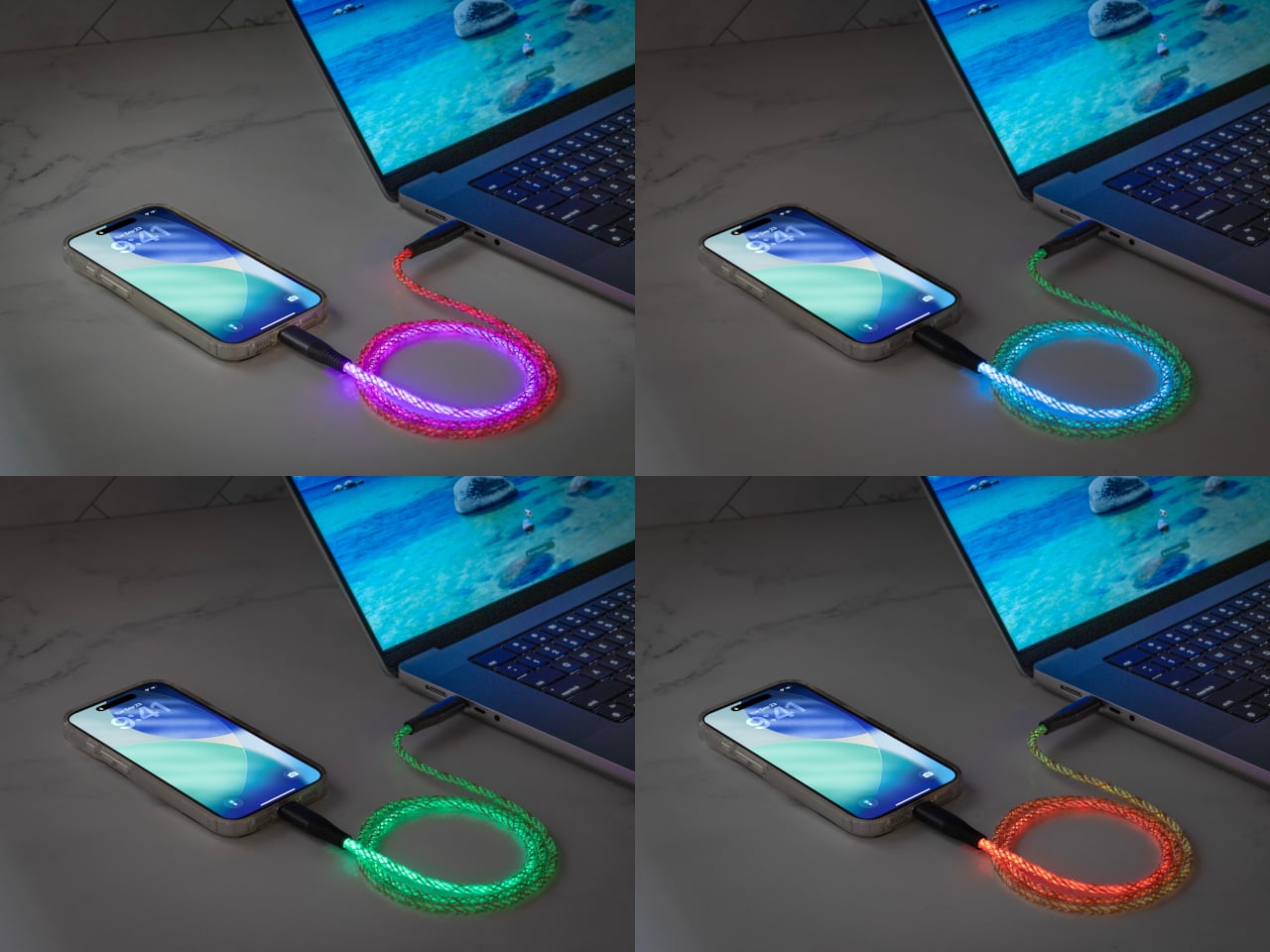
That glow runs through the cable’s full length rather than sitting confined to the connector tips, so a coiled loop on a nightstand reads more like a lit sculpture than a charging accessory. Colors shift gradually along that length too, pink bleeding into purple, blue fading toward teal, giving the cable a slow-motion animation instead of a static single hue that gets boring after the first week of ownership.
None of that visual flair comes at the cost of actual charging performance. Scosche built the GloBright cable to support up to 60W of fast charging for USB-C devices, alongside reliable data transfer, so a phone plugged in overnight wakes up fully charged just like it would with any premium braided cable. The lighting effect runs as a bonus layer on top of specs that already hold up on their own.
Durability gets equal attention. The 3-foot cable relies on premium materials throughout its construction, aiming for a build that survives the daily abuse of getting yanked out of a bag, wound around a charger, or stepped on near a bed frame. Scosche also sells a companion Blue Glowing LED cable in a longer 4-foot option, giving anyone who prefers a single steady color an alternative to the multicolor version’s shifting palette.
Where this cable earns its keep is in the spaces most charging accessories try to disappear from. A gaming setup gets an extra strip of ambient light without needing a separate RGB kit. A bedside table gets a soft, shifting glow that also happens to be topping off a phone overnight. Even a cluttered desk benefits, since a glowing cable is far easier to locate in a tangle of cords than a plain black one ever was.
Scosche prices the GloBright MultiColor cable at $17.99, positioning it well within impulse-purchase territory for anyone shopping for a charging cable anyway. At that price, the lighting effect functions less like a premium upsell and more like a free upgrade bundled into a cable people needed regardless. Buying a charging cable rarely feels like a decision worth thinking about, and Scosche seems to be betting that a little glow is enough to change that.
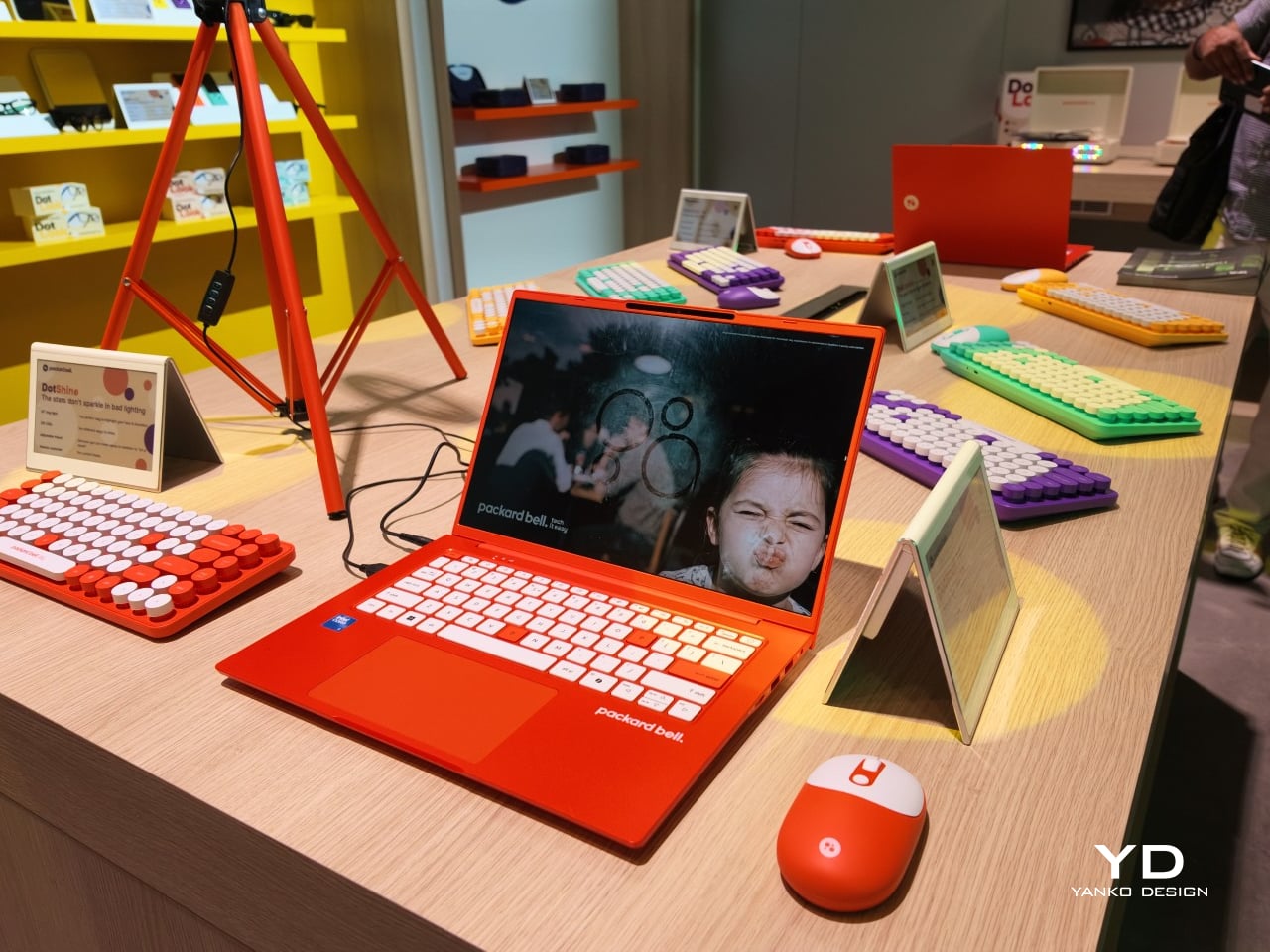
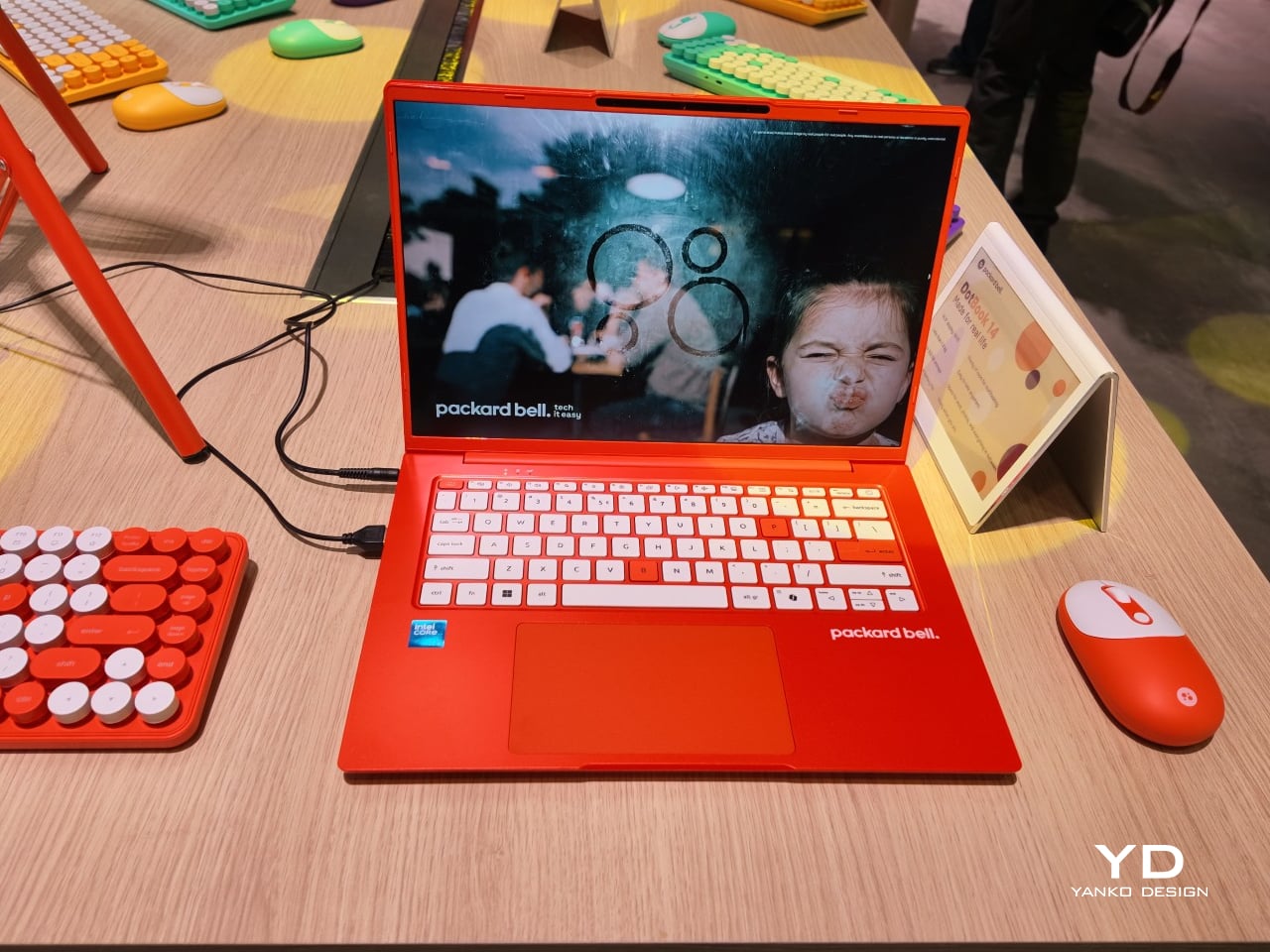
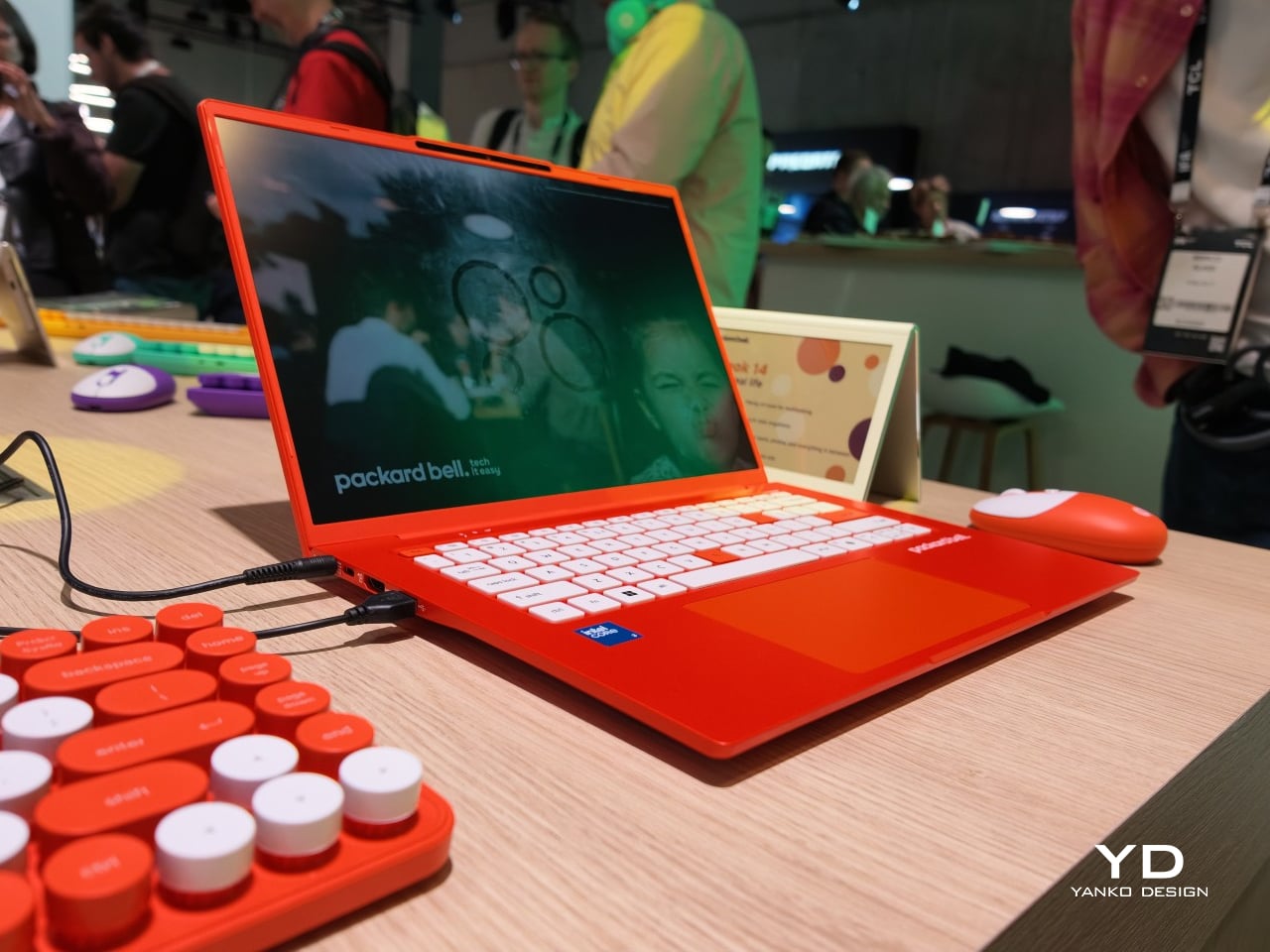
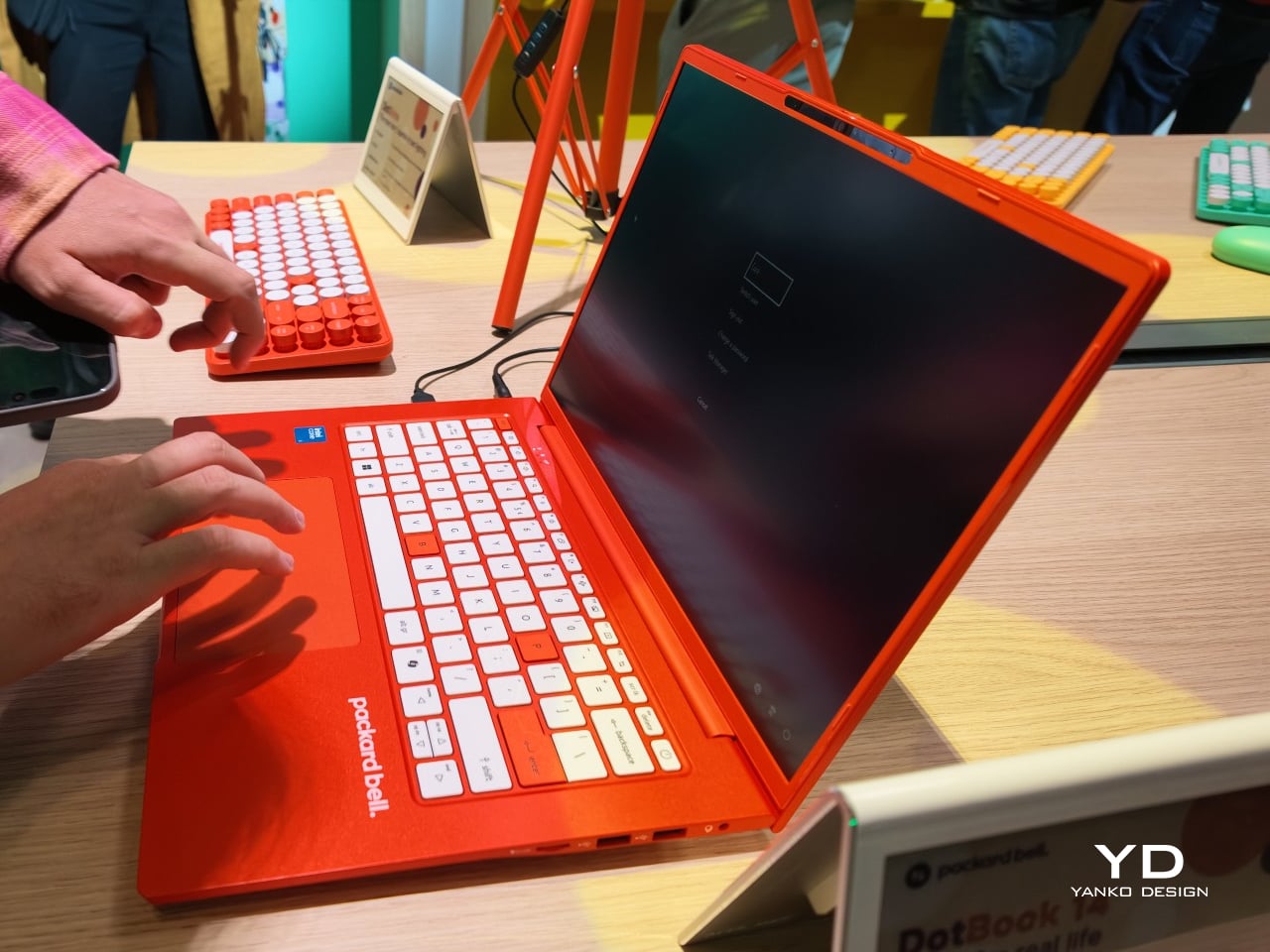
Packard Bell spent a century teaching people that new technology doesn’t have to feel intimidating, and its 100th birthday present to itself leans hard into that idea. Under Acer’s ownership, the brand relaunched at IFA 2026 with a philosophy it calls “Tech it easy,” built around a lineup that trades beige plastic and quiet corporate design for colors loud enough to notice from across a room. Four products anchor that comeback, and each one argues that everyday tech gains something when it stops taking itself so seriously.
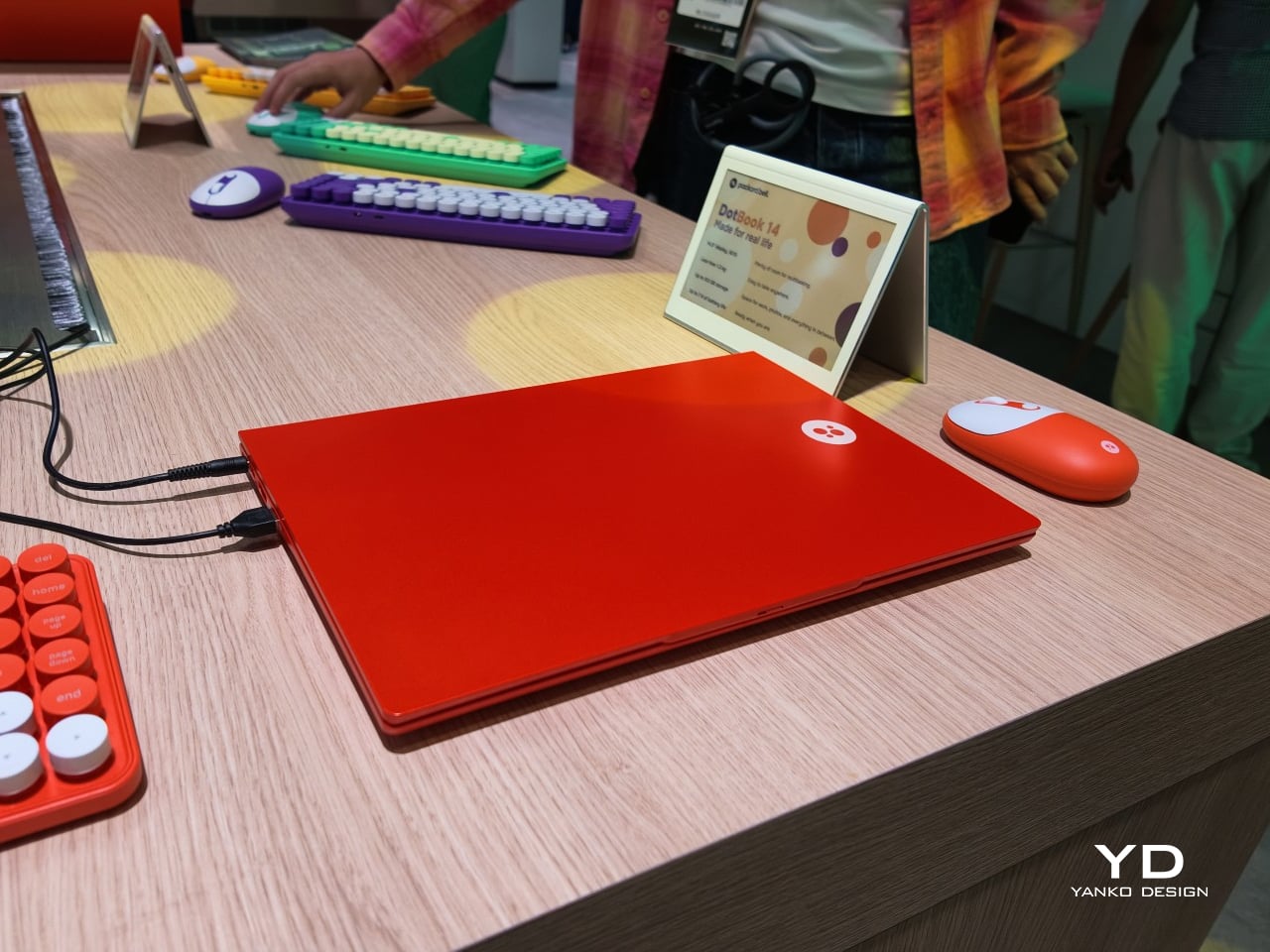
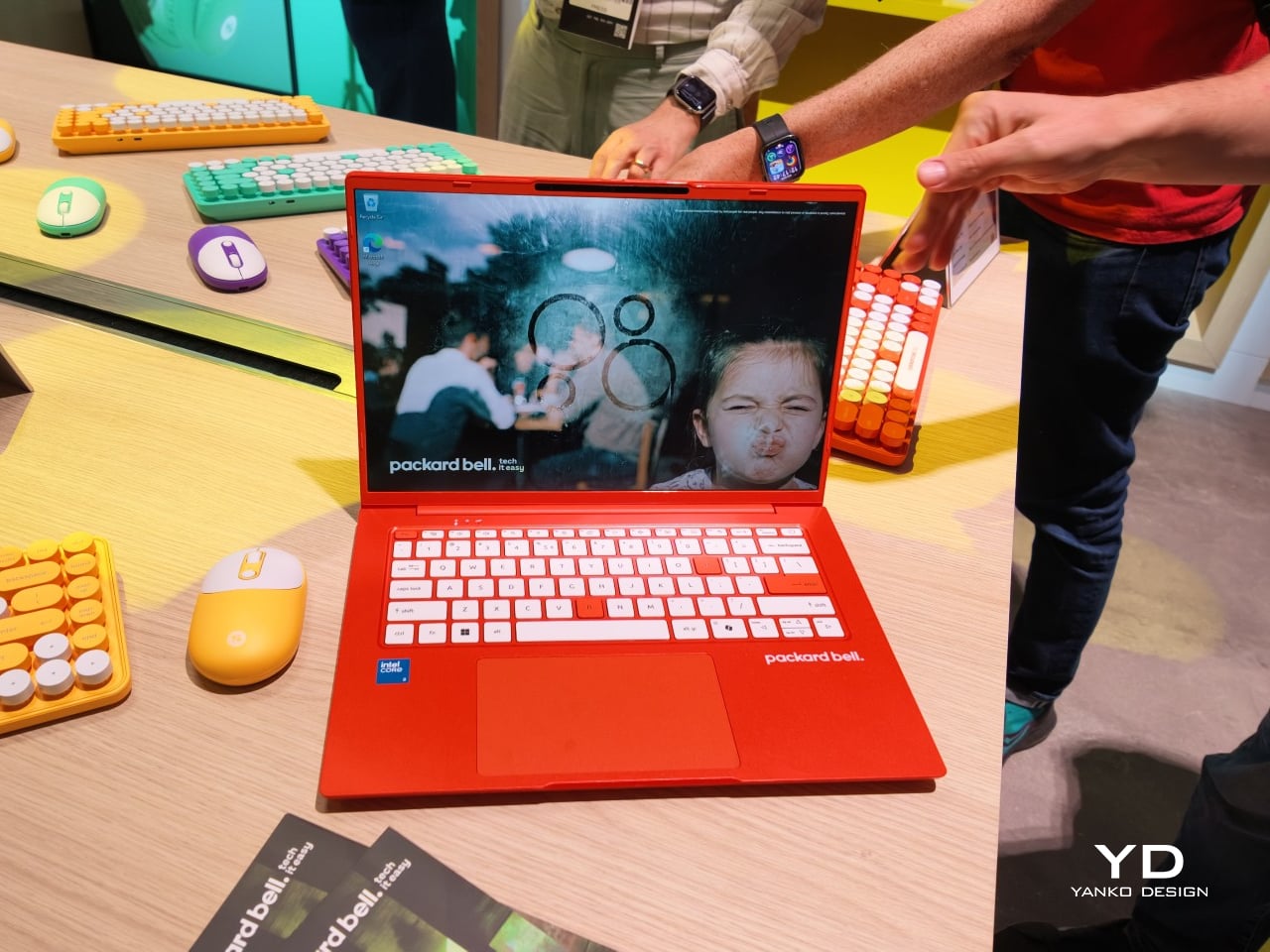
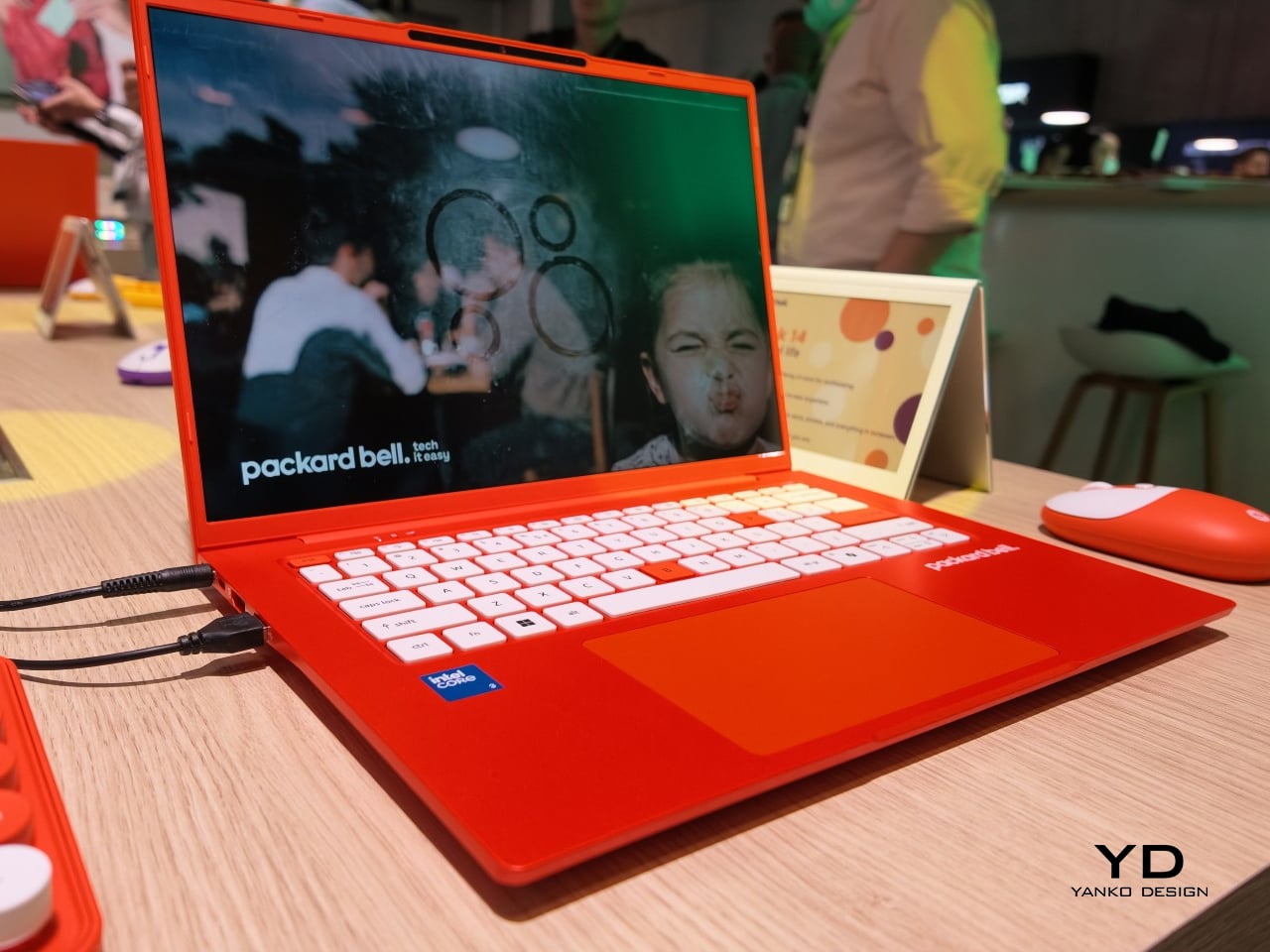
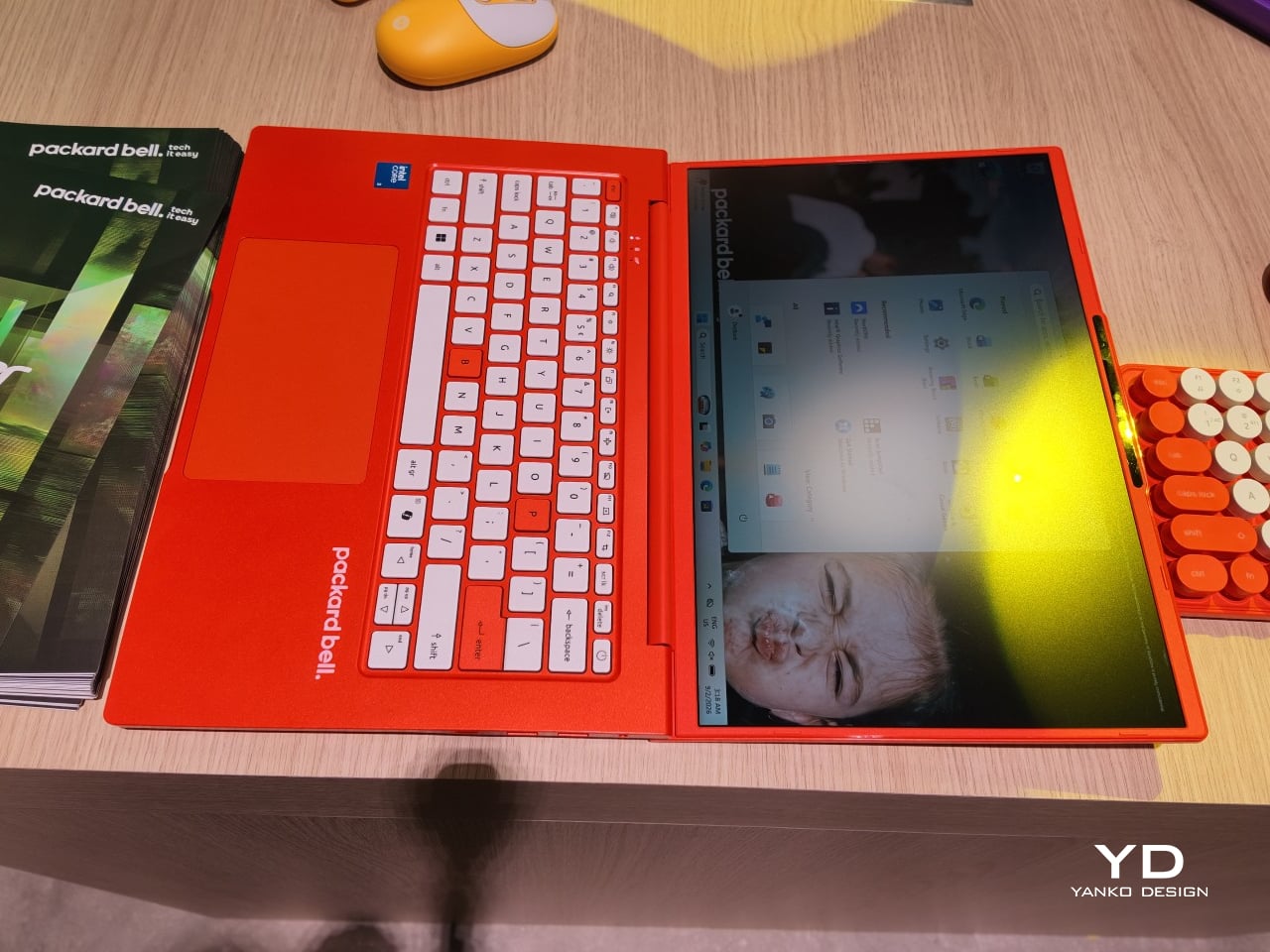
The DotBook carries the heaviest expectations as the collection’s flagship, a 14.5-inch laptop finished in a red-orange shell bright enough to spot on a crowded coffee shop table. Weighing under 1.3 kg and measuring just 17.9mm thin, it’s built for browsing, streaming, and everyday work rather than chasing benchmark scores, backed by up to 512GB of storage and 16GB of memory running quietly under Windows 11. It’s a laptop designed to disappear into a bag, not a spec sheet debate.
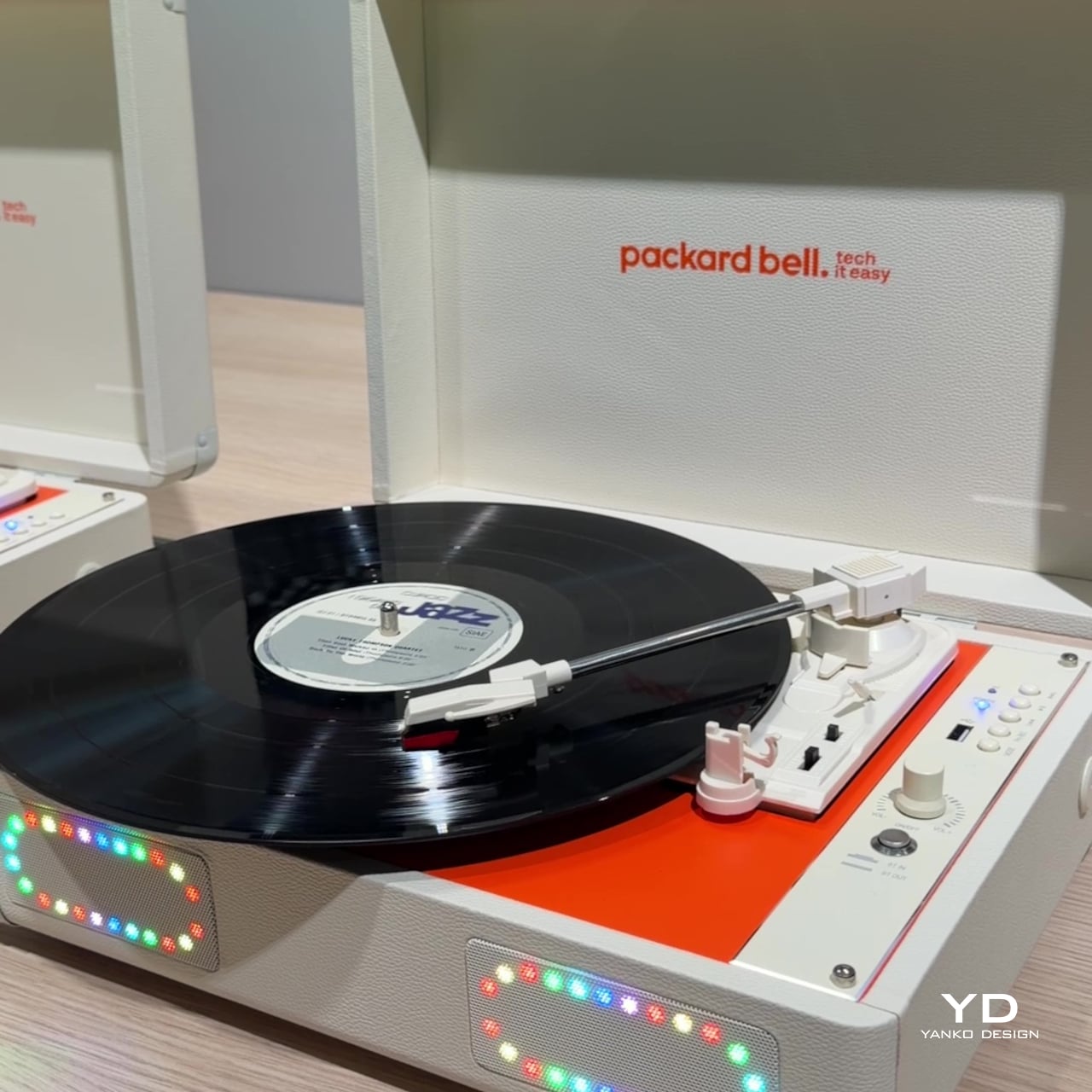
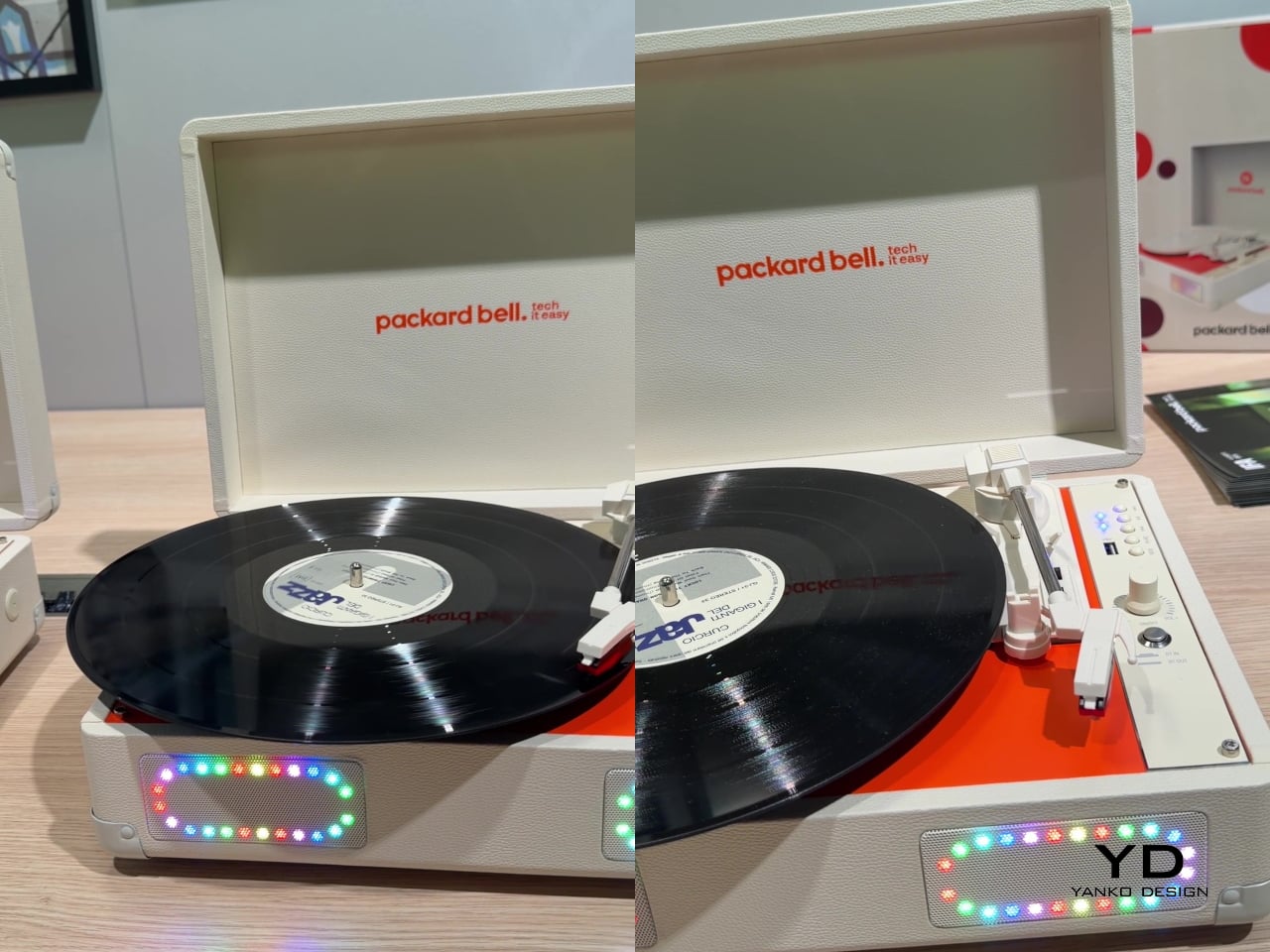
Where the DotBook plays it relatively straight, the DotLoop commits fully to spectacle. Housed inside an actual briefcase shell with a 1970s silhouette, the turntable pops open to reveal a working tonearm flanked by RGB-lit speaker grilles that glow while a record spins. Two built-in 3W speakers handle sound on their own, though Bluetooth and RCA outputs let the DotLoop hand audio off to a proper stereo system whenever the moment calls for something louder.
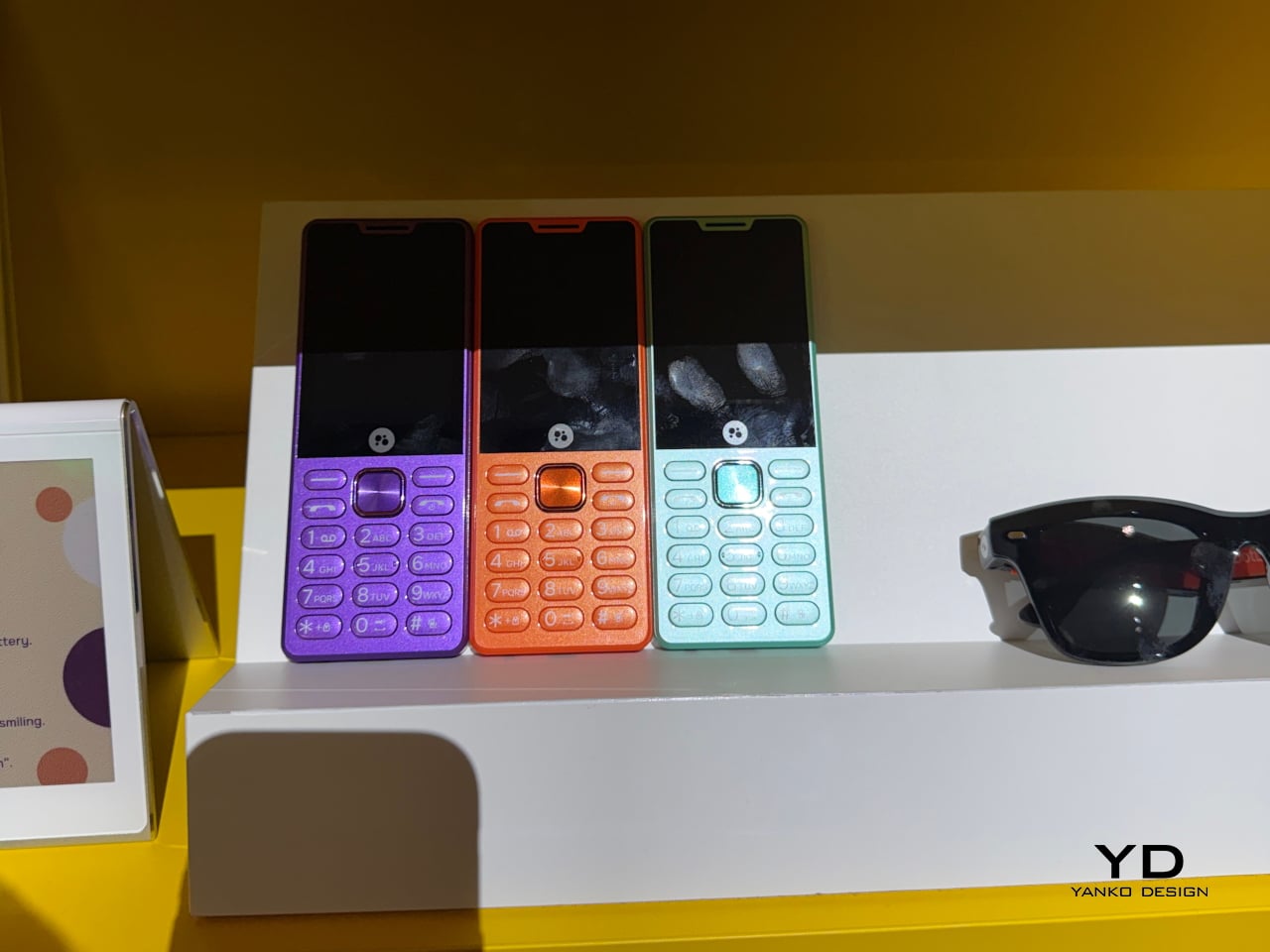
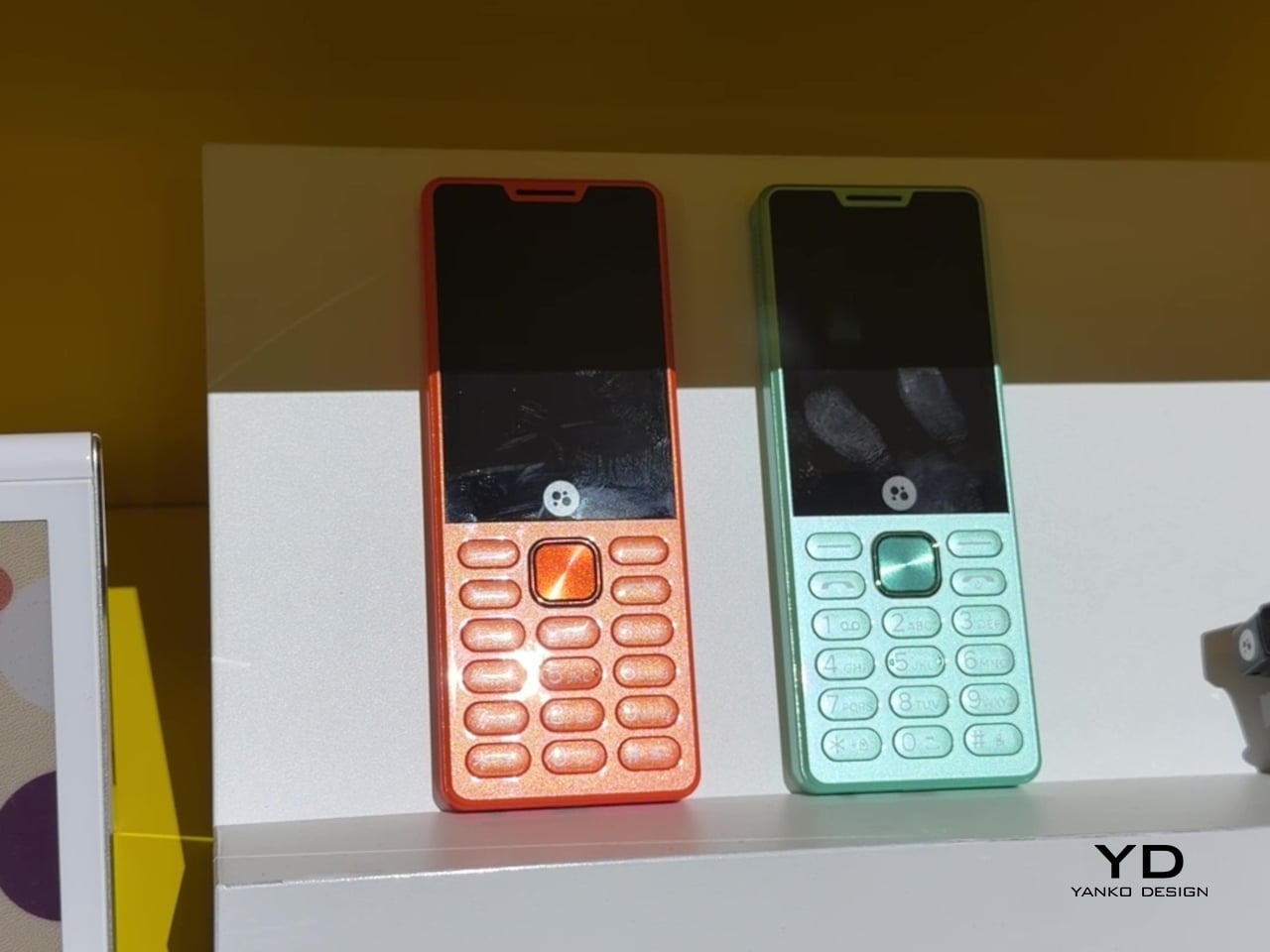
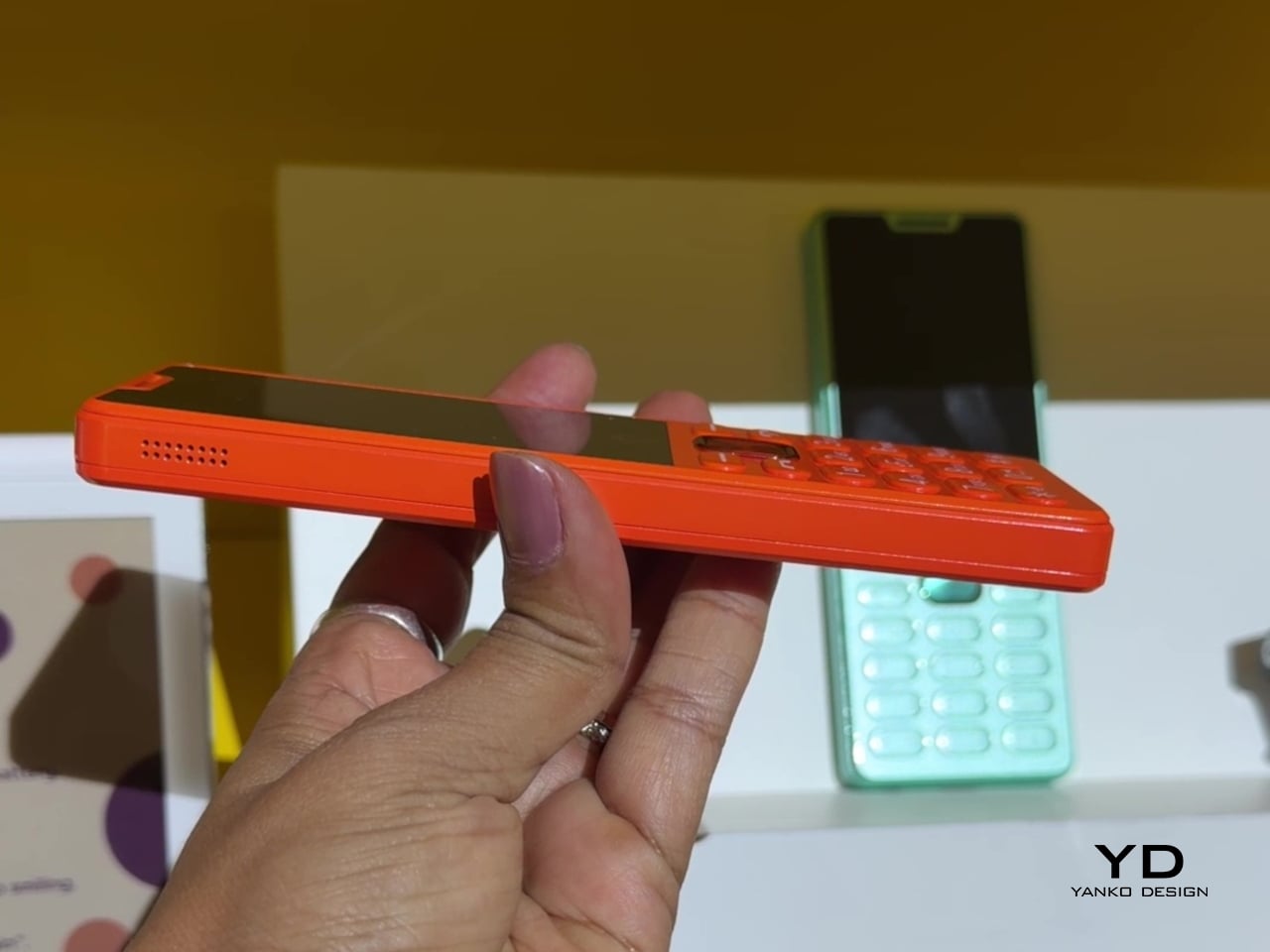
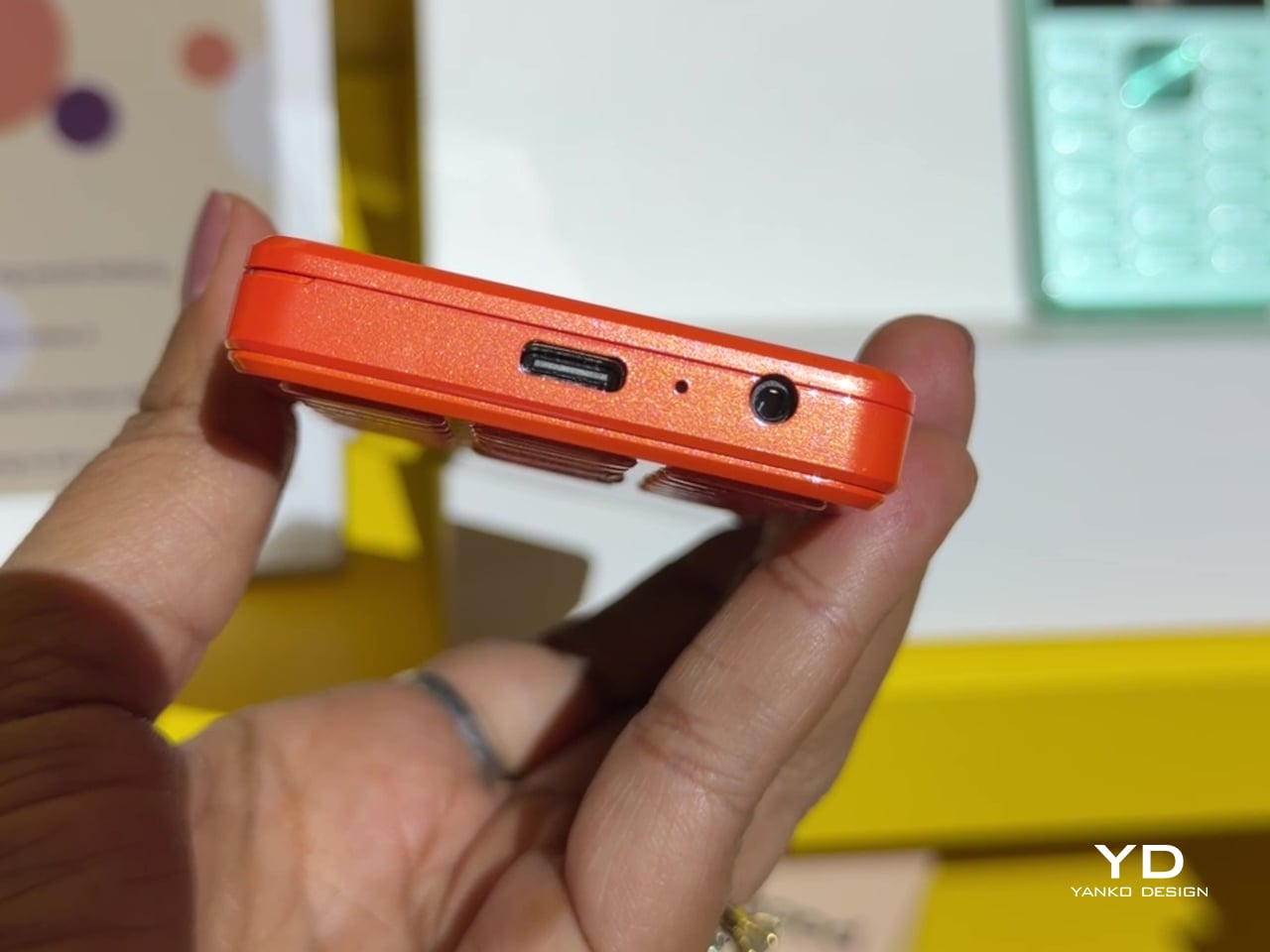
That willingness to have fun with format extends into the DotLine, a feature phone built for anyone tired of feeding a smartphone’s constant appetite for attention. A 2.8-inch display and physical keypad keep the experience deliberately simple, while an 1800mAh battery stretches across roughly two weeks between charges, a number that sounds almost mythical next to a modern flagship’s overnight anxiety. Four color options keep it from feeling like a consolation prize.
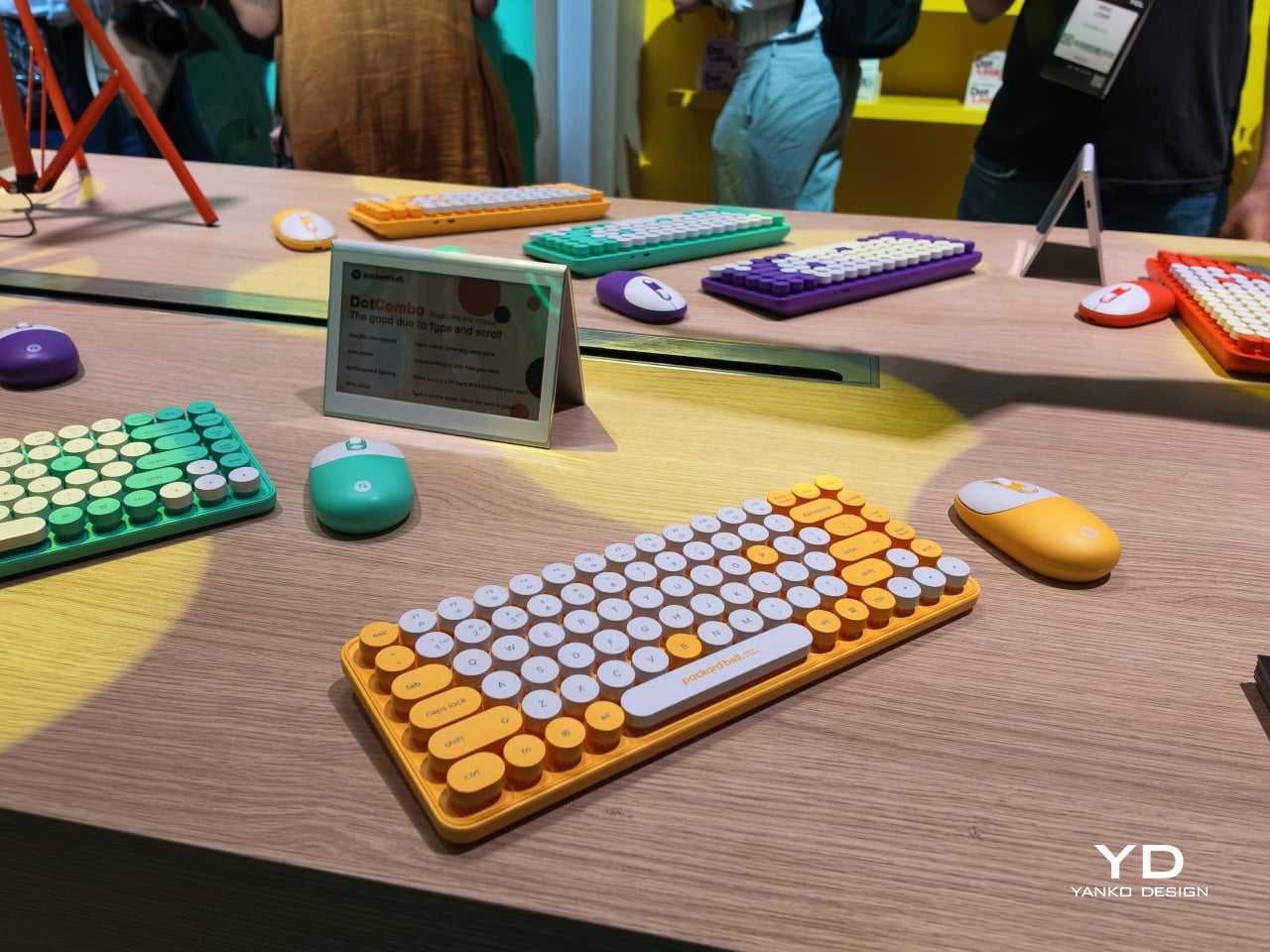
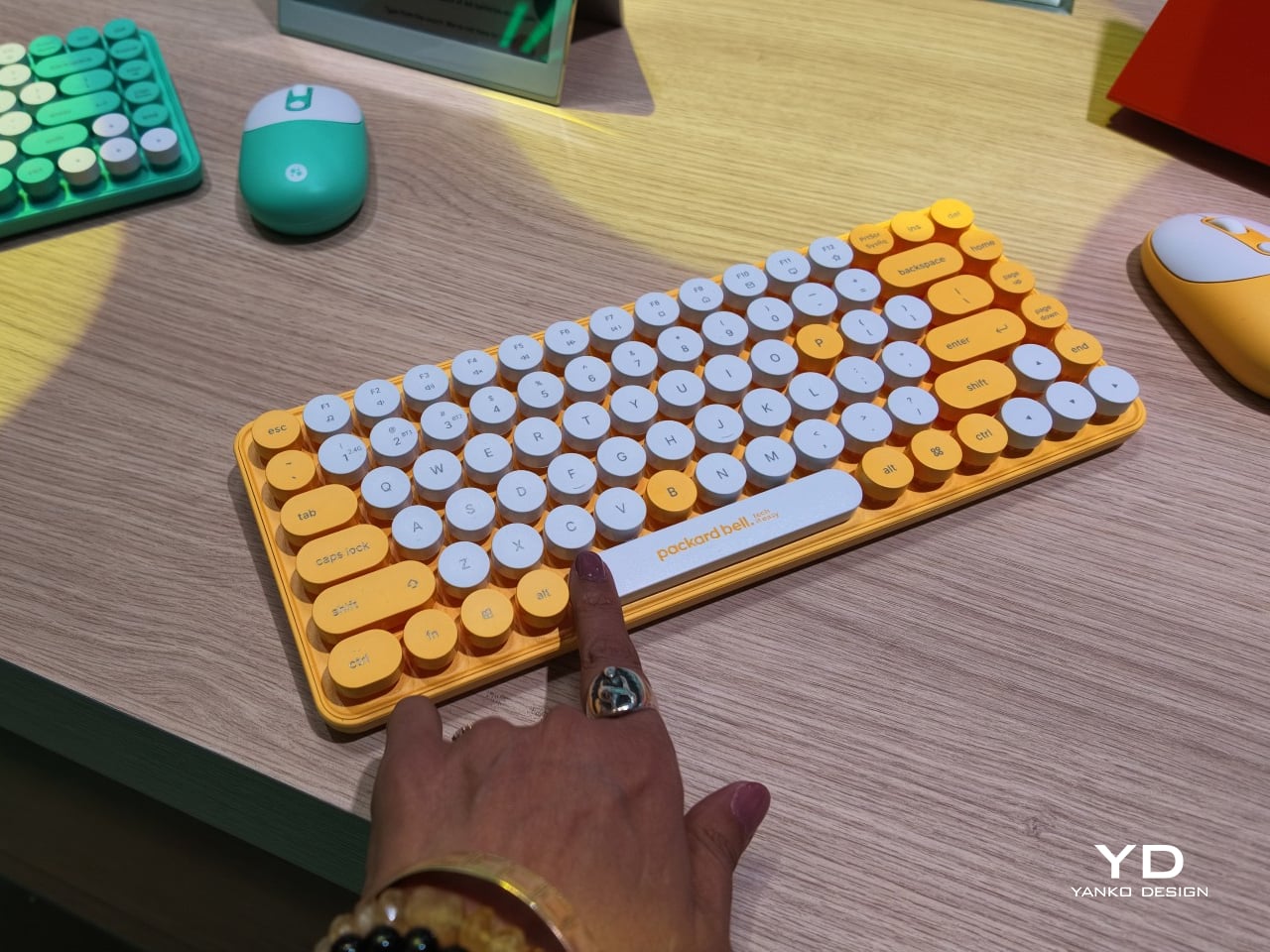
Rounding out the focus lineup, the DotCombo bundles a keyboard and mouse into a single color-matched purchase, eliminating the usual mismatched beige-on-black desk setup that so many peripherals default to. Both pieces run on rechargeable batteries good for hundreds of charge cycles, connecting over Bluetooth or a 2.4GHz receiver without a single AA battery required. Round keycaps borrowed from typewriter design give the whole thing a tactile, almost toy-like presence on a desk.
Beyond these four, Packard Bell rounds out its centennial collection with a portable speaker (DotTune), audio glasses (DotLook), a ring light for creators (DotShine), matching headphones (DotBass), and even a countertop food steamer (Steasy), all sharing the same saturated color palette and straightforward pricing. None of them ask for much attention individually, but together they paint a lineup unwilling to blend into a beige office shelf.
Pricing stays approachable across the board, with the DotBook starting around €499 (around $578), the DotLoop at €149 (around $173), the DotLine at €69 (around $80), and the DotCombo at just €39 (around $45). Packard Bell’s return proves that a century-old brand can still find something new to say, mostly by refusing to whisper it.
There are power tools, and then there are smart tools. A power tool gives you brute force; a smart tool gives you controlled, consistent results. Think of a simple drill that just spins versus one that manages its own torque to avoid stripping a screw. For delicate work like trimming EVA foam for a cosplay project or cleaning up support structures on a 3D print, you definitely want the smart one. The problem is, most handheld cutters are pretty basic, giving you one speed and just hoping for the best.
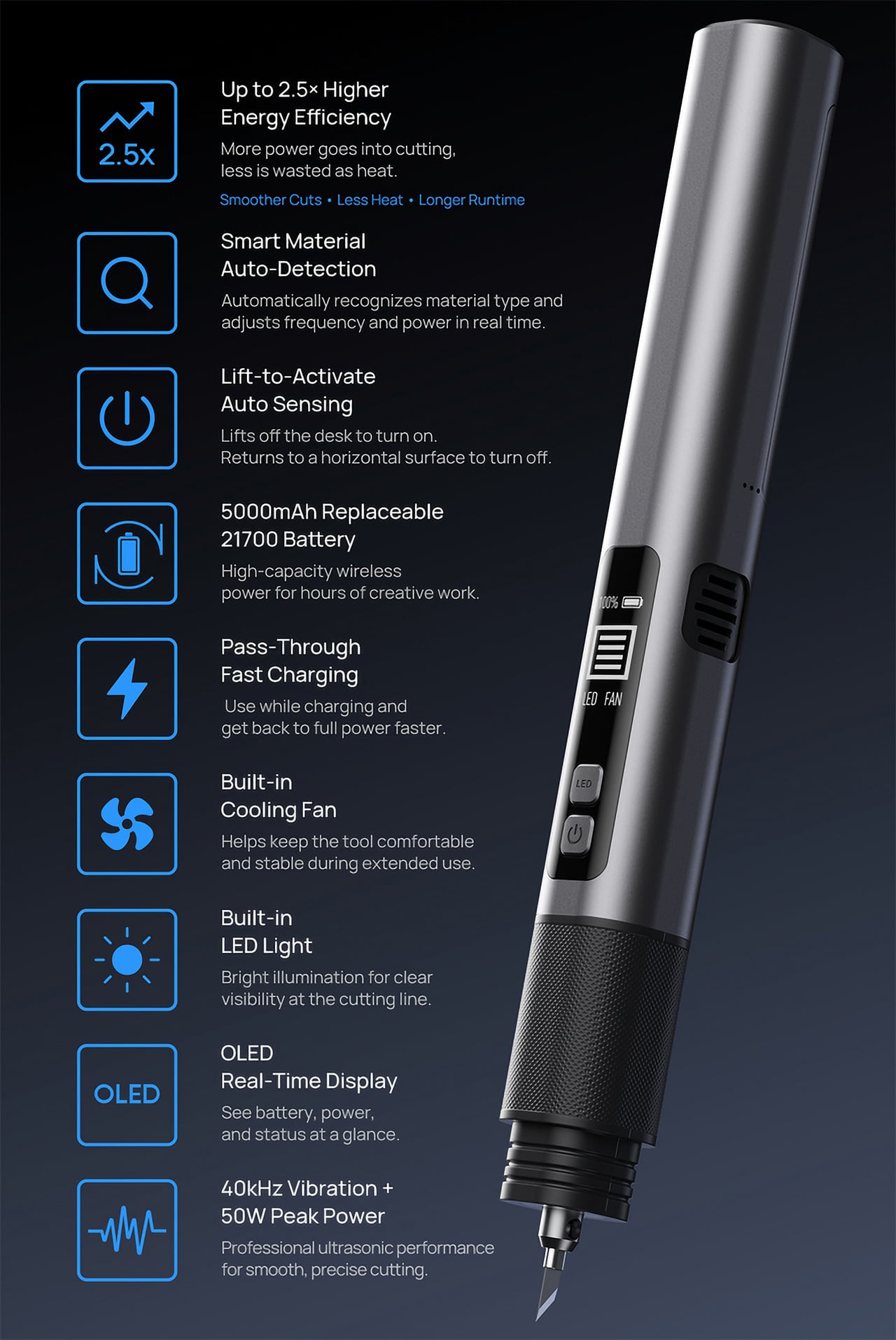
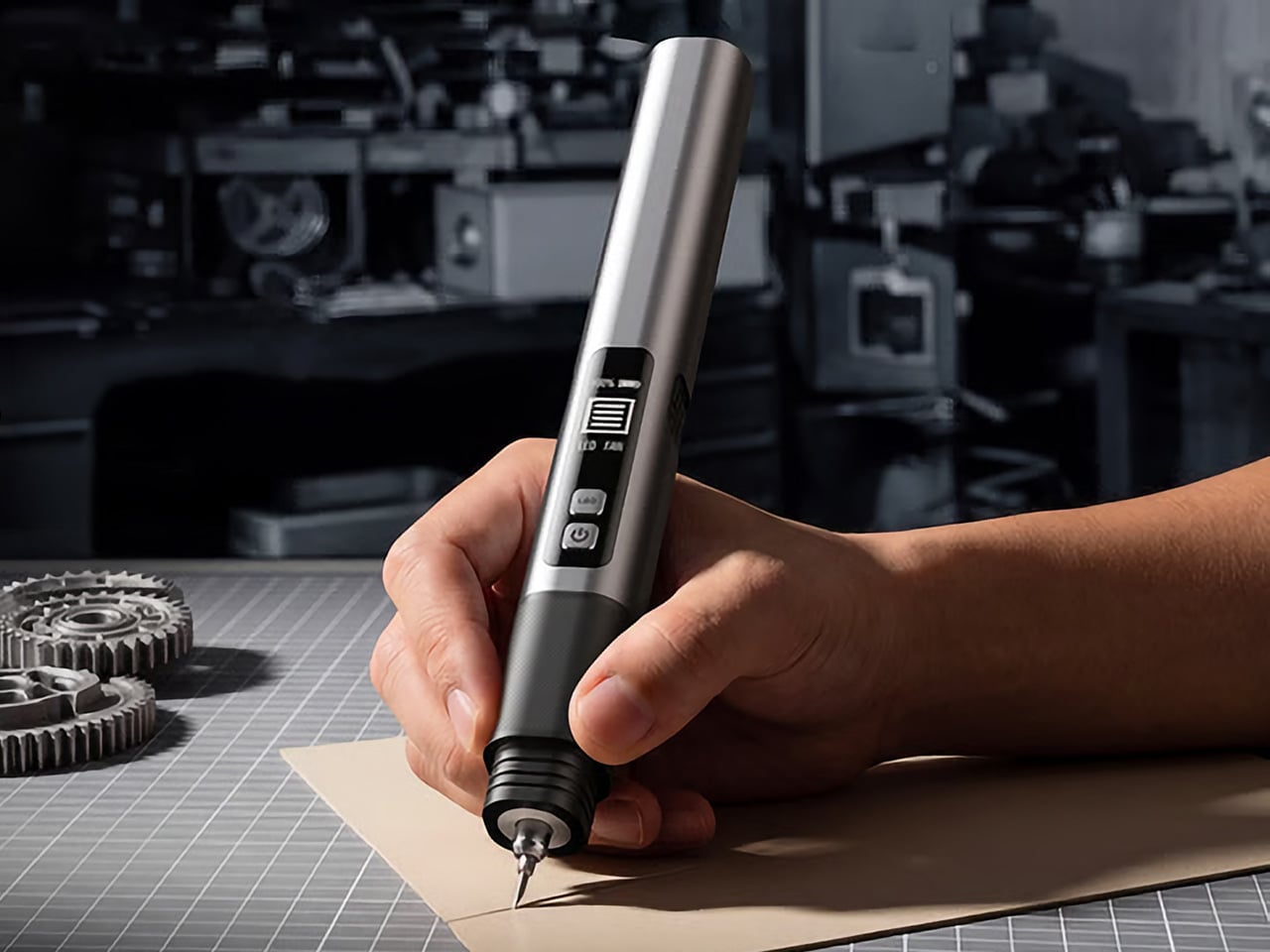
The SonicMax Slice 10 is aiming for that higher IQ. It’s a cordless ultrasonic cutter that senses the material you’re cutting and adjusts its own power output in real time. Slice through dense plastic and it pushes harder; trim the thin walls of a resin print and it eases back. This adaptive system, combined with cooling that prevents heat-related power drops, makes it feel like proper workshop equipment in the palm of your hand. It runs at 40kHz, delivers up to 50 watts of dynamic peak power, and does all of this without a single cable getting in your way.
Most ultrasonic cutters on the market use transducers with a mechanical quality factor, or Qm, somewhere between 150 and 250. A higher Qm means the transducer converts electrical energy into vibration more efficiently, which directly translates to less heat generated during use. SonicMax claims a Qm of over 500 for the Slice 10, and lab data backs that up with a verified measurement of 541.1. That’s roughly two to three times higher than a typical competing tool, and it’s the foundational reason the Slice 10 can sustain longer sessions without thermal drama. That single transducer decision cascades into everything else, from runtime and cut quality to how comfortable the tool actually stays in your hand.
As the blade meets resistance, the Slice 10’s Smart Material Auto-Detection reads that feedback and adjusts power output and vibration frequency without you touching anything. Cutting through a stiff chunk of EVA foam feels different from trimming the thin walls of a resin print, and the tool responds to each material accordingly. You’re not locked into a fixed setting that works okay for most things but perfectly for nothing. The system also preserves cut quality across a long session, where material resistance can shift as the blade warms. The result is consistent cuts from the first pass to the last, regardless of what you’re running the blade through.
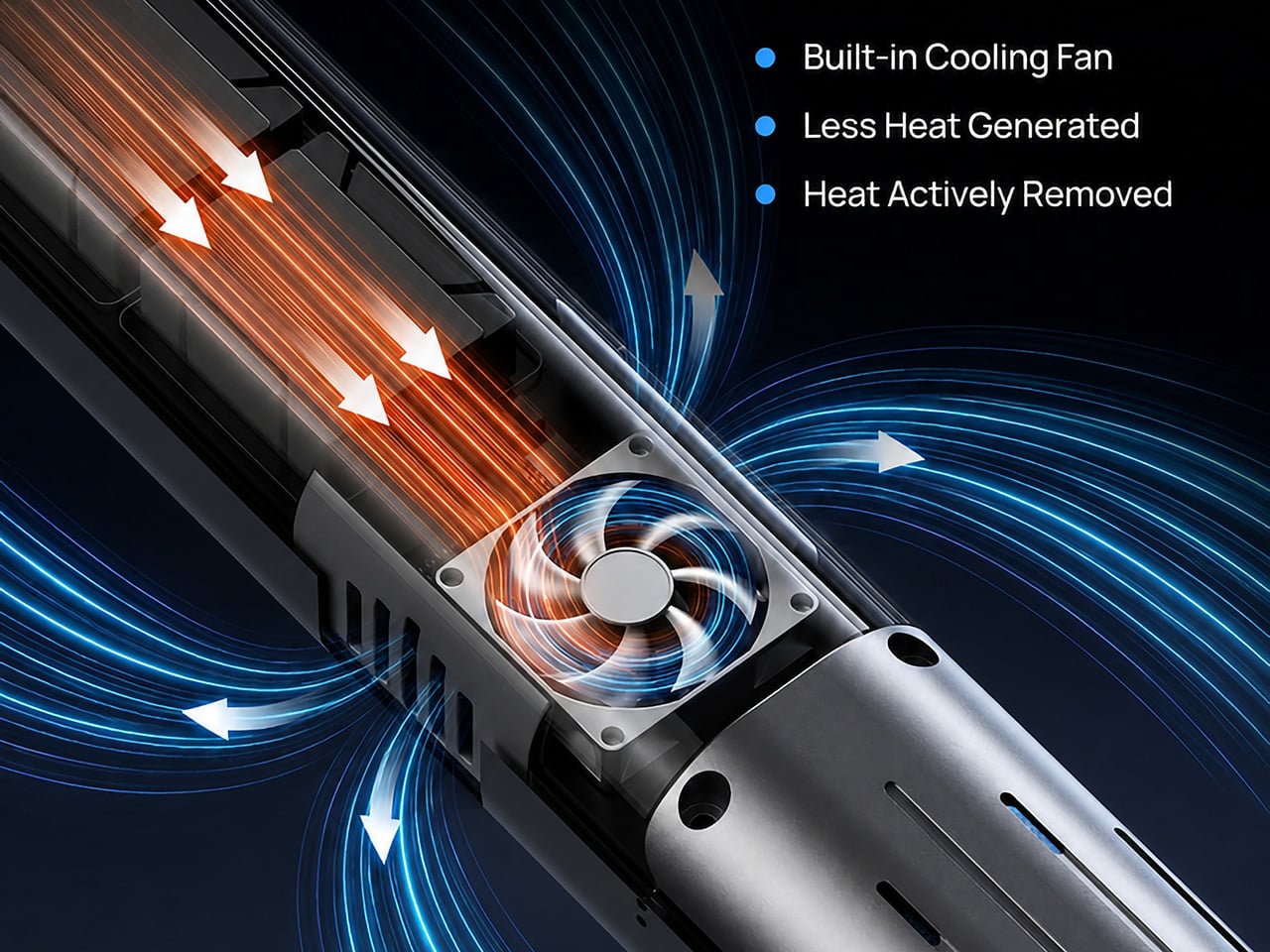
Heat is the reason most cordless ultrasonic cutters force you to stop every five to ten minutes, and the Slice 10 attacks that problem from two directions. Corded bench tools sidestep this issue by drawing steady power and dissipating heat more easily, but you give all of that up the moment you cut the cord. The high-efficiency transducer generates less heat from the start, and the built-in active cooling fan manages whatever thermal load does build up during a session. Overheat protection kicks in automatically at 80 degrees Celsius at the motherboard level, so the tool protects itself without you having to babysit it. You only appreciate how good this is after you’ve spent a session on a cutter that kept shutting itself off on you mid-cut.
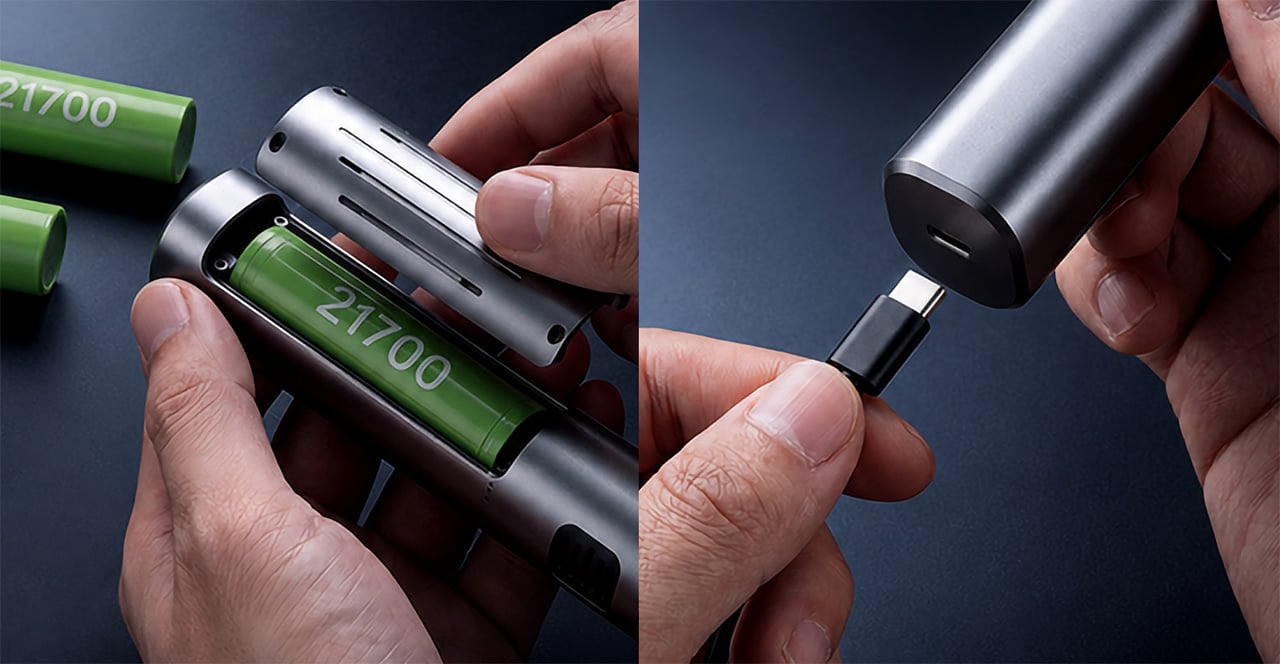
A 5000mAh 21700 lithium-ion battery powers the Slice 10, and SonicMax made it user-replaceable, which you’ll end up appreciating far more than any spec sheet number. The 21700 is a high-performance cell format found in premium flashlights and power tools, so sourcing replacements from SonicMax or compatible third-party brands should never be a problem. SonicMax’s own branded replacement cell is rated for 500 charge cycles at 80% capacity retention, a reasonable lifespan for a tool you’re actually putting to work regularly. An 18W USB-C pass-through charging system brings it from zero to full in about 70 minutes, and the tool keeps running while plugged in. Claimed runtime sits at up to four hours, and when you run low mid-project, swapping in a spare takes seconds.
Blade choice gives the Slice 10 a lot of its bench-tool personality. SonicMax offers five blade styles that let the same handheld body take on very different jobs: a Standard Utility Blade for everyday trimming, a Precision Long Blade for tighter access and more delicate reach, a Fine Chisel Blade for careful cleanup work, a Heavy Duty Chisel Blade for more aggressive material removal, and a Wide Flat Scraper Blade for broader surface work. That range matters because it turns the Slice 10 into something closer to a compact cutting system than a one-trick knife. If you’re the kind of maker who bounces between foam, plastic, supports, edges, and surface cleanup in the same afternoon, this is where the tool starts looking properly versatile.
Lift-to-Activate sensing turns the tool on when you pick it up and off when you set it down, keeping your fingers away from controls mid-session and preventing accidental activation on the bench. A small OLED display shows real-time power output and battery level, so you’re never left guessing how much runtime remains. Built-in LED lighting illuminates the cut line, which sounds like a minor detail until you’re trying to trace a clean edge on a dark-colored print at your desk at some ungodly hour. Auto-shutdown kicks in after five minutes of idle, and low-battery protection activates before the cell drops to a damaging voltage. Together, these details make the Slice 10 feel like a tool that respects your workflow rather than constantly asking you to manage it.
The Slice 10 measures 260.5mm long and 28mm across, weighing 236 grams, keeping it firmly in single-hand, pen-grip territory across long sessions. Just the Slice 10 is available for a discounted $119, and ships with 10 replaceable Standard Utility blades. Upgrade to the Maker’s Bundle for $169 and you get the Slice 10 along with 50 blades spread across the five blade profiles (standard, precision long, fine chisel, heavy duty chisel, and flat scraper) as well as a 5000mAh replacement battery. If you’re looking for versatility and pushing your prints to the max, the $50 price bump does bring a fair share of value. You can also buy extra blades and batteries as add-ons. Shipping is expected to begin mid-October 2026 with worldwide delivery available, and SonicMax has not publicly confirmed warranty terms at the time of writing.
Most people who drink sparkling water have settled into one of two habits. They either haul home cans and bottles from the grocery store every week, or they own a countertop soda maker that never leaves the kitchen. The Roam SodaTop is designed for everyone caught between those options: a 32oz insulated bottle that carbonates still water on demand, wherever you happen to be.
The home soda maker does what it promises, but it’s also a fairly large appliance with a permanent spot on the counter and plastic bottles that aren’t built to travel. Your sparkling water stays fresh for however long it sits in the fridge. Step outside, and you’re back to buying packaged drinks. It’s a frustratingly common situation for something meant to be a simple habit.
That’s the gap the SodaTop fills. The system pairs a stainless-steel bottle with a compact carbonation mechanism powered by small CO2 canisters. The bottle was engineered to handle carbonation pressure, with specially threaded fittings that most regular water bottles simply aren’t built for. Roam describes it as the world’s first insulated bottle that instantly carbonates water, and looking at the category, it’s hard to argue with that framing.
Using it takes just a few steps: fill the bottle to the marked interior line, drop in the CO2 canister, and twist the cap into place. The water is sparkling in about three seconds, and a pressure-release mechanism keeps the carbonation locked inside until you’re ready to drink. There’s no pumping, no separate carafe, and the whole thing takes less time than opening a can.
What makes that genuinely useful is the size. The SodaTop is roughly one-fifth the footprint of a standard countertop unit, compact enough to slip into a bag or a kitchen drawer without drama. Whether it’s on a work desk, a hotel table, or brought along on a day out, fresh sparkling water goes wherever the bottle goes, which is something no countertop soda maker can claim.
The bottle itself does more than hold the mechanism in place. Triple-wall construction keeps drinks cold for up to 24 hours and ice for up to 48 hours, well ahead of the plastic bottles that come standard with most home soda systems. That thermal advantage also matters for carbonation, since cooler water retains CO2 more efficiently and keeps the fizz from fading before the bottle is empty.
On the inside, Roam uses what it calls MirrorTech, a mirror-polished steel surface that the brand says keeps carbonation crisp for longer, resists odor buildup between uses, and discourages flavor transfer. The wide-mouth opening makes adding ice and pouring easy, while a visible fill line inside takes the guesswork out of how much water to add for consistent carbonation every time.
The CO2 canisters are made from recycled steel and are fully recyclable, so when they’re empty, they go straight into the recycling bin with no return shipping involved. Roam positions the ongoing cost at as little as $0.55 per canister for subscribers, framing that as roughly half the cost of buying pre-packaged sparkling water. Cutting out single-use cans and bottles also noticeably reduces household waste.
Roam also offers Natural Flavor Essence Drops designed to pair with the SodaTop, available in eight varieties: Ginger Root, White Peach, Sicilian Lemon, Yuzu Lime, Blood Orange, Strawberry, Grapefruit, and Mango. All are zero calorie, zero sugar, and plant-based. They’re also certified keto, paleo, vegan, gluten-free, kosher, and non-GMO, so they turn sparkling water into a flavored drink without any of the sugar baggage.
The SodaTop comes in three finishes: Pebble, Sage, and Charcoal, each with a contrasting accent at the base that gives it a quietly distinctive look. The silhouette reads more like premium drinkware than a gadget, which is probably the whole point. It’s the kind of object that fits on a desk, gets tossed in a bag, and doesn’t look out of place in either setting.
For the past two weeks, the just-announced Razer Huntsman V3 Pro Low-Profile Tenkeyless 8KHz (winner of the longest keyboard name yet) has been permanently parked on my desk. Between churning out editorial content and squeezing in late-night gaming sessions, I’ve put Razer’s latest optical deck through hundreds of thousands of keystrokes.
Razer hasn't slowed down its rapid pace of hardware innovation, but bringing analog optical switches to an ultra-slim low-profile chassis is easily one of its most intriguing experiments yet.
After fourteen days of continuous hands-on testing, this slender powerhouse has completely reshaped my daily workflow and play routine.
Razerhad no input, nor did it see the contents of this review, prior to publication.
Razer Huntsman V3 Pro LP TKL: Price, availability, and specs
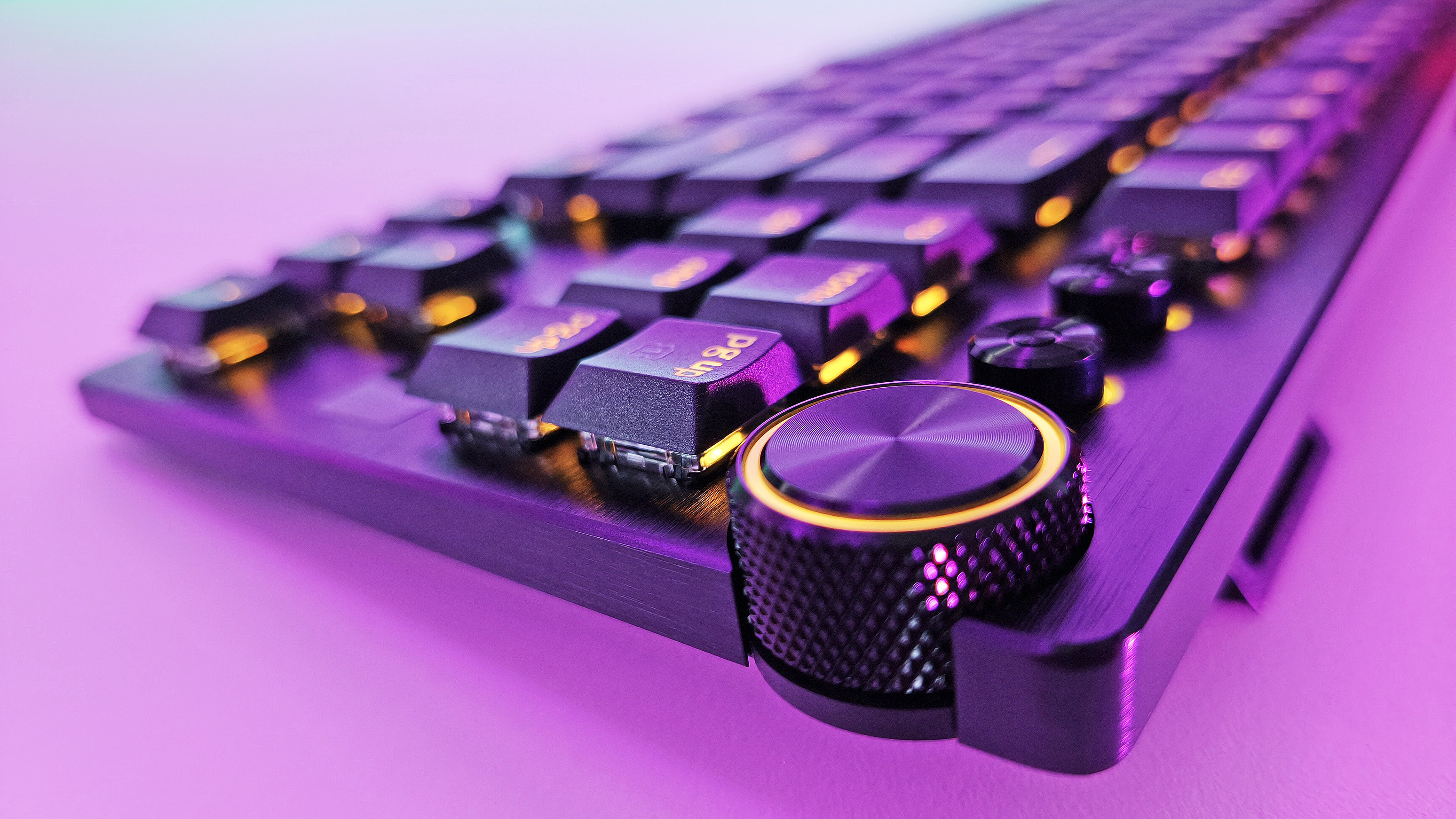
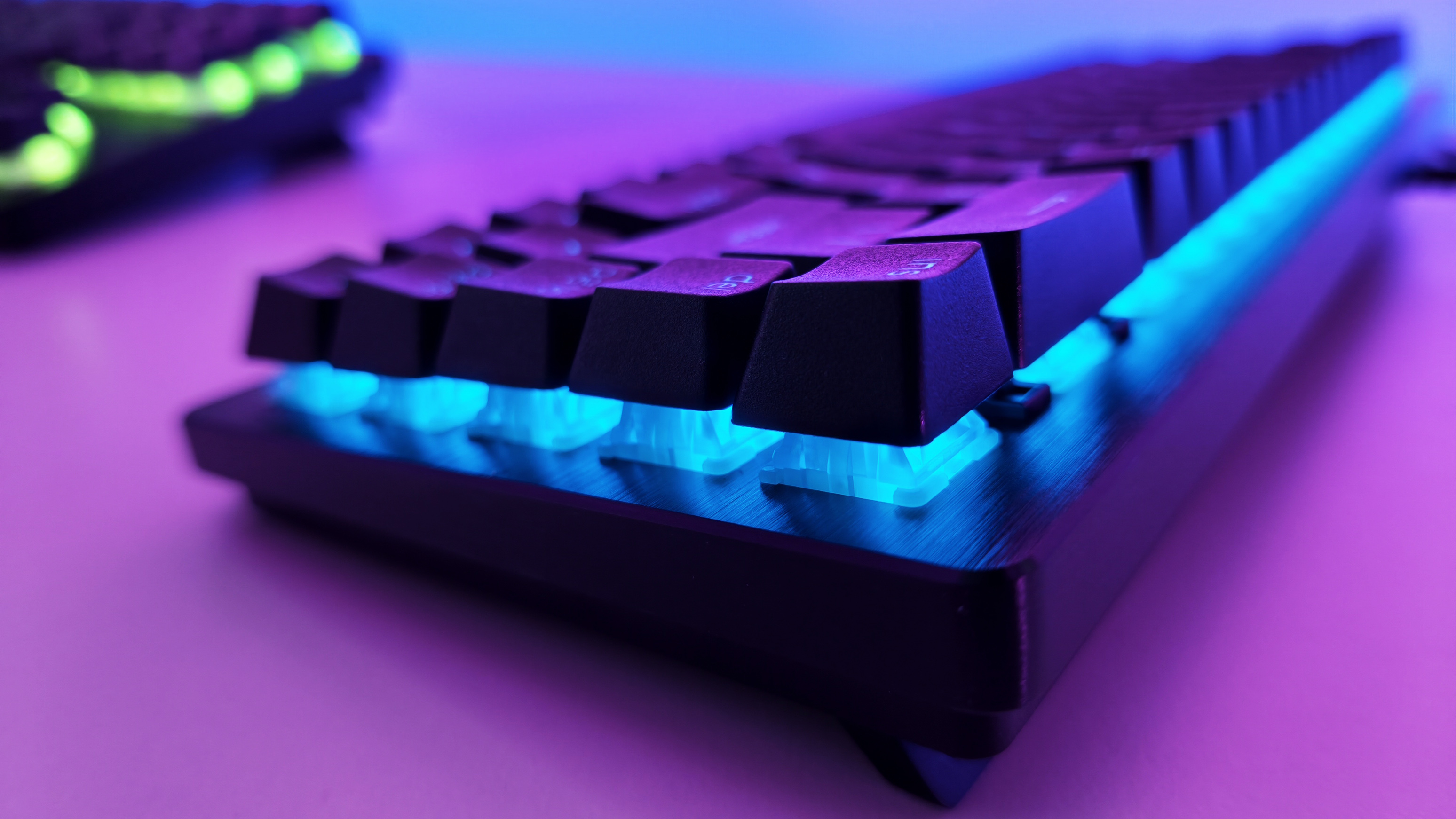
Side profile view highlighting the ultra-slim design and low-profile optical switches of the Razer Huntsman V3 Pro TKL keyboard. (Image credit: Daniel Rubino)
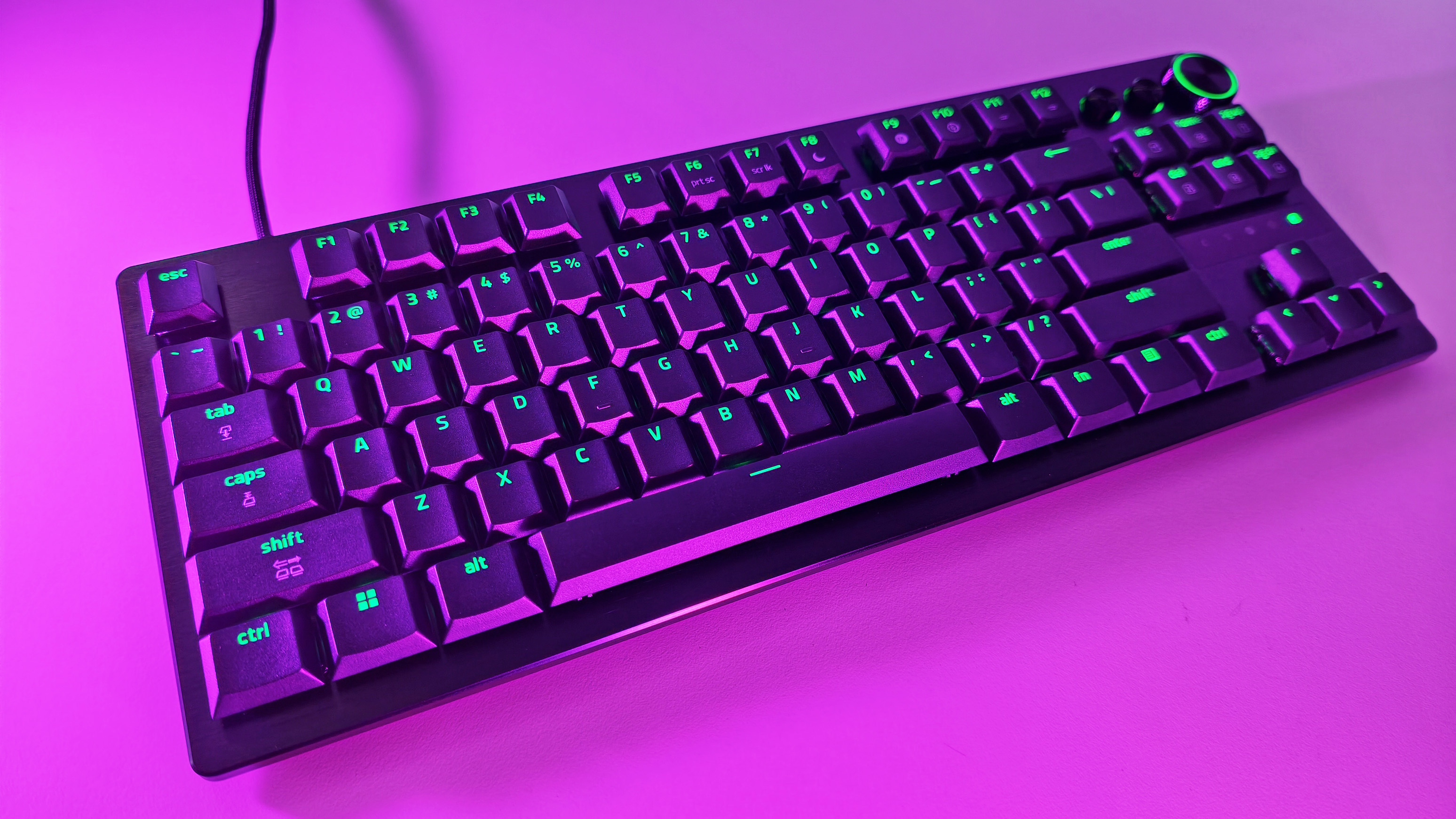
Built around Razer’s Low-Profile Analog Optical Switches, it boasts an adjustable actuation range spanning 0.1 mm to 2.8 mm, 8,000Hz HyperPolling, per-key RGB, a 5052 aluminum alloy top plate, doubleshot PBT keycaps, and a multi-function digital dial accompanied by dedicated media buttons.
It connects via a detachable braided USB Type-C cable, included in the box. No wireless (Razer insists that while many ask for wireless, no one trusts it to last long enough, so everyone just leaves it plugged in. I am 100% guilty of this!)
It is now available from Razer.com and associated retailers like Best Buy, Amazon, and more.
Razer Huntsman V3 Pro LP TKL: Design and typing experience
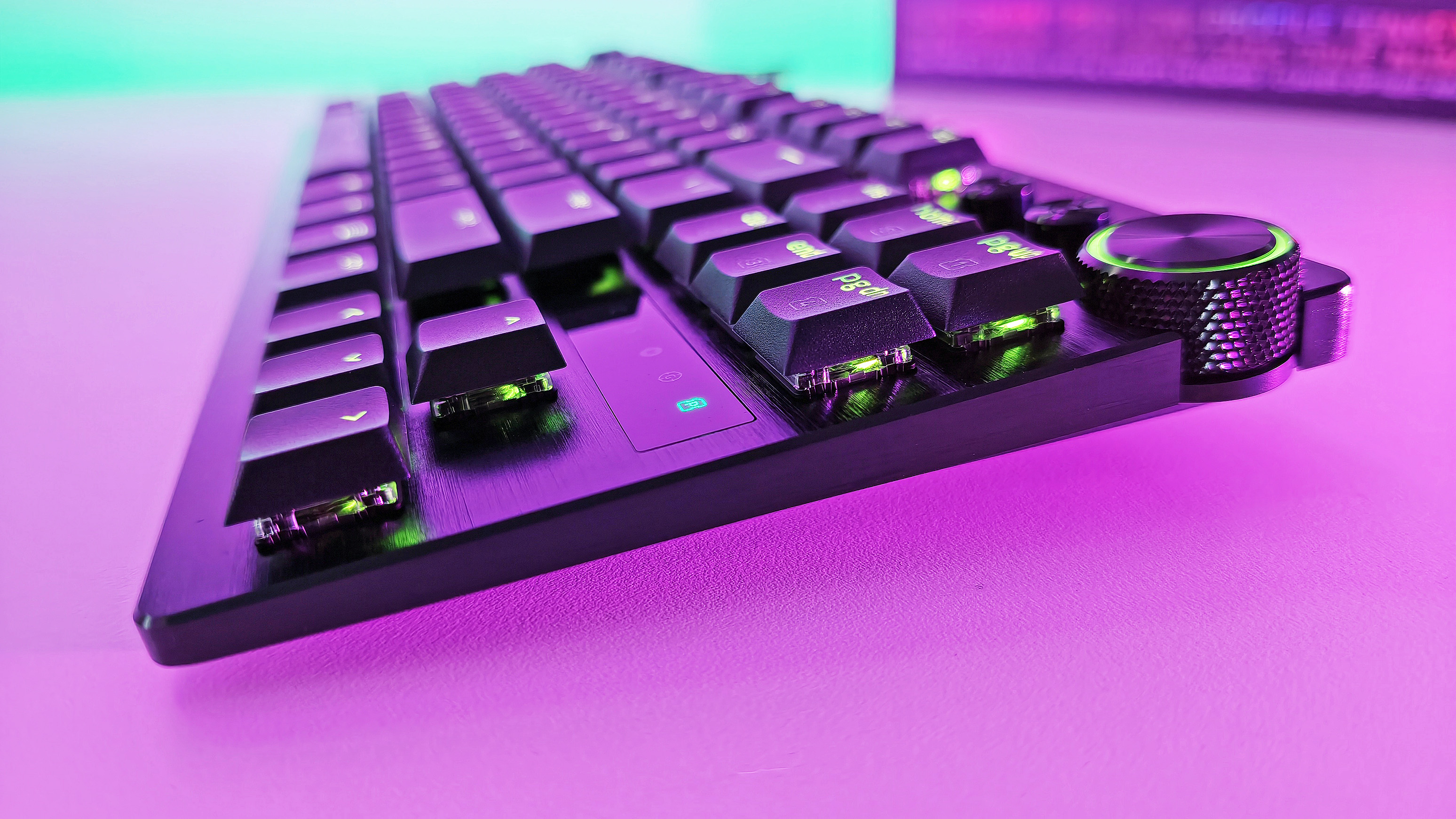
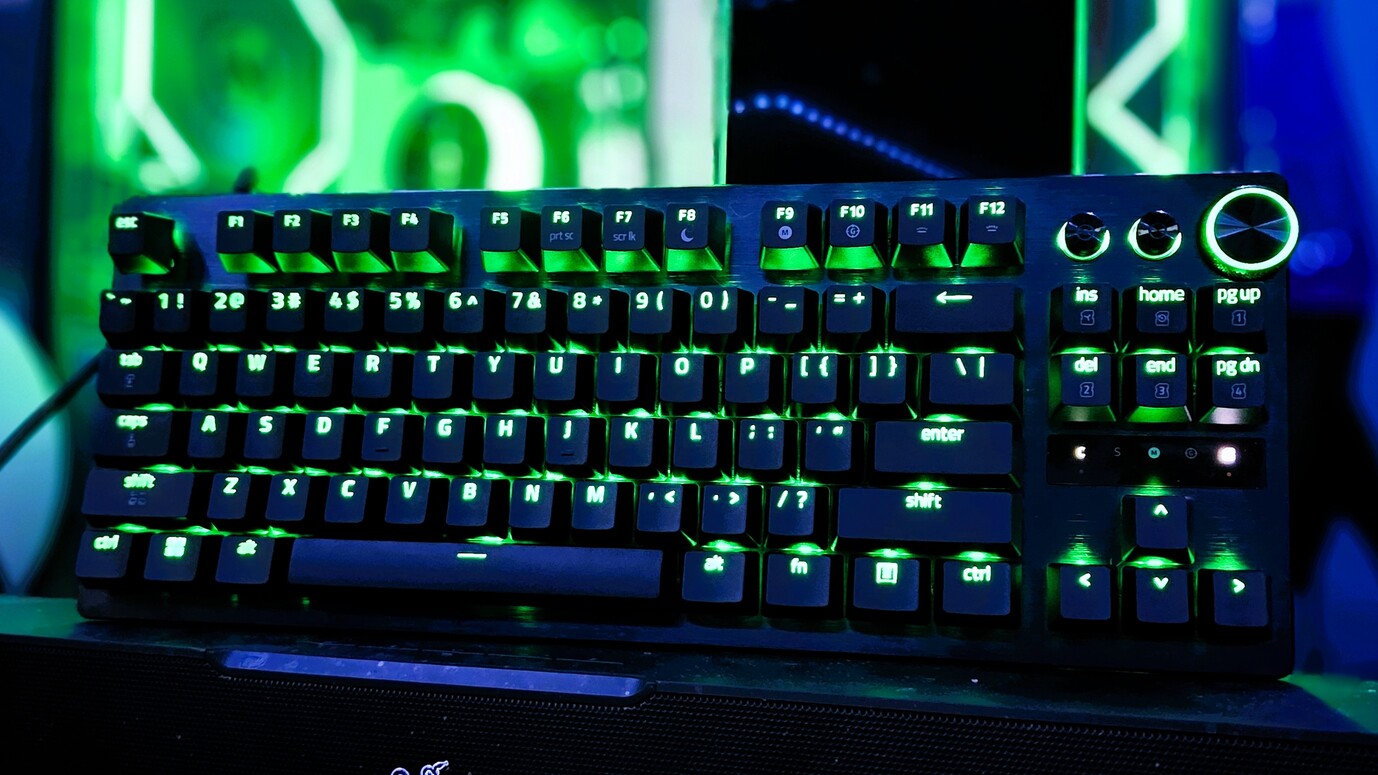
Side-angle view showing the low-profile keycaps, brushed metal plate, and green RGB lighting on the Razer Huntsman V3 Pro TKL keyboard. (Image credit: Daniel Rubino)
Razer has officially reached double digits with its flagship Huntsman keyboard lineup, marking this Huntsman V3 Pro Low-Profile TKL as the 10th entry in the family tree, which I find hilarious.
Having tracked the evolution of this sub-brand over the years, watching model number ten land on my desk feels like a milestone. It’ll earn a place on our curated guide for the best gaming keyboards under the low-profile crown.
At a sleek 19.5mm front height, the deck sits lower to the desk than a nickel standing on its edge. I prefer low-profile keyboards for two practical reasons:
Seamless laptop-to-desktop parity: As someone who constantly hops between high-end laptops and a full desktop workstation, low-profile keys eliminate the jarring adjustment curve required when shifting to standard deep-travel mechanical boards.
Speed and reduced fatigue: With shorter overall travel distance (2.8mm total), less physical effort is needed to execute keystrokes. It feels faster and easier to operate, warding off hand fatigue during long writing marathons. Call it lazy hands if you want, but my fingers appreciate the efficiency.
As Editor-in-Chief of Windows Central, my daily workload splits roughly 80% typing for my job and 20% gaming. As a trained touch-typist, I demand a deck that can keep pace with high WPM output without sounding like an industrial typewriter. The sound and feel across all 10 Huntsman iterations remain remarkably consistent, but this low-profile variant introduces a softer actuation due to its reduced key travel.
The acoustics are superb: audible enough to offer satisfying tactile feedback, but quiet enough to keep office mates from plotting your demise.
Razer’s tenth Huntsman brings optical analog power down to desk level—and it sets a new gold standard.
The physical keycaps feature an excellent subtle texture and slight dome profile that guides fingers smoothly across the home row. (If you want a deeper dive into mechanical, optical, and magnetic mechanisms, check out our guide on keyboard switches explained.)
If I could manifest my ultimate keyboard, it would be a Frankenstein fusion of this low-profile Huntsman layout and the 3-pound, forged-metal chassis of the $499 Razer Huntsman Signature Edition. Realistically, we can't have both in a single device. Forced to choose, I’m sticking with the Low-Profile Huntsman over the Signature Edition for daily driving—it is simply a joy to type on.
Close-up of the textured volume knob and media controls on the Razer Huntsman V3 Pro Low-Profile Tenkeyless gaming keyboard. (Image credit: Daniel Rubino)
Because there is no wrist rest included in the box, you might assume ergonomic support is an issue. Thankfully, the low frame sits flat enough that wrist extension isn't an issue. However, I paired it with a cheap $26 foam wrist rest (like this foam wrist rest on Amazon), and the setup felt complete.
Razer Huntsman V3 Pro LP TKL: Gaming performance and movement tech
Razer Synapse actuation tab for Razer Huntsman V3 Pro Low-Profile keyboard with Snap Tap, Rapid Trigger, and actuation point settings. (Image credit: Daniel Rubino)
When it is time to drop the editorial work and game, the Huntsman V3 Pro LP TKL reveals its true colors. Testing this board across high-stakes titles like DOOM: The Dark Ages, Warhammer 40,000: Space Marine 2, and 007 First Light, the sheer responsiveness of the analog optical deck became undeniable.
In the chaotic melee of Space Marine 2 and the fast-paced combat of DOOM: The Dark Ages, Razer's aggressive software suite provides a distinct advantage:
Razer Synapse customizes the menu for the Razer Huntsman V3 Pro Low-Profile keyboard, showing the polling rate and gamepad keybind settings. (Image credit: Daniel Rubino)
True 8,000Hz HyperPolling: Delivering a 0.39ms latency, inputs register nearly instantaneously—52% faster than key low-profile competitors.
Rapid Trigger Mode: Adjust actuation between 0.1 mm and 2.8 mm. Switches reset the moment your finger moves upward, allowing rapid-fire re-keying when strafing or dodging.
Razer Snap Tap: Prioritizes your latest directional input without releasing the opposite key. It supports up to four onboard pairs with custom behaviors like Last-Input, Neutral, or Compare Level.
Razer Snap Flex: Allows two distinct commands to be bound to a single keypress, making complex multi-key maneuvers execution-perfect.
Dynamic Keystroke & Dual-Keypress Priority: Bind up to four actions to a single key based on press depth and release, while Dual-Keypress Priority prevents conflicting movement keys from breaking fluid diagonal movement.
Synapse Web: No bloatware installation needed. Razer’s browser-based configurator lets you alter actuation points, key bindings, and Rapid Trigger settings directly on any host PC
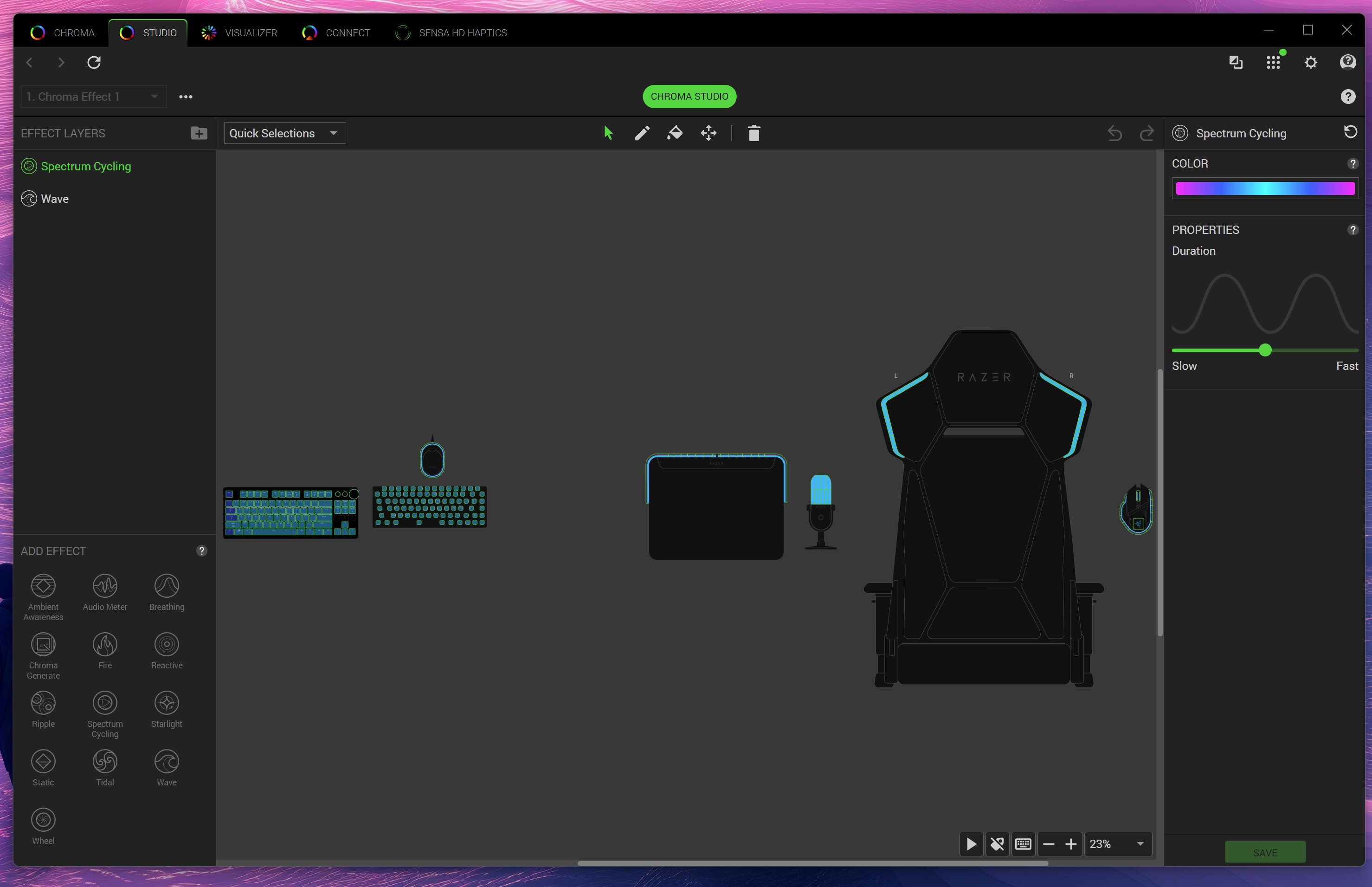
Razer Chroma Studio interface in Razer Synapse software displaying custom RGB lighting effects and layout for gaming gear. (Image credit: Daniel Rubino)
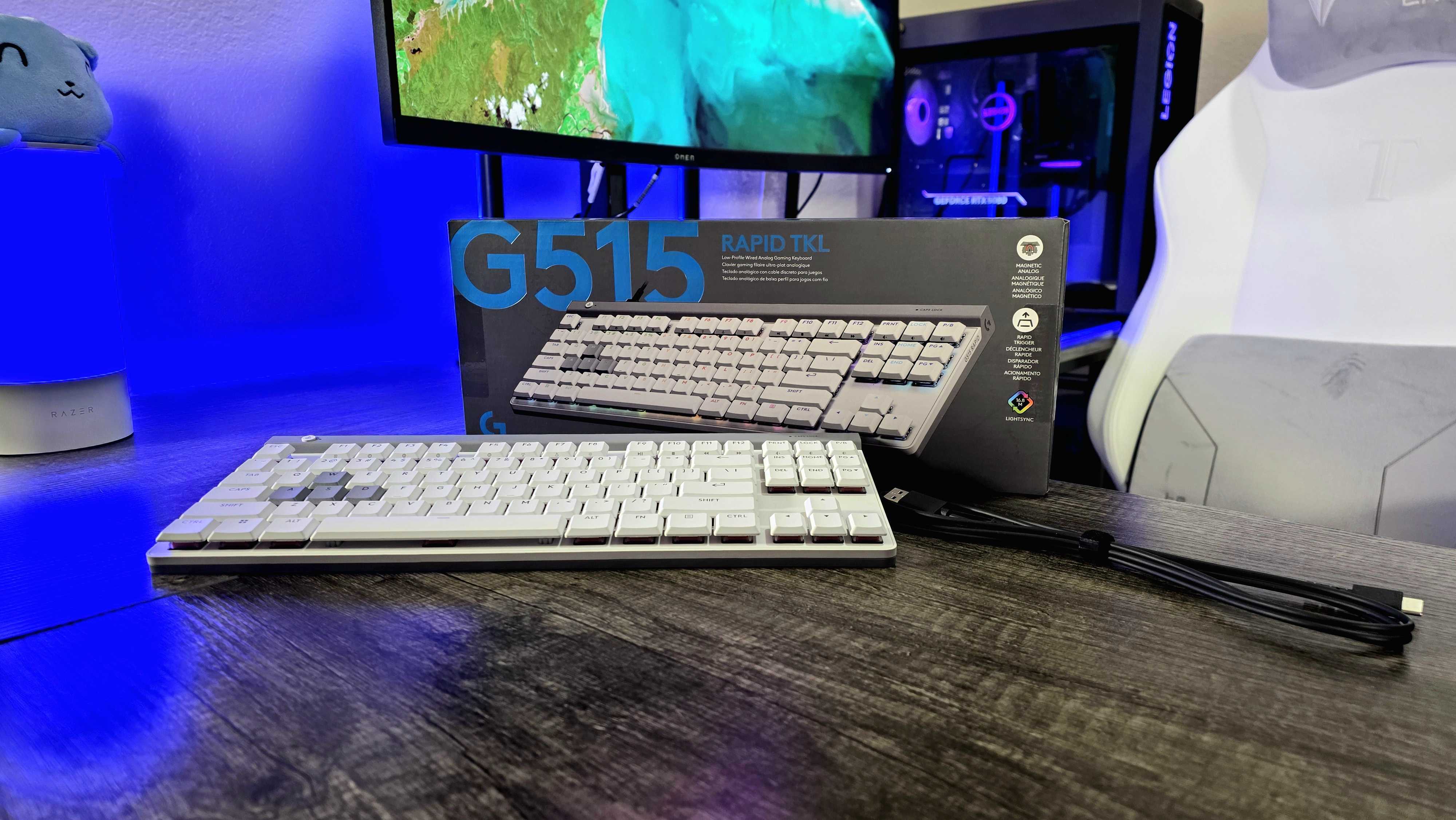
The Logitech G515 Rapid TKL low-profile gaming keyboard we reviewed in 2025. (Image credit: Windows Central | Zachary Boddy)
How does this board stack up against its nearest low-profile rivals?
Against Razer's own BlackWidow V4 Low-Profile HyperSpeed, the differences center on connectivity versus raw speed. The BlackWidow V4 LP offers wireless flexibility (2.4GHz/Bluetooth) with traditional mechanical switches at $199.99, but caps out at a 1,000Hz polling rate without analog support. The Huntsman V3 Pro LP TKL ($229.99) sacrifices wireless freedom for maximum esports performance—delivering 8,000Hz polling, analog precision, and advanced movement software like Snap Flex.
Compared to the Logitech G515 RAPID TKL, which uses magnetic Hall Effect switches, Razer takes the lead in typing acoustics and software versatility. While the G515 RAPID TKL performs well in games, its switches feel mushier for daily typing tasks. The Huntsman V3 Pro LP TKL provides a crisper bottom-out, higher polling rate, and the convenience of driverless configuration via Synapse Web.
Razer Huntsman V3 Pro LP TKL: Should you buy it?
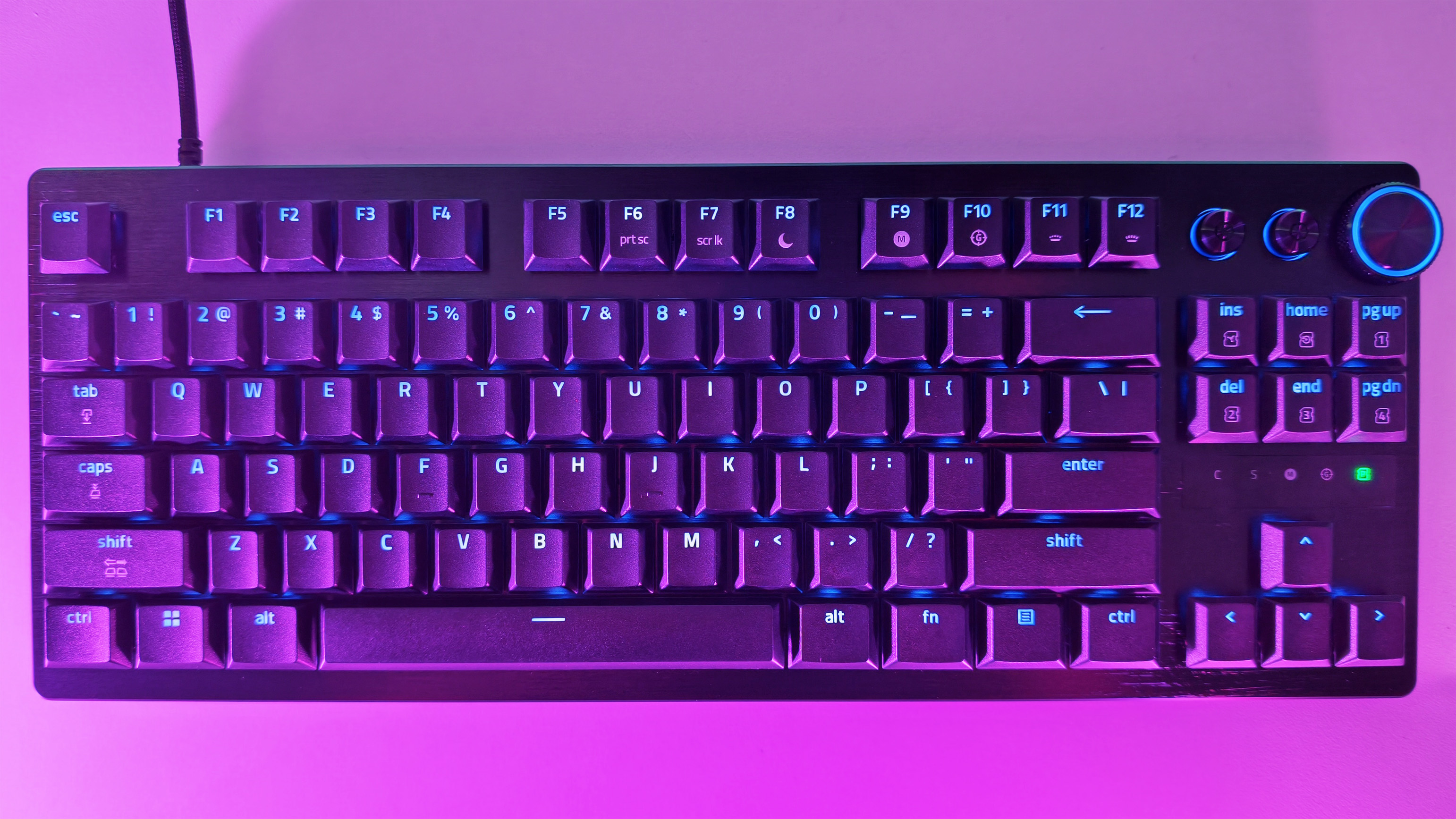
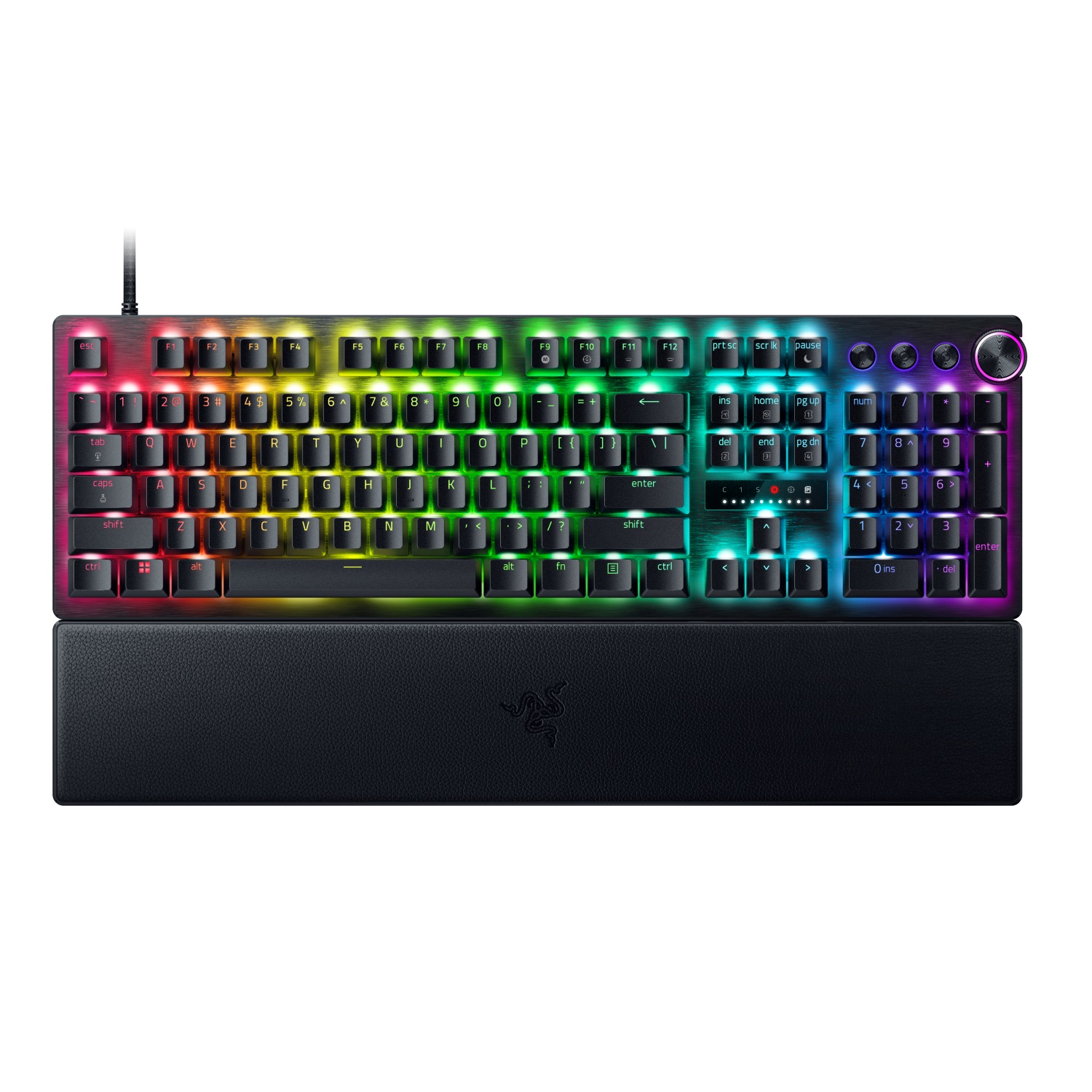
Overhead top-down view of the Razer Huntsman V3 Pro Low-Profile Tenkeyless gaming keyboard layout with backlit RGB keycaps. (Image credit: Daniel Rubino)
You should buy it if ...
✅ You want an ultra-fast low-profile keyboard powered by 8,000Hz analog optical technology.
✅ You split time between heavy typing and gaming and demand low finger fatigue.
✅ You want advanced movement software like Rapid Trigger, Snap Tap, and Snap Flex.
You should not buy this if ...
❌You insist on a wireless setup.
❌ You prefer deep, traditional mechanical key travel.
❌ You are on a strict budget and don't require optical analog features.
At $229.99, the Razer Huntsman V3 Pro Low-Profile Tenkeyless 8KHz is an investment.
However, if you already like what Razer is doing with its analog optical switches, this low‑profile version feels like the next logical step. It delivers the same competitive edge as the full‑height Huntsman V3 Pro TKL, just in a thinner, faster, more refined chassis that’s easier to live with day-to-day.
The typing feel is crisp, the travel is short, and the 8KHz polling gives you the same responsiveness you expect from Razer’s top‑tier boards. It’s still a premium keyboard aimed at people who care about speed, tuning, and precision, and it absolutely delivers on that promise.
The price is high, but the performance is undeniable. If you want a low‑profile keyboard that doesn’t compromise on competitive features, this is the one that sets the bar. It’s fast, it’s polished, and it’s built for players who want every advantage they can get. In a crowded field of “fast” keyboards, this one actually earns it.
Razer
Huntsman V3 Pro Low Profile Tenkeyless 8KHz
Dominate your matches with the world’s first low‑profile analog optical gaming keyboard made for pro players. Powered by 8000 Hz HyperPolling, Snap Flex, Snap Tap, Rapid Trigger Mode, and fully adjustable actuation, it delivers top‑tier speed in an ultra‑slim design.
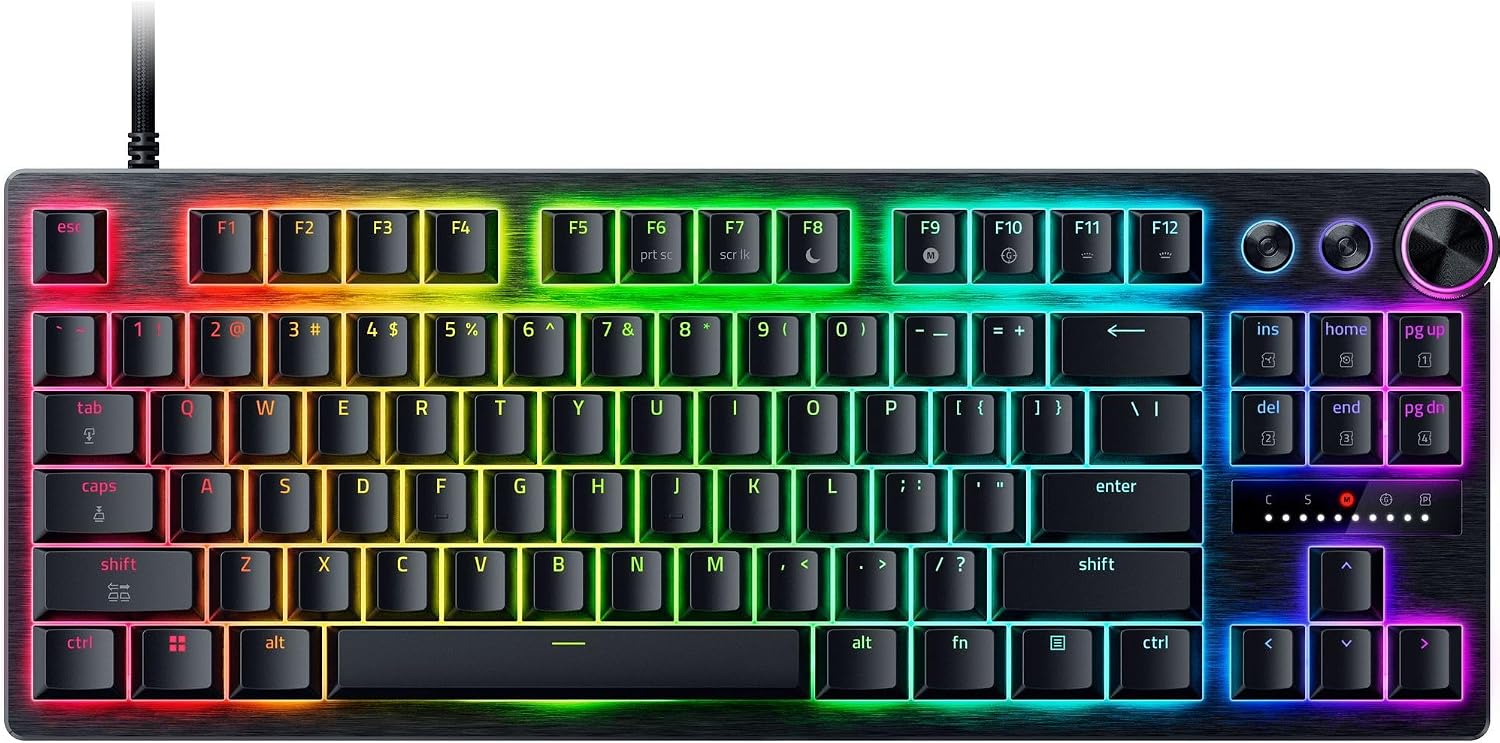
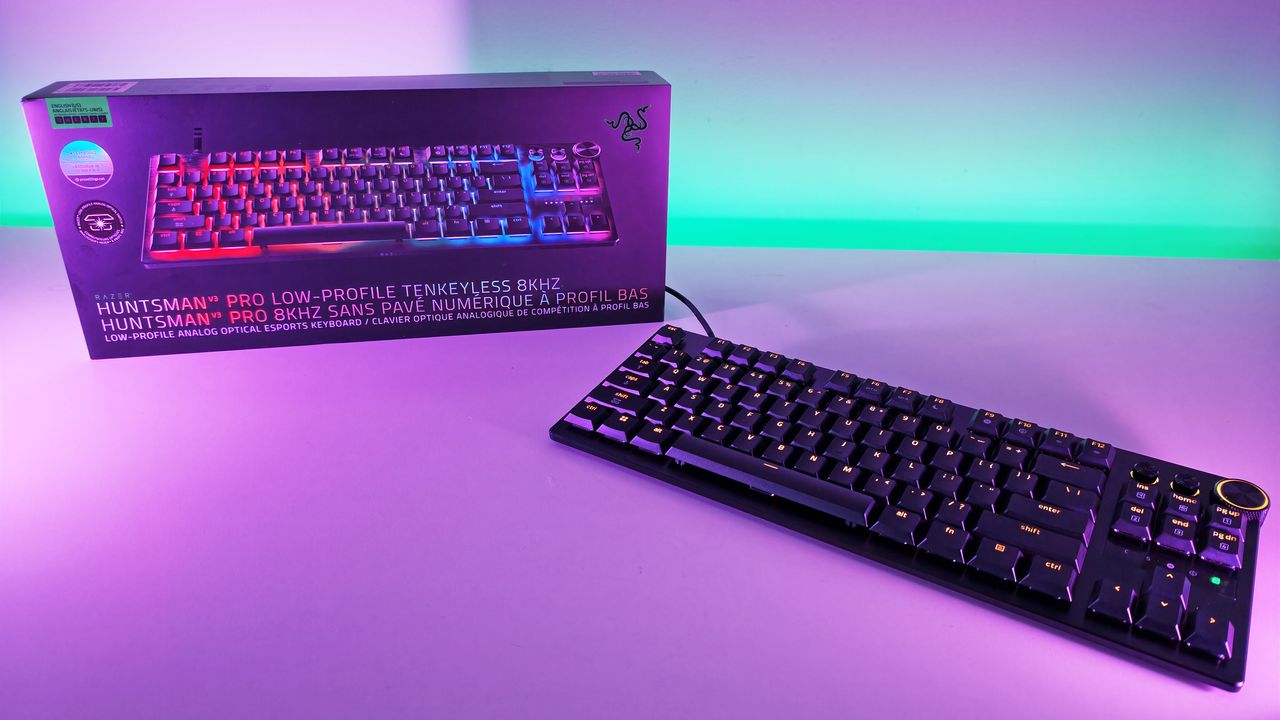
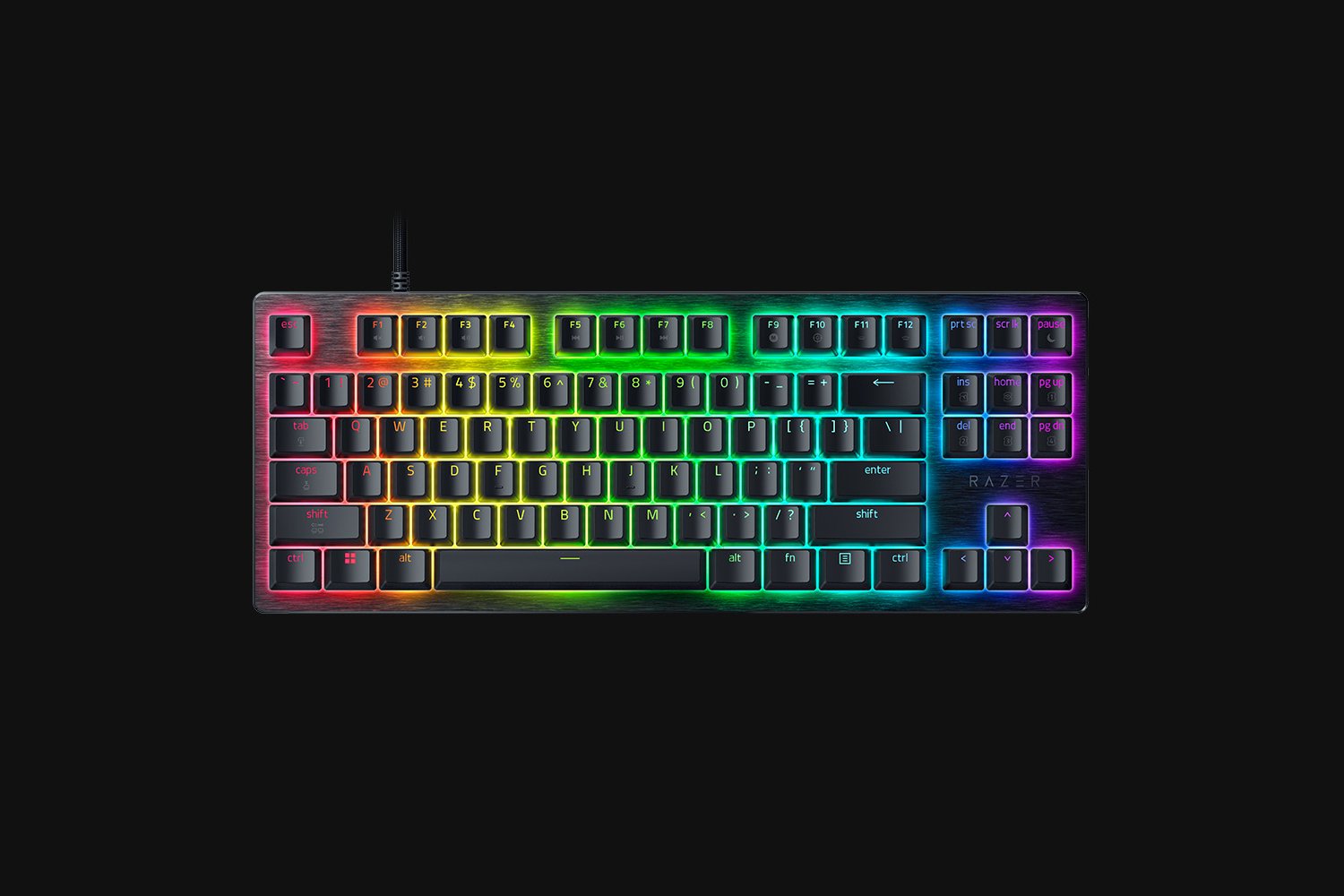
Razer Huntsman V3 Pro Low-Profile Tenkeyless 8KHz gaming keyboard sitting in front of its retail box under purple studio light.
Razera's brand new Huntsman V3 Pro Low-Profile Tenkeyless keyboard brings all its best features, do a slimmer, easier-to-type design.
Monitors generally last so long that I often forget how significant an upgrade can be, but seeing some of the 4K displays and OLED panels in our recent reviews always proves they're among the best investments you can make. After all, you're looking at your PC monitor most of the time, so it's worth it.
Sure enough, Dell is offering generous discounts on some of the best monitors we've tested, including a gaming variant in its Alienware subbrand. If you're thinking about a screen upgrade for your new semester, now's the right time to buy. Here's my curated collection of Dell monitors that are easy to recommend.
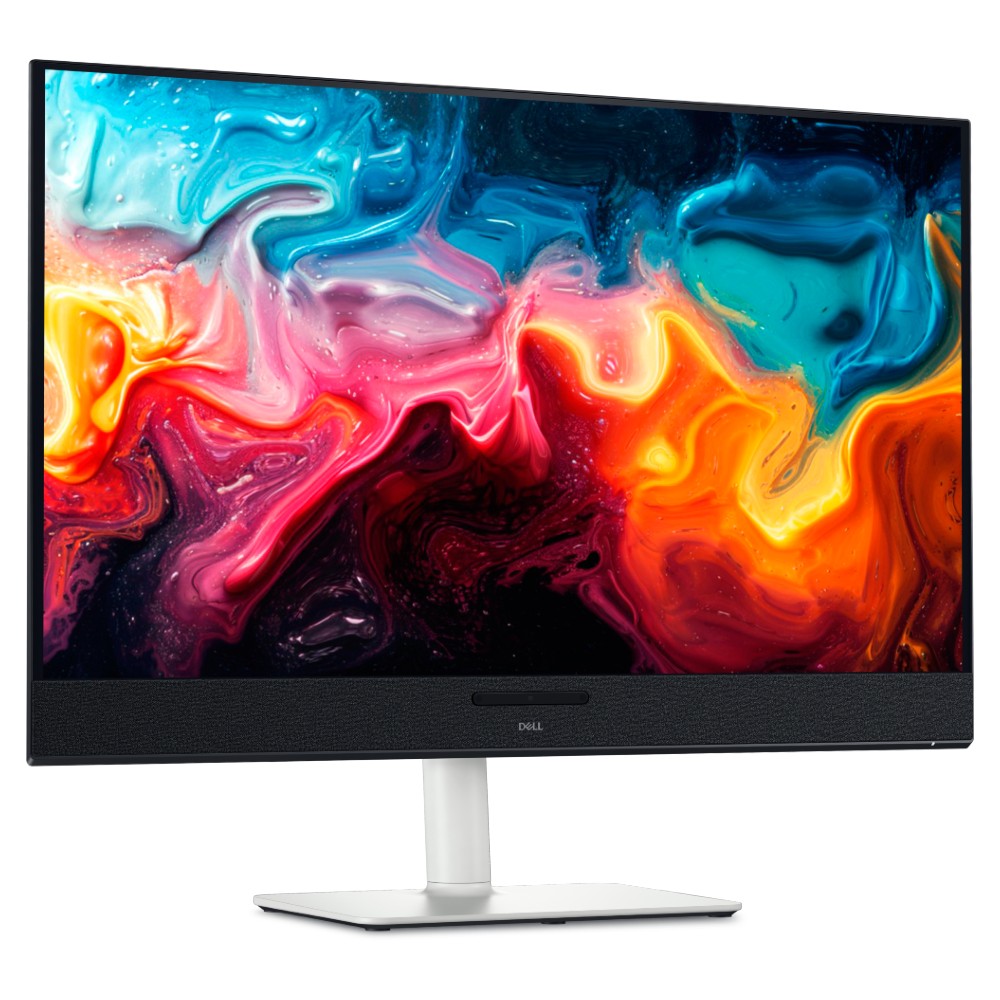
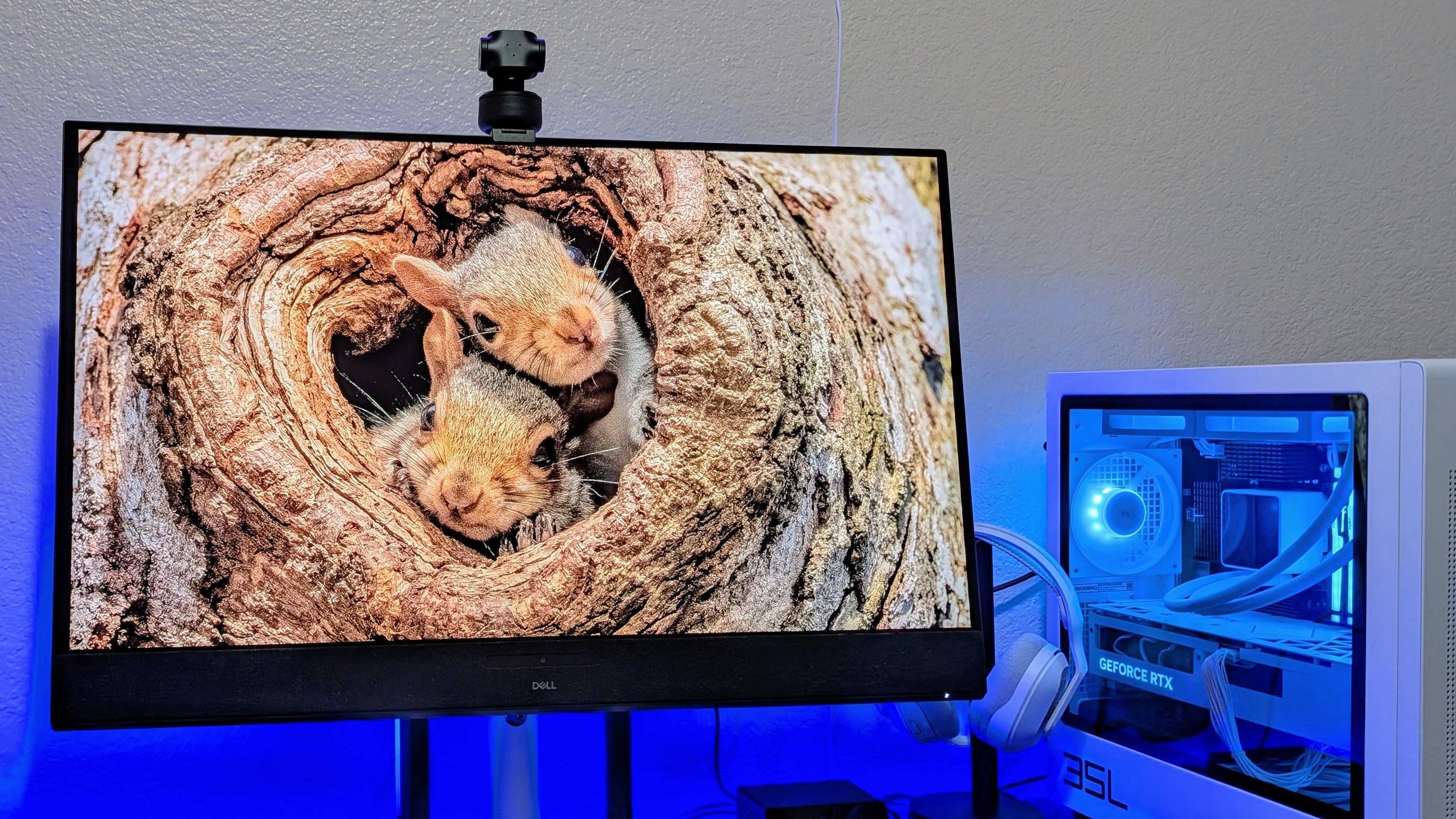
Dropping below $600 makes this an easy choice for anyone who has the space. You get built-in audio with 5 speakers and a gorgeous, color-accurate 4K QD-OLED panel.
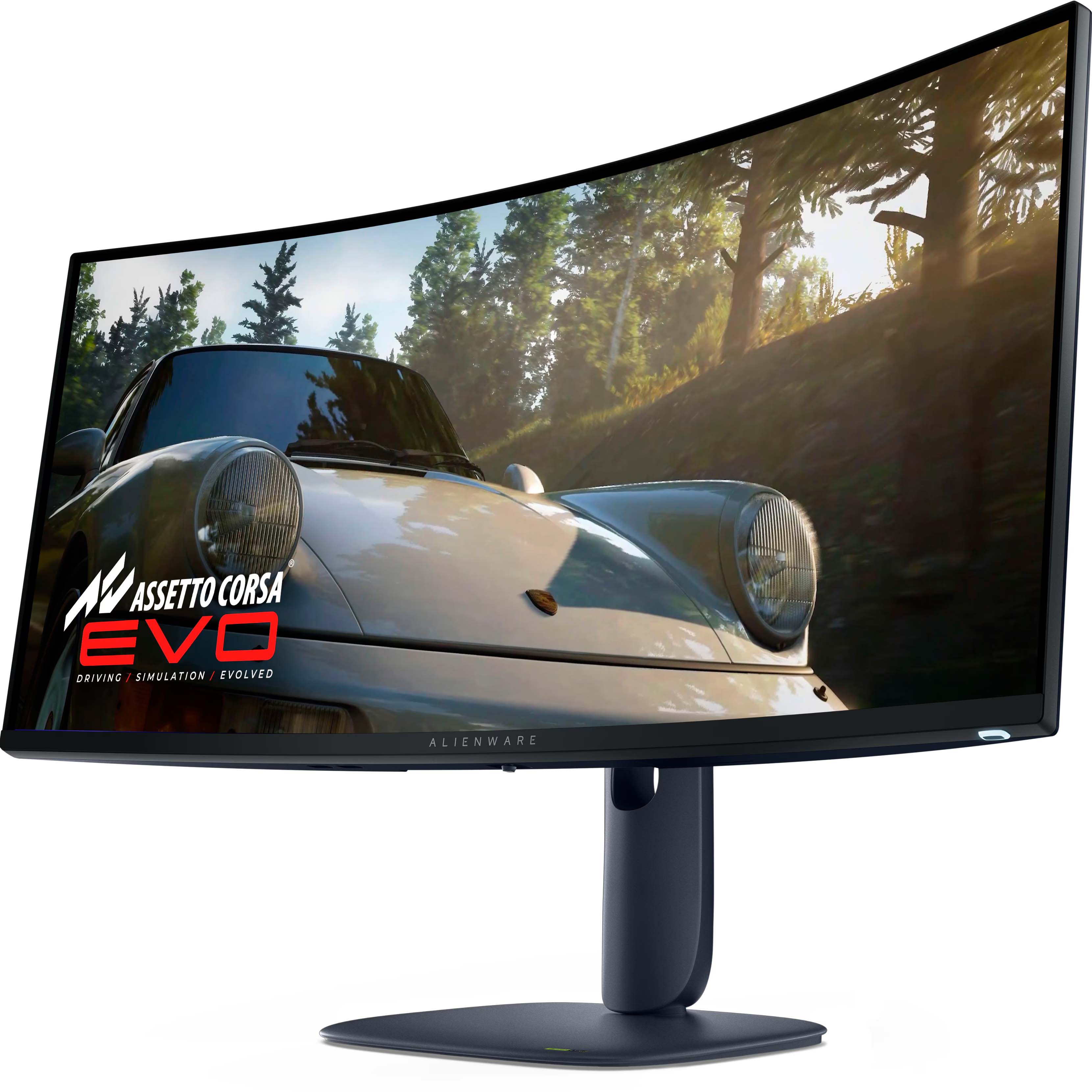
For the gamers — and it's a beast. A curved QD-OLED 1440p (not 4K) panel running at 240Hz, with a 0.03ms response time, alongside HDR and G-Sync support.
Dell 32 Plus 4K QD-OLED Monitor (S3225QC). (Image credit: Windows Central | Zachary Boddy)
Dell has consistently impressed my team and me with each monitor that we've sampled — and in some cases permanently adopted — with accurate color representation on sharp panels with good contrast. Their construction is consistently above average, too, often with a toolless setup and included stands offering plenty of tilt and swivel adjustment options.
The Dell S3225QC's 5-speaker system easily sounds better than the majority of monitors with built-in audio.
Zachary Boddy, Former Staff Writer
With its $200 saving, the 32 Plus 4K QD-OLED (S3225QC) stands out as the best deal, and we particularly praised its five-speaker array for delivering "some of the best audio you'll hear in a monitor or TV". Indeed, it includes a two-piece toolless stand for a straightforward setup and affordable access to a Quantum Dot OLED (QD-OLED) panel with "perfect" contrast.
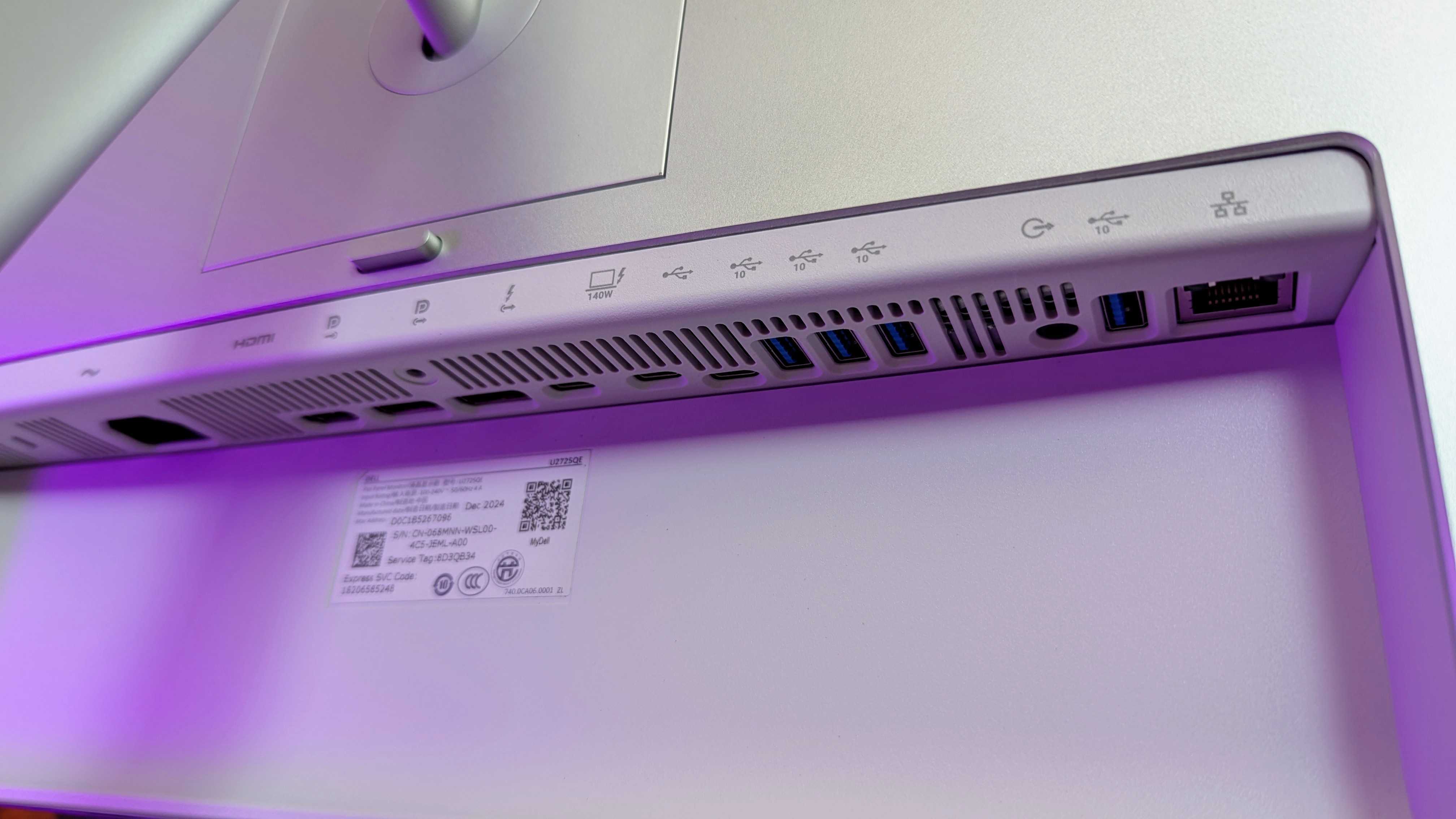
Connectivity is bountiful on the UltraSharp 27. (Image credit: Windows Central | Zachary Boddy)
One of the most important considerations is connectivity and whether your existing PCs and devices can connect to the monitor you buy. For example, the S3225QC offers a gorgeous panel, but it's limited to a single HDMI port and two USB-C ports — one of which supports DisplayPort 1.4 output — but there's nothing for a traditional full-sized DisplayPort cable.
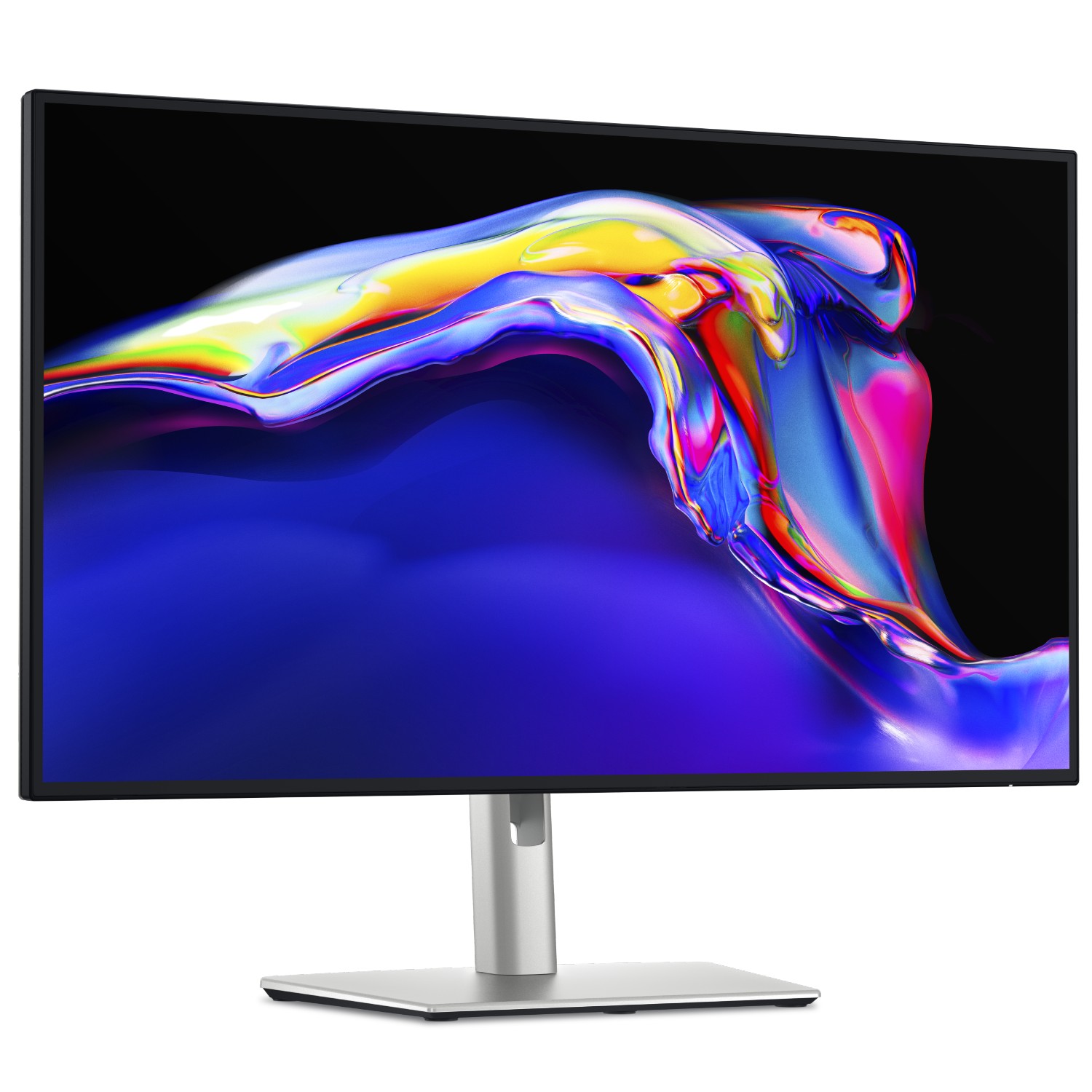
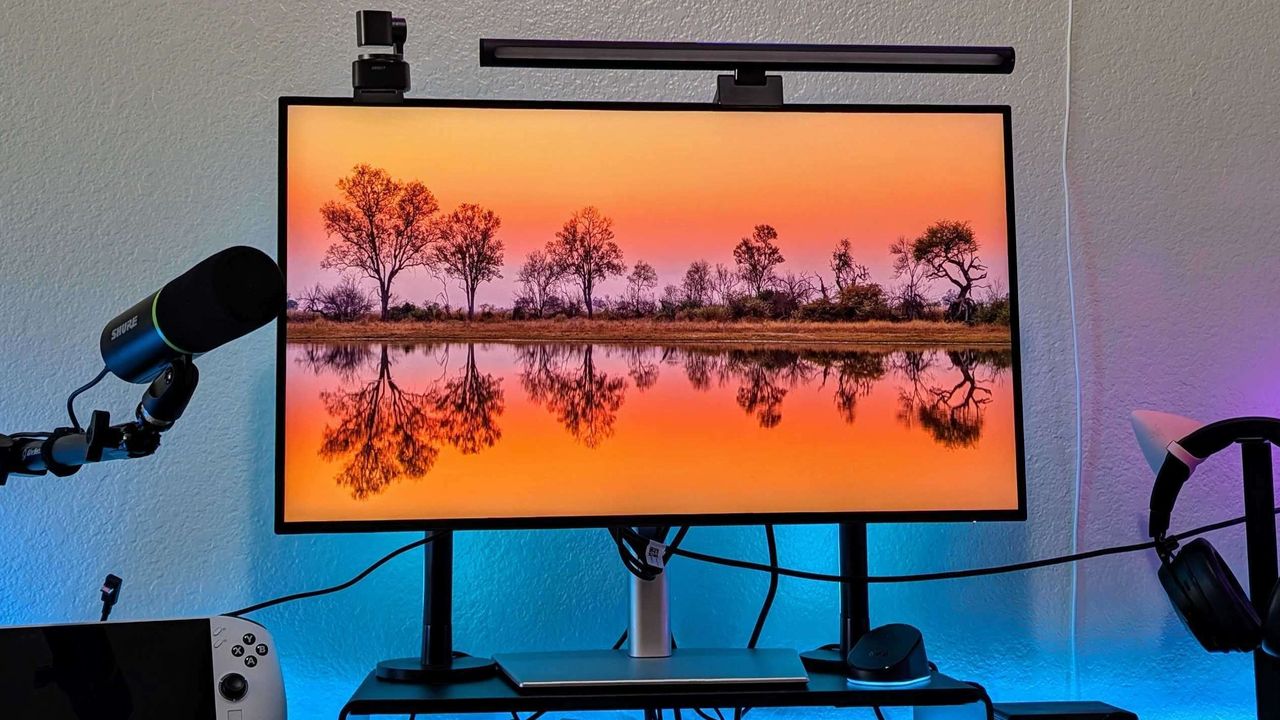
The opposite side of that coin is the UltraSharp 27 4K (U2725QE) with its Thunderbolt Hub and two DisplayPort options, HDMI, alongside a positively huge array of USB-A and USB-C ports. For gamers, responsiveness matters more, and the Alienware AW3425DW dominates with a 240Hz refresh rate and a 0.03ms response time built into a 21:9 (3440 x 1440) panel.
Overall, our own testing proved that Dell monitors are great picks for practically anyone. Nevertheless, you should always consider your needs, including which display size best fits your desk setup (or whether you'll use a mounting arm over the included stands). Right now, availability is healthy at Dell's US store, with fast delivery times.
Join us on Reddit at r/WindowsCentral to share your insights and discuss our latest news, reviews, and more.
Image of the Dell UltraSharp 27 4K Thunderbolt Hub Monitor (U2725QE).
Keyboard switches used to be a fairly niche topic. Enthusiasts knew what they wanted and sought it out, while more casual gamers and typists just went with what seemed best.
I'm talking about the feel, the sound, and the speed — not to forget pricing, durability, hot-swap support, and layout, especially when getting into gaming keyboards.
But the days of switches being an enthusiast's niche are over. Hall Effect and optical switches are enjoying a mainstream push, especially in gaming hardware, and the less flashy keyboards for office work are also seeing some major upgrades.
These advancements can make buying a new keyboard in 2026 a confusing endeavor. You step away for a few months, and it feels like there's a completely new set of literature to read up on.
I'm here to lay out the main types of different keyboard switches you may encounter, helping you get the perfect hardware for your needs.
What are mechanical keyboard switches?
A Razer BlackWidow V4 with its keycaps removed to show off the mechanical switches. (Image credit: Ben Wilson | Windows Central)
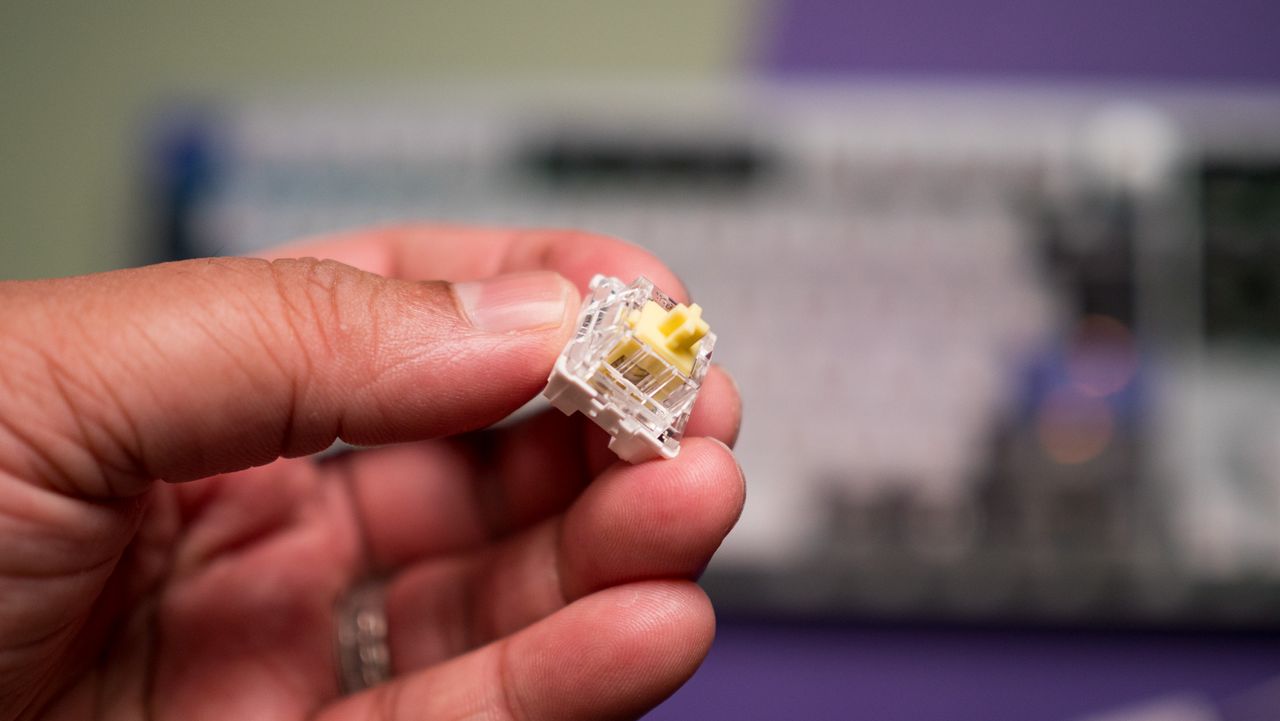
Mechanical switches are the baseline for keyboards. When the keycap is pressed, a stem compresses a spring, and two separate metal contacts touch to complete a circuit and let your PC know you've performed a keystroke.
Mechanical boards are popular because they allow for quick swapping of keycaps (and in many cases, the switches themselves) without needing any special tools. If you're just starting on your path down the keyboard rabbit hole, a mechanical option is likely your best bet.
You might have heard of Cherry MX before, and that's because it's the company that essentially created the mechanical keyboard in the 1980s. It's still the default switch today, with many competitors attempting to outdo its creations.
There are three basic versions of mechanical switches that you'll most often encounter when shopping: Linear, Tactile, and Clicky.
Linear switches
Linear switches offer a smooth feel from the top through to the bottom. There's no noticeable bump when you hit the actuation point (in this case, the two metal contacts coming together), and there's minimal noise while typing.
Cherry MX Red and Cherry MX Black switches are probably best known, but there are also Speed Silver, Silent Red, and Low Profile Speed options.
Linear switches are great for PC gaming because they're generally faster and more consistent when the action gets going. The fact that they don't make noise is also a boon, especially if you're gaming in a shared space.
Tactile switches
The Keychron Q6 Pro's tactile switches are an excellent option for gaming or for work. (Image credit: Harish Jonnalagadda / Windows Central)
Tactile switches are a common ground between linear and clicky. They offer a small, noticeable bump at the actuation point without adding a loud click.
Cherry MX Brown is the classic example of a tactile switch. They're sought after by gamers and typists alike who prefer having that little bit of pressure to let them know that a keystroke has been made.
Clicky switches
Clicky switches are what I consider the "extreme" version. They offer the same noticeable bump as tactile switches when the actuation point is hit, but a loud click follows.
Some typists and gamers prefer the heavier feel and the loud click (especially if you're going for a retro vibe), but that audible feedback can definitely get annoying over time.
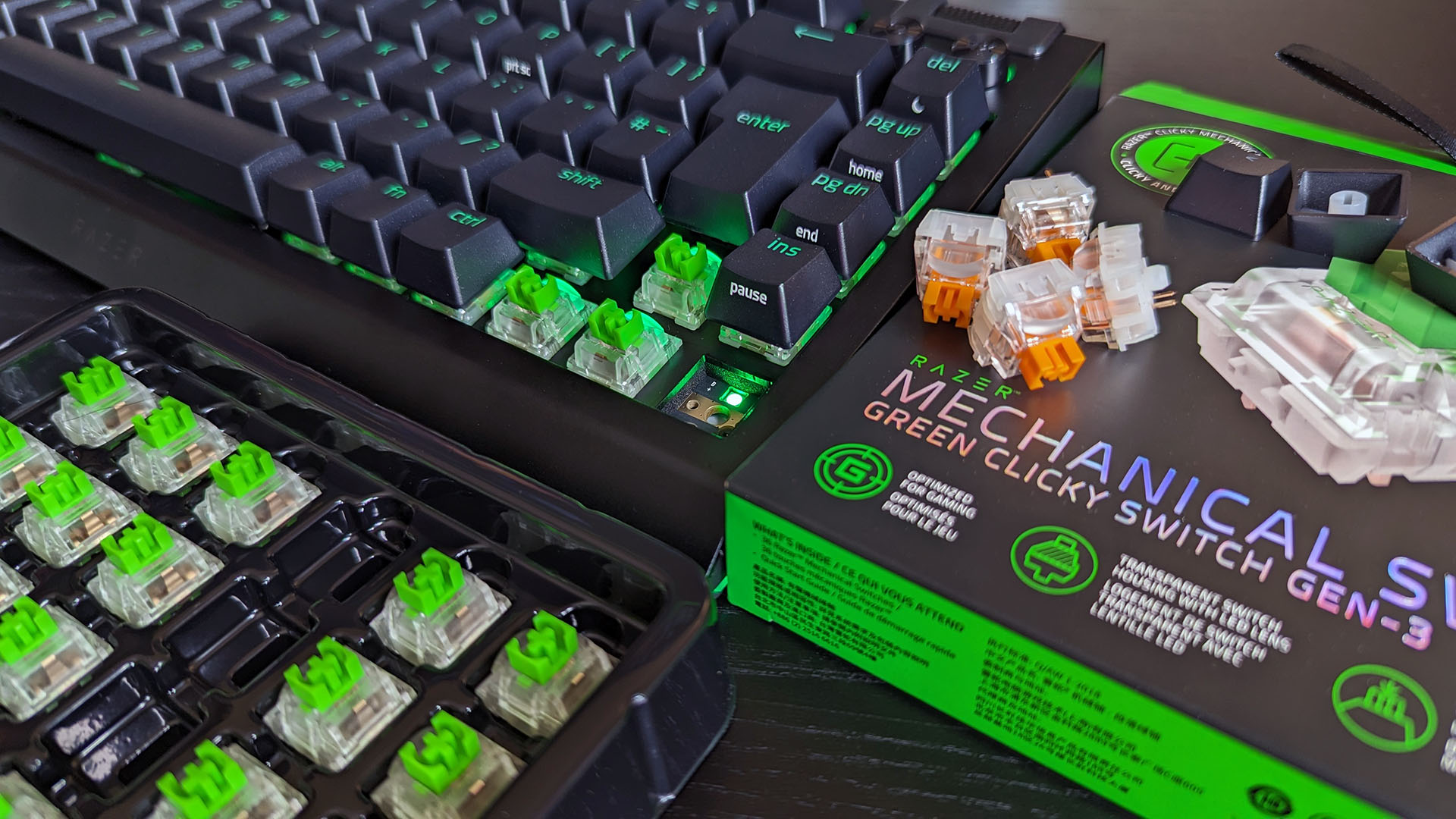
Cherry MX Blue switches are the default example here, but there are also Green and Ultra Low Profile clicky switches to watch out for.
Pro Wireless Gaming: It's a result of a collaboration between Alienware and over 100 esports athletes, and it's a genuine step up over the company's previous products. Build quality is exceptional, typing feels great, and gaming performance is flawless.View Deal
Cherry MX's competition in the mechanical market
The Glorious GMMK 3 Pro is available will classic MX or Hall Effect switches. (Image credit: Harish Jonnalagadda / Windows Central)
Cherry MX remains the brand that's best known, and it has been upgrading its switches to better compete with new competitors. For example, its MX2A lineup with a redesigned stem helps make its switches feel a lot smoother.
This innovation to compete is driven by companies like Gateron, Kailh, and Glorious that have jumped on expiring patents to create their own mechanical switches. They generally fall into the same three basic mechanical switch categories, so it's not too difficult to figure out what's best for you.
What are optical keyboard switches?
Optical switches on the IOGear HVER PRO X gaming keyboard. (Image credit: Windows Central)
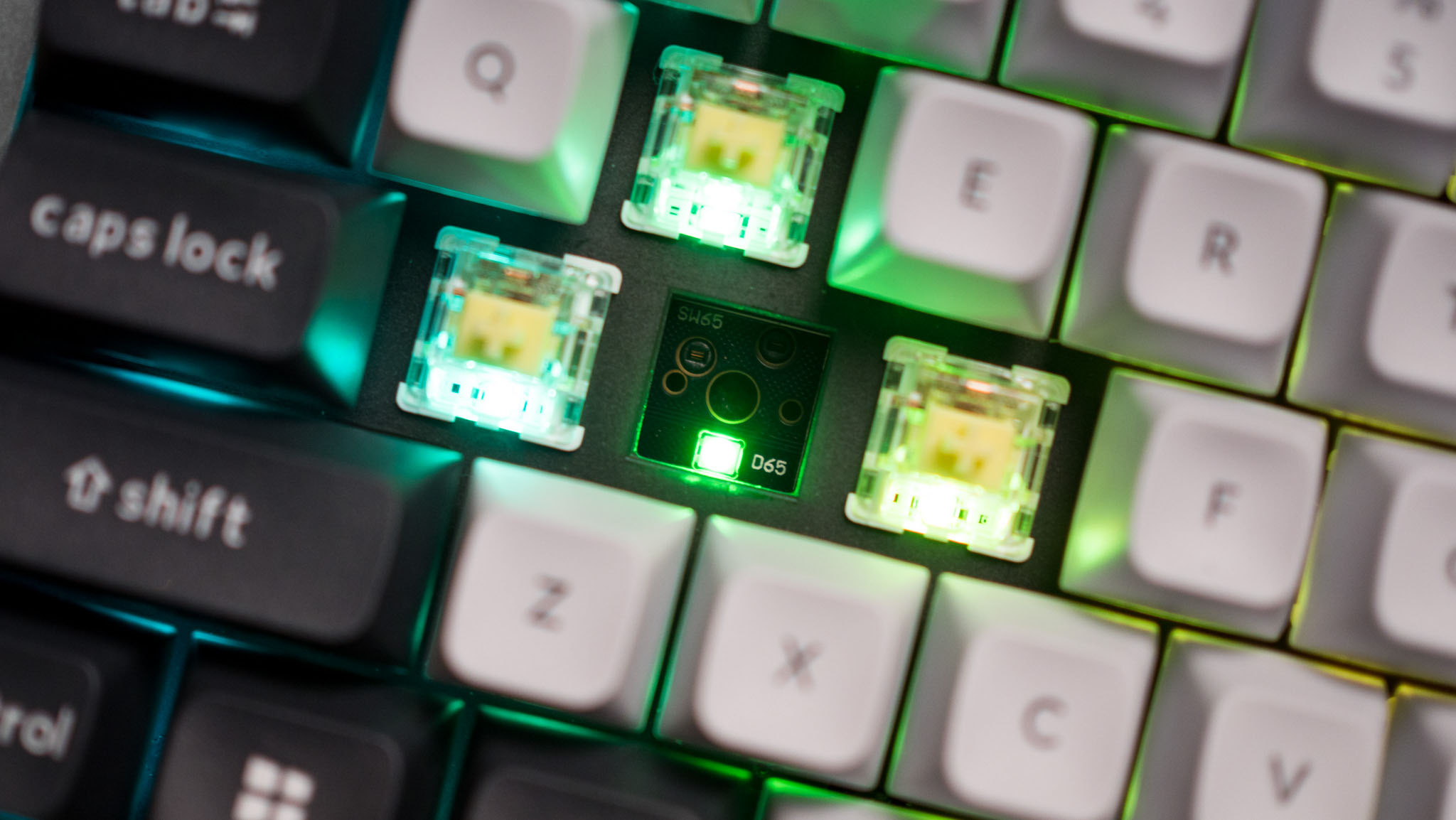
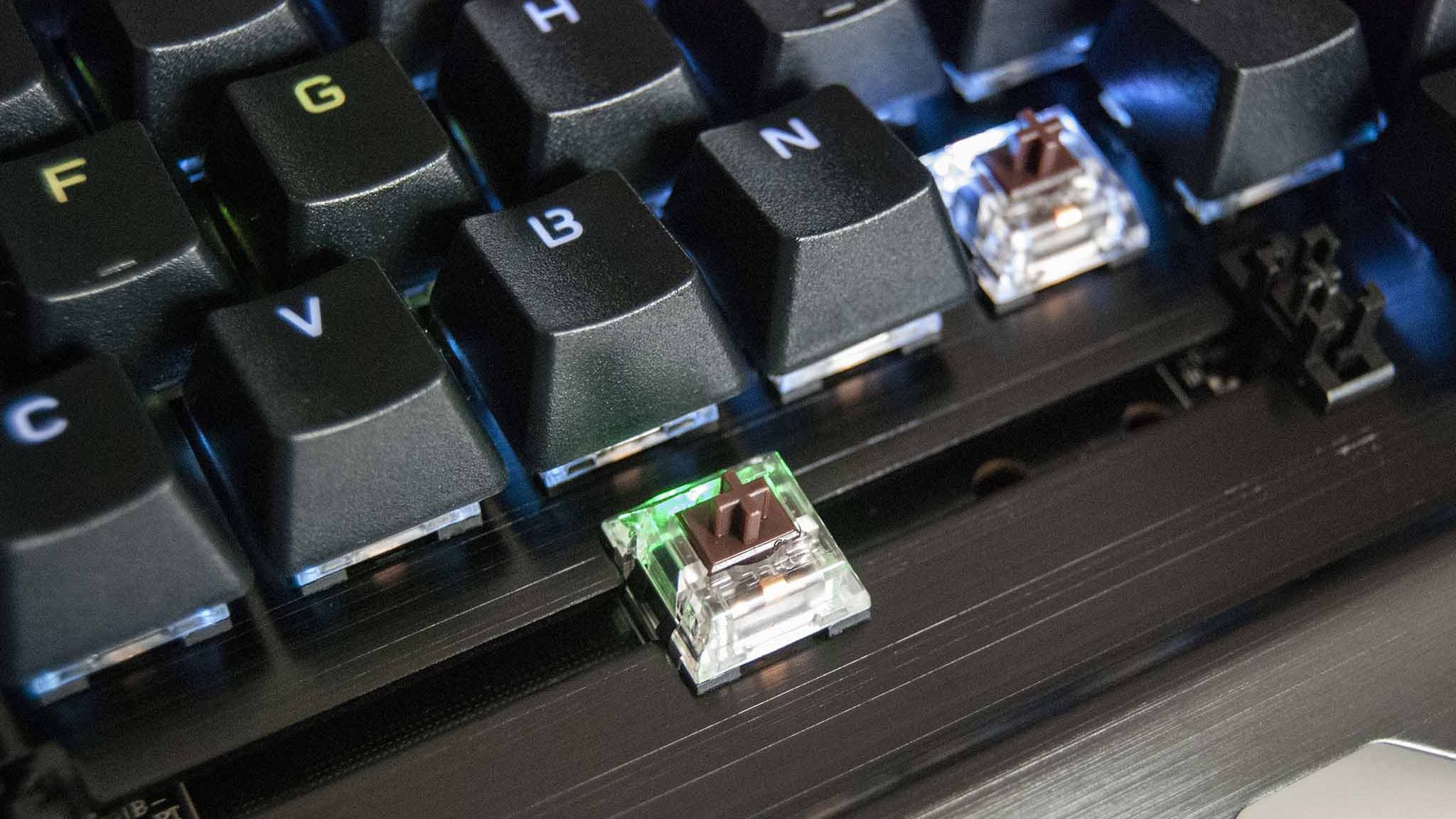
Optical keyboard switches are a lot like their mechanical counterparts. They use the same stem-and-spring setup, but there are no metal contacts to form a circuit when pressed.
Instead, optical switches place a beam of infrared light below each key. When you press a keycap, that beam is interrupted, and your PC recognizes a keystroke.
The main benefits of an optical switch are durability and response. There are no metal contacts to wear out, and keypresses are usually registered just a bit faster.
The Razer Huntsman V3 Pro features optical keyboard switches. (Image credit: Michael Hoglund)
When I think of optical switches, I usually think of Razer. It's the brand spearheading this tech most of the time; its Analog Optical Gen-2 switches in the Razer Huntsman V3 Pro are a perfect example. There are, however, competing brands.
Optical switches offer things like adjustable actuation (making keys easier or harder to register keystrokes) and rapid trigger mode (allowing for faster repeated presses).
Most optical switches are hot-swappable like their mechanical counterparts. However, the main catch is that optical switches can't be added to mechanical keyboards, and vice versa, due to different circuit technology underlying each option.
Razer's Huntsman V3 Pro uses optical switches for improved durability and performance, making it a particularly excellent option for gamers who don't want to spend extra on Hall Effect hardware.View Deal
What are Hall Effect keyboard switches?
The Razer Huntsman V3 HE Magnetic Mini keyboard with Hall Effect switches. (Image credit: Daniel Rubino)
I first began hearing about "Hall Effect" to do with controller joysticks some years ago, but the tech actually originated with keyboards way back in the 1960s. Hall Effect seems to have now become the upgrade choice for many gamers in 2026.
Hall Effect works by placing a magnet in the switch's stem. A separate sensor measures how far the switch travels based on magnetic strength, meaning there's no actual physical or optical activation required.
This opens Hall Effect switches up to far more customization options than mechanical or optical hardware. Actuation distances can be fine-tuned, often as low as 0.1 mm, as in the Razer Huntsman V3 HE Magnetic we recently reviewed.
Because Hall Effect switches offer such tight customization and because there are fewer mechanical parts to wear out, they're becoming much more popular in PC gaming circles.
It was Wooting that really kicked this category off in the early 2020s, but since then, companies like SteelSeries, ASUS, Corsair, Keychron, Logitech, and the aforementioned Razer have jumped into the market.
Huntsman V3 HE Magnetic TKL 8KHz: With adjustable actuation from 0.1–4.0 mm, Rapid Trigger, Snap Tap, Snap Flex and Dynamic Keystroke, Razer’s HE Magnetic TKL give players granular control over inputs and movement — and back it with factory calibration, a 100‑million keystroke rating and on-demand recalibration via Synapse.View Deal
What are Topre switches?
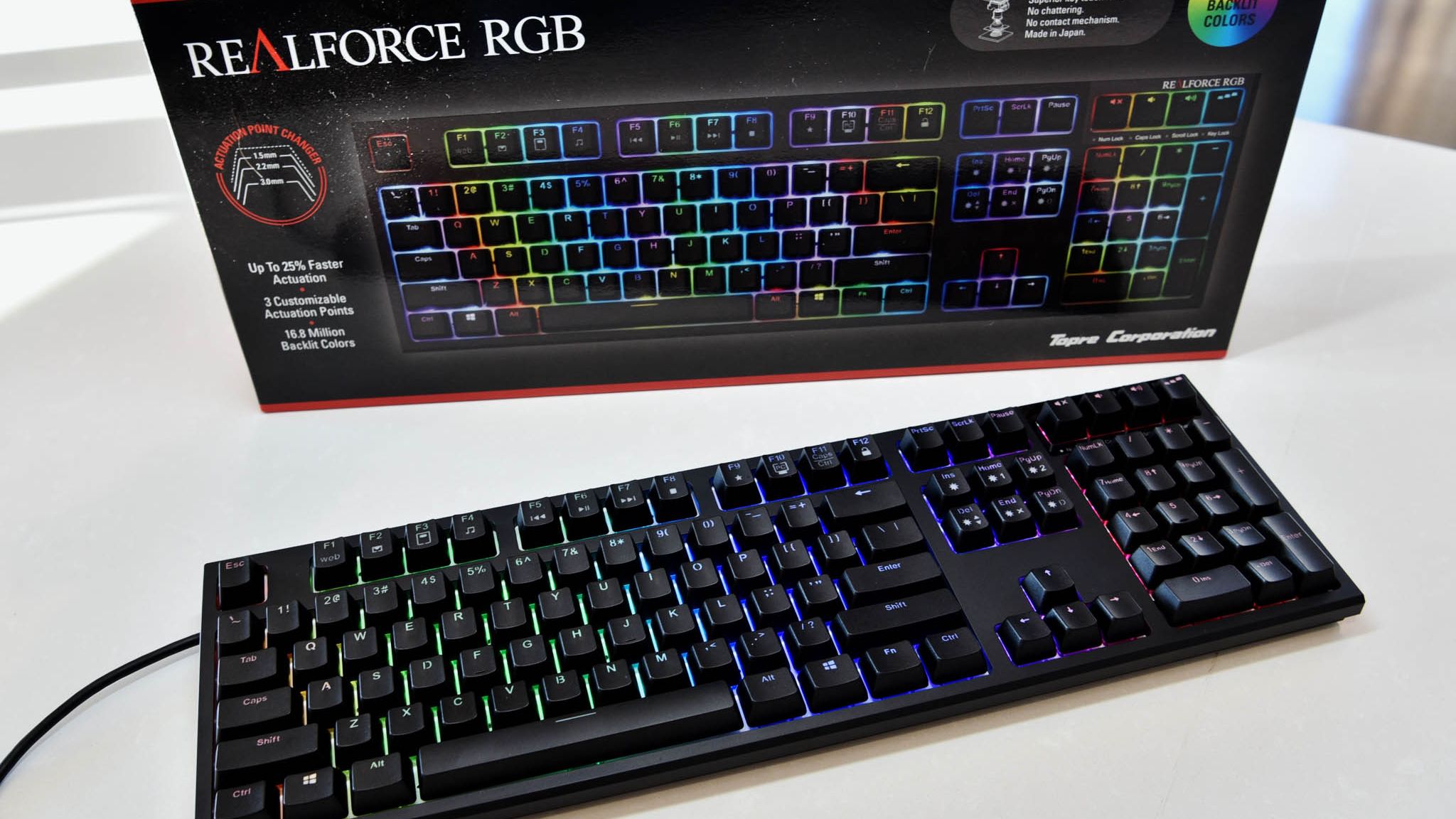
The RealForce RGB is a Topre keyboard we reviewed in 2020.
The final switch category I'm covering separately is Topre. These are capacitive switches designed by a Japanese company of the same name, and they're proving to be popular amongst people who type all day every day.
They work by combining a rubber dome on top of a spring. A sensor detects when the dome compresses (aka when you press down on the keycap) and registers a keystroke. It's a lot like Hall Effect, where there's no circuit to complete, but they have a softer feel that doesn't bottom out as hard.
Keyboards using Topre switches, like those from RealForce, are generally more expensive, but for some people, that extra money might save them from serious typing fatigue.
Other types of switches worth mentioning
The switches I mentioned above are the major options you'll find when shopping for a new keyboard. But there are a few others worth mentioning.
Mechanical, optical, and Hall Effect switches sometimes come in a low-profile option, which just means that the keycaps are not nearly as high. You'll sometimes find these keyboards installed in high-end gaming laptops, but there are plenty of standalone options available as well.
For budget keyboards, you're almost always going to find membrane or scissor switches in play. They're generally quiet, cheap, and relatively comfortable. The big problem? They don't usually last nearly as long, and they don't feel nearly as nice to type on.
Which type of keyboard switch should you buy?
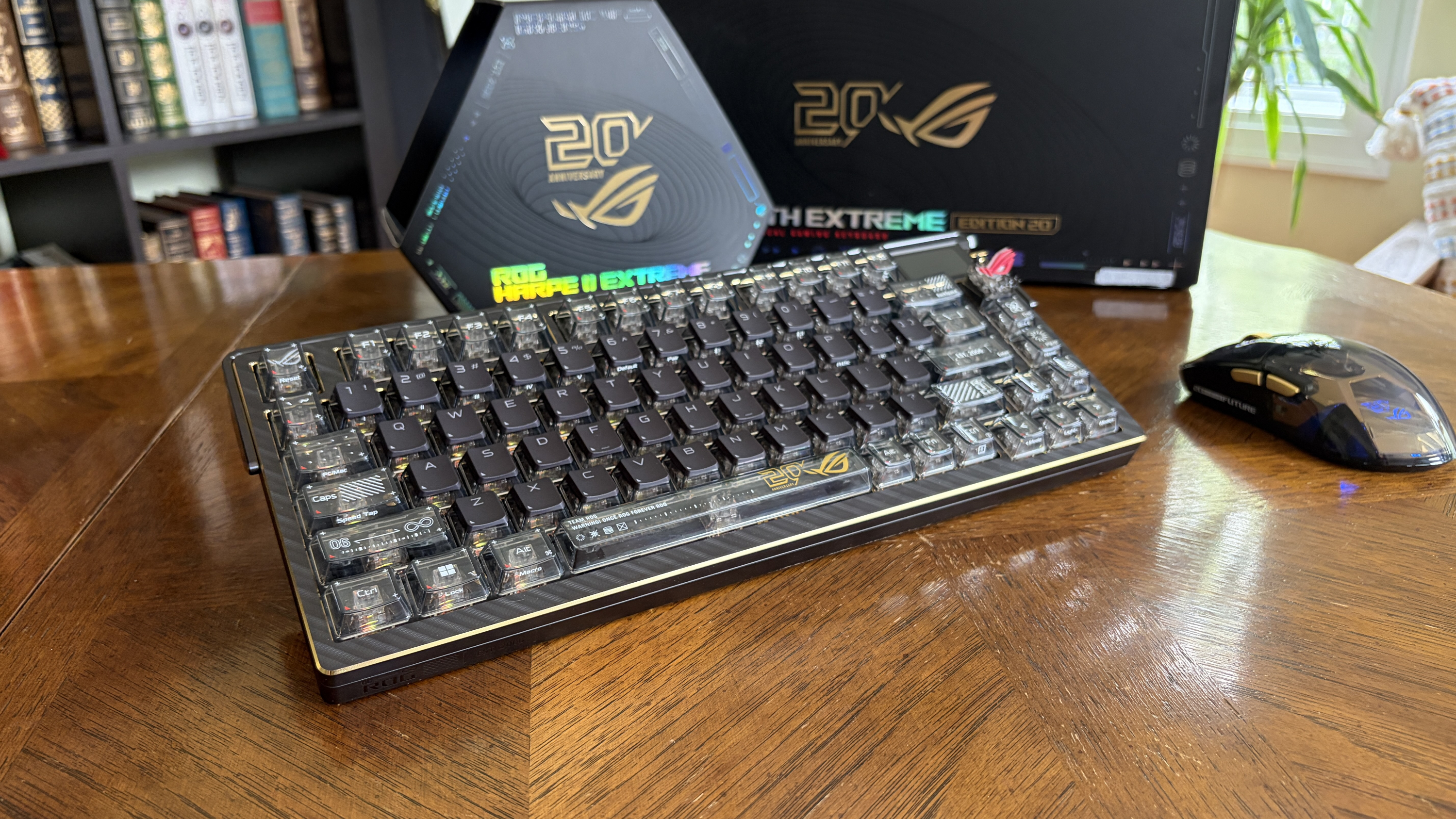
The ASUS ROG Azoth Extreme Edition 20 mechanical keyboard is one of the most expensive on the market today, but not because of its switches. (Image credit: Future)
So, with all the keyboard switch info in mind, which one should you buy? Our guides to the best keyboards and best gaming keyboards are great places to start, but let me break it down into the different categories of PC users who care most about their hardware.
Competitive PC gamers should seriously consider investing in a Hall Effect keyboard. They're more durable, they offer extreme precision, and they can be customized to your liking. Optical switches can also do a great job here if you'd rather skip the magnetic setup.
Casual PC gamers might want to splurge on Hall Effect or optical switches, and there's nothing wrong with that. But for the majority, classic mechanical switches, whether linear, clicky, or tactile, will do a great job of keeping up with repeated keypresses. You won't have to spend as much, and you can still have a lot of fun customizing your board.
For professional typists or programmers, I recommend a tactile mechanical switch. You still get a comfortable setup and extra durability, without all the extra noise that might annoy you or those around you over time. If you have the budget, this is where Topre switches can also be super appreciated.
And if you're on a budget, you can always check out a cheaper mechanical switch. There are plenty of options available at the low end of the market. And if you really don't care? Just get a cheapo membrane keyboard and forget everything you just read.
Join us on Reddit at r/WindowsCentral to share your insights and discuss our latest news, reviews, and more.
Huion, known for creating high-quality drawing tablets and pen displays, is launching a back-to-school sale on some of its best models. These discounted tablets are built for the aspiring student, whether they need extra help taking notes during class or creating beautiful digital works of art.
There are tons of discounts on offer, so I've picked out some of the best in both the budget and premium price ranges while showcasing a couple of drawing tablets we've reviewed and given high marks in the past. So, if you want to overcome a wave of AI-generated knock-off art by showing off real creativity with top-grade drawing tablets, these are for you.
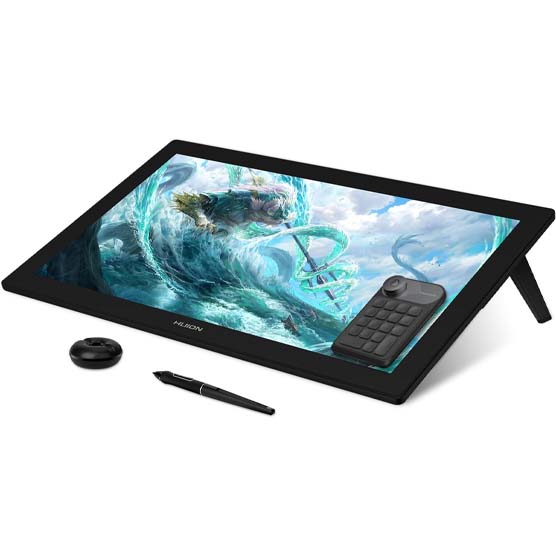
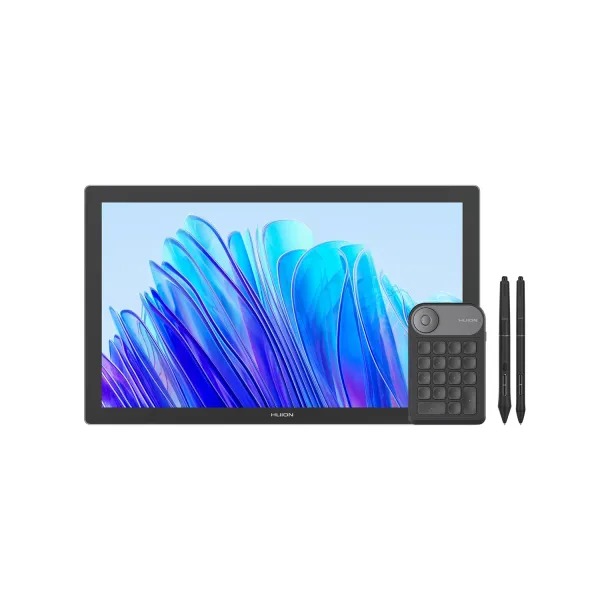
"This is a worthy competitor to Wacom with its 24-inch drawing surface that produces a great color gamut with 4K clarity. It offers 8,192 pressure levels to accurately depict strokes and there are a number of useful items included in the box such as an amazing Keydial Mini for better control while drawing, an artist glove, multiple pen nibs, a pen holder, and more." ~ Rebecca Spear, Former Gaming and News Editor
"This purchase nets you a drawing display, two pens, a pen holder, replacement nibs, a drawing globe, and a Keydial Mini. The display offers great color and works creates excellent brush stroke pressure to add depth to my pen strokes." ~ Rebecca Spear, Former Gaming and News Editor
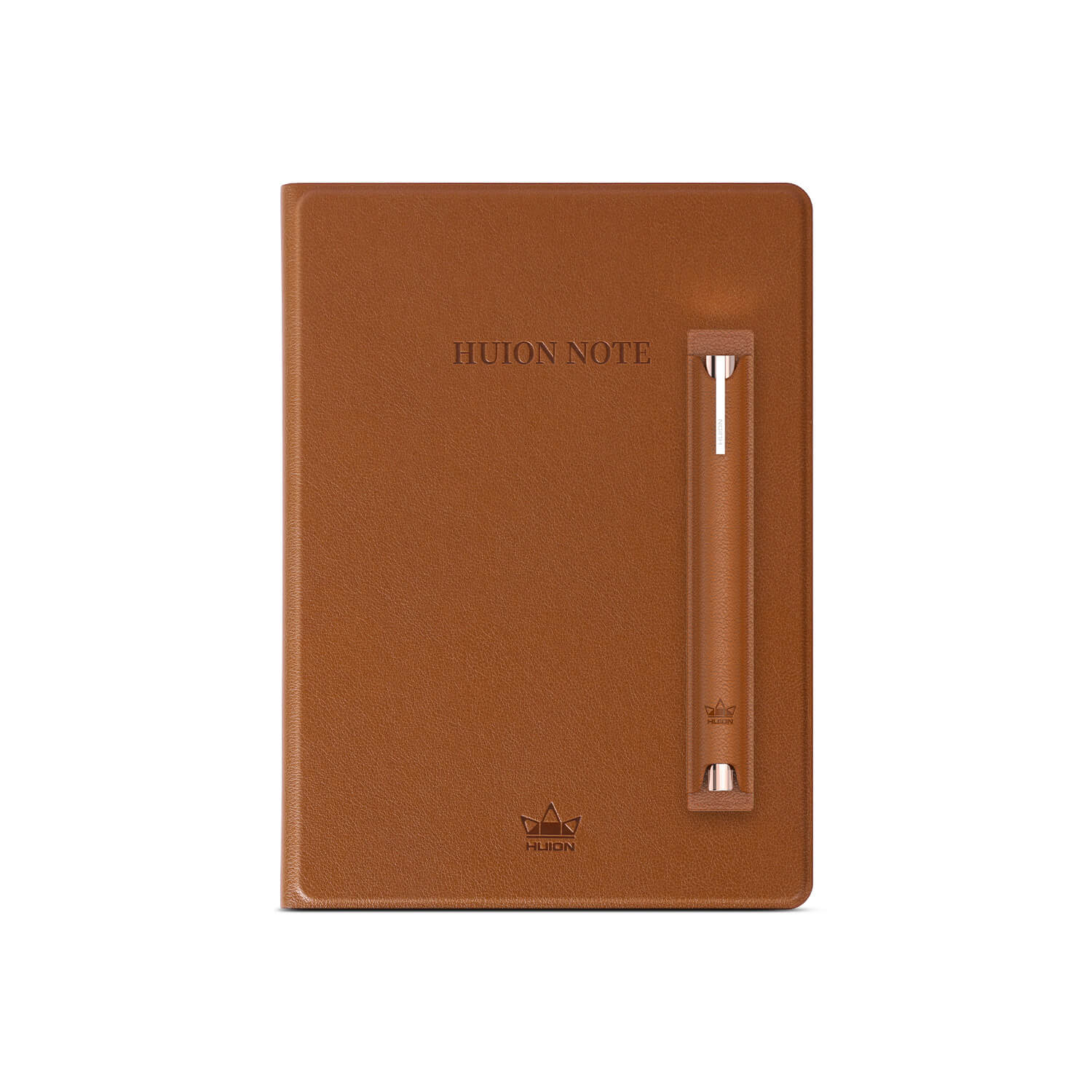
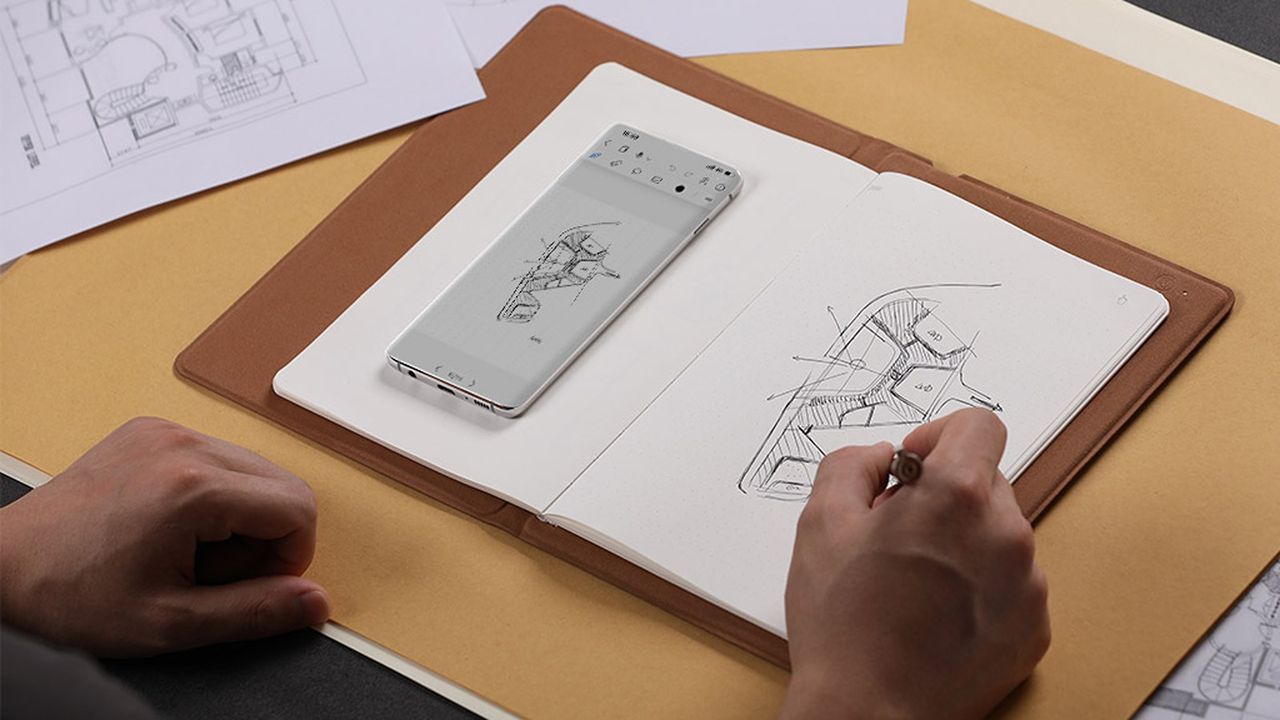
Transfer your handwritten research notes from paper onto your phone as PDF files with the press of a button or record and sync your art sketches with your phone through the power of the Huion Note.
This smart notebook features 50 A5-sized pages, a battery life of 18 hours, Bluetooth 5.0 connectivity, 4 ballpoint pen refills, and 2 plastic pen nibs.View Deal
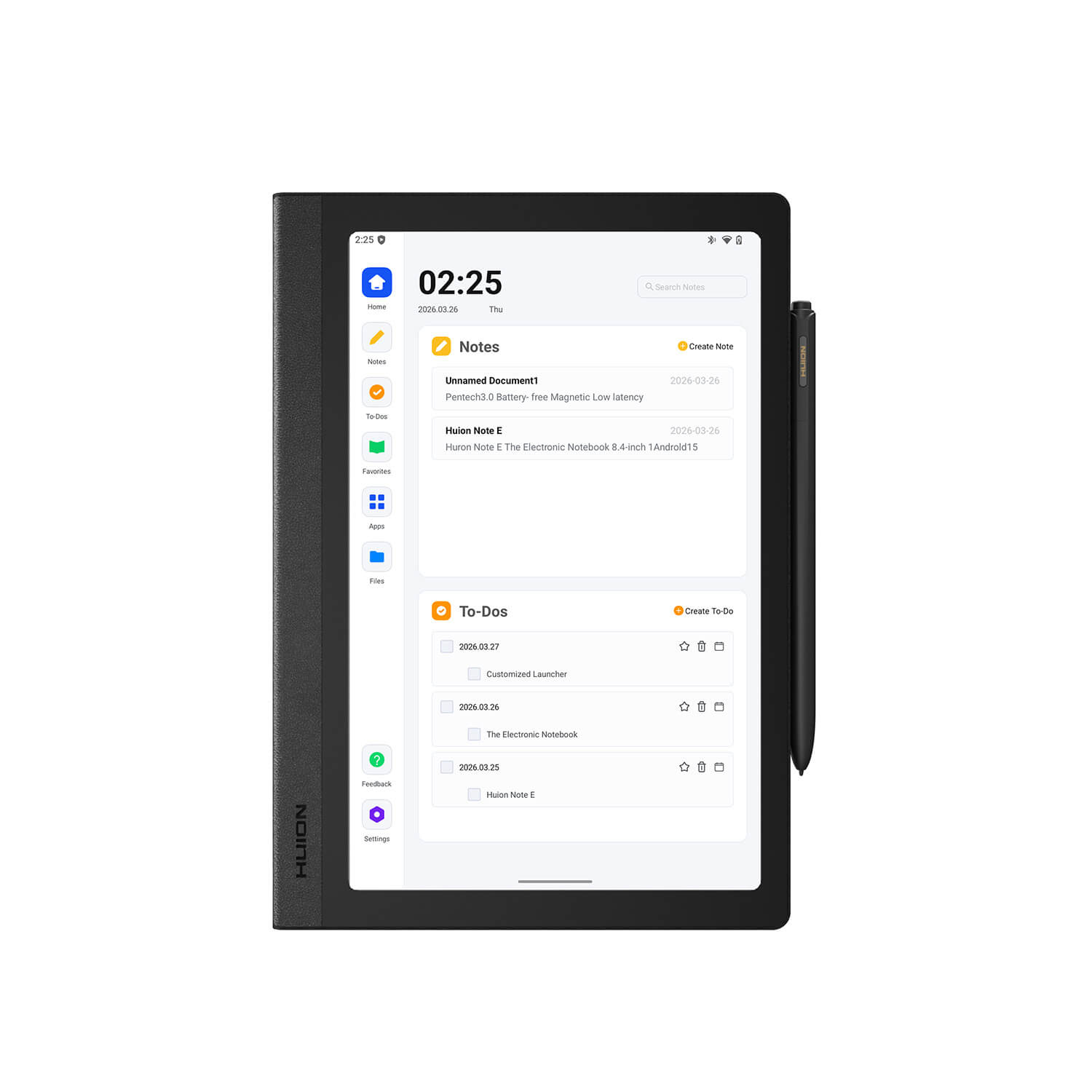
This is a Huion Note's beefier 'E' variant, with a display screen capable of 1920x1200 resolution with 60Hz refresh rates, a bundled stylus pen, a soft-light screen for protecting eyes, a customized launch interface with smart handwriting tools, and more features that will make note-taking a much less tedious chore.View Deal
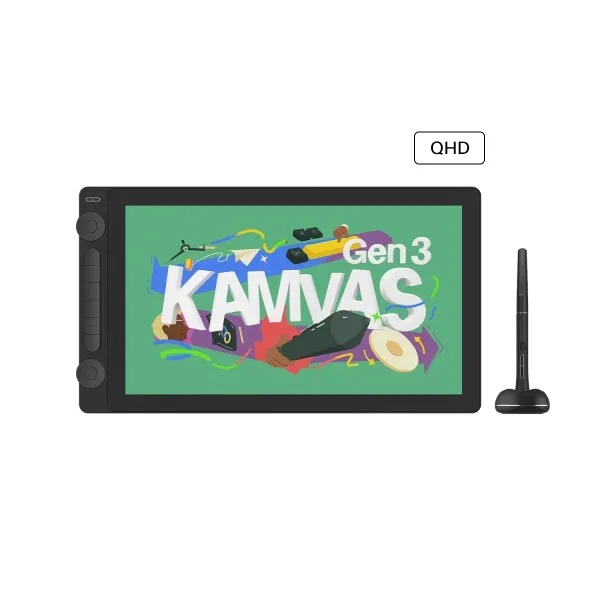
With a 1920x1080 display that features 99% sRGB Gamut Coverage, a durable anti-glare glass casing, and a responsive tablet pen with tactile feedback that feels like a real pen, the Kamvas 13 (Gen 3) makes for a fine drawing tablet for beginner and veteran digital artists.View Deal
The Kamvas 16 (Gen 3) is the cream of the crop when it comes to drawing tablets by Huion, as it's built for drawing the cleanest, most digital art thanks to its 15.8-inch, 2.5K QHD display and PenTech 4.0 technology.View Deal
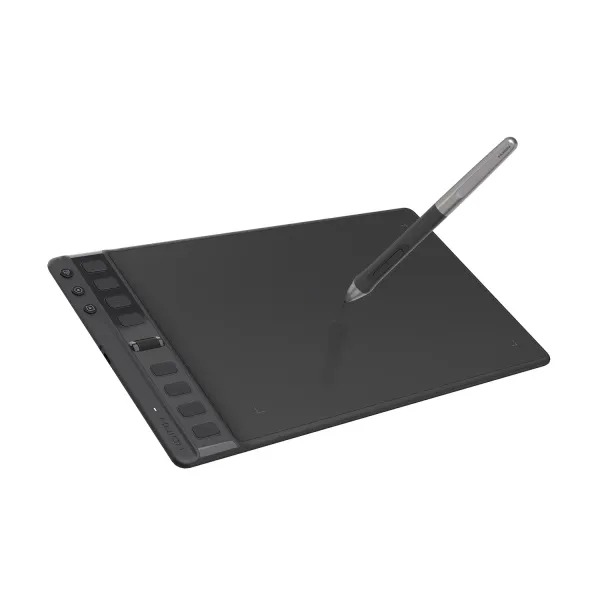
This is one of the most budget-friendly drawing tablets you can buy from Huion. It features respectable performance rates, a responsive stylus pen that uses PenTech 3.0 technology, and 8 programmable keys.View Deal
FAQ
Which of these tablets is best for note-taking?
The Huion Note E is the best standalone for taking notes as it doesn't rely on paper or internet connections to get the job done.
Which of these tablets is for digital art?
The Kamva Pro 19 and Pro 24 (Gen 3) are the best overall tablets for drawing digital art thanks to their rich features, responsive stylus pens, and high-quality displays that render images with crisp resolutions.
The Kamvas 16 (Gen 3) and Kamvas 13 (Gen 3) are good mid-range alternatives in case you don't have the budget for the Pro tablets that offer very good resolutions, display sizes, and portable-friendly designs.
How long with Huion's Back-to-School campaign sale last?
Huion's Back-to-School campaign sale will last from August 14, 2026, to September 15, 2026.
Join us on Reddit at r/WindowsCentral to share your insights and discuss our latest news, reviews, and more.
A person uses a stylus to draw a floor plan in a notebook, while a smartphone displaying a similar digital sketch rests on the open pages nearby.
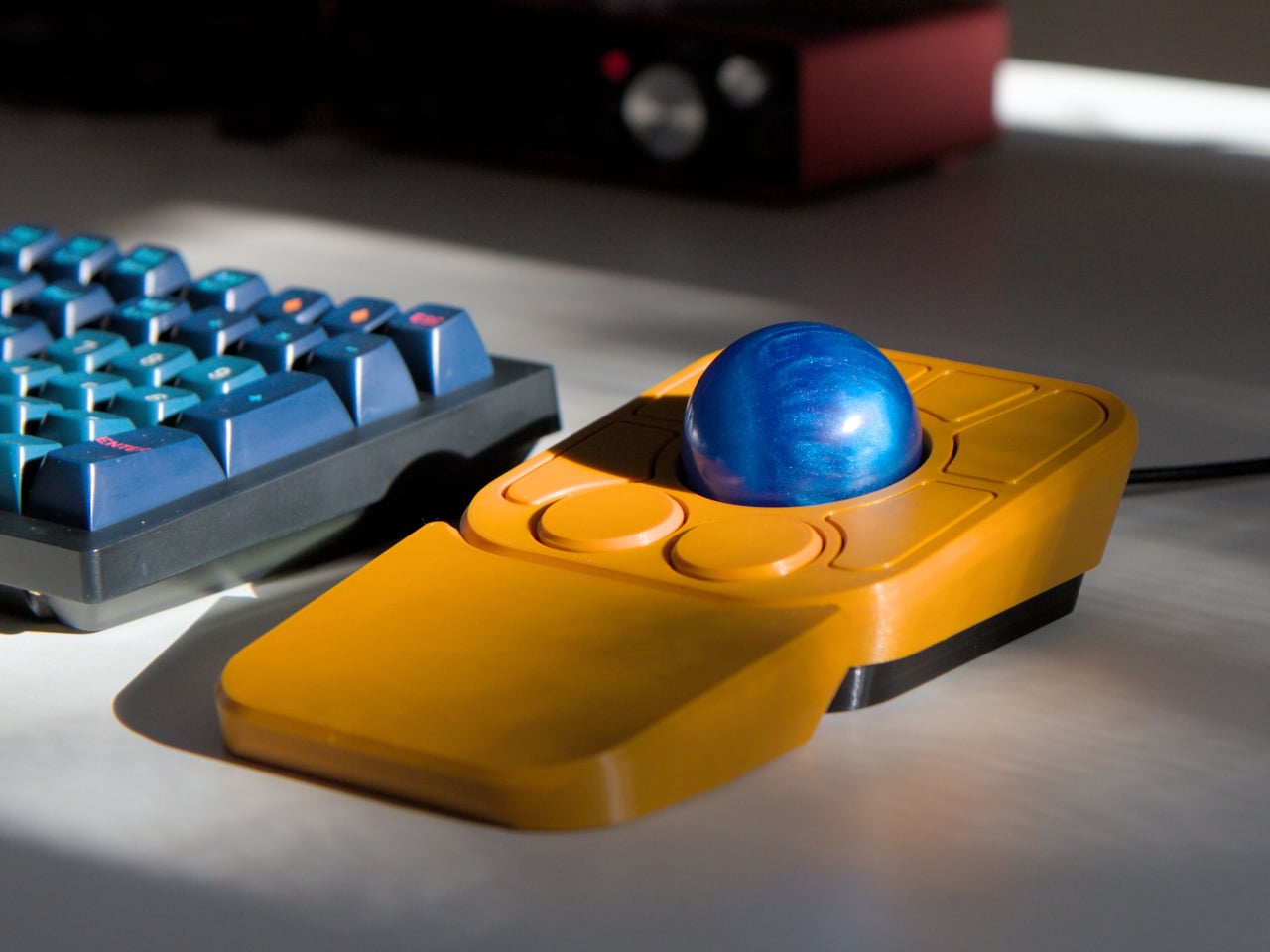
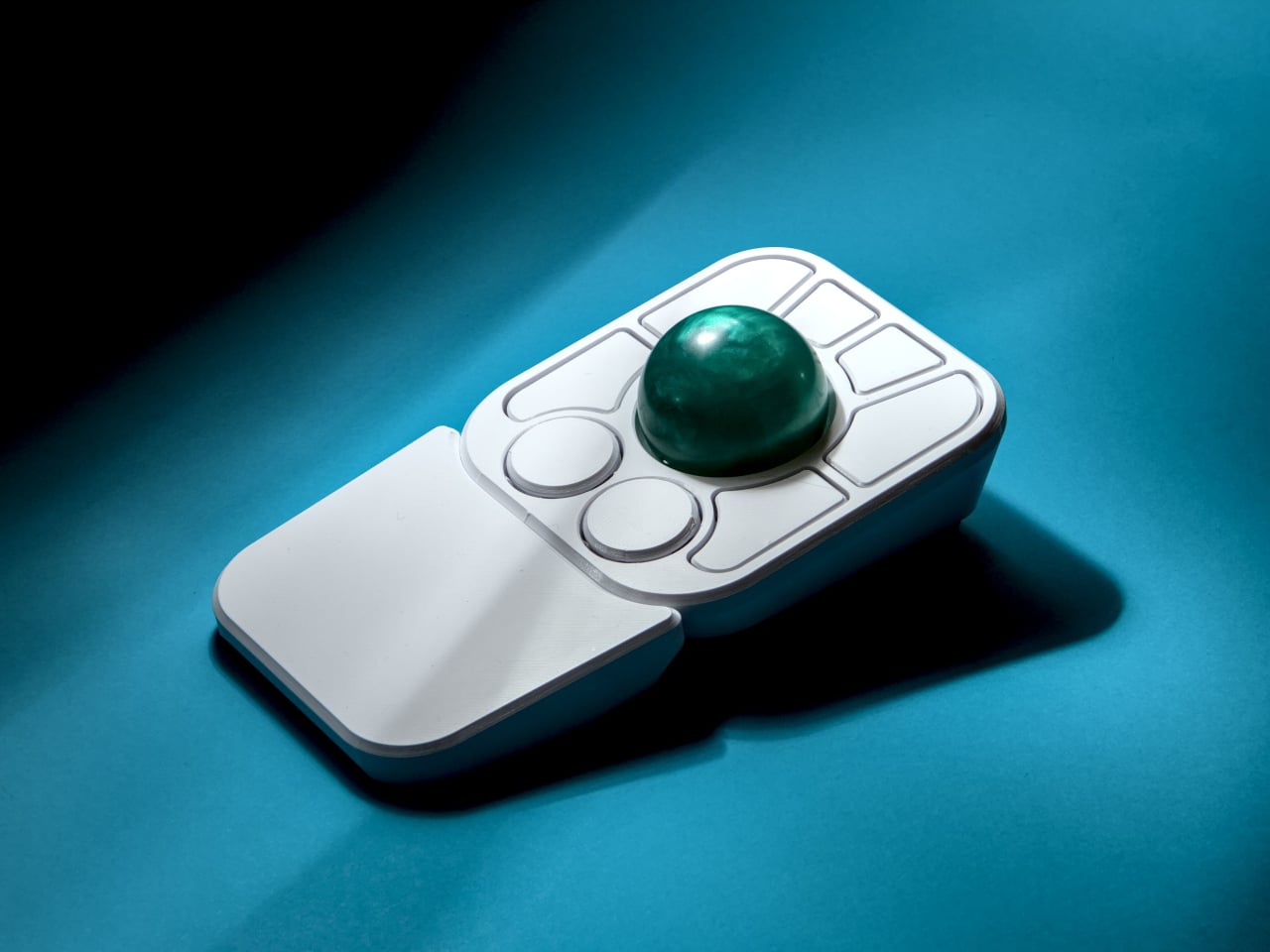
The computer peripheral market has always been more experimental at its edges than in the mainstream. Ergonomic trackballs, in particular, have attracted a devoted following among power users, but the options tend to cluster at two extremes: consumer-facing products with locked-down firmware, and niche open-source hardware that trades polished finish for deep customizability. Finding something that genuinely does both has rarely been straightforward.
Ploopy’s Adept trackball made a compelling case for the latter category, earning a loyal following with its open-source, 3D-printed design and QMK compatibility. But it always felt like it had more to say. Its circuit board had always reserved space for two more switches that never made it to production, and the base had slots for a wrist rest that never materialized. The A+ is that unfinished story, now finished.
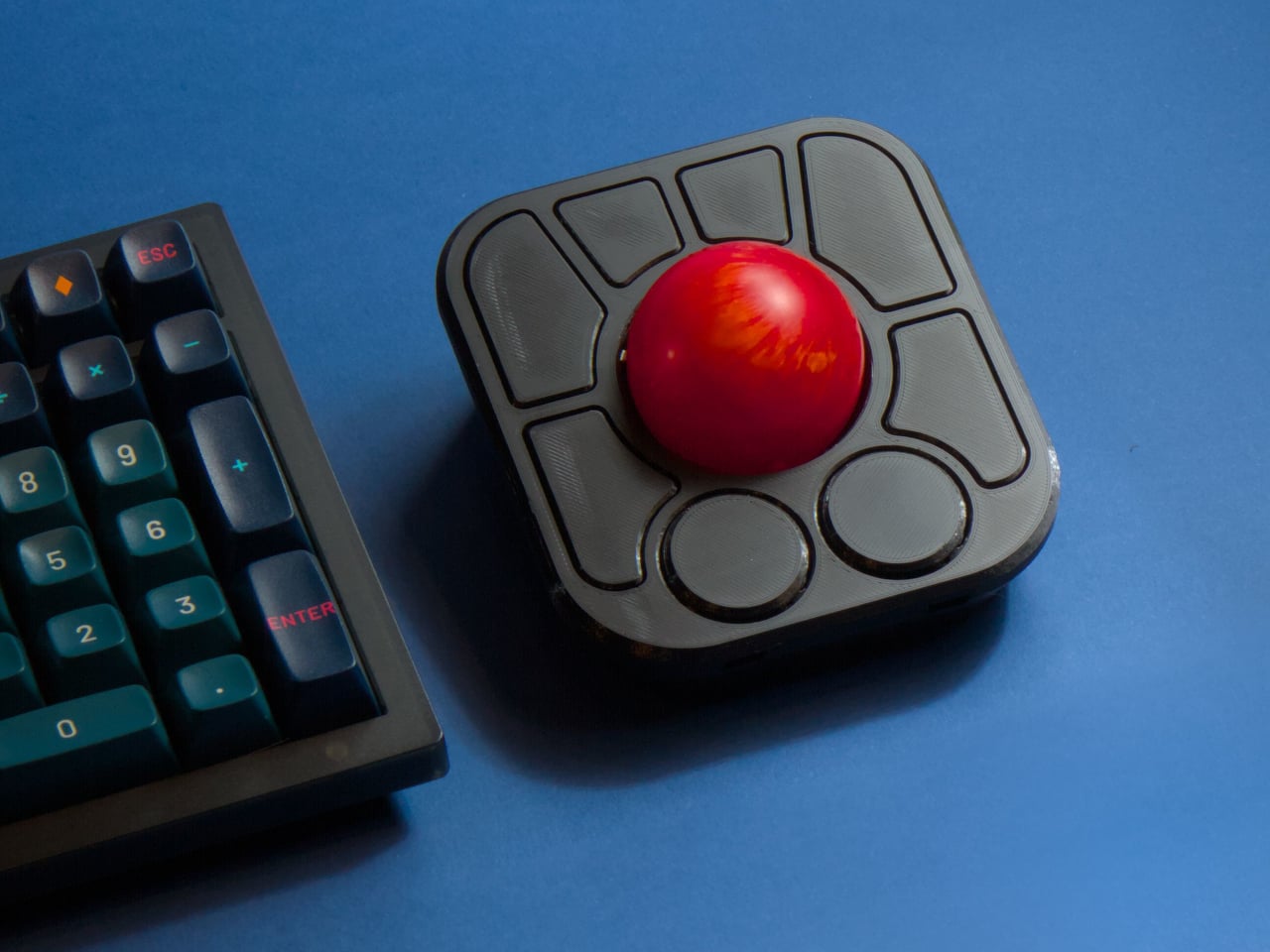
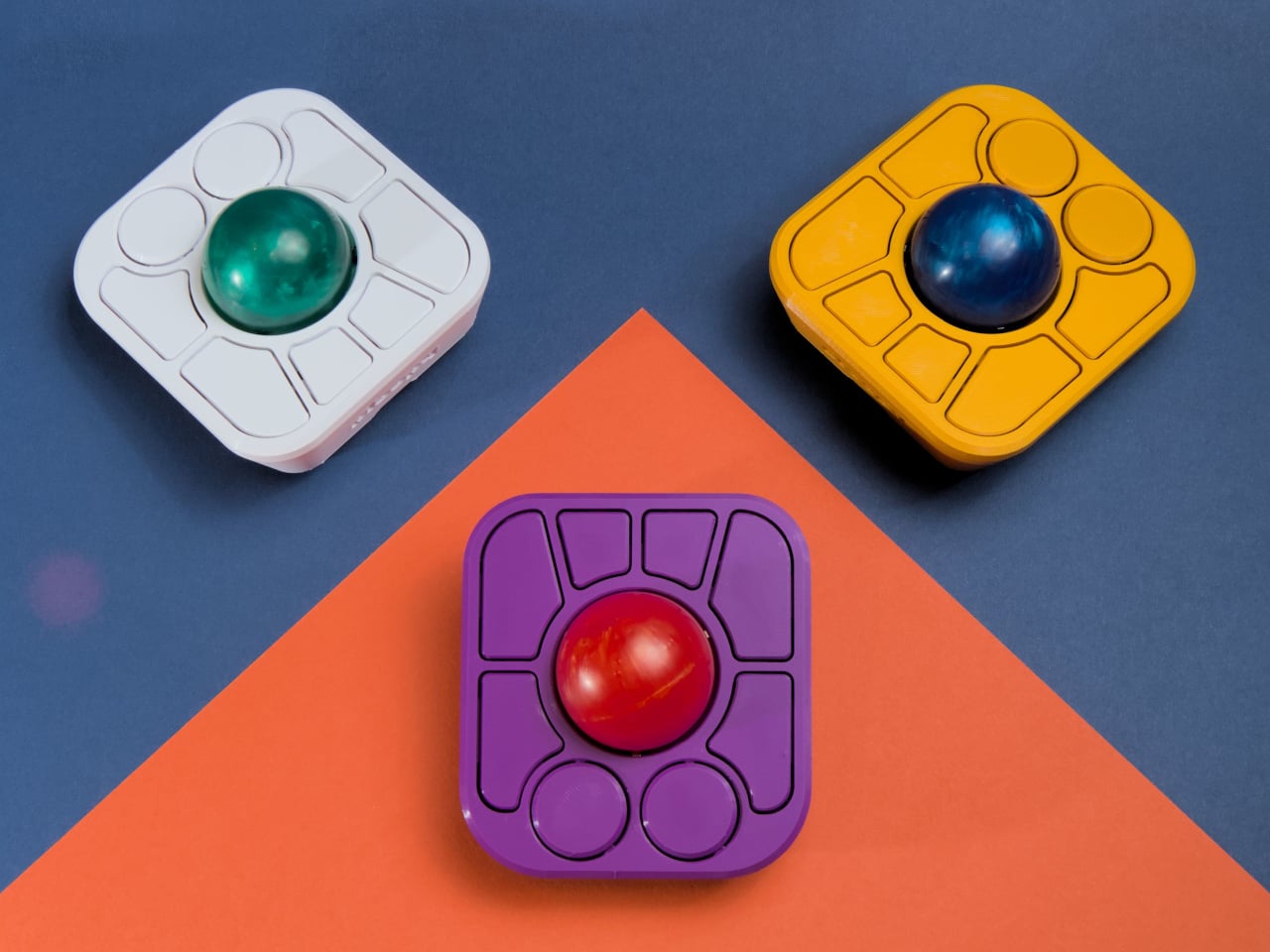
The most visible addition is the button count. The Adept had six; the A+ has eight, two of which also function as knobs. Out of the box, the knobs handle high-resolution vertical and horizontal scrolling, but both are fully reprogrammable for other functions. That dual-purpose approach keeps navigation and control within a single hand without needing a separate scroll wheel or accessory sitting alongside it.
The gesture system is arguably the more interesting addition. Hold a button and flick the ball in any of eight directions, and the device fires a command. By default, the left knob activates cut, copy, paste, desktop switching, and media controls. For someone who lives inside a browser and a text editor all day, that’s a significant amount of functionality without ever lifting a hand off the device.
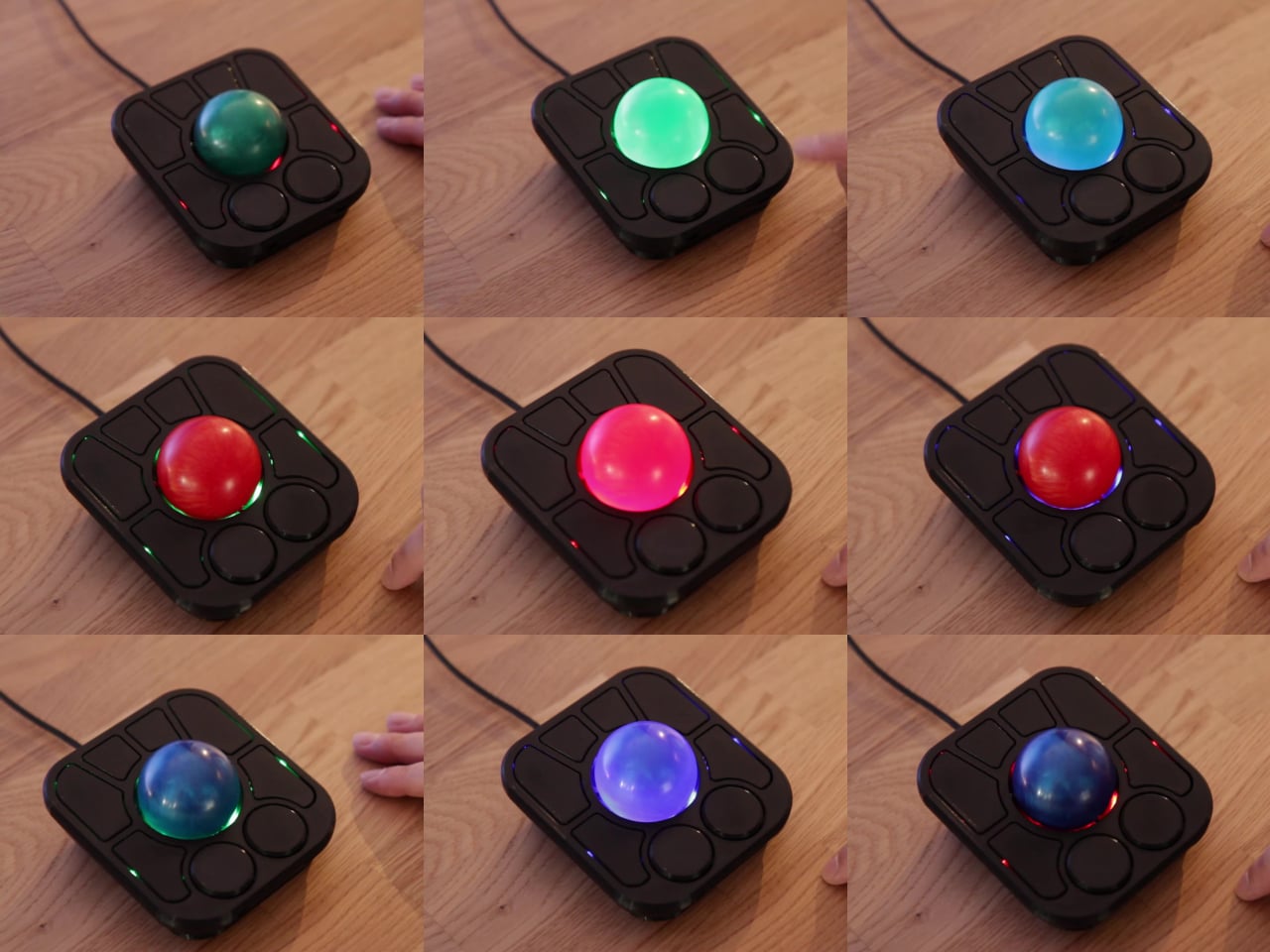
Layers add another dimension. The A+ has two: a navigation layer for everyday use and a control layer accessed via the right knob. The control layer handles on-device configuration, covering left-hand mode switching, toggling between high-resolution and stepped scrolling, and other adjustments. It’s the first trackball to bring this kind of layered behavior, working entirely without any software running on the host computer. There are also two bright LEDs that can be used to visually tell you what layer you’re on without having to rely on some embedded screen.
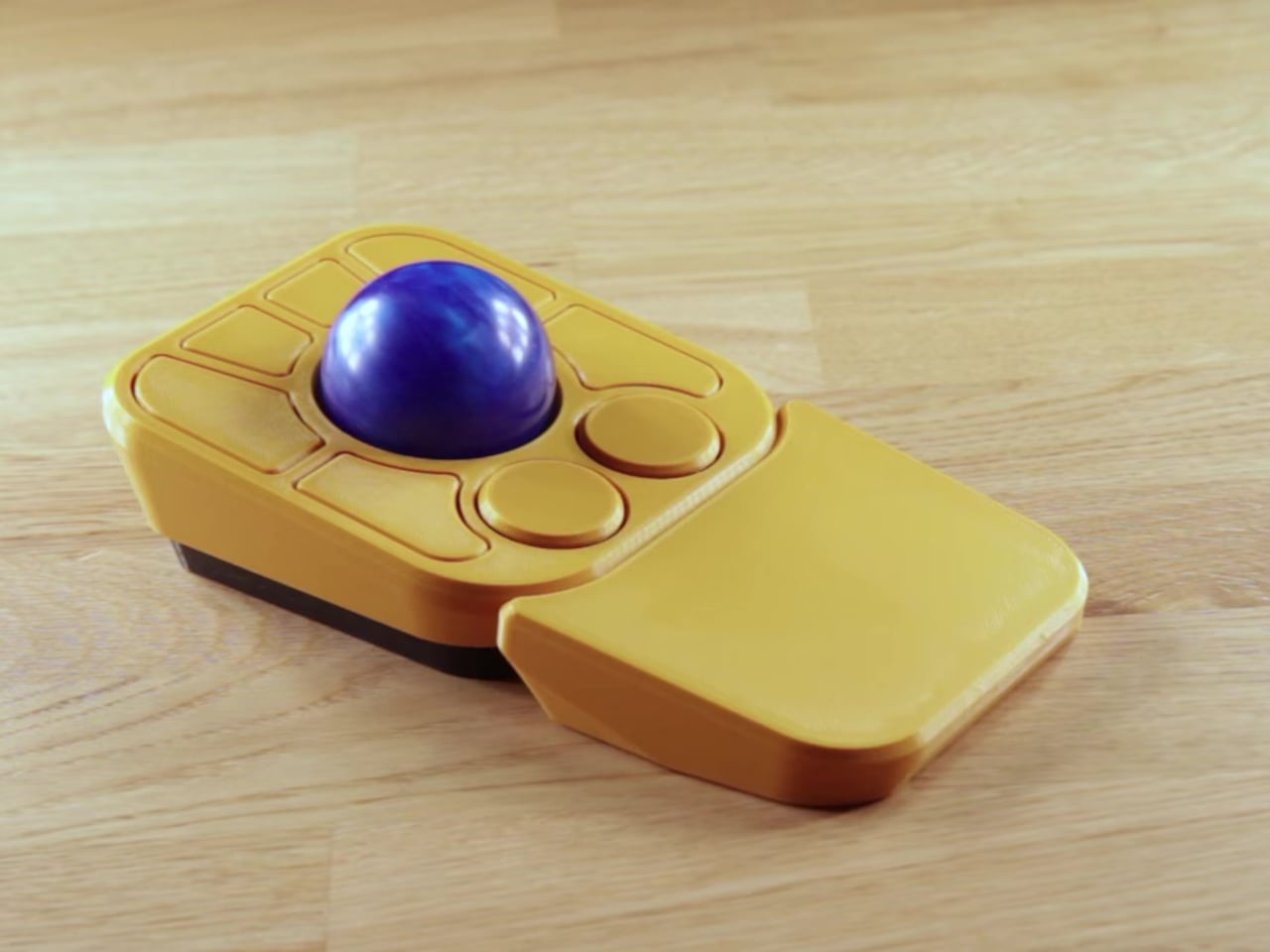
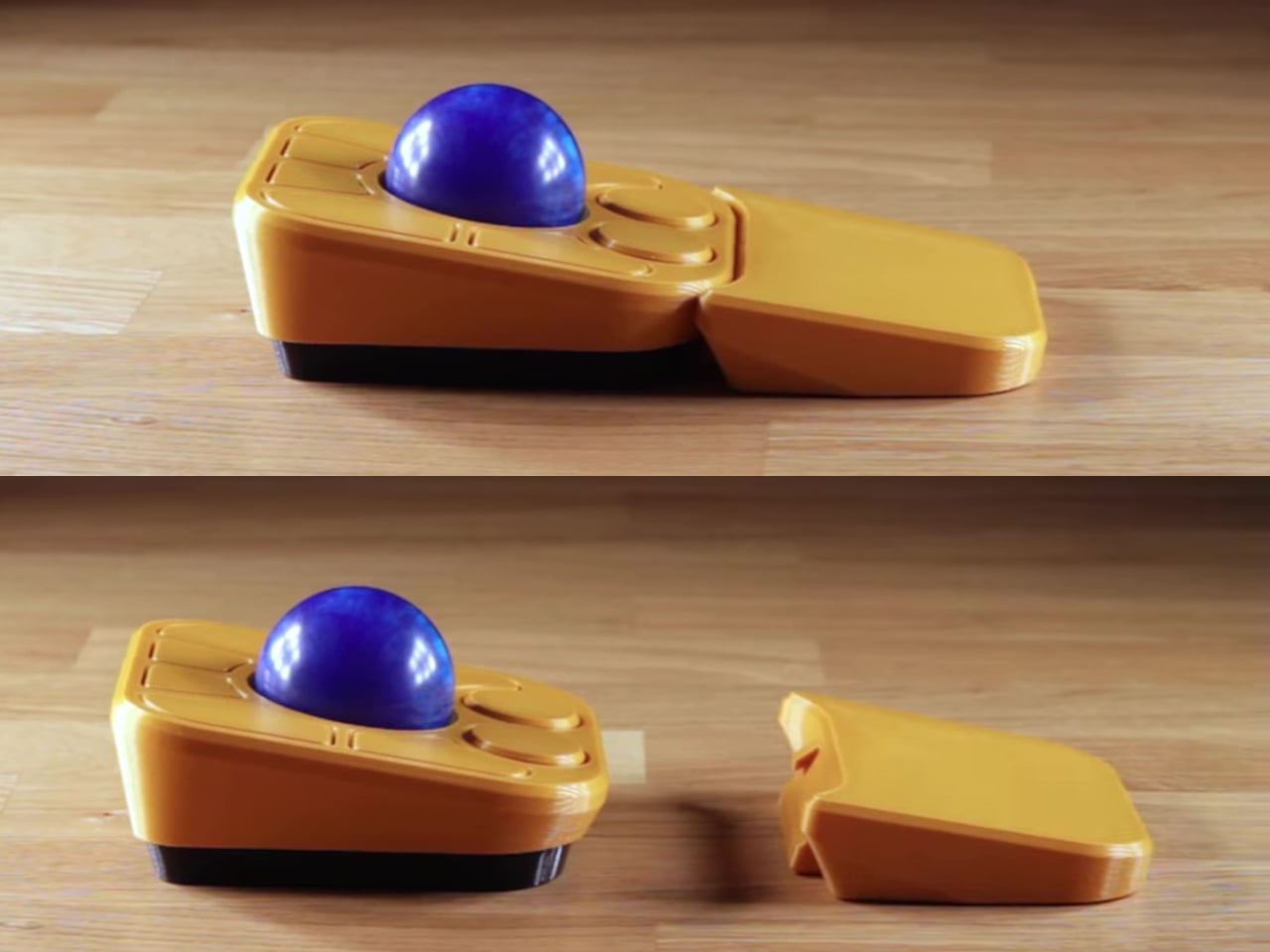
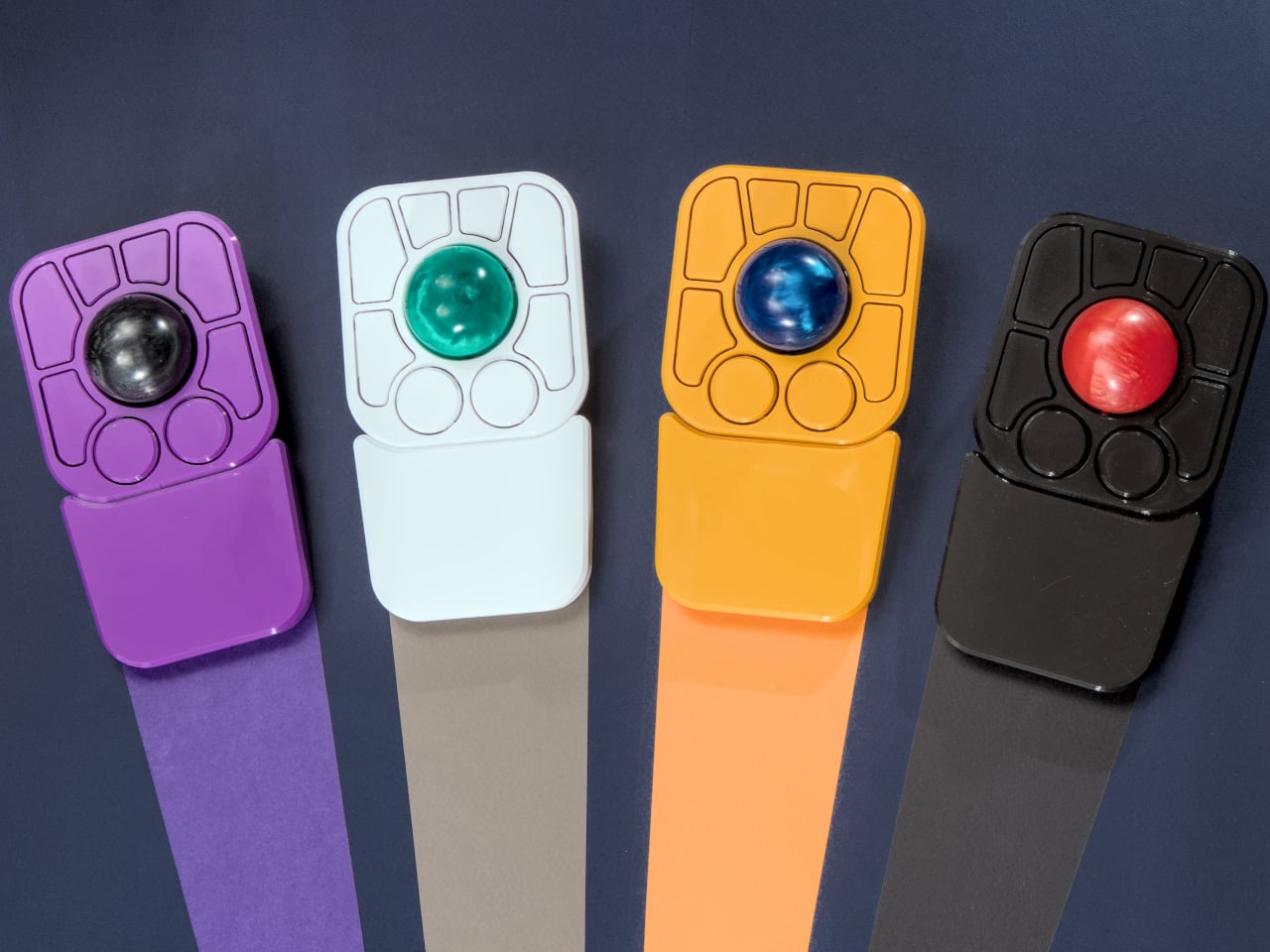
The detachable wrist rest is another long-promised feature that finally arrives with the A+. It slots in or out during use and can be screwed on permanently if preferred. The device stays ambidextrous throughout, and its 3D-printed shell means the community can print modified bodies, alter the layout, or swap in custom colors. That kind of adaptability isn’t an afterthought; it’s part of how the whole thing is designed.
The Pixart PMW-3360 sensor carries over from the Adept, running at a 1,000Hz polling rate with the tracking accuracy that has made it a standard for performance-oriented pointing devices. Omron D2LS-21 switches handle the physical buttons. The firmware remains QMK, configurable through VIA, with all design files, firmware, and assembly instructions freely available on GitHub. Kits start at $99 CAD.
I made the switch to a full-time OLED monitor a few months ago, and it's been a welcome upgrade on my desk for gaming and for work.
Apparently, I'm far from the only one who decided to make this upgrade.
The latest market research fromTrendForce shows that the OLED monitor market picked up momentum as it moved through the second quarter of 2026.
In fact, TrendForce saw global OLED monitor shipments rise by a healthy 26.1% in Q2 2026 compared to Q2 2025. Year over year, shipments are up a whopping 98%. No, I don't think the OLED display market is in any jeopardy.
TrendForce posits that the OLED market's growth in Q2 2026 was largely driven by the launch of new models, especially those that measure 27 inches (the industry's most popular size).
Alienware's AW2726DM is an outstanding OLED gaming monitor for those who want to spend $350. (Image credit: Future)
Another market growth factor TrendForce includes is China's 618 shopping day. It's akin to the Black Friday/Cyber Monday events on this side of the Pacific, when countless people make tech upgrades.
ASUS remains at the top of the OLED industry with a healthy 23.1% market share. It notably launched the 34-inch ultrawide ROG Strix XG34WCDMSrecently, which is currently being tested here in my office.
Samsung remains in second place with 13.1% market share, with MSI and AOC coming in at number three and four with 12.8% and 8.6% market share, respectively.
LG remains in last place out of the big brands with 8.4% market share, and I wouldn't be surprised to see that number drop next quarter as the company deals with fallout from its monitors installing unwanted adware on Windows 11 PCs.
The hidden driver behind the rise in OLED monitor sales
The price of many PC components, including NVIDIA GPUs, is on the rise due to AI-influenced hardware shortages. (Image credit: CFOTO/Future Publishing via Getty Images)
The TrendForce report suggests that improved OLED panel supply chains have helped smaller brands compete with the big names I mentioned above, but I suspect there's another reason driving monitor sales that TrendForce doesn't mention.
The ongoing RAM and storage crisis doesn't seem to have any end in sight. The rosiest of estimates puts a market correction towards the end of 2027, but more realistic estimates are pushing into the 2030s, barring some sort of AI bubble collapse.
The shortage of DRAM and NAND chips is affecting other hardware prices as well, including GPUs. When your next PC upgrade is looking, at best, like a motherboard and CPU swap, many enthusiasts are looking elsewhere for a meaningful (and not overpriced) upgrade path.
Dropping $350 on a new OLED gaming monitor doesn't seem so bad when standard RAM kits cost hundreds more. (Image credit: Future)
The recent drop in OLED prices, highlighted by the $350 Alienware AW2726DM monitor I reviewed, is making it a perfect time to swap monitors. And when other PC upgrades are off the table, OLED really starts to make sense.
Do you agree that sky-high PC component prices are forcing people to look at other upgrade avenues? Do you think OLED sales will level out in the next quarter as the market becomes more saturated? Let me know in the comments section below!
Join us on Reddit at r/WindowsCentral to share your insights and discuss our latest news, reviews, and more.
Windows Central's Ben Wilson wearing a black cap sits at a desk playing Euro Truck Simulator 2, with the ASUS ROG Strix OLED XG32UQWMS monitor showing a DAF truck interior.
Windows Central's Ben Wilson wearing a black cap sits at a desk playing Euro Truck Simulator 2, with the ASUS ROG Strix OLED XG32UQWMS monitor showing a DAF truck interior.
I am not a parent myself, but I have been around enough parents that I make some unsolicited observations (to myself, to be fair), especially when it comes to them carrying babies and toddlers. Whenever I see them carrying babies on a sling, I keep thinking, “That doesn’t seem to be that comfortable for both the parent and the kid.” So it’s interesting to see baby brands try to come up with design solutions for this kind of problem, since it’s something that will be around forever.
South Korean baby brand Konny’s contribution to easing the life of parents is the Dual Support Hip Seat Carrier. It aims to solve two of the prevalent problems that they face when using slings. First, it has a foldable hip pad and back pad to make it more comfortable for the kid. Second, the parent doesn’t just bear the weight on one shoulder because of this carrier’s Dual Support.
This portable baby hip seat carrier’s main purpose is to replicate the security of a parent’s arms so the baby is upright, safe, and comfortable. It has a foldable hip pad combined with a back pad to give this sense of security. It even has a non-slip bottom so the kid will not slide off the seat, which I sometimes see happen with other seat carriers. The seat is made of soft 3D mesh, giving a more comfortable feeling for your baby as you carry them around.
It also takes into consideration the comfort of the parents since they’re carrying the heavy load, so to speak. The carrier has wide shoulder straps that are able to spread the weight evenly across the back to avoid the one-shoulder strain that a lot of parents experience. You also have the option to carry the baby from a hip position or a front-facing hold. The fabric used is the same stretch-and-resilience material that the other Konny Baby Carriers use, a fabric tested and trusted through over one million carriers sold.
The Dual Support Hip Seat Carrier weighs only 0.5 lbs and can be folded into a small enough item to put in a purse or a diaper bag. But when not being used to carry a baby, it can actually function as a chic and stylish bag that you can carry stuff around with. It claims to be a one-size-fits-all accessory as it is accessible for all kinds of body types.
What I find particularly reassuring, especially for those who aren’t baby gear experts, is that the Dual Support Hip Seat Carrier is IHDI certified. The International Hip Dysplasia Institute recognizes baby carriers that actively support healthy hip development in infants, so this isn’t just a comfort win for parents; it’s a safety win for babies, too. That kind of certification adds a layer of trust that goes beyond just good design.
And speaking of good design, the carrier actually won the 2024 Good Design Award, one of the most prestigious design honors in the world. The jury praised it for achieving a “near-perfect balance between infant safety and parental convenience,” and honestly, it’s easy to see why. The fact that it doubles as a bag when you’re not carrying a baby is already a clever touch, but knowing that the structure was the result of dozens of prototypes and extensive real-world customer testing makes it even more impressive.
The Dual Support Hip Seat Carrier is available on konnybaby.com starting at $59.99, and it comes in a range of colors, from classic Charcoal and Black to more playful options like Green Tea and Blue Grey, as well as a Corduroy version for something a little more textured.
As someone who has watched many a parent struggle with a squirming toddler and a lopsided sling, I’d say this is the kind of product that makes you think, “Finally.” It may not replace the full-on baby carrier for long hauls, but for that “carry me now” stage, when your toddler suddenly decides their legs no longer work, this seems like exactly the right tool for the job.

 Connexion