Vue lecture

Il y a de nouveaux articles disponibles, cliquez pour rafraîchir la page.

Carrying a USB-C Hub and SSD? ADAM elements Hub S Does Both

Modern laptops aren’t short on power, but they’re increasingly short on ports. One USB-C port ends up doing everything: charging, video out, storage, and peripherals, while a small pile of adapters accumulates next to the keyboard. The setup works, but it doesn’t look like the clean, minimal desk you were going for, and it means carrying more pieces than you’d like when you’re working somewhere that isn’t home.

ADAM elements’ Hub S is a USB-C hub with built-in SSD storage, designed around the idea that a hub and an external drive don’t need to be two separate objects. Instead of plugging in one thing for ports and another for files, you plug in one slim aluminum accessory that handles both. It isn’t trying to replace a full docking station, but it’s the right-sized tool for someone who needs the essentials covered without the clutter.

Designer: ADAM elements

Click Here to Buy Now: $69.30 $99 (30% off, use coupon code “30YANKOHBSN”). Hurry, deal ends in 48-hours!
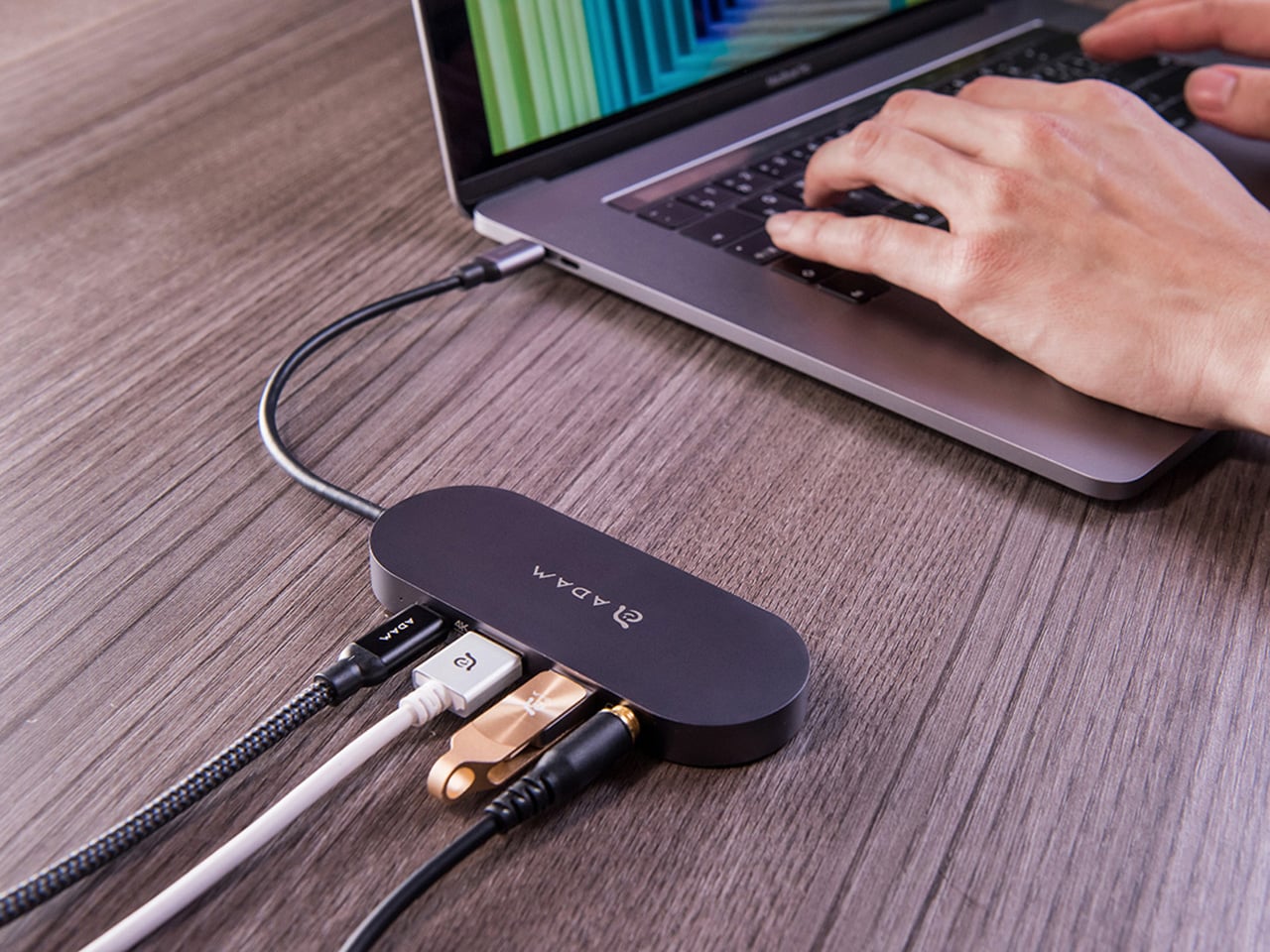
The built-in SSD is available in 240 GB, 480 GB, and 960 GB capacities, so there’s a size for whether you’re keeping a working project library or just enough space for recent shoots and backups. Having storage physically attached to your hub means it’s always there when you need to dump footage, move large project files, or keep a client’s assets close during a session, without remembering to pack a separate drive.
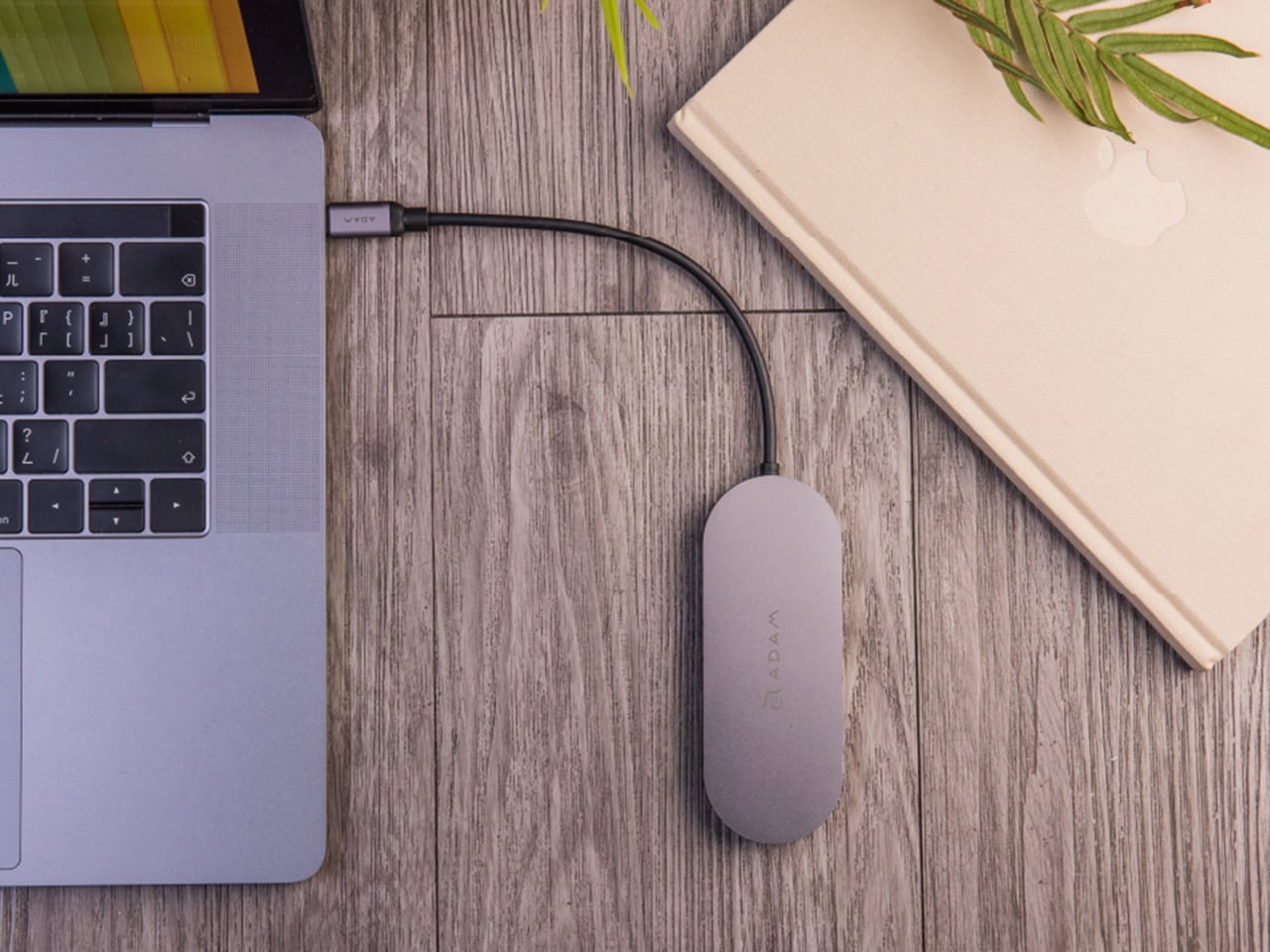
Transfer speeds are rated at up to 520 MB/s read and 456 MB/s write, which makes moving large files feel routine rather than something you schedule around. That kind of speed isn’t just a spec, though. It’s the difference between waiting through a transfer and forgetting it’s happening. For photographers and video editors working on the road, that matters more than it sounds on a product page.
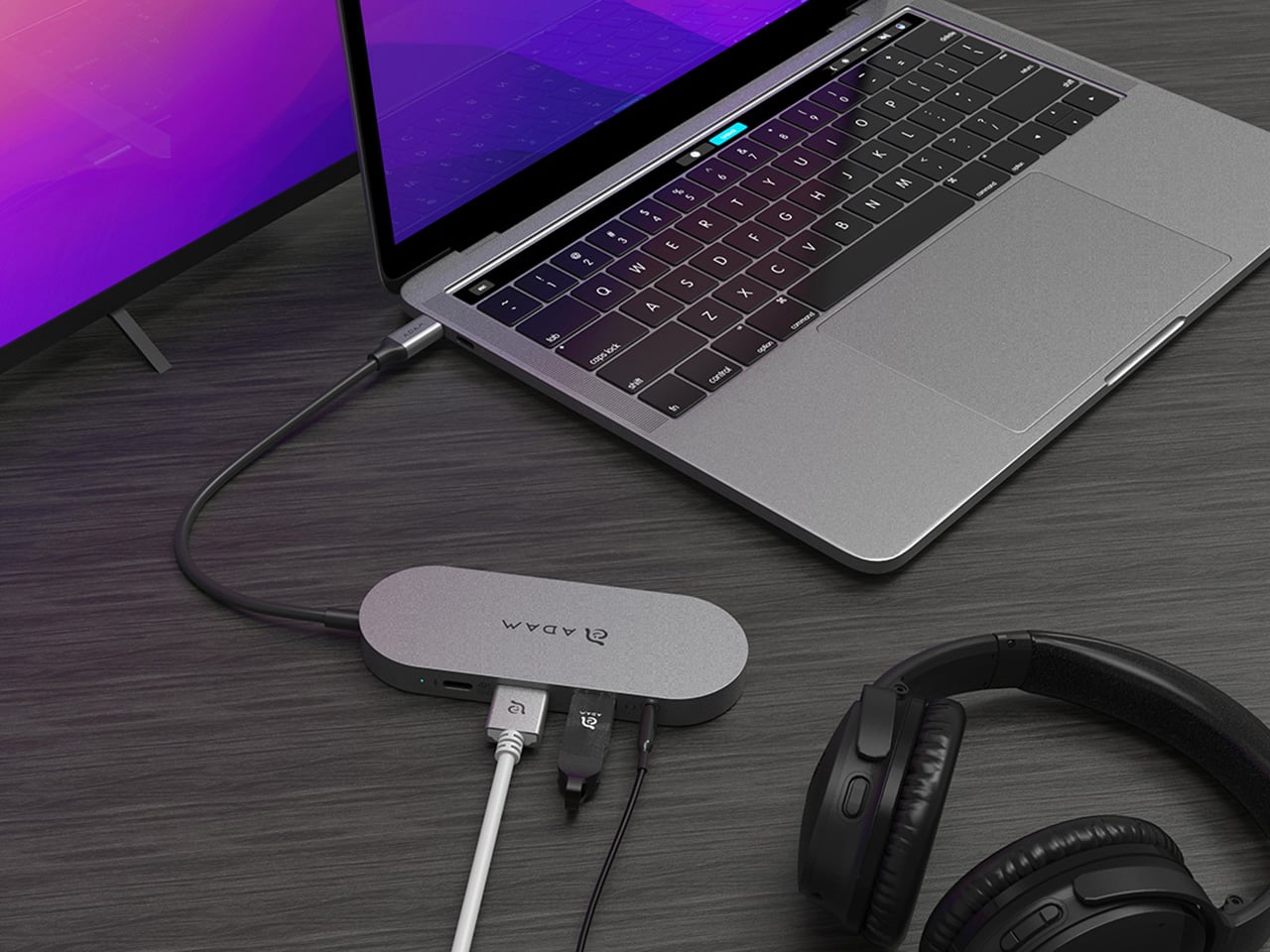
For Mac users, the ADAM elements Hub S is also Apple Time Machine compatible. That means it can act as a rolling backup target every time you plug in, turning a habit that’s easy to forget into something that happens automatically. Backup isn’t exciting, but having it built into the same accessory you’re already using for everything else makes it feel less like a separate job.

The USB-C port on the hub supports PD 3.0 pass-through charging up to 60W, so your laptop doesn’t lose its charge while the hub is handling storage, display, and peripherals. That’s a meaningful consideration when you’re transferring large files and streaming to an external display at the same time, both of which can pull enough power to make a laptop feel like it’s running a sprint.

The HDMI port outputs up to 4K at 30Hz and supports HDCP 2.2, which is the protocol required for streaming 4K HDR content from services like Netflix. A lot of hubs advertise “4K output” but fail on DRM handshakes, so the HDCP 2.2 compliance isn’t a minor footnote. Whether you’re mirroring for a presentation or extending to a monitor for a proper editing session, the connection holds up where it matters.
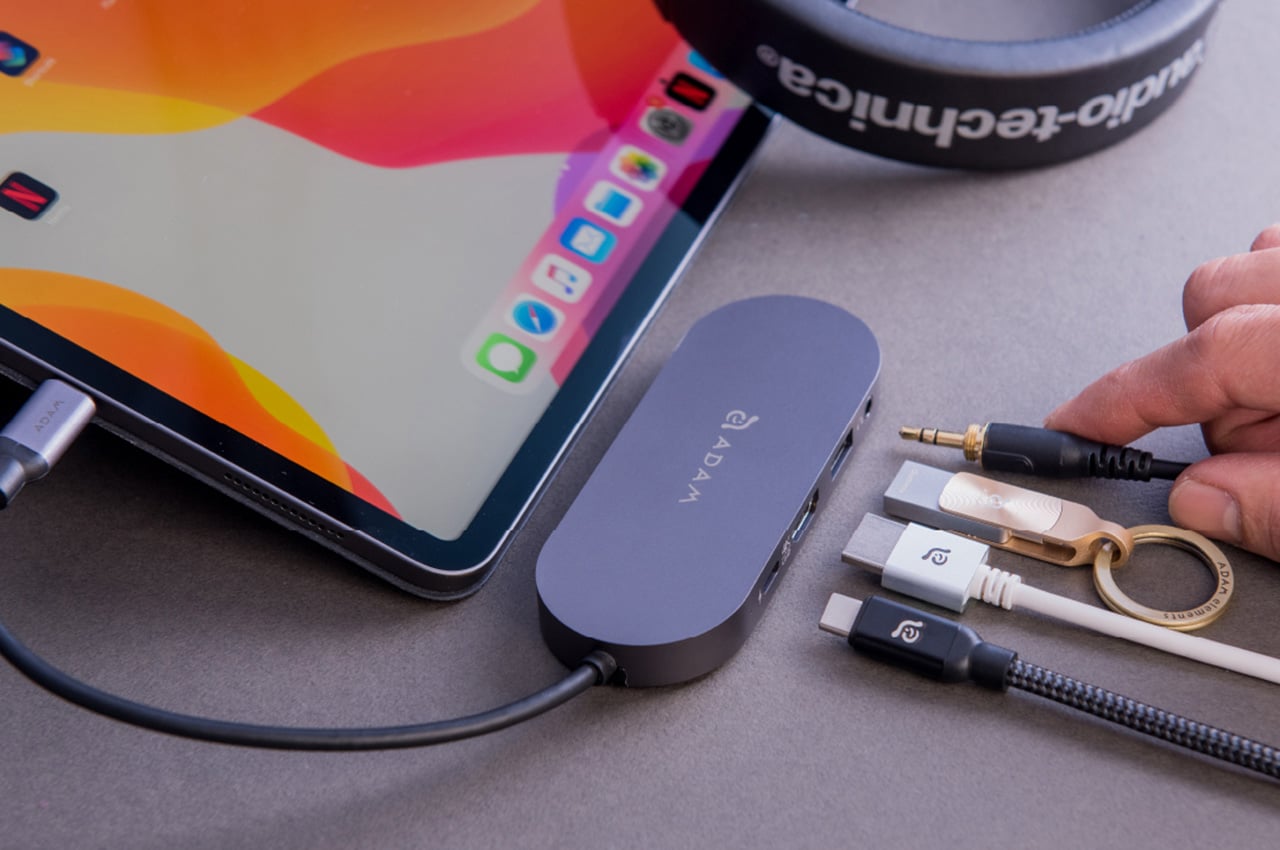
Rounding out the port selection is a USB-A 3.1 port rated at up to 5 Gbps for peripherals or flash drives, and a 3.5mm headphone jack that supports 48kHz/16-bit audio. Neither is glamorous, but together they cover the inputs that would otherwise require yet another adapter. The aluminum alloy body is designed to sit flush on a desk surface, and the whole thing weighs about 2.5oz, roughly the weight of a single C battery.
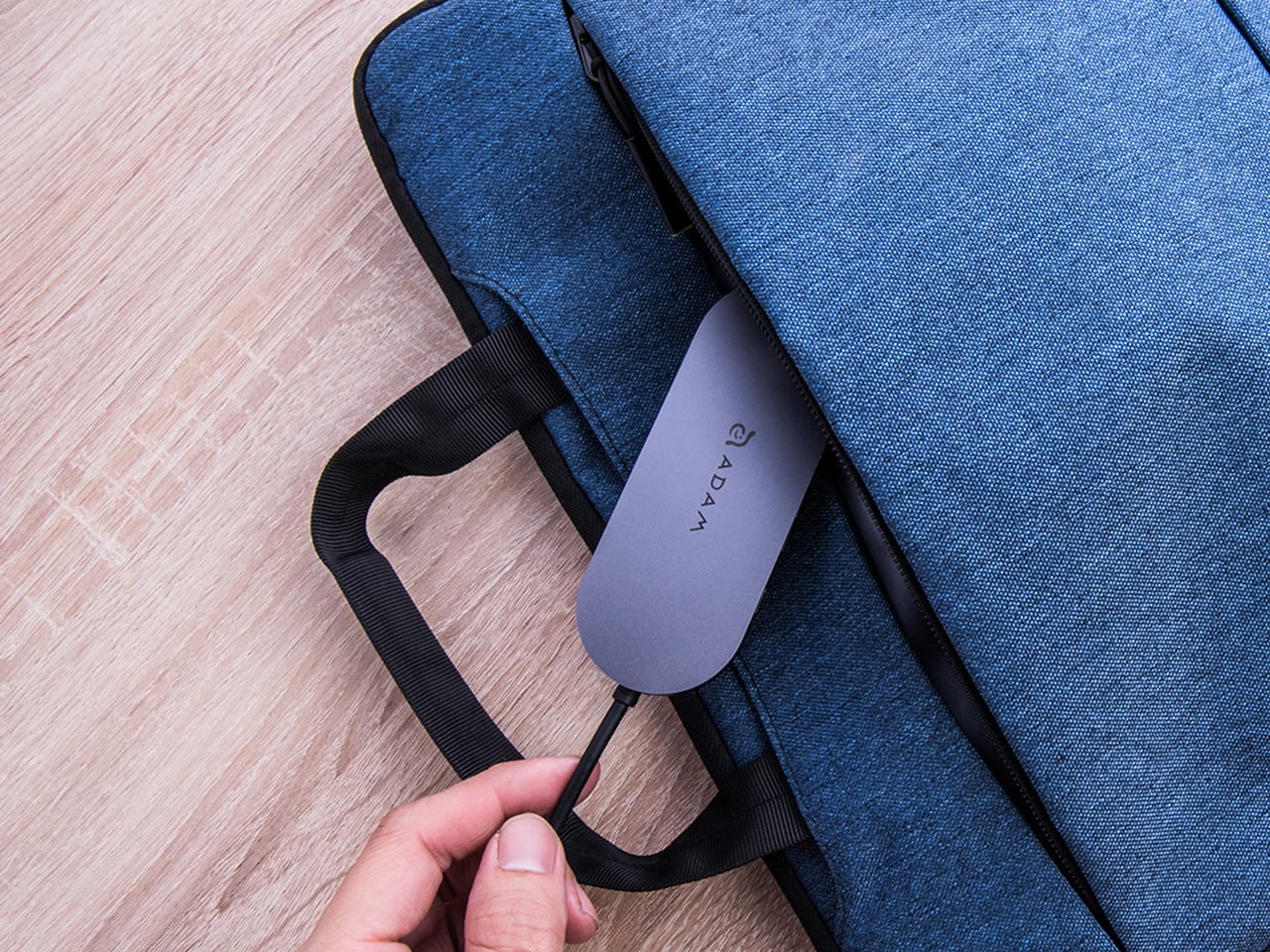
The ADAM elements Hub S works best as the kind of accessory you stop thinking about. You plug it in, your files are there, your display is connected, your laptop is charging, and your headphones are plugged in. That’s it. For people who’d rather carry one considered piece of hardware than a small collection of adapters and drives, consolidating all of that into a single slim object that fits in a jacket pocket feels like the more sensible way to work.

Click Here to Buy Now: $69.30 $99 (30% off, use coupon code “30YANKOHBSN”). Hurry, deal ends in 48-hours!

The post Carrying a USB-C Hub and SSD? ADAM elements Hub S Does Both first appeared on Yanko Design.

I Stopped Paying for Cloud Storage After Trying This Tiny 256GB iPhone SSD

I remember a time when smartphones had expandable storage. In fact, I remember feeling this internal rage when I saw the iPhone Air and that Apple even decided that a physical SIM slot wasn’t necessary anymore, because apparently a SIM tray blocks so much space that you need to shave down on a phone’s battery capacity. It’s wild that we’ve gotten to this point in our lives, and what’s more wild is that we now have to ‘rent’ storage out by paying for iCloud or Google Drive subscriptions to store our photos and videos. I remember when you could pop in a MicroSD card and those low-storage problems would go away… and ADAM Elements is trying to bring back that convenience with its ultra-tiny SSDs.

The iKlips S isn’t as small as a MicroSD, but it’s sufficiently more advanced than one. Barely the size of a 4-stud LEGO brick, this SSD plugs right into your smartphone, giving it an instant 256GB memory boost. It docks in your phone’s USB-C port, transferring data at incredible speeds, and here’s the best part – the tiny device packs biometric scanning too, which means you can pretty much secure your backups with a fingerprint the way you secure your phone with FaceID. The best part? No pesky subscription fees. You pay once and own the storage forever, and everything’s local and offline… so you never need to worry about remembering passwords, or about having companies and LLMs spy on your personal data to train themselves.

Designer: ADAM Elements

Click Here to Buy Now: $62.3 $89 (30% off, use coupon code “30YANKOIKPS”). Hurry, deal ends in 48-hours!

Think a thumb drive, but insanely tinier. That’s the beauty of SSDs, and ADAM Elements touts that the iKlips S currently holds the record for the world’s smallest SSD. Plug it into your phone, tablet, laptop, or any device and it instantly gets a 258GB bump. Data transfers at speeds of up to 400Mb/s with read speeds of 450Mb/s, that’s fast enough to move RAW files in milliseconds and entire 4K videos in seconds, or even directly preview/edit ProRes content on your phone, tablet, or laptop without having to transfer data to local storage. After all, that’s the dream, right?

The tiny device comes with a machined aluminum body and a lanyard hole so that you can string something through to prevent it from getting lost. Plug it into your phone to back up media, then into your laptop or iPad to edit said media. You can transfer data between multiple devices fairly quickly, across platforms too, thanks to cross-compatibility with iOS, Android, MacOS, Windows, ChromeOS, and even Linux. The tiny design sits practically flush against your phone, tablet, or laptop, occupying about the same amount of space as a USB receiver for a wireless keyboard or wireless mouse. Its most important design detail, however, hides in plain sight.

On the underside of the iKlips S is a fingerprint scanner, allowing you to add authentication to your SSD the way you add a password to your iCloud. The device can hold as many as 20 fingerprints, making it perfect for redundancies (just in case you cut a finger while chopping veggies) or even for a team of multiple people sharing data. Place your finger on the iKlips S and it unlocks the SSD, allowing you to read/write data in no time. You’re never faced with forgetting your iCloud password as your password literally lives on your fingertips.

The price of it all? A mere $62.3, which costs about as much as an annual subscription to these cloud storage services. For that, you get something you truly own, and can use without needing an app or an internet connection. Just plug it in and you’ve suddenly got extra storage. Secure the storage with a fingerprint, and move data around at speeds your internet service provider could only dream of. Neat, huh?

Click Here to Buy Now: $62.3 $89 (30% off, use coupon code “30YANKOIKPS”). Hurry, deal ends in 48-hours!

The post I Stopped Paying for Cloud Storage After Trying This Tiny 256GB iPhone SSD first appeared on Yanko Design.

Vous cherchez un SSD externe ? J’en ai testé trois et je vous dis lequel choisir

– Article invité, rédigé par Vincent Lautier, contient des liens affiliés Amazon –

On ne va pas se mentir : trimballer un disque dur externe, aujourd’hui, ça ressemble un peu à sortir un baladeur CD. C’est bruyant, fragile, lent, bref, on passe. Les SSD portables, eux, ont tout changé : finis les plateaux qui tournent et les transferts qui prennent des heures.

Un bon SSD, c’est du silence, de la vitesse (jusqu’à 2 000 Mo/s, contre 120 en moyenne pour un disque dur), et la possibilité d’enregistrer directement ses vidéos 4K ProRes sur un iPhone sans remplir sa mémoire interne.

Lexar, marque bien connue dans la photo et la vidéo, s’est fait une spécialité de ces modèles rapides et compacts, et comme elle m’en a envoyé plusieurs pour les tester (merci bien Lexar), je vous propose ici un petit comparatif rapide de chacun d’entre eux : le SL500, le ES5, et le Professional Go avec Hub. Trois approches et trois usages différents. Les trois fonctionnent très bien sur ordinateur, PC ou Mac, sur smartphone, iPhone ou Android, et même sur tablette genre iPad.

Lexar SL500 : un SSD rapide tout simplement

Le SL500, c’est surtout un SSD rapide. Il exploite l’interface USB 3.2 Gen 2×2, capable d’atteindre jusqu’à 2 000 Mo/s en lecture et 1 800 Mo/s en écriture, du moins sur un ordinateur compatible (les Mac et iPhone non “Pro” se limitent à 10 Gb/s, soit environ 1 000 Mo/s). Dans la pratique, on tourne autour de 1 600 à 2 000 Mo/s, de quoi transférer un film en 4K en quelques secondes.

Il a un design en aluminium, pèse 95 grammes et a en option un étui magnétique MagSafe (le truc au dessus sur la photo) qui lui permet de se fixer directement à un iPhone (ce que vous n’êtes pas du tout obligé de faire hein, c’est aussi un très bon SSD pour ordinateur). Il est certifié IP54, supporte les chutes jusqu’à deux mètres. 

En usage réel, c’est un SSD à l’aise partout : montage vidéo, photo RAW, sauvegarde de projet, il encaisse tout. Là tout de suite on le trouve en dessous des 100 euros en version 1 To, c’est l’un des meilleurs rapports vitesse/prix du moment. Idéal pour les freelances, étudiants ou créateurs polyvalents qui veulent du sérieux sans se ruiner.

Lexar ES5 : le baroudeur pour créateurs mobiles

L’ES5, c’est le SSD qui ne craint pas de sortir du bureau. Même interface rapide que le SL500 (USB 3.2 Gen 2×2), mais un look et une conception différents : coque en silicone, 49 g sur la balance, IP65 et résistance aux chutes jusqu’à 3 mètres. En clair, il encaisse bien la poussière, la pluie, et être jeté à l’arrache dans un sac.

Il est aussi magnétique, avec un aimant puissant et une bague métallique pour l’attacher à n’importe quel smartphone ou laptop. Avec les iPhone « Pro », il permet d’enregistrer en ProRes 4K 60 ou 120 fps. Il dispose d’une application mobile pour sauvegarder automatiquement photos et vidéos sans passer par le cloud, et reste bien sûr compatible PC/Mac.

Côté performance, rien à redire : autour de 1 800 à 2 000 Mo/s, il se est constant, même sur de longs transferts. En France, on le trouve à environ 150 € en 1 To, 220 euros en 2 To. C’est un peu plus cher que le SL500, mais son format plus compact et sa robustesse justifient l’écart. Le public visé ? Les vloggers, journalistes, créateurs de terrain ou voyageurs qui ont besoin d’un SSD à la fois rapide, solide et pratique à accrocher à leur setup.

Lexar Professional Go avec Hub : pour les vidéastes

Le Professional Go est une petite curiosité. Ultra-compact (13 g seulement), il se branche directement en USB-C à l’iPhone, sans câble intermédiaire. Les vitesses sont plus modestes (1 050 Mo/s en lecture, 1 000 Mo/s en écriture) mais largement suffisantes pour enregistrer des vidéos 4K ProRes sans saturer la mémoire du téléphone.

Sa particularité, c’est son hub intégré : quatre ports USB-C permettant de brancher un micro, une lumière, une batterie externe ou un autre accessoire. Une sorte de mini-station de tournage qui transforme l’iPhone en rig complet. Le tout est IP65, protégé contre la poussière et les éclaboussures, et livré avec un bumper en silicone pour encaisser les coups.

L’ensemble est un peu plus cher, environ 190 € en 1 To et 280 € en 2 To, mais c’est un produit assez unique. On peut tout brancher sans adaptateur ni multiprise, et garder un setup léger. Pour les vidéastes iPhone, c’est un outil redoutable : rapide, bien pensé, et surtout très pratique.

Alors on choisit lequel ?

Bah, c’est assez simple en fait. Le Lexar SL500 mise sur la vitesse pure et un bon rapport qualité-prix. Il vise aussi les utilisateurs grand public qui veulent un disque rapide, bien fini et polyvalent.

Le Lexar ES5 s’adresse plus aux créateurs mobiles, qui veulent la même puissance mais dans un format plus solide, prêt pour les tournages en extérieur. C’est le modèle que je préfère, sans aucun doute.

Le Lexar Professional Go avec Hub, lui, cible clairement les vidéastes iPhone : un mini setup complet pour filmer en ProRes tout en branchant micro et lumière.

Ces trois modèles couvrent pratiquement tous les usages, de la sauvegarde quotidienne au tournage pro, avec un vrai souci du détail et des prix cohérents. Quoi qu’il en soit, si vous hésitez encore à passer du disque dur au SSD, croyez-moi : après avoir goûté à 2 000 Mo/s, vous ne reviendrez plus jamais en arrière.

Article invité publié par Vincent Lautier . Vous pouvez aussi faire un saut sur mon blog , ma page de recommandations Amazon , ou lire tous les tests que je publie dans la catégorie “Gadgets Tech” , comme cette liseuse Android de dingue ou ces AirTags pour Android !

❌