Vue lecture

Il y a de nouveaux articles disponibles, cliquez pour rafraîchir la page.

This new Windows 11 clipboard utility is genuinely great, but I think the name is holding it back

A new clipboard manager for Windows 11 is here, and it's better than Microsoft's in a few key ways. "Edge Drop" is still in its early stages of development, but the current preview build is very promising.

Edge Drop is a clipboard manager that can also be used for some light file management. It stays tucked away on the left side of your screen until you swipe your mouse over it or use a keyboard shortcut (Alt + C).

The app supports text, images, and several file types. Any item you copy on Windows 11 is added to Edge Drop by default. You can also drag items into Edge Drop.

Drag and drop functionality makes it easy to grab a few files, place them in Edge Drop, and then paste them somewhere else.

Edge Drop supports stacking content together, which I find useful for organizing projects. I'd love to see stacks work with different content types, such as text and images.

The developer of Edge Drop, AdiArtist, shared the app on Reddit. You can download Edge Drop through the app's website and read more about it on GitHub.

As a quick note, I wouldn't get used to the name of the app. Microsoft already has a feature named "Edge Drop." Even though that browser feature is being retired, I suspect Microsoft will want to protect the name.

Windows 11 Clipboard vs Edge Drop
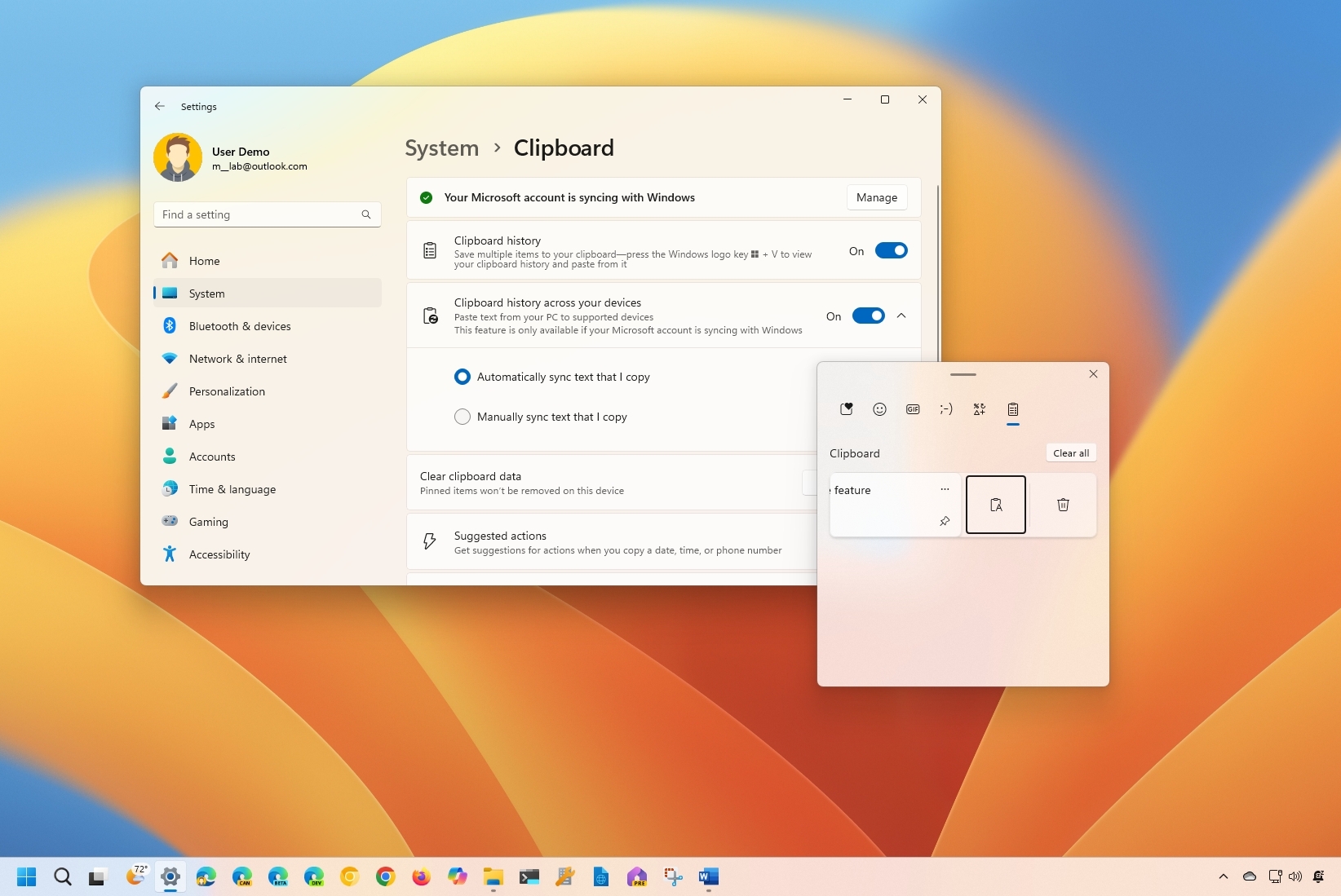
Windows 11 Clipboard History

Windows 11's Clipboard can be summoned with a shortcut and supports pinning items. (Image credit: Mauro Huculak)

Windows 11 already has a robust, built-in clipboard history that you can summon with Win + V. It supports pinning items, syncing across devices, and has been an integral part of my workflow for years. Even with Edge Drop installed, I'm not abandoning it.

Where Windows 11's clipboard is heavily keyboard-driven, Edge Drop is more built for the mouse. If you're working on a creative project, dragging and dropping items into organized stacks feels completely natural.

It reminds me of when I reviewed the HyperSpace TrackPad Pro (which, sadly, was canceled). Using that trackpad shifted my workflow; editing video with it felt entirely different than navigating a webpage. It didn't replace my mouse, but it became a perfect companion tool.

I feel the same way about Edge Drop. It’s a convenient, mouse-oriented clipboard manager that’s always just a gesture away, and it has earned a permanent spot right alongside Windows 11's default clipboard.


Blank Pixel

Click to join us on r/WindowsCentral

Join us on Reddit at r/WindowsCentral to share your insights and discuss our latest news, reviews, and more.

The Edge Drop app interface displayed on a monitor, showing a list of shared images and a cursor hovering over the "Clear" button.
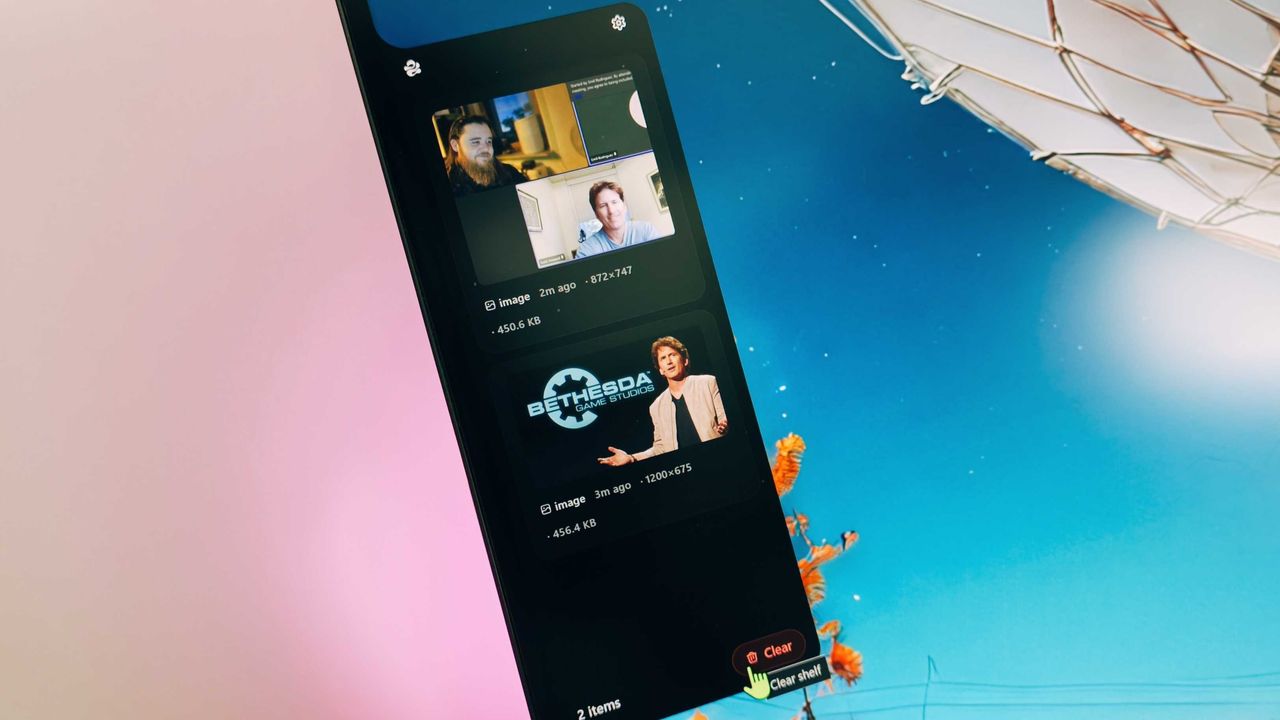
Edge Drop is a third-party clipboard manager for Windows 11 that tucks away on the side of your screen.
Linux is not a "social warrior project," says its creator Linus Torvalds as he puts his foot firmly down against anti-AI comments

The day when AI isn't completely polarizing feels like it'll never arrive, and there's a definite divide between those for and those against.

This drama has now spilled into the Linux kernel, prompting a lengthy and firm response from its creator, Linus Torvalds (via GamingOnLinux).

It emerged as a topic referencing using AI and a tool called "Sashiko" for agentic reviews of changes to the Linux kernel. Then in swoops Torvalds to firmly put his foot down.

The full transcript of his response is below:

"Yes.

And no, that's not the position of the Linux kernel. I realize that some people really dislike AI, but this is an area where I'm willing to absolutely put my foot down as the top-level maintainer.

Linux is not one of those anti-AI projects, and if somebody has issues with that, they can do the open-source thing and fork it.

Or just walk away.

AI is a tool, just like other tools we use. And it's clearly a useful one.

It may not have been that "clearly" even just a year ago, but it's no longer in question today.

There are other questions around AI (like what the economy of it will actually look like in the end), but "is it useful" is no longer one of those questions. Anybody who doubts that clearly hasn't actually used it.

Yes, it can also be a somewhat painful tool, both for maintainer workloads and just from a "it keeps finding embarrassing bugs" standpoint.

But the solution is not to put your head in the sand and sing "La La La, I can't hear you" at the top of your voice like some people seem to do.

The solution is to make sure those LLM tools _help_ maintainers instead of just causing them pain. There's no question on that side.

We're not forcing anybody to use it, but I will very loudly ignore people who try to argue against other people from using it.

And no, AI isn't perfect. But Christ, anybody who points to the problems at AI had better be looking in the mirror and pointing at themselves at the same time.

Because it's not like natural intelligence is always all that great either.

The kernel project has been and will continue to be about the technology.

Sure, the social angle of working on open source is important and often a very motivating part of the project, but in the end that's a side benefit, not the _point_ of the project.

This is *NOT* some kind of "social warrior" project, never has been, and never will be.

In the kernel community we do open source because it results in better technology, not because of religious reasons.

And so we make decisions primarily based on technical merit. Not fear of new tools.

Linus"

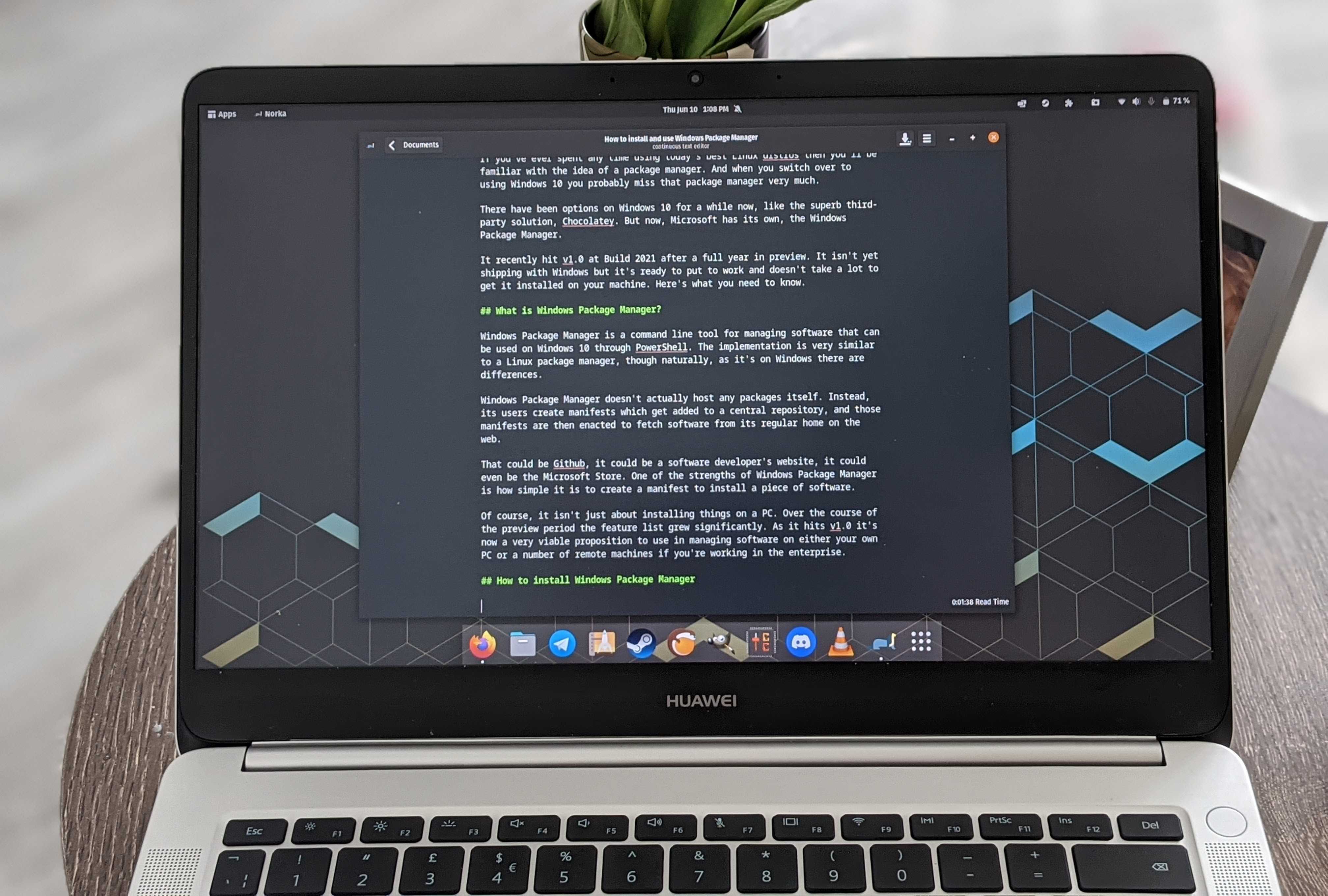
A Huawei MateBook D running Linux

Linux is not a "social warrior" project. (Image credit: Windows Central)

I can already see the pitchforks rising, but let's take a step back. While Torvalds does appear to be flexing some muscle, if you read carefully, he's also not actually advocating for AI.

"AI is a tool... And clearly a useful one." There's no ideology behind it. He's not suddenly saying that the Linux kernel is going to be built using AI. More that if it can be used to make certain parts of the process better, then it will be.

And as he says, human intelligence isn't exactly perfect, is it?

It's a sticky wicket and sure to provoke some discussion. Linux is where many of the most serious enthusiasts go, and plenty just have a fundamental opposition to AI. I'm not getting into that, because it's exhausting, and we've been round and round on the topic plenty.

I do like Torvalds' approach in addressing this, though. Unlike, say, Microsoft, there are no business interests to push and bank accounts to swell by pushing the general public into using AI. There's also an alternative; if you don't like it, you can fork it and make your own. There are already plenty of custom kernels on Linux.

He's simply being pragmatic. The genie is free from the lamp; AI is here, and ignoring it simply isn't an option. Everyone can have their own opinion, but as he states, Linux isn't a "social warrior" project. They're just trying to make the best software, and increasingly, that's going to mean folks leveraging AI. Like it or not.

Blank Pixel

Click to join us on r/WindowsCentral

Join us on Reddit at r/WindowsCentral to share your insights and discuss our latest news, reviews, and more.

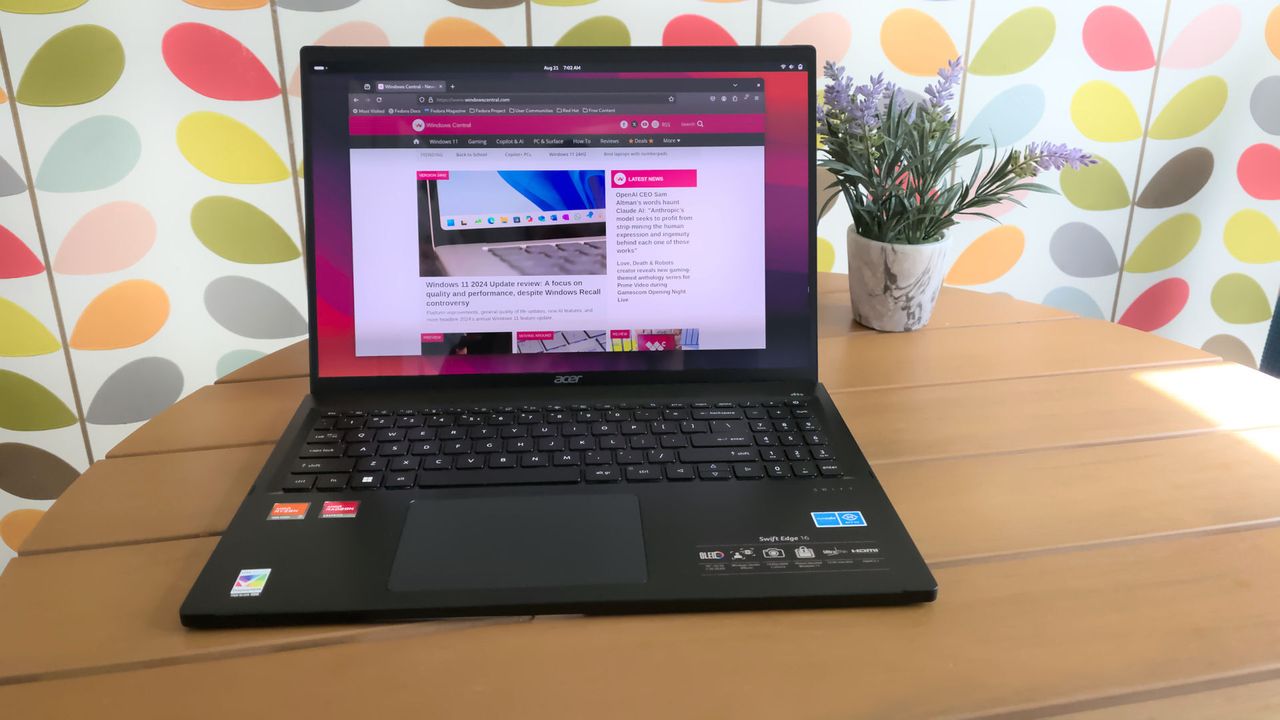
Acer Swift Edge running Linux

There's apparently no room for anti-AI sentiment when it comes to the Linux kernel anymore.

Windows Movie Maker still beats Clipchamp in an important way

If you ever feel like you need a break from social media and influencers, you may long for the more fun-focused video content of yesteryear. Windows Movie Maker was a simple program for creating videos, and it can now be yours once again.

The folks at The Internet Archive uploaded Windows Movie Maker 6.0, making it easily accessible and preserving it. The app has been tested on Windows 7, Windows 10, and Windows 11.

Downloading ancient technology can be a fun way to see how far things have changed over the years. Generally, Windows and its built-in apps have improved since the year 2000. But the modern movie-making app on Windows, Clipchamp, falls short of Windows Movie Maker in one key area.

Clipchamp now requires you to sync content to OneDrive to edit video projects. Media within your projects can be stored locally, but the projects cannot be edited unless you save the project to OneDrive.

That controversial change arguably broke Clipchamp. The app still works, but it does not feel like an app that should be bundled with Windows 11. Instead, it feels like a cloud-based app you should download alongside Microsoft 365.

Windows Movie Maker may lack the modern features of Clipchamp, but at least it works offline.

Ever wanted to use Windows Movie Maker 6.0 again but unsure where to get it for modern Windows?Well, "want" no longer! I've uploaded a setup for exactly that on The Internet Archive. Tested on Windows 7, 10, & 11, all working on each.Get it here:https://t.co/yEnF0sZv7n pic.twitter.com/LhozBBGtWNJune 30, 2026

Perhaps Microsoft could justify requiring OneDrive to edit videos if projects could easily extend across devices, but that's not the case. Microsoft retired Clipchamp for iOS last month, meaning you can no longer export video files from that app. Users are now encouraged to uninstall Clipchamp from any iOS devices.

Microsoft never even made an Android version of Clipchamp, so the company has effectively restricted the app solely to the desktop. There is a web version of Clipchamp, but it is optimized for desktop use.

How to download Windows Movie Maker for Windows 11

Windows Movie Maker was not meant for modern versions of Windows, but it can run on Windows 11 or Windows 10. The download link for the program is available through the Internet Archive.

As a warning, I had to refresh the page a few times to get the link to work. The Internet Archive claimed it was a bad link for some reason, but it does work after refreshing.

The file is available in several formats. I'd argue the easiest to use is the executable file because many people have clicked to install one of those before.

To install Windows Movie Maker, you'll need to click through the installation steps, agree to some terms, and click finish.

Blank Pixel

Click to join us on r/WindowsCentral

Join us on Reddit at r/WindowsCentral to share your insights and discuss our latest news, reviews, and more.

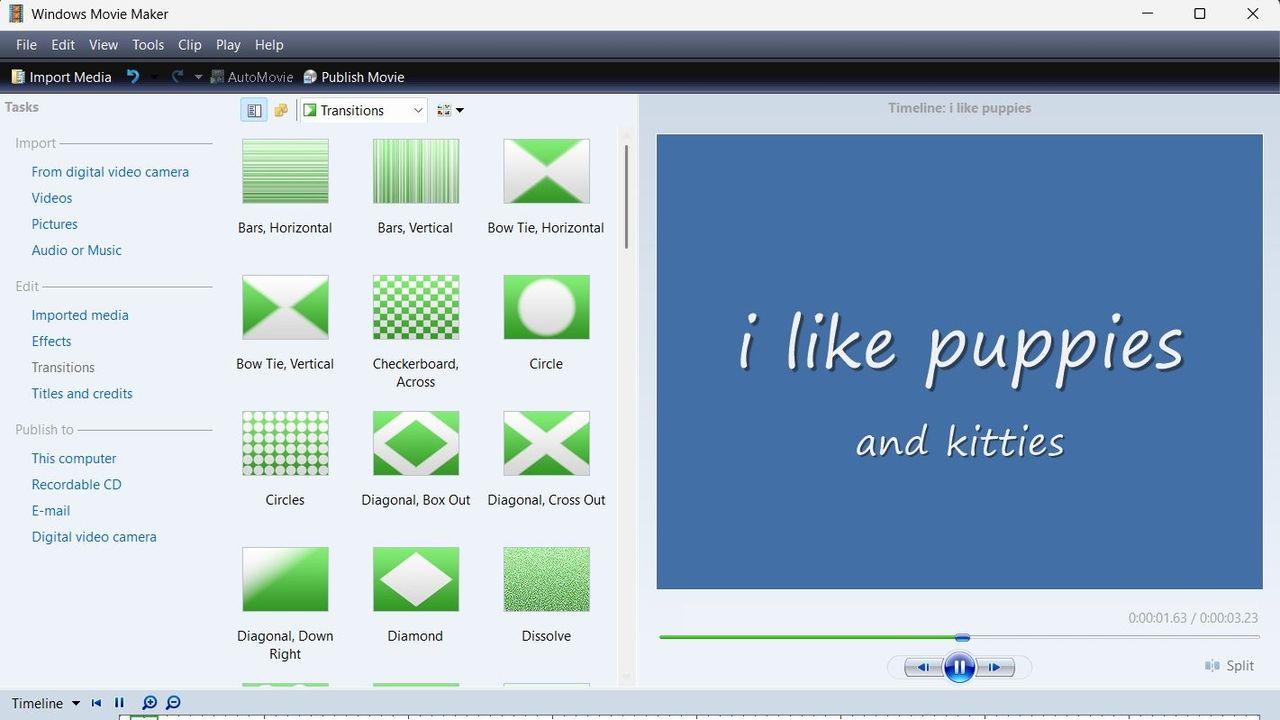
A screenshot of Windows Movie Maker showing a range of transitions.

Windows Movie Maker looks clunky by modern standards, but at least it supports offline editing.

Microsoft Teams removal shows why we shouldn't get too excited about preview features

A great feature won't make it to Microsoft Teams, at least anytime soon. Microsoft began testing two minimized views in Teams earlier this year, but development of the features has been paused.

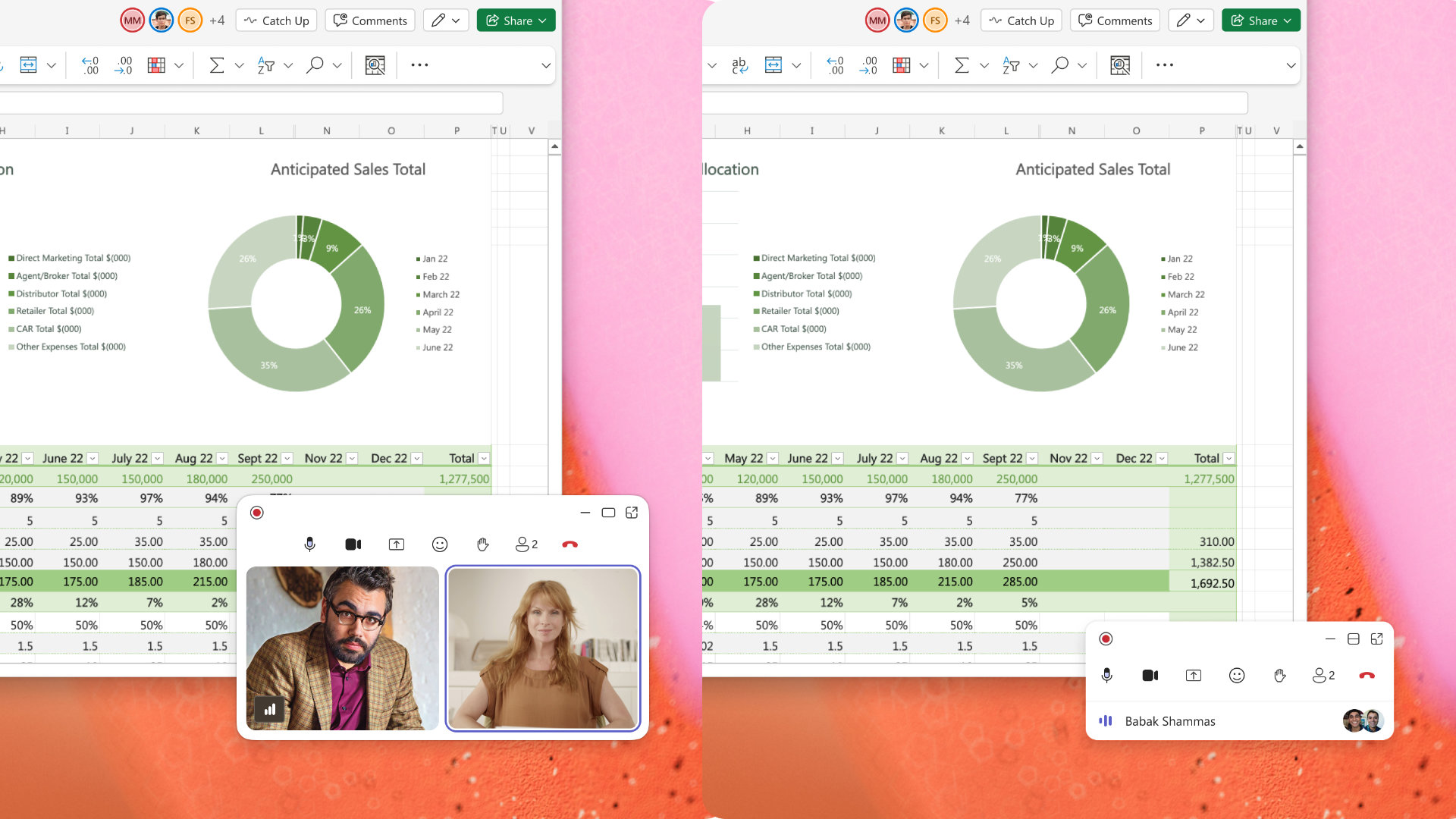
The idea was that when an active meeting window was minimized, Teams would show a minimized window with shortcuts to perform actions like raising your hand or sharing a reaction. One option called Expanded view showed up to four participant videos, while the Compact view focused on quick actions and settings.

"Updated July 7, 2026: We have paused release to GA at this time. We will communicate via Message center when we are ready to proceed. Thank you for your patience," reads the Microsoft 365 Message Center (archived here).

The views were meant to start rolling out in May 2026, but they now sit stuck in the development pipeline. Neowin spotted that the feature was paused.

Two side-by-side screenshots show Excel spreadsheets with sales data and charts, one featuring a video call, and the other displaying a chat message pop-up over the spreadsheets.

Expanded view (left) and Compact view (right) would have shown shortcuts and key meeting content when the main meeting window was minimized. (Image credit: Microsoft)

There's always a chance that preview features will be changed significantly before release or cancelled. Microsoft also needs to work out any issues before shipping a change to Teams.

Microsoft did not share why it paused the development of these minimized views. They both seem like worthwhile additions to Teams that make multitasking easier. I hope Microsoft ships them to Teams eventually.

Teams gets new features regularly. The communication platform gets so many updates that Microsoft has to list changes in a monthly blog post.

But the most talked about Teams feature this year was omitted from the last roundup. Teams now has a controversial feature that lets your boss see where you are if you're connected to Wi-Fi networks at work.

Microsoft was accused of making Teams a "lapdog for your boss," but the company has made changes to the feature since first unveiling it. Microsoft delayed the rollout of that feature, changed the name of the option, and added better privacy controls.

The minimized views within Teams may go through a similar journey. We could see them in the future with altered controls, a new name, or in the same form but at a later date.

Click to join us on r/WindowsCentral

Join us on Reddit at r/WindowsCentral to share your insights and discuss our latest news, reviews, and more.

Microsoft Teams app seen displayed on a smartphone screen and a Microsoft Teams logo on a laptop in the background.

Microsoft Teams app seen displayed on a smartphone screen and a Microsoft Teams logo on a laptop in the background.

Amazon has a slop problem and this extension cleans it up

I've heard the term slop bandied around more times than I'd like recently, but today was the first time I'd heard it in the context of Amazon shopping. Meet Knockoff Shopping, the Chrome extension that de-slops your Amazon search results.

What does this mean? Well, if you've used the site at all recently to look for basic items, whether it be clothes, phone cases, or such, you'll notice that many reputable brands are now buried in a sea of items with capitalized letters. Items that appear to be coming from Temu or AliExpress.

Often, you'll be looking for something like a hairdryer, perhaps, and find an identical model listed under 3 different brand names, all trying their damnest to look like Dyson. Should I buy DRYSON, BLOWY, or the SKIBIDI RIZZ hairdryer? It's hard to decide.

Well, someone has had the gumption to create a Chrome Extension to solve this problem; it promises to filter "trademark-squat pseudo-brands (the SZHLUXes and HORUSDYs) out of your search results, so what's left are brands with a reputation to lose."

You can simply head to knockoff.shopping to get the extension and try it for yourself, but here are some more tips on getting it to work for you.

Using Knockoff

Screenshots from Amazon listings and Knockoff extension

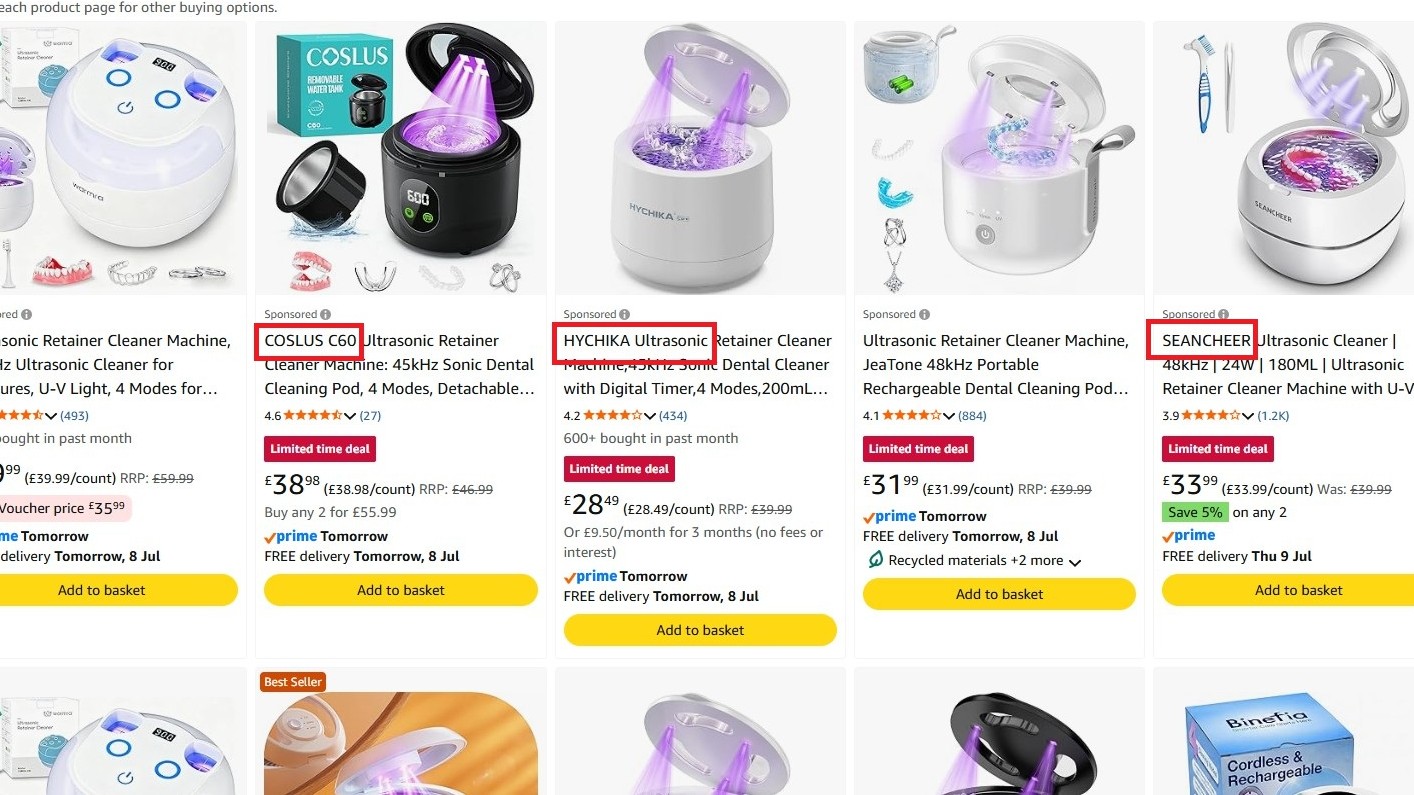
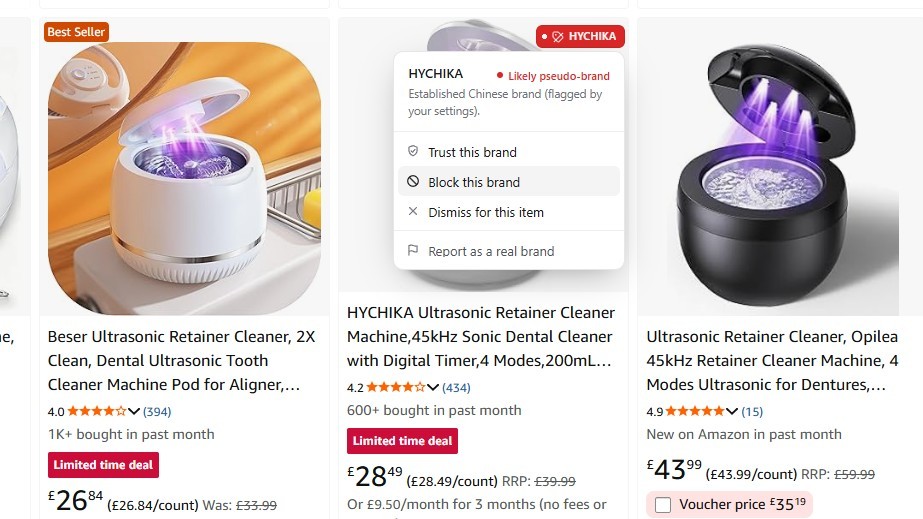
COSLUS, HYCHIKA or SEANCHEER? How can I resist? (Image credit: Jennifer Young - Windows Central)

I've had issues with these "knockoff" brands myself recently while shopping for an ultrasonic cleaner for my son's retainer. We've now ordered two seemingly identical models under different brand names, and both have given up the ghost after a week.

Third time lucky, right? Well, I'm going to use the tool to help me narrow down my search this time. As you can see in the screenshot above, when I search for the item, my results are flooded with similar-looking items from different pseudo-brands that feel the need to shout their names at me. COSLUS! HYCHIKA! SEANCHEER! BUY US!

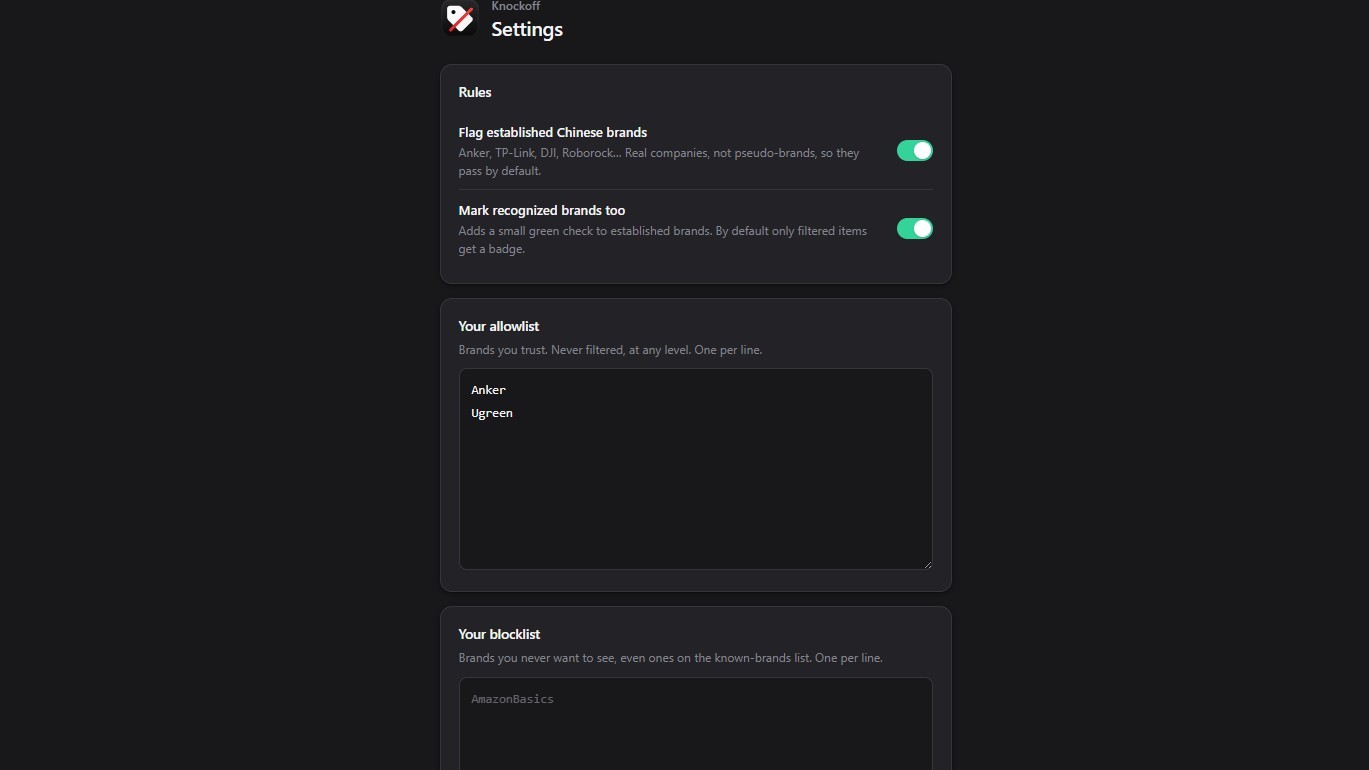
Following my installation of the tool, I can fiddle with the options before I go on my search to add brands that I don't want to be filtered, so ANKER and UGREEN, for example, are reputable electronic brands I trust; I don't want those filtered.

Screenshots from Amazon listings and Knockoff extension

(Image credit: Jennifer Young - Windows Central)

Now, upon running the search again, you can either have the tool 'dim' the dodgy results so you can still see them and make changes, or have it hide them completely. For now, I've set mine to dim results so I can start to teach it what I do and don't want to see.

Screenshots from Amazon listings and Knockoff extension

(Image credit: Jennifer Young - Windows Central)

Here I have selected to block this brand permanently. On the other hand, if I see brands I trust, I can tell the tool to add them to the Allow list for me.

Creator Josh Pigford has already mentioned on his X account some brands that may be inadvertently filtered out. I don't recognize many of these, but BIODANCE and LANIEGE are at least reputable Korean skincare brands, and I would add them to my filter.

Knockoff is now live!Filter out the knockoff crap brands on Amazon.Sorry to brands like WNPETHOME, EHEYCIGA, YXYL, LU&MN, JOYIN, TOMY, GODONLIF, YOOJEE, LINGTENG, LANEIGE, VISCOO, BIODANCE, COOFANDY, BALENNZ, TOSY and LUENX.https://t.co/9mLk0EAsfG https://t.co/K07lMkepOWJuly 7, 2026

The tool has now helped me select a third, and hopefully more reliable, cleaner for my son's retainer. It also helped me see more clearly that many of the 'dimmed' brands were around the same price, so I paid a little more for something potentially longer lasting.

holy crap, it’s beautifulhe deslopped amazon https://t.co/ThiM8tywlj pic.twitter.com/AfGEinUiyDJuly 7, 2026

I've only just started using the tool myself, afterall it's only been a day! But others are already reporting great success with it and I hope to have even better results as I tweak what I do and don't want to see. The extension is currently only available on Google Chrome, but it's coming to Safari and Firefox soon. No word on Microsoft Edge (yet).

Click to join us on r/WindowsCentral

Join us on Reddit at r/WindowsCentral to share your insights and discuss our latest news, reviews, and more.

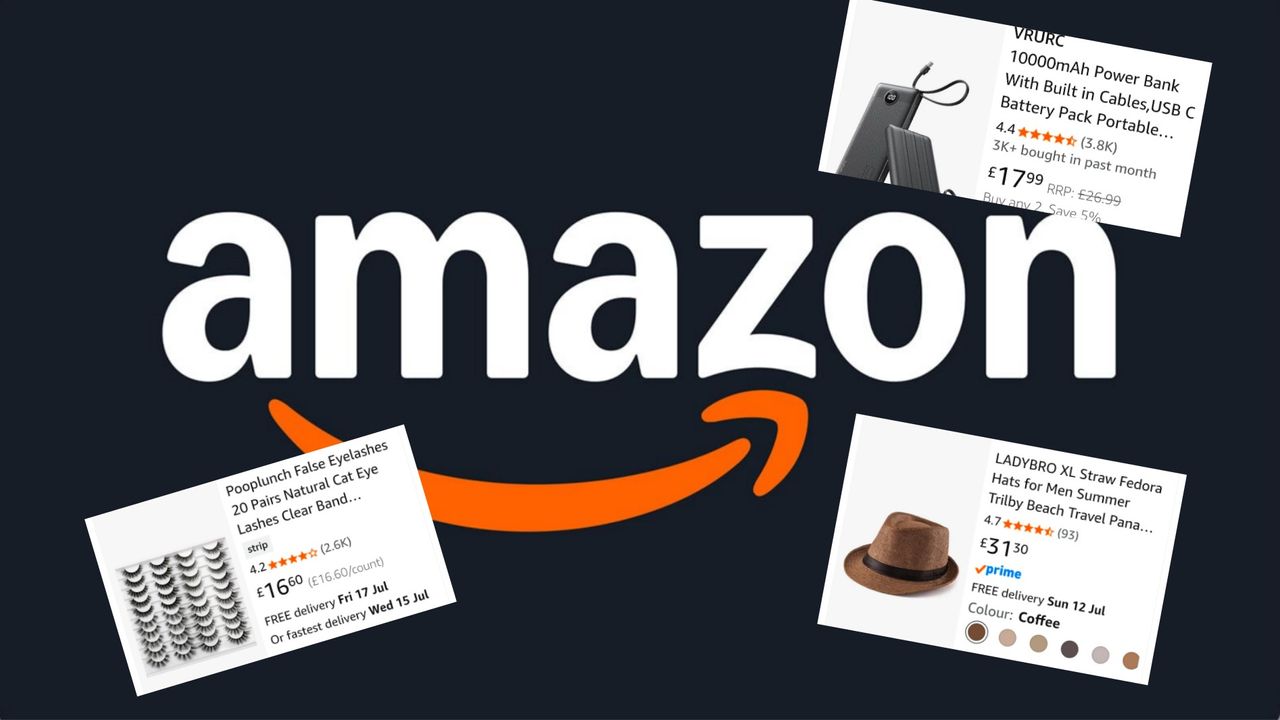
Amazon logo and listings

Amazon logo and listings

"Not every app needs to bundle the universe": This tiny notepad app shows why Windows has become so bloated

Have you ever wondered why minimum specs continue to creep upward? Part of the problem is that developers don't need to be as efficient as they did decades ago.

A recent video by Dave Plummer highlights the bloat of modern applications by following the journey of Plummer making a notepad that's just 2,686 bytes.

App development is complex, and there are genuinely good reasons that games and programs require such high specs in 2026. But generally speaking, programming doesn't have the constraints of yesteryear, so developers don't need to trim code.

A single app not being optimized is not that much of an issue, but when every program on your PC is bloated, problems pop up. The same productivity workflow today requires more RAM than it did in 2015.

For context, Windows 10 launched with a minimum requirement of just 1GB (for 32-bit) and 2GB of RAM (for 64-bit). Windows 11 requires at least 4GB just to boot the operating system, but most users want much more memory. It was controversial when Microsoft and other companies started offering new PCs with 8GB of RAM this year.

Plummer is best known for creating the Windows Task Manager. He also discusses programming and Windows history on his YouTube channel.

In a recent video, Plummer shared how he made a small notepad application that's smaller in size than a YouTube thumbnail.

Tiny Retro Pad has the core functionality of the original Notepad app built by Microsoft. Notably, it lacks the modern features seen in Notepad, such as Copilot. Considering Notepad's addition of Copilot was mocked by many, Tiny Retro Pad is an improvement in some ways.

Making a notepad app that's under 4,096 bytes is more about working within constraints than the specific size of the final app. In the early days of Windows, there were several limits placed on developers, such as hardware caps. Having to work within those constraints forced developers to be more efficient.

Plummer was able to keep Tiny Retro Pad small by utilizing what's already in Windows.

"A tiny native Windows program does not bring along its own entire civilization. It arrives with a lunchbox and a map of the city," said Plummer.

Later in the video, he added, "The program is small because it is not carrying what the platform already has. And that is a lesson that modern software could stand to remember. Not every app needs to bundle the universe. Not every utility needs to ship with a browser engine."

Nowadays, PCs, tablets, and phones have absurd specs. Even modest devices have several gigabytes of memory and tons of storage. Those specs make modern workflows possible, but they also leave room for lazy development.

"Somehow it seems modern software manages to go the other way. You just want a text box and somehow you've imported a runtime, a layout engine, a renderer, a dependency tree, a telemetry client, an auto updater, and a small portion of Chromium," said Plummer.

No one needs a notepad application that's less than 4,000 bytes, but if more app developers focused on efficient code, Windows 11 would feel smoother across the board.

Blank Pixel

Click to join us on r/WindowsCentral

Join us on Reddit at r/WindowsCentral to share your insights and discuss our latest news, reviews, and more.

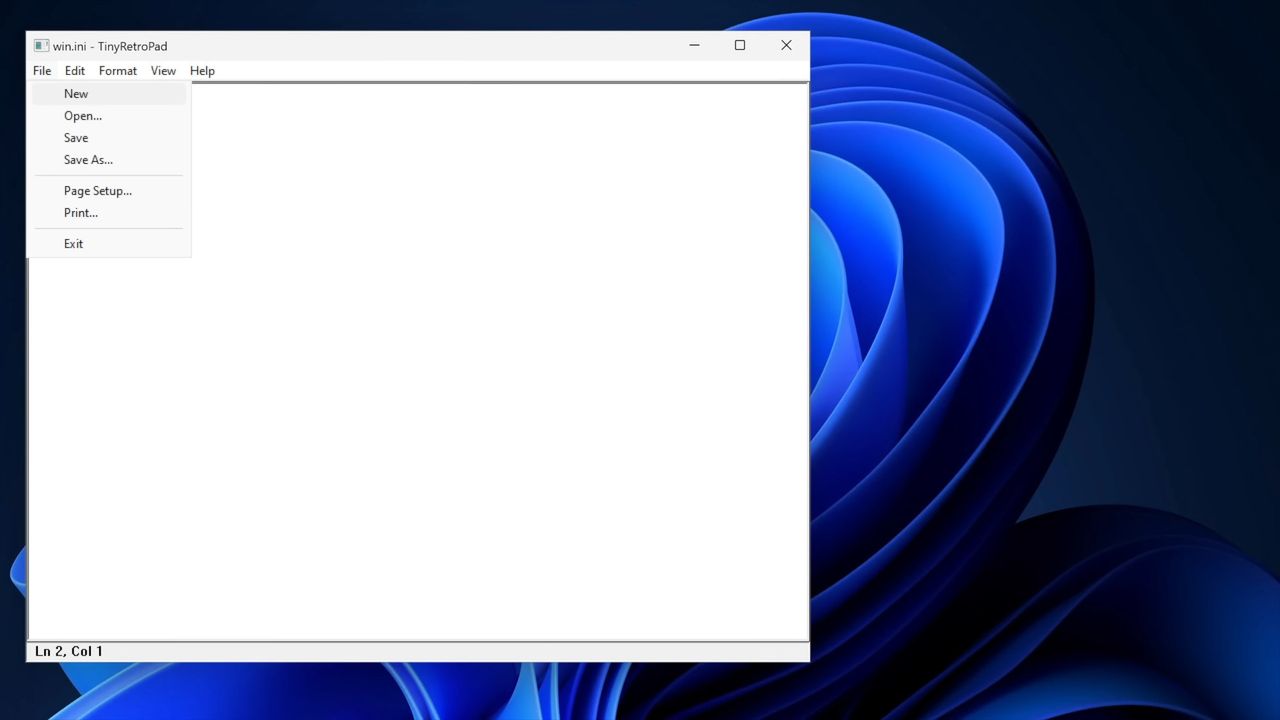
Windows interface showing an open notepad application. A dropdown menu is open and "new" is selected.

Windows interface showing an open notepad application. A dropdown menu is open and "new" is selected.

Forget PowerToys, Windows 11 needs this feature immediately

Microsoft needs to copy a new feature that makes it easier to multitask on Windows 11. But rather than Sherlocking a third-party app, Microsoft just needs to copy a concept proposed for its own app, PowerToys.

Every once in a while a feature gets added to PowerToys that makes me wonder "why isn't this part of Windows?" FancyZones immediately comes to mind, and Microsoft seems to agree since improved snapping in Windows 11 takes inspiration from that feature.

PowerToys may have another winner on its hands in AltWindowCycle, though I think a new name may be needed.

The utility allows you to switch between windows with a keyboard shortcut. It's similar to Alt + Tab, but it works within a single app. Clint Rutkas explained the tool in a GitHub pull request:

"Introduces a new utility: AltWindowCycle to quickly switch between windows from the same process using Alt + `. It works like Alt + Tab, but scoped to the app you’re already in. Perfect for juggling multiple browser windows, terminals, or editor instances."

AltWindowCycle is still in its early stages. If it is finished and made a part of PowerToys, I hope it also makes its way to Windows 11.

If it does become part of Windows 11, AltWindowCycle would help Microsoft's operating system catch up to macOS and some Linux distros, which use either Alt + \` or Cmd + ` to cycle through windows of the same app, albeit a bit differently.

Many PowerToys features are niche and would be considered bloat by non-power users if included with Windows 11. But a small shortcut that makes multitasking easier would be a natural addition to Windows 11, especially since AltWindowCycle works similarly to the well-known Alt + Tab shortcut.

This collection of utilities includes a large library of features to enhance the Windows experience. PowerToys is designed with power users in mind, but it has handy features for people who just use their PC for everyday computing too.

Free at GitHub | Free at Microsoft Store

Click to join us on r/WindowsCentral

Join us on Reddit at r/WindowsCentral to share your insights and discuss our latest news, reviews, and more.

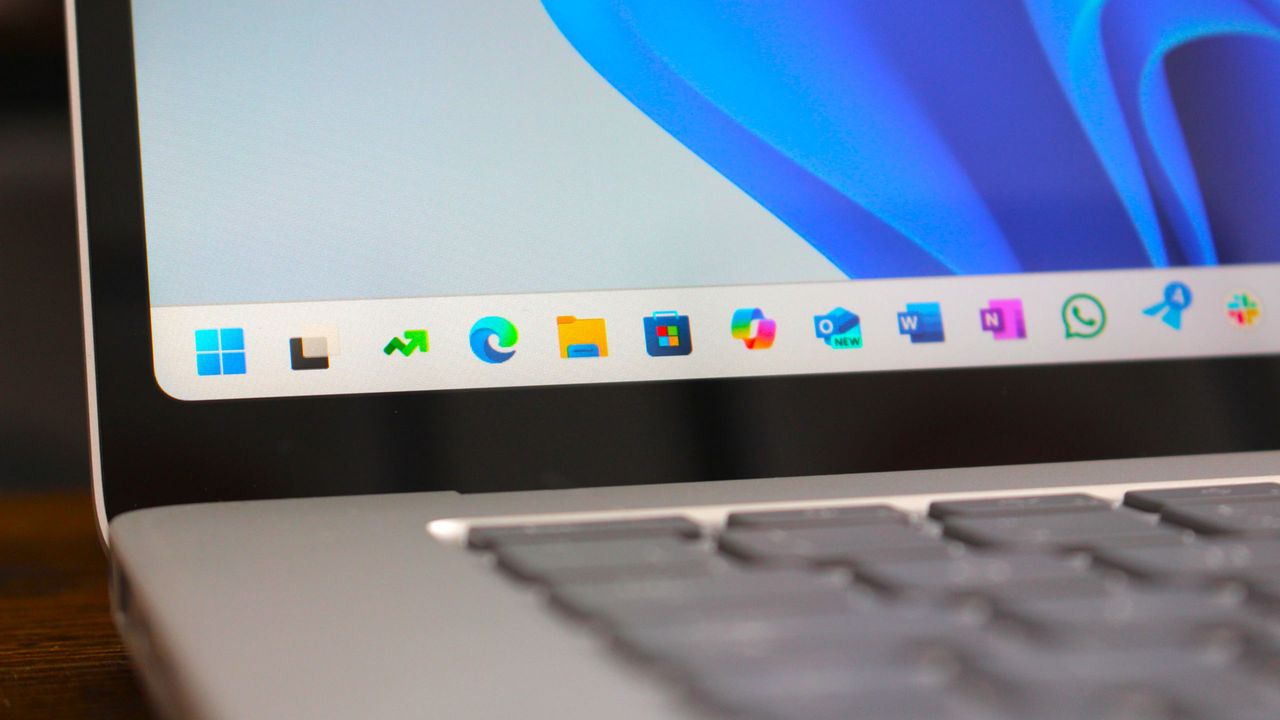
Windows 11 Start Logo

Windows 11 Start Logo

This free app puts Microsoft to shame by bringing widgets to the Windows 11 taskbar

I love widgets. Microsoft seems much cooler on the concept. Sure, Windows 11 has a Widgets Panel, but it's barely useful due to its lack of quality widgets. That's why I was so excited to see WidBar highlighted on Reddit.

WidBar is a new app that allows you to add widgets to the empty spaces of the Windows 11 taskbar. It's still in beta, but it's off to a promising start.

The developer of WidBar, Andrea Del Bello, shared the app and detailed its progress.

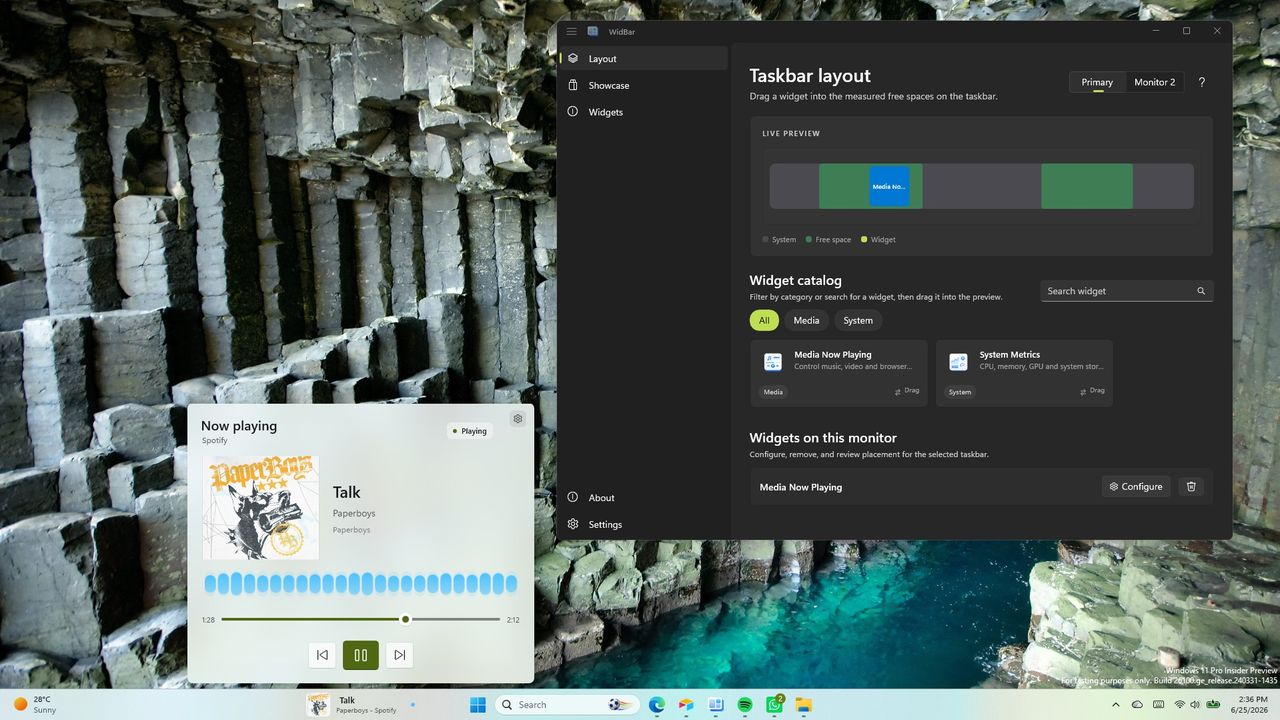
At the moment, WidBar only has a pair of widgets: "Now Playing" and "System Metrics." They're basic but they do a good job showcasing the app.

Within WidBar, you can drag and drop widgets into a preview of your taskbar. Different widgets can be placed on various monitors.

This free app lets you add widgets to the empty spaces in the Windows 11 taskbar. It's still in beta, so it only has two widgets available, but developers can create their own widgets using templates.View Deal

Any developer can make widgets for WidBar. Del Bello explained how that works on Reddit:

"Each widget is just a small packaged app that you publish to the Microsoft Store like any other app, and WidBar picks it up on its own: there's no separate plugin store, no manual install into WidBar, and no approval from me. The moment your widget is installed from the Store, WidBar recognizes it automatically, it appears in the catalog, and the user can drop it onto the taskbar."

Del Bello also provided a template for making WidBar widgets on GitHub.

Putting Microsoft to shame

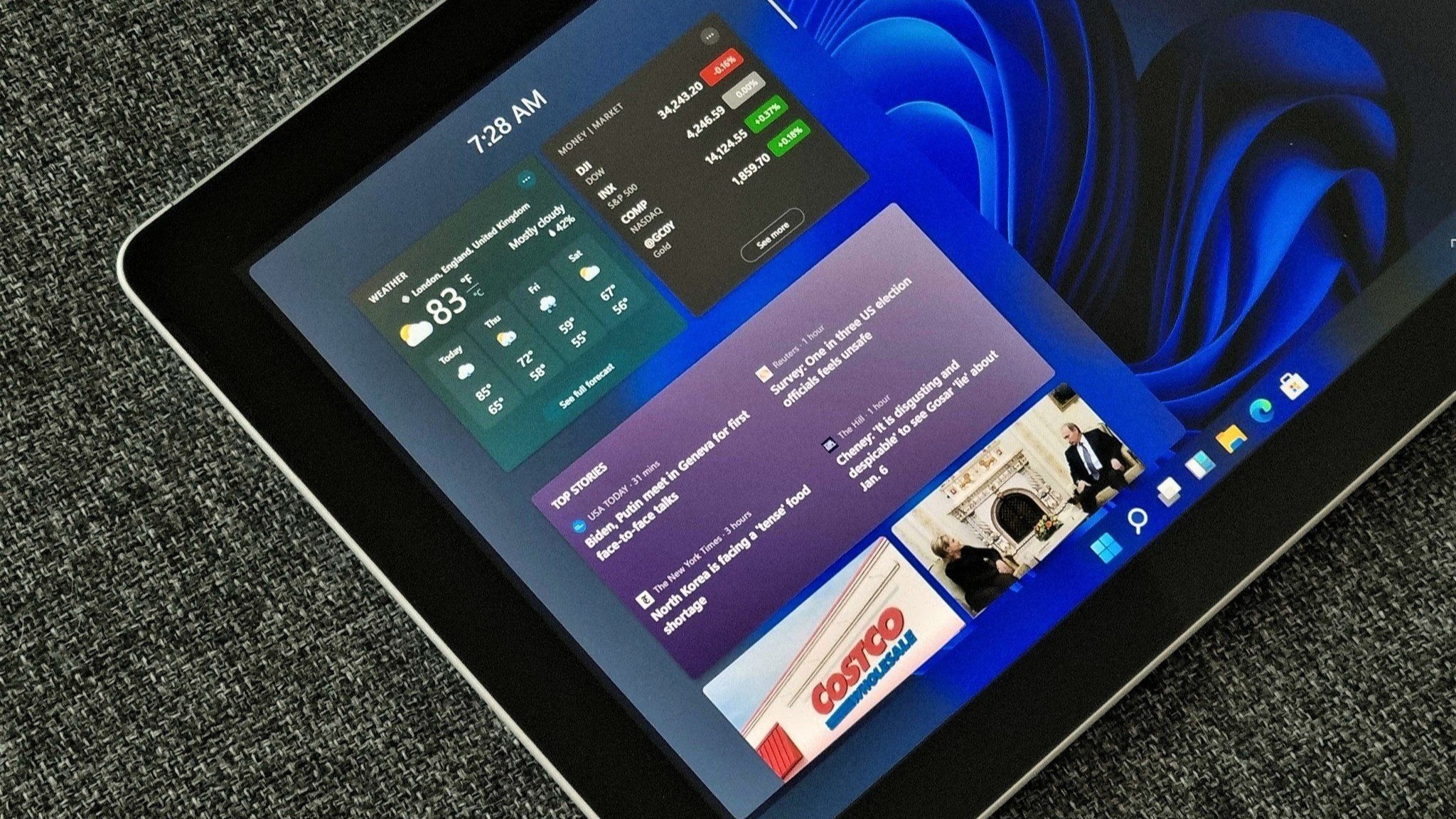
Windows 11 Widgets panel

The Widgets Panel only has 56 widgets available.

WidBar has two supported widgets right now and is still in beta, but it already surpasses Windows 11's Widgets Panel in an important way.

Incredibly, the Widgets Panel lacks a Now Playing widget from Microsoft. Windows 11 has those controls, but they appear in the Action Center. That shows how much Microsoft thinks about the Widgets Panel.

There is a widget made by Stefan vd called "S Media Controls" that seems to fill the gap, but I've only used it briefly in testing.

Even if you give Microsoft the benefit of the doubt and argue having audio controls in the Action Center and the Widgets Panel, it won't take much to catch up.

With just two supported widgets, WidBar is well on its way to beating the Widgets Panel. There are a grand total of 56 widgets in the Microsoft Store for the Widgets Panel. And that count includes "My Tic-Tac-Toe" and several entries that appear to be money grabs that offer little functionality.

Add a clock, a calendar, a recent files shortcut and WidBar is almost 10% of the way to the entire Widgets Panel ecosystem.

Click to join us on r/WindowsCentral

Join us on Reddit at r/WindowsCentral to share your insights and discuss our latest news, reviews, and more.

Windows 11 desktop showing a widget for controlling music and the settings of an app for widgets.

Windows 11 desktop showing a widget for controlling music and the settings of an app for widgets.

A bunch of bugs that broke PowerToys have been squashed

PowerToys just received a small but important update that brings the app to version 0.100.1. The update focuses on fixes to version 0.100.0 of the app, which included a bunch of new features.

Normally I wouldn't cover a small update to an app, but in this case the bugs prevented core features of PowerToys from working. Luckily, the bugs have been squashed.

One issue caused keys that had been remapped to non-modifier keys to be delivered as system-key events. An example of that is mapping Alt to Backspace could result in deleting whole words instead of individual characters.

Another bug prevented monitors from waking from standby after selecting On through Power Display.

The developers of PowerToys log all the changes to the app on GitHub.

This collection of utilities includes a large library of features to enhance the Windows experience. PowerToys is designed with power users in mind, but it has handy features for people who just use their PC for everyday computing too.

Free at GitHub | Free at Microsoft Store

View the full changelog ↴

PowerToys v0.100.1

Highlights

  • This patch release fixes several important stability and behavior issues identified in v0.100.0 based on incoming reports. Check out the v0.100.0 notes for the full list of changes.

Color Picker

  • Fixed a bug where the main Color Picker window could appear inside the zoomed-in picker view in #48762 by @daverayment

Command Palette

  • Fixed Run history initialization in AOT builds in #48463
  • Fixed a bug where the Performance Monitor dock item could show ??? after restart in #48682 by @giruuuuj
  • Fixed the Hibernate command using the Sleep icon in #48689 by @MrBisquit
  • Limited the "pin to dock" dialog to displays where the dock is enabled in #48723

Keyboard Manager

  • Fixed modifier keys remapped to non-modifier keys being delivered as system-key events, which caused unexpected behavior in apps such as Alt-to-Backspace deleting whole words in #47192 by @oMatheusmol

Power Display

  • Fixed a bug where selecting On in the monitor power-state control did not wake a monitor from standby in #48628
  • Fixed built-in display detection and brightness control on dual-GPU laptops where the internal panel is driven by the discrete GPU in #48637

PowerToys Run

  • Fixed VS Code Workspaces discovery after VS Code moved recently opened workspace data to shared storage in #47505

Quick Access

  • Fixed Quick Access flyout crashes caused by unhandled XAML exceptions during launch or page navigation in #48457

Shortcut Guide

  • Fixed a crash when navigating between Shortcut Guide sidebar sections in #48481
  • Fixed number-key rendering in shortcut manifests and added a Postman shortcut manifest in #48461 by @brycewc
  • Updated bundled shortcut manifests to use the literal number-key token so number keys render correctly across apps in #48757 by @brycewc

ZoomIt

  • Fixed a race condition in audio initialization for ZoomIt video recording in #48685 by @MarioHewardt

Power Display is one of my favorite utilities in PowerToys. It allows you to manage the brightness and other settings of your external monitor through a series of flyouts. It saves me the hassle of reaching around the bottom or back of my display to adjust settings with awkward buttons.

The recently fixed bug took away core functionality of Power Display, so I'm happy to see it addressed.

Click to join us on r/WindowsCentral

Join us on Reddit at r/WindowsCentral to share your insights and discuss our latest news, reviews, and more.

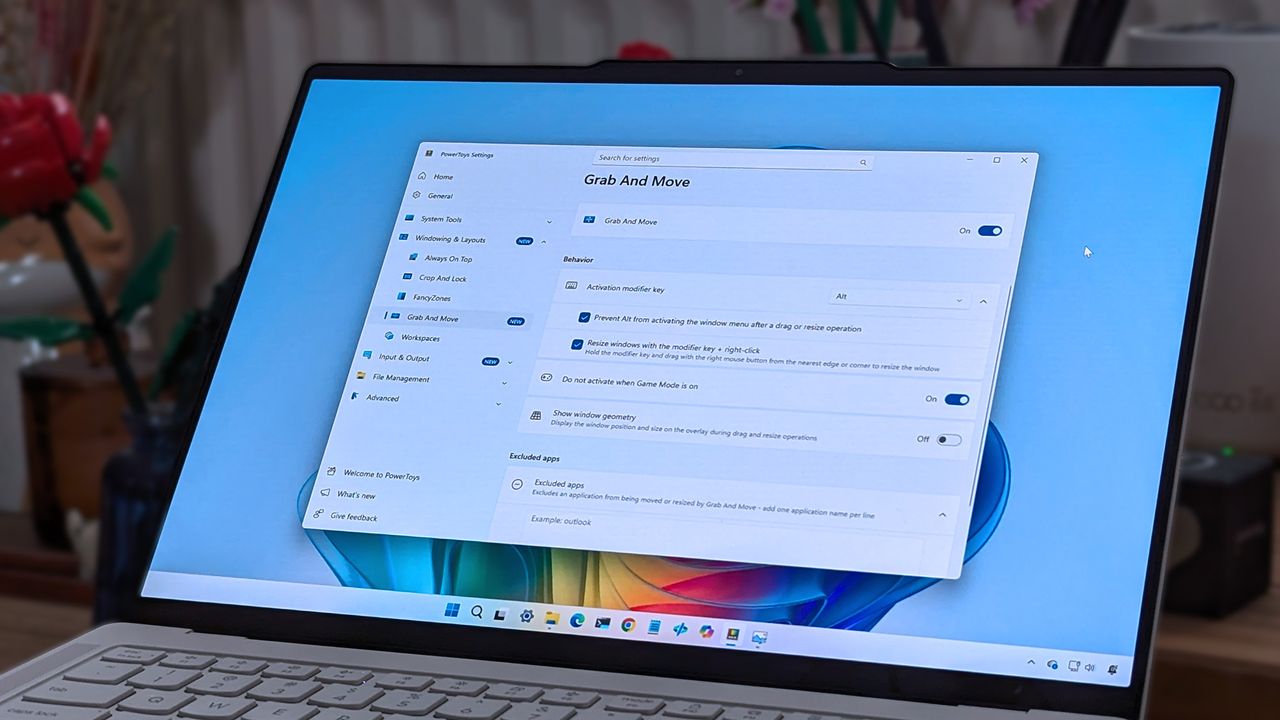
A laptop screen displaying Windows 11, featuring the "Grab And Move" settings window of PowerToys. The desktop background is colorful and vibrant.

A laptop screen displaying Windows 11, featuring the "Grab And Move" settings window of PowerToys. The desktop background is colorful and vibrant.

Discord boosts performance on Snapdragon X PCs by releasing a native Arm app

Discord has released a native Arm build for Windows on Arm, improving performance on Snapdragon X PCs.

Studio photos of the 2026 ASUS Zenbook A16 laptop featuring the new Qualcomm Snapdragon X2 Elite Extreme processor.

PCs with Snapdragon X processors have a growing library of native applications that now includes Discord.

I knew Linux PCs would get a free pass from California's controversial age-verification law for operating systems

California lawmakers move to exempt Linux from the state’s new age-verification law, set to take effect January 1, 2027.

WINUX is a Windows-inspired Linux distro that lets you enjoy Windows 10 and Windows 11 design elements.

WINUX is a Windows-inspired Linux distro that lets you enjoy Windows 10 and Windows 11 design elements.

Microsoft reverses course on Edge password handling but denies users were ever at risk

Microsoft is patching an Edge behavior that left passwords in system memory, despite claiming the risk was within its expected threat model.

In this photo illustration a Microsoft Edge logo of a web browser developed by Microsoft is seen on a smartphone and a pc screen.

In this photo illustration a Microsoft Edge logo of a web browser developed by Microsoft is seen on a smartphone and a pc screen.

Microsoft Edge ditching Copilot Mode means more AI in your browser, not less

Microsoft is retiring the dedicated Copilot Mode in Edge. AI features will instead appear throughout the browser, including Edge's mobile version.

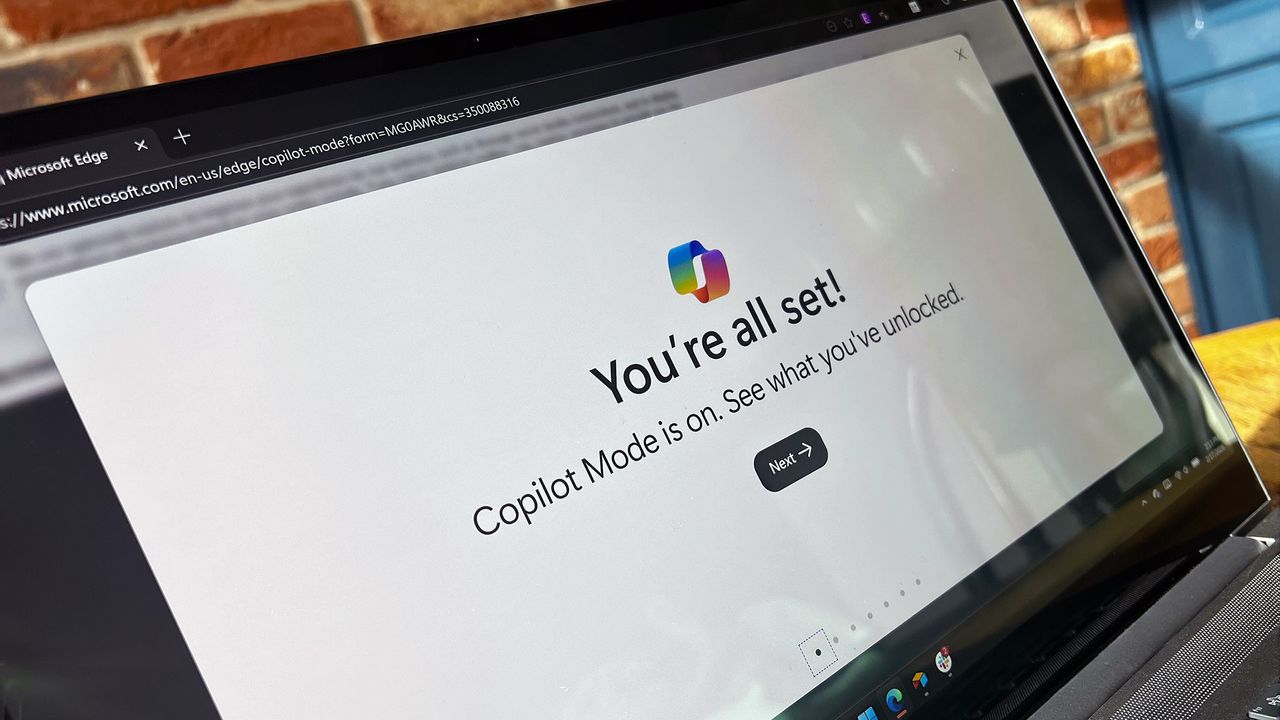
Copilot Mode on Microsoft Edge

Microsoft has retired Copilot Mode for the Edge browser, choosing instead to integrate AI features directly into Edge.

Reddit is now blocking your access to its mobile website, forcing users into its app instead: "I just won't use Reddit anymore"

Reddit’s website lockout on mobile marks another chapter in enshittification, frustrating users who prefer browser access.

The Reddit logo appears on the screen of a smartphone that rests on top of a laptop keyboard.

The Reddit logo appears on the screen of a smartphone that rests on top of a laptop keyboard.

Google Chrome is quietly installing a 4GB AI model on devices and users are not happy about it

Google Chrome is quietly pushing a 4GB AI model onto devices and reinstalling it if removed. The company says it is designed to protect your privacy when using AI features.

A man in a suit peers over a laptop displaying a large Chrome logo. The setting is an office.

Google says it's trying to protect your privacy.

Microsoft Teams will add new protections as attackers target external calls with brand impersonation tactics

Microsoft Teams is adding Brand Impersonation Protection for external VoIP calls. The feature warns users when a first‑contact caller appears to be posing as a trusted organization. It arrives as attackers increasingly target external Teams calls.

The Microsoft Teams app on a laptop arranged in New York, US, on Tuesday, June 25, 2024. Microsoft Corp. risks a hefty European Union fine after regulators accused the company of abusing its market power by bundling the Teams video-conferencing app to its other business software. Photographer: Gabby Jones/Bloomberg via Getty Images

Teams will soon warn you when an external caller appears to be posing as a trusted organization.

Microsoft Edge is removing its Sidebar to cut clutter while leaving the ever-controversial Copilot untouched

Microsoft Edge will soon remove the ability to pin apps and websites to the Sidebar. Microsoft says the change is part of simplifying Edge, but the move leaves Copilot in place and removes a feature many people rely on.

New Copilot features for the Microsoft Edge browser announced on October 23, 2025.

Copilot has avoided being part of Microsoft's efforts to simplify Edge.

File Explorer feels outdated again after this Files update

Files 4.0.39 adds a customizable toolbar that makes Windows 11’s File Explorer feel outdated. Here’s why Microsoft should copy the feature and what the update includes.

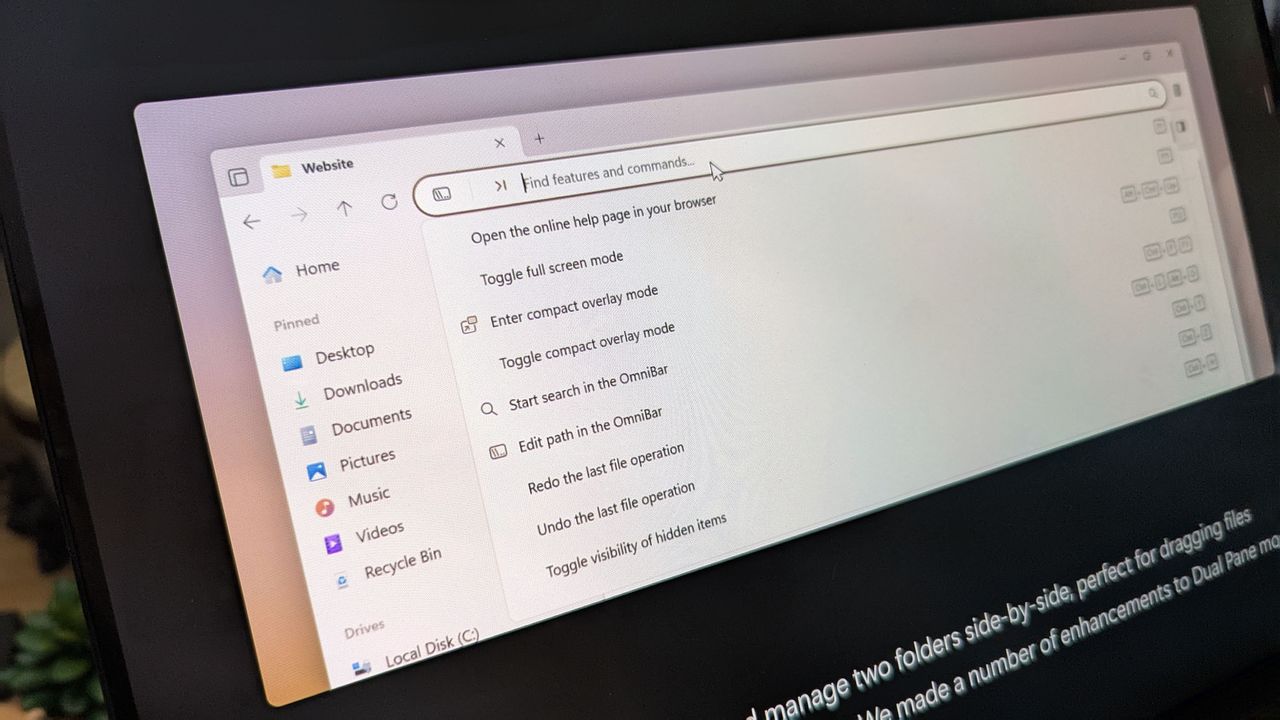
Files 4.0 app promotional images on an ASUS Zenbook laptop screen.

A new Files update highlights another gap in File Explorer. Microsoft should copy it.

❌