Vue lecture

Windows Hello vs. Enhanced Sign‑in Security: Which sign‑in method actually keeps your Windows 11 PC safer, and what's the difference?

Microsoft is expanding one of the least understood security features in Windows 11. Beginning with the August 2026 update, Enhanced Sign-in Security (ESS) now supports compatible external fingerprint readers, extending the company's most secure Windows Hello experience to devices without built-in biometric hardware.

The timing couldn't be better because Enhanced Sign-in Security has confused users ever since Microsoft introduced it. Some users assume it's simply a newer version of Windows Hello, while others think it's reserved for businesses or Copilot+ PCs.

The reality is that Windows Hello and Windows Hello Enhanced Sign-in Security use the same sign-in experience, but they protect your biometric data in different ways.

After spending time digging through Microsoft's support page, I think that's the distinction most explanations miss. Enhanced Sign-in Security isn't about making facial recognition more accurate or fingerprint sign-in faster. It's about making the entire authentication process harder to attack.

Standard Windows Hello is already one of the best security features
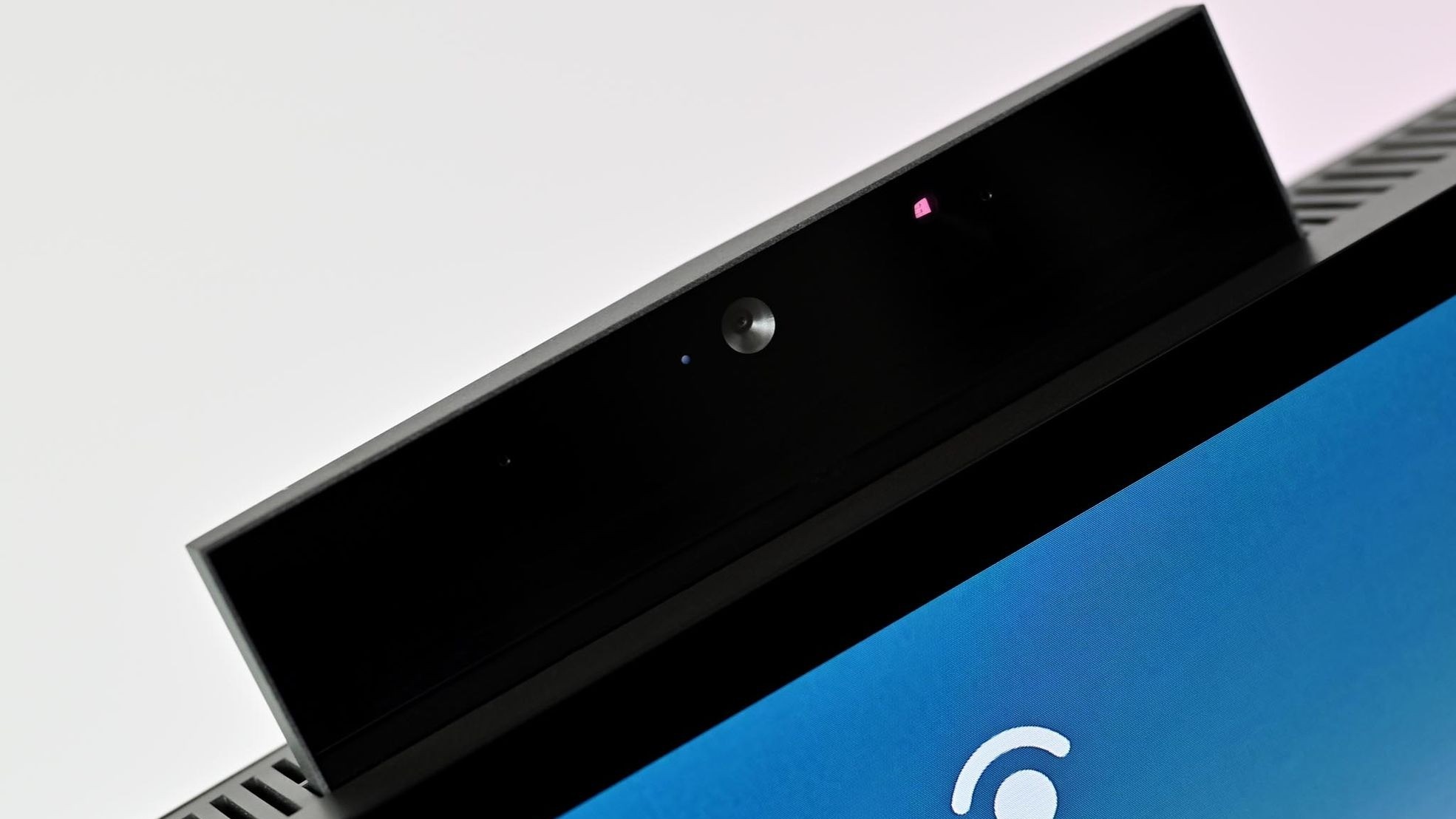
An HP ENVY 32 All-in-One PC with its webcam popped up and its display showing the prompt for Windows Hello login.

A pop-up webcam in a Windows all-in-one PC that also supports Windows Hello facial recognition. (Image credit: Future)

Before the Enhanced Sign-in Security feature was introduced, Windows Hello had already replaced passwords with a much stronger authentication model.

Instead of storing passwords that can be stolen or reused, Windows Hello creates cryptographic credentials that are attached to the Trusted Platform Module (TPM) available on your computer. Facial recognition and fingerprints are used only to unlock those credentials, and your biometric templates remain on the device rather than being uploaded to Microsoft's servers.

For the average home user, that already provides excellent protection against phishing, password reuse, and stolen credentials.

The Enhanced Sign-in Security feature doesn't replace the architecture already in place. Instead, it builds another layer on top of it.

The real difference is where the trust is placed

This is where the comparison becomes interesting. Using the standard Windows Hello, the operating system relies on the system to process biometric authentication after receiving data from the trusted sensor. Enhanced Sign-in Security moves much of that work into isolated, hardware-protected environments.

When using the Enhanced Sign-in Security feature, Microsoft improves that trust. Instead of allowing sensitive biometric operations to occur in the normal Windows environment, the feature isolates them using Virtualization-Based Security (VBS) and Trusted Platform Module (TPM) 2.0 technology.

The algorithms for facial recognition run in a protected memory region, secure fingerprint readers perform matching within the hardware itself, and communication between the biometric sensor and the operating system is encrypted and isolated.

In other words, Windows Hello protects your credentials, and Windows Hello Enhanced Sign-in Security protects both your credentials and the path your biometric data takes before Windows 11 authenticates you.

Fingerprints show the biggest difference
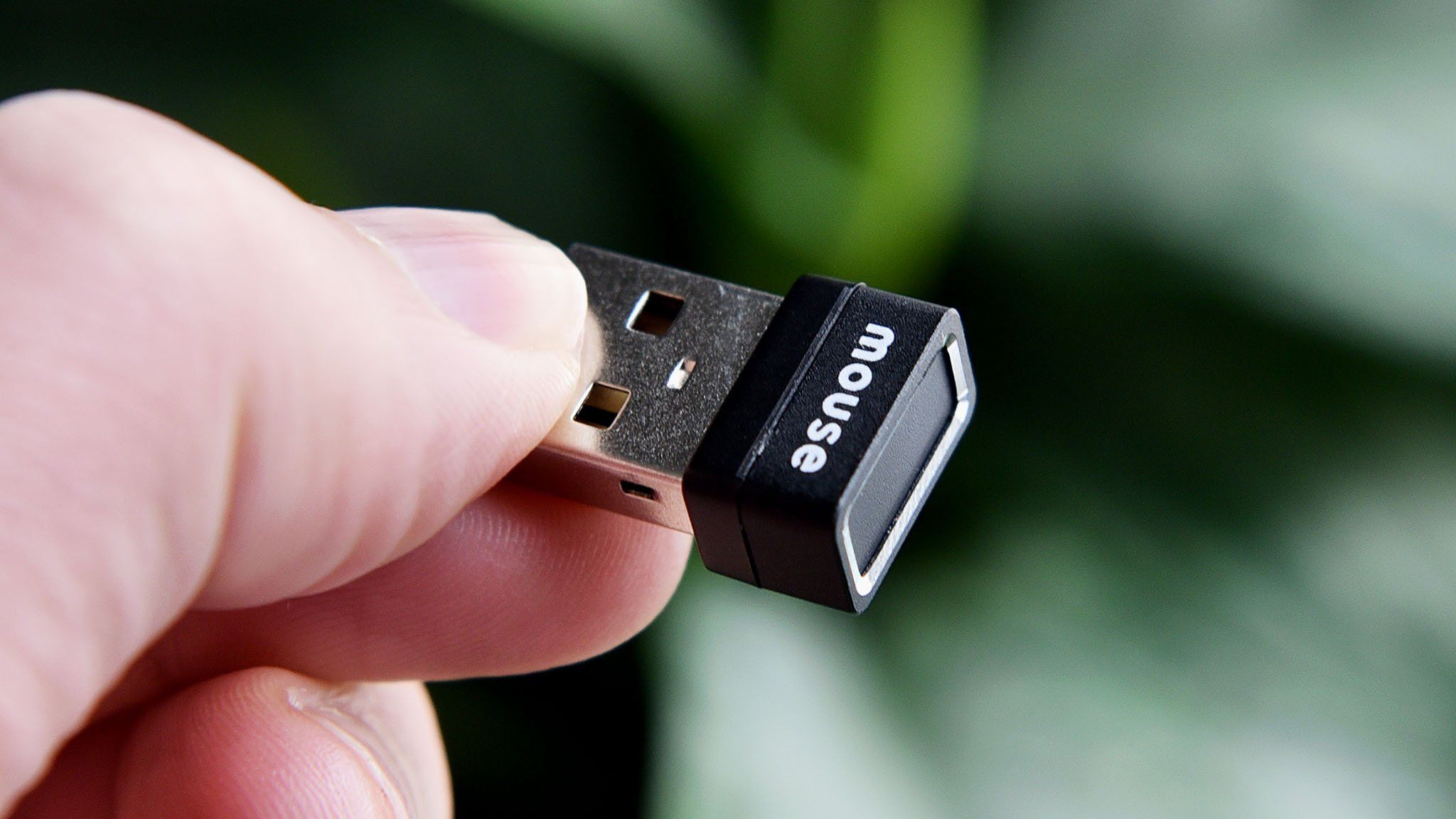
Mouse Fingerprint reader

An example of an external fingerprint reader for Windows Hello and Windows PCs.

The August 2026 Security Update highlights the biggest architectural difference between standard Windows Hello and Enhanced Sign-in Security.

Using a standard Windows Hello fingerprint reader, the sensor captures your fingerprint, and Windows 11 verifies it securely using the operating system and TPM-backed credentials.

An ESS-compatible fingerprint reader moves more of that process into the hardware itself. These readers include a dedicated secure processor, store fingerprint templates inside the device, contain a Microsoft-issued certificate that proves they're trusted hardware, and establish an encrypted communication channel with the operating system. Instead of receiving raw biometric data, Windows 11 receives only the authentication result.

Microsoft hasn't explained why ESS still doesn't support external Windows Hello cameras (likely because USB can be a vector for attack). However, its support page shows that enhanced security for facial recognition relies on specific camera hardware, firmware, and protected memory through Virtualization-Based Security (VBS), whereas ESS fingerprint readers can perform biometric matching inside certified hardware. That architectural difference may explain why Microsoft expanded support for external fingerprint readers first.

The practical benefit is a smaller attack surface. In simple terms, even if malware gains elevated privileges, it has fewer ways to interfere with the biometric authentication process.

Should you enable Enhanced Sign-in Security?

If your computer doesn't support Enhanced Sign-in Security, there's no reason to worry. The standard security of Windows Hello remains one of the strongest consumer authentication systems available, and it's already a significant upgrade over passwords.

However, if your device includes Enhanced Sign-in Security-compatible hardware, or you're planning to buy a new external fingerprint reader that supports the feature, I'd recommend enabling it and leaving it on.

Not because Windows Hello suddenly became insecure, but because the enhanced option can add an extra layer of security. If your hardware supports it, there's little downside to leaving it enabled.

How to enable the enhanced security feature

If the feature is available for your Windows Hello-compatible authentication device, you can enable it by going to Settings > Accounts > Sign-in options.

Once the USB fingerprint reader is connected and recognized by the operating system, on this page, under the "Additional settings" section, check the state of the "Enhanced sign-in security" setting.

If your system wasn't previously running ESS, you may see a prompt showing "Pending set up" or "Update PIN."
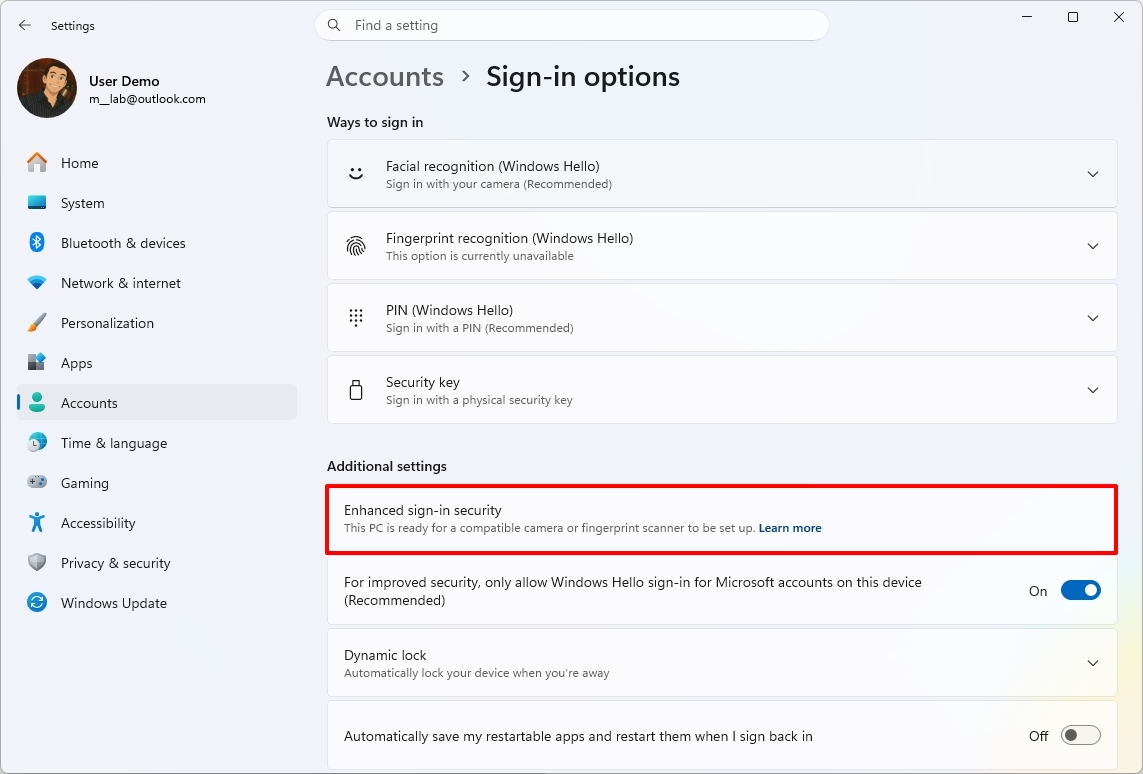
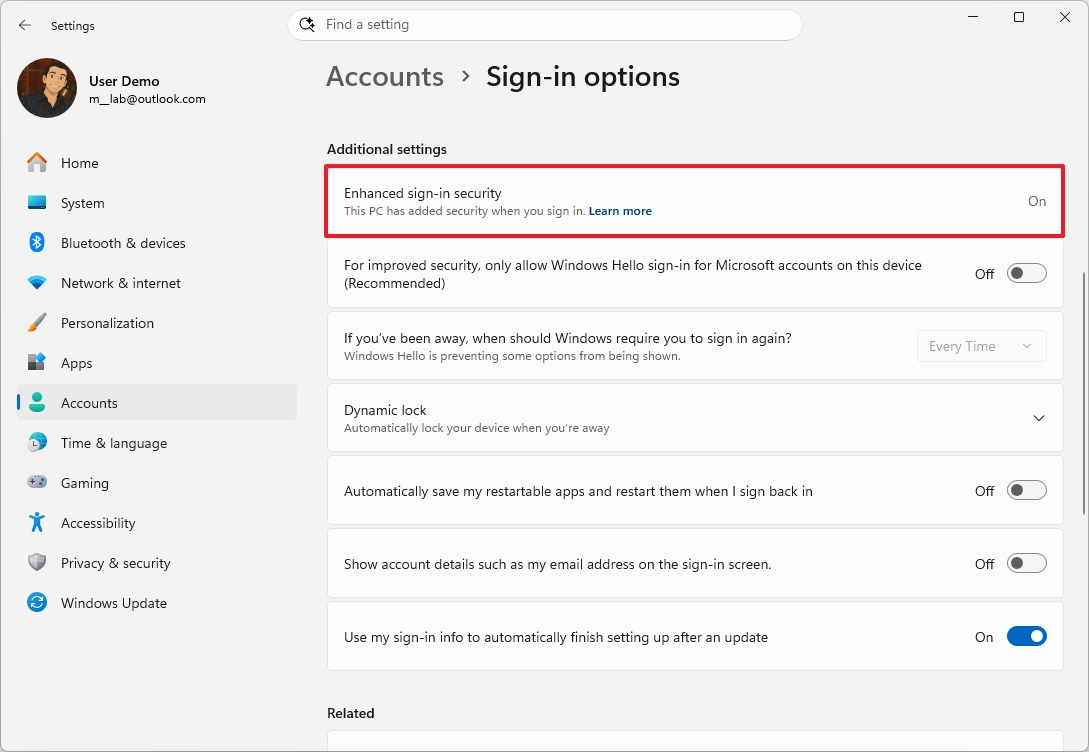
Windows 11 Settings app highlighting the  Enhanced Sign-in Security setting.

(Image credit: Mauro Huculak)

If the "Update PIN" option shows up, use it to complete the setup. On the other hand, if you see the "Pending set up" option, then configure the "Fingerprint recognition" feature under the "Ways to sign in" section.

One important note. When upgrading your system to Enhanced Sign-in Security, Windows 11 will remove any existing non-ESS biometric enrollments and associated credentials to ensure a clean, secure environment. You will need to refresh your PIN and register your fingerprints again using the new sensor. Once complete, the ESS toggle will show as enabled.

Also, while the feature is turned on, you won't be able to use peripherals that do not support the security feature.

Windows Central's Take
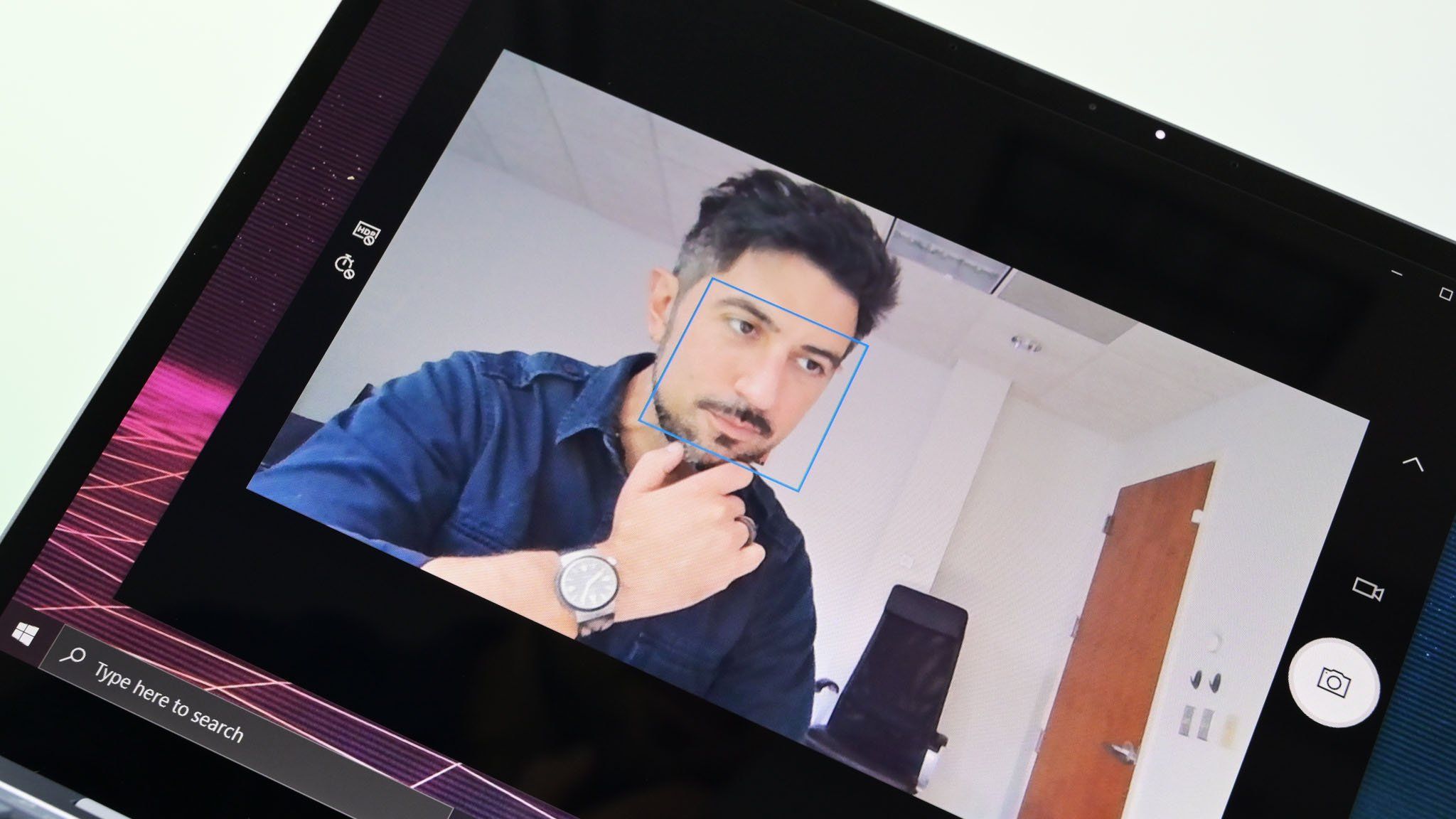
Surface Laptop Go Camera

Windows Hello, web cam, and the Surface Pro PC. (Image credit: Daniel Rubino / Windows Central)

Microsoft hasn't done itself any favors with the name "Enhanced Sign-in Security." It sounds like an entirely new authentication system, when in reality it's an evolution of Windows Hello that strengthens how biometric authentication is processed behind the scenes. A lot of users will never notice the difference because the sign-in experience is exactly the same.

What makes the August 2026 Security Update important isn't that Windows Hello suddenly became more secure, as the standard Windows Hello has long been one of the strongest authentication systems available on consumer devices. The real significance is that the company is lifting the limitations by adding support for compatible external fingerprint readers.

If your computer already supports Enhanced Sign-in Security, I'd leave it enabled. If it doesn't, I wouldn't replace perfectly good hardware to get the feature because standard Windows Hello is already an excellent authentication system. However, if you're buying a new fingerprint reader for your computer, choosing an Enhanced Sign-in Security-compatible model is the better long-term investment since Microsoft is clearly expanding support for that ecosystem.

Do you think Enhanced Sign-in Security is worth using, or is standard Windows Hello already enough for your needs? Let me know in the comments.

More resources

Explore more in-depth how-to guides, troubleshooting advice, and essential tips to get the most out of Windows 11 and 10. Start browsing here:

Click to join us on r/WindowsCentral

Join us on Reddit at r/WindowsCentral to share your insights and discuss our latest news, reviews, and more.

Dell Latitude 9440 2-in-1
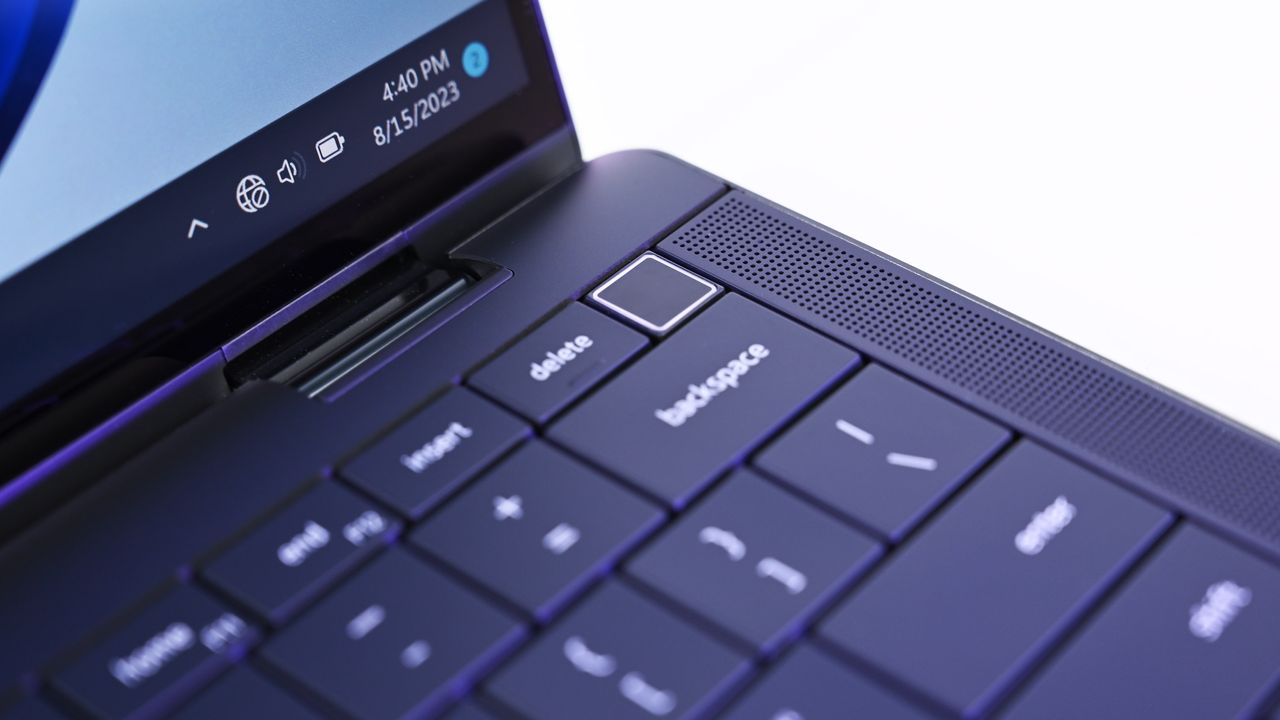
Dell Latitude 9440 2-in-1
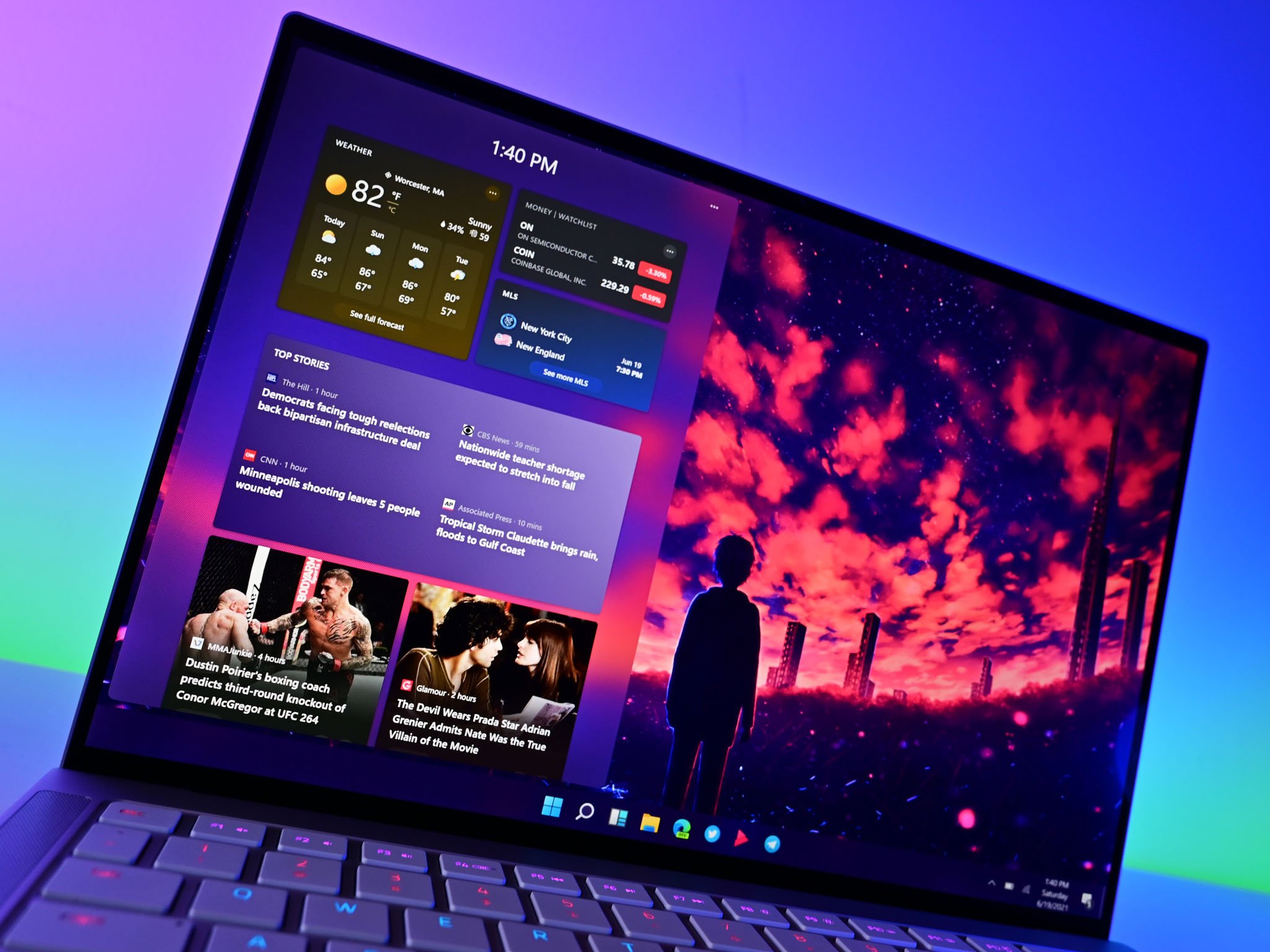
  •  

If you’ve spent years hearing Linux is always better, this Windows 11 story might change your mind — it certainly surprised even me

The Windows vs. Linux debate usually starts with the same arguments. Linux users point to freedom, customization, and control. Windows users point to compatibility, software support, and the fact that things generally work without much effort.

However, a recent discussion on Reddit about Windows 11 caught my attention because it challenged one of the biggest assumptions in that debate, which is that anyone with deep Linux experience would automatically reject Windows.

The original poster was not someone casually experimenting with another operating system. He grew up using Linux, started with a Raspberry Pi, spent years using Linux as his primary desktop platform, and understood the Unix ecosystem well. After switching his main device to Windows 11, however, his conclusion was far more balanced than the usual online arguments.

He found that Windows 11 wasn't perfect, but it worked better for his needs. That's probably the biggest takeaway from the discussion. People often choose an operating system based less on personal preference and more on whether it helps them get things done.

A Linux user switched to Windows 11 for practical reasons

Windows 11 Widget2 Razerbook

(Image credit: Daniel Rubino / Windows Central)

On Reddit, the user explained that compatibility with apps like Microsoft Office and Autodesk software played a major role in the switch. While Linux has excellent alternatives and compatibility layers, native support remains one of the biggest advantages.

The user also explained that tools like MSYS2 helped bridge the gap by bringing a more familiar Unix-like environment to Windows 11.

"I like to consider myself a practical person - I'm making this decision based on the os which works for my workflow and the tools I need to use, not based on idealism / dislike for Microsoft's practices," said @Puzzleheaded-Sky2284.

The comment highlights something that often gets lost in operating system debates. A lot of people aren't choosing an operating system to defend a company or community. They choose the platform that best supports their work, and for developers, creators, gamers, and professionals, compatibility often matters more than personal preference.

Windows 11 has improved, but Microsoft remains the controversial part

One of the interesting themes in the discussion was that many users separated Windows 11 itself from Microsoft's decisions around the operating system.

One commenter with professional experience managing Windows environments argued that Microsoft has solved many long-standing problems around fragmentation, updates, and compatibility.

"On good hardware - Windows simply works," @ChampionshipComplex noted.

Unlike operating systems designed for a limited range of hardware, Windows has to support thousands of hardware configurations, countless drivers, and decades of applications. That complexity is messy, but it's also one of the biggest strengths.

Another commenter (@TheTerraKotKun) shared a similar view: "Windows 11 is good OS but Microsoft as a company... I don't think that it's really good."

This may actually represent where many experienced users are today. The complaint is often not that Windows 11 cannot do the job. The complaint is about Microsoft's direction, including advertisements, online account requirements, and increased integration of cloud services and AI.

Critics still have valid complaints about Windows 11

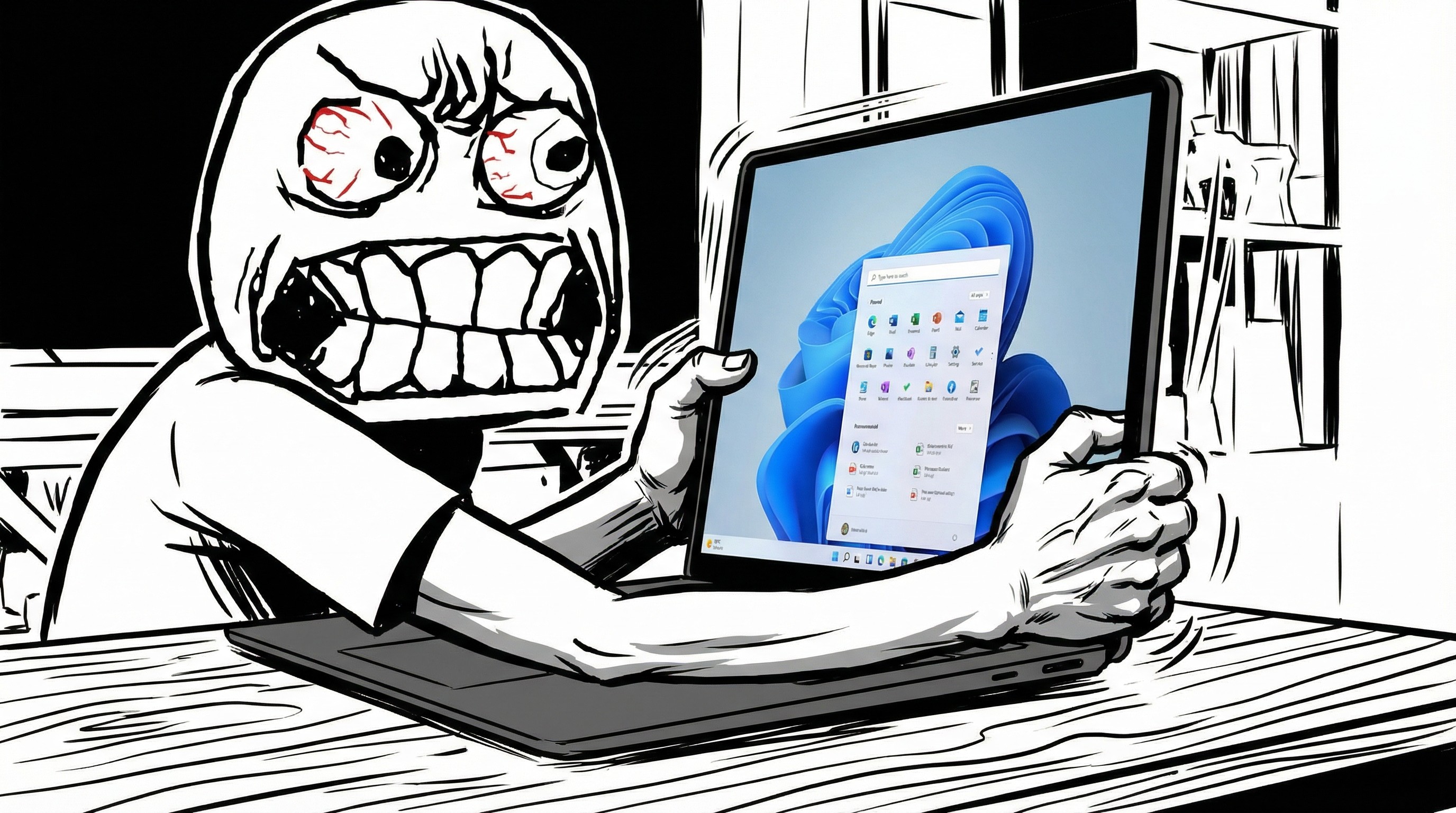
Rage face meme grabbing Surface Laptop with Start menu

(Image credit: Future | Edited with Gemini)

The discussion wasn't entirely positive. Some users argued that Windows 11 still has problems, particularly around resource usage, user control, and Microsoft's approach to the desktop experience.

A common criticism is that Windows has become more focused on promoting Microsoft services instead of remaining a neutral operating system.

One commenter (@Pale-Muscle-7118) explained: "My main problem is not really with the software or OS itself but with Microsoft behind it."

That's an important distinction because Windows 11 can be a capable operating system while Microsoft continues making decisions that many users dislike.

It's also worth noting that Microsoft has acknowledged many of these pain points. Through its Windows K2 initiative, the company has been focusing on improving performance, reliability, and the overall user experience while scaling back some of the interface decisions that have drawn criticism.

Linux still offers something Windows cannot replace

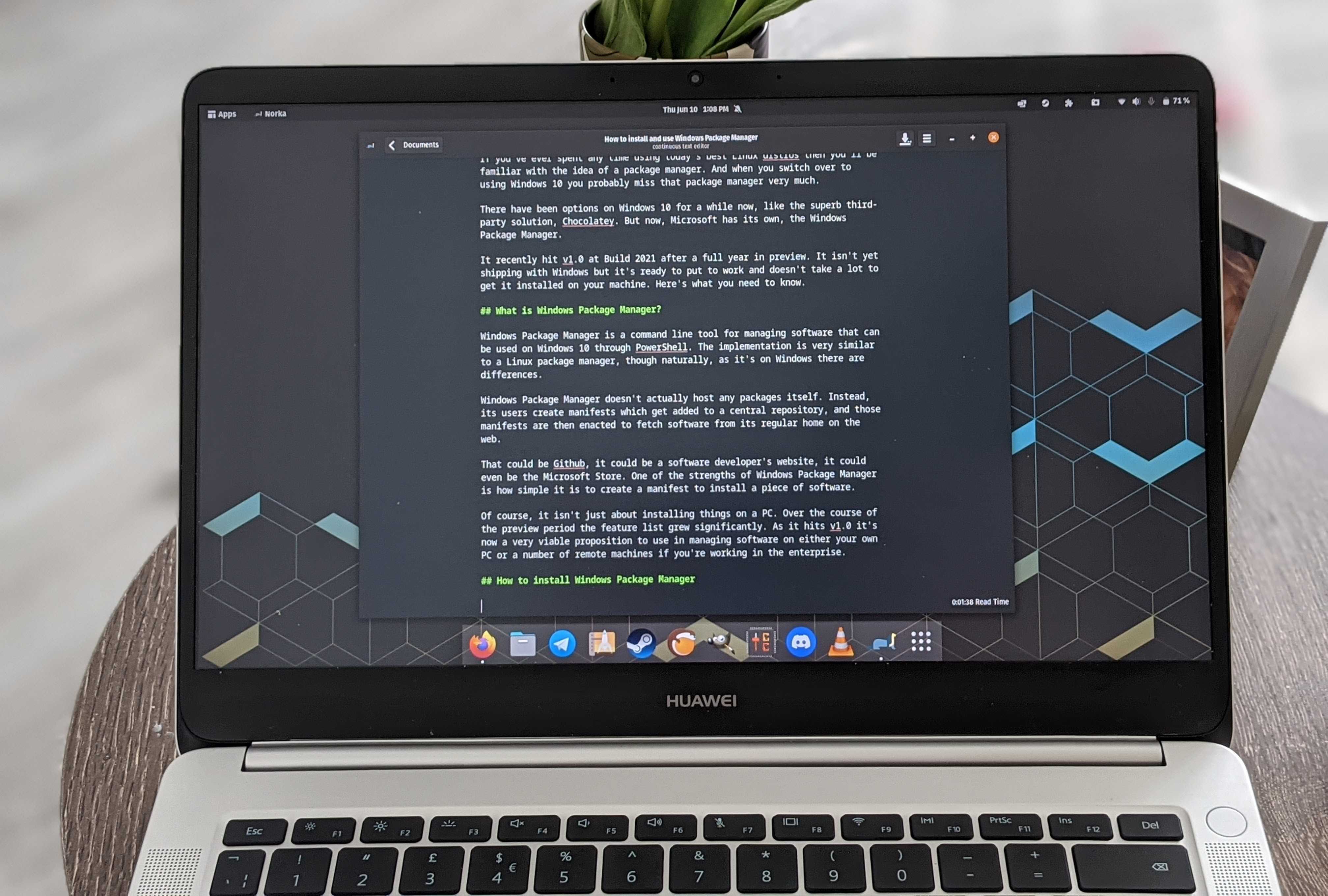
A Huawei MateBook D running Linux

CLI: for people who hate clicking things. (Image credit: Windows Central)

The discussion also highlighted why many people continue using Linux, which is because it provides a level of control that Windows simply does not.

Users can choose different distributions, desktop environments, window managers, package systems, and customization options. For people who enjoy controlling every part of their computing environment, Linux remains extremely attractive.

However, that flexibility can also create challenges. The original poster pointed out that fragmentation can make Linux harder for some users: "Linux is great (as is Windows), but many members of the community are... not so great."

He wasn't criticizing Linux itself. Instead, he argued that the Linux desktop ecosystem often requires more research, troubleshooting, and decision-making than, in this case, Windows 11. For some users, that's part of the appeal. For others, it's a barrier.

The real debate is not about winners and losers

The biggest takeaway from this Reddit discussion is that the Windows vs. Linux argument is often framed incorrectly, because there is no universal winner.

The discussion shows why the Windows versus Linux debate rarely has a clear winner. Every operating system involves tradeoffs. Linux gives users more control and flexibility, while Windows prioritizes compatibility and broad software support. The right choice depends less on which platform is objectively better and more on which one fits the way you work.

Even users who criticize Microsoft often continue using Windows because it solves practical problems.

As one commenter (@animalcrossing4_4) summarized: "The OS is a means to an end so stop shoving the holiness of some OS on me."

That may be the most accurate description of the entire debate.

An operating system is a tool. The best one is not necessarily the one with the most features, the most customization, or the strongest community.

It's the one that lets people spend less time fighting their computer and more time using it.

Windows Central's Take

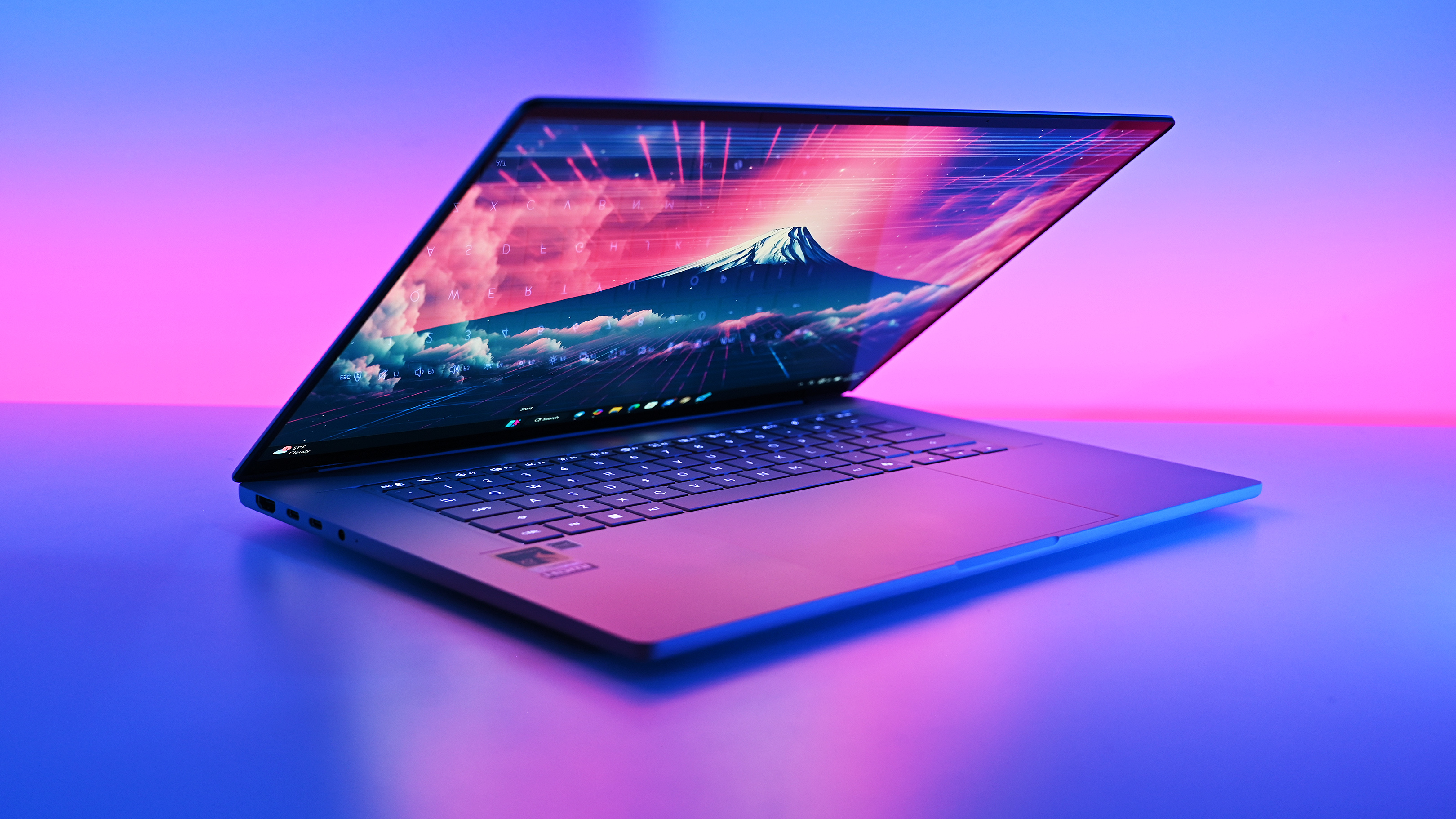
Studio photos of the 2026 ASUS Zenbook A16 laptop featuring the new Qualcomm Snapdragon X2 Elite Extreme processor.

The 2026 ASUS Zenbook A16 laptop featuring the new Qualcomm Snapdragon X2 Elite Extreme processor. It can't run Linux. (Image credit: Daniel Rubino | Windows Central)

This particular Reddit discussion isn't about Windows 11 suddenly winning over Linux users. However, it does reinforce something I've believed for a long time, which is that most people eventually end up with the operating system that helps them get their work done with the fewest compromises. That's why Windows continues to dominate the desktop despite Microsoft's occasional missteps.

Over the years, Microsoft has improved Windows where it matters most, including stability, hardware compatibility, and the developer experience with WSL and Winget. At the same time, the company has also made decisions that frustrate users, such as adding promotional content and pushing more Microsoft services (and AI) throughout the operating system.

Blank Pixel

Those criticisms are fair, but they don't necessarily outweigh the biggest advantage of an operating system that runs virtually on any modest hardware.

I always think it's interesting to find someone who sees Windows without treating the Windows versus Linux debate like a competition. Every operating system has strengths and weaknesses, and the right choice depends on your workflow, not on loyalty to a particular platform.

If Windows 11 helps you spend less time troubleshooting and more time being productive, then it's doing exactly what an operating system is supposed to do.

What do you think? Have you switched between Windows and Linux, or are you sticking with Windows 11? Let me know in the comments.

More resources

Explore more in-depth how-to guides, troubleshooting advice, and essential tips to get the most out of Windows 11 and 10. Start browsing here:

Click to join us on r/WindowsCentral

Join us on Reddit at r/WindowsCentral to share your insights and discuss our latest news, reviews, and more.

Linux logo and Windows logo with a colorful background.

Linux logo and Windows logo with a colorful background.

  •  

Windows 11’s August Patch Tuesday update brings several important changes, and I break down the biggest ones

Microsoft is expected to release the Windows 11 August 2026 Security Update on Tuesday, August 11, 2026. In this eighth month of the year, the software giant is rolling out several new features, improvements for existing features, and fixes.

In this quality update, Microsoft will introduce new features, including Windows Hello Enhanced Sign-in Security (ESS) support, the ability to uninstall AI models from Copilot+ PCs, touchpad gestures, voice isolation for Voice Access, Fluid Dictation for Voice Typing, and more.

There are also improvements to File Explorer, Windows Search, Widgets, Windows Update, power and battery, sounds, and more.

Furthermore, Microsoft is updating the interface for the Account Control flyout in the Start menu, the Windows Setup experience now includes a parental controls notice, and the list continues.

In this guide, I'll highlight the most significant changes in the August 2026 Security Update for Windows 11 versions 25H2 and 24H2, since both are identical.

Windows 11's new features arriving in August

As usual, the company uses Controlled Feature Rollout (CFR) to roll out new improvements gradually, so it may take some time before you see them.

File Explorer changes

Although the updated version of File Explorer doesn't introduce flashy features, the development team is making some worthy improvements.

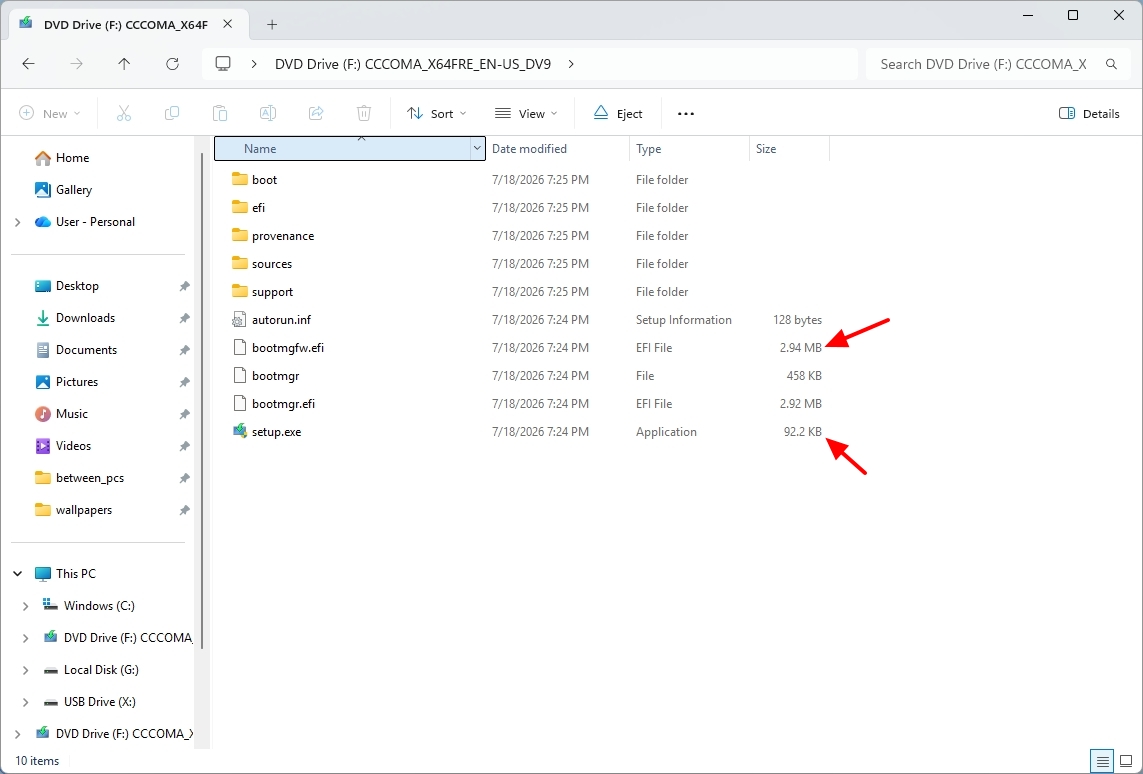
First, when using the "Details" view, the file sizes now show appropriate units (such as KB, MB, and GB), instead of displaying every value in kilobytes.

Windows 11 desktop File Explorer details view with new size units.

(Image credit: Mauro Huculak)

It's now possible to use the middle-click to open a folder in a new tab from the address bar and Home page.

Other improvements on the Home page include a gray flash bug on loading and scrolling, and thumbnails in the Recommended section now appear with better quality.

Windows Search tweaks

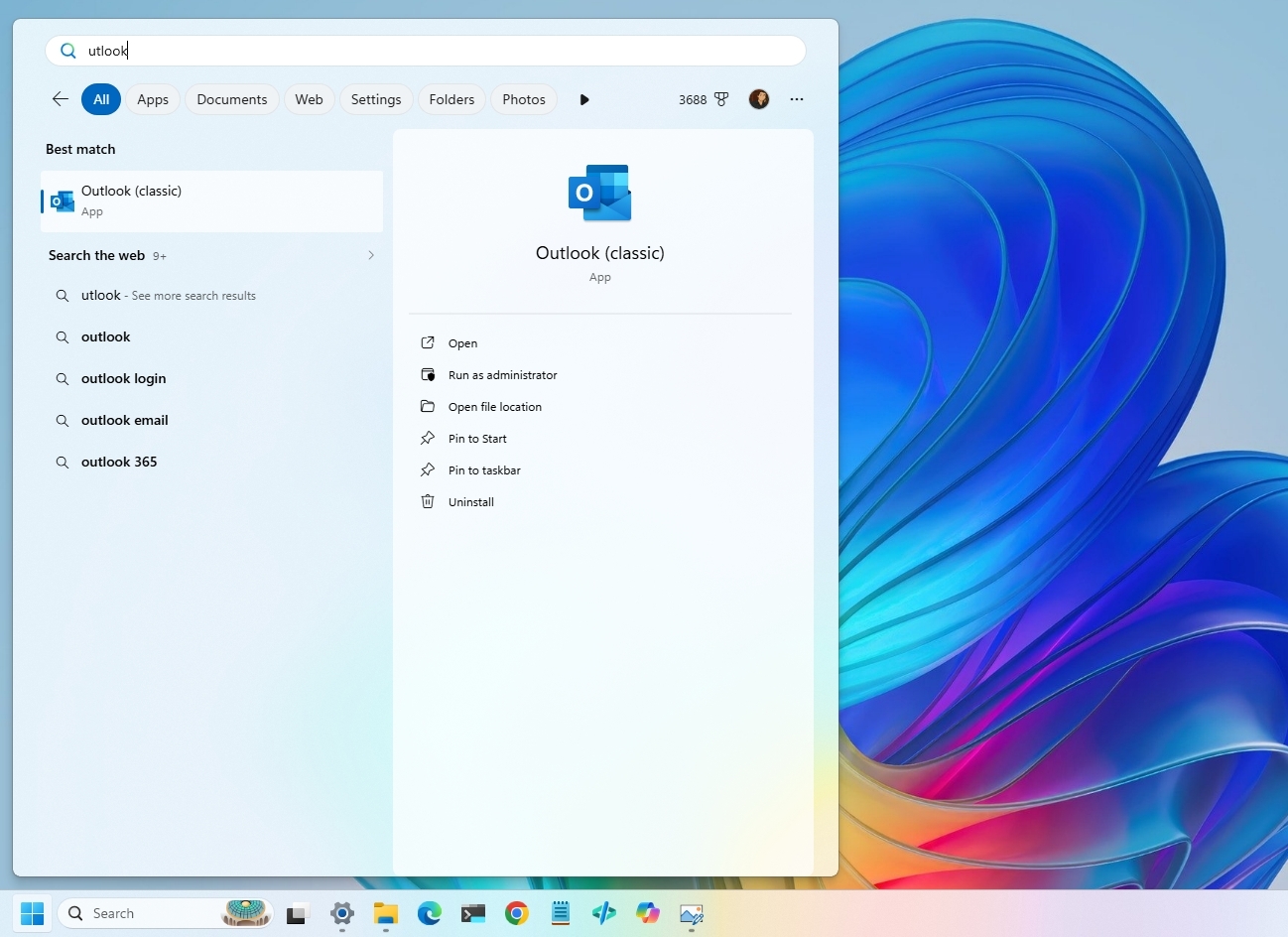
Starting with the August update, Windows Search now includes improvements to better handle typos, and you can start searches with two-character queries.

Windows 11 desktop showing Search with better typo handling.

(Image credit: Mauro Huculak)

When searching for apps, Windows Search improves recognition of partial names and typos. Also, in the Settings app, the search rank has been updated to show more relevant options higher.

Windows Hello support

In this update, Microsoft is bringing Windows Hello Enhanced Sign-in Security (ESS) support for external fingerprint sensors.

In short, standard Windows Hello encrypts the sign-in data. However, enhanced security support takes it a step further by isolating the biometric process into a secure memory space, away from the operating system.

The option is available through Settings > Accounts > Sign in options.

Windows 11 Settings on the Sign-in options page highlighting the Windows Hello Enhanced Sign-in Security (ESS) option.

(Image credit: Mauro Huculak)

In the past, this feature was only available for devices with built-in sensors, such as Copilot+ PCs, but now, it'll be available for external peripherals.

AI model uninstall option

Although adding the ability to uninstall something from the operating system doesn't scream new feature, Microsoft is now allowing users to uninstall the Image Generation AI model from Settings > System > AI Components.

And this is a big deal, because one of the biggest complaints about Windows 11 has been the integration of AI features. While supported devices still don't have a master switch to completely disable AI on Windows 11, this is a small step in the right direction.

Widgets improvements

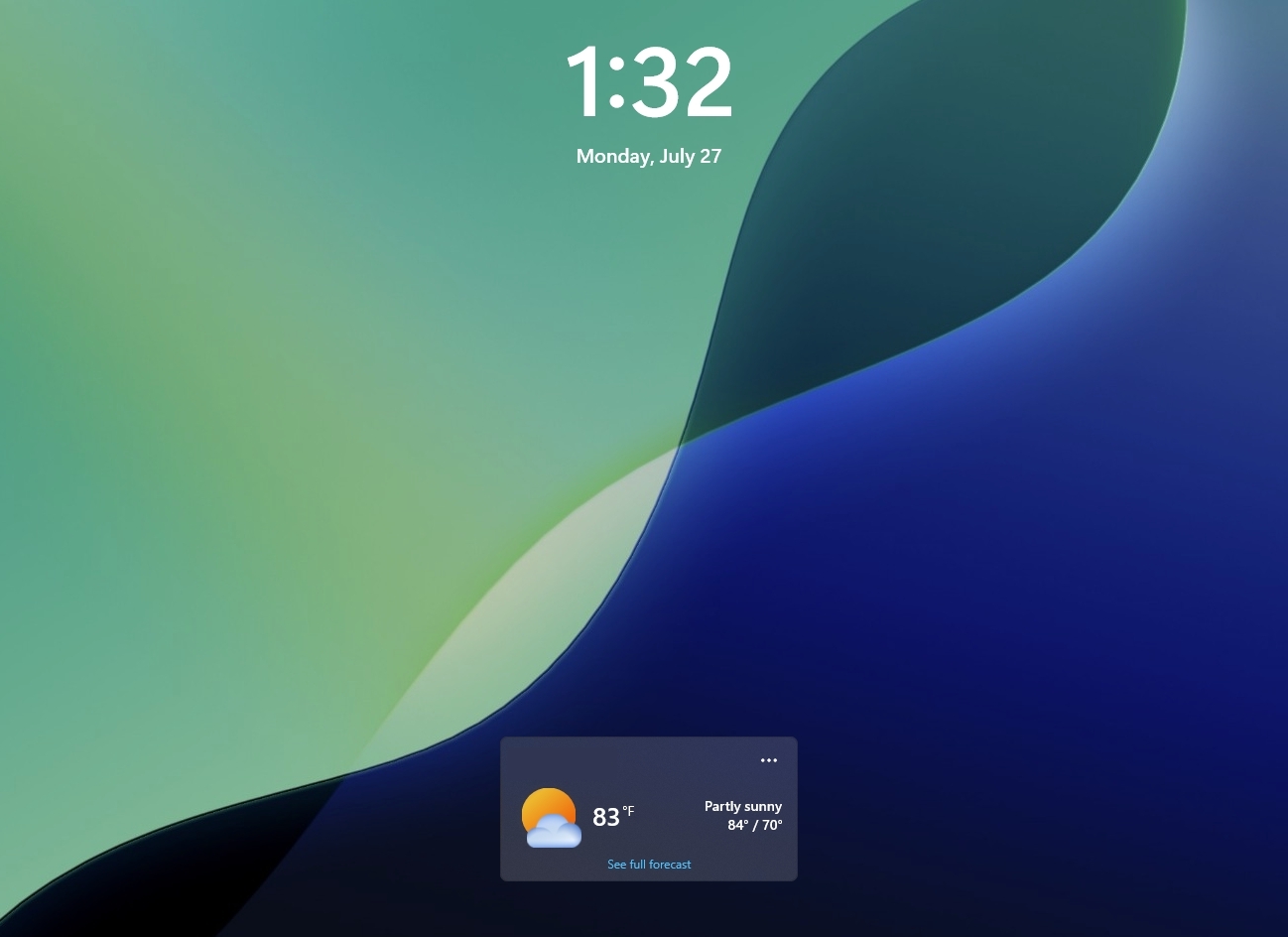
In the Lock screen, the experience should now be less distracting, as now, by default, users will only see the Weather widget.

Windows 11 Lock Screen with Weather widget and date and time information.

(Image credit: Mauro Huculak)

Also, notification badges in the Taskbar will now take the current accent color instead of the previous red indicator.

Touchpad new gestures

After installing the August update, on Settings > Bluetooth & devices > Touchpad, users will be able to customize the speed for scroll and zoom gestures.

In addition, there's a new option to enable accelerated scrolling, which is a feature that increases the scrolling speed as gestures are repeated.

Voice Typing and Access

In Voice Typing, Microsoft is now deactivating Fluid Dictation by default and integrating tooltips to help users understand how the feature works.

Voice Access now comes with Voice Isolation that improves speech recognition by filtering out background noise and other speakers.

In addition, the company is making available three speech recognition settings from Settings > Voice Access > Improve speech recognition.

The "Voice Isolation" option requires a one-time voice setup and filters both background noise and nearby conversations.

Users will also find the "Remove background noise only" mode suppresses sounds such as typing or doors closing without additional setup.

Finally, the "No filtering" mode uses the microphone input without any processing.

Account Control redesign

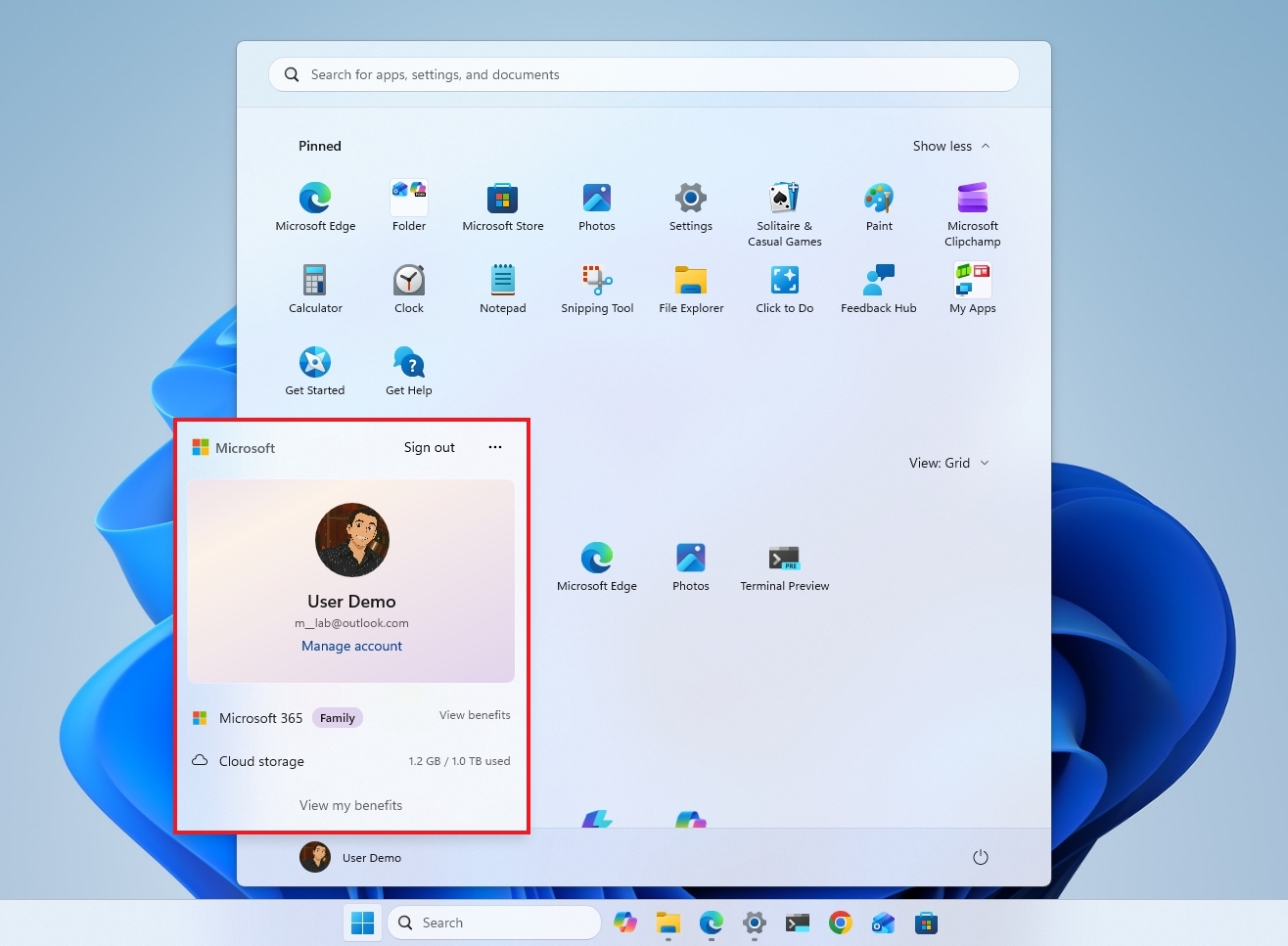
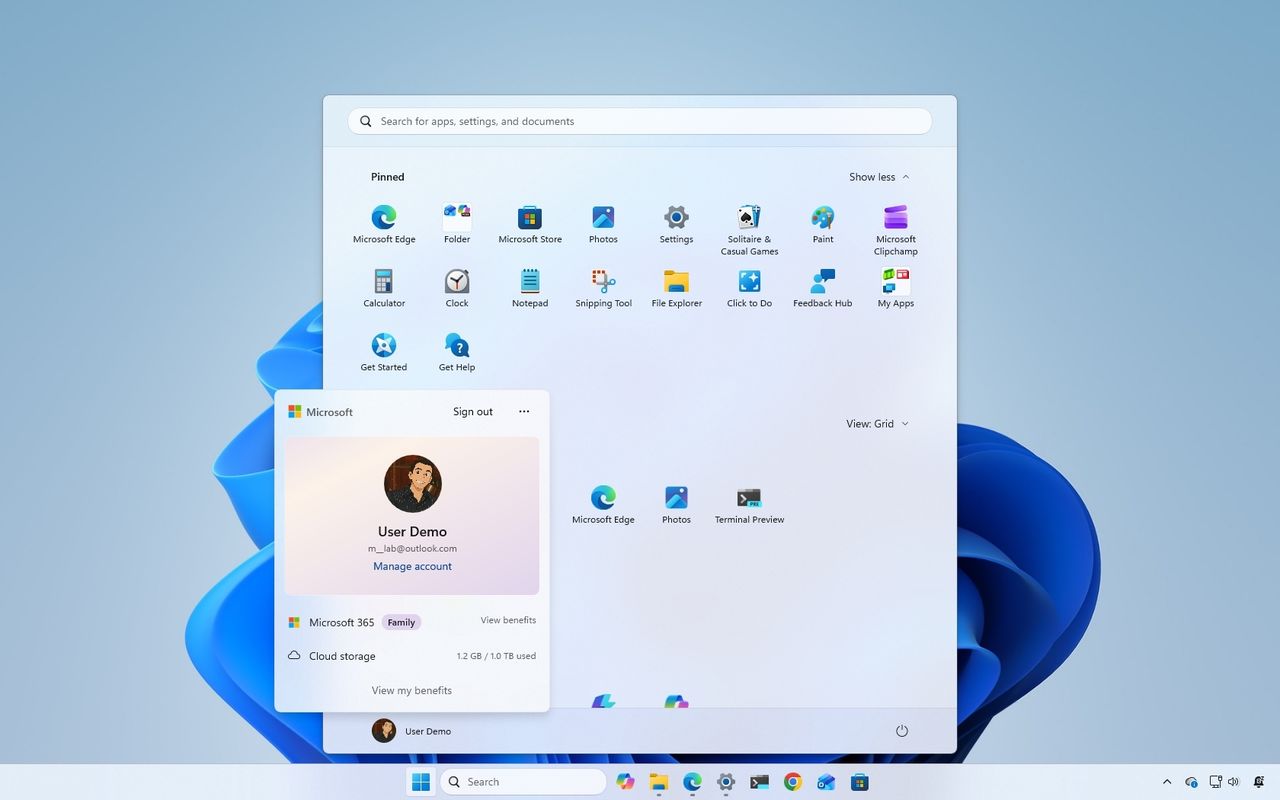
The flyout that appears when clicking the profile button in the Start menu is known as the Account Control interface, and in this release, Microsoft is adding some design changes.

Windows 11 desktop with the Start menu showing new Account Control interface.

(Image credit: Mauro Huculak)

The changes aim to make it more modern and clearer. For instance, the new design adds a new badge to quickly understand the current plan and state. In addition, it gives users access to their plan benefits as well as other information, such as storage usage from OneDrive.

Power and battery

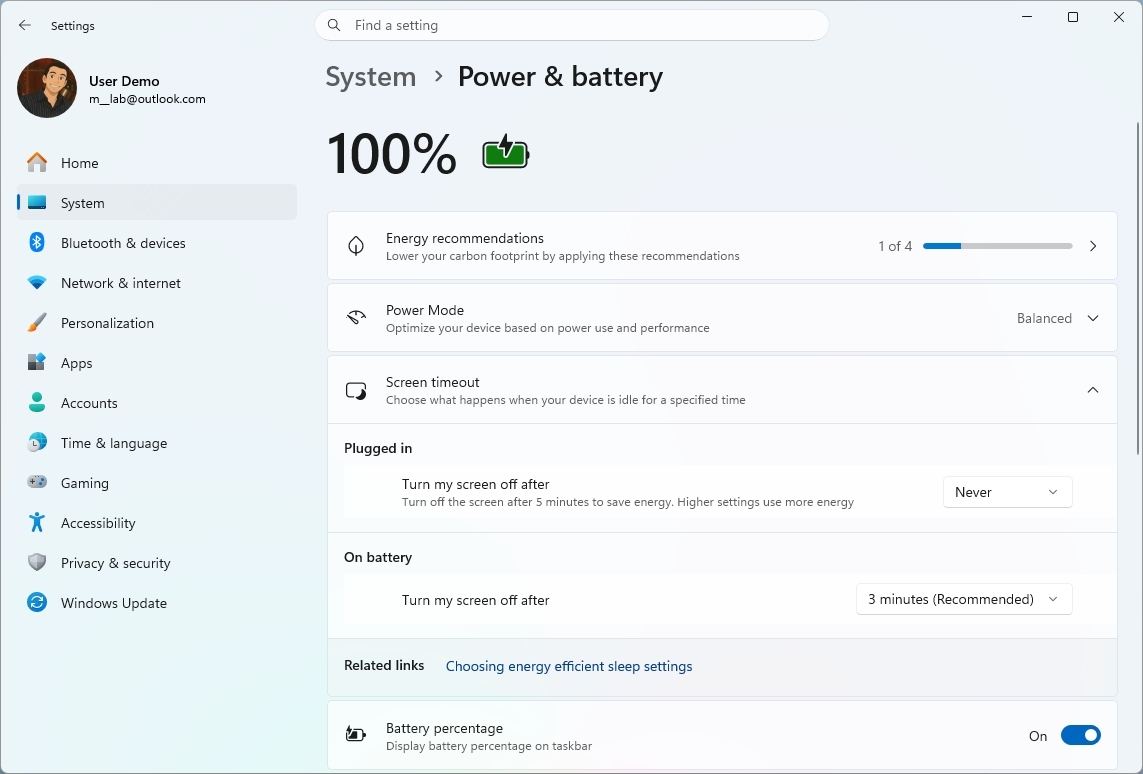
In this release, the company is making changes to how power settings are applied in the system.

Windows 11 Settings showing the Power & battery settings.

(Image credit: Mauro Huculak)

According to Microsoft, customizations made to the display timeouts, sleep and hibernate timers, and laptop lid actions are now automatically applied to every power plan instead of only the active one.

Finally, the ability to configure the battery percentage for "Energy Saver" is coming back to the "Power & battery" settings.

Windows Update improvements

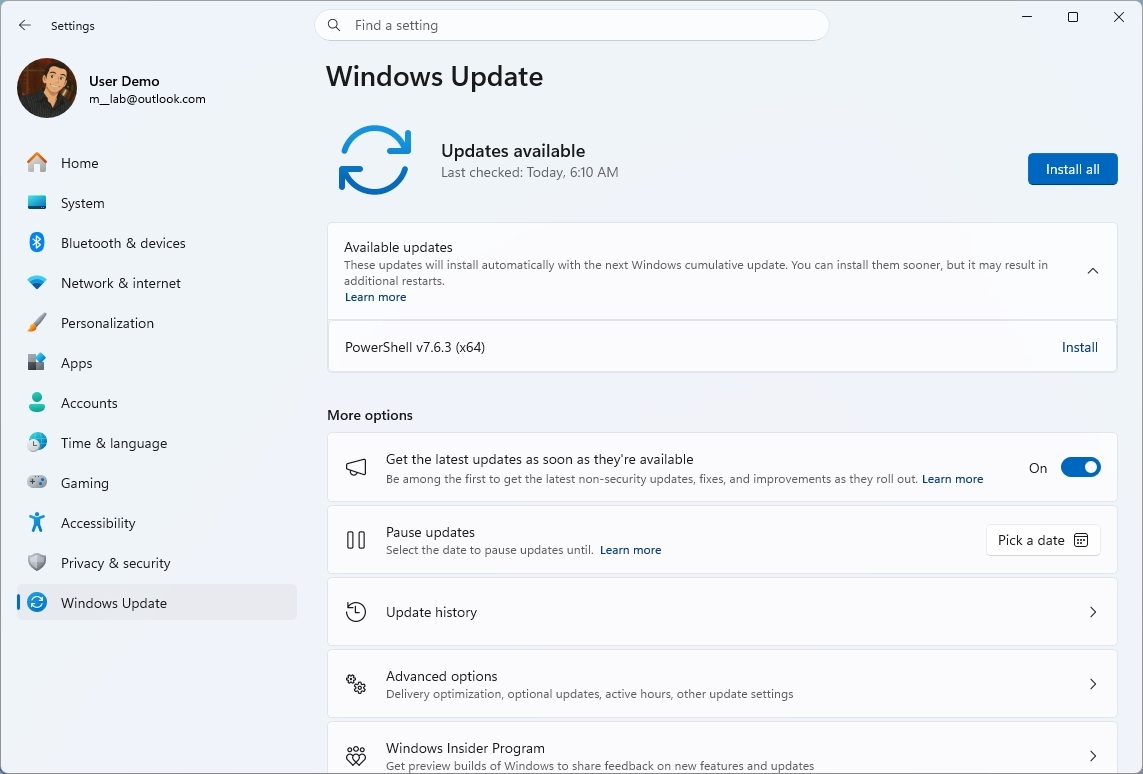
Microsoft continues improving the update system, and this time around, Windows Update will provide more accurate progress estimates during updates.

Windows 11 Settings app showing the Windows Update settings page.

(Image credit: Mauro Huculak)

Furthermore, the company is updating the cleanup process after installing updates to improve system performance.

System sound in dark mode

After installing this Patch Tuesday update, users should also notice improvements to system sounds in dark mode.

Windows Central's Take

From my perspective, this is the kind of Windows 11 update I like to see. It's not built around a flashy headline feature, but instead focuses on polishing the experience in dozens of small ways. Improvements to File Explorer, Windows Search, Windows Update, touchpad gestures, and power management won't generate a lot of excitement, but they're the kinds of changes that make the operating system feel more refined day after day.

Blank Pixel

I also think Microsoft's decision to let users uninstall the Image Generation AI model is an important step, even if it's a modest one. People have been asking for more control over AI features, and while this isn't a universal switch to remove AI, it shows Microsoft is at least acknowledging those concerns. I'd like to see the company continue in that direction by giving users even more choice over what AI components are installed.

As with every Patch Tuesday release, I'd still recommend waiting a few days before installing the update on your primary computer unless you need the latest security fixes immediately. Monthly updates occasionally introduce unexpected issues, and giving Microsoft a little time to address early reports has rarely been a bad strategy.

What are your thoughts about the Windows 11 August 2026 update? Which new feature or improvement are you looking forward to the most? Let me know in the comments.

More resources

Explore more in-depth how-to guides, troubleshooting advice, and essential tips to get the most out of Windows 11 and 10. Start browsing here:

Click to join us on r/WindowsCentral

Join us on Reddit at r/WindowsCentral to share your insights and discuss our latest news, reviews, and more.

Windows 11 desktop with the Start menu open showing th e new Account Control interface.

Windows 11 desktop with the Start menu open showing th e new Account Control interface.

  •  
❌