Vue normale

  • ✇Yanko Design
  • Scosche’s GloBright Is the Lava Lamp That Also Charges Your Phone
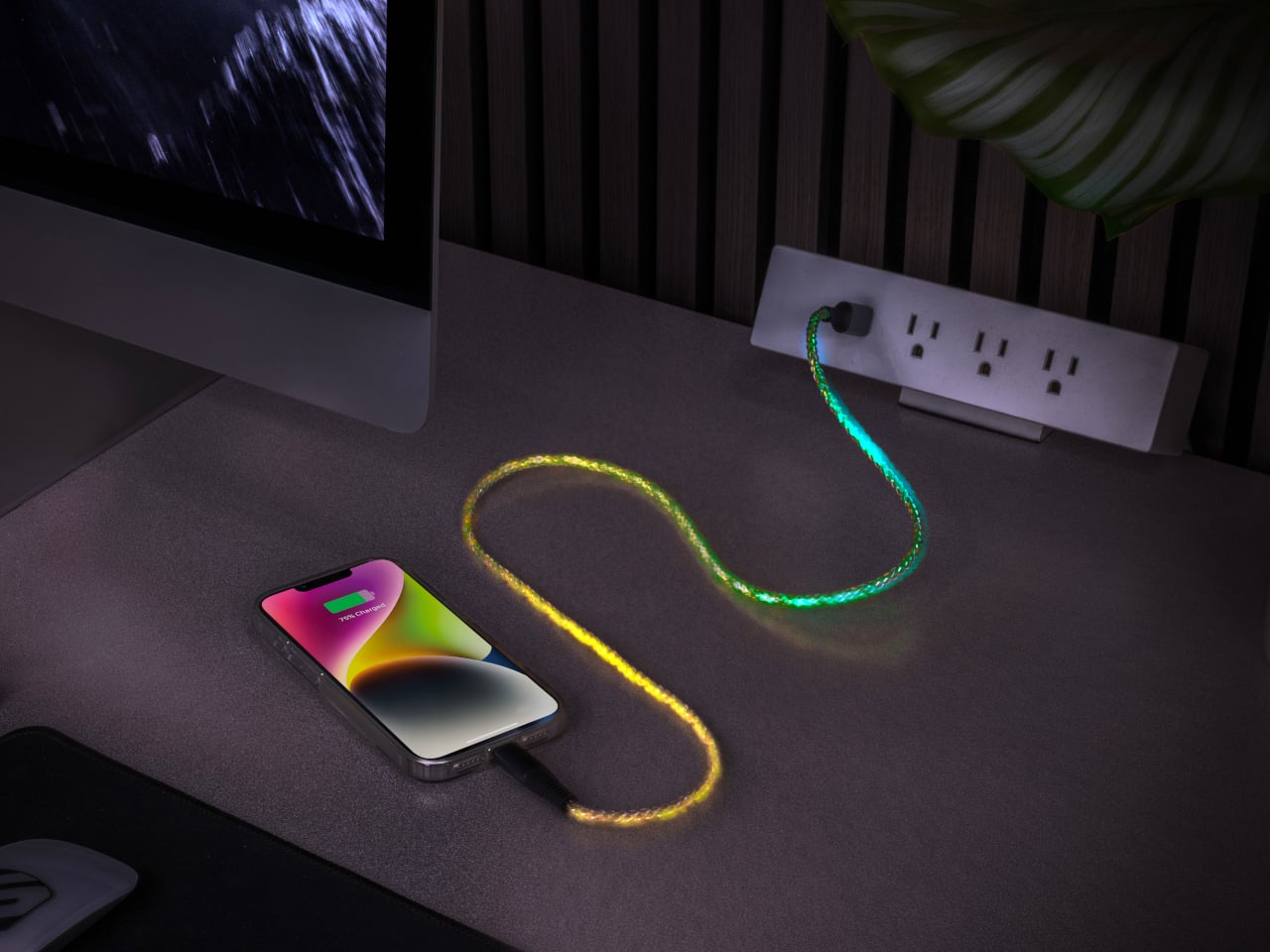
    Scosche built a charging cable that refuses to hide once the lights go out. The GloBright MultiColor Glowing LED Charging Cable, developed with Statik and introduced at IFA 2026, takes the most overlooked object on any desk and turns it into something that actually draws the eye. Instead of a black cord disappearing into shadow behind a laptop, this one glows its way across the room. That glow runs through the cable’s full length rather than sitting confined to the connector tips, so a coiled l
     

Scosche’s GloBright Is the Lava Lamp That Also Charges Your Phone

Par : JC Torres
3 septembre 2026 à 07:40

Scosche built a charging cable that refuses to hide once the lights go out. The GloBright MultiColor Glowing LED Charging Cable, developed with Statik and introduced at IFA 2026, takes the most overlooked object on any desk and turns it into something that actually draws the eye. Instead of a black cord disappearing into shadow behind a laptop, this one glows its way across the room.

That glow runs through the cable’s full length rather than sitting confined to the connector tips, so a coiled loop on a nightstand reads more like a lit sculpture than a charging accessory. Colors shift gradually along that length too, pink bleeding into purple, blue fading toward teal, giving the cable a slow-motion animation instead of a static single hue that gets boring after the first week of ownership.

Designer: Scosche

None of that visual flair comes at the cost of actual charging performance. Scosche built the GloBright cable to support up to 60W of fast charging for USB-C devices, alongside reliable data transfer, so a phone plugged in overnight wakes up fully charged just like it would with any premium braided cable. The lighting effect runs as a bonus layer on top of specs that already hold up on their own.

Durability gets equal attention. The 3-foot cable relies on premium materials throughout its construction, aiming for a build that survives the daily abuse of getting yanked out of a bag, wound around a charger, or stepped on near a bed frame. Scosche also sells a companion Blue Glowing LED cable in a longer 4-foot option, giving anyone who prefers a single steady color an alternative to the multicolor version’s shifting palette.

Where this cable earns its keep is in the spaces most charging accessories try to disappear from. A gaming setup gets an extra strip of ambient light without needing a separate RGB kit. A bedside table gets a soft, shifting glow that also happens to be topping off a phone overnight. Even a cluttered desk benefits, since a glowing cable is far easier to locate in a tangle of cords than a plain black one ever was.

Scosche prices the GloBright MultiColor cable at $17.99, positioning it well within impulse-purchase territory for anyone shopping for a charging cable anyway. At that price, the lighting effect functions less like a premium upsell and more like a free upgrade bundled into a cable people needed regardless. Buying a charging cable rarely feels like a decision worth thinking about, and Scosche seems to be betting that a little glow is enough to change that.

The post Scosche’s GloBright Is the Lava Lamp That Also Charges Your Phone first appeared on Yanko Design.

  • ✇Korben
  • WhatCable - Trouvez le câble qui bride la charge sur votre Mac
    Je ne sais pas vous, mais chez moi, mes câbles USB-C se ressemblent tous. Et dans le tas, j'en ai qui chargent mon MacBook deux fois plus vite que d'autres. Et franchement, en les regardant, je ne peux pas vous dire lesquels sont les plus efficaces. Alors que mon Mac, lui, apparemment, il le sait déjà. En tout cas, c'est ce que j'ai compris en allant lire le site de WhatCable. Ce qu'ils expliquent, c'est qu'à chaque branchement, le contrôleur de port d'un Mac Apple Silicon envoie un message à la
     

WhatCable - Trouvez le câble qui bride la charge sur votre Mac

1 septembre 2026 à 05:24

Je ne sais pas vous, mais chez moi, mes câbles USB-C se ressemblent tous. Et dans le tas, j'en ai qui chargent mon MacBook deux fois plus vite que d'autres. Et franchement, en les regardant, je ne peux pas vous dire lesquels sont les plus efficaces. Alors que mon Mac, lui, apparemment, il le sait déjà.

En tout cas, c'est ce que j'ai compris en allant lire le site de WhatCable. Ce qu'ils expliquent, c'est qu'à chaque branchement, le contrôleur de port d'un Mac Apple Silicon envoie un message à la puce que certains câbles embarquent et récupère sa fiche d'identité : débit annoncé, ampérage, fabricant. De ce que j'ai compris, macOS range la réponse dans le registre IOKit sous forme d'objets bruts, et ne l'affiche nulle part en clair. Snif...

Et c'est cette réponse que WhatCable va chercher, puis traduit. L'app vit dans la barre de menus, vous branchez un câble, et elle vous dit alors instantanément lequel des trois maillons plafonne la charge : Soit le chargeur, soit le câble, soit le Mac lui-même quand sa batterie est presque pleine.

Et vous obtenez le même verdict côté débit.

L'app confronte aussi la fiche du câble à sa spécification USB-PD et lève un carton jaune quand quelque chose cloche. Ça peut être l'identifiant fabricant à zéro, les bits réservés utilisés de travers...etc. Moi, je parle bien ici de contrefaçon de câbles, mais l'app reste très prudente dans sa formulation. Elle signale juste des trucs bizarres, et elle ne dit jamais qu'un câble est une contrefaçon.

Après, la plupart des câbles sous 60 W n'ont aucune puce à interroger, donc il n'y a rien à lire, et certains ne répondent correctement qu'avec un appareil branché à l'autre bout. Sur les ports USB-C en façade d'un Mac mini ou d'un Studio, aucune donnée de câble ne remonte non plus. C'est à cause de l'architecture d'Apple.

Côté matériel, il vous faut donc un Mac Apple Silicon sous macOS 14 minimum, les Mac Intel ne publiant pas ces données du tout. L'app est gratuite et son code est sous licence MIT, sauf le dossier des fonctions Pro où là, faudra débourser environ 10 €.

Si vous avez Homebrew, vous pouvez installer l'app rapidement comme ceci :

brew install --cask darrylmorley/whatcable/whatcable

L'app est même en français si vous avez séché les cours d'anglais. Bref, de quoi trier votre caisse de câbles sans vous planter...

❌