Vue normale

People are paying $2,599 for MSI’s latest handheld gaming PC because apparently RAM shortages, AI demand, and fiscal self-preservation are all optional now

When I reviewed the MSI Claw 8 EX AI+ a few months back, I noted how it was a generational jump over AMD’s latest Zen 2 chips found in competing handheld gaming PCs, and when combined with Intel XeSS, it really gave gamers the ultimate handheld we’ve been yearning for.

But there were two problems. One was price. Due to RAM and NAND shortages due to demand for AI compute, MSI had to jack the price by at least $500, putting it at an MSRP of $1,799, which is kind of absurd.

The other was, surprisingly, extremely tight supply. Despite being sold at Best Buy, Amazon, Newegg, and B&H, it sold out everywhere within 24 hours (often due to preorders).

Since its release, that resupply still hasn’t happened. All those retailers are still listing it as out of stock as of me writing this today, and this seems to regularly happen with MSI and its Intel-based handhelds (whether it’s MSI's or Intel’s fault, I’m trying to find out).

So, out of curiosity, I checked eBay to see what that scene was like for the MSI Claw 8 EX AI+, and sure enough, some online stores are selling the hard-to-find handheld, but at an even more exorbitant $2,599 – which is an $800 surcharge over retail!

Listings on eBay for auctions of the MSI Claw 8 AI EX+ handheld gaming PC.
ebay | MSI
Listings on eBay for auctions of the MSI Claw 8 AI EX+ handheld gaming PC.
ebay | MSI

You may be thinking, but sure, it’s eBay, and people can list items for any price, but are people buying them? The answer appears to be yes. One retailer, seen in the above screenshot, had seven of them in stock but has already sold six, giving a real FOMO to anyone eyeing that last one.

To be fair, I did find a seller with one in stock for $2,299.99 (after coupon, plus $20 shipping), so you’re “only” paying $500 over MSRP. Another seller had nine available, with one remaining for $2,499.

Listings on eBay for auctions of the MSI Claw 8 AI EX+ handheld gaming PC.

Some of the many hard to find MSI Claw 8 AI EX+ handheld gaming PC auctions on eBay. (Image credit: ebay | MSI)

But you get the point. Not only is the MSI Claw 8 EX AI+ insanely expensive at retail, but its shortage is driving up its price by $500 to $800, with people buying it. It’s why I’ve always noted on our podcast that PC gaming is recession-proof. No matter how bad the economy gets, or how high prices go, there is usually someone willing to pay for it.

Not the first time this has happened

Back in December, I noted a similar trend for Lenovo’s excellent Legion Go 2 with its giant 8.8” VRR OLED display and removable controllers. It’s a killer combo of a device, even if it’s better suited for your couch than travel.

For whatever reason, Lenovo can’t keep it in stock, so much so that it eventually removed it from its own website despite excellent reviews and, yes, demand for it, as people were paying $650 over retail just to have one.

Interestingly, ASUS has been the king of “you want it, just buy it,” as the original ROG Ally and the newer ROG Xbox Ally and Ally X are still widely available online and at your local Best Buy. Moreover, ASUS hasn’t even raised the price, keeping them at $599 and $999, respectively.

The ROG Xbox Ally features a 7-inch 1080p, 120Hz touchscreen and includes an AMD Ryzen Z2 A processor, 16GB LPDDR5 RAM, 512GB PCIe 4.0 SSD, and a 60Wh battery. It's designed for PC gaming across various services.

👉 Order at: Antonline | Best BuyView Deal

The premium Xbox Ally X has a more powerful AMD Ryzen AI Z2 Extreme processor, 24GB RAM, 1TB SSD. It's a better choice for people who want to play more graphically demanding PC games.

👉 Order at: Best BuyView Deal

I hope ASUS can maintain those stock and price levels, as both devices are really solid choices for those looking into handheld gaming. Sure, the Ally X pales in performance to the new MSI Claw 8 EX AI+, but it’s still a really good experience with an outstanding design (a design that will improve with the forthcoming Xbox Ally X20 anniversary edition that features a larger OLED display and many smaller fixes; I expect to be reviewing that when it releases, so stay tuned).

So where does that leave you in this silicon soap opera? Has the RAM/NAND crunch shoved your handheld plans into “maybe in 2028” territory, or are you already rationalizing a purchase with phrases like “long-term investment” and “I deserve this”?

Let me know in the comments what your breaking point is for handheld pricing — and whether $2,599 is where you draw the line, or merely where your wallet starts quietly begging for mercy.

Click to join us on r/WindowsCentral

Join us on Reddit at r/WindowsCentral to share your insights and discuss our latest news, reviews, and more.

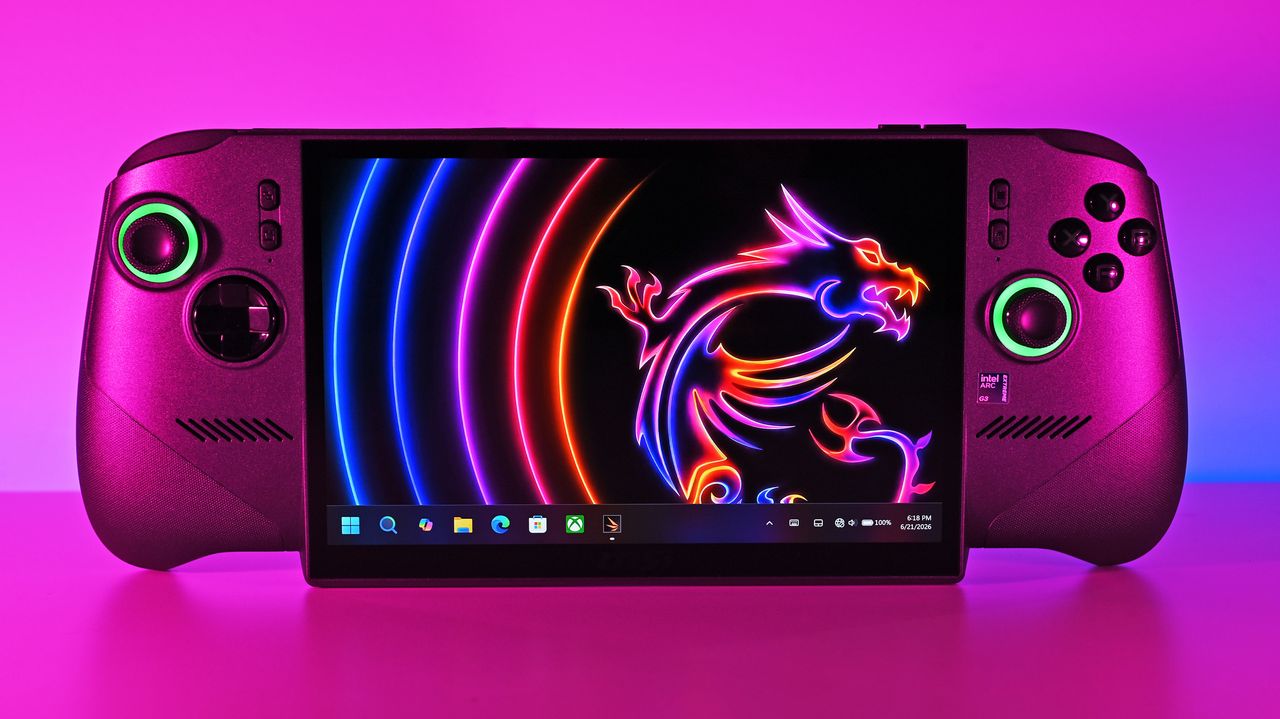
Front shot of the MSI Claw 8 EX AI+ under vibrant pink lighting, displaying the Windows 11 taskbar and a neon dragon wallpaper on its large screen.
Front shot of the MSI Claw 8 EX AI+ under vibrant pink lighting, displaying the Windows 11 taskbar and a neon dragon wallpaper on its large screen.
Google Pixel 11 Discount: Eligible Buyers Could Save Up to $175

17 août 2026 à 13:25

Google Play Points members may find Pixel 11 discounts worth more than $100. Here’s how to check your account and what to know before buying.

The post Google Pixel 11 Discount: Eligible Buyers Could Save Up to $175 appeared first on TechRepublic.

OnePlus 16 Details Leak: 9,000mAh Battery Could Be Its Biggest Upgrade

17 août 2026 à 12:29

OnePlus 16 leaks point to a 9,000mAh battery, 200MP camera, 185Hz display, and new Snapdragon chip, though most specs remain unconfirmed.

The post OnePlus 16 Details Leak: 9,000mAh Battery Could Be Its Biggest Upgrade appeared first on TechRepublic.

Samsung Galaxy H1 Leak Points to New Over-Ear Headphones: What We Know

17 août 2026 à 07:10

Samsung may be preparing a return to full-size wireless headphones with a device reportedly known as Galaxy H1. App code offers the first clues, but key details remain unconfirmed.

The post Samsung Galaxy H1 Leak Points to New Over-Ear Headphones: What We Know appeared first on TechRepublic.

Standalone RTX 5090s now cost at least $4,800, more than entire pre-built PCs with the same GPU inside — Who's buying anything when the market is this chaotic?

I haven't seen a sane GPU price in what feels like almost a year, and the landscape isn't getting any better for gamers.

The NVIDIA RTX 5090, which arrived at a $1,999 MSRP in 2025, is now listed at Newegg starting at $4,799.99. The MSI Ventus 3X OC is indeed the lowest price I could find, and there are other options that push well beyond $5,000.

Bad luck if you're shopping for a new RTX 5090 alone. The high-end of NVIDIA's consumer GPU stack has become inaccessible for the average gamer, and there's no real alternative in sight.

Well, that's sort of true. While perusing various storefronts this morning, it quickly became evident that I can buy an entire pre-built gaming PC with an RTX 5090 inside for less than the card alone.

Configuration page for OMEN HP 45L Gaming Desktop GT22-3000t PC, featuring a sleek black desktop with illuminated circular vents and options for operating system and graphics card.

A look at the current promo pricing on a full gaming PC with RTX 5090. (Image credit: HP)

HP's Omen 45L desktop is my prime example. It has an NVIDIA RTX 5090 GPU, an Intel Core Ultra 7 265K CPU, 16GB of DDR5-6000 RAM, a 1TB M.2 PCIe 4.0 NVMe SSD, and everything else you need for a full build.

At the time of writing, this Omen 45L model costs $4,389.99. That's $410 less than the cheapest RTX 5090 listed on Newegg. Of course, the Omen 45L is on sale, with a regular price of $5,379.99. That's still less than the ASUS TUF Gaming RTX 5090 model, which sits at $5,429 on Newegg.

Buy a pre-built gaming PC for the card and sell the rest?

NVIDIA GeForce RTX 5090 Founders Edition installed in a PC with a 600W adapter

NVIDIA's RTX 5090 has hit costs I never imagined, but there are some alternative options. (Image credit: Windows Central | Ben Wilson)

The math gets more upside down when you factor in all the extra hardware you get with a pre-built PC.

The Omen 45L's CPU adds about $300, the 16GB of Kingston Fury DDR5-6000 RAM adds about $330, and the 1TB M.2 PCIe 4.0 NVMe SSD adds roughly $200. That's about $800 worth of extra components before even considering the 1200W PSU, motherboard, cooling, and case.

I can imagine a lot of readers will see this and wonder why they don't just buy a pre-built, remove the RTX 5090, and sell the rest of the components. I'm wondering the same thing.

HP isn't the only place that I'm seeing this pricing deficit in effect. Over at iBuyPower, I put together a system with an Intel Core i5-14400F CPU, 32GB of DDR5 RAM, a 1TB M.2 PCIe 4.0 NVMe SSD, a 1000W PSU, and an NVIDIA RTX 5090 that costs $5,596.

With the right initiative to sell the extra components, you could definitely end up paying less or the same for a standalone card and still end up with some extra hardware for future upgrades.

Omen 45L: was $5379.99 now $4389.99

HP's pre-built desktop equipped with an RTX 5090 is now considerably more affordable than buying an RTX 5090 GPU alone.

👉 See at HP.com

Why are GPU prices so high in 2026?

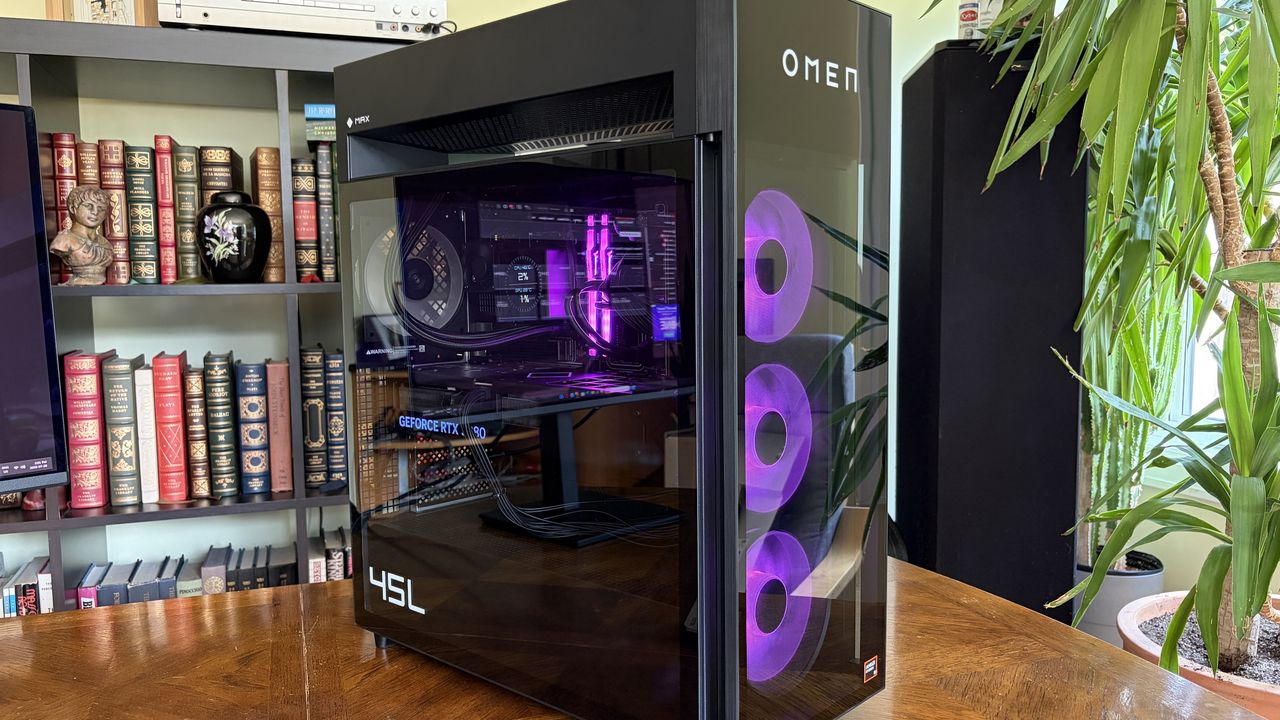
A black HP Omen Max 45L gaming computer tower with blue LED lights and visible internal components, displayed on a wooden table against a bookshelf backdrop.

The HP Omen Max 45L I reviewed isn't perfect, but if it's cheaper than a lone GPU, it's hard to fault. (Image credit: Future)

The current state of GPU prices is due to the ongoing RAM and storage crisis that's sending NAND, DRAM, and other PC component prices into deep space.

As a result of the VRAM that goes into these cards hitting such high costs, NVIDIA jacked up the prices of GPU kits for its board partners (companies like ASUS, MSI, Gigabyte, and Zotac that build full GPUs using NVIDIA's kit) in July. Shortly after, it was reported that the hike could go as high as 30%.

We're now starting to feel those price hikes at retailers, as evidenced above. I suspect that HP's prices will also eventually be on the rise, but there are different market factors at play.

OEM builders can lock in large supplies of parts at a lower cost, so prices often don't catch up until after regular consumers begin to see them. I saw the same thing happen with Windows laptops this year. Components eventually run out, companies have to buy more, and those new costs are then passed down to consumers.

There's one caveat: when I reviewed the Omen Max 45L, I noticed that the RTX 5080 is a custom unit designed by HP. The same applies to the RTX 5090. Does that really matter? Not really. It's still NVIDIA's GPU inside, and my testing showed no difference compared to standalone cards.

Whatever happens to HP's pre-built PC pricing, there's no denying that the entire PC market is in chaos. You might not love the idea of a pre-built PC, but I definitely recommend seeing what's out there before you buy a standalone RTX GPU. You might just end up with a whole lot more than you expected for a lower price.

Click to join us on r/WindowsCentral

Join us on Reddit at r/WindowsCentral to share your insights and discuss our latest news, reviews, and more.

An Omen Max 45L with a transparent side panel displays its internal components, including a GeForce RTX 508 graphics card, against a backdrop of a bookshelf.

An Omen Max 45L with a transparent side panel displays its internal components, including a GeForce RTX 508 graphics card, against a backdrop of a bookshelf.

"Market response has far exceeded our expectations" — ASUS can't make enough laptops with RTX Spark ahead of their expected Q4 launch

I was at Computex this year when NVIDIA's RTX Spark System-on-Chip (SoC) was revealed to the world, and from the start, I had a hunch that it would be a big deal.

A powerful chip for Windows on ARM that can run every Windows app ever made? That was one of NVIDIA CEO Jensen Huang's first promises.

With Microsoft as its launch partner, the Surface Laptop Ultra was one of the first RTX Spark laptops announced, but ASUS was right up there with its ProArt P16 and ProArt P14, two laptops I got to see firsthand in Taipei.

Incredibly sleek and streamlined, these laptops were a smash hit on the show floor. Apparently, they're also far more popular than ASUS was expecting.

In a recent ASUS Q2 earnings call, it was revealed that the company is completely out of ProArt P14 and P16 units to ship to its partners (aka third-party retailers and distributors) as part of pre-order efforts.

As one of the first manufacturers to launch RTX Spark-based systems, the market response to pre-orders for our ProArt notebook P16 and P14 has been intense. They are currently completely sold out. [...] Regarding current demand, the market response has far exceeded our expectations. Essentially, the initial quantities we planned have already been fully pre-ordered by our channel partners. We’re continuing to place additional orders with our partners.

S.Y. Hsu, Co-CEO ASUS (ASUS Q2 earnings call)

More RTX Spark laptops are on the way, of course, and ASUS has some time to shore up supplies before the planned Q4 2026 release of the new Spark-powered ProArt PCs.

It's too bad that the earnings call doesn't mention anything about exact volumes, because it's hard to say exactly how popular these laptops really are. However, ASUS says that it's "very optimistic about next year's sales" thanks to the "high AI computing power relative to its compact size" in the RTX Spark laptops.

What is NVIDIA's RTX Spark?

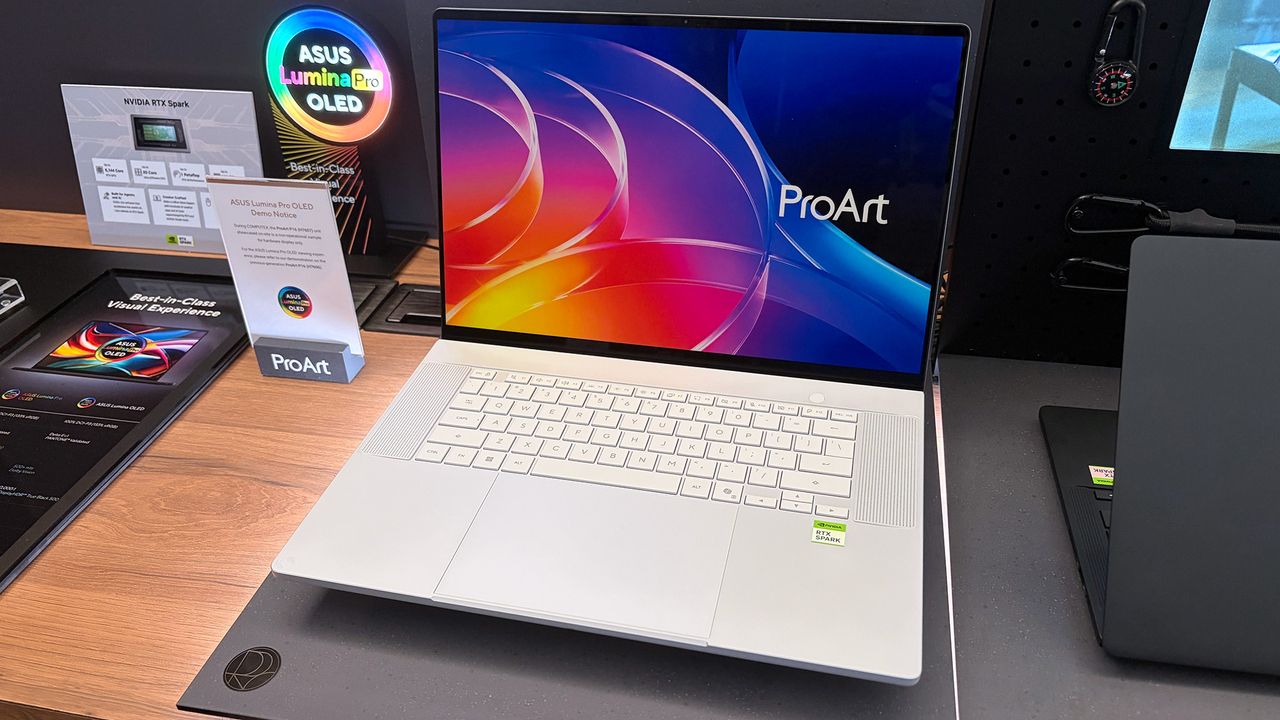
ASUS ProArt P16 laptop samples on display shelving highlighting chassis and features at Computex 2026

A look at the NVIDIA RTX Spark chip that's (normally) inside the ProArt P16. (Image credit: Cale Hunt | Windows Central)

NVIDIA's RTX Spark is an ARM-powered SoC that's expected to compete directly with the likes of Intel, AMD, and Qualcomm for space in Windows 11 PCs.

I covered rumors of the "N1X" chip for months in the lead-up to Computex 2026, and indeed it seems just as powerful and efficient as pre-announcement estimates.

Spark takes efficient ARM-based CPU cores similar to those found in Qualcomm Snapdragon chips and pairs them with an NVIDIA Blackwell RTX GPU, all while drawing from a unified memory setup that can hit 128GB.

ASUS ProArt P16 laptop samples on display shelving highlighting chassis and features at Computex 2026

A broken-down example of the ASUS ProArt P16 with RTX Spark. (Image credit: Cale Hunt | Windows Central)

This combination allows for massive performance that can shred standard and AI-related tasks without requiring a bulky discrete GPU.

Throw these chips into ASUS ProArt laptops with "all-day-long" battery life, wide port variety, super slim bodies, and 4K OLED displays, and it's easy to see why there's so much interest from retail partners.

(via VideoCardz)

Click to join us on r/WindowsCentral

Join us on Reddit at r/WindowsCentral to share your insights and discuss our latest news, reviews, and more.

ASUS ProArt P16 laptop samples on display shelving highlighting chassis and features at Computex 2026

ASUS ProArt P16 laptop samples on display shelving highlighting chassis and features at Computex 2026

I tested a CPU cooler that looks like a V8 engine — and this air-powered monster performs like one, too

I've generally leaned towards all-in-one (AIO) liquid cooling for my own custom PC builds for the past decade or so, but air cooling is practically forcing its way back into my habits because it keeps proving its worth via reviews like these. The Cooler Master V8 ACE 3DHP caught my eye mostly because of its "V8 engine" throwback gimmick, but there's a clever secret hiding inside its fins — something that Hyper 212 3DHP cooler owners will recognize.

Cooler Master provided a sample but did not see, nor did it have any input on, the contents of my article before publishing.

How much does the V8 ACE 3DHP cost?

The Cooler Master V8 ACE 3DHP Black CPU cooler box sits on a wooden desk, showing the product image, branding, and specifications. Other PC components are visible in the background.

Built separately for AMD and Intel, each base plate has a specific design, but brackets are included for both. (Image credit: Ben Wilson | Windows Central)

At the time of writing, the best place to buy the Cooler Master V8 ACE 3DHP designed for AMD (AM4/AM5) processors is Newegg at $119.99, or Amazon for the same price via Newegg Business. I also found it sold above MSRP by third parties at Best Buy, which could be a last resort.

Otherwise, the Intel (LGA 1851/1700/1200/115X) variant isn't listed on the official Cooler Master US store, Newegg, or other third-party stores. For now, availability is skewed towards the AMD side, and though you do get an Intel bracket inside the box, it isn't perfectly optimized for those chips.

Cooler Master V8 ACE 3DHP (AMD) specifications

Component

Spec

Socket support

AMD AM4/AM5
Intel LGA LGA 1851/1700/1200/115X (with included bracket)

Dimensions

138.95 x 136.47 x 167.3mm

Weight

2.57 lbs (1.17 kg)

Fans

120 x 120 x 30mm, 89.6 CFM (front)
120 x 120 x 30mm, 61.0 CFM (rear)

Thermal paste

Cooler Master CryoFuze

Warranty

6 years

V8 ACE 3DHP: $119.99

Newegg is, so far, the best place to buy.

👉 Also available: £111.59 at Newegg UKView Deal

Is the V8 ACE 3DHP a good CPU cooler?

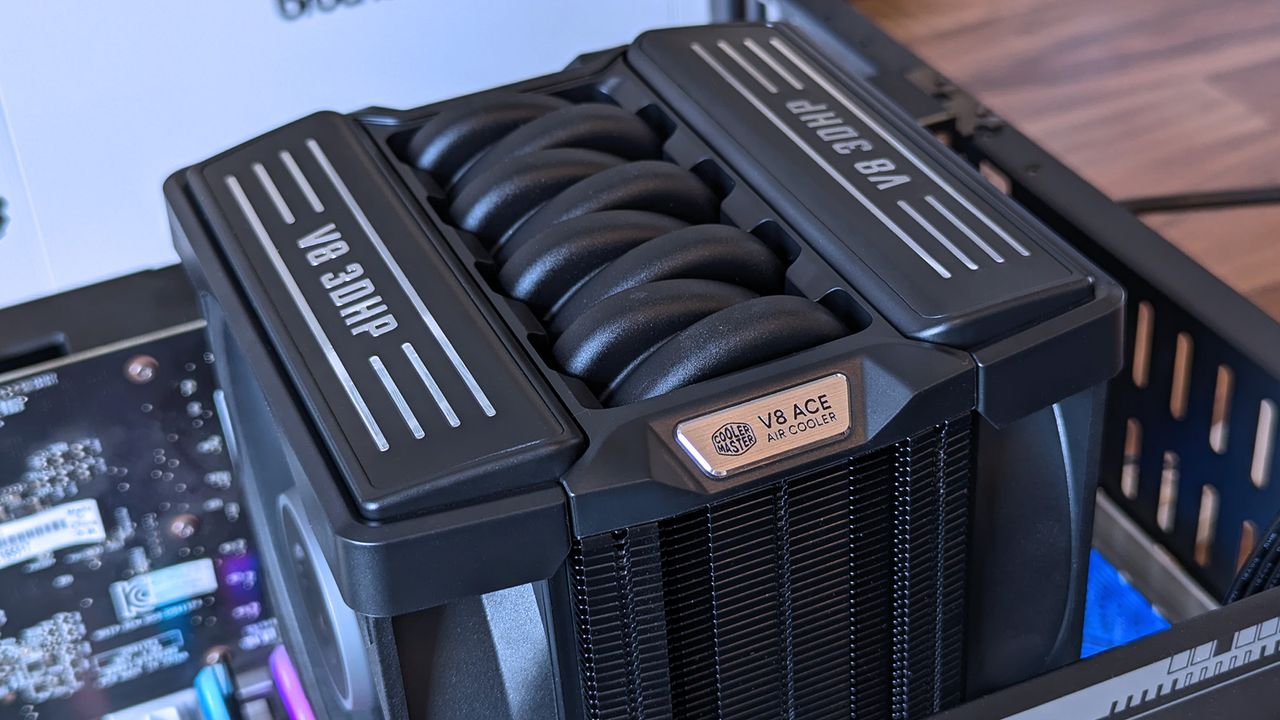
Close‑up of the Cooler Master V8 ACE 3DHP CPU cooler showing its engine‑inspired top shroud with “V8 3DHP” and “V8 ACE Air Cooler” branding.
Those aren't the heatpipes on top; it's just a plastic cover, but I dig it.Ben Wilson | Windows Central
The Cooler Master V8 ACE 3DHP CPU cooler sits on a wooden desk, displaying its dual‑fan layout, heat pipe array, and black shroud with “V8 3DHP” labeling.
It's tall, wide, and heavy, but surprisingly easy to install.Ben Wilson | Windows Central
The Cooler Master V8 ACE 3DHP CPU cooler stands upright on a desk, displaying its heat pipes. Graphics cards, product boxes, and other hardware fill the background of the workspace.
A glimpse through the dense fins reveals the extra "3D" heatpipes.Ben Wilson | Windows Central
A hand holds a metal CPU cooler mounting bracket labeled for Intel LGA sockets. Screws, cables, a fan, and thermal paste are scattered across the desk behind it.
Despite its AMD-first design, this variant still comes with an Intel bracket.Ben Wilson | Windows Central
A hand holds a Cooler Master CryoFuze thermal paste syringe above a V8 ACE 3DHP Black CPU cooler on a desk.
I'll never turn my nose up at a free tube of thermal paste.Ben Wilson | Windows Central

Before I ever installed this cooler onto a motherboard, I loved the way it looked. It isn't quite as extreme as Cooler Master's V8 GTS from 2013 — which almost resembled an alien motorbike engine — opting for a single-tower setup this time with incredibly dense fins on the heatsink. It's still a chunky air cooler, just like its ancestor, but now it actually looks more like a V8 car engine.

The V8 ACE 3DHP offers separate fine-tuned versions for AMD and Intel, though you still get mounting brackets for both.

Aesthetics aside, the hype centers on the setup of 4x traditional heatpipes plus 2x "3D heatpipes" (3DHP) that run vertically from the base plate through the heatsink. It's all about pulling as much heat away from your chosen CPU as possible, which is why the V8 ACE 3DHP offers separate fine-tuned versions for AMD and Intel, though you still get mounting brackets for both.

Cooler Master V8 ACE 3DHP installed on a test bench with RAM, power supply, and graphics card visible with various motherboard power cables.
Even on an open-air test bench, this is an imposing air cooler.Ben Wilson | Windows Central
Cooler Master V8 ACE 3DHP installed on a test bench with RAM, power supply, and graphics card visible.
Nevertheless, I didn't experience any RAM clearance issues.Ben Wilson | Windows Central
Cooler Master V8 ACE 3DHP CPU cooler installed inside a test bench with running fans above RGB RAM
There's no RGB, and I don't see any reason to raise the cost further by including it.Ben Wilson | Windows Central
Close‑up of the Cooler Master V8 ACE 3DHP CPU cooler installed inside a test bench, showing its engine‑inspired shroud, curved heat pipes, and fin stack.
This is the part you'll want to show off, so make sure your PC case has a clear side panel.Ben Wilson | Windows Central

Installation was a breeze. The V8 ACE 3DHP attaches to the standard AM5 backplate with four thumbscrews, two plates, and four more screws to hold it in place. The fans slide off the heatsink, so I can attach the two threads and tighten everything up. Finally, the fans are reattached and daisy-chained together, connecting to the CPU_FAN header.

Clearance is slim, but it fits cleanly over my RAM and the Gigabyte X870E Aorus Master X3D ICE SSD heatsink, with a slight amount of breathing space over G.Skill Trident Z5 Neo RGB modules. Running an AMD Ryzen 7 9850X3D on my open-air test bench at around 5.2GHz for 15 minutes kept an average temperature of 81.5°C, peaking at 83.5°C.

Unsurprisingly, it maintains a lower temperature on this powerful chip than my ~$35 Thermalright Peerless Assassin 120 SE — and our sister site goes deeper into V8 ACE 3DHP benchmarks over at Tom's Hardware if you're craving more specific test results — while its fans thankfully showed no signs of rattles or other unwanted motor noise.

Does the V8 ACE 3DHP have any issues?

A hand lifts the Cooler Master V8 ACE 3DHP CPU cooler, showing its large heatsink, multiple heat pipes, and mounted fan. Another fan, product box, and PC parts are arranged on the desk below.
They won't slip off without a firm pull, but the heatsink's weight alone can dislodge the fans.Ben Wilson | Windows Central
Handheld sound level meter readings of 44.4 dBA and 55.8 dBA positioned near an open PC test bench, measuring acoustic output from the Cooler Master V8 ACE 3DHP cooler.
It isn't the loudest cooler in the world, but remember, my open setup had plenty of space to breathe.Ben Wilson | Windows Central

Being such a chunky cooler with a performance focus, the V8 ACE 3DHP is heavy — around 2.57 lbs (1.17 kg) — and it'll need plenty of cool, strong intake airflow to feed its thick, 30mm PWM fans, which generate at least 55 dBA of noise under load. PC builders tempted by this cooler will surely take its dimensions and clearance considerations into account, but it's still surprisingly big.

The V8 ACE 3DHP is heavy — around 2.57 lbs (1.17 kg) by my estimate — and it'll need plenty of cool, strong intake airflow to feed its thick, 30mm PWM fans.

Because those fans slide into place on rails, you'll also want to be careful when handling this cooler. Although I'd mostly held it by the center section, I had once shifted my grip to one of its fans, which slipped down before I quickly caught it. I think my heart fell further than the cooler physically did, but it was a lesson learned. Nice feature, but be safe handling those detachable fans.

Should you buy the V8 ACE 3DHP?

The Cooler Master V8 ACE 3DHP Black CPU cooler rests inside its open box, revealing its dual‑fan design and dense fin stack. Surrounding PC parts and tools sit on a desk with a green cutting mat.

If you're going all out on a high-end CPU, then the V8 ACE 3DHP could replace the usual AIO liquid setup. (Image credit: Ben Wilson | Windows Central)

You should buy this if ...

✅ You want to cool a powerful, high-performance CPU

✅ You're building in a PC case with plenty of airflow

You should not buy this if ...

❌ You're planning a compact gaming PC

The V8 Ace 3DHP is an impressive feat, but it demands a constant source of cool air moving through its thick heatsink. As long as you're planning ahead with a PC case that supports healthy airflow with a proper setup of intake and exhaust fans, then this'll be a great pairing for a higher-end, high-TDP processor.

Push it close to a demanding GPU, and there's a chance you'll see less-than-optimal CPU performance if the ambient temperature inside grows unchecked. However, if you're certain you know what you're doing, it wouldn't be impossible to keep this cooler happy in a miniature case with the right airflow setup.

Cooler Master V8 ACE 3DHP CPU cooler render

Cooler Master
V8 Ace 3DHP CPU Air Cooler

Built for AMD AM4/AM5 sockets, Cooler Master includes thermal paste and optional mounting brackets for Intel LGA.

Close‑up of the Cooler Master V8 ACE 3DHP CPU cooler installed inside a test bench, showing its engine‑inspired shroud, curved heat pipes, and fin stack.

Cooler Master's V8 ACE 3DHP CPU is expensive, but I'm impressed nonetheless.

One of our favorite Snapdragon X Plus Surface Laptops just dropped 27% — finally making it affordable again

Back in April, Microsoft raised the prices of all of its Surface laptops as a consequence of the ongoing RAM crisis, making these once valuable desktops nearly untenable for most people who can't afford them.

Yet not all hope is lost for these critically acclaimed laptops, as they do occasionally get generous discounts to bring their prices back down to more manageable levels.

Such is the case with the Microsoft Surface Laptop (7th Edition) with the Snapdragon X Plus CPU, 13.8-inch display, 16GB of RAM, and 512GB SSD configuration that's now on sale with a 27% discount for $1099.99 at Best Buy.

Surface Laptop (7th Edition) (13.8-inch touchscreen, Snapdragon X Plus [2024], 16GB RAM, 516GB SSD): was $1499.00 now $1099.99

"Microsoft's Surface Laptop 7 is the clamshell form factor perfected. With a gorgeous new design, incredible keyboard and trackpad, smooth 120Hz display, good all-day battery life, and excellent Snapdragon X Elite processor under the hood, this is the laptop to beat in 2024." — Zac Bowden, Senior Editor

Windows Central review (Snapdragon X Elite configuration): ⭐⭐⭐⭐⭐View Deal

What makes the Microsoft Surface Laptop (7th Edition) worth the money?

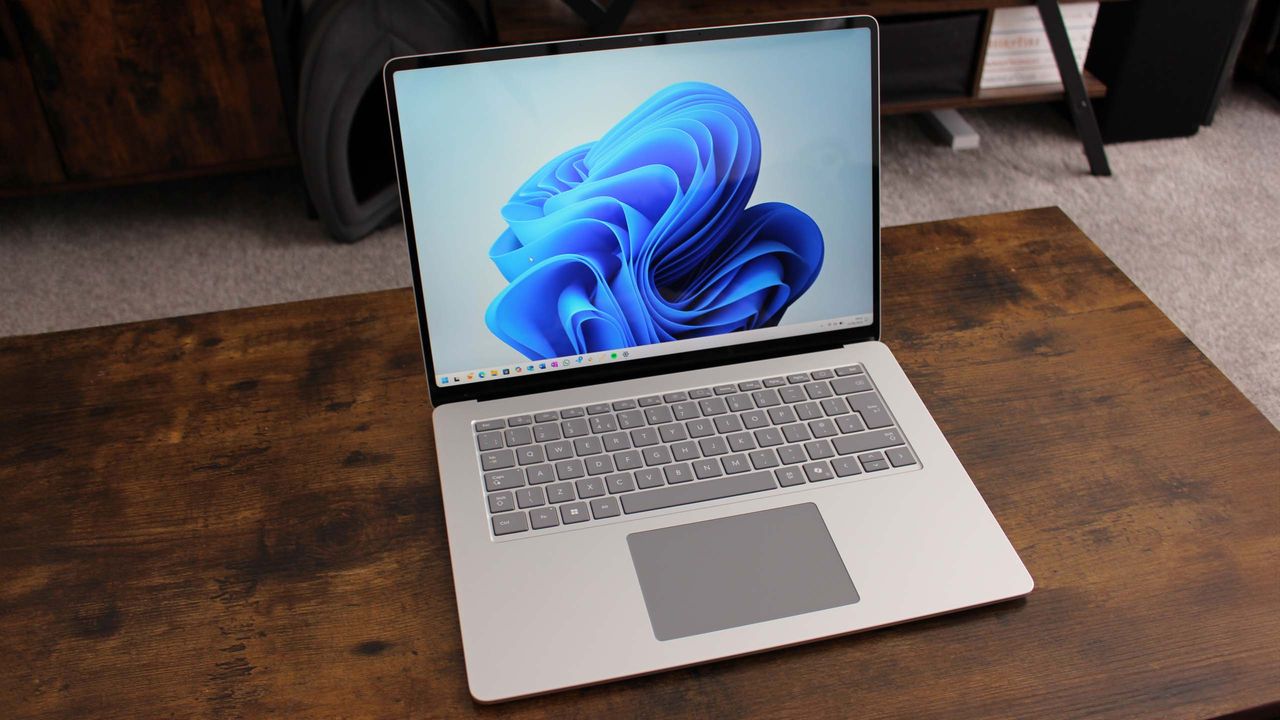
A silver laptop with a blue abstract wallpaper on its screen sits open on a dark brown wooden desk in front of a blurred wooden furniture piece.

The Microsoft Surface Laptop (7th Edition) on display (Image credit: Windows Central (Zac Bowden) | Microsoft)

Despite current times being the worst time to buy a Surface Laptop, that shouldn't deter you from getting one if it's on sale, as they boast the best specs for conquering daily office workflows or finishing homework on time at school.

The 13.8-inch, 7th Edition Microsoft Surface Laptop is no exception, as it delivers exceptional performance on everyday tasks thanks to its Snapdragon X Plus processor and 16GB of RAM.

It also features a splendid, ultra-thin clamshell design that's pretty to look at, practical enough to carry around while traveling, durable enough to withstand accidental (or intentional) bumps or bruises, and comfy enough to hold in your hands while working.

Other notable features include a 2K touchscreen display with a 120Hz refresh rate to render images with crystal-clear 2304x1536 resolution, a respectable battery life of around 18-19 hours, and a Neural Processing Unit (NPU) with 45 TOPS to efficiently run AI-related programs like Recall or Windows Studio Effects.

If you need to browse the net for research notes fast or write down your work on documents or spreadsheets using Microsoft Office without slowdown, you can't go wrong with the Microsoft Surface Laptop (7th Edition) now that it's on sale, as it's one of the best Windows laptops around.

FAQ

Is it good for AAA PC gaming?

No, the Microsoft Surface Laptop was never designed for AAA PC gaming. As a result, high-end PC games will either barely be able to run at mid-low graphical settings or not function at all.

Is its RAM and SSD replaceable?

The Microsoft Surface Laptop (7th Edition)'s default SSD can be replaced, but its default RAM cannot, as it's soldered into the motherboard. So, you will need to decide how much RAM it will have during checkout while shopping online or locally.

Does legacy software work on this laptop?

Most native apps and internet browsers will function on the Microsoft Surface Laptop (7th Edition). However, specialized or more aged x86/x64 software will need Prism emulation to function properly on this laptop.

Click to join us on r/WindowsCentral

Join us on Reddit at r/WindowsCentral to share your insights and discuss our latest news, reviews, and more.

Surface Laptop 7

The Microsoft Surface Laptop (7th Edition) on display.

School life is tough, but this durable 2-in-1 laptop with a touchscreen display makes work and exams a lot more bearable

Best Buy's back-to-school sale continues to provide illustrious discounts on all kinds of computers and laptops built to help students succeed in school.

If you're looking for a high-quality laptop with solid performance and a clear display that has vastly benefited from this sale, then look no further than the 2025 edition of HP OmniBook X Flip 14", which is now 30% off for $699.99 at Best Buy.

OmniBook X Flip 14" (Intel Core Ultra 5 226V, 16GB RAM, 512GB SSD, Copilot+, 2-in-1 2K Touchscreen): was $999.99 now $699.99

"The HP OmniBook X Flip 14 (2025) isn't an exciting laptop, but it does tick a lot of boxes for a capable and reliable mid-range 2-in-1 PC." — Zachary Boddy, Former Staff Writer

Windows Central review: ⭐⭐⭐⭐View Deal

Why buy the HP Omnibook X Flip 14"?

Image of the HP OmniBook X Flip 14 (2025) laptop.

The HP OmniBook X Flip 14 (2025) in its tablet mode. (Image credit: Windows Central | Zachary Boddy)

The HP OmniBook X Flip 14" (2025) laptop variant that's on sale right now comes configured with an Intel Core Ultra 5 (Lunar Lake) 226V CPU, 16GB of RAM, and a 512GB SSD for storage.

For those who don't speak techno-wizardry, all this means is that this laptop can run software like Microsoft Office, browse the web, email, and multitask with multiple apps at once without any slowdown.

It's also great for creating digital artwork as it features a 14-inch, 1920x1200 touchscreen display capable of loading and rendering images with crisp clarity so you can make out all the details much easier when drawing.

Speaking of drawing, the HP Omnibook X Flip 14" (2025) is compatible with stylus pens (which are sold separately), so you will be able to draw on the screen instead of using a mouse if you prefer drawing that way.

Add to that a respectable battery life of up to 22 hours with its Intel chip, a durable and portable-friendly design, and an HP 5MP IR Camera for video conferencing, and you have a sweet mid-range laptop for work whose value has risen dramatically thanks to Best Buy's 30% discount.

FAQ

Is this a Copilot+ PC?

Yes, the HP Omnibook X Flip 14" (2025) laptop is a Copilot+ PC as it has an NPUcapable of 45 TOPS to help it perform AI-related tasks with fast and stable performance rates.

What parts can be upgraded?

The only part of the HP Omnibook X Flip 14" (2025) laptop that can be upgraded is its 512GB SSD.

Can its RAM be upgraded?

The HP OmniBook X Flip 14" (2025) laptop's 16GB RAM is soldered, so it can't be replaced.

Click to join us on r/WindowsCentral

Join us on Reddit at r/WindowsCentral to share your insights and discuss our latest news, reviews, and more.

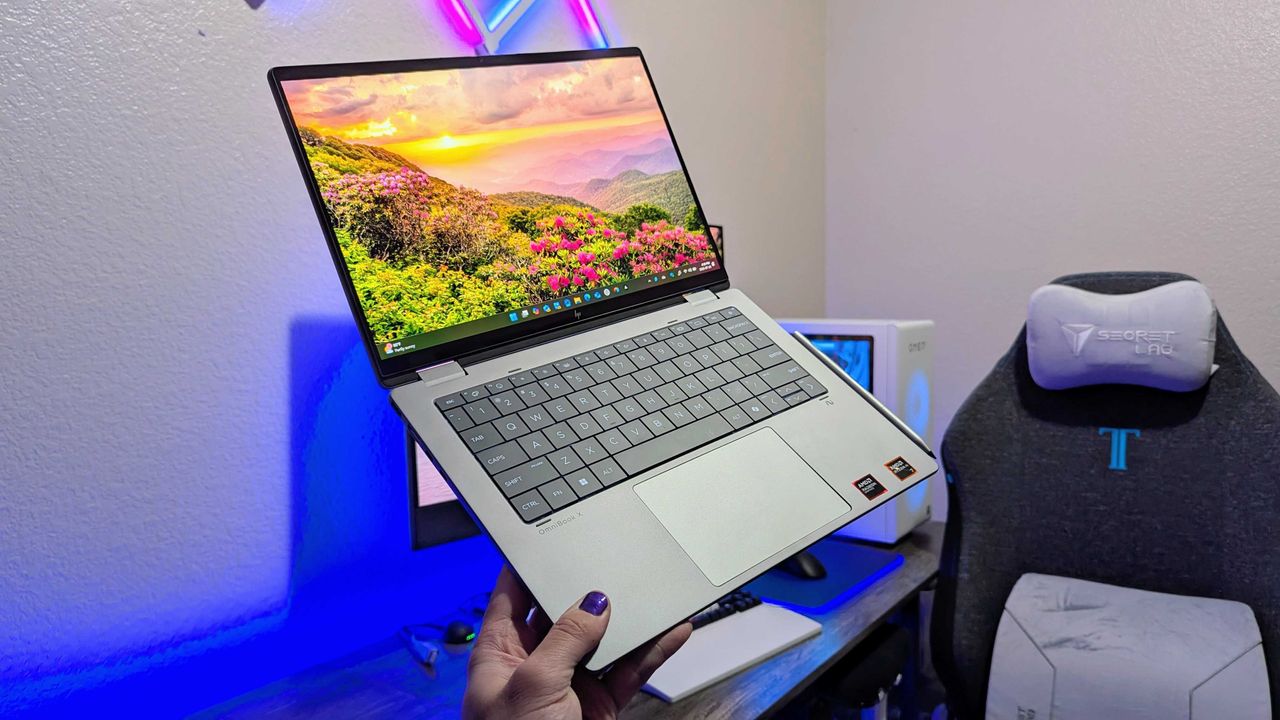
A person holds a sleek silver laptop with a vivid screen displaying a sunrise over a flower-filled landscape. A gaming chair and PC setup are in the background.

HP's Omnibook X Flip 14 laptop with an AMD configuration.

Did the Surface Phone FINALLY leak? The Windows Central Podcast breaks down what we know about the mysterious Windows Phone prototype, plus a recap of the latest news from Windows and Xbox

Join Zac Bowden and Jez Corden on this week’s Windows Central Podcast as they dive deep into unreleased Microsoft hardware, AI developments, and big Xbox announcements!

  • The Lost "Surface Phone" Prototype: Zach and Jez dissect newly leaked images and video of an unreleased 2013-era Microsoft-built Windows Phone prototype, reminiscing about the Lumia era, Nokia’s acquisition, and what could have been.
  • Microsoft Copilot’s Super App & AI Disillusionment: A look at the rollout of the new unified Copilot experience (merging consumer and Microsoft 365 features), dropped functionalities (Group Chat, Podcast mode, Deep Research), and a frank discussion on AI hype, practical workflows, and "AI psychosis".
  • Xbox Backward Compatibility Coming to Windows PC: The hosts break down the official announcement of original Xbox/Xbox 360 emulation on Windows, potential licensing hurdles, Play Anywhere integration, and upcoming achievement support.
  • Gaming Rumors & Franchise Future: Updates on The Elder Scrolls VI codename rumors (Sentinel), long development cycles across Bethesda/Obsidian, and a candid critique of the state of the Halo franchise following Halo Campaign Evolved and project cancellations.
  • New Xbox Console Features & Live Q&A: A discussion of the upcoming "Platinum Trophy" achievement equivalent, party/mic audio in Game DVR captures, and a live Q&A touching on Windows K2 progress, mobile shells for Windows on ARM, MSN's automation, and modern foldable vs. slab phones.

This episode of the Windows Central Podcast is sponsored by Surfshark VPN. Unlimited devices, access your content from anywhere, and auto-block malware on Windows, Edge, and other platforms from $2.50/mo, with 3 months extra FREE. Sign up today!

Have a question you want us to answer on the podcast? Send it to us at [email protected]

Hosts:

Subscribe to the Windows Central Podcast

If you like the show, please let us know by give us a rating on your podcast platform of choice. It really helps us!

LIVE Video Podcast

You can watch the live, uncut version of the Windows Central Podcast on our YouTube channel!

Click to join us on r/WindowsCentral

Join us on Reddit at r/WindowsCentral to share your insights and discuss our latest news, reviews, and more.

Zac and Jez on the Windows Central Podcast

Zac and Jez on the Windows Central Podcast

A YouTuber just stress-tested a Snapdragon X2 laptop for 17 hours straight

The Lenovo Yoga Slim 7x (Gen 11) is one of the best laptops we've reviewed all year. Our Cale Hunt called the PC a "top choice for students, small business pros, and even casual Windows users who want a premium laptop." Now, thanks to a YouTuber, the laptop can also claim the title of a streaming battlestation.

YouTuber "DevonDoesTech" used the Yoga Slim 7x to power his streaming and content creation setup for a 17-hour stream marathon. DevonDoesTech was sent the laptop by Qualcomm and tested the PC by using it as the heart of his stream.

The latest Yoga Slim 7x runs on a Snapdragon X2 processor. The one DevonDoesTech used has the Snapdragon X2 Elite inside. The idea behind the stream was to see how the chip handled real-world usage.

It's a clever way to showcase the new chip from Qualcomm. Snapdragon X processors have had respectable specs for a while, but posts about the chips on social media often include people asking about app compatibility.

An Arm blog post from July 2025 stated that 90% of time spent on Windows on ARM PCs is spent on natively compiled apps. Since then, NVIDIA has announced RTX Spark, which adds another major name to the Windows on ARM platform.

But boasting about how many apps are natively compiled is not the same as showing ARM-based PCs can actually be used to get work done. The DevonDoesTech stream required OBS Studio, Meld Studio, DaVinci Resolve, Discord, and other apps.

DevonDoesTech streamed for over 1,000 minutes during his stream. The setup had both a horizontal stream on YouTube and a vertical stream on Twitch that ran simultaneously.

"I didn't notice a difference. Never once during the 17-hour stream, never once during my testing, never once during my road trip did I say 'Dang, I really wish that I had the power of my desktop computer.'"

He added that the Yoga Slim 7x is "kind of blowing [his] mind."

While ARM-based computing has come a long way, there are still games that do not work with Snapdragon X chips. Kernel-level anti-cheat is required for some games and is still an awkward spot. But even in that area there's promise for improvement.

Yoga Slim 7x (Gen 11): was $2099.99 now $1449.99

This laptop has a sleek design and enough power to handle everything from daily productivity to creative work. This model has 32GB of RAM and 1TB of storage.View Deal

Yoga Slim 7x (Gen 11): was $1499.99 now $899.99

If you love the look and design of the Lenovo Yoga Slim 7x but don't need the power and specs shown off in DevonDoesTech's video, this model is for you. It runs on a Snapdragon X2 Plus processor and is part of a massive doorbuster deal.View Deal

It's not just DevonDoesTech

Corner of a laptop on a red fabric surface, featuring a Snapdragon X2 Elite sticker, indicating the use of a powerful processor and Copilot+PC technology.

Our expert was also impressed with the Snapdragon X2 Elite and the Lenovo Yoga Slim 7x during his testing.

DevonDoesTech's praise is quite effusive, but it aligns with our own experience. The Yoga Slim 7x earned a 4.5 out of 5 in our review and Hunt said the Snapdragon X2 Elite chip and the laptop are a "blast" to use.

After using a PC with a Snapdragon X2 for one month, Hunt was "totally sold on Snapdragon X2." He also spoke on app compatibility:

"For a fairly casual Windows user like me, ARM64 app compatibility is a complete non-issue. You can see for yourself if the apps you use are native or emulated on the extremely useful WorksOnWOA website."

There was a time when ARM-based laptops were lackluster compared to their x86 counterparts. I'm happy to see those days are behind us.

Click to join us on r/WindowsCentral

Join us on Reddit at r/WindowsCentral to share your insights and discuss our latest news, reviews, and more.

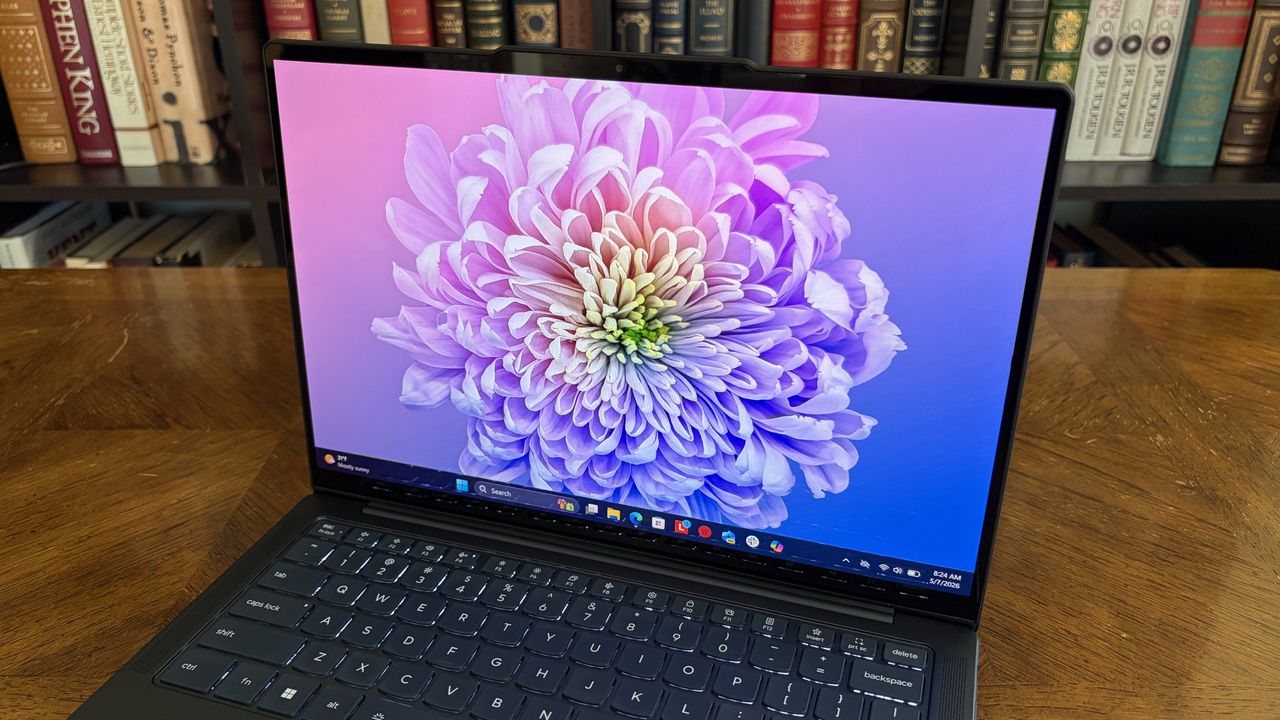
A laptop on a wooden table displays a vibrant, colorful chrysanthemum on its screen. Background: a bookshelf lined with assorted books. Cozy ambiance.

A laptop on a wooden table displays a vibrant, colorful chrysanthemum on its screen. Background: a bookshelf lined with assorted books. Cozy ambiance.

Snapdragon C specs mean Qualcomm could eat Intel's lunch with budget laptops: Here's what we know (and what we still don't)

We now have more details about Qualcomm's Snapdragon C chips. The processors were officially announced in May, but we did not have full specs or details at the time.

Snapdragon C chips are designed to power budget laptops that start around $300. Qualcomm has updated its product pages for the processors, including full specs.

The specs are promising and stack up well against offerings from competitors, such as the Intel N250. Qualcomm shared some favorable comparisons between Snapdragon C and Intel N250 that suggest Qualcomm's new chip could compete very well in the budget laptop space.

Snapdragon C specs and details

Snapdragon C logo in a white transparent environment resembling a motherboard.

Snapdragon C chips will power budget-friendly laptops starting at around $300. (Image credit: Qualcomm)

Snapdragon C promises up to 67% faster performance than Intel N250 according to Qualcomm. The biggest difference between the chips appeared in Cinebench MT testing, but Snapdragon C defeated Intel across a range of Qualcomm's tests.

Those performance tests are when both chips are running on battery power, which leans in Qualcomm's favor. Snapdragon processors often thrive in unplugged testing.

Qualcomm claims Snapdragon C delivers 106% better power efficiency during Netflix playback. Microsoft Teams (99% better) and YouTube (86% better) are both wins for Snapdragon C as well.

Power usage by idle apps is 39% better in power efficiency, according to Qualcomm.

Snapdragon C specs

CPU

Qualcomm Kryo CPU (6nm)

CPU cores

8

CPU max clock speed

3.0 GHz

GPU

Qualcomm Adreno

NPU

Qualcomm Hexagon

Memory

LPDDR5x

Maximum memory

16GB

Wi-Fi

Wi-Fi 6E, Wi-Fi 6

Bluetooth

Bluetooth 6.0

Snapdragon C has a dedicated NPU, which helps with AI tasks. I doubt AI usage will be heavy among budget laptop users, so CPU performance and other specs will likely be bigger factors for those shopping for affordable PCs.

Windows 11 on ARM has improved greatly when it comes to app compatibility, so that should not be as much of a concern as it would have been just a few years ago. For many people, app compatibility is no longer a concern for Windows 11 on ARM.

There are some legacy and enterprise apps that are not compatible with Snapdragon C and other ARM-based processors, but the list of the best native Windows on ARM apps continues to grow and includes big-name and niche apps.

For non-native apps, Microsoft's Prism emulation has improved over the years as well. That means even apps running in emulation perform better.

What we still don't know about Snapdragon C

The official specs of Snapdragon C are promising, as are the figures shared by Qualcomm. But there are still several key facts we do not know, some of which won't be confirmed until laptops with the new chips launch.

We also need to know how the chips perform when laptops are plugged in and how that performance compares to that of Intel chips.

All of the claims about performance and efficiency come straight from Qualcomm, so we'll need to see them verified independently.

Qualcomm has a good track record with claims like this. Benchmarks and comparisons shared with the press about previous chips proved accurate in real-world testing.

Qualcomm has always been bullish about how well its Snapdragon processors perform when unplugged compared to Intel's chips. Qualcomm had an entire ad campaign highlighting differences on that front.

I'm confident that Snapdragon C chips will perform well and compete with similar chips from Intel, but we need concrete figures from the wild and hands-on experiences to know exactly how the new chips stack up.

Click to join us on r/WindowsCentral

Join us on Reddit at r/WindowsCentral to share your insights and discuss our latest news, reviews, and more.

Snapdragon C logo on a colorized transparent motherboard component.

Snapdragon C logo on a colorized transparent motherboard component.

  • ✇Korben
  • Boeing 737 - 60 secondes pour hacker l'avion
    Six chercheurs d'UC San Diego et d'Oberlin College ont présenté le 13 août dernier à l'USENIX Security Symposium de Baltimore un implant assez petit qui se branche sur un port de maintenance de la baie électronique d'un Boeing 737 et s'intercale ainsi entre le calculateur de vol et l'écran par lequel les pilotes le programment. La trappe présente sur l'avion, qui y mène n'a ni serrure ni contrôle d'accès et est accessible depuis le sol, sans échelle. Les chercheurs estiment que ça peut se mettre
     

Boeing 737 - 60 secondes pour hacker l'avion

14 août 2026 à 05:07

Six chercheurs d'UC San Diego et d'Oberlin College ont présenté le 13 août dernier à l'USENIX Security Symposium de Baltimore un implant assez petit qui se branche sur un port de maintenance de la baie électronique d'un Boeing 737 et s'intercale ainsi entre le calculateur de vol et l'écran par lequel les pilotes le programment.

La trappe présente sur l'avion, qui y mène n'a ni serrure ni contrôle d'accès et est accessible depuis le sol, sans échelle. Les chercheurs estiment que ça peut se mettre en place en moins de 60 secondes, ouverture et refermeture comprises. Le boîtier, lui, disparaît sous le capuchon anti-poussière du connecteur.

Hé oui c'est un simple capuchon en plastique qui "protège" l'accès aux commandes de navigation d'un avion de ligne. C'est beau non ?

Ce connecteur donne un accès aux bus ARINC 429 qui transmette les échanges entre le calculateur, le FMC, et le clavier-écran du cockpit, le MCDU. La norme date de 1977 et ne prévoit aucune authentification et comme vous vous en doutez, c'est connu depuis longtemps, même si le plus souvent, les attaques envisagées sur les systèmes d'un avion visaient plutôt ses liaisons radio.

Toutefois, se brancher sur le bus ne suffit pourtant pas à le contrôler, puisque les autres équipements continuent d'émettre par-dessus. Sauf que les émetteurs légitimes passent par des résistances de 37,5 ohms qui brident leur courant, alors que le connecteur de maintenance, lui, attaque le bus en direct.

L'implant en profite alors pour pousser plus de courant que l'émetteur d'origine et écraser physiquement son signal. Les chercheurs appellent ça une attaque Bus Driver, et elle donne une interception complète du dialogue sans couper ni épisser le moindre fil.

Une fois ce dialogue sous contrôle, le boîtier ajoute un point de passage à la route programmée. Normalement, sur un 737, cette modification doit être confirmée par le pilote, qui appuie sur le bouton EXEC. Mais l'implant, lui, appuie tout seul, l'autopilote change de cap, et comme le voyant du bouton passe par le même bus, il reste éteint. Et comme les pages affichées sont réécrites en live pour montrer encore l'ancienne route, rien à l'écran ne trahit le changement.

Le même mécanisme peut servir aussi à fausser la masse de l'appareil saisie avant le départ, ou la température retenue pour calculer la poussée. Une masse sous-évaluée ou une température trop basse, et le calculateur commande alors une poussée insuffisante au décollage.

Bref, c'est la cata assurée... Et cela vaut pour tous les 737 NG et MAX.

Maintenant, reste à savoir dans quelles conditions cette attaque peut être réalisée. Car jusqu'à présent, tout a été validé mais uniquement sur un banc de vraies pièces de 737 câblées selon les schémas Boeing, et jamais sur un avion en service. Le Wi-Fi est bien intégré au boîtier, mais le papier précise que les auteurs n'ont pas pu tester si le signal de la cabine traverse le plancher de la baie.

Boeing a bien sûr été prévenu en avril 2020, et les chercheurs ont rejoué l'attaque avec succès sur le banc d'essai du constructeur en décembre 2023. Ils proposent de boucher ce type de connecteur, ou d'y déplacer les résistances de limitation. Boeing, lui, estime que "les couches de protection en place sur l'avion" limitent déjà "significativement la faisabilité et le risque d'attaques en conditions réelles".

Ouais les gars ont la flemme de sécuriser leur truc on dirait...

Source

❌