It's a rough time to be shopping for PC hardware and laptops. Believe me, as a PC gamer, I know the struggle. Prices are incredibly high because of AI-driven component shortages, and some relief can go a long way.That's why I'm happy to share some exclusive discount codes redeemable at Newegg. All codes offer an additional discount on top of any sales that Newegg already has running, so you can absolutely stack sales.These exclusive deals cover everything from PC
It's a rough time to be shopping for PC hardware and laptops. Believe me, as a PC gamer, I know the struggle. Prices are incredibly high because of AI-driven component shortages, and some relief can go a long way.
That's why I'm happy to share some exclusive discount codes redeemable at Newegg. All codes offer an additional discount on top of any sales that Newegg already has running, so you can absolutely stack sales.
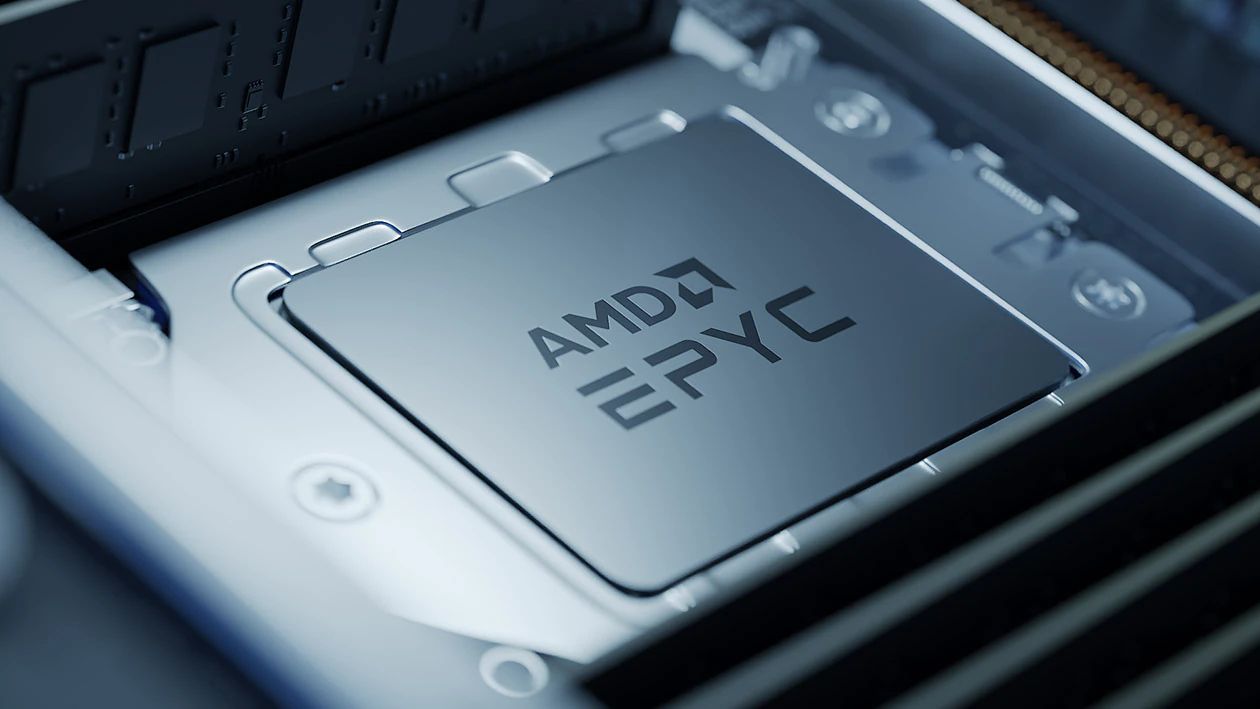
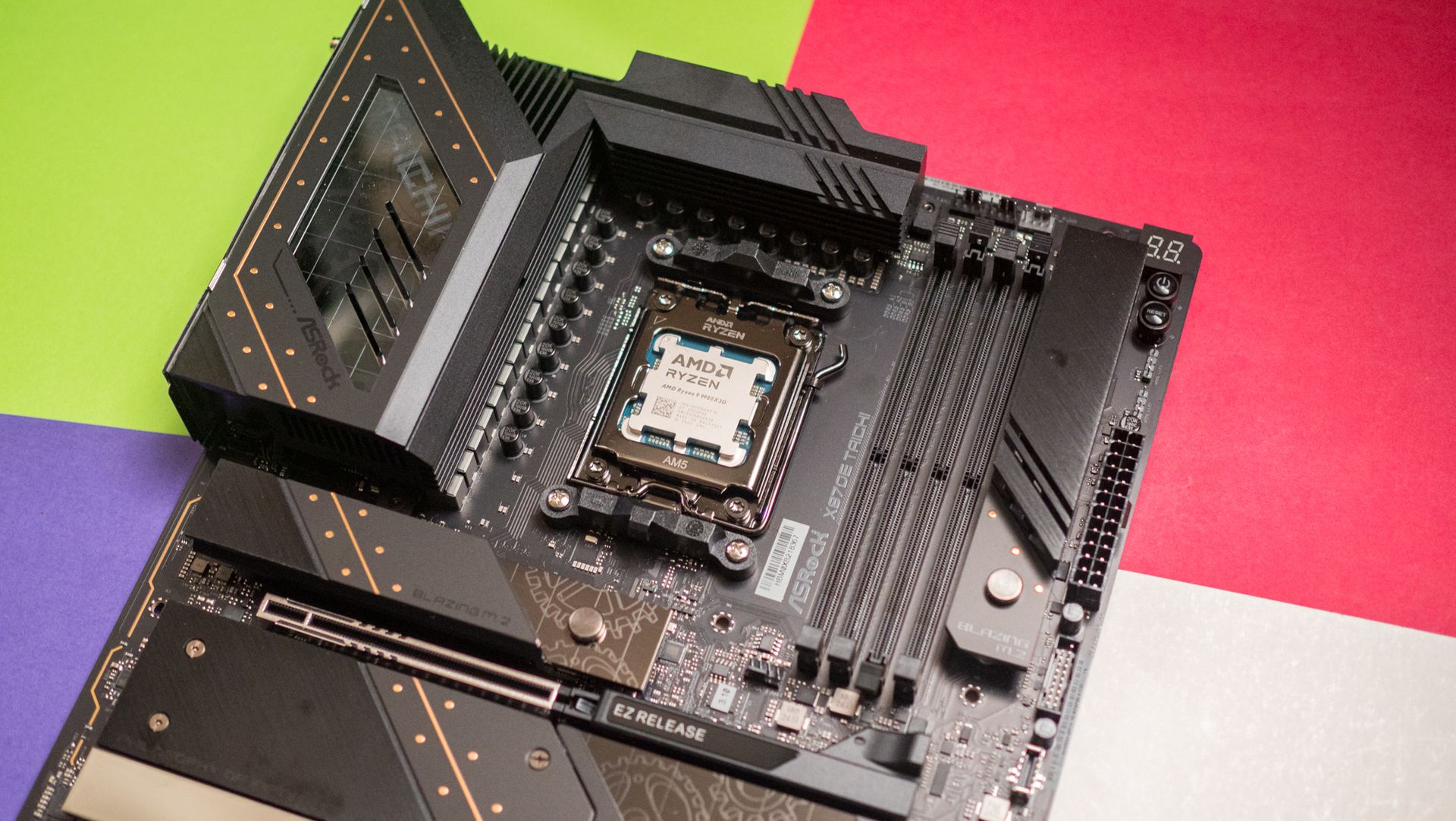
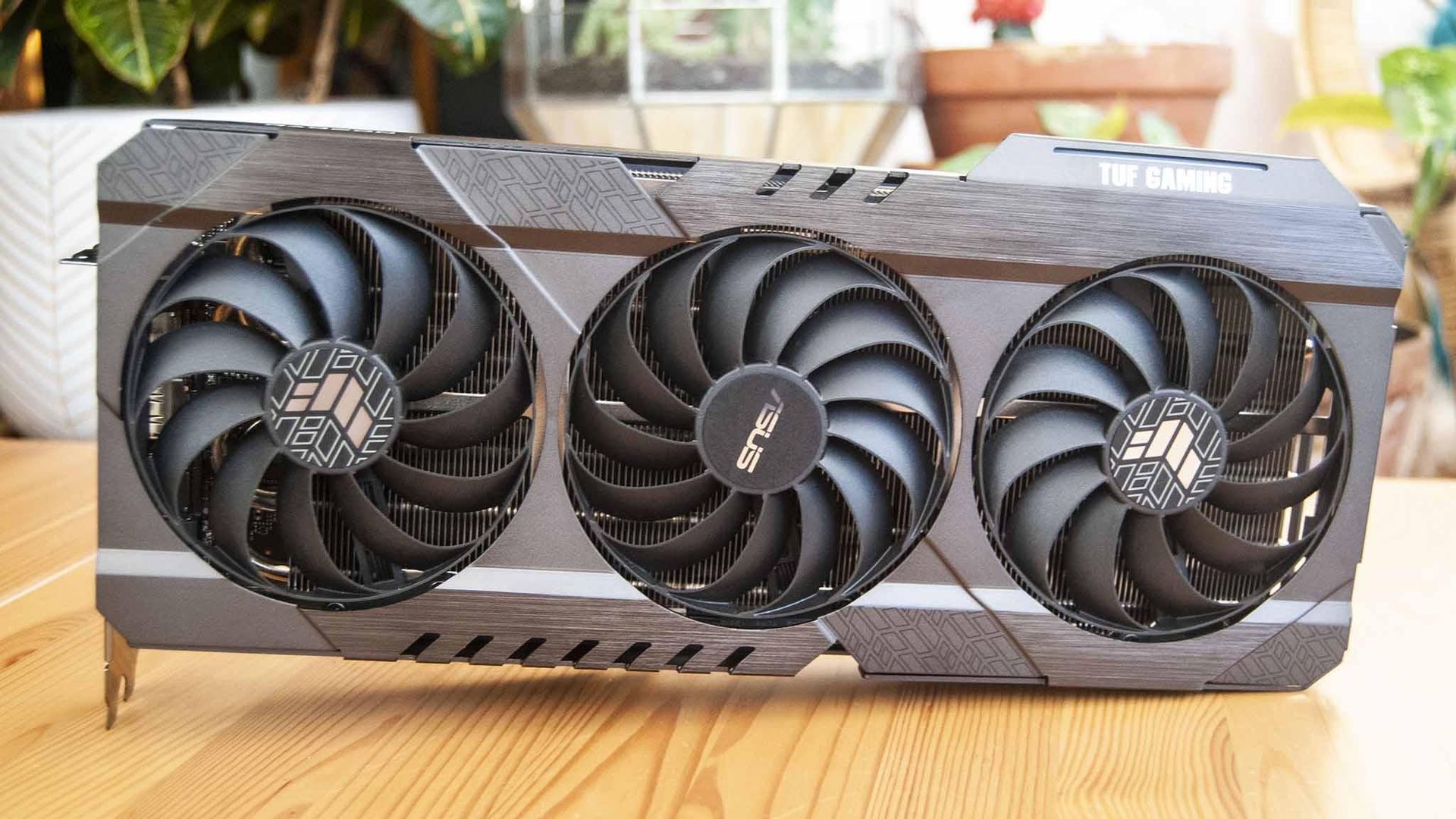
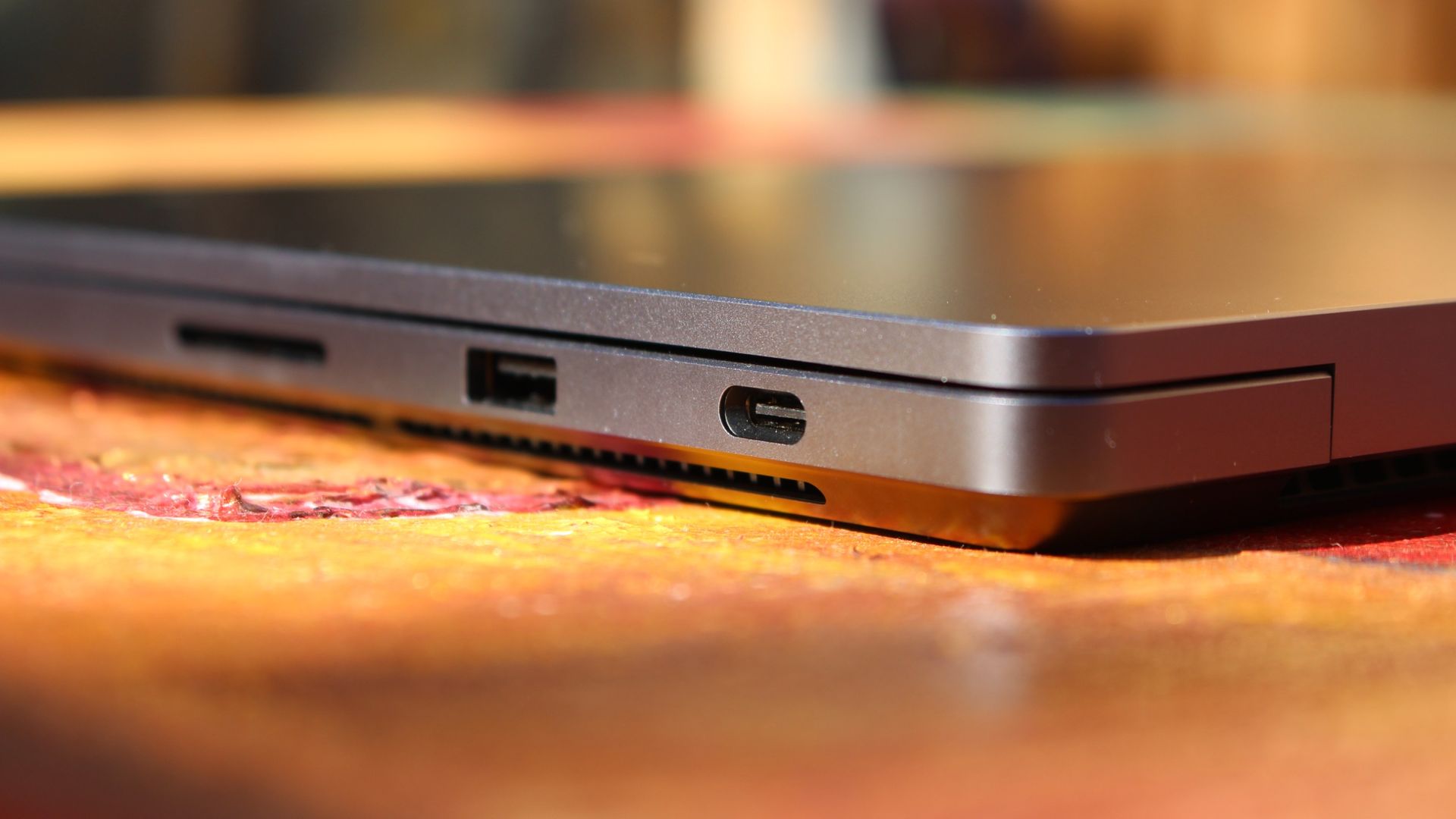
These exclusive deals cover everything from PC components to accessories to pre-built PCs and monitors, giving you plenty of variety. I've rounded up some eye-catching deals below, and I've also made this quick-hit list of discounts with links to Newegg for each broader category.
Lian Li's LANCOOL 217 ATX PC case has a slick walnut finish on the front and outstanding air flow throughout. It comes with five pre-installed fans. It's currently on sale for $119.99, and you can get an extra 3% off with exclusive code FUTURECASE3 at checkout.View Deal
Corsair's highly-rated 850W fully modular PSU is ideal for most gamers with mid-range systems, and it's currently on sale for $139.99. Get an extra 3% off with exclusive code FUTURECASE3 at checkout.View Deal
Storage is crazy expensive these days, so this discount on one of the best SSDs on the market is a nice change. It's currently $250 off at Newegg, and you can save another 3% by using exclusive code FUTURESSSD3 at checkout.View Deal
A 360mm AiO liquid CPU cooler is what you want in your high-performance PC, and the best part is that you don't have to spend more than you would on an air cooler. MSI's MAG Coreliquid A13 is already down to $64.99 at Newegg, and you can save another 5% with code FUTUREACPC3 at checkout.View Deal
Save more on Windows PCs and monitors with our special discounts
Microsoft's 13-inch Surface Laptop has a Snapdragon X Plus chip, 16GB of RAM, 256GB SSD, and an FHD+ touch display, altogether making it an outstanding portable option for students, home, or general use. It's now down to $979.99, and you can save 3% more when you use code FUTURENB3 at checkout.View Deal
With a Core Ultra 7 255HX CPU, NVIDIA RTX 5070 mobile GPU, 16GB of DDR5 RAM, 1TB SSD, and 15.6-inch FHD+ display at 165Hz, this HP gaming laptop will handle anything you throw its way. It's down to $1,749.99 right now, and you can take off an extra 3% with code FUTURENB3.View Deal
Newegg's ABS pre-built brand is one I can recommend after testing, and this model has a Core i7-14700F CPU, RTX 5060 Ti GPU with 16GB RAM, a 1TB SSD, and 16GB of DDR5 memory. It's $100 cheaper already, and you can shave off another 3% with code FUTUREDPC3.View Deal
Acer's Predator X27U delivers a 26.6-inch QD-OLED panel with incredible color and contrast. It hits 1440p with a 240Hz refresh rate, and it comes with AMD FreeSync Premium support. It's down to $319.99 right now, but you'll save an extra 3% with code FUTUREMN3.View Deal
A wide range of WD hard-disk drives for internal and external use are already discounted at Newegg, and you can save a further 3% when you use code FUTUREHD3 at checkout. Check out this Newegg page for eligible drives.View Deal
FAQ
How do I redeem these exclusive codes at Newegg?
To redeem a special discount code, add the item you want to buy to your Newegg cart. Then navigate to the cart, click "Add Promo Code" on the right side of the windows, and add the code.
Do these exclusive discounts only apply to items already on sale?
No. The codes I've listed here can be used on any products within their appropriate segments. A device doesn't have to be on sale to be eligible for the additional discount.
When do these exclusive Future discounts stop working?
These additional discounts are live now and are expected to run until November 30. That gives you plenty of time to line up a strong Newegg discount for a bit of extra savings.
Join us on Reddit at r/WindowsCentral to share your insights and discuss our latest news, reviews, and more.
A free tool with a bit of a strange name will let you know what's using the GPU on your PC. Microsoft engineer Scott Hanselman created gputaskman to show more details than Windows 11's built-in tools.Task Manager can show per-process GPU usage and memory consumption, but it provides limited insight into exactly how applications are using GPU resources. You can see more information in the Details tab, but that still fails to paint a full picture.The gputaskman ap
A free tool with a bit of a strange name will let you know what's using the GPU on your PC. Microsoft engineer Scott Hanselman created gputaskman to show more details than Windows 11's built-in tools.
Task Manager can show per-process GPU usage and memory consumption, but it provides limited insight into exactly how applications are using GPU resources. You can see more information in the Details tab, but that still fails to paint a full picture.
The gputaskman app shows information for individual processes, such as GPU usage and VRAM consumption. Rather than simply showing that GPU memory is in use, gputaskman can help pinpoint whether that memory is being consumed by an AI model, a web browser, desktop rendering, or another process.
It can also identify local AI workloads and display details about running LLMs, including information about model memory usage and related GPU resources. The app displays GPU temperature as well.
Scott Hanselman's gputaskman utility shows per-process GPU activity, VRAM usage, and local AI model information. (Image credit: Scott Hanselman)
Hanselman explained the app's purpose on the gputaskman GitHub page:
"Task Manager says '15 GB used.' This tries to answer: by what? Model weights? KV cache? Your browser? The desktop compositor? And why is so much GPU memory in system RAM?"
The app is still in the early stages of development. Hanselman has invited people on X to create pull requests. Right now, gputaskman supports Windows PCs with AMD or NVIDIA GPUs. Hanselman said in a follow-up post that the goal is to work on the Surface Laptop Ultra and other RTX Spark and Windows on Arm devices.
Microsoft's recently announced Hybrid intelligence initiative combines on-device AI processing with cloud-based AI services. As more AI tasks run locally on PCs, users may want better visibility into how those workloads affect GPU memory and performance. Tools such as gputaskman provide a detailed look at which processes, models, and applications are consuming GPU resources.
Join us on Reddit at r/WindowsCentral to share your insights and discuss our latest news, reviews, and more.
AMD CEO Lisa Su, in an interview with Yahoo Finance, said yesterday that AMD is "a data center first company." Somewhere, a gamer clutched their Radeon GPU like it's a priceless heirloom.This quote from Su seems to have made waves in the tech world. I get it. Nobody wants to hear that another company we're used to seeing sell consumer tech to us gamers and enthusiasts is going a different way.But before we start singing hymns, let's see what Su actually meant wit
AMD CEO Lisa Su, in an interview with Yahoo Finance, said yesterday that AMD is "a data center first company." Somewhere, a gamer clutched their Radeon GPU like it's a priceless heirloom.
This quote from Su seems to have made waves in the tech world. I get it. Nobody wants to hear that another company we're used to seeing sell consumer tech to us gamers and enthusiasts is going a different way.
But before we start singing hymns, let's see what Su actually meant with her data center tidbit.
People have a right to be worried, especially these days
AMD CEO Lisa Su's recent data center comments are making waves. (Image credit: Getty Images | Chip Somodevilla)
I don't think there's anyone who follows tech markets, even from a distance, who doesn't know that there's an AI-driven memory and RAM shortage forcing consumer prices through the roof.
We are a data center-first company. That is our profile. People need more computing to power all these applications.
AMD CEO Lisa Su, speaking with Yahoo Finance
Not just that, but companies that were once focused on consumer products have been flipping over to the AI side, where there's a lot more money to be made. Micron did just that in late 2025, when it killed off its consumer Crucial brand to focus entirely on data center supply.
People have every right to be worried when a company like AMD, which makes consumer products, begins spewing data center rhetoric.
Hasn't AMD always been a data center company?
AMD's Epyc and Instinct AI accelerators are not new products. (Image credit: AMD)
Some of you might be asking why this is big news. I get it. AMD has, after all, been a data center company for ages, selling its EPYC and Instinct AI accelerators for big money.
But that was before AMD's data center revenue surpassed consumer and client revenue in 2026. Before we saw other big tech companies, like Micron, make massive pivots that left consumers without anything to buy.
I get why consumers are nervous, especially when AMD offers the best CPUs for PC gaming and is really the only counterpoint to NVIDIA's GPU dominance.
But why would Su go on Yahoo Finance and talk about anything else but where AMD gets most of its money?
Fears that AMD is abandoning gamers are unfounded ... so far
AMD still makes the best CPUs for gaming, and it's not even close. (Image credit: Harish Jonnalagadda / Windows Central)
As I said, I get why consumers are upset over the data center rhetoric coming from Team Red. Thankfully, AMD's moves lately seem like anything but abandonment.
This doesn't seem to me like the actions of a company that's already checked out of the consumer stack. Will that hold? I can't answer that, but the idea of AMD pulling up its consumer stakes seems too far-fetched to believe.
Treat your old GPU with care
Keep your old GPU in top shape. You never know how long it'll need to last. (Image credit: Future)
AMD's data center revenue only surpassed consumer and client revenue in Q2 2026, and it's worth pointing out that its Ryzen and Radeon consumer lines still rake in billions of dollars in revenue.
That could change over time, especially as consumers deal with years of hardship and PC sales plummet, but we'll cross that bridge when we come up to it.
What I'm more concerned with right now is not a complete halt to consumer production, but instead how AMD will be using its resources going forward. Shareholders always need more money, and right now, data centers are the easiest way to earn it.
For now, I don't think fans of Team Red need to panic.
If data center demand continues to explode, does AMD eventually pull all of its best into that division? Do the gaming and consumer teams get the leftover scraps?
For now, I don't think fans of Team Red need to panic. Lisa Su's recent comments, taken in context, are not shocking. They're not even new.
Still, some skepticism never really hurt anyone. Neither does keeping your aging GPU in tip-top shape as markets face continued uncertainty.
Do you agree with my take? Are Su's words as big a deal as many are making them? Where do you see AMD in 5 years? 10 years? Let me know in the comments section below!
Join us on Reddit at r/WindowsCentral to share your insights and discuss our latest news, reviews, and more.
Mini-LED Microsoft Surface Laptop Ultra The Surface Laptop Ultra starts at a more affordable price, but evens out as you add hardware. It lacks pen support, its mini-LED display isn't as impressive, plus it's overall thick
The Surface Laptop Ultra starts at a more affordable price, but evens out as you add hardware. It lacks pen support, its mini-LED display isn't as impressive, plus it's overall thicker and heavier.
Lenovo's Pro 9n starts at a higher price, but actually gets cheaper than Surface as you add hardware. Its OLED display, top-firing speakers, haptic touchpad with inking, and 9.1MP webcam are all benefits you won't get from Surface.
Pros
Superior webcam and top-firing speakers
OLED display delivers better contrast and no blooming
Thinner and lighter
165Hz refresh rate and NVIDIA G-Sync are good for gaming
Although we reviewed both laptops favorably, there are some major differences beyond the new NVIDIA chip that you'll certainly want to know about before buying.
Surface Laptop Ultra vs. Lenovo Pro 9n: Specifications and price
There are plenty of similar specs across these laptops, and I know it's handy to have a quick reference table to compare.
12.95 x 9.40 x 0.71-0.75 inches (328.8mm x 238.7mm x 17.99-19.16mm)
13.66 x 9.53 x 0.66 inches (347mm x 242mm x 16.7mm)
Weight
4.41 pounds (2kg)
3.64 pounds (1.65kg)
Colors
Platinum, Nightfall
Thunder Grey
The Surface Laptop Ultra starts at $2,599.99 for a model with the 18-core CPU, 5120-core GPU, 24GB of RAM, and 512GB SSD.
Lenovo's Pro 9n with the 18-core CPU, 5120-core GPU, 32GB of RAM, and 512GB SSD starts at 2,999.99. I imagine a lot of that price difference comes from the extra RAM, but as you'll see below, Lenovo's laptop also has some concrete benefits over the Surface.
Surface Laptop Ultra models with upgraded 20-core CPU, 6144-core GPU, 32GB of RAM, and 1TB SSD start at $3,699.99.
Lenovo's Pro 9n jumps to a 20-core CPU, 6144-core GPU, 64GB of RAM, and 1TB SSD for the higher-end config, starting at $4,249.99. If I compare a similar Surface Laptop Ultra config with these specs, it comes out to 4,299.99.
Basically, the Surface Laptop Ultra starts at a more affordable price thanks to more config options, but once you make the performance hardware comparable, Lenovo's PC actually becomes more affordable.
Lenovo's laptop is thinner and lighter than the Surface Laptop Ultra
The Surface Laptop Ultra is rather sleek, but it's not as thin and light as the Lenovo Pro 9n. (Image credit: Zac Bowden / Windows Central)
Microsoft's new Surface Laptop Ultra has a slightly smaller footprint than the Lenovo Pro 9n, but I don't think it's enough to make a difference in your bag. The real story is the Pro 9n's 0.66-inch chassis that's noticeably thinner than the Laptop Ultra's 0.71-0.75-inch measurement.
Lenovo's laptop is also lighter, starting at 3.64 pounds compared to the Surface Ultra's 4.41 pounds. That's a considerable difference that you'll notice each time you use the PC, and if you're always on the move, this should be a win for Lenovo.
Lenovo's Pro 9n is thinner and lighter than the Surface Laptop Ultra. (Image credit: Future)
Both laptops are built into a sleek aluminum chassis that doesn't get much more premium. Windows Central Senior Editor Zac Bowden commented in his Surface Laptop Ultra review:
Yes, Surface Laptop Ultra looks an awful lot like a MacBook Pro. [...[...] But I'm not here to tell you that's a bad thing. The MacBook Pro is a beautiful device, which is to say Surface Laptop Ultra is also very beautiful. In fact, I think it even improves upon the MacBook Pro's design in subtle ways.
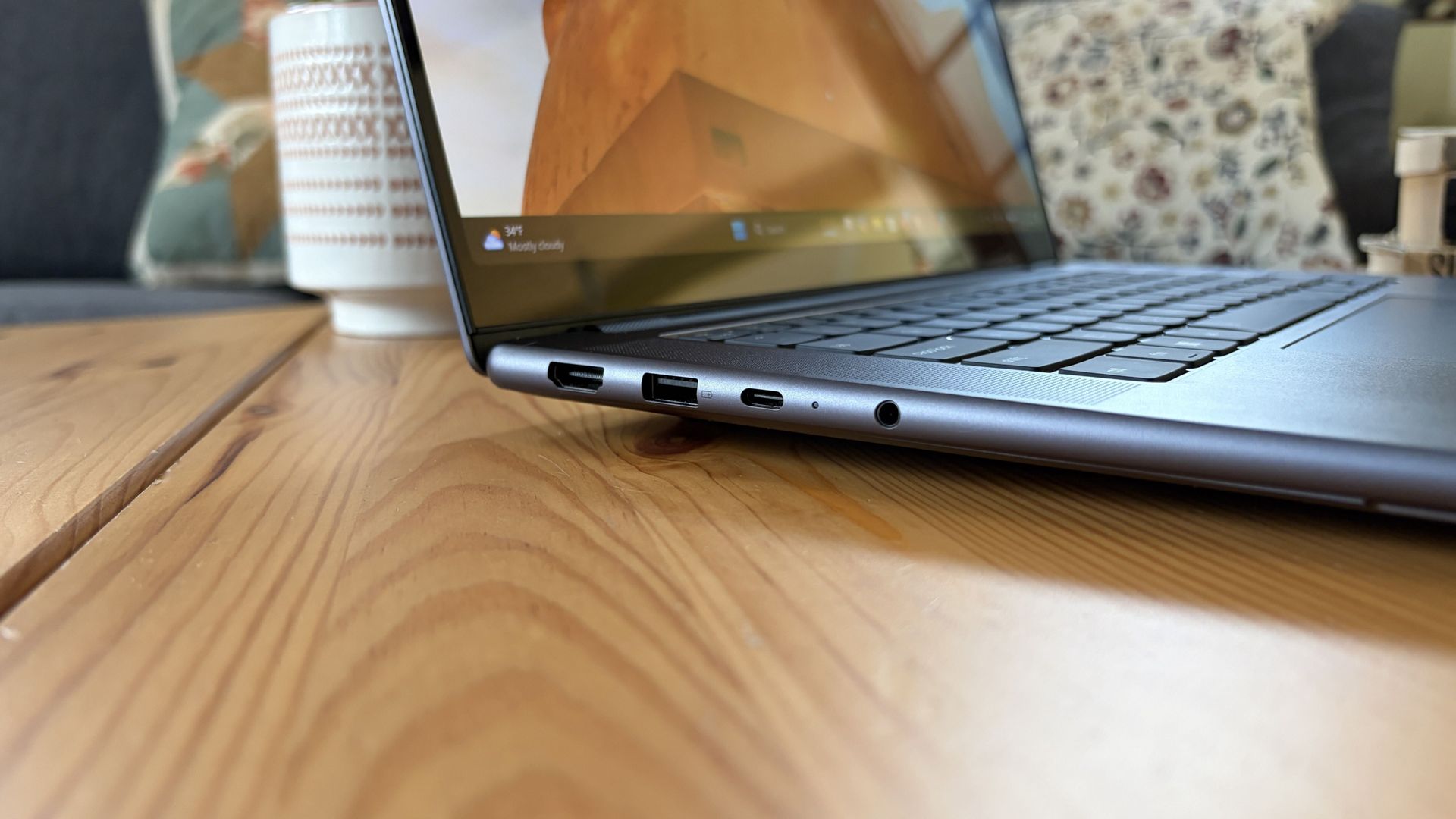
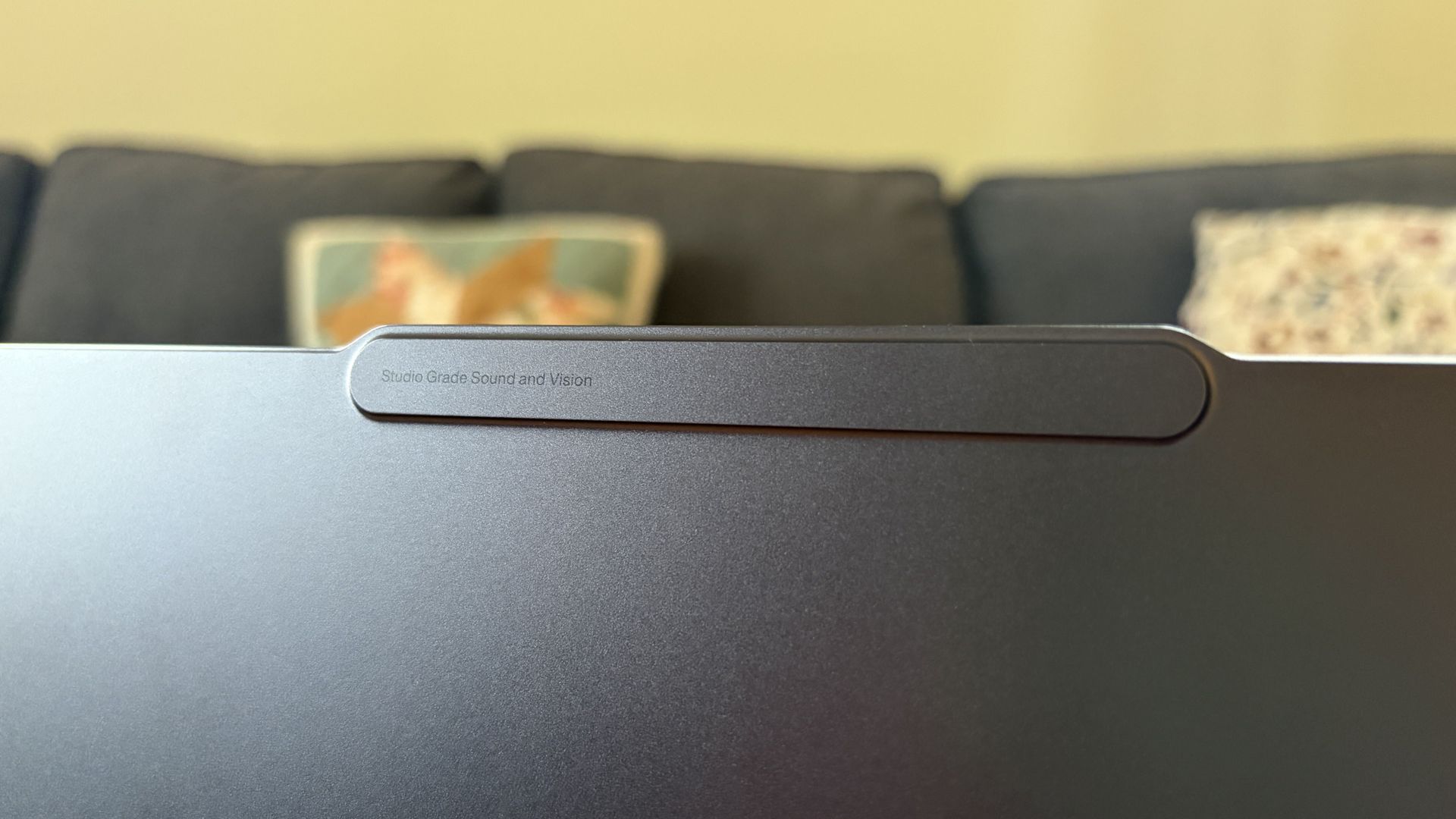
Lenovo's Pro 9n takes a slightly different approach, often seen in its Yoga series, with rounded edges, top-firing speakers flanking the keyboard, and a raised comms bar above the display to fit a superior webcam.
The raised comms bar on the Lenovo Pro 9n leaves more space for a superior webcam. (Image credit: Future)
On that note, anyone who's often taking video calls, Teams meetings, etc. should consider Lenovo's 9.2MP webcam over the Surface Laptop Ultra's rather standard 1080p camera.
Both will get the job done, sure, but Lenovo's camera offers more clarity. I also found it quite good at dealing with low light. At least both laptops come with an IR sensor for facial recognition through Windows Hello.
Which laptop has better ports?
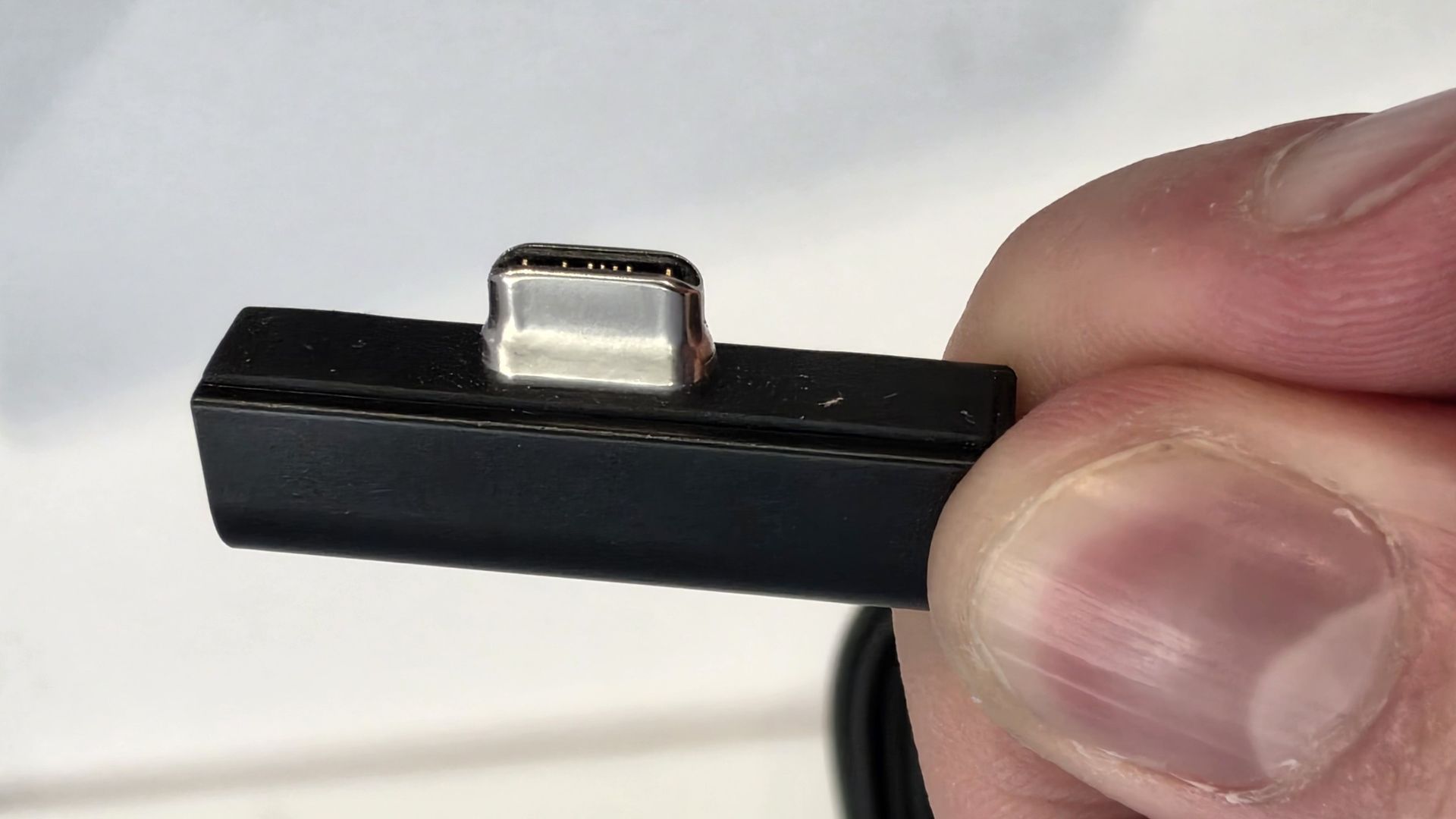
A look at the Surface Laptop Ultra's magnetic USB-C adapter. (Image credit: Zac Bowden / Windows Central)
Ports across both laptops are the same except for one major standout. I'm talking about the Surface Laptop Ultra's additional magnetic USB-C connector that's designed to pull away from the PC when it gets snagged or tripped over.
It's a lot like Apple's MagSafe tech, and I'm all about it; I hope it comes to more Windows PCs soon.
Other than the extra USB-C port, the Surface Laptop Ultra and Lenovo Pro 9n have the same selection of ports, including dual USB4, dual USB-A at 10Gbps each, HDMI 2.1, UHS-II SD card reader, and 3.5mm audio jack.
Is there a superior keyboard or touchpad?
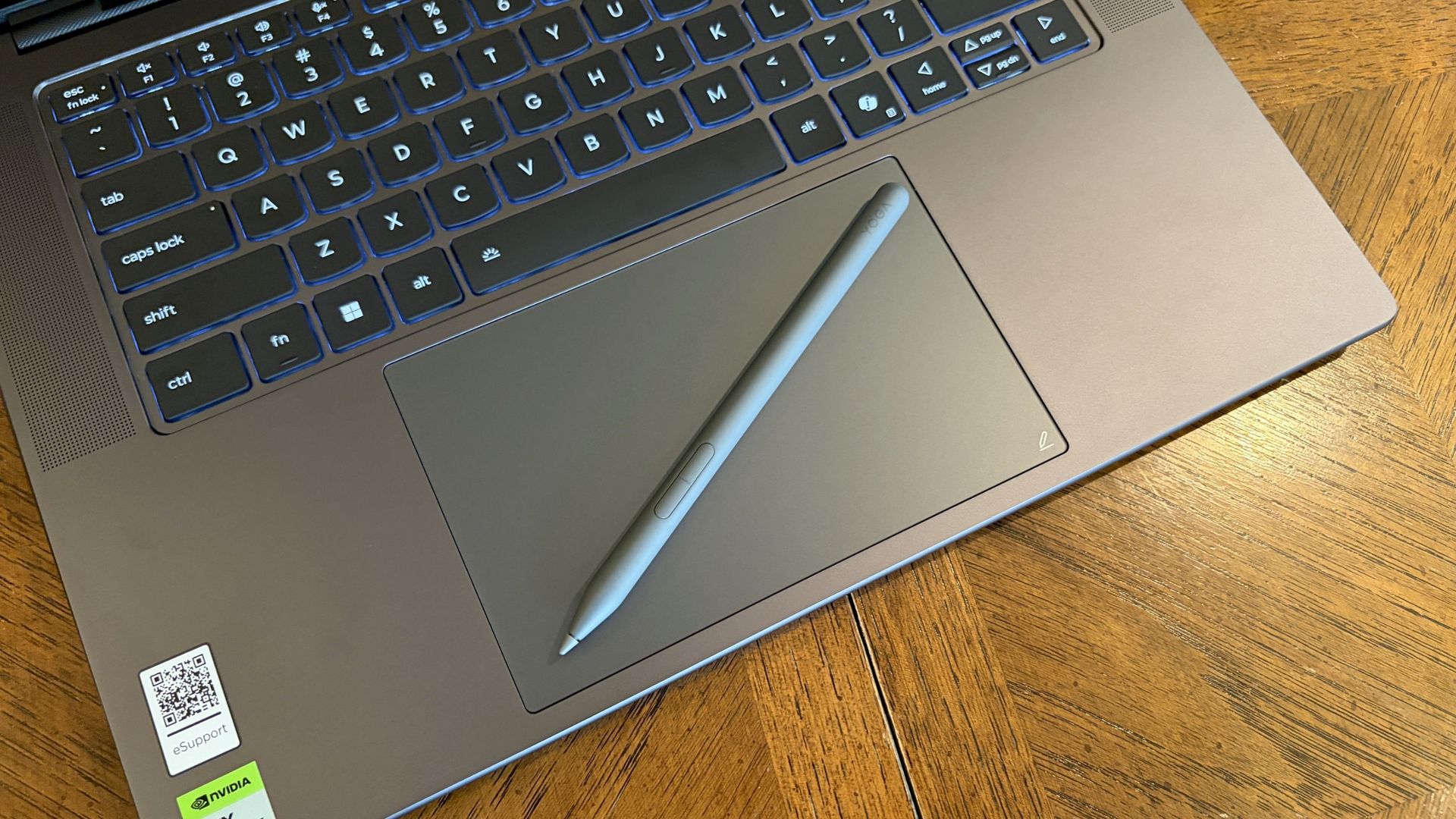
Lenovo's Pro 9n includes a Yoga Pen 2 that writes directly on the haptic touchpad. (Image credit: Future)
Windows Central Senior Editor Zac Bowden said, "This isprobably the best keyboard and trackpad experience I've ever had on a Windows laptop to date" in his review. I'd wager that the Yoga Pro 9n takes things one step further.
Whereas the Surface Laptop Ultra has 1.4mm key travel, Lenovo pushes it to 1.5mm. Lenovo's touchpad is also slightly larger than the one on the Surface, giving you more space to point.
Both use haptic touchpads, meaning there aren't any moving parts. Clicks and feedback are simulated with small haptic motors below the surface. There are fewer mechanical parts to break down, and generally, you get a smoother experience.
But Lenovo goes one step further with inking compatibility on its touchpad. Each Pro 9n comes with a Yoga Pen 2, and I found it to be quite handy when jotting down notes or sketching ideas.
Does one laptop have better speakers?
A look at the speakers flanking the Pro 9n's keyboard (Image credit: Future)
Having checked out both laptops, I'd say that audio quality is a wash unless you care about placement.
Both laptops have four speakers, and both produce some of the best audio we've ever heard in a Windows laptop. No matter what, you get deep bass, clear highs, and loud volume.
The big difference is that the Pro 9n has two of its speakers flanking the keyboard for unmuffled audio. The Surface Laptop Ultra keeps all four of its speakers on the underside of the chassis.
Microphones are also excellent across both laptops. You won't need to worry at all about adding a microphone for calls and video chats.
Do you value brightness or color in your display?
A look at the Lenovo Pro 9n's OLED display. (Image credit: Future)
Display preferences could make or break your decision here. The Surface Laptop Ultra has a 15-inch mini-LED screen with a 3270x2180 resolution, 3:2 aspect ratio, 120Hz variable refresh rate, and Dolby Vision IQ support.
Its mini-LED panel has 1,344 dimming zones, and it manages to climb to about 2,000 nits brightness with HDR enabled. Otherwise, it tops out at about 1,000 nits.
This is great if you're often working in brightly lit areas, as you'll have much less trouble there than with the Pro 9n's maximum of 1,100 nits. However, as Zac Bowden notes, the mini-LED panel can show "a bit of blooming around bright elements on a dark background."
That's not the case with the OLED panel in the Lenovo Pro 9n. It offers perfect contrast and deep color, so there's no blooming or backlighting issues whatsoever.
Lenovo's laptop also offers a higher 165Hz variable refresh rate, and it's able to cover all color gamuts for specialized work. That higher refresh rate can help with gaming, as can the display's NVIDIA G-Sync compatibility.
The big downside is that it doesn't have as many pixels with a 2560x1600 resolution.
Is there a difference in RTX Spark performance?
The Surface Laptop Ultra has the same NVIDIA RTX Spark chip options as the Lenovo Pro 9n.
What's probably not a surprise for many is that NVIDIA's RTX Spark system-on-chip (SoC) performs similarly across laptop brands.
In this case, Zac Bowden tested the Surface Laptop Ultra with the 20-core CPU and 6144-core GPU, while I tested the 18-core CPU and 5120-core GPU in the Lenovo Pro 9n.
Unsurprisingly, the more expensive chip in the Surface Laptop Ultra comes out ahead in all relevant tests we performed. The gap isn't huge, and, of course, you can always add the 20-core chip to the Pro 9n to make up the difference.
FutureFutureFutureFuture
The Pro 9n model I tested arrived with an M.2 PCIe 4.0 NVMe SSD, which is a generation behind the M.2 PCIe 5.0 NVME SSD in the Surface Laptop Ultra model we tested.
It's no surprise that the newer SSD is faster, and keep in mind that both laptops have the option for the upgraded PCIe 5.0 drive.
Which laptop has better battery life?
The Surface Laptop Ultra's battery is rated for 0.5Wh more than the Pro 9n. (Image credit: Zac Bowden / Windows Central)
Battery capacity across laptops only differs by 0.5Wh, and in our experience, both laptops were able to hit around 10 hours of real-world usage before needing a charge.
I'm talking about lighter fare for that 10-hour runtime, like web browsing, Excel, Word, email, streaming, etc.
Once you start adding demanding tasks that press the GPU — especially AI-related work — you'll see battery life falling quite a bit faster.
For reference, when I gamed on the Lenovo Pro 9n, The Witcher 3: Wild Hunt Remastered with settings cranked up and ray tracing enabled was only seeing about 10 minutes of playtime for each 10% of battery life.
Surface Laptop Ultra vs. Lenovo Pro 9n
I'm taking the Lenovo Pro 9n over the Surface Laptop Ultra, but your decision might be different. (Image credit: Future)
Microsoft's Surface Laptop Ultra starts at a more affordable price, and that will resonate with a lot of people despite it coming with less powerful hardware. If you're just looking for a more affordable RTX Spark system, Surface is the way to go.
However, once you start adding similar hardware tiers, Lenovo's PC becomes more affordable. With the price in mind alongside the host of benefits from the Pro 9n that I've laid out above, I'm leaning towards Lenovo.
Mini-LED
Microsoft
Surface Laptop Ultra
The Surface Laptop Ultra starts at a more affordable price, but evens out as you add hardware. It lacks pen support, its mini-LED display isn't as impressive, plus it's overall thicker and heavier.
OLED
Lenovo
Pro 9n
Lenovo's Pro 9n starts at a higher price, but actually gets cheaper than Surface as you add hardware. Its OLED display, top-firing speakers, haptic touchpad with inking, and 9.1MP webcam are all benefits you won't get from Surface.
Join us on Reddit at r/WindowsCentral to share your insights and discuss our latest news, reviews, and more.
The Swift 16 AI is one of the latest Windows laptops featuring Intel's "Panther Lake" processors (Core Ultra Series 3) that balance productivity, power, and efficiency for all-day battery life, plus Acer's stunning OLED touchscreen.It's already on sale for just $999.99 at Best Buy long before Black Friday, with a hefty $550 discount that knocks 35% off its listing price. With 16GB of RAM and 1TB of storage, it's a great option for anyone looking to upgrade their
The Swift 16 AI is one of the latest Windows laptops featuring Intel's "Panther Lake" processors (Core Ultra Series 3) that balance productivity, power, and efficiency for all-day battery life, plus Acer's stunning OLED touchscreen.
It's already on sale for just $999.99 at Best Buy long before Black Friday, with a hefty $550 discount that knocks 35% off its listing price. With 16GB of RAM and 1TB of storage, it's a great option for anyone looking to upgrade their everyday laptop without spending the usual ~$1,200+ costs.
Side-view of the Acer Swift 16 AI laptop. (Image credit: Tom's Guide (Tony Polanco) | Acer)
Powered by Intel's Core Ultra Series 3 "Panther Lake" X7 358H processor and integrated Arc B390 graphics, the Swift 16 AI delivers plenty of performance for everyday productivity workloads, including multitasking across dozens of browser tabs, content creation, and even some gaming. That integrated B390 graphics chip is far more powerful than its lower-end variants; in fact, you'll find the same one in high-end gaming handhelds.
Beyond that, Acer boasts a full day of usable battery life in a laptop with a thin chassis and a sharp 3K (2880x1800) OLED touchscreen. That means vibrant colors, strong contrast, and even a super-smooth 120Hz refresh rate as a bump over the usual 60Hz standard you'd find in many others.
You'll get dual USB-C ports alongside two more traditional USB-A ports, HDMI-out for external monitors, and a 3.5mm audio jack for wired headphones, reducing the need for too many dongles when you're traveling. Plenty of peripherals are wireless these days, but it's always nice to have the option for wired alternatives.
Acer's bigger trackpad might not suit everyone, and the speakers were never made for movie-watching, but neither detracts from what is otherwise a well-rounded productivity laptop. Alternatively, an AMD-based Swift 16 AI with a WUXGA (1920x1200) touchscreen is also on sale for $799.99 at Walmart. However, it is sold by a reseller, not Walmart itself, so there's a chance it will disappear much faster.
Should I wait for Black Friday for a better deal?
Even if you're hesitant to buy before Black Friday, Best Buy's 'Price Match Guarantee' may allow eligible customers to request a refund of the difference if Best Buy lowers its own price during the applicable return window: "If our price goes lower during the holiday season, we’ll match it."
Is it good for gaming?
The Acer Swift 16 AI is surprisingly competent at running games for a non-gaming laptop. It can run graphically intensive games like Cyberpunk 2077 at 1080p on medium settings, and lower-end games like Fortnite at 1080p at 60 FPS or higher.
Can you adjust the trackpad?
You can shrink its detection range by a quarter or half its size within the included AcerSense software app to prevent accidental clicks.
Join us on Reddit at r/WindowsCentral to share your insights and discuss our latest news, reviews, and more.
The weird thing about reviewing the HP OmniBook Ultra 16 is that I really like this laptop. After three weeks with it, I have very few complaints about actually using it.HP's build quality is fantastic. The 3K OLED display is one of my favorites on any laptop I've used this year. Its new keyboard is excellent, the haptic touchpad is huge, battery life is surprisingly good, and NVIDIA's RTX Spark delivers exactly the kind of performance I expected.Then I pick it u
The weird thing about reviewing the HP OmniBook Ultra 16 is that I really like this laptop. After three weeks with it, I have very few complaints about actually using it.
HP's build quality is fantastic. The 3K OLED display is one of my favorites on any laptop I've used this year. Its new keyboard is excellent, the haptic touchpad is huge, battery life is surprisingly good, and NVIDIA's RTX Spark delivers exactly the kind of performance I expected.
Then I pick it up.
At 4.9 pounds, the OmniBook Ultra 16 weighs a full pound more than the ASUS ProArt P16 I recently reviewed, despite delivering largely the same RTX Spark performance. ASUS's laptop is thinner and lighter, has similarly excellent thermals and an OLED display, and includes a few premium features HP inexplicably left out.
That's a problem because after testing several RTX Spark laptops, raw performance is becoming one of the least interesting ways to distinguish between them.
So, as much as I like HP's OmniBook Ultra 16, the question after three weeks isn't whether it's good. It's whether HP has given me enough reasons to carry around that extra pound.
HP and NVIDIAhad no input, nor did it see the contents of this review, prior to publication.
Price and specs: The 32GB model makes a lot of sense
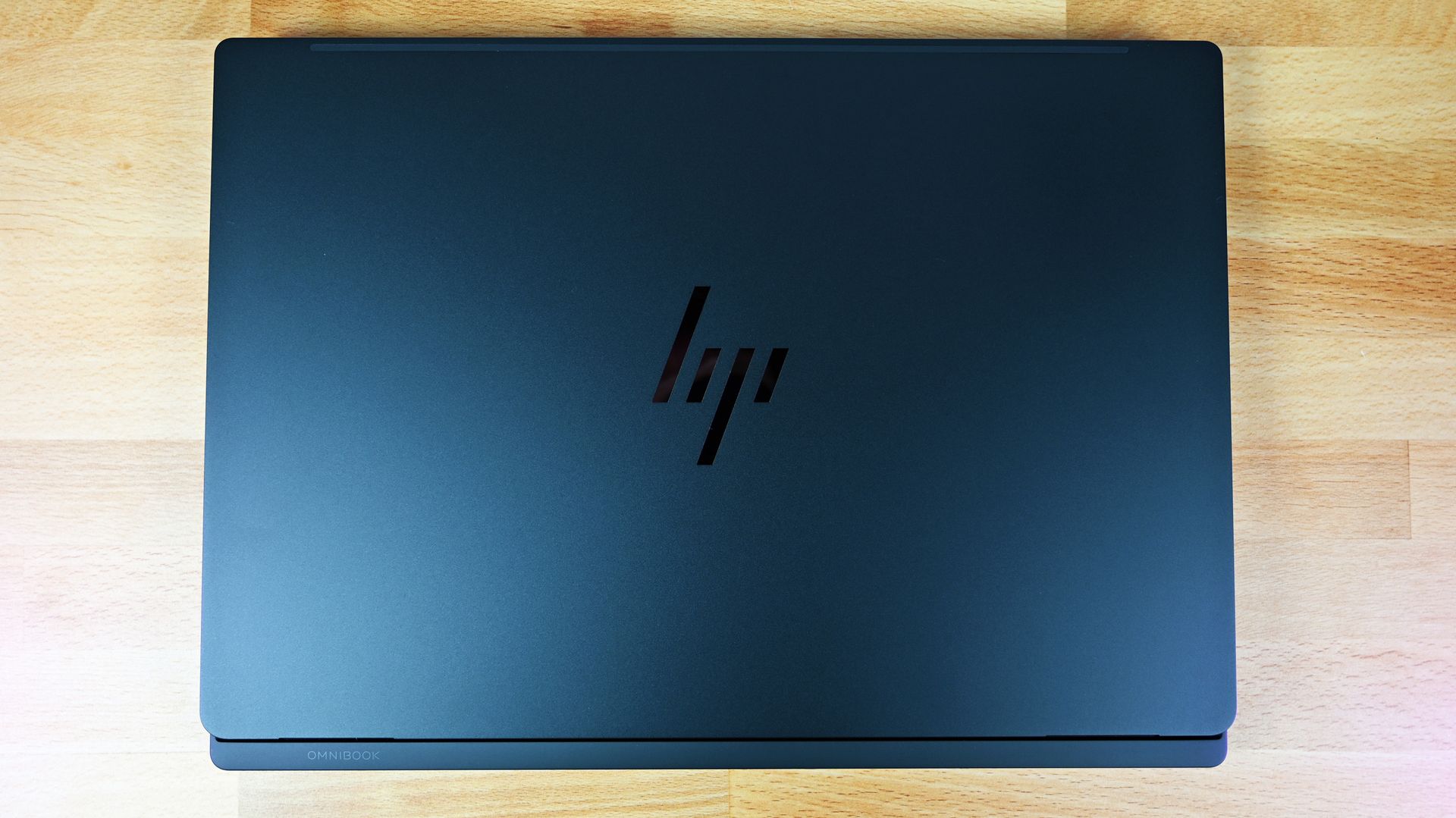
Top-down view of the closed HP OmniBook Ultra 16 RTX Spark. (Image credit: Daniel Rubino)
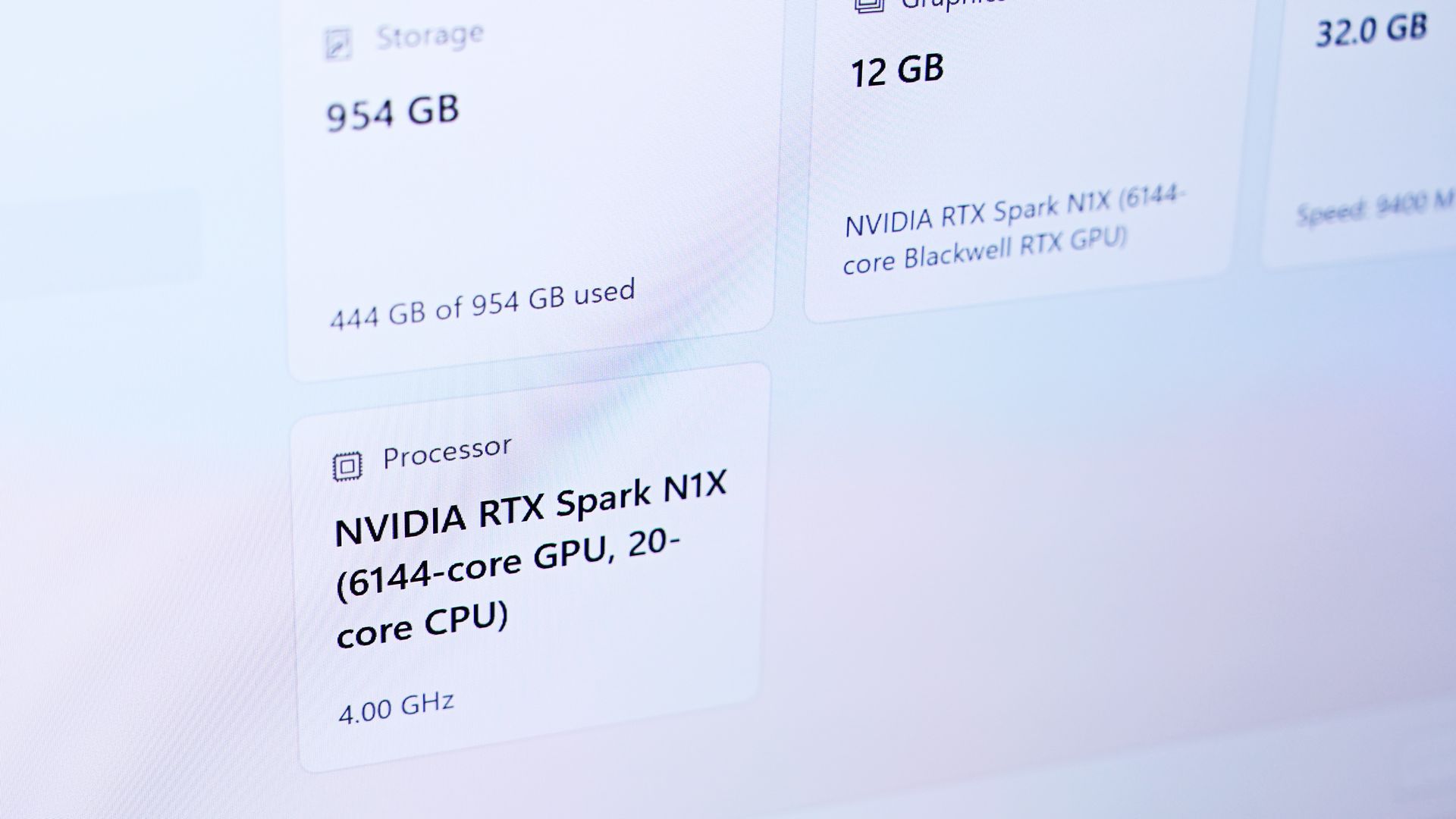
I tested the OmniBook Ultra 16 with NVIDIA's 20-core RTX Spark N1X, 32GB of unified memory, a 1TB SSD, and a 16-inch 2880 x 1800 OLED touchscreen.
In fact, this might be the RTX Spark configuration I'd recommend to more people. If you're doing video and photo editing, light CAD or 3D work, or beginning to experiment seriously with local AI models, 32GB gives you access to NVIDIA's new platform without spending workstation money on memory you might never use.
For people who will use it, however, HP scales RTX Spark considerably higher, including configurations with up to 128GB of unified memory. That's where this architecture gets especially interesting for running larger local models and working with bigger datasets. HP also sells a 64GB/2TB configuration with LPDDR5X-9400 memory and a PCIe Gen5 SSD.
Design: HP might actually beat ASUS, until you pick it up
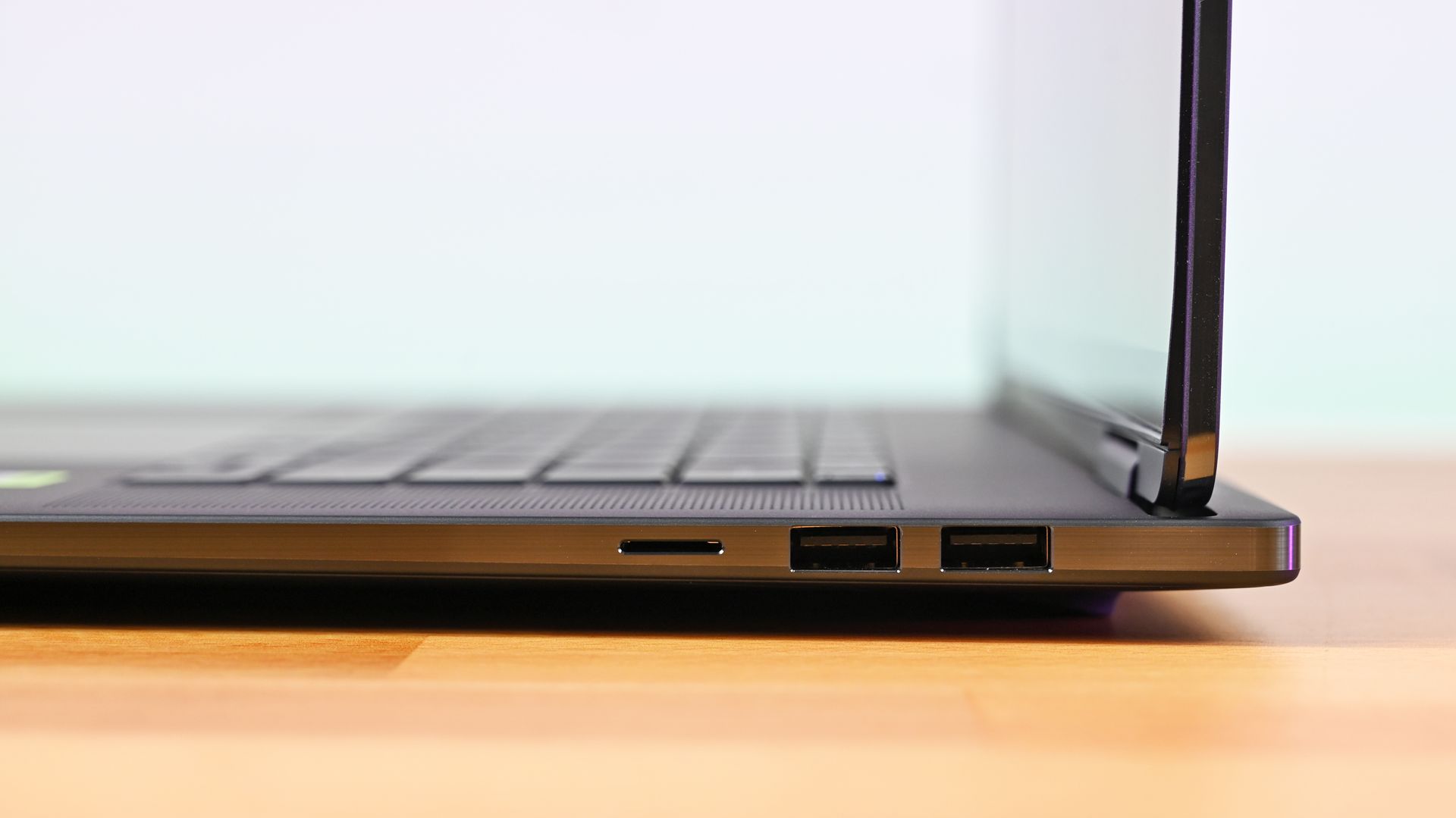
Profile view of the right ports and upright screen hinge on the HP OmniBook Ultra 16, with dual USB-A ports and micro SD. (Image credit: Daniel Rubino)
HP knows how to make premium hardware, and I think the OmniBook Ultra 16's overall build quality is a smidge better than the ASUS ProArt P16.
The three-piece CNC-machined aluminum chassis feels exceptionally solid. Eclipse Gray looks fantastic and has a lovely texture that also does an unusually good job resisting fingerprints.
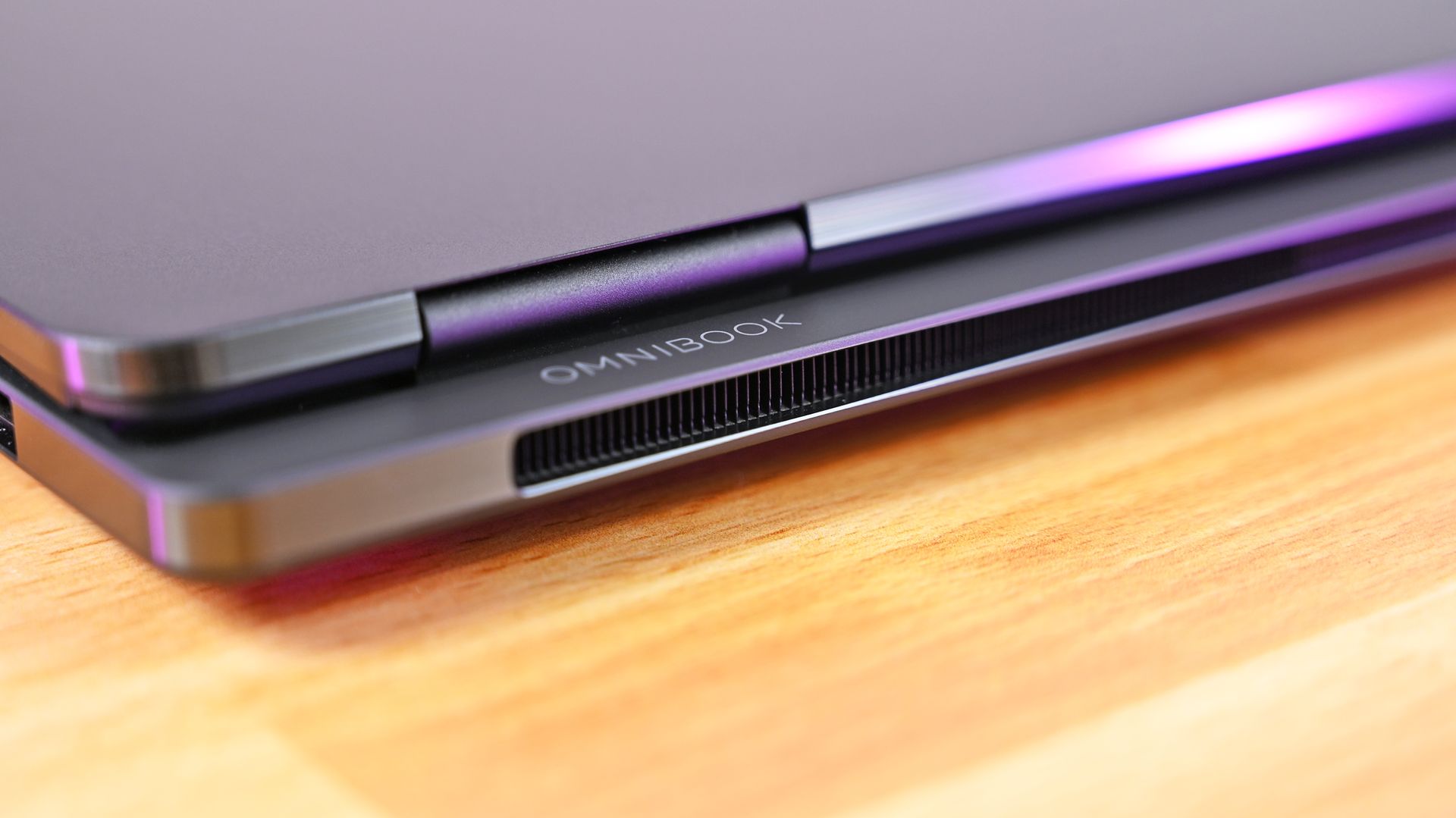
Then there's HP's tower hinge and trunk architecture. Beyond looking cool, the design creates additional room behind the hinge for airflow and rear exhaust. HP combines that with two 79-blade fans, three heat pipes, and internal temperature monitoring, with the system designed to sustain up to 70W.
The results are good, although not dramatically better than ASUS.
Slick design! Rear view of the HP OmniBook Ultra 16 RTX Spark, showing the cooling grille and hinge. (Image credit: Daniel Rubino)
My OmniBook reached around 113 degrees Fahrenheit (45 degrees Celsius) at its hottest point under a sustained load and generally ran slightly warmer than my ProArt P16. That's nothing I'd consider concerning or even notice during regular use. The fans are also excellent and broadly comparable to ASUS, generally remaining below 50dB.
Daniel RubinoDaniel RubinoDaniel RubinoDaniel Rubino
I just don't see a huge thermal payoff for the added bulk.
Because, yes, this thing weighs 4.9 pounds.
That's an entire pound heavier than the 3.9-pound ProArt P16. Even Microsoft's Surface Laptop Ultra comes in around 4.5 pounds.
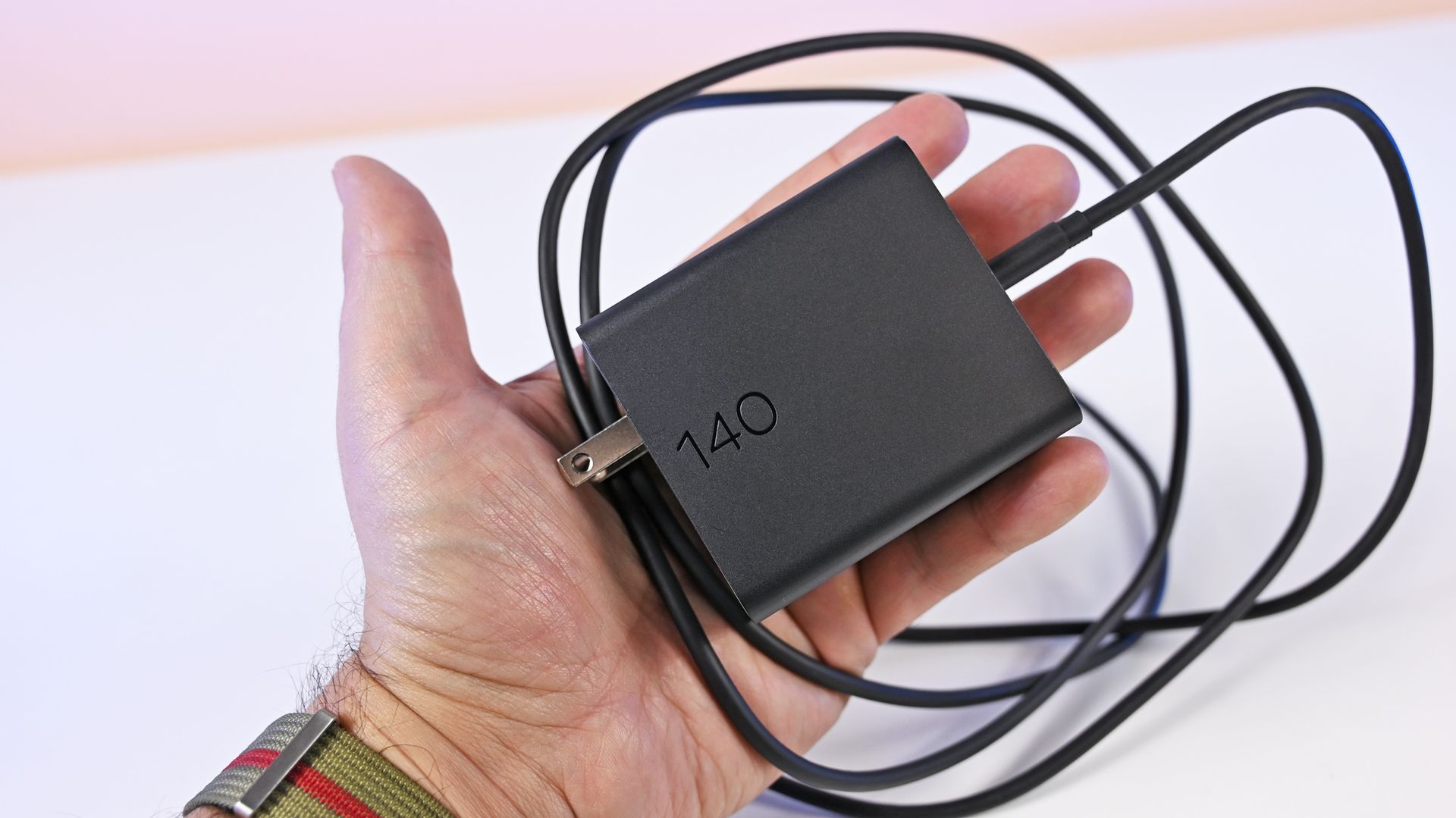
HP's compact matte black 140W GaN power adapter is an excellent addition. (Image credit: Daniel Rubino)
Leave the HP on a desk and none of this matters. Carry it around every day, and ASUS suddenly becomes much more appealing.
Ironically, HP makes up some of that difference with the best charger I've seen on an RTX Spark PC. The included 140W GaN charger is remarkably small, uses a detachable Type-C cable, and has folding prongs. HP says it's 43% smaller and 28% lighter than its previous adapter.
Display, keyboard, and touchpad: Some of HP's best work
HP's OLED panel is really well done. (Image credit: Daniel Rubino)
The 3K OLED touchscreen might be my favorite thing about this laptop.
ASUS also has a fantastic OLED panel, but HP's looks slightly more natural to me. Colors appear clean and balanced without becoming excessively saturated.
HP rates it at 2880 x 1800 resolution, up to 120Hz (VRR), 500 nits SDR, 1,100 nits HDR, and 100% DCI-P3.
Daniel RubinoDaniel RubinoDaniel RubinoDaniel Rubino
It's glossy, although surprisingly tolerable for someone like me who complains about glossy laptop displays all the time. Reflections bother me considerably less here than on Surface Laptop Ultra.
The second-generation latticeless keyboard is another winner. HP says it increased the spacing between keys and deepened the key dishes based on feedback from its first attempt, and whatever it did worked.
It looks great, feels precise, and is genuinely fun to type on.
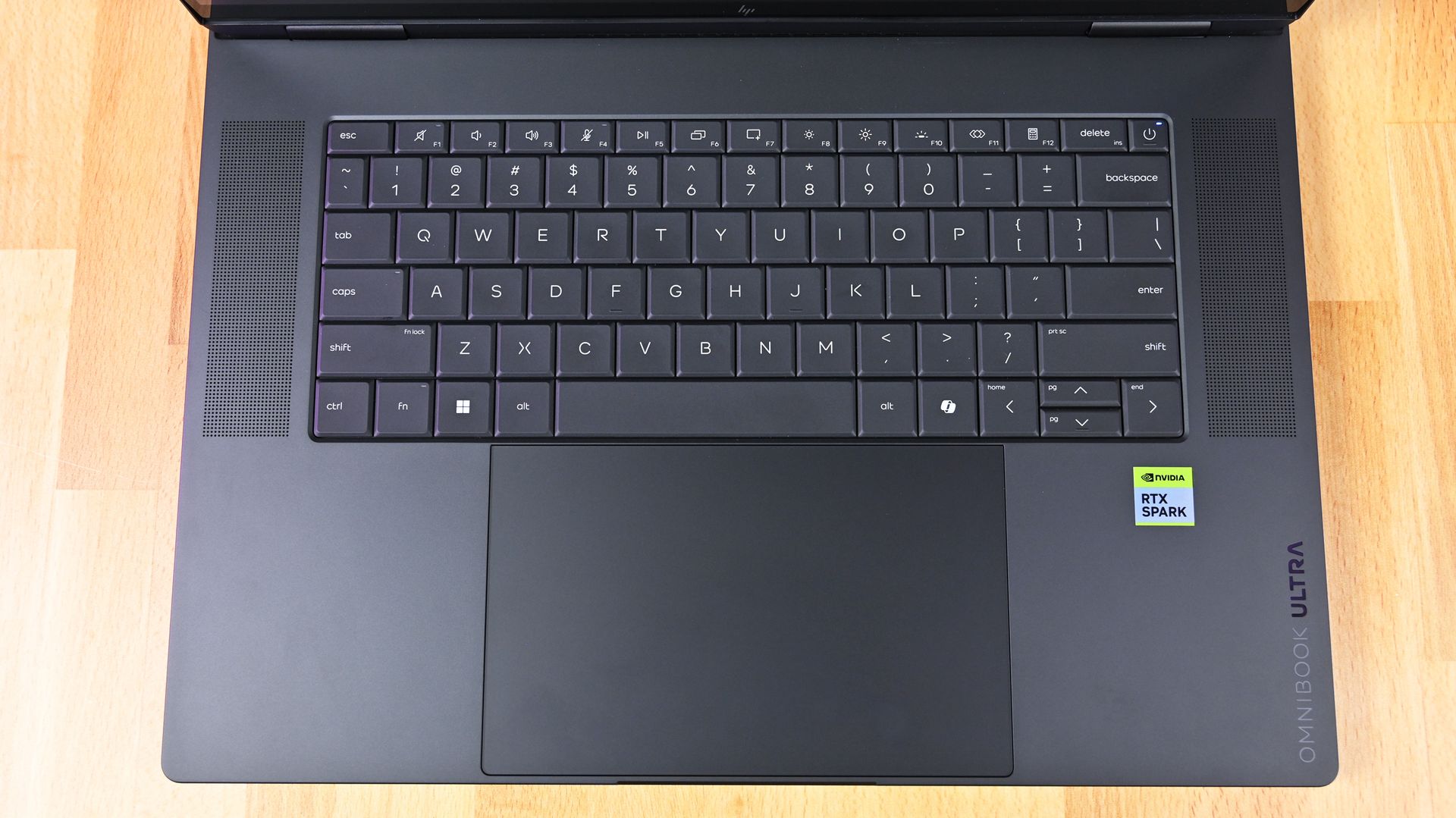
Overhead top-down view of the HP OmniBook Ultra 16 RTX Spark keyboard deck, flanked by dual speaker grilles. (Image credit: Daniel Rubino)
My complaint is the backlighting. You get only two brightness levels versus three on ASUS, and there's no ambient light sensor, so you're manually switching it on and off.
The enormous haptic touchpad is also excellent, with crisp, consistent feedback across its entire surface. Yet bizarrely, it doesn't support Windows 11 Haptic Signals like ASUS and Surface do (which means it chose an older haptic design).
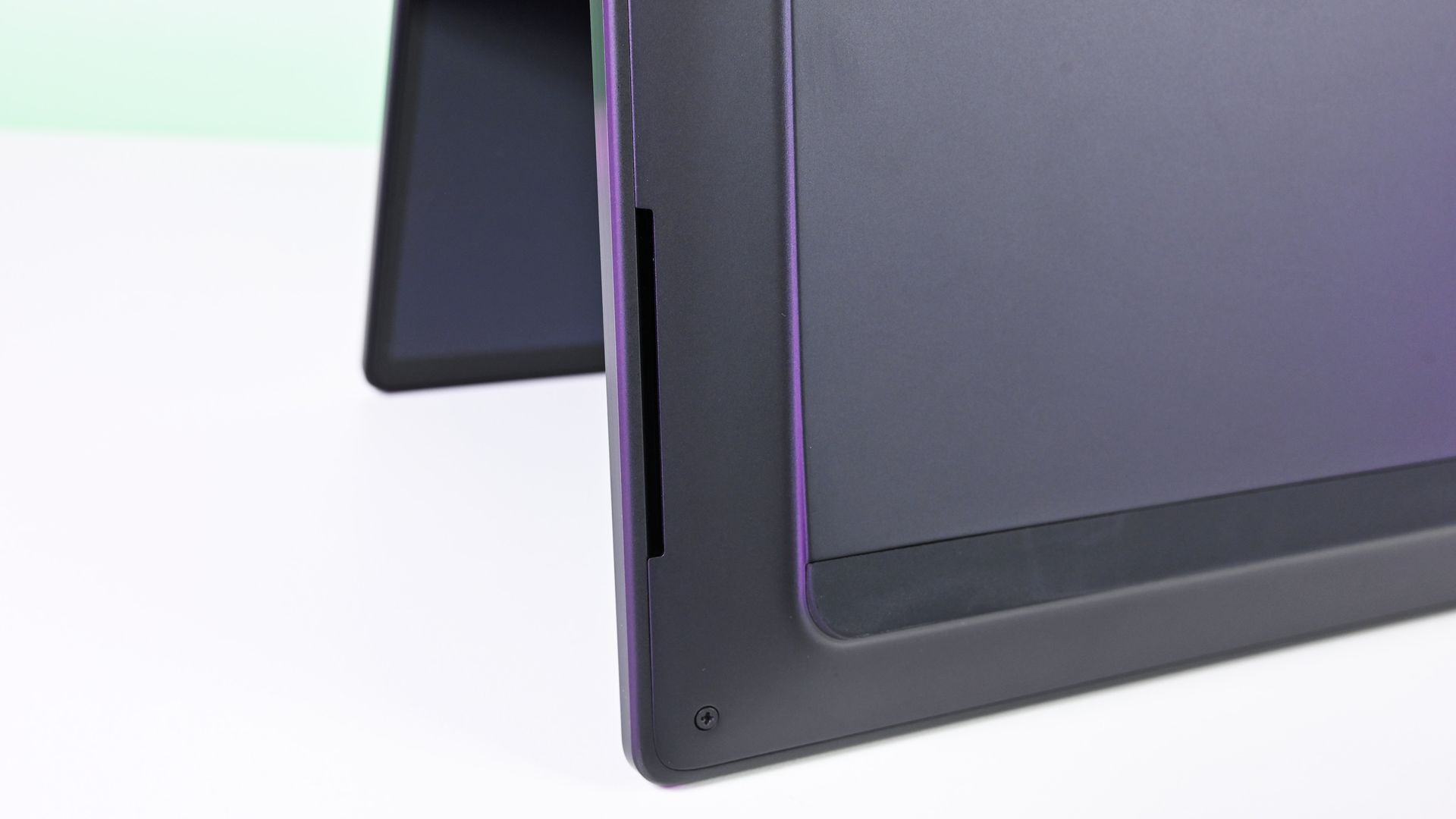
The bottom edge and corner of the HP OmniBook Ultra 16 RTX Spark chassis, showing an elongated speaker cutout. (Image credit: Daniel Rubino)
HP also skips ASUS's adaptive color and ambient light sensors, although it does provide human presence detection. Kind of weird to be missing those first two sensors on such a premium Windows laptop, not gonna lie.
Audio is excellent and roughly comparable to ASUS, while the 5MP webcam is simply okay. It's somewhat soft but perfectly usable. For that audio, you get a quad-speaker system that combines two speakers and a tweeter with DTS X Ultra and spatial audio. I generally prefer Dolby Atmos (which is what ASUS and Surface use), but DTS X Ultra is fine here.
Ports: Plenty of them, but why are both USB-C ports over here?
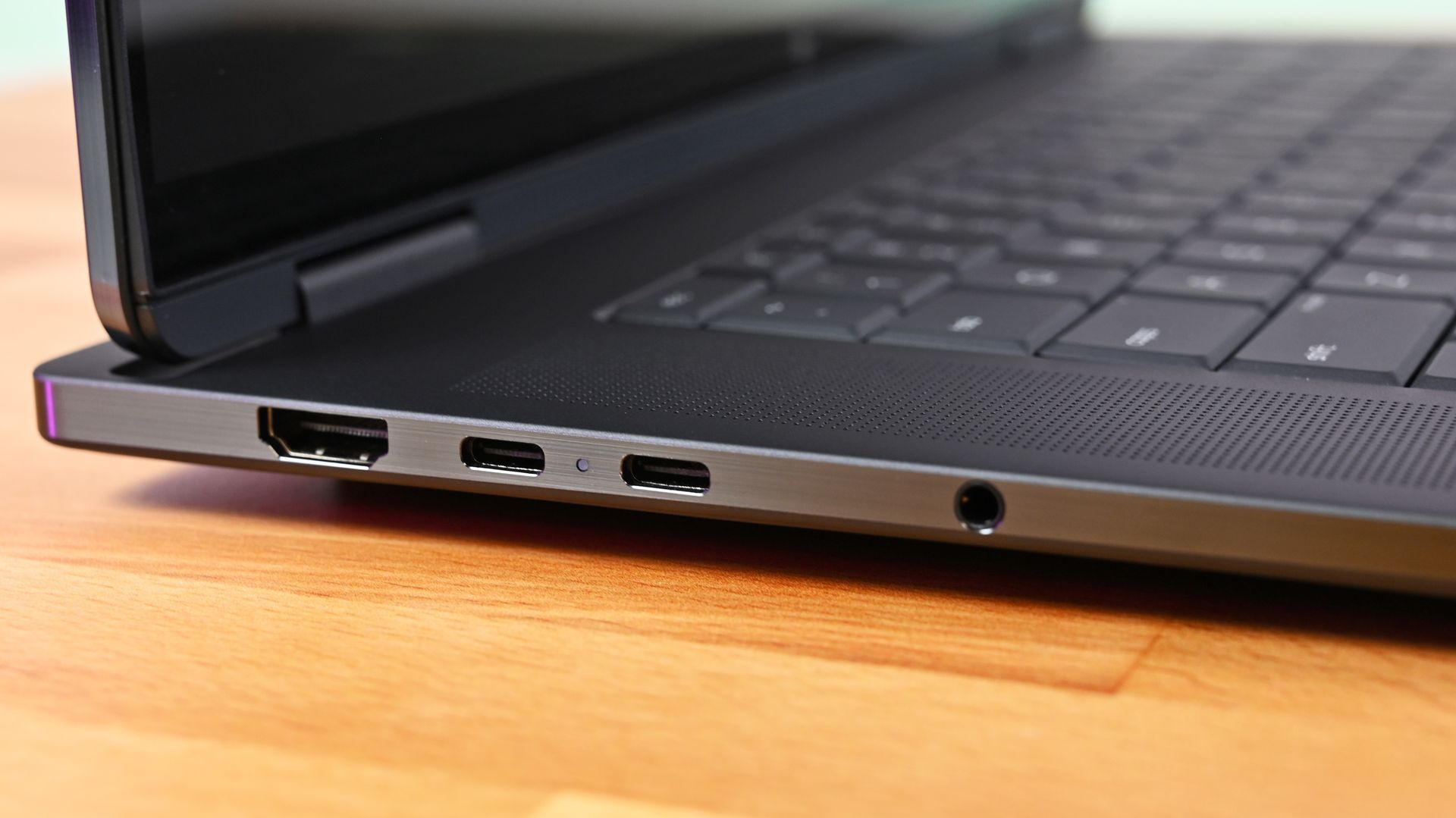
Close-up profile of the left edge of the HP OmniBook Ultra 16 RTX Spark, showing an HDMI port, two USB-C ports with an LED status light, and a 3.5mm headphone jack. (Image credit: Daniel Rubino)
HP gives you HDMI 2.1, two USB-C ports, two USB-A ports, MicroSD, and a headphone jack.
That's a great selection, particularly those two legacy Type-A ports.
Unfortunately, both USB-C connections are on the left side, and since that's also how you charge the laptop, cable placement is less flexible than ASUS (personally, I feel one Type-C on either side is a better design decision).
The second-generation latticeless keyboard is another winner… It looks great, feels precise, and is genuinely fun to type on
The software loadout is peculiar, too. My system came with McAfee, which I immediately removed, yet several HP utilities I'd expect on one of the company's flagship laptops, including HP Support, weren't installed, so you get fewer bonus device configuration options, unlike the MyASUS app, which is ideal.
None of these are serious problems. They're just odd omissions at this price.
RTX Spark performance: Stop worrying about tiny differences
(Image credit: Daniel Rubino)
After testing multiple RTX Spark PCs, I've reached a straightforward conclusion: don't buy one based on tiny benchmark victories.
My OmniBook scored 13,080 in 3DMark Time Spy, ahead of Surface's 12,771 and ASUS's 11,840. Time Spy Extreme reversed things, with ASUS hitting 6,006 versus 5,857 for Surface and 5,492 for HP.
Cinebench 2026 tells a similar story. HP scored 6,954 multi-core and 562 single-core, while Geekbench 7 results among these machines are effectively interchangeable.
Even GPU compute is remarkably close. HP reached 187,569 in Geekbench 7 CUDA, compared to 187,547 for my 4K ASUS configuration.
FutureFutureFutureFutureFutureFutureFutureFuture
The exception is storage. HP's SSD reached an excellent 10,389MB/s read and 9,243MB/s write, substantially ahead of my ASUS configurations, although Surface was faster still.
Gaming performance was similarly close to ASUS in my testing. RTX Spark isn't a dedicated gaming platform, but gaming performance is very good, especially paired with that 120Hz OLED.
The takeaway is increasingly obvious: choose your RTX Spark laptop based on the laptop, not a few percentage points in a synthetic benchmark.
Battery life: Better than I expected
HP's RTX Spark laptop does decently well on battery life, in line with other RTX Spark models. (Image credit: Daniel Rubino)
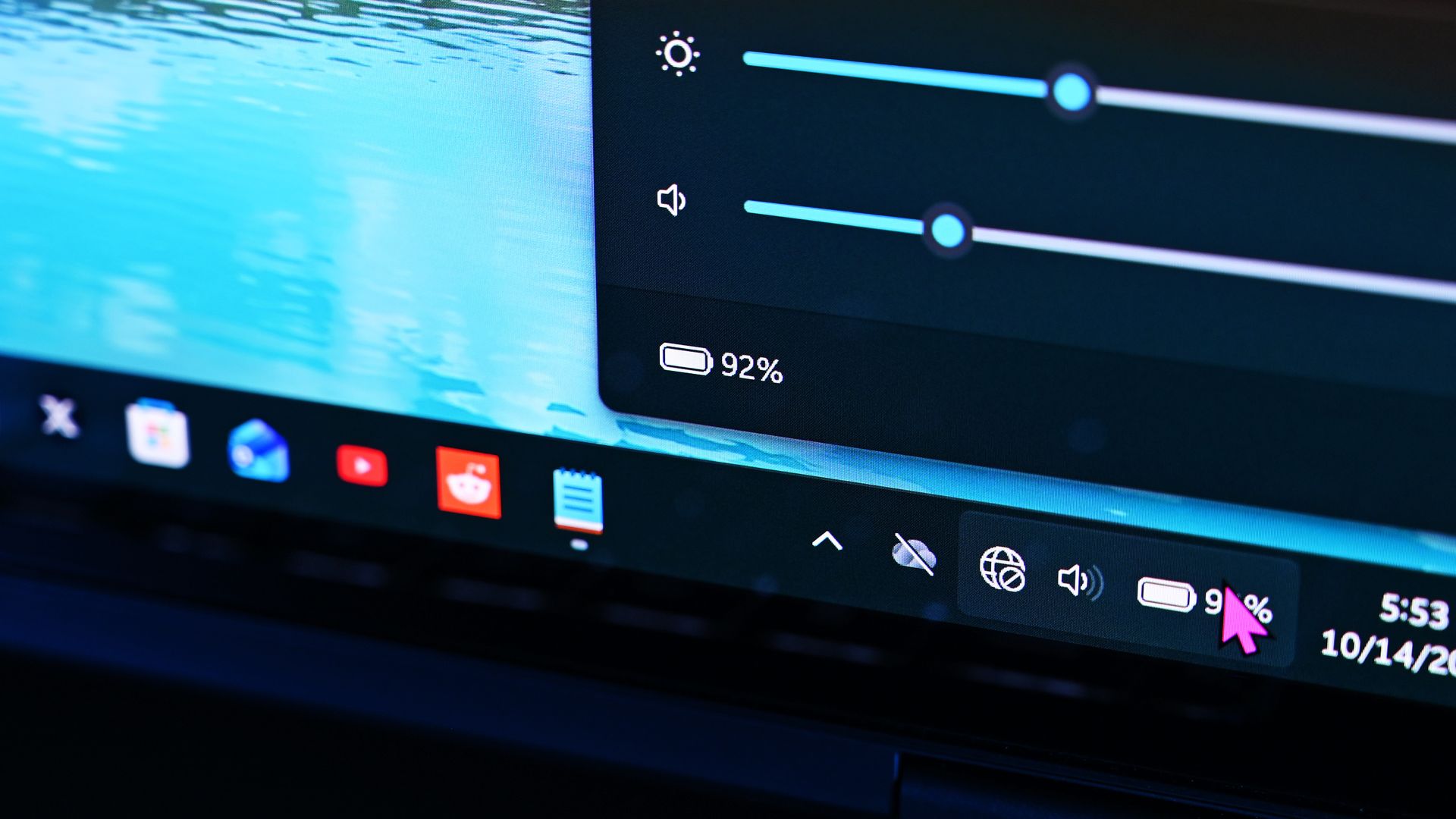
Using Windows Battery Report to track my real-world light-to-medium everyday usage, the OmniBook Ultra 16 peaked at 11 hours and 18 minutes.
That's broadly comparable to ASUS, although in practice the HP feels like it can stretch slightly longer.
ASUS fights back with phenomenal standby behavior. My ProArt P16 resumes almost instantly and loses very little battery while sleeping. HP can take noticeably longer coming back from hibernation.
It's a small distinction, but one I've noticed after living with both.
Obviously, once you go heavy workloads and hammer that GPU for intense local AI sessions, gaming, or video editing, you're going to cut that usage time in half.
Should you buy the HP OmniBook Ultra 16?
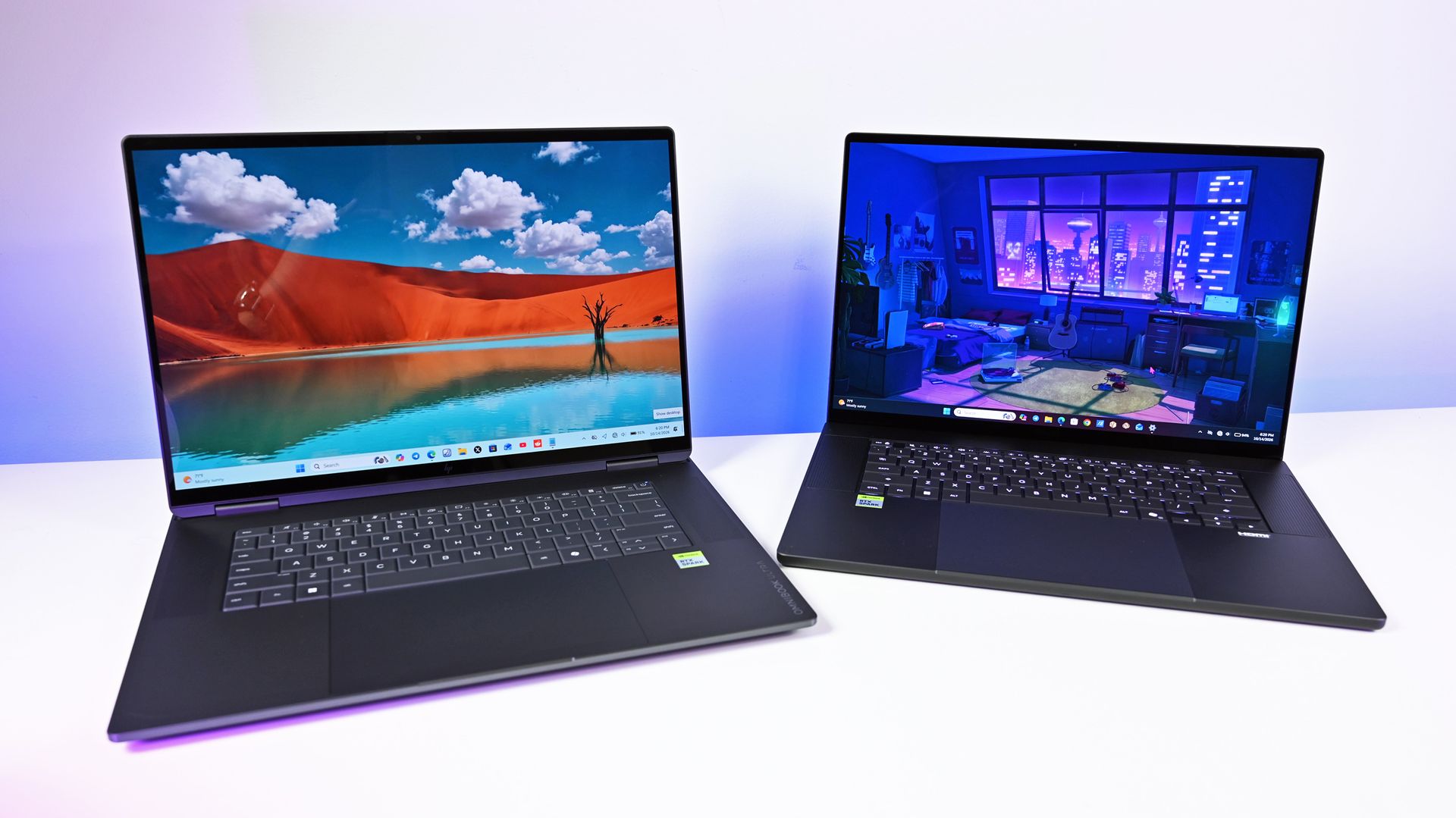
The HP OmniBook laptop on the left and the ASUS ProArt P16 on the right. (Image credit: Daniel Rubino)
You should buy this if ...
✅You want a premium RTX Spark laptop without jumping to 64GB or 128GB
✅You care about build quality, display quality, and the everyday laptop experience
✅You find it significantly cheaper than the ASUS ProArt P16
You should not buy this if ...
❌You want the lightest RTX Spark laptop you can get
❌You want a convertible RTX Spark PC with pen support
❌You expect every premium convenience at this price
If the OmniBook Ultra 16 existed in a vacuum, I'd probably score it higher than 4 out of 5.
I've genuinely enjoyed using it for the last three weeks. HP's build quality is exceptional, the OLED display is fantastic, the keyboard and touchpad are among the company's best, audio is great, battery life is good, and performance has been consistently excellent.
At Best Buy's current $2,799.99, the 32GB configuration is also one of the more compelling ways to get into RTX Spark without spending thousands more on memory you may never need.
Unfortunately for HP, ASUS exists.
The ProArt P16 delivers essentially the same performance with excellent thermals, an equally premium experience, and more of the little features I'd expect at this price, all while weighing a full pound less.
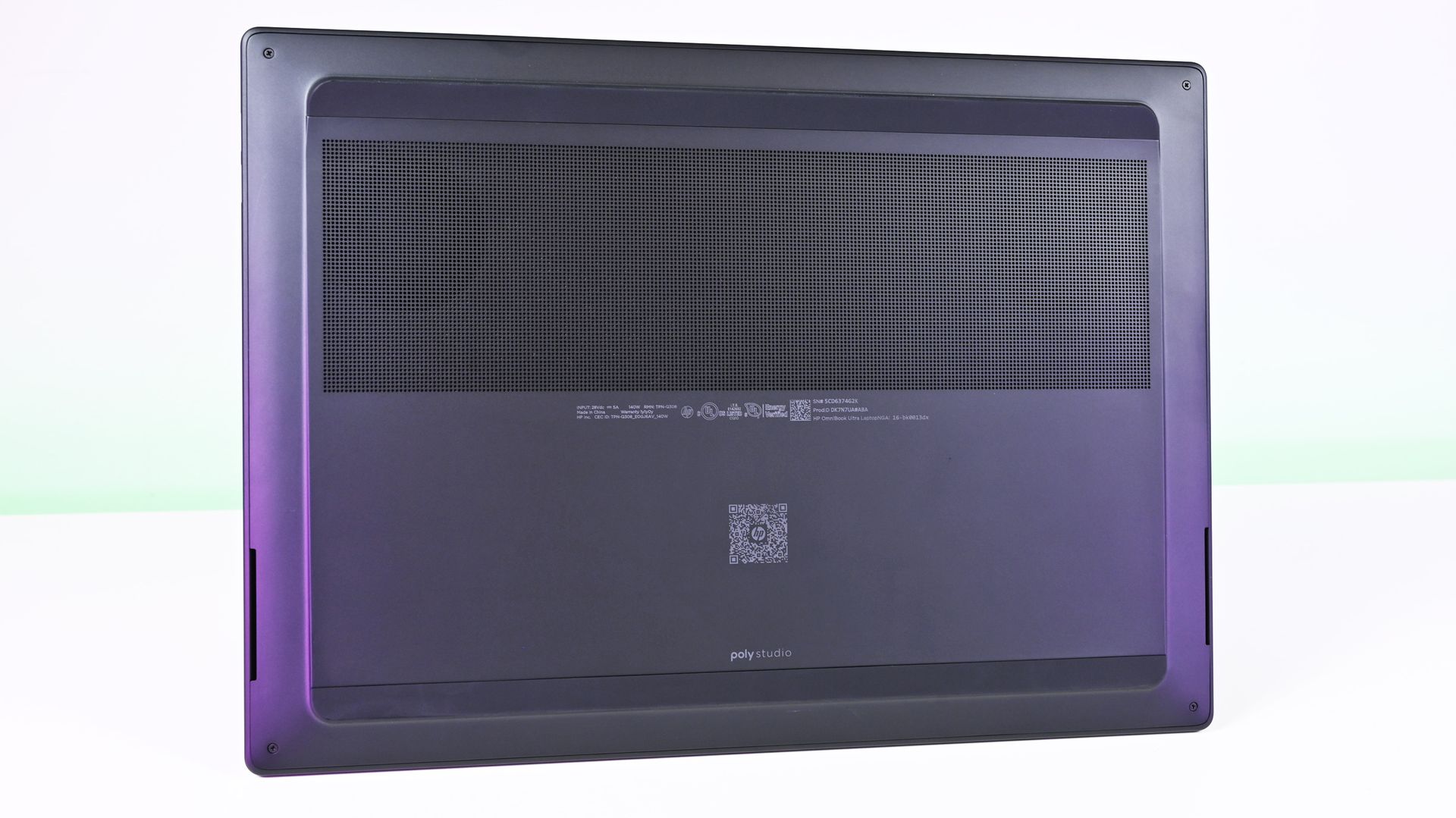
Underside view of the HP OmniBook Ultra 16 RTX Spark showing the large horizontal perforated intake cooling vent. (Image credit: Daniel Rubino)
There’s also Lenovo, which gives RTX Spark shoppers another compelling alternative. Our Lenovo Pro 9n review found an excellent 15.3-inch clamshell with a 2.5K OLED display, strong performance, and a particularly interesting pen-enabled haptic touchpad. It’s also substantially lighter than the HP, which makes the OmniBook Ultra 16’s 4.9-pound weight even harder to ignore. Lenovo separately offers a larger Yoga 9n 2-in-1 for buyers who want the added versatility of a convertible design.
That leaves HP in a slightly awkward middle ground. Lenovo has its convertible versatility, ASUS has portability and an exceptional overall feature set, and Surface Laptop Ultra offers Microsoft’s distinctive premium hardware.
HP’s build quality is fantastic. The 3K OLED display is one of my favorites on any laptop I’ve used this year.
The OmniBook Ultra 16 competes extremely well on build quality, display, performance, and everyday usability, but it doesn't have one defining advantage beyond potentially being the better value when discounted.
At $2,799, however, that last point shouldn't be underestimated. If the HP is several hundred dollars cheaper than its closest competitors when you're shopping, I'd happily buy it.
HP
Omnibook Ultra 16 RTX Spark
HP OmniBook Ultra 16 pairs NVIDIA RTX Spark performance with a premium, remarkably thin design aimed at creators, developers, and enthusiasts. It’s built for demanding creative work and local AI, with enough versatility to serve as an everyday high-end laptop.
Join us on Reddit at r/WindowsCentral to share your insights and discuss our latest news, reviews, and more.
Nvidia reportedly requires GPU monitoring for Southeast Asian cloud partners as China AI chip smuggling concerns grow. Here's what businesses should know.
The post Nvidia Tightens AI Chip Tracking in Southeast Asia as China Smuggling Concerns Grow appeared first on TechRepublic.
Nvidia reportedly requires GPU monitoring for Southeast Asian cloud partners as China AI chip smuggling concerns grow. Here's what businesses should know.
Aina’s $399 AI ring lets users approve tasks with a thumb flick. Check iPhone and Mac compatibility, shipping plans, and key considerations for IT teams.
The post Aina’s $399 AI Ring Turns Your Thumb Into an AI Approval Button appeared first on TechRepublic.
Aina’s $399 AI ring lets users approve tasks with a thumb flick. Check iPhone and Mac compatibility, shipping plans, and key considerations for IT teams.
QNAP urges users to update Plex Media Server to the latest version available in the QNAP App Center, as hackers are exploiting the Plex2Shell vulnerability chain. [...]
QNAP urges users to update Plex Media Server to the latest version available in the QNAP App Center, as hackers are exploiting the Plex2Shell vulnerability chain. [...]
Nothing CEO Carl Pei has confirmed a December launch for the company's first AI-native device. Here's what we know about its design, features, and availability.
The post Nothing’s First AI Device Is Coming in December: What We Know appeared first on TechRepublic.
Nothing CEO Carl Pei has confirmed a December launch for the company's first AI-native device. Here's what we know about its design, features, and availability.
See what you missed in Daily Tech Insider from Nov. 2–6.
The post This Week in Tech: AI Expands Everywhere as Security Threats and Infrastructure Pressures Mount appeared first on TechRepublic.
Apple's M6 iMac brings faster performance, but the M4 still makes a strong case. Here's how their prices, ports, and upgrades compare.
The post Apple’s M6 iMac Is Here, but the M4 Still Has a Strong Case appeared first on TechRepublic.
Motorola Signature 27 vs Samsung Galaxy S26 Ultra: Compare price, cameras, battery, charging, software, and features to see which flagship offers better value.
The post Motorola Signature 27 vs Samsung Galaxy S26 Ultra: Which Flagship Is Worth $1,600? appeared first on TechRepublic.
Motorola Signature 27 vs Samsung Galaxy S26 Ultra: Compare price, cameras, battery, charging, software, and features to see which flagship offers better value.
Nvidia-backed Agility Robotics goes public at a $2.5 billion valuation, raising $465 million in gross capital to expand its Digit humanoid robot business.
The post Nvidia-Backed Agility Robotics Goes Public at $2.5B in Humanoid Robot Milestone appeared first on TechRepublic.
Nvidia-backed Agility Robotics goes public at a $2.5 billion valuation, raising $465 million in gross capital to expand its Digit humanoid robot business.
US voters are pushing back against AI data centers, raising concerns about construction delays, energy costs, and the future of AI infrastructure.
The post AI Data Center Boom Faces Backlash After US Election Results appeared first on TechRepublic.
RedMagic’s 12 Pro starts at $949 in the US. Explore its gaming specs, charging features, software support and November sales dates before buying.
The post RedMagic 12 Pro Launches Globally With $949 US Starting Price appeared first on TechRepublic.
Compare Xiaomi 18 Pro Max and Galaxy S26 Ultra cameras, performance, battery, pricing, and software support to see which flagship is worth buying.
The post Xiaomi 18 Pro Max vs Samsung Galaxy S26 Ultra: Which Flagship Is Worth Buying? appeared first on TechRepublic.
Explore the OPPO Find X10 Pro Max's price, triple 200MP cameras, specifications, battery, ColorOS 17 features, and availability.
The post OPPO Find X10 Pro Max Cheat Sheet: Price, Specs, Camera and Features appeared first on TechRepublic.
Apple's OLED iPad mini is much lighter, while Samsung's Galaxy Tab S11 offers a bigger screen and included stylus. Which fits how you use a tablet?
The post iPad Mini OLED vs Galaxy Tab S11: Is Portability Worth Giving Up a Bigger Screen? appeared first on TechRepublic.
If you're looking for a laptop that's easy to carry without settling for weaker specs, LG's 'gram' range is still one of the strongest options around. To some, it's surprising to see LG in the category, but in the industry, they're still known for lightweight designs, built for traveling workers.With multiple models at Best Buy currently available across different price points before Black Friday, we've picked some standout LG Gram laptops that offer a balance of
If you're looking for a laptop that's easy to carry without settling for weaker specs, LG's 'gram' range is still one of the strongest options around. To some, it's surprising to see LG in the category, but in the industry, they're still known for lightweight designs, built for traveling workers.
With multiple models at Best Buy currently available across different price points before Black Friday, we've picked some standout LG Gram laptops that offer a balance of value, features, and performance.
For example, the travel-friendly LG gram Max 17-inch touchscreen with an Intel Core Ultra 7 355 (Panther Lake) CPU, 16GB of RAM, and a 512GB SSD is currently discounted from $1,749.99 to $1,199.99 at Best Buy.
It features exceptional processing power for tackling heavy workloads, a 2.5K display that renders images with sharp details and vibrant colors, a large battery life of over 26 hours, and a thin 0.6-inch profile with a durable magnesium alloy chassis.
This LG Gram is armed with Intel's latest Panther Lake processor, capable of making mincemeat of digital documentation, spreadsheets, and other productivity tasks with ease, while packing a solid chassis and portable design.View Deal
This LG Gram 15-inch laptop has the best value for money in this roundup, as you will be getting a versatile workflow cruncher with a fast-performing Intel Core Ultra 5 CPU, an ultra-thin build, upgradeable SSD and RAM slots, and more features for under $600.View Deal
This 14-inch LG Gram laptop features a 61Wh battery that lasts all day at work, a built-in AI assistant to speed up menial tasks like summarizing text, and a FHD 1920x1080 IPS display for wider reading space.
This LG Gram laptop comes with a 15-inch Touchscreen with FHD resolution, an Intel Core Ultra 5 115U CPU with a dedicated NPU for processing AI tasks efficiently, and a generous selection of USB and M.2 SSD slots.View Deal
This laptop is the second most powerful one in this roundup, as it's equipped with an AMD Ryzen AI 7 445 CPU that helps it excel in AI-related tasks and a 1TB SSD for storing tons of vital data files.View Deal
How long will these deals last?
Best Buy's discounts on LG Gram laptops will last until November 14, 2026.
Is 8GB enough RAM for Windows?
In the past, we wouldn't normally recommend a laptop with 8GB RAM because it offers less-than-optimal responsiveness with Windows 11. However, we have recently tested Microsoft's latest 26H2 update to Windows 11, and we have discovered that it has improved the fresh-boot memory footprint (with no additional apps running) and common workload performance of 8GB RAM PCs.
While there still needs work when tackling heavy workloads, this 26H2 update has made 8GB RAM PCs and laptops much more viable for casual use or light workloads.
Should I wait for Black Friday for a better deal?
It depends on whether you're willing to wait until Black Friday for a bigger discount or if you're in need of a new laptop for work/casual use right now and don't have time to wait for a sweeter deal.
Join us on Reddit at r/WindowsCentral to share your insights and discuss our latest news, reviews, and more.

 Connexion