Microsoft says the August 2026 security update may trigger 0xc0000409 errors on Windows Server 2016 systems where the Compatibility Appraiser diagnostic service is enabled. [...]
Microsoft says the August 2026 security update may trigger 0xc0000409 errors on Windows Server 2016 systems where the Compatibility Appraiser diagnostic service is enabled. [...]
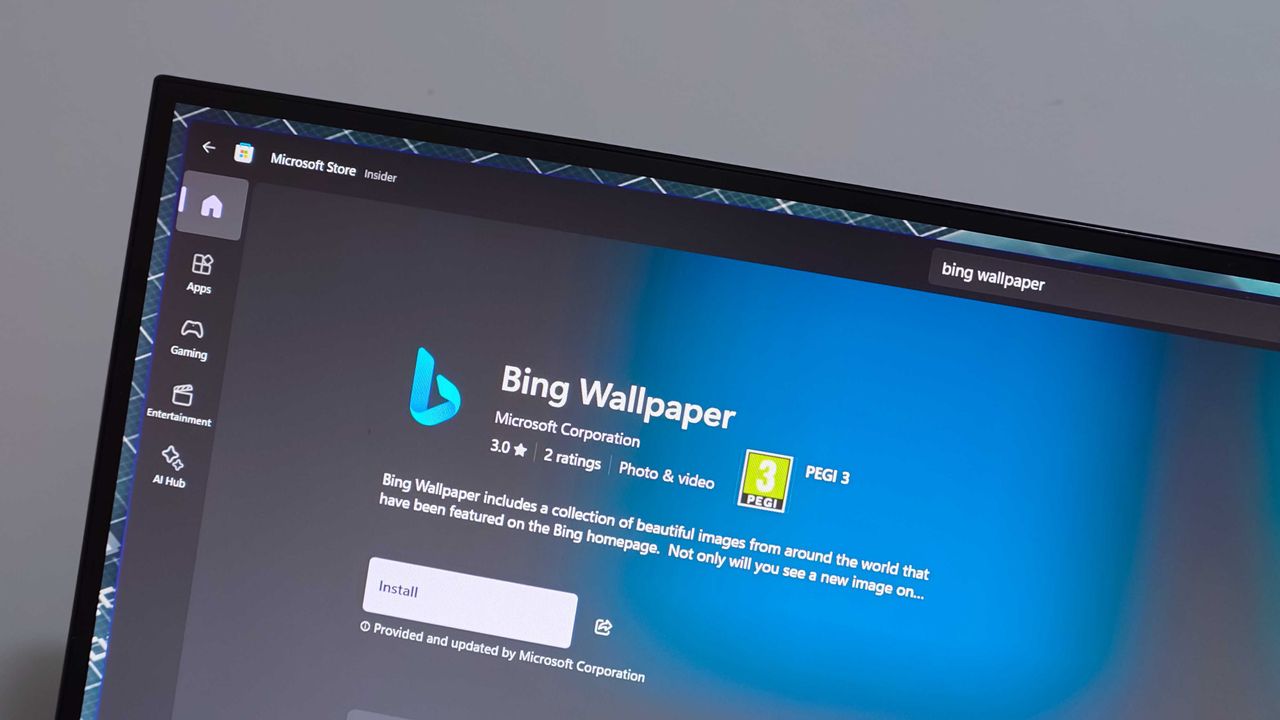
The Bing Wallpaper app is one of the few items under the Bing brand that's praised. The app provides beautiful images that can be set to rotate as your desktop background. But the app is in the headlines for the wrong reasons this week.Some unlucky users have had their desktop background swapped to a fullscreen ad for a collection of Harry Potter and Fantastic Beasts films.People have taken to Reddit to complain about the ad-filled wallpaper. A Microsoft Learn po
The Bing Wallpaper app is one of the few items under the Bing brand that's praised. The app provides beautiful images that can be set to rotate as your desktop background. But the app is in the headlines for the wrong reasons this week.
Some unlucky users have had their desktop background swapped to a fullscreen ad for a collection of Harry Potter and Fantastic Beasts films.
There's often debate about what counts as an ad on Windows 11. For example, prompts to use OneDrive are called ads by some but are viewed simply as optional features by others.
Promotional content isn't entirely new to Bing Wallpaper. The app frequently cycles through images tied to popular movies or Xbox games. Perhaps I'm splitting hairs, but I view the new Harry Potter wallpaper differently than a normal background image.
Bing Wallpaper features a gorgeous clean image of David Corenswet's Superman. It's a well-framed shot with dynamic lighting that captures the hopeful tone of Corenswet's rendition of the character. While the image is from Superman (2025), it is not a promotional poster with text about how to buy the movie.
In contrast, the Harry Potter wallpaper is specifically about the 11-film collection. The lower-right corner of the image says "AVAILABLE NOW" in all caps.
If the image were simply of Hogwarts and the surrounding area, it would be different. People are passionate about Harry Potter and other franchises. It's completely natural to enjoy a wallpaper showing off a favorite character or iconic setting.
I'd be just as bothered if the Superman image featured prominent text telling me the movie is available on Amazon. If Microsoft needs to monetize the Bing Wallpaper app, that needs to happen without crowding the images. Clicking to learn more about an image from a movie and being told about the film is fine. A big promo on my desktop is not.
Bing Wallpaper is an optional app, so it's not as if Microsoft is pushing more ads through Windows 11's settings. But as mentioned earlier, Bing Wallpaper is one of the only parts of the Bing brand that's well received. Tarnishing it with ads is penny wise, pound foolish.
Join us on Reddit at r/WindowsCentral to share your insights and discuss our latest news, reviews, and more.
Microsoft details Windows 11 age-signal APIs that let eligible apps receive age brackets without exposing users’ exact ages or birth dates.
The post Microsoft Confirms Windows 11 Age Signals for Apps — But They Aren’t Live Yet appeared first on TechRepublic.
Microsoft is retiring Word’s Similarity Checker and making Text Predictions opt-in. Learn who is affected and what users should do before October 3.
The post Microsoft Is Removing a Useful Word Tool: What Users Should Know appeared first on TechRepublic.
Microsoft warned customers last week that they may experience application crashes on some Windows Server 2025 due to recent memory management changes. [...]
Microsoft warned customers last week that they may experience application crashes on some Windows Server 2025 due to recent memory management changes. [...]
Last week at IFA 2026, Microsoft announced Project Zenith, the codename of a new class of devices aimed squarely at developers looking to build apps and local AI experiences on top of Windows 11. The announcement came out of the blue, which naturally caused a bit of confusion online.So, what is it? Well, Zenith is an effort to formalize a baseline for "developer-ready" hardware: devices that meet a minimum bar for performance and are ready out of box to begin cod
Last week at IFA 2026, Microsoft announced Project Zenith, the codename of a new class of devices aimed squarely at developers looking to build apps and local AI experiences on top of Windows 11. The announcement came out of the blue, which naturally caused a bit of confusion online.
So, what is it? Well, Zenith is an effort to formalize a baseline for "developer-ready" hardware: devices that meet a minimum bar for performance and are ready out of box to begin coding and compiling. This means the configuration of Windows 11 that ships on these devices is different from normal PCs, with different default settings and pre-installed apps.
To be clear: This isn't a new or different version of Windows 11. Zenith devices will almost definitely still ship with either Windows 11 Home or Pro, depending on the OEM. It's simply how Windows 11 is configured out of box that differentiates these developer-class devices from normal Windows 11 PCs.
There's seemingly also a hardware component at play, too. Microsoft says Zenith devices must ship with at least 64GB of unified memory and be capable of 250GB/s of memory bandwidth if they want to ship with this specially preconfigured version of Windows 11 for developers. All other hardware will ship with the normal configurations of Windows 11.
In recent years, there has been an uptick in developers making the switch from Windows to Mac for a variety of reasons, including OS quality issues or lack of capable hardware in the wake of Apple Silicon. Developers have also complained that it just takes too long to set up a Windows PC for development, sometimes taking hours or even days from the first power-up.
The developer-focused apps and frameworks that come preloaded on Zenith PCs. (Image credit: Microsoft)
Zenith removes this friction. These devices are certified high-end and ship from the factory in a state that is ready to code, with apps like Visual Studio and GitHub Copilot already installed and ready to go as soon as you reach the desktop. They also ship with Windows 11 in a configuration that already dials back the annoyances that developers have complained about.
Out of box, "File Explorer shows file extensions, hidden files, the full path in the title bar, and the details pane, with long-path support enabled. Recently used files and folders and sync provider tips are turned off for a cleaner workspace. In Search and Start, Command Palette is enabled, while Start menu tips and account notifications are turned off to reduce distractions."
These are small but meaningful changes to the default Windows configuration, one that can save minutes of setup time. If you're managing a fleet of developer devices, this will save you hours of configuration time. The good news is these settings aren't unique to Zenith PCs.
If you don't fancy spending the money on a new Zenith device, you can manually configure your existing Windows 11 PC to match the configuration that comes preloaded on Zenith PCs. Of course, it'll take longer to do, but you'll save yourself the cost of a new PC in the process.
Ultimately, the goal of Zenith is to signal to developers that Microsoft is listening and wants to position Windows as the preferred platform for on-device AI and app development. The first Zenith devices to ship will be ones powered by AMD's Ryzen AI Halo chips, with other chipmakers such as the RTX Spark expected to follow.
No word on which OEMs will build Zenith hardware, or when the first Zenith devices will begin shipping just yet. We'll keep you posted when we know more!
Join us on Reddit at r/WindowsCentral to share your insights and discuss our latest news, reviews, and more.
September 2026 TIOBE Index keeps the top 10 unchanged, as Python falls below 18%, C++ widens its lead over Java, and Julia nears the top 20.
The post TIOBE Index for September 2026: Python Drops Below 18% as Julia Nears Top 20 appeared first on TechRepublic.
Microsoft’s Project Zenith brings a ready-to-code Windows experience to developer PCs, with local AI support and preconfigured tools.
The post Microsoft Project Zenith: Windows Developer PCs Will Come Ready to Code appeared first on TechRepublic.
The US government backs OpenAI and Microsoft in a major copyright fight, arguing AI training is fair use and important to national security.
The post OpenAI Gets US Government Backing in Major AI Copyright Fight appeared first on TechRepublic.
A "ready-to-code distraction-free Windows experience" is on the way for developers. Microsoft just detailed how Windows 11 will be optimized for people with developer-class devices.The idea behind Project Zenith is to save developers time by preinstalling apps and having Settings pre-enabled that are optimized for development. For example, File Explorer will show file extensions, hidden files, and the full path in the title bar.Those options are not new, but they
A "ready-to-code distraction-free Windows experience" is on the way for developers. Microsoft just detailed how Windows 11 will be optimized for people with developer-class devices.
The idea behind Project Zenith is to save developers time by preinstalling apps and having Settings pre-enabled that are optimized for development. For example, File Explorer will show file extensions, hidden files, and the full path in the title bar.
Those options are not new, but they can take a while to set up when you also have to install a bunch of apps and tweak other settings.
We already knew about some of these experiences because of announcements made at Build 2026, but we now know a name for the project and more information about how Windows 11 will be optimized for developer-class devices.
Those devices will be able to run 30B+ parameter models locally and unmetered and use a variety of tools out of the box. Windows Terminal and Visual Studio Code are pinned to the Taskbar by default. GitHub Copilot, PowerToys, WinAppCLI, and Windows Dev Skills will also be preinstalled, according to The Verge.
Project Zenith will launch first on AMD's Ryzen AI Halo devices, but it will make its way to other systems over the coming months.
To classify as a developer-class device, a system will need at least 64 GB of unified memory and at least 250 GB/s memory bandwidth.
The best version of Windows 11
A natural response to Microsoft's blog post is to ask, "don't we all want a distraction-free Windows experience?" I don't know anyone clamoring for more distractions on their PC. But I believe Project Zenith is specific to developers for a good reason.
Many developers have a similar workflow or rely on a set of tools. What would be considered a useful preinstalled app for developers would be viewed as bloat for general users.
Similarly, the enabled settings viewed as useful by developers would make Windows 11 feel crowded for everyday computing.
A better approach would be to tailor Windows 11 to different use cases. We're starting to see that with Xbox Mode on Windows 11 and now Project Zenith for developers.
Of course, Project Zenith devices, PCs running Xbox Mode, and all other Windows 11 devices benefit from the general improvements to Windows 11, such as reducing memory usage and improving Search and File Explorer. Many of those changes can be seen in the latest major update to Windows 11.
Join us on Reddit at r/WindowsCentral to share your insights and discuss our latest news, reviews, and more.
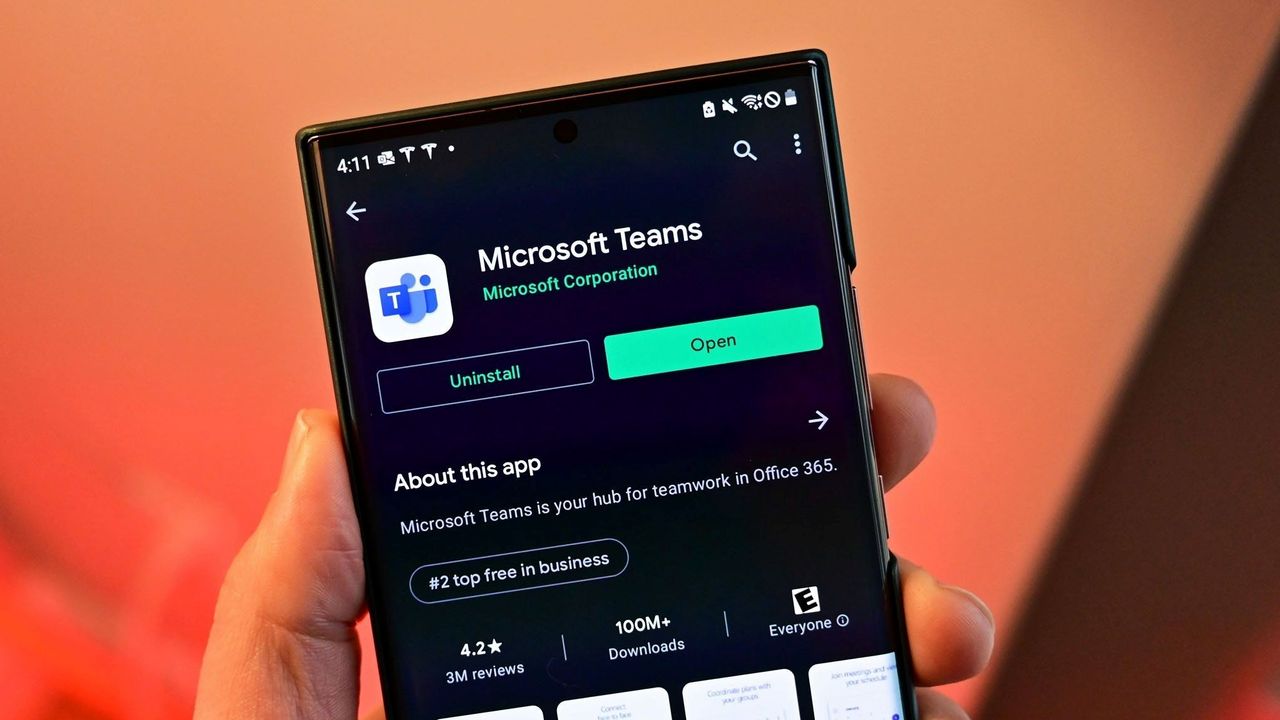
Microsoft Teams will soon let you temporarily pause notifications for a set period of time. Teams already has a variety of mute functions, but the new feature should make it easier to quiet down anything from Teams for a bit.The feature starts rolling out this month and should be available to all users by early October.The Microsoft 365 Message Center Archive has a record of the change:"Microsoft Teams will introduce a new capability that allows users to temporar
Microsoft Teams will soon let you temporarily pause notifications for a set period of time. Teams already has a variety of mute functions, but the new feature should make it easier to quiet down anything from Teams for a bit.
The feature starts rolling out this month and should be available to all users by early October.
"Microsoft Teams will introduce a new capability that allows users to temporarily pause notifications for a selected period of time. This feature gives users greater control over interruptions, helps reduce notification overload, and enables focused work, meetings, and other activities without requiring changes to existing notification settings."
All versions of Teams will have the option to temporarily pause Teams notifications for a set duration. The feature will be accessible through the profile menu in the upper-right corner of Teams.
The new capability in Teams is a bit like "Focus" in Windows 11, though it's specific to Teams. If you're working on a project, you may want to receive notifications through Windows 11 but keep Teams quiet.
Many workers have to use a variety of communication platforms. Pausing Teams notifications for a while could come in handy when presenting on Zoom. Microsoft accidentally shared discussions about other companies during a presentation by having a Teams notification appear. Pausing notifications would have prevented that.
It appears that one of the key differences in using this new feature compared to Do Not Disturb is how you'll appear to your colleagues. Setting Teams to Do Not Disturb is simple and effective, but it changes your public status indicator to red. I believe pausing notifications will leave your status unchanged.
Muting channels in Teams is also an existing feature, but it is done on a per-channel or per-chat basis. Pausing notifications should work across the board.
Neowin first spotted the new feature for Teams, but at the time details were scarce. Microsoft has since detailed how the feature will work and how the option differs from other methods of muting Teams.
It's unclear if pausing notifications will sync across all of your devices or if it is on a per-instance basis. I would hope there is an option to sync the pausing or pick which devices will continue to receive notifications.
Join us on Reddit at r/WindowsCentral to share your insights and discuss our latest news, reviews, and more.
In a new blog post, Microsoft has announced that starting in October 2026, "Memory Integrity Protection" will become enabled on more eligible devices. The feature, which is already enabled by default on most modern Windows PCs, is a kernel-level security feature designed to protect PCs from "sophisticated attacks with little or no additional configuration.""Built on Virtualization-based Security (VBS), memory integrity helps protect critical parts of Windows from
In a new blog post, Microsoft has announced that starting in October 2026, "Memory Integrity Protection" will become enabled on more eligible devices. The feature, which is already enabled by default on most modern Windows PCs, is a kernel-level security feature designed to protect PCs from "sophisticated attacks with little or no additional configuration."
"Built on Virtualization-based Security (VBS), memory integrity helps protect critical parts of Windows from tampering," Microsoft says. "It forms a foundation for modern security innovations such as hotpatch updates that improve user experience and productivity, as well as protection."
The company says that memory integrity protection will begin being enabled by default on eligible PCs starting next month, enhancing security with no additional setup required. "Windows quality updates will begin enabling memory integrity protection on eligible devices. If not already enabled, these updates will also enable VBS, helping make additional security capabilities available"
Of course, users still have control over whether they want memory integrity protection enabled. Most Windows PCs today come with it enabled by default already, but the user is able to control whether it is turned on or off. If you've already manually disabled memory integrity protection, it won't be automatically enabled next month.
"To help ensure a reliable device experience, Windows automatically evaluates readiness before enabling memory integrity."
The automatic rollout will only really apply to older PCs that never had it enabled to begin with. For those users, this will be an invisible change that makes your PC more secure. "Memory integrity helps make this possible by allowing only trusted kernel-mode code and drivers to run."
Microsoft has been working to make Windows 11 more secure while also reducing the frequency and annoyances of Windows Update. In recent months, the company has announced a complete overhaul to the Windows Update system, reducing how often it prompts users to restart to just once a month.
With features like hotpatch on commercial editions of Windows, Microsoft is now also able to update the OS on the fly without restarting the OS. While hotpatching isn't yet available on Windows 11 Home or Pro, it's something that we would love to see on consumer editions of Windows in the future too.
Join us on Reddit at r/WindowsCentral to share your insights and discuss our latest news, reviews, and more.
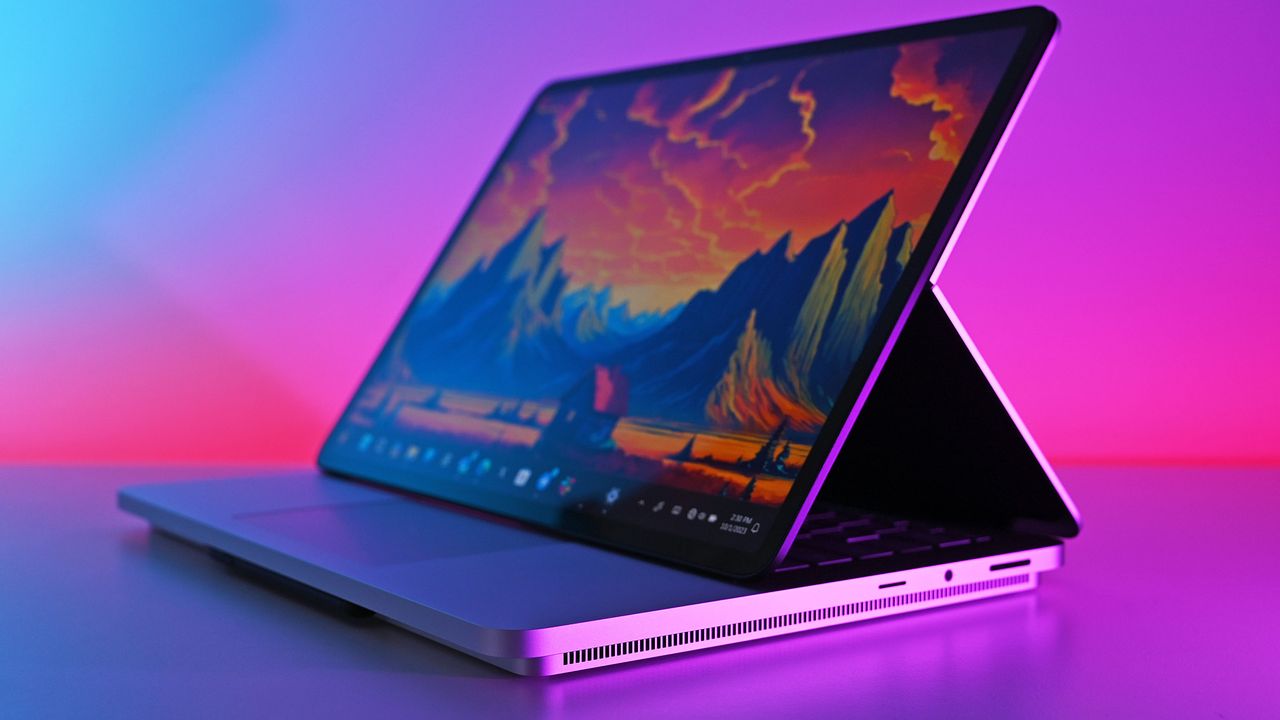
A major Windows 11 update is just around the corner. Microsoft just shipped Windows 11 version 26H2 to the Release Preview Channel and general rollout of the update starts in a few weeks.The upcoming update to Windows 11 includes UI changes such as the ability to move the Taskbar and under-the-hood improvements. It's a more substantial change than we've seen in previous years, which begs the question, "Where is the Surface to showcase all these improvements to Wi
A major Windows 11 update is just around the corner. Microsoft just shipped Windows 11 version 26H2 to the Release Preview Channel and general rollout of the update starts in a few weeks.
The upcoming update to Windows 11 includes UI changes such as the ability to move the Taskbar and under-the-hood improvements. It's a more substantial change than we've seen in previous years, which begs the question, "Where is the Surface to showcase all these improvements to Windows 11?"
Microsoft appears serious about its push to improve Windows 11 and listen to feedback about the operating system. The first real wave of improvements is essentially here, so why isn't there someone on stage showing them on a Surface?
Biggest News of the Week
Microsoft is a gigantic company and its teams often don’t talk to each other enough to create full unity of design. I talked about this last week in the Windows Wrap when discussing the app situation on Windows 11. While Microsoft is working to fix many of its inbox apps, it's not addressing the same inconsistencies across Microsoft 365, Teams, and other apps.
Microsoft has shuffled things around over the years, combining Surface with Windows and changing how leadership is structured. But right now it feels like Windows and Surface are distant. Microsoft does not have a unified marketing push to highlight all the changes to Windows 11. There isn’t an announced event or upcoming device that would showcase the major Windows 11 improvements that will ship to PCs in only a couple of weeks.
Surface is supposed to show the best of Windows and Microsoft will miss an opportunity unless it has an ace up its sleeve. Microsoft used to announce Surface hardware in April and October. I’d love to see Microsoft surprise us with something that showcases Windows 11.
Windows and Snapdragon
The Surface Pro 11 was one of many Surface devices that demonstrated what Snapdragon-powered PCs can do. (Image credit: Daniel Rubino)
Microsoft did a good job pairing Windows 11 and Snapdragon developments. At one point the Surface Pro X showed that a Snapdragon-powered PC can be fanless. Microsoft later shifted away from that, instead emphasizing the power efficiency and unplugged performance offered by Snapdragon PCs.
But the principal remained the same; Microsoft used it’s flagship hardware to highlight improvements to Windows 11 on Arm. Microsoft's faith in Snapdragon also pushed other PC manufacturers to make laptops powered by Qualcomm's chips. Snapdragon PCs are sold side-by-side with laptops powered by Intel or AMD chips.
Of course, it’s easier to use Windows 11 to show hardware improvements when there are concrete examples such as improve battery life or better unplugged performance. Microsoft has more of a mountain to climb when it comes to marketing the ability to move the taskbar and improved start menu. Under the hood improvements are tricky to show off.
That challenge is why I asked earlier this month if the next major Windows 11 update should be Windows 12. But that’s precisely why Microsoft needs to use Surface to highlight the improvements to Windows 11. Without a major marketing push about an OS upgrade, Microsoft needs to use its other resources to make sure shoppers know that this isn’t the same old Windows 11.
Join us on Reddit at r/WindowsCentral to share your insights and discuss our latest news, reviews, and more.
Over 41,000 people have signed a petition to prevent the construction of Microsoft's hyperscale data center in Leeds, England. The petition was started by a collective of 100 people but has since garnered support from thousands of people, including local residents.Microsoft received the go-ahead to build the data center in April when the Leeds City Council unanimously approved the project, though a final decision requires permission from the local Chief Planning
Over 41,000 people have signed a petition to prevent the construction of Microsoft's hyperscale data center in Leeds, England. The petition was started by a collective of 100 people but has since garnered support from thousands of people, including local residents.
Microsoft received the go-ahead to build the data center in April when the Leeds City Council unanimously approved the project, though a final decision requires permission from the local Chief Planning Officer. In total, three data center buildings totaling around 424,000 sq ft and the required power and water infrastructure will be built.
The data center will stand on the former Skelton Grange power station site, which used to have two coal-fired power stations. Those stations have since been demolished.
Those in favor of the project cite that 740 jobs will be created during the building phase and that over 350 permanent roles will come as a result of the new data center being built. A piece from the Leeds Times focuses largely on the potential positive outcomes of the project.
People opposed to the project highlight the potential environmental impact of the data center.
"There is overwhelming evidence that this site would pose a risk to the health and wellbeing of local residents, and the surrounding environment," reads the petition to prevent the construction of the data center.
The petition flags the large amount of water needed to cool the chips in the data center any time outside temperatures rise above about 29 degrees Celsius (84.2 degrees Fahrenheit). England is at the tail end of one of its hottest summers on record.
Microsoft CEO Satya Nadella spoke on water requirements for data centers earlier this year. Nadella claimed that "the daily water usage over the course of an entire year is roughly equivalent to what a single restaurant would use."
The Microsoft CEO's remarks were general and did not specifically address concerns about the future data center in Leeds.
Power usage is also a concern raised by the petition:
"The site would use truly vast amounts of energy to power, making it by far the single biggest carbon emitter in Leeds. Over its planned 60 year lifetime it is projected to release more than 200,000,000 tonnes of carbon dioxide. This is almost the equivalent of one year of the UK’s entire emissions."
The Leeds Planning Committee has already approved the construction of Microsoft's data center in Leeds. The final decision on the project will come from Chief Planning Officer Martin Elliot.
The petition claims there was "insufficient scrutiny of the project’s impacts" before the project was approved. The makers of the petition hope to prevent the final approval of the project and suggest potential legal action could follow to challenge the construction.
Join us on Reddit at r/WindowsCentral to share your insights and discuss our latest news, reviews, and more.
Microsoft has began rolling out the next version of Windows 11 to testers in the Windows Insider Release Preview Channel, which is the very last phase of testing before general availability begins. With version 26H2 now in the Release PreviewChannel, the company is signalling that this new version is just about done, and testing of the final bits can begin.Windows 11 version 26H2 is similar to version 25H2 in scope. It's based on the same platform release as both
Microsoft has began rolling out the next version of Windows 11 to testers in the Windows Insider Release Preview Channel, which is the very last phase of testing before general availability begins. With version 26H2 now in the Release PreviewChannel, the company is signalling that this new version is just about done, and testing of the final bits can begin.
Windows 11 version 26H2 is similar to version 25H2 in scope. It's based on the same platform release as both 25H2 and 24H2 before it, which means it's not a major OS upgrade and won't be making major changes to the OS core. Instead, 26H2 serves to reset the support clock for Windows 11 users, with 26H2 offering a refreshed 24 months of support for consumers, and 36 months for commercial customers.
That's good news for users who usually dismiss new versions of Windows 11 for being unstable or buggy. 26H2 shares the same core OS, feature stack, and security updates as 25H2, meaning there are no compatibility or software quality concerns to be worried about. If it works on 25H2, it'll work on 26H2 also.
"As Windows 11, version 26H2 shares the same servicing branch as Windows 11, version 25H2, the update is implemented through an enablement package (eKB). This means your device will be updated to the next version through a single restart – providing a familiar, fast, and reliable update experience."
There may be some instances where 26H2 gets new features first, but for as long as 25H2 (and 24H2) are supported, they should get the same features also. For now, version 26H2 is at feature parity with version 25H2, which is expected to receive the same Windows K2 improvements such as the more customizable Start menu and new Windows Search pane at the same time.
Now that Windows 11 version 26H2 is now in the Release Preview Channel, that typically means we're just a few weeks away from general availability beginning. Bits that are flighted to the Release Preview Channel are production ready, and so now it's just a matter of ensuring the final bits don't have any last minute bugs or issues.
Should everything go according to plan, I expect we'll begin hearing about version 26H2 general availability in the next few weeks. Microsoft usually aims to begin rolling out new versions of Windows 11 towards the end of September and into October, and I expect the same to happen this year.
Join us on Reddit at r/WindowsCentral to share your insights and discuss our latest news, reviews, and more.
Microsoft's Link to Windows app for Android may soon support restarting or shutting down a computer or putting a PC to sleep. Code within the app was discovered that suggests the functionality is on the way, but nothing has been confirmed by Microsoft at this time.Windows Latest found evidence suggesting that a pairing of Link to Windows and Phone Link will soon gain greater control of your PC. It's already possible to lock your PC from your Android phone, but th
Microsoft's Link to Windows app for Android may soon support restarting or shutting down a computer or putting a PC to sleep. Code within the app was discovered that suggests the functionality is on the way, but nothing has been confirmed by Microsoft at this time.
Windows Latest found evidence suggesting that a pairing of Link to Windows and Phone Link will soon gain greater control of your PC. It's already possible to lock your PC from your Android phone, but the code suggests support for other actions is on the way.
I occasionally forget to turn off my PC, especially since I work from home and can get distracted after my work day ends. Being able to shut down my PC remotely without having to set up a Remote Desktop would be a nice option.
The feature could also come in handy if you need to leave your PC running unattended for a while. The other day I had to download a bunch of large files and knew my PC had to run for a while. If the new Link to Windows feature had been available, I could have shut down my PC after I knew the files were downloaded.
Putting your PC to sleep through Link to Windows will work a bit differently, according to Windows Latest. A warning message discovered by the outlet states, "After it’s asleep, it will be disconnected from this device. You need to go to your PC to wake it up."
Separate warnings appear when you try to restart or shut down your PC in the middle of an update.
Microsoft continues to work on integrating the smartphone and PC experience. The tech giant expanded the connection between devices by adding a section to the Start menu on Windows 11. Microsoft is also testing several flyouts and menus that will make it easier to connect your phone and your PC.
Join us on Reddit at r/WindowsCentral to share your insights and discuss our latest news, reviews, and more.
Samsung Galaxy Book3 Pro 14-inch laptop (2023)
Microsoft makes it easy to connect your Windows 11 PC and your Android smartphone through Phone Link and Link to Windows.
The Microsoft 365 Roadmap is gone. This week, the site was rebranded as the "AI at Work Roadmap." The baffling change raises questions about what's going on at Microsoft and why its leaders think they can label anything as AI.The roadmap lets you track features and updates to a variety of apps and services from Microsoft. Microsoft justifies the name change by highlighting that the roadmap now includes features from Dynamics 365, Power Platform, and Dataverse as
The Microsoft 365 Roadmap is gone. This week, the site was rebranded as the "AI at Work Roadmap." The baffling change raises questions about what's going on at Microsoft and why its leaders think they can label anything as AI.
The roadmap lets you track features and updates to a variety of apps and services from Microsoft. Microsoft justifies the name change by highlighting that the roadmap now includes features from Dynamics 365, Power Platform, and Dataverse as well.
But the AI at Work Roadmap still details plans for thousands of features that have nothing to do with AI.
Neowin's Usama Jawad shared an editorial on Microsoft's latest rebrand already, and I'll echo some of the same thoughts. But some decisions are so astonishingly stupid that they require editorials from multiple outlets.
The name isn't even accurate
The "AI at Work Roadmap" lists hundreds of features that have nothing to do with AI. (Image credit: Getty Images | SOPA Images)
Microsoft is so eager to push AI that its decision makers have not even considered if the new name of the Microsoft 365 Roadmap is accurate. Yes, the roadmap includes AI features across the Microsoft 365 suite. It also now outlines changes to Dynamics 365, Power Platform, and Dataverse.
Microsoft Teams: Coordinated meetings support on Teams Rooms on Android
Outlook: Manage multiple inbox rules at once.
Microsoft Teams: Hide organizer name in the calendar view on Teams Panels and MTR-A
Microsoft Teams: Breakout room support on Teams Rooms on Android
Microsoft Teams: Report a message or an external user for security concerns in Gov clouds.
As far as I can tell, none of those are AI features. Perhaps there's some AI-written code in there or AI working in the background, but I doubt anyone would refer to breakout rooms support as an AI feature.
Microsoft, what are we doing here? Have we reached a point of desperation so extreme that the option to hide an organizer name needs to fall under the AI umbrella? I suppose if every single feature to ever ship to Microsoft 365 is considered AI, that metrics measuring AI use will trend upward.
A history of bad branding
Microsoft rebranded its Office subscription to "Microsoft 365" several years ago. (Image credit: Jennifer Young - Windows Central)
Microsoft already had an established brand name recognized around the world in "Office." But the tech giant decided to rebrand its productivity suite as Microsoft 365. While that decision drew criticism, it at least made sense because Microsoft 365 includes several pieces of software that are not Office apps.
In 2025, Microsoft announced the baffling decision to rebrand Microsoft 365 as "Microsoft 365 Copilot." Our Executive Editor Jez Corden took Microsoft to task for that, and rightly so:
"The rebrand of Microsoft Office was dumb to start with, trampling on a legacy spanning decades. The second rebrand attaching Copilot is even more dumb, and follows the Copilot+ PC thought process of firmly putting the cart several miles before the horse. Copilot hasn't earned the right to be showcased alongside [technological] cultural milestones like Microsoft Excel or Microsoft Word."
Microsoft went on a spree in which it renamed a bunch of services to include some form of Copilot. The company had so many types of Copilots that it had to merge Copilot and Microsoft 365 Copilot.
That obsession with Copilot begs another question: If Microsoft needs to rename the Microsoft 365 Roadmap to mention AI, why not call it the Microsoft 365 Copilot Roadmap? I'd still hate the change but at least it would be somewhat consistent.
The idea of slapping "AI" onto anything is still silly, but at least Microsoft would be reusing a name that appears elsewhere.
Join us on Reddit at r/WindowsCentral to share your insights and discuss our latest news, reviews, and more.
Microsoft is changing the way it reports its business — and one of the biggest changes is something investors have been asking for years: actual Azure revenue numbers. Starting with its next fiscal year, Microsoft will disclose Azure revenue on a quarterly basis instead of only reporting the cloud platform’s year-over-year growth. The company is […]
Microsoft is changing the way it reports its business — and one of the biggest changes is something investors have been asking for years: actual Azure revenue numbers. Starting with its next fiscal year, Microsoft will disclose Azure revenue on a quarterly basis instead of only reporting the cloud platform’s year-over-year growth. The company is […]
Sony and Microsoft are pushing back against lawsuits from U.S. gamers who want their money back after paying higher prices for PlayStation and Xbox consoles during the tariff period. The legal fight has become particularly interesting because Sony is expected to receive roughly $508 million in tariff refunds from the U.S. government. Consumers suing the […]
Sony and Microsoft are pushing back against lawsuits from U.S. gamers who want their money back after paying higher prices for PlayStation and Xbox consoles during the tariff period. The legal fight has become particularly interesting because Sony is expected to receive roughly $508 million in tariff refunds from the U.S. government. Consumers suing the […]
Xbox Series X25 costs $100 more than the standard Series X without adding performance. Here’s what the anniversary premium actually buys.
The post Xbox Series X25 vs Xbox Series X: Is the $100 Premium Worth It? appeared first on TechRepublic.

 Connexion