Vue normale

  • ✇Yanko Design
  • When Your Speaker Is Also a Puzzle, Music Hits Different
    Most speaker designs ask a pretty simple question: how do we make this thing louder and smaller? Merge asks a completely different one. How do we make music something you can actually take apart? Created by a five-person design team, Junchuan Shi, Junhao Lv, Xiangzhao Meng, Ping He, and Genghao Ma, from a cross-institutional collaboration across Sichuan Vocational and Technical College, CityU Macau, TUT, and QZUIE, Merge is a conceptual speaker system that just picked up a 2025 European Product
     

When Your Speaker Is Also a Puzzle, Music Hits Different

20 mars 2026 à 20:30

Most speaker designs ask a pretty simple question: how do we make this thing louder and smaller? Merge asks a completely different one. How do we make music something you can actually take apart?

Created by a five-person design team, Junchuan Shi, Junhao Lv, Xiangzhao Meng, Ping He, and Genghao Ma, from a cross-institutional collaboration across Sichuan Vocational and Technical College, CityU Macau, TUT, and QZUIE, Merge is a conceptual speaker system that just picked up a 2025 European Product Design Award in the Consumer Electronics category. It’s the kind of student concept that makes you wonder why no major brand has thought of it first.

Designers: Junchuan Shi, Junhao Lv, Xiangzhao Meng, Ping He, Genghao Ma

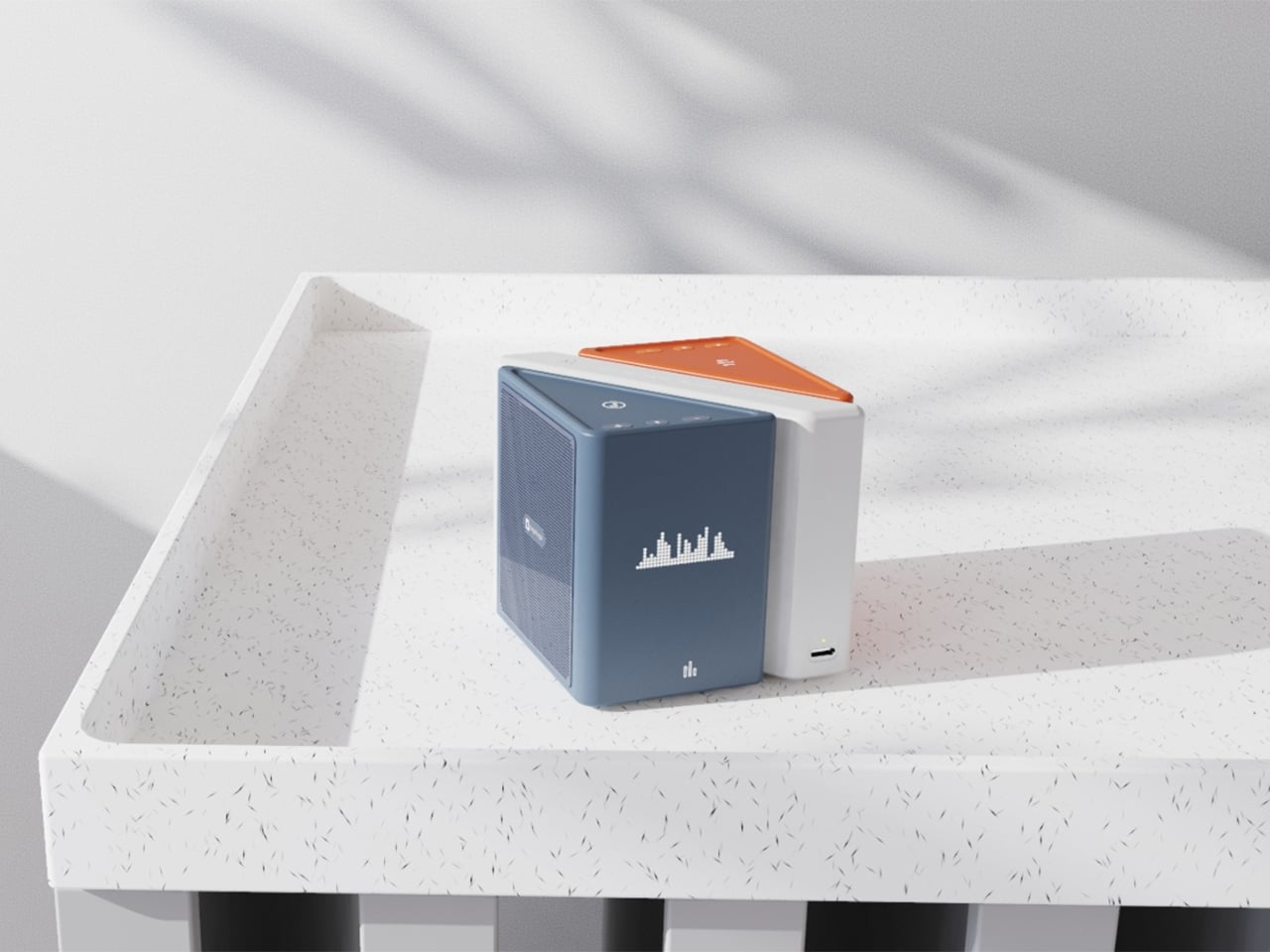
The central idea is deceptively clever. Merge physically separates music into its component layers: the accompaniment on one module, the vocals on another, and the full combined sound handled by the complete assembly. You choose what you hear depending on how the pieces are arranged. Pull the vocal module away, and you’ve got an instant karaoke track. Keep just the vocal module, and you hear a singer stripped back from all the production. Snap everything together and you get the whole song. It sounds gimmicky when you describe it that way, but it really isn’t. It’s an intuitive way to interact with music that streaming apps, for all their data and algorithms, still haven’t cracked with the same sense of physical satisfaction.

The three modules connect via electromagnetic induction, which also handles charging between units. That detail matters more than it sounds. It means the product doesn’t rely on fiddly clips or pins; the connection is seamless and the experience stays clean. When you hold all three pieces assembled, they sit together like a solid little object. When you pull them apart, you’re not wrestling with latches. You’re just… separating music.

Visually, the design is confident without being loud. The modules are geometric and compact: a rectangular flat piece, a squared speaker body, and a triangular wedge that caps the top when assembled. The whole thing sits in your palm like a premium toy, which is very much the point. The team describes the tactile experience of rearranging the modules as analogous to playing with building blocks, and that framing is spot on. Listening becomes a physical act rather than a passive one. You’re not adjusting a slider on an app; you’re literally picking up a piece of the song and putting it somewhere else.

The color language is considered too. The renders show options in slate blue, orange-coral, silver metallic, and white-grey, each colorway with its own character but all sharing the same graphic vocabulary: pixel waveform icons and quiet typography showing floating lyrics directly on the module surface. It reads like something between a well-designed toy and a serious piece of consumer electronics, which is an interesting space for a speaker to occupy.

I’ll be upfront: Merge is still a concept. It won in the EPDA’s conceptual category, and it hasn’t crossed into production territory yet. That’s a long road, and the audio technology behind splitting tracks in real time at the hardware level would require serious engineering. The images are renders and physical prototypes, not retail-ready products. But the best conceptual design has always worked like that. It shows an industry where something should go, even when the technology and the business case haven’t fully caught up yet.

What makes Merge genuinely compelling is that it treats the listener as someone with curiosity rather than just convenience-seeking habits. The assumption baked into most audio product design is that people want everything done for them, simplified, smoothed over. Merge assumes the opposite: that people might actually enjoy engaging with the layers of a song, touching them, moving them around. Given how obsessed the current cultural moment is with stems, remixes, and stripped-back sessions, that assumption feels exactly right.

Whether it ever becomes a product you can buy, Merge is already doing the thing good design is supposed to do. It makes you look at something ordinary and ask why it was never done this way before.

The post When Your Speaker Is Also a Puzzle, Music Hits Different first appeared on Yanko Design.
  • ✇Yanko Design
  • Stay Classy, San Diego: This LEGO Anchorman Set Recreates the Entire Channel 4 Newsroom in 1,500 Bricks
    Anchorman: The Legend of Ron Burgundy turned twenty in 2024, and somehow, the film has only gotten funnier with age. What started as a Will Ferrell comedy about a hilariously fragile male ego navigating the very real 1970s newsroom gender wars became one of the most quoted, most meme’d, most endlessly rewatchable comedies in modern American film history. “I’m kind of a big deal,” “I love lamp,” “60% of the time it works every time” – the lines are so deeply embedded in pop culture at this point
     

Stay Classy, San Diego: This LEGO Anchorman Set Recreates the Entire Channel 4 Newsroom in 1,500 Bricks

20 mars 2026 à 16:45

Anchorman: The Legend of Ron Burgundy turned twenty in 2024, and somehow, the film has only gotten funnier with age. What started as a Will Ferrell comedy about a hilariously fragile male ego navigating the very real 1970s newsroom gender wars became one of the most quoted, most meme’d, most endlessly rewatchable comedies in modern American film history. “I’m kind of a big deal,” “I love lamp,” “60% of the time it works every time” – the lines are so deeply embedded in pop culture at this point that people quote them without even knowing where they came from. San Diego’s most legendary fictional anchor deserves better than a passing reference in a listicle, and LEGO Ideas builder footonabrick clearly agrees.

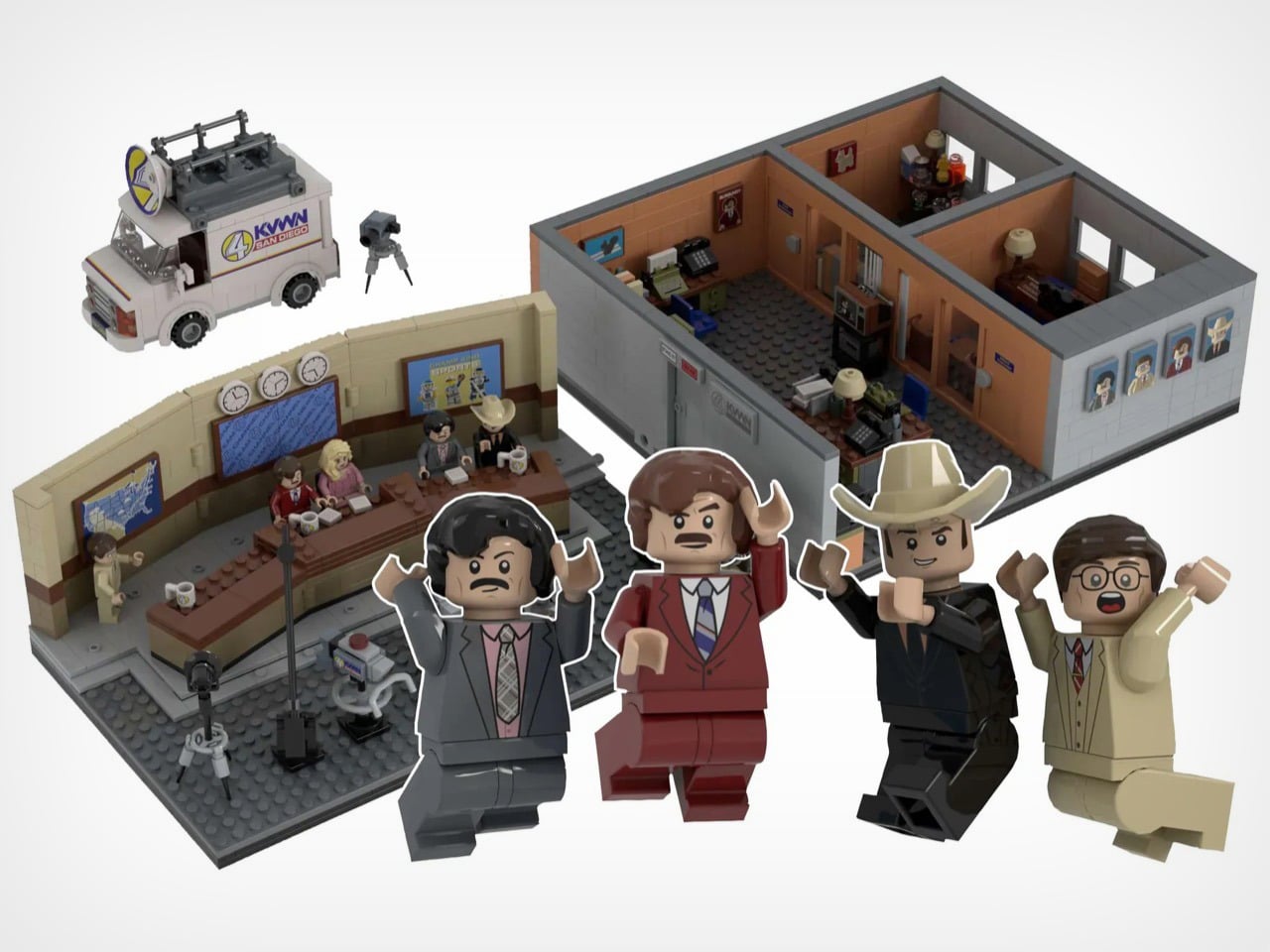
The result is a just-over-1,500-piece MOC (My Own Creation) that reconstructs the Channel 4 News Team’s world with an almost obsessive attention to detail, covering the broadcast studio, the newsroom offices, and even the KVWN news van parked out front. The studio section is immediately recognizable: a curved tan backdrop wall, three wall clocks ticking away above the anchor desk, dual blue Channel 4 News Team screens flanking the set, and the full team seated behind that iconic brown desk with their Channel 4 mugs. It looks like a freeze-frame from the film, and that’s entirely the point.

Designer: footonabrick

The broadcast desk is the centerpiece, and footonabrick nails the warm tan-and-brown palette of that gloriously dated 70s newsroom aesthetic. Ron and Veronica sit front and center behind their Channel 4 mugs, with Brian Fantana, Champ Kind, and Brick Tamland flanking them across the curved desk. The curved wall behind them is one of the trickier builds to pull off cleanly in LEGO, and the segmented panel construction keeps it looking smooth without losing the layered depth of the real set. Camera equipment on the studio floor, a boom-arm mic stand, and a vanity mirror station on the side round out the production floor detail beautifully.

Turn to the office areas and you’ll find a bunch of details and easter eggs. Ron’s private office has his nameplate desk, a glass of scotch rendered in a transparent amber round piece, and a “Missing” poster for Baxter tucked onto a side shelf. Brian Fantana’s cologne closet, one of the film’s most beloved gags, is recreated with an open cabinet stocked with colourful brick-built bottles, with a “Brian Fantana” book sitting on his desk for good measure. The hallway outside features a glass-panel wall looking into Ron’s office, and a Ron Burgundy door nameplate that even Veronica would have to respect. My favorite detail, though, is the row of four team portrait tiles mounted on the exterior office wall, each one a miniature LEGO-art-style illustration of the Channel 4 crew. Tiny, considered, and completely unnecessary in the best way.

The eight minifigures are pitch-perfect. Ron arrives in his burgundy suit with a jazz flute and a scowl that says “I have many leather-bound books.” Brick Tamland, naturally, comes with his trident. Champ has his signature cowboy hat, Fantana carries what appears to be a cologne bottle, and Veronica is rendered in her pink suit with that particular expression of someone perpetually tolerating Ron’s nonsense. Baxter the dog is included as a separate figure, and there’s even a bonus Ron on a tiny red bicycle, which is exactly the kind of specific deep-cut that separates a good MOC from a great one.

footonabrick’s Anchorman set is currently gathering votes on LEGO Ideas, the community platform where fan-created MOCs (My Own Creations) need 10,000 supporters to trigger an official LEGO review and potential retail production. With 344 votes on the board and 421 days left on the clock, there’s plenty of runway. If you want to see this land on store shelves, head to the LEGO Ideas page and cast your vote. You stay classy.

The post Stay Classy, San Diego: This LEGO Anchorman Set Recreates the Entire Channel 4 Newsroom in 1,500 Bricks first appeared on Yanko Design.
  • ✇Yanko Design
  • Track Trailer reinvents Tvan, one of the toughest off-roading trailers with roomier MK6 model
    Track Trailer, the name behind the famous Tvan off-road camper trailers, needs little introduction. It has been powering the overlanding experience in Australia and worldwide for a good part of four decades now. Over the years, we have seen some interesting variants of the Tvan, which has now reached the MK6. The sixth iteration in the successful portfolio, Tvan MK6 Model, retains the same aluminum body, which runs in the bloodline, but is more spacious and even more comfortable. As the appeara
     

Track Trailer reinvents Tvan, one of the toughest off-roading trailers with roomier MK6 model

20 mars 2026 à 15:15

Track Trailer, the name behind the famous Tvan off-road camper trailers, needs little introduction. It has been powering the overlanding experience in Australia and worldwide for a good part of four decades now. Over the years, we have seen some interesting variants of the Tvan, which has now reached the MK6. The sixth iteration in the successful portfolio, Tvan MK6 Model, retains the same aluminum body, which runs in the bloodline, but is more spacious and even more comfortable.

As the appearance suggests, the new Tvan MK6 is available in four variants and is almost identical to its predecessors. What changes are the interior space and the headroom, which make the MK6 a different entrant in the same effective branding of the world’s toughest off-roading trailer.

Designer: Track Trailer

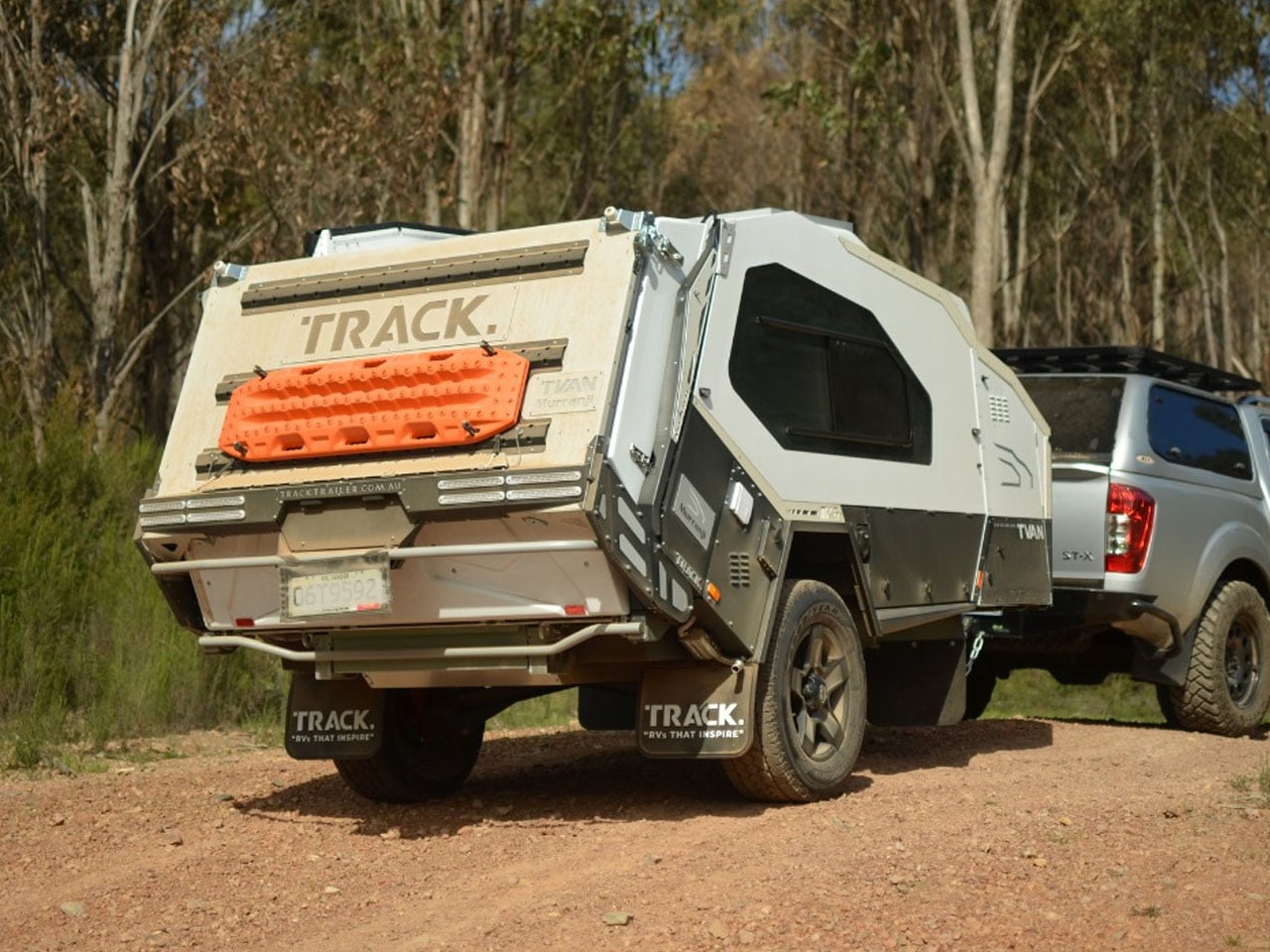
Track Trailer first tried reworking the interior space with the MK5 model. It was done staying within the confines of the Tvan styling: no pop-up roof attachment, but a slight raise in roof height. With the MK6, the company has also stayed true to its design ideology. It has only increased headroom, stretched the neck forward, and pushed the sides of the trailer outward to increase the interior space by up to 20%.

The expansion to the trailer permits more natural light inside the cabin, which is constructed using an aluminum sandwich-panel construction. Moreover, the MK6 features a durable chassis based on an advanced suspension system that enables it to roll comfortably on rugged terrains and off-road destinations. With its ruggedness assured, the camping trailer is ideal for all types of adventures, which is facilitated by its quick setup and clever storage designed throughout its exterior and also on the inside.

MK6 measures 16-foot-long and 6.3 feet wide, the trailer has an interesting storage cabinet in the extended nose up front, comprising a pantry and up to 95 liters fridge/freezer. Slightly further back is the slide-out kitchen with a three-burner gas stove, a full-size sink connected to a 108L fresh water tank, and a storage drawer topped with a prep area.

The most interesting part of the MK6 camping trailer is the rear hatch design. It features Track Trailer’s patented Skyward Lift Up Deck, which combines the hatch and the hard-floor deck. The electric lock system allows the two to lift up in unison for quick and direct access into the living space of the trailer. Just when you need it, a tent can be attached to the trailer to increase the living quarters.

Inside is a double bed surrounded by large windows and overhead and sidewall storage. LED lighting and dual roof hatches complete the design. Since the MK6 is available in four variants, each is designed differently for off-the-grid living. The entry-level Inspire features a 125Ah lithium battery that draws energy from a 200W rooftop solar panel, while a 350W inverter takes care of the power backup. Firetail accommodates a pair of 125Ah batteries, a 2000W inverter, and some premium features in the kitchen.

Tvan MK6 Murranji adds a 200W solar panel to the Firetail setup, but leaves out the inverter. The top-of-the-line, Lightning, on the other hand, comes with a 500Ah battery. It features a 2,000W inverter and a 360W solar panel to complete its all-electric setup. Each of these models can have further upgrades with add-ons like awnings and more. MK6 starts at AU$69,900 (approximately $50,000) with the mentioned amenities.

The post Track Trailer reinvents Tvan, one of the toughest off-roading trailers with roomier MK6 model first appeared on Yanko Design.
  • ✇TheWindowsClub News
  • Defender Application Guard for Windows 11 to be deprecated
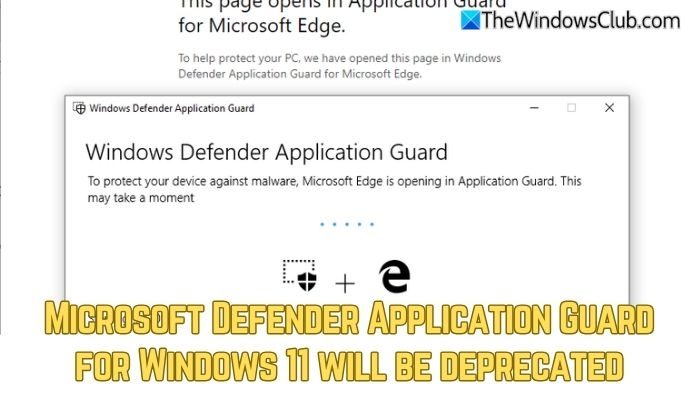
    Microsoft has officially announced a final date for the retirement of Microsoft Defender Application Guard (MDAG) for Windows 11 as part of its broader shift in security architecture. Support for the hardware-based isolation tool will end on November 10, 2026. It also marks the end of an era for the Hyper-V-based container technology. Microsoft Defender […] The post Defender Application Guard for Windows 11 to be deprecated appeared first on TheWindowsClub News.
     

Defender Application Guard for Windows 11 to be deprecated

1 février 2026 à 00:59

Microsoft Defender Application Guard for Windows 11 will be deprecatedMicrosoft has officially announced a final date for the retirement of Microsoft Defender Application Guard (MDAG) for Windows 11 as part of its broader shift in security architecture. Support for the hardware-based isolation tool will end on November 10, 2026. It also marks the end of an era for the Hyper-V-based container technology. Microsoft Defender […]

The post Defender Application Guard for Windows 11 to be deprecated appeared first on TheWindowsClub News.

Razer let its head of design outside — but only to teach me how the company's gaming gear is brought to life

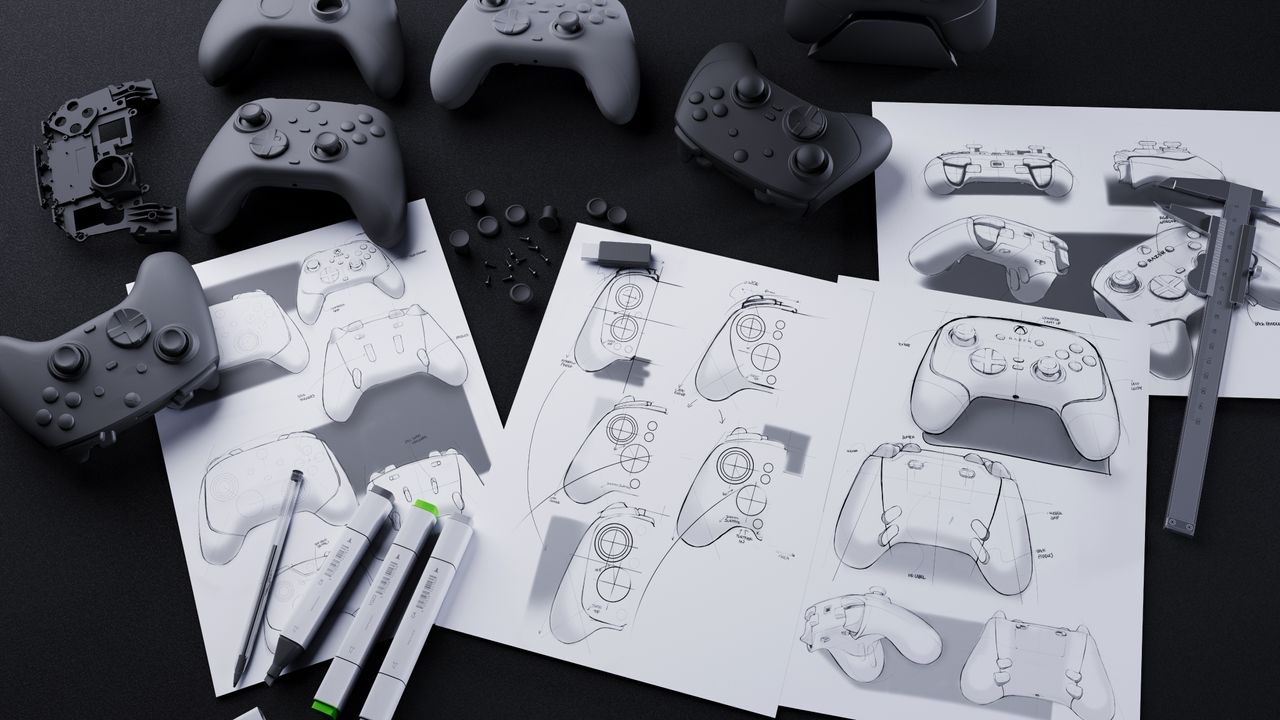
I was given the opportunity to chat with Charlie Bolton, Razer's Global Head of Design, to learn how Razer designs and releases its popular gaming products.

Image of design concepts and prototypes at Razer.

This last-minute anti-Prime Day deal on an RTX 5070 gaming laptop is ELITE — it's "Razer's best-selling machine made better than ever"

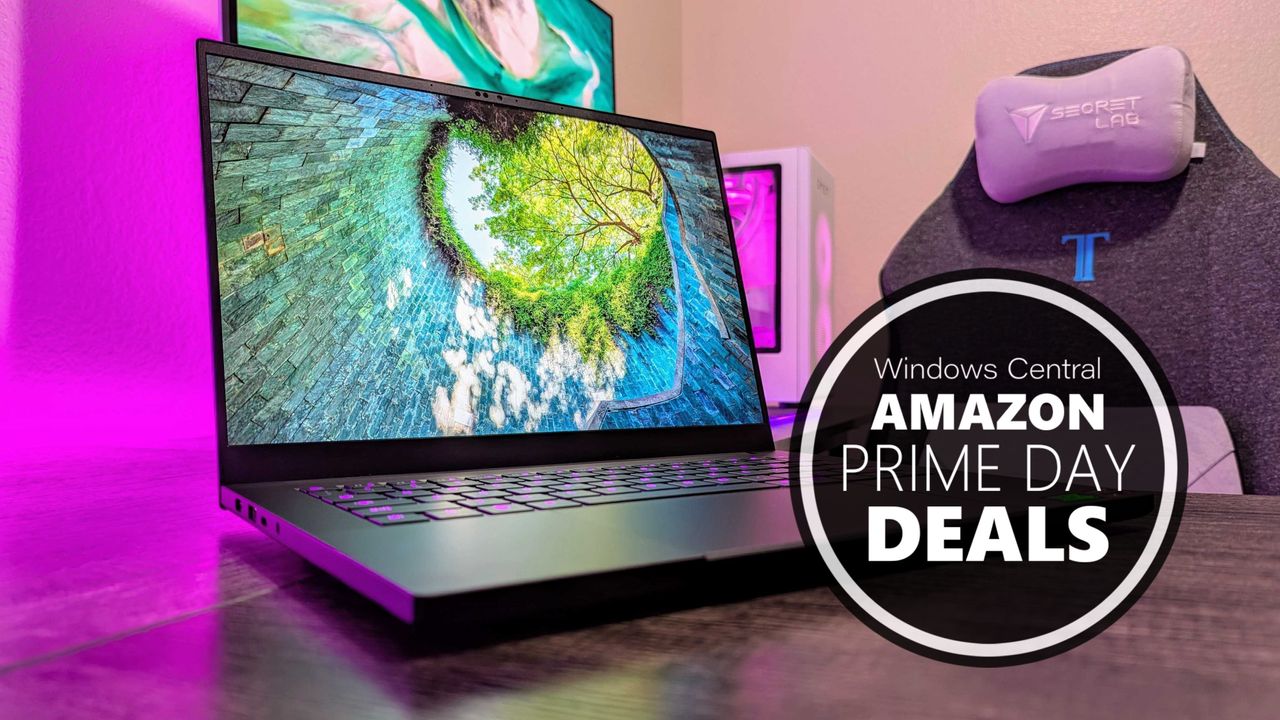
The best gaming laptop in Razer's arsenal is its Razer Blade 14, and with this last-minute anti-Prime Day deal, you can snag it for $400 off.

The Razer Blade 14 gaming laptop.

The Razer Blade 14 is amazing — but should "normal" people actually buy this ultra-premium gaming laptop?

The latest Razer Blade 14 is an incredible laptop, and it's also the company's best seller. Starting at $2,300, though, who should actually buy this device?

Image of the Razer Blade 14 (2025).

Especially with this redesign, I finally understand why the Blade 14 is Razer's best-selling gaming laptop

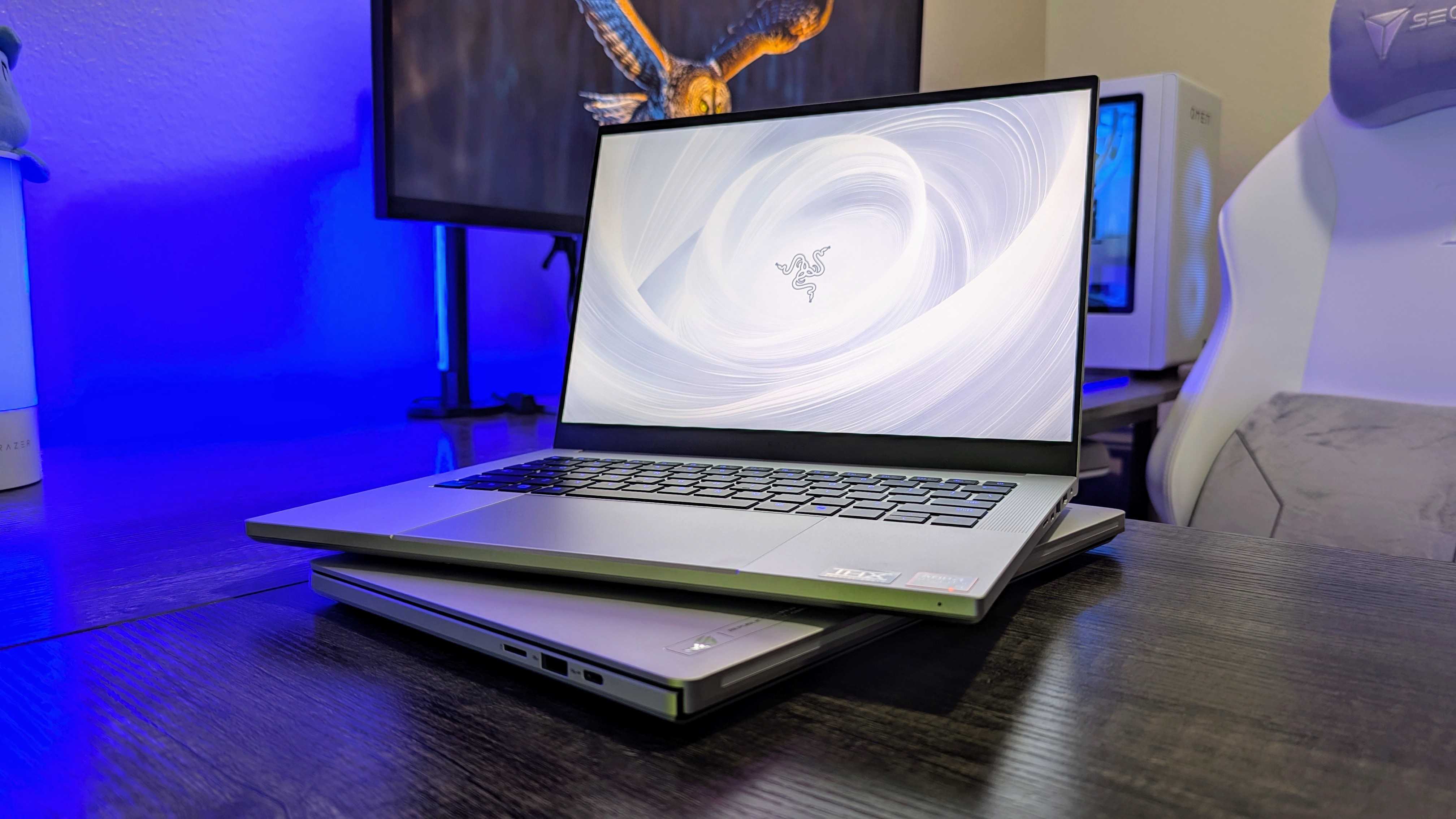
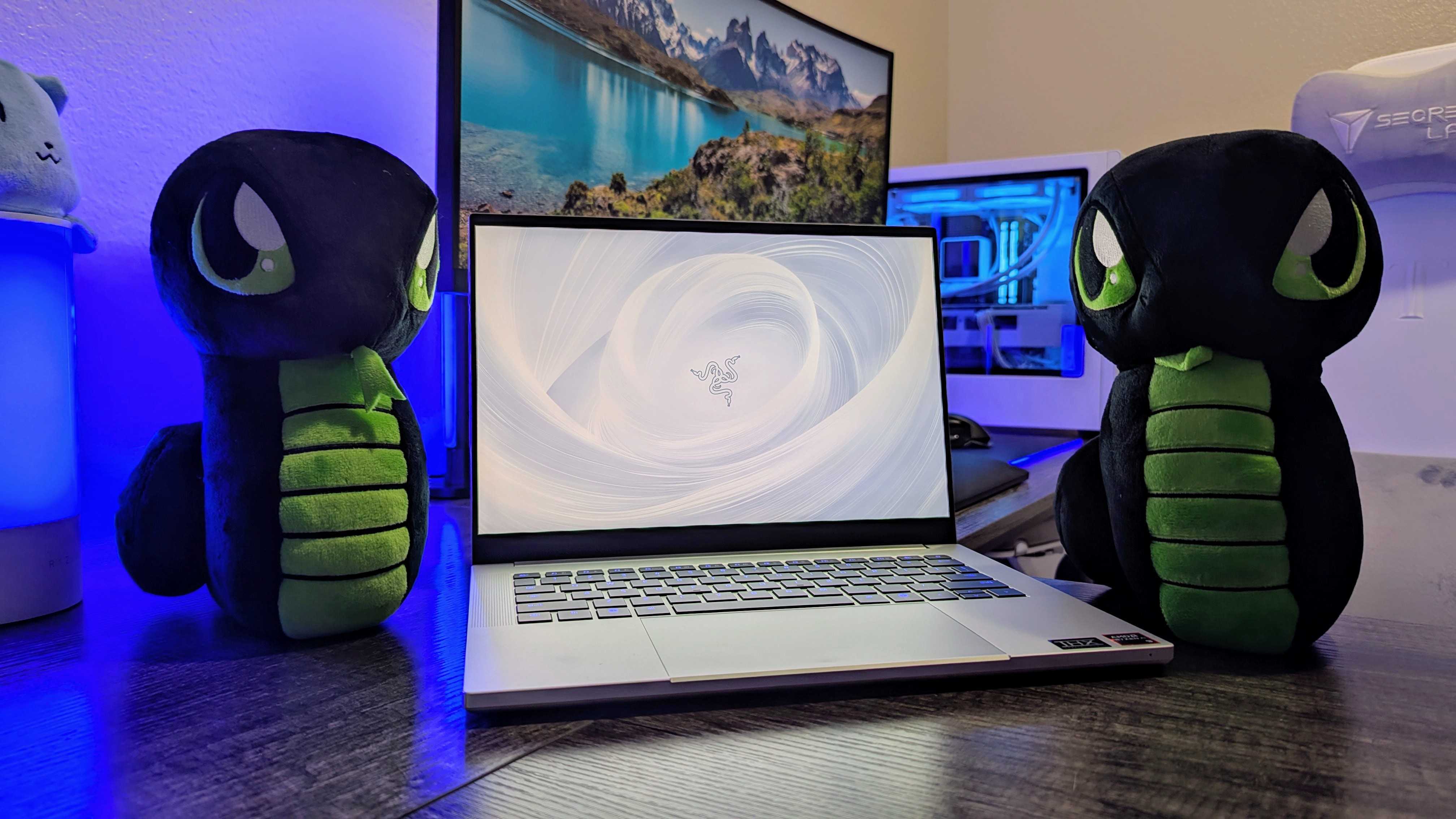
The Razer Blade 14 (2025) wraps a new generation of AMD and NVIDIA hardware in a thinner, lighter chassis, and it's a fantastic gaming laptop with lots of charm.

Image of the Razer Blade 14 (2025) gaming laptop.

I'm one of the first with the all-new Razer Blade 14, and this may be 2025's best 14-inch gaming laptop

Razer sent me a pre-production sample of the redesigned Razer Blade 14, and I've spent a few hours to see if this may be one of 2025's best 14-inch gaming laptops.

Image of the Razer Blade 14 (2025) gaming laptop.

Kuromi got Razer's best collaboration yet, but these aren't the PC gaming accessories I'd use

The new Razer Kuromi collection brings special editions for six of Razer's PC gaming accessories. They're awesome, but this isn't the gear I'd choose to use.

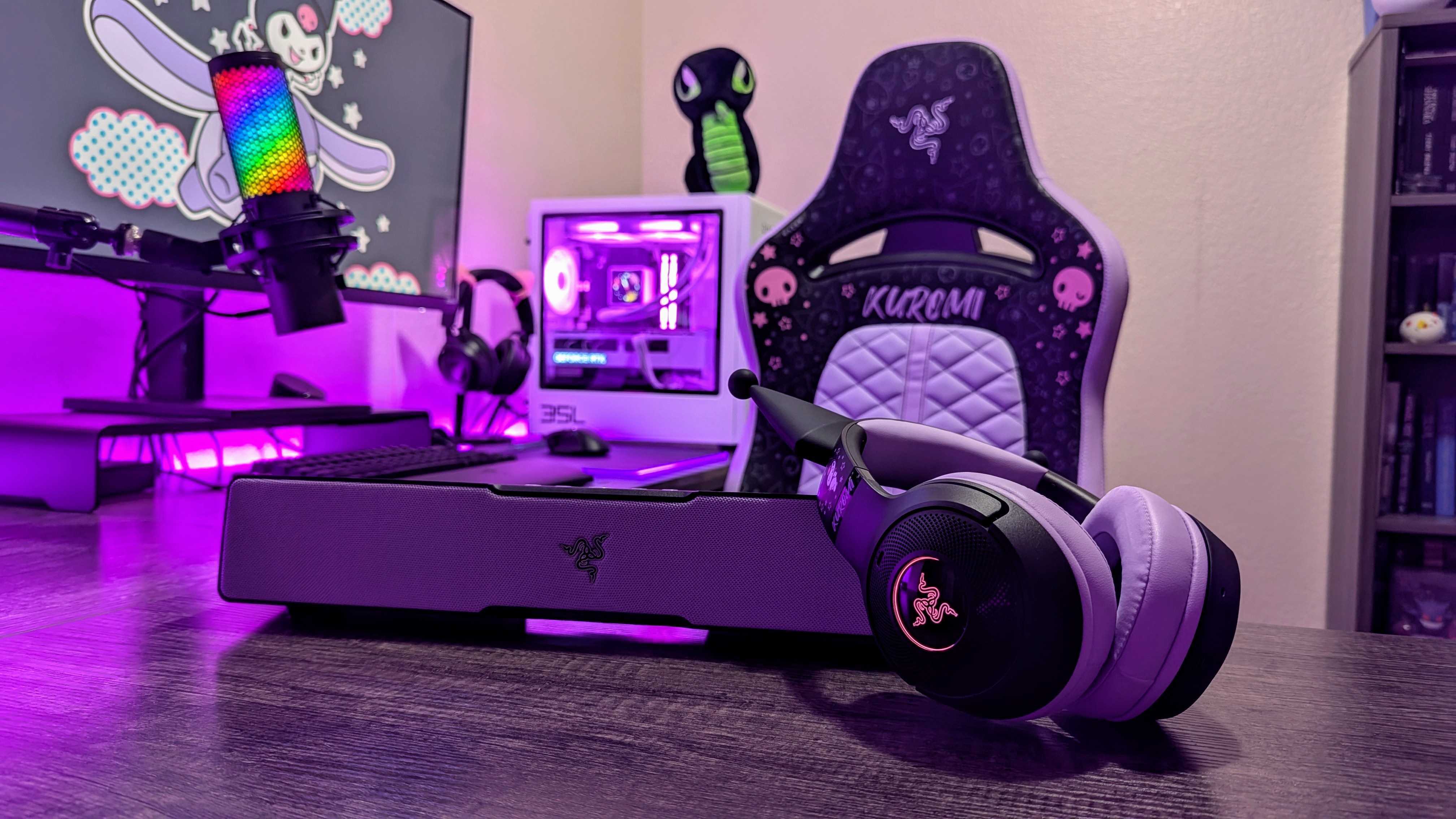
The Razer Kuromi Edition Enki X, Leviathan V2 X, and Kraken Kitty V2 BT.

Pourquoi vous devez vous méfier des cookies déposés par les sites web

Par : Sponso
7 septembre 2023 à 06:16
Lorsque vous visitez un site web, celui-ci dépose sur votre ordinateur, smartphone ou tout autre appareil depuis lequel vous êtes connecté, ce que l’on appelle des cookies, que l’on peut assimiler à des traqueurs. Si certains cookies ne sont pas...
  • ✇Le Blog du Wis
  • Windows 10, 11 : Erreur partage imprimante 0x00000bcb
    Vous avez tenté d’installer une imprimante réseau à partir d’un nom de partage “\\serveur\partageimprimante” et vous obtenez automatiquement l’erreur 0x00000bcb. Pas de panique, il s’agit d’une mesure de sécurité Windows pour les non-administrateurs d’un poste. Cette mise à jour est liée à une correction de vulnérabilité du service d’impression appelée “PrintNightmare”.Cela impose d’avoir des droits d’administrateur local pour pouvoir mapper les imprimantes au client respectif.https://
     

Windows 10, 11 : Erreur partage imprimante 0x00000bcb

Par : Wisy
28 avril 2023 à 10:06

Vous avez tenté d’installer une imprimante réseau à partir d’un nom de partage “\\serveur\partageimprimante” et vous obtenez automatiquement l’erreur 0x00000bcb.

Pas de panique, il s’agit d’une mesure de sécurité Windows pour les non-administrateurs d’un poste.

Cette mise à jour est liée à une correction de vulnérabilité du service d’impression appelée “PrintNightmare”.
Cela impose d’avoir des droits d’administrateur local pour pouvoir mapper les imprimantes au client respectif.
https://support.microsoft.com/en-us/topic/kb5005652-manage-new-point-and-print-default-driver-installation-behavior-cve-2021-34481-873642bf-2634-49c5-a23b-6d8e9a302872

Du coup, soit vous l’a joué la sécurité en vous connectant en tant qu’administrateur pour l’installation (réinstaller l’imprimante sur le serveur d’impression en admin avant), soit vous modifiez la clé de registre :

HKEY_LOCAL_MACHINE\SOFTWARE\Policies\Microsoft\Windows NT\Printers\PointAndPrint

Créer les clés non existantes si nécessaire, puis ajouter une entrée DWORD RestrictDriverInstallationToAdministrators de valeur 0.

Vous n’aurez même pas besoin de redémarrer votre ordinateur client.

Attention : Régler le problème de partage d’imprimante en ajoutant cette clé de registre enlève une couche de sécurité sur votre poste client !

À voir également : Régedix : Le regedit des gaulois


L’article Windows 10, 11 : Erreur partage imprimante 0x00000bcb est apparu en premier sur Le Blog du Wis.

TIOBE Index for May 2026: Top 10 Most Popular Programming Languages

12 mai 2026 à 01:00

Python stays far ahead after another dip; C holds second, Java retakes third from C++, and R rises to eighth as SQL slips, with Delphi steady in tenth.

The post TIOBE Index for May 2026: Top 10 Most Popular Programming Languages appeared first on TechRepublic.

  • ✇Le Blog du Wis
  • Windows : Afficher un message à L’ouverture de session
    Nous allons vous montrer comment ajouter un message d’ouverture de session Windows.Mais pourquoi ajouter un message d’ouverture de session ? Souvent pour afficher des clauses de responsabilité ou non-responsabilité, ajouter des informations importantes ou bien même avertir les usages de certains changements. Il y a deux manières de faire cet ajout : Par la modification de la Stratégie de groupe (GPO).Par la modification des clés de registre. Par la modification de la Stratégie
     

Windows : Afficher un message à L’ouverture de session

Par : Wisy
4 février 2023 à 12:23

Nous allons vous montrer comment ajouter un message d’ouverture de session Windows.
Mais pourquoi ajouter un message d’ouverture de session ?
Souvent pour afficher des clauses de responsabilité ou non-responsabilité, ajouter des informations importantes ou bien même avertir les usages de certains changements.

Il y a deux manières de faire cet ajout :

  1. Par la modification de la Stratégie de groupe (GPO).
  2. Par la modification des clés de registre.

Par la modification de la Stratégie de groupe (GPO)

À mon avis, la meilleure manière de procéder dans un cadre d’entreprise, car cette modification peut-être faite depuis l’active directory (Windows Server). Cela n’empêche pas que vous puissiez faire la modification depuis les postes (Windows 7, Windows 8, Windows 10, Windows 11)

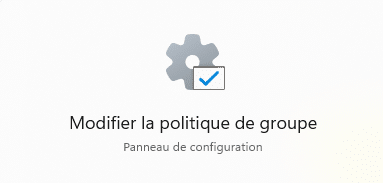
  1. Rendez-vous dans les GPOs en tapant gpedit.msc depuis l’exécution Windows ou tapez en toutes lettres “éditeur de stratégie de groupe locale” depuis le menu démarrer. Pour les configurations serveur de domaine, cela se passera depuis votre gestion des stratégies de groupe.
    Modifier la politique de groupe
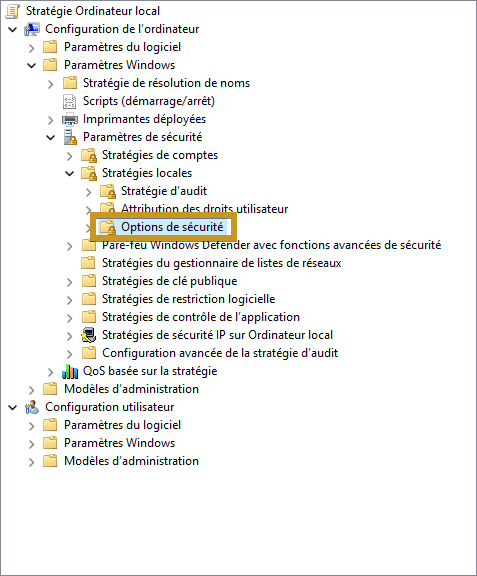
  2. Parcourez les paramètres de stratégie : Configuration ordinateur > Paramètres Windows > Paramètres de sécurité > Stratégies locales > Options de sécurité.
    panneau stratégie
  3. Rechercher ces deux paramètres :
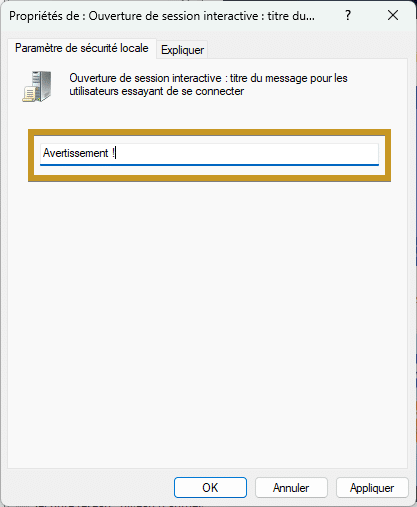
    Ouverture de session interactive : titre du message pour les utilisateurs essayant de se connecter.
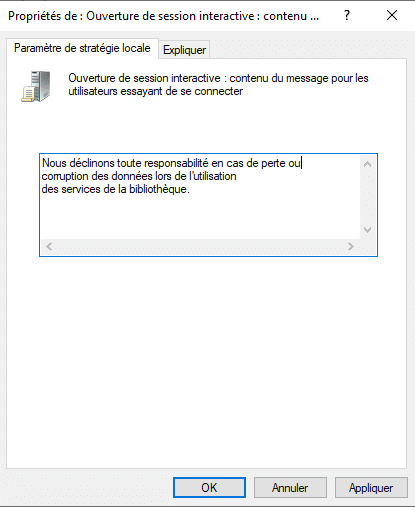
    Ouverture de session interactive : contenu du message pour les utilisateurs essayant de se connecter.
  4. Modifier le paramètre de titre du message pour modifier l’entête, par exemple :
    Avertissement
  5. Modifier le paramètre contenu du message, par exemple :
    contenu du message
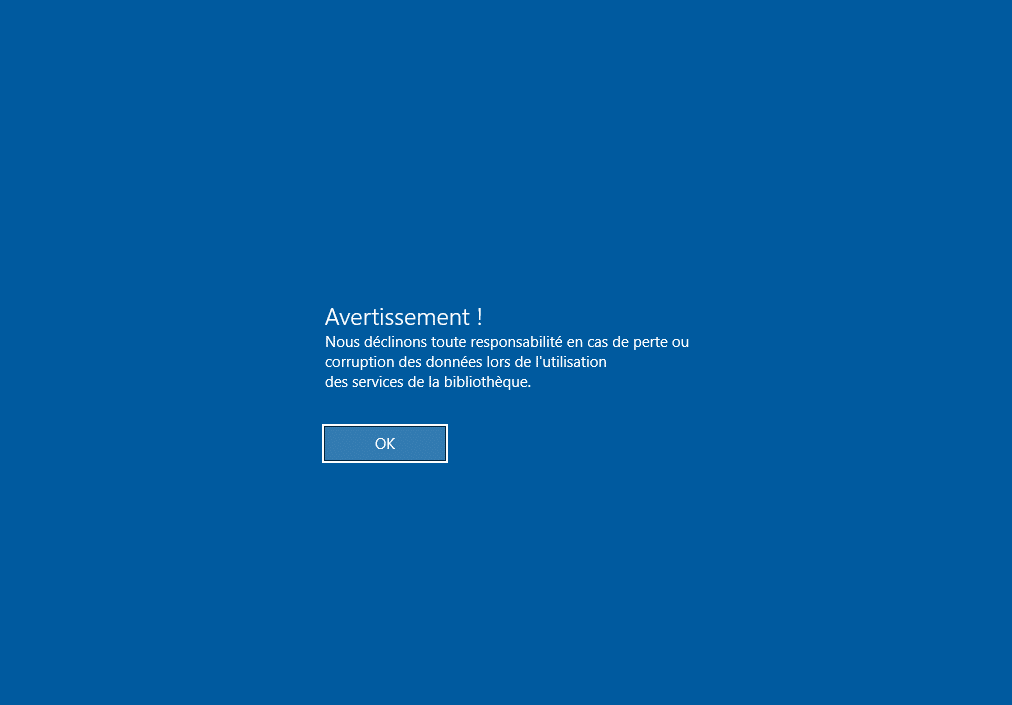
  6. Appliquer vos modifications en faisant un “gpupdate /force” sur l’ordinateur en question puis un redémarrage.
    exemple de message


Par la modification des clés de registre

  1. Rendez-vous dans l’Éditeur de registre en tapant regedit depuis l’exécution Windows où taper en toutes lettres “éditeur du registre” depuis le menu démarrer.
    Éditeur du registre
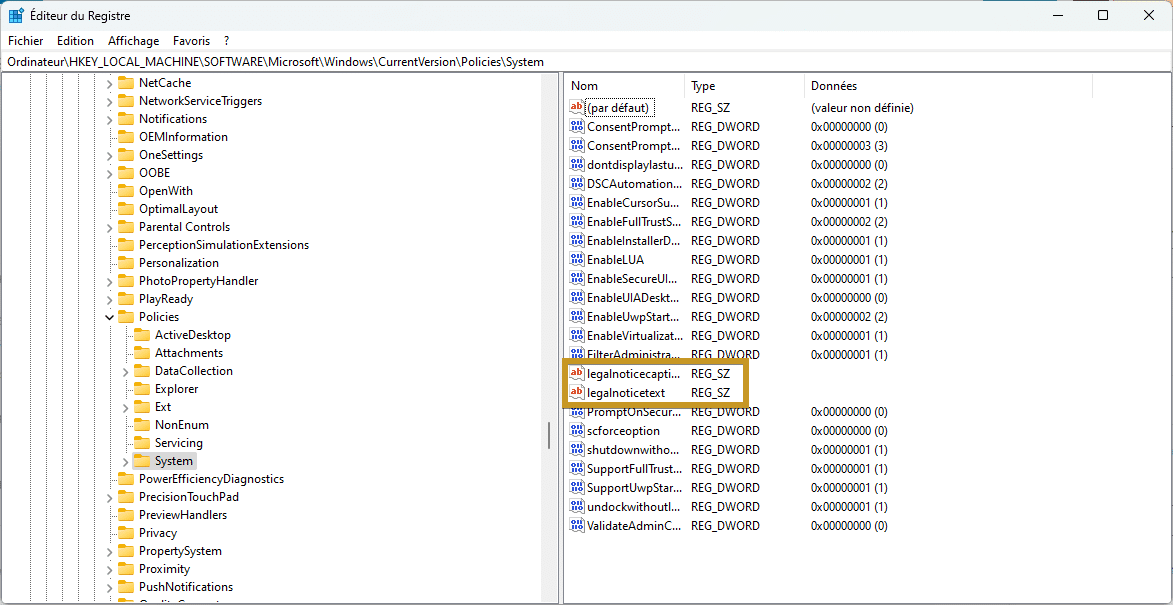
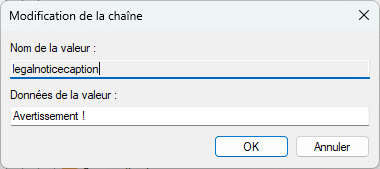
  2. Parcourez l’éditeur de registre : Ordinateur\HKEY_LOCAL_MACHINE\SOFTWARE\Microsoft\Windows\CurrentVersion\Policies\System. Depuis le volet droit, vous trouverez les chaînes legalnoticecaption (titre) et legalnoticetext (contenu du message) :
    clés de registre
    Avertissement registreContenu registre
  3. Fermez et redémarrez votre poste.
    exemple de message

Bravo : Vous avez réussi ! Vous serez désormais capable d’ajouter un message d’ouverture de session.

Source : Texte du message d’ouverture de session interactive (Windows 10) | Microsoft Learn

L’article Windows : Afficher un message à L’ouverture de session est apparu en premier sur Le Blog du Wis.

Le phishing a maintenant recours à de fausses fenêtres de connexion quasiment indétectables

Par : Sponso
14 octobre 2022 à 06:00
Mis en évidence par un chercheur en sécurité, les pirates peuvent simuler de fausses fenêtres d’identification mais avec de « vraies » url. De quoi brouiller encore un peu plus les pistes. Le phishing (ou hameçonnage) n’est pas un phénomène nouveau et...
  • ✇Le Blog du Wis
  • Cloudflare : Ajouter un domaine
    Comment ajouter un domaine sur Cloudflare ?Cloudflare est une entreprise leader en solutions de sécurité et de performances web contribuant à une meilleure qualité de l’internet global.Composé de plus d’une centaine de data centers gérant plus de 10 000 milliards de requêtes par mois, Cloudflare exploite l’un des plus vastes réseaux au monde.Car oui, cloudflare ne sert pas juste a géré la zone DNS de votre domaine, la plateforme propose plusieurs services gratuits ou payants tels que la protecti
     

Cloudflare : Ajouter un domaine

Par : Wisy
11 octobre 2022 à 06:00

Comment ajouter un domaine sur Cloudflare ?
Cloudflare est une entreprise leader en solutions de sécurité et de performances web contribuant à une meilleure qualité de l’internet global.
Composé de plus d’une centaine de data centers gérant plus de 10 000 milliards de requêtes par mois, Cloudflare exploite l’un des plus vastes réseaux au monde.

Car oui, cloudflare ne sert pas juste a géré la zone DNS de votre domaine, la plateforme propose plusieurs services gratuits ou payants tels que la protection DDoS, le Pare-feu pour les applications Web, le serveur de proxy inversé, etc.


Mais alors, comment ajoute-t-on son domaine ?

Attention : À la fin de cette procédure, votre zone DNS ne sera plus gérée par votre service de domaine, mais pas Cloudflare.

Ajouter un domaine

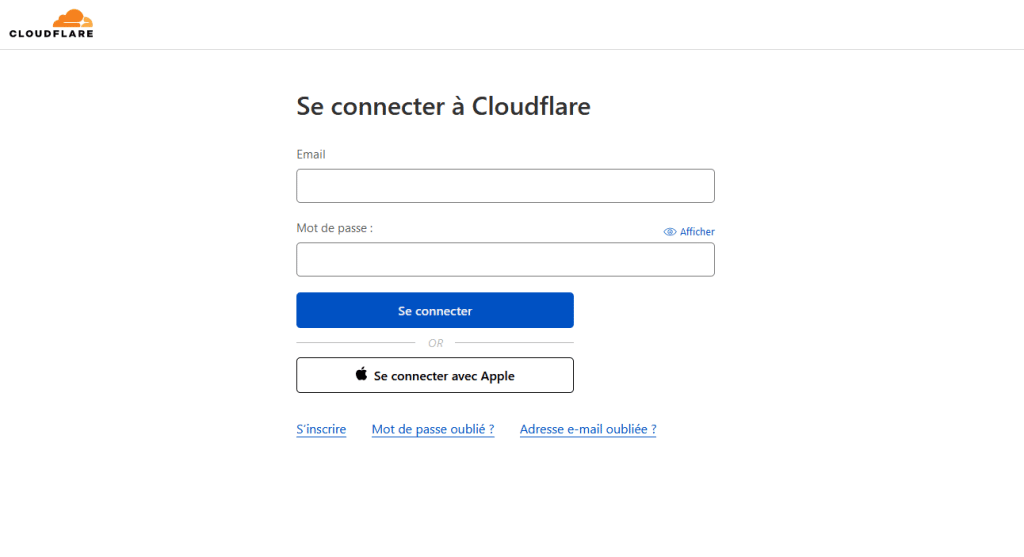
  1. Connectez-vous à Cloudflare ou créer un compte si ce n’est pas déjà fait : https://dash.cloudflare.com/login
    Se connecter à Cloudflare
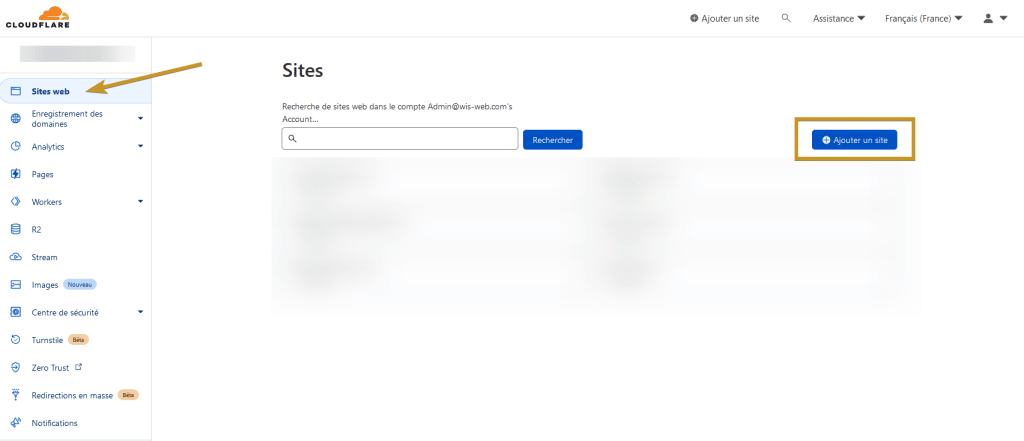
  2. Ajouter votre domaine en cliquant sur “Ajouter un site” depuis le menu “Sites web” :
    Cloudflare - Ajouter un site
  3. Taper ensuite, le nom de votre domaine (exemple : leblogduwis.com).

    Note : Si Cloudflare est incapable d’identifier votre domaine comme un domaine enregistré, assurez-vous d’utiliser un domaine de premier niveau ( .com, .fr, .ca, .net ou autres ).

  4. Choisissez l’offre gratuite (tout en bas) cependant, si vous souhaitez plus de fonctionnalités, commencez par la version pro ($20 US/mois) qui offre une sécurité renforcée, de l’optimisation sans perte d’images, etc.
  5. Cloudflare va alors rechercher vos entrées DNS déjà enregistré chez votre hébergeur de domaine actuel
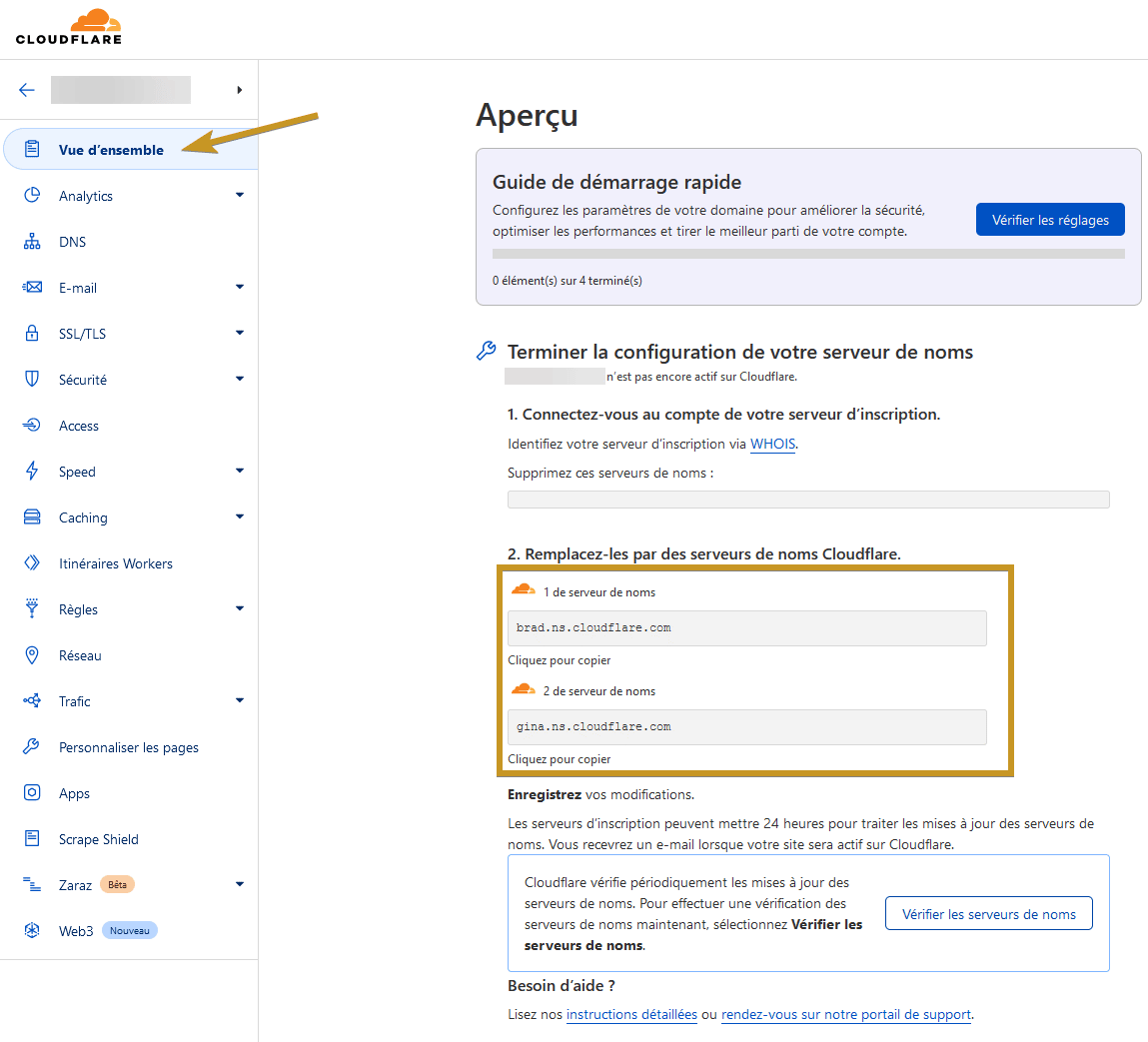
  6. Vous aurez alors le nom des serveurs à mettre à jour chez votre hébergeur de domaine actuel:
    Noms de serveur

Mettre à jour votre serveur de noms

  1. Connectez-vous à votre hébergeur de domaine (exemple : OVH, Godaddy, Hostpapa, etc.)
  2. Changez alors les “Serveurs de noms” par ceux donner par Cloudflare ( exemple : brad.ns.cloudflare.com, gina.ns.cloudflare.com ).

    Note : Les changements peuvent prendre plus de temps selon l’hébergement que vous utilisez cependant, le fait de déjà avoir vos entrées DNS chez Cloudflare empêchera une coupure inopinée de votre site web.

  3. Dès que l’opération sera terminée, vous recevrez un courriel de Cloudflare vous indiquant que votre domaine est actif !

Bravo : Vous avez réussi ! Vous savez maintenant comment activé un domaine avec Cloudflare

L’article Cloudflare : Ajouter un domaine est apparu en premier sur Le Blog du Wis.

Arnaque au Phishing PayPal, les pirates veulent vous avoir au téléphone

Par : Sponso
1 octobre 2022 à 07:04
Une nouvelle vague d’attaques repérée par le Bitdefender Labs fait appel à des plates-formes téléphoniques pour tenter de vous soutirer vos informations personnelles. D’après les données récoltées par le Bitdefender Labs, PayPal fait partie de l’arsenal préféré des pirates. En...

Virus, phishing, anonymat, contrôle parental… Bitdefender, l’arme de protection absolue

Par : Sponso
30 septembre 2022 à 06:07
Bitdefender Total Security est une suite de sécurité incluant un antivirus, un pare-feu, un VPN, des fonctions de contrôle parental, le tout sur vos appareils de bureau et mobiles et sans en affecter les performances. Et cerise sur le gâteau,...
  • ✇Le Blog du Wis
  • Powershell : Activer l’exécution de script
    Imagine-toi que tu pourrais être bloqué en exécutant des scripts Powershell sur son ordinateur. Par sécurité, l’exécution de ceux-ci est désactivée. Ouvrez Powershell en tant qu’administrateur puis taper : # Autoriser l’exécution de scripts par tous les utilisateurs. Cette commande nécessite des privilèges d’administrateur Set-ExecutionPolicy Unrestricted # Autoriser l’exécution de scripts par l’utilisateur actuel. Cela ne nécessite pas de privilèges spéciaux Set-ExecutionPolicy Unrestr
     

Powershell : Activer l’exécution de script

Par : Wisy
4 janvier 2022 à 08:00

Imagine-toi que tu pourrais être bloqué en exécutant des scripts Powershell sur son ordinateur. Par sécurité, l’exécution de ceux-ci est désactivée.
Ouvrez Powershell en tant qu’administrateur puis taper :

# Autoriser l’exécution de scripts par tous les utilisateurs. Cette commande nécessite des privilèges d’administrateur
Set-ExecutionPolicy Unrestricted

# Autoriser l’exécution de scripts par l’utilisateur actuel. Cela ne nécessite pas de privilèges spéciaux
Set-ExecutionPolicy Unrestricted -Scope CurrentUser

# Réactiver la restriction d'exécution de scripts par tous les utilisateurs. Cette commande nécessite des privilèges d’administrateur
Set-ExecutionPolicy RemoteSigned

# Réactiver la restriction d’exécution de scripts par l’utilisateur actuel. Cela ne nécessite pas de privilèges spéciaux
Set-ExecutionPolicy -Scope "CurrentUser" -ExecutionPolicy "RemoteSigned"

Attention : N’oubliez pas de réactiver la restriction afin de maximiser la sécurité de votre système.

Bravo : Vous avez réussi ! $speak.Speak(“Tu peux maintenant exécuter des scripts petit Padawan”)

À voir également : Configurer Le nouveau terminal Windows par défaut

Source : How to Enable PowerShell Scripts Execution on Windows 10

L’article Powershell : Activer l’exécution de script est apparu en premier sur Le Blog du Wis.

❌