Microsoft's plans for AI PCs include everything from laptops with only 8GB of RAM to supercomputers with over 128GB of RAM. The company's roadmap was outlined in slides shared on X by user "HXL."One slide, labeled "Windows is the home for hybrid intelligence" shows four tiers of PCs. The lowest one, Tier 0, is Windows PCs with 8GB of RAM that are powered by Intel Core Series 3 or 4, AMD Ryzen 100 or 200, and Snapdragon X or X Plus.Tier 1 covers Copilot+ PCs with
Microsoft's plans for AI PCs include everything from laptops with only 8GB of RAM to supercomputers with over 128GB of RAM. The company's roadmap was outlined in slides shared on X by user "HXL."
One slide, labeled "Windows is the home for hybrid intelligence" shows four tiers of PCs. The lowest one, Tier 0, is Windows PCs with 8GB of RAM that are powered by Intel Core Series 3 or 4, AMD Ryzen 100 or 200, and Snapdragon X or X Plus.
Tier 1 covers Copilot+ PCs with 16GB to 64GB of RAM. That tier spans a broad range of specs, from consumer-focused processors like the Snapdragon X2 Plus to the much more powerful AMD Ryzen AI MAX+ 400.
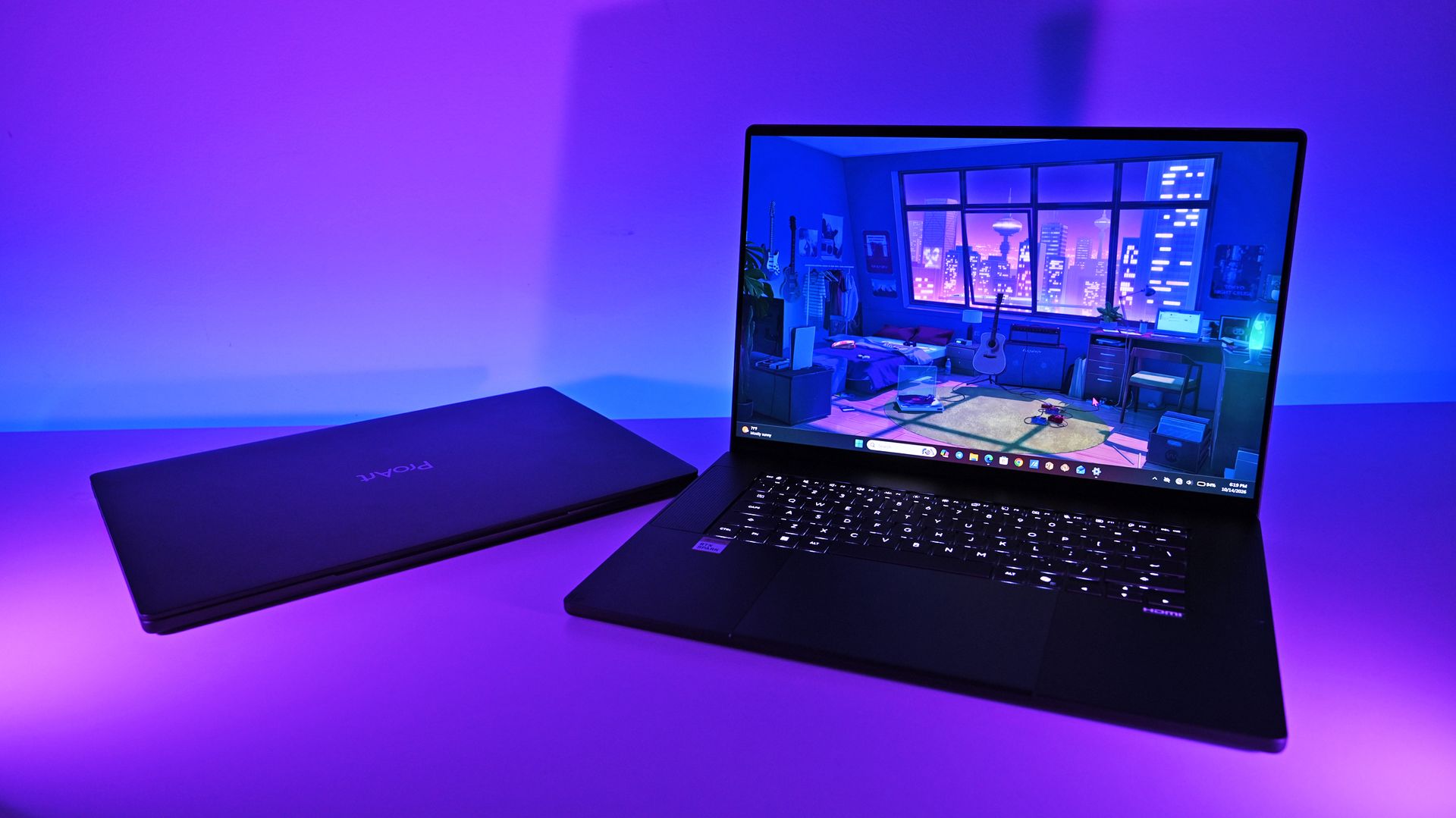
Tier 2 is builder PCs for building and running AI models locally. The hardware in that tier overlaps with the high end of Tier 1. It includes PCs powered by Intel Core Ultra Next, NVIDIA RTX Spark, and AMD Ryzen AI MAX+ 400.
The highest tier is for supercomputers designed to run frontier models locally. Those devices run on processors you'd never see in a consumer PC, such as Intel Crescent Island, NVIDIA GB300 DGX Station, and AMD Next chips.
Microsoft's roadmap is built around hybrid intelligence, with AI workloads split between local hardware and the cloud depending on the demands of each task. (Image credit: Microsoft (via user "HXL" on X))
What stands out most about the roadmap isn't the hardware itself but Microsoft's continued emphasis on hybrid intelligence. Rather than viewing local and cloud computing as competing approaches, Microsoft intends to use both.
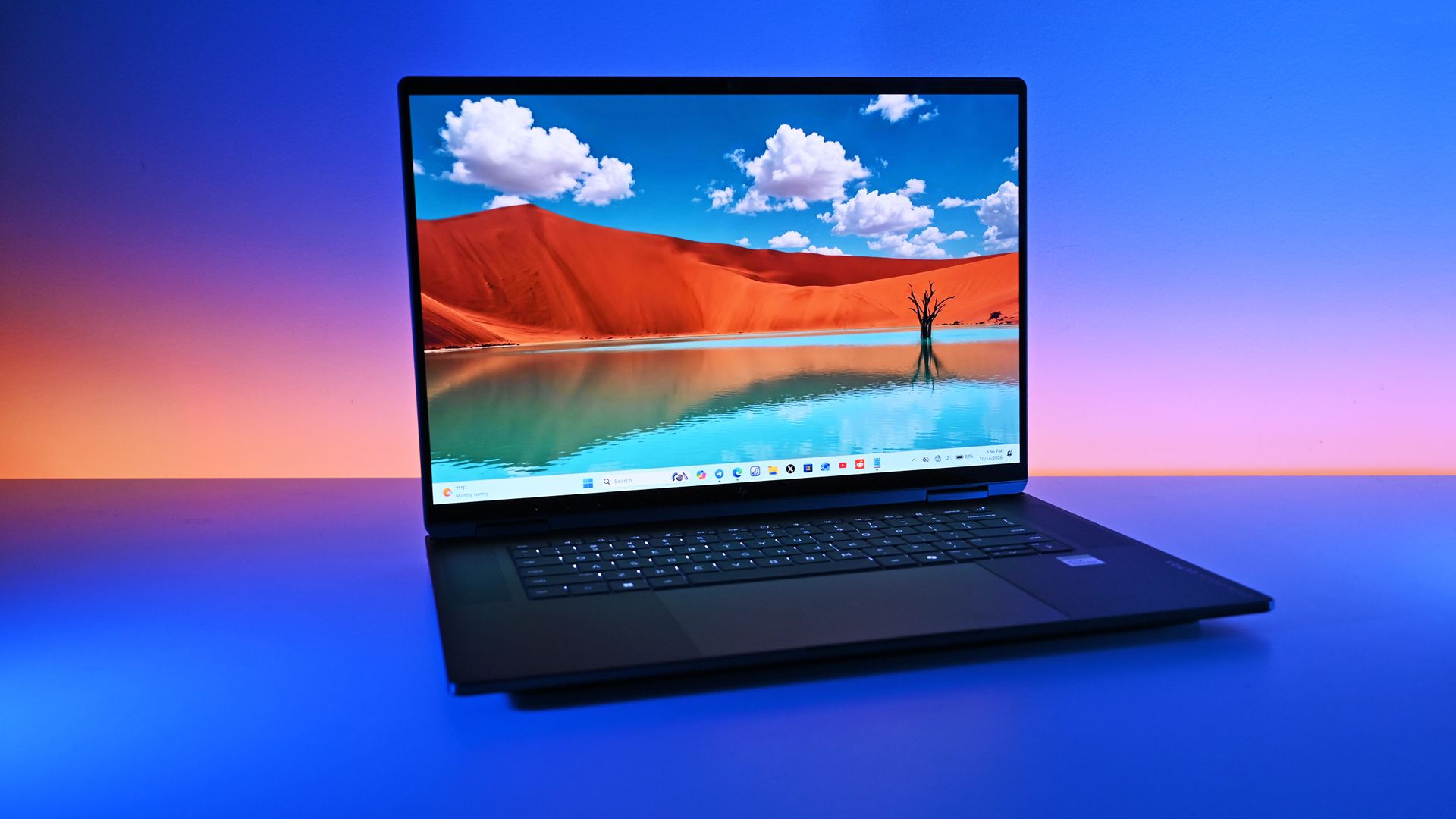
We already knew that Copilot+ PCs required at least 16GB of RAM and that Microsoft had plans for workstations and supercomputers with top-end specs. NVIDIA's RTX Spark launched recently and powers several tier 2 PCs, such as the Surface Laptop Ultra.
Sam Altman may not be thrilled that Microsoft's AI roadmap includes PCs with more than 128GB of RAM. (Image credit: Getty Images | NurPhoto / Edit: Windows Central )
Microsoft's dream for AI computing is more like a nightmare for OpenAI CEO Sam Altman. He recently claimed that it's "actually quite terrible" for people to have RAM on their own computers. One theory is that OpenAI and other tech giants would prefer AI workloads to rely on centralized compute resources that can then be sold as a service.
Altman did not mention that specifically, but his comments suggest he views compute power as a resource AI companies have more of a right to than people do.
Microsoft has very different plans for AI in the form of hybrid intelligence. Rather than relying solely on cloud computing or local processing, people using hybrid intelligence will use a mixture of both.
We're still in the early days of hybrid intelligence, but a likely scenario is one in which users utilize the local compute power they have and then summon the cloud to complete tasks as needed. That setup would allow PCs across the entire roadmap to access AI.
Tier 0 and Tier 1 devices could perform less demanding tasks depending on their exact specs and lean more heavily on the cloud for compute-heavy workloads. Tier 2 and Tier 3 PCs would mostly stick to local processing but have the cloud as an option for exceptionally demanding projects.
Join us on Reddit at r/WindowsCentral to share your insights and discuss our latest news, reviews, and more.
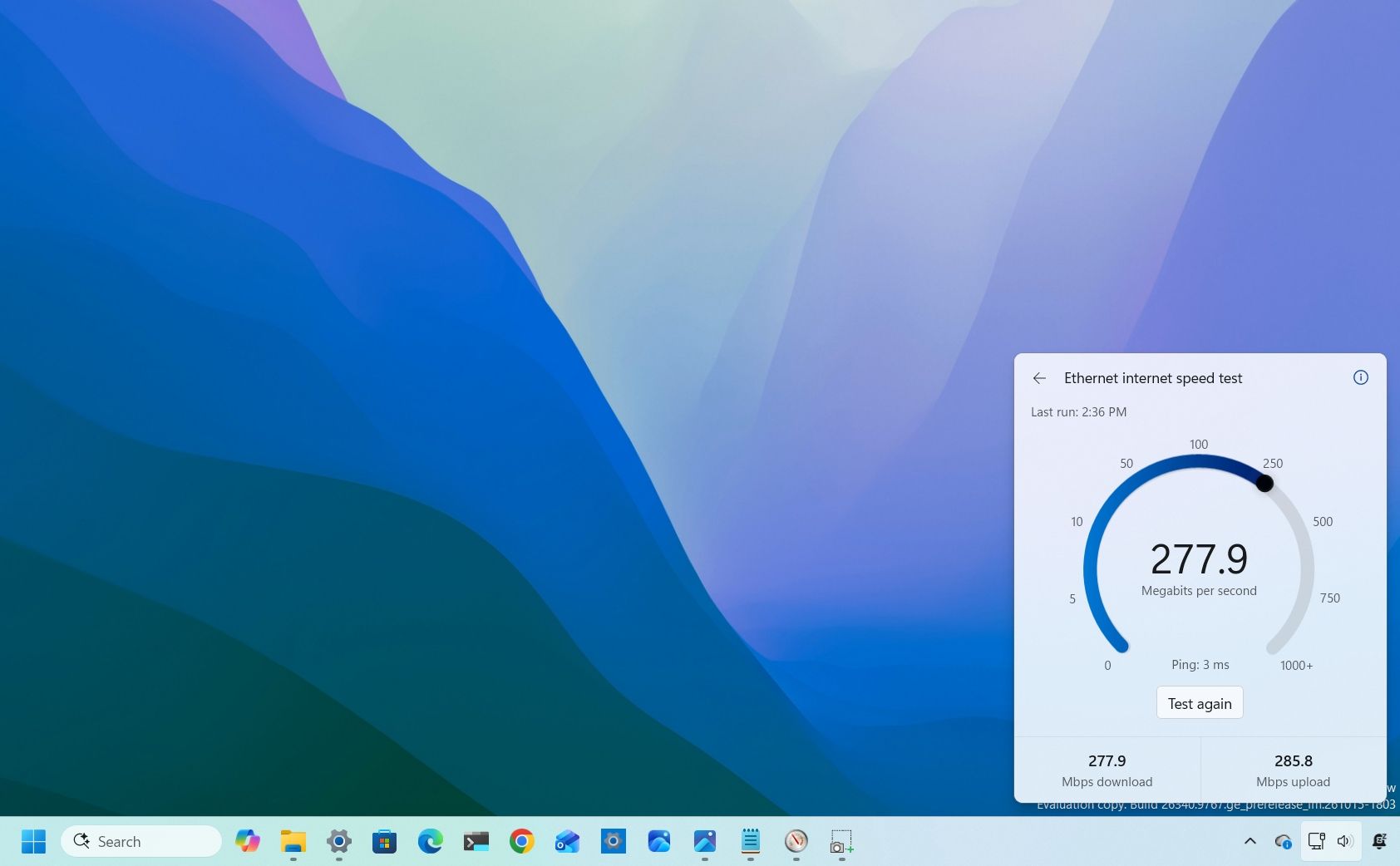
Windows 11 has a new speed test feature in the works that will allow you to check your PC's connectivity without having to open a browser or a separate app. The feature is already in testing with Windows Insiders and looks promising so far.Windows 11 already has a shortcut for testing internet speed, but it's simply a button that opens Bing's speed test in a web browser. The new speed test feature is built-in, making it feel like part of Windows 11 rather than a
Windows 11 has a new speed test feature in the works that will allow you to check your PC's connectivity without having to open a browser or a separate app. The feature is already in testing with Windows Insiders and looks promising so far.
Windows 11 already has a shortcut for testing internet speed, but it's simply a button that opens Bing's speed test in a web browser. The new speed test feature is built-in, making it feel like part of Windows 11 rather than a tacked-on browser shortcut.
The addition has been well-received and sparked positive discussions online. Our Mauro Huculak said, "Windows 11 needs more features like this," and his wish may come true.
Marcus Ash, lead of Design and Research across Windows & Devices, discussed the new speed test feature and how the tool was created. According to Ash, the new speed test feature is the result of an agentic AI workflow guided by a real person.
"This is where I see a lot of potential in AI," said Ash. "Using agentic workflows and WinUI 3 to build more integrated Windows experiences. Getting from idea to customer value faster. Without AI slop. That is the way."
AI is under heavy scrutiny for a variety of reasons. Many criticize "vibe coding," which often results in low-quality projects. But there is a place for AI in certain workflows.
After looking at Ash's comment, it's easy to see why Microsoft chose to attach the term "Copilot" to many of its AI products. The company's leaders view AI as a tool that works alongside people to streamline workflows while still leaning on the guidance of human expertise.
Considering the positive reception of the new speed test tool, it seems likely that other parts of Windows 11 will be built with a similar workflow. I'm curious to see if they will all be well-received or if some people will push back solely due to the use of AI.
What do you think about Microsoft using AI as part of its development process? Let us know in the comments!
Join us on Reddit at r/WindowsCentral to share your insights and discuss our latest news, reviews, and more.
I recently highlighted an app that allows you to click and drag the taskbar to reposition it on Windows 11. In my piece, I said that "changing [the taskbar's] position still requires digging through Settings." That phrase and other parts of my piece led to a discussion online about the nature of coverage and being positive or negative when discussing apps and features.Microsoft's Vice President of Design Diego Baca, said the phrasing in my piece was "unnecessaril
I recently highlighted an app that allows you to click and drag the taskbar to reposition it on Windows 11. In my piece, I said that "changing [the taskbar's] position still requires digging through Settings." That phrase and other parts of my piece led to a discussion online about the nature of coverage and being positive or negative when discussing apps and features.
What stuck with me wasn't whether my wording was too harsh. It was the question of how we should respond when companies explain why a feature isn't necessary, especially when history shows those same features often arrive later.
Biggest News of the Week
I want to be clear about the nature of this piece. Baca's response to my article sparked this discussion, but it's not meant to call him out or criticize him. Every interaction I've had with Baca has been positive and I appreciate how much he interacts with the community on X and other platforms.
Baca was promoted to Vice President of Design at Microsoft in August. I've noticed a distinct increase in user engagement since then from both Baca and other members of Microsoft's design team.
I would also be a hypocrite if I criticized Microsoft for not looking at feedback and then ignored feedback myself. I echo Baca's sentiment that listening to feedback is important even if someone ultimately decides to go in another direction than what's suggested. Understanding how other people think can shape how we view things in the future.
For the record, the headline of the article is and always has been "This free app makes moving the Windows 11 taskbar so much easier"I have changed the wording within the article where the quote you mentioned appears, which, again, was not the headline. But I should say that I don't agree with your take. This was not meant in a negative tone.Windows 10 users that might have heard about Windows 11's new movable Taskbar may not know that its implementation is different. "You still need" meaning that while it can be moved now, you'll still need an app to restore the same draggable behaviors that you had on Windows 10. That's just us being clear about the experience.However, I do appreciate you explaining more about how you designed the movable experience on Windows 11! I like the W11 implementation a lot. Again, I want to be clear: "You still need" never once showed up in the headline. This was only ever present beneath the header as part of the article on the page.October 31, 2026
Explaining why your product lacks a feature that's available anywhere is easy. Defending why your product does not have a popular feature seen in other products is difficult. Justifying adding a feature after arguing against its value for years is almost impossible.
We've seen this with Apple and its touchscreen MacBook. Steve Jobs famously mocked the concept of a touchscreen laptop over a decade ago. In a similar manner, Tim Cook compared devices like the Surface Pro to combining a toaster and a refrigerator only for Apple to later release the iPad Pro, which is clearly similar to the Surface Pro in design.
Years after Steve Jobs argues vertical touch surfaces were "ergonomically terrible," Apple announced a touchscreen MacBook. (Image credit: Lance Ulanoff / Future)
Relating this back to Microsoft, the company tried to justify why the taskbar was immovable when Windows 11 shipped. Back in 2022, Tali Roth, head of product of Windows Core Experiences at Microsoft, explained why that was the case:
"When it comes to something like actually being able to move the taskbar to different locations on the screen, there's a number of challenges with that. When you think about having the taskbar on the right or the left, all of a sudden the reflow and the work that all of the apps have to do to be able to understand the environment is just huge...
And when you look at the data, while we know there is a set of people that love it that way and, like, really appreciate it, we also recognize that this set of users is really small compared to the set of other folks that are asking for other features. So, at the moment, we are continuing to focus on things that I hear more pain around."
In Roth's defense, she did not claim a movable taskbar was a broken concept. But she did say the effort to make it work was huge and that only a small set of users were passionate about the feature.
I doubt the amount of effort required changed dramatically. The number of users interested in the feature has likely remained relatively consistent as well, so why was a movable taskbar a top priority in Windows K2?
That's why I'm hesitant to treat explanations for missing features as the final word. Microsoft's reasons for not prioritizing taskbar positioning in 2022 did not make users wrong for wanting the feature, and they did not make criticism of that decision invalid. If anything, the feature later becoming a Priority 0 item proves that those complaints were worth making in the first place.
High expectations, not hostility
One of my first editions of Windows Wrap focused on holding a mirror up to Microsoft. (Image credit: Future | Edited with Gemini)
I love that Microsoft is improving Windows 11. I think the Windows K2 initiative is one of the most important consumer-focused initiatives the company has had in years. I also think it's okay to be critical while also noting improvements.
I am often critical of Microsoft and its products, but it's not for kicks or clicks. It comes from a genuine hope for the OS to improve. As I said back in January:
"My frustration with Windows 11 and Microsoft doesn't come from a place of "hate" — it comes from a place of high expectations. Whether Microsoft chooses to listen to its core enthusiasts or continues its current path toward an AI-bloated future remains to be seen. In the meantime, it's worth facing a mirror toward Redmond."
I've argued since March that Windows 11 isn't doomed and that Microsoft is fixing the operating system. But much of that change was inspired by passionate, and often negative, feedback — the squeaky wheel gets the grease and all that.
So, I may think twice about being overly negative about Microsoft in the future, but after doing so I'm still likely to press "Publish" on an article calling for change.
Join us on Reddit at r/WindowsCentral to share your insights and discuss our latest news, reviews, and more.
Windows 11 finally lets you move the taskbar, but Microsoft has not fully restored functionality lost when jumping from Windows 10 to Windows 11. To help bridge the gap, developer Michał Łeptuch created an app that makes it easier to move the taskbar.The simply-named "Taskbar Location Options" lets you right-click and move the taskbar to the top, left, right, or bottom of your screen. Alternatively, you can simply click and drag the taskbar to any edge of your di
Windows 11 finally lets you move the taskbar, but Microsoft has not fully restored functionality lost when jumping from Windows 10 to Windows 11. To help bridge the gap, developer Michał Łeptuch created an app that makes it easier to move the taskbar.
The simply-named "Taskbar Location Options" lets you right-click and move the taskbar to the top, left, right, or bottom of your screen. Alternatively, you can simply click and drag the taskbar to any edge of your display once the app is installed.
The inability to move the taskbar was one of the most criticized taskbar regressions when Windows 11 launched in 2021. One of the most-requested pieces of feedback for years was restoring the ability to move the taskbar to the sides or top of a display.
Microsoft finally restored that functionality last month, but changing the location of the taskbar still requires opening Settings, navigating to Taskbar settings, and selecting a new position from a dropdown menu.
The option to move the taskbar on Windows 11 is buried in the Settings app. (Image credit: Michał Łeptuch)
Łeptuch's app brings back the option to click and drag the taskbar. That feature was available on Windows 10 and previous versions of Windows. I always found it odd that Microsoft brought back the option to move the taskbar but buried it in the Settings app.
Dragging the taskbar is often faster, especially for users who frequently switch between desktop layouts or monitor configurations.
The installation process for Taskbar Location Options requires more steps than I'd like, but that should be smoothed out in the future. At the moment, you have to download a certificate, unblock the file, then run the file with PowerShell before installing the app.
The app's GitHub page includes a download link and a guide to install Taskbar Location Options.
Microsoft deserves credit for finally restoring the ability to move the taskbar, but the current implementation feels unnecessarily tucked away. Taskbar Location Options fills that gap by bringing back the quick drag-and-drop behavior Windows users enjoyed for years.
Join us on Reddit at r/WindowsCentral to share your insights and discuss our latest news, reviews, and more.
Windows 11 and wallpapers go together like peanut butter and jelly. Many of our laptop reviews are met with comments asking about our wallpapers. Microsoft deals with the same fervor for images. I spent weeks trying to find the wallpaper shown off during the RTX Spark event.Unfortunately, like the Jedi Archives, Microsoft's publicly shared collection of wallpapers is incomplete. The company has not shared that wallpaper from the RTX Spark event, but it has shared
Windows 11 and wallpapers go together like peanut butter and jelly. Many of our laptop reviews are met with comments asking about our wallpapers. Microsoft deals with the same fervor for images. I spent weeks trying to find the wallpaper shown off during the RTX Spark event.
Unfortunately, like the Jedi Archives, Microsoft's publicly shared collection of wallpapers is incomplete. The company has not shared that wallpaper from the RTX Spark event, but it has shared several images inspired by the Surface Laptop Ultra.
The official Microsoft Surface account shared a thread with a bunch of wallpapers. The collection includes an image that looks like an x-ray of the Surface Laptop Ultra, a rendering of the engineering to make that laptop, and some more abstract artwork inspired by the PC.
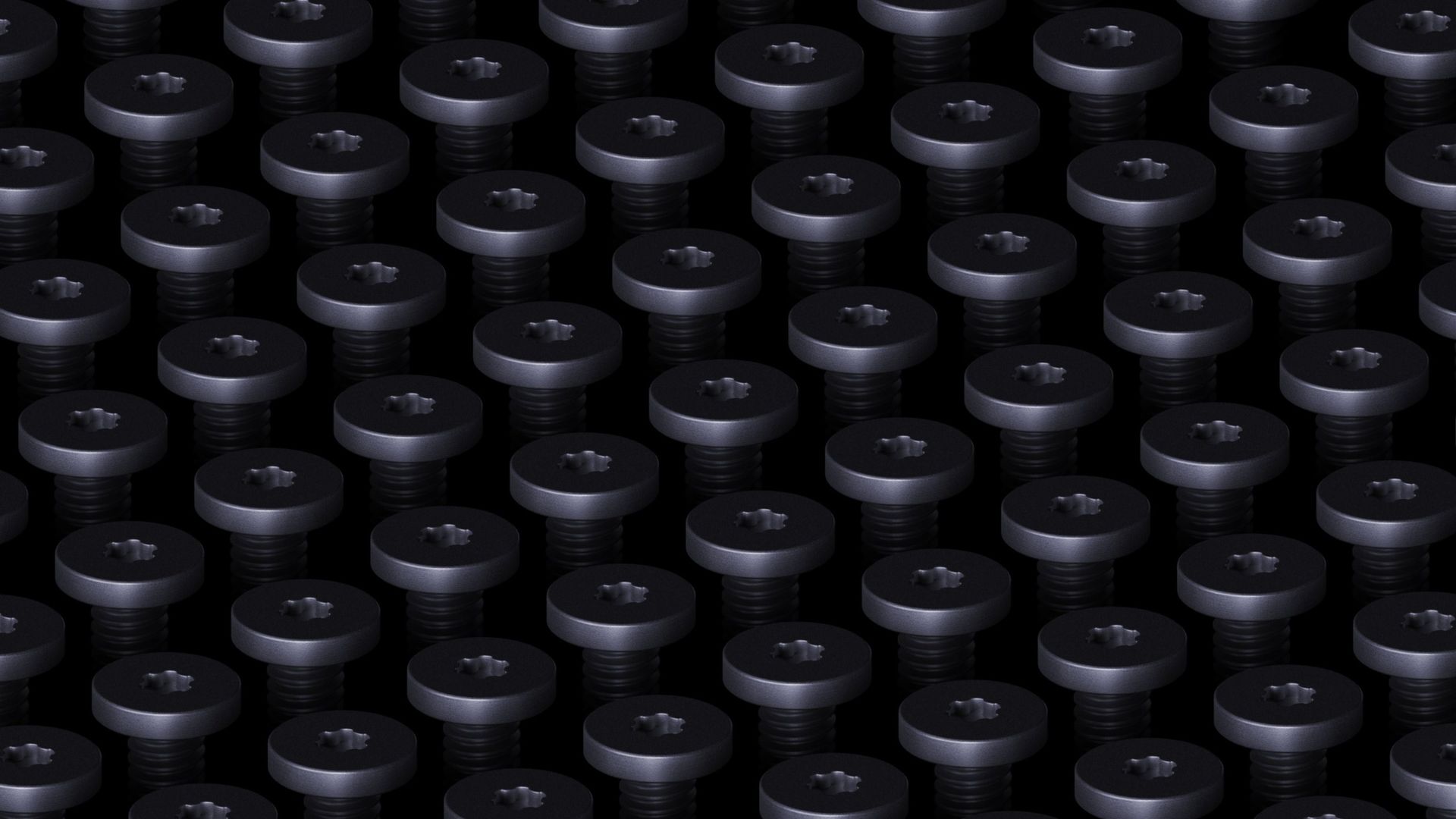
But one image immediately caught my eye. In the X post stating "It's all about the details," Microsoft shared an image of a grid of screws used in the Surface Laptop Ultra's construction.
As much as I love a good torque screw (side-eye at proprietary screws), that's not what drew my attention. What piqued my interest was that I first thought the image was the Galactic Senate from Star Wars. All it needs is a floating podium and an emergency powers vote.
Tell me I’m not the only one who saw the galactic senate at first.October 30, 2026
It turns out I'm not the only person whose brain jumped straight to Coruscant. My X post has drawn several replies and messages from people who saw the same thing.
I was tempted to make the headline of this piece something along the lines of "So this is how liberty dies, with glorious wallpapers," but I figured some people would not know the meme and assume I'm being negative.
For those who don't know, a famous scene from Star Wars Episode III sees Padmé Amidala watch the Senate cheer the rise of the Galactic Empire, prompting her famous line, "So this is how liberty dies... with thunderous applause."
In that scene, you'll see the senate chambers that Microsoft's new wallpaper resembles.
Star Wars jokes aside, the best way to download any of these wallpapers is to use the "Load in 4K" option on X. To do this, press and hold the image to bring up the share menu, then select "Load in 4K." This worked for me on iOS and I believe it's available on Android. As far as I can tell it is not an option on Windows or the web, so you'll have to grab the wallpaper from your phone and send it to your PC.
I quite enjoy the wallpapers shared by Microsoft and hope the company continues to release these types of images.
If you're similarly enthusiastic about the background of your desktop, you should check out the Microsoft Design website.
Join us on Reddit at r/WindowsCentral to share your insights and discuss our latest news, reviews, and more.
Microsoft Edge will soon launch faster on Windows 11 by using a feature no other browser has, at least for now. Accelerated app launch is a new feature on Windows 11 that streamlines the process of launching an app.In the case of Edge, the browser sees a 15 percent launch speed improvement because of the feature. If you're multitasking heavily on your PC, the app could launch up to 33 percent faster.The version of Edge with accelerated app launch support ships wi
Microsoft Edge will soon launch faster on Windows 11 by using a feature no other browser has, at least for now. Accelerated app launch is a new feature on Windows 11 that streamlines the process of launching an app.
In the case of Edge, the browser sees a 15 percent launch speed improvement because of the feature. If you're multitasking heavily on your PC, the app could launch up to 33 percent faster.
The version of Edge with accelerated app launch support ships with the October 2026 non-security update for Windows 11. That update, known as KB5127936, is available now as an optional release. It also includes the updated context menu as well as Cloud Rebuild.
Accelerated app launch requires both the app and Windows 11 to work together. Since Edge is the built-in browser on Windows 11, it should come as no surprise that Microsoft first shipped the feature to Edge.
Without accelerated app launch, clicking a link to open Edge requires Windows to determine whether Edge is already running. Doing so requires Windows to start an intermediary process that looks around for an instance of Edge. Microsoft explains that you probably won't notice sluggishness during this process on a freshly booted PC, but that you can notice things slow down when multitasking.
Accelerated app launch sends a registration request to Windows when the browser is launched initially. Windows can then find that registration quickly the next time you launch Edge through a link.
Because of how the feature works, you'll only see those launch speed improvements after Edge has already been opened and is running in the background.
The feature works in the Start menu, Taskbar, and supported links that open in Edge by default.
Not a selling point for Microsoft Edge
Microsoft is contributing the code for accelerated app launch to Chromium, so browsers such as Brave, Vivaldi, and Chrome can implement the feature. (Image credit: Windows Central)
Support for accelerated app launch is a nice addition to Edge, but it won't be a feature that convinces people to switch browsers. Microsoft is contributing its work related to the feature to Chromium, so other Chromium-based browsers can benefit from accelerated app launches on Windows.
As far as I can tell, there's nothing stopping non-Chromium browsers from doing the same thing, it would just require more work.
Microsoft is also working on opening PDF files using the feature.
So rather than an exclusive feature for Edge, accelerated app launch will help improve the overall Windows 11 experience by reducing how long it takes to open apps.
Join us on Reddit at r/WindowsCentral to share your insights and discuss our latest news, reviews, and more.
When I was a child my dad's office shelf was filled with plastic toys from McDonald's that I played with. Some of those sat there for years as a reminder of short stops on vacations for lunch. Since those days over three decades ago, McDonald's toys have evolved.Rather than a heavy plastic Grimace or another colorful mascot, McDonald's food now comes with computer accessories. That is, if you're in China.McDonald's China teamed up with Lenovo to create a wireless
When I was a child my dad's office shelf was filled with plastic toys from McDonald's that I played with. Some of those sat there for years as a reminder of short stops on vacations for lunch. Since those days over three decades ago, McDonald's toys have evolved.
Rather than a heavy plastic Grimace or another colorful mascot, McDonald's food now comes with computer accessories. That is, if you're in China.
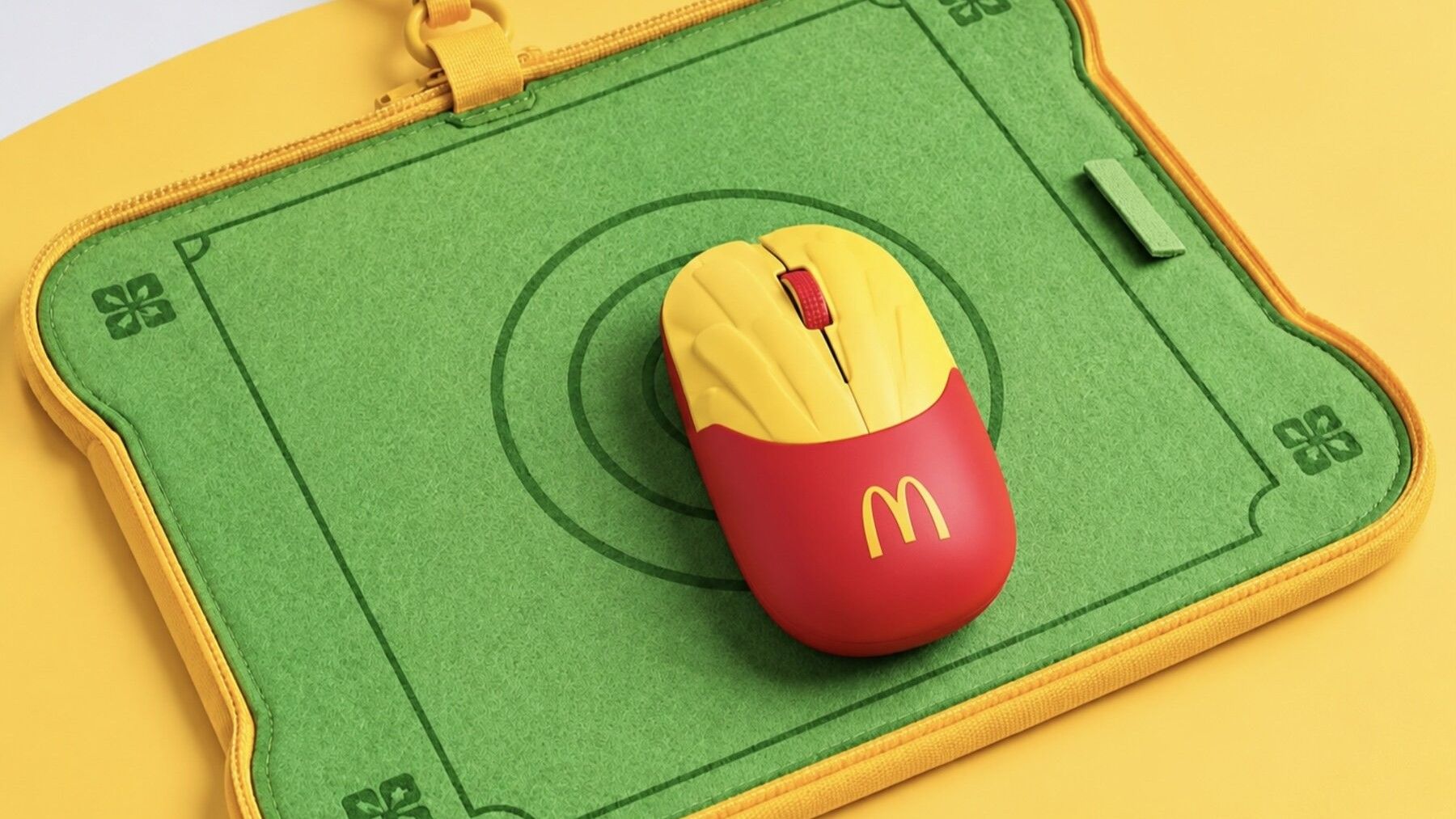
McDonald's China teamed up with Lenovo to create a wireless mouse that looks like a carton of McDonald's fries. Apart from looking like a fast food item, the mouse is rather unassuming. It features two buttons and a scroll wheel. It charges through USB-C, which is standard for mice these days.
McDonald's mice are made from around 60% recycled materials. Specifically, old Happy Meal toys were used.
The mouse comes with a carrying case that turns into a mousepad when you open it up, which is a clever design.
Unfortunately for myself and anyone else hoping to get their hands on one of the mice, McDonald's held a very limited run for the accessory. Only 4,000 units were made, and they were sold over a single weekend for roughly $14. There's also the geographic limitation of the fry mice only being made available in China.
McDonald's Moa McNuggets were dry and broke game lore, but I'd forgive those shortcomings to get a McDonald's mouse. (Image credit: Future)
My love of McDonald's is well documented. My Microsoft profile photo is me holding a Happy Meal. Call it a guilty pleasure or an occasional treat, I love a box of McNuggets or a taste of a limited-time item at McDonald's.
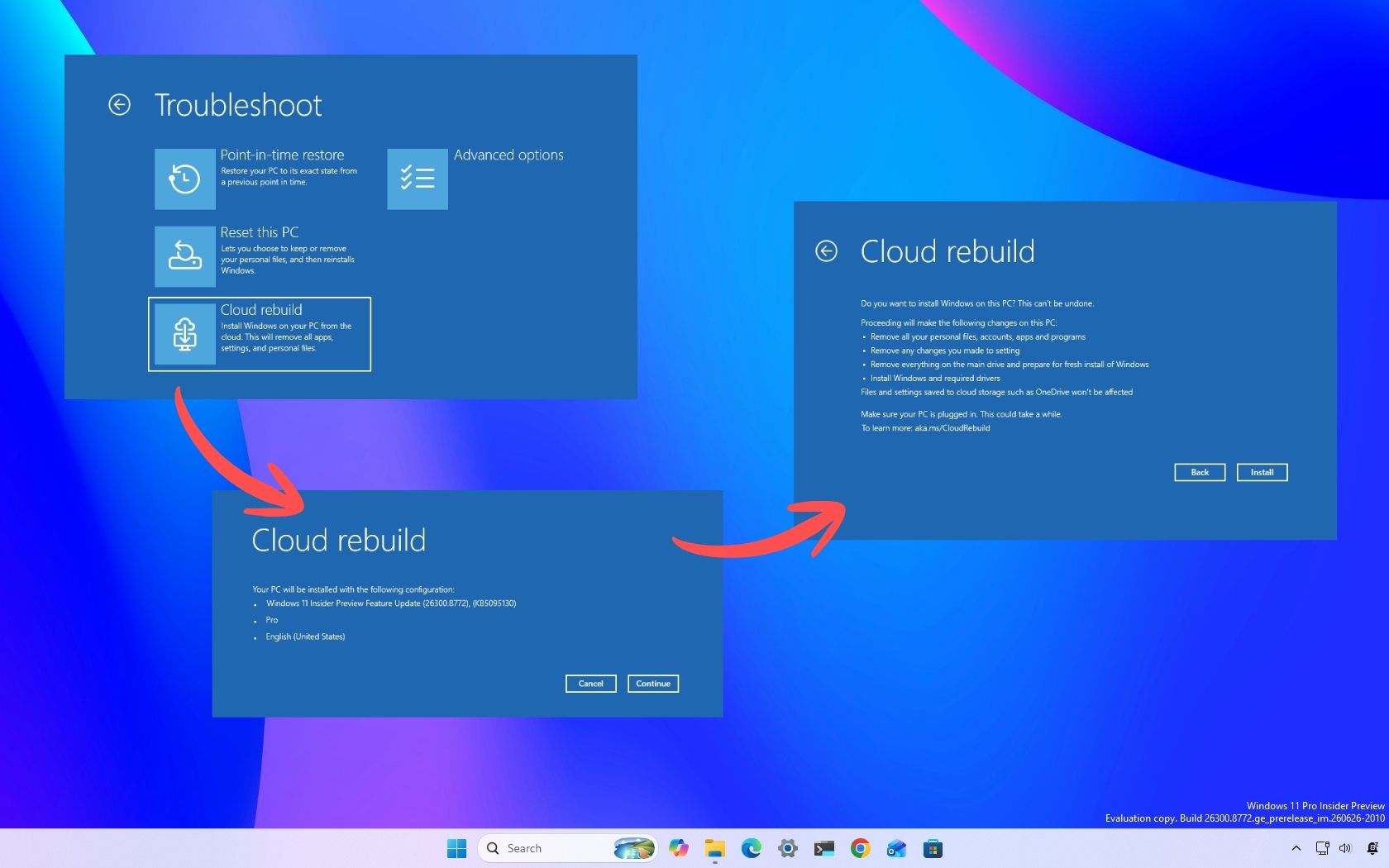
A new feature called Cloud Rebuild allows you to perform a full system reinstall for your Windows 11 PC without USB media or a custom image. The feature can even work without relying on the integrity of the currently installed operating system.Cloud Rebuild downloads Windows and your device drivers, allowing for a seamless install.The new feature is available through the latest non-security feature update for Windows 11, which is known as KB5127936. That update i
A new feature called Cloud Rebuild allows you to perform a full system reinstall for your Windows 11 PC without USB media or a custom image. The feature can even work without relying on the integrity of the currently installed operating system.
Cloud Rebuild downloads Windows and your device drivers, allowing for a seamless install.
The new feature is available through the latest non-security feature update for Windows 11, which is known as KB5127936. That update is available as an optional release. The feature should make its way to everyone relatively soon.
Windows 11 already included a Cloud Download recovery option, but Cloud Rebuild goes further by downloading both Windows and device drivers from Windows Update and by not relying on the integrity of the existing installation. Cloud Rebuild allows you to reinstall Windows 11 on a device that is unbootable.
Since Cloud Rebuild performs a full system reinstall, you should have all of your important files backed up before using it if at all possible. You also need to have your PC connected to the internet and plugged in to a power source while Cloud Rebuild runs.
For some users, Cloud Rebuild could eliminate the need to create recovery USB drives ahead of time, since Windows can now download the operating system and required drivers directly from Microsoft's servers when disaster strikes.
Because Cloud Rebuild is part of a gradual release, you may not see it right away. Going into the Windows 11 Settings app and enabling the toggle for "Get the latest updates as soon as they're available" will help you get the feature quicker, but does not guarantee you'll receive it right away.
Here's how Microsoft describes Cloud Rebuild in its release notes. You can also read more about the feature in Microsoft documentation.
Cloud Rebuild
New! This update introduces Cloud rebuild, a new recovery option that reinstalls Windows 11 using a Windows image and device drivers downloaded from Windows Update, including when Windows is unable to start. No USB media or custom image is required. Cloud rebuild includes:
Drive sanitization: Choose to remove your files or securely erase data using the storage hardware’s erase capability before Windows is reinstalled. Sanitization is irreversible.
Remote management: IT administrators can configure and start a Cloud rebuild remotely through the Recovery CSP using either the currently installed build or a specified target build.
To start Cloud rebuild:
In Windows, go to Settings > System > Recovery, and then select Rebuild PC. The device restarts into the Windows Recovery Environment and starts Cloud rebuild.
Alternatively, if Windows can't start, the device enters the Windows Recovery Environment automatically after repeated boot failures. From the Windows Recovery Environment (WinRE), select Troubleshoot > Recovery and uninstall > Cloud rebuild.
Connect to a wired Ethernet or Wi-Fi network.
Review the target Windows build, edition, and language, and then confirm the data loss warning before the rebuild begins. You can choose whether to remove files or remove and sanitize files prior to Windows reinstalling.
Join us on Reddit at r/WindowsCentral to share your insights and discuss our latest news, reviews, and more.

 Connexion