Vue normale

  • ✇Yanko Design
  • This USB-C Dongle Just Let You Control an iPhone From Windows
    Remote work has fundamentally changed how often people need access to devices they aren’t sitting in front of. The tools built for this, however, haven’t kept up. Software-based remote access drops the moment a device sleeps or the screen locks, traditional KVMs demand a tangle of HDMI, USB, power, and Ethernet cables, and phones and tablets have been left out of the picture entirely. GL.iNet, the Hong Kong-based networking company behind a range of popular OpenWrt routers, has built the Comet
     

This USB-C Dongle Just Let You Control an iPhone From Windows

Par : JC Torres
27 juin 2026 à 21:45

Remote work has fundamentally changed how often people need access to devices they aren’t sitting in front of. The tools built for this, however, haven’t kept up. Software-based remote access drops the moment a device sleeps or the screen locks, traditional KVMs demand a tangle of HDMI, USB, power, and Ethernet cables, and phones and tablets have been left out of the picture entirely.

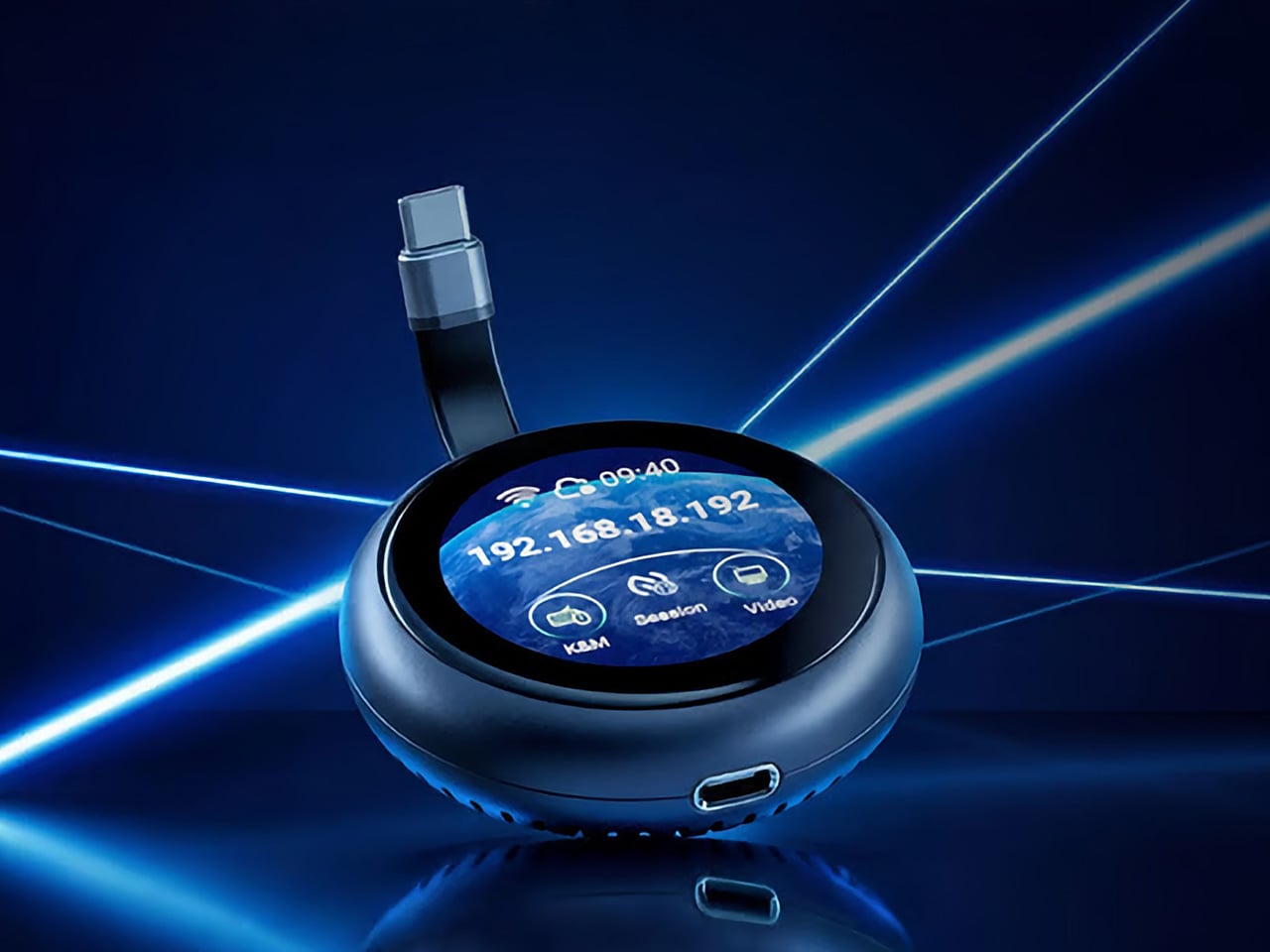
GL.iNet, the Hong Kong-based networking company behind a range of popular OpenWrt routers, has built the Comet Q to tackle all three of those problems at once. Officially designated the GL-RMQ1, it’s described as the world’s first browser-based, pocket-sized remote-control device built specifically for USB-C devices, covering laptops, phones, tablets, and Mac minis. You plug it in, open a browser, and you’re in.

Designer: GL.iNet

Click Here to Buy Now: $89 $129.9 (31% off). Hurry, only 866/2500 left! Raised over $1 million.

What sets the Comet Q apart is that it operates at the hardware level, not through software installed on the target device. That distinction matters more than it sounds. Traditional remote desktop software relies on the operating system and an active network connection, failing the moment a device sleeps, locks, or loses Wi-Fi. The Comet Q keeps working through all of that, as long as the device stays powered on and hasn’t entered a hibernation state that cuts off its HDMI/USB output.

That control comes through a single USB-C cable that simultaneously carries video, data, and power, doing away with the HDMI dongle and USB hub that traditional KVMs require. Video output reaches up to 2K at 60 fps with two-way audio, and a built-in USB-C passthrough port means the device being controlled stays charged throughout the session. It’s a genuinely pocket-sized setup that actually earns that description.

Where the Comet Q breaks new ground is with mobile devices. No KVM was ever built for them, and if something went wrong remotely, there was no clean solution short of being physically present. It connects directly through the USB-C port, working with iPhones from the iPhone 15 onward (excluding the iPhone 16e and later budget models), iPads, and a wide range of Android phones and tablets, provided the port supports DisplayPort Alt Mode.

All of that also means the OS combination no longer matters. Users can control an iPhone from a Windows PC, a MacBook from an Android tablet, or an iPad from a Linux machine. Developers can manage test devices without being at their desks, IT teams can monitor a fleet of phones from one interface, and content creators can run a dedicated recording device from anywhere in the same room.

There’s a surprisingly personal side to this. If you’ve ever tried walking a parent through a tech problem over the phone, knowing you could take over their screen remotely would have saved everyone a lot of stress. The Comet Q makes that possible, and since Wi-Fi credentials can be preset before shipping the device, the person receiving it doesn’t need to set it up.

Accessing the Comet Q doesn’t require any downloads. From a laptop or desktop, any browser pointed to glkvm.com is enough to take full control, with no account creation needed. When controlling from a phone or tablet, the GLKVM app, available on Windows, macOS, App Store, and Google Play, handles touch gestures more precisely. A 1.8-inch circular touchscreen on the device also makes initial setup possible without opening a laptop.

Security runs through every layer of the design. Each session ends the moment the Comet Q is physically disconnected, leaving no residual access or background processes behind. Built-in support for Tailscale, ZeroTier, and WireGuard VPN keeps remote connections encrypted and firewall-friendly, while two-factor authentication adds yet another layer on top. Remote access that works through hardware rather than software has been a long time coming for phones and tablets.

Click Here to Buy Now: $89 $129.9 (31% off). Hurry, only 866/2500 left! Raised over $1 million.

The post This USB-C Dongle Just Let You Control an iPhone From Windows first appeared on Yanko Design.

  • ✇Korben
  • macUSB - Créer une clé USB macOS sans toucher au Terminal
    Krystian Pierz, un développeur polonais qui se planque derrière le pseudo Kruszoneq, en a eu marre de se galérer à chaque fois pour faire des clés USB bootable pour Mac, alors il a sorti macUSB , une app Mac native (du vrai Swift, pas un machin Electron quoi) qui fait tout le sale boulot à votre place. C'est gratuit, le code est ouvert, et surtout c'est notarisé par Apple, donc pas besoin de bidouiller la sécurité de votre Mac avec Sentinel pour la lancer. Et ça se fait en trois clics. Vous bala
     

macUSB - Créer une clé USB macOS sans toucher au Terminal

26 juin 2026 à 04:52

Krystian Pierz, un développeur polonais qui se planque derrière le pseudo Kruszoneq, en a eu marre de se galérer à chaque fois pour faire des clés USB bootable pour Mac, alors il a sorti macUSB , une app Mac native (du vrai Swift, pas un machin Electron quoi) qui fait tout le sale boulot à votre place. C'est gratuit, le code est ouvert, et surtout c'est notarisé par Apple, donc pas besoin de bidouiller la sécurité de votre Mac avec Sentinel pour la lancer.

Et ça se fait en trois clics. Vous balancez votre image (un .dmg, un .app d'installation macOS, ou même un .iso), vous désignez votre clé USB, et macUSB se débrouille pour calculer le checksum, détecter la version et l'architecture, formater le support dans le bon système de fichiers et écrire le tout en vous affichant la vitesse en temps réel. Pas de Terminal, pas de commande à rallonge à recopier sans se tromper d'un espace, et surtout l'Utilitaire de disque qu'on déteste tous reste fermé.

Le vrai exploit de Kruszoneq c'est surtout qu'il a réussi à régler les cas de figure où createinstallmedia, l'outil officiel d'Apple, se crashait comme une merde. Je pense que si vous avez déjà essayé de vous faire une clé Monterey ou Big Sur depuis un Mac Silicon par exemple, pour réparer un autre Mac Intel, vous avez dû vous galérer avec des erreurs de validation et autres messages d'erreur pour cause d'architecture incompatible.

Bah macUSB contourne tout ça tout seul comme un grand, et répare même les certificats expirés des installeurs High Sierra et Mojave sans rien vous demander.

Pour situer le progrès, la méthode "propre" côté Apple ressemble à ça :

sudo /Applications/Install macOS Sequoia.app/Contents/Resources/createinstallmedia --volume /Volumes/MaCle

...et encore, à condition d'avoir déjà récupéré le bon installeur dans l'App Store. Je ne vous parle même pas de l'époque où il fallait extraire à la main le fichier InstallESD.dmg planqué dans le paquet de l'installeur (j'expliquais déjà ce bricolage en 2011 pour OSX Lion ). Alors que macUSB, lui, embarque un téléchargeur qui va chercher les installeurs directement sur les serveurs d'Apple. Vous n'avez plus rien à préparer en amont.

L'outil sait donc préparer des clés USB de macOS Tahoe (la version 26, celle de cette année) jusqu'à Tiger 10.4 sorti en 2005, PowerPC compris. Oui, vous pouvez ressusciter un iMac G5 depuis votre MacBook M4. Pour les collectionneurs de vieilles machines, les labos qui gardent des Macs d'époque, ou juste pour remettre d'aplomb un ordi que vous comptez revendre, c'est du bonbon ^^.

Et la v2.3, sortie hier, en remet une couche côté Windows puisqu'elle sait également préparer des clés Windows 10 et 11 en contournant le check TPM 2.0 (le compte Microsoft obligatoire avec la connexion Wi-Fi forcée pendant l'installation, argh !). Et elle écrit aussi les images Linux en .iso et en .img. Après si c'est juste faire une clé Windows depuis votre Mac que vous cherchez, WinDiskWriter fait déjà très bien le job, mais macUSB a l'avantage de tout regrouper au même endroit.

Côté prérequis, votre Mac doit donc tourner au minimum sous Sonoma 14.6 (Apple Silicon ou Intel), et il faudra lui accorder l'accès complet au disque dans les réglages système, rien d'anormal puisqu'il écrit directement sur vos volumes. Une fois ça réglé, vous récupérez le .dmg sur la page des releases GitHub , ou vous l'installez en une ligne avec Homebrew :

brew install --cask macusb

C'est super impressionnant pour un projet développé par une seule personne et qui plus est n'a que 6 mois d'existence. Bref, si vous avez un Mac à réinstaller, un vieux coucou à dépanner ou une machine à remettre d'aplomb avant de la revendre, foncez !

❌